# Create an Alchemy API key
> Create an app in the Alchemy Dashboard and copy its API key.
> For the complete documentation index, see [llms.txt](/docs/llms.txt).
This guide shows you how to create an app in the Alchemy Dashboard, copy its
API key, and find the endpoint URLs you will use in requests.
If you recently created your Alchemy account, you already have a default app and
API key. Use that unless you need a separate app for a new project or
environment.
## Prerequisites
* An [Alchemy account](https://dashboard.alchemy.com/signup)
Sign in to the [Alchemy Dashboard](https://dashboard.alchemy.com/) and open
**Team Overview** from your team menu.
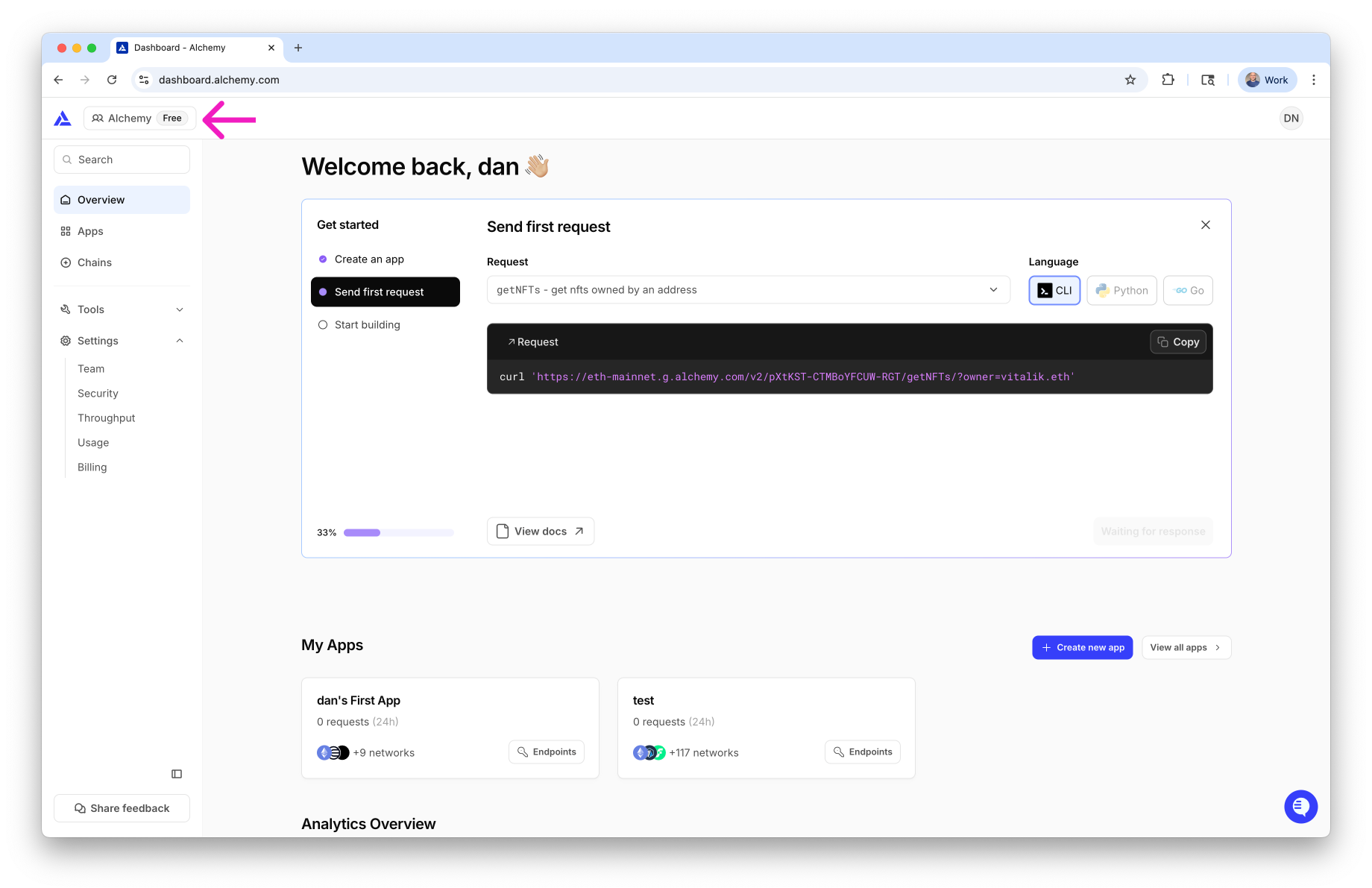
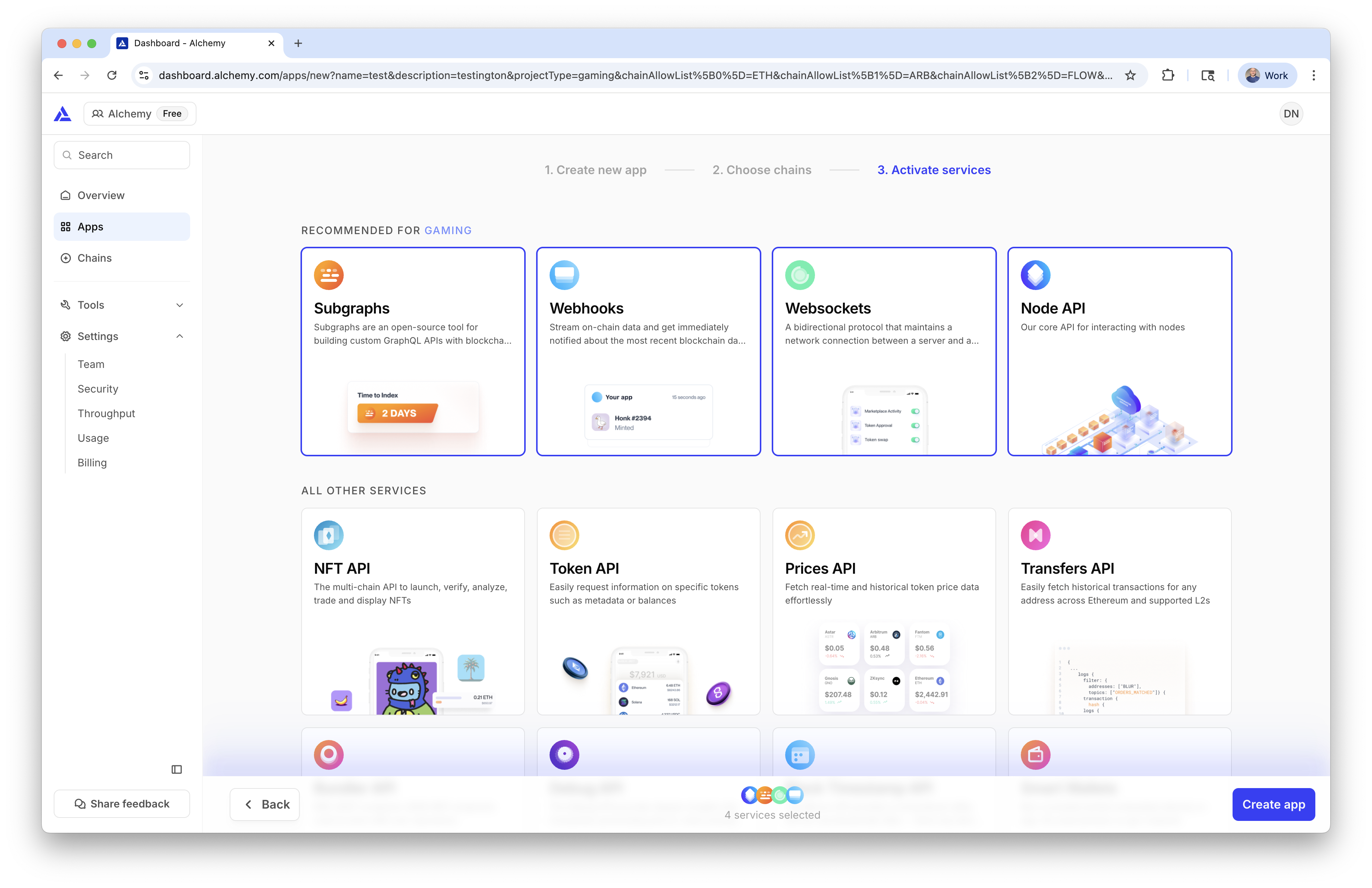
Open the **Apps** tab, then select **Create new app**.
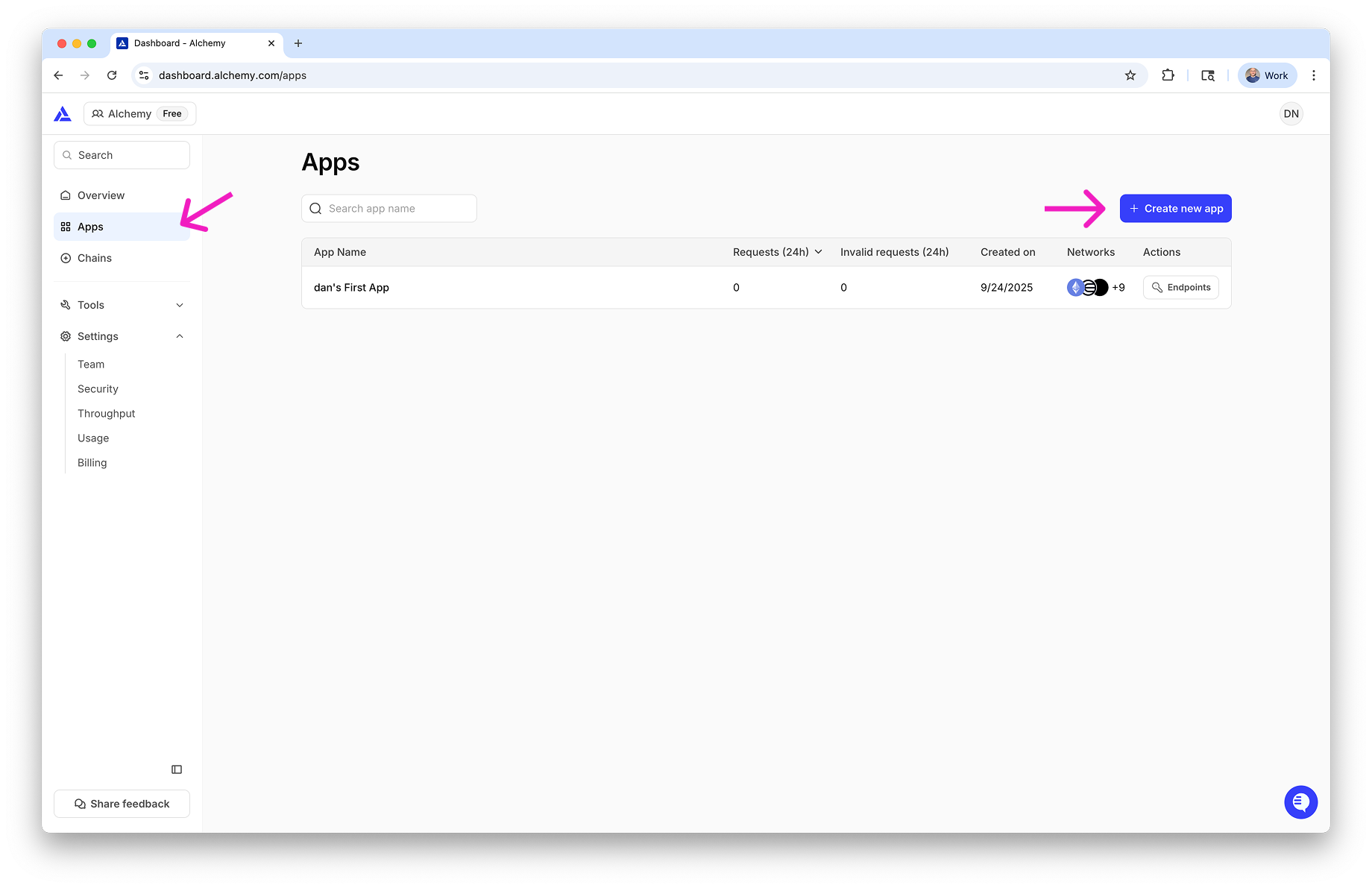
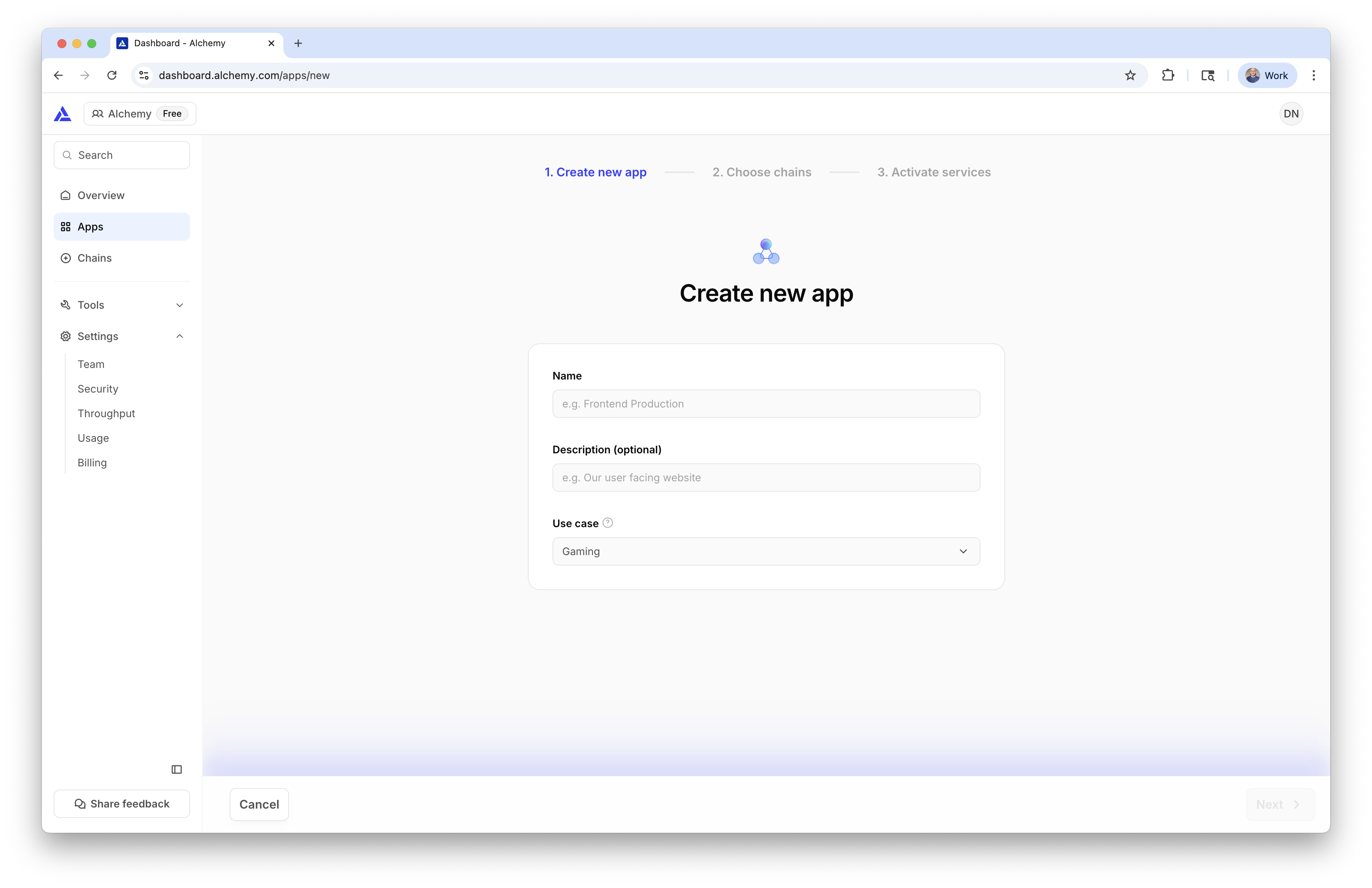
Add an app name, an optional description, and the chains you want this app
to support. Then choose the services you want enabled and select
**Create App**.
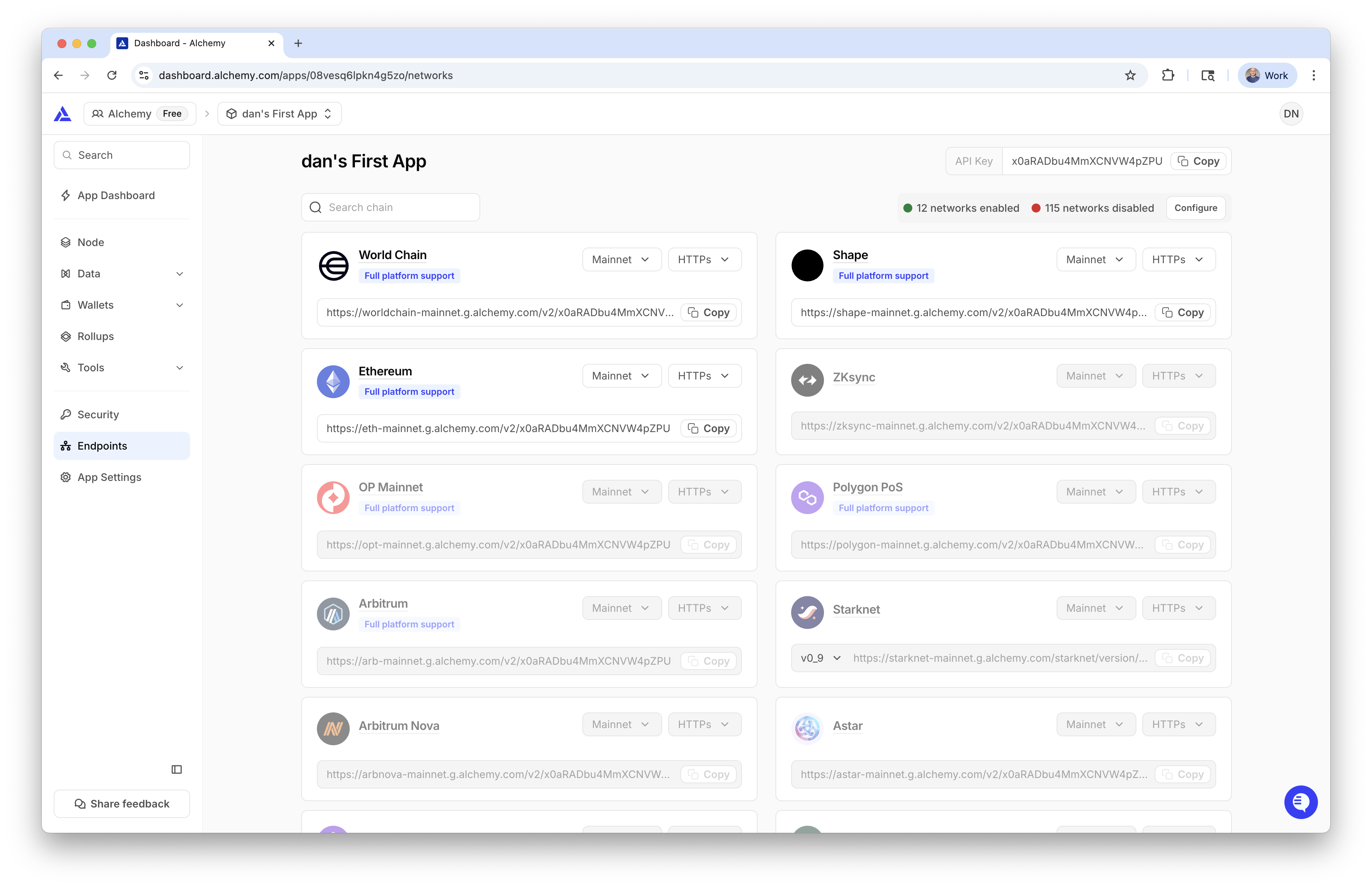
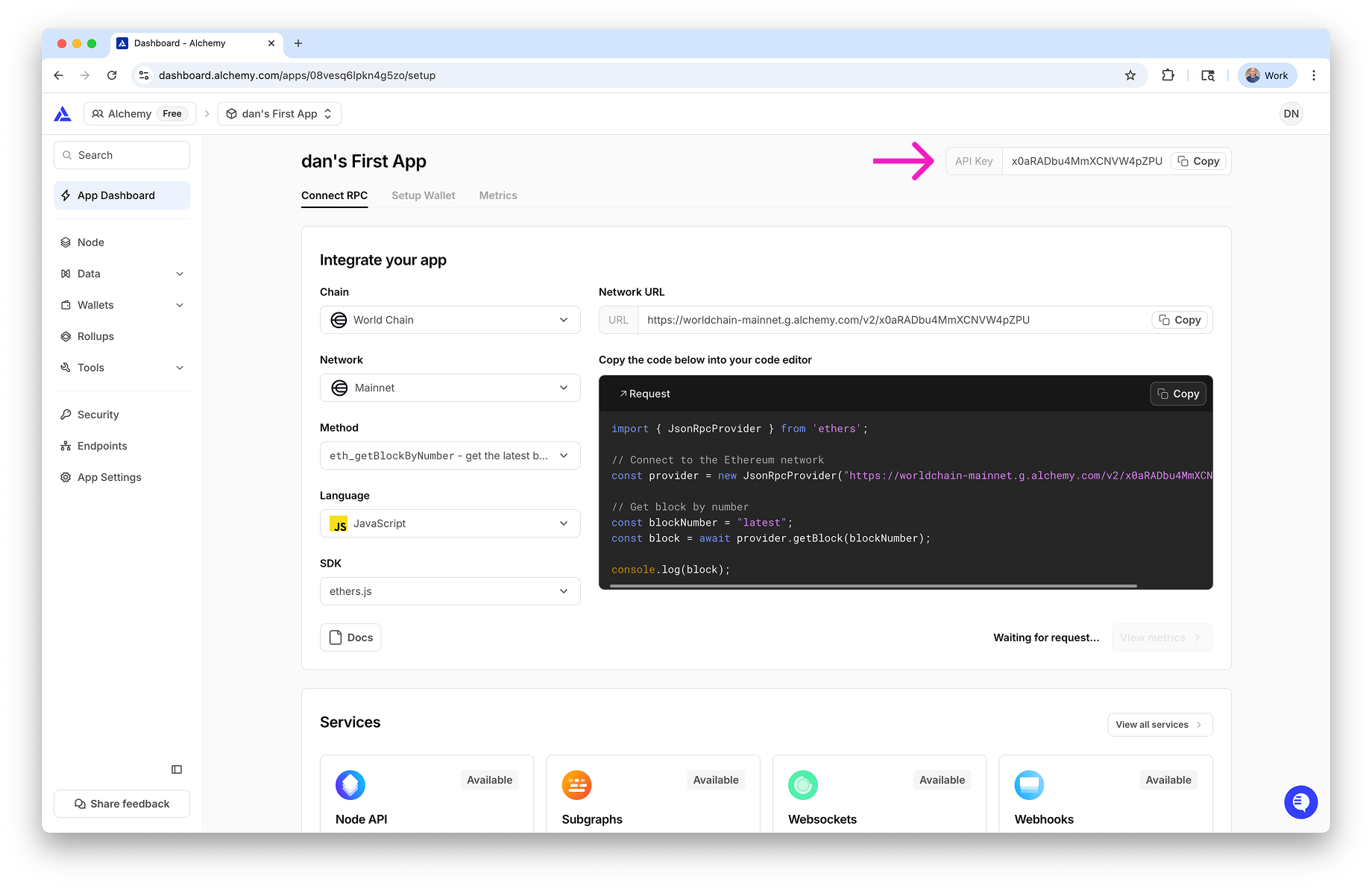
After the app is created, you will land on the app details page. Copy the
API key shown in the top-right corner.
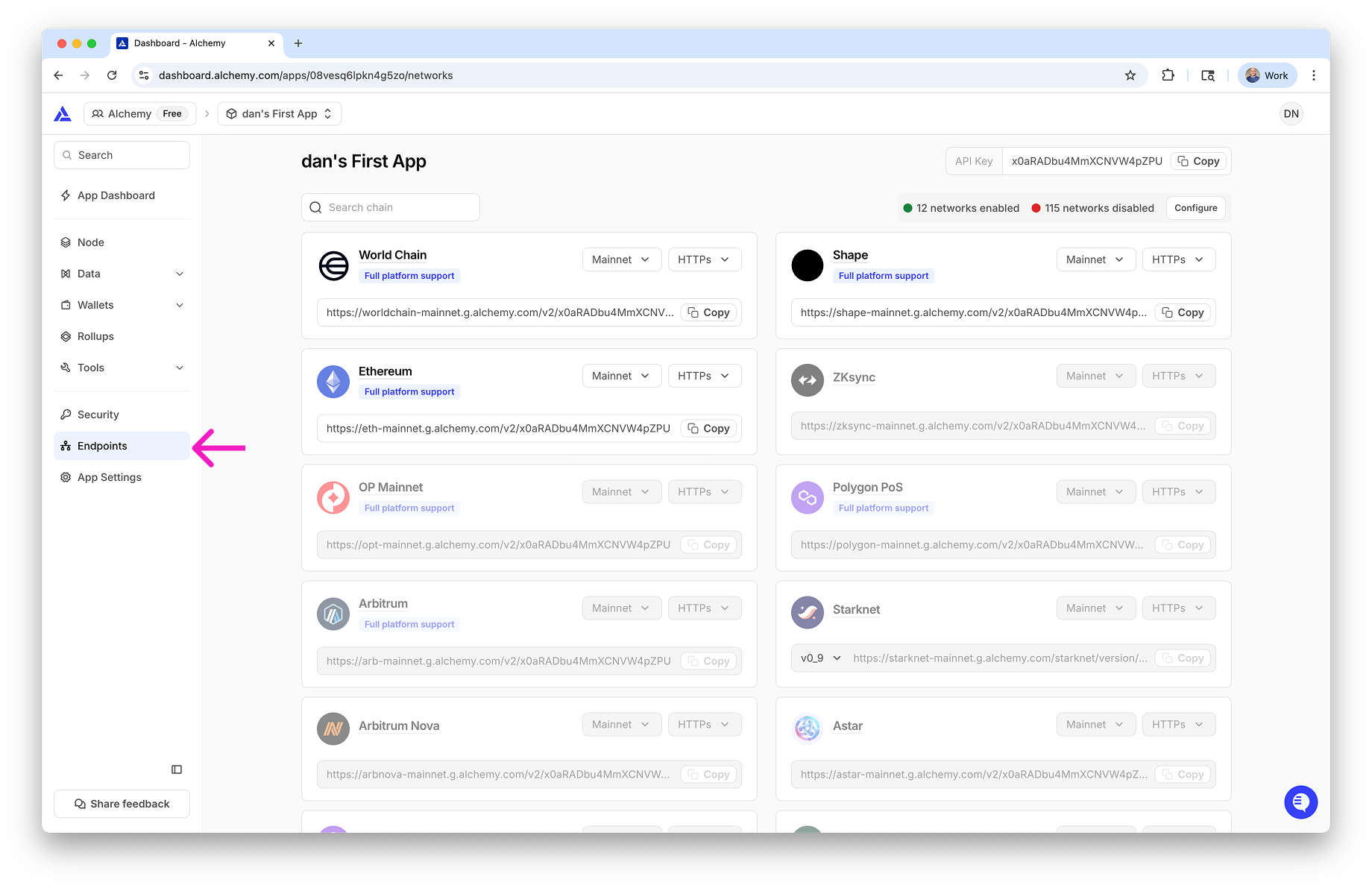
Open the **Endpoints** tab to view the HTTP and WebSocket URLs for the
chains enabled on this app.
## Verify it works
You are done when both of these are true:
* You can see an API key on the app details page
* You can see at least one HTTP or WebSocket endpoint URL in the **Endpoints** tab
## Next steps
* [Make your first request](/docs/make-your-first-request)
* [Use API keys in HTTP headers](/docs/how-to-use-api-keys-in-http-headers)