# How to Get All the Contracts Deployed by a Wallet
> Learn how to get all the contract addresses deployed by a given wallet address
> For the complete documentation index, see [llms.txt](/docs/llms.txt).
Start using Alchemy APIs in your app today. [Get started for free](https://dashboard.alchemy.com/signup)
# Introduction
In the world of Web3 development, you might want to find all the contracts deployed by a specific wallet address. This information can be useful for tracking / analyzing wallets and development activities. In this tutorial, we will walk you through how to programmatically retrieve all the contracts deployed by a wallet.
We will be using Alchemy's [getAssetTransfers](/docs/reference/alchemy-getassettransfers) API to fetch transaction data for a specific wallet address and, from there, extract the contracts deployed by it using the [eth_getTransactionReceipt](/docs/reference/eth-gettransactionreceipt) method.
***
# The Gameplan
To achieve our goal, we will follow these steps:
1. First, we will use the [alchemy_getAssetTransfers](/docs/reference/alchemy-getassettransfers) method ([Alchemy's Transfers API](/docs/reference/transfers-api-quickstart)) to fetch all transactions associated with the wallet address of interest. This method allows us to retrieve a list of transactions `to` or `from` the specified wallet address.
2. Next, we will filter the list of transactions to find only those where the `to` field is `null`. This condition indicates that the transaction resulted in the deployment of a new contract. This is true because when a contract is deployed, it does not have an address yet, as it does not exist on the blockchain. Therefore, the `to` field in the transaction is set to `null`.
3. Finally, for each of the filtered transactions, we will call the [eth_getTransactionReceipt](/docs/reference/eth-gettransactionreceipt) method. This method will return the transaction receipt containing the contract address for the newly deployed contract.
4. We will store the addresses of the deployed contracts in an array and finally log that array to the console.
Now, let's execute our plan!
***
# Setting up the project
## Install Node and npm
In case you haven't already, [install node and npm](https://nodejs.org/en/download/) on your local machine.
Make sure that node is at least **v14 or higher** by typing the following in your terminal:
```shell shell
node -v
```
***
## Create an Alchemy App
In case you haven't already, [sign up for a free Alchemy account](https://dashboard.alchemy.com/signup).
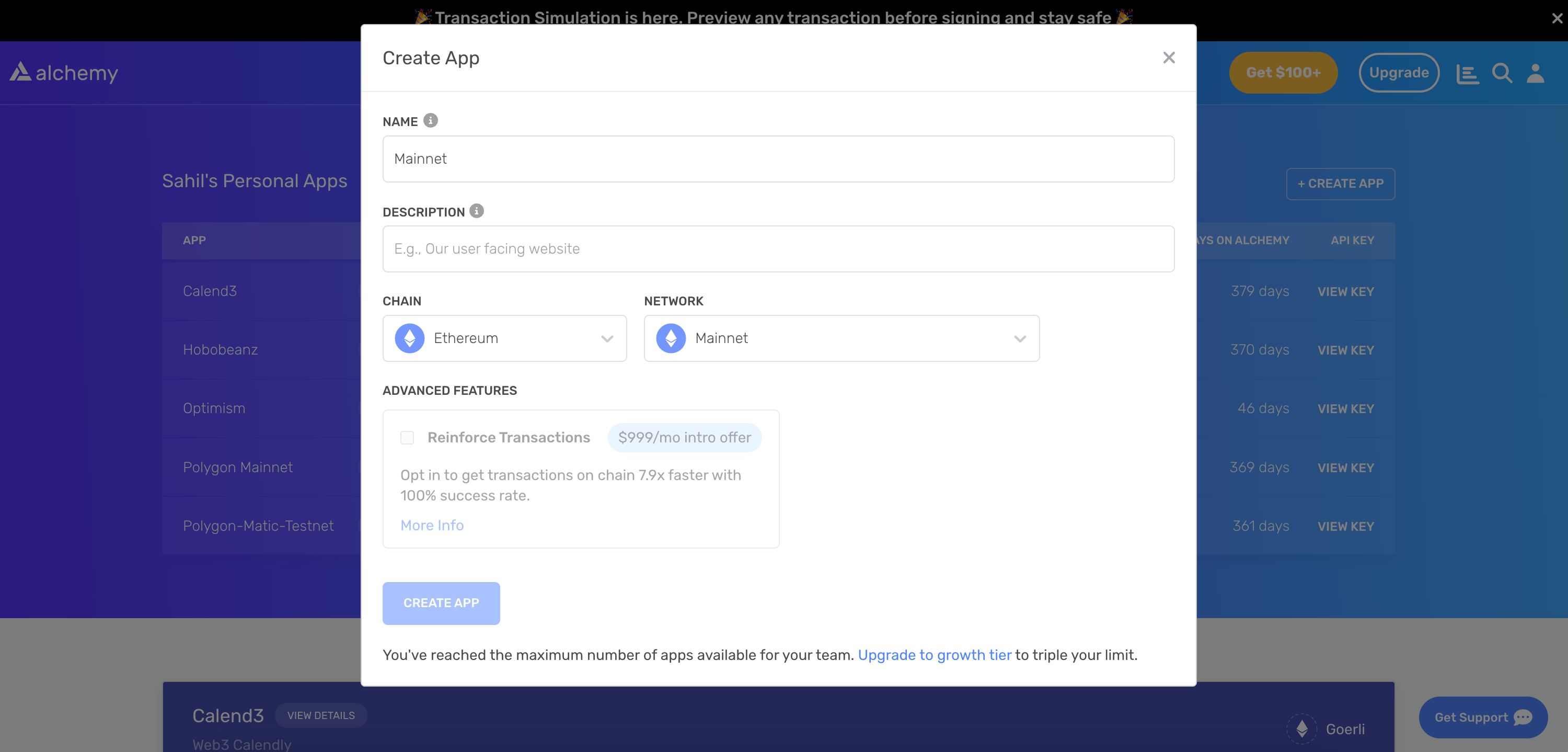
Alchemy's account dashboard where developers can create a new app on the Ethereum blockchain.
Next, navigate to the [Alchemy Dashboard](https://dashboard.alchemy.com/signup) and create a new app.
Make sure you set the chain to Ethereum and the network to Mainnet. Once the app is created, click on your app's *View Key* button on the dashboard.
Take note of the **HTTP URL**.
The URL will be in this form: `https://eth-mainnet.g.alchemy.com/v2/xxxxxxxxx`
You will need this later.
***
## Create a node project
Let's now create an empty repository and install all node dependencies.
Run the following commands in order to create your node project.
```shell Shell
mkdir get-deployed-contracts && cd get-deployed-contracts
npm init -y
touch main.js
```
This will create a repository named `get-deployed-contracts` that holds all your files and dependencies.
Next, open this repo in your favorite code editor.
Now our project is set up and we are ready to write code. We will write all our code in the `main.js` file.
***
# Writing and Testing the Script
## Coding the Script
The script below utilizes Alchemy's API to find all the contract addresses deployed by a wallet address:
```javascript getDeployedContracts.js
// Replace with your Alchemy API Key
const apiKey = "demo";
const baseURL = `https://eth-mainnet.g.alchemy.com/v2/${apiKey}`;
// Define the asynchronous function that will retrieve deployed contracts
async function findContractsDeployed(address) {
const transfers = [];
let pageKey = undefined;
// Paginate through the results using alchemy_getAssetTransfers method
do {
const requestBody = {
jsonrpc: "2.0",
id: 1,
method: "alchemy_getAssetTransfers",
params: [{
fromBlock: "0x0",
toBlock: "latest", // Fetch results up to the latest block
fromAddress: address, // Filter results to only include transfers from the specified address
excludeZeroValue: false, // Include transfers with a value of 0
category: ["external"], // Filter results to only include external transfers
...(pageKey && { pageKey }) // Add pageKey if it exists
}]
};
const response = await fetch(baseURL, {
method: "POST",
headers: {
"Content-Type": "application/json"
},
body: JSON.stringify(requestBody)
});
const data = await response.json();
if (data.error) {
console.error("Error:", data.error);
break;
}
transfers.push(...data.result.transfers);
pageKey = data.result.pageKey;
} while (pageKey);
// Filter the transfers to only include contract deployments (where 'to' is null)
const deployments = transfers.filter((transfer) => transfer.to === null);
const txHashes = deployments.map((deployment) => deployment.hash);
// Fetch the transaction receipts for each of the deployment transactions
const promises = txHashes.map(async (hash) => {
const requestBody = {
jsonrpc: "2.0",
id: 1,
method: "eth_getTransactionReceipt",
params: [hash]
};
const response = await fetch(baseURL, {
method: "POST",
headers: {
"Content-Type": "application/json"
},
body: JSON.stringify(requestBody)
});
const data = await response.json();
return data.result;
});
// Wait for all the transaction receipts to be fetched
const receipts = await Promise.all(promises);
const contractAddresses = receipts.map((receipt) => receipt?.contractAddress).filter(Boolean);
return contractAddresses;
}
// Define the main function that will execute the script
async function main() {
const address = "0x7Be8076f4EA4A4AD08075C2508e481d6C946D12b"; // Replace with the address you want to query the deployed contracts for
try {
// Call the findContractsDeployed function to retrieve the array of deployed contracts
const contractAddresses = await findContractsDeployed(address);
// Log the contract addresses in a readable format by looping through the array
console.log(`The following contracts were deployed by ${address}:`);
for (let i = 0; i < contractAddresses.length; i++) {
console.log(`${i + 1}. ${contractAddresses[i]}`);
}
} catch (error) {
console.error("Error:", error);
}
}
// Call the main function to start the script
main();
```
Let's break down the code in bullet points:
* The script defines the Alchemy API URL and uses fetch to make direct HTTP requests to Alchemy's endpoints.
* Then, it defines an asynchronous function `findContractsDeployed` that accepts a wallet address as its argument.
* Inside the `findContractsDeployed` function, it fetches the transaction history of the wallet address using Alchemy's [`getAssetTransfers`](/docs/reference/sdk-getassettransfers) method.
* The script paginates through the results and aggregates them in the `transfers` array.
* It then filters the transfers to only include contract deployments by checking if the `"to"` property is `null`.
* Then it maps the filtered deployments to their corresponding transaction hashes and fetches the transaction receipts for each of the deployment transactions using Alchemy's [`getTransactionReceipt`](/docs/reference/sdk-gettransactionreceipt) method.
* Finally, the script waits for all the transaction receipts to be fetched and maps them to their respective deployed contract addresses using the `contractAddress` property in the transaction receipt.
* The function then returns the array of these contract addresses.
* The main function initializes the wallet address and calls the `findContractsDeployed` function to get the array of contract addresses deployed by the given wallet address.
* It then loops through the array to display the contract addresses in a readable format.
If you are facing the `"ENS name not configured"` error, try replacing the `"demo"` API key with your own API key that you copied in the ["Create an Alchemy App"](#create-an-alchemy-app) section.
***
## Testing the Script
Now let's test our script to verify if it's working properly. Run your script using the command below:
```shell shell
node main.js
```
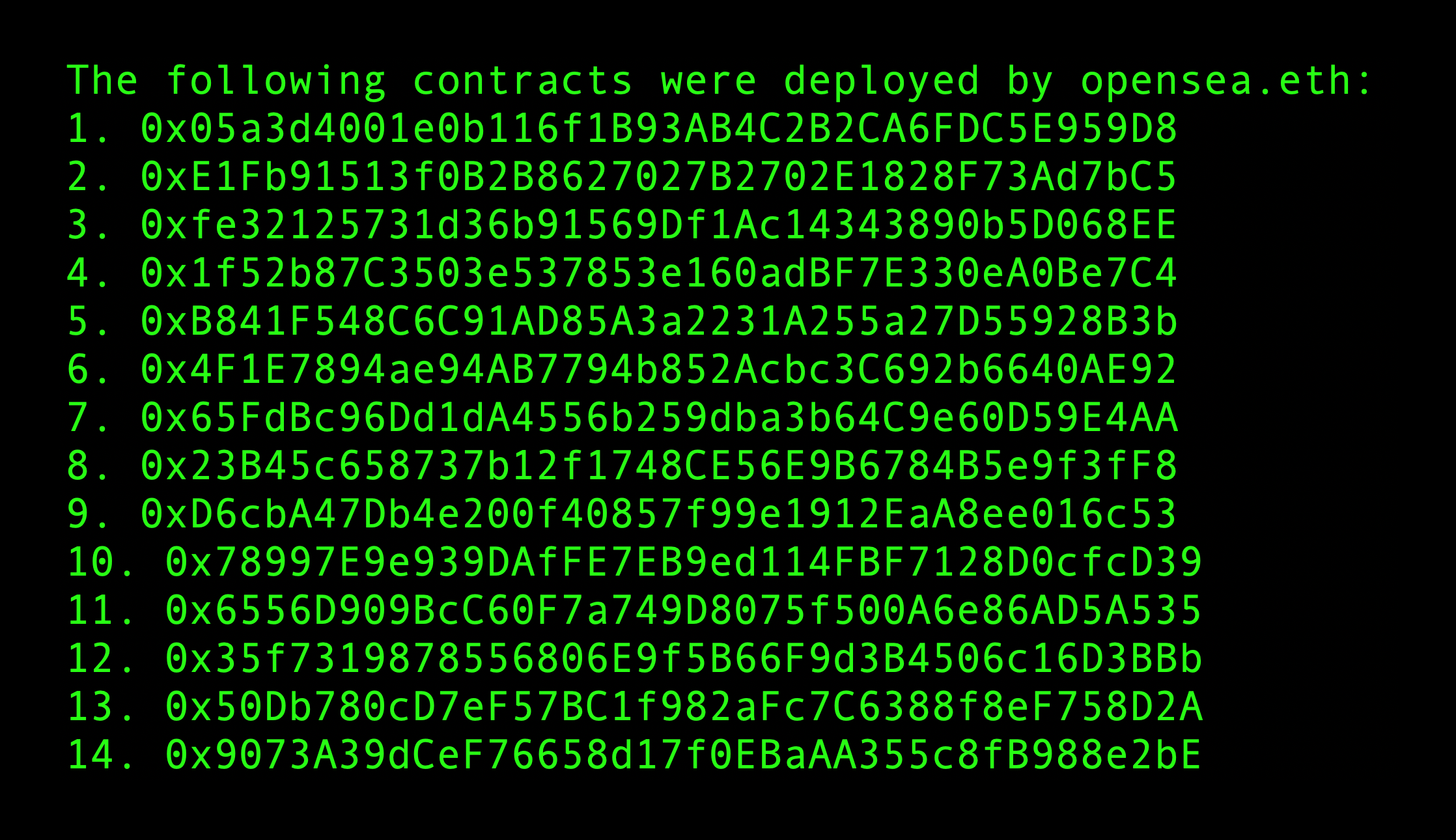
You should see an output listing the contract addresses deployed by the given wallet address:
```shell output
The following contracts were deployed by opensea.eth:
1. 0x05a3d4001e0b116f1B93AB4C2B2CA6FDC5E959D8
2. 0xE1Fb91513f0B2B8627027B2702E1828F73Ad7bC5
3. 0xfe32125731d36b91569Df1Ac14343890b5D068EE
4. 0x1f52b87C3503e537853e160adBF7E330eA0Be7C4
5. 0xB841F548C6C91AD85A3a2231A255a27D55928B3b
6. 0x4F1E7894ae94AB7794b852Acbc3C692b6640AE92
7. 0x65FdBc96Dd1dA4556b259dba3b64C9e60D59E4AA
8. 0x23B45c658737b12f1748CE56E9B6784B5e9f3fF8
9. 0xD6cbA47Db4e200f40857f99e1912EaA8ee016c53
10. 0x78997E9e939DAfFE7EB9ed114FBF7128D0cfcD39
11. 0x6556D909BcC60F7a749D8075f500A6e86AD5A535
12. 0x35f7319878556806E9f5B66F9d3B4506c16D3BBb
13. 0x50Db780cD7eF57BC1f982aFc7C6388f8eF758D2A
14. 0x9073A39dCeF76658d17f0EBaAA355c8fB988e2bE
15. 0x5e30B1d6f920364c847512E2528efdAdF72a97A9
16. 0xc2ae41bbC013a90000Cba1100B0695ECbD86D5f4
17. 0x495f947276749Ce646f68AC8c248420045cb7b5e
```
***
# Conclusion
In this tutorial, we learned how to programmatically retrieve all the contracts deployed by a wallet address.
By following the code and explanations provided, you should now be able to adapt this script to suit your specific needs or integrate it into a larger project.
If you have any questions or feedback, please contact us at support@alchemy.com or open a ticket in the dashboard.