---
title: Choose Your Starting Point
description: Overview of our product offerings
subtitle: Overview of our product offerings
slug: get-started
layout: overview
hide-toc: true
---

<CardGroup cols={4}>
  <Card title="Node API" icon="fa-solid fa-diagram-project" href="/docs/reference/node-api-overview">
    Low-level JSON-RPC for reading & writing blockchain data.
  </Card>

  <Card title="Data APIs" icon="fa-solid fa-database" href="/docs/reference/data-overview">
    Structured, indexed data for balances, NFTs, prices, and more.
  </Card>

  <Card title="Wallet APIs" icon="fa-solid fa-wallet" href="/docs/wallets">
    Account abstraction infrastructure for smart wallets.
  </Card>

  <Card title="Rollups" icon="fa-solid fa-layer-group" href="/docs/reference/rollups-quickstart">
    Launch dedicated rollups with full control over your L2.
  </Card>
</CardGroup>

<Tip title="Don't have an API key?" icon="star">
  Build faster with production-ready APIs, smart wallets and rollup infrastructure across 70+ chains. Create your free Alchemy API key and{" "}
  <a href="https://dashboard.alchemy.com/signup">get started today</a>.
</Tip>

***

## 1. Node API

The [Node API](/docs/reference/node-api-overview) gives you low-level access to standard JSON-RPC methods for interacting with blockchains.

Use it for sending transactions, querying blocks and logs, and accessing state. It supports multiple chains; see the [Chain APIs Overview](/docs/reference/chain-apis-overview) page for the full list.

<CardGroup cols={3}>
  <Card title="Chain APIs" icon="fa-solid fa-diagram-project" href="/docs/chains">
    Read & write interface for all blockchains supported by us.
  </Card>

  <Card title="WebSockets" icon="fa-solid fa-wave-square" href="/docs/reference/subscription-api">
    Subscribe to pending transactions, log events, new blocks, and more.
  </Card>

  <Card title="Trace API" icon="fa-solid fa-magnifying-glass-arrow-right" href="/docs/reference/trace-api-quickstart">
    Get insights into transaction processing and onchain activity.
  </Card>

  <Card title="Debug API" icon="fa-solid fa-bug" href="/docs/reference/debug-api-quickstart">
    Non-standard RPC methods for inspecting and debugging transactions.
  </Card>

  <Card title="Yellowstone gRPC" icon="fa-solid fa-bolt" href="/docs/reference/yellowstone-grpc-overview">
    High-performance real-time Solana data streaming interface.
  </Card>
</CardGroup>

***

## 2. Data APIs

The [Data APIs](/docs/reference/data-overview) provide structured, indexed data that would be difficult to get via RPC alone.

Use it for NFT metadata, token balances, transaction histories, enriched transfers, and analytics. Optimized for high-volume reads, dashboards, and data-heavy applications.

<CardGroup cols={3}>
  <Card title="Portfolio API" icon="fa-solid fa-chart-pie" href="/docs/reference/portfolio-apis">
    Build a complete portfolio view of a user's wallet across tokens and NFTs.
  </Card>

  <Card title="Transfers API" icon="fa-solid fa-arrow-right-arrow-left" href="/docs/reference/transfers-api-quickstart">
    Get historical transactions for any address in a single request.
  </Card>

  <Card title="Prices API" icon="fa-solid fa-chart-line" href="/docs/reference/prices-api-quickstart">
    Access real-time and historical token prices.
  </Card>

  <Card title="NFT API" icon="fa-solid fa-image" href="/docs/reference/nft-api-quickstart">
    Find, verify, and display NFTs across major blockchains.
  </Card>

  <Card title="Webhooks" icon="fa-solid fa-bell" href="/docs/reference/notify-api-quickstart">
    Subscribe to on-chain events like transfers, transactions, and balance changes.
  </Card>

  <Card title="Simulation API" icon="fa-solid fa-flask" href="/docs/reference/simulation">
    Simulate transactions and see their effects before you send them.
  </Card>
</CardGroup>

***

## 3. Wallet APIs / Account Abstraction Infrastructure

Our [Smart Wallets](/docs/wallets) product gives you everything you need to build zero-friction user flows, from sign-up to checkout, using smart contract accounts.

Use these APIs to handle user operations, sponsor gas, and implement smart accounts with account abstraction.

<CardGroup cols={3}>
  <Card title="Bundler" icon="fa-solid fa-layer-group" href="/docs/reference/bundler-api-quickstart">
    Bundler API Quickstart for handling user operations.
  </Card>

  <Card title="Gas Manager" icon="fa-solid fa-gas-pump" href="https://www.alchemy.com/docs/reference/how-to-sponsor-gas-on-evm">
    Gas Manager API Quickstart for sponsoring gas fees.
  </Card>

  <Card title="Transaction APIs" icon="fa-solid fa-toolbox" href="/docs/wallets/transactions/overview">
    Send transactions with smart accounts.
  </Card>
</CardGroup>

***

## 4. Rollups

Our [Rollups](/docs/reference/rollups-quickstart) product helps you run a dedicated rollup with full control over transaction speed, cost, and functionality.

Launching a rollup can unlock new revenue streams, enable novel use cases, and provide a better user experience.

<CardGroup cols={3}>
  <Card title="Arbitrum Chain" icon={<img src="https://alchemyapi-res.cloudinary.com/image/upload/v1764179954/docs/api-reference/alchemy-rollups/api_icon3.svg" alt="Arbitrum Chain logo" />} href="/docs/reference/supported-stacks">
    View the Arbitrum Stack rollup framework.
  </Card>

  <Card title="OP Stack" icon={<img src="https://alchemyapi-res.cloudinary.com/image/upload/v1764179956/docs/api-reference/alchemy-rollups/api_icon4.svg" alt="OP Stack logo" />} href="/docs/reference/supported-stacks">
    View the OP Stack rollup framework.
  </Card>

  <Card
    title="ZKSync Stack"
    icon={
    <img
      src="https://alchemyapi-res.cloudinary.com/image/upload/v1752688923/docs/zk-sync_tllxmx.svg"
      alt="zkSync logo"
    />
  }
    href="/docs/reference/supported-stacks"
  >
    View the ZKSync Stack rollup framework.
  </Card>
</CardGroup>


------

---
title: Alchemy Quickstart Guide
description: Quickstart guide to Alchemy! Learn how to create an Alchemy key, make your first request, setup up Alchemy as your client, and get to building!
subtitle: Let's get started _fast_! Learn how to create an Alchemy key, make your first request, setup up Alchemy as your client, and get to building.
slug: docs/alchemy-quickstart-guide
---

# Getting Started

👋 *New to Alchemy? Get access to Alchemy for free* ***[here](https://dashboard.alchemy.com/signup)***.

## 📋 Steps to get started with Alchemy

1. [Create an Alchemy API Key](/docs/create-an-api-key)
2. [Make Your First Request](/docs/make-your-first-request)
3. [Set up Alchemy with Viem](/docs/set-up-alchemy-with-viem)
4. [Use Alchemy with any Library via AI](/docs/alchemy-via-libraries)

## 💻 Start Building!

Don't know where to start? Check out the tutorials below to get more familiar, at a deeper level, with Alchemy and blockchain development:

1. Learn [How to Send Transactions on Ethereum](/docs/how-to-send-transactions-on-ethereum)
2. Try deploying your first [Hello World Smart Contract](/docs/how-to-deploy-a-smart-contract-to-the-sepolia-testnet) and get your hands dirty with some solidity programming!


------

---
title: Create an Alchemy API key
description: Create an app in the Alchemy Dashboard and copy its API key.
subtitle: Create an app in the Alchemy Dashboard and copy its API key.
slug: docs/create-an-api-key
---

This guide shows you how to create an app in the Alchemy Dashboard, copy its
API key, and find the endpoint URLs you will use in requests.

<Note>
  If you just created your Alchemy account, you already have a default app and
  API key. Use that unless you need a separate app for a new project or
  environment.
</Note>

## Prerequisites

* An [Alchemy account](https://dashboard.alchemy.com/signup)

<Steps>
  <Step title="Open Team Overview">
    Sign in to the [Alchemy Dashboard](https://dashboard.alchemy.com/) and open
    **Team Overview** from your team menu.

    ![](https://alchemyapi-res.cloudinary.com/image/upload/v1758730581/navigate-overview_fwgrbb.png)
  </Step>

  <Step title="Create a new app">
    Open the **Apps** tab, then select **Create new app**.

    ![](https://alchemyapi-res.cloudinary.com/image/upload/v1758730226/create-new-app_fiqujs.png)
  </Step>

  <Step title="Choose your app settings">
    Add an app name, an optional description, and the chains you want this app
    to support. Then choose the services you want enabled and select
    **Create App**.

    ![](https://alchemyapi-res.cloudinary.com/image/upload/v1758730227/Screenshot_2025-09-24_at_11.48.08_AM_cyn4tx.png)

    ![](https://alchemyapi-res.cloudinary.com/image/upload/v1758730226/Screenshot_2025-09-24_at_11.52.11_AM_xdtahy.png)

    ![](https://alchemyapi-res.cloudinary.com/image/upload/v1758730227/Screenshot_2025-09-24_at_11.51.22_AM_lx3qcu.png)
  </Step>

  <Step title="Copy your API key">
    After the app is created, you will land on the app details page. Copy the
    API key shown in the top-right corner.

    ![](https://alchemyapi-res.cloudinary.com/image/upload/v1758730225/get-api-key_bn8zua.png)
  </Step>

  <Step title="Find your endpoint URLs">
    Open the **Endpoints** tab to view the HTTP and WebSocket URLs for the
    chains enabled on this app.

    ![](https://alchemyapi-res.cloudinary.com/image/upload/v1758730224/endpoints_gjlfrb.png)
  </Step>
</Steps>

## Verify it works

You are done when both of these are true:

* You can see an API key on the app details page
* You can see at least one HTTP or WebSocket endpoint URL in the **Endpoints** tab

## Next steps

* [Make your first request](/docs/make-your-first-request)
* [Use API keys in HTTP headers](/docs/how-to-use-api-keys-in-http-headers)


------

---
title: Make your first Alchemy request
description: Send your first JSON-RPC request to Alchemy with cURL.
subtitle: Send your first JSON-RPC request to Alchemy with cURL.
slug: docs/make-your-first-request
---

This guide shows you how to send an `eth_gasPrice` request to Ethereum Mainnet
with cURL and verify the response.

## Prerequisites

* An Alchemy API key. If you need one, [create an API key](/docs/create-an-api-key).
* A terminal with `curl` installed

<Steps>
  <Step title="Set your API key">
    Export your API key as an environment variable:

    ```bash
    export ALCHEMY_API_KEY="YOUR_API_KEY"
    ```
  </Step>

  <Step title="Send the request">
    Run this command:

    ```bash
    curl "https://eth-mainnet.g.alchemy.com/v2/$ALCHEMY_API_KEY" \
      -X POST \
      -H "Content-Type: application/json" \
      -d '{"jsonrpc":"2.0","method":"eth_gasPrice","params":[],"id":1}'
    ```
  </Step>

  <Step title="Check the response">
    A successful response looks like this:

    ```json
    {
      "jsonrpc": "2.0",
      "id": 1,
      "result": "0x09184e72a000"
    }
    ```

    The `result` value is the current gas price in wei, encoded as hex.
  </Step>
</Steps>

## Next steps

* [Set up Alchemy with Viem](/docs/set-up-alchemy-with-viem)
* [Use API keys in HTTP headers](/docs/how-to-use-api-keys-in-http-headers)
* [Review request logs in the Alchemy Dashboard](/docs/alchemy-request-logs)


------

---
title: Set up Alchemy with Viem
description: Learn how to send a blockchain request via a script using Alchemy.
subtitle: Learn how to send a blockchain request via a script using Alchemy.
slug: docs/set-up-alchemy-with-viem
---

> 👋 **Don't have an API Key?** [Start here](/docs/create-an-api-key) before setting up your project!

### What is Viem?

Viem is a set of modules, which you can use in JavaScript or Typescript, helping you interface with Ethereum or Ethereum Virtual Machine (EVM) chains.

You will use it in this guide, configuring it with your Alchemy API URL, so you can read and write to the blockchain of your choice.

If you're new to viem, check out [our 60 minute video diving into it](https://youtu.be/P9oUqVsHBkA) and the [viem docs](https://viem.sh/docs/introduction) are a great place to start as well!

Let's get started!

### 🔧 Prerequisites

1. **Node.js**
   * Required to run JavaScript/TypeScript outside the browser.
   * Install **Node.js 18 or later** (viem requires modern Node features).
   * Download from: [https://nodejs.org/](https://nodejs.org/)

2. **npm** (comes with Node.js)
   * Default package manager bundled with Node.
   * Automatically installed when you install Node.js.

<Steps>
  <Step title="Project Setup and Installation">
    From your [command line](https://www.computerhope.com/jargon/c/commandi.htm), create a new project directory and install Viem:

    <CodeGroup>
      ```shell npm
      # Create and enter project directory
      mkdir project && cd project
      # Initialize a new Node.js project
      npm init -y
      # Install viem
      npm install viem
      ```

      ```shell pnpm
      # Create and enter project directory
      mkdir project && cd project
      # Initialize a new Node.js project
      pnpm init
      # Install viem
      pnpm add viem
      ```

      ```shell yarn
      # Create and enter project directory
      mkdir project && cd project
      # Initialize a new Node.js project
      yarn init -y
      # Install viem
      yarn add viem
      ```
    </CodeGroup>
  </Step>

  <Step title="Create Script">
    Create a file named `index.js` and add the following contents, replacing `demo` with your Alchemy API Key:

    <CodeGroup>
      ```javascript index.js
      import { createPublicClient, http } from "viem";
      import { mainnet } from "viem/chains";

      const client = createPublicClient({
        chain: mainnet,
        transport: http("https://eth-mainnet.g.alchemy.com/v2/demo"),
      });

      async function getLatestBlockNumber() {
        const blockNumber = await client.getBlockNumber();
        console.log("Latest block number:", blockNumber);
      }

      getLatestBlockNumber();
      ```
    </CodeGroup>

    <Info>
      You can find the documentation of viem's [getBlockNumber](https://viem.sh/docs/actions/public/getBlockNumber) which is configured to call out to [eth\_blockNumber](/docs/node/ethereum/ethereum-api-endpoints/eth-block-number) on the Alchemy API.
    </Info>
  </Step>

  <Step title="Run It">
    <CodeGroup>
      ```shell shell
      node index.js
      ```
    </CodeGroup>

    This should return the latest block number in your console:

    <CodeGroup>
      ```shell shell
      The latest block number is 11043912
      ```
    </CodeGroup>
  </Step>
</Steps>

Woo! Congrats! You just wrote your first web3 script using Alchemy and sent your first request to your Alchemy API endpoint 🎉

You can visit your [request logs](https://dashboard.alchemy.com/logs) to see the full details of the request come through the API!

<Markdown src="./shared-next-steps.mdx" />


------

---
title: Set Up Alchemy with any Library via AI
description: Use AI tools to kickoff your Alchemy journey
subtitle: Use AI tools to kickoff your Alchemy journey
slug: docs/alchemy-via-libraries
---

> 👋 **Don't have an API Key?** [Start here](/docs/create-an-api-key) before building with AI!

## Many Coding Languages, Many Great Web3 Libraries

Across coding languages you'll find many [great web3 libraries](https://www.alchemy.com/dapps/best/web3-libraries). In most cases the best place to start would be to consult the documentation of the web3 library you're using OR, as we'll recommend below, [build with AI tools](docs/tutorials/build-with-ai/ai-powered-id-es).

<Info>
  If you are starting from your favorite tools' documentation, look for json rpc provider or client HTTP transport. That's where you'll configure your Alchemy URL!

  Essentially you will be pointing your library to your node, and you'll be using Alchemy to host your nodes for you!
</Info>

## Quickstart with AI

There's no easier way than to get started with something like [cursor](https://cursor.com/) or [claude code](https://claude.com/product/claude-code) as shown in this video:

<div style="position: relative; padding-bottom: 56.25%; height: 0; overflow: hidden; max-width: 100%;">
  <iframe style="position: absolute; top: 0; left: 0; width: 100%; height: 100%;" src="https://www.youtube.com/embed/rSJHuGmf8Z4?si=qigI6O3mvYXT13YJ&rel=0" title="YouTube video player" frameborder="0" allow="accelerometer; autoplay; clipboard-write; encrypted-media; gyroscope; picture-in-picture; web-share; fullscreen" referrerpolicy="strict-origin-when-cross-origin" allowfullscreen />
</div>

Simply tell your AI tool to "write a script using ethers.js connected to Alchemy" and you'll be off to the races!

<Info>
  One key thing to keep in mind is that the AI tool may not have the most recent documentation available, so often times it may be useful to tell it to consult the most recent docs.

  For all Alchemy docs you can scroll up to the top of the page and click "Copy Page" to get the info your AI tool needs to be completely up to date with the particular documentation!
</Info>

<Markdown src="./shared-next-steps.mdx" />


------

---
title: Pricing Plans
description: A guide to understand Alchemy's pricing plans.
subtitle: A guide to understand Alchemy's pricing plans.
slug: reference/pricing-plans
---

# Plans Overview

## Feature Comparison

| Feature                          | Free Tier   | PAYG       | Enterprise Tier |
| -------------------------------- | ----------- | ---------- | --------------- |
| Base Compute Units               | 30,000,000  | -          | Custom          |
| Up to 300M CU rate               | -           | $0.45/M CU | Custom          |
| 300M+ CU rate                    | -           | $0.40/M CU | Custom          |
| Base Throughput (CUs/second)     | 500         | 10,000     | Custom          |
| # of apps                        | 5           | 30         | Unlimited       |
| Webhooks                         | 5           | 50         | 500             |
| Full Archive Data                | ✓           | ✓          | ✓               |
| Node API                         | ✓           | ✓          | ✓               |
| Debug API                        | ✗           | ✓          | ✓               |
| Trace API                        | ✗           | ✓          | ✓               |
| NFT API                          | ✓           | ✓          | ✓               |
| Transfers API                    | ✓           | ✓          | ✓               |
| Token API                        | ✓           | ✓          | ✓               |
| Transaction Simulation           | ✓           | ✓          | ✓               |
| Gas-optimized Transactions       | ✗           | ✓          | ✓               |
| Smart Websockets                 | ✓           | ✓          | ✓               |
| JavaScript SDK                   | ✓           | ✓          | ✓               |
| Analytics & Reporting            | ✓           | ✓          | ✓               |
| Email Support                    | ✓           | ✓          | ✓               |
| Devoted Support Channels         | ✗           | ✗          | ✓               |
| Access to Engineering & PM Teams | ✗           | ✗          | ✓               |
| Custom SLAs                      | ✗           | ✗          | ✓               |
| Priority on Product Roadmaps     | ✗           | ✗          | ✓               |
| High Volume Discounts            | ✗           | ✗          | ✓               |

## Account Abstraction (AA) Pricing

| Feature                    | Free Tier        | PAYG                                   | Enterprise Tier  |
| -------------------------- | ---------------- | -------------------------------------- | ---------------- |
| Gas Manager                | Free on testnets | 8% admin fee                           | Custom admin fee |
| Gas Sponsorship Base Limit | -                | $0/mo (Contact us for Custom limits)   | Custom           |
| Account Kit SDK            | ✓                | ✓                                      | ✓                |
| Bundler API                | ✓                | ✓                                      | ✓                |
| Gas Manager Coverage API   | ✓                | ✓                                      | ✓                |
| Gas Manager Admin API      | ✗                | ✓                                      | ✓                |

## Throughput (CUPS)

Each application has reserved dedicated throughput, measured in Compute Units per Second (CUPS). Your app can exceed these limits based on elastic demand in our system.

| Tier       | Base CUPS |
| ---------- | --------- |
| Free       | 1,000     |
| PAYG       | 10,000    |
| Enterprise | Custom    |

*Note: Even if your application limit is lower, the system may allow higher throughput based on available capacity. For a more robust experience, we recommend implementing retries when experiencing throughput errors.*


------

---
title: Compute Units
description: The explanation for what Compute Units are and how we use them.
subtitle: The explanation for what Compute Units are and how we use them.
slug: reference/compute-units
---

*Check out [Compute Unit Costs](/docs/reference/compute-unit-costs) for a breakdown of costs for each method.*

# What are Compute Units?

Compute units are a measure of the total computational resources your apps are using on Alchemy. You can think of this as how you would pay Amazon for compute usage on AWS. Some queries are lightweight and fast to run (e.g., eth\_blockNumber) and others can be more intense (e.g., large eth\_getLogs queries). Each method is assigned a quantity of compute units, derived from global average durations of each method.

# Why use Compute Units?

We're obsessed with providing the most developer-friendly experience across our platform, and this doesn't stop at pricing. Pricing on compute units allows us to provide developers with the most fair and transparent pricing possible. No more over-paying for simple requests, you only pay for what you use, period.

# What are CUPS (Compute Units Per Second)?

Each application has reserved dedicated [Throughput](/docs/reference/throughput), measured in Compute Units per Second. Applications can greatly exceed their dedicated throughputs based off of elastic demand in our system.

Since each request is weighted differently, we base this on the total compute units used rather than the number of requests. For example, if you send one eth\_blockNumber (10 CUs), two eth\_getLogs (75 CUs), and two eth\_call(26 CUs) requests in the same second, you will have a total of 212 CUPS. Note that even if your application limit is 200 CUPS, this throughput will likely be allowed still by the system.

If you are experiencing throughput errors, or want create a more robust and reliable experience for your users, we recommend [implementing retries](/docs/reference/throughput).

# What are Throughput Compute Units?

Throughput Compute Units define how often you can run the request within your throughput limits. For example, a 500 CU per second limit would be able to run 50 requests per second that cost 10 throughput CUs. The actual cost of the method is still reflected by the CU amount while the threshold CU allows you to increase the number of requests before you hit your rate limit. If there is no throughput CU listed, it defaults to the actual CU cost.


------

---
title: "Compute Unit Costs"
description: "A breakdown of Alchemy's compute unit costs per method, chain, and product."
slug: "reference/compute-unit-costs"
---

<Tip title="Don't have an API key?" icon="star">
  Unlock millions of requests and free archive data on all chains. [Get started for free](https://dashboard.alchemy.com/signup)
</Tip>

## What are Compute Units and Throughput Compute Units?

For more details, please check out the [Compute Units](/docs/reference/compute-units#what-are-compute-units) section and the [Throughput Compute Units](/docs/reference/compute-units#what-are-throughput-compute-units) section.

# EVM: Standard JSON-RPC Methods

| Method                                   | CU                          | Throughput CU |
| ---------------------------------------- | --------------------------- | ------------- |
| net\_version                             | 0                           |               |
| eth\_chainId                             | 0                           |               |
| eth\_syncing                             | 0                           |               |
| eth\_protocolVersion                     | 0                           |               |
| net\_listening                           | 0                           |               |
| eth\_uninstallFilter                     | 10                          |               |
| eth\_accounts                            | 10                          |               |
| eth\_blockNumber                         | 10                          |               |
| eth\_subscribe                           | 10                          |               |
| eth\_unsubscribe                         | 10                          |               |
| eth\_feeHistory                          | 10                          |               |
| eth\_baseFee                             | 10                          |               |
| eth\_maxPriorityFeePerGas                | 10                          |               |
| eth\_blobBaseFee                         | 10                          |               |
| eth\_createAccessList                    | 10                          |               |
| eth\_getTransactionReceipt               | 20                          |               |
| eth\_getUncleByBlockHashAndIndex         | 20                          |               |
| eth\_getUncleByBlockNumberAndIndex       | 20                          |               |
| eth\_getTransactionByBlockHashAndIndex   | 20                          |               |
| eth\_getTransactionByBlockNumberAndIndex | 20                          |               |
| eth\_getUncleCountByBlockHash            | 20                          |               |
| eth\_getUncleCountByBlockNumber          | 20                          |               |
| web3\_clientVersion                      | 20                          |               |
| web3\_sha3                               | 20                          |               |
| eth\_getBlockByNumber                    | 20                          |               |
| eth\_getStorageAt                        | 20                          |               |
| eth\_getTransactionByHash                | 20                          |               |
| eth\_getRawTransactionByHash             | 20                          |               |
| eth\_gasPrice                            | 20                          |               |
| eth\_getBalance                          | 20                          |               |
| eth\_getCode                             | 20                          |               |
| eth\_getBlobSidecars                     | 20                          |               |
| eth\_getFinalizedHeader                  | 20                          |               |
| eth\_getFilterChanges                    | 20                          |               |
| eth\_newBlockFilter                      | 20                          |               |
| eth\_newFilter                           | 20                          |               |
| eth\_simulateV1                          | 40                          |               |
| eth\_newPendingTransactionFilter         | 20                          |               |
| eth\_getBlockTransactionCountByHash      | 20                          |               |
| eth\_getBlockTransactionCountByNumber    | 20                          |               |
| eth\_getProof                            | 20                          |               |
| eth\_getBlockByHash                      | 20                          |               |
| eth\_getAccount                          | 20                          |               |
| eth\_getRootHash                         | 20                          |               |
| eth\_fillTransaction                     | 20                          |               |
| erigon\_forks                            | 20                          |               |
| erigon\_getHeaderByHash                  | 20                          |               |
| erigon\_getHeaderByNumber                | 20                          |               |
| erigon\_getLogsByHash                    | 20                          |               |
| erigon\_issuance                         | 20                          |               |
| eth\_getTransactionCount                 | 20                          |               |
| eth\_getTdByNumber                        | 20                          |               |
| eth\_call                                | 26                          |               |
| eth\_callBundle                          | 40                          |               |
| eth\_callMany                            | 20                          |               |
| eth\_getAccountInfo                      | 60                          |               |
| eth\_getFilterLogs                       | 60                          |               |
| eth\_getLogs                             | 60                          |               |
| eth\_estimateGas                         | 20                          |               |
| eth\_sendRawTransaction                  | 40                          | 250           |
| eth\_sendRawTransactionSync              | 40                          | 250           |
| eth\_getBlockReceipts                    | 20                          | 500           |
| eth\_submitWork                          | 20                          |               |
| batch                                    | CU of method # times called |               |

* To view the batch request breakdown in the dashboard, click on "raw request"

# Solana: Standard JSON-RPC Methods

| Method                            | CU                          | Throughput CU |
| --------------------------------- | --------------------------- | ------------- |
| getLeaderSchedule                 | 20                          |               |
| requestAirdrop                    | 20                          |               |
| getVoteAccounts                   | 20                          |               |
| getBlockCommitment                | 20                          |               |
| getBlocksWithLimit                | 20                          |               |
| getHealth                         | 20                          |               |
| getIdentity                       | 20                          |               |
| getLatestBlockhash                | 20                          |               |
| getSlot                           | 20                          |               |
| getInflationRate                  | 20                          |               |
| getMaxRetransmitSlot              | 20                          |               |
| getRecentPerformanceSamples       | 20                          |               |
| getRecentPrioritizationFees       | 10                          |               |
| getEpochInfo                      | 20                          |               |
| getTokenAccountBalance            | 20                          |               |
| getBlockTime                      | 20                          |               |
| getHighestSnapshotSlot            | 20                          |               |
| sendTransaction                   | 20                          |               |
| getEpochSchedule                  | 20                          |               |
| getStakeActivation                | 20                          |               |
| getMaxShredInsertSlot             | 20                          |               |
| getVersion                        | 20                          |               |
| isBlockhashValid                  | 20                          |               |
| getAccountInfo                    | 10                          |               |
| getFeeForMessage                  | 20                          |               |
| getTokenLargestAccounts           | 20                          |               |
| getInflationGovernor              | 20                          |               |
| getSlotLeader                     | 20                          |               |
| getMultipleAccounts               | 20                          |               |
| minimumLedgerSlot                 | 20                          |               |
| getBlockHeight                    | 20                          |               |
| simulateTransaction               | 20                          |               |
| simulateBundle                    | 20                          |               |
| getSignatureStatuses              | 20                          |               |
| getBlocks                         | 10                          |               |
| getTokenAccountsByOwner           | 10                          |               |
| getMinimumBalanceForRentExemption | 10                          |               |
| getBalance                        | 10                          |               |
| getGenesisHash                    | 10                          |               |
| getBlockProduction                | 10                          |               |
| getTokenSupply                    | 20                          |               |
| getTransactionCount               | 20                          |               |
| getSlotLeaders                    | 20                          |               |
| getClusterNodes                   | 20                          |               |
| getSignaturesForAddress           | 40                          |               |
| getFirstAvailableBlock            | 40                          |               |
| getTransaction                    | 40                          |               |
| getBlock                          | 40                          |               |
| getProgramAccounts                | 20                          |               |
| getInflationReward                | 40                          |               |
| getPriorityFeeEstimate            | 10                          | 20            |
| getSupply                         | 160                         |               |
| getLargestAccounts                | 3000                        |               |
| batch\*                           | CU of method # times called |               |

* To view the batch request breakdown in the dashboard, click on "raw request"

# Solana: DAS APIs (NFT/Token)

| Method               | CU  | Throughput CU |
| -------------------- | --- | ------------- |
| getAsset             | 80  | 200           |
| getAssets            | 480 | 200           |
| getAssetProof        | 160 | 200           |
| getAssetProofs       | 480 | 200           |
| getAssetsByAuthority | 480 | 200           |
| getAssetsByOwner     | 480 | 200           |
| getAssetsByGroup     | 480 | 200           |
| getAssetsByCreator   | 480 | 200           |
| searchAssets         | 480 | 200           |
| getAssetSignatures   | 160 | 200           |
| getNftEditions       | 160 | 200           |
| getTokenAccounts     | 160 | 200           |

# Solana: Yellowstone gRPC

[Yellowstone gRPC](/docs/reference/yellowstone-grpc-overview) is a high-performance streaming service for Solana that delivers real-time blockchain data via gRPC. Pricing is based on **bandwidth:** the amount of data delivered as part of the stream.

| Bandwidth | CU     |
| --------- | ------ |
| 1 TB    | $80 |

* Amount will be pro-rated based on bytes streamed. [Contact us](https://www.alchemy.com/contact-sales) for pre-committed bulk discounts.

# Debug API

| Method                    | CU | Throughput CU |
| ------------------------- | -- | ------------- |
| debug\_traceTransaction   | 40 | 1000          |
| debug\_traceCall          | 40 | 1000          |
| debug\_traceCallMany      | 40 | 1000          |
| debug\_traceBlockByHash   | 40 | 1000          |
| debug\_traceBlockByNumber | 40 | 1000          |
| debug\_getBadBlocks       | 40 | 1000          |
| debug\_getRawHeader       | 40 | 1000          |
| debug\_getRawReceipts     | 40 | 1000          |
| debug\_storageRangeAt     | 40 | 1000          |

# Embedded Account APIs

Similar to the [NFT API](/docs/reference/compute-unit-costs#nft-api), the Embedded Account APIs implement "Throughput CU" to count separately toward your applications' throughput!

| Method               | CU   | Throughput CU |
| -------------------- | ---- | ------------- |
| /signer/auth         | 100  | 50            |
| /signer/lookup       | 20   | 50            |
| /signer/signup       | 1000 | 300           |
| /signer/sign-payload | 6000 | 300           |
| /signer/whoami       | 100  | 20            |

# Gas Manager & Bundler APIs

Similar to the [NFT API](/docs/reference/compute-unit-costs#nft-api), the Gas Manager & Bundler APIs implement "Throughput CU" to count separately toward your applications' throughput!

| Method                                     | CU   | Throughput CU |
| ------------------------------------------ | ---- | ------------- |
| eth\_sendUserOperation                     | 1000 | 100           |
| eth\_estimateUserOperationGas              | 500  | 50            |
| eth\_getUserOperationByHash                | 20   | 17            |
| eth\_getUserOperationReceipt               | 20   | 15            |
| eth\_supportedEntryPoints                  | 10   | 5             |
| rundler\_maxPriorityFeePerGas              | 10   | 10            |
| alchemy\_simulateUserOperationAssetChanges | 2500 | 2500          |
| alchemy\_requestPaymasterAndData           | 1000 | 100           |
| alchemy\_requestGasAndPaymasterAndData     | 1250 | 125           |
| alchemy\_requestFeePayer                   | 1000 | 100           |

* When `eth_sendUserOperation` is called with a valid bundler sponsorship header (`x-alchemy-policy-id`), the CU cost is 3000 instead of the standard 1000.

# NFT API

We want builders to be able to use as much of the NFT API as they need without worrying about throughput. Because of that, we have discounted how NFT API requests count towards your applications’ guaranteed throughput by 6-10x. This means you can make more concurrent NFT API requests, and use the “Throughput CU” below to calculate how much you can use!

| Method                   | CU   | Throughput CU |
| ------------------------ | ---- | ------------- |
| getNFTMetadata           | 80   | 10            |
| getContractMetadata      | 160  | 10            |
| getCollectionMetadata    | 240  | 10            |
| getNFTsForOwner          | 480  | 100           |
| getContractsForOwner     | 320  | 100           |
| getCollectionsForOwner   | 360  | 100           |
| getNFTsForContract       | 600  | 50            |
| getOwnersForNFT          | 80   | 10            |
| getOwnersForContract     | 480  | 20            |
| getFloorPrice            | 80   | 10            |
| getNFTSales              | 160  | 10            |
| computeRarity            | 80   | 10            |
| summarizeNFTAttributes   | 80   | 10            |
| isHolderOfContract       | 80   | 10            |
| searchContractMetadata   | 480  | 50            |
| getNFTMetadataBatch      | 480  | 100           |
| getContractMetadataBatch | 480  | 100           |
| getSpamContracts         | 480  | 10            |
| isSpamContract           | 80   | 10            |
| isAirdropNFT             | 80   | 10            |
| invalidateContract       | 80   | 80            |
| refreshNftMetadata       | 40   | 10            |
| reportSpam               | 0    | 10            |

# Portfolio API

| Method                            | CU   |
| --------------------------------- | ---- |
| assets/nfts/by-address            | 1000 |
| assets/nfts/contracts/by-address  | 600  |
| assets/tokens/by-address          | 360  |
| assets/tokens/balances/by-address | 200  |
| /transactions/history/by-address  | 1000 |

# Prices API

| Method            | CU |
| ----------------- | -- |
| tokens/by-symbol  | 40 |
| tokens/by-address | 40 |
| tokens/historical | 40 |

# Token API

| Method                     | CU  |
| -------------------------- | --- |
| alchemy\_getTokenBalances  | 20  |
| alchemy\_getTokenMetadata  | 10  |
| alchemy\_getTokenAllowance | 20  |

# Trace API

| Method                         | CU | Throughput CU |
| ------------------------------ | -- | ------------- |
| trace\_get                     | 20 | 20            |
| trace\_block                   | 20 | 20            |
| trace\_transaction             | 40 | 40            |
| trace\_call                    | 40 | 40            |
| trace\_callMany                | 80 | 3000          |
| trace\_rawTransaction          | 40 | 40            |
| trace\_filter                  | 40 | 40            |
| trace\_replayTransaction       | 80 | 3000          |
| trace\_replayBlockTransactions | 80 | 3000          |

# Arbitrum Trace API

| Method                            | CU | Throughput CU |
| --------------------------------- | -- | ------------- |
| arbtrace\_get                     | 20 | 20            |
| arbtrace\_block                   | 20 | 20            |
| arbtrace\_transaction             | 40 | 40            |
| arbtrace\_call                    | 40 | 40            |
| arbtrace\_callMany                | 80 | 80            |
| arbtrace\_rawTransaction          | 40 | 40            |
| arbtrace\_filter                  | 40 | 40            |
| arbtrace\_replayTransaction       | 80 | 3000          |
| arbtrace\_replayBlockTransactions | 80 | 3000          |

# Transact

| Method                                    | CU   |
| ----------------------------------------- | ---- |
| alchemy\_simulateAssetChanges             | 2500 |
| alchemy\_simulateExecution                | 2500 |

# Transfers API

| Method                     | CU  |
| -------------------------- | --- |
| alchemy\_getAssetTransfers | 120 |

# Utility API

| Method                          | CU  |
| ------------------------------- | --- |
| alchemy\_getTransactionReceipts | 250 |

# Wallet APIs

Similar to the [NFT API](/docs/reference/compute-unit-costs#nft-api), the Wallet APIs implement "Throughput CU" to count separately toward your applications' throughput!

| Method                                     | CU   | Throughput CU |
| ------------------------------------------ | ---- | ------------- |
| wallet_requestAccount                      | 50   | -             |
| wallet_prepareCalls                        | 700  | 50            |
| wallet_sendPreparedCalls                   | 1000 | 100           |
| wallet_createAccount                       | 50   | -             |
| wallet_createSession                       | 50   | -             |
| wallet_getCallsStatus                      | 20   | -             |
| wallet_listAccounts                        | 10   | -             |
| wallet_formatSign                          | 15   | -             |
| wallet_getAssets                           | 200  | -             |
| wallet_getCapabilities                     | 10   | -             |
| wallet_getCrossChainStatus_v0              | 40   | -             |
| wallet_prepareSign                         | 15   | -             |
| wallet_requestQuote_v0                     | 800  | -             |

# Webhooks and Subscription APIs

[Webhooks](/docs/reference/notify-api-quickstart) and [WebSocket Subscriptions](/docs/websocket-subscriptions) on Alchemy are priced based on **bandwidth:** the amount of data delivered as part of the subscription.

Each subscription type is priced identically per byte:

| Bandwidth | CU  |
| --------- | --- |
| 1 byte    | .04 |

On average, a typical webhook or WebSocket subscription event is about 1000 bytes, so it would consume 40 compute units. Note that this can vary significantly based on the specific event delivered [Subscription API Quickstart](/docs/reference/subscription-api)

# Polygon PoS: Specific Methods

| Method                    | CU |
| ------------------------- | -- |
| bor\_getAuthor            | 10 |
| bor\_getCurrentProposer   | 10 |
| bor\_getCurrentValidators | 10 |
| bor\_getRootHash          | 10 |
| bor\_getSignersAtHash     | 10 |

# Polygon zkEVM: Specific Methods

| Method                          | CU |
| ------------------------------- | -- |
| zkevm\_batchNumber              | 10 |
| zkevm\_batchNumberByBlockNumber | 10 |
| zkevm\_consolidatedBlockNumber  | 10 |
| zkevm\_getBatchByNumber         | 10 |
| zkevm\_getBroadcastURI          | 10 |
| zkevm\_isBlockConsolidated      | 10 |
| zkevm\_isBlockVirtualized       | 10 |
| zkevm\_verifiedBatchNumber      | 10 |
| zkevm\_virtualBatchNumber       | 10 |
| zkevm\_estimateFee              | 40 |
| zkevm\_estimateGasPrice         | 40 |

# Starknet: Standard JSON-RPC Methods

| Method                                    | CU   |
| ----------------------------------------- | ---- |
| starknet\_getBlockWithTxHashes            | 20   |
| starknet\_getBlockWithTxs                 | 20   |
| starknet\_getStateUpdate                  | 20   |
| starknet\_getStorageAt                    | 20   |
| starknet\_getTransactionByHash            | 20   |
| starknet\_getTransactionByBlockIdAndIndex | 20   |
| starknet\_getTransactionReceipt           | 20   |
| starknet\_getClass                        | 20   |
| starknet\_getClassHashAt                  | 20   |
| starknet\_getClassAt                      | 20   |
| starknet\_getBlockTransactionCount        | 20   |
| starknet\_call                            | 20   |
| starknet\_blockNumber                     | 20   |
| starknet\_blockHashAndNumber              | 20   |
| starknet\_chainId                         | 0    |
| starknet\_pendingTransactions             | 20   |
| starknet\_syncing                         | 0    |
| starknet\_getNonce                        | 20   |
| starknet\_getEvents                       | 20   |
| starknet\_estimateFee                     | 20   |
| starknet\_addInvokeTransaction            | 160  |
| starknet\_addDeclareTransaction           | 160  |
| starknet\_addDeployAccountTransaction     | 160  |
| starknet\_estimateMessageFee              | 20   |
| starknet\_getBlockWithReceipts            | 20   |
| starknet\_traceBlockTransactions          | 80   |
| starknet\_specVersion                     | 10   |
| starknet\_getTransactionStatus            | 20   |
| starknet\_simulateTransactions            | 20   |
| starknet\_getCompiledCasm                | 20   |
| starknet\_getMessagesStatus              | 20   |
| starknet\_getStorageProof                | 20   |
| starknet\_traceTransaction               | 20   |

# zkSync Era: Specific Methods

| Method                                          | CU |
| ----------------------------------------------- | -- |
| zks\_estimateFee                                | 10 |
| zks\_estimateGasL1ToL2                          | 10 |
| zks\_gasPerPubdata                              | 10 |
| zks\_getAllAccountBalances                       | 10 |
| zks\_getBaseTokenL1Address                      | 10 |
| zks\_getBlockDetails                            | 10 |
| zks\_getBridgeContracts                         | 10 |
| zks\_getBridgehubContract                       | 10 |
| zks\_getBytecodeByHash                          | 10 |
| zks\_getConfirmedTokens                         | 10 |
| zks\_getFeeParams                               | 10 |
| zks\_getL1BatchBlockRange                       | 10 |
| zks\_getL1BatchDetails                          | 10 |
| zks\_getL1GasPrice                              | 10 |
| zks\_getL2ToL1LogProof                          | 10 |
| zks\_getL2ToL1MsgProof                          | 10 |
| zks\_getMainContract                            | 10 |
| zks\_getProtocolVersion                         | 10 |
| zks\_getRawBlockTransactions                    | 10 |
| zks\_getTestnetPaymaster                        | 10 |
| zks\_getTransactionDetails                      | 10 |
| zks\_L1BatchNumber                              | 10 |
| zks\_L1ChainId                                  | 10 |
| zks\_sendRawTransactionWithDetailedOutput       | 20 |

# Ethereum Beacon: Standard HTTP API Methods

| Method                                                         | CU  |
| -------------------------------------------------------------- | --- |
| /eth/v2/beacon/blocks/\{block\_id}/attestations                | 20  |
| /eth/v1/beacon/blocks/\{block\_id}/root                        | 20  |
| /eth/v1/beacon/blinded\_blocks/\{slot}                         | 20  |
| /eth/v1/beacon/blob\_sidecars/\{block\_id}                     | 20  |
| /eth/v1/beacon/genesis                                         | 20  |
| /eth/v1/beacon/headers                                         | 20  |
| /eth/v1/beacon/headers/\{block\_id}                            | 20  |
| /eth/v1/beacon/pool/voluntary\_exits                           | 20  |
| /eth/v1/beacon/states/\{state\_id}/committees                  | 20  |
| /eth/v1/beacon/states/\{state\_id}/finality\_checkpoints       | 20  |
| /eth/v1/beacon/states/\{state\_id}/fork                        | 20  |
| /eth/v1/beacon/states/\{state\_id}/pending\_consolidations     | 20  |
| /eth/v1/beacon/states/\{state\_id}/root                        | 20  |
| /eth/v1/beacon/states/\{state\_id}/sync\_committees            | 20  |
| /eth/v1/beacon/states/\{state\_id}/validator\_balances         | 20  |
| /eth/v1/beacon/states/\{state\_id}/validators                  | 20  |
| /eth/v1/beacon/states/\{state\_id}/validators/\{validator\_id} | 20  |
| /eth/v1/beacon/rewards/sync\_committee/\{block\_id}            | 20  |
| /eth/v1/beacon/rewards/blocks/\{block\_id}                     | 20  |
| /eth/v1/beacon/rewards/attestations/\{epoch}                   | 20  |
| /eth/v1/config/deposit\_contract                               | 20  |
| /eth/v1/config/fork\_schedule                                  | 20  |
| /eth/v1/config/spec                                            | 20  |
| /eth/v1/node/peer\_count                                       | 20  |
| /eth/v1/node/peers                                             | 20  |
| /eth/v1/node/syncing                                           | 20  |
| /eth/v1/node/version                                           | 20  |
| /eth/v2/validator/aggregate\_attestation                       | 20  |
| /eth/v1/validator/duties/attester/\{epoch}                     | 20  |
| /eth/v1/validator/duties/proposer/\{epoch}                     | 20  |
| /eth/v1/validator/duties/sync/\{epoch}                         | 20  |
| /eth/v1/validator/sync\_committee\_contribution                | 20  |
| /eth/v2/beacon/blocks/\{block\_id}                             | 20  |
| /eth/v1/beacon/blinded\_blocks/\{block\_id}                    | 20  |
| /eth/v1/beacon/blobs/\{block\_id}                              | 20  |
| /eth/v1/beacon/states/\{state\_id}/pending\_deposits           | 20  |
| /eth/v1/beacon/states/\{state\_id}/proposer\_lookahead         | 20  |
| /eth/v1/beacon/states/\{state\_id}/randao                      | 20  |
| /eth/v1/beacon/states/\{state\_id}/validator\_identities       | 20  |

# Aptos: Standard REST API Methods

| Method                                                         | CU  |
| -------------------------------------------------------------- | --- |
| /v1/                                                           | 20  |
| /v1/accounts/\{address}                                        | 20  |
| /v1/accounts/\{address}/balance/\{asset\_type}                 | 20  |
| /v1/accounts/\{address}/events/\{creation\_number}             | 20  |
| /v1/accounts/\{address}/events/\{event\_handle}/\{field\_name} | 20  |
| /v1/accounts/\{address}/module/\{module\_name}                 | 20  |
| /v1/accounts/\{address}/modules                                | 20  |
| /v1/accounts/\{address}/resource/\{resource\_type}             | 20  |
| /v1/accounts/\{address}/resources                              | 20  |
| /v1/accounts/\{address}/transactions                           | 20  |
| /v1/blocks/by\_height/\{block\_height}                         | 20  |
| /v1/blocks/by\_version/\{version}                              | 20  |
| /v1/estimate\_gas\_price                                       | 20  |
| /v1/-/healthy                                                  | 20  |
| /v1/spec                                                       | 20  |
| /v1/tables/\{table\_handle}/item                               | 20  |
| /v1/tables/\{table\_handle}/raw\_item                          | 20  |
| /v1/transactions                                               | 20  |
| /v1/transactions/batch                                         | 20  |
| /v1/transactions/by\_hash/\{txn\_hash}                         | 20  |
| /v1/transactions/by\_version/\{txn\_version}                   | 20  |
| /v1/transactions/encode\_submission                            | 20  |
| /v1/transactions/simulate                                      | 20  |
| /v1/view                                                       | 20  |

# Bitcoin: Standard JSON-RPC Methods

| Method                                                    | CU  |
| --------------------------------------------------------- | --- |
| getbestblockhash                                          | 10  |
| getblock                                                  | 10  |
| getblockchaininfo                                         | 10  |
| getblockcount                                             | 10  |
| getblockhash                                              | 10  |
| getblockheader                                            | 10  |
| getblockstats                                             | 10  |
| getdifficulty                                             | 10  |
| getmempoolancestors                                       | 10  |
| getmempooldescendants                                     | 10  |
| getmempoolinfo                                            | 10  |
| getrawmempool                                             | 10  |
| gettxout                                                  | 10  |
| gettxoutproof                                             | 10  |
| getchaintips                                              | 10  |
| getchaintxstats                                           | 10  |
| getblocktemplate                                          | 10  |
| submitblock                                               | 10  |
| decoderawtransaction                                      | 10  |
| decodescript                                              | 10  |
| estimatesmartfee                                          | 10  |
| getconnectioncount                                        | 10  |
| getindexinfo                                              | 10  |
| getmemoryinfo                                             | 10  |
| validateaddress                                           | 10  |
| verifymessage                                             | 10  |
| gettxoutsetinfo                                           | 10  |
| testmempoolaccept                                         | 10  |
| sendrawtransaction                                        | 10  |
| submitpackage                                             | 10  |

# Celestia Bridge: Standard RPC Methods

| Method                                                    | CU  |
| --------------------------------------------------------- | --  |
| blob.Get                                                  | 20  |
| blob.GetAll                                               | 20  |
| blob.Submit                                               | 20  |
| blob.GetCommitmentProof                                   | 20  |
| blob.GetProof                                             | 20  |
| blob.Included                                             | 20  |
| state.AccountAddress                                      | 20  |
| state.Balance                                             | 20  |
| state.BalanceForAddress                                   | 20  |
| state.SubmitPayForBlob                                    | 20  |
| state.Transfer                                            | 20  |
| header.GetByHash                                          | 20  |
| header.GetByHeight                                        | 20  |
| header.GetRangeByHeight                                   | 20  |
| header.LocalHead                                          | 20  |
| header.NetworkHead                                        | 20  |
| header.SyncState                                          | 20  |
| header.SyncWait                                           | 20  |
| header.WaitForHeight                                      | 20  |
| share.GetEDS                                              | 20  |
| share.GetNamespaceData                                    | 20  |
| share.GetRange                                            | 20  |
| share.GetRow                                              | 20  |
| share.GetSamples                                          | 20  |
| share.SharesAvailable                                     | 20  |
| blobstream.GetDataRootTupleInclusionProof                 | 20  |
| da.Submit                                                 | 20  |
| da.Get                                                    | 20  |
| fraud.Get                                                 | 20  |

# Citrea: Specific Methods

| Method                                      | CU |
| ------------------------------------------- | -- |
| citrea\_getL2StatusHeightsByL1Height        | 20 |
| citrea\_getLastCommittedL2Height            | 20 |
| citrea\_getLastProvenL2Height               | 20 |
| citrea\_sendRawDepositTransaction           | 20 |
| citrea\_syncStatus                          | 20 |
| ledger\_getHeadL2Block                      | 20 |
| ledger\_getHeadL2BlockHeight                | 20 |
| ledger\_getL2BlockByHash                    | 20 |
| ledger\_getL2BlockByNumber                  | 20 |
| ledger\_getL2BlockRange                     | 20 |
| ledger\_getL2GenesisStateRoot               | 20 |
| ledger\_getLastScannedL1Height              | 20 |
| ledger\_getLastVerifiedBatchProof           | 20 |
| ledger\_getSequencerCommitmentByIndex       | 20 |
| ledger\_getSequencerCommitmentsOnSlotByHash | 20 |
| ledger\_getSequencerCommitmentsOnSlotByNumber | 20 |
| ledger\_getVerifiedBatchProofsBySlotHeight  | 20 |

# Linea: Specific Methods

| Method                                        | CU |
| --------------------------------------------- | -- |
| linea\_estimateGas                            | 20 |
| linea\_getProof                               | 20 |
| linea\_getTransactionExclusionStatusV1        | 20 |

# Sui: Standard Methods

| Method                                   | CU |
| ---------------------------------------- | -- |
| sui\_devInspectTransactionBlock           | 20 |
| sui\_dryRunTransactionBlock              | 20 |
| sui\_executeTransactionBlock             | 20 |
| sui\_getChainIdentifier                  | 20 |
| sui\_getCheckpoint                       | 20 |
| sui\_getCheckpoints                      | 20 |
| sui\_getEvents                           | 20 |
| sui\_getLatestCheckpointSequenceNumber   | 20 |
| sui\_getMoveFunctionArgTypes             | 20 |
| sui\_getNormalizedMoveFunction           | 20 |
| sui\_getNormalizedMoveModule             | 20 |
| sui\_getNormalizedMoveModulesByPackage   | 20 |
| sui\_getNormalizedMoveStruct             | 20 |
| sui\_getObject                           | 20 |
| sui\_getProtocolConfig                   | 20 |
| sui\_getTotalTransactionBlocks           | 20 |
| sui\_getTransactionBlock                 | 20 |
| sui\_multiGetObjects                     | 20 |
| sui\_multiGetTransactionBlocks           | 20 |
| sui\_tryGetPastObject                    | 20 |
| sui\_tryMultiGetPastObjects              | 20 |
| suix\_getAllBalances                      | 20 |
| suix\_getAllCoins                         | 20 |
| suix\_getBalance                         | 20 |
| suix\_getCoinMetadata                    | 20 |
| suix\_getCoins                           | 20 |
| suix\_getCommitteeInfo                   | 20 |
| suix\_getDynamicFieldObject              | 20 |
| suix\_getDynamicFields                   | 20 |
| suix\_getLatestBridge                    | 20 |
| suix\_getLatestSuiSystemState            | 20 |
| suix\_getOwnedObjects                    | 20 |
| suix\_getReferenceGasPrice               | 20 |
| suix\_getStakes                          | 20 |
| suix\_getStakesByIds                     | 20 |
| suix\_getTotalSupply                     | 20 |
| suix\_queryEvents                        | 20 |
| suix\_queryTransactionBlocks             | 20 |
| suix\_resolveNameServiceAddress          | 20 |
| unsafe\_batchTransaction                 | 20 |
| unsafe\_mergeCoins                       | 20 |
| unsafe\_moveCall                         | 20 |
| unsafe\_pay                              | 20 |
| unsafe\_payAllSui                        | 20 |
| unsafe\_paySui                           | 20 |
| unsafe\_publish                          | 20 |
| unsafe\_requestAddStake                  | 20 |
| unsafe\_requestWithdrawStake             | 20 |
| unsafe\_splitCoin                        | 20 |
| unsafe\_splitCoinEqual                   | 20 |
| unsafe\_transferObject                   | 20 |
| unsafe\_transferSui                      | 20 |

# Tron: Standard HTTP Methods

| Method                                                    | CU  |
| --------------------------------------------------------- | --- |
| /wallet/accountpermissionupdate                           | 20  |
| /wallet/broadcasthex                                      | 20  |
| /wallet/broadcasttransaction                              | 20  |
| /wallet/clearabi                                          | 20  |
| /wallet/createaccount                                     | 20  |
| /wallet/createassetissue                                  | 20  |
| /wallet/createtransaction                                 | 20  |
| /wallet/deploycontract                                    | 20  |
| /wallet/estimateenergy                                    | 20  |
| /wallet/freezebalance                                     | 20  |
| /wallet/freezebalancev2                                   | 20  |
| /wallet/getaccount                                        | 20  |
| /wallet/getaccountbalance                                 | 20  |
| /wallet/getaccountnet                                     | 20  |
| /wallet/getaccountresource                                | 20  |
| /wallet/getassetissuebyid                                 | 20  |
| /wallet/getassetissuebyname                               | 20  |
| /wallet/getblock                                          | 20  |
| /wallet/getblockbynum                                     | 20  |
| /wallet/getblockbyid                                      | 20  |
| /wallet/getblockbylatestnum                               | 20  |
| /wallet/getblockbylimitnext                               | 20  |
| /wallet/getburntrx                                        | 20  |
| /wallet/getchainparameters                                | 20  |
| /wallet/getcontract                                       | 20  |
| /wallet/getcontractinfo                                   | 20  |
| /wallet/getdelegatedresource                              | 20  |
| /wallet/getdelegatedresourceaccountindex                  | 20  |
| /wallet/getdiversifier                                    | 20  |
| /wallet/getenergyprices                                   | 20  |
| /wallet/getexchangebyid                                   | 20  |
| /wallet/getincomingviewingkey                             | 20  |
| /wallet/getnewshieldedaddress                             | 20  |
| /wallet/getnodeinfo                                       | 20  |
| /wallet/getnowblock                                       | 20  |
| /wallet/getpaginatedassetissuelist                        | 20  |
| /wallet/getproposalbyid                                   | 20  |
| /wallet/gettransactionbyid                                | 20  |
| /wallet/gettransactioninfobyid                            | 20  |
| /wallet/gettransactionlistfrompending                     | 20  |
| /wallet/triggersmartcontract                              | 20  |
| /wallet/triggerconstantcontract                           | 20  |
| /wallet/transferasset                                     | 20  |
| /wallet/unfreezebalance                                   | 20  |
| /wallet/unfreezebalancev2                                 | 20  |
| /wallet/unfreezeasset                                     | 20  |
| /wallet/updateaccount                                     | 20  |
| /wallet/validateaddress                                   | 20  |
| /wallet/createshieldedcontractparameters                  | 20  |
| /wallet/createspendauthsig                                | 20  |
| /wallet/delegateresource                                  | 20  |
| /wallet/exchangecreate                                    | 20  |
| /wallet/exchangeinject                                    | 20  |
| /wallet/exchangetransaction                               | 20  |
| /wallet/exchangewithdraw                                  | 20  |
| /wallet/getakfromask                                      | 20  |
| /wallet/getassetissuebyaccount                            | 20  |
| /wallet/getassetissuelist                                 | 20  |
| /wallet/getassetissuelistbyname                           | 20  |
| /wallet/getavailableunfreezecount                         | 20  |
| /wallet/getbandwidthprices                                | 20  |
| /wallet/getblockbalance                                   | 20  |
| /wallet/getcandelegatedmaxsize                            | 20  |
| /wallet/getcanwithdrawunfreezeamount                      | 20  |
| /wallet/getdelegatedresourceaccountindexv2                | 20  |
| /wallet/getdelegatedresourcev2                            | 20  |
| /wallet/getexpandedspendingkey                            | 20  |
| /wallet/getnkfromnsk                                      | 20  |
| /wallet/getpendingsize                                    | 20  |
| /wallet/getspendingkey                                    | 20  |
| /wallet/gettransactionfrompending                         | 20  |
| /wallet/gettransactioninfobyblocknum                      | 20  |
| /wallet/gettriggerinputforshieldedtrc20contract           | 20  |
| /wallet/getzenpaymentaddress                              | 20  |
| /wallet/isshieldedtrc20contractnotespent                  | 20  |
| /wallet/listexchanges                                     | 20  |
| /wallet/listproposals                                     | 20  |
| /wallet/participateassetissue                             | 20  |
| /wallet/proposalapprove                                   | 20  |
| /wallet/proposaldelete                                    | 20  |
| /wallet/scanshieldedtrc20notesbyivk                       | 20  |
| /wallet/scanshieldedtrc20notesbyovk                       | 20  |
| /wallet/undelegateresource                                | 20  |
| /wallet/updateasset                                       | 20  |
| /wallet/updateenergylimit                                 | 20  |
| /wallet/updatesetting                                     | 20  |
| /wallet/votewitnessaccount                                | 20  |
| /wallet/withdrawexpireunfreeze                            | 20  |

# Tron: Solidity HTTP Methods

| Method                                                    | CU  |
| --------------------------------------------------------- | --- |
| /walletsolidity/estimateenergy                            | 20  |
| /walletsolidity/getaccount                                | 20  |
| /walletsolidity/getassetissuebyid                         | 20  |
| /walletsolidity/getassetissuebyname                       | 20  |
| /walletsolidity/getassetissuelist                         | 20  |
| /walletsolidity/getassetissuelistbyname                   | 20  |
| /walletsolidity/getavailableunfreezecount                 | 20  |
| /walletsolidity/getblock                                  | 20  |
| /walletsolidity/getblockbyid                              | 20  |
| /walletsolidity/getblockbylatestnum                       | 20  |
| /walletsolidity/getblockbylimitnext                       | 20  |
| /walletsolidity/getblockbynum                             | 20  |
| /walletsolidity/getburntrx                                | 20  |
| /walletsolidity/getcandelegatedmaxsize                    | 20  |
| /walletsolidity/getcanwithdrawunfreezeamount              | 20  |
| /walletsolidity/getdelegatedresource                      | 20  |
| /walletsolidity/getdelegatedresourceaccountindex          | 20  |
| /walletsolidity/getdelegatedresourceaccountindexv2        | 20  |
| /walletsolidity/getexchangebyid                           | 20  |
| /walletsolidity/getnowblock                               | 20  |
| /walletsolidity/getpaginatedassetissuelist                | 20  |
| /walletsolidity/gettransactionbyid                        | 20  |
| /walletsolidity/gettransactioncountbyblocknum             | 20  |
| /walletsolidity/gettransactioninfobyblocknum              | 20  |
| /walletsolidity/gettransactioninfobyid                    | 20  |
| /walletsolidity/isshieldedtrc20contractnotespent          | 20  |
| /walletsolidity/listexchanges                             | 20  |
| /walletsolidity/scanshieldedtrc20notesbyivk               | 20  |
| /walletsolidity/scanshieldedtrc20notesbyovk               | 20  |
| /walletsolidity/triggerconstantcontract                   | 20  |

# Compute unit cost for error codes

| Error                                        | Compute Units                 |
| -------------------------------------------- | ----------------------------- |
| Non-existing methods                         | 0                             |
| `429, 403`                                   | 0                             |
| Other `4xx` or `5xx`                         | CU value of specific endpoint |
| `32600: IP Address not on whitelist`         | 0                             |
| `32600: App is inactive`                     | 0                             |
| `32600: Unspecified origin not on whitelist` | 0                             |


------

---
title: Pay As You Go Pricing FAQ
description: Pay As You Go Pricing FAQ Our goal is to accelerate development onchain by providing the most developer-friendly web3 infrastructure pricing. We firmly believe that costs shouldn't be a barrier to building innovative apps onchain. We've worked hard to optimize our infrastructure to reduce our costs,...
subtitle: Pay As You Go Pricing FAQ Our goal is to accelerate development onchain by providing the most developer-friendly web3 infrastructure pricing. We firmly believe that costs shouldn't be a barrier to building innovative apps onchain. We've worked hard to optimize our infrastructure to reduce our costs,...
slug: reference/pay-as-you-go-pricing-faq
---

Our goal is to accelerate development onchain by providing the most developer-friendly web3 infrastructure pricing.

We firmly believe that costs shouldn't be a barrier to building innovative apps onchain. We've worked hard to optimize our infrastructure to reduce our costs, and we're excited to pass on those savings to you.

👋

This FAQ answers what you need to know about our Pay As You Go plan.

1. **What is Pay As You Go plan?** Pay As You Go is our new pricing plan. You only pay for what you use, with no platform fees. Rates start at $0.45 per million Compute Units and automatically decrease to $0.40 per million Compute Units after you hit 300M Compute Units.

2. **When is Pay As You Go plan available?** The new pricing plan launches on February 1st, 2025.

3. **What does Pay As You Go plan include?** Check out [alchemy.com/pricing](http://alchemy.com/pricing) for full details.

4. **How do I calculate my costs under the Pay As You Go plan?** $0.45 per million Compute Units until you hit 300M monthly Compute Units. After 300M, your rate drops to $0.40 per million Compute Units.

   ```text
   For an app using 120M Compute Units / month:

   - You pay 120* $0.45 = $54/month

   For an app using 460M Compute Units / month:

   - First 300M: 300*$0.45 = $135/month
   - After 300M: 160*$0.40 = $64/month
   - You pay $135 + $64 = $199/month
   ```

5. **How do Compute Units work?** Each API request uses Compute Units (CUs) based on its complexity. Check out [this breakdown of Alchemy's compute unit costs](/docs/reference/compute-unit-costs) per method, chain, and product. On average, one API request uses about 25 CUs, though this can vary. For example, 4M requests typically use around 100M CUs.

6. **How does Pay As You Go plan work for Gas Manager?**

   Check out [alchemy.com/pricing](http://alchemy.com/pricing) for full details.

7. **How does this impact Enterprise plans?** Enterprise plans remain unchanged.

8. What do I need to know if I'm an existing Scale or Growth Customer? All Growth and Scale plans transitioned to Pay As You Go on February 1st, 2025.

9. I'm a free plan user! What happens after I hit 30M Compute Units?

   We offer **the most generous free plan** in the industry. Our free plan gives you **3x the capacity** to build for free compared to competitors, giving you massive computing power and throughput to start building right away.

   When you're ready to scale beyond 30M Compute Units per month, Pay As You Go plan provides a seamless path forward with competitive rates that get cheaper when you build more.


------

---
title: Feature Support By Chain
description: Alchemy's current feature availability for each of its supported chains
subtitle: Alchemy's current feature availability for each of its supported chains
slug: reference/feature-support-by-chain
---

<Info>
  Check the [Chains](https://dashboard.alchemy.com/chains) page for details about product and chain support!

  ![](https://alchemyapi-res.cloudinary.com/image/upload/v1764179964/docs/api-reference/alchemy-transact/transaction-simulation/523fb8a9a9d899921ee1046d0ff1b389967a9976d1c6112ebbbe071ddd1ef374-image.png)
</Info>


------

---
title: Throughput
description: Understand how throughput works on Alchemy and how to handle 429 errors.
subtitle: Understand how throughput works on Alchemy and how to handle 429 errors.
slug: reference/throughput
---

## What is throughput?

"Throughput" refers to the volume of requests you can successfully send to Alchemy within a given time frame — and is primarily governed by the throughput limit set for your account.

***

## How throughput on Alchemy works

Throughput is defined in terms of CU/s (Compute Units Per Second). Some key aspects:

* Throughput is now configured at the account level (no longer per app), meaning the combined usage of all your Alchemy apps counts toward your overall throughput limit.
* Limits are evaluated over a 10-second rolling window using a token bucket algorithm with strict refill rates. For example, a Free tier customer with a 500 CU/s limit can consume up to 5,000 CUs over any 10-second period. This design helps accommodate short-term traffic spikes without exceeding the overall limit.
* Throughput limits scale based on your [plan tier](https://www.alchemy.com/docs/reference/pricing-plans).

***

## Error Response

When you exceed your capacity, you will receive an error response. This response will be different depending on whether you are connecting to Alchemy using HTTP or [WebSockets](/docs/reference/subscription-api).

<Info>
  If you would like to test receiving a 429 response, send a POST request to [https://httpstat.us/429](https://httpstat.us/429).
</Info>

### HTTP

You will receive an HTTP 429 (Too Many Requests) response status code.

### WebSockets

You will receive a JSON-RPC error response with error code 429. For example, the response might be:

<CodeGroup>
  ```json json
  {
    "jsonrpc": "2.0",
    "error": {
      "code": 429,
      "message": "Your app has exceeded its compute units per second capacity. If you have retries enabled, you can safely ignore this message. If not, check out /docs/reference/throughput"
    }
  }
  ```
</CodeGroup>

***

## Retries

There are several options for implementing retries. For a deep dive into each option, check out **[How to Implement Retries](/docs/reference/how-to-implement-retries)**.

All you need to do to easily handle 429 errors is to retry the request. This will ensure a great user experiences with any API even if you aren't hitting rate limits. Once you've implemented retries, [test out the behavior](/docs/reference/throughput#test-rate-limits-retries) to make sure they work as expected.

### Option 1: `Retry-After`

If you are using HTTP and not WebSockets you may receive a `Retry-After` header in the HTTP response. This indicates how long you should wait before making a follow-up request. We still recommend using [exponential backoff ](/docs/reference/throughput#option-4-exponential-backoff)since `Retry-After` only accepts an integer number of seconds.

### Option 2: Simple Retries

If [exponential backoff](/docs/reference/throughput#option-3-exponential-backoff) poses an challenge to you, a simple retry solution is to wait a random interval between 1000 and 1250 milliseconds after receiving a `429` response, and sending the request again, up to some maximum number of attempts you are willing to wait.

### Option 3: Exponential Backoff

Exponential backoff is a standard error-handling strategy for network applications. It is a similar solution to retries, however, instead of waiting random intervals, an exponential backoff algorithm retries requests exponentially, increasing the waiting time between retries up to a maximum backoff time.

#### Example Algorithm:

1. Make a request.
2. If the request fails, wait 1 + `random_number_milliseconds` seconds and retry the request.
3. If the request fails, wait 2 + `random_number_milliseconds` seconds and retry the request.
4. If the request fails, wait 4 + `random_number_milliseconds` seconds and retry the request.
5. And so on, up to a `maximum_backoff` time.
6. Continue waiting and retrying up to some maximum number of retries, but do not increase the wait period between retries.

where:

* The wait time is `min(((2^n)+random_number_milliseconds), maximum_backoff)`, with `n` incremented by 1 for each iteration (request).
* `random_number_milliseconds` is a random number of milliseconds less than or equal to 1000. This helps to avoid cases in which many clients are synchronized by some situation and all retry at once, sending requests in synchronized waves. The value of `random_number_milliseconds` is recalculated after each retry request.
* `maximum_backoff` is typically 32 or 64 seconds. The appropriate value depends on the use case.

The client can continue retrying after it has reached the `maximum_backoff` time. Retries after this point do not need to continue increasing backoff time. For example, suppose a client uses a `maximum_backoff` time of 64 seconds. After reaching this value, the client can retry every 64 seconds. At some point, clients should be prevented from retrying indefinitely.

***

## Test Throughput & Retries

To test out your implementation of retries, we created a test app on each network with a low throughput of 50 Compute Units/Second. The same key can be used across all the blockchains we support. Feel free to make requests to this test app on any of the networks using the following API keys:

### Ethereum Mainnet, Polygon Mainnet (and other mainnets)

#### HTTP

[https://eth-mainnet.g.alchemy.com/v2/J038e3gaccJC6Ue0BrvmpjzxsdfGly9n](https://eth-mainnet.g.alchemy.com/v2/J038e3gaccJC6Ue0BrvmpjzxsdfGly9n)

#### WebSocket

[wss://eth-mainnet.g.alchemy.com/v2/J038e3gaccJC6Ue0BrvmpjzxsdfGly9n]()

### Ethereum Sepolia, Polygon Amoy (and other testnets)

#### HTTP

[https://eth-sepolia.g.alchemy.com/v2/AxnmGEYn7VDkC4KqfNSFbSW9pHFR7PDO](https://eth-sepolia.g.alchemy.com/v2/AxnmGEYn7VDkC4KqfNSFbSW9pHFR7PDO)

#### WebSocket

[\<wss://eth-sepolia.g.alchemy.com/v2/AxnmGEYn7VDkC4KqfNSFbSW9pHFR7PDO>]()

***

## Any Other Questions?

Reach out to support@alchemy.com with any questions!


------

---
title: Batch Requests
description: Best practices for making batch json-rpc requests on Ethereum, Polygon, Optimism, and Arbitrum.
subtitle: Best practices for making batch json-rpc requests on Ethereum, Polygon, Optimism, and Arbitrum.
slug: reference/batch-requests
---

## What is a batch request?

Batch requests are a single HTTP request that contain multiple API calls nested within it. Clients can send several request objects together at the same time, filled within an array, will get a corresponding array of response objects from the server.

The server processes all requests of this batch RPC call concurrently, in any order. The response objects returned from a batch RPC can be in any order, the client should match contexts of request objects to response objects based on `id` member of each object.

Also, In several use-cases which contains different JSON-RPC endpoints, the batching approach can get easily complicated.

Due to these above-mentioned reasons, Alchemy does not recommend using batch requests as they can be less reliable compared to individual API calls.

## What is the batch requests limit over HTTP?

The batch request limit over HTTP for all methods and chains is **1000 requests per batch**, above this limit requests are likely to be less reliable.

## What is the batch requests limit over WebSockets?

The maximum size of a JSON-RPC `batch` request that can be sent over a WebSocket connection is 20.

## Unsupported batch request APIs

Batch requests are currently not supported on some of the Alchemy's Enhanced APIs and Trace/Debug APIs, this includes the APIs listed below:

* [Transfers API](/docs/reference/transfers-api-quickstart)
* [Transact APIs](/docs/reference/transact-api-quickstart)
* [Transaction Receipts API](/docs/data/utility-apis/transactions-receipts-endpoints/alchemy-get-transaction-receipts)
* [Token APIs](/docs/reference/token-api-quickstart)
* [Subscription APIs](/docs/reference/subscription-api) (except [`newPendingTransactions`](/docs/reference/newpendingtransactions) [`newHeads`](/docs/reference/newheads) and [`logs`](/docs/reference/logs))
* [Trace APIs](/docs/reference/trace-api-quickstart)
* [Debug APIs](/docs/reference/debug-api-quickstart)

## How do you make a batch request?

Batch requests are formatted the same as individual API requests however, the body of the request is an array containing the individual API calls you wish to make, rather than the single API call. Check out the example with [eth\_blockNumber](/docs/reference/eth-blocknumber) below:

#### Single eth\_blockNumber request

<CodeGroup>
  ```curl curl
  curl https://eth-mainnet.g.alchemy.com/v2/your-api-key \
  -X POST \
  -H "Content-Type: application/json" \
  -d '{"jsonrpc":"2.0","method":"eth_blockNumber","params":[],"id":0}'
  ```

  ```javascript Javascript
  import fetch from 'node-fetch'
  async function main() {

      const req = {
              method: 'eth_getBlockByNumber',
              params: [],
              id: 0,
              jsonrpc: '2.0',
          }

      const res = await fetch('https://eth-mainnet.g.alchemy.com/v2/your-api-key', {method: 'POST', body: JSON.stringify(req), headers: {'Content-Type': 'application/json'}})
      const data = await res.json()
  }
  main().then().catch((err) => console.log(err))
  ```
</CodeGroup>

#### Batch eth\_blockNumber request

<CodeGroup>
  ```curl curl
  curl https://eth-mainnet.g.alchemy.com/v2/your-api-key \
  -X POST \
  -H "Content-Type: application/json" \
  -d '[{"jsonrpc": "2.0", "id": 1, "method": "eth_blockNumber", "params": []},
  {"jsonrpc": "2.0", "id": 2, "method": "eth_blockNumber", "params": []},
  {"jsonrpc": "2.0", "id": 3, "method": "eth_blockNumber", "params": []},
  {"jsonrpc": "2.0", "id": 4, "method": "eth_blockNumber", "params": []}]'
  ```

  ```javascript javascript
  import fetch from 'node-fetch'
  async function main() {
      const reqs = []
      for (let i = parseInt(process.argv[2]); i < parseInt(process.argv[3]); i++) {
          reqs.push({
              method: 'eth_getBlockByNumber',
              params: [`0x${i.toString(16)}`, false],
              id: i-parseInt(process.argv[2]),
              jsonrpc: '2.0',
          })
      }

      const res = await fetch('https://eth-mainnet.g.alchemy.com/v2/your-api-key', {method: 'POST', body: JSON.stringify(reqs), headers: {'Content-Type': 'application/json'}})
      const data = await res.json()
  }

  main().then().catch((err) => console.log(err))
  ```
</CodeGroup>

## How do you make batch requests over REST?

Batch Requests are usually for JSON-RPC endpoints, but Alchemy provides support for batch requests over REST as well. It currently only supports one type of REST API for batch requests: [getNFTMetadataBatch](/docs/reference/nft-api-endpoints/nft-api-endpoints/nft-metadata-endpoints/get-nft-metadata-batch-v-3). Check example code below.

<CodeGroup>
  ```curl curl
  curl --request POST \
       --url https://eth-mainnet.g.alchemy.com/nft/v2/demo/getNFTMetadataBatch \
       --header 'accept: application/json' \
       --header 'content-type: application/json'
       --data '[{"0x5180db8F5c931aaE63c74266b211F580155ecac8","1590"},
       					{"0x5280db8F5c931aaE63c74266b211F580155ecac8","1591"}]'
  ```

  ```javascript javascript
  // Simple fetch request for batch NFT metadata
  const apiKey = "demo"; // Replace with your Alchemy API Key
  const baseURL = `https://eth-mainnet.g.alchemy.com/nft/v3/${apiKey}/getNFTMetadataBatch`;

  const requestBody = [
    {
      contractAddress: "0xBC4CA0EdA7647A8aB7C2061c2E118A18a936f13D",
      tokenId: "3"
    },
    {
      contractAddress: "0x8a90CAb2b38dba80c64b7734e58Ee1dB38B8992e",
      tokenId: "4"
    }
  ];

  fetch(baseURL, {
    method: 'POST',
    headers: {
      'Content-Type': 'application/json'
    },
    body: JSON.stringify(requestBody)
  })
  .then(response => response.json())
  .then(data => console.log(data))
  .catch(error => console.error('Error:', error));
  ```
</CodeGroup>

## Handling errors in batch requests

Batch requests always return a `200` HTTP status code, even if some or all requests within the batch fail. Therefore, it is important to parse the [JSON-RPC error codes](/docs/reference/error-reference#standard-json-rpc-errors) in the response to determine if the individual requests within the batch succeeded or failed.


------

---
title: Gas Limits
description: A breakdown of the gas cap limits for eth_call and eth_estimateGas on Ethereum, Polygon, Arbitrum, and Optimism.
subtitle: A breakdown of the gas cap limits for eth_call and eth_estimateGas on Ethereum, Polygon, Arbitrum, and Optimism.
slug: reference/gas-limits-for-eth_call-and-eth_estimategas
---

A breakdown of the gas cap limits for `eth_call` and `eth_estimateGas` on Ethereum, Polygon, Arbitrum, and Optimism.

**NOTE:** The gas limit specified in the table below applies to individual `eth_call` and `eth_estimateGas` requests on both mainnet and testnets.

| Chain    | Gas Limit   |
| -------- | ----------- |
| Ethereum | 550 million |
| Polygon  | 550 million |
| Optimism | 550 million |
| Arbitrum | 550 million |

*Alchemy has the highest gas limits for any provider, if you're interested in increasing these limits even further, reach out to us at support@alchemy.com!


------

---
title: Error Reference
description: Learn about the standard JSON-RPC error codes and Alchemy's custom error codes.
subtitle: Learn about the standard JSON-RPC error codes and Alchemy's custom error codes.
slug: reference/error-reference
---

# Identifying an Error Request

When using Alchemy (and in general, web3 development), to understand if your JSON-RPC request was successful or encountered an error, follow these steps:

1. Check the **HTTP Status Code** of the response:

   * If the status code is **not** within the `2xx` range, the request failed.
   * If the status code is within the `2xx` range, proceed to the next step.

2. Check the **error field** in the JSON response body:

   * If an `error` field is present, the request encountered an error.
   * If no `error` field is present, the request was successful.

Here are examples of how HTTP responses may look:

* **Success** (HTTP status is `2xx` and no error field in the response):

  <CodeGroup>
    ```json json
    {"jsonrpc":"2.0","id":0,"result":"0x127776c"}
    ```
  </CodeGroup>

* **Failed** (HTTP status is `2xx` but the error field is populated):

  <CodeGroup>
    ```json json
    {"jsonrpc":"2.0","error":{"code":-32002,"message":"Transaction simulation failed"}}
    ```
  </CodeGroup>

Understanding these responses is important for accurately determining the outcome of your requests.

# HTTP Status Codes

HTTP Status codes are standardized numeric codes that are returned by our servers in response to a client's HTTP requests. In general, there are 3 categories of HTTP codes that you might encounter when using Alchemy: `2xx` , `4xx`, and `5xx`. HTTP error response can have any combination of JSON-RPC error codes (even for `2xx` responses). Below are example HTTP error codes and potential solutions.

<Warning>
  `200` HTTP response indicates that we were able to receive and respond to the request successfully, but there may have been issues actually executing that request on the nodes or on-chain. For example, if you send an `eth_call` request and the gas is too low, you’d get back a `200` HTTP response but a `3` JSON-RPC error code and an error message indicating `execution reverted` since gas is too low.
</Warning>

| Category | HTTP Code | Example JSON-RPC Codes                           | Example Error Message                                                                                                                | Meaning                                                                                                                                                                                                          | Example Solution                                                                                                          |
| -------- | --------- | ------------------------------------------------ | ------------------------------------------------------------------------------------------------------------------------------------ | ---------------------------------------------------------------------------------------------------------------------------------------------------------------------------------------------------------------- | ------------------------------------------------------------------------------------------------------------------------- |
| `2xx`    | `200`     | Any                                              | - `execution reverted` - `err: intrinsic gas too low (supplied gas 50000000)` - `filter not found` - `already known`                 | **Success**: the request was received by the client and returned successfully by the server, however, the request may have encountered issues while being processed on chain.                                    | Verify that your request is valid.                                                                                        |
| `4xx`    |           |                                                  |                                                                                                                                      | **Client Error**: the client had an issue when sending the request                                                                                                                                               |                                                                                                                           |
|          | `400`     | `-32700`, `-32602`, `-32600`, `-32521`, `-32500` | - `Unsupported method` - `Invalid <nth> argument` - `Parse error`                                                                    | **Bad Request**: The request is invalid (e.g incorrect format)                                                                                                                                                   | Verify your request body and format is correct.                                                                           |
|          | `401`     | `-32600`                                         | - `Must be authenticated!` - `Invalid access key`                                                                                    | **Unauthorized**: You must authenticate your request with an API key. Check out how to [create an Alchemy key](/docs/alchemy-quickstart-guide#1key-create-an-alchemy-key) if you do not have one.                | Create a new API key                                                                                                      |
|          | `403`     | `-32600`                                         | - `Monthly capacity limit exceeded.` - `App is inactive.` - `Origin not on whitelist.`                                               | **Forbidden**: the server has received the request successfully, but is intentionally refusing to process it due to some missing criteria.                                                                       | - Upgrade tiers to increase capacity - Create a new API key - Update allowlist to permit request origin.                  |
|          | `413`     |                                                  | - `Content Too Large` - `Payload Too Large`                                                                                          | **Request Entity Too Large**: The request payload exceeded the maximum size limit of 2,600,000 bytes (~2.48 MB uncompressed). This applies across all HTTP and WebSocket requests.                               | Ensure your request body is smaller than 2,600,000 bytes (~2.48 MB). Split large requests into smaller chunks if necessary.|
|          | `429`     | `429`                                            | - `Your app has exceeded its compute units per second capacity.`                                                                     | **Too Many Requests**: You've exceeded your concurrent requests capacity or [compute units](/docs/reference/compute-units) per second capacity. Check out the [throughput](/docs/reference/throughput) page for solutions. | - Upgrade to increase throughput - Implement [automatic retries](/docs/how-to-implement-retries)                          |
| `5xx`    |           |                                                  |                                                                                                                                      | **Server Error**: there was an error processing the request on the server side.                                                                                                                                  | Check out the [status page](https://status.alchemy.com/) for the latest updates.                                          |
|          | `500`     | `-3200` `-32603`                                 | - `Unable to complete request at this time.` - `Block <block number> not processed yet. Please try again.` - `internal server error` | **Server error**: unable to complete the request due to server issues or due to the block not being processed yet                                                                                                | - See the [status page](https://status.alchemy.com/) for latest updates - Ensure the requested block is valid, then retry |
|          | `503`     | `-3200`                                          | `Unable to complete request at this time.`                                                                                           | **Server error**: unable to complete the request due to server issues                                                                                                                                            | - See the [status page](https://status.alchemy.com/) for latest updates                                                   |

# JSON-RPC Error Codes

For JSON-RPC specific errors, you may receive any of the above HTTP Error codes in addition to the JSON RPC error codes specified below.

Error codes range from `-32768` to `-32000`, any code in this range but not defined explicitly is reserved for future use or application-specific errors. For more info on how these are defined check out the [JSON-RPC Error specification docs](https://www.jsonrpc.org/specification#error_object).

| Code                                                                                      | Example Error Message                                                                                                                             | Meaning                                                                                                                                                                                 |
| ----------------------------------------------------------------------------------------- | ------------------------------------------------------------------------------------------------------------------------------------------------- | --------------------------------------------------------------------------------------------------------------------------------------------------------------------------------------- |
| `-32700`                                                                                  | `Parse error`                                                                                                                                     | **Parse error**: Invalid JSON was received by the server. An error occurred on the server while parsing the JSON text.                                                                  |
| `-32600`                                                                                  | - `Must be authenticated!` - `Invalid access key`                                                                                                 | **Invalid Request**: The JSON sent is not a valid Request object.                                                                                                                       |
| `-32601`                                                                                  | `Unsupported method: <method>.`                                                                                                                   | **Method not found**: The method does not exist / is not available.                                                                                                                     |
| `-32602`                                                                                  | `invalid <nth> argument:`                                                                                                                         | **Invalid params**: Invalid method parameter(s).                                                                                                                                        |
| `-32603`                                                                                  | `internal server error`                                                                                                                           | **Internal error**: Internal JSON-RPC error.                                                                                                                                            |
| `-32000` to `-32099`                                                                      | `Unable to complete request at this time.`                                                                                                        | **Server error**: Reserved for implementation-defined server-errors.                                                                                                                    |
| Anything from`-32099 `to `-32599` **or** `-32603` to `-32699` **or** `-32701` to `-32768` | - `-32500` :`AA20 account not deployed`, `AA25 invalid account nonce` - `-32501`: `COLLECT_LIMIT_EXCEEDED `, `user operation's call reverted: 0x` | **Any**: Application-defined error or other.                                                                                                                                            |
| `3`                                                                                       | `execution reverted`                                                                                                                              | Generally used for `eth_call`, `eth_estimateGas`, `alchemy_getTokenBalances`. The `data` field in the error response will have more details on the root cause.                          |
| `20` to `63`                                                                              | `Starknet specific errors`                                                                                                                        | Errors related to Starknet methods. See [https://docs.starkware.co/starkex/api/spot/error\_codes.htmlfor](https://docs.starkware.co/starkex/api/spot/error_codes.html) more details. |

# Error Messages

Below are a few common error messages and how to solve them.

| Error Message                             | Meaning                                                                                                                                                                                                    | Solution                                                                                   |
| ----------------------------------------- | ---------------------------------------------------------------------------------------------------------------------------------------------------------------------------------------------------------- | ------------------------------------------------------------------------------------------ |
| `already known`                           | This generally means the transaction already posted and is on the node in a pending state. Sometimes this error occurs when transactions fail at first but are retried when the node already knows of them | Check if you’ve already sent a transaction with the same nonce.                            |
| `Unspecified origin not on whitelist`     | Whoever is making the request is not on the allowlist for your API key.                                                                                                                                    | Safely ignore the request or update your app’s allowlist to include the new request origin |
| `filter not found`                        | Filters expire after 5 minutes of inactivity so if it's not found the filter likely expired.                                                                                                               | Create a new filter.                                                                       |
| `Request timed out. Client should retry.` | Gateway timeouts (usually from nodes).                                                                                                                                                                     | Retry the request.                                                                         |
| `transaction underpriced`                 | Transaction was sent with too low gas.                                                                                                                                                                     | Retry the transaction with higher gas.                                                     |

# Common Errors

## How to Solve ENOTFOUND getAddrInfo Errors

**ENOTFOUND getAddrInfo** error is a common issue encountered by developers when trying to make network requests to a specific URL that might not exist any longer.

To resolve this issue, you need to update the URL from `eth-mainnet.alchemy.io` to `eth-mainnet.g.alchemy.com`. Open your application where you are making requests to the old URL and replace it with the new one.

**Before**:

JavaScript

`const apiUrl = '<https://eth-mainnet.alchemy.io/v2/YOUR_API_KEY'>;`

**After**:

JavaScript

`const apiUrl = '<https://eth-mainnet.g.alchemy.com/v2/YOUR_API_KEY'>;`

Save the changes you made to your application and run it again. The ENOTFOUND getAddrInfo error should no longer occur since you are now using the updated URL. To confirm that the error has been resolved, check your application's output or script, and you should see successful network requests to the new URL without any ENOTFOUND errors.

## How to solve `ECONNRESET` errors?

`ECONNRESET` errors occur when a TCP connection cannot be established at that time. If you experience `ECONNRESET` errors, please ensure that your client isn not creating a scenario where new connections are unable to be created. Historically, we have only seen client-side issues causing these errors (if the server were rejecting requests indiscriminately, then it would obviously effect multiple clients simultaneously which has never been the case). If you’re hitting a generic `EPROTO` error message, it’s possible you’re facing similar issues.

Here are some guidelines to limit client side issues:

1. If you’re using AWS, a NAT gateway can support up to [55,000](https://docs.aws.amazon.com/vpc/latest/userguide/nat-gateway-troubleshooting.html) simultaneous connections (or approximately 900 connections per second/55,000 connections per minute). Ensure your rate of opening new connections falls within the threshold!

   1. If in AWS, check NAT Gateway for port ErrorPortAllocation errors ([guide](https://repost.aws/knowledge-center/vpc-resolve-port-allocation-errors))
   2. If not in AWS, check to make sure source ports aren’t exhausted

2. For Java, consider implementing a [connection pools](https://www.baeldung.com/httpclient-connection-management).

3. For node.js, consider using [options.keepAlive](https://nodejs.org/api/http.html#http_new_agent_options) to keep the TCP connection alive!

4. Consider enabling HTTP Pipeline (in which you can send more than one request per TCP connection)

5. Ensure systems outside of your production environment are are also not creating too many requests!

If you have any questions or feedback, please contact us at support@alchemy.com or open a ticket in the dashboard.

# How we define “successful” vs. “failed” requests in the dashboard

The dashboard includes various charts that indicate the number of successful or failed request across your applications. A few examples of these include:

[Daily Request Health Pie on the Homepage](https://dashboard.alchemy.com/signup)

![](https://alchemyapi-res.cloudinary.com/image/upload/v1764180088/docs/api-reference/pricing-resources/resources/d4a292c-Untitled.png)

[Request Health Chart on the Homepage](https://dashboard.alchemy.com/signup)

![](https://alchemyapi-res.cloudinary.com/image/upload/v1764180164/docs/tutorials/alchemy-university/ethereum-basics/Untitled_1.png)

Several other pages including apps list, app details, logs, and more.

The definitions used for “success” and “failure” throughout the dashboard are the following:

* **Success:** HTTP status code is `2xx` **and** the `response.error` field is empty (null).
* **Failure:** Any condition that does not meet the success criteria.

These definitions ensure a straightforward approach to interpreting dashboard metrics and aligns with the actual HTTP responses you receive.


------

---
title: Build with AI
description: Give your AI agent knowledge of Alchemy APIs with agent skills, query live onchain data through MCP, and authenticate autonomously with agent authentication and payment.
subtitle: Give your AI agent knowledge of Alchemy APIs with agent skills, query live onchain data through MCP, and authenticate autonomously with agent authentication and payment.
slug: docs/build-with-ai-overview
---

## Pick the right tool

### Agent Skills

[Alchemy Agent Skills](https://github.com/alchemyplatform/skills) are plug-and-play knowledge packages for AI coding agents. Install them with a single command, and your agent knows how to use every Alchemy API including endpoints, authentication, pagination, error handling, and more.

```bash
npx skills add alchemyplatform/skills --yes
```

* Two skills included: `alchemy-api` (API key auth) and `agentic-gateway` (wallet-based x402 auth when no API key is set)
* Works with [Claude Code](https://www.anthropic.com/claude-code), [Codex](https://openai.com/index/codex/), [Cursor](https://cursor.com), [VS Code Copilot](https://code.visualstudio.com/docs/copilot/overview), and other agents that support the [skills spec](https://agentskills.io)

[Get started with Agent Skills →](docs/alchemy-agent-skills)

### MCP Server

The [Alchemy MCP Server](https://github.com/alchemyplatform/alchemy-mcp-server) exposes our APIs through the [Model Context Protocol](https://modelcontextprotocol.io/), giving AI tools direct access to blockchain data as tool calls.

* 11+ blockchain tools including token prices, NFT data, transaction history, balances, and more
* 50+ supported chains
* Works with Claude Desktop, Claude Code, Cursor, VS Code Copilot, and Windsurf

[Get started with the MCP Server →](docs/alchemy-mcp-server)

### Agent authentication and payment

Your agent can authenticate with a crypto wallet instead of an API key, purchasing credits with USDC via the [x402 payment protocol](https://www.x402.org/). This is what the `agentic-gateway` skill teaches your agent automatically.

* No API key required: supports authentication via [SIWE (Sign-In With Ethereum)](https://eips.ethereum.org/EIPS/eip-4361) and SIWS (Sign-In With Solana)
* Supports payment via USDC on Base and Solana
* Wallet type is independent of which chain you query

[Learn about agent authentication and payment →](docs/alchemy-for-agents)

## Compare tools by use case

| I want to... | Use |
|---|---|
| Give my AI coding agent knowledge of all Alchemy APIs | [Agent Skills](docs/alchemy-agent-skills) |
| Let my IDE copilot query live onchain data during a conversation | [MCP Server](docs/alchemy-mcp-server) or [Agent Skills](docs/alchemy-agent-skills) |
| Build an autonomous agent that authenticates with a wallet and purchases credits with USDC | [Agent Skills](docs/alchemy-agent-skills) + [Agent Authentication and Payment](docs/alchemy-for-agents) |
| Give my coding agent API knowledge *and* live data access | Agent Skills + MCP Server |

These tools are complementary. For example, an agent using **Skills** to understand our API surface can also connect to the **MCP Server** to query live data, or use the **`agentic-gateway` skill** to operate autonomously without a pre-provisioned API key.

## Supported AI tools

| Tool | Skills | MCP Server | Agent Auth |
|---|---|---|---|
| [Claude Code](https://www.anthropic.com/claude-code) | Yes | Yes | Yes |
| [Cursor](https://cursor.com) | Yes | Yes | Yes |
| [Codex](https://openai.com/index/codex/) | Yes | Yes | Yes |
| [VS Code Copilot](https://code.visualstudio.com/docs/copilot/overview) | Yes | Yes | — |
| [Claude Desktop](https://claude.ai/download) | Yes | Yes | — |


------

---
title: Alchemy Agent Skills
description: Give your AI coding agent full knowledge of every Alchemy API with a single command. Once installed, your agent knows every endpoint, authentication method, pagination pattern, and error handling strategy without any manual prompting.
subtitle: Give your AI coding agent full knowledge of every Alchemy API with a single command. Once installed, your agent knows every endpoint, authentication method, pagination pattern, and error handling strategy without any manual prompting.
slug: docs/alchemy-agent-skills
---

Skills work with [Claude Code](https://www.anthropic.com/claude-code), [Codex](https://openai.com/index/codex/), [Cursor](https://cursor.com), [VS Code Copilot](https://code.visualstudio.com/docs/copilot/overview), and any AI tool that supports the [Agent Skills specification](https://agentskills.io).

## Install the skills

```bash
npx skills add alchemyplatform/skills --yes
```

This installs two skills:

| Skill | Auth method | Best for |
|---|---|---|
| `alchemy-api` | API key | You have an [Alchemy API key](https://dashboard.alchemy.com/) and you're building a server or dApp |
| `agentic-gateway` | Wallet + x402 | Your agent needs to access Alchemy without an API key |

After installation, your agent will ask which path you want before making any API requests.

## What's included

Both skills cover the full Alchemy API surface:

* **Node RPC:** EVM JSON-RPC methods (`eth_*`) and Alchemy-enhanced methods across Ethereum, Base, Arbitrum, BNB, and more
* **Token API:** `alchemy_getTokenBalances`, `alchemy_getTokenMetadata`, allowances
* **NFT API:** Ownership lookups, metadata, contract data, spam filtering
* **Transfers API:** `alchemy_getAssetTransfers` with filtering and pagination
* **Prices API:** Spot prices by symbol/address, historical price data
* **Portfolio API:** Multi-chain token balances and NFT data
* **Simulation API:** `alchemy_simulateAssetChanges` for transaction previews
* **Webhooks:** Address activity monitoring, webhook creation and signature verification
* **Solana:** RPC, DAS API (`getAssetsByOwner`), and gRPC streams

Each skill includes endpoint URLs, authentication patterns, code examples, pagination limits, error handling guidance, and network naming conventions.

## Use the `alchemy-api` skill

The `alchemy-api` skill is for developers who have an [Alchemy API key](https://dashboard.alchemy.com/). Set `ALCHEMY_API_KEY` as an environment variable, and your agent handles the rest: it knows every endpoint URL, authentication pattern, and request format across all Alchemy APIs.

If you don't have an API key, create one for free at the [Alchemy Dashboard](https://dashboard.alchemy.com/).

## Use the `agentic-gateway` skill

The `agentic-gateway` skill activates when `$ALCHEMY_API_KEY` isn't set. It teaches your agent how to access Alchemy APIs autonomously using a crypto wallet and the [x402 payment protocol](https://www.x402.org/).

Your agent will walk you through wallet setup and handle the rest:

* **Create or import a wallet:** your agent can set up an EVM wallet (pays USDC on Base) or a Solana wallet (pays USDC on Solana)
* **Authenticate:** your agent generates a signed token using [SIWE](https://eips.ethereum.org/EIPS/eip-4361) (EVM) or SIWS (Solana) and includes it in API requests
* **Purchase credits:** your agent buys 1 USDC worth of credits from your wallet. When credits run out, your agent purchases another 1 USDC of credits automatically

Your wallet type only determines authentication and payment. Either wallet type can query any chain across [all networks Alchemy supports](docs/reference/node-supported-chains).

For a full walkthrough of the authentication and payment flow, see [Agent Authentication and Payment](docs/alchemy-for-agents).

## How skills work

Agent Skills follow an open specification. A skill is a Markdown file (`SKILL.md`) that contains structured knowledge (API docs, code examples, decision trees, and rules) that an AI agent reads and follows.

When you run `npx skills add`, the skill files are added to your project. Your AI agent reads these files and uses them as context when writing code or making API requests.

Skills are different from MCP servers:

| | Agent Skills | MCP Server |
|---|---|---|
| **What it does** | Teaches the agent *how* to use APIs | Gives the agent *tools* to call APIs directly |
| **When it's used** | When the agent writes code that uses Alchemy APIs | When the agent needs to query live blockchain data |
| **Output** | The agent writes code using Alchemy APIs | The agent gets blockchain data back in the conversation |

You can use both together: Skills for API knowledge and MCP for live data queries.

## Next steps

* [GitHub: alchemyplatform/skills](https://github.com/alchemyplatform/skills)
* [Alchemy Dashboard](https://dashboard.alchemy.com/)
* [Agent Authentication and Payment](docs/alchemy-for-agents)
* [Alchemy MCP Server](docs/alchemy-mcp-server)


------

---
title: Agent Authentication and Payment
description: Authenticate your AI agent with an EVM or Solana wallet instead of an API key using SIWE and SIWS. Your agent purchases credits with USDC via the x402 payment protocol.
subtitle: Authenticate your AI agent with an EVM or Solana wallet instead of an API key using SIWE and SIWS. Your agent purchases credits with USDC via the x402 payment protocol.
slug: docs/alchemy-for-agents
---

## How it works

x402 wallet authentication uses three open standards:

* **[SIWE (Sign-In With Ethereum)](https://eips.ethereum.org/EIPS/eip-4361):** Your agent authenticates by signing a message with an EVM wallet.
* **[SIWS (Sign-In With Solana)](https://phantom.com/learn/developers/sign-in-with-solana):** Adapted from EIP-4361 for Solana's ed25519 signatures. Your agent authenticates with a Solana wallet.
* **[x402](https://www.x402.org/):** An open protocol for HTTP-native payments. When your agent's credits run out, the server responds with HTTP 402, your agent purchases more credits and retries the request. Zero protocol fees.

## The flow

When your agent needs to access Alchemy APIs without an API key, it handles the full wallet authentication flow:

1. **Wallet setup:** Your agent creates a new wallet or imports an existing one. You choose between an EVM wallet (USDC on Base) or a Solana wallet (USDC on Solana).
2. **Authentication:** Your agent generates a signed auth token using SIWE (EVM) or SIWS (Solana) and includes it in every API request.
3. **Credits:** Your agent purchases 1 USDC worth of credits from your wallet. When credits run out, the server responds with HTTP 402, and your agent purchases another 1 USDC of credits automatically.

Your wallet type only determines authentication and payment. Either wallet type can query any chain across [all networks Alchemy supports](docs/reference/node-supported-chains).

## What your agent can access

All standard Alchemy APIs are available through the x402 gateway:

* **Node RPC:** Standard Ethereum JSON-RPC methods (`eth_*`) plus Alchemy-enhanced methods, across 100+ chains
* **Token API:** Token balances, metadata, and allowances
* **NFT API:** NFT ownership, metadata, sales, and spam detection
* **Transfers API:** Asset transfer history with filtering
* **Prices API:** Spot and historical token prices
* **Portfolio API:** Multi-chain balances and portfolio data
* **Simulation API:** Transaction simulation and outcome prediction

These are the same APIs available with a standard API key. The only difference is the authentication and payment mechanism.

## EVM vs Solana wallets

| | EVM wallet | Solana wallet |
|---|---|---|
| **Standard** | SIWE (EIP-4361) | SIWS |
| **Signature** | secp256k1 | ed25519 |
| **Payment** | USDC on Base | USDC on Solana |
| **Queryable chains** | [All supported networks](docs/reference/node-supported-chains) | [All supported networks](docs/reference/node-supported-chains) |

## Install as an agent skill

Install the `agentic-gateway` [agent skill](docs/alchemy-agent-skills) so your AI coding agent learns this flow automatically:

```bash
npx skills add alchemyplatform/skills --yes
```

Your agent will walk you through wallet setup and handle authentication and payments from there.

## Watch it in action

<div style={{ position: "relative", paddingBottom: "56.25%", height: 0, overflow: "hidden" }}>
  <iframe style={{ position: "absolute", top: 0, left: 0, width: "100%", height: "100%", border: "none" }} src="https://player.cloudinary.com/embed/?cloud_name=alchemyapi&private_cdn=true&public_id=docs%2Ftutorials%2Fbuild-with-ai%2Fagent-video_vrudof&profile=cld-default" allow="autoplay; fullscreen; encrypted-media; picture-in-picture" allowFullScreen />
</div>

## Next steps

* [agents.alchemy.com](https://agents.alchemy.com/)
* [x402.org](https://www.x402.org/)
* [EIP-4361: SIWE](https://eips.ethereum.org/EIPS/eip-4361)
* [Agent Skills](docs/alchemy-agent-skills)


------

---
title: Alchemy MCP Server
description: Query blockchain data from your AI tool with the Alchemy MCP server.
subtitle: Query blockchain data from your AI tool with the Alchemy MCP server.
slug: docs/alchemy-mcp-server
---

The [Alchemy MCP Server](https://github.com/alchemyplatform/alchemy-mcp-server) gives your AI tools direct access to blockchain data through the [Model Context Protocol (MCP)](https://modelcontextprotocol.io/). Query token prices, NFT ownership, transaction history, and more as tool calls, with no code required.

## Add the server to your MCP config

Add this configuration to your MCP config file:

```json
{
  "mcpServers": {
    "alchemy": {
      "command": "npx",
      "args": [
        "-y",
        "@alchemy/mcp-server"
      ],
      "env": {
        "ALCHEMY_API_KEY": "YOUR_API_KEY"
      }
    }
  }
}
```

Get your API key at the [Alchemy Dashboard](https://dashboard.alchemy.com/).

> The Alchemy MCP server currently only supports [STDIO transport](https://modelcontextprotocol.io/specification/2025-06-18/basic/transports#stdio) for local MCP client use. Remote connection via [Streamable-HTTP transport](https://modelcontextprotocol.io/specification/2025-06-18/basic/transports#streamable-http) is in development.

## Configure your client

### Claude Desktop

Add the configuration above to your Claude Desktop config file:

* **macOS:** `~/Library/Application Support/Claude/claude_desktop_config.json`
* **Windows:** `%APPDATA%\Claude\claude_desktop_config.json`

Restart Claude Desktop after saving.

### Cursor

Add the configuration to `~/.cursor/mcp.json` (global) or `.cursor/mcp.json` (project-level).

### Claude Code

```bash
claude mcp add-json "alchemy" '{"command":"npx","args":["-y","@alchemy/mcp-server"],"env":{"ALCHEMY_API_KEY":"YOUR_API_KEY"}}'
```

### VS Code Copilot

Add to `.vscode/mcp.json` in your project:

```json
{
  "servers": {
    "alchemy": {
      "command": "npx",
      "args": ["-y", "@alchemy/mcp-server"],
      "env": {
        "ALCHEMY_API_KEY": "YOUR_API_KEY"
      }
    }
  }
}
```

### Windsurf

Add the configuration to your Windsurf MCP config file:

* **macOS:** `~/.codeium/windsurf/mcp_config.json`
* **Windows:** `%USERPROFILE%\.codeium\windsurf\mcp_config.json`

## Available tools

The MCP server exposes the following tools:

**Token prices**
* `fetchTokenPriceBySymbol`: Get current token prices by symbol
* `fetchTokenPriceByAddress`: Get current token prices by contract address
* `fetchTokenPriceHistoryBySymbol`: Get historical price data over time
* `fetchTokenPriceHistoryByTimeFrame`: Get historical price data using flexible time frames or natural language

**Token balances**
* `fetchTokensOwnedByMultichainAddresses`: Get token balances across multiple chains

**Transactions and transfers**
* `fetchAddressTransactionHistory`: Get single-address transaction history
* `fetchTransfers`: Get token transfer data with filtering

**NFTs**
* `fetchNftsOwnedByMultichainAddresses`: Get NFT ownership across chains with spam filtering
* `fetchNftContractDataByMultichainAddress`: Get NFT collection data

## Supported chains

We support 50+ blockchains including Ethereum, Base, Polygon, Arbitrum, Optimism, Solana, Starknet, and more.

## Watch the walkthrough

<div style={{ position: "relative", paddingBottom: "56.25%", height: 0, overflow: "hidden" }}>
  <iframe style={{ position: "absolute", top: 0, left: 0, width: "100%", height: "100%", border: "none" }} src="https://www.youtube.com/embed/ZhR9O5mC_3Q" title="YouTube video player" allow="accelerometer; autoplay; clipboard-write; encrypted-media; gyroscope; picture-in-picture; web-share" referrerPolicy="strict-origin-when-cross-origin" allowFullScreen />
</div>

## Next steps

* [GitHub: alchemyplatform/alchemy-mcp-server](https://github.com/alchemyplatform/alchemy-mcp-server)
* [npm: @alchemy/mcp-server](https://www.npmjs.com/package/@alchemy/mcp-server)


------

---
title: Add Alchemy RPC To Any Project using Cursor
description: Learn how to add a server-safe Alchemy JSON RPC endpoint to any project using Cursor
subtitle: Learn how to add a server-safe Alchemy JSON RPC endpoint to any project using Cursor
slug: docs/add-alchemy-rpc-to-any-project
---

This guide helps you add a server-safe Alchemy JSON RPC endpoint into almost any repo using a **single** Cursor prompt, or what we are calling: the "one shot prompt". Your Alchemy URL stays in `.env.local` on the server. The client never sees it; this makes sure your Alchemy API key is protected from client-side attacks.

***

## Prerequisites

* [Cursor](https://cursor.sh/) is open at your project root
* You have an [Alchemy API Key](https://dashboard.alchemy.com/?a=index) ready to paste into `.env.local`
* Optional for smoother automation in Cursor:
  * Enable Auto run for the terminal
  * Add a small command allowlist like `npm run dev`, `node`, `mkdir`, `touch`

***

## One shot Cursor prompt

Paste everything below into Cursor chat from your project root:

<Accordion title="One shot Cursor prompt">
```text
You are scaffolding a flexible Alchemy JSON-RPC proxy. Apply changes directly in the repo. Do not echo full files unless I ask later.

===============================================================================
Step 0 — Detect environment and set "@/..." alias if Next.js
===============================================================================
1) If an /app directory exists → Next.js App Router mode.
2) Else if a /pages directory exists → Next.js Pages Router mode.
3) Else → Fallback Node mode.

If in a Next.js mode, open tsconfig.json and ensure:
  "baseUrl": "."
  "paths": { "@/*": ["./*"] }
Add them if missing while preserving all other options.

===============================================================================
Step 1 — Env templates and .gitignore (CREATE BOTH FILES)
===============================================================================
1) Create a file named .env.example with exactly these lines:

# Generic default upstream (used if no chain-specific env is set)
ALCHEMY_API_URL=https://eth-mainnet.g.alchemy.com/v2/<KEY>

# Optional chain-specific overrides
ALCHEMY_API_URL_ETH_MAINNET=https://eth-mainnet.g.alchemy.com/v2/<KEY>
ALCHEMY_API_URL_BASE_MAINNET=https://base-mainnet.g.alchemy.com/v2/<KEY>
ALCHEMY_API_URL_OPTIMISM_MAINNET=https://opt-mainnet.g.alchemy.com/v2/<KEY>
ALCHEMY_API_URL_ARBITRUM_MAINNET=https://arb-mainnet.g.alchemy.com/v2/<KEY>
ALCHEMY_API_URL_POLYGON_MAINNET=https://polygon-mainnet.g.alchemy.com/v2/<KEY>

2) In the TERMINAL, create .env.local if it does not already exist by copying from .env.example (do not overwrite existing):
node -e "const fs=require('fs');if(!fs.existsSync('.env.local')){fs.copyFileSync('.env.example','.env.local');console.log('Created .env.local from .env.example');}else{console.log('.env.local already exists, not modified');}"

3) Open .gitignore. If it does not already include a line for .env.local, append:
.env.local

===============================================================================
Step 2 — RPC proxy (create ONE implementation based on the detected mode)
===============================================================================

--- A) Next.js App Router (app/api/rpc/route.ts, Edge) ---
If /app exists, create app/api/rpc/route.ts with this content:

------------------------------------------------------------
import { NextRequest, NextResponse } from "next/server";

export const runtime = "edge";

// Optional per-chain envs, fallback to generic ALCHEMY_API_URL
const URLS: Record<string, string | undefined> = {
  "eth-mainnet": process.env.ALCHEMY_API_URL_ETH_MAINNET,
  "base-mainnet": process.env.ALCHEMY_API_URL_BASE_MAINNET,
  "optimism-mainnet": process.env.ALCHEMY_API_URL_OPTIMISM_MAINNET,
  "arbitrum-mainnet": process.env.ALCHEMY_API_URL_ARBITRUM_MAINNET,
  "polygon-mainnet": process.env.ALCHEMY_API_URL_POLYGON_MAINNET,
};

export async function POST(request: NextRequest) {
  const chain = request.headers.get("x-chain") || "eth-mainnet";
  const upstream = URLS[chain] || process.env.ALCHEMY_API_URL;
  if (!upstream) {
    return NextResponse.json(
      { error: \`Missing upstream for chain "\${chain}". Set ALCHEMY_API_URL or chain-specific env.\` },
      { status: 500 }
    );
  }

  let payload: unknown;
  try {
    payload = await request.json();
  } catch {
    return NextResponse.json({ error: "Invalid JSON body" }, { status: 400 });
  }

  const res = await fetch(upstream, {
    method: "POST",
    headers: { "content-type": "application/json" }, // do not forward cookies or browser headers
    body: JSON.stringify(payload),
    cache: "no-store",
  });

  let json: any;
  try {
    json = await res.json();
  } catch {
    return NextResponse.json(
      { error: "Upstream returned non-JSON", status: res.status },
      { status: 502 }
    );
  }

  return NextResponse.json(json, {
    status: res.ok ? 200 : res.status || 502,
    headers: { "cache-control": "no-store" },
  });
}
------------------------------------------------------------

--- B) Next.js Pages Router (pages/api/rpc.ts) ---
Else if /pages exists, create pages/api/rpc.ts with this content:

------------------------------------------------------------
import type { NextApiRequest, NextApiResponse } from "next";

const URLS: Record<string, string | undefined> = {
  "eth-mainnet": process.env.ALCHEMY_API_URL_ETH_MAINNET,
  "base-mainnet": process.env.ALCHEMY_API_URL_BASE_MAINNET,
  "optimism-mainnet": process.env.ALCHEMY_API_URL_OPTIMISM_MAINNET,
  "arbitrum-mainnet": process.env.ALCHEMY_API_URL_ARBITRUM_MAINNET,
  "polygon-mainnet": process.env.ALCHEMY_API_URL_POLYGON_MAINNET,
};

export default async function handler(req: NextApiRequest, res: NextApiResponse) {
  if (req.method !== "POST") {
    res.setHeader("Allow", "POST");
    return res.status(405).json({ error: "Method not allowed" });
  }

  const chain = (req.headers["x-chain"] as string) || "eth-mainnet";
  const upstream = URLS[chain] || process.env.ALCHEMY_API_URL;
  if (!upstream) {
    return res
      .status(500)
      .json({ error: \`Missing upstream for chain "\${chain}". Set ALCHEMY_API_URL or chain-specific env.\` });
  }

  const payload = req.body ?? {};

  const upstreamRes = await fetch(upstream, {
    method: "POST",
    headers: { "content-type": "application/json" },
    body: typeof payload === "string" ? payload : JSON.stringify(payload),
    cache: "no-store",
  });

  let data: any = null;
  try {
    data = await upstreamRes.json();
  } catch {
    return res.status(502).json({ error: "Upstream returned non-JSON", status: upstreamRes.status });
  }

  res.setHeader("cache-control", "no-store");
  return res.status(upstreamRes.ok ? 200 : upstreamRes.status || 502).json(data);
}
------------------------------------------------------------

--- C) Fallback Node mode (server/rpc-proxy.mjs + npm script) ---
Else (no /app and no /pages), create server/rpc-proxy.mjs with this content:

------------------------------------------------------------
import http from "node:http";
import { readFileSync, existsSync } from "node:fs";
import { resolve } from "node:path";

// Minimal dotenv loader for .env.local or .env
function loadDotEnv() {
  const files = [".env.local", ".env"];
  for (const f of files) {
    const p = resolve(process.cwd(), f);
    if (existsSync(p)) {
      const text = readFileSync(p, "utf8");
      for (const line of text.split(/\\r?\\n/)) {
        const m = line.match(/^\\s*([A-Z0-9_]+)\\s*=\\s*(.*)\\s*$/);
        if (!m) continue;
        const [, k, raw] = m;
        if (process.env[k]) continue;
        const v = raw.replace(/^"(.*)"$/, "$1").replace(/^'(.*)'$/, "$1");
        process.env[k] = v;
      }
    }
  }
}
loadDotEnv();

// Chain map with optional overrides, fallback to generic ALCHEMY_API_URL
const URLS = {
  "eth-mainnet": process.env.ALCHEMY_API_URL_ETH_MAINNET,
  "base-mainnet": process.env.ALCHEMY_API_URL_BASE_MAINNET,
  "optimism-mainnet": process.env.ALCHEMY_API_URL_OPTIMISM_MAINNET,
  "arbitrum-mainnet": process.env.ALCHEMY_API_URL_ARBITRUM_MAINNET,
  "polygon-mainnet": process.env.ALCHEMY_API_URL_POLYGON_MAINNET,
};

const PORT = process.env.PORT ? Number(process.env.PORT) : 8787;

const server = http.createServer(async (req, res) => {
  // CORS for local dev
  res.setHeader("Access-Control-Allow-Origin", "*");
  res.setHeader("Access-Control-Allow-Methods", "POST, OPTIONS");
  res.setHeader("Access-Control-Allow-Headers", "Content-Type, x-chain");

  if (req.method === "OPTIONS") {
    res.statusCode = 204;
    res.end();
    return;
  }

  if (req.url !== "/rpc" || req.method !== "POST") {
    res.statusCode = 404;
    res.setHeader("content-type", "application/json");
    res.end(JSON.stringify({ error: "Not found" }));
    return;
  }

  const chain = req.headers["x-chain"]?.toString() || "eth-mainnet";
  const upstream = URLS[chain] || process.env.ALCHEMY_API_URL;
  if (!upstream) {
    res.statusCode = 500;
    res.setHeader("content-type", "application/json");
    res.end(JSON.stringify({ error: \`Missing upstream for chain "\${chain}". Set ALCHEMY_API_URL or chain-specific env.\` }));
    return;
  }

  let body = "";
  for await (const chunk of req) body += chunk;
  const payload = body || "{}";

  try {
    const upstreamRes = await fetch(upstream, {
      method: "POST",
      headers: { "content-type": "application/json" },
      body: payload,
      cache: "no-store",
    });
    const text = await upstreamRes.text();
    res.statusCode = upstreamRes.ok ? 200 : upstreamRes.status || 502;
    res.setHeader("content-type", "application/json");
    res.setHeader("cache-control", "no-store");
    res.end(text);
  } catch (e) {
    res.statusCode = 502;
    res.setHeader("content-type", "application/json");
    res.end(JSON.stringify({ error: "Upstream fetch failed", detail: String(e) }));
  }
});

server.listen(PORT, () => {
  console.log(\`[rpc-proxy] listening on http://localhost:\${PORT}/rpc\`);
});
------------------------------------------------------------

Also, if in Fallback Node mode, update package.json to include this script (add or merge without removing existing scripts):
"rpc-proxy": "node server/rpc-proxy.mjs"

===============================================================================
Step 3 — Optional tiny helper and self-test (Next.js modes only)
===============================================================================
If in a Next.js mode, create lib/rpc.ts with this content:

------------------------------------------------------------
type JsonRpcError = { code: number; message: string; data?: unknown };
type JsonRpcResponse<T = unknown> = { jsonrpc: "2.0"; id: number | string; result?: T; error?: JsonRpcError };

export async function rpc<T = unknown>(
  method: string,
  params: unknown[] = [],
  chain: "eth-mainnet" | "base-mainnet" | "optimism-mainnet" | "arbitrum-mainnet" | "polygon-mainnet" = "eth-mainnet"
): Promise<T> {
  const res = await fetch("/api/rpc", {
    method: "POST",
    headers: { "content-type": "application/json", "x-chain": chain },
    body: JSON.stringify({ jsonrpc: "2.0", id: Date.now(), method, params }),
    cache: "no-store",
  });
  if (!res.ok) {
    const text = await res.text().catch(() => "");
    throw new Error(\`RPC HTTP \${res.status}\${text ? \`: \${text}\` : ""}\`);
  }
  const data = (await res.json()) as JsonRpcResponse<T>;
  if (data.error) throw new Error(data.error.message || "RPC error");
  return data.result as T;
}
------------------------------------------------------------

If in App Router mode, create a dev-only page at app/rpc-selftest/page.tsx with this content:

------------------------------------------------------------
"use client";
import { useEffect, useState } from "react";
import { rpc } from "@/lib/rpc";

function hexToInt(h: string) { try { return parseInt(h, 16); } catch { return NaN; } }

export default function SelfTest() {
  const [ethBlock, setEthBlock] = useState<number | null>(null);
  const [baseBlock, setBaseBlock] = useState<number | null>(null);
  const [err, setErr] = useState<string | null>(null);

  useEffect(() => {
    (async () => {
      try {
        const ethHex = await rpc<string>("eth_blockNumber", [], "eth-mainnet");
        const baseHex = await rpc<string>("eth_blockNumber", [], "base-mainnet");
        setEthBlock(hexToInt(ethHex));
        setBaseBlock(hexToInt(baseHex));
      } catch (e: any) {
        setErr(e?.message ?? "Unknown error");
      }
    })();
  }, []);

  return (
    <div className="min-h-screen p-6">
      <h1 className="text-2xl font-semibold">RPC proxy self test</h1>
      <p className="text-sm text-gray-600 mt-1">Calls /api/rpc with x-chain header.</p>
      {err ? (
        <p className="mt-4 text-red-600">Error: {err}</p>
      ) : (
        <div className="mt-4 space-y-2">
          <div>eth-mainnet block: <b>{ethBlock ?? "…"}</b></div>
          <div>base-mainnet block: <b>{baseBlock ?? "…"}</b></div>
        </div>
      )}
    </div>
  );
}
------------------------------------------------------------

If in Pages Router mode, create docs/RPC-TEST.md with these contents (no code fences needed):
# RPC proxy test

With the dev server running:

curl -s -X POST http://localhost:3000/api/rpc \
  -H 'content-type: application/json' \
  -H 'x-chain: eth-mainnet' \
  -d '{"jsonrpc":"2.0","id":1,"method":"eth_chainId","params":[]}'

curl -s -X POST http://localhost:3000/api/rpc \
  -H 'content-type: application/json' \
  -H 'x-chain: base-mainnet' \
  -d '{"jsonrpc":"2.0","id":1,"method":"eth_chainId","params":[]}'
------------------------------------------------------------

===============================================================================
Step 4 — Final instructions for the developer (print in chat)
===============================================================================
Tell me:
- Which mode was detected (App Router, Pages Router, or Fallback Node).
- Which files you created or updated.
- Next steps:
  - Open .env.local and replace <KEY> with your real Alchemy keys (or set per-chain URLs).
  - If Next.js: run npm run dev.
      - App Router: visit http://localhost:3000/rpc-selftest
      - Pages Router: use the curl examples in docs/RPC-TEST.md
  - If Fallback Node: run npm run rpc-proxy and POST JSON-RPC to http://localhost:8787/rpc with optional header x-chain.
```
</Accordion>

## How to call the proxy

Send JSON RPC 2.0 to `/api/rpc` in Next.js, or to `http://localhost:8787/rpc` in the fallback Node server. Choose the network with `x-chain`. If you omit it, the proxy uses the generic `ALCHEMY_API_URL`.

**curl example**

```bash
curl -s -X POST http://localhost:3000/api/rpc \
  -H 'content-type: application/json' \
  -H 'x-chain: base-mainnet' \
  -d '{"jsonrpc":"2.0","id":1,"method":"eth_chainId","params":[]}'
```

**fetch example**

```ts
await fetch("/api/rpc", {
  method: "POST",
  headers: {
    "content-type": "application/json",
    "x-chain": "eth-mainnet",
  },
  body: JSON.stringify({
    jsonrpc: "2.0",
    id: Date.now(),
    method: "eth_getBalance",
    params: ["0xYourAddress", "latest"],
  }),
});
```

## Quick verification checklist

* `.env.example` and `.env.local` both exist
* One of `ALCHEMY_API_URL` or a chain specific URL is set in `.env.local`
* App Router projects open `http://localhost:3000/rpc-selftest` and show block numbers for two chains
* Pages Router projects can run the curl commands in `docs/RPC-TEST.md` without errors


------

---
title: Web3 Dashboard with Cursor
description: Learn how to build a Web3 dashboard using Cursor's AI capabilities
subtitle: Learn how to build a Web3 dashboard using Cursor's AI capabilities
slug: docs/web3-dashboard-prompt
---

![preview](https://alchemyapi-res.cloudinary.com/image/upload/v1758518056/Screenshot_2025-09-21_at_10.14.11_PM_qdghwh.png)

You can create the same Web3 Dashboard application shown above using Cursor prompting.

## Video Walkthrough

Check out this video walkthrough, and follow or follow the quick guide below in order to get started:

<div
  style={{
    position: "relative",
    paddingBottom: "56.25%",
    height: 0,
    overflow: "hidden",
    maxWidth: "100%",
  }}
>
  <iframe
    style={{
      position: "absolute",
      top: 0,
      left: 0,
      width: "100%",
      height: "100%",
    }}
    src="https://www.youtube.com/embed/e0WNZNFTGaY"
    title="YouTube video player"
    frameborder="0"
    allow="accelerometer; autoplay; clipboard-write; encrypted-media; gyroscope; picture-in-picture; web-share; fullscreen"
    referrerpolicy="strict-origin-when-cross-origin"
    allowfullscreen
  />
</div>

## Create a NextJS Application

Open a terminal and run the following:

```bash
npx create-next-app@latest my-web3-dashboard --ts --eslint --app --tailwind --yes
```

Then, cd into your newly created project by running

```bash
cd my-web3-dashboard
```

## Use Cursor Chat to Create Application from Scratch

In your terminal, run `code .` in order to open the Cursor application. It should look like this after having run the command from the previous step:

![](https://alchemyapi-res.cloudinary.com/image/upload/v1758518347/Screenshot_2025-09-21_at_10.19.02_PM_flwcdc.png)

The Cursor chat should already be open, but if it isn't, type `CMD+I` in order to open it.

Now, paste the following "one-shot" prompt in and press `Enter`:

```bash
You are setting up an Alchemy-backed balances experience that is correct out of the box.
Apply changes directly in the repo. Do not echo files unless I ask later.

===============================================================================
Prep — verify App Router and add "@/..." alias
===============================================================================
1) Confirm there is an /app directory. If missing, stop and tell me.
2) Open tsconfig.json. Ensure compilerOptions includes:
   "baseUrl": "."
   "paths": { "@/*": ["./*"] }
   If either key is missing, add it while preserving other options.

===============================================================================
Environment and ignore
===============================================================================
1) Create .env.example at the repo root with exactly:

ALCHEMY_API_URL_ETH_MAINNET=https://eth-mainnet.g.alchemy.com/v2/<KEY>
ALCHEMY_API_KEY=<YOUR_ALCHEMY_API_KEY_FOR_DATA_AND_PRICES>

2) If .gitignore does not already ignore .env.local, add a line for .env.local.

===============================================================================
Server route: JSON-RPC proxy (ETH Mainnet only)
===============================================================================
Create app/api/rpc/route.ts with:

------------------------------------------------------------
import { NextRequest, NextResponse } from "next/server";

export const runtime = "edge";

export async function POST(request: NextRequest) {
  const url = process.env.ALCHEMY_API_URL_ETH_MAINNET;
  if (!url) {
    return NextResponse.json(
      { error: "Missing ALCHEMY_API_URL_ETH_MAINNET in server env" },
      { status: 500 }
    );
  }

  let payload: unknown;
  try {
    payload = await request.json();
  } catch {
    return NextResponse.json({ error: "Invalid JSON body" }, { status: 400 });
  }

  const upstream = await fetch(url, {
    method: "POST",
    headers: { "content-type": "application/json" },
    body: JSON.stringify(payload),
    cache: "no-store",
  });

  let data: any = null;
  try {
    data = await upstream.json();
  } catch {
    return NextResponse.json(
      { error: "Upstream returned non-JSON", status: upstream.status },
      { status: 502 }
    );
  }

  return NextResponse.json(data, {
    status: upstream.ok ? 200 : upstream.status || 502,
    headers: { "cache-control": "no-store" },
  });
}
------------------------------------------------------------

===============================================================================
Server route: all token balances on ETH Mainnet (exact math + pagination)
===============================================================================
Create app/api/tokens/route.ts with:

------------------------------------------------------------
import { NextRequest, NextResponse } from "next/server";

export const runtime = "edge";

const DATA_BASE = "https://api.g.alchemy.com/data/v1";

// Simple 0x-address validation
function isAddress(v: string) {
  return /^0x[a-fA-F0-9]{40}$/.test(v);
}

// Format atomic balance string to a human decimal string using BigInt
function formatUnits(atomic: string, decimals: number): string {
  // Handle both hex (0x...) and decimal string formats
  let bi: bigint;
  if (atomic.startsWith('0x')) {
    // Hex format from Alchemy API
    bi = BigInt(atomic);
  } else if (/^\d+$/.test(atomic)) {
    // Decimal string format
    bi = BigInt(atomic);
  } else {
    return "0";
  }
  
  const d = Math.max(0, Math.min(36, Number.isFinite(decimals) ? decimals : 18));
  const base = 10n ** BigInt(d);
  const whole = bi / base;
  const frac = bi % base;
  if (frac === 0n) return whole.toString();
  let fracStr = frac.toString().padStart(d, "0");
  // trim trailing zeros
  fracStr = fracStr.replace(/0+$/, "");
  return `${whole.toString()}.${fracStr}`;
}

// Parse a human decimal string to Number for display/sorting (safe enough for UI)
function toNumber(dec: string): number {
  // Limit to ~15 significant digits to avoid FP weirdness in UI
  const trimmed = dec.length > 24 ? dec.slice(0, 24) : dec;
  const n = Number(trimmed);
  return Number.isFinite(n) ? n : 0;
}

function pickUsdPrice(tokenPrices?: { currency: string; value: string }[]) {
  const p = tokenPrices?.find((x) => x.currency?.toLowerCase() === "usd");
  if (!p) return null;
  const num = Number(p.value);
  return Number.isFinite(num) ? num : null;
}

export async function POST(req: NextRequest) {
  try {
    const { address } = await req.json();
    
    if (typeof address !== "string" || !isAddress(address)) {
      return NextResponse.json({ error: "Invalid or missing address" }, { status: 400 });
    }

    const apiKey = process.env.ALCHEMY_API_KEY;
    if (!apiKey) {
      return NextResponse.json({ error: "Missing ALCHEMY_API_KEY" }, { status: 500 });
    }

    // Fetch all pages from Tokens By Wallet for ETH Mainnet
    const url = `${DATA_BASE}/${apiKey}/assets/tokens/by-address`;
    const baseBody: any = {
      addresses: [{ address, networks: ["eth-mainnet"] }],
      withMetadata: true,
      withPrices: true,
      includeNativeTokens: true,
      includeErc20Tokens: true,
    };

    const tokens: any[] = [];
    let pageKey: string | undefined = undefined;

    do {
      const body = pageKey ? { ...baseBody, pageKey } : baseBody;
      const r = await fetch(url, {
        method: "POST",
        headers: { "content-type": "application/json" },
        body: JSON.stringify(body),
        cache: "no-store",
      });

      if (!r.ok) {
        const text = await r.text();
        return NextResponse.json({ error: "Alchemy Data error", detail: text }, { status: 502 });
      }

      const j = await r.json();
      const pageTokens = (j?.data?.tokens ?? []) as any[];
      tokens.push(...pageTokens);
      pageKey = j?.data?.pageKey || undefined;
    } while (pageKey);

    const positions = tokens
      .map((t) => {
        const meta = t.tokenMetadata ?? {};
        const decimals =
          typeof meta.decimals === "number" && meta.decimals !== null
            ? meta.decimals
            : meta.decimals !== null && Number.isFinite(Number(meta.decimals))
            ? Number(meta.decimals)
            : 18;

        const atomic = String(t.tokenBalance ?? "0"); // base-10 atomic units
        const balanceStr = formatUnits(atomic, decimals);
        const balanceNum = toNumber(balanceStr);

        const priceUsd = pickUsdPrice(t.tokenPrices) ?? null;
        const valueUsd = priceUsd != null ? balanceNum * priceUsd : null;

        return {
          network: t.network || "eth-mainnet",
          contractAddress: t.tokenAddress ?? null, // null = native ETH
          symbol: meta.symbol ?? (t.tokenAddress ? "TOKEN" : "ETH"),
          name: meta.name ?? null,
          logo: meta.logo ?? null,
          decimals,
          balance: balanceStr, // human-readable string, exact
          priceUsd,
          valueUsd,
        };
      })
      // keep dust if you want; here we hide zeros
      .filter((p) => toNumber(p.balance) > 0)
      .sort((a, b) => (b.valueUsd ?? 0) - (a.valueUsd ?? 0));

    const totalValue = positions.reduce((acc, p) => acc + (p.valueUsd ?? 0), 0);

    return NextResponse.json(
      {
        address,
        network: "eth-mainnet",
        positions,
        totalValue,
        endpoints: {
          rpcProxy: "/api/rpc",
          rpcUpstreamTemplate: "https://eth-mainnet.g.alchemy.com/v2/<KEY>",
          tokensByWallet: "POST https://api.g.alchemy.com/data/v1/:apiKey/assets/tokens/by-address",
        },
        computedAt: new Date().toISOString(),
      },
      { headers: { "cache-control": "no-store" } }
    );
  } catch (e: any) {
    return NextResponse.json({ error: e?.message ?? "Unexpected error" }, { status: 400 });
  }
}
------------------------------------------------------------

===============================================================================
Helper: tiny client/server RPC utility
===============================================================================
Create lib/rpc.ts with:

------------------------------------------------------------
type JsonRpcError = { code: number; message: string; data?: unknown };
type JsonRpcResponse<T = unknown> = {
  jsonrpc: "2.0";
  id: number | string;
  result?: T;
  error?: JsonRpcError;
};

export async function rpc<T = unknown>(
  method: string,
  params: unknown[] | Record<string, unknown> = [],
  init?: RequestInit
): Promise<T> {
  const res = await fetch("/api/rpc", {
    method: "POST",
    headers: { "content-type": "application/json" },
    body: JSON.stringify({ jsonrpc: "2.0", id: Date.now(), method, params }),
    cache: "no-store",
    ...init,
  });
  if (!res.ok) {
    const text = await res.text().catch(() => "");
    throw new Error(`RPC HTTP ${res.status}${text ? `: ${text}` : ""}`);
  }
  const data = (await res.json()) as JsonRpcResponse<T>;
  if (data.error) {
    throw new Error(data.error.message || "RPC error");
  }
  return data.result as T;
}
------------------------------------------------------------

===============================================================================
Styled front end: replace the default page
===============================================================================
Replace app/page.tsx with:

------------------------------------------------------------
"use client";
/*
Setup for developers:
1) Copy .env.example to .env.local and fill:
   ALCHEMY_API_URL_ETH_MAINNET=https://eth-mainnet.g.alchemy.com/v2/<YOUR_KEY>
   ALCHEMY_API_KEY=<YOUR_ALCHEMY_API_KEY_FOR_DATA_AND_PRICES>
2) npm run dev, then open http://localhost:3000
*/

import { useMemo, useState } from "react";

function usd(n: number) {
  try {
    return new Intl.NumberFormat(undefined, { style: "currency", currency: "USD" }).format(n);
  } catch {
    return n.toFixed(2);
  }
}

export default function Page() {
  const [address, setAddress] = useState("");
  const [loading, setLoading] = useState(false);
  const [error, setError] = useState<string | null>(null);
  const [data, setData] = useState<any | null>(null);

  const total = data?.totalValue ?? 0;
  const tokenCount = data?.positions?.length ?? 0;

  async function load() {
    setLoading(true);
    setError(null);
    setData(null);
    try {
      const r = await fetch("/api/tokens", {
        method: "POST",
        headers: { "content-type": "application/json" },
        body: JSON.stringify({ address }),
      });
      if (!r.ok) throw new Error(await r.text());
      setData(await r.json());
    } catch (e: any) {
      setError(e?.message ?? "Something went wrong");
    } finally {
      setLoading(false);
    }
  }

  const topSymbols = useMemo(() => {
    return (data?.positions ?? []).slice(0, 3).map((p: any) => p.symbol).join(" · ");
  }, [data]);

  return (
    <div className="min-h-screen bg-gradient-to-b from-white to-gray-100 text-gray-900">
      <div className="max-w-6xl mx-auto p-6">
        <header className="flex flex-col md:flex-row md:items-center md:justify-between gap-3">
          <div>
            <h1 className="text-3xl font-bold tracking-tight">My Web3 Dashboard</h1>
            <p className="text-sm text-gray-600">
              All token balances on Ethereum Mainnet. Precise balances with BigInt math. USD prices shown when available.
            </p>
          </div>
          <div className="text-xs text-gray-500">
            <span className="inline-block rounded-full bg-black text-white px-3 py-1">
              Alchemy keys stay on the server
            </span>
          </div>
        </header>

        {/* Controls */}
        <section className="mt-6 grid grid-cols-1 md:grid-cols-3 gap-3 items-end">
          <div className="md:col-span-2">
            <label className="text-xs font-medium">Wallet address</label>
            <input
              value={address}
              onChange={(e) => setAddress(e.target.value)}
              placeholder="0x..."
              className="w-full mt-1 rounded-2xl border px-3 py-2 focus:outline-none focus:ring-2"
            />
          </div>
          <div className="flex gap-2">
            <button
              onClick={load}
              disabled={loading || !address}
              className="w-full rounded-2xl bg-black text-white px-4 py-2 disabled:opacity-50"
            >
              {loading ? "Loading…" : "Load balances"}
            </button>
          </div>
        </section>

        {error && (
          <div className="mt-4 rounded-2xl bg-rose-50 border border-rose-200 p-4 text-sm text-rose-700">
            {String(error)}
          </div>
        )}

        {/* KPIs */}
        {data && (
          <section className="mt-8 grid grid-cols-1 md:grid-cols-3 gap-4">
            <div className="rounded-2xl bg-white p-5 shadow">
              <div className="text-xs text-gray-500">Total value (USD)</div>
              <div className="text-2xl font-semibold">{usd(total)}</div>
            </div>
            <div className="rounded-2xl bg-white p-5 shadow">
              <div className="text-xs text-gray-500">Tokens discovered</div>
              <div className="text-2xl font-semibold">{tokenCount}</div>
            </div>
            <div className="rounded-2xl bg-white p-5 shadow">
              <div className="text-xs text-gray-500">Top symbols</div>
              <div className="text-2xl font-semibold truncate">{topSymbols || "—"}</div>
            </div>
          </section>
        )}

        {/* Endpoints used */}
        <section className="mt-8 grid grid-cols-1 md:grid-cols-2 gap-4">
          <div className="rounded-2xl bg-white p-5 shadow">
            <div className="text-xs text-gray-500 mb-1">Alchemy Data API used</div>
            <div className="font-mono text-sm break-all">
              POST https://api.g.alchemy.com/data/v1/:apiKey/assets/tokens/by-address
            </div>
            <p className="text-xs text-gray-500 mt-2">
              Called on the server at <span className="font-mono">/api/tokens</span> with your secret{" "}
              <span className="font-mono">ALCHEMY_API_KEY</span>. Paginates with <span className="font-mono">pageKey</span>.
            </p>
          </div>
          <div className="rounded-2xl bg-white p-5 shadow">
            <div className="text-xs text-gray-500 mb-1">JSON-RPC proxy</div>
            <div className="font-mono text-sm break-all">
              POST /api/rpc → https://eth-mainnet.g.alchemy.com/v2/&lt;KEY&gt;
            </div>
            <p className="text-xs text-gray-500 mt-2">
              Use this for raw RPC like <span className="font-mono">eth_getBalance</span>. Keys never leave the server.
            </p>
          </div>
        </section>

        {/* Positions */}
        {data?.positions?.length ? (
          <section className="mt-6 rounded-2xl bg-white p-5 shadow overflow-x-auto">
            <table className="min-w-full text-sm">
              <thead>
                <tr className="text-left text-gray-500">
                  <th className="py-2">Token</th>
                  <th className="py-2">Network</th>
                  <th className="py-2 text-right">Balance</th>
                  <th className="py-2 text-right">Price (USD)</th>
                  <th className="py-2 text-right">Value (USD)</th>
                  <th className="py-2 text-right">Weight</th>
                </tr>
              </thead>
              <tbody>
                {data.positions.map((p: any, idx: number) => {
                  const value = p.valueUsd ?? 0;
                  const balanceDisplay =
                    typeof p.balance === "string"
                      ? Number(p.balance) > 0 && Number(p.balance) < 0.000001
                        ? Number(p.balance).toExponential(3)
                        : Number(p.balance).toLocaleString()
                      : String(p.balance);
                  const weight = data.totalValue ? (100 * value) / data.totalValue : 0;
                  return (
                    <tr key={idx} className="border-t">
                      <td className="py-2 flex items-center gap-2">
                        {p.logo ? (
                          // eslint-disable-next-line @next/next/no-img-element
                          <img src={p.logo} className="w-5 h-5 rounded-full" alt="" />
                        ) : (
                          <div className="w-5 h-5 rounded-full bg-gray-200" />
                        )}
                        <div className="font-medium">{p.symbol}</div>
                        <div className="text-xs text-gray-500">{p.name || ""}</div>
                      </td>
                      <td className="py-2">{p.network}</td>
                      <td className="py-2 text-right">{balanceDisplay}</td>
                      <td className="py-2 text-right">{p.priceUsd != null ? usd(p.priceUsd) : "—"}</td>
                      <td className="py-2 text-right">{p.valueUsd != null ? usd(p.valueUsd) : "—"}</td>
                      <td className="py-2 text-right">{weight.toFixed(1)}%</td>
                    </tr>
                  );
                })}
              </tbody>
            </table>
          </section>
        ) : null}

        {!data && (
          <section className="mt-8 rounded-2xl border border-dashed p-6 text-sm text-gray-600">
            Enter an address and click Load balances to fetch tokens and prices using your server routes.
          </section>
        )}

        <footer className="text-xs text-gray-500 mt-10">
          Built with Next.js App Router. Exact balances via BigInt on the server. Alchemy keys stay on the server.
        </footer>
      </div>
    </div>
  );
}
------------------------------------------------------------

===============================================================================
Finish — run the dev server

===============================================================================
Key fixes included in this version:

1. **Hex Balance Handling**: The `formatUnits` function now properly handles both hex (0x...) and decimal string formats from Alchemy API
2. **Decimals Logic**: Fixed the decimals calculation to properly handle `null` values by checking for `null` explicitly before using `Number.isFinite()`
3. **Token Logos**: Already included - displays logos when available from Alchemy metadata, with gray placeholder fallback
4. **Exact Math**: Uses BigInt for precise balance calculations, avoiding floating-point precision issues
5. **Pagination**: Automatically handles all pages of token data from Alchemy API
6. **Error Handling**: Comprehensive error handling for API failures and invalid inputs
```

Make sure to select `Keep All` once Cursor is done making changes to your project!

## Set up `.env`

Once your project has been fully set up, create a `.env.local` file and copy in the format from the `.env.example` file that Cursor should have already created.

Go to your Alchemy Dashboard and copy-paste it into your `.env.local` file.

## Build Further

The prompt above sets you up with a fully functional Web3 Dashboard, including an `/rpc` API endpoint so that you do not have to expose your Alchemy API key in the client-side.

You can continue building further with Cursor by simply interacting with the chat tool, try a few of the following prompts:

* "Make this Web3 Dashboard check balances across different chains"
* "Add a dark mode toggle"


------

---
title: Alchemy Data APIs Explained using Cursor
description: Learn how to use Alchemy's Data APIs step-by-step in Cursor, from low-level primitives to high-level abstractions.
subtitle: Step-by-step guide to Alchemy Data APIs using Cursor.
slug: docs/data-apis-with-cursor
---

## Components of Data API

* Portfolio API
* Token API
* Transfers API
* Prices API
* NFT API
* Webhooks
* Simulation API
* Utility API

That's so much functionality! 🤯 It can be difficult to understand what all of these APIs do and how they can work together. So let's start with breaking some of them down:

### Focus of this Guide

1. **Transfers API**
2. **Token API**
3. **Prices API**
4. **Portfolio API**

## Video Walkthrough

Check out this video walkthrough, and follow or follow the quick guide below in order to get started:

<div
  style={{
  position: "relative",
  paddingBottom: "56.25%",
  height: 0,
  overflow: "hidden",
  maxWidth: "100%",
}}
>
  <iframe
    style={{
    position: "absolute",
    top: 0,
    left: 0,
    width: "100%",
    height: "100%",
  }}
    src="https://www.youtube.com/embed/dMoIe2ErASQ"
    title="YouTube video player"
    frameBorder="0"
    allow="accelerometer; autoplay; clipboard-write; encrypted-media; gyroscope; picture-in-picture; web-share; fullscreen"
    referrerPolicy="strict-origin-when-cross-origin"
    allowFullScreen
  />
</div>

## How Do I Decide What Data API Is Right For Me?

Use the flow chart below to assess which API is right for you:

![graph1](https://alchemyapi-res.cloudinary.com/image/upload/v1768593425/docs/tutorials/learn-about-alchemy/Gemini_Generated_Image_ud93rhud93rhud93_mqs33j.png)

## Build an App with Cursor

In order to get a better understanding of what each of these APIs can do, let's build an app using Cursor and progressively integrate them!

For each API (Transfers, Token, Prices, Portfolio), we're going to prompt Cursor to build a component. Then at the end, you'll have a fully-working app to really visualize what each of the APIs can do and how they can work together.

### Project Setup

1. Run `npx create-next-app@latest NAME_OF_YOUR_PROJECT --ts --eslint --app --tailwind --yes`
2. In root folder of your newly-created project, add a `.cursor/rules` folder
3. In the `.cursor/rules` folder, add a `dependencies.mdc`
4. Add the following rules:

```text
---
description: "Dependency policy: block deprecated alchemy-sdk and set project baseline"
alwaysApply: true
---

# Project baseline

- Project was created with: `npx create-next-app@latest ... --ts --eslint --app --tailwind --yes`
- Use Next.js App Router conventions (`app/` directory).
- TypeScript is enabled; write TypeScript-first code (no `any` unless necessary).
- ESLint is enabled; keep code lint-clean.
- Tailwind is installed and configured; use Tailwind for styling.
- Do not modify Next.js/Tailwind/ESLint configuration unless explicitly requested.
- Do not introduce alternative styling systems (CSS modules, styled-components, etc.).

# Dependency policy

- Never install `alchemy-sdk`. It is deprecated.
- If a prompt, snippet, or tool suggests installing it, refuse and suggest the supported alternative instead.
- If the codebase contains `alchemy-sdk` imports, remove them and migrate to the supported approach.
- Only add dependencies when they are required by the code you are writing.
```

5. Create a `.env` file and add your `ALCHEMY_API_KEY=`
6. Go to [`alchemy.com/dashboard`](https://www.alchemy.com/dashboard) and copy-paste your API key
7. Run `npm run dev`

And that's it! You have a complete barebones NextJS project ready to go! 🚀 Your project should be running in `localhost:3000`.

## #1. Transfers API - What moved in/out? 🧐

* **API Description**: Fetch historical transactions for any address in one request
* **Goal**: Build an “Activity Feed” using Transfers API
* **Key Method**:
  * [alchemy\_getAssetTransfers](https://www.alchemy.com/docs/data/transfers-api/transfers-endpoints/alchemy-get-asset-transfers): allows you to easily fetch historical transactions for any address across Ethereum and supported L2s including Base, Polygon, Arbitrum, and Optimism.
* **Prompt**: Build a simple React component that takes a wallet address and uses Alchemy’s Transfers API to show a chronological list of incoming and outgoing token transfers. Add this component as a tab in the main page, as I will add more components and I want them to be separated by tabs.

### Transfers API Conclusion

After Cursor runs, your UI should look something like this:

![view1](https://alchemyapi-res.cloudinary.com/image/upload/v1768596971/docs/tutorials/learn-about-alchemy/Screenshot_2026-01-16_at_12.56.02_PM_w9tjxk.png)

#### What UI shows about the Transfer API:

* A simple list
* Incoming / outgoing
* Token name / type
* Amount
* Timestamp / to / from
* Tx hash

#### What this demonstrates about the Transfer API:

* Transfers ≠ balances
* Raw, event-level data
* Event-based API

## #2. Token API - What does wallet own right now? 🧐

* **API Description**: Easily get information about tokens balances and metadata
* **Goal**: Build a “Token Balances Table” using Tokens API
* **Key Method**:
  * [alchemy\_getTokenBalances](https://www.alchemy.com/docs/data/token-api/token-api-endpoints/alchemy-get-token-balances): returns ERC-20 token balances for a given address.
  * [alchemy\_getTokenMetadata](https://www.alchemy.com/docs/data/token-api/token-api-endpoints/alchemy-get-token-metadata): returns metadata for a given token contract (name, symbol, decimals, logo).
* **Prompt**: In a separate tab, but keeping the first component intact, replace the transfers list with a token balances table using Alchemy’s Token API. Show token metadata and current balances for the same wallet.

### Token API Conclusion

After Cursor runs, your UI should look something like this:

![view2](https://alchemyapi-res.cloudinary.com/image/upload/v1768597884/docs/tutorials/learn-about-alchemy/Screenshot_2026-01-16_at_1.11.18_PM_abjs49.png)

#### What UI shows about Token API:

* Table with:
* Token logo
* Symbol
* Balance (human-readable)
* No dollar values (yet!)

#### What this demonstrates about the Transfer API:

* State vs history (ie. this API vs Transfers API)
* This is current state. No history, no prices, just ‘what does x address own?’

## #3. Prices API - How much are wallet tokens worth?

* **API Description**: Access-real time prices for tokens
* **Goal**: Add USD ($$$) values to current table!
* **Key Method**:
  * [`/prices/v1/{apiKey}/tokens/by-address`](https://www.alchemy.com/docs/data/prices-api/prices-api-endpoints/prices-api-endpoints/get-token-prices-by-address): fetches current prices for multiple tokens using network and address pairs. Returns a list of token prices, each containing the network, address, prices, and an optional error field.
* **Prompt**: In a separate tab, but keeping the first and second components intact, enhance the token balances table by fetching USD prices from Alchemy’s Prices API and calculating total portfolio value. Name the tab Portfolio V1.

### Prices API Conclusion

After Cursor runs, your UI should look something like this:

![view3](https://alchemyapi-res.cloudinary.com/image/upload/v1768597900/docs/tutorials/learn-about-alchemy/Screenshot_2026-01-16_at_1.11.34_PM_vdfnvf.png)

#### What UI shows about Prices API:

* Same table
* New column: USD value
* Portfolio total at the top

#### What this demonstrates about Prices API:

* Composition vs aggregation
* Why Portfolio API exists

## #4 Portfolio API - Just give me everything!

* **API Description**: Complete portfolio view of a user’s wallet
* **Goal**: Build a one-call portfolio of a user’s wallet
* **Key Method**:
  * [/data/v1/:apiKey/assets/tokens/by-address](https://www.alchemy.com/docs/data/portfolio-apis/portfolio-api-endpoints/portfolio-api-endpoints/get-tokens-by-address): fetches fungible tokens (native, ERC-20 and SPL) for multiple wallet addresses and networks. Returns a list of tokens with balances, prices, and metadata for each wallet/network combination.
* **Prompt**: In a separate tab, but keeping the first, second and third components intact, refactor the latest component to use Alchemy’s Portfolio API instead of manually combining Token and Prices APIs.
  Name the tab Portfolio V2.

### Portfolio API Conclusion

After Cursor runs, your UI should look something like this:

![view4](https://alchemyapi-res.cloudinary.com/image/upload/v1768597911/docs/tutorials/learn-about-alchemy/Screenshot_2026-01-16_at_1.11.46_PM_ezcpdz.png)

#### What UI shows about Portfolio API:

* Latest component requires much less code
* One request, same UI

#### What this demonstrates about Portfolio API:

* Opinionated APIs
* Same UI. Way faster to build. Less code. Less control.

## Portfolio V1 vs Portfolio V2

![comparison](https://alchemyapi-res.cloudinary.com/image/upload/v1768598495/docs/tutorials/learn-about-alchemy/Screenshot_2026-01-16_at_1.21.28_PM_dbyqxh.png)

## Conclusion

![graph2](https://alchemyapi-res.cloudinary.com/image/upload/v1768593420/docs/tutorials/learn-about-alchemy/Gemini_Generated_Image_9cj1ea9cj1ea9cj1_viua7n.png)

By building the same app step by step, you’ve seen how Alchemy’s Data APIs progress from raw building blocks to fully opinionated abstractions... and how choosing the right one depends on the level of control you need.

* The **Transfers API** gives you event-level history: what moved, when, and where.

* The **Token API** answers a simpler question: what a wallet owns right now.

* The **Prices API** adds context by turning balances into real-world value.

* The **Portfolio API** combines all of the above into a single, high-level call optimized for speed and developer experience.

There’s no “best” API—only the right tradeoff. If you need maximum flexibility and custom logic, composing lower-level APIs makes sense. If you want to ship fast with minimal code, the Portfolio API is hard to beat.

Using Cursor to build each version made these tradeoffs tangible. The UI stayed nearly identical, but the amount of code, complexity, and decision-making changed dramatically. That’s the core lesson: Alchemy’s Data APIs are designed to scale with you, from low-level primitives to batteries-included solutions.


------

---
title: Dashboard Tools Quickstart
description: Guide to show the tools available on the Alchemy Dashboard
subtitle: Guide to show the tools available on the Alchemy Dashboard
slug: docs/dashboard-tools-quickstart
---

# What is the Alchemy Dashboard?

Sign in to the Alchemy Dashboard to access reliable and scalable node infrastructure, enhanced APIs, and developer tools.

It is the main "hub" to access and manage your applications and analytics on Alchemy.

![](https://alchemyapi-res.cloudinary.com/image/upload/v1749600255/docs/Screenshot_2025-06-10_at_5.04.11_PM_kuvqif.png)

# What tools are available on the Alchemy Dashboard?

Select the `Tools` tab in the dashboard to reveal a dropdown menu with the following tools:

![](https://alchemyapi-res.cloudinary.com/image/upload/v1749600126/docs/Screenshot_2025-06-10_at_5.02.01_PM_lpw211.png)

Here are quick start guides / direct links for each tool below:

1. [Request Logs](/docs/alchemy-request-logs)
2. [Dashboard Alerts](https://www.alchemy.com/docs/dashboard-alerts)
3. [Sandbox](https://www.alchemy.com/docs/alchemy-sandbox)
4. [Faucets](https://www.alchemy.com/faucets)
5. [Roles](https://www.alchemy.com/docs/dashboard-roles)


------

---
title: Alchemy Sandbox
description: Guide on setting up a request on the Alchemy Sandbox to simulate your app behavior and data requests
subtitle: Guide on setting up a request on the Alchemy Sandbox to simulate your app behavior and data requests
slug: docs/alchemy-sandbox
---

# What is the Alchemy Sandbox?

The Alchemy Sandbox is a tool that allows users to simulate blockchain method calls using Alchemy's API endpoints. It is designed to streamline the development and debugging process for Web3 applications by providing an interactive "play" environment to build and test calls against Alchemy's supported blockchain networks.

![](https://alchemyapi-res.cloudinary.com/image/upload/v1749481314/docs/Screenshot_2025-06-09_at_8.01.49_AM_x1xbmh.png)

# What can I do with Alchemy's Sandbox?

With Alchemy's Sandbox, you can quickly create, debug, and share API requests -- all without a single line of setup.

# What blockchain networks can I simulate calls on using Alchemy Sandbox?

As of June 2025, the following networks (including their respective test networks) are supported:

Abstract, ApeChain, Anime, Arbitrum, Arbitrum Nova, Astar, Avalanche, Base, Berachain, Blast, BNB Smart Chain, Celo, CrossFi, Degen, Ethereum, Fantom Opera, Flow EVM, Frax, Gnosis, Ink, Lens, Linea, Mantle, Metis, Monad, OP Mainnet, opBNB, Polygon PoS, Polygon zkEVM, Polynomial, Ronin, Rootstock, Scroll, Sei, Settlus, Shape, Solana, Soneium, Sonic, Starknet, Story, Superseed, Tea, Unichain, World Chain, XMTP, ZetaChain, ZKsync, Zora

<Info>
  Note: API support varies by chain.
</Info>

# How to set up a request on Alchemy Sandbox

Setting up a method request on Alchemy's sandbox is easy. Let's set up a simple `eth_getBalance` request on Ethereum mainnet:

1. 1. Visit the [Alchemy Sandbox](https://dashboard.alchemy.com/sandbox) in the Dashboard

![Untitled](https://alchemyapi-res.cloudinary.com/image/upload/v1749482005/docs/Screenshot_2025-06-09_at_8.13.06_AM_lbl2fq.png)

2. Click the `Select an app` dropdown and select your application if you want the simulated request to use your app's API key, allowing you to test your key and analytics directly if needed. Otherwise, you can leave the default `Sandblox Demo App` as the selection.

![](https://alchemyapi-res.cloudinary.com/image/upload/v1749482452/docs/Screenshot_2025-06-09_at_8.20.47_AM_g6hdtp.png)

3. In the `Chain and network` section, select the chain and its respective network. Since we want to get the latest block number on Ethereum mainnet, we will select `Ethereum` and `Ethereum mainnet`.

   ![](https://alchemyapi-res.cloudinary.com/image/upload/v1749482584/docs/Screenshot_2025-06-09_at_8.22.58_AM_wrstf3.png)

4. The `Category` section is useful if you want to see what methods are available for each API category supported on the selected chain. You'll notice toggling the `Chain and Network` selection to `Arbitrum` will reduce the Categories available down, indicating what APIs are supported on that chain. For now, you can leave it blank as we are only setting up a simple request.

   ![](https://alchemyapi-res.cloudinary.com/image/upload/v1749482721/docs/Screenshot_2025-06-09_at_8.25.16_AM_uwtiav.png)

5. If not already selected, make sure to toggle to the `eth_getBalance` in the `Method` section of the Sandbox.

You will notice this is a powerful component of the Sandbox, as you can select any method to test out.

![](https://alchemyapi-res.cloudinary.com/image/upload/v1749483543/docs/Screenshot_2025-06-09_at_8.38.58_AM_vxa0m4.png)

5. Your request is now fully set up! Select `Send Request`! 🚀

You can change any of the parameters, like the `Address` or `Block`, if you would like to do further testing. This is a fully customizable "Sandbox" experience. As you change parameters, you'll notice the `Request preview` section on the right side of the screen also adapts to your changes.

You can also immediately jump to that endpoint's documentation by selecting `View docs`.

![](https://alchemyapi-res.cloudinary.com/image/upload/v1749483597/docs/Screenshot_2025-06-09_at_8.39.52_AM_ev2hak.png)

You will notice a `Response` section appear:

![](https://alchemyapi-res.cloudinary.com/image/upload/v1749483730/docs/Screenshot_2025-06-09_at_8.42.05_AM_snbk0h.png)

The balance for the address `0xfe3b557e8fb62b89f4916b721be55ceb828dbd73` is `0.000000000000003285 ether`.

# Further testing using Alchemy's Sandbox

Alchemy's Sandbox provides a powerful and user-friendly environment for testing your Web3 applications without the need for local setup or private infrastructure. Whether you're validating requests to Alchemy’s APIs, experimenting across supported chains, or debugging contract interactions, the Sandbox enables faster iteration and smoother development. It's a valuable resource for developers looking to prototype, test, and refine their dApps with confidence—before going live.


------

---
title: Dashboard Alerts
description: Guide on setting up and managing dashboard alerts to monitor your app behavior and usage
subtitle: Guide on setting up and managing dashboard alerts to monitor your app behavior and usage
slug: docs/dashboard-alerts
---

# What Alerts can I set up?

We offer two types of alerts:

* **Error rate alerts**: Receive alerts when your error rates reach a specified threshold across all your apps in a certain time interval. For instance, get an alert if 5% of your requests in the past 10 minutes are errors.
* **Usage Alerts**: Monitor your spending and stay within budget by getting alerted when your on-demand usage reaches a specified dollar or CU amount.

<Info>
  Alerts are currently not available on the free tier.
</Info>

# How to set up alerts

Setting up alerts in the dashboard is easy.

<Info>
  All members of your team will have the same alerts configuration and access to the alerts hub. You can manage your alert settings by adding or removing yourself as a subscriber to active team alerts.
</Info>

1. Visit the [configure alerts page](https://dashboard.alchemy.com/settings/alerts) in the dashboard

   ![Untitled](https://alchemyapi-res.cloudinary.com/image/upload/v1749236740/docs/Screenshot_2025-06-06_at_12.03.07_PM_bwy12m.png)

2. Click “Create new alert”

   ![Untitled](https://alchemyapi-res.cloudinary.com/image/upload/v1764180228/docs/tutorials/getting-started/developer-best-practices/15f783a-create-alert.png)

3. Choose the type of alert you wish to create: Error Rate or Usage Alert.

   ![](https://alchemyapi-res.cloudinary.com/image/upload/v1749236832/docs/Untitled_gybzma.jpg)

4. Set your alert configurations **For Error Rate Alerts:**

   * ***Error Threshold***: The % of errors out of your total requests that you want to be alerted for. We recommend setting this high enough so that it’s not noisy, but low enough to catch abnormalities. This range will change depending on your expected error rates but we typically recommend anywhere from 1-5% depending on your error tolerance.

   * ***Interval***: The time interval to measure total requests over. A good rule of thumb here is 5-15mins.

   * ***Alert Frequency***: Decide how often you want the alert notifications. Depending on what your threshold is set at, you don’t want this to be spammy.

   * ***Recipients***: Define who the alert will be sent to. If there are specific teammates who want to subscribe to these alerts you can add their emails here. Only emails with active alchemy accounts on your team will be able to receive alerts.

   * ***Alert Name***: Give your alert a distinct name for easy identification.

     ![](https://alchemyapi-res.cloudinary.com/image/upload/v1749236966/docs/Screenshot_2025-06-06_at_12.09.10_PM_o1jmnd.png)

   **For Usage Alerts:**

   * ***Usage Threshold***: Input the dollar or CU amount that, when reached, will trigger the alert.

   * ***Usage Unit***: Choose USD or CUs based on your preference from the drop-down on the right.

   * ***Email Recipients***: Define who the alert will be sent to. If there are specific teammates who want to subscribe to these alerts you can add their emails here. Only emails with active alchemy accounts on your team will be able to receive alerts.

   * ***Alert Name***: Give your alert a distinct name for easy identification.

     ![](https://alchemyapi-res.cloudinary.com/image/upload/v1764180230/docs/tutorials/getting-started/developer-best-practices/92b63dd-image.png)

5. Save your alert

   Once your alert is saved, you should see it appear in your alerts list.

   ![Untitled](https://alchemyapi-res.cloudinary.com/image/upload/v1764180231/docs/tutorials/getting-started/developer-best-practices/863a4d7-save.png)

6. When your alert gets triggered, you’ll get an email about it and will also be able to see it in the notification panel and the [Alerts Hub](https://dashboard.alchemy.com/alerts)! **Alerts Email:**

   ![](https://alchemyapi-res.cloudinary.com/image/upload/v1764180232/docs/tutorials/getting-started/developer-best-practices/4578710-2d46d6c-image.png)

   **Alerts Notification Panel:**

   ![](https://alchemyapi-res.cloudinary.com/image/upload/v1749237095/docs/Screenshot_2025-06-06_at_12.03.07_PM_evhwlp.png)

   **Alerts Hub:**

   ![](https://alchemyapi-res.cloudinary.com/image/upload/v1749237102/docs/Screenshot_2025-06-06_at_12.11.05_PM_fp3f81.png)

7. Dismiss alerts manually or by clicking on the relevant action item.

   Alerts will automatically be dismissed if you click on them directly.

   Manually dismiss alerts by clicking on the X button next to the alert or by clicking “Dismiss All”

   ![Untitled](https://alchemyapi-res.cloudinary.com/image/upload/v1764180232/docs/tutorials/getting-started/developer-best-practices/3898c1d-dismiss.png)

8. Dismissed alerts will be moved into “past alerts”

   Past alerts are available for you to view at any time, simply scroll down to the bottom in the `Alerts Hub` page.

9. Edit, deactivate, and delete alerts at any time by visiting your [Alert configuration page](https://dashboard.alchemy.com/settings/alerts).

# How do I unsubscribe myself from an Alert?

You can unsubscribe yourself from an alert by editing the alert and removing your name from the recipient list. Note that deactivating or deleting alerts will do so for your entire team so if you’re just looking to remove yourself, you should edit the alert instead.

# Editing Alerts

You can edit any alert by visiting the [Alerts Configuration page](https://dashboard.alchemy.com/settings/alerts). Alert edits will apply to the entire team so make sure to communicate with the alert subscribers or create a new alert if you want to keep multiple versions.

# Deactivating Alerts

Deactivating alerts will disable them from being sent to all the specified subscribers. If you’d like to remove yourself from receiving the alert you can do so by editing the alert instead of deactivating it for everyone. We recommend deactivating alerts if your team no longer wants to receive them but may want to use them again in the future. You can also edit your alert settings to change the thresholds and frequencies.

# Deleting Alerts

Deleting an alert will remove and unsubscribe it for everyone in addition to removing all alert settings. We only recommend deleting alerts if you know you will never want to reactivate them again.

# How we define “Errors”

To understand how we define error requests, it’s helpful to know what our definition is for successful requests:

* **Success:** HTTP status code is `2xx` **and** the `response.error` field is empty (null).
* **Failure:** Any condition that does not meet the success criteria.

For more details and context on error codes, check out [Error Reference](/docs/reference/error-reference).


------

---
title: "Request Logs"
subtitle: Guide on interacting with request logs on Alchemy's dashboard
slug: docs/alchemy-request-logs
---

This guide provides a comprehensive overview of how to use the Request Logs feature in the Alchemy Dashboard to monitor and debug JSON-RPC API requests.

### Why It Matters

The Request Logs feature in the Alchemy Dashboard is a powerful tool for developers building on different blockchains. It solves several critical problems:

* **Debugging Made Easy**: Request Logs provides a user-friendly interface to search, filter, and analyze historical API requests, saving hours of manual debugging compared to raw log files or custom scripts.
* **Transparency and Control**: Developers gain visibility into every JSON-RPC request sent through Alchemy's infrastructure, including successes, failures, and errors, helping identify bottlenecks or misconfigured requests.
* **Performance Optimization**: By analyzing request durations, error rates, and method usage, developers can optimize dApp performance and ensure a seamless user experience.

Request Logs empowers developers to maintain reliable dApps, reduce downtime, and improve user satisfaction with actionable insights into API interactions.

### How to Use It

![](https://alchemyapi-res.cloudinary.com/image/upload/v1749676270/Screenshot_2025-06-11_at_2.11.07_PM_g03ees.png)

#### Overview of the Request Logs Feature

The Request Logs feature, accessible via the Alchemy Dashboard's Request Explorer, allows you to view and analyze all JSON-RPC requests made to Alchemy's API endpoints for your application. Key functionalities include:

**Search and Filter**: Filter requests by parameters such as:

* **App**: Filter by a specific app.
* **Network**: Filter by a specific blockchain network.
* **Method**: Specific JSON-RPC methods (e.g., `eth_blockNumber`, `eth_getLogs`).
* **HTTP Response**: Success (2xx) or error codes (4xx, 5xx).
* **JSON-RPC Error code**: Filter by specific error codes.
* **All errors**: See all requests that resulted in an error.
* **Response time**: Time taken for the request to complete.
* **JSON-RPC ID**: Filter by a specific request ID.

![](https://alchemyapi-res.cloudinary.com/image/upload/v1749676305/Screenshot_2025-06-11_at_2.11.41_PM_eqswvu.png)

**Detailed Request View**: Inspect individual requests to see:

* Request payload and response.
* Error messages (if any).
* Node-specific details or network errors.

To access Request Logs:

1. Log in to the Alchemy Dashboard.
2. Navigate to the tools section on the sidebar.
3. Click request logs to enter the request logs dashboard.

![](https://alchemyapi-res.cloudinary.com/image/upload/v1749676289/Screenshot_2025-06-11_at_2.11.24_PM_rwldpd.png)

#### Code Samples

Below are code samples to help you interact with Alchemy's API and troubleshoot issues using insights from Request Logs.

##### Sample 1: Fetching the Latest Nonce Before Sending a Transaction

If Request Logs show "nonce too low" errors for eth\_sendRawTransaction, use this code to fetch the latest nonce:

```javascript
const { ethers } = require("ethers");
const provider = new ethers.JsonRpcProvider("https://eth-mainnet.g.alchemy.com/v2/YOUR_API_KEY");

async function getLatestNonce(walletAddress) {
  try {
    const nonce = await provider.getTransactionCount(walletAddress, "latest");
    console.log(`Latest nonce: ${nonce}`);
    return nonce;
  } catch (error) {
    console.error("Error fetching nonce:", error);
  }
}

// Example usage
getLatestNonce("0xYourWalletAddress");
```

**Usage**: Run this before sending a transaction to ensure the correct nonce. Check Request Logs to confirm eth\_getTransactionCount requests succeed (HTTP 200).

##### Sample 2: Batching Requests to Avoid Rate Limits

If Request Logs show HTTP 429 (Too Many Requests) errors, batch requests using fetch API:

```javascript


const apiKey = "YOUR_API_KEY";
const url = `https://eth-mainnet.g.alchemy.com/v2/${apiKey}`;

async function batchRequests() {
  try {
    const batchRequest = {
      jsonrpc: "2.0",
      method: "batch",
      params: [
        { jsonrpc: "2.0", id: 1, method: "eth_blockNumber", params: [] },
        { jsonrpc: "2.0", id: 2, method: "eth_getBalance", params: ["0xYourWalletAddress", "latest"] }
      ],
      id: 1
    };

    const response = await fetch(url, {
      method: 'POST',
      headers: { 'Content-Type': 'application/json' },
      body: JSON.stringify(batchRequest)
    });

    const data = await response.json();
    console.log("Batch responses:", data);
  } catch (error) {
    console.error("Batch request failed:", error);
  }
}

batchRequests();
```

**Usage**: Batching reduces the number of requests, lowering the chance of hitting rate limits. Monitor Request Logs for fewer eth\_blockNumber and eth\_getBalance entries.

### Best Practices

#### Pro Tips

* **Use Specific Filters**: Combine filters (e.g., method + error code) to quickly isolate issues in Request Explorer.
* **Monitor Regularly**: Check Request Logs daily or use Alchemy's Notify API for real-time alerts on errors.
* **Leverage Timestamps**: Filter by timestamp to focus on specific timeframes when debugging reported issues.

#### Limits

* **Data Retention**: Logs are available for up to 10 days. Export logs regularly for longer-term analysis.
* **Rate Limits**: HTTP 429 errors indicate rate limit breaches. Optimize with batching or upgrade your plan.
* **Block Range for eth\_getLogs**: Limit eth\_getLogs block ranges (e.g., 5,000 blocks) to avoid timeouts.

#### Common Issues and Solutions

* **Issue**: HTTP 429 (Too Many Requests) in logs.
  * **Solution**: Use batch requests (see Sample 2) or reduce request frequency.
* **Issue**: "Nonce too low" errors in eth\_sendRawTransaction.
  * **Solution**: Fetch the latest nonce before each transaction (see Sample 1).
* **Issue**: Empty or missing logs.
  * **Solution**: Verify API key, app, and network filters. Check for dashboard delays during high network congestion.

#### Additional Notes

* **Security**: Avoid exposing API keys in client-side code. Use HTTP header-based authentication.
* **Documentation**: See Alchemy's Error Reference for JSON-RPC error codes.
* **Support**: Contact Alchemy Support via the dashboard or check the FAQ.

By leveraging Request Logs and these practices, you can monitor, debug, and optimize your dApp's API interactions for a reliable user experience.


------

---
title: Dashboard Roles
description: Guide to explain the roles available on the Alchemy Dashboard
subtitle: Guide to explain the roles available on the Alchemy Dashboard
slug: docs/dashboard-roles
---

# Members Roles in the Alchemy Dashboard

The Alchemy Dashboard provides you a default **Team** to manage your Alchemy apps. Here are the roles available in an Alchemy team, including role powers:

1. **Admin**

* Access an app's JWT keys
* Access Billing page
* Access Access Keys page
* Upgrade/Downgrade the team's plan
* Manage Gas Policies monthly limit
* Edit team name
* Make other users admin, remove from team

2. **Non-Admin**

* Create applications
* Create gas policies
* Create wallets policies

![](https://alchemyapi-res.cloudinary.com/image/upload/v1749661905/docs/Screenshot_2025-06-11_at_10.11.39_AM_kfmfhq.png)


------

---
title: Dashboard SSO
description: Guide to explain the Single Sign-On (SSO) available on the Alchemy Dashboard
subtitle: Guide to explain the Single Sign-On (SSO) available on the Alchemy Dashboard
slug: docs/dashboard-sso
---

Single Sign-On (SSO) allows your team to sign in to the Alchemy Dashboard through your Identity Provider (IdP) using a single set of credentials. This improves security and simplifies access management across your organization.

We support SAML 2.0-based SSO for Enterprise customers. This feature is currently in beta and requires manual setup.

To enable SSO for your team, contact [sso@alchemy.com](mailto:sso@alchemy.com).

## Requirements

To begin setup, you will need:

* An Identity Provider (IdP) that supports SAML 2.0 (e.g., Okta, Entra ID, OneLogin)
* Ability to configure a new SAML application within your IdP

## Setup Instructions

### 1. Create a new SAML application in your IdP

Use the following values:

* **ACS (Assertion Consumer Service) URL**:

  ```shell
  <https://prod-authchemy.us.auth0.com/login/callback?connection=><connection_name>
  ```

* **Audience (Entity ID)**:

  ```shell
  urn:auth0:prod-authchemy:<connection_name>
  ```

We will provide your unique `<connection_name>` when you initiate setup and reach out to us.

### 2. Configure Attribute Mappings

Your SAML assertion must include:

```json
{
  "email": "email",
  "name": "firstName",
  "given_name": "firstName",
  "family_name": "lastName"
}
```

### 3. Share Metadata with Us

Please send a brief email to [sso@alchemy.com](mailto:sso@alchemy.com) letting us know you’re ready to share your IdP metadata. We will reply with a **secure SendSafely link** where you can upload the following:

* Identity Provider SSO URL
* X.509 Certificate

## Logging In

Once setup is complete, users can log in at [dashboard.alchemy.com](https://dashboard.alchemy.com/signup) and will be redirected to your Identity Provider.

For questions or support, contact [sso@alchemy.com](mailto:sso@alchemy.com).


------

---
title: Understanding Transactions
description: Articles about transactions
subtitle: Articles about transactions
slug: docs/understanding-transactions
---

# Introduction

In this section, you will find a wealth of information and resources for understanding and working with transactions on the blockchain. Transactions are the fundamental building blocks of the blockchain, and are used to transfer value, store data, and execute smart contracts.

# Articles

The following articles are listed under this section:

* [Ethereum Transactions - Pending, Mined, Dropped & Replaced](/docs/ethereum-transactions-pending-mined-dropped-replaced)
* [How to Query Transaction Details on Ethereum](/docs/how-to-get-transaction-details)
* [Understanding the Transaction Object on Ethereum](/docs/understanding-the-transaction-object-on-ethereum)
* [What are Internal Transactions?](/docs/what-are-internal-transactions)


------

---
title: Ethereum Transactions - Pending, Mined, Dropped & Replaced
description: Explanation for different transaction states on Ethereum and other blockchains and how to handle each state to ensure your transaction gets mined in time.
subtitle: Explanation for different transaction states on Ethereum and other blockchains and how to handle each state to ensure your transaction gets mined in time.
slug: docs/ethereum-transactions-pending-mined-dropped-replaced
---

**TL;DR:** Alchemy just released support for “Dropped & Replaced” transactions in the Mempool Watcher, a browser-based user interface that allows web3 developers to browse, filter, and track transactions that were sent to the blockchain and help you [debug pending transactions](https://www.youtube.com/watch?v=MhtJLUl51gE). With “Dropped & Replaced” transactions, a new blockchain developer tool, it will be dramatically easier to understand when transactions fail, when they are replaced, and the current state of the mempool.

## What is a Mempool?

A mempool, or memory pool, is a [collection of pending transactions waiting for validation from a node](http://www.alchemy.com/overviews/what-is-a-mempool) before they are committed to a new block on the blockchain. Put simply, the mempool is a staging area for unconfirmed transactions in a node. Every blockchain node in the network has a mempool, and they all intercommunicate to share information about the latest pending transactions.

Mempools exist because only ~200 transactions can be confirmed per block, which are mined about once every 15 seconds.

As a result, pending transactions are broadcasted throughout the entire network of mempools with an associated gas price (i.e. the gas fees that the sender is willing to pay to complete their transaction). When a block is mined, the ~200 pending transactions with the highest gas prices are confirmed onto the blockchain by the node that mines the latest block.

If transactions fail to pass a series of validation checks or are submitted with too little gas, those transactions will eventually be dropped from the mempool.

## What is a nonce?

A nonce is a 0-indexed number corresponding to the number of confirmed transactions sent by a particular address. That is, if an address has 0 confirmed transactions, it marks its first transaction with a nonce of 0, and the subsequent transaction it would like to send with a nonce of 1.

Every confirmed transaction by a particular sender address must have a unique nonce value. For example, if a sender submits two transactions with a nonce value of 1, only one can succeed.

## Why do you need to set your nonce?

Nonces exist to protect against replay attacks.

For example, a transaction sending 20 coins from A to B can be replayed by B over and over to continually drain A’s balance if it didn’t have a nonce. Because transactions are submitted as hashed values, B could simply copy the hashed transaction published to the blockchain and re-run it over and over again.

However, if you set a unique nonce before creating the hashed transaction, it will prevent a replay attack, since every confirmed transaction must have a unique nonce value and subsequent identical transactions will fail.

It’s important for senders to set their nonce values correctly to ensure transactions have the opportunity to be confirmed because transactions that are submitted with an out-of-order or duplicate nonce value will be dropped from the mempool.

Nonces are also useful to guarantee ordering of transactions. For example, if a sender can submit 5 transactions with nonces from 0 - 4, they can expect that the transactions will be executed strictly in the order of their nonces.

## What transaction lifecycle states can a mempool transaction be in?

Traditionally, mempool transactions fall into one of the following three buckets:

### Pending Transactions

Transactions that have been submitted to the mempool and are waiting to be included in the next block mined by a miner. [Learn more about debugging pending transactions.](https://alchemy.com/blog/how-to-debug-pending-ethereum-transactions).

### Mined Transactions

Transactions that have been selected and are included in the latest block by a miner. The results of these transactions are then broadcasted to the entire network. Mined transactions can have two statuses:

**Success**

These transactions are successfully executed and modify state on-chain. The `status` field for a successful transaction is `0x1`.

**Failure/Execution Reverted** These transactions are not successfully executed but are still included in the block. This can occur if the execution process hits an error, runs out of gas, or encounters some other issue. The `status` field for a failed transaction is `0x0`.

To check whether a mined transaction was successful or failed you can call [eth\_getTransactionReceipt](https://composer.alchemy.com?share=eJyVWEtv4jAQ.i85cyjhzY0isVup26K220tVIccZIKqxkWNKUdX.vk5CqTMeB.bCYb6HHzO2J3xGfM0yGY3jVrQBs1bp.dZkSubR_OUzemdiB9E4YoKvYXNYrMBM8hzMk2YyX4LOo1YkWAKikfPVIp2e1BvIiRBqzyQH2glxmpyumSg4gSnVKU0_f8CwlBnW4HOihHyKpTNe7OMDcMi2JjQrguh6JkqX_7mzidGORT1OKKY7rUGauVZblQMhxYSwxzMTmV2sqiU7SCF8HpQyv1m_9uUnhFA9Zitpi2cSkNZhV2_LeME4VztZ2.VaGPMTofjb3W6T1LYKI1jFmRCIXoY8XnHCblJMPUYxG3KTbZiBXwxP30WwagnwO8ttCg5I5ABYs2L5XGe1o1cLe3wwxxOEFT8ApSm28PqA8kiAYS2ZGg8O6YkzSMIhvXNKp0X9NK4lQL7cu3GtQTrhP1UpkagySrBnmTCgp2smV7U7lISD_lu1CopLjFDSmhDb3lhq6dOrMMEnbh_MEKpHe2DYCibGl.1AhM7Jz.WhzFgxwkSmNzKFD9.sDP_iEaoK_J8xkOLcKPT2_ZRmn7JeG20qRrPL8bA2_nxzLnLKj3tyieOJSzj.lVzARTkPMs_4nstzAzfkfLxDTlMJmHq0S.xC91iIiD037MM_Q0pn5jADmIP2H0SSgn0k7MthqksIOSCQ0IZkYcUcZJrJlVM_IY8gE7tutTKKK.FsWx7LQk4YxercDvPA9s4wyIAgeB4Hye1UsfAYxeydzGRubC9Erhyjrrp8oaTRdhpEI06hSD0TSmnc1tTjSHHLtH3TzMTvGQkQae9mT.Q0XcDXoEHKCMGaKT1VQgDOGQkj.f2_6I8bHChCyKP86gnIK8xVSjALYXtOsHl2K6Yex4p3r7bdqMvesuLEN7V3IYbrUlQRVP29o3SjPht1.E7Q5_rQiSNhQg9bwaob0iG6q2zmhRwbJ_UxfBf7G9S7mKvcQ9JZcJEV34pemgnQ0_Zr1sGSMvb12irqZK.0WzTuXrW..8W4Y5tzDYQtEraxn64729COX6Krj246GvYHowTSuN9lvVE35r3_AAZxtxcPWNJu97rtpN0f8n7cGbSXvbjf6fDBAJbDUXcY966i169.r4czXw--) passing in your transaction hash. In the payload, you will find a `status` field which will be `0x0` for failed and `0x1` for success.

### Dropped Transactions

Transactions that have failed to be confirmed. This could happen because the transaction failed certain validation tests, the nonce was incorrect, the submitted gas price was too low and it timed out, or a number of other errors. Dropped transactions return their assets and gas fees to the sender, as if the transaction never happened.

Need help troubleshooting dropped transactions? Watch our tutorial on [how to fix pending or stuck transactions](https://www.youtube.com/watch?v=MhtJLUl51gE) with Alchemy’s Mempool Watcher.

## What are Dropped & Replaced transactions?

A new category has become a common feature request by developers. When a transaction is dropped, the sender will oftentimes send a replacement transaction with the same nonce value to “replace” that failed transaction.

If the second transaction is confirmed onto the blockchain (e.g. by sending a new transaction with the same nonce and a higher gas price), the “dropped” transaction will be moved into the new transaction status category known as “Dropped & Replaced”.

Similarly, if multiple transactions are simultaneously sent with the same nonce value, typically the transaction with a higher transaction fee will be selected for confirmation onto a block. The other transactions will fall into the “Dropped & Replaced” category.

This transaction status is useful for smart contract developers as it allows them to track which transactions have been successfully re-broadcasted to the blockchain network (“dropped and replaced”) and which dropped transactions still need to be re-broadcasted (“dropped”).

## How to track Dropped & Replaced transactions

If you submit your transactions via [Alchemy](https://dashboard.alchemy.com/signup), we provide a convenient web3 developer tool to rapidly filter and explore transactions you’ve recently submitted: the Mempool Watcher.

Before the Mempool Watcher tool was released, developers would have to track transactions via Etherscan (which was often unreliable), or by manually querying their nodes to retrieve the current state of the mempool and parse the response for the relevant transaction status details.

Using the Mempool Watcher, web3 developers using Alchemy can now see all their transactions in a single UI, and filter them by mined, pending, dropped, and dropped & replaced transactions. Builders can also search transactions by these filters:

* Date of submission
* Sender address
* Associated transaction hash

Web3 developers can also use the Alchemy Notify API (webhook alerts for transaction activity) to:

* [Send transaction status notifications with webhooks](/docs/reference/webhooks-overview)

## How do I start using the Mempool Watcher?

[Sign up for a free Alchemy account today](https://dashboard.alchemy.com/signup) to access the Mempool Watcher, start tracking your dropped & replaced transactions, and access a host of other powerful blockchain developer tools! At our current pricing, you’ll be able to send 1.2 million transactions to the mempool each month on our free tier - the most generous in the web3 ecosystem.


------

---
title: How to Query Transaction Details on Ethereum
description: Learn how to get general information about a transaction using the eth_getTransactionReceipt method.
subtitle: Learn how to get general information about a transaction using the eth_getTransactionReceipt method.
slug: docs/how-to-get-transaction-details
---

Learn how to get general information about a transaction using the `eth_getTransactionReceipt` method.

# Introduction

When you inspect a transaction on Etherscan, you get general information about the transaction as shown in the image below:

![2024](https://alchemyapi-res.cloudinary.com/image/upload/v1764192917/docs/tutorials/transactions/understanding-transactions/9cbe9a0-inspect-transaction.png "inspect-transaction.png")

But what if you want to get this information programmatically in your app? You can show these details to the users of your app to give them more information about the transaction.

# About this Tutorial

***

We will write a simple script in `node.js` to get general details about a transaction using the transaction hash. We will use Alchemy's [getTransactionReceipt](/docs/chains/ethereum/ethereum-api-endpoints/eth-get-transaction-receipt) API to get the transaction receipt for a transaction. The transaction receipt contains general information about a transaction.

# Writing the Script

***

## Step 1: Install Node and NPM

In case you haven't already, [install node and npm](https://nodejs.org/en/download/) on your local machine.

Make sure that node is at least **v14 or higher** by typing the following in your terminal:

<CodeGroup>
  ```shell shell
  node -v
  ```
</CodeGroup>

## Step 2: Create an Alchemy app

***

In case you haven't already, [sign up for a free Alchemy account](https://dashboard.alchemy.com/signup).

![2880](https://alchemyapi-res.cloudinary.com/image/upload/v1764192918/docs/tutorials/transactions/understanding-transactions/06c375a-Screenshot_2022-11-04_at_10.36.40_PM.png "Screenshot 2022-11-04 at 10.36.40 PM.png")

Alchemy's account dashboard where developers can create a new app on the Ethereum blockchain.

Next, navigate to the [Alchemy Dashboard](https://dashboard.alchemy.com/signup) and create a new app.

Make sure you set the chain to Ethereum and the network to Mainnet.

Once the app is created, click on your app's *View Key* button on the dashboard.

Take note of the **HTTP URL**.

The URL will be in this form: `https://eth-mainnet.g.alchemy.com/v2/xxxxxxxxx`

You will need this later.

***

## Step 3: Create a node project

Let's now create an empty repository and install all node dependencies.

To make requests, we will use Viem or Ethers.js.

You can also use `ethers` or `cURL` alternatively.

<CodeGroup>
  ```shell Viem (Recommended)
  mkdir my-project && cd my-project
  npm init -y
  npm install --save viem
  touch main.js
  ```

  ```shell Ethers.js
  mkdir my-project && cd my-project
  npm init -y
  npm install --save ethers
  touch main.js
  ```
</CodeGroup>

This will create a repository named `my-project` that holds all your files and dependencies.

Next, open this repo in your favorite code editor.

We will be writing all our code in the `main.js` file.

## Step 4: Get the Transaction Receipt

To get the Transaction Receipt, we will use the [getTransactionReceipt](/docs/chains/ethereum/ethereum-api-endpoints/eth-get-transaction-receipt) method which takes in the string of the transaction hash as the parameter.

Add the following code to the `main.js` file.

<CodeGroup>
  ```javascript Viem (Recommended)
  import { createPublicClient, http } from 'viem'
  import { mainnet } from 'viem/chains'

  const apiKey = "<-- ALCHEMY API KEY -->"; // Replace with your Alchemy API Key.

  const publicClient = createPublicClient({
    chain: mainnet,
    transport: http(`https://eth-mainnet.g.alchemy.com/v2/${apiKey}`)
  })

  async function main() {
    try {
      const txReceipt = await publicClient.getTransactionReceipt({
        hash: "0x68ea69fd8b5dfa589a7a983c324ab153a33356320207885a9bba84425598dcaa" // Transaction hash
      });
      console.log(txReceipt);
    } catch (error) {
      console.error('Failed to get transaction receipt:', error.message);
    }
  }

  main();
  ```

  ```javascript Ethers.js
  import { JsonRpcProvider } from "ethers";

  const apiKey = "<-- ALCHEMY API KEY -->"; // Replace with your Alchemy API Key.

  async function main() {
    try {
      const provider = new JsonRpcProvider(`https://eth-mainnet.g.alchemy.com/v2/${apiKey}`);
      const txReceipt = await provider.getTransactionReceipt(
        "0x68ea69fd8b5dfa589a7a983c324ab153a33356320207885a9bba84425598dcaa" // Transaction hash
      );
      console.log(txReceipt);
    } catch (error) {
      console.error('Failed to get transaction receipt:', error.message);
    }
  }

  main();
  ```
</CodeGroup>

To make the request, run the script using the following command or make the request using `cURL`:

<CodeGroup>
  ```bash bash
  node main.js
  ```

  ```curl cURL
  curl https://eth-mainnet.g.alchemy.com/v2/your-api-key \
    -X POST \
    -H "Content-Type: application/json" \
    --data '{"method":"eth_getTransactionReceipt","params":["0x68ea69fd8b5dfa589a7a983c324ab153a33356320207885a9bba84425598dcaa"],"id":1,"jsonrpc":"2.0"}'
  ```
</CodeGroup>

If all goes well, you should see an output that looks like this:

<CodeGroup>
  ```json json
  {
    to: '0xdAC17F958D2ee523a2206206994597C13D831ec7',
    from: '0xe5cB067E90D5Cd1F8052B83562Ae670bA4A211a8',
    contractAddress: null,
    transactionIndex: 86,
    gasUsed: BigNumber { _hex: '0xe429', _isBigNumber: true },
    logsBloom: '0x00000000000000000000001000000000000000000000000000000000000000000000000000000000000200000000010000000000000000000000000000000000000000000000000000000008000000000000000000000000000000000000000200000000000000000000000000000000000000000000000000000010000000000000000000000000000000000000000000000000000200000000000000100000000000000000000000000080000000100000000000000000000000000000000000000002000000000000000000000000000000000040000000000000000000000000000000000000000000000000000000000000000000000000000000000000',
    blockHash: '0x2b9055d24eaeda177211e3b0f183c3b21c2f425d32d8fa7b710df0c63a89a558',
    transactionHash: '0x68ea69fd8b5dfa589a7a983c324ab153a33356320207885a9bba84425598dcaa',
    logs: [
      {
        transactionIndex: 86,
        blockNumber: 15802409,
        transactionHash: '0x68ea69fd8b5dfa589a7a983c324ab153a33356320207885a9bba84425598dcaa',
        address: '0xdAC17F958D2ee523a2206206994597C13D831ec7',
        topics: [Array],
        data: '0x000000000000000000000000000000000000000000000000000000001101bd29',
        logIndex: 127,
        blockHash: '0x2b9055d24eaeda177211e3b0f183c3b21c2f425d32d8fa7b710df0c63a89a558'
      }
    ],
    blockNumber: 15802409,
    confirmations: 209486,
    cumulativeGasUsed: BigNumber { _hex: '0x5f17f5', _isBigNumber: true },
    effectiveGasPrice: BigNumber { _hex: '0x0425f51bc5', _isBigNumber: true },
  }
  ```
</CodeGroup>

The output fields are explained below:

* `transactionHash` - Hash of the transaction.

* `transactionIndex` - Integer of the transactions index position in the block encoded as a hexadecimal.

* `from` - Address of the sender.

* `to` - Address of the receiver. null when its a contract creation transaction.

* `blockHash` - Hash of the block where this transaction was in.

* `blockNumber` - Block number where this transaction was added encoded as a hexadecimal.

* `cumulativeGasUsed` - The total gas used when this transaction was executed in the block.

* `effectiveGasPrice` - The price per gas at the time of the transaction

* `gasUsed` - The amount of gas used by this specific transaction alone.

* `contractAddress` - The contract address created for contract creation, otherwise null.

* `logs` - Array of log objects, which this transaction generated.

* `logsBloom` - Bloom filter for light clients to quickly retrieve related logs.

* `value` - Value transferred in Wei encoded as hexadecimal.

Congratulations! You now know how to programmatically get general information about a transaction.


------

---
title: Understanding the Transaction Object on Ethereum
description: This guide details each element in the response of the Transaction object returned by eth_getTransactionByHash
subtitle: This guide details each element in the response of the Transaction object returned by eth_getTransactionByHash
slug: docs/understanding-the-transaction-object-on-ethereum
---

This guide details each element in the response of the Transaction object returned by eth\_getTransactionByHash

## Transaction Object

The transaction object on Ethereum is made up of the following components:

* `blockHash`: `DATA`, 32 Bytes - hash of the block where this transaction was in. null when it is pending.
* `blockNumber`: `QUANTITY` - block number where this transaction was in. null when it's pending.
* `from`: `DATA`, 20 Bytes - sender's address.
* `gas`: `QUANTITY` - gas provided by the sender.
* `gasPrice`: `QUANTITY` - gas price provided by the sender in Wei.
* `hash`: `DATA`, 32 Bytes - hash of the transaction.
* `input`: `DATA` - the data sent along with the transaction.
* `nonce`: `QUANTITY` - the number of transactions made by the sender prior to this one.
* `to`: `DATA`, 20 Bytes - address of the receiver. null when it's a contract creation transaction.
* `transactionIndex`: `QUANTITY` - integer of the transactions index position in the block. null when it's pending.
* `value`: `QUANTITY` - value transferred in Wei.
* `v`: `QUANTITY` - ECDSA recovery id
* `r`: `DATA`, 32 Bytes - ECDSA signature r
* `s`: `DATA`, 32 Bytes - ECDSA signature s

Below you will find more detailed explanations for each parameter on the transaction object.

### `Hash`

Every transaction that has been verified and added to the blockchain will receive an assigned `hash`. This creates a unique identifier for the transaction that can be used to locate and retrieve information about a specific transaction.

### `blockHash`

Each block has a corresponding cryptographic hash which includes all the data of that block. The`blockHash` is the hash of the block where this transaction has been included. In the case of a pending transaction that has not been added to a block, you will receive a `null` value in return.

### `blockNumber`

Once a block has been added to the blockchain, it is assigned the following available number in sequential order. Using the `blockNumber`, you can tell when the transaction has been added to a block.

### `from`

Ethereum transactions have both a sender and receiver. The `from` field is the address of the sender and can be used to find out which address started the transaction.

### `gas`

For transactions to be completed and added to a block, the sender must provide an amount of gas in addition to the value of the transaction. Gas is used to cover the computation costs required to complete the transaction. This `gas` field shows you the amount of gas that was provided by the sender.

### `gasPrice`

Another way to show the gas price is in wei. Wei is the smallest denomination of ETH and is a better way to work with smaller transactions of ETH. 1 wei is the equivalent of 10^-18 ETH. This `gasPrice` shows the amount of gas provided by the sender in WEI.

### `input`

Data can be added to the data field of a transaction whenever a user deploys or makes a call to a function in a smart contract. This data is a message to the smart contract that points to the function that will be executed.

The `input` field contains the data that is included in the transaction. If this field is empty, the transaction is a transfer between users and doesn't involve a smart contract.

### `nonce`

To prevent any double-spend from a user and to ensure transactions occur in the correct order, each transaction from a given address has an assigned `nonce`. The nonce is the number of transactions from that specific address. The nonce increases by 1 after every transaction. A transaction must but be completed before another one can begin.

### `to`

Transactions have both a sender and receiver. The `to` field is the address of the receiver and can be used to find out which address started the transaction.

### `transactionIndex`

When a transaction is added to a block, it is assigned a numbered position inside that block. The `transactionIndex` returns the value of the position of the transaction in the block to which it has been added.

### `value`

Every transaction has an attached value which is the amount that is being transferred from the sender to the receiver. The `value` returns this quantity and is shown in Wei.

### `r,s`

Ethereum uses ECDSA (Elliptic Curve Digital Signature Algorithm) to create digital signatures of a transaction. These signatures are used to verify that they are authentic and coming from the correct sender, much like a real signature.

A digital signature can be divided into two numbers - `r` and `s`. These numbers are generated by your private key. By sending `s` through an algorithm, you should get the value of `R` which is used to validate the signature.

### `v`

ECDSA uses the `v` value to recover the correct public key when performing validation on the signature of the transactions. It is a combination of:

* **recovery\_id** - the position on the curve that is used by ECDSA to generate the keys.
* **chain\_id** - the Ethereum Network ID (ex: 1 - Ethereum Mainnet).


------

---
title: What are Internal Transactions?
description: This is an in-depth guide about Internal Transactions on Ethereum and how to retrieve them using the Alchemy Transfers API.
subtitle: This is an in-depth guide about Internal Transactions on Ethereum and how to retrieve them using the Alchemy Transfers API.
slug: docs/what-are-internal-transactions
---

Internal transactions are transactions that occur between smart contracts. This can also include transactions from a smart contract to an external address when sending ETH to a user. These transactions are labeled internal because every deployed smart contract on the Ethereum blockchain has an assigned internal address.

On the other hand, token transfers are another transaction that occurs between user-created external addresses. An example of this type of transaction is token transfers, such as one user sending an ERC-20 token to another user.

Internal transactions are triggered when an external address calls a smart contract to execute an operation. The contract then will use its built-in logic to start interacting with the other required contracts it needs to complete the operation. Even in a single transaction, a smart contract may need to perform several internal calls to other contracts.

***

## Internal Transaction Example

A typical example of this transaction flow would be the use of a token exchange.

1. **Token Transfer** - A user starts an exchange of an ERC-20 token by sending their tokens to the exchange's smart contract.
2. **Token Transfer** - The exchange's smart contracts will then deposit the tokens to the smart contract connected to the liquidity pool.
3. **Internal Transaction** - The exchange's contract receives the exchanged amount in WETH (wrapped Ethereum) and then sends that amount to the WETH smart contract to be converted to ETH.
4. **Internal Transaction** - The exchange's contract sends this ETH to the user's external address to complete the exchange.

***

## Use-Cases

Internal transactions can provide some vital information for your users. Here are a few use-cases where internal transaction information can be used inside a dApp:

1. **Failed Transactions Notifications** -The entire transaction will fail if an internal transaction fails. Informing users exactly where the point of failure helps fix the issue.
2. **Smart Contract Monitoring** - Your deployed smart contract can interact with other contracts via internal transactions. To know when and which contracts it interacts with, you can monitor your smart contract address for any internal transactions.
3. **Blockchain Analytics** - Since internal transactions can be complex, getting insights is helpful. By looking at the number of internal transactions performed by a smart contract, you can understand the popularity and performance of that contract.
4. **Batch Transactions** - If you send a batch of transactions to different sender addresses, you can use internal transactions to more conveniently and securely ensure they reach the right addresses.

***

## Tracking Internal Transactions

The information found in internal transactions can guide and inform users about their transactions. The tricky part about internal transactions is that they are not stored on-chain and have no cryptographic signatures, such as external transactions. This makes them harder to track and requires additional resources like an archival node.

Fortunately, you can use the Alchemy Transfer API to find the information available for internal transactions without any additional setup.

To get internal transaction information, set the `category` to `internal` like in the example below:

<CodeGroup>
  ```json json
  {
    "jsonrpc": "2.0",
    "id": 0,
    "method": "alchemy_getAssetTransfers",
    "params": [
      {
        "fromBlock": "0xA97AB8",
        "toBlock": "0xA97CAC",
        "maxCount": "0x5",
        "excludeZeroValue": true,
        "category": [
          "internal"
        ]
      }
    ]
  }
  ```
</CodeGroup>

For more information about formatting your request and the responses, check out the [Transfers API](/docs/reference/transfers-api)


------

---
title: How to Handle Checksum Addresses
description: Learn what checksum addresses in Ethereum are, why they exist, and how to handle them using the ethers library.
subtitle: Learn what checksum addresses in Ethereum are, why they exist, and how to handle them using the ethers library.
slug: docs/how-to-handle-checksum-addresses
---

One of the more non-user friendly aspects of working with Ethereum and similar web3 environments is the 40-character hexadecimal string that is used to represent a wallet (or an *account*) on the blockchain.

The creators of Ethereum had never envisioned using hexadecimal strings to identify entities on the blockchain. Instead, they had hoped that a system like ENS where user-readable names like *vitalik.eth* would become the norm.

Although ENS names are gaining more popularity and support by the day, the fact remains that a vast majority of users continue to use their hexadecimal addresses to conduct transactions on public blockchains.

The complexity of remembering and typing out addresses, as well as the irreversible nature of web3 transactions led to the creation of checksum addresses as a moderate fail safe for human errors.

In this short tutorial, we will cover what checksum addresses are, how they work, and how to handle them using the ethers library.

## What are checksum addresses?

As you may already know, Ethereum addresses are represented as 40-character hexadecimal strings. Checksummed addresses are a special version of Ethereum addresses that add an element of case sensitivity.

If you check your wallet address on a wallet like MetaMask, you will see that some letters are capitalized whereas some aren't. This is the checksum validation in play, and certain letters are capitalized in this way to prevent user errors from conducting transactions that cannot be reversed.

Computing the checksum of an address is fairly simple.

1. Convert the original Ethereum address into lowercase.
2. Compute the SHA-3 hash of the lowercases address.
3. Take the first 40 characters of the hash (which is a 64-character hexadecimal string) and replace the corresponding characters in the original lowercase address. If a character in the hash is a letter (A-F), then the corresponding character in the address should be uppercase. If a character in the hash is a number (0-9), then the corresponding character in the address should be left as lowercase.
4. The final result is the checksummed version of the address.

## Handling checksum addresses with ethers

Fortunately for us, we don't need to perform the aforementioned steps by hand. The ethers library gives us a very convenient function to convert an all-lowercase wallet address into its checksummed version. It also allows us to detect addresses that are invalid checksums.

Following is a node script demonstrating both the aforementioned functionalities:

<CodeGroup>
  ```javascript Checksum
  const ethers = require('ethers');

  // All lowercase address
  const address = '0xc361fc33b99f88612257ac8cc2d852a5cee0e217'

  // Convert to checksum version
  let checksum = ethers.utils.getAddress(address)
  console.log("Checksum address:", checksum)

  // Invalid checksum
  const invalid = "0xc361fc33b99F88612257ac8cc2D852A5CEe0E217"
  checksum = ethers.utils.getAddress(invalid);
  ```
</CodeGroup>

Upon running this script, you should see output that looks like this:

```shell
Checksum address: 0xc361Fc33b99F88612257ac8cC2d852A5CEe0E217
/Users/rounakbanik/alchemy-tut/nft-collection/node_modules/@ethersproject/logger/lib/index.js:247
        throw this.makeError(message, code, params);
        ^

Error: bad address checksum (argument="address", value="0xc361fc33b99F88612257ac8cc2D852A5CEe0E217", code=INVALID_ARGUMENT, version=address/5.7.0)
    at Logger.makeError (/Users/rounakbanik/alchemy-tut/nft-collection/node_modules/@ethersproject/logger/lib/index.js:238:21)
    at Logger.throwError (/Users/rounakbanik/alchemy-tut/nft-collection/node_modules/@ethersproject/logger/lib/index.js:247:20)
    at Logger.throwArgumentError (/Users/rounakbanik/alchemy-tut/nft-collection/node_modules/@ethersproject/logger/lib/index.js:250:21)
    at Object.getAddress (/Users/rounakbanik/alchemy-tut/nft-collection/node_modules/@ethersproject/address/lib/index.js:80:20)
    at Object.<anonymous> (/Users/rounakbanik/alchemy-tut/nft-collection/checksum.js:12:25)
    at Module._compile (internal/modules/cjs/loader.js:1068:30)
    at Object.Module._extensions..js (internal/modules/cjs/loader.js:1097:10)
    at Module.load (internal/modules/cjs/loader.js:933:32)
    at Function.Module._load (internal/modules/cjs/loader.js:774:14)
    at Function.executeUserEntryPoint [as runMain] (internal/modules/run_main.js:72:12) {
  reason: 'bad address checksum',
  code: 'INVALID_ARGUMENT',
  argument: 'address',
  value: '0xc361fc33b99F88612257ac8cc2D852A5CEe0E217'
}
```

As expected, ethers was able to give us a checksummed version of an all-lowercase address and correctly identify an address that had an invalid checksum.

## Conclusion

UX revolving around Ethereum wallets and wallet addresses still leave a lot to desire. Although solutions like ENS are catchup quick, the vast majority of transactions that take place on the blockchain do so using hexadecimal addresses.

Although it is strongly suggested that you copy-paste wallet addresses, and never type them by hand, solutions like checksum allow us to have a failsafe that prevents irreversible transactions taking place involving wrongly-typed addresses.


------

---
title: Sending Transactions
description: Tutorials for sending transactions on the blockchain
subtitle: Tutorials for sending transactions on the blockchain
slug: docs/sending-transactions
---

# Introduction

In this section, you will find tutorials and resources for sending transactions on the blockchain. Transactions are a crucial aspect of the blockchain, and are used to transfer value, store data, and execute smart contracts.

# Tutorials

The following tutorials are listed under this section:

* [How to Send Transactions on Ethereum](/docs/how-to-send-transactions-on-ethereum)
* [How to Send a Private Transaction on Ethereum](/docs/how-to-send-a-private-transaction-on-ethereum)
* [How to Check the Status of a Transaction using its Hash](/docs/how-to-check-the-status-of-a-transaction-using-its-hash)


------

---
title: How to Send Transactions on Ethereum
description: This is a beginner's guide for sending Ethereum transactions in web3.
subtitle: This is a beginner's guide for sending Ethereum transactions in web3.
slug: docs/how-to-send-transactions-on-ethereum
---

There are three main steps in order to send a transaction to the Ethereum blockchain: create, sign, and broadcast. We'll go through all three, hopefully answering any questions you might have! In this tutorial, we'll be using [Alchemy](https://dashboard.alchemy.com/signup) to send our transactions to the Ethereum chain. You can [create a free Alchemy account here.](https://alchemy.com/?r=affiliate:9efcc9a2-ef89-4a2b-a5f3-1dd52ad32c4c)

<Warning>
  This guide is for signing your transactions on the *backend* for your app, if you want to integrate signing your transactions on the frontend, you'll need to integrate a [browser provider with Web3](#with-a-browser-provider).
</Warning>

## The Basics

Like most blockchain developers when they first start, you might have done some research on how to send a transaction (something that should be pretty simple) and ran into a plethora of guides, each saying different things and leaving you a bit overwhelmed and confused. If you're in that boat, don't worry; we all were at some point! So, before we start, let's get a few things straight:

### 1. Alchemy does not store your private keys

* This means that Alchemy's servers cannot sign and send transactions on your behalf. The reason for this is security purposes. Alchemy will never ask you to share your private key, and you should never share your private key with a hosted node (or anyone for that matter).
* However, you can use modern Web3 libraries like Viem or Ethers.js to sign your transactions. These wallets exist only on your machine running the code, and cannot share your private key with anyone else.
* You can read from the blockchain using Alchemy's RPC API, but to write to it you'll need to use Web3 libraries or an external wallet to sign your transactions before sending them through Alchemy.

### 2. What is a "signer"?

* Signers will sign transactions for you using your private key. In this tutorial, we'll be using Viem and Ethers.js to sign our transaction, but you could also use any other web3 library.
* In the frontend, an excellent example of a signer would be [Metamask](https://metamask.io), which will sign and send transactions on your behalf.

### 3. Why do I need to sign my transactions?

* Every user that wants to send a transaction on the Ethereum network must sign the transaction first in order to validate that the origin of the transaction is who it claims to be.
* It is super important to protect this private key, since having access to it grants full control over your Ethereum account, allowing you (or anyone with access) to perform transactions on your behalf.

### 4. How do I protect my private key?

* There are many ways to protect your private key and to use it to send off transactions. In this tutorial, we will be using a `.env` file. However, you could also use a separate provider that stores private keys, use a Keystore file, or other options.

### 5. What is the web3 library?

* Modern Web3 libraries like Viem and Ethers.js are wrapper libraries around the standard JSON-RPC calls that are quite common to use in Ethereum development.
* There are many different web3 libraries for different languages. In this tutorial, we'll use Viem and Ethers.js which are written in JavaScript.

Okay, now that we have a few of these questions out of the way, let's move onto the tutorial. Feel free to contact us at support@alchemy.com or open a ticket in the dashboard.

<Info>
  This guide assumes you have an Alchemy account, an Ethereum address or Metamask wallet, Node.js, and npm installed. If not, follow these steps:
</Info>

## Steps to Sending Your Transaction

### 1. Create an Alchemy app on the Sepolia testnet

Navigate to your [Alchemy Dashboard](https://dashboard.alchemy.com) and create a new app, choosing Sepolia for your network. (In practice, you could use any testnet of your choice, but for this guide, we're sticking to Sepolia.)

<Warning>
  Use [Sepolia testnet](https://www.alchemy.com/overviews/sepolia-testnet) for testing. The Ethereum Foundation has deprecated Goerli, Ropsten, Rinkeby, and Kovan testnets. Get free testnet ETH from the [Alchemy Sepolia faucet](https://www.alchemy.com/faucets/ethereum-sepolia).
</Warning>

### 2. Request Eth from the [Alchemy Sepolia faucet](https://www.alchemy.com/faucets/ethereum-sepolia)

Follow the instructions on the faucet homepage to receive Eth. Make sure to include your **Sepolia** Ethereum address (from Metamask) and not another network. After following the instructions, double-check that you've received the Eth in your wallet.

### 3. Create a new project directory and `cd` into it

Create a new project directory from the [command line ](https://www.computerhope.com/jargon/c/commandi.htm)(terminal for macs) and navigate into it:

<CodeGroup>
  ```shell shell
  mkdir sendtx-example
  cd sendtx-example
  ```
</CodeGroup>

### 4. Install Viem/Ethers.js and dotenv

Run the following command in your project directory:

<CodeGroup>
  ```shell shell
  npm init --yes
  npm install viem ethers dotenv
  ```
</CodeGroup>

### 5. Create the .env file

We'll use a `.env` file to safely store our API key and private key.

<Info>
  We make a .env file to securely store private environmental variables in our local machine that we may access from other files (some of which we can make public).

  If you want to check out how `dotenv` actually works in the context of a conventional NodeJS server file, check out this helpful [video](https://www.youtube.com/watch?v=5WFyhsnU4Ik)!
</Info>

Create a .env file (make sure the file is literally just named `.env`, nothing more) in your project directory and add the following (replacing `your-api-key` and `your-private-key`, keeping both within the quotation marks):

* To find your Alchemy API Key, navigate to the app details page of the app you just created on your Alchemy dashboard, click "View Key" in the top right corner, and grab the Api Key.
* To find your private key using Metamask, check out this [guide](https://metamask.zendesk.com/hc/en-us/articles/360015289632-How-to-Export-an-Account-Private-Key).

<CodeGroup>
  ```sol .env
  API_KEY = "your-api-key"
  PRIVATE_KEY = "your-private-key"
  ```
</CodeGroup>

### 6. Create `sendTx.js` file

Great, now that we have our sensitive data protected in a `.env` file, let's start coding. For our send transaction example, we'll be sending Eth back to the Sepolia faucet.

Create a `sendTx.js` file, which is where we will configure and send our example transaction, and add the following lines of code to it:

<CodeGroup>
  ```javascript Viem
  import { createWalletClient, createPublicClient, http, parseEther, parseGwei } from 'viem'
  import { privateKeyToAccount } from 'viem/accounts'
  import { sepolia } from 'viem/chains'
  import dotenv from 'dotenv'

  dotenv.config()
  const { API_KEY, PRIVATE_KEY } = process.env

  const account = privateKeyToAccount(`0x${PRIVATE_KEY}`)

  const walletClient = createWalletClient({
    account,
    chain: sepolia,
    transport: http(`https://eth-sepolia.g.alchemy.com/v2/${API_KEY}`)
  })

  const publicClient = createPublicClient({
    chain: sepolia,
    transport: http(`https://eth-sepolia.g.alchemy.com/v2/${API_KEY}`)
  })

  async function main() {
    const hash = await walletClient.sendTransaction({
      to: "0xa238b6008Bc2FBd9E386A5d4784511980cE504Cd",
      value: parseEther("0.001"),
      gas: 21000n,
      maxPriorityFeePerGas: parseGwei("5"),
      maxFeePerGas: parseGwei("20")
    })

    console.log("Sent transaction", hash)

    // Wait for confirmation
    const receipt = await publicClient.waitForTransactionReceipt({ hash })
    console.log("Transaction confirmed", receipt)
  }

  main()
  ```

  ```javascript Ethers.js
  import { ethers } from 'ethers'
  import dotenv from 'dotenv'

  dotenv.config()
  const { API_KEY, PRIVATE_KEY } = process.env

  const provider = new ethers.JsonRpcProvider(`https://eth-sepolia.g.alchemy.com/v2/${API_KEY}`)
  const wallet = new ethers.Wallet(PRIVATE_KEY, provider)

  async function main() {
    const transaction = {
      to: "0xa238b6008Bc2FBd9E386A5d4784511980cE504Cd",
      value: ethers.parseEther("0.001"),
      gasLimit: 21000,
      maxPriorityFeePerGas: ethers.parseUnits("5", "gwei"),
      maxFeePerGas: ethers.parseUnits("20", "gwei"),
      type: 2,
    }

    const tx = await wallet.sendTransaction(transaction)
    console.log("Sent transaction", tx.hash)

    // Wait for confirmation
    const receipt = await tx.wait()
    console.log("Transaction confirmed", receipt)
  }

  main()
  ```
</CodeGroup>

Now, before we jump into running this code, let's talk about some of the components here.

* **Wallet/Account**: This object stores your private key, and can be used to sign transactions. In Viem, we create an account from a private key. In Ethers.js, we create a Wallet instance.

* **Clients**: Viem uses separate clients for wallet operations (sending transactions) and public operations (reading blockchain data). Ethers.js combines these in the provider and wallet objects.

* **Transaction**: The transaction object has a few aspects we need to specify:

  * `to`: This is the address we want to send Eth to. In this case, we are sending Eth back to the [Sepolia faucet](https://sepoliafaucet.com/) we initially requested from.
  * `gas`/`gasLimit`: This is the maximum amount of gas you are willing to consume on a transaction. Standard limit is 21000 units.
  * `value`: This is the amount we wish to send, specified in wei where 10^18 wei = 1 ETH
  * `maxFeePerGas`: This is the total amount you are willing to pay per gas for the transaction to execute. Since EIP 1559, this field or the `maxPriorityFeePerGas` field is required.
  * `nonce`: Automatically handled by the libraries but can be manually specified if needed.
  * \[OPTIONAL] `data`: Used for sending additional information with your transfer, or calling a smart contract, not required for balance transfers.

* **Transaction Signing and Sending**: Both libraries handle signing and sending automatically when using `sendTransaction`. The libraries automatically calculate the nonce and handle EIP-1559 fee structures.

* `sendTransaction`: Once we have a signed transaction, we can send it off to be included in a subsequent block by using `sendTransaction`

<Info>
  There are two main types of transactions that can be sent in Ethereum.
</Info>

### 7. Run the code using `node sendTx.js`

Navigate back to your terminal or command line and run:

<CodeGroup>
  ```shell shell
  node sendTx.js
  ```
</CodeGroup>

### 8. See your transaction in the Mempool

Open up the [Mempool page](https://dashboard.alchemy.com/mempool) in your Alchemy dashboard and filter by the app you created to find your transaction. This is where we can watch our transaction transition from pending state to mined state (if successful) or dropped state if unsuccessful. Make sure to keep it on "All" so that you capture "mined", "pending", and "dropped" transactions. You can also search for your transaction by looking for transactions sent to address `0x31b98d14007bdee637298086988a0bbd31184523`

To view the details of your transaction once you've found it, select the tx hash, which should take you to a view that looks like this:

![2504](https://alchemyapi-res.cloudinary.com/image/upload/v1764192918/docs/tutorials/transactions/sending-transactions/6edf8ed-Mempool.png "Mempool.png")

View your transaction on the Alchemy Mempool Watcher

From there you can view your transaction on Etherscan by clicking on the icon circled in red!

### Yippieeee! You just sent your first Ethereum transaction using Alchemy 🎉

Once you complete this tutorial, let us know how your experience was or if you have any feedback by tagging us on Twitter [@Alchemy](https://twitter.com/Alchemy)!

If you have any questions or feedback, please contact us at support@alchemy.com or open a ticket in the dashboard.

\_Not sure what to do next? As a final test of your skills, get your hands dirty with some solidity programming by implementing our [Hello World Smart Contract](/docs/how-to-deploy-a-smart-contract-to-the-sepolia-testnet) tutorial.


------

---
title: How to check a transaction status from its hash
description: Use a transaction hash and eth_getTransactionReceipt to tell whether a transaction succeeded, reverted, or is still pending.
subtitle: Use a transaction hash and eth_getTransactionReceipt to tell whether a transaction succeeded, reverted, or is still pending.
slug: docs/how-to-check-the-status-of-a-transaction-using-its-hash
---

This guide shows you how to use a transaction hash and `eth_getTransactionReceipt`
to tell whether a transaction succeeded, reverted, or is still pending.

## Prerequisites

* Node.js 18 or later
* An Alchemy API key
* A transaction hash on Ethereum Mainnet

<Note>
  A transaction receipt exists only after the transaction is mined. If the
  method returns `null`, the transaction is still pending or the hash is
  unknown.
</Note>

<Steps>
  <Step title="Set your API key">
    Export your API key as an environment variable:

    ```bash
    export ALCHEMY_API_KEY="YOUR_API_KEY"
    ```
  </Step>

  <Step title="Create the script">
    Create a file named `check-status.mjs` and add this code:

    ```javascript title="check-status.mjs"
    const apiKey = process.env.ALCHEMY_API_KEY;

    if (!apiKey) {
      throw new Error("Set the ALCHEMY_API_KEY environment variable first.");
    }

    const rpcUrl = `https://eth-mainnet.g.alchemy.com/v2/${apiKey}`;
    const txHash =
      "0xd488331be3a2f9cdd0f2b351f2b13f5151630aaafd2c2b246f7f3cd7fd0b1dfc";

    async function checkTransactionStatus(hash) {
      const response = await fetch(rpcUrl, {
        method: "POST",
        headers: {
          "Content-Type": "application/json",
        },
        body: JSON.stringify({
          jsonrpc: "2.0",
          id: 1,
          method: "eth_getTransactionReceipt",
          params: [hash],
        }),
      });

      if (!response.ok) {
        throw new Error(`Request failed with status ${response.status}`);
      }

      const payload = await response.json();

      if (payload.error) {
        throw new Error(payload.error.message);
      }

      const receipt = payload.result;

      if (!receipt) {
        console.log("Transaction is still pending or the hash is unknown.");
        return;
      }

      if (receipt.status === "0x1") {
        console.log("Transaction succeeded.");
        return;
      }

      console.log("Transaction reverted.");
    }

    await checkTransactionStatus(txHash);
    ```
  </Step>

  <Step title="Run the script">
    Run the file:

    ```bash
    node check-status.mjs
    ```

    A successful run prints one of these results:

    ```text
    Transaction succeeded.
    ```

    ```text
    Transaction reverted.
    ```

    ```text
    Transaction is still pending or the hash is unknown.
    ```
  </Step>
</Steps>

## How to interpret the result

* `Transaction succeeded.` means the receipt exists and `status` is `0x1`
* `Transaction reverted.` means the receipt exists and `status` is `0x0`
* `Transaction is still pending or the hash is unknown.` means the receipt is `null`

## Next steps

* [Get transaction details](/docs/how-to-get-transaction-details)
* [Learn more about sending transactions](/docs/sending-transactions)


------

---
title: Transaction History
description: Tutorials for working with transaction history
subtitle: Tutorials for working with transaction history
slug: docs/transaction-history
---

# Introduction

In this section, you will find tutorials and resources for working with transaction history using the Alchemy API. Transaction history is a record of all the transactions that have occurred on the blockchain, and is an important aspect of many blockchain applications.

# Tutorials

The following tutorials are listed under this section:

* [How to Get the Number of Transactions in a Block](/docs/how-to-get-the-number-of-transactions-in-a-block)
* [How to Get Transaction History for an Address on Ethereum](/docs/how-to-get-transaction-history-for-an-address-on-ethereum)
* [How to Get a Contract's First Transfer Event](/docs/how-to-get-a-contracts-first-transfer-event)
* [How to Get a Contract's Last Transfer Event](/docs/how-to-get-a-contracts-last-transfer-event)
* [Integrating Historical Transaction Data into your dApp](/docs/integrating-historical-transaction-data-into-your-dapp)


------

---
title: How to Get the Number of Transactions in a Block
description: This is a simple script to teach you how to communicate with the blockchain and read the number of transactions in a block.
subtitle: This is a simple script to teach you how to communicate with the blockchain and read the number of transactions in a block.
slug: docs/how-to-get-the-number-of-transactions-in-a-block
---

*This guide assumes you've gone through the [getting started](/docs/alchemy-quickstart-guide) steps and have an [Alchemy account!](https://dashboard.alchemy.com/signup)*

<Info>
  This tutorial uses the **[eth\_getBlockTransactionCountByNumber](/docs/reference/eth-getblocktransactioncountbynumber)** endpoint.
</Info>

Each Block in a Blockchain is assigned a block number. It is the unique sequential number for each Block. Follow the steps below to return all transactions in the current finalized Block on Ethereum:

## 1. From your command line, create a new project directory and cd into it:

<CodeGroup>
  ```shell shell
  mkdir get-num-block-txns
  cd get-num-block-txns
  ```
</CodeGroup>

## 2. Install HTTP client library

You can use any HTTP library of your choosing. In this guide, we will make use of the [Axios](https://www.npmjs.com/package/axios) library for HTTP requests.

<CodeGroup>
  ```shell npm
  npm install axios
  ```

  ```text yarn
  yarn add axios
  ```
</CodeGroup>

## 3. Create a file named index.js and add the following contents:

<CodeGroup>
  ```javascript index.js
  const options = {
    method: "POST",
    url: "https://eth-mainnet.g.alchemy.com/v2/{your-api-key}",
    headers: { accept: "application/json", "content-type": "application/json" },
    data: {
      id: 1,
      jsonrpc: "2.0",
      method: "eth_getBlockTransactionCountByNumber",
      params: "finalized",
    },
  };

  axios
    .request(options)
    .then(function (response) {
         console.log(response.data);
    })
    .catch(function (error) {
      console.error(error);
    });
  ```
</CodeGroup>

This is an `axios` call, where a POST request is made to the Alchemy API and the `data` sent contains the particular endpoint called

```shell
method: "eth_getBlockTransactionCountByNumber",
```

And the param which specifies, returning information on the most recent finalized Block:

```shell
params: "finalized",
```

## 4. Run it using node

<CodeGroup>
  ```shell shell
  node index.js
  ```
</CodeGroup>

You will see the following response logged to the console:

<CodeGroup>
  ```json json
  { jsonrpc: '2.0', id: 1, result: '0xb3' }
  ```
</CodeGroup>

This response is in HEX. To view it in decimal, you can add a simple convert function to the code:

## 5. Converting HEX to Decimal:

<CodeGroup>
  ```javascript javascript
  function hexToDec(hex) {
    return parseInt(hex, 16);
  }
  ```
</CodeGroup>

Convert the `result` response from Hexademical to Decimal. Target the `result` by updating the response in the then block.

<CodeGroup>
  ```javascript index.js
   result = response.data.result;
   console.log(hexToDec(result));
  ```
</CodeGroup>

The result will be returned as a number in the console:

<CodeGroup>
  ```json json
  179
  ```
</CodeGroup>

Once you complete this tutorial, let us know how your experience was or if you have any feedback by tagging us on Twitter [@Alchemy](https://twitter.com/Alchemy)! 🎉


------

---
title: How to Get Transaction History for an Address on Ethereum
description: Learn how to get the full transaction history for a smart contract or a user address including external, internal, token, ERC-20, ERC-721 and ERC-1155 token transfers in a single request.
subtitle: Learn how to get the full transaction history for a smart contract or a user address including external, internal, token, ERC-20, ERC-721 and ERC-1155 token transfers in a single request.
slug: docs/how-to-get-transaction-history-for-an-address-on-ethereum
---

<Info>
  This tutorial uses the **[alchemy\_getAssetTransfers](/docs/reference/alchemy-getassettransfers)** endpoint.
</Info>

A few reasons for why you'd want to get address transaction history by an address:

* Displaying your a user’s full transaction history
* Querying an address's transactions filtered by smart contract interactions
* Analyzing a user's historical profit and loss

Regardless of the different types of transaction history, you want to look up, this process can be extremely burdensome for developers to stitch together without the [Alchemy Transfers API](/docs/reference/transfers-api)

**In this tutorial, we’ll be using Alchemy’s [Transfers API](/docs/reference/transfers-api) to fetch all transactions sent *`from`* and sent *`to`* addresses you care about to create a complete picture of a user's transaction history.**

***

## How to query transaction history

When using the [Transfers API](/docs/reference/transfers-api) for querying a user’s full on-chain history, it's important to have a few key parameters on hand.

* `fromAddress`: the address we want to see transaction information originating from
* `toAddress`: the address we want to see for recipient-based transactions
* `fromBlock`: the starting time range we want to fetch transactions over (defaults to `latest`)
* `toBlock` : the ending time range we want to fetch transactions over (defaults to `latest`)
* `category`: the type of transfer events we care about, in our case we want to see all transactions so we can simply let the param use its default argument of \["`external`", "`internal`", "`token`"]

For transaction information that originates from your target sender address, use the `fromAddress` parameter within the [Transfers API](/docs/reference/transfers-api). For recipient-based transactions, use the `toAddress` parameter.

<Info>
  If you want to get transactions that have a specific `from` and `to` address, you can specify the `fromAddress` and `toAddress` in your request.
</Info>

***

### Example: Getting Transactions Originating `From` An Address

<Check>
  **For a no-code view of the API request check out the [composer tool](https://composer.alchemy.com/?composer_state=%7B%22chain%22%3A0%2C%22network%22%3A0%2C%22methodName%22%3A%22alchemy_getAssetTransfers%22%2C%22paramValues%22%3A%5B%7B%22excludeZeroValue%22%3Atrue%2C%22toAddress%22%3A%22%22%2C%22toBlock%22%3A%22%22%2C%22fromAddress%22%3A%220x5c43B1eD97e52d009611D89b74fA829FE4ac56b1%22%2C%22fromBlock%22%3A%220x0%22%7D%5D%7D)**
</Check>

#### Fetch

You can easily interact with Alchemy's Transfers API using simple fetch requests. No additional dependencies required with Node.js 18+.

[![transfers\_api\_javascript\_scripts/tx-history-from-alchemyweb3.js at main · alchemyplatform/transfers\_api\_javascript\_scripts](https://alchemyapi-res.cloudinary.com/image/upload/v1764180254/docs/tutorials/transactions/transaction-history/transfers_api_javascript_scripts.png)](https://github.com/alchemyplatform/transfers_api_javascript_scripts/blob/main/javascript/alchemyweb3/tx-history/tx-history-from-alchemyweb3.js)

[![github.com](https://alchemyapi-res.cloudinary.com/image/upload/v1764179977/docs/api-reference/data/token-api/favicon.ico)github.com](https://github.com/alchemyplatform/transfers_api_javascript_scripts/blob/main/javascript/alchemyweb3/tx-history/tx-history-from-alchemyweb3.js)

[transfers\_api\_javascript\_scripts/tx-history-from-alchemyweb3.js at main · alchemyplatform/transfers\_api\_javascript\_scripts](https://github.com/alchemyplatform/transfers_api_javascript_scripts/blob/main/javascript/alchemyweb3/tx-history/tx-history-from-alchemyweb3.js)

No installation needed - `fetch` is built into Node.js 18 and higher:

##### 1. Create a file.

In your current directory, create a new file called `tx-history-from-fetch.js`

Use your favorite file browser, code editor, or just directly in the terminal using the `touch` command like this:

<CodeGroup>
  ```shell shell
  touch tx-history-from-fetch.js
  ```
</CodeGroup>

##### 2. Write script!

Copy and paste the following code snippet into your new file: `tx-history-from-fetch.js`

<CodeGroup>
  ```javascript tx-history-from-fetch.js
  // Replace with your Alchemy API Key
  const apiKey = "demo";
  const baseURL = `https://eth-mainnet.g.alchemy.com/v2/${apiKey}`;

  async function getTransactionHistory() {
    try {
      const data = {
        jsonrpc: "2.0",
        id: 0,
        method: "alchemy_getAssetTransfers",
        params: [{
          fromBlock: "0x0",
          fromAddress: "0x5c43B1eD97e52d009611D89b74fA829FE4ac56b1",
          category: ["external", "internal", "erc20", "erc721", "erc1155"]
        }]
      };

      const response = await fetch(baseURL, {
        method: 'POST',
        headers: {
          'Content-Type': 'application/json'
        },
        body: JSON.stringify(data)
      });

      const result = await response.json();
      console.log(JSON.stringify(result, null, 2));
    } catch (error) {
      console.error('Error:', error);
    }
  }

  getTransactionHistory();
  ```
</CodeGroup>

##### 3. Run script!

Now, on your command line, you can execute the script by calling:

<CodeGroup>
  ```shell shell
  node tx-history-from-fetch.js
  ```
</CodeGroup>

#### Node-Fetch

If you're using `node-fetch` a lightweight, common module that brings the Fetch API to Node.js and allows us to make our HTTP requests, here's a code snipper for the request you'd make!

[![transfers\_api\_javascript\_scripts/tx-history-from-axios.js at main · alchemyplatform/transfers\_api\_javascript\_scripts](https://alchemyapi-res.cloudinary.com/image/upload/v1764180254/docs/tutorials/transactions/transaction-history/transfers_api_javascript_scripts.png)](https://github.com/alchemyplatform/transfers_api_javascript_scripts/blob/main/javascript/axios/tx-history/tx-history-from-axios.js)

[![github.com](https://alchemyapi-res.cloudinary.com/image/upload/v1764179977/docs/api-reference/data/token-api/favicon.ico)github.com](https://github.com/alchemyplatform/transfers_api_javascript_scripts/blob/main/javascript/axios/tx-history/tx-history-from-axios.js)

[transfers\_api\_javascript\_scripts/tx-history-from-axios.js at main · alchemyplatform/transfers\_api\_javascript\_scripts](https://github.com/alchemyplatform/transfers_api_javascript_scripts/blob/main/javascript/axios/tx-history/tx-history-from-axios.js)

##### 1. Create a file.

In your current directory, create a new file called `tx-history-from-fetch.js` using your favorite file browser, code editor, or just directly in the terminal using the `touch` command like this:

<CodeGroup>
  ```shell shell
  touch tx-history-from-fetch.js
  ```
</CodeGroup>

##### 2. Write script!

Copy and paste in the following code snippet into your new file: `tx-history-from-fetch.js`

<CodeGroup>
  ```javascript tx-history-from-fetch.js
  
    let data = JSON.stringify({
    "jsonrpc": "2.0",
    "id": 0,
    "method": "alchemy_getAssetTransfers",
    "params": [
      {
        "fromBlock": "0x0",
        "fromAddress": "0x5c43B1eD97e52d009611D89b74fA829FE4ac56b1",
      }
    ]
  });

    var requestOptions = {
      method: 'POST',
      headers: { 'Content-Type': 'application/json' },
      body: data,
      redirect: 'follow'
    };

    const apiKey = "demo"
    const baseURL = `https://eth-mainnet.g.alchemy.com/v2/${apiKey}`;
    const fetchURL = `${baseURL}`;

    fetch(fetchURL, requestOptions)
      .then(response => response.json())
      .then(response => JSON.stringify(response, null, 2))
      .then(result => console.log(result))
      .catch(error => console.log('error', error));
  ```
</CodeGroup>

##### 3. Run script!

<CodeGroup>
  ```shell shell
  node tx-history-from-fetch.js
  ```
</CodeGroup>

#### Axios

If you're using Javascript `axios`, a promise-based HTTP client for the browser and Node.js which allows us to make a raw request to the Alchemy API, here's a code snipper for the request you'd make!

[![transfers\_api\_javascript\_scripts/tx-history-from-fetch.js at main · alchemyplatform/transfers\_api\_javascript\_scripts](https://alchemyapi-res.cloudinary.com/image/upload/v1764180254/docs/tutorials/transactions/transaction-history/transfers_api_javascript_scripts.png)](https://github.com/alchemyplatform/transfers_api_javascript_scripts/blob/main/javascript/fetch/tx-history/tx-history-from-fetch.js)

[![github.com](https://alchemyapi-res.cloudinary.com/image/upload/v1764179977/docs/api-reference/data/token-api/favicon.ico)github.com](https://github.com/alchemyplatform/transfers_api_javascript_scripts/blob/main/javascript/fetch/tx-history/tx-history-from-fetch.js)

[transfers\_api\_javascript\_scripts/tx-history-from-fetch.js at main · alchemyplatform/transfers\_api\_javascript\_scripts](https://github.com/alchemyplatform/transfers_api_javascript_scripts/blob/main/javascript/fetch/tx-history/tx-history-from-fetch.js)

##### 1. Create a file.

In your current directory, create a new file called `tx-history-from-axios.js` using your favorite file browser, code editor, or just directly in the terminal using the `touch` command.

<CodeGroup>
  ```shell shell
  touch tx-history-from-axios.js
  ```
</CodeGroup>

##### 2. Write script!

Copy and paste the following code snippet into your new file: `tx-history-from-axios.js`

<CodeGroup>
  ```javascript tx-history-from-axios.js
  import axios from 'axios';

    let data = JSON.stringify({
    "jsonrpc": "2.0",
    "id": 0,
    "method": "alchemy_getAssetTransfers",
    "params": [
      {
        "fromBlock": "0x0",
        "fromAddress": "0x5c43B1eD97e52d009611D89b74fA829FE4ac56b1",
      }
    ]
  });

    var requestOptions = {
      method: 'post',
      headers: { 'Content-Type': 'application/json' },
      data: data,
    };

    const apiKey = "demo"
    const baseURL = `https://eth-mainnet.g.alchemy.com/v2/${apiKey}`;
    const axiosURL = `${baseURL}`;

    axios(axiosURL, requestOptions)
      .then(response => console.log(JSON.stringify(response.data, null, 2)))
      .catch(error => console.log(error));
  ```
</CodeGroup>

##### 3. Run script!

Now, on your command line, you can execute the script by calling:

<CodeGroup>
  ```shell shell
  node tx-history-from-axios.js
  ```
</CodeGroup>

***

### Example: Getting Recipient-based Transactions

<Check>
  \**For a no-code view of the API request check out the [composer tool](https://composer.alchemy.com/?composer_state=%7B%22chain%22%3A0%2C%22network%22%3A0%2C%22methodName%22%3A%22alchemy_getAssetTransfers%22%2C%22paramValues%22%3A%5B%7B%22excludeZeroValue%22%3Atrue%2C%22toAddress%22%3A%220x5c43B1eD97e52d009611D89b74fA829FE4ac56b1%22%2C%22toBlock%22%3A%22%22%2C%22fromAddress%22%3A%22%22%2C%22fromBlock%22%3A%220x0%22%7D%5D%7D)*
</Check>

#### JavaScript with Fetch (Recommended)

Using native fetch allows us to efficiently interact with Alchemy's endpoints and make JSON-RPC requests.

[![transfers\_api\_javascript\_scripts/tx-history-to-alchemyweb3.js at main · alchemyplatform/transfers\_api\_javascript\_scripts](https://alchemyapi-res.cloudinary.com/image/upload/v1764180254/docs/tutorials/transactions/transaction-history/transfers_api_javascript_scripts.png)](https://github.com/alchemyplatform/transfers_api_javascript_scripts/blob/main/javascript/alchemyweb3/tx-history/tx-history-to-alchemyweb3.js)

[![github.com](https://alchemyapi-res.cloudinary.com/image/upload/v1764179977/docs/api-reference/data/token-api/favicon.ico)github.com](https://github.com/alchemyplatform/transfers_api_javascript_scripts/blob/main/javascript/alchemyweb3/tx-history/tx-history-to-alchemyweb3.js)

[transfers\_api\_javascript\_scripts/tx-history-to-alchemyweb3.js at main · alchemyplatform/transfers\_api\_javascript\_scripts](https://github.com/alchemyplatform/transfers_api_javascript_scripts/blob/main/javascript/alchemyweb3/tx-history/tx-history-to-alchemyweb3.js)

Ensure you are inside your project folder and type the following command in the terminal:

<CodeGroup>
  ```shell Shell
  # No installation needed - fetch is built-in to Node.js 18+ and browsers
  ```
</CodeGroup>

##### 1. Create a file

In your current directory, create a new file called `transaction-history-script.js`

Use your favorite file browser, code editor, or just directly in the terminal using the `touch` command like this:

<CodeGroup>
  ```shell Shell
  touch transaction-history-script.js
  ```
</CodeGroup>

##### 2. Write script!

Copy and paste in the following code snippet into your new file:

<CodeGroup>
  ```javascript transaction-history.js
  // transaction-history.js

  const main = async () => {
    // Replace with your Alchemy API key
    const apiKey = "<-- ALCHEMY APP API KEY -->";

    const requestBody = {
      jsonrpc: "2.0",
      id: 0,
      method: "alchemy_getAssetTransfers",
      params: [
        {
          fromBlock: "0x0",
          toAddress: "0x5c43B1eD97e52d009611D89b74fA829FE4ac56b1",
          category: ["external", "internal", "erc20", "erc721", "erc1155"],
        }
      ]
    };

    try {
      const response = await fetch(`https://eth-mainnet.g.alchemy.com/v2/${apiKey}`, {
        method: 'POST',
        headers: {
          'Content-Type': 'application/json'
        },
        body: JSON.stringify(requestBody)
      });

      const data = await response.json();
      console.log('Transaction history:', data.result);
    } catch (error) {
      console.error('Error:', error);
    }
  };

  main();
  ```
</CodeGroup>

##### 3. Run script!

Now, on your command line, you can execute the script by calling:

<CodeGroup>
  ```shell shell
  node transaction-history.js
  ```
</CodeGroup>

#### Node-Fetch

If you're using `node-fetch` a lightweight, common module that brings the Fetch API to Node.js and allows us to make our HTTP requests, here's a code snipper for the request you'd make!

[![transfers\_api\_javascript\_scripts/tx-history-to-fetch.js at main · alchemyplatform/transfers\_api\_javascript\_scripts](https://alchemyapi-res.cloudinary.com/image/upload/v1764180254/docs/tutorials/transactions/transaction-history/transfers_api_javascript_scripts.png)](https://github.com/alchemyplatform/transfers_api_javascript_scripts/blob/main/javascript/fetch/tx-history/tx-history-to-fetch.js)

[![github.com](https://alchemyapi-res.cloudinary.com/image/upload/v1764179977/docs/api-reference/data/token-api/favicon.ico)github.com](https://github.com/alchemyplatform/transfers_api_javascript_scripts/blob/main/javascript/fetch/tx-history/tx-history-to-fetch.js)

[transfers\_api\_javascript\_scripts/tx-history-to-fetch.js at main · alchemyplatform/transfers\_api\_javascript\_scripts](https://github.com/alchemyplatform/transfers_api_javascript_scripts/blob/main/javascript/fetch/tx-history/tx-history-to-fetch.js)

##### 1. Create a file.

In your current directory, create a new file called `fetch-transfers-to-script.js` using your favorite file browser, code editor, or just directly in the terminal using the `touch` command like this:

<CodeGroup>
  ```shell shell
  touch fetch-transfers-to-script.js
  ```
</CodeGroup>

##### 2. Write script!

Copy and paste in the following code snippet into your new file: `fetch-transfers-to-script.js`

<CodeGroup>
  ```javascript fetch-transfers-to-script.js
  
    let data = JSON.stringify({
    "jsonrpc": "2.0",
    "id": 0,
    "method": "alchemy_getAssetTransfers",
    "params": [
      {
        "fromBlock": "0x0",
        "toAddress": "0x5c43B1eD97e52d009611D89b74fA829FE4ac56b1",
      }
    ]
  });

    var requestOptions = {
      method: 'POST',
      headers: { 'Content-Type': 'application/json' },
      body: data,
      redirect: 'follow'
    };

    const apiKey = "demo"
    const baseURL = `https://eth-mainnet.g.alchemy.com/v2/${apiKey}`;
    const fetchURL = `${baseURL}`;

    fetch(fetchURL, requestOptions)
      .then(response => response.json())
      .then(response => JSON.stringify(response, null, 2))
      .then(result => console.log(result))
      .catch(error => console.log('error', error));
  ```
</CodeGroup>

##### 3. Run script!

Now, on your command line, you can execute the script by calling:

<CodeGroup>
  ```shell shell
  node fetch-transfers-from-script.js
  ```
</CodeGroup>

#### Axios

If you're using Javascript `axios`, a promise-based HTTP client for the browser and Node.js which allows us to make a raw request to the Alchemy API, here's a code snipper for the request you'd make!

[![transfers\_api\_javascript\_scripts/tx-history-to-axios.js at main · alchemyplatform/transfers\_api\_javascript\_scripts](https://alchemyapi-res.cloudinary.com/image/upload/v1764180254/docs/tutorials/transactions/transaction-history/transfers_api_javascript_scripts.png)](https://github.com/alchemyplatform/transfers_api_javascript_scripts/blob/main/javascript/axios/tx-history/tx-history-to-axios.js)

[![github.com](https://alchemyapi-res.cloudinary.com/image/upload/v1764179977/docs/api-reference/data/token-api/favicon.ico)github.com](https://github.com/alchemyplatform/transfers_api_javascript_scripts/blob/main/javascript/axios/tx-history/tx-history-to-axios.js)

[transfers\_api\_javascript\_scripts/tx-history-to-axios.js at main · alchemyplatform/transfers\_api\_javascript\_scripts](https://github.com/alchemyplatform/transfers_api_javascript_scripts/blob/main/javascript/axios/tx-history/tx-history-to-axios.js)

##### 1. Create a file.

In your current directory, create a new file called `axios-transfers-to-script.js` using your favorite file browser, code editor, or just directly in the terminal using the `touch` command.

<CodeGroup>
  ```shell shell
  touch axios-transfers-to-script.js
  ```
</CodeGroup>

##### 2. Write script!

Copy and paste the following code snippet into your new file: `axios-transfers-to-script.js`

<CodeGroup>
  ```javascript axios-transfers-to-script.js
  import axios from 'axios';

    let data = JSON.stringify({
    "jsonrpc": "2.0",
    "id": 0,
    "method": "alchemy_getAssetTransfers",
    "params": [
      {
        "fromBlock": "0x0",
        "toAddress": "0x5c43B1eD97e52d009611D89b74fA829FE4ac56b1",
      }
    ]
  });

    var requestOptions = {
      method: 'post',
      headers: { 'Content-Type': 'application/json' },
      data: data,
    };

    const apiKey = "demo"
    const baseURL = `https://eth-mainnet.g.alchemy.com/v2/${apiKey}`;
    const axiosURL = `${baseURL}`;

    axios(axiosURL, requestOptions)
      .then(response => console.log(JSON.stringify(response.data, null, 2)))
      .catch(error => console.log(error));
  ```
</CodeGroup>

##### 3. Run script!

Now, on your command line, you can execute the script by calling:

<CodeGroup>
  ```shell shell
  node axios-transfers-to-script.js
  ```
</CodeGroup>

***

## How to process the API response

Now that we have made a query and can see the response, let's learn how to handle it. If you feel like jumping ahead and grabbing some pre-built code, choose a repo that matches your preferred library.

### Modern Web3 Libraries (Recommended)

#### Parsing with Modern Web3 Library Responses

[![transfers\_api\_javascript\_scripts/tx-history-parsed-alchemyweb3.js at main · alchemyplatform/transfers\_api\_javascript\_scripts](https://alchemyapi-res.cloudinary.com/image/upload/v1764180254/docs/tutorials/transactions/transaction-history/transfers_api_javascript_scripts.png)](https://github.com/alchemyplatform/transfers_api_javascript_scripts/blob/main/javascript/alchemyweb3/tx-history/tx-history-parsed-alchemyweb3.js)

[![github.com](https://alchemyapi-res.cloudinary.com/image/upload/v1764179977/docs/api-reference/data/token-api/favicon.ico)github.com](https://github.com/alchemyplatform/transfers_api_javascript_scripts/blob/main/javascript/alchemyweb3/tx-history/tx-history-parsed-alchemyweb3.js)

[transfers\_api\_javascript\_scripts/tx-history-parsed-alchemyweb3.js at main · alchemyplatform/transfers\_api\_javascript\_scripts](https://github.com/alchemyplatform/transfers_api_javascript_scripts/blob/main/javascript/alchemyweb3/tx-history/tx-history-parsed-alchemyweb3.js)

### Node-Fetch

#### Parsing with `Node-Fetch` Responses

[![transfers\_api\_javascript\_scripts/tx-history-parsed-fetch.js at main · alchemyplatform/transfers\_api\_javascript\_scripts](https://alchemyapi-res.cloudinary.com/image/upload/v1764180254/docs/tutorials/transactions/transaction-history/transfers_api_javascript_scripts.png)](https://github.com/alchemyplatform/transfers_api_javascript_scripts/blob/main/javascript/fetch/tx-history/tx-history-parsed-fetch.js)

[![github.com](https://alchemyapi-res.cloudinary.com/image/upload/v1764179977/docs/api-reference/data/token-api/favicon.ico)github.com](https://github.com/alchemyplatform/transfers_api_javascript_scripts/blob/main/javascript/fetch/tx-history/tx-history-parsed-fetch.js)

[transfers\_api\_javascript\_scripts/tx-history-parsed-fetch.js at main · alchemyplatform/transfers\_api\_javascript\_scripts](https://github.com/alchemyplatform/transfers_api_javascript_scripts/blob/main/javascript/fetch/tx-history/tx-history-parsed-fetch.js)

### Axios

#### Parsing with `Axios` Responses

[![transfers\_api\_javascript\_scripts/tx-history-parsed-axios.js at main · alchemyplatform/transfers\_api\_javascript\_scripts](https://alchemyapi-res.cloudinary.com/image/upload/v1764180254/docs/tutorials/transactions/transaction-history/transfers_api_javascript_scripts.png)](https://github.com/alchemyplatform/transfers_api_javascript_scripts/blob/main/javascript/axios/tx-history/tx-history-parsed-axios.js)

[![github.com](https://alchemyapi-res.cloudinary.com/image/upload/v1764179977/docs/api-reference/data/token-api/favicon.ico)github.com](https://github.com/alchemyplatform/transfers_api_javascript_scripts/blob/main/javascript/axios/tx-history/tx-history-parsed-axios.js)

[transfers\_api\_javascript\_scripts/tx-history-parsed-axios.js at main · alchemyplatform/transfers\_api\_javascript\_scripts](https://github.com/alchemyplatform/transfers_api_javascript_scripts/blob/main/javascript/axios/tx-history/tx-history-parsed-axios.js)

### Raw API Response

Without parsing the response, we have a console log that looks as follows.

<CodeGroup>
  ```json json
  {
  "transfers": [
    {
      "blockNum": "0xb7389b",
      "hash": "0xfde2a5157eda40b90514751f74e3c7314f452a41890b19a342ee147f5336dfd6", 
      "from": "0x5c43b1ed97e52d009611d89b74fa829fe4ac56b1",
      "to": "0xe9b29ae1b4da8ba5b1de76bfe775fbc5e25bc69a",
      "value": 0.245,
      "erc721TokenId": null,
      "erc1155Metadata": null,
      "tokenId": null,
      "asset": "ETH",
      "category": "external",
      "rawContract": {}
    },
    {
      "blockNum": "0xcf5dea",
      "hash": "0x701f837467ae3112d787ddedf8051c4996ea82914f7a7735cb3db2d805799286",
      "from": "0x5c43b1ed97e52d009611d89b74fa829fe4ac56b1", 
      "to": "0x92560c178ce069cc014138ed3c2f5221ba71f58a",
      "value": 152.89962568845024,
      "erc721TokenId": null,
      "erc1155Metadata": null,
      "tokenId": null,
      "asset": "ENS",
      "category": "token",
      "rawContract": {}
    },
    {
      "blockNum": "0xd14898",
      "hash": "0x2f5d93a9db65548eb43794aa43698acd653e6b2df35c6028b8599a234f2c6dc0",
      "from": "0x5c43b1ed97e52d009611d89b74fa829fe4ac56b1",
      "to": "0x83abecf7204d5afc1bea5df734f085f2535a9976", 
      "value": 27579.060635486854,
      "erc721TokenId": null,
      "erc1155Metadata": null,
      "tokenId": null,
      "asset": "PEOPLE",
      "category": "token",
      "rawContract": {}
    }
  ]
  }
  ```
</CodeGroup>

#### Understanding API Response

* `blockNum`: the block number where a transaction event occurred, in `hex`

* `hash`: the transaction hash of a transaction

* `from`: where the transaction originated from

* `to`: where ETH or another asset was transferred to

* `value`: the amount of ETH transferred

* `erc721TokenId`: the ERC721 token ID. `null` if not an ERC721 token transfer.

* `erc1155Metadata`: a list of objects containing the ERC1155 `tokenId` and `value`. `null` if not an ERC1155 transfer

* `tokenId`: the token ID for ERC721 tokens or other NFT token standards

* `asset`: `ETH` or the token's symbol. `null` if not defined in the contract and not available from other sources.

* `rawContract`

  * `value`: raw transfer value denominated in the relevant Ethereum token
  * `address`: Ethereum token contract address
  * `decimal`: contract decimal

## Printing out the `asset` and `value`

Two of the many different response objects you may be interested in parsing are: `asset` and `value`.

Let's walk through an example that parses the returned JSON object.

Whether we're querying via `alchemy web3`, `axios`, or `node-fetch`, we'll need to save the queried response object into a constant.

### Modern Web3 Libraries (Recommended)

#### Saving response objects with Modern Web3 Libraries

<CodeGroup>
  ```javascript Modern Web3 Libraries
  // Using fetch for alchemy_getAssetTransfers API

    const response = await fetch(`https://eth-mainnet.g.alchemy.com/v2/${apiKey}`, {
      method: 'POST',
      headers: { 'Content-Type': 'application/json' },
      body: JSON.stringify({
        jsonrpc: '2.0',
        id: 1,
        method: 'alchemy_getAssetTransfers',
        params: [{
          fromBlock: "0x0",
          toAddress: "0x5c43B1eD97e52d009611D89b74fA829FE4ac56b1",
          category: ["external", "internal", "erc20", "erc721", "erc1155"]
        }]
      })
    });

    const res = await response.json();
  ```
</CodeGroup>

### Node-Fetch

#### Saving response objects with `Node-Fetch`

<CodeGroup>
  ```javascript Node-fetch
  // Node-Fetch
    
    fetch(fetchURL, requestOptions)
      .then((res) => {
        return res.json()
      })
      .then((jsonResponse) => {
        //Print token name / asset value
        for (const events of jsonResponse.result.transfers) {
         console.log("Token Transfer: ", events.value, " ", events.asset);
        }
      })
      .catch((err) => {
        // handle error
        console.error(err);
      });
  ```
</CodeGroup>

### Axios

#### Saving response objects with `Axios`

<CodeGroup>
  ```javascript Axios
  // Axios
    
    const res = await axios(axiosURL, requestOptions);
  ```
</CodeGroup>

With our queried response object saved as a constant, we can now index through the transfers. In particular, the steps we take are:

1. Loop through all transfers in the result
2. Print each element's `value` and `asset` field

<CodeGroup>
  ```javascript javascript
  // Print token asset name and its associated value
    for (const events of res.data.result.transfers) {
      console.log("Token Transfer: ", events.value, " ", events.asset);
    }
  ```
</CodeGroup>

If you followed along, your response should look like the following:

<CodeGroup>
  ```shell response
  Token Transfer:  0.5   ETH
  Token Transfer:  0.27   ETH
  Token Transfer:  9.90384   ETH
  Token Transfer:  0.07024968   ETH
  Token Transfer:  0.000447494250654841   ETH
  Token Transfer:  null   null
  Token Transfer:  0.075   ETH
  Token Transfer:  0.003   ETH
  Token Transfer:  null   BURN
  Token Transfer:  54   DAI
  Token Transfer:  12.5   GTC
  Token Transfer:  2   GTC
  Token Transfer:  0.42   ETH
  ........
  Token Transfer:  0.588   WETH
  Token Transfer:  null   null
  Token Transfer:  null   null
  Token Transfer:  2.3313024   ETH
  Token Transfer:  0.0633910153108353   ETH
  Token Transfer:  0.0335   ETH
  Token Transfer:  2   GTC
  ```
</CodeGroup>

And that's it! You've now learned how to fetch transaction history for address on Ethereum. For more, check out the tutorial below:

[![alchemy.com/docs](https://alchemyapi-res.cloudinary.com/image/upload/v1764180255/docs/tutorials/transactions/transaction-history/spaces-2F-MB17w56kk7ZnRMWdqOL-2Favatar-1631043648701.png)alchemy.com/docs](/docs/reference/transfers-api-quickstart)

[Integrating Historical Transaction Data into your dApp](/docs/reference/transfers-api-quickstart)

If you enjoyed this tutorial for getting address transaction history on Ethereum, give us a tweet [@Alchemy](https://twitter.com/Alchemy)! (Or give the author [@crypt0zeke](https://twitter.com/crypt0zeke) a shoutout!)

Don't forget to join our [Discord server](https://www.alchemy.com/discord) to meet other blockchain devs, builders, and entrepreneurs!


------

---
title: How to Get a Contract's First Transfer Event
description: Learn how to use Alchemy's SDK to query the transfer history of one or multiple smart contracts in a single request.
subtitle: Learn how to use Alchemy's SDK to query the transfer history of one or multiple smart contracts in a single request.
slug: docs/how-to-get-a-contracts-first-transfer-event
---

<Info>
  This tutorial uses the **[alchemy\_getAssetTransfers](/docs/reference/alchemy-getassettransfers)** endpoint.
</Info>

One of the best ways to study a smart contract is to look at its transfer events. In this tutorial, we will query the very first transfer event of the BAYC smart contract. However, you are welcome to use any contract address you are interested in!

See the following for use cases for retrieving a contract's first transfer event:

* Finding the first addresses to interact with a contract (e.g., the first address to mint a Bored Ape).
* Tracking the first interaction an address had with a smart contract.
* Verifying whether a contract facilitated transfers before a certain date.

<Info>
  If you already completed "How to get a contract's last transfer event", you may skip the setup and installation steps.
</Info>

***

## Install Node.js

Head to [Node.js](https://nodejs.org/en/) and download the LTS version.

You can verify your installation was successful by running `npm -version` in your macOS terminal or Windows command prompt. A successful installation will display a version number, such as:

<CodeGroup>
  ```shell shell
  6.4.1
  ```
</CodeGroup>

***

## Setup Project Environment

Open VS Code (or your preferred IDE) and enter the following in a terminal:

<CodeGroup>
  ```shell shell
  mkdir contract-transfers
  cd contract-transfers
  ```
</CodeGroup>

Once inside our project directory, initialize npm (node package manager) with the following command:

<CodeGroup>
  ```shell shell
  npm init
  ```
</CodeGroup>

Press enter and answer the project prompt as follows:

<CodeGroup>
  ```json contract-transfers.json
  package name: (contract-transfers)
  version: (1.0.0)
  description: 
  entry point: (index.js)
  test command: 
  git repository: 
  keywords: 
  author: 
  license: (ISC)
  ```
</CodeGroup>

Press enter again to complete the prompt. If successful, a `package.json` file will have been created in your directory.

***

## Setup for API Calls

We'll use the built-in `fetch` API (available in Node.js 18+) to interact with Alchemy's endpoints and make JSON-RPC requests. No additional dependencies are required!

***

## Get Contract's First Transfer Event

In this section, we will use Alchemy's [Transfer API](/docs/reference/transfers-api) to retrieve the contract's first transfer event. We can call the [`alchemy_getAssetTransfers`](/docs/reference/alchemy-getassettransfers) function and filter transfers by passing in the following object parameters:

| Property            | Description                                                                                                                                                                                                                                                                                                                                                                              | Requirement | Default                |
| ------------------- | ---------------------------------------------------------------------------------------------------------------------------------------------------------------------------------------------------------------------------------------------------------------------------------------------------------------------------------------------------------------------------------------- | ----------- | ---------------------- |
| `fromBlock`         | Indicates from which block the endpoint searches. Inclusive and can be a hex string, integer, or `latest`.                                                                                                                                                                                                                                                                               | Optional    | `"0x0"`                |
| `toBlock`           | Indicates to which block the endpoint searches. Inclusive and can be a hex string, integer, or `latest`.                                                                                                                                                                                                                                                                                 | Optional    | `latest`               |
| `fromAddress`       | Indicates the sending address in the transaction. Can be a hex string.                                                                                                                                                                                                                                                                                                                   | Optional    | Wildcard - any address |
| `toAddress`         | Indicates the receiving address in the transaction. Can be a hex string.                                                                                                                                                                                                                                                                                                                 | Optional    | Wildcard - any address |
| `contractAddresses` | An array of contact addresses to filter for. **Note:** Only applies to transfers of `token`, `erc20`, `erc721`, and `erc1155`.                                                                                                                                                                                                                                                           | Optional    | Wildcard - any address |
| `category`          | An array of transfer categories. Can be any of the following: `external`, `internal`, `erc20`, `erc721`, or `erc1155`.                                                                                                                                                                                                                                                                   | Required    |                        |
| `excludeZeroValue`  | A boolean to exclude transfers of zero value. A zero value is not the same as `null`.                                                                                                                                                                                                                                                                                                    | Optional    | `true`                 |
| `maxCount`          | The maximum number of results to return per call. **Note**: 1000 is the max per request.                                                                                                                                                                                                                                                                                                 | Optional    | `1000 or 0x3e8`        |
| `pageKey`           | Use for [pagination](https://app.gitbook.com/o/-MB5OnTtI_5pcZn7v2wm/s/-MB17w56kk7ZnRMWdqOL/~/changes/WTZhmfICAlXTSmnAxOTR/enhanced-apis/transfers-api/how-to-get-a-contracts-first-transfer-event#pagination). If more results are available after the response, a `uuid` property will return. You can use this in subsequent requests to retrieve the next 1000 results of `maxCount`. | Optional    |                        |

For reference, here is an example of how the above parameters could be passed into the `alchemy_getAssetTransfers` API:

<CodeGroup>
  ```javascript FirstTransfer.js
  // Using fetch for alchemy_getAssetTransfers API
  const response = await fetch(`https://eth-mainnet.g.alchemy.com/v2/${apiKey}`, {
    method: 'POST',
    headers: { 'Content-Type': 'application/json' },
    body: JSON.stringify({
      jsonrpc: '2.0',
      id: 1,
      method: 'alchemy_getAssetTransfers',
      params: [{
        fromBlock: "0x0",
        toBlock: "latest",
        contractAddresses: ["0xbc4ca0eda7647a8ab7c2061c2e118a18a936f13d"],
        excludeZeroValue: true,
        category: ["erc721"]
      }]
    })
  });

  const data = await response.json();
  ```
</CodeGroup>

To get started finding a contract's first transfer, let's create a file inside our project folder named `FirstTransfer.js` and add the following code to utilize the [`alchemy_getAssetTransfers`](/docs/reference/alchemy-getassettransfers) endpoint:

<CodeGroup>
  ```javascript FirstTransfer.js
  // Replace with your Alchemy API Key
  const apiKey = "demo";
  const baseURL = `https://eth-mainnet.g.alchemy.com/v2/${apiKey}`;

  const getFirstTransfer = async () => {
    try {
      // Calling the getAssetTransfers endpoint with filters
      const requestBody = {
        jsonrpc: "2.0",
        id: 0,
        method: "alchemy_getAssetTransfers",
        params: [{
          fromBlock: "0x0",
          contractAddresses: ["0xbc4ca0eda7647a8ab7c2061c2e118a18a936f13d"], // You can replace with contract of your choosing
          excludeZeroValue: true,
          category: ["erc721"]
        }]
      };

      const response = await fetch(baseURL, {
        method: 'POST',
        headers: {
          'Content-Type': 'application/json'
        },
        body: JSON.stringify(requestBody)
      });

      const data = await response.json();

      if (data.error) {
        console.error('Error:', data.error);
        return;
      }

      // printing the first indexed transfer event to console
      console.log("First Transfer:", data.result.transfers[0]);
    } catch (error) {
      console.error('Request failed:', error);
    }
  };

  getFirstTransfer();
  ```
</CodeGroup>

Above, we created an async function called *`getFirstTransfer`*. To learn more about how what it does, view the commented notes above.

To use your script, run the following command in your terminal:

<CodeGroup>
  ```shell shell
  node FirstTransfer.js
  ```
</CodeGroup>

If successful, you should see the following transfer object in your output:

<CodeGroup>
  ```json output
  First Transfer: {
    blockNum: '0xbb933a',
    hash: '0xcfb197f62ec5c7f0e71a11ec0c4a0e394a3aa41db5386e85526f86c84b3f2796',
    from: '0x0000000000000000000000000000000000000000',
    to: '0xaba7161a7fb69c88e16ed9f455ce62b791ee4d03',
    value: null,
    erc721TokenId: '0x0000000000000000000000000000000000000000000000000000000000000000',
    erc1155Metadata: null,
    tokenId: '0x0000000000000000000000000000000000000000000000000000000000000000',
    asset: 'BAYC',
    category: 'erc721',
    rawContract: {
      value: null,
      address: '0xbc4ca0eda7647a8ab7c2061c2e118a18a936f13d',
      decimal: null
    }
  }
  ```
</CodeGroup>

Congratulations, you've successfully retrieved the first transfer event in the BAYC contract!

If you enjoyed this tutorial for retrieving a contract's first transfer event, give us a tweet [@Alchemy](https://twitter.com/Alchemy)! And don't forget to join our [Discord server](https://www.alchemy.com/discord) to meet other blockchain devs, builders, and entrepreneurs!


------

---
title: How to Get a Contract's Last Transfer Event
description: Learn how to use Alchemy's SDK to query the transfer history of one or multiple smart contracts in a single request.
subtitle: Learn how to use Alchemy's SDK to query the transfer history of one or multiple smart contracts in a single request.
slug: docs/how-to-get-a-contracts-last-transfer-event
---

<Info>
  This tutorial uses the **[alchemy\_getAssetTransfers](/docs/reference/alchemy-getassettransfers)** endpoint.
</Info>

Have you ever wanted to know what's going on under the hood of a smart contract? One way to get insight into how a smart contract is used is to track a contract's transfer events. This allows you to examine how users/addresses interact with it.

In this guide, you will query the last transfer even of the BAYC smart contract, though you may choose another contract of your preference.

The following is a list of potential use cases:

* Create an NFT tracker for reporting on the latest trades.
* Create a DeFi tracker of a particular dex to get the latest transfer info or provide current information.
* Create Crypto Whale Twitter bot.
* Create the transfer history of a particular address or smart contract.
* Build smart contract logic that requires the most up-to-date transfer info.

<Info>
  If you already completed "How to get a contract's first transfer event" you may skip the setup and installation steps.
</Info>

***

## Install Node.js

Head to [Node.js](https://nodejs.org/en/) and download the LTS version.

You can verify your installation was successful by running `npm -version` in your macOS terminal or Windows command prompt. A successful installation will display a version number, such as:

<CodeGroup>
  ```shell shell
  6.4.1
  ```
</CodeGroup>

***

## Setup Project Environment

Open VS Code (or your preferred IDE) and enter the following in terminal:

<CodeGroup>
  ```shell shell
  mkdir contract-transfers
  cd contract-transfers
  ```
</CodeGroup>

Once inside our project directory, initialize npm (node package manager) with the following command:

<CodeGroup>
  ```shell shell
  npm init
  ```
</CodeGroup>

Press enter and answer the project prompt as follows:

<CodeGroup>
  ```json contract-transfers.json
  package name: (contract-transfers)
  version: (1.0.0)
  description: 
  entry point: (index.js)
  test command: 
  git repository: 
  keywords: 
  author: 
  license: (ISC)
  ```
</CodeGroup>

Press enter again to complete the prompt. If successful, a `package.json` file will have been created in your directory.

***

## Using Native JavaScript

Using native fetch allows us to efficiently interact with Alchemy's endpoints and make JSON-RPC requests.

***

## Get Contract's Last Transfer Event

In this section, we will use Alchemy's \[Transfer API]ref:transfers-api) to retrieve the contract's last transfer event. We can call the [`alchemy_getAssetTransfers`](/docs/reference/alchemy-getassettransfers) function and filter transfers by passing in the following object parameters:

| Property            | Description                                                                                                                                                                                                                                                                                                                                                                              | Requirements | Default                |
| ------------------- | ---------------------------------------------------------------------------------------------------------------------------------------------------------------------------------------------------------------------------------------------------------------------------------------------------------------------------------------------------------------------------------------- | ------------ | ---------------------- |
| `fromBlock`         | Indicates from which block the endpoint searches. Inclusive and can be a hex string, integer, or `latest`.                                                                                                                                                                                                                                                                               | Optional     | `"0x0"`                |
| `toBlock`           | Indicates to which block the endpoint searches. Inclusive and can be a hex string, integer, or `latest`.                                                                                                                                                                                                                                                                                 | Optional     | `latest`               |
| `fromAddress`       | Indicates the sending address in the transaction. Can be a hex string.                                                                                                                                                                                                                                                                                                                   | Optional     | Wildcard - any address |
| `toAddress`         | Indicates the receiving address in the transaction. Can be a hex string.                                                                                                                                                                                                                                                                                                                 | Optional     | Wildcard - any address |
| `contractAddresses` | An array of contact addresses to filter for. **Note:** Only applies to transfers of `token`, `erc20`, `erc721`, and `erc1155`.                                                                                                                                                                                                                                                           | Optional     | Wildcard - any address |
| `category`          | An array of transfer categories. Can be any of the following: `external`, `internal`, `erc20`, `erc721`, or `erc1155`.                                                                                                                                                                                                                                                                   | Required     |                        |
| `excludeZeroValue`  | A boolean to exclude transfers of zero value. A zero value is not the same as `null`.                                                                                                                                                                                                                                                                                                    | Optional     | `true`                 |
| `maxCount`          | The maximum number of results to return per call. **Note**: 1000 is the max per request.                                                                                                                                                                                                                                                                                                 | Optional     | `1000 or 0x3e8`        |
| `pageKey`           | Use for [pagination](https://app.gitbook.com/o/-MB5OnTtI_5pcZn7v2wm/s/-MB17w56kk7ZnRMWdqOL/~/changes/WTZhmfICAlXTSmnAxOTR/enhanced-apis/transfers-api/how-to-get-a-contracts-first-transfer-event#pagination). If more results are available after the response, a `uuid` property will return. You can use this in subsequent requests to retrieve the next 1000 results of `maxCount`. | Optional     |                        |

For reference, here is an example of how the above parameters could be passed into `getAssetTransfers`:

<CodeGroup>
  ```javascript FirstTransfer.js
  const getFirstTransfer = async () => {
    const apiKey = "<-- ALCHEMY APP API KEY -->";

    const requestBody = {
      jsonrpc: "2.0",
      id: 1,
      method: "alchemy_getAssetTransfers",
      params: [{
        fromBlock: "0x0",
        toBlock: "latest",
        contractAddresses: ["0xbc4ca0eda7647a8ab7c2061c2e118a18a936f13d"],
        excludeZeroValue: true,
        category: ["erc721"],
      }]
    };

    try {
      const response = await fetch(`https://eth-mainnet.g.alchemy.com/v2/${apiKey}`, {
        method: "POST",
        headers: { "Content-Type": "application/json" },
        body: JSON.stringify(requestBody)
      });

      const data = await response.json();
      console.log("Example response:", data.result);
    } catch (error) {
      console.error("Error:", error);
    }
  };

  getFirstTransfer();
  ```
</CodeGroup>

To get started finding a contract's first transfer, let's create a file inside our project folder named `FirstTransfer.js` and add the following code to utilize the [`alchemy_getAssetTransfers`](/docs/reference/alchemy-getassettransfers) endpoint:

<CodeGroup>
  ```javascript FirstTransfer.js
  const getFirstTransfer = async () => {
    const apiKey = "<-- ALCHEMY APP API KEY -->";

    const requestBody = {
      jsonrpc: "2.0",
      id: 1,
      method: "alchemy_getAssetTransfers",
      params: [
        {
          fromBlock: "0x0",
          contractAddresses: ["0xbc4ca0eda7647a8ab7c2061c2e118a18a936f13d"], // You can replace with contract of your choosing
          excludeZeroValue: true,
          category: ["erc721"],
        }
      ]
    };

    try {
      const response = await fetch(`https://eth-mainnet.g.alchemy.com/v2/${apiKey}`, {
        method: 'POST',
        headers: {
          'Content-Type': 'application/json'
        },
        body: JSON.stringify(requestBody)
      });

      const data = await response.json();
      // printing the first indexed transfer event to console
      console.log("First Transfer:", data.result.transfers[0]);
    } catch (error) {
      console.error("Error:", error);
    }
  };

  getFirstTransfer();
  ```
</CodeGroup>

Above, we created an async function called *`getFirstTransfer`*.To learn more about how what it does, view the commented notes above.

To use your script, type the following command in your terminal:

<CodeGroup>
  ```shell shell
  node FirstTransfer.js
  ```
</CodeGroup>

If successful, you should see the following transfer object in your output:

<CodeGroup>
  ```json json
  {
    blockNum: '0xbc61b7',
    hash: '0xb74538f871af833485fd3e62c5b53234403628e3be5ae369385ee24bf546f0df',
    from: '0x0000000000000000000000000000000000000000',
    to: '0x7772881a615cd2d326ebe0475a78f9d2963074b7',
    value: null,
    erc721TokenId: '0x00000000000000000000000000000000000000000000000000000000000003b7',
    erc1155Metadata: null,
    tokenId: '0x00000000000000000000000000000000000000000000000000000000000003b7',
    asset: 'BAYC',
    category: 'erc721',
    rawContract: {
      value: null,
      address: '0xbc4ca0eda7647a8ab7c2061c2e118a18a936f13d',
      decimal: null
    }
  }
  Page key: 915e662f-a7ca-4c4f-a5e9-0bbf2c6a53f1
  ```
</CodeGroup>

If your output includes a `page key`, you can use the value for pagination in subsequent requests. If you've received the latest transfer event, your result will not include a page key and reads as:

<CodeGroup>
  ```shell shell
  Page key: none
  ```
</CodeGroup>

In that scenario, congratulations, you've successfully queried some of the latest transfer events!

However, in our case, we did receive a UUID page key. This is because the BAYC contract contains more than 1000 transfer events (the maximum allowed per `getAssetTransfers` request). To learn more about how to use page keys, continue on to the following section.

***

## Use Page Keys

To account for potential page keys, we will create a loop to check whether `getAssetTransfer` returns a page key. If it does, the loop will continuously call `getAssetTransfers` until a page key no longer returns.

To do this, we need to reorganize our code to make room for the while loop. Remove lines 18-25 of `LastTransfer.js`:

<CodeGroup>
  ```javascript LastTransfer.js
  const getLastTransfer = async () => {
    const apiKey = "<-- ALCHEMY APP API KEY -->";

    const requestBody = {
      jsonrpc: "2.0",
      id: 1,
      method: "alchemy_getAssetTransfers",
      params: [{
        fromBlock: "0x0",
        toBlock: "latest",
        contractAddresses: ["0xbc4ca0eda7647a8ab7c2061c2e118a18a936f13d"],
        excludeZeroValue: true,
        category: ["erc721"],
      }]
    };

    try {
      const response = await fetch(`https://eth-mainnet.g.alchemy.com/v2/${apiKey}`, {
        method: "POST",
        headers: { "Content-Type": "application/json" },
        body: JSON.stringify(requestBody)
      });

      const firstPage = await response.json();
    // *** remove these lines ***
    const firstPageLength = firstPage.transfers.length;
    console.log(firstPage.transfers[firstPageLength - 1]);
    let pageKey = firstPage.pageKey;
    if (pageKey) {
      console.log("Page key: " + pageKey);
    } else {
      console.log("Page key: none");
    }
    // *** ^^^^^^^^^^^^^^^^^^ ***
  } catch (error) {
    console.error("Error fetching transfers:", error);
  }
};

  getLastTransfer();
  ```
</CodeGroup>

Now, replace lines 18-25 with the following code block:

<CodeGroup>
  ```javascript LastTransfer.js
  let pageKey = firstPage.result.pageKey;

    try {
      if (pageKey) {
        let counter = 0;
        while (pageKey) {
          // Request next page with pagination
          const nextRequestBody = {
            jsonrpc: "2.0",
            id: 1,
            method: "alchemy_getAssetTransfers",
            params: [{
              fromBlock: "0x0",
              toBlock: "latest",
              contractAddresses: ["0xbc4ca0eda7647a8ab7c2061c2e118a18a936f13d"],
              excludeZeroValue: true,
              category: ["erc721"],
              pageKey: pageKey.toString(),
            }]
          };

          const nextResponse = await fetch(`https://eth-mainnet.g.alchemy.com/v2/${apiKey}`, {
            method: "POST",
            headers: { "Content-Type": "application/json" },
            body: JSON.stringify(nextRequestBody)
          });

          const nextPage = await nextResponse.json();
          pageKey = nextPage.result.pageKey;

          if (pageKey) {
            counter += 1;
            console.log("Request #" + counter + " made!");
            continue;
          } else {
            const nextPageLength = nextPage.result.transfers.length;
            const transferCount = counter * 1000 + nextPageLength;
            console.log("Last BAYC token transfer(#" + transferCount + "):");
            console.log(nextPage.result.transfers[nextPageLength - 1]);
            break;
          }
        }
      } else if (pageKey === undefined) {
        const firstPageLength = firstPage.result.transfers.length;
        console.log(firstPage.result.transfers[firstPageLength - 1]);
      }
    } catch (err) {
      console.log("Something went wrong with your request: " + err);
    }
  ```
</CodeGroup>

<Check>
  To dive into the loop's details, check out the commented code above.
</Check>

Your entire `LastTransfer.js` script should look like this:

<CodeGroup>
  ```javascript LastTransfer.js
  const getLastTransfer = async () => {
    const apiKey = "<-- ALCHEMY APP API KEY -->";

    // First request to get initial page
    const firstRequestBody = {
      jsonrpc: "2.0",
      id: 1,
      method: "alchemy_getAssetTransfers",
      params: [{
        fromBlock: "0x0",
        toBlock: "latest",
        contractAddresses: ["0xbc4ca0eda7647a8ab7c2061c2e118a18a936f13d"],
        excludeZeroValue: true,
        category: ["erc721"],
      }]
    };

    try {
      const firstResponse = await fetch(`https://eth-mainnet.g.alchemy.com/v2/${apiKey}`, {
        method: "POST",
        headers: { "Content-Type": "application/json" },
        body: JSON.stringify(firstRequestBody)
      });

      const firstPage = await firstResponse.json();
      let pageKey = firstPage.result.pageKey;

      if (pageKey) {
        let counter = 0;
        while (pageKey) {
          // Request next page using pageKey
          const nextRequestBody = {
            jsonrpc: "2.0",
            id: 1,
            method: "alchemy_getAssetTransfers",
            params: [{
              fromBlock: "0x0",
              toBlock: "latest",
              contractAddresses: ["0xbc4ca0eda7647a8ab7c2061c2e118a18a936f13d"],
              excludeZeroValue: true,
              category: ["erc721"],
              pageKey: pageKey.toString(),
            }]
          };

          const nextResponse = await fetch(`https://eth-mainnet.g.alchemy.com/v2/${apiKey}`, {
            method: "POST",
            headers: { "Content-Type": "application/json" },
            body: JSON.stringify(nextRequestBody)
          });

          const nextPage = await nextResponse.json();
          pageKey = nextPage.result.pageKey;

          if (pageKey) {
            counter += 1;
            console.log("Request #" + counter + " made!");
            continue;
          } else {
            const nextPageLength = nextPage.result.transfers.length;
            const transferCount = counter * 1000 + nextPageLength;
            console.log("Last BAYC token transfer(#" + transferCount + "):");
            console.log(nextPage.result.transfers[nextPageLength - 1]);
            break;
          }
        }
      } else if (pageKey === undefined) {
        const firstPageLength = firstPage.result.transfers.length;
        console.log("Last transfer from first page:");
        console.log(firstPage.result.transfers[firstPageLength - 1]);
      }
    } catch (err) {
      console.log("Something went wrong with your request: " + err);
    }
  };

  getLastTransfer();
  ```
</CodeGroup>

To test our script, run the following code in your terminal:

<CodeGroup>
  ```shell shell
  node LastTransfer.js
  ```
</CodeGroup>

If successful, your script should log each request:

<CodeGroup>
  ```shell shell
  Request #1 made!
  Request #2 made!
  Request #3 made!
  ```
</CodeGroup>

Once your script loops through the contract's entire transfer history, you should see an output similar to the following:

<CodeGroup>
  ```json ouput
  ...
  Request #73 made!
  Request #74 made!
  Request #75 made!
  Last BAYC token transfer(#75016):
  {
    blockNum: '0xe4f531',
    hash: '0x9363b1b2fa0808183e713c49fd9e2720e8a1592aeae13ecb899cac4a67b8d2c0',
    from: '0x86018f67180375751fd42c26c560da2928e2b8d2',
    to: '0x3bad83b5e9a026774f3928d1f27d9d6c0590da85',
    value: null,
    erc721TokenId: '0x00000000000000000000000000000000000000000000000000000000000000c0',
    erc1155Metadata: null,
    tokenId: '0x00000000000000000000000000000000000000000000000000000000000000c0',
    asset: 'BAYC',
    category: 'erc721',
    rawContract: {
      value: null,
      address: '0xbc4ca0eda7647a8ab7c2061c2e118a18a936f13d',
      decimal: null
    }
  }
  ```
</CodeGroup>

Hooray! You have successfully used pagination to get the latest transfer of the BAYC contract!

If you enjoyed this tutorial for retrieving a contract's latest transfer event, give us a tweet [@Alchemy](https://twitter.com/Alchemy)! And don't forget to join our [Discord server](https://www.alchemy.com/discord) to meet other blockchain devs, builders, and entrepreneurs!


------

---
title: Integrating Historical Transaction Data into your dApp
description: Tutorial for integrating transaction history (using the Alchemy Transfers API) into a dApp frontend.
subtitle: Tutorial for integrating transaction history (using the Alchemy Transfers API) into a dApp frontend.
slug: docs/integrating-historical-transaction-data-into-your-dapp
---

dApps on Ethereum have grown in complexity, depth, and breadth in the past few years. One missing piece is the efficient querying of historical block information. With standard Ethereum JSON-RPC methods, developers either need to maintain centralized databases containing large swaths of the blockchain history or repeatedly query blocks across long time periods in order to scrap the entire transaction history of a particular address. These two options complicate the process in which users like wallet providers supply information such as the history of a particular user's interactions on the blockchain. Without easy access to this information, developers must rely on expensive, slow methods that limit the feature set of their apps.

While building historical queries into dApps has traditionally been complicated, time-consuming, and error-prone, the [Alchemy Transfers API](/docs/reference/transfers-api-quickstart) allows for developers to query historical wallet activity, token transfers, and other account-driven transactions in a simple transaction.

In this tutorial, we’ll look at an example of how, with just a few lines of code, your dApp can integrate the power of the Alchemy Transfers API.

## Overview

1. [High level walkthrough](/docs/integrating-historical-transaction-data-into-your-dapp#our-example) of the example project

2. [**Option 1: Building the dApp using Heroku**](/docs/integrating-historical-transaction-data-into-your-dapp#option-1-building-the-dapp-using-heroku)

   1. Clone [Github Repo](https://github.com/pileofscraps/alchemy_notify.git) & Set Up Heroku
   2. Create a [free Alchemy account](https://alchemy.com/?r=affiliate:edc790e6-b0b0-41ce-9c6b-25959178d827)
   3. [Integrate Alchemy Transfers API](/docs/integrating-historical-transaction-data-into-your-dapp#3-integrate-alchemy-transfers-api)
   4. [Insert Alchemy API key](/docs/integrating-historical-transaction-data-into-your-dapp#4-insert-alchemy-api-key)
   5. [Deploy Heroku App!](/docs/integrating-historical-transaction-data-into-your-dapp#5-deploy-heroku-app)

3. [**Option 2: Building the dApp from scratch**](/docs/integrating-historical-transaction-data-into-your-dapp#option-2-build-the-dapp-from-scratch)

   1. Create a [free Alchemy account](https://alchemy.com/?r=affiliate:edc790e6-b0b0-41ce-9c6b-25959178d827)
   2. [Integrate Alchemy Transfers API](/docs/integrating-historical-transaction-data-into-your-dapp#3-integrate-alchemy-transfers-api)
   3. [Insert Alchemy API key](/docs/integrating-historical-transaction-data-into-your-dapp#4-insert-alchemy-api-key)
   4. [Create Backend Processing Script](/docs/integrating-historical-transaction-data-into-your-dapp#4-create-backend-processing-script)
   5. [Create dApp Dashboard Frontend](/docs/integrating-historical-transaction-data-into-your-dapp#5-create-dapp-dashboard-frontend)
   6. [Deploy!](/docs/integrating-historical-transaction-data-into-your-dapp#e-deploy)

## Our Example

For our pre-packaged example, we’ll create a dApp dashboard that tracks transaction activity for a particular address, processes it in the backend, and then pushes it in real-time to the frontend.

### Problem Statement: 🐕

Instead of sending burnt tokens to 0xdead, which is recommended for most token burning, creators of Akita Inu (AKITA) and Shiba Inu (SHIBA) chose to gift Vitalik Buterin with large swaths of their dog-themed tokens. However, rather than leaving the meme tokens untouched, Vitalik instead chose to sell tokens in batches to Uniswap, swapping them for ETH, and donated both the ETH proceeds and the rest of the tokens that could not be sold to a whole host of charities. Check out [this article](https://www.theblockcrypto.com/post/104676/vitalik-buterin-donates-more-than-60m-to-charity-after-selling-meme-tokens-including-shiba-inu) for more info.

One of the lucky recipients of this windfall was the [Gitcoin](https://gitcoin.co/) community multisig account (multisig stands for multi-signature, which is a specific type of digital signature that makes it possible for two or more users to sign in to access / control the funds in a single wallet address). With the market valuation of the AKITA token transfer at ~$450 million, no single market would be able to absorb a single sale of the tokens, and if the multisig attempted to do so, the price of AKITA would plummet. As such, the Gitcoin community decided to implement a token “rescue” process that would burn 13 AKITA tokens for every 1 AKITA sold off to the open market.

Our example dashboard follows the story of AKITA and its rescue process by tracking the total number of AKITA tokens held in the Gitcoin multisig and the total number of tokens that have been burnt as part of the rescue contract.

The dashboard that we create performs two functions. Upon refresh of page or user click, the webapp fires off a request to Alchemy, querying the Gitcoin multisig address and the [“rescue” smart contract](https://etherscan.io/address/0x0B71C0E0F03e8546e682c0107f9c771D190A0F1e#code). After receiving the response, the dashboard parses the JSON object and processes it. Ultimately, the website frontend displays the processed items.

## Option 1: Building the dApp using Heroku

### 1. Set Up Github Repo & Heroku

#### a) Make a clone of the existing [Github Repository](https://github.com/pileofscraps/alchemy_notify.git)

Navigate to your command line and type:

<CodeGroup>
  ```shell shell
  git clone https://github.com/alchemyplatform/Alchemy-Transfers-Tutorial

  cd Alchemy-Transfers-Tutorial
  ```
</CodeGroup>

#### b) Install Heroku-CLI and verify/install dependencies

In this tutorial, we utilize Heroku for hosting a server and website; if you choose to use Heroku, be sure to follow all of the following steps. If you want to use another provider, see [Option 2: Build Project From Scratch](/docs/integrating-historical-transaction-data-into-your-dapp#option-2-build-the-dapp-from-scratch)

* Download [Heroku-CLI](https://devcenter.heroku.com/articles/heroku-cli#download-and-install) based on your OS. Make sure you download the correct version based on what kind of computer environment you are using!

![1136](https://alchemyapi-res.cloudinary.com/image/upload/v1764192919/docs/tutorials/transactions/transaction-history/5d8eadf-image_7.png "image (7).png")

[https://devcenter.heroku.com/articles/heroku-cli#download-and-install](https://devcenter.heroku.com/articles/heroku-cli#download-and-install)

* After installation, navigate into the file that you just git cloned and run the following command in your command line to login to your Heroku account.

<CodeGroup>
  ```shell shell
  heroku login
  ```
</CodeGroup>

Follow the commands to login into your Heroku account. If you don't have a Heroku account, you can [sign up for one](https://www.heroku.com) for free!

![640](https://alchemyapi-res.cloudinary.com/image/upload/v1764192920/docs/tutorials/transactions/transaction-history/a036824-image_8.png "image (8).png")

* Let's confirm that you have downloaded the correct version of Node. In your command line run:

<CodeGroup>
  ```shell shell
  node --version
  ```
</CodeGroup>

After running the command, you will either see a version number appear or you will instead get an error message telling you that you do not have Node installed.

![408](https://alchemyapi-res.cloudinary.com/image/upload/v1764192920/docs/tutorials/transactions/transaction-history/7c67380-image_9.png "image (9).png")

Note that Heroku requires users to have any version of Node greater than 10 installed. If you don’t have it or have an older version, [install a more recent version of Node](https://nodejs.org/en/download/).

* Lastly, let's confirm that we also have npm installed properly.

Again in your command line, run the following command:

<CodeGroup>
  ```shell shell
  npm --version
  ```
</CodeGroup>

npm is installed with Node, so check that it’s there. If you don’t have it, [install a more recent version of Node](https://nodejs.org/en/download/).

#### c) Initiate Heroku

Now that we have confirmed that Heroku has all the dependencies it needs to run, let's create our Heroku app by running the following command:

<CodeGroup>
  ```shell shell
  heroku create
  ```
</CodeGroup>

You should then see something like this pop up:

![1173](https://alchemyapi-res.cloudinary.com/image/upload/v1764192921/docs/tutorials/transactions/transaction-history/7613b3f-image_10.png "image (10).png")

Make sure you take note of the URL that pops up `http://xxxxxxxxx.herokuapp.com/`. We'll be using it since it's the URL of our sample dashboard!

<Info>
  For more detailed instructions on setting up your environment to be configured for Heroku, check out the [official Heroku docs](https://devcenter.heroku.com/articles/getting-started-with-nodejs?singlepage=true).
</Info>

### 2. Create a [Free Alchemy Account](https://alchemy.com/?r=affiliate:edc790e6-b0b0-41ce-9c6b-25959178d827)

If you don’t already have one, you’ll first need to [create an account on Alchemy.](https://alchemy.com/?r=affiliate:edc790e6-b0b0-41ce-9c6b-25959178d827) The free version will work fine for getting started!

### 3. Integrate Alchemy Transfers API

Once you have an account, you are now able to use the [`alchemy_getAssetTransfers`](/docs/reference/alchemy-getassettransfers) method which allows you to query asset transfers.

For our Akita Token Rescue dashboard, this is the specific request that we use:

<CodeGroup>
  ```json json
  {
    "jsonrpc": "2.0",
    "id": 0,
    "method": "alchemy_getAssetTransfers",
    "params": [
        {
        "fromBlock": "0xC30965",
        "toBlock": "latest",
        "fromAddress": "0xde21F729137C5Af1b01d73aF1dC21eFfa2B8a0d6",
        "toAddress": "0xDead000000000000000000000000000000000d06",
        "contractAddresses": ["0x3301Ee63Fb29F863f2333Bd4466acb46CD8323E6"],
        "category": ["external","token"]
      }
    ]
  }
  ```
</CodeGroup>

* `fromBlock`: `0xC30965` is the block that the contract (`0x3301Ee63Fb29F863f2333Bd4466acb46CD8323E6`) was deployed in, we don't need to look in any earlier blocks because there would not be any activity
* `toBlock`: `latest` the most recent block, we want all transaction activity
* `fromAddress`: `0xde21F729137C5Af1b01d73aF1dC21eFfa2B8a0d6` is the Gitcoin multisig address
* `toAddress` : `0xDead000000000000000000000000000000000d06` is the address used for burning tokens
* `contractAddresses` : `0x3301Ee63Fb29F863f2333Bd4466acb46CD8323E6` contract where the Akita rescue logic is stored
* `category`: `["external","token"]` are the [types of transfer events](/docs/reference/alchemy-getassettransfers) we want to monitor

### 4. Insert Alchemy API Key

Navigate to the `main.py` to find where your API key is being used. Note that to get an Alchemy API key you will need to [create an App](https://www.youtube.com/watch?v=tfggWxfG9o0) in the Alchemy dashboard.

<Info>
  For this tutorial, we require using an app that is pointed toward the Ethereum mainnet since our contract is deployed on mainnet.
</Info>

Our Heroku app is configured to accept the Alchemy API key as an environment variable to encourage safe, best practices. Once you get your API key after creating an account, run the following command in the same file directory that you previously ran `heroku create` to set your environment variables within Heroku itself .

<CodeGroup>
  ```shell .env
  heroku config:set KEY="<YOUR ALCHEMY KEY>"
  ```
</CodeGroup>

<Info>
  When you copy your key from the dashboard you should get a full url like this:

  \``https://eth-mainnet.g.alchemy.com/v2/kXtBl52Cr0hNbOn0rI2up7lhUiGk_2eS`]\([https://eth-mainnet.g.alchemy.com/v2/kXtBl52Cr0hNbOn0rI2up7lhUiGk\\\_2eS](https://eth-mainnet.g.alchemy.com/v2/kXtBl52Cr0hNbOn0rI2up7lhUiGk%5C_2eS))

  Your key is just the last portion in the URL:

  [`kXtBl52Cr0hNbOn0rI2up7lhUiGk_2eS`](https://eth-mainnet.g.alchemy.com/v2/kXtAc2qCG7HnbON0fI4ho3NHUiWj_2cS)\`\`
</Info>

You've set up your API key! To confirm that it is properly configured, you can view environment variables on Heroku with: `heroku config`

Your Heroku environment variables should look similar to this:

![580](https://alchemyapi-res.cloudinary.com/image/upload/v1764192922/docs/tutorials/transactions/transaction-history/9a06adb-img_1.png "img (1).PNG")

### 5. Deploy Heroku App!

Now, we're in the final steps! Confirm that you are navigated to the file that your Heroku project lives within. Once there, run the following commands to save your changes on Git and deploy the app.

<CodeGroup>
  ```shell shell
  git add .                             // to add changes
  git commit -m "added Alchemy keys"    // to add a comment 
  git push heroku master                // to push and deploy your heroku app
  ```
</CodeGroup>

With that, we have pushed all changes to Heroku and are now able to view our dashboard live. Open the Heroku app at the URL that your project has been pushed to.

![1881](https://alchemyapi-res.cloudinary.com/image/upload/v1764192923/docs/tutorials/transactions/transaction-history/b6c4aaf-image_11.png "image (11).png")

Note that upon refreshing the page, we see that the dashboard's data is updated. Likewise, if we click on the "Refresh Data" button, we find that the balances displayed also change if someone has interacted with the rescue contract.

And now, with everything in place, you can test out your dApp!

\_🎉 Congratulations on your dApp deployment! Feel free to edit your app, point the target address at other interesting contracts / public figures, or make the frontend more spiffy!

## Option 2: Build the dApp From Scratch

In this tutorial, we provide a generalized setup for a Python webapp that allows you to query the Alchemy Transfers API, process the JSON response, and then push the data to the frontend.

### 1-2. Complete [Steps 2 & 3](/docs/reference/transfers-api-quickstart#2-create-a-free-alchemy-account) from the Heroku Project.

### 3. Configure your App with your Alchemy API Key

To follow safe, best practices, we encourage you to store your API key in an `.env` file. Taking the key that we generated from the previous step, create an `.env` file with the following contents:

<Info>
  You'll need to install the dotenv package if you haven't already. Follow [these steps](/docs/how-to-send-transactions-on-ethereum#5-install-dotenv) to learn more.
</Info>

<CodeGroup>
  ```sol .env
  KEY="<YOUR ALCHEMY KEY>"
  ```
</CodeGroup>

Congrats! You've set up your API key!

### 4. Create Backend Processing Script

For this tutorial, we use Python / React for sending our API requests, decoding the JSON response, and for processing it.

#### a) Install necessary dependencies

Our tutorial is primarily built with Python and we use [Flask](https://flask.palletsprojects.com/en/2.0.x/) to power our app. Make sure that you have the follow dependencies in your environment to follow along.

* One easy way to install the necessary dependencies is to create a file named `requirements.txt` with the following items inside of it.

<CodeGroup>
  ```python requirements.txt
  Click==7.0
  Flask==1.1.1
  flask-ldap3-login==0.9.16
  Flask-Login==0.4.1
  Flask-WTF==0.14.2
  gunicorn==19.9.0
  itsdangerous==1.1.0
  Jinja2==2.10.1
  ldap3==2.6.1
  MarkupSafe==1.1.1
  pyasn1==0.4.7
  pyasn1-modules==0.2.6
  requests==2.26.0
  Werkzeug==0.16.0
  WTForms==2.2.1
  web3==5.20.0
  ```
</CodeGroup>

Then, run the following command to install the packages:

<CodeGroup>
  ```shell shell
  pip install requirements.txt
  ```
</CodeGroup>

**b) Create a file called `main.py`**

This is where our backend processing script will live. We'll also add a few installations and define our Alchemy key variable at the top:

<CodeGroup>
  ```python main.py
  from flask import Flask, jsonify, render_template, request
  from forms import DataTriggerForm
  import os
  import json
  from web3 import Web3
  import requests

  ALCHEMY_KEY = os.environ.get('KEY')
  ```
</CodeGroup>

**c) Define Web3 functions**

In our tutorial, we have a total of two different native Web3 calls. In particular, we call `get_block` and`balanceOf`.

To call `get_block` to get the current block number we use the add the following function to `main.py`:

<CodeGroup>
  ```python main.py
  w3 = Web3(Web3.HTTPProvider('https://eth-mainnet.g.alchemy.com/v2/'+ALCHEMY_KEY))

  def get_block_num():
      return str(w3.eth.get_block('latest')['number'])
  ```
</CodeGroup>

To call `balanceOf` to get the current balance of an ERC20 token, we need an additional piece of code on top of what we would normally call in Web3 to get the Ethereum balance of an address. To do that we'll add the following function in `main.py`:

<CodeGroup>
  ```python main.py
  w3 = Web3(Web3.HTTPProvider('https://eth-mainnet.g.alchemy.com/v2/'+ALCHEMY_KEY))

  # includes the standard ERC20 ABI info
  ERC20_ABI = json.loads('[{"constant":true,"inputs":[],"name":"name","outputs":[{"name":"","type":"string"}],"payable":false,"stateMutability":"view","type":"function"},{"constant":false,"inputs":[{"name":"_spender","type":"address"},{"name":"_value","type":"uint256"}],"name":"approve","outputs":[{"name":"","type":"bool"}],"payable":false,"stateMutability":"nonpayable","type":"function"},{"constant":true,"inputs":[],"name":"totalSupply","outputs":[{"name":"","type":"uint256"}],"payable":false,"stateMutability":"view","type":"function"},{"constant":false,"inputs":[{"name":"_from","type":"address"},{"name":"_to","type":"address"},{"name":"_value","type":"uint256"}],"name":"transferFrom","outputs":[{"name":"","type":"bool"}],"payable":false,"stateMutability":"nonpayable","type":"function"},{"constant":true,"inputs":[],"name":"decimals","outputs":[{"name":"","type":"uint8"}],"payable":false,"stateMutability":"view","type":"function"},{"constant":true,"inputs":[{"name":"_owner","type":"address"}],"name":"balanceOf","outputs":[{"name":"","type":"uint256"}],"payable":false,"stateMutability":"view","type":"function"},{"constant":true,"inputs":[],"name":"symbol","outputs":[{"name":"","type":"string"}],"payable":false,"stateMutability":"view","type":"function"},{"constant":false,"inputs":[{"name":"_to","type":"address"},{"name":"_value","type":"uint256"}],"name":"transfer","outputs":[{"name":"","type":"bool"}],"payable":false,"stateMutability":"nonpayable","type":"function"},{"constant":true,"inputs":[{"name":"_owner","type":"address"},{"name":"_spender","type":"address"}],"name":"allowance","outputs":[{"name":"","type":"uint256"}],"payable":false,"stateMutability":"view","type":"function"},{"anonymous":false,"inputs":[{"indexed":true,"name":"_from","type":"address"},{"indexed":true,"name":"_to","type":"address"},{"indexed":false,"name":"_value","type":"uint256"}],"name":"Transfer","type":"event"},{"anonymous":false,"inputs":[{"indexed":true,"name":"_owner","type":"address"},{"indexed":true,"name":"_spender","type":"address"},{"indexed":false,"name":"_value","type":"uint256"}],"name":"Approval","type":"event"}]')  # noqa: 501

  akita = w3.eth.contract(address=AKITA_ADDRESS, abi=ERC20_ABI)

  def get_gtc_akita_bal():
      return str(akita.functions.balanceOf(GITCOIN_ADDRESS).call())
  ```
</CodeGroup>

Note that we include the ERC20 ABI in this code snippet in order to properly read the AKITA balance of the Gitcoin multisig wallet.The Contract Application Binary Interface ([**ABI**](/docs/deep-dive-into-eth_getlogs#what-are-abis)) is the standard way to interact with contracts in the Ethereum ecosystem and we use the ERC20 ABI to interact with ERC20 contracts such as the AKITA contract.

**d) Define Alchemy Transfer function**

Here, we use the Alchemy specific method [`alchemy_getAssetTransfers`](/docs/reference/alchemy-getassettransfers) to get the total number of AKITA tokens burned by the Gitcoin contract.

<CodeGroup>
  ```python main.py
  def get_total_burn(): total_burn = requests.post('https://eth-mainnet.g.alchemy.com/v2/'+ALCHEMY_KEY, json={"jsonrpc": "2.0","id": 0,"method": "alchemy_getAssetTransfers","params": [{"fromBlock": "0xC30965","toBlock": "latest","fromAddress": "0xde21F729137C5Af1b01d73aF1dC21eFfa2B8a0d6","toAddress": "0xDead000000000000000000000000000000000d06","contractAddresses": ["0x3301Ee63Fb29F863f2333Bd4466acb46CD8323E6"],"category": ["external","token"]}]})

      json_response = total_burn.json()
      transfer_nums = len(json_response['result']['transfers'])
      
      burned = 0
      for i in range(transfer_nums):
          burned = burned + json_response['result']['transfers'][i]['value']
      return burned
  ```
</CodeGroup>

To understand the parameter breakdown, read more [above](/docs/integrating-historical-transaction-data-into-your-dapp#3-integrate-alchemy-transfers-api).

<Info>
  We parse our JSON response by using the imported Python package `json` to help us easily sort through the response and filter for the desired fields. To get a better idea of what this response looks like raw, try the [Alchemy Composer App](https://composer.alchemy.com/?composer_state=%7B%22chain%22%3A0%2C%22network%22%3A0%2C%22methodName%22%3A%22eth_getBlockByNumber%22%2C%22paramValues%22%3A%5B%22latest%22%2Cfalse%5D%7D) or try executing an Alchemy API call from Postman.
</Info>

**e) Configure Flask routing**

To ensure that "Refresh Data" command from the frontend button triggers the execution of the 3 functions defined above, we need to configure our flask to handle this logic! Add the following to your `main.py` file:

<CodeGroup>
  ```python main.py
  app = Flask(__name__)
  SECRET_KEY = os.urandom(32)
  app.config['SECRET_KEY'] = SECRET_KEY

  @app.route('/', methods=['GET', 'POST'])
  def refresh():
      #num1 = None
      block_num = get_block_num()
      balance = get_gtc_akita_bal()
      total_burn = get_total_burn()

      form = DataTriggerForm()

      if request.method == 'POST':
          #num1 = form.num1.data
          block_num = get_block_num()
          balance = get_gtc_akita_bal()
          total_burn = get_total_burn()

      return render_template('index.html', form=form, bal=balance, block_num=block_num, total_burn=total_burn)
  ```
</CodeGroup>

Whenever the "Refresh Data" button is triggered, we fire off a request to the Alchemy API which in turn gives us our updated data. Note that lines 7-10 and 14-18 are duplicated to ensure that our website refreshes its data whenever we first load in as we visit it, whenever someone refreshes the site, or when a user clicks the "Refresh Data" button.

Once we are able to get the most updated values from each of the 3 functions, we can then pass this data into our`render_template` function which pushes the new information to the frontend.

Our script is ready! Here is the entire sample `main.py` we have created together:

<CodeGroup>
  ```python main.py
  from flask import Flask, jsonify, render_template, request
  from forms import DataTriggerForm
  import os
  import json
  from web3 import Web3
  import requests

  ALCHEMY_KEY = os.environ.get('KEY')
  w3 = Web3(Web3.HTTPProvider('https://eth-mainnet.g.alchemy.com/v2/'+ALCHEMY_KEY))

  # includes the standard ERC20 ABI info
  ERC20_ABI = json.loads('[{"constant":true,"inputs":[],"name":"name","outputs":[{"name":"","type":"string"}],"payable":false,"stateMutability":"view","type":"function"},{"constant":false,"inputs":[{"name":"_spender","type":"address"},{"name":"_value","type":"uint256"}],"name":"approve","outputs":[{"name":"","type":"bool"}],"payable":false,"stateMutability":"nonpayable","type":"function"},{"constant":true,"inputs":[],"name":"totalSupply","outputs":[{"name":"","type":"uint256"}],"payable":false,"stateMutability":"view","type":"function"},{"constant":false,"inputs":[{"name":"_from","type":"address"},{"name":"_to","type":"address"},{"name":"_value","type":"uint256"}],"name":"transferFrom","outputs":[{"name":"","type":"bool"}],"payable":false,"stateMutability":"nonpayable","type":"function"},{"constant":true,"inputs":[],"name":"decimals","outputs":[{"name":"","type":"uint8"}],"payable":false,"stateMutability":"view","type":"function"},{"constant":true,"inputs":[{"name":"_owner","type":"address"}],"name":"balanceOf","outputs":[{"name":"","type":"uint256"}],"payable":false,"stateMutability":"view","type":"function"},{"constant":true,"inputs":[],"name":"symbol","outputs":[{"name":"","type":"string"}],"payable":false,"stateMutability":"view","type":"function"},{"constant":false,"inputs":[{"name":"_to","type":"address"},{"name":"_value","type":"uint256"}],"name":"transfer","outputs":[{"name":"","type":"bool"}],"payable":false,"stateMutability":"nonpayable","type":"function"},{"constant":true,"inputs":[{"name":"_owner","type":"address"},{"name":"_spender","type":"address"}],"name":"allowance","outputs":[{"name":"","type":"uint256"}],"payable":false,"stateMutability":"view","type":"function"},{"anonymous":false,"inputs":[{"indexed":true,"name":"_from","type":"address"},{"indexed":true,"name":"_to","type":"address"},{"indexed":false,"name":"_value","type":"uint256"}],"name":"Transfer","type":"event"},{"anonymous":false,"inputs":[{"indexed":true,"name":"_owner","type":"address"},{"indexed":true,"name":"_spender","type":"address"},{"indexed":false,"name":"_value","type":"uint256"}],"name":"Approval","type":"event"}]')  # noqa: 501

  # configures web3 to point towards the AKITA token address
  AKITA_ADDRESS = '0x3301Ee63Fb29F863f2333Bd4466acb46CD8323E6'
  GITCOIN_ADDRESS = '0xde21F729137C5Af1b01d73aF1dC21eFfa2B8a0d6'
  akita = w3.eth.contract(address=AKITA_ADDRESS, abi=ERC20_ABI)

  app = Flask(__name__)
  SECRET_KEY = os.urandom(32)
  app.config['SECRET_KEY'] = SECRET_KEY

  def get_block_num():
      return str(w3.eth.get_block('latest')['number'])

  def get_gtc_akita_bal():
      return str(akita.functions.balanceOf(GITCOIN_ADDRESS).call())

  def get_total_burn():
      total_burn = requests.post('https://eth-mainnet.g.alchemy.com/v2/'+ALCHEMY_KEY, json={"jsonrpc": "2.0","id": 0,"method": "alchemy_getAssetTransfers","params": [{"fromBlock": "0xC30965","toBlock": "latest","fromAddress": "0xde21F729137C5Af1b01d73aF1dC21eFfa2B8a0d6","toAddress": "0xDead000000000000000000000000000000000d06","contractAddresses": ["0x3301Ee63Fb29F863f2333Bd4466acb46CD8323E6"],"category": ["external","token"]}]})

      json_response = total_burn.json()
      transfer_nums = len(json_response['result']['transfers'])

      burned = 0
      for i in range(transfer_nums):
          burned = burned + json_response['result']['transfers'][i]['value']
      return burned

  @app.route('/', methods=['GET', 'POST'])
  def refresh():
      #num1 = None
      block_num = get_block_num()
      balance = get_gtc_akita_bal()
      total_burn = get_total_burn()

      form = DataTriggerForm()

      if request.method == 'POST':
          #num1 = form.num1.data
          block_num = get_block_num()
          balance = get_gtc_akita_bal()
          total_burn = get_total_burn()

      return render_template('index.html', form=form, bal=balance, block_num=block_num, total_burn=total_burn)

  if __name__ == '__main__':
      app.run(debug=True, host='0.0.0.0')
  ```
</CodeGroup>

<Info>
  Note that one of the import statements in our previous Python file refers to \_DataTriggerForm \_in a file named`forms.py` This piece of code effects the text that appears on our frontend button and contains a default form from Flask. Include below is the code for \_DataTriggerForm \_which lives in our`forms.py` file.
</Info>

<CodeGroup>
  ```python forms.py
  from flask_wtf import FlaskForm
  from wtforms import SubmitField, IntegerField

  class DataTriggerForm(FlaskForm):
      submit = SubmitField('Refresh Data!')
  ```
</CodeGroup>

### 5. Create dApp Dashboard Frontend

With our Python script ready, we’ll now build our dashboard. Our example client is extremely simple. Of course, you’ll want to integrate this code into your dApp as appropriate with a different target address and different graphics!

Our dashboard is a simple HTML page that displays any information that was processed by the Python scripts in the background.

#### a) Create your `index.html` **file**

This is the file where we will store all of our frontend code.

#### b) Create "Refresh Data" Button

<CodeGroup>
  ```html index.html
  <form action="/" method="post">
      <div class="form-group">
          {{ form.submit }}
      </div>
  </form>
  ```
</CodeGroup>

This piece of code "POSTS" a trigger to the Python script, we created previously. This lets us know when the user has click the "Refresh Data" button and executes the Python code.

#### c) Create UI Elements that our Python Script Can Push Data To

<CodeGroup>
  ```html index.html
  <div data-gb-custom-block data-tag="if">

  <p>Block Number: {{ block_num }}</p>

  </div>

  <div data-gb-custom-block data-tag="if">

  <p>Gitcoin Akita Balance: {{ bal }}</p>

  </div>

  <div data-gb-custom-block data-tag="if">

  <p>Akita Rescued: {{ total_burn }}</p>

  </div>
  ```
</CodeGroup>

This piece of code gathers variables that was previously passed into our `render_template` function. Retrieving the variables, we can update the frontend as soon as we have parsed and received new data from the Alchemy API.

#### d) Add Other HTML Elements

This is only a small number of HTML elements that we can add to frontend of our dashboard. Feel free to change up the UI that we included below; here's the sample `index.html` file that we just built together (with some liberty taken for graphics / UI)

<CodeGroup>
  ```html index.html
  <!DOCTYPE html>

  <!DOCTYPE html>
  <html>
  <title>Akita Rescue</title>
  <meta charset="UTF-8">
  <meta name="viewport" content="width=device-width, initial-scale=1">
  <link rel="stylesheet" href="https://www.w3schools.com/w3css/4/w3.css">
  <link rel="stylesheet" href="https://fonts.googleapis.com/css?family=Raleway">
  <style>
  body,h1 {font-family: "Raleway", sans-serif}
  body, html {height: 100%}
  .bgimg {
    background-image: url('https://static.slab.com/prod/uploads/7adb25ff/posts/images/jsZSd8xIzicYLd9fj6XulBjZ.png');
    min-height: 100%;
    background-position: center;
    background-size: cover;
  }
  </style>
  <body>

    <!-- Header -->
    <header class="w3-container w3-center w3-padding-32">
      <h1><b>Akita 🐕 Rescue 🛠</b></h1>
    </header>

  <div class="bgimg w3-display-container w3-animate-opacity w3-text-black">
    <div class="w3-display-center w3-padding-large w3-large">
        A dashboard that tracks the "rescue" of the AKITA tokens in the Gitcoin multi-sig.  For every purchase of 1 AKITA, 13 are burnt from Gitcoin.
  ETH from the sale lands back in the Gitcoin multi-sig and will be used for the ETH side of an ETH/AKITA LBP.
    </div>

    <div>
    </div>

    <div class="w3-display-bottomright w3-padding-large">
      For more info about Vitalik's donation of AKITA tokens to Gitcoin, check out this <a href="https://gitcoin.co/blog/announcement-gitcoin-community-receives-generous-gift-from-vitalik-buterin/" target="_blank"> blog post.</a>
    </div>

    <div class="w3-display-middle">
      <hr class="w3-border-grey" style="margin:auto;width:40%">
      <p class="w3-large w3-center">Gitcoin AKITA Rescue Statistics</p>
      <div class="container form">
          <hr>
          <br>
          <form action="/" method="post">
              <div class="form-group">
                  {{ form.submit }}
              </div>
          </form>
          

  <div data-gb-custom-block data-tag="if">

          <p>Block Number: {{ block_num }}</p>
          

  </div>


  <div data-gb-custom-block data-tag="if">

          <p>Gitcoin Akita Balance: {{ bal }}</p>
          

  </div>


  <div data-gb-custom-block data-tag="if">

          <p>Akita Rescued: {{ total_burn }}</p>
          

  </div>
      </div>
    </div>
    <div class="w3-display-bottomleft w3-padding-large">
      Powered by <a href="https://www.alchemy.com/" target="_blank"> https://www.alchemy.com/</a>
    </div>
  </div>
  ```
</CodeGroup>

#### e) Deploy!

After deploying this web app in your desired environment, it should look like the following!

![1881](https://alchemyapi-res.cloudinary.com/image/upload/v1764192924/docs/tutorials/transactions/transaction-history/12f0f77-image_12.png "image (12).png")

This is a simple example, but there are many ways you can expand on this to build dashboards and dApp for your users.

Fork 🍴, build 🏗️, and design 📝off this repo!

## **Conclusion**

Blockchain has evolved quickly, but not all developer features are easy or intuitive to use. In particular, the querying of historical transaction information is something that has plagued development. However, with the Alchemy Transfers API, your users can stay informed and confident about understanding their transaction activity both in the present and the past!

**Ready to start using Alchemy Transfers?** [**Create a free Alchemy account**](https://alchemy.com/?r=affiliate:ba2189be-b27d-4ce9-9d52-78ce131fdc2d) **and get started today!**


------

---
title: How to Get Contract Deployment Transactions in a Block
description: Learn how to get all the contract creation transactions from a block
subtitle: Learn how to get all the contract creation transactions from a block
slug: docs/how-to-get-contract-deployment-transactions-in-a-block
---

<Tip title="Don’t have an API key?" icon="star">
  Sign up to get access. [Get started for free](https://dashboard.alchemy.com/signup)
</Tip>

<Info>
  This tutorial uses the [getBlockWithTransactions](/docs/reference/sdk-getblockwithtransactions) and [getBlock](/docs/reference/sdk-getblock) endpoints.
</Info>

***

# Introduction

A transaction that represents the creation of a new smart contract is called a ***contract deployment transaction***. These transactions provide valuable information about the creation of new contracts, such as the address of the contract, the code, and the parameterss passed to the contract's constructor. Apps like **Opensea** use contract deployment transactions to monitor the deployment of new NFT contracts on the network.

In this tutorial, we will be using Viem and Ethers.js to retrieve contract deployment transactions in a specific block on the Ethereum blockchain. The same applies to any EVM blockchain. So, let's get started by setting up the developer environment!

# Developer Environment Setup

## Step 1: Install Node and NPM

In case you haven't already, [install node and npm](https://nodejs.org/en/download/) on your local machine.

Make sure that node is at least **v14 or higher** by typing the following in your terminal:

<CodeGroup>
  ```shell shell
  node -v
  ```
</CodeGroup>

***

## Step 2: Create an Alchemy App

In case you haven't already, [sign up for a free Alchemy account](https://dashboard.alchemy.com/signup).

![2880](https://alchemyapi-res.cloudinary.com/image/upload/v1764192918/docs/tutorials/transactions/understanding-transactions/06c375a-Screenshot_2022-11-04_at_10.36.40_PM.png "Screenshot 2022-11-04 at 10.36.40 PM.png")

Alchemy's account dashboard where developers can create a new app on the Ethereum blockchain.

Next, navigate to the [Alchemy Dashboard](https://dashboard.alchemy.com/signup) and [create a new app](/docs/alchemy-quickstart-guide). Make sure you set the chain to Ethereum and the network to Mainnet. Once the app is created, click on your app's *View Key* button on the dashboard. Take note of the **API KEY**.

You will need this later.

***

## Step 3: Create a Node Project

Let's now create an empty repository and install all the node dependencies.

<CodeGroup>
  ```shell shell
  mkdir get-contractDeployments && get-contractDeployments
  npm init -y
  npm install viem ethers
  touch main.js
  ```
</CodeGroup>

This will create a repository named `get-contractDeployments` that holds all your files and dependencies. Next, open this repo in your favorite code editor. We will write our code in the `main.js` file.

***

# Getting Contract Deployment Transactions

We will look at two ways in which we can find the contract deployment transactions in a block:

* The first approach uses the fact that there is no `to` address for a contract deployment transaction. This is true because when a contract is deployed, it does not have an address yet, as it does not exist on the blockchain. Therefore, the `to` field in the transaction is set to `null`.
* The second approach identifies a contract deployment transaction by looking at the type of `OPCODE` for the transaction. If the `type` is `CREATE` or `CREATE2` then it is a contract deployment transaction, otherwise not.

<Info>
  CREATE and CREATE2 are OPCODES that are observed during a contract deployment.

  CREATE is the original way of creating a new smart contract. It deploys a smart contract by creating a new contract address. The contract address is determined by the contract creator's address and the nonce of the creator's account.

  CREATE2, on the other hand, is a more recent addition to the Ethereum protocol, introduced in the Constantinople hard fork. It allows for the creation of contracts at a specified address, determined by the combination of a salt value and the contract code's keccak256 hash. This allows for more flexibility when creating smart contracts. For more information read Alchemy's guide on [deriving contract addresses using CREATE2](/docs/deploy-your-smart-contracts).

  Both CREATE and CREATE2 transactions have the `to` field set to null because the contract address is not known at the time of deployment.
</Info>

## Approach 1: The `to` address

### Writing the script

Add the following code to the `main.js` file. Here's an overview of what the code is doing (also explained in the comments):

1. The code imports the necessary modules from Viem and Ethers.js.
2. Configures the API Key and network to interact with the Ethereum blockchain.
3. Creates a new instance of the Alchemy class using the previously defined settings to interact with the SDK.
4. Declares a variable `blockHashOrNumber` and assigns it a block number or hash.
5. Uses the `getBlockWithTransactions` method to retrieve information about the block and its transactions.
6. Retrieves the transactions in the block.
7. Creates an array `contractDeploymentTxHashes` to store the transaction hashes of contract deployment transactions.
8. Loops through the transactions in the block, checking if each transaction is a contract deployment by checking if the `to` address is `null`.
9. If the transaction is a contract deployment, add its tx hash to the array of contract deployment transaction hashes.
10. Logs the array of contract deployment transaction hashes.

<CodeGroup>
  ```javascript Viem
  import { createPublicClient, http } from 'viem'
  import { mainnet } from 'viem/chains'

  // Replace with your Alchemy API Key
  const apiKey = "demo";

  const client = createPublicClient({
    chain: mainnet,
    transport: http(`https://eth-mainnet.g.alchemy.com/v2/${apiKey}`)
  })

  async function main() {
    try {
      // Block number to get contract deployment transactions from
      const blockNumber = BigInt(15530600);

      // Getting the block with transactions
      const block = await client.getBlock({
        blockNumber: blockNumber,
        includeTransactions: true
      });

      // Creating an array to store the tx hashes of contract deployment transactions
      const contractDeploymentTxHashes = [];

      // Looping through the transactions and checking if they are contract deployments
      for (const tx of block.transactions) {
        // Checking if the transaction is a contract deployment (to address is null)
        if (tx.to === null) {
          contractDeploymentTxHashes.push(tx.hash);
        }
      }

      // Logging the array of contract deployment transaction hashes
      console.log('Contract deployment transaction hashes:');
      console.log(contractDeploymentTxHashes);
    } catch (error) {
      console.error('Error:', error);
    }
  }

  main();
  ```

  ```javascript Ethers.js
  import { ethers } from 'ethers'

  // Replace with your Alchemy API Key
  const apiKey = "demo";
  const provider = new ethers.JsonRpcProvider(`https://eth-mainnet.g.alchemy.com/v2/${apiKey}`);

  async function main() {
    try {
      // Block number to get contract deployment transactions from
      const blockNumber = 15530600;

      // Getting the block with transactions
      const block = await provider.getBlock(blockNumber, true);

      if (!block || !block.transactions) {
        console.log('Block not found or no transactions');
        return;
      }

      // Creating an array to store the tx hashes of contract deployment transactions
      const contractDeploymentTxHashes = [];

      // Looping through the transactions and checking if they are contract deployments
      for (const tx of block.transactions) {
        // Checking if the transaction is a contract deployment (to address is null)
        if (tx.to === null) {
          contractDeploymentTxHashes.push(tx.hash);
        }
      }

      // Logging the array of contract deployment transaction hashes
      console.log('Contract deployment transaction hashes:');
      console.log(contractDeploymentTxHashes);
    } catch (error) {
      console.error('Error:', error);
    }
  }

  main();
  ```
</CodeGroup>

***

### Testing the Script

Run the script using the following command:

<CodeGroup>
  ```shell terminal
  node main.js
  ```
</CodeGroup>

You should see an array containing the transaction hashes of contract deployment transactions in the block as the output.

<CodeGroup>
  ```json json
  [
    '0x38a071a0282808c67a8a046f34f5e3dc1145789b6af1118e3b060f9293cb0408'
  ]
  ```
</CodeGroup>

In this case, we only had 1 contract deployment transaction in the given block. You can check out this transaction on [Etherscan](https://etherscan.io/tx/0x38a071a0282808c67a8a046f34f5e3dc1145789b6af1118e3b060f9293cb0408).

![1950](https://alchemyapi-res.cloudinary.com/image/upload/v1764192925/docs/tutorials/transactions/transaction-history/4a9e44f-contract-deployment-tx.png "contract-deployment-tx.png")

***

## Approach 2: OPCODES

### Writing the script

Add the following code to the `main.js` file. Here's an overview of what the code is doing (also explained in the comments):

1. The code imports the necessary modules from Viem and Ethers.js.
2. Configures the API Key and network to interact with the Ethereum blockchain.
3. Creates a new instance of the Alchemy class using the previously defined settings to interact with the SDK.
4. Declares a variable `blockHashOrNumber` and assigns it a block number or hash.
5. Uses the `getBlock` method to retrieve information about the block.
6. Extracts the transaction hashes of all the transactions in the block.
7. Creates an array `contractDeploymentTxHashes` to store the transaction hashes of contract deployment transactions.
8. Loops through the transaction hashes in the block.
9. For each transaction hash it uses the `traceTransaction` method of `debug` namespace to get the traces for that transaction.
10. Checking if the transaction is a contract deployment by checking the type of transaction, if it is "CREATE" or "CREATE2".
11. If the transaction is a contract deployment, add its tx hash to the array of contract deployment transaction hashes.
12. Logs the array of contract deployment transaction hashes.

<CodeGroup>
  ```javascript main.js
  // Note: This approach uses debug_traceTransaction which requires archive node access
  // and is significantly slower than Approach 1

  async function main() {
    // Replace with your Alchemy API Key
    const apiKey = "demo";
    const url = `https://eth-mainnet.g.alchemy.com/v2/${apiKey}`;

    // Block number to get contract deployment transactions from
    const blockNumber = 15530600;

    // First get the block to extract transaction hashes
    const blockResponse = await fetch(url, {
      method: 'POST',
      headers: { 'Content-Type': 'application/json' },
      body: JSON.stringify({
        jsonrpc: '2.0',
        id: 1,
        method: 'eth_getBlockByNumber',
        params: [`0x${blockNumber.toString(16)}`, false]
      })
    });

    const blockData = await blockResponse.json();
    const blockTxHashes = blockData.result.transactions;

    // Creating an array to store the tx hashes of contract deployment transactions
    const contractDeploymentTxHashes = [];

    console.log("getting the contract deployment transactions...");

    // Looping through the transactions of block and for each transaction checking if it is a contract deployment transaction
    for (const txHash of blockTxHashes) {
      try {
        // Using the debug_traceTransaction method to get the trace of the transaction
        const traceResponse = await fetch(url, {
          method: 'POST',
          headers: { 'Content-Type': 'application/json' },
          body: JSON.stringify({
            jsonrpc: '2.0',
            id: 1,
            method: 'debug_traceTransaction',
            params: [txHash, { tracer: 'callTracer' }]
          })
        });

        const traceData = await traceResponse.json();

        if (traceData.result) {
          // Checking if the transaction is a contract deployment (because CREATE and CREATE2 OPCODES are used for contract deployments)
          const isContractDeployment =
            traceData.result.type === "CREATE" || traceData.result.type === "CREATE2";

          // If the transaction is a contract deployment, add its tx hash to the array of contract deployment transaction hashes
          if (isContractDeployment) {
            contractDeploymentTxHashes.push(txHash);
          }
        }
      } catch (error) {
        console.error(`Error tracing transaction ${txHash}:`, error);
      }
    }

    // Logging the array of contract deployment transaction hashes
    console.log('Contract deployment transaction hashes:');
    console.log(contractDeploymentTxHashes);
  }

  // Calling the main function to run the code
  main().catch(console.error);
  ```
</CodeGroup>

***

### Testing the Script

Run the script using the following command:

<CodeGroup>
  ```shell terminal
  node main.js
  ```
</CodeGroup>

You should see an array containing the transaction hashes of contract deployment transactions in the block as the output.

<CodeGroup>
  ```json terminal
  getting the contract deployment transactions...
  [
    '0x38a071a0282808c67a8a046f34f5e3dc1145789b6af1118e3b060f9293cb0408'
  ]
  ```
</CodeGroup>

## Comparing the Two Approaches

1. **Number of API Calls:** In terms of API calls, [Approach 1](#approach-1-the-to-address) (checking if the `to` address is `null`) is better than [Approach 2](#approach-2-opcodes) (checking for `CREATE` and `CREATE2` OPCODES) because in the first method, we are only making one API call to the `getBlockWithTransactions` endpoint but in the second approach, we first get the transaction hashes for all the transactions in the block using the `getBlock` method and then for each transaction hash we call the `traceTransaction` method to get the traces for that transaction. So, if there are `n` transactions in the block, we are making `n + 1` API calls in the second approach but only 1 using the first approach.

2. **Speed:** It takes time to make an API call as the request is sent to the server and the response is returned over the network. Due to more API calls, the second approach becomes slower than the first.

Therefore, generally, you would prefer the first approach but there might be cases when you are already making those API calls for doing some other stuff in your code, in those cases, you can use the second approach as well.

# Conclusion

Congratulations! You now know how to get contract deployment transactions in a block 🎉

If you have any questions or feedback, please contact us at support@alchemy.com or open a ticket in the dashboard.


------

---
title: How to Get All the Contracts Deployed by a Wallet
description: Learn how to get all the contract addresses deployed by a given wallet address
subtitle: Learn how to get all the contract addresses deployed by a given wallet address
slug: docs/how-to-get-all-the-contracts-deployed-by-a-wallet
---

<Tip title="Don’t have an API key?" icon="star">
  Start using Alchemy APIs in your app today. [Get started for free](https://dashboard.alchemy.com/signup)
</Tip>

# Introduction

In the world of Web3 development, you might want to find all the contracts deployed by a specific wallet address. This information can be useful for tracking / analyzing wallets and development activities. In this tutorial, we will walk you through how to programmatically retrieve all the contracts deployed by a wallet.

![2236](https://alchemyapi-res.cloudinary.com/image/upload/v1764192926/docs/tutorials/transactions/transaction-history/231792f-terminal-ss.png "terminal-ss.png")

We will be using Alchemy's [getAssetTransfers](/docs/reference/alchemy-getassettransfers) API to fetch transaction data for a specific wallet address and, from there, extract the contracts deployed by it using the [eth_getTransactionReceipt](/docs/reference/eth-gettransactionreceipt) method.

***

# The Gameplan

To achieve our goal, we will follow these steps:

1. First, we will use the [alchemy_getAssetTransfers](/docs/reference/alchemy-getassettransfers) method ([Alchemy's Transfers API](/docs/reference/transfers-api-quickstart)) to fetch all transactions associated with the wallet address of interest. This method allows us to retrieve a list of transactions `to` or `from` the specified wallet address.

2. Next, we will filter the list of transactions to find only those where the `to` field is `null`. This condition indicates that the transaction resulted in the deployment of a new contract. This is true because when a contract is deployed, it does not have an address yet, as it does not exist on the blockchain. Therefore, the `to` field in the transaction is set to `null`.

3. Finally, for each of the filtered transactions, we will call the [eth_getTransactionReceipt](/docs/reference/eth-gettransactionreceipt) method. This method will return the transaction receipt containing the contract address for the newly deployed contract.

4. We will store the addresses of the deployed contracts in an array and finally log that array to the console.

Now, let's execute our plan!

***

# Setting up the project

## Install Node and npm

In case you haven't already, [install node and npm](https://nodejs.org/en/download/) on your local machine.

Make sure that node is at least **v14 or higher** by typing the following in your terminal:

<CodeGroup>
  ```shell shell
  node -v
  ```
</CodeGroup>

***

## Create an Alchemy App

In case you haven't already, [sign up for a free Alchemy account](https://dashboard.alchemy.com/signup).

![3000](https://alchemyapi-res.cloudinary.com/image/upload/v1764192926/docs/tutorials/transactions/transaction-history/38ca71f-alch-app.png "alch-app.png")

Alchemy's account dashboard where developers can create a new app on the Ethereum blockchain.

Next, navigate to the [Alchemy Dashboard](https://dashboard.alchemy.com/signup) and create a new app.

Make sure you set the chain to Ethereum and the network to Mainnet. Once the app is created, click on your app's *View Key* button on the dashboard.

Take note of the **HTTP URL**.

The URL will be in this form: `https://eth-mainnet.g.alchemy.com/v2/xxxxxxxxx`

You will need this later.

***

## Create a node project

Let's now create an empty repository and install all node dependencies.

Run the following commands in order to create your node project.

<CodeGroup>
  ```shell Shell
  mkdir get-deployed-contracts && cd get-deployed-contracts
  npm init -y
  touch main.js
  ```
</CodeGroup>

This will create a repository named `get-deployed-contracts` that holds all your files and dependencies.

Next, open this repo in your favorite code editor.

Now our project is set up and we are ready to write code. We will write all our code in the `main.js` file.

***

# Writing and Testing the Script

## Coding the Script

The script below utilizes Alchemy's API to find all the contract addresses deployed by a wallet address:

<CodeGroup>
  ```javascript getDeployedContracts.js
  // Replace with your Alchemy API Key
  const apiKey = "demo";
  const baseURL = `https://eth-mainnet.g.alchemy.com/v2/${apiKey}`;

  // Define the asynchronous function that will retrieve deployed contracts
  async function findContractsDeployed(address) {
    const transfers = [];
    let pageKey = undefined;

    // Paginate through the results using alchemy_getAssetTransfers method
    do {
      const requestBody = {
        jsonrpc: "2.0",
        id: 1,
        method: "alchemy_getAssetTransfers",
        params: [{
          fromBlock: "0x0",
          toBlock: "latest", // Fetch results up to the latest block
          fromAddress: address, // Filter results to only include transfers from the specified address
          excludeZeroValue: false, // Include transfers with a value of 0
          category: ["external"], // Filter results to only include external transfers
          ...(pageKey && { pageKey }) // Add pageKey if it exists
        }]
      };

      const response = await fetch(baseURL, {
        method: "POST",
        headers: {
          "Content-Type": "application/json"
        },
        body: JSON.stringify(requestBody)
      });

      const data = await response.json();

      if (data.error) {
        console.error("Error:", data.error);
        break;
      }

      transfers.push(...data.result.transfers);
      pageKey = data.result.pageKey;
    } while (pageKey);

    // Filter the transfers to only include contract deployments (where 'to' is null)
    const deployments = transfers.filter((transfer) => transfer.to === null);
    const txHashes = deployments.map((deployment) => deployment.hash);

    // Fetch the transaction receipts for each of the deployment transactions
    const promises = txHashes.map(async (hash) => {
      const requestBody = {
        jsonrpc: "2.0",
        id: 1,
        method: "eth_getTransactionReceipt",
        params: [hash]
      };

      const response = await fetch(baseURL, {
        method: "POST",
        headers: {
          "Content-Type": "application/json"
        },
        body: JSON.stringify(requestBody)
      });

      const data = await response.json();
      return data.result;
    });

    // Wait for all the transaction receipts to be fetched
    const receipts = await Promise.all(promises);
    const contractAddresses = receipts.map((receipt) => receipt?.contractAddress).filter(Boolean);
    return contractAddresses;
  }

  // Define the main function that will execute the script
  async function main() {
    const address = "0x7Be8076f4EA4A4AD08075C2508e481d6C946D12b"; // Replace with the address you want to query the deployed contracts for

    try {
      // Call the findContractsDeployed function to retrieve the array of deployed contracts
      const contractAddresses = await findContractsDeployed(address);

      // Log the contract addresses in a readable format by looping through the array
      console.log(`The following contracts were deployed by ${address}:`);
      for (let i = 0; i < contractAddresses.length; i++) {
        console.log(`${i + 1}. ${contractAddresses[i]}`);
      }
    } catch (error) {
      console.error("Error:", error);
    }
  }

  // Call the main function to start the script
  main();
  ```
</CodeGroup>

Let's break down the code in bullet points:

* The script defines the Alchemy API URL and uses fetch to make direct HTTP requests to Alchemy's endpoints.
* Then, it defines an asynchronous function `findContractsDeployed` that accepts a wallet address as its argument.
* Inside the `findContractsDeployed` function, it fetches the transaction history of the wallet address using Alchemy's [`getAssetTransfers`](/docs/reference/sdk-getassettransfers) method.
* The script paginates through the results and aggregates them in the `transfers` array.
* It then filters the transfers to only include contract deployments by checking if the `"to"` property is `null`.
* Then it maps the filtered deployments to their corresponding transaction hashes and fetches the transaction receipts for each of the deployment transactions using Alchemy's [`getTransactionReceipt`](/docs/reference/sdk-gettransactionreceipt) method.
* Finally, the script waits for all the transaction receipts to be fetched and maps them to their respective deployed contract addresses using the `contractAddress` property in the transaction receipt.
* The function then returns the array of these contract addresses.
* The main function initializes the wallet address and calls the `findContractsDeployed` function to get the array of contract addresses deployed by the given wallet address.
* It then loops through the array to display the contract addresses in a readable format.

<Info>
  If you are facing the `"ENS name not configured"` error, try replacing the `"demo"` API key with your own API key that you copied in the ["Create an Alchemy App"](#create-an-alchemy-app) section.
</Info>

***

## Testing the Script

Now let's test our script to verify if it's working properly. Run your script using the command below:

<CodeGroup>
  ```shell shell
  node main.js
  ```
</CodeGroup>

You should see an output listing the contract addresses deployed by the given wallet address:

<CodeGroup>
  ```shell output
  The following contracts were deployed by opensea.eth:
  1. 0x05a3d4001e0b116f1B93AB4C2B2CA6FDC5E959D8
  2. 0xE1Fb91513f0B2B8627027B2702E1828F73Ad7bC5
  3. 0xfe32125731d36b91569Df1Ac14343890b5D068EE
  4. 0x1f52b87C3503e537853e160adBF7E330eA0Be7C4
  5. 0xB841F548C6C91AD85A3a2231A255a27D55928B3b
  6. 0x4F1E7894ae94AB7794b852Acbc3C692b6640AE92
  7. 0x65FdBc96Dd1dA4556b259dba3b64C9e60D59E4AA
  8. 0x23B45c658737b12f1748CE56E9B6784B5e9f3fF8
  9. 0xD6cbA47Db4e200f40857f99e1912EaA8ee016c53
  10. 0x78997E9e939DAfFE7EB9ed114FBF7128D0cfcD39
  11. 0x6556D909BcC60F7a749D8075f500A6e86AD5A535
  12. 0x35f7319878556806E9f5B66F9d3B4506c16D3BBb
  13. 0x50Db780cD7eF57BC1f982aFc7C6388f8eF758D2A
  14. 0x9073A39dCeF76658d17f0EBaAA355c8fB988e2bE
  15. 0x5e30B1d6f920364c847512E2528efdAdF72a97A9
  16. 0xc2ae41bbC013a90000Cba1100B0695ECbD86D5f4
  17. 0x495f947276749Ce646f68AC8c248420045cb7b5e
  ```
</CodeGroup>

***

# Conclusion

In this tutorial, we learned how to programmatically retrieve all the contracts deployed by a wallet address.

By following the code and explanations provided, you should now be able to adapt this script to suit your specific needs or integrate it into a larger project.

If you have any questions or feedback, please contact us at support@alchemy.com or open a ticket in the dashboard.


------

---
title: On-chain Events
description: List of articles related to on-chain events
subtitle: List of articles related to on-chain events
slug: docs/on-chain-events
---

# Introduction

On-chain events are important because they represent a permanent and unchangeable record of what happened on the blockchain. This provides a level of trust and transparency that is crucial for many use cases, such as financial transactions and voting systems. By recording events on the blockchain, it is possible to verify the authenticity and integrity of the data, as well as to ensure that it cannot be tampered with or altered. This makes on-chain events a valuable tool for building secure and reliable applications on the blockchain.

# Articles

The following articles are listed under this section:

* [How to Get On-chain Events on Ethereum](/docs/how-to-get-on-chain-events)
* [Understanding Logs: Deep Dive into eth\_getLogs](/docs/deep-dive-into-eth_getlogs)


------

---
title: How to Get On-chain Events on Ethereum
description: Learn how to use the eth_getLogs method to query blockchain events
subtitle: Learn how to use the eth_getLogs method to query blockchain events
slug: docs/how-to-get-on-chain-events
---

Learn how to use the `eth_getLogs` method to query blockchain events

# Introduction

The ability to understand when and what events happened on a blockchain is a core part of web3 or decentralized applications. These events can trigger updates or notifications within the application that are then communicated to users. The Ethereum Virtual Machine (EVM) keeps an event log on the transactions of every block to allow users to easily access data about these events from outside of the blockchain. The [`eth_getLogs`](/docs/reference/eth-getlogs) JSON-RPC method is used to read and understand these logs.

To know more about `eth_getLogs` and logs in general, check out: [Understanding Logs: Deep Dive into eth\_getLogs](/docs/deep-dive-into-eth_getlogs)

# Parameters

The [`eth_getLogs`](/docs/reference/eth-getlogs) method takes in an object as a parameter that has the following optional filter properties:

* `fromBlock`: `QUANTITY | TAG` - (optional, default: `latest`) Integer block number encoded as hexadecimal, or `latest` for the last mined block or `pending`, `earliest` for not yet mined transactions.

* `toBlock`: `QUANTITY | TAG` - (optional, default: "`latest`) Integer block number encoded as hexadecimal, or `latest` for the last mined block or `pending`, `earliest` for not yet mined transactions.

* `address`: `DATA | Array` - (optional) Contract address or a list of addresses from which logs should originate.

* `topics`: `Array of DATA` - (optional) Array of 32 Bytes DATA topics. If you want to query logs for a specific event then the first element of the `topics` array is the keccak256 hash of the event signature and the following three elements are hashes of indexed log arguments. Learn more about the event signature and the `topics` property [here](/docs/deep-dive-into-eth_getlogs#eth_getlogs-example).

* `blockhash`: `DATA, 32 Bytes` - (optional, future) With the addition of EIP-234, blockHash will be a new filter option which restricts the logs returned to the single block with the 32-byte hash blockHash. Using blockHash is equivalent to `fromBlock = toBlock = the block number with hash blockHash`. If blockHash is present in the filter criteria, then neither fromBlock nor toBlock are allowed.

# Response

The `eth_getLogs` method returns an array of log objects with the following properties:

* `removed` - Boolean `true` if log was removed, due to a chain reorganization. `false` if it's a valid log.

* `logindex` - Integer of log index position in the block encoded as hexadecimal. null if pending.

* `transactionindex` - Integer of transactions index position log was created from. null if pending.

* `transactionhash` - Hash of the transactions this log was created from. null if pending.

* `blockhash` - Hash of the block where this log was in. null if pending.

* `blocknumber` - The block number where this log was, encoded as hexadecimal. null if pending.

* `address` - The address from which this log originated.

* `data` - Contains one or more 32 Bytes non-indexed arguments of the log. Learn more about it [here](/docs/deep-dive-into-eth_getlogs#deciphering-the-response).

* `topics` - Array of 0 to 4 32 Bytes of indexed log arguments.

# Querying Events

To understand how to query events, we're going to look at an example: getting [`transfer`](/docs/deep-dive-into-eth_getlogs#what-are-transfers) events on an ERC20 token contract. The `Transfer` event is emitted when the `transfer` function on the ERC20 contract is executed.

## Step 1: Install Node and NPM

In case you haven't already, [install node and npm](https://nodejs.org/en/download/) on your local machine.

Make sure that node is at least **v14 or higher** by typing the following in your terminal:

<CodeGroup>
  ```shell shell
  node -v
  ```
</CodeGroup>

## Step 2: Create an Alchemy app

***

In case you haven't already, [sign up for a free Alchemy account](https://dashboard.alchemy.com/signup).

![2880](https://alchemyapi-res.cloudinary.com/image/upload/v1764192918/docs/tutorials/transactions/understanding-transactions/06c375a-Screenshot_2022-11-04_at_10.36.40_PM.png "Screenshot 2022-11-04 at 10.36.40 PM.png")

Alchemy's account dashboard where developers can create a new app on the Ethereum blockchain.

Next, navigate to the [Alchemy Dashboard](https://dashboard.alchemy.com/signup) and create a new app.

Make sure you set the chain to Ethereum and the network to Mainnet.

Once the app is created, click on your app's *View Key* button on the dashboard.

Take note of the **HTTP URL**.

The URL will be in this form: `https://eth-mainnet.g.alchemy.com/v2/xxxxxxxxx`

You will need this later.

***

## Step 3: Create a node project

Let's now create an empty repository and install all node dependencies.

To make requests, we will use modern Web3 libraries like Viem or Ethers.js.

<CodeGroup>
  ```shell Viem
  mkdir my-project && cd my-project
  npm init -y
  npm install --save viem
  touch main.js
  ```

  ```shell Ethers.js
  mkdir my-project && cd my-project
  npm init -y
  npm install --save ethers
  touch main.js
  ```
</CodeGroup>

This will create a repository named `my-project` that holds all your files and dependencies.

Next, open this repo in your favorite code editor.

We will be writing all our code in the `main.js` file.

## Step 4: Get the event logs

To get the event logs, we will use the [getLogs](/docs/chains/ethereum/ethereum-api-endpoints/eth-get-logs) method. Which takes in an object as a parameter with the properties defined in [parameters](#parameters).

Add the following code to the `main.js` file.

<CodeGroup>
  ```javascript Viem
  import { createPublicClient, http } from 'viem'
  import { mainnet } from 'viem/chains'

  const apiKey = "<-- ALCHEMY API KEY -->";

  const client = createPublicClient({
    chain: mainnet,
    transport: http(`https://eth-mainnet.g.alchemy.com/v2/${apiKey}`)
  })

  const main = async () => {
    const logs = await client.getLogs({
      fromBlock: 0x429d3bn,
      toBlock: 0x429d3bn,
      address: "0xb59f67a8bff5d8cd03f6ac17265c550ed8f33907",
      topics: [
        "0xddf252ad1be2c89b69c2b068fc378daa952ba7f163c4a11628f55a4df523b3ef",
        "0x00000000000000000000000000b46c2526e227482e2ebb8f4c69e4674d262e75",
        "0x00000000000000000000000054a2d42a40f51259dedd1978f6c118a0f0eff078",
      ],
    });
    console.log(logs);
  };

  const runMain = async () => {
    try {
      await main();
      process.exit(0);
    } catch (error) {
      console.log(error);
      process.exit(1);
    }
  };

  runMain();
  ```

  ```javascript Ethers.js
  import { ethers } from "ethers";

  const apiKey = "<-- ALCHEMY API KEY -->";

  const provider = new ethers.JsonRpcProvider(`https://eth-mainnet.g.alchemy.com/v2/${apiKey}`);

  const main = async () => {
    const logs = await provider.getLogs({
      fromBlock: "0x429d3b",
      toBlock: "0x429d3b",
      address: "0xb59f67a8bff5d8cd03f6ac17265c550ed8f33907",
      topics: [
        "0xddf252ad1be2c89b69c2b068fc378daa952ba7f163c4a11628f55a4df523b3ef",
        "0x00000000000000000000000000b46c2526e227482e2ebb8f4c69e4674d262e75",
        "0x00000000000000000000000054a2d42a40f51259dedd1978f6c118a0f0eff078"
      ]
    });
    console.log(logs);
  };

  main().catch(console.error);
  ```
</CodeGroup>

In our `params` here we have specified the `fromBlock` , `toBlock` , `address`, and `topics`. The `fromBlock` and `toBlock` params specify the start and end block numbers to restrict the search by, these are important to specify so we search over the correct blocks. The `address` field represents the address of the contract emitting the log.

`Topics` is an ordered array of data. The first item in the `topics` field is the [*event signature*](/docs/deep-dive-into-eth_getlogs#what-are-event-signatures) of our `Transfer(address,address,uint256)` event. This means we are specifically querying for a Transfer event between address `0x00b46c2526e227482e2ebb8f4c69e4674d262e75` and `0x0054a2d42a40f51259dedd1978f6c118a0f0eff078` (the second and third elements in topics).

To make the request, run the script using the following command or make the request using `cURL`:

<CodeGroup>
  ```bash bash
  node main.js
  ```

  ```curl cURL
  curl https://eth-mainnet.g.alchemy.com/v2/your-api-key \
    -X POST \
    -H "Content-Type: application/json" \
    --data '{"method":"eth_getLogs","params":[{
        "fromBlock": "0x429d3b",
        "toBlock": "0x429d3b",
        "address": "0xb59f67a8bff5d8cd03f6ac17265c550ed8f33907",
        "topics": [
        "0xddf252ad1be2c89b69c2b068fc378daa952ba7f163c4a11628f55a4df523b3ef",
        "0x00000000000000000000000000b46c2526e227482e2ebb8f4c69e4674d262e75",
        "0x00000000000000000000000054a2d42a40f51259dedd1978f6c118a0f0eff078"
        ]
      }],"id":1,"jsonrpc":"2.0"}'
  ```
</CodeGroup>

If all goes well, you should see an output that looks like this:

<CodeGroup>
  ```json json
  {
    "id": 0,
    "jsonrpc": "2.0",
    "result": [
      {
        "address": "0xb59f67a8bff5d8cd03f6ac17265c550ed8f33907",
        "blockHash": "0x8243343df08b9751f5ca0c5f8c9c0460d8a9b6351066fae0acbd4d3e776de8bb",
        "blockNumber": "0x429d3b",
        "data": "0x000000000000000000000000000000000000000000000000000000012a05f200",
        "logIndex": "0x56",
        "removed": false,
        "topics": [
        "0xddf252ad1be2c89b69c2b068fc378daa952ba7f163c4a11628f55a4df523b3ef",
        "0x00000000000000000000000000b46c2526e227482e2ebb8f4c69e4674d262e75",
        "0x00000000000000000000000054a2d42a40f51259dedd1978f6c118a0f0eff078"
        ],
        "transactionHash": "0xab059a62e22e230fe0f56d8555340a29b2e9532360368f810595453f6fdd213b",
        "transactionIndex": "0xac"
      }
    ]
  }
  ```
</CodeGroup>

The interesting fields to point out here are the "`data`", and "`topics`".

**Topics**

The `topics` field can contain up to 4 topics. The first topic is required and will always contain the *keccak 256* hash of the ***event signature***. The other three topics are optional and typically used for indexing and provide a faster lookup time than using the **data** field described below.

**Data**

The data field is an unlimited field for encoding hex data that is relevant to the specific event. By default if information does not get indexed into the remaining topics field, it will automatically go into the data field. This requires more work for parsing out individual information from the hex string rather than having them as separate indexed topics. However since it has no storage limit it's less expensive in regards to the gas cost for storing data like arrays and strings.

So how do we figure out what all of this means?

We can start by looking at the [ABI reference](/docs/deep-dive-into-eth_getlogs#what-are-abis) for this specific transfer method:

<CodeGroup>
  ```json json
  {
      "anonymous": false,
      "inputs": [
        {
          "indexed": true,
          "name": "from",
          "type": "address"
        },
        {
          "indexed": true,
          "name": "to",
          "type": "address"
        },
        {
          "indexed": false,
          "name": "value",
          "type": "uint256"
        }
      ],
      "name": "Transfer",
      "type": "event"
    },
  ```
</CodeGroup>

Notice that the "`from`" and "`to`" inputs have `"indexed": true`. This means that these addresses will be stored in the `topics` field rather than the `data` field when the event gets fired off. Remember, the first topic is the event signature for this log which means the other two topics are the `from` and `to` addresses (in that order).

However, for the "`value`" input, the `uint256` will instead go into the `data` field since it has `"indexed":false` in the contract ABI.

Since we know the `value` is of type `uint256`we can translate the data `0x12a05f200`to `5,000,000,000`. So this transaction reads: transfer `5,000,000,000` from address `0x00b46c2526e227482e2ebb8f4c69e4674d262e75` to address `0x54a2d42a40f51259dedd1978f6c118a0f0eff078`.

One thing to note is that the values are always specified in the most basic unit, but each contract has a constant called `decimals` which indicates the conversion from the base unit to the more common unit or token, specifying how much you should divide by to get the actual value. In this case, the `decimals` value is 3 so you divide the given value by 10^3, which makes our true amount `5,000,000`. You can see the decimals value for this contract on [Etherscan](https://etherscan.io/address/0xb59f67a8bff5d8cd03f6ac17265c550ed8f33907#readContract).

And that's how you query event logs from the blockchain!


------

---
title: "Understanding Logs: Deep Dive into eth_getLogs"
description: This is a beginner-friendly guide into the commonly used eth_getLogs JSON-RPC call and understanding logs on Ethereum. It discusses some key topics and goes into the complexities and usage of eth_getLogs through an example.
subtitle: This is a beginner-friendly guide into the commonly used eth_getLogs JSON-RPC call and understanding logs on Ethereum. It discusses some key topics and goes into the complexities and usage of eth_getLogs through an example.
slug: docs/deep-dive-into-eth_getlogs
---

# Understanding Logs: Deep Dive into eth\_getLogs

This is a beginner-friendly guide into the commonly used eth\_getLogs JSON-RPC call and understanding logs on Ethereum. It discusses some key topics and goes into the complexities and usage of eth\_getLogs through an example.

New to `eth_getLogs` or want to learn more information about it? You are in the right place. `eth_getLogs` has many beneficial use cases that developers are often times unaware of. It also has some extreme vulnerabilities that can have huge consequences if you don't use it correctly. This page is a deep dive into the capabilities of `eth_getLogs` to help you improve your usage and understanding of this method! For details about the request/response specifications for `eth_getLogs`, check out our [JSON-RPC reference page](/docs/reference/eth-getlogs).

The best way to understand logs is through an example, but before we jump into the example there are a few things you need to understand:

* [What is `eth_getLogs` Used for?](#what-is-eth_getLogs-used-for?)
* [What are Logs or Events?](#what-are-logs-or-events?)
* [What are Transfers?](#what-are-transfers)
* [Why use logs?](#why-use-logs)
* [What are ABIs](#what-are-abis?)
* [What are Event Signatures?](#what-are-event-signatures)

***

# What is `eth_getLogs` Used for?

`eth_getLogs` allows you to view events that occurred on the blockchain.

A core part of Web3 or decentralized applications (dApps) is the ability to understand when and what events happen on a blockchain. These events can trigger updates or notifications within the application that are then communicated to users. To allow users to easily access data about these events from outside of the blockchain, the [Ethereum Virtual Machine (EVM) ](https://www.alchemy.com/overviews/what-is-the-ethereum-virtual-machine-evm)keeps an event log on the transactions of every block. To be able to read and understand these logs, we use the `eth_getLogs` JSON-RPC method.

***

# What are Logs or Events?

Logs and events are used synonymously—smart contracts generate logs by firing off events, so logs provide insights into events that occur within the smart contract. Logs can be found on transaction receipts.

Anytime a transaction is mined, we can see event logs for that transaction by making a request to `eth_getLogs` and then take actions based off those results. For example, if a purchase is being made using crypto payments, we can use `eth_getLogs` to see if the sender successfully made the payment before providing the item purchased.

***

# Why use logs?

An advantage of using event logs is that they are cheap compared to other functions of the EVM. This information can be read outside applications, and that data can then be used to perform an action, like updating a front-end.

***

# What are ABIs?

Contract Application Binary Interface (ABI) is the interface that specifies how to interact with a specific Ethereum contract. This includes the method names, parameters, constants, data structures, event types (logs), and everything else you need to know about the contract.

![760](https://alchemyapi-res.cloudinary.com/image/upload/v1764192927/docs/tutorials/transactions/on-chain-events/ce3e0c1-abi.png "abi.png")

Source: [https://static.packt-cdn.com/products/9781789954111/graphics/assets/fe0f2ffc-2f3c-4615-9cb5-43c8e036239b.png](https://static.packt-cdn.com/products/9781789954111/graphics/assets/fe0f2ffc-2f3c-4615-9cb5-43c8e036239b.png)

Every contract has an associated ABI, if you use [Truffle](https://www.trufflesuite.com) to deploy contracts, the ABI is automatically generated for you.

You can find the ABI for a specific contract by going to [Etherscan](https://etherscan.io) and pasting in the `address` field of the contract in the search bar, then clicking on the "contract" tab and scrolling down to "Contract ABI".

Here is part of the contract ABI for the contract with address `0xb59f67A8BfF5d8Cd03f6AC17265c550Ed8F33907`, which we will be using in our example. Here we have just included the two `events` listed in this ABI: the `"Transfer"` event, and the `"NewOwner"` event, but you can see the full contract ABI [here](https://etherscan.io/address/0xb59f67a8bff5d8cd03f6ac17265c550ed8f33907#code).

<CodeGroup>
  ```json contract
  {
    "anonymous": false,
    "inputs": [
      {
        "indexed": true,
        "name": "from",
        "type": "address"
      },
      {
        "indexed": true,
        "name": "to",
        "type": "address"
      },
      {
        "indexed": false,
        "name": "value",
        "type": "uint256"
      }
    ],
    "name": "Transfer",
    "type": "event"
  }, 
  {
    "anonymous": false,
    "inputs": [
      {
        "indexed": true,
        "name": "old",
        "type": "address"
      },
      {
        "indexed": true,
        "name": "current",
        "type": "address"
      }
    ],
    "name": "NewOwner",
    "type": "event"
  }
  ```
</CodeGroup>

This structure might seem confusing, but they are actually quite simple:

* `anonymous` refers to whether or not the event selector is included in the `topic0` of the log. If true, the event is not indexed by its signature, and filtering by name is not possible. Instead, only the contract address can be used for filtering.

* `type` specifies what the data type is

  * In this case, we have two `events` named `"Transfer"` and `"NewOwner"`
  * We also have two kinds of input types: `"address"` and `"uint256"`

* The `name` field is the name of the item or parameter

* We will talk about `indexed` further down in the Deciphering the Response section

<Info>
  Learn more about Contract ABI Specification in this [solidity guide](https://solidity.readthedocs.io/en/v0.7.0/abi-spec.html).
</Info>

***

# What are Transfers?

*Transfers* are one of the most common functions on Ethereum contracts. They represent functions that can transfer some asset between two addresses: `Transfer(from, to, value)`. We can see in the ABI snippet above that this contract has a Transfer event defined in its ABI. The `from` and `to` inputs are stored as `addresses`, and the `value` input is stored as a `uint256`.

***

# What are Event Signatures?

A contract can contain many different types of events, so the *event signature* is used to identify what the specific event or log represents. In the example above, this contract contains two types of events: `Transfer` and `NewOwner`.

Every event has an associated event signature which can be computed by taking the *keccak 256* hash of the event *name* and input argument \_types (\_argument names are ignored). For example, the event signature of this specific Transfer event above is `keccak256(Transfer(address,address,uint256))` , which results in the hash: `0xddf252ad1be2c89b69c2b068fc378daa952ba7f163c4a11628f55a4df523b3ef` . If you would like to reproduce the hash yourself you can use this [online keccak-256 converter](https://emn178.github.io/online-tools/keccak_256.html) and input "Transfer(address,address,uint256)". Or, convert the string to hexadecimal number and use the [web3\_sha3](/docs/reference/web3-sha3) JSON-RPC call to get the corresponding hash. For "Transfer(address,address,uint256)", the corresponding hex value is`0x5472616e7366657228616464726573732c616464726573732c75696e7432353629`.

***

# `eth_getLogs` Example

Okay, now that we know what ABIs, Transfers, and Event Signatures are, we can get back to talking about logs. We are going to use a specific example focusing on a `Transfer` event in order to understand logs better.

Let's say some Contract has a `Transfer(address,address,uint256)`method defined in its ABI. If this `Transfer` method is called on the contract by someone who wants to make a transfer, the contract should emit an `event()/log` that contains information about the transfer.

## Making a Request to eth\_getLogs

<Warning>
  Remember when we mentioned `eth_getLogs` has extreme vulnerabilities? Here's what we mean. When you make a request to `eth_getLogs` , all parameters are *optional*, meaning you don’t actually have to specify `fromBlock`, `toBlock`, `address`, `topics`, or `blockHash` (learn more about each parameter in our [JSON-RPC Reference page](/docs/reference/eth-getlogs)). However, if we leave these parameters empty, or specify too large of a range, we can risk trying to query millions of logs, both overloading the node and creating a massive payload that will be extremely difficult to return. This can result in huge consequences if the right safety nets are not put in place. Luckily, Alchemy has systems in place to prevent users from making these extreme requests, but if you are running your own node you might not be so lucky.

  **Here are the safety nets Alchemy has in place for large** [eth\_getLog](/docs/reference/eth-getlogs) **requests on Ethereum:**

  You can make eth\_getLogs requests on any block range with a cap of 10K logs in the response OR a 2K block range with no cap on logs in the response and 150MB limit on the response size

  If you need to pull logs frequently, we recommend using [WebSockets](/docs/reference/subscription-api) to push new logs to you when they are available.
</Warning>

Let's look at an example of a good request. You can use our [composer feature](https://composer.alchemy.com/), or use whatever query protocol you find easiest, to make this call to `eth_getLogs`:

<CodeGroup>
  ```json eth_getLogs
  {
    "jsonrpc": "2.0",
    "id": 0,
    "method": "eth_getLogs",
    "params": [
      {
        "fromBlock": "0x429d3b",
        "toBlock": "0x429d3b",
        "address": "0xb59f67a8bff5d8cd03f6ac17265c550ed8f33907",
        "topics": [
        "0xddf252ad1be2c89b69c2b068fc378daa952ba7f163c4a11628f55a4df523b3ef",
        "0x00000000000000000000000000b46c2526e227482e2ebb8f4c69e4674d262e75",
        "0x00000000000000000000000054a2d42a40f51259dedd1978f6c118a0f0eff078"
        ]
      }
    ]
  }
  ```
</CodeGroup>

In our `params` here we have specified the `fromBlock` , `toBlock` , `address`, and `topics`.

<Info>
  The reason why we did not specify the `blockHash` in our `params` is because you can **only** use either `fromBlock` and `toBlock` or `blockHash`, **not both**. Learn more about this specification [here](/docs/reference/eth-getlogs).
</Info>

The `fromBlock` and `toBlock` params specify the start and end block numbers to restrict the search by, these are important to specify so we search over the correct blocks. The `address` field represents the address of the contract emitting the log.

`Topics` is an ordered array of data. Notice how the first item in the `topics` field above matches the *event signature* of our `Transfer(address,address,uint256)` event in the previous [section](#what-are-event-signatures). This means we are specifically querying for a Transfer event between address `0x00b46c2526e227482e2ebb8f4c69e4674d262e75` and `0x0054a2d42a40f51259dedd1978f6c118a0f0eff078` (the second and third topics).

<Info>
  A transaction with a log with topics \[A, B] will be matched by the following topic filters:
</Info>

Now that we have a better understanding of how to make requests, let's take a look at the response.

## Deciphering the Response

Below is the resulting log from the above request. The interesting fields to point out here are the "`data`", and "`topics`".

<CodeGroup>
  ```json json
  {
    "id": 0,
    "jsonrpc": "2.0",
    "result": [
      {
        "address": "0xb59f67a8bff5d8cd03f6ac17265c550ed8f33907",
        "blockHash": "0x8243343df08b9751f5ca0c5f8c9c0460d8a9b6351066fae0acbd4d3e776de8bb",
        "blockNumber": "0x429d3b",
        "data": "0x000000000000000000000000000000000000000000000000000000012a05f200",
        "logIndex": "0x56",
        "removed": false,
        "topics": [
        "0xddf252ad1be2c89b69c2b068fc378daa952ba7f163c4a11628f55a4df523b3ef",
        "0x00000000000000000000000000b46c2526e227482e2ebb8f4c69e4674d262e75",
        "0x00000000000000000000000054a2d42a40f51259dedd1978f6c118a0f0eff078"
        ],
        "transactionHash": "0xab059a62e22e230fe0f56d8555340a29b2e9532360368f810595453f6fdd213b",
        "transactionIndex": "0xac"
      }
    ]
  }
  ```
</CodeGroup>

We've seen the `topics` field in our request already, but the `data` field is new. Let's break each of these down.

**Topics**

The `topics` field can contain up to 4 topics. The first topic is required and will always contain the *keccak 256* hash of the ***event signature***. The other three topics are optional and typically used for indexing and provide a faster lookup time than using the **data** field described below.

**Data**

The data field is an unlimited field for encoding hex data that is relevant to the specific event. By default if information does not get indexed into the remaining topics field, it will automatically go into the data field. This requires more work for parsing out individual information from the hex string rather than having them as separate indexed topics. However since it has no storage limit it's less expensive in regards to the gas cost for storing data like arrays and strings.

So how do we figure out what all of this means?

We can start by looking at the ABI reference for this specific transfer method:

<CodeGroup>
  ```json json
  {
      "anonymous": false,
      "inputs": [
        {
          "indexed": true,
          "name": "from",
          "type": "address"
        },
        {
          "indexed": true,
          "name": "to",
          "type": "address"
        },
        {
          "indexed": false,
          "name": "value",
          "type": "uint256"
        }
      ],
      "name": "Transfer",
      "type": "event"
    },
  ```
</CodeGroup>

Notice that the "`from`" and "`to`" inputs have `"indexed": true`. This means that these addresses will be stored in the `topics` field rather than the `data` field when the event gets fired off. Remember, the first topic is the event signature for this log which means the other two topics are the `from` and `to` addresses (in that order).

However, for the "`value`" input, the `uint256` will instead go into the `data` field since it has `"indexed":false` in the contract ABI.

Since we know the `value` is of type `uint256`we can translate the data `0x12a05f200`to `5,000,000,000`. So this transaction reads: transfer `5,000,000,000` from address `0x00b46c2526e227482e2ebb8f4c69e4674d262e75` to address `0x54a2d42a40f51259dedd1978f6c118a0f0eff078`.

One thing to note is that the values are always specified in the most basic unit, but each contract has a constant called `decimals` which indicates the conversion from the base unit to the more common unit or token, specifying how much you should divide by to get the actual value. In this case, the `decimals` value is 3 so you divide the given value by 10^3, which makes our true amount `5,000,000`. You can see the decimals value for this contract on [Etherscan](https://etherscan.io/address/0xb59f67a8bff5d8cd03f6ac17265c550ed8f33907#readContract).

And that's it! Now you've gone in depth with `eth_getLogs!`


------

---
title: Transaction Simulation
description: Discover Alchemy's powerful Transaction Simulation APIs that provide in-depth insights into the impact of transactions on various networks before execution.
subtitle: Discover Alchemy's powerful Transaction Simulation APIs that provide in-depth insights into the impact of transactions on various networks before execution.
slug: docs/transaction-simulation
---

Transaction Simulation is a powerful feature that helps users understand the exact impact of a transaction before it is executed on the blockchain. With Alchemy's Simulation APIs, you can gain insights into asset transfers, emitted logs, and internal calls of a transaction before actually sending it to the blockchain. This not only enhances usability but also increases confidence in the integrity of transactions.

Alchemy's Transaction Simulation supports multiple networks, including Ethereum (Mainnet and Goerli), Polygon (Mainnet and Mumbai), Arbitrum (Mainnet and Goerli) and Optimism (Mainnet and Goerli).

<Info>
  Please note that the results provided by our transaction simulation APIs are based on the blockchain's state at the moment of simulation. Changes in the blockchain state, such as updates to contract variables or balances, can occur between the time of simulation and when you actually execute your transaction.

  This could lead to different outcomes than predicted. For instance, if a transaction's effect is conditional on the current state of a contract, and this state is altered before the transaction is executed, the final result may not match the simulation.

  Please be aware of this potential variance and consider it while using the APIs.
</Info>

In this section, we cover various tutorials related to Transaction Simulation. The tutorials provide in-depth explanations and step-by-step guides to help you master the powerful Simulation APIs offered by Alchemy.

## Articles

The following articles are listed under this section:

* [Integrating Simulation with 1 line of code](/docs/integrating-simulation-with-1-line-of-code)
* [Building a MetaMask Snap from scratch](/docs/building-a-metamask-snap-from-scratch)
* [Asset Changes - Explained](/docs/asset-changes-explained)

By following these tutorials, you can leverage the strong Simulation APIs offered by Alchemy to gain detailed insights into transaction outcomes, manage risks, and ensure seamless interactions with the blockchain.


------

---
title: Integrating Simulation with 1 line of code
description: Learn how to effortlessly integrate Alchemy's Simulation APIs in your code base using just one line of code.
subtitle: Learn how to effortlessly integrate Alchemy's Simulation APIs in your code base using just one line of code.
slug: docs/integrating-simulation-with-1-line-of-code
---

Implementing Simulation APIs is as easy as adding 1 line to your code base.

If you are already signing transactions via `eth_signTransaction` or any calling any other method that takes an unsigned transaction object, all you need to do is pass the object to `alchemy_simulateAssetChanges`.

## eth\_signTransaction

<CodeGroup>
  ```json eth_signTransaction
  {
    "jsonrpc": "2.0",
    "method": "eth_signTransaction",
    "id": 1,
    "params": [
      {
        "from": "0xd8dA6BF26964aF9D7eEd9e03E53415D37aA96045",
        "to": "0xA0b86991c6218b36c1d19D4a2e9Eb0cE3606eB48",
        "value": "0x0",
        "data": "0xa9059cbb000000000000000000000000fc43f5f9dd45258b3aff31bdbe6561d97e8b71de00000000000000000000000000000000000000000000000000000000000f4240"
      }
    ]
  }
  ```
</CodeGroup>

Replace `eth_signTransaction` with `alchemy_simulateAssetChanges` to get simulation results.

<CodeGroup>
  ```json alchemy_simulateAssetChanges
  {
    "jsonrpc": "2.0",
    "method": "alchemy_simulateAssetChanges",
    "id": 1,
    "params": [
      {
        "from": "0xd8dA6BF26964aF9D7eEd9e03E53415D37aA96045",
        "to": "0xA0b86991c6218b36c1d19D4a2e9Eb0cE3606eB48",
        "value": "0x0",
        "data": "0xa9059cbb000000000000000000000000fc43f5f9dd45258b3aff31bdbe6561d97e8b71de00000000000000000000000000000000000000000000000000000000000f4240"
      }
    ]
  }
  ```
</CodeGroup>

That's it!

## ethers.js

Coming soon 👀


------

---
title: Building a MetaMask Snap from scratch
description: Explore the process of building a MetaMask Snap from scratch that showcases the power of Alchemy's Transaction Simulation APIs.
subtitle: Explore the process of building a MetaMask Snap from scratch that showcases the power of Alchemy's Transaction Simulation APIs.
slug: docs/building-a-metamask-snap-from-scratch
---

We built a MetaMask Snap to showcase the power of Transaction Simulation.

We added an extra tab *Alchemy Insights* to MetaMask to let users know the exact impact of their transaction **before** they hit the blockchain.

Check out a quick demo [here](https://www.loom.com/share/719db9c1345648ab83169cc0f7eb7ed2).

Github repo [here](https://github.com/bmoyroud/alchemy-snap).

In this tutorial, we'll show you how to build your own. Coming soon 👀


------

---
title: Asset Changes - Explained
description: Dive into the Asset Changes API with this detailed example of simulating a transaction to swap 1 USDC for UNI using Uniswap V2.
subtitle: Dive into the Asset Changes API with this detailed example of simulating a transaction to swap 1 USDC for UNI using Uniswap V2.
slug: docs/asset-changes-explained
---

<Info>
  The beauty of simulation is that we can use any `from` address!
</Info>

Let's simulate a transaction using the Asset Changes API and explain the results.

We will swap 1 USDC for UNI using Uniswap V2 as our example.

<CodeGroup>
  ```curl curl
  curl --location --request POST 'https://eth-mainnet.g.alchemy.com/v2/YOUR_KEY' \
  --header 'Content-Type: application/json' \
  --data-raw '{
     "jsonrpc": "2.0",
     "method": "alchemy_simulateAssetChanges",
     "id": 1,
     "params": [
        {
            "from": "0x07Eee3bfdfA311f6f06D419C8cCcA08a6EfDD162",
            "to": "0x7a250d5630B4cF539739dF2C5dAcb4c659F2488D",
            "value": "0x0",
            "data": "0x38ed173900000000000000000000000000000000000000000000000000000000000f4240000000000000000000000000000000000000000000000000000000000000000000000000000000000000000000000000000000000000000000000000000000a000000000000000000000000007eee3bfdfa311f6f06d419c8ccca08a6efdd162000000000000000000000000000000000000000000000000000000006b49d2000000000000000000000000000000000000000000000000000000000000000002000000000000000000000000a0b86991c6218b36c1d19d4a2e9eb0ce3606eb480000000000000000000000001f9840a85d5af5bf1d1762f925bdaddc4201f984"
        }
     ]
  }'
  ```
</CodeGroup>

<CodeGroup>
  ```json Response
  {
    "jsonrpc": "2.0",
    "id": 1,
    "result": {
      "changes": [
        {
          "assetType": "ERC20",
          "changeType": "TRANSFER",
          "from": "0x07eee3bfdfa311f6f06d419c8ccca08a6efdd162",
          "to": "0xebfb684dd2b01e698ca6c14f10e4f289934a54d6",
          "rawAmount": "1000000",
          "contractAddress": "0xa0b86991c6218b36c1d19d4a2e9eb0ce3606eb48",
          "tokenId": null,
          "decimals": 6,
          "symbol": "USDC",
          "name": "USD Coin",
          "logo": "https://alchemyapi-res.cloudinary.com/image/upload/v1764179958/docs/api-reference/alchemy-transact/transaction-simulation/3408.png",
          "amount": "1"
        },
        {
          "assetType": "ERC20",
          "changeType": "TRANSFER",
          "from": "0xebfb684dd2b01e698ca6c14f10e4f289934a54d6",
          "to": "0x07eee3bfdfa311f6f06d419c8ccca08a6efdd162",
          "rawAmount": "186275962091465171",
          "contractAddress": "0x1f9840a85d5af5bf1d1762f925bdaddc4201f984",
          "tokenId": null,
          "decimals": 18,
          "symbol": "UNI",
          "name": "Uniswap",
          "logo": "https://alchemyapi-res.cloudinary.com/image/upload/v1764180255/docs/tutorials/transactions/transaction-simulation/7083.png",
          "amount": "0.186275962091465171"
        }
      ],
      "error": null
    }
  }
  ```
</CodeGroup>

<Info>
  User address - `0x07eee3bfdfa311f6f06d419c8ccca08a6efdd162` USDC contract - `0xA0b86991c6218b36c1d19D4a2e9Eb0cE3606eB48` USDC / UNI pool - `0xEBFb684dD2b01E698ca6c14F10e4f289934a54D6` Uniswap RouterV2 - `0x7a250d5630B4cF539739dF2C5dAcb4c659F2488D` UNI contract - `0x1f9840a85d5af5bf1d1762f925bdaddc4201f984`
</Info>

1. User (`from`) sends 1 USDC (`contractAddress`) to the Uniswap USDC / UNI pool (`to`).

   <CodeGroup>
     ```json json
     {
       "assetType": "ERC20",
       "changeType": "TRANSFER",
       "from": "0x07eee3bfdfa311f6f06d419c8ccca08a6efdd162",
       "to": "0xebfb684dd2b01e698ca6c14f10e4f289934a54d6",
       "contractAddress": "0xa0b86991c6218b36c1d19d4a2e9eb0ce3606eb48",
       "symbol": "USDC",
       "amount": "1"
     	...
     },
     ```
   </CodeGroup>

2. The USDC / UNI pool (`from`) sends 0.186 UNI (`contractAddress`) to the user (`to`).

   <CodeGroup>
     ```json json
     {
       "assetType": "ERC20",
       "changeType": "TRANSFER",
       "from": "0xebfb684dd2b01e698ca6c14f10e4f289934a54d6",
       "to": "0x07eee3bfdfa311f6f06d419c8ccca08a6efdd162",
       "contractAddress": "0x1f9840a85d5af5bf1d1762f925bdaddc4201f984",
       "symbol": "UNI",
       "amount": "0.186275962091465171"
     	...
     }
     ```
   </CodeGroup>

3. 1 USDC was swapped for 0.186 UNI 🎉


------

---
title: How to simulate a transaction on Ethereum
description: Learn how to simulate your transactions on the Ethereum network using Alchemy's Simulation APIs
subtitle: Learn how to simulate your transactions on the Ethereum network using Alchemy's Simulation APIs
slug: docs/how-to-simulate-a-transaction-on-ethereum
---

## Introduction

Understanding the impact of a transaction before execution is important in today's crypto landscape. With Alchemy's Simulation APIs, you can empower your dapp users to see exactly what a transaction will do, providing a clear picture and protecting them from potential scams. This tutorial will guide you on how to simulate Ethereum transactions using these powerful APIs. Let's get started.

## Table of Contents

1. [Understanding the Transaction Object](#Understanding-the-Transaction-Object)
2. [Simulating a Transaction with Alchemy](#Simulating-a-Transaction-with-Alchemy)
3. [Conclusion](#conclusion)

## Understanding the Transaction Object

The transaction object is the main part of Ethereum transactions. This object contains the details of the transaction that you're trying to execute or simulate. Here are the primary parameters of this object:

* `from`: This is the address from which you are sending the transaction.
* `to`: This is the address to which you are sending the transaction.
* `value`: The amount of ether to send, represented in wei (1 ETH = 1e18 wei).
* `data`: The data field is a hexadecimal string that holds the contract interaction details, such as the function to call and parameter information.

For instance, consider the following example of a transaction object:

<CodeGroup>
  ```json json
  {
    "from": "0xd8dA6BF26964aF9D7eEd9e03E53415D37aA96045",
    "to": "0xA0b86991c6218b36c1d19D4a2e9Eb0cE3606eB48",
    "value": "0x0",
    "data": "0xa9059cbb000000000000000000000000fc43f5f9dd45258b3aff31bdbe6561d97e8b71de00000000000000000000000000000000000000000000000000000000000f4240"
  }
  ```
</CodeGroup>

Alchemy's simulation API method called [`alchemy_simulateAssetChanges`](/docs/reference/alchemy-simulateassetchanges) accept this transaction object as input to simulate the given transaction and measure its impact before it's executed on-chain.

## Simulating a Transaction with Alchemy

Simulating a transaction using Alchemy's simulation APIs is a straightforward process. It involves sending a transaction object to [`alchemy_simulateAssetChanges`](/docs/reference/alchemy-simulateassetchanges) API method for the transaction to be simulated. Here's how:

<CodeGroup>
  ```json json
  {
    "jsonrpc": "2.0",
    "method": "alchemy_simulateAssetChanges",
    "id": 1,
    "params": [
      {
        "from": "0xd8dA6BF26964aF9D7eEd9e03E53415D37aA96045",
        "to": "0xA0b86991c6218b36c1d19D4a2e9Eb0cE3606eB48",
        "value": "0x0",
        "data": "0x3d7403a30000000000000000000000000000000000000000000000000000000000000020000000000000000000000000000000000000000000000000000000000000000b4e6577206d657373616765000000000000000000000000000000000000000000"
      }
    ]
  }
  ```
</CodeGroup>

When you send this request, it will provide a simulation of the transaction, showing you the result without affecting the actual Ethereum network. For example:

<CodeGroup>
  ```json json
  {
    "jsonrpc": "2.0",
    "id": 1,
    "result": {
      "changes": [
        {
          "assetType": "ERC20",
          "changeType": "TRANSFER",
          "from": "0xd8da6bf26964af9d7eed9e03e53415d37aa96045",
          "to": "0xfc43f5f9dd45258b3aff31bdbe6561d97e8b71de",
          "rawAmount": "1000000",
          "contractAddress": "0xa0b86991c6218b36c1d19d4a2e9eb0ce3606eb48",
          "tokenId": null,
          "decimals": 6,
          "symbol": "USDC",
          "name": "USD Coin",
          "logo": "https://alchemyapi-res.cloudinary.com/image/upload/v1764179958/docs/api-reference/alchemy-transact/transaction-simulation/3408.png",
          "amount": "1"
        }
      ],
      "gasUsed": "0xbd81",
      "error": null
    }
  }
  ```
</CodeGroup>

Here the result is telling us that the transaction is an ERC20 transfer, it's transferring 1 USDC from the `from` address to the `to` address. It is also giving us some additional information about the transfer like the gas used for transaction and decimals, symbol, name, logo link of the ERC20 token being transferred.

## Conclusion

That's all there is to it! By simply sending a transaction object to [`alchemy_simulateAssetChanges`](/docs/reference/alchemy-simulateassetchanges) API method, you can simulate the given transaction on the Ethereum network without executing it.

Alchemy's simulation APIs are a powerful tool to understand and predict the impact of your transactions, helping you build safer and more efficient decentralized applications.


------

---
title: WebSocket Subscriptions
description: Tutorials for working with WebSocket Subscriptions
subtitle: Tutorials for working with WebSocket Subscriptions
slug: docs/websocket-subscriptions
---

# Introduction

In this section, you will find tutorials and resources for working with WebSocket subscriptions using the Alchemy API. WebSocket subscriptions allow you to receive real-time updates about events on the blockchain by establishing a persistent connection. This can be useful for building interactive and responsive decentralized applications (dApps).

# Tutorials

The following tutorials are listed under this section:

* [How to Subscribe to Mined Transactions via WebSocket Endpoints](/docs/how-to-subscribe-to-pending-transactions-via-websocket-endpoints)
* [How to Subscribe to Pending Transactions via WebSocket Endpoints](/docs/how-to-subscribe-to-transactions-via-websocket-endpoints)


------

---
title: How to Subscribe to Mined Transactions via WebSocket Endpoints
description: Learn how to subscribe to mined transactions via WebSockets, and view the full transactions objects or hashes mined on the network based on specified filters and block tags.
subtitle: Learn how to subscribe to mined transactions via WebSockets, and view the full transactions objects or hashes mined on the network based on specified filters and block tags.
slug: docs/how-to-subscribe-to-pending-transactions-via-websocket-endpoints
---

<Info>
  This tutorial uses the **[alchemy\_minedTransactions](/docs/reference/alchemy-minedtransactions)** subscription endpoint.
</Info>

Alchemy provides the most effective method to subscribe to mined transactions, log events, and new blocks using WebSockets on Ethereum, Polygon, Arbitrum, and Optimism. You can access direct subscription types by connecting to WebSocket endpoints using modern Web3 libraries.

In this tutorial, we will test and create a sample project using the [`alchemy_minedTransactions`](/docs/reference/alchemy-minedtransactions) method with Viem and Ethers.js.

**What relevance does the `alchemy_minedTransactions` provide to users?**

* Tracking transactions being mined and notify users via SMS - [Alchemy Notify API](/docs/reference/notify-api-quickstart)
* Display all transactions within the Ethereum network on a rolling basis

**How does `alchemy_minedTransactions` compare to `[alchemy_pendingTransactions](ref:alchemy-pendingTransactions)`?** Although both these Subscription API endpoints emit full transaction objects or hashes and filter based on specified parameters, they serve two different objectives. The `alchemy_minedTransactions` returns entire transactions that are **mined** on the network whereas `alchemy_pendingTransactions` returns transactions that are **sent** to the network and marked as **pending**.

Developers can enhance the requests with specific parameters including:

* `addresses`(optional): Singular address or array of addresses **to** receive pending transactions sent from this address.
* `includeRemoved`(optional): Singular address or array of addresses **from** receive pending transactions sent from this address.
* `hashesOnly`(optional - default set to `false`): The response matches the payload of [eth\_getTransactionByHash](/docs/reference/eth-gettransactionbyhash). This is information about a transaction by the transaction hash including `blockHash`, `blockNumber` and `transactionIndex`. If set to `true`, the payload will return only the hashes of the mined transactions.

## Step 0: Configure your developer environment

1\. Install [Node.js ](https://nodejs.org/en/)(> 14) on your local machine

2\. Install [npm](https://www.npmjs.com/) on your local machine

3\. Install [wscat](https://www.npmjs.com/package/wscat) on your local machine

To check your Node version, run the following command in your terminal:

<CodeGroup>
  ```bash bash
  node -v
  ```
</CodeGroup>

4\. [Create a free Alchemy account](https://dashboard.alchemy.com/signup)

## Step 1: Open your Alchemy App

Once your Alchemy account is created, there will also be a default app that is also created.

To create another Alchemy app, check out [this video](https://www.youtube.com/watch?time_continue=1\&v=tfggWxfG9o0\&feature=emb_logo).

## Step 2: Get WebSocket URL from Alchemy App

Once you have created your app, get your WebSocket URL that we will use later in this tutorial.

1. Click on your app's **View Key** button in the dashboard
2. Copy and save the **WebSocket URL**

## Step 3: Output Mined Transactions Using wscat

**Wscat** is a terminal or shell tool used to connect to the WebSockets server. Each Alchemy application will provide a WebSocket URL that can be used directly with the wscat command.

1. Initiate the WebSocket stream
2. Enter the specific call command

The following example will use the `demo` key, but should be replaced with your key from Step 2.

From your terminal, run the following commands:

<CodeGroup>
  ```shell wscat
  // initiate websocket stream first and replace demo with your key
  wscat -c wss://eth-mainnet.g.alchemy.com/v2/demo 

  // no param specification - return all mined txs  
  {"jsonrpc":"2.0","id": 2, "method": "eth_subscribe", "params": ["alchemy_minedTransactions"]}

  // to and from filters, hashesOnly = true
  {"jsonrpc": "2.0", "method": "eth_subscribe","params": ["alchemy_minedTransactions", {"addresses": [{"to": "0x9f3ce0ad29b767d809642a53c2bccc9a130659d7", "from": "0x228f108fd09450d083bb33fe0cc50ae449bc7e11"}, {"to": "0xA0b86991c6218b36c1d19D4a2e9Eb0cE3606eB48"}],"includeRemoved": false,  "hashesOnly": true}],"id": 1}
  ```
</CodeGroup>

If successful, you should see output that looks something like this:

<CodeGroup>
  ```json Results
  {"id":1,"result":"0xf13f7073ddef66a8c1b0c9c9f0e543c3","jsonrpc":"2.0"}

  // hashesOnly = true
  {
    "jsonrpc": "2.0",
    "method": "eth_subscription",
    "params": {
      "result": {
              "removed": false
              "transaction": {
                  "hash":"0xa8f2cf69e302da6c8100b80298ed77c37b6e75eed1177ca22acd5772c9fb9876",
              }
      },
      "subscription": "0xf13f7073ddef66a8c1b0c9c9f0e543c3"
    }
  }

  // hashesOnly = false
  {
    "jsonrpc": "2.0",
    "method": "eth_subscription",
    "params": {
      "result": {
              "removed": false
              "transaction": {
            "blockHash":"0xbe847be2bceb74e660daf96b3f0669d58f59dc9101715689a00ef864a5408f43",
                  "blockNumber":"0x5b8d80",
                  "hash":"0xa8f2cf69e302da6c8100b80298ed77c37b6e75eed1177ca22acd5772c9fb9876",
                  "from":"0x2a9847093ad514639e8cdec960b5e51686960291",
                  "gas":"0x4f588",
                  "gasPrice":"0xc22a75840",
                  "input":"0x000101d521928b4146",
                  "nonce":"0x9a2",
                  "r":"0xb5889c55a0ebbf86627524affc9c4fdedc4608bee7a0f9880b5ec965d58e4264",
                  "s":"0x2da32e817e2483ec2199ec0121b93384ac820049a75e11b40d152fc7558a5d72",
                  "to":"0xc7ed8919c70dd8ccf1a57c0ed75b25ceb2dd22d1",
                  "transactionIndex":"0x14",
                  "type":"0x0",
                  "v":"0x1c",
                  "value":"0x0"
              }
      },
      "subscription": "0xf13f7073ddef66a8c1b0c9c9f0e543c3"
    }
  }
  ```
</CodeGroup>

By using **wscat**, you are able to verify the transaction immediately via the computer's terminal or shell.

## Step 4: Create a Node project

Let's create an empty repository and install the necessary dependencies for WebSocket connections. We can use either Viem or Ethers.js to manage WebSocket subscriptions.

From your terminal, run the following commands:

<CodeGroup>
  ```shell Viem
  mkdir mined-transactions && cd mined-transactions
  npm init -y
  npm install viem
  touch main.js
  ```

  ```shell Ethers.js
  mkdir mined-transactions && cd mined-transactions
  npm init -y
  npm install ethers
  touch main.js
  ```
</CodeGroup>

This will create a repository named `mined-transactions` that holds all the files and dependencies we need.

Open this repo in your preferred code editor, where we'll write our code in the `main.js` file.

## Step 5: Output Mined Transactions using WebSocket libraries

Next, we'll demonstrate how to use Viem or Ethers.js to subscribe to mined transactions.

To make requests using Alchemy's minedTransactions API, we recommend reviewing the [alchemy\_minedTransactions docs](/docs/reference/alchemy-minedtransactions).

Next, add the following code to the `main.js` file, using your Alchemy API key:

<CodeGroup>
  ```javascript Viem
  import { createPublicClient, webSocket } from 'viem'
  import { mainnet } from 'viem/chains'

  const client = createPublicClient({
    chain: mainnet,
    transport: webSocket('wss://eth-mainnet.g.alchemy.com/v2/<-- ALCHEMY APP API KEY -->')
  })

  // Subscribe to new blocks to get mined transactions
  const unsubscribe = client.watchBlocks({
    onBlock: async (block) => {
      console.log('New block:', block.number)

      // Get all transactions in the block
      const blockWithTxs = await client.getBlock({
        blockNumber: block.number,
        includeTransactions: true
      })

      console.log(`Block ${block.number} has ${blockWithTxs.transactions.length} transactions`)
      blockWithTxs.transactions.forEach((tx, index) => {
        if (index < 3) { // Show first 3 transactions for brevity
          console.log('Mined transaction:', tx.hash)
        }
      })
    }
  })

  console.log('Listening for mined transactions...')
  ```

  ```javascript Ethers.js
  import { WebSocketProvider } from 'ethers'

  const provider = new WebSocketProvider('wss://eth-mainnet.g.alchemy.com/v2/<-- ALCHEMY APP API KEY -->')

  // Listen for new blocks to get mined transactions
  provider.on('block', async (blockNumber) => {
    try {
      const block = await provider.getBlock(blockNumber, true) // true = include transactions

      if (block && block.transactions) {
        console.log(`Block ${blockNumber} has ${block.transactions.length} transactions`)

        // Show first 3 transactions for brevity
        block.transactions.slice(0, 3).forEach((tx) => {
          console.log('Mined transaction:', {
            hash: tx.hash,
            from: tx.from,
            to: tx.to,
            value: tx.value?.toString()
          })
        })
      }
    } catch (error) {
      console.error('Error fetching block:', error)
    }
  })

  console.log('Listening for mined transactions...')
  ```
</CodeGroup>

Run this script by running the following command in your terminal:

`node main.js`

It should look something like this:

<Warning>
  If successful, you should see a stream of transactions as the result. This stream of output indicates the **all transactions** that are mined on the Ethereum Mainnet.
</Warning>

<CodeGroup>
  ```json Results
  {
    removed: false,
    transaction: {
      blockHash: '0x1a6adfef39de127f52cd451af2352a97c06cccdd6afe3a30bfa26c45165de74d',
      blockNumber: '0xf25e13',
      from: '0x30d762b88f9e4cd6aca5ee47da31538d3d02ebae',
      gas: '0x5208',
      gasPrice: '0x4486199b4',
      hash: '0x2a35069462e8ff5ae44579cce690116b0520e2c190fa75a452b50190bfec862c',
      input: '0x',
      nonce: '0x4',
      to: '0x974caa59e49682cda0ad2bbe82983419a2ecc400',
      transactionIndex: '0xae',
      value: '0x32e997e5e977820',
      type: '0x0',
      chainId: '0x1',
      v: '0x25',
      r: '0x89b952803c6e94e4caaaaa3c82d426d40fdc5471019a9ff550fc006a546a8537',
      s: '0x1d5180386250c53f7073a06d2dd02790a410e03cf1d8184cc861456bdefb2325'
    }
  }
  {
    removed: false,
    transaction: {
      blockHash: '0x1a6adfef39de127f52cd451af2352a97c06cccdd6afe3a30bfa26c45165de74d',
      blockNumber: '0xf25e13',
      from: '0xaccbbf7a2189a56c0dfd10bb37d8316d300dbcd4',
      gas: '0x15f90',
      gasPrice: '0x4486199b4',
      maxFeePerGas: '0x4486199b4',
      maxPriorityFeePerGas: '0x4486199b4',
      hash: '0x1c22aee60a6121ce29073a1771155216ccee54962cb235c0ec8d71b6449dd708',
      input: '0x2d2da806000000000000000000000000accbbf7a2189a56c0dfd10bb37d8316d300dbcd4',
      nonce: '0x4',
      to: '0xabea9132b05a70803a4e85094fd0e1800777fbef',
      transactionIndex: '0xaf',
      value: '0x38866cac3c00',
      type: '0x2',
      accessList: [],
      chainId: '0x1',
      v: '0x1',
      r: '0x7a7a294c5844a2b16f8b2cd5ddc3b748e3ab89215f6974f82910d95d5707b47a',
      s: '0x79f17cec79d3a66b89780345831408288c9a2c535548c5df35fd9df0692ab5a3'
    }
  }
  ```
</CodeGroup>

## Step 6: Filter Mined Transactions

Next, we'll demonstrate how to filter mined transactions based on addresses. While standard WebSocket subscriptions don't offer built-in filtering, we can implement filtering logic in our application.

<Warning>
  Note: The Alchemy-enhanced `alchemy_minedTransactions` API provides native filtering by addresses, `includeRemoved`, and `hashesOnly`. For standard WebSocket subscriptions, we need to implement filtering manually as shown below.
</Warning>

Add the following code to the `main.js` file, using your Alchemy API key:

<CodeGroup>
  ```javascript Viem with Filtering
  import { createPublicClient, webSocket } from 'viem'
  import { mainnet } from 'viem/chains'

  const client = createPublicClient({
    chain: mainnet,
    transport: webSocket('wss://eth-mainnet.g.alchemy.com/v2/<-- ALCHEMY APP API KEY -->')
  })

  // Address to filter for
  const targetAddress = "0x473780deaf4a2ac070bbba936b0cdefe7f267dfc"

  // Subscribe to new blocks and filter transactions
  const unsubscribe = client.watchBlocks({
    onBlock: async (block) => {
      try {
        const blockWithTxs = await client.getBlock({
          blockNumber: block.number,
          includeTransactions: true
        })

        // Filter transactions by from/to address
        const filteredTxs = blockWithTxs.transactions.filter(tx =>
          tx.from?.toLowerCase() === targetAddress.toLowerCase() ||
          tx.to?.toLowerCase() === targetAddress.toLowerCase()
        )

        if (filteredTxs.length > 0) {
          console.log(`Block ${block.number}: Found ${filteredTxs.length} filtered transactions`)
          filteredTxs.forEach(tx => {
            console.log('Filtered mined transaction:', {
              hash: tx.hash,
              from: tx.from,
              to: tx.to,
              value: tx.value?.toString()
            })
          })
        }
      } catch (error) {
        console.error('Error processing block:', error)
      }
    }
  })

  console.log(`Listening for mined transactions involving ${targetAddress}...`)
  ```

  ```javascript Ethers.js with Filtering
  import { WebSocketProvider } from 'ethers'

  const provider = new WebSocketProvider('wss://eth-mainnet.g.alchemy.com/v2/<-- ALCHEMY APP API KEY -->')

  // Address to filter for
  const targetAddress = "0x473780deaf4a2ac070bbba936b0cdefe7f267dfc"

  // Listen for new blocks and filter transactions
  provider.on('block', async (blockNumber) => {
    try {
      const block = await provider.getBlock(blockNumber, true)

      if (block && block.transactions) {
        // Filter transactions by from/to address
        const filteredTxs = block.transactions.filter(tx =>
          tx.from?.toLowerCase() === targetAddress.toLowerCase() ||
          tx.to?.toLowerCase() === targetAddress.toLowerCase()
        )

        if (filteredTxs.length > 0) {
          console.log(`Block ${blockNumber}: Found ${filteredTxs.length} filtered transactions`)
          filteredTxs.forEach(tx => {
            console.log('Filtered mined transaction:', {
              hash: tx.hash,
              from: tx.from,
              to: tx.to,
              value: tx.value?.toString()
            })
          })
        }
      }
    } catch (error) {
      console.error('Error processing block:', error)
    }
  })

  console.log(`Listening for mined transactions involving ${targetAddress}...`)
  ```
</CodeGroup>

# Conclusion

You now know how to use WebSocket connections with Viem and Ethers.js to [subscribe to mined transactions](/docs/reference/alchemy-minedtransactions) and filter them based on addresses.

For more advanced filtering capabilities, consider using Alchemy's enhanced `alchemy_minedTransactions` API which provides native filtering by addresses, `includeRemoved`, and `hashesOnly` parameters.

If you enjoyed this tutorial, tweet us at **@Alchemy**.

If you have any questions or feedback, please contact us at support@alchemy.com or open a ticket in the dashboard.


------

---
title: How to Subscribe to Pending Transactions via WebSocket Endpoints
description: Learn how to subscribe to pending transactions via WebSockets, and filters the transactions based on specified from and/or to addresses.
subtitle: Learn how to subscribe to pending transactions via WebSockets, and filters the transactions based on specified from and/or to addresses.
slug: docs/how-to-subscribe-to-transactions-via-websocket-endpoints
---

In this tutorial, you'll utilize the alchemy\_pendingTransactions subscription type API endpoint. If you require the script or further details, refer to the following articles or continue reading for more.

[![alchemy.com/docs](https://alchemyapi-res.cloudinary.com/image/upload/v1764180091/docs/api-reference/websockets/0c06bc6-small-alchemy-circle-logo.png)alchemy.com/docs](/docs/reference/alchemy-pendingtransactions)

[alchemy\_pendingTransactions](/docs/reference/alchemy-pendingtransactions)

Alchemy provides the most effective method to subscribe to pending transactions, log events, and new blocks using WebSockets on Ethereum, Polygon, Arbitrum, and Optimism. By leveraging modern Web3 libraries, you're able to access direct subscription types by simply connecting to each endpoint.

In this tutorial, we will test and create a sample project using the `alchemy_pendingTransactions` method offered by Alchemy's WebSocket API.

**What relevance does the `alchemy_pendingTransactions` provide to users?**

* Watching for pending transactions sent to a set of NFT owners to track the most recent floor price
* Watching transactions sent from a whale trader to track trading patterns

**How does `alchemy_pendingTransactions` compare to `newPendingTransactions`?** Both these subscription types enable developers to receive transaction hashes that are sent to the network and marked as "pending". However, `alchemy_pendingTransactions`enhance the developer experience by providing filters that can specify based on to/from addresses. This greatly improves the readability of the transaction requests received.

It allows for strengthened requests with specific parameters given by the user including:

* `toAddress`(optional): Singular address or array of addresses **to** receive pending transactions sent from this address.
* `fromAddress`(optional): Singular address or array of addresses **from** receive pending transactions sent from this address.
* `hashesOnly`(optional - default set to `false`): The response matches the payload of [eth\_getTransactionByHash](/docs/reference/eth-gettransactionbyhash). This is information about a transaction by the transaction hash including `blockHash`, `blockNumber` and `transactionIndex`.

## Step 0: Configure your developer environment

1\. Install [Node.js ](https://nodejs.org/en/)(> 14) on your local machine

2\. Install [npm](https://www.npmjs.com/) on your local machine

3\. Install [wscat](https://www.npmjs.com/package/wscat) on your local machine

To check your Node version, run the following command in your terminal:

<CodeGroup>
  ```bash bash
  node -v
  ```
</CodeGroup>

4\. [Create a free Alchemy account](https://dashboard.alchemy.com/signup)

## Step 1: Open your Alchemy App

Once your Alchemy account is created, there will also be a default app that is also created.

To create another Alchemy app, check out [this video](https://www.youtube.com/watch?time_continue=1\&v=tfggWxfG9o0\&feature=emb_logo).

## Step 2: Get WebSocket URL from Alchemy App

Once you have created your app, get your WebSocket URL that we will use later in this tutorial.

1. Click on your app's **View Key** button in the dashboard
2. Copy and save the **WebSocket URL**

## Step 3: Output Pending Transactions Using wscat

**Wscat** is a terminal or shell tool used to connect to the WebSockets server. Each Alchemy application will provide a WebSocket URL that can be used directly with the wscat command.

1. Initiate the WebSocket stream
2. Enter the specific call command

From your terminal, run the following commands:

<CodeGroup>
  ```shell wscat
  // initiate websocket stream first
  wscat -c wss://eth-mainnet.g.alchemy.com/v2/demo

  // then call subscription 
  {"jsonrpc":"2.0","id": 2, "method": "eth_subscribe", "params": ["alchemy_pendingTransactions", {"toAddress": ["0xA0b86991c6218b36c1d19D4a2e9Eb0cE3606eB48", "0xdAC17F958D2ee523a2206206994597C13D831ec7"], "hashesOnly": false}]}
  ```
</CodeGroup>

If successful, you should see output that looks something like this:

<CodeGroup>
  ```json Results
  {"id":1,"result":"0xf13f7073ddef66a8c1b0c9c9f0e543c3","jsonrpc":"2.0"}

  {
    "jsonrpc": "2.0",
    "method": "eth_subscription",
    "params": {
      "result": {
        "blockHash": null,
        "blockNumber": null,
        "from": "0x098bdcdc84ab11a57b7c156557dca8cef853523d",
        "gas": "0x1284a",
        "gasPrice": "0x6fc23ac00",
        "hash": "0x10466101bd8979f3dcba18eb72155be87bdcd4962527d97c84ad93fc4ad5d461",
        "input": "0xa9059cbb00000000000000000000000054406f1ec84f89532f83768f3f159b73b237257f0000000000000000000000000000000000000000000000000000000001c9c380",
        "nonce": "0x11",
        "to": "0xdac17f958d2ee523a2206206994597c13d831ec7",
        "transactionIndex": null,
        "value": "0x0",
        "type": "0x0",
        "v": "0x26",
        "r": "0x93ddd646056f365352f7e53dfe5dc81bde53f5b7c7bbe5deea555a62540d6995",
        "s": "0x79ed82a681930feb11eb68feccd1df2e53e1b96cf9171ae4ffcf53e9b2a40e8e"
      },
      "subscription": "0xf13f7073ddef66a8c1b0c9c9f0e543c3"
    }
  }
  ```
</CodeGroup>

By using **wscat**, you are able to verify the transaction immediately via the computer's terminal or shell.

## Step 4: Create a Node project

Let's create an empty repository and install the necessary dependencies for WebSocket connections. We can use either Viem or Ethers.js to manage WebSocket subscriptions.

From your terminal, run the following commands:

<CodeGroup>
  ```shell Viem
  mkdir pending-transactions && cd pending-transactions
  npm init -y
  npm install viem
  touch main.js
  ```

  ```shell Ethers.js
  mkdir pending-transactions && cd pending-transactions
  npm init -y
  npm install ethers
  touch main.js
  ```
</CodeGroup>

This will create a repository named `pending-transactions` that holds all the files and dependencies we need.

Open this repo in your preferred code editor, where we'll write our code in the `main.js` file.

## Step 5: Output Pending Transactions using WebSocket libraries

Next, we'll demonstrate how to use Viem or Ethers.js to create an **alchemy\_pendingTransactions** subscription.

To make requests using Alchemy's pendingTransactions API, we recommend reviewing the [alchemy\_pendingTransactions docs](/docs/reference/alchemy-pendingtransactions).

Next, add the following code to the `main.js` file, using your Alchemy API key:

<CodeGroup>
  ```javascript Viem
  import { createPublicClient, webSocket } from 'viem'
  import { mainnet } from 'viem/chains'

  const client = createPublicClient({
    chain: mainnet,
    transport: webSocket('wss://eth-mainnet.g.alchemy.com/v2/<-- ALCHEMY APP API KEY -->')
  })

  // Subscribe to pending transactions
  const unsubscribe = client.watchPendingTransactions({
    onTransactions: (hashes) => {
      console.log('Pending transaction hashes:', hashes)
      // To get full transaction details, you can fetch each hash:
      // hashes.forEach(async (hash) => {
      //   const tx = await client.getTransaction({ hash })
      //   console.log(tx)
      // })
    }
  })

  console.log('Listening for pending transactions...')
  ```

  ```javascript Ethers.js
  import { WebSocketProvider } from 'ethers'

  const provider = new WebSocketProvider('wss://eth-mainnet.g.alchemy.com/v2/<-- ALCHEMY APP API KEY -->')

  // Listen for pending transactions
  provider.on('pending', async (txHash) => {
    try {
      const tx = await provider.getTransaction(txHash)
      if (tx) {
        console.log('Pending transaction:', tx)
      }
    } catch (error) {
      console.error('Error fetching transaction:', error)
    }
  })

  console.log('Listening for pending transactions...')
  ```
</CodeGroup>

Run this script by running the following command in your terminal:

`node main.js`

If successful, you should see a stream of transactions as the result. This stream of output indicates the latest (pending or mined) transactions hitting the Ethereum Mainnet. It should look something like this:

<CodeGroup>
  ```json Results
  [
    {
      "blockHash": null,
      "blockNumber": null,
      "from": "0x0dd25571522e0ac38712b56834dc6081cde33325",
      "gas": "0x8b5d7",
      "gasPrice": "0xd09dc30c",
      "hash": "0x9575c90c4923d7d1981029bfcfc3f23b91ec78683b881b571763dff0c00a72da",
      "input": "0x0357371d0000000000000000000000000dd25571522e0ac38712b56834dc6081cde3332500000000000000000000000000000000000000000000000000b1a2bc2ec50000",
      "nonce": "0x14c",
      "to": "0xfebfd3467c4362eee971c433e3613c009ab55ce4",
      "transactionIndex": null,
      "value": "0x0",
      "type": "0x0",
      "v": "0x27125",
      "r": "0xdc427da8df7cd9a4e831734a9ec4d8127d2c068497e667138b0092635157c5db",
      "s": "0x5d4b996fd467702e7602030de3517e024a31085d57cfe2ff064e98460bc2da28"
    },
    {
      "blockHash": null,
      "blockNumber": null,
      "from": "0x61141bce5352fc9b5ff648468676e356518d86ab",
      "gas": "0x55730",
      "gasPrice": "0x77359410",
      "hash": "0xc81a148daba8bb67daca8b3e645d07c9caaf2977ebdd46245f97f12cc3737dd2",
      "input": "0x29dd214d00000000000000000000000000000000000000000000000000000000000000c0...",
      "nonce": "0x3f927",
      "to": "0x000054d3a0bc83ec7808f52fcdc28a96c89f6c5c",
      "transactionIndex": null,
      "value": "0x0",
      "type": "0x0",
      "v": "0x27125",
      "r": "0x5466a7a7d1823c2290fc4803cac0340dcab34e843a8c0681763ca60fd7ccc7b2",
      "s": "0x3030ce868c4d09b71009af597175bdecace2f081a0f78f0e4705e318d19076a9"
    }
  ]
  ```
</CodeGroup>

## Step 6: Filter Pending Transactions

Next, we'll demonstrate how to filter pending transactions based on addresses. While standard WebSocket subscriptions don't offer built-in filtering, we can implement filtering logic in our application.

<Warning>
  Note: The Alchemy-enhanced `alchemy_pendingTransactions` API provides native filtering by `fromAddress` and `toAddress`. For standard WebSocket subscriptions, we need to implement filtering manually as shown below.
</Warning>

Add the following code to the `main.js` file, using your Alchemy API key:

<CodeGroup>
  ```javascript Viem with Filtering
  import { createPublicClient, webSocket } from 'viem'
  import { mainnet } from 'viem/chains'

  const client = createPublicClient({
    chain: mainnet,
    transport: webSocket('wss://eth-mainnet.g.alchemy.com/v2/<-- ALCHEMY APP API KEY -->')
  })

  // Addresses to filter for
  const fromAddress = "0xA0b86991c6218b36c1d19D4a2e9Eb0cE3606eB48"
  const toAddress = "0xdAC17F958D2ee523a2206206994597C13D831ec7"

  // Subscribe to pending transactions with filtering
  const unsubscribe = client.watchPendingTransactions({
    onTransactions: async (hashes) => {
      for (const hash of hashes) {
        try {
          const tx = await client.getTransaction({ hash })

          // Filter transactions by from/to address
          if (tx.from?.toLowerCase() === fromAddress.toLowerCase() ||
              tx.to?.toLowerCase() === toAddress.toLowerCase()) {
            console.log('Filtered pending transaction:', tx)
          }
        } catch (error) {
          // Skip transactions that can't be fetched
          continue
        }
      }
    }
  })

  console.log(`Listening for pending transactions from ${fromAddress} or to ${toAddress}...`)
  ```

  ```javascript Ethers.js with Filtering
  import { WebSocketProvider } from 'ethers'

  const provider = new WebSocketProvider('wss://eth-mainnet.g.alchemy.com/v2/<-- ALCHEMY APP API KEY -->')

  // Addresses to filter for
  const fromAddress = "0xA0b86991c6218b36c1d19D4a2e9Eb0cE3606eB48"
  const toAddress = "0xdAC17F958D2ee523a2206206994597C13D831ec7"

  // Listen for pending transactions with filtering
  provider.on('pending', async (txHash) => {
    try {
      const tx = await provider.getTransaction(txHash)

      if (tx && (
        tx.from?.toLowerCase() === fromAddress.toLowerCase() ||
        tx.to?.toLowerCase() === toAddress.toLowerCase()
      )) {
        console.log('Filtered pending transaction:', tx)
      }
    } catch (error) {
      // Skip transactions that can't be fetched
    }
  })

  console.log(`Listening for pending transactions from ${fromAddress} or to ${toAddress}...`)
  ```
</CodeGroup>

# Conclusion

You now know how to use WebSocket connections with Viem and Ethers.js to [subscribe to pending transactions](/docs/reference/alchemy-pendingtransactions) and filter them based on addresses.

For more advanced filtering capabilities, consider using Alchemy's enhanced `alchemy_pendingTransactions` API which provides native filtering by `fromAddress` and `toAddress`.

If you enjoyed this tutorial, tweet us at **@Alchemy**.

If you have any questions or feedback, please contact us at support@alchemy.com or open a ticket in the dashboard.


------

---
title: How to Create Access Keys
description: Learn how to create access keys and use them to make requests to Alchemy APIs
subtitle: Learn how to create access keys and use them to make requests to Alchemy APIs
slug: docs/how-to-create-access-keys
---

## Introduction to Access Keys

<Warning>
You must be a billing or team admin to create and manage access keys. If you don't have the required permissions, contact your team admin to request access.
</Warning>

Access keys serve as authentication tokens needed to interact with a subset of Alchemy's suite of APIs. They enable you to access JSON-RPC APIs, NFT API and Gas Manager Admin API. Unlike API keys, access keys can be used in the [authentication header](/docs/how-to-use-api-keys-in-http-headers) of API requests for added security.

## Generating Access Keys

Follow these steps to create a new access key:

1. Log in to your [Alchemy Dashboard](https://dashboard.alchemy.com/signup).

2. Click the `Security` option in the sidebar. This will take you to the access keys menu where you can see all your existing access keys and create new ones.

   ![](https://alchemyapi-res.cloudinary.com/image/upload/v1758911257/docs/Screenshot_2025-09-26_at_11.27.33_AM_qwjave.png)

3. Click on "Create Access Key" to initiate the process.

   ![](https://alchemyapi-res.cloudinary.com/image/upload/v1764180207/docs/tutorials/getting-started/api-security-and-authentication/cc05340-image.png)

4. Fill out the form:

   1. **Name**: Choose a unique identifier for your access key, limited to 50 characters.

   2. **Permissions**: Select the permissions for your access key. If you plan to make JSON-RPC & NFT API requests using this key, select that option and associate it with an Alchemy app. Select the Gas Manager permissions as required (Read or Read & Write).

   3. **Expiry Date**: Optionally, specify when the access key should expire. After this date, the key will become invalid.

      ![](https://alchemyapi-res.cloudinary.com/image/upload/v1758911257/docs/Screenshot_2025-09-26_at_11.27.33_AM_qwjave.png)

5. Once the details are filled in, click "Create".

6. After creation, the access key will be displayed. Be sure to save it securely — it's only shown once.

   ![](https://alchemyapi-res.cloudinary.com/image/upload/v1764180208/docs/tutorials/getting-started/api-security-and-authentication/9ad941c-image.png)

7. Your access key will then be displayed in the access keys menu from where you can delete it if required.

   ![](https://alchemyapi-res.cloudinary.com/image/upload/v1764180209/docs/tutorials/getting-started/api-security-and-authentication/7557f3d-image.png)

## Using Access Keys

### Using as Path Param

When making requests to the APIs, you can use your access key similar to how you would use an API key (as path params), for example:

![](https://alchemyapi-res.cloudinary.com/image/upload/v1764180209/docs/tutorials/getting-started/api-security-and-authentication/96820cf-image.png)

### Using as Auth Header

In addition to using access keys as path params, you also have the option to use them in authentication header of API requests for added security, for example:

![](https://alchemyapi-res.cloudinary.com/image/upload/v1764180211/docs/tutorials/getting-started/api-security-and-authentication/efc9927-image.png)

Refer to the guide on [HTTP Header-Based API Requests](/docs/how-to-use-api-keys-in-http-headers) for detailed information on this approach and why this is more secure than using access keys as path params.

That concludes this tutorial! With these steps, you can now successfully create and use access keys for making requests to Alchemy APIs!


------

---
title: How to make HTTP header-based API requests
description: Send Alchemy API requests with your API key in the Authorization header instead of the URL.
subtitle: Send Alchemy API requests with your API key in the Authorization header instead of the URL.
slug: docs/how-to-use-api-keys-in-http-headers
---

This guide shows you how to keep your Alchemy API key out of the request URL
and send it in the `Authorization` header instead. You will make one JSON-RPC
request and one NFT API request using Node.js.

## Why use headers

Putting your API key in the `Authorization` header keeps it out of request
URLs, which are more likely to appear in logs, browser history, and shared
screenshots.

<Info>
  You can use either an API key or an access key in the
  `Authorization` header. This guide uses an API key for simplicity. If you
  need access keys, see [how to create access keys](/docs/how-to-create-access-keys).
</Info>

## Prerequisites

* Node.js 18 or later
* An Alchemy API key
* A terminal you can run `node` from

<Steps>
  <Step title="Set your API key">
    Export your API key as an environment variable:

    ```bash
    export ALCHEMY_API_KEY="YOUR_API_KEY"
    ```
  </Step>

  <Step title="Create the script">
    Create a file named `requests.mjs` and add this code:

    ```javascript title="requests.mjs"
    const apiKey = process.env.ALCHEMY_API_KEY;

    if (!apiKey) {
      throw new Error("Set the ALCHEMY_API_KEY environment variable first.");
    }

    async function fetchJson(url, init) {
      const response = await fetch(url, init);

      if (!response.ok) {
        throw new Error(`Request failed with status ${response.status}`);
      }

      const payload = await response.json();

      if (payload.error) {
        throw new Error(payload.error.message);
      }

      return payload;
    }

    async function getBalance(address) {
      const payload = await fetchJson("https://eth-mainnet.g.alchemy.com/v2", {
        method: "POST",
        headers: {
          Authorization: `Bearer ${apiKey}`,
          "Content-Type": "application/json",
        },
        body: JSON.stringify({
          jsonrpc: "2.0",
          id: 1,
          method: "eth_getBalance",
          params: [address, "latest"],
        }),
      });

      console.log("Balance result:", payload.result);
    }

    async function getNftsForOwner(address) {
      const url =
        `https://eth-mainnet.g.alchemy.com/nft/v3/getNFTsForOwner` +
        `?owner=${address}&withMetadata=false&pageSize=1`;

      const payload = await fetchJson(url, {
        headers: {
          Authorization: `Bearer ${apiKey}`,
        },
      });

      console.log("NFT API result:", JSON.stringify(payload, null, 2));
    }

    const address = "0xd8dA6BF26964aF9D7eEd9e03E53415D37aA96045";

    await getBalance(address);
    await getNftsForOwner(address);
    ```
  </Step>

  <Step title="Run the script">
    Run the file:

    ```bash
    node requests.mjs
    ```

    If the request succeeds, you should see a balance payload followed by an NFT
    API response. If you get a `401` error, check that your API key is valid and
    that you are sending it in the `Authorization` header.
  </Step>
</Steps>

## Quick cURL example

If you want to inspect the raw HTTP request, run this command:

```bash
curl "https://eth-mainnet.g.alchemy.com/v2" \
  -X POST \
  -H "Authorization: Bearer $ALCHEMY_API_KEY" \
  -H "Content-Type: application/json" \
  -d '{"jsonrpc":"2.0","id":1,"method":"eth_blockNumber","params":[]}'
```

This uses the same authentication pattern: no API key in the URL, `Authorization`
header only.

## Next steps

* [Create access keys](/docs/how-to-create-access-keys)
* [Review request logs](/docs/alchemy-request-logs)


------

---
title: How To Use JWTs For API Requests
description: Learn how to use JWTs ( JSON Web Tokens ) for making secure API requests with Alchemy.
subtitle: Learn how to use JWTs ( JSON Web Tokens ) for making secure API requests with Alchemy.
slug: docs/how-to-use-jwts-for-api-requests
---

## Introduction

Welcome to this comprehensive guide on how to use JSON Web Tokens (JWTs) for API requests. JWTs can be used as a secure and flexible method for authorizing API requests, and they offer a range of features that make them ideal for this purpose. In this guide we will walk you through what JWTs are, why you should use them, and how to generate and use JWTs for making API requests.

***

## What are JWTs

JWTs, or JSON Web Tokens, are a means of representing claims to be transferred between two parties. In simpler terms, they are a way for encoding information in a JSON format and upholding its integrity and authenticity through a digital signature.

JWTs consist of three parts: a header, a payload, and a signature ( `header.payload.signature` ). The header and payload are `Base64Url` encoded JSON strings, and they're separated by a period (.). The signature is generated by hashing the header and payload using a private key. This signature is verified with the associated public key.

Here's why JWTs are a great choice for making API requests:

1. **Security:** The signature in the JWT ensures that the token hasn't been tampered with during transit. When a server receives a JWT, it can verify the signature to ensure the token integrity and verify its signer.

2. **Self-contained:** JWTs can contain all the necessary information in themselves. They can carry all the necessary data like the permissions and authorizations granted to the token, the time when the token was created, the expiry date and time and other details.

3. **Compact:** Due to their compact size, JWTs can be sent through an HTTP header. Furthermore, the small size means less processing load on the server.

4. **Flexibility:** JWTs can be configured with expiration times, allowing for short lived tokens that get rotated regularly. This reduces the time valid tokens are exposed for before they get invalidated.

To learn more about JWTs and how they work, you can visit [jwt.io](https://jwt.io/).

***

## How do JWTs Work with Alchemy?

If you've previously used Alchemy, you are probably in the habit of using API keys. However, with JSON Web Tokens (JWTs) the process changes slightly, providing you with more control and flexibility. In this setup, you generate your own JWTs which act as your API keys.

To do this, you will need to run your own backend server. The server will be responsible for generating and signing JWTs using your private key pair. Don't worry if this sounds complicated, we will guide you step-by-step through the process in the upcoming sections.

One key difference to remember when using JWTs with Alchemy: while API keys can be used either as a path parameter in the URL or [in the HTTP request header](/docs/how-to-use-api-keys-in-http-headers), JWTs can only be used in the HTTP request header. This is a measure for enhanced security.

In the next sections we'll provide detailed instructions on setting up your server, generating JWTs, and making API requests to Alchemy using JWTs.

***

## Setting up the Project

Before we proceed with generating JWTs, we need to set up a basic Node.js project where we can write and execute our code. Here's how to do it:

1. **Install Node.js**: If you haven't installed Node.js on your system, you can download and install it from the official [Node.js website](https://nodejs.org/en).

2. **Create a new project**: Create a new directory for your project and initialize the project by running the following commands in your terminal:

   <CodeGroup>
     ```bash bash
     mkdir alchemy-tutorial
     cd alchemy-tutorial
     npm init -y
     ```
   </CodeGroup>

   These commands will initialize a Node.js project and create a `package.json` file with default values.

3. **Install necessary libraries**: To work with JWTs and to make API requests using them, you need the `jsonwebtoken` and `axios` JS libraries installed in your project. Install them using the command below:

   <CodeGroup>
     ```bash bash
     npm install axios jsonwebtoken
     ```
   </CodeGroup>

You've now set up a simple Node.js project with the necessary dependencies installed. You're ready to start writing your code.

***

## Generating a Public / Private Key Pair

The first step is to generate a public/private key pair. The public key will be uploaded to Alchemy dashboard, and the private key will be used to sign our JWTs.

We will use the Node.js built-in `crypto` module to generate the key pair. Create a new file called `generateKeyPair.js` and add the following code:

<CodeGroup>
  ```javascript generateKeyPair.js
  // Import the built-in crypto module for generating keys
  const crypto = require('crypto');

  // Import the built-in fs module for writing keys to files
  const fs = require('fs');

  // Define a function to generate the key pair
  function generateKeyPair() {
      // Generate a new key pair using RSA algorithm with a modulus length of 2048 bits ( size of the key )
      // RSA is related to the RS256, RS384, RS512 algorithms. We support the following algorithms: RS256, RS384, RS512, ECDSA256, ECDSA384, ECDSA512.
      const { publicKey, privateKey } = crypto.generateKeyPairSync('rsa', {
          modulusLength: 2048,
      });

      // Write the private key to a file named 'private_key.pem'
      // The export function exports the key in the specified format (in this case, PKCS #1)
      // PKCS#1 is a standard format that represents an RSA private key. It is widely used and compatible with many libraries and services.
      fs.writeFileSync('private_key.pem', privateKey.export({
          type: 'pkcs1',
          format: 'pem'
      }));

      // Write the public key to a file named 'public_key.pem'
      // The export function exports the key in the specified format (in this case, SPKI)
      // We require the public key in 'spki' (Subject Public Key Info) format, as it's a standard format that 
      // includes the algorithm identifier along with the key data , which is important for properly reading and using the key.
      fs.writeFileSync('public_key.pem', publicKey.export({
          type: 'spki',
          format: 'pem'
      }));

      // Log that the key pair was generated and saved to files
      console.log('Key pair generated and saved to files "private_key.pem" and "public_key.pem".');
  }

  // Execute the function to generate the key pair
  generateKeyPair();
  ```
</CodeGroup>

This script generates an RSA public/private key pair and saves it to the `public_key.pem` and `private_key.pem` files respectively. We are using `.pem` file extension because `.pem` files are used to store cryptographic keys. Please note that generated public key must be in the `spki` format as shown above.

To run this script, navigate to the directory containing the script in your terminal and run the command:

<CodeGroup>
  ```shell terminal
  node generateKeyPair.js
  ```
</CodeGroup>

***

## Setting up the Public Key in Alchemy Dashboard

The next step is to upload your public key onto the Alchemy dashboard. This is required because when you generate a new JWT (JSON Web Token) using your private key and then use it to make API requests, Alchemy will have the ability to confirm that the token was actually created by you. This confirmation is made by comparing your private key signature (used to generate the token) with the public key you've uploaded.

Follow the steps listed below to set up your public key:

1. Navigate to your [Alchemy Dashboard apps page](https://dashboard.alchemy.com/apps) to view all your apps. ![](https://alchemyapi-res.cloudinary.com/image/upload/v1764180224/docs/tutorials/getting-started/api-security-and-authentication/apps.webp)

2. Select the app for which you want to create JWT keys. This should be the app on the network where you will be making the API requests using the JWT token. ![](https://alchemyapi-res.cloudinary.com/image/upload/v1764180225/docs/tutorials/getting-started/api-security-and-authentication/select-app.webp)

3. Once you're in the app page, click on the "Security" option in the left navigation bar. ![](https://alchemyapi-res.cloudinary.com/image/upload/v1764180225/docs/tutorials/getting-started/api-security-and-authentication/security.webp)

4. Click "Import Public Key" and fill out the information about your public key: ![](https://alchemyapi-res.cloudinary.com/image/upload/v1764180226/docs/tutorials/getting-started/api-security-and-authentication/jwt.webp)

* **Name**: Choose a name for your public key.
* **Public Key**: Navigate to `public_key.pem` file in your project that contains the generated public key. Copy the contents of the file and paste in this field. Make sure there are no spaces or new line characters at the end.
* **Test JWT ( optional )**: You can also generate a JWT and add it in this field to verify your public key. We will show you how to generate a JWT token in the next section so for now you can leave this field blank and hit the "create" button.

Once your public key is set up you should see a "Key Id" for your public key. Take note of this key id as we will require this in the next section.

![](https://alchemyapi-res.cloudinary.com/image/upload/v1764180227/docs/tutorials/getting-started/api-security-and-authentication/62ce39e-image.png)

***

## Generating the JWT

After setting up the public key in your Alchemy dashboard you can start generating JWTs with your private key. For this, create a new file called `generateJWT.js` and add the following code to it:

<CodeGroup>
  ```javascript generateJWT.js
  // Import the built-in fs module for reading the private key from file
  const fs = require('fs');

  // Import the jsonwebtoken library for creating JWTs.
  const jwt = require('jsonwebtoken');

  // Key Id from Alchemy dashboard.
  const KEY_ID = 'KEY_ID'; // Replace with your own Key Id

  // Define a function to generate the JWT
  function generateJWT() {
      // Read the private key from our 'private_key.pem' file
      const privateKey = fs.readFileSync('private_key.pem');

      // Define the options for signing the JWT
      // The "algorithm" field specifies the algorithm to use, which is 'RS256' (RSA with SHA-256)
      // This is one of the algorithms we support (others include RS384, RS512, ECDSA256, ECDSA384, ECDSA512)
      // The "expiresIn" field specifies when the token will expire, which is '10m' (10 minute) after being issued.
      // The shorter the expiration time, the more secure the token is.
      // In the "header" field we can add additional properties. In this case we're adding the "kid" filed which is the key id that is used by Alchemy to decided which public key should be used to verify the given JWT signature.
      // This should be the key id that you got from Alchemy Dashboard once you set up your key.
      const signOptions = {
          algorithm: 'RS256',
          expiresIn: '10m',
          header: {
              kid: KEY_ID,
          }
      };

      // Sign an empty payload using the private key and the sign options ( empty payload because we are not sending any additional info in the JWT )
      // The jwt.sign() function returns the JWT as a string
      const token = jwt.sign({}, privateKey, signOptions);

      // Log the newly created JWT
      console.log(token);
  }

  // Execute the function to generate the JWT
  generateJWT();
  ```
</CodeGroup>

Remember to replace `KEY_ID` with the key id from your public key details in Alchemy dashboard. This script generates a new JWT with the expiration time of 10 minute using the `jsonwebtoken` library. The JWT is signed using the private key we generated before and the signing algorithm used is `RS256`. The key id from public key details is also included in the header of JWT, this key id is used by Alchemy to decide which public key should be used to verify the JWT signature, since you can set up multiple public keys in your account.

Please note, while we are using `RS256` algorithm to sign JWT in the script given above, Alchemy supports all of the following signing algorithms: `RS256`, `RS384`, `RS512`, `ECDSA256`, `ECDSA384` and `ECDSA512`.

In the previous step ( while setting up your public key in the Alchemy dashboard ) if you wanted to add a test JWT to verify your public key, you could have generated a JWT in the same way as defined above. Only thing you need to change in that case is to remove the header containing key id from signing options as we are explicitly providing the public key so a key id is not required to identify the public key. Additionally, you will not even have a key id at that point because it is created when you set up the public key.

Run this script using the following command:

<CodeGroup>
  ```Text terminal
  node generateJWT.js
  ```
</CodeGroup>

This will create a new JWT with the expiration period of 10 minute and log it to console. It should look something like this:

{/* Not a production JWT, generated for demo purposes */}
<CodeGroup>
  ```Text terminal
  eyJhbGciOiJIUzI1NiIsInR5cCI6IkpXVCJ9.eyJzdWIiOiIxMjM0NTY3ODkwIiwibmFtZSI6IkpvaG4gRG9lIiwiaWF0IjoxNTE2MjM5MDIyfQ.SflKxwRJSMeKKF2QT4fwpMeJf36POk6yJV_adQssw5c
  ```
</CodeGroup>

You can then use this JWT to make API requests by including it in the request header. An example of this is given in the next section.

***

## Testing the JWT ( Optional )

Now that we have generated a JWT, we can test it to verify the app that this token is valid for. To do this, navigate to your "[Alchemy Dashboard](https://dashboard.alchemy.com/signup)" → "[JWT Public Keys](https://dashboard.alchemy.com/signup)" and paste the token in the "Test JWT" section, then press "Test JWT".

![](https://alchemyapi-res.cloudinary.com/image/upload/v1764180227/docs/tutorials/getting-started/api-security-and-authentication/f7670e1-image.png)

You will see the name of the app for which this token is valid. This is generally used for debugging your JWTs. In case, you have multiple apps associated with JWTs and you end up mixing your JWTs, you can always check the correct app here. In addition to that, you can also check the validity of JWTs.

***

## Making an API Request with JWT

Finally, we are ready to make an API request using the generated JWT. For demo purposes, we will call the `eth_blockNumber` API on Ethereum Sepolia testnet ( the network our associated app is set up on ) using the JWT. Create a new file called `requestData.js` and add the following code:

<CodeGroup>
  ```javascript javascript
  const axios = require('axios'); // Import axios library

  const JWT = "JWT"; // Replace with your JWT

  // Set up data object for the request
  const data = {
    method: 'eth_blockNumber', // Set request method
    params: [], // No parameters are required for eth_blockNumber
    id: 1,
    jsonrpc: "2.0"
  }

  // Set up headers object for the request
  const headers = {
    'Content-Type': 'application/json', // Needed for a JSON-RPC request
    'Authorization': `Bearer ${JWT}`,
  }

  // Send POST request using axios
  axios.post('https://eth-sepolia.g.alchemy.com/v2', data, { headers: headers })
    .then(response => console.log(response.data.result)) // Log response data
    .catch(error => console.error(error)); // Log any errors
  ```
</CodeGroup>

Remember to replace `JWT` with the JWT generated in the previous steps. The script makes a request to the `eth_blockNumber` API method using `axios`. It includes JWT in the `authorization` header of the request to authenticate API calls. Finally it logs the response to console, which is number of the most recently mined block on network, represented as a hexadecimal string. If you find this header-based approach confusing, you can check out our [guide on sending header-based requests](/docs/how-to-use-api-keys-in-http-headers) that explains the benefits of this approach and how to use it in detail.

Finally run the script using the following command:

<CodeGroup>
  ```shell terminal
  node requestData.js
  ```
</CodeGroup>

It should log the most recently mined block number ( as a hexadecimal string ) to the console:

<CodeGroup>
  ```javascript terminal
  0x3d2329
  ```
</CodeGroup>

Congratulations! You've successfully tested your scripts. By seeing the correct output in your terminal, you can confirm that your scripts are working as expected.

***

## How do I avoid JWTs interfering with users experience connecting via Wallet Connect?

When the remaining time in the old JWT is no longer sufficient for UX reasons, create and rotate in a new JWT.

## Conclusion

In this guide we walked you through the process of creating a public/private key pair, setting up the public key in Alchemy dashboard and generating JWTs to be used for API requests. JWTs provide additional security and flexibility options like expiration periods and the ability to create unlimited of them. This method requires a bit more work on your side but can be worth it if you need enhanced security.


------

---
title: Best Practices for Key Security and Management
description: Learn about the best practices for security and management of your keys.
subtitle: Learn about the best practices for security and management of your keys.
slug: docs/best-practices-for-key-security-and-management
---

This guide is dedicated to key security and management while working with APIs. We'll discuss the different methods to authenticate your API requests, their levels of security and ease of use, and provide some best practice recommendations.

## API Key Authentication Methods

![](https://alchemyapi-res.cloudinary.com/image/upload/v1764180206/docs/tutorials/getting-started/api-security-and-authentication/ec60f77-visual.png)

There are three different methods to authenticate your API requests using Alchemy:

1. **Using API Key in URL (Path Parameter)**: This is the easiest method to use, but it is also the least secure. The API key is directly included in the request URL, which makes it vulnerable to exposure in server logs, browser history and cached data. An example of URL based request is:

   <CodeGroup>
     ```shell cURL
     curl -X POST https://eth-mainnet.g.alchemy.com/v2/demo \
     -H "Content-Type: application/json" \
     -d '{"jsonrpc":"2.0","method":"eth_blockNumber","params":[],"id":1}'
     ```
   </CodeGroup>

2. **[Using API Key in Request Header](/docs/how-to-use-api-keys-in-http-headers)**: This method offers enhanced security compared to including the API key in the URL. The API key is embedded within HTTP `Authorization` header as a bearer token, it reduces the security risk as most logging libraries strip the `Authorization` header and browsers do not log headers to history. To learn more about how this approach works and how to implement it, check out our guide on [sending header-based API requests](/docs/how-to-use-api-keys-in-http-headers). Below is an example request using this method:

   <CodeGroup>
     ```shell cURL
     curl -X POST https://eth-mainnet.g.alchemy.com/v2/ \
     -H "Content-Type: application/json" \
     -H "Authorization: Bearer demo" \
     -d '{"jsonrpc":"2.0","method":"eth_blockNumber","params":[],"id":1}'
     ```
   </CodeGroup>

3. **[Using JWT Tokens](/docs/how-to-use-jwts-for-api-requests)**: JSON Web Tokens (JWTs) are a more secure and flexible method for authorizing API requests. They provide the ability to generate an unlimited number of keys and set custom expiration periods. However, they are also the most difficult to implement and require running your own backend server. To learn about how this approach works and how to implement it, check out our guide on [using JWT tokens for API requests](/docs/how-to-use-jwts-for-api-requests). Below you can find an example request using JWT:

   <CodeGroup>
     ```shell cURL
     curl -X POST https://eth-mainnet.g.alchemy.com/v2/ \
     -H "Content-Type: application/json" \
     -H "Authorization: Bearer <JWT_TOKEN>" \
     -d '{"jsonrpc":"2.0","method":"eth_blockNumber","params":[],"id":1}'
     ```
   </CodeGroup>

***

## Best Option Based on Situation

Different situations call for different methods of API key use:

* **Frontend Exposure (e.g., DApp UI)**: If you are exposing keys to the frontend, it's better to use JWTs with very short expiration periods. JWTs reduce the lifetime of validity in the frontend by enabling backends to push new keys regularly. This means that even if a key is stolen, it will expire quickly.

* **Backend Service Use**: If you are using the key in a backend service where it won't be exposed, the minimum security recommendation is to use API keys in the request headers. Headers offer better security than URLs, as many servers log URLs by default but do not log headers.

***

## Key Rotation

Key rotation is an important part of secure key management:

**JWTs**: When using JWTs, you need to rotate the tokens before they expire. If you don't, your project will stop working when the token expires.

**API Keys**: With API keys, if you suspect that your key has been leaked, you should immediately generate a new one. Regardless of leakage suspicion, it is recommended to rotate the API key annually as a best practice.

***

## JWT Expiration Times

The expiration time of JWTs depends on the project and the desired level of security. In general, shorter expiration times increase the security of your JWTs. This is because even if a token is stolen, it will become useless after a short period of time. However, shorter expiration times also mean you will need to manage frequent token rotations.

***

## Using Proper Permissions

When creating an API key through the security console, it's important that you assign proper permissions and an expiry date for your API key. For example, if you are creating an API key that will only be used for making JSON-RPC & NFT API requests, only select that particular permission, so it cannot be used for any other activity. It's also recommended to set an expiry date which will force you to rotate the key after the expiration period.

![](https://alchemyapi-res.cloudinary.com/image/upload/v1764180207/docs/tutorials/getting-started/api-security-and-authentication/a452d0e-image.png)

By understanding these best practices for key security and management, you can make better decisions about how to secure your API keys and manage them effectively. Remember, the goal is to choose the right balance between convenience and security that suits your specific needs.


------

---
title: How to Add Allowlists to Your Apps for Enhanced Security
description: Learn how to limit addresses, domains and IPs that can interact with your app for added security
subtitle: Learn how to limit addresses, domains and IPs that can interact with your app for added security
slug: docs/how-to-add-allowlists-to-your-apps-for-enhanced-security
---

## Introduction

When building applications that rely on your Alchemy API, security is the top concern. API keys are essential for your apps, but exposing them on the frontend could pose a risk. What if someone inspects your website's code and uses your API key for malicious purposes? Or what if your API key accidentally gets leaked through some other way? To mitigate these risks, we provide a set of features to restrict access to your app. These features effectively allow your app to only interact with specified addresses, domains, and IP addresses. In this guide, we'll walk you through how to utilize these restrictions for enhanced security.

***

## Restricting Access To Apps

Restricting access to your apps means setting up rules that limit which addresses, domains, or IPs can interact with your app or API key. You can set these rules for any app by navigating to the ["Apps" section](https://dashboard.alchemy.com/apps) in your [Alchemy dashboard](https://dashboard.alchemy.com/signup) and selecting the app you want to set the rules for.

Once you're on the app page, go to the "Security" tab and that's where you can set the rules for your app.

Alchemy offers three ways to restrict access:

### 1. Allowlist Addresses

By using the "Allowlist Addresses" feature, you can specify a list of crypto addresses that your app can interact with. This prevents third parties from using your key to interact with contracts or addresses not listed.

**Methods Affected**

* `eth_call`
* `eth_getCode`
* `eth_getLogs`
* `eth_getStorageAt`

#### Steps to Test

* Before adding allowlist addresses

  1. Use your Alchemy key to make an API request involving an address not intended for the allowlist. ( For example, using [`eth_call`](/docs/reference/eth-call) to call the `balanceOf` function of an ERC20 token )
  2. Confirm the request works as expected.

* After adding allowlist addresses (Note: Updates may take a few minutes to propagate.)

  1. Make the same API request again.
  2. Confirm that the request fails, thereby confirming the address restriction is working.

***

### 2. Allowlist Domains

The "Allowlist Domains" feature allows you to specify a list of web domains that can use your API key, thereby preventing third-parties from using your key on their websites.

**Notes on Caveats**

* If domain whitelist items are set, a missing `Origin` header in the API request will cause the request to fail.
* Specifying a parent domain like `wadafada.com` will not automatically allow its subdomains like `ada.wadafada.com`.
* Using wildcard notation ( ex. `*.padafada.com` ) for subdomains allows all the subdomains but excludes the parent domain itself ( `padafada.com` )

#### Steps to Test

* Before adding allowlist domains

  1. Make an API request from a domain not intended for the allowlist.
  2. Confirm that the request works as expected.

* After adding allowlist domains (Note: Updates may take a few minutes to propagate.)

  1. Make an API request from a domain not on the allowlist.
  2. Confirm that the request fails, thereby confirming the domain restriction is working.

<Info>
  You can also use tools like Postman to manually set the `Origin` header of the request to mimic different domains.
</Info>

***

### 3. Allowlist IPs

With the "Allowlist IPs" feature, you can specify IPv4 addresses from which requests can be made using your API key, blocking all others.

#### Steps to Test

* Before adding whitelist IPs

  1. Connect to any VPN server.
  2. Test an API request using your Alchemy key.
  3. Confirm the request works as expected.

* After adding whitelist IPs (Note: Updates may take a few minutes to propagate.)

  1. Connect to a non-whitelisted VPN server.
  2. Test an API request using your Alchemy key.
  3. The request should fail, confirming the IP restriction.

***

## Conclusion

In this guide, we've shown you how to secure your Alchemy apps by restricting access via "Allowlist Addresses", "Allowlist Domains", and "Allowlist IPs". Implementing these restrictions will make it much harder for unauthorized users to misuse your API key, allowing you to build more secure applications.


------

---
title: Developer Best Practices
description: List of articles related to developer best practices
subtitle: List of articles related to developer best practices
slug: docs/developer-best-practices
---

# Introduction

Developer best practices are important because they help ensure that code is written in a way that is efficient, maintainable, and secure. Following best practices can save time and resources by reducing the number of bugs and security vulnerabilities in code, as well as making it easier for other developers to understand and work with. Adhering to best practices can also improve the overall quality and reliability of the software being developed, which can help to build trust and credibility with users. Overall, following developer best practices is a crucial part of building high-quality software.

# Articles

The following articles are listed under this section:

* [Best Practices When Using Alchemy](/docs/best-practices-when-using-alchemy)
* [Best Practices for Deploying a Smart Contract on EVM Mainnets](/docs/best-practices-for-deploying-a-smart-contract-on-evm-mainnets-1)
* [Choosing a Web3 Network](/docs/choosing-a-web3-network)
* [How to Enable Compression to Speed Up JSON-RPC Blockchain Requests](/docs/how-to-enable-compression-to-speed-up-json-rpc-blockchain-requests)
* [Debugging CORS problems for End-Users](/docs/debugging-cors-problems-for-end-users)


------

---
title: Best Practices When Using Alchemy
slug: docs/best-practices-when-using-alchemy
description: Tips to reduce compute unit usage and get the most out of Alchemy, including concurrency, caching, and efficient request patterns.
---

Here is a list of best practices to reduce [compute unit usage costs](/docs/reference/compute-units) to make sure you’re getting the most out of Alchemy’s platform!

## 1. Send Requests Concurrently

Depending on your background with blockchain nodes, you might expect that requests need to be sent sequentially to function properly. That’s not the case!

**Don’t treat Alchemy like a single node or a group of nodes** - treat it like an automated, scalable service that can handle concurrent request patterns.

You don’t need to be concerned about overloading Alchemy with concurrent requests at scale. Alchemy is built specifically to process high rates of concurrent requests for [all of our web3 customers](https://www.alchemy.com/all-case-studies).

## 2. Avoid High Batch Cardinality

When sending batch requests, **aim for batches under 50 requests per call**.

If you need hundreds or thousands of responses quickly, send more batched requests concurrently rather than placing all your requests in a single call.

Blockchain responses tend to be heavy, which means that responses for certain requests sent to the nodes (like [eth\_getLogs](/docs/deep-dive-into-eth_getlogs) can have an unbounded size or time to execute.

By batching smaller sets of requests, you can minimize time-outs as the result of unbounded response sizes, and indefinite execution times, and guarantee higher throughputs.

Additionally, it’ll be easier to identify and solve requests that are failing. Instead of having to retry a batch with 100+ requests, you can quickly retry a subset of requests without the failing query.

## 3. Retry (w/ Exponential Backoff) on Failures, Not On Client-Side Timeouts

Many types of common node requests require long processing times or unbounded response sizes, leading to slower response times (oftentimes from 1 - 10+ seconds).

If you’re canceling and re-sending requests on client-side timeouts that are too short, you could end up never receiving the response you’re looking for and spamming the node infrastructure with expensive requests that waste your compute units.

Instead, **retry your requests with exponential backoff on response failures**, which will reduce your compute unit costs, increase the success rate of your requests, and allow you to handle failures properly based on their respective error messages.

If you need to handle timeouts, you can also retry your requests on Alchemy-based timeouts, which will prevent you from accidentally retrying requests before nodes have finished processing them. Alternatively, increase your client-side timeouts to see if your request success rate improves.

Implementing exponential backoff retry logic in your application will help handle temporary API issues automatically.

## 4. Send Requests over HTTPS, not WebSockets

Though it may be tempting to use WebSockets for all node requests because it’s a newer technology, the [industry best practice for using WebSockets](/docs/reference/best-practices-for-using-websockets-in-web3) is still primarily for push-based notifications. In the case of EVM chains, `eth_subscribe` and `eth_unsubscribe` to certain events.

HTTPS is a better option for standard JSON-RPC node requests for several reasons:

* **Silent failures**: WebSockets client-side handling has many tricky edge cases and silent failure modes.

* **Load balancing**: When making requests to distributed systems such as Alchemy, individual HTTP requests are load-balanced to the fastest possible server, whereas with WebSockets you incur additional latency by sending JSON-RPC requests only to a single node.

* **Retries**: In most common request frameworks, support for retrying failed HTTP requests comes automatically, and can be configured easily. Conversely, in WebSockets retrying failed requests typically requires custom JSON-RPC id-based tracking.

* **HTTP status codes**: When web3 developers use WebSockets they won't receive HTTP status codes in WebSockets responses, which can be useful for debugging or sorting responses.

## 5. Avoid Large Request / Response Sizes

We recommend keeping the vast majority of requests to be under 100 KB and avoiding response sizes above 10 MB.

Though we permit sending large requests (currently up to 2.5 MB) and receiving large responses (currently up to 150 MB), we strongly suggest avoiding these limits as much as possible. This is for several reasons: Larger requests and responses are more likely to hit our size limits, which will result in failing API calls that you’ll have to retry. Heavy API calls have higher likelihood of timing out, failing while in flight, and causing nodes to become unstable. Smaller API calls are easier to debug and identify issues that arise.

By keeping your API calls an order of magnitude smaller than our hard limits, your infrastructure will become more reliable, responsive, and you’ll spend less time debugging your dApp.

## 6. Use gZip Compression to Speed Up Large Requests

At Alchemy, many of our developers have brought up slow response times as a major blocker to providing their customers with a good web3 user experience.

To provide users with better product experiences, we updated our internal infrastructure to offer Alchemy developers **support for gzip compression on all responses larger than 1kb in size.**

In practice, we’ve seen roughly a **75% improvement in the total latency of typical JSON-RPC replayTransaction calls.**

Go to this article to learn how to implement gZip compression: [How to Enable Compression to Speed Up JSON-RPC Blockchain Requests](/docs/how-to-enable-compression-to-speed-up-json-rpc-blockchain-requests)

## 7. Contact Us When Multiplying Your Capacity

Are you planning on launching the next big NFT project? Planning a major indexing project to backfill your databases with custom node data?

Please reach out to us if you’re expecting a massive capacity increase in the order of 3x or more of your current usage!

There are a few reasons for this:

**1. We can save you money**

By letting us know ahead of time, we can help you optimize your request patterns to lower compute unit costs, decrease the load on our system, and ensure your launch goes smoothly.

**2. We can spin up additional infrastructure**

New full blockchain nodes that can serve historical data take days or weeks to bring up in the past, leading to significant scalability issues.

At Alchemy, we’ve solved most of these issues, but the more advanced warning you can give us for specific high-load request patterns, the better.

**3. We can provide hands-on support.**

For large projects, we provide white-glove support and direct access to our engineers; one of the reasons our customers love us so much. We’re available and willing to help with your infrastructure needs - just let us know!

## 8. Protecting your API Keys

There might be instances where you want to embed your API key somewhere public, like frontend-only applications. To avoid unintended use of the API Key, you can setup an allowlist within your Alchemy dashboard, specifying what domains, contract addresses, wallet addresses, or IP addresses are able to send requests.

To do this, visit your unique app page in the dashboard, and click on "Security" in the top right.

![1280](https://alchemyapi-res.cloudinary.com/image/upload/v1764191628/docs/tutorials/getting-started/developer-best-practices/security.png "security.png")

This will bring you to a page that allows you to restrict access to your API key

![1424](https://alchemyapi-res.cloudinary.com/image/upload/v1764191629/docs/tutorials/getting-started/developer-best-practices/restrict-access.png "restrict-access.png")

Learn more about it [here](/docs/how-to-add-allowlists-to-your-apps-for-enhanced-security).

## 8. API Authentication

Alchemy provides three ways to authenticate API requests:

1. **API Key in URL**: Simple but vulnerable to exposure in server logs and browser histories.
2. **API Key in Request Header**: Safer than URL. Uses the HTTP Authorization header.
3. **JWT Tokens**: Most secure but requires backend server setup.

**Recommendations**:

* For frontend apps, use short-lived JWTs.
* For backend services, prefer API keys in headers.
* Rotate keys annually or if a leak is suspected.

**Guides**:

* [Header-Based Requests](/docs/how-to-use-api-keys-in-http-headers)
* [Using JWTs](/docs/how-to-use-jwts-for-api-requests)


------

---
title: Best Practices for Deploying a Smart Contract on EVM Mainnets
description: Best practices to follow when deploying your contracts to the mainnet.
subtitle: Best practices to follow when deploying your contracts to the mainnet.
slug: docs/best-practices-for-deploying-a-smart-contract-on-evm-mainnets-1
---

<Tip title="Don’t have an API key?" icon="star">
  Sign up or upgrade your plan for access. [Get started for free](https://dashboard.alchemy.com/signup)
</Tip>

# Introduction

So you have deployed your smart contract on a testnet, it's working fine and now you want to deploy it to the mainnet. Before you deploy it to the mainnet, there are a few things you should take into consideration. This guide will go through some of those considerations, such as gas optimizations, auditing and security, verifying source code and managing keys securely.

![651](https://alchemyapi-res.cloudinary.com/image/upload/v1764192928/docs/tutorials/getting-started/developer-best-practices/2130289-mainnet-deployment-meme.jpg "mainnet-deployment-meme.jpeg")

# Gas Optimizations

Review your smart contract to see if there are any [gas optimizations](https://www.alchemy.com/overviews/solidity-gas-optimization) that can be made. Gas optimization is important in smart contracts because it allows for more efficient execution of code. By optimizing the gas usage, smart contracts can run more quickly and efficiently. This can lead to lower costs and faster execution times.

Gas optimizations can save millions of dollars in user funds as they lower the gas fees required to interact with the smart contract. This ultimately leads to a better user experience.

Check out Alchemy's guide on [Gas Optimization Techniques](https://www.alchemy.com/overviews/solidity-gas-optimization) and see if you can implement any of these techniques in your smart contract.

# Auditing

When deploying a smart contract to the mainnet, it is a good idea to audit the contract first to ensure that it is secure and does not contain any vulnerabilities. This is because once a contract is deployed, it is very difficult to change or update it, so it is important to make sure that it is correct before deploying it.

Review [smart contract security best practices](https://www.alchemy.com/overviews/smart-contract-security-best-practices) and make sure that your smart contract adheres to these best practices.

If you have enough funds, you can also request a security audit from security audit firms like Quantstamp, Trail of Bits or Openzeppelin, if not, always ask another developer to review your smart contract. Keep in mind that audits do not guarantee that there are no bugs, but having several experienced security researchers go through your code can certainly help.

Also check out [A Developer's Guide To Securing Ethereum Smart Contracts](https://alchemy.com/blog/a-developers-guide-to-securing-ethereum-smart-contracts) by Alchemy.

# Key Management

You need to be extra careful when securing your private keys while working on mainnet. The accounts you use to deploy and interact with your contracts will contain actual Ether, which has real value and is an appealing target for hackers. Do everything you can to protect your keys, and consider using a hardware wallet if necessary. Additionally, you may define certain accounts to have special privileges in your system - and you should take extra care to secure them. These accounts are called Admin accounts.

An administrator account is one that has more privileges than a regular account. For example, an administrator may have the power to pause a contract. If such an account were to fall into the hands of a malicious user, they could wreak havoc in your system.

A good option for securing administrator accounts is to use a special contract, such as a multisig, instead of a regular externally owned account. A multisig is a contract that can execute any action, as long as a predefined number of trusted members agree upon it. Gnosis Safe is a good multisig to use.

# Verifying Your Source Code

It's important to verify the source code of your contracts after you deploy them to the mainnet. This process involves submitting the Solidity code to a third-party, such as Etherscan or Etherchain, who will compile it and verify that it matches the deployed assembly. This allows any user to view your contract code in a block explorer, and know that it corresponds to the assembly actually running at that address. It builds trust for the project among users as they can verify exactly what they are interacting with.

You can verify your contracts manually on the [Etherscan](https://etherscan.io/verifyContract) website or if you want to verifty the contracts programatically, you can use the [Hardhat Etherscan](https://hardhat.org/hardhat-runner/plugins/nomiclabs-hardhat-etherscan) plugin.

# Conclusion

Congratulations! You have now learned the best practices to use when deploying your contract on the mainnet. If you follow these steps, you will have a safe and successful deployment.


------

---
title: Choosing a Web3 Network
description: A detailed guide to choosing which network to deploy on for Ethereum, Layer 2s and Solana. Compares Layer 1 chains vs Layer 2 chains as well as Mainnet vs Testnet environments.
subtitle: A detailed guide to choosing which network to deploy on for Ethereum, Layer 2s and Solana. Compares Layer 1 chains vs Layer 2 chains as well as Mainnet vs Testnet environments.
slug: docs/choosing-a-web3-network
---

<Tip title="Don’t have an API key?" icon="star">
  Sign up or upgrade your plan for access. [Get started for free](https://dashboard.alchemy.com/signup)
</Tip>

# Introduction

There are many different Web3 networks, each with its own advantages and disadvantages. In this article, we will help you choose the right Web3 network for you. Alchemy currently supports [Ethereum](https://www.alchemy.com/ethereum), [Polygon](https://www.alchemy.com/polygon), [Arbitrum](https://www.alchemy.com/arbitrum), [Optimism](https://www.alchemy.com/optimism), [Base](https://www.alchemy.com/base), [Starknet](https://www.alchemy.com/starknet), [Astar](https://www.alchemy.com/astar) and [Solana](https://www.alchemy.com/solana) networks.

# Layer 1 vs. Layer 2

Layer 1 blockchain networks are the foundation of the blockchain ecosystem. They are the most secure and decentralized form of blockchain technology. Layer 2 blockchain networks are built on top of layer 1 blockchain networks and provide additional features and functionality often at the cost of security.

## Layer 1 Networks supported by Alchemy

* [**Ethereum**](https://www.alchemy.com/ethereum): Ethereum is a decentralized platform that runs smart contract applications that run exactly as programmed without any possibility of fraud or third-party interference.
* [**Solana**](https://www.alchemy.com/solana): Solana is a high-performance blockchain network designed to support large-scale decentralized applications. The Solana protocol is optimized for performance, security, and scalability, and can process tens of thousands of transactions per second.

## Layer 2 Networks supported by Alchemy

* [**Polygon**](https://www.alchemy.com/polygon): Polygon is a decentralized network that enables fast and secure transactions of Ethereum-based assets. The network is composed of a group of Ethereum smart contracts that work together to provide a scalable, low-cost solution for transactions.
* [**Arbitrum**](https://www.alchemy.com/arbitrum): Arbitrum is a separate chain built on top of Ethereum as a smart contract that supports faster transaction times, higher throughput, lower gas costs, and many more benefits. Activity and transactions are ultimately relayed to the Layer 1 chain from Arbitrum through [optimistic rollups](https://www.alchemy.com/overviews/optimistic-rollups).
* [**Optimism**](https://www.alchemy.com/optimism): Optimism is an [Optimistic Rollup](https://www.alchemy.com/overviews/optimistic-rollups) built on top of Ethereum, so it is compatible with all existing Ethereum dapps. In addition, Optimism is designed to be scalable, so it can handle a large number of transactions without compromising security or performance.
* **[Base](https://www.alchemy.com/base)**: Base is a secure, low-cost, builder-friendly Ethereum Layer 2 (L2) solution designed to bring the next billion users onchain.
* **[Starknet](https://www.alchemy.com/starknet)**: Starknet is a decentralized Validity-Rollup (often referred to as ZK-Rollup). It operates as a Layer 2 network over Ethereum, enabling any app to achieve massive scale without compromising Ethereum's composability and security.
* [**Astar**](https://www.alchemy.com/astar): Astar is a parachain that connects the Polkadot blockchain to all major Layer-1 chains, including Ethereum.
* **[Frax](https://www.alchemy.com/blog/account-abstraction-on-zora-and-frax)** (**Only supported for account abstraction products**): Frax is a modular rollup blockchain based on the Ethereum Virtual Machine, utilizing the OP Stack framework for scalability and efficiency within the Frax ecosystem.
* **[Zora](https://www.alchemy.com/blog/account-abstraction-on-zora-and-frax)**(**Only supported for account abstraction products**): The Zora Network is a decentralized, Ethereum-based Layer 2 solution optimized for NFTs and digital media, built on the OP Stack framework to enhance transaction efficiency and cost-effectiveness.

***

# Mainnet vs. Testnet

Every blockchain (including both Layer 1s and Layer 2s) has a mainnet. The mainnet is the blockchain that actually carries out real-world transactions and events for the public. This is different from a testnet, which is used to test out those transactions and events before putting them into production. You can add a network to a self-custody wallet like Metamask if you know its Chain ID & RPC URL. Now, let's take a look at some of the mainnets & testnets that you can add to your self-custody wallet.

***

# Networks & their details

***

<Info>
  Public RPC Endpoints are good for testing purposes but not good for development or production environments. They are publicly known and often go down, so it's better to [`sign up for a free Alchemy developer account`](https://dashboard.alchemy.com/signup) and get your own API keys to interact with the blockchains.
</Info>

## Ethereum

### Ethereum Mainnet

* Chain ID: 1
* Currency: ETH
* Block Explorer: [https://etherscan.io/](https://etherscan.io)
* RPC URL: [https://eth-mainnet.g.alchemy.com/v2/your-alchemy-api-key](https://eth-mainnet.g.alchemy.com/v2/your-alchemy-api-key)
* Public RPC Endpoint: [https://eth-mainnet.g.alchemy.com/v2/demo](https://eth-mainnet.g.alchemy.com/v2/demo)

### Sepolia Testnet

* Chain ID: 11155111
* Currency: ETH
* Block Explorer: [https://sepolia.etherscan.io](https://sepolia.etherscan.io)
* RPC URL: [https://eth-sepolia.g.alchemy.com/v2/your-alchemy-api-key](https://eth-sepolia.g.alchemy.com/v2/your-alchemy-api-key)
* Public RPC Endpoint: [https://eth-sepolia.g.alchemy.com/v2/demo](https://eth-sepolia.g.alchemy.com/v2/demo)
* Faucet: [https://sepoliafaucet.com/](https://sepoliafaucet.com/)

***

## Polygon

### Polygon Mainnet

* Chain ID: 137
* Currency: MATIC
* Block Explorer: [https://polygonscan.com/](https://polygonscan.com/)
* RPC URL: [https://polygon-mainnet.g.alchemy.com/v2/your-alchemy-api-key](https://polygon-mainnet.g.alchemy.com/v2/your-alchemy-api-key)
* Public RPC Endpoint: rpc-mainnet.matic.network

### Polygon Amoy Testnet

* Chain ID: 80002
* Currency: MATIC
* RPC URL: [\<https://polygon-amoy.g.alchemy.com/v2/your-alchemy-api-key>](https://polygon-amoy.g.alchemy.com/v2/your-alchemy-api-key)
* Public RPC Endpoint: [https://polygon-mumbai.g.alchemy.com/v2/demo](https://polygon-mumbai.g.alchemy.com/v2/demo)
* Faucet: [https://www.alchemy.com/faucets/polygon-amoy](https://www.alchemy.com/faucets/polygon-amoy)

***

## Optimism

### Optimism Mainnet

* Chain ID: 10
* Currency: ETH
* Block Explorer: [https://optimistic.etherscan.io/](https://optimistic.etherscan.io/)
* RPC URL: [https://opt-mainnet.g.alchemy.com/v2/your-alchemy-api-key](https://opt-mainnet.g.alchemy.com/v2/your-alchemy-api-key)
* Public RPC Endpoint: [https://mainnet.optimism.io/](https://mainnet.optimism.io/)

### Optimism Sepolia Testnet

* Chain ID: 11155420
* Currency: ETH
* Block Explorer: [https://sepolia-optimistic.etherscan.io/](https://sepolia-optimistic.etherscan.io/)
* RPC URL: [https://opt-sepolia.g.alchemy.com/v2/your-alchemy-api-key](https://opt-sepolia.g.alchemy.com/v2/your-alchemy-api-key)
* Public RPC Endpoint: [https://sepolia.optimism.io](https://sepolia.optimism.io)

***

## Arbitrum

### Arbitrum Mainnet

* Chain ID: 42161
* Currency: ETH
* Block Explorer: [https://arbiscan.io/](https://arbiscan.io/)
* RPC URL: [https://arb-mainnet.g.alchemy.com/v2/your-alchemy-api-key](https://arb-mainnet.g.alchemy.com/v2/your-alchemy-api-key)
* Public RPC Endpoint: [https://arb1.arbitrum.io/rpc](https://arb1.arbitrum.io/rpc)

### Arbitrum Sepolia Testnet

* Chain ID: 421614
* Currency: ETH
* Block Explorer: [https://sepolia.arbiscan.io/](https://sepolia.arbiscan.io/)
* RPC URL: [https://arb-sepolia.g.alchemy.com/v2/your-alchemy-api-key](https://arb-sepolia.g.alchemy.com/v2/your-alchemy-api-key)
* Faucet: [https://www.alchemy.com/faucets/arbitrum-sepolia](https://www.alchemy.com/faucets/arbitrum-sepolia)

***

## Base

### Base Mainnet

* Chain ID: 8453
* Currency: ETH
* Block Explorer: [https://basescan.org/](https://basescan.org/)
* RPC URL: [\<https://base-mainnet.g.alchemy.com/v2/your-alchemy-api-key>](https://arb-mainnet.g.alchemy.com/v2/your-alchemy-api-key)
* Public RPC Endpoint: [https://mainnet.base.org/](https://mainnet.base.org/)

### Base Sepolia Testnet

* Chain ID: 84532
* Currency: ETH
* Block Explorer: [https://base-sepolia.blockscout.com/](https://base-sepolia.blockscout.com/)
* RPC URL: [\<https://base-sepolia.g.alchemy.com/v2/your-alchemy-api-key>](https://arb-sepolia.g.alchemy.com/v2/your-alchemy-api-key)
* Faucet: [https://www.alchemy.com/faucets/base-sepolia](https://www.alchemy.com/faucets/base-sepolia)

***

## Starknet

### Starknet Mainnet

* Chain ID: SN\_MAIN
* Currency: ETH
* Block Explorer: [https://starkscan.co/](https://starkscan.co/)
* RPC URL: [https://starknet-mainnet.g.alchemy.com/v2/your-alchemy-api-key](https://starknet-mainnet.g.alchemy.com/v2/your-alchemy-api-key)

***

## Astar

### Astar Mainnet

* Chain ID: 592
* Currency: ETH
* Block Explorer: [https://blockscout.com/astar](https://blockscout.com/astar)
* RPC URL: [https://astar-mainnet.g.alchemy.com/v2/your-alchemy-api-key](https://astar-mainnet.g.alchemy.com/v2/your-alchemy-api-key)
* Public RPC Endpoint: [https://evm.astar.network](https://evm.astar.network)

***

## Frax

### Frax Mainnet

* Chain ID: 252
* Currency: frxETH
* Block Explorer: [https://fraxscan.com/](https://fraxscan.com/)
* RPC URL: [https://frax-mainnet.g.alchemy.com/v2/your-alchemy-api-key](https://frax-mainnet.g.alchemy.com/v2/your-alchemy-api-key)
* Public RPC Endpoint: [https://rpc.frax.com/](https://rpc.frax.com/)

### Frax Hoodi Testnet

* Chain ID: 2522
* Currency: frxETH
* Block Explorer: [https://holesky.fraxscan.com/](https://holesky.fraxscan.com/)
* RPC URL: [https://frax-hoodi.g.alchemy.com/v2/your-alchemy-api-key](https://frax-hoodi.g.alchemy.com/v2/your-alchemy-api-key)
* Public RPC Endpoint: [https://rpc.testnet.frax.com/](https://rpc.testnet.frax.com/)

***

## Zora

### Zora Mainnet

* Chain ID: 7777777
* Currency: ETH
* Block Explorer: [https://explorer.zora.energy/](https://explorer.zora.energy/)
* RPC URL: [https://zora-mainnet.g.alchemy.com/v2/your-alchemy-api-key](https://zora-mainnet.g.alchemy.com/v2/your-alchemy-api-key)
* Public RPC Endpoint: [https://rpc.zora.energy/](https://rpc.zora.energy/)

### Zora Sepolia Testnet

* Chain ID: 999999999
* Currency: ETH
* Block Explorer: [https://sepolia.explorer.zora.energy/](https://sepolia.explorer.zora.energy/)
* RPC URL: [https://zora-sepolia.g.alchemy.com/v2/your-alchemy-api-key>](https://zora-sepolia.g.alchemy.com/v2/your-alchemy-api-key)
* Public RPC Endpoint: [https://sepolia.rpc.zora.energy/](https://sepolia.rpc.zora.energy/)

***

## Solana

### Solana Mainnet

In order to configure and use Solana, you will require a Solana wallet like Phantom. Once you set-up your wallet you will be ready to use the Solana Mainnet.

### Solana Devnet

In order to configure and use Solana Devnet, you will require a Solana wallet like Phantom.

To configure the Solana Devnet, create a new Alchemy app and set the chain to *Solana* and network to *Devnet*. On the app's dashboard page, click on *Add to Wallet* to add Devnet to your Phantom wallet. The faucet for Solana devnet is [Solfaucet](https://solfaucet.com/).

***

## Which Ethereum Testnet Should I use?

We recommend using the [Sepolia Testnet](#sepolia-testnet) as all other testnets on Ethereum are deprecated.

Should you need to test ETH, here is our free faucets for [Sepolia](https://sepoliafaucet.com/) (recommended).

***


------

---
title: How to Enable Compression to Speed Up JSON-RPC Blockchain Requests
description: "Adding an 'Accept-Encoding: gzip' header to JSON-RPC requests results in roughly a 75% speedup for requests over 100kb. Use this single code change to speed up JSON-RPC requests!"
subtitle: "Adding an 'Accept-Encoding: gzip' header to JSON-RPC requests results in roughly a 75% speedup for requests over 100kb. Use this single code change to speed up JSON-RPC requests!"
slug: docs/how-to-enable-compression-to-speed-up-json-rpc-blockchain-requests
---

**TL;DR -** Adding an "Accept-Encoding: gzip" header to JSON-RPC requests results in roughly a 75% speedup for requests over 100kb. Use this single code change to speed up JSON-RPC requests for Ethereum, Polygon Optimism, Arbitrum, and more!

Because of the structure of data storage in [blockchain nodes](https://www.alchemy.com/blog/what-is-a-node-provider), RPC endpoints that provide access to blockchain nodes can have extremely slow requests and response times. Many requests, such as a simple `getLogs` or `replayTransaction` call, can take anywhere from 1 to 30 seconds to process

### What causes slow response times?

The round-trip time of these requests can take a while for two primary reasons: (1) the request or response is large; (2) the requests are complex.

#### 1. Large Requests or Responses

The size of the request or response can become quite large - up to 1MB for certain requests - and from 10MB - 250MB for certain response patterns. The latency to send or receive these calls can take seconds to process, depending on the connection speeds of the client or server.

#### 2. Complex Requests

The requests themselves can take the nodes seconds to process, as they oftentimes involve replaying complicated transactions from scratch or scanning thousands of blocks to identify relevant transactions.

Because of this, the [best practice for making calls to RPC node providers](/docs/best-practices-when-using-alchemy) includes:

1. Keeping request sizes under 100KB
2. Keeping response sizes under 10MB
3. Sending requests in batches no larger than 50

Together, these best practices help developers avoid client-side timeouts and unreliable behavior

***

## Compressing RPC Responses to Speed Up Blockchain Node Requests

At Alchemy, many of our developers have brought up slow response times as a major blocker to providing their customers with a good web3 user experience.

To provide users with better product experiences, we updated our internal infrastructure to offer **Alchemy developers support for gzip compression on all responses larger than 1kb in size.**

Gzip compression offers up to a 95% decrease in the size of files sent over a streaming connection. However, the actual latency and bandwidth savings are dependent on the structure of data being broadcast, the connection speeds of the client and server, and the size of the response.

In practice, we’ve seen roughly a **75% improvement in the total latency of typical JSON-RPC `replayTransaction` calls.**

### Can JSON-RPC responses be compressed on Optimism, Arbitrum, Polygon, Starknet, or Solana?

Beyond support for gZip compression for Ethereum, this method of compressing JSON-RPC requests works on all the above blockchains. To implement this latency optimization, simply enable Gzip compression using your Alchemy endpoint

***

## How to Enable Gzip Compression on Node Requests

### Step 1: Set up an Alchemy Account

To enable gzip compression, first, you’ll need an Alchemy endpoint. [If you don’t already have an Alchemy account, sign up for free here.](https://dashboard.alchemy.com/signup)

If you’re already building applications on Alchemy’s developer platform, sign in to your account and skip to step 3.

Alchemy is a blockchain developer platform and suite of APIs that allow developers to communicate with multiple blockchains without having to run their own nodes. Alchemy comes with 300 million compute units per month for free, which is equivalent to roughly 12 million free requests per month.

### Step 2: Create your app and API key

Once you’ve created an Alchemy account, you can generate an API key by creating an app. This will allow you to make requests to the mainnet.

Navigate to the “Create App” page in your Alchemy Dashboard by hovering over “Apps” in the nav bar. Then, click “Create App.”

![1600](https://alchemyapi-res.cloudinary.com/image/upload/v1764192928/docs/tutorials/getting-started/developer-best-practices/6e2d9b2-628fa8bdba8b412aa1242500_createappwitharrow.png "628fa8bdba8b412aa1242500_createappwitharrow.png")

Then:

* Name your app “Hello World”
* Offer a short description
* Click “Create App”!

![1600](https://alchemyapi-res.cloudinary.com/image/upload/v1764180090/docs/api-reference/websockets/62db7ae-Screen_Shot_2022-06-24_at_12.46.25_PM.png "Screen Shot 2022-06-24 at 12.46.25 PM.png")

Your app should appear in the table. Finally, click on “View Key” on the right-hand side and copy the HTTPS URL.

![1600](https://alchemyapi-res.cloudinary.com/image/upload/v1764192929/docs/tutorials/getting-started/developer-best-practices/3dc80a4-Screen_Shot_2022-06-24_at_12.47.28_PM.png "Screen Shot 2022-06-24 at 12.47.28 PM.png")

### Step 3: Make a command-line node request with gzip enabled

In order to enable gzip compression, **you’ll simply need to provide the additional field "Accept-Encoding: gzip" to the header of the JSON-RPC request.**

When making a curl request in the terminal, your request with gzip might look like this:

<CodeGroup>
  ```curl curl
  curl https://eth-mainnet.g.alchemy.com/v2/demo
  -v -X POST
  -H "Content-Type: application/json"
  -H "Accept-Encoding: gzip"
  -d '{"method":"trace_replayTransaction","params":["0x3277c743c14e482243862c03a70e83ccb52e25cb9e54378b20a8303f15cb985d",["trace"]],"id":1,"jsonrpc":"2.0"}'
  ```
</CodeGroup>

***

## Test the JSON-RPC Response Latency Decrease using Gzip Compression

To compare the latency improvements you’ll get using gzip on a single request, we’ll set up a script to record the total time a [`trace_replayTransaction`](/docs/node/trace-api/trace-api-endpoints/trace-replay-transaction) request takes, and then run the same request with gzip compression and without gzip compression

### Step 1: Create a curl-format file

Create a new file named `curl-format.txt` and add the following lines:

<CodeGroup>
  ```text curl-format.txt
  time_namelookup:  %{time_namelookup}s\n
  time_connect:  %{time_connect}s\n
  time_appconnect:  %{time_appconnect}s\n
  time_pretransfer:  %{time_pretransfer}s\n
  time_redirect:  %{time_redirect}s\n
  time_starttransfer:  %{time_starttransfer}s\n
  —------------------------------------------------------\n
  time_total:  %{time_total}s\n
  ```
</CodeGroup>

### Step 2: Run a test JSON-RPC request script without gzip compression

Next, run the following script without gzip compression on an arbitrary node request:

<CodeGroup>
  ```curl curl
  curl -w "@curl-format.txt" -o /dev/null -s https://eth-mainnet.g.alchemy.com/v2/demo
  -v -X POST
  -H "Content-Type: application/json"
  -d '{"method":"trace_replayTransaction","params":["0x3277c743c14e482243862c03a70e83ccb52e25cb9e54378b20a8303f15cb985d",["trace"]],"id":1,"jsonrpc":"2.0"}'
  ```
</CodeGroup>

On our pass, **we got the following output with approximately a 4-second response time:**

<CodeGroup>
  ```json json
  time_namelookup:  0.004295s
  time_connect:  0.015269s
  time_appconnect:  0.055590s
  time_pretransfer:  0.056517s
  time_redirect:  0.000000s
  time_starttransfer:  0.056595s
  ----------
  time_total:  4.017589s
  ```
</CodeGroup>

### Step 3: Run a test JSON-RPC request with gzip compression enabled

Run the same script, but this time with gzip compression enabled on the same node request:

<CodeGroup>
  ```curl curl-format
  curl -w "@curl-format.txt" -o /dev/null -s https://eth-mainnet.g.alchemy.com/v2/demo
  -v -X POST
  -H "Content-Type: application/json"
  -H "Accept-Encoding: gzip"
  -d '{"method":"trace_replayTransaction","params":["0x3277c743c14e482243862c03a70e83ccb52e25cb9e54378b20a8303f15cb985d",["trace"]],"id":1,"jsonrpc":"2.0"}'
  ```
</CodeGroup>

On our pass, **we got the following output with a roughly 1 second response time:**

<CodeGroup>
  ```text response
  time_namelookup: 0.030062s
  time_connect: 0.046659s
  time_appconnect: 0.099016s
  time_pretransfer: 0.099198s
  time_redirect: 0.000000s
  time_starttransfer: 0.099243s
  ----------
  time_total: 0.984284s
  ```
</CodeGroup>

As you can see, in just two responses we’ve seen a **75% decrease in total latency!**

JSON-RPC response latency improvements are dependent on many factors, including connection speed from the client, type of request, and size of the response.

Though this number will vary dramatically based on these factors, you’ll typically see a non-trivial decrease in latency using gzip compression for speeding up large response packages.

If you have any questions or feedback, please contact us at support@alchemy.com or open a ticket in the dashboard.


------

---
title: Debugging CORS problems for End-Users
description: If your users are experiencing CORS issues here's how to debug them
subtitle: If your users are experiencing CORS issues here's how to debug them
slug: docs/debugging-cors-problems-for-end-users
---

## Overview

CORS issues happen when the browser does not trust the endpoint that it is trying to reach. In order to allow calls from the browser to the Alchemy endpoint to succeed, we include specific CORS headers in our API response. The problem described here occurs when something about the user's internet, browser, extensions, installed applications, etc hinders the proper interpretation of those headers.

***

## Examples

Here are some samples of what a CORS problem might look like for your users. Always encourage them to send screenshots or copy-paste snippets of their browser console.

![518](https://alchemyapi-res.cloudinary.com/image/upload/v1764192930/docs/tutorials/getting-started/developer-best-practices/2f99400-Image_from_iOS.jpg "Image from iOS.jpg") ![1280](https://alchemyapi-res.cloudinary.com/image/upload/v1764192930/docs/tutorials/getting-started/developer-best-practices/b443aa0-Image_from_iOS_1.jpg "Image from iOS (1).jpg")

***

## Some causes and fixes

As mentioned above, any hindrance in the request lifecycle before reaching Alchemy servers can cause this problem. Here are a few of the root causes we have identified in the past and how to resolve them:

### The user has an antivirus such as Bitdefender installed

[Bitdefender](https://www.bitdefender.com), [Brave Shields](https://support.brave.com/hc/en-us/articles/360022973471-What-is-Shields-#:~:text=Shields%20protects%20your%20privacy%20as,track%20from%20site%20to%20site.\&text=Shields%20blocks%20this%20type%20of,trackers%20that%20come%20with%20them), and other antivirus softwares can be installed on the OS or as a browser extension. There are multiple ways that an endpoint can be blocked by an antivirus:

* The endpoint may be categorized under "banking", which might have additional restrictions configured in the antivirus settings.
* The user may have parental controls restricting their web access.
* The endpoint may be on a global blacklist (unlikely).

In each of these cases, the resolution is to add the blocked endpoint to the exceptions list, or whitelist of the antivirus. The user may need to add multiple endpoints and potentially a wildcard for the entire [https://alchemy.com](https://alchemy.com) domains.

If adding an exclusion doesn't help, then try **turning off the Bitdefender "protection shield"** altogether. If the antivirus is not Bitdefender, then turn off whichever antivirus the user as installed.

### The user's ISP or router is blocking the website

Sometimes an ISP or router will block a site based on DNS. First, ask the user to navigate directly to https://www.alchemy.com/ and https://www.alchemy.com. If they are unable to access the websites then they might be getting DNS blocked. To confirm this is the case, switch the user to a VPN and see if they can access the websites and if the CORS issue persists. A longer-term resolution is to recommend an open DNS provider.

### Your application uses a browser extension (unlikely)

Google Chrome released [an update](https://www.chromium.org/Home/chromium-security/extension-content-script-fetches) in September 2020 that makes it much more difficult for Chrome extensions to make cross-domain requests. If your application depends on a Chrome extension then this could be the problem.

***

## Submitting a persistent problem

If none of the causes and fixes above are helping, then please contact us at support@alchemy.com or open a ticket in the dashboard.

* User's computer manufacturer.

* Operating system and version.

* What browser they are using and the version of that browser.

* Antivirus software installed if any.

* If the user navigates directly to https://www.alchemy.com/ or https://www.alchemy.com do are they able to view the website?

* What country is the user located in?

* What mitigations the user may have tried so far.

  * Using a different browser.
  * Using a different computer.
  * Using a different internet connection.
  * Clearing the browser cache.
  * Restarting the computer.

This information is not required, but it will help us get a better handle on the issue.

***

## Setting up a CORS proxy

If you are experiencing more widespread problems with CORS, e.g. not just with Alchemy, then you might want to set up a CORS proxy. This means all of your end-users will talk directly to your own domain and therefore CORS issues are impossible. Then in your own back-end, you will call Alchemy endpoints and send the responses back to your end-users. This is a more difficult, but also guaranteed longer-term solution to CORS problems.


------

---
title: How to Implement Retries
description: Learn how to implement retries in your code to handle errors and improve application reliability.
subtitle: Learn how to implement retries in your code to handle errors and improve application reliability.
slug: docs/how-to-implement-retries
---

# Introduction

Alchemy is a powerful platform that provides developers with advanced blockchain tools, such as APIs, monitoring, and analytics, to build their blockchain applications faster and more efficiently. Alchemy's [Elastic Throughput system](/docs/reference/throughput) guarantees a given [throughput](/docs/reference/throughput#what-is-throughput) limit measured in [compute units per second](/docs/reference/throughput#what-are-compute-units-per-second-cups), but you may still hit your throughput capacity in some cases. In this tutorial, we will explore how to implement retries to handle [Alchemy 429 errors](/docs/reference/throughput#error-response).

# Option 1: Using Viem

Viem is a modern TypeScript library that automatically handles retry logic for you. To use Viem, follow these steps:

1. Create a new node.js project and Install the modern Web3 libraries using npm or yarn:

<CodeGroup>
  ```shell npm
  mkdir my-project
  cd my-project
  npm install viem
  ```

  ```shell yarn
  mkdir my-project
  cd my-project
  yarn add viem
  ```
</CodeGroup>

2. Import and configure Viem with your API key and choice of network.

<CodeGroup>
  ```javascript javascript
  import { createPublicClient, http } from 'viem'
  import { mainnet } from 'viem/chains'

  // Replace with your Alchemy API Key
  const apiKey = 'demo';

  // Creating a client with built-in retry logic
  const client = createPublicClient({
    chain: mainnet,
    transport: http(`https://eth-mainnet.g.alchemy.com/v2/${apiKey}`, {
      retryCount: 3,
      retryDelay: 1000 // 1 second
    })
  });
  ```
</CodeGroup>

3. Start making requests to the blockchain:

<CodeGroup>
  ```javascript javascript
  // getting the current block number and logging to the console
  const blockNumber = await client.getBlockNumber();
  console.log(blockNumber);
  ```
</CodeGroup>

4. Here's the complete code:

<CodeGroup>
  ```javascript javascript
  // Importing Viem for modern Web3 development
  import { createPublicClient, http } from 'viem'
  import { mainnet } from 'viem/chains'

  // Replace with your Alchemy API Key
  const apiKey = 'demo';

  // Creating a client with built-in retry logic
  const client = createPublicClient({
    chain: mainnet,
    transport: http(`https://eth-mainnet.g.alchemy.com/v2/${apiKey}`, {
      retryCount: 3,
      retryDelay: 1000 // 1 second
    })
  });

  // getting the current block number and logging to the console
  const blockNumber = await client.getBlockNumber();
  console.log(blockNumber);
  ```
</CodeGroup>

The modern Web3 libraries automatically handles retries for you, so you don't need to worry about implementing retry logic.

# Option 2: Exponential Backoff

Exponential backoff is a standard error-handling strategy for network applications. It is a similar solution to retries, however, instead of waiting random intervals, an exponential backoff algorithm retries requests exponentially, increasing the waiting time between retries up to a maximum backoff time.

Here is an example of an exponential backoff algorithm:

1. Make a request.
2. If the request fails, wait `1 + random_number_milliseconds` seconds and retry the request.
3. If the request fails, wait `2 + random_number_milliseconds` seconds and retry the request.
4. If the request fails, wait `4 + random_number_milliseconds` seconds and retry the request.
5. And so on, up to a maximum\_backoff time...
6. Continue waiting and retrying up to some maximum number of retries, but do not increase the wait period between retries.

Where:

* The wait time is `min(((2^n)+random_number_milliseconds), maximum_backoff)`, with `n` incremented by 1 for each iteration (request).
* `random_number_milliseconds` is a random number of milliseconds less than or equal to 1000. This helps to avoid cases in which many clients are synchronized by some situation and all retry at once, sending requests in synchronized waves. The value of `random_number_milliseconds` is recalculated after each retry request.
* `maximum_backoff` is typically 32 or 64 seconds. The appropriate value depends on the use case.
* The client can continue retrying after it has reached the `maximum_backoff` time. Retries after this point do not need to continue increasing backoff time. For example, suppose a client uses a `maximum_backoff` time of 64 seconds. After reaching this value, the client can retry every 64 seconds. At some point, clients should be prevented from retrying indefinitely.

To implement exponential backoff in your Alchemy application, you can use a library such as [`retry`](https://www.npmjs.com/package/retry) or [`async-retry`](https://www.npmjs.com/package/async-retry) for handling retries in a more structured and scalable way.

Here's an example implementation of exponential backoff using the [`async-retry`](https://www.npmjs.com/package/async-retry) library in a Node.js application where we call the `eth_blockNumber` API using Alchemy:

<CodeGroup>
  ```javascript javascript
  // Setup: npm install node-fetch@2.4.0 | npm install async-retry

  // Import required modules
  const fetch = require("node-fetch");
  const retry = require("async-retry");

  // Set your API key
  const apiKey = "demo"; // Replace with your Alchemy API key

  // Set the endpoint and request options
  const url = `https://eth-mainnet.g.alchemy.com/v2/${apiKey}`;
  const options = {
    method: "POST",
    headers: { accept: "application/json", "content-type": "application/json" },
    body: JSON.stringify({ id: 1, jsonrpc: "2.0", method: "eth_blockNumber" }),
  };

  // Create a function to fetch with retries
  const fetchWithRetries = async () => {
    const result = await retry(
      async () => {
        // Make the API request
        const response = await fetch(url, options);

        // Parse the response JSON
        let json = await response.json();

        // If we receive a 429 error (Too Many Requests), log an error and retry
        if (json.error && json.error.code === 429) {
          console.error("HTTP error 429: Too Many Requests, retrying...");
          throw new Error("HTTP error 429: Too Many Requests, retrying...");
        }

        // Otherwise, return the response JSON
        return json;
      },
      {
        retries: 5, // Number of retries before giving up
        factor: 2, // Exponential factor
        minTimeout: 1000, // Minimum wait time before retrying
        maxTimeout: 60000, // Maximum wait time before retrying
        randomize: true, // Randomize the wait time
      }
    );

    // Return the result
    return result;
  };

  // Call the fetchWithRetries function and log the result, or any errors
  fetchWithRetries()
    .then((json) => console.log(json))
    .catch((err) => console.error("error:" + err));
  ```
</CodeGroup>

In this example, we define a new function called `fetchWithRetries` that uses the `async-retry` library to retry the fetch request with exponential backoff. The retry function takes two arguments:

1. An async function that performs the fetch request and returns a response object or throws an error.
2. An options object that specifies the retry behavior. We set the number of retries to 5, the exponential factor to 2, and the minimum and maximum wait times to 1 second and 60 seconds, respectively.

Finally, we call the `fetchWithRetries` function and log the result or the error to the console.

# Option 3: Simple Retries

If exponential backoff poses a challenge to you, a simple retry solution is to wait a random interval between 1000 and 1250 milliseconds after receiving a 429 response and sending the request again, up to some maximum number of attempts you are willing to wait.

Here's an example implementation of simple retries in a node.js application where we call the `eth_blocknumber` API using Alchemy:

<CodeGroup>
  ```javascript javascript
  // Setup: npm install node-fetch@2.4.0

  // Import required modules
  const fetch = require("node-fetch");

  // Set your API key
  const apiKey = "demo"; // Replace with your Alchemy API key

  // Set the endpoint and request options
  const url = `https://eth-mainnet.g.alchemy.com/v2/${apiKey}`;
  const options = {
    method: "POST",
    headers: { accept: "application/json", "content-type": "application/json" },
    body: JSON.stringify({ id: 1, jsonrpc: "2.0", method: "eth_blockNumber" }),
  };

  const maxRetries = 5; // Maximum number of retries before giving up
  let retries = 0; // Current number of retries

  // Create a function to make the request
  function makeRequest() {
    fetch(url, options)
      .then((res) => {
        if (res.status === 429 && retries < maxRetries) {
          // If we receive a 429 response, wait for a random amount of time and try again
          const retryAfter = Math.floor(Math.random() * 251) + 1000; // Generate a random wait time between 1000ms and 1250ms
          console.log(`Received 429 response, retrying after ${retryAfter} ms`);
          retries++;
          setTimeout(() => {
            makeRequest(); // Try the request again after the wait time has elapsed
          }, retryAfter);
        } else if (res.ok) {
          return res.json(); // If the response is successful, return the JSON data
        } else {
          throw new Error(`Received ${res.status} status code`); // If the response is not successful, throw an error
        }
      })
      .then((json) => console.log(json)) // Log the JSON data if there were no errors
      .catch((err) => {
        if (retries < maxRetries) {
          console.error(`Error: ${err.message}, retrying...`);
          retries++;
          makeRequest(); // Try the request again
        } else {
          console.error(`Max retries reached, exiting: ${err.message}`);
        }
      });
  }

  makeRequest(); // Call the function to make the initial request.
  ```
</CodeGroup>

* In this example, we define a `maxRetries` constant to limit the number of retries we're willing to wait. We also define a `retries` variable to keep track of how many times we've retried so far.

* We then define the `makeRequest()` function, which is responsible for making the API request. We use the `fetch` function to send the request with the specified `url` and options.

* We then check the response status: if it's a `429 (Too Many Requests)` response and we haven't reached the `maxRetries` limit, we wait a random interval between 1000 and 1250 milliseconds before calling `makeRequest()` again. Otherwise, if the response is `OK`, we parse the JSON response using `res.json()` and log it to the console. If the response status is anything else, we throw an error.

* If an error is caught, we check if we've reached the `maxRetries` limit. If we haven't, we log an error message and call `makeRequest()` again after waiting a random interval between 1000 and 1250 milliseconds. If we have reached the `maxRetries` limit, we log an error message and exit the function.

Finally, we call makeRequest() to start the process.

# Option 4: Retry-After

If you're using HTTP instead of WebSockets, you might come across a 'Retry-After' header in the HTTP response. This header serves as the duration you should wait before initiating a subsequent request. Despite the utility of the 'Retry-After' header, we continue to advise the use of exponential backoff. This is because the 'Retry-After' header only provides a fixed delay duration, while exponential backoff offers a more adaptable delay scheme. By adjusting the delay durations, exponential backoff can effectively prevent a server from being swamped with a high volume of requests in a short time frame.

Here's an example implementation of "Retry-After" in a node.js application where we call the `eth_blocknumber` API using Alchemy:

<CodeGroup>
  ```go go
  // Setup: npm install node-fetch@2.4.0

  // Import required modules
  const fetch = require("node-fetch");

  // Set your API key
  const apiKey = "demo"; // Replace with your Alchemy API key

  // Set the endpoint and request options
  const url = `https://eth-mainnet.g.alchemy.com/v2/${apiKey}`;
  const options = {
    method: "POST",
    headers: {
      accept: "application/json",
      "content-type": "application/json",
    },
    body: JSON.stringify({ id: 1, jsonrpc: "2.0", method: "eth_blockNumber" }),
  };

  const maxRetries = 5; // maximum number of retries
  let retries = 0; // number of retries

  // Create a function to fetch with retries
  function makeRequest() {
    fetch(url, options)
      .then((res) => {
        if (res.status === 429 && retries < maxRetries) {
          // check for 429 status code and if max retries not reached
          const retryAfter = res.headers.get("Retry-After"); // get the value of Retry-After header in the response
          if (retryAfter) {
            // if Retry-After header is present
            const retryAfterMs = parseInt(retryAfter) * 1000; // convert Retry-After value to milliseconds
            console.log(
              `Received 429 response, retrying after ${retryAfter} seconds`
            );
            retries++;
            setTimeout(() => {
              makeRequest(); // call the same function after the delay specified in Retry-After header
            }, retryAfterMs);
          } else {
            // if Retry-After header is not present
            const retryAfterMs = Math.floor(Math.random() * 251) + 1000; // generate a random delay between 1 and 250 milliseconds
            console.log(
              `Received 429 response, retrying after ${retryAfterMs} ms`
            );
            retries++;
            setTimeout(() => {
              makeRequest(); // call the same function after the random delay
            }, retryAfterMs);
          }
        } else if (res.ok) {
          // if response is successful
          return res.json(); // parse the response as JSON
        } else {
          throw new Error(`Received ${res.status} status code`); // throw an error for any other status code
        }
      })
      .then((json) => console.log(json)) // log the JSON response
      .catch((err) => {
        if (retries < maxRetries) {
          // if max retries not reached
          console.error(`Error: ${err.message}, retrying...`);
          retries++;
          makeRequest(); // call the same function again
        } else {
          // if max retries reached
          console.error(`Max retries reached, exiting: ${err.message}`);
        }
      });
  }

  makeRequest(); // call the makeRequest function to start the retry loop
  ```
</CodeGroup>

* The code starts by defining the API endpoint URL and the request options. It then sets up a function `makeRequest()` that uses `fetch()` to make a POST request to the API.
* If the response status code is `429 (Too Many Requests)`, the code checks for a `Retry-After` header in the response.
* If the header is present, the code retries the request after the number of seconds specified in the header.
* If the header is not present, the code generates a random retry time between 1 and 250ms and retries the request after that time.
* If the response status code is not `429` and is not `OK`, the code throws an error.
* If the response is `OK`, the code returns the response JSON. If there is an error, the code catches the error and retries the request if the number of retries is less than the maximum number of retries.
* If the number of retries is equal to the maximum number of retries, the code logs an error message and exits.

# Conclusion

In conclusion, retries are an important error-handling strategy for network applications that can help improve application reliability and handle errors. In this tutorial, we discussed 4 ways in which we can implement retries namely: Exponential-Backoff, Retry-After, Simple Retries and modern Web3 libraries.

By implementing retries in your Alchemy application, you can help ensure that your application can handle errors and continue to function reliably even in the face of unexpected errors and network disruptions.


------

---
title: How to set usage limits for your account
description: Learn to manage your Alchemy account wisely by setting usage limits ensuring you never overspend.
subtitle: Learn to manage your Alchemy account wisely by setting usage limits ensuring you never overspend.
slug: docs/how-to-set-usage-limits-and-alerts-for-your-account
---

Managing your Alchemy account wisely is essential to avoid any unexpected costs and to keep your usage in check. With the ability to set limits, you can have peace of mind knowing that you won't accidently overspend. In this guide, we'll walk you through the steps to set usage limits for your Alchemy account.

<Warning>
  Solana gRPC usage currently does not count toward usage limits.
</Warning>

***

### 1. Accessing the Alchemy Dashboard

**Step 1:** Open your preferred web browser and navigate to the [Alchemy Dashboard](https://dashboard.alchemy.com/signup).

![](https://alchemyapi-res.cloudinary.com/image/upload/v1764180233/docs/tutorials/getting-started/developer-best-practices/e33c696-image.png)

***

### 2. Navigate to the billing section

**Step 2:** Once you're on the dashboard, select the "Billing" option under the "Admin" section on the left navigation bar.

![](https://alchemyapi-res.cloudinary.com/image/upload/v1764180234/docs/tutorials/getting-started/developer-best-practices/e409d00-image.png)

***

### 3. Configure auto-scale options

**Step 3:** Here you will find an option to activate/deactivate auto-scale and set a max auto-scaling spend limit in dollars or in CUs.

![](https://alchemyapi-res.cloudinary.com/image/upload/v1764180235/docs/tutorials/getting-started/developer-best-practices/24b6259-image.png)

Here's a breakdown of the options available:

* **Auto-scaling**: This feature allows for unlimited on-demand API access after your prepaid amount is utilized. This is particularly useful if you have varying API needs that might exceed your prepaid amount. If this is not active, your API access will be turned off once your prepaid amount is reached.

* **Max auto-scaling spend limit**: This is an optional spend limit when auto-scaling is activated. By setting this limit, your service will automatically stop once this amount is reached, ensuring you don't incur unexpected costs. You can set this limit either in Dollars or Compute Units (CUs)..

***

### 4. Setting your preferences

**Step 4:** Configure the auto-scale options based on your requirements and you're all set!

<Info>
  Check out our guide on setting up [Dashboard Alerts](/docs/dashboard-alerts)!
</Info>

***

Managing your Alchemy account wisely is important for both cost management and efficient usage. By setting appropriate limits, you can ensure that your projects run smoothly without any unexpected costs. Regularly review and adjust these settings as your needs evolve over time.


------

---
title: How to Get the Latest Block on Ethereum
description: Don't know where to start? This guide will walk you through writing a simple web3 script to get the latest block number from the Ethereum mainnet using Alchemy.
subtitle: Don't know where to start? This guide will walk you through writing a simple web3 script to get the latest block number from the Ethereum mainnet using Alchemy.
slug: docs/how-to-get-the-latest-block-on-ethereum
---

<Info>
  This tutorial uses the **[getBlockNumber](/docs/reference/sdk-getblocknumber)** endpoint.
</Info>

*This guide assumes you've gone through the [getting started](/docs/alchemy-quickstart-guide) steps and have an [Alchemy account!](https://alchemy.com/?r=affiliate:b92f4e01-cafb-4038-83f4-372a42df5171)*

## 1. From your command line, create a new project directory and `cd` into it:

<CodeGroup>
  ```shell shell
  mkdir web3-example
  cd web3-example
  ```
</CodeGroup>

## 2. Install a web3 library

You can use any [web3 library](/docs/alchemy-quickstart-guide) of your choosing. We recommend Viem for new projects, or Ethers.js if you're already familiar with it.

<CodeGroup>
  ```shell Viem (Recommended)
  npm install viem
  ```

  ```shell Ethers.js
  npm install ethers
  ```
</CodeGroup>

## 3. Create a file named `index.js` and add the following contents:

<CodeGroup>
  ```javascript Viem (Recommended)
  import { createPublicClient, http } from 'viem'
  import { mainnet } from 'viem/chains'

  // Replace with your Alchemy API Key
  const apiKey = "demo"; // Replace with your Alchemy API Key.

  const publicClient = createPublicClient({
    chain: mainnet,
    transport: http(`https://eth-mainnet.g.alchemy.com/v2/${apiKey}`)
  })

  async function main() {
    try {
      const latestBlock = await publicClient.getBlockNumber();
      console.log("The latest block number is", latestBlock);
    } catch (error) {
      console.error('Request failed:', error.message);
    }
  }

  main();
  ```

  ```javascript Ethers.js
  import { JsonRpcProvider } from "ethers";

  // Replace with your Alchemy API Key
  const apiKey = "demo"; // Replace with your Alchemy API Key.

  // Create a provider
  const provider = new JsonRpcProvider(`https://eth-mainnet.g.alchemy.com/v2/${apiKey}`);

  async function main() {
    try {
      const latestBlock = await provider.getBlockNumber();
      console.log("The latest block number is", latestBlock);
    } catch (error) {
      console.error('Request failed:', error.message);
    }
  }

  main();
  ```
</CodeGroup>

<Warning>
  You should ultimately replace `demo` with your Alchemy HTTP API key.
</Warning>

Unfamiliar with the async stuff? Check out this [Medium post](https://medium.com/better-programming/understanding-async-await-in-javascript-1d81bb079b2c).

## 4. Run it using node

<CodeGroup>
  ```shell shell
  node index.js
  ```
</CodeGroup>

5. You should now see the latest block number output in your console!

<CodeGroup>
  ```shell shell
  The latest block number is 11043912
  ```
</CodeGroup>

Woo! Congrats! You just wrote your first web3 script using Alchemy 🎉

Once you complete this tutorial, let us know how your experience was or if you have any feedback by tagging us on Twitter [@Alchemy](https://twitter.com/Alchemy)!

*Not sure what to do next? Build upon your skills learned in this tutorial by checking out our beginner's tutorial for [sending Ethereum transactions using Web3 and Alchemy](/docs/how-to-send-transactions-on-ethereum).*


------

---
title: What are Uncle Blocks?
description: Uncle blocks are blocks that did not get mined onto the canonical chain. When two or more miners produce blocks at nearly the same time, uncle blocks are created.
subtitle: Uncle blocks are blocks that did not get mined onto the canonical chain. When two or more miners produce blocks at nearly the same time, uncle blocks are created.
slug: docs/what-are-uncle-blocks
---

## What is an uncle block?

Imagine Ethereum as a worldwide group chat where everyone is trying to add the next message (block) at the same time. Only one message can become the official next one. Sometimes two miners create a valid block at almost the same moment.

Both blocks are valid.
Only one gets added to the official chain.
The other block becomes an uncle block.

## Why do uncle blocks happen?

Ethereum nodes are spread all over the world. When one miner finds a block, it takes a short time for that block to reach the rest of the network. During this short delay, another miner might also find a valid block.

Now the network has two valid candidates for the next block.
Eventually the network settles on one.
The block that is not chosen becomes an uncle.

## ## Why are uncle blocks rewarded?

The miner who created the uncle block still performed real work and produced a valid block. It simply arrived a little too late. Ethereum gives a partial reward to encourage decentralization and to avoid punishing miners who are physically far from large mining pools.

## Do uncle blocks matter?

Yes. Even though they do not become part of the main chain, uncle blocks help the network in several ways:

* They reduce wasted mining work
* They make mining more fair for smaller or slower miners
* They increase network security
* They give miners an incentive to include uncle references in future blocks

## Summary

An uncle block is a valid block that lost a timing race.
It was correct. It was just a little too slow to reach the network.##


------

---
title: What is Archive Data on Ethereum?
description: Archive data is data on the blockchain that is older than 128 blocks, which is approximately 4 epochs or 25.6 minutes old
subtitle: Archive data is data on the blockchain that is older than 128 blocks, which is approximately 4 epochs or 25.6 minutes old
slug: docs/what-is-archive-data-on-ethereum
---

# Archive Data

**Archive data** is data on the blockchain that is **older than 128 blocks**. Archive data is at least 25.6 minutes old because one block can be created every 12 seconds. Archive data is also at least 4 epochs old (128 slots) because there are 32 slots per epoch, and 1 block can be validated in each slot. Because archive data is at least 4 epochs old, the commitment level for archive data is considered "finalized". This data is used to store information about past transactions and events that have occurred on the blockchain network. This data is used by users to help them understand the history of the network and to make sure that all transactions and events that have occurred on the network are valid.

# Full Nodes

Full nodes store the current and most recent blockchain states (up to the last 128 blocks) and participate in validating newly added blocks. They can process transactions, execute smart contracts, and query/serve blockchain data. They can also access some historical data (via tracing) but are inefficient for this task.

# Archive Nodes

Archive nodes store the same information as full nodes and all previous states of the blockchain(data older than 128 blocks). Running an archive node requires the most investment in hardware, running costs, technical expertise, and experience. Archive nodes build archival blockchain data quickly and efficiently, and they’re useful for querying arbitrary historical data, like a user’s balances on a specific block.

Only an archive node can serve API requests for certain RPC methods older than 128 blocks. The Ethereum JSON-RPC and Websocket APIs include several methods which require access to an archive node.

# Methods that require Archive Data

Requests for data older than the most recent 128 blocks require access to archive data. The following methods include a parameter for specifying a block number for the request:

* [eth\_getBalance](/docs/reference/eth-getbalance)
* [eth\_call](/docs/reference/eth-call)
* [eth\_getCode](/docs/reference/eth-getcode)
* [eth\_getStorageAt](/docs/reference/eth-getstorageat)
* [eth\_call](/docs/reference/eth-call)

<Info>
  These methods can also be used to get non-archive data. Archive data access is required only if you request data older than 128 blocks using these methods.
</Info>

# Use cases for Archive Data

Here are two use-cases for Ethereum archive data:

## 1. Auditing historical information for blockchains

If you're building a service to audit a blockchain or gather specific pieces of historic data, archive data is ideal. A good use-case would be if you were building a blockchain explorer (Etherscan), an on-chain analytics tool (Dune Analytics), or a cryptocurrency wallet.

These services rely on archive nodes to query and serve up old state data for users. For example, you can get information about the first block mined on Ethereum using Etherscan.

## 2. dApp development

dApps that need to access data older than 128 blocks require access to archive data.

Examples of dApps that may need access to an archive data include:

On-chain reputation services (e.g. DegenScore) that track user activity over a large period of time. Governance platforms (e.g., Tally, Snapshot) that allow users to discuss and vote on governance proposals.

# Access Archive Data for free on Alchemy

Alchemy's [Supernode](https://www.alchemy.com/supernode) supports unlimited requests for archive data and provides access to all the historical blockchain information you need. The good part? You can connect to an archive node for free.

Even though archive data is more expensive to get, Alchemy offers unrestricted archive node access even for users on Supernode’s free tier. This means you can get past on-chain data and even fork the entire chain from genesis, without paying additional fees.

## How to request archive data using Alchemy

Here is a step-by-step process for requesting archive data with Alchemy:

1. [Sign up](https://dashboard.alchemy.com/signup) for an account (it's free!) and create your first project.

2. [Create your Alchemy key](/docs/reference/api-overview). This is the URL endpoint for getting realtime and archive data.

3. Start sending requests to this endpoint for archive data.

# Conclusion

Archive nodes can store past blockchain states extending beyond the most recent 128 blocks. If your dApp or Web3 service requires accessing historical blockchain data(data older than 128 blocks), running an archive node is a no-brainer. But be aware that the demands of running a fully functional archive node can discourage developers and stall development plans.

Alchemy’s Supernode solves this problem by connecting users with archive nodes that use free URL endpoints. With Alchemy, getting archive data has never been easier!


------

---
title: "Internal Playbook: Upgrading Ethereum Nodes"
description: Check out this internal playbook for why, when, and how we upgrade our Ethereum nodes for our users 🚀
subtitle: Check out this internal playbook for why, when, and how we upgrade our Ethereum nodes for our users 🚀
slug: docs/internal-playbook-upgrading-ethereum-nodes
---

<Info>
  This guide was originally published on [Medium](https://medium.com/alchemy-api/the-alchemist-playbook-a-guide-to-upgrading-ethereum-nodes-123e0a47e5c3).
</Info>

On November 10th, the Ethereum ecosystem was hit by a flurry of errors, incorrect data, and downtime. While our infrastructure and our customers passed through the storm without incident, many other developers had a long night on-call.

At around 11 pm PDT, stating at block 11234873, a [consensus error surfaced in Geth versions older than 1.9.17](https://gist.github.com/karalabe/e1891c8a99fdc16c4e60d9713c35401f) that caused nodes to get stuck on an incorrect fork of mainnet. Future releases fixed this bug, but if you run your own nodes and hadn’t upgraded since July, then your production traffic was significantly impacted. Fortunately, our rigorous upgrading standards ensured that Alchemy Supernode was not affected by the incident, as we were on Geth v1.9.20 (released August 25th).

If you’re running your own nodes, this incident serves as a reminder: update, update, update. If you rely on a service provider, then it’s important you have transparency into why, when, and how they conduct their upgrades so that you don’t have to worry about these types of inconsistencies.

About a year ago, we did a deep dive into the [Constantinople upgrade](https://medium.com/alchemy-api/dont-get-forked-best-practices-for-handling-constantinople-and-ethereum-client-upgrades-e0d6b5dd8e9c). Today, we wanted to revisit our practices to be fully transparent about how the Alchemy Developer Platform maintains and upgrades [Supernode](https://www.alchemy.com/supernode) — the next generation Ethereum infrastructure layer we built that supports continuously updated versions of both Geth and Parity.

***

## Why Upgrade Nodes?

In general, we update our nodes for the same reason that updates become available in the first place: critical bug fixes, security patches, and new features. While remaining on older versions provides stability, it risks eventually running into errors that cause vulnerability or downtime, as seen in the incident this morning. At Alchemy, we do our best to strike a balance between stability and timeliness.

***

## When To Upgrade Nodes?

Historically, we tend to upgrade our nodes every few months, a heuristic that generally ensures the new version has been significantly battle-tested while also giving our customers access to the latest features. Of course, this cadence can be expedited if there is a significant breaking change or security vulnerability that needs to be immediately patched.

Like most things work-related, our internal process is kicked off with a Slack notification. Whenever a new version of Geth or Parity is pushed to Github, we get an alert on Slack and kick off our exhaustive testing standards to ensure the stability of the Alchemy Supernode.

***

## How To Upgrade Nodes?

Once we’ve decided to move forward with a new stable version, we step through the following phases:

**Phase 0 — Code Audit**

Our core infrastructure engineers read through the release notes, looking for critical fixes that need immediate deployment as well as breaking changes that need to be tested. If necessary, we will even deep dive into the changelog to get a better understanding of some of the key differences and how they might potentially impact our customers.

**Phase 1 — Automated Integration Test Suite**

Once we have a good understanding of the update, the testing phase begins. To do this, we provision a few nodes on the upgraded version and pull out a few of the nodes on the old version currently serving our production traffic. To make sure we have extensive coverage, we replay a curated sample of our production traffic on both our old and new nodes to look for breaking changes. We also add specific integration tests for all cases called out in the changelog notes. All of these tests have specific handling for idempotent and non-idempotent results to ensure that we capture payload discrepancies across all method invocations.

**Phase 2 — Customer Notifications**

If we notice any possible breaking changes after the first two phases, we alert all affected customers. You might not care that Geth has a new StackTrie implementation for its receipt root hashes, but depending on your use case, it might be critical to know about a change in default gas limits for EVM execution. With this in mind, we make sure our customers have time to adequately respond to critical changes in the API or implementation and make any modifications to their codebase; the bigger the breaking change, the more time we wait.

**Phase 3 — Blue-Green Deployment**

It’s time to deploy. We spin up a whole fleet of upgraded nodes in an isolated, load-balanced cluster to match the capacity of our current nodes. Once the new nodes are ready, we start a blue-green deployment, slowly transitioning traffic to the upgraded nodes while running the old and new nodes in parallel.

**Phase 4 — Enhanced Monitoring and Alerting**

During this time, our engineering team stands on-call watching the deployment over the next 48 hours, ready to instantly roll back if our enhanced monitoring tools detect any problems. The engineering team also actively engages in real-time support chats to answer questions for customers and to get additional warnings about any issues not caught by our automated tools.

**Phase 5 — Multi-Tiered Backup Infrastructure**

In the event that a problem does occur, we have a multi-tiered backup system ready to respond instantly. We continue to run the older nodes as we transition to the new ones so that we can immediately switch back to the previous version, and we also maintain snapshots of older node versions in case we need to switch back to an even earlier version.

**Phase 6 — Fail-Safe Architecture**

In the unlikely case of an unrecoverable failure during the upgrade process, Alchemy Supernode has integrated both Geth and Parity, so even if all nodes of one type fail, we can still fall back on the other type.

**Phase 7 — Automated Monitoring and Alerting**

Once the transition is successfully complete, if our system detects any subsequent performance issues on any of the nodes, our automatic alerting engine kicks in. It not only immediately notifies one of our infrastructure engineers so that we can address the root cause, but we also have safeguards in place to dynamically reallocate traffic and ensure our customers’ mission-critical operations are up and running 99.99% of the time.

***

## Calling All Alchemists 🧙

If you are running your own node infrastructure, we hope the process we’ve outlined is helpful in determining why, when, and how to upgrade. If you don’t want to ever have to deal with node upgrades, along with a slew of other unseen issues and costs that come with creating a stable and scalable node infrastructure, like monitoring, load balancing, and guaranteeing consistency, then we'd love to see you [become an Alchemist](https://dashboard.alchemy.com/signup)!


------

---
title: How to Calculate Ethereum Miner Rewards
description: Tutorial on how to calculate miner rewards for a single Ethereum block
subtitle: Tutorial on how to calculate miner rewards for a single Ethereum block
slug: docs/how-to-calculate-ethereum-miner-rewards
---

Have you ever wondered how much a miner earns for mining a block on Ethereum? Maybe you’re curious about what miners are earning or have a practical application (i.e. blockchain explorer, miner profit calculator, etc) for calculating a block reward. You could achieve this by checking Etherscan’s “block reward” field if you believe their calculations are accurate. Another alternative would be to check the miner’s wallet balance via `eth_getBalance` before and after a given block is mined. The issue with this solution is that it will only be accurate when the miner does not receive ether from a transaction. For example, if a miner receives 1ETH in the block they mined, your reward calculation would be offset. In this tutorial, we will explore a different approach that does require trusting a 3rd party or miner balance. To accurately calculate a block reward, the following parts are needed:

* **Block reward**: A fixed inflationary reward that only changes at forks. The block reward is currently set to 2ETH and was last set by [EIP-1234](https://github.com/ethereum/EIPs/blob/master/EIPS/eip-1234.md) at the Constantinople fork. Consequently, each Ethereum block excluding burned fees adds 2ETH to the total currency supply.

* **Transaction gas fees**: Each transaction on Ethereum requires a certain amount of gas units to execute Opcode commands on the EVM which change the state of the network. Although each operation requires a fixed amount of gas, the rate at which a user pays for those gas units changes based on a block’s `baseFeePerGas` and the user specified `maxPriorityFeePerGas` (miner tip). The `baseFeePerGas` is the minimum rate a user can pay to include their transaction in the next block and is determined by the previous block’s total gas usage. If the previous block uses less than 50% of it’s gas capacity (30 million units) the base fee decreases. If the previous block’s gas usage is equal to 50% the base fee stays the same. Otherwise, if the gas usage is above 50% the base fee will increase in the next block. Because, the base fee is burned, adding a miner tip gives some incentive to a miner to include your transaction in the next block. The basic formula is as follows:

  `gas units` x (`baseFeePerGas` + `maxPriorityFeePerGas`) = **transaction fee**

  An example fee could look like this: **21,000 x (15 gwei + 1.5gwei) = 346500gwei or 0.0003465ETH**

* **Burned fees**: The `baseFeePerGas` is burned/removed from the Ethereum protocol altogether. In order to calculate the total amount of burned fees in a block you can use the following formula: `baseFeePerGas` x `gasUsed` = burned fees Once you know the total amount burned, you can subtract this from the total block reward.

* **Uncle and nephew block rewards**: The final part of our block reward calculation is to add additional rewards for mining an Uncle block (uncle reward) or including it in the latest block (nephew reward). An uncle block occurs when two miners create blocks at almost the same time. While both blocks are valid, the network can only accept one block at a time. Therefore one block is rejected and labeled as an uncle block. Instead of letting this block go stale, a nephew reward equal to 1/32 of a block reward is issued to any miner willing to later include this uncle block inside a block they are mining. Additionally, an uncle reward is issued to the miner of the uncle block. The size of the uncle reward is determined by the following formula:

  (`Uncle blockNumber` + 8 - `Block Number`) x `block reward` / 8 = **uncle reward**.

  Here’s a few examples: - **(100 + 8 - 101) x 2 / 8 = 1.75ETH** - **(100 + 8 - 102) x 2 / 8 = 1.5ETH** - **(100 + 8 - 103) x 2 / 8 = 1.25ETH**

  The formula ensures that the more blocks that pass between the uncle and when it’s added to the network, the smaller the reward. This is not the case for the nephew block, which is fixed at 1/32 of a block reward. Currently, the nephew reward is:

  **2ETH/32 = 0.0652ETH**

Awesome, now we have all the necessary ingredients for calculating the block reward! Lets put it all together into a recipe:

`block reward` + `transaction fees sum` + `nephew reward` - `burned fees` = **miner reward**

<Info>
  You could add the uncle fees too; however, because they are going to a separate miner for a different block we will include them separately.
</Info>

In the next section, we will set up our project environment and calculate the miner reward using Alchemy’s API and ethers

# Prerequisites

Before you begin this tutorial, please ensure you have the following:

* An Alchemy account ([Create a free Alchemy account](https://dashboard.alchemy.com/signup)).
* Node.JS (>14) and npm installed ([Install NodeJs and NPM](https://docs.npmjs.com/downloading-and-installing-node-js-and-npm))

# Connect to Alchemy

We will [create a unique Alchemy API key](https://dashboard.alchemy.com/signup) to connect to Ethereum through Alchemy:

Navigate to your Alchemy dashboard and follow the steps below:

1. From the Alchemy Dashboard, hover over **Apps,** then click **+Create App**.
2. Name your app: **BlockRewardDemo**.
3. Select the **Ethereum** and **mainnet** for your network.
4. Click **Create app**.

# Setup project environment

Open VS Code (or your preferred IDE) and enter the following in terminal:

<CodeGroup>
  ```bash bash
  mkdir minerRewardDemo
  cd minerRewardDemo
  ```
</CodeGroup>

Next, initialize npm (node package manager) with the following command:

<CodeGroup>
  ```bash bash
  npm init
  ```
</CodeGroup>

Press enter and answer the project prompt as follows:

<CodeGroup>
  ```json json
  package name: (minerRewardDemo)
  version: (1.0.0)
  description: 
  entry point: (index.js)
  test command: 
  git repository: 
  keywords: 
  author: 
  license: (ISC)
  ```
</CodeGroup>

Press enter again to complete the prompt. If successful, a `package.json` file will have been created in your directory.

## Install environment tools

The tools you will need to complete this tutorial are:

* [ethers](https://docs.ethers.io/v5/) (A library that makes it easy to interact with Ethereum. However, we will really only use it for it’s conversion functions)
* [axios](https://axios-http.com/) (to make jsonrpc requests to Alchemy’s API)
* [dotenv](https://www.npmjs.com/package/dotenv) (so that you can store your private key and API key safely)

To install the above tools, ensure you are still inside your root folder and type the following commands in terminal:

### Ethers

<CodeGroup>
  ```bash bash
  npm install --save ethers
  ```
</CodeGroup>

### Axios

<CodeGroup>
  ```bash bash
  npm install axios
  ```
</CodeGroup>

### Dotenv

<CodeGroup>
  ```bash bash
  npm install dotenv --save
  ```
</CodeGroup>

Above, we have imported the libraries that we installed and all of the necessary variables to interact with `.env`

## Create a Dotenv File

Create an `.env` file in your root folder. The file must be named `.env` or it will not be recognized.

In the `.env` file, we will store all of our sensitive information (i.e., our Alchemy API key and MetaMask private key).

Copy the following into your `.env`:

<CodeGroup>
  ```bash bash
  MAINNET_API_URL = "https://eth-mainnet.g.alchemy.com/v2/{YOUR_ALCHEMY_API_KEY}"
  ```
</CodeGroup>

* Replace `{YOUR_ALCHEMY_API_KEY}` with the respective Alchemy API keys found on Alchemy's dashboard, under **VIEW KEY**

# Call Alchemy methods with axios

In your root folder, create a file named **getBlockReward.js** and add the following lines of code:

<CodeGroup>
  ```jsx jsx
  const { default: axios } = require("axios");
  const { ethers } = require("ethers");
  require("dotenv").config();

  const ALCHEMY_API_URL = process.env.MAINNET_API_URL

  const getBlockReward = async blockNum => {
  // Alchemy requests will go here
  }
  ```
</CodeGroup>

Above, we have imported **axios**, **ethers**, and our **dotenv** config. We are storing our Alchemy API URL in a variable so that we can use it to make requests to Alchemy’s Ethereum methods. Additionally, we’ve created an async function and passed a block number.

Next, let’s create an async function inside `getBlockReward` to make a request using `eth_getBlockByNumber` with our API key. Since we need to provide a hexadecimal value to the method params, let’s also convert the passed `blockNum` variable to a hex value:

<CodeGroup>
  ```jsx jsx
  const getBlock = async num => {
      const blockNumHex = ethers.utils.hexlify(num);
      const blockRes = await axios.post(
        ALCHEMY_API_URL,
        {
          jsonrpc: "2.0",
          method: "eth_getBlockByNumber",
          params: [blockNumHex, true],
          id: 0,
        }
      );
      return blockRes.data.result;
    }
  ```
</CodeGroup>

<Info>
  We’ve also passed a `true` Boolean in the params to get full transaction details which include the effective gas price of each transaction in the block.
</Info>

We’ll also need to create functions for fetching gas usage from transactions and uncle block data via a block hash. Below the `blockRes` request, create an async function called `getGasUsage` and pass a transaction hash variable. Then, use axios to make a call to Alchemy’s `eth_getTransactionReceipt` and pass the hash variable inside the request params:

<CodeGroup>
  ```jsx jsx
  const getGasUsage = async hash => {
        const txRes = await axios.post(
          ALCHEMY_API_URL,
          {
            jsonrpc: "2.0",
            method: "eth_getTransactionReceipt",
            params: [`${hash}`],
            id: 0,
          }
        );
        return txRes.data.result.gasUsed;
      };
  ```
</CodeGroup>

Now, let’s create a similar async function to get uncle block data. We’ll pass a block hash variable and call `eth_getBlockByHash` with a `false` Boolean as we do not need the full transaction details for uncle blocks:

<CodeGroup>
  ```jsx jsx
  const getUncle = async hash => {
        const uncleRes = await axios.post(
          ALCHEMY_API_URL,
          {
            jsonrpc: "2.0",
            method: "eth_getBlockByHash",
            params: [`${hash}`, false],
            id: 0,
          }
        );
        return uncleRes.data.result;
      };
  ```
</CodeGroup>

Your entire **getBlockReward.js** file should look like this:

<CodeGroup>
  ```jsx jsx
  const { default: axios } = require("axios");
  const { ethers } = require("ethers");
  require("dotenv").config();

  const ALCHEMY_API_URL = process.env.MAINNET_API_URL

  const getBlockReward = async blockNum => {

    const getBlock = async num => {
      const blockNumHex = ethers.utils.hexlify(num);
      const blockRes = await axios.post(
        ALCHEMY_API_URL,
        {
          jsonrpc: "2.0",
          method: "eth_getBlockByNumber",
          params: [blockNumHex, true],
          id: 0,
        }
      );
      return blockRes.data.result;
    }

    const getGasUsage = async hash => {
      const txRes = await axios.post(
        ALCHEMY_API_URL,
        {
          jsonrpc: "2.0",
          method: "eth_getTransactionReceipt",
          params: [`${hash}`],
          id: 0,
        }
      );
      return txRes.data.result.gasUsed;
    };

    const getUncle = async hash => {
      const uncleRes = await axios.post(
        ALCHEMY_API_URL,
        {
          jsonrpc: "2.0",
          method: "eth_getBlockByHash",
          params: [`${hash}`, false],
          id: 0,
        }
      );
      return uncleRes.data.result;
    };

  };
  ```
</CodeGroup>

Nice! That should be all we need in terms of making requests to Ethereum. In the next section let’s calculate a miner reward using the data from the functions we just created.

# Calculate a miner reward

Now that we have functions to call all the necessary Alchemy methods, let’s construct the miner reward formula by calculating the sum of all transactions in a block, the sum of burned fees, and the nephew block rewards. Before we jump into it, let’s create a try-catch statement and define a few key variables.

At the very bottom of the `getBlockReward` function, add the following:

<CodeGroup>
  ```jsx jsx
  try {
      console.log("fetching block rewards...")
      const block = await getBlock(blockNum);
      const blockNumber = parseInt(block.number)
      const transactions = block.transactions;
      const baseFeePerGas = block.baseFeePerGas;
      const gasUsed = block.gasUsed;

    } catch (error) {
      console.log(error);
    }
  ```
</CodeGroup>

Above, we call our `getBlock` function and store the response in the `block` variable. From the response, we can extract the block number, transaction array, transaction base fee, and the sum of gas used within the entire block.

## Cost of all transactions in a block

First, let’s start with getting the sum of transaction fees for the given block. In order to do this, we can iterate over the transactions in the transaction array to get the gas price. We will also need the amount of gas units to calculate the total fee. To get the amount of gas used for each transaction, we can call our `getGasUsage` function and pass each transaction hash to the function. Finally, we can multiply the transaction gas usage by the gas price to get the total fee.

Since we later want to sum these transaction fees, let’s also move them to an array.

Ensure you’re still inside the try-catch. Then, create an empty `minerTips` array and set a sum variable to zero:

<CodeGroup>
  ```jsx jsx
  let minerTips = [];
  let sumMinerTips = 0;
  ```
</CodeGroup>

Next, let’s use a for loop to iterate over the transactions in our block and calculate the total fee:

<CodeGroup>
  ```jsx jsx
  for (const tx of transactions) {
        const txGasUseage = await getGasUsage(tx.hash);
        const totalFee = ethers.utils.formatEther(
          ethers.BigNumber.from(txGasUseage).mul(tx.gasPrice).toString()
        );
        minerTips.push(Number(totalFee));
      }
  ```
</CodeGroup>

Above, we use the transaction hash to return the gas usage for each transaction. Then we convert our `gasUsage` variable using [bignumber](https://docs.ethers.io/v5/api/utils/bignumber/) so that we can multiply it by the `gasPrice` and format the result into an Ether value as it is currently in wei. Finally, we push the total fee value to an array which we can sum to get the total for all transaction fees in our block:

<CodeGroup>
  ```jsx jsx
  if (transactions.length > 0) {
        sumMinerTips = minerTips.reduce(
          (prevTip, currentTip) => prevTip + currentTip
        );
      }
  ```
</CodeGroup>

As long as there is at least one transaction, we will add the items in the `minerTips` array and set the total equal to `sumMinerTips`. Otherwise, `sumMinerTips` will stay equal to zero.

## Sum the burned fees in a block

Next, we’ll need to get the sum of burned fees in our block so that we can subtract it from the total reward. To do this, we need to multiply the total `gasUsed` by the `baseFeePerGas`:

<CodeGroup>
  ```jsx jsx
  const burnedFee = ethers.utils.formatEther(
        ethers.BigNumber.from(gasUsed).mul(baseFeePerGas).toString()
      );
  ```
</CodeGroup>

Again, we use [bignumber](https://docs.ethers.io/v5/api/utils/bignumber/) to multiply the wei values and format the result in Ether.

## Uncle and nephew rewards

### nephew rewards

Let’s start with the nephew reward. Because the nephew reward is 1/32 of the block reward, the reward should be fixed to 0.0625ETH/uncle block. To calculate this add the following lines of code:

<CodeGroup>
  ```jsx jsx
  const baseBlockReward = 2;
  const nephewReward = baseBlockReward / 32;
  const uncleCount = block.uncles.length;
  const totalNephewReward = uncleCount * nephewReward;
  ```
</CodeGroup>

### Uncle rewards

In order to calculate the uncle rewards, we’ll need to iterate over each of the block hashes found in the `block.uncles` property of our `block` variable. Then, we’ll pass each hash to our `getUncle` function to extract both the uncle block number and miner. Finally, we’ll push the block number and miner to an uncle rewards array:

<CodeGroup>
  ```jsx jsx
  let uncleRewardsArr = [];
      for (const hash of block.uncles) {
        const uncle = await getUncle(hash)
        const uncleNum = parseInt(uncle.number)
        const uncleMiner = uncle.miner
        const uncleReward = (uncleNum + 8 - blockNumber) * baseBlockReward / 8;
        uncleRewardsArr.push({
          reward: `${uncleReward}ETH`,
          miner: uncleMiner
        })
      }
  ```
</CodeGroup>

## Final miner reward calculation

Now that we have the sum of transaction fees and sum of burned fees let’s calculate the miner reward in a scenario where there is no uncle block included:

<CodeGroup>
  ```jsx jsx
  const blockReward = baseBlockReward + (sumMinerTips - Number(burnedFee));
  ```
</CodeGroup>

This will give us the basic block reward, however let’s also account for nephew and uncle rewards by adding the `totalNephewReward` when the given block contains at least one uncle hash:

<CodeGroup>
  ```jsx jsx
  if (uncleCount > 0) {
        console.log("Block reward:", blockReward + totalNephewReward + "ETH");
        console.log("miner:", block.miner);
        console.log("Uncle rewards:");
        console.log(uncleRewardsArr);
      } else {
        console.log("Block reward:", blockReward + "ETH");
        console.log("miner:", block.miner);
      }
  ```
</CodeGroup>

Above we are printing the total block reward plus the total nephew reward when the block contains uncles. Otherwise, we simply print the block block reward and miner.

Your entire **getBlockReward.js** file should appear as follows:

<CodeGroup>
  ```jsx jsx
  const { default: axios } = require("axios");
  const { ethers } = require("ethers");
  require("dotenv").config();

  const ALCHEMY_API_URL = process.env.MAINNET_API_URL;

  const getBlockReward = async blockNum => {
    const getBlock = async num => {
      const blockNumHex = ethers.utils.hexlify(num);
      const blockRes = await axios.post(ALCHEMY_API_URL, {
        jsonrpc: "2.0",
        method: "eth_getBlockByNumber",
        params: [blockNumHex, true],
        id: 0,
      });
      return blockRes.data.result;
    };

    const getGasUsage = async hash => {
      const txRes = await axios.post(ALCHEMY_API_URL, {
        jsonrpc: "2.0",
        method: "eth_getTransactionReceipt",
        params: [`${hash}`],
        id: 0,
      });
      return txRes.data.result.gasUsed;
    };

    const getUncle = async hash => {
      const uncleRes = await axios.post(ALCHEMY_API_URL, {
        jsonrpc: "2.0",
        method: "eth_getBlockByHash",
        params: [`${hash}`, false],
        id: 0,
      });
      return uncleRes.data.result;
    };

    try {
      console.log("fetching block rewards...");
      const block = await getBlock(blockNum);
      const blockNumber = parseInt(block.number);
      const transactions = block.transactions;
      const baseFeePerGas = block.baseFeePerGas;
      const gasUsed = block.gasUsed;

      let minerTips = [];
      let sumMinerTips = 0;
      for (const tx of transactions) {
        const txGasUseage = await getGasUsage(tx.hash);
        const totalFee = ethers.utils.formatEther(
          ethers.BigNumber.from(txGasUseage).mul(tx.gasPrice).toString()
        );
        minerTips.push(Number(totalFee));
      }

      if (transactions.length > 0) {
        sumMinerTips = minerTips.reduce(
          (prevTip, currentTip) => prevTip + currentTip
        );
      }

      const burnedFee = ethers.utils.formatEther(
        ethers.BigNumber.from(gasUsed).mul(baseFeePerGas).toString()
      );

      const baseBlockReward = 2;
      const nephewReward = baseBlockReward / 32;
      const uncleCount = block.uncles.length;
      const totalNephewReward = uncleCount * nephewReward;

      let uncleRewardsArr = [];
      for (const hash of block.uncles) {
        const uncle = await getUncle(hash);
        const uncleNum = parseInt(uncle.number);
        const uncleMiner = uncle.miner;
        const uncleReward = ((uncleNum + 8 - blockNumber) * baseBlockReward) / 8;
        uncleRewardsArr.push({
          reward: `${uncleReward}ETH`,
          miner: uncleMiner,
        });
      }

      const blockReward = baseBlockReward + (sumMinerTips - Number(burnedFee));

      if (uncleCount > 0) {
        console.log("Block reward:", blockReward + totalNephewReward + "ETH");
        console.log("miner:", block.miner);
        console.log("Uncle rewards:");
        console.log(uncleRewardsArr);
      } else {
        console.log("Block reward:", blockReward + "ETH");
        console.log("miner:", block.miner);
      }
    } catch (error) {
      console.log(error);
    }
  };
  ```
</CodeGroup>

Okay we’re almost there! At the bottom of your file call the `getBlockReward` function and pass any block number inside:

<CodeGroup>
  ```jsx jsx
  getBlockReward(15349734);
  ```
</CodeGroup>

Finally, ensure you’re inside your root folder, then run the following command:

<CodeGroup>
  ```bash bash
  node getBlockReward.js
  ```
</CodeGroup>

If successful, you should see these results in console:

<CodeGroup>
  ```bash bash
  fetching block rewards...
  Block reward: 2.066205744642072ETH
  miner: 0xea674fdde714fd979de3edf0f56aa9716b898ec8
  Uncle rewards:
  [
    {
      reward: '1.75ETH',
      miner: '0x8b4de256180cfec54c436a470af50f9ee2813dbb'
    }
  ]
  ```
</CodeGroup>

🥳 Woohoo! Nice work, you’ve calculated a block reward and completed the tutorial! 🥳

If you enjoyed this tutorial on calculating a miner reward, give us a tweet [@Alchemy](https://twitter.com/Alchemy)! And don't forget to join our [Discord server](https://www.alchemy.com/discord) to meet other blockchain devs, builders, and entrepreneurs!


------

---
title: Worldchain
slug: docs/snapshots/worldchain
description: View current network statistics and performance data for Worldchain on Alchemy.
---

* [Official Docs](https://docs.world.org/world-chain)
* [Github Repository](https://github.com/worldcoin/world-chain)

The snapshot service for Worldchain is available [here](https://alchemy.com/snapshots/worldchain).

Whether you need to bootstrap your full node, you can use our daily snapshot service to speed up the process.

Note: the nodes used for snapshotting are using the archive pruning values of Worldchain and are hosted as Systemd services on machines using Ubuntu 22.04.

### How to use

You simply go to our [worldchain snapshot service](https://alchemy.com/snapshots/worldchain) and you can download the latest available snapshot! In order to use it, simply decompress the archive as per the following instructions and start your node.

**1. Download the snapshot**

```bash
wget <WORLDCHAIN_SNAPSHOT_URL>
```

**2. Stop your Worldchain service**

If Worldchain was already running on your machine, stop your services:

```bash
sudo systemctl stop <WORLDCHAIN_GETH_SERVICE>
sudo systemctl stop <WORLDCHAIN_OP_NODE_SERVICE>
```

OR if you are using the recommended docker compose setup:

```bash
docker compose down
```

Make sure there is no process running that might try to write to the database.

**3. Clean the data directory**

Make sure your Worldchain data directory is clean (let us assume `<WORLDCHAIN_HOME>` is your root Worldchain directory):

```bash
rm -rf <WORLDCHAIN_HOME>/geth/chaindata
rm -rf <WORLDCHAIN_HOME>/geth/lightchaindata
```

**4. Install lz4 and decompress the archive**

```bash
sudo apt-get install lz4
```

```bash
lz4 -c -d <WORLDCHAIN_SNAPSHOT_NAME>.tar.lz4  | tar -x -C <WORLDCHAIN_HOME>/geth/
```

**5. Start the Worldchain service or container**

You should be in-sync with the network in minutes after starting the node.

<Info>
  Please make sure to also check the Official Documentation and the Github Repository posted above in order to correctly deploy the node of your choice.
</Info>


------

---
title: Avalanche
slug: docs/snapshots/avalanche
description: View current network statistics and performance data for Avalanche on Alchemy.
---

* [Official Docs](https://build.avax.network/docs)
* [Github Repository](https://github.com/ava-labs)

The snapshot service for Avalanche is available [here](https://alchemy.com/snapshots/avalanche).

Whether you need to bootstrap your full node or you are in need of a snapshot to ease the migration or kick-start of your validator, you can use our daily snapshot service to speed up the process.

Note: the nodes used for snapshotting are using the default pruning values of Avalanche and are hosted as Docker containers on machines using Ubuntu 22.04.

### How to use

You simply go to our [avalanche snapshot service](https://alchemy.com/snapshots/avalanche) and you can download the latest available snapshot! In order to use it, simply decompress the archive as per the following instructions and start your node.

**1. Download the snapshot**

```bash
wget <AVALANCHE_SNAPSHOT_URL>
```

**2. Stop your Avalanche service**

If Avalanche was already running on your machine, stop your services:

```bash
sudo systemctl stop avalanche.service
```

OR if you are using a container:

```bash
docker stop <AVALANCHE_CONTAINER_NAME>
```

Make sure there is no process running that might try to write to the database.

**3. Clean the data directory**

Make sure your Avalanche data directory is clean (let us assume `<AVALANCHE_HOME>` is your root Avalanche directory):

```bash
rm -rf <AVALANCHE_HOME>/db/mainnet/*
```

**4. Install lz4 and decompress the archive**

```bash
sudo apt-get install lz4
```

```bash
lz4 -c -d <AVALANCHE_SNAPSHOT_NAME>.tar.lz4  | tar -x -C <AVALANCHE_HOME>/db/mainnet/
```

**5. Start the Avalanche service or container**

You should be in-sync with the network in minutes after starting the node.

<Info>
  Please make sure to also check the Official Documentation and the Github Repository posted above in order to correctly deploy the node of your choice.
</Info>


------

---
title: Aptos
slug: docs/snapshots/aptos
description: View current network statistics and performance data for Aptos on Alchemy.
---

* [Official Docs](https://aptos.dev/)
* [Github Repository](https://github.com/aptos-labs/aptos-core)

The snapshot service for Aptos is available [here](https://alchemy.com/snapshots/aptos).

Whether you need to bootstrap your full node or you are in need of a snapshot to ease the migration or kick-start of your validator, you can use our daily snapshot service to speed up the process.

Note: the nodes used for snapshotting are using the default pruning values of Aptos and are hosted as Docker containers on machines using Ubuntu 22.04.

### How to use

You simply go to our [aptos snapshot service](https://alchemy.com/snapshots/aptos) and you can download the latest available snapshot! In order to use it, simply decompress the archive as per the following instructions and start your node.

**1. Download the snapshot**

```bash
wget <APTOS_SNAPSHOT_URL>
```

**2. Stop your Aptos service**

If Aptos was already running on your machine, stop your services:

```bash
sudo systemctl stop aptos.service
```

OR if you are using a container:

```bash
docker stop <APTOS_CONTAINER_NAME>
```

Make sure there is no process running that might try to write to the database:

```bash
ps -ef | grep aptos-node
```

**3. Clean the data directory**

Make sure your Aptos data directory is clean (let us assume `<APTOS_HOME>` is your root Aptos directory):

```bash
rm -rf <APTOS_HOME>/data/*
```

**4. Install lz4 and decompress the archive**

```bash
sudo apt-get install lz4
```

```bash
lz4 -c -d <APTOS_SNAPSHOT_NAME>.tar.lz4  | tar -x -C <APTOS_HOME>/data
```

**5. Start the Aptos service or container**

You should be in-sync with the network in minutes after starting the node.

<Info>
  Please make sure to also check the Official Documentation and the Github Repository posted above in order to correctly deploy the node of your choice.
</Info>


------

---
title: Shape
slug: docs/snapshots/shape
description: View current network statistics and performance data for Shape on Alchemy.
---

* [Official Docs](https://docs.shape.network/)
* [Github Repository](https://github.com/shape-network/)

The snapshot service for Shape is available [here](https://alchemy.com/snapshots/shape).

Whether you need to bootstrap your full node, you can use our daily snapshot service to speed up the process.

Note: the nodes used for snapshotting are using the archive pruning values of Shape and are hosted as Systemd services on machines using Ubuntu 22.04.

### How to use

You simply go to our [shape snapshot service](https://alchemy.com/snapshots/shape) and you can download the latest available snapshot! In order to use it, simply decompress the archive as per the following instructions and start your node.

**1. Download the snapshot**

```bash
wget <SHAPE_SNAPSHOT_URL>
```

**2. Stop your Shape service**

If Shape was already running on your machine, stop your services:

```bash
sudo systemctl stop <SHAPE_GETH_SERVICE>
sudo systemctl stop <SHAPE_OP_NODE_SERVICE>
```

OR if you are using the recommended docker compose setup:

```bash
docker compose down
```

Make sure there is no process running that might try to write to the database.

**3. Clean the data directory**

Make sure your Shape data directory is clean (let us assume `<SHAPE_HOME>` is your root Shape directory):

```bash
rm -rf <SHAPE_HOME>/geth/chaindata
rm -rf <SHAPE_HOME>/geth/lightchaindata
```

**4. Install lz4 and decompress the archive**

```bash
sudo apt-get install lz4
```

```bash
lz4 -c -d <SHAPE_SNAPSHOT_NAME>.tar.lz4  | tar -x -C <SHAPE_HOME>/geth/
```

**5. Start the Shape service or container**

You should be in-sync with the network in minutes after starting the node.

<Info>
  Please make sure to also check the Official Documentation and the Github Repository posted above in order to correctly deploy the node of your choice.
</Info>


------

---
title: Ink
slug: docs/snapshots/ink
description: View current network statistics and performance data for Ink on Alchemy.
---

* [Official Docs](https://docs.inkonchain.com/)
* [Github Repository](https://github.com/inkonchain)

The snapshot service for Ink is available [here](https://alchemy.com/snapshots/ink).

Whether you need to bootstrap your full node, you can use our snapshot service to speed up the process.

Note: the nodes used for snapshotting are using the archive pruning values of Ink and are hosted as Systemd services on machines using Ubuntu 22.04.

### How to use

You simply go to our [ink snapshot service](https://alchemy.com/snapshots/ink) and you can download the latest available snapshot! In order to use it, simply decompress the archive as per the following instructions and start your node.

**1. Download the snapshot**

```bash
wget <INK_SNAPSHOT_URL>
```

**2. Stop your Ink service**

If Ink was already running on your machine, stop your services:

```bash
sudo systemctl stop <INK_GETH_SERVICE>
sudo systemctl stop <INK_OP_NODE_SERVICE>
```

OR if you are using the recommended docker compose setup:

```bash
docker compose down
```

Make sure there is no process running that might try to write to the database.

**3. Clean the data directory**

Make sure your Ink data directory is clean (let us assume `<INK_HOME>` is your root Ink directory):

```bash
rm -rf <INK_HOME>/geth/chaindata
```

**4. Install lz4 and decompress the archive**

```bash
sudo apt-get install lz4
```

```bash
lz4 -c -d <INK_SNAPSHOT_NAME>.tar.lz4  | tar -x -C <INK_HOME>/geth/
```

**5. Start the Ink service or container**

You should be in-sync with the network in minutes after starting the node.

<Info>
  Please make sure to also check the Official Documentation and the Github Repository posted above in order to correctly deploy the node of your choice.
</Info>


------

---
title: Soneium
slug: docs/snapshots/soneium
description: View current network statistics and performance data for Soneium on Alchemy.
---

* [Official Docs](https://docs.soneium.org/)
* [Github Repository](https://github.com/soneium)

The snapshot service for Soneium is available [here](https://alchemy.com/snapshots/soneium).

Whether you need to bootstrap your full node, you can use our snapshot service to speed up the process.

Note: the nodes used for snapshotting are using the archive pruning values of Soneium and are hosted as Systemd services on machines using Ubuntu 22.04.

### How to use

You simply go to our [soneium snapshot service](https://alchemy.com/snapshots/soneium) and you can download the latest available snapshot! In order to use it, simply decompress the archive as per the following instructions and start your node.

**1. Download the snapshot**

```bash
wget <SONEIUM_SNAPSHOT_URL>
```

**2. Stop your Soneium service**

If Soneium was already running on your machine, stop your services:

```bash
sudo systemctl stop <SONEIUM_GETH_SERVICE>
sudo systemctl stop <SONEIUM_OP_NODE_SERVICE>
```

OR if you are using the recommended docker compose setup:

```bash
docker compose down
```

Make sure there is no process running that might try to write to the database.

**3. Clean the data directory**

Make sure your Soneium data directory is clean (let us assume `<SONEIUM_HOME>` is your root Soneium directory):

```bash
rm -rf <SONEIUM_HOME>/geth/chaindata
```

**4. Install lz4 and decompress the archive**

```bash
sudo apt-get install lz4
```

```bash
lz4 -c -d <SONEIUM_SNAPSHOT_NAME>.tar.lz4  | tar -x -C <SONEIUM_HOME>/geth/
```

**5. Start the Soneium service or container**

You should be in-sync with the network in minutes after starting the node.

<Info>
  Please make sure to also check the Official Documentation and the Github Repository posted above in order to correctly deploy the node of your choice.
</Info>


------

---
title: Unichain
slug: docs/snapshots/unichain
description: View current network statistics and performance data for Unichain on Alchemy.
---

* [Official Docs](https://docs.unichain.org/docs)
* [Github Repository](https://github.com/Uniswap/unichain-node)

The snapshot service for Unichain is available [here](https://alchemy.com/snapshots/unichain).

Whether you need to bootstrap your full node, you can use our snapshot service to speed up the process.

Note: the nodes used for snapshotting are using the archive pruning values of Unichain and are hosted as Systemd services on machines using Ubuntu 22.04.

### How to use

You simply go to our [unichain snapshot service](https://alchemy.com/snapshots/unichain) and you can download the latest available snapshot! In order to use it, simply decompress the archive as per the following instructions and start your node.

**1. Download the snapshot**

```bash
wget <UNICHAIN_SNAPSHOT_URL>
```

**2. Stop your Unichain service**

If Unichain was already running on your machine, stop your services:

```bash
sudo systemctl stop <UNICHAIN_GETH_SERVICE>
sudo systemctl stop <UNICHAIN_OP_NODE_SERVICE>
```

OR if you are using the recommended docker compose setup:

```bash
docker compose down
```

Make sure there is no process running that might try to write to the database.

**3. Clean the data directory**

Make sure your Unichain data directory is clean (let us assume `<UNICHAIN_HOME>` is your root Unichain directory):

```bash
rm -rf <UNICHAIN_HOME>/geth/chaindata
```

**4. Install lz4 and decompress the archive**

```bash
sudo apt-get install lz4
```

```bash
lz4 -c -d <UNICHAIN_SNAPSHOT_NAME>.tar.lz4  | tar -x -C <UNICHAIN_HOME>/geth/
```

**5. Start the Unichain service or container**

You should be in-sync with the network in minutes after starting the node.

<Info>
  Please make sure to also check the Official Documentation and the Github Repository posted above in order to correctly deploy the node of your choice.
</Info>


------

---
title: Blockchain Basics
description: Blockchain basics include understanding blockchains, blockchain networks, consensus mechanisms including Proof-of-Work, and the differences between UTXO and Account Models.
subtitle: Blockchain basics include understanding blockchains, blockchain networks, consensus mechanisms including Proof-of-Work, and the differences between UTXO and Account Models.
slug: docs/blockchain-basics
---

Blockchains may seem like an overwhelming subject, but learning the basics is not as bad as you think. Understanding Bitcoin and Ethereum, the two most important blockchains, will provide the necessary background to start your web3 education.

This guide will teach you about the origins of blockchain technology starting with an understanding of Bitcoin: the breakthrough blockchain-based digital currency created in 2009 by Satoshi Nakamoto.

**We'll cover:**

1. [What is a blockchain?](/docs/what-is-a-blockchain)
2. [What is Proof-of-Work?](/docs/proof-of-work)
3. [Blockchain Consensus Mechanisms](/docs/what-are-blockchain-consensus-mechanisms)
4. [What are blockchain networks?](/docs/what-are-blockchain-networks)
5. [What is a 51% attack?](/docs/51-percent-attack)
6. [The History of Bitcoin](/docs/bitcoin-genesis-block)
7. [UTXO vs. Account Models](/docs/utxo-vs-account-model)

After you learn about blockchain basics, you can learn about more advanced modules like cryptography, Ethereum, Solidity, and smart contracts!

## Learn More About Blockchains

This content is from Alchemy University's free, 7-week web3 developer bootcamp. To [learn more about blockchains](https://university.alchemy.com/ethereum) and to earn your web3 developer certification, sign up today!

Let's dive in!


------

---
title: What is a blockchain?
description: A blockchain is a network of computers that agree upon a common state of data. It is a decentralized system that is resistant to censorship and control.
subtitle: A blockchain is a network of computers that agree upon a common state of data. It is a decentralized system that is resistant to censorship and control.
slug: docs/what-is-a-blockchain
---

The purpose of a blockchain is to have a **network of computers agree upon a common state of data**; plain and simple. *Any* person or organization should be able to *participate* in this process. *No* person or organization should be able to *control* this process.

<Info>
  Generally the term [consensus](/docs/what-are-blockchain-consensus-mechanisms) is defined as the process of a network coming to an agreement on the state of the data. You'll hear this word quite often in regards to blockchain!
</Info>

👆🏼 So there you have it!

The high-level goals of blockchain.

Not so bad, huh?

Let's explore this further with the most common use-case for blockchains: **cryptocurrency** - an on and off-hot topic in today's modern age!

Access [the slides here](https://docs.google.com/presentation/d/e/2PACX-1vS8uFYWDOWjitlYdZYejLNv7q2DWVzgA98J3pUdpBXPPpHB9aS7vriM-FISSUHu4IROjX-fIXPCD0I7/pub?start=false\&loop=false\&delayms=3000).

## Why is blockchain needed for cryptocurrency?

To understand why blockchain is needed for digital currencies let's imagine a naive digital currency without blockchain.

Let's take a spreadsheet and give all our friends some money:

| Name    | Balance |
| ------- | ------- |
| Alice   | 10      |
| Bob     | 10      |
| Charlie | 10      |

Sweet! Everyone starts with 10 money.

Now Alice wants to buy something from Bob, so she pays him 5 money.

She tells you (the bookkeeper) to transfer 5 monies over to Bob.

**Sure thing**, you say:

| Name    | Balance |
| ------- | ------- |
| Alice   | 5       |
| Bob     | 15      |
| Charlie | 10      |

☑️ Excellent! Everyone's balances are updated.

At this point you might be thinking "There really isn't much to this whole digital currency thing!".

Or, *more likely*, you're considering all the problems with this scenario:

1. Alice, Bob, and Charlie need to **trust** that you won't cheat them. As the bookkeeper you need to be resistant to bribes!
2. Alice, Bob, and Charlie need a way to easily view their balance that is widely available and up-to-date.
3. Alice, Bob, and Charlie invite more friends into your currency circle and quickly the bookkeeping becomes too much for you to handle. 😵

We know how to solve **problems #2 and #3** with our **programming skills**! We can build a website with an awesome UI and an API for making transactions! 👨‍💻👩‍💻

But what about **problem #1**? How do we solve for **trust**? 🤔

This was a problem that perplexed Cryptography enthusiasts for years.

Deep down, many self-proclaimed **Cypherpunks** felt as though the solution was somewhere in the land of [cryptographic technology](/docs/public-key-cryptography), yet nobody was able to create a foolproof system.

In, 2008, such a system was imagined. A person or persons, under the pseudonym **Satoshi Nakamoto** released a [whitepaper for Bitcoin](https://bitcoin.org/bitcoin.pdf), which described a system to create a peer-to-peer network for exchanging value.

This system would combine years of cryptographic research and game theoretical financial incentives to create a secure, scalable network. The paper describes [a chain of blocks](/docs/bitcoin-genesis-block) tied together cryptographically using [Proof-of-Work](/docs/proof-of-work). This would later be coined the **blockchain**.

To tie it all together, blockchain was invented to solve for **trust**. To create a system that is completely neutral and resistant to any censorship or bribe.

## What are smart contract blockchains?

[Smart Contract blockchains](/docs/what-is-ethereum) provide developers with a way to decentralize where the code runs. In this way, code can truly become a public resource. This means [code can run without any direct ownership](/docs/smart-contract-communication), making it censorship resistant and transparently verifiable.

One important point to drill home is that the decentralization isn't about the code itself, but how the code is executed. For example, let's take a quick glance at some Solidity smart contract code:

<CodeGroup>
  ```solidity solidity
  // this data structure will keep track of which address has a balance
  mapping(address => uint) balances;

  function transfer(address to, uint amount) external {
    // subtract the amount from the sender's balance
    balances[msg.sender] -= amount;

    // add the amount to the recipient's balance
    balances[to] += amount;
  }
  ```
</CodeGroup>

👆🏼This function is the bread and butter of ERC20 tokens, which we'll talk about later in the course.

You'll see there's nothing special about the `transfer` function here from a programming standpoint. Coming from other languages this code may look quite familiar.

The key difference which makes this code a **smart contract** is when you take this code, compile it and deploy it to a [decentralized](/docs/what-are-blockchain-networks) blockchain. When you do that, the code becomes publicly available on the blockchain and the nodes in the network will enforce the logic of the code through the financial incentives of the blockchain protocol.

Don't worry if that sounds a bit complicated at the moment!

A key takeaway here is that a smart contract is a [code](/docs/how-does-solidity-work) that will always run the way it is programmed. We'll take this one step at a time and you'll soon see how blockchains enforce those rules.

## What are cryptographic hash functions?

**A cryptographic hash function is a function that takes an input of any size and turns it into a fixed-size output, and has five specific properties: deterministic, pseudorandom, one-way, fast to compute, and collision-resistant.**

Before diving any further we must understand the cryptographic hash function. Let's break this term down a bit.

Let's imagine a hash function that takes an input of any size and returns a fixed 32-byte output:

| Input           | Input Size    | Output    | Output Size |
| --------------- | ------------- | --------- | ----------- |
| 52              | 8 bytes       | 0x41cf... | 32 bytes    |
| "happy times"   | 22 bytes      | 0xd6bf... | 32 bytes    |
| monalisa.jpg    | 875000 bytes  | 0x7cde... | 32 bytes    |
| worldseries.mp4 | 1.6e+10 bytes | 0x9c0e... | 32 bytes    |

These inputs get larger from top to bottom but they always map to an output of 32 bytes. There are many different [algorithms for hash functions](/docs/hashing-algorithm) which could take these inputs and create outputs of fixed sizes.

### Five Properties of Cryptographic Hash Functions

The specific types of hash functions we are going to focus on are **cryptographic** hash functions. These hash functions need five specific properties. They must be:

* 🔮 **Deterministic** - One specific input always maps to the **same** specific output
* 🎲 **Pseudorandom** - It is not possible to guess the output based on the output of similar inputs
* ➡️ **One-way** - If someone gives you a new output, you could not determine an input without guessing
* 🏎 **Fast to Compute** - It must be a quick calculation for a computer
* 💥 **Collision-resistant** - The chance of a collision should be infinitesimally small

**Challenge Yourself**: Try using this [sha256 online](https://emn178.github.io/online-tools/sha256) tool. Can you prove to yourself each one of these properties?

With a secure cryptographic hash function, you can create a unique, fixed-size representation of an input regardless of its size. For blockchains, this feature is critically important for saving space. In many cases blockchains and smart contracts will not need to store an input, they can just store the hash output.

Cryptographic Hash Functions will also be super important for the first successful blockchain consensus mechanism we'll talk about: **proof of work**.

## Learn More About Blockchains with Alchemy University

This article is based on the blockchain section of [Alchemy University's free, 7-week Ethereum Developer Bootcamp](https://university.alchemy.com/ethereum).

To learn more about blockchains and cryptography, sign up today!


------

---
title: What is Proof of Work?
description: Proof of Work is a computationally expensive challenge for computers used to control difficulty and secure a blockchain network through mining, where nodes are financially incentivized to find hashes of data.
subtitle: Proof of Work is a computationally expensive challenge for computers used to control difficulty and secure a blockchain network through mining, where nodes are financially incentivized to find hashes of data.
slug: docs/proof-of-work
---

Proof-of-Work is a [blockchain consensus mechanism](/docs/what-are-blockchain-consensus-mechanisms) and the term "Proof of Work" is used to describe the solution to a computationally expensive challenge for computers.

For instance, we could program a computer to search for a hash starting with three 5's.

That might take some time guessing:

<CodeGroup>
  ```javascript javascript
  sha256("0"); // 5feceb…
  sha256("1"); // 6b86b2…
  sha256("2"); // d4735e…
  // keep on guessing, keep on guessing…
  sha256("5118"); // 555850…
  ```
</CodeGroup>

Phew, took us a few guesses! 😅

The difficulty to come up with this input gets exponentially harder the more 5s we require the output hash to start with. This is how it's possible to **control difficulty** of Proof-Of-Work.

### Why would you use Proof of Work?

One of the first use cases of Proof of Work was to **prevent spamming** on [blockchains](/docs/what-is-a-blockchain). The idea is you can make each action a little bit difficult.

If you want to send an email to your grandmother, maybe you need to come up with a hash that starts with three 5s.

If a spammer wants to send an email to a million grandmas, they need to come up with a million hashes with three 5s.

It becomes **computationally expensive** for them to do this kind of spamming.

Now you might be wondering: **Could the spammer just use the same hash for all 1 million emails?**

Yes, certainly!

Well, that is, unless we build requirements to make each hash unique.

For instance, we could require that the hash input include the **to** address and contents in order to send the email.

If I wanted to send my Grandma a message "Hi Grandma!", I'd need to find a hash with my grandma's email address and the contents of the email plus some value to satisfy the hash:

<CodeGroup>
  ```javascript javascript
  sha256("Hi Grandma! grandma@example.com 0"); // f2d9e2…
  sha256("Hi Grandma! grandma@example.com 1"); // 4ee36e…
  sha256("Hi Grandma! grandma@example.com 2"); // c25e5c…
  // keep on guessing, keep on guessing…
  sha256("Hi Grandma! grandma@example.com 424"); // 5552ab…
  ```
</CodeGroup>

Found it!

This didn't take my computer very long.

We can **manage the difficulty** by changing the number of 5s to make it take a minute on my machine.

This way it takes a spammer **1 million minutes** (or **11.5 days**!) to do it on a machine with similar capabilities.

As a user, I barely notice the difference, yet it's much more troublesome for the spammer!

<Info>
  The number that we're appending on the end of the message here is generally referred to as a **nonce**. We'll see how both Ethereum and Bitcoin make use of nonces in a few ways!
</Info>

### How does Bitcoin use Proof-of-Work?

You can think of Proof of Work as the **security of the Bitcoin system**. Thousands of nodes are working to find hashes of data in the Bitcoin network at any given time. These machines are financially incentivized through rewards when they find the hash. This process is known as **mining**. ⛏

In order to overpower this network and force your own version of the truth, you would need to come up with more computing power than all the nodes in the entire system. This is referred to as a **[51% attack](/docs/51-percent-attack)** because you need to have 51% of the total hashing power in the network.

Even accomplishing this you are **extremely limited** in what you can actually accomplish.

👆🏼 Understanding this part has quite a bit to do with the underlying data structure of the blockchain itself!

We'll go into this in further detail later.

## Learn More About Proof-of-Work

Alchemy University offers multiple [web3 developer bootcamps that cover Proof-of-Work](https://university.alchemy.com/ethereum) and many other principles of blockchain technology. Sign up for free, and start building decentralized applications!


------

---
title: What are blockchain consensus mechanisms?
description: Blockchain consensus mechanisms are rules that a distributed and decentralized blockchain network follows to agree on what is considered valid.
subtitle: Blockchain consensus mechanisms are rules that a distributed and decentralized blockchain network follows to agree on what is considered valid.
slug: docs/what-are-blockchain-consensus-mechanisms
---

[Blockchain networks](/docs/what-are-blockchain-networks) like Ethereum are distributed and decentralized databases consisting of many nodes, and the way nodes (i.e. computers) agree on the state of the network is through consensus.

![blockchain-nodes](https://alchemyapi-res.cloudinary.com/image/upload/v1764180119/docs/tutorials/alchemy-university/blockchain-basics/O7jloYu.jpg)

**In a decentralized environment, common issues are:**

* How do all nodes agree on what the current and future state of user account balances?
* Who gets to add new blocks/transactions to a chain?
* How do we know any blocks added are "valid"?
* How are all of these things coordinated without any central actor in place?

The answer is **consensus mechanisms**.

## What does consensus mean in blockchain networks?

*Consensus* means coming to a general agreement. ***Blockchain consensus* typically means at least 51% of nodes are in agreement over the current global state of the network**.

Consensus mechanisms end up simply being rules that a distributed + decentralized blockchain network follows in order to stay in agreement over what is considered valid. Remember that consensus mechanisms are inter-changeable and there are many out there that we have yet to cover, like proof-of-stake.

The main consensus rules for Proof-of-Work are:

* You cannot double-spend.
* The "longest" chain will be the one the rest of the nodes accept as the one "true" chain, determined by a chain's cumulative work. Also known as **Nakamoto Consensus**.

Bitcoin is a [blockchain](/docs/what-is-a-blockchain) that uses a consensus mechanism called **Proof-of-Work**. Ethereum was previously using Proof-of-Work but has since moved to **[Proof-of-Stake](/docs/what-is-proof-of-stake)**. We will not be covering proof of stake here (for now), but in the meantime you can learn more about this transition [here](https://www.alchemy.com/overviews/ethereum-2-0-your-guide-for-2022#transitioning-to-proof-of-stake-2).

## What is Proof-of-Work?

The [Proof-of-Work consensus mechanism](/docs/proof-of-work) allows decentralized networks like Bitcoin and (previously) Ethereum to reach a consensus, or agree on things like account balances and the order of transactions.

This prevents users from "double spending" their coins and ensures that everyone is following the rules, making Proof-of-Work-based networks resistant to attack. The consensus mechanism ends up providing security to a blockchain network just because it demands that everyone follow the consensus rules if they want to participate!

In Proof-of-Work, **mining** is the "work" itself.

### What is mining?

**Mining** is a process of creating a block of transactions to be added to a blockchain.

But how does that tie into proof-of-work?

Well, proof-of-work could just as well be called proof-of-mining!

> "Mining" can be considered an industry misnomer. The term gained popularity as it has a close tie in to "miners" digging for

In proof-of-work consensus, nodes in the network continuously attempt to extend the chain with new blocks - these are the **miners**, nodes that contain mining software. Miners are in charge of extending a blockchain by adding blocks that contain "valid" transactions. In order to add a block, the network will ask miners for their 'proof-of-work'.

A Proof-of-Work-based system will typically require miners to produce an output in a very difficult-to-get target range. A valid Proof-of-Work would currently look like this in the Bitcoin network:

> 000000000000000000043f43161dc56a08ffd0727df1516c987f7b187f5194c6

How the heck does a miner get an output like this right!?

Well, the automated mining software has one job: take a piece of data (ie. the prev block header + new transactions to add to a chain) and [hash](https://emn178.github.io/online-tools/sha256.html) it. If the hash output is below a target difficulty, then the miner has found the answer to the puzzle: a valid proof of work.

The proof of work shown above has 19 leading zeroes - that's a ton! 😱

Since the range of each possible character per space is in hexadecimal, this means we have 1/16 character possibilities per space.

The hash outputs for SHA-256 are in hexadecimal which means we have 1/16 possible characters per space - `a-f` in letters and `0-9` in decimals = 16 total possibilities.

This means finding one 32-byte SHA-256 output that has just ONE leading zero will take *on average* 16 tries. [Try it now](https://emn178.github.io/online-tools/sha256.html) with any random input! How many tries did it take you to find an output with one leading zero?

The thing is, once we start adding more difficulty, things start to get more difficult.

Finding an output with 2 leading zeroes increases the average attempts to 256 - 16 possible characters in the first spot \* 16 possible characters in the second spot.

Finding 19 leading zeroes will take, on average, `75557863725914323419136000000000000000000000` attempts.

### How is difficulty determined in Proof-of-Work consensus?

Proof-of-Work networks will typically have some sort of `target_difficulty`. In order for a miner to add a new block, they must find a Proof-of-Work lower than the network target difficulty.

It's basically the network saying: "If you want to add a new block, you must provide Proof-of-Work with 12 leading zeroes." The way the math works, finding such a diffcult-to-find output is proof enough that a miner expended considerable resources to secure the network.

There is no way to cheat the system, you either have a valid proof of work or you don't.

### How does Proof-of -Work work?

Here's what the proof-of-work mining algorithm looks like:

1. Take current block’s block header, add mempool transactions
2. Append a nonce, starting at nonce = 0
3. Hash data from #1 and #2
4. Check hash versus target difficulty (provided by protocol)
5. If hash \< target, puzzle is solved! Get rewarded.
6. Else, restart process from step #2, but increment nonce ![](https://alchemyapi-res.cloudinary.com/image/upload/v1764180120/docs/tutorials/alchemy-university/blockchain-basics/cryptocurrency_mining_mov.gif)

The miner nodes in a Proof-of-Work network will perform this algorithm regularly.

This gives the network a way to recognize the true state and validity of proposed transactions via following of the consensus rules. As long as a majority of nodes on the network follow the consensus rules

### Why do miners expend resources to secure a Proof-of-Work blockchain network?

In exchange for the large amounts of energy and hardware upkeep required to run mining software, miners receive currency as a reward. If the consensus rules are followed, making a secure network, miners get paid.

## Learn More About Blockchain Consensus Mechanisms

Alchemy University offers [free web3 development bootcamps that explain blockchain consensus mechanisms](https://university.alchemy.com/ethereum) and help developers master the fundamentals of web3 technology. Sign up for free, and start building today!


------

---
title: What does a blockchain network look like?
description: A blockchain network is a distributed database with nodes worldwide achieving decentralized consensus.
subtitle: A blockchain network is a distributed database with nodes worldwide achieving decentralized consensus.
slug: docs/what-are-blockchain-networks
---

Blockchains are just fancy databases. Databases have designs based on the data they store. Let's take a look at the architecture behind a blockchain data structure and how it differs from traditional web2 databases...

## What is the architecture of a blockchain?

A **blockchain** is a [distributed database of a list of validated blocks](/docs/what-is-a-blockchain). Each block contains data in the form of transactions and each block is cryptographically tied to its predecessor, producing a "chain".

![bchain\_architecture](https://alchemyapi-res.cloudinary.com/image/upload/v1764180121/docs/tutorials/alchemy-university/blockchain-basics/1-fIEWQ_6IttN39MMPHg-_lg.jpg)

Take a look at the diagram above. Which one do you think most resembles a blockchain's data structure? (psst, it's the right-most one!)

Blockchains are not just decentralized but also distributed databases. Those little circles are meant to be "**nodes**".

In computer science, the term **node** simply means a unit or member of a data structure. For practicality, a node can just be thought of as a computer. So data structures have nodes, or computers, that you use to update data with.

A blockchain has nodes scattered all over the world all acting together in real-time. There is no central administrator, say a "supernode", responsible for verifying any changes to the state of data, all nodes are equal members of the network. This means that the network will perform the same, no matter what node you interact with to update data. In other words, blockchains are **peer-to-peer** networks.

![p2p](https://alchemyapi-res.cloudinary.com/image/upload/v1764180122/docs/tutorials/alchemy-university/blockchain-basics/Peer-to-Peer-Network-1.png)

In the image above, the server-based network contains one central server solely responsible for keeping the state of data. In the peer-to-peer network, there is not even a central server - everyone maintains a copy of the state of data.

**How do distributed p2p networks agree on what data is valid without a central administrator running the show?** 🤔

[Consensus mechanisms](/docs/what-are-blockchain-consensus-mechanisms)! The Bitcoin network decides validity of new data based on who is able to produce a valid [proof-of-work](/docs/proof-of-work).

> This is a famous computer science problem called the "**[Byzantine General's Problem](https://www.mail-archive.com/cryptography@metzdowd.com/msg09997.html)**".

### Blockchain Demo

Now that we've covered that a blockchain is a collection of distributed nodes arranged as a peer-to-peer network, let's go through a blockchain demo together! 🤝

Go to this link: [https://blockchaindemo.io/](https://blockchaindemo.io/). Feel free to go through this excellent demo by yourself, we will also break down a lot of the same info below!

1. Starting on step 3 of the demo, the demo starts by defining a **blockchain**.

> A **blockchain** has a list of blocks. It starts with a single block, called the genesis block.

New term! The **genesis block** is simply the [first block in a blockchain](/docs/bitcoin-genesis-block). The block should have an index of 0 - this is computer science, everything is 0-indexed!

2. Step 4-13 explains the information that each block stores:

![data](https://alchemyapi-res.cloudinary.com/image/upload/v1764180123/docs/tutorials/alchemy-university/blockchain-basics/ZB2fEKD.png)

* **index**: the position of the block in the chain.
* **timestamp**: a record of when the block was created. This is typically a UNIX timestamp, aka: the number of seconds since January 1st, 1970. This data is important since it establishes a blockchain as a chronological time-based structure.
* **hash**: this is commonly referred to as the block hash or block header. As opposed to what the demo says, this piece of data is NOT stored in the block but is actually [a digital fingerprint representing the block's contents](/docs/hashing-algorithm).

### How is the block hash calculated?

A hashing function takes **data** as input, and returns a unique hash.

> f ( data ) = hash

Since the hash is a "digital fingerprint" of the entire block, the **data** is the combination of **index**, **timestamp**, **previous hash**, **block data**, and **nonce**.

> f ( index + previous hash + timestamp + data + nonce ) = hash

Replace the values for the demo's genesis block, we get:

> f ( 0 + "0" + 1508270000000 + "Welcome to Blockchain Demo 2.0!" + 604 ) = 000dc75a315c77a1f9c98fb6247d03dd18ac52632d7dc6a9920261d8109b37cf

* **previous hash**: the hash of the previous block.

* **data**: each block can store data against it.

> In cryptocurrencies such as Bitcoin, the data would include money transactions.

* **nonce**: the nonce is the number used to find a valid hash.

> To find a valid hash, we need to find a nonce value that will produce a valid hash when used with the rest of the information from that block.

### What is a "valid" hash?

A valid hash for a blockchain is a hash that meets certain requirements. For the blockchain in the demo, having *three zeros* at the beginning of the hash is the requirement for a valid hash.

The number of leading zeros required is the **difficulty**.

The process of finding valid hash outputs, via changing the **nonce** value, is called **mining**.

A miner starts a "**candidate block**" with a nonce of 0 and keep incrementing it by 1 until we find a valid hash:

![hash](https://alchemyapi-res.cloudinary.com/image/upload/v1764180123/docs/tutorials/alchemy-university/blockchain-basics/nonce.a6291d01.gif)

### Data Integrity in a Blockchain Data Structure

If a blockchain is just a distributed database, how does the data it stores maintain **data integrity**? In other words, how do we make sure the state of the data is never corrupted in any way (ie, data lost, data maliciously manipulated, etc)?

The next parts of the demo touch on how *difficult* it is to manipulate data in a block that already has many blocks mined on top of it.

Since data is an input variable for the hash of each block, changing the data will change that block's hash. The new hash will not have three leading zeros and therefore becomes invalid. In the same way, blockchains like Bitcoin and Ethereum, protect the integrity of any data held inside blocks in their chains; manipulating data in a block that has been nested deeply in the chain is a fool's errand.

To give an example: In Bitcoin's genesis block, Satoshi sent Hal Finney 10 BTC. Manipulating this value from `10` BTC to `20` BTC (Maybe Hal wants some more BTC!) would require IMMENSE computational power. It's a number so large that humans are not able to grasp how big it is.

### Why is so much computational power required to manipulate data in early blockchain blocks?

Let's look at a simple scenario:

1. The Bitcoin genesis block hash is `000000000019d6689c085ae165831e934ff763ae46a2a6c172b3f1b60a8ce26f`
2. Mallory (the crypto term for a malicious actor!) manipulates a piece of data, producing a brand new hash for the same block: `eb3e5df5eefceb8950e4a444507ce7df1cc534f54a5113f2792ab64830392db0`

Because of this change, Mallory has causes a data mutation of the genesis block hash! 😱This is where the blockchain data structure is very powerful with data integrity: since the hash of the genesis block changed to be invalid, the block that was previously pointing to it (Block #1) no longer does (because pointers are based on block hashes!). This effect trickles down all the way to the end of the blockchain.

At this point, Mallory has caused a data mutation along the entire chain just by changing one tiny piece of data. In order to continue pushing, Mallory now needs to:

3. Hash the genesis block `data` until a "valid hash" is found

So Mallory, now attacking the chain data integrity, must now hash the manipulated block many times in order to find a hash that meets the Bitcoin network difficulty target at the time.

4. Once a valid hash is found on the manipulated block, **Mallory must repeat the hashing process for EVERY block thereafter in order to successfully "attack" the chain**.

> This would take Mallory *trillions and trillions of years* of constant computation via hashing. All while the rest of the miner network continues to hash

5. **Attack unsuccessful!** The blockchain data integrity remains intact.

### Adding a New Block

The demo continues with a brief explanation of what it takes to add new blocks to the blockchain.

When adding a new block to the blockchain, the new block needs to meet these requirements:

1. Block index is one greater than latest block index.
2. Block previous hash equal to latest block hash.
3. Block hash meets difficulty requirement.
4. Block hash is correctly calculated.

### Peer-to-Peer Network / Conclusion

#### Who performs validation of new blocks? 🤔

Well, pretty much every participant in the peer-to-peer network performs validation for every single new block proposed-then-added to the chain.

If our blockchain consists of 10 nodes, then we have a peer-to-peer network consisting of 10 nodes all interconnected to each other. When one node, or peer, proposes a new block, every other peer will verify it to make sure it meets the consensus requirements. If it does, the peer adds the block to their own ledger and will see that version as the one "true" chain. So will any other peers rigged up to the same consensus rules?

This is how a peer-to-peer network helps achieve decentralized consensus.

## Learn More About Blockchain Architecture

Alchemy University offers [free web3 development bootcamps that explain blockchain architecture](https://university.alchemy.com/ethereum) and help developers master the fundamentals of web3 technology. Sign up for free, and start building today!


------

---
title: What is a 51% attack?
description: A 51% attack occurs when a miner group controls over 50% of a network, allowing them to double-spend transactions. It's costly and requires more than 51% resources.
subtitle: A 51% attack occurs when a miner group controls over 50% of a network, allowing them to double-spend transactions. It's costly and requires more than 51% resources.
slug: docs/51-percent-attack
---

Most of us have heard the term 51% attack before, and it sounds terrifying!

A 51% attack refers to a point in time where a group of [miners](/docs/proof-of-work) have control of more than 50% of the network and wish to act maliciously. *How much damage can actually be done during this time?* 🤔

Let's think about what we have learned. Every block is built upon the hash of the block before it. To change a block that has been confirmed many times, let's say the block has been confirmed 6 times for example, the attacking blockchain would need to mine **8 new blocks before the existing blockchain mines 1** to be [accepted as the Main Chain.](/docs/what-are-blockchain-consensus-mechanisms) This would require *more than just 51% of the resources*! 💰

<Info>
  Of course, the attacking blockchain could also just stubbornly stick to its chain for a longer period of time. The more time they do this, the more expensive the attack becomes. If they had these kind of resources, they could make significant money just playing along honestly!
</Info>

What can the attack actually accomplish? One thing that an attack could do is **double-spend** a transaction, by choosing to override it within the new blocks. So if someone sent you a large payment, they could attack the network and essentially override that payment. Of course, this attack would cost a lot of money, so it's very unlikely this would be cost-effective.

For safety purposes, if someone sends you millions of dollars on the blockchain, maybe wait a day or two to be sure it's cleared. We'll talk more about [UTXOs](/docs/utxo-vs-account-model) which will help us understand how **double-spends** are prevented.

<Info>
  **Double-Spends** can occur during a blockchain fork, as shown by the bug caused by the Berkeley DB when the bitcoin network was partially between versions. See [BIP\_0050](https://en.bitcoin.it/wiki/BIP_0050).
</Info>

## Learn More About 51% Attacks

Alchemy University offers [free web3 development bootcamps that explain 51% attacks](https://university.alchemy.com/ethereum) and help developers master the fundamentals of web3 technology. Sign up for free, and start building today!


------

---
title: What is the Bitcoin genesis block?
description: The Bitcoin genesis block is the very first \block\ of transactions ever confirmed on the Bitcoin blockchain after launching.
subtitle: The Bitcoin genesis block is the very first \block\ of transactions ever confirmed on the Bitcoin blockchain after launching.
slug: docs/bitcoin-genesis-block
---

It's a good time to check out the [Genesis Block](https://blockchain.info/block/000000000019d6689c085ae165831e934ff763ae46a2a6c172b3f1b60a8ce26f) of Bitcoin.

👆🏼 How many properties do you recognize at this point?

The number of **confirmations** is the number of blocks since the genesis block. Since the genesis block is the first block, this is also the **block height** of the blockchain!

It's interesting that if you look at the nonce of the genesis block, it's **2,083,236,893**. If you take a look at a more recent block, [632900](https://www.blockchain.com/btc/block/632900) for example, you'll see that the nonce is actually **much lower**. Why is that? Isn't the difficulty supposed to be getting harder as the network grows? 🤔

It turns out that the block [nonce](https://en.bitcoin.it/wiki/Nonce) is actually a 32-bit field, and `2 ** 32` is **4,294,967,296**, so that is the max size of a nonce. What happens when the miner reaches this point? They can change anything else in the block header to also increase the randomness. Other properties include:

* **Software Version** - Tracks Bitcoin software upgrades
* **Previous Block Hash** - Hash of the block before this one
* **Merkle Root** - We haven't gone over this yet, its a hash that represent all the transactions!
* **Timestamp** - Approximate time (less than two hours in the future according to consensus rules)
* **Target** - Difficulty Target that dictates how small the Proof Of Work must be

👆🏼 As you can imagine by looking at these properties, it was initially the **timestamp** that the miners fiddled with when they needed to restart their search for a valid [Proof-of-Work](/docs/proof-of-work). Beyond that, they can start to change the script of the **coinbase transaction** which gives them additional nonce space.

## Learn More About Bitcoin

Alchemy University offers [free web3 development bootcamps that explain more about Bitcoin](https://university.alchemy.com/ethereum) and help developers master the fundamentals of web3 technology. Sign up for free, and start building today!


------

---
title: UTXO vs. Account Models
description: Bitcoin uses UTXO model for user balances, Ethereum and EVM chains use account model. UTXOs are non-fungible and spent once, accounts track overall balance.
subtitle: Bitcoin uses UTXO model for user balances, Ethereum and EVM chains use account model. UTXOs are non-fungible and spent once, accounts track overall balance.
slug: docs/utxo-vs-account-models
---

<details>
<summary>**Previous Section Recap**</summary>

In the previous section, we looked at peer-to-peer network architecture, one of the main functional pillars of a decentralized distributed network like Bitcoin and Ethereum. The traditional "web2" model, typically relies on server-based network architecture.

| Server-based                                                                                                                                                           | Peer-to-peer (p2p)                                                                                               |                                                     |
| ---------------------------------------------------------------------------------------------------------------------------------------------------------------------- | ---------------------------------------------------------------------------------------------------------------- | --------------------------------------------------- |
| Centralized, clients send a request, central server responds back                                                                                                      | Every node holds a copy of ledger, any node can read/write it under the right conditions (meets consensus rules) |                                                     |
| Developers and applications can be de-platformed (look up what happened to Zynga at Facebook!). Data integrity is vulnerable since server owner can manipulate at whim | Data integrity is protected by consensus rules. Everyone keeps copy of ledger, no central location.              | Very good privacy if user uses a new address per tx |
| Limits innovation                                                                                                                                                      | Permissionless innovation                                                                                        |                                                     |

Nodes in a blockchain peer-to-peer network, like Bitcoin, can leave and re-enter the network at will. Bitcoin has nodes including [full nodes](https://www.alchemy.com/overviews/what-is-an-ethereum-node) and [light nodes](https://www.alchemy.com/overviews/light-node).

* **full node**: contains [entire blockchain file](https://ycharts.com/indicators/bitcoin_blockchain_size).

* **light node**: does not require full blockchain file download, communicates with a full node to allow for lightweight clients to work (ie. wallets)

With traditional web2 server-based platforms, keeping track of user data and information is actually a lot easier than it is on the blockchain. This is because there is a single centralized server that stores the state of user accounts. There's no need for [consensus](/docs/what-are-blockchain-consensus-mechanisms) or resolving discrepancies since there's only one central place that stores information.

However, when you move to a decentralized system, [the problem of storing user balances becomes tricky](/docs/proof-of-work). Decentralized networks like Bitcoin and Ethereum need specific models for keeping track of the state of users. Bitcoin uses the **UTXO model** to keep track of user balances. Ethereum and other EVM chains use the **account model** to keep track of user balances. Let's dig in further...

<Info>
  UTXO stands for **Unspent Transaction Output**. You will see the term UTXO used a bit in this lesson! Bitcoin uses the UTXO model, so we like to include it because it helps us understand tradeoffs in blockchain storage models as well as it will help us compare and contrast to Ethereum and its use of the Account model.
</Info>

You thought we would already be learning [Solidity](/docs/what-is-solidity-syntax), huh? Ah well, we are starting from scratch and digging into the fundamentals of what makes blockchains tick. It is important to understand these concepts as they will make you a better-rounded [smart contract engineer](https://university.alchemy.com/ethereum). Let's dig in...
</details>

### Transactions

The best place to start, before looking at how blockchains keep track of user balances, is the place where user balances begin: the transaction. Let's explore with the following questions:

#### What do we need in a transaction?

Three main things:

1. **amount**: the amount to send to someone
2. **payer**: the person sending the transfer amount
3. **payee**: the person receiving the transfer amount

Since we are working in systems based on really secure [cryptography](/docs/public-key-cryptography), we need *ONE* more thing to complete everything required for a successful blockchain transaction:

4. **payer authorization**: some sort of unfakeable authorization given by the initiator of the transaction

This fourth item would just end up being the **digital signature** which is basically a hash that is extremely hard to replicate if you do not have the correct inputs - in this case, a user's private keys. Without the private keys, a payment authorization cannot occur. The only way to do it would be to "hack" basic cryptography which is practically impossible.

#### What is the purpose of a transaction?

To change some user state! If Alice sends Bob 5 $DAI, Alice's $DAI balance should go -5, Bob's should go +5. Alice's transaction is responsible for changing the state of their balances. Changing state is extremely important in blockchains (which are typically transaction-based networks!), so keep this in mind!

Bitcoin, Ethereum, and regular banks rely on transaction-based models to keep track of user balances. Let's take a further look below...

### Account-based Model

If you have a bank account, you are very familiar with this model of keeping track of user balances. The account model follows just that: accounts. It tracks the balances of users based on their overall account state, without any tracking on what constitutes the actual balance itself. In other words, an account-based ledger would mark an entry like this:

```text
Acct #12345 -> Name: Rick Sanchez -> Balance: $142.62
```

Notice how the state of the account is kept very high level? Rick's account balance is a dollar and cent amount and that's it. There is no further information tracked on what the breakdown of the balance is, for example: $142.62 is one $100 bill, one $20 bill, two $10 bills, eight quarters, five dimes, two nickels, two pennies. When Rick goes to an ATM and withdraws from his balance, he gets it in whatever bills + change the bank has at hand - not in the exact change it took to make up that balance in the first place.

#### What does a transaction look like in an account-based model?

1. Alice has $60 total balance.
2. Bob has $20 total balance.
3. Bob sends Alice $5.
4. Bob's balance is subtracted $5, if the remaining balance is greater than 0, proceed, else revert
5. Alice balance is summed at $5
6. The ledger is marked on both ends to update total balances and that is the end of the transaction in an account-based model.

This might seem weird. Why would we want to keep track of these details for something as simple as a total balance? We'll look at a model for keeping user balances that **does** include this feature: **the UTXO model**.

### UTXO-based Model

Ethereum uses the account-based model, while Bitcoin uses UTXOs (short for `Unspent Transaction Outputs`) to keep track of user state/balances.

The UTXO model differs *pretty drastically* from the account model. It's a little bit more complex - mainly because it is not a familiar interface like the account model is! Yet it does set up some interesting features...

### What is a UTXO? 🤔

Alice sends Bob 5 BTC in the form of a transaction relayed to the Bitcoin network. At this point, if the transaction is valid (Alice has > 5 BTC, Alice owns the relevant private keys and can produce a signature, etc), Alice is signaling an intent to change user state. When the Bitcoin network mines Alice's transaction, Bob is credited with a UTXO worth 5 BTC.

This is how the Bitcoin network keeps track of user balances - it keeps a really big long set of UTXOs - outputs out-of-state-changing transactions that credit users with a certain amount of BTC. So when people say: "I own 3 bitcoins", they should really be saying: "I own some UTXOs that allow me to spend 3 bitcoins." - or using the Drake meme:

![drake](https://alchemyapi-res.cloudinary.com/image/upload/v1764180118/docs/tutorials/alchemy-university/blockchain-basics/drake.jpg)

Important notes on UTXOs:

1. All UTXOs are non-fungible (fun fact: the first NFT collection ever was... Bitcoin!)
2. To spend a UTXO, you must refer back to that *specific* UTXO.

> [A user's UTXOs are scattered across blocks](https://www.horizen.io/blockchain-academy/assets/post_files/technology/expert/4.1-utxo-vs-account/dag-vs-database_M.jpg).

3. Once a UTXO is "consumed", any leftover change from the transaction creates new UTXOs representing the change amounts
4. A UTXO, often referred to as a "coin", can only be spent ONCE. **No double-spending!**
5. In Bitcoin, each UTXO has a script associated with it

<Info>
  Scripts are basically hard-programmed code that each UTXO stores. They usually contain the conditions under which to unlock the UTXO for further spending. More resources on [Bitcoin Script](https://en.bitcoin.it/wiki/Script).
</Info>

### Account vs UTXO model

|                   | Accounts                                      | UTXOs                                                           |
| ----------------- | --------------------------------------------- | --------------------------------------------------------------- |
| **User Balances** | Overall Account State (ie. Alice has 4.2 ETH) | Specific UTXOs (ie. Alice has 29 UTXOs that amount to 2.65 BTC) |
| **Pros**          | More intuitive, easier to quickly understand  | Very good privacy if the user uses a new address per tx         |
| **Cons**          | Replay Attacks (someone could re-)            | UTXOs are stateless, which complicates state-heavy designs      |

### Conclusion

Deciding what model to go with is a game of design tradeoffs. [Ethereum's account-based transactions](/docs/how-ethereum-transactions-work) must be more flexible to account for the many moving pieces of state in the system. Bitcoin uses UTXOs as it is a network purposefully designed to be as simple and stateless as possible.

## Learn More About Blockchain Accounts

Alchemy University offers [free web3 development bootcamps that explain more about blockchain accounts](https://university.alchemy.com/ethereum) and help developers master the fundamentals of web3 technology. Sign up for free, and start building today!


------

---
title: Web3 Glossary
description: All words and definitions related to Blockchain and Ethereum.
subtitle: All words and definitions related to Blockchain and Ethereum.
slug: docs/web3-glossary
---

For more details check out the [Ethereum Wiki](https://eth.wiki/faqs/glossary) and the [Ethereum Book Glossary](https://cypherpunks-core.github.io/ethereumbook/glossary.html).

***

## Blockchains

### Account

An account is an object containing an address, balance, nonce, optional storage, and code. It can be a contract account or an externally owned account (EOA).

### Address

An address is the representation of a public key belonging to a particular user. Addresses are essentially contracts that can receive or send transactions on the blockchain. Note that in practice, the address is technically the hash of a public key (the rightmost 160 bits of a Keccak hash of an ECDSA public key).

### Blockchain

In Ethereum, a blockchain is a sequence of blocks validated by the proof-of-work system, each linking to its predecessor all the way to the genesis block. This varies from the Bitcoin protocol in that it does not have a block size limit; it instead uses varying gas limits.

### Block

A block is a package of data that contains zero or more transactions; the hash of the previous block (“parent”); and optionally other data. Because each block (except for the initial “genesis block”) points to the previous block, the data structure that they form is called a “blockchain”.

### Consensus

When numerous nodes—usually most nodes on the network—all have the same blocks in their locally validated best blockchain they have achieved consensus.

### DAO

Decentralized Autonomous Organization. A company or other organization that operates without hierarchical management. It is a form of legal structure that has no central governing body and whose members share a common goal to act in the best interest of the entity. DAOs are enabled by Smart Contract technology.

### DApp (Decentralized Application)

Decentralized application. Basically, any app that is built using blockchain infrastructure. At a minimum, it is a smart contract and a web user interface. More broadly, a DApp is a web application that is built on top of open, decentralized, peer-to-peer infrastructure services. In addition, many DApps include decentralized storage and/or a message protocol and platform.

### DeFi

Decentralized finance (DeFi) uses Blockchain Smart Contracts to remove third parties and centralized institutions (Banks) from financial transactions.

### Double Spend

A double spend is a deliberate fork, where a user with a large amount of mining power sends a transaction to purchase some product, then after receiving the product creates another transaction sending the same coins to themselves. The attacker then creates a block, at the same level as the block containing the original transaction but containing the second transaction instead, and starts mining on the fork. If the attacker has more than 50% of all mining power, the double-spend is guaranteed to succeed eventually at any block depth. Below 50%, there is some probability of success, but it is usually only substantial at a depth up to about 2-5. For this reason, most cryptocurrency exchanges, gambling sites, and financial services wait until six blocks have been produced (“six confirmations”) before accepting a payment.

### Faucet

A service that dispenses funds in the form of free test tokens that can be used on a testnet of its corresponding blockchain.

### Fork

A fork occurs when two blocks are generated pointing to the same block as their parent, and some portion of miners see one block first and some see the other. This may lead to two blockchains growing at the same time. Generally, it is mathematically near-certain that a fork will resolve itself within four blocks as miners on one chain will eventually get lucky and that chain will grow longer and all miners switch to it; however, forks may last longer if miners disagree on whether or not a particular block is valid.

### History

The history is the past transactions and blocks. Note that the state is a deterministic function of history.

### Light Client

A Light client is a client that downloads only a small part of the blockchain, allowing users of low-power or low-storage hardware like smartphones and laptops to maintain almost the same guarantee of security by selectively downloading small parts of the state without needing to spend megabytes of bandwidth and gigabytes of storage on full blockchain validation and maintenance.

### Mining

Mining is the process of repeatedly aggregating transactions, constructing a block and trying different nonces until a nonce is found that satisfies the proof of work condition. If a miner gets lucky and produces a valid block, they are granted a certain number of coins as a reward as well as all of the transaction fees in the block. Once the valid block is found, all miners start trying to create a new block containing the hash of the newly generated block as their parent.

### Post-state

The post-state of a block is the state after executing all transactions in the ancestors of the block, starting from the genesis going up to and including the transactions in that block itself.

### Proof of Work

Proof of Work is the concept of requiring a non-insignificant but feasible amount of effort to produce some result. In Bitcoin, Ethereum, and many other crypto-ledgers, this means finding a hash that is smaller than some target value.

The reason this is necessary is that in a decentralized system anyone can produce blocks, so in order to prevent the network from being flooded with blocks, and to provide a way of measuring consensus behind a particular version of the blockchain, it must in some way be *hard* to produce a block.

Because hashes are pseudorandom, finding a block whose hash is less than `0000000100000000000000000000000000000000000000000000000000000000` takes an average of 4.3 billion attempts. In all such systems, the target value self-adjusts so that on average one node in the network finds a block every N minutes (eg. N = 10 for Bitcoin and 1 for Ethereum).

### Proof of Work Nonce

A proof of work nonce is a technically meaningless (but super necessary) value in a block to show that the block satisfies the proof of work condition.

### Stale

A stale is a block that is created when there is already another block with the same parent out there; stales typically get discarded and are wasted effort.

### State

A state is the set of data that represents information currently relevant to applications on the chain. A blockchain network strictly needs to keep track of the state of the chain.

In a currency, this is simply balances; in more complex applications this could refer to other data structures that the application in question needs to keep track of (e.g. who has a what domain name, what is the status of a given contract, etc).

### Transaction

A transaction is a digitally signed message authorizing some particular action associated with the blockchain. In a currency, the dominant transaction type is sending currency units or tokens to someone else; in other systems, actions like registering domain names, making and fulfilling trade offers, and entering into contracts are also valid transaction types.

### Wallet

Software that holds secret keys. Used to access and control Ethereum accounts and interact with smart contracts. Keys need not be stored in a wallet, and can instead be retrieved from offline storage (e.g., a memory card or paper) for improved security. Despite the name, wallets never store the actual coins or tokens.

### Web3

The third version of the web. First proposed by Dr. Gavin Wood, Web3 represents a new vision and focus for web applications: from centrally owned and managed applications, to applications built on decentralized protocols.

***

## Ethereum Blockchain

### Account Nonce

An account nonce is a transaction counter in each account. This prevents replay attacks. For example, a transaction sending 20 coins from A to B can be replayed by B over and over to continually drain A’s balance, but the account nonce can prevent that.

### Bytecode

Instructions or code are expressed in a numeric format such that a virtual machine can efficiently interpret them.

### Contract

A contract is an account that contains, and is controlled by EVM code. Contracts cannot be controlled by private keys directly unless built into the EVM code, a contract has no owner once released.

### Contract Creation Transaction

A special transaction, with the "zero address" as the recipient, is used to register a contract and record it on the Ethereum blockchain.

### EIPs

Ethereum Improvement Proposals (EIPs) describe standards for the Ethereum platform, including core protocol specifications, client APIs, and contract standards.

### ENS

Ethereum Name Service (ENS) takes the exact same concept as the Domain Name Service (DNS) but adjusts it for the needs of Ethereum users. The Ethereum Name Service (ENS) is a distributed, open, and extensible naming system based on the Ethereum blockchain.

ENS’s job is to map human-readable names like ‘alice.eth’ to machine-readable identifiers such as Ethereum addresses, other cryptocurrency addresses, content hashes, and metadata.

### Ether

Ether is the primary internal cryptographic token of the Ethereum network. Ether is used to pay transaction and computation fees for Ethereum transactions.

### EVM Code

EVM code stands for Ethereum Virtual Machine code. It is the programming language in which accounts on the Ethereum blockchain can contain code. The EVM code associated with an account is executed every time a message is sent to that account, and has the ability to read/write storage and send messages itself.

### Externally Owned Account

An externally owned account is an account controlled by a private key. Externally owned accounts cannot contain EVM code.

### Gas

Gas is a measurement roughly equivalent to computational steps. Every transaction is required to include a gas limit and a fee that it is willing to pay per gas; miners have the choice of including the transaction and collecting the fee or not.

If the total number of gas used by the computation spawned by the transaction, including the original message and any sub-messages that may be triggered, is less than or equal to the gas limit, then the transaction processes. If the total gas exceeds the gas limit, then all changes are reverted, except that the transaction is still valid and the fee can still be collected by the miner. Every operation has a gas expenditure; for most operations, it is ~3-10, although some expensive operations have expenditures up to 700 and a transaction itself has an expenditure of 21000.

### Genesis Block

The genesis block is the first ever block recorded on its respective blockchain network.

### Geth

Go Ethereum. One of the most prominent implementations of the Ethereum protocol, is written in Go.

### gwei

A gwei or gigawei is defined as 1,000,000,000 [wei](./#wei). One gwei equals 0.000000001 or 10-9 ETH.

### Hard Fork

Hard forks are backward-incompatible permanent divergence in a blockchain. Typically, these occur when nodes add new rules in a way that conflicts with the rules of old nodes. The breakaway fork thus becomes a new implementation of a new set of rules for the Blockchain.

### HD wallet

A wallet using the hierarchical deterministic (HD) key creation and transfer protocol (BIP-32).

### HD wallet seed

A value used to generate the master private key and master chain code for an HD wallet. The wallet seed can be represented by mnemonic words, making it easier for humans to copy, back up, and restore private keys.

### Impermanent Loss

Impermanent loss happens when you provide liquidity to a liquidity pool, and the price of your deposited assets changes compared to when you deposited them.

### InterPlanetary File System (IPFS)

A protocol, network, and open source project designed to create a content-addressable, peer-to-peer method of storing and sharing hypermedia in a distributed filesystem.

### Mainnet

Mainnet is a term used to describe a working, fully-operational blockchain. A mainnet network has been fully deployed and is in production, like the Bitcoin and Ethereum blockchains. In a mainnet, cryptocurrency transactions are verified and recorded to the blockchain.

### Merkle-Patricia tree (or trie)

A Merkle tree is a data structure that stores the state of every account. The trie is built by starting from each individual node, then splitting the nodes into groups of up to 16 and hashing each group, then making hashes of hashes, and so forth until there is one final “root hash” for the entire trie.

The trie has these important properties:

1. There is exactly one possible trie and therefore one possible root hash for each set of data.
2. It is very easy to update, add or remove nodes in the trie and generate the new root hash.
3. There is no way to modify any part of the tree without changing the root hash, so if the root hash is included in a signed document or a valid block, the signature or proof of work secures the entire tree
4. One can provide just the “branch” of a tree going down to a particular node as cryptographic proof that that node is indeed in the tree with that exact content.

Merkle trees are also used to store the internal storage of accounts as well as transactions and ommers. See [here](https://easythereentropy.wordpress.com/2014/06/04/understanding-the-ethereum-trie/) for a more detailed description.

### Message

A message is a sort of “virtual transaction” sent by EVM code from one account to another.

It's important to note that “transactions” and “messages” in Ethereum are different. A “transaction” in Ethereum parlance specifically refers to a digitally signed piece of data, originating from a source other than executing EVM code, to be recorded in the blockchain. Every transaction triggers an associated message, but messages can also be sent by EVM code, in which case they are never represented in data anywhere.

### Non-Fungible Token (NFT)

This is a token standard introduced by the ERC721 proposal. NFTs can be tracked and traded, but each token is unique and distinct; they are not interchangeable like ERC20 tokens. NFTs can represent ownership of digital or physical assets.

### Ommer

An ommer is a child of a parent of a parent of a block that is not the parent, or, in other words, a child of an ancestor that is not itself an ancestor. If A is an ommer of B, B is a **nibling** (niece/nephew) of A.\*\* \*\*When a miner finds a valid block, another miner may have published a competing block which is added to the tip of the blockchain. Unlike with Bitcoin, orphaned blocks in Ethereum can be included by newer blocks as ommers and receive a partial block reward.

### Re-entrancy attack

Re-entrancy is a smart contract vulnerability. Reentrancy attacks occur when a smart contract function temporarily gives up control flow of the transaction by making an external call to a contract that is sometimes written by unknown or possibly hostile actors. This permits the latter contract to make a recursive call back to the primary smart contract function to drain its funds.

### Reward

An amount of ether is included in each new block as a reward by the network to the miner who found the proof-of-work solution

### Serialization

Serialization is the process of converting a data structure into a sequence of bytes. Ethereum internally uses an encoding format called recursive-length prefix encoding (RLP), described [here](https://eth.wiki/en/fundamentals/rlp).

### Storage

Storage is a key/value database contained in each account, where keys and values are both 32-byte strings but can otherwise contain anything.

### Testnet

Short for "test network," a network used to simulate the behavior of the main Ethereum network.

### Transaction

Data committed to the Ethereum Blockchain signed by an originating account, targeting a specific address. The transaction contains metadata such as the gas limit for that transaction.

### Uncle

See [Ommer](#ommer), the gender-neutral alternative to aunt/uncle.

### Uncle Blocks

Uncle blocks are similar to orphan blocks but have subtle distinctions connected with the Ethereum protocol. Uncle blocks are valid blocks that the network has rejected. Miners get paid for producing an uncle block, unlike an orphan block, where miners don't get rewarded.

Learn more about uncle blocks on this page: [what-are-uncle-blocks](/docs/what-are-uncle-blocks).

### Uncle Inclusion Mechanism

The Uncle inclusion mechanism allows a block to include its uncles. This ensures that miners that create blocks that do not quite get included in the main chain can still get rewarded.

### Wei

The smallest denomination of ether. 10^18 wei = 1 ether.

### Zero address

A special Ethereum address, composed entirely of zeros, is specified as the destination address of a contract creation transaction.

***

## Alchemy

### Alchemy Web3

Alchemy Web3 is a drop-in replacement for web3.js, built and configured to work seamlessly with Alchemy and provide multiple advantages such as automatic retries and robust WebSocket support.

### Compute Units (CUs)

Compute units or CUs represent the cost associated with given API calls. See the [Compute Units](/docs/reference/compute-units) page to learn more.

### Rate Limit

Rate limit is the cap on FCUs permitted.

***

## Cryptography

### Computational infeasibility

A process is computationally infeasible if it would take an impractically long time (eg. billions of years) to do it for anyone who might conceivably have an interest in carrying it out. Generally, 280 computational steps is considered the lower bound for computational infeasibility.

### Digital Signature

A digital signature is a virtual signing algorithm in a process by which a user can produce a short string of data called a “signature” of a document using a private key. With this signature, the corresponding public key, and the relevant document, anyone can verify that:

1. The document was “signed” by the owner of that particular private key.
2. The document was not changed after it was signed.

Note that this differs from traditional signatures where you can scribble extra text onto a document after you sign it and there’s no way to tell the difference; in a digital signature any change to the document will render the signature invalid.

### ECDSA

**Elliptic Curve Digital Signature Algorithm**. A cryptographic algorithm used by Blockchains to ensure that funds can only be spent by their owners.

### Encryption

Encryption is a process by which a document (**plaintext**) is combined with a shorter string of data, called a **key**, to produce an output (**ciphertext**) which can be “decrypted” back into the original plaintext by someone else who has the key, but which is incomprehensible and computationally infeasible to decrypt for anyone who does not have the key.

### Entropy

In cryptography, entropy is used to produce randomness. This randomness of strings or numbers are used to produce security keys to protect data while it's in storage or in transit. The greater the quality of randomness, the greater the quality of random keys produced, and thus the higher the security value of the key. Entropy is used to ensure an output is unpredictable.

### Hash

A hash function (or hash algorithm) is a process by which a piece of data of arbitrary size (could be anything; a piece of text, a picture, or even a list of other hashes) is processed into a small piece of data (usually 32 bytes). This smaller piece of data looks completely random and you cannot recover any meaningful information about the original data from it, however, it has the important property that the result of hashing one particular document is always the same.

Additionally, it is crucially important that it is computationally infeasible to find two documents that have the same hash. Generally, changing even one letter in a document will completely randomize the hash; for example, the SHA3 hash of “Saturday” is `c38bbc8e93c09f6ed3fe39b5135da91ad1a99d397ef16948606cdcbd14929f9d`, whereas the SHA3 hash of "Caturday" is `b4013c0eed56d5a0b448b02ec1d10dd18c1b3832068fbbdc65b98fa9b14b6dbf`. Hashes are usually used as a way of creating a globally agreed-upon identifier for a particular document that cannot be forged.

### Keccack-256

The keccak-256 algorithm computes the hash of an input to a fixed length output. The input can be a variable length string or number, but the result will always be a fixed bytes32 data type. It is a one-way cryptographic hash function, which cannot be decoded in reverse.

### Nonce

In Ethereum, every transaction from an EOA contains a number called a nonce. The nonce is the number of transactions sent from a given address. In English, a nonce is defined as a number that can only be used once.

### Private (Secret) Key

The secret value that allows Ethereum users to prove ownership of an account or contract, by producing a digital signature.

### Public Key Encryption

Public-key encryption is a special kind of encryption where there is a process for generating two keys at the same time (typically called a **private key** and a **public key**), such that documents encrypted using one key can be decrypted with the other. Generally, as suggested by the name, individuals publish their public keys and keep their private keys to themselves.

### SHA

**Secure Hashing Algorithm**. SHA is a modified version of MD5 and used for hashing data and certificates. It works by transforming data using a hash function

***

## Smart Contracts

### Event

An Event enables the logging capabilities of the EVM. Smart Contracts emit events which can be accessed via RPC methods.

### Internal Transactions

Internal transactions are transactions that occur between smart contracts. This can also include transactions from a smart contract to an external address when sending ETH to a user. These transactions are labeled internal because every deployed smart contract on the Ethereum blockchain has an assigned internal address.

### Oracles

For smart contracts, oracles are a middle-ware product in which data outside of the blockchain (such as real-world data from weather to stocks) is connected to it. That data is then used for conditions of smart contracts. Ethereum is self-contained, so oracles would allow smart contracts to branch out into real-world applications by bringing the data to it. An example of this would be sports betting, where a smart contract would be resolved by receiving the scores of a sporting event. [Vitalik Buterin wrote an article about oracles and how they could be used with Ethereum.](https://blog.ethereum.org/2014/07/22/ethereum-and-oracles/)

### Self-executing

Self-executing means it can function by itself, not controlled by any other party. Self-executing smart contracts would cut costs/overhead by removing the need for an arbitrator and trust in a third party.

### Smart contract

A smart contract is a computer protocol meant to streamline the process of contracts by digitally enforcing, verifying, or otherwise managing them. Given the nature of the blockchain, all of these transactions are visible and verifiable through the code itself. [Smart contracts were first proposed in 1994 by Nick Szabo, an early contributor to Bitcoin.](http://www.fon.hum.uva.nl/rob/Courses/InformationInSpeech/CDROM/Literature/LOTwinterschool2006/szabo.best.vwh.net/smart.contracts.html)

You can think of a smart contract as a vending machine; you give it enough money (gas) and it will process a transaction for you.

### Trustless

Trustless means that it does not require a third party to verify or manage. Smart contracts are primarily trustless, as they are meant to occur by themselves once the stipulations are met.

***

## Casper and Scaling Research

### Censorship Fault

A censorship fault is a validator failing to accept valid messages from another validator.

### Data Availability

Data availability is the property of a state that any node connected to the network could download any specific part of the state that they wish to download.

### Data availability problem and Fisherman’s dilemma

See [https://github.com/ethereum/research/wiki/A-note-on-data-availability-and-erasure-coding](https://github.com/ethereum/research/wiki/A-note-on-data-availability-and-erasure-coding)

### Economic finality

A block or state can be considered *economically* *finalized* if a client has proof that either

1. The block is going to be part of the canonical chain forever or
2. Those actors that caused the block to get reverted are guaranteed to be economically penalized by an amount equal to at least $X.

This value X is called the **cryptoeconomic security margin** of the finality mechanism.

### Equivocation

An equivocation occurs when a validator sends two messages that contradict each other. More precisely, when a validator sends two messages that a validator running the correct algorithm could only send if it sends one message, “rewinds” its internal state to some point before sending that message, then at some future point in time sends the other message. One simple example is a transaction sender sending two transactions with the same nonce.

### Fault

A fault is an action taken by a validator (or more generally, a participant in a mechanism) that they would not have taken had they correctly followed the protocol.

### Fraud Proof

Fraud proof is a set of data, usually, a part of a block plus some extra “witness data” (eg. Merkle branches), that can be used to prove that a given block is invalid.

### Invalidity Fault

An invalidity fault is a validator sending a message that a computer running the correct algorithm could not possibly send, unless its internal state is manipulated with in some way other than rewinding.

### Liveness Fault

A liveness fault is a validator failing to submit a message that according to the protocol they should have submitted (or submitting a message later than they should have).

### Loose Coupling

Chains A and B are loosely coupled if:

1. Any state of A points to some state of B (and vice versa)
2. They are **not** tightly coupled.

### Prepare and Commit

Prepare and commit are two types of messages that validators can send in many types of consensus protocols; see [https://medium.com/@VitalikButerin/minimal-slashing-conditions-20f0b500fc6c](https://medium.com/@VitalikButerin/minimal-slashing-conditions-20f0b500fc6c)..

### Proof of Stake

A method by which a cryptocurrency blockchain protocol aims to achieve distributed consensus. PoS asks users to prove ownership of a certain amount of cryptocurrency (their "stake" in the network) in order to be able to participate in the validation of transactions.

### Security Deposit

A security deposit is a quantity of ether that a user deposits into a mechanism (often a proof of stake consensus mechanism, though this can also be used for other applications) that a user expects to be able to eventually withdraw and recover, but which can be taken away in the event of malfeasance from the user’s side.

### Slashing Condition

The slashing condition is a condition that, if triggered by a validator, causes the validator’s deposit to be destroyed.

### Shard

A shard is a subset of the state which is managed by different nodes from the nodes that manage other shards. Usually, shards must be tightly coupled, and **sidechains** must be loosely coupled.

### Tight Coupling

Chains A and B are tightly coupled if:

1. Any state of A points to some state of B (and vice versa)
2. A state of A should not be considered admissible unless both that state itself and the state of B that it points to are valid and data-available.

### Uniquely attributable fault

A uniquely attributable fault is a fault such that there exists clear evidence which can be used to determine exactly which validator committed the fault. For example, liveness faults are not uniquely attributable because if a message from A fails to reach B, it could be because A failed to send that message, or because B failed to listen to it, whereas equivocation faults are uniquely attributable.

### Validator

A validator is a participant in proof of stake consensus. Validators need to submit a security deposit in order to get included in the validator set.

### Validity

Validity is the property of a state that it is indeed the result of executing a valid history of transactions.

***

## Non-blockchain

### Solidity, LLL, Serpent and Vyper

These are programming languages for writing contract code which can be compiled into EVM code.

* Serpent and Vyper are Python-like languages (the developer of the two currently recommends Vyper more)
  * Serpent can also be compiled into LLL (Lisp Like Language)
* Solidity is a C+± like language (and is the most widely used)

###

### Swarm

Swarm is an upcoming P2P data storage protocol optimized for static web hosting.

### PoC

Proof-of-concept, another name for a pre-launch release.

### Whisper

Whisper is an upcoming P2P messaging protocol.


------

---
title: Blockchain 101
description: Blockchain basics for developer topics.
subtitle: Blockchain basics for developer topics.
slug: docs/blockchain-101
---

This is Alchemy API's comprehensive guide to getting familiar with blockchain. There are tons of articles out there now, but this is a curated reading list (plus a few videos). We will cover blockchain basics from both technical and contextual perspectives.

***

## 1. Bitcoin

Start with bitcoin since it is the first blockchain and has a succinct white paper. Read the white paper and watch this video. After watching the video, go back and read the white paper again. It should make more sense the second time.

1. [Bitcoin white paper](https://bitcoin.org/bitcoin.pdf)
2. [Bitcoin explained (basic) video](https://www.youtube.com/watch?v=bBC-nXj3Ng4)

***

## 2. Ethereum

Next jump into Ethereum. At a high level, Ethereum is like bitcoin, but instead of just payments, the blocks can store and execute smart-contracts (programmable contracts). Read and watch the following, multiple times if necessary.

1. [Ethereum overview - just read the first page, you can explore the other pages later](http://ethdocs.org/en/latest/introduction/what-is-ethereum.html)
2. [Ethereum creator Vitalik Buterin explains Ethereum](https://www.youtube.com/watch?v=66SaEDzlmP4)
3. Ethereum history and development - read the parts that are interesting to you
4. [This article covers all bases and introduces some of the largest players/projects in the space](https://medium.com/@mattcondon/getting-up-to-speed-on-ethereum-63ed28821bbe)

Ethereum 2.0: As more and more transactions are added to the blockchain, how can Ethereum scale? These articles explore scalability in layer 1 (things like sharding or Proof of Stake rather than Proof of Work) and layer 2 (things like off chains).

1. Ethereum Layer 1
2. [Ethereum Layer 2](https://medium.com/l4-media/making-sense-of-ethereums-layer-2-scaling-solutions-state-channels-plasma-and-truebit-22cb40dcc2f4)

***

## 3. Why is Blockchain Important?

Now that you have a basic understanding of blockchain, read these articles about why blockchain matters, current use cases, and future implications.

1. [Why decentralization matters](https://medium.com/s/story/why-decentralization-matters-5e3f79f7638e)
2. [5 best uses for blockchain](https://medium.com/bitfwd/top-5-most-compelling-use-cases-for-blockchain-technology-d198e500e3d3)
3. [Blockchain's potential uses cases by sector](https://www.cbinsights.com/research/industries-disrupted-blockchain/)
4. [Current use cases - a bit hodge podge but interesting projects](https://hackernoon.com/20-blockchain-use-cases-for-2018-you-should-know-f7d2919c191d)
5. [Naval Ravikant’s Cryptocurrencies Tweets](https://x.com/naval/status/877467629308395521)

***

## 4. Ethereum Block Details

For block details and blockchain mechanics, here are a few important concepts to grasp:

1. Ethereum is turing complete while bitcoin is not. In brief, we are used to programming languages that are Turing Complete, and can be programmed to solve any computational problem given enough time and space. Before most computer languages were turing complete, machines were not able to solve multiple computational problems - ie a machine can add, but not multiply. This is the most significant difference between Ethereum and Bitcoin, in that the Ethereum blockchain can be used for smart contracts since it is programmable.
2. Merkle Trees are the data structure of blocks on the blockchain. The key point is that its very fast/efficient to check if a transaction/block is true, although more computationally intensive to write. Read this piece on [Merkle Trees](https://hackernoon.com/merkle-tree-introduction-4c44250e2da7) and watch this [video](https://www.youtube.com/watch?v=WF5dNyFOqEc)
3. [What's in a block?](https://pegasys.tech/ethereum-explained-merkle-trees-world-state-transactions-and-more/)
4. [Read actual Ethereum blocks as they are added](https://etherscan.io)
5. [Get Logs is the most computationally expensive query](https://codeburst.io/deep-dive-into-ethereum-logs-a8d2047c7371)

***

## 5. Cool Projects in the Space

The blockchain space has seen a lot increasingly more action. We, Alchemy API, act as as blockchain infrastructure provider amongst other things, and work with a lot of cool projects that are built on top of the Ethereum blockchain. Here are some of our [customers](https://alchemy.com/customers) and links to their platforms.

We want to keep this as current as possible. Please reach out with suggestions and follow us on Twitter [@Alchemy](https://twitter.com/Alchemy)!


------

---
title: Cryptography Basics
description: Learn the basics of cryptography including public key cryptography, hashing algorithms, and tree data structures.
subtitle: Learn the basics of cryptography including public key cryptography, hashing algorithms, and tree data structures.
slug: docs/cryptography-basics
---

While "crypto" has entered the lexicon as a shorthand for "blockchain-based digital currency", it's fundamentally important to understand the role of cryptography in blockchains and cryptocurrencies.

**This section will cover the basics of cryptography for blockchains:**

1. [What is Public Key Cryptography?](/docs/public-key-cryptography)
2. [What is a hashing algorithm?](/docs/hashing-algorithm)
3. [How do tree data structures work?](/docs/tree-data-structures)
4. [What are Merkle Trees?](/docs/what-are-merkle-trees)
5. [How are Merkle Trees used in blockchains?](/docs/merkle-trees-in-blockchains)
6. [What are Patricia Merkle Tries?](/docs/patricia-merkle-tries)

If this sounds too technical, don't worry, we've broken it down into the simplest pieces.

Take your time, and don't stress out over memorizing all of the nitty gritty details.

Alchemy will always be here to reference when you need it!

## Learn More About Cryptography

This content series is from Alchemy University's free, 7-week Ethereum Developer Bootcamp. To [learn more about cryptography](https://university.alchemy.com/ethereum) and earn an official certification, sign up for Alchemy University today!


------

---
title: What is Public Key Cryptography?
description: Public Key Cryptography uses a public and private key to encrypt and decrypt messages. It's also called asymmetric encryption and used in RSA and ECDSA.
subtitle: Public Key Cryptography uses a public and private key to encrypt and decrypt messages. It's also called asymmetric encryption and used in RSA and ECDSA.
slug: docs/public-key-cryptography
---

Access [the slides here](https://docs.google.com/presentation/d/e/2PACX-1vSUqk6Uvnole2hTr9r7-UBcvmPquLhMNa_qPHL26BoVCk0v5j2EvsY2UyO6n2JbB7OfxJVArXlBPiAG/pub?start=false\&loop=false\&delayms=3000).

## Cryptography Historically

It's helpful to take a look back at the study of cryptography over the years to understand where and when digital signatures came into play.

Historically, up until the 1970s, cryptography was the study of encrypting messages so that they could not be decrypted even if intercepted. Cryptography was used for passing important secrets, especially within the military.

The sender would take their message and pass it through a function to create an encrypted output. This could be something as simple as moving each character in a string down one position in the alphabet. For instance "abc" becomes "bcd". This function is not particularly difficult to crack, especially once you know its secret! 🧐

As cryptography advanced over the years, more complex functions were introduced to hide messages better. One important leap forward was the idea of a **secret key**. 🔑

If two parties can meet prior to their exchange of messages they both can come to an agreement on a particular key. This key plus a function (like the alphabet shift mentioned above) could be used together to create a more secure encryption. 🔑

👆🏼 Having keys on both sides of the message is considered **symmetric-key cryptography**.

<Info>
  As the study of cryptography advanced, methods continued to become more complex and creative. A good place to start to learn more about these methods [is this Wikipedia Article](https://en.wikipedia.org/wiki/Cryptography#History_of_cryptography_and_cryptanalysis).
</Info>

## Personal Computing

As mentioned above, the state-of-the-art cryptography had been increasingly complex versions of **symmetric-key cryptography**. The objective of the game was to **never let your adversary have your key**. And, of course, in military situations, countries were doing everything in their power to break your code! 🔐

With the advent of personal computing on the horizon, some cryptographers started to think outside the box. People would want to be able to communicate with each other securely without having to worry about eavesdroppers. Of course, they could meet somewhere in person and exchange keys any time people wanted to talk securely, but this seemed a bit old-fashioned. This got cryptographers thinking: **How could two parties communicate securely without having met beforehand to exchange keys?**

**This was a tough problem**! Was it even possible? 🤔

In 1976 [Whitfield Diffie](https://en.wikipedia.org/wiki/Whitfield_Diffie) proposed an idea. What if there was a **public key**? 💡

Many established cryptographers dismissed this idea out of hand. After all, the whole purpose of an encryption key was to keep it **private**!

**As it turns out**, a public key introduces some extremely important cryptographic properties! Take a minute to walk through this thought experiment with me conceptually:

### Start Thought Experiment 🧠

Let's say there is a private key that can decrypt a message from a public key and vice-versa. Each key **is the only key** that can decrypt a message encrypted by the other key.

Now imagine **Bob** has declared a public key far and wide as the key that identifies him. Bob will keep a private key that corresponds to his public key. When he uses his private key to encrypt a message, he can share it publicly to be decrypted using his public key. Upon decrypting this message, we can say beyond the shadow of a doubt that **only Bob could have written this message**. The only key that could have encrypted the message is the corresponding private key which only Bob has access to. In practice, this would create an **unforgeable digital signature for Bob**.

On the flip side, what if a message was encrypted using Bob's public key? Of course, anyone can do this since Bob's public key is available to everyone. The benefit comes in that **only Bob can decrypt the message**. In this way, a friend of Bob's can write a message that can only be read by Bob. They could send it through any network, regardless of its security so long as it reaches Bob. They could rest assured that nobody would be able to decrypt the message except for Bob.

### End Thought Experiment 🧠

👆🏼 This was the insight that struck Whitfield Diffie in 1976. The only problem was, he didn't have any **practical way** to make this happen. He had a concept, but he did not have a mathematical function with these properties! Diffie would work with both [Martin Hellman](https://en.wikipedia.org/wiki/Martin_Hellman) and [Ralph Merkle](https://en.wikipedia.org/wiki/Ralph_Merkle) in search of such a system.

<Info>
  It's kind of mind-blowing to think that this invention started with a concept before finding a mathematical function that could satisfy these properties.
</Info>

As opposed to the encryption techniques mentioned in the above section, public key cryptography is considered **asymmetric encryption** in that only one party has access to the private key.

## RSA and ECDSA

Today, both **RSA** and **ECDSA** are two popularly used algorithms for public key cryptography.

The [RSA](https://en.wikipedia.org/wiki/RSA_\(cryptosystem\)) algorithm is based on the idea that it's very easy to find the product of two prime numbers, yet extremely difficult to factor out those two prime numbers if you have the product. You can see this [example on Wikipedia](https://en.wikipedia.org/wiki/RSA_\(cryptosystem\)#Example) for a good rundown.

<Info>
  The Mathematics behind these algorithms can be quite difficult to wrap your brain around! How difficult the RSA algorithm is to decrypt is still an unsolved mystery in Computer Science. It's assumed it can only be decrypted in exponential time (relative to the size of the input), which essentially boils down to a brute-force attack of randomly guessing at the key. See [P Versus NP Problem](https://en.wikipedia.org/wiki/P_versus_NP_problem).
</Info>

The [ECDSA](https://en.wikipedia.org/wiki/Elliptic_Curve_Digital_Signature_Algorithm) algorithm uses elliptic curves. It can provide the same level of security as other public key algorithms with smaller key sizes, which is the reason it's become quite popular. It is the Digital Signing Algorithm used by Bitcoin, specifically the [secp256k1](https://en.bitcoin.it/wiki/Secp256k1) curve.

## Learn More About Crypto

Alchemy University offers [free web3 development bootcamps that explain cryptography](https://university.alchemy.com/ethereum) and help developers master the fundamentals of web3 technology. Sign up for free, and start building today!


------

---
title: What is a hashing algorithm?
description: A hashing algorithm reduces any input to a unique fixed-sized output. Cryptographic hashing algorithms are one-way, produce the same output for the same input, and have rare collisions.
subtitle: A hashing algorithm reduces any input to a unique fixed-sized output. Cryptographic hashing algorithms are one-way, produce the same output for the same input, and have rare collisions.
slug: docs/hashing-algorithm
---

A good hashing algorithm is a function that will take any sized input and reduce it down to a nearly unique fixed-sized output.

Hashing has its uses outside of [cryptography](/docs/public-key-cryptography), most notably for data storage in hash tables (see [hash function](https://en.wikipedia.org/wiki/Hash_function)). For our purposes, we're going to be focused on hashing algorithms that are suitable for cryptography. 🔑

### Cryptographic Hashing Algorithms

Let's take a look at some of the properties of cryptographic hashing algorithms.

1. **Given the same input, they produce the same output**

   For example, no matter how many times I pass `Hello World` into the [SHA256](https://en.wikipedia.org/wiki/SHA-2) hashing algorithm I will always get back `a591a6d40bf420404a011733cfb7b190d62c65bf0bcda32b57b277d9ad9f146e`.

2. **Given a slightly different input, a completely different output is returned**

   In the example above, we used `Hello World`. If we were to change this slightly, the hash produced would look completely different!

   Some examples:

   <CodeGroup>
     ```javascript javascript
     sha256("Hello World"); // a591a6…9f146e
     sha256("hello World"); // db4067…4e7d7e
     sha256("Hello  World"); // 60ab93…cf11b3
     sha256("Hello World!"); // 7f83b1…6d9069
     ```
   </CodeGroup>

   👆🏼 Whether we added an additional space, exclamation mark, *or even changed capitalization*, the output will always be completely different.

   <Info>
     The returned results here are shown in hexadecimal format. It's a pretty common standard for displaying data in cryptography for convenience reasons: every two characters represents a byte and it is more compact than a long string of 1s and 0s with binary.
   </Info>

3. **They should be one-way**

   Starting with an output like `ffd85b0d22019d89837d841224eb51166dbdb43f8f4fbd18baf96c78cd721d4c` you would have no way of finding out what input creates this output. The only thing you could do is **guess**, which is referred to as a brute-force attack. Good luck! That might take you a while.

4. **Collisions should be extremely rare**

   It should nearly impractical to find two inputs that map to the same output. And once again, the only way to do so should be through guessing.

These properties make for some really awesome cryptographic solutions. We'll frequently refer to hashes when discussing [blockchain](/docs/what-is-a-blockchain). Cryptographic hashes are super cool! 😎

<Info>
  It's fun to try out SHA256. Try typing "SHA256 online" or "SHA256 generator" into Google to find a quick tool that will take messages and return the SHA256 hash. You should be able to come up with the hashes shown in the examples above and create your own!
</Info>

## Learn More About Hashing

Alchemy University offers [free web3 development bootcamps that explain hashing](https://university.alchemy.com/ethereum) and help developers master the fundamentals of web3 technology. Sign up for free, and start building today!


------

---
title: How do tree data structures work?
description: Tree data structures are hierarchical structures used to store and organize data. They consist of nodes, with a parent-child relationship, and can have different enforcements such as being binary or a binary search tree.
subtitle: Tree data structures are hierarchical structures used to store and organize data. They consist of nodes, with a parent-child relationship, and can have different enforcements such as being binary or a binary search tree.
slug: docs/tree-data-structures
---

<details>
<summary>**Previous Section Recap**</summary>

In the previous section, we looked at how Bitcoin and Ethereum keep \[track of user balances]\():

* **Account-based Model**:

  * Used by [Ethereum](/docs/what-is-ethereum); we are familiar with this model since traditional banks also use it
  * Keeps track of an overall user state which includes balance (ie. Alice has $17.76)

* **UTXO** (Unspent Transaction Outputs): - Cash-like system of balance tracking used by Bitcoin - All the UTXOs are stored in a [global UTXO set](https://www.blockchain.com/explorer/charts/utxo-count)

</details>

### Intro

[Blockchain networks](/docs/what-are-blockchain-networks) use transactions to change state and keep track of user balances, as we saw in the previous section. Let's dig even further into the complexity of these systems and start looking at what data structures they use to store all this changing state data.

### An Orientation to Trees

First things first, computer scientists are weird. They like to draw trees **upside down**.

![upside-down](https://alchemyapi-res.cloudinary.com/image/upload/v1764180135/docs/tutorials/alchemy-university/cryptography-basics/Screen_Shot_2022-11-30_at_3.25.06_PM.png)

Just like in real life, there are many kinds of trees, there are many tree-like data structures in computer science. Let's familiarize ourselves with a few of these trees.

> Make sure to take a close look at the **bolded terms**, as they are very important vocabulary to learn for blockchains in general!

The first term you will see widely used in data structures: nodes. A **node** is a basic unit of a data structure.

<Info>
  In computer systems, "node" can also refer to network nodes communicating data
  on a peer-to-peer network (which Bitcoin and Ethereum are!). Context is
  important!
</Info>

### Simple Tree

![simple-tree](https://alchemyapi-res.cloudinary.com/image/upload/v1764180136/docs/tutorials/alchemy-university/cryptography-basics/Screen_Shot_2022-10-29_at_4.06.17_PM.png)

The top, orange node is referred to as the **parent** while the bottom green nodes would be referred to as the **children** (relative to the parent node)

### Binary Tree

![simple-tree](https://alchemyapi-res.cloudinary.com/image/upload/v1764180136/docs/tutorials/alchemy-university/cryptography-basics/Screen_Shot_2022-10-29_at_4.06.30_PM.png)

It is typical to see some enforcement property before "tree" to distinguish different types of tree data structures. A tree is considered **binary** when each parent has *at most* two children. The key word in this tree is **binary** - it, like other preceding terms to "tree", sets some type of rule for the tree - in this case, that each parent node can have at most two children.

> Notice the tree in the diagram above now has four new gray *nodes*. These would now be referred to as the **leaves** since they are the last level of the tree and have no further children.

### Tree

![weird-tree](https://alchemyapi-res.cloudinary.com/image/upload/v1764180137/docs/tutorials/alchemy-university/cryptography-basics/Screen_Shot_2022-10-29_at_4.06.40_PM.png)

The tree above shows that a tree can be any parent with any number of children. There doesn't have to be any enforcement on the tree, it just is a tree of data.

> You will see a pattern emerge where the word "tree" is usually preceded by some term that tells you what types of rules that tree will enforce. A binary tree enforces the rule that parents can have at most two children. A tree... is just a tree! Trees don't necessarily have to come

Enforcement allows people to more efficiently work with data since they know a tree will have certain rules enforced - but, the point is, a tree can just be... a tree!

### Tree vs. Linked List

A linked list is also a tree - just a really long one that only has one child per parent in a long continuous chain. A tree is not necessarily a linked list. Here are the two code implementations for a `LinkedListNode` and a`TreeNode` to help distinguish:

<CodeGroup>
  ```js js
  class LinkedListNode {
          constructor(data) {
              this.data = data;
              this.next = null;
          }
  }

  class TreeNode {
  constructor(data) {
  this.data = data;
  this.children = [];
  }
  }

  ```
</CodeGroup>

Notice the `TreeNode` holds the typical `data` and an array to contain references to any children of that (parent) node.

The `LinkedListNode` just keeps track of a `next` node.

### Tree Vocabulary Summary

![tree-vocab](https://alchemyapi-res.cloudinary.com/image/upload/v1764180138/docs/tutorials/alchemy-university/cryptography-basics/1-PWJiwTxRdQy8A_Y0hAv5Eg.png)

Take note of all of the relativity that happens as a tree grows in size. A node that was a `leaf node` becomes a `parent node` once a new child is added under it.

Final vocabulary for trees:

* **key**: actual data held inside `node`
* **root**: the parent node in a tree
* **siblings**: nodes under the same parent and on the same level
* **subtree**: once you isolate a part of a broader tree, you can form a brand new tree with new relationships

### When To Use a Tree 🌲

Sometimes trees occur quite naturally! Take a file system for example:

![file-system](https://alchemyapi-res.cloudinary.com/image/upload/v1764180138/docs/tutorials/alchemy-university/cryptography-basics/Screen_Shot_2022-10-30_at_6.16.33_PM.png)

<Info>A file system can be a tree with an arbitrary amount of children in each directory </Info>

Tree usage:

* If your data can be stored hierarchically, using a tree can be a good data structure to go with.
* A tree is also a very efficient data structure for the searching and sorting of data
* Recursive algorithms are often used in conjunction with trees

Trees can be very efficient data structures for searching/sorting data precisely because of the rules it sets, like being a binary tree or an even stricter rule set, a **binary search tree**.

### Binary Search Tree

![figure-d](https://alchemyapi-res.cloudinary.com/image/upload/v1764180139/docs/tutorials/alchemy-university/cryptography-basics/Screen_Shot_2022-10-30_at_6.29.15_PM.png)

A **binary search tree**, like the one above has the following properties:

* it is a **binary tree**
* the **left subtree** of a node contains only nodes with keys **lesser than** the node's key
* the **right subtree** of a node contains only nodes with keys **greater than** the node's key
* each node’s left and right subtrees must also be a **binary search tree**

These types of enforcements make a binary search tree a highly in-demand data structure, since algorithms can now account for these rules and storing/searching is made much more efficient!

### Binary Search Tree Trivia

#### Knowing that each left child is less than the parent and each right child is greater than the parent, how many attempts does it take you to find a number (key) at most?

Adding a whole new layer of elements adds **only 1 more search attempt at worst**. Because of the BST (short for **Binary Search Tree**) enforcement properties, the search time always remains O(log n) where `n` is the number of nodes in the tree.

The tree in the diagram above is a BST of a **height**, how many levels a tree has, of three, with nodes held at each level that increase in number by a power of two each level down. The last level contains 4 nodes which means the next level under that will contain 8 nodes (at most). Here is the real magic of enforced-property trees like BSTs: even though we add a whole new level of new data, the search time only increases by *one*. In other words, as the size of the tree grows at an exponential, the search time always remains O(log n).

Here is a chart to visualize how much algorithm search time is affected by the growth of input (n).

![chart](https://alchemyapi-res.cloudinary.com/image/upload/v1764180125/docs/tutorials/alchemy-university/cryptography-basics/Screen_Shot_2022-10-30_at_6.51.12_PM.png)

Since blockchains are basically databases, Big O analysis is very important to help choose the most efficient data structure (low storage costs, easy search, and retrieval). When designing a system with data needs, you want your data structure to be as close to **Constant Time** (the blue line on the chart) as possible.

Big O Notation gives us a rough indicator of how well an algorithm will perform in terms of N (# of input elements). We want our algorithms to be efficient.

## Conclusion

We covered basic tree data structures, different types of enforcements on trees, and general tree data structure vocabulary. This is all important information as we dive even deeper into more specific trees with more specific enforcements on them. In the next section, we'll look at **Merkle Trees**.

As a heads up for the next **two** sections, blockchains use tree data structures quite heavily... buckle up... it's TREE TIME.

## Learn More About Blockchain Data Structures

Alchemy University offers [free web3 development bootcamps that explain blockchain data structures](https://university.alchemy.com/ethereum) and help developers master the fundamentals of web3 technology. Sign up for free, and start building today!


------

---
title: What are Merkle trees?
description: Merkle Trees are a data structure used to efficiently verify that data belongs in a larger set of data. They are commonly used in Peer to Peer networks to increase scalability.
subtitle: Merkle Trees are a data structure used to efficiently verify that data belongs in a larger set of data. They are commonly used in Peer to Peer networks to increase scalability.
slug: docs/what-are-merkle-trees
---

Now it's time to talk about an important data structure: **Merkle Trees**. As we take a look at [Ethereum Data Storage](/docs/what-is-ethereum) and as we build smart contracts, we'll often find ourselves interfacing with this data structure and we'll be expected to understand its usefulness.

![Merkle](https://alchemyapi-res.cloudinary.com/image/upload/v1764180140/docs/tutorials/alchemy-university/cryptography-basics/0-u_iZPUmvLRtRvj-1.jpg)

**Ok, tell it to me straight! What is a Merkle Tree and what does it do?**

Quite simply, a Merkle Tree is a data structure that allows us to make efficient verifications that data belongs in a larger set of data.

They are commonly used in [Peer to Peer networks](/docs/what-are-blockchain-networks) where efficient [proofs](/docs/proof-of-work) of this nature will help increase the scalability of the network.

Let's take a step back and take a look at a binary Merkle Tree from a high level. A Merkle Tree is a collection of hashes reduced to a single hash:

```text
      ABCDEFGH <-- Merkle Root
       /    \
    ABCD     EFGH
    / \      / \
   AB  CD   EF  GH
  / \  / \  / \ / \
  A B  C D  E F G H
```

We use letters for convenience in this illustration. Each single letter represents a hash. The combined letters represent concatenated hashes that have been combined and hashed to form a new hash.

Over a series of steps the eight-leaf hashes `A`, `B`, `C`, `D`, `E`, `F`, `G`, and `H` are combined to create a single, unique hash that allows us to quickly check for inconsistencies without having to look at each individual data point.

As peers in a system, I can simply ask if your root matches mine. If so, we agree. This is a nice optimization for distributed systems of any kind!

Now, if we're just comparing roots, you might be asking:

**Why the [tree structure](/docs/tree-data-structures)? Could we not concatenate all eight hashes at once and store that hash?**

Great question! We certainly could. This binary tree structure affords us one further optimization: it allows us to verify a single piece of data belongs in the tree **without having all of the data**. Consider the Merkle tree from above with some missing data:

```text
      ABCDEFGH
       /    \
    ABCD     EFGH
    / \      / \
   -  -     EF  GH
  / \  / \  / \ / \
  - -  - -  E F -  -
```

**What do we need in order to prove that `E` belongs in this tree?**

Just `F`, `GH`, `ABCD`. We use these to calculate `EF`, `EFGH`, and `ABCDEFGH`. Then we can compare the result to our expected root `ABCDEFGH` .

If something went wrong along the way, we would notice it at the root. For example if we replaced E with M:

```text
      ABCDMFGH
       /    \
    ABCD     MFGH
    / \      / \
   -  -     MF  GH
  / \  / \  / \ / \
  - -  - -  M F -  -
```

We can quickly check `ABCDMFGH` against our expected root `ABCDEFGH` and see we did not get our expected hash. Something's wrong.

The savings become important with larger trees where the average case for verification of a tree is `log2(n)` where `n` is the number of nodes in the tree. So for a tree of size 128, it would take only 7 hashes to determine the root.

## Learn More About Merkle Trees

Alchemy University offers [free web3 development bootcamps that explain Merkle Trees](https://university.alchemy.com/ethereum) and help developers master the fundamentals of web3 technology. Sign up for free, and start building today!


------

---
title: How are Merkle trees used in blockchains?
description: Merkle trees store transaction data efficiently in blockchains. The root hash is committed, reducing blockchain size. Merkle proofs verify data efficiently. They are space and computationally efficient, good for scalability and decentralization.
subtitle: Merkle trees store transaction data efficiently in blockchains. The root hash is committed, reducing blockchain size. Merkle proofs verify data efficiently. They are space and computationally efficient, good for scalability and decentralization.
slug: docs/merkle-trees-in-blockchains
---

<details>
<summary>**Previous Section Recap**</summary>

In the previous section, we looked at what makes up a basic tree data structure, including tree vocabulary. Can you define them all by memory?:

1. **node**
2. **root node**
3. **parent node**
4. **child node**
5. **key**
6. **tree height**
7. **leaves**

</details>
### Merkle Trees In Bitcoin

The design of [merkle trees](/docs/what-are-merkle-trees) makes them extremely efficient for data verification. In [Bitcoin](/docs/proof-of-work), Merkle trees are used to store every transaction mined on the Bitcoin network in an efficient way.

The diagram [here](https://learnmeabitcoin.com/technical/block/) shows the architecture of a bitcoin block. Did you think a bitcoin block contains all of the transactions per block? In a way it does... but via merkle trees!

What happens is, all of the transactions per block are arranged into a big Merkle tree. What actually ends up getting committed into the block and immutable blockchain is that Merkle tree's root hash.

By committing the root hash of the tree, the transaction data can be stored off-chain (full nodes, for example, store these transaction records on a LevelDB integrated into all full nodes).

Thanks to Merkle trees, storage on the blockchain is efficient - you must only commit one piece of data instead of thousands of transactions per block, which would really bloat the system!

<Info>
  A main design purpose behind using Merkle trees to commit a lot of data elements (typically transactions) per block is to keep the size of the blockchain as small as possible.

  Given the nature of their usage, blockchains grow perpetually, so you must account for efficient data storage. Keeping the blockchain size from becoming bloated means more people can support running full nodes which helps network decentralization.
</Info>

Thanks to Merkle trees, there is an efficient way to verify that some data exists in a root hash. Take the image below... can you imagine how bloated each block would be if every single tx needed to be stored? Much better to store just ONE root hash representing all the transactions per block!

![my-image](https://alchemyapi-res.cloudinary.com/image/upload/v1764180125/docs/tutorials/alchemy-university/cryptography-basics/Screen_Shot_2022-11-30_at_12.22.06_PM.png)

### Merkle Proofs

The benefit of the Merkle tree design -- a recursive hashing-based algorithm -- is that it allows for efficient proof that some data exists within the root hash construction (actually contained in the block!); in other words, it allows for Merkle proofs. A **Merkle proof** confirms specific transactions represented by a leaf or branch hash within a Merkle hash root.

So if anyone ever needs to prove that a transaction existed at one point in time in the blockchain, they just need to provide a Merkle proof.

{/* ![tree4](proof-c.png) */}

In the diagram above, say you want to prove that `C` (some random tx) exists in this block. Thanks to Merkle proofs, you only need 3 total pieces of data: `D`, `H(A-B)`, `H(E-H)` to construct the tree root hash: `H(A-H)`. That might not seem like much with such a small tree, but what about a tree containing over 10,000 transactions? If one is able to successfully construct the root hash, then that is proof enough that their transaction was indeed part of that Merkle tree at that time. Data verification FTW!

### Merkle Trees Use Cases

Merkle trees are:

* space and computationally efficient
* good for scalability and [decentralization](/docs/what-are-blockchain-networks)
* no need to pack a block full of transactions… just commit a Merkle root hash to it and keep transactions in other places that can handle them

In deeper terms, they:

1. They significantly reduce the memory needed to verify that data has maintained its integrity and hasn’t been altered.
2. They require less data to be broadcast across the blockchain network to verify data and transactions. This improves the efficiency of a blockchain.
3. They allow for [Simple Payment Verification (SPV)](https://developer.bitcoin.org/devguide/operating_modes.html#simplified-payment-verification-spv), which helps you to verify a transaction without downloading an entire block or blockchain. This allows you to send and receive transactions using a light-client node — more commonly known as a *crypto wallet*.

When verifying data using a Merkle tree, there is a **Prover** and a **Verifier**:

* **A Prover**: Does all the calculations to create the merkle root (just a hash!)
* **A Verifier**: Does not need to know all the values to know *for certain* one value is in the tree.

Merkle trees are a huge benefit to the **Verifier**. You either produce a proof successfully, meaning data verification passes, or you don't, meaning your piece of data was not present when the Merkle root hash was calculated (or you performed the calculation wrong!).

### Logarithmic Scaling

![log](https://alchemyapi-res.cloudinary.com/image/upload/v1764180125/docs/tutorials/alchemy-university/cryptography-basics/Screen_Shot_2022-10-30_at_6.51.12_PM.png)

The amount of proof pieces that you need scales logarithmically to the size of the array of data you need to feed into the Merkle tree hash algorithm.

### Merkle Tree Vocabulary Summary

Final terminology for Merkle trees:

* **Merkle tree**: a structure used in computer science to validate data
* **Merkle root**: the hash contained in the block header, which is derived from the hashes of all other transactions in the block
* **Merkle path**: represents the information which the user needs to calculate the expected value for the Merkle root for a block, from their own transaction hash contained in that block. The Merkle path is used as part of of the Merkle proof
* **Merkle proof**: proves the existence of a specific transaction in a specific block (without the user needing to examine all the transactions in the block). It includes the Merkle root and the Merkle path

## Conclusion

Merkle trees are a very popular data structure in blockchains. It's important to understand the low-level of blockchain storage and the implications of such decisions. Keeping data storage lean and efficient is the reason behind using structures like Merkle trees - this understanding is essential as you start building out dApps, you always want to be [lean and efficient](/docs/ethereum-gas) with your data storage. Why? Because on Ethereum, the less efficient your use of data storage, the more expensive your program will be for you and your users.

In the next section, we will look at **Patricia Merkle Tries**, a data structure widely used in Ethereum.

## Learn More About Blockchain Data Structures

Alchemy University offers [free web3 development bootcamps that explain blockchain data structures](https://university.alchemy.com/ethereum) and help developers master the fundamentals of web3 technology. Sign up for free, and start building today!


------

---
title: What are Patricia Merkle Tries?
description: Patricia Merkle Tries combine a radix trie with a Merkle tree to store key-value pairs and verify data integrity, ideal for editing and storing ephemeral data.
subtitle: Patricia Merkle Tries combine a radix trie with a Merkle tree to store key-value pairs and verify data integrity, ideal for editing and storing ephemeral data.
slug: docs/patricia-merkle-tries
---

<details>
<summary>**Previous Section Recap**</summary>

In the previous section, we looked at Merkle trees, a tree data structure that provides an efficient way to verify that n exists in m.

Since Merkle trees are hash-based data structures, they inherit the [cryptographic properties](/docs/hashing-algorithm) of the hash functions themselves! Data integrity is strong because proofs are either right or wrong. You can't fool the cryptography!

Merkle trees are good for [blockchain](/docs/what-is-a-blockchain) scalability and decentralization. The less heavy in size a blockchain is, the easier it is for more people to run a node. Even then, a full node is not necessary all the time. Wallets are lightweight clients that use schemes like [SPV](https://en.bitcoinwiki.org/wiki/Simplified_Payment_Verification) to communicate with the blockchain via a [full node](/docs/what-are-blockchain-networks).

</details>

## Intro

Bitcoin was the first blockchain-based decentralized network ever. It popularized the use of Merkle trees for scalable transaction inclusion. Ethereum also uses Merkle trees but since Ethereum is a completely different design, it also uses one other important tree data structure for some of its data storage needs: **Patricia Merkle Tries**.

This is the last data structure-heavy day. If you've made it this far, you are doing fantastic! Patricia Merkle Tries are the first introduction to Ethereum-specific fundamentals, let's dive in...

### Review; Bitcoin: Block Architecture

Diagram [here](https://learnmeabitcoin.com/technical/block/).

In the previous section, we covered how Merkle trees are used to efficiently record a large amount of transactions into blocks, without needing to actually include them all - the merkleRootHash is all that is needed to commit those transactions.

### First Look: Ethereum Block Architecture

Bitcoin's architecture is simple: it's a ledger that [keeps track of transactions using a UTXO model](/docs/utxo-vs-account-model). Since Ethereum keeps track of a larger amount of state data, the block architecture is completely different:

![eth-block](https://alchemyapi-res.cloudinary.com/image/upload/v1764180127/docs/tutorials/alchemy-university/cryptography-basics/eOwjD.png)

#### Why are you showing me block architectures, aren't we covering trees?

Well, because these blocks contain references to the tree data structures we are focusing on. The main goal here of showing the block architecture first is: by the end of this lesson, you should be familiar with three of the staple Ethereum block properties included in the diagram above: `State Root`, `Transaction Root`, `Receipt Root` - just like in the last section we covered what the `merkleRootHash` was in the context of a Bitcoin block, we will now look at three new similar tree uses in Ethereum.

> Woah, that's a lot of properties in an Ethereum block! Don't worry, we will cover these further in the bootcamp. We have to tackle the low-level ones first. ;)

### Review: Merkle Trees in Bitcoin

Merkle trees are fantastic for transactions. They are the perfect data structure. Transactions are static and should never change after being committed. They are "set in stone" via the Merkle hash root construction. Merkle trees are not a data structure fit for editing, so edit time -- how efficient it is to change a record -- does not matter here.

The main goal behind their usage is to prove the consistency of data as the blockchain grows. Thanks to Merkle trees, we can rest assured that a transaction existed at one point in time in a block. How? Just by constructing the Merkle proof! Not only this, Merkle proof construction is extremely efficient at scale since they are computationally fast to compute and require only small chunks of data to be communicated over the network.

### Trees in Ethereum

Ethereum makes use of a data structure called a [radix trie, also referred to as a Patricia trie or a radix tree](https://www.cs.usfca.edu/~galles/visualization/RadixTree.html) and combines this data structure with a Merkle tree to create a **Patricia Merkle Trie**.

<Info>
  Patricia Trie + Merkle Tree = Patricia Merkle Trie (pronounced either "tree"
  or "try")
</Info>

### Radix Trie

"Trie" comes from the word "retrieval", to give you a hint as to what Patricia Merkle Tries (also referred to as Patricia Merkle Trees 🎄) optimize for.

**A radix trie is a tree-like data structure that is used to retrieve a string value by traversing down a branch of nodes that store associated references (keys) that together lead to the end value that can be returned**:

![pmt](https://alchemyapi-res.cloudinary.com/image/upload/v1764180127/docs/tutorials/alchemy-university/cryptography-basics/1920px-Patricia_trie.svg-1-.png)

<Info>
  In grouping associated keys together, our search for the end value is
  optimized and more efficient{" "}
</Info>

### Patricia Merkle Trees

A **Merkle Patricia trie** is a data structure that stores key-value pairs, just like a [hash table](https://en.wikipedia.org/wiki/Hash_table). In addition to that, it also allows us to verify data integrity and the inclusion of a key-value pair.

<Info>
  PMTs groups similar-value nodes together in the tree. That way, searching for
  "HELP" leads you along the same path as searching for "HELLO" - the first
  three letters are shared entries of different words. Good for space efficiency
  and read/write efficiency.
</Info>

Patricia Merkle Trees are basically Merkle trees on steroids! Efficient for data verification needs, but also efficient for editing that data.

#### Patricia??

* P = Practical
* A = Algorithm
* T = To
* R = Retrieve
* I = Information
* C = Coded
* I = In
* A = Alphanumeric

![pmt2](https://alchemyapi-res.cloudinary.com/image/upload/v1764180128/docs/tutorials/alchemy-university/cryptography-basics/Screen_Shot_2022-11-30_at_7.25.15_PM.png)

The root node of this PMT is empty so we can store other words not starting with ‘n’, like "apple" or "hello".

## Why Does Ethereum Use a Merkle Patricia Trie?

There are typically two different types of data:

* **Permanent**

  * Once a transaction occurs, that record is sealed forever
    * This means that once you locate a transaction in a block’s transaction trie, you can return to the same path over and over to retrieve the same result

* **Ephemeral**

  * In the case of Ethereum, account states change all the time! (ie. A user receives some ether, interacts with a contract, etc)
  * `nonce`, `balance`, `storageRoot`, `codeHash`

It makes sense that permanent data, like mined transactions, and ephemeral data, like Ethereum accounts (balance, nonce, etc), should be stored *separately*. Merkle trees, again, are perfect for permanent data. PMTs are perfect for ephemeral data, which Ethereum is in plenty supply of.

Unlike transaction history, Ethereum account state needs to be frequently updated. The balance and nonce of accounts is often changed, and what’s more, new accounts are frequently inserted, and keys in storage are frequently inserted and deleted.

## Ethereum Block Header

The block header contains many pieces of data. Remember back to [PoW Mining](/docs/proof-of-work)? The block header is the hash result of all of the data elements contained in a block. It's kind of like the gift-wrap of all the block data.

If you look at the Ethereum architecture diagram at the beginning of this lesson, the block header ends up hashing all of the data properties of the block. It also includes:

* **State Root**: the root hash of the state trie
* **Transactions Root**: the root hash of the block's transactions
* **Receipts Root**: the root hash of the receipts trie

## Ethereum: State Trie

![state-trie](https://alchemyapi-res.cloudinary.com/image/upload/v1764180129/docs/tutorials/alchemy-university/cryptography-basics/Screen_Shot_2022-11-30_at_8.26.05_PM.png)

As shown in the above diagram, **the state trie acts as a mapping between addresses and account states.**

It can be seen as a global state that is constantly updated by transaction executions The Ethereum network is a decentralized computer and state trie is considered hard drive All the information about accounts are stored in the world state trie and you can retrieve information by querying it.

#### Account Example

As mentioned above, the state trie is just a mapping that uses an address as the key and the account state (nonce, balance, etc) as the value returned.

![state-example](https://alchemyapi-res.cloudinary.com/image/upload/v1764180130/docs/tutorials/alchemy-university/cryptography-basics/Screen_Shot_2022-11-30_at_8.28.42_PM.png)

This is what you would get back from a JavaScript request to the [Ethereum world state](/docs/what-is-ethereum). Just an object containing some data! That is all the account state is... but this is too much data to store in each block, so a root hash of it commits the data per block.

## Ethereum: Transaction Trie

**The transaction trie records transactions in Ethereum**. Once the block is mined, the transaction trie is *never* updated.

![transaction-trie](https://alchemyapi-res.cloudinary.com/image/upload/v1764180131/docs/tutorials/alchemy-university/cryptography-basics/Screen_Shot_2022-11-30_at_8.33.27_PM.png)

Each transaction in Ethereum records multiple pieces specific to each transaction such as `gasPrice` and `value`.

#### Transaction Example

You've probably seen this via services like Etherscan! All these services do is query the Ethereum blockchain for transaction data and then index it into an organized transaction viewer.

![tx](https://alchemyapi-res.cloudinary.com/image/upload/v1764180132/docs/tutorials/alchemy-university/cryptography-basics/Screen_Shot_2022-11-30_at_8.35.23_PM.png)

You can even try [querying the transactions](/docs/how-to-read-data-with-json-rpc) trie directly using [Alchemy Composer](https://composer.alchemy.com/). Just take a random tx hash and use the `eth_getTransactionByHash` method - you'll get a response looking much like the object in the picture above.

## Ethereum: Transaction Receipt Trie

**The transaction receipt trie records receipts (outcomes) of transactions.** Data including `gasUsed` and `logs` (events emitted are contained here!).

Once the block is mined, the transaction receipt trie is never updated.

#### Transaction Receipt Example

![tx-receipt-ex](https://alchemyapi-res.cloudinary.com/image/upload/v1764180133/docs/tutorials/alchemy-university/cryptography-basics/Screen_Shot_2022-11-30_at_8.42.36_PM.png)

Try it out on the [Alchemy Composer](https://composer.alchemy.com/) - just make sure to change the method to `eth_getTransactionReceipt`.

## Conclusion

![eth](https://alchemyapi-res.cloudinary.com/image/upload/v1764180134/docs/tutorials/alchemy-university/cryptography-basics/Screen_Shot_2022-11-30_at_8.45.47_PM.png)

The above diagram is an excellent visualization of how the tries all end up being committed in every block via their root hash. The raw data is stored elsewhere in Ethereum, particularly [archive nodes](https://www.alchemy.com/overviews/archive-nodes).

Take a look back over the various architectures included in this lesson! Does the Ethereum block architecture diagram look less threatening? If so, good! We are learning as we go and we've just covered some of the lowest-level aspects of Ethereum data storage. Very few people learn these fundamentals. These are super important! Not only does learning them give you a more holistic understanding of Ethereum, this is knowledge applicable in all of computer science and even physics 🤯.

The important takeaway of this lesson is to understand why the low-level data structures used by Ethereum are used: to optimize data space and read/write efficiency.

## Learn More About Ethereum

Alchemy University offers [free web3 development bootcamps that explain Ethereum's block composition](https://university.alchemy.com/ethereum) and help developers master the fundamentals of web3 technology. Sign up for free, and start building today!


------

---
title: Ethereum Basics
description: Learn the basics of Ethereum including Proof-of-Stake, gas, accounts, nodes, transactions, frontend libraries, and how to access data with JSON-RPC.
subtitle: Learn the basics of Ethereum including Proof-of-Stake, gas, accounts, nodes, transactions, frontend libraries, and how to access data with JSON-RPC.
slug: docs/ethereum-basics
---

Ethereum is a layer one blockchain that supports smart contracts. To become a web3 developer, understanding the basics of Ethereum's network and consensus mechanism is essential.

**This section of Alchemy University covers:**

1. [What is Ethereum?](/docs/what-is-ethereum)
2. [What is Proof-of-Stake?](/docs/what-is-proof-of-stake)
3. [How does Ethereum gas work?](/docs/ethereum-gas)
4. [What are Ethereum accounts?](/docs/ethereum-accounts)
5. [How to Read Data with JSON-RPC](/docs/how-to-read-data-with-json-rpc)
6. [How to Create a JSON REST API for Ethereum](/docs/create-json-rest-api)
7. [What are Ethereum nodes?](/docs/ethereum-nodes)
8. [How do Ethereum transactions work?](/docs/how-ethereum-transactions-work)
9. [Introduction to Ethereum Frontend Libraries](/docs/ethereum-frontend-libraries)

This series of content starts with a high level overview of Ethereum, and then explains Proof-of-Stake, which is Ethereum's consensus mechanism.

Next, the content will explain the concept of gas, which pays for the cost of completing transactions on the network. Then, we'll go in-depth on Ethereum "Accounts", which is the fancy term for wallets and smart contracts.

Lastly, we'll explain how to read data from Ethereum, creating a REST API to streamline the process, and show you all the great frontend libraries you can use to unlock the full power of Ethereum's vast and valuable data.

By the end of this section, you'll know how Ethereum works down to the bytecode level!

## Learn More About Ethereum

This content series is from Alchemy University's free, 7-week Ethereum Developer Bootcamp. To [learn more about Ethereum](https://university.alchemy.com/ethereum) and earn an official certification, sign up for Alchemy University today!


------

---
title: What is Ethereum?
description: Ethereum is a decentralized blockchain platform that enables the creation of smart contracts and decentralized applications (dApps) using its native cryptocurrency, Ether (ETH).
subtitle: Ethereum is a decentralized blockchain platform that enables the creation of smart contracts and decentralized applications (dApps) using its native cryptocurrency, Ether (ETH).
slug: docs/what-is-ethereum
---

<details>
<summary>**Previous Section Recap**</summary>

In last week's sections, we learned about trees as data structures, specifically two types of trees popularly used by the Bitcoin and Ethereum blockchains: Merkle Trees and Patricia Merkle tries.

Patricia Merkle tries are used predominantly in Ethereum in order to [keep track of various states](/docs/patricia-merkle-tries) by simply committing a tree root hash and keeping all of the raw data readily available off-chain (in a full node, for example). These include:

* **State Root**: keeps track of all account states (balances, nonce, smart contract state, etc)
  * if the account is a smart contract, it then contains a second nested Patricia Merkle trie: the **storage root**, this is where all the smart contract state is stored
* **Transactions Root**: keeps track of all the transactions in a block, never changes
* **Transactions Receipt Root**: keeps track of the aftermath of all transactions, never changes

</details>

## Review: Ethereum Block Architecture

![eth-block-arch](https://alchemyapi-res.cloudinary.com/image/upload/v1764180127/docs/tutorials/alchemy-university/cryptography-basics/eOwjD.png)

One of the learning goals we challenge AU students with is not being intimidated by the Ethereum block architecture. At this point, you should begin to feel familiar with the above diagram; keep it in mind as we learn further Ethereum content this week so that you can fill any knowledge gaps. Your goal is to be able to accurately describe every single property in an Ethereum block. 🧠

## What is Ethereum?

#### The computer science "*technical*" definition:

* **Ethereum** is a deterministic but practically unbounded state machine, consisting of a globally accessible singleton state and a virtual machine that applies changes to that state.

#### The *practical* definition:

* **Ethereum** is an open-source, globally decentralized computing infrastructure that executes programs called smart contracts

  * Uses [a blockchain to synchronize and store the system’s state changes](/docs/what-is-a-blockchain)
  * Uses a cryptocurrency called *ether* to meter and constrain execution resource costs

#### The ***visual*** definition:

* Imagine thousands of computers all over the world connected by the Internet.

  * Each runs the same computer program, always! These are the [nodes](/docs/ethereum-nodes)…
  * This program sets out rules (consensus!) for how the computers should work together
    * How to talk to each other? How to store data? How to decide what is what…

* In a real sense, it is one computer. **This computer is Ethereum**.

<Info>
  The above concept is extremely important to learn! Ethereum = A Computer. That's it! It's just a big ole' fancy decentralized computer! 🤯 Let's break it down even further...
</Info>

## Ethereum = A Computer

![ethisapc](https://alchemyapi-res.cloudinary.com/image/upload/v1764180167/docs/tutorials/alchemy-university/ethereum-basics/Screen_Shot_2022-12-07_at_9.20.57_PM.png)

That's right. Ethereum can be seen just like any other consumer computer that we know! The thing is, the Ethereum computer isn't actually that fast. In fact, code execution on the Ethereum computer is 5-100x slower than typical compiled code on other machines. It's also quite expensive to use! Adding 5+5 is a lightning flash calculation even on phones... adding 5+5 in Ethereum can cost a few dollars. Basically, the Ethereum computer's basic computation, storage, and memory costs mirror those of a 1950's computer.

### Properties of the Ethereum Computer

Ok, so Ethereum is a computer that can't even keep up with all the other modern PCs, why would I want to use it?! Let's look at some properties of the Ethereum computer that make it actually useful...

#### 1. Ethereum = Truly Global Singleton

Ethereum is possibly the first global singleton computer ever, that is fundamentally not localized (meaning, it's not located in any one single location). All other computers are either physical machines (laptops) or virtual machines, which reside in physical machines.

Ethereum does not reside in any single machine, no physical presence in any part of the world… yet there is only one!

> Take a minute to really internalize the above statement! 🤯

#### 2. Censorship Resistance

No authority, government, or corporation is behind the Ethereum computer. No one owns it, can shut it off, or can use it as an advanced user (ie. a system administrator in a typical client-server setup).

#### 3. Ethereum = Ubiquitous & Accessible

Where there is the Internet, there is Ethereum. There are no barriers to participation. If you can connect to WiFi, you can interact with the Ethereum computer. If you want to *write* to the Ethereum computer, you'll just need some ETH on top of an Internet connection - to pay gas! So, the Ethereum computer is ubiquitous (everywhere!).

In terms of accessibility, Ethereum's main smart contract programming language is currently [Solidity](/docs/how-does-solidity-work) - a language with strong similarities in design to [JavaScript](/docs/solidity-vs-javascript). JS is the programming language that powers the Internet. Therefore, the learning curb for new Ethereum devs is not that particularly difficult - it's very similar to the most popular programming language on the planet. This means the Ethereum computer is not hidden behind layers of complexity, it is accessible, as a start, to anyone that knows (or learns!) JavaScript.

#### 4. Ethereum = Natively Multi-User

The Ethereum computer, thanks to the wide input range of the [`keccack256`](https://emn178.github.io/online-tools/keccak_256.html) [hash function](/docs/hashing-algorithm), has a practically infinite range possible for account creation. The range is 2^160, a number so incredibly large, that our puny human brains cannot even comprehend it.

Basically, the Ethereum computer can supply as many [accounts](/docs/ethereum-accounts) as we'll ever need - and then more. Try creating a new account now, easy as pie!

> [Here's a cool video](https://www.youtube.com/watch?v=S9JGmA5_unY) that breaks down such large number ranges used in cryptography! 🎥

#### 5. Ethereum is Verifiable & Auditable

Any code deployed onto the Ethereum computer is honored now and forever. Smart contracts inherit the [cryptographic](/docs/public-key-cryptography) properties of the Ethereum computer: immutability, censorship resistance, and verifiability. Once you deploy a smart contract, unless you explicitly code in a clause with a call to `selfdestruct`, that contract will live on the Ethereum computer FOREVER. No one can change it, not even Vitalik.

### So... Why Ethereum?

The Ethereum platform enables developers to build powerful decentralized applications with built-in economic functions, while providing high availability, transparency, and neutrality.

The point of Ethereum isn’t to be fast or cheap but to be trustworthy. Any program that runs on the Ethereum computer is guaranteed to run the same way everywhere, on every node. Data stored on the Ethereum computer is available around, and it is permanent. Now that's a cool computer right there!

### Ethereum vs. Bitcoin

One of the key differences between Ethereum and Bitcoin is that Ethereum has a virtual machine built into it that supports **Turing-Complete** languages, which means developers can build arbitrary applications and programs on top of it.

In contrast, Bitcoin's [Script](https://en.bitcoin.it/wiki/Script) language is **purposefully restricted** to simple true/false evaluations of conditions correlating to whether or not a [UTXO](/docs/utxo-vs-account-model) can be spent. It does not allow for **loops**.

<Info>
  Note that adding loop functionality is not particularly difficult, it's simply a matter of adding a conditional jump (i.e. if this condition is true, go to this line of code).
</Info>

Programs written in Turing-complete languages have a property that makes it impossible to tell if those programs will ever terminate. Alan Turing proved it is generally impossible to do so, known as [The Halting Problem](https://en.wikipedia.org/wiki/Halting_problem).

Let's consider the following JavaScript code:

<CodeGroup>
  ```js
  // eslint-disable-next-line for-direction
  for(let i = 0; i >= 0; i++) {
    console.log(i);
  }
  ```
</CodeGroup>

👆🏼 Looking at the conditions, we can see that this loop will never terminate. If we tried to run similar code on Ethereum, what would happen?

A miner would receive the transaction, add it to their transaction memory pool, mine a block, add the transaction to the block, and then broadcast that block to the network. Now, all the other nodes in the network will try to run the transaction on their own machine, they will be stuck in an infinite loop! 😱

In order to prevent such attacks from occurring, Ethereum designed its own Virtual Machine to run transactions within. Let's take a deeper look at the **Ethereum Virtual Machine** (**EVM).**

**Other differences between Ethereum and Bitcoin**

|                         | Ethereum                                                          | Bitcoin                     |
| ----------------------- | ----------------------------------------------------------------- | --------------------------- |
| Consensus Mechanism     | Proof of Stake                                                    | Proof of Work               |
| Accounting System       | Account Model                                                     | UTXO Model                  |
| Public Key Cryptography | secp256k1 elliptic curve                                          | secp256k1 elliptic curve    |
| Stale/Orphan Blocks     | Rewarded (Ommer Blocks)                                           | Not Rewarded                |
| Block Time              | Approx every 12 seconds                                           | Approx every 10 minutes     |
| Network Difficulty      | Adjusted every block                                              | Every 2016 blocks           |
| Language Support        | Turing Complete smart contracts, custom VMVM operations cost gas. | non-Turing Complete scripts |

## The Ethereum Virtual Machine

A Virtual Machine is a program that emulates a particular environment for code to run in.

For instance, if you wanted to run macOS on Windows, you could download a virtual machine that would emulate the macOS environment. In this case, the virtual machine emulates a *hardware* architecture.

Another Virtual Machine you may have heard of is the [Java Virtual Machine](https://en.wikipedia.org/wiki/Java_virtual_machine). The JVM allows developers to write Java code on different machines without worrying about the underlying details of computer architecture. Write once, run everywhere. In this case, the JVM emulates a particular *software* environment.

The EVM is similar to the JVM. In fact, the JVM was considered as an option to build Ethereum on top of before development began on the EVM! The problem is, the EVM had very specific requirements in order to run on a decentralized blockchain. Take, for example, that infinite loop from the previous section:

<CodeGroup>
  ```js
  // eslint-disable-next-line for-direction
  for(let i = 0; i >= 0; i++) {
    console.log(i);
  }
  ```
</CodeGroup>

How could we create an environment in which code like this would not be able to run infinitely?

It turns out the simplest way to do this is by adding a monetary **cost** to each **operation.** This cost on Ethereum is known as **gas**.

### Gas

[Gas](/docs/ethereum-gas) is a measurement of the cost to each operation that relates to the computational cost that the operation incurs on the network. So if you are making every node in the network do some kind of computationally expensive task every time they need to verify your transaction, you'll need to pay for significantly more than a simple transaction that is sending money from one individual to another.

<Info>
  We learned about expressions and statements in JavaScript. An operation in assembly code is lower level, which means it describes a much simpler task. For example, storing/loading a value in memory require its own operation in most assembly languages.
</Info>

The Ethereum Virtual Machine has a [list of operation codes with a corresponding gas cost](https://github.com/crytic/evm-opcodes) (partially displayed below).

![EVM op-codes](https://alchemyapi-res.cloudinary.com/image/upload/v1764180168/docs/tutorials/alchemy-university/ethereum-basics/op-codes-costs.png)

> Even though the above gas costs are **fixed**, the actual **price** of gas is ever changing. This is similar to how literal gasoline works: cars have a “fixed” cost for the amount of gas they need to get from A to B but the price of that gas is ever-changing. We’ll learn more about this in the next article: Gas on Ethereum.

We can split these operations up into several categories:

* Arithmetic (i.e. `ADD`, `DIV`, etc.)
* Information about the current context of the transaction (i.e. `TIMESTAMP` , `CALLVALUE`, etc.)
* Operations that manipulate/retrieve from **temporary memory** (i.e. `MSTORE`, `PUSH32`, etc.)
* Operations that manipulate/retrieve from **persistent memory** (i.e. `SSTORE`, `CREATE`, etc.)
* Control Flow Operations that provide us with **loops** (i.e. `JUMP`, `JUMPI`, etc.)

You can see that operations that create or modify persistent data on the blockchain have significantly more costs associated with them than simple arithmetic operations. For example `ADD` requires `3` gas, while using `SSTORE` can require `20000` gas. Even the operation `BALANCE` has significant costs associated with it (`700` gas) because it requires a lookup in persistent memory.

<Info>
  Quick note on *persistent* versus *temporary* memory. Temporary memory only exists for the extent of the transaction. It's like creating a variable inside a function in JavaScript. Once that function has completed, the variable is inaccessible. On the other hand, persistent memory lives on after the function call. You can read the state of this variable at any block by querying an Ethereum node.
</Info>

You might be wondering how they came up with such specific gas costs. Benchmarking certainly helps for this, although in some ways this can be a [bit of a guessing game](https://eips.ethereum.org/EIPS/eip-150). The goal is to find a gas cost that is representative of the amount of strain the operation takes on the network. All operations on the blockchain, as well as storage of persistant data, are run on every full node in the entire Ethereum Network.

In the past, attackers have attempted to exploit any discrepancies between computationally expensive operations and their associated gas costs. These attacks are referred to as **denial of service** attacks because they'll slow the network to a crawl and essentially deny users of the service. Due to this, Ethereum has had to upgrade the VM at times in order to adjust gas costs.

How does a decentralized network upgrade a Virtual Machine running on thousands of machines? Glad you asked! Let's learn about **Forks**.

## Understanding Forks

Part of the philosophy of Ethereum is to move fast and embrace change. As such, Ethereum was designed with the ability to conduct upgrades, and built in a process for suggesting improvements to the system. Each update is specified in an [Ethereum Improvement Proposal](https://eips.ethereum.org/) or **EIP** for short! Anyone can suggest standards for Smart Contracts like the popular [EIP20 Token Standard](https://github.com/ethereum/EIPs/blob/master/EIPS/eip-20.md) or changes to the Virtual Machine itself like this [addition of the DELEGATECALL opcode](https://github.com/ethereum/EIPs/blob/master/EIPS/eip-7.md). Updates to the VM require forks. To understand why, let's consider how the EVM works.

The Ethereum Virtual Machine is first and foremost **a specification**. This means that it is outlined in a formal paper called [The Yellow Paper](https://ethereum.github.io/yellowpaper/paper.pdf). Several teams used this specification and implemented the EVM in different languages. Each of these EVM implementations is called an **Ethereum Client**. Two commonly used Ethereum clients today are [Erigon](https://github.com/ledgerwatch/erigon) and [Geth](https://geth.ethereum.org/docs/getting-started) both written in Go ([Parity](https://github.com/openethereum/parity-ethereum) used to be a popular client but was deprecated in 2020). There are many other clients in different languages that you can explore [here](https://ethereum.org/en/developers/docs/nodes-and-clients/).

<Info>
  For a good example to drive the point home, check out how the `ADD` operation is implemented by Geth [here](https://github.com/ethereum/go-ethereum/blob/3bb9b49afb17ae4e66f52adba359670078883dcb/core/vm/instructions.go#L40-L46). This code is written in Go, but it should still look a bit familiar! The `ADD` operation is specified in the Ethereum Yellow Paper and then the client (in this case Geth) can choose to implement it however they like so long as it adheres to the specification!
</Info>

Some upgrades to the Ethereum Virtual Machine are planned and others are impromptu responses to attacks. Either way, when these changes are to be adopted a **fork** occurs. This is because active nodes need to update their client with the latest changes specified by the EIPs. It's called a fork because some nodes may choose to update their client version while others may choose not to.

<Info>
  You may have heard the terms hard fork and soft fork for blockchains before. The difference between these terms is that a soft fork is backwards compatible (the older version can still be used) while a hard fork is not.
</Info>

In most cases, all clients update, and the new changes are successfully adopted. Many of these upgrades were planned far in advance and make objectively good upgrades to the system. [Tangerine Whistle](https://github.com/ethereum/EIPs/blob/master/EIPS/eip-608.md) is a good example of a Hard Fork in response to a Denial of Service attack that was adopted fully by the community. This Hard Fork modified the gas costs of [specific operations](https://github.com/ethereum/EIPs/blob/master/EIPS/eip-150.md) to ensure that were more reflective of the computational load required by the network.

In other cases, especially updates that have **political implications**, clients may not adopt the new changes and may even fork client implementations. This is what happened in the case of the [the DAO Fork](https://eips.ethereum.org/EIPS/eip-779) which was a particularly contentious fork splitting the network into two competing blockchains: Ethereum and Ethereum Classic. You can see an example of a forked client by looking at [the version of Geth](https://github.com/etclabscore/go-ethereum) that is maintained by the Ethereum Classic Labs.

<Info>
  Want to learn more about Hard Forks? Here's a [great list of all Ethereum Hard Forks](https://ethereum.stackexchange.com/questions/13014/summary-and-history-of-the-ethereum-hard-forks/13015#13015) since its initial release.
</Info>

## 🏁 Conclusion

Phew, that was a dense chapter! 😅 Don't worry if some of it is still puzzling.

As we dive further into Ethereum, refer back to this section and we promise it will become more clear with time. Just remember, **Ethereum = A Computer!**

## Learn More About Ethereum

Alchemy University offers [free web3 development bootcamps that explain Ethereum in-depth](https://university.alchemy.com/ethereum) and help developers master the fundamentals of web3 technology. Sign up for free, and start building today!


------

---
title: What is Proof of Stake?
description: Proof of Stake in Ethereum requires validators to stake 32ETH instead of mining with electricity, resulting in a secure, scalable, and energy-efficient network. Block finality should be considered when requesting data.
subtitle: Proof of Stake in Ethereum requires validators to stake 32ETH instead of mining with electricity, resulting in a secure, scalable, and energy-efficient network. Block finality should be considered when requesting data.
slug: docs/what-is-proof-of-stake
---

On September 15th, 2022 Ethereum transitioned from [Proof of Work](/docs/proof-of-work) to Proof of Stake (POS), also known as “The Merge”. This was a massive migration that was always in the roadmap and original planning for Ethereum but required coordination from the *entire* network to execute.

The Proof of Stake [mechanism](/docs/what-are-blockchain-consensus-mechanisms) enables Ethereum to be:

1. More secure 🔒
2. Less energy intensive 🌎
3. Greater scalability 📈

Let’s unpack how PoS works to understand why this is the case.

## How PoS works

In order to become a miner in PoW, there are [large energy requirements](/docs/hashing-algorithm), which makes it difficult for any individual to compete with the existing mining warehouses that are dedicating millions of dollars of resources to mining.

However, in Proof of Stake, the energy requirement to become a validator is much lower and can be done by individuals without a high overhead energy cost. This encourages more users to become validators, decreasing the centralization risk, and thereby increasing the security of the network.

Instead of using mass amounts of electricity, validators are required to **stake** 32ETH by depositing it into a contract to have the ability to validate blocks. This staked ETH is used as collateral against bad actors in the network. If any given validator acts dishonestly or maliciously, they put themselves at risk of losing their staked ETH.

Rather than all validators competing at the same time for the next block, the network randomly selects a validator to propose a block every 12 seconds, all the other validators verify that the proposed block is correct, and the cycle repeats.

This means that the energy requirements to mine any given block are significantly lower than that of PoW.

<Info>
  There are a lot more really interesting mechanisms for PoS, but rather than discuss them here we’re going to move onto how this new system affects Ethereum developers (like yourself!). If you’re interested in learning more about PoS and the Merge check out the Additional Resources section below.
</Info>

## How PoS affects Ethereum Development

One of the largest ways that PoS affects Ethereum developers is with a new framework for block **finality**. Finality in blocks refers to how confident you are that the given block will not change or get forked away. For blocks that have been on the network for a very long time (older blocks), it is extremely unlikely that they will be removed from the canonical chain and therefore has high finality.

Proof of Stake introduced 2 new levels of finality that developers should consider when requesting data from the network: `safe` and `finalized`. Here is an overview of all “block tags”:

1. `earliest`: The lowest numbered block the client has available. Intuitively, you can think of this as the first block created.
2. `finalized`: The most recent crypto-economically secure block, that has been accepted by >2/3 of validators. Typically finalized in two epochs (64 blocks). Cannot be re-orged outside of manual intervention driven by community coordination. Intuitively, this block is *very* unlikely to be re-orged.
3. `safe`: The most recent crypto-economically secure block, typically safe in one epoch (32 blocks). Cannot be re-orged outside of manual intervention driven by community coordination. Intuitively, this block is “unlikely” to be re-orged.
4. `latest`: The most recent block in the canonical chain observed by the client, this block may be re-orged out of the canonical chain even under healthy/normal conditions. Intuitively, this block is the most recent block observed by the client.
5. `pending`: A sample next block built by the client on top of `latest` and containing the set of transactions usually taken from local mempool. Intuitively, you can think of these as blocks that have not been mined yet.

To remember the differences between the block tags you can think of them in the order of oldest to newest block numbers: `earliest` ≤ `finalized` ≤ `safe` ≤ `latest` ≤ `pending`

**Making requests**

There are several methods that take in a **block number** or **block tag** as a parameter when requesting data on-chain. You’ll want to keep block finality in mind when requesting newer information. We’ll learn more about [JSON-RPC requests](/docs/how-to-read-data-with-json-rpc) later on.

## Additional Resources

* [Proof of stake (POS)](https://ethereum.org/en/developers/docs/consensus-mechanisms/pos/)
* [The Merge](https://www.alchemy.com/the-merge)

## Learn More About Proof of Stake

Alchemy University offers [free web3 development bootcamps that explain Proof of Stake](https://university.alchemy.com/ethereum) and help developers master the fundamentals of web3 technology. Sign up for free, and start building today!


------

---
title: How does Ethereum gas work?
description: Ethereum gas is the cost of executing operations. Demand determines the price, with a base fee to incentivize transactions. The fee is burned, and miners receive tips.
subtitle: Ethereum gas is the cost of executing operations. Demand determines the price, with a base fee to incentivize transactions. The fee is burned, and miners receive tips.
slug: docs/ethereum-gas
---

In the previous article, we talked about the cost of [operation codes](/docs/what-is-ethereum) in terms of gas. In this article, we’ll take a look at the actual price of gas and understand what determines it.

## EIP-1559

As many of you may know, the price of gas is something that changes with every block. Historically, gas prices on Ethereum have been unpredictable and at times, astronomically high making transactions inaccessible to most people.

However, In August 2021, after years of research and planning there was an EIP proposed to improve the calculation of gas prices on Ethereum, known as [EIP-1559](https://github.com/ethereum/EIPs/blob/master/EIPS/eip-1559.md). Instead of covering the antiquated computation of gas prices from before EIP-1559, we’re just going to focus on how this works for the current state of Ethereum (post EIP-1559).

| Denomination    | Value in Ether | Common Usage              |
| --------------- | -------------- | ------------------------- |
| Wei             | 10^-18         | Technical implementations |
| Gwei (giga-wei) | 10^-9          | Human-readable gas fees   |

## Gas Prices

The cost of operations on Ethereum is fixed and measured in the amount of “gas”, however, the price of that gas (measured in Gwei) is ever-changing. We are going to understand how these prices are set so that you can be more informed about transaction costs.

<Info>
  To view the latest gas prices you can check out [Etherscan’s Ethereum Gas Tracker](https://etherscan.io/gastracker) that gets updated in realtime.
</Info>

With EIP-1559 the mechanism for setting the gas price has shifted from the previous model. We’ll be discussing the current way gas prices are determined since the legacy mechanism has been deprecated.

### Denominations of Ether

Just like dollars, Ether has different denominations that are used to express smaller values, particularly when describing gas costs. For example, similar to how 1 dollar is equal to 100 pennies, 1 ether is equal to 10^18 Wei (the smallest denomination of Ether) or 10^9 Gwei. Here is a table with the relevant denominations for ether and their common use cases:

![denominations-table](https://alchemyapi-res.cloudinary.com/image/upload/v1764180143/docs/tutorials/alchemy-university/ethereum-basics/Screen_Shot_2022-12-12_at_2.12.01_PM.png)

You’ll often see gas cost estimates listed in Gwei, however, if gas were to become much more or much less expensive we may see that denomination change to a different value.

<Check>
  Gwei is not the same value as “gas” that we discussed as fixed cost for operation codes in the Intro to Ethereum section.
</Check>

### How is the price of a gas set?

Every block has a maximum amount of gas that can be used within it. This is how the number of [transactions](/docs/utxo-vs-account-model) included within a block is determined. Every block has the capacity to use 30 million gas but has a target of 15 million gas in total.

The price of gas is determined by the amount of demand for transactions (or block space), where demand is measured by how filled the previous block was relative to the target gas. So let’s look at an example here:

![block-usage-image](https://alchemyapi-res.cloudinary.com/image/upload/v1764180144/docs/tutorials/alchemy-university/ethereum-basics/block-usage-image.png)

The above screenshot shows two different blocks, one where block space was in high demand, and another where it was in lower demand. The network first sets a `base fee`, in an ideal world, this base fee would result in 15 million gas getting used in a block, no more, no less. However, what happens in practice is the actual gas can be above or below the target gas.

When blocks are above the target, the gas price (or `base fee`) is automatically increased, increasing the cost and barrier to entry for sending transactions and thereby reducing the number of people who are competing to fill the block. When the block is below the target the `base fee` is lowered to incentivize people to transact by lowering the barrier to entry for paying for a transaction.

This base fee helps users select an efficient gas amount that is likely to get their transaction mined rather than wasting tons of money on unnecessarily high gas prices like we’ve seen in the past. These mechanisms also make it easy to predict future gas prices by looking at how “full” the previous blocks were.

We can actually see what this looks like in practice by visiting [etherscan](https://etherscan.io/). Let’s take a look at block [16128921](https://etherscan.io/block/16128921) for example:

![block-16128921](https://alchemyapi-res.cloudinary.com/image/upload/v1764180145/docs/tutorials/alchemy-university/ethereum-basics/block-16128921.png)

we can see here that we are 57% below the desired gas target (only using 6.4 million gas instead of 15 million) and our base fee per gas is 12.044621651 Gwei. What do we think will happen with the next block? Will the base fee increase or decrease?

Here is a screenshot of block **[16128922](https://etherscan.io/block/16128922)**

![block-16128922](https://alchemyapi-res.cloudinary.com/image/upload/v1764180146/docs/tutorials/alchemy-university/ethereum-basics/block-16128922.png)

We can see that the base fee decreased to 11.18 Gwei and by doing so this incentivized more people to send transactions and the gas used skyrocketed up to almost 30 million, 100% above the gas target! Now what do we think will happen with block [16128923](https://etherscan.io/block/16128923)? See for yourself!

### What happens to the base fee?

Instead of going straight into the miners pocket, the `base fee` actually gets burned. There are several reasons why the base fee is burned instead of being given to the miner:

1. This prevents the miner from circumventing the payment of the base fee since they have to pay at least `base fee` of transactions for the block that the mine
2. Burning the Ether also creates deflationary pressure on Ether as an asset since supply is being taken out of the market

### Setting the gas for your transaction

Turns out that when you are sending a transaction, you’re not actually setting the `base fee` value, but rather your setting the `max fee` which represents the maximum amount that you're willing to pay to get your transaction included. Luckily, unlike with the previous gas usage model, your transaction will only ever use the `base fee`\*\* amount to execute, the rest of the value (`max fee` - `base fee`) will be returned to you.

As a dApp developer, you can actually create your own algorithm to determine how much gas to include in your transactions using endpoints like **[`eth_feeHistory`](/docs/reference/eth-feehistory)**.

### How are miners paid?

Since the `base fee` is entirely burned, the new incentive for miners is now known as the miner `tip`. In a perfect world, the miner tip is the minimum amount that the miner is willing to accept in order to execute your transaction. This tip was originally set as 1gwei but can fluctuate depending on how full blocks are. Since the target gas value in blocks is 15M, in general, so long as blocks are hitting or near the target amount, there will always be room to add more transactions within a block. This is why the miner tip does not need to be insanely high to get your transaction included.

Typically when you set the gas for your transaction you’re setting a value called `maxPriorityFee` which is equal to the `max fee` + the miner `tip` . We’ll learn more about sending transactions later on this week!

## Learn More About Ethereum Development

Alchemy University offers [free web3 development bootcamps that explain Ethereum Gas in-depth](https://university.alchemy.com/ethereum) and help developers master the fundamentals of web3 technology. Sign up for free, and start building today!


------

---
title: What are Ethereum Accounts?
description: "Ethereum has two types of accounts: externally owned accounts (EOAs) and contract accounts. EOAs are like Bitcoin key pairs, while contract accounts are for smart contracts."
subtitle: "Ethereum has two types of accounts: externally owned accounts (EOAs) and contract accounts. EOAs are like Bitcoin key pairs, while contract accounts are for smart contracts."
slug: docs/ethereum-accounts
---

## EOAs vs. Contract Accounts

There are two types of accounts in Ethereum: **externally owned accounts** and **contract accounts**.

## Externally Owned Accounts 🔑

Externally Owned Accounts (or **EOAs** for short!) are similar to Bitcoin [private/public key pairs](/docs/public-key-cryptography). In both models, the address and public key are associated to a private key via an Elliptic Curve Digital Signature.

However, the method to get from a private key to an address in Ethereum is different than Bitcoin. The resulting address in Ethereum is a 40-character hexadecimal string as opposed to a 26-35 alphanumeric string in Bitcoin.

<Info>
  Another difference is that Bitcoin addresses end in a [checksum](https://en.wikipedia.org/wiki/Checksum) to ensure the address is typed properly. Ethereum addresses don't have a checksum by default, although [EIP-55](https://github.com/ethereum/EIPs/blob/master/EIPS/eip-55.md) introduced a capitalization scheme that can be validated by wallet software.
</Info>

The **biggest difference** between EOAs and Bitcoin Addresses is that EOAs have a **balance**. This means that the global state of the blockchain actively tracks how much ether every **active** address on the network holds.

<Info>
  *Minor clarification here*: an **active** address refers to an address that has interacted on the Ethereum blockchain. There are technically 16^40 (or 2^160 if you're thinking in binary!) possible Ethereum addresses which can be generated.

  These addresses are not included in the global state tree until they have interacted with the blockchain. Otherwise, this would be a massive amount of data stored! Take a look at [EIP-161](https://github.com/ethereum/EIPs/blob/master/EIPS/eip-161.md) which was implemented when flaws in the Ethereum system allowed an attacker to create **19 million accounts** at extremely low gas costs.
</Info>

### Accounts vs UTXOs

To [transfer value in Bitcoin we spend UTXOs](/docs/utxo-vs-account-model). In Ethereum, there are no UTXOs. Instead, at the end of a transaction transferring **ether**, the transferred amount is subtracted from the sender's address balance and added to the recipient's address balance in the global state tree.

Compared to UTXOs, an account balance is quite straightforward, especially from an application developer's perspective. The EVM has an operation `BALANCE` that allows us to look up an addresses balance inside code running on the EVM. This is much simpler than adding all unspent transaction outputs that have a particular address as their recipient.

Each Ethereum address also contains a **nonce**. The nonce keeps a count of all transactions sent from that particular address. To understand why this is necessary, let's consider an example. 👇

Let's say you have 2 ether in your account and you want to send 1 ether to Bob:

<CodeGroup>
  ```javascript javascript
  ({
    to: BOBS_ADDRESS,
    value: 100000000000000000, // 1 ether
  })
  ```
</CodeGroup>

You'll be able to broadcast this transaction to the network once you sign it with your private key. 🔑 🌐

At that point, with the current parameters specified, what's stopping Bob from re-transmitting this same transaction again to the network? 🤔

**NOTHING** 😱

To combat this, Ethereum tracks the number of transactions sent by an account, called the account **nonce**. Each time a transaction is sent, the nonce is incremented:

<CodeGroup>
  ```javascript javascript
  ({
    to: BOBS_ADDRESS,
    value: 100000000000000000, // 1 ether
    nonce: 0x0 // this is the first transaction, nonce is zero!
  })
  ```
</CodeGroup>

If Bob tried to re-broadcast the transaction now, the network would reject it. Once the first transaction is successfully mined the miners enforce the rule that the nonce of your next transaction should be `0x1`.

<Info>
  You may be thinking: "What if Bob tried to increment the nonce himself?" But, of course, Bob would need you to sign the transaction *after* he incremented the nonce. The result of a digital signature does not leave room for the underlying data to be tampered with.
</Info>

The word "nonce" simply means it's **a number we're using once** for its particular purpose. It's a rather ambiguous term. Accounts in Ethereum have a nonce that keeps a count of transactions to be used once per transaction. [Blocks in Proof of Work have a nonce](/docs/proof-of-work) that allows it to randomly search for a valid hash to be used once in the search for that [block hash](/docs/hashing-algorithm).

To summarize, the difference between Ethereum EOAs and Bitcoin addresses is that active EOAs are stored with a **balance** and a **nonce**. Whereas in Bitcoin the client only keeps track of **UTXOs** which contain an owner address.

<Info>
  For more reasons why Ethereum chose accounts instead of UTXOs, it's best to refer to the [Design Rationale](https://eth.wiki/en/fundamentals/design-rationale) document in the Ethereum wiki.
</Info>

## Contract Accounts

Finally, we broach the most exciting part of Ethereum: **Smart Contracts**! 💃🏻

The term **Smart Contract** sounds pretty intimidating at first glance. Don't worry about the name, it's simply **a program that runs in the blockchain execution environment**.

As a developer, you would write a **Smart Contract** when you want to decentralize a program's execution. Smart Contracts are generally written in a high-level language like **Solidity** or **Vyper**. Once you've completed the code (and tested it thoroughly!) you can deploy the contract to the Ethereum blockchain. You can do so by running a transaction from your Externally Owned Account with the **bytecode** of the compiled smart contract.

This contract has its own **account** in that it also has a **balance** and **address**. The contract account cannot be controlled by a private key like a EOA. Instead, EOAs make transactions to call functions on the contract. From there, contracts can also make calls to other contracts synchronously. Once a contract is deployed, the **code cannot be changed**. However, the **storage** (persistent memory) of a contract can be updated through transactions.

<Info>
  A contract can store an address of another contract that it needs to interact with. Since the address is held in **storage** it can be updated through transactions. Therefore it's possible to upgrade a system by deploying new contracts and running a transaction to update references to point to the new addresses. This can be a bit of a challenging subject and is generally referred to as smart contract **upgradeability**.
</Info>

## 🏁 Wrap Up

In this article we discussed both types of accounts on Ethereum: **Externally Owned Accounts** and **Contract Accounts**. We talked about some of the differences between an account-based model and a UTXO model.

We also briefly touched on Smart Contracts from a high-level perspective, we'll dive into these concepts further when we start programming our own smart contracts!

## Learn More About Ethereum Accounts

Alchemy University offers [free web3 development bootcamps that explain Ethereum in-depth](https://university.alchemy.com/ethereum) and help developers master the fundamentals of web3 technology. Sign up for free, and start building today!


------

---
title: How to Read Data with JSON-RPC
description: We use JSON-RPC to communicate with Ethereum. All nodes have a JSON-RPC interface for read requests. Signed JSON-RPC requests are needed for writing.
subtitle: We use JSON-RPC to communicate with Ethereum. All nodes have a JSON-RPC interface for read requests. Signed JSON-RPC requests are needed for writing.
slug: docs/how-to-read-data-with-json-rpc
---

<details>
<summary>**Previous Section Recap**</summary>

In the previous section, we learned that Ethereum is simply a computer. This computer has the following properties:

* **Censorship Resistance**: programs (aka: smart contracts) on the Ethereum computer are permanent executables - except in the case where the program explicitly is built with a path to call `selfdestruct()`
* **Ubiquitous**: where there is Internet, there is Ethereum.
* **[Cryptographic assurances](/docs/hashing-algorithm) for data permanence, integrity, & verifiability**

In the Ethereum computer, there are only **two** types of [accounts](/docs/ethereum-accounts) that can have a public address:

* **EOAs** (Externally Owned Accounts): accounts that own a private key, typically humans but can be bots set up by humans too
* **Smart Contracts**: don't own a private key, are only triggered by being called by an EOA first

</details>

## How to read Ethereum data?

Ethereum is simply a computer for all intents and purposes. The main difference is that this single computer is spread out over thousands of nodes worldwide. The Ethereum computer is built in such a way that it does not matter which of these nodes you communicate with, you are ultimately only affecting one single instance: the Ethereum [world state trie](/docs/patricia-merkle-tries) singleton.

Conceptually, that's all fine and well. But how *do* we actually communicate with the Ethereum computer? The answer is: **JSON-RPC**.

## What We Are Ultimately Trying To Build

![build-this](https://alchemyapi-res.cloudinary.com/image/upload/v1764180163/docs/tutorials/alchemy-university/ethereum-basics/Screen_Shot_2022-12-06_at_3.03.59_PM.png)

The above image is a super simplified view of what we will learn today: JSON-RPC is the bridge we use to connect any dApp we use/build to an Ethereum node, and thus the greater Ethereum network.

> Keep this diagram in mind as we further learn about communicating data via JSON-RPC! 🧠

## Core Concept: Ethereum Clients

[To run an Ethereum node, you must run one of the various Ethereum client implementations.](https://ethernodes.org/) You will see, there are quite a few including:

* [**geth**](https://github.com/ethereum/go-ethereum): Ethereum client written in Go
* [**erigon**](https://github.com/ledgerwatch/erigon): Ethereum client also written in Go
* [**nethermind**](https://github.com/NethermindEth/nethermind): Ethereum client written in .NET

[Here is some more information on Ethereum nodes and clients](https://ethereum.org/en/developers/docs/nodes-and-clients/).

The main takeaway at this point is: in order to run a [node](/docs/ethereum-nodes), you must download, install and run an Ethereum client implementation. These Ethereum clients use JSON-RPC, and thus define methods like `eth_getBlockByNumber` that is by default queryable by any JSON-RPC compatible Request. More below...

## Core Concept: JSON-RPC

[JSON-RPC](https://www.jsonrpc.org/) is a remote procedure call (RPC) protocol that uses JSON to encode messages. In other words, JSON-RPC is simply another API standard.

<Info>
  JSON-RPC is a similar API standard to [REST](https://www.redhat.com/en/topics/api/what-is-a-rest-api), typically considered useful for [CRUD](https://en.wikipedia.org/wiki/Create,_read,_update_and_delete).
</Info>

JSON-RPC deals exclusively with transporting data in the syntax form of [JSON](https://www.w3schools.com/js/js_json_intro.asp). RPC (remote procedure call) on the right-hand side of the term simply gives us more clues that this is a communication protocol. Whenever you see "RPC", think: "There is a server out there and I want to call a method on it by executing a remote procedure call".

All Ethereum nodes contain a [JSON-RPC interface](https://ethereum.org/en/developers/docs/apis/json-rpc/). This means that some of the following methods are directly queryable to an Ethereum node:

* [`eth_blockNumber`](/docs/reference/eth-blocknumber)
* [`eth_getBalance`](/docs/reference/eth-getbalance)
* [`eth_getBlockByNumber`](/docs/reference/eth-getblockbynumber)
* [`eth_sendRawTransaction`](/docs/reference/eth-sendrawtransaction) (covered in the next module)

Here's a [fuller documentation of all the methods](/docs/reference/ethereum-api-faq#what-methods-does-alchemy-support-for-the-ethereum-api) that are contained in the Ethereum JSON-RPC interface, ready to be pinged at any moment by the dApps we will build!

### Visualization of API Standards: REST and JSON-RPC

REST is a very popular API standard. If you've ever worked with databases and record-keeping, chances are you've used the REST API standard. This is what that flow looks like:

![rest-api](https://alchemyapi-res.cloudinary.com/image/upload/v1764180164/docs/tutorials/alchemy-university/ethereum-basics/Rest-API.png)

**REST flow:**

1. You have some client application (i.e., Twitter)
2. The client application sends a request, for example: `DELETE_TWEET`
3. The database, loaded with a REST API standard interface, accepts the request, updates the resource (deletes a tweet), and sends back a response, either success or fail.

JSON-RPC is a very similar flow, in the sense that you are sending Requests and getting back Responses to a server - in our case, an Ethereum node acting as a listening server!

![json-rpc-figma](https://alchemyapi-res.cloudinary.com/image/upload/v1764180164/docs/tutorials/alchemy-university/ethereum-basics/Untitled_1.png)

**JSON-RPC flow:**

1. On the client side, formulate a JSON-RPC request. Typically, this would be you or a user clicking a button that initiates some action to the Ethereum computer, for example, a button that is rigged to make a `eth_blockNumber` request to the provider
2. Your web3 wallet, acting as a provider, will route the `Request` to the Ethereum node it is connected to
3. The Ethereum node will receive the `Request`, run the `eth_blockNumber` method in the request and send back a `Response` containing the latest block # on Ethereum

> Remember, `provider` is just a fancy term for something representing a connection to an Ethereum node!

### JSON-RPC Request

![json-rpc-request](https://alchemyapi-res.cloudinary.com/image/upload/v1764180165/docs/tutorials/alchemy-university/ethereum-basics/Screen_Shot_2022-12-06_at_3.55.15_PM.png)

The above is what a JSON-RPC [`Request`](https://www.jsonrpc.org/specification#request_object) that asks for the account balance of an address looks like. It specifies:

1. The `jsonrpc` version, which is **always** `2.0`
2. The specific `method` that you would like to call (must be a method in the interface!)
3. Any `params` relevant to the `method` called
4. The `id` of the request is any arbitrary number you choose. The `id` property is only relevant when you are batching requests, if you are making stand-alone requests you can just use `0`.

### JSON-RPC Response

![json-rpc-response](https://alchemyapi-res.cloudinary.com/image/upload/v1764180166/docs/tutorials/alchemy-university/ethereum-basics/Screen_Shot_2022-12-06_at_4.00.23_PM.png)

The above is what a JSON-RPC [`Response`](https://www.jsonrpc.org/specification#response_object) looks like, in particular, the response to the `eth_getBalance` request made above.

The `Response` contains:

1. The `jsonrpc` version just mirrored back, always `2.0`
2. The `result` of the `eth_getBalance` query, in this case `0x7cf7d42bb6a906`, which is the hexadecimal representation of `35175387750639880 wei` which is simply `0.03517538775063988 ETH` worth of an account balance 💯

<Info>
  We used this converter: [https://www.alchemy.com/gwei-calculator](https://www.alchemy.com/gwei-calculator) to convert from `wei` to `ether`.
</Info>

3. The `id` of the single request

### JSON-RPC Tools

Try using the [Alchemy Composer](https://dashboard.alchemy.com/composer) to make JSON-RPC requests in an instant! Try a few different methods!

### Suggested Reading

* [Why is Ethereum using hexadecimal for numbers?](https://ethereum.stackexchange.com/questions/26710/why-is-ethereum-json-rpc-using-hexidecimal-for-numbers)

## 🏁 Conclusion

Thanks to every [Ethereum node containing a JSON-RPC interface](https://ethereum.github.io/execution-apis/), we can communicate with the Ethereum blockchain in an instant. We can make important READ requests like `eth_getBlockByNumber` and `eth_getBalance` to the Ethereum blockchain at any time.

In this section, we learned how to manage basic **read** requests from Ethereum. What if we want to **write** to the Ethereum computer? As in, actually, make a change of state! Anyone can ask for information at any time (did you try the Alchemy Composer?), but what about requests to write information to Ethereum? These write requests can be contract interactions or even a simple Ethereum transfer. The next section covers *signed* JSON-RPC requests, in other words: ***transactions***.

## Learn More About Ethereum Development

Alchemy University offers [free web3 development bootcamps that explain Ethereum in-depth](https://university.alchemy.com/ethereum) and help developers master the fundamentals of web3 technology. Sign up for free, and start building today!


------

---
title: How to create a JSON REST API for Ethereum
description: Use ExpressJS to create a server with endpoints for HTTP verbs. Parse JSON input with app.use() and test with axios library.
subtitle: Use ExpressJS to create a server with endpoints for HTTP verbs. Parse JSON input with app.use() and test with axios library.
slug: docs/create-json-rest-api
---

Use ExpressJS to create a server with endpoints for HTTP verbs. Parse JSON input with `app.use()` and test with axios library.

Let's create our own **JSON REST API** for [Ethereum](/docs/what-is-ethereum)!

Essentially, this means we'll create a server that will respond to certain HTTP verbs:

* **GET** - Get a resource or a list of resources
* **POST** - Create a new resource
* **PUT** - Update a resource
* **DELETE** - Delete a resource

## Setting Up 📦

Create a new folder for this project. Call it whatever you like!

Once you've created the folder, navigate to it in the terminal and create a `package.json`. You can do so with:

```shell
npm init -y
```

👆🏼 This will create a new `package.json` where we can install all our dependencies. Next, install [expressjs](https://expressjs.com/en/api.html). This library will help us quickly spin up REST endpoints:

```shell
npm install express
```

## The Server 💻

Let's create the server now! Create a new folder inside the project called `server` and add an `index.js` inside of it.

Afterward, your directory structure should look like this:

```shell
node_modules
server
  index.js
package.json
package-lock.json
```

Now inside the `index.js` file, let's create our REST API. First, let's try to respond to a simple `GET` request.

### The GET Request

Let's get a simple "Hello World" example working. Copy the following code into your `index.js` file:

<CodeGroup>
  ```javascript javascript
  const express = require('express');
  const app = express();
  const port = 3000;

  app.get('/', (req, res) => {
    res.send("Hello World");
  });

  app.listen(port, () => {
    console.log(`Listening at http://localhost:${port}`);
  });
  ```
</CodeGroup>

👆🏼 This will respond to a `GET` request at the base route `/` with the raw string "Hello World". You can test this out by running the server with `node`:

<CodeGroup>
  ```shell shell
  node index
  ```
</CodeGroup>

// eslint-disable-next-line no-unused-vars
This should log `"Listening at http://localhost:3000"`. If you go to that localhost URL you should find the message "Hello World" waiting for you.

<Info>
  A tip! Use the [nodemon](https://www.npmjs.com/package/nodemon) package to run your server and you won't need to restart the server every time you change your code. **Nodemon will do this for you!**
</Info>

Next, let's change what we're returning in `app.get` to be some **resource**:

<CodeGroup>
  ```javascript javascript
  const things = [];
  app.get('/', (req, res) => {
    res.send(things);
  });
  ```
</CodeGroup>

👆🏼 Now we should return `things` instead of "Hello World". Test it out!

### The POST Request

Next, let's **create a thing**!

First, we'll need to add an endpoint to our server which will take user input to create a new `thing`.

In addition to our `app.get` endpoint, let's add an `app.post` endpoint:

<CodeGroup>
  ```javascript javascript
  // be sure to include this line so express will parse JSON input
  app.use(express.json());

  app.post('/', (req, res) => {
    things.push(req.body);
    res.send(things);
  });
  ```
</CodeGroup>

👆🏼 This **POST** endpoint will allow us to take the **body** of the request and push it onto our `things` array. Then it will send a response with all of the `things` included.

<Info>
  Be sure to include the `app.use` line. This is using [express middleware](http://expressjs.com/en/guide/using-middleware.html) which will know how to properly handle a JSON request.
</Info>

OK, now we have our **POST** endpoint set up. Let's make a request to our server!

## Making the Request

Next, let's create a new top-level folder called `scripts` and add a `create.js` inside of it. Your directory structure should look like this afterward:

<CodeGroup>
  ```shell
  node_modules
  scripts
    create.js
  server
    index.js
  package.json
  package-lock.json
  ```
</CodeGroup>

Let's install the `axios` library to easily run our POST request:

<CodeGroup>
  ```shell shell
  npm install axios
  ```
</CodeGroup>

Inside of this `create.js` let's add the following code:

<CodeGroup>
  ```javascript javascript
  const axios = require('axios');

  const newThing = { name: "Thing1" }

  axios.post('http://localhost:3000/', newThing).then((response) => {
    console.log(response.data);
  });
  ```
</CodeGroup>

👆🏼 Here we are creating a new thing and POSTing it to our server running at port 3000.

For this step, you'll need to keep the server running on port 3000 while also running the `create.js` script. Navigate to the `/scripts` folder in your terminal and run:

<CodeGroup>
  ```shell shell
  node create
  ```
</CodeGroup>

Did it work? If it did, you should have created a new thing and received in the response. Run it again, and you get two things! 🎉

## Challenge 1: Customize 🎨

Customize the REST API. Can you turn the `thing` resource into something you would actually want to create a server around?

You could use the dictionary example from our first week, or TODOs, or a game, or virtual currency! Whatever you like, this is *your REST API*!

Be sure to give the resource some additional properties other than a `name`!

## Challenge 2: DELETE Request ⚔️

For this challenge, you will need to implement a **DELETE** method on the API.

The express library has a [delete method](http://expressjs.com/en/4x/api.html#app.delete.method) on the `app` which you can use to create the endpoint on the server.

Then you will want to create a new script that you will use to delete one of the things on the server. Axios also has a [delete method](https://github.com/axios/axios#axiosdeleteurl-config-1) you can use to run the request.

Something to think about: how should you identify the resource? 🤔

Perhaps each resource could have a specific `id` property to identify it by! 💡

<Warning>
  Every time you restart the server, the variables stored in memory will be re-initialized unless you store it to your file system or some other kind of database.
</Warning>

## Challenge 3: PUT Request ⚔️

For this challenge, you will need to implement a **PUT** method on the API. The **PUT** method should **update a particular resource**. Once again, you'll want a way to identify which resource you are referring to so the server knows which one to update!

The express library has a [put method](http://expressjs.com/en/4x/api.html#app.put.method) on the `app` which you can use to create the endpoint on the server.

Then you will want to create a new script that you will use to delete one of the things on the server. Axios also has a [put method](https://github.com/axios/axios#axiosputurl-data-config-1) you can use to run the request.

Then you will want to create a new script that you will use to update one of the things on your server.

## Learn More About Ethereum

Alchemy University offers [free web3 development bootcamps that explain Ethereum in-depth](https://university.alchemy.com/ethereum) and help developers master the fundamentals of web3 technology. Sign up for free, and start building today!


------

---
title: What are Ethereum nodes?
description: Ethereum nodes uphold network integrity and data. Full nodes store and validate all blocks and transactions locally. Ethereum uses Merkle Patricia Tries for data storage.
subtitle: Ethereum nodes uphold network integrity and data. Full nodes store and validate all blocks and transactions locally. Ethereum uses Merkle Patricia Tries for data storage.
slug: docs/ethereum-nodes
---

Ethereum nodes are what maintain the integrity and data on the network. There are several different [types of Ethereum nodes](https://www.alchemy.com/overviews/full-vs-light-vs-archive-nodes) that are participating in the network and are used depending on what type of data is needed.

**Full nodes** store and validate all blocks and transactions over the entire blockchain locally. When a smart contract transaction is executed, [Ethereum full nodes execute all of the instructions in the smart contract](/docs/what-is-ethereum). Together, full nodes determine whether the smart contract execution is producing the desired result. However, [running full Ethereum nodes](https://www.alchemy.com/overviews/running-your-own-node) is expensive to and can consume a great deal of energy.

Luckily, Alchemy provides [access to all archive data](https://www.alchemy.com/supernode) (from block 0) and the latest data (from the most recent and pending blocks) completely for free.

## Understanding Ethereum Nodes

In the below video we will break down how nodes work, why they can be extremely challenging for applications at scale, and how to solve data consistency issues.

## Bonus Material: Data Storage

We've talked about Ethereum Nodes storing information locally, although we haven't really talked about **how** they store the data locally. Let's take a closer look. 🔬

Ethereum stores data in [Merkle Patricia Tries](https://ethereum.org/en/developers/docs/data-structures-and-encoding/patricia-merkle-trie/). . We already know this from week 2 content on tries :)

<Info>
  The term "trie" seems to have originated from the term "retrieval". It is used quite interchangeably with the word "tree" and is often pronounced the same way.
</Info>

**Merkle Patricia Tries retain the properties of the Merkle Tree**. The root hash of the trie represents the entirety of its contents (if any data changes, the root is completely different). Also, data can be proven to be part of a Merkle Patricia Trie without providing all of the data.

In addition to the Merkle Tree properties, the Merkle Patricia Trie has some major performance benefits for storing large amounts of data. You can find the full specification of the Patricia Tree [here](https://ethereum.org/en/developers/docs/data-structures-and-encoding/patricia-merkle-trie/) as well as the design rationale [here](https://ethereumbuilders.gitbooks.io/guide/content/en/design_rationale.html).

There are four types of tries used to store data in **Ethereum**:

* **State Trie** - This is the global state of the Ethereum network. There is only one state trie and it is constantly being updated by transactions when they are mined into the blockchain.
* **Storage Trie** - Each account has its own storage trie. This keeps track of all persistent variables within a contract account, also known as its **storage**.
* **Transactions Trie** - There is one transaction trie per block and it contains all of the transactions in a specific order determined by the miner.
* **Receipts Trie** - For each transaction, a receipt is stored that contains logs, gas used, and post-transaction state. This receipts trie stores all of that data.

That's quite a lot of trees! 😋

👆🏼 Don't worry about memorizing this information; you will likely never need to interface with these tries directly. Either you'll invoke an opcode on the EVM when you write a Smart Contract or you'll use the **JSON-RPC** API (often with the assistance of a library) to interact with an Ethereum Node on a much higher level.

## 🏁 Wrap Up

We discussed the potential issues you might run into with Ethereum nodes and how data is stored on full nodes, which is admittedly pretty intense! 😅

Much of the Ethereum system is [designed around incentives on how these nodes are able to store and validate transactions](/docs/what-is-proof-of-stake), so this is an important thing to keep in mind! 🧠

In upcoming lessons we'll be moving more **high-level**. We'll start to interact with these nodes using our [Alchemy endpoint](https://dashboard.alchemy.com/signup) and learn to use libraries to make our lives easier as developers.

## Learn More About Ethereum Development

Alchemy University offers [free web3 development bootcamps that explain Ethereum Nodes in-depth](https://university.alchemy.com/ethereum) and help developers master the fundamentals of web3 technology. Sign up for free, and start building today!


------

---
title: How do Ethereum transactions work?
description: Ethereum transactions involve sending ether or tokens from one address to another, with fees paid in gas to incentivize miners to process the transaction on the blockchain.
subtitle: Ethereum transactions involve sending ether or tokens from one address to another, with fees paid in gas to incentivize miners to process the transaction on the blockchain.
slug: docs/how-ethereum-transactions-work
---

<details>
<summary>**Previous Section Recap**</summary>

In the previous section, we learned about the basic structure and syntax of JSON-RPC requests and how they are used to invoke methods on a remote server and receive a response. We mainly looked at read-only queries including methods:

* **`eth_getBlockByNumber`**: returns information about a block by number
* **`eth_getBalance`**: returns the balance of the provider's Ethereum address
* **`eth_blockNumber`**: returns the number of the most recent block

> Remember that JSON-RPC has nothing to do with blockchains or crypto. It is just another typical API standard, like REST.

These are **read-only** methods, meaning, we are only requesting data from the Ethereum blockchain. In this section, we look at *signed* JSON-RPC requests, so that we may also do write-queries to the Ethereum computer via **transactions**.

</details>

## Intro

We learned that Ethereum nodes contain a JSON-RPC interface which we can use to send JSON-RPC requests. We looked mainly at how to do read-only requests... basically just requests that ask the Ethereum computer for data. We are only reading from the [ledger](/docs/what-is-a-blockchain) at this point. What about writing?

The vehicle to "write", or change the state of the Ethereum computer, is the **transaction**. Let's dive in...

## Ethereum = A Transaction-Based State Machine

First of all, let's get it straight: **the Ethereum computer lives and breathes transactions**. They are the only vehicles that can actually change any [state in the computer](/docs/what-is-ethereum), as show in the diagram below.

![tb-state-machine](https://alchemyapi-res.cloudinary.com/image/upload/v1764180147/docs/tutorials/alchemy-university/ethereum-basics/Screen_Shot_2022-12-06_at_6.13.07_PM.png)

## What is a Transaction? (Ethereum)

An Ethereum transaction refers to an action initiated by an [EOA (externally-owned account)](/docs/ethereum-accounts), in other words an account managed by a human, not a contract.

For example, if Bob sends Alice `1 ETH`, Bob's account must be debited and Alice's must be deducted. **This state-changing action takes place within a transaction.**

### Block & Transactions

![blocksandtxs](https://alchemyapi-res.cloudinary.com/image/upload/v1764180147/docs/tutorials/alchemy-university/ethereum-basics/Screen_Shot_2022-12-06_at_6.18.51_PM.png)

<Info>
  Notice how the World state begins at `σt` and when a block full of transactions is applied to it, the world state then becomes `σt+1` - this is just a way to quickly diagram the Ethereum world state changing in this diagram and further below.
</Info>

**Transactions** are collected into blocks. A **block** is a package of data (in the form of transactions.)

### Chain of States

![chain-of-states](https://alchemyapi-res.cloudinary.com/image/upload/v1764180148/docs/tutorials/alchemy-university/ethereum-basics/Screen_Shot_2022-12-06_at_6.20.06_PM.png)

If you focus on how the global singleton world state of Ethereum changes after each block, Ethereum can be seen as a chain of states.

## Chain of Blocks; A Blockchain!

![chain-of-blocks](https://alchemyapi-res.cloudinary.com/image/upload/v1764180149/docs/tutorials/alchemy-university/ethereum-basics/Screen_Shot_2022-12-06_at_6.24.31_PM.png)

Blocks, packed with transactions, are the ultimate state-changers to the Ethereum world state. Focusing purely on the blocks, Ethereum can then also be seen as a chain of blocks... or a... BLOCKCHAIN! 🤯

### Stack of Transactions

![stack](https://alchemyapi-res.cloudinary.com/image/upload/v1764180149/docs/tutorials/alchemy-university/ethereum-basics/Screen_Shot_2022-12-06_at_6.26.56_PM.png)

If you ignore the block-based view and focus purely on a ledger view (just focusing on the numbers), Ethereum can then be seen as just a collected stack of transactions. Each transaction subsequently changes the state, and so these state-changers are simply stacked!

## Refresher on the Ethereum World State

Ethereum can be viewed as a chain of states. There is only ever one single world state and that world state is changed by blocks packed full of data in the form of transactions.

![eth-world-state](https://alchemyapi-res.cloudinary.com/image/upload/v1764180150/docs/tutorials/alchemy-university/ethereum-basics/Screen_Shot_2022-12-07_at_11.27.24_AM.png)

As seen above, the **Ethereum world state** is simply a mapping between Ethereum addresses and their account state.

<Info>
  We encourage you to review past material if needed! Specifically, the [Week 2 lesson on Ethereum's use of the account model to keep track of account states](https://university.alchemy.com/course/ethereum/md/utxo-vs-account-model) and the [Week 2 lesson on Ethereum's use of Patricia Merkle Tries to keep track of the world state](https://university.alchemy.com/course/ethereum/md/patricia-merkle-tries).
</Info>

#### Several Views of Ethereum World State

The Ethereum world state can be seen from several perspectives, all just different conceptual vehicles - choose the one that best fits your conceptual understanding!

![world-state-views](https://alchemyapi-res.cloudinary.com/image/upload/v1764180151/docs/tutorials/alchemy-university/ethereum-basics/Screen_Shot_2022-12-07_at_11.37.01_AM.png)

As seen above, the Ethereum world state can be seen as a mapping, table, or an object. It is the ultimate source of all Ethereum states including balances and smart contract code + state.

Accounts are simply ledger entries that are indexed via a public address into the world state. Query the world state by providing it an Ethereum address, and the world state will return that address's account state (balance, nonce, smart contract code & state if applicable).

<Info>
  Try it on the [Alchemy Composer](https://composer.alchemy.com/) now! Try the `eth_getBalance` method and get Vitalik's (`0xd8dA6BF26964aF9D7eEd9e03E53415D37aA96045`) ETH balance! This query is sent directly to the Ethereum world state!
</Info>

### Wait, So An Account Can Be A Smart Contract?

Yes. **There are two types of accounts in Ethereum**:

1. **EOA**: This is an account directly controlled by a private key
   * An EOA cannot contain EVM code

2. **Contract account**: This is an account that does NOT have a private key

   * As seen in the diagram, this account contains two extra properties on its state:

     * **storage hash**: contains the root hash of a Merkle patricia trie that holds any state relevant to this smart contract account (ie. variable values, owners, etc)
     * **code hash**: bytecode representation of skeleton code

![sc](https://alchemyapi-res.cloudinary.com/image/upload/v1764180152/docs/tutorials/alchemy-university/ethereum-basics/Screen_Shot_2022-12-07_at_11.48.30_AM.png)

> Feeling like you need a refresher on types of accounts on Ethereum? [Review this past lesson on Ethereum accounts](https://university.alchemy.com/course/ethereum/md/ethereum-accounts).

## How Are The Account Public Addresses Determined?

If the account is an EOA, the Ethereum public address is derived from the private key. If the account is a smart contract, that smart contract public address is derived from the deployer address and the deployer nonce value. Better seen here:

![types-of-accounts](https://alchemyapi-res.cloudinary.com/image/upload/v1764180153/docs/tutorials/alchemy-university/ethereum-basics/Screen_Shot_2022-12-07_at_12.00.25_PM.png)

The output, regardless of whether the account is an EOA or a smart contract, is always 160 bits representing the Ethereum public address. You'll typically hear Ethereum public addresses described as 20 bytes long with a `0x` appended in front. You may also hear Ethereum addresses are 40-characters long, or 42 with the `0x` appended in front.

> 1 byte = 2 hexadecimal characters = 8 bits!

### Ok, Back to Transactions

Why did we tangent into exploring the Ethereum world state and types of accounts on Ethereum? Well, because transactions directly affect the world state and it's important to know what types of accounts are behind those transactions!

Let's jump back into focusing specifically on **transactions**...

![tb-state-machine-2](https://alchemyapi-res.cloudinary.com/image/upload/v1764180154/docs/tutorials/alchemy-university/ethereum-basics/Screen_Shot_2022-12-07_at_12.26.49_PM.png)

A **transaction** is a single cryptographically-signed instruction. It is a signal of intent from an owner of a private key that they want to change the Ethereum state in one way or another.

Reading data from Ethereum does not require an account! Anyone can ping the Ethereum computer and read data instantly... did we mention [Alchemy Composer](https://composer.alchemy.com/) is a thing? 👀 But writing data requires you own a private key and some ETH (to pay for gas!)... all write operations cost gas and so you need ETH to pay for that [gas](/docs/ethereum-gas). And all write operations must be signed by a [private key](/docs/public-key-cryptography)!

#### Trivia: Can smart contract accounts initiate a transaction?

![tx+world-state](https://alchemyapi-res.cloudinary.com/image/upload/v1764180154/docs/tutorials/alchemy-university/ethereum-basics/Screen_Shot_2022-12-07_at_12.33.42_PM.png)

Notice in the diagram above, only an EOA can send a transaction to Ethereum. EOAs are typically human-controlled accounts; humans are in the real physical world. The bridge to the Ethereum metaverse is transcended via submitting transactions. As an external entity to the Ethereum computer, an EOA signals an intent to change state in the metaverse with a valid transaction.

## Two Types of Transactions in Ethereum

In Ethereum, there are two practical types of transactions:

![two-types-of-tx](https://alchemyapi-res.cloudinary.com/image/upload/v1764180155/docs/tutorials/alchemy-university/ethereum-basics/Screen_Shot_2022-12-07_at_12.37.57_PM.png)

### 1. **Contract creation**: a special type of transaction that deploys a brand new smart contract

This transaction essentially *creates* a brand new entry in the Ethereum world state

![first-type-of-tx](https://alchemyapi-res.cloudinary.com/image/upload/v1764180156/docs/tutorials/alchemy-university/ethereum-basics/Screen_Shot_2022-12-07_at_12.42.15_PM.png)

### 2. Message call: a transaction initiated by an EOA that interacts with either another EOA or a smart contract

This transaction does NOT create a new entry in the world state, it just *updates* an existing entry in the Ethereum world state.

![second-type-of-tx](https://alchemyapi-res.cloudinary.com/image/upload/v1764180157/docs/tutorials/alchemy-university/ethereum-basics/Screen_Shot_2022-12-07_at_12.51.37_PM.png)

## Ethereum Transaction Architecture

![eth-tx-architecture](https://alchemyapi-res.cloudinary.com/image/upload/v1764180158/docs/tutorials/alchemy-university/ethereum-basics/Untitled_4.png)

The above diagram shows all the properties that are packaged up within an Ethereum transaction.

<Info>
  The diagram shows what some refer to as a Type 2. Type 2 transactions are any transactions that are not Type 1, or legacy. Legacy transactions are transactions that do not include the EIP-1559 upgrades. You can distinguish what type a transaction by looking at the `type` property of the transactions on explorers like [Etherscan](https://etherscan.io/).
</Info>

Let's define all of the transaction fields present above:

* **`nonce`**: index, gets incremented every time transaction gets mined
* **`recipient`**: the receiving address (if an externally-owned account, the transaction will transfer value. If a contract account, the transaction will execute the contract code)
* **`value`**: amount of ETH to transfer from sender to recipient (in WEI, a denomination of ETH)
* **`yParity, r, s`** (aka: digital signature): signature components
* **`init or data`**: typically referred to as “calldata", `0` if just a typical ETH transfer
* **`gasLimit`**: maximum amount of gas units that can be consumed
* **`type`**: type `0` for legacy (pre-EIP-1559) or type `2` for EIP-1559-compatible txs
* **`maxPriorityFeePerGas`** (aka: minerTip): the maximum amount of gas to be included as a tip to the validator
* **`maxFeePerGas`**: the maximum amount of gas willing to be paid for the transaction (inclusive of `baseFeePerGas` and `maxPriorityFeePerGas`)
* **`chainId`**: in order to protect against replay attacks on other EVM chains, each transaction must now include a specific id per chain. Mainnet is `0`. Göerli is `5`. You can check other chain ids here: [https://chainlist.org/](https://chainlist.org/)

The main difference between a read-only JSON-RPC query and a write JSON-RPC request is the fact that only the write request requires a digital signature. So, you must send a *signed JSON-RPC Request*, in other words, a **transaction**.

<Info>
  If you want to read data from Ethereum, a standard JSON-RPC request will do (ie. `eth_getBalance`). If you want to write data to Ethereum, a signed JSON-RPC request is needed, otherwise referred to as, a transaction. [Here is further review on the Ethereum transaction object](/docs/understanding-the-transaction-object-on-ethereum).
</Info>

## Blockchain = Globally Shared Transaction Database

![global-tx-db](https://alchemyapi-res.cloudinary.com/image/upload/v1764180158/docs/tutorials/alchemy-university/ethereum-basics/Screen_Shot_2022-12-07_at_3.10.06_PM.png)

Transactions are so important, that one can refer to a [blockchain as a globally shared, transactional database](/docs/what-are-blockchain-networks). They are the heart and soul of what drives the state changes behind Ethereum.

## P2P Network

Not only are blockchains globally-shared databases, but they are also globally-shared **decentralized** databases:

![decentralized-db](https://alchemyapi-res.cloudinary.com/image/upload/v1764180159/docs/tutorials/alchemy-university/ethereum-basics/Screen_Shot_2022-12-07_at_3.09.46_PM.png)

Everyone keeps a copy of the latest Ethereum world state. When a new block packed full of state-changing transactions gets mined, the block is independently verified by every node in the peer-to-peer network. If the block is truthful (no double spending transactions, all digital signatures check out, etc) then the node adds that block to their own local version of the blockchain as the latest representation of the Ethereum world state. This happens every time a block is mined: worldState`n` transitions to worldState`n+1` and so on.

![p2p](https://alchemyapi-res.cloudinary.com/image/upload/v1764180160/docs/tutorials/alchemy-university/ethereum-basics/Screen_Shot_2022-12-07_at_3.16.49_PM.png)

The Ethereum network is made up of nodes decentralized all over the world. Each of these nodes performs verification on any new block of transactions being added to the Ethereum blockchain.

We've learned that in order to interact with one of these nodes constituting the Ethereum P2P network, one must send a [JSON-RPC request](/docs/how-to-read-data-with-json-rpc) (in order to read data, which anyone can do!) or send a *signed* JSON-RPC request (in order to write data, which means you are changing some state in the Ethereum computer).

> Remember, a "*signed* JSON-RPC request" is just fancy a fancy term for transaction.

![interact-with-p2p](https://alchemyapi-res.cloudinary.com/image/upload/v1764180161/docs/tutorials/alchemy-university/ethereum-basics/Screen_Shot_2022-12-07_at_3.20.37_PM.png)

As the diagram above shows, as an EOA, you have three routes to interact with the Ethereum computer via a connection to an Ethereum node:

1. **Contract creation**: As an EOA, you deploy a new smart contract to the Ethereum computer *via a special transaction* (signed JSON-RPC request)
2. **Message call**: As an EOA, you either send some ETH to another EOA or interact with a smart contract in some way *via a transaction* (signed JSON-RPC request)
3. **Inspection**: Any user can make read queries to any Ethereum nodes, no account needed. Try out the `eth_getBalance` method in the [Alchemy Composer](https://composer.alchemy.com/) if you don't believe us! (non-signed JSON-RPC request)

### Transaction Object Example

1. Alice sends Bob `1 ETH`

<CodeGroup>
  ```json json
  {
    to: "0x2c8645BFE28BEEb6E19843eE9573b7539DD5B530", // Bob
    gasLimit: "21000",
    maxFeePerGas: "30", // 28 (base) + 2 (priorityFee)
    maxPriorityFeePerGas: "2", // minerTip
    nonce: "0",
    value: "100000000000000000", // 1 ether worth of wei
    data: '0x', // no data, we are not interacting with a contract
    type: 2, // this is not a legacy tx
    chainId: 4, // this is AU, we deal only in test networks! (Göerli)    
  }
  ```
</CodeGroup>

2. Alice calls a function on a smart contract

<CodeGroup>
  ```json json
  {
    to: "0xEA674fdDe714fd979de3EdF0F56AA9716B898ec8", // smart contract address
    gasLimit: "36000",
    maxFeePerGas: "30", // 28 (base) + 2 (priorityFee)
    maxPriorityFeePerGas: "2", // minerTip
    nonce: "1", // this is Alice's second transaction, so the nonce has increased!
    value: "100000000000000000", // 1 ether worth of wei
    data: '0x7362377b0000000000000000000000000000000000000000000000000000000000000000', // this calldata tells the EVM what function to execute on the contract, contains parameter values here as well
    type: 2, // this is not a legacy tx
    chainId: 4, // this is AU, we deal only in test networks! (Göerli)    
  }
  ```
</CodeGroup>

Wait a second, how the heck did the `data` for the contract interaction get calculated? Let's cover this...

### How To Manually Construct Calldata

Once we send a transaction that points to a smart contract, how does the contract know what specific function you intend to call? Well, all those specifics end up going in the `data` field of each transaction.

Here is the algorithm to manually construct calldata:

1. Say Alice wants to call the `withdrawEther()` function of a faucet smart contract...

2. Alice must take the [**keccak256**](https://emn178.github.io/online-tools/keccak_256.html) hash of that function signature:

![hash-of-fn](https://alchemyapi-res.cloudinary.com/image/upload/v1764180161/docs/tutorials/alchemy-university/ethereum-basics/Screen_Shot_2022-12-07_at_3.46.13_PM.png)

The resulting output is: `7362377b8e2cc272f16ab5d5441f976bd53fd78ccd01e3c67a1f6b2efdae09e0`

3. Take the first 4 bytes (8 characters) of the hash output, which is just: `7362377b`

4. This function takes no arguments, so no need to append any parameter data

   * If the function took arguments, you would need to hash the entire function signature with that parameter type, for example: `helloWorld(uint256)`

5. Final calldata construction, padded out to 32 bytes: `0x7362377b0000000000000000000000000000000000000000000000000000000000000000`

### Conclusion

Phew... what a learning blast! The TLDR is: transactions rule everything in Ethereum. They are the main changers of state, so we should know them down to the architecture level... which after today, we do!

We are still at the low level at this point. We saw how to make read requests in the previous activity quite easily. We won't make you perform a signed request as an activity... why? Because it's quite a long script to write! Trust us, we've gotten low-level enough. We have just one more module left this week: Intro to Ethers.js. Tools like Ethers.js and Viem abstract all the low-level dealings we see here away from us, allowing us to focus on pure development. You'll see. We learned the low-level so that we become competent web3 developers, but we'll learn all the high-level libraries meant to make us web3 developer superstars... starting with [Ethers.js](https://docs.ethers.org/v6/) and [Viem](https://viem.sh/).

## Learn More About Ethereum Development

Alchemy University offers [free web3 development bootcamps](https://university.alchemy.com/ethereum) that help developers master the fundamentals of web3 technology. Sign up for free, and start building today!


------

---
title: Introduction to Ethereum Frontend Libraries
description: Ethers.js and web3.js are popular Ethereum Javascript libraries for JSON-RPC protocol interaction. Ethers.js is lightweight, well-tested, and ideal for new projects.
subtitle: Ethers.js and web3.js are popular Ethereum Javascript libraries for JSON-RPC protocol interaction. Ethers.js is lightweight, well-tested, and ideal for new projects.
slug: docs/ethereum-frontend-libraries
---

<details>
  <summary>**Previous Section Recap**</summary>

  In the previous sections, we learned, in order:

  1. [Ethereum = A Transaction-Based Computer](/docs/what-is-ethereum)
  2. [Read requests via JSON-RPC](/docs/how-to-read-data-with-json-rpc) are easy-peasy! Anyone can make a read query to the Ethereum computer.
  3. Signed JSON-RPC is a little more difficult. You must construct the raw tx object, then use `wallet.signTransaction(transaction)` to sign it. This method will use your [private key](/docs/public-key-cryptography) to produce the digital signature components necessary for the transaction to be valid on the Ethereum computer.
  4. [dotenv](https://www.npmjs.com/package/dotenv) is a library that allows us to use environment variables in coding projects, without needing to explicitly define them wherever they are needed. It's perfect for private keys, API keys and Alchemy HTTP endpoints (contain keys!).

  > Extra Review: If you want to become a competent software developer, make sure to practice working with environment variables and `.env` files for local development. The `dotenv` library is used extensively throughout this course, get comfortable with it!
</details>

Virtually every web3 website, or [dapp](https://www.alchemy.com/dapps) that you have ever used uses one of [web3.js](https://web3js.readthedocs.io/en/v1.8.1/) or [ethers.js](https://docs.ethers.io/v5/). Together, they are the two most popular Ethereum Javascript libraries that allow developers to interact with Ethereum or EVM-compatible blockchains using the JSON-RPC (Javascript Object Notation- Remote Procedure Call) protocol.

In other words, these are JavaScript libraries that allow you to do things that fundamental to almost every dapp: deploy smart contracts, create wallets, sign transactions, query the blockchain, etc. without having to make raw API calls to the blockchain.

One of the most common questions developers ask when starting out with web3 development is which library to use in their projects. In this guide, we will cover what ethers.js and web3.js libraries are, what they can do, and how they differ so you're able to make a choice depending on the requirements of your project.

### Advantages of ethers.js

Ethers can do everything that web3.js can when it comes to interacting with the blockchain. In addition to that, it has a few more perks:

#### A Broader License

Ethers is available under the MIT License which not only allows developers to use it for free, but also allows modifications to it.

The latter is also allowed under the LGPL-3.0 license that web3 uses but it also forces you to release the source code containing the modifications.

#### Smaller Size

Ethers is an extremely lightweight library. It's only 77 KB compressed and 284 KB uncompressed.

#### ENS Compatible

Ethers knows how to parse ENS domain names by default. Therefore, you can replace a hexadecimal address with a .eth domain without any extra boilerplate code.

#### A Large Number of Test Cases

Ethers is extraordinarily well-tested, with close to 10,000 test cases; a significant chunk being written by Richard Moore himself. Ethers was a pioneer with respect to maintaining a well-tested Ethereum library (web3 has since managed to catch up to an extent).

### Drawbacks of ethers.js

Ethers is a relatively new library. Hence, it is hard to find it in use in older, more foundational projects and companies. If you work or are planning to work in such a company, it may be worthwhile to spend more time learning web3.

### When to Use ethers.js

Ethers is a fantastic library to use if you're building a new project. At the time of writing, the popularity (in terms of weekly downloads, beginner tutorials, and community support) has either surpassed or quickly catching up to that of web3.

Given the small size of the library, it is especially lucrative on the frontend as it can improve the performance of your website/app significantly.

### Important ethers.js Class Abstractions

These are the core class abstractions that you will need to use to write scripts that interact with the Ethereum computer.

* [**Provider**](https://docs.ethers.io/v5/api/providers/provider/#Provider): Represents any connection to an Ethereum node
* [**Wallet**](https://docs.ethers.io/v5/api/signer/#Wallet): EOA (private key holder) with ability to sign and send messages to network
* [**Contract**](https://docs.ethers.io/v5/api/contract/contract/#Contract): Represents a smart contract executable deployed on the network

## Conclusion

Front-end libraries like ethers.js and Viem make our life as developers extremely easy. Can you imagine what a pain it would be to be coding out all of our scripts in raw JSON-RPC?

So, web3 developers use front-end libraries that work to abstract the lower level away from them so that they can focus on streamlined development. This is the flow typical of web3 dApps:

![flow](https://alchemyapi-res.cloudinary.com/image/upload/v1764180142/docs/tutorials/alchemy-university/ethereum-basics/Untitled_5.png)

Your dApp uses some front-end library that uses JSON-RPC under the hood to communicate with an Ethereum node (which is essentially, communicating with the entire Ethereum network).

## Learn More About Ethereum Libraries

Alchemy University offers [free web3 development bootcamps that explain Ethereum in-depth](https://university.alchemy.com/ethereum) and help developers master the fundamentals of web3 technology. Sign up for free, and start building today!


------

---
title: Solidity Basics
description: Learn the basics of Solidity, the programming language used for writing Ethereum smart contracts, including syntax, functions, mappings, and more!
subtitle: Learn the basics of Solidity, the programming language used for writing Ethereum smart contracts, including syntax, functions, mappings, and more!
slug: docs/solidity-basics
---

Solidity is the programming language designed for writing smart contracts on Ethereum. If you want to become a web3 developer, learning the basics of Solidity is essential.

**Here are the Solidity basics that you need to know:**

1. [What is Hardhat?](/docs/what-is-hardhat)
2. [What is Solidity syntax?](/docs/what-is-solidity-syntax)
3. [How does Solidity work with the Ethereum Virtual Machine?](/docs/how-does-solidity-work)
4. [Solidity vs. JavaScript](/docs/solidity-vs-javascript)
5. [How do Solidity functions work?](/docs/solidity-functions)
6. [How to Modify State Variables](/docs/how-to-modify-state-variables)
7. [What does it mean to revert transactions?](/docs/revert-transactions)
8. [How do Solidity mappings work?](/docs/solidity-mappings)
9. [What are Solidity events?](/docs/solidity-events)
10. [How do Solidity arrays work?](/docs/how-solidity-arrays-work)
11. [How do Solidity structs work?](/docs/how-do-solidity-structs-work)

Hardhat - the critical tool used for deploying the sick smart contracts you're about to write to the blockchain.

We'll cover the Solidity syntax you need to know, and how it compiles into bytecode. How functions, events, mappings, arrays, and structs work in Solidity, and even a breakdown of how Solidity compares to Javascript.

Then we'll cover how to modify state variables, and what it means to revert transactions. By the end of this section, you'll be ready to ship your own Solidity smart contracts!

## Learn More About Solidity

Ready to become a Solidity developer? Sign up for Alchemy University's free, 7-week Ethereum Developer Bootcamp to [learn more about Solidity](https://university.alchemy.com/ethereum) and earn an official certification!


------

---
title: What is Hardhat?
description: Hardhat is a dev environment for Ethereum smart contracts that enables compiling, deploying, testing, and debugging. It has local testing, Solidity compilation, and easy contract deployment.
subtitle: Hardhat is a dev environment for Ethereum smart contracts that enables compiling, deploying, testing, and debugging. It has local testing, Solidity compilation, and easy contract deployment.
slug: docs/what-is-hardhat
---

<details>
<summary>**Previous Section Recap**</summary>

Compiling smart contracts produces two important artifacts: - the **ABI** representing the public interface of the contract - the **bytecode** representing the program executable that actually lives on the blockchain

If you want to interact with a smart contract, two main pieces are needed: the ABI and the deployed contract's address.

For example, using the ethers.js [Contract](https://docs.ethers.org/v5/api/contract/contract/#Contract) abstraction:

<CodeGroup>
  ```javascript javascript
  const myContract = new ethers.Contract(ADDRESS_OF_CONTRACT, ABI, SIGNER);
  ```
</CodeGroup>

![hh](https://alchemyapi-res.cloudinary.com/image/upload/v1764180189/docs/tutorials/alchemy-university/solidity-basics/card.jpg)

</details>

## Intro

You might be wondering, what the heck *is* Hardhat!? We'll define that shortly, but the important concept to know is that we've made it to the most powerful Ethereum smart contract development tool. 🔨

We started at the low-level and have slowly moved our way up to the high-level. This is the flow the AU Ethereum Developer Bootcamp has taken:

1. [Blockchain](/docs/what-is-a-blockchain) and [Cryptography Fundamentals](/docs/public-key-cryptography)
2. [Blockchain Account](/docs/ethereum-accounts) Tracking and Blockchain Storage
3. [Ethereum Introduction](/docs/what-is-ethereum) and Using [JSON-RPC](/docs/how-to-read-data-with-json-rpc) to Read, Signed JSON-RPC to Write, Ethers.js & Viem for Higher Developer Abstraction
4. [Solidity Syntax](/docs/what-is-solidity-syntax), [Smart Contracts](/docs/smart-contract-communication), and Hardhat (we are here!!)

Hardhat is an extremely powerful tool for any developer in web3. Let's dive in... 🤿

## What is [Hardhat](https://hardhat.org/)?

[**Hardhat**](https://hardhat.org/) is a development environment to compile, deploy, test, and debug Ethereum smart contracts.

### Why Hardhat?

It helps developers manage and automate the recurring tasks that are inherent to the process of building smart contracts and dApps, as well as easily introducing more functionality around this workflow

### Hardhat Features

Hardhat facilitates common development flows for smart contracts with the following features:

* Local testing, including local Hardhat Network (super useful!!)
* Solidity compilation and error-checking
* Flexible combination with other tooling/plugins (ie, Ethers.js)
* Easy deployment of and interaction with smart contracts

### Hardhat Project Structure

When you initialize a Hardhat project in your local environment, the structure includes the following important files/folders:

1. **`/contracts`**: All of your .sol files
2. **`/scripts`**: .js files for running scripts
3. **`/artifacts`**: artifacts produced out of the contract compilation
4. **`/test`**: .js files for using testing libraries
5. **`hardhat.config.js`**: file with project configurations (very important!!!!)

#### Important Hardhat Concepts

The `hardhat.config.js` file is the *most important* file in your project!

<Warning>
  If you have a bug/issue, this is first file to look at! 👀
</Warning>

Also, when you compile a contract, its artifacts (the ABI and bytecode) will be stored in a newly created `/artifacts` folder

### AU Suggested Hardhat Flow

Want to get up and running with a Hardhat project? 🏇 Just follow this flow:

1. Open a terminal
2. Run `cd Desktop`, then create a new folder via `mkdir au-hardhat-practice`, then move into that newly-created folder by running `cd au-hardhat-practice`
3. Once you are in the `au-hardhat-practice` folder, in your terminal run `npm init -y` to initialize a `package.json`
4. Run `npm i hardhat`
5. Run `npm i dotenv`
6. Run `touch .env` in order to create a `.env` file at the root level of your project, then populate it with important data and save
7. Run `npx hardhat` which will initialize a brand new Hardhat project
8. We recommend the following flow: Choose the current root > `YES` to the `.gitignore` > `YES` to install the sample project's dependencies
9. Add `require(‘dotenv’).config()` at the top of your `hardhat.config.js` file
10. Add `networks` flag to `hardhat.config.js`, add your Alchemy RPC URL under `url` and your testnet private key under `accounts`
11. Set up your scripts and contracts, then deploy in a flash! ⚡️

## Conclusion

Hardhat is one of the ultimate web3 developer tools. It is specifically built to cover the entire smart contract developer flow end-to-end. Master it, and thou shalt become a Web3 Master. 🧠

## Learn More About Hardhat

Alchemy University offers [free web3 development bootcamps that explain Hardhat in-depth](https://university.alchemy.com/ethereum) and help developers master the fundamentals of web3 technology. Sign up for free, and start building today!


------

---
title: What is Solidity Syntax?
description: Solidity is a programming language used to write smart contracts on the Ethereum blockchain. It has a syntax similar to JavaScript and is used to define the rules and logic of the contract.
subtitle: Solidity is a programming language used to write smart contracts on the Ethereum blockchain. It has a syntax similar to JavaScript and is used to define the rules and logic of the contract.
slug: docs/what-is-solidity-syntax
---

<details>
<summary>**Previous Section Recap**</summary>

In the previous week, we learned about how systems and developers communicate with the Ethereum computer. The flow we learned started at the lowest level: the JSON-RPC API standard.

Specifically, the flow we built up is:

1. **JSON-RPC** to perform read requests and query data from the Ethereum computer
2. **JSON-RPC *signed* requests** to perform state changes on the Ethereum computer. The digital signature is produced cryptographically using a user's private keys and the raw JSON object of the transaction.
3. Tools like [**Ethers.js**](https://docs.ethers.org/v6/) and [**Viem**](https://viem.sh/) are used to abstract the low-level away from us as developers. They still use JSON-RPC under the hood, but hide away any low-level complexities, which is great for developers. Master these tools! 🛠

</details>

## A First Look at [Solidity](https://docs.soliditylang.org/en/v0.8.11/)

As per the [official docs](https://docs.soliditylang.org/en/v0.8.11/), Solidity is an object-oriented, high-level language for implementing smart contracts. It is a language that closely resembles other popular programming languages like C++, Python and JavaScript.

<Info>
  Solidity particularly resembles JavaScript! 👀
</Info>

A decision that the early Ethereum founders had to make was: what language to use for the eventual Ethereum computer? It was decided that the creation of a new language would be more appropriate; Solidity is specifically designed to be compiled and [run on the EVM](/docs/what-is-ethereum).

Here are some important properties of the Solidity language:

* **statically-typed** (fancy term meaning variables must be defined at compile time)
* **supports inheritance**: (specifically, smart contract inheritance chains)
* **libraries**
* **complex user-defined types**, among other features

Solidity is a programming language used to write smart contracts.

<Info>
  There are many smart contract programming languages! We like to focus on Solidity because it has a very active developer ecosystem. [Vyper](https://vyper.readthedocs.io/en/stable/) is a cool language to explore too! 🐍
</Info>

## Smart Contracts

Since we are focusing on Solidity, the language used to build EVM-compatible smart contracts, we should first also cover **smart contracts**.

### Smart Contracts - The Theoretical Approach

[Nick Szabo](https://en.wikipedia.org/wiki/Nick_Szabo), a famous computer scientist and cypherpunk, ideated the original concept and cointed the term smart contracts.

In his [1996 paper](https://www.fon.hum.uva.nl/rob/Courses/InformationInSpeech/CDROM/Literature/LOTwinterschool2006/szabo.best.vwh.net/smart_contracts_2.html), Szabo states the formal definition behind the early concept:

"A **smart contract** is a set of promises, specified in digital form, including protocols within which the parties perform on these promises."

The theoretical approach is for us to gain an understanding of the generalized concept behind smart contracts... basically that they are typical contracts but in digital form and have stronger enforcement parameters.

### Smart Contracts - The Ethereum Approach

A smart contract is simply a program that runs on the Ethereum computer. More specifically, a smart contract is a collection of code (**functions**) and data (**state**) that resides on a specific address on the Ethereum blockchain. These are written in Solidity which means they must be compiled into bytecode first in order to be EVM-compatible.

### Smart Contracts - Properties 🛠

Smart contracts inherit many awesome cryptographic properties directly from the Ethereum computer. Mainly, smart contracts are:

* **permissionless**: *anyone* can deploy a smart contract to the Ethereum computer

<Info>
  The only requirement here is some ETH in order to pay for gas fees! ⛽️
</Info>

* **composable**: smart contracts are globally available via Ethereum, so they can be thought of as open APIs for anyone to use

> Functions in smart contracts can be thought of as globally accessible API endpoints! 🤯

### Smart Contracts - The Vending Machine ⛽️

In '[The Idea of Smart Contracts](https://www.fon.hum.uva.nl/rob/Courses/InformationInSpeech/CDROM/Literature/LOTwinterschool2006/szabo.best.vwh.net/idea.html)', published in 1997, Szabo states:

`“A canonical real-life example, which we might consider to be the primitive ancestor of smart contracts, is the humble vending machine.”`

Basically, he is saying that vending machines are a great analogous way to understand the concept of smart contracts. Why? Well because they function pretty much the same! A vending machine is a machine that you program some set logic into. That set logic dictates how users will interact with the machine. A vending machine's logic is pretty simple:

1. If you deposit sufficient money into the machine...
2. ... then select a drink that is priced *below or equal to* the amount of money you deposited...
3. ... then the machine will provide you the drink you selected.

In simpler terms, here is a quick formula representing the logic behind a simple vending machine:

**`money`** + **`drink_selection`** = **`drink dispensed`**

A smart contract, just like a vending machine, has logic programmed directly into it. That logic sets up how users must interact with the contract. If users interact outside of the scope of the programmed logic, then the program fails. Just like if you choose not to deposit money in a vending machine, it will simply not dispense a drink to you. Same with a smart contract! But smart contracts are cooler! And we can't wait to see you build em like a psycho-builder!! 💥🧑‍💻👩‍💻

## Back to Solidity

Ok, now that we've framed a conceptual understanding of smart contracts (smart contracts = really fancy digital vending machines with cryptographic powers!), it's time to come back to our main focus: Solidity.

### Solidity - The Contract 📜

<CodeGroup>
  ```solidity solidity
  // SPDX-License-Identifier: MIT
  pragma solidity ^0.8.4;

  contract MyContract {
      
  }
  ```
</CodeGroup>

Let's get the basics out of the way. Line by line:

`Line 1` - This is a line you will typically always see as the first line of most smart contracts. This line for the developer to specify what license rules fall on that specific smart contract.

`Line 2` - The `pragma` line tells us which version of Solidity to compile the smart contract with. The above tells us the contract will be compiled on `^0.8.4`.

`Lines 4-6` - The `contract` scope - anything inside is specific to `MyContract`. The `contract` keyword behaves eerily similar to the `class` keyword of JavaScript\*\*\*\*

> Check out all of the licenses you can use for your smart contracts [here](https://spdx.org/licenses/).

#### Solidity Uses Semantic Versioning

![semantic](https://alchemyapi-res.cloudinary.com/image/upload/v1764180190/docs/tutorials/alchemy-university/solidity-basics/semver.png)

We are early! We are still on Solidity major version `0` which means the minor versions act as breaking changes (something major versions typically do) until the Solidity team feels like the language is ready for the major version `1`.

### Solidity - Constructor

Let's add a `constructor()` to the skeleton Solidity code started above:

<CodeGroup>
  ```solidity solidity
  // SPDX-License-Identifier: MIT
  pragma solidity ^0.8.4;

  contract MyContract {
      constructor() {
          // called only ONCE on contract deployment
      }
  }
  ```
</CodeGroup>

`Lines 5-7` - The `constructor()` function is called only once during deployment and completely discarded thereafter. It is typically used to specify the state when deploying a contract. For example, if you are deploying a new DAO smart contract, the `constructor()` would make a great place to initialize it directly with a specific state like an array of member addresses or a boolean flag to indicate whether the DAO will accept proposals on deployment.

### Solidity - State Variables

You might be wondering what is meant by a constructor specifying state at deployment... typically, a smart contract will contain **state variables** (let's keep adding to the same block of code!):

<CodeGroup>
  ```solidity solidity
  // SPDX-License-Identifier: MIT
  pragma solidity ^0.8.4;

  address owner;
  bool isHappy;

  contract MyContract {
      constructor(address _owner, bool _isHappy) {
          owner = _owner;
          isHappy = _isHappy;
      }
  }
  ```
</CodeGroup>

`Lines 4-5` - These lines *declare* two state variables: `owner` and `isHappy`. They are initialized to their default values (`0x0` and `false` respectively) if no explicit initialization is performed.

`Line 8` - Notice the smart contract's constructor now requires two parameters: an `address` and `bool` type respectively. This means the constructor expects you to pass two values as arguments at deploy time.

> Notice the `_owner` and `_isHappy` variables have underscore preceding them? This is to prevent [variable shadowing](https://en.wikipedia.org/wiki/Variable_shadowing). 👻

`Lines 9-10` - These lines are executed as soon as the smart contract is deployed, which means the state variables declared at the top of the contract receive the value passed in by the deployer.

> A typical script deployment for the constructor above, written in JS, might look like this:

<CodeGroup>
  ```js js
  // this line deploys a smart contract that sets the `owner` state variable to `0x38..CB` and the `isHappy` state variable to `true`
  const myContractInstance = await contract.deploy('0x38cE03CF394C349508fBcECf8e2c04c7c66D58CB', true)
  ```
</CodeGroup>

#### Solidity - State Variables Visibility

Let's add visibility to the state variables above:

<CodeGroup>
  ```solidity solidity
  // SPDX-License-Identifier: MIT
  pragma solidity ^0.8.4;

  address public owner;
  bool public isHappy;

  contract MyContract {
      constructor(address _owner, bool _isHappy) {
          owner = _owner;
          isHappy = _isHappy;
      }
  }
  ```
</CodeGroup>

`Lines 4-5` - These are the exact same lines as the above snippet *but* we've added a visibility of `public` to the contract's state variables

When you make state variables `public`, an automatic "getter" function is created on the contract. This just means the variable is publically accessible via a `get` call.

<Info>
  State variables can be declared as **`public`**, **`private`**, or **`internal`** but NOT **`external`**.
</Info>

### Solidity - Numbers

Let's add a `uint` and an `int` state variable to our code:

<CodeGroup>
  ```solidity solidity
  // SPDX-License-Identifier: MIT
  pragma solidity ^0.8.4;

  address public owner;
  bool public isHappy;
  uint public x = 10;
  int public y = -50;

  contract MyContract {
      constructor(address _owner, bool _isHappy) {
          owner = _owner;
          isHappy = _isHappy;
      }
  }
  ```
</CodeGroup>

`Lines 6-7` - We've added two new state variables to `MyContract` and initialized them directly to `10` and `-50`. In Solidity there are `uint` and `int` variables used to represent numbers. An **unsigned integer** has no sign.

#### Numbers Have Different Sizes!

The `uint` and `int` variables have set sizes:

<CodeGroup>
  ```solidity solidity
  contract MyNumberContract {
      uint8 x = 255;
      uint16 y = 65535;
      uint256 z = 10000000000000000000;
  }
  ```
</CodeGroup>

> A `uint` by default is 256 bits. So labelling a state variable as `uint` is the exact same as labelling it with `uint256`.

#### Familiar Math Operators ➕

Solidity has many of the same familiar math operators:

<CodeGroup>
  ```solidity solidity
  contract MyNumberContract {
      uint x = 100 - 50;
      uint y = 100 + 22;
      uint z = 100 / 20;
  }
  ```
</CodeGroup>

### Solidity - [Data Types](https://docs.soliditylang.org/en/v0.8.17/types.html)

The following are all data types available on Solidity:

* [`boolean`](https://docs.soliditylang.org/en/v0.8.17/types.html#booleans): declared as `bool`
* [`string`](https://docs.soliditylang.org/en/v0.8.17/types.html#string-literals-and-types): declared as `string`
* [`integers`](https://docs.soliditylang.org/en/v0.8.17/types.html#booleans): declared as either `uint` or `int`
* [`bytes`](https://docs.soliditylang.org/en/v0.8.17/types.html#bytes-and-string-as-arrays): decalred as `bytes`
* [`enums`](https://docs.soliditylang.org/en/v0.8.17/types.html#enums)
* [`arrays`](https://docs.soliditylang.org/en/v0.8.17/types.html#enums)
* [`mappings`](https://docs.soliditylang.org/en/v0.8.17/types.html#mapping-types)
* [`structs`](https://docs.soliditylang.org/en/v0.8.17/types.html#mapping-types)

#### Solidity - `address` and `address payable`

You've probably seen similar variations of most of the types listed above. There is also a very important *Solidity-specific* type called `address`. As per the Solidity docs:

"The address type comes in two flavors, which are largely identical:

* `address`: Holds a 20 byte value (size of an Ethereum address).
* `address payable`: Same as `address`, but with the additional members `transfer` and `send`."

<Info>
  Whenever you see the keyword `payable`, that's just Solidity fancy lingo for: "this can accept money!". Don't worry, we'll break down the `payable` keyword much further...
</Info>

`address` and `address payable` are first-class types, meaning they are more than simple strings holding some Ethereum address value. Any `address`, either passed in to a function or cast from a contract object, [has a number of attributes and methods directly accessible on it](https://docs.soliditylang.org/en/v0.8.17/types.html#members-of-addresses):

* `address.balance`: returns the balance, in units of `wei`
* `address.transfer`: sends ether to a `address payable` type

> Curious to know a smart contract's own balance? Just use `address(this).balance`! ✅

## Smart Contract Context

> This short section is really important to understand! 🧠

When a smart contract function is called via a transaction, the called function gets some extra information passed to it. Within a smart contract function you’ll have access to these **context** variables, including:

1. **Message Context (msg)**

* `msg.sender` - returns the current transaction sender address
* `msg.value` - returns the `value` property of the current transaction

2. **Transaction Context (tx)**

* `tx.gasLimit` - returns the `gasLimit` property of the current tx

3. **Block Context (block)**

* `block.number` - returns the current block `number`
* `block.timestamp` - returns the current block `timestamp`

#### Other Ways to Think About `msg.sender`

* `msg.sender`: Who is currently sending this transaction?
* `msg.value`: How much `value` does this transaction carry?

## Suggested Reading

* [Mastering Ethereum](https://github.com/ethereumbook/ethereumbook)

  * Chapter 7: Smart Contracts & Solidity
  * Chapter 9: Smart Contract Security
  * Chapter 13: EVM

* [Smart Contracts: Building Blocks for Digital Markets](https://www.fon.hum.uva.nl/rob/Courses/InformationInSpeech/CDROM/Literature/LOTwinterschool2006/szabo.best.vwh.net/smart_contracts_2.html)

* [The Idea of Smart Contracts](https://www.fon.hum.uva.nl/rob/Courses/InformationInSpeech/CDROM/Literature/LOTwinterschool2006/szabo.best.vwh.net/idea.html)

* [**Solidity by Example**](https://solidity-by-example.org/)

## Conclusion

We learned a lot of the basic stuff that powers Solidity such as data types and constructors. Using Solidity, we can write cutting-edge smart contracts, which we learned to conceptualize as just really smart and cryptographically secure vending machine descendants.

The very important takeaways from this section are:

* `msg.sender` (understand message context!)
* `address` (understand the EVM-specific types)

In the next section, we'll look at [Solidity functions](/docs/solidity-functions).

## Learn More About Solidity

Alchemy University offers [free web3 development bootcamps that explain Solidity Syntax in-depth](https://university.alchemy.com/ethereum) and help developers master the fundamentals of web3 technology. Sign up for free, and start building today!


------

---
title: How does Solidity work with the EVM?
description: Solidity compiles to bytecode for the Ethereum Virtual Machine. It's less abstract than JavaScript, and inefficiency can be costly due to blockchain storage and operation fees.
subtitle: Solidity compiles to bytecode for the Ethereum Virtual Machine. It's less abstract than JavaScript, and inefficiency can be costly due to blockchain storage and operation fees.
slug: docs/how-does-solidity-work
---

Solidity is a **high-level language** that **compiles** down into **bytecode** which is run directly on the [Ethereum Virtual Machine](/docs/what-is-ethereum). ⚙️ 1️⃣ 0️⃣ ⚙️

The terms **high-level** and **low-level** can be thought of as a spectrum. Programming languages like C are considered low-level. On the other hand, [Solidity and JavaScript](/docs/solidity-vs-javascript) are considered high-level languages. We can say that JavaScript is **more high-level** than C. In general, the more details of the machine that are abstracted away from the developer, the more high-level it is considered.

Solidity is **more low-level** than JavaScript, which means it hides less of the underlying machine details. This can make it more difficult to work with, which is by design, to some degree, as we should be very careful about what we're deploying on the EVM! Every operation on the EVM and everything we store on the blockchain costs money, so it becomes expensive to be inefficient. Plus, we want to make sure we understand our Smart Contracts inside and out so we don't have any bugs! 🐞 😱

The lowest-level languages are what the machine actually executes. For the EVM this is **bytecode**, which is where the code for the operations, known as opcodes, are stored in a **byte**.

## Talk Bytecode To Me 🗣

Solidity is the part we deal with as a developer. What does the EVM deal with? 🤔

**Bytecode**! Let's talk about bytecode and EVM opcodes a **bit**.

<Warning>
  This part goes over some low-level details of the EVM which we won't cover in too much detail. Some parts may be confusing. Stick with it though, it's a good idea to have a basic understanding of the low-level!
</Warning>

Consider a Smart Contract containing a simple `while` loop:

<CodeGroup>
  ```solidity solidity
  uint i = 0;
  uint sum = 0;
  while(i < 5) {
      sum += i;
  }
  ```
</CodeGroup>

<Info>
  Here `uint` is a declaration of an **unsigned integer**. We'll discuss the intricacies of this data type in future lessons. For now consider it a declaration of a variable that stores a number.
</Info>

When we send a Smart Contract to the EVM we send only the bytecode:

👨‍💻 👩‍💻 ⚙️ 1️⃣0️⃣1️⃣0️⃣ 👉🏻 🌐

For a contract containing *just the loop code above*, the resulting bytecode can be quite long:

```shell
6080604052348015600f57600080fd5b5060a58061001e6000396000f3fe6080604052348015600f57600080fd5b506004361060285760003560e01c8063a92100cb14602d575b600080fd5b60336049565b6040518082815260200191505060405180910390f35b6000806000905060008090505b600582101560675781810190506056565b80925050509056fea264697066735822122058d7e11ff1d36fc53779562e305af3c9180b2ab8dccfe6d234fa50420908a5d864736f6c63430006030033
```

Well, that's quite scary! What is all that? 😱

Some of it is **opcodes** and some of it is **operands**, which are the optional arguments. An opcode and its operands combined form an **instruction**.

We can lookup [EVM Operation Codes](https://github.com/crytic/evm-opcodes) and replace the opcode with its name (commonly referred to as a **mnemonic**):

```shell
PUSH1 0x80 PUSH1 0x40 MSTORE CALLVALUE DUP1 ISZERO PUSH1 0xF JUMPI PUSH1 0x0 DUP1 REVERT JUMPDEST POP PUSH1 0xA5 DUP1 PUSH2 0x1E PUSH1 0x0 CODECOPY PUSH1 0x0 RETURN INVALID PUSH1 0x80 PUSH1 0x40 MSTORE CALLVALUE DUP1 ISZERO PUSH1 0xF JUMPI PUSH1 0x0 DUP1 REVERT JUMPDEST POP PUSH1 0x4 CALLDATASIZE LT PUSH1 0x28 JUMPI PUSH1 0x0 CALLDATALOAD PUSH1 0xE0 SHR DUP1 PUSH4 0xA92100CB EQ PUSH1 0x2D JUMPI JUMPDEST PUSH1 0x0 DUP1 REVERT JUMPDEST PUSH1 0x33 PUSH1 0x49 JUMP JUMPDEST PUSH1 0x40 MLOAD DUP1 DUP3 DUP2 MSTORE PUSH1 0x20 ADD SWAP2 POP POP PUSH1 0x40 MLOAD DUP1 SWAP2 SUB SWAP1 RETURN JUMPDEST PUSH1 0x0 DUP1 PUSH1 0x0 SWAP1 POP PUSH1 0x0 DUP1 SWAP1 POP JUMPDEST PUSH1 0x5 DUP3 LT ISZERO PUSH1 0x67 JUMPI DUP2 DUP2 ADD SWAP1 POP PUSH1 0x56 JUMP JUMPDEST DUP1 SWAP3 POP POP POP SWAP1 JUMP INVALID LOG2 PUSH5 0x6970667358 0x22 SLT KECCAK256 PC 0xD7 0xE1 0x1F CALL 0xD3 PUSH16 0xC53779562E305AF3C9180B2AB8DCCFE6 0xD2 CALLVALUE STATICCALL POP TIMESTAMP MULMOD ADDMOD 0xA5 0xD8 PUSH5 0x736F6C6343 STOP MOD SUB STOP CALLER
```

Even that doesn't really clear things up! 🙁

Fortunately, the Solidity compiler has an assembly output that can help us take a closer look! This output will line up the assembly code with the solidity code that it was generated from so we can study it.

<Info>
  We won't study it all, however! Quite a lot of the code generated handles default behavior for Smart Contracts. We'll cover that behavior in upcoming lessons.
</Info>

For now, let's take a look at one particular section:

```shell
tag 7               while(i < 5) ...
  JUMPDEST          while(i < 5) ...
  PUSH 5            5
  DUP3              i
  LT                i < 5
  ISZERO            while(i < 5) ...
  PUSH [tag] 8      while(i < 5) ...
  JUMPI             while(i < 5) ...
  DUP2              i
  DUP2              sum += i
  ADD               sum += i
  SWAP1             sum += i
  POP               sum += i
  PUSH [tag] 7      while(i < 5) ...
  JUMP              while(i < 5) ...
tag 8               while(i < 5) ...
  JUMPDEST          while(i < 5) ...
  DUP1              sum
  SWAP3             return sum
  POP               return sum
```

👈🏻 On the left side you can see a representation of the EVM instructions.

👉🏻 On the right side you can see a comment indicating where in the Solidity code the instruction is being generated from.

Also included here, for human readability, are **tags** which are more commonly referred to as **labels**. Labels are used to mark **locations** in the code that we can go to. This is necessary because, at the lowest level of computer instruction, **there are no loops**. 🤯

Instead of loops, there are operations that allow you to change what line of code **runs next**. These operations manipulate the **program counter** which is the variable that stores the line of code being executed.

The two operations that manipulate the programming counter in the EVM are `JUMP` and `JUMPI`. The tags are locations in the code that you can **jump to**. That's why underneath the declaration of both **tag 7** and **tag 8** in the code above you'll see there's a `JUMPDEST` operation. This operation creates a valid destination for a jump.

<Info>
  Fun fact, `JUMP` and `JUMPI` are the instructions that make the EVM **Turing Complete**! With these operations we can trivially create an **infinite loop**, which is why it's necessary for Ethereum to apply a gas cost to every operation. Don't want the network nodes to be stuck in interminable loops! 🌀
</Info>

So if there are no loops in assembly code, how does a `while` loop get compiled from Solidity to bytecode? 🤔

Let's take a look at this particular section of code:

```shell
  PUSH 5            5
  DUP3              i
  LT                i < 5
  ISZERO            while(i < 5) ...
  PUSH [tag] 8      while(i < 5) ...
  JUMPI             while(i < 5) ...
```

👆🏼 There's quite a bit going on here!

The value `5` is being pushed onto a memory structure called **the stack**.

<Info>
  The stack is where most operations on the EVM will load/store runtime data. It is a data structure that is used for temporary memory like storing local variables and running arithmetic on those variables. Many opcodes will use the values at the top of the stack as its operands. And just like the stack we programmed in **data structures** it's a LIFO structure with quite a bit of **pushing** and **popping**!
</Info>

The value for the variable `i` is stored in the third-byte position on the stack, so that is duplicated and compared to the value `5` using the `LT` (less than) operator. If the value is less than `5` this will evaluate to `1`, otherwise `0`.

The `ISZERO` here is the condition for which `JUMPI` will jump to the memory location `tag 8`. If it results in `1`, it will jump to `tag 8` and will move towards the part of the program that will return the `sum`.

If the comparison results in `0`, we'll run the loop code:

```shell
  DUP2              i
  DUP2              sum += i
  ADD               sum += i
  SWAP1             sum += i
  POP               sum += i
  PUSH [tag] 7      while(i < 5) ...
  JUMP              while(i < 5) ...
```

👆🏼 Here it will add the value stored in `i` to the `sum` value. It does this through some stack manipulation and the `ADD` operation which, as you might imagine, adds two numbers together. After this, the program will unconditionally jump back to `tag 7` from where it will run the `i` comparison again.

<Info>
  Quite a bit of this is simplified to give the **gist of what is happening**. If you have an interest in digging further, I'd suggest taking a look at an [EVM Disassembler](https://github.com/crytic/ethersplay).
</Info>

All of that is pretty complicated! Aren't you glad we have high-level languages? 😅

## 🏁 Wrap Up

We discussed the Solidity Language in general and quickly studied the **bytecode** it generates when it is compiled. ⚙️

In the next few lessons, we'll start digging into the Solidity language itself and how to write *awesome* Smart Contracts! 🚀

## Learn More About Solidity

Alchemy University offers [free web3 development bootcamps that explain Solidity in-depth](https://university.alchemy.com/ethereum) and help developers master the fundamentals of web3 technology. Sign up for free, and start building today!


------

---
title: "Solidity vs. JavaScript: Similarities & Differences"
description: Solidity and JavaScript share similarities in syntax, but differ in version control, type declaration, and use of \this\ keyword. Solidity has static typing and supports tuples.
subtitle: Solidity and JavaScript share similarities in syntax, but differ in version control, type declaration, and use of \this\ keyword. Solidity has static typing and supports tuples.
slug: docs/solidity-vs-javascript
---

Before we dive into Solidity Coding Tutorials, let's study a Smart Contract! 🔬

Here is an example smart contract called **OnOffSwitch** written in [Solidity](/docs/how-does-solidity-work):

<CodeGroup>
  ```solidity solidity
  /* Here we specify the solidity versions
   * Any version greater than or equal to 0.6.2
   * or less than 0.7.0 will compile this contract */
  pragma solidity ^0.6.2;

  contract OnOffSwitch {
      // the switch is on if true
      bool private isOn;

      constructor() public {
          // we'll default to being on
          isOn = true;
      }

      // a publicly accessible function to "flip" the switch
      function toggle() public returns(bool) {
          // flip isOn from true->false or false->true
          isOn = !isOn;
          // return the new value
          return isOn;
      }
  }
  ```
</CodeGroup>

Coming from learning JavaScript, what are some of the **immediately noticeable** things about this programming language?

First, let's look at the familiar! **Things that are similar to JavaScript**:

* Comments appear to be the same! Both syntaxes: `// comment` and `/* comment */`
* The casing used is the same as JavaScript, it is lowerCamelCase
* Curly Braces `{}` seem to serve a similar purpose, **marking scope**
* Boolean values `true`/`false` which can be modified with boolean operators: `!`
* The `contract` keyword seems a bit like JavaScript `class`, especially the constructor
* The function syntax looks a bit similar to JavaScript
* The `return` keyword is still used for passing a value back from a function

Now let's look at the **dissimilarities**:

* There seems to be some kind of version control statement at the top: `pragma`
* There are **public**/**private** keywords for variables and functions
* The `isOn` variable is prefaced with its type `bool`
* The code refers to the `isOn` member variable without using `this`
* The function `toggle` defines what it will return, a `bool`

Ok, well that was a good quick glance! 👁

Now let's dive into all of these things we noticed to learn more about the language. 🧐

## Compiler Version Control ⚙️

Version Control can be very helpful to specify a range of versions that are acceptable for a dependency or a tool.

In Solidity, we can specify what versions of the compiler our contract will work with using the `pragma` keyword:

<CodeGroup>
  ```solidity solidity
  pragma solidity ^0.6.2;
  ```
</CodeGroup>

The `^` symbol indicates that this contract will compile with not only version `0.6.2`, but also anything above that version all the way up until the next minor version `0.7.0`.

This syntax may look very similar to you from **npm** when we worked with the **package.json**! Both of these systems use [semantic versioning](https://semver.org/) where there are three values:

* The **major** version: `x.0.0`
* The **minor** version: `0.x.0`
* The **patch** version: `0.0.x`

**Major** updates make no guarantee of backwards compatibility. Generally, major updates introduce **many breaking changes** that will require you to make changes to your code to update successfully.

**Minor** version updates will generally add functionality in a backwards-compatible way.

**Patch** version updates are meant for bug fixes and **should not** break your code's expected behavior (unless you were depending on behavior which was the result of a bug).

<Info>
  It should be noted that, at the time of writing, **Solidity has yet to release its first major version**. Prior to the **major version 1.0.0**, many systems are considered *unstable* where *anything* may change at any time. So far Solidity development has stuck to making breaking changes on the **minor** version updates. That is, for example, contracts written for `0.4.x` may not work with solidity compiler versions `0.5.x` and above. Each release will [document the breaking changes](https://solidity.readthedocs.io/en/v0.6.2/050-breaking-changes.html).
</Info>

## The Contract 📜

At first glance, the `contract` keyword looks a bit like `class` in JavaScript!

<CodeGroup>
  ```solidity solidity
  contract OnOffSwitch {
      // the switch is on if true
      bool private isOn;

      constructor() public {
          // we'll default to being on
          isOn = true;
      }
  }
  ```
</CodeGroup>

👆🏼 Here we are declaring `isOn` as a member variable of the `OnOffSwitch` contract. In Solidity these variables are generally referred to as **state variables**.

Just like in JavaScript classes, the constructor is run **only once**. For contracts, the constructor is run **when it is deployed**. The `isOn` state variable will be set to `true` on the deployment of this contract.

The `isOn` variable is accessible anywhere in this contract by name. Unlike JavaScript class variables, there is no need to use `this.` inside of the contract itself to gain access to the state variables.

<Info>
  The `this` keyword is still used in Solidity as a reference to the **contract account**. We'll talk about this a bit more in the upcoming coding tutorials!
</Info>

Since state variables are referred to by name, you may often see constructor arguments using underscores to disambiguate:

<CodeGroup>
  ```solidity solidity
  constructor(bool _isOn) public {
      // in this case we'll accept a boolean argument
      // that will set the initial value of isOn
      isOn = _isOn;
  }
  ```
</CodeGroup>

It's important to recognize that when we make a change to a state variable on a deployed smart contract, we are **modifying permanent storage** on the blockchain.

<Info>
  Remember from our lessons on Ethereum that permanent storage on the blockchain is stored in Patricia Merkle Tries on every Ethereum Full Node. 🌲 💻
</Info>

Local variables defined inside of a code block `{}` or passed in as arguments live in memory only for the length of their particular scope.

## Control Structures 🎛

As you may have noticed in our initial example, Solidity also has the `return` statement for passing back values from a function.

One difference in Solidity is that multiple values can be returned from a Solidity function as a **tuple**:

<CodeGroup>
  ```solidity solidity
  function getValues() public pure returns (int, bool) {
      return (49, true);
  }
  ```
</CodeGroup>

The following statement is perfectly valid in Solidity. Similarly, tuples can be used to **destructure** assignments similar to destructuring in JavaScript:

<CodeGroup>
  ```solidity solidity
  (bool x, bool y) = (true, false);
  ```
</CodeGroup>

<Info>
  You can think of a **tuple** simply as a group of values in parenthesis. They are not a formal structure in Solidity so they are primarily used for returning and destructuring as shown above.
</Info>

Along with the `return` keyword, Solidity also has `if`, `else`, `while`, `do`, `for`, `break`, and `continue` with the same semantics as JavaScript.

## Visibility 👀

You may have noticed the keywords `public` and `private` in the initial contract example shown. These keywords are called **visibility specifiers** because they determine from where functions can be accessed.

As you might expect, a `public` function is one that can be accessed from anywhere. A `private` function is one that cannot be. When a variable is declared `public`, a **getter** function is generated that will allow access to the variable state.

<Warning>
  The keyword private does not **protect the privacy of the data itself**. Any data committed to the [Ethereum blockchain is public](/docs/what-are-blockchain-networks) for anyone to see! Marking it as **private** will simply disallow any other contract from reading or modifying the information. 🔐
</Warning>

In addition to `public` and `private`, there are also `internal` and `external` visibility specifiers. We'll discuss these specifiers further as we dive into contract communication through message passing.

## Static Typing 🛡

The last big distinction we noticed from the example is that Solidity has **static typing**.

In JavaScript, you don't need to specify the data type. We use keywords like `var`, `let` and `const` that could hold numbers, strings, and other various objects:

<CodeGroup>
  ```javascript javascript
  let strangeValue = 3;

  strangeValue = "now im a string!";
  ```
</CodeGroup>

👆🏼 Changing a variable's type like this may not be the best practice, however from the JavaScript language's perspective, this is perfectly valid! This is because JavaScript is a **dynamically typed language**.

In Solidity, all variables must declare their type:

<CodeGroup>
  ```solidity solidity
  bool isOn = true;
  ```
</CodeGroup>

👆🏼 Here our `isOn` variable is a boolean value. It must always be `true` or `false`.

<Info>
  By default, boolean values are `false`.
</Info>

What if we tried storing a number in a `bool`? 🤔

<CodeGroup>
  ```solidity solidity
  bool myNumber = 10; // ...hmm?
  ```
</CodeGroup>

**No good!**. In fact, Solidity won't even **compile** with a statement like this. ❌

The compiler will raise a **"TypeError: Type int\_const 10 is not implicitly convertible to expected type bool."** And rightly so! 🤨

<Info>
  An exception raised at compile time is called a **compile-time exception**. This means that the compiler was unable to generate bytecode from the program, so we would not even be able to deploy this contract! This is opposed to a **run-time exception** which would happen when someone tried to interact with a contract on the blockchain in some expected way.

  The exception would occur when a miner tries to validate the transaction. Unless the exception is caught, the transaction will fail and the miner will consume all the gas. ⛽️
</Info>

Static typing also affects the way the function is declared. Let's use our example above where we returned a **tuple**:

<CodeGroup>
  ```solidity solidity
  function getValues() public pure returns (int, bool) {
      return (49, true);
  }
  ```
</CodeGroup>

👆🏼 Here the function must declare what type of values it is going to return. It defines that an integer and boolean will be returned in a tuple list **in that order**.

If it were to try and return values of a different data type it would throw an exception.

## 🏁 Wrap Up

In this article, we went over some of the basic differences and similarities between Solidity and JavaScript! 🎉

We talked about **version control**, **contract structure**, **control structures**, **scoping**, **access control** and **static typing**. Yikes, that's quite a lot! 😅

Don't fret if it hasn't all sunk in just yet, there's plenty of time to learn as we go through the coding tutorials. 😮‍💨

Next up, we start coding Solidity! 👨‍💻👩‍💻

## Learn More About Solidity

Alchemy University offers [free web3 development bootcamps that explain the difference between Javascript and Solidity ](https://university.alchemy.com/ethereum)and help developers master the fundamentals of web3 technology. Sign up for free, and start building today!


------

---
title: How do Solidity functions work?
description: "Solidity functions use function keyword, can be view or pure , and have visibility levels: public , external , internal , private ."
subtitle: "Solidity functions use function keyword, can be view or pure , and have visibility levels: public , external , internal , private ."
slug: docs/solidity-functions
---

Solidity functions use `function` keyword, can be `view` or `pure`, and have visibility levels: `public`, `external`, `internal`, `private`.

Intro to Solidity [Functions](https://docs.soliditylang.org/en/v0.8.17/contracts.html#functions)

<details>
<summary>**Previous Section Recap**</summary>

In the previous section, we learned the basics of the Solidity smart contract programming language. Here are some of the important takeaways we looked at:

* In Solidity, a `contract` is very similar to a [JavaScript](/docs/solidity-vs-javascript) `class`
  * The syntax to declare state variables is:

<CodeGroup>
  ```solidity solidity
  // data_type + visibility + variable_name = some_value;
  bool public isHappy = true;
  ```
</CodeGroup>

* **`msg.sender`**: who is the **`from`** in the current calling tx?
* **`msg.value`**: what is the **`value`** in the current calling tx?

</details>

## Solidity Functions

In Solidity, a function is generally defined by using the `function` keyword. Functions are where actual logic is contained on a smart contract. Let's dive in...

### Solidity Functions - Syntax

The most common way to define a function in Solidity is by using the `function` keyword:

<CodeGroup>
  ```solidity solidity
  // function_keyword + function_name(paramter_list) + visibility {}
  function helloWorld(bool _saysHello) public {
      // statements
  }
  ```
</CodeGroup>

If the function returns a value, the syntax of a function header includes a `returns` statement, as shown below:

![fn-syntax](https://alchemyapi-res.cloudinary.com/image/upload/v1764180187/docs/tutorials/alchemy-university/solidity-basics/Screen_Shot_2022-12-14_at_3.20.22_PM.png)

Let's get some Solidity up in this place! Here's a quick function in a sample `MyContract`:

<CodeGroup>
  ```solidity solidity
  contract MyContract {
      function myFunction() external pure {
          uint x = 5;
      }
  }
  ```
</CodeGroup>

> The`myFunction` above doesn't really do much! Once called, the function will just declare a new variable `x` with a value of `5` in local memory, then execution will end which means local memory is wiped. Nothing happens! 🤷

This is what a script call to this function would look like in JavaScript:

<CodeGroup>
  ```javascript javascript
  const myTx = await contract.myFunction();
  ```
</CodeGroup>

The above script call will send a transaction to the `MyContract` address with a specific call to the `myFunction()` endpoint. The [EVM](/docs/how-ethereum-transactions-work) will execute the statements inside until it reaches the closing bracket. Once the logic in a function completes, the transaction is mined and any effects are indexed in the tx's own receipt.

What about a function that actually does something? Here is one example:

<CodeGroup>
  ```solidity solidity
  function changeOwner(address _newOwner) public {
      owner = _newOwner;
  } 
  ```
</CodeGroup>

The above function lives in a smart contract containing an `owner` state variable. By calling the `changeOwner()` function and passing a new `address` to it, the contract will overwrite the current contract `owner` with the passed-in `_newOwner` value.

### Solidity Functions - Declarations

You will sometimes see functions in [Solidity](/docs/how-does-solidity-work) contain one of the following keywords: [`view` and `pure`](https://solidity-by-example.org/view-and-pure-functions/).

**`view`**: this function promises that **NO state will be changed, only read**

> This is basically a keyword that can be seen as the function itself saying: "I promise to just "view", not change state!" 🙋‍♂️

**`pure`**: this function promises that **NO state will be changed *nor* read**

> This is basically a keyword that can be seen as the function itself saying: "I promise to act completely independent of the smart contract I am in!" 🙋‍♂️

#### View Function Example

Let's set up a simple contract with two state variables...

<CodeGroup>
  ```solidity solidity
  pragma solidity 0.8.4;
  contract MyContract {
      uint x = 5;
      uint y = 10;
  }
  ```
</CodeGroup>

Let's then add a new function called `sum()` and *declare* it as `view`:

<CodeGroup>
  ```solidity solidity
  pragma solidity 0.8.4;
  contract MyContract {
      uint x = 5;
      uint y = 10;
      
      function sum() external view returns(uint) {
          return x + y;
      }
  }
  ```
</CodeGroup>

Notice how the `sum()` function, declared as `view`, keeps it promise? It is only *reading* from state because it uses the `x` and `y` state variable values in order to return their sum. It is reading from state to produce a new value but it is not changing any state.

> A `view` **cannot write** to storage. 🔏

#### Pure Function Example

If you noticed in the first contract example, there is already a `pure` function used:

<CodeGroup>
  ```solidity solidity
  contract MyContract {
      function myFunction() external pure {
          uint x = 5;
      }
  }
  ```
</CodeGroup>

The keyword `pure` means this function does not read or write storage. It is function completely independent from contract state. But again, the function above is not really useful at all...

### Solidity Functions - Returns

A more useful `pure` function would be one that **`returns`** something:

<CodeGroup>
  ```solidity solidity
  contract MyContract {
      function add(uint x, uint y) external pure returns(uint) {
          return x + y;
      }
  }
  ```
</CodeGroup>

`pure` functions like the one shown above are typically used in libraries or for functionality that is not specific to a smart contract's state but is still needed for independent contract operations.

Notice the syntax required for functions that actually `return` a value? You must indicate the return type in the `returns(data_type)` block.

#### Implicit Return

The `returns` syntax in Solidity can also look like this:

<CodeGroup>
  ```solidity solidity
  contract MyContract {
      function add(uint x, uint y) external pure returns(uint z) {
          z = x + y;
      }
  }
  ```
</CodeGroup>

> Believe it or not, `z` is **implicitly returned** here! 🤯

#### Return Multiple Values

<CodeGroup>
  ```solidity solidity
  contract MyContract {
      function mathTime(uint sum, uint product) external pure returns(uint sum, uint product) {
          sum = x + y;
          product = x * y;
      }
  }
  ```
</CodeGroup>

In this case, both the `sum` and `product` are returned.

#### Return Multiple Values Using `return`

<CodeGroup>
  ```solidity solidity
  contract MyContract {
      function mathTime(uint sum, uint product) external pure returns(uint, uint) {
          uint sum = x + y;
          uint product = x * y;
          
          return (sum, product);
      }
  }
  ```
</CodeGroup>

> The returned value is referred to as a **tuple**.

### Functions - Writing to Storage

A function can write (fancy term for changing some state) if it is NOT `pure` or `view`:

<CodeGroup>
  ```solidity solidity
  contract MyContract {
      uint x = 5;
      uint y = 10;
      uint z;
      
      function storeSum() external {
          z = x + y;
      }
  }
  ```
</CodeGroup>

Since this function is writing to storage via directly assigning a value to the `z` state variable, it will [always cost gas to execute on the Ethereum network](/docs/ethereum-gas).

> Storage is expensive on the [Ethereum](/docs/what-is-ethereum) network! 💸 As a developer, you must always be optimizing for the least friction possible when changing state so that you do not incur large gas costs to you or your users!

### Solidity Functions - [Visibility](https://solidity-by-example.org/visibility/)

We've only seen the `public` visibility so far. Function signatures always contain a visibility identifier... basically, how accessible to do you want this function to be?

Functions can be declared, from most-public to least-public, as:

* **`public`** - any contract or EOA can call into this function
* **`external`** - only other contracts (external to the current contract) and EOAs can call, no internal calling
* **`internal`** - only this contract along with its inheritance chain can call
* **`private`** - only this contract can call

🚨 State variables work off the same exact criteria for visibility. State variables can be declared as **`public`**, **`private`**, or **`internal`** but not **`external`**.

## Suggested Reading

* [Solidity function visibility explained](https://bitsofco.de/solidity-function-visibility-explained/)
* [Solidity by Example - Visibility](https://solidity-by-example.org/visibility/)
* [Solidity by Example - Pure and View](https://solidity-by-example.org/view-and-pure-functions/)
* [Modifying the Merkle Patricia Trie](https://medium.datadriveninvestor.com/modifying-the-merkle-patricia-trie-4b15813d8e6b)

## Conclusion

We've looked main pillars of Solidity logic: functions. It is important to distinguish the appropriate visbility and declaration. These keywords are extremely important to know, as they are typically included in most Solidity function signatures and have important security ramifications (ie. who can access this function?).

In the next section, we'll look at how contracts communicate. Let's gooooooooooooooo! 🏃‍♂️

## Learn More About Solidity

Alchemy University offers [free web3 development bootcamps that explain Solidity functions in-depth](https://university.alchemy.com/ethereum) and help developers master the fundamentals of web3 technology. Sign up for free, and start building today!


------

---
title: How to Modify State Variables
description: In this guide, we will set up a simple Hardhat project structure, add a contract with a state variable and a function to modify it. We will then write a quick test to make sure the function modifies the state variable as expected - let's get to it! 📘 Hardhat is one of the ultimate web3 development ...
subtitle: In this guide, we will set up a simple Hardhat project structure, add a contract with a state variable and a function to modify it. We will then write a quick test to make sure the function modifies the state variable as expected - let's get to it! 📘 Hardhat is one of the ultimate web3 development ...
slug: docs/how-to-modify-state-variables
---

In this guide, we will set up a simple [Hardhat](/docs/what-is-hardhat) project structure, add a contract with a state variable and a function to modify it. We will then write a quick test to make sure the function modifies the [state variable](/docs/what-is-ethereum) as expected - let's get to it!

<Info>
  Hardhat is one of the *ultimate* web3 development tools. 🔥 We are creating guides like this in order for you to get some practice using it! Master Hardhat, master web3 development! 🔨
</Info>

## Step 1: Set Up Project Structure Using Hardhat

1. In a folder of your choice, run `mkdir modify-contract-state && cd modify-contract-state`
2. Run `npm init -y`
3. Run `npm install --save-dev hardhat`
4. Run `npm install @nomiclabs/hardhat-waffle ethereum-waffle chai @nomiclabs/hardhat-ethers ethers`
5. Run `npx hardhat` to initiate the Hardhat development environment - it will bring up some yes/no options, use the arrow keys to toggle the options and select `Create an empty hardhat.config.js`

![Hardhat](https://alchemyapi-res.cloudinary.com/image/upload/v1764180168/docs/tutorials/alchemy-university/smart-contract-basics/Screen_Shot_2022-12-14_at_9.29.17_PM.png)

6. Your project directory should now contain the following: `node modules`, `package.json`, `package-lock.json` and the empty `hardhat.config.js` you just created - rolling on!
7. Open your project's `hardhat.config.js`, delete all of its contents and copy-paste the following:

<CodeGroup>
  ```javascript javascript
  require("@nomiclabs/hardhat-ethers");

  module.exports = {
    solidity: "0.8.4",
  };
  ```
</CodeGroup>

**Make sure that the solidity compiler version in your project's `hardhat-config.js` is set to `0.8.4` so that it matches that of the following contract!**

![version](https://alchemyapi-res.cloudinary.com/image/upload/v1764180184/docs/tutorials/alchemy-university/solidity-basics/L6tSo8C.png)

## Step 2: Create Smart Contract

1. From your project root directory, run `mkdir contracts && cd contracts`
2. Run `touch ModifyVariable.sol` (creates a new file called `ModifyVariable.sol` in the current directory) and open the newly-created contract file
3. Copy-paste the following:

<CodeGroup>
  ```solidity solidity
  //SPDX-License-Identifier: MIT
  pragma solidity ^0.8.4;

  contract ModifyVariable {
    uint public x;

    constructor(uint _x) {
      x = _x;
    }

    function modifyToLeet() public {
      x = 1337;
    }

  }
  ```
</CodeGroup>

We've implemented a very simple smart contract that contains one state variable `x` and a function `modifyToLeet` that, when called, changes the state of the variable to be `1337`.

4. Go ahead and save your contract - feel free to add more functions!

## Step 3: Create Test

1. Make sure to go back to your project root directory by running `cd` back from the `contracts` directory
2. In your project root, run `mkdir test` to create a new `/test` directory that will contain all your testing files!
3. In the `/test` directory, create a file called `sample-test.js` and copy-paste the following into it:

<CodeGroup>
  ```javascript javascript
  // import testing libraries: https://www.chaijs.com/guide/styles/ 
  const { expect, assert } = require("chai");

  // the `describe` scope encapsulates an entire test called `TestModifyVariable`
  // the `it` says the behavior that should be expected from the test
  describe("TestModifyVariable", function () {
    it("should change x to 1337", async function () {
      // this line creates an ethers ContractFactory abstraction: https://docs.ethers.org/v5/api/contract/contract-factory/
      const ModifyVariable = await ethers.getContractFactory("ModifyVariable");

      // we then use the ContractFactory object to deploy an instance of the contract
      const contract = await ModifyVariable.deploy(10);

      // wait for contract to be deployed and validated!
      await contract.deployed();

      // modify x from 10 to 1337 via this function!
      await contract.modifyToLeet();
      // getter for state variable x
      const newX = await contract.x();
      assert.equal(newX.toNumber(), 1337);
    });
  });
  ```
</CodeGroup>

This test, when executed, will deploy a contract instance `contract` and set `x` (that instance's state variable) to `10`. It then calls the `modifyToLeet()` function on the instance which prompts a change to the state variable to `1337` and then uses `assert.equal()` to verify the change was successful.

4. Go ahead and save the file - feel free to play around with the values and add more tests!

## Step 4: Run the Test

1. In your **project root folder**, run `npx hardhat test`

> If you are still in `/test` in your terminal, just type in `cd ..` and that will push your directory one back! :)

2. Your terminal output should look something like this:

![Test1](https://alchemyapi-res.cloudinary.com/image/upload/v1764180185/docs/tutorials/alchemy-university/solidity-basics/GS8PwYe.png)

You have successfully set up a whole project structure! With the help of Hardhat, you were able to test whether your functions modifying your smart contract's state variables were actually modified - nice job!

### Extra Challenges:

* Create a new type `string` state variable and modify it
* Change the constructor argument
* Add a new test
* Create a `scripts` directory, deploy your contract and change the contract state

## Learn More About Ethereum Development

Alchemy University offers [free web3 development bootcamps that teach about modifying Ethereum state variables](https://university.alchemy.com/ethereum) and help developers master the fundamentals of web3 technology. Sign up for free, and start building today!


------

---
title: What does it mean to revert transactions?
description: Reverting a transaction erases all state changes and stops execution, but the sender still pays for gas and it can be included in a block.
subtitle: Reverting a transaction erases all state changes and stops execution, but the sender still pays for gas and it can be included in a block.
slug: docs/revert-transactions
---

What does it mean to **revert** a transaction?

At the lowest level, `REVERT` is an opcode in the [Ethereum Virtual Machine](/docs/what-is-ethereum). This means it's a native feature of the VM which we can use through some of the [Solidity keywords](/docs/how-does-solidity-work) `revert`, `require` and `assert`.

Let's first talk about what it means to revert a transaction. When you revert a transaction, you essentially make it like the transaction never happened. You halt the execution of the transaction and you remove all state changes. The transaction can still be included in a block, and when it is, the transaction sender will still have to [pay for the gas used](/docs/ethereum-gas).

<Info>
  Technically, **message calls** can be reverted and caught in the contract making the message call (the `msg.sender`). You won't see this used too often, but this is what `try`/`catch` is for in Solidity (see the [docs here](https://docs.soliditylang.org/en/v0.8.17/control-structures.html?highlight=try%20catch#try-catch)).
</Info>

## Real World Example

Let's take a look at a recently reverted transaction [here](https://etherscan.io/tx/0x6def53bf56c2eb9dc08c6b87eeaadf90c46c0f4a57aab5ce9ca1481e7ff690d5).

If you look at the error message, it is an error that is coming from Uniswap saying `UniswapV2Router: INSUFFICIENT_OUTPUT_AMOUNT'`. Oftentimes, when interacting with a decentralized exchange like Uniswap, the conditions will change between when the [EOA](/docs/ethereum-accounts) signs the transaction and when the transaction is included in the block. It's perfectly possible that when the EOA signed this transaction, the conditions of the market would have allowed for this transaction to happen, however, at the time when it was included in the block it failed one of Uniswap's checks.

You'll notice that there still was an associated gas fee since this transaction did run in an Ethereum block up until that point of the revert. Since this transaction reverted, the state changes did not go through and no token balances were updated for the user.

## Learn More About Ethereum Development

Alchemy University offers [free web3 development bootcamps that explain more about reverting Ethereum transactions](https://university.alchemy.com/ethereum) and help developers master the fundamentals of web3 technology. Sign up for free, and start building today!


------

---
title: How do Solidity Mappings work?
description: Solidity mappings store key-value pairs in a structured and deterministic way, useful for address association. They enable efficient searching and can be nested for complex relationships.
subtitle: Solidity mappings store key-value pairs in a structured and deterministic way, useful for address association. They enable efficient searching and can be nested for complex relationships.
slug: docs/solidity-mappings
---

<details>
<summary>**Previous Section Recap**</summary>

In the previous section, we learned about Hardhat, a super powerful tool for building smart contracts. It is specifically designed to cover the entire pipeline including writing, testing, compiling and deploying smart contracts. 📜

[Hardhat](https://hardhat.org/) arrived at a timely time because we were just learning about the many artifacts produced out of the Solidity compilation process, mainly two that we care about as devs: the [ABI](/docs/smart-contract-abi) and the contract bytecode. Thanks to Hardhat, we are abstracted away from those artifacts to a level where it is much easier to work with them!

If you don't feel super comfortable with Hardhat yet (as we have many further activities that use it), don't worry BUT this is definitely one we would encourage you to go back and really refresh on. AU posted two different videos detailing every aspect of using Hardhat to compile and deploy smart contracts, you can check them out here:

1. [What is Hardhat?](https://university.alchemy.com/course/ethereum/md/639ac11a1422ec000466be36)
2. [Deploying & Interacting with Contracts](https://university.alchemy.com/course/ethereum/md/639a4cc4033c9b0004051a69)

</details>

## Mappings in Solidity

Have you ever heard of a [hash table](https://en.wikipedia.org/wiki/Hash_table)? If you've taken one or two computer science courses, chances are you have! If not, don't worry, you're in the right place. Let's jump in... 🛩

A **hash table** is a data structure that implements an associative array (also referred to as a "dictionary"). In an associative array, data is stored as a *collection of key-value pairs*. The position of the data within the array is determined by [applying a hashing algorithm](/docs/hashing-algorithm) to the key. This can be clearly seen in the diagram below:

{/* ![hash-tables](hash-table.png) */}

As seen above, a key represents some data to be stored in the hash table data structure. That key is fed into a hash function which produces a hash value. That hash value dictates the index where the data, pertaining to the key, will be stored in the hash table. 🧩

Any time you "look up" (hence why hash tables are referred to as "dictionary" data structures!) a value by key, you will get whatever value is stored in the hash table back. [Hash functions](https://en.wikipedia.org/wiki/Hash_function) are deterministic, so you will always get the same value back as long as you provide the same key.

<Info>
  Oh, you thought this was purely a web3 bootcamp? Nope! We're diving into core computer science concepts because web3 uses so many of them! 🖥🧪 It's also good for you to know them for general software development, web3 or not. 🤝
</Info>

As in the diagram above, hash tables are a type of data structure that uses hash functions to store "keys" (ie. data) in a structured and deterministic way.

### Hash Table Data Structures Are Efficient 🏎

Hash tables enable very efficient searching, in fact, they enable the "holy grail" **O(1)** search time. Hash tables do not require a brute force search or a for loop to look up a value thanks to the deterministic nature of hash functions! 🐐 You can just say, gimme whatever value is held at this key and the hash table data structure will comply. ⚡️

![hash-table-cartoon](https://alchemyapi-res.cloudinary.com/image/upload/v1764180188/docs/tutorials/alchemy-university/solidity-basics/Screen_Shot_2022-12-20_at_4.43.43_PM.png)

A cartoonist hit the nail on the head with the above drawing! Hash tables enable the same O(1) search efficiency as these backpacks hung on labeled hooks! 👏

## Mappings

In [Solidity](/docs/how-does-solidity-work), hash tables are called **mappings**. They function pretty much the exact same as hash tables. 🤷

**Mappings** act as hash tables that consist of key types and corresponding value type pairs.

They are defined like any other variable type in Solidity:

<CodeGroup>
  ```solidity solidity
  mapping(_KeyType => _ValueType) public mappingName;
  ```
</CodeGroup>

### Useful for `address` Association

Solidity mappings are particularly useful for `address` association.

Thanks to mappings, you can associate an [Ethereum address](/docs/what-is-ethereum) to a specific value. Here are a few examples we could use `address` association for:

*Keeping track of how many sodas a user has purchased from a vending machine smart contract:*

<CodeGroup>
  ```solidity solidity
  mapping(address => uint) public sodasPurchased;
  ```
</CodeGroup>

The above code snippet simply says:

`Oy, Solidity! Create a hash table that "maps" an address type to a uint type. This will help me create an organized table view of how many sodas a specific Ethereum address purchases, and I will update this table any time any address calls the purchaseSoda() function. Oy, and make it public because I want anyone in the world to be able to query this mapping!`

> Oof, this is such a fantastic data structure that enables us to do so much cool stuff! Let's keep going... 🏃‍♂️🏃‍♀️

### Accessing Value Types From A Mapping 🔎

Let's take a look at Solidity snippets that use the `mapping` data structure... 🗺

You can create a specific function `numSodasPerUser` and pass in the key to extract the value associated with it (using the same `sodasPurchased` mapping declared in the example above):

<CodeGroup>
  ```solidity solidity
  function numSodasPerUser(address _userAddress) public returns (uint) {
      return sodasPurchased[_userAddress];
  }
  ```
</CodeGroup>

The above function `numSodasPerUser` takes one argument of `address` type. Anyone can call this function because it is `public`. Simple enough, you feed it any Ethereum address and it will "look up" that address in the `sodasPurchased` mapping, returning the value held in the mapping for that key.

If your [EOA](/docs/ethereum-accounts) has purchased `5` sodas (by calling the `purchaseSoda()` five times!), that record should be held in the `sodasPurchased` function. Wondering what that function looks like? Or how updating the mapping works? Wonder no further:

<CodeGroup>
  ```solidity solidity
  function purchaseSoda() public {
      // we can't dispense a soda if there are none left!
      require(numSodas > 1, "Sodas must be in stock!");
      // update the mapping to reflect this msg.sender has purchased another soda
      sodasPurchased[msg.sender] += 1;
      // update the numSodas state variable to reflect there is one less soda in the vending machine smart contract
      numSodas--;
  }
  ```
</CodeGroup>

### Mappings in Production: [ERC-20 Tokens](https://docs.openzeppelin.com/contracts/3.x/erc20)

The above examples seem a little silly no? Why would we want to keep track of how many sodas a user has purchased from a vending machine smart contract?! Don't worry, that example is just for learning purposes... let's look at an application of `mapping` that is core to the Ethereum ecosystem: [ERC-20 tokens](https://solidity-by-example.org/app/erc20/)!

That's right! ERC-20 tokens that we've all probably used or know of (ie. $USDC, $DAI, $UNI, $AAVE, etc) use a `mapping` to support core functionality. Can you already guess what use-case `mappings` help ERC-20 contracts with? 💲

ERC-20 tokens use a `balanceOf` **mapping** to keep track of user balances in an ERC-20 smart contract.

> Just like our simple vending machine smart contract example used a `sodasPurchased` mapping! 🤯

Take a look at the [$DAI smart contract on Ethereum mainnet](https://etherscan.io/token/0x6b175474e89094c44da98b954eedeac495271d0f#code).

`Line 90` of the $DAI smart contract declares a `balanceOf` mapping:

<CodeGroup>
  ```solidity solidity
  mapping (address => uint) public balanceOf;
  ```
</CodeGroup>

Here's a short video showing a quick query of the mainnet $DAI smart contract's `balanceOf` mapping:

### Other Use Cases For Mappings?

Yep, tons! Really anything that requires a 1-to-1 tracking based on key-value pairings is up for grabs. Here's a few more written in Solidity:

<CodeGroup>
  ```solidity solidity
  mapping(address => uint) public balanceOf; // ERC-20s
  mapping(address => bool) public hasVoted; // DAOs
  mapping(uint => bool) public isMember; // DAOs
  mapping(string => uint) public userZipCode; // general info tracking
  ```
</CodeGroup>

Maybe you are writing a smart contract that will power some sort of on-chain video game? 🎮 You'd have to keep track of what level a user is to unlock further features inside the game, like this quick high-level diagram:

![videogame-hashtable](https://alchemyapi-res.cloudinary.com/image/upload/v1764180188/docs/tutorials/alchemy-university/solidity-basics/Screen_Shot_2022-12-20_at_3.48.06_PM.png)

In Solidity, you can just implement a `mapping` to keep track of `userLevel`:

<CodeGroup>
  ```solidity solidity
  mapping(address => uint) public userLevel;
  ```
</CodeGroup>

## Nested Mappings 🪺

In cases where *multiple* relationships must be kept track of (shoutout to all you SQL geeks!), Solidity lets you do so via a **nested mapping**, which are declared exactly the same as regular `mapping` but nested:

<CodeGroup>
  ```solidity solidity
  mapping(address => mapping(uint => bool)) public votesPerProposal;
  ```
</CodeGroup>

The above nested mapping is a perfect use case, for one, for DAOs. DAOs must typically keep track of many proposals and whether addresses vote for or against that specific proposal.

The nested mapping helps us keep track of all that record in one single place! 💯

Notice it maps an `address` (the DAO voter) type to a `mapping` that itself maps a `uint` (the proposal id #) to a `bool` (whether the DAO voter supports that specific proposal).

> Think of a relational database table! A user can link to one table which links to more tables… 🔗

Can you think of other use cases for nested mappings? 🧐

## Suggested Reading

* [Mappings explained in under 2 minutes](https://medium.com/upstate-interactive/mappings-in-solidity-explained-in-under-two-minutes-ecba88aff96e)
* [Solidity docs - mapping](https://docs.soliditylang.org/en/v0.8.4/internals/layout_in_storage.html)
* [OpenZeppelin ERC-20 Standard](https://docs.openzeppelin.com/contracts/3.x/erc20)
* [Solidity by Example - Mappings](https://solidity-by-example.org/mapping/)
* [Arrays vs Mappings](https://ethereum.stackexchange.com/questions/2592/store-data-in-mapping-vs-array)
* [Approve-Transfer From Flow Explained - this is specific to ERC-20 tokens!](https://ethereum.stackexchange.com/questions/46457/send-tokens-using-approve-and-transferfrom-vs-only-transfer)

## Conclusion

Mappings are super useful data structures in Solidity. Developers are able to keep track of records in an organized and efficient manner. `address` association is particularly powerful since developers can now code in specific record-keeping around any Ethereum address.

## Learn More About Ethereum Development

Alchemy University offers [free web3 development bootcamps that explain Solidity Mappings](https://university.alchemy.com/ethereum) and help developers master the fundamentals of web3 technology. Sign up for free, and start building today!


------

---
title: What are Solidity events?
description: Solidity events log information to the blockchain outside of smart contracts' storage variables using the event keyword. They're emitted by smart contracts and read by connected code.
subtitle: Solidity events log information to the blockchain outside of smart contracts' storage variables using the event keyword. They're emitted by smart contracts and read by connected code.
slug: docs/solidity-events
---

Solidity events log information to the blockchain outside of smart contracts' storage variables using the `event` keyword. They're emitted by smart contracts and read by connected code.

<details>
<summary>**Previous Section Recap**</summary>

In the previous section, we learned about mappings, one of the most used and important data structures in all of Solidity. A typical use case of a mapping would be to keep track of account balances by address:

<CodeGroup>
  ```solidity solidity
  mapping(address => uint) public balances;
  ```
</CodeGroup>

where `address` is the key into the mapping and `uint` is the value (the balance in this example).

Not only do we need this type of data in smart contracts all the time, but the fact that given an address, we can look its balance up in constant time O(1) time is a very important characteristic of mappings.

An excellent real-world example of mappings being used to map addresses to balances can be found in the [ERC-20 token spec](https://docs.openzeppelin.com/contracts/3.x/erc20).

</details>

## Events

**[Events](/docs/how-to-get-on-chain-events)** are the way Solidity and the EVM provide developers with logging functionality used to write information to a data structure on the blockchain that lives outside of smart contracts' storage variables.

Events are an abstraction on top of the EVM's low-level logging functionality, opcodes `LOG0` to `LOG4`. The specific opcode used will depend on the number of **topics** the event declares using the `indexed` keyword. A topic is just a variable that we want to be included in the event and tells [Solidity](/docs/solidity-functions) we want to be able to filter on the variable as well.

The low-level logs are stored in the transaction receipt of the [transaction under the transaction receipts trie](/docs/patricia-merkle-tries). **Logs are written by the smart contract when the contract emits events, but these logs cannot be ready by the smart contract.** The inaccessability of the logs allows developers to store data on-chain that is more searchable and [gas efficient](/docs/ethereum-gas) than saving data to the smart contract's storage variables.

### Defining Events

Events are defined in smart contracts using the `event` keyword. Here is the [transfer event from the ERC20 smart contract](https://github.com/OpenZeppelin/openzeppelin-contracts/blob/v4.8.0/contracts/token/ERC20/IERC20.sol#L16). It is emitted whenever tokens are transferred from 1 account to another.

<CodeGroup>
  ```solidity solidity
  interface IERC20 {
      event Transfer(address indexed from, address indexed to, uint256 value);
  }
  ```
</CodeGroup>

Here we can see the different components of an event:

* the event's name `Transfer`
* the event's topics `from` (sender's address), `to` (the receiver's address), `value` (the amount transferred)
* if a variable in the event is not marked as `indexed` it will be included when the event is emitted, but code listening on the event will not be able to filter on non-indexed variables (aka **topics**).

Whenever a `Transfer` event is emitted, the `from`, `to` and `value` data will be contained in the event.

### Emitting Events

Once an event has been defined we can emit the event from the smart contract. Continuing on from the ERC20 smart contract let's see where the [`Transfer` event is emitted](https://github.com/OpenZeppelin/openzeppelin-contracts/blob/v4.8.0/contracts/token/ERC20/ERC20.sol#L226-L248).

<CodeGroup>
  ```solidity solidity
  function _transfer(
          address from,
          address to,
          uint256 amount
      ) internal virtual {
      // perform various checks, such as the `from` address has `amount` of tokens
      
      // do the transfer of tokens
      unchecked {
          _balances[from] = fromBalance - amount;
          _balances[to] += amount;
      }

      // the Transfer event is emitted here
      emit Transfer(from, to, amount);

      // perform various cleanup
  }
  ```
</CodeGroup>

### Listening to Events

If you remember the definition of an Event from above, smart contracts can write events, but not read events. So how do we listen/read to data that smart contracts cannot read?

We listen to and read events from code connected to a provider. From what we've learned so far in this course we could do this in JS code using an `ethers` provider to connect to a contract and listen to transfer events and do something with the event data.

<CodeGroup>
  ```javascript javascript
    const provider = new ethers.providers.Web3Provider(window.ethereum);
    const contract = new Contract(erc20TokenAddress, ERC20_ABI, provider);

    contract.on('Transfer', async (from, to, amount, data) => {
      console.log('Transfer event emitted. {from, to, amount, data}');
    });
  ```
</CodeGroup>

Here we just simply print out the data of the event.

### Finding Events in the Logs of a Transaction Receipt 🧾

In the above section we used the higher-level `ethers` library to listen to `Transfer` events and do something with them when they are emitted.

Going back to our lessons on Ethereum Nodes and the low-level [JSON-RPC endpoints](/docs/how-to-read-data-with-json-rpc), we could also use `eth_getLogs` to get at the same log data. The logs in the screenshot below were reading using [Alchemy's Composer tool](https://dashboard.alchemy.com/composer)

![eth\_getLogs](https://alchemyapi-res.cloudinary.com/image/upload/v1764180186/docs/tutorials/alchemy-university/solidity-basics/Screen_Shot_2022-12-22_at_3.05.20_PM_tubpq2.png)

By using the lower level `eth_getLogs` call you can see that we would need to write the code to loop through all the logs looking for the addresses, and values that we might specifically be interested in. A much less convenient way to do than to use higher-level library like `ethers`.

## Suggested Reading

* Solidity docs on [Events and Indexed Topics](https://docs.soliditylang.org/en/v0.8.17/contracts.html#events)
* More details about the [LOG0](https://www.evm.codes/#a0), [LOG1](https://www.evm.codes/#a1), [LOG2](https://www.evm.codes/#a2) and [LOG3](https://www.evm.codes/#a3) opcodes.

## Questions ❓

**Are events and logs part of the blockchain? What are your thoughts?**

* Events and logs are stored on the blockchain in transaction receipts

* But they are **not required for blockchain concensus**

* They **are** however verified by the blockchain since transaction receipt hashes are stored inside blocks

**Can you think of any purpose of the LOG0 opcode?**

* LOG0 can be very useful for logging/debugging while building your contracts.

## Conclusion

Events are a great way to emit information to the outside world of things happening with the blockchain. Emitted events can be found inside the Transaction Receipt of every transaction.

## Learn More About Ethereum Development

Alchemy University offers [free web3 development bootcamps that explain Solidity events](https://university.alchemy.com/ethereum) and help developers master the fundamentals of web3 technology. Sign up for free, and start building today!


------

---
title: How do Solidity arrays work?
description: Solidity arrays can be fixed or dynamic, with access to .length . Dynamic storage arrays have .push() and .pop() . Structs group data for record-keeping.
subtitle: Solidity arrays can be fixed or dynamic, with access to .length . Dynamic storage arrays have .push() and .pop() . Structs group data for record-keeping.
slug: docs/how-solidity-arrays-work
---

Solidity arrays can be fixed or dynamic, with access to `.length`. Dynamic storage arrays have `.push()` and `.pop()`. Structs group data for record-keeping.

# Arrays

In computer science, an **array** is a data structure consisting of a collection of elements (values or variables), each identified by at least one array *index* or *key*. In [Solidity](/docs/how-does-solidity-work), an array can be both of fixed or dynamic size.

<Info>
  Of course, Solidity arrays function much the same. So from now on, when we say arrays, we mean Solidity arrays! 👍
</Info>

### What Are Dynamic & Fixed Arrays?

The size of **dynamic arrays** are not predefined when they are declared. As elements are systematically added, the size of the dynamic array changes, and during runtime, the actual size of the array will be determined.

In contrast, **fixed arrays** have a predefined size, and the quantity of elements present in the array should not exceed the size of the array.

### Storage Arrays

**Storage arrays** are typically declared as state variables and can be either *fixed* or *dynamic* in size. Here's a Solidity code snipper declaring both a fixed *and* dynamic-sized array in a simple `MyContract`:

<CodeGroup>
  ```solidity solidity
  contract MyContract {
      // Several ways to initialize an array

      // Dynamic sized array
      uint[] public arr;

      // Fixed sized arrays
      uint[] public arr2 = [1, 2, 3]; 
      // all elements initialize to 0
      uint[10] public myFixedSizeArr;
  }
  ```
</CodeGroup>

Both fixed and dynamic-sized arrays have access to the `.length` array member:

* **`.length`**: returns how many values an array holds per index

Dynamic storage arrays have the typical array methods available, such as:

* **`.push()`**: used to add an element to the array at the *last* position

* **`.pop()`**: used to *remove* an element of the array at the *last* position

We won't go super deep into arrays, as they typically follow the same conventions as most other programming languages do. We highlight some key takeaways though:

1. ⚠️ Be careful with iterating arrays, as that can be costly to your smart contract users! Array iteration is not a recommended pattern for smart contract developers
2. Review [Solidity by Example](https://solidity-by-example.org/array/) - Arrays for further examples of array members and functionality

Let's dive into a Solidity-specific data structure, not typically found in other programming languages like `arrays` are... 🤨

## Structs

![structures](https://alchemyapi-res.cloudinary.com/image/upload/v1764180182/docs/tutorials/alchemy-university/solidity-basics/Structure-gc58a04cb9_1280.jpg)

Up until now, we've looked at all of the *defined* data types in Solidity. One super cool feature about Solidity is it allows you to define ***your own custom data type*** 🤯.

You can define your own custom data type by creating a **`struct`**. Struct types are typically used to represent a *record*, or a grouping of common data.

The syntax to declare a struct in Solidity resembles an object declaration in JavaScript:

<CodeGroup>
  ```solidity solidity
  struct structName {
     type1 typeName1;
     type2 typeName2;
     type3 typeName3;
  }
  ```
</CodeGroup>

Super easy! 💯 Let's look at a specific use case for structs to help us further understand the concept..

### Struct Use Cases: Library Record Keeping 📚

What if we wanted to have an immutable record of all the library books we cared about? 🤔 Keeping our book records on a centralized server somewhere might not be ideal, since it might be taken down or corrupted by the server admin. In come smart contracts! 💥

We can create a smart contract called `Library` and equip it with all the functionality we'd need to perform detailed record keeping for books. For now, we can just work off of a single assumption/user story:

#### - For each book record I add to my `Library` smart contract, I want to keep track of its `title`, `author` and some sort of `id` for internal record-keeping

The above assumption would mean lines and lines of code... if we didn't have Solidity structs. 😉

So, let's define a smart contract called `Library` and define a struct called `Book` inside its scope. The `Book` struct should keep track of all the properties we listed in the assumption above:

<CodeGroup>
  ```solidity solidity
  contract Library {

      struct Book {
          string title;
          string author;
          uint bookId;
      }

  }
  ```
</CodeGroup>

Great! We've got the base setup done. Any further functionality will be structured around this same `Book` struct and its properties.

A `Book` struct is specific to *one* book... so we need a way to keep track of many of the same type... anything ring a bell here? 🔔 That's right, we can use an array. Let's add it to our `Library`:

<CodeGroup>
  ```solidity solidity
  contract Library {

      struct Book {
          string title;
          string author;
          uint bookId;
      }

      Book[] public books;
  }
  ```
</CodeGroup>

Sweet! An array here will make it super easy to keep indexed track of each `Book` struct, along with each book's specific properties.

What if we want to add a book? We can do so with a function `addBook()`:

<CodeGroup>
  ```solidity solidity
  contract Library {

      struct Book {
          string title;
          string author;
          uint bookId;
      }

      Book[] public books;

      function addBook(string memory _title, string memory _author) public {
          books.push(Book(_title, _author, books.length));
      }
  }
  ```
</CodeGroup>

Ok, let's break down the `addBook()` function real quick:

* The `string` parameters use `memory`. This is a requirement of Solidity whenever you use reference types as a parameter, you must precede the parameter with either `memory` or `calldata`. This is just telling the Solidity compiler where the data being passed in lives. Since this is an ephemeral call, we are passing in the value from `memory`.

* We use `books.push()` in order to push a brand new Book struct

* We initialize the struct by calling it exactly like you would a function: `Book(_param1, param2, ...)` - that is the easiest one but you can also initialize structs like so:

<CodeGroup>
  ```solidity solidity
      // key value mapping
      todos.push(Todo({text: _text, completed: false}));
      
      // initialize an empty struct in local memory and then update it
      Todo memory todo;
      todo.text = _text;
  ```
</CodeGroup>

Ok great! We can now add new books to our library and push em to the `books` array for record-keeping. What if we want to retrieve a book from this record? We can add a simple getter and retrieve based on the `bookId`:

<CodeGroup>
  ```solidity solidity
  contract Library {

      struct Book {
          string title;
          string author;
          uint bookId;
      }

      Book[] public books;

      function addBook(string memory _title, string memory _author) public {
          books.push(Book(_title, _author, books.length));
      }
      
      function get(uint _bookId) public view returns (string memory _title, string memory _author) {
          return(books[_bookId].title, books[_bookId].author);
      }
  }
  ```
</CodeGroup>

Awesome! Now anyone can pass in a book id and the smart contract will return that book id's title and author! 💃

One final function to add before we wrap up the awesomeness of structs is `update()`, that way we can update a book title or author for any reason (mainly for an easy example, since we probably wouldn't want to update such a record after it's been sealed!).

**But wait!**

![zelda-navi-wait](https://alchemyapi-res.cloudinary.com/image/upload/v1764180184/docs/tutorials/alchemy-university/solidity-basics/giphy.gif)

**One more thing...** Notice how all of our functions are `public`? This means anyone could mess with our cool library and we don't want that! Let's make it so that each `Book` holds an `address` property and ONLY that specific address can perform certain changes in the contract:

Let's add a `registrant` of type `address` on the `Book` struct. Let's also add an `update()` function:

<Info>
  Be careful! Since we are adding a new property to the `Book` struct, we will have to change any previous calls to `Book` to also account for it! 🚨
</Info>

<CodeGroup>
  ```solidity solidity
  contract Library {

      struct Book {
          string title;
          string author;
          uint bookId;
          address registrant;
      }

      Book[] public books;

      function addBook(string memory _title, string memory _author) public {
          // whoever adds a book, that is the registrant on this book
          books.push(Book(_title, _author, books.length, msg.sender));
      }
      
      function get(uint _bookId) public view returns (string memory _title, string memory _author) {
          return(books[_bookId].title, books[_bookId].author);
      }
      
      function update(uint _bookId, string memory _newTitle, string memory _newAuthor) public {
          // protect our book record by only making
          // this function available to the original registrant
          require(msg.sender == books[_bookId].registrant, 'You must have been the one to add the book to change the record!');
          
          books[_bookId].title = _newTitle;
          books[_bookId].author = _newAuthor;
      }
  }
  ```
</CodeGroup>

Amazing. We've just coded a whole contract that has soooo much functionality in so few lines! 🤯 Plus, it protects our records by checking the `msg.sender` in the `update()` function! 🔐

## Suggested Reading

* [Solidity by Example - Structs](https://solidity-by-example.org/structs/)
* [Open Source Project By AU Student](https://github.com/chiranz/rps_game/blob/main/contracts/RPSGame.sol)

## Conclusion

Structs are super useful in Solidity. They are a custom data type... so they are fitting for any custom record-keeping needs you might think of! Another example would be a `Player` struct that keeps track of that player's `address`, `level`, etc...

<Info>
  Want to see a 15-minute run-through of Structs using the same Library example as above? [Here's Al covering Structs at DevConnect 2022 Amsterdam](https://youtu.be/NuGF1wsYxQA?t=9849)? 👀 📽
</Info>

## Learn More About Ethereum Development

Alchemy University offers [free web3 development bootcamps that explain Solidity arrays](https://university.alchemy.com/ethereum) and help developers master the fundamentals of web3 technology. Sign up for free, and start building today!


------

---
title: How do Solidity structs work?
description: Solidity structs create custom data types for record-keeping, combining with arrays and functions to add, retrieve, and update records. They can be protected by checking msg.sender.
subtitle: Solidity structs create custom data types for record-keeping, combining with arrays and functions to add, retrieve, and update records. They can be protected by checking msg.sender.
slug: docs/how-do-solidity-structs-work
---

Let's dive into a Solidity-specific data structure, not typically found in other programming languages like `arrays` are... 🤨

## Structs

![structures](https://alchemyapi-res.cloudinary.com/image/upload/v1764180182/docs/tutorials/alchemy-university/solidity-basics/Structure-gc58a04cb9_1280.jpg)

Up until now, we've looked at all of the *defined* data types in Solidity. One super cool feature about Solidity is it allows you to define ***your own custom data type*** 🤯.

You can define your own custom data type by creating a **`struct`**. Struct types are typically used to represent a *record*, or a grouping of common data.

The syntax to declare a struct in Solidity [resembles an object declaration in JavaScript](/docs/solidity-vs-javascript):

<CodeGroup>
  ```solidity solidity
  struct structName {
     type1 typeName1;
     type2 typeName2;
     type3 typeName3;
  }
  ```
</CodeGroup>

Super easy! 💯 Let's look at a specific use case for structs to help us further understand the concept..

### Struct Use Cases: Library Record Keeping 📚

What if we wanted to have an immutable record of all the library books we cared about? 🤔 Keeping our book records on a centralized server somewhere might not be ideal, since it might be taken down or corrupted by the server admin. In come smart contracts! 💥

We can create a smart contract called `Library` and equip it with all the functionality we'd need to perform detailed record keeping for books. For now, we can just work off of a single assumption / user story:

#### - For each book record I add to my `Library` smart contract, I want to keep track of its `title`, `author` and some sort of `id` for internal record-keeping

The above assumption would mean lines and lines of code... if we didn't have Solidity structs. 😉

So, let's define a [smart contract](/docs/how-does-solidity-work) called `Library` and define a struct called `Book` inside its scope. The `Book` struct should keep track of all the properties we listed in the assumption above:

<CodeGroup>
  ```solidity solidity
  contract Library {

      struct Book {
          string title;
          string author;
          uint bookId;
      }

  }
  ```
</CodeGroup>

Great! We've got the base setup done. Any further functionality will be structured around this same `Book` struct and its properties.

A `Book` struct is specific to *one* book... so we need a way to keep track of many of the same type... anything ring a bell here? 🔔 That's right, we can use an array. Let's add it to our `Library`:

<CodeGroup>
  ```solidity solidity
  contract Library {

      struct Book {
          string title;
          string author;
          uint bookId;
      }

      Book[] public books;
  }
  ```
</CodeGroup>

Sweet! An array here will make it super easy to keep indexed track of each `Book` struct, along with each book's specific properties.

What if we want to add a book? We can do so with a function `addBook()`:

<CodeGroup>
  ```solidity solidity
  contract Library {

      struct Book {
          string title;
          string author;
          uint bookId;
      }

      Book[] public books;

      function addBook(string memory _title, string memory _author) public {
          books.push(Book(_title, _author, books.length));
      }
  }
  ```
</CodeGroup>

Ok, let's break down the `addBook()` function real quick:

* The `string` parameters use `memory`. This is a requirement of Solidity whenever you use reference types as a parameter, you must precede the parameter with either `memory` or `calldata`. This is just telling the Solidity compiler where the data being passed in lives. Since this is an ephemeral call, we are passing in the value from `memory`.

* We use `books.push()` in order to push a brand new Book struct

* We initialize the struct by calling it exactly like you would a function: `Book(_param1, param2, ...)` - that is the easiest one but you can also initialize structs like so:

<CodeGroup>
  ```solidity solidity
      // key value mapping
      todos.push(Todo({text: _text, completed: false}));
      
      // initialize an empty struct in local memory and then update it
      Todo memory todo;
      todo.text = _text;
  ```
</CodeGroup>

Ok great! We can now add new books to our library and push em to the `books` array for record-keeping. What if we want to retrieve a book from this record? We can add a simple getter and retrieve based on the `bookId`:

<CodeGroup>
  ```solidity solidity
  contract Library {

      struct Book {
          string title;
          string author;
          uint bookId;
      }

      Book[] public books;

      function addBook(string memory _title, string memory _author) public {
          books.push(Book(_title, _author, books.length));
      }
      
      function get(uint _bookId) public view returns (string memory _title, string memory _author) {
          return(books[_bookId].title, books[_bookId].author);
      }
  }
  ```
</CodeGroup>

Awesome! Now anyone can pass in a book id and the smart contract will return that book id's title and author! 💃

One final function to add before we wrap up the awesomeness of structs is `update()`, that way we can update a book title or author for any reason (mainly for an easy example, since we probably wouldn't want to update such a record after it's been sealed!).

**But wait!**

![zelda-navi-wait](https://alchemyapi-res.cloudinary.com/image/upload/v1764180184/docs/tutorials/alchemy-university/solidity-basics/giphy.gif)

**One more thing...** notice how all of our functions are `public`? This means anyone could mess with our cool library and we don't want that! Let's make it so that each `Book` holds an `address` property, and ONLY that specific address can perform certain changes in the contract:

Let's add a `registrant` of type `address` on the `Book` struct. Let's also add an `update()` function:

<Info>
  Be careful! Since we are adding a new property to the `Book` struct, we will have to change any previous calls to `Book` to also account for it! 🚨
</Info>

<CodeGroup>
  ```solidity solidity
  contract Library {

      struct Book {
          string title;
          string author;
          uint bookId;
          address registrant;
      }

      Book[] public books;

      function addBook(string memory _title, string memory _author) public {
          // whoever adds a book, that is the registrant on this book
          books.push(Book(_title, _author, books.length, msg.sender));
      }
      
      function get(uint _bookId) public view returns (string memory _title, string memory _author) {
          return(books[_bookId].title, books[_bookId].author);
      }
      
      function update(uint _bookId, string memory _newTitle, string memory _newAuthor) public {
          // protect our book record by only making
          // this function available to the original registrant
          require(msg.sender == books[_bookId].registrant, 'You must have been the one to add the book to change the record!');
          
          books[_bookId].title = _newTitle;
          books[_bookId].author = _newAuthor;
      }
  }
  ```
</CodeGroup>

Amazing. We've just coded a whole contract that has soooo much functionality in so few lines! 🤯 Plus, it protects our records by checking the `msg.sender` in the `update()` function! 🔐

## Suggested Reading

* [Solidity by Example - Structs](https://solidity-by-example.org/structs/)
* [Open Source Project By AU Student](https://github.com/chiranz/rps_game/blob/main/contracts/RPSGame.sol)

## Conclusion

Structs are super useful in Solidity. They are a custom data type... so they are fitting for any custom record-keeping needs you might think of! Another example would be a `Player` struct that keeps track of that player's `address`, `level`, etc...

> Want to see a 15-minute run-through of Structs using the same Library example as above? [Here's Al covering Structs at DevConnect 2022 Amsterdam](https://youtu.be/NuGF1wsYxQA?t=9849)? 👀 📽

## Learn More About Ethereum Development

Alchemy University offers [free web3 development bootcamps that explain Solidity structs](https://university.alchemy.com/ethereum) and help developers master the fundamentals of web3 technology. Sign up for free, and start building today!


------

---
title: Smart Contract Basics
description: Smart contracts are executable code that is run on blockchains like Ethereum. Learn the basics including ABIs, inheritance, unit testing, ERC-20 contracts, and NFTs!
subtitle: Smart contracts are executable code that is run on blockchains like Ethereum. Learn the basics including ABIs, inheritance, unit testing, ERC-20 contracts, and NFTs!
slug: docs/smart-contract-basics
---

Now that you've got a grasp on Solidity, it's time to learn to about the basics of smart contracts. This section covers all the important properties of developing and deploying smart contracts.

1. [How do smart contracts communicate?](/docs/smart-contract-communication)
2. [How to Unit Test a Smart Contract](/docs/how-to-unit-test-a-smart-contract)
3. [How do smart contract ABIs work?](/docs/smart-contract-abi)
4. [What are multi-signature contracts?](/docs/multi-sig-contracts)
5. [What is smart contract inheritance?](/docs/smart-contract-inheritance)
6. [What is an ERC-20 smart contract?](/docs/what-is-erc-20)
7. [What are NFT smart contracts?](/docs/what-are-nfts)
8. [What are upgradeable smart contracts?](/docs/upgradeable-smart-contracts)

With all of these smart contract basics understood, you'll be start building you're own dapp!

## Learn More About Smart Contracts

Ready to become a smart contract developer? Sign up for Alchemy University's free, 7-week Ethereum Developer Bootcamp to [learn more about smart contracts](https://university.alchemy.com/ethereum) and earn an official certification!


------

---
title: How do smart contracts communicate?
description: Smart contracts use their ABI to define functions, encode contract calls for the EVM, and read data from transactions.
subtitle: Smart contracts use their ABI to define functions, encode contract calls for the EVM, and read data from transactions.
slug: docs/smart-contract-communication
---

<details>
<summary>**Previous Section Recap**</summary>

In the previous section, we looked at functions and their various forms of visibility, which dictates who can actually call into a function:

* **public** = anyone can call this function
  * **external** = anyone, outside of this contract, can call this function
    * **internal** = only this contract and its inheritance chain can call this function
      * **private** = only this contract can call this function

We also looked at how "getter" function can be declared as either `view` or `pure`:

* **view** = declares that no state will be changed
  * **pure** = declares that no state variable will be changed *or* read

<Info>Pop Quiz: What is the default visibility for state variables?</Info>

</details>

## Smart Contract Compilation

Up until now, we've learned about the Solidity programming language and how it used to write programs on the [Ethereum computer](/docs/what-is-ethereum), otherwise referred to as **smart contracts**.

Let's get a little lower-level... In order to understand how contracts communicate, we must first understand:

1. contract **compilation**
2. contract **deployment**
3. contract **interaction**

### Contract Compilation Produces Two Artifacts: ABI & Bytecode

When a smart contract is compiled, the Solidity compilation process produces two *very important artifacts*:

![sc-compilation](https://alchemyapi-res.cloudinary.com/image/upload/v1764180173/docs/tutorials/alchemy-university/smart-contract-basics/Screen_Shot_2022-12-14_at_5.27.18_PM_5b9ff7.png)

1. [the contract's **ABI**](https://docs.soliditylang.org/en/v0.8.13/abi-spec.html):
   * we *keep* the ABI for front-end libraries to be able to communicate with the contract
2. the contract's **bytecode**
   * we *deploy* the bytecode directly to the blockchain, in which case it is stored directly in the contract account's state trie

### ABI - Application Binary Interface (Computer Science)

In computer science, an ABI is typically an interface between two program modules. For example, an operating system must communicate with a user program somehow. That communication is bridged by an **ABI**, an **Application Binary Interface**.

An ABI defines how data structures and functions are accessed in the machine code. Thus, this is the primary way of encoding/decoding data in and out of machine code.

You can think of an ABI as a general encoding/decoding bridge for machine code. 🤖

### ABI - Application Binary Interface (Ethereum)

**In Ethereum, a contract's ABI is [the standard way to interact with a contract](/docs/smart-contract-abi).**

The ABI is needed to communicate with smart contracts, whether you are:

* attempting to interact with a contract from outside the blockchain (ie. interacting with a smart contract via a dApp)
* attempting a contract-to-contract interaction (ie. a contract performing a JUMP call to another contract), t

The ABI is used to encode contract calls for the EVM and to read data out of transactions.

In Ethereum, the purpose of the ABI is to:

1. **define the functions in the contract that can be invoked** and...
2. **describe how each function will accept arguments and return its result**

### What Does the ABI Look Like? 🤔

Let's look at a quick Solidity smart contract:

<CodeGroup>
  ```solidity solidity
  // SPDX-Licence-Identifier: MIT
  pragma solidity 0.8.4;

  contract Counter {
  uint public count;

      // Function to get the current count
      function get() public view returns (uint) {
          return count;
      }

      // Function to increment count by 1
      function inc() public {
          count += 1;
      }

      // Function to decrement count by 1
      function dec() public {
          // This function will fail if count = 0
          count -= 1;
      }

  }

  ```
</CodeGroup>

`Counter.sol` is a simple smart contract that presides over one single state variable: `count`. There are a few function that directly control the `count` state and anyone can call them. That's all fine as well, but what if we want to cool a function from this contract from a front-end library like Ethers.js? This is where you'll need the ABI!

This is what the `Counter.sol` ABI looks like:

<CodeGroup>
  ```json json
  [
          {
                  "inputs": [],
                  "name": "count",
                  "outputs": [
                          {
                                  "internalType": "uint256",
                                  "name": "",
                                  "type": "uint256"
                          }
                  ],
                  "stateMutability": "view",
                  "type": "function"
          },
          {
                  "inputs": [],
                  "name": "dec",
                  "outputs": [],
                  "stateMutability": "nonpayable",
                  "type": "function"
          },
          {
                  "inputs": [],
                  "name": "get",
                  "outputs": [
                          {
                                  "internalType": "uint256",
                                  "name": "",
                                  "type": "uint256"
                          }
                  ],
                  "stateMutability": "view",
                  "type": "function"
          },
          {
                  "inputs": [],
                  "name": "inc",
                  "outputs": [],
                  "stateMutability": "nonpayable",
                  "type": "function"
          }
  ]
  ```
</CodeGroup>

As you can see, the ABI of a contract is just one big JSON object. As developers, we simply need to know that the ABI is necessary in order for front-end tools to be able to interface and thus communicate with a smart contract! 💻🗣📜 This is further explained in the **ABI Encoding** section below.

<Info>
  If you aren't familiar with the term "calldata", make sure to review the last
  section of [Intro to
  Transactions](https://university.alchemy.com/course/ethereum/md/intro-to-ethereum-transactions).
  🧠
</Info>

### ABI vs API

Similar to an API, the ABI is a human-readable representation of a code's interface. An ABI defines the methods and structures used to interact with the machine code representation of a contract, just like APIs do for higher-level composability.

### ABI Encoding

The ABI indicates to the caller of a contract function *how* to encode the needed information, such as function signatures and variable declarations, in such a way that the EVM knows how to communicate that call to the deployed contract's bytecode.

### Interacting With a Smart Contract

If your web application wants to interact with a smart contract on Ethereum, it needs:

1. the contract's **address**
2. the contract's **ABI**

We provide the ABI to the front-end library. The front-end library then translates and delivers any requests we make using that ABI.

Let's look at an example...

#### Ethers.js Contract Instance Example

[`Contract` is a class abstraction in ethers.js](https://docs.ethers.org/v5/api/contract/contract/) that allows us to create programmatic instances of contracts in a flash.

Here is a quick script that can be used to interact with the `Counter.sol` contract we inspected above, [now deployed on Göerli test network](https://sepolia.etherscan.io/address/0x5F91eCd82b662D645b15Fd7D2e20E5e5701CCB7A):

<CodeGroup>
  ```javascript javascript
  require('dotenv').config();
  const ethers = require('ethers');

  const contractABI = [
  {
  inputs: [],
  name: 'count',
  outputs: [{ internalType: 'uint256', name: '', type: 'uint256' }],
  stateMutability: 'view',
  type: 'function',
  },
  {
  inputs: [],
  name: 'dec',
  outputs: [],
  stateMutability: 'nonpayable',
  type: 'function',
  },
  {
  inputs: [],
  name: 'get',
  outputs: [{ internalType: 'uint256', name: '', type: 'uint256' }],
  stateMutability: 'view',
  type: 'function',
  },
  {
  inputs: [],
  name: 'inc',
  outputs: [],
  stateMutability: 'nonpayable',
  type: 'function',
  },
  ];

  const provider = new ethers.providers.AlchemyProvider(
  'goerli',
  process.env.TESTNET_ALCHEMY_KEY
  );

  const wallet = new ethers.Wallet(process.env.TESTNET_PRIVATE_KEY, provider);

  async function main() {
  const counterContract = new ethers.Contract(
  '0x5F91eCd82b662D645b15Fd7D2e20E5e5701CCB7A',
  contractABI,
  wallet
  );

    await counterContract.inc();

  }

  main();

  ```
</CodeGroup>

Here is a full video of the process, if you want to code along with us!

## Bytecode

We've covered the main artifact produced via contract compilation: the contract's ABI. Now let's look at what is produced at contract deployment: the contract's bytecode. Contract bytecode is the translation of that smart contract that [machines can understand](/docs/how-does-solidity-work), specifically the EVM. It represents the actual program, in machine code, on the Ethereum computer.

There are two types of bytecode:

1. **Creation time bytecode** - is executed only once at deployment, contains the `constructor`
2. **Run time bytecode** - is stored on the blockchain as permanent executable

## Transaction Receipt

![tx-translation](https://alchemyapi-res.cloudinary.com/image/upload/v1764180174/docs/tutorials/alchemy-university/smart-contract-basics/Screen_Shot_2022-12-14_at_8.37.41_PM.png)

As in the script above, we provide the ABI to ethers. Once ethers has the contract's ABI, we can make a call to the [`Counter`](https://sepolia.etherscan.io/address/0x5F91eCd82b662D645b15Fd7D2e20E5e5701CCB7A#code) smart contract's `inc()` function. Like the image above shows, the front-end library then translates and delivers any requests using the ABI. Once the transaction is successfully sent and validated on the Ethereum network, a **receipt** is generated containing logs and any gas used.

### Receipts Trie

Anytime a transaction occurs on the Ethereum network, the receipt is stored in the [receipt trie of that block](/docs/patricia-merkle-tries). The trie contains four pieces of information:

* Post-Transaction State
* Cumulative Gas Used
* Set of Logs Created During Execution (ie. did any **events** fire?)
* Bloom Filter Composed from the Logs

## Conclusion

![conclusion](https://alchemyapi-res.cloudinary.com/image/upload/v1764180175/docs/tutorials/alchemy-university/smart-contract-basics/Screen_Shot_2022-12-14_at_8.31.19_PM.png)

As you can see in the diagram above, if you want to interact with the Ethereum computer in one of a few ways, you must have some important artifacts with you.

If you are writing contracts TO Ethereum (ie. deploying), the contract compilation produces what you need: the contract's bytecode.

If you are reading contracts FROM Ethereum, the contract compilation produces what you need here as well: the contract's ABI.

## Learn More About Ethereum Development

Alchemy University offers [free web3 development bootcamps that explain smart contract communication](https://university.alchemy.com/ethereum) and help developers master the fundamentals of web3 technology. Sign up for free, and start building today!


------

---
title: How to Unit Test a Smart Contract
description: To unit test a Solidity smart contract using Hardhat, set up a project structure, add a Faucet.sol contract file, and create a test file structure. Use describe and it functions to define the test suite and targets. Test withdraw() , destroyFaucet() , and withdrawAll() functions.
subtitle: To unit test a Solidity smart contract using Hardhat, set up a project structure, add a Faucet.sol contract file, and create a test file structure. Use describe and it functions to define the test suite and targets. Test withdraw() , destroyFaucet() , and withdrawAll() functions.
slug: docs/how-to-unit-test-a-smart-contract
---

To unit test a Solidity smart contract using Hardhat, set up a project structure, add a `Faucet.sol` contract file, and create a test file structure. Use `describe` and `it` functions to define the test suite and targets. Test `withdraw()`, `destroyFaucet()`, and `withdrawAll()` functions.

In this guide, we'll cover the fundamentals of using [Hardhat](https://hardhat.org/) to unit test a Solidity smart contract. Testing is one of the most important parts of smart contract development, so let's jump right in! 🦅

We will be setting up some simple tests on a `Faucet.sol` smart contract while covering some of the different aspects of Solidity testing using JavaScript.

## Guide Requirements

* **[Hardhat](https://hardhat.org/)**: Hardhat is an Ethereum development platform that provides all the tools needed to build, debug and deploy smart contracts.

## Useful JS + Solidity Testing Resources

We will use these resources throughout this guide but bookmark these for any other testing you do!

* **[ChaiJS](https://www.chaijs.com/)**
* **[Chai BDD Styled](https://www.chaijs.com/api/bdd/)**
* **[Chai Assert](https://www.chaijs.com/api/assert/)**
* **[Mocha Hooks](https://mochajs.org/#hooks)**
* **[Solidity Chai Matchers](https://ethereum-waffle.readthedocs.io/en/latest/matchers.html)**

## Step 1: Hardhat Project Structure Setup

1. In a directory of your choice, run `npm init -y`
2. Run `npm install --save-dev hardhat`
3. Run `npx hardhat` and you will get the following UI on your terminal:

![UI](https://alchemyapi-res.cloudinary.com/image/upload/v1764180168/docs/tutorials/alchemy-university/smart-contract-basics/Screen_Shot_2022-12-14_at_9.29.17_PM.png)

4. Select `Create a JavaScript project`

You will then get a few more options such as if you want to create a `.gitignore` and install some dependencies like in the following image:

![hardhat2](https://alchemyapi-res.cloudinary.com/image/upload/v1764180169/docs/tutorials/alchemy-university/smart-contract-basics/Screen_Shot_2022-12-21_at_11.57.35_AM.png)

5. **Select YES to all of these options!**

> It might take a minute or two to install everything! 💿

Your project should now contain the following:

* **Files**: `node_modules`, `package.json`, `hardhat.config.js`, `package-lock.json`, `README.md`
* **Folders**: `scripts`, `contracts`, `test`

## Step 2: Add a `Faucet.sol` Contract File

1. In your `/contracts` directory, go ahead and delete the `Lock.sol` that Hardhat includes for you by default

<Info>
  You can do this by running `rm -rf Lock.sol` in your terminal or just delete it manually via your IDE
</Info>

2. Run `touch Faucet.sol`
3. Open the file and copy-paste the following:

<CodeGroup>
  ```solidity solidity
  // SPDX-License-Identifier: MIT
  pragma solidity 0.8.17;

  contract Faucet {
    address payable public owner;

    constructor() payable {
      owner = payable(msg.sender);
    }
    
    function withdraw(uint _amount) payable public {
      // users can only withdraw .1 ETH at a time, feel free to change this!
      require(_amount <= 100000000000000000);
      (bool sent, ) = payable(msg.sender).call{value: _amount}("");
      require(sent, "Failed to send Ether");
    }

    function withdrawAll() onlyOwner public {
      (bool sent, ) = owner.call{value: address(this).balance}("");
      require(sent, "Failed to send Ether");
    }

    function destroyFaucet() onlyOwner public {
      selfdestruct(owner);
    }

    modifier onlyOwner() {
      require(msg.sender == owner);
      _;
    }
  }
  ```
</CodeGroup>

4. Save the file. 💾
5. Check out / audit the contract! 👀 ⬇️
6. **Start thinking about what we could possibly test for!** 🤔 Lots of things right? *Let's list out a few*:

* **A lot of the logic in the contract depends on the owner being set correctly in the constructor, so we'll want to test that.**
* **We don't want someone instantly draining all of our funds, so we should check that the `require` clause in the `withdraw()` function works as expected**
* **The `destroyFaucet()` function should only be called by the owner, as should the `withdrawAll` function.**

Let's set up some unit tests to test that all of these assumptions are correct! 🧪

## Step 3: Add Test File Structure

We will build out our unit tests for our `Faucet.sol`. As we build out the test script, we will cover some of the important parts of Solidity testing.

1. In your `/test` folder, rename the sample file included by Hardhat either from `Lock.js` to `faucetTests.js`
2. You are welcome to create your own test file in this folder from scratch. Hardhat already gives us a pre-written scaffold in `Lock.js` so better to take advantage of that and just re-name the sample file
3. Woah, this sample file has a TON of stuff! 🤯 Those are just tests relevant to the sample `Lock.js` file included by Hardhat, let's clean the file and repurpose for the `Faucet.sol` contract
4. Open the `faucetTests.js` file and copy-paste the following:

<CodeGroup>
  ```javascript javascript
  const { loadFixture } = require('@nomicfoundation/hardhat-network-helpers');
  const { expect } = require('chai');

  describe('Faucet', function () {
    // We define a fixture to reuse the same setup in every test.
    // We use loadFixture to run this setup once, snapshot that state,
    // and reset Hardhat Network to that snapshot in every test.
    async function deployContractAndSetVariables() {
      const Faucet = await ethers.getContractFactory('Faucet');
      const faucet = await Faucet.deploy();

      const [owner] = await ethers.getSigners();

      console.log('Signer 1 address: ', owner.address);
      return { faucet, owner };
    }

    it('should deploy and set the owner correctly', async function () {
      const { faucet, owner } = await loadFixture(deployContractAndSetVariables);

      expect(await faucet.owner()).to.equal(owner.address);
    });
  });
  ```
</CodeGroup>

Let's first define some of these newer terms like `describe` and `it`... 📖

In the code above, we open a `describe` function called `Faucet`. The best way to think of this is just a general function scope that "describes" the suite of test cases enumerated by the "it" functions inside.

Inside that `describe`, we have an `it` function. These are your specific unit test targets... just sound it out!: "I want `it` to x.", "I want `it` to y.", etc.

Inside the `it` function, we use the `loadFixture` functionality we imported in the first line to help bring all the variables we need for each test easily.

Inside the `deployContractAndSetVariables` function, we use the `contractFactory` abstraction provided to us by Ethers.

[From the Hardhat testing docs](https://hardhat.org/tutorial/testing-contracts): A `ContractFactory` in ethers.js is an abstraction used to deploy new smart contracts, so Faucet here is a factory for instances of our faucet contract.

We then `await` for the `faucet` instance we created from our `ContractFactory` to be deployed. This is our basic setup - after all these lines, we now have a deployed contract instance with which we can test! We then return them via `loadFixture` so that we can use them super easily via:

<CodeGroup>
  ```javascript javascript
  const { faucet, owner } = await loadFixture(deployContractAndSetVariables);
  ```
</CodeGroup>

**The code is ready to test as soon as you save it.** It includes just one simple unit test checking that `owner` is set correctly at contract deployment. ✅ It is basically testing the following line in the `Faucet.sol` constructor:

<CodeGroup>
  ```solidity solidity
  owner = payable(msg.sender);
  ```
</CodeGroup>

If you want to see how we wrote the code above, check this video out!! 👀 ⬇️

4. Run `npx hardhat test` in your terminal - if you successfully set up all of the above, you should see:

![test-passes](https://alchemyapi-res.cloudinary.com/image/upload/v1764180169/docs/tutorials/alchemy-university/smart-contract-basics/Screen_Shot_2022-12-21_at_12.36.48_PM.png)

We've successfully accounted for the first assumption we made above 🎉:

#### - A lot of the logic in the contract depends on the owner being set correctly in the constructor, so we'll want to test that.

## Step 4. Add Withdrawal Amount Test 🔎

Let's continue working through each assumption we made above. Next one is:

#### - We don't want someone instantly draining all of our funds, so we should check that the `require` clause in the `withdraw()` function works as expected

Do you think you can do this by yourself? Take a moment and try to think how you would implement this test...

> Hint: It's basically adding a new `it()` block! 🧑‍💻

Let's run through adding a new unit test for this assumption... 🏇

1. Add a new `it` function scope

> Pro-tip: just copy-paste the entire previous `it` function and replace the contents for the new test! No need to write out the whole syntax again. Like this:

![test-gif2](https://alchemyapi-res.cloudinary.com/image/upload/v1764180171/docs/tutorials/alchemy-university/smart-contract-basics/Screen_Recording_2022-12-21_at_1.10.58_PM.gif)

2. As shown in the gif above, name it something that denotes we are testing the withdraw functionality of the contract

For now, we want to test that we can't withdraw more than .1 ETH as denoted by the `require` statement in our contract's `withdraw()` function.

**It's time to use `expect`! again**

Since we want to use `expect`, we'll need to import some special functionality more specific to Solidity. We will be using these [Solidity Chai Matchers](https://ethereum-waffle.readthedocs.io/en/latest/matchers.html).

> This import is already in the file! 💯

3. `ethereum-waffle` should already be installed, but run `npm install ethereum-waffle` just in case

Cool, we have the necessary imports and installations. 🧩

As opposed to the first unit test, we will the [**Revert** Chai Matcher](https://ethereum-waffle.readthedocs.io/en/latest/matchers.html#revert) to `expect` a transaction to revert. This is how we make sure we cover certain cases that we expect **should revert**.

4. Add the following variable to your `deployContractAndSetVariables` function:

<CodeGroup>
  ```javascript javascript
  let withdrawAmount = ethers.parseUnits("1", "ether");
  ```
</CodeGroup>

5. Remember to `return` it: `return { faucet, owner, withdrawAmount };`

6. Add the following to your newly created `it` block:

<CodeGroup>
  ```javascript javascript
  const { faucet, withdrawAmount } = await loadFixture(deployContractAndSetVariables);
  await expect(faucet.withdraw(withdrawAmount)).to.be.reverted;
  ```
</CodeGroup>

We are creating `withdrawAmount` variable equal to 1 ether, which is *way over* what the `require` statement in the `withdraw()` function allows; **so we expect it to revert**! 🚫

Go ahead and change the value to be less than .1 ETH and see the terminal get angry when you run `npx hardhat test`... not reverting! 😱

5. Our test file should look like this so far:

<CodeGroup>
  ```javascript javascript
  const { loadFixture } = require('@nomicfoundation/hardhat-network-helpers');
  const { expect } = require('chai');

  describe('Faucet', function () {
    // We define a fixture to reuse the same setup in every test.
    // We use loadFixture to run this setup once, snapshot that state,
    // and reset Hardhat Network to that snapshot in every test.
    async function deployContractAndSetVariables() {
      const Faucet = await ethers.getContractFactory('Faucet');
      const faucet = await Faucet.deploy();

      const [owner] = await ethers.getSigners();

      let withdrawAmount = ethers.parseUnits('1', 'ether');

      return { faucet, owner, withdrawAmount };
    }

    it('should deploy and set the owner correctly', async function () {
      const { faucet, owner } = await loadFixture(deployContractAndSetVariables);

      expect(await faucet.owner()).to.equal(owner.address);
    });

    it('should not allow withdrawals above .1 ETH at a time', async function () {
      const { faucet, withdrawAmount } = await loadFixture(
        deployContractAndSetVariables
      );
      await expect(faucet.withdraw(withdrawAmount)).to.be.reverted;
    });
  });
  ```
</CodeGroup>

Run `npx hardhat test`, do your tests pass? 🤨 If so, heck yeahhhhh! 🎉

## Step 5 - Challenge: Add Critical Function Tests ☢️

We have just one more initial assumption to test:

#### - **The `destroyFaucet()` function should only be called by the contract owner, as should the `withdrawAll` function.**

This last one shouldn't be too bad to test! We just need to make sure the `onlyOwner` modifier is working, similar to the first test. These are some of the most important (in fact, critical!!) functions in our contract so we want to make sure they are indeed only callable by the owner.

As a challenge, implement these tests! Some good corner cases to test with these two functions:

* can only the owner call them?
* does the contract actually self-destruct when the `destroyFaucet()` is called? (this one is tricky! hint: [`getCode`](https://docs.ethers.io/v5/single-page/#/v5/api/providers/provider/-%23-Provider-getCode))
* does the `withdrawAll()` function successfully return all of the ether held in the smart contract to the caller?

Use the same testing flow outlined above for efficiency! Here is the suggested flow:

1. Just copy-paste a current `it` block
2. Replace with whatever new functionality you need specific to your new testing assumption
3. Remember to update any necessary variables in the `deployContractAndSetVariables` function and `return` them
4. Import the variables into your `it` block via:

<CodeGroup>
  ```javascript javascript
  const { faucet, owner, anyVariable } = await loadFixture(deployContractAndSetVariables);
  ```
</CodeGroup>

There are many more cases that you can test for to create really iron-clad and comprehensive unit tests - and thus create iron-clad smart contracts! 💪 The testing rabbit hole is particularly great for anyone looking to get a solid foundation in smart contract security, lots of testing there for sure! Good luck, smart contract tester! 🫡

## Learn More About Ethereum Development

Alchemy University offers [free web3 development bootcamps that explain how to test smart contracts](https://university.alchemy.com/ethereum) and help developers master the fundamentals of web3 technology. Sign up for free, and start building today!


------

---
title: How do smart contract ABIs work?
description: "Smart contracts produce two artifacts: ABI (human-readable interface) and bytecode (machine-readable program) necessary for front-end tools to communicate with Ethereum computer."
subtitle: "Smart contracts produce two artifacts: ABI (human-readable interface) and bytecode (machine-readable program) necessary for front-end tools to communicate with Ethereum computer."
slug: docs/smart-contract-abi
---

<details>
<summary>**Previous Section Recap**</summary>

In the previous section, we looked at functions and their various forms of visibility, which dictates who can actually call into a function:

* **public** = anyone can call this function
  * **external** = anyone, outside of this contract, can call this function
    * **internal** = only this contract and its inheritance chain can call this function
      * **private** = only this contract can call this function

We also looked at how "getter" function can be declared as either `view` or `pure`:

* **view** = declares that no state will be changed
  * **pure** = declares that no state variable will be changed *or* read

<Info>Pop Quiz: What is the default visibility for state variables?</Info>

</details>

## Smart Contract Compilation

Up until now, we've learned about the Solidity programming language and how it used to write programs on the Ethereum computer, otherwise referred to as **smart contracts**.

Let's get a little lower-level... In order to understand [how contracts communicate](/docs/smart-contract-communication), we must first understand:

1. contract **compilation**
2. contract **deployment**
3. contract **interaction**

### Contract Compilation Produces Two Artifacts: ABI & Bytecode

When a smart contract is compiled, the Solidity compilation process produces two *very important artifacts*:

![sc-compilation](https://alchemyapi-res.cloudinary.com/image/upload/v1764180173/docs/tutorials/alchemy-university/smart-contract-basics/Screen_Shot_2022-12-14_at_5.27.18_PM_5b9ff7.png)

1. [the contract's **ABI**](https://docs.soliditylang.org/en/v0.8.13/abi-spec.html):
   * we *keep* the ABI for front-end libraries to be able to communicate with the contract
2. the contract's **bytecode**
   * we *deploy* the bytecode directly to the blockchain, in which case it is stored directly in the contract account's state trie

### ABI - Application Binary Interface (Computer Science)

In computer science, an ABI is typically an interface between two program modules. For example, an operating system must communicate with a user program somehow. That communication is bridged by an **ABI**, an **Application Binary Interface**.

An ABI defines how data structures and functions are accessed in the machine code. Thus, this is the primary way of encoding/decoding data in and out of machine code.

You can think of an ABI as a general encoding/decoding bridge for machine code. 🤖

### ABI - Application Binary Interface (Ethereum)

**In Ethereum, a contract's ABI is the standard way to interact with a contract.**

The ABI is needed to communicate with smart contracts, whether you are:

* attempting to interact with a contract from outside the blockchain (ie. interacting with a smart contract via a dApp)
* attempting a contract-to-contract interaction (ie. a contract performing a JUMP call to another contract), t

The ABI is used to encode contract calls for the EVM and to read data out of transactions.

In Ethereum, the purpose of the ABI is to:

1. **define the functions in the contract that can be invoked** and...
2. **describe how each function will accept arguments and return its result**

### What Does the ABI Look Like? 🤔

Let's look at a quick Solidity smart contract:

<CodeGroup>
  ```solidity solidity
  // SPDX-Licence-Identifier: MIT
  pragma solidity 0.8.4;

  contract Counter {
  uint public count;

      // Function to get the current count
      function get() public view returns (uint) {
          return count;
      }

      // Function to increment count by 1
      function inc() public {
          count += 1;
      }

      // Function to decrement count by 1
      function dec() public {
          // This function will fail if count = 0
          count -= 1;
      }

  }

  ```
</CodeGroup>

`Counter.sol` is a simple smart contract that presides over one single state variable: `count`. There are a few function that directly control the `count` state and anyone can call them. That's all fine as well, but what if we want to cool a function from this contract from a front-end library like Ethers.js? This is where you'll need the ABI!

This is what the `Counter.sol` ABI looks like:

<CodeGroup>
  ```json json
  [
          {
                  "inputs": [],
                  "name": "count",
                  "outputs": [
                          {
                                  "internalType": "uint256",
                                  "name": "",
                                  "type": "uint256"
                          }
                  ],
                  "stateMutability": "view",
                  "type": "function"
          },
          {
                  "inputs": [],
                  "name": "dec",
                  "outputs": [],
                  "stateMutability": "nonpayable",
                  "type": "function"
          },
          {
                  "inputs": [],
                  "name": "get",
                  "outputs": [
                          {
                                  "internalType": "uint256",
                                  "name": "",
                                  "type": "uint256"
                          }
                  ],
                  "stateMutability": "view",
                  "type": "function"
          },
          {
                  "inputs": [],
                  "name": "inc",
                  "outputs": [],
                  "stateMutability": "nonpayable",
                  "type": "function"
          }
  ]
  ```
</CodeGroup>

As you can see, the ABI of a contract is just one big JSON object. As developers, we simply need to know that the ABI is necessary in order for front-end tools to be able to interface and thus communicate with a smart contract! 💻🗣📜 This is further explained in the **ABI Encoding** section below.

> If you aren't familiar with the term "calldata", make sure to review the last section of [Intro to Transactions](https://university.alchemy.com/course/ethereum/md/intro-to-ethereum-transactions). 🧠

### ABI vs API

Similar to an API, the ABI is a human-readable representation of a code's interface. An ABI defines the methods and structures used to interact with the machine code representation of a contract, just like APIs do for higher-level composability.

### ABI Encoding

The ABI indicates to the caller of a contract function *how* to encode the needed information, such as function signatures and variable declarations, in such a way that the EVM knows how to communicate that call to the deployed contract's bytecode.

### Interacting With a Smart Contract

If your web application wants to interact with a smart contract on Ethereum, it needs:

1. the contract's **address**
2. the contract's **ABI**

We provide the ABI to the front-end library. The front-end library then translates and delivers any requests we make using that ABI.

Let's look at an example...

#### Ethers.js Contract Instance Example

[`Contract` is a class abstraction in ethers.js](https://docs.ethers.org/v5/api/contract/contract/) that allows us to create programmatic instances of contracts in a flash.

Here is a quick script that can be used to interact with the `Counter.sol` contract we inspected above, [now deployed on Göerli test network](https://sepolia.etherscan.io/address/0x5F91eCd82b662D645b15Fd7D2e20E5e5701CCB7A):

<CodeGroup>
  ```javascript javascript
  require('dotenv').config();
  const ethers = require('ethers');

  const contractABI = [
  {
  inputs: [],
  name: 'count',
  outputs: [{ internalType: 'uint256', name: '', type: 'uint256' }],
  stateMutability: 'view',
  type: 'function',
  },
  {
  inputs: [],
  name: 'dec',
  outputs: [],
  stateMutability: 'nonpayable',
  type: 'function',
  },
  {
  inputs: [],
  name: 'get',
  outputs: [{ internalType: 'uint256', name: '', type: 'uint256' }],
  stateMutability: 'view',
  type: 'function',
  },
  {
  inputs: [],
  name: 'inc',
  outputs: [],
  stateMutability: 'nonpayable',
  type: 'function',
  },
  ];

  const provider = new ethers.providers.AlchemyProvider(
  'goerli',
  process.env.TESTNET_ALCHEMY_KEY
  );

  const wallet = new ethers.Wallet(process.env.TESTNET_PRIVATE_KEY, provider);

  async function main() {
  const counterContract = new ethers.Contract(
  '0x5F91eCd82b662D645b15Fd7D2e20E5e5701CCB7A',
  contractABI,
  wallet
  );

    await counterContract.inc();

  }

  main();

  ```
</CodeGroup>

Here is a full video of the process, if you want to code along with us!

## Bytecode

We've covered the main artifact produced via contract compilation: the contract's ABI. Now let's look at what is produced at contract deployment: the contract's bytecode. Contract bytecode is the translation of that smart contract that machines can understand, specifically the EVM. It represents the actual program, in machine code, on the Ethereum computer.

There are two types of bytecode:

1. **Creation time bytecode** - is executed only once at deployment, contains the `constructor`
2. **Run time bytecode** - is stored on the blockchain as permanent executable

## Transaction Receipt

![tx-translation](https://alchemyapi-res.cloudinary.com/image/upload/v1764180174/docs/tutorials/alchemy-university/smart-contract-basics/Screen_Shot_2022-12-14_at_8.37.41_PM.png)

As in the script above, we provide the ABI to ethers. Once ethers has the contract's ABI, we can make a call to the [`Counter`](https://sepolia.etherscan.io/address/0x5F91eCd82b662D645b15Fd7D2e20E5e5701CCB7A#code) smart contract's `inc()` function. Like the image above shows, the front-end library then translates and delivers any requests using the ABI. Once the transaction is successfully sent and validated on the Ethereum network, a **receipt** is generated containing logs and any gas used.

### Receipts Trie

Anytime a transaction occurs on the Ethereum network, the receipt is stored in the receipt trie of that block. The trie contains four pieces of information:

* Post-Transaction State
* Cumulative Gas Used
* Set of Logs Created During Execution (ie. did any **events** fire?)
* Bloom Filter Composed from the Logs

## Conclusion

![conclusion](https://alchemyapi-res.cloudinary.com/image/upload/v1764180175/docs/tutorials/alchemy-university/smart-contract-basics/Screen_Shot_2022-12-14_at_8.31.19_PM.png)

As you can see in the diagram above, if you want to interact with the Ethereum computer in one of a few ways, you must have some important artifacts with you.

If you are writing contracts TO Ethereum (ie. deploying), the contract compilation produces what you need: the contract's bytecode.

If you are reading contracts FROM Ethereum, the contract compilation produces what you need here as well: the contract's ABI.

## Learn More About Ethereum Development

Alchemy University offers [free web3 development bootcamps that explain how smart contract ABIs work](https://university.alchemy.com/ethereum) and help developers master the fundamentals of web3 technology. Sign up for free, and start building today!


------

---
title: What are multi-signature contracts?
description: Multi-signature contracts require multiple signatures for transactions, providing security against lost or compromised keys. Gnosis Safe is a multi-signature smart contract deployer on Ethereum.
subtitle: Multi-signature contracts require multiple signatures for transactions, providing security against lost or compromised keys. Gnosis Safe is a multi-signature smart contract deployer on Ethereum.
slug: docs/multi-sig-contracts
---

## Multi-Sigs Overview

A **multi-signature contract** is a smart contract designed so that *multiple* signatures from different addresses are needed for a transaction to be executed.

They are commonly used as **wallets**. Yep, you heard that right... multi-sigs are smart contracts that are used as wallets and this triggers a wide variety of use cases. Let's dig in... 🚜

## Multi-Sig Utility

A multi-signature contract acts as a "wallet" as it can hold and transfer funds. It is called "multi-sig" because it typically needs greater than one signature to approve any wallet activity such as transferring funds out. Since multi-sigs are powered by *multiple* keys, they **avoid a *single point of failure*, which makes it significantly harder for funds to be compromised.** ⛓ This design provides a higher degree of security against lost or compromised keys. 🔑🗝🔐

### No Single Point of Failure

Consider the typical EOA, controlled by an external actor (ie. someone outside the blockchain, typically humans):

![eoa](https://alchemyapi-res.cloudinary.com/image/upload/v1764180172/docs/tutorials/alchemy-university/smart-contract-basics/Untitled_15.png)

[An EOA *directly* controls an address](/docs/ethereum-accounts) and any funds associated to it because the external actor has direct ownership over the private key needed to sign and authorize transactions on the Ethereum network.

In certain cases, this is considered a **single point of failure**. Why? Well, the external actor's [private key](/docs/public-key-cryptography) could become compromised by a hacker via phishing or physically stolen! Even as bad, the private key could be lost by the external actor, meaning the *direct* control over an address's balance no longer exists.

<Warning>
  Taking this opportunity to highlight the importance of good private key security! Make sure you **NEVER** share your private keys with anyone... ever. Private keys are something that only you should ever see and be in control of. ⚠️ Take some time soon to make sure your key security details are all safe and accounted for! 🛡
</Warning>

Now, let's see what a multi-signature wallet that **requires 2-of-3 confirmations in order to send funds** looks like:

![ms-wallet](https://alchemyapi-res.cloudinary.com/image/upload/v1764180172/docs/tutorials/alchemy-university/smart-contract-basics/Untitled_17.png)

In a multi-sig wallet setup, multiple keys are required to approve a transaction. In the diagram above, the smart contract requires 2-of-3 keys signatures in order to approve and send a transaction to the Ethereum network.

With this setup, it doesn’t matter whether one individual loses their key, as there will be other individuals that can approve transactions, kick out the compromised key and re-add the compromised user under a new address. Boom! 💥

Splitting responsibility of ownership of an address and its funds between multiple people means the multi-sig wallet is secure against a single key being the single point of failure. 👯‍♀️ Even if there is a malicious party in the multi-sig contract, they would need to corrupt a majority of the holders to compromise the wallet entirely.

## Multi-Sig Contract Wallet Use Cases

Here are a few use cases that can be powered by a multi-signature smart contract wallet:

1. **Families**: Inheritance, Wills, Approved Expenditure of House Expenses
2. **Businesses/Startups**: Business Expenses, Treasury Management, Embezzlement Protection
3. **Teams/Organizations**: Team Jerseys, Travel Expenses

These are just a few for you to think about and maybe expand upon... thanks to multi-signature contracts, all of these groups are empowered to manage their finances in a more secure and transparent manner.

## Gnosis Safe

[Gnosis Safe](https://gnosis-safe.io/) is a multi-signature smart contract instance deployer running on Ethereum that requires a minimum number of people to approve a transaction before it can occur (M-of-N).

<Info>
  Fun challenge: go down the rabbit hole and research Gnosis Safe! Then, try to deploy you own multi-sig contract to the Göerli testnet... 👀 Make sure to add your AU buddies as co-signers on the contract! 👏
</Info>

## Suggested Reading

* [Introduction to Multi-Sig Contracts](https://medium.com/mycrypto/introduction-to-multisig-contracts-33d5b25134b2)
* [What is Gnosis Safe?](https://help.safe.global/en/articles/40869-what-is-safe)
* [Getting Started with Gnosis Safe](https://gnosis-safe.io/#getting-started)

## Conclusion

It is super important to consider your situation and decide what type of wallet setup is best for you. If you are a group that manages funds, like a startup, a multi-sig might be the way to go - it will not only make your funds safer but increase the transparency and trustlessness of your organization!

Are you ready for more multi-sigs? We LOVE multi-sigs... which is why the coding tutorial covering them is the *longest* one in all of AU... good luck!

## Learn More About Ethereum Development

Alchemy University offers [free web3 development bootcamps](https://university.alchemy.com/ethereum) that help developers master the fundamentals of web3 technology. Sign up for free, and start building today!


------

---
title: What is Smart Contract inheritance?
description: Smart Contract inheritance allows creating new contracts that inherit variables and functions, saving time and effort in developing new contracts.
subtitle: Smart Contract inheritance allows creating new contracts that inherit variables and functions, saving time and effort in developing new contracts.
slug: docs/smart-contract-inheritance
---

<details>
<summary>**Previous Section Recap**</summary>

In the previous section, we covered how we can perform very powerful record-keeping in Solidity using \*\*structs\*\*. They are useful for grouping together related data. Can you think of other good use cases for structs? Here are a few:

* Declare a `Voter` struct to record information on a voter (ie. zip code, name, yes\_votes, no\_votes, etc)
* Declare a `Gamer` struct to record information on a user of your video game smart contract (ie. user level, bosses defeated, etc)
* Declare a `Proposal` struct to record information specific to a proposal, possibly as part of a DAO (ie. # of yes/no votes, who voted, etc)

</details>

## Inheritance Overview

As with many object-oriented languages, Solidity includes **inheritance** as a feature.

Inheritance means that you can create an object with some values/methods and use it as a base for other objects.

In Solidity, the objects we're referring to are *contracts* and *interfaces*. We can write a contract with state variables and functions. Then we can create contracts that inherit those variables and functions. These derived contracts can then choose to add behavior as necessary.

![draco-and-lucius](https://alchemyapi-res.cloudinary.com/image/upload/v1764180176/docs/tutorials/alchemy-university/smart-contract-basics/1453482494-draco.jpg)

Smart contracts can inherit other contract by using the `is` keyword. More specifically, a contract that inherits is the **child** and the inheritor is the **parent**. Using the `is` keyword in Solidity establishes a smart contract parent-to-child chain. So whenever you think of inheritance, just think of the infamous father-son duo: Draco and Lucius Malfoy!

## Inheritance in Computer Science

![inheritance-in-cs](https://alchemyapi-res.cloudinary.com/image/upload/v1764180176/docs/tutorials/alchemy-university/smart-contract-basics/Untitled_7.png)

**Inheritance** allows programmers to create classes that are built upon existing classes, to specify a new implementation while maintaining the same behaviors.

> If you've ever taken a Java 101 course, you'll have seen this concept covered. 💻

As in the illustration above, we start with the **parent class** called `Animal`, which contains some data and has some "base" or "default" behaviors such as `move()` (all or most animals can move!) and `eat()` (all or most animals eat!).

Then we have the **child class** called `Dog` that "inherits" (symbolized by the arrow pointing downward) the `Animal` parent class. A dog `is-a`n animal! A dog has all the base behaviors and data that an animal has (because it `is` an animal).

<Info>
  Notice the important keyword: `is`! 👀
</Info>

Let's break down all the labels on the illustration:

* **parent class**: `Animal` is the parent class of `Dog` (relative parent! If there is no `Dog` to inherit to, it is simply just a class!)

<Warning>
  Parent classes are often times also referred to as **base classes**.
</Warning>

* **overridden method**: `move()` is a method that `Dog` inherits *but* **overwrites**!
  * If a method is overridden, that means the child class implements it differently. A dog is an animal so it moves, but it moves differently to other animals. 🐕
* **inherited method**: `eat()` is an inherited method from a non-pictured parent class of `Animal`. Every living being eats. So the parent class that `Animal` inherits from could be called `LivingBeing`.
* **child class**: also referred to as a **subclass**, this is simply the class inheriting from a parent. This is the Draco to the Lucius Malfoy. 🪄
* **overriding method**: as covered three terms up, this is the method that the `Dog` child class inherits but overrides. Dogs move differently from all animals!

Keep these core concepts in mind as we study inheritance in Solidity below. These concepts work the **exact same** in Solidity... but instead of classes, just use contracts! 📜

## Inheritance in Solidity

Contracts can **inherit** other contracts by using the `is` keyword.

![contracts1](https://alchemyapi-res.cloudinary.com/image/upload/v1764180177/docs/tutorials/alchemy-university/smart-contract-basics/Untitled_8.png)

Just as illustrated in the diagram above, the syntax to establish inheritance between smart contracts in Solidity is to simply use the `is` keyword in the child contract - which creates an explicit pointer to the parent contract:

<CodeGroup>
  ```solidity solidity
  contract A {
      
  }

  contract B is A {
      
  }
  ```
</CodeGroup>

In this case `Contract A` is the parent contract, often times referred to as the **base contract** whereas `Contract B` is the child contract, often referred to as the **derived contract**. Let's break down the different types of smart contract inheritance in Solidity. ⬇️

<Info>
  The term "derives" is one you'll hear a lot! A contract **derives** another contract if it inherits from it. Just like a child derives features from a parent! 👨‍👦
</Info>

### Single Inheritance

![contracts1](https://alchemyapi-res.cloudinary.com/image/upload/v1764180177/docs/tutorials/alchemy-university/smart-contract-basics/Untitled_8.png)

**Single inheritance** helps in inheriting the variables, functions, modifiers, and events of base contracts into the derived contract. This is the exact same diagram as was introduced above.

### Multi-Level Inheritance

![contracts2](https://alchemyapi-res.cloudinary.com/image/upload/v1764180178/docs/tutorials/alchemy-university/smart-contract-basics/Untitled_9.png)

**Multi-level inheritance** is very similar to single inheritance; however, instead of just a single parent-child relationship, there are multiple levels of parent-child relationships. This is what is referred to as a **smart contract inheritance chain**. In this case, `Contract A` is the **base contract** as it is the contract all other contracts inherit from.

### Hierarchical Inheritance

![contracts3](https://alchemyapi-res.cloudinary.com/image/upload/v1764180178/docs/tutorials/alchemy-university/smart-contract-basics/Untitled_10.png)

**Hierarchical inheritance** is again similar to simple inheritance. Here, however, a single contract acts as a base contract for multiple derived contracts. `Contract B` and `Contract C`, in this case, act as siblings but are not interconnected in any way other than that.

## Inheritance Use Cases

Now that we've covered smart contract inheritance at a high level, let's dive into some code-specific use cases. Smart contract inheritance is very useful because it allows us to bring in existing code, variables, and functions into any contract we write; all we need to do is use the `is` keyword.

<Info>
  Inheritance is a great way to follow the [DRY (Don't Repeat Yourself) principle of software development](https://en.wikipedia.org/wiki/Don%27t_repeat_yourself)! 💯
</Info>

### Ownable

Have you heard of [OpenZeppelin](https://www.openzeppelin.com/) before? They are a company that produces industry-standard smart contracts. This means they develop and deploy smart contracts that are so used, audited and stress-tested that they become industry standards.

One such standard contract is `Ownable.sol`. Let's take a look at some parts of it:

<CodeGroup>
  ```solidity solidity
  contract Ownable {
      address owner;
      
      constructor() {
          owner = msg.sender;
      }
      
      modifier onlyOwner() {
          require(msg.sender == owner);
          _;
      }
  }
  ```
</CodeGroup>

> Read the [full documentation on OpenZeppelin Ownable](https://docs.openzeppelin.com/stellar-contracts/access/ownable) if you want to explore further into contract access control. 👀

The above `Ownable` contract carries functionality specific to access control of a smart contract. Out of this contract, we get:

* a variable of type `address` called `owner`
* a `constructor` that declares the `owner` is equal to whoever deploys the contract
* a `modifier` that can be placed on functions to make sure only whoever is the current `owner` can proceed

These are all great and very useful functionality! Ready for the magic, fellow Alchemist? 🧙‍♂️

Say you are writing a new kickass smart contract. Let's call it `MyContract` and give it some simplistic functionality, like presiding over a `uint` state variable:

<CodeGroup>
  ```solidity solidity
  contract MyContract {
      uint public x = 1337;
      
      function changeNumber(uint _x) public {
          x = _x;
      } 
  }
  ```
</CodeGroup>

All right easy enough, it's pretty bare though. And it's not very secure. The `changeNumber()` function is marked `public`, meaning anyone can change our state. We don't want that. We want to implement access control. But wait... at this point, you know about **smart contract inheritance**! Why not just **inherit** the access control functionality from the OpenZeppelin `Ownable` contract we looked at above?! 🤭 Like so:

<CodeGroup>
  ```solidity solidity
  contract MyContract is Ownable {
      uint public x = 1337;
      
      function changeNumber(uint _x) public onlyOwner {
          x = _x;
      } 
  }
  ```
</CodeGroup>

BOOM. 💥 We successfully inherited from `Ownable`, meaning we are able to access all the variables (`owner` of type `address`, ).

**All inheritance does is LITERALLY copy-paste the code of the parent contract into the child contract.** That's it!

Thanks to `MyContract` inheriting `Ownable`, we now have access to the `onlyOwner` modifier, without needing to write it from scratch.

> Writing from scratch is not bad! But you should know when to rely on battle-tested code and when to write your own. 🛡

So you don't need to worry about writing access control functionality from the ground up! You can use a fully audited industry-standard contract to abstract that away from you. This gives you more time to build the dApp of the future! 🚀

Let's cover a few more use cases...

## Multiple Inheritance

Ok, so your `MyContract` now has the powers of the OpenZeppelin `Ownable`. Cool! What if you were trying to create your very own token? 🪙 👀

### Token

Imagine we had a very simple and generic `Token` contract:

<CodeGroup>
  ```solidity solidity
  contract Token {
      mapping(address => uint) balances;
  }
  ```
</CodeGroup>

⬆️ This `Token` contract is simple: it just keeps track of the balance of users by an address.

Let's now use that `Token` to create our own token:

<CodeGroup>
  ```solidity solidity
  contract MyToken is Token {
      function mint(uint _amount) public {
          balances[msg.sender] += amount;
      }
  }
  ```
</CodeGroup>

Boom! 💥 Token created! What if we want to add access control checks to `MyToken`? We can do so using also inherit from the same `Ownable` contract we used above!

By using **multiple inheritance**, we can power our `MyToken` with both the generic `Token` AND `Ownable` (and any other contract you want to inherit from!).

<CodeGroup>
  ```solidity solidity
  contract MyToken is Token {
      function mint(uint _amount) public onlyOwner {
          balances[msg.sender] += amount;
      }
  }
  ```
</CodeGroup>

Now our `MyToken` inherits the `onlyOwner` modifier from `Ownable` - awesome! 🔥

This is what our current contract architecture looks like, thanks to multiple inheritance:

![mi](https://alchemyapi-res.cloudinary.com/image/upload/v1764180179/docs/tutorials/alchemy-university/smart-contract-basics/Untitled_12.png)

## Solidity Inheritance - Function Syntax

### **`virtual`** Keyword

A function that is going to be *overriden* by a child contract must be declared as **virtual**:

<CodeGroup>
  ```solidity solidity
  function foo() public pure virtual returns (uint) {
      return 10;
  }
  ```
</CodeGroup>

### **`override`** Keyword

A function that is going to override a parent function must use the keyword **override**:

<CodeGroup>
  ```solidity solidity
  function foo() public pure override returns (uint) {
      return 15;
  }
  ```
</CodeGroup>

### NFT Use Case

Here's a clear example of an NFT base contract that gets extended via inheritance. In order to **override** functions of a base contract in Solidity, you must use two keywords: **`virtual`** and **`override`**, like so:

<CodeGroup>
  ```solidity solidity
  contract NFT is Ownable {
      function transfer(address _recipient) virtual public onlyOwner {
          owner = recipient;
      }
  }

  contract TimeLockedNFT is NFT {
      uint lastTransfer;
      
      function transfer(address _recipient) override public onlyOwner {
          // cannot transfer if last transfer was within 10 days
          require(lastTransfer < block.timestamp - 10 days);
          owner = _recipient;
          lastTransfer = block.timestamp;
      }
  }
  ```
</CodeGroup>

☝️ Notice the use of **`virtual`** on the base function and **`override`** for the new functionality.

## Suggested Reading

* [Solidity and OOP](https://medium.com/coinmonks/solidity-and-object-oriented-programming-oop-191f8deb8316)
* [Solidity by Example - Inheritance](https://solidity-by-example.org/inheritance/)
* [Calling `super` Class](https://ethereum.stackexchange.com/questions/90243/calling-super-class-external-functions)

## Conclusion

The big takeaways for inheritance in Solidity is:

* following the DRY (Don't Repeat Yourself!) principle of software development
* you can always use a *base* functionality of a contract and then customize it with your own features using the **`virtual`**-**`override`** pattern seen above

Feel like you've internalized all these concepts? Let's apply them in the following coding tutorial! 🧠

## Learn More About Ethereum Development

Alchemy University offers [free web3 development bootcamps](https://university.alchemy.com/ethereum) that help developers master the fundamentals of web3 technology. Sign up for free, and start building today!


------

---
title: What is an ERC-20 token?
description: An ERC-20 token is an Ethereum network asset representation, like company shares, reward points, or cryptocurrency. It's a standard for compatibility and app development.
subtitle: An ERC-20 token is an Ethereum network asset representation, like company shares, reward points, or cryptocurrency. It's a standard for compatibility and app development.
slug: docs/what-is-erc-20
---

<details>
<summary>**Previous Section Recap**</summary>

In the previous section, we covered smart contract inheritance. Thanks to inheritance, any contract you write can "inherit" or "derive" specific functionality from an already written contract! That's super powerful and inheritance is widely used to power some of the most functional aspects of the web3 space today.

Here are some inheritance important terms for you to internalize as you become an expert smart contract developer:

* **Multiple Inheritance**: A contract can inherit from two or more contracts
* **Base Contract**: In a smart contract inheritance chain, the contract all other contracts inherit from
* **Parent Contract**: The contract being inherited from
* **Child Contract**: The contract inheriting from another contract
* **Derive**: The child, or inheriting class, **derives** from the parent

</details>
## ERC-20 Tokens Overview

An **ERC-20 token** is a representation of some sort of asset on the [Ethereum network](/docs/what-are-blockchain-networks). These could be anything:

* shares in a company
* reward system points
* voting rights
* cryptocurrency
* lottery tickets
* on-chain Chuck E Cheese tokens
* anything you can think of!

This is what has made Ethereum a popular choice for many different use cases across industries - anyone can tokenize any asset.

## Importance of the ERC-20 Token Standard

A key point to understand here is that ERC-20 is a **technical standard**! 💡

![erc20standard](https://alchemyapi-res.cloudinary.com/image/upload/v1764180182/docs/tutorials/alchemy-university/smart-contract-basics/Screen_Shot_2023-01-04_at_5.11.44_PM.png)

Can you imagine the chaos it would be if every time someone wanted to create a new token, they would create a new variation, containing different variables and methods, every time? This would be the equivalent of creating a different electrical plug 🔌 every time you created a new consumer appliance (ie. microwaves, toasters, etc).

The main use of the ERC-20 standard is to increase the compatibility of the ecosystem. Exchanges like Uniswap are then able to build incredibly powerful applications because they create an infrastructure that supports the ERC-20 interface; this then triggers developers who use the ERC-20 standard to develop, instant compatibility with Uniswap and many other dApps! 🤝 Integration otherwise would be a nightmare.

## ERC-20 Token Smart Contract

At the base level, an ERC-20 token smart contract simply uses a **`mapping`** to keep track of **fungible tokens**: any one token is exactly equal to any other token; no tokens have special rights or behavior associated with them.

> This makes ERC-20 tokens useful for things like a medium of exchange currency, voting rights, staking, and more... 🗳

In the last section, we also defined a simple `Token` contract:

<CodeGroup>
  ```solidity solidity
  contract Token {
      mapping(address => uint) public balances;
  }
  ```
</CodeGroup>

That's easy enough and as we covered in [5.1 - Mappings](https://university.alchemy.com/course/ethereum/md/introduction-to-mappings), the $DAI smart contract (which follows the ERC-20 standard!) is basically powered by a mapping that looks exactly the same.

## ERC-20 Token Interface

As we covered above, [ERC-20](https://eips.ethereum.org/EIPS/eip-20) defines a common **interface** so that any application can use them in a standard way.

This simplifies and eases developers’ tasks, because they can proceed with their work, knowing that each and every new project won’t need to be redone every time a new token is released, as long as the token follows the rules.

<Info>
  This means you can build an app with full knowledge of the ERC-20 token standard and it immediately becomes compatible with any users and builders that are also using ERC-20! 🤝
</Info>

The interface consists of a number of functions that must be present in every implementation of the standard, as well as some optional.

An ERC-20-compliant token contract must provide at least the following:

* **name**, **symbol**, and **decimals** are all *optional* fields
* **totalSupply** defines the current circulating supply of the tokens
* **balanceOf** will return the balance for a particular user
* **transfer** which is the bread and butter, transfer from one account to another
* **approve**, **transferFrom** and **allowance** are methods for other contracts moving your funds

In solidity, the ERC-20 interface looks like this:

<CodeGroup>
  ```solidity solidity
  pragma solidity 0.8.4;

  interface IERC20 {

      function totalSupply() external view returns (uint256);
      function balanceOf(address account) external view returns (uint256);
      function allowance(address owner, address spender) external view returns (uint256);

      function transfer(address recipient, uint256 amount) external returns (bool);
      function approve(address spender, uint256 amount) external returns (bool);
      function transferFrom(address sender, address recipient, uint256 amount) external returns (bool);

      event Transfer(address indexed from, address indexed to, uint256 value);
      event Approval(address indexed owner, address indexed spender, uint256 value);
  }
  ```
</CodeGroup>

In Solidity, you can **inherit** an interface into your own smart contract. Inheriting an interface means you **must** define all the methods declare on the interface. This means you can create an ERC-20 compatible smart contract **in a flash** by simply inheriting the interface via the `is` keyword. ⚡️ Here is an example of a sample contract inheriting the interface displayed above:

<CodeGroup>
  ```solidity solidity
  contract MyContract is IERC20 {
      // BOOM, your contract is ERC-20 compatible!
  }
  ```
</CodeGroup>

## ERC-20 Data Structures

There are two important data structures used by the ERC-20 token standard that we should review:

1. **`balances`**: `mapping` of token balances, by owner. Each transfer is a deduction from one balance and an addition to another balance.
2. **`allowances`**: `mapping` of allowances/delegate spending. This is a *nested* mapping in which the primary key is the address of the token owner which maps to a spender address and the amount delegated to spend.

> The `allowances` mapping will be further covered in a later section! 🧙‍♂️

## ERC-20 **`transfer`**

In ERC-20 compatible smart contracts, there are *two* ways to change balances:

1. **`transfer`**: A call to the `transfer` method is a straightforward call to the contract’s transfer function, taking just one simple transaction.

2. **`approve-transferFrom`**: This way of transferring tokens is covered further in the next section! 👀

## Suggested Reading

* [OpenZeppelin ERC-20 Standard](https://docs.openzeppelin.com/contracts/3.x/erc20)
* [Top Tokens on Etherscan](https://etherscan.io/tokens)
* [Understand the ERC-20 Token Smart Contract](https://ethereum.org/en/developers/tutorials/understand-the-erc-20-token-smart-contract/)
* Leg up on next section: [difference between sending tokens using `transfer` and `approve-transferFrom`](https://ethereum.stackexchange.com/questions/46457/send-tokens-using-approve-and-transferfrom-vs-only-transfer)
* [Mastering Ethereum - Chapter 10: Tokens](https://github.com/ethereumbook/ethereumbook/blob/develop/src/chapter_10.md)

## Conclusion

Thanks to standards like ERC-20, the developer ecosystem can build compatibility in a flash. ⚡️ Are you ready to code up the ERC-20 token standard from scratch? Not just that, you'll also be deploying your very own token to the Göerli test network. LESSSGOOOO! 🔥

## Learn More About Ethereum Development

Alchemy University offers [free web3 development bootcamps](https://university.alchemy.com/ethereum) that help developers master the fundamentals of web3 technology. Sign up for free, and start building today!


------

---
title: What are NFTs?
description: NFTs are unique blockchain tokens that represent ownership, including real-world objects. They store metadata off-chain using decentralized file networks like IPFS.
subtitle: NFTs are unique blockchain tokens that represent ownership, including real-world objects. They store metadata off-chain using decentralized file networks like IPFS.
slug: docs/what-are-nfts
---

This was just the question everyone was asking in early 2022! The term NFT really caught mainstream attention in a big way, just take a look at [google search terms](https://trends.google.com/trends/explore?date=2020-12-05%202023-01-05\&geo=US\&q=what%20are%20nfts)!

![what are nfts](https://alchemyapi-res.cloudinary.com/image/upload/v1764180180/docs/tutorials/alchemy-university/smart-contract-basics/search-what-are-nfts_o3d4qr.png)

## Non-Fungible Tokens

The acronym NFT stands for Non-Fungible Token. All this means it is a token that has unique characteristics. Today most people associate NFTs with digital art ownership. People are generally aware of some of the more well known NFT collections like Crypto Punks or Bored Apes:

![bored ape](https://alchemyapi-res.cloudinary.com/image/upload/v1764180181/docs/tutorials/alchemy-university/smart-contract-basics/bored-ape_xtgkfj.jpg)

However, an NFT is useful to represent any type of ownership on the blockchain when it comes to items that have unique characteristics. These could be items that unlock digital experiences like app privileges, tickets to digital shows, or video game items. They could also represent real-world object ownership, although that can be difficult in practice. With so many use cases, NFTs are still very much in the early stages. It's exciting to see that, in this early stage, people have already come to associate digital ownership with [blockchains](/docs/what-is-a-blockchain)! That is, after all, what gives NFTs their unique value proposition. They represent digital ownership of some unique goods on the blockchain.

## NFTs in Practice

There are many different token standards for NFTs. The two most common are ERC721 and ERC1155 (curious about the difference? Check out [this blog article](https://www.alchemy.com/blog/comparing-erc-721-to-erc-1155)). Unlike ERC20s, NFTs will often store some of their data off-chain. This surprises many people the first time they hear it, but it should make sense given what we know about blockchains from this course! It's quite expensive to store one `uint256` in [Ethereum](/docs/what-is-ethereum), can you imagine if you were trying to store a 5mb image? The data that is stored off-chain is often referred to as *metadata* and there is an [emerging standard](https://docs.opensea.io/docs/metadata-standards) for how metadata should be structured.

<Info>
  Before we dive into metadata storage, it is important to note that any data that is not on-chain cannot be enforced on-chain. Let's consider an example: if you have a video game sword NFT which had an attack power of `20` and you decided to store that attribute off-chain, you would not be able to use this attribute in a smart contract. This could be problematic if you were trying to build a decentralized battle system!
</Info>

### Metadata Storage

Once you learn that metadata is stored off-chain, the big question becomes: where off-chain does it get stored? If it was hosted on someone's personal server, that would be pretty worrisome, especially if that NFT was worth something significant to you! If that person decides to stop serving your image requests tomorrow, your NFT may never render again.

Fortunately, most NFT collections use Decentralized File Networks like [IPFS](https://ipfs.tech/) and [Arweave](https://www.arweave.org/). In the following guide we're going to be using IPFS, so let's talk about it. IPFS uses something called "content addressing" to store data on a peer-to-peer network. All this means is that the data is stored as a hash of the contents. When you ask IPFS for an image, you provide IPFS with a hash and it goes and finds someone on the network who is serving that hash. If the file contents retrieved don't match the hash you requested, it is discarded by the protocol.

<Info>
  An excellent resource for learning more about IPFS is [ProtoSchool](https://proto.school/). Specifically, take a look at this section on [content addressing](https://proto.school/content-addressing).
</Info>

When you look up a resource on IPFS you provide the hash in your query, so you are essentially telling IPFS **what** you're looking for. This is as opposed to looking up a resource on the internet. On the internet, you provide a URL, which tells the browser **where** to go to find your resource. This doesn't necessarily mean that your image will always be available, but there is a significant benefit here. Let's break this down to example, consider the following two different scenarios for your NFT metadata:

1. Your NFT metadata is stored on [https://www.example.com/my-nft-metadata](https://www.example.com/my-nft-metadata)

**OR**

2. Your NFT metadata is a hash `bafybeigdyrzt5sfp7udm7hu76uh7y26nf3efuylqabf3oclgtqy55fbzdi` which you can look up on IPFS.

In the first scenario, example.com might store your NFT metadata today (it doesn't), but the administrator of the website could choose to take it down at any time. If your NFT metadata is not upgradeable, you are out of luck unless the administrator chooses to host it again.

In the second scenario, anyone who is serving your image on the peer-to-peer IPFS network will be able to fulfill your request to render your image. If everyone else on the network stops serving your image, you can do so yourself and your IPFS reference will still resolve.

To summarize, IPFS doesn't guarantee you permanence but it does give you a nice property. You can, however, pay someone to continue to host your file on IPFS. There are many third parties that provide this service ([pinata](https://www.pinata.cloud/) for example) or you could pay a miner on the [Filecoin blockchain](https://filecoin.io/) to host your data.

### Wrap Up

NFTs are an exciting topic! They entered mainstream consciousness in a surprising way over the last few years and, yet, they are still very much in their infancy. They can represent so many different types of digital goods, not just images! There are several different NFT smart contract standards that have different tradeoffs. NFTs can choose to store metadata off-chain, which removes on-chain enforcement of the attribute and distributed file storage systems have their own set of tradeoffs.

In the following guide, you are going to deploy your own NFT and self-host it on IPFS. Hope you're excited, let's jump in!

## Learn More About Ethereum Development

Alchemy University offers [free web3 development bootcamps that explain NFTs](https://university.alchemy.com/ethereum) and help developers master the fundamentals of web3 technology. Sign up for free, and start building today!


------

---
title: What are upgradeable smart contracts?
description: "Upgradeable smart contracts use three contracts: Proxy, Implementation, and ProxyAdmin. This pattern enables iterative releases and patching of source code."
subtitle: "Upgradeable smart contracts use three contracts: Proxy, Implementation, and ProxyAdmin. This pattern enables iterative releases and patching of source code."
slug: docs/upgradeable-smart-contracts
---

Did you know smart contracts *can be written to be* upgradeable? That's right! If you intend it at deploy time, you can make it so that your smart contract is able to be "upgraded". Let's dig in...

## Why Upgrade Smart Contracts?

By design, smart contracts are immutable. On the other hand, software quality heavily depends on the ability to upgrade and patch source code in order to produce iterative releases.

In short, if you want to make your smart-contract-based software be based on a more iterative approach, you can still do so and are not constrained by set-in-stone immutability. It is up to you to determine whether your dApp will require upgradeable software infrastructure!

## How Do Upgradeable Smart Contracts Work?

Upgradeable smart contracts are a pattern composed of **THREE contracts**:

1. **`Proxy` contract**: The smart contract the user interacts with directly.

   * This contracts holds the **contract state** (ie, the important data is held here!).
   * This is an [EIP1967 standard](https://eips.ethereum.org/EIPS/eip-1967) proxy contract.
   * This proxy contract is in charge of forwarding transactions to the *implementation* contract, the one containing the pure logic.

2. **`Implementation` contract**: The smart contract that provides the skeleton logic and data.
   * This is where you instantiate your variables. Your proxy contract, via delegate calls into this one, will give them value!

3. **`ProxyAdmin` contract**: The contract links `Proxy` and `Implementation`.
   * This contract holds authority over `Proxy` to upgrade the Proxy contract and thus link that proxy to a new implementation contract.

## Visualization: Upgrading a Smart Contract from V2 to V3

![upgrading-sc](https://alchemyapi-res.cloudinary.com/image/upload/v1764180180/docs/tutorials/alchemy-university/smart-contract-basics/Untitled_20.png)

The above diagram shows what is called the [transparent proxy pattern](https://www.openzeppelin.com/news/the-transparent-proxy-pattern). This pattern uses `call`, `delegatecall` and the three-contract design in order to achieve a super cool infrastructure. 💥

Here is a breakdown of the diagram flow, from the user's perspective:

1. The user performs a `call` into the `Proxy` contract
2. That `call` hits the `fallback` function of the `Proxy` contract which is directly rigged to `delegatecall` into the `Implementation` contract address
3. In performing a `delegatecall`, the context of the `Proxy` contract is forwarded. This means that the storage of `0x1234.1111` will be directly affected by the logic of `0x1234.4444` (that's the whole point of `delegatecall!`)
4. The logic from `Implementation` is performed on the state of `Proxy` and if the logic does not revert, the state is returned to `Proxy` which then returns a receipt to the original user
5. Transaction over! 🧾

## Vending Machine Activity ➡️

In the next section, you will run through a guide that has you set up and deploy an upgradeable vending machine smart contract using two extremely useful tools:

1. [OpenZeppelin Upgradeable Package](https://docs.openzeppelin.com/contracts/4.x/upgradeable)
2. [OpenZeppelin Hardhat Upgrades plugin](https://docs.openzeppelin.com/upgrades-plugins)

### BTW, Why Use That Hardhat Plugin?? 🔧

As is a common theme in this course, we are always looking to equip you with the latest and greatest tools to build quality smart contracts. The OpenZeppelin Hardhat Upgrades plugin serves to abstract a lot of the complexity of what we just discussed above away from us as developers so that we can focus on more specific solutions such as: do we want this contract to be upgradeable, yes or no? 👀 Thanks to the plugin, we can get up and running with upgradeable smart contracts in a flash and we'll learn how to do just that in the activity next section!

Can you start thinking of why a vending machine would be a good candidate to enable upgradeability on? 🤔 Let's go! 🥤

## Learn More About Ethereum Development

Alchemy University offers [free web3 development bootcamps that explain upgradable smart contracts](https://university.alchemy.com/ethereum) and help developers master the fundamentals of web3 technology. Sign up for free, and start building today!


------

---
title: What is Smart Contract Storage Layout?
description: Contract storage layout refers to the rules governing how contracts’ storage variables are laid out in long-term memory.
subtitle: Contract storage layout refers to the rules governing how contracts’ storage variables are laid out in long-term memory.
slug: docs/smart-contract-storage-layout
---

This guide will explain how data stored on smart contracts. Contract storage layout refers to the rules governing how contracts’ storage variables are laid out in long-term memory.

## Reader’s Prerequisite Knowledge

The following general prerequisites are helpful for understanding this article:

* Familiarity with object-oriented languages
* [Smart contracts](https://www.alchemy.com/overviews/solidity-smart-contract)
* [The Ethereum Virtual Machine (EVM)](/docs/web3-glossary#evm-code)
* [Hashing](/docs/web3-glossary#hash)
* [Unsigned integers](https://www.alchemy.com/overviews/solidity-uint)
* Static and dynamic arrays
* Mappings
* Additional variable types (e.g. int8, boolean, address, etc.)
* User-defined types declared via Solidity’s struct keyword
* The difference between statically and dynamically-sized variables
* [The difference between Memory, Storage and Calldata in Solidity](/docs/when-to-use-storage-vs-memory-vs-calldata-in-solidity)

## What is contract storage layout and why does it matter?

**Contract storage layout refers to the rules governing how contracts’ storage variables are laid out in long-term memory.** Almost all smart contracts have state variables that need to be stored long-term.

### Understanding contract storage layout is important for:

* writing gas-efficient contracts as storing data in long-term memory on the blockchain is expensive. Later in this article, we’ll detail how to use storage layouts rules to maximize gas savings.
* working with contracts that use design patterns such as a proxy or a diamond pattern or other various patterns.
* security auditing a contract. Not understanding contract storage layout rules might leave our contracts vulnerable.

In addition to the [public functions](https://www.alchemy.com/overviews/solidity-functions) and variables we define to make up our contract’s external interface, the layout of state variables is also considered to be part of the external interface as well.

Smart contract developer’s do not have direct control over this aspect of their contract’s external interface, it is controlled by [the compiler](https://www.alchemy.com/overviews/solidity-compiler). However, if the compiler version changes and the rules of contract storage layout were to change, a developer would need to be aware of this.

## How is memory used in the EVM?

Smart contracts are computer programs that run on blockchains. Programs consist of functions and data (also known as variables or parameters) that functions operate on. The data that functions use need to be stored somewhere in the computer’s memory. In this case the computer is the EVM.

### Solidity Memory Types

There are 3 different types of memory in Solidity that developers can use to instruct the EVM where to store their variables: memory, calldata, and storage.

There are also rules about how long the variable’s memory location will be valid as well as rules about how the variable can be used. For example, can the variable be read? Can the variable be written to?

#### 1. Memory

Developers use the memory keyword for variables and parameters that are used within a function. These types of variables only exist during the lifetime of a function being executed. When a function finishes running, the variables and parameters stored in the memory area go away.

For those with programming backgrounds **memory** is the type of memory that most people are familiar with.

#### 2. Calldata

The **calldata memory** type is very similar to the **memory type** and must be used when declaring an external function’s dynamically-sized parameters that make up a function’s signature.

The difference between **memory** variables and **calldata** variables is that calldata variables reference an area of memory that is read-only.

#### 3. Storage

The final type of memory in Solidity is the storage type. **Storage memory** is a contract’s long-term memory area that stores variables after a function or a transaction is done executing.

The EVM rules about how storage variables are laid out is the focus of this article.

The idea of long-term memory storage is in stark contrast to the other two memory types. A contract’s state variables (i.e. variables declared inside a contract, but not inside a function) are stored in the storage memory area.

The concept of the **storage memory type** is unique to blockchains, because when working with smart contracts, stored data is tamper-proof via cryptographic-sealing properties that blockchains give us. In other programming environments, if we want to store variables long-term, we usually off-load this work to a filesystem or database. But in blockchain, a smart contract’s code and data are both persisted together long-term on the blockchain.

## What is storage memory?

**Each contract gets its own storage area which is a persistent, read-write memory area.** Contract’s can only read and write from their own storage. A contract’s storage is divided up into 2²⁵⁶ slots of 32 bytes each. Slots are contiguous and are referenced by indexes, starting at 0 and ending at 2²⁵⁶. All slots are initialized to a value of 0.

EVM storage memory is only directly accessible by these 32 byte slots.

**2²⁵⁶ slots!**

Each contract’s storage area has more slots than all the stars in the universe. We’re dealing with truly astronomical proportions here.

Because of the immense storage size a contract’s storage can be considered virtual. What that means is, that if you were to read a random slot, it will most likely be empty/uninitialized. Reading such a slot will return a value of 0. The EVM is not actually storing all these 0s, but it keeps track of which slots are in use and which are not. When you access an unused slot the EVM knows that and will return 0.

### Why did the designers of the EVM give contracts such a large storage area?

**The reason the contract storage area is so large has to do with state variables of dynamic size and how hashes are used to calculate state variables’ storage slots.**

## How are state variables stored in smart contract storage slots?

**Solidity will automatically map every defined state variable of your contract to a slot in storage in the order the state variables are declared, starting at slot 0.**

A simple visualization of this idea is show here:

![1999](https://alchemyapi-res.cloudinary.com/image/upload/v1764192931/docs/tutorials/learning-solidity/e316e25-diagram-mapping-contract-state-variables-to-storage-slots.jpg "diagram-mapping-contract-state-variables-to-storage-slots.jpeg")

Diagram of how state variables are mapped to storage slots.

Here we can see how variables a, b and c get mapped from their declaration order to their storage slots. To see how the storage variables actually get encoded and stored in the slots at the binary level we need to dig a little deeper and understand the concepts of endian-ness, byte-packing and byte-padding.

## What is Endian-ness?

**Endian-ness refers to how computers store multi-byte values in memory (eg: uint256, bytes32, address), and there are two types of endian-ness: big-endian and little-endian.**

Big-endian → last byte of binary representation of data type is stored first Little-endian → first byte of binary representation of data type is stored first

For example take the hexadecimal number 0x01e8f7a1, a hexadecimal representation of the decimal number 32044961. How is this value stored in memory? Visually it will look like one of the diagrams below depending on the endian-ness.

![1670](https://alchemyapi-res.cloudinary.com/image/upload/v1764192932/docs/tutorials/learning-solidity/a21dcf5-diagram-of-big-endian-and-little-endian-storage-layouts-in-solidity-smart-contracts.jpg "diagram-of-big-endian-and-little-endian-storage-layouts-in-solidity-smart-contracts.jpeg")

Diagram of how computers store multi-byte values in memory.

### How is Endian-ness used in Ethereum?

**Ethereum uses both endian-ness formats, and the format used depends on the variable type.**

* Big-endian is only used for **bytes** and **string** types. These 2 types behave differently in a contract’s storage slots than other variables.

* Little-endian is used for **every other type of variable**. Some examples are: uint8, uint32, uint256, int8, boolean, address, etc…

## How are state variables padded and packed in smart contract storage slots?

**To store variables that require less than 32 bytes of memory in storage, the EVM will pad the values with 0s until all 32 bytes of the slot are used and then store the padded value.**

Many variable types are smaller than the 32 byte slot size, eg: bool, uint8, address. Here is a diagram of what it looks like when we want to store state variables of types requiring less than 32 bytes of memory:

![1999](https://alchemyapi-res.cloudinary.com/image/upload/v1764192933/docs/tutorials/learning-solidity/89ce3ce-diagram-of-how-the-ethereum-virtual-machine-pads-state-variables-that-need-less-than-32-bytes-of-memory.jpg "diagram-of-how-the-ethereum-virtual-machine-pads-state-variables-that-need-less-than-32-bytes-of-memory.jpeg")

Diagram of how variables that require less than 32 bytes of memory are stored.

Due to EVM padding, developer’s can directly address the state variables a and c at the cost of wasting a lot of expensive storage memory. The EVM stores the variables in a way that minimizes the cost of reading/writing the values at the expense of the amount of memory used.

If we think carefully about the sizes of our contracts’ state variables and their declaration order, the EVM will pack the variables into storage slots to reduce the amount of storage memory that is used. Taking the PaddedContract example above we can reorder the declaration of the state variables to get the EVM to tightly pack the variables into storage slots.

An example of this is shown in the **PackedContract** below which is just a reordering of the variables in the **PaddedContract** example:

![1999](https://alchemyapi-res.cloudinary.com/image/upload/v1764192934/docs/tutorials/learning-solidity/058295a-diagram-of-a-packed-contract-example-where-variables-are-packed-into-storage-slots-to-reduce-storage-memory.jpg "diagram-of-a-packed-contract-example-where-variables-are-packed-into-storage-slots-to-reduce-storage-memory.jpeg")

Diagram of how the Ethereum Virtual Machine packs variables into storage slots to reduce how much storage memory is used.

The EVM will pack variables within a slot starting at the right of the slot, moving left for each subsequent state variable that can be packed into the same slot. Here we can see that the variables a and c have been packed into storage slot 0. Because the size of variable b cannot fit into the remaining space in slot 0, the EVM assigns variable b to slot 1.

In contrast to padding variables, packing minimizes the amount of storage used at the expense of reading/writing these variables. The extra reading and writing costs come from the fact that extra bitwise operations will need to be done to read a and c. For example, to read a the EVM will need to read storage slot 0 and then bitmask out all bits not belonging to variable a.

The storage gas savings of tightly packing variables can significantly increase the cost of reading/writing them if the packed variables are not usually used together. For example, if we need to read c very often without reading a it might be best to not tightly pack the variables. This is a design consideration developers must take into account when writing contracts.

## How are user-defined types (structs) stored in contract memory?

In scenarios where we have a group of variables that logically belong together and are often read and written as unit, we can define a [user-defined type](https://www.alchemy.com/overviews/solidity-struct) via Solidity’s struct keyword and apply the above knowledge of byte-packing to get the most efficient gas-usage regarding storage usage and reading and writing of storage variables.

![1999](https://alchemyapi-res.cloudinary.com/image/upload/v1764192936/docs/tutorials/learning-solidity/3e9dfc1-diagram-of-how-user-defined-structrs-are-packed-and-stored-in-smart-contract-storage-memory.jpg "diagram-of-how-user-defined-structrs-are-packed-and-stored-in-smart-contract-storage-memory.jpeg")

Diagram of how structs are packed and stored in smart contract storage memory.

Now we have the benefit of tight byte-packing and grouped reading/writing of the state variable someStruct.

## How are statically-sized variables stored in memory?

**Statically-sized state variables are stored in their corresponding slots.** If a statically-sized variable is 2 slots in size (64 bytes) and stored at slot s, then the following storage variable will be stored at slot s + 2.

For example, the storage layout of the state variables in the following contract:

![1999](https://alchemyapi-res.cloudinary.com/image/upload/v1764192937/docs/tutorials/learning-solidity/c9c107b-diagram-of-how-statically-sized-variables-are-stored-in-smart-contract-storage-memory.jpg "diagram-of-how-statically-sized-variables-are-stored-in-smart-contract-storage-memory.jpeg")

Diagram of how statically-sized state variables are stored in storage slots.

## How are dynamically-sized state variables stored in smart contract memory?

**Dynamically-sized state variables are assigned slots in the same way as statically-sized state variables, but the slots assigned to dynamic state variables are only marker slots.** That is, the slots mark the fact that a dynamic array or mapping exists, but the slot doesn’t store the variable’s data.

For a [dynamically-sized variable](https://www.alchemy.com/overviews/solidity-arrays), why isn’t its data stored directly in its assigned slot the same way that it works for statically-sized variables?

Because if new items are added to the variable it will require more slots to store its data, meaning subsequent state variables would have to be pushed down to further slots.

By using the **keccak256 hash** of the marker slot, we can take advantage of the enormous virtual storage area we have to store variables without the risk of a dynamically-sized variable growing and overlapping with other state variables.

For a dynamically-sized array, the marker slot also stores the array’s length. The keccak256 hash of the marker slot number is a ‘pointer’ to where the array’s values live in the contract’s storage layout.

For example:

![1999](https://alchemyapi-res.cloudinary.com/image/upload/v1764192938/docs/tutorials/learning-solidity/388c33b-diagram-of-how-dynamically-sized-variables-are-stored-in-storage-memory-using-keccak256-hashing.jpg "diagram-of-how-dynamically-sized-variables-are-stored-in-storage-memory-using-keccak256-hashing.jpeg")

Diagram of how dynamically-sized state variables are stored in storage slots using marker slots and keccak256 hashes.

## How are mappings stored in smart contract storage?

For [mappings](https://www.alchemy.com/overviews/solidity-mapping), the marker slot only marks the fact that there is a mapping. To find a value for a given key, the formula keccak256(h(k) . p) is used where:

* the symbol . denotes string concatenation
* p is the state variable’s declaration position in the smart contract
* h()is a function that is applied to the key depending on the key’s type
* for value types, h() returns the padded the value to 32 bytes
* for strings and byte arrays, h() just returns the unpadded data

Here is an diagram depicting how mappings are stored in memory:

![1999](https://alchemyapi-res.cloudinary.com/image/upload/v1764192939/docs/tutorials/learning-solidity/c4ba494-diagram-of-how-mappings-are-stored-in-storage-memory-using-keccak256-hashing.jpg "diagram-of-how-mappings-are-stored-in-storage-memory-using-keccak256-hashing.jpeg")

Diagram of how mappings are stored in smart contract storage slots.


------

---
title: When to use Storage vs. Memory vs. Calldata in Solidity
description: Learn about the different data locations in Solidity and when to them
subtitle: Learn about the different data locations in Solidity and when to them
slug: docs/when-to-use-storage-vs-memory-vs-calldata-in-solidity
---

# Introduction

When working with Solidity, it's important to understand the differences between `storage`, [`memory`, and `calldata`](/docs/what-is-the-difference-between-memory-and-calldata-in-solidity). These are the three different types of data locations that can be used to store and manipulate data within a smart contract.

Memory is used to store temporary data that is needed during the execution of a function. Calldata is used to store function arguments that are passed in from an external caller. Storage is used to store data permanently on the blockchain.

When defining variables in Solidity, you must specify a data location. If you receive a `"TypeError: Data location must be 'storage', 'memory' or 'calldata' for variable, but none was given"` error message, it means that you have not specified a data location for your variable.

# When to use Memory

Memory is used for variables that are only needed temporarily, such as function arguments, local variables, or arrays that are created dynamically during the execution of a function. Once the function execution is complete, the memory space is freed up.

For example, let's say you want to create a function that calculates the sum of an array of integers. You would define the array in memory:

<CodeGroup>
  ```sol sol
  function sumArray(uint[] memory array) public pure returns (uint) {
      uint sum = 0;
      for (uint i = 0; i < array.length; i++) {
          sum += array[i];
      }
      return sum;
  }
  ```
</CodeGroup>

In this example, the `array` variable is defined in `memory` because it is only needed for the duration of the function execution. Once the function returns, the memory space used by `array` is freed up.

# When to use Calldata

Calldata is used for function arguments that are passed in from an external caller, such as a user or another smart contract. Calldata is read-only, meaning that it cannot be modified by the function.

For example, let's say you want to create a function that verifies whether a given address is the owner of a smart contract. You would define the address in `calldata`:

<CodeGroup>
  ```sol sol
  function isOwner(address ownerAddress) public view returns (bool) {
      return ownerAddress == msg.sender;
  }
  ```
</CodeGroup>

In this example, the `ownerAddress` variable is defined in `calldata` because it is a function argument passed in from an external caller. The function only needs to read the value of `ownerAddress` to compare it to the `msg.sender` value, so it doesn't need to be stored in memory or storage.

The key difference between `memory` and `calldata` is that `memory` is a temporary data storage location that can be modified by a function, while `calldata` is a read-only temporary data storage location used to hold function arguments passed in from an external caller. If you want to understand the difference between `memory` and `calldata` through examples you can check out our guide on [differences between memory and calldata](/docs/what-is-the-difference-between-memory-and-calldata-in-solidity).

# When to use Storage

Storage is used to permanently store data on the blockchain. This data can be accessed and modified by any function within the contract.

For example, let's say you want to create a smart contract that allows users to store their favorite colors. You would define the user's favorite color in storage:

<CodeGroup>
  ```sol sol
  contract ColorStorage {
      mapping(address => string) private favoriteColors;
      
      function setFavoriteColor(string calldata color) public {
          favoriteColors[msg.sender] = color;
      }
      
      function getFavoriteColor(address userAddress) public view returns (string memory) {
          return favoriteColors[userAddress];
      }
  }
  ```
</CodeGroup>

In this example, the `favoriteColors` mapping is defined in storage because it needs to permanently store the user's favorite color on the blockchain. The `setFavoriteColor` function modifies the value in storage, while the `getFavoriteColor` function reads the value from storage.

# Conclusion

In summary, `memory` is used for temporary variables that are only needed during the execution of a function, `calldata` is used for function arguments that are passed in from an external caller and cannot be modified, and `storage` is used to permanently store data on the blockchain that can be accessed and modified by any function within the contract.


------

---
title: What is the difference between Memory and Calldata in Solidity?
description: Learn about the differences between the memory and calldata storage options in Solidity
subtitle: Learn about the differences between the memory and calldata storage options in Solidity
slug: docs/what-is-the-difference-between-memory-and-calldata-in-solidity
---

Learn about the differences between the `memory` and `calldata` storage options in Solidity

# Introduction

In Solidity, there are three different data locations where variables can be stored: [storage](/docs/when-to-use-storage-vs-memory-vs-calldata-in-solidity#when-to-use-storage), [memory](/docs/when-to-use-storage-vs-memory-vs-calldata-in-solidity#when-to-use-memory), and [calldata](/docs/when-to-use-storage-vs-memory-vs-calldata-in-solidity#when-to-use-calldata). While `memory` and `calldata` may seem similar at first glance, they serve very different purposes and have important distinctions.

# Memory

Memory is a temporary data storage location that is used to hold data during the execution of a function. Memory is cleared once the function execution is complete. It is similar to the temporary memory storage used in a computer's RAM.

Memory is useful for storing variables that are only needed temporarily during the execution of a function. These variables may include function arguments, local variables, and dynamic arrays that are created during the execution of a function.

When declaring a variable in Solidity, you must specify its data location. To store a variable in memory, you use the keyword `"memory"`. Here is an example:

<CodeGroup>
  ```sol sol
  function addNumbers(uint a, uint b) public pure returns (uint) {
    uint c = a + b;
    return c;
  }
  ```
</CodeGroup>

In this example, variables "a", "b", and "c" are all stored in memory because they are temporary variables that are only needed during the execution of the function.

# Calldata

Calldata is also a temporary data storage location, but it is used to hold function arguments that are passed in from an external caller, such as a user or another contract. Calldata is read-only and cannot be modified by the function.

Calldata is useful for passing large amounts of data to a function without having to copy the data into memory, which can be expensive in terms of gas usage. By using `calldata`, you can avoid the overhead of copying data into `memory` and reduce the amount of gas needed to execute the function.

To store a variable in `calldata`, you use the keyword `"calldata"`. Here is an example:

<CodeGroup>
  ```sol sol
  function transfer(address recipient, uint amount) public {
    // send tokens to the recipient
  }
  ```
</CodeGroup>

In this example, the `"recipient"` and `"amount"` variables are stored in `calldata` because they are function arguments passed in from an external caller.

One key difference between `memory` and `calldata` is that `memory` can be modified by the function, while `calldata` cannot. This means that if you want to modify a function argument, you must first copy it into memory. Here is an example:

<CodeGroup>
  ```sol sol
  function addOne(uint[] calldata numbers) public pure returns (uint[] memory) {
    uint[] memory newNumbers = new uint[](numbers.length);
    for (uint i = 0; i < numbers.length; i++) {
      newNumbers[i] = numbers[i] + 1;
    }
    return newNumbers;
  }
  ```
</CodeGroup>

In this example, the `"numbers"` variable is stored in `calldata` because it is a function argument passed in from an external caller. The function loops through the `"numbers"` array and adds 1 to each element, storing the modified values in a new array called `"newNumbers"`. Because we need to modify the data in `"numbers"`, we first copy it into memory in another variable called `"newNumbers"`.

# Conclusion

In summary, `memory` and `calldata` are both temporary data storage locations in Solidity, but they have important differences. Memory is used to hold temporary variables during function execution, while Calldata is used to hold function arguments passed in from an external caller. Calldata is read-only and cannot be modified by the function, while Memory can be modified. If you need to modify function arguments that are stored in `calldata`, you must first copy them into `memory`.


------

---
title: What are Payable Functions in Solidity?
description: Learn about payable functions in Solidity, their importance in handling Ether deposits, and how to create and use them in smart contracts.
subtitle: Learn about payable functions in Solidity, their importance in handling Ether deposits, and how to create and use them in smart contracts.
slug: docs/solidity-payable-functions
---

# Objectives

By the end of this guide, you should be able to:

* Understand the purpose and usage of payable functions in Solidity
* Learn how to send Ether to a smart contract
* Write a payable function in Solidity
* Create a revertible payable function with conditions
* Implement custom logic within a payable function
* Learn about message calls and their relevance in the Ethereum Virtual Machine (EVM)

# Payable Functions

Payable functions in Solidity are functions that let a smart contract accept Ether. They help developers manage incoming Ether and take actions when it's received. For example, a simple payable function can collect Ether donations for a fundraiser. Here's a basic code example:

<CodeGroup>
  ```sol Fundraiser.sol
  pragma solidity ^0.8.0;

  contract Fundraiser {
      function donate() external payable {
          // Ether is received and stored in the contract's balance
          // You can perform any other actions with the Ether received here - for example, sending it to some other address etc.
      }
  }
  ```
</CodeGroup>

In this example, when the `donate` function is called, it accepts Ether sent by the donor and adds it to the contract's balance.

**The keyword *payable* allows someone to send ether to a contract and run code to account for this deposit.**

This code could potentially log an event, modify storage to record the deposit, or it could even revert the transaction if it chooses to do so.

When a developer explicitly marks a [smart contract with the payable type](https://docs.soliditylang.org/en/v0.8.10/types.html?highlight=payable#contract-types), they are saying “I expect ether to be sent to this function”. To understand why this is important, imagine how bad it would be if someone sent ether to a contract and the developer did not write code to handle that event. In that case, it would be highly possible that the ether could be locked forever or never withdrawn by its intended recipient.

# How to Send Ether to a Smart Contract

Sending ether is a native function of [the Ethereum Virtual Machine (EVM)](https://www.alchemy.com/overviews/what-is-the-ethereum-virtual-machine-evm). This is different from any other transfer in the EVM which requires the developer to write custom logic inside a smart contract to handle the transfer (i.e. for NFTs or ERC20s).

When someone sends ether to a smart contract, they do so through a `value` field on the transaction itself. Let’s take a look at what a transaction looks like in JSON:

<CodeGroup>
  ```json json
  {
      "to": "0x5baf84167cad405ce7b2e8458af73975f9489291",
      "value": "0xb1a2bc2ec50000", // 1 ether 
      "data": "0xd0e30db0" // deposit() 
      // ... other properties
  }
  ```
</CodeGroup>

This transaction sends **1 ether** to the address `0x5baf84167cad405ce7b2e8458af73975f9489291`. If this address is a smart contract, it will attempt to parse the calldata (*data*) to figure out which smart contract function this user is attempting to call (in this case it is ***deposit()***).

Depending on whether the function is payable or non-payable, one of two things will happen:

1. If the function is a payable function, then it will run the logic.
2. If the function is not payable, the transaction will revert and funds will be returned minus the gas cost for the transaction.

# What is an example of a Solidity payable function?

Here is an example of a basic payable function in Solidity with the **deposit** function:

<CodeGroup>
  ```sol deposit
  function deposit() payable external {
      // no need to write anything here!
  }
  ```
</CodeGroup>

Notice, in this case, we didn’t write any code in the **deposit** function body. Writing a payable function alone is enough to receive ether and you may not need to write any logic.

For example, if this was a payable smart contract that was controlled by a charity accepting cryptocurrency donations, perhaps users would just call **deposit** and the charity would eventually be able to withdraw these contributions to an address of their choosing. In that case, it may be better to write a **receive** function:

<CodeGroup>
  ```sol receive
  receive() external payable {
      // this built-in function doesn't require any calldata,
      // it will get called if the data field is empty and 
      // the value field is not empty.
      // this allows the smart contract to receive ether just like a 
      // regular user account controlled by a private key would.
  }
  ```
</CodeGroup>

# What is an example of a Solidity payable function that can revert?

A ***payable*** smart contract function can revert. Here is an example of a revertible payable function that uses two **require** statements for `msg.value` and `balances[msg.sender]`.

<CodeGroup>
  ```sol sol
  mapping(address => uint) balances;

  function deposit() payable external {
      // deposit sizes are restricted to 1 ether
      require(msg.value == 1 ether);
      // an address cannot deposit twice
      require(balances[msg.sender] == 0);
      balances[msg.sender] += msg.value;
  }
  ```
</CodeGroup>

If either of the `require` statements are not `true`, the transaction would revert and the sender would receive their funds back.

# Why might we write logic in a payable function?

If we had a smart contract where we needed to keep track of who deposited which ether, we might keep track of that in storage:

<CodeGroup>
  ```sol sol
  mapping(address => uint) balances;

  function deposit() payable external {
      // record the value sent 
      // to the address that sent it
      balances[msg.sender] += msg.value;
  }
  ```
</CodeGroup>

The `msg.value` here corresponds with the `value` field encoded in the transaction we looked at in the “how to send ether” section. As a Solidity developer, we can tap into message value to record deposits and map it to some internal balance for the address making this transaction.

# Why is it called msg.value?

In the EVM, interactions with smart contracts are referred to as **message calls**. This is true whether a user is calling a smart contract directly or if a smart contract is calling another smart contract (internal transaction).

# Solidity Payable Functions

In summary, a **payable** function is a function that can receive ether. It provides the developer with the opportunity to respond to an ether deposit for record-keeping or any additional necessary logic.


------

---
title: How to Get a Smart Contract's Balance in Solidity
description: Learn how to get any smart contract's balance in Solidity
subtitle: Learn how to get any smart contract's balance in Solidity
slug: docs/how-to-get-a-smart-contracts-balance-in-solidity
---

# Introduction

In this tutorial, we will learn how to get the balance of a smart contract in Solidity. The balance of a smart contract refers to the amount of Ether (ETH) stored in the contract's address on the blockchain. This information can be useful in a variety of situations, such as:

* Checking the balance of a crowdfunding contract to see how much has been raised so far.
* Checking the balance of a contract that is being used as an escrow account to release the fund when certain conditions are met.
* Keeping track of a contract's balance over time to see if it has been hacked or used in an unexpected way.

We will start by explaining what the `this` keyword is, and how it can be used to get the address of the contract itself. Then, we will show you how to use the `balance` property to obtain the balance of a contract.

***

# Prerequisites

Before starting this tutorial, you should have a basic understanding of Solidity and the Ethereum Virtual Machine (EVM). If you are new to web3 development and don't have the prerequisite knowledge, you can learn through [Alchemy University](/docs/alchemy-university), a comprehensive program that teaches web3 development from scratch. This will provide you with the foundational knowledge needed to follow along with this tutorial.

***

# The `this` keyword and the `balance` property

To get the balance of a smart contract, you first need to obtain the contract address. You can do this using the `this` keyword, which refers to the contract itself:

<CodeGroup>
  ```sol Getting address of the contract itself
  address contractAddress = address(this);
  ```
</CodeGroup>

The `address(this)` is used to obtain the address of the current smart contract that the code is being executed on. The `this` keyword refers to the current smart contract and `address` is a type that represents an Ethereum address, by using `address(this)` we are casting the object `this` to a variable of type `address`.

This address is then stored in the variable `contractAddress` which is being used to access the balance property in order to get the contract balance.

<CodeGroup>
  ```sol The balance property
  uint contractBalance = contractAddress.balance;
  ```
</CodeGroup>

Alternatively, you can use a single line of code to get the contract's balance:

<CodeGroup>
  ```sol Getting the balance of the contract itself
  uint contractBalance = address(this).balance;
  ```
</CodeGroup>

If you want to obtain the balance of a different contract, you can just replace the contract address of the current contract with any other contract's address.

<CodeGroup>
  ```sol Getting the balance of a different smart contract
  address differentContract = 0xD7ACd2a9FD159E69Bb102A1ca21C9a3e3A5F771B;

  uint differentContractBalance = differentContract.balance;
  ```
</CodeGroup>

The balance property returns the balance of the contract address in Wei. Wei is the smallest unit of Ether, and there are 1,000,000,000,000,000,000 Wei in 1 Ether. Therefore, to convert the balance from Wei to Ether, you would divide it by 1,000,000,000,000,000,000.

That's it! With just one line of code, you can obtain the balance of a smart contract in Solidity. The rest of the tutorial dives deeper into examples of how to use this functionality, such as creating a function to get the balance of a specific contract.

# Objective

To demonstrate the use of `balance` property and `this` keyword, let's create a simple smart contract called `Balance` that contains two functions:

1. `getContractBalance`: Function that takes in a contract's address and returns its balance.
2. `currentContractBalance`: Function that returns the balance of the contract itself.

***

# Setting up the Development Environment

Before we can start coding, we need to set up a development environment where we can write and test our code. For this tutorial, we will be using [Remix](https://remix.ethereum.org/).

1. Head over to [remix.ethereum.org](https://remix.ethereum.org/). You will be greeted with this screen:

![2986](https://alchemyapi-res.cloudinary.com/image/upload/v1764192943/docs/tutorials/learning-solidity/f846975-remix.png "remix.png")

***

2. Under the "contracts" directory, create a new Solidity file named `ContractBalance.sol`.

![800](https://alchemyapi-res.cloudinary.com/image/upload/v1764192944/docs/tutorials/learning-solidity/bf31f03-create-new-file.gif "create-new-file.gif")

***

3. Paste the code below in the new file that we just created (`ContractBalance.sol`).

<CodeGroup>
  ```sol ContractBalance.sol
  // SPDX-License-Identifier: MIT
  pragma solidity 0.8.13;

  contract Balance {
      receive() external payable {}
  }
  ```
</CodeGroup>

This is the starter code that we need. Here's the explanation for this code snippet:

* In the first line we are setting the license for our file to be MIT license. This means that the code we are going to write can be used by anyone.
* In the second line we set the solidity version that we want to use for this file. In this case, we are using Solidity version 0.8.13. The Ethereum Foundation regularly releases new versions of Solidity with bug fixes and improvements.
* Next, we define a new contract called `Balance` by using the `contract` keyword.
* In this contract we also define a `receive()` function. The receive function allows our contract to receive ETH. This is useful for us in this case because we will be sending some ETH to our contract and then check its updated balance.

***

4. Navigate to the "compiler" tab and make sure your compiler version is set to `0.8.13`.

![990](https://alchemyapi-res.cloudinary.com/image/upload/v1764192945/docs/tutorials/learning-solidity/835f44c-compiler-version.png "compiler-version.png")

***

5. Compile the code by clicking "Compile ContractBalance.sol" button. You are good to go if the code gets compiled successfully!

![800](https://alchemyapi-res.cloudinary.com/image/upload/v1764192946/docs/tutorials/learning-solidity/41a1ada-compile-the-code.gif "compile-the-code.gif")

***

# Coding the `Balance` Contract

Let's start by defining the `getContractBalance` function. This function accepts a contract's address as an input and returns the balance of the contract on that address.

<CodeGroup>
  ```sol ContractBalance.sol
  // SPDX-License-Identifier: MIT
  pragma solidity 0.8.13;

  contract Balance {
    	// New Function -> getContractBalance
      function getContractBalance(address contractAddress) public view returns(uint){
          return contractAddress.balance; // returns the balance of the contract whose address is `contractAddress` using the `balance` property	
      }
    
      receive() external payable {}
  }
  ```
</CodeGroup>

Here's an explanation for the `getContractBalance` function that we just defined:

* The function is a `public` function, which means it can be called by other users and smart contracts.
* It is a `view` function, which means it does not change the state of the blockchain.
* It takes in an `address` as the input and returns a `uint`, which is the balance of the contract on that address. The returned balance will be in the `uint` form that means it will be returned in the units of `wei`.
* It uses the `balance` property to return the balance of the contract.

***

Now let's define the other function called `currentContractBalance`. This function does not require any inputs and simply returns the balance of the contract itself.

<CodeGroup>
  ```sol ContractBalance.sol
  // SPDX-License-Identifier: MIT
  pragma solidity 0.8.13;

  contract Balance {
      function getContractBalance(address contractAddress) public view returns(uint){
          return contractAddress.balance;
      }

     // New Function -> currentContractBalance
      function currentContractBalance() public view returns (uint) {
          return address(this).balance; // returns the balance of the contract itself using the `balance` and `this` keywords.
      }

      receive() external payable {}
  }
  ```
</CodeGroup>

Here's an explanation for the `currentContractBalance` function that we just defined:

* The function is a `public` function, which means it can be called by other users and smart contracts.
* It is a `view` function, which means it does not change the state of the blockchain.
* It does not accept any inputs and simply returns the balance of the contract itself using the `balance` property and the `this` keyword. The returned balance will be in the `uint` form that means it will be returned in the units of `wei`.

At this point, we are done writing the smart contract, now let's see this in action!

# Testing the contract

For testing the contract, we will deploy the `Balance` contract and call the `currentContractBalance` and `getContractBalance` functions to see if they return the values that we expect them to return.

* Compile the contract before deploying, then navigate to the "deploy" tab and click the "deploy" button to deploy the contract. You will see the deployed contract under the "Deployed Contracts" section.

![800](https://alchemyapi-res.cloudinary.com/image/upload/v1764192948/docs/tutorials/learning-solidity/897e67a-deploying-the-contract.gif "deploying-the-contract.gif")

<Info>
  Please note here we are deploying the contract on **Remix VM** and not on a testnet or the mainnet.

  Remix VM is a local blockchain created by Remix in your browser, it is great for testing purposes as you don't have to wait for the confirmation of your transactions because you are the only validator in the network.

  You also don't have to worry about getting the test ether from a faucet as you are given 15 test accounts, each containing 100 ether which resets every time the Remix VM is restarted.
</Info>

***

* Call the `currentContractBalance` function to check the current balance of the contract. The function will return 0 as expected.

![1420](https://alchemyapi-res.cloudinary.com/image/upload/v1764192949/docs/tutorials/learning-solidity/40d698f-zero-balance.png "zero-balance.png")

***

* Now let's send some ETH to this contract and then check the balance again. Navigate to the "value" section, where you can specify the value you want to send to the contract and change the value units to "Ether".

![800](https://alchemyapi-res.cloudinary.com/image/upload/v1764192950/docs/tutorials/learning-solidity/93380ba-navigating-to-the-value-section.gif "navigating-to-the-value-section.gif")

***

* Enter "1" in the value input field and click on the "transact" button at the bottom of the deploy tab to send 1 ETH to the contract.

![800](https://alchemyapi-res.cloudinary.com/image/upload/v1764192951/docs/tutorials/learning-solidity/b71895e-sending-eth-to-the-contract.gif "sending-eth-to-the-contract.gif")

***

* Check the balance of the contract again by calling the `currentContractBalance` function. It will return 1000000000000000000, which is correct because this represents 1 Ether in the units of Wei.

![1430](https://alchemyapi-res.cloudinary.com/image/upload/v1764192953/docs/tutorials/learning-solidity/7f1b71f-updated-balance.png "updated-balance.png")

***

* So, the `currentContractBalance` function is working properly, now let's deploy the `Balance` contract once again on another address and check the balance of the newly deployed contract using the existing `getContractBalance` function. We expect it to return 0 because the newly deployed contract will not contain any Ether.

![800](https://alchemyapi-res.cloudinary.com/image/upload/v1764192953/docs/tutorials/learning-solidity/aee8d6d-testing-the-getcontractbalance-function.gif "testing-the-getcontractbalance-function.gif")

***

* We copy the contract address of the newly deployed contract using the "copy" button and check its balance using the `getContractBalance` function of our previously deployed contract. It returns 0 as expected!

Congratulations! All the tests were successful 🎉

# Conclusion

In this tutorial, we learned how to get the balance of a smart contract in Solidity. We saw how to obtain the contract address using the `this` keyword, and how to use the `balance` property to obtain the contract balance. With these techniques, you should be able to get the balance of any smart contract in Solidity!


------

---
title: How to Send Value from Within a Smart Contract Using Solidity
description: Learn how you can send Ether through a smart contract
subtitle: Learn how you can send Ether through a smart contract
slug: docs/how-to-send-value-from-within-a-smart-contract-using-solidity
---

# Introduction

Smart contracts are self-executing programs that live on a blockchain and can automate the exchange of assets, data, or other digital information. One of the core features of smart contracts is the ability to send and receive value. This is a powerful capability that enables developers to create sophisticated financial instruments and decentralized applications.

In Solidity, sending value (Ether) from within a smart contract is done using the `call` function. This tutorial will cover the steps required to send value from within a Solidity smart contract using `call`.

# Steps to Send Value from Within a Smart Contract

## Step 1: Add a License and Specify the Solidity Version

It's important to include a license in your Solidity contract to ensure that others know how they can use and modify your code. There are several licenses available, but one of the most popular is the MIT license. Here is an example of how to add the MIT license to your contract:

<CodeGroup>
  ```sol sol
  // SPDX-License-Identifier: MIT
  pragma solidity ^0.8.0;

  contract SendValueContract {
      // contract code here
  }
  ```
</CodeGroup>

* In this example, the `SPDX-License-Identifier` specifies the license for the contract. The MIT license allows others to use, modify, and distribute your code, as long as they include a copy of the license.

* It's also important to specify the version of Solidity that you are using in your contract. This is done using the `pragma` keyword. The version number should be specified in the form of a caret range, which indicates the minimum and maximum compatible versions. For example,` ^0.8.0` indicates that the contract is compatible with any version of Solidity greater than or equal to `0.8.0` and less than `0.9.0`.

Now that we have added the license and specified the Solidity version, we can move on to the next step, which is to write the function that sends value from within the contract.

## Step 2: Implement the Receive Function

In Solidity, you can use the receive function to receive Ether in your contract. It is important to define this function if you want your contract to be able to receive Ether. Here is an example of how to implement the receive function:

<CodeGroup>
  ```sol sol
  // SPDX-License-Identifier: MIT
  pragma solidity ^0.8.0;

  contract SendValueContract {
      receive() external payable {} // The contract can now receive Ether from other EOAs and Smart Contracts
  }
  ```
</CodeGroup>

* In this example, the receive function is defined as `external` and `payable`, which means that it can be called from outside the contract and can receive Ether.
* You will need to send some Ether to your contract first if you want to send that Ether further to any other EOA or smart contract.

## Step 3: Set the Value to Be Sent

To set the value to be sent, you need to create a variable of type `uint256` to represent the value. For example:

<CodeGroup>
  ```sol sol
  // SPDX-License-Identifier: MIT
  pragma solidity ^0.8.0;

  contract SendValueContract {
      uint256 amount = 1000000000000000000; // 1 ether
    
      receive() external payable {}
  }
  ```
</CodeGroup>

In this example, the amount is set to 1 Ether or 1000000000000000000 Wei.

To convert Ether to Wei and vice-versa check out Alchemy's [Ethereum Unit Converter](https://www.alchemy.com/gwei-calculator).

## Step 4: Use `call` Function to Send Value

To send value from within a smart contract, you need to use the `call` function. The `call` function is a low-level function that allows you to execute another contract's code from within your own contract and also send value in the same transaction. It takes a `bytes` parameter that can include the arguments for the function to be called and a `uint256` parameter that specifies the value to be sent but we will not include any function arguments as we just want to send value in this case. Here is an example of how to use the `call` function to send value:

<CodeGroup>
  ```sol sol
  // SPDX-License-Identifier: MIT
  pragma solidity ^0.8.0;

  contract SendValueContract {
      uint256 amount = 1000000000000000000; // 1 ether
      
      receive() external payable {}

      function sendPayment(address payable recipient) public {
          (bool success, ) = recipient.call{value: amount}("");
          require(success, "Payment failed.");
      }
  }
  ```
</CodeGroup>

* In this example, `sendPayment()` is a public function that takes an address parameter for the recipient of the payment. Inside the function, the call function is used to send the payment to the recipient.
* The value field is set to the amount variable that was set in step 3.
* The `require` statement checks if the payment was successful.
* Note that the contract will need to have at least 1 Ether to execute the `sendPayment` method in this case, otherwise the transaction will fail.

# Conclusion

Sending value from within a smart contract is an important task that can be used for a variety of purposes. With the `call` function, you can not only send value, but also execute functions of other contracts. By following the steps outlined in this tutorial, you can add payment functionality to your Solidity contracts and start building more complex decentralized applications 🚀


------

---
title: How to Interpret Binaries in Solidity
description: What is an Application Binary Interface (ABI)? What are binaries in Solidity?
subtitle: What is an Application Binary Interface (ABI)? What are binaries in Solidity?
slug: docs/how-to-interpret-binaries-in-solidity
---

The raw data published via a smart contract to the Ethereum blockchain is bytecode or long strings of hexadecimal characters. Though developers write and read smart contracts in human-readable Solidity code, that isn’t the text that is published to the blockchain.

Similarly, every smart contract "call", or request made to one of the externally visible functions published by a smart contract, is in the form of raw bytecode, or "binaries."

Take a smart contract uploaded to Ethereum mainnet with the following (Solidity-encoded) structure:

<CodeGroup>
  ```sol GPL-3.0
  // SPDX-License-Identifier: GPL-3.0
  pragma solidity >=0.4.16 <0.9.0;
   
  contract Foo {
  function baz(uint32 x, bool y) public pure returns (bool r) { r = x > 32 || y; }
  }
  ```
</CodeGroup>

Say a user wants to make a call to the function `baz` with the parameters 69 and true.

Here's what the request actually looks like transmitted in bytecode:

`0xcdcd77c000000000000000000000000000000000000000000000000000000000000000450000000000000000000000000000000000000000000000000000000000000001`

Pretty difficult to read, right?

In this article we will discuss why the [Ethereum Virtual Machine](https://www.alchemy.com/overviews/what-is-the-ethereum-virtual-machine-evm) encodes everything in bytecode, learn what an ABI is and how to use one, and pick up some basic tools to decompile bytecode back into human-readable Solidity.

**Note**: examples in this article are borrowed from the official Solidity ABI documentation, at [https://docs.soliditylang.org/en/v0.8.13/abi-spec.html](https://docs.soliditylang.org/en/v0.8.13/abi-spec.html)

***

## Why does Solidity encode smart contracts in binary?

Because it’s extremely expensive to store data on the Ethereum blockchain, and every byte of data uploaded needs to be replicated to all full nodes on the blockchain, it’s dramatically more cost-efficient to write and read raw bytecode than to upload Solidity code.

Parsing and storing human-readable code can cost an order of magnitude more data, which is a problem when smart contracts can already cost thousands of USD each on mainnet.

***

## What is a Solidity ABI (application binary interface)? Why do you need one to read a smart contract?

When smart contracts are published, they’re automatically transpiled into bytecode before publishing to Ethereum. However - once they’re published on the network, how will a given individual know how to interact with the smart contract? It’s nearly impossible to look at a long string of bytecode and understand what functions are available to call.

An [Application Binary Interface, or ABI is the answer.](https://www.alchemy.com/overviews/what-is-an-abi-of-a-smart-contract-examples-and-usage)

An ABI is a human-readable, public list of methods that describes the calls that can be made to any particular smart contract and what each call will return.

With an ABI, users of smart contracts don’t need to read bytecode, and can translate their calls in bytecode to interact with smart contracts.

ABIs are extremely similar to APIs (Application Programming Interfaces) in traditional Web2 architecture. However, the primary difference is that **a Solidity ABI enables the user to access methods in smart contracts encoded in binary**, whereas APIs enable users to access methods from online server endpoints.

Because they’re intended to be used and read by humans, smart contract developers don’t publish the ABI of a smart contract to the blockchain because that would be extremely expensive.

Instead, you can get the ABI from:

Publicly available source code for the contract available from the smart contract developer, which can be used to generate an ABI. If the smart contract is verified on Etherscan, from the Etherscan contract information. Reverse-engineering the ABI from the smart contract bytecode (not recommended).

An ABI is typically published as a JSON-formatted encoding of the public function declarations of a Solidity smart contract.

Take the following smart contract’s function definition:

<CodeGroup>
  ```sol sol
  // SPDX-License-Identifier: GPL-3.0
  pragma solidity ^0.8.4;

  contract Test {
      constructor() { b = hex"12345678901234567890123456789012"; }
      event Event(uint indexed a, bytes32 b);
      event Event2(uint indexed a, bytes32 b);
      error InsufficientBalance(uint256 available, uint256 required);
      function foo(uint a) public { emit Event(a, b); }
      bytes32 b;
  }
  ```
</CodeGroup>

The corresponding JSON encoding would look like this:

<CodeGroup>
  ```json json
  [{
  "type":"error",
  "inputs": [{"name":"available","type":"uint256"},{"name":"required","type":"uint256"}],
  "name":"InsufficientBalance"
  }, {
  "type":"event",
  "inputs": [{"name":"a","type":"uint256","indexed":true},{"name":"b","type":"bytes32","indexed":false}],
  "name":"Event"
  }, {
  "type":"event",
  "inputs": [{"name":"a","type":"uint256","indexed":true},{"name":"b","type":"bytes32","indexed":false}],
  "name":"Event2"
  }, {
  "type":"function",
  "inputs": [{"name":"a","type":"uint256"}],
  "name":"foo",
  "outputs": []
  }]
  ```
</CodeGroup>

***

## How to Interpret Call Data Binaries from Solidity

While, you don’t want to parse Solidity binaries back to call functions by hand because it’s complicated, unintuitive, and you’re likely to make a number of mistakes, it’s super helpful to understand roughly how binaries are formed in Solidity, so you can quickly glance through call data or double-check values.

We’ll link you to a couple of tools in the next section that should handle most of this transcription for you.

Take the example above.

Say a user wants to make a call to the function baz in a smart contract with the parameters 69 and true. Here's what the request looks like in bytecode, which is 68 bytes total:

`0xcdcd77c000000000000000000000000000000000000000000000000000000000000000450000000000000000000000000000000000000000000000000000000000000001`

### 1. Use the first 4 bytes of the call data to identify the method ID.

In this case, `0xcdcd77c` identifies the method baz, by deriving the first 4 bytes of the Keccak hash of the ASCII form of the signature baz(uint32, bool).

### 2. Use the following 32 bytes to identify the first parameter

`0x00000000000000000000000000000000000000000000000000000000000000045` the first parameter 69, which is a uint32 value padded to 32 bytes. Padding simply means 0s are added to guarantee that the entire string is 32 bytes long (in this case), no matter how large the actual number is.

### 3. Use the final 32 bytes to identify the second parameter

The second parameter is true, which is a bool value padded to 32 bytes:

`0x0000000000000000000000000000000000000000000000000000000000000001`

The encoding looks slightly different for parameters that include dynamic types because unlike static types like address, bool, or uint32 which are encoded in place, [dynamic types are encoded at a separately allocated location](https://docs.soliditylang.org/en/v0.8.13/abi-spec.html#use-of-dynamic-types).

***

## How can I interpret event data binaries from Solidity?

An event is a log published by a smart contract when executing a method call, and events are published as binary data.

Events can take in parameters, which can help specify what the event will output. These parameters can be indexed, meaning the event will be searchable by using that indexed parameter as a filter. These indexed parameters are otherwise known as topics in Solidity terms!

Roughly, a Solidity event follows the following structure:

address: the address of contract topics\[n]: 0 - 4 topics, or indexed parameters arbitrary length binary data, which can be parsed according to the ABI.

***

## What tools should I use to decompile Solidity binaries?

There’s a variety of EVM decompilers available that can help you retrieve a more readable version of Solidity binaries including the [EtherVM Decompiler](https://ethervm.io/decompile) and the[ Panoramix decompiler.](https://github.com/palkeo/panoramix)

These EVM decompilers won’t return a perfect recreation of the original source code (names or other important information may be removed to minimize binary sizes), but they should give you a high-level understanding of permitted ABI requests.


------

---
title: How to Interact with ERC-20 tokens in Solidity
description: Learn how to interact with, and build on top of existing ERC-20 tokens using Solidity
subtitle: Learn how to interact with, and build on top of existing ERC-20 tokens using Solidity
slug: docs/how-to-interact-with-erc-20-tokens-in-solidity
---

# Introduction

One of the greatest benefits of smart contracts, and specifically ERC20 tokens, is their ability to facilitate universal interoperability. This means that any contract on a blockchain can theoretically interact and build on top of any other contract on the same blockchain.

In this tutorial, we will be demonstrating how to interact with ERC20 tokens in Solidity by writing a new smart contract that allows you to get the balance of your USDT and transfer your USDT tokens. By following the steps outlined in this tutorial, you will gain a deeper understanding of how to interact with ERC20 tokens, which will enable you to build more sophisticated decentralized applications on EVM blockchains.

# Interacting with ERC-20 Tokens

## Step 1: Add a License and Specify the Solidity Version

In the first step, we will add a license and specify the Solidity version we are using in our smart contract. To do this, we will use the following code:

<CodeGroup>
  ```sol sol
  // SPDX-License-Identifier: MIT
  pragma solidity ^0.8.0;
  ```
</CodeGroup>

* In this example, the `SPDX-License-Identifier` specifies the license for the contract. The MIT license allows others to use, modify, and distribute your code, as long as they include a copy of the license.

* It's also important to specify the version of Solidity that you are using in your contract. This is done using the `pragma` keyword. The version number should be specified in the form of a caret range, which indicates the minimum and maximum compatible versions. For example,` ^0.8.0` indicates that the contract is compatible with any version of Solidity greater than or equal to `0.8.0` and less than `0.9.0`.

## Step 2: Define the Interface

In this step, we will define the interface for the ERC-20 token we want to interact with. The interface defines the functions that can be called on the token contract. Here is an example interface for an ERC-20 token:

<CodeGroup>
  ```sol sol
  interface IERC20 {
      function totalSupply() external view returns (uint256);
      function balanceOf(address account) external view returns (uint256);
      function transfer(address recipient, uint256 amount) external returns (bool);
      function allowance(address owner, address spender) external view returns (uint256);
      function approve(address spender, uint256 amount) external returns (bool);
      function transferFrom(address sender, address recipient, uint256 amount) external returns (bool);
  }
  ```
</CodeGroup>

* The `totalSupply` function returns the total number of tokens in existence.
* The `balanceOf` function returns the balance of a specific account.
* The `transfer` function allows an account to send tokens to another account.
* The `allowance` function returns the `amount` of tokens that an approved spender is allowed to spend on behalf of an owner.
* The `approve` function approves a spender to spend a certain amount of tokens on behalf of the owner.
* The `transferFrom` function allows a spender to transfer tokens from the owner's account to another account.

An interface is a way of defining a set of functions that another contract should implement. The interface doesn't actually implement any of the functions, it just defines the function signatures. To interact with an ERC20 contract in Solidity you first need to define the interface for that contract, then you can call any of the methods available on that interface from any other contract.

We will use the ERC20 token interface defined above to interact with the USDT token contract because USDT is also an ERC20 token contract so it has all the functions defined in the above interface.

## Step 3: Define the Smart Contract

After you have defined the interface for the ERC20 token contract that you want to interact with, you can start calling any functions in that contract that are defined in the interface.

In our case, we want to call the `balanceOf` and `transfer` functions of the existing ERC20 contract (USDT Contract) through our new contract using the interface we defined.

Here is an example smart contract that allows you to get the balance of your USDT and transfer your USDT tokens:

<CodeGroup>
  ```sol sol
  // SPDX-License-Identifier: MIT
  pragma solidity ^0.8.0;

  interface IERC20 {
      function totalSupply() external view returns (uint256);
      function balanceOf(address account) external view returns (uint256);
      function transfer(address recipient, uint256 amount) external returns (bool);
      function allowance(address owner, address spender) external view returns (uint256);
      function approve(address spender, uint256 amount) external returns (bool);
      function transferFrom(address sender, address recipient, uint256 amount) external returns (bool);
      event Transfer(address indexed from, address indexed to, uint256 value);
      event Approval(address indexed owner, address indexed spender, uint256 value);
  }

  contract MyUSDT {
      IERC20 public usdt;
      constructor(address _usdt) {
          usdt = IERC20(_usdt);
      }
      function getUSDTBalance(address account) public view returns (uint256) {
          return usdt.balanceOf(account);
      }
      function transferUSDT(address recipient, uint256 amount) public returns (bool) {
          require(usdt.transfer(recipient, amount), "Transfer failed");
          return true;
      }
  }
  ```
</CodeGroup>

* In this smart contract, we first define an instance of the `IERC20` interface, called `usdt`. We do this by passing the address of the USDT token contract to the constructor.
* We then define two functions: `getUSDTBalance` and `transferUSDT`.
* The `getUSDTBalance` function returns the balance of a specified account, it uses the `balanceOf` function defined in the interface using `usdt.balanceOf` to get the balance of the USDT.
* The `transferUSDT` function transfers USDT tokens to a specified recipient, it uses the `transfer` function defined in the interface using `usdt.transfer` to transfer the USDT tokens.
* The `getUSDTBalance` function is marked as public and view, which means it can be called by anyone and it doesn't modify the state of the contract.
* The `transferUSDT` function is marked as public, which means it can be called by anyone, and it uses the `require` statement to make sure the transfer was successful. If the transfer fails, the function will revert and the transfer will not be completed.

# Conclusion

In this tutorial, we demonstrated how to interact with ERC-20 tokens in Solidity by writing a new smart contract that allows you to get the balance of your USDT and transfer your USDT tokens. We walked through the steps of adding a license and specifying the Solidity version, defining the interface and defining the smart contract. By following these steps, you can interact with any ERC-20 token in Solidity.


------

---
title: How to Interact with ERC-721 Tokens in Solidity
description: Learn how to interact with, and build on top of existing ERC-721 tokens using Solidity
subtitle: Learn how to interact with, and build on top of existing ERC-721 tokens using Solidity
slug: docs/how-to-interact-with-erc-721-tokens-in-solidity
---

One of the greatest benefits of NFTs (and smart contracts, in general) is universal interoperability. Any contract on a blockchain can theoretically interact and build on top of any other contract on the same blockchain.

![600](https://alchemyapi-res.cloudinary.com/image/upload/v1764192955/docs/tutorials/learning-solidity/713d668-Crypto_Coven.png "Crypto Coven.png")

Crypto Coven NFTs

Interoperability helps NFT collections provide continuing utility to their holders, allows other projects to entice top buyers with discounts and exclusive access, and in some cases allows creators to do damage control for security breaches in the original contract.

In this tutorial, we will explore a more advanced case. We will write a smart contract using Solidity and Hardhat that allows users who have paid and minted NFTs from a compromised contract to mint the same token IDs from a new contract for free.

## Creating the Interaction Contract

Imagine you are the creator of an NFT project. You launch a collection and your buyers start minting NFTs by paying a certain amount of ETH. However, after a point of time, you realize that you haven't added functionality to your contract to withdraw the ETH that buyers have paid.

You immediately halt any further sales. You decide to launch a new contract but you do not want buyers who have already paid and minted their NFTs to pay a price again. This project will explore how we go about handling this.

## Interacting with other ERC-721 contracts

In order to interact with any ERC-721 contract deployed on the blockchain of your choice, you will need to setup the following in your own contract:

1. Define a Solidity interface that lists all the functions (and their signatures) that you plan on calling.
2. Define an instance of the interface using the address of the contract you want to interface with.
3. Call the functions listed in the interface.

A very simple example would look something like this:

<CodeGroup>
  ```sol sol
  //SPDX-License-Identifier: MIT
  pragma solidity ^0.8.9;

  import "@openzeppelin/contracts/access/Ownable.sol";
  import "@openzeppelin/contracts/token/ERC721/extensions/ERC721Enumerable.sol";

  interface OGContractInterface {
      function functionToCall1() external view returns (uint);
      function functionToCall2() external view returns (uint);
      ...
  }

  contract MyContract is Ownable, ERC721Enumerable {

      // Deployed address of contract we want to interface with
      address public ogContractAddress;
      OGCollectionInterface ogContract;

      constructor(address _ogContractAddress) ERC721("My Collection", "MC") {

          // Connect to the original NFT smart contract and get an instance
          ogContractAddress = _ogContractAddress;
          ogContract = OGCollectionInterface(ogContractAddress);
      }

      // Call original contract's methods inside your contract
      function myFunction() public onlyOwner {
          ogContract.functionToCall1();
          ogContract.functionToCall2();
      }
  }
  ```
</CodeGroup>

In the following sections, we will implement a more concrete solution for the problem highlighted above.

### Step 1: Install Node and npm

In case you haven't already, [install node and npm](https://nodejs.org/en/download/) on your local machine. Make sure that node is at least v14 or higher by typing the following in your terminal:

```shell
node -v
```

### Step 2: Create a Hardhat project

We're going to set up our project using [Hardhat](https://hardhat.org/), the industry-standard development environment for Ethereum smart contracts. Additionally, we'll also install [OpenZeppelin](https://www.openzeppelin.com/) contracts.

***To set up Hardhat, run the following commands in your terminal:***

<CodeGroup>
  ```bash bash
  mkdir nft-interaction && cd nft-interaction
  npm init -y
  npm install --save-dev hardhat
  npx hardhat
  ```
</CodeGroup>

Choose `Create a Javascript project` from the menu and accept all defaults. To ensure everything is installed correctly, run the following command in your terminal:

<CodeGroup>
  ```bash bash
  npx hardhat test
  ```
</CodeGroup>

***To install OpenZeppelin:***

<CodeGroup>
  ```bash bash
  npm install @openzeppelin/contracts
  ```
</CodeGroup>

### Step 3: Write the incorrect NFT smart contract

Let's now create the original (but incorrect) NFT smart contract. This contract will have all the basic functionalities expected of an NFT PFP collection except the `withdraw` function.

Open the `nft-interaction` project in your favorite code editor (e.g. VS Code). Create a file named `ICNft.sol` in the `contracts` folder and add the following code:

<CodeGroup>
  ```sol sol
  //SPDX-License-Identifier: MIT
  pragma solidity ^0.8.9;

  import "@openzeppelin/contracts/access/Ownable.sol";
  import "@openzeppelin/contracts/token/ERC721/extensions/ERC721Enumerable.sol";

  contract ICNft is Ownable, ERC721Enumerable {

      uint private _tokenIds;

      uint public constant price = 0.05 ether;

      string public baseTokenURI;

      bool public saleIsActive = true;

      constructor() ERC721("Original Collection", "OGC") {
      }

      // Set Sale state
      function setSaleState(bool _activeState) public onlyOwner {
          saleIsActive = _activeState;
      }

      // Mint NFTs
      function mintNfts(uint _count) public payable {
          require(saleIsActive, "Sale is not currently active!");
          require(msg.value >= price * _count, "Not enough ether to purchase.");

          for (uint i = 0; i < _count; i++) {
              _mintSingleNft();
          }
      }

      // Mint a single NFT
      function _mintSingleNft() private {
          uint newTokenID = _tokenIds;
          _safeMint(msg.sender, newTokenID);
          _tokenIds = _tokenIds + 1;
      }

      // Get tokens of an owner
      function tokensOfOwner(address _owner) public view returns (uint[] memory) {

          uint tokenCount = balanceOf(_owner);
          uint[] memory tokensId = new uint256[](tokenCount);

          for (uint i = 0; i < tokenCount; i++) {
              tokensId[i] = tokenOfOwnerByIndex(_owner, i);
          }
          return tokensId;
      }
  }
  ```
</CodeGroup>

### Step 4: Write the replacement NFT smart contract

Our replacement smart contract will implement all the functionalities of the original smart contract (plus withdrawal) and add a *remint* feature.

Remint will allow users who have NFTs from the original contract to mint the corresponding IDs on the new contract without having to pay the base price. This will be done by calling the `tokensOfOwner` function in the original contract.

To make sure that our contract can actually call the aforementioned function, we need to provide it with the function’s signature. We will do this using Solidity interfaces.

In the `contracts` folder, create another file named `RCNft.sol` and add the following code:

<CodeGroup>
  ```sol sol
  //SPDX-License-Identifier: MIT
  pragma solidity ^0.8.9;

  import "@openzeppelin/contracts/access/Ownable.sol";
  import "@openzeppelin/contracts/token/ERC721/extensions/ERC721Enumerable.sol";

  interface ICCollectionInterface {
      // Define signature of tokensOfOwner
      function tokensOfOwner(address _owner) external view returns (uint[] memory);

      // Definte signature of totalSupply
      function totalSupply() external view returns (uint);
  }

  contract RCNft is Ownable, ERC721Enumerable {

      uint private _tokenIds;

      uint public constant price = 0.05 ether;

      string public baseTokenURI;

      bool public saleIsActive = false;

      // Mapping that keeps track of all reminted NFTs
      mapping(uint => bool) private isReminted;

      // Deployed address of original collection
      address public icContractAddress;
      ICCollectionInterface icContract;

      constructor(address _icContractAddress) ERC721("Replacement Collection", "RC") {

          // Connect to the original NFT smart contract and get an instance
          icContractAddress = _icContractAddress;
          icContract = ICCollectionInterface(icContractAddress);

          // Set current token ID to total supply of old collection 
          // Done to allow only reminting of NFTs already minted in the old collection
          _tokenIds = icContract.totalSupply();
      }

      // Set Sale state
      function setSaleState(bool _activeState) public onlyOwner {
          saleIsActive = _activeState;
      }

      // Mint NFTs
      function mintNfts(uint _count) public payable {
          require(saleIsActive, "Sale is not currently active!");
          require(msg.value >= price * _count, "Not enough ether to purchase.");

          for (uint i = 0; i < _count; i++) {
              _mintSingleNft();
          }
      }

      // Remint NFTs
      function remintNfts() public {

          uint[] memory ids = icContract.tokensOfOwner(msg.sender);

          // Only remint if it hasn't been done already
          for (uint i = 0; i < ids.length; i++) {
              if (!isReminted[ids[i]]) {
                  _safeMint(msg.sender, ids[i]);
                  isReminted[ids[i]] = true;
              }
          }

      }

      // Mint a single NFT
      function _mintSingleNft() private {
          uint newTokenID = _tokenIds;
          _safeMint(msg.sender, newTokenID);
          _tokenIds + _tokenIds + 1;
      }

      // Get tokens of an owner
      function tokensOfOwner(address _owner) external view returns (uint[] memory) {

          uint tokenCount = balanceOf(_owner);
          uint[] memory tokensId = new uint256[](tokenCount);

          for (uint i = 0; i < tokenCount; i++) {
              tokensId[i] = tokenOfOwnerByIndex(_owner, i);
          }
          return tokensId;
      }

      // Withdraw ether
      function withdraw() public payable onlyOwner {
          uint balance = address(this).balance;
          require(balance > 0, "No ether left to withdraw");

          (bool success, ) = (msg.sender).call{value: balance}("");
          require(success, "Transfer failed.");
      }
  }
  ```
</CodeGroup>

The contract ensures the following:

1. NFTs that had already been minted in the old collection can only be reminted by existing owners. These NFTs won't be available for public sale.
2. All NFTs that were not minted in the old collection will be available for public sale and will function as expected.

Compile the contracts and make sure everything is working by running:

<CodeGroup>
  ```bash bash
  npx hardhat compile
  ```
</CodeGroup>

### Step 5: Simulate functionality locally

Let's now simulate our functionality locally. We will write a script that sequentially does the following:

1. Owner deploys the original (incorrect) NFT smart contract
2. Wallet 1 mints three NFTs (IDs 0, 1, and 2) by paying 0.15 ETH.
3. Wallet 2 mints two NFTs (IDs 3 and 4) by paying 0.1 ETH.
4. Owner realizes mistake and halts sales.
5. Owner deploys the replacement NFT smart contract.
6. Wallet 2 mints NFTs 3 and 4 from the replacement contract without paying a price.

Create a new file called `run.js` in the scripts folder, and add the following code:

<CodeGroup>
  ```sol sol
  const hre = require("hardhat");
  const { utils } = require("ethers");

  async function main() {

      // Get wallet addresses from hardhat
      const [owner, address1, address2] = await hre.ethers.getSigners();

      // Deploy OG (incorrect) collection and get deployed contract address
      const icFactory = await hre.ethers.getContractFactory("ICNft");
      const icContract = await icFactory.deploy();

      await icContract.deployed();
      console.log("OG Collection deployed to: ", icContract.address, "\n");

      icContractAddress = icContract.address

      // Mint 3 OG NFTs to address1
      let txn;
      txn = await icContract.connect(address1).mintNfts(3, { value: utils.parseEther('0.15') });
      await txn.wait()
      console.log("3 OG NFTs minted to ", address1.address);

      // Mint 2 OG NFTs to address2
      txn = await icContract.connect(address2).mintNfts(2, { value: utils.parseEther('0.10') });
      await txn.wait()
      console.log("2 OG NFTs minted to ", address2.address);

      // Freeze sales of OG collection
      txn = await icContract.setSaleState(false);
      await txn.wait();
      console.log("OG Collection sales have been halted");

      // Deploy replacement contract
      const rcFactory = await hre.ethers.getContractFactory("RCNft");
      const rcContract = await rcFactory.deploy(icContractAddress);

      await rcContract.deployed();
      console.log("\nReplacement Collection deployed to: ", rcContract.address, "\n");

      // Remint NFTs belonging to address2
      txn = await rcContract.connect(address2).remintNfts();
      await txn.wait()
      console.log("NFTs reminted to ", address2.address);

      let ids = await rcContract.tokensOfOwner(address2.address);
      ids = ids.map(x => x.toNumber())
      console.log("Replacement NFTs reminted:", ids);
  }

  main()
      .then(() => process.exit(0))
      .catch((error) => {
          console.error(error);
          process.exit(1);
      });
  ```
</CodeGroup>

Run this script by running the following command in your terminal:

<CodeGroup>
  ```bash bash
  npx hardhat run scripts/run.js
  ```
</CodeGroup>

You should see output that looks like this:

<CodeGroup>
  ```bash bash
  OG Collection deployed to:  0x5FbDB2315678afecb367f032d93F642f64180aa3 

  3 OG NFTs minted to  0x70997970C51812dc3A010C7d01b50e0d17dc79C8
  2 OG NFTs minted to  0x3C44CdDdB6a900fa2b585dd299e03d12FA4293BC
  OG Collection sales have been halted

  Replacement Collection deployed to:  0x9fE46736679d2D9a65F0992F2272dE9f3c7fa6e0 

  NFTs reminted to  0x3C44CdDdB6a900fa2b585dd299e03d12FA4293BC
  Replacement NFTs reminted: [ 3, 4 ]
  ```
</CodeGroup>

## Conclusion

Congratulations! You now know how to interact with ERC-721 tokens and smart contracts on any EVM-based blockchain using Solidity.

If you enjoyed this tutorial about creating on-chain allowlists, tweet us at [@Alchemy](https://twitter.com/Alchemy) and give us a shoutout!

If you have any questions or feedback, please contact us at support@alchemy.com or open a ticket in the dashboard.

Ready to start building your NFT collection?

[Create a free Alchemy account](https://dashboard.alchemy.com/signup) and do share your project with us!


------

---
title: How to Make Your Dapp Compatible With Smart Contract Wallets Using ERC-1271
description: Learn how to verify signatures of smart contract wallets in your dapp by implementing ERC-1271.
subtitle: Learn how to verify signatures of smart contract wallets in your dapp by implementing ERC-1271.
slug: docs/how-to-make-your-dapp-compatible-with-smart-contract-wallets
---

In this tutorial, we will discuss smart contract wallets, how they work, and how to allow them to log in to your dapps. We will cover [EIP-1271](https://eip1271.io/), which defines a way to verify signatures when an account is a smart contract (smart contract wallet). We will also discuss [EIP-4337](https://eips.ethereum.org/EIPS/eip-4337) as an additional context for smart contract wallets.

# Smart Contract Wallets and ERC-4337

## Smart Contract Wallets

A Smart Contract Wallet (SCW) is a type of cryptocurrency wallet that is built on top of smart contracts on a blockchain network, such as Ethereum. Unlike traditional Externally Owned Accounts (EOAs), which are controlled by private keys, smart contract wallets provide additional functionality and security features. They allow for more complex operations, customizable rules, recovery options and multi-signature capabilities.

**Key Features of Smart Contract Wallets are:**

* **Customizable**: Users can add specific features or modify existing ones according to their needs.
* **Secure**: These wallets use advanced security features such as multi-signature access and recovery mechanisms.
* **Upgradable**: The functionality of smart contract wallets can be updated without losing stored assets.
* **Interoperable**: They can interact with other smart contracts and decentralized applications (dApps) on blockchain networks.

## ERC-4337

**[ERC-4337](https://eips.ethereum.org/EIPS/eip-4337)**, also known as the Ethereum Improvement Proposal (EIP) 4337, is a standard for account abstraction in Ethereum. It aims to simplify the user experience by introducing a new transaction type, the `UserOperation`, which separates transaction verification from execution. This standard allows users to interact with the Ethereum network using smart contract wallets without having to manage gas fees and nonce management directly.

**Key Components of ERC-4337 are:**

* **UserOperation**: A new transaction type that encapsulates the user's desired operation, including the sender, payload, and gas-related information. `UserOperation` separates the verification and execution steps, allowing for more efficient and secure transaction processing.

* **EntryPoint**: A smart contract that serves as a gateway for `UserOperations`. It is responsible for validating and executing `UserOperations` and can interact with other contracts, such as paymasters and factories, to facilitate transactions.

* **Paymasters**: These are smart contracts that can sponsor transactions on behalf of users. They enable various payment mechanisms, such as ERC-20 tokens, to be used for gas fees, offering greater flexibility for users.

* **Factories**: Smart contracts responsible for creating new smart contract wallets. They use [`CREATE2`](/docs/deploy-your-smart-contracts) to ensure wallet addresses are deterministic and independent of the order of wallet creation. This allows users to generate wallet addresses locally without relying on an existing user or performing custom actions.

* **Reputation Scoring and Throttling**: To prevent abuse and denial-of-service (DoS) attacks, ERC-4337 introduces reputation scoring and throttling mechanisms for global entities, such as paymasters and factories. Entities need to stake a certain amount of ETH to ensure their actions do not lead to the invalidation of other `UserOperations`.

In summary, **[ERC-4337](https://eips.ethereum.org/EIPS/eip-4337)** aims to improve the user experience by simplifying interactions with the Ethereum network and introducing advanced features through smart contract wallets. It separates transaction verification from execution, allows for more flexible gas payment options, and supports seamless account creation.

# How can Contracts Sign Messages?

When a user connects their wallet to an application, they may be asked to sign a message to prove their identity. For an externally owned account (EOA), the user signs the message with their private key. The verifying party can use the [recovery algorithm](/docs/how-to-verify-a-message-signature-on-ethereum), such as `ecrecover`, to determine who signed the message.

Smart contract wallets can generate signatures, but they don't have a private key like an EOA. Instead, the smart contract itself provides a mechanism for verifying signatures. EIP-1271 solves this problem through a standard interface.

# EIP-1271

[EIP-1271](https://eip1271.io/) is a standard interface for contracts that want to verify signatures generated by smart contract wallets (SCWs). It was proposed as an Ethereum Improvement Proposal (EIP) in 2018 and has since been widely adopted by DApps that require signature verification.

The EIP-1271 interface defines a single function called `isValidSignature`. This function takes two arguments:

* `bytes32 _messageHash`: The message hash that was signed
* `bytes _signature`: The signature generated by the smart contract wallet

The function returns a `bytes4` value indicating whether the signature is valid or not. The possible return values are:

* `0x1626ba7e`: Signature is valid
* `0xffffffff`: Signature is invalid

# How Wallet Verification Usually Works

Here is how a common web3 authentication flow works:

1. The server generates a message that the user must sign. This message contains a random nonce to protect from replay attacks.
2. The user signs a hash of the message with their private key.
3. The server verifies the signature using `ecrecover` ([recovery algorithm](/docs/how-to-verify-a-message-signature-on-ethereum)) which, if the message was signed correctly, should return the address of the user.

But this approach does not directly work with smart contract wallets as you cannot use `ecrecover` on a SCW signature since SCWs can have custom signature validation logic.

# How to Make Wallet Verification Work for Smart Contracts

To make wallet verification work for smart contracts, we need to modify the verification process. We should call the `isValidSignature` function of the smart contract wallet to verify if the signature is approved by it, as defined in EIP-1271.

## Example script using `ethers.js`

Here is an example script to verify signatures that works for both EOAs and Smart Contract Wallets in `ethers.js`:

<CodeGroup>
  ```javascript verifySig.js
  // importing the required modules from ethers.js
  const { providers, utils, Contract } = require("ethers");

  // importing ABI for interface of ERC1271 so we can call the `isValidSignature` function
  const IERC1271Abi = [{"inputs":[{"internalType":"address[]","name":"addrs","type":"address[]"}],"stateMutability":"nonpayable","type":"constructor"},{"anonymous":false,"inputs":[{"indexed":true,"internalType":"address","name":"to","type":"address"},{"indexed":false,"internalType":"uint256","name":"value","type":"uint256"},{"indexed":false,"internalType":"bytes","name":"data","type":"bytes"},{"indexed":false,"internalType":"bytes","name":"returnData","type":"bytes"}],"name":"LogErr","type":"event"},{"anonymous":false,"inputs":[{"indexed":true,"internalType":"address","name":"addr","type":"address"},{"indexed":false,"internalType":"bytes32","name":"priv","type":"bytes32"}],"name":"LogPrivilegeChanged","type":"event"},{"stateMutability":"payable","type":"fallback"},{"inputs":[{"components":[{"internalType":"address","name":"to","type":"address"},{"internalType":"uint256","name":"value","type":"uint256"},{"internalType":"bytes","name":"data","type":"bytes"}],"internalType":"struct Identity.Transaction[]","name":"txns","type":"tuple[]"},{"internalType":"bytes","name":"signature","type":"bytes"}],"name":"execute","outputs":[],"stateMutability":"nonpayable","type":"function"},{"inputs":[{"components":[{"internalType":"address","name":"to","type":"address"},{"internalType":"uint256","name":"value","type":"uint256"},{"internalType":"bytes","name":"data","type":"bytes"}],"internalType":"struct Identity.Transaction[]","name":"txns","type":"tuple[]"}],"name":"executeBySelf","outputs":[],"stateMutability":"nonpayable","type":"function"},{"inputs":[{"components":[{"internalType":"address","name":"to","type":"address"},{"internalType":"uint256","name":"value","type":"uint256"},{"internalType":"bytes","name":"data","type":"bytes"}],"internalType":"struct Identity.Transaction[]","name":"txns","type":"tuple[]"}],"name":"executeBySender","outputs":[],"stateMutability":"nonpayable","type":"function"},{"inputs":[{"internalType":"bytes32","name":"hash","type":"bytes32"},{"internalType":"bytes","name":"signature","type":"bytes"}],"name":"isValidSignature","outputs":[{"internalType":"bytes4","name":"","type":"bytes4"}],"stateMutability":"view","type":"function"},{"inputs":[],"name":"nonce","outputs":[{"internalType":"uint256","name":"","type":"uint256"}],"stateMutability":"view","type":"function"},{"inputs":[{"internalType":"address","name":"","type":"address"}],"name":"privileges","outputs":[{"internalType":"bytes32","name":"","type":"bytes32"}],"stateMutability":"view","type":"function"},{"inputs":[{"internalType":"address","name":"addr","type":"address"},{"internalType":"bytes32","name":"priv","type":"bytes32"}],"name":"setAddrPrivilege","outputs":[],"stateMutability":"nonpayable","type":"function"},{"inputs":[{"internalType":"bytes4","name":"interfaceID","type":"bytes4"}],"name":"supportsInterface","outputs":[{"internalType":"bool","name":"","type":"bool"}],"stateMutability":"pure","type":"function"},{"inputs":[{"internalType":"uint256","name":"amount","type":"uint256"}],"name":"tipMiner","outputs":[],"stateMutability":"nonpayable","type":"function"},{"inputs":[{"internalType":"address","name":"to","type":"address"},{"internalType":"uint256","name":"value","type":"uint256"},{"internalType":"bytes","name":"data","type":"bytes"}],"name":"tryCatch","outputs":[],"stateMutability":"nonpayable","type":"function"},{"stateMutability":"payable","type":"receive"}]

  // This is a constant magic value defined in EIP-1271 that's returned when the signature is valid
  const MAGICVALUE = 0x1626ba7e;

  // function to check if a signature is valid
  const isValidSignature = async (signingAddress, message, signature) => {
    const hash = utils.hashMessage(message); // hash the message
    const apiKey = "demo" // replace with your Alchemy API key for the network you are verifying the signature for, in this case Polygon Mainnet
    const provider = new providers.JsonRpcProvider(
      `https://polygon-mainnet.g.alchemy.com/v2/${apiKey}`
    ); // get your provider
    const bytecode = await provider.getCode(signingAddress); // get the bytecode
    const isSmartContract = bytecode && utils.hexStripZeros(bytecode) !== "0x"; // check if it is a smart contract wallet

    if (isSmartContract) {
      // verify the message for a decentralized account (contract wallet)
      const contractWallet = new Contract(signingAddress, IERC1271Abi, provider); // make an instance for the contact wallet
      const verification = await contractWallet.isValidSignature(hash, signature); // verify if the signature is valid using the `isValidSignature` function
      console.log("Message is verified?", verification === MAGICVALUE); // log if the signature is valid
      return verification === MAGICVALUE; // return true or false based on if the signature is valid or not
    } else {
      // verify the message for an externally owned account (EOA) using the recovery algorithm
      const sig = ethers.utils.splitSignature(signature);
      const recovered = await contract.verifyHash(hash, sig.v, sig.r, sig.s);
      console.log("Message is verified?", recovered === signingAddress);
      return recovered === signingAddress;
    }
  };

  async function main() {
    let isValid = await isValidSignature(
      "0x4836a472ab1dd406ecb8d0f933a985541ee3921f",
      "0x787177",
      "0xc0f8db6019888d87a0afc1299e81ef45d3abce64f63072c8d7a6ef00f5f82c1522958ff110afa98b8c0d23b558376db1d2fbab4944e708f8bf6dc7b977ee07201b00"
    );

    console.log(isValid);
  }

  main();
  ```
</CodeGroup>

Here, we check if an account is a smart contract wallet or an EOA, if it's a SCW we call the `isValidSignature` function of it to verify the validity of the signature, otherwise, we verify the signature validity using the [recovery algorithm](/docs/how-to-verify-a-message-signature-on-ethereum) for EOA.

Currently, there is a [PR](https://github.com/ethers-io/ethers.js/pull/3904) in the Ethers Github repo to add this functionality directly to Ethers. Signature validation for SCWs using Ethers will become much easier once the PR is merged.

## Libraries for SCW Signature Verification

There are also some libraries that make the signature verification process easy for the developers in case of smart contract wallets. Examples of such libraries are [`eip1271-verification-util`](https://github.com/etherspot/eip1271-verification-util) and [`signature-validator`](https://github.com/AmbireTech/signature-validator/).

Below you can see an example script that depicts the usage of [`eip1271-verification-util`](https://github.com/etherspot/eip1271-verification-util) library to verify signatures for smart contract wallets in front-end dapps:

<Info>
  The code given below will not work in a nodejs project, it will only work in a front-end application as the library `eip1271-verification-util` is specifically made for dapps to verify smart contract wallet signatures.
</Info>

<CodeGroup>
  ```javascript verifySignature.js
  // Setup: npm i @etherspot/eip1271-verification-util
  // importing ethers
  import ethers from "ethers";

  // importing the `isValidEip1271Signature` function from `eip1271-verification-util`
  import { isValidEip1271Signature } from "@etherspot/eip1271-verification-util";

  const checkSig = async () => {
    // the random message (nonce) that was signed
    const data = "0x787177";
    
    // defining signer and the rpc url
  	const signerAddress = '0x4836a472ab1dd406ecb8d0f933a985541ee3921f';

  	// the rpc url to make requests
  	const rpcUrl = 'https://polygon-mainnet.g.alchemy.com/v2/demo'
    
    // The signature to verify as a hex string
    const signature = '0xc0f8db6019888d87a0afc1299e81ef45d3abce64f63072c8d7a6ef00f5f82c1522958ff110afa98b8c0d23b558376db1d2fbab4944e708f8bf6dc7b977ee07201b00' 
    
    // Hashed data used for the signature to verify. The dApp will need to pre-compute this as no hashing will occur in the function, and this will be directly used in isValidEip1271Signature
    const hash = ethers.utils.hashMessage(ethers.utils.arrayify(data)); 

    // calling the imported function to verify the signature and passing the required params
    const isValidSig = await isValidEip1271Signature(
      rpcUrl,
      signerAddress,
      hash,
      signature
    );

  	// logging if the signature is valid or not
    console.log("is signature valid:", isValidSig);
  };
  ```
</CodeGroup>

As you can see that using the `isValidEip1271Signature` function of [`eip1271-verification-util`](https://github.com/etherspot/eip1271-verification-util) library you can verify the signatures of smart contract wallets.

# Conclusion

In conclusion, EIP-1271 is an essential proposal that defines a standard for smart contracts to verify signatures. It allows people to use smart contract wallets with decentralized apps. Implementing EIP-1271 is crucial for any dApp that wants to stay ahead of the curve.


------

---
title: How to Verify a Message Signature on Ethereum
description: This tutorial will teach you how to sign and verify a message signature using Web3.js and Ethers.js
subtitle: This tutorial will teach you how to sign and verify a message signature using Web3.js and Ethers.js
slug: docs/how-to-verify-a-message-signature-on-ethereum
---

Message signatures can be generated with any arbitrary message and an Ethereum wallet’s private key. Message signatures can be used to create a verification system for any application requiring a user to prove their identity. For example, you might consider using this tutorial to create an application allowing users to e-sign documents or pdfs. Creating and verifying signatures does not require a connection to the Ethereum network because it utilizes a message, wallet address, and private key to generate a [signature hash](/docs/web3-glossary#hash). This means the entire process can occur off-chain and does not cost any gas to execute.

In part one of this tutorial, we will explore how a signature can be generated and verified using Viem, Ethers.js, or Web3.js libraries.

In part two, we will build upon what we learned in part one to build a full-stack signature generation DApp using ReactJS. With Ethers.js, we will use the provided starter files to create a frontend UI that lets you connect to a MetaMask wallet to sign/verify messages.

<Warning>
  Part two of this tutorial will not cover ReactJS. We will only focus on the functionality necessary to connect the frontend UI to MetaMask. Therefore, you should have an understanding of React and React hooks such as `useState` and `useEffect`.
</Warning>

***

## Prerequisites

Before you continue in this tutorial, please ensure that you have accomplished the following:

* Install [Node.js](https://nodejs.org/).
* Install a [MetaMask](https://metamask.io/download/) browser wallet.
* Install an IDE (such as VS Code).
* Create an Alchemy account.

### Install Node.js

Head to [Node.js](https://nodejs.org/en/) and download the LTS version.

You can verify your installation was successful by running `npm -version` in your macOS terminal or Windows command prompt. A successful installation will display a version number, such as:

<CodeGroup>
  ```shell shell
  6.4.1
  ```
</CodeGroup>

### Install MetaMask

Install [MetaMask](https://metamask.io/download/), a virtual wallet extension used to manage your Ethereum address and [private key](/docs/web3-glossary#private-secret-key).

### Install an IDE

A development environment makes editing code in our project much easier to navigate. If you would like to follow along with exactly what I am using for this tutorial go ahead and install [Visual Studio Code](https://code.visualstudio.com/download). However, feel free to use whatever development environment you prefer.

### Connect to Alchemy

Although we are not sending any transactions on-chain, we will still use an Alchemy API key so we may monitor on-chain functionality if we so choose to add it in the future.

1. Create a free Alchemy account.
2. From the Alchemy Dashboard, hover over **Apps** then click **+Create App**.
3. Name your app **Signature-Generator**.
4. Select **Ethereum** as your chain and **Sepolia** as your network.
   * **Note:** Because this tutorial does not perform any on-chain activity, you could use any testnet.
5. Click **Create app**.

![3816](https://alchemyapi-res.cloudinary.com/image/upload/v1764192941/docs/tutorials/learning-solidity/how-to-verify-a-message-signature-on-ethereum/3c5ef62-Alchemy-Dashboard1.png "Alchemy-Dashboard1.PNG")

Your dashboard should look like this

***

## Setup Project Environment

Open VS Code (or your preferred IDE) and enter the following in the terminal:

<CodeGroup>
  ```shell shell
  mkdir my verify-msg-signature
  cd verify-msg-signature
  ```
</CodeGroup>

Once inside our project directory, initialize npm (node package manager) with the following command:

<CodeGroup>
  ```shell shell
  npm init
  ```
</CodeGroup>

Press enter and answer the project prompt as follows:

<CodeGroup>
  ```json json
  package name: (signature-generator)
  version: (1.0.0)
  description: 
  entry point: (index.js)
  test command: 
  git repository: 
  keywords: 
  author: 
  license: (ISC)
  ```
</CodeGroup>

Press enter again to complete the prompt. If successful, a `package.json` file will have been created in your directory.

***

## Install environment tools

The tools you will need to complete this tutorial are:

* [Viem](https://viem.sh/) (recommended) or [Ethers.js](https://docs.ethers.org/v6/) to utilize their cryptographic functions and create unique signatures.
* [dotenv](https://www.npmjs.com/package/dotenv) so that you can store your private key and API key safely.

To install the above tools, ensure you are still inside your root folder and type the following commands in your terminal:

**Viem (Recommended):**

<CodeGroup>
  ```shell shell
  npm install viem
  ```
</CodeGroup>

**Ethers.js:**

<CodeGroup>
  ```shell shell
  npm install --save ethers
  ```
</CodeGroup>

**Dotenv:**

<CodeGroup>
  ```shell shell
  npm install dotenv --save
  ```
</CodeGroup>

### Create a Dotenv File

Create an `.env` file in your root folder. The file must be named `.env` or it will not be recognized.

In the `.env` file, we will store all of our sensitive information (i.e., our Alchemy API key and MetaMask private key).

Copy the following into your `.env` file:

<CodeGroup>
  ```text .env
  API_URL = "https://eth-sepolia.g.alchemy.com/v2/{YOUR_ALCHEMY_API_KEY}"
  PRIVATE_KEY = "{YOUR_PRIVATE_KEY}"
  ```
</CodeGroup>

* Replace `{YOUR_ALCHEMY_API_KEY}` with your Alchemy API key found in your app’s dashboard, under **VIEW KEY**:

![1903](https://alchemyapi-res.cloudinary.com/image/upload/v1764192941/docs/tutorials/learning-solidity/how-to-verify-a-message-signature-on-ethereum/97fa06f-Alchemy-Dashboard1_1.png "Alchemy-Dashboard1 (1).PNG")

* Replace `{YOUR_PRIVATE_KEY}`with your MetaMask private key.

***To retrieve your MetaMask private key:***

1. Open the extension, click on the three dots menu, and choose **Account Details**.

![535](https://alchemyapi-res.cloudinary.com/image/upload/v1764192942/docs/tutorials/learning-solidity/how-to-verify-a-message-signature-on-ethereum/3b47d67-Metamask.png "Metamask.png")

2\. Click **Export Private Key** and enter your MetaMask password.

![536](https://alchemyapi-res.cloudinary.com/image/upload/v1764192943/docs/tutorials/learning-solidity/how-to-verify-a-message-signature-on-ethereum/f2bce42-Metamask2.png "Metamask2.PNG")

3\. Replace the Private Key in your `.env` file with your MetaMask Private Key.

***

## Verify Message Signatures

The following section provides two options for verifying message signatures:

* Using Viem (recommended).
* Using Ethers.js v6.

Depending on your preferred library, feel free to use the appropriate tabs.

In your root folder create a file named `VerifyMsg.js` and add the following lines of code to it:

<CodeGroup>
  ```javascript Viem (Recommended)
  import { createWalletClient, http } from 'viem'
  import { privateKeyToAccount } from 'viem/accounts'
  import { mainnet } from 'viem/chains'

  const main = async () => {
    require("dotenv").config();
    const { API_URL, PRIVATE_KEY } = process.env;

    // Create account from private key
    const account = privateKeyToAccount(PRIVATE_KEY);

    // Create wallet client
    const walletClient = createWalletClient({
      account,
      chain: mainnet,
      transport: http(API_URL)
    });

    console.log('Wallet address:', account.address);
  };

  main();
  ```

  ```javascript Ethers.js
  import { JsonRpcProvider, Wallet } from "ethers";

  const main = async () => {
    require("dotenv").config();
    const { API_URL, PRIVATE_KEY } = process.env;

    // Create provider
    const provider = new JsonRpcProvider(API_URL);

    // Create wallet instance
    const wallet = new Wallet(PRIVATE_KEY, provider);

    console.log('Wallet address:', wallet.address);
  };

  main();
  ```
</CodeGroup>

The code above creates an asynchronous function that contains the necessary variables to start using Alchemy's provider with Ethers. Below, you can see the same code with commented explanations at each step:

<CodeGroup>
  ```javascript EthersJS-VerifyMsg.js
  const main = async () => {
      require("dotenv").config();
      // Imports the secret .env file where our Private Key and API are stored
      const { API_URL, PRIVATE_KEY } = process.env;
      // We can now use these aliases instead of using our actual keys.
      const { ethers } = require("ethers");
      // Importing Ethers library
      const { hashMessage } = require("@ethersproject/hash");
      // Importing the hashMessage function which takes a string and converts it to a hash
      // We need this because the Ethers sign function takes a message hash
      // Note: We do not need this when using the Web3 library because the sign function automatically converts the message into a hash
      // Creates a new provider instance with Alchemy using Ethers.js
      const ethersAlchemyProvider = new ethers.JsonRpcProvider(API_URL);
    };
    
    main();
  ```

  ```javascript Alchemy-web3.js
  const main = () => {
    require("dotenv").config();
    const { API_URL, PRIVATE_KEY } = process.env;
    const { createAlchemyWeb3 } = require("@alch/alchemy-web3");
    // Imports Alchemy's Web3 library
    const web3 = createAlchemyWeb3(API_URL);
    // creates a provider instance using our API that we may now call with the web3 const to make requests.
    };
  ```

  ```javascript Ethers.js
  const main = async () => {
    require("dotenv").config();
    const { API_URL, PRIVATE_KEY } = process.env;
    const { ethers } = require("ethers");
    // Importing Ethers library
    const { hashMessage } = require("@ethersproject/hash");
    // Importing the hashMessage function which takes a string and converts it to a hash
    // We need this because the Ethers sign function takes a message hash 
    const provider = new ethers.JsonRpcProvider(API_URL);
    // Creating Ethers provider instance
  };

  main();
  ```
</CodeGroup>

In the same function, create a message to sign and a wallet instance, then use the wallet to both:

1. Sign our message with the library's `signMessage` function.
2. Verify it with the verification utilities.

The following code accomplishes the above and describes each action with commented notes:

<CodeGroup>
  ```javascript Viem (Recommended)
  import { createWalletClient, http } from 'viem'
  import { privateKeyToAccount } from 'viem/accounts'
  import { mainnet } from 'viem/chains'
  import { verifyMessage } from 'viem'

  const main = async () => {
    require("dotenv").config();
    const { API_URL, PRIVATE_KEY } = process.env;

    // Create account from private key
    const account = privateKeyToAccount(PRIVATE_KEY);

    // Create wallet client
    const walletClient = createWalletClient({
      account,
      chain: mainnet,
      transport: http(API_URL)
    });

    const message = "Let's verify the signature of this message!";
    console.log('Wallet address:', account.address);

    // Sign the message
    const signature = await walletClient.signMessage({
      account,
      message
    });

    // Verify the signature
    const isValid = await verifyMessage({
      address: account.address,
      message,
      signature
    });

    console.log('Signature:', signature);
    console.log('Is valid signature:', isValid);
  };

  main();
  ```

  ```javascript Ethers.js
  import { JsonRpcProvider, Wallet } from "ethers";
  import { verifyMessage } from "ethers";

  const main = async () => {
    require("dotenv").config();
    const { API_URL, PRIVATE_KEY } = process.env;

    // Create provider
    const provider = new JsonRpcProvider(API_URL);

    // Create wallet instance
    const wallet = new Wallet(PRIVATE_KEY, provider);

    const message = "Let's verify the signature of this message!";
    console.log('Wallet address:', wallet.address);

    // Sign the message
    const signature = await wallet.signMessage(message);

    // Verify the signature by recovering the address
    const recoveredAddress = verifyMessage(message, signature);

    console.log('Signature:', signature);
    console.log('Recovered address:', recoveredAddress);
    console.log('Matches wallet:', recoveredAddress === wallet.address);
  };

  main();
  ```
</CodeGroup>

<Info>
  When using web3.js you can alternatively use the following to verify a message signature:
</Info>

<CodeGroup>
  ```javascript Web3.js Sign Alternative
  const messageSigner = web3.eth.accounts.recover(message, signMessage.v, signMessage.r, signMessage.s);
  ```
</CodeGroup>

Great! Now, we should add tests to check whether our message was signed and verified correctly.

The following code is the entire script with the checks:

<CodeGroup>
  ```javascript Viem (Recommended)
  import { createWalletClient, http } from 'viem'
  import { privateKeyToAccount } from 'viem/accounts'
  import { mainnet } from 'viem/chains'
  import { verifyMessage } from 'viem'

  const main = async () => {
    require("dotenv").config();
    const { API_URL, PRIVATE_KEY } = process.env;

    try {
      // Create account from private key
      const account = privateKeyToAccount(PRIVATE_KEY);

      // Create wallet client
      const walletClient = createWalletClient({
        account,
        chain: mainnet,
        transport: http(API_URL)
      });

      const message = "Let's verify the signature of this message!";

      // Sign the message
      const signature = await walletClient.signMessage({
        account,
        message
      });

      // Verify the signature
      const isValid = await verifyMessage({
        address: account.address,
        message,
        signature
      });

      console.log("Success! The message: " + message + " was signed with the signature: " + signature);
      console.log("The signer was: " + account.address);
      console.log("Signature verification result: " + (isValid ? "Valid" : "Invalid"));

    } catch (err) {
      console.log("Something went wrong while verifying your message signature: " + err);
    }
  };

  main();
  ```

  ```javascript Ethers.js
  import { JsonRpcProvider, Wallet } from "ethers";
  import { verifyMessage } from "ethers";

  const main = async () => {
    require("dotenv").config();
    const { API_URL, PRIVATE_KEY } = process.env;

    try {
      // Create provider
      const provider = new JsonRpcProvider(API_URL);

      // Create wallet instance
      const wallet = new Wallet(PRIVATE_KEY, provider);

      const message = "Let's verify the signature of this message!";

      // Sign the message
      const signature = await wallet.signMessage(message);

      // Verify the signature by recovering the address
      const recoveredAddress = verifyMessage(message, signature);

      console.log("Success! The message: " + message + " was signed with the signature: " + signature);
      console.log("The signer was: " + wallet.address);
      console.log("Recovered address: " + recoveredAddress);
      console.log("Verification result: " + (recoveredAddress === wallet.address ? "Valid" : "Invalid"));

    } catch (err) {
      console.log("Something went wrong while verifying your message signature: " + err);
    }
  };

  main();
  ```
</CodeGroup>

To use your script, type the following command in your terminal:

<CodeGroup>
  ```shell shell
  node VerifyMsg.js
  ```
</CodeGroup>

If successful, the message signature hash and signer address should return something like the following:

<CodeGroup>
  ```shell shell
  Success! The message: Let's verify the signature of this message! was signed with the signature: 0x16a08da8a50dc4ec2abf080528440821fc749323c69b6d38d88b8dedc03961772a7da6a2c74fcbde325085e552fcb197673e2a4741189bd6f9d9e1d07236c37c1b
  The signer was: 0x5DAAC14781a5C4AF2B0673467364Cba46Da935dB
  Signature verification result: Valid
  ```
</CodeGroup>

Awesome! You successfully signed a message and verified its signature!

You now know how to verify message signatures using Viem and Ethers.js. Check out part two to learn how to create a signature generator DApp and verify signatures using MetaMask!


------

---
title: Build & Deploy a "Hello World" Solana Program
description: Step-by-step guide to building, deploying, and calling a minimal Solana on-chain program using Rust and Alchemy's Solana RPC.
subtitle: Create, deploy, and call your first on-chain Solana program using Rust and Alchemy RPC
slug: docs/hello-world-solana-program
---

This guide walks you through building, deploying, and calling a minimal
Solana on-chain program using **Rust** and **Alchemy's Solana RPC**.\
If you're new to Solana development, this is the perfect first step to
validate your toolchain and RPC setup.

***

## Overview

In this tutorial, you will:

1. Install Solana + Rust tooling
2. Scaffold a new Rust program
3. Write a modern, minimal Solana program
4. Build it to BPF
5. Deploy to devnet
6. Invoke it with a TypeScript client using Alchemy RPC
7. View logs proving the program ran correctly

***

## Prerequisites

### ✔ Rust & Cargo

```bash
curl https://sh.rustup.rs -sSf | sh
```

### ✔ Solana CLI

```bash
cargo install solana-cli
```

### ✔ Node.js + Yarn or PNPM

```bash
npm install -g pnpm
```

### ✔ Alchemy Solana RPC URL

From Alchemy dashboard → **Create App** → **Solana** → **devnet**.

***

## Step 1: Create a new Solana program

```bash
mkdir solana-hello-world
cd solana-hello-world
cargo new --lib hello_world
```

***

## Step 2: Add Solana dependencies

Open `Cargo.toml` and replace the contents with:

```toml
[package]
name = "hello_world"
version = "0.1.0"
edition = "2021"

[lib]
crate-type = ["cdylib"]

[dependencies]
solana-program = "1.18.0"
```

***

## Step 3: Write the Hello World program

Put this into `src/lib.rs`:

```rust
use solana_program::{
    account_info::{next_account_info, AccountInfo},
    entrypoint,
    entrypoint::ProgramResult,
    msg,
    pubkey::Pubkey,
};

entrypoint!(process_instruction);

fn process_instruction(
    _program_id: &Pubkey,
    accounts: &[AccountInfo],
    _instruction_data: &[u8],
) -> ProgramResult {
    let accounts_iter = &mut accounts.iter();
    let signer = next_account_info(accounts_iter)?;

    msg!("👋 Hello, Solana from Alchemy!");
    msg!("Invoked by signer: {}", signer.key);

    Ok(())
}
```

***

## Step 4: Build the program

```bash
cargo build-sbf
```

To test this command was successful, run `ls target/deploy` - this should output something similar to:

```bash
hello_world.so
hello_world-keypair.json
```

***

## Step 5: Create a Solana keypair

```bash
solana-keygen new
```

You'll get:

```bash
Wrote new keypair to /Users/al/.config/solana/id.json
========================================================================
pubkey: 7QGE8McfeCHgm12Q8VN6jgBKqbbVdKpq5YiQrTyiMiNJ
========================================================================
```

This wallet will pay for your deployments!

***

## Step 6: Set your network to devnet

Use Alchemy:

```bash
solana config set --url https://solana-devnet.g.alchemy.com/v2/Pq8ZtHk2Gf3J4BH30ru_k
```

Your terminal will output a confirmation message. ✅

***

## Step 7: Airdrop SOL

```bash
solana airdrop 0.2
```

> Note: You may get a rate-limit error. If you do and need more devnet funds, try [the official Solana faucet](https://faucet.solana.com/).

***

## Step 8: Deploy your program

```bash
solana program deploy target/deploy/hello_world.so
```

Your terminal will output something like:

```bash
Program Id: Eq5z52U3gGZNHVhgR1bgba8deMgtuFkpUNzd8iBsKvwJ

Signature: yhJxt2ovd3SzGRZbhTkWajkA3uvhX8iqLzuWSrPYyW6AAqZjD2Vq1ApxSAUS5ywQyUnwDwPG8vqKpJv1wgAUFwo
```

***

## Step 9: Invoke program via Alchemy RPC

```ts
import {
  Connection,
  PublicKey,
  Keypair,
  Transaction,
  TransactionInstruction,
} from "@solana/web3.js";

const ALCHEMY_RPC = "https://solana-devnet.g.alchemy.com/v2/YOUR_KEY";
const PROGRAM_ID = new PublicKey("YOUR_PROGRAM_ID");

async function main() {
  const connection = new Connection(ALCHEMY_RPC);

  const payer = Keypair.generate();
  await connection.requestAirdrop(payer.publicKey, 1e9);

  const ix = new TransactionInstruction({
    programId: PROGRAM_ID,
    keys: [{ pubkey: payer.publicKey, isSigner: true, isWritable: false }],
    data: Buffer.alloc(0),
  });

  const tx = new Transaction().add(ix);
  const sig = await connection.sendTransaction(tx, [payer]);

  console.log("Transaction signature:", sig);

  const logs = await connection.getTransaction(sig, {
    commitment: "finalized",
  });

  console.log("Program logs:", logs?.meta?.logMessages);
}

main();
```

***

# 🎉 Success

You now have a working Solana program deployed on Solana devnet!

Check out the next guide on how to:
1. set up a frontend for this program
2. invoke it using Alchemy 🚀


------

---
title: Set up Frontend for Solana Application
description: Step-by-step guide to integrating, calling, and interacting with a Solana on-chain program using Rust and Alchemy's Solana RPC from your own application.
subtitle: Integrate, call, and interact with your Solana on-chain program using Rust and Alchemy RPC
slug: docs/hello-world-solana-application
---

You can check out the project in two ways:

* **GitHub Repository:** [alchemyplatform/solana-hello-world-2025](https://github.com/alchemyplatform/solana-hello-world-2025) — Clone this repo to explore or use the code yourself.
* **Live Demo:** [Deployed Application](https://solana-hello-world-2025.vercel.app/) — Interact with the app directly in your browser.

## Step 1: Get your Solana program ID

[The previous guide](/docs/hello-world-solana-program) shows you how to deploy a program to Solana devnet. Using that guide, we got the following program id:

```bash
Eq5z52U3gGZNHVhgR1bgba8deMgtuFkpUNzd8iBsKvwJ
```

You can use this in the examples below, or replace it with your own.

## Step 2: Create a Next.js app

From your terminal, run:

```bash
npx create-next-app@latest solana-hello-frontend \
  --typescript \
  --eslint \
  --app \
  --src-dir \
  --tailwind \
  --import-alias "@/*"

cd solana-hello-frontend
```

This sets up:

* Next.js with the App Router
* TypeScript
* Tailwind (optional, but nice for styling)

***

## Step 3: Install Solana web3.js and set environment variables

Install the Solana SDK:

```bash
npm install @solana/web3.js
```

Create a file called `.env` in the root of `solana-hello-frontend` folder:

```bash
touch .env
```

Add your Alchemy RPC URL and program ID:

```bash
NEXT_PUBLIC_ALCHEMY_RPC_URL="https://solana-devnet.g.alchemy.com/v2/YOUR_ALCHEMY_API_KEY"
NEXT_PUBLIC_PROGRAM_ID="Eq5z52U3gGZNHVhgR1bgba8deMgtuFkpUNzd8iBsKvwJ"
```

> In a real app, replace the example program ID with the one from your own deployment.

## Step 4: Build a minimal client UI that pings your program

We’ll make the homepage (app/page.tsx) a client component that:

* connects a Solana wallet (e.g. Phantom)

* builds a transaction with an instruction calling your program

* sends it via Alchemy RPC

* shows the signature + status

Open `src/app/page.tsx` and replace its contents with:

```typescript
"use client";

import { useState } from "react";
import {
  Connection,
  PublicKey,
  Transaction,
  TransactionInstruction,
} from "@solana/web3.js";

const RPC_URL = process.env.NEXT_PUBLIC_ALCHEMY_RPC_URL as string;
const PROGRAM_ID = process.env.NEXT_PUBLIC_PROGRAM_ID as string;

declare global {
  interface Window {
    solana?: any; // Phantom or compatible wallet
  }
}

export default function Home() {
  const [walletAddress, setWalletAddress] = useState<string | null>(null);
  const [txSignature, setTxSignature] = useState<string | null>(null);
  const [status, setStatus] = useState<string | null>(null);
  const [loading, setLoading] = useState(false);

  const connectWallet = async () => {
    try {
      if (!window.solana) {
        alert("No Solana wallet found. Please install Phantom or a compatible wallet.");
        return;
      }

      const resp = await window.solana.connect();
      setWalletAddress(resp.publicKey.toString());
      setStatus("Wallet connected.");
    } catch (err) {
      console.error(err);
      setStatus("Failed to connect wallet.");
    }
  };

  const pingProgram = async () => {
    if (!walletAddress) {
      setStatus("Connect your wallet first.");
      return;
    }

    if (!RPC_URL || !PROGRAM_ID) {
      setStatus("Missing RPC URL or PROGRAM_ID env vars.");
      return;
    }

    try {
      setLoading(true);
      setStatus("Sending transaction...");
      setTxSignature(null);

      const connection = new Connection(RPC_URL, "confirmed");
      const provider = window.solana;

      const programId = new PublicKey(PROGRAM_ID);
      const userPublicKey = new PublicKey(walletAddress);

      // Build an instruction that calls your Hello World program
      const instruction = new TransactionInstruction({
        programId,
        keys: [
          {
            pubkey: userPublicKey,
            isSigner: true,
            isWritable: false,
          },
        ],
        // Your Hello World program ignores instruction data, so this can be empty
        data: Buffer.from([]),
      });

      const transaction = new Transaction().add(instruction);

      // Set fee payer and recent blockhash
      transaction.feePayer = userPublicKey;
      const latestBlockhash = await connection.getLatestBlockhash();
      transaction.recentBlockhash = latestBlockhash.blockhash;

      // Ask the wallet to sign the transaction
      const signedTx = await provider.signTransaction(transaction);

      // Send to the network through Alchemy RPC
      const signature = await connection.sendRawTransaction(signedTx.serialize());
      setTxSignature(signature);
      setStatus("Transaction sent. Waiting for confirmation...");

      // Wait for confirmation
      await connection.confirmTransaction(
        {
          signature,
          blockhash: latestBlockhash.blockhash,
          lastValidBlockHeight: latestBlockhash.lastValidBlockHeight,
        },
        "confirmed"
      );

      setStatus("✅ Success! Your program was invoked.");
    } catch (err) {
      console.error(err);
      setStatus("❌ Error sending transaction. Check the browser console for details.");
    } finally {
      setLoading(false);
    }
  };

  return (
    <main className="min-h-screen flex items-center justify-center bg-slate-950 text-slate-100">
      <div className="w-full max-w-md rounded-2xl border border-slate-800 bg-slate-900/70 p-6 shadow-xl">
        <h1 className="mb-2 text-xl font-semibold">
          Solana Hello World 👋
        </h1>
        <p className="mb-4 text-sm text-slate-400">
          Connect your wallet and ping your on-chain Hello World program on{" "}
          <span className="font-semibold text-slate-100">devnet</span> using Alchemy RPC.
        </p>

        {!walletAddress ? (
          <button
            onClick={connectWallet}
            className="mb-3 w-full rounded-xl bg-indigo-500 px-4 py-2 text-sm font-semibold text-white hover:bg-indigo-600 transition"
          >
            Connect Wallet
          </button>
        ) : (
          <>
            <div className="mb-3 text-xs text-slate-400 break-all">
              Connected:{" "}
              <span className="text-slate-100">{walletAddress}</span>
            </div>
            <button
              onClick={pingProgram}
              disabled={loading}
              className={`mb-3 w-full rounded-xl px-4 py-2 text-sm font-semibold text-white transition ${
                loading
                  ? "bg-slate-600 cursor-default"
                  : "bg-emerald-500 hover:bg-emerald-600"
              }`}
            >
              {loading ? "Sending..." : "Ping Program"}
            </button>
          </>
        )}

        {status && (
          <p className="mb-2 text-sm text-slate-200">
            {status}
          </p>
        )}

        {txSignature && (
          <p className="text-xs text-slate-400 break-all">
            Tx Signature:{" "}
            <a
              href={`https://explorer.solana.com/tx/${txSignature}?cluster=devnet`}
              target="_blank"
              rel="noreferrer"
              className="text-sky-400 underline underline-offset-2"
            >
              View on Solana Explorer
            </a>
          </p>
        )}
      </div>
    </main>
  );
}
```

## Step 5: Run the Next.js app

```bash
npm run dev
```

## 🎉 Success

You now have a working Solana program deployed on Solana devnet!

Check out the next guide on how to:

1. set up a frontend for this program
2. invoke it using Alchemy 🚀


------

---
title: How to Deploy a Smart Contract to the Sepolia Testnet
description: Learn how to deploy smart contracts to the Sepolia testnet, the preferred Ethereum blockchain for testing decentralized applications.
subtitle: Learn how to deploy smart contracts to the Sepolia testnet, the preferred Ethereum blockchain for testing decentralized applications.
slug: docs/how-to-deploy-a-smart-contract-to-the-sepolia-testnet
---

Smart contracts are computer programs that help automate business tasks. They're an essential part of blockchain technology, which allows for secure and decentralized transactions.

To deploy a smart contract on Sepolia Testnet, there are several steps you need to follow. You need to create the contract, set up the development environment, compile the code, and then deploy it to the testnet using a virtual wallet ([**Metamask**](https://metamask.io/)), [**Solidity**](https://docs.soliditylang.org/en/v0.8.0/), [**Hardhat**](https://hardhat.org/), and [**Alchemy**](https://dashboard.alchemy.com/signup). Let's look at each of these steps in more detail.

## Connecting to the Ethereum Network

There are many ways to make requests to the Ethereum chain. For our purposes, we'll use *Alchemy*, a free blockchain developer platform and API that lets us communicate with the Ethereum chain without needing to run our own nodes.

*Alchemy* also offers developer tools for monitoring and analytics that we can use in this tutorial to better understand the process of deploying our smart contract. It's a great tool for simplifying the process and getting a better grasp of what's happening behind the scenes.

To get started, create your account on Alchemy by clicking on this link: **[https://dashboard.alchemy.com/signup](https://dashboard.alchemy.com/signup)**

## Create Your App and Obtain an API Key

After creating an Alchemy account, you can generate an API key by creating an app. With this key, we can make requests to the Sepolia test network.

Follow the steps below to create an app:

1. First, navigate to your [Alchemy dashboard](https://dashboard.alchemy.com/signup) and click on the "Apps" tab.

   ![](https://alchemyapi-res.cloudinary.com/image/upload/v1764180191/docs/tutorials/creating-smart-contracts/3bc88b9-image.png)

2. Next, click on the "Create new app" button.

   ![](https://alchemyapi-res.cloudinary.com/image/upload/v1764180191/docs/tutorials/creating-smart-contracts/0f7b4bf-image.png)

3. Fill in the details for your new app, this includes specifying a name and description (optional) for it. Then click the "Create app" button.

   ![](https://alchemyapi-res.cloudinary.com/image/upload/v1764180192/docs/tutorials/creating-smart-contracts/0fa2754-image.png)

4. Once your app is created, you will be redirected to the app details page, here you will see your API key in the top right corner.

   ![](https://alchemyapi-res.cloudinary.com/image/upload/v1764180193/docs/tutorials/creating-smart-contracts/d7460bc-image.png)

## Setting Up Your Ethereum Account

To send and receive transactions on Ethereum, you'll need an Ethereum account. In this tutorial, we'll be using *Metamask*, a virtual wallet in your browser that helps manage your Ethereum account address.

To get started, you can [**download Metamask**](https://metamask.io/download/) for free and create an account. Once you have an account, you'll need to switch to the *Sepolia Network*.

Follow the steps below to switch:

![](https://alchemyapi-res.cloudinary.com/image/upload/v1764180194/docs/tutorials/creating-smart-contracts/xo6RoDK.png)

![](https://alchemyapi-res.cloudinary.com/image/upload/v1764180194/docs/tutorials/creating-smart-contracts/VfTmljf.png)

![](https://alchemyapi-res.cloudinary.com/image/upload/v1764180195/docs/tutorials/creating-smart-contracts/bEJW97J.png)

In the blank boxes, enter the details mentioned in the [**Sepolia Testnet**](/docs/choosing-a-web3-network#sepolia-testnet) section. Then, click "*Save*" and you're all set.

![](https://alchemyapi-res.cloudinary.com/image/upload/v1764180196/docs/tutorials/creating-smart-contracts/liu6YFT.png)

## Adding Ether from a Sepolia Faucet

To deploy our smart contract on the test network, we need some fake Eth. To get Eth, you can visit the [**Sepolia faucet**](https://sepoliafaucet.com/) and enter your Sepolia account address. Then click on "*Send Me Eth*". It may take a while to receive your fake Eth because of network traffic. You should see the Eth in your Metamask account soon after.

![](https://alchemyapi-res.cloudinary.com/image/upload/v1764180197/docs/tutorials/creating-smart-contracts/JSd2Ye6.png)

## Initiating Our Project

To get started, let's create a folder for our project. Open your command line and type:

<CodeGroup>
  ```bash bash
  mkdir sepolia-testnet-deployment
  cd sepolia-testnet-deployment
  ```
</CodeGroup>

Once you're inside the project folder, we can initialize the project using `npm init`. If you don't have npm installed, you'll need to [**follow these instructions**](/docs/alchemy-quickstart-guide#1-install-nodejs-and-npm). You'll also need to download [**Node.js**](https://nodejs.org/en/download/).

<CodeGroup>
  ```bash bash
  npm init (or npm init --yes)
  ```
</CodeGroup>

Keep pressing *Enter* and eventually, you'll see something like the following:

```shell
package name: (sepolia-testnet-deployment)
version: (1.0.0)
description:
entry point: (index.js)
test command:
git repository:
keywords:
author:
license: (ISC)
About to write to C:\Users\Dell\sepolia-testnet-deployment\package.json:

{
  "name": "sepolia-testnet-deployment",
  "version": "1.0.0",
  "description": "",
  "main": "index.js",
  "scripts": {
    "test": "echo \"Error: no test specified\" && exit 1"
  },
  "author": "",
  "license": "ISC"
}
```

## Downloading and Setting Up Hardhat

[**Hardhat**](https://hardhat.org/hardhat-runner/docs/getting-started#overview) is a powerful development environment designed for Ethereum software development. It lets you compile, deploy, test, and debug your smart contracts and dApps locally before deploying them to the live chain. This tool is especially useful for developers looking to build and test their projects before going live.

Inside our `sepolia-testnet-deployment` project, run:

<CodeGroup>
  ```bash bash
  npm install --save-dev hardhat
  ```
</CodeGroup>

## Creating a Hardhat Project

Inside our `sepolia-testnet-deployment` project folder, run:

<CodeGroup>
  ```bash bash
  npx hardhat
  ```
</CodeGroup>

After running the above command, a welcome message will appear, giving you different options to choose from. Select "*create an empty hardhat.config.js*", and this will generate a *hardhat.config.js* file. We will use this file for further steps in our project.

<CodeGroup>
  ```bash bash
  888    888                      888 888               888
  888    888                      888 888               888
  888    888                      888 888               888
  8888888888  8888b.  888d888 .d88888 88888b.   8888b.  888888
  888    888     "88b 888P"  d88" 888 888 "88b     "88b 888
  888    888 .d888888 888    888  888 888  888 .d888888 888
  888    888 888  888 888    Y88b 888 888  888 888  888 Y88b.
  888    888 "Y888888 888     "Y88888 888  888 "Y888888  "Y888

  Welcome to Hardhat v2.13.0

  ? What do you want to do? ...
  > Create a JavaScript project
    Create a TypeScript project
    Create an empty hardhat.config.js
    Quit
  ```
</CodeGroup>

## Creating Project Folders

To keep your project neat and tidy, follow these simple steps to create two new folders. First, open your command line and navigate to the root directory of your project. Then, type the following command to create a new folder:

<CodeGroup>
  ```bash bash
  mkdir contracts
  mkdir deployments
  ```
</CodeGroup>

`contracts/`: This is where you'll store all of your smart contract code file.

`deployment/`: This folder will keep all the necessary scripts for deploying and interacting with your contract.

## Writing Contract

To create your first smart contract, follow these simple steps:

1. Open your project in your code editor. In this tutorial, we'll be using VS Code.
2. Navigate to the "*contracts*" folder and create a new file called *FirstContract.sol*.
3. Copy and paste the following Hello World smart contract from the Ethereum Foundation into your *FirstContract.sol* file. Be sure to read the comments to understand what this contract does.

<CodeGroup>
  ```solidity solidity
  // Specifies the version of Solidity, using semantic versioning.
  // Learn more: https://solidity.readthedocs.io/en/v0.5.10/layout-of-source-files.html#pragma
  pragma solidity >=0.7.3;

  // Defines a contract named `HelloWorld`.
  // A contract is a collection of functions and data (its state). Once deployed, a contract resides at a specific address on the Ethereum blockchain. Learn more: https://solidity.readthedocs.io/en/v0.5.10/structure-of-a-contract.html
  contract HelloWorld {

     //Emitted when update function is called
     //Smart contract events are a way for your contract to communicate that something happened on the blockchain to your app front-end, which can be 'listening' for certain events and take action when they happen.
     event UpdatedMessages(string oldStr, string newStr);

     // Declares a state variable `message` of type `string`.
     // State variables are variables whose values are permanently stored in contract storage. The keyword `public` makes variables accessible from outside a contract and creates a function that other contracts or clients can call to access the value.
     string public message;

     // Similar to many class-based object-oriented languages, a constructor is a special function that is only executed upon contract creation.
     // Constructors are used to initialize the contract's data. Learn more:https://solidity.readthedocs.io/en/v0.5.10/contracts.html#constructors
     constructor(string memory initMessage) {

        // Accepts a string argument `initMessage` and sets the value into the contract's `message` storage variable).
        message = initMessage;
     }

     // A public function that accepts a string argument and updates the `message` storage variable.
     function update(string memory newMessage) public {
        string memory oldMsg = message;
        message = newMessage;
        emit UpdatedMessages(oldMsg, newMessage);
     }
  }
  ```
</CodeGroup>

This smart contract is straightforward and easy to use. When it's created, it stores a message. You can update this message by calling the "*update*" function.

## Integrate Metamask and Alchemy with Your Project

To send any transaction from your virtual wallet, you need to sign it with your unique private key. But how can you securely provide your program with this permission? The solution is simple: you can safely store your private key (as well as your Alchemy API key) in an environment file.

By using this method, you can keep your private key safe and secure, while still providing your program with the necessary permissions.

To get started with using environment files, you'll need to install the dotenv package in your project directory.

<CodeGroup>
  ```bash bash
  npm install dotenv --save
  ```
</CodeGroup>

> When it comes to naming your environment file, there are some best practices to keep in mind. First, make sure to name it `.env` - this is the standard naming convention and ensures that your file is recognized as an environment file. Avoid using other names such as "process.env" or ".env-custom" as they may cause confusion.

To get private key from your metamask wallet,

To get HTTP URL from your alchemy account, see the below steps.

For your *private key*, [**follow these instructions**](https://support.metamask.io/configure/accounts/how-to-export-an-accounts-private-key). And for the *HTTPS URL*, just check out the steps below.

![](https://alchemyapi-res.cloudinary.com/image/upload/v1764180198/docs/tutorials/creating-smart-contracts/7b044d0-image.png)

Your `.env` file should look like this:

<CodeGroup>
  ```env env
  API_URL = "https://eth-sepolia.g.alchemy.com/v2/your-api-key"
  PRIVATE_KEY = "your-metamask-private-key"
  ```
</CodeGroup>

## Installing Ethers.js

To make your Ethereum interactions easier and more streamlined, look no further than `Ethers.js` and `Hardhat`.

*Ethers.js* is a library that simplifies Ethereum interaction by wrapping standard [**JSON-RPC**](https://www.alchemy.com/docs/reference/ethereum-api-quickstart) methods with more user-friendly methods. And with *Hardhat's* [**plugin**](https://hardhat.org/hardhat-runner/plugins) integration, you can easily extend its functionality and add tools to your workflow.

Navigate to the project directory and type the command.

<CodeGroup>
  ```bash bash
  npm install --save-dev @nomiclabs/hardhat-ethers "ethers@^5.0.0"
  ```
</CodeGroup>

## Updating hardhat.config.js File

In your project directory, you will find a file named `hardhat.config.js`, update this file to match the provided code.

<CodeGroup>
  ```javascript javascript
  require('dotenv').config();
  require("@nomiclabs/hardhat-ethers");

  const { API_URL, PRIVATE_KEY } = process.env;

  module.exports = {
    solidity: "0.7.3",
    defaultNetwork: "sepolia",
    networks: {
      hardhat: {},
      sepolia: {
        url: API_URL,
        accounts: [`0x${PRIVATE_KEY}`]
      }
    },
  }
  ```
</CodeGroup>

## Compiling Contract

To confirm that everything is working properly, we will compile our contract using the built-in compile task in hardhat.

<CodeGroup>
  ```bash bash
  npx hardhat compile
  ```
</CodeGroup>

## Writing Deploy Script

Go to the `/deployments` folder and create a new file named `deploy.js`. Then, copy and paste the following contents into the file.

<CodeGroup>
  ```javascript javascript
  async function main() {
    const HelloWorld = await ethers.getContractFactory("HelloWorld");
    const hello_world = await HelloWorld.deploy("Hello World!");
    console.log("Contract Deployed to Address:", hello_world.address);
  }
  main()
    .then(() => process.exit(0))
    .catch(error => {
      console.error(error);
      process.exit(1);
    });
  ```
</CodeGroup>

In the [**Contracts tutorial**](https://hardhat.org/tutorial/testing-contracts#writing-tests), Hardhat explains the purpose of each line of code.

## Deploying Contract

Let's deploy our smart contract. Open your command line and enter the following command:

<CodeGroup>
  ```bash bash
  npx hardhat run deployments/deploy.js --network sepolia
  ```
</CodeGroup>

After executing the previous command, you should see something like this:

<CodeGroup>
  ```bash bash
  Contract Deployed to Address: 0x34417A0CA9b3aebd...770a716fa8
  ```
</CodeGroup>

Go to the [**Sepolia etherscan**](https://sepolia.etherscan.io/) and search for our contract.

![](https://alchemyapi-res.cloudinary.com/image/upload/v1764180198/docs/tutorials/creating-smart-contracts/pcjTJDE.png)

We should able to see that it has been deployed successfully.

![](https://alchemyapi-res.cloudinary.com/image/upload/v1764180200/docs/tutorials/creating-smart-contracts/S5uNxpD.png)

Ensure that the *From address* matches your *Metamask account address*. The *To address* should display "*Contract Creation*", but upon clicking the transaction, we will see our contract address in the *To field*.

![](https://alchemyapi-res.cloudinary.com/image/upload/v1764180202/docs/tutorials/creating-smart-contracts/fkp49Yx.png)

You can check the deployment status in the [**Alchemy Dashboard**](https://dashboard.alchemy.com/logs).


------

---
title: Node API Overview
description: Low-level, chain-agnostic access to blockchains (RPC, WebSockets, tracing, debugging)
subtitle: Low-level, chain-agnostic access to blockchains
slug: node
layout: overview
hide-toc: true
---

The **Node API** is our implementation of the standard JSON-RPC interface (as defined by Ethereum) and compatible equivalents for non-EVM chains (e.g., Solana, Bitcoin). Use it when you want direct, low-level reads and writes against a blockchain.

> Looking for higher-level building blocks?
> For indexed, enriched queries use the **[Data APIs](/docs/reference/data-overview)**.
> For account-abstraction and smart-wallet flows use the **[Wallet APIs](/docs/wallets)**.

## TL;DR

* We support multiple chains. Most use the **same EVM JSON-RPC methods**; a few have **chain-specific methods**.
* You can browse each chain's RPC, quirks, and connection details in **[Chains](/docs/reference/chain-apis-overview)**.
* We also offer **additional products** that sit alongside core RPC: **WebSockets**, **Yellowstone gRPC**, and **Trace/Debug** with **varying chain support**.

***

# Chain APIs

Chain APIs are the per-chain RPC surfaces exposed through the Node API.

* **EVM chains:** Share the standard `eth_*` interface (e.g., `eth_call`, `eth_getLogs`, `eth_sendRawTransaction`).
* **Non-EVM chains:** Provide compatible JSON-RPC or equivalent endpoints, plus **special methods** where the protocol differs.

👉 Head to **[Chains](/docs/reference/chain-apis-overview)** for:

* Full method lists and examples per chain
* Endpoint URLs and connection details
* Notes on chain-specific behavior and limits

***

# Additional Products

Use these alongside the Node API for streaming, performance, and deeper inspection. Chain coverage varies: check each page for supported networks.

<CardGroup>
  <Card title="WebSockets" icon="fa-solid fa-wave-square" href="/docs/reference/subscription-api">
    Subscribe to pending transactions, log events, new blocks, and more.
  </Card>

  <Card title="Trace API" icon="fa-solid fa-magnifying-glass-arrow-right" href="/docs/reference/transfers-api-quickstart">
    Get insights into transaction processing and onchain activity.
  </Card>

  <Card title="Debug API" icon="fa-solid fa-bug" href="/docs/reference/debug-api-quickstart">
    Non-standard RPC methods for inspecting and debugging transactions.
  </Card>

  <Card title="Yellowstone gRPC" icon="fa-solid fa-bolt" href="/docs/reference/yellowstone-grpc-overview">
    High-performance real-time Solana data streaming interface.
  </Card>
</CardGroup>

***

# When to use the Node API

Use the Node API when you need the **raw, low-level interface** to:

* Send and simulate transactions
* Read onchain state (balances, storage, view calls)
* Filter/poll logs and events
* Build tools close to node-level logic

> For enriched, historical, or cross-entity queries, prefer **[Data APIs](/docs/reference/data-overview)**.
> For smart account flows, prefer **[Wallet APIs](/docs/wallets)**.


------

---
title: Supported Chains 
description: Use the Node API for low-level access to Alchemy-supported blockchains
subtitle: Use the Node API for low-level access to Alchemy-supported blockchains
slug: docs/reference/node-supported-chains
---

## Supported Chains

Alchemy supports both EVM and non-EVM chains, view API references below:

<CardGroup cols={3}>
  <Card title="Ethereum" icon={<img src="https://alchemyapi-res.cloudinary.com/image/upload/v1764179980/docs/api-reference/node-api/api_icon.svg" alt="Ethereum logo" style={{width: "24px"}}/>} href="/docs/reference/ethereum-api-quickstart">
    View Ethereum API reference.
  </Card>

  <Card title="Polygon PoS" icon={<img src="https://alchemyapi-res.cloudinary.com/image/upload/v1764179983/docs/api-reference/node-api/api_icon2.svg" alt="Polygon logo"/>} href="/docs/reference/polygon-pos-api-quickstart">
    View Polygon PoS API reference.
  </Card>

  <Card title="OP Mainnet" icon={<img src="https://alchemyapi-res.cloudinary.com/image/upload/v1764179985/docs/api-reference/node-api/op-mainnet.svg" alt="Optimism logo"/>} href="/docs/reference/op-mainnet-api-quickstart">
    View OP Mainnet API reference.
  </Card>

  <Card title="Arbitrum" icon={<img src="https://alchemyapi-res.cloudinary.com/image/upload/v1764179954/docs/api-reference/alchemy-rollups/api_icon3.svg" alt="Arbitrum logo"/>} href="/docs/reference/arbitrum-api-quickstart">
    View Arbitrum API reference.
  </Card>

  <Card title="Astar" icon={<img src="https://alchemyapi-res.cloudinary.com/image/upload/v1764179986/docs/api-reference/node-api/astar-logo.png" alt="Astar logo"/>} href="/docs/reference/astar-api-quickstart">
    View Astar API reference.
  </Card>

  <Card title="Solana" icon={<img src="https://alchemyapi-res.cloudinary.com/image/upload/v1764179987/docs/api-reference/node-api/api_icon5.svg" alt="Solana logo"/>} href="/docs/reference/solana-api-quickstart">
    View Solana API reference.
  </Card>

  <Card title="Polygon zkEVM" icon={<img src="https://alchemyapi-res.cloudinary.com/image/upload/v1764179990/docs/api-reference/node-api/227805834-81551a59-b841-446f-b0ad-e3affc67aa98.svg" alt="Polygon zkEVM logo"/>} href="/docs/reference/polygon-zkevm-api-quickstart">
    View Polygon zkEVM API reference.
  </Card>

  <Card title="Starknet" icon={<img src="https://alchemyapi-res.cloudinary.com/image/upload/v1764179992/docs/api-reference/node-api/starknet.svg" alt="Starknet logo"/>} href="/docs/reference/starknet-api-quickstart">
    View Starknet API reference.
  </Card>

  <Card title="Base" icon={<img src="https://alchemyapi-res.cloudinary.com/image/upload/v1764179995/docs/api-reference/node-api/f7c7331e-d19f-4ffd-8172-47edfcb9cfd9.svg" alt="Base logo"/>} href="/docs/reference/base-api-quickstart">
    View Base API reference.
  </Card>

  <Card title="zkSync" icon={<img src="https://alchemyapi-res.cloudinary.com/image/upload/v1764180005/docs/api-reference/node-api/6990bb3e-c2d2-4086-af31-41d12b4fd741.svg" alt="zkSync logo"/>} href="/docs/reference/zksync-api-quickstart">
    View zkSync API reference.
  </Card>

  <Card title="ZetaChain" icon={<img src="https://alchemyapi-res.cloudinary.com/image/upload/v1764180007/docs/api-reference/node-api/zetachain.svg" alt="ZetaChain logo"/>} href="/docs/reference/zetachain-api-quickstart">
    View ZetaChain API reference.
  </Card>

  <Card title="Blast" icon={<img src="https://alchemyapi-res.cloudinary.com/image/upload/v1764180010/docs/api-reference/node-api/blast.svg" alt="Blast logo"/>} href="/docs/reference/blast-chain-api-quickstart">
    View Blast API reference.
  </Card>

  <Card title="Sonic" icon={<img src="https://alchemyapi-res.cloudinary.com/image/upload/v1764180011/docs/api-reference/node-api/sonic.svg" alt="Sonic logo"/>} href="/docs/reference/sonic-api-quickstart">
    View Sonic API reference.
  </Card>

  <Card title="Sei" icon={<img src="https://alchemyapi-res.cloudinary.com/image/upload/v1764180013/docs/api-reference/node-api/Sei_Symbol_Gradient.svg" alt="Sei logo"/>} href="/docs/reference/sei-api-quickstart">
    View Sei API reference.
  </Card>

  <Card title="Arbitrum Nova" icon={<img src="https://alchemyapi-res.cloudinary.com/image/upload/v1764180015/docs/api-reference/node-api/arb-nova.svg" alt="Arbitrum Nova logo"/>} href="/docs/reference/arbitrum-nova-api-quickstart">
    View Arbitrum Nova API reference.
  </Card>

  <Card title="Linea" icon={<img src="https://alchemyapi-res.cloudinary.com/image/upload/v1764180018/docs/api-reference/node-api/linea.svg" alt="Linea logo"/>} href="/docs/reference/linea-chain-api-quickstart">
    View Linea API reference.
  </Card>

  <Card title="Mantle" icon={<img src="https://alchemyapi-res.cloudinary.com/image/upload/v1764180019/docs/api-reference/node-api/mantle.svg" alt="Mantle logo"/>} href="/docs/reference/mantle-chain-api-quickstart">
    View Mantle API reference.
  </Card>

  <Card title="Monad" icon={<img src="https://alchemyapi-res.cloudinary.com/image/upload/v1764180022/docs/api-reference/node-api/monad_logo.png" alt="Monad logo"/>} href="/docs/reference/monad-chain-api-quickstart">
    View Monad API reference.
  </Card>

  <Card title="Celo" icon={<img src="https://alchemyapi-res.cloudinary.com/image/upload/v1764180023/docs/api-reference/node-api/brand-kit-symbol-image-04.webp" alt="Celo logo"/>} href="/docs/reference/celo-chain-api-quickstart">
    View Celo API reference.
  </Card>

  <Card title="Berachain" icon={<img src="https://alchemyapi-res.cloudinary.com/image/upload/v1764180024/docs/api-reference/node-api/berachain.svg" alt="Berachain logo"/>} href="/docs/reference/berachain-chain-api-quickstart">
    View Berachain API reference.
  </Card>

  <Card title="Flow" icon={<img src="https://alchemyapi-res.cloudinary.com/image/upload/v1764180026/docs/api-reference/node-api/flow.svg" alt="Flow logo"/>} href="/docs/reference/flow-chain-api-quickstart">
    View Flow API reference.
  </Card>

  <Card title="CrossFi" icon={<img src="https://alchemyapi-res.cloudinary.com/image/upload/v1764180028/docs/api-reference/node-api/crossfi.svg" alt="CrossFi logo"/>} href="/docs/reference/crossfi-api-quickstart">
    View CrossFi API reference.
  </Card>

  <Card title="Scroll" icon={<img src="https://alchemyapi-res.cloudinary.com/image/upload/v1764180031/docs/api-reference/node-api/scroll.svg" alt="Scroll logo"/>} href="/docs/reference/scroll-api-quickstart">
    View Scroll API reference.
  </Card>

  <Card title="Soneium" icon={<img src="https://alchemyapi-res.cloudinary.com/image/upload/v1764180034/docs/api-reference/node-api/soneium.svg" alt="Soneium logo"/>} href="/docs/reference/soneium-api-quickstart">
    View Soneium API reference.
  </Card>

  <Card title="World Chain" icon={<img src="https://alchemyapi-res.cloudinary.com/image/upload/v1764180038/docs/api-reference/node-api/worldchain.svg" alt="World Chain logo"/>} href="/docs/reference/world-chain-api-quickstart">
    View World Chain API reference.
  </Card>

  <Card title="Rootstock" icon={<img src="https://alchemyapi-res.cloudinary.com/image/upload/v1764180040/docs/api-reference/node-api/rootstock.svg" alt="Rootstock logo"/>} href="/docs/reference/rootstock-api-quickstart">
    View Rootstock API reference.
  </Card>

  <Card title="Shape" icon={<img src="https://alchemyapi-res.cloudinary.com/image/upload/v1764180043/docs/api-reference/node-api/shape.svg" alt="Shape logo"/>} href="/docs/reference/shape-api-quickstart">
    View Shape API reference.
  </Card>

  <Card title="Unichain" icon={<img src="https://alchemyapi-res.cloudinary.com/image/upload/v1764180045/docs/api-reference/node-api/unichain.svg" alt="Unichain logo"/>} href="/docs/reference/unichain-api-quickstart">
    View Unichain API reference.
  </Card>

  <Card title="ApeChain" icon={<img src="https://alchemyapi-res.cloudinary.com/image/upload/v1764180047/docs/api-reference/node-api/apechain.svg" alt="ApeChain logo"/>} href="/docs/reference/apechain-api-quickstart">
    View ApeChain API reference.
  </Card>

  <Card title="Geist" icon={<img src="https://alchemyapi-res.cloudinary.com/image/upload/v1764180050/docs/api-reference/node-api/geist.svg" alt="Geist logo"/>} href="/docs/reference/geist-api-quickstart">
    View Geist API reference.
  </Card>

  <Card title="Lens" icon={<img src="https://alchemyapi-res.cloudinary.com/image/upload/v1764180052/docs/api-reference/node-api/lens.svg" alt="Lens logo"/>} href="/docs/reference/lens-api-quickstart">
    View Lens API reference.
  </Card>

  <Card title="Abstract" icon={<img src="https://alchemyapi-res.cloudinary.com/image/upload/v1764180054/docs/api-reference/node-api/abstract.svg" alt="Abstract logo"/>} href="/docs/reference/abstract-api-quickstart">
    View Abstract API reference.
  </Card>

  <Card title="Ink" icon={<img src="https://alchemyapi-res.cloudinary.com/image/upload/v1764180058/docs/api-reference/node-api/ink.svg" alt="Ink logo"/>} href="/docs/reference/ink-api-quickstart">
    View Ink API reference.
  </Card>

  <Card title="BSC" icon={<img src="https://alchemyapi-res.cloudinary.com/image/upload/v1764180060/docs/api-reference/node-api/bnb-mainnet.svg" alt="BSC logo"/>} href="/docs/reference/bnb-smart-chain-api-quickstart">
    View BSC API reference.
  </Card>

  <Card title="Metis" icon={<img src="https://alchemyapi-res.cloudinary.com/image/upload/v1764180062/docs/api-reference/node-api/metis.svg" alt="Metis logo"/>} href="/docs/reference/metis-chain-api-quickstart">
    View Metis API reference.
  </Card>

  <Card title="Avalanche C-Chain" icon={<img src="https://alchemyapi-res.cloudinary.com/image/upload/v1764180064/docs/api-reference/node-api/avalanche.svg" alt="Avalanche logo"/>} href="/docs/reference/avalanche-api-quickstart">
    View Avalanche C-Chain API reference.
  </Card>

  <Card title="Gnosis" icon={<img src="https://alchemyapi-res.cloudinary.com/image/upload/v1764180066/docs/api-reference/node-api/gnosis.svg" alt="Gnosis logo"/>} href="/docs/reference/gnosis-api-quickstart">
    View Gnosis API reference.
  </Card>

  <Card title="opBNB" icon={<img src="https://alchemyapi-res.cloudinary.com/image/upload/v1764180067/docs/api-reference/node-api/opbnb.svg" alt="opBNB logo"/>} href="/docs/reference/opbnb-chain-api-quickstart">
    View opBNB API reference.
  </Card>

  <Card title="Bitcoin" icon={<img src="https://alchemyapi-res.cloudinary.com/image/upload/v1764180070/docs/api-reference/node-api/Bitcoin.svg" alt="Bitcoin logo"/>} href="/docs/reference/bitcoin-api-quickstart">
    View Bitcoin API reference.
  </Card>

  <Card title="Sui" icon={<img src="https://alchemyapi-res.cloudinary.com/image/upload/v1764180072/docs/api-reference/node-api/SUI.svg" alt="Sui logo"/>} href="/docs/reference/sui-api-quickstart">
    View Sui API reference.
  </Card>

  <Card title="Superseed" icon={<img src="https://alchemyapi-res.cloudinary.com/image/upload/v1764180075/docs/api-reference/node-api/Superseed.svg" alt="Superseed logo"/>} href="/docs/reference/superseed-api-quickstart">
    View Superseed API reference.
  </Card>

  <Card title="Aptos" icon={<img src="https://alchemyapi-res.cloudinary.com/image/upload/v1764180077/docs/api-reference/node-api/Aptos.svg" alt="Aptos logo"/>} href="/docs/reference/aptos-api-quickstart">
    View Aptos API reference.
  </Card>

  <Card title="Story" icon={<img src="https://alchemyapi-res.cloudinary.com/image/upload/v1764180079/docs/api-reference/node-api/Story.svg" alt="Story logo"/>} href="/docs/reference/story-api-quickstart">
    View Story API reference.
  </Card>

  <Card title="Anime" icon={<img src="https://alchemyapi-res.cloudinary.com/image/upload/v1764180081/docs/api-reference/node-api/Anime.svg" alt="Anime logo"/>} href="/docs/reference/anime-api-quickstart">
    View Anime API reference.
  </Card>

  <Card title="Botanix" icon={<img src="https://alchemyapi-res.cloudinary.com/image/upload/v1764180083/docs/api-reference/node-api/Botanix.svg" alt="Botanix logo"/>} href="/docs/reference/botanix-api-quickstart">
    View Botanix API reference.
  </Card>

  <Card title="HyperEVM" icon={<img src="https://alchemyapi-res.cloudinary.com/image/upload/v1764180085/docs/api-reference/node-api/Hyperliquid.svg" alt="HyperEVM logo"/>} href="/docs/reference/hyperliquid-api-quickstart">
    View HyperEVM API reference.
  </Card>
</CardGroup>

## List of HTTP URLs by Supported Network

| Platform | Network Name | HTTPS URL |
| --- | --- | --- |
| World Chain | World Chain Mainnet | https://worldchain-mainnet.g.alchemy.com/v2/API_KEY |
| World Chain | World Chain Sepolia | https://worldchain-sepolia.g.alchemy.com/v2/API_KEY |
| Shape | Shape Mainnet | https://shape-mainnet.g.alchemy.com/v2/API_KEY |
| Shape | Shape Sepolia | https://shape-sepolia.g.alchemy.com/v2/API_KEY |
| Ethereum | Ethereum Mainnet | https://eth-mainnet.g.alchemy.com/v2/API_KEY |
| Ethereum | Ethereum Sepolia | https://eth-sepolia.g.alchemy.com/v2/API_KEY |
| Ethereum | Ethereum Holešky | https://eth-holesky.g.alchemy.com/v2/API_KEY |
| Ethereum | Ethereum Hoodi | https://eth-hoodi.g.alchemy.com/v2/API_KEY |
| Ethereum | Ethereum Mainnet Beacon | https://eth-mainnetbeacon.g.alchemy.com/v2/API_KEY |
| Ethereum | Ethereum Sepolia Beacon | https://eth-sepoliabeacon.g.alchemy.com/v2/API_KEY |
| Ethereum | Ethereum Holešky Beacon | https://eth-holeskybeacon.g.alchemy.com/v2/API_KEY |
| Ethereum | Ethereum Hoodi Beacon | https://eth-hoodibeacon.g.alchemy.com/v2/API_KEY |
| ZKsync | ZKsync Mainnet | https://zksync-mainnet.g.alchemy.com/v2/API_KEY |
| ZKsync | ZKsync Sepolia | https://zksync-sepolia.g.alchemy.com/v2/API_KEY |
| OP Mainnet | OP Mainnet Mainnet | https://opt-mainnet.g.alchemy.com/v2/API_KEY |
| OP Mainnet | OP Mainnet Sepolia | https://opt-sepolia.g.alchemy.com/v2/API_KEY |
| Polygon PoS | Polygon Mainnet | https://polygon-mainnet.g.alchemy.com/v2/API_KEY |
| Polygon PoS | Polygon Amoy | https://polygon-amoy.g.alchemy.com/v2/API_KEY |
| Arbitrum | Arbitrum Mainnet | https://arb-mainnet.g.alchemy.com/v2/API_KEY |
| Arbitrum | Arbitrum Sepolia | https://arb-sepolia.g.alchemy.com/v2/API_KEY |
| Starknet | Starknet Mainnet | https://starknet-mainnet.g.alchemy.com/starknet/version/rpc/v0_10/API_KEY |
| Starknet | Starknet Sepolia | https://starknet-sepolia.g.alchemy.com/starknet/version/rpc/v0_10/API_KEY |
| Arbitrum Nova | Arbitrum Nova Mainnet | https://arbnova-mainnet.g.alchemy.com/v2/API_KEY |
| Astar | Astar Mainnet | https://astar-mainnet.g.alchemy.com/v2/API_KEY |
| Polygon zkEVM | Polygon zkEVM Mainnet | https://polygonzkevm-mainnet.g.alchemy.com/v2/API_KEY |
| Polygon zkEVM | Polygon zkEVM Cardona | https://polygonzkevm-cardona.g.alchemy.com/v2/API_KEY |
| ZetaChain | ZetaChain Mainnet | https://zetachain-mainnet.g.alchemy.com/v2/API_KEY |
| ZetaChain | ZetaChain Testnet | https://zetachain-testnet.g.alchemy.com/v2/API_KEY |
| Mantle | Mantle Mainnet | https://mantle-mainnet.g.alchemy.com/v2/API_KEY |
| Mantle | Mantle Sepolia | https://mantle-sepolia.g.alchemy.com/v2/API_KEY |
| Berachain | Berachain Mainnet | https://berachain-mainnet.g.alchemy.com/v2/API_KEY |
| Berachain | Berachain Bepolia | https://berachain-bepolia.g.alchemy.com/v2/API_KEY |
| Blast | Blast Mainnet | https://blast-mainnet.g.alchemy.com/v2/API_KEY |
| Blast | Blast Sepolia | https://blast-sepolia.g.alchemy.com/v2/API_KEY |
| Linea | Linea Mainnet | https://linea-mainnet.g.alchemy.com/v2/API_KEY |
| Linea | Linea Sepolia | https://linea-sepolia.g.alchemy.com/v2/API_KEY |
| Zora | Zora Mainnet | https://zora-mainnet.g.alchemy.com/v2/API_KEY |
| Zora | Zora Sepolia | https://zora-sepolia.g.alchemy.com/v2/API_KEY |
| Ronin | Ronin Mainnet | https://ronin-mainnet.g.alchemy.com/v2/API_KEY |
| Ronin | Ronin Saigon | https://ronin-saigon.g.alchemy.com/v2/API_KEY |
| Plasma | Plasma Mainnet | https://plasma-mainnet.g.alchemy.com/v2/API_KEY |
| Plasma | Plasma Testnet | https://plasma-testnet.g.alchemy.com/v2/API_KEY |
| Standard | Standard Mainnet | https://standard-mainnet.g.alchemy.com/v2/API_KEY |
| Commons | Commons Mainnet | https://commons-mainnet.g.alchemy.com/v2/API_KEY |
| Mythos | Mythos Mainnet | https://mythos-mainnet.g.alchemy.com/v2/API_KEY |
| Settlus | Settlus Mainnet | https://settlus-mainnet.g.alchemy.com/v2/API_KEY |
| Settlus | Settlus Sepolia | https://settlus-septestnet.g.alchemy.com/v2/API_KEY |
| Earnm | Earnm Sepolia | https://earnm-sepolia.g.alchemy.com/v2/API_KEY |
| Earnm | Earnm Mainnet | https://earnm-mainnet.g.alchemy.com/v2/API_KEY |
| X Protocol | X Protocol Mainnet | https://xprotocol-mainnet.g.alchemy.com/v2/API_KEY |
| BOB | BOB Mainnet | https://bob-mainnet.g.alchemy.com/v2/API_KEY |
| BOB | BOB Sepolia | https://bob-sepolia.g.alchemy.com/v2/API_KEY |
| MegaETH | MegaETH Mainnet | https://megaeth-mainnet.g.alchemy.com/v2/API_KEY |
| MegaETH | MegaETH Testnet | https://megaeth-testnet.g.alchemy.com/v2/API_KEY |
| Rootstock | Rootstock Mainnet | https://rootstock-mainnet.g.alchemy.com/v2/API_KEY |
| Rootstock | Rootstock Testnet | https://rootstock-testnet.g.alchemy.com/v2/API_KEY |
| Worldl3 | WorldL3 Devnet | https://worldl3-devnet.g.alchemy.com/v2/API_KEY |
| Citrea | Citrea Testnet | https://citrea-testnet.g.alchemy.com/v2/API_KEY |
| Citrea | Citrea Mainnet | https://citrea-mainnet.g.alchemy.com/v2/API_KEY |
| Tea | Tea Sepolia | https://tea-sepolia.g.alchemy.com/v2/API_KEY |
| Solana | Solana Mainnet | https://solana-mainnet.g.alchemy.com/v2/API_KEY |
| Solana | Solana Devnet | https://solana-devnet.g.alchemy.com/v2/API_KEY |
| Gensyn | Gensyn Testnet | https://gensyn-testnet.g.alchemy.com/v2/API_KEY |
| Gensyn | Gensyn Mainnet | https://gensyn-mainnet.g.alchemy.com/v2/API_KEY |
| Arc | Arc Testnet | https://arc-testnet.g.alchemy.com/v2/API_KEY |
| Story | Story Mainnet | https://story-mainnet.g.alchemy.com/v2/API_KEY |
| Story | Story Aeneid | https://story-aeneid.g.alchemy.com/v2/API_KEY |
| Clankermon | Clankermon Mainnet | https://clankermon-mainnet.g.alchemy.com/v2/API_KEY |
| Humanity | Humanity Mainnet | https://humanity-mainnet.g.alchemy.com/v2/API_KEY |
| Humanity | Humanity Testnet | https://humanity-testnet.g.alchemy.com/v2/API_KEY |
| Risa | Risa Testnet | https://risa-testnet.g.alchemy.com/v2/API_KEY |
| Base | Base Mainnet | https://base-mainnet.g.alchemy.com/v2/API_KEY |
| Base | Base Sepolia | https://base-sepolia.g.alchemy.com/v2/API_KEY |
| Tempo | Tempo Mainnet | https://tempo-mainnet.g.alchemy.com/v2/API_KEY |
| Tempo | Tempo Moderato | https://tempo-moderato.g.alchemy.com/v2/API_KEY |
| HyperEVM | Hyperliquid Mainnet | https://hyperliquid-mainnet.g.alchemy.com/v2/API_KEY |
| HyperEVM | Hyperliquid Testnet | https://hyperliquid-testnet.g.alchemy.com/v2/API_KEY |
| Galactica | Galactica Mainnet | https://galactica-mainnet.g.alchemy.com/v2/API_KEY |
| Galactica | Galactica Cassiopeia | https://galactica-cassiopeia.g.alchemy.com/v2/API_KEY |
| Lens | Lens Mainnet | https://lens-mainnet.g.alchemy.com/v2/API_KEY |
| Lens | Lens Sepolia | https://lens-sepolia.g.alchemy.com/v2/API_KEY |
| World Mobile Chain | WorldMobileChain Mainnet | https://worldmobilechain-mainnet.g.alchemy.com/v2/API_KEY |
| Frax | Frax Mainnet | https://frax-mainnet.g.alchemy.com/v2/API_KEY |
| Frax | Frax Hoodi | https://frax-hoodi.g.alchemy.com/v2/API_KEY |
| Ink | Ink Mainnet | https://ink-mainnet.g.alchemy.com/v2/API_KEY |
| Ink | Ink Sepolia | https://ink-sepolia.g.alchemy.com/v2/API_KEY |
| Avalanche | Avalanche Mainnet | https://avax-mainnet.g.alchemy.com/v2/API_KEY |
| Avalanche | Avalanche Fuji | https://avax-fuji.g.alchemy.com/v2/API_KEY |
| Botanix | Botanix Mainnet | https://botanix-mainnet.g.alchemy.com/v2/API_KEY |
| Botanix | Botanix Testnet | https://botanix-testnet.g.alchemy.com/v2/API_KEY |
| Gnosis | Gnosis Mainnet | https://gnosis-mainnet.g.alchemy.com/v2/API_KEY |
| Gnosis | Gnosis Chiado | https://gnosis-chiado.g.alchemy.com/v2/API_KEY |
| CelestiaBridge | CelestiaBridge Mainnet | https://celestiabridge-mainnet.g.alchemy.com/v2/API_KEY |
| CelestiaBridge | CelestiaBridge Mocha | https://celestiabridge-mocha.g.alchemy.com/v2/API_KEY |
| BNB Smart Chain | BNB Smart Chain Mainnet | https://bnb-mainnet.g.alchemy.com/v2/API_KEY |
| BNB Smart Chain | BNB Smart Chain Testnet | https://bnb-testnet.g.alchemy.com/v2/API_KEY |
| Alchemy Arbitrum | Alchemy Arbitrum Fam | https://alchemyarb-fam.g.alchemy.com/v2/API_KEY |
| Alchemy Arbitrum | Alchemy Arbitrum Sepolia | https://alchemyarb-sepolia.g.alchemy.com/v2/API_KEY |
| Boba | Boba Mainnet | https://boba-mainnet.g.alchemy.com/v2/API_KEY |
| Boba | Boba Sepolia | https://boba-sepolia.g.alchemy.com/v2/API_KEY |
| SUI | SUI Mainnet | https://sui-mainnet.g.alchemy.com/v2/API_KEY |
| SUI | SUI Testnet | https://sui-testnet.g.alchemy.com/v2/API_KEY |
| Syndicate | Syndicate Manchego | https://syndicate-manchego.g.alchemy.com/v2/API_KEY |
| Unichain | Unichain Mainnet | https://unichain-mainnet.g.alchemy.com/v2/API_KEY |
| Unichain | Unichain Sepolia | https://unichain-sepolia.g.alchemy.com/v2/API_KEY |
| Syndicate | Syndicate Mainnet | https://synd-mainnet.g.alchemy.com/v2/API_KEY |
| Superseed | Superseed Mainnet | https://superseed-mainnet.g.alchemy.com/v2/API_KEY |
| Superseed | Superseed Sepolia | https://superseed-sepolia.g.alchemy.com/v2/API_KEY |
| Rise | Rise Testnet | https://rise-testnet.g.alchemy.com/v2/API_KEY |
| Monad | Monad Testnet | https://monad-testnet.g.alchemy.com/v2/API_KEY |
| Monad | Monad Mainnet | https://monad-mainnet.g.alchemy.com/v2/API_KEY |
| Flow EVM | Flow EVM Mainnet | https://flow-mainnet.g.alchemy.com/v2/API_KEY |
| Flow EVM | Flow EVM Testnet | https://flow-testnet.g.alchemy.com/v2/API_KEY |
| Openloot | Openloot Sepolia | https://openloot-sepolia.g.alchemy.com/v2/API_KEY |
| Worldmobile | WorldMobile Devnet | https://worldmobile-devnet.g.alchemy.com/v2/API_KEY |
| Worldmobile | WorldMobile Testnet | https://worldmobile-testnet.g.alchemy.com/v2/API_KEY |
| Tron | Tron Mainnet | https://tron-mainnet.g.alchemy.com/v2/API_KEY |
| Tron | Tron Testnet | https://tron-testnet.g.alchemy.com/v2/API_KEY |
| Unite | Unite Mainnet | https://unite-mainnet.g.alchemy.com/v2/API_KEY |
| Unite | Unite Testnet | https://unite-testnet.g.alchemy.com/v2/API_KEY |
| Degen | Degen Mainnet | https://degen-mainnet.g.alchemy.com/v2/API_KEY |
| Degen | Degen Sepolia | https://degen-sepolia.g.alchemy.com/v2/API_KEY |
| Bitcoin | Bitcoin Mainnet | https://bitcoin-mainnet.g.alchemy.com/v2/API_KEY |
| Bitcoin | Bitcoin Testnet | https://bitcoin-testnet.g.alchemy.com/v2/API_KEY |
| Bitcoin | Bitcoin Signet | https://bitcoin-signet.g.alchemy.com/v2/API_KEY |
| Polynomial | Polynomial Mainnet | https://polynomial-mainnet.g.alchemy.com/v2/API_KEY |
| Polynomial | Polynomial Sepolia | https://polynomial-sepolia.g.alchemy.com/v2/API_KEY |
| Mode | Mode Mainnet | https://mode-mainnet.g.alchemy.com/v2/API_KEY |
| Mode | Mode Sepolia | https://mode-sepolia.g.alchemy.com/v2/API_KEY |
| Edge | Edge Mainnet | https://edge-mainnet.g.alchemy.com/v2/API_KEY |
| Edge | Edge Testnet | https://edge-testnet.g.alchemy.com/v2/API_KEY |
| Moonbeam | Moonbeam Mainnet | https://moonbeam-mainnet.g.alchemy.com/v2/API_KEY |
| Alchemy | Alchemy Sepolia | https://alchemy-sepolia.g.alchemy.com/v2/API_KEY |
| Alchemy | Alchemy Internal | https://alchemy-internal.g.alchemy.com/v2/API_KEY |
| ApeChain | ApeChain Mainnet | https://apechain-mainnet.g.alchemy.com/v2/API_KEY |
| ApeChain | ApeChain Curtis | https://apechain-curtis.g.alchemy.com/v2/API_KEY |
| Celo | Celo Mainnet | https://celo-mainnet.g.alchemy.com/v2/API_KEY |
| Celo | Celo Sepolia | https://celo-sepolia.g.alchemy.com/v2/API_KEY |
| Aptos | Aptos Mainnet | https://aptos-mainnet.g.alchemy.com/v2/API_KEY |
| Aptos | Aptos Testnet | https://aptos-testnet.g.alchemy.com/v2/API_KEY |
| Anime | Anime Mainnet | https://anime-mainnet.g.alchemy.com/v2/API_KEY |
| Anime | Anime Sepolia | https://anime-sepolia.g.alchemy.com/v2/API_KEY |
| Alterscope | Alterscope Mainnet | https://alterscope-mainnet.g.alchemy.com/v2/API_KEY |
| Metis | Metis Mainnet | https://metis-mainnet.g.alchemy.com/v2/API_KEY |
| Sonic | Sonic Mainnet | https://sonic-mainnet.g.alchemy.com/v2/API_KEY |
| Sonic | Sonic Testnet | https://sonic-testnet.g.alchemy.com/v2/API_KEY |
| Sonic | Sonic Blaze | https://sonic-blaze.g.alchemy.com/v2/API_KEY |
| Sei | Sei Mainnet | https://sei-mainnet.g.alchemy.com/v2/API_KEY |
| Sei | Sei Testnet | https://sei-testnet.g.alchemy.com/v2/API_KEY |
| XMTP | XMTP Ropsten | https://xmtp-ropsten.g.alchemy.com/v2/API_KEY |
| XMTP | XMTP Mainnet | https://xmtp-mainnet.g.alchemy.com/v2/API_KEY |
| ADI | ADI Testnet AB | https://adi-testnet.g.alchemy.com/v2/API_KEY |
| ADI | ADI Mainnet | https://adi-mainnet.g.alchemy.com/v2/API_KEY |
| Scroll | Scroll Mainnet | https://scroll-mainnet.g.alchemy.com/v2/API_KEY |
| Scroll | Scroll Sepolia | https://scroll-sepolia.g.alchemy.com/v2/API_KEY |
| opBNB | opBNB Mainnet | https://opbnb-mainnet.g.alchemy.com/v2/API_KEY |
| opBNB | opBNB Testnet | https://opbnb-testnet.g.alchemy.com/v2/API_KEY |
| Race | Race Mainnet | https://race-mainnet.g.alchemy.com/v2/API_KEY |
| Race | Race Sepolia | https://race-sepolia.g.alchemy.com/v2/API_KEY |
| CrossFi | CrossFi Testnet | https://crossfi-testnet.g.alchemy.com/v2/API_KEY |
| CrossFi | CrossFi Mainnet | https://crossfi-mainnet.g.alchemy.com/v2/API_KEY |
| Abstract | Abstract Mainnet | https://abstract-mainnet.g.alchemy.com/v2/API_KEY |
| Abstract | Abstract Testnet | https://abstract-testnet.g.alchemy.com/v2/API_KEY |
| Soneium | Soneium Mainnet | https://soneium-mainnet.g.alchemy.com/v2/API_KEY |
| Soneium | Soneium Minato | https://soneium-minato.g.alchemy.com/v2/API_KEY |
| Stable | Stable Mainnet | https://stable-mainnet.g.alchemy.com/v2/API_KEY |
| Stable | Stable Testnet | https://stable-testnet.g.alchemy.com/v2/API_KEY |
| V | V Devnet | https://rpc.devnet.alchemy.com/API_KEY |


------

---
title: Subscription API Overview
description: Learn how to subscribe to pending transactions, log events, new blocks and more using WebSockets on Ethereum, Polygon, Arbitrum, and Optimism.
subtitle: Learn how to subscribe to pending transactions, log events, new blocks and more using WebSockets on Ethereum, Polygon, Arbitrum, and Optimism.
slug: reference/subscription-api
---

# Getting Started

The primary way to use the Subscription API or WebSockets is through standard JSON-RPC methods. See the [Using JSON-RPC Requests section](#using-json-rpc-requests-to-access-websockets) below to get started.

# Subscription API Endpoints

For a full list of Subscription API endpoints and supported chains see the [Subscription API Endpoints](/docs/reference/subscription-api-endpoints) doc. Below are the subscription endpoints available and the corresponding docs for each of them.

<Info>
  Note: `alchemy_minedTransactions` and `alchemy_pendingTransactions` are only
  supported on the following: Ethereum, Arbitrum, Polygon and Optimism.
</Info>

| Subscription Type                                                     | Description                                                                                                            |
| --------------------------------------------------------------------- | ---------------------------------------------------------------------------------------------------------------------- |
| [alchemy\_minedTransactions](/docs/reference/alchemy-minedtransactions)     | Emits full transaction objects or hashes that are mined on the network based on provided filters and block tags.       |
| [alchemy\_pendingTransactions](/docs/reference/alchemy-pendingtransactions) | Emits full transaction objects or hashes that are sent to the network, marked as "pending", based on provided filters. |
| [newPendingTransactions](/docs/reference/newpendingtransactions)           | Emits transaction hashes that are sent to the network and marked as "pending".                                         |
| [newHeads](/docs/reference/newheads)                                       | Emits new blocks that are added to the blockchain.                                                                     |
| [logs](/docs/reference/logs)                                               | Emits logs attached to a new block that match certain topic filters.                                                   |
| [monadNewHeads](/docs/reference/monadnewheads)                             | Fires a notification each time as soon as a block is Proposed and the node has a chance to speculatively execute.     |
| [monadLogs](/docs/reference/monadlogs)                                     | Emits logs attached to a new block that match certain topic filters as soon as the block is Proposed and the node has a chance to speculatively execute.                  |

# What are WebSockets and how do they differ from HTTP?

WebSockets is a bidirectional communication protocol that maintains a network connection between a server and a client. Unlike HTTP, with WebSockets clients don't need to continuously make requests when they want information.

Instead, an open WebSocket connection can push network updates to clients by allowing them to subscribe to certain network states, such as new transactions or blocks being added to the blockchain.

## Using JSON-RPC Requests to Access WebSockets

The `eth_subscribe` and `eth_unsubscribe` JSON-RPC methods allow you to access WebSockets.

To begin, open a WebSocket using the WebSocket URL for your app. You can find your app's WebSocket URL by opening the app's page in [your dashboard](https://dashboard.alchemy.com/signup) and clicking "View Key".

Note that your app's URL for WebSockets is different from its URL for HTTP requests, but both can be found in the app's "Network" tab.

![](https://alchemyapi-res.cloudinary.com/image/upload/v1764180092/docs/api-reference/websockets/2cbc56a-image.png)

Next, install a command line tool for making WebSocket requests such as [wscat](https://github.com/websockets/wscat). Using `wscat`, you can send requests as follows:

<CodeGroup>
  ```shell Shell
  $ wscat -c wss://eth-mainnet.ws.g.alchemy.com/v2/demo

  // create subscription

  > {"id": 1, "method": "eth_subscribe", "params": ["newHeads"]}

  < {"jsonrpc":"2.0","id":1,"result":"0xcd0c3e8af590364c09d0fa6a1210faf5"}

  // incoming notifications

  < {"jsonrpc":"2.0","method":"eth_subscription","params":{"subscription":"0xcd0c3e8af590364c09d0fa6a1210faf5","result":{"difficulty":"0xd9263f42a87",<...>, "uncles":[]}}}
  < {"jsonrpc":"2.0","method":"eth_subscription","params":{"subscription":"0xcd0c3e8af590364c09d0fa6a1210faf5","result":{"difficulty":"0xd90b1a7ad02", <...>, "uncles":["0x80aacd1ea4c9da32efd8c2cc9ab38f8f70578fcd46a1a4ed73f82f3e0957f936"]}}}

  // cancel subscription

  > {"id": 1, "method": "eth_unsubscribe", "params": ["0xcd0c3e8af590364c09d0fa6a1210faf5"]}

  < {"jsonrpc":"2.0","id":1,"result":true}
  ```
</CodeGroup>

<Warning>
  **Don't Use HTTP Methods Over WebSockets!**

  Though it's currently possible to send all your HTTP requests over Websockets, we discourage our developers from doing so. Instead, you should only send `eth_subscribe` and `eth_unsubscribe` requests to WebSockets.

  This is for several reasons:

  * You won't receive HTTP status codes in WebSockets responses, which can be useful and actionable.
  * Because individual HTTP requests are load-balanced in our infrastructure to the fastest possible server, you'll add additional latency by sending JSON-RPC requests over WebSockets.
  * WebSockets client-side handling has many tricky edge cases and silent failure modes, which can make your dApp less stable.
</Warning>

# WebSocket Limits

The following limits apply for WebSocket connections:

* There is a limit of **100 WebSocket connections** for the FREE tier and **2,000 WebSocket connections** for all other tiers.
* There is a limit of **1,000 unique subscriptions** per WebSocket connection.
* The maximum size of a JSON-RPC `batch` request that can be sent over a WebSocket connection is 1000
* The maximum number of concurrent JSON-RPC requests (i.e. requests awaiting responses) on a single WebSocket connection is 200

***

# Error Codes

| Error Code | Error Message                                                                                                                                         | Solution                                                                                                                                                         |
| ---------- | ----------------------------------------------------------------------------------------------------------------------------------------------------- | ---------------------------------------------------------------------------------------------------------------------------------------------------------------- |
| `32600`    | `"Sorry, the maximum batch request size is 1000. Please reduce the size of your request and try again."`                                              | Occurs when user attempts to send high-volume JSON-RPC traffic over Websockets. We recommend this traffic be sent over HTTP instead to optimize server backends. |
| `1008`     | `"WebSocket connection limit reached for this app. Please close existing connections and try again."`                                                 | Triggered when the number of open WebSocket connections for the app reaches the allowed limit. Close unused connections to restore access.                       |
| `1008`     | `"This app has exceeded its limit of open WebSockets. Please close some other connections first."`                                                    | Triggered when the team previously exceeded the limit and tries to reconnect again before the backoff interval expires. Close existing connections and wait.     |
| `1008`     | `"You have exceeded the maximum number of concurrent requests on a single WebSocket. At most 200 concurrent requests are allowed per WebSocket."`     | Triggered when a client has too many pending JSON-RPC requests on a single WebSocket. Ensure each request completes before sending more.                         |
| `32603`    | `"You have exceeded the maximum number of subscriptions on a single WebSocket."`                                                                      | Triggered when a client has too many subscriptions on a single WebSocket. Unsubscribe before creating new subscriptions.                                         |


------

---
title: Best Practices for Using WebSockets in Web3
description: How to use websockets when building on Ethereum, Polygon, Optimism, and Arbitrum.
subtitle: How to use websockets when building on Ethereum, Polygon, Optimism, and Arbitrum.
slug: reference/best-practices-for-using-websockets-in-web3
---

## What are WebSockets and how do they differ from HTTP requests?

WebSockets is a bidirectional communication protocol that maintains a network connection between two parties, typically a server and a client. Unlike HTTP, with WebSockets clients don't need to continuously make requests when they want information.

Instead, in an open WebSocket connection, a server can push network updates to clients by allowing them to subscribe to certain network states, such as new transactions or blocks being added to the blockchain.

This dramatically improves the efficiency of certain HTTP “push” network requests - instead of making an HTTP request every second to pull the latest data, the client can simply open a WebSocket connection and wait for the updates to arrive.

***

## How can I set up a WebSocket connection?

It’s quite simple to set up a new WebSocket connection to Ethereum - try the command below in your terminal.

<CodeGroup>
  ```shell shell
  wscat -c wss://eth-mainnet.g.alchemy.com/v2/demo
  ```
</CodeGroup>

If you’d like an endpoint with higher rate limits, sign up for a free Alchemy account, grab a new API key to replace the command above, and get access to over 300 million compute units for free per month.

In addition to Ethereum, Alchemy currently supports WebSocket connections to these EVM-compatible blockchains:

* [Polygon](/docs/chains/polygon-pos/polygon-po-s-api-endpoints/eth-subscribe)
* [Optimism](/docs/chains/op-mainnet/op-mainnet-api-endpoints/eth-subscribe)
* [Arbitrum](/docs/chains/arbitrum/arbitrum-api-endpoints/eth-subscribe)
* [Astar](/docs/reference/eth-subscribe-astar)

***

## How can I make WebSocket subscriptions for Ethereum blockchain updates?

Once you’ve run the command above, you’ll have an open WebSocket connection to an Ethereum node. To start/stop receiving push updates on certain state changes in the Ethereum network, you’ll need to send one of the following methods:

1. [eth\_subscribe](/docs/reference/eth-subscribe)
2. [eth\_unsubscribe](/docs/reference/eth-unsubscribe)

These two requests enable blockchain app developers to create and delete subscriptions. By setting their parameters properly, you’ll get push updates whenever new transactions are sent or new blocks are created.

Here’s an example of an `eth_subscribe` request:

<CodeGroup>
  ```json json
  // initiate websocket stream first 
  wscat -c wss://eth-mainnet.g.alchemy.com/v2/demo

  // then call subscription 
  {"jsonrpc":"2.0","id": 2, 
   "method": "eth_subscribe", 
   "params": ["alchemy_minedTransactions"]
   }
  ```
</CodeGroup>

Using Alchemy’s [Subscription API](/docs/reference/subscription-api), there are five main types of WebSocket subscriptions you can make to receive push updates to an Ethereum node: ​

1. [alchemy\_minedTransactions](/docs/reference/alchemy-minedtransactions): Emits full transaction objects or hashes that are mined on the network based on provided filters and block tags.
2. [alchemy\_pendingTransactions](/docs/reference/alchemy-pendingtransactions): Emits full transactions that are sent to the network, marked as "pending", and are sent from or to a certain address. A custom Alchemy subscription.
3. [newPendingTransactions](/docs/reference/newpendingtransactions)​: Emits transaction hashes that are sent to the network and marked as "pending". ​
4. [newHeads](/docs/reference/newheads): Emits new blocks that are added to the blockchain.
5. ​[logs](/docs/reference/logs): Emits logs attached to a new block that match certain topic filters.

## How can I make WebSocket subscriptions for transaction-specific updates?

It's no different from initiating a subscription using the base Ethereum websocket API. You can use the exact same commands as the ones introduced above. To start/stop receiving push updates on certain transaction changes (primarily confirmation of a pending transaction and confirmation that it has been fully mined), you’ll need to send either [eth\_subscribe](/docs/reference/eth-subscribe) or [eth\_unsubscribe](/docs/reference/eth-unsubscribe).

Here’s an example of an `eth_subscribe` request for transaction-specific data: NOTE: You can be very expressive with your transaction-specific data subscriptions and can either have unfiltered or highly filtered parameters

<CodeGroup>
  ```json json
  // initiate websocket stream first 
  wscat -c wss://eth-mainnet.g.alchemy.com/v2/demo

  // then call subscription 
  {
    "jsonrpc": "2.0",
    "method": "eth_subscribe",
    "params": [
      "alchemy_minedTransactions",
      {
        "addresses": [
          {
            "to": "0x9f3ce0ad29b767d809642a53c2bccc9a130659d7",
            "from": "0x228f108fd09450d083bb33fe0cc50ae449bc7e11"
          },
          {
            "to": "0xA0b86991c6218b36c1d19D4a2e9Eb0cE3606eB48"
          }
        ],
        "includeRemoved": false,
        "hashesOnly": true
      }
    ],
    "id": 1
  }
  ```
</CodeGroup>

***

## Reasons to Use HTTPS instead of WebSockets for JSON-RPC Node Requests

In general, the best practice that we recommend is that developers don’t send standard Ethereum JSON-RPC requests over WebSockets, and instead use HTTP(S) requests. Sending JSON-RPC requests over WebSockets may become unsupported in the future.

This is for four main reasons:

* Silent failures
* Load balancing
* Retries HTTP
* Status codes
* gZip compression

## 1. Silent failures

WebSockets client-side handling has many tricky edge cases and silent failure modes, which can make web3 dApp less stable.

## 2. Load balancing

When making requests to distributed systems such as Alchemy, individual HTTP requests are load-balanced to the fastest possible server.

When developers open a WebSocket connection, they incur additional latency by sending JSON-RPC requests only to a single node rather than the most available resource.

## 3. Retries

In most common request frameworks, support for retrying failed HTTP requests comes automatically and can be configured easily. Conversely, in WebSockets retrying failed requests typically requires custom JSON-RPC id-based tracking.

## 4. HTTP status codes

When web3 developers use WebSockets they won't receive HTTP status codes in WebSockets responses, which can be useful for debugging or sorting responses.

## 5. gZip Compression

To provide users with better product experiences, we updated our infrastructure serving HTTP requests to offer Alchemy developers **support for gzip compression on all responses larger than 1kb in size**.

In practice, we’ve seen roughly a **75% improvement in the total latency of typical JSON-RPC replayTransaction calls**.

Go to this article to learn how to implement gZip compression:

[![How to Enable Compression to Speed Up JSON-RPC Blockchain Requests](https://alchemyapi-res.cloudinary.com/image/upload/v1764180090/docs/api-reference/websockets/62db7ae-Screen_Shot_2022-06-24_at_12.46.25_PM.png)](/docs/how-to-enable-compression-to-speed-up-json-rpc-blockchain-requests)

[![alchemy.com/docs](https://alchemyapi-res.cloudinary.com/image/upload/v1764180091/docs/api-reference/websockets/0c06bc6-small-alchemy-circle-logo.png)alchemy.com/docs](/docs/how-to-enable-compression-to-speed-up-json-rpc-blockchain-requests)

[How to Enable Compression to Speed Up JSON-RPC Blockchain Requests](/docs/how-to-enable-compression-to-speed-up-json-rpc-blockchain-requests)

***

## Conclusion

If you’re interested in getting pushed updates on the state of the Ethereum network and avoiding HTTP workaround strategies such as [long polling](https://www.educative.io/edpresso/what-is-http-long-polling), start using [WebSockets today](/docs/reference/subscription-api) to streamline your request workflow!


------

---
title: Subscription API Endpoints
description: List of subscription endpoints for web3 events
subtitle: List of subscription endpoints for web3 events
slug: reference/subscription-api-endpoints
---

# Subscription Types

The following subscription types are accepted in all `eth_subscribe` WebSocket requests through your Alchemy endpoint.

<Info>
  Modern Web3 libraries like Viem and Ethers.js provide comprehensive WebSocket subscription functionality. Check out our WebSocket endpoint documentation for implementation examples.
</Info>

| Subscription Type                                                      | Description                                                                                                            |
| ---------------------------------------------------------------------- | ---------------------------------------------------------------------------------------------------------------------- |
| [alchemy\_minedTransactions](/docs/reference/alchemy-minedtransactions)     | Emits full transaction objects or hashes that are mined on the network based on provided filters and block tags.       |
| [alchemy\_pendingTransactions](/docs/reference/alchemy-pendingtransactions) | Emits full transaction objects or hashes that are sent to the network, marked as "pending", based on provided filters. |
| [newPendingTransactions](/docs/reference/newpendingtransactions)            | Emits transaction hashes that are sent to the network and marked as "pending".                                         |
| [newHeads](/docs/reference/newheads)                                        | Emits new blocks that are added to the blockchain.                                                                     |
| [logs](/docs/reference/logs)                                                | Emits logs attached to a new block that match certain topic filters.                                                   |

***

# Subscription Type Support Per Chain

<Info>
  Check the [Chains](https://dashboard.alchemy.com/chains) page for details about product and chain support!

  ![](https://alchemyapi-res.cloudinary.com/image/upload/v1764179964/docs/api-reference/alchemy-transact/transaction-simulation/523fb8a9a9d899921ee1046d0ff1b389967a9976d1c6112ebbbe071ddd1ef374-image.png)
</Info>


------

---
title: alchemy_minedTransactions
description: Emits full transaction objects or hashes that are mined on the network based on provided filters and block tags.
subtitle: Emits full transaction objects or hashes that are mined on the network based on provided filters and block tags.
slug: reference/alchemy-minedtransactions
---

The `alchemy_minedTransactions` subscription type subscribes to mined transactions via WebSockets, and filters those transactions based on specified `from` and/or `to` addresses. The subscription will return either full transaction objects or just transaction hashes depending on the request. It will also optionally include re-orged or removed transactions if specified.

# Supported Networks

<Info>
  Check the [Chains](https://dashboard.alchemy.com/chains) page for details about product and chain support!

  ![](https://alchemyapi-res.cloudinary.com/image/upload/v1764179964/docs/api-reference/alchemy-transact/transaction-simulation/523fb8a9a9d899921ee1046d0ff1b389967a9976d1c6112ebbbe071ddd1ef374-image.png)
</Info>

# Parameters

* `addresses` (optional): \[`array of objects`] list of addresses to filter mined transactions for specified by `to` or `from` in the following format: `[{"to": "string", "from": "string"}]`. Limit of 1000 total addresses.
* `includeRemoved` (optional): `boolean` specifier to include transactions that have been removed from the cannonical chain (or [re-orged](/docs/what-is-proof-of-stake#what-is-a-re-org-re-organization)).
* `hashesOnly` (optional): `boolean` default value is `false`, where the response will return a full transaction object (matches the payload of [eth\_getTransactionByHash](/docs/reference/eth-gettransactionbyhash)) . If set to `true`, the payload returned contains only the *hashes* of the transactions that are mined.

<Info>
  Excluding all parameters returns the transaction information for **all transactions** that are mined on chain.
</Info>

# Returns

<Info>
  Mined transactions are returned once they are mined in the `latest` block. In the future we may add support to specify a given block tag confirmation.
</Info>

With `hashesOnly` = `true`

* `result`:

  * `removed` - `boolean` specifier if the transaction has been removed (re-orged)
  * `transaction` - transaction object for mined transaction
    * `hash` - `string` transaction hash

* `subscription`: `string` - subscription ID

With `hashesOnly` = `false`

* `result`:

  * `removed` - `boolean` specifier if the transaction has been removed (re-orged)
  * `transaction` - transaction object for mined transaction \*`blockHash`: `DATA`, 32 Bytes - hash of block that the transaction was mined in \*`blockNumber`: `QUANTITY` - `null` when it's pending. \*`from`: `DATA`, 20 Bytes - address of the sender. \*`gas`: `QUANTITY` - gas provided by the sender. \*`gasPrice`: `QUANTITY` - gas price provided by the sender in Wei. \*`hash`: `DATA`, 32 Bytes - hash of the transaction. \*`input`: `DATA` - the data send along with the transaction. \*`nonce`: `QUANTITY` - the number of transactions made by the sender prior to this one. \*`to`: `DATA`, 20 Bytes - address of the receiver. `null` when it's a contract creation transaction. \*`transactionIndex`: `QUANTITY` - `null` when its pending. \*`value`: `QUANTITY` - value transferred in Wei. \*`v`: `QUANTITY` - ECDSA recovery id \*`r`: `DATA`, 32 Bytes - ECDSA signature r \*`s`: `DATA`, 32 Bytes - ECDSA signature s

* `subscription`: `string` - subscription ID

### Request

<CodeGroup>
  ```shell wscat
  // initiate websocket stream first
  wscat -c wss://eth-mainnet.g.alchemy.com/v2/demo

  // no param specification - return all mined txs  
  {"jsonrpc":"2.0","id": 2, "method": "eth_subscribe", "params": ["alchemy_minedTransactions"]}

  // to and from filters, hashesOnly = true
  {
    "jsonrpc": "2.0",
    "method": "eth_subscribe",
    "params": [
      "alchemy_minedTransactions",
      {
        "addresses": [
          {
            "to": "0x9f3ce0ad29b767d809642a53c2bccc9a130659d7",
            "from": "0x228f108fd09450d083bb33fe0cc50ae449bc7e11"
          },
          {
            "to": "0xA0b86991c6218b36c1d19D4a2e9Eb0cE3606eB48"
          }
        ],
        "includeRemoved": false,
        "hashesOnly": true
      }
    ],
    "id": 1
  }
  ```

  ```javascript Viem
  import { createPublicClient, webSocket } from 'viem'
  import { mainnet } from 'viem/chains'

  const client = createPublicClient({
    chain: mainnet,
    transport: webSocket('wss://eth-mainnet.g.alchemy.com/v2/<-- ALCHEMY APP API KEY -->')
  })

  // Addresses to filter for
  const targetAddress = "0x473780deaf4a2ac070bbba936b0cdefe7f267dfc"

  // Subscribe to new blocks to get mined transactions
  const unsubscribe = client.watchBlocks({
    onBlock: async (block) => {
      try {
        const blockWithTxs = await client.getBlock({
          blockNumber: block.number,
          includeTransactions: true
        })

        // Filter transactions by from/to address
        const filteredTxs = blockWithTxs.transactions.filter(tx =>
          tx.from?.toLowerCase() === targetAddress.toLowerCase() ||
          tx.to?.toLowerCase() === targetAddress.toLowerCase()
        )

        if (filteredTxs.length > 0) {
          filteredTxs.forEach(tx => {
            console.log({
              removed: false, // Standard block subscriptions don't track re-orgs
              transaction: tx
            })
          })
        }
      } catch (error) {
        console.error('Error processing block:', error)
      }
    }
  })
  ```

  ```javascript Ethers.js
  import { WebSocketProvider } from 'ethers'

  const provider = new WebSocketProvider('wss://eth-mainnet.g.alchemy.com/v2/<-- ALCHEMY APP API KEY -->')

  // Address to filter for
  const targetAddress = "0x473780deaf4a2ac070bbba936b0cdefe7f267dfc"

  // Listen for new blocks and filter mined transactions
  provider.on('block', async (blockNumber) => {
    try {
      const block = await provider.getBlock(blockNumber, true)

      if (block && block.transactions) {
        // Filter transactions by from/to address
        const filteredTxs = block.transactions.filter(tx =>
          tx.from?.toLowerCase() === targetAddress.toLowerCase() ||
          tx.to?.toLowerCase() === targetAddress.toLowerCase()
        )

        if (filteredTxs.length > 0) {
          filteredTxs.forEach(tx => {
            console.log({
              removed: false, // Standard block subscriptions don't track re-orgs
              transaction: tx
            })
          })
        }
      }
    } catch (error) {
      console.error('Error processing block:', error)
    }
  })
  ```
</CodeGroup>

### Result

<CodeGroup>
  ```json results
  {"id":1,"result":"0xf13f7073ddef66a8c1b0c9c9f0e543c3","jsonrpc":"2.0"}

  // hashesOnly = true
  {
    "jsonrpc": "2.0",
    "method": "eth_subscription",
    "params": {
      "result": {
  			"removed": false
  			"transaction": {
  				"hash":"0xa8f2cf69e302da6c8100b80298ed77c37b6e75eed1177ca22acd5772c9fb9876",
  			}
      },
      "subscription": "0xf13f7073ddef66a8c1b0c9c9f0e543c3"
    }
  }

  // hashesOnly = false
  {
    "jsonrpc": "2.0",
    "method": "eth_subscription",
    "params": {
      "result": {
  			"removed": false
  			"transaction": {
  	      "blockHash":"0xbe847be2bceb74e660daf96b3f0669d58f59dc9101715689a00ef864a5408f43",
  				"blockNumber":"0x5b8d80",
  				"hash":"0xa8f2cf69e302da6c8100b80298ed77c37b6e75eed1177ca22acd5772c9fb9876",
  				"from":"0x2a9847093ad514639e8cdec960b5e51686960291",
  				"gas":"0x4f588",
  				"gasPrice":"0xc22a75840",
  				"input":"0x000101d521928b4146",
  				"nonce":"0x9a2",
  				"r":"0xb5889c55a0ebbf86627524affc9c4fdedc4608bee7a0f9880b5ec965d58e4264",
  				"s":"0x2da32e817e2483ec2199ec0121b93384ac820049a75e11b40d152fc7558a5d72",
  				"to":"0xc7ed8919c70dd8ccf1a57c0ed75b25ceb2dd22d1",
  				"transactionIndex":"0x14",
  				"type":"0x0",
  				"v":"0x1c",
  				"value":"0x0"
  			}
      },
      "subscription": "0xf13f7073ddef66a8c1b0c9c9f0e543c3"
    }
  }
  ```
</CodeGroup>


------

---
title: alchemy_pendingTransactions
description: 'Emits full transaction objects or hashes that are sent to the network, marked as pending, based on provided filters.'
slug: reference/alchemy-pendingtransactions
---

The `alchemy_pendingTransactions` subscription type subscribes to pending transactions via WebSockets, and filters those transactions based on specified `from` and/or `to` addresses. The subscription will return either full transaction objects or just transaction hashes depending on the request. It will also optionally include re-orged or removed transactions if specified.

<Info>
  When listening to pending transactions with this endpoint, you will only get
  pending transactions in Alchemy mempool.
</Info>

# Supported Networks

Please note that `alchemy_pendingTransactions` is only supported on **ETH Mainnet**, **ETH Sepolia** and **Matic Mainnet.**

# Limits

A maximum of 1000 addresses can be added in the addresses filter for `alchemy_pendingTransactions`.

# Parameters

* `fromAddress` (optional): `string` or \[`array of strings`]
  * Singular address or array of addresses to receive pending transactions sent **from** this address.
* `toAddress` (optional): `string` or \[`array of strings`]
  * Singular address or array of addresses to receive pending transactions **to** this address
* `hashesOnly` (optional): `boolean` default value is `false`, where the response matches the payload of [eth\_getTransactionByHash](/docs/reference/eth-gettransactionbyhash) . If set to `true`, the payload returned contains *only the hashes of the transactions* that are added to the pending state, which matches the payload of [newPendingTransactions](/docs/reference/newpendingtransactions)

<Info>
  **Note: Parameter Specification**

  1. There is an address limit of 1k unique addresses (combination of
     `fromAddress` and `toAddress` lists)
  2. Excluding all parameters returns the transaction information for all transactions that are added to the pending state.
  3. If `fromAddress` and `toAddress` are both present, then this subscription
     will include transactions sent from the `fromAddress` OR received by the
     `toAddress`.
</Info>

# Returns

With `hashesOnly` = `true`

* `result`: ***\[string]***- transaction hash for pending transaction
* `subscription`: ***\[string]*** - subscription ID

With `hashesOnly` = `false`

* `result` - ***\[object]*** A transaction object:

  * `blockHash`: `DATA`, 32 Bytes - `null` when it's pending.
  * `blockNumber`: `QUANTITY` - `null` when it's pending.
  * `from`: `DATA`, 20 Bytes - address of the sender.
  * `gas`: `QUANTITY` - gas provided by the sender.
  * `gasPrice`: `QUANTITY` - gas price provided by the sender in Wei.
  * `hash`: `DATA`, 32 Bytes - hash of the transaction.
  * `input`: `DATA` - the data send along with the transaction.
  * `nonce`: `QUANTITY` - the number of transactions made by the sender prior to this one.
  * `to`: `DATA`, 20 Bytes - address of the receiver. `null` when it's a contract creation transaction.
  * `transactionIndex`: `QUANTITY` - `null` when its pending.
  * `value`: `QUANTITY` - value transferred in Wei.
  * `v`: `QUANTITY` - ECDSA recovery id
  * `r`: `DATA`, 32 Bytes - ECDSA signature r
  * `s`: `DATA`, 32 Bytes - ECDSA signature s

* `subscription` - ***\[string]*** subscription ID

### Request

<CodeGroup>
  ```shell wscat
  // initiate websocket stream first
  wscat -c wss://eth-mainnet.g.alchemy.com/v2/demo

  // then call subscription
  {"jsonrpc":"2.0","id": 2, "method": "eth_subscribe", "params": ["alchemy_pendingTransactions", {"toAddress": ["0xA0b86991c6218b36c1d19D4a2e9Eb0cE3606eB48", "0xdAC17F958D2ee523a2206206994597C13D831ec7"], "hashesOnly": false}]}

  ```

  ```javascript Viem
  import { createPublicClient, webSocket } from 'viem'
  import { mainnet } from 'viem/chains'

  const client = createPublicClient({
    chain: mainnet,
    transport: webSocket('wss://eth-mainnet.g.alchemy.com/v2/<-- ALCHEMY APP API KEY -->')
  })

  // Addresses to filter for
  const fromAddress = "0xA0b86991c6218b36c1d19D4a2e9Eb0cE3606eB48"
  const toAddress = "0xdAC17F958D2ee523a2206206994597C13D831ec7"

  // Subscribe to pending transactions with filtering
  const unsubscribe = client.watchPendingTransactions({
    onTransactions: async (hashes) => {
      for (const hash of hashes) {
        try {
          const tx = await client.getTransaction({ hash })

          // Filter transactions by from/to address
          if (tx.from?.toLowerCase() === fromAddress.toLowerCase() ||
              tx.to?.toLowerCase() === toAddress.toLowerCase()) {
            console.log('Filtered pending transaction:', tx)
          }
        } catch (error) {
          continue // Skip transactions that can't be fetched
        }
      }
    }
  })
  ```

  ```javascript Ethers.js
  import { WebSocketProvider } from 'ethers'

  const provider = new WebSocketProvider('wss://eth-mainnet.g.alchemy.com/v2/<-- ALCHEMY APP API KEY -->')

  // Addresses to filter for
  const fromAddress = "0xA0b86991c6218b36c1d19D4a2e9Eb0cE3606eB48"
  const toAddress = "0xdAC17F958D2ee523a2206206994597C13D831ec7"

  // Listen for pending transactions with filtering
  provider.on('pending', async (txHash) => {
    try {
      const tx = await provider.getTransaction(txHash)

      if (tx && (
        tx.from?.toLowerCase() === fromAddress.toLowerCase() ||
        tx.to?.toLowerCase() === toAddress.toLowerCase()
      )) {
        console.log('Filtered pending transaction:', tx)
      }
    } catch (error) {
      // Skip transactions that can't be fetched
    }
  })
  ```
</CodeGroup>

### Result

<CodeGroup>
  ```shell results
  {
      "id": 1,
      "result": "0xf13f7073ddef66a8c1b0c9c9f0e543c3",
      "jsonrpc": "2.0"
  }

  {
      "jsonrpc": "2.0",
      "method": "eth_subscription", 
      "params": {
          "result": {
              "blockHash": null,
              "blockNumber": null,
              "from": "0x098bdcdc84ab11a57b7c156557dca8cef853523d",
              "gas": "0x1284a",
              "gasPrice": "0x6fc23ac00",
              "hash": "0x10466101bd8979f3dcba18eb72155be87bdcd4962527d97c84ad93fc4ad5d461",
              "input": "0xa9059cbb00000000000000000000000054406f1ec84f89532f83768f3f159b73b237257f0000000000000000000000000000000000000000000000000000000001c9c380",
              "nonce": "0x11",
              "to": "0xdac17f958d2ee523a2206206994597c13d831ec7",
              "transactionIndex": null,
              "value": "0x0",
              "type": "0x0",
              "v": "0x26",
              "r": "0x93ddd646056f365352f7e53dfe5dc81bde53f5b7c7bbe5deea555a62540d6995",
              "s": "0x79ed82a681930feb11eb68feccd1df2e53e1b96cf9171ae4ffcf53e9b2a40e8e"
          },
          "subscription": "0xf13f7073ddef66a8c1b0c9c9f0e543c3"
      }
  }
  ```
</CodeGroup>


------

---
title: newPendingTransactions
description: Emits transaction hashes that are sent to the network and marked as \pending\.
subtitle: Emits transaction hashes that are sent to the network and marked as \pending\.
slug: reference/newpendingtransactions
---

The `newPendingTransactions` subscription type subscribes to all pending transactions via WebSockets (regardless if you sent them or not), and returns their transaction hashes.

<Info>
  When listening to pending transactions with this endpoint, you will only get pending transactions in Alchemy mempool.
</Info>

<Info>
  We highly recommend using `alchemy_pendingTransactions` instead of `newPendingTransactions` to receive more detailed information like full transaction objects as well as filtering on `from` and `to` addresses for pending transactions.
</Info>

# Supported Networks

<Info>
  Check the [Chains](https://dashboard.alchemy.com/chains) page for details about product and chain support!

  ![](https://alchemyapi-res.cloudinary.com/image/upload/v1764179964/docs/api-reference/alchemy-transact/transaction-simulation/523fb8a9a9d899921ee1046d0ff1b389967a9976d1c6112ebbbe071ddd1ef374-image.png)
</Info>

Returns the hash for all transactions that are added to the pending state (regardless if you sent them or not).

# Parameters

None

# Returns

* `result`: `string` - transaction hash for pending transaction
* `subscription`: `string` - subscription ID

# Request

<CodeGroup>
  ```curl wscat
  // initiate websocket stream first
  wscat -c wss://eth-mainnet.g.alchemy.com/v2/demo

  // then call subscription 
  {"jsonrpc":"2.0","id": 2, "method": "eth_subscribe", "params": ["newPendingTransactions"]}
  ```

  ```javascript alchemyweb3.js
  // Installation: https://github.com/alchemyplatform/alchemy-web3
  const { createAlchemyWeb3 } = require("@alch/alchemy-web3");

  // Initialize alchemy-web3 object.
  const web3 = createAlchemyWeb3(`wss://eth-mainnet.g.alchemy.com/v2/demo`);

  // Subcribes to the event and prints results 
  web3.eth.subscribe("newPendingTransactions").on("data", (data) => console.log(data));
  ```
</CodeGroup>

# Result

<CodeGroup>
  ```shell result
  {"id":1,"result":"0xc3b33aa549fb9a60e95d21862596617c","jsonrpc":"2.0"}

  {
      "jsonrpc":"2.0",
      "method":"eth_subscription",
      "params":{
          "subscription":"0xc3b33aa549fb9a60e95d21862596617c",
          "result":"0xd6fdc5cc41a9959e922f30cb772a9aef46f4daea279307bc5f7024edc4ccd7fa"
      }
  }
  ```
</CodeGroup>


------

---
title: newHeads
description: Emits new blocks that are added to the blockchain.
subtitle: Emits new blocks that are added to the blockchain.
slug: reference/newheads
---

The `newHeads` subscription type emits an event any time a new header (block) is added to the chain, including during a chain reorganization.

<Info>
  When a chain reorganization occurs, this subscription will emit an event containing all new headers (blocks) for the new chain. This means that you may see multiple headers emitted with the same height (block number), and when this happens the later (highest) block number should be taken as the correct one after a reorganization.
</Info>

# Supported Networks

<Info>
  Check the [Chains](https://dashboard.alchemy.com/chains) page for details about product and chain support!

  ![](https://alchemyapi-res.cloudinary.com/image/upload/v1764179964/docs/api-reference/alchemy-transact/transaction-simulation/523fb8a9a9d899921ee1046d0ff1b389967a9976d1c6112ebbbe071ddd1ef374-image.png)
</Info>

# Parameters

* None

# Response

* `result`

  * `number`: QUANTITY - The block number. Null when it's a pending block.
  * `parentHash`: DATA, 32 Bytes - Hash of the parent block.
  * `nonce`: DATA, 8 Bytes - Hash of the generated proof-of-work. Null when it's a pending block.
  * `sha3Uncles`: DATA, 32 Bytes - SHA3 of the uncles data in the block.
  * `logsBloom`: DATA, 256 Bytes - The bloom filter for the logs of the block. Null when it's a pending block.
  * `transactionsRoot`: DATA, 32 Bytes - The root of the transaction trie of the block.
  * `stateRoot`: DATA, 32 Bytes - The root of the final state trie of the block.
  * `receiptsRoot`: DATA, 32 Bytes - The root of the receipts trie of the block.
  * `miner`: DATA, 20 Bytes - The address of the beneficiary to whom the mining rewards were given.
  * `difficulty`: QUANTITY - Integer of the difficulty for this block.
  * `extraData`: DATA - The "extra data" field of this block.
  * `gasLimit`: QUANTITY - The maximum gas allowed in this block.
  * `gasUsed`: QUANTITY - The total used gas by all transactions in this block.
  * `timestamp`: QUANTITY - The Unix timestamp for when the block was collated.

* `subscription`: `string` - Subscription ID

# Request

<CodeGroup>
  ```shell wscat
  // initiate websocket stream first
  wscat -c wss://eth-mainnet.g.alchemy.com/v2/demo

  // then call subscription 
  {"jsonrpc":"2.0","id": 1, "method": "eth_subscribe", "params": ["newHeads"]}
  ```

  ```javascript Viem
  import { createPublicClient, webSocket } from 'viem'
  import { mainnet } from 'viem/chains'

  const client = createPublicClient({
    chain: mainnet,
    transport: webSocket('wss://eth-mainnet.g.alchemy.com/v2/<-- ALCHEMY APP API KEY -->')
  })

  // Subscribe to new blocks (newHeads)
  const unsubscribe = client.watchBlocks({
    onBlock: (block) => {
      console.log('New block:', {
        number: block.number,
        hash: block.hash,
        timestamp: block.timestamp,
        gasUsed: block.gasUsed,
        gasLimit: block.gasLimit
      })
    }
  })

  // To unsubscribe later
  // unsubscribe()
  ```

  ```javascript Ethers.js
  import { WebSocketProvider } from 'ethers'

  const provider = new WebSocketProvider('wss://eth-mainnet.g.alchemy.com/v2/<-- ALCHEMY APP API KEY -->')

  // Subscribe to new blocks (newHeads)
  provider.on('block', async (blockNumber) => {
    console.log('New block number:', blockNumber)

    // Get full block details if needed
    try {
      const block = await provider.getBlock(blockNumber)
      console.log('Block details:', {
        number: block.number,
        hash: block.hash,
        timestamp: block.timestamp,
        gasUsed: block.gasUsed?.toString(),
        gasLimit: block.gasLimit?.toString()
      })
    } catch (error) {
      console.error('Error fetching block details:', error)
    }
  })
  ```
</CodeGroup>

# Result

<CodeGroup>
  ```json result
  {"jsonrpc":"2.0", "id":1, "result":"0x9ce59a13059e417087c02d3236a0b1cc"}

  {
     "jsonrpc": "2.0",
     "method": "eth_subscription",
     "params": {
       "result": {
         "difficulty": "0x15d9223a23aa",
         "extraData": "0xd983010305844765746887676f312e342e328777696e646f7773",
         "gasLimit": "0x47e7c4",
         "gasUsed": "0x38658",
         "logsBloom": "0x00000000000000000000000000000000000000000000000000000000000000000000000000000000000000000000000000000000000000000000000000000000000000000000000000000000000000000000000000000000000000000000000000000000000000000000000000000000000000000000000000000000000000000000000000000000000000000000000000000000000000000000000000000000000000000000000000000000000000000000000000000000000000000000000000000000000000000000000000000000000000000000000000000000000000000000000000000000000000000000000000000000000000000000000000000000",
         "miner": "0xf8b483dba2c3b7176a3da549ad41a48bb3121069",
         "nonce": "0x084149998194cc5f",
         "number": "0x1348c9",
         "parentHash": "0x7736fab79e05dc611604d22470dadad26f56fe494421b5b333de816ce1f25701",
         "receiptRoot": "0x2fab35823ad00c7bb388595cb46652fe7886e00660a01e867824d3dceb1c8d36",
         "sha3Uncles": "0x1dcc4de8dec75d7aab85b567b6ccd41ad312451b948a7413f0a142fd40d49347",
         "stateRoot": "0xb3346685172db67de536d8765c43c31009d0eb3bd9c501c9be3229203f15f378",
         "timestamp": "0x56ffeff8",
         "transactionsRoot": "0x0167ffa60e3ebc0b080cdb95f7c0087dd6c0e61413140e39d94d3468d7c9689f"
       },
     "subscription": "0x9ce59a13059e417087c02d3236a0b1cc"
     }
   }
  ```
</CodeGroup>


------

---
title: logs
description: Emits logs attached to a new block that match certain topic filters.
subtitle: Emits logs attached to a new block that match certain topic filters.
slug: reference/logs
---

The `logs` subscription type emits logs that match a specified topic filter and are included in newly added blocks. To learn more about logs on Ethereum and other EVM chains, check out [Understanding Logs: Deep Dive into eth\_getLogs](/docs/deep-dive-into-eth_getlogs).

<Info>
  When a chain reorganization occurs, logs that are part of blocks on the old chain will be emitted again with the property removed set to `true`. Logs that are part of the blocks on the new chain are also emitted so it is possible to see logs for the same transaction multiple times in the case of a reorganization.

  If `removed` is not included in the response payload then the logs are still a part of the canonical chain.
</Info>

# Supported Networks

<Info>
  Check the [Chains](https://dashboard.alchemy.com/chains) page for details about product and chain support!

  ![](https://alchemyapi-res.cloudinary.com/image/upload/v1764179964/docs/api-reference/alchemy-transact/transaction-simulation/523fb8a9a9d899921ee1046d0ff1b389967a9976d1c6112ebbbe071ddd1ef374-image.png)
</Info>

# Parameters

An object with the following fields:

* `address` (optional): `string`] or `[array of strings]` Singular address or array of addresses. Only logs created from one of these addresses will be emitted.

* `topics`: an array of topic specifiers (**up to 4 topics allowed per address**).

  * Each topic specifier is either `null`, a single string, or an array of strings.
  * For every non `null` topic, a log will be emitted when activity associated with that topic occurs.

# Request

<CodeGroup>
  ```shell javascript
  // initiate websocket stream first
  wscat -c wss://eth-mainnet.g.alchemy.com/v2/demo

  // then call subscription 
  {"jsonrpc":"2.0","id": 1, "method": "eth_subscribe", "params": ["logs", {"address": "0xa0b86991c6218b36c1d19d4a2e9eb0ce3606eb48", "topics": ["0xddf252ad1be2c89b69c2b068fc378daa952ba7f163c4a11628f55a4df523b3ef"]}]}
  ```

  ```javascript Viem
  import { createPublicClient, webSocket, encodeEventTopics, parseAbiItem } from 'viem'
  import { mainnet } from 'viem/chains'

  const client = createPublicClient({
    chain: mainnet,
    transport: webSocket('wss://eth-mainnet.g.alchemy.com/v2/<-- ALCHEMY APP API KEY -->')
  })

  // Watch for Transfer events on a specific contract
  const unsubscribe = client.watchEvent({
    address: '0xa0b86991c6218b36c1d19d4a2e9eb0ce3606eb48', // USDC contract
    event: parseAbiItem('event Transfer(address indexed from, address indexed to, uint256 value)'),
    onLogs: (logs) => {
      logs.forEach((log) => {
        console.log('Transfer event detected:', {
          from: log.args.from,
          to: log.args.to,
          value: log.args.value,
          transactionHash: log.transactionHash
        })
      })
    }
  })

  // Watch for logs with specific topics (more flexible filtering)
  const unsubscribeTopics = client.watchEvent({
    address: '0xa0b86991c6218b36c1d19d4a2e9eb0ce3606eb48',
    events: [
      parseAbiItem('event Transfer(address indexed from, address indexed to, uint256 value)'),
      parseAbiItem('event Approval(address indexed owner, address indexed spender, uint256 value)')
    ],
    onLogs: (logs) => {
      console.log('Token events detected:', logs)
    }
  })
  ```

  ```javascript Ethers.js
  import { WebSocketProvider, Contract, Interface, id } from 'ethers'

  const provider = new WebSocketProvider('wss://eth-mainnet.g.alchemy.com/v2/<-- ALCHEMY APP API KEY -->')

  // Create a contract instance for easier event filtering
  const contractAddress = '0xa0b86991c6218b36c1d19d4a2e9eb0ce3606eb48' // USDC
  const abi = [
    'event Transfer(address indexed from, address indexed to, uint256 value)',
    'event Approval(address indexed owner, address indexed spender, uint256 value)'
  ]
  const contract = new Contract(contractAddress, abi, provider)

  // Listen for Transfer events
  contract.on('Transfer', (from, to, value, event) => {
    console.log('Transfer event detected:', {
      from: from,
      to: to,
      value: value.toString(),
      transactionHash: event.transactionHash
    })
  })

  // Listen for raw logs with topic filtering
  const transferTopic = id("Transfer(address,address,uint256)")
  const filter = {
    address: contractAddress,
    topics: [transferTopic]
  }

  provider.on(filter, (log) => {
    console.log('Raw log detected:', log)
  })
  ```
</CodeGroup>

# Result

<CodeGroup>
  ```json result
  {
      "jsonrpc":"2.0",
      "method":"eth_subscription",
      "params": {
          "subscription":"0x4a8a4c0517381924f9838102c5a4dcb7",
          "result":{
              "address":"0x8320fe7702b96808f7bbc0d4a888ed1468216cfd",
              "blockHash":"0x61cdb2a09ab99abf791d474f20c2ea89bf8de2923a2d42bb49944c8c993cbf04",
              "blockNumber":"0x29e87",
              "data":"0x00000000000000000000000000000000000000000000000000000000000000010000000000000000000000000000000000000000000000000000000000000003",
              "logIndex":"0x0",
              "topics":["0xd78a0cb8bb633d06981248b816e7bd33c2a35a6089241d099fa519e361cab902"],
              "transactionHash":"0xe044554a0a55067caafd07f8020ab9f2af60bdfe337e395ecd84b4877a3d1ab4",
              "transactionIndex":"0x0"
          }
      }
  }
  ```
</CodeGroup>

Below you can find the explanation for individual properties of the response:

* **`jsonrpc`**: The `jsonrpc` property specifies the version of the JSON-RPC protocol that is being used, which in this case is "2.0".
* **`method`**: The `method` property specifies the method that was called, which in this case is `eth_subscription`.
* **`params`**: The `params` property contains the parameters of the method call. In this case, it contains a `subscription` property, which specifies the subscription identifier, and a `result` property, which contains the result of the subscription.
* **`result`**: The `result` property contains information about a specific transaction on the Ethereum blockchain.
* **`address`**: The `address` property specifies the address from which this log originated.
* **`blockhash`**: The `blockHash` property specifies the hash of the block in which the transaction was included.
* **`blockNumber`**: The `blockNumber` property specifies the number of the block in which the transaction was included. It is encoded as a hexadecimal string.
* **`data`**: Contains one or more 32 Bytes non-indexed arguments of the log.
* **`logIndex`**: The `logIndex` property specifies the index or position of the log entry within the block. It is encoded as a hexadecimal string.
* **`topics`**: An array of 0 to 4 32 bytes topic hashes of indexed log arguments (up to 4 topics allowed per address).
* **`transactionHash`**: The `transactionHash` property specifies the hash of the transaction.
* **`transactionIndex`**: The `transactionIndex` property specifies the index or position of the transaction within the block. It is encoded as a hexadecimal string.


------

---
title: monadNewHeads
description: Fires a notification each time as soon as a block is Proposed and the node has a chance to speculatively execute.
subtitle: Fires a notification each time as soon as a block is Proposed and the node has a chance to speculatively execute.
slug: reference/monadnewheads
---

The `monadNewHeads` is the same as the [`newHeads`](/docs/reference/newheads) subscription type, but the notification emits as soon as the block is `Proposed` and the node has a chance to [speculatively execute](https://docs.monad.xyz/monad-arch/realtime-data/spec-realtime).

# Supported Networks

<Info>
  Check the [Chains](https://dashboard.alchemy.com/chains) page for details about product and chain support!

  ![](https://alchemyapi-res.cloudinary.com/image/upload/v1764179964/docs/api-reference/alchemy-transact/transaction-simulation/523fb8a9a9d899921ee1046d0ff1b389967a9976d1c6112ebbbe071ddd1ef374-image.png)
</Info>

# Parameters

* None

# Response

A `monadNewHeads` update looks the same as a `newHeads` update except that it contains the additional `blockId` and `commitState` fields:

* `result`

  * `blockId`: DATA, 32 Bytes - The unique identifier of the block. Example: "0x71ce47f39a1eb490354166f762d78bf6e2acaf80b24b4bcd756118d93ef81be0"
  * `commitState`: string - The current state of the block. Example: "Proposed"
  * `number`: QUANTITY - The block number. Null when it's a pending block.
  * `parentHash`: DATA, 32 Bytes - Hash of the parent block.
  * `nonce`: DATA, 8 Bytes - Hash of the generated proof-of-work. Null when it's a pending block.
  * `sha3Uncles`: DATA, 32 Bytes - SHA3 of the uncles data in the block.
  * `logsBloom`: DATA, 256 Bytes - The bloom filter for the logs of the block. Null when it's a pending block.
  * `transactionsRoot`: DATA, 32 Bytes - The root of the transaction trie of the block.
  * `stateRoot`: DATA, 32 Bytes - The root of the final state trie of the block.
  * `receiptsRoot`: DATA, 32 Bytes - The root of the receipts trie of the block.
  * `miner`: DATA, 20 Bytes - The address of the beneficiary to whom the mining rewards were given.
  * `difficulty`: QUANTITY - Integer of the difficulty for this block.
  * `extraData`: DATA - The "extra data" field of this block.
  * `gasLimit`: QUANTITY - The maximum gas allowed in this block.
  * `gasUsed`: QUANTITY - The total used gas by all transactions in this block.
  * `timestamp`: QUANTITY - The Unix timestamp for when the block was collated.

* `subscription`: `string` - Subscription ID

# Request

<CodeGroup>
  ```shell wscat
  // initiate websocket stream first
  wscat -c wss://eth-mainnet.g.alchemy.com/v2/demo

  // then call subscription 
  {"jsonrpc":"2.0","id": 1, "method": "eth_subscribe", "params": ["monadNewHeads"]}
  ```

  ```javascript Viem
  import { createPublicClient, webSocket } from 'viem'
  import { mainnet } from 'viem/chains'

  const client = createPublicClient({
    chain: mainnet,
    transport: webSocket('wss://eth-mainnet.g.alchemy.com/v2/<-- ALCHEMY APP API KEY -->')
  })

  // Subscribe to new blocks (monadNewHeads provides earlier access)
  const unsubscribe = client.watchBlocks({
    onBlock: (block) => {
      console.log('Early block notification:', {
        number: block.number,
        hash: block.hash,
        timestamp: block.timestamp,
        gasUsed: block.gasUsed,
        gasLimit: block.gasLimit
      })
    }
  })
  ```

  ```javascript Ethers.js
  import { WebSocketProvider } from 'ethers'

  const provider = new WebSocketProvider('wss://eth-mainnet.g.alchemy.com/v2/<-- ALCHEMY APP API KEY -->')

  // Subscribe to new blocks (monadNewHeads provides earlier access)
  provider.on('block', async (blockNumber) => {
    console.log('Early block notification:', blockNumber)

    // Get full block details if needed
    try {
      const block = await provider.getBlock(blockNumber)
      console.log('Early block details:', {
        number: block.number,
        hash: block.hash,
        timestamp: block.timestamp,
        gasUsed: block.gasUsed?.toString(),
        gasLimit: block.gasLimit?.toString()
      })
    } catch (error) {
      console.error('Error fetching early block details:', error)
    }
  })
  ```
</CodeGroup>

# Result

<CodeGroup>
  ```json result
  {"jsonrpc":"2.0", "id":1, "result":"0x9ce59a13059e417087c02d3236a0b1cc"}

  {
     "jsonrpc": "2.0",
     "method": "eth_subscription",
     "params": {
       "result": {
         "difficulty": "0x15d9223a23aa",
         "extraData": "0xd983010305844765746887676f312e342e328777696e646f7773",
         "gasLimit": "0x47e7c4",
         "gasUsed": "0x38658",
         "logsBloom": "0x00000000000000000000000000000000000000000000000000000000000000000000000000000000000000000000000000000000000000000000000000000000000000000000000000000000000000000000000000000000000000000000000000000000000000000000000000000000000000000000000000000000000000000000000000000000000000000000000000000000000000000000000000000000000000000000000000000000000000000000000000000000000000000000000000000000000000000000000000000000000000000000000000000000000000000000000000000000000000000000000000000000000000000000000000000000",
         "miner": "0xf8b483dba2c3b7176a3da549ad41a48bb3121069",
         "nonce": "0x084149998194cc5f",
         "number": "0x1348c9",
         "parentHash": "0x7736fab79e05dc611604d22470dadad26f56fe494421b5b333de816ce1f25701",
         "receiptRoot": "0x2fab35823ad00c7bb388595cb46652fe7886e00660a01e867824d3dceb1c8d36",
         "sha3Uncles": "0x1dcc4de8dec75d7aab85b567b6ccd41ad312451b948a7413f0a142fd40d49347",
         "stateRoot": "0xb3346685172db67de536d8765c43c31009d0eb3bd9c501c9be3229203f15f378",
         "timestamp": "0x56ffeff8",
         "transactionsRoot": "0x0167ffa60e3ebc0b080cdb95f7c0087dd6c0e61413140e39d94d3468d7c9689f"
       },
     "subscription": "0x9ce59a13059e417087c02d3236a0b1cc"
     }
   }
  ```
</CodeGroup>


------

---
title: monadLogs
description: Returns logs (that match a given filter) as soon as the block is Proposed.
subtitle: Returns logs (that match a given filter) as soon as the block is Proposed.
slug: reference/monadlogs
---

The `monadLogs` subscription type emits logs that match a specified topic filter as soon as the block is Proposed and the node has speculatively executed the transactions. This provides earlier access to log data compared to regular [`logs`](/docs/reference/logs) subscriptions which wait for block finalization.

# Supported Networks

<Info>
  Check the [Chains](https://dashboard.alchemy.com/chains) page for details about product and chain support!

  ![](https://alchemyapi-res.cloudinary.com/image/upload/v1764179964/docs/api-reference/alchemy-transact/transaction-simulation/523fb8a9a9d899921ee1046d0ff1b389967a9976d1c6112ebbbe071ddd1ef374-image.png)
</Info>

# Parameters

An object with the following fields:

* `address` (optional): `string` or `array of strings` Singular address or array of addresses. Only logs created from one of these addresses will be emitted.

* `topics`: an array of topic specifiers (**up to 4 topics allowed per address**).

  * Each topic specifier is either `null`, a single string, or an array of strings.
  * For every non `null` topic, a log will be emitted when activity associated with that topic occurs.

# Request

<CodeGroup>
  ```shell javascript
  // initiate websocket stream first
  wscat -c wss://eth-mainnet.g.alchemy.com/v2/demo

  // then call subscription 
  {"jsonrpc":"2.0","id": 1, "method": "eth_subscribe", "params": ["logs", {"address": "0xa0b86991c6218b36c1d19d4a2e9eb0ce3606eb48", "topics": ["0xddf252ad1be2c89b69c2b068fc378daa952ba7f163c4a11628f55a4df523b3ef"]}]}
  ```

  ```javascript Viem
  import { createPublicClient, webSocket, parseAbiItem } from 'viem'
  import { mainnet } from 'viem/chains'

  const client = createPublicClient({
    chain: mainnet,
    transport: webSocket('wss://eth-mainnet.g.alchemy.com/v2/<-- ALCHEMY APP API KEY -->')
  })

  // Watch for Transfer events (monadLogs provides earlier access)
  const unsubscribe = client.watchEvent({
    address: '0xa0b86991c6218b36c1d19d4a2e9eb0ce3606eb48', // USDC contract
    event: parseAbiItem('event Transfer(address indexed from, address indexed to, uint256 value)'),
    onLogs: (logs) => {
      logs.forEach((log) => {
        console.log('Early Transfer event detected:', {
          from: log.args.from,
          to: log.args.to,
          value: log.args.value,
          blockNumber: log.blockNumber,
          transactionHash: log.transactionHash
        })
      })
    }
  })

  // Watch for multiple event types
  const unsubscribeMultiple = client.watchEvent({
    address: '0xa0b86991c6218b36c1d19d4a2e9eb0ce3606eb48',
    events: [
      parseAbiItem('event Transfer(address indexed from, address indexed to, uint256 value)'),
      parseAbiItem('event Approval(address indexed owner, address indexed spender, uint256 value)')
    ],
    onLogs: (logs) => {
      console.log('Early token events detected:', logs)
    }
  })
  ```

  ```javascript Ethers.js
  import { WebSocketProvider, Contract, id } from 'ethers'

  const provider = new WebSocketProvider('wss://eth-mainnet.g.alchemy.com/v2/<-- ALCHEMY APP API KEY -->')

  // Create a contract instance for event filtering
  const contractAddress = '0xa0b86991c6218b36c1d19d4a2e9eb0ce3606eb48' // USDC
  const abi = [
    'event Transfer(address indexed from, address indexed to, uint256 value)',
    'event Approval(address indexed owner, address indexed spender, uint256 value)'
  ]
  const contract = new Contract(contractAddress, abi, provider)

  // Listen for Transfer events (monadLogs provides earlier access)
  contract.on('Transfer', (from, to, value, event) => {
    console.log('Early Transfer event detected:', {
      from: from,
      to: to,
      value: value.toString(),
      blockNumber: event.blockNumber,
      transactionHash: event.transactionHash
    })
  })

  // Listen for raw logs with topic filtering
  const transferTopic = id("Transfer(address,address,uint256)")
  const filter = {
    address: contractAddress,
    topics: [transferTopic]
  }

  provider.on(filter, (log) => {
    console.log('Early raw log detected:', log)
  })
  ```
</CodeGroup>

# Result

<CodeGroup>
  ```json result
  {
      "jsonrpc":"2.0",
      "method":"eth_subscription",
      "params": {
          "subscription":"0x4a8a4c0517381924f9838102c5a4dcb7",
          "result":{
              "blockId": "0x71ce47f39a1eb490354166f762d78bf6e2acaf80b24b4bcd756118d93ef81be0",
              "commitState": "Proposed",
              "address":"0x8320fe7702b96808f7bbc0d4a888ed1468216cfd",
              "blockHash":"0x61cdb2a09ab99abf791d474f20c2ea89bf8de2923a2d42bb49944c8c993cbf04",
              "blockNumber":"0x29e87",
              "data":"0x00000000000000000000000000000000000000000000000000000000000000010000000000000000000000000000000000000000000000000000000000000003",
              "logIndex":"0x0",
              "topics":["0xd78a0cb8bb633d06981248b816e7bd33c2a35a6089241d099fa519e361cab902"],
              "transactionHash":"0xe044554a0a55067caafd07f8020ab9f2af60bdfe337e395ecd84b4877a3d1ab4",
              "transactionIndex":"0x0"
          }
      }
  }
  ```
</CodeGroup>

Below you can find the explanation for individual properties of the response:

* **`jsonrpc`**: The `jsonrpc` property specifies the version of the JSON-RPC protocol that is being used, which in this case is "2.0".
* **`method`**: The `method` property specifies the method that was called, which in this case is `eth_subscription`.
* **`params`**: The `params` property contains the parameters of the method call. In this case, it contains a `subscription` property, which specifies the subscription identifier, and a `result` property, which contains the result of the subscription.
* **`result`**: The `result` property contains information about a specific transaction on the Ethereum blockchain.
* **`address`**: The `address` property specifies the address from which this log originated.
* **`blockhash`**: The `blockHash` property specifies the hash of the block in which the transaction was included.
* **`blockNumber`**: The `blockNumber` property specifies the number of the block in which the transaction was included. It is encoded as a hexadecimal string.
* **`data`**: Contains one or more 32 Bytes non-indexed arguments of the log.
* **`logIndex`**: The `logIndex` property specifies the index or position of the log entry within the block. It is encoded as a hexadecimal string.
* **`topics`**: An array of 0 to 4 32 bytes topic hashes of indexed log arguments (up to 4 topics allowed per address).
* **`transactionHash`**: The `transactionHash` property specifies the hash of the transaction.
* **`transactionIndex`**: The `transactionIndex` property specifies the index or position of the transaction within the block. It is encoded as a hexadecimal string.


------

---
title: Yellowstone gRPC Overview
description: Overview of Yellowstone gRPC - High-performance real-time Solana data streaming
slug: reference/yellowstone-grpc-overview
---

Yellowstone gRPC is a high-performance streaming interface for Solana blockchain data, built on the Geyser plugin architecture. It provides real-time access to accounts, transactions, blocks, and slots through efficient gRPC streaming connections.

## Why Yellowstone gRPC?

Yellowstone gRPC offers significant advantages over traditional REST and WebSocket APIs:

* **Real-time streaming**: Receive blockchain data as it happens with minimal latency
* **Efficient filtering**: Subscribe only to the specific data you need with powerful filter options
* **High throughput**: Handle large volumes of blockchain data efficiently
* **Persistent connections**: Maintain long-lived streaming connections for continuous data flow
* **Type safety**: Leverage Protocol Buffers for strongly-typed data structures

## Alchemy's Yellowstone gRPC Enhancements

Alchemy's implementation of Yellowstone gRPC provides enterprise-grade reliability and features beyond standard implementations:

### High Availability Architecture

Our **multi-producer and multi-consumer architecture** ensures minimal downtime for your applications:

* Multiple Solana nodes feed data to the gRPC service simultaneously
* If one producer node goes down, others seamlessly continue providing data
* Client connections are automatically load-balanced across multiple consumer endpoints
* No single point of failure in the data pipeline

### Historical Data Replay (6000 Slots)

Access historical blockchain data with our **6000-slot replayability capacity**:

* Use the `from_slot` field in `SubscribeRequest` to replay data from any slot within the last 6000 slots
* Perfect for recovering from application restarts or processing historical events
* Test and validate your application logic against real historical data
* Fill data gaps if your application experienced temporary downtime

### Block Lag Mitigation

Our multi-producer architecture **eliminates single-node block lag issues**:

* Data is sourced from multiple Solana nodes simultaneously
* If one node falls behind, data continues flowing from healthy nodes
* Consensus mechanism ensures data consistency across producers
* Provides the freshest possible blockchain data to your applications

## Common Use Cases

Yellowstone gRPC is ideal for:

* **DeFi applications**: Monitor liquidity pools, token accounts, and price feeds in real-time
* **NFT platforms**: Track mints, transfers, and marketplace activities
* **Wallets**: Monitor account balances and transaction confirmations
* **Analytics platforms**: Collect comprehensive blockchain data for analysis
* **Trading bots**: React to market conditions with minimal latency
* **Indexers**: Build custom blockchain indexing solutions

## Getting Started

Ready to start streaming Solana data? Check out our [Quickstart Guide](/docs/reference/yellowstone-grpc-quickstart) to make your first connection.


------

---
title: Yellowstone gRPC Quickstart
description: Get started with Yellowstone gRPC streaming in minutes
slug: reference/yellowstone-grpc-quickstart
---

# Quickstart Guide

This guide will walk you through making your first Yellowstone gRPC connection and streaming real-time Solana data.

## Prerequisites

Before you begin, ensure you have:

* **Alchemy Team with PAYG or Enterprise Plan**: Yellowstone gRPC is only available to PAYG (Pay-As-You-Go) and Enterprise teams
* **Create an Alchemy App**: You'll need to create an app in your Alchemy dashboard to get your endpoint URL and API key
* **Get your API Key**: Your Alchemy API key will be used as the `X-Token` header for authentication
* Basic understanding of gRPC concepts
* Understanding of Solana's slot and commitment level concepts

## Authentication

Get your endpoint URL and API key from your Alchemy dashboard.
![](https://alchemyapi-res.cloudinary.com/image/upload/v1764192955/docs/api-reference/yellowstone/yellowstone-get_api_key.png "Yellowstone Get API Key")

**Important**: Your Alchemy API Key must be passed as the `X-Token` header in your gRPC requests (not in the URL).

```rust
let endpoint = "https://solana-mainnet.g.alchemy.com";
let x_token = "ALCHEMY_API_KEY";

let client = GeyserGrpcClient::build_from_shared(endpoint)?
        .tls_config(ClientTlsConfig::new().with_native_roots())?
        .x_token(Some(x_token))?
        .connect()
        .await?;
```

## Your First Connection

### Rust Example

Below is a basic example of connecting to Yellowstone gRPC with Rust and streaming all transactions.

```rust
use anyhow::Result;
use futures::{sink::SinkExt, stream::StreamExt};
use solana_signature::Signature;
use std::collections::HashMap;
use yellowstone_grpc_client::{ClientTlsConfig, GeyserGrpcClient};
use yellowstone_grpc_proto::geyser::{
    CommitmentLevel, SubscribeRequest, SubscribeRequestFilterTransactions,
    subscribe_update::UpdateOneof,
};

#[tokio::main]
async fn main() -> Result<()> {
    // Set up connection parameters
    let endpoint = "https://solana-mainnet.g.alchemy.com";
    let x_token = "ALCHEMY_API_KEY"; // Replace with your Alchemy API key
    
    // Build and connect the gRPC client with TLS and authentication
    let mut client = GeyserGrpcClient::build_from_shared(endpoint)?
        .tls_config(ClientTlsConfig::new().with_native_roots())?
        .x_token(Some(x_token))? // API key passed as X-Token header
        .connect()
        .await?;

    // Create a bidirectional stream for subscribing to updates
    let (mut tx, mut stream) = client.subscribe().await?;

    // Send subscription request to filter for non-vote, non-failed transactions
    tx.send(SubscribeRequest {
        transactions: HashMap::from([(
            "all_transactions".to_string(),
            SubscribeRequestFilterTransactions {
                vote: Some(false),   // Exclude vote transactions
                failed: Some(false), // Exclude failed transactions
                ..Default::default()
            },
        )]),
        commitment: Some(CommitmentLevel::Confirmed as i32), // Use confirmed commitment level
        ..Default::default()
    })
    .await?;

    // Process incoming transaction updates
    while let Some(Ok(msg)) = stream.next().await {
        if let Some(UpdateOneof::Transaction(tx)) = msg.update_oneof {
            // Extract and display transaction signature
            let sig = tx
                .transaction
                .and_then(|t| Some(Signature::try_from(t.signature.as_slice()).unwrap()))
                .unwrap_or_default();
            println!("Slot: {} | Signature: {}", tx.slot, sig);
        }
    }

    Ok(())
}
```

### Other Languages

Yellowstone gRPC supports multiple programming languages. Choose the client that fits your stack:

**Official Examples Available:**

* **Rust** - [Official Rust Example](https://github.com/rpcpool/yellowstone-grpc/tree/master/examples/rust)
* **Python** - [Official Python Example](https://github.com/rpcpool/yellowstone-grpc/tree/master/examples/python)
* **TypeScript/JavaScript** - [Official TypeScript Example](https://github.com/rpcpool/yellowstone-grpc/tree/master/examples/typescript)
* **Go** - [Official Go Example](https://github.com/rpcpool/yellowstone-grpc/tree/master/examples/golang)

## Next Steps

Now that you've established your first connection, explore:

* [API Reference](/docs/reference/yellowstone-grpc-api-overview) - Detailed documentation of all filters and options
* [Code Examples](/docs/reference/yellowstone-grpc-examples) - See complete working examples
* [Best Practices](/docs/reference/yellowstone-grpc-best-practices) - Learn production patterns and optimization tips


------

---
title: API Reference Overview
description: Yellowstone gRPC subscription types and filtering options
slug: reference/yellowstone-grpc-api-overview
---

# API Reference

Yellowstone gRPC provides real-time streaming of Solana blockchain data through a flexible subscription API.

## Subscription Types

### [Subscribe Request](/docs/reference/yellowstone-grpc-subscribe-request)
The base structure for all subscriptions. Defines filters, commitment levels, and combines multiple subscription types in a single request.

### [Subscribe to Slots](/docs/reference/yellowstone-grpc-subscribe-slots)
Track slot progression and chain state. Essential for understanding confirmations and synchronizing with blockchain time.

### [Subscribe to Transactions](/docs/reference/yellowstone-grpc-subscribe-transactions)
Stream transactions with filters for accounts, vote/non-vote, and success/failure status.

### [Subscribe to Accounts](/docs/reference/yellowstone-grpc-subscribe-accounts)
Monitor account changes with filters for addresses, owners, data patterns, and balances.

### [Subscribe to Blocks](/docs/reference/yellowstone-grpc-subscribe-blocks)
Stream complete blocks with all transactions and metadata.


------

---
title: Subscribe Request
description: Comprehensive guide to the SubscribeRequest structure and configuration
slug: reference/yellowstone-grpc-subscribe-request
---

# Subscribe Request

The `SubscribeRequest` message is the foundation of all Yellowstone gRPC subscriptions. It defines what data you want to receive and how you want to filter it.

## Request Structure

A `SubscribeRequest` contains multiple subscription types that can be combined in a single request:

```rust
message SubscribeRequest {
    map<string, SubscribeRequestFilterAccounts> accounts = 1;
    map<string, SubscribeRequestFilterSlots> slots = 2;
    map<string, SubscribeRequestFilterTransactions> transactions = 3;
    map<string, SubscribeRequestFilterTransactions> transactions_status = 10;
    map<string, SubscribeRequestFilterBlocks> blocks = 4;
    map<string, SubscribeRequestFilterBlocksMeta> blocks_meta = 5;
    map<string, SubscribeRequestFilterEntry> entry = 8;
    optional CommitmentLevel commitment = 6;
    repeated SubscribeRequestAccountsDataSlice accounts_data_slice = 7;
    optional SubscribeRequestPing ping = 9;
    optional uint64 from_slot = 11;
}
```

## Key Parameters

### `accounts`

Map of account subscription filters. The key is a user-defined identifier for the subscription.

**Type**: `map<string, SubscribeRequestFilterAccounts>`

See [Subscribe to Accounts](/docs/reference/yellowstone-grpc-subscribe-accounts) for details.

### `slots`

Map of slot subscription filters. The key is a user-defined identifier for the subscription.

**Type**: `map<string, SubscribeRequestFilterSlots>`

See [Subscribe to Slots](/docs/reference/yellowstone-grpc-subscribe-slots) for details.

### `transactions`

Map of transaction subscription filters. The key is a user-defined identifier for the subscription.

**Type**: `map<string, SubscribeRequestFilterTransactions>`

See [Subscribe to Transactions](/docs/reference/yellowstone-grpc-subscribe-transactions) for details.

### `blocks`

Map of full block subscription filters. The key is a user-defined identifier for the subscription.

**Type**: `map<string, SubscribeRequestFilterBlocks>`

See [Subscribe to Blocks](/docs/reference/yellowstone-grpc-subscribe-blocks) for details.

### `blocks_meta`

Map of block metadata subscription filters. The key is a user-defined identifier for the subscription.

**Type**: `map<string, SubscribeRequestFilterBlocksMeta>`

### `entry`

Map of entry subscription filters. The key is a user-defined identifier for the subscription.

**Type**: `map<string, SubscribeRequestFilterEntry>`

Entries represent the unit of blockchain data between transactions and blocks. Entry subscriptions are advanced use cases for low-level block construction monitoring.

### `transactions_status`

Map of transaction status subscription filters. Similar to transaction subscriptions but for transaction status updates.

**Type**: `map<string, SubscribeRequestFilterTransactions>`

Transaction status updates provide information about transaction execution status separately from full transaction data.

### `commitment`

The commitment level for the subscription. Controls when updates are sent based on Solana's confirmation status.

**Type**: `optional CommitmentLevel`

**Values**:

* `PROCESSED` - Fastest updates, can be rolled back
* `CONFIRMED` - Supermajority vote received (recommended for most use cases)
* `FINALIZED` - Fully finalized, cannot be rolled back

**Default**: `CONFIRMED`

### `accounts_data_slice`

Specify which portions of account data to include in responses. Reduces bandwidth when you only need specific data ranges.

**Type**: `repeated SubscribeRequestAccountsDataSlice`

**Structure**:

```rust
message SubscribeRequestAccountsDataSlice {
    uint64 offset = 1;
    uint64 length = 2;
}
```

Each slice specifies an offset and length to extract from account data.

### `from_slot`

**Start streaming from a historical slot.** This allows you to replay up to 6000 slots of historical data.

**Type**: `optional uint64`

**Behavior**:

* If specified, streaming begins from this slot number
* All matching data from `from_slot` onwards will be sent
* Historical data up to **6000 slots** back is available (~40 minutes)
* If not specified, streaming begins from the current slot

**Use Cases**:

* Recover from application downtime
* Backfill historical data
* Test application logic against real historical events
* Debug specific slot ranges

### `ping`

Can be used to send a ping to the server to maintain connection health.

**Type**: `optional SubscribeRequestPing`

## Filter Identifiers

Each filter map uses string keys that you define. These identifiers are included in `SubscribeUpdate` messages, allowing you to determine which filter matched the data.

**Best Practices**:

* Use descriptive identifiers (e.g., "usdc\_accounts", "swap\_transactions")
* Keep identifiers consistent across your application
* Use identifiers to route data to different handlers

## Combining Multiple Subscriptions

You can combine multiple subscription types in a single request:

```rust
// Create a subscription request that combines multiple subscription types
SubscribeRequest {
    // Subscribe to all slot updates
    // The key "all_slots" is a user-defined identifier that will be included in responses
    slots: HashMap::from([(
        "all_slots".to_string(),
        SubscribeRequestFilterSlots {
            // Use default filter settings to receive all slot updates
            ..Default::default()
        },
    )]),
    
    // Subscribe to transactions with specific filters
    // The key "all_transactions" identifies this subscription in responses
    transactions: HashMap::from([(
        "all_transactions".to_string(),
        SubscribeRequestFilterTransactions {
            vote: Some(false),   // Exclude vote transactions to reduce data volume
            failed: Some(false), // Exclude failed transactions (only successful ones)
            // Use default values for other filter fields (no account/signature filters)
            ..Default::default()
        },
    )]),
    
    // Set commitment level to CONFIRMED for balance between speed and reliability
    // CONFIRMED means supermajority vote has been received
    commitment: Some(CommitmentLevel::Confirmed as i32),
    
    // Use default values for other subscription types (accounts, blocks, etc.)
    ..Default::default()
}
```

## Response: SubscribeUpdate

The server responds with a stream of `SubscribeUpdate` messages containing:

```rust
message SubscribeUpdate {
    repeated string filters = 1;
    oneof update_oneof {
        SubscribeUpdateAccount account = 2;
        SubscribeUpdateSlot slot = 3;
        SubscribeUpdateTransaction transaction = 4;
        SubscribeUpdateTransactionStatus transaction_status = 10;
        SubscribeUpdateBlock block = 5;
        SubscribeUpdatePing ping = 6;
        SubscribeUpdatePong pong = 9;
        SubscribeUpdateBlockMeta block_meta = 7;
        SubscribeUpdateEntry entry = 8;
    }
    google.protobuf.Timestamp created_at = 11;
}
```

The `filters` field contains the identifiers of the filters that matched this update.

## Next Steps

Explore specific subscription types:

* [Subscribe to Accounts](/docs/reference/yellowstone-grpc-subscribe-accounts) - Real-time account updates
* [Subscribe to Transactions](/docs/reference/yellowstone-grpc-subscribe-transactions) - Transaction streaming
* [Subscribe to Slots](/docs/reference/yellowstone-grpc-subscribe-slots) - Slot progression tracking
* [Subscribe to Blocks](/docs/reference/yellowstone-grpc-subscribe-blocks) - Full block data


------

---
title: Subscribe to Slots
description: Track Solana slot progression and chain state in real-time
slug: reference/yellowstone-grpc-subscribe-slots
---

# Subscribe to Slots

Slot subscriptions provide real-time updates about Solana's slot progression. This is essential for understanding chain state, tracking confirmations, and synchronizing your application with the blockchain.

## Overview

A slot represents a period of time (400ms) during which a leader can produce a block. Slot subscriptions notify you as slots progress through different states:

* When a slot is first created
* When a slot becomes frozen (no more transactions can be added)
* When a slot reaches different commitment levels
* Parent-child relationships between slots

## Filter Structure

```rust
message SubscribeRequestFilterSlots {
    optional bool filter_by_commitment = 1;
    optional bool interslot_updates = 2;
}
```

## Filter Options

### Filter by Commitment

Control whether to receive updates only for specific commitment levels.

**Field**: `filter_by_commitment`\
**Type**: `bool`\
**Default**: `false`

**When `false`**:

* Receive updates for all slot state changes
* Most comprehensive view of chain progression

**When `true`**:

* Only receive updates matching the commitment level specified in the main `SubscribeRequest`
* Reduces update volume
* Useful when you only care about confirmed or finalized slots

### Interslot Updates

Control whether to receive updates during slot progression (before slot completion).

**Field**: `interslot_updates`\
**Type**: `optional bool`\
**Default**: `false`

**When `true`**:

* Receive multiple updates as slot progresses through different states
* More granular view of slot lifecycle
* Higher update volume

**When `false`**:

* Receive updates only at major slot state transitions
* Lower update volume

## Response Structure

Slot updates arrive as `SubscribeUpdateSlot` messages:

```rust
message SubscribeUpdateSlot {
    uint64 slot = 1;
    optional uint64 parent = 2;
    SlotStatus status = 3;
    optional string dead_error = 4;
}

enum SlotStatus {
    SLOT_PROCESSED = 0;
    SLOT_CONFIRMED = 1;
    SLOT_FINALIZED = 2;
    SLOT_FIRST_SHRED_RECEIVED = 3;
    SLOT_COMPLETED = 4;
    SLOT_CREATED_BANK = 5;
    SLOT_DEAD = 6;
}
```

### Fields

**`slot`**: The slot number\
**`parent`**: Parent slot number (optional)\
**`status`**: Current status of the slot (see SlotStatus enum)\
**`dead_error`**: If present, error message indicating why the slot is dead/skipped

### Slot Status Values

**`SLOT_PROCESSED`** (0): Slot has been processed by the validator\
**`SLOT_CONFIRMED`** (1): Slot has received supermajority confirmation\
**`SLOT_FINALIZED`** (2): Slot is finalized and cannot be rolled back\
**`SLOT_FIRST_SHRED_RECEIVED`** (3): First shred (data fragment) of the slot received\
**`SLOT_COMPLETED`** (4): Slot has been completed\
**`SLOT_CREATED_BANK`** (5): Bank (account state) created for this slot\
**`SLOT_DEAD`** (6): Slot has been marked as dead/skipped


------

---
title: Subscribe to Transactions
description: Stream Solana transactions in real-time with powerful filtering options
slug: reference/yellowstone-grpc-subscribe-transactions
---

# Subscribe to Transactions

Transaction subscriptions allow you to monitor Solana transactions in real-time. This is crucial for DEX integrations, wallet monitoring, program event tracking, and transaction-based analytics.

## Overview

Transaction subscriptions provide real-time updates for transactions matching your filter criteria. You can filter by:

* Transactions involving specific accounts
* Transactions calling specific programs
* Vote vs non-vote transactions
* Failed vs successful transactions
* Complex account inclusion/exclusion rules

## Filter Structure

```rust
message SubscribeRequestFilterTransactions {
    optional bool vote = 1;
    optional bool failed = 2;
    optional string signature = 3;
    repeated string account_include = 4;
    repeated string account_exclude = 5;
    repeated string account_required = 6;
}
```

## Filter Options

### Vote Transactions

Control whether to include vote transactions (validator voting).

**Field**: `vote`\
**Type**: `optional bool`

**Values**:

* `true` - Only vote transactions
* `false` - Only non-vote transactions
* `null` (unset) - Both vote and non-vote transactions

**Use Cases**:

* Set to `false` for most application use cases (excludes validator voting spam)
* Set to `true` only for validator monitoring or consensus analytics

### Failed Transactions

Control whether to include failed transactions.

**Field**: `failed`\
**Type**: `optional bool`

**Values**:

* `true` - Only failed transactions
* `false` - Only successful transactions
* `null` (unset) - Both successful and failed transactions

**Use Cases**:

* Set to `false` to monitor only successful transactions
* Set to `true` to analyze failure patterns
* Leave unset to see all transaction attempts

### Signature Filter

Filter for a specific transaction signature.

**Field**: `signature`\
**Type**: `optional string`

**Use Cases**:

* Track a specific transaction through confirmation stages
* Monitor a transaction you just submitted
* Verify transaction inclusion

**Note**: This filter is rarely used in streaming contexts because you must know the transaction signature ahead of time.

If you want to track the confirmation status of a transaction you are about to send (for example, a payment or program interaction),
you can set up a subscription for the expected signature before submitting the transaction. This way, you will receive real-time updates as soon as the transaction is processed by the network.

### Account Include

Receive transactions involving any of these accounts.

**Field**: `account_include`\
**Type**: `repeated string`

**Behavior**: Transaction matches if it involves **any** of the specified accounts.

**Use Cases**:

* Monitor a user's wallet for any activity
* Track transactions for a set of token accounts
* Watch multiple DEX programs

### Account Exclude

Exclude transactions involving these accounts.

**Field**: `account_exclude`\
**Type**: `repeated string`

**Behavior**: Transaction is excluded if it involves **any** of these accounts.

**Use Cases**:

* Exclude noise from specific accounts
* Filter out unwanted program interactions
* Remove specific token account activity

### Account Required

Require all of these accounts to be present.

**Field**: `account_required`\
**Type**: `repeated string`

**Behavior**: Transaction matches only if it involves **all** specified accounts.

**Use Cases**:

* Match specific program interactions (program + user account)
* Find transactions involving multiple specific accounts
* Narrow down to very specific transaction patterns

## Combining Account Filters

Account filters work together:

1. Transaction must include at least one `account_include` (if specified)
2. Transaction must **not** include any `account_exclude` (if specified)
3. Transaction must include **all** `account_required` (if specified)

**Example Logic**:

```text
if account_include is set:
    must match at least one
    
if account_exclude is set:
    must match none
    
if account_required is set:
    must match all
```

## Response Structure

Transaction updates arrive as `SubscribeUpdateTransaction` messages:

```rust
message SubscribeUpdateTransaction {
    SubscribeUpdateTransactionInfo transaction = 1;
    uint64 slot = 2;
}

message SubscribeUpdateTransactionInfo {
    bytes signature = 1;
    bool is_vote = 2;
    solana.storage.ConfirmedBlock.Transaction transaction = 3;
    solana.storage.ConfirmedBlock.TransactionStatusMeta meta = 4;
    uint64 index = 5;
}
```

### Key Fields

**`signature`**: Transaction signature (unique identifier)\
**`is_vote`**: Whether this is a vote transaction\
**`meta`**: Transaction metadata including status, fees, logs, and account changes\
**`transaction`**: The full transaction data including instructions\
**`slot`**: Slot number where transaction was included\
**`index`**: Transaction index within the block


------

---
title: Subscribe to Accounts
description: Monitor Solana account changes in real-time with account subscriptions
slug: reference/yellowstone-grpc-subscribe-accounts
---

# Subscribe to Accounts

Account subscriptions allow you to monitor changes to Solana accounts in real-time. This is essential for tracking token balances, program state changes, and any other on-chain data stored in accounts.

## Overview

Account subscriptions provide real-time updates whenever an account's data, lamports, or owner changes. You can filter accounts by:

* Specific account addresses
* Account owner (program)
* Data size
* Memory comparisons (byte patterns at specific offsets)

## Filter Structure

```rust
message SubscribeRequestFilterAccounts {
    repeated string account = 2;
    repeated string owner = 3;
    repeated SubscribeRequestFilterAccountsFilter filters = 4;
    optional bool nonempty_txn_signature = 5;
}

message SubscribeRequestFilterAccountsFilter {
    oneof filter {
        SubscribeRequestFilterAccountsFilterMemcmp memcmp = 1;
        uint64 datasize = 2;
        bool token_account_state = 3;
        SubscribeRequestFilterAccountsFilterLamports lamports = 4;
    }
}

message SubscribeRequestFilterAccountsFilterMemcmp {
    uint64 offset = 1;
    oneof data {
        bytes bytes = 2;
        string base58 = 3;
        string base64 = 4;
    }
}

message SubscribeRequestFilterAccountsFilterLamports {
    oneof cmp {
        uint64 eq = 1;
        uint64 ne = 2;
        uint64 lt = 3;
        uint64 gt = 4;
    }
}
```

## Filter Options

### Account Address Filter

Monitor specific accounts by their public key addresses.

**Field**: `account`\
**Type**: `repeated string`

**Use Cases**:

* Track a specific token account balance
* Monitor a user's wallet
* Watch a liquidity pool account
* Track NFT metadata accounts

### Owner Filter

Subscribe to all accounts owned by a specific program.

**Field**: `owner`\
**Type**: `repeated string`

**Use Cases**:

* Monitor all accounts for a specific program
* Track all token accounts (Token Program owned)
* Watch all accounts for a custom program
* Monitor DEX program accounts

### Memcmp Filter

Filter accounts by matching byte patterns at specific offsets in the account data.

**Field**: `memcmp` (within `filters`)\
**Type**: `SubscribeRequestFilterAccountsFilterMemcmp`

**Use Cases**:

* Filter token accounts for a specific mint
* Match accounts with specific discriminators
* Find accounts containing specific pubkeys

### Data Size Filter

Filter accounts by their data size.

**Field**: `datasize` (within `filters`)\
**Type**: `uint64`

**Use Cases**:

* Filter by account type based on size
* Optimize bandwidth by excluding large accounts
* Target specific program account types

### Token Account State Filter

Filter only for token accounts.

**Field**: `token_account_state` (within `filters`)\
**Type**: `bool`

### Lamports Filter

Filter accounts by their lamport balance.

**Field**: `lamports` (within `filters`)\
**Type**: `SubscribeRequestFilterAccountsFilterLamports`

**Comparison operators**:

* `eq` - Equal to
* `ne` - Not equal to
* `lt` - Less than
* `gt` - Greater than

**Use Cases**:

* Find accounts with specific balance
* Monitor accounts above/below threshold
* Filter out empty accounts

### Nonempty Transaction Signature

Only receive account updates that are associated with a transaction.

**Field**: `nonempty_txn_signature`\
**Type**: `optional bool`

## Combining Filters

You can combine multiple filters to narrow your subscription to match specific patterns.

## Response Structure

When an account changes, you receive a `SubscribeUpdateAccount` message:

```rust
message SubscribeUpdateAccount {
    SubscribeUpdateAccountInfo account = 1;
    uint64 slot = 2;
    bool is_startup = 3;
}

message SubscribeUpdateAccountInfo {
    bytes pubkey = 1;
    uint64 lamports = 2;
    bytes owner = 3;
    bool executable = 4;
    uint64 rent_epoch = 5;
    bytes data = 6;
    uint64 write_version = 7;
    optional bytes txn_signature = 8;
}
```


------

---
title: Subscribe to Blocks
description: Stream complete Solana block data in real-time
slug: reference/yellowstone-grpc-subscribe-blocks
---

# Subscribe to Blocks

Block subscriptions provide real-time access to complete Solana blocks, including all transactions, account updates, and metadata. This is ideal for indexers, analytics platforms, and applications that need comprehensive blockchain data.

## Overview

A block contains:

* All transactions included in a slot
* Block metadata (hash, parent, height, etc.)
* Transaction ordering and execution results
* Block rewards
* Commitment status

Block subscriptions give you the complete picture of what happened in each slot.

## Filter Structure

```rust
message SubscribeRequestFilterBlocks {
    repeated string account_include = 1;
    bool include_transactions = 2;
    bool include_accounts = 3;
    bool include_entries = 4;
}
```

## Filter Options

### Account Include

Filter blocks to only those containing transactions that involve specific accounts.

**Field**: `account_include`\
**Type**: `repeated string`

**Behavior**:

* If empty/unset: Receive all blocks
* If specified: Only receive blocks containing transactions involving at least one of these accounts

**Use Cases**:

* Index only blocks relevant to specific programs
* Track blocks containing activity for watched accounts
* Reduce data volume by filtering at the source

### Include Transactions

Control whether full transaction data is included.

**Field**: `include_transactions`\
**Type**: `bool`\
**Default**: `true`

**When `true`**:

* Full transaction details included in each block
* Larger payload size
* Complete transaction information available

**When `false`**:

* Only transaction signatures included
* Smaller payload size
* Useful when you only need block structure

### Include Accounts

Control whether account update information is included.

**Field**: `include_accounts`\
**Type**: `bool`\
**Default**: `false`

**When `true`**:

* Account state changes included
* Shows which accounts were modified in each transaction
* Larger payload size

**When `false`**:

* No account update information
* Smaller payload size

### Include Entries

Control whether entry data is included.

**Field**: `include_entries`\
**Type**: `bool`\
**Default**: `false`

**When `true`**:

* Raw entry data included
* Detailed block construction information
* Largest payload size

**When `false`**:

* No entry data
* Smaller payload size

## Response Structure

Block updates arrive as `SubscribeUpdateBlock` messages:

```rust
message SubscribeUpdateBlock {
    uint64 slot = 1;
    string blockhash = 2;
    solana.storage.ConfirmedBlock.Rewards rewards = 3;
    solana.storage.ConfirmedBlock.UnixTimestamp block_time = 4;
    solana.storage.ConfirmedBlock.BlockHeight block_height = 5;
    uint64 parent_slot = 7;
    string parent_blockhash = 8;
    uint64 executed_transaction_count = 9;
    repeated SubscribeUpdateTransactionInfo transactions = 6;
    uint64 updated_account_count = 10;
    repeated SubscribeUpdateAccountInfo accounts = 11;
    uint64 entries_count = 12;
    repeated SubscribeUpdateEntry entries = 13;
}
```

### Key Fields

**`slot`**: The slot number for this block\
**`blockhash`**: Unique hash identifying this block\
**`rewards`**: Validator rewards for this block\
**`block_time`**: Unix timestamp when block was produced\
**`block_height`**: Block height in the ledger\
**`parent_slot`**: Previous slot number\
**`parent_blockhash`**: Hash of parent block\
**`executed_transaction_count`**: Number of transactions in this block\
**`transactions`**: Full transaction details (if `include_transactions=true`)\
**`updated_account_count`**: Number of accounts updated in this block\
**`accounts`**: Account update information (if `include_accounts=true`)\
**`entries_count`**: Number of entries in this block\
**`entries`**: Entry data (if `include_entries=true`)

## Block vs Block Meta

Choose between full blocks and block metadata:

| Feature | Full Blocks | Block Meta |
|---------|-------------|------------|
| **Size** | Large | Small |
| **Transactions** | Full details | Count only |
| **Use case** | Indexing, analytics | Monitoring, lightweight tracking |
| **Bandwidth** | High | Low |


------

---
title: Code Examples
description: Practical Rust examples for Yellowstone gRPC
slug: reference/yellowstone-grpc-examples
---

This page provides practical code examples for common Yellowstone gRPC use cases. All examples are in Rust and include placeholders that will be filled with complete working code.

## Prerequisites & Authentication

See [Quickstart](/docs/reference/yellowstone-grpc-quickstart) for prerequisites & authentication.

## Basic subscription that streams all transactions

```rust
use anyhow::Result;
use futures::{sink::SinkExt, stream::StreamExt};
use solana_signature::Signature;
use std::collections::HashMap;
use yellowstone_grpc_client::{ClientTlsConfig, GeyserGrpcClient};
use yellowstone_grpc_proto::geyser::{
    CommitmentLevel, SubscribeRequest, SubscribeRequestFilterTransactions,
    subscribe_update::UpdateOneof,
};
#[tokio::main]
async fn main() -> Result<()> {
    // Set up connection parameters
    let endpoint = "https://solana-mainnet.g.alchemy.com";
    let x_token = "ALCHEMY_API_KEY"; // Replace with your Alchemy API key
    
    // Build and connect the gRPC client with TLS and authentication
    let mut client = GeyserGrpcClient::build_from_shared(endpoint)?
        .tls_config(ClientTlsConfig::new().with_native_roots())?
        .x_token(Some(x_token))? // API key passed as X-Token header
        .connect()
        .await?;
    // Create a bidirectional stream for subscribing to updates
    let (mut tx, mut stream) = client.subscribe().await?;
    // Send subscription request to filter for non-vote, non-failed transactions
    tx.send(SubscribeRequest {
        transactions: HashMap::from([(
            "all_transactions".to_string(),
            SubscribeRequestFilterTransactions {
                vote: Some(false),   // Exclude vote transactions
                failed: Some(false), // Exclude failed transactions
                ..Default::default()
            },
        )]),
        commitment: Some(CommitmentLevel::Confirmed as i32), // Use confirmed commitment level
        ..Default::default()
    })
    .await?;
    // Process incoming transaction updates
    while let Some(Ok(msg)) = stream.next().await {
        if let Some(UpdateOneof::Transaction(tx)) = msg.update_oneof {
            // Extract and display transaction signature
            let sig = tx
                .transaction
                .and_then(|t| Some(Signature::try_from(t.signature.as_slice()).unwrap()))
                .unwrap_or_default();
            println!("Slot: {} | Signature: {}", tx.slot, sig);
        }
    }
    Ok(())
}
```

## Durable client

Implement a robust client with reconnection logic & gap recovery with `from_slot`:

```rust
use anyhow::Result;
use futures::stream::StreamExt;
use std::collections::HashMap;
use yellowstone_grpc_client::{ClientTlsConfig, GeyserGrpcClient};
use yellowstone_grpc_proto::geyser::{
    CommitmentLevel, SlotStatus, SubscribeRequest, SubscribeRequestFilterSlots,
    subscribe_update::UpdateOneof,
};

#[tokio::main]
async fn main() -> Result<()> {
    // Alchemy Solana Mainnet endpoint
    let endpoint = "https://solana-mainnet.g.alchemy.com";
    let x_token = "ALCHEMY_API_KEY"; // Replace with your Alchemy API key

    // Build a subscription request to receive slot updates
    // We subscribe to all slots with confirmed commitment level
    let mut subscribe_request = SubscribeRequest {
        slots: HashMap::from([(
            "slots".to_string(),
            SubscribeRequestFilterSlots {
                ..Default::default()
            },
        )]),
        commitment: Some(CommitmentLevel::Confirmed as i32),
        ..Default::default()
    };

    // Track the latest slot we've seen for gap recovery
    let mut tracked_slot: u64 = 0;

    // Main reconnection loop - continuously reconnect
    loop {
        // Build and connect to the Yellowstone gRPC client
        let mut client = GeyserGrpcClient::build_from_shared(endpoint)?
            .tls_config(ClientTlsConfig::new().with_native_roots())?
            .x_token(Some(x_token))?
            .connect()
            .await?;

        // This ensures that even if we disconnect and miss updates, we can
        // recover the missed data when we reconnect (assuming the server has
        // retention for those slots).
        if tracked_slot > 0 {
            subscribe_request.from_slot = Some(tracked_slot);
        } else {
            subscribe_request.from_slot = None;
        }

        // Subscribe to slot updates with our configured request
        let (mut _update_subscription, mut stream) = client
            .subscribe_with_request(Some(subscribe_request.clone()))
            .await?;

        // Process incoming slot updates until an error occurs
        loop {
            match stream.next().await {
                Some(Ok(msg)) => {
                    // Extract and print slot information if this update contains slot data
                    if let Some(UpdateOneof::Slot(slot)) = msg.update_oneof {
                        println!(
                            "Received slot: {} with status {:?}",
                            slot.slot,
                            SlotStatus::try_from(slot.status).unwrap()
                        );
                        // Update our tracked slot to use for the next reconnection
                        tracked_slot = slot.slot;
                    }
                }
                Some(Err(e)) => {
                    // On error, log and break to reconnect (outer loop will restart)
                    println!("Error receiving updates: {}", e);
                    break;
                }
                _ => {}
            }
        }
    }
}
```

## Stream accounts

### SubscribeRequest for streaming token accounts for a specific mint

```rust
SubscribeRequest {
    accounts: HashMap::from([(
        "token_accounts_by_mint".to_string(),
        SubscribeRequestFilterAccounts {
            filters: vec![
                // Filter for token accounts
                SubscribeRequestFilterAccountsFilter {
                    filter: Some(Filter::TokenAccountState(true)),
                },
                // Filter for the specific mint based on the token account structure
                SubscribeRequestFilterAccountsFilter {
                    filter: Some(Filter::Memcmp(SubscribeRequestFilterAccountsFilterMemcmp {
                        offset: 0, // Mint is located at the beginning of the account data
                        data: Some(Data::Base58(
                            "pumpCmXqMfrsAkQ5r49WcJnRayYRqmXz6ae8H7H9Dfn".to_string(), // Replace with the specific mint address
                        )),
                    })),
                },
            ],
            ..Default::default()
        },
    )]),
    commitment: Some(CommitmentLevel::Confirmed as i32), // Use confirmed commitment level
    ..Default::default()
}
```

## Stream transactions

### SubscribeRequest for streaming all successful non-vote transactions

```rust
SubscribeRequest {
    transactions: HashMap::from([(
        "all_transactions".to_string(),
        SubscribeRequestFilterTransactions {
            vote: Some(false),   // Exclude vote transactions
            failed: Some(false), // Exclude failed transactions
            ..Default::default()
        },
    )]),
    commitment: Some(CommitmentLevel::Confirmed as i32), // Use confirmed commitment level
    ..Default::default()
}
```

## Production-Grade client

* Durable client
* Gap recovery with `from_slot`
* Async processing with tokio channels
* Dynamic management of subscription
* Error handling

```rust
use futures::{SinkExt, stream::StreamExt};
use solana_signature::Signature;
use std::{collections::HashMap, sync::Arc};
use tokio::sync::{RwLock, mpsc};
use yellowstone_grpc_client::{ClientTlsConfig, GeyserGrpcClient};
use yellowstone_grpc_proto::geyser::{
    CommitmentLevel, SubscribeRequest, SubscribeRequestFilterSlots,
    SubscribeRequestFilterTransactions, SubscribeRequestPing, SubscribeUpdate,
    subscribe_update::UpdateOneof,
};

// Channel capacity for buffering updates from the ingress loop to the dispatcher.
// This allows the ingress loop to continue receiving data even if the dispatcher
// is temporarily slower, preventing backpressure to the gRPC stream.
const UPDATE_CHANNEL_CAPACITY: usize = 10000;

#[tokio::main]
async fn main() {
    // Configure the Yellowstone gRPC endpoint and authentication token
    // In production, these should be loaded from environment variables or a config file
    let endpoint = "https://solana-mainnet.g.alchemy.com".to_string();
    let x_token = "ALCHEMY_API_KEY".to_string(); // Replace with your Alchemy API key

    // This is the initial subscription request. This can be updated and sent to the ingress loop through the `subscribe_rx` channel.
    let subscribe_request = Arc::new(RwLock::new(SubscribeRequest {
        slots: HashMap::from([(
            "slots".to_string(),
            SubscribeRequestFilterSlots {
                ..Default::default()
            },
        )]),
        transactions: HashMap::from([(
            "all_transactions".to_string(),
            SubscribeRequestFilterTransactions {
                vote: Some(false),   // Exclude vote transactions
                failed: Some(false), // Exclude failed transactions
                ..Default::default()
            },
        )]),
        commitment: Some(CommitmentLevel::Confirmed as i32),
        // from_slot will be set dynamically in the ingress loop for gap recovery
        ..Default::default()
    }));

    // Create a bounded channel for updates from ingress to dispatcher.
    // Ingress will drop updates if the channel is full.
    let (updates_tx, updates_rx) = mpsc::channel::<SubscribeUpdate>(UPDATE_CHANNEL_CAPACITY);

    // Create an unbounded channel for dynamic subscription updates.
    // This allows any part of your application to send new subscription requests
    // to modify what data you're receiving at runtime (e.g., add new account filters).
    let (subscribe_tx, subscribe_rx) = mpsc::unbounded_channel::<SubscribeRequest>();

    // Spawn the dispatcher task: processes updates and implements business logic
    // In production, this could write to a database, forward to other services, etc.
    let dispatcher_handle = tokio::spawn(async move {
        dispatcher_loop(updates_rx).await;
    });

    // Spawn the ingress task: manages gRPC connection, reconnection, and gap recovery
    let ingress_handle = tokio::spawn(async move {
        ingress_loop(
            updates_tx,
            subscribe_rx,
            endpoint,
            x_token,
            subscribe_request,
        )
        .await;
    });

    // Wait for both tasks to complete (they run indefinitely in this example)
    // In production, you might want to handle graceful shutdown with signal handlers
    if let Err(e) = tokio::join!(dispatcher_handle, ingress_handle).0 {
        println!("Error: {:?}", e);
    }
}

// - Automatic reconnection on any error or disconnect
// - Gap recovery using from_slot to resume from last known position
// - Ping/pong handling to keep connection alive
// - Dynamic subscription management via subscribe_rx channel
//
// The outer loop ensures the client never stops - it will continuously
// attempt to reconnect if the connection drops for any reason.
async fn ingress_loop(
    updates_tx: mpsc::Sender<SubscribeUpdate>,
    mut subscribe_rx: mpsc::UnboundedReceiver<SubscribeRequest>,
    endpoint: String,
    x_token: String,
    subscribe_request: Arc<RwLock<SubscribeRequest>>,
) {
    // Configure TLS for secure connection to Yellowstone gRPC server
    let tls_config = ClientTlsConfig::new().with_native_roots();

    // Track the last slot we successfully processed for gap recovery
    // This is critical for ensuring no data is missed across reconnections
    let mut tracked_slot: u64 = 0;

    // This infinite loop ensures the client is DURABLE - it will never give up.
    // On any error or disconnect, we simply reconnect and resume from where we left off.
    loop {
        // Build the gRPC client with authentication and TLS configuration
        let builder = GeyserGrpcClient::build_from_shared(endpoint.clone())
            .unwrap()
            .x_token(Some(x_token.clone()))
            .unwrap()
            .tls_config(tls_config.clone())
            .unwrap();

        let mut client = builder.connect().await.unwrap();

        // This ensures that even if we disconnect and miss updates, we can
        // recover the missed data when we reconnect (assuming the server has
        // retention for those slots).
        subscribe_request.write().await.from_slot = if tracked_slot > 0 {
            Some(tracked_slot)
        } else {
            None
        };

        // Attempt to subscribe with our configured request (including from_slot)
        // Returns a tuple of (sink, stream):
        // - sink: For sending requests to the server (pings, subscription updates)
        // - stream: For receiving updates from the server
        match client
            .subscribe_with_request(Some(subscribe_request.read().await.clone()))
            .await
        {
            Ok((mut subscribe_tx, mut stream)) => {
                // This loop runs as long as the connection is healthy.
                // It concurrently handles:
                // 1. Dynamic subscription updates from subscribe_rx
                // 2. Stream updates from the gRPC server
                loop {
                    tokio::select! {
                        // Branch 1: Dynamic Subscription Management
                        //
                        // Listen for new subscription requests sent via subscribe_tx
                        // This allows runtime modification of subscriptions without
                        // disconnecting (e.g., add/remove account filters)
                        Some(subscribe_request) = subscribe_rx.recv() => {
                            // Forward the updated subscription request to the gRPC server
                            if let Err(e) = subscribe_tx.send(subscribe_request).await {
                                println!("Error sending subscribe request to grpc: {:?}", e);
                                // Connection issue - break to outer loop for reconnect
                                break;
                            }
                        }

                        // Branch 2: Process Stream Updates
                        Some(result) = stream.next() => {
                            match result {
                                Ok(update) => {
                                    // Yellowstone gRPC servers send pings to ensure
                                    // the client is alive. We must respond with a pong.
                                    if matches!(update.update_oneof, Some(UpdateOneof::Ping(_))) {
                                        if let Err(e) = subscribe_tx
                                            .send(SubscribeRequest {
                                                ping: Some(SubscribeRequestPing { id: 1 }),
                                                ..Default::default()
                                            })
                                            .await
                                        {
                                            println!("Error sending ping to grpc: {:?}", e);
                                        }
                                    }

                                    // Ping/pong are internal protocol messages,
                                    // not business data, so we don't forward them
                                    if matches!(update.update_oneof, Some(UpdateOneof::Ping(_)) | Some(UpdateOneof::Pong(_))) {
                                        continue;
                                    }

                                    // Update tracked_slot with every slot update.
                                    // This is essential for gap recovery - if we
                                    // disconnect, we know exactly which slot to
                                    // resume from when reconnecting.
                                    if let Some(UpdateOneof::Slot(ref slot_update)) = update.update_oneof {
                                        tracked_slot = slot_update.slot;
                                        continue; // Slot updates are tracked but not forwarded
                                    }

                                    // Send the update through the channel to the
                                    // dispatcher for processing.
                                    //
                                    // Error handling: If the channel is full or
                                    // the receiver is dropped, log and continue.
                                    // This prevents ingress from blocking.
                                    if let Err(e) = updates_tx.send(update.clone()).await {
                                        println!("Slow consumer, dropping update {:?} with error: {:?}", update, e);
                                    }
                                }
                                // Any error on the stream (network issue, server
                                // restart, etc.) triggers a reconnection attempt.
                                Err(e) => {
                                    println!("Error receiving update from stream: {:?}", e);
                                    break; // Break to outer loop for reconnect
                                }
                            }
                        }
                    }
                }
            }
            // If we can't subscribe (e.g., auth failure, invalid request),
            // log the error and loop back to reconnect. In production, you
            // might want exponential backoff here to avoid hammering the server.
            Err(e) => {
                println!("Error subscribing to Yellowstone gRPC server: {:?}", e);
            }
        };

        // If we reach here, the connection was lost or subscription failed.
        // The outer loop will automatically reconnect and resume from tracked_slot.
        // In production, consider adding:
        // - Exponential backoff to avoid rapid reconnection attempts
        // - Connection metrics/monitoring
        // - Alerting on repeated failures
        println!("Disconnected from Yellowstone gRPC server, reconnecting...");
    }
}

// In production, this is where you would:
// - Write to databases
// - Forward to other services
// - Apply complex business logic
// - Aggregate metrics
// - Trigger alerts
async fn dispatcher_loop(mut updates_rx: mpsc::Receiver<SubscribeUpdate>) {
    loop {
        tokio::select! {
            // This receives updates sent from the ingress loop via the channel.
            // The bounded channel provides backpressure - if this loop is too
            // slow, the ingress will drop updates.
            Some(update) = updates_rx.recv() => {
                match update.update_oneof {
                    Some(UpdateOneof::Transaction(tx)) => {
                        // Extract the transaction signature for display/logging
                        let sig = tx
                            .transaction
                            .and_then(|t| Some(Signature::try_from(t.signature.as_slice()).unwrap()))
                            .unwrap_or_default();
                        println!("Slot: {} | Signature: {}", tx.slot, sig);

                        // In production, you might:
                        // - Parse transaction instructions
                        // - Store in database
                        // - Check for specific program interactions
                        // - Calculate metrics
                        // - Forward to downstream services
                    }

                    // --------------------------------------------------------
                    // Account Updates
                    // --------------------------------------------------------
                    //
                    // Uncomment to handle account updates:
                    // Some(UpdateOneof::Account(account)) => {
                    //     // TODO: Implement account updates
                    // }

                    // --------------------------------------------------------
                    // Block Updates
                    // --------------------------------------------------------
                    //
                    // Uncomment to handle block updates:
                    // Some(UpdateOneof::Block(block)) => {
                    //     // TODO: Implement block updates
                    // }

                    // --------------------------------------------------------
                    // Other Updates
                    // --------------------------------------------------------
                    _ => {
                        println!("Received unknown update from Yellowstone gRPC server: {:?}", update);
                    }
                }
            }
        }
    }
}
```

## Contributing Examples

Found a useful pattern? Consider contributing it to these [docs](https://github.com/alchemyplatform/docs/)!


------

---
title: Best Practices
description: Essential tips and patterns for production Yellowstone gRPC applications
slug: reference/yellowstone-grpc-best-practices
---

# Best Practices

This guide covers essential patterns and best practices for building robust, production-ready applications with Yellowstone gRPC.

## Getting Started

### Start Simple

Begin with slot subscriptions before moving to more complex filters. Slots are lightweight and help you understand the streaming model.

### Use Filters Wisely

Only subscribe to the data you need to reduce bandwidth and processing overhead.

**Pro tip:** Vote transactions make up about 70% of all Solana transactions. Filter them out with `vote: Some(false)` to significantly reduce bandwidth if you don't need them.

```rust
SubscribeRequestFilterTransactions {
    vote: Some(false),   // Exclude ~70% of transactions
    failed: Some(false), // Exclude failed transactions
    ..Default::default()
}
```

## Connection Management

### Implement Automatic Reconnection

Network issues happen - implement automatic reconnection logic to ensure your application stays resilient. Use exponential backoff to avoid hammering the server.

### Handle Ping/Pong Messages

Yellowstone gRPC servers send ping messages to check if clients are alive. Always respond with pong, otherwise the server may close your connection.

```rust
if matches!(update.update_oneof, Some(UpdateOneof::Ping(_))) {
    subscribe_tx.send(SubscribeRequest {
        ping: Some(SubscribeRequestPing { id: 1 }),
        ..Default::default()
    }).await?;
}
```

### Implement Gap Recovery

Use `from_slot` to recover from disconnections without missing data. This may result in duplicate updates, but ensures no data loss.

```rust
subscribe_request.from_slot = if tracked_slot > 0 {
    Some(tracked_slot) // can subtract 32 slots to avoid blockchain reorgs
} else {
    None
};
```

## Architecture Patterns

### Separate Ingress and Processing

Use channels to decouple data ingestion from processing:

```rust
let (tx, rx) = mpsc::channel::<SubscribeUpdate>(10000);

// Ingress task: receives data from gRPC
tokio::spawn(async move {
    while let Some(Ok(update)) = stream.next().await {
        tx.send(update).await.ok();
    }
});

// Processing task: handles business logic
tokio::spawn(async move {
    while let Some(update) = rx.recv().await {
        process_update(update).await;
    }
});
```

**Benefits:**

* Prevents slow processing from blocking ingestion
* Enables parallel processing of updates
* Provides natural backpressure mechanism

### Use Bounded Channels with Backpressure

Choose channel capacity based on your processing speed and tolerance for data loss:

* **Smaller capacity** (1K-10K): Lower memory usage, faster recovery from slow processing -- higher chance of dropping updates
* **Larger capacity** (50K-100K): Better handling of processing spikes, more memory usage

## Performance Optimization

### Monitor Processing Latency

Track the time between receiving updates and processing them. Log warnings if latency exceeds your thresholds.

### Batch Database Writes

Instead of writing every update individually, batch them for better throughput. Flush when batch size reaches a threshold (e.g., 1000 updates) or after a time interval (e.g., 1 second).

### Use Async Processing for I/O

Leverage async/await for concurrent processing of updates when doing I/O operations.

### Optimize Memory Usage

For high-throughput scenarios, reuse subscription requests instead of creating new hashmaps on every send.

### Offload Compute Intensive Work

If processing task is too compute intensive, consider leveraging the async processing capabilities of the tokio runtime to offload the work to a separate / multiple threads.

## Error Handling

### Distinguish Error Types

Handle different error types appropriately:

* **Stream errors**: Network or protocol errors - reconnect immediately
* **Processing errors**: Log and continue or implement dead letter queue
* **Channel errors**: Handle full channels (drop or block) and closed channels (exit gracefully)

### Implement Exponential Backoff

Start with short delays (100ms) and double on each failure up to a maximum (e.g., 60 seconds). Reset backoff on successful connection.

### Log Dropped Updates

Monitor when updates are dropped due to slow processing. Track metrics to understand system health.

## Data Management

### Handle Duplicate Updates

When using `from_slot` for gap recovery, you may receive duplicate updates. Use a time-bounded cache or database unique constraints to handle duplicates efficiently.

### Choose Appropriate Commitment Levels

* **Processed**: Real-time dashboards, exploratory data analysis (fastest, may see rolled back data)
* **Confirmed**: Most production applications, indexers (good balance of speed and finality)
* **Finalized**: Financial applications requiring absolute certainty (slower, guaranteed finality)

## Testing and Debugging

### Test Reconnection Logic

Simulate connection failures to verify your reconnection logic works as expected. Test with different failure scenarios.

### Add Structured Logging

Use structured logging (e.g., `tracing` crate) to debug subscription issues. Log key events like reconnections, slot tracking, and subscription updates.

### Monitor Stream Health

Track metrics like:

* Updates received per second
* Time since last update
* Reconnection count
* Processing latency
* Dropped updates

Alert if the stream appears stalled (e.g., no updates for 30+ seconds).

## Dynamic Subscription Management

You can update subscriptions at runtime using the bidirectional stream without reconnecting. This is useful for:

* Hot-swapping filters based on user actions
* Progressive subscription expansion

## Production Checklist

Before deploying to production, ensure you have:

* ✅ Automatic reconnection with exponential backoff
* ✅ Gap recovery using `from_slot`
* ✅ Ping/pong handling
* ✅ Separate ingress and processing tasks
* ✅ Bounded channels with backpressure handling
* ✅ Error logging and monitoring
* ✅ Processing latency tracking
* ✅ Graceful shutdown handling
* ✅ Duplicate update handling
* ✅ Filter optimization to reduce bandwidth
* ✅ Database write batching (if applicable)
* ✅ Health check endpoints
* ✅ Metrics and alerting

## Additional Resources

* [Quickstart Guide](/docs/reference/yellowstone-grpc-quickstart) - Get started quickly
* [Code Examples](/docs/reference/yellowstone-grpc-examples) - See complete working examples including a full production-grade client
* [API Reference](/docs/reference/yellowstone-grpc-api-overview) - Detailed API documentation


------

---
title: Trace API Quickstart
description: The Trace API provides insights into transaction processing and on-chain activity.
subtitle: The Trace API provides insights into transaction processing and on-chain activity.
slug: reference/trace-api-quickstart
---

To use the Trace API your Alchemy plan must be set to the pay as you go or enterprise tiers. Upgrade [your plan](https://dashboard.alchemy.com/settings/billing) for access.

<Tip title="Don’t have an API key?" icon="star">
  Sign up or upgrade your plan for access. [Get started for free](https://dashboard.alchemy.com/signup)
</Tip>

## Introduction

The Trace API methods provide full externality trace functions on transactions executed in the Ethereum chain. Filtering is simple by using just the `address` information. The returned information includes the execution of the following:

* `CREATE`
* `SUICIDE`
* Variants of the `CALL`
* Input data
* Output data
* Gas usage
* Amount transferred
* Success status of individual actions

## Trace use cases

Common use cases for the Trace API come in all flavors. Below are popular ones:

| Use case    | Description                                                             | Endpoint                                |
| ----------- | ----------------------------------------------------------------------- | --------------------------------------- |
| Trace call  | Executes the given call and returns a number of possible traces for it. | [`trace_call`](/docs/reference/trace-call)   |
| Trace block | Returns the traces executed in the block.                               | [`trace_block`](/docs/reference/trace-block) |
| Trace get   | Returns the traces for a transaction by its hash.                       | [`trace_get`](/docs/reference/trace-get)     |

## Trace types

| Type                            | Parameter   | Description                                                                                             | Network Support           |
| ------------------------------- | ----------- | ------------------------------------------------------------------------------------------------------- | ------------------------- |
| Transaction Trace               | `trace`     | Trace of your transaction. See [trace actions](/docs/reference/trace-api#opcodes-trace-actions) for details. | Ethereum Mainnet & Sepolia |
| State difference                | `stateDiff` | Ethereum state changed values of a transaction.                                                         | Ethereum Mainnet & Sepolia |
| Virtual Machine Execution Trace | `vmTrace`   | Runs a full trace of the VM's state & subcalls in the transaction.                                      | None                      |

## Trace actions types

### `CREATE`

* Used to create a smart contract.

#### Example response

<CodeGroup>
  ```json json
  {
      "action": {
        "from": "0x6090a6e47849629b7245dfa1ca21d94cd15878ef",
        "gas": "0x6a7f1",
        "init": "0x606060405260405160208061051683398101604052515b60028054600160a060020a03808416600160a060020a0319928316179092556000805433909316929091169190911790554260019081556005805460ff19169091179055346004555b505b6104a6806100706000396000f300606060405236156100885763ffffffff60e060020a60003504166305b34410811461008a5780630b5ab3d5146100ac57806313af4035146100be5780632b20e397146100dc5780633fa4f24514610108578063674f220f1461012a5780638da5cb5b14610156578063b0c8097214610182578063bbe427711461019c578063faab9d39146101b1575bfe5b341561009257fe5b61009a6101cf565b60408051918252519081900360200190f35b34156100b457fe5b6100bc6101d5565b005b34156100c657fe5b6100bc600160a060020a036004351661021d565b005b34156100e457fe5b6100ec6102c3565b60408051600160a060020a039092168252519081900360200190f35b341561011057fe5b61009a6102d2565b60408051918252519081900360200190f35b341561013257fe5b6100ec6102d8565b60408051600160a060020a039092168252519081900360200190f35b341561015e57fe5b6100ec6102e7565b60408051600160a060020a039092168252519081900360200190f35b341561018a57fe5b6100bc60043560243515156102f6565b005b34156101a457fe5b6100bc600435610382565b005b34156101b957fe5b6100bc600160a060020a0360043516610431565b005b60015481565b60055460ff16156101e65760006000fd5b600254604051600160a060020a039182169130163180156108fc02916000818181858888f193505050501561021a5761deadff5b5b565b60005433600160a060020a039081169116146102395760006000fd5b600160a060020a038116151561024f5760006000fd5b600280546003805473ffffffffffffffffffffffffffffffffffffffff19908116600160a060020a03808516919091179092559084169116811790915560408051918252517fa2ea9883a321a3e97b8266c2b078bfeec6d50c711ed71f874a90d500ae2eaf369181900360200190a15b5b50565b600054600160a060020a031681565b60045481565b600354600160a060020a031681565b600254600160a060020a031681565b60005433600160a060020a039081169116146103125760006000fd5b60055460ff1615156103245760006000fd5b8160045410156103345760006000fd5b6004829055600254604051600160a060020a039182169130163184900380156108fc02916000818181858888f193505050501580156103705750805b1561037b5760006000fd5b5b5b5b5050565b60005433600160a060020a0390811691161461039e5760006000fd5b60055460ff1615156103b05760006000fd5b6005805460ff1916905561dead6108fc6103e883810330600160a060020a031631025b604051919004801590920291906000818181858888f1935050505015156103fa5760006000fd5b6040517fbb2ce2f51803bba16bc85282b47deeea9a5c6223eabea1077be696b3f265cf1390600090a16102bf6101d5565b5b5b5b50565b60005433600160a060020a0390811691161461044d5760006000fd5b6000805473ffffffffffffffffffffffffffffffffffffffff1916600160a060020a0383161790555b5b505600a165627a7a72305820fbfa6f8a2024760ef0e0eb29a332c9a820526e92f8b4fbcce6f00c7643234b140029000000000000000000000000a7f3659c53820346176f7e0e350780df304db179",
        "value": "0xe4b4b8af6a70000"
      },
      "blockHash": "0x6d00f7707938cca36b0730d8f7f090543242002b6fa0fe94bf85b9ab02e6bed6",
      "blockNumber": 4000036,
      "result": {
        "address": "0xfc9779d9a0f2715435a3e8ebf780322145d7546e",
        "code": "0x606060405236156100885763ffffffff60e060020a60003504166305b34410811461008a5780630b5ab3d5146100ac57806313af4035146100be5780632b20e397146100dc5780633fa4f24514610108578063674f220f1461012a5780638da5cb5b14610156578063b0c8097214610182578063bbe427711461019c578063faab9d39146101b1575bfe5b341561009257fe5b61009a6101cf565b60408051918252519081900360200190f35b34156100b457fe5b6100bc6101d5565b005b34156100c657fe5b6100bc600160a060020a036004351661021d565b005b34156100e457fe5b6100ec6102c3565b60408051600160a060020a039092168252519081900360200190f35b341561011057fe5b61009a6102d2565b60408051918252519081900360200190f35b341561013257fe5b6100ec6102d8565b60408051600160a060020a039092168252519081900360200190f35b341561015e57fe5b6100ec6102e7565b60408051600160a060020a039092168252519081900360200190f35b341561018a57fe5b6100bc60043560243515156102f6565b005b34156101a457fe5b6100bc600435610382565b005b34156101b957fe5b6100bc600160a060020a0360043516610431565b005b60015481565b60055460ff16156101e65760006000fd5b600254604051600160a060020a039182169130163180156108fc02916000818181858888f193505050501561021a5761deadff5b5b565b60005433600160a060020a039081169116146102395760006000fd5b600160a060020a038116151561024f5760006000fd5b600280546003805473ffffffffffffffffffffffffffffffffffffffff19908116600160a060020a03808516919091179092559084169116811790915560408051918252517fa2ea9883a321a3e97b8266c2b078bfeec6d50c711ed71f874a90d500ae2eaf369181900360200190a15b5b50565b600054600160a060020a031681565b60045481565b600354600160a060020a031681565b600254600160a060020a031681565b60005433600160a060020a039081169116146103125760006000fd5b60055460ff1615156103245760006000fd5b8160045410156103345760006000fd5b6004829055600254604051600160a060020a039182169130163184900380156108fc02916000818181858888f193505050501580156103705750805b1561037b5760006000fd5b5b5b5b5050565b60005433600160a060020a0390811691161461039e5760006000fd5b60055460ff1615156103b05760006000fd5b6005805460ff1916905561dead6108fc6103e883810330600160a060020a031631025b604051919004801590920291906000818181858888f1935050505015156103fa5760006000fd5b6040517fbb2ce2f51803bba16bc85282b47deeea9a5c6223eabea1077be696b3f265cf1390600090a16102bf6101d5565b5b5b5b50565b60005433600160a060020a0390811691161461044d5760006000fd5b6000805473ffffffffffffffffffffffffffffffffffffffff1916600160a060020a0383161790555b5b505600a165627a7a72305820fbfa6f8a2024760ef0e0eb29a332c9a820526e92f8b4fbcce6f00c7643234b140029",
        "gasUsed": "0x52ce0"
      },
      "subtraces": 0,
      "traceAddress": [
        0
      ],
      "transactionHash": "0xc9601ea5ca42e57c3ef1d770ab0b278d6aadf2511a4feb879cba573854443423",
      "transactionPosition": 70,
      "type": "create"
    },
  ```
</CodeGroup>

**Create parameter definitions**

| Parameter             | Description                                 | Example                                                              |
| --------------------- | ------------------------------------------- | -------------------------------------------------------------------- |
| `from`                | The address that created the contract.      | `0x6090a6e47849629b7245dfa1ca21d94cd15878ef`                         |
| `gas`                 | Contract gas fee to create the contract.    | `0x6a7f1`                                                            |
| `init`                | Initialization code to create the contract. | `0x6060604052604051602080610516833981016040...`                      |
| `value`               | The value sent to the contract.             | `0xe4b4b8af6a7000`                                                   |
| `blockHash`           | Block hash ID in the transaction.           | `0x6d00f7707938cca36b0730d8f7f090543242002b6fa0fe94bf85b9ab02e6bed6` |
| `blockNumber`         | Transaction block number.                   | `4000036`                                                            |
| `address`             | Location address of the new contract.       | `0xfc9779d9a0f2715435a3e8ebf780322145d7546e`                         |
| `code`                | The contract code.                          | `0x606060405236156100885763ffffffff60e060020...`                     |
| `gasUsed`             | Required fee (gas) to create the contract.  | `0x52ce0`                                                            |
| `subtraces`           | Total number of transaction child traces.   | `0`                                                                  |
| `traceAddress`        | Index of a trace & order of subcalls.       | `0`                                                                  |
| `transactionHash`     | Hash ID of the transaction.                 | `0xc9601ea5ca42e57c3ef1d770ab0b278d6aadf2511a4feb879cba573854443423` |
| `transactionPosition` | The transaction position in the block.      | `70`                                                                 |
| `type`                | Type of operation code (OPCODE).            | `create`                                                             |

### `SUICIDE`

* `SUICIDE` is captured when a smart contract is destroyed. That is when the [selfdestruct](https://solidity-by-example.org/hacks/self-destruct/) function of Solidity is used.
* `SUICIDE` transfers the contract's balance to the `address` specified in the `selfdestruct` function clearing on-chain memory.
* The cleared memory is processed as a refund of the total gas cost to complete the transaction.

#### Example response

<CodeGroup>
  ```json json
  {
      "action": {
        "address": "0x87051f6ba0562fdb0485763562bf34cb2ad705b1",
        "refundAddress": "0x000000000000000000000000000000000000dead",
        "balance": "0x0"
      },
      "blockHash": "0x6d00f7707938cca36b0730d8f7f090543242002b6fa0fe94bf85b9ab02e6bed6",
      "blockNumber": 4000036,
      "result": null,
      "subtraces": 0,
      "traceAddress": [
        1,
        2,
        2
      ],
      "transactionHash": "0xbc15addb97490a168dc1d099ab8537caf2e4ff7d1deeff6d685d2d594a750037",
      "transactionPosition": 45,
      "type": "suicide"
    },
  ```
</CodeGroup>

**SUICIDE parameter definitions**

| Parameter             | Description                                      | Example                                                              |
| --------------------- | ------------------------------------------------ | -------------------------------------------------------------------- |
| `address`             | The address of contract to destroy.              | `0x87051f6ba0562fdb0485763562bf34cb2ad705b1`                         |
| `refundAddress`       | Address to send remainder of contract `balance`. | `0x000000000000000000000000000000000000dead`                         |
| `blockHash`           | Block hash ID of the transaction.                | `0x6d00f7707938cca36b0730d8f7f090543242002b6fa0fe94bf85b9ab02e6bed6` |
| `blockNumber`         | Transaction block number.                        | `4000036`                                                            |
| `result`              | Used for `SELFDESTRUCT` calls.                   | `null`                                                               |
| `subtraces`           | Total number of transaction child traces.        | `0`                                                                  |
| `traceAddress`        | Index of the trace & the order of subcalls.      | `1` and `2`                                                          |
| `transactionHash`     | Hash ID of the transaction.                      | `0xbc15addb97490a168dc1d099ab8537caf2e4ff7d1deeff6d685d2d594a750037` |
| `transactionPosition` | The position of the transaction in the block.    | `45`                                                                 |
| `type`                | Type of operation code (OPCODE).                 | `suicide`                                                            |

### `CALL`

* `CALL` is used for transferring ETH between [externally owned accounts](/docs/web3-glossary#externally-owned-account) (EOAs).
* Also used to `CALL` a smart contract function.

#### Example response

<CodeGroup>
  ```json json
  {
      "action": {
        "from": "0xbc9f06dd67578b0b8b4d87fda9acde453bc4c067",
        "callType": "call",
        "gas": "0x97478",
        "input": "0xfebefd610000000000000000000000000000000000000000000000000000000000000040cc849afc28894f79411f12309e75c71ded27d1666b75a2423633c204e671cb1e00000000000000000000000000000000000000000000000000000000000000036eaec0ff7c4899bec2db1479d7d195d614ca26819a301523d82daaaaf436122d2ceb36dfa12b359202b4dfd756478988f5023bf7297afa81f563d4b6242e36e707671a8bf38ee483a37feca948997dcfba17b3372e166ba5c824629beeed6b5c",
        "to": "0x6090a6e47849629b7245dfa1ca21d94cd15878ef",
        "value": "0x2386f26fc10000"
      },
      "blockHash": "0x6d00f7707938cca36b0730d8f7f090543242002b6fa0fe94bf85b9ab02e6bed6",
      "blockNumber": 4000036,
      "result": {
        "gasUsed": "0x7ad71",
        "output": "0x"
      },
      "subtraces": 4,
      "traceAddress": [],
      "transactionHash": "0x552b31a3a9c92577d65db62cf9f729e81571e10cad90e356423adcfa2caebacc",
      "transactionPosition": 71,
      "type": "call"
    }
  ```
</CodeGroup>

**`CALL` parameter definitions**

| Parameter             | Description                                     | Example                                                              |                                                        |
| --------------------- | ----------------------------------------------- | -------------------------------------------------------------------- | ------------------------------------------------------ |
| `from`                | Address of the sender.                          | `0xbc9f06dd67578b0b8b4d87fda9acde453bc4c067`                         |                                                        |
| `callType`            | The type of `CALL`.                             | `call`,`delegatecall`,`callcode` or `staticcall`                     |                                                        |
| `gas`                 | The gas included in the transaction.            | `0x97478`                                                            |                                                        |
| `input`               | Specific call function on the contract.         |                                                                      | `0xfebefd61000000000000000000000000000000000000000...` |
| `to`                  | Address of the receiver.                        | `0x6090a6e47849629b7245dfa1ca21d94cd15878ef`                         |                                                        |
| `value`               | Transferred value amount.                       | `0x2386f26fc10000`                                                   |                                                        |
| `blockHash`           | Transaction block hash ID.                      | `0x6d00f7707938cca36b0730d8f7f090543242002b6fa0fe94bf85b9ab02e6bed6` |                                                        |
| `blockNumber`         | Transaction block number.                       | `4000036`                                                            |                                                        |
| `gasUsed`             | gas used to execute the transaction.            | `0x7ad71`                                                            |                                                        |
| `output`              | The result of the smart contract function call. | `0x`                                                                 |                                                        |
| `subtraces`           | Total number of transaction child traces.       | `4`                                                                  |                                                        |
| `traceAddress`        | Index of a trace & the order of subcalls.       | `[]`                                                                 |                                                        |
| `transactionHash`     | Hash ID of the transaction.                     | `0x552b31a3a9c92577d65db62cf9f729e81571e10cad90e356423adcfa2caebacc` |                                                        |
| `transactionPosition` | The position of the transaction in the block.   | `71`                                                                 |                                                        |
| `type`                | Type of operation code (OPCODE).                | `call`                                                               |                                                        |

## How to read a `traceAddress`

Traces are structured in a tree format. The `traceAddress` field represents the position of the trace in the tree. Below is a diagram of the `traceAddress` set of tree results:

![768](https://alchemyapi-res.cloudinary.com/image/upload/v1764192957/docs/api-reference/trace-api/a0d248e-Docs_-_User_flow_1.png "Docs - User flow (1).png")

## Helpful Resources

* [What are EVM Traces?](/docs/reference/what-are-evm-traces)
* [Trace API vs. Debug API](/docs/reference/trace-api-vs-debug-api)
* [trace\_call vs debug\_traceCall](/docs/reference/trace_call-vs-debug_tracecall)


------

---
title: What are EVM Traces?
description: A guide to understanding EVM traces, their types, and how to use them.
subtitle: A guide to understanding EVM traces, their types, and how to use them.
slug: reference/what-are-evm-traces
---

# Prerequisites

Before reading about EVM traces, you should have a clear understanding of [EVM](https://www.alchemy.com/overviews/what-is-the-ethereum-virtual-machine-evm), [Execution Clients](https://www.alchemy.com/overviews/execution-layer-and-consensus-layer-node-clients), [Smart Contracts](https://ethereum.org/en/developers/docs/smart-contracts/) and [Nodes](https://ethereum.org/en/developers/docs/nodes-and-clients/). You can read about these topics in the official [Ethereum documentation](https://ethereum.org/en/developers/docs/) or [Alchemy documentation](/docs/). However, if you just need a refresher, you can find the one-line definitions for these topics below.

* **Smart Contracts:** Smart contracts are self-executing contracts with the terms of the agreement written into lines of code. The code and the agreements contained therein exist across a decentralized, distributed blockchain network.
* **Execution Client:** An Execution/Ethereum Client is a software program that connects to the Ethereum network to enable users to interact with the Ethereum blockchain. Some popular Ethereum clients include Geth, Parity, and Erigon.
* **EVM:** The Ethereum Virtual Machine (EVM) is a turing-complete virtual machine that allows for the execution of smart contracts on the Ethereum blockchain. The EVM is responsible for processing and executing all of the transactions that occur on the Ethereum network.
* **Node:** An Ethereum node is a computer that runs an Ethereum Client and maintains the Ethereum blockchain.

# The Problem

There are two types of transactions in EVM-compatible protocols:

1. **Value Transfers:** A value transfer just moves the native blockchain currency (Ether in the case of Ethereum) from one account to another.
2. **Contract Executions:** A contract execution involves calling a function of the smart contract that can change the state of the contract and even call functions of other smart contracts.

The downside of the contract execution is that it is very hard to tell what the transaction actually did. When a transaction is executed, you can get a transaction receipt that contains a status code to check whether the execution succeeded or not, besides looking at EVM traces there is no way to see what data was modified, or what external contracts were invoked.

Look at the transaction flow below:

![](https://alchemyapi-res.cloudinary.com/image/upload/v1764193603/docs/api-reference/trace-api/trace-api-resources/f9906e7-transaction-flow.png "transaction-flow.png")

Here is the [Etherscan link](https://etherscan.io/tx/0x0d13800319458a403500d407226328bbedbd8a10ff3d26a18c67872ac1f94ea7) for the transaction defined above. This is a transaction in which a user (externally owned account) invokes a contract which in turn invokes another contract and this is how the transaction receipt for this transaction looks like:

<CodeGroup>
  ```json transaction-receipt.json
  {
    to: '0xdE8BFD2b6E8F765710198fd10E7e87757B959F84',
    from: '0x80b4f0bc53F620141C16Bd209269aeC0D72B22c4', 
    contractAddress: null, 
    gasUsed: BigNumber { _hex: '0x7f54', _isBigNumber: true }, 
    blockHash: '0x985ab37352c3c8765c6f7b480e07e1eadef6dd53c06fa25cf72394cb8eae34', 
    transactionHash: '0x0d13800319458a403500d407226328bbedbd8a10ff3d26a18c67872ac1f94ea7',
    blockNumber: 15095426, 
    confirmations: 768898,
    effectiveGasPrice: BigNumber { _hex: '0x0454f97690', _isBigNumber: true },
    status: 1,
  }
  ```
</CodeGroup>

<Info>
  You can get the transaction receipt for any transaction using the **[eth\_getTransactionReceipt](/docs/reference/eth-gettransactionreceipt)** Alchemy API
</Info>

The transaction receipt has a couple of fields, let’s take a look at them one by one:

* `to`: The address the transaction is directed to. (In this case, Contract A address).
* `from`: Address of the caller (In this case, the user).
* `contractAddress`: If a new contract was created as part of this transaction then this field would have the address of the newly created contract, in this case, it is `null` because no new contract was created.
* `gasUsed`: Gas used for the execution of the transaction in big number format.
* `blockHash`: Hash of the block in which the transaction is included.
* `transactionHash`: The hash of the transaction itself. This is the unique identifier of the transaction.
* `blockNumber`: The block number in which the transaction is included.
* `confirmations`: The number of blocks that have been mined since the block containing the given transaction was mined.
* `effectiveGasPrice`: Gas price for the transaction.
* `status`: A status with the value `1` means that the transaction was successful while a value of `0` means that the transaction failed.

As you can see that the transaction receipt provides some information about the transaction but it does not tell that contract A further called contract B. This can be a problem depending on your use case. If you want information about all the steps involved in the transaction including calls to other contracts then transaction receipt will not be of much use to you. So how can this problem be solved?

# The Solution: EVM Traces

**EVM traces** provide a step-by-step record of what happened during the execution of a transaction, including which other contracts were invoked and what data was changed. They help give debugging information that can be used to troubleshoot issues with EVM-compatible smart contracts, which is useful for understanding why a contract behaved in a certain way, or for finding bugs.

When you trace a transaction you get back an array of objects also known as **EVM traces** for the transaction. Each step of the transaction is represented as an individual object in the array.

## Example

So, the EVM traces for [this](https://etherscan.io/tx/0x0d13800319458a403500d407226328bbedbd8a10ff3d26a18c67872ac1f94ea7) transaction which is also defined in "The Problem" section looks like this (We’ll learn how to retrieve EVM traces in a later section):

<CodeGroup>
  ```json evm-traces.json
  [
    {
      "action": {
        "from": "0x80b4f0bc53f620141c16bd209269aec0d72b22c4",
        "callType": "call",
        "gas": "0x7a37",
        "input": "0x",
        "to": "0xde8bfd2b6e8f765710198fd10e7e87757b959f84",
        "value": "0xb2ece213edb23a"
      },
      "blockHash": "0x985ab37352c3c8765c6f7b480e07e1eadef6dd53c06fa25cf72394cb8eae32b4",
      "blockNumber": 15095426,
      "result": {
        "gasUsed": "0x2d4c",
        "output": "0x"
      },
      "subtraces": 1,
      "traceAddress": [],
      "transactionHash": "0x0d13800319458a403500d407226328bbedbd8a10ff3d26a18c67872ac1f94ea7",
      "transactionPosition": 420,
      "type": "call"
    },
    {
      "action": {
        "from": "0xde8bfd2b6e8f765710198fd10e7e87757b959f84",
        "callType": "call",
        "gas": "0x8fc",
        "input": "0x",
        "to": "0xaf1931c20ee0c11bea17a41bfbbad299b2763bc0",
        "value": "0xb2ece213edb23a"
      },
      "blockHash": "0x985ab37352c3c8765c6f7b480e07e1eadef6dd53c06fa25cf72394cb8eae32b4",
      "blockNumber": 15095426,
      "result": {
        "gasUsed": "0x0",
        "output": "0x"
      },
      "subtraces": 0,
      "traceAddress": [
        0
      ],
      "transactionHash": "0x0d13800319458a403500d407226328bbedbd8a10ff3d26a18c67872ac1f94ea7",
      "transactionPosition": 420,
      "type": "call"
    }
  ]
  ```
</CodeGroup>

Here is an explanation of the above EVM traces (click on the image to zoom into it):

![](https://alchemyapi-res.cloudinary.com/image/upload/v1764193604/docs/api-reference/trace-api/trace-api-resources/652e40e-flow-of-transaction.png "flow-of-transaction.png")

Each step of the transaction is represented as a separate **Trace** and each trace has its own fields. A lot of the fields are the same as the fields of the transaction receipt, such as `from`, `to`, `blockHash`, `blockNumber` and `transactionHash` but there are additional fields as well.

The **type** field defines the type of the given action/trace and the structure of the given trace depends on the type of the action. Let’s take a look at the types of trace actions and their structures.

## Types of Trace Actions

There are many types of actions captured in transaction traces: Some common actions are [CREATE](#create), [SUICIDE](#suicide) and [CALL](#call). Below you will find the structure for these trace actions.

### **`CREATE`**

Captured when a new smart contract is created.

**Structure**

* `action`

  * `from`: address that created the contract
  * `gas`: gas cost to create the contract
  * `init`: initialization code for creating the contract
  * `value`: value sent to contract

* `blockHash`: block hash the transaction was included in

* `blockNumber`: block number the transaction was included in

* `result`

  * `address`: address for contract created
  * `code`: code for contract created
  * `gasUsed`: gas used in contract creation

* `subtraces`: number of child traces of the given trace

* `traceAddress`: index for the given trace in the trace tree

* `transactionHash`: hash for the transaction

* `transactionPosition`: position (or index) of transaction in the block

* `type`: type of action, in this case, `CREATE`

**Example:**

<CodeGroup>
  ```json create-evm-trace.json
  {
      "action": {
        "from": "0x6090a6e47849629b7245dfa1ca21d94cd15878ef",
        "gas": "0x6a7f1",
        "init": "0x606060405260405160208061051683398101604052515b60028054600160a060020a03808416600160a060020a0319928316179092556000805433909316929091169190911790554260019081556005805460ff19169091179055346004555b505b6104a6806100706000396000f300606060405236156100885763ffffffff60e060020a60003504166305b34410811461008a5780630b5ab3d5146100ac57806313af4035146100be5780632b20e397146100dc5780633fa4f24514610108578063674f220f1461012a5780638da5cb5b14610156578063b0c8097214610182578063bbe427711461019c578063faab9d39146101b1575bfe5b341561009257fe5b61009a6101cf565b60408051918252519081900360200190f35b34156100b457fe5b6100bc6101d5565b005b34156100c657fe5b6100bc600160a060020a036004351661021d565b005b34156100e457fe5b6100ec6102c3565b60408051600160a060020a039092168252519081900360200190f35b341561011057fe5b61009a6102d2565b60408051918252519081900360200190f35b341561013257fe5b6100ec6102d8565b60408051600160a060020a039092168252519081900360200190f35b341561015e57fe5b6100ec6102e7565b60408051600160a060020a039092168252519081900360200190f35b341561018a57fe5b6100bc60043560243515156102f6565b005b34156101a457fe5b6100bc600435610382565b005b34156101b957fe5b6100bc600160a060020a0360043516610431565b005b60015481565b60055460ff16156101e65760006000fd5b600254604051600160a060020a039182169130163180156108fc02916000818181858888f193505050501561021a5761deadff5b5b565b60005433600160a060020a039081169116146102395760006000fd5b600160a060020a038116151561024f5760006000fd5b600280546003805473ffffffffffffffffffffffffffffffffffffffff19908116600160a060020a03808516919091179092559084169116811790915560408051918252517fa2ea9883a321a3e97b8266c2b078bfeec6d50c711ed71f874a90d500ae2eaf369181900360200190a15b5b50565b600054600160a060020a031681565b60045481565b600354600160a060020a031681565b600254600160a060020a031681565b60005433600160a060020a039081169116146103125760006000fd5b60055460ff1615156103245760006000fd5b8160045410156103345760006000fd5b6004829055600254604051600160a060020a039182169130163184900380156108fc02916000818181858888f193505050501580156103705750805b1561037b5760006000fd5b5b5b5b5050565b60005433600160a060020a0390811691161461039e5760006000fd5b60055460ff1615156103b05760006000fd5b6005805460ff1916905561dead6108fc6103e883810330600160a060020a031631025b604051919004801590920291906000818181858888f1935050505015156103fa5760006000fd5b6040517fbb2ce2f51803bba16bc85282b47deeea9a5c6223eabea1077be696b3f265cf1390600090a16102bf6101d5565b5b5b5b50565b60005433600160a060020a0390811691161461044d5760006000fd5b6000805473ffffffffffffffffffffffffffffffffffffffff1916600160a060020a0383161790555b5b505600a165627a7a72305820fbfa6f8a2024760ef0e0eb29a332c9a820526e92f8b4fbcce6f00c7643234b140029000000000000000000000000a7f3659c53820346176f7e0e350780df304db179",
        "value": "0xe4b4b8af6a70000"
      },
      "blockHash": "0x6d00f7707938cca36b0730d8f7f090543242002b6fa0fe94bf85b9ab02e6bed6",
      "blockNumber": 4000036,
      "result": {
        "address": "0xfc9779d9a0f2715435a3e8ebf780322145d7546e",
        "code": "0x606060405236156100885763ffffffff60e060020a60003504166305b34410811461008a5780630b5ab3d5146100ac57806313af4035146100be5780632b20e397146100dc5780633fa4f24514610108578063674f220f1461012a5780638da5cb5b14610156578063b0c8097214610182578063bbe427711461019c578063faab9d39146101b1575bfe5b341561009257fe5b61009a6101cf565b60408051918252519081900360200190f35b34156100b457fe5b6100bc6101d5565b005b34156100c657fe5b6100bc600160a060020a036004351661021d565b005b34156100e457fe5b6100ec6102c3565b60408051600160a060020a039092168252519081900360200190f35b341561011057fe5b61009a6102d2565b60408051918252519081900360200190f35b341561013257fe5b6100ec6102d8565b60408051600160a060020a039092168252519081900360200190f35b341561015e57fe5b6100ec6102e7565b60408051600160a060020a039092168252519081900360200190f35b341561018a57fe5b6100bc60043560243515156102f6565b005b34156101a457fe5b6100bc600435610382565b005b34156101b957fe5b6100bc600160a060020a0360043516610431565b005b60015481565b60055460ff16156101e65760006000fd5b600254604051600160a060020a039182169130163180156108fc02916000818181858888f193505050501561021a5761deadff5b5b565b60005433600160a060020a039081169116146102395760006000fd5b600160a060020a038116151561024f5760006000fd5b600280546003805473ffffffffffffffffffffffffffffffffffffffff19908116600160a060020a03808516919091179092559084169116811790915560408051918252517fa2ea9883a321a3e97b8266c2b078bfeec6d50c711ed71f874a90d500ae2eaf369181900360200190a15b5b50565b600054600160a060020a031681565b60045481565b600354600160a060020a031681565b600254600160a060020a031681565b60005433600160a060020a039081169116146103125760006000fd5b60055460ff1615156103245760006000fd5b8160045410156103345760006000fd5b6004829055600254604051600160a060020a039182169130163184900380156108fc02916000818181858888f193505050501580156103705750805b1561037b5760006000fd5b5b5b5b5050565b60005433600160a060020a0390811691161461039e5760006000fd5b60055460ff1615156103b05760006000fd5b6005805460ff1916905561dead6108fc6103e883810330600160a060020a031631025b604051919004801590920291906000818181858888f1935050505015156103fa5760006000fd5b6040517fbb2ce2f51803bba16bc85282b47deeea9a5c6223eabea1077be696b3f265cf1390600090a16102bf6101d5565b5b5b5b50565b60005433600160a060020a0390811691161461044d5760006000fd5b6000805473ffffffffffffffffffffffffffffffffffffffff1916600160a060020a0383161790555b5b505600a165627a7a72305820fbfa6f8a2024760ef0e0eb29a332c9a820526e92f8b4fbcce6f00c7643234b140029",
        "gasUsed": "0x52ce0"
      },
      "subtraces": 0,
      "traceAddress": [
        0
      ],
      "transactionHash": "0xc9601ea5ca42e57c3ef1d770ab0b278d6aadf2511a4feb879cba573854443423",
      "transactionPosition": 70,
      "type": "create"
    }
  ```
</CodeGroup>

Here is the [link](https://etherscan.io/tx/0xc9601ea5ca42e57c3ef1d770ab0b278d6aadf2511a4feb879cba573854443423) for the transaction on Etherscan whose example EVM trace is given above.

### **`SUICIDE`**

Captured when a smart contract is destroyed, which transfers the contract's current balance to a specified `address` and clear the contract's data, freeing up memory on-chain. The freed space on-chain is processed as a refund towards the total gas cost for completing the transaction.

**Structure**

* `action`

  * `address`: address of contract to destroy
  * `refundAddress`: address to send the remainder of the contract `balance` to
  * `balance`: remaining balance in the contract

* `blockHash`: block hash the transaction was included in

* `blockNumber`: block number the transaction was included in

* `result:` `null` for `SUICIDE` actions

* `subtraces`: number of child traces of the given trace

* `traceAddress`: index for the given trace in the trace tree

* `transactionHash`: hash for the transaction

* `transactionPosition`: position (or index) of transaction in the block

* `type`: type of the action, in this case, `SUICIDE`

**Example:**

<CodeGroup>
  ```json suicide-evm-trace.json
  {
      "action": {
        "address": "0x87051f6ba0562fdb0485763562bf34cb2ad705b1",
        "refundAddress": "0x000000000000000000000000000000000000dead",
        "balance": "0x0"
      },
      "blockHash": "0x6d00f7707938cca36b0730d8f7f090543242002b6fa0fe94bf85b9ab02e6bed6",
      "blockNumber": 4000036,
      "result": null,
      "subtraces": 0,
      "traceAddress": [
        1,
        2,
        2
      ],
      "transactionHash": "0xbc15addb97490a168dc1d099ab8537caf2e4ff7d1deeff6d685d2d594a750037",
      "transactionPosition": 45,
      "type": "suicide"
    },
  ```
</CodeGroup>

Here is the [link](https://etherscan.io/tx/0xbc15addb97490a168dc1d099ab8537caf2e4ff7d1deeff6d685d2d594a750037) for the transaction on Etherscan whose example EVM trace is given above.

### **`CALL`**

Used for transferring ETH between [externally owned accounts](/docs/web3-glossary#externally-owned-account) (EOAs) or to call a smart contract function.

**Structure**

* `action`

  * `from`: address of the sender

  * `callType`: type of `CALL`, can be any of the following:

    * `call`
    * `delegatecall`
    * `callcode`
    * `staticcall`

  * `gas`: gas included in the transaction

  * `input`: the specific function to call on the contract with parameters specified, encoded. For transfers to an EOA, `input` will be `0x`

  * `to`: address the transaction is directed.

  * `value`: the amount of value to be transferred

* `blockHash`: block hash the transaction was included in

* `blockNumber`: block number the transaction was included in

* `result`

  * `gasUsed`: gas used to execute the transaction
  * `output`: the result of the smart contract function call, encoded. For transfers to an EOA or smart contract, the `output` will be `0x`.

* `subtraces`: number of child traces of the given trace

* `traceAddress`: index for a given trace in the trace tree

* `transactionHash`: hash for the transaction

* `transactionPosition`: position (or index) of transaction in the block

* `type`: type of the action, in this case, `CALL`

**Example:**

<CodeGroup>
  ```json call-evm-trace.json
  {
      "action": {
        "from": "0xbc9f06dd67578b0b8b4d87fda9acde453bc4c067",
        "callType": "call",
        "gas": "0x97478",
        "input": "0xfebefd610000000000000000000000000000000000000000000000000000000000000040cc849afc28894f79411f12309e75c71ded27d1666b75a2423633c204e671cb1e00000000000000000000000000000000000000000000000000000000000000036eaec0ff7c4899bec2db1479d7d195d614ca26819a301523d82daaaaf436122d2ceb36dfa12b359202b4dfd756478988f5023bf7297afa81f563d4b6242e36e707671a8bf38ee483a37feca948997dcfba17b3372e166ba5c824629beeed6b5c",
        "to": "0x6090a6e47849629b7245dfa1ca21d94cd15878ef",
        "value": "0x2386f26fc10000"
      },
      "blockHash": "0x6d00f7707938cca36b0730d8f7f090543242002b6fa0fe94bf85b9ab02e6bed6",
      "blockNumber": 4000036,
      "result": {
        "gasUsed": "0x7ad71",
        "output": "0x"
      },
      "subtraces": 4,
      "traceAddress": [],
      "transactionHash": "0x552b31a3a9c92577d65db62cf9f729e81571e10cad90e356423adcfa2caebacc",
      "transactionPosition": 71,
      "type": "call"
    }
  ```
</CodeGroup>

Here is the [link](https://etherscan.io/tx/0x552b31a3a9c92577d65db62cf9f729e81571e10cad90e356423adcfa2caebacc) for the transaction on Etherscan whose example EVM trace is given above.

## How to read `traceAddress`?

Traces are structured in a tree format. This helps in better understanding the flow of the transaction. The `traceAddress` field represents the position of the given trace in the tree. An empty array represents the root of the tree (the first trace). Furthermore, traces which are captured due to the first trace have their `traceAddress` in \[0], \[1], \[2] etc. format.

Here is a diagram of `traceAddress` results to help understand how to read this position:

![](https://alchemyapi-res.cloudinary.com/image/upload/v1764193606/docs/api-reference/trace-api/trace-api-resources/6c52e64-Reading_Trace_Tree.png "Reading_Trace_Tree.png")

# Applications of EVM Traces

There are many use cases for EVM traces some of them are listed below:

### **Transaction Tracers**

Etherscan and other transaction tracers help us better understand the flow of a transaction. They extract the EVM traces for a transaction and display them in a way that’s readable by us. For example here is the result for a USDT transfer transaction trace:

![](https://alchemyapi-res.cloudinary.com/image/upload/v1764193606/docs/api-reference/trace-api/trace-api-resources/f6f173b-txs-fyi.png "txs-fyi.png")

As you can see it’s clear from the execution trace that the caller called the transfer function of the `TetherToken` contract and the contract transferred 285 USDT from the caller to the target address.

### **Debugging Transactions**

When a transaction fails, you can find the reason for the failure of the transaction using EVM traces. For example, in the trace image below you can see that the transaction failed due to an "Out of gas" exception, which means that there was not enough gas to complete the transaction.

![](https://alchemyapi-res.cloudinary.com/image/upload/v1764193607/docs/api-reference/trace-api/trace-api-resources/aa4d8bc-debugged-transaction.png "debugged-transaction.png")

Here is the [link](https://etherscan.io/tx/0xda8c0b80d8e240a83c8f6b067c4656babeb13e8e0ece4fd4292aa06252f1285c) to the above-defined transaction on Etherscan.

### **Contract Performance Analysis**

Transaction traces can be used to analyze the performance of smart contracts by looking at the number of actions it takes for each transaction to be processed. This information can be used to identify bottlenecks and optimize the contract for better performance.

# How to retrieve EVM traces?

There are several ways to retrieve EVM traces of a transaction.

1. **Using Alchemy APIs:** Alchemy manages trace-enabled nodes and offers API endpoints to collect transaction traces. This is the simplest way of retrieving EVM traces since running your own node requires a lot of resources and maintenance. You can either use the [Trace API](/docs/reference/trace-api-quickstart) endpoints or the [Debug API](/docs/reference/debug-api-endpoints) endpoints to get the transaction traces. For getting the transaction traces using a transaction hash, you can use the [trace\_transaction](/docs/reference/trace-transaction) method.

2. **Replaying the transaction in a full/archive node:** Ethereum clients have methods that allow them to re-run transactions that have been executed previously. They collect traces from these transactions in order to get results. Even though it takes time to retrieve the results, nodes are not required to store the traces as long as they have enough information to run the transaction.

3. **Running an archive node with traces enabled:** Ethereum clients support running nodes with traces enabled. This allows nodes to store traces so that they can be retrieved quickly without having to re-execute the transaction. However, this comes at the expense of higher costs and slower node performance.

# Conclusion

In conclusion, EVM transaction traces are a valuable tool for debugging smart contracts. They provide a step-by-step record of the execution of a contract and can be used to identify errors and optimize code.


------

---
title: Trace API vs. Debug API
description: The differences between the Trace API by Openethereum and the Debug API by Geth
subtitle: The differences between the Trace API by Openethereum and the Debug API by Geth
slug: reference/trace-api-vs-debug-api
---

# Prerequisites

Before reading this article you should know about [Ethereum Clients](https://www.alchemy.com/overviews/execution-layer-and-consensus-layer-node-clients) and [EVM Traces](/docs/reference/what-are-evm-traces).

# Introduction

Geth and Openethereum are two popular Ethereum clients. In this article, we'll compare and contrast the [debug API](/docs/reference/debug-api-endpoints) offered by Geth with the [trace API](/docs/reference/trace-api-quickstart) offered by Openethereum and Erigon.

# Debug API

The [Debug API](/docs/reference/debug-api-endpoints) is a set of RPC methods developed by the Go-Ethereum team that provide deeper insights into transaction processing. Some common debug API methods are:

1. [debug\_traceTransaction](/docs/reference/debug-tracetransaction)
2. [debug\_traceCall](/docs/reference/debug-tracecall)
3. [debug\_traceBlockByNumber](/docs/reference/debug-traceblockbynumber)
4. [debug\_traceBlockByHash](/docs/reference/debug-traceblockbyhash)

# Trace API

[Trace API Quickstart](/docs/reference/trace-api-quickstart) is Openethereum's equivalent to Geth's Debug API. It is also a set of RPC methods that provide deeper insights into transaction processing. Some common Trace API methods are:

1. [trace\_transaction](/docs/reference/trace-transaction)
2. [trace\_call](/docs/reference/trace-call)
3. [trace\_block](/docs/reference/trace-block)
4. [trace\_filter](/docs/reference/trace-filter)
5. [trace\_get](/docs/reference/trace-get)
6. [trace\_rawTransaction](/docs/reference/trace-rawtransaction)
7. [trace\_replayBlockTransactions](/docs/reference/trace-replayblocktransactions)
8. [trace\_replayTransaction](/docs/reference/trace-replaytransaction)

# Difference between Trace API and Debug API

1. Geth offers debug API while Trace API is offered by Openethereum and Erigon.
2. Debug API has more methods than Trace API. [Here](https://geth.ethereum.org/docs/interacting-with-geth/rpc/ns-debug) you can find a list of all the methods that Debug API supports.
3. Debug API is more accessible than Trace API as the majority of the Ethereum nodes run the Geth client.
4. Trace API does not include calls to the 9 precompiled contracts specified in the Ethereum chain specification, while debug API does.

<Info>
  Precompiled contracts are a feature of the Ethereum Virtual Machine (EVM) that allow for efficient execution of certain computationally expensive operations. These contracts are built into the EVM and can be called by other contracts to perform specific tasks. They are specified as a part of the Ethereum chain specification, and their addresses are hardcoded into the EVM.

  Currently, there are nine precompiled contracts in the Ethereum network. These precompiled contracts can be called by other smart contracts, and the gas cost of executing them is determined by the size of the input data, which is fixed and known in advance. It means that the execution cost of these contracts is constant, regardless of the specific input provided. This is useful for operations that are known to be computationally expensive, such as elliptic curve operations, modular exponentiation, and hash calculations.
</Info>

5. Trace API includes REWARDS for miners in the trace, but debug API does not.
6. The representation of the callstack is different between Trace and Debug API, trace API includes a field called [traceAddress](/docs/reference/what-are-evm-traces#how-to-read-traceaddress) which gives the exact location of the call trace, while the call stack is nested in the response in debug API.
7. The way error handling is done is different in Trace and Debug API, trace API uses [custom](https://github.com/erigontech/erigon/blob/main/rpc/jsonrpc/trace_api.go) error handling while debug API uses [predefined constants](https://github.com/ethereum/go-ethereum/blob/1fa91729f2a591df2baf2dc77e81711a6e61c028/core/vm/errors.go) to represent errors that can occur during EVM execution.

![6144](https://alchemyapi-res.cloudinary.com/image/upload/v1764192958/docs/api-reference/trace-api/trace-api-resources/65b8e7b-eth-nodes-illustration.png "eth-nodes-illustration.png")


------

---
title: What is trace_transaction?
description: Learn what the trace_transaction method is, how to use it on EVM blockchains, and test an example use case.
subtitle: Learn what the trace_transaction method is, how to use it on EVM blockchains, and test an example use case.
slug: reference/what-is-trace_transaction
---

# Prerequisites

Before reading this article you should have a clear understanding of [EVM Traces](/docs/reference/what-are-evm-traces).

# What is `trace_transaction`?

`trace_transaction` is an RPC method exposed by the Openethereum and Erigon [Ethereum clients](https://www.alchemy.com/overviews/execution-layer-and-consensus-layer-node-clients). You can get the EVM traces of a previously executed transaction using this method. This can be useful for debugging purposes, or for understanding how a transaction works.

## Parameters

This method only takes one parameter which is the transaction hash of the transaction whose traces you wish to get:

1. `Hash` - Transaction hash

<CodeGroup>
  ```json params
  params: ["0x17104ac9d3312d8c136b7f44d4b8b47852618065ebfa534bd2d3b5ef218ca1f3"]
  ```
</CodeGroup>

## Response

This method returns the traces of the given transaction as a response:

* `array` - Traces of the given transaction

# How to use trace\_transaction

To use the [trace\_transaction](/docs/reference/trace-transaction) method you need to be in pay as you go or enterprise tier. [Sign up for Alchemy](https://dashboard.alchemy.com/signup) or [upgrade your account](https://dashboard.alchemy.com/settings/billing).

You can call the [trace\_transaction](/docs/reference/trace-transaction) method by providing the transaction hash of the transaction you wish to trace. You can find this by looking up the transaction on a block explorer. Once you have the transaction hash, you can call the "trace\_transaction" method with it as follows:

## Request

<CodeGroup>
  ```curl cURL
  curl https://eth-mainnet.g.alchemy.com/v2/your-api-key \
  -X POST \
  -H "Content-Type: application/json" \
  -d '{"method":"trace_transaction","params":["0x17104ac9d3312d8c136b7f44d4b8b47852618065ebfa534bd2d3b5ef218ca1f3"],"id":1,"jsonrpc":"2.0"}'
  ```

  ```http postman
  URL: https://eth-mainnet.g.alchemy.com/v2/your-api-key
  RequestType: POST
  Body: 
  {
      "jsonrpc":"2.0",
      "method":"trace_transaction",
      "params":["0x17104ac9d3312d8c136b7f44d4b8b47852618065ebfa534bd2d3b5ef218ca1f3"],
      "id":1
  }
  ```

  ```javascript ethers.js
  const ethers = require("ethers");
  (async () => {
    const provider = new ethers.providers.JsonRpcProvider("https://eth-mainnet.g.alchemy.com/v2/your-api-key");
    const transaction = await provider.send("trace_transaction", [
      "0x3277c743c14e482243862c03a70e83ccb52e25cb9e54378b20a8303f15cb985d",
    ]);
    console.log(transaction);
  })();
  ```

  ```python web3py
  from web3 import HTTPProvider

  client = HTTPProvider('https://eth-mainnet.g.alchemy.com/v2/your-api-key/')
  result = client.make_request("trace_transaction", ["0x3277c743c14e482243862c03a70e83ccb52e25cb9e54378b20a8303f15cb985d"])
  print(result)
  ```
</CodeGroup>

## Response

<CodeGroup>
  ```json response
  {
    "jsonrpc": "2.0",
    "result": [
      {
        "action": {
          "callType": "call",
          "from": "0x83806d539d4ea1c140489a06660319c9a303f874",
          "gas": "0x1a1f8",
          "input": "0x",
          "to": "0x1c39ba39e4735cb65978d4db400ddd70a72dc750",
          "value": "0x7a16c911b4d00000"
        },
        "blockHash": "0x7eb25504e4c202cf3d62fd585d3e238f592c780cca82dacb2ed3cb5b38883add",
        "blockNumber": 3068185,
        "result": {
          "gasUsed": "0x2982",
          "output": "0x"
        },
        "subtraces": 2,
        "traceAddress": [],
        "transactionHash": "0x17104ac9d3312d8c136b7f44d4b8b47852618065ebfa534bd2d3b5ef218ca1f3",
        "transactionPosition": 2,
        "type": "call"
      },
      {
        "action": {
          "callType": "call",
          "from": "0x1c39ba39e4735cb65978d4db400ddd70a72dc750",
          "gas": "0x13e99",
          "input": "0x16c72721",
          "to": "0x2bd2326c993dfaef84f696526064ff22eba5b362",
          "value": "0x0"
        },
        "blockHash": "0x7eb25504e4c202cf3d62fd585d3e238f592c780cca82dacb2ed3cb5b38883add",
        "blockNumber": 3068185,
        "result": {
          "gasUsed": "0x183",
          "output": "0x0000000000000000000000000000000000000000000000000000000000000001"
        },
        "subtraces": 0,
        "traceAddress": [
          0
        ],
        "transactionHash": "0x17104ac9d3312d8c136b7f44d4b8b47852618065ebfa534bd2d3b5ef218ca1f3",
        "transactionPosition": 2,
        "type": "call"
      },
      {
        "action": {
          "callType": "call",
          "from": "0x1c39ba39e4735cb65978d4db400ddd70a72dc750",
          "gas": "0x8fc",
          "input": "0x",
          "to": "0x70faa28a6b8d6829a4b1e649d26ec9a2a39ba413",
          "value": "0x7a16c911b4d00000"
        },
        "blockHash": "0x7eb25504e4c202cf3d62fd585d3e238f592c780cca82dacb2ed3cb5b38883add",
        "blockNumber": 3068185,
        "result": {
          "gasUsed": "0x0",
          "output": "0x"
        },
        "subtraces": 0,
        "traceAddress": [
          1
        ],
        "transactionHash": "0x17104ac9d3312d8c136b7f44d4b8b47852618065ebfa534bd2d3b5ef218ca1f3",
        "transactionPosition": 2,
        "type": "call"
      }
    ],
    "id": 0
  }
  ```
</CodeGroup>

Here is the [link](https://etherscan.io/tx/0x17104ac9d3312d8c136b7f44d4b8b47852618065ebfa534bd2d3b5ef218ca1f3) to the transaction on Etherscan whose EVM trace is given above in the Response.

# Use Cases

### **Understanding/Debugging a transaction**

You can get the whole trace tree for a transaction and analyze what exactly happened during the transaction execution. The trace tree also returns the gas used for each action, the output values, and the revert reason (if the transaction failed). For example, in the trace image below you can see that the transaction failed due to an "Out of gas" exception, which means that there was not enough gas to complete the transaction.

![2000](https://alchemyapi-res.cloudinary.com/image/upload/v1764192960/docs/api-reference/trace-api/trace-api-resources/1d84a56-gas-error.png "gas-error.png")

Here is the [link](https://etherscan.io/tx/0xda8c0b80d8e240a83c8f6b067c4656babeb13e8e0ece4fd4292aa06252f1285c) to the above-defined transaction on Etherscan.

### **Transaction Tracers**

As you can get the traces for a previously executed transaction using `trace_call`. Transaction tracers help us better understand the flow of a transaction. They extract the EVM traces for a transaction and display them in a way that’s readable by us.

![1998](https://alchemyapi-res.cloudinary.com/image/upload/v1764192960/docs/api-reference/trace-api/trace-api-resources/3571567-txs-fyi.png "txs-fyi.png")

As you can see it’s clear from the execution trace that the caller called the transfer function of the TetherToken contract and the contract transferred 285 USDT from the caller to the target address.

### **Contract Performance Analysis**

Transaction traces can be used to analyze the performance of smart contracts by looking at the number of actions it takes for each transaction to be processed. This information can be used to identify bottlenecks and optimize the contract for better performance.

# Conclusion

In conclusion, the `trace_transaction` method is a valuable tool for debugging transactions. It provides a step-by-step record of the execution of a transaction and can be used to identify errors and optimize code.


------

---
title: What is trace_block?
description: Learn what the trace_block method is, how to use it on EVM blockchains, and test an example use case.
subtitle: Learn what the trace_block method is, how to use it on EVM blockchains, and test an example use case.
slug: reference/what-is-trace_block
---

# Prerequisites

Before reading this article you should have a clear understanding of [EVM Traces](/docs/reference/what-are-evm-traces).

# What is `trace_block`?

`trace_block` is an RPC method exposed by the Openethereum and Erigon [Ethereum clients](https://www.alchemy.com/overviews/execution-layer-and-consensus-layer-node-clients). It can be used to get a trace of all the transactions in a given block. This can be useful for debugging purposes or for analyzing the behavior of a blockchain.

## Parameters

1. `Quantity` or `Tag` - Integer formatted as a hex string that represents the block number, or the string `earliest`, `latest`, or `pending`.

* `earliest`: The lowest numbered block the client has available. Intuitively, you can think of this as the first block created.

* `latest`: The most recent block in the canonical chain observed by the client, this block may be re-orged out of the canonical chain even under healthy/normal conditions.

* `pending`: A sample next block built by the client on top of the latest and containing the set of transactions usually taken from the local mempool. Intuitively, you can think of these as blocks that have not been mined yet.

<CodeGroup>
  ```json params
  params: ['0xccb93d']
  ```
</CodeGroup>

## Response

* `array` - An array of block traces. It includes the traces for every transaction in the given block.

# How to Use trace\_block

To use the [trace\_block](/docs/reference/trace-block) method you need to be in pay as you go or enterprise tier. [Sign up for Alchemy](https://dashboard.alchemy.com/signup) or [upgrade your account](https://dashboard.alchemy.com/settings/billing).

You can call the [trace\_block](/docs/reference/trace-block) method, by providing an integer formatted as a hex string that represents the block number for which you wish to make the request. Once you have the block number (formatted as a hex string), you can call the "trace\_block" method with it as follows:

## Request

<CodeGroup>
  ```curl cURL
  curl https://eth-mainnet.g.alchemy.com/v2/your-api-key \
  -X POST \
  -H "Content-Type: application/json" \
  -d '{"method":"trace_block","params":["0xccb93d"],"id":1,"jsonrpc":"2.0"}'
  ```

  ```text postman
  URL: https://eth-mainnet.g.alchemy.com/v2/your-api-key
  RequestType: POST
  Body: 
  {
      "jsonrpc":"2.0",
      "method":"trace_block",
      "params":["0xccb93d"],
      "id":1
  }
  ```

  ```javascript ethers.js
  const ethers = require("ethers");
  (async () => {
    const provider = new ethers.providers.JsonRpcProvider("https://eth-mainnet.g.alchemy.com/v2/your-api-key");
    const block = await provider.send("trace_block", ["0xccb93d"]);
    console.log(block);
  })();
  ```

  ```python web3py
  from web3 import HTTPProvider

  client = HTTPProvider('https://eth-mainnet.g.alchemy.com/v2/your-api-key')
  result = client.make_request('trace_block', ['0xccb93d'])
  print(result)
  ```
</CodeGroup>

## Response

<CodeGroup>
  ```json response
  {
    "id": 1,
    "jsonrpc": "2.0",
    "result": [
      {
  			"action":{
  				"from":"0xe860d18528def30f6351308e71629e37fdbea70c"
  				"gas":"0x1e544e"
  				"init":"0x60806040523480156200001157600080fd5b50604051620026e8380380620026e8833981810160405260408110156200003757600080fd5b508051602090910151600080546001600160a01b031916331790558162000067816001600160e01b036200008416565b506200007c816001600160e01b03620000f316565b505062000175565b60028054604080518082018252600161ffff80851691909101168082526001600160a01b0395909516602091820181905261ffff19909316851762010000600160b01b0319166201000084021790935560009384526004909252912080546001600160a01b0319169091179055565b6000546001600160a01b0316331462000153576040805162461bcd60e51b815260206004820152601660248201527f4f6e6c792063616c6c61626c65206279206f776e657200000000000000000000604482015290519081900360640190fd5b600580546001600160a01b0319166001600160a01b0392909216919091179055565b61256380620001856000396000f3fe608060405234801561001057600080fd5b506004361061018d5760003560e01c80638f6b4d91116100e3578063bc43cbaf1161008c578063f2fde38b11610066578063f2fde38b1461042b578063f8a2abd31461045e578063feaf968c146104915761018d565b8063bc43cbaf146103fa578063c159730414610402578063e8c4be30146104235761018d565b8063a928c096116100bd578063a928c0961461038d578063b5ab58dc146103c0578063b633620c146103dd5761018d565b80638f6b4d911461032957806392eefe9b146103315780639a6fc8f5146103645761018d565b80636001ac531161014557806379ba50971161011f57806379ba50971461030f5780638205bf6a146103195780638da5cb5b146103215761018d565b80636001ac5314610222578063668a0f021461028a5780637284e416146102925761018d565b806350d25bcd1161017657806350d25bcd146101e157806354fd4d50146101fb57806358303b10146102035761018d565b8063245a7bfc14610192578063313ce567146101c3575b600080fd5b61019a610499565b6040805173ffffffffffffffffffffffffffffffffffffffff9092168252519081900360200190f35b6101cb6104bb565b6040805160ff9092168252519081900360200190f35b6101e9610559565b60408051918252519081900360200190f35b6101e96106e0565b61020b61074d565b6040805161ffff9092168252519081900360200190f35b61024b6004803603602081101561023857600080fd5b503569ffffffffffffffffffff16610757565b6040805169ffffffffffffffffffff96871681526020810195909552848101939093526060840191909152909216608082015290519081900360a00190f35b6101e9610978565b61029a610af9565b6040805160208082528351818301528351919283929083019185019080838360005b838110156102d45781810151838201526020016102bc565b50505050905090810190601f1680156103015780820380516001836020036101000a031916815260200191505b509250505060405180910390f35b610317610c76565b005b6101e9610d78565b61019a610ef9565b61024b610f15565b6103176004803603602081101561034757600080fd5b503573ffffffffffffffffffffffffffffffffffffffff16611134565b61024b6004803603602081101561037a57600080fd5b503569ffffffffffffffffffff16611201565b610317600480360360208110156103a357600080fd5b503573ffffffffffffffffffffffffffffffffffffffff1661138b565b6101e9600480360360208110156103d657600080fd5b50356114ce565b6101e9600480360360208110156103f357600080fd5b5035611657565b61019a6117d9565b61019a6004803603602081101561041857600080fd5b503561ffff166117f5565b61019a61181d565b6103176004803603602081101561044157600080fd5b503573ffffffffffffffffffffffffffffffffffffffff16611839565b6103176004803603602081101561047457600080fd5b503573ffffffffffffffffffffffffffffffffffffffff16611935565b61024b611a02565b60025462010000900473ffffffffffffffffffffffffffffffffffffffff1690565b6000600260000160029054906101000a900473ffffffffffffffffffffffffffffffffffffffff1673ffffffffffffffffffffffffffffffffffffffff1663313ce5676040518163ffffffff1660e01b815260040160206040518083038186803b15801561052857600080fd5b505afa15801561053c573d6000803e3d6000fd5b505050506040513d602081101561055257600080fd5b5051905090565b60055460009073ffffffffffffffffffffffffffffffffffffffff168015806106675750604080517f6b14daf8000000000000000000000000000000000000000000000000000000008152336004820181815260248301938452366044840181905273ffffffffffffffffffffffffffffffffffffffff861694636b14daf8946000939190606401848480828437600083820152604051601f9091017fffffffffffffffffffffffffffffffffffffffffffffffffffffffffffffffe016909201965060209550909350505081840390508186803b15801561063a57600080fd5b505afa15801561064e573d6000803e3d6000fd5b505050506040513d602081101561066457600080fd5b50515b6106d257604080517f08c379a000000000000000000000000000000000000000000000000000000000815260206004820152600960248201527f4e6f206163636573730000000000000000000000000000000000000000000000604482015290519081900360640190fd5b6106da611b8b565b91505090565b6000600260000160029054906101000a900473ffffffffffffffffffffffffffffffffffffffff1673ffffffffffffffffffffffffffffffffffffffff166354fd4d506040518163ffffffff1660e01b815260040160206040518083038186803b15801561052857600080fd5b60025461ffff1690565b600554600090819081908190819073ffffffffffffffffffffffffffffffffffffffff1680158061086d5750604080517f6b14daf8000000000000000000000000000000000000000000000000000000008152336004820181815260248301938452366044840181905273ffffffffffffffffffffffffffffffffffffffff861694636b14daf8946000939190606401848480828437600083820152604051601f9091017fffffffffffffffffffffffffffffffffffffffffffffffffffffffffffffffe016909201965060209550909350505081840390508186803b15801561084057600080fd5b505afa158015610854573d6000803e3d6000fd5b505050506040513d602081101561086a57600080fd5b50515b6108d857604080517f08c379a000000000000000000000000000000000000000000000000000000000815260206004820152600960248201527f4e6f206163636573730000000000000000000000000000000000000000000000604482015290519081900360640190fd5b60035473ffffffffffffffffffffffffffffffffffffffff1661095c57604080517f08c379a000000000000000000000000000000000000000000000000000000000815260206004820152601e60248201527f4e6f2070726f706f7365642061676772656761746f722070726573656e740000604482015290519081900360640190fd5b61096587611bf8565b939b929a50909850965090945092505050565b60055460009073ffffffffffffffffffffffffffffffffffffffff16801580610a865750604080517f6b14daf8000000000000000000000000000000000000000000000000000000008152336004820181815260248301938452366044840181905273ffffffffffffffffffffffffffffffffffffffff861694636b14daf8946000939190606401848480828437600083820152604051601f9091017fffffffffffffffffffffffffffffffffffffffffffffffffffffffffffffffe016909201965060209550909350505081840390508186803b158015610a5957600080fd5b505afa158015610a6d573d6000803e3d6000fd5b505050506040513d6020811015610a8357600080fd5b50515b610af157604080517f08c379a000000000000000000000000000000000000000000000000000000000815260206004820152600960248201527f4e6f206163636573730000000000000000000000000000000000000000000000604482015290519081900360640190fd5b6106da611d57565b6060600260000160029054906101000a900473ffffffffffffffffffffffffffffffffffffffff1673ffffffffffffffffffffffffffffffffffffffff16637284e4166040518163ffffffff1660e01b815260040160006040518083038186803b158015610b6657600080fd5b505afa158015610b7a573d6000803e3d6000fd5b505050506040513d6000823e601f3d9081017fffffffffffffffffffffffffffffffffffffffffffffffffffffffffffffffe01682016040526020811015610bc157600080fd5b8101908080516040519392919084640100000000821115610be157600080fd5b908301906020820185811115610bf657600080fd5b8251640100000000811182820188101715610c1057600080fd5b82525081516020918201929091019080838360005b83811015610c3d578181015183820152602001610c25565b50505050905090810190601f168015610c6a5780820380516001836020036101000a031916815260200191505b50604052505050905090565b60015473ffffffffffffffffffffffffffffffffffffffff163314610cfc57604080517f08c379a000000000000000000000000000000000000000000000000000000000815260206004820152601660248201527f4d7573742062652070726f706f736564206f776e657200000000000000000000604482015290519081900360640190fd5b60008054337fffffffffffffffffffffffff00000000000000000000000000000000000000008083168217845560018054909116905560405173ffffffffffffffffffffffffffffffffffffffff90921692909183917f8be0079c531659141344cd1fd0a4f28419497f9722a3daafe3b4186f6b6457e091a350565b60055460009073ffffffffffffffffffffffffffffffffffffffff16801580610e865750604080517f6b14daf8000000000000000000000000000000000000000000000000000000008152336004820181815260248301938452366044840181905273ffffffffffffffffffffffffffffffffffffffff861694636b14daf8946000939190606401848480828437600083820152604051601f9091017fffffffffffffffffffffffffffffffffffffffffffffffffffffffffffffffe016909201965060209550909350505081840390508186803b158015610e5957600080fd5b505afa158015610e6d573d6000803e3d6000fd5b505050506040513d6020811015610e8357600080fd5b50515b610ef157604080517f08c379a000000000000000000000000000000000000000000000000000000000815260206004820152600960248201527f4e6f206163636573730000000000000000000000000000000000000000000000604482015290519081900360640190fd5b6106da611e2e565b60005473ffffffffffffffffffffffffffffffffffffffff1681565b600554600090819081908190819073ffffffffffffffffffffffffffffffffffffffff1680158061102b5750604080517f6b14daf8000000000000000000000000000000000000000000000000000000008152336004820181815260248301938452366044840181905273ffffffffffffffffffffffffffffffffffffffff861694636b14daf8946000939190606401848480828437600083820152604051601f9091017fffffffffffffffffffffffffffffffffffffffffffffffffffffffffffffffe016909201965060209550909350505081840390508186803b158015610ffe57600080fd5b505afa158015611012573d6000803e3d6000fd5b505050506040513d602081101561102857600080fd5b50515b61109657604080517f08c379a000000000000000000000000000000000000000000000000000000000815260206004820152600960248201527f4e6f206163636573730000000000000000000000000000000000000000000000604482015290519081900360640190fd5b60035473ffffffffffffffffffffffffffffffffffffffff1661111a57604080517f08c379a000000000000000000000000000000000000000000000000000000000815260206004820152601e60248201527f4e6f2070726f706f7365642061676772656761746f722070726573656e740000604482015290519081900360640190fd5b611122611e9b565b95509550955095509550509091929394565b60005473ffffffffffffffffffffffffffffffffffffffff1633146111ba57604080517f08c379a000000000000000000000000000000000000000000000000000000000815260206004820152601660248201527f4f6e6c792063616c6c61626c65206279206f776e657200000000000000000000604482015290519081900360640190fd5b600580547fffffffffffffffffffffffff00000000000000000000000000000000000000001673ffffffffffffffffffffffffffffffffffffffff92909216919091179055565b600554600090819081908190819073ffffffffffffffffffffffffffffffffffffffff168015806113175750604080517f6b14daf8000000000000000000000000000000000000000000000000000000008152336004820181815260248301938452366044840181905273ffffffffffffffffffffffffffffffffffffffff861694636b14daf8946000939190606401848480828437600083820152604051601f9091017fffffffffffffffffffffffffffffffffffffffffffffffffffffffffffffffe016909201965060209550909350505081840390508186803b1580156112ea57600080fd5b505afa1580156112fe573d6000803e3d6000fd5b505050506040513d602081101561131457600080fd5b50515b61138257604080517f08c379a000000000000000000000000000000000000000000000000000000000815260206004820152600960248201527f4e6f206163636573730000000000000000000000000000000000000000000000604482015290519081900360640190fd5b61096587611fe4565b60005473ffffffffffffffffffffffffffffffffffffffff16331461141157604080517f08c379a000000000000000000000000000000000000000000000000000000000815260206004820152601660248201527f4f6e6c792063616c6c61626c65206279206f776e657200000000000000000000604482015290519081900360640190fd5b60035473ffffffffffffffffffffffffffffffffffffffff82811691161461149a57604080517f08c379a000000000000000000000000000000000000000000000000000000000815260206004820152601b60248201527f496e76616c69642070726f706f7365642061676772656761746f720000000000604482015290519081900360640190fd5b600380547fffffffffffffffffffffffff00000000000000000000000000000000000000001690556114cb81612117565b50565b60055460009073ffffffffffffffffffffffffffffffffffffffff168015806115dc5750604080517f6b14daf8000000000000000000000000000000000000000000000000000000008152336004820181815260248301938452366044840181905273ffffffffffffffffffffffffffffffffffffffff861694636b14daf8946000939190606401848480828437600083820152604051601f9091017fffffffffffffffffffffffffffffffffffffffffffffffffffffffffffffffe016909201965060209550909350505081840390508186803b1580156115af57600080fd5b505afa1580156115c3573d6000803e3d6000fd5b505050506040513d60208110156115d957600080fd5b50515b61164757604080517f08c379a000000000000000000000000000000000000000000000000000000000815260206004820152600960248201527f4e6f206163636573730000000000000000000000000000000000000000000000604482015290519081900360640190fd5b611650836121de565b9392505050565b60055460009073ffffffffffffffffffffffffffffffffffffffff168015806117655750604080517f6b14daf8000000000000000000000000000000000000000000000000000000008152336004820181815260248301938452366044840181905273ffffffffffffffffffffffffffffffffffffffff861694636b14daf8946000939190606401848480828437600083820152604051601f9091017fffffffffffffffffffffffffffffffffffffffffffffffffffffffffffffffe016909201965060209550909350505081840390508186803b15801561173857600080fd5b505afa15801561174c573d6000803e3d6000fd5b505050506040513d602081101561176257600080fd5b50515b6117d057604080517f08c379a000000000000000000000000000000000000000000000000000000000815260206004820152600960248201527f4e6f206163636573730000000000000000000000000000000000000000000000604482015290519081900360640190fd5b611650836122d8565b60055473ffffffffffffffffffffffffffffffffffffffff1681565b60046020526000908152604090205473ffffffffffffffffffffffffffffffffffffffff1681565b60035473ffffffffffffffffffffffffffffffffffffffff1681565b60005473ffffffffffffffffffffffffffffffffffffffff1633146118bf57604080517f08c379a000000000000000000000000000000000000000000000000000000000815260206004820152601660248201527f4f6e6c792063616c6c61626c65206279206f776e657200000000000000000000604482015290519081900360640190fd5b600180547fffffffffffffffffffffffff00000000000000000000000000000000000000001673ffffffffffffffffffffffffffffffffffffffff83811691821790925560008054604051929316917fed8889f560326eb138920d842192f0eb3dd22b4f139c87a2c57538e05bae12789190a350565b60005473ffffffffffffffffffffffffffffffffffffffff1633146119bb57604080517f08c379a000000000000000000000000000000000000000000000000000000000815260206004820152601660248201527f4f6e6c792063616c6c61626c65206279206f776e657200000000000000000000604482015290519081900360640190fd5b600380547fffffffffffffffffffffffff00000000000000000000000000000000000000001673ffffffffffffffffffffffffffffffffffffffff92909216919091179055565b600554600090819081908190819073ffffffffffffffffffffffffffffffffffffffff16801580611b185750604080517f6b14daf8000000000000000000000000000000000000000000000000000000008152336004820181815260248301938452366044840181905273ffffffffffffffffffffffffffffffffffffffff861694636b14daf8946000939190606401848480828437600083820152604051601f9091017fffffffffffffffffffffffffffffffffffffffffffffffffffffffffffffffe016909201965060209550909350505081840390508186803b158015611aeb57600080fd5b505afa158015611aff573d6000803e3d6000fd5b505050506040513d6020811015611b1557600080fd5b50515b611b8357604080517f08c379a000000000000000000000000000000000000000000000000000000000815260206004820152600960248201527f4e6f206163636573730000000000000000000000000000000000000000000000604482015290519081900360640190fd5b61112261239b565b6000600260000160029054906101000a900473ffffffffffffffffffffffffffffffffffffffff1673ffffffffffffffffffffffffffffffffffffffff166350d25bcd6040518163ffffffff1660e01b815260040160206040518083038186803b15801561052857600080fd5b600354600090819081908190819073ffffffffffffffffffffffffffffffffffffffff16611c8757604080517f08c379a000000000000000000000000000000000000000000000000000000000815260206004820152601e60248201527f4e6f2070726f706f7365642061676772656761746f722070726573656e740000604482015290519081900360640190fd5b600354604080517f9a6fc8f500000000000000000000000000000000000000000000000000000000815269ffffffffffffffffffff89166004820152905173ffffffffffffffffffffffffffffffffffffffff90921691639a6fc8f59160248082019260a092909190829003018186803b158015611d0457600080fd5b505afa158015611d18573d6000803e3d6000fd5b505050506040513d60a0811015611d2e57600080fd5b508051602082015160408301516060840151608090940151929a91995097509195509350915050565b6000611d61612516565b5060408051808201825260025461ffff81168083526201000090910473ffffffffffffffffffffffffffffffffffffffff16602080840182905284517f668a0f0200000000000000000000000000000000000000000000000000000000815294519394611e1c9463668a0f0292600480840193919291829003018186803b158015611deb57600080fd5b505afa158015611dff573d6000803e3d6000fd5b505050506040513d6020811015611e1557600080fd5b50516124b8565b69ffffffffffffffffffff1691505090565b6000600260000160029054906101000a900473ffffffffffffffffffffffffffffffffffffffff1673ffffffffffffffffffffffffffffffffffffffff16638205bf6a6040518163ffffffff1660e01b815260040160206040518083038186803b15801561052857600080fd5b600354600090819081908190819073ffffffffffffffffffffffffffffffffffffffff16611f2a57604080517f08c379a000000000000000000000000000000000000000000000000000000000815260206004820152601e60248201527f4e6f2070726f706f7365642061676772656761746f722070726573656e740000604482015290519081900360640190fd5b600360009054906101000a900473ffffffffffffffffffffffffffffffffffffffff1673ffffffffffffffffffffffffffffffffffffffff1663feaf968c6040518163ffffffff1660e01b815260040160a06040518083038186803b158015611f9257600080fd5b505afa158015611fa6573d6000803e3d6000fd5b505050506040513d60a0811015611fbc57600080fd5b5080516020820151604083015160608401516080909401519299919850965091945092509050565b60008060008060008060006120048869ffffffffffffffffffff166124d8565b61ffff821660009081526004602081905260408083205481517f9a6fc8f500000000000000000000000000000000000000000000000000000000815267ffffffffffffffff86169381019390935290519496509294509092839283928392839273ffffffffffffffffffffffffffffffffffffffff1691639a6fc8f59160248083019260a0929190829003018186803b1580156120a057600080fd5b505afa1580156120b4573d6000803e3d6000fd5b505050506040513d60a08110156120ca57600080fd5b508051602082015160408301516060840151608090940151929850909650945090925090506120fd85858585858c6124e0565b9b509b509b509b509b505050505050505091939590929450565b60028054604080518082018252600161ffff808516919091011680825273ffffffffffffffffffffffffffffffffffffffff9590951660209182018190527fffffffffffffffffffffffffffffffffffffffffffffffffffffffffffff000090931685177fffffffffffffffffffff0000000000000000000000000000000000000000ffff166201000084021790935560009384526004909252912080547fffffffffffffffffffffffff0000000000000000000000000000000000000000169091179055565b600069ffffffffffffffffffff8211156121fa575060006122d3565b600080612206846124d8565b61ffff8216600090815260046020526040902054919350915073ffffffffffffffffffffffffffffffffffffffff168061224657600093505050506122d3565b8073ffffffffffffffffffffffffffffffffffffffff1663b5ab58dc836040518263ffffffff1660e01b8152600401808267ffffffffffffffff16815260200191505060206040518083038186803b1580156122a157600080fd5b505afa1580156122b5573d6000803e3d6000fd5b505050506040513d60208110156122cb57600080fd5b505193505050505b919050565b600069ffffffffffffffffffff8211156122f4575060006122d3565b600080612300846124d8565b61ffff8216600090815260046020526040902054919350915073ffffffffffffffffffffffffffffffffffffffff168061234057600093505050506122d3565b8073ffffffffffffffffffffffffffffffffffffffff1663b633620c836040518263ffffffff1660e01b8152600401808267ffffffffffffffff16815260200191505060206040518083038186803b1580156122a157600080fd5b60008060008060006123ab612516565b5060408051808201825260025461ffff8116825262010000900473ffffffffffffffffffffffffffffffffffffffff166020820181905282517ffeaf968c0000000000000000000000000000000000000000000000000000000081529251919260009283928392839283929163feaf968c9160048083019260a0929190829003018186803b15801561243c57600080fd5b505afa158015612450573d6000803e3d6000fd5b505050506040513d60a081101561246657600080fd5b5080516020820151604083015160608401516080909401518a5193995091975095509193509091506124a190869086908690869086906124e0565b9a509a509a509a509a505050505050509091929394565b67ffffffffffffffff1660409190911b69ffff0000000000000000161790565b604081901c91565b60008060008060006124f2868c6124b8565b8a8a8a6124ff8a8c6124b8565b939f929e50909c509a509098509650505050505050565b60408051808201909152600080825260208201529056fea2646970667358221220c6148a0e63011d3b8b4f67078be31115256b163e26351db6fe3b70d7faf433f964736f6c6343000606003300000000000000000000000049f955caecefad202e5ee002387bee3303b6a7450000000000000000000000000000000000000000000000000000000000000000"
  				"value":"0x0"
  		}
  		"blockHash":"0x2df44a0952881cdb7469324d63f174b92ca9231f3e59d713fc4c5a3340e31d7e"
  		"blockNumber":15947694
  		"result":{
  		"address":"0xc8f19128c2cc35d66d90aa2a5b3254f01f9bfe77"
  		"code":"0x608060405234801561001057600080fd5b506004361061018d5760003560e01c80638f6b4d91116100e3578063bc43cbaf1161008c578063f2fde38b11610066578063f2fde38b1461042b578063f8a2abd31461045e578063feaf968c146104915761018d565b8063bc43cbaf146103fa578063c159730414610402578063e8c4be30146104235761018d565b8063a928c096116100bd578063a928c0961461038d578063b5ab58dc146103c0578063b633620c146103dd5761018d565b80638f6b4d911461032957806392eefe9b146103315780639a6fc8f5146103645761018d565b80636001ac531161014557806379ba50971161011f57806379ba50971461030f5780638205bf6a146103195780638da5cb5b146103215761018d565b80636001ac5314610222578063668a0f021461028a5780637284e416146102925761018d565b806350d25bcd1161017657806350d25bcd146101e157806354fd4d50146101fb57806358303b10146102035761018d565b8063245a7bfc14610192578063313ce567146101c3575b600080fd5b61019a610499565b6040805173ffffffffffffffffffffffffffffffffffffffff9092168252519081900360200190f35b6101cb6104bb565b6040805160ff9092168252519081900360200190f35b6101e9610559565b60408051918252519081900360200190f35b6101e96106e0565b61020b61074d565b6040805161ffff9092168252519081900360200190f35b61024b6004803603602081101561023857600080fd5b503569ffffffffffffffffffff16610757565b6040805169ffffffffffffffffffff96871681526020810195909552848101939093526060840191909152909216608082015290519081900360a00190f35b6101e9610978565b61029a610af9565b6040805160208082528351818301528351919283929083019185019080838360005b838110156102d45781810151838201526020016102bc565b50505050905090810190601f1680156103015780820380516001836020036101000a031916815260200191505b509250505060405180910390f35b610317610c76565b005b6101e9610d78565b61019a610ef9565b61024b610f15565b6103176004803603602081101561034757600080fd5b503573ffffffffffffffffffffffffffffffffffffffff16611134565b61024b6004803603602081101561037a57600080fd5b503569ffffffffffffffffffff16611201565b610317600480360360208110156103a357600080fd5b503573ffffffffffffffffffffffffffffffffffffffff1661138b565b6101e9600480360360208110156103d657600080fd5b50356114ce565b6101e9600480360360208110156103f357600080fd5b5035611657565b61019a6117d9565b61019a6004803603602081101561041857600080fd5b503561ffff166117f5565b61019a61181d565b6103176004803603602081101561044157600080fd5b503573ffffffffffffffffffffffffffffffffffffffff16611839565b6103176004803603602081101561047457600080fd5b503573ffffffffffffffffffffffffffffffffffffffff16611935565b61024b611a02565b60025462010000900473ffffffffffffffffffffffffffffffffffffffff1690565b6000600260000160029054906101000a900473ffffffffffffffffffffffffffffffffffffffff1673ffffffffffffffffffffffffffffffffffffffff1663313ce5676040518163ffffffff1660e01b815260040160206040518083038186803b15801561052857600080fd5b505afa15801561053c573d6000803e3d6000fd5b505050506040513d602081101561055257600080fd5b5051905090565b60055460009073ffffffffffffffffffffffffffffffffffffffff168015806106675750604080517f6b14daf8000000000000000000000000000000000000000000000000000000008152336004820181815260248301938452366044840181905273ffffffffffffffffffffffffffffffffffffffff861694636b14daf8946000939190606401848480828437600083820152604051601f9091017fffffffffffffffffffffffffffffffffffffffffffffffffffffffffffffffe016909201965060209550909350505081840390508186803b15801561063a57600080fd5b505afa15801561064e573d6000803e3d6000fd5b505050506040513d602081101561066457600080fd5b50515b6106d257604080517f08c379a000000000000000000000000000000000000000000000000000000000815260206004820152600960248201527f4e6f206163636573730000000000000000000000000000000000000000000000604482015290519081900360640190fd5b6106da611b8b565b91505090565b6000600260000160029054906101000a900473ffffffffffffffffffffffffffffffffffffffff1673ffffffffffffffffffffffffffffffffffffffff166354fd4d506040518163ffffffff1660e01b815260040160206040518083038186803b15801561052857600080fd5b60025461ffff1690565b600554600090819081908190819073ffffffffffffffffffffffffffffffffffffffff1680158061086d5750604080517f6b14daf8000000000000000000000000000000000000000000000000000000008152336004820181815260248301938452366044840181905273ffffffffffffffffffffffffffffffffffffffff861694636b14daf8946000939190606401848480828437600083820152604051601f9091017fffffffffffffffffffffffffffffffffffffffffffffffffffffffffffffffe016909201965060209550909350505081840390508186803b15801561084057600080fd5b505afa158015610854573d6000803e3d6000fd5b505050506040513d602081101561086a57600080fd5b50515b6108d857604080517f08c379a000000000000000000000000000000000000000000000000000000000815260206004820152600960248201527f4e6f206163636573730000000000000000000000000000000000000000000000604482015290519081900360640190fd5b60035473ffffffffffffffffffffffffffffffffffffffff1661095c57604080517f08c379a000000000000000000000000000000000000000000000000000000000815260206004820152601e60248201527f4e6f2070726f706f7365642061676772656761746f722070726573656e740000604482015290519081900360640190fd5b61096587611bf8565b939b929a50909850965090945092505050565b60055460009073ffffffffffffffffffffffffffffffffffffffff16801580610a865750604080517f6b14daf8000000000000000000000000000000000000000000000000000000008152336004820181815260248301938452366044840181905273ffffffffffffffffffffffffffffffffffffffff861694636b14daf8946000939190606401848480828437600083820152604051601f9091017fffffffffffffffffffffffffffffffffffffffffffffffffffffffffffffffe016909201965060209550909350505081840390508186803b158015610a5957600080fd5b505afa158015610a6d573d6000803e3d6000fd5b505050506040513d6020811015610a8357600080fd5b50515b610af157604080517f08c379a000000000000000000000000000000000000000000000000000000000815260206004820152600960248201527f4e6f206163636573730000000000000000000000000000000000000000000000604482015290519081900360640190fd5b6106da611d57565b6060600260000160029054906101000a900473ffffffffffffffffffffffffffffffffffffffff1673ffffffffffffffffffffffffffffffffffffffff16637284e4166040518163ffffffff1660e01b815260040160006040518083038186803b158015610b6657600080fd5b505afa158015610b7a573d6000803e3d6000fd5b505050506040513d6000823e601f3d9081017fffffffffffffffffffffffffffffffffffffffffffffffffffffffffffffffe01682016040526020811015610bc157600080fd5b8101908080516040519392919084640100000000821115610be157600080fd5b908301906020820185811115610bf657600080fd5b8251640100000000811182820188101715610c1057600080fd5b82525081516020918201929091019080838360005b83811015610c3d578181015183820152602001610c25565b50505050905090810190601f168015610c6a5780820380516001836020036101000a031916815260200191505b50604052505050905090565b60015473ffffffffffffffffffffffffffffffffffffffff163314610cfc57604080517f08c379a000000000000000000000000000000000000000000000000000000000815260206004820152601660248201527f4d7573742062652070726f706f736564206f776e657200000000000000000000604482015290519081900360640190fd5b60008054337fffffffffffffffffffffffff00000000000000000000000000000000000000008083168217845560018054909116905560405173ffffffffffffffffffffffffffffffffffffffff90921692909183917f8be0079c531659141344cd1fd0a4f28419497f9722a3daafe3b4186f6b6457e091a350565b60055460009073ffffffffffffffffffffffffffffffffffffffff16801580610e865750604080517f6b14daf8000000000000000000000000000000000000000000000000000000008152336004820181815260248301938452366044840181905273ffffffffffffffffffffffffffffffffffffffff861694636b14daf8946000939190606401848480828437600083820152604051601f9091017fffffffffffffffffffffffffffffffffffffffffffffffffffffffffffffffe016909201965060209550909350505081840390508186803b158015610e5957600080fd5b505afa158015610e6d573d6000803e3d6000fd5b505050506040513d6020811015610e8357600080fd5b50515b610ef157604080517f08c379a000000000000000000000000000000000000000000000000000000000815260206004820152600960248201527f4e6f206163636573730000000000000000000000000000000000000000000000604482015290519081900360640190fd5b6106da611e2e565b60005473ffffffffffffffffffffffffffffffffffffffff1681565b600554600090819081908190819073ffffffffffffffffffffffffffffffffffffffff1680158061102b5750604080517f6b14daf8000000000000000000000000000000000000000000000000000000008152336004820181815260248301938452366044840181905273ffffffffffffffffffffffffffffffffffffffff861694636b14daf8946000939190606401848480828437600083820152604051601f9091017fffffffffffffffffffffffffffffffffffffffffffffffffffffffffffffffe016909201965060209550909350505081840390508186803b158015610ffe57600080fd5b505afa158015611012573d6000803e3d6000fd5b505050506040513d602081101561102857600080fd5b50515b61109657604080517f08c379a000000000000000000000000000000000000000000000000000000000815260206004820152600960248201527f4e6f206163636573730000000000000000000000000000000000000000000000604482015290519081900360640190fd5b60035473ffffffffffffffffffffffffffffffffffffffff1661111a57604080517f08c379a000000000000000000000000000000000000000000000000000000000815260206004820152601e60248201527f4e6f2070726f706f7365642061676772656761746f722070726573656e740000604482015290519081900360640190fd5b611122611e9b565b95509550955095509550509091929394565b60005473ffffffffffffffffffffffffffffffffffffffff1633146111ba57604080517f08c379a000000000000000000000000000000000000000000000000000000000815260206004820152601660248201527f4f6e6c792063616c6c61626c65206279206f776e657200000000000000000000604482015290519081900360640190fd5b600580547fffffffffffffffffffffffff00000000000000000000000000000000000000001673ffffffffffffffffffffffffffffffffffffffff92909216919091179055565b600554600090819081908190819073ffffffffffffffffffffffffffffffffffffffff168015806113175750604080517f6b14daf8000000000000000000000000000000000000000000000000000000008152336004820181815260248301938452366044840181905273ffffffffffffffffffffffffffffffffffffffff861694636b14daf8946000939190606401848480828437600083820152604051601f9091017fffffffffffffffffffffffffffffffffffffffffffffffffffffffffffffffe016909201965060209550909350505081840390508186803b1580156112ea57600080fd5b505afa1580156112fe573d6000803e3d6000fd5b505050506040513d602081101561131457600080fd5b50515b61138257604080517f08c379a000000000000000000000000000000000000000000000000000000000815260206004820152600960248201527f4e6f206163636573730000000000000000000000000000000000000000000000604482015290519081900360640190fd5b61096587611fe4565b60005473ffffffffffffffffffffffffffffffffffffffff16331461141157604080517f08c379a000000000000000000000000000000000000000000000000000000000815260206004820152601660248201527f4f6e6c792063616c6c61626c65206279206f776e657200000000000000000000604482015290519081900360640190fd5b60035473ffffffffffffffffffffffffffffffffffffffff82811691161461149a57604080517f08c379a000000000000000000000000000000000000000000000000000000000815260206004820152601b60248201527f496e76616c69642070726f706f7365642061676772656761746f720000000000604482015290519081900360640190fd5b600380547fffffffffffffffffffffffff00000000000000000000000000000000000000001690556114cb81612117565b50565b60055460009073ffffffffffffffffffffffffffffffffffffffff168015806115dc5750604080517f6b14daf8000000000000000000000000000000000000000000000000000000008152336004820181815260248301938452366044840181905273ffffffffffffffffffffffffffffffffffffffff861694636b14daf8946000939190606401848480828437600083820152604051601f9091017fffffffffffffffffffffffffffffffffffffffffffffffffffffffffffffffe016909201965060209550909350505081840390508186803b1580156115af57600080fd5b505afa1580156115c3573d6000803e3d6000fd5b505050506040513d60208110156115d957600080fd5b50515b61164757604080517f08c379a000000000000000000000000000000000000000000000000000000000815260206004820152600960248201527f4e6f206163636573730000000000000000000000000000000000000000000000604482015290519081900360640190fd5b611650836121de565b9392505050565b60055460009073ffffffffffffffffffffffffffffffffffffffff168015806117655750604080517f6b14daf8000000000000000000000000000000000000000000000000000000008152336004820181815260248301938452366044840181905273ffffffffffffffffffffffffffffffffffffffff861694636b14daf8946000939190606401848480828437600083820152604051601f9091017fffffffffffffffffffffffffffffffffffffffffffffffffffffffffffffffe016909201965060209550909350505081840390508186803b15801561173857600080fd5b505afa15801561174c573d6000803e3d6000fd5b505050506040513d602081101561176257600080fd5b50515b6117d057604080517f08c379a000000000000000000000000000000000000000000000000000000000815260206004820152600960248201527f4e6f206163636573730000000000000000000000000000000000000000000000604482015290519081900360640190fd5b611650836122d8565b60055473ffffffffffffffffffffffffffffffffffffffff1681565b60046020526000908152604090205473ffffffffffffffffffffffffffffffffffffffff1681565b60035473ffffffffffffffffffffffffffffffffffffffff1681565b60005473ffffffffffffffffffffffffffffffffffffffff1633146118bf57604080517f08c379a000000000000000000000000000000000000000000000000000000000815260206004820152601660248201527f4f6e6c792063616c6c61626c65206279206f776e657200000000000000000000604482015290519081900360640190fd5b600180547fffffffffffffffffffffffff00000000000000000000000000000000000000001673ffffffffffffffffffffffffffffffffffffffff83811691821790925560008054604051929316917fed8889f560326eb138920d842192f0eb3dd22b4f139c87a2c57538e05bae12789190a350565b60005473ffffffffffffffffffffffffffffffffffffffff1633146119bb57604080517f08c379a000000000000000000000000000000000000000000000000000000000815260206004820152601660248201527f4f6e6c792063616c6c61626c65206279206f776e657200000000000000000000604482015290519081900360640190fd5b600380547fffffffffffffffffffffffff00000000000000000000000000000000000000001673ffffffffffffffffffffffffffffffffffffffff92909216919091179055565b600554600090819081908190819073ffffffffffffffffffffffffffffffffffffffff16801580611b185750604080517f6b14daf8000000000000000000000000000000000000000000000000000000008152336004820181815260248301938452366044840181905273ffffffffffffffffffffffffffffffffffffffff861694636b14daf8946000939190606401848480828437600083820152604051601f9091017fffffffffffffffffffffffffffffffffffffffffffffffffffffffffffffffe016909201965060209550909350505081840390508186803b158015611aeb57600080fd5b505afa158015611aff573d6000803e3d6000fd5b505050506040513d6020811015611b1557600080fd5b50515b611b8357604080517f08c379a000000000000000000000000000000000000000000000000000000000815260206004820152600960248201527f4e6f206163636573730000000000000000000000000000000000000000000000604482015290519081900360640190fd5b61112261239b565b6000600260000160029054906101000a900473ffffffffffffffffffffffffffffffffffffffff1673ffffffffffffffffffffffffffffffffffffffff166350d25bcd6040518163ffffffff1660e01b815260040160206040518083038186803b15801561052857600080fd5b600354600090819081908190819073ffffffffffffffffffffffffffffffffffffffff16611c8757604080517f08c379a000000000000000000000000000000000000000000000000000000000815260206004820152601e60248201527f4e6f2070726f706f7365642061676772656761746f722070726573656e740000604482015290519081900360640190fd5b600354604080517f9a6fc8f500000000000000000000000000000000000000000000000000000000815269ffffffffffffffffffff89166004820152905173ffffffffffffffffffffffffffffffffffffffff90921691639a6fc8f59160248082019260a092909190829003018186803b158015611d0457600080fd5b505afa158015611d18573d6000803e3d6000fd5b505050506040513d60a0811015611d2e57600080fd5b508051602082015160408301516060840151608090940151929a91995097509195509350915050565b6000611d61612516565b5060408051808201825260025461ffff81168083526201000090910473ffffffffffffffffffffffffffffffffffffffff16602080840182905284517f668a0f0200000000000000000000000000000000000000000000000000000000815294519394611e1c9463668a0f0292600480840193919291829003018186803b158015611deb57600080fd5b505afa158015611dff573d6000803e3d6000fd5b505050506040513d6020811015611e1557600080fd5b50516124b8565b69ffffffffffffffffffff1691505090565b6000600260000160029054906101000a900473ffffffffffffffffffffffffffffffffffffffff1673ffffffffffffffffffffffffffffffffffffffff16638205bf6a6040518163ffffffff1660e01b815260040160206040518083038186803b15801561052857600080fd5b600354600090819081908190819073ffffffffffffffffffffffffffffffffffffffff16611f2a57604080517f08c379a000000000000000000000000000000000000000000000000000000000815260206004820152601e60248201527f4e6f2070726f706f7365642061676772656761746f722070726573656e740000604482015290519081900360640190fd5b600360009054906101000a900473ffffffffffffffffffffffffffffffffffffffff1673ffffffffffffffffffffffffffffffffffffffff1663feaf968c6040518163ffffffff1660e01b815260040160a06040518083038186803b158015611f9257600080fd5b505afa158015611fa6573d6000803e3d6000fd5b505050506040513d60a0811015611fbc57600080fd5b5080516020820151604083015160608401516080909401519299919850965091945092509050565b60008060008060008060006120048869ffffffffffffffffffff166124d8565b61ffff821660009081526004602081905260408083205481517f9a6fc8f500000000000000000000000000000000000000000000000000000000815267ffffffffffffffff86169381019390935290519496509294509092839283928392839273ffffffffffffffffffffffffffffffffffffffff1691639a6fc8f59160248083019260a0929190829003018186803b1580156120a057600080fd5b505afa1580156120b4573d6000803e3d6000fd5b505050506040513d60a08110156120ca57600080fd5b508051602082015160408301516060840151608090940151929850909650945090925090506120fd85858585858c6124e0565b9b509b509b509b509b505050505050505091939590929450565b60028054604080518082018252600161ffff808516919091011680825273ffffffffffffffffffffffffffffffffffffffff9590951660209182018190527fffffffffffffffffffffffffffffffffffffffffffffffffffffffffffff000090931685177fffffffffffffffffffff0000000000000000000000000000000000000000ffff166201000084021790935560009384526004909252912080547fffffffffffffffffffffffff0000000000000000000000000000000000000000169091179055565b600069ffffffffffffffffffff8211156121fa575060006122d3565b600080612206846124d8565b61ffff8216600090815260046020526040902054919350915073ffffffffffffffffffffffffffffffffffffffff168061224657600093505050506122d3565b8073ffffffffffffffffffffffffffffffffffffffff1663b5ab58dc836040518263ffffffff1660e01b8152600401808267ffffffffffffffff16815260200191505060206040518083038186803b1580156122a157600080fd5b505afa1580156122b5573d6000803e3d6000fd5b505050506040513d60208110156122cb57600080fd5b505193505050505b919050565b600069ffffffffffffffffffff8211156122f4575060006122d3565b600080612300846124d8565b61ffff8216600090815260046020526040902054919350915073ffffffffffffffffffffffffffffffffffffffff168061234057600093505050506122d3565b8073ffffffffffffffffffffffffffffffffffffffff1663b633620c836040518263ffffffff1660e01b8152600401808267ffffffffffffffff16815260200191505060206040518083038186803b1580156122a157600080fd5b60008060008060006123ab612516565b5060408051808201825260025461ffff8116825262010000900473ffffffffffffffffffffffffffffffffffffffff166020820181905282517ffeaf968c0000000000000000000000000000000000000000000000000000000081529251919260009283928392839283929163feaf968c9160048083019260a0929190829003018186803b15801561243c57600080fd5b505afa158015612450573d6000803e3d6000fd5b505050506040513d60a081101561246657600080fd5b5080516020820151604083015160608401516080909401518a5193995091975095509193509091506124a190869086908690869086906124e0565b9a509a509a509a509a505050505050509091929394565b67ffffffffffffffff1660409190911b69ffff0000000000000000161790565b604081901c91565b60008060008060006124f2868c6124b8565b8a8a8a6124ff8a8c6124b8565b939f929e50909c509a509098509650505050505050565b60408051808201909152600080825260208201529056fea2646970667358221220c6148a0e63011d3b8b4f67078be31115256b163e26351db6fe3b70d7faf433f964736f6c63430006060033"
  		"gasUsed":"0x1e4bb5"
  		}
  		"subtraces":0
  		"traceAddress":[]
  		"transactionHash":"0xfc7345c62b23f39d36ada799dd7cd7fc3a8392365f855be22e1a40e7eecdea33"
  		"transactionPosition":0
  		"type":"create"
  		},
      { ... }
    ]
  }
  ```
</CodeGroup>

The full response can't be included here due to it being so big since it contains the traces for all the transactions included in the given block. If you wish to inspect the full response you can do so on the [Alchemy Composer](https://composer.alchemy.com/?composer_state=%7B%22network%22%3A0%2C%22methodName%22%3A%22trace_transaction%22%2C%22paramValues%22%3A%5B%220x17104ac9d3312d8c136b7f44d4b8b47852618065ebfa534bd2d3b5ef218ca1f3%22%5D%7D).

# Use Case

The `trace_block` method is used to analyze the behavior of a blockchain. For example, you can find the average `gasPrice` for a block by getting the traces of all the transactions in the block (traces contain the `gasPrice` for transactions). Then you can get the average `gasPrice` block by block and form a graph to visualize how the `gasPrice` has changed over time.

Graphing the average gas prices over time has already been done by websites like YCHARTS.

# Conclusion

In conclusion, the `trace_block` method is a valuable tool that can be used for analyzing the behavior of an EVM-compatible blockchain.


------

---
title: What is trace_filter?
description: Learn what the trace_filter method is, how to use it on EVM blockchains, and test an example use case.
subtitle: Learn what the trace_filter method is, how to use it on EVM blockchains, and test an example use case.
slug: reference/what-is-trace_filter
---

# Prerequisites

Before reading this article you should have a clear understanding of [EVM Traces](/docs/reference/what-are-evm-traces).

# What is `trace_filter`?

`trace_filter` is an RPC method exposed by the Openethereum and Erigon [Ethereum clients](https://www.alchemy.com/overviews/execution-layer-and-consensus-layer-node-clients). It allows you to get the traces of multiple transactions in a single request based on the filters provided by you. You can specify the `from` and `to` block numbers, and the `from` and `to` addresses. This is useful for debugging purposes or for monitoring specific addresses.

## **Parameters**

1. `Object` - The filter object

   * `fromBlock`: `Quantity` or `Tag` - (optional) From this block.
   * `toBlock`: `Quantity` or `Tag` - (optional) To this block.
   * `fromAddress`: `Array` - (optional) Sent from these addresses.
   * `toAddress`: `Array` - (optional) Sent to these addresses.
   * `after`: `Quantity` - (optional) The offset trace number.
   * `count`: `Quantity` - (optional) Integer number of traces to return.

## Response

* `array` - Traces of transactions based on the given filters.

# How to use trace\_filter

To use the [trace\_filter](/docs/reference/trace-filter) method you need to be in pay as you go or enterprise tier. [Sign up for Alchemy](https://dashboard.alchemy.com/signup) or [upgrade your account](https://dashboard.alchemy.com/settings/billing).

You can call the `trace_filter` method by passing a filter object as a parameter to it. An example request and response are given below:

## Request

This request will return traces of all the transactions sent by [0xEdC763b3e418cD14767b3Be02b667619a6374076](https://etherscan.io/txs?a=0xEdC763b3e418cD14767b3Be02b667619a6374076\&f=2) address after the block number `0xccb942` (13416770).

<CodeGroup>
  ```curl cURL
  curl https://eth-mainnet.g.alchemy.com/v2/your-api-key/ \
    -X POST \
    -H "Content-Type: application/json" \
    --data '{"method":"trace_filter","params":[{"fromBlock":"0xccb942","toBlock":"latest","fromAddress":["0xEdC763b3e418cD14767b3Be02b667619a6374076"]}],"id":1,"jsonrpc":"2.0"}'
  ```

  ```http postman
  URL: https://eth-mainnet.g.alchemy.com/v2/your-api-key
  RequestType: POST
  Body: 
  {
      "jsonrpc":"2.0",
      "method":"trace_filter",
      "params":[{"fromBlock":"0xccb942","toBlock":"latest","fromAddress":["0xEdC763b3e418cD14767b3Be02b667619a6374076"]}],
      "id":1
  }
  ```

  ```javascript ethers
  const ethers = require("ethers");
  (async () => {
    const provider = new ethers.providers.JsonRpcProvider("https://eth-mainnet.g.alchemy.com/v2/your-api-key/");
    const trace = await provider.send("trace_filter", [
      {
        "fromBlock": "0xccb942",
        "toBlock": "latest",
        "fromAddress": ["0xEdC763b3e418cD14767b3Be02b667619a6374076"],
      },
    ]);
    console.log(trace);
  })();
  ```

  ```python web3py
  from web3 import HTTPProvider

  client = HTTPProvider('https://eth-mainnet.g.alchemy.com/v2/your-api-key/')
  result = client.make_request('trace_filter', [{
      "fromBlock": "0xccb942",
      "toBlock": "latest",
      "fromAddress": ['0xEdC763b3e418cD14767b3Be02b667619a6374076'],
  }])
  print(result)
  ```
</CodeGroup>

## Response

<CodeGroup>
  ```json response
  [
    {
      "action": {
        "from": "0xedc763b3e418cd14767b3be02b667619a6374076",
        "callType": "call",
        "gas": "0x8462",
        "input": "0x095ea7b30000000000000000000000007a250d5630b4cf539739df2c5dacb4c659f2488dffffffffffffffffffffffffffffffffffffffffffffffffffffffffffffffff",
        "to": "0x7ff4169a6b5122b664c51c95727d87750ec07c84",
        "value": "0x0"
      },
      "blockHash": "0x351e7c06ec010c8f7e7358eb580238dd23e1e129be96822aa93ebb6da08558e6",
      "blockNumber": 13416771,
      "result": {
        "gasUsed": "0x6009",
        "output": "0x0000000000000000000000000000000000000000000000000000000000000001"
      },
      "subtraces": 0,
      "traceAddress": [],
      "transactionHash": "0x054bbb9fbb855bf23f755e548c7409f45fc5eff8a824b2ad06380bc038d7b049",
      "transactionPosition": 54,
      "type": "call"
    },
    {
      "action": {
        "from": "0xedc763b3e418cd14767b3be02b667619a6374076",
        "callType": "call",
        "gas": "0x7063a",
        "input": "0x2440fdc2000000000000000000000000edc763b3e418cd14767b3be02b667619a6374076000000000000000000000000000000000000000000000000000000000000000600000000000000000000000000000000000000000000003753ab94a123aa7960",
        "to": "0xd2f6b9225ed446c1b445ac0656c8ccc97d096fb8",
        "value": "0x0"
      },
      "blockHash": "0xa6c8748136b5d22aabff34f71357f85911eddc5e772258f48d7d14fe30d2f87f",
      "blockNumber": 13556916,
      "result": {
        "gasUsed": "0x4926c",
        "output": "0x00000000000000000000000000000000000000000000000000000000000009f7"
      },
      "subtraces": 1,
      "traceAddress": [],
      "transactionHash": "0x1ff276fd4bbf32623b83653eb07352f76c5adf258d42190693d46669168b227a",
      "transactionPosition": 237,
      "type": "call"
    },
    {
      "action": {
        "from": "0xedc763b3e418cd14767b3be02b667619a6374076",
        "callType": "call",
        "gas": "0x0",
        "input": "0x",
        "to": "0xdbb2126e69d73203024002f427758557d2994c5e",
        "value": "0x611e091b07f64f"
      },
      "blockHash": "0x47b76a1db0bc39efc5f3fe9b2fe7975c4fbaa7de7f767a2cd4c345eac18a1e99",
      "blockNumber": 15561356,
      "result": {
        "gasUsed": "0x0",
        "output": "0x"
      },
      "subtraces": 0,
      "traceAddress": [],
      "transactionHash": "0x1c668319a54e2fc73241ae6f930deb824a34e48738e79cd8f5391e3c9ce0154f",
      "transactionPosition": 98,
      "type": "call"
    }
  ]
  ```
</CodeGroup>

As you can see that only three transactions are sent by this address after the block number `13416770`, that's why only three traces are returned in the response which are traces of these three transactions.

![6144](https://alchemyapi-res.cloudinary.com/image/upload/v1764192961/docs/api-reference/trace-api/trace-api-resources/3985069-transactions-sent.png "transactions-sent.png")

# Use Cases

The `trace_filter` method is useful for filtering traces based on certain criteria. You can use it to find traces that involve a particular address or to find traces that involve a particular contract.

An example is given above in the ["How to use trace\_filter"](#how-to-use-trace_filter) section where we filter the traces of all the transactions sent by an address after a particular block number.

# Conclusion

In conclusion, the `trace_filter` method is a valuable tool that can be used for monitoring the on-chain activity of addresses.


------

---
title: trace_call vs debug_traceCall
description: The differences between the trace_call method by OpenEthereum and the debug_traceCall method by Geth
subtitle: The differences between the trace_call method by OpenEthereum and the debug_traceCall method by Geth
slug: reference/trace_call-vs-debug_tracecall
---

# Introduction

Geth and OpenEthereum are two popular Ethereum clients. In this article, we'll compare and contrast the [trace\_call](/docs/reference/trace-call) method offered by OpenEthereum with the [debug\_traceCall](/docs/reference/debug-tracecall) method offered by Geth. Both of these methods are used for transaction tracing.

<Info>
  The `trace_call` method was initially supported by the OpenEthereum client but now OpenEthereum has been deprecated and a new client Erigon is supporting the trace methods.

  Going forward, we will only use the name of the Erigon Ethereum client when associating with the trace methods.
</Info>

# Prerequisites

Before reading this article you should know about [Ethereum Clients](https://www.alchemy.com/overviews/execution-layer-and-consensus-layer-node-clients) and [EVM Traces](/docs/reference/what-are-evm-traces).

# The trace\_call method

The [trace\_call](/docs/reference/trace-call) method executes the given call (transaction) and returns a number of possible traces for it. It’s helpful for debugging transactions and analyzing state changes due to a transaction. Under the hood,[trace\_call](/docs/reference/trace-call) is only supported by OpenEthereum or Erigon clients, but if you’re using an Alchemy API key we’ll automatically route the request for you so you don’t have to worry about the node client.

Here are the parameters and response payloads for `trace_call`

## Parameters

1. `Object` - Call options.

   * `from`: `Address` - (optional) - The address the transaction is sent from.
   * `to`: `Address` - (optional when creating a new contract) - The address the transaction is directed to.
   * `gas`: `Quantity` - (optional) Integer formatted as a hex string that represents the gas provided for the transaction execution.
   * `gasPrice`: `Quantity` - (optional) Integer formatted as a hex string that represents the gas price used for each paid gas.
   * `value`: `Quantity` - (optional) Integer formatted as a hex string that represents the value sent with the given transaction.
   * `data`: `Data` - (optional) 4-byte hash of the method signature followed by encoded parameters. This basically represents which function to call in the smart contract along with the function parameters, if it’s just a value transfer then this field can be empty.

2. `Array` - Type of trace, one or more of: `"vmTrace"`, `"trace"`, `"stateDiff"`.

   1. `trace`: Returns the basic trace for the given transaction.
   2. `stateDiff`: Provides information detailing all altered portions of the Ethereum state made due to the execution of the transaction.
   3. `vmTrace`: Provides a full trace of the Ethereum state throughout the execution of the transaction, including for any subcalls.

<Warning>
  `vmTrace` is no longer supported by Alchemy.
</Warning>

3. `Quantity` or `Tag` - (optional) Integer formatted as a hex string that represents a block number, or the string `'earliest'` or `'latest'`. If this parameter is supplied, the transaction is replayed in the context of the given parameter.

   1. `latest`: The latest block that the client has observed.
   2. `earliest`: The lowest number block that the client has available. Intuitively, you can think of this as the first block created.

## Example Request and Response

The `trace_call` method returns an array of traces. The structure of these traces is explained in [Types of Trace Actions and their Structure](/docs/reference/what-are-evm-traces#types-of-trace-actions). Below you can find an example.

### Request

<CodeGroup>
  ```curl cURL
  curl https://eth-mainnet.g.alchemy.com/v2/demo \
  -X POST \
  -H "Content-Type: application/json" \
  -d '{"method":"trace_call",
      "params":[{
        "from": "0x6f1FB6EFDf50F34bFA3F2bC0E5576EdD71631638",
        "to": "0x6b175474e89094c44da98b954eedeac495271d0f",
        "value": "0x0",
        "data": "0x70a082310000000000000000000000006E0d01A76C3Cf4288372a29124A26D4353EE51BE"},
        ["trace"]],
      "id":1,
      "jsonrpc":"2.0"}]'
  ```

  ```javascript ethers
  const ethers = require("ethers");

  (async () => {
    const provider = new ethers.providers.JsonRpcProvider(
      "https://eth-mainnet.g.alchemy.com/v2/demo"
    );
    const response = await provider.send("trace_call", [
      {
        from: "0x6f1FB6EFDf50F34bFA3F2bC0E5576EdD71631638",
        to: "0x6b175474e89094c44da98b954eedeac495271d0f",
        data: "0x70a082310000000000000000000000006E0d01A76C3Cf4288372a29124A26D4353EE51BE",
      },
      ["trace"],
      "latest",
    ]);
    console.log(response);
  })();
  ```

  ```python web3py
  from web3 import HTTPProvider

  client = HTTPProvider('https://eth-mainnet.g.alchemy.com/v2/demo')
  result = client.make_request('trace_call', [{
      "to": "0x6b175474e89094c44da98b954eedeac495271d0f",
      "data": "0x70a082310000000000000000000000006E0d01A76C3Cf4288372a29124A26D4353EE51BE"
      },["trace"], "latest"])
  print(result)
  ```
</CodeGroup>

### Response

<CodeGroup>
  ```json trace_call Response
  {
    "output": "0x0000000000000000000000000000000000000000000000000858898f93629000",
    "stateDiff": null,
    "trace": [
      {
        "action": {
          "from": "0x0000000000000000000000000000000000000000",
          "callType": "call",
          "gas": "0x1dcd1148",
          "input": "0x70a082310000000000000000000000006e0d01a76c3cf4288372a29124a26d4353ee51be",
          "to": "0x6b175474e89094c44da98b954eedeac495271d0f",
          "value": "0x0"
        },
        "result": {
          "gasUsed": "0xa2a",
          "output": "0x0000000000000000000000000000000000000000000000000858898f93629000"
        },
        "subtraces": 0,
        "traceAddress": [],
        "type": "call"
      }
    ],
    "vmTrace": null
  }
  ```
</CodeGroup>

# The debug\_traceCall method

The [debug\_traceCall](/docs/reference/debug-tracecall) method executes the given call (transaction) and returns a number of possible traces for it. It’s helpful for debugging transactions and analyzing state changes due to a transaction. Under the hood,[debug\_traceCall](/docs/reference/debug-tracecall) is only supported by OpenEthereum or Erigon clients, but if you’re using an Alchemy API key we’ll automatically route the request for you so you don’t have to worry about the node client.

Here are the parameters and response payloads for `debug_traceCall`

## Parameters

The parameters for the `debug_traceCall` method are:

1. `Object` - Transaction object with the following fields:

   * `from` - string - The address the transaction is sent from.
   * `to` - string, **\[required]** - The address the transaction is directed to.
   * `gasPrice` - string - Integer of the `gasPrice` used for each paid gas.
   * `value` - string - Integer of the value sent with the given transaction.
   * `data` - string - Hash of the method signature and encoded parameters.

2. `String` - One of the following options:

   1. **block hash**

   2. **block number** (in hex)

   3. **block tag** (one of the following):

      * `pending` - A sample next block built by the client on top of the latest and containing the set of transactions usually taken from the local mempool. Intuitively, you can think of these as blocks that have not been mined yet.
      * `latest` - The most recent block observed by the client, this block may be re-orged out of the canonical chain even under healthy/normal conditions.
      * `safe` - The most recent crypto-economically secure block, cannot be re-orged outside of manual intervention driven by community coordination. Intuitively, this block is “unlikely” to be re-orged. **Only available on Ethereum Sepolia**.
      * `finalized` - The most recent crypto-economically secure block, that has been accepted by >2/3 of validators. Cannot be re-orged outside of manual intervention driven by community coordination. Intuitively, this block is very unlikely to be re-orged. **Only available on Ethereum Goerli**.
      * `earliest` - The lowest numbered block the client has available. Intuitively, you can think of this as the first block created.

3. Object - tracer

* `tracer` - String to specify the type of tracer. Currently supports `callTracer` and `prestateTracer` (see below for definitions).
* `tracerConfig` - Object to specify configurations for the tracer
  * `onlyTopCall` - boolean - setting this to `true` will only trace the main (top-level) call and none of the sub-calls. This avoids extra processing for each call frame if only the top-level call info is required (useful for getting `revertReason`).

### `callTracer`

The `callTracer` tracks all the call frames executed during a transaction. The result will be a nested list of call frames. They form a tree with the top-level call at the root and sub-calls as children of the higher levels.

It’s similar to the `trace` option of the [trace\_call](/docs/reference/trace-call) method. Each call frame has the following fields:

| field        | type                 | description                          |
| ------------ | -------------------- | ------------------------------------ |
| type         | string               | CALL, CREATE or SUICIDE              |
| from         | string               | address                              |
| to           | string               | address                              |
| value        | string               | hex-encoded amount of value transfer |
| gas          | string               | hex-encoded gas provided for call    |
| gasUsed      | string               | hex-encoded gas used during call     |
| input        | string               | call data                            |
| output       | string               | return data                          |
| error        | string               | error, if any                        |
| revertReason | string               | Solidity revert reason, if any       |
| calls        | array of call frames | list of sub-calls                    |

### `prestateTracer`

The `prestateTracer` replays the transaction and tracks every part of state that is touched during that transaction.

This is similar to the `stateDiff` option of the [trace\_call](/docs/reference/trace-call) method. The result is an object. The keys are addresses of accounts. The value is an object with the following fields:

| field   | type               | description                   |
| ------- | ------------------ | ----------------------------- |
| balance | string             | balance in wei                |
| nonce   | uint64             | nonce                         |
| code    | string             | hex-encoded bytecode          |
| storage | map\[string]string | storage slots of the contract |

As you've seen that the `callTracer` and `prestateTracer` options of [debug\_traceCall](/docs/reference/debug-tracecall) are similar to `trace` and `stateDiff` options of [debug\_traceCall](/docs/reference/debug-tracecall), here's a table depicting this:

| Options of [trace\_call](/docs/reference/trace-call) | Similar options of [debug\_traceCall](/docs/reference/debug-tracecall) |
| ----------------------------------------------- | ----------------------------------------------------------------- |
| trace                                           | callTrace                                                         |
| stateDiff                                       | prestateTracer                                                    |

## Example Request and Response

### Request

<CodeGroup>
  ```curl cURL
  curl  https://eth-mainnet.g.alchemy.com/v2/demo \
    -X POST \
    -H "Content-Type: application/json" \
    --data '{"method":"debug_traceCall","params":[{"from":null,"to":"0x6b175474e89094c44da98b954eedeac495271d0f","data":"0x70a082310000000000000000000000006E0d01A76C3Cf4288372a29124A26D4353EE51BE"}, "latest"],"id":1,"jsonrpc":"2.0"}'
  ```

  ```javascript ethers
  const ethers = require("ethers");
  (async () => {
    const provider = new ethers.providers.JsonRpcProvider(
      "https://eth-mainnet.g.alchemy.com/v2/demo"
    );
    const response = await provider.send("debug_traceCall", [
      {
        from: "0xe5cb067e90d5cd1f8052b83562ae670ba4a211a8",
        to: "0xdc66567a990b7fa10730459537620857c9e03287",
        data: "0xae169a50000000000000000000000000000000000000000000000000000000000000000e",
      },
      "0xF118CE",
      { tracer: "callTracer", tracerConfig: { onlyTopCall: false } },
    ]);
    console.log(response);
  })();
  ```

  ```python web3py
  from web3 import Web3, HTTPProvider
  provider = Web3.HTTPProvider("https://eth-mainnet.g.alchemy.com/v2/demo")
  result = provider.make_request('debug_traceCall', [{
      "to": "0x6b175474e89094c44da98b954eedeac495271d0f",
      "data": "0x70a082310000000000000000000000006E0d01A76C3Cf4288372a29124A26D4353EE51BE"
      }, "latest"])
  print(result)
  ```
</CodeGroup>

### Response

<CodeGroup>
  ```json debug_traceCall Response
  {
    "type": "CALL",
    "from": "0xe5cb067e90d5cd1f8052b83562ae670ba4a211a8",
    "to": "0xdc66567a990b7fa10730459537620857c9e03287",
    "value": "0x0",
    "gas": "0x7fffffffffffad2b",
    "gasUsed": "0x19dd6",
    "input": "0xae169a50000000000000000000000000000000000000000000000000000000000000000e",
    "output": "0x0000000000000000000000000000000000000000000000000000000000000001",
    "calls": [
      {
        "type": "CALL",
        "from": "0xdc66567a990b7fa10730459537620857c9e03287",
        "to": "0xa2b885e7065ea59a3251489715ca80de5ff642f8",
        "gas": "0x7dffffffffff9207",
        "gasUsed": "0x1bb3",
        "input": "0x6352211e000000000000000000000000000000000000000000000000000000000000000e",
        "output": "0x000000000000000000000000e5cb067e90d5cd1f8052b83562ae670ba4a211a8"
      },
      {
        "type": "CALL",
        "from": "0xdc66567a990b7fa10730459537620857c9e03287",
        "to": "0xf418588522d5dd018b425e472991e52ebbeeeeee",
        "gas": "0x7dffffffffff5b32",
        "gasUsed": "0xa4e",
        "input": "0x70a08231000000000000000000000000dc66567a990b7fa10730459537620857c9e03287",
        "output": "0x0000000000000000000000000000000000000000000011b962d6ea64e3500000"
      }
    ]
  }
  ```
</CodeGroup>

# Difference between `trace_call` and `debug_traceCall`

Since [trace\_call](/docs/reference/trace-call) is OpenEthereum's (Now Erigon's) equivalent to Geth's [debug\_traceCall](/docs/reference/debug-tracecall) there are not many differences between them but there are some minor differences which are mentioned below:

* You can choose to trace only the main call (the top-level call) in `debug_traceCall` by setting the `onlyTopCall` option to `true`. This avoids extra processing if only the top-level info is required (like getting the revert reason). However, this is not possible using `trace_call` as you always get back the complete trace.

* You can replay a transaction in a particular block by providing the block hash in `debug_traceCall` but not in `trace_call`. (However, both methods accept the block number in hex format and the tags like `latest` and `earliest`).

* `trace_call` is accessible through Erigon while `debug_traceCall` is accessible through Geth.

* By using `trace_call` you can get the simple trace for a transaction (trace) and the state difference (stateDiff) in just one request by putting an array containing `trace` and `stateDiff` options in trace\_call's second parameter (`["trace", "stateDiff"]`) as mentioned below:

<CodeGroup>
  ```javascript ethers
  // Request using ethers.js in node.js
  const ethers = require("ethers");

  (async () => {
    const provider = new ethers.providers.JsonRpcProvider(
      "https://eth-mainnet.g.alchemy.com/v2/demo"
    );
    const response = await provider.send("trace_call", [
      {
        from: "0xe5cb067e90d5cd1f8052b83562ae670ba4a211a8",
        to: "0xdc66567a990b7fa10730459537620857c9e03287",
        data: "0xae169a50000000000000000000000000000000000000000000000000000000000000000e",
      },
      ["trace", "stateDiff"], // getting both "trace" and "stateDiff" in one request
      "latest",
    ]);
    console.log(response);
  })();
  ```
</CodeGroup>

In response for this request you will get both `trace` and `stateDiff`:

<CodeGroup>
  ```json response
  {
    "output": "0x",
    "stateDiff": { // ---> stateDiff
      "0xe5cb067e90d5cd1f8052b83562ae670ba4a211a8": {
        "balance": {
          "*": {
            "from": "0x43d1b8fda906d05",
            "to": "0x1c0671087043bf963a878705f"
          }
        },
        "code": "=",
        "nonce": {
          "*": {
            "from": "0x21",
            "to": "0x22"
          }
        },
        "storage": {}
      }
    },
    "trace": [ // // ---> trace
      {
        "action": {
          "from": "0xe5cb067e90d5cd1f8052b83562ae670ba4a211a8",
          "callType": "call",
          "gas": "0x1dcd122c",
          "input": "0xae169a50000000000000000000000000000000000000000000000000000000000000000e",
          "to": "0xdc66567a990b7fa10730459537620857c9e03287",
          "value": "0x0"
        },
        "result": {
          "gasUsed": "0x0",
          "output": "0x"
        },
        "subtraces": 0,
        "traceAddress": [],
        "type": "call"
      }
    ],
    "vmTrace": {
      "code": "0x",
      "ops": []
    }
  }
  ```
</CodeGroup>

But by using [debug\_traceCall](/docs/reference/debug-tracecall) you can either get the traces using `callTracer` or the state difference using `prestateTracer` in one request.

# Conclusion

In conclusion, [trace\_call](/docs/reference/trace-call) and [debug\_traceCall](/docs/reference/debug-tracecall) are two important methods for transaction tracing. They are accessible through different Ethereum clients and are slightly different from each other.


------

---
title: Debug API Quickstart
description: The Debug API provides deeper insights into transaction processing and on-chain activity.
subtitle: The Debug API provides deeper insights into transaction processing and on-chain activity.
slug: reference/debug-api-quickstart
---

To use the Debug API your Alchemy plan must be set to the pay as you go or enterprise tiers. ([Upgrade your plan](https://dashboard.alchemy.com/settings/billing)) for access.

<Tip title="Don’t have an API key?" icon="star">
  Sign up or upgrade your plan for access. [Get started for free](https://dashboard.alchemy.com/signup)
</Tip>

## Introduction

The debug API gives you access to several non-standard RPC methods, which will allow you to inspect and debug transactions. The returned information includes the execution of the following:

* `CREATE`
* `SUICIDE`
* Variants of the `CALL`
* Input data
* Output data
* Gas usage
* Amount transferred
* Success status of individual actions

## Debug API use cases

Common use cases for the Debug API come in all flavors. Below are popular ones:

| Use case                    | Description                                                                                | Endpoint                                                                                                                           |
| --------------------------- | ------------------------------------------------------------------------------------------ | ---------------------------------------------------------------------------------------------------------------------------------- |
| Debug Trace Call            | Executes an [eth\_call](/docs/reference/eth-call) and returns number of possible traces for it. | \[`debug_tracecall`] ([/docs/reference/debug-tracecall](/docs/reference/debug-tracecall))                            |
| Debug Trace Transaction     | Returns the traces of a transaction.                                                       | \[`debug_traceTransaction`] ([/docs/reference/debug-tracetransaction](/docs/reference/debug-tracetransaction))       |
| Debug Trace Block by Number | Returns the traces executed in the block.                                                  | \[`debug_traceBlockByNumber`] ([/docs/reference/debug-traceblockbynumber](/docs/reference/debug-traceblockbynumber)) |

## Trace types

| Type              | Parameter                                                           | Description                                     |
| ----------------- | ------------------------------------------------------------------- | ----------------------------------------------- |
| Transaction Trace | [`callTracer`](/docs/reference/trace_call-vs-debug_tracecall#calltracer) | Trace of your transaction.                      |
| State difference  | [`prestatetracer`]()                                                | Ethereum state changed values of a transaction. |

## Trace actions types

### `CREATE`

* Used to create a smart contract.

#### Example response

<CodeGroup>
  ```json json
  {
    "type": "CREATE",
    "from": "0xe5cb067e90d5cd1f8052b83562ae670ba4a211a8",
    "to": "0x3c9075f574edc2f630f918ebac5ccf1095d82cc2",
    "value": "0x0",
    "gas": "0x26384a",
    "gasUsed": "0x26384a",
    "input": "0x611e61600b55600c805460ff19166001179055662386f26fc10000600f5560c06040526005608081905264173539b7b760d91b60a090815262000046916012919062000178565b503480156200005457600080fd5b5060405162002ea038038062002ea08339810160408190526200007791620002eb565b8383620000843362000128565b81516200009990600390602085019062000178565b508051620000af90600490602084019062000178565b506001805550508351620000cb90601090602087019062000178565b508251620000e190601190602086019062000178565b508151620000f790600d90602085019062000178565b50601380546001600160a01b0390921661010002610100600160a81b031990921691909117905550620003da915050565b600080546001600160a01b038381166001600160a01b0319831681178455604051919092169283917f8be0079c531659141344cd1fd0a4f28419497f9722a3daafe3b4186f6b6457e09190a35050565b82805462000186906200039e565b90600052602060002090601f016020900481019282620001aa5760008555620001f5565b82601f10620001c557805160ff1916838001178555620001f5565b82800160010185558215620001f5579182015b82811115620001f5578251825591602001919060010190620001d8565b506200020392915062000207565b5090565b5b8082111562000203576000815560010162000208565b634e487b7160e01b600052604160045260246000fd5b600082601f8301126200024657600080fd5b81516001600160401b03808211156200026357620002636200021e565b604051601f8301601f19908116603f011681019082821181831017156200028e576200028e6200021e565b81604052838152602092508683858801011115620002ab57600080fd5b600091505b83821015620002cf5785820183015181830184015290820190620002b0565b83821115620002e15760008385830101525b9695505050505050565b600080600080608085870312156200030257600080fd5b84516001600160401b03808211156200031a57600080fd5b620003288883890162000234565b955060208701519150808211156200033f57600080fd5b6200034d8883890162000234565b945060408701519150808211156200036457600080fd5b50620003738782880162000234565b606087015190935090506001600160a01b03811681146200039357600080fd5b939692955090935050565b600181811c90821680620003b357607f821691505b602082108103620003d457634e487b7160e01b600052602260045260246000fd5b50919050565b612ab680620003ea6000396000f3fe60806040526004361061029f5760003560e01c8063715018a61161016a578063a45ba8e7116100d5578063e0a8085311610084578063f2fde38b11610061578063f2fde38b146107fd578063f56bce831461081d578063f65747951461083057005b8063e0a8085314610781578063e985e9c5146107a1578063f254933d146107ea57005b8063c23dc68f116100b2578063c23dc68f1461071f578063c87b56dd1461074c578063cfc86f7b1461076c57005b8063a45ba8e7146106ca578063b88d4fde146106df578063bb866a59146106ff57005b806391b7f5ed1161013157806399a2557a1161010e57806399a2557a14610674578063a035b1fe14610694578063a22cb465146106aa57005b806391b7f5ed1461060f57806395d89b411461062f5780639907d22b1461064457005b8063715018a61461055f57806379c127491461057457806381b3e575146105a45780638462151c146105c45780638da5cb5b146105f157005b806342842e0e1161020a57806355f804b3116101d15780635f769621116101ae5780635f769621146105095780636352211e1461051f57806370a082311461053f57005b806355f804b31461049c5780635a446215146104bc5780635bbb2177146104dc57005b806342842e0e1461041a57806343ebf17b1461043a5780634fdd43cb1461044d578063518302271461046d5780635503a0e81461048757005b806316c38b3c1161026657806323b872dd1161024357806323b872dd146103d25780633ccfd60b146103f25780634029a3ce1461040757005b806316c38b3c1461037157806316c61ccc1461039157806318160ddd146103ab57005b806301ffc9a7146102a857806303524005146102dd57806306fdde03146102f7578063081812fc14610319578063095ea7b31461035157005b366102a657005b005b3480156102b457600080fd5b506102c86102c3366004612218565b610843565b60405190151581526020015b60405180910390f35b3480156102e957600080fd5b506013546102c89060ff1681565b34801561030357600080fd5b5061030c610895565b6040516102d4919061228d565b34801561032557600080fd5b506103396103343660046122a0565b610927565b6040516001600160a01b0390911681526020016102d4565b34801561035d57600080fd5b506102a661036c3660046122ce565b61096b565b34801561037d57600080fd5b506102a661038c36600461230f565b610a35565b34801561039d57600080fd5b50600c546102c89060ff1681565b3480156103b757600080fd5b5060025460015403600019015b6040519081526020016102d4565b3480156103de57600080fd5b506102a66103ed36600461232a565b610a95565b3480156103fe57600080fd5b506102a6610c4a565b6102a66104153660046123b7565b610d0f565b34801561042657600080fd5b506102a661043536600461232a565b610e0b565b6102a661044836600461246a565b610e26565b34801561045957600080fd5b506102a6610468366004612588565b610fdc565b34801561047957600080fd5b50600e546102c89060ff1681565b34801561049357600080fd5b5061030c61103b565b3480156104a857600080fd5b506102a66104b7366004612588565b6110c9565b3480156104c857600080fd5b506102a66104d73660046125bd565b611124565b3480156104e857600080fd5b506104fc6104f736600461246a565b611193565b6040516102d49190612621565b34801561051557600080fd5b506103c4600b5481565b34801561052b57600080fd5b5061033961053a3660046122a0565b611261565b34801561054b57600080fd5b506103c461055a36600461269e565b61126c565b34801561056b57600080fd5b506102a66112bb565b34801561058057600080fd5b506102c861058f3660046122a0565b60096020526000908152604090205460ff1681565b3480156105b057600080fd5b506102a66105bf366004612588565b61130f565b3480156105d057600080fd5b506105e46105df36600461269e565b61136a565b6040516102d491906126bb565b3480156105fd57600080fd5b506000546001600160a01b0316610339565b34801561061b57600080fd5b506102a661062a3660046122a0565b611473565b34801561063b57600080fd5b5061030c6114c0565b34801561065057600080fd5b506102c861065f3660046122a0565b60009081526009602052604090205460ff1690565b34801561068057600080fd5b506105e461068f3660046126f3565b6114cf565b3480156106a057600080fd5b506103c4600f5481565b3480156106b657600080fd5b506102a66106c5366004612728565b611657565b3480156106d657600080fd5b5061030c6116ec565b3480156106eb57600080fd5b506102a66106fa36600461275d565b6116f9565b34801561070b57600080fd5b506102a661071a36600461230f565b611743565b34801561072b57600080fd5b5061073f61073a3660046122a0565b61179e565b6040516102d491906127dd565b34801561075857600080fd5b5061030c6107673660046122a0565b611826565b34801561077857600080fd5b5061030c61196b565b34801561078d57600080fd5b506102a661079c36600461230f565b611978565b3480156107ad57600080fd5b506102c86107bc366004612822565b6001600160a01b03918216600090815260086020908152604080832093909416825291909152205460ff1690565b6102a66107f83660046122ce565b6119d3565b34801561080957600080fd5b506102a661081836600461269e565b611a5f565b6102a661082b3660046122a0565b611b15565b6102a661083e3660046122a0565b611bee565b60006301ffc9a760e01b6001600160e01b03198316148061087457506380ac58cd60e01b6001600160e01b03198316145b8061088f5750635b5e139f60e01b6001600160e01b03198316145b92915050565b6060601080546108a49061285b565b80601f01602080910402602001604051908101604052809291908181526020018280546108d09061285b565b801561091d5780601f106108f25761010080835404028352916020019161091d565b820191906000526020600020905b81548152906001019060200180831161090057829003601f168201915b5050505050905090565b600061093282611d47565b61094f576040516333d1c03960e21b815260040160405180910390fd5b506000908152600760205260409020546001600160a01b031690565b600061097682611261565b9050336001600160a01b038216146109cc576001600160a01b038116600090815260086020908152604080832033845290915290205460ff166109cc576040516367d9dca160e11b815260040160405180910390fd5b600082815260076020526040808220805473ffffffffffffffffffffffffffffffffffffffff19166001600160a01b0387811691821790925591518593918516917f8c5be1e5ebec7d5bd14f71427d1e84f3dd0314c0f7b2291e5b200ac8c7c3b92591a4505050565b6000546001600160a01b03163314610a825760405162461bcd60e51b81526020600482018190526024820152600080516020612a6183398151915260448201526064015b60405180910390fd5b600c805460ff1916911515919091179055565b6000610aa082611d7c565b9050836001600160a01b0316816001600160a01b031614610ad35760405162a1148160e81b815260040160405180910390fd5b60008281526007602052604090208054338082146001600160a01b03881690911417610b3d576001600160a01b038616600090815260086020908152604080832033845290915290205460ff16610b3d57604051632ce44b5f60e11b815260040160405180910390fd5b6001600160a01b038516610b6457604051633a954ecd60e21b815260040160405180910390fd5b8015610b6f57600082555b6001600160a01b038681166000908152600660205260408082208054600019019055918716808252919020805460010190554260a01b17600160e11b17600085815260056020526040812091909155600160e11b84169003610c0157600184016000818152600560205260408120549003610bff576001548114610bff5760008181526005602052604090208490555b505b83856001600160a01b0316876001600160a01b03167fddf252ad1be2c89b69c2b068fc378daa952ba7f163c4a11628f55a4df523b3ef60405160405180910390a4505050505050565b6000546001600160a01b03163314610c925760405162461bcd60e51b81526020600482018190526024820152600080516020612a618339815191526044820152606401610a79565b600080546040516001600160a01b03909116914791839083908381818185875af1925050503d8060008114610ce3576040519150601f19603f3d011682016040523d82523d6000602084013e610ce8565b606091505b5050905080610d0a57604051631d42c86760e21b815260040160405180910390fd5b505050565b6000546001600160a01b03163314610d575760405162461bcd60e51b81526020600482018190526024820152600080516020612a618339815191526044820152606401610a79565b60005b83811015610e0457600b54838383818110610d7757610d77612895565b90506020020135610d8b6001546000190190565b610d9591906128c1565b1115610db457604051637d3d824960e01b815260040160405180910390fd5b610dfc858583818110610dc957610dc9612895565b9050602002016020810190610dde919061269e565b848484818110610df057610df0612895565b90506020020135611deb565b600101610d5a565b5050505050565b610d0a838383604051806020016040528060008152506116f9565b600c5460ff1615610e4a5760405163ab35696f60e01b815260040160405180910390fd5b333214610e6a57604051634f19899d60e11b815260040160405180910390fd5b60005b8151811015610fcd5760096000838381518110610e8c57610e8c612895565b60209081029190910181015182528101919091526040016000205460ff1615610ec8576040516330ba573b60e21b815260040160405180910390fd5b6013548251339161010090046001600160a01b031690636352211e90859085908110610ef657610ef6612895565b60200260200101516040518263ffffffff1660e01b8152600401610f1c91815260200190565b602060405180830381865afa158015610f39573d6000803e3d6000fd5b505050506040513d601f19601f82011682018060405250810190610f5d91906128d9565b6001600160a01b031614610f8457604051630e1f609760e31b815260040160405180910390fd5b600160096000848481518110610f9c57610f9c612895565b6020908102919091018101518252810191909152604001600020805460ff1916911515919091179055600101610e6d565b50610fd9338251611deb565b50565b6000546001600160a01b031633146110245760405162461bcd60e51b81526020600482018190526024820152600080516020612a618339815191526044820152606401610a79565b805161103790600d906020840190612169565b5050565b601280546110489061285b565b80601f01602080910402602001604051908101604052809291908181526020018280546110749061285b565b80156110c15780601f10611096576101008083540402835291602001916110c1565b820191906000526020600020905b8154815290600101906020018083116110a457829003601f168201915b505050505081565b6000546001600160a01b031633146111115760405162461bcd60e51b81526020600482018190526024820152600080516020612a618339815191526044820152606401610a79565b805161103790600a906020840190612169565b6000546001600160a01b0316331461116c5760405162461bcd60e51b81526020600482018190526024820152600080516020612a618339815191526044820152606401610a79565b815161117f906010906020850190612169565b508051610d0a906011906020840190612169565b805160609060008167ffffffffffffffff8111156111b3576111b3612423565b60405190808252806020026020018201604052801561120557816020015b6040805160808101825260008082526020808301829052928201819052606082015282526000199092019101816111d15790505b50905060005b8281146112595761123485828151811061122757611227612895565b602002602001015161179e565b82828151811061124657611246612895565b602090810291909101015260010161120b565b509392505050565b600061088f82611d7c565b60006001600160a01b038216611295576040516323d3ad8160e21b815260040160405180910390fd5b506001600160a01b031660009081526006602052604090205467ffffffffffffffff1690565b6000546001600160a01b031633146113035760405162461bcd60e51b81526020600482018190526024820152600080516020612a618339815191526044820152606401610a79565b61130d6000611ecb565b565b6000546001600160a01b031633146113575760405162461bcd60e51b81526020600482018190526024820152600080516020612a618339815191526044820152606401610a79565b8051611037906012906020840190612169565b6060600080600061137a8561126c565b905060008167ffffffffffffffff81111561139757611397612423565b6040519080825280602002602001820160405280156113c0578160200160208202803683370190505b5090506113ed60408051608081018252600080825260208201819052918101829052606081019190915290565b60015b8386146114675761140081611f28565b9150816040015161145f5781516001600160a01b03161561142057815194505b876001600160a01b0316856001600160a01b03160361145f578083878060010198508151811061145257611452612895565b6020026020010181815250505b6001016113f0565b50909695505050505050565b6000546001600160a01b031633146114bb5760405162461bcd60e51b81526020600482018190526024820152600080516020612a618339815191526044820152606401610a79565b600f55565b6060601180546108a49061285b565b60608183106114f157604051631960ccad60e11b815260040160405180910390fd5b6000806114fd60015490565b9050600185101561150d57600194505b80841115611519578093505b60006115248761126c565b905084861015611543578585038181101561153d578091505b50611547565b5060005b60008167ffffffffffffffff81111561156257611562612423565b60405190808252806020026020018201604052801561158b578160200160208202803683370190505b509050816000036115a157935061165092505050565b60006115ac8861179e565b9050600081604001516115bd575080515b885b8881141580156115cf5750848714155b15611644576115dd81611f28565b9250826040015161163c5782516001600160a01b0316156115fd57825191505b8a6001600160a01b0316826001600160a01b03160361163c578084888060010199508151811061162f5761162f612895565b6020026020010181815250505b6001016115bf565b50505092835250909150505b9392505050565b336001600160a01b038316036116805760405163b06307db60e01b815260040160405180910390fd5b3360008181526008602090815260408083206001600160a01b03871680855290835292819020805460ff191686151590811790915590519081529192917f17307eab39ab6107e8899845ad3d59bd9653f200f220920489ca2b5937696c31910160405180910390a35050565b600d80546110489061285b565b611704848484610a95565b6001600160a01b0383163b1561173d5761172084848484611fa7565b61173d576040516368d2bf6b60e11b815260040160405180910390fd5b50505050565b6000546001600160a01b0316331461178b5760405162461bcd60e51b81526020600482018190526024820152600080516020612a618339815191526044820152606401610a79565b6013805460ff1916911515919091179055565b60408051608081018252600080825260208201819052918101829052606081019190915260408051608081018252600080825260208201819052918101829052606081019190915260018310806117f757506001548310155b156118025792915050565b61180b83611f28565b905080604001511561181d5792915050565b61165083612093565b606061183182611d47565b61184e57604051631c29085d60e11b815260040160405180910390fd5b600e5460ff16151560000361189257600d6118688361210b565b601260405160200161187c9392919061298f565b6040516020818303038152906040529050919050565b600061189c61215a565b9050600081511161193757600d80546118b49061285b565b80601f01602080910402602001604051908101604052809291908181526020018280546118e09061285b565b801561192d5780601f106119025761010080835404028352916020019161192d565b820191906000526020600020905b81548152906001019060200180831161191057829003601f168201915b5050505050611650565b806119418461210b565b6012604051602001611955939291906129c2565b6040516020818303038152906040529392505050565b600a80546110489061285b565b6000546001600160a01b031633146119c05760405162461bcd60e51b81526020600482018190526024820152600080516020612a618339815191526044820152606401610a79565b600e805460ff1916911515919091179055565b6000546001600160a01b03163314611a1b5760405162461bcd60e51b81526020600482018190526024820152600080516020612a618339815191526044820152606401610a79565b600b5481611a2c6001546000190190565b611a3691906128c1565b1115611a5557604051637d3d824960e01b815260040160405180910390fd5b6110378282611deb565b6000546001600160a01b03163314611aa75760405162461bcd60e51b81526020600482018190526024820152600080516020612a618339815191526044820152606401610a79565b6001600160a01b038116611b0c5760405162461bcd60e51b815260206004820152602660248201527f4f776e61626c653a206e6577206f776e657220697320746865207a65726f206160448201526564647265737360d01b6064820152608401610a79565b610fd981611ecb565b600c5460ff1615611b395760405163ab35696f60e01b815260040160405180910390fd5b333214611b5957604051634f19899d60e11b815260040160405180910390fd5b60135460ff16611b7c5760405163ac4d09c760e01b815260040160405180910390fd5b600b5481611b8d6001546000190190565b611b9791906128c1565b1115611bb657604051637d3d824960e01b815260040160405180910390fd5b80600f54611bc491906129e8565b341015611be4576040516335c20e3960e11b815260040160405180910390fd5b610fd93382611deb565b600c5460ff1615611c125760405163ab35696f60e01b815260040160405180910390fd5b333214611c3257604051634f19899d60e11b815260040160405180910390fd5b600b546001541115611c5757604051637d3d824960e01b815260040160405180910390fd5b60008181526009602052604090205460ff1615611c87576040516330ba573b60e21b815260040160405180910390fd5b6013546040516331a9108f60e11b815260048101839052339161010090046001600160a01b031690636352211e90602401602060405180830381865afa158015611cd5573d6000803e3d6000fd5b505050506040513d601f19601f82011682018060405250810190611cf991906128d9565b6001600160a01b031614611d2057604051630e1f609760e31b815260040160405180910390fd5b6000818152600960205260409020805460ff19166001908117909155610fd9903390611deb565b600081600111158015611d5b575060015482105b801561088f575050600090815260056020526040902054600160e01b161590565b60008180600111611dd257600154811015611dd25760008181526005602052604081205490600160e01b82169003611dd0575b80600003611650575060001901600081815260056020526040902054611daf565b505b604051636f96cda160e11b815260040160405180910390fd5b6001546001600160a01b038316611e1457604051622e076360e81b815260040160405180910390fd5b81600003611e355760405163b562e8dd60e01b815260040160405180910390fd5b6001600160a01b038316600081815260066020526040902080546801000000000000000185020190554260a01b6001841460e11b1717600082815260056020526040902055808281015b6040516001830192906001600160a01b038716906000907fddf252ad1be2c89b69c2b068fc378daa952ba7f163c4a11628f55a4df523b3ef908290a4808210611e7f5760015550505050565b600080546001600160a01b0383811673ffffffffffffffffffffffffffffffffffffffff19831681178455604051919092169283917f8be0079c531659141344cd1fd0a4f28419497f9722a3daafe3b4186f6b6457e09190a35050565b60408051608081018252600080825260208201819052918101829052606081019190915260008281526005602052604090205461088f90604080516080810182526001600160a01b038316815260a083901c67ffffffffffffffff166020820152600160e01b831615159181019190915260e89190911c606082015290565b604051630a85bd0160e11b81526000906001600160a01b0385169063150b7a0290611fdc903390899088908890600401612a07565b6020604051808303816000875af1925050508015612017575060408051601f3d908101601f1916820190925261201491810190612a43565b60015b612075573d808015612045576040519150601f19603f3d011682016040523d82523d6000602084013e61204a565b606091505b50805160000361206d576040516368d2bf6b60e11b815260040160405180910390fd5b805181602001fd5b6001600160e01b031916630a85bd0160e11b1490505b949350505050565b60408051608081018252600080825260208201819052918101829052606081019190915261088f6120c383611d7c565b604080516080810182526001600160a01b038316815260a083901c67ffffffffffffffff166020820152600160e01b831615159181019190915260e89190911c606082015290565b604080516080810191829052607f0190826030600a8206018353600a90045b801561214857600183039250600a81066030018353600a900461212a565b50819003601f19909101908152919050565b6060600a80546108a49061285b565b8280546121759061285b565b90600052602060002090601f01602090048101928261219757600085556121dd565b82601f106121b057805160ff19168380011785556121dd565b828001600101855582156121dd579182015b828111156121dd5782518255916020019190600101906121c2565b506121e99291506121ed565b5090565b5b808211156121e957600081556001016121ee565b6001600160e01b031981168114610fd957600080fd5b60006020828403121561222a57600080fd5b813561165081612202565b60005b83811015612250578181015183820152602001612238565b8381111561173d5750506000910152565b60008151808452612279816020860160208601612235565b601f01601f19169290920160200192915050565b6020815260006116506020830184612261565b6000602082840312156122b257600080fd5b5035919050565b6001600160a01b0381168114610fd957600080fd5b600080604083850312156122e157600080fd5b82356122ec816122b9565b946020939093013593505050565b8035801515811461230a57600080fd5b919050565b60006020828403121561232157600080fd5b611650826122fa565b60008060006060848603121561233f57600080fd5b833561234a816122b9565b9250602084013561235a816122b9565b929592945050506040919091013590565b60008083601f84011261237d57600080fd5b50813567ffffffffffffffff81111561239557600080fd5b6020830191508360208260051b85010111156123b057600080fd5b9250929050565b600080600080604085870312156123cd57600080fd5b843567ffffffffffffffff808211156123e557600080fd5b6123f18883890161236b565b9096509450602087013591508082111561240a57600080fd5b506124178782880161236b565b95989497509550505050565b634e487b7160e01b600052604160045260246000fd5b604051601f8201601f1916810167ffffffffffffffff8111828210171561246257612462612423565b604052919050565b6000602080838503121561247d57600080fd5b823567ffffffffffffffff8082111561249557600080fd5b818501915085601f8301126124a957600080fd5b8135818111156124bb576124bb612423565b8060051b91506124cc848301612439565b81815291830184019184810190888411156124e657600080fd5b938501935b83851015612504578435825293850193908501906124eb565b98975050505050505050565b600067ffffffffffffffff83111561252a5761252a612423565b61253d601f8401601f1916602001612439565b905082815283838301111561255157600080fd5b828260208301376000602084830101529392505050565b600082601f83011261257957600080fd5b61165083833560208501612510565b60006020828403121561259a57600080fd5b813567ffffffffffffffff8111156125b157600080fd5b61208b84828501612568565b600080604083850312156125d057600080fd5b823567ffffffffffffffff808211156125e857600080fd5b6125f486838701612568565b9350602085013591508082111561260a57600080fd5b5061261785828601612568565b9150509250929050565b6020808252825182820181905260009190848201906040850190845b818110156114675761268b8385516001600160a01b03815116825267ffffffffffffffff602082015116602083015260408101511515604083015262ffffff60608201511660608301525050565b928401926080929092019160010161263d565b6000602082840312156126b057600080fd5b8135611650816122b9565b6020808252825182820181905260009190848201906040850190845b81811015611467578351835292840192918401916001016126d7565b60008060006060848603121561270857600080fd5b8335612713816122b9565b95602085013595506040909401359392505050565b6000806040838503121561273b57600080fd5b8235612746816122b9565b9150612754602084016122fa565b90509250929050565b6000806000806080858703121561277357600080fd5b843561277e816122b9565b9350602085013561278e816122b9565b925060408501359150606085013567ffffffffffffffff8111156127b157600080fd5b8501601f810187136127c257600080fd5b6127d187823560208401612510565b91505092959194509250565b81516001600160a01b0316815260208083015167ffffffffffffffff169082015260408083015115159082015260608083015162ffffff16908201526080810161088f565b6000806040838503121561283557600080fd5b8235612840816122b9565b91506020830135612850816122b9565b809150509250929050565b600181811c9082168061286f57607f821691505b60208210810361288f57634e487b7160e01b600052602260045260246000fd5b50919050565b634e487b7160e01b600052603260045260246000fd5b634e487b7160e01b600052601160045260246000fd5b600082198211156128d4576128d46128ab565b500190565b6000602082840312156128eb57600080fd5b8151611650816122b9565b8054600090600181811c908083168061291057607f831692505b6020808410820361293157634e487b7160e01b600052602260045260246000fd5b818015612945576001811461295657612983565b60ff19861689528489019650612983565b60008881526020902060005b8681101561297b5781548b820152908501908301612962565b505084890196505b50505050505092915050565b600061299b82866128f6565b84516129ab818360208901612235565b6129b7818301866128f6565b979650505050505050565b600084516129d4818460208901612235565b8451908301906129ab818360208901612235565b6000816000190483118215151615612a0257612a026128ab565b500290565b60006001600160a01b03808716835280861660208401525083604083015260806060830152612a396080830184612261565b9695505050505050565b600060208284031215612a5557600080fd5b81516116508161220256fe4f776e61626c653a2063616c6c6572206973206e6f7420746865206f776e6572a2646970667358221220e104c159fe21a1728dc6323c64435ac8be0154e68f1e538673f6747fa16a941a64736f6c634300080d0033000000000000000000000000000000000000000000000000000000000000008000000000000000000000000000000000000000000000000000000000000000c000000000000000000000000000000000000000000000000000000000000001000000000000000000000000007350271594848ab8c0371ef4afeef199c69c3e05000000000000000000000000000000000000000000000000000000000000001147756e736c696e67657220486f72736573000000000000000000000000000000000000000000000000000000000000000000000000000000000000000000000248530000000000000000000000000000000000000000000000000000000000000000000000000000000000000000000000000000000000000000000000000036697066733a2f2f516d617569345166576e78633846596265534e76427044485074627347366e4456695668723233465459766758532f00000000000000000000",
    "output": "0x60806040526004361061029f5760003560e01c8063715018a61161016a578063a45ba8e7116100d5578063e0a8085311610084578063f2fde38b11610061578063f2fde38b146107fd578063f56bce831461081d578063f65747951461083057005b8063e0a8085314610781578063e985e9c5146107a1578063f254933d146107ea57005b8063c23dc68f116100b2578063c23dc68f1461071f578063c87b56dd1461074c578063cfc86f7b1461076c57005b8063a45ba8e7146106ca578063b88d4fde146106df578063bb866a59146106ff57005b806391b7f5ed1161013157806399a2557a1161010e57806399a2557a14610674578063a035b1fe14610694578063a22cb465146106aa57005b806391b7f5ed1461060f57806395d89b411461062f5780639907d22b1461064457005b8063715018a61461055f57806379c127491461057457806381b3e575146105a45780638462151c146105c45780638da5cb5b146105f157005b806342842e0e1161020a57806355f804b3116101d15780635f769621116101ae5780635f769621146105095780636352211e1461051f57806370a082311461053f57005b806355f804b31461049c5780635a446215146104bc5780635bbb2177146104dc57005b806342842e0e1461041a57806343ebf17b1461043a5780634fdd43cb1461044d578063518302271461046d5780635503a0e81461048757005b806316c38b3c1161026657806323b872dd1161024357806323b872dd146103d25780633ccfd60b146103f25780634029a3ce1461040757005b806316c38b3c1461037157806316c61ccc1461039157806318160ddd146103ab57005b806301ffc9a7146102a857806303524005146102dd57806306fdde03146102f7578063081812fc14610319578063095ea7b31461035157005b366102a657005b005b3480156102b457600080fd5b506102c86102c3366004612218565b610843565b60405190151581526020015b60405180910390f35b3480156102e957600080fd5b506013546102c89060ff1681565b34801561030357600080fd5b5061030c610895565b6040516102d4919061228d565b34801561032557600080fd5b506103396103343660046122a0565b610927565b6040516001600160a01b0390911681526020016102d4565b34801561035d57600080fd5b506102a661036c3660046122ce565b61096b565b34801561037d57600080fd5b506102a661038c36600461230f565b610a35565b34801561039d57600080fd5b50600c546102c89060ff1681565b3480156103b757600080fd5b5060025460015403600019015b6040519081526020016102d4565b3480156103de57600080fd5b506102a66103ed36600461232a565b610a95565b3480156103fe57600080fd5b506102a6610c4a565b6102a66104153660046123b7565b610d0f565b34801561042657600080fd5b506102a661043536600461232a565b610e0b565b6102a661044836600461246a565b610e26565b34801561045957600080fd5b506102a6610468366004612588565b610fdc565b34801561047957600080fd5b50600e546102c89060ff1681565b34801561049357600080fd5b5061030c61103b565b3480156104a857600080fd5b506102a66104b7366004612588565b6110c9565b3480156104c857600080fd5b506102a66104d73660046125bd565b611124565b3480156104e857600080fd5b506104fc6104f736600461246a565b611193565b6040516102d49190612621565b34801561051557600080fd5b506103c4600b5481565b34801561052b57600080fd5b5061033961053a3660046122a0565b611261565b34801561054b57600080fd5b506103c461055a36600461269e565b61126c565b34801561056b57600080fd5b506102a66112bb565b34801561058057600080fd5b506102c861058f3660046122a0565b60096020526000908152604090205460ff1681565b3480156105b057600080fd5b506102a66105bf366004612588565b61130f565b3480156105d057600080fd5b506105e46105df36600461269e565b61136a565b6040516102d491906126bb565b3480156105fd57600080fd5b506000546001600160a01b0316610339565b34801561061b57600080fd5b506102a661062a3660046122a0565b611473565b34801561063b57600080fd5b5061030c6114c0565b34801561065057600080fd5b506102c861065f3660046122a0565b60009081526009602052604090205460ff1690565b34801561068057600080fd5b506105e461068f3660046126f3565b6114cf565b3480156106a057600080fd5b506103c4600f5481565b3480156106b657600080fd5b506102a66106c5366004612728565b611657565b3480156106d657600080fd5b5061030c6116ec565b3480156106eb57600080fd5b506102a66106fa36600461275d565b6116f9565b34801561070b57600080fd5b506102a661071a36600461230f565b611743565b34801561072b57600080fd5b5061073f61073a3660046122a0565b61179e565b6040516102d491906127dd565b34801561075857600080fd5b5061030c6107673660046122a0565b611826565b34801561077857600080fd5b5061030c61196b565b34801561078d57600080fd5b506102a661079c36600461230f565b611978565b3480156107ad57600080fd5b506102c86107bc366004612822565b6001600160a01b03918216600090815260086020908152604080832093909416825291909152205460ff1690565b6102a66107f83660046122ce565b6119d3565b34801561080957600080fd5b506102a661081836600461269e565b611a5f565b6102a661082b3660046122a0565b611b15565b6102a661083e3660046122a0565b611bee565b60006301ffc9a760e01b6001600160e01b03198316148061087457506380ac58cd60e01b6001600160e01b03198316145b8061088f5750635b5e139f60e01b6001600160e01b03198316145b92915050565b6060601080546108a49061285b565b80601f01602080910402602001604051908101604052809291908181526020018280546108d09061285b565b801561091d5780601f106108f25761010080835404028352916020019161091d565b820191906000526020600020905b81548152906001019060200180831161090057829003601f168201915b5050505050905090565b600061093282611d47565b61094f576040516333d1c03960e21b815260040160405180910390fd5b506000908152600760205260409020546001600160a01b031690565b600061097682611261565b9050336001600160a01b038216146109cc576001600160a01b038116600090815260086020908152604080832033845290915290205460ff166109cc576040516367d9dca160e11b815260040160405180910390fd5b600082815260076020526040808220805473ffffffffffffffffffffffffffffffffffffffff19166001600160a01b0387811691821790925591518593918516917f8c5be1e5ebec7d5bd14f71427d1e84f3dd0314c0f7b2291e5b200ac8c7c3b92591a4505050565b6000546001600160a01b03163314610a825760405162461bcd60e51b81526020600482018190526024820152600080516020612a6183398151915260448201526064015b60405180910390fd5b600c805460ff1916911515919091179055565b6000610aa082611d7c565b9050836001600160a01b0316816001600160a01b031614610ad35760405162a1148160e81b815260040160405180910390fd5b60008281526007602052604090208054338082146001600160a01b03881690911417610b3d576001600160a01b038616600090815260086020908152604080832033845290915290205460ff16610b3d57604051632ce44b5f60e11b815260040160405180910390fd5b6001600160a01b038516610b6457604051633a954ecd60e21b815260040160405180910390fd5b8015610b6f57600082555b6001600160a01b038681166000908152600660205260408082208054600019019055918716808252919020805460010190554260a01b17600160e11b17600085815260056020526040812091909155600160e11b84169003610c0157600184016000818152600560205260408120549003610bff576001548114610bff5760008181526005602052604090208490555b505b83856001600160a01b0316876001600160a01b03167fddf252ad1be2c89b69c2b068fc378daa952ba7f163c4a11628f55a4df523b3ef60405160405180910390a4505050505050565b6000546001600160a01b03163314610c925760405162461bcd60e51b81526020600482018190526024820152600080516020612a618339815191526044820152606401610a79565b600080546040516001600160a01b03909116914791839083908381818185875af1925050503d8060008114610ce3576040519150601f19603f3d011682016040523d82523d6000602084013e610ce8565b606091505b5050905080610d0a57604051631d42c86760e21b815260040160405180910390fd5b505050565b6000546001600160a01b03163314610d575760405162461bcd60e51b81526020600482018190526024820152600080516020612a618339815191526044820152606401610a79565b60005b83811015610e0457600b54838383818110610d7757610d77612895565b90506020020135610d8b6001546000190190565b610d9591906128c1565b1115610db457604051637d3d824960e01b815260040160405180910390fd5b610dfc858583818110610dc957610dc9612895565b9050602002016020810190610dde919061269e565b848484818110610df057610df0612895565b90506020020135611deb565b600101610d5a565b5050505050565b610d0a838383604051806020016040528060008152506116f9565b600c5460ff1615610e4a5760405163ab35696f60e01b815260040160405180910390fd5b333214610e6a57604051634f19899d60e11b815260040160405180910390fd5b60005b8151811015610fcd5760096000838381518110610e8c57610e8c612895565b60209081029190910181015182528101919091526040016000205460ff1615610ec8576040516330ba573b60e21b815260040160405180910390fd5b6013548251339161010090046001600160a01b031690636352211e90859085908110610ef657610ef6612895565b60200260200101516040518263ffffffff1660e01b8152600401610f1c91815260200190565b602060405180830381865afa158015610f39573d6000803e3d6000fd5b505050506040513d601f19601f82011682018060405250810190610f5d91906128d9565b6001600160a01b031614610f8457604051630e1f609760e31b815260040160405180910390fd5b600160096000848481518110610f9c57610f9c612895565b6020908102919091018101518252810191909152604001600020805460ff1916911515919091179055600101610e6d565b50610fd9338251611deb565b50565b6000546001600160a01b031633146110245760405162461bcd60e51b81526020600482018190526024820152600080516020612a618339815191526044820152606401610a79565b805161103790600d906020840190612169565b5050565b601280546110489061285b565b80601f01602080910402602001604051908101604052809291908181526020018280546110749061285b565b80156110c15780601f10611096576101008083540402835291602001916110c1565b820191906000526020600020905b8154815290600101906020018083116110a457829003601f168201915b505050505081565b6000546001600160a01b031633146111115760405162461bcd60e51b81526020600482018190526024820152600080516020612a618339815191526044820152606401610a79565b805161103790600a906020840190612169565b6000546001600160a01b0316331461116c5760405162461bcd60e51b81526020600482018190526024820152600080516020612a618339815191526044820152606401610a79565b815161117f906010906020850190612169565b508051610d0a906011906020840190612169565b805160609060008167ffffffffffffffff8111156111b3576111b3612423565b60405190808252806020026020018201604052801561120557816020015b6040805160808101825260008082526020808301829052928201819052606082015282526000199092019101816111d15790505b50905060005b8281146112595761123485828151811061122757611227612895565b602002602001015161179e565b82828151811061124657611246612895565b602090810291909101015260010161120b565b509392505050565b600061088f82611d7c565b60006001600160a01b038216611295576040516323d3ad8160e21b815260040160405180910390fd5b506001600160a01b031660009081526006602052604090205467ffffffffffffffff1690565b6000546001600160a01b031633146113035760405162461bcd60e51b81526020600482018190526024820152600080516020612a618339815191526044820152606401610a79565b61130d6000611ecb565b565b6000546001600160a01b031633146113575760405162461bcd60e51b81526020600482018190526024820152600080516020612a618339815191526044820152606401610a79565b8051611037906012906020840190612169565b6060600080600061137a8561126c565b905060008167ffffffffffffffff81111561139757611397612423565b6040519080825280602002602001820160405280156113c0578160200160208202803683370190505b5090506113ed60408051608081018252600080825260208201819052918101829052606081019190915290565b60015b8386146114675761140081611f28565b9150816040015161145f5781516001600160a01b03161561142057815194505b876001600160a01b0316856001600160a01b03160361145f578083878060010198508151811061145257611452612895565b6020026020010181815250505b6001016113f0565b50909695505050505050565b6000546001600160a01b031633146114bb5760405162461bcd60e51b81526020600482018190526024820152600080516020612a618339815191526044820152606401610a79565b600f55565b6060601180546108a49061285b565b60608183106114f157604051631960ccad60e11b815260040160405180910390fd5b6000806114fd60015490565b9050600185101561150d57600194505b80841115611519578093505b60006115248761126c565b905084861015611543578585038181101561153d578091505b50611547565b5060005b60008167ffffffffffffffff81111561156257611562612423565b60405190808252806020026020018201604052801561158b578160200160208202803683370190505b509050816000036115a157935061165092505050565b60006115ac8861179e565b9050600081604001516115bd575080515b885b8881141580156115cf5750848714155b15611644576115dd81611f28565b9250826040015161163c5782516001600160a01b0316156115fd57825191505b8a6001600160a01b0316826001600160a01b03160361163c578084888060010199508151811061162f5761162f612895565b6020026020010181815250505b6001016115bf565b50505092835250909150505b9392505050565b336001600160a01b038316036116805760405163b06307db60e01b815260040160405180910390fd5b3360008181526008602090815260408083206001600160a01b03871680855290835292819020805460ff191686151590811790915590519081529192917f17307eab39ab6107e8899845ad3d59bd9653f200f220920489ca2b5937696c31910160405180910390a35050565b600d80546110489061285b565b611704848484610a95565b6001600160a01b0383163b1561173d5761172084848484611fa7565b61173d576040516368d2bf6b60e11b815260040160405180910390fd5b50505050565b6000546001600160a01b0316331461178b5760405162461bcd60e51b81526020600482018190526024820152600080516020612a618339815191526044820152606401610a79565b6013805460ff1916911515919091179055565b60408051608081018252600080825260208201819052918101829052606081019190915260408051608081018252600080825260208201819052918101829052606081019190915260018310806117f757506001548310155b156118025792915050565b61180b83611f28565b905080604001511561181d5792915050565b61165083612093565b606061183182611d47565b61184e57604051631c29085d60e11b815260040160405180910390fd5b600e5460ff16151560000361189257600d6118688361210b565b601260405160200161187c9392919061298f565b6040516020818303038152906040529050919050565b600061189c61215a565b9050600081511161193757600d80546118b49061285b565b80601f01602080910402602001604051908101604052809291908181526020018280546118e09061285b565b801561192d5780601f106119025761010080835404028352916020019161192d565b820191906000526020600020905b81548152906001019060200180831161191057829003601f168201915b5050505050611650565b806119418461210b565b6012604051602001611955939291906129c2565b6040516020818303038152906040529392505050565b600a80546110489061285b565b6000546001600160a01b031633146119c05760405162461bcd60e51b81526020600482018190526024820152600080516020612a618339815191526044820152606401610a79565b600e805460ff1916911515919091179055565b6000546001600160a01b03163314611a1b5760405162461bcd60e51b81526020600482018190526024820152600080516020612a618339815191526044820152606401610a79565b600b5481611a2c6001546000190190565b611a3691906128c1565b1115611a5557604051637d3d824960e01b815260040160405180910390fd5b6110378282611deb565b6000546001600160a01b03163314611aa75760405162461bcd60e51b81526020600482018190526024820152600080516020612a618339815191526044820152606401610a79565b6001600160a01b038116611b0c5760405162461bcd60e51b815260206004820152602660248201527f4f776e61626c653a206e6577206f776e657220697320746865207a65726f206160448201526564647265737360d01b6064820152608401610a79565b610fd981611ecb565b600c5460ff1615611b395760405163ab35696f60e01b815260040160405180910390fd5b333214611b5957604051634f19899d60e11b815260040160405180910390fd5b60135460ff16611b7c5760405163ac4d09c760e01b815260040160405180910390fd5b600b5481611b8d6001546000190190565b611b9791906128c1565b1115611bb657604051637d3d824960e01b815260040160405180910390fd5b80600f54611bc491906129e8565b341015611be4576040516335c20e3960e11b815260040160405180910390fd5b610fd93382611deb565b600c5460ff1615611c125760405163ab35696f60e01b815260040160405180910390fd5b333214611c3257604051634f19899d60e11b815260040160405180910390fd5b600b546001541115611c5757604051637d3d824960e01b815260040160405180910390fd5b60008181526009602052604090205460ff1615611c87576040516330ba573b60e21b815260040160405180910390fd5b6013546040516331a9108f60e11b815260048101839052339161010090046001600160a01b031690636352211e90602401602060405180830381865afa158015611cd5573d6000803e3d6000fd5b505050506040513d601f19601f82011682018060405250810190611cf991906128d9565b6001600160a01b031614611d2057604051630e1f609760e31b815260040160405180910390fd5b6000818152600960205260409020805460ff19166001908117909155610fd9903390611deb565b600081600111158015611d5b575060015482105b801561088f575050600090815260056020526040902054600160e01b161590565b60008180600111611dd257600154811015611dd25760008181526005602052604081205490600160e01b82169003611dd0575b80600003611650575060001901600081815260056020526040902054611daf565b505b604051636f96cda160e11b815260040160405180910390fd5b6001546001600160a01b038316611e1457604051622e076360e81b815260040160405180910390fd5b81600003611e355760405163b562e8dd60e01b815260040160405180910390fd5b6001600160a01b038316600081815260066020526040902080546801000000000000000185020190554260a01b6001841460e11b1717600082815260056020526040902055808281015b6040516001830192906001600160a01b038716906000907fddf252ad1be2c89b69c2b068fc378daa952ba7f163c4a11628f55a4df523b3ef908290a4808210611e7f5760015550505050565b600080546001600160a01b0383811673ffffffffffffffffffffffffffffffffffffffff19831681178455604051919092169283917f8be0079c531659141344cd1fd0a4f28419497f9722a3daafe3b4186f6b6457e09190a35050565b60408051608081018252600080825260208201819052918101829052606081019190915260008281526005602052604090205461088f90604080516080810182526001600160a01b038316815260a083901c67ffffffffffffffff166020820152600160e01b831615159181019190915260e89190911c606082015290565b604051630a85bd0160e11b81526000906001600160a01b0385169063150b7a0290611fdc903390899088908890600401612a07565b6020604051808303816000875af1925050508015612017575060408051601f3d908101601f1916820190925261201491810190612a43565b60015b612075573d808015612045576040519150601f19603f3d011682016040523d82523d6000602084013e61204a565b606091505b50805160000361206d576040516368d2bf6b60e11b815260040160405180910390fd5b805181602001fd5b6001600160e01b031916630a85bd0160e11b1490505b949350505050565b60408051608081018252600080825260208201819052918101829052606081019190915261088f6120c383611d7c565b604080516080810182526001600160a01b038316815260a083901c67ffffffffffffffff166020820152600160e01b831615159181019190915260e89190911c606082015290565b604080516080810191829052607f0190826030600a8206018353600a90045b801561214857600183039250600a81066030018353600a900461212a565b50819003601f19909101908152919050565b6060600a80546108a49061285b565b8280546121759061285b565b90600052602060002090601f01602090048101928261219757600085556121dd565b82601f106121b057805160ff19168380011785556121dd565b828001600101855582156121dd579182015b828111156121dd5782518255916020019190600101906121c2565b506121e99291506121ed565b5090565b5b808211156121e957600081556001016121ee565b6001600160e01b031981168114610fd957600080fd5b60006020828403121561222a57600080fd5b813561165081612202565b60005b83811015612250578181015183820152602001612238565b8381111561173d5750506000910152565b60008151808452612279816020860160208601612235565b601f01601f19169290920160200192915050565b6020815260006116506020830184612261565b6000602082840312156122b257600080fd5b5035919050565b6001600160a01b0381168114610fd957600080fd5b600080604083850312156122e157600080fd5b82356122ec816122b9565b946020939093013593505050565b8035801515811461230a57600080fd5b919050565b60006020828403121561232157600080fd5b611650826122fa565b60008060006060848603121561233f57600080fd5b833561234a816122b9565b9250602084013561235a816122b9565b929592945050506040919091013590565b60008083601f84011261237d57600080fd5b50813567ffffffffffffffff81111561239557600080fd5b6020830191508360208260051b85010111156123b057600080fd5b9250929050565b600080600080604085870312156123cd57600080fd5b843567ffffffffffffffff808211156123e557600080fd5b6123f18883890161236b565b9096509450602087013591508082111561240a57600080fd5b506124178782880161236b565b95989497509550505050565b634e487b7160e01b600052604160045260246000fd5b604051601f8201601f1916810167ffffffffffffffff8111828210171561246257612462612423565b604052919050565b6000602080838503121561247d57600080fd5b823567ffffffffffffffff8082111561249557600080fd5b818501915085601f8301126124a957600080fd5b8135818111156124bb576124bb612423565b8060051b91506124cc848301612439565b81815291830184019184810190888411156124e657600080fd5b938501935b83851015612504578435825293850193908501906124eb565b98975050505050505050565b600067ffffffffffffffff83111561252a5761252a612423565b61253d601f8401601f1916602001612439565b905082815283838301111561255157600080fd5b828260208301376000602084830101529392505050565b600082601f83011261257957600080fd5b61165083833560208501612510565b60006020828403121561259a57600080fd5b813567ffffffffffffffff8111156125b157600080fd5b61208b84828501612568565b600080604083850312156125d057600080fd5b823567ffffffffffffffff808211156125e857600080fd5b6125f486838701612568565b9350602085013591508082111561260a57600080fd5b5061261785828601612568565b9150509250929050565b6020808252825182820181905260009190848201906040850190845b818110156114675761268b8385516001600160a01b03815116825267ffffffffffffffff602082015116602083015260408101511515604083015262ffffff60608201511660608301525050565b928401926080929092019160010161263d565b6000602082840312156126b057600080fd5b8135611650816122b9565b6020808252825182820181905260009190848201906040850190845b81811015611467578351835292840192918401916001016126d7565b60008060006060848603121561270857600080fd5b8335612713816122b9565b95602085013595506040909401359392505050565b6000806040838503121561273b57600080fd5b8235612746816122b9565b9150612754602084016122fa565b90509250929050565b6000806000806080858703121561277357600080fd5b843561277e816122b9565b9350602085013561278e816122b9565b925060408501359150606085013567ffffffffffffffff8111156127b157600080fd5b8501601f810187136127c257600080fd5b6127d187823560208401612510565b91505092959194509250565b81516001600160a01b0316815260208083015167ffffffffffffffff169082015260408083015115159082015260608083015162ffffff16908201526080810161088f565b6000806040838503121561283557600080fd5b8235612840816122b9565b91506020830135612850816122b9565b809150509250929050565b600181811c9082168061286f57607f821691505b60208210810361288f57634e487b7160e01b600052602260045260246000fd5b50919050565b634e487b7160e01b600052603260045260246000fd5b634e487b7160e01b600052601160045260246000fd5b600082198211156128d4576128d46128ab565b500190565b6000602082840312156128eb57600080fd5b8151611650816122b9565b8054600090600181811c908083168061291057607f831692505b6020808410820361293157634e487b7160e01b600052602260045260246000fd5b818015612945576001811461295657612983565b60ff19861689528489019650612983565b60008881526020902060005b8681101561297b5781548b820152908501908301612962565b505084890196505b50505050505092915050565b600061299b82866128f6565b84516129ab818360208901612235565b6129b7818301866128f6565b979650505050505050565b600084516129d4818460208901612235565b8451908301906129ab818360208901612235565b6000816000190483118215151615612a0257612a026128ab565b500290565b60006001600160a01b03808716835280861660208401525083604083015260806060830152612a396080830184612261565b9695505050505050565b600060208284031215612a5557600080fd5b81516116508161220256fe4f776e61626c653a2063616c6c6572206973206e6f7420746865206f776e6572a2646970667358221220e104c159fe21a1728dc6323c64435ac8be0154e68f1e538673f6747fa16a941a64736f6c634300080d0033"
  }
  ```
</CodeGroup>

**Create parameter definitions**

| Parameter | Description                                 | Example                                                |
| --------- | ------------------------------------------- | ------------------------------------------------------ |
| `from`    | The address that created the contract.      | `0xe5cb067e90d5cd1f8052b83562ae670ba4a211a8`           |
| `gas`     | Contract gas fee to create the contract.    | `0x26384a`                                             |
| `input`   | Initialization code to create the contract. | `0x6060604052604051602080610516833981016040...`        |
| `value`   | The value sent to the contract.             | `0x0`                                                  |
| `to`      | Location address of the new contract.       | `0x3c9075f574edc2f630f918ebac5ccf1095d82cc2`           |
| `output`  | The contract code.                          | `0x60806040526004361061029f5760003560e01c806371501...` |
| `gasUsed` | Required fee (gas) to create the contract.  | `0x26384a`                                             |
| `type`    | Type of operation code (OPCODE).            | `CREATE`                                               |

### `SUICIDE`

* `SUICIDE` is captured when a smart contract is destroyed. That is when the [selfdestruct](https://solidity-by-example.org/hacks/self-destruct/) function of Solidity is used.
* `SUICIDE` transfers the contract's balance to the `address` specified in the `selfdestruct` function clearing on-chain memory.
* The cleared memory is processed as a refund of the total gas cost to complete the transaction.

#### Example response

<CodeGroup>
  ```json json
  {
    "type": "SELFDESTRUCT",
    "from": "0x87051f6ba0562fdb0485763562bf34cb2ad705b1",
    "to": "0x000000000000000000000000000000000000dead",
    "value": "0x0",
    "gas": "0x0",
    "gasUsed": "0x0",
    "input": "0x",
    "output": "0x"
  }
  ```
</CodeGroup>

**SUICIDE parameter definitions**

| Parameter | Description                                                                                   | Example                                      |
| --------- | --------------------------------------------------------------------------------------------- | -------------------------------------------- |
| `from`    | The address of contract destroyed.                                                            | `0x87051f6ba0562fdb0485763562bf34cb2ad705b1` |
| `to`      | Address to send the remainder of contract `balance`.                                          | `0x000000000000000000000000000000000000dead` |
| `value`   | Value sent with the given transaction.                                                        | `0x0`                                        |
| `gas`     | Gas fee for the given trace action (SUICIDE trace actions do not cost any gas to be executed) | `0x0`                                        |
| `gasUsed` | Required fee (gas) to execute the given trace action.                                         | `0x0`                                        |
| `input`   | `null` for `SUICIDE`                                                                          | `0x0`                                        |
| `output`  | `null` for `SUICIDE`                                                                          | `0x0`                                        |
| `type`    | Type of operation code (OPCODE).                                                              | `SUICIDE`                                    |

### `CALL`

* `CALL` is used for transferring ETH between [externally owned accounts](/docs/web3-glossary#externally-owned-account) (EOAs).
* Also used to `CALL` a smart contract function.

#### Example response

<CodeGroup>
  ```json json
  {
    "type": "CALL",
    "from": "0xdead682186dff1408c169b7b36974af55d8c8473",
    "to": "0x6066150a2070cc165222141b47fd2ba0642b57a1",
    "value": "0x0",
    "gas": "0x173a8",
    "gasUsed": "0x124b0",
    "input": "0x15b6a37100000000000000000000000098b17e440c844e1d0f99897145828d3cd91890761e59117ba15350e0740348cfd4378065bce49b9951cbdd5fe19ebb2181e9bde0",
    "output": "0x",
    "calls": [
      {
        "type": "CALL",
        "from": "0x6066150a2070cc165222141b47fd2ba0642b57a1",
        "to": "0x6090a6e47849629b7245dfa1ca21d94cd15878ef",
        "value": "0x0",
        "gas": "0x165cf",
        "gasUsed": "0x3f4",
        "input": "0x5e43170900000000000000000000000098b17e440c844e1d0f99897145828d3cd91890761e59117ba15350e0740348cfd4378065bce49b9951cbdd5fe19ebb2181e9bddf",
        "output": "0x00000000000000000000000087051f6ba0562fdb0485763562bf34cb2ad705b1"
      }
    ]
  }
  ```
</CodeGroup>

**`CALL` parameter definitions**

| Parameter  | Description                                                         | Example                                      |
| ---------- | ------------------------------------------------------------------- | -------------------------------------------- |
| `from`     | Address of the sender.                                              | `0xdead682186dff1408c169b7b36974af55d8c8473` |
| `callType` | The type of `CALL`.                                                 | `CALL`                                       |
| `gas`      | The gas included in the transaction.                                | `0x173a8`                                    |
| `input`    | Specific call function on the contract.                             | `0x15b6a37100000000000000000000000098b...`   |
| `to`       | Address of the receiver.                                            | `0x6066150a2070cc165222141b47fd2ba0642b57a1` |
| `value`    | Transferred value amount.                                           | `0x0`                                        |
| `gasUsed`  | gas used to execute the transaction.                                | `0x124b0`                                    |
| `output`   | The result of the smart contract function call.                     | `0x`                                         |
| `calls`    | Array of trace actions that were executed due to this trace action. | `[{...}, {...}]`                             |
| `type`     | Type of operation code (OPCODE).                                    | `call`                                       |

## Helpful Resources

* [What are EVM Traces?](/docs/reference/what-are-evm-traces)
* [Trace API vs. Debug API](/docs/reference/trace-api-vs-debug-api)
* [trace\_call vs debug\_traceCall](/docs/reference/trace_call-vs-debug_tracecall)


------

---
title: Data APIs Overview
description: Use Alchemy Data to build and scale your business
subtitle: Use Alchemy Data to build and scale your business
slug: data
layout: overview
hide-toc: true
---

The Data APIs give you fast, reliable access to blockchain data without running your own indexing infrastructure. Whether you're building wallets, NFT platforms, analytics dashboards, or DeFi apps, the Data APIs save you time and engineering costs by offering pre-transformed, production-ready data.

## Components of the Data APIs

<CardGroup cols={3}>
  <Card title="Portfolio API" icon="fa-solid fa-chart-pie" href="/docs/reference/portfolio-apis">
    Build a complete portfolio view of a user’s wallet, across tokens and NFTs.
  </Card>

  <Card title="Token API" icon="fa-solid fa-coins" href="/docs/reference/token-api-quickstart">
    Easily request information about specific tokens like metadata or wallet balances.
  </Card>

  <Card title="Transfers API" icon="fa-solid fa-arrow-right-arrow-left" href="/docs/reference/transfers-api-quickstart">
    Fetch historical transactions for any address in one request.
  </Card>

  <Card title="Prices API" icon="fa-solid fa-chart-line" href="/docs/reference/prices-api-quickstart">
    Access real-time and historical prices for tokens.
  </Card>

  <Card title="NFT API" icon="fa-solid fa-image" href="/docs/reference/nft-api-quickstart">
    Instantly find, verify, and display any NFT, across all major blockchains.
  </Card>

  <Card title="Webhooks" icon="fa-solid fa-bell" href="/docs/reference/notify-api-quickstart">
    Subscribe to on-chain events like transfers, transactions, and balance changes.
  </Card>

  <Card title="Simulation API" icon="fa-solid fa-flask" href="/docs/reference/simulation">
    Simulate a transaction and see its potential effects before you send it.
  </Card>

  <Card title="Utility API" icon="fa-solid fa-screwdriver-wrench" href="/docs/reference/utility-api-overview">
    Enhanced APIs to get blocks by timestamp and transaction receipts.
  </Card>
</CardGroup>

***

## When Should I Use the Data APIs?

Use the Data APIs if:

* You need pre-indexed blockchain data without running your own nodes or infrastructure.
* You want to read user portfolios, token balances, transfer history, or NFT data.
* You're sending transactions and **not** using Alchemy's Smart Wallets.
  * If you are using our wallets, check out the Wallet APIs, which supports:
    * `sendUserOp`
    * `estimateUserOpGas`
    * and more account abstraction features
* You want to simulate or estimate transaction outcomes before sending them.
* You need to track wallet or contract activity with push notifications via Webhooks.

***

## Data APIs Use Cases

### 1. Developer Tooling & Debugging

Perfect for advanced dev environments, simulation dashboards, and infra teams.

* Use endpoints like:
  * `debug_traceTransaction`
  * `debug_getRawTrace`

### 2. Help Users *Write* Transactions

Ideal for apps that generate transactions on behalf of users.

**Common use cases:**

* ERC-20 swaps
* NFT purchases and listings
* Wallets that send tokens or interact with contracts
* Portfolio apps that need to simulate or batch transactions

### 3. Help Users *Read* Transactions

**Common use cases:**

* Wallets and portfolio trackers

* Token/NFT ownership queries

* Historical transfers and analytics dashboards

* Price feeds and on-chain trends

* Pre-indexed data to power all your frontend and backend logic

* Use endpoints like:
  * `getNftsForOwner` - Retrieves all NFTs currently owned by a specified address.
  * `alchemy_getTokenBalances` - Returns ERC-20 token balances for a given address.
  * `alchemy_getAssetTransfers` - Fetches historical transactions for any address across Ethereum and supported L2s including Polygon, Arbitrum, and Optimism.

***

## Summary

The Data APIs are specifically meant to do the heavy lifting so that you can focus on your product needs.

We are not just the data provider, but also the infra layer behind the biggest names in web3. Alchemy is set apart by:

* **Battle-tested scale**: powering millions of wallets, swaps, and NFT marketplaces — from Fortune 500s to weekend and hackathon builders.
* **Multi-chain support**: Ethereum, Base, Polygon, Arbitrum, Optimism, and dozens of other chains supported out of the box.

***

## Quick Reference

### Token, NFT, and Prices APIs

<CardGroup cols={3}>
  <Card title="Token API" icon="fa-solid fa-coins" href="/docs/reference/token-api-quickstart">
    **Ideal for:** Multi-chain token experiences, balance indexing
    
    **How it works:** Simply call an API to return multi-chain and complete token data
  </Card>

  <Card title="NFT API" icon="fa-solid fa-image" href="/docs/reference/nft-api-quickstart">
    **Ideal for:** NFT drops, token gating, analytics, wallets, marketplaces
    
    **How it works:** Simply call an API to return multi-chain and complete NFT data
  </Card>

  <Card title="Prices API" icon="fa-solid fa-chart-line" href="/docs/reference/prices-api-quickstart">
    **Ideal for:** Multi-chain token experiences, trading apps, wallets
    
    **How it works:** Simply call an API to return multi-chain and complete token prices data
  </Card>
</CardGroup>

### Webhooks

<CardGroup cols={2}>
  <Card title="Webhooks" icon="fa-solid fa-bell" href="/docs/reference/notify-api-quickstart">
    **Ideal for:** Push notifications, wallets, consumer facing apps
    
    **How it works:** Define your Webhook and start receiving relevant events
  </Card>

  <Card title="Custom Webhooks" icon="fa-solid fa-code" href="/docs/reference/custom-webhooks-quickstart">
    **Ideal for:** Infinite customization, specific data needs, multi-chain apps
    
    **How it works:** Customize your event to your exact needs and immediately receive them
  </Card>
</CardGroup>


------

---
title: Portfolio APIs
description: Everything you need to view onchain assets.
subtitle: Everything you need to view onchain assets.
slug: reference/portfolio-apis
---

Portfolio APIs include *everything* you need to build a view of a user's assets: fungibles, NFTs, and their transactions.

## **Why Portfolio APIs?**

* ⛓️ **Multi-Chain**: All Portfolio APIs are multi-chain - get all of the data you need in a single API request, instead of having to parallelize dozens of calls across different networks.
* 💪 **Powerful**: Use powerful APIs that allow you to query for the metadata that you need (e.g. cached images, token metadata, prices) within the same API call.
* 📈**Constantly Improving**: These APIs are continuously improving, based on customer feedback.
* 🪨 **Long Term Partners**: We have 7+ years of experience supporting the largest customers that are onchain and will be around to support you for the long term.
* ⛰️**Scalable**: These APIs power some of the biggest Wallets in the space - rest easy knowing that we can scale with you.

| [**Get Tokens By Wallet**](/docs/data/portfolio-apis/portfolio-api-endpoints/portfolio-api-endpoints/get-tokens-by-address)                                                                              | [**NFTs By Wallet**](/docs/data/portfolio-apis/portfolio-api-endpoints/portfolio-api-endpoints/get-nfts-by-address)                                                                                                      | [Transaction History](/docs/transaction-history)                                                                        |
| ----------------------------------------------------------------------------------------------------------------------------------------- | --------------------------------------------------------------------------------------------------------------------------------------------------------- | ------------------------------------------------------------------------------------------------------------------------------------------- |
| ![Image 1](https://alchemyapi-res.cloudinary.com/image/upload/v1764179965/docs/api-reference/data/cc619a4df5351c534c2c0f6c718d26336600c07275d076dd15fe80e1964aaee5-Screenshot_2025-02-24_at_4.22.57_PM.png)                      | ![Image 2](https://alchemyapi-res.cloudinary.com/image/upload/v1764179966/docs/api-reference/data/b6a2d47e1d0a755c480ec042ebfd011dcb7403c4338ded3c1a8e0edf106bc848-Screenshot_2025-02-24_at_4.22.10_PM.png)                                      | ![Image 3](https://alchemyapi-res.cloudinary.com/image/upload/v1764179967/docs/api-reference/data/4b35a354494bf54afdd84697b1cabf8e199c9863394f50066727892e497111f1-Screenshot_2025-02-24_at_4.23.35_PM.png)                        |
| **Ideal for:** Multi-chain token experiences, balance indexing<br /><br />**How it works:** Simply call an API to get balances, metadata, and prices. | **Ideal for:** NFT drops, token gating, analytics, wallets, marketplaces<br /><br />**How it works:** Simply call an API to return multi-chain and complete NFT data. | **Ideal for:** Wallets<br /><br />**How it works:** Simply call an API to return get all transactions across different networks for a set of addresses. |

## Feedback?

Get in touch with us directly:

**Email**: data-services-product@alchemy.com


------

---
title: Token API Overview
description: Learn about Alchemy's Token APIs.
subtitle: Learn about Alchemy's Token APIs.
slug: reference/token-api-overview
---

> ### New CU Costs
>
> Build and scale apps with lower CU costs on key APIs
>
> [How CU costs work](/docs/reference/compute-unit-costs?utm_source=docs\&utm_medium=website\&utm_campaign=build)

# Intro

With the Token API, you can retrieve token balances, metadata, and more. Easily request information on specific tokens such as **metadata** or **balances**.

Alchemy currently supports the following [Token API Endpoints](/docs/reference/token-api):

* [`alchemy_getTokenAllowance`](/docs/reference/alchemy-gettokenallowance): Returns the amount which the sender is allowed to withdraw from the owner.
* [`alchemy_getTokenBalances`](/docs/reference/alchemy-gettokenbalances) : Returns ERC20 token balances for all tokens the given address has ever transacted in with. Optionally accepts a list of contracts.
* [`alchemy_getTokenMetadata`](/docs/reference/alchemy-gettokenmetadata): Returns metadata (name, symbol, decimals, logo) for a given token contract address.

Interested in token prices? Check out the [Prices API](/docs/reference/prices-api-quickstart).

<Info>
  Unless otherwise specified, Alchemy methods will return decoded values in their responses (e.g., for token decimals, 18 will be returned instead of "0x12") to save you the extra step of decoding the value yourself ✅
</Info>


------

---
title: Token API Quickstart
description: A new developer's guide to using the Token API and getting token information. Query Token data using alchemy-web3 (recommended) or fetch.
subtitle: A new developer's guide to using the Token API and getting token information. Query Token data using alchemy-web3 (recommended) or fetch.
slug: reference/token-api-quickstart
---

# How to Query the Token API

## Fetch

You can easily interact with Alchemy's Token API using simple fetch requests. No additional dependencies required with Node.js 18+.

### Usage

[![token-api-javascript-scripts/alchemy-web3-script.js at main · alchemyplatform/token-api-javascript-scripts](https://alchemyapi-res.cloudinary.com/image/upload/v1764179977/docs/api-reference/data/token-api/token-api-javascript-scripts.png)](https://github.com/alchemyplatform/token-api-javascript-scripts/blob/main/alchemy-web3-script.js)

[![github.com](https://alchemyapi-res.cloudinary.com/image/upload/v1764179977/docs/api-reference/data/token-api/favicon.ico)github.com](https://github.com/alchemyplatform/token-api-javascript-scripts/blob/main/alchemy-web3-script.js)

[token-api-javascript-scripts/alchemy-web3-script.js at main · alchemyplatform/token-api-javascript-scripts](https://github.com/alchemyplatform/token-api-javascript-scripts/blob/main/alchemy-web3-script.js)

<CodeGroup>
  ```shell shell
  touch token-api-script.js
  ```
</CodeGroup>

And then paste the following code snippet into the file:

<CodeGroup>
  ```javascript token-api-script.js
  // Replace with your Alchemy API Key
  const apiKey = "demo";
  const baseURL = `https://eth-mainnet.g.alchemy.com/v2/${apiKey}`;

  async function getTokenData() {
    try {
      // The wallet address / token we want to query for:
      const ownerAddr = "0x3f5ce5fbfe3e9af3971dd833d26ba9b5c936f0be";
      const tokenAddr = "0x607f4c5bb672230e8672085532f7e901544a7375";

      // Get token balances
      const balanceResponse = await fetch(baseURL, {
        method: 'POST',
        headers: {
          'Content-Type': 'application/json',
        },
        body: JSON.stringify({
          jsonrpc: "2.0",
          method: "alchemy_getTokenBalances",
          params: [ownerAddr, [tokenAddr]],
          id: 1
        })
      });

      const balanceData = await balanceResponse.json();

      // Get token metadata
      const metadataResponse = await fetch(baseURL, {
        method: 'POST',
        headers: {
          'Content-Type': 'application/json',
        },
        body: JSON.stringify({
          jsonrpc: "2.0",
          method: "alchemy_getTokenMetadata",
          params: [tokenAddr],
          id: 2
        })
      });

      const metadataData = await metadataResponse.json();

      console.log("Token Balances:");
      console.log(balanceData.result);
      console.log("Token Metadata:");
      console.log(metadataData.result);

    } catch (error) {
      console.error('Request failed:', error.message);
    }
  }

  getTokenData();
  ```
</CodeGroup>

From your command line, you can execute the script with:

<CodeGroup>
  ```shell shell
  node token-api-script.js
  ```
</CodeGroup>

You should see output like this:

<CodeGroup>
  ```shell shell
  Token Balances:
  {
    address: '0x3f5ce5fbfe3e9af3971dd833d26ba9b5c936f0be',
    tokenBalances: [
      {
        contractAddress: '0x607f4c5bb672230e8672085532f7e901544a7375',
        tokenBalance: '0x0000000000000000000000000000000000000000000000000000000000000000',
        error: null
      }
    ]
  }
  Token Metadata:
  {
    decimals: 9,
    logo: 'https://static.alchemyapi.com/images/assets/1637.png',
    name: 'iExec RLC',
    symbol: 'RLC'
  }
  ```
</CodeGroup>

### Usage

[![token-api-javascript-scripts/fetch-script.js at main · alchemyplatform/token-api-javascript-scripts](https://alchemyapi-res.cloudinary.com/image/upload/v1764179977/docs/api-reference/data/token-api/token-api-javascript-scripts.png)](https://github.com/alchemyplatform/token-api-javascript-scripts/blob/main/fetch-script.js)

[![github.com](https://alchemyapi-res.cloudinary.com/image/upload/v1764179977/docs/api-reference/data/token-api/favicon.ico)github.com](https://github.com/alchemyplatform/token-api-javascript-scripts/blob/main/fetch-script.js)

[token-api-javascript-scripts/fetch-script.js at main · alchemyplatform/token-api-javascript-scripts](https://github.com/alchemyplatform/token-api-javascript-scripts/blob/main/fetch-script.js)

<CodeGroup>
  ```shell shell
  touch fetch-script.js
  ```
</CodeGroup>

and then paste the following code snippet into the file to explore the `getNFTs` method:=

<CodeGroup>
  ```javascript fetch-script.js
  // alchemy-token-api/fetch-script.js
  

  // Replace with your Alchemy API key:
  const apiKey = "demo";
  const fetchURL = `https://eth-mainnet.g.alchemy.com/v2/${apiKey}`;

  // Replace with the wallet address you want to query:
  const ownerAddr = "0x3f5ce5fbfe3e9af3971dd833d26ba9b5c936f0be";
  // Replace with the token contract address you want to query:
  const tokenAddr = "0x607f4c5bb672230e8672085532f7e901544a7375";

  var raw = JSON.stringify({
    "jsonrpc": "2.0",
    "method": "alchemy_getTokenBalances",
    "headers": {
      "Content-Type": "application/json"
    },
    "params": [
      `${ownerAddr}`,
      [
        `${tokenAddr}`,
      ]
    ],
    "id": 42
  });

  var requestOptions = {
    method: 'POST',
    body: raw,
    redirect: 'follow'
  };

  // Make the request and print the formatted response:
  fetch(fetchURL, requestOptions)
    .then(response => response.json())
    .then(response => JSON.stringify(response, null, 2))
    .then(result => console.log(result))
    .catch(error => console.log('error', error));
  ```
</CodeGroup>

From your command line, you can execute the script with:

<CodeGroup>
  ```shell shell
  node fetch-script.js
  ```
</CodeGroup>

Your output should look like the following:

<CodeGroup>
  ```json json
  {
    "jsonrpc": "2.0",
    "id": 42,
    "result": {
      "address": "0x3f5ce5fbfe3e9af3971dd833d26ba9b5c936f0be",
      "tokenBalances": [
        {
          "contractAddress": "0x607f4c5bb672230e8672085532f7e901544a7375",
          "tokenBalance": "0x00000000000000000000000000000000000000000000000000003c005f81ab00",
          "error": null
        }
      ]
    }
  }
  ```
</CodeGroup>


------

---
title: Transfers API Overview
description: The Transfers API allows you to easily fetch historical transactions for any address without having to scan the entire chain and index everything for each of your users.
subtitle: The Transfers API allows you to easily fetch historical transactions for any address without having to scan the entire chain and index everything for each of your users.
slug: reference/transfers-api-quickstart
---

*To use the Transfers API you'll need to [create a free Alchemy account](https://alchemy.com/?r=affiliate:4cf7f72f-9238-45c4-a230-6840fcd048ae) first!*

## Transfers API Chain Support

<Info>
  Check the [Chains](https://dashboard.alchemy.com/chains) page for details about product and chain support!

  ![](https://alchemyapi-res.cloudinary.com/image/upload/v1764179964/docs/api-reference/alchemy-transact/transaction-simulation/523fb8a9a9d899921ee1046d0ff1b389967a9976d1c6112ebbbe071ddd1ef374-image.png)
</Info>

*NOTE: see the table below for the [types of transfers](#types-of-transfers) supported by each network*

## What are Transfers?

Transfers are a representation of value being exchanged between two accounts. Often times users wish to see the historical transactions associated with a specific account or address. This is currently an extremely challenging and inefficient task, requiring users to scan the entire blockchain and index everything to search for transactions associated with the desired address. However, with the Transfers API users can query all types of historical transactions for a given address in a single request.

## What's an Example Use Case for Transfers?

An example use case for the requesting transfer events would be integrating historical transaction data into your dApp. For instructions on how to do this check out this tutorial on [Integrating Historical Transaction Data into your dApp](/docs/integrating-historical-transaction-data-into-your-dapp).

## Types of Transfers

There are five main types of transfers that are captured when using this API. See below for the types of transfers:

### 1. External Eth Transfers

These are top level transactions that occur with a from address being an external (user created) address. External addresses have private keys and are accessed by users.

### 2. ERC20 Transfers

Event logs for ERC20 transfers.

### 3. ERC721 Transfers

Event logs for ERC721 transfers.

### 4. ERC1155 Transfers

These are event logs for ERC1155 transfers.

### 5. Internal Eth Transfers

These are transfers that occur where the `fromAddress` is an internal (smart contract) address. (ex: a smart contract calling another smart contract or smart contract calling another external address). For a full deep dive into internal transfers check out this article on [What are Internal Transactions?](/docs/what-are-internal-transactions).

<Info>
  For efficiency, we do not return **internal transfers with 0 value** as they don't provide useful information without digging deeper into the internal transaction itself. If you are interested in these type of events see our **[Trace API](/docs/reference/trace-api-quickstart)**.

  Additionally, we do not include any internal transfers with call type `delegatecall` because although they have a *value* associated with them they do not actually *transfer* that value (see **[Appendix H of the Ethereum Yellow Paper](https://ethereum.github.io/yellowpaper/paper.pdf)** if you're curious).

  We also do not include miner rewards as an internal transfer.
</Info>

### 6. Special NFT Transfers

The special NFT endpoint allows users to query for NFTs that don't follow any ERC standards. The 2 included NFTs currently are CryptoPunks and CryptoKitties, which both predate current NFT standards.

## Pagination

There are two cases in which pagination will be required:

1. If you have a specific number of responses that you want to receive in a given payload
2. If you receive a response with more than 1000 results.

In the first case, you should use the `maxCount` parameter in your request to specify the number of responses you wish to receive. If there are more results than specified in `maxCount`, you will receive a value for `pageKey` in your result which you should use to fetch the next response load by putting the returned `pageKey` value in the `pageKey` parameter of your next request. Continue to do so until a `pageKey` is no longer returned (meaning you've fetched all the results).

In the second case, you will also receive a value for `pageKey` in the response, which you should use to fetch the next 1000 (or however many is left) by putting the returned `pageKey` value in the `pageKey` parameter of your next request.

<Warning>
  Each page key has a TTL (Time to Live) of 10 minutes so if you receive a response with a `pageKey` value you must send the next request (with the `pageKey`) within the 10 minute window, otherwise you will have to restart the entire request cycle.
</Warning>

## How to get timestamps for a transaction?

A transaction object will have a block number associated with it, the block number is the blockchain's measure of time, however, if you want a standard timestamp you can easily get that by specifying `withMetadata=true` in your `alchemy_getAssetTransfers` \*\*request, or make a second call to `eth_getBlockByNumber`, passing in the `blockNum` field from the `alchemy_getAssetTransfers` \*\*response payload.

<Info>
  Surprisingly, a block's timestamp is actually the time that the **previous** **block** was mined not the block that the timestamp is contained within. So for Ethereum Mainnet, blocks tend to actually be mined around 14 seconds after their timestamps.
</Info>

## How are transactions ordered?

By default the Transfers API returns transactions in ascending order so from oldest --> newest transactions. However if you wish to change the order to be from newest --> oldest transactions you can do so by specifying the `order` parameter to `desc`.

## Why does my ERC721 transfer have 0 value?

There are typically two transfers that happen with NFTs:

1. The transfer of the token from the previous owner to the new owner
2. The purchase or sale of the NFT token (the transfer of value between the new and previous owner) ERC721 token transfers only capture the first type of transfer (token) not the second type (sale). If you want to see the second type and the transaction was made in ETH you'll need to include `external` transfer types in your request. If the transaction was made in another erc20 token you should include `erc20` transfer types in your request.

## What are the different types of block tags?

There are 2 different types of Block tags useful in the `toBlock` field of `getAssetTransfers`

1. `latest` - This refers to the latest block that was mined on the blockchain you're querying i.e. the current head of the blockchain
2. `indexed` - This tag returns transfers data from our cache which may not be up-to-date with the latest block mined on chain. This is useful in case of network fork or partial outage and your application can tolerate some lag


------

---
title: Prices API Quickstart
description: A new developer's guide to fetching current and historical token prices via the Prices API.
subtitle: A new developer's guide to fetching current and historical token prices via the Prices API.
slug: reference/prices-api-quickstart
---

![](https://alchemyapi-res.cloudinary.com/image/upload/v1764179972/docs/api-reference/data/prices-api/44545db89e0d47c5d2a6d59273c05912afc0b0f965deb6119550e15218bfbc28-token-prices-api-banner.png)

This guide will help you fetch token prices via the Prices API.

Whether you're building a DeFi protocol, portfolio tracker, or analytics tool, the Prices API provides simple endpoints for current and historical prices.

***

# Endpoints

The Prices API includes the following REST endpoints:

| **Endpoint**                                                                     | **How It Works**                                                                          | **When to Use**                                                                                       |
| -------------------------------------------------------------------------------- | ----------------------------------------------------------------------------------------- | ----------------------------------------------------------------------------------------------------- |
| [Token Prices By Symbol](/docs/data/prices-api/prices-api-endpoints/prices-api-endpoints/get-token-prices-by-symbol)                  | Combines prices from centralized (CEX) and decentralized (DEX) exchanges for each symbol. | Use this when you need a current price overview of a token across all supported chains and exchanges. |
| [Token Prices By Address](/docs/data/prices-api/prices-api-endpoints/prices-api-endpoints/get-token-prices-by-address)                | Combines prices from DEXes for each contract address and network.                         | Use this when you need the current price of a specific token on a particular blockchain network.      |
| [Historical Prices By Symbol Or Address](/docs/data/prices-api/prices-api-endpoints/prices-api-endpoints/get-historical-token-prices) | Fetches past price data by symbol or address.                                             | Use this when you require historical price data for creating charts or performing analysis.           |

***

# Getting Started

## Via HTTP Requests

Modern web development uses fetch for HTTP requests. The Prices API can be easily accessed using native fetch or any HTTP client library.

### No Additional Installation Required

The fetch API is available in all modern browsers and Node.js (18+). For older Node.js versions, you can install `node-fetch`:

<CodeGroup>
  ```shell Node.js 18+ (Built-in)
  # No installation needed - fetch is built-in
  ```

  ```shell Node.js < 18
  npm install node-fetch
  ```
</CodeGroup>

### Usage

Create a new JavaScript file (e.g., `prices-fetch-script.js`) and add one of the following snippets depending on which endpoint you want to call.

<CodeGroup>
  ```js By Symbol
  // prices-fetch-script.js

  // Replace with your Alchemy API key:
  const apiKey = "demo";

  // Define the symbols you want to fetch prices for.
  const symbols = ["ETH", "BTC", "USDT"];

  async function getTokenPricesBySymbol() {
    try {
      const symbolsParam = symbols.join(',');
      const response = await fetch(`https://api.g.alchemy.com/prices/v1/tokens/by-symbol?symbols=${symbolsParam}`, {
        headers: {
          'Authorization': `Bearer ${apiKey}`
        }
      });

      const data = await response.json();
      console.log("Token Prices By Symbol:");
      console.log(JSON.stringify(data, null, 2));
    } catch (error) {
      console.error("Error:", error);
    }
  }

  getTokenPricesBySymbol();
  ```

  ```js By Address
  // prices-fetch-script.js

  // Replace with your Alchemy API key:
  const apiKey = "demo";

  // Define the network and contract addresses you want to fetch prices for.
  const addresses = [
    {
      network: "eth-mainnet",
      address: "0xa0b86991c6218b36c1d19d4a2e9eb0ce3606eb48" // USDC
    },
    {
      network: "eth-mainnet",
      address: "0xdac17f958d2ee523a2206206994597c13d831ec7" // USDT
    }
  ];

  async function getTokenPricesByAddress() {
    try {
      const response = await fetch('https://api.g.alchemy.com/prices/v1/tokens/by-address', {
        method: 'POST',
        headers: {
          'Content-Type': 'application/json',
          'Authorization': `Bearer ${apiKey}`
        },
        body: JSON.stringify({ addresses })
      });

      const data = await response.json();
      console.log("Token Prices By Address:");
      console.log(JSON.stringify(data, null, 2));
    } catch (error) {
      console.error("Error:", error);
    }
  }

  getTokenPricesByAddress();
  ```
</CodeGroup>

### Running the Script

Execute the script from your command line:

<CodeGroup>
  ```bash bash
  node prices-fetch-script.js
  ```
</CodeGroup>

**Expected Output:**

<CodeGroup>
  ```json json
  {
    "data": [
      {
        "symbol": "ETH",
        "prices": [
          {
            "currency": "USD",
            "value": "3000.00",
            "lastUpdatedAt": "2024-04-27T12:34:56Z"
          }
        ],
        "error": null
      },
      {
        "symbol": "BTC",
        "prices": [
          {
            "currency": "USD",
            "value": "45000.00",
            "lastUpdatedAt": "2024-04-27T12:34:56Z"
          }
        ],
        "error": null
      },
      {
        "symbol": "USDT",
        "prices": [
          {
            "currency": "USD",
            "value": "1.00",
            "lastUpdatedAt": "2024-04-27T12:34:56Z"
          }
        ],
        "error": null
      }
    ]
  }
  ```
</CodeGroup>

## Via Node Fetch

`node-fetch` is a lightweight option for making HTTP requests with Javascript.

### Installation

Install the `node-fetch` package using `npm` or `yarn`:

<CodeGroup>
  ```shell npm
  npm install node-fetch
  ```

  ```shell yarn
  yarn add node-fetch
  ```
</CodeGroup>

### Usage

Create a new JavaScript file (e.g., `prices-fetch-script.js`) and add the following code.

<CodeGroup>
  ```js By Symbol
  // prices-fetch-script.js
  

  // Replace with your Alchemy API key:
  const apiKey = "YOUR_ALCHEMY_API_KEY";
  const fetchURL = `https://api.g.alchemy.com/prices/v1/${apiKey}/tokens/by-symbol`;

  // Define the symbols you want to fetch prices for.
  const symbols = ["ETH", "BTC", "USDT"];

  const params = new URLSearchParams();
  symbols.forEach(symbol => params.append('symbols', symbol));

  const urlWithParams = `${fetchURL}?${params.toString()}`;

  const requestOptions = {
    method: 'GET',
    headers: {
      'Content-Type': 'application/json',
    },
  };

  fetch(urlWithParams, requestOptions)
    .then(response => response.json())
    .then(data => {
      console.log("Token Prices By Symbol:");
      console.log(JSON.stringify(data, null, 2));
    })
    .catch(error => console.error('Error:', error));
  ```

  ```js By Address
  // prices-fetch-script.js
  

  // Replace with your Alchemy API key:
  const apiKey = "YOUR_ALCHEMY_API_KEY";
  const fetchURL = `https://api.g.alchemy.com/prices/v1/${apiKey}/tokens/by-address`;

  // Define the network and contract addresses you want to fetch prices for.
  const requestBody = {
    addresses: [
      {
        network: "eth-mainnet",
        address: "0xa0b86991c6218b36c1d19d4a2e9eb0ce3606eb48" // USDC
      },
      {
        network: "eth-mainnet",
        address: "0xdac17f958d2ee523a2206206994597c13d831ec7" // USDT
      }
    ]
  };

  const requestOptions = {
    method: 'POST',
    headers: {
      'Content-Type': 'application/json',
      'Authorization': `Bearer ${apiKey}`,
    },
    body: JSON.stringify(requestBody),
  };

  fetch(fetchURL, requestOptions)
    .then(response => response.json())
    .then(data => {
      console.log("Token Prices By Address:");
      console.log(JSON.stringify(data, null, 2));
    })
    .catch(error => console.error('Error:', error));
  ```
</CodeGroup>

### Running the Script

Execute the script from your command line:

<CodeGroup>
  ```bash bash
  node prices-fetch-script.js
  ```
</CodeGroup>

**Expected Output:**

<CodeGroup>
  ```json json
  {
    "data": [
      {
        "symbol": "ETH",
        "prices": [
          {
            "currency": "USD",
            "value": "3000.00",
            "lastUpdatedAt": "2024-04-27T12:34:56Z"
          }
        ],
        "error": null},
      {
        "symbol": "BTC",
        "prices": [
          {
            "currency": "USD",
            "value": "45000.00",
            "lastUpdatedAt": "2024-04-27T12:34:56Z"
          }
        ],
        "error": null},
      {
        "symbol": "USDT",
        "prices": [
          {
            "currency": "USD",
            "value": "1.00",
            "lastUpdatedAt": "2024-04-27T12:34:56Z"
          }
        ],
        "error": null}
    ]
  }
  ```
</CodeGroup>


------

---
title: Prices API FAQ
description: Commonly asked questions when using Alchemy's Prices API for fungible token prices.
subtitle: Commonly asked questions when using Alchemy's Prices API for fungible token prices.
slug: reference/prices-api-faq
---

### How are prices calculated?

[Each endpoint](/docs/reference/prices-api-quickstart#endpoints) has slight different price sources: By Symbol combines CEX and DEX data, whereas By Address only relies on DEX data.

For each token, the price is aggregated by averaging exchange prices (weighted by total volume).

### What tokens do you support?

By Symbol: We support the top 1000+ token symbols by market cap.

By Address: 10K+ tokens from all the leading DEXes.

Need another token? Reach out to us [here](https://www.alchemy.com/support).

### How are new tokens added?

Tokens are made available as soon as they're published to CEXes or DEXes.

We pull from 10+ CEXes, including:

* Binance
* Coinbase
* Crypto.com
* Kraken
* OKX
* Bybit
* KuCoin

We pull from 100+ DEXes, including:

* Raydium
* Curve
* Pancakeswap V2/V3
* Orca
* Uniswap V2/V3/V4
* Aerodrome
* Balancer V2
* Meteora
* Sushiswap V3
* Velodrome
* Camelot V3
* Pharaoh Exchange
* Quickswap

### Are there any rate limits?

Free: 300 requests / hr

Pay As You Go: 10K requests / hr

Enterprise: No limits (except for [account throughput](/docs/reference/throughput))

### Something else

If you have any questions or feedback, please contact us at support@alchemy.com or open a ticket in the dashboard.


------

---
title: NFT API Overview
description: Go from zero to hero with the Alchemy NFT API. Learn how to query NFT data, then dive into some fun tutorials!
subtitle: Go from zero to hero with the Alchemy NFT API. Learn how to query NFT data, then dive into some fun tutorials!
slug: reference/nft-api-overview
---

## [NFT API](/docs/reference/nft-api-quickstart)

Alchemy's [NFT API](/docs/reference/nft-api) allows you to quickly get all the information you need to know about NFTs from the blockchain.

Rather than searching, indexing, and storing data yourself - you can now make one request to fetch specific NFT information for both [ERC-721 and ERC-1155 tokens](https://www.alchemy.com/blog/comparing-erc-721-to-erc-1155), like:

* All NFTs owned by an address
* Metadata and attributes for a specific NFT token


------

---
title: NFT API Quickstart
description: Go from zero to hero with the Alchemy NFT API. Learn how to query NFT data, then dive into some fun tutorials!
subtitle: Go from zero to hero with the Alchemy NFT API. Learn how to query NFT data, then dive into some fun tutorials!
slug: reference/nft-api-quickstart
---

<Tip title="Don't have an API key?" icon="star">
  Start using the NFT API in your app today. [Get started for free](https://dashboard.alchemy.com/signup)
</Tip>

# Getting Started Instructions

Follow along with the steps below to get started with the NFT API:

1. [Choose a package manager](#choose-a-package-manager)

2. [Set up your repo](#set-up-your-repo)

3. [Choose a library](#choose-a-library)

   1. [Fetch](#a-fetch)
   2. [Axios](#b-axios)

## 1. Choose a package manager

For this guide, we will be using `npm` or `yarn` as our package manager if you choose to use `axios`.

### npm

To get started with `npm`, follow the documentation to install Node.js and `npm` for your operating system: [https://docs.npmjs.com/downloading-and-installing-node-js-and-npm](https://docs.npmjs.com/downloading-and-installing-node-js-and-npm)

### yarn

To get started with `yarn`, follow these steps: [https://classic.yarnpkg.com/lang/en/docs/install](https://classic.yarnpkg.com/lang/en/docs/install/#mac-stable)

## 2. Set up your repo

### npm

Open up a terminal, and from the command line, create a new repository to hold your quickstart scripts. We'll also initialize the repo as an npm project.

<CodeGroup>
  ```shell shell
  mkdir alchemy-nft-api
  cd alchemy-nft-api
  npm init --yes
  ```
</CodeGroup>

### yarn

<CodeGroup>
  ```shell shell
  mkdir alchemy-nft-api
  cd alchemy-nft-api
  yarn init --yes
  ```
</CodeGroup>

***

## 3. Choose a Library

### a) Fetch

You can easily interact with Alchemy's NFT API using simple fetch requests. No additional dependencies required with Node.js 18+.

#### Demo Script

[View the demo script on GitHub](https://github.com/alchemyplatform/nft-api-javascript-scripts)

In your `alchemy-nft-api` directory, you can create a new file called `nft-api-script.js` using your favorite file browser, code editor, or just directly in the terminal using the `touch` command like this:

<CodeGroup>
  ```shell shell
  touch nft-api-script.js
  ```
</CodeGroup>

and then paste the following code snippet into the file:

<CodeGroup>
  ```javascript nft-api-script.js
  // Replace with your Alchemy API Key
  const apiKey = "demo";
  const baseURL = `https://eth-mainnet.g.alchemy.com/nft/v3/${apiKey}`;

  async function getNFTData() {
    try {
      // The wallet address we want to query for NFTs:
      const ownerAddr = "vitalik.eth";
      console.log("fetching NFTs for address:", ownerAddr);
      console.log("...");

      // Get NFTs for owner
      const nftsResponse = await fetch(`${baseURL}/getNFTsForOwner?owner=${ownerAddr}&pageSize=5`);
      const nftsData = await nftsResponse.json();

      console.log("number of NFTs found:", nftsData.totalCount);
      console.log("...");

      // Print contract address and tokenId for each NFT:
      for (const nft of nftsData.ownedNfts) {
        console.log("===");
        console.log("contract address:", nft.contract.address);
        console.log("token ID:", nft.tokenId);
      }
      console.log("===");

      // Fetch metadata for a particular NFT:
      console.log("fetching metadata for a Crypto Coven NFT...");
      const contractAddress = "0x5180db8F5c931aaE63c74266b211F580155ecac8";
      const tokenId = "1590";

      const metadataResponse = await fetch(
        `${baseURL}/getNFTMetadata?contractAddress=${contractAddress}&tokenId=${tokenId}`
      );
      const response = await metadataResponse.json();

      // Print some commonly used fields:
      console.log("NFT name: ", response.name || response.title);
      console.log("token type: ", response.tokenType);
      console.log("tokenUri: ", response.tokenUri);
      console.log("image url: ", response.image?.originalUrl || response.rawMetadata?.image);
      console.log("time last updated: ", response.timeLastUpdated);
      console.log("===");

    } catch (error) {
      console.error('Request failed:', error.message);
    }
  }

  getNFTData();
  ```
</CodeGroup>

From your command line, you can execute the script with:

<CodeGroup>
  ```shell shell
  node nft-api-script.js
  ```
</CodeGroup>

You should see output like this:

<CodeGroup>
  ```shell shell

  fetching NFTs for address: vitalik.eth
  ...
  number of NFTs found: 516
  ...
  ===
  contract address: 0x000386e3f7559d9b6a2f5c46b4ad1a9587d59dc3
  token ID: 29
  ===
  contract address: 0x000386e3f7559d9b6a2f5c46b4ad1a9587d59dc3
  token ID: 238
  ===
  ...........
  ===
  fetching metadata for a Crypto Coven NFT...
  NFT name:  balsa vault
  token type:  ERC721
  tokenUri:  https://alchemy.mypinata.cloud/ipfs/QmaXzZhcYnsisuue5WRdQDH6FDvqkLQX1NckLqBYeYYEfm/1590.json
  image url:  https://cryptocoven.s3.amazonaws.com/a7875f5758f85544dcaab79a8a1ca406.png
  time last updated:  2022-06-23T06:48:33.229Z
  ===
  ```
</CodeGroup>

### b) Axios

`axios` is a promise-based HTTP client for the browser and Node.js, which allows us to make a raw request to the Alchemy API.

See the documentation for more info: [https://www.npmjs.com/package/axios](https://www.npmjs.com/package/axios)

#### Installation

Run the following command to install `axios` with `npm` and \`yarn

<CodeGroup>
  ```shell npm
  npm install axios
  ```

  ```shell yarn
  yarn add axios
  ```
</CodeGroup>

#### Demo Script

[View the demo script on GitHub](https://github.com/alchemyplatform/nft-api-javascript-scripts/blob/main/axios-script.js)

In your `alchemy-nft-api` directory, you can create a new file called `axios-script.js` using your favorite file browser, code editor, or just directly in the terminal using the `touch` command.

<CodeGroup>
  ```shell shell
  touch axios-script.js
  ```
</CodeGroup>

and then paste the following code snippet in to explore the [getNFTs](/docs/reference/getnfts) or [getNFTMetadata](/docs/reference/getnftmetadata) methods:

<CodeGroup>
  ```javascript axios-script.js (getNFTsForOwner)
  // alchemy-nft-api/axios-script.js
  import axios from 'axios';

  // Replace with your Alchemy API key:
  const apiKey = "demo";
  const baseURL = `https://eth-mainnet.g.alchemy.com/nft/v3/${apiKey}/getNFTsForOwner/`;
  // Replace with the wallet address you want to query for NFTs:
  const ownerAddr = "0xF5FFF32CF83A1A614e15F25Ce55B0c0A6b5F8F2c";
  const pageSize = 2;

  // Construct the axios request:
  var config = {
    method: 'get',
    url: `${baseURL}?owner=${ownerAddr}&pageSize=${pageSize}`
  };

  // Make the request and print the formatted response:
  axios(config)
  .then(response => console.log(JSON.stringify(response.data, null, 2)))
  .catch(error => console.log(error));
  ```

  ```javascript axios-script.js (getNFTMetadata)
  import axios from 'axios';

  // replace with your Alchemy api key
  const apiKey = "demo";
  const baseURL = `https://eth-mainnet.g.alchemy.com/nft/v3/${apiKey}/getNFTMetadata`;
  const contractAddr = "0xbc4ca0eda7647a8ab7c2061c2e118a18a936f13d";
  const tokenId = "2";
  const tokenType = "erc721";

  var config = {
    method: 'get',
    url: `${baseURL}?contractAddress=${contractAddr}&tokenId=${tokenId}&tokenType=${tokenType}`,
    headers: { }
  };

  axios(config)
  .then(response => console.log(JSON.stringify(response.data, null, 2)))
  .catch(error => console.log(error));
  ```
</CodeGroup>

From your command line, you can execute the script with:

<CodeGroup>
  ```shell shell
  node axios-script.js
  ```
</CodeGroup>

Your output should look like the following:

<CodeGroup>
  ```json getNFTs
  alchemy-nft-api % node axios-script.js
  {
  	"ownedNfts": [
  		{
  			"contract": {
  				"address": "0x000386E3F7559d9B6a2F5c46B4aD1A9587D59Dc3",
  				"name": "Bored Ape Nike Club",
  				"symbol": "BANC",
  				"totalSupply": null,
  				"tokenType": "ERC721",
  				"contractDeployer": "0x51D7D428041E23ef51422e110dfEfF906e821CFe",
  				"deployedBlockNumber": 14276343,
  				"openSeaMetadata": {
  					"floorPrice": null,
  					"collectionName": "BoredApeNikeClub",
  					"collectionSlug": "bored-ape-nike-club-v2",
  					"safelistRequestStatus": "not_requested",
  					"imageUrl": "https://i.seadn.io/gae/yJ9DgXqjRwgdCkrQmHj7krCbixM8fPVAyYJWJ5NHXap1L0c3QL5MPvrNT0QDINIStGOK857lOvab8MpNQS9X4pkHPktmhVmN82qoVw?w=500&auto=format",
  					"description": "COUNTDOWN OVER. MINTING LIVE.\n\n[Mint on the website.](https://nikemetaverse.xyz)\n",
  					"externalUrl": "https://nikemetaverse.xyz",
  					"twitterUsername": null,
  					"discordUrl": null,
  					"bannerImageUrl": "https://i.seadn.io/gae/i84LsC2dtbF5I3YiuaXzzfvSijlBI-ZJ8UEta04Ukl4V57Uoj0ZGw8tNyuPdwrF7N5pclyzdqSJjxHZ65z4G5jQrVRK_DHUMVrzTYQ?w=500&auto=format",
  					"lastIngestedAt": "2023-10-30T07:13:52.000Z"
  				},
  				"isSpam": true,
  				"spamClassifications": [
  					"OwnedByMostHoneyPots",
  					"Erc721TooManyOwners",
  					"Erc721TooManyTokens",
  					"NoSalesActivity",
  					"HighAirdropPercent",
  					"HighHoneyPotPercent",
  					"HoneyPotsOwnMultipleTokens"
  				]
  			},
  			"tokenId": "1",
  			"tokenType": "ERC721",
  			"name": null,
  			"description": null,
  			"tokenUri": "http://api.nikeapenft.xyz/ipfs/1",
  			"image": {
  				"cachedUrl": null,
  				"thumbnailUrl": null,
  				"pngUrl": null,
  				"contentType": null,
  				"size": null,
  				"originalUrl": null
  			},
  			"raw": {
  				"tokenUri": "http://api.nikeapenft.xyz/ipfs/1",
  				"metadata": {},
  				"error": null
  			},
  			"collection": {
  				"name": "BoredApeNikeClub",
  				"slug": "bored-ape-nike-club-v2",
  				"externalUrl": "https://nikemetaverse.xyz",
  				"bannerImageUrl": "https://i.seadn.io/gae/i84LsC2dtbF5I3YiuaXzzfvSijlBI-ZJ8UEta04Ukl4V57Uoj0ZGw8tNyuPdwrF7N5pclyzdqSJjxHZ65z4G5jQrVRK_DHUMVrzTYQ?w=500&auto=format"
  			},
  			"mint": {
  				"mintAddress": null,
  				"blockNumber": null,
  				"timestamp": null,
  				"transactionHash": null
  			},
  			"owners": null,
  			"timeLastUpdated": "2023-11-06T04:34:38.880Z",
  			"balance": "26",
  			"acquiredAt": {
  				"blockTimestamp": null,
  				"blockNumber": null
  			}
  		},
  	],
  	"totalCount": 26620,
  	"validAt": {
  		"blockNumber": 18513471,
  		"blockHash": "0x49376e3ea0d07b4b557521832ac2f52213b12bf912087ac1fe9f04c9899d221b",
  		"blockTimestamp": "2023-11-06T14:15:23Z"
  	},
  	"pageKey": "MHgwMDAzODZlM2Y3NTU5ZDliNmEyZjVjNDZiNGFkMWE5NTg3ZDU5ZGMzOjB4MDAwMDAwMDAwMDAwMDAwMDAwMDAwMDAwMDAwMDAwMDAwMDAwMDAwMDAwMDAwMDAwMDAwMDAwMDAwMDAwMDAwMjpmYWxzZQ=="
  }
  ```

  ```json getNFTMetadata
  {
  	"contract": {
  		"address": "0xe785E82358879F061BC3dcAC6f0444462D4b5330",
  		"name": "World Of Women",
  		"symbol": "WOW",
  		"totalSupply": "10000",
  		"tokenType": "ERC721",
  		"contractDeployer": "0xc9b6321dc216D91E626E9BAA61b06B0E4d55bdb1",
  		"deployedBlockNumber": 12907782,
  		"openSeaMetadata": {
  			"floorPrice": 0.7899,
  			"collectionName": "World of Women",
  			"collectionSlug": "world-of-women-nft",
  			"safelistRequestStatus": "verified",
  			"imageUrl": "https://i.seadn.io/gcs/files/8604de2d9aaec98dd389e3af1b1a14b6.gif?w=500&auto=format",
  			"description": "World of Women is a collection of 10,000 NFTs that gives you full access to our network of artists, creators, entrepreneurs, and executives who are championing diversity and equal opportunity on the blockchain.\n\nCreated and illustrated by Yam Karkai (@ykarkai), World of Women has made prominent appearances at Christie's, The New Yorker and Billboard.\n\nJoin us to receive exclusive access to NFT drops, experiences, and much more.\n\nThe Time is WoW.",
  			"externalUrl": "http://worldofwomen.art",
  			"twitterUsername": "worldofwomennft",
  			"discordUrl": "https://discord.gg/worldofwomen",
  			"bannerImageUrl": "https://i.seadn.io/gae/GHhptRLebBOWOy8kfXpYCVqsqdes-1-6I_jbuRnGTHHW6TD63CtciH75Dotfu2u8v6EmkWt-tjhkFRVLxRUwgMfKqqy5W24AolJayeo?w=500&auto=format",
  			"lastIngestedAt": "2023-11-06T05:54:50.000Z"
  		},
  		"isSpam": null,
  		"spamClassifications": []
  	},
  	"tokenId": "2",
  	"tokenType": "ERC721",
  	"name": "WoW #2",
  	"description": null,
  	"tokenUri": "https://alchemy.mypinata.cloud/ipfs/QmTNBQDbggLZdKF1fRgWnXsnRikd52zL5ciNu769g9JoUP/2",
  	"image": {
  		"cachedUrl": "https://nft-cdn.alchemy.com/eth-mainnet/4d6f68252d08e3383e627f8ddd80a1ea",
  		"thumbnailUrl": "https://res.cloudinary.com/alchemyapi/image/upload/thumbnailv2/eth-mainnet/4d6f68252d08e3383e627f8ddd80a1ea",
  		"pngUrl": "https://res.cloudinary.com/alchemyapi/image/upload/convert-png/eth-mainnet/4d6f68252d08e3383e627f8ddd80a1ea",
  		"contentType": "image/png",
  		"size": 192785,
  		"originalUrl": "https://ipfs.io/ipfs/QmSTBRrNGPvQssSWenMiBQj7ZYue7DEwajAF4z5HDrLFV6"
  	},
  	"raw": {
  		"tokenUri": "ipfs://QmTNBQDbggLZdKF1fRgWnXsnRikd52zL5ciNu769g9JoUP/2",
  		"metadata": {
  			"name": "WoW #2",
  			"image": "ipfs://QmSTBRrNGPvQssSWenMiBQj7ZYue7DEwajAF4z5HDrLFV6",
  			"attributes": [
  				{
  					"value": "Purple Pink",
  					"trait_type": "Background"
  				},
  				{
  					"value": "Deep Bronze",
  					"trait_type": "Skin Tone"
  				},
  				{
  					"value": "Green Straight",
  					"trait_type": "Eyes"
  				},
  				{
  					"value": "Cyber Warrior",
  					"trait_type": "Facial Features"
  				},
  				{
  					"value": "Curly Ponytail",
  					"trait_type": "Hairstyle"
  				},
  				{
  					"value": "Psychedelic Sunglasses",
  					"trait_type": "Face Accessories"
  				},
  				{
  					"value": "Sun Keeper",
  					"trait_type": "Necklace"
  				},
  				{
  					"value": "Striped Tee",
  					"trait_type": "Clothes"
  				},
  				{
  					"value": "Stern",
  					"trait_type": "Mouth"
  				},
  				{
  					"value": "Burgundy",
  					"trait_type": "Lips Color"
  				}
  			]
  		},
  		"error": null
  	},
  	"collection": {
  		"name": "World of Women",
  		"slug": "world-of-women-nft",
  		"externalUrl": "http://worldofwomen.art",
  		"bannerImageUrl": "https://i.seadn.io/gae/GHhptRLebBOWOy8kfXpYCVqsqdes-1-6I_jbuRnGTHHW6TD63CtciH75Dotfu2u8v6EmkWt-tjhkFRVLxRUwgMfKqqy5W24AolJayeo?w=500&auto=format"
  	},
  	"mint": {
  		"mintAddress": null,
  		"blockNumber": null,
  		"timestamp": null,
  		"transactionHash": null
  	},
  	"owners": null,
  	"timeLastUpdated": "2023-10-30T14:36:39.767Z"
  }
  ```
</CodeGroup>


------

---
title: Alchemy DAS APIs for Solana NFTs and Fungible Tokens (Beta)
description: Alchemy DAS APIs for Solana NFTs and Fungible Tokens (Beta)
subtitle: Alchemy DAS APIs for Solana NFTs and Fungible Tokens (Beta)
slug: reference/alchemy-das-apis-for-solana
---

> ℹ️ This API is in Beta and CU values may change in the future. Any feedback on performance, data coverage, or pricing is welcome!

> ❓ Questions? Contact us in your dedicated Alchemy channel or shoot us an email at data-services-product@alchemy.com

## Background

Alchemy is following the Metaplex Digital Asset Standard (DAS) — a consistent interface across RPC providers for interacting with digital assets on Solana.

These endpoints covers all Solana assets that follow the Metaplex spec: both fungible tokens and NFTs (core and compressed).

This API offers Solana-specific alternatives to Alchemy's EVM endpoints such as `getNftsByOwner`, `getNftMetadata`, `getTokenBalances`, etc.

For more information about DAS, visit the Metaplex documentation: https://developers.metaplex.com/das-api

## Methods

| Method | Function | CU cost | Throughput CUs (how many CUs this will count for towards your CUs per second capacity) |
| --- | --- | --- | --- |
| [getAsset](/docs/reference/alchemy-das-apis-for-solana/solana-das-api-endpoints/get-asset) | Returns the information of a compressed/standard asset including metadata and owner. | 80 | 200 |
| [getAssets](/docs/reference/alchemy-das-apis-for-solana/solana-das-api-endpoints/get-assets) | Returns the information of multiple compressed/standard assets including their metadata and owners. | 480 | 200 |
| [getAssetProof](/docs/reference/alchemy-das-apis-for-solana/solana-das-api-endpoints/get-asset-proof) | Returns the merkle tree proof information for a compressed asset. | 160 | 200 |
| [getAssetProofs](/docs/reference/alchemy-das-apis-for-solana/solana-das-api-endpoints/get-asset-proofs) | Returns the merkle tree proof information for multiple compressed assets. This method is used to verify the authenticity of compressed NFTs by retrieving their merkle proofs. | 480 | 200 |
| [getAssetsByAuthority](/docs/reference/alchemy-das-apis-for-solana/solana-das-api-endpoints/get-assets-by-authority) | Returns the list of assets given an authority address. | 480 | 200 |
| [getAssetsByOwner](/docs/reference/alchemy-das-apis-for-solana/solana-das-api-endpoints/get-assets-by-owner) | Returns the list of assets given an owner address. | 480 | 200 |
| [getAssetsByGroup](/docs/reference/alchemy-das-apis-for-solana/solana-das-api-endpoints/get-assets-by-group) | Returns the list of assets given a group (key, value) pair. For example, this can be used to get all assets in a collection. | 480 | 200 |
| [getAssetsByCreator](/docs/reference/alchemy-das-apis-for-solana/solana-das-api-endpoints/get-assets-by-creator) | Returns the list of assets given a creator address. | 480 | 200 |
| [searchAssets](/docs/reference/alchemy-das-apis-for-solana/solana-das-api-endpoints/search-assets) | Returns the list of assets given any arbitrary search criteria (owner, token type, etc.). This method is optimal for most custom use cases, such as token gating. | 480 | 200 |
| [getAssetSignatures](/docs/reference/alchemy-das-apis-for-solana/solana-das-api-endpoints/get-asset-signatures) | Returns the transaction signatures associated with a compressed asset. You can identify the asset either by its ID or by its tree and leaf index. | 160 | 200 |
| [getNftEditions](/docs/reference/alchemy-das-apis-for-solana/solana-das-api-endpoints/get-nft-editions) | Get information about all the edition NFTs for a specific master NFT. | 160 | 200 |
| [getTokenAccounts](/docs/reference/alchemy-das-apis-for-solana/solana-das-api-endpoints/get-token-accounts) | Get information about all token accounts for a specific mint or a specific owner. | 160 | 200 |

## Docs & Sandbox

💻 Use the following link to view request/response parameters for each method and to test requests: https://playground.open-rpc.org/?url=https://raw.githubusercontent.com/metaplex-foundation/digital-asset-standard-api/main/specification/metaplex-das-api.json

### How to view parameters

Explore the dropdowns for each method in the right pane:

![](https://alchemyapi-res.cloudinary.com/image/upload/v1753814677/docs/image_2_rjgxvf.png)

![](https://alchemyapi-res.cloudinary.com/image/upload/v1753814677/docs/image_3_csagja.png)

### How to test requests

1. Click the Inspector button

![](https://alchemyapi-res.cloudinary.com/image/upload/v1753814677/docs/image_4_snzuxf.png)

2. Enter a valid Alchemy endpoint in the input box

![](https://alchemyapi-res.cloudinary.com/image/upload/v1753814677/docs/image_5_zvb2ti.png)

3. Input the request body in the left pane

![](https://alchemyapi-res.cloudinary.com/image/upload/v1753814678/docs/image_6_fhp6m3.png)

4. Press the run button to view the request and response on the right pane

![](https://alchemyapi-res.cloudinary.com/image/upload/v1753814859/docs/image_8_djk7qy.png)


------

---
title: NFT API Endpoints Overview
description: List of all NFT API endpoints
subtitle: List of all NFT API endpoints
slug: reference/nft-api-endpoints
---

<Info>
  Check the [Chains](https://dashboard.alchemy.com/chains) page for details about product and chain support!

  ![](https://alchemyapi-res.cloudinary.com/image/upload/v1764179964/docs/api-reference/alchemy-transact/transaction-simulation/523fb8a9a9d899921ee1046d0ff1b389967a9976d1c6112ebbbe071ddd1ef374-image.png)
</Info>

# NFT Ownership Endpoints

| **Endpoint**                                                   | **What to use it for**                                                                               |
| -------------------------------------------------------------- | ---------------------------------------------------------------------------------------------------- |
| [getNFTsForOwner](/docs/reference/nft-api-endpoints/nft-api-endpoints/nft-ownership-endpoints/get-nf-ts-for-owner-v-3)               | Retrieve the NFTs owned by a wallet address                                                          |
| [getOwnersForNFT](/docs/reference/nft-api-endpoints/nft-api-endpoints/nft-ownership-endpoints/get-owners-for-nft-v-3)               | Retrieve the owners of a given token                                                                 |
| [getOwnersForContract](/docs/reference/nft-api-endpoints/nft-api-endpoints/nft-ownership-endpoints/get-owners-for-contract-v-3)     | Retrieve all the owners for a given NFT contract, including snapshotting owners at any block number. |
| [isHolderOfContract](/docs/reference/nft-api-endpoints/nft-api-endpoints/nft-ownership-endpoints/is-holder-of-contract-v-3)         | Check whether a given wallet owns any NFT in a collection                                            |
| [getContractsForOwner](/docs/reference/nft-api-endpoints/nft-api-endpoints/nft-ownership-endpoints/get-contracts-for-owner-v-3)     | Retrieve the list of NFT contracts from which a wallet address owns one or more tokens.              |
| [getCollectionsForOwner](/docs/reference/nft-api-endpoints/nft-api-endpoints/nft-ownership-endpoints/get-collections-for-owner-v-3) | Gets all NFT collections held by an owner address.                                                   |
| [NFT Activity Webhook](/docs/reference/nft-activity-webhook)        | Receiving real-time updates for NFT Transfers and NFT mints                                          |

# NFT Metadata Endpoints

| **Endpoint**                                                            | **What to use it for**                                                                    |
| ----------------------------------------------------------------------- | ----------------------------------------------------------------------------------------- |
| [getNFTsForContract](/docs/reference/nft-api-endpoints/nft-api-endpoints/nft-metadata-endpoints/get-nf-ts-for-contract-v-3)                  | Retrieve all the NFTs for a given contract or collection                                  |
| [getNFTMetadata](/docs/reference/nft-api-endpoints/nft-api-endpoints/nft-metadata-endpoints/get-nft-metadata-v-3)                          | Retrieve the metadata associated with a given NFT i.e. a specific tokenId                 |
| [getNFTMetadataBatch](/docs/reference/nft-api-endpoints/nft-api-endpoints/nft-metadata-endpoints/get-nft-metadata-batch-v-3)                | Retrieve the metadata associated with several NFTs across collections in a single request |
| [getContractMetadata](/docs/reference/nft-api-endpoints/nft-api-endpoints/nft-metadata-endpoints/get-contract-metadata-v-3)                | Retrieve the metadata associated with a given contract or collection                      |
| [getContractMetadataBatch](/docs/reference/nft-api-endpoints/nft-api-endpoints/nft-metadata-endpoints/get-contract-metadata-batch-v-3)      | Retrieve contract metadata for several different contracts in a single request            |
| [computeRarity](/docs/reference/nft-api-endpoints/nft-api-endpoints/nft-metadata-endpoints/compute-rarity-v-3)                            | Compute the rarity of each attribute of an NFT.                                           |
| [invalidateContract](/docs/reference/nft-api-endpoints/nft-api-endpoints/nft-metadata-endpoints/invalidate-contract-v-3)                  | Triggers metadata refresh for an NFT collection/refreshes stale metadata after a reveal   |
| [refreshNftMetadata](/docs/reference/nft-api-endpoints/nft-api-endpoints/nft-metadata-endpoints/refresh-nft-metadata-v-3)                  | Submit a request that Alchemy refresh the cached NFT metadata for a particular token.     |
| [summarizeNFTAttributes](/docs/reference/nft-api-endpoints/nft-api-endpoints/nft-metadata-endpoints/summarize-nft-attributes-v-3)          | Generate a summary of attribute prevalence for an NFT collection.                         |
| [searchContractMetadata](/docs/reference/nft-api-endpoints/nft-api-endpoints/nft-metadata-endpoints/search-contract-metadata-v-3)             | Search the metadata across contracts for specific keywords                                |

# NFT Spam Endpoints

| **Endpoint**                                       | **What to use it for**                                       |
| -------------------------------------------------- | ------------------------------------------------------------ |
| [getSpamContracts](/docs/reference/nft-api-endpoints/nft-api-endpoints/nft-spam-endpoints/get-spam-contracts-v-3) | Retrieve a list of contracts marked as spam                  |
| [isSpamContract](/docs/reference/nft-api-endpoints/nft-api-endpoints/nft-spam-endpoints/is-spam-contract-v-3)     | Returns whether a specific contract is marked as spam or not |
| [isAirdropNFT](/docs/reference/nft-api-endpoints/nft-api-endpoints/nft-spam-endpoints/is-airdrop-nft-v-3)         | Returns whether a token is marked as an airdrop or not       |
| [reportSpam](/docs/reference/nft-api-endpoints/nft-api-endpoints/nft-spam-endpoints/report-spam-v-3)             | Report a contract if you think its spam                      |

# NFT Sales Endpoints

| **Endpoint**                                 | **What to use it for**                                      |
| -------------------------------------------- | ----------------------------------------------------------- |
| [getFloorPrice](/docs/reference/nft-api-endpoints/nft-api-endpoints/nft-sales-endpoints/get-floor-price-v-3) | Retrieve the floor price of a NFT collection by marketplace |
| [getNFTSales](/docs/reference/nft-api-endpoints/nft-api-endpoints/nft-sales-endpoints/get-nft-sales-v-3)     | Retrieve NFT sales data across marketplaces                 |


------

---
title: NFT API FAQ
description: Frequently Asked Questions regarding our NFT API
subtitle: Frequently Asked Questions regarding our NFT API
slug: reference/nft-api-faq
---

## What can I make with the NFT API?

Using the Alchemy NFT API lets you fetch and display NFTs for your users, making it easy to build all kinds of NFT projects. 

Tell us on [Twitter](https://twitter.com/Alchemy) what you're trying to build!

## What do NFT API requests look like?

We've compiled some super easy to use, copy-and-paste code snippets 😇

You can check out the rest of our docs for more in-depth documentation about our endpoints, but for a quick walkthrough with some sample code ready to run, start with this GitHub repository:

[![GitHub - alchemyplatform/nft-api-javascript-scripts: A collection of Javascript scripts running with Alchemy Web3.js, Fetch, or Axios](https://alchemyapi-res.cloudinary.com/image/upload/v1764179970/docs/api-reference/data/nft-api/nft-api-javascript-scripts.png)](https://github.com/alchemyplatform/nft-api-javascript-scripts)

## What types of NFTs are supported?

All NFTs made with the ERC721 and ERC1155 standards are supported by the NFT API. At the moment, we support a select number of tokens like CryptoPunks and CryptoKitties that pre-date the existence of standardized NFT contracts.

Alchemy is actively working on adding support for as many blockchains / NFT standards as we can. If you find that NFTs are missing in wallets you are calling, please provide details about the missing NFT over email: support@alchemy.com

## How does Alchemy determine NFT Standard i.e. if a collection is `ERC721` or `ERC1155` ?

First, we collect the following data (each of which is an eth\_call):

* Does the contract have any code associated with it, i.e. is it even a contract at all?
* Does the contract support the `erc721` interface?
* Does the contract support the `erc1155` interface?
* Does the contract have any `erc721` transfers?
* Does the contract have any `erc1155` transfers?

After we've collected the data, we have some simple code to determine token standard

1. If a contract looks like it supports both the `erc721` and `erc1155` standards, we return a token type of `erc721`
2. We first query `supportsInterface` and then query `hasTransfers`. The standards are pretty clear that the contract should return `true` for a `supportsInterface` call, so we look at that first.
3. Finally, we have two token types: `NotAContract` and `NoSupportedNFTStandard`. These token types communicate that we are, in fact, aware of the contract and we are telling you that it is not an NFT contract.

## How does NFT Metadata Work?

The primary object within the Alchemy NFT API is the **NFT asset**, which is an on-chain item that lives on the blockchain. Within each NFT, there can be many different fields that describe its on-presence.

### General Metadata Structure

|                    |                                                                                                                                                                                                                                                                   |
| ------------------ | ----------------------------------------------------------------------------------------------------------------------------------------------------------------------------------------------------------------------------------------------------------------- |
| `image`            | A URL to the NFT asset image. Can be standard URLs pointing to images on conventional servers, [IPFS](https://github.com/ipfs/is-ipfs), or [Arweave](https://www.arweave.org/). Most types of images (SVGs, PNGs, JPEGs, etc.) are supported by NFT marketplaces. |
| `external_url`     | The image URL that appears alongside the asset image on NFT platforms. It tends to be the full-size, highest resolution media file.                                                                                                                               |
| `background_color` | Background color of the NFT item. Usually must be defined as a six-character hexadecimal.                                                                                                                                                                         |
| `name`             | Name of the NFT asset.                                                                                                                                                                                                                                            |
| `description`      | A human-readable description of the NFT asset. (Markdown is supported/rendered on OpenSea and other NFT platforms)                                                                                                                                                |
| `attributes`       | The traits/attributes/characteristics for each NFT asset.                                                                                                                                                                                                         |

<Info>
  Not all metadata fields may be filled out by the NFT creator. NFTs can be published on-chain without these fields and still conform to the `ERC721/ERC1155` standards.
</Info>

## What are Gateway vs. Raw URIs?

Gateways are an important part of NFT infrastructure. Behind the scenes, they allow users to access IPFS content without running an IPFS node. With a gateway provider, a third-party service downloads data off of IPFS nodes and then serves it whenever requested.

NFT creators/developers can also "pin" their content, effectively caching and storing it on gateway nodes/servers. This ensures that the content is always available online.

While NFT gateway and raw URIs tend to be pointed at the same links, gateway URIs generally offer better performance.

## What is the difference between `getNFTsForOwner` & `getNFTMetadata`?

`getNFTsForOwner` is most commonly used when querying all NFTs owned by an address. By default, it will return both NFTs and any associated metadata per asset in the response. Common use cases include dashboards/wallets for viewing NFT assets held by a particular address.

`getNFTMetadata` is more specific and is used for querying the metadata of a single NFT. Common use cases include NFT rarity tools and NFT searching applications.

## How are NFTs Classified as "Spam"?

Given a contract address, we look at a few things:

1. If this contract is ERC721, does this contract egregiously break the ERC721 standard? i.e., Does it have a lot of duplicate tokens.
2. If this contract is ERC721, does it have any transfer during which it broke the ERC721 standard? i.e. It transferred a token to more than one recipient.
3. Does this contract mint tokens mostly to honeypots? Honeypots are popular addresses like `vitalik.eth`
4. Does this contract egregiously lie about its own total supply? i.e. running `totalSupply()` on the contract is vastly different from the empirical number of tokens in circulation.

If any of these are satisfied, we will mark an NFT as spam.

## How can I understand why a particular NFT collection is marked as "Spam"?

The response object of Alchemy's `getNFTs` method contains a field called `classifications` inside `spamInfo`. This field is a list of tags, each of which map to a reason why the NFT was considered spam.

The tags are one of the below :-

1. **Erc721TooManyOwners**: A single token in the ERC721 collection has been transferred to multiple owners indicating fraudulent transfers
2. **Erc721TooManyTokens**: This collection has a lot of duplicate tokens indicating spammy behaviour
3. **Erc721DishonestTotalSupply** : The contract lies about its own token supply. Running `totalSupply()` on the contract is vastly different from the empirical number of tokens in circulation.
4. **MostlyHoneyPotOwners** : Most or all of the owners of the NFT collection are Honeypots i.e. popular addresses like `vitalik.eth`. So these are probably unwarranted airdrops.
5. **OwnedByMostHoneyPots** : A significant chunk of the usual Honeypot addresses own this collection. Again signifying unwarranted airdrops.

## How often is the floor price updated for `getFloorPrice`?

Floor price is queried per collection at request time and cached for 5 minutes. After that the floor price is refreshed by a best-effort fetch from the marketplace. The `retrievedAt` field is the timestamp of when the collection floor price was last updated for a marketplace.

## Why does the `getFloorPrice` endpoint return slightly older floor price?

The cache for the getFloorPrice function is only refreshed every 15 mins. So if your transaction has happened in the last 15 mins, you might want to wait to get the data.

# NFT Images and Media FAQ

## Why does Alchemy Cache NFT Media?

While NFT media is traditionally served from IPFS/third-party servers, developers often face slow loading times and timeout errors when using these endpoints. Alchemy solves this problem by caching NFT images and serving up NFT URLs from our own cache.

## How do I use Alchemy-hosted NFT media?

Where available, Alchemy will replace the default `gateway` field of the NFT `media` object with the Alchemy NFT-CDN URL.

![1714](https://alchemyapi-res.cloudinary.com/image/upload/v1764192962/docs/api-reference/data/nft-api/104416d-Image_11-23-22_at_10.46_AM.jpg "Image 11-23-22 at 10.46 AM.jpeg")

Alchemy-hosted NFT Asset

![1522](https://alchemyapi-res.cloudinary.com/image/upload/v1764192963/docs/api-reference/data/nft-api/f7fbaca-3rd-Party.png "3rd-Party.png")

Third-party hosted NFT Asset

Here's an example of a BAYC NFT asset cached by Alchemy: [https://nft-cdn.alchemy.com/eth-mainnet/d9d674adddb2da8fcbcdb0230ca1da3d](https://nft-cdn.alchemy.com/eth-mainnet/d9d674adddb2da8fcbcdb0230ca1da3d)

![612](https://alchemyapi-res.cloudinary.com/image/upload/v1764192963/docs/api-reference/data/nft-api/fca143d-Screenshot_2022-11-23_at_10.35.39_AM.png "Screenshot 2022-11-23 at 10.35.39 AM.png")

## Why did my request not return a cached media url?

We're actively working on expanding coverage of Alchemy-hosted NFT endpoints. Feel free to reach out to us over email for specific questions: support@alchemy.com

## Which media URL should I use to get the NFT image?

When displaying the media associated with an NFT, it is recommended to use the `media.gateway` URL as the preferred media URL. If this URL is not available, fall back to `media.raw`. If neither is available, use `metadata.image`.

## How does image resizing work?

Currently, NFT assets are now stored on Alchemy's cloud/CDN (nft-cdn.alchemy.com). We only use Cloudinary for transformations (like resizing, image format conversion, etc.).

Since we automatically generate thumbnails for a cached asset in the payload response, we recommend users use that.

However, we still enable resizing, but not by default. For example, if you take a BAYC stored on our CDN [https://nft-cdn.alchemy.com/eth-mainnet/d9d674adddb2da8fcbcdb0230ca1da3d](https://nft-cdn.alchemy.com/eth-mainnet/d9d674adddb2da8fcbcdb0230ca1da3d).

**Base Cloudinary URL:** The thumbnail will be located at a corresponding Cloudinary URL with the same hash: [https://res.cloudinary.com/alchemyapi/image/upload/thumbnail/eth-mainnet/d9d674adddb2da8fcbcdb0230ca1da3d](https://res.cloudinary.com/alchemyapi/image/upload/thumbnail/eth-mainnet/d9d674adddb2da8fcbcdb0230ca1da3d). Developers can then request resized images for thumbnails, smartphones, tablets, and/or laptop viewing, you can manipulate the URL to include height/width like before:

**Base Cloudinary URL with Width & Height Values:** [https://res.cloudinary.com/alchemyapi/image/upload/w\_400,h\_400/thumbnail/eth-mainnet/d9d674adddb2da8fcbcdb0230ca1da3d](https://res.cloudinary.com/alchemyapi/image/upload/w_400,h_400/thumbnail/eth-mainnet/d9d674adddb2da8fcbcdb0230ca1da3d)

Note that this resizes the thumbnail version.

<Info>
  Developers can use any combination of width and height pixel values to create the desired aspect ratio for visual displays.
</Info>

Here's an example of a resized BAYC NFT asset cached by Alchemy: [https://res.cloudinary.com/alchemyapi/image/upload/w\_400,h\_400/thumbnail/eth-mainnet/d9d674adddb2da8fcbcdb0230ca1da3d](https://res.cloudinary.com/alchemyapi/image/upload/w_400,h_400/thumbnail/eth-mainnet/d9d674adddb2da8fcbcdb0230ca1da3d)

![378](https://alchemyapi-res.cloudinary.com/image/upload/v1764193029/docs/api-reference/data/nft-api/cdb00a2-Screenshot_2022-11-23_at_10.42.14_AM.png "Screenshot 2022-11-23 at 10.42.14 AM.png")

## How can I get PNG Images instead of SVG when using Alchemy's APIs?

By default Alchemy API returns the same image format as is in the metadata. Sometimes that means SVG images. In case you want to obtain the PNG format for those images instead, you can replace the string `/thumbnail` with `/convert-png` in the thumbnail URL value.

Example: If the thumbnail URL is `https://res.cloudinary.com/alchemyapi/image/upload/thumbnail/eth-mainnet/<hash>`, you should replace it with `https://res.cloudinary.com/alchemyapi/image/upload/convert-png/eth-mainnet/<hash>` to get the PNG image

## How can I resize a thumbnail and maintain the original resolution and aspect ratio?

In case you want to resize the media, you can make alterations to the original thumbnail URL or image URL to get the new URL that will return you a resized thumbnail with maintained aspect ratio.

Example: If the thumbnail URL is `https://res.cloudinary.com/alchemyapi/image/upload/thumbnail/eth-mainnet/<hash>`, you should replace it with `https://res.cloudinary.com/alchemyapi/image/upload/w_256/scaled/eth-mainnet/<hash>` to get the resized image with width 256 and same aspect ratio

# Handling NFT API Errors

While we work to ensure that every NFT's metadata is returned when requested from the API, there are various reasons why we may not able to fulfill your request.

<Info>
  If present, errors in metadata fulfillment will appear in the `error` field of the response payload.
</Info>

The following is a list of errors which are "retryable" — requests that receive these errors have a strong chance of succeeding on a repeated attempt:

* Token uri responded with a non 200 response code
* Throttled token uri
* IPFS gateway timed out
* Centralized gateway timed out, try again with a higher tokenUri timeout
* ArWeave gateway timed out
* Internal service

Below are more detailed breakdowns of what many of our errors mean and how to approach them.

## Token does not exist

> [Composer Example](https://eth-mainnet.g.alchemy.com/demo/v1/getNFTMetadata?contractAddress=0x60e4d786628fea6478f785a6d7e704777c86a7c6\&tokenId=2079999) Contract Address = 0x60e4d786628fea6478f785a6d7e704777c86a7c6 Token ID = 2079999

### Why?

In order to fetch the metadata for a given NFT, we call one of two potential methods on the contract with the token ID as the input. For ERC721 contracts, we call the `tokenURI` method. For ERC1155 contracts, we call `uri`. These two methods take in a token ID and return a uri which points to the metadata for that token ID.

If we pass a token ID into the method that the contract does not recognize, we will get one of several errors that each mean that the token does not exist. Essentially, the contract does not recognize the token ID that you provided.

[See the specific error for the example above via Etherscan's contract interface.](https://etherscan.io/address/0x60e4d786628fea6478f785a6d7e704777c86a7c6#readContract)

![2714](https://alchemyapi-res.cloudinary.com/image/upload/v1764193030/docs/api-reference/data/nft-api/1d6e0cc-lifestyle.png "lifestyle.png")

The contract throws an exception on etherscan

### Next Steps

More often than not, a contract will return a "token does not exist" error when the token is *not yet minted*. It's important to note that the token ID may, however, exist at a later date once it is minted. If you are confident that the token ID you provided *should* exist, you can retry your query at a later date. Once the token has been minted and recognized by our service, your request may succeed. Note that some contracts do return un-minted tokens, so this error message is not to be used as an indicator for whether a token has been minted yet.

The second most common reason for a "token does not exist" error is that the token truly does not exist! For older contracts that have been completely minted, this error should be trusted. Repeated attempts at finding metadata will fail simply because it does not exist!

## Malformed token URI

> [Composer Example](https://eth-mainnet.g.alchemy.com/demo/v1/getNFTMetadata?contractAddress=0xbfde6246df72d3ca86419628cac46a9d2b60393c\&tokenId=14506)
>
> Contract Address: 0xbfde6246df72d3ca86419628cac46a9d2b60393c Token ID: 14506

### Why?

Once we know where an NFT's metadata is stored (by calling `tokenURI` or `uri` on the contract as described above), we visit the resulting website in order to access the metadata. However, if the website that is returned by `tokenURI` or `uri` is malformed, then we cannot visit it and return this error instead. By "malformed" we mean any website that cannot be visited. In the example above (click on it to see) you can see that the `tokenUri.raw` field is an empty string. That is because the `tokenURI` method of that contract returned an empty string instead of a valid website.

You can see the empty response in etherscan's contract interface here: [https://etherscan.io/address/0xbfde6246df72d3ca86419628cac46a9d2b60393c#readContract](https://etherscan.io/address/0xbfde6246df72d3ca86419628cac46a9d2b60393c#readContract)

![2710](https://alchemyapi-res.cloudinary.com/image/upload/v1764193031/docs/api-reference/data/nft-api/78b27ea-tokenURI.png "tokenURI.png")

The contract returns a malformed URI on etherscan

### Next Steps

Unfortunately, there isn't much you can do here. If you are the project owner or you happen to know a special URI that Alchemy should return for a contract that is *not* included in the `tokenURI` or `uri` methods, then let us know!

## Failed to get token uri

> [Composer Example](https://eth-mainnet.g.alchemy.com/demo/v1/getNFTMetadata?contractAddress=0xffdf17652cca46eb98a214cb3e413c8661241e49\&tokenId=7818) Contract Address: 0xffdf17652cca46eb98a214cb3e413c8661241e49
>
> Token ID: 7818

### Why?

In the "token does not exist" section we talked about how a contract can throw an exception when we ask for the `tokenURI`. If the exception indicates that the token does not exist, then we return the "token does not exist" error. If the exception is *any other type* then we return the generic "Failed to get token uri" error.

You can see the specific error for the example above in etherscan's contract interface here: [https://etherscan.io/address/0xffdf17652cca46eb98a214cb3e413c8661241e49#readContract](https://etherscan.io/address/0xffdf17652cca46eb98a214cb3e413c8661241e49#readContract)

![2712](https://alchemyapi-res.cloudinary.com/image/upload/v1764193032/docs/api-reference/data/nft-api/b28a394-_tokenId.png "_tokenId.png")

The contract throws an exception on etherscan

### Next Steps

Unfortunately, there isn't much you can do if the contract doesn't properly return a token URI. It is *possible* that there was a transient error running an eth\_call on our nodes, but it's pretty unlikely. Feel free to retry the request!

## Token URI responded with a non-200 response code

> [Composer Example](https://eth-mainnet.g.alchemy.com/demo/v1/getNFTMetadata?contractAddress=0x909899c5dbb5002610dd8543b6f638be56e3b17e\&tokenId=955) Contract Address: 0x909899c5dbb5002610dd8543b6f638be56e3b17e
>
> Token ID: 955

**Why?**

In the section above we talked about how we get the URI where the NFT metadata lives. Once we have the URI, we then attempt to visit it in order to access the metadata. If the URI responds with anything other than a `2xx` response code, like for instance a 502 Bad Gateway, then we return this error.

### Next Steps

In this case, it is *possible* that retrying the request can succeed. If the contract's metadata website is down for some transient reason then a retry could work. A more common case is that the website may be rate-limiting Alchemy servers and returning `4xx`. We are working on infrastructure to reduce the occurrence of this error. In the meantime, we suggest retries with a reasonable backoff strategy.

## Throttled token URI

### Why?

If a token URI containing metadata responds to our retrieval attempts with a "429 Too Many Requests," the site is informing us that we have requested metadata too often. When this happens, we will not visit the website again in order to release the "rate limit" that they have put on us. During this "waiting period," requesting NFT metadata for that same asset requires hitting that website and, therefore, we will temporarily block the request.

### Next Steps

In this case, you should retry your request after a variable number of seconds. (We suggest waiting at least 10 seconds) If you continue to be throttled, increase the waiting period a bit longer after each retry.

## Contract does not have any code

**Why?**

Not all addresses are token contracts! If you send us an address for which there is no contract code then we return this error. In order to determine if the address is a contract, we call `eth_getCode` on the address.

**Next steps**

You should not retry this request. Perhaps you are accessing the contract on the wrong network. For instance, you might want to find the contract on Polygon rather than Ethereum.

## Contract returned a broken token URI, do not retry

### Why?

This occurs when the `tokenUri` associated with the NFT does not respond to the web request at the time the request was made. This can happen for many reasons including the url not existing, being deprecated, or lacking DNS set up.

This can also happen if the content length of the response is larger than 30 000 bytes.

### Next steps

There is a chance that the URL gets fixed, in which case retrying the request will return the updated `tokenUri` if the URL has been updated in time. Otherwise, the URL may be permanently dead.

## Bad Token URI

### Why?

This error occurs when Alchemy has tried to fetch data from a `tokenUri` multiple times but the fetch query always either times out or returns unrecoverable errors repeatedly. This can happen due to multiple reasons including the server being unreachable or lacking DNS set up.

### Next steps

This is often an issue with the NFT project itself and it may be worth checking if the corresponding NFT project is still alive or dead. In case it is still alive, we recommend you report the issue to the NFT project and ask them to update the `tokenUri` returned by their smart contract.


------

---
title: Webhooks Overview
description: Fast, consistent, and custom push notifications!
subtitle: Fast, consistent, and custom push notifications!
slug: reference/webhooks-overview
---

# Intro

Alchemy provides a set of webhooks for tracking address activity and gas prices on several blockchains.

Developers can manually create webhooks from within the dashboard, or programmatically create webhooks to track activity for 10+ addresses using the Notify API.

Alchemy Webhooks provide real-time notifications for primarily on-chain data. They're often used to stream on-chain activity for a set of wallets, events and traces on a set of smart contracts, and all block data for a particular chain, but are customizable to your many different use cases! Here are a few quick-links and an introduction video:

* [Webhook Types](/docs/reference/webhook-types)
* [How to Set up Webhooks](/docs/reference/notify-api-quickstart#how-to-set-up-webhooks)

<Tip title="Don’t have an API key?" icon="star">
  Sign up or upgrade your plan for access. [Get started for free](https://dashboard.alchemy.com/signup)
</Tip>

# Webhook types

| Webhook Type                                                | Description                                                                                                                                                                                                                                                                                                                                 |
| ----------------------------------------------------------- | ------------------------------------------------------------------------------------------------------------------------------------------------------------------------------------------------------------------------------------------------------------------------------------------------------------------------------------------- |
| [Custom](/docs/reference/custom-webhook)                         | Custom Webhooks allows you to track any smart contract or marketplace activity, monitor any contract creation, or any other on-chain interaction. This gives you infinite data access with precise filter controls to get the blockchain data you need.                                                                                     |
| [Address Activity](/docs/reference/address-activity-webhook)     | Alchemy's Address Activity webhook tracks all ETH, ERC20, ERC721 and ERC1155 transfers. This provides your app with real-time state changes when an address sends/receives tokens or ETH. Specify the addresses for which you want to track this activity via API as well. A maximum of 100,000 addresses can be added to a single webhook. |
| [NFT Activity](/docs/reference/nft-activity-webhook)             | The NFT Activity webhook allows you to track ERC721 and ERC1155 token contracts for NFTs. This provides your app with real-time state changes when an NFT is transferred between addresses.                                                                                                                                                 |

<Info>
  Check the [Chains](https://dashboard.alchemy.com/chains) page for details about product and chain support!

  ![](https://alchemyapi-res.cloudinary.com/image/upload/v1764179964/docs/api-reference/alchemy-transact/transaction-simulation/523fb8a9a9d899921ee1046d0ff1b389967a9976d1c6112ebbbe071ddd1ef374-image.png)
</Info>

## V2 Webhook

### Field definitions

| Field       | Description                             | Value                      |
| ----------- | --------------------------------------- | -------------------------- |
| `webhookId` | Unique ID of the webhook destination.   | `wh_octjglnywaupz6th`      |
| `id`        | ID of the event.                        | `whevt_ogrc5v64myey69ux`   |
| `createdAt` | The timestamp when webhook was created. | `2021-12-07T03:52:45.899Z` |
| `type`      | Webhook event type.                     | `TYPE_STRING`              |
| `event`     | Object-mined transaction.               | `OBJECT`                   |

### Example

<CodeGroup>
  ```shell V2
  {
   "webhookId": "wh_octjglnywaupz6th",
   "id": "whevt_ogrc5v64myey69ux",
   "createdAt": "2021-12-07T03:52:45.899Z",
   "type": TYPE_STRING,
   "event": OBJECT
  }
  ```
</CodeGroup>

## V1 Webhook Event Object

### Field definitions

| Field         | Description                                       | Value                      |
| ------------- | ------------------------------------------------- | -------------------------- |
| `app`         | Alchemy app name sending the transaction webhook. | `Demo`                     |
| `network`     | Network for the webhook event.                    | `MAINNET`                  |
| `webhookType` | The type of webhook.                              | `MINED_TRANSACTION`        |
| `timestamp`   | Timestamp when the webhook was created.           | `2020-07-29T00:29:18.414Z` |
| `event name`  | Webhook event type.                               | `OBJECT`                   |

For Webhooks full dependencies and more code examples, \[go to the GitHub repo] ([https://github.com/alchemyplatform/webhook-examples](https://github.com/alchemyplatform/webhook-examples)).

### Example Response

<CodeGroup>
  ```shell v1
  {
    "app": "Demo", 
    "network": "MAINNET",
    "webhookType": "MINED_TRANSACTION",
    "timestamp": "2020-07-29T00:29:18.414Z",
    "event name": OBJECT
  }
  ```
</CodeGroup>


------

---
title: Webhooks Quickstart
description: Fast, consistent, and custom push notifications!
subtitle: Fast, consistent, and custom push notifications!
slug: reference/notify-api-quickstart
---

# Getting Started

To start building with webhooks:

1. Select the right webhook type
2. Create a webhook listener
3. Create and test your webhook

## Select the right webhook type

* If you’re interested in tracking transfers on a set of wallets, (\< 100K wallets), get started with our [Address Activity webhooks](/docs/reference/address-activity-webhook)!
* If you’re interested in tracking transfers of a particular NFT, an NFT collection, or all NFTs for a chain, use the [NFT Activity webhooks](/docs/reference/nft-activity-webhook)!
* For all other use cases, we recommend leveraging our [Custom webhooks](/docs/reference/custom-webhook)!

## Create a webhook listener

Webhook listeners receive requests and process event data.

The listener responds to the Alchemy server with a `200` status code once it successfully receives the webhook event. Your webhook listener can be a simple server or Slack integration to receive the webhook listener data.

After setting up the webhooks in your Alchemy dashboard (or programmatically) use the starter code in JavaScript, Python, Go, and Rust below.

<CodeGroup>
  ```ts typescript
  import express from "express";
  import { getRequiredEnvVar, setDefaultEnvVar } from "./envHelpers";
  import {
    addAlchemyContextToRequest,
    validateAlchemySignature,
    AlchemyWebhookEvent,
  } from "./webhooksUtil";

  async function main(): Promise<void> {
    const app = express();

    setDefaultEnvVar("PORT", "8080");
    setDefaultEnvVar("HOST", "127.0.0.1");
    setDefaultEnvVar("SIGNING_KEY", "whsec_test");

    const port = +getRequiredEnvVar("PORT");
    const host = getRequiredEnvVar("HOST");
    const signingKey = getRequiredEnvVar("SIGNING_KEY");

    // Middleware needed to validate the alchemy signature
    app.use(
      express.json({
        verify: addAlchemyContextToRequest,
      })
    );
    app.use(validateAlchemySignature(signingKey));

    // Register handler for Alchemy Notify webhook events
    // TODO: update to your own webhook path
    app.post("/webhook-path", (req, res) => {
      const webhookEvent = req.body as AlchemyWebhookEvent;
      // Do stuff with with webhook event here!
      console.log(`Processing webhook event id: ${webhookEvent.id}`);
      // Be sure to respond with 200 when you successfully process the event
      res.send("Alchemy Webhooks are the best!");
    });

    // Listen to Alchemy Notify webhook events
    app.listen(port, host, () => {
      console.log(`Example Alchemy Webhooks app listening at ${host}:${port}`);
    });
  }

  main();
  ```

  ```python python
  import hmac
  import hashlib
  from django.core.exceptions import PermissionDenied
  from webhook_server.settings import SIGNING_KEY
  import json
  from types import SimpleNamespace

  def is_valid_signature_for_string_body(
      body: str, signature: str, signing_key: str
  ) -> bool:
      digest = hmac.new(
          bytes(signing_key, "utf-8"),
          msg=bytes(body, "utf-8"),
          digestmod=hashlib.sha256,
      ).hexdigest()

      return signature == digest

  class AlchemyWebhookEvent:
      def __init__(self, webhookId, id, createdAt, type, event):
          self.webhook_id = webhookId
          self.id = id
          self.created_at = createdAt
          self.type = type
          self.event = event

  class AlchemyRequestHandlerMiddleware:
      def __init__(self, get_response):
          self.get_response = get_response

      def __call__(self, request):
          str_body = str(request.body, request.encoding or "utf-8")
          signature = request.headers["x-alchemy-signature"]
          if not is_valid_signature_for_string_body(str_body, signature, SIGNING_KEY):
              raise PermissionDenied("Signature validation failed, unauthorized!")

          webhook_event = json.loads(str_body)
          request.alchemy_webhook_event = AlchemyWebhookEvent(**webhook_event)
          response = self.get_response(request)
          return response
  ```

  ```go go
  package notify

  import (
  	"crypto/hmac"
  	"crypto/sha256"
  	"encoding/hex"
  	"encoding/json"
  	"io/ioutil"
  	"log"
  	"net/http"
  	"time"
  )

  type AlchemyWebhookEvent struct {
  	WebhookId string
  	Id        string
  	CreatedAt time.Time
  	Type      string
  	Event     map[string]interface{}
  }

  func jsonToAlchemyWebhookEvent(body []byte) (*AlchemyWebhookEvent, error) {
  	event := new(AlchemyWebhookEvent)
  	if err := json.Unmarshal(body, &event); err != nil {
  		return nil, err
  	}
  	return event, nil
  }

  // Middleware helpers for handling an Alchemy Notify webhook request
  type AlchemyRequestHandler func(http.ResponseWriter, *http.Request, *AlchemyWebhookEvent)

  type AlchemyRequestHandlerMiddleware struct {
  	handler    AlchemyRequestHandler
  	signingKey string
  }

  func NewAlchemyRequestHandlerMiddleware(handler AlchemyRequestHandler, signingKey string) *AlchemyRequestHandlerMiddleware {
  	return &AlchemyRequestHandlerMiddleware{handler, signingKey}
  }

  func isValidSignatureForStringBody(
  	body []byte,
  	signature string,
  	signingKey []byte,
  ) bool {
  	h := hmac.New(sha256.New, signingKey)
  	h.Write([]byte(body))
  	digest := hex.EncodeToString(h.Sum(nil))
  	return digest == signature
  }

  func (arh *AlchemyRequestHandlerMiddleware) ServeHTTP(w http.ResponseWriter, r *http.Request) {
  	signature := r.Header.Get("x-alchemy-signature")
  	body, err := ioutil.ReadAll(r.Body)
  	if err != nil {
  		http.Error(w, err.Error(), http.StatusInternalServerError)
  		log.Panic(err)
  		return
  	}
  	r.Body.Close()

  	isValidSignature := isValidSignatureForStringBody(body, signature, []byte(arh.signingKey))
  	if !isValidSignature {
  		errMsg := "Signature validation failed, unauthorized!"
  		http.Error(w, errMsg, http.StatusForbidden)
  		log.Panic(errMsg)
  		return
  	}

  	event, err := jsonToAlchemyWebhookEvent(body)
  	if err != nil {
  		http.Error(w, err.Error(), http.StatusBadRequest)
  		log.Panic(err)
  		return
  	}
  	arh.handler(w, r, event)
  }
  ```

  ```rust rust
  use chrono::{DateTime, FixedOffset};
  use hex;
  use hmac::{Hmac, Mac};
  use sha2::Sha256;
  use std::{
      future::{ready, Ready},
      rc::Rc,
  };

  use serde::{de, Deserialize, Deserializer};

  use actix_web::{
      dev::{self, Service, ServiceRequest, ServiceResponse, Transform},
      error::ErrorBadRequest,
      error::ErrorUnauthorized,
      web::BytesMut,
      Error, HttpMessage,
  };
  use futures_util::{future::LocalBoxFuture, stream::StreamExt};

  #[derive(Deserialize)]
  #[serde(rename_all = "camelCase")]

  pub struct AlchemyWebhookEvent {
      pub webhook_id: String,
      pub id: String,
      #[serde(deserialize_with = "deserialize_date_time")]
      pub created_at: DateTime<FixedOffset>,
      #[serde(rename = "type")]
      pub webhook_type: String,
      pub event: serde_json::Value,
  }

  fn deserialize_date_time<'a, D>(deserializer: D) -> Result<DateTime<FixedOffset>, D::Error>
  where
      D: Deserializer<'a>,
  {
      let date_time_string: String = Deserialize::deserialize(deserializer)?;
      let date_time = DateTime::<FixedOffset>::parse_from_rfc3339(&date_time_string)
          .map_err(|e| de::Error::custom(e.to_string()))?;
      Ok(date_time)
  }

  fn is_valid_signature_for_string_body(
      body: &[u8],
      signature: &str,
      signing_key: &str,
  ) -> Result<bool, Box<dyn std::error::Error>> {
      let signing_key_bytes: Vec<u8> = signing_key.bytes().collect();
      let mut mac = Hmac::<Sha256>::new_from_slice(&signing_key_bytes)?;
      mac.update(&body);
      let hex_decode_signature = hex::decode(signature)?;
      let verification = mac.verify_slice(&hex_decode_signature).is_ok();
      Ok(verification)
  }

  pub struct AlchemyRequestHandlerMiddleware<S> {
      signing_key: String,
      service: Rc<S>,
  }

  impl<S, B> Service<ServiceRequest> for AlchemyRequestHandlerMiddleware<S>
  where
      S: Service<ServiceRequest, Response = ServiceResponse<B>, Error = Error> + 'static,
      S::Future: 'static,
      B: 'static,
  {
      type Response = ServiceResponse<B>;
      type Error = Error;
      type Future = LocalBoxFuture<'static, Result<Self::Response, Self::Error>>;

      dev::forward_ready!(service);

      fn call(&self, mut req: ServiceRequest) -> Self::Future {
          let svc = self.service.clone();
          let signing_key = self.signing_key.clone();

          Box::pin(async move {
              let mut body = BytesMut::new();
              let mut stream = req.take_payload();
              while let Some(chunk) = stream.next().await {
                  body.extend_from_slice(&chunk?);
              }

              let signature = req
                  .headers()
                  .get("x-alchemy-signature")
                  .ok_or(ErrorBadRequest(
                      "Signature validation failed, missing x-alchemy-signature header!",
                  ))?
                  .to_str()
                  .map_err(|_| {
                      ErrorBadRequest(
                          "Signature validation failed, x-alchemy-signature header is not a string!",
                      )
                  })?;

              let is_valid_signature =
                  is_valid_signature_for_string_body(&body, signature, &signing_key)?;

              if !is_valid_signature {
                  return Err(ErrorUnauthorized(
                      "Signature validation failed, signature and body do not match!",
                  ));
              }

              let webhook: AlchemyWebhookEvent = serde_json::from_slice(&body).map_err(|_| {
                  ErrorBadRequest("Bad format, body could not be mapped to AlchemyWebhookEvent")
              })?;

              req.extensions_mut()
                  .insert::<Rc<AlchemyWebhookEvent>>(Rc::new(webhook));

              let res = svc.call(req).await?;

              Ok(res)
          })
      }
  }

  pub struct AlchemyRequestHandlerMiddlewareFactory {
      signing_key: String,
  }

  impl AlchemyRequestHandlerMiddlewareFactory {
      pub fn new(signing_key: String) -> Self {
          AlchemyRequestHandlerMiddlewareFactory { signing_key }
      }
  }

  impl<S, B> Transform<S, ServiceRequest> for AlchemyRequestHandlerMiddlewareFactory
  where
      B: 'static,
      S: Service<ServiceRequest, Response = ServiceResponse<B>, Error = Error> + 'static,
  {
      type Response = ServiceResponse<B>;
      type Error = Error;
      type Transform = AlchemyRequestHandlerMiddleware<S>;
      type InitError = ();
      type Future = Ready<Result<Self::Transform, Self::InitError>>;

      fn new_transform(&self, service: S) -> Self::Future {
          ready(Ok(AlchemyRequestHandlerMiddleware {
              signing_key: self.signing_key.clone(),
              service: Rc::new(service),
          }))
      }
  }
  ```
</CodeGroup>

## Create and test your webhooks

1. Navigate to the [webhooks dashboard](https://dashboard.alchemy.com/apps/latest/webhooks) and click **Create Webhook** OR create one by calling the [createWebhook](/docs/data/webhooks/custom-webhook-api-methods/custom-webhook-api-methods/notify-api-methods/create-webhook) endpoint. When it asks for your Webhook URL, enter your endpoint or follow these steps to create an NGROK endpoint:
   * Sign-up for a [free Ngrok account](https://dashboard.ngrok.com/signup).
   * Install Ngrok using [the Ngrok guide](https://dashboard.ngrok.com/get-started/setup). On macOS run `brew install ngrok`.
   * Connect your Ngrok account by running `ngrok authtoken YOUR_AUTH_TOKEN`.
   * Start your local forwarding tunnel: `ngrok http 80`.
     ![](https://alchemyapi-res.cloudinary.com/image/upload/v1764193608/docs/api-reference/data/webhooks/webhooks-quickstart/49a5266-Screen_Shot_2022-03-01_at_1.33.31_PM.png "Screen Shot 2022-03-01 at 1.33.31 PM.png")

2. Once you have a URL to test your webhook (in this case `https://461a-199-116-73-171.ngrok.io` pictured above), paste your NGROK endpoint into the Webhook URL field and hit “Test Webhook”, and see the event appear here: http://localhost:4040/inspect/http

3. Navigate to your [webhooks dashboard](https://dashboard.alchemy.com/apps/latest/webhooks).

4. Click **Create Webhook** on the webhook you want to test.

5. Paste **your unique URL** and hit the **Test Webhook** button.

6. You'll see the webhooks here: `http://localhost:4040/inspect/http`.

# Webhook Signature & Security

## Signatures

To make your webhooks secure, you can verify that they originated from Alchemy by generating a HMAC SHA-256 hash code using your unique webhook signing key.

### Find your signing key

To find your signing key, navigate to the [webhooks dashboard](https://dashboard.alchemy.com/apps/latest/webhooks), select your webhook, and copy the singing key from the top right of that webhook's detail page.

### Validate the signature received

Every outbound request contains a hashed authentication signature in the header. It's computed by concatenating your signing key and request body. Then generates a hash using the HMAC SHA256 hash algorithm.

To verify the signature came from Alchemy, you generate the HMAC SHA256 hash and compare it with the signature received.

### Example request header

<CodeGroup>
  ```shell Request header
  POST /yourWebhookServer/push HTTP/1.1
  Content-Type: application/json;
  X-Alchemy-Signature: your-hashed-signature
  ```
</CodeGroup>

### Example signature validation

<CodeGroup>
  ```ts typescript
  import * as crypto from "crypto";

  function isValidSignatureForStringBody(
      body: string, // must be raw string body, not json transformed version of the body
      signature: string, // your "X-Alchemy-Signature" from header
      signingKey: string, // taken from dashboard for specific webhook
    ): boolean {
      const hmac = crypto.createHmac("sha256", signingKey); // Create a HMAC SHA256 hash using the signing key
      hmac.update(body, "utf8"); // Update the token hash with the request body using utf8
      const digest = hmac.digest("hex");
      return signature === digest;
  }
  ```

  ```python Python
  import hmac
  import hashlib

  def isValidSignatureForStringBody(body: str, signature: str, signing_key: str)->bool:
      digest = hmac.new(
          bytes(signing_key, "utf-8"),
          msg=bytes(body, "utf-8"),
          digestmod=hashlib.sha256,
      ).hexdigest()
      
      return signature == digest
  ```

  ```go Go
  func isValidSignatureForStringBody(
    body []byte, // must be raw string body, not json transformed version of the body
    signature string, // your "X-Alchemy-Signature" from header
    signingKey []byte, // taken from dashboard for specific webhook
  ) bool {
    h := hmac.New(sha256.New, signingKey)
    h.Write([]byte(body))
    digest := hex.EncodeToString(h.Sum(nil))
    return digest == signature
  }
  ```

  ```rust Rust
  fn is_valid_signature_for_string_body(
      body: &[u8], // must be raw string body, not json transformed version of the body
      signature: &str, // your "X-Alchemy-Signature" from header
      signing_key: &str, // taken from dashboard for specific webhook
  ) -> Result<bool, Box<dyn std::error::Error>> {
      let signing_key_bytes: Vec<u8> = signing_key.bytes().collect();
      let mut mac = Hmac::<Sha256>::new_from_slice(&signing_key_bytes)?;
      mac.update(&body);
      let hex_decode_signature = hex::decode(signature)?;
      let verification = mac.verify_slice(&hex_decode_signature).is_ok();
      Ok(verification)
  }
  ```
</CodeGroup>

## Auth Token

The Auth Token, located at the top of you [webhooks dashboard](https://dashboard.alchemy.com/apps/latest/webhooks), is required to let you manage your webhooks via our webhooks API!

## Webhooks IP addresses

As an added security measure, you can ensure your webhook notification originates from Alchemy by using one of the following IP addresses:

* `54.236.136.17`
* `34.237.24.169`

# Webhook Delivery Behavior

* **Event Ordering** - All first-time webhooks notifications, regardless of the selected chain/network and its speed, will be delivered in order to users.
* **Automatic Retries** -  Webhooks have built-in retry-logic with exponential backoff for non-200 response codes in failures to reach your server. For Free and PAYG tier teams, these will fire with back off up to 10 minutes after. For Enterprise customers, this back off period will extend to 1 hour.
* **Manual Retries (Coming Soon)** - Soon you’ll have the ability to manually trigger retries for failed events!


------

---
title: Custom Webhooks GraphQL Examples
description: List of sample GraphQL queries that Alchemy supports
subtitle: List of sample GraphQL queries that Alchemy supports
slug: reference/custom-webhooks-example
---

To utilize Alchemy's GraphQL webhook playground, feel free to use Alchemy's handy dashboard tool.

To help developers understand the type of queries that Alchemy's Custom Webhooks can support, we've included some key examples that you can run on your own quickly! Feel free to use the Alchemy Notify template carousel to get started with queries that you can build off of.

![](https://alchemyapi-res.cloudinary.com/image/upload/v1764179978/docs/api-reference/data/webhooks/custom-webhooks-quickstart/4f58c4b-Screenshot_2023-04-05_at_4.55.28_AM.png)

<Info>
  When testing Alchemy's Custom Webhooks on different networks and chains, make sure you change the block hash and associated log/transaction information to match each blockchain's on-chain data!
</Info>

## Ethereum Custom Webhook GraphQL Templates:

**Mainnet**

* **Action:**

  Bored Ape NFT Activity

  * *Get all events emitted by the Bored Ape NFT contract*
    ```graphql

      {
        block(hash: "0x4a4d98f90439daaf082642dfbdd0f7b9a36749484582fb3d3e03bd4583da337a") {
          logs(filter: {addresses: ["0xBC4CA0EdA7647A8aB7C2061c2E118A18a936f13D"], topics: []}) {
            transaction {
              hash
              index
              from {
                address
              }
              to {
                address
              }
              maxFeePerGas
              maxPriorityFeePerGas
              gasUsed
              cumulativeGasUsed
              effectiveGasPrice
              logs {
                account {
                  address
                }
                topics
                index
              }
              type
              status
            }
          }
        }
      }
          
    ```

  ***

  **Action:**

  USDC Approvals

  * *Get all Approval() events emitted by the USDC contract*
    ```graphql
      {
        block(hash: "0xaaf4228db65eab92357c124ff8f8f1c5da72a04da660e147157cd4dfd8eb44d6") {
          logs(filter: {addresses: ["0xa0b86991c6218b36c1d19d4a2e9eb0ce3606eb48"], topics: ["0x8c5be1e5ebec7d5bd14f71427d1e84f3dd0314c0f7b2291e5b200ac8c7c3b925"]}) {
            account {
              address
            }
            topics
            transaction{
              hash
              index
              to{
                address
              }
              from {
                address
              }
              status
            }
          }
        }
      }
          
    ```

  ***

  **Action:**

  Staked Aave Reward Claiming Events

  * *Get all RewardsClaimed() events emitted by the Staked Aave (stkAAVE) contract*
    ```graphql
      {
        block(hash: "0xaaf4228db65eab92357c124ff8f8f1c5da72a04da660e147157cd4dfd8eb44d6") {
          logs(filter: {addresses: ["0xa0b86991c6218b36c1d19d4a2e9eb0ce3606eb48"], topics: ["0x8c5be1e5ebec7d5bd14f71427d1e84f3dd0314c0f7b2291e5b200ac8c7c3b925"]}) {
            account {
              address
            }
            topics
            transaction{
              hash
              index
              to{
                address
              }
              from {
                address
              }
              status
            }
          }
        }
      }
          
    ```

  ***

  **Action:**

  Uniswap Swap Events

  * *Get all swap() events emitted by a UniswapV3Pool*
    ```graphql
      {
        block(hash: "0x2f9586f3656c1daf815289d016d928c22fecc86cf04869f0bd9ae48ca9cc44b4") {
          logs(filter: {addresses: ["0x367e2d443988e4b222fbfdafdb35eeb7dda9fbb7"], topics: ["0xd78ad95fa46c994b6551d0da85fc275fe613ce37657fb8d5e3d130840159d822"]}) {
            transaction {
              hash
              index
              from {
                address
              }
              to {
                address
              }
              logs {
                topics
              }
              type
              status
            }
          }
        }
      }
          
    ```

  ***

  **Action:**

  Blur Sale Events

  * *Get all ordersMatched() events emitted by Blur*
    ```graphql
      {
        block(hash: "0x0a945bf7ea18e60e03d9cb4b686c1893218a54fcbd2460bef198cd97a6a0f48c") {
          logs(filter: {addresses: ["0x000000000000ad05ccc4f10045630fb830b95127"], topics: ["0x61cbb2a3dee0b6064c2e681aadd61677fb4ef319f0b547508d495626f5a62f64"]}) {
            transaction {
              hash
              index
              from {
                address
              }
              to {
                address
              }
              logs {
                topics
              }
              type
              status
            }
          }
        }
      }
          
    ```

  ***

**Georli**

* **Action:**

  MultiFaucet (Paradigm) NFT Activity

  * *Get all events emitted by the MultiFaucet (Paradigm) NFT Activity on Georli Testnet*
    ```graphql
      {
        block(hash: "0x59f86197e5a57ccc03b6962a3de88c9f526fe162a6a930a0cce0e19c1ad5ec38") {
          logs(filter: {addresses: ["0xf5de760f2e916647fd766B4AD9E85ff943cE3A2b"], topics: []}) {
            transaction {
              hash
              index
              from {
                address
              }
              to {
                address
              }
              maxFeePerGas
              maxPriorityFeePerGas
              gasUsed
              cumulativeGasUsed
              effectiveGasPrice
              logs {
                account {
                  address
                }
                topics
                index
              }
              type
              status
            }
          }
        }
      }
          
    ```

  ***

  **Action:**

  Uniswap Swap Events

  * *Get all swap() events emitted by a UniswapV3Pool*
    ```graphql
      {
        block(hash: "0x9e9c74005fdd5c51ad7af5e9e014b7aa99196ed98286755b6d17ce3aca95e123") {
          logs(filter: {addresses: ["0x5371f7ab89fb0837e78245fcdc9acbfd336fdbe1"], topics: ["0xc42079f94a6350d7e6235f29174924f928cc2ac818eb64fed8004e115fbcca67"]}) {
            transaction {
              hash
              index
              from {
                address
              }
              to {
                address
              }
              logs {
                topics
              }
              type
              status
            }
          }
        }
      }
          
    ```

  ***

## Polygon PoS Custom Webhook GraphQL Templates:

**Mainnet**

* **Action:**

  PlanetIX NFT Activity

  * *Get all events emitted by the PlanetIX NFT*
    ```graphql
      {
        block(hash: "0x081539375332c25a37fc3ac688ebba542363ae815cfa24da1ee585b7660bcff9") {
          logs(filter: {addresses: ["0xb2435253c71fca27be41206eb2793e44e1df6b6d"], topics: []}) {
            transaction {
              hash
              index
              from {
                address
              }
              to {
                address
              }
              maxFeePerGas
              maxPriorityFeePerGas
              gasUsed
              cumulativeGasUsed
              effectiveGasPrice
              logs {
                account {
                  address
                }
                topics
                index
              }
              type
              status
            }
          }
        }
      }
          
    ```

  ***

  **Action:**

  Uniswap Swap Events

  * *Get all swap() events emitted by a UniswapV3Pool*
    ```graphql
      {
        block(hash: "0x7108c7f0a3b37d0c7b7b467832099b49136f5c75360a5cd8c274eb240c9d32b6") {
          logs(filter: {addresses: ["0x86f1d8390222A3691C28938eC7404A1661E618e0"], topics: ["0xc42079f94a6350d7e6235f29174924f928cc2ac818eb64fed8004e115fbcca67"]}) {
            transaction {
              hash
              index
              from {
                address
              }
              to {
                address
              }
              maxFeePerGas
              maxPriorityFeePerGas
              gasUsed
              cumulativeGasUsed
              effectiveGasPrice
              logs {
                account {
                  address
                }
                topics
                index
              }
              type
              status
            }
          }
        }
      }
          
    ```

  ***

**Mumbai**

* **Action:**

  MultiFaucet (Paradigm) NFT Activity

  * *Get all events emitted by the MultiFaucet (Paradigm) NFT Activity on Mumbai Testnet*
    ```graphql
      {
        block(hash: "0x75a00be4712a9aa165d4b100ed58d1207f43acfc4c1bb22a60ed80e1fab06963") {
          logs(filter: {addresses: ["0xf5de760f2e916647fd766B4AD9E85ff943cE3A2b"], topics: []}) {
            transaction {
              hash
              index
              from {
                address
              }
              to {
                address
              }
              maxFeePerGas
              maxPriorityFeePerGas
              gasUsed
              cumulativeGasUsed
              effectiveGasPrice
              logs {
                account {
                  address
                }
                topics
                index
              }
              type
              status
            }
          }
        }
      }
          
    ```

  ***

  **Action:**

  Uniswap Swap Events

  * *Get all swap() events emitted by a UniswapV3Pool*
    ```graphql
      {
        block(hash: "0xc8dad078774991e18f1c5af2ad94ea94166528d03cf378473286986b5935fa19") {
          logs(filter: {addresses: ["0x6B3e06FB1a58a06c2Ce59281cAD545dC282FCb78"], topics: ["0xc42079f94a6350d7e6235f29174924f928cc2ac818eb64fed8004e115fbcca67"]}) {
            transaction {
              hash
              index
              from {
                address
              }
              to {
                address
              }
              maxFeePerGas
              maxPriorityFeePerGas
              gasUsed
              cumulativeGasUsed
              effectiveGasPrice
              logs {
                account {
                  address
                }
                topics
                index
              }
              type
              status
            }
          }
        }
      }
          
    ```

  ***

## Arbitrum Custom Webhook GraphQL Templates:

**Mainnet**

* **Action:**

  Arbitrum Odyssey NFT Activity

  * *Get all events emitted by Arbitrum Odyssey NFTs*
    ```graphql
      {
        block(hash: "0x168e3bef3a51fa21926d67b48d1c395492cf780f7cd44709ff67b1fd1214e085") {
          logs(filter: {addresses: ["0xfAe39eC09730CA0F14262A636D2d7C5539353752"], topics: []}) {
            transaction {
              hash
              index
              from {
                address
              }
              to {
                address
              }
              maxFeePerGas
              maxPriorityFeePerGas
              gasUsed
              cumulativeGasUsed
              effectiveGasPrice
              logs {
                account {
                  address
                }
                topics
                index
              }
              type
              status
            }
          }
        }
      }
          
    ```

  ***

  **Action:**

  Uniswap Swap Events

  * *Get all swap() events emitted by a UniswapV3Pool*
    ```graphql
      {
        block(hash: "0xa0fde9a9acaaae9df58feb3dfa27f106c6ea88aedceff27536a7793d799df103") {
          logs(filter: {addresses: ["0x81c48d31365e6b526f6bbadc5c9aafd822134863"], topics: []}) {
            transaction {
              hash
              index
              from {
                address
              }
              to {
                address
              }
              maxFeePerGas
              maxPriorityFeePerGas
              gasUsed
              cumulativeGasUsed
              effectiveGasPrice
              logs {
                account {
                  address
                }
                topics
                index
              }
              type
              status
            }
          }
        }
      }
          
    ```

  ***

**Georli**

* **Action:**

  Gravity SmolBrain Testnet NFT Activity

  * *Get all events emitted by the Gravity SmolBrain Testnet NFT*
    ```graphql
      {
        block(hash: "0x586ee2ba2ce913ee7cb2b442d04d779bb5a52415a5e3a4ddbd4c23e70ffdad62") {
          logs(filter: {addresses: ["0x9C58e1141171bDe21bCa77A31D6C5D858602Dea0"], topics: []}) {
            transaction {
              hash
              index
              from {
                address
              }
              to {
                address
              }
              maxFeePerGas
              maxPriorityFeePerGas
              gasUsed
              cumulativeGasUsed
              effectiveGasPrice
              logs {
                account {
                  address
                }
                topics
                index
              }
              type
              status
            }
          }
        }
      }
          
    ```

  ***

## Optimism Custom Webhook GraphQL Templates:

**Mainnet**

* **Action:**

  UNI-V3-POS NFT Activity

  * *Get all events emitted by the UNI-V3-POS NFT*
    ```graphql
      {
        block(hash: "0x91d0c0081254a16aadcffd6fc0ddc31750a3052458119b5982da20410428a40a") {
          logs(filter: {addresses: ["0xC36442b4a4522E871399CD717aBDD847Ab11FE88"], topics: []}) {
            transaction {
              hash
              index
              from {
                address
              }
              to {
                address
              }
              maxFeePerGas
              maxPriorityFeePerGas
              gasUsed
              cumulativeGasUsed
              effectiveGasPrice
              logs {
                account {
                  address
                }
                topics
                index
              }
              type
              status
            }
          }
        }
      }
          
    ```

  ***

  **Action:**

  Uniswap Swap Events

  * *Get all swap() events emitted by a UniswapV3Pool*
    ```graphql
      {
        block(hash: "0xd8868c0babdf1e5192f355716eafe276bc72f08b9cf8cb413fb5d0928c2bb773") {
          logs(filter: {addresses: ["0xE592427A0AEce92De3Edee1F18E0157C05861564"], topics: []}) {
            transaction {
              hash
              index
              from {
                address
              }
              to {
                address
              }
              maxFeePerGas
              maxPriorityFeePerGas
              gasUsed
              cumulativeGasUsed
              effectiveGasPrice
              logs {
                account {
                  address
                }
                topics
                index
              }
              type
              status
            }
          }
        }
      }
          
    ```

  ***

  **Action:**

  DAI Approvals

  * *Get all Approval() events emitted by the DAI contract*
    ```graphql
      {
        block(hash: "0x822a3b946263678730fb139066725a681b690736af34dd52d49bd02b476a4b65") {
          logs(filter: {addresses: ["0xda10009cbd5d07dd0cecc66161fc93d7c9000da1"], topics: ["0x8c5be1e5ebec7d5bd14f71427d1e84f3dd0314c0f7b2291e5b200ac8c7c3b925"]}) {
            account {
              address
            }
            topics
            transaction{
              hash
              index
              to{
                address
              }
              from {
                address
              }
              status
            }
          }
        }
      }
          
    ```

  ***

**Mainnet**

* **Action:**

  MultiFaucet (Paradigm) NFT Activity

  * *Get all events emitted by the MultiFaucet (Paradigm) NFTs*
    ```graphql
      {
        block(hash: "0x6117119d0300075df53350db3962bc297215e43a2083d59db05309b0e28eb625") {
          logs(filter: {addresses: ["0xf5de760f2e916647fd766B4AD9E85ff943cE3A2b"], topics: []}) {
            transaction {
              hash
              index
              from {
                address
              }
              to {
                address
              }
              maxFeePerGas
              maxPriorityFeePerGas
              gasUsed
              cumulativeGasUsed
              effectiveGasPrice
              logs {
                account {
                  address
                }
                topics
                index
              }
              type
              status
            }
          }
        }
      }
          
    ```

  ***

  **Action:**

  DAI Approvals

  * *Get all Approval() events emitted by the DAI contract*
    ```graphql
      {
        block(hash: "0x550a5408ccc985bbbb143db1f14a4ec6335dae39985bef185476aa9733bd59ce") {
          logs(filter: {addresses: ["0x8ea903081aa1137F11D51F64A1F372EDe67571a9"], topics: ["0x8c5be1e5ebec7d5bd14f71427d1e84f3dd0314c0f7b2291e5b200ac8c7c3b925"]}) {
            account {
              address
            }
            topics
            transaction{
              hash
              index
              to{
                address
              }
              from {
                address
              }
              status
            }
          }
        }
      }
            
    ```

  ***


------

---
title: Custom Webhook Filters
description: Understand what filters are available for Custom Webhooks and how to use them
subtitle: Understand what filters are available for Custom Webhooks and how to use them
slug: reference/custom-webhook-filters
---

Alchemy's Custom Webhooks allow you to access any on-chain activity while also precisely defining filters to control your data pipelines. With Alchemy's filters, you are able to set up logic for when you want blockchain data, whether that's for token movement, transactions of interest, or full blocks of data! Additionally, they allow you to easily filter down the data to exactly what you need, saving you on data ingestion costs and reducing infrastructure overhead.

To get started with the filters head over to the [Custom Webhook playground](https://dashboard.alchemy.com/notify) and test them out!

Alchemy's Custom Webhooks currently feature filters on 3 types of on-chain data:

* Events/Logs
* External Transactions
* Internal Transactions (Debug trace calls)

## Event/Log Filters

Custom Webhook log/event filters leverage the same semantics as a traditional *eth\_getLogs* RPC call. In particular, we maintain the 2 key fields that *eth\_getLogs* accepts to query for events of interest: an `address` field and a `topics` field

In particular, Custom Webhook log GraphQL objects accept a *BlockLogsFilterCriteria* filter which is comprised of the following objects:

* `addresses: [Address!]` Addresses accepts an array of strings which map to either a single contract address or a list of addresses from which logs should originate. If this list is empty, results will not be filtered by address.
* `topics: [[Bytes32!]!]` Array of 32 Bytes DATA topics (**up to 4 topics allowed per address**). Topics are order-dependent. Each topic can also be an array of DATA with "or" options.

If you're not familiar with how topic filters work for *eth\_getLogs*, here's [an article](/docs/deep-dive-into-eth_getlogs) to get you up to speed.

<Info>
  A transaction with topics will be matched by the following topic filters:

  * `[]` “anything”
  * `[A]` “A in first position (and anything after)”
  * `[[], [B]]` “anything in first position AND B in second position (and anything after)”
  * `[A, B]` “A in first position AND B in second position (and anything after)”
  * `[[A, B], [A, B]]` “(A OR B) in first position AND (A OR B) in second position (and anything after)”
</Info>

### Specifying Addresses within Custom Webhook Event Filters

Let's investigate an example log filter together! In this snippet, we only define a single address of interest, the Bored Ape NFT contract `0xBC4CA0EdA7647A8aB7C2061c2E118A18a936f13D`. In this example, we set our filter so that we return logs/events only associated with the Bored Ape NFT contract.

```graphql
# Get all logs emitted by the Bored Ape NFT contract in block 0x4a4d98f90439daaf082642dfbdd0f7b9a36749484582fb3d3e03bd4583da337a

{
  block(hash: "0x4a4d98f90439daaf082642dfbdd0f7b9a36749484582fb3d3e03bd4583da337a") {
    logs(filter: {addresses: ["0xBC4CA0EdA7647A8aB7C2061c2E118A18a936f13D"], topics: []}) {
      topics
      data
    }
  }
}
  
```

<Info>
  In the case where we would want apply the same filter across a list of contracts, we could simply add more addresses to the address list part of filter!
</Info>

### Specifying Topics within Custom Webhook Event Filters

Let's investigate an example topc filter together! In this snippet, we only define a single topic of interest, the *transfer* event with a kek hash of `0xddf252ad1be2c89b69c2b068fc378daa952ba7f163c4a11628f55a4df523b3ef`. In this example, we set our filter so that we return logs/events only associated with the transfer event

```graphql
# Get all logs associated with a transfer event  in block 0x4a4d98f90439daaf082642dfbdd0f7b9a36749484582fb3d3e03bd4583da337a

{
  block(hash: "0x4a4d98f90439daaf082642dfbdd0f7b9a36749484582fb3d3e03bd4583da337a") {
    logs(filter: {addresses: [], topics: ["0xddf252ad1be2c89b69c2b068fc378daa952ba7f163c4a11628f55a4df523b3ef"]}) {
      topics
      data
    }
  }
}
  
```

## External Transaction Filters

Custom Webhook external transaction filters allow developers to filter on the `to` and `from` addresses associated with each external transaction!

<Info>
  An external transaction refers to a transaction that is initiated by an external account on the Ethereum network. It involves sending a request to modify the state of the Ethereum blockchain, such as transferring Ether (the native cryptocurrency of Ethereum) or interacting with a smart contract.
</Info>

In particular, Custom Webhook log GraphQL objects accept a *BlockTransactionsFilterCriteria* filter which is comprised of the following fields!

* `from: [Address!]` The sending party of a transaction
* `to: [Address!]` The receiving party of a transaction

A transaction from the *BlockTransactionsFilterCriteria* will match if it has a `from` address that is in the list of `from` addresses AND a `to` address that is in the list of `to` addresses provided. Missing or empty lists will be treated as wildcards and will return a match.

### Specifying `from` addresses within Custom Webhook Transaction Filters

Let's investigate an example transaction filter together! In this snippet, we only define a single `from` address of interest `0xc83dad6e38BF7F2d79f2a51dd3C4bE3f530965D6` so that Alchemy sends out webhook emissions only associated with `0xc83dad6e38BF7F2d79f2a51dd3C4bE3f530965D6`

```graphql
# Filter for transactions originating from 0xc83dad6e38BF7F2d79f2a51dd3C4bE3f530965D6
{
  block(hash: "0x49c8fd41516ed8d8ba871c0dadaddb0928d7d03d4de569b2537343080f48c618") {
    hash
    number
    timestamp
    transactions(filter:
      {addresses: [
				{from: ["0xc83dad6e38BF7F2d79f2a51dd3C4bE3f530965D6"]}
      ]}
    ) {
      from {
        address
      },
      to {
        address
      }
      hash,
      value
      gas
      status
    }
  }
}
```

### Specifying `to` within Custom Webhook Transaction Filters

Let's investigate an example transaction filter together! In this snippet, we only define a single `to` address `0x388C818CA8B9251b393131C08a736A67ccB19297` of interest so that Alchemy sends out webhook emissions only associated with transactions sent to `0x388C818CA8B9251b393131C08a736A67ccB19297`

```graphql
# Filter for transactions sent to 0x388C818CA8B9251b393131C08a736A67ccB19297
{
  block(hash: "0x49c8fd41516ed8d8ba871c0dadaddb0928d7d03d4de569b2537343080f48c618") {
    hash
    number
    timestamp
    transactions(filter:
      {addresses: [
				{to: ["0x388C818CA8B9251b393131C08a736A67ccB19297"]}
      ]}
    ) {
      from {
        address
      },
      to {
        address
      }
      hash,
      value
      gas
      status
      }
    }
  }
```

### Specifying `from` & `to` within Custom Webhook Transaction Filters

Let's investigate an example transaction filter together! In this snippet, we only define a single `to` address `0xeb83e695adcac2e83f290d2d2815fc58e6491d7a` and a `from` address `0x29469395eaf6f95920e59f858042f0e28d98a20b` so that Alchemy sends out webhook emissions only associated with that `from` and `to` configuration.

```graphql
{
  block(hash: "0x49c8fd41516ed8d8ba871c0dadaddb0928d7d03d4de569b2537343080f48c618") {
    hash
    number
    timestamp
    transactions(filter:
      {addresses: [
        {from: ["0xeb83e695adcac2e83f290d2d2815fc58e6491d7a"]},
				{to: ["0x29469395eaf6f95920e59f858042f0e28d98a20b"]}
      ]}
    ) {
      from {
        address
      },
      to {
        address
      }
      hash,
      value
      gas
      status
      }
    }
  }
```

## Internal Transaction (Debug trace calls) Filters (BETA)

<Info>
  An internal transaction refers to a transaction that is triggered as a result of the execution of a smart contract. Unlike external transactions that are initiated by external accounts, internal transactions occur within the context of a specific smart contract and are not directly initiated by external users or applications.
</Info>

Similar to external transactions, Custom Webhook log GraphQL objects accept a *BlockCallTracesFilterCriteria* filter which is comprised of the following fields!

* `from: [Address!]` The sending party of a transaction
* `to: [Address!]` The receiving party of a transaction

A transaction from the *BlockCallTracesFilterCriteria* will match if it has a `from` address that is in the list of `from` addresses AND a `to` address that is in the list of `to` addresses provided. Missing or empty lists will be treated as wildcards and will return a match.

### Specifying `from` addresses within Custom Webhook Internal Transaction Filters

```graphql
# Filter for internal transactions originating from 0x5c43B1eD97e52d009611D89b74fA829FE4ac56b1
{
  block {
    number
    callTracerTraces (filter: 
		 {addresses: [
        {from: ["0x5c43B1eD97e52d009611D89b74fA829FE4ac56b1"], to: []}
      ]}
    ){
      from {
        address
      }
      to {
        address
      }
      type
      input
      output
      value
      gas
      gasUsed
      input
      output
      error
      revertReason
      subtraceCount
      traceAddressPath
    }
  }
}
```

### Specifying `to` addresses within Custom Webhook Internal Transaction Filters

```graphql
# Filter for internal transactions going to  0x5c43B1eD97e52d009611D89b74fA829FE4ac56b1
{
  block {
    number
    callTracerTraces (filter: 
		 {addresses: [
        {from: [], to: ["0x5c43B1eD97e52d009611D89b74fA829FE4ac56b1"]}
      ]}
    ){
      from {
        address
      }
      to {
        address
      }
      type
      input
      output
      value
      gas
      gasUsed
      input
      output
      error
      revertReason
      subtraceCount
      traceAddressPath
    }
  }
}
```

### Specifying `from` & `to` within Custom Webhook Internal Transaction Filters

```graphql
{
  block {
    number
    callTracerTraces (filter: 
		 {addresses: [
        {from: ["0x29469395eaf6f95920e59f858042f0e28d98a20b"], to: ["0x5c43B1eD97e52d009611D89b74fA829FE4ac56b1"]}
      ]}
    ){
      from {
        address
      }
      to {
        address
      }
      type
      input
      output
      value
      gas
      gasUsed
      input
      output
      error
      revertReason
      subtraceCount
      traceAddressPath
    }
  }
}
```


------

---
title: Custom Webhook Variables
description: Understand how Custom Webhook variables work and how to use them
subtitle: Understand how Custom Webhook variables work and how to use them
slug: reference/custom-webhook-variables
---

With GraphQL, Alchemy's Custom Webhook is able to leverage the power of variables to dynamically insert values into a webhook query. In particular, users are able to filter data based on both addresses and log topics via Custom Webhook variables!

# Variable Types

Custom Webhook variables can either be a set of `addresses` or `bytes32` objects. This allows developers to either define variables for transaction level filters or logs!

### Example `Address` Typed Variables

Variable Name:`addressVariable`

Variable Value: `{0x5c43B1eD97e52d009611D89b74fA829FE4ac56b1, 0x95222290DD7278Aa3Ddd389Cc1E1d165CC4BAfe5, 0x388C818CA8B9251b393131C08a736A67ccB19297 }`

`Address` typed variables can be used in either \[external transaction filters]\(External Transaction Filters) and/or [internal transaction filters](/docs/reference/custom-webhook-filters#internal-transaction-debug-trace-calls-filters-beta).

### Example `Log Topic` Typed Variables

Variable Name:`logTopicVariable`

Variable Value: `{0xe1fffcc4923d04b559f4d29a8bfc6cda04eb5b0d3c460751c2402c5c5cc9109c, 0xddf252ad1be2c89b69c2b068fc378daa952ba7f163c4a11628f55a4df523b3ef, 0xd78ad95fa46c994b6551d0da85fc275fe613ce37657fb8d5e3d130840159d822 }`

`Log Topic` typed variables can be used in only [event log filters](/docs/reference/custom-webhook-filters#eventlog-filters)!

<Info>
  `Log Topic` typed variables can represent an array of `topic0`, `topic1`, or `topic2` elements.
</Info>

## How to Use Variables in Custom Webhooks

<Info>
  At the beginning of each GraphQL query where you want to use a variable, you must declare the variable!

  `query ($addressVariable: [Address!])`

  `query ($addressVariable: [Address!], $logTopicVariable:[Bytes32!]!)`
</Info>

# Examples Using A Variable:

### Single Variable Custom Webhooks

In this example, we use a variable `addressVar` which is applied to an external transaction filter, specifically within the `from` address parameter.

```graphql
query ($addressVar: [Address!]) {
  block {
    hash
    number
    transactions(filter: {addresses: [{from: $addressVar }]}) {
      hash
      from {
        address
      }
      to {
        address
      }
      value
      gas
      status
      logs {
        data
        topics
      }
    }
  }
}
```

### Multi-Variable Custom Webhooks

In this example, we use 2 variables `addressVar` AND `logTopic0` with the former being used in an external transaction filter and the former being applied to the event log filter.

```graphql
query ($addressVar: [Address!], $logTopic0:[Bytes32!]!) {
  block {
    hash
    number
    transactions(filter: {addresses: [{to: $addressVar }]}) {
      hash
      from {
        address
      }
      to {
        address
      }
      value
      gas
      status
      logs {
        data
        topics
      }
    }
    logs(filter: { addresses: [], topics: [$logTopic0, [],[]] }) {
    topics
    transaction{
      hash
      from {
        address
      }
      to {
        address
      }
      value
      gas
      status
    }
  }
  }
}
```

# FAQ

### How many elements can I use within a Custom Webhook variable?

Each Custom Webhook variable can contain up to 10 million elements by default!


------

---
title: Webhook Types
description: List of all the Alchemy Notify webhook types to stream web3 data in real-time
subtitle: List of all the Alchemy Notify webhook types to stream web3 data in real-time
slug: reference/webhook-types
---

Alchemy Notify is used to subscribe to event notifications that occur on your application. You can create a webhook to receive notifications on different types of on-chain activity.

Below are the Alchemy webhook types and their supported networks.

| Webhook Type                                                | Description                                                                                                                                                                                                                                                                                                                                 |
| ----------------------------------------------------------- | ------------------------------------------------------------------------------------------------------------------------------------------------------------------------------------------------------------------------------------------------------------------------------------------------------------------------------------------- |
| [Custom](/docs/reference/custom-webhook)                         | Custom Webhooks allows you to track any smart contract or marketplace activity, monitor any contract creation, or any other on-chain interaction. This gives you infinite data access with precise filter controls to get the blockchain data you need.                                                                                     |
| [Address Activity](/docs/reference/address-activity-webhook)     | Alchemy's Address Activity webhook tracks all ETH, ERC20, ERC721 and ERC1155 transfers. This provides your app with real-time state changes when an address sends/receives tokens or ETH. Specify the addresses for which you want to track this activity via API as well. A maximum of 100,000 addresses can be added to a single webhook. |
| [NFT Activity](/docs/reference/nft-activity-webhook)             | The NFT Activity webhook allows you to track ERC721 and ERC1155 token contracts for NFTs. This provides your app with real-time state changes when an NFT is transferred between addresses.                                                                                                                                                 |

<Info>
  Check the [Chains](https://dashboard.alchemy.com/chains) page for details about product and chain support!

  ![](https://alchemyapi-res.cloudinary.com/image/upload/v1764179964/docs/api-reference/alchemy-transact/transaction-simulation/523fb8a9a9d899921ee1046d0ff1b389967a9976d1c6112ebbbe071ddd1ef374-image.png)
</Info>


------

---
title: Custom Webhook
description: Track any smart contract or marketplace activity, monitor any contract creation, or ingest any other on-chain interaction. Infinite data access with precise filter controls.
subtitle: Track any smart contract or marketplace activity, monitor any contract creation, or ingest any other on-chain interaction. Infinite data access with precise filter controls.
slug: reference/custom-webhook
---

<Info>
  Check the [Chains](https://dashboard.alchemy.com/chains) page for details about product and chain support!

![](https://alchemyapi-res.cloudinary.com/image/upload/v1764179964/docs/api-reference/alchemy-transact/transaction-simulation/523fb8a9a9d899921ee1046d0ff1b389967a9976d1c6112ebbbe071ddd1ef374-image.png)
</Info>

# Introduction

Alchemy's Custom Webhook allows developers to stream on-chain data and get immediately notified about the most recent blockchain data changes. While previous Alchemy Notify solutions covered only pre-defined, transfers-based events, with Custom Webhooks, developers can understand any contract-based event, from token and marketplace activity, to comprehensive data ingestion. Custom Webhooks utilize a GraphQL interface so that web3 devs can have rich filters and only receive the precise blockchain data they need.

<Info>
  If you are looking for historical blockchain activity, check out the
  [Transfers API Endpoints](/docs/reference/transfers-api-endpoints).
</Info>

# Example Response

With Custom Webhooks utilizing a GraphQL-style interface for queries, there are an infinite number of response payload combinations. While we cannot provide an exact example for each potential query, here is one potential response that highlights the nested structure of each query originating from the block level.

<CodeGroup>
  ```shell Custom Webhooks Response
  {
    "webhookId": "wh_a55wfsvq5h8n8u3z",
    "id": "whevt_rsdblc6zxi8a6ntl",
    "createdAt": "2024-01-23T07:51:07.945953790Z",
    "type": "GRAPHQL",
    "event": {
      "data": {
        "block": {
          "logs": [
            {
              "transaction": {
                "hash": "0x8a179038d909c1906fddf0a2d38e4d3ef76eba30c1c26f758451e3b69a64f5a6",
                "index": 105,
                "from": {
                  "address": "0xeeda051ab883d52923bc0951dd2edcbc7c0da597"
                },
                "to": {
                  "address": "0xdafce4acc2703a24f29d1321adaadf5768f54642"
                },
                "maxFeePerGas": "0x7a06d848c",
                "maxPriorityFeePerGas": "0x59682f00",
                "gasUsed": 628816,
                "cumulativeGasUsed": 10040718,
                "effectiveGasPrice": "0x57cc4f32c",
                "logs": [
                  {
                    "account": {
                      "address": "0xbc4ca0eda7647a8ab7c2061c2e118a18a936f13d"
                    },
                    "topics": [
                      "0x8c5be1e5ebec7d5bd14f71427d1e84f3dd0314c0f7b2291e5b200ac8c7c3b925",
                      "0x000000000000000000000000dbfd76af2157dc15ee4e57f3f942bb45ba84af24",
                      "0x0000000000000000000000000000000000000000000000000000000000000000",
                      "0x00000000000000000000000000000000000000000000000000000000000006e5"
                    ],
                    "index": 238
                  },
                  {
                    "account": {
                      "address": "0xbc4ca0eda7647a8ab7c2061c2e118a18a936f13d"
                    },
                    "topics": [
                      "0xddf252ad1be2c89b69c2b068fc378daa952ba7f163c4a11628f55a4df523b3ef",
                      "0x000000000000000000000000dbfd76af2157dc15ee4e57f3f942bb45ba84af24",
                      "0x000000000000000000000000dafce4acc2703a24f29d1321adaadf5768f54642",
                      "0x00000000000000000000000000000000000000000000000000000000000006e5"
                    ],
                    "index": 239
                  },
                  {
                    "account": {
                      "address": "0xbc4ca0eda7647a8ab7c2061c2e118a18a936f13d"
                    },
                    "topics": [
                      "0x8c5be1e5ebec7d5bd14f71427d1e84f3dd0314c0f7b2291e5b200ac8c7c3b925",
                      "0x000000000000000000000000dafce4acc2703a24f29d1321adaadf5768f54642",
                      "0x0000000000000000000000000000000000000000000000000000000000000000",
                      "0x00000000000000000000000000000000000000000000000000000000000006e5"
                    ],
                    "index": 240
                  }
                ],
                "type": 2,
                "status": 1
              }
            }
          ]
        }
      },
      "sequenceNumber": "10000000000578619000"
    }
  }
  ```
</CodeGroup>

# Field Definitions

Below you can find descriptions for select response fields. Note that this is not a comprehensive list but rather a partial list that highlights the shared response fields that all Custom Webhooks will have!

| Field            | Description                                                   | Value                      |
| ---------------- | ------------------------------------------------------------- | -------------------------- |
| `webhookId`      | Unique ID of the webhook destination.                         | `wh_octjglnywaupz6th`      |
| `id`             | ID of the event.                                              | `whevt_ogrc5v64myey69ux`   |
| `createdAt`      | Timestamp when the webhook was created.                       | `2022-02-28T17:48:53.306Z` |
| `type`           | Webhook event type.                                           | `GRAPHQL`                  |
| `event`          | Nested block/transaction/log object.                          | `N/A`                      |
| `block`          | Nested object under each block                                | `N/A`                      |
| `sequenceNumber` | An incrementing integer used for client-side re-org handling. | `10000000000578619000`     |

# How to Set Up Custom Webhooks

1. Navigate to the [Webhooks page](https://dashboard.alchemy.com/apps/latest/webhooks) in your Alchemy Dashboard.

<Tip>Make sure you have the correct app selected in the top left of the dashboard.</Tip>

2. Click the **Create Webhook** button.
3. Choose **Custom Webhook** as the webhook type.
4. Select your desired chain and network. **NOTE:** Each Custom Webhook can only be mapped to a single network/chain; if you want to have the same query applied to numerous chains, make sure to duplicate the creation process!
5. Add your unique webhook URL. This is the link to receive requests. The webhook payload might not always be compatible for 3rd party integrations. For simple visual testing, we recommend using hosted sites like [requestbin](https://requestbin.com/) or [webhook.site](https://webhook.site/) OR spinning up a dedicated server for webhook notifications for production applications.
6. Define a GraphQL query using the dashboard playground.

If you're new to GraphQL, this editor has autocomplete enabled and will magically suggest fields as you start typing. If you get lost, you can always search for available queries in the docs tab on the right!

<Warning>
  **Important Note About Empty Topics**

Leaving topics empty makes your filter match **all events** (for the selected address, or for **all addresses** if none is provided).
This can generate very high webhook volume and **significant usage costs**.
If you only want specific event types, be sure to include topic filters.
Learn more: [Event Log Filters](https://www.alchemy.com/docs/reference/custom-webhook-filters#eventlog-filters)

</Warning>

7. Test and validate your GraphQL query by clicking the **Test Webhook** button. Confirm that your GraphQL query is valid and does not contain any syntactical errors. **NOTE:** If you want to test your GraphQL query on a historical block, you can simply define your target block hash within the top-level block filter.

<CodeGroup>
  ```shell Historical Block Filter
  {
    block (hash: "0x23..... 2d1e") {
      hash,
      }
  }
  ```
</CodeGroup>

8. Click **Create Webhook** to submit your GraphQL filter to Alchemy. Alchemy automatically replaces the top-level block hash filter with *latest* so each webhook is fired for the latest canonical block!
9. Check your endpoint to see responses.

# Useful Endpoints

| Endpoint                                     | Description                                                   |
| -------------------------------------------- | ------------------------------------------------------------- |
| [Create Webhook](/docs/data/webhooks/webhooks-api-endpoints/notify-api-endpoints/create-webhook)  | This endpoint allows you to create a webhook programatically. |
| [Delete Webhook](/docs/data/webhooks/webhooks-api-endpoints/notify-api-endpoints/delete-webhook)  | Allows you to delete a webhook.                               |
| [Get All Webhooks](/docs/data/webhooks/webhooks-api-endpoints/notify-api-endpoints/team-webhooks) | Allows you to get all instantiated webhooks.                  |


------

---
title: Address Activity Webhook
description: Get real-time updates of value and token transfers for the addresses that you track using the Address Activity webhook
subtitle: Get real-time updates of value and token transfers for the addresses that you track using the Address Activity webhook
slug: reference/address-activity-webhook
---

<Info>
  Check the [Chains](https://dashboard.alchemy.com/chains) page for details about product and chain support!

  ![](https://alchemyapi-res.cloudinary.com/image/upload/v1764179964/docs/api-reference/alchemy-transact/transaction-simulation/523fb8a9a9d899921ee1046d0ff1b389967a9976d1c6112ebbbe071ddd1ef374-image.png)
</Info>

# Introduction

Alchemy's Address Activity webhooks supports 30+ EVM chains (and now [Solana in early beta)](https://alchemotion.notion.site/External-Solana-Webhooks-Early-Access-Beta-18a069f200668057998afabc01472791). For EVM chains, it tracks all ETH, ERC20, ERC721 and ERC1155 transfers. This provides your app with real-time state changes when an address sends/receives tokens or ETH. A maximum of 100,000 addresses can be tracked by a single webhook.

<Info>
  If you are looking for historical activity, check out the [Transfers API Endpoints](/docs/reference/transfers-api-endpoints).
</Info>

# Types of transfers

There are three main types of transfers that are captured when receiving a `fromAddress` activity response.

| Transfer type | Description                                                    |
| ------------- | -------------------------------------------------------------- |
| External ETH  | Top-level transactions from an EOA (Externally Owned Account). |
| Token         | Event logs for ERC20, ERC721, and ERC1155 transfers.           |
| Internal ETH  | Internal Transfers from a smart contract address.              |

<Warning>
**Note on Internal Transfers**

1. Internal transfers are currently only supported on Ethereum, Polygon, Arbitrum, Optimism and Base. Support for other networks is a WIP!
2. Internal Transfers with the call type `delegatecall` are not supported on Alchemy. Although they have a value associated with them, they don't transfer a value. For details read the [Ethereum Yellow Paper](https://ethereum.github.io/yellowpaper/paper.pdf). Internal transfer miner rewards are also unsupported on Alchemy.
</Warning>

# Example Response

Whenever one of the addresses that you are tracking sends/receives tokens or ETH, you receive a response from the webhook that looks like this:

<CodeGroup>
  ```shell Address Activity Response
  {
    "webhookId": "wh_k63lg72rxda78gce",
    "id": "whevt_vq499kv7elmlbp2v",
    "createdAt": "2024-01-23T07:42:26.411977228Z",
    "type": "ADDRESS_ACTIVITY",
    "event": {
      "network": "ETH_MAINNET",
      "activity": [
        {
          "blockNum": "0xdf34a3",
          "hash": "0x7a4a39da2a3fa1fc2ef88fd1eaea070286ed2aba21e0419dcfb6d5c5d9f02a72",
          "fromAddress": "0x503828976d22510aad0201ac7ec88293211d23da",
          "toAddress": "0xbe3f4b43db5eb49d1f48f53443b9abce45da3b79",
          "value": 293.092129,
          "erc721TokenId": null,
          "erc1155Metadata": null,
          "asset": "USDC",
          "category": "token",
          "rawContract": {
            "rawValue": "0x0000000000000000000000000000000000000000000000000000000011783b21",
            "address": "0xa0b86991c6218b36c1d19d4a2e9eb0ce3606eb48",
            "decimals": 6
          },
          "typeTraceAddress": null,
          "log": {
            "address": "0xa0b86991c6218b36c1d19d4a2e9eb0ce3606eb48",
            "topics": [
              "0xddf252ad1be2c89b69c2b068fc378daa952ba7f163c4a11628f55a4df523b3ef",
              "0x000000000000000000000000503828976d22510aad0201ac7ec88293211d23da",
              "0x000000000000000000000000be3f4b43db5eb49d1f48f53443b9abce45da3b79"
            ],
            "data": "0x0000000000000000000000000000000000000000000000000000000011783b21",
            "blockNumber": "0xdf34a3",
            "transactionHash": "0x7a4a39da2a3fa1fc2ef88fd1eaea070286ed2aba21e0419dcfb6d5c5d9f02a72",
            "transactionIndex": "0x46",
            "blockHash": "0xa99ec54413bd3db3f9bdb0c1ad3ab1400ee0ecefb47803e17f9d33bc4d0a1e91",
            "logIndex": "0x6e",
            "removed": false
          }
        },
        {
          "blockNum": "0xdf34a3",
          "hash": "0xc84eeeb72d2b23161fd93b088f304902cbd8b4510f1455a65fdac160e37b3173",
          "fromAddress": "0x71660c4005ba85c37ccec55d0c4493e66fe775d3",
          "toAddress": "0x7853b3736edba9d7ce681f2a90264307694f97f2",
          "value": 2400,
          "erc721TokenId": null,
          "erc1155Metadata": null,
          "asset": "USDC",
          "category": "token",
          "rawContract": {
            "rawValue": "0x000000000000000000000000000000000000000000000000000000008f0d1800",
            "address": "0xa0b86991c6218b36c1d19d4a2e9eb0ce3606eb48",
            "decimals": 6
          },
          "typeTraceAddress": null,
          "log": {
            "address": "0xa0b86991c6218b36c1d19d4a2e9eb0ce3606eb48",
            "topics": [
              "0xddf252ad1be2c89b69c2b068fc378daa952ba7f163c4a11628f55a4df523b3ef",
              "0x00000000000000000000000071660c4005ba85c37ccec55d0c4493e66fe775d3",
              "0x0000000000000000000000007853b3736edba9d7ce681f2a90264307694f97f2"
            ],
            "data": "0x000000000000000000000000000000000000000000000000000000008f0d1800",
            "blockNumber": "0xdf34a3",
            "transactionHash": "0xc84eeeb72d2b23161fd93b088f304902cbd8b4510f1455a65fdac160e37b3173",
            "transactionIndex": "0x48",
            "blockHash": "0xa99ec54413bd3db3f9bdb0c1ad3ab1400ee0ecefb47803e17f9d33bc4d0a1e91",
            "logIndex": "0x74",
            "removed": false
          }
        }
      ]
    }
  }
  ```
</CodeGroup>

# Field Definitions

Below you can find descriptions for each field of the response.

| Field              | Description                                                                                                                                                                                                                                                         | Value                                                                |
| ------------------ | ------------------------------------------------------------------------------------------------------------------------------------------------------------------------------------------------------------------------------------------------------------------- | -------------------------------------------------------------------- |
| `webhookId`        | Unique ID of the webhook destination.                                                                                                                                                                                                                               | `wh_octjglnywaupz6th`                                                |
| `id`               | ID of the event.                                                                                                                                                                                                                                                    | `whevt_ogrc5v64myey69ux`                                             |
| `createdAt`        | Timestamp when the webhook was created.                                                                                                                                                                                                                             | `2022-02-28T17:48:53.306Z`                                           |
| `type`             | Webhook event type.                                                                                                                                                                                                                                                 | `ADDRESS_ACTIVITY`                                                   |
| `event`            | Mined transaction object.                                                                                                                                                                                                                                           | `N/A`                                                                |
| `network`          | The default network for the webhook.                                                                                                                                                                                                                                | `MATIC_MAINNET`                                                      |
| `activity`         | List of transfer events whose `from` or `to` address matches the address configured in the webhook.                                                                                                                                                                 | `N/A`                                                                |
| `category`         | The `external`, `internal`, `erc721`, `erc1155`, `erc20`, or `token` category label for the transfer. **NOTE:** `token`maps to a transfer of an ERC20 OR ERC721 token                                                                                               | `token`                                                              |
| `fromAddress`      | Transfer from address.                                                                                                                                                                                                                                              | `0x59479de9d374bdbcba6c791e5d036591976fe422`                         |
| `toAddress`        | Transfer to address.                                                                                                                                                                                                                                                | `0x59479de9d374bdbcba6c791e5d036591976fe425`                         |
| `erc721TokenId`    | Raw `erc721` token ID.                                                                                                                                                                                                                                              | `0x1`                                                                |
| `rawContract`      | Underlying contract data.                                                                                                                                                                                                                                           | `N/A`                                                                |
| `rawValue`         | The raw transfer value.                                                                                                                                                                                                                                             | `0x`                                                                 |
| `address`          | Contract address.                                                                                                                                                                                                                                                   | `0x93C46aA4DdfD0413d95D0eF3c478982997cE9861`                         |
| `log`              | Returned log of the `token` transfer event.                                                                                                                                                                                                                         | `N/A`                                                                |
| `removed`          | Transaction is in a [chain re-org](https://www.alchemy.com/overviews/what-is-a-reorg) & no longer in the canonical chain.                                                                                                                                           | `false`                                                              |
| `address`          | Log origination address.                                                                                                                                                                                                                                            | `0x93C46aA4DdfD0413d95D0eF3c478982997cE9861`                         |
| `data`             | Non-indexed arguments of the log.                                                                                                                                                                                                                                   | `0x`                                                                 |
| `topics`           | Array of zero to four 32 bytes of indexed log arguments.                                                                                                                                                                                                            | `0xddf252ad1be2c89b69c2b068fc378daa952ba7f163c4a11628f55a4df523b3ef` |
| `blockNum`         | the block where the transfer occurred (hex string)                                                                                                                                                                                                                  | `N/A`                                                                |
| `hash`             | transaction hash (hex string)                                                                                                                                                                                                                                       | `N/A`                                                                |
| `value`            | converted asset transfer value as a number (raw value divided by contract decimal). Omitted if erc721 transfer or contract decimal is not available                                                                                                                 | `N/A`                                                                |
| `asset`            | `ETH` or the token's symbol. Omitted if not defined in the contract and not available from other sources                                                                                                                                                            | `N/A`                                                                |
| `erc1155Metadata`  | A list of objects containing the ERC1155 `tokenId` (hex string) and `value` (hex string). Omitted if not an ERC1155 transfer                                                                                                                                        | `N/A`                                                                |
| `decimal`          | contract decimal (hex string). Omitted if not defined in the contract and not available from other sources.                                                                                                                                                         | `N/A`                                                                |
| `typeTraceAddress` | the type of internal transfer (`call`, `staticcall`, `create`, `suicide`) followed by the trace address (ex. `call_0_1`). Omitted if not internal transfer. (note you can use this as a unique id for internal transfers since they will have the same parent hash) | `N/A`                                                                |
|                    |                                                                                                                                                                                                                                                                     |                                                                      |

# How to Set-Up Address Activity Webhook

1. Navigate to the [Webhooks page](https://dashboard.alchemy.com/apps/latest/webhooks) in your Alchemy Dashboard.

<Tip>Make sure you have the correct app selected in the top left of the dashboard.</Tip>

2. Click the **Create Webhook** button.
3. Choose **Address Activity** as the webhook type.
4. Select your **CHAIN** in the dropdown. Then choose your **NETWORK**.
5. Paste your unique webhook URL into the **WEBHOOK URL** field.
6. Enter your **ETHEREUM ADDRESSES**.
7. Test your webhook by clicking the **Test Webhook** button.
8. After the test is successful, click **Create Webhook**. Your webhook appears in the list.
9. Check your endpoint to see the responses.

# Useful Endpoints

| Endpoint                                                        | Description                                                   |
| --------------------------------------------------------------- | ------------------------------------------------------------- |
| [Webhook Addresses](/docs/data/webhooks/webhooks-api-endpoints/notify-api-endpoints/webhook-addresses)               | Get all addresses for an Address Activity webhook             |
| [Update Webhook Addresses](/docs/reference/update-webhook-addresses) | Add or remove addresses from a specific webhook.              |
| [Create Webhook](/docs/data/webhooks/webhooks-api-endpoints/notify-api-endpoints/create-webhook)                     | This endpoint allows you to create a webhook programatically. |
| [Delete Webhook](/docs/data/webhooks/webhooks-api-endpoints/notify-api-endpoints/delete-webhook)                     | Allows you to delete a webhook.                               |
| [Update Webhook](/docs/data/webhooks/webhooks-api-endpoints/notify-api-endpoints/update-webhook)                   | Allows you to set status of webhooks to active or inactive.   |


------

---
title: NFT Activity Webhook
description: Get real-time updates when an NFT is transferred from the NFT collections that you track using the NFT Activity webhook
subtitle: Get real-time updates when an NFT is transferred from the NFT collections that you track using the NFT Activity webhook
slug: reference/nft-activity-webhook
---

<Info>
  Check the [Chains](https://dashboard.alchemy.com/chains) page for details about product and chain support!

  ![](https://alchemyapi-res.cloudinary.com/image/upload/v1764179964/docs/api-reference/alchemy-transact/transaction-simulation/523fb8a9a9d899921ee1046d0ff1b389967a9976d1c6112ebbbe071ddd1ef374-image.png)
</Info>

# Introduction

The NFT Activity webhook allows you to track ERC721 and ERC1155 token contracts for Ethereum, Arbitrum, Optimism and Polygon NFTs. This provides your app with real-time state changes when an NFT is transferred between addresses.

# Example Response

When a token (ERC721 or ERC1155) from the token contracts that you are tracking gets transferred, you receive a response from the webhook that looks like this:

<CodeGroup>
  ```shell NFT Activity Response
  {
    "webhookId": "wh_5dzeea0ikdnzgq6w",
    "id": "whexs_awxsragnkmh182tl",
    "createdAt": "2024-05-31T21:38:13.912Z",
    "type": "NFT_ACTIVITY",
    "event": {
      "network": "ETH_MAINNET",
      "activity": [
        {
          "fromAddress": "0x715af6b6c6e3aefb97f1f6811ce52db563b38896",
          "toAddress": "0x29469395eaf6f95920e59f858042f0e28d98a20b",
          "contractAddress": "0xbc4ca0eda7647a8ab7c2061c2e118a18a936f13d",
          "blockNum": "0x1310fe1",
          "hash": "0xe6385e8896aa5de1147f8d324ebeb79640f7a0e6fc87f3685d5e39a531f14ea4",
          "erc721TokenId": "0x1eeb",
          "category": "erc721",
          "log": {
            "address": "0xbc4ca0eda7647a8ab7c2061c2e118a18a936f13d",
            "topics": [
              "0xddf252ad1be2c89b69c2b068fc378daa952ba7f163c4a11628f55a4df523b3ef",
              "0x000000000000000000000000715af6b6c6e3aefb97f1f6811ce52db563b38896",
              "0x00000000000000000000000029469395eaf6f95920e59f858042f0e28d98a20b",
              "0x0000000000000000000000000000000000000000000000000000000000001eeb"
            ],
            "data": "0x",
            "blockNumber": "0x1310fe1",
            "transactionHash": "0xe6385e8896aa5de1147f8d324ebeb79640f7a0e6fc87f3685d5e39a531f14ea4",
            "transactionIndex": "0x20",
            "blockHash": "0x50bf5446bee2aff19c2399250c93db840eaab0132e7750ed026acb92c93a92ec",
            "logIndex": "0x9c",
            "removed": false
          }
        }
      ]
    }
  }
  ```
</CodeGroup>

# Field Definitions

Below you can find descriptions for each field of the response.

| Field              | Description                                                                                                                                                                      | Value                                                                |
| ------------------ | -------------------------------------------------------------------------------------------------------------------------------------------------------------------------------- | -------------------------------------------------------------------- |
| `webhookId`        | Unique ID of the webhook destination.                                                                                                                                            | `wh_v394g727u681i5rj`                                                |
| `id`               | ID of the event.                                                                                                                                                                 | `whevt_13vxrot10y8omrdp`                                             |
| `createdAt`        | Timestamp when the webhook was created.                                                                                                                                          | `2022-08-03T23:29:11.267808614Z`                                     |
| `type`             | Webhook event type.                                                                                                                                                              | `NFT_ACTIVITY`                                                       |
| `event`            | NFT Activity object.                                                                                                                                                             | `N/A`                                                                |
| `activity`         | List of transfer events whose `from` or `to` address matches the address configured in the NFT Activity webhook.                                                                 | `N/A`                                                                |
| `network`          | The default network for the webhook.                                                                                                                                             | `ETH_GOERLI`                                                         |
| `fromAddress`      | Transfer from address.                                                                                                                                                           | `0x2acc2dff0c1fa9c1c62f518c9415a0ca60e03f77`                         |
| `toAddress`        | Transfer to address.                                                                                                                                                             | `0x15dd13f3c4c5279222b5f09ed1b9e9340ed17185`                         |
| `contractAddress`  | The contract ID address.                                                                                                                                                         | `0xf4910c763ed4e47a585e2d34baa9a4b611ae448c`                         |
| `blockNumber`      | Transaction block number.                                                                                                                                                        | `0x78b94e`                                                           |
| `hash`             | Transaction hash rate.                                                                                                                                                           | `0x6ca7fed3e3ca7a97e774b0eab7d8f46b7dcad5b8cf8ff28593a2ba00cdef4bff` |
| `erc1155Metadata`  | List of objects containing the ERC1155 `tokenId` & `value`.                                                                                                                      | `N/A`                                                                |
| `tokenId`          | Raw `erc721` token ID.                                                                                                                                                           | `0x2acc2dff0c1fa9c1c62f518c9415a0ca60e03f77000000000000010000000001` |
| `value`            | Transferred value amount.                                                                                                                                                        | `0x0`                                                                |
| `category`         | The ` ERC-721` or `ERC-1155` data standard.                                                                                                                                      | `erc1155`                                                            |
| `log`              | Returned log of the `token` NFT Activity event.                                                                                                                                  | `N/A`                                                                |
| `address`          | Log origination address.                                                                                                                                                         | `0xf4910c763ed4e47a585e2d34baa9a4b611ae448c`                         |
| `topics`           | Array of zero to four 32 bytes of indexed log arguments.                                                                                                                         | `0xc3d58168c5ae7397731d063d5bbf3d657854427343f4c083240f7aacaa2d0f62` |
| `data`             | Non-indexed arguments of the log.                                                                                                                                                | `0x2acc2dff0c1fa9c1c62f518c9415a0ca60e03f7700000000000001000...`     |
| `blockNumber`      | Transaction block number.                                                                                                                                                        | `0x78b94e`                                                           |
| `transactionHash`  | Transaction block number.                                                                                                                                                        | `0x6ca7fed3e3ca7a97e774b0eab7d8f46b7dcad5b8cf8ff28593a2ba00cdef4bff` |
| `transactionIndex` | The index of the transaction location in the block.                                                                                                                              | `0x1b`                                                               |
| `blockHash`        | The ID hash of the block in the blockchain.                                                                                                                                      | `0x4887f8bfbba48b7bff0362c34149d76783feae32f29bff3d98c841bc2ba1902f` |
| `logIndex`         | ID of the event.                                                                                                                                                                 | `0x16`                                                               |
| `removed`          | Transaction is in a \[chain re-org] ([https://www.alchemy.com/overviews/what-is-a-reorg](https://www.alchemy.com/overviews/what-is-a-reorg)) & no longer in the canonical chain. | `false`                                                              |
| `erc721TokenId`    | raw erc721 token id (hex string). `null` if not an erc721 token transfer.                                                                                                        | `N/A`                                                                |

# How to Set-Up NFT Activity Webhook

1. Navigate to the [Webhooks page](https://dashboard.alchemy.com/apps/latest/webhooks) in your Alchemy Dashboard.

<Tip>Make sure you have the correct app selected in the top left of the dashboard.</Tip>

2. Click the **Create Webhook** button.
3. Choose **NFT Activity** as the webhook type.
4. Select your **CHAIN** in the dropdown. Then choose your **NETWORK**.
5. Paste your unique webhook URL into the **WEBHOOK URL** field.
6. Add your **NFT ADDRESSES**.
7. Enter your **TOKEN IDS**.
8. Test your webhook by clicking the **Test Webhook** button.
9. After the test is successful, click **Create Webhook**. Your webhook appears in the list.
10. Check your endpoint to see the responses.

To add/remove addresses from already existing webhooks check out [update webhook addresses](/docs/reference/update-webhook-addresses) endpoint.

# Useful Endpoints

| Endpoint                                                            | Description                                                                                |
| ------------------------------------------------------------------- | ------------------------------------------------------------------------------------------ |
| [Update Webhook NFT Filters](/docs/data/webhooks/webhooks-api-endpoints/notify-api-endpoints/update-webhook-nft-filters) | Add and remove webhook NFT filters.                                                        |
| [Webhook NFT Filters](/docs/data/webhooks/webhooks-api-endpoints/notify-api-endpoints/webhook-nft-filters)               | Paginated endpoint to list all of the NFT filter objects a given webhook is subscribed to. |
| [Create Webhook](/docs/data/webhooks/webhooks-api-endpoints/notify-api-endpoints/create-webhook)                         | This endpoint allows you to create a webhook programatically.                              |
| [Delete Webhook](/docs/data/webhooks/webhooks-api-endpoints/notify-api-endpoints/delete-webhook)                         | Allows you to delete a webhook.                                                            |
| [Update Webhook](/docs/data/webhooks/webhooks-api-endpoints/notify-api-endpoints/update-webhook)                       | Allows you to set status of webhooks to active or inactive.                                |


------

---
title: Transaction Simulation
description: Discover Alchemy's Transaction Simulation APIs for predicting the precise impact of a transaction before it reaches the blockchain.
subtitle: Discover Alchemy's Transaction Simulation APIs for predicting the precise impact of a transaction before it reaches the blockchain.
slug: reference/simulation
---

With our Simulation APIs, you can know the exact impact of a transaction ***before*** it hits the blockchain.

The Transaction Simulation APIs can help prevent unwanted hacks or theft, so you know exactly what a transaction will do by simulating it before you approve it in your wallet. This means identifying exactly what assets will be transferred, what logs will be emitted, what internal calls will be made, etc., before it even happens.

[**Asset Changes**](/docs/reference/simulation-asset-changes)<br/>
Simulates a transaction and returns a full list of asset changes.

[**Execution Simulation**](/docs/reference/simulation-execution)<br/>
Simulates a transaction and returns decoded execution traces and decoded logs.

[**Bundle Simulation**](/docs/reference/simulation-bundle)<br/>
Simulate multiple transactions sequentially.

<Info>
  Check the [Chains](https://dashboard.alchemy.com/signup) page for details about product and chain support!

  ![](https://alchemyapi-res.cloudinary.com/image/upload/v1764179964/docs/api-reference/alchemy-transact/transaction-simulation/523fb8a9a9d899921ee1046d0ff1b389967a9976d1c6112ebbbe071ddd1ef374-image.png)
</Info>

For practical examples of these APIs you can check out the [Transaction Simulation examples](/docs/reference/simulation-examples) page and for frequently asked questions you can check out the [Transaction Simulation FAQ](/docs/reference/simulation-faqs) page.


------

---
title: Asset Changes
description: Simulates a transaction and returns a list of asset changes.
subtitle: Simulates a transaction and returns a list of asset changes.
slug: reference/simulation-asset-changes
---

<Info>
  Try it out - [alchemy_simulateAssetChanges](https://www.alchemy.com/docs/data/simulation-apis/transaction-simulation-endpoints/alchemy-simulate-asset-changes).
</Info>

## How does it work?

1. You give us a transaction (unsigned transaction object) 📦
2. We simulate your transaction on our blazing fast infra ⚡
3. We return a complete list of asset changes (including tokens and NFTs) 💸

## What do you get back?

We currently return the following info:

* gas used
* change type (approval, transfer)
* asset type (native, erc20, erc721, erc1155, special nft)
* sender / destination
* amount
* additional metadata (logo, token id, contract address)

## Examples

<Check>
  The examples below are for Eth Mainnet and Polygon Mainnet. Simulation also works on Arbitrum and testnets - more examples coming soon!
</Check>

## Ethereum

### ETH - Transfer

`0xbe0eb53f46cd790cd13851d5eff43d12404d33e8` sending 1 ETH to `0xc02aaa39b223fe8d050e5c4f27ead9083c756cc2`.

To send a normal transfer, remove the `data` field from the transaction object in the request. We will add support for `data: " "` and `data: "0x"` soon.

<CodeGroup>
  ```json Transaction
  {
    "from": "0xBE0eB53F46cd790Cd13851d5EFf43D12404d33E8",
    "to": "0xc02aaa39b223fe8d050e5c4f27ead9083c756cc2",
    "value": "0xDE0B6B3A7640000"
  }
  ```

  ```curl curl
  curl --location --request POST 'https://eth-mainnet.g.alchemy.com/v2/YOUR_KEY' \
  --header 'Content-Type: application/json' \
  --data-raw '{
    "jsonrpc": "2.0",
    "method": "alchemy_simulateAssetChanges",
    "id": 1,
    "params": [
      {
        "from": "0xBE0eB53F46cd790Cd13851d5EFf43D12404d33E8",
        "to": "0xc02aaa39b223fe8d050e5c4f27ead9083c756cc2",
        "value": "0xDE0B6B3A7640000"
      }
    ]
  }'
  ```

  ```json Response
  {
    "jsonrpc": "2.0",
    "id": 1,
    "result": {
      "changes": [
        {
          "assetType": "NATIVE",
          "changeType": "TRANSFER",
          "from": "0xbe0eb53f46cd790cd13851d5eff43d12404d33e8",
          "to": "0xc02aaa39b223fe8d050e5c4f27ead9083c756cc2",
          "rawAmount": "1000000000000000000",
          "contractAddress": null,
          "tokenId": null,
          "decimals": 18,
          "symbol": "ETH",
          "name": "Ethereum",
          "logo": "https://alchemyapi-res.cloudinary.com/image/upload/v1764179958/docs/api-reference/alchemy-transact/transaction-simulation/eth.png",
          "amount": "1"
        }
      ],
      "gasUsed": "0x0",
      "error": null
    }
  }
  ```

  ```typescript sdk.ts

  const apiKey = "demo"; // Replace with your Alchemy API Key

  (async () => {
    const transaction = {
    	from: "0xBE0eB53F46cd790Cd13851d5EFf43D12404d33E8",
    	to: "0xc02aaa39b223fe8d050e5c4f27ead9083c756cc2",
    	value: "0xDE0B6B3A7640000"
  	};
    const response = await fetch(`https://eth-mainnet.g.alchemy.com/v2/${apiKey}`, {
      method: 'POST',
      headers: { 'Content-Type': 'application/json' },
      body: JSON.stringify({
        jsonrpc: '2.0',
        id: 1,
        method: 'alchemy_simulateAssetChanges',
        params: [transaction]
      })
    });

    const data = await response.json();
    const { result: changes, error } = data;
    console.log('Changes', changes);
    console.log('Error', error);
  })();
  ```
</CodeGroup>

### ERC20 - Transfer

vitalik.eth (`0xd8dA6BF26964aF9D7eEd9e03E53415D37aA96045`) sending 1 USDC to demo.eth (`0xA0b86991c6218b36c1d19D4a2e9Eb0cE3606eB48`).

<CodeGroup>
  ```json Transaction
  {
     "from": "0xd8dA6BF26964aF9D7eEd9e03E53415D37aA96045",
     "to": "0xA0b86991c6218b36c1d19D4a2e9Eb0cE3606eB48",
     "value": "0x0",
     "data": "0xa9059cbb000000000000000000000000fc43f5f9dd45258b3aff31bdbe6561d97e8b71de00000000000000000000000000000000000000000000000000000000000f4240"
   }
  ```

  ```curl cURL
  curl --location --request POST 'https://eth-mainnet.g.alchemy.com/v2/YOUR_KEY' \
  --header 'Content-Type: application/json' \
  --data-raw '{
    "jsonrpc": "2.0",
    "method": "alchemy_simulateAssetChanges",
    "id": 1,
    "params": [
      {
        "from": "0xd8dA6BF26964aF9D7eEd9e03E53415D37aA96045",
        "to": "0xA0b86991c6218b36c1d19D4a2e9Eb0cE3606eB48",
        "value": "0x0",
        "data": "0xa9059cbb000000000000000000000000fc43f5f9dd45258b3aff31bdbe6561d97e8b71de00000000000000000000000000000000000000000000000000000000000f4240"
      }
    ]
  }'
  ```

  ```json Response
  {
    "jsonrpc": "2.0",
    "id": 1,
    "result": {
      "changes": [
        {
          "assetType": "ERC20",
          "changeType": "TRANSFER",
          "from": "0xd8da6bf26964af9d7eed9e03e53415d37aa96045",
          "to": "0xfc43f5f9dd45258b3aff31bdbe6561d97e8b71de",
          "rawAmount": "1000000",
          "contractAddress": "0xa0b86991c6218b36c1d19d4a2e9eb0ce3606eb48",
          "tokenId": null,
          "decimals": 6,
          "symbol": "USDC",
          "name": "USD Coin",
          "logo": "https://alchemyapi-res.cloudinary.com/image/upload/v1764179958/docs/api-reference/alchemy-transact/transaction-simulation/3408.png",
          "amount": "1"
        }
      ],
      "gasUsed": "0x6925",
      "error": null
    }
  }
  ```

  ```typescript sdk.ts

  const apiKey = "demo"; // Replace with your Alchemy API Key

  (async () => {
    const transaction = {
    	from: "0xd8dA6BF26964aF9D7eEd9e03E53415D37aA96045",
    	to: "0xA0b86991c6218b36c1d19D4a2e9Eb0cE3606eB48",
     	value: "0x0",
     	data: "0xa9059cbb000000000000000000000000fc43f5f9dd45258b3aff31bdbe6561d97e8b71de00000000000000000000000000000000000000000000000000000000000f4240"
  	};
    const response = await fetch(`https://eth-mainnet.g.alchemy.com/v2/${apiKey}`, {
      method: 'POST',
      headers: { 'Content-Type': 'application/json' },
      body: JSON.stringify({
        jsonrpc: '2.0',
        id: 1,
        method: 'alchemy_simulateAssetChanges',
        params: [transaction]
      })
    });

    const data = await response.json();
    const { result: changes, error } = data;
    console.log('Changes', changes);
    console.log('Error', error);
  })();
  ```
</CodeGroup>

### WETH - Wrap

`0xBE0eB53F46cd790Cd13851d5EFf43D12404d33E8` depositing 1 ETH and getting 1 WETH back.

<CodeGroup>
  ```json Transaction
  {
    "from": "0xBE0eB53F46cd790Cd13851d5EFf43D12404d33E8",
    "to": "0xc02aaa39b223fe8d0a0e5c4f27ead9083c756cc2",
    "data": "0xd0e30db0",
    "value": "0xDE0B6B3A7640000"
  }
  ```

  ```curl curl
  curl --location --request POST 'https://eth-mainnet.g.alchemy.com/v2/YOUR_KEY' \
  --header 'Content-Type: application/json' \
  --data-raw '{
    "jsonrpc": "2.0",
    "method": "alchemy_simulateAssetChanges",
    "id": 1,
    "params": [
      {
        "from": "0xBE0eB53F46cd790Cd13851d5EFf43D12404d33E8",
        "to": "0xc02aaa39b223fe8d0a0e5c4f27ead9083c756cc2",
        "data": "0xd0e30db0",
        "value": "0xDE0B6B3A7640000"
      }
    ]
  }'
  ```

  ```json Response
  {
    "jsonrpc": "2.0",
    "id": 1,
    "result": {
      "changes": [
        {
          "assetType": "NATIVE",
          "changeType": "TRANSFER",
          "from": "0xbe0eb53f46cd790cd13851d5eff43d12404d33e8",
          "to": "0xc02aaa39b223fe8d0a0e5c4f27ead9083c756cc2",
          "rawAmount": "1000000000000000000",
          "contractAddress": null,
          "tokenId": null,
          "decimals": 18,
          "symbol": "ETH",
          "name": "Ethereum",
          "logo": "https://alchemyapi-res.cloudinary.com/image/upload/v1764179958/docs/api-reference/alchemy-transact/transaction-simulation/eth.png",
          "amount": "1"
        },
        {
          "assetType": "ERC20",
          "changeType": "TRANSFER",
          "from": "0xc02aaa39b223fe8d0a0e5c4f27ead9083c756cc2",
          "to": "0xbe0eb53f46cd790cd13851d5eff43d12404d33e8",
          "rawAmount": "1000000000000000000",
          "contractAddress": "0xc02aaa39b223fe8d0a0e5c4f27ead9083c756cc2",
          "tokenId": null,
          "decimals": 18,
          "symbol": "WETH",
          "name": "WETH",
          "logo": "https://alchemyapi-res.cloudinary.com/image/upload/v1764179959/docs/api-reference/alchemy-transact/transaction-simulation/2396.png",
          "amount": "1"
        }
      ],
      "gasUsed": "0x5da6",
      "error": null
    }
  }
  ```

  ```typescript sdk.ts

  const apiKey = "demo"; // Replace with your Alchemy API Key

  (async () => {
    const transaction = {
      from: "0xBE0eB53F46cd790Cd13851d5EFf43D12404d33E8",
      to: "0xc02aaa39b223fe8d0a0e5c4f27ead9083c756cc2",
      data: "0xd0e30db0",
      value: "0xDE0B6B3A7640000"
    };
    const response = await fetch(`https://eth-mainnet.g.alchemy.com/v2/${apiKey}`, {
      method: 'POST',
      headers: { 'Content-Type': 'application/json' },
      body: JSON.stringify({
        jsonrpc: '2.0',
        id: 1,
        method: 'alchemy_simulateAssetChanges',
        params: [transaction]
      })
    });

    const data = await response.json();
    const { result: changes, error } = data;
    console.log('Changes', changes);
    console.log('Error', error);
  })();
  ```
</CodeGroup>

### WETH - Unwrap

`0x2e95E1cD077f29733C65D885Ce7AFE278d0726A6` withdrawing 1 ETH (1 WETH sent, 1 ETH returned).

<CodeGroup>
  ```json Transaction
  {
    "from": "0x2e95E1cD077f29733C65D885Ce7AFE278d0726A6",
    "to": "0xc02aaa39b223fe8d0a0e5c4f27ead9083c756cc2",
    "value": "0x0",
    "data": "0x2e1a7d4d0000000000000000000000000000000000000000000000000de0b6b3a7640000"
  }
  ```

  ```curl curl
  curl --location --request POST 'https://eth-mainnet.g.alchemy.com/v2/YOUR_KEY' \
  --header 'Content-Type: application/json' \
  --data-raw '{
    "jsonrpc": "2.0",
    "method": "alchemy_simulateAssetChanges",
    "id": 1,
    "params": [
      {
        "from": "0x2e95E1cD077f29733C65D885Ce7AFE278d0726A6",
        "to": "0xc02aaa39b223fe8d0a0e5c4f27ead9083c756cc2",
        "value": "0x0",
        "data": "0x2e1a7d4d0000000000000000000000000000000000000000000000000de0b6b3a7640000"
      }
    ]
  }'
  ```

  ```json Response
  {
    "jsonrpc": "2.0",
    "id": 1,
    "result": {
      "changes": [
        {
          "assetType": "NATIVE",
          "changeType": "TRANSFER",
          "from": "0xc02aaa39b223fe8d0a0e5c4f27ead9083c756cc2",
          "to": "0x2e95e1cd077f29733c65d885ce7afe278d0726a6",
          "rawAmount": "1000000000000000000",
          "contractAddress": null,
          "tokenId": null,
          "decimals": 18,
          "symbol": "ETH",
          "name": "Ethereum",
          "logo": "https://alchemyapi-res.cloudinary.com/image/upload/v1764179958/docs/api-reference/alchemy-transact/transaction-simulation/eth.png",
          "amount": "1"
        },
        {
          "assetType": "ERC20",
          "changeType": "TRANSFER",
          "from": "0x2e95e1cd077f29733c65d885ce7afe278d0726a6",
          "to": "0xc02aaa39b223fe8d0a0e5c4f27ead9083c756cc2",
          "rawAmount": "1000000000000000000",
          "contractAddress": "0xc02aaa39b223fe8d0a0e5c4f27ead9083c756cc2",
          "tokenId": null,
          "decimals": 18,
          "symbol": "WETH",
          "name": "WETH",
          "logo": "https://alchemyapi-res.cloudinary.com/image/upload/v1764179959/docs/api-reference/alchemy-transact/transaction-simulation/2396.png",
          "amount": "1"
        }
      ],
      "gasUsed": "0x3674",
      "error": null
    }
  }
  ```

  ```typescript sdk.ts

  const apiKey = "demo"; // Replace with your Alchemy API Key

  (async () => {
    const transaction = {
    	from: "0x2e95E1cD077f29733C65D885Ce7AFE278d0726A6",
    	to: "0xc02aaa39b223fe8d0a0e5c4f27ead9083c756cc2",
    	value: "0x0",
    	data: "0x2e1a7d4d0000000000000000000000000000000000000000000000000de0b6b3a7640000"
  	};
    const response = await fetch(`https://eth-mainnet.g.alchemy.com/v2/${apiKey}`, {
      method: 'POST',
      headers: { 'Content-Type': 'application/json' },
      body: JSON.stringify({
        jsonrpc: '2.0',
        id: 1,
        method: 'alchemy_simulateAssetChanges',
        params: [transaction]
      })
    });

    const data = await response.json();
    const { result: changes, error } = data;
    console.log('Changes', changes);
    console.log('Error', error);
  })();
  ```
</CodeGroup>

## Polygon

### MATIC - Transfer

`0xe7804c37c13166ff0b37f5ae0bb07a3aebb6e245` sending 5 MATIC to `0x0d500b1d8e8ef31e21c99e1db9a6444d3adf1270`.

To send a normal transfer, remove the `data` field from the transaction object in the request. We will add support for `data: " "` and `data: "0x"` soon.

<CodeGroup>
  ```json Transaction
  {
    "from": "0xe7804c37c13166fF0b37F5aE0BB07A3aEbb6e245",
    "to": "0x0d500b1d8e8ef31e21c99e1db9a6444d3adf1270",
    "value": "0x4563918244F40000"
  }
  ```

  ```curl cURL
  curl --location --request POST 'https://polygon-mainnet.g.alchemy.com/v2/YOUR_KEY' \
  --header 'Content-Type: application/json' \
  --data-raw '{
    "jsonrpc": "2.0",
    "method": "alchemy_simulateAssetChanges",
    "id": 1,
    "params": [
      {
        "from": "0xe7804c37c13166fF0b37F5aE0BB07A3aEbb6e245",
        "to": "0x0d500b1d8e8ef31e21c99e1db9a6444d3adf1270",
        "value": "0x4563918244F40000"
      }
    ]
  }'
  ```

  ```json json
  {
    "jsonrpc": "2.0",
    "id": 1,
    "result": {
      "changes": [
        {
          "assetType": "NATIVE",
          "changeType": "TRANSFER",
          "from": "0xe7804c37c13166ff0b37f5ae0bb07a3aebb6e245",
          "to": "0x0d500b1d8e8ef31e21c99e1db9a6444d3adf1270",
          "rawAmount": "5000000000000000000",
          "contractAddress": null,
          "tokenId": null,
          "decimals": 18,
          "symbol": "MATIC",
          "name": "MATIC",
          "logo": "https://alchemyapi-res.cloudinary.com/image/upload/v1764179960/docs/api-reference/alchemy-transact/transaction-simulation/matic.png",
          "amount": "5"
        }
      ],
      "gasUsed": "0x0",
      "error": null
    }
  }
  ```

  ```typescript sdk.ts
  const apiKey = "demo"; // Replace with your Alchemy API Key.

  (async () => {
    const transaction = {
    	from: "0xe7804c37c13166fF0b37F5aE0BB07A3aEbb6e245",
      to: "0x0d500b1d8e8ef31e21c99e1db9a6444d3adf1270",
      value: "0x4563918244F40000"
    };
    const response = await fetch(`https://eth-mainnet.g.alchemy.com/v2/${apiKey}`, {
      method: 'POST',
      headers: { 'Content-Type': 'application/json' },
      body: JSON.stringify({
        jsonrpc: '2.0',
        id: 1,
        method: 'alchemy_simulateAssetChanges',
        params: [transaction]
      })
    });

    const data = await response.json();
    const { result: changes, error } = data;
    console.log('Changes', changes);
    console.log('Error', error);
  })();
  ```
</CodeGroup>

### ERC20 - Transfer

`0xf977814e90da44bfa03b6295a0616a897441acec` sending 1 USDC to `0x2791Bca1f2de4661ED88A30C99A7a9449Aa84174`.

<CodeGroup>
  ```json Transaction
  {
    "from": "0xF977814e90dA44bFA03b6295A0616a897441aceC",
    "to": "0x2791Bca1f2de4661ED88A30C99A7a9449Aa84174",
    "value": "0x0",
    "data": "0xa9059cbb000000000000000000000000fc43f5f9dd45258b3aff31bdbe6561d97e8b71de00000000000000000000000000000000000000000000000000000000000f4240"
  }
  ```

  ```curl curl
  curl --location --request POST 'https://polygon-mainnet.g.alchemy.com/v2/YOUR_KEY' \
  --header 'Content-Type: application/json' \
  --data-raw '{
    "jsonrpc": "2.0",
    "method": "alchemy_simulateAssetChanges",
    "id": 1,
    "params": [
      {
        "from": "0xF977814e90dA44bFA03b6295A0616a897441aceC",
        "to": "0x2791Bca1f2de4661ED88A30C99A7a9449Aa84174",
        "value": "0x0",
        "data": "0xa9059cbb000000000000000000000000fc43f5f9dd45258b3aff31bdbe6561d97e8b71de00000000000000000000000000000000000000000000000000000000000f4240"
      }
    ]
  }'
  ```

  ```json Response
  {
    "jsonrpc": "2.0",
    "id": 1,
    "result": {
      "changes": [
        {
          "assetType": "ERC20",
          "changeType": "TRANSFER",
          "from": "0xf977814e90da44bfa03b6295a0616a897441acec",
          "to": "0xfc43f5f9dd45258b3aff31bdbe6561d97e8b71de",
          "rawAmount": "1000000",
          "contractAddress": "0x2791bca1f2de4661ed88a30c99a7a9449aa84174",
          "tokenId": null,
          "decimals": 6,
          "symbol": "USDC",
          "name": "USD Coin (PoS)",
          "logo": null,
          "amount": "1"
        }
      ],
      "gasUsed": "0xa3d8",
      "error": null
    }
  }
  ```

  ```typescript sdk.ts
  const apiKey = "demo"; // Replace with your Alchemy API Key.

  (async () => {
    const transaction = {
      from: "0xF977814e90dA44bFA03b6295A0616a897441aceC",
      to: "0x2791Bca1f2de4661ED88A30C99A7a9449Aa84174",
      value: "0x0",
      data: "0xa9059cbb000000000000000000000000fc43f5f9dd45258b3aff31bdbe6561d97e8b71de00000000000000000000000000000000000000000000000000000000000f4240"
    };
    const response = await fetch(`https://eth-mainnet.g.alchemy.com/v2/${apiKey}`, {
      method: 'POST',
      headers: { 'Content-Type': 'application/json' },
      body: JSON.stringify({
        jsonrpc: '2.0',
        id: 1,
        method: 'alchemy_simulateAssetChanges',
        params: [transaction]
      })
    });

    const data = await response.json();
    const { result: changes, error } = data;
    console.log('Changes', changes);
    console.log('Error', error);
  })();
  ```
</CodeGroup>

### WMATIC - Wrap

`0xe7804c37c13166fF0b37F5aE0BB07A3aEbb6e245` depositing 5 MATIC and getting 5 WMATIC back.

<CodeGroup>
  ```json Transaction
  {
    "from": "0xe7804c37c13166fF0b37F5aE0BB07A3aEbb6e245",
    "to": "0x0d500b1d8e8ef31e21c99d1db9a6444d3adf1270",
    "data": "0xd0e30db0",
    "value": "0x4563918244F40000"
  }
  ```

  ```curl cURL
  curl --location --request POST 'https://polygon-mainnet.g.alchemy.com/v2/YOUR_KEY' \
  --header 'Content-Type: application/json' \
  --data-raw '{
    "jsonrpc": "2.0",
    "method": "alchemy_simulateAssetChanges",
    "id": 1,
    "params": [
      {
        "from": "0xe7804c37c13166fF0b37F5aE0BB07A3aEbb6e245",
        "to": "0x0d500b1d8e8ef31e21c99d1db9a6444d3adf1270",
        "data": "0xd0e30db0",
        "value": "0x4563918244F40000"
      }
    ]
  }'
  ```

  ```json Response
  {
    "jsonrpc": "2.0",
    "id": 1,
    "result": {
      "changes": [
        {
          "assetType": "NATIVE",
          "changeType": "TRANSFER",
          "from": "0xe7804c37c13166ff0b37f5ae0bb07a3aebb6e245",
          "to": "0x0d500b1d8e8ef31e21c99d1db9a6444d3adf1270",
          "rawAmount": "5000000000000000000",
          "contractAddress": null,
          "tokenId": null,
          "decimals": 18,
          "symbol": "MATIC",
          "name": "MATIC",
          "logo": "https://alchemyapi-res.cloudinary.com/image/upload/v1764179960/docs/api-reference/alchemy-transact/transaction-simulation/matic.png",
          "amount": "5"
        },
        {
          "assetType": "ERC20",
          "changeType": "TRANSFER",
          "from": "0x0d500b1d8e8ef31e21c99d1db9a6444d3adf1270",
          "to": "0xe7804c37c13166ff0b37f5ae0bb07a3aebb6e245",
          "rawAmount": "5000000000000000000",
          "contractAddress": "0x0d500b1d8e8ef31e21c99d1db9a6444d3adf1270",
          "tokenId": null,
          "decimals": 18,
          "symbol": "WMATIC",
          "name": "Wrapped Matic",
          "logo": "https://alchemyapi-res.cloudinary.com/image/upload/v1764179961/docs/api-reference/alchemy-transact/transaction-simulation/8925.png",
          "amount": "5"
        }
      ],
      "gasUsed": "0x1add",
      "error": null
    }
  }
  ```

  ```typescript sdk.ts
  const apiKey = "demo"; // Replace with your Alchemy API Key.

  (async () => {
    const transaction = {
    	from: "0xe7804c37c13166fF0b37F5aE0BB07A3aEbb6e245",
    	to: "0x0d500b1d8e8ef31e21c99d1db9a6444d3adf1270",
    	data: "0xd0e30db0",
    	value: "0x4563918244F40000"
  	};
    const response = await fetch(`https://eth-mainnet.g.alchemy.com/v2/${apiKey}`, {
      method: 'POST',
      headers: { 'Content-Type': 'application/json' },
      body: JSON.stringify({
        jsonrpc: '2.0',
        id: 1,
        method: 'alchemy_simulateAssetChanges',
        params: [transaction]
      })
    });

    const data = await response.json();
    const { result: changes, error } = data;
    console.log('Changes', changes);
    console.log('Error', error);
  })();
  ```
</CodeGroup>

### WMATIC - Unwrap

`0xccc52f64ee0fff73ad7312825ee767ce94d4877a` withdrawing 1 MATIC (1 WMATIC sent, 1 MATIC returned).

<CodeGroup>
  ```json Transaction
  {
    "from": "0xccc52f64ee0fff73ad7312825ee767ce94d4877a",
   	"to": "0x0d500b1d8e8ef31e21c99d1db9a6444d3adf1270",
    "value": "0x0",
    "data": "0x2e1a7d4d0000000000000000000000000000000000000000000000000de0b6b3a7640000"
  }
  ```

  ```curl curl
  curl --location --request POST 'https://polygon-mainnet.g.alchemy.com/v2/YOUR_KEY' \
  --header 'Content-Type: application/json' \
  --data-raw '{
    "jsonrpc": "2.0",
    "method": "alchemy_simulateAssetChanges",
    "id": 1,
    "params": [
      {
        "from": "0xccc52f64ee0fff73ad7312825ee767ce94d4877a",
        "to": "0x0d500b1d8e8ef31e21c99d1db9a6444d3adf1270",
        "value": "0x0",
        "data": "0x2e1a7d4d0000000000000000000000000000000000000000000000000de0b6b3a7640000"
      }
    ]
  }'
  ```

  ```json Response
  {
    "jsonrpc": "2.0",
    "id": 1,
    "result": {
      "changes": [
        {
          "assetType": "NATIVE",
          "changeType": "TRANSFER",
          "from": "0x0d500b1d8e8ef31e21c99d1db9a6444d3adf1270",
          "to": "0xccc52f64ee0fff73ad7312825ee767ce94d4877a",
          "rawAmount": "1000000000000000000",
          "contractAddress": null,
          "tokenId": null,
          "decimals": 18,
          "symbol": "MATIC",
          "name": "MATIC",
          "logo": "https://alchemyapi-res.cloudinary.com/image/upload/v1764179960/docs/api-reference/alchemy-transact/transaction-simulation/matic.png",
          "amount": "1"
        },
        {
          "assetType": "ERC20",
          "changeType": "TRANSFER",
          "from": "0xccc52f64ee0fff73ad7312825ee767ce94d4877a",
          "to": "0x0d500b1d8e8ef31e21c99d1db9a6444d3adf1270",
          "rawAmount": "1000000000000000000",
          "contractAddress": "0x0d500b1d8e8ef31e21c99d1db9a6444d3adf1270",
          "tokenId": null,
          "decimals": 18,
          "symbol": "WMATIC",
          "name": "Wrapped Matic",
          "logo": "https://alchemyapi-res.cloudinary.com/image/upload/v1764179961/docs/api-reference/alchemy-transact/transaction-simulation/8925.png",
          "amount": "1"
        }
      ],
      "gasUsed": "0x3697",
      "error": null
    }
  }
  ```

  ```typescript sdk.ts
  const apiKey = "demo"; // Replace with your Alchemy API Key.

  (async () => {
    const transaction = {
      from: "0xccc52f64ee0fff73ad7312825ee767ce94d4877a",
      to: "0x0d500b1d8e8ef31e21c99d1db9a6444d3adf1270",
      value: "0x0",
      data: "0x2e1a7d4d0000000000000000000000000000000000000000000000000de0b6b3a7640000"
    };
    const response = await fetch(`https://eth-mainnet.g.alchemy.com/v2/${apiKey}`, {
      method: 'POST',
      headers: { 'Content-Type': 'application/json' },
      body: JSON.stringify({
        jsonrpc: '2.0',
        id: 1,
        method: 'alchemy_simulateAssetChanges',
        params: [transaction]
      })
    });

    const data = await response.json();
    const { result: changes, error } = data;
    console.log('Changes', changes);
    console.log('Error', error);
  })();
  ```
</CodeGroup>

For a deep dive check out our [Asset Changes - Explained](/docs/asset-changes-explained) guide.


------

---
title: Execution Simulation
description: Simulates a transaction and returns decoded execution traces and decoded logs.
subtitle: Simulates a transaction and returns decoded execution traces and decoded logs.
slug: reference/simulation-execution
---

<Info>
  Try it out - [alchemy_simulateExecution](https://www.alchemy.com/docs/data/simulation-apis/transaction-simulation-endpoints/alchemy-simulate-execution).
</Info>

## How does it work?

1. You give us a transaction (unsigned transaction object) 📦
2. We simulate your transaction on our infra ⚡
3. We return a complete list of decoded execution trace and logs 💸

We currently return the following info:

* gas used
* call trace
* logs
* ABI decoded


------

---
title: Bundle Simulation
description: Simulates multiple transactions sequentially.
subtitle: Simulates multiple transactions sequentially.
slug: reference/simulation-bundle
---

<Info>
  Try it out - [alchemy_simulateAssetChangesBundle](https://www.alchemy.com/docs/data/simulation-apis/transaction-simulation-endpoints/alchemy-simulate-asset-changes-bundle) and [alchemy_simulateExecutionBundle](https://www.alchemy.com/docs/data/simulation-apis/transaction-simulation-endpoints/alchemy-simulate-execution-bundle).
</Info>

With [Asset Changes](/docs/reference/alchemy-simulateassetchanges) and [Execution Simulation](/docs/reference/alchemy-simulateexecution), you are able to simulate 1 transaction and get asset changes, decoded logs, decoded traces and more.

What about simulating multiple transactions **sequentially**?

For 3 transactions (t1, t2, t3), think of being able to:

* use output of simulating t1 as input to simulating t2
* use output of simulating t2 as input to simulating t3
* etc.

The current bundle limit is 3 transactions. 4500 CU cost.


------

---
title: Transaction Simulation Examples
description: Explore practical examples to help you get started with Alchemy's Simulation APIs.
subtitle: Explore practical examples to help you get started with Alchemy's Simulation APIs.
slug: reference/simulation-examples
---

You'll find some examples to get you started below!

You can also try out the APIs yourself using our API playgrounds directly:

* [alchemy_simulateAssetChanges](https://www.alchemy.com/docs/data/simulation-apis/transaction-simulation-endpoints/alchemy-simulate-asset-changes)
* [alchemy_simulateAssetChangesBundle](https://www.alchemy.com/docs/data/simulation-apis/transaction-simulation-endpoints/alchemy-simulate-asset-changes-bundle)
* [alchemy_simulateExecution](https://www.alchemy.com/docs/data/simulation-apis/transaction-simulation-endpoints/alchemy-simulate-execution)
* [alchemy_simulateExecutionBundle](https://www.alchemy.com/docs/data/simulation-apis/transaction-simulation-endpoints/alchemy-simulate-execution-bundle)

<Check>
  The examples below are for Eth Mainnet and Polygon Mainnet. Simulation also works on Arbitrum and testnets - more examples coming soon!
</Check>

## Ethereum

### ETH - Transfer - `simulateAssetChanges`

`0xbe0eb53f46cd790cd13851d5eff43d12404d33e8` sending 1 ETH to `0xc02aaa39b223fe8d050e5c4f27ead9083c756cc2`.

To send a normal transfer, remove the `data` field from the transaction object in the request. We will add support for `data: " "` and `data: "0x"` soon.

<CodeGroup>
  ```json Transaction
  {
    "from": "0xBE0eB53F46cd790Cd13851d5EFf43D12404d33E8",
    "to": "0xc02aaa39b223fe8d050e5c4f27ead9083c756cc2",
    "value": "0xDE0B6B3A7640000"
  }
  ```

  ```curl curl
  curl --location --request POST 'https://eth-mainnet.g.alchemy.com/v2/YOUR_KEY' \
  --header 'Content-Type: application/json' \
  --data-raw '{
    "jsonrpc": "2.0",
    "method": "alchemy_simulateAssetChanges",
    "id": 1,
    "params": [
      {
        "from": "0xBE0eB53F46cd790Cd13851d5EFf43D12404d33E8",
        "to": "0xc02aaa39b223fe8d050e5c4f27ead9083c756cc2",
        "value": "0xDE0B6B3A7640000"
      }
    ]
  }'
  ```

  ```json Response
  {
    "jsonrpc": "2.0",
    "id": 1,
    "result": {
      "changes": [
        {
          "assetType": "NATIVE",
          "changeType": "TRANSFER",
          "from": "0xbe0eb53f46cd790cd13851d5eff43d12404d33e8",
          "to": "0xc02aaa39b223fe8d050e5c4f27ead9083c756cc2",
          "rawAmount": "1000000000000000000",
          "contractAddress": null,
          "tokenId": null,
          "decimals": 18,
          "symbol": "ETH",
          "name": "Ethereum",
          "logo": "https://alchemyapi-res.cloudinary.com/image/upload/v1764179958/docs/api-reference/alchemy-transact/transaction-simulation/eth.png",
          "amount": "1"
        }
      ],
      "gasUsed": "0x0",
      "error": null
    }
  }
  ```
</CodeGroup>

### ETH - Transfer - `simulateExecution`

`0xbe0eb53f46cd790cd13851d5eff43d12404d33e8` sending 1 ETH to `0xc02aaa39b223fe8d050e5c4f27ead9083c756cc2`.

<CodeGroup>
  ```json Transaction
  {
  	"from": "0xBE0eB53F46cd790Cd13851d5EFf43D12404d33E8",
  	"to": "0xc02aaa39b223fe8d050e5c4f27ead9083c756cc2",
  	 "value": "0xDE0B6B3A7640000"
  }
  ```

  ```curl curl
  curl --location 'https://eth-mainnet.g.alchemy.com/v2/YOUR_KEY' \
  --data '{
      "jsonrpc": "2.0",
      "method": "alchemy_simulateExecution",
      "id": 1,
      "params": [
          {
              "from": "0xBE0eB53F46cd790Cd13851d5EFf43D12404d33E8",
              "to": "0xc02aaa39b223fe8d050e5c4f27ead9083c756cc2",
              "value": "0xDE0B6B3A7640000"
          },
          "latest",
          {
              "format": "NESTED"
          }
      ]
  }'
  ```

  ```json Response
  {
      "jsonrpc": "2.0",
      "id": 1,
      "result": {
          "type": "CALL",
          "from": "0xbe0eb53f46cd790cd13851d5eff43d12404d33e8",
          "to": "0xc02aaa39b223fe8d050e5c4f27ead9083c756cc2",
          "value": "0xde0b6b3a7640000",
          "gas": "0x80000000000000c0",
          "gasUsed": "0x5208",
          "input": "0x",
          "output": "0x"
      }
  }
  ```
</CodeGroup>

### ERC20 - Transfer

vitalik.eth (`0xf976d0d0464725157933d94E14Abe548aB5709B6`) sending 1 USDC to demo.eth (`0xA0b86991c6218b36c1d19D4a2e9Eb0cE3606eB48`).

<CodeGroup>
  ```json Transaction
  {
     "from": "0xf976d0d0464725157933d94E14Abe548aB5709B6",
     "to": "0xA0b86991c6218b36c1d19D4a2e9Eb0cE3606eB48",
     "value": "0x0",
     "data": "0xa9059cbb000000000000000000000000fc43f5f9dd45258b3aff31bdbe6561d97e8b71de00000000000000000000000000000000000000000000000000000000000f4240"
   }
  ```

  ```curl cURL
  curl --location --request POST 'https://eth-mainnet.g.alchemy.com/v2/YOUR_KEY' \
  --header 'Content-Type: application/json' \
  --data-raw '{
    "jsonrpc": "2.0",
    "method": "alchemy_simulateAssetChanges",
    "id": 1,
    "params": [
      {
        "from": "0xf976d0d0464725157933d94E14Abe548aB5709B6",
        "to": "0xA0b86991c6218b36c1d19D4a2e9Eb0cE3606eB48",
        "value": "0x0",
        "data": "0xa9059cbb000000000000000000000000fc43f5f9dd45258b3aff31bdbe6561d97e8b71de00000000000000000000000000000000000000000000000000000000000f4240"
      }
    ]
  }'
  ```

  ```json Response
  {
    "jsonrpc": "2.0",
    "id": 1,
    "result": {
      "changes": [
        {
          "assetType": "ERC20",
          "changeType": "TRANSFER",
          "from": "0xf976d0d0464725157933d94e14abe548ab5709b6",
          "to": "0xfc43f5f9dd45258b3aff31bdbe6561d97e8b71de",
          "rawAmount": "1000000",
          "contractAddress": "0xa0b86991c6218b36c1d19d4a2e9eb0ce3606eb48",
          "tokenId": null,
          "decimals": 6,
          "symbol": "USDC",
          "name": "USD Coin",
          "logo": "https://alchemyapi-res.cloudinary.com/image/upload/v1764179958/docs/api-reference/alchemy-transact/transaction-simulation/3408.png",
          "amount": "1"
        }
      ],
      "gasUsed": "0xbd81",
      "error": null
    }
  }
  ```
</CodeGroup>

### WETH - Wrap

`0xBE0eB53F46cd790Cd13851d5EFf43D12404d33E8` depositing 1 ETH and getting 1 WETH back.

<CodeGroup>
  ```json Transaction
  {
    "from": "0xBE0eB53F46cd790Cd13851d5EFf43D12404d33E8",
    "to": "0xc02aaa39b223fe8d0a0e5c4f27ead9083c756cc2",
    "data": "0xd0e30db0",
    "value": "0xDE0B6B3A7640000"
  }
  ```

  ```curl curl
  curl --location --request POST 'https://eth-mainnet.g.alchemy.com/v2/YOUR_KEY' \
  --header 'Content-Type: application/json' \
  --data-raw '{
    "jsonrpc": "2.0",
    "method": "alchemy_simulateAssetChanges",
    "id": 1,
    "params": [
      {
        "from": "0xBE0eB53F46cd790Cd13851d5EFf43D12404d33E8",
        "to": "0xc02aaa39b223fe8d0a0e5c4f27ead9083c756cc2",
        "data": "0xd0e30db0",
        "value": "0xDE0B6B3A7640000"
      }
    ]
  }'
  ```

  ```json Response
  {
    "jsonrpc": "2.0",
    "id": 1,
    "result": {
      "changes": [
        {
          "assetType": "NATIVE",
          "changeType": "TRANSFER",
          "from": "0xbe0eb53f46cd790cd13851d5eff43d12404d33e8",
          "to": "0xc02aaa39b223fe8d0a0e5c4f27ead9083c756cc2",
          "rawAmount": "1000000000000000000",
          "contractAddress": null,
          "tokenId": null,
          "decimals": 18,
          "symbol": "ETH",
          "name": "Ethereum",
          "logo": "https://alchemyapi-res.cloudinary.com/image/upload/v1764179958/docs/api-reference/alchemy-transact/transaction-simulation/eth.png",
          "amount": "1"
        },
        {
          "assetType": "ERC20",
          "changeType": "TRANSFER",
          "from": "0xc02aaa39b223fe8d0a0e5c4f27ead9083c756cc2",
          "to": "0xbe0eb53f46cd790cd13851d5eff43d12404d33e8",
          "rawAmount": "1000000000000000000",
          "contractAddress": "0xc02aaa39b223fe8d0a0e5c4f27ead9083c756cc2",
          "tokenId": null,
          "decimals": 18,
          "symbol": "WETH",
          "name": "WETH",
          "logo": "https://alchemyapi-res.cloudinary.com/image/upload/v1764179959/docs/api-reference/alchemy-transact/transaction-simulation/2396.png",
          "amount": "1"
        }
      ],
      "gasUsed": "0x5da6",
      "error": null
    }
  }
  ```
</CodeGroup>

### WETH - Unwrap

`0x2e95E1cD077f29733C65D885Ce7AFE278d0726A6` withdrawing 1 ETH (1 WETH sent, 1 ETH returned).

<CodeGroup>
  ```json Transaction
  {
    "from": "0x2e95E1cD077f29733C65D885Ce7AFE278d0726A6",
    "to": "0xc02aaa39b223fe8d0a0e5c4f27ead9083c756cc2",
    "value": "0x0",
    "data": "0x2e1a7d4d0000000000000000000000000000000000000000000000000de0b6b3a7640000"
  }
  ```

  ```curl curl
  curl --location --request POST 'https://eth-mainnet.g.alchemy.com/v2/YOUR_KEY' \
  --header 'Content-Type: application/json' \
  --data-raw '{
    "jsonrpc": "2.0",
    "method": "alchemy_simulateAssetChanges",
    "id": 1,
    "params": [
      {
        "from": "0x2e95E1cD077f29733C65D885Ce7AFE278d0726A6",
        "to": "0xc02aaa39b223fe8d0a0e5c4f27ead9083c756cc2",
        "value": "0x0",
        "data": "0x2e1a7d4d0000000000000000000000000000000000000000000000000de0b6b3a7640000"
      }
    ]
  }'
  ```

  ```json Response
  {
    "jsonrpc": "2.0",
    "id": 1,
    "result": {
      "changes": [
        {
          "assetType": "NATIVE",
          "changeType": "TRANSFER",
          "from": "0xc02aaa39b223fe8d0a0e5c4f27ead9083c756cc2",
          "to": "0x2e95e1cd077f29733c65d885ce7afe278d0726a6",
          "rawAmount": "1000000000000000000",
          "contractAddress": null,
          "tokenId": null,
          "decimals": 18,
          "symbol": "ETH",
          "name": "Ethereum",
          "logo": "https://alchemyapi-res.cloudinary.com/image/upload/v1764179958/docs/api-reference/alchemy-transact/transaction-simulation/eth.png",
          "amount": "1"
        },
        {
          "assetType": "ERC20",
          "changeType": "TRANSFER",
          "from": "0x2e95e1cd077f29733c65d885ce7afe278d0726a6",
          "to": "0xc02aaa39b223fe8d0a0e5c4f27ead9083c756cc2",
          "rawAmount": "1000000000000000000",
          "contractAddress": "0xc02aaa39b223fe8d0a0e5c4f27ead9083c756cc2",
          "tokenId": null,
          "decimals": 18,
          "symbol": "WETH",
          "name": "WETH",
          "logo": "https://alchemyapi-res.cloudinary.com/image/upload/v1764179959/docs/api-reference/alchemy-transact/transaction-simulation/2396.png",
          "amount": "1"
        }
      ],
      "gasUsed": "0x3674",
      "error": null
    }
  }
  ```
</CodeGroup>

## Polygon

### MATIC - Transfer

`0xe7804c37c13166ff0b37f5ae0bb07a3aebb6e245` sending 5 MATIC to `0x0d500b1d8e8ef31e21c99e1db9a6444d3adf1270`.

To send a normal transfer, remove the `data` field from the transaction object in the request. We will add support for `data: " "` and `data: "0x"` soon.

<CodeGroup>
  ```json Transaction
  {
    "from": "0xe7804c37c13166fF0b37F5aE0BB07A3aEbb6e245",
    "to": "0x0d500b1d8e8ef31e21c99e1db9a6444d3adf1270",
    "value": "0x4563918244F40000"
  }
  ```

  ```curl cURL
  curl --location --request POST 'https://polygon-mainnet.g.alchemy.com/v2/YOUR_KEY' \
  --header 'Content-Type: application/json' \
  --data-raw '{
    "jsonrpc": "2.0",
    "method": "alchemy_simulateAssetChanges",
    "id": 1,
    "params": [
      {
        "from": "0xe7804c37c13166fF0b37F5aE0BB07A3aEbb6e245",
        "to": "0x0d500b1d8e8ef31e21c99e1db9a6444d3adf1270",
        "value": "0x4563918244F40000"
      }
    ]
  }'
  ```

  ```json json
  {
    "jsonrpc": "2.0",
    "id": 1,
    "result": {
      "changes": [
        {
          "assetType": "NATIVE",
          "changeType": "TRANSFER",
          "from": "0xe7804c37c13166ff0b37f5ae0bb07a3aebb6e245",
          "to": "0x0d500b1d8e8ef31e21c99e1db9a6444d3adf1270",
          "rawAmount": "5000000000000000000",
          "contractAddress": null,
          "tokenId": null,
          "decimals": 18,
          "symbol": "MATIC",
          "name": "MATIC",
          "logo": "https://alchemyapi-res.cloudinary.com/image/upload/v1764179960/docs/api-reference/alchemy-transact/transaction-simulation/matic.png",
          "amount": "5"
        }
      ],
      "gasUsed": "0x0",
      "error": null
    }
  }
  ```
</CodeGroup>

### ERC20 - Transfer

`0xf977814e90da44bfa03b6295a0616a897441acec` sending 1 USDC to `0x2791Bca1f2de4661ED88A30C99A7a9449Aa84174`.

<CodeGroup>
  ```json Transaction
  {
    "from": "0xF977814e90dA44bFA03b6295A0616a897441aceC",
    "to": "0x2791Bca1f2de4661ED88A30C99A7a9449Aa84174",
    "value": "0x0",
    "data": "0xa9059cbb000000000000000000000000fc43f5f9dd45258b3aff31bdbe6561d97e8b71de00000000000000000000000000000000000000000000000000000000000f4240"
  }
  ```

  ```curl curl
  curl --location --request POST 'https://polygon-mainnet.g.alchemy.com/v2/YOUR_KEY' \
  --header 'Content-Type: application/json' \
  --data-raw '{
    "jsonrpc": "2.0",
    "method": "alchemy_simulateAssetChanges",
    "id": 1,
    "params": [
      {
        "from": "0xF977814e90dA44bFA03b6295A0616a897441aceC",
        "to": "0x2791Bca1f2de4661ED88A30C99A7a9449Aa84174",
        "value": "0x0",
        "data": "0xa9059cbb000000000000000000000000fc43f5f9dd45258b3aff31bdbe6561d97e8b71de00000000000000000000000000000000000000000000000000000000000f4240"
      }
    ]
  }'
  ```

  ```json Response
  {
    "jsonrpc": "2.0",
    "id": 1,
    "result": {
      "changes": [
        {
          "assetType": "ERC20",
          "changeType": "TRANSFER",
          "from": "0xf977814e90da44bfa03b6295a0616a897441acec",
          "to": "0xfc43f5f9dd45258b3aff31bdbe6561d97e8b71de",
          "rawAmount": "1000000",
          "contractAddress": "0x2791bca1f2de4661ed88a30c99a7a9449aa84174",
          "tokenId": null,
          "decimals": 6,
          "symbol": "USDC",
          "name": "USD Coin (PoS)",
          "logo": null,
          "amount": "1"
        }
      ],
      "gasUsed": "0xa3d8",
      "error": null
    }
  }
  ```
</CodeGroup>

### WMATIC - Wrap

`0xe7804c37c13166fF0b37F5aE0BB07A3aEbb6e245` depositing 5 MATIC and getting 5 WMATIC back.

<CodeGroup>
  ```json Transaction
  {
    "from": "0xe7804c37c13166fF0b37F5aE0BB07A3aEbb6e245",
    "to": "0x0d500b1d8e8ef31e21c99d1db9a6444d3adf1270",
    "data": "0xd0e30db0",
    "value": "0x4563918244F40000"
  }
  ```

  ```curl cURL
  curl --location --request POST 'https://polygon-mainnet.g.alchemy.com/v2/YOUR_KEY' \
  --header 'Content-Type: application/json' \
  --data-raw '{
    "jsonrpc": "2.0",
    "method": "alchemy_simulateAssetChanges",
    "id": 1,
    "params": [
      {
        "from": "0xe7804c37c13166fF0b37F5aE0BB07A3aEbb6e245",
        "to": "0x0d500b1d8e8ef31e21c99d1db9a6444d3adf1270",
        "data": "0xd0e30db0",
        "value": "0x4563918244F40000"
      }
    ]
  }'
  ```

  ```json Response
  {
    "jsonrpc": "2.0",
    "id": 1,
    "result": {
      "changes": [
        {
          "assetType": "NATIVE",
          "changeType": "TRANSFER",
          "from": "0xe7804c37c13166ff0b37f5ae0bb07a3aebb6e245",
          "to": "0x0d500b1d8e8ef31e21c99d1db9a6444d3adf1270",
          "rawAmount": "5000000000000000000",
          "contractAddress": null,
          "tokenId": null,
          "decimals": 18,
          "symbol": "MATIC",
          "name": "MATIC",
          "logo": "https://alchemyapi-res.cloudinary.com/image/upload/v1764179960/docs/api-reference/alchemy-transact/transaction-simulation/matic.png",
          "amount": "5"
        },
        {
          "assetType": "ERC20",
          "changeType": "TRANSFER",
          "from": "0x0d500b1d8e8ef31e21c99d1db9a6444d3adf1270",
          "to": "0xe7804c37c13166ff0b37f5ae0bb07a3aebb6e245",
          "rawAmount": "5000000000000000000",
          "contractAddress": "0x0d500b1d8e8ef31e21c99d1db9a6444d3adf1270",
          "tokenId": null,
          "decimals": 18,
          "symbol": "WMATIC",
          "name": "Wrapped Matic",
          "logo": "https://alchemyapi-res.cloudinary.com/image/upload/v1764179961/docs/api-reference/alchemy-transact/transaction-simulation/8925.png",
          "amount": "5"
        }
      ],
      "gasUsed": "0x1add",
      "error": null
    }
  }
  ```
</CodeGroup>

### WMATIC - Unwrap

`0xccc52f64ee0fff73ad7312825ee767ce94d4877a` withdrawing 1 MATIC (1 WMATIC sent, 1 MATIC returned).

<CodeGroup>
  ```json Transaction
  {
    "from": "0xccc52f64ee0fff73ad7312825ee767ce94d4877a",
   	"to": "0x0d500b1d8e8ef31e21c99d1db9a6444d3adf1270",
    "value": "0x0",
    "data": "0x2e1a7d4d0000000000000000000000000000000000000000000000000de0b6b3a7640000"
  }
  ```

  ```curl curl
  curl --location --request POST 'https://polygon-mainnet.g.alchemy.com/v2/YOUR_KEY' \
  --header 'Content-Type: application/json' \
  --data-raw '{
    "jsonrpc": "2.0",
    "method": "alchemy_simulateAssetChanges",
    "id": 1,
    "params": [
      {
        "from": "0xccc52f64ee0fff73ad7312825ee767ce94d4877a",
        "to": "0x0d500b1d8e8ef31e21c99d1db9a6444d3adf1270",
        "value": "0x0",
        "data": "0x2e1a7d4d0000000000000000000000000000000000000000000000000de0b6b3a7640000"
      }
    ]
  }'
  ```

  ```json Response
  {
    "jsonrpc": "2.0",
    "id": 1,
    "result": {
      "changes": [
        {
          "assetType": "NATIVE",
          "changeType": "TRANSFER",
          "from": "0x0d500b1d8e8ef31e21c99d1db9a6444d3adf1270",
          "to": "0xccc52f64ee0fff73ad7312825ee767ce94d4877a",
          "rawAmount": "1000000000000000000",
          "contractAddress": null,
          "tokenId": null,
          "decimals": 18,
          "symbol": "MATIC",
          "name": "MATIC",
          "logo": "https://alchemyapi-res.cloudinary.com/image/upload/v1764179960/docs/api-reference/alchemy-transact/transaction-simulation/matic.png",
          "amount": "1"
        },
        {
          "assetType": "ERC20",
          "changeType": "TRANSFER",
          "from": "0xccc52f64ee0fff73ad7312825ee767ce94d4877a",
          "to": "0x0d500b1d8e8ef31e21c99d1db9a6444d3adf1270",
          "rawAmount": "1000000000000000000",
          "contractAddress": "0x0d500b1d8e8ef31e21c99d1db9a6444d3adf1270",
          "tokenId": null,
          "decimals": 18,
          "symbol": "WMATIC",
          "name": "Wrapped Matic",
          "logo": "https://alchemyapi-res.cloudinary.com/image/upload/v1764179961/docs/api-reference/alchemy-transact/transaction-simulation/8925.png",
          "amount": "1"
        }
      ],
      "gasUsed": "0x3697",
      "error": null
    }
  }
  ```
</CodeGroup>


------

---
title: Transaction Simulation FAQs
description: Find answers to frequently asked questions related to Alchemy's Transaction Simulation APIs
subtitle: Find answers to frequently asked questions related to Alchemy's Transaction Simulation APIs
slug: reference/simulation-faqs
---

## What chains do you support?

<Info>
  Check the [Chains](https://dashboard.alchemy.com/signup) page for details about product and chain support!

  ![](https://alchemyapi-res.cloudinary.com/image/upload/v1764179964/docs/api-reference/alchemy-transact/transaction-simulation/523fb8a9a9d899921ee1046d0ff1b389967a9976d1c6112ebbbe071ddd1ef374-image.png)
</Info>

## Wrapped tokens

| Network          | Name   | Contract Address                           |
| ---------------- | ------ | ------------------------------------------ |
| Eth Mainnet      | WETH   | 0xc02aaa39b223fe8d0a0e5c4f27ead9083c756cc2 |
| Eth Goerli       | WETH   | 0xb4fbf271143f4fbf7b91a5ded31805e42b2208d6 |
| Polygon Mainnet  | WMATIC | 0x0d500b1d8e8ef31e21c99d1db9a6444d3adf1270 |
| Polygon Mumbai   | WMATIC | 0x9c3c9283d3e44854697cd22d3faa240cfb032889 |
| Arbitrum Mainnet | WETH   | 0x82af49447d8a07e3bd95bd0d56f35241523fbab1 |
| Arbitrum Goerli  | WETH   | 0x1dfc378641f06f4095e9434017bf335018550c55 |

***

## Do you support NFTs that predate ERC721?

Yes.

We recently added support for the following NFTs that predate the ERC721 standard:

* CryptoKitties
* Cryptopunks

`assetType` will be set to `SPECIAL_NFT` for these collections.

This is consistent with our [Transfers API](/docs/reference/transfers-api-quickstart#6-special-nft-transfers).

| Network     | Name          | Contract Address                           |
| ----------- | ------------- | ------------------------------------------ |
| Eth Mainnet | CryptoKitties | 0x06012c8cf97bead5deae237070f9587f8e7a266d |
| Eth Mainnet | CryptoPunks   | 0xb47e3cd837ddf8e4c57f05d70ab865de6e193bbb |

***

## How can I get metadata for NFTs (ERC721, ERC155)?

You can use the collection address (`contractAddress`) and token id (`tokenId`) returned in the response to call our getNFTMetadata endpoint - see [here](/docs/reference/getnftmetadata).

***

## How can I determine if a simulation was successful?

You can check if the top level `error` field is null.

***

## How can I get gas used?

### `alchemy_simulateAssetChanges`

You can access the top level `gasUsed` field.

### `alchemy_simulateExecution`

The API can return a flat or a nested response depending on the 3rd parameter passed in the request (defaults to flat response).

Flat response - `gasUsed` in first call.

Nested response - `gasUsed` in root call of nested response.

***

## Simulation Limits and Pricing

* Free tier users have access to up to 1,000 simulations per day.
* Growth tier users have access to up to 50,000 simulations per day.
* Scale tier users have access to up to 75,000 simulations per day.
* Enterprise tier users can perform unlimited simulations.

Please note that bundle simulation is only available on the Growth and Enterprise tiers.


------

---
title: Utility API Overview
description: Enhanced API to get all transaction receipts for a given block by number or block hash.
subtitle: Enhanced API to get all transaction receipts for a given block by number or block hash.
slug: reference/utility-api-overview
---

# Intro

An enhanced API that gets all transaction receipts for a given block by number or block hash.

Fetch all transaction receipts for a **block number** or a **block hash** in one API call using the [alchemy\_getTransactionReceipts](/docs/data/utility-apis/transactions-receipts-endpoints/alchemy-get-transaction-receipts) method - for mainnet and testnets on Ethereum, Polygon, Optimism, and Arbitrum.

The Transaction Receipts API [uses less Compute Units (CUs)](/docs/reference/compute-units) then batching all the [eth\_getTransactionReceipt](/docs/chains/ethereum/ethereum-api-endpoints/eth-get-transaction-receipt) calls for each transaction hash - **saving you on compute cost**.


------

---
title: Alchemy Subgraphs Deprecation Notice
description: Alchemy Subgraphs has been sunset. Learn how to migrate to Goldsky.
subtitle: Alchemy Subgraphs has been sunset. Learn how to migrate to Goldsky.
slug: docs/alchemy-subgraphs/deprecation-notice
---

Alchemy Subgraphs was sunset on December 8, 2025. All subgraph and query endpoints have been discontinued.

We've partnered with [Goldsky](https://goldsky.com/?utm_source=alchemy\&utm_medium=email\&utm_campaign=alchemy_migration) to offer you a more powerful indexing solution.

## Migrate to Goldsky

To continue using subgraphs, migrate to Goldsky — they support all Alchemy networks and subgraph features.

1. [Sign up for Goldsky](https://app.goldsky.com/signup?utm_source=alchemy\&utm_medium=email\&utm_campaign=alchemy_migration)
2. [Follow the migration guide](https://docs.goldsky.com/subgraphs/migrate-from-alchemy/guide?utm_source=alchemy\&utm_medium=email\&utm_campaign=alchemy_migration) (takes less than 30 minutes)
3. [View feature & pricing comparison](https://docs.goldsky.com/subgraphs/migrate-from-alchemy/comparison?utm_source=alchemy\&utm_medium=email\&utm_campaign=alchemy_migration)

## Why Goldsky?

We partnered with a provider that raises the bar for indexing performance:

* **Products:** [Subgraphs](https://goldsky.com/products/subgraphs?utm_source=alchemy\&utm_medium=email\&utm_campaign=alchemy_migration), [Webhooks](https://docs.goldsky.com/subgraphs/webhooks?utm_source=alchemy\&utm_medium=email\&utm_campaign=alchemy_migration) (subgraph events), and [Mirror](https://docs.goldsky.com/mirror/introduction?utm_source=alchemy\&utm_medium=email\&utm_campaign=alchemy_migration) (data streaming)
* **Features:** Every network and feature from Alchemy Subgraphs included
* **Reliability:** 99.99%+ uptime SLAs and real-time support

For questions about migration, contact [Goldsky support](https://goldsky.com/?utm_source=alchemy\&utm_medium=email\&utm_campaign=alchemy_migration).


------

---
title: Smart Wallets
description: Build zero-friction user onboarding and transactions end-to-end with one SDK.
slug: wallets
layout: overview
hide-toc: true
---

<style>{`
/* Responsive hero images */
.hero-image-desktop {
  display: block;
  width: 100%;
  height: auto;
  max-width: 1010px;
  margin: 0 auto;
}
`}</style>

<img
  src="https://alchemyapi-res.cloudinary.com/image/upload/v1764187314/docs/aa-sdk/images/overviewHeader.png"
  alt="smart wallets overview"
  className="hero-image-desktop"
/>

<Card title="Quickstart" icon="bolt" href="/docs/wallets/reference/smart-wallet-quickstart">
  Send your first transaction using the SDK or API.
</Card>

## Everything You Need for Onchain Applications

<CardGroup cols={3}>
  <Card
    small
    title="User onboarding"
    icon="user-plus"
    href="/docs/wallets/authentication/login-methods/email-otp"
  >
    Email, social, biometric, or EOA login.
  </Card>
  <Card
    title="Gasless transactions"
    icon="gas-pump"
    href="/docs/wallets/transactions/sponsor-gas"
  >
    Remove gas fees for users.
  </Card>
  <Card
    title="Batching"
    icon="bolt"
    href="/docs/wallets/transactions/send-batch-transactions"
  >
    Multiple transactions in 1 click on EVM & Solana.
  </Card>
  <Card
    title="Whitelabel UI"
    icon="fa-solid fa-pencil"
    href="/docs/wallets/react/customization/theme"
  >
    Pre-built UI components or fully whitelabel.
  </Card>
</CardGroup>

## Frameworks

<CardGroup cols={4}>
  <Card
    title="React"
    icon="fa-brands fa-react"
    href="/docs/wallets/react/quickstart"
  >
    Pre-built React components and hooks.
  </Card>
  <Card
    title="React Native"
    icon="fa-brands fa-react"
    href="/docs/wallets/react-native/overview"
  >
    Native mobile wallet experiences.
  </Card>
  <Card title="Javascript" icon="fa-brands fa-js" href="/docs/wallets/core/overview">
    Framework-agnostic implementation.
  </Card>
  <Card
    title="APIs"
    icon="fa-solid fa-code"
    href="/docs/reference/smart-wallet-quickstart"
  >
    Server-side wallet management.
  </Card>
</CardGroup>

## Common Starting Places

<CardGroup cols={2}>
  <Card title="Build a new app" icon="wrench" href="/docs/wallets/react/quickstart">
    Build an onchain app from scratch with wallets and transactions.
  </Card>
  <Card
    title="Upgrade existing wallets"
    icon="fa-solid fa-chevrons-up"
    href="/docs/wallets/recipes/upgrade-to-smart-accounts"
  >
    Upgrade to smart wallets using EIP-7702 or direct wagmi integration.
  </Card>
  <Card
    title="Bring your app onchain"
    icon="fa-regular fa-globe-pointer"
    href="/docs/wallets/authentication/login-methods/bring-your-own-auth"
  >
    Add wallet and transaction functionality to existing web2 applications.
  </Card>
  <Card
    title="Manage wallets in backend"
    icon="fa-solid fa-server"
    href="/docs/reference/smart-wallet-quickstart"
  >
    Server-side applications with signing and sending on your backend.
  </Card>
</CardGroup>

## Resources

<CardGroup cols={3}>
  <Card
    title="Support"
    icon="fa-solid fa-question"
    href="/docs/wallets/resources/faqs"
  >
    Troubleshoot issues or get in touch.
  </Card>
  <Card
    title="Recipes"
    icon="fa-solid fa-book"
    href="/docs/wallets/recipes/overview"
  >
    End-to-end guides for common features.
  </Card>
  <Card
    title="Pricing"
    icon="fa-solid fa-dollar-sign"
    href="https://wallet-calculator.alchemy.com/"
  >
    Save costs as you scale.
  </Card>
</CardGroup>


------

<Note>
  [`@alchemy/wallet-apis`](https://github.com/alchemyplatform/aa-sdk/tree/v5.x.x/packages/wallet-apis) (v5.x.x) is the recommended SDK and is currently in beta. If you're still on v4.x.x, see the [migration guide](/docs/wallets/resources/migration-v5).
</Note>

### 1. Install

You're going to need `@alchemy/wallet-apis` and `viem`.

<CodeGroup>
```shell npm
npm install @alchemy/wallet-apis viem
```

```shell bun
bun add @alchemy/wallet-apis viem
```

```shell yarn
yarn add @alchemy/wallet-apis viem
```

```shell pnpm
pnpm add @alchemy/wallet-apis viem
```

</CodeGroup>

### 2. Create a client

This quickstart uses a local private key signer as an example. You can use any [viem-compatible signer](/docs/wallets/third-party/signers/custom-integration), including providers like [Privy](/docs/wallets/third-party/signers/privy) and [Turnkey](/docs/wallets/third-party/signers/turnkey).

```ts
import { createSmartWalletClient, alchemyWalletTransport } from "@alchemy/wallet-apis";
import { arbitrumSepolia } from "viem/chains";
import { privateKeyToAccount } from "viem/accounts";

const client = createSmartWalletClient({
  transport: alchemyWalletTransport({
    apiKey: "YOUR_API_KEY",
  }),
  chain: arbitrumSepolia,
  signer: privateKeyToAccount("0xYOUR_PRIVATE_KEY" as const),
  paymaster: {
    policyId: "YOUR_POLICY_ID",
  },
});
```

### 3. Send a sponsored transaction

The client defaults to [EIP-7702](/docs/wallets/transactions/using-eip-7702), so your EOA will be delegated to a smart account to enable gas sponsorship, batching, and more. The SDK handles delegation automatically on the first transaction.

```ts
import { zeroAddress } from "viem";

const { id } = await client.sendCalls({
  calls: [{ to: zeroAddress, value: BigInt(0) }],
});
```

### 4. Wait for the transaction to be confirmed

```ts
const status = await client.waitForCallsStatus({ id });
const txHash = status.receipts?.[0]?.transactionHash;
console.log(`Explorer: https://sepolia.arbiscan.io/tx/${txHash}`);
```

<Markdown src="../../../shared/v4-accordion.mdx" />

### Next steps

* [Bring your own signer](/docs/wallets/third-party/signers/custom-integration)
* [Refine your gas sponsorship rules](/docs/wallets/transactions/sponsor-gas/conditional-sponsorship-rules)
* [Sign messages](/docs/wallets/transactions/signing/sign-messages)
* [Sign typed data](/docs/wallets/transactions/signing/sign-typed-data)
* [Batch transactions](/docs/wallets/transactions/send-batch-transactions)


------

---
title: React Quickstart
description: Learn how to get started with Alchemy Smart Wallets in React.
text: Send user operations
link: /react/send-user-operations
slug: wallets/react/quickstart
---

<Markdown src="./quickstart-content.mdx" />


------

---
title: Initialization
description: Build Alchemy Smart Wallets in a new app
slug: wallets/react/installation
---

In this doc and the three following we will build a Next.js application with Alchemy Smart Wallets from scratch. If you're using any other tech stack, follow along with the key points of integration and adjust as needed!

## Create a new Next.js app

Start by initializing a new [Next.js app](https://nextjs.org/). Run:

```bash
npx create-next-app@latest \
  --typescript \
  --tailwind \
  --app
```

This command passes in flags to use Typescript, Tailwind and the next app router. The following docs in this guide will expect you to use these.

## Install Dependencies

You will need these three libraries:

* **@account-kit/infra**: Core interfaces and functions for Smart Wallets ([learn more](/docs/wallets/reference/account-kit/infra))
* **@account-kit/react**: React Hooks, components and utilities for Smart Wallets ([learn more](/docs/wallets/reference/account-kit/react))
* **@tanstack/react-query**: A required async state library to make smart wallet react hooks easier to use ([learn more about this library's motivation here](https://tanstack.com/query/latest/docs/framework/react/overview))

Go ahead and install them to the project with a single command:

<CodeBlocks>
  ```bash npm
  npm install @account-kit/infra @account-kit/react @tanstack/react-query
  ```

  ```bash pnpm
  pnpm add @account-kit/infra @account-kit/react @tanstack/react-query
  ```

  ```bash yarn
  yarn add @account-kit/infra @account-kit/react @tanstack/react-query
  ```
</CodeBlocks>


------

---
title: Environment Setup
description: How to set up Alchemy Smart Wallets using the Alchemy Dashboard.
slug: wallets/react/setup
---

To use Smart Wallets, you need to:

1. Create an app in the [dashboard](https://dashboard.alchemy.com/signup) and copy the **API Key**.

2. Create a **`configuration`** in the [`Smart Wallets` dashboard](https://dashboard.alchemy.com/services/smart-wallets/configuration) to enable login methods.

3. Create a policy in your [gas manager dashboard](https://dashboard.alchemy.com/services/gas-manager/configuration) to set rules for sponsorship.

Create a `.env` at root of your project:

```ts
NEXT_PUBLIC_ALCHEMY_API_KEY=YOUR_ALCHEMY_API_KEY
NEXT_PUBLIC_ALCHEMY_POLICY_ID=YOUR_PAYMASTER_POLICY_ID
```


------

---
title: UI Customization
description: Learn how to customize the login UI for smart wallets
text: UI Customization
link: /react/quickstart/ui-customization
slug: wallets/react/quickstart/ui-customization
---

<Tip>
  This guide assumes you're using Next.js, if you're using a different framework
  or need more info checkout our [full tailwind setup
  guide](/docs/wallets/react/tailwind-setup)
</Tip>

Create two configuration files that will customize your authentication methods and UI styles.

### Create your configuration files

1. In your project root, create a `config.ts` file
2. In your project root, create a `tailwind.config.ts` file

### Basic configuration example

Start with a basic configuration:

**tailwind.config.ts**

```ts tailwind.config.ts
import { withAccountKitUi } from "@account-kit/react/tailwind";

export default withAccountKitUi(
  {
    // Your existing Tailwind config (if already using Tailwind).
    // If using Tailwind v4, this will likely be left empty.
  },
  {
    // AccountKit UI theme customizations
  },
);
```

<Tip>
  **Important:** If your `tailwind.config.ts` already contains any existing
  config information, be sure to wrap it with `withAccountKitUi` as shown above.
  Don't replace your existing config - just wrap it!
</Tip>

Update your `global.css` to include the config:

```css global.css
@import "tailwindcss";
@config '../../tailwind.config.ts';
```

<Tip>
  **Note:** If still using Tailwind v3, skip this step as the
  `tailwind.config.ts` file is used by default.
</Tip>

**config.ts**

```ts twoslash src/config.ts
// @noErrors
import { createConfig, cookieStorage } from "@account-kit/react";
import { QueryClient } from "@tanstack/react-query";
import { arbitrumSepolia, alchemy } from "@account-kit/infra";

export const config = createConfig(
  {
    transport: alchemy({
      apiKey: process.env.NEXT_PUBLIC_ALCHEMY_API_KEY,
    }),
    chain: arbitrumSepolia,
    ssr: true,
    storage: cookieStorage,
    enablePopupOauth: true,
    // For gas sponsorship
    // Learn more here: https://www.alchemy.com/docs/wallets/transactions/sponsor-gas
    policyId: process.env.NEXT_PUBLIC_ALCHEMY_POLICY_ID,
  },
  {
    auth: {
      sections: [
        [{ type: "email" }],
        [
          { type: "passkey" },
          { type: "social", authProviderId: "google", mode: "popup" },
        ],
      ],
      addPasskeyOnSignup: true,
    },
  },
);

export const queryClient = new QueryClient();
```

<Tip>
  **Important:** The chain you import (like `arbitrumSepolia`) must come from
  the `@account-kit/infra` package, not from `viem`. Additionally, make sure
  this chain is enabled in both your Alchemy app and Smart Wallets config policy
  in the dashboard.
</Tip>

Note:
You can add an `"external_wallets"` auth method to your config to allow connecting existing external EOAs (such as MetaMask) using our built-in connectors and WalletConnect. Learn more [here](/docs/wallets/react/login-methods/eoa-login).

```ts twoslash
// @noErrors
[
  {
    type: "external_wallets",
    walletConnect: { projectId: "your-project-id" },
  },
];
```

### Customization

Customize both configuration files to explore different authentication methods and styling options.

<Tip>
  You can also follow these links to learn more about [using UI
  Components](/docs/wallets/react/ui-components) and
  [theming](/docs/wallets/react/ui-components).
</Tip>

Finally, to the last step: integration into the application.


------

---
title: App Integration
description: Learn how to integrate Alchemy Smart Wallets into your existing React application with embedded wallets and authentication.
text: App Integration
link: /react/quickstart/existing-project
slug: wallets/react/quickstart/existing-project
---

## Initializing Alchemy Provider

Wrap your application with the Alchemy Provider to enable embedded wallet functionality.

### 1. Create a file: `providers.tsx`

```tsx app/providers.tsx
"use client";
import { config, queryClient } from "@/config";
import {
  AlchemyAccountProvider,
  AlchemyAccountsProviderProps,
} from "@account-kit/react";
import { QueryClientProvider } from "@tanstack/react-query";
import { PropsWithChildren } from "react";

export const Providers = (
  props: PropsWithChildren<{
    initialState?: AlchemyAccountsProviderProps["initialState"];
  }>,
) => {
  return (
    <QueryClientProvider client={queryClient}>
      <AlchemyAccountProvider
        config={config}
        queryClient={queryClient}
        initialState={props.initialState}
      >
        {props.children}
      </AlchemyAccountProvider>
    </QueryClientProvider>
  );
};
```

### 2. Update your `layout.tsx`

```tsx app/layout.tsx
import { config } from "@/config";
import { cookieToInitialState } from "@account-kit/core";
import type { Metadata } from "next";
import { Inter } from "next/font/google";
import { headers } from "next/headers";
import "./globals.css";
import { Providers } from "./providers";

const inter = Inter({ subsets: ["latin"] });

export const metadata: Metadata = {
  title: "My App with Embedded Wallets",
  description: "My app with Alchemy Smart Wallets integration",
};

export default async function RootLayout({
  children,
}: Readonly<{
  children: React.ReactNode;
}>) {
  const headersList = await headers();
  const initialState = cookieToInitialState(
    config,
    headersList.get("cookie") ?? undefined,
  );

  return (
    <html lang="en">
      <body className={inter.className}>
        <Providers initialState={initialState}>{children}</Providers>
      </body>
    </html>
  );
}
```

### 3. Add authentication to your app

Now you can use the Alchemy React components to add wallet authentication anywhere in your app.

**Example page with login functionality**

```tsx app/page.tsx
"use client";
import {
  useAuthModal,
  useLogout,
  useSignerStatus,
  useUser,
} from "@account-kit/react";

export default function Home() {
  const user = useUser();
  const { openAuthModal } = useAuthModal();
  const signerStatus = useSignerStatus();
  const { logout } = useLogout();

  return (
    <main className="flex min-h-screen flex-col items-center p-24 gap-4 justify-center text-center">
      {signerStatus.isInitializing ? (
        <>Loading...</>
      ) : user ? (
        <div className="flex flex-col gap-2 p-2">
          <p className="text-xl font-bold">Success!</p>
          You're logged in as {user.email ?? "anon"}.
          <button
            className="akui-btn akui-btn-primary mt-6"
            onClick={() => logout()}
          >
            Log out
          </button>
        </div>
      ) : (
        <button className="akui-btn akui-btn-primary" onClick={openAuthModal}>
          Login
        </button>
      )}
    </main>
  );
}
```

Now that you have basic authentication working, you can explore additional features:

<CardGroup cols={2}>
  <Card
    title="Send User Operations"
    icon="bolt"
    href="/docs/wallets/transactions/send-transactions"
  >
    Learn how to perform transactions by sending user operations with your smart wallet.
  </Card>

{" "}

<Card
  title="Customize UI Components"
  icon="fa-solid fa-pencil"
  href="/docs/wallets/react/ui-components"
>
  Customize and style the UI components to match your application's design.
</Card>

{" "}

<Card
  title="Add Gas Sponsorship"
  icon="gas-pump"
  href="/docs/wallets/transactions/sponsor-gas"
>
  Enable gasless transactions by setting up gas sponsorship for your users.
</Card>

  <Card
    title="Multi-Factor Authentication"
    icon="shield"
    href="/docs/wallets/react/mfa/setup-mfa"
  >
    Enhance security by implementing multi-factor authentication for your users.
  </Card>
</CardGroup>


------

---
title: Using within React Native applications
description: A guide on integrating Smart Wallets within a React Native application
slug: wallets/react-native/overview
---

import { ExpoIcon } from "../../components/icons/ExpoIcon";
import { ReactNativeIcon } from "../../components/icons/ReactNativeIcon";

We've built a simple example for reference purposes [here](https://github.com/alchemyplatform/aa-sdk/tree/main/examples/react-native-expo-example). This was built using Expo, but the same principles should apply to a bare React Native app as well.

## Getting Started

### Get up and running quickly using our Quickstart Template

You can quickly spin up a new React Native (Expo) project setup with Account kit by using our [quickstart template](https://github.com/alchemyplatform/account-kit-expo-quickstart). Follow along with this guide:

<Card
  icon={<ExpoIcon width={24} height={24} />}
  title="Quickstart with Expo"
  href="/docs/wallets/react-native/getting-started/getting-started-quickstart"
>
  Get started quickly using Smart Wallets on React Native with Expo
</Card>

### Adding Smart Wallets to a new or existing React Native project?

<Info>
  If you are starting a fresh project, we highly recommend using Expo. You can
  easily create a new Expo project by running `npx create-expo-app@latest` from
  your terminal. Visit the [Expo
  docs](https://docs.expo.dev/get-started/create-a-project/) for more
  information.
</Info>

Whether you're using Expo or a bare React Native app, follow our guides to get started with using Smart Wallets in your project.

<CardGroup cols={2}>
  <Card
    icon={<ExpoIcon width={24} height={24} />}
    title="Expo (recommended)"
    href="/docs/wallets/react-native/getting-started/getting-started-expo"
  >
    Get started with using Smart Wallets in your Expo project
  </Card>
  <Card
    icon={<ReactNativeIcon width={24} height={24} />}
    title="Bare React Native"
    href="/docs/wallets/react-native/getting-started/getting-started-rn-bare"
  >
    Get started with using Smart Wallets in your bare React Native project
  </Card>
</CardGroup>


------

---
title: Getting started quickly with Smart Wallets on Expo
description: A guide on configuring a template using Smart Wallets with a React Native Expo application
slug: wallets/react-native/getting-started/getting-started-quickstart
---

## Project Setup

Simply run:

```bash
npx create-expo-app@latest --template https://github.com/alchemyplatform/account-kit-expo-quickstart
```

This will create a new Expo project with Smart Wallets setup. Next you will setup your API key and accounts configuration.

1. Create an app in the [dashboard](https://dashboard.alchemy.com/signup) and copy the **API Key**.

2. Create a **`configuration`** in the [`Smart Wallets` dashboard](https://dashboard.alchemy.com/services/smart-wallets/configuration) to enable login methods.

Follow the repository's [latest README instructions](https://github.com/alchemyplatform/account-kit-expo-quickstart/blob/main/README.md) on how to set your API key and run the application.

And you're off to the races!

## Next Steps

Next check out some additional features:

<CardGroup cols={2}>
  <Card
    title="Send User Operations"
    icon="bolt"
    href="/docs/wallets/transactions/send-transactions"
  >
    Learn how to perform transactions by sending user operations with your smart wallet.
  </Card>

{" "}

<Card
  title="Add Gas Sponsorship"
  icon="gas-pump"
  href="/docs/wallets/transactions/sponsor-gas"
>
  Enable gasless transactions by setting up gas sponsorship for your users.
</Card>
</CardGroup>


------

---
title: Getting started with Smart Wallets on Expo
description: A guide on integrating Smart Wallets within a React Native Expo application
slug: wallets/react-native/getting-started/getting-started-expo
---

We would go through the steps to get your environment setup for using Smart Wallets within a React Native application on Expo.

<Markdown src="../../../shared/react-native/prerequisites.mdx" />

## Create a new Expo project

If you don't have an Expo project setup, you can create one using the following command:

```bash
npx create-expo-app@latest
```

## Upgrade to the latest version of Expo

The first thing we need to do is make sure we're on the latest version of Expo (SDK 52 or later). The reason for this is that we need React Native version 0.76 or higher because it has `TextEncoder` natively supported.

For more information on upgrading an Expo project, check out the [Expo documentation](https://docs.expo.dev/workflow/upgrading-expo-sdk-walkthrough/).

<CodeBlocks>

```bash npx
npx expo install expo@latest
```

```bash yarn
yarn expo install expo@latest
```

</CodeBlocks>

<Info>
You can also use our [quickstart template](https://github.com/alchemyplatform/account-kit-expo-quickstart) to get started quickly.
Simply run

```bash
npx create-expo-app@latest --template https://github.com/alchemyplatform/account-kit-expo-quickstart
```

</Info>

Then you want to upgrade all dependencies to match the new Expo SDK version.

```bash
npx expo install --fix
```

## Set up shims

Once we've got our Expo project setup and running, we need to setup a few shims so we can use crypto libraries in React Native.

### Install shim dependencies

<CodeBlocks>

```bash npm
npm install --save node-libs-react-native crypto-browserify stream-browserify react-native-get-random-values
```

```bash yarn
yarn add node-libs-react-native crypto-browserify stream-browserify react-native-get-random-values
```

</CodeBlocks>

### Register shim modules in Metro

Create or edit your `metro.config.js` file in the root of your project so that it includes the following:

```js metro.config.js
// Learn more https://docs.expo.io/guides/customizing-metro
const { getDefaultConfig } = require("expo/metro-config");
const path = require("path");
const fs = require("fs");
const projectRoot = __dirname; // <-- Adjust this as fits your project setup

// Add aliases for file-system import based modules
const ALIASES = {
  "@noble/hashes/crypto": path.resolve(
    projectRoot,
    "node_modules/@noble/hashes/crypto.js",
  ),
  "@sinclair/typebox": path.resolve(
    projectRoot,
    "node_modules/@sinclair/typebox/build/cjs/index.js",
  ),
};

/** @type {import('expo/metro-config').MetroConfig} */
const config = getDefaultConfig(projectRoot);
// [!code focus:9]
// The following code ensures we have the necessary
// shims for crypto built into our project
config.resolver.extraNodeModules = {
  ...config.resolver.extraNodeModules,
  ...require("node-libs-react-native"),
  crypto: require.resolve("crypto-browserify"),
  stream: require.resolve("stream-browserify"),
};

config.resolver.resolveRequest = (context, moduleName, platform) => {
  if (ALIASES[moduleName]) {
    return {
      filePath: ALIASES[moduleName],
      type: "sourceFile",
    };
  }

  // Handle .js/.jsx extensions on TypeScript files
  if (
    (moduleName.startsWith(".") || moduleName.startsWith("/")) &&
    (moduleName.endsWith(".js") || moduleName.endsWith(".jsx"))
  ) {
    const moduleFilePath = path.resolve(
      context.originModulePath,
      "..",
      moduleName,
    );

    // if the file exists, we won't remove extension, and we'll fall back to normal resolution.
    if (!fs.existsSync(moduleFilePath)) {
      return context.resolveRequest(
        context,
        moduleName.replace(/\.[^/.]+$/, ""),
        platform,
      );
    }
  }

  return context.resolveRequest(context, moduleName, platform);
};

// The `account-kit/react-native` and it's supoorting packages leverages package.json `exports` which is not (yet) suported by default in Metro.
// we can enable this support using:
config.resolver.unstable_enablePackageExports = true;
config.resolver.unstable_conditionNames = [
  "browser",
  "require",
  "react-native",
];

module.exports = config;
```

### Register global shims

Import the following packages at the topmost entry point of your app so that libraries that depend on globals like `crypto` have access to them.

If you are using `expo-router`, add the imports in your topmost `_layout.tsx` file in the `app` directory. However if you are using a different navigation library (e.g. `react-navigation`),
add the imports in your topmost `App.tsx` file.

```tsx App.tsx or app/_layout.tsx
import "node-libs-react-native/globals.js";
import "react-native-get-random-values";

// rest of App.tsx
```

## Install Smart Wallets

That's it! Now you can install the packages you want from Smart Wallets and start building your React Native Account Abstraction app.

<Warning>
If you get an error about mismatched peer dependencies for React, you can use `--legacy-peer-deps` in your install commands to avoid this error.

The `@account-kit/react-native` package is an ESM module. As such, have to add the following to your `tsconfig.json`'s `compilerOptions`:

```json
"module": "NodeNext",
"moduleResolution": "nodenext",
```

</Warning>

<CodeBlocks>

```bash npm
npm install --save @account-kit/react-native @account-kit/smart-contracts @account-kit/infra @account-kit/react-native-signer
```

```bash yarn
yarn add @account-kit/react-native @account-kit/smart-contracts @account-kit/infra @account-kit/react-native-signer
```

</CodeBlocks>

### Add supporting dependencies

To ensure the Signer package works correctly, you'll need to add the following dependencies to your project:

<CodeBlocks>

```bash npm
npm install --save react-native-mmkv zustand abitype react-native-inappbrowser-reborn viem wagmi @tanstack/react-query
```

```bash yarn
yarn add react-native-mmkv zustand abitype react-native-inappbrowser-reborn viem wagmi @tanstack/react-query
```

</CodeBlocks>

<Warning>
The zustand library uses `import.meta` which is not supported in the latest version of Expo. To fix this, create a `babel.config.js` file with the following content:

```js
module.exports = function (api) {
  api.cache(true);
  return {
    presets: [["babel-preset-expo", { unstable_transformImportMeta: true }]],
  };
};
```

</Warning>

## Set iOS minimum deployment target

Since we require a minimum deployment target of iOS 17, you will need to instruct Expo to set this during pre-build. First, install `expo-build-properties` via:

```bash
npx expo install expo-build-properties
```

Then add the plugin to your `app.json`:

```json
// app.json
{
  "expo": {
    "plugins": [
      [
        "expo-build-properties",
        {
          "ios": {
            "deploymentTarget": "17.0"
          }
        }
      ]
    ]
  }
}
```

## Run a Prebuild!

Now that we've got everything setup, we can run a prebuild to ensure the native modules are properly built and added to your project.

<CodeBlocks>

```bash android
npx expo prebuild --platform android
```

```bash ios
npx expo prebuild --platform ios
```

</CodeBlocks>

## Run the app

Because the app is using native modules, you cannot run it with expo go and instead need to use development builds. You can do this with the `android` and `ios` commands:

<CodeBlocks>

```bash npm(android)
npm run android
```

```bash yarn(android)
yarn android
```

```bash npm(ios)
npm run ios
```

```bash yarn(ios)
yarn ios
```

</CodeBlocks>

## Common Issues

### NotSupportedError: Cannot set "location"., js engine: hermes

If you get this error, you can add the following to you `app.json` within the `expo` config:

```json
"extra": {
  "router": {
    "origin": false
  }
}
```

### Build error: androidx.browser:browser requires a higher Android Gradle Plugin (AGP) version or compileSdk version

If you get this error when running the Android app, you can fix this by updating the `android/build.gradle` to include the following override:

```gradle
allprojects {
  configurations.all {
      resolutionStrategy {
          // Force a specific version of androidx.browser
          force 'androidx.browser:browser:1.8.0'
      }
  }
}
```

Related issue: https://github.com/alchemyplatform/aa-sdk/issues/1534

### `npm install` fails due to mismatching peer dependencies

Our packages list a minimum version of React as 18.2.0, but the latest version of expo is on >=19. If you are using `npm install` it's likely you'll get errors about peer dependencies. To force a consistent version of react, you can add the following to your `package.json`:

```json
"overrides": {
  "react": "19.0.0",
  "react-dom": "19.0.0"
}
```

## Next Steps

Move on to [app integration](/docs/wallets/react-native/getting-started/app-integration)!


------

---
title: Getting started with Smart Wallets on bare React Native
description: A guide on integrating Smart Wallets within a Bare React Native application
slug: wallets/react-native/getting-started/getting-started-rn-bare
---

<Info>
  This guide assumes you already have a Bare React Native app and want to
  integrate Smart Wallets. If you are starting a project from scratch, we
  recommend following the [Expo
  guide](/docs/wallets/react-native/getting-started/getting-started-expo) instead.
</Info>

Here are the steps to get your environment setup for using Smart Wallets within a Bare React Native application.

<Markdown src="../../../shared/react-native/prerequisites.mdx" />

## Set up shims

Once we've got our React Native project setup and running, we need to setup a few shims so we can use crypto libraries in React Native.

### Install shim dependencies

<CodeBlocks>

```bash npm
npm install --save node-libs-react-native crypto-browserify stream-browserify react-native-get-random-values
```

```bash yarn
yarn add node-libs-react-native crypto-browserify stream-browserify react-native-get-random-values
```

</CodeBlocks>

### Register shim modules in Metro

Create or edit your `metro.config.js` file in the root of your project so that it includes the following:

```js metro.config.js
const { getDefaultConfig, mergeConfig } = require("@react-native/metro-config");
const path = require("path");
const fs = require("fs");
const projectRoot = __dirname; // <-- Adjust this as fits your project setup
const config = getDefaultConfig(projectRoot);

// Add aliases for file-system import based modules
const ALIASES = {
  "@noble/hashes/crypto": path.resolve(
    projectRoot,
    "node_modules/@noble/hashes/crypto.js",
  ),
  "@sinclair/typebox": path.resolve(
    projectRoot,
    "node_modules/@sinclair/typebox/build/cjs/index.js",
  ),
};

config.resolver.extraNodeModules = {
  ...config.resolver.extraNodeModules,
  ...require("node-libs-react-native"),
  crypto: require.resolve("crypto-browserify"),
  stream: require.resolve("stream-browserify"),
};

config.resolver.resolveRequest = (context, moduleName, platform) => {
  if (ALIASES[moduleName]) {
    return {
      filePath: ALIASES[moduleName],
      type: "sourceFile",
    };
  }

  // Handle .js/.jsx extensions on TypeScript files
  if (
    (moduleName.startsWith(".") || moduleName.startsWith("/")) &&
    (moduleName.endsWith(".js") || moduleName.endsWith(".jsx"))
  ) {
    const moduleFilePath = path.resolve(
      context.originModulePath,
      "..",
      moduleName,
    );

    // if the file exists, we won't remove extension, and we'll fall back to normal resolution.
    if (!fs.existsSync(moduleFilePath)) {
      return context.resolveRequest(
        context,
        moduleName.replace(/\.[^/.]+$/, ""),
        platform,
      );
    }
  }

  return context.resolveRequest(context, moduleName, platform);
};

// Important to allow importing package exports
config.resolver.unstable_enablePackageExports = true;

config.resolver.unstable_conditionNames = [
  "browser",
  "require",
  "react-native",
];

module.exports = config;
```

### Register global shims

Import the following packages at the top of your `index.js` file so that libraries that depend on globals like `crypto` have access to them.

```js index.js
import "node-libs-react-native/globals.js";
import "react-native-get-random-values";

// rest of index.js
```

## Install Smart Wallets and build!

That's it! Now you can install the packages you want from Smart Wallets and start building your React Native Account Abstraction app.

<CodeBlocks>

```bash npm
npm install -s @account-kit/react-native @account-kit/smart-contracts @account-kit/infra
```

```bash yarn
yarn add @account-kit/react-native @account-kit/smart-contracts @account-kit/infra
```

</CodeBlocks>

<Tip>
The `@account-kit/react-native` package is an ESM module. As such, you might have to add the following to your `tsconfig.json`'s `compilerOptions`:

```json
"module": "NodeNext",
"moduleResolution": "nodenext",
```

</Tip>

### Add supporting dependencies

To ensure the Signer package works correctly, you'll need to add the following dependencies to your project:

<CodeBlocks>

```bash npm
npm install react-native-mmkv zustand abitype react-native-inappbrowser-reborn
```

```bash yarn
yarn add react-native-mmkv zustand abitype react-native-inappbrowser-reborn
```

</CodeBlocks>

## Build and run your project

Now that we've got everything setup, we can build our project!

```bash
npx react-native run-android
```

## Next Steps

Move on to [app integration](/docs/wallets/react-native/getting-started/app-integration)!


------

---
title: Setup authentication to smart wallets on React Native
description: Setup authentication to smart wallets on React Native
slug: wallets/react-native/getting-started/app-integration
---

In this step you will get your authentication working so users can login with their smart wallets.

## Setup your application

First, configure your application and your API Key:

1. Create an app in the [dashboard](https://dashboard.alchemy.com/signup) and copy the **API Key**.

2. Create a **`configuration`** in the [`Smart Wallets` dashboard](https://dashboard.alchemy.com/services/smart-wallets/configuration) to enable login methods.

Hold onto your API Key for the next step.

## Setup the Alchemy Accounts Provider

Now set up and configure the Alchemy Accounts Provider in your project.

You can do this by wrapping the top level component (e.g. `_layout.tsx` in Expo or `App.tsx` in Bare React Native) in your app with the `AlchemyAccountsProvider` component from the `@account-kit/react-native` package.

Here's an example of how to do this:

<CodeBlocks>

<Markdown src="../../../shared/react-native/account-provider-setup.mdx" />

</CodeBlocks>

## Choose your authentication

Now that you have set up the Alchemy Accounts Provider, you can setup your authentication!

You can choose from many authentication guides with react native instructions, like [this one on Email One-Time Passwords](/docs/wallets/authentication/login-methods/email-otp#react-native).

## Next Steps

Once you have authentication working, you can explore additional features:

<CardGroup cols={2}>
  <Card
    title="Send User Operations"
    icon="bolt"
    href="/docs/wallets/transactions/send-transactions"
  >
    Learn how to perform transactions by sending user operations with your smart wallet.
  </Card>

{" "}

<Card
  title="Add Gas Sponsorship"
  icon="gas-pump"
  href="/docs/wallets/transactions/sponsor-gas"
>
  Enable gasless transactions by setting up gas sponsorship for your users.
</Card>
</CardGroup>


------

---
title: Other Javascript Frameworks
description: How to use Smart Wallets with other Javascript Frameworks
slug: wallets/core/overview
---

We don't currently have plans to support other Javascript front-end frameworks such as Vue, Angular, or Svelte. However, there are a number of different ways to integrate Smart Wallets within your application if you're using one of these Javascript frameworks.

<Tip>
  If you are using a different Javascript framework and would like to contribute
  support for it, we welcome PRs!
</Tip>

## Using `@account-kit/core`

The [React](/docs/wallets/react/quickstart) package is built on top of the `@account-kit/core` package. This package is the core state management library for all of the utilities found within the React package. All of the guides in this section will focus on
how you can leverage this package to build your own integration with Smart Wallets, while still leveraging all of the reactive utilities that the React package provides.

## Using the lower level SDKs

`@account-kit/core` is itself a higher level wrapper around the three lower level SDKs:

* [`@account-kit/infra`](/docs/wallets/reference/account-kit/infra) - this package contains all of the Smart Account Client and Gas Manager definitions you need to interact with our Bundler and Paymaster services.
* [`@account-kit/signer`](/docs/wallets/signer/what-is-a-signer) - this package contains all of the utilities you need to instantiate and interact with our Signer service. This allows you to provision wallets for your users that can be used as owners on Smart Contract Accounts
* [`@account-kit/smart-contracts`](/docs/wallets/reference/account-kit/smart-contracts) - this package contains all definitions for the Smart Contracts we have built and allows you to provision and deploy smart contracts for your users seamlessly.

Using these packages directly offers you the most control over your stack, but requires significantly more work to get started.


------

---
title: Core Quickstart
description: Learn how to get started with the Account Kit Core package
slug: wallets/core/quickstart
---

If you're not using React, but still want a number of the abstractions that make the React package so easy to use, you can leverage the `@account-kit/core` package directly.

In this guide, we'll walk you through how to use this package to send a user operation, while using the reactive utilities exported by this package.

## Install packages

**Prerequisites**

* minimum Typescript version of 5

**Installation**

To get started, you'll need to install the required packages. We also install the `infra` package because it contains the necessary `Chain` definitions that makes it easier to setup
your a Bundler client.

<CodeBlocks>
  ```bash yarn
  yarn add @account-kit/core @account-kit/infra
  ```

  ```bash npm
  npm i -s @account-kit/core @account-kit/infra
  ```
</CodeBlocks>

## Get your Environment Variables

1. Create an app in the [dashboard](https://dashboard.alchemy.com/signup) and copy the **API Key**.

2. Create a **`configuration`** in the [`Smart Wallets` dashboard](https://dashboard.alchemy.com/services/smart-wallets/configuration) to enable login methods.

3. Create a policy in your [gas manager dashboard](https://dashboard.alchemy.com/services/gas-manager/configuration) to set rules for sponsorship.

If your setup allows, store both the policy and API key in a `.env` so you can use them in the following steps. Otherwise you can hold onto them for the next section where you will make use of them!

## Create a config

Now, you're ready to create a config. The config we create should be a static object that you can import anywhere into your application. It contains all of the state that the functions within
this package use.

<Markdown src="../../shared/core/config.mdx" />

## Authenticate the user

Before you can create a Smart Account instance for your users, you need to authenticate them with the user. Depending on what framework you're using this will look different, but using
email based auth as an example you would:

1. collect the user's email
2. call the `authenticate` method on the signer
3. handle the redirect from the user's email and pass the bundle to the signer to complete login

<CodeBlocks>
  ```ts example.ts
  import { config } from "./config";
  import { getSigner } from "@account-kit/core";

  const signer = getSigner(config);

  if (!signer) {
    // this can happen if your rendering this on the server
    // the signer instance is only available on the client
    throw new Error("Signer not found");
  }

  // authenticate the user with email
  await signer.authenticate({
    type: "email",
    email: "user@email.com",
  });

  // once the user has clicked on the email and been redirected back to your site
  const bundle = new URLSearchParams(window.location.search).get("bundle");
  if (!bundle) {
    throw new Error("No bundle found in URL");
  }
  await signer.authenticate({ type: "email", bundle });
  ```

  <Markdown src="../../shared/core/config.mdx" />
</CodeBlocks>

## Send a user operation

Now that you have your config, you can send user operations by leveraging the underlying smart account client.

<CodeBlocks>
  ```ts example.ts
  import { watchSmartAccountClient } from "@account-kit/core";
  import { config } from "./config";

  let clientState;

  // The watch smart account client will handle all of the possible state changes
  // that can impact this client:
  //  - Signer status
  //  - Account instantiation
  //  - Chain changes
  const clientSubscription = watchSmartAccountClient(
    {
      type: "LightAccount",
    },
    config,
  )((clientState_) => {
    clientState = clientState_;
  });

  if (clientState == null || clientState.isLoadingClient) {
    console.log("Loading...");
  }

  const client = clientState.client;

  await client.sendUserOperation({
    uo: {
      target: "0xtarget",
      data: "0x",
      value: 0n,
    },
  });
  ```

  <Markdown src="../../shared/core/config.mdx" />
</CodeBlocks>

The key thing here is the `watchSmartAccountClient` method which allows you to subscribe to the state of signer and underlying account to give you a stable instance of the Smart Account Client. How you store the `clientState` variable will depend largely on
your framework, but the above example should give you a good starting point.

## Next steps

Now that you have basic authentication and user operations working, you can explore additional features:

<CardGroup cols={2}>
  <Card title="Multi-chain setup" icon="link" href="/docs/wallets/recipes/multi-chain-setup#other-javascript">
    Learn how to configure your app to work with multiple blockchain networks.
  </Card>

  <Card title="Server-side rendering" icon="server" href="/docs/wallets/troubleshooting/ssr#other-javascript">
    Learn how to configure Account Kit for server-side rendered applications.
  </Card>
</CardGroup>


------

---
title: Transaction SDK Quickstart
description: How to go from zero to hero with Wallet APIs
subtitle: Learn to interact with Wallet APIs
url: https://alchemy.com/docs/wallets/reference/smart-wallet-quickstart
slug: wallets/reference/smart-wallet-quickstart
---

This quickstart shows you how to prepare and send a User Operation (UO) in minutes.

To use this guide, you'll need:

* An account you can sign with (e.g. an [Alchemy Signer](/docs/wallets/signer/what-is-a-signer#alchemy-signer) or an EOA)
* An Alchemy API key — [create an app](https://dashboard.alchemy.com/apps) to get one
* A [gas manager policy ID](https://dashboard.alchemy.com/gas-manager/policy/create) if sponsoring gas

<Tip title="Don't have an API key?" icon="star">
  Start using the Alchemy Wallets API today! [Get started for
  free](https://dashboard.alchemy.com/signup/?a=f8afc2202c).
</Tip>

<Tabs>
  <Tab title="JavaScript" language="typescript">
    <Markdown src="sdk.mdx" />
  </Tab>

  <Tab title="API" language="bash">
    <Markdown src="api.mdx" />
  </Tab>
</Tabs>


------

<Note>
  [`@alchemy/wallet-apis`](https://github.com/alchemyplatform/aa-sdk/tree/v5.x.x/packages/wallet-apis) (v5.x.x) is the recommended SDK and is currently in beta. If you're still on v4.x.x, see the [migration guide](/docs/wallets/resources/migration-v5).
</Note>

### 1. Install

You're going to need `@alchemy/wallet-apis` and `viem`.

<CodeGroup>
```shell npm
npm install @alchemy/wallet-apis viem
```

```shell bun
bun add @alchemy/wallet-apis viem
```

```shell yarn
yarn add @alchemy/wallet-apis viem
```

```shell pnpm
pnpm add @alchemy/wallet-apis viem
```

</CodeGroup>

### 2. Create a client

This quickstart uses a local private key signer as an example. You can use any [viem-compatible signer](/docs/wallets/third-party/signers/custom-integration), including providers like [Privy](/docs/wallets/third-party/signers/privy) and [Turnkey](/docs/wallets/third-party/signers/turnkey).

```ts
import { createSmartWalletClient, alchemyWalletTransport } from "@alchemy/wallet-apis";
import { arbitrumSepolia } from "viem/chains";
import { privateKeyToAccount } from "viem/accounts";

const client = createSmartWalletClient({
  transport: alchemyWalletTransport({
    apiKey: "YOUR_API_KEY",
  }),
  chain: arbitrumSepolia,
  signer: privateKeyToAccount("0xYOUR_PRIVATE_KEY" as const),
  paymaster: {
    policyId: "YOUR_POLICY_ID",
  },
});
```

### 3. Send a sponsored transaction

The client defaults to [EIP-7702](/docs/wallets/transactions/using-eip-7702), so your EOA will be delegated to a smart account to enable gas sponsorship, batching, and more. The SDK handles delegation automatically on the first transaction.

```ts
import { zeroAddress } from "viem";

const { id } = await client.sendCalls({
  calls: [{ to: zeroAddress, value: BigInt(0) }],
});
```

### 4. Wait for the transaction to be confirmed

```ts
const status = await client.waitForCallsStatus({ id });
const txHash = status.receipts?.[0]?.transactionHash;
console.log(`Explorer: https://sepolia.arbiscan.io/tx/${txHash}`);
```

<Markdown src="../../../shared/v4-accordion.mdx" />

### Next steps

* [Bring your own signer](/docs/wallets/third-party/signers/custom-integration)
* [Refine your gas sponsorship rules](/docs/wallets/transactions/sponsor-gas/conditional-sponsorship-rules)
* [Sign messages](/docs/wallets/transactions/signing/sign-messages)
* [Sign typed data](/docs/wallets/transactions/signing/sign-typed-data)
* [Batch transactions](/docs/wallets/transactions/send-batch-transactions)


------

We'll demonstrate how to use the [`wallet_prepareCalls`](/docs/wallets/api/smart-wallets/wallet-api-endpoints/wallet-api-endpoints/wallet-prepare-calls), [`wallet_sendPreparedCalls`](/docs/wallets/api/smart-wallets/wallet-api-endpoints/wallet-api-endpoints/wallet-send-prepared-calls), and [`wallet_getCallsStatus`](/docs/wallets/api/smart-wallets/wallet-api-endpoints/wallet-api-endpoints/wallet-get-calls-status) endpoints.

<Info>
  For a complete working example with bash scripts using [jq](https://jqlang.org/) and [foundry](https://getfoundry.sh/) for signing, see [Send Transactions](/docs/wallets/transactions/send-transactions).
</Info>

```mermaid
flowchart LR
    A[prepareCalls] --> B[sendPreparedCalls]
    B --> C[getCallsStatus]
```

### 1. Prepare Calls

Use your signer address directly as the `from` field to enable [EIP-7702](/docs/wallets/transactions/using-eip-7702) by default. The signer can be any Ethereum wallet key.

```bash
curl --request POST \
    --url https://api.g.alchemy.com/v2/API_KEY \
    --header 'accept: application/json' \
    --header 'content-type: application/json' \
    --data '
{
    "id": 1,
    "jsonrpc": "2.0",
    "method": "wallet_prepareCalls",
    "params": [
        {
            "capabilities": {
                "paymasterService": {
                    "policyId": "GAS_MANAGER_POLICY_ID"
                }
            },
            "calls": [
                {
                    "to": "0x0000000000000000000000000000000000000000"
                }
            ],
            "from": "0xSIGNER_ADDRESS",
            "chainId": "0xCHAIN_ID"
        }
    ]
}
'
```

If the account hasn't been delegated yet, the response type will be `array` containing both an EIP-7702 authorization and a user operation:

```json
{
    "type": "array",
    "data": [
        {
            "type": "eip-7702-authorization",
            "data": {...authorizationData},
            "chainId": "0xCHAIN_ID",
            "signatureRequest": {
                "type": "eth_signAuthorization",
                "rawPayload": "0xAUTH_PAYLOAD_TO_SIGN"
            }
        },
        {
            "type": "user-operation-v070",
            "data": {...useropRequest},
            "chainId": "0xCHAIN_ID",
            "signatureRequest": {
                "type": "personal_sign",
                "data": {
                    "raw": "0xHASH_TO_SIGN"
                },
                "rawPayload": "0xRAW_PAYLOAD_TO_SIGN"
            }
        }
    ]
}
```

On subsequent transactions (after the account is delegated), the response will be a single user operation:

```json
{
    "type": "user-operation-v070",
    "data": {...useropRequest},
    "chainId": "0xCHAIN_ID",
    "signatureRequest": {
        "type": "personal_sign",
        "data": {
            "raw": "0xHASH_TO_SIGN"
        },
        "rawPayload": "0xRAW_PAYLOAD_TO_SIGN"
    }
}
```

### 2. Sign the Signature Request(s)

Sign the returned signature request(s) using your signer key.

**If the account isn't delegated yet (array response):** Sign both the EIP-7702 authorization and the user operation. The authorization only needs to be signed once to delegate your account.

**Once delegated:** Sign only the user operation.

If using an Alchemy Signer, you can learn how to stamp the request on the frontend [here](/docs/reference/how-to-stamp-requests). When using the Alchemy Signer, it's easiest to sign the `signatureRequest.rawPayload` directly.

If you are using a library such as Viem that supports the `personal_sign` method, you should use that to sign the user operation hash (since the `signatureRequest.type` is `"personal_sign"`).

### 3. Send the Prepared Calls!

With the signature(s) from step 2 and the data from step 1, you're good to send the call!

**If the account isn't delegated yet (array response):**

```bash
curl --request POST \
    --url https://api.g.alchemy.com/v2/API_KEY \
    --header 'accept: application/json' \
    --header 'content-type: application/json' \
    --data '
{
    "id": 1,
    "jsonrpc": "2.0",
    "method": "wallet_sendPreparedCalls",
    "params": [
        {
            "type": "array",
            "data": [
                {
                    "type": "eip-7702-authorization",
                    "data": {...authorizationData},
                    "chainId": "0xCHAIN_ID",
                    "signature": {
                        "type": "secp256k1",
                        "data": "0xAUTH_SIGNATURE"
                    }
                },
                {
                    "type": "user-operation-v070",
                    "data": {...useropRequest},
                    "chainId": "0xCHAIN_ID",
                    "signature": {
                        "type": "secp256k1",
                        "data": "0xUSEROP_SIGNATURE"
                    }
                }
            ]
        }
    ]
}
'
```

**Once delegated:**

```bash
curl --request POST \
    --url https://api.g.alchemy.com/v2/API_KEY \
    --header 'accept: application/json' \
    --header 'content-type: application/json' \
    --data '
{
    "id": 1,
    "jsonrpc": "2.0",
    "method": "wallet_sendPreparedCalls",
    "params": [
        {
            "type": "user-operation-v070",
            "data": {...useropRequest},
            "chainId": "0xCHAIN_ID",
            "signature": {
                "type": "secp256k1",
                "data": "0xUSEROP_SIGNATURE"
            }
        }
    ]
}
'
```

This will return the call ID!

### 4. Check The Calls Status

Now you can simply call `wallet_getCallsStatus` to check the status of the calls. A “pending” state (1xx status codes) is expected for some time before the transition to “confirmed,” so this endpoint should be polled while the status is pending. If the call does not progress, refer to the [retry guide](/docs/wallets/transactions/retry-transactions).

```bash
curl --request POST \
    --url https://api.g.alchemy.com/v2/API_KEY \
    --header 'accept: application/json' \
    --header 'content-type: application/json' \
    --data '
{
    "id": 1,
    "jsonrpc": "2.0",
    "method": "wallet_getCallsStatus",
    "params": [
        "0xCALL_ID"
    ]
}
'
```

See [here](/docs/wallets/api/smart-wallets/wallet-api-endpoints/wallet-api-endpoints/wallet-get-calls-status) for all of the possible results.


------

---
title: Recipes
description: Step-by-step guides for common Smart Wallet features and integrations.
slug: wallets/recipes/overview
---

Learn how to implement common Smart Wallet features and integrations in your app.

## Popular

<CardGroup cols={2}>
  <Card
    title="Send USDC (or other ERC-20s)"
    href="/docs/wallets/recipes/send-usdc"
    icon="money-bill-wave"
  >
    Learn how to format your transaction payload to send tokens.
  </Card>
  <Card
    title="Onramp Funds to Embedded Smart Wallets with Coinbase"
    href="/docs/wallets/recipes/onramp-funds"
    icon="credit-card"
  >
    Learn how to onramp funds to embedded smart wallets with Coinbase.
  </Card>
  <Card
    title="Send Hyperliquid Transactions"
    href="/docs/wallets/recipes/hyperliquid-wallets"
    icon="bolt"
  >
    Learn how to send transactions on Hyperliquid using Alchemy signer and
    login.
  </Card>
</CardGroup>

## Coming Soon

<CardGroup cols={2}>
  <Card title="Setup multi-owner wallets" icon="users">
    Learn how to create and manage wallets with multiple owners.
  </Card>
  <Card title="Grant AI agent allowances" icon="robot">
    Set up spending limits and permissions for AI agents to transact on behalf
    of users.
  </Card>
  <Card title="Using smart wallets with Wagmi" icon="link">
    Integrate Smart Wallets smart wallets into existing Wagmi-based
    applications.
  </Card>
  <Card title="Bridging across chains in your app" icon="bridge">
    Enable users to move assets between different blockchains seamlessly.
  </Card>
  <Card
    title="Add smart wallets to non-Alchemy embedded wallets using 7702"
    icon="wallet"
  >
    Upgrade existing EOA wallets to smart contract functionality with EIP-7702.
  </Card>
</CardGroup>

> Don't see what you're looking for? [Open an issue](https://github.com/alchemyplatform/aa-sdk/issues) or [email us](mailto:wallets@alchemy.com)!


------

---
title: Send USDC (or other ERC-20s)
description: Learn how to build and send a transaction that transfers USDC from a smart account using Smart Wallets.
slug: wallets/recipes/send-usdc
---

In this recipe you'll construct an ERC-20 `transfer` call and submit it through a Smart Account Client. The same pattern works for **any** ERC-20 token; just swap the token address and number of decimals.

> Prefer code? Jump straight to the **React** or **Core** tabs below.

## Prerequisites

1. Smart wallets integrated in your app (see the [React quickstart](/docs/wallets/react/quickstart) or [Core quickstart](/docs/wallets/core/quickstart)).

* The quickstart uses Arbitrum Sepolia, so make sure your gas policy is configured for Arbitrum Sepolia if you're using the default settings.

2. The USDC contract address for your target chain. For Arbitrum Sepolia this is `0x75faf114eafb1BDbe2F0316DF893fd58CE46AA4d`.

* Visit [Circle's documentation](https://developers.circle.com/stablecoins/usdc-contract-addresses) for USDC addresses on other chains.

## 1. Encode the `transfer` calldata

```ts
import { encodeFunctionData, parseAbi } from "viem";

const usdcAddress = "0x75faf114eafb1BDbe2F0316DF893fd58CE46AA4d";
const recipient = "0xRecipientAddress";
const amount = BigInt(10) * BigInt(1_000_000); // 10 USDC (6 decimals)

const transferCalldata = encodeFunctionData({
  abi: parseAbi(["function transfer(address,uint256) returns (bool)"]),
  functionName: "transfer",
  args: [recipient, amount],
});
```

## 2. Send the transaction

<Tabs>
  <Tab title="React (hook)">
    ```tsx
    import {
      useSmartAccountClient,
      useSendUserOperation,
    } from "@account-kit/react";

    export function SendUsdcButton() {
      const { client } = useSmartAccountClient({});

      const { sendUserOperation, sendUserOperationResult } = useSendUserOperation({
        client,
        waitForTxn: true,
        onSuccess: () => {
          console.log("USDC transfer successful!");
        },
        onError: (error) => {
          console.error("USDC transfer failed:", error);
        },
      });

      const handleClick = async () => {
        if (!client) return;

        sendUserOperation({
          uo: {
            target: usdcAddress,
            data: transferCalldata,
            value: BigInt(0), // no native value for ERC-20 transfers
          },
        });
      };

      return <button onClick={handleClick}>Send USDC</button>;
    }
    ```
  </Tab>

  <Tab title="Core (vanilla Javascript)">
    ```ts
    import { createSmartAccountClient } from "@alchemy/aa-core";
    // Set up your transport, signer and entryPoint as usual
    const client = await createSmartAccountClient({
      /* config */
    });

    const userOpHash = await client.sendUserOperation({
      uo: {
        target: usdcAddress,
        data: transferCalldata,
        value: BigInt(0),
      },
    });

    console.log("USDC transfer userOp hash:", userOpHash);
    ```
  </Tab>
</Tabs>

## 3. Wait for the transaction to be mined

If you're using the React hooks with `waitForTxn: true`, the transaction will automatically be waited for. You can access the transaction hash from `sendUserOperationResult`:

```tsx
const { sendUserOperation, sendUserOperationResult } = useSendUserOperation({
  client,
  waitForTxn: true,
  onSuccess: () => {
    console.log("Transaction hash:", sendUserOperationResult?.hash);
  },
});
```

Alternatively, you can manually wait for the transaction:

```ts
import { useWaitForUserOperationTransaction } from "@account-kit/react";

const { waitForUserOp } = useWaitForUserOperationTransaction();
const receipt = await waitForUserOp(userOpHash);
```

## Next steps

* Parameterize the token address/decimals to support any ERC-20.
* Batch multiple user operations in **one** request (e.g. aprrove, transfer, etc).
* Combine with [sponsored gas](/docs/wallets/transactions/sponsor-gas) for a completely gas-less UX.


------

---
title: How to programmatically create a wallet
description: Generate a signer, initialize a Smart Wallet Client, sponsor gas with a policy, derive the counterfactual address and deploy by sending the first UserOperation.
slug: wallets/recipes/programmatic-wallet-creation
---

<Info>`@alchemy/wallet-apis` (v5.x.x) is currently in beta but is the recommended replacement for `@account-kit/wallet-client` (v4.x.x). If you run into any issues, please [reach out](mailto:support@alchemy.com).</Info>

This recipe shows how to programmatically create a smart wallet: you’ll generate a signer, spin up a Smart Wallet Client, read the counterfactual address before deployment and deploy the wallet by sending your first gas sponsored `UserOperation` (prepared → signed → sent).

<Steps>
  <Step title="Install required dependencies">
    You'll need the following packages for this recipe:

    * **@account-kit/signer**: Server wallet signer and access key generation
    * **@alchemy/wallet-apis**: Smart Wallet Client (prepare/sign/send flows)
    * **viem**: Chain definitions and utilities
    * **dotenv**: Read .env for your API key & policy id
    * **typescript + tsx + @types/node**: Run TypeScript files directly

    ```bash
    npm i @account-kit/signer @alchemy/wallet-apis viem dotenv
    npm i -D typescript tsx @types/node
    ```
  </Step>

  <Step title="Environment variables">
    Create a `.env` in your project root:

    ```bash
    # Get your app API key: https://dashboard.alchemy.com/apps
    ALCHEMY_API_KEY=YOUR_API_KEY
    # Get your gas sponsorship policy ID: https://dashboard.alchemy.com/services/gas-manager/configuration
    ALCHEMY_POLICY_ID=YOUR_POLICY_ID
    # Generate a secure access key for server wallet authentication - see step 3 below
    ACCESS_KEY=your-secure-access-key-here
    ```
  </Step>

  <Step title="Generate an access key">
    Server wallets enable backend applications to programmatically control wallets using access keys, without requiring interactive authentication. This is perfect for automated systems, batch operations, or when you need to sign transactions from your backend.

    **How server wallets work:**

    * You generate a secure access key that never leaves your server
    * Alchemy derives a public key from your access key for authentication
    * The access key is used to sign transactions and messages on behalf of users
    * No private keys are stored or transmitted to Alchemy's servers

    ```ts
    import { generateAccessKey } from "@account-kit/signer";

    // Generate a secure access key (do this once and store securely)
    const accessKey = generateAccessKey();
    console.log("Access key:", accessKey);

    // Add it to your .env file - you'll need it to control the server signer
    ```

    <Warning>
      **Critical: Save your access key securely!**

      This access key is required to control your server wallet and cannot be recovered if lost. Make sure to store it in a secure location.
    </Warning>
  </Step>

  <Step title="Create a server signer">
    ```ts
    import { createServerSigner } from "@account-kit/signer";

    const signer = await createServerSigner({
      auth: {
        accessKey: process.env.ACCESS_KEY!,
      },
      connection: {
        apiKey: process.env.ALCHEMY_API_KEY!,
      },
    });

    console.log("Signer address:", await signer.getAddress());
    ```
  </Step>

  <Step title="Create the Smart Wallet Client">
    ```ts
    import { createSmartWalletClient, alchemyWalletTransport } from "@alchemy/wallet-apis";
    import { arbitrumSepolia } from "viem/chains";

    const client = createSmartWalletClient({
      transport: alchemyWalletTransport({ apiKey: process.env.ALCHEMY_API_KEY! }),
      chain: arbitrumSepolia,
      signer,
    });
    ```
  </Step>

  <Step title="Get the counterfactual address">
    The counterfactual address is the account address associated with the given signer but the account contract hasn't been deployed yet.

    ```ts
    const account = await client.requestAccount();
    const address = account.address;
    console.log("Counterfactual address:", address);
    ```
  </Step>

  <Step title="Prepare → sign → send a sponsored call">
    Use the **capabilities** pipeline with `paymaster` to sponsor gas via your policy and deploy the account contract by sending a gas sponsored UserOperation.

    ```ts
    const prepared = await client.prepareCalls({
      account: address,
      calls: [
        {
          to: "0x0000000000000000000000000000000000000000",
          data: "0x",
          value: BigInt(0),
        },
      ], // minimal call to deploy the account contract
      capabilities: {
        paymaster: { policyId: process.env.ALCHEMY_POLICY_ID! },
      },
    });

    const signed = await client.signPreparedCalls(prepared); // signed by the signer on the client
    const sent = await client.sendPreparedCalls(signed);

    const txHash = await client.waitForCallsStatus({ id: sent.id });
    console.log("Call ID:", sent.id);
    console.log("Tx hash:", txHash);
    ```

    <Note>
      For non-sponsored path, remove the `paymaster` capability in
      `prepareCalls` and **fund the account** to pay gas. The rest of the flow is
      unchanged.
    </Note>

    ### Full script (copy-paste)

    ```ts provision.ts
    import "dotenv/config";
    import { createServerSigner } from "@account-kit/signer";
    import { createSmartWalletClient, alchemyWalletTransport } from "@alchemy/wallet-apis";
    import { arbitrumSepolia } from "viem/chains";

    const ALCHEMY_API_KEY = process.env.ALCHEMY_API_KEY!;
    const ALCHEMY_POLICY_ID = process.env.ALCHEMY_POLICY_ID!;
    const ACCESS_KEY = process.env.ACCESS_KEY!;

    if (!ALCHEMY_API_KEY || !ALCHEMY_POLICY_ID || !ACCESS_KEY) {
      throw new Error("Missing ALCHEMY_API_KEY, ALCHEMY_POLICY_ID, or ACCESS_KEY in env");
    }

    async function main() {
      // 1) Create server signer using access key
      const signer = await createServerSigner({
        auth: {
          accessKey: ACCESS_KEY,
        },
        connection: {
          apiKey: ALCHEMY_API_KEY,
        },
      });

      // 2) Smart Wallet Client
      const client = createSmartWalletClient({
        transport: alchemyWalletTransport({ apiKey: ALCHEMY_API_KEY }),
        chain: arbitrumSepolia,
        signer,
      });

      // 3) Account & counterfactual address
      const account = await client.requestAccount();
      const address = account.address;
      console.log("Counterfactual address:", address);

      // 4) Prepare → sign → send (sponsored) to trigger deployment
      const prepared = await client.prepareCalls({
        account: address,
        calls: [
          {
            to: "0x0000000000000000000000000000000000000000",
            data: "0x",
            value: BigInt(0),
          },
        ], // minimal call to deploy the account contract
        capabilities: {
          paymaster: { policyId: ALCHEMY_POLICY_ID },
        },
      });

      const signed = await client.signPreparedCalls(prepared); // signed by the signer on the client
      const sent = await client.sendPreparedCalls(signed);

      // 5) Wait for inclusion → tx hash
      const txHash = await client.waitForCallsStatus({
        id: sent.id,
      });

      console.log("Call ID:", sent.id);
      console.log("Tx hash:", txHash);

      return { address, id: sent.id, txHash };
    }

    main().then(
      (res) => {
        console.log("✅ Wallet provisioned:", res);
        process.exit(0);
      },
      (err) => {
        console.error("❌ Failed:", err);
        process.exit(1);
      },
    );
    ```
  </Step>

  <Step title="Run it">
    ```bash
    # one-time per project
    npm i @account-kit/signer @alchemy/wallet-apis viem dotenv
    npm i -D typescript tsx @types/node

    # then run
    npx tsx provision.ts
    ```

    You should see:

    * `Counterfactual address: 0x…`
    * `Call ID: 0x…`
    * `Tx hash: 0x…` (open on an **Arbitrum Sepolia** explorer to see the deployment)

    Example:

    ```shell
    Counterfactual address: 0x022fA5358476f0EB881138BD822E5150AFb36c5B
    Call ID: 0x0000000000000000000000000000000000000000000000000000000000066eee7d4670e76c7186cf2fb9d448e3b8348e316bdb5b142c3ff3149aa703805c81cb
    Tx hash: {
      id: '0x0000000000000000000000000000000000000000000000000000000000066eee7d4670e76c7186cf2fb9d448e3b8348e316bdb5b142c3ff3149aa703805c81cb',
      status: 'success',
      atomic: true,
      chainId: 421614,
      receipts: [
        {
          status: 'success',
          blockHash: '0x180071dc55dbcf7d31dd2fbe1c1a58e3cb5564d0b59c465c4f558236340cecd3',
          blockNumber: 196845735n,
          gasUsed: 208770n,
          transactionHash: '0x2e625854abcb557bc2bc02e97d2f3deaae544a2aface000fbcf1c3573fee1526',
          logs: [Array]
        }
      ],
      statusCode: 200,
      version: '2.0.0'
    }
    ✅ Wallet provisioned: {
      address: '0x022fA5358476f0EB881138BD822E5150AFb36c5B',
      id: '0x0000000000000000000000000000000000000000000000000000000000066eee7d4670e76c7186cf2fb9d448e3b8348e316bdb5b142c3ff3149aa703805c81cb',
      txHash: {
        id: '0x0000000000000000000000000000000000000000000000000000000000066eee7d4670e76c7186cf2fb9d448e3b8348e316bdb5b142c3ff3149aa703805c81cb',
        status: 'success',
        atomic: true,
        chainId: 421614,
        receipts: [ [Object] ],
        statusCode: 200,
        version: '2.0.0'
      }
    }
    ```
  </Step>
</Steps>

And when opened in an Arbitrum Sepolia explorer, you should see the [deployment](https://sepolia.arbiscan.io/address/0x022fA5358476f0EB881138BD822E5150AFb36c5B#internaltx), congrats you have just learned how to programmatically create a smart wallet 🎉


------

---
title: Onramp Funds to Embedded Smart Wallets with Coinbase
description: Step-by-step guide to let users buy crypto with Coinbase Onramp and fund an Alchemy Embedded Smart Wallet.
slug: wallets/recipes/onramp-funds
---

This Recipe demonstrates how to integrate the Coinbase Onramp into an app that uses **Alchemy Embedded Smart Wallets**. It uses the [Coinbase Developer Platform](https://docs.cdp.coinbase.com/onramp/docs/api-onramp-initializing) and assumes you've configured your smart wallet integration using `@account-kit/react`.

> **Goal**: Let users seamlessly buy crypto (e.g. ETH) via card and fund their smart wallet directly.

**Framework**: This recipe shows a **front-end** integration in **Next.js**. The same component can be dropped into any React app.

**Heads-up**: Coinbase Onramp only works on mainnet. Running this demo will purchase **real USDC on Base**. Use a payment method you're comfortable with.

***

<Warning>
  Starting **July 31, 2025**, all Coinbase Onramp and Offramp URLs must be
  securely initialized with the `sessionToken` parameter.
</Warning>

## Prerequisites

* Smart wallets integrated in your app (see the [React quickstart](/docs/wallets/react/quickstart) or [Core quickstart](/docs/wallets/core/quickstart)).
* Obtain the necessary API keys all created in the [Coinbase Developer Platform](https://portal.cdp.coinbase.com/)

  * **CDP Project ID**
    * `NEXT_PUBLIC_CDP_PROJECT_ID`
  * **CDP API Credentials** *(used for Secure Initialization with Session Tokens)*
    * `CDP_API_KEY`
    * `CDP_API_SECRET`

***

## Step-by-Step Integration

### 1. Install Dependencies

```bash
npm install @coinbase/onchainkit
npm install @coinbase/cdp-sdk
```

### 2. Create the Onramp Component

This opens a Coinbase-hosted onramp UI in a popup where the user can complete the transaction.

```tsx
// components/on-ramp.tsx
import { useEffect, useState } from "react";
import {
  setupOnrampEventListeners,
  getOnrampBuyUrl,
} from "@coinbase/onchainkit/fund";
import { useSmartAccountClient } from "@account-kit/react";
import type { SuccessEventData, OnrampError } from "@coinbase/onchainkit/fund";

function OnRampPartnerCard() {
  const { address } = useSmartAccountClient({});
  const [onrampUrl, setOnrampUrl] = useState<string | null>(null);
  const [isLoading, setIsLoading] = useState(false);
  const [error, setError] = useState<string | null>(null);
  const [isComplete, setIsComplete] = useState(false);
  const [popupWindow, setPopupWindow] = useState<Window | null>(null);

  useEffect(() => {
    if (!address) return;

    // Generate session token via API
    const generateSessionToken = async () => {
      try {
        const response = await fetch("/api/session", {
          method: "POST",
          headers: { "Content-Type": "application/json" },
          body: JSON.stringify({
            addresses: [
              {
                address: address,
                blockchains: ["base"],
              },
            ],
            assets: ["USDC"], // or ["ETH"]
          }),
        });

        if (!response.ok) {
          console.log(response);
          throw new Error("Failed to generate session token");
        }

        const { token } = await response.json();

        if (!token) return;

        setIsLoading(true);
        setError(null);

        try {
          const url = getOnrampBuyUrl({
            sessionToken: token,
            presetFiatAmount: 1,
            fiatCurrency: "USD",
          });
          setOnrampUrl(url);
        } catch (err) {
          setError(
            err instanceof Error
              ? err.message
              : "Failed to generate onramp URL",
          );
        } finally {
          setIsLoading(false);
        }
      } catch (err) {
        setError(
          err instanceof Error
            ? err.message
            : "Failed to generate session token",
        );
      }
    };

    generateSessionToken();
  }, [address]);

  useEffect(() => {
    if (!onrampUrl) return;

    const unsubscribe = setupOnrampEventListeners({
      onSuccess: (data?: SuccessEventData) => {
        console.log("Onramp purchase successful:", data);
        setIsComplete(true);
        if (popupWindow && !popupWindow.closed) popupWindow.close();
      },
      onExit: (err?: OnrampError) => {
        if (err) setError("Transaction was cancelled or failed");
        if (popupWindow && !popupWindow.closed) popupWindow.close();
      },
    });

    return unsubscribe;
  }, [onrampUrl, popupWindow]);

  const openOnrampPopup = () => {
    if (!onrampUrl) return;
    const popup = window.open(
      onrampUrl,
      "coinbase-onramp",
      "width=500,height=700,scrollbars=yes,resizable=yes,status=yes,location=yes,toolbar=no,menubar=no",
    );
    if (popup) setPopupWindow(popup);
  };

  if (!address) {
    return (
      <div className="text-center">
        <p className="text-gray-600 mb-4">
          Please connect your wallet to buy crypto.
        </p>
        <button
          disabled
          className="px-6 py-3 bg-gray-300 text-gray-500 rounded-lg cursor-not-allowed"
        >
          Buy Crypto
        </button>
      </div>
    );
  }

  if (isComplete) {
    return (
      <div className="text-center">
        <div className="text-green-600 mb-4">
          <svg
            className="w-12 h-12 mx-auto mb-2"
            fill="currentColor"
            viewBox="0 0 20 20"
          >
            <path
              fillRule="evenodd"
              d="M16.707 5.293a1 1 0 010 1.414l-8 8a1 1 0 01-1.414 0l-4-4a1 1 0 011.414-1.414L8 12.586l7.293-7.293a1 1 0 011.414 0z"
              clipRule="evenodd"
            />
          </svg>
          <p className="text-lg font-semibold">Purchase Complete!</p>
          <p className="text-sm text-gray-600 mb-4">
            Your transaction has been processed successfully.
          </p>
        </div>
        <button
          onClick={() => setIsComplete(false)}
          className="px-6 py-3 bg-blue-600 text-white rounded-lg hover:bg-blue-700 transition-colors"
        >
          Buy More Crypto
        </button>
      </div>
    );
  }

  if (error) {
    return (
      <div className="text-center">
        <p className="text-red-600 mb-4">Error: {error}</p>
        <button
          onClick={() => window.location.reload()}
          className="px-6 py-3 bg-red-600 text-white rounded-lg hover:bg-red-700 transition-colors"
        >
          Retry
        </button>
      </div>
    );
  }

  return (
    <div className="text-center">
      <p className="text-gray-600 mb-4">
        Purchase cryptocurrency directly to your wallet using Coinbase Onramp.
      </p>
      <button
        onClick={openOnrampPopup}
        disabled={isLoading || !onrampUrl}
        className={`px-6 py-3 rounded-lg font-semibold transition-colors ${
          isLoading || !onrampUrl
            ? "bg-gray-300 text-gray-500 cursor-not-allowed"
            : "bg-blue-600 text-white hover:bg-blue-700"
        }`}
      >
        {isLoading ? (
          <div className="flex items-center gap-2">
            <div className="animate-spin rounded-full h-4 w-4 border-b-2 border-white"></div>
            Loading...
          </div>
        ) : (
          "Buy Crypto"
        )}
      </button>
    </div>
  );
}

export default OnRampPartnerCard;
```

### 3. Generate Session Token

```tsx
import { generateJwt } from "@coinbase/cdp-sdk/auth";

const CDP_API_KEY = process.env.CDP_API_KEY;
const CDP_API_SECRET = process.env.CDP_API_SECRET;

export async function POST(request: Request) {
  try {
    const body = await request.json();

    const requestMethod = "POST";
    const requestHost = "api.developer.coinbase.com";
    const requestPath = "/onramp/v1/token";
    let jwt = "";

    try {
      // Use the CDP SDK to generate the JWT
      const token = await generateJwt({
        apiKeyId: CDP_API_KEY!,
        apiKeySecret: CDP_API_SECRET!,
        requestMethod: requestMethod,
        requestHost: requestHost,
        requestPath: requestPath,
        expiresIn: 120, // optional (defaults to 120 seconds)
      });

      jwt = token;
    } catch (error) {
      console.error("Error generating JWT:", error);
      throw error;
    }

    // Generate session token using CDP API with JWT
    const response = await fetch(
      "https://api.developer.coinbase.com/onramp/v1/token",
      {
        method: "POST",
        headers: {
          Authorization: `Bearer ${jwt}`,
          "Content-Type": "application/json",
        },
        body: JSON.stringify(body),
      },
    );

    if (!response.ok) {
      const errorData = await response.text();
      return new Response(
        JSON.stringify({
          error: `Failed to generate session token: ${response.status} ${errorData}`,
        }),
        {
          status: response.status,
          headers: { "Content-Type": "application/json" },
        },
      );
    }

    const data = await response.json();
    return new Response(JSON.stringify({ token: data.token }), {
      status: 200,
      headers: { "Content-Type": "application/json" },
    });
  } catch (error) {
    console.error("Session token generation error:", error);
    return new Response(JSON.stringify({ error: "Internal server error" }), {
      status: 500,
      headers: { "Content-Type": "application/json" },
    });
  }
}
```

### 4. Add to Your App

```tsx
// app/page.tsx
import OnRampPartnerCard from "./components/on-ramp";

export default function Home() {
  return (
    <div className="container mx-auto p-4">
      {/* Your other components */}

      <div className="bg-white rounded-lg shadow-lg p-6">
        <h2 className="text-xl font-semibold mb-4">Buy Crypto</h2>
        <OnRampPartnerCard />
      </div>
    </div>
  );
}
```

***

## Best Practices

* Let users change networks/assets in the Coinbase modal (default here is card ➜ ETH).
* For user-level analytics you can pass `partnerUserId` when generating the onramp URL.

## Success!

Users can now click "Buy Crypto", complete their purchase in a popup, and immediately spend the ETH that lands in their smart wallet.

## Next Steps

* **Sponsor their first transaction** – set up [Gas Manager](/docs/wallets/transactions/sponsor-gas) so new users don't pay gas.

## Resources

* [Coinbase Onramp API](https://docs.cdp.coinbase.com/onramp/docs/api-onramp-initializing)
* [Alchemy Smart Wallets Quickstart](https://www.alchemy.com/docs/wallets/react/quickstart)
* [Coinbase Onchainkit](https://www.npmjs.com/package/@coinbase/onchainkit)
* [Coinbase getOnrampBuyUrl](https://docs.base.org/onchainkit/fund/get-onramp-buy-url)
* [JWT and Session Token Example](https://github.com/coinbase/onramp-demo-application/blob/51733031e49ed4b505291ee7acbdbee429dceb3c/app/utils/sessionTokenApi.ts)


------

---
title: Session Keys App
description: Demo app showcasing session keys on Alchemy Smart Wallets, with examples for creating, authorizing, and executing transactions without repeated signatures.
slug: wallets/recipes/wallet-session-keys-app
---

Below is a demo application that showcases Session Keys on Alchemy Smart Wallets.

![Session Keys Demo](https://alchemyapi-res.cloudinary.com/image/upload/v1761582943/docs/Screenshot_2025-10-27_at_9.35.39_AM_nekcbs.png)

This demo walks you through the flow of creating and using session keys with smart wallets. You'll learn how to request a smart account, create session keys with different permissions, authorize sessions, and execute transactions without repeated wallet signatures.

* [Launch the demo →](https://wallet-session-key-app.vercel.app/)

## Key Features

The demo includes step-by-step guidance through:

* **Session Key Creation** — Generate temporary keys with scoped permissions
* **Permission Types** — Choose from root permissions, native token transfers, or ERC20 token transfers
* **Session Duration** — Set expiration (5 minutes, 1 hour, or 1 day)
* **Authorization Flow** — See how session keys are authorized by the wallet owner
* **Transaction Execution** — Execute multiple transactions using session keys without additional wallet approvals
* **Real-time Feedback** — Watch transaction status updates on Sepolia

This application uses our react hooks and built-in auth components to demonstrate the complete session key lifecycle.

* **Hosted Demo**: https://wallet-session-key-app.vercel.app/
* **Github**: https://github.com/alchemyplatform/wallet-session-key-app

## Resources

* [Launch the demo →](https://wallet-session-key-app.vercel.app/)
* [wallet\_requestAccount](https://www.alchemy.com/docs/wallets/api-reference/smart-wallets/wallet-api-endpoints/wallet-api-endpoints/wallet-request-account)
* [wallet\_createSession](https://www.alchemy.com/docs/wallets/api-reference/smart-wallets/wallet-api-endpoints/wallet-api-endpoints/wallet-create-session)
* [wallet\_prepareCalls](https://www.alchemy.com/docs/wallets/api-reference/smart-wallets/wallet-api-endpoints/wallet-api-endpoints/wallet-prepare-calls)
* [wallet\_sendPreparedCalls](https://www.alchemy.com/docs/wallets/api-reference/smart-wallets/wallet-api-endpoints/wallet-api-endpoints/wallet-send-prepared-calls)


------

---
title: Hyperliquid Transactions Quickstart
description: Step-by-step guide to let users send transactions on hyperliquid.
slug: wallets/recipes/hyperliquid-wallets
---

By the end of this tutorial, you’ll have an application integrated with Alchemy Wallets, enabling email and social login for user authentication, and the ability to sign and send transactions seamlessly.

***

## Getting Started Instructions

## 1. Create a Custom Chain Config

Extend [viem’s custom chains](https://viem.sh/docs/chains/introduction#custom-chains) to create a chain definition for HyperEVM, as it's not a defined chain on viem yet. This is the chain config you’ll be passing into your viem client in step #3.

```tsx
import { defineChain } from "viem";

export const hype = defineChain({
  id: 999,
  name: "Hype",
  nativeCurrency: {
    decimals: 18,
    name: "Hype",
    symbol: "HYPE",
  },
  rpcUrls: {
    default: {
      http: ["https://hyperliquid-mainnet.g.alchemy.com/v2/{API_KEY}"],
      webSocket: ["wss://hyperliquid-mainnet.g.alchemy.com/v2/{API_KEY}"],
    },
  },
  blockExplorers: {
    default: { name: "Explorer", url: "https://hyperevmscan.io/" },
  },
});
```

Wrap it in `defineAlchemyChain` to create an alchemy chain to pass into your `config.tsx`

```tsx
import { defineAlchemyChain } from "@account-kit/infra";

const chain = defineAlchemyChain({
    chain: hype,
    rpcBaseUrl: `https://hyperliquid-mainnet.g.alchemy.com/v2/${API_KEY}`,
});

...
//config.tsx
export const config = createConfig(
  {
    transport: alchemy({ apiKey: "API_KEY" }),
    chain: chain,
    ssr: true, // more about ssr: https://www.alchemy.com/docs/wallets/troubleshooting/ssr
    storage: cookieStorage, // more about persisting state with cookies: https://www.alchemy.com/docs/wallets/troubleshooting/ssr#persisting-the-account-state
    enablePopupOauth: true, // must be set to "true" if you plan on using popup rather than redirect in the social login flow
    policyId: "policy_id",
  },
  uiConfig
);
```

## 2. Set Up Web2 Login with an Alchemy Signer

#### Working with React?

Follow this [Quickstart](https://www.alchemy.com/docs/wallets/react/quickstart) guide to set up a new project.

The most important step is getting your API Key (`NEXT_PUBLIC_ALCHEMY_API_KEY`) and ensuring your project is configured correctly on your dashboard. Make sure you have Hyperliquid enabled as a network on your app.

<img src="https://alchemyapi-res.cloudinary.com/image/upload/v1764187310/docs/aa-sdk/images/hyperliquid-account-config.png" alt="Hyperliquid account config" />

<img src="https://alchemyapi-res.cloudinary.com/image/upload/v1764187311/docs/aa-sdk/images/hyperliquid-dashboard-support.png" alt="Hyperliquid dashboard support" />

Next, navigate to your `page.tsx`, and get the embedded EOA address using [useSigner()](https://www.alchemy.com/docs/wallets/reference/account-kit/react/hooks/useSigner). This new embedded EOA, also known as a signer, will be where users assets live and will sign transactions.

```tsx
const signer = useSigner();
```

Note: in order access your embedded EOA created by Alchemy Signer, you need to have finished authentication. To check your authentication status, you can check [useSignerStatus()](https://www.alchemy.com/docs/wallets/reference/account-kit/react/hooks/useSignerStatus). For example:

```tsx
...
 if (signerStatus.isConnected && signer) {
        const address = signer.getAddress();
        console.log("Connected signer address:", address);
      }
 ...
```

#### Not Working With React?

That’s okay! We have lower level methods we can leverage here to access your signer!

You can follow this [Quickstart](https://www.alchemy.com/docs/wallets/signer/quickstart), to use our '@account-kit/signer' package directly to create and use our wallets.

#### Create a Signer Instance

```tsx
import { AlchemyWebSigner } from "@account-kit/signer";

export const signer = new AlchemyWebSigner({
  client: {
    connection: {
      apiKey: "API_KEY",
    },
    iframeConfig: {
      iframeContainerId: "alchemy-signer-iframe-container",
    },
  },
});
```

#### Authenticate a User

Next, you’ll need to authenticate your user before you can use the signer. In this example, we use email auth, but we support a number of other auth methods. Check out our [guides](https://www.alchemy.com/docs/wallets/react/react-hooks) to complete authentication.

```tsx
import { signer } from "./signer";

const result = await signer.authenticate({
  type: "email",
  email: "example@mail.com",
});
...
```

Once you finish authenticating, you can access your signer!

## 3. Send Transactions

Got your signer/embedded EOA address? Now you are ready to send transactions! Alchemy signer supports signing messages as raw hashes. You can use methods including `signMessage`, `signTypedData`, and `signTransaction`.

```tsx
const signedTx = await signer.signTransaction(txRequest);
```

Then you can use a generic wallet client to send transactions! For example, if you are using viem, then you can use the `toViemAccount` method which will allow you to use the signer with a [WalletClient](https://viem.sh/docs/clients/wallet#local-accounts-private-key-mnemonic-etc).

```tsx
import { createWalletClient, http, custom, parseEther } from "viem";

export const walletClient = createWalletClient({
  transport: http("https://hyperliquid-mainnet.g.alchemy.com/v2/{API_KEY}"),
  chain: Hype,
  account: signer.toViemAccount(),
});

const txRequest = await walletClient.prepareTransactionRequest({
  account: acct,
  to: "0x0000000000000000000000000000000000000000",
  value: parseEther("0.0001"),
});

// Sign transaction

const txHash = await walletClient.sendRawTransaction({
  serializedTransaction: signedTx,
});
```

## 4. Sponsoring User Operations

Alchemy gas sponsorship lets your users send transactions on HyperEVM without holding the native token for gas. To start, make sure you have a gas policy ID configured in your app dashboard and pass it to your client initialization. Learn more in [Sponsor Gas](https://www.alchemy.com/docs/wallets/transactions/sponsor-gas).

As an example, we will be sponsoring a HyperEVM user operation opening a limit order, using the HyperCore Writer contract. Start by creating some helpers to encode the call.

```ts
// hyperliquidOrder.ts
import {
  encodeAbiParameters,
  encodeFunctionData,
  hexToBytes,
  toHex,
} from "viem";

export const CORE_WRITER_ADDRESS =
  "0x3333333333333333333333333333333333333333" as const;

export const HYPERLIQUID_CALLDATA = (() => {
  const asset = 0; // BTC
  const isBuy = true;
  const limitPx = 100000000000n; // $100,000
  const sz = 100000n; // 0.001 BTC
  const reduceOnly = false;
  const encodedTif = 2; // GTC
  const cloid = 0n;

  const payloadHex = encodeAbiParameters(
    [
      { type: "uint32" },
      { type: "bool" },
      { type: "uint64" },
      { type: "uint64" },
      { type: "bool" },
      { type: "uint8" },
      { type: "uint128" },
    ],
    [asset, isBuy, limitPx, sz, reduceOnly, encodedTif, cloid],
  );

  // encoding version (1 byte) + action ID (3 bytes)
  const prefix = new Uint8Array([0x01, 0x00, 0x00, 0x01]);

  const payload = hexToBytes(payloadHex);
  const actionBytes = new Uint8Array(prefix.length + payload.length);
  actionBytes.set(prefix, 0);
  actionBytes.set(payload, prefix.length);

  const coreWriterAbi = [
    {
      type: "function",
      name: "sendRawAction",
      stateMutability: "nonpayable",
      inputs: [{ name: "data", type: "bytes", internalType: "bytes" }],
      outputs: [],
    },
  ] as const;

  return encodeFunctionData({
    abi: coreWriterAbi,
    functionName: "sendRawAction",
    args: [toHex(actionBytes)],
  });
})();
```

### Using React

If you are working in React, you can use the [useSendUserOperation](https://www.alchemy.com/docs/wallets/reference/account-kit/react/hooks/useSendUserOperation) hook. Make sure you have set up your config from step 1.

```tsx
import React from "react";
import {
  useSendUserOperation,
  useSmartAccountClient,
} from "@account-kit/react";
import { CORE_WRITER_ADDRESS, HYPERLIQUID_CALLDATA } from "./hyperliquidOrder";

function ComponentWithSendUserOperation() {
  const { client } = useSmartAccountClient({});

  const { sendUserOperation, isSendingUserOperation } = useSendUserOperation({
    client,
    waitForTxn: true,
    onSuccess: ({ hash, request }) => {
      // [optional] handle success
    },
    onError: (error) => {
      // [optional] handle error
    },
  });

  return (
    <div>
      <button
        onClick={() =>
          sendUserOperation({
            uo: {
              target: CORE_WRITER_ADDRESS,
              data: HYPERLIQUID_CALLDATA,
              value: 0n,
            },
          })
        }
        disabled={isSendingUserOperation}
      >
        {isSendingUserOperation ? "Sending..." : "Send UO"}
      </button>
    </div>
  );
}

export default ComponentWithSendUserOperation;
```

### Without React

If you are not using React, you can send the same user operation directly with the [Modular Account V2 client](https://www.alchemy.com/docs/wallets/reference/account-kit/smart-contracts/functions/createModularAccountV2Client) in account-kit, passing in the chain config from step 1 and signer from step 2.

```ts
import { createModularAccountV2Client } from "@account-kit/smart-contracts";
import { CORE_WRITER_ADDRESS, HYPERLIQUID_CALLDATA } from "./hyperliquidOrder";

const modularAccountV2Client = await createModularAccountV2Client({
  chain, // chain config from step 1
  signer, // signer from step 2
  transport,
  policyId: "policy_id",
});

await modularAccountV2Client.sendUserOperation({
  uo: {
    target: CORE_WRITER_ADDRESS,
    data: HYPERLIQUID_CALLDATA,
    value: 0n,
  },
});
```

### Resources

* [Alchemy Signer](https://www.alchemy.com/docs/wallets/signer/what-is-a-signer)
* [Connect your EOAs](https://www.alchemy.com/docs/wallets/react/login-methods/eoa-login)
* [Alchemy Gas Sponsorship](https://www.alchemy.com/docs/wallets/transactions/sponsor-gas)
* [Viem Custom Chain Support](https://viem.sh/docs/chains/introduction#custom-chains)
* [Full Example](https://github.com/aashkrishnan/hyperevmguide/blob/ash/hyperevm/app/page.tsx)
* [Bridge Funds to Hype](https://debridge.finance/)


------

---
title: Smart Wallets with Aave
description: >-
  Learn how to build DeFi applications that interact with Aave using Alchemy
  Smart Wallets. This recipe covers supplying and withdrawing assets with both
  Core and Wallets API.
slug: wallets/recipes/smart-wallets-aave
---

<Info>`@alchemy/wallet-apis` (v5.x.x) is currently in beta but is the recommended replacement for `@account-kit/wallet-client` (v4.x.x). If you run into any issues, please [reach out](mailto:support@alchemy.com).</Info>

Learn how to build DeFi applications that interact with Aave using Alchemy Smart Wallets. This recipe covers supplying and withdrawing assets with both [our Core library](/docs/wallets/reference/aa-sdk/core) and our [Wallet APIs](/docs/wallets/api-reference/smart-wallets/wallet-api-endpoints/wallet-api-endpoints/wallet-request-account) for seamless user experiences.

## Prerequisites

1. Have DAI available on your chosen chain (default: Arbitrum).
2. Alchemy API key, Account config and Gas Manager policy ID for sponsored transactions (you can follow the [setup here](https://www.alchemy.com/docs/wallets/react/setup))

## Walkthrough

Check out this video walkthrough, and follow along with the quick start below:

<div
  style={{
  position: "relative",
  paddingBottom: "56.25%",
  height: 0,
  overflow: "hidden",
  maxWidth: "100%",
}}
>
  <iframe
    style={{
    position: "absolute",
    top: 0,
    left: 0,
    width: "100%",
    height: "100%",
  }}
    src="https://www.youtube.com/embed/-IiXloGXseo?si=wAsVb96E_wShHocy"
    title="YouTube video player"
    frameborder="0"
    allow="accelerometer; autoplay; clipboard-write; encrypted-media; gyroscope; picture-in-picture; web-share; fullscreen"
    referrerpolicy="strict-origin-when-cross-origin"
    allowfullscreen
  />
</div>

## Quick Start

1. **Clone and setup:**

   <CodeBlocks>
     ```bash HTTPS
     git clone https://github.com/alchemyplatform/smart-wallets-aave.git
     cd smart-wallets-aave
     npm install
     ```

     ```bash SSH
     git clone git@github.com:alchemyplatform/smart-wallets-aave.git
     cd smart-wallets-aave
     npm install
     ```

     ```bash "GitHub CLI"
     gh repo clone alchemyplatform/smart-wallets-aave
     cd smart-wallets-aave
     npm install
     ```
   </CodeBlocks>

2. **Configure environment:**

   ```bash
   cp .env.example .env
   # Fill in your ALCHEMY_API_KEY, PRIVATE_KEY, and PAYMASTER_POLICY_ID
   ```

3. **Initialize smart wallet and get address:**

   ```bash
   npm run account
   ```

4. **Fund your smart wallet:**
   Send 0.01+ DAI to the smart wallet address from step 3

5. **Interact with Aave:**
   ```bash
   npm run supply   # Supply assets to Aave
   npm run withdraw # Withdraw assets from Aave
   ```

<Steps>
  <Step title="Configure the integration">
    The configuration is centralized in `src/config.ts` for easy customization:

    ```typescript
    import { arbitrum, sepolia } from "@account-kit/infra";

    export const config = {
      // Network configuration - change this to switch chains
      chain: arbitrum, // Can be changed to sepolia, polygon, etc.

      // Token and protocol addresses
      addresses: {
        dai: {
          [arbitrum.id]: "0xDA10009cBd5D07dd0CeCc66161FC93D7c9000da1",
          [sepolia.id]: "0x68194a729C2450ad26072b3D33ADaCbcef39D574",
        },
        aaveV3Pool: {
          [arbitrum.id]: "0x794a61358D6845594F94dc1DB02A252b5b4814aD",
          [sepolia.id]: "0x6Ae43d3271ff6888e7Fc43Fd7321a503ff738951",
        },
      },

      // Transaction amounts
      amounts: {
        deposit: "0.01", // Amount to deposit
        withdraw: "0.01", // Amount to withdraw
      },
    };
    ```
  </Step>

  <Step title="Interact with Aave Protocol">
    <Tabs>
      <Tab title="Core (@aa-sdk/core)">
        This approach uses the direct `@aa-sdk/core` implementation for simpler, more streamlined Aave interactions.

        ```typescript
        import { LocalAccountSigner } from "@aa-sdk/core";
        import { createModularAccountAlchemyClient } from "@account-kit/smart-contracts";
        import { alchemy } from "@account-kit/infra";
        import { reserve, supply, withdraw } from "@aave/client/actions";
        import {
          currentChain,
          getCurrentTokenAddress,
          getCurrentAavePoolAddress,
          config,
        } from "./config";

        // Supply assets to Aave
        async function executeSupply() {
          const alchemyApiKey = process.env.ALCHEMY_API_KEY!;
          const privateKey = process.env.PRIVATE_KEY! as `0x${string}`;
          const policyId = process.env.PAYMASTER_POLICY_ID! as `0x${string}`;

          // Setup signer
          const signer = LocalAccountSigner.privateKeyToAccountSigner(privateKey);

          // Create smart account client with gas sponsorship
          const smartAccountClient = await createModularAccountAlchemyClient({
            transport: alchemy({ apiKey: alchemyApiKey }),
            policyId, // Enables gas sponsorship
            chain: currentChain,
            signer,
          });

          const accountAddress = smartAccountClient.account.address;

          // Get reserve data from Aave
          const reserveDataResult = await reserve(client, {
            market: evmAddress(getCurrentAavePoolAddress()),
            underlyingToken: evmAddress(getCurrentTokenAddress()),
            chainId: chainId(currentChain.id),
            user: accountAddress,
          });

          const reserveData = reserveDataResult.value;

          // Get supply transaction data
          const supplyResult = await supply(client, {
            market: reserveData.market.address,
            amount: {
              erc20: {
                currency: reserveData.underlyingToken.address,
                value: config.amounts.deposit,
              },
            },
            sender: evmAddress(accountAddress),
            chainId: reserveData.market.chain.chainId,
          });

          let supplyData = supplyResult.value;

          // Handle transactions (approval + supply or just supply)
          if (supplyData.__typename === "ApprovalRequired") {
            // Send approval transaction
            const approvalTx = await smartAccountClient.sendUserOperation({
              account: smartAccountClient.account,
              uo: {
                target: supplyData.approval.to,
                data: supplyData.approval.data,
              },
            });

            await smartAccountClient.getUserOperationReceipt(approvalTx.hash);

            // Send supply transaction
            const supplyTx = await smartAccountClient.sendUserOperation({
              account: smartAccountClient.account,
              uo: {
                target: supplyData.originalTransaction.to,
                data: supplyData.originalTransaction.data,
                value: BigInt(supplyData.originalTransaction.value),
              },
            });

            console.log("Supply completed! Hash:", supplyTx.hash);
          }
        }

        // Withdraw assets from Aave
        async function executeWithdraw() {
          // Setup same as supply...
          const smartAccountClient = await createModularAccountAlchemyClient({
            transport: alchemy({ apiKey: alchemyApiKey }),
            policyId,
            chain: currentChain,
            signer,
          });

          // Get withdraw transaction data
          const withdrawResult = await withdraw(client, {
            market: reserveData.market.address,
            amount: {
              erc20: {
                currency: reserveData.underlyingToken.address,
                value: { exact: config.amounts.withdraw }, // or { max: true } for all
              },
            },
            sender: evmAddress(accountAddress),
            chainId: reserveData.market.chain.chainId,
          });

          let withdrawData = withdrawResult.value;

          if (withdrawData.__typename === "TransactionRequest") {
            const withdrawTx = await smartAccountClient.sendUserOperation({
              account: smartAccountClient.account,
              uo: {
                target: withdrawData.to,
                data: withdrawData.data,
                value: BigInt(withdrawData.value),
              },
            });

            console.log("Withdrawal completed! Hash:", withdrawTx.hash);
          }
        }
        ```
      </Tab>

      <Tab title="Wallet APIs (@alchemy/wallet-apis)">
        This approach uses the higher-level wallet-client API with explicit prepare/sign/send workflow for Aave interactions.

        ```typescript
        import { createSmartWalletClient, alchemyWalletTransport } from "@alchemy/wallet-apis";
        import { arbitrum } from "viem/chains";
        import { privateKeyToAccount } from "viem/accounts";

        // Setup smart wallet client
        const smartWalletClient = createSmartWalletClient({
          signer: privateKeyToAccount(privateKey),
          chain: arbitrum,
          transport: alchemyWalletTransport({ apiKey: alchemyApiKey }),
        });

        // Get Aave operation data (supply/withdraw)
        const aaveData = await getAaveOperationData(); // implementation same as Core approach

        // Prepare transaction calls based on operation type
        const calls = [];
        if (aaveData.__typename === "ApprovalRequired") {
          // For supply operations requiring approval
          calls.push({
            to: aaveData.approval.to,
            data: aaveData.approval.data,
          });
          calls.push({
            to: aaveData.originalTransaction.to,
            data: aaveData.originalTransaction.data,
            value: BigInt(aaveData.originalTransaction.value),
          });
        } else if (aaveData.__typename === "TransactionRequest") {
          // For direct operations (withdrawals, approved supplies)
          calls.push({
            to: aaveData.to,
            data: aaveData.data,
            value: BigInt(aaveData.value),
          });
        }

        // Prepare, sign, and send with gas sponsorship
        const preparedCalls = await smartWalletClient.prepareCalls({
          calls,
          capabilities: {
            paymaster: {
              policyId: policyId, // Gas sponsorship
            },
          },
        });

        const signedCalls = await smartWalletClient.signPreparedCalls(preparedCalls); // signed by the signer on the client
        const result = await smartWalletClient.sendPreparedCalls(signedCalls);

        console.log(
          "Aave operation completed! Hash:",
          result.receipts![0]?.transactionHash,
        );
        ```
      </Tab>
    </Tabs>
  </Step>

  <Step title="Available Scripts">
    The repository includes convenient scripts for different approaches:

    ```bash
    # Core implementation (recommended)
    npm run core:account   # Initialize account
    npm run core:supply    # Supply to Aave
    npm run core:withdraw  # Withdraw from Aave

    # Wallet APIs implementation
    npm run wallet:account   # Initialize account
    npm run wallet:supply    # Supply to Aave
    npm run wallet:withdraw  # Withdraw from Aave

    # Default scripts (use Core)
    npm run account  # Defaults to core:account
    npm run supply   # Defaults to core:supply
    npm run withdraw # Defaults to core:withdraw
    ```
  </Step>
</Steps>

## Success!

You can now interact with Aave protocol through smart wallets with sponsored gas fees, enabling seamless DeFi experiences for supplying, withdrawing, and managing liquidity without gas complexity.

## Resources

* [Aave V3 Documentation](https://docs.aave.com/developers/)
* [Alchemy Smart Wallets Quickstart](https://www.alchemy.com/docs/wallets/react/quickstart)
* [Gas Manager Setup](https://www.alchemy.com/docs/setup-a-gas-manager-policy)
* [Aave Contract Addresses](https://aave.com/docs/resources/addresses)


------

---
title: Upgrade to Smart Accounts
description: Learn how to upgrade existing wallets to smart accounts with two different approaches.
slug: wallets/recipes/upgrade-to-smart-accounts
---

Smart accounts unlock seamless transaction flows and advanced features like social login, gas sponsorship, batching, multi-owner accounts, and more. You can easily upgrade your existing wallet connection and user authentication to smart wallets.

## Upgrading External Wallets

If you have an app that currently uses an EOA connector, such as Rainbow Kit, for user's wallets, you can add on Smart Wallets by swapping out the EOA connector for social login and our pre-built UI for EOA connection. This will enable you to use React hooks for wallet connection, social login, and sending of transactions.

You can also use our social login with your existing wallet connection but you will need to build a custom UI to route to users between the two.

Either way you can follow our getting started guides loosely for the steps necessary to integrate smart wallets into the tech stack most closely matching yours:

<CardGroup cols={2}>
  <Card
    title="Integrate with React"
    href="/docs/wallets/react/installation"
    icon="fa-brands fa-react"
  >
    Add smart wallets to a React app from scratch
  </Card>
  <Card
    title="Integrate with Other JavaScript Frameworks"
    href="/docs/wallets/core/quickstart"
    icon="fa-brands fa-js"
  >
    Add smart wallets to Other JavaScript Frameworks from scratch
  </Card>
  <Card
    title="Integrate with React Native Expo"
    href="/docs/wallets/react-native/getting-started/getting-started-expo"
    icon="fa-brands fa-react"
  >
    Add smart wallets to React Native using Expo from scratch
  </Card>
  <Card
    title="Integrate with React Native"
    href="/docs/wallets/react-native/getting-started/getting-started-rn-bare"
    icon="fa-brands fa-react"
  >
    Add smart wallets to Bare React Native from scratch
  </Card>
</CardGroup>

## Upgrading Embedded EOAs

If you have an existing embedded EOA wallet, you can enable gas sponsorship and batching, by upgrading wallets using EIP-7702.

<CardGroup cols={1}>
  <Card
    title="Upgrade EOAs to Smart Wallets using EIP-7702"
    href="/docs/wallets/transactions/using-eip-7702"
    icon="arrow-up"
  >
    Upgrade existing embedded EOA wallets to smart wallets using EIP-7702.
  </Card>
</CardGroup>


------

---
title: Multi-chain Apps
description: Learn how to build multi-chain apps with Smart Wallets.
slug: wallets/recipes/multi-chain-setup
---

Smart Wallets supports multi-chain apps, allowing you to build applications that interact with multiple blockchains. This guide will show you how to set up your app to work with multiple chains.

## Update your config

In order to support multiple chains in your app, the first thing you need to do is update your `createConfig` call to include the chains you want to support.

<Tabs>
  <Tab title="React" language="react">

```ts twoslash config.ts
// @noErrors
import { createConfig } from "@account-kit/react";
import { sepolia, mainnet } from "@account-kit/infra";

export const config = createConfig({
  apiKey: "ALCHEMY_API_KEY",
  // this is the default chain
  chain: sepolia,
  chains: [
    {
      chain: mainnet,
      // optional: you can specify a policy ID for this chain, if you want to sponsor gas
      policyId: "MAINNET_GAS_MANAGER_POLICY_ID",
    },
    {
      chain: sepolia,
      // optional: you can specify a policy ID for this chain, if you want to sponsor gas
      policyId: "SEPOLIA_GAS_MANAGER_POLICY_ID",
    },
  ],
});
```

## Change chains

Once your app is configured to use multiple chains, you can switch between them at any time using the [`useChain`](/docs/wallets/reference/account-kit/react/hooks/useChain) hook.

```tsx twoslash
import React from "react";
import { useChain } from "@account-kit/react";
import { mainnet, sepolia } from "@account-kit/infra";

export default function MyComponent() {
  const { chain, setChain } = useChain();

  return (
    <div>
      <p>Current chain: {chain.name}</p>
      <button onClick={() => setChain({ chain: mainnet })}>
        Switch to Mainnet
      </button>
      <button onClick={() => setChain({ chain: sepolia })}>
        Switch to Sepolia
      </button>
    </div>
  );
}
```

  </Tab>
  <Tab title="Other Javascript">

```ts twoslash
import { createConfig } from "@account-kit/core";
import { sepolia, mainnet, alchemy } from "@account-kit/infra";

export const config = createConfig({
  // use this transport for all chains
  transport: alchemy({ apiKey: "ALCHEMY_API_KEY" }),
  // this is the default chain
  chain: sepolia,
  chains: [
    {
      chain: mainnet,
      // optional: sponsor gas for this chain
      policyId: "MAINNET_GAS_MANAGER_POLICY_ID",
    },
    {
      chain: sepolia,
      // optional: override the default transport for this chain
      transport: alchemy({ apiKey: "OTHER_API_KEY" }),
      // optional: sponsor gas for this chain
      policyId: "SEPOLIA_GAS_MANAGER_POLICY_ID",
    },
  ],
});
```

## Change chains

Once your app is configured to use multiple chains, you can switch between them at any time using the [`setChain`](/docs/wallets/reference/account-kit/core/functions/setChain) function.

<Tip>
  Changing the chain will trigger state changes in your app (eg. the
  `BundlerClient` returned from `getBundlerClient`, the `SmartAccountClient`
  returned from `getSmartAccountClient`, etc). This is why it's important to use
  the various `watch*` methods that subscribe to the state changes that impact
  them.
</Tip>

<CodeBlocks>

```ts example.ts
import { setChain } from "@account-kit/core";
import { mainnet } from "@account-kit/infra";
import { config } from "./config";

await setChain(config, mainnet);
```

```ts config.ts filename="config.ts"
import { createConfig } from "@account-kit/core";
import { sepolia, mainnet, alchemy } from "@account-kit/infra";

export const config = createConfig({
  transport: alchemy({ apiKey: "ALCHEMY_API_KEY" }),
  // this is the default chain
  chain: sepolia,
  chains: [
    {
      chain: mainnet,
      // optional: sponsor gas for this chain
      policyId: "MAINNET_GAS_MANAGER_POLICY_ID",
    },
    {
      chain: sepolia,
      // optional: sponsor gas for this chain
      policyId: "SEPOLIA_GAS_MANAGER_POLICY_ID",
    },
  ],
});
```

</CodeBlocks>

  </Tab>
</Tabs>


------

---
title: Social Payments and Defi
description: Build a social payments and DeFi app with Alchemy Smart Wallets, featuring email signup, username-based transfers, and yield earning.
slug: wallets/recipes/social-payments-and-defi
---

Below you will find two versions of a demo social payments and defi application called **ChainMoney**.

![ChainMoney](https://alchemyapi-res.cloudinary.com/image/upload/v1764187289/docs/aa-sdk/images/chain-money.png)

Both versions of this application allow you to signup with email, send money to people by username, and earn yield on your balance.
The first version below uses smart wallet react hooks and built-in auth components while the second uses Wallet APIs to do everything on the backend.

## ChainMoney using AccountKit

This version of the ChainMoney demo app uses our [react hooks](/docs/wallets/reference/account-kit/react) and built-in auth components.

You can try our hosted demo below or head over to the github repository to see how it works in greater detail.

* **Hosted Demo**: https://chain-money-account-kit.vercel.app/
* **Github**: https://github.com/alchemyplatform/chain-money-account-kit

## ChainMoney using Wallet APIs

This version of the ChainMoney demo app uses our [wallet APIs](/docs/wallets/api-reference/smart-wallets/wallet-api-endpoints/wallet-api-endpoints/wallet-request-account) on the backend.

As opposed to the above example, this application uses [supabase auth](https://supabase.com/docs/guides/auth) though you can choose to replace this with any auth system of your choice!

In addition, this implementation requires the developer to maintain their own security model through the management of a private key (or alternatively, several private keys) that [controls access to user accounts](https://github.com/alchemyplatform/chain-money-wallet-apis/blob/4b563fbbaebc6558aa65afbd588fb3e6699e6c2b/lib/wallet-service.ts#L123-L134).

* **Hosted Demo**: https://chain-money-demo-theta.vercel.app/
* **Github**: https://github.com/alchemyplatform/chain-money-wallet-apis


------

---
title: Get a wallet's cross-chain balance and display it
description: Learn how to fetch and display token balances across multiple blockchain networks using Alchemy's Portfolio API
subtitle: Learn how to fetch and display token balances across multiple blockchain networks using Alchemy's Portfolio API
slug: docs/how-to-get-crosschain-token-balances
---

In this guide, you'll fetch token balances for a wallet across multiple blockchain networks in a single API call and display them in a React component grouped by chain.

## Prerequisites

* An [Alchemy API key](https://dashboard.alchemy.com/?a=index)
* A React app

<Steps>

<Step title="Choose your networks">

Pick the chains you want to query using the Portfolio API network identifiers. For example:

`eth-mainnet`, `polygon-mainnet`, `base-mainnet`, `arb-mainnet`, `opt-mainnet`, `sol-mainnet`

</Step>

<Step title="Call the endpoint">

Send a single POST request to the [Token Balances by Wallet](https://www.alchemy.com/docs/data/portfolio-apis/portfolio-api-endpoints/portfolio-api-endpoints/get-token-balances-by-address) endpoint with the wallet address and your target networks.

```bash
curl -sX POST "https://api.g.alchemy.com/data/v1/<YOUR_API_KEY>/assets/tokens/balances/by-address" \
  -H "content-type: application/json" \
  -d '{
    "addresses": [{
      "address": "vitalik.eth",
      "networks": ["eth-mainnet","polygon-mainnet","base-mainnet","arb-mainnet","opt-mainnet"]
    }]
  }'
```

The response contains an array of fungible tokens (native + ERC-20/SPL) with balances for each wallet/network pair, plus a `pageKey` if there are more results to page through.

</Step>

<Step title="Normalize and enrich (optional)">

For human-readable amounts and token names or logos, look up each token's decimals and metadata via [`alchemy_getTokenMetadata`](https://www.alchemy.com/docs/data/token-api/token-api-endpoints/alchemy-get-token-metadata).

If you want USD values and totals, join the results with Alchemy's Prices API.

</Step>

<Step title="Render per-chain totals in a React component">

Create a `/components` folder in the `/app` directory of your Next.js project and add a file called `CrossChainBalances.tsx`. The component below:

* Calls the Portfolio API once per network (with pagination support if `pageKey` is returned)
* Groups balances by `network`
* Formats token balances using token decimals from `alchemy_getTokenMetadata`

```typescript
// /components/CrossChainBalances.tsx
"use client";
import React, { useEffect, useState } from "react";

/**
 * Minimal types for the Portfolio API response shape we use here.
 * (The API may include more fields; we only type what we read.)
 */
type NetworkId =
  | "eth-mainnet"
  | "polygon-mainnet"
  | "base-mainnet"
  | "arb-mainnet"
  | "opt-mainnet";

type TokenRow = {
  network: string;            // e.g. "eth-mainnet"
  tokenAddress?: string | null;
  tokenBalance?: string | null; // raw string from API
  symbol?: string;
  name?: string;
  decimals?: number;
};

type PortfolioResponse = {
  data: {
    tokens: TokenRow[];
    pageKey?: string;
  };
};

type Props = {
  address: string; // ENS or 0x-address
  networks?: NetworkId[]; // override if you want
  apiKey?: string; // optionally pass explicitly; otherwise reads from env
  onAddressChange?: (newAddress: string) => void; // callback for address changes
};

/**
 * Super-simple, TS-safe component:
 * - Calls the Portfolio API once (with pagination if pageKey is returned)
 * - Groups tokens by network
 * - Displays a small list per network (no native/decimals/price logic)
 */
export default function CrossChainBalances({
  address,
  networks = [
    "eth-mainnet",
    "polygon-mainnet",
    "base-mainnet",
    "arb-mainnet",
    "opt-mainnet",
  ],
  apiKey = process.env.NEXT_PUBLIC_ALCHEMY_KEY,
  onAddressChange,
}: Props) {
  const [byNetwork, setByNetwork] = useState<Record<string, TokenRow[]>>({});
  const [error, setError] = useState<string | null>(null);
  const [loading, setLoading] = useState(true);
  const [hasData, setHasData] = useState(false);
  const [inputError, setInputError] = useState<string | null>(null);

  // Helper function to convert hex to decimal
  const hexToDecimal = (hex: string): string => {
    if (!hex || hex === '0x') return '0';
    return BigInt(hex).toString();
  };

  // Helper function to convert raw balance to human-readable amount
  const formatBalance = (rawBalance: string, decimals: number | undefined): string => {
    if (!decimals || decimals === undefined) return rawBalance;

    const balance = BigInt(rawBalance);
    const divisor = BigInt(10 ** decimals);
    const wholePart = balance / divisor;
    const fractionalPart = balance % divisor;

    if (fractionalPart === 0n) {
      return wholePart.toString();
    }

    // Convert fractional part to decimal string with proper padding
    const fractionalStr = fractionalPart.toString().padStart(decimals, '0');
    const trimmedFractional = fractionalStr.replace(/0+$/, '');

    if (trimmedFractional === '') {
      return wholePart.toString();
    }

    return `${wholePart}.${trimmedFractional}`;
  };

  // Helper function to validate address input
  const isValidAddress = (input: string): boolean => {
    if (!input) return false;

    // Check if it's a valid ENS name (ends with .eth)
    if (input.endsWith('.eth')) {
      return true;
    }

    // Check if it's a valid hex address (0x followed by 40 hex characters)
    const hexAddressRegex = /^0x[a-fA-F0-9]{40}$/;
    return hexAddressRegex.test(input);
  };

  // Handle address input changes with validation
  const handleAddressChange = (newAddress: string) => {
    setInputError(null);

    if (newAddress && !isValidAddress(newAddress)) {
      setInputError('Please enter a valid 0x address or ENS name (e.g., vitalik.eth)');
      return;
    }

    onAddressChange?.(newAddress);
  };

  useEffect(() => {
    let cancelled = false;

    async function run() {
      if (!apiKey) {
        setError("Missing Alchemy API key. Set NEXT_PUBLIC_ALCHEMY_KEY or pass apiKey prop.");
        setLoading(false);
        return;
      }

      try {
        // ========================================
        // ALCHEMY API #1: eth_resolveName
        // Resolves ENS names (like "vitalik.eth") to 0x addresses
        // ========================================
        let resolvedAddress = address;
        if (address.endsWith('.eth')) {
          const ensUrl = `https://eth-mainnet.g.alchemy.com/v2/${apiKey}`;
          const ensBody = {
            jsonrpc: "2.0",
            method: "eth_resolveName", // ← ENS resolution API
            params: [address],
            id: 1
          };

          const ensRes = await fetch(ensUrl, {
            method: "POST",
            headers: { "content-type": "application/json" },
            body: JSON.stringify(ensBody),
          });

          const ensJson = await ensRes.json();

          if (ensJson.result) {
            resolvedAddress = ensJson.result;
          } else {
            throw new Error('Could not resolve ENS name');
          }
        }

        // Define network endpoints
        const networkEndpoints: Record<NetworkId, string> = {
          "eth-mainnet": `https://eth-mainnet.g.alchemy.com/v2/${apiKey}`,
          "polygon-mainnet": `https://polygon-mainnet.g.alchemy.com/v2/${apiKey}`,
          "base-mainnet": `https://base-mainnet.g.alchemy.com/v2/${apiKey}`,
          "arb-mainnet": `https://arb-mainnet.g.alchemy.com/v2/${apiKey}`,
          "opt-mainnet": `https://opt-mainnet.g.alchemy.com/v2/${apiKey}`,
        };

        const headers = { "content-type": "application/json" };
        let allTokens: TokenRow[] = [];

        // ========================================
        // ALCHEMY API #2: alchemy_getTokenBalances
        // Fetches ERC-20 token balances for an address across multiple networks
        // ========================================
        const networkPromises = networks.map(async (network) => {
          const url = networkEndpoints[network];
          if (!url) {
            console.warn(`No endpoint configured for network: ${network}`);
            return [];
          }

          try {
            const body = {
              jsonrpc: "2.0",
              method: "alchemy_getTokenBalances", // ← Token balances API
              params: [resolvedAddress, "erc20"],
              id: 1
            };

            const res = await fetch(url, {
              method: "POST",
              headers,
              body: JSON.stringify(body),
            });

            if (!res.ok) {
              console.warn(`Failed to fetch from ${network}:`, res.status);
              return [];
            }

            const json = await res.json();

            // Parse the response and convert hex balances to decimal
            if (json.result && json.result.tokenBalances) {
              const tokenBalances = json.result.tokenBalances;
              const networkTokens: TokenRow[] = [];

              for (const token of tokenBalances) {
                const decimalBalance = hexToDecimal(token.tokenBalance);

                // Only include tokens with non-zero balances
                if (decimalBalance !== "0") {
                  networkTokens.push({
                    network: network,
                    tokenAddress: token.contractAddress,
                    tokenBalance: decimalBalance,
                    symbol: undefined,
                    name: undefined,
                    decimals: undefined
                  });
                }
              }

              return networkTokens;
            }
          } catch (error) {
            console.warn(`Error fetching from ${network}:`, error);
          }

          return [];
        });

        // Wait for all network requests to complete
        const networkResults = await Promise.all(networkPromises);

        // Flatten all tokens into a single array
        allTokens = networkResults.flat();

        // ========================================
        // ALCHEMY API #3: alchemy_getTokenMetadata
        // Fetches token metadata (name, symbol, decimals) for each token contract
        // ========================================
        if (allTokens.length > 0) {
          // Group tokens by network for metadata fetching
          const tokensByNetwork: Record<string, TokenRow[]> = {};
          allTokens.forEach(token => {
            if (!tokensByNetwork[token.network]) {
              tokensByNetwork[token.network] = [];
            }
            tokensByNetwork[token.network].push(token);
          });

          // Fetch metadata for each network
          const metadataPromises = Object.entries(tokensByNetwork).map(async ([network, tokens]) => {
            const url = networkEndpoints[network as NetworkId];
            if (!url) return;

            const tokenAddresses = tokens.map(t => t.tokenAddress).filter(Boolean);

            for (const address of tokenAddresses) {
              try {
                const metadataBody = {
                  jsonrpc: "2.0",
                  method: "alchemy_getTokenMetadata", // ← Token metadata API
                  params: [address],
                  id: Math.floor(Math.random() * 10000)
                };

                const metadataRes = await fetch(url, {
                  method: "POST",
                  headers,
                  body: JSON.stringify(metadataBody),
                });

                if (metadataRes.ok) {
                  const metadataJson = await metadataRes.json();
                  if (metadataJson.result) {
                    // Find and update the token with metadata
                    const token = tokens.find(t => t.tokenAddress?.toLowerCase() === address.toLowerCase());
                    if (token) {
                      token.symbol = metadataJson.result.symbol;
                      token.name = metadataJson.result.name;
                      token.decimals = metadataJson.result.decimals;
                    }
                  }
                }
              } catch (err) {
                console.warn(`Failed to fetch metadata for ${address} on ${network}:`, err);
              }
            }
          });

          // Wait for all metadata requests to complete
          await Promise.all(metadataPromises);
        }

        // Group by network
        const map: Record<string, TokenRow[]> = {};
        for (const t of allTokens) {
          const net = t.network || "unknown";
          if (!map[net]) map[net] = [];
          map[net].push(t);
        }

        if (!cancelled) {
          setByNetwork(map);
          setError(null);
          setHasData(Object.keys(map).length > 0);
        }
      } catch (e: unknown) {
        if (!cancelled) {
          setError(e instanceof Error ? e.message : "Unknown error");
        }
      } finally {
        if (!cancelled) setLoading(false);
      }
    }

    run();
    return () => {
      cancelled = true;
    };
  }, [address, apiKey]);

  if (loading) return <div className="p-4 text-sm">Loading balances…</div>;
  if (error) return <div className="p-4 text-sm text-red-600">Error: {error}</div>;

  const networkKeys = Object.keys(byNetwork).sort();

  return (
    <div className="p-4 max-w-4xl space-y-4">
      <h2 className="text-lg font-semibold">Cross-chain balances</h2>

      <div className="space-y-2">
        <label htmlFor="address-input" className="block text-sm font-medium text-gray-700">
          Wallet Address
        </label>
        <div className="flex gap-2">
          <div className="flex-1">
            <input
              id="address-input"
              type="text"
              value={address}
              onChange={(e) => handleAddressChange(e.target.value)}
              placeholder="Enter 0x address or ENS name (e.g., vitalik.eth)"
              className={`w-full px-3 py-2 border rounded-md shadow-sm focus:outline-none focus:ring-2 focus:ring-blue-500 ${
                inputError
                  ? 'border-red-300 focus:border-red-500 focus:ring-red-500'
                  : 'border-gray-300 focus:border-blue-500'
              }`}
            />
            {inputError && (
              <p className="mt-1 text-sm text-red-600">{inputError}</p>
            )}
          </div>
          <button
            onClick={() => handleAddressChange(address)}
            disabled={!!inputError || !address}
            className="px-4 py-2 bg-blue-600 text-white rounded-md hover:bg-blue-700 focus:outline-none focus:ring-2 focus:ring-blue-500 disabled:bg-gray-400 disabled:cursor-not-allowed"
          >
            Load
          </button>
        </div>
      </div>

      {!hasData ? (
        <div className="text-sm text-gray-600">No tokens found.</div>
      ) : (
        <div className="space-y-6">
          {networkKeys.map((net) => {
            const tokens = byNetwork[net] || [];

            return (
              <section key={net} className="border rounded-xl p-3">
                <div className="flex items-center justify-between">
                  <h3 className="font-medium">{net}</h3>
                  <span className="text-xs text-gray-500">
                    {tokens.length} tokens
                  </span>
                </div>

                <ul className="mt-2 divide-y text-sm">
                  {tokens.map((t, i) => {
                    const tokenName = t.symbol || t.name || (t.tokenAddress ? `Token ${t.tokenAddress.slice(0, 6)}...` : "Native Token");
                    const rawBalance = t.tokenBalance || "0";
                    const formattedBalance = formatBalance(rawBalance, t.decimals);
                    const displayName = t.symbol && t.name ? `${t.symbol} (${t.name})` : tokenName;

                    return (
                      <li key={`${t.tokenAddress ?? "native"}-${i}`} className="py-2">
                        <div className="flex items-center justify-between">
                          <div className="min-w-0 flex-1">
                            <div className="truncate font-medium">
                              {displayName}
                            </div>
                            {t.tokenAddress && (
                              <div className="text-xs text-gray-500 truncate">
                                {t.tokenAddress}
                              </div>
                            )}
                          </div>
                          <div className="ml-4 text-right">
                            <div className="font-mono text-sm font-semibold">
                              {formattedBalance}
                            </div>
                            {t.symbol && (
                              <div className="text-xs text-gray-500">
                                {t.symbol}
                              </div>
                            )}
                          </div>
                        </div>
                      </li>
                    );
                  })}
                </ul>
              </section>
            );
          })}
        </div>
      )}

      <p className="text-xs text-gray-500">
        Tip: For human-readable amounts and prices, join with token metadata and a prices source later.
      </p>
    </div>
  );
}
```

</Step>

</Steps>

## Next steps

* **Paginate results** — if `pageKey` is returned in the response, repeat the call with it to fetch the next page.
* **Use per-token decimals** — read `decimals` from [`alchemy_getTokenMetadata`](https://www.alchemy.com/docs/data/token-api/token-api-endpoints/alchemy-get-token-metadata) per contract rather than assuming 18; the Token API returns `decimals`, `symbol`, and more.
* **Add NFTs** — pair with [`getNFTs`](https://www.alchemy.com/docs/reference/nft-api-endpoints/nft-api-endpoints/nft-api-v-2-methods-older-version/get-nf-ts) for a full wallet portfolio view that includes non-fungible tokens.


------

---
title: Supported Chains
---

Alchemy Smart Wallets are supported on all major chains! Login and authentication is chain-agnostic, so our SDK works everywhere out of the box.

To send transactions and sponsor gas, we provide infrastructure (bundler and gas manager) on the chains listed below. You can even use multiple chains at once in the same app — see our [multi-chain guide](/docs/wallets/recipes/multi-chain-setup) for details.

Ensure to import chains from '@account-kit/infra'.

## Need another chain?

We’re constantly expanding support and can quickly spin up new chains on request. This is the best way to ensure everything works seamlessly with Smart Wallets.

<Info>
  Request support by reaching out to wallets@alchemy.com or filling out this
  [form](https://alchemy.chilipiper.com/router/wallet-services-chain-support-requests).
</Info>

<Tip>
  Alchemy Smart Wallets will be supported on **MegaETH mainnet** Day 1 (coming soon).
</Tip>

The chain identifiers (e.g. base-mainnet) are used for RPC endpoint URLs:
https://NETWORK_IDENTIFIER.g.alchemy.com/v2/API_KEY.

<StickyTable>

| Chain                                                     | Mainnet                      | Testnet                      | Bundler | Gas Sponsorship |
| --------------------------------------------------------- | ---------------------------- | ---------------------------- | ------- | --------------- |
| AnimeChain                                                | ✅ 69000 (anime-mainnet)     | ✅ 6900 (anime-sepolia)      | ✅      | ✅              |
| Arbitrum Nova                                             | ✅ 42170 (arbnova-mainnet)   | ❌                           | ✅      | ✅              |
| Arbitrum One                                              | ✅ 42161 (arb-mainnet)       | ✅ 421614 (arb-sepolia)      | ✅      | ✅              |
| Base                                                      | ✅ 8453 (base-mainnet)       | ✅ 84532 (base-sepolia)      | ✅      | ✅              |
| BNB                                                       | ✅ 56 (bnb-mainnet)          | ✅ 97 (bnb-testnet)          | ✅      | ✅              |
| BeraChain                                                 | ✅ 80094 (berachain-mainnet) | ✅ 80084 (berachain-bartio)  | ✅      | ✅              |
| Celo                                                      | ✅ 42220 (celo-mainnet)      | ✅ 44787 (celo-alfajores)    | ✅      | ✅              |
| Ethereum                                                  | ✅ 1 (eth-mainnet)           | ✅ 11155111 (eth-sepolia)    | ✅      | ✅              |
| Frax                                                      | ✅ 252 (frax-mainnet)        | ❌                           | ✅      | ✅              |
| Hyperliquid                                               | ✅ 999 (hyperliquid-mainnet) | ✅ 998 (hyperliquid-testnet) | ✅      | ✅              |
| Ink                                                       | ✅ 57073 (ink-mainnet)       | ✅ 763373 (ink-sepolia)      | ✅      | ✅              |
| Monad                                                     | ✅ 143 (monad-mainnet)       | ✅ 10143 (monad-testnet)     | ✅      | ✅              |
| opBNB                                                     | ✅ 204 (opbnb-mainnet)       | ✅ 5611 (opbnb-testnet)      | ✅      | ✅              |
| Optimism                                                  | ✅ 10 (opt-mainnet)          | ✅ 11155420 (opt-sepolia)    | ✅      | ✅              |
| [Polygon](/docs/wallets/resources/chain-reference/polygon-pos) | ✅ 137 (polygon-mainnet)     | ✅ 80002 (polygon-amoy)      | ✅      | ✅              |
| Polynomial                                                | ✅ 8008 (polynomial-mainnet) | ✅ 8009 (polynomial-sepolia) | ✅      | ✅              |
| Race                                                      | ✅ 6805 (race-mainnet)       | ✅ 6806 (race-sepolia)       | ✅      | ✅              |
| Rise                                                      | ❌                           | ✅ 11155931 (rise-testnet)   | ✅      | ✅              |
| Shape                                                     | ✅ 360 (shape-mainnet)       | ✅ 11011 (shape-sepolia)     | ✅      | ✅              |
| Solana                                                    | ✅ (solana-mainnet)          | ✅ solana-devnet             | ❌      | ✅              |
| Soneium                                                   | ✅ 1868 (soneium-mainnet)    | ✅ 1946 (soneium-minato)     | ✅      | ✅              |
| Story                                                     | ✅ 1514 (story-mainnet)      | ✅ 1315 (story-aeneid)       | ✅      | ✅              |
| UniChain                                                  | ✅ 130 (unichain-mainnet)    | ✅ 1301 (unichain-sepolia)   | ✅      | ✅              |
| WorldChain                                                | ✅ 480 (worldchain-mainnet)  | ✅ 4801 (worldchain-sepolia) | ✅      | ✅              |
| Zora                                                      | ✅ 7777777 (zora-mainnet)    | ✅ 999999999 (zora-sepolia)  | ✅      | ✅              |
| Boba                                                      | ✅ 288 (boba-mainnet)        | ✅ 28882 (boba-sepolia)      | ✅      | ✅              |
| Degen                                                     | ✅ 666666666 (degen-mainnet) | ❌                           | ❌      | ❌              |
| Openloot                                                  | ❌                           | ✅ 905905 (openloot-sepolia) | ✅      | ✅              |
| Tea                                                       | ❌                           | ✅ 10218 (tea-sepolia)       | ✅      | ✅              |

</StickyTable>


------

---
title: Overview
description: A comprehensive guide to sending transactions with Smart Wallets
slug: wallets/transactions/overview
---

Smart Wallets make it easy to send transactions across EVM and Solana. This section covers everything you need to know about preparing, signing, sending, and tracking transactions.

# Transaction lifecycle

<img
  src="https://alchemyapi-res.cloudinary.com/image/upload/v1764187400/docs/aa-sdk/images/transaction_lifecycle.png"
  alt="transaction lifecycle"
/>

When a user sends a transaction, Smart Wallets handle every step. In this section, you’ll learn how to execute steps 2–5 to enable capabilities (ex: gas sponsorship) for your users:

1. Authenticate: User verifies their identity and accesses your app (see [Authentication](/docs/wallets/authentication/overview))
2. Prepare: Prepare a transaction for submission
3. Sign: User signs the transaction
4. Send: Submit the transaction for inclusion onchain
5. Track & display data: Track the status of the transaction and display it to the user

# Everything you need for onchain applications

| Capability                                                                     | Description                                                                    |
| ------------------------------------------------------------------------------ | ------------------------------------------------------------------------------ |
| [Send transactions](/docs/wallets/transactions/send-transactions)                   | Execute a single transaction                                                   |
| [EIP-7702](/docs/wallets/transactions/using-eip-7702)                               | Upgrade embedded EOA users to smart wallets                                    |
| [Batch transactions](/docs/wallets/transactions/send-batch-transactions)            | Execute multiple transactions atomically in a single step (ex: approve & swap) |
| [Sponsor gas](/docs/wallets/transactions/sponsor-gas)                          | Make gas disappear and say goodbye to “insufficient gas”                       |
| [Pay gas with any token](/docs/wallets/transactions/pay-gas-with-any-token)         | Pay gas with stablecoins or the sell-side token                                |
| [Swap tokens](/docs/wallets/transactions/swap-tokens)                               | Swap across networks, seamlessly                                               |
| [Retry transactions](/docs/wallets/transactions/retry-transactions)                 | Retry transactions stuck in mempool                                            |
| [Send parallel transactions](/docs/wallets/transactions/send-parallel-transactions) | Send multiple transactions in parallel                                         |
| [Sponsor gas on Solana](/docs/wallets/transactions/solana/sponsor-gas)              | Sponsor fees & rent and say goodbye to “insufficient fees"                     |
| [Track status](/docs/wallets/transactions/send-transactions)                        | Track the status of the transaction                                            |

# SDK vs. APIs

Use the SDK if you’re building with React, React Native, or other JavaScript frameworks. It provides ready-to-use hooks and utilities. Use the APIs directly if you’re building in other environments (ex: python, flutter) or want lower-level control.


------

---
title: Send transactions
description: Execute a single transaction
slug: wallets/transactions/send-transactions
---

This guide will teach you how to send a single EVM transaction. Smart Wallets make it easy!

The client defaults to using [EIP-7702](/docs/wallets/transactions/using-eip-7702), so your EOA will be delegated to a smart account to enable gas sponsorship, batching, and more. The SDK handles delegation automatically on the first transaction.

## Prerequisites

* API key from your [dashboard](https://dashboard.alchemy.com/apps)
* A funded Smart Wallet to cover gas fees ([or a gas manager policy to sponsor gas](/docs/wallets/transactions/sponsor-gas))

## Implementation

<Tabs>
  <Tab title="JavaScript" language="typescript">
    <Markdown src="client.mdx" />
    <Markdown src="../../../shared/v4-accordion.mdx" />
  </Tab>

  <Tab title="API" language="bash">
    <Markdown src="api.mdx" />
  </Tab>
</Tabs>

## Advanced

<Accordion title="Encoding function data">
  If you need to encode function data (instead of just sending value), it is easy to do so using Viem or Foundry.

  <Tabs>
    <Tab title="JavaScript" language="typescript">
      <Markdown src="encoding-function-data/client.mdx" />
    </Tab>

    <Tab title="API" language="bash">
      <Markdown src="encoding-function-data/api.mdx" />
    </Tab>
  </Tabs>
</Accordion>

<Accordion title="Usage with prepare calls">
  Instead of using the `sendCalls` abstraction, you can prepare and send calls using underlying methods. Usage of the capability will be the same as when using send calls. It is recommended to use `prepareCalls` if you want to inspect the prepared call prior to prompting the user for signature.

  <Tabs>
    <Tab title="JavaScript" language="typescript">
      <Markdown src="prepare-calls/client.mdx" />
    </Tab>

    <Tab title="API" language="bash">
      See the [`wallet_prepareCalls` API reference](/docs/wallets/api/smart-wallets/wallet-api-endpoints/wallet-api-endpoints/wallet-prepare-calls).
    </Tab>
  </Tabs>
</Accordion>

## Next steps

Build more:

* [Sponsor gas for users](/docs/wallets/transactions/sponsor-gas)
* [Send batch transactions](/docs/wallets/transactions/send-batch-transactions)

Troubleshooting:

* [Common errors](/docs/wallets/resources/faqs#common-errors)


------

---
title: Send batch transactions
description: Batch multiple calls together into one transaction
slug: wallets/transactions/send-batch-transactions/
---

Using Smart Wallets, you can batch multiple actions (such as token transfers, approvals, or swaps) into a single transaction. Users will no longer need multiple confirmations or pop-ups to handle sequential actions. This helps you speed up how users interact with your app and improve the user experience.

## How it works

Smart wallets support running a batch of actions, called "calls", in a single transaction. These actions are atomic, which means if any of them fail (revert), the entire batched transaction will revert. This protects users from accidentally having part of a batch apply, but not all.

To use this feature, you just need to specify multiple calls to make. The parameter type accepts an array of calls, and each element should contain the action you want the wallet to take.

## Prerequisites

* API key from your [dashboard](https://dashboard.alchemy.com/apps)
* [Smart Wallets installed and configured in your project](/docs/wallets/pages/react/setup.mdx).

## Implementation

<Tabs>
  <Tab title="JavaScript" lanauge="javascript">
    <Markdown src="client.mdx" />
  </Tab>
  <Tab title="API" language="bash">
    <Markdown src="api.mdx" />
  </Tab>
</Tabs>

<Markdown src="../../../shared/v4-accordion.mdx" />

## Next steps

Build more:

* [Sponsor gas for users](/docs/wallets/transactions/sponsor-gas)


------

---
title: Send parallel transactions
slug: wallets/transactions/send-parallel-transactions
description: Send multiple concurrent transactions from the same Smart Wallet account using nonce key overrides.
---

This quide explains how to send multiple parallel transactions. Note that you don't need to send parallel transactions for batching calls. This is for sending new transactions when, for example, there's already a transaction in the mempool for a certain account.

## Prerequisites

* An [Alchemy API Key](https://dashboard.alchemy.com/apps)
* A [Gas Manager](https://dashboard.alchemy.com/gas-manager/policy/create) policy
* A signer to own the account and sign messages

<Info>The `nonceKey` override must fit into a `uint152`!</Info>

<Tabs>
  <Tab title="JavaScript" language="typescript">
    <Markdown src="client.mdx" />
  </Tab>

  <Tab title="API" language="bash">
    <Markdown src="api.mdx" />
  </Tab>

</Tabs>

<Markdown src="../../../shared/v4-accordion.mdx" />


------

---
title: Debug transactions
description: Inspect transaction lifecycles and debug failed Wallet API calls with AI-powered error explanations
slug: wallets/transactions/debug-transactions
---

<Warning>
  The Transaction Lifecycle Dashboard is in **early access**. [Request early access!](mailto:wallets@alchemy.com?subject=Transaction%20Lifecycle%20Dashboard%20%E2%80%93%20Early%20Access%20Request&body=Hi%20team%2C%0A%0AI%E2%80%99d%20like%20to%20request%20early%20access%20to%20the%20Transaction%20Lifecycle%20Dashboard.%0A%0ATeam%20name%3A%20%0AUse%20case%3A%20%0A%0AThanks!)
</Warning>

The Transaction Lifecycle Dashboard gives you full visibility into every step of a Wallet API transaction from preparation to confirmation and helps you debug failures with AI-powered error explanations.

## Why use it

When you send a transaction through the Wallet API, it goes through multiple steps:

1. **Prepare** — [`wallet_prepareCalls`](/docs/wallets/api-reference/smart-wallets/wallet-api-endpoints/wallet-api-endpoints/wallet-prepare-calls) prepares the transaction for submission
2. **Send** — [`wallet_sendPreparedCalls`](/docs/wallets/api-reference/smart-wallets/wallet-api-endpoints/wallet-api-endpoints/wallet-send-prepared-calls) submits the prepared transaction onchain
3. **Track** — [`wallet_getCallsStatus`](/docs/wallets/api-reference/smart-wallets/wallet-api-endpoints/wallet-api-endpoints/wallet-get-calls-status) polls for confirmation or failure

A failure at any step can be difficult to diagnose from raw logs alone. The Transaction Lifecycle Dashboard groups all steps by Call ID so you can see exactly where things went wrong — and why.

<img src="https://alchemyapi-res.cloudinary.com/image/upload/v1771946650/docs/aa-sdk/images/wallets/tld-overview.png" alt="Transaction Lifecycle Dashboard overview" />

## Key features

<CardGroup cols={2}>
  <Card title="Transaction lifecycle view" icon="fa-solid fa-layer-group">
    See every step of a Wallet API call grouped by Call ID, with status, duration, and full request/response payloads
  </Card>

  <Card title="AI error explanations" icon="fa-solid fa-bolt">
    Get plain-language explanations of why a transaction failed, along with specific remediation steps
  </Card>

  <Card title="Filters & search" icon="fa-solid fa-chart-line">
    Filter by status, app, network, and time range to find the exact transactions you're looking for
  </Card>

  <Card title="Detailed payloads" icon="fa-solid fa-code">
    Inspect full JSON request and response bodies for each step, with copy support
  </Card>
</CardGroup>

## Access the dashboard

1. Open the [Alchemy dashboard](https://dashboard.alchemy.com)
2. In the left sidebar, navigate to **Tools > Logs**
3. Click the **Wallet API Logs** tab

Direct link: [dashboard.alchemy.com/logs/wallet-api](https://dashboard.alchemy.com/logs/wallet-api)

You can also access logs scoped to a specific app by navigating to **Apps > \[Your App] > Logs > Wallet API Logs**.

## View transaction details

Select any row in the log table to open the **Transaction Details** panel on the right. It shows:

* **Call ID** — The unique identifier linking all steps of the transaction
* **Status** — Current state of the transaction (e.g., Confirmed, Pending, Prepare Failed)
* **App & Network** — Which app and network the call was made on
* **Step timeline** — Each Wallet API method call shown as an expandable card with status, duration, and full request/response JSON

<img src="https://alchemyapi-res.cloudinary.com/image/upload/v1771869711/docs/aa-sdk/images/wallets/tld-detail-panel.png" alt="Transaction details panel with step timeline" />

Click on any step to expand it and inspect the full request and response payloads.

### Transaction statuses

| Status | Description |
| --- | --- |
| **Confirmed** | Transaction successfully included onchain |
| **Pending** | Transaction submitted and awaiting confirmation |
| **Preconfirmed** | Transaction detected but not yet finalized |
| **Prepared** | Transaction prepared but not yet sent |
| **Sent** | Transaction sent and awaiting status |
| **Cross Chain Pending** | Cross-chain transaction in progress |
| **Prepare Failed** | Transaction failed during preparation (e.g., validation error) |
| **Send Failed** | Transaction failed during submission |
| **Status Failed** | Failed to retrieve transaction status |
| **Offchain Failure** | Transaction failed offchain before reaching the network |
| **Onchain Failure** | Transaction was included onchain but reverted |
| **Partial Failure** | Some calls in the batch succeeded while others failed |
| **Cross Chain Refunded** | Cross-chain transaction was refunded |
| **Unknown** | Transaction status could not be determined |

## Debug errors with AI

When a transaction step fails, the detail panel displays the error message and an **Explain this error** button.
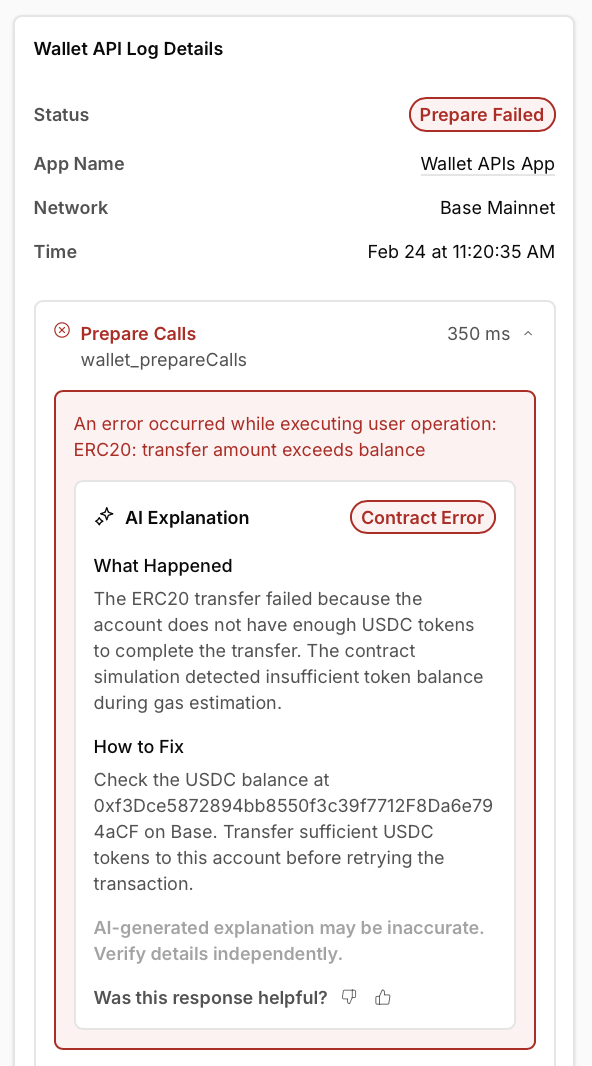
<img src="https://alchemyapi-res.cloudinary.com/image/upload/v1771956236/docs/aa-sdk/images/wallets/tld-ai-explanation.png" alt="AI error explanation with category, explanation, and remediation steps" />

Clicking the button sends the error context to an AI model that analyzes the failure and returns:

* **Error category** — A classification such as Validation Error, Sponsorship Failure, Session Key Error, Signing Error, or Contract Error
* **What happened** — A plain-language description of the root cause
* **How to fix** — Specific steps to resolve the issue
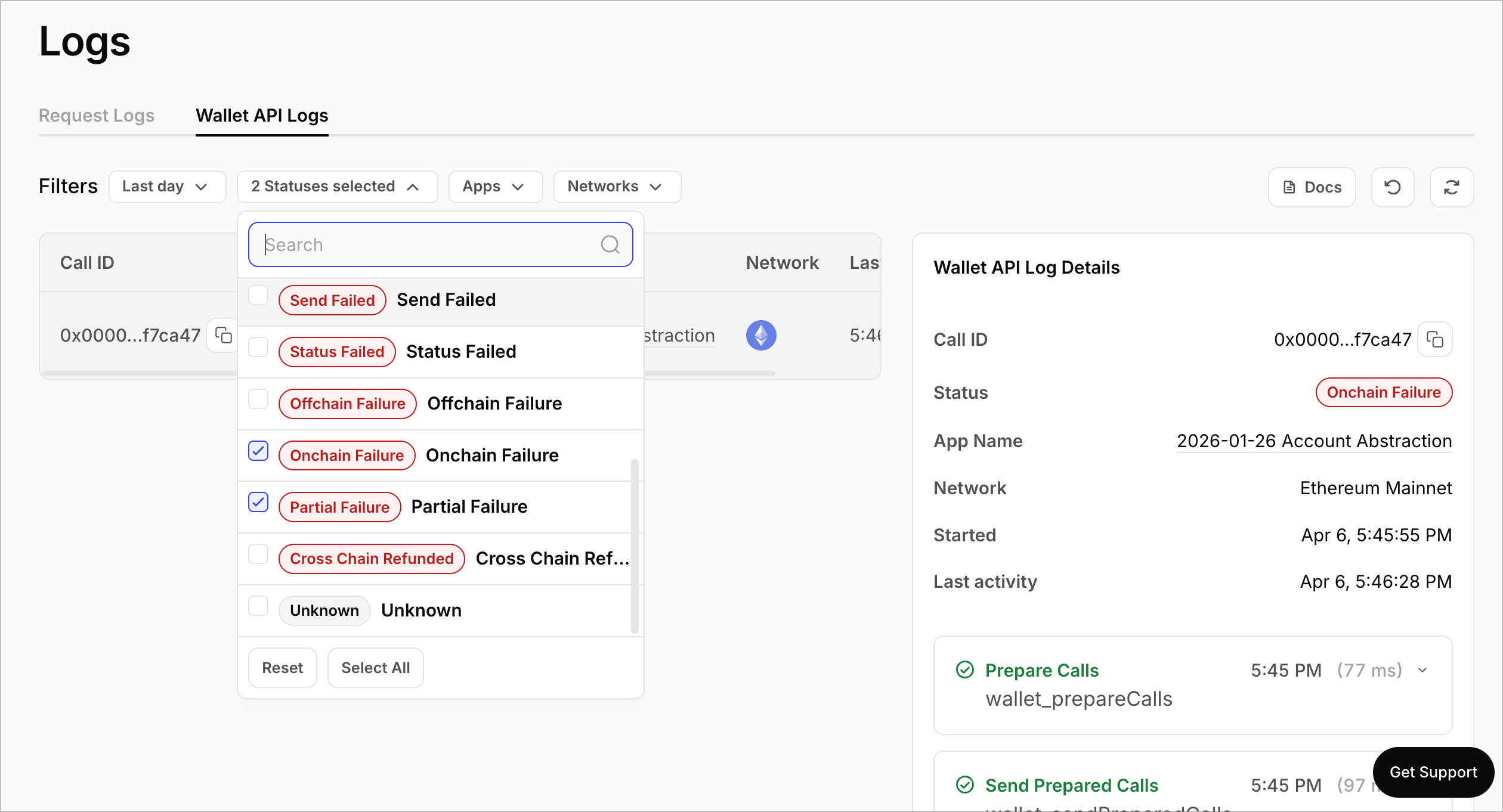
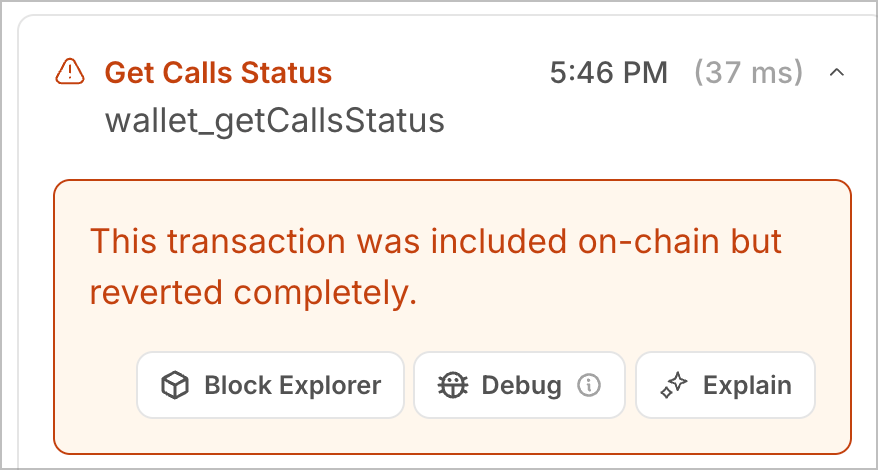
<Info>
  AI-generated explanations are provided as guidance and may not always be accurate. Always verify the details independently before making changes to your integration.
</Info>

### Common error categories

<Accordion title="Validation Error">
  The transaction failed input validation before reaching the network. Common causes include malformed addresses, invalid calldata encoding, or missing required fields. Check your `wallet_prepareCalls` request payload against the [API reference](/docs/wallets/api/smart-wallets/wallet-api-endpoints/wallet-api-endpoints/wallet-prepare-calls).
</Accordion>

<Accordion title="Sponsorship Failure">
  Gas sponsorship was rejected by the gas manager policy. Verify that your [gas policy](https://dashboard.alchemy.com/gas-manager) is active, has sufficient balance, and that the transaction meets your sponsorship rules.
</Accordion>

<Accordion title="Session Key Error">
  The session key used to sign the transaction is invalid, expired, or does not have permission for the requested action. Review your [session key configuration](/docs/wallets/reference/wallet-apis-session-keys/api).
</Accordion>

<Accordion title="Signing Error">
  The transaction signature was rejected or could not be produced. This can happen when the signer is not authorized for the account, the signing method is incompatible, or the signer service is unavailable.
</Accordion>

<Accordion title="Contract Error">
  The target contract reverted the transaction. This typically indicates an issue with the contract call itself — check the calldata, function parameters, and contract state.
</Accordion>

## Filter and search

Use the filter bar above the log table to narrow results:

* **Time range** — Choose from presets or set a custom range.
* **Statuses** — Multi-select filter to show only specific transaction states (e.g., failures only)
* **Apps** — Filter by a specific app when viewing across all apps
* **Networks** — Filter by blockchain network

## Next steps

* [Send transactions](/docs/wallets/transactions/send-transactions) — Learn how to send Wallet API transactions
* [Sponsor gas](/docs/wallets/transactions/sponsor-gas) — Eliminate gas fees for your users
* [Common errors](/docs/wallets/resources/faqs#common-errors) — Reference for frequently encountered issues


------

---
title: How EIP-7702 Works
description: Understanding how Smart Wallets use EIP-7702
slug: wallets/transactions/using-eip-7702
---

Alchemy Smart Wallets use [EIP-7702](https://eips.ethereum.org/EIPS/eip-7702) by default to give users access to all Smart Wallet capabilities including gas sponsorship, batching, and more - while keeping the same address.

## How it works

EIP-7702 enables EOAs (Externally Owned Accounts) to delegate control to Smart Wallets that can execute code directly from their addresses. When using Transaction APIs:

* You can use your signer address directly as the account address - no need to call `wallet_requestAccount` first
* Transaction APIs automatically detect whether a user must first delegate via EIP-7702
* If delegation is required, Transaction APIs prepare the correct authorization payload
* Your application prompts the user to sign when required
* We combine the delegation and transaction into a single onchain submission

Once delegated, the user's account behaves as a Smart Wallet while keeping the same address and assets. Subsequent transactions only require a single user operation signature.

For implementation details, see the [Send Transactions](/docs/wallets/transactions/send-transactions) guide.

## How to use non-7702 mode

If you need to use a traditional Smart Contract Account instead of EIP-7702, you can opt out of the default 7702 behavior by calling `wallet_requestAccount` first.

When you call `wallet_requestAccount` with a signer address, it creates a dedicated Smart Contract Account address. Using this SCA address (instead of your signer address) in subsequent API calls will bypass 7702 mode.

<Note>
If you've already used a signer address in 7702 mode (e.g. by calling `wallet_prepareCalls` with the signer address), you'll need to specify `creationHint: { accountType: "sma-b" }` when calling `wallet_requestAccount` to create a separate Smart Contract Account for that signer.
</Note>

**When to use SCA mode:**
* Backwards compatibility with existing Smart Contract Accounts
* Using chains that don't yet support EIP-7702
* Using a signer that doesn't support signing EIP-7702 authorizations
* Specific requirements for smart contract account architecture

<Tabs>
  <Tab title="SDK">
    ```ts
    import type { Hex } from "viem";
    import { privateKeyToAccount } from "viem/accounts";
    import { sepolia } from "viem/chains";
    import { createSmartWalletClient, alchemyWalletTransport } from "@alchemy/wallet-apis";

    const client = createSmartWalletClient({
      transport: alchemyWalletTransport({ apiKey: "YOUR_API_KEY" }),
      chain: sepolia,
      signer: privateKeyToAccount("0xYOUR_PRIVATE_KEY" as const),
    });

    // Request a Smart Contract Account
    const { address } = await client.requestAccount({ creationHint: { accountType: "sma-b" } });

    // Pass the SCA address as the account to use non-7702 mode
    await client.sendCalls({
      account: address,
      calls: [...],
    });
    ```
  </Tab>

  <Tab title="API">
    ```bash
    # First, request a Smart Contract Account
    ACCOUNT_ADDRESS=$(curl --request POST \
      --url https://api.g.alchemy.com/v2/$ALCHEMY_API_KEY \
      --header 'accept: application/json' \
      --data '{
        "id": 1,
        "jsonrpc": "2.0",
        "method": "wallet_requestAccount",
        "params": [{ "signerAddress": "'$SIGNER_ADDRESS'", "creationHint": { "accountType": "sma-b" } }]
      }' | jq -r '.result.accountAddress')

    # Use the SCA address (not the signer address) in subsequent calls
    curl --request POST \
      --url https://api.g.alchemy.com/v2/$ALCHEMY_API_KEY \
      --header 'accept: application/json' \
      --data '{
        "id": 1,
        "jsonrpc": "2.0",
        "method": "wallet_prepareCalls",
        "params": [{
          "calls": [{ "to": "0x...", "data": "0x" }],
          "from": "'$ACCOUNT_ADDRESS'",
          "chainId": "'$CHAIN_ID'"
        }]
      }'
    ```
  </Tab>
</Tabs>

## Advanced

<Accordion title="How Wallet APIs handle delegation and signing">
  When interacting with Wallet APIs, delegation is handled automatically as part of transaction preparation.

  If a user has not yet delegated on the target chain, the API response will include **multiple signature requests**:

  1. An **EIP-7702 authorization signature** (for delegation)
  2. An **ERC-4337 user operation signature** (for the transaction itself)

  Your application is responsible for:

  * Prompting the user to sign each request
  * Returning the signatures to Alchemy

  We combine these signatures into a single UserOperation and submits it to the bundler.
  After delegation is completed, future requests only require a user operation signature.
</Accordion>

<Accordion title="EIP-7702 authorization signing">
  When delegation is required, Wallet APIs return a **Prepared EIP-7702 Authorization** object.

  This includes:

  * The delegation contract address
  * A nonce
  * The chain ID
  * A `signatureRequest` describing how the authorization must be signed

  For quick testing purposes, you can simply use `eth_sign` to sign the `signatureRequest.rawPayload`.

  For production usage, we recommend:

  * Verifying the delegation address is trusted
  * Using a dedicated EIP-7702 signing utility to compute the hash to sign

  Example of signing utility:

  * [Viem](https://viem.sh/docs/eip7702/signAuthorization)
</Accordion>

<Accordion title="Delegation-only (smart account upgrade) flows">
  You do not need to send a dummy or no-op transaction to perform delegation.

  If a user needs to upgrade to a Smart Wallet:

  * Call `wallet_prepareCalls` with your intended calls (or an empty call set)
  * Wallet APIs detect that delegation is required
  * The response includes the required authorization and user operation signature requests

  We handle combining delegation with the user operation automatically.
</Accordion>

<Accordion title="Wallet compatibility considerations">
  Some wallets restrict or block signing EIP-7702 authorizations for security reasons.

  In particular:

  * MetaMask only allows delegation to its own contract via its UI
  * MetaMask does not support signing arbitrary EIP-7702 authorization payloads

  For MetaMask users, you may need to rely on wallet-native features such as
  ERC-5792 batching instead of direct EIP-7702 delegation flows.

  Ensure your users’ wallets support EIP-7702 authorization signing before enabling this flow.
</Accordion>

<Accordion title="EIP-7702 delegations">
  EIP-7702 delegation is now the default mode for Alchemy Smart Wallets. When you use your signer address directly with `wallet_prepareCalls` or other Transaction APIs, 7702 mode is automatically enabled.

  The `eip7702Auth` capability supports the interface defined in [ERC-7902](https://eips.ethereum.org/EIPS/eip-7902).

  Currently, Wallet APIs only support delegation to the following contract:
  `0x69007702764179f14F51cdce752f4f775d74E139` (Modular Account v2)

  All other delegation addresses will be rejected.

  Once delegated, an account remains delegated until the delegation is replaced or removed.

  To reset an account back to a pure EOA, delegate to
  `0x0000000000000000000000000000000000000000`
  as defined in [EIP-7702](https://eips.ethereum.org/EIPS/eip-7702#behavior).
</Accordion>

<Accordion title="Un-delegating accounts">
  To remove a delegation and return an account to a pure EOA, you must **re-delegate to the zero address**:
  `0x0000000000000000000000000000000000000000`.

  **Bundlers cannot relay undelegations**, so you must submit this transaction directly from the account (with enough native gas token to cover fees). If you are re-delegating to another 4337 account, the bundler can relay the delegation.

  To undelegate:

  1. Fund the account with a native gas token.
  2. Sign an EIP-7702 authorization delegating to `address(0)` with `currentNonce + 1`.
  3. Send an empty transaction (using `currentNonce`) that includes the authorization.

  We recommend using Viem to sign the EIP-7702 authorization (with `executor: self`):
  [Viem signAuthorization](https://viem.sh/docs/eip7702/signAuthorization).
</Accordion>

<Markdown src="../../../shared/v4-accordion.mdx" />

## Next steps

Build more:

* [Sponsor gas](/docs/wallets/transactions/sponsor-gas)


------

---
title: Gasless transactions
description: Sponsor gas fees for your users
slug: wallets/transactions/sponsor-gas/overview
---

Gas fees are a significant barrier to entry for new users. With gas sponsorship, you can eliminate this friction by covering gas costs for your users.

## Get Started

Start sponsoring gas in minutes:

1. **Create a policy** in your [Alchemy dashboard](https://dashboard.alchemy.com/apps/latest/services/gas-manager/configuration) and configure sponsorship rules
2. **Send sponsored transactions** using your policy ID

No need to manage crypto or pre-fund accounts. Alchemy fronts the gas for your users' transactions and you pay the equivalent USD amount.

Get started [here](/docs/wallets/transactions/sponsor-gas)!

## Sponsorship options

<CardGroup cols={2}>
  <Card
    title="Full Sponsorship"
    icon="fa-solid fa-bolt"
    href="/docs/wallets/transactions/sponsor-gas"
  >
    Cover all gas fees. Best for onboarding and growth
  </Card>
  <Card
    title="Conditional Sponsorship"
    icon="fa-solid fa-shield-halved"
    href="/docs/wallets/transactions/sponsor-gas/conditional-sponsorship-rules"
  >
    Set spending limits and rules to control costs
  </Card>
  <Card
    title="ERC-20 Payments"
    icon="fa-solid fa-coins"
    href="/docs/wallets/transactions/pay-gas-with-any-token"
  >
    Let users pay gas with USDC, USDT, or any token
  </Card>
  <Card
    title="Solana Sponsorship"
    icon="fa-solid fa-layer-group"
    href="/docs/wallets/transactions/solana/sponsor-gas"
  >
    Sponsor transaction fees on Solana
  </Card>
</CardGroup>

### Easy management

Track and optimize your sponsorship spending in real-time through the Alchemy dashboard and APIs.

<CardGroup cols={2}>
  <Card title="Zero Crypto Management" icon="fa-solid fa-hand-holding-dollar">
    No need to pre-fund wallets or manage tokens. We front the gas for you and
    bill in USD.
  </Card>
  <Card title="Real-time Analytics" icon="fa-solid fa-chart-line">
    Monitor spending as transactions happen with live dashboards
  </Card>
  <Card title="Flexible Limits & Alerts" icon="fa-solid fa-bell">
    Get notified when approaching limits and pre-deposit to scale up instantly
  </Card>
  <Card
    title="Admin APIs"
    icon="fa-solid fa-code"
    href="/docs/wallets/low-level-infra/gas-manager/policy-management/api-endpoints"
  >
    Programmatically manage policies, retrieve stats, and monitor sponsorships
    via APIs
  </Card>
</CardGroup>

[Start Building →](/docs/wallets/transactions/sponsor-gas)


------

---
title: Sponsor gas
description: Sponsor gas fees for your users
slug: wallets/transactions/sponsor-gas
---

Gas fees are a significant barrier to entry for new users. With Gas Sponsorship, you can eliminate this friction by covering transaction costs for your users.

## How it works

When a user requests gas sponsorship using a configured policy, the policy engine will determine if that transaction is eligible for sponsorship.
If eligible, when the user sends the transaction the Gas Manager will pay for the gas fee upfront. The Gas Manager will make a note of the sponsored cost
and bill the sponsoring developer in fiat.

## Prerequisites

* API key from your [dashboard](https://dashboard.alchemy.com/apps)
* [A gas sponsorship policy](https://dashboard.alchemy.com/gas-manager/policy/create).

## Implementation

<Tabs>
  <Tab title="JavaScript" language="typescript">
    <Markdown src="client.mdx" />
  </Tab>

  <Tab title="API" language="bash">
    <Markdown src="api.mdx" />
  </Tab>
</Tabs>

<Markdown src="../../../shared/v4-accordion.mdx" />

## Advanced

<Accordion title="Usage with prepare calls">
  Gas sponsorship also works with the prepare calls methods in the various frameworks. Usage of the capability will be the same as when using send calls. It is recommended to use prepare calls if you want to inspect the prepared call prior to prompting the user for signature.

  <Tabs>
    <Tab title="JavaScript" language="typescript">
      {/* TODO: Add SDK reference link once @alchemy/wallet-apis reference docs are published */}
      {/* See the [`prepareCalls` SDK
      reference](/docs/wallets/reference/wallet-apis/functions/prepareCalls) */}
    </Tab>

    <Tab title="API" language="bash">
      See the [`wallet_prepareCalls` API
      reference](/docs/wallets/api/smart-wallets/wallet-api-endpoints/wallet-api-endpoints/wallet-prepare-calls)
    </Tab>
  </Tabs>
</Accordion>

<Accordion title="Multiple policy IDs">
  Developers can configure multiple policy IDs for use in gas sponsorship. The
  backend will choose the first policy ID that where the transaction is eligible
  for sponsorship. This is done by passing an array of policy IDs instead of a
  single policy ID to the sponsor gas capability. See the [`wallet_prepareCalls`
  API
  parameters](https://www.alchemy.com/docs/wallets/api-reference/smart-wallets/wallet-api-endpoints/wallet-api-endpoints/wallet-prepare-calls)
  for reference to the `paymasterService.policyIds` parameter.
</Accordion>

## Next steps

Build more:

* [Pay gas with any token](/docs/wallets/transactions/pay-gas-with-any-token)

Troubleshooting:

* [Gas manager errors](/docs/reference/gas-manager-errors)


------

---
title: Conditional sponsorship rules
description: Control gas sponsorship with spend limits and custom rules
slug: wallets/transactions/sponsor-gas/conditional-sponsorship-rules
---

Conditional sponsorship gives you precise control over what transactions get sponsored.

Use it to:

* Protect your budget with hard spending limit
* Prioritize high-value users and actions
* Prevent abuse with allowlists, blocklists, and custom logic

## Ways to configure sponsorship rules

You can configure the same policy logic in two ways:

1. **Dashboard**: Create or edit a Gas Manager policy in the [Alchemy dashboard](https://dashboard.alchemy.com/gas-manager/policy/create)
2. **Admin API**: Create or update policies programmatically with the [Gas Manager Admin API](/docs/wallets/api-reference/gas-manager-admin-api/admin-api-endpoints/get-policy)

Most teams start in the dashboard, then move to API-based management for automation.

## Built-in policy limits

Use built-in limits when you want fast setup without maintaining backend logic.

You can combine these controls in one policy:

* **Time-bounded policies**: Only sponsor during a specific start/end window
* **Per-user spend limits**: Cap sponsorship spend per wallet/user
* **Per-transaction spend limits**: Cap sponsorship per transaction
* **Global max spend**: Set a hard maximum spend for the full policy
* **Max transactions per user**: Limit number of sponsored transactions per user
* **Sender allowlist / blocklist**: Explicitly allow or deny sponsorship for selected senders

These limits are ideal for growth campaigns, onboarding credits, and controlled rollouts.

## Custom rules with webhooks

For advanced use cases, add a webhook so your server can approve or reject sponsorship requests in real time.

Examples:

* Sponsor only swaps
* Sponsor only transactions that touch your contracts
* Sponsor only high-ROI users (for example, power users)
* Sponsor users with proof-of-humanity checks

### How webhook-based sponsorship works

When a sponsorship request is made, Gas Manager sends a `POST` request to your webhook.

Your server evaluates the request and returns whether to approve sponsorship.

#### Request payload

```json
{
  "userOperation": {},
  "policyId": "",
  "chainId": "",
  "webhookData": ""
}
```

Payload fields:

* `userOperation`: UserOperation payload (shape depends on EntryPoint version)
* `policyId`: Policy ID receiving the sponsorship request
* `chainId`: Chain ID for the request
* `webhookData` (optional): Additional app data, such as user attestations

#### Expected webhook response

Return HTTP `200` and:

```json
{
  "approved": true
}
```

Set `approved` to:

* `true` to sponsor gas
* `false` to reject sponsorship

### Configure webhook rules on your policy

In your policy's **Custom Rules** section, set:

* `webhookUrl` (required): Endpoint Gas Manager calls for eligibility
* `approveOnFailure` (required, default `false`): If `true`, sponsorship is approved when webhook errors or times out

In the Admin API, this configuration is represented as:

```json
{
  "webhookRules": {
    "webhookUrl": "https://your-server.com/sponsor-gas",
    "approveOnFailure": false
  }
}
```

## Recommended setup pattern

For most teams, the best approach is:

1. Start with built-in limits for immediate spend protection
2. Add webhook rules for business-specific checks
3. Decide your failure mode (`approveOnFailure`) based on risk tolerance:
   * Prefer uptime: set to `true`
   * Prefer strict control: set to `false`

## Next steps

* [Full sponsorship implementation](/docs/wallets/transactions/sponsor-gas)
* [Gas Manager Admin API endpoints](/docs/wallets/api-reference/gas-manager-admin-api/admin-api-endpoints/get-policy)


------

---
title: Sponsor fees & rent on Solana
description: How to sponsor fees & rent on Solana
slug: wallets/transactions/solana/sponsor-gas
---

Fees and rent are a significant barrier to entry for new users of your app. Sponsor fees and rent to enable users to transact without holding SOL.

* Works with any Solana wallet. [Check out Solana Smart Wallets](/docs/wallets/react/solana-wallets/get-started)
* No need to manage SOL, we sponsor fees & rent and put it on your bill

## How it works

When you request gas sponsorship for a transaction using a configured policy, the policy engine will determine if that transaction is eligible for sponsorship. If eligible, Gas Manager will pay for the fees and rent upfront when the user sends the transaction. Gas Manager will make a note of the sponsored cost and add it to your monthly bill.

* Fees: the cost of executing transactions
* Rent: the minimum payment to store data onchain
  * Rent sponsorship is supported for `createAccount` and `createAssociatedTokenAccount`. If you need support for custom programs, contact [wallets@alchemy.com](mailto:wallets@alchemy.com).

## Prerequisites

* API key from your [dashboard](https://dashboard.alchemy.com/apps)
* Smart Wallets for Solana [set up](/docs/wallets/react/solana-wallets/get-started) in your project if you want to enable sign up/login for creation of wallets
* A sponsorship policy to cover fees and/or rent: [create a policy](https://dashboard.alchemy.com/gas-manager/policy/create/)

## Implementation

<Tabs>
  <Tab title="JavaScript" language="typescript">
    ### Prepare a Serialized Solana Transaction

    Here’s an example of creating a serialized transfer transaction using javascript:

    <Markdown src="api-prepare.mdx" />

    ### Request sponsorship for the Serialized Transaction

    To sponsor fees and rent on Solana, 1) the `payerKey` field of the transaction needs to be set to the feePayer wallet that will pay for the gas, 2) the feePayer wallet needs to sign the transaction.

    You can get the `feePayer` address and the feePayer signature through [`alchemy_requestFeePayer`](/docs/reference/alchemy-requestfeepayer) using your gas policy id and the serialized transaction. Gas Manager will update the `feePayer` and add the signature to the `serializedTransaction` if and only the transaction satisfies the rules defined in your policy.

    <Markdown src="api-request.mdx" />

    ### Sign and broadcast the Transaction

    Here is an example of signing and broadcasting a transaction using javascript:

    <Markdown src="api-sign.mdx" />
  </Tab>
</Tabs>


------

---
title: Pay gas with any token
description: Enable users to pay gas with tokens like USDC
slug: wallets/transactions/pay-gas-with-any-token
---

Gas fees paid in the native token can feel foreign to users that primarily hold stablecoins or your app's own token.
With Smart Wallets, you can allow users to pay for gas with any token, streamlining the user experience.

## How it works

When a user pays for gas with a token, the gas is fronted using the network's native gas token and the payment tokens are transferred from the user's wallet to a wallet you configure in the policy.
The equivalent USD amount and the admin fee are then added to your's monthly invoice.

Post-operation mode is recommended. This mode requires users to hold enough of the gas token in their wallet after their operation completes to pay the gas fee. If the balance is insufficient, the transaction reverts and you sponsor any gas used without token payment. If this doesn't work for your use case, see the [Token gas payment modes](#token-gas-payment-modes) section below for more options.

## Prerequisites

* API key from your [dashboard](https://dashboard.alchemy.com/apps)
* [A "pay gas with any token" policy](https://dashboard.alchemy.com/gas-manager/policy/create).

## Implementation

<Tabs>
  <Tab title="JavaScript" language="typescript">
    <Markdown src="client.mdx" />
  </Tab>

  <Tab title="API" language="bash">
    <Markdown src="api-postop.mdx" />
  </Tab>
</Tabs>

<Markdown src="../../../shared/v4-accordion.mdx" />

## Advanced

<Accordion title="Usage with prepare calls">
  Pay gas with any token also works with the prepare calls methods in the various frameworks. Usage of the capability will be the same as when using send calls. It is recommended to use prepare calls if you want to inspect the prepared call prior to prompting the user for signature.

  <Tabs>
    <Tab title="JavaScript" language="typescript">
      {/* TODO: Add SDK reference link once @alchemy/wallet-apis reference docs are published */}
      {/* See the [`prepareCalls` SDK
      reference](/docs/wallets/reference/wallet-apis/functions/prepareCalls) */}
    </Tab>

    <Tab title="API" language="bash">
      See the [`wallet_prepareCalls` API
      reference](/docs/wallets/api/smart-wallets/wallet-api-endpoints/wallet-api-endpoints/wallet-prepare-calls)
    </Tab>
  </Tabs>
</Accordion>

<Accordion title="Token gas payment modes">
  The configured mode determines when the user's token payment occurs.

  **\[Recommended] Post-Operation**

  * No upfront allowance is required.
  * The user signs an approval inside the same calls batch, and the paymaster pulls the token after the operation has executed.
  * If that post-operation transfer fails, the entire batch is reverted and you (the developer) pay the gas fee.

  **Pre-Operation:**

  * The paymaster must have an allowance prior to the operation.
  * This can be done either through a prior call to `approve()` or by using an [ERC-7597 Permit](https://eips.ethereum.org/EIPS/eip-7597) signature.
  * If the required allowance isn't in place when the user operation is submitted, it will be rejected.

  Post-operation mode is recommended for most use cases. This mode:

  * Is the most gas efficient as it only requires a single transfer.
  * Works with all ERC-20 tokens.
  * Only ever requires a single signature from the user.

  However, because tokens are deducted after execution, you may be required to pay for gas without receiving sufficient token payment.
  You should ensure that users have enough token left over to pay for gas after the operation, otherwise they won't receive payment from users for gas and the operation will revert.
  If the operation results in a static amount of the user’s token balance after execution and you can account for this before submitting the operation, use PostOp mode.

  Examples of static amounts:

  * Payments, purchases, and deposits
  * Operations unrelated to the payment token

  Examples of dynamic amounts:

  * Swaps that include the payment token

  If you sponsor operations that result in dynamic amounts of the payment token left over, consider using pre-operation mode. See an example implementation below.
</Accordion>

<Accordion title="Pre-operation mode implementation">
  <Markdown src="api-preop.mdx" />
</Accordion>

<Accordion title="Estimating gas payments">
  To show users the gas cost in their chosen gas token prior to signing and sending their request,
  use the `prepareCalls` hook/action/api over the `sendCalls` version
  as `sendCalls` doesn't surface the fee payment information during sign and send.

  The return type of `prepareCalls` contains a `feePayment` field containing fee information. Display this information to users prior to signing the operation. For example:

  ```json
    "feePayment": {
      "sponsored": false,
      "tokenAddress": "0x833589fCD6eDb6E08f4c7C32D4f71b54bdA02913",
      "maxAmount": "0x1d33"
    }
  ```

  Calling `prepareCalls` using the token paymaster capability counts against your policy's pending total. If you intend on making many
  calls to surface the best price, set the `onlyEstimation` parameter for estimation, and then remove only when the user intends to sign the result.

  <Warning>
    Requests to `prepareCalls` count against your policy's pending total. Use
    `onlyEstimation` if the intention is to query for the fee and not to sign the
    operation. Note that `onlyEstimation` does not work with the `sendCalls`
    requests and must be used with `prepareCalls`.
  </Warning>
</Accordion>

<Accordion title="Auto-injected approvals">
  The Wallet APIs can automatically inject the required token approvals into the operation. There are two modes for post-operation approvals:

  **Exact mode (`autoApprove: true`)**

  The precise token amount needed is calculated after gas estimation and approved exactly — no more, no less. If the account already has sufficient allowance, no approval is added.

  This is ideal when you want minimal token exposure to the paymaster, don't want to estimate gas and figure out approval amounts yourself, or when users send infrequent transactions.

  **Threshold mode (`autoApprove: { below, amount }`)**

  An approval is only injected when the existing allowance drops below `below`, approving the fixed `amount` you configure. This avoids re-approving on every operation, which saves gas for frequent transactions.

  Set `below` high enough to reasonably cover the gas cost for your most expensive operations. Set `amount` to a value
  you feel comfortable maintaining as an allowance on the paymaster contract. Setting a large `amount` is not recommended for security purposes.

  | | Exact mode (`true`) | Threshold mode (`{ below, amount }`) |
  |---|---|---|
  | Approval amount | Exact gas cost per operation | Fixed amount you configure |
  | Best for | Infrequent transactions, minimal token exposure | Frequent transactions, lower gas overhead |
  | Re-approves | Only when existing allowance is insufficient | Only when allowance drops below `below` |
</Accordion>

<Accordion title="How exact mode works under the hood">
  When `autoApprove: true` is set, the following steps are performed during request preparation:

  1. **Injects a sentinel approval** — A temporary `approve(paymaster, maxUint256)` call is prepended to your calls so gas estimation accounts for the approval's execution cost.
  2. **Estimates gas** — The full user operation (including the sentinel) is sent through gas estimation.
  3. **Quotes the token cost** — The paymaster returns an exchange rate, and the server calculates the exact token amount: `(maxNativeGasCost × exchangeRate) / scaler`.
  4. **Checks current allowance** — If the account's existing allowance already covers the quoted amount, the approval is stripped entirely. Otherwise, it's updated to approve only the exact amount.
  5. **Returns the final user operation** — The `callData` is re-encoded with the finalized calls.

  When an approval is needed, it is prepended to the calls array and executed atomically in the same user operation. The approved amount is the exact token cost quoted by the paymaster — not a fixed or maximum value.
</Accordion>

<Accordion title="Auto-injected permits (pre-operation mode)">
  <Note>
    This is an advanced feature. Use post-operation mode for most use cases.
  </Note>

  In pre-operation mode, you can set the paymaster service capability to automatically return a request for a Permit signature using the `erc20.preOp.autoPermit` field.
  This permit will allow an allowance to be set on the paymaster contract from the sender prior to any token transfers needed during pre operation.

  To be eligible for auto-injected permits, the payment gas token must:

  1. Be [ERC-7597](https://eips.ethereum.org/EIPS/eip-7597) compliant.
  2. Expose a `version()` function.
  3. Utilize the canonical `DOMAIN_SEPARATOR` outlined in [ERC-2612](https://eips.ethereum.org/EIPS/eip-2612).

  If the user already has an allowance on the paymaster contract, the normal flow is used. If the user needs an
  approval, the following steps inject the permit:

  1. The prepare request returns a signature request for the paymaster permit.
  2. The user signs the permit request and the signature request back in a second prepare request.
  3. The permit signature is injected into the paymaster contract calldata, and a normal operation is returned.
  4. The user proceeds as normal, signing and sending the operation.
</Accordion>

## Next steps

Build more:

* [Sponsor gas for users](/docs/wallets/transactions/sponsor-gas)

Troubleshooting:

* [Gas manager errors](/docs/reference/gas-manager-errors)


------

---
title: Same-chain swaps (Alpha)
slug: wallets/transactions/swap-tokens
description: Convert any token to any other token onchain using Alchemy Smart Wallets, with gas sponsorship and post-swap action support.
---

Swaps let you convert any token to any other token onchain. They're built natively into Smart Wallets and you can integrate in minutes.

Smart Wallets also allow you to add actions after the swap completes. For example, you can deposit your newly swapped tokens into a DeFi protocol.

Swaps work just like any other Smart Wallet transaction, so you can sponsor gas to do gasless swaps, or pay for gas in an ERC-20 token.

[Cross-chain swaps are live! Send your first cross-chain swap now!](/docs/wallets/transactions/cross-chain-swap-tokens)

<Tip>
  Swaps are in alpha. Note that there may be changes in the future to simplify
  the endpoint/sdk. We will let you know if/when that happens.
</Tip>

# The Swap flow

## **Flow**

1. Request a swap quote
2. Sign the prepared swap calls (including any post swap action)
3. Send prepared calls
4. Wait for onchain confirmation

## **Swap options**

When requesting a swap quote, you can specify either an amount in, or a minimum amount out.

```tsx
// Mode 1: Swap exact input amount
{
  fromAmount: "0x2710";
} // Swap exactly 0.01 USDC (10000 in hex, 6 decimals)

// Mode 2: Get minimum output amount
{
  minimumToAmount: "0x5AF3107A4000";
} // Get at least 0.0001 ETH (18 decimals). We calculate how much USDC you need to spend to get at least your desired ETH amount.
```

## Prerequisites

Before you begin, ensure you have:

* An [Alchemy API Key](https://dashboard.alchemy.com/apps)
* If you're sponsoring gas, then a [Gas Manager](https://dashboard.alchemy.com/gas-manager/policy/create) policy
* A small amount of USDC for testing (~$1 worth is enough!)
  * **Important**: You'll need to send these tokens to your smart wallet address to be able to swap!
* A signer to own the account and sign messages

<Tabs>
  <Tab title="JavaScript" language="typescript">
    <Markdown src="client.mdx" />
  </Tab>

  <Tab title="API" language="bash">
    <Markdown src="api.mdx" />
  </Tab>
</Tabs>

<Markdown src="../../../shared/v4-accordion.mdx" />

# FAQs

## What chains are supported?

Chains supported (for now) are: Ethereum, Arbitrum, Base, Berachain, BSC/BNB, Ink, Monad, Optimism, Polygon, Unichain and World Chain mainnets.

## Does the Swap API support cross-chain swaps?

Currently, the Swap API supports only single-chain swaps. Cross-chain swaps are coming soon!

## How do you encode values?

Values are simply passed as hexadecimal strings. The Swap API doesn't add complexity to consider decimals, so 0x01 is always the smallest amount of a given asset.
1 ETH, or DAI (18 decimals) is `0xDE0B6B3A7640000`
1 USDC (6 decimals) is `0xF4240`
This removes any ambiguity— if it’s numerical, it’s a hex.

## What is the expiry?

The expiry is an informational indicator of when you can expect to be able to process the swap request. If you’re at/near the expiry, it might be a good time to request a new quote.


------

---
title: Cross-chain swaps (Alpha)
slug: wallets/transactions/cross-chain-swap-tokens
description: Convert tokens across different blockchain networks in a single transaction using Alchemy Smart Wallets, with gas sponsorship support.
---

Cross-chain swaps let you convert tokens across different blockchain networks in a single transaction. They're built natively into Smart Wallets and you can integrate in minutes.

Cross-chain swaps work just like any other Smart Wallet transaction, so you can sponsor gas to do gasless swaps, or pay for gas in an ERC-20 token.

<Tip>
  Cross-chain swaps are in alpha. Note that there may be changes in the future
  to simplify the endpoint/sdk. We will let you know if/when that happens.
</Tip>

# The Cross-chain Swap flow

## **Flow**

1. Request a cross-chain swap quote
2. Sign the prepared swap calls
3. Send prepared calls
4. Wait for cross-chain confirmation

## **Swap options**

<Info>
  **Important**: Cross-chain swaps do not support `postCalls`. You cannot batch
  additional actions after a cross-chain swap completes (for now).
</Info>

When requesting a cross-chain swap quote, you can specify either a `fromAmount` , or a `minimumToAmount`.

```tsx
// Mode 1: Swap exact input amount
{
  // Swap exactly 0.01 USDC (10000 in hex, 6 decimals)
  fromAmount: "0x2710";
} 

// Mode 2: Get minimum output amount
{
  // Get at least 0.0001 ETH (18 decimals). The amount you need to spend is calculated to get at least your desired ETH amount.
  minimumToAmount: "0x5AF3107A4000";
}
```

## Prerequisites

Before you begin, ensure you have:

* An [Alchemy API Key](https://dashboard.alchemy.com/apps)
* If you're sponsoring gas, then a [Gas Manager](https://dashboard.alchemy.com/gas-manager/policy/create) policy
* A small amount of tokens for testing (~$1 worth is enough!)
  * **Important**: You'll need to send these tokens to your smart wallet address to be able to swap!
* A signer to own the account and sign messages

<Tabs>
  <Tab title="JavaScript" language="typescript">
    <Markdown src="client.mdx" />
  </Tab>

  <Tab title="API" language="bash">
    <Markdown src="api.mdx" />
  </Tab>
</Tabs>

<Markdown src="../../../shared/v4-accordion.mdx" />

# FAQs

## What chains are supported for cross-chain swaps?

Chains supported (for now) are: Arbitrum, Arbitrum Nova, Base, Berachain, Boba Network, BSC/BNB, Celo, Ethereum, Hyperliquid, Ink, Optimism, Plasma, Polygon, Shape, Soneium, Story, Unichain, World Chain, and Zora mainnets.

## Can I batch additional calls after a cross-chain swap?

No, `postCalls` are not supported for cross-chain swaps (for now). You can only perform the swap itself across chains.

## How long do cross-chain swaps take?

Cross-chain swaps typically take longer than single-chain swaps due to the need for cross-chain messaging and confirmation. The exact time depends on the source and destination chains involved in the swap.

## How do you encode values?

Values are simply passed as hexadecimal strings. The Swap API doesn't add complexity to consider decimals, so 0x01 is always the smallest amount of a given asset.
1 ETH, or DAI (18 decimals) is `0xDE0B6B3A7640000`
1 USDC (6 decimals) is `0xF4240`
This removes any ambiguity— if it's numerical, it's a hex.

## What is the expiry?

The expiry is an informational indicator of when you can expect to be able to process the swap request. If you're at/near the expiry, it might be a good time to request a new quote.

## What are the different status codes for cross-chain swaps?

Cross-chain swaps may have additional status codes beyond standard transaction statuses to reflect the cross-chain nature of the transaction. These are:

* 120: Cross-chain in progress
* 410: Cross-chain refund

## When is a CallId returned from `wallet_requestQuote_v0`?

Any time you’re requesting a cross-chain quote via `wallet_requestQuote_v0` , a `callId` is returned. This `callId` includes important data for cross-chain tracking. You can use this just like any other `callId` in `wallet_getCallsStatus`!


------

---
title: Session Keys
subtitle: Learn how to use session keys with Wallet APIs
url: https://alchemy.com/docs/wallets/reference/wallet-apis-session-keys
slug: wallets/reference/wallet-apis-session-keys
---

Session keys are a powerful feature of the Alchemy Wallets API that allow you to create a session for a user's smart account with specific permissions. This enables secure, permissioned access to the user's wallet, allowing your app's server to perform actions on behalf of the user without needing their private key. Session keys allow another account to operate on a user's smart account with given permissions. After creating a session, you will be able to sign transactions for the generated wallet within the defined permissions using that session key. See [here for a list of permissions!](#permission-types)

To use this guide, you'll need:

* An account you can sign with (e.g. an [Alchemy Signer](/docs/wallets/signer/what-is-a-signer#alchemy-signer) or an EOA)
* An Alchemy API key
* A [gas manager policy ID](/docs/wallets/transactions/sponsor-gas) if sponsoring gas

<Tip title="Don't have an API key?" icon="star">
  Start using the Alchemy Wallets API today! [Get started for
  free](https://dashboard.alchemy.com/signup/?a=f8afc2202c).
</Tip>

### Create A Session With Permissions

We'll demonstrate how to create and use session keys [using the SDK client](/docs/reference/wallet-apis-session-keys/sdk) or by using platform-agnostic [JSON-RPC APIs](/docs/reference/wallet-apis-session-keys/api).

<CardGroup cols={2}>
  <Card title="Use the SDK" href="/docs/reference/wallet-apis-session-keys/sdk" icon="code">
    Start building in minutes using the TypeScript SDK.
  </Card>

  <Card title="Use the JSON-RPC API" href="/docs/reference/wallet-apis-session-keys/api" icon="network-wired">
    Integrate with any RPC client using the JSON-RPC APIs.
  </Card>
</CardGroup>

## Permission Types

To specify permissions during a session key installation, include them in the `permissions` array when calling `client.grantPermission()` via the SDK or `wallet_createSession` via the API.

```ts
// See the SDK or API guide above for full client and session key setup
const permissions = await client.grantPermissions({
  expirySec: Math.floor(Date.now() / 1000) + 60 * 60,
  key: {
    publicKey: sessionKey.address,
    type: "secp256k1",
  },
  permissions: [
    // Add one or more permission types (see below)
  ],
});
```

### Native Token Transfer

This permission allows transfer of native tokens (like Ether) from the account.

```ts
{
  type: "native-token-transfer";
  data: {
    allowance: Hex; // a hexadecimal encoded transfer limit, for example, 1 ETH would be 0xde0b6b3a7640000 (1e18 in hex)
  }
}
```

### ERC20 Token Transfer

This permission allows transfer or approval of ERC-20 tokens from the account. The specified allowance represents the total cumulative spend limit for all transfers and approvals (it is not a per-operation allowance).

```ts
{
  type: "erc20-token-transfer";
  data: {
    address: Address; // erc20 token contract address
    allowance: Hex; // a hexadecimal encoded transfer limit
  }
}
```

### Gas Limit

This permission allows the session key to spend gas for user operations up to a specified limit.

```ts
{
  type: "gas-limit";
  data: {
    limit: Hex; // a hexadecimal encoded gas limit, for example 300000 gas would be 0x493e0
  }
}
```

### Contract Access

This permission grants access to **all** functions in a specific contract.

```ts
{
  type: "contract-access";
  data: {
    address: Address; // the target contract’s address
  }
}
```

### Account Functions

This permission grants access to specific functions on the smart account itself.

```ts
{
  type: "account-functions";
  data: {
    functions: Hex[]; // array of allowed function selectors, e.g. ["0xabcdef01", "0x12345678"]
  };
}
```

### Functions On All Contracts

This permission grants access to a set of function selectors **across any** address.

```ts
{
  type: "functions-on-all-contracts";
  data: {
    functions: Hex[]; // array of function selectors allowed globally, e.g. ["0xddf252ad"]
  };
}
```

### Functions On Contract

This permission grants access to specific function selectors on **one** contract.

```ts
{
  type: "functions-on-contract";
  data: {
    address: Address;  // the contract address you’re targeting
    functions: Hex[];  // array of allowed function selectors for that contract, e.g. ["0xddf252ad"]
  };
}
```

### Root

This permission grants full access to everything. Needless to say, this is a very dangerous permission to grant.

```ts
{
  type: "root"; // no additional data required
}
```


------

---
title: Session Keys (SDK)
subtitle: Learn how to use session keys using the Wallet Client SDK
url: https://alchemy.com/docs/wallets/reference/wallet-apis-session-keys/sdk
slug: wallets/reference/wallet-apis-session-keys/sdk
---

<Info>`@alchemy/wallet-apis` (v5.x.x) is currently in beta but is the recommended replacement for `@account-kit/wallet-client` (v4.x.x). If you run into any issues, please [reach out](mailto:support@alchemy.com).</Info>

### 1. Install

You're going to need `@alchemy/wallet-apis` and `viem`. We'll use `privateKeyToAccount` from `viem/accounts` as the signer for demonstration purposes.

<CodeGroup>
```shell npm
npm install @alchemy/wallet-apis viem
```

```shell bun
bun add @alchemy/wallet-apis viem
```

```shell yarn
yarn add @alchemy/wallet-apis viem
```

```shell pnpm
pnpm install @alchemy/wallet-apis viem
```

</CodeGroup>

### 2. Create A Smart Wallet Client

Create a client for a given signer (e.g. using `privateKeyToAccount` from `viem/accounts`).

```ts
import { privateKeyToAccount } from "viem/accounts";
import { arbitrumSepolia } from "viem/chains";
import { createSmartWalletClient, alchemyWalletTransport } from "@alchemy/wallet-apis";

const client = createSmartWalletClient({
  transport: alchemyWalletTransport({
    apiKey: "YOUR_API_KEY",
  }),
  chain: arbitrumSepolia,
  signer: privateKeyToAccount("0xYOUR_PRIVATE_KEY" as const),
});
```

### 3. Create the session key

<Accordion title="Need to delegate your account first?">

EIP-7702 accounts must be delegated onchain before creating a session. If the
account has already sent calls, it will already be delegated. If it hasn't sent
any calls before creating the session key, you can delegate it by sending an
empty call as the owner:

```ts
const { id } = await client.sendCalls({
  calls: [], // empty array since you just want to delegate
});

await client.waitForCallsStatus({ id });
```

Now you can continue to create the session key as described below.

</Accordion>

```ts
import { generatePrivateKey, privateKeyToAccount } from "viem/accounts";

// This is where you would use your session key signer
const sessionKeyPrivateKey = generatePrivateKey();
const sessionKey = privateKeyToAccount(sessionKeyPrivateKey);

const permissions = await client.grantPermissions({
  expirySec: Math.floor(Date.now() / 1000) + 60 * 60,
  key: {
    publicKey: sessionKey.address,
    type: "secp256k1",
  },
  permissions: [{ type: "root" }], // Here we grant root permissions as an example, but this is not advised in production!
});
```

### 4. Send calls using the session key

```ts
import { createSmartWalletClient, alchemyWalletTransport } from "@alchemy/wallet-apis";

// Create a client with the session key as signer
const sessionKeyClient = createSmartWalletClient({
  transport: alchemyWalletTransport({
    apiKey: "YOUR_API_KEY",
  }),
  chain: arbitrumSepolia,
  signer: sessionKey, // Use the session key as signer
  account: client.account.address, // The original account that granted permissions
});

const { id } = await sessionKeyClient.sendCalls({
  calls: [{ to: "0x0000000000000000000000000000000000000000", value: BigInt(0) }],
  capabilities: {
    permissions,
  },
});

await sessionKeyClient.waitForCallsStatus({ id });
```

<Markdown src="../../../shared/v4-accordion.mdx" />


------

---
title: Session Keys (API)
subtitle: Learn how to use session keys using any RPC client
url: https://alchemy.com/docs/wallets/reference/wallet-apis-session-keys/api
slug: wallets/reference/wallet-apis-session-keys/api
---

<Info>
  The examples provided use [jq](https://jqlang.org/) to parse json and
  [foundry](https://getfoundry.sh/) to sign payloads.
</Info>

<Steps>
  <Step title="Delegate Your Account">
    EIP-7702 accounts must be delegated onchain before creating a session. If the account has already sent calls, it will already be delegated. If it hasn't sent any calls before, delegate it by sending an empty call as the owner. See [Send Transactions](/docs/wallets/transactions/send-transactions) for the complete flow.

    ```bash
    # Prepare and send a delegation transaction
    PREPARE_RESPONSE=$(curl -s --request POST \
        --url https://api.g.alchemy.com/v2/$ALCHEMY_API_KEY \
        --header 'accept: application/json' \
        --header 'content-type: application/json' \
        --data '{
        "id": 1,
        "jsonrpc": "2.0",
        "method": "wallet_prepareCalls",
        "params": [
            {
                "calls": [{"to": "0x0000000000000000000000000000000000000000", "data": "0x", "value": "0x0"}],
                "from": "'$SIGNER_ADDRESS'",
                "chainId": "'$CHAIN_ID'",
                "capabilities": {
                    "paymasterService": {"policyId": "'$POLICY_ID'"}
                }
            }
        ]
    }')

    # Sign and send (see Send Transactions for complete signing flow)
    ```
  </Step>

  <Step title="Create a Session With the Session Key Signer">
    To create a session key:

    * Get the public address of a key you want to use as a session key. This can be any key pair that has the ability to sign (aka a [signer](/docs/wallets/signer/what-is-a-signer) that is either a local [signer](/docs/wallets/reference/aa-sdk/core/classes/LocalAccountSigner) like an EOA or signer generated with a signer provider).
    * Create a session for that key, by passing it as the `publicKey` in a call to `wallet_createSession`. (Note that this must be the public key **address**, not the full public key.)

    Use your signer address directly as the `account` field to enable [EIP-7702](/docs/wallets/transactions/using-eip-7702) by default.

    Note that the expiry is in seconds and represents a UNIX timestamp (e.g. 1776657600 for April 20th, 2077).

    ```bash
    curl --request POST \
        --url https://api.g.alchemy.com/v2/$ALCHEMY_API_KEY \
        --header 'accept: application/json' \
        --header 'content-type: application/json' \
        --data '
    {
        "jsonrpc": "2.0",
        "id": 1,
        "method": "wallet_createSession",
        "params": [
            {
                "account": "'$SIGNER_ADDRESS'",
                "chainId": "'$CHAIN_ID'",
                "expirySec": '$EXPIRY_TIMESTAMP',
                "key": {
                    "publicKey": "'$SESSION_KEY_ADDRESS'",
                    "type": "secp256k1"
                },
                "permissions": [
                    {
                        "type": "root"
                    }
                ]
            }
        ]
    }'
    ```

    This will return two key elements:

    1. The session ID
    2. The signature request that must be signed by the account owner to authorize the session key

    Keep note of the session ID, you'll need it later!

    ```json
    {
        "jsonrpc": "2.0",
        "id": 1,
        "result": {
            "sessionId": "0xSESSION_ID",
            "signatureRequest": {
                "type": "eth_signTypedData_v4",
                "data": {...},
                "rawPayload": "0xRAW_PAYLOAD_TO_SIGN"
            }
        }
    }
    ```
  </Step>

  <Step title="Sign the Session Key Authorization">
    Sign the signature request using the account owner's key, then store the resulting signature.

    The `signatureRequest.type` is `eth_signTypedData_v4`, indicating this is EIP-712 typed data. You can either:

    * Sign the full typed data object using `eth_signTypedData_v4`
    * Sign the `rawPayload` hash directly (without adding a message prefix)

    <Warning>
      When using foundry's `cast wallet sign`, use the `--no-hash` flag for the `rawPayload` since it's already an EIP-712 hash that should be signed without the Ethereum signed message prefix.
    </Warning>

    ```bash
    # Using foundry cast
    SESSION_SIGNATURE=$(cast wallet sign --no-hash --private-key "$OWNER_PRIVATE_KEY" "$RAW_PAYLOAD")
    ```
  </Step>

  <Step title="Prepare Calls With the Session Key">
    With the session ID received in step 2 and the signature from step 3, we're now ready to prepare some calls!

    ```bash
    curl --request POST \
        --url https://api.g.alchemy.com/v2/$ALCHEMY_API_KEY \
        --header 'accept: application/json' \
        --header 'content-type: application/json' \
        --data '
    {
        "id": 1,
        "jsonrpc": "2.0",
        "method": "wallet_prepareCalls",
        "params": [
            {
                "capabilities": {
                    "paymasterService": {
                        "policyId": "'$POLICY_ID'"
                    },
                    "permissions": {
                        "sessionId": "'$SESSION_ID'",
                        "signature": "'$SESSION_SIGNATURE'"
                    }
                },
                "calls": [
                    {
                        "to": "0x0000000000000000000000000000000000000000"
                    }
                ],
                "from": "'$SIGNER_ADDRESS'",
                "chainId": "'$CHAIN_ID'"
            }
        ]
    }
    '
    ```

    This will return the userop request (the `data` field) and a signature request, for example:

    ```json
    {
        "type": "user-operation-v070",
        "data": {...useropRequest},
        "chainId": "0xCHAIN_ID",
        "signatureRequest": {
            "type": "personal_sign",
            "data": {
                "raw": "0x_HASH_TO_SIGN"
            },
            "rawPayload": "0xRAW_PAYLOAD_TO_SIGN"
        }
    }
    ```
  </Step>

  <Step title="Sign the User Operation">
    With the returned signature request, sign the userop hash using **the session key** (not the owner). This signature will be valid as long as it is within the permissions the session key has.

    Note that the `type` field in the `signatureRequest` indicates the signature type needed. In this case, we need to `personal_sign` the hash.

    ```bash
    # Sign with the SESSION key (not owner!)
    USEROP_SIGNATURE=$(cast wallet sign --private-key "$SESSION_PRIVATE_KEY" "$RAW_HASH")
    ```
  </Step>

  <Step title="Send the Prepared Calls">
    With the signature from step 5 and the `useropRequest` from step 4, you're good to go to send the call!

    ```bash
    curl --request POST \
        --url https://api.g.alchemy.com/v2/$ALCHEMY_API_KEY \
        --header 'accept: application/json' \
        --header 'content-type: application/json' \
        --data '
    {
        "id": 1,
        "jsonrpc": "2.0",
        "method": "wallet_sendPreparedCalls",
        "params": [
            {
                "type": "user-operation-v070",
                "data": {...useropRequest},
                "chainId": "'$CHAIN_ID'",
                "capabilities": {
                    "permissions": {
                        "sessionId": "'$SESSION_ID'",
                        "signature": "'$SESSION_SIGNATURE'"
                    }
                },
                "signature": {
                    "type": "secp256k1",
                    "data": "'$USEROP_SIGNATURE'"
                }
            }
        ]
    }
    '
    ```

    This will return the call ID!
  </Step>
</Steps>


------

---
title: Retry Transactions
slug: wallets/transactions/retry-transactions
description: Replace stuck or slow Smart Wallet transactions by re-preparing and resending calls with updated gas fees.
---

Replace stuck transactions by preparing and sending calls again.

Key use cases:

* Replace transactions stuck due to low gas prices
* Speed up pending transactions by increasing gas fees
* Override transactions that have been pending for too long
* Cancel stuck transactions by replacing with a no-op

## The Retry flow

1. Send the initial transaction
2. Monitor the transaction status
3. If the transaction is stuck/pending too long, re-prepare the same call
4. Send the transaction with higher gas to replace the stuck transaction
5. The original transaction gets dropped from mempool

## Prerequisites

* An [Alchemy API Key](https://dashboard.alchemy.com/apps)
* A [Gas Manager](https://dashboard.alchemy.com/gas-manager/policy/create) policy
* A signer to own the account and sign messages

<Info>
  If the original transaction is already being mined, the replacement
  transaction may be dropped. In this case, you won't be able to retrieve data
  using the replacement's call ID, and the original transaction will be
  included!
</Info>

<Tabs>
  <Tab title="JavaScript" language="typescript">
    <Markdown src="client.mdx" />
  </Tab>

  <Tab title="API" language="bash">
    <Markdown src="api.mdx" />
  </Tab>
</Tabs>

<Markdown src="../../../shared/v4-accordion.mdx" />


------

---
title: Sign messages
description: Sign messages using your Smart Wallet
slug: wallets/transactions/signing/sign-messages
---

This guide will teach you how to sign messages using your Smart Wallet. Message signing is a key feature that allows users to authenticate and prove ownership of their wallet without spending gas.

Smart Wallets will generate signatures that can be validated using [ERC-1271](https://eips.ethereum.org/EIPS/eip-1271). If the wallet is an undeployed smart contract account (also known as a counterfactual address), then the signature will be wrapped according to [ERC-6492](https://eips.ethereum.org/EIPS/eip-6492).

## Prerequisites

* API key from your [dashboard](https://dashboard.alchemy.com/apps)
* A Smart Wallet with an associated signer

<Note>
  When using [EIP-7702](/docs/wallets/transactions/using-eip-7702), your account must be delegated before signatures will be valid. Send at least one transaction to delegate your account first.
</Note>

## What is message signing?

Message signing allows users to:

* **Authenticate** without spending gas
* **Prove ownership** of their wallet
* **Sign arbitrary data** for offchain verification
* **Interact with dApps** that require signature-based authentication

Smart Wallets support EIP-191 message signing, which is the standard for Ethereum message signing. You may also see EIP-191 referred to as the `personal_sign` message format.

## Text messages

<Tabs>
  <Tab title="JavaScript" language="typescript">
    <Markdown src="client-text.mdx" />
  </Tab>
</Tabs>

## Raw hex messages

<Tabs>
  <Tab title="JavaScript" language="typescript">
    <Markdown src="client-raw.mdx" />
  </Tab>
</Tabs>

<Markdown src="../../../../shared/v4-accordion.mdx" />

## Next steps

Build more:

* [Sign typed data](/docs/wallets/transactions/signing/sign-typed-data)
* [Send transactions](/docs/wallets/transactions/send-transactions)

Troubleshooting:

* [Common errors](/docs/wallets/resources/faqs#common-errors)


------

---
title: Sign typed data
description: Sign EIP-712 typed data with your Smart Wallet
slug: wallets/transactions/signing/sign-typed-data
---

This guide will teach you how to sign EIP-712 typed data with your Smart Wallet. Typed data signing provides a more structured and secure way to sign complex data compared to plain text messages.

## Prerequisites

* API key from your [dashboard](https://dashboard.alchemy.com/apps)
* A Smart Wallet with an associated signer

<Note>
  When using [EIP-7702](/docs/wallets/transactions/using-eip-7702), your account must be delegated before signatures will be valid. Send at least one transaction to delegate your account first.
</Note>

## What is typed data signing?

EIP-712 typed data signing allows users to:

* **Sign structured data** with clear type definitions
* **Improve user experience** with readable signature requests
* **Enhance security** through type safety and domain separation

Typed data follows the [EIP-712](https://eips.ethereum.org/EIPS/eip-712) standard, which provides a way to encode structured data for signing.

## Implementation

<Tabs>
  <Tab title="JavaScript" language="typescript">
    <Markdown src="client.mdx" />
  </Tab>
</Tabs>

<Markdown src="../../../../shared/v4-accordion.mdx" />

## Typed data structure

EIP-712 typed data consists of four main components:

### Domain

The domain provides context and prevents signature reuse across different dApps:

```ts
const domain = {
  name: "Example DApp",
  version: "1",
  chainId: 1,
  verifyingContract: "0xCcCCccccCCCCcCCCCCCcCcCccCcCCCcCcccccccC",
};
```

### Types

Define the structure of your data:

```ts
const types = {
  Person: [
    { name: "name", type: "string" },
    { name: "wallet", type: "address" },
  ],
  Mail: [
    { name: "from", type: "Person" },
    { name: "to", type: "Person" },
    { name: "contents", type: "string" },
  ],
};
```

### Primary type

Specify which type is the main type being signed:

```ts
const primaryType = "Mail";
```

### Message

The actual data to sign:

```ts
const message = {
  from: {
    name: "Alice",
    wallet: "0xAaAaAaAaAaAaAaAaAaAAAAAAAAaaaAaAaAaaAaAa",
  },
  to: {
    name: "Bob",
    wallet: "0xBbBbBbBbBbBbBbBbBbBBBBBBBBbbBbBbBbbBbBb",
  },
  contents: "Hello, Bob!",
};
```

## Next steps

Build more:

* [Sign messages](/docs/wallets/transactions/signing/sign-messages)
* [Send transactions](/docs/wallets/transactions/send-transactions)

Troubleshooting:

* [Common errors](/docs/wallets/resources/faqs#common-errors)


------

---
title: Configure client
description: Configure smart wallet client
slug: wallets/concepts/smart-account-client
---

<Info>`@alchemy/wallet-apis` (v5.x.x) is currently in beta but is the recommended replacement for `@account-kit/wallet-client` (v4.x.x). If you run into any issues, please [reach out](mailto:support@alchemy.com).</Info>

A smart wallet client is the main interface used to interact with smart wallets and take actions like sending transactions, batching transactions, swapping, sponsoring gas, and more.

## How It Works

The `SmartWalletClient` extends viem's [Client](https://viem.sh/docs/clients/custom#build-your-own-client). By default, it uses [EIP-7702](/docs/wallets/transactions/using-eip-7702) to delegate the signer's EOA to a smart account, so the account address is the same as the signer address. No separate account deployment or address mapping is needed.

## Prerequisites

* [API key](https://dashboard.alchemy.com/apps)
* (Optional) [A gas policyID](https://dashboard.alchemy.com/gas-manager/policy/create)
* `@alchemy/wallet-apis` and `viem` installed (see the [quickstart](/docs/wallets/reference/smart-wallet-quickstart))

## Implementation

<Tabs>
  <Tab title="JavaScript" language="typescript">
    {/* TODO: update SDK reference link */}
    Use the `createSmartWalletClient` function to create a smart wallet client.

    1. Replace the placeholders:
       * API key from your [Alchemy dashboard](https://dashboard.alchemy.com/apps)
       * Policy ID from your [gas policy](https://dashboard.alchemy.com/gas-manager/policy/create)
       * Signer from [authentication](/docs/wallets/authentication/login-methods/email-otp#step-4-check-authentication-status) or your own signer
    2. Create the client using `createSmartWalletClient` — the client defaults to EIP-7702 using the signer's address

    ```ts twoslash title="client.ts"
    import { privateKeyToAccount } from "viem/accounts";
    import { arbitrumSepolia } from "viem/chains";
    import {
      createSmartWalletClient,
      alchemyWalletTransport,
    } from "@alchemy/wallet-apis";

    export const client = createSmartWalletClient({
      transport: alchemyWalletTransport({ apiKey: "your-alchemy-api-key" }),
      chain: arbitrumSepolia,
      signer: privateKeyToAccount("0x-your-wallet-private-key"),
      paymaster: { policyId: "your-policy-id" },
    });
    ```
  </Tab>

  <Tab title="API" language="bash">
    When using the wallet [API](/docs/wallets/reference/smart-wallet-quickstart), you don't need to define a client - send requests directly to the API endpoints.
  </Tab>
</Tabs>

<Markdown src="../../shared/v4-accordion.mdx" />

## Advanced

<Accordion title="Use a non-7702 smart contract account">
  By default, the client uses EIP-7702 with the signer's address. If you need to use a standalone smart contract account instead, see the [non-7702 mode guide](/docs/wallets/transactions/using-eip-7702#how-to-use-non-7702-mode).

  Learn more about the different smart account types [here](/docs/wallets/smart-contracts/choosing-a-smart-account).
</Accordion>

<Accordion title="Connect to an existing non-7702 account">
  By default, the client uses the signer's address with EIP-7702. If you already know a [non-7702 smart contract account](/docs/wallets/transactions/using-eip-7702#how-to-use-non-7702-mode) address your signer owns (either from calling `requestAccount` or stored from a previous session), you can pass it when creating the client or on each action.

  **On the client:**

  ```ts
  const client = createSmartWalletClient({
    // ... your config
    account: "0xYOUR_SCA_ADDRESS",
  });
  ```

  **Per action:**

  ```ts
  await client.sendCalls({
    account: "0xYOUR_SCA_ADDRESS",
    calls: [...],
  });
  ```
</Accordion>

<Accordion title="Extend client with custom actions">
  The `SmartWalletClient` is a viem client extension, so it supports the `.extend` method for adding custom actions. For example, experimental swap actions are added this way:

  ```ts
  import { swapActions } from "@alchemy/wallet-apis/experimental";

  const swapClient = client.extend(swapActions);
  ```
</Accordion>

<Accordion title="Use one client for multiple accounts">
  If the same signer owns multiple [non-7702 smart contract accounts](/docs/wallets/transactions/using-eip-7702#how-to-use-non-7702-mode), you can use a single client to interact with any of them by passing `account` on each action:

  ```ts
  // Two SCAs owned by the same signer, created via requestAccount
  const treasuryAccount = "0xaaa...111";
  const operationsAccount = "0xbbb...222";

  await client.sendCalls({
    account: treasuryAccount,
    calls: [{ to: "0x...", data: "0x", value: BigInt(0) }],
  });

  await client.sendCalls({
    account: operationsAccount,
    calls: [{ to: "0x...", data: "0x", value: BigInt(0) }],
  });
  ```

  If different signers are involved, use the prepare/sign/send flow with separate clients per signer instead.
</Accordion>

## Next Steps

* [Send transactions](/docs/wallets/transactions/send-transactions)
* [Sponsor gas](/docs/wallets/transactions/sponsor-gas)
* [Batch transactions](/docs/wallets/transactions/send-batch-transactions)


------

---
title: Overview
description: Comprehensive guide to authentication methods and user onboarding with Alchemy Smart Wallets
slug: wallets/authentication/overview
---

Authentication is the process by which users verify their identity to access your application. In web3, providing users with seamless login experiences for their decentralized applications and blockchain wallets is essential for creating exceptional user experiences that drive adoption.

## Why Seamless Authentication Matters in Web3

Traditional blockchain authentication creates significant barriers to user adoption that generally don't exist in web2 experiences:

* **Complex private key management** - Users must securely store and manage cryptographic keys
* **Wallet installation requirements** - Additional software downloads and setup
* **Technical knowledge barriers** - Understanding of blockchain concepts and wallet security
* **Poor user experience** - Lengthy onboarding flows and confusing interfaces

Alchemy Smart Wallets solves these challenges by providing seamless and familiar login methods while maintaining the security and decentralization benefits of blockchain technology.

## Features

### Multiple Login Methods

Choose from a variety of authentication options to match your users' preferences:

* **[Email OTP](/docs/wallets/authentication/login-methods/email-otp)** - Passwordless login with 6-digit verification codes
* **[Email Magic Links](/docs/wallets/authentication/login-methods/email-magic-link)** - One-click authentication via secure email links
* **[Social Login](/docs/wallets/authentication/login-methods/social-login)** - OAuth with Google, Apple, Discord, Twitter, and more
* **[Passkey Authentication](/docs/wallets/authentication/login-methods/passkey-signup)** - Biometric and hardware-based passwordless login
* **[Bring Your Own Auth](/docs/wallets/authentication/login-methods/bring-your-own-auth)** - Integrate existing JWT/OIDC authentication systems
* And more!

### Flexible Implementation Options

Implement authentication in the way that best fits your application:

* **Pre-built UI Components** - Deploy quickly with minimal code using `<AuthCard />` or `<AuthModal />`
* **Custom UI Integration** - Build completely custom experiences with headless React hooks
* **Modal or Embedded Flows** - Choose between popup modals or embedded authentication forms
* **Whitelabel Solutions** - Customize theming and branding to match your application

### Framework Support

Alchemy Smart Wallets authentication works across multiple platforms:

* **React** - Full-featured hooks, components, and TypeScript support
* **React Native** - Mobile-optimized authentication flows for iOS and Android
* **Other JavaScript Frameworks** - Svelte, Vue, and vanilla JavaScript support
* **Backend Integration** - Server-side authentication validation and user management

### Enterprise-Grade Security

* **Non-custodial Architecture** - Users maintain full control over their private keys
* **Secure Enclave Storage** - Keys generated and stored in hardware security modules
* **Multi-Factor Authentication (MFA)** - Additional security layers for high-value operations
* **Account Recovery** - Flexible recovery options through trusted contacts or backup methods

### Multi-Factor Authentication (MFA)

Add additional security layers for sensitive operations:

* **Email OTP MFA** - Secondary verification via email codes
* **Email Magic Link MFA** - Additional verification via email links
* **Social Login MFA** - Secondary authentication through social providers

## Implementation Approaches

### Quick Start with Pre-built Components

Deploy authentication in minutes with minimal code:

```tsx twoslash
import { AuthCard } from "@account-kit/react";

function App() {
  return (
    <div>
      <h1>Welcome to My App</h1>
      <AuthCard />
    </div>
  );
}
```

### Custom UI with React Hooks

Build completely custom authentication experiences:

```tsx twoslash
import {
  useAuthenticate,
  useSignerStatus,
  useAuthModal,
} from "@account-kit/react";

function CustomAuth() {
  const { authenticate } = useAuthenticate();
  const { isInitializing, isConnected } = useSignerStatus();
  const { openAuthModal } = useAuthModal();

  const handleEmailAuth = async () => {
    await authenticate({
      type: "email",
      email: "user@example.com",
    });
  };

  if (isInitializing) return <div>Loading...</div>;
  if (isConnected) return <div>Welcome back!</div>;

  return (
    <div>
      <button onClick={handleEmailAuth}>Login with Email</button>
      <button onClick={openAuthModal}>Show Auth Modal</button>
    </div>
  );
}
```

## Next Steps

Ready to implement authentication? Start with these guides:

1. **[React Quickstart](/docs/wallets/react/quickstart)** - Complete React setup with authentication
2. **[Email OTP Guide](/docs/wallets/authentication/login-methods/email-otp)** - Implement email-based authentication
3. **[Social Login Setup](/docs/wallets/authentication/login-methods/social-login)** - Configure OAuth providers
4. **[Custom UI Implementation](/docs/wallets/react/react-hooks)** - Build custom authentication experiences

After authenticating users, you can generate wallets for them and they can start sending transactions with just a few clicks.


------

---
title: Email OTP Authentication
description: How to implement Email OTP authentication across different frameworks
slug: wallets/authentication/login-methods/email-otp
---

Email OTP (One-Time Password) authentication is a two-step process:

1. The user enters their email address and requests a verification code
2. The user enters the 6-digit code they receive in their inbox to complete authentication

<Tabs>
  <Tab title="React" language="react">
    ## Overview

    You can implement Email OTP authentication in two ways:

    * [Pre-built UI Components](#pre-built-ui-components) - Quick implementation with minimal code
    * [Custom UI](#custom-ui) - Complete control over the user experience

    ## Pre-built UI Components

    Smart Wallets provides pre-built UI components that handle the entire Email OTP authentication flow with minimal code.

    ### Step 1: Add Authentication Components to Your Page

    Before configuring your authentication, first add one of the pre-built components to your application:

    <Markdown src="../shared/modal-auth-example.mdx" />

    Or:

    <Markdown src="../shared/embedded-auth-example.mdx" />

    ### Step 2: Configure Email OTP in UI Components

    After adding the components, configure the Email OTP authentication in your application config:

    ```tsx twoslash
    import { AlchemyAccountsUIConfig, createConfig } from "@account-kit/react";
    import { sepolia, alchemy } from "@account-kit/infra";

    const uiConfig: AlchemyAccountsUIConfig = {
      auth: {
        sections: [
          [
            {
              type: "email",
              emailMode: "otp",

              // Optional customizations:
              buttonLabel: "Continue with Email",
              placeholder: "Enter your email address",
            },
          ],
        ],
      },
    };

    export const config = createConfig(
      {
        transport: alchemy({ apiKey: "your-api-key" }),
        chain: sepolia,
      },
      uiConfig,
    );
    ```

    ## Custom UI

    If you need complete control over the user experience, you can implement your own custom UI for Email OTP authentication using Smart Wallets hooks.

    ### Step 1: Send the OTP

    First, prompt your user for their email address and send an OTP:

    ```tsx twoslash
    import { useAuthenticate } from "@account-kit/react";

    // Inside your component
    const { authenticate } = useAuthenticate();

    // When the user submits their email
    const handleSendCode = (email: string) => {
      authenticate(
        {
          type: "email",
          emailMode: "otp",
          email,
        },
        {
          onSuccess: () => {
            // onSuccess only fires once the entire flow is done (email OTP + optional MFA).
            // It still runs even if the final step completes in another tab/window.
          },
          onError: (error) => {
            // Handle error
          },
        },
      );
    };
    ```

    ### Step 2: Show OTP Input on Status Change

    Use the `useSignerStatus` hook and `AlchemySignerStatus` enum to react to status changes:

    ```tsx twoslash
    import React from "react";
    import { useSignerStatus } from "@account-kit/react";
    import { AlchemySignerStatus } from "@account-kit/signer";

    const TrackStatus = () => {
      const { status } = useSignerStatus();

      return (
        <>
          {status === AlchemySignerStatus.AWAITING_EMAIL_AUTH && (
            <div>Prompt the user to enter the OTP code</div>
          )}
        </>
      );
    };
    ```

    ### Step 3: Verify the OTP

    Once the user receives the code, they'll enter it in your application:

    ```tsx twoslash
    import { useAuthenticate } from "@account-kit/react";

    // Inside your component
    const { authenticate } = useAuthenticate();

    // When the user submits the OTP code
    const handleVerifyCode = (otpCode: string) => {
      authenticate(
        {
          type: "otp",
          otpCode,
        },
        {
          onSuccess: () => {
            // onSuccess only fires once the entire flow is done (email OTP + optional MFA).
            // It still runs even if the final step completes in another tab/window.
          },
          onError: (error) => {
            // Handle invalid code error
          },
        },
      );
    };
    ```

    ### Step 4: Check authentication status

    Use the `useSignerStatus` hook to determine if the user is authenticated:

    ```tsx twoslash
    import { useSignerStatus } from "@account-kit/react";

    // Inside your component
    const { isConnected } = useSignerStatus();

    // You can use isConnected to conditionally render UI
    ```
  </Tab>

  <Tab title="React Native">
    <Info>
      This guide assumes you have already followed the [Setup
      Guide](/docs/wallets/react-native/signer/setup-guide) and have set up the Alchemy
      Account Provider using this
      [guide](/docs/wallets/react-native/signer/authenticating-users/setting-up-the-accounts-provider).
      Please refer to the guides above for more information on how to properly setup
      your project.
    </Info>

    <Tip>
      For a complete example of how we can setup a project and use the various
      available authentication methods, please refer to our [quickstart
      example](https://github.com/alchemyplatform/account-kit-expo-quickstart).
    </Tip>

    Authenticating a user is easy using the `useAuthenticate()` hook from the `@account-kit/react-native` package.

    ### Set the Email Mode to `One Time Password (OTP)` in your Smart Wallets Dashboard

    <Tip>
      This is the default mode for email authentication. Only follow these steps if
      you had previously set the email mode to `Magic Link`.
    </Tip>

    In your Alchemy Accounts Dashboard:

    * Navigate to the **Smart Wallets** tab

    * Select the config you would be using for your project and click the **Edit** button

    * Scroll down to the **Email Mode** options in the **Email** section and select **One Time Password (OTP)**

      <img src="https://alchemyapi-res.cloudinary.com/image/upload/v1764187282/docs/aa-sdk/images/alchemy-dashboard-select-otp.png" alt="Email Mode OTP" />

    * Click the **Save Changes** button

    ### Send a One-Time Password (OTP) to a User

    To send an OTP to a user's email, use the `authenticate()` function from the `useAuthenticate()` hook with the `type` set to `email` and the `emailMode` set to `otp`.

    ```tsx twoslash sign-in-with-otp.tsx
    import { useAuthenticate } from "@account-kit/react-native";
    import React, { useState } from "react";
    import { Alert, View, Text, TextInput, Button, Pressable } from "react-native";

    function SignInWithOtp() {
      const { authenticate } = useAuthenticate();
      const [email, setEmail] = useState("");

      const handleUserSignInWithOtp = () => {
        try {
          authenticate({
            email,
            type: "email",
          });

          // OTP sent to the user's email. Prompt the user to enter the OTP into your app.
        } catch (e) {
          Alert.alert("Error sending OTP Code. Check logs for more details.");

          console.log("Error seding OTP CODE: ", e);
        }
      };

      return (
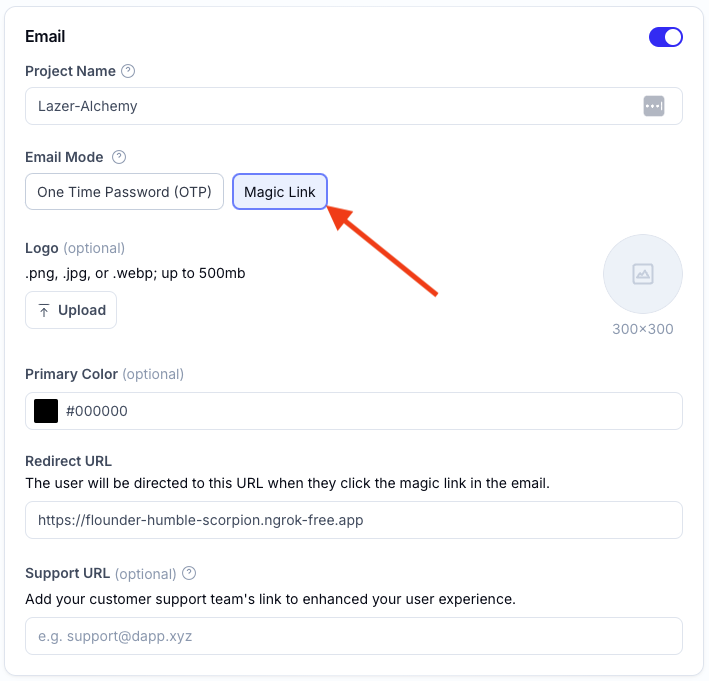
        <View>
          <Text>Enter Your Email to Sign In</Text>
          <View>
            <TextInput
              value={email}
              onChangeText={(val) => setEmail(val.toLowerCase())}
              placeholder="john@doe.com"
            />
            <Pressable onPress={handleUserSignInWithOtp}>
              {({ pressed }) => (
                <View
                  style={[
                    {
                      opacity: pressed ? 0.5 : 1,
                      transform: [
                        {
                          scale: pressed ? 0.98 : 1,
                        },
                      ],
                    },
                  ]}
                >
                  <Text>Sign In</Text>
                </View>
              )}
            </Pressable>
          </View>
        </View>
      );
    }
    ```

    ### Prompt the User to enter the One-Time Password to complete authentication

    The user will receive an email with a one-time password (OTP) to enter into your app.

    Provide a means for the user to enter the OTP into your app and then call the `authenticate()` function from the `useAuthenticate()` hook passing the OTP code to the `otpCode` parameter, and the `type` set to `otp`.

    ```tsx twoslash verify-otp.tsx
    import { useAuthenticate } from "@account-kit/react-native";
    import React, { useState } from "react";
    import { Alert, View, Text, TextInput, Button, Pressable } from "react-native";

    function VerifyOtp() {
      const { authenticate } = useAuthenticate();
      const [otpCode, setOtpCode] = useState("");

      const handleUserVerifyOtp = () => {
        try {
          authenticate({
            otpCode,
            type: "otp",
          });

          // OTP verified. User is authenticated.
        } catch (e) {
          Alert.alert("Error verifying OTP Code. Check logs for more details.");

          console.log("Error verifying OTP CODE: ", e);
        }
      };

      return (
        <View>
          <View>
            <Text>Enter Your OTP Code</Text>
            <View>
              <TextInput
                value={otpCode}
                onChangeText={setOtpCode}
                placeholder="123456"
              />
              <Pressable onPress={handleUserVerifyOtp}>
                {({ pressed }) => (
                  <View
                    style={[
                      {
                        opacity: pressed ? 0.5 : 1,
                        transform: [
                          {
                            scale: pressed ? 0.98 : 1,
                          },
                        ],
                      },
                    ]}
                  >
                    <Text>Submit OTP</Text>
                  </View>
                )}
              </Pressable>
            </View>
          </View>
        </View>
      );
    }
    ```

    Here's an example of a Sign In component using OTP. Feel free to embed this into your application to give it a try!

    <CodeBlocks>
      ```tsx sign-in-with-otp.tsx filename="sign-in-with-otp.tsx"
      // @noErrors
      import React, { useCallback, useState } from "react";
      import { View, Text, TextInput, Button } from "react-native";
      import { useAuthenticate, useUser } from "@account-kit/react-native";

      import { OtpPopUp } from "./otp-popup";

      export const SignInWithOtp = () => {
        const [email, setEmail] = useState<string>("");
        const [showOtp, setShowOtp] = useState<boolean>(false);

        const [loading, setLoading] = useState<boolean>(false);
        const { authenticate } = useAuthenticate();
        const { user } = useUser();

        // Make an authentication request to a user's email
        const performAuthRequest = useCallback(
          (email: string) => {
            try {
              authenticate({
                email,
                type: "email",
                emailMode: "otp",
              });

              setLoading(true);
              setShowOtp(true);
            } catch (e) {
              Alert.alert("Error sending OTP Code. Check logs for more details.");

              console.log("Error seding OTP CODE: ", e);
            }
          },
          [authenticate],
        );

        const completeAuth = useCallback(() => {
          setLoading(false);
          setShowOtp(false);
        }, []);

        return (
          <View>
            {user && (
              <>
                <Text>User Authenticated As: {user.email}</Text>
                <Text>{user.address}</Text>
              </>
            )}

            <Text style={{ fontSize: 16 }}>Enter Email</Text>
            <TextInput
              value={email}
              style={{ fontSize: 20 }}
              onChangeText={setEmail}
              placeholder="Enter Email"
              autoCapitalize="none"
            />
            <Button
              title={loading ? "Loading" : "Sign In"}
              disabled={loading}
              onPress={() => performAuthRequest(email)}
            />

            <OtpPopUp
              show={showOtp}
              completeAuth={completeAuth}
              close={() => {
                setShowOtp(false);
                setLoading(false);
              }}
            />
          </View>
        );
      };
      ```

      ```tsx otp-popup.tsx filename="otp-popup.tsx"
      // @noErrors
      import React, { useCallback, useState } from "react";
      import {
        Modal,
        Text,
        TextInput,
        Button,
        SafeAreaView,
        Alert,
      } from "react-native";
      import { useAuthenticate } from "@account-kit/react-native";

      export const OtpPopUp = ({
        show,
        completeAuth,
        close,
      }: {
        show: boolean;
        completeAuth: () => void;
        close: () => void;
      }) => {
        const { authenticate } = useAuthenticate();
        const [otpCode, setOtpCode] = useState<string>("");
        const [loading, setLoading] = useState<boolean>(false);

        // Authenticate a user using a bundle returned from a deep link
        const handleUserOtp = useCallback(
          (otpCode: string) => {
            try {
              setLoading(true);
              authenticate({ otpCode, type: "otp" }); //<-- Pass the user's OTP code to the authenticate method using `otp` as the type value

              completeAuth();
            } catch (e) {
              Alert.alert("Error verifying OTP Code. Check logs for more details.");

              console.log("Error verifying OTP CODE: ", e);
            }
          },
          [authenticate],
        );

        return (
          <Modal visible={show} style={{ paddingTop: 200 }}>
            <SafeAreaView style={{ margin: 20 }}>
              <Text style={{ fontSize: 16 }}>Enter OTP</Text>
              <TextInput
                style={{ fontSize: 20 }}
                value={otpCode}
                onChangeText={setOtpCode}
                placeholder="Enter OTP"
              />
              <Button
                title={loading ? "Loading" : "Submit OTP"}
                disabled={loading}
                onPress={() => handleUserOtp(otpCode)}
              />
              <Button
                title="Close"
                onPress={() => {
                  setLoading(false);
                  close();
                }}
              />
            </SafeAreaView>
          </Modal>
        );
      };
      ```
    </CodeBlocks>
  </Tab>

  <Tab title="JavaScript" language="typescript">
    ## Other Javascript Frameworks

    Email OTP authentication allows you to log in and sign up users using an email address. Your users will receive six-digit code in their inbox which they can enter in your site to complete login.

    <Tip>
      For setting up an account config, see the [Signer Quickstart](/docs/wallets/signer/quickstart).
    </Tip>

    ## Authenticate a user

    ```ts twoslash
    import { signer } from "./signer";

    // send the email
    // Promise resolves when the user is fully authenticated (OTP + optional MFA),
    // even if final step completes in another tab/window
    await signer.authenticate({
      type: "email",
      emailMode: "otp",
      email: "user@mail.com",
    });

    // later once the user has entered the code from their email
    // Promise resolves when the user is fully authenticated (OTP + optional MFA),
    // even if final step completes in another tab/window
    await signer.authenticate({
      type: "otp",
      otpCode: "123456",
    });
    ```

    ### Track Authentication Status

    Use `signer.on("statusChanged", callback)` and the `AlchemySignerStatus` enum to respond to OTP/MFA prompts and completion:

    ```ts twoslash
    import { signer } from "./signer";
    import { AlchemySignerStatus } from "@account-kit/signer";

    signer.on("statusChanged", (status) => {
      switch (status) {
        case AlchemySignerStatus.AWAITING_EMAIL_AUTH:
          // show OTP input UI
          break;
        case AlchemySignerStatus.AWAITING_MFA_AUTH:
          // show TOTP input UI
          break;
        case AlchemySignerStatus.CONNECTED:
          // authentication complete
          break;
      }
    });
    ```
  </Tab>
</Tabs>

## Next Steps

### Add Authenticator App (TOTP) Verification (Optional)

If you'd like to add a **second security step** to Email OTP, you can enable [Multi-Factor Authentication](/docs/wallets/react/mfa/setup-mfa). This prompts users for a **6-digit TOTP code** from their authenticator app (e.g. Google Authenticator, Authy) after they verify their email.


------

---
title: Email Magic Link Authentication
description: How to implement Email Magic Link authentication across different frameworks
slug: wallets/authentication/login-methods/email-magic-link
---

Email magic link authentication is a two-step process:

1. The user enters their email address and requests a magic link
2. The user clicks the link in their email, which redirects them back to your application to complete authentication

<Tip>
  Email OTP has been shown to have up to a 3x higher conversion rate and a
  10-second faster flow compared to magic links. Consider using [Email
  OTP](/docs/wallets/authentication/login-methods/email-otp) for better user
  experience.
</Tip>

<Tabs>
  <Tab title="React" language="react">
    ## Implementation Options

    You can implement Email Magic Link authentication in two ways:

    * [Pre-built UI Components](#pre-built-ui-components) - Quick implementation with minimal code
    * [Custom UI](#custom-ui) - Complete control over the user experience

    ## Pre-built UI Components

    Smart Wallets provides pre-built UI components that handle the entire Email Magic Link authentication flow with minimal code.

    ### Step 1: Add Authentication Components to Your Page

    Before configuring your authentication, first add one of the pre-built components to your application:

    <Markdown src="../shared/modal-auth-example.mdx" />

    Or:

    <Markdown src="../shared/embedded-auth-example.mdx" />

    ### Step 2: Configure Email Magic Link in UI Components

    After adding the components, configure the Email Magic Link authentication in your application config:

    ```tsx twoslash
    import { AlchemyAccountsUIConfig, createConfig } from "@account-kit/react";
    import { sepolia, alchemy } from "@account-kit/infra";

    const uiConfig: AlchemyAccountsUIConfig = {
      auth: {
        sections: [
          [
            {
              type: "email",
              emailMode: "magicLink",

              // Optional customizations:
              buttonLabel: "Continue with Email",
              placeholder: "Enter your email address",
            },
          ],
        ],
      },
    };

    export const config = createConfig(
      {
        transport: alchemy({ apiKey: "your-api-key" }),
        chain: sepolia,
      },
      uiConfig,
    );
    ```

    ## Custom UI

    If you need complete control over the user experience, you can implement your own custom UI for Email Magic Link authentication using Smart Wallets hooks.

    ### Step 1: Send the Magic Link

    First, prompt your user for their email address and send a magic link:

    ```tsx twoslash
    import { useAuthenticate } from "@account-kit/react";

    // Inside your component
    const { authenticate } = useAuthenticate();

    // When the user submits their email
    const handleSendMagicLink = (email: string) => {
      authenticate(
        {
          type: "email",
          emailMode: "magicLink",
          email,
        },
        {
          onSuccess: () => {
            // onSuccess only fires once the entire flow is done (email magic link + optional MFA).
            // It still runs even if the final step completes in another tab/window.
          },
          onError: (error) => {
            // Handle error
          },
        },
      );
    };
    ```

    ### Step 2: Handle the Redirect

    When the user clicks the magic link in their email, they'll be redirected back to your application. You need to extract the authentication bundle from the URL and complete the authentication:

    ```tsx twoslash
    import { useEffect } from "react";
    import { useAuthenticate } from "@account-kit/react";

    // Inside your component
    const { authenticate } = useAuthenticate();

    // Handle the redirect when the component mounts
    useEffect(() => {
      const handleRedirect = () => {
        const url = new URL(window.location.href);
        const bundle = url.searchParams.get("bundle");

        if (bundle) {
          authenticate(
            {
              type: "email",
              bundle,
            },
            {
              onSuccess: () => {
                // onSuccess only fires once the entire flow is done (email magic link + optional MFA).
                // It still runs even if the final step completes in another tab/window.
              },
              onError: (error) => {
                // Handle error
              },
            },
          );
        }
      };

      handleRedirect();
    }, [authenticate]);
    ```

    ### Step 3: Track Authentication Status

    Use the `useSignerStatus` hook to determine if the user is authenticated:

    ```tsx twoslash
    import { useSignerStatus } from "@account-kit/react";

    // Inside your component
    const { isConnected } = useSignerStatus();

    // You can use isConnected to conditionally render UI
    ```
  </Tab>

  <Tab title="React Native">
    <Info>
      This guide assumes you have already followed the [Setup
      Guide](/docs/wallets/react-native/signer/setup-guide) and have set up the Alchemy
      Account Provider using this
      [guide](/docs/wallets/react-native/signer/authenticating-users/setting-up-the-accounts-provider).
      Please refer to the guides above for more information on how to properly setup
      your project.
    </Info>

    <Tip>
      For a complete example of how we can setup a project and use the various
      available authentication methods, please refer to our [quickstart
      example](https://github.com/alchemyplatform/account-kit-expo-quickstart).
    </Tip>

    ### Set the Email Mode to `Magic Link` in your Smart Wallets Dashboard

    In your Alchemy Accounts Dashboard:

    * Navigate to the **Smart Wallets** tab

    * Select the config you would be using for your project and click the **Edit** button

    * Scroll down to the **Email Mode** options in the **Email** section and select **Magic Link**

      <img src="https://alchemyapi-res.cloudinary.com/image/upload/v1764187280/docs/aa-sdk/images/alchemy-dashboard-select-magic-link.png" alt="Email Mode Magic Link" />

    * Click the **Save Changes** button

    ### Send an Email Magic Link to a User

    To send an email magic link to a user, you can use the `authenticate()` function from the `useAuthenticate()` hook with the `type` set to `email` and the `emailMode` set to `magicLink`.

    ```tsx twoslash sign-in-with-magic-link.tsx
    import { useAuthenticate } from "@account-kit/react-native";
    import React, { useState } from "react";
    import { Alert, View, Text, TextInput, Button, Pressable } from "react-native";

    function SignInWithOtp() {
      const { authenticate } = useAuthenticate();
      const [email, setEmail] = useState("");

      const handleUserSignInWithMagicLink = () => {
        try {
          authenticate({
            email,
            type: "email",
          });

          // Magic link sent to the user's email. Prompt the user to click the link in their email.
        } catch (e) {
          Alert.alert("Error sending Magic Link. Check logs for more details.");

          console.log("Error sending Magic Link: ", e);
        }
      };

      return (
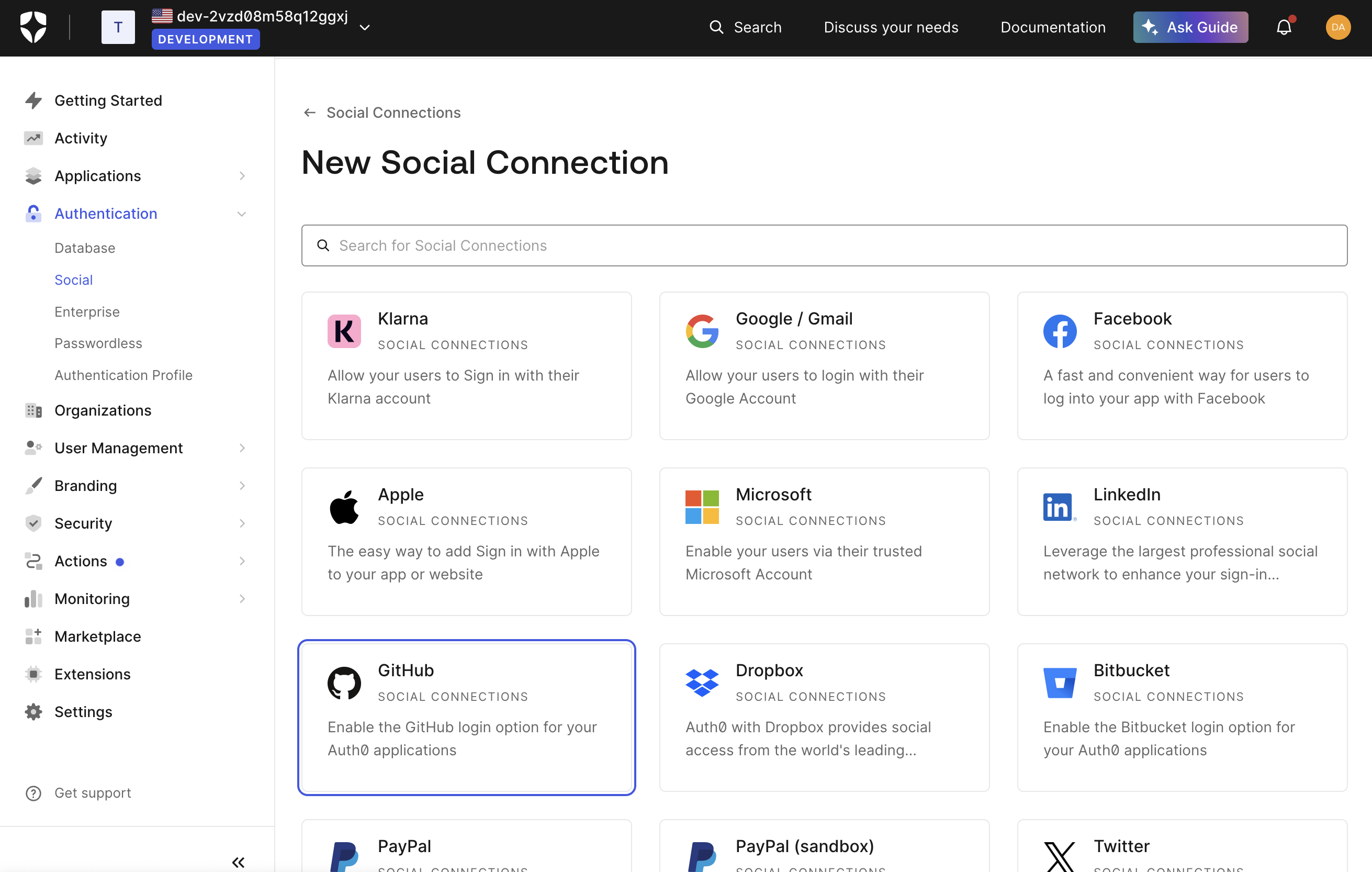
        <View>
          <Text>Enter Your Email to Sign In</Text>
          <View>
            <TextInput
              value={email}
              onChangeText={(val) => setEmail(val.toLowerCase())}
              placeholder="john@doe.com"
            />
            <Pressable onPress={handleUserSignInWithMagicLink}>
              {({ pressed }) => (
                <View
                  style={[
                    {
                      opacity: pressed ? 0.5 : 1,
                      transform: [
                        {
                          scale: pressed ? 0.98 : 1,
                        },
                      ],
                    },
                  ]}
                >
                  <Text>Sign In</Text>
                </View>
              )}
            </Pressable>
          </View>
        </View>
      );
    }
    ```

    ### Authenticate User via Deep Link

    When a user clicks on the magic link in their email, it should deep link to your app if this has been setup correctly.

    A `bundle` parameter present in the deep link url will be used to authenticate the user and save the user's session.

    Here's an example of what this might look like:

    ```tsx example.tsx twoslash
    import { useEffect } from "react";
    import { Linking } from "react-native";
    import { useAuthenticate } from "@account-kit/react-native";

    const App = () => {
      const { authenticate } = useAuthenticate();

      // Authenticate a user using a bundle returned from a deep link
      const handleUserAuth = async ({ bundle }: { bundle: string }) => {
        authenticate({ bundle, type: "email" });
      };

      // Handle incoming deep links and authenticate the user
      const handleIncomingURL = (event: { url: string }) => {
        const regex = /[?&]([^=#]+)=([^&#]*)/g;

        let params: Record<string, string> = {};
        let match: RegExpExecArray | null;

        while ((match = regex.exec(event.url))) {
          if (match[1] && match[2]) {
            params[match[1]] = match[2];
          }
        }

        if (!params.bundle) {
          return;
        }

        handleUserAuth({
          bundle: params.bundle ?? "",
        });
      };

      // Create a subscription to handle incoming deep links
      useEffect(() => {
        const subscription = Linking.addEventListener("url", handleIncomingURL);

        return () => subscription.remove();
      }, []);

      return null;
    };
    ```
  </Tab>

  <Tab title="JavaScript" language="typescript">
    ## Other Javascript Frameworks

    Email magic link authentication allows you to log in and sign up users using an email address. Your users will receive a link in their inbox which will redirect them to your site (configured in the dashboard) to complete login.

    <Tip>
      We recommend using the OTP email flow instead, as it is more reliable across different browser environments. OTP flows have also been shown to have up to a 3x higher conversion rate and a 10-second faster flow compared to magic link.

      For setting up the OTP flow, see [Email OTP Authentication](/docs/wallets/authentication/login-methods/email-otp).
    </Tip>

    <Tip>
      For setting up an account config, see the [Signer Quickstart](/docs/wallets/signer/quickstart).
    </Tip>

    ## Authenticate a user

    ```ts twoslash
    import { signer } from "./signer";

    // send the email
    // resolves when the user is fully authenticated (magic link + optional MFA), even if completion happens in another tab/window
    await signer.authenticate({
      type: "email",
      emailMode: "magicLink",
      email: "user@mail.com",
    });

    // later once the user has clicked the link
    const url = new URL(window.location.href);
    const bundle = url.searchParams.get("bundle");
    if (!bundle) {
      throw new Error("No bundle found in URL");
    }

    // resolves when the user is fully authenticated (magic link + optional MFA), even if completion happens in another tab/window
    await signer.authenticate({
      type: "email",
      bundle,
    });
    ```

    ### Track Authentication Status

    Use `signer.on("statusChanged", callback)` and the `AlchemySignerStatus` enum to respond to OTP/MFA prompts and completion:

    ```ts twoslash
    import { signer } from "./signer";
    import { AlchemySignerStatus } from "@account-kit/signer";

    signer.on("statusChanged", (status) => {
      switch (status) {
        case AlchemySignerStatus.AWAITING_EMAIL_AUTH:
          // show OTP input UI
          break;
        case AlchemySignerStatus.AWAITING_MFA_AUTH:
          // show TOTP input UI
          break;
        case AlchemySignerStatus.CONNECTED:
          // authentication complete
          break;
      }
    });
    ```
  </Tab>
</Tabs>

## Next Steps

### Add Authenticator App (TOTP) Verification (Optional)

Consider enabling [Multi-Factor Authentication](/docs/wallets/react/mfa/setup-mfa) to require users to enter a 6-digit TOTP code from their authenticator app after clicking the magic link. This extra layer of security protects user accounts if their email is compromised.


------

---
title: Social Login Authentication
description: How to implement Social Login authentication across different frameworks
slug: wallets/authentication/login-methods/social-login
---

Social login authentication allows users to authenticate using OAuth providers like Google, Facebook, or custom providers through Auth0. There are two authentication flows available:

1. **Redirect flow**: Redirects the user to the provider's login page and back to your application
2. **Popup flow**: Opens the provider's login page in a popup window without leaving your application

<Tabs>
  <Tab title="React" language="react">
    ## Prerequisites

    Before implementing social login in your application, you need to configure your Smart Wallets dashboard and application:

    1. **Follow the Setup Instructions in the Getting Started Guide**:
       * See the [Getting Started with Authentication](/docs/wallets/react/quickstart) page for complete setup instructions
       * Pay special attention to the social authentication provider configuration and whitelisted origins setup

    2. **Key Configuration Requirements**:
       * Enable desired social providers in your Smart Wallets dashboard
       * Add your application's domain to the whitelisted origins
       * Set `enablePopupOauth: true` in your config if using popup flow

    ## Implementation Options

    You can implement Social Login authentication in two ways:

    * [Pre-built UI Components](#pre-built-ui-components) - Quick implementation with minimal code
    * [Custom UI](#custom-ui) - Complete control over the user experience

    ## Pre-built UI Components

    Smart Wallets provides pre-built UI components that handle the entire Social Login authentication flow with minimal code.

    ### Step 1: Add Authentication Components to Your Page

    Before configuring your authentication, first add one of the pre-built components to your application:

    <Markdown src="../shared/modal-auth-example.mdx" />

    Or:

    <Markdown src="../shared/embedded-auth-example.mdx" />

    ### Step 2: Configure Social Login in UI Components

    After adding the components, configure the Social Login authentication in your application config:

    ```tsx twoslash
    import { AlchemyAccountsUIConfig, createConfig } from "@account-kit/react";
    import { sepolia, alchemy } from "@account-kit/infra";

    const uiConfig: AlchemyAccountsUIConfig = {
      auth: {
        sections: [
          [
            // Include social login providers
            { type: "social", authProviderId: "google", mode: "popup" },
            { type: "social", authProviderId: "facebook", mode: "popup" },
            { type: "social", authProviderId: "apple", mode: "popup" },
          ],
        ],
      },
    };

    export const config = createConfig(
      {
        transport: alchemy({ apiKey: "your-api-key" }),
        chain: sepolia,
        // Required for popup flow
        enablePopupOauth: true,
      },
      uiConfig,
    );
    ```

    ## Custom UI

    If you need complete control over the user experience, you can implement your own custom UI for Social Login authentication using Smart Wallets hooks.

    ### Step 1: Configure Your Application

    Before implementing social login, make sure you've:

    1. Set up your authentication providers in the Smart Wallets dashboard
    2. If using popup flow, set `enablePopupOauth: true` in your Account Kit configuration

    ### Step 2: Implement the Authentication

    Create buttons or UI elements for each social provider you want to support:

    ```tsx twoslash
    import { useAuthenticate } from "@account-kit/react";

    // Inside your component
    const { authenticate, isPending } = useAuthenticate();

    // For redirect flow
    const handleGoogleRedirectLogin = () => {
      authenticate(
        {
          type: "oauth",
          authProviderId: "google",
          mode: "redirect",
          redirectUrl: "/", // Redirect to this page after authentication
        },
        {
          onError: (error) => {
            // Handle error
            // The page will redirect on success, so no need for onSuccess handler
          },
        },
      );
    };

    // For popup flow
    const handleGooglePopupLogin = () => {
      authenticate(
        {
          type: "oauth",
          authProviderId: "google",
          mode: "popup",
        },
        {
          onSuccess: () => {
            // Authentication successful!
          },
          onError: (error) => {
            // Handle error
          },
        },
      );
    };
    ```
  </Tab>

  <Tab title="React Native">
    <Info>
      This guide assumes you have already followed the [Setup
      Guide](/docs/wallets/react-native/signer/setup-guide) and have set up the Alchemy
      Account Provider using this
      [guide](/docs/wallets/react-native/signer/authenticating-users/setting-up-the-accounts-provider).
      Please refer to the guides above for more information on how to properly setup
      your project.
    </Info>

    <Tip>
      For a complete example of how we can setup a project and use the various
      available authentication methods, please refer to our [quickstart
      example](https://github.com/alchemyplatform/account-kit-expo-quickstart).
    </Tip>

    ## Authenticate a User via Social Auth

    To authenticate a user via **social auth**, use the `authenticate()` function from the `useAuthenticate()` hook with the `type` set to `OAuth`, the `redirectUrl` set to your app's deep link, the `mode` set to `redirect` and the `authProviderId` set to the social auth provider you want to use.

    Here is an example, authenticating a user via Google:

    ```tsx twoslash example.tsx
    import React from "react";
    import { View, Text, Pressable, Alert } from "react-native";
    import { useAuthenticate } from "@account-kit/react-native";

    function SignInWithSocialAuth() {
      const { authenticate } = useAuthenticate();

      const handleUserSignInWithGoogle = () => {
        try {
          authenticate({
            type: "oauth",
            redirectUrl: "<your-app-scheme>://<your-auth-callback-route>",
            mode: "redirect",
            authProviderId: "google",
          });
        } catch (e) {
          Alert.alert("Error authenticating user. Check logs for more details.");

          console.log("Error authenticating user: ", e);
        }
      };

      return (
        <View>
          <Text>Sign In with Google</Text>
          <Pressable onPress={handleUserSignInWithGoogle}>
            <Text>Sign In</Text>
          </Pressable>
        </View>
      );
    }
    ```

    <Tip>
      Ensure that you have added your app's scheme to your `Whitelisted Origins` in
      the [Alchemy Dashboard](https://dashboard.alchemy.com/).
    </Tip>
  </Tab>

  <Tab title="JavaScript" language="typescript">
    ## Other Javascript Frameworks

    Social login authentication allows you to log in and sign up users using an OAuth provider, such as Google Sign-In or Facebook Login. You can also configure custom providers through Auth0.

    <Tip>
      To set up configurations to enable social login, see the [Signer Quickstart](/docs/wallets/signer/quickstart) to enable a social policy in the dashboard.
    </Tip>

    ## Authenticate a user

    ```ts twoslash
    import { signer } from "./signer";

    await signer.authenticate({
      type: "oauth",
      authProviderId: "google", // Choose between the auth providers you selected to support from your auth policy
      mode: "redirect", // Alternatively, you can choose "popup" mode
      redirectUrl: "/", // After logging in, redirect to the index page
    });
    ```
  </Tab>
</Tabs>

## Next Steps

### Enabling Authenticator App (TOTP) MFA

If you want to require a second factor for Social Login, see [Social Login with Multi-Factor Authentication](/docs/wallets/react/mfa/social-login). Once users have set up a TOTP-based authenticator app, they'll be prompted for their 6-digit code automatically.

### Custom Social Providers

For custom OAuth providers like GitHub, Twitter, etc., see the [Custom Social Providers](/docs/wallets/react/login-methods/social-providers) documentation.


------

---
title: Custom Social Providers with Auth0
description: How to implement custom social providers using Auth0 in your React app
slug: wallets/react/login-methods/social-providers
---

In addition to the standard social login providers (Google, Facebook, Apple), Smart Wallets allows you to integrate custom OAuth providers through Auth0. This gives you flexibility to add authentication methods like GitHub, Twitter, LinkedIn, and more.

You can implement custom social providers in two ways:

* [Pre-built UI Components](#pre-built-ui-components) - Quick implementation with minimal code
* [Custom UI](#custom-ui) - Complete control over the user experience

## Pre-built UI Components

Smart Wallets provides pre-built UI components that handle the entire custom social provider authentication flow with minimal code.

### Step 1: Add Authentication Components to Your Page

Before configuring your authentication, first add one of the pre-built components to your application:

<Markdown src="../shared/modal-auth-example.mdx" />

Or:

<Markdown src="../shared/embedded-auth-example.mdx" />

### Step 2: Setting Up Auth0

Before configuring the UI components, you need to set up Auth0:

1. Create or log in to an account on [auth0.com](https://auth0.com)

2. In the Auth0 dashboard, go to "Authentication → Social" in the sidebar

3. Click "Create Social Connection" and choose your desired provider (e.g., GitHub)

   <img src="https://alchemyapi-res.cloudinary.com/image/upload/v1764187288/docs/aa-sdk/images/auth0-provider.png" alt="Auth0 provider list" />

4. You can either use Auth0's dev keys for testing or add your own credentials. If you want to add your own, click the link that says "How to obtain a Client ID" and follow the directions.

5. Select the attributes and permissions you'll be requesting. It's recommended to at least request the user's email address as it can be useful for merging accounts from different providers later. Note that your users will be prompted for consent to share whatever information you request.
   <img src="https://alchemyapi-res.cloudinary.com/image/upload/v1764187287/docs/aa-sdk/images/auth0-config.png" alt="Configure Github auth provider settings Auth0" />

6. Note the "Name" field (e.g., "github") - you'll need this later for the `auth0Connection` parameter

7. Enable the connection for your Auth0 application
   <img src="https://alchemyapi-res.cloudinary.com/image/upload/v1764187286/docs/aa-sdk/images/auth0-app.png" alt="Auth0 app selection page" />

8. From your Auth0 dashboard, go to "Applications → Applications" in the sidebar

9. Select your application and note the "Domain", "Client ID", and "Client Secret"
   <img src="https://alchemyapi-res.cloudinary.com/image/upload/v1764187285/docs/aa-sdk/images/auth0-app-settings.png" alt="Settings page in Auth0 with relevant fields" />

10. Add these to your Smart Wallets dashboard in the embedded accounts auth config
    <img src="https://alchemyapi-res.cloudinary.com/image/upload/v1764187279/docs/aa-sdk/images/alchemy-auth0-config.png" alt="Copy fields from Auth0 to the Alchemy accounts config" />

    In addition to the "Client ID" and "Client Secret" fields, you must also fill in the "Auth0 Domain" field from the Auth0 dashboard.

### Step 3: Configure Custom Social Providers in UI Components

After adding the components and setting up Auth0, configure the custom social providers in your application config:

```tsx twoslash
import { AlchemyAccountsUIConfig, createConfig } from "@account-kit/react";
import { sepolia, alchemy } from "@account-kit/infra";

const uiConfig: AlchemyAccountsUIConfig = {
  auth: {
    sections: [
      [
        // Standard social providers
        { type: "social", authProviderId: "google", mode: "popup" },

        // Custom social providers via Auth0
        {
          type: "social",
          authProviderId: "auth0",
          // Specify the Auth0 connection to use directly
          auth0Connection: "github",
          displayName: "GitHub",
          // Custom logo URL for the provider
          logoUrl:
            "https://github.githubassets.com/assets/GitHub-Mark-ea2971cee799.png",
          // Optional dark mode logo
          logoUrlDark:
            "https://github.githubassets.com/assets/GitHub-Mark-Light-ea2971cee799.png",
          mode: "popup",
        },
        {
          type: "social",
          authProviderId: "auth0",
          auth0Connection: "twitter",
          displayName: "Twitter",
          logoUrl: "https://path-to-twitter-logo.png",
          mode: "popup",
        },
      ],
    ],
  },
};

export const config = createConfig(
  {
    transport: alchemy({ apiKey: "your-api-key" }),
    chain: sepolia,
    // Required for popup flow
    enablePopupOauth: true,
  },
  uiConfig,
);
```

Auth0 custom providers accept the following configuration:

```ts twoslash
type SocialAuthType = {
  type: "social";
  // For Auth0 custom providers
  authProviderId: "auth0";
  // Auth0-specific connection string (e.g., "github", "twitter")
  auth0Connection?: string;
  // Display name for the provider button
  displayName?: string;
  // URL for the provider's logo
  logoUrl: string;
  // URL for the provider's logo in dark mode (optional, `logoUrl` is used for both light & dark mode if not provided)
  logoUrlDark?: string;
  // Authentication mode (popup or redirect)
  mode: "popup" | "redirect";
  // Optional: Specifies the requested OAuth scope
  scope?: string;
  // Optional: Specifies additional claims to be included in the authentication token
  claims?: string;
};
```

You can find the full type definition in the [Account Kit source code](https://github.com/alchemyplatform/aa-sdk/blob/main/account-kit/react/src/components/auth/types.ts).

For more details on UI component customization, see the [UI Components](/docs/wallets/react/ui-components) documentation.

## Custom UI

If you need complete control over the user experience, you can implement your own custom UI for custom social providers using Smart Wallets hooks.

### Step 1: Set Up Auth0

Before implementing in your React app, you need to configure Auth0 as described in the [Setting Up Auth0](#setting-up-auth0) section above.

### Step 2: Implement Authentication in Your React App

Use the `useAuthenticate` hook to implement Auth0 authentication:

```tsx twoslash
import { useAuthenticate } from "@account-kit/react";

// Inside your component
const { authenticate } = useAuthenticate();

// Option 1: Generic Auth0 login (shows Auth0 provider selection screen)
const handleAuth0Login = () => {
  authenticate(
    {
      type: "oauth",
      authProviderId: "auth0",
      mode: "popup", // or "redirect"
    },
    {
      onSuccess: () => {
        // Authentication successful!
      },
      onError: (error) => {
        // Handle error
      },
    },
  );
};

// Option 2: Direct provider login (bypasses Auth0 selection screen)
const handleGitHubLogin = () => {
  authenticate(
    {
      type: "oauth",
      authProviderId: "auth0",
      auth0Connection: "github", // Use the connection name from Auth0
      mode: "popup", // or "redirect"
    },
    {
      onSuccess: () => {
        // Authentication successful!
      },
      onError: (error) => {
        // Handle error
      },
    },
  );
};
```

Option 1 will take users to an Auth0 login page where they can choose the authentication method they want. Option 2 sends users directly to the specific provider's login (like GitHub) without showing the Auth0 selection screen, which usually provides a better user experience.

The value passed to `auth0Connection` should match the string that appeared in the "Name" field of your auth provider connection in the Auth0 dashboard.

### Step 3: Track Authentication Status

Use the `useSignerStatus` hook to determine if the user is authenticated:

```tsx twoslash
import { useSignerStatus } from "@account-kit/react";

// Inside your component
const { isConnected } = useSignerStatus();

// You can use isConnected to conditionally render UI
```


------

---
title: Bring Your Own Authentication
description: Integrate your existing authentication system with Alchemy Smart Wallets using JWT tokens
slug: wallets/authentication/login-methods/bring-your-own-auth
---

Integrate your existing authentication provider and add smart wallet functionality to your app without changing your users' login experience. We support JWT-based and OIDC-compliant authentication providers.

## Prerequisites

Before implementing JWT authentication, verify that your authentication system meets these requirements:

### 1. OIDC Compliance

Your authentication system must be [**OpenID Connect (OIDC) compliant**](https://auth0.com/docs/authenticate/protocols/openid-connect-protocol#openid-and-jwts) and capable of issuing **JWT tokens**.

### 2. Required Endpoints

#### OpenID Connect Discovery Endpoint

Host a discovery endpoint at: `<YOUR_API_DOMAIN>/.well-known/openid-configuration`
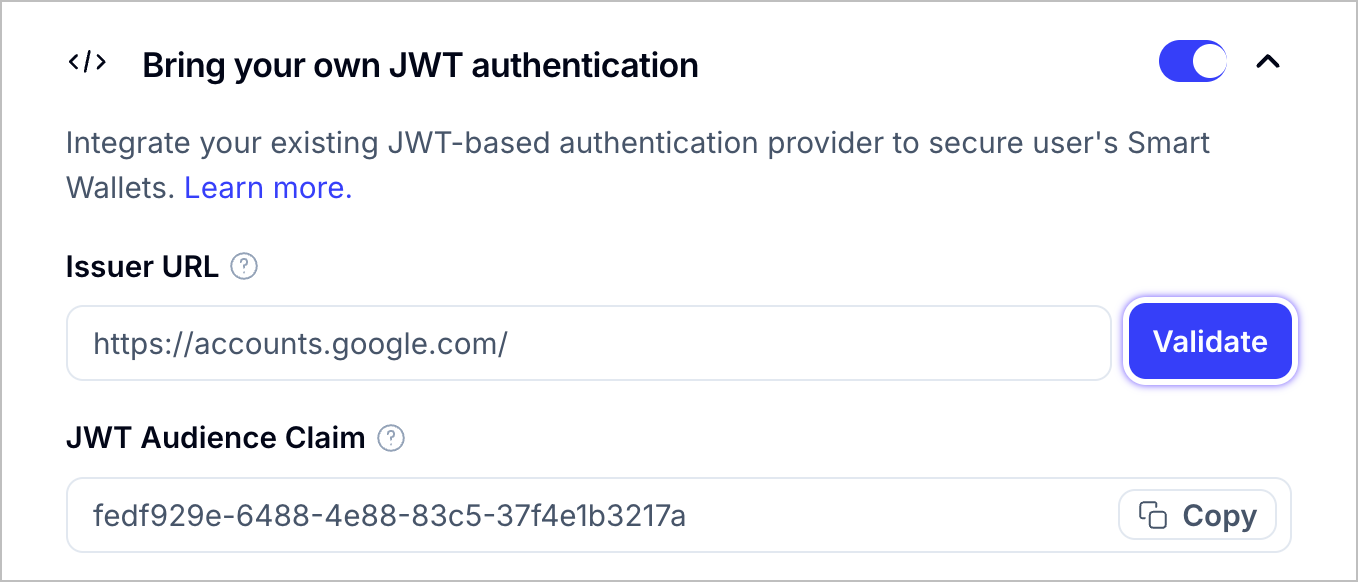
The response must include these required fields from the [**OpenID spec**](https://openid.net/specs/openid-connect-discovery-1_0.html#ProviderMetadata):

```json
{
  "issuer": "<YOUR_API_DOMAIN>",
  "jwks_uri": "<YOUR_JWKS_ENDPOINT_URL>",
  "id_token_signing_alg_values_supported": ["RS256"],
  "authorization_endpoint": "<YOUR_AUTH_ENDPOINT>",
  "response_types_supported": ["<YOUR_SUPPORTED_RESPONSE_TYPE>"],
  "subject_types_supported": ["<YOUR_SUPPORTED_SUBJECT_TYPE>"]
}
```

**Field explanations:**

* `issuer`: Your API domain (must match the `iss` claim in your JWTs)
* `jwks_uri`: Endpoint URL where Alchemy can retrieve the JWT public key for verification
* `id_token_signing_alg_values_supported`: Must include "RS256" algorithm

### 3. JWT Structure Requirements

#### JWT Header Requirements

Your JWT header must include:

| Field | Description                                            | Example   |
| ----- | ------------------------------------------------------ | --------- |
| `alg` | Algorithm used to sign the JWT                         | `"RS256"` |
| `typ` | Token type                                             | `"JWT"`   |
| `kid` | Key ID that matches the `kid` field from your JWKs URI | `"key-1"` |

**Important**: The `kid` field in the JWT header must correspond to a key identifier from your JWKS endpoint to enable proper key lookup during token verification.

#### JWT Payload Requirements

Your JWTs must contain these claims:

| Claim   | Description                              | Example                                                 |
| ------- | ---------------------------------------- | ------------------------------------------------------- |
| `iss`   | Issuer - your auth provider's API domain | `"https://auth.example.com"`                            |
| `sub`   | Subject - unique user identifier         | `"user123"` or `"550e8400-e29b-41d4-a716-446655440000"` |
| `aud`   | Audience - client ID issued by Alchemy   | `"your-alchemy-audience-id"`                            |
| `nonce` | Target public key hash (see below)       | `"a1b2c3d4..."`                                         |

**Important**: The `nonce` claim must be `toHex(sha256(targetPublicKey))` **without** the leading `0x`.

<Note>
  You can generate the `targetPublicKey` from the [Alchemy Signer
  SDK](/docs/wallets/reference/account-kit/signer/classes/AlchemySignerWebClient/targetPublicKey)
</Note>

<Tip>
  If your OAuth provider reserves the `nonce` claim, you can use `tknonce` as an
  alternative. Only one of `nonce` or `tknonce` needs to be set.
</Tip>

<Warning>
  The combination of (`iss`, `sub`, `aud`) acts as a unique user identifier.
  Ensure these values are consistent for each user.
</Warning>

### 4. Audience Claim

The `aud` claim must be set to your Alchemy-provided audience ID. You can obtain the audience claim from your Smart Wallet settings in the [Alchemy Dashboard](https://dashboard.alchemy.com/apps/latest/services/smart-wallets).

<img src="https://alchemyapi-res.cloudinary.com/image/upload/v1764187289/docs/aa-sdk/images/bring-your-own-auth.png" alt="Audience Claim" />

## Implementation Guide

<Tabs>
  <Tab title="React" language="react">
    ## Using React Hooks

    ### Step 1: Install Dependencies

    ```bash
    npm install @account-kit/signer @account-kit/react
    ```

    ### Step 2: Generate Target Public Key

    Before creating your JWT, generate the required `targetPublicKey`:

    ```tsx twoslash
    import { AlchemySignerWebClient } from "@account-kit/signer";
    import { sha256, stringToBytes } from 'viem'

    const client = new AlchemySignerWebClient({
      connection: {
        apiKey: "your-api-key",
      },
      iframeConfig: {
        iframeContainerId: "signer-iframe-container",
      },
    });

    // Generate the target public key
    const targetPublicKey = await client.targetPublicKey();

    // Use this in your JWT's nonce claim
    const nonce = sha256(stringToBytes(targetPublicKey)).slice(2)
    ```

    ### Step 3: Create and Submit JWT

    After generating your JWT with the proper claims, authenticate the user:

    ```tsx twoslash
    import { useAuthenticate } from "@account-kit/react";

    // Inside your component
    const { authenticate, isPending } = useAuthenticate();

    const handleJwtAuth = async (jwt: string) => {
      try {
        await authenticate({
          type: "custom-jwt",
          jwt // Your generated JWT with required claims
        });
      } catch (error) {
        console.error("Authentication failed:", error);
      }
    };
    ```

    ### Step 4: Check Authentication Status

    Monitor authentication status and handle the connected user:

    ```tsx twoslash
    import { useSignerStatus, useUser } from "@account-kit/react";

    const MyComponent = () => {
      const { isConnected } = useSignerStatus();
      const user = useUser();

      if (isConnected && user) {
        return (
          <div>
            <p>Welcome, {user.email}!</p>
            <p>Wallet Address: {user.address}</p>
          </div>
        );
      }

      return <div>Not authenticated</div>;
    };
    ```
  </Tab>

  <Tab title="API" language="bash">
    ## Authenticating Users with a JWT token

    **Endpoint:** `POST https://api.g.alchemy.com/signer/v1/auth-jwt`

    **Request Body:**

    ```json
    {
      "jwt": "eyJhbGciOiJSUzI1NiJ9...", // Your base64 encoded JWT
      "targetPublicKey": "0x1234...",
    }
    ```

    **Success Response:**

    ```json
    {
      "isSignup": false,
      "credentialBundle": "encrypted-credential-bundle",
      "orgId": "organization-id"
    }
    ```

    ## Pre-generating Embedded Wallet Addresses using JWT token

    **Endpoint:** `POST https://api.g.alchemy.com/signer/v1/auth-jwt`

    To pre-generate wallet addresses before user authentication, omit the `targetPublicKey`:

    **Request Body:**

    ```json
    {
      "jwt": "eyJhbGciOiJSUzI1NiJ9...",
    }
    ```

    **Pre-generation Response:**

    ```json
    {
      "isSignup": true,
      "userId": "alchemy-user-id",
      "address": "0xabcdef...", // EOA signer address
      "solanaAddress": "5Gv7...", // Solana address (if applicable)
      "orgId": "organization-id"
    }
    ```

    <Info>
      The `address` returned is the EOA signer address. To get the actual smart contract wallet address, call the `getAddress()` method on your smart account implementation using this signer address.
    </Info>

    <Tip>
      For setting up an account config, see the [Signer Quickstart](/docs/wallets/signer/quickstart).
    </Tip>
  </Tab>
</Tabs>

## Architecture Overview

The JWT authentication flow works as follows:

1. **User Authentication**: User logs into your existing auth system
2. **JWT Generation**: Your backend generates a JWT with required claims
3. **Submit to Alchemy**: Frontend submits JWT to Alchemy's auth endpoint
4. **Verification**: Alchemy verifies JWT using your JWKS endpoint
5. **Wallet Access**: User gains access to their smart wallet

```mermaid
sequenceDiagram
    participant User
    participant YourApp as Your Application
    participant YourAuth as Your Auth System
    participant Alchemy as Alchemy API

    User->>YourApp: Login request
    YourApp->>YourAuth: Authenticate user
    YourAuth->>YourApp: Return JWT
    YourApp->>Alchemy: Submit JWT (/v1/auth-jwt)
    Alchemy->>YourApp: Verify JWT and return credentials/wallet info
    YourApp->>User: Wallet ready
```

## Testing and Validation

### JWT Validation Tool

Use [jwt.io](https://jwt.io/) to decode and validate your JWT structure before integration.

### Required Claims Checklist

* `iss` matches your OpenID config issuer
* `sub` contains unique user identifier
* `aud` contains your Alchemy-provided audience ID
* `nonce` or `tknonce` contains `toHex(sha256(targetPublicKey))` without `0x`
* JWT is signed with RS256 algorithm

### Integration Testing

1. Verify your `.well-known/openid-configuration` endpoint is accessible
2. Test JWKS endpoint returns valid public keys
3. Validate JWT signature verification works
4. Test complete authentication flow with sample users

## Next Steps

### Sending a User Operation

Once your users have been authenticated, you can start [sending transactions](/docs/wallets/transactions/send-transactions).

### Sponsor Gas for a User Operation

Start [sponsoring gas fees](/docs/wallets/transactions/sponsor-gas) for transactions via the Gas Manager.


------

---
title: Passkey Signup Authentication
description: How to implement Passkey Signup authentication across different frameworks
slug: wallets/authentication/login-methods/passkey-signup
---

Passkeys provide a secure, passwordless authentication method that can be used to create wallets for your users without going through email verification flows. You can implement passkey signup with or without an associated email address.

<Markdown src="../../../shared/passkey-email-warning.mdx" />

<Tabs>
  <Tab title="React" language="react">
    ## Implementation Options

    You can implement Passkey Signup authentication in two ways:

    * [Pre-built UI Components](#pre-built-ui-components) - Quick implementation with minimal code
    * [Custom UI](#custom-ui) - Complete control over the user experience

    ## Pre-built UI Components

    Smart Wallets provides pre-built UI components that handle the entire Passkey Signup authentication flow with minimal code.

    ### Step 1: Add Authentication Components to Your Page

    Before configuring your authentication, first add one of the pre-built components to your application:

    <Markdown src="../shared/modal-auth-example.mdx" />

    Or:

    <Markdown src="../shared/embedded-auth-example.mdx" />

    ### Step 2: Configure Passkey Signup in UI Components

    After adding the components, configure the Passkey Signup authentication in your application config:

    ```tsx twoslash
    import { AlchemyAccountsUIConfig, createConfig } from "@account-kit/react";
    import { sepolia, alchemy } from "@account-kit/infra";

    const uiConfig: AlchemyAccountsUIConfig = {
      auth: {
        sections: [
          [
            // Include passkey in a section
            { type: "passkey" },

            // You can combine with other authentication methods
            { type: "email" },
          ],
        ],
        // Enable automatic passkey creation after signup
        addPasskeyOnSignup: true,
      },
    };

    export const config = createConfig(
      {
        transport: alchemy({ apiKey: "your-api-key" }),
        chain: sepolia,
      },
      uiConfig,
    );
    ```

    ## Custom UI

    If you need complete control over the user experience, you can implement your own custom UI for Passkey Signup authentication using Smart Wallets hooks.

    ### Option 1: Passkey Signup with Email (Recommended)

    This approach associates an email with the passkey, allowing users to recover their account if they lose access to their device.

    ```tsx twoslash
    import { useAuthenticate } from "@account-kit/react";

    // Inside your component
    const { authenticate } = useAuthenticate();

    // When the user submits their email and wants to create a passkey
    const handlePasskeySignup = (email: string) => {
      // Important: Validate the email before proceeding
      if (!isValidEmail(email)) {
        // Handle validation error
        return;
      }

      authenticate(
        {
          type: "passkey",
          email,
        },
        {
          onSuccess: () => {
            // Success - passkey created and user authenticated
          },
          onError: (error) => {
            // Handle error
          },
        },
      );
    };

    // Simple email validation function
    const isValidEmail = (email: string) => {
      return /^[^\s@]+@[^\s@]+\.[^\s@]+$/.test(email);
    };
    ```

    <Error>
      It's important that you validate the email before creating an account for the user. This is to prevent users from losing access to their wallets if they lose their device.
    </Error>

    ### Option 2: Passkey Signup without Email

    This approach creates a passkey without an associated email. Use this only if you have another recovery mechanism in place.

    ```tsx twoslash
    import { useAuthenticate } from "@account-kit/react";

    // Inside your component
    const { authenticate } = useAuthenticate();

    // When the user wants to create a passkey without email
    const handlePasskeyOnlySignup = (username: string) => {
      authenticate(
        {
          type: "passkey",
          createNew: true,
          username, // A unique identifier for the passkey
        },
        {
          onSuccess: () => {
            // Success - passkey created and user authenticated
          },
          onError: (error) => {
            // Handle error
          },
        },
      );
    };
    ```

    ### Step 3: Track Authentication Status

    Use the `useSignerStatus` hook to determine if the user is authenticated:

    ```tsx twoslash
    import { useSignerStatus } from "@account-kit/react";

    // Inside your component
    const { isConnected } = useSignerStatus();

    // You can use isConnected to conditionally render UI
    ```
  </Tab>

  <Tab title="React Native">
    <Info>
      This guide assumes you have already followed the [Setup
      Guide](/docs/wallets/react-native/signer/setup-guide) and have set up the Alchemy
      Account Provider using this
      [guide](/docs/wallets/react-native/signer/authenticating-users/setting-up-the-accounts-provider).
      Please refer to the guides above for more information on how to properly setup
      your project.
    </Info>

    <Tip>
      For a complete example of how we can setup a project and use the various
      available authentication methods, please refer to our [quickstart
      example](https://github.com/alchemyplatform/account-kit-expo-quickstart).
    </Tip>

    Authenticating a user is easy using the `useAuthenticate()` hook from the `@account-kit/react-native` package. Before we can use that, you'll need to configure your application to associate it with a domain you control.

    ## Step 1: Set an rpId in `createConfig`

    The rpId ("relaying party ID") specifies the domain on which passkeys are allowed to function. While passkeys on web applications are automatically associated with the website's domain, mobile applications must be registered with a domain to prove that they are associated.

    In your call to `createConfig`, pass an `rpId` parameter set to a domain you control. Note that the scheme is always assumed to be "https://" and should be omitted.

    ```typescript
    const config = createConfig({
      // ... other config
      rpId: "your-domain.com",
    });
    ```

    ## Step 2: Host a Site Association JSON

    While passkeys on web applications are automatically associated with the website's domain, mobile applications must be registered on that domain to prove that they are associated. To do so, you will need to host a JSON file referencing your app on your domain. The details of doing so differ on iOS and Android.

    ### iOS configuration

    [More information in Apple docs](https://developer.apple.com/documentation/xcode/supporting-associated-domains)

    On your webserver, set up the route

    ```json
    GET https://<yourdomain>/.well-known/apple-app-site-association
    ```

    This route should serve a static JSON object containing your team id and identifier. You should replace `<team-identifier>` and `<bundle-id>` in the below snippet, so it might appear as e.g. `H123456789.com.yourapp.passkeyExample`.

    ```JSON
    {
      "applinks": {},
      "webcredentials": {
        "apps": ["<team-identifier>.<bundle-id>"]
      },
      "appclips": {}
    }
    ```

    Next, in XCode under "Signing & Capabilities", add a new capability of type "Associated Domains". Now add the following, replacing `<yourdomain>` with the domain on which you hosted the JSON (e.g. `your-domain.com`):

    ```json
    webcredentials:<yourdomain>
    ```

    ### Android configuration

    [More information in Android docs](https://developer.android.com/identity/sign-in/credential-manager#add-support-dal)

    On your webserver, set up the route

    ```json
    GET https://<yourdomain>/.well-known/assetlinks.json
    ```

    This route should serve a static JSON object containing the following information:

    ```json
    [
      {
        "relation": ["delegate_permission/common.get_login_creds"],
        "target": {
          "namespace": "android_app",
          "package_name": "<your-package-name>",
          "sha256_cert_fingerprints": ["<sha-hex-value>"]
        }
      }
    ]
    ```

    You should replace `<your-package-name>` with the package name, e.g. `com.yourapp.passkeyExample`, and `"<sha-hex-value>"` with the SHA256 fingerprints of your app's \[signing certificate], e.g. `"FA:C6:17:45:DC:09:03:78:6F:B9:ED:E6:2A:96:2B:39:9F:73:48:F0:BB:6F:89:9B:83:32:12:75:91:03:3B:9C"`.

    ## Step 3: Add a Passkey

    You have the option of creating an account with passkey and email or with passkey alone.

    <Markdown src="../../../shared/passkey-email-warning.mdx" />

    ### Option 1: Creating an account with passkey and email (recommended)

    ```tsx twoslash create-passkey-and-email.tsx
    import { useAuthenticate } from "@account-kit/react-native";
    import React, { useState } from "react";
    import { Alert, View, Text, TextInput, Button, Pressable } from "react-native";

    function CreatePasskeyAndEmail() {
      const { authenticate } = useAuthenticate();
      const [email, setEmail] = useState("");

      const handleCreatePasskeyAndEmail = () => {
        // Important: Validate the email before proceeding
        if (!isValidEmail(email)) {
          // Handle validation error
          return;
        }
        try {
          authenticate({
            type: "passkey",
            email,
          });

          // Prompt the user to create a passkey, and create an account once they do.
        } catch (e) {
          Alert.alert("Error creating passkey. Check logs for more details.");

          console.log("Error creating passkey: ", e);
        }
      };

      return (
        <View>
          <Text>Enter Your Email to Create Account</Text>
          <View>
            <TextInput
              value={email}
              onChangeText={(val) => setEmail(val.toLowerCase())}
              placeholder="john@doe.com"
            />
            <Pressable onPress={handleCreatePasskeyAndEmail}>
              {({ pressed }) => (
                <View
                  style={[
                    {
                      opacity: pressed ? 0.5 : 1,
                      transform: [
                        {
                          scale: pressed ? 0.98 : 1,
                        },
                      ],
                    },
                  ]}
                >
                  <Text>Sign In</Text>
                </View>
              )}
            </Pressable>
          </View>
        </View>
      );
    }

    // Simple email validation function
    const isValidEmail = (email: string) => {
      return /^[^\s@]+@[^\s@]+\.[^\s@]+$/.test(email);
    };
    ```

    <Error>
      It's important that you validate the email before creating an account for the
      user. This is to prevent users from losing access to their wallets if they
      lose their device.
    </Error>

    ### Option 2: Creating a New Account

    To create an account with a passkey, use the `authenticate()` function, with the `type` set to `"passkey"` and `createNew` set to `true`.

    ```tsx twoslash create-passkey.tsx
    import { useAuthenticate } from "@account-kit/react-native";
    import React, { useState } from "react";
    import { Alert, View, Text, TextInput, Button, Pressable } from "react-native";

    function CreatePasskey() {
      const { authenticate } = useAuthenticate();

      const handleCreatePasskey = () => {
        try {
          authenticate({
            type: "passkey",
            createNew: true,
            // This will be the name of the saved passkey on the user's device.
            username: "Your App user",
          });
        } catch (e) {
          Alert.alert("Error creating passkey. Check logs for more details.");

          console.log("Error creating passkey: ", e);
        }
      };

      return (
        <View>
          <Text>Create an account with a passkey</Text>
          <View>
            <Pressable onPress={handleCreatePasskey}>
              {({ pressed }) => (
                <View
                  style={[
                    {
                      opacity: pressed ? 0.5 : 1,
                      transform: [
                        {
                          scale: pressed ? 0.98 : 1,
                        },
                      ],
                    },
                  ]}
                >
                  <Text>Create account</Text>
                </View>
              )}
            </Pressable>
          </View>
        </View>
      );
    }
    ```

    ## Step 4: Sign In with a Passkey

    To sign in with an existing passkey, use the `authenticate()` function, with the `type` set to `"passkey"`.

    ```tsx twoslash create-passkey.tsx
    import { useAuthenticate } from "@account-kit/react-native";
    import React, { useState } from "react";
    import { Alert, View, Text, TextInput, Button, Pressable } from "react-native";

    function SignInWithPasskey() {
      const { authenticate } = useAuthenticate();

      const handleSignIn = () => {
        try {
          authenticate({
            type: "passkey",
            createNew: false,
          });
        } catch (e) {
          Alert.alert(
            "Error signing in with passkey. Check logs for more details.",
          );
          console.log("Error signing in with passkey: ", e);
        }
      };

      return (
        <View>
          <Text>Sign in with passkey</Text>
          <View>
            <Pressable onPress={handleSignIn}>
              {({ pressed }) => (
                <View
                  style={[
                    {
                      opacity: pressed ? 0.5 : 1,
                      transform: [
                        {
                          scale: pressed ? 0.98 : 1,
                        },
                      ],
                    },
                  ]}
                >
                  <Text>Sign In</Text>
                </View>
              )}
            </Pressable>
          </View>
        </View>
      );
    }
    ```
  </Tab>

  <Tab title="JavaScript" language="typescript">
    ## Other Javascript Frameworks

    It is possible to create wallets for users using just a passkey. This is useful for creating wallets for users if you don't want to go through the email OTP or magic link flow.

    ## Authenticate a user with email and passkey

    If you want to allow sign-up and login with a passkey, you can ask the user for an email to associate with their passkey. This way, they can log in with their email or passkey in the future. Under the hood, the email is also used to check if an account exists already so you can have a unified sign-up and login flow.

    <Error>
      It's important that you validate this email before creating an account for the user. This is to prevent users from losing access to their wallets if they lose their device.
    </Error>

    ```ts twoslash
    import { signer } from "./signer";

    const result = await signer.authenticate({
      type: "passkey",
      email: "user@mail.com",
    });
    ```

    <Tip>
      For setting up an account config, see the [Signer Quickstart](/docs/wallets/signer/quickstart).
    </Tip>
  </Tab>
</Tabs>


------

---
title: Passkey Login Authentication
description: How to implement Passkey Login authentication in your React app
slug: wallets/react/login-methods/passkey-login
---

If a user has added a passkey to their account, or they initially signed up with a passkey, you can easily authenticate them using that passkey. This provides a secure, passwordless authentication experience.

You can implement Passkey Login authentication in two ways:

* [Pre-built UI Components](#pre-built-ui-components) - Quick implementation with minimal code
* [Custom UI](#custom-ui) - Complete control over the user experience

## Pre-built UI Components

Smart Wallets provides pre-built UI components that handle the entire Passkey Login authentication flow with minimal code.

### Step 1: Add Authentication Components to Your Page

Before configuring your authentication, first add one of the pre-built components to your application:

<Markdown src="../shared/modal-auth-example.mdx" />

Or:

<Markdown src="../shared/embedded-auth-example.mdx" />

### Step 2: Configure Passkey Login in UI Components

After adding the components, configure the Passkey Login authentication in your application config:

To customize the Passkey Login authentication experience in your pre-built components, configure the UI as follows:

```tsx twoslash
import { AlchemyAccountsUIConfig, createConfig } from "@account-kit/react";
import { sepolia, alchemy } from "@account-kit/infra";

const uiConfig: AlchemyAccountsUIConfig = {
  auth: {
    sections: [
      [
        // Include passkey login in a section
        { type: "passkey" },

        // You can combine with other authentication methods
        { type: "email" },
      ],
    ],
  },
};

export const config = createConfig(
  {
    transport: alchemy({ apiKey: "your-api-key" }),
    chain: sepolia,
  },
  uiConfig,
);
```

Passkey login configuration accepts the following options:

```ts twoslash
type PasskeyAuthType = {
  type: "passkey";
};
```

You can find the full type definition in the [Account Kit source code](https://github.com/alchemyplatform/aa-sdk/blob/main/account-kit/react/src/components/auth/types.ts).

For more details on UI component customization, see the [UI Components](/docs/wallets/react/ui-components) documentation.

## Custom UI

If you need complete control over the user experience, you can implement your own custom UI for Passkey Login authentication using Smart Wallets hooks.

### Option 1: Passkey Login with Email

If the user's passkey is associated with an email, you can use the email to help identify the correct passkey:

```tsx twoslash
import { useAuthenticate } from "@account-kit/react";

// Inside your component
const { authenticate } = useAuthenticate();

// When the user wants to log in with their passkey and email
const handlePasskeyLogin = (email: string) => {
  authenticate(
    {
      type: "passkey",
      email,
    },
    {
      onSuccess: () => {
        // Success - user authenticated with passkey
      },
      onError: (error) => {
        // Handle error
      },
    },
  );
};
```

### Option 2: Passkey Login without Email

If you want to authenticate a user with just their passkey (without requiring an email), you can use this approach:

```tsx twoslash
import { useAuthenticate } from "@account-kit/react";

// Inside your component
const { authenticate } = useAuthenticate();

// When the user wants to log in with just their passkey
const handlePasskeyOnlyLogin = () => {
  authenticate(
    {
      type: "passkey",
      createNew: false, // Important: set to false to prevent creating a new passkey
    },
    {
      onSuccess: () => {
        // Success - user authenticated with passkey
      },
      onError: (error) => {
        // Handle error
      },
    },
  );
};
```

### Step 3: Track Authentication Status

Use the `useSignerStatus` hook to determine if the user is authenticated:

```tsx twoslash
import { useSignerStatus } from "@account-kit/react";

// Inside your component
const { isConnected } = useSignerStatus();

// You can use isConnected to conditionally render UI
```


------

---
title: SMS Authentication
description: How to authenticate users with phone number and SMS OTP code
slug: wallets/authentication/login-methods/sms-login
---

<Info>
  SMS auth is currently in closed alpha. If you'd like early access please reach
  out to [wallets@alchemy.com](mailto:wallets@alchemy.com).
</Info>

Authenticate users with their phone number by sending verification codes via SMS.

## How It Works

SMS authentication is a two-step process:

1. *Send the verification code:* the user enters their phone number and requests a verification code.
2. *Submit the verification code:* the user enters the 6-digit code they receive via SMS to complete authentication.

The SDK will handle phone number validation, code generation, and delivery automatically.

We support all major countries across Europe, Asia, North and South America.

Pricing varies by country and requires specific area codes to be enabled for your account.

## Prerequisites

* Early access to SMS auth configured on your account: [Request early access!](mailto:wallets@alchemy.com)
* A configured app with [smart wallets](/docs/wallets/pages/react/quickstart.mdx) and a [gas sponsorship policy](https://dashboard.alchemy.com/gas-manager/policy/create).
* SDK version ≥v4.53.0

## Implementation

<Tabs>
  <Tab title="React" language="react">
    <Info>
      SMS auth is not yet supported with pre-built UI components. Please follow [this guide](/docs/wallets/pages/react/react-hooks) to set up custom UI and configure authentication with hooks.
    </Info>

    ### Step 1: Send the SMS verification code

    Ensure you pass the phone number including the country code in the format `+<country code><phone number>` (i.e. \`+15553219876).

    ```tsx twoslash
    import { useAuthenticate } from "@account-kit/react"

    const { authenticate } = useAuthenticate()

    const handleSendCode = (phone: string) => {
        authenticate(
            { type: "sms", phone: "+123456789" },
            {
                onSuccess: () => {
                    // onSuccess only fires once the entire flow is done (SMS OTP + optional MFA).
                    // It still runs even if the final step completes in another tab/window.
                },
                onError: (error) => {
                    // Handle error
                },
            },
        );
    };
    ```

    ### Step 2: Show OTP input on status change

    Use the `useSignerStatus` hook to show the otp input once the code is sent:

    ```tsx twoslash
    import React from "react";
    import { useSignerStatus } from "@account-kit/react";
    import { AlchemySignerStatus } from "@account-kit/signer";

    const TrackStatus = () => {
    const { status } = useSignerStatus();

    return (
        <>
            {status === AlchemySignerStatus.AWAITING_SMS_AUTH && (
                <div>Prompt the user to enter the OTP code received via SMS</div>
            )}
        </>
    );
    };
    ```

    ### Step 3: Verify the OTP code

    ```tsx twoslash
    import { useAuthenticate } from "@account-kit/react";

    const { authenticate } = useAuthenticate();

    // When the user submits the OTP code
    const handleVerifyCode = (otpCode: string) => {
        authenticate(
            {
                type: "otp",
                otpCode,
            },
            {
                onSuccess: () => {
                    // onSuccess only fires once the entire flow is done (SMS OTP).
                },
                onError: (error) => {
                    // Handle invalid code error
                },
            },
        );
    };
    ```

    ### Step 4: Check authentication status

    Use the `useSignerStatus` hook we set up before to wait until the user is authenticated:

    ```tsx twoslash
    import { useSignerStatus } from "@account-kit/react";

    // Inside your component
    const { isConnected } = useSignerStatus();

    // You can use isConnected to conditionally render UI
    ```
  </Tab>

  <Tab title="React Native">
    <Info>
      SMS auth is not yet supported with pre-built UI components. Please follow
      [this guide](/docs/wallets/pages/react-native/overview) to
      set up custom UI and configure authentication with hooks.
    </Info>

    ### Step 1: Send the SMS verification code

    Ensure you pass the phone number including the country code in the format `+<country code><phone number>` (i.e. \`+15553219876).

    ```tsx twoslash
    import { useAuthenticate } from "@account-kit/react-native"

    const { authenticate } = useAuthenticate()

    const handleSendCode = (phone: string) => {
        authenticate(
            { type: "sms", phone: "+123456789" },
            {
                onSuccess: () => {
                    // onSuccess only fires once the entire flow is done (SMS OTP + optional MFA).
                    // It still runs even if the final step completes in another tab/window.
                },
                onError: (error) => {
                    // Handle error
                },
            },
        );
    };
    ```

    ### Step 2: Show OTP input on status change

    Use the `useSignerStatus` hook to show the otp input once the code is sent:

    ```tsx twoslash
    import React from "react";
    import { useAuthenticate, useSignerStatus } from "@account-kit/react-native"
    import { AlchemySignerStatus } from "@account-kit/signer";
    import { View } from "react-native";

    const TrackStatus = () => {
    const { status } = useSignerStatus();

    return (
        <>
            {status === AlchemySignerStatus.AWAITING_SMS_AUTH && (
                <View>Prompt the user to enter the OTP code received via SMS</View>
            )}
        </>
    );
    };
    ```

    ### Step 3: Verify the OTP code

    ```tsx twoslash
    import { useAuthenticate } from "@account-kit/react-native"

    const { authenticate } = useAuthenticate();

    // When the user submits the OTP code
    const handleVerifyCode = (otpCode: string) => {
        authenticate(
            {
                type: "otp",
                otpCode,
            },
            {
                onSuccess: () => {
                    // onSuccess only fires once the entire flow is done (SMS OTP).
                },
                onError: (error) => {
                    // Handle invalid code error
                },
            },
        );
    };
    ```

    ### Step 4: Check authentication status

    Use the `useSignerStatus` hook we set up before to wait until the user is authenticated:

    ```tsx twoslash
    import { useAuthenticate, useSignerStatus } from "@account-kit/react-native"

    // Inside your component
    const { isConnected } = useSignerStatus();

    // You can use isConnected to conditionally render UI
    ```
  </Tab>

  <Tab title="JavaScript" language="typescript">
    <Info>Ensure you've set up your project by following [this](/docs/wallets/pages/core/quickstart) guide first.</Info>

    ```ts
    import { AlchemyWebSigner } from "@account-kit/signer"
    const signer = new AlchemyWebSigner(...)

    // send sms verification code
    await signer.authenticate({ type: "sms", phone: "+123456789" })
    ...
    // verify sms verification code
    await signer.authenticate({ type: "otp", otpCode: "123456" })
    ```
  </Tab>
</Tabs>

## Next Steps

* Send [transactions](/docs/wallets/pages/transactions/send-transactions/index.mdx)


------

---
title: "[NEW] On-chain Passkeys"
description: How to use on-chain passkeys to authenticate users and send user operations
slug: wallets/react/login-methods/onchain-passkeys
---

<Warning>**This feature is in early access.**</Warning>

The WebAuthn Modular Account enables password-less authentication on-chain using **passkeys** (via WebAuthn), and is compatible with [Alchemy’s Account Kit](/docs/wallets). This guide demonstrates how to register credentials, authenticate users, and send user operations using the `@account-kit/smart-contracts` package.

Instead of on-device verification it's on-chain verification. Devs are responsible for generating the credentials attached to those biometric webauthn compatible passkeys and then using our signer.

## Prerequisites

* A frontend environment (React, Vite, Next.js, etc.)
* Browser with WebAuthn and Credential Management API support
* Install Alchemy Account Kit SDK smart contracts package (use the latest version - **at least 4.52.1**) and Viem

<CodeBlocks>
  ```bash yarn
    yarn add @account-kit/smart-contracts@4.52.1 @account-kit/infra@4.52.1 viem
  ```

  ```bash npm
    npm add @account-kit/smart-contracts@4.52.1 @account-kit/infra@4.52.1 viem
  ```

  ```bash pnpm
    pnpm add @account-kit/smart-contracts@4.52.1 @account-kit/infra@4.52.1 viem
  ```
</CodeBlocks>

## Example Workflow

1. User registers a WebAuthn credential
2. Credential ID and public key are stored locally
3. On login, `navigator.credentials.get()` fetches the credential
4. The app creates a client using the credential
5. A user operation is signed and sent

### Register WebAuthn Credential

<Warning>
  **You are responsible for retaining your users’ public keys**. Public keys
  generated by the WebAuthn specification are only retrievable **once** on the
  initial creation of the credential. As a precaution, we strongly suggest
  adding a secondary off-chain signer to use for account recovery
</Warning>

```tsx twoslash
import { createWebAuthnCredential } from "viem/account-abstraction";

const credential = await createWebAuthnCredential({
  name: "Credential Name",
});

// store credential id to public key mapping
// NOTE: use of localStorage is for TESTING PURPOSES ONLY, NOT FOR PRODUCTION USE
localStorage.setItem(credential.id, credential.publicKey); //credentialIdAsBase64Encoded -> publicKeyHex
```

### Login With Credential

```tsx twoslash
import { createModularAccountV2Client } from "@account-kit/smart-contracts";
import { alchemy, arbitrumSepolia } from "@account-kit/infra";

const publicKeyRequest: PublicKeyCredentialRequestOptions = {
  challenge: Uint8Array.fromHex("0x"), // Generate a random challenge
  rpId: "localhost", // should match your dApp domain
};

// retrieve available passkeys for the provided domain
const publicKeyCredential = await navigator.credentials.get({
  publicKeyRequest,
});

if (publicKeyCredential) {
  // verify that passkey with corresponding id exists on dApp
  const publicKeyHex = localStorage.getItem(publicKeyCredential.id);
  if (!publicKeyHex) throw new Error("Account does not exist");

  // create client to send transactions on behalf of verified user
  const accountClient = await createModularAccountV2Client({
    policyId: "YOUR_POLICY_ID",
    mode: "webauthn",
    credential: {
      id: publicKeyCredential.id,
      publicKey: publicKeyHex,
    },
    rpId: "localhost",
    chain: arbitrumSepolia,
    transport: alchemy({ apiKey: "YOUR_ALCHEMY_API_KEY" }),
  });
}
```

<Accordion title="`createModularAccountV2Client` Parameters">
  | Parameter    | Type         | Description                                         |
  | ------------ | ------------ | --------------------------------------------------- |
  | `policyId`   | `string`     | Your account policy UUID from the Alchemy dashboard |
  | `mode`       | `"webauthn"` | Specifies credential mode                           |
  | `credential` | `object`     | `{ id: string, publicKey: Address }`                |
  | `rpId`       | `string`     | Relying Party ID (e.g., `localhost` or your domain) |
  | `chain`      | `Chain`      | Network config (e.g., `arbitrumSepolia`)            |
  | `transport`  | `Transport`  | Alchemy or custom RPC transport                     |
</Accordion>

### Send User Operation

```tsx
const operation = await accountClient.sendUserOperation({
  uo: {
    target: "0xd8dA6BF26964aF9D7eEd9e03E53415D37aA96045", // Example: Vitalik's address
    data: "0x", // No calldata
    value: parseEther("0"),
  },
});
```

## React Native Integration

Get your React Native environment set up by following these [docs](/docs/wallets/react-native/overview). Once you’ve completed this setup, you can use the webauthn signer as detailed above!

<Warning>
  `localStorage` is not available in React Native. Please use an alternative
  storage method.{" "}
</Warning>

## What's Next

This is only the initial SDK release for on-chain passkeys. We are actively working on the DevX so your feedback will be greatly appreciated. If you have any questions or are interested in learning more, please reach out!


------

---
title: Adding and Removing Login Methods
description: Learn how to add and remove login methods to an account
slug: wallets/signer/authentication/adding-and-removing-login-methods
---

If your user has already authenticated with email, social auth, or a passkey, you can add additional login methods to their account or remove currently enabled methods from their account. This is useful in the case that you want to give your users the ability to customize their login methods after their account is created.

## Viewing the currently enabled auth methods

To view the enabled auth methods for the currently logged in user, use the `useListAuthMethods` hook:

```tsx twoslash
import { useListAuthMethods } from "@account-kit/react";

export default function MyPage() {
  const { data: authMethods } = useListAuthMethods();

  if (!authMethods) {
    return <div>Loading…</div>;
  }

  return (
    <div>
      <div>Email: {authMethods.email}</div>
      {authMethods.oauthProviders.map((oauthProvider) => (
        <div key={oauthProvider.providerId}>
          {oauthProvider.providerName}: {oauthProvider.userDisplayName}
        </div>
      ))}
      {authMethods.passkeys.map((passkey) => (
        <div key={passkey.authenticatorId}>
          Passkey created at: {new Date(passkey.createdAt).toLocaleString()}
        </div>
      ))}
    </div>
  );
}
```

## Setting email auth

To set an account's email, use the `useSendVerificationCode` and `useSetEmail` hooks. Emails must be verified before they are set.

<Warning>
  An account may have at most one email address associated with it. If an
  account already has an email and you call this function, then the existing
  email will be removed.
</Warning>

```tsx twoslash
import { useSetEmail, useSendVerificationCode } from "@account-kit/react";

export default function MyPage() {
  const { sendVerificationCode } = useSendVerificationCode();
  const { setEmail } = useSetEmail();

  return (
    <>
      <button
        onClick={() => {
          sendVerificationCode({
            type: "email",
            contact: "user@example.com",
          });
        }}
      >
        Send verification code
      </button>
      <button
        onClick={() =>
          setEmail({
            verificationCode: "code user received in email",
          })
        }
      >
        Update email
      </button>
    </>
  );
}
```

## Removing email auth

To remove an account's email, use the `useRemoveEmail` hook.

```tsx twoslash
import { useRemoveEmail } from "@account-kit/react";

export default function MyPage() {
  const { removeEmail } = useRemoveEmail();

  return <button onClick={() => removeEmail()}>Remove email</button>;
}
```

Note that you cannot remove the last auth method from an account. If removing email login would leave no auth methods, then this call will fail.

## Adding OAuth providers

To add an OAuth provider, use the `useAddOauthProvider` hook.

```tsx twoslash
import { useAddOauthProvider } from "@account-kit/react";

export default function MyPage() {
  const { addOauthProvider } = useAddOauthProvider();

  return (
    <button
      onClick={() =>
        addOauthProvider({
          authProviderId: "google",
          mode: "popup",
        })
      }
    >
      Add Google
    </button>
  );
}
```

When this button is clicked, the user will be prompted to log in to a social account. Once they do, that account will be added as an auth method to the current user.

The options that can be passed to `addOauthProvider` match those which can be passed to `authenticate` when logging in with an OAuth provider. For information on these options and the required setup for enabling OAuth providers, see the [Social Login](/docs/wallets/authentication/login-methods/social-login) documentation.

## Removing OAuth providers

To remove an OAuth provider, use the `removeOauthProvider()` hook, then pass the OAuth provider's provider id to `removeOauth`. To find the provider id, you can examine the value returned from `useListAuthMethods()`.

```tsx twoslash
import { useListAuthMethods, useRemoveOauthProvider } from "@account-kit/react";

export default function MyPage() {
  const { data: authMethods } = useListAuthMethods();
  const { removeOauthProvider } = useRemoveOauthProvider();

  if (!authMethods) {
    return <div>Loading…</div>;
  }

  const removeFirstOauthProvider = () => {
    removeOauthProvider(authMethods.oauthProviders[0].providerId);
  };

  return (
    <button onClick={removeFirstOauthProvider}>Remove OAuth provider</button>
  );
}
```

Note that you cannot remove the last auth method from an account. If removing a social login would leave no auth methods, then this call will fail.

## Adding passkeys

To add a passkey, use the `useAddPasskey` hook.

```tsx twoslash
import { useAddPasskey } from "@account-kit/react";

export default function MyPage() {
  const { addPasskey } = useAddPasskey();

  return <button onClick={() => addPasskey()}>Add passkey</button>;
}
```

This will prompt the user to create a passkey which will then be added as a login method to the account.

## Removing passkeys

To remove a passkey, use the `useRemovePasskey` hook and pass the passkey's authenticator id to the `removePasskey` function. To find the authenticator id, you can examine the value returned from `useListAuthMethods()`.

```tsx twoslash
import { useListAuthMethods, useRemovePasskey } from "@account-kit/react";

export default function MyPage() {
  const { data: authMethods } = useListAuthMethods();
  const { removePasskey } = useRemovePasskey();

  if (!authMethods) {
    return <div>Loading…</div>;
  }

  const removeFirstPasskey = () => {
    removePasskey(authMethods.passkeys[0].authenticatorId);
  };

  return <button onClick={removeFirstPasskey}>Remove passkey</button>;
}
```

Note that you cannot remove the last auth method from an account. If removing a passkey would leave no auth methods, then this call will fail.


------

---
title: Authentication with UI components
description: How to use our pre-built authentication component in your React app
slug: wallets/react/ui-components
---

Smart Wallets allows you to use pre-built, highly customizable UI components to handle authenticating your users. These components provide flexibility to:

* Use the pre-built [modal](#modal-auth) or [embed](#embedded-auth) the auth card directly in your app
* Choose from [multiple authentication methods](#available-authentication-methods)
* Customize [authentication method UI](#customize-authentication-ui)
* Customize [theme](/docs/wallets/react/customization/theme)

<Tip>
  Tailwind CSS is a required dependency for using Alchemy Account Kit UI
  components. However, Alchemy Smart Wallets hooks function independently and do
  not require Tailwind.
</Tip>

## Available Authentication Methods

Smart Wallets supports several authentication methods that you can implement with pre-built UI components:

<Markdown src="./shared/authentication-methods.mdx" />

Each authentication method page includes specific configuration options and examples for both pre-built UI components and custom UI implementations.

**Multi-Factor Authentication (MFA)**\
If your users have an authenticator app (TOTP) set up, the UI components will automatically prompt them for their 6-digit code after they complete any primary login method (e.g., Email OTP, Email Magic Link, or Social Login). No extra configuration is required in the UI component – just [enable MFA](/docs/wallets/react/mfa/setup-mfa) for your users.

## Modal auth

Assuming your application has been [set up](/docs/wallets/react/quickstart), using UI components is the easiest way to authenticate users. All you have to do is leverage the [`useAuthModal`](/docs/wallets/reference/account-kit/react/hooks/useAuthModal) hook and provide users a CTA to open the modal.

```tsx twoslash
import React from "react";
import { useAuthModal } from "@account-kit/react";

export default function MyPage() {
  const { openAuthModal } = useAuthModal();

  return <button onClick={openAuthModal}>Authenticate</button>;
}
```

That's it! When the user clicks that button, the modal will open and they can complete authentication. Once they are authenticated, you can use the [`useAccount`](/docs/wallets/reference/account-kit/react/hooks/useAccount) hook to get the logged in user's SCA address.

**Want to display a loading state during authentication?** <br />
For authentication with redirects in a modal, you may want to add a loading state when users are waiting for authentication to complete.
To do this, manage the loading state directly using our hooks, as shown below. In embedded authentication and non-redirect flows, such as passkey authentication, we handle the loading state for you.

```tsx twoslash
import { useAuthModal, useSignerStatus } from "@account-kit/react";
import { useEffect } from "react";

const { openAuthModal } = useAuthModal();
const { isAuthenticating } = useSignerStatus();

useEffect(() => {
  if (isAuthenticating) {
    openAuthModal();
  }
}, [openAuthModal, isAuthenticating]);
```

## Embedded auth

The body of the Auth Modal is also exported for you to use directly in your application. This is useful if you don't want a modal flow for login and want a standalone page using the card.

```tsx twoslash
import React from "react";
import { AuthCard } from "@account-kit/react";

export default function MyLoginPage() {
  return (
    <div className="flex flex-row p-4 bg-white border border-gray-200 rounded-lg">
      <AuthCard />
    </div>
  );
}
```

That's it! The user can now input their credentials and complete login. Once they are authenticated, you can use the [`useAccount`](/docs/wallets/reference/account-kit/react/hooks/useAccount) hook to get the logged in user's SCA address.

## Customize authentication UI

When rendering the authentication component to your users, it's possible to customize the various sections a user will see as well as the content of the modal.

<Tip>
  See the [theming guide](/docs/wallets/react/customization/theme) for details on configuring your UI components.
</Tip>

**How does the UI config work?**

* `auth` property accepts a `sections` object
* `sections` object is an array of arrays representing the various sections in descending order, each section (element in the outer array) separated by a divider in the UI
* each item within a section is an `AuthTypes` objects containing configuration parameters for that authentication method.

**The following [`AuthTypes`](https://github.com/alchemyplatform/aa-sdk/blob/main/account-kit/react/src/components/auth/types.ts)
can be passed into sections:**

### Email

This adds an email login to a section. For detailed information on email authentication, see [Email OTP](/docs/wallets/authentication/login-methods/email-otp) and [Email Magic Link](/docs/wallets/authentication/login-methods/email-magic-link) pages.

### Passkey

This adds a passkey login method to a section. For detailed information on passkey authentication, see [Passkey Login](/docs/wallets/react/login-methods/passkey-login) and [Passkey Signup](/docs/wallets/react/login-methods/passkey-login) pages.

### External wallets

This adds an external wallet login method to a section. This allows users to connect to your app with existing EOAs via browser extension or WalletConnect.

```ts
type ExternalWalletsAuthType = {
  type: "external_wallets";
  // if this is undefined, wallet connect will not be displayed
  walletConnect?: WalletConnectParameters;
};
```

### Social

This adds social authentication methods to a section. For detailed information on social authentication, see [Social Login](/docs/wallets/authentication/login-methods/social-login) and [Custom Social Providers](/docs/wallets/react/login-methods/social-providers) pages.

### Example

Here's an example UI configuration which adds 3 sections to the auth modal. The first section contains an email auth, the second section is for passkey login and 2 social auth logins (google and facebook), and the third section is external wallets.

```ts twoslash
import { AlchemyAccountsUIConfig, createConfig } from "@account-kit/react";
import { sepolia, alchemy } from "@account-kit/infra";

const uiConfig: AlchemyAccountsUIConfig = {
  illustrationStyle: "outline",
  auth: {
    sections: [
      [{ type: "email" }],
      [
        { type: "passkey" },
        { type: "social", authProviderId: "google", mode: "popup" },
        { type: "social", authProviderId: "facebook", mode: "popup" },
      ],
      [
        {
          type: "external_wallets",
          walletConnect: { projectId: "your-project-id" },
        },
      ],
    ],
    addPasskeyOnSignup: false,
  },
};

export const config = createConfig(
  {
    transport: alchemy({ apiKey: "your-api-key" }),
    chain: sepolia,
  },
  uiConfig,
);
```

This example would output a modal similar to this image:

<img src="https://alchemyapi-res.cloudinary.com/image/upload/v1764187296/docs/aa-sdk/images/example-custom-ui-config.png" alt="Example custom UI config" style={{ width: "20%" }} />

## Need More Control?

If you need complete control over the user experience, you can implement your own custom UI using Smart Wallets hooks. See the [Authentication with React Hooks](/docs/wallets/react/react-hooks) page and the individual authentication method pages for detailed implementations.


------

---
title: Custom theme
description: Customize the theme of your Smart Wallets app
slug: wallets/react/customization/theme
---

UI components are fully customizable so you can match your app's branding.

What you can customize in the pre-built authentication component:

* Overall theme: colors, radius, illustrations, custom css
* Header: text, logo, custom component
* External wallet connectors: featured wallets, specify order, chain filtering (EVM/Solana), WalletConnect, and more via `configForExternalWallets()`. See [EOA connectors](/docs/wallets/react/login-methods/eoa-login) for more details.

<Tip>
  **Need to set up Tailwind first?** See the [complete Tailwind setup
  guide](/docs/wallets/react/tailwind-setup) for installation and configuration
  instructions.
</Tip>

<Tip>
  See the [UI components guide](/docs/wallets/react/ui-components) for details on configuring your UI components.
</Tip>

# Theme

Theme customizations and styling are passed through `withAccountKitUi`, the Account Kit Tailwind plugin, in your `tailwind.config.js` file.

## Colors

The [Account Kit Theme](https://github.com/alchemyplatform/aa-sdk/blob/main/account-kit/react/src/tailwind/types.ts) object passed to `withAccountKitUi` supports an overridable `colors` object which accepts a set of color values. Each color is a key-value pair where the key is the name of the color and the value is an object containing the `light` and `dark` mode value to use.

### Border colors

* `active` - the color of the border when the input is focused
* `static` - the color of the border when the input is not focused
* `critical` - the color of the border when the input is in an error state

### Button colors

These colors affect the background of buttons

* `btn-primary` - the color of the primary button
* `btn-secondary` - the color of the secondary button
* `btn-auth` - the color of the authentication button

### Foreground colors

These colors primarily affect the text color of the components

* `fg-primary` - the color of the primary text
* `fg-secondary` - the color of the secondary text
* `fg-tertiary` - the color of the tertiary text
* `fg-invert` - the color of the inverted text
* `fg-disabled` - the color of the disabled text
* `fg-accent-brand` - your brand color
* `fg-critical` - the color of the critical text

### Surface colors

These colors affect the background of various components (eg. modal, inputs, etc)

* `bg-surface-default` - the default background color
* `bg-surface-subtle` - a subtle background color
* `bg-surface-inset` - the background color of inset components
* `bg-surface-critical` - the background color of critical components
* `bg-surface-error` - the background color of error components
* `bg-surface-success` - the background color of success components
* `bg-surface-warning` - the background color of warning components

### Example

```ts twoslash
import { withAccountKitUi, createColorSet } from "@account-kit/react/tailwind";

export const tailwindConfig = withAccountKitUi(
  {
    content: [],
    // your tailwind config
  },
  {
    colors: {
      active: createColorSet("#94A3B8", "#94A3B8"),
    },
  },
);
```

### Customizing Multiple Colors

You can customize multiple color properties at once for comprehensive theming:

```ts tailwind.config.ts
import { withAccountKitUi, createColorSet } from "@account-kit/react/tailwind";

export default withAccountKitUi(
  {
    content: ["./src/**/*.{js,ts,jsx,tsx,mdx}"],
  },
  {
    colors: {
      "btn-primary": createColorSet("#3b82f6", "#1d4ed8"),
      "fg-accent-brand": createColorSet("#3b82f6", "#60a5fa"),
      active: createColorSet("#94a3b8", "#94a3b8"),
    },
  },
);
```

### Available Color Variables

Account Kit supports these color customizations:

**Border Colors:**

* `active` - Border color when input is focused
* `static` - Border color when input is not focused
* `critical` - Border color for error states

**Button Colors:**

* `btn-primary` - Primary button background
* `btn-secondary` - Secondary button background
* `btn-auth` - Authentication button background

**Text Colors:**

* `fg-primary` - Primary text color
* `fg-secondary` - Secondary text color
* `fg-tertiary` - Tertiary text color
* `fg-invert` - Inverted text color
* `fg-disabled` - Disabled text color
* `fg-accent-brand` - Brand accent color
* `fg-critical` - Critical/error text color

**Background Colors:**

* `bg-surface-default` - Default background
* `bg-surface-subtle` - Subtle background
* `bg-surface-inset` - Inset component background
* `bg-surface-critical` - Critical component background
* `bg-surface-error` - Error component background
* `bg-surface-success` - Success component background
* `bg-surface-warning` - Warning component background

## Borders

Similar to colors, the Account Theme object passed to `withAccountKitUi` supports an overridable `borderRadius` field to customize the border radius size. The default value is `sm` which is an `8px` border radius.

```ts twoslash
import { withAccountKitUi } from "@account-kit/react/tailwind";

export const tailwindConfig = withAccountKitUi(
  {
    content: [],
    // your tailwind config
  },
  {
    borderRadius: "md",
  },
);
```

The available options are:

* `none` (0px)
* `xs` (4px)
* `sm` (8px)
* `md` (16px)
* `lg` (24px)

## Illustration styles

Unlike colors and border radius, illustration styles are not passed through the Tailwind plugin.

Customize the illustration style of various icons used in the components by passing one of the [enum values](https://github.com/alchemyplatform/aa-sdk/blob/main/account-kit/react/src/types.ts) to `illustrationStyle` in your `uiConfig` when you call `createConfig`.

```ts twoslash
import { createConfig } from "@account-kit/react";
import { sepolia, alchemy } from "@account-kit/infra";

const config = createConfig(
  {
    transport: alchemy({ apiKey: "YOUR_KEY" }),
    chain: sepolia,
  },
  {
    // ... other ui config options
    illustrationStyle: "outline",
  },
);
```

# Branding the header

To customize the header, you can override either of the `header` or `hideSignInText` options of the `auth` config when calling `createConfig`.

## Changing the header text

The auth modal, by default, shows a `Sign in` text header.

In this example, we hide the default header text and replace it with our own.

```tsx twoslash
// @jsx: react-jsx
import { createConfig } from "@account-kit/react";
import { sepolia, alchemy } from "@account-kit/infra";

export const config = createConfig(
  {
    transport: alchemy({ apiKey: "YOUR_API_KEY" }),
    chain: sepolia,
  },
  {
    auth: {
      header: "Sign in with your account", // [!code ++]
      hideSignInText: true, // [!code ++]
    },
  },
);
```

## Adding an icon

In this example, we leave the `Sign in` text in the modal and add an icon above it.

```tsx twoslash
// @jsx: react-jsx
import { createConfig } from "@account-kit/react";
import { sepolia, alchemy } from "@account-kit/infra";

export const config = createConfig(
  {
    transport: alchemy({ apiKey: "YOUR_API_KEY" }),
    chain: sepolia,
  },
  {
    auth: {
      header: <img src="img.src" />, // [!code ++]
    },
  },
);
```


------

---
title: Tailwind CSS Setup
description: Complete guide to setting up Tailwind CSS with UI components
slug: wallets/react/tailwind-setup
---

To use pre-built UI components for user login Tailwind CSS must be configured in your project. This guide walks you through the complete setup process for both new and existing Tailwind installations.

## Prerequisites

* React 18+
* TypeScript 5+
* Node.js 16+

## Quick Setup (New Tailwind Installation)

If you don't have Tailwind CSS in your project yet, follow these steps:

### 1. Install Dependencies

<CodeBlocks>
  ```bash yarn
  yarn add -D tailwindcss @tailwindcss/postcss postcss
  ```

  ```bash npm
  npm install -D tailwindcss @tailwindcss/postcss postcss
  ```

  ```bash pnpm
  pnpm add -D tailwindcss @tailwindcss/postcss postcss
  ```
</CodeBlocks>

### 2. Configure PostCSS

Create a `postcss.config.mjs` file in your project root:

```js postcss.config.mjs
export default {
  plugins: {
    "@tailwindcss/postcss": {},
  },
};
```

### 3. Create Tailwind Config

Create a `tailwind.config.ts` file using the following Tailwind plugin:

```ts tailwind.config.ts
import { withAccountKitUi } from "@account-kit/react/tailwind";

export default withAccountKitUi(
  {
    // Your existing Tailwind config (if any)
    content: [
      "./src/**/*.{js,ts,jsx,tsx,mdx}",
      "./app/**/*.{js,ts,jsx,tsx,mdx}",
      "./pages/**/*.{js,ts,jsx,tsx,mdx}",
      "./components/**/*.{js,ts,jsx,tsx,mdx}",
    ],
  },
  {
    // Account Kit UI theme customizations (optional)
    // See customization guide below for available options
  },
);
```

### 4. Import Tailwind Styles

Create or update your global CSS file to include Tailwind:

<Tabs>
  <Tab title="Tailwind v4 (Recommended)">
    ```css app/globals.css
    @import "tailwindcss";
    @config '../tailwind.config.ts';
    ```
  </Tab>

  <Tab title="Tailwind v3">
    ```css app/globals.css
    @tailwind base;
    @tailwind components;
    @tailwind utilities;
    ```
  </Tab>
</Tabs>

## Existing Tailwind Installation

If you already have Tailwind CSS configured in your project:

### 1. Update Your Tailwind Config

Wrap your existing configuration with Account Kit's plugin:

```ts tailwind.config.ts
import { withAccountKitUi } from "@account-kit/react/tailwind";

export default withAccountKitUi(
  {
    // Your existing Tailwind config - DON'T replace, just wrap!
    content: [
      "./src/**/*.{js,ts,jsx,tsx,mdx}",
      // ... your existing content patterns
    ],
    theme: {
      // ... your existing theme customizations
    },
    plugins: [
      // ... your existing plugins
    ],
  },
  {
    // Account Kit UI theme customizations
  },
);
```

### 2. Update CSS Import (Tailwind v4 only)

If using Tailwind v4, update your CSS to reference the config:

```css app/globals.css
@import "tailwindcss";
@config '../tailwind.config.ts';
```

## Framework-Specific Setup

### Next.js

For Next.js projects, make sure to import your global CSS in `app/layout.tsx`:

```tsx app/layout.tsx
import "./globals.css";

// ... rest of your layout
```

### Create React App

Import your global CSS in `src/index.js` or `src/index.tsx`:

```tsx src/index.tsx
import "./index.css";

// ... rest of your index file
```

### Vite

Import your global CSS in `src/main.tsx`:

```tsx src/main.tsx
import "./index.css";

// ... rest of your main file
```

## Testing Your Setup

To verify Tailwind is working correctly with Account Kit:

1. Start your development server
2. Add a simple Smart Wallets UI component to test:

```tsx
import { useAuthModal } from "@account-kit/react";

export function TestComponent() {
  const { openAuthModal } = useAuthModal();

  return (
    <button className="akui-btn akui-btn-primary" onClick={openAuthModal}>
      Test Auth Modal
    </button>
  );
}
```

3. The button should render with pre-built styling

## Troubleshooting

### Styles Not Loading

If UI components appear unstyled:

1. **Verify CSS import**: Make sure you're importing your global CSS file
2. **Check config path**: Ensure the `@config` path in your CSS matches your config file location
3. **Restart dev server**: Sometimes a restart is needed after config changes
4. **Verify content paths**: Make sure your Tailwind content array includes all component files

### Build Errors

If you encounter build errors:

1. **TypeScript config**: Ensure your `tsconfig.json` includes the Tailwind config file
2. **PostCSS version**: Make sure you're using compatible PostCSS versions
3. **Import paths**: Verify all import paths in your config are correct

### Dark Mode Issues

If dark mode isn't working correctly:

1. **Color sets**: Ensure you're using `createColorSet` for colors that should change between modes
2. **CSS variables**: Check that CSS custom properties are being generated correctly
3. **Theme detection**: Verify your app has proper dark mode detection

## Next Steps

After setting up Tailwind CSS:

* [Customize your theme](/docs/wallets/react/customization/theme) with colors and styling
* [Set up authentication](/docs/wallets/react/quickstart) in your React app
* [Use UI components](/docs/wallets/react/ui-components) for pre-built authentication flows
* [Explore React hooks](/docs/wallets/react/react-hooks) for custom UI implementations

## Need Help?

If you're still having issues with Tailwind setup:

1. Review the [troubleshooting guide](/docs/wallets/resources/faqs)
2. Join our [Discord community](https://discord.gg/alchemyplatform) for support


------

---
title: Custom UI for Authentication
description: Overview of implementing custom authentication UI in your React app
slug: wallets/react/react-hooks
---

While Smart Wallets provides pre-built UI components for authentication, you may want to create your own custom UI to match your application's design system. This section covers how to implement custom authentication flows using Smart Wallets hooks.

<Tip>
  Tailwind CSS is a required dependency for using Alchemy Account Kit UI
  components. However, Alchemy Smart Wallets hooks function independently and do
  not require Tailwind.
</Tip>

## Available Authentication Methods

Smart Wallets supports several authentication methods that you can implement with custom UI. Each method has its own dedicated page with detailed implementation instructions, code examples, and specific parameters for the authentication hooks:

<Markdown src="./shared/authentication-methods.mdx" />

<Info>
  **Visit each method's dedicated page** for specific implementation details,
  including the exact parameters to use with the `useAuthenticate` hook for that
  authentication method.
</Info>

## Core Hooks for Custom UI

The following section provides an overview of the main hooks you'll use when implementing custom authentication UI. These hooks are the foundation for all authentication methods, but their specific usage and parameters vary depending on the authentication method you choose.

### useAuthenticate

The `useAuthenticate` hook is the foundation for all authentication methods. It provides the `authenticate` function that handles the authentication process.

<Tip>
  If MFA is required (e.g., the user has added an authenticator app), the
  authenticate function will throw an MfaRequiredError or request a
  multiFactorCode. See the MFA docs for a detailed example of handling TOTP
  codes.
</Tip>

```tsx twoslash
import React from "react";
import { useAuthenticate } from "@account-kit/react";

function MyAuthComponent() {
  const { authenticate, authenticateAsync, isPending } = useAuthenticate();

  // Use authenticate with different parameters based on auth method
  // The specific parameters depend on the authentication method
  // See the individual authentication method pages for details
}
```

### useUser

The `useUser` hook returns the current user information from either an External Owned Account (EOA) or from a Smart Contract Account (SCA). This is the best way to check if a user is logged in regardless of account type.

```tsx twoslash
import React from "react";
import { useUser } from "@account-kit/react";

function MyComponent() {
  const user = useUser();

  if (!user) {
    return <div>Please log in</div>;
  }

  return (
    <div>
      <p>User address: {user.address}</p>
      <p>Account type: {user.type}</p> {/* "eoa" or "sca" */}
    </div>
  );
}
```

### useAccount

The `useAccount` hook retrieves the smart contract account instance for the authenticated user. It's primarily used to get the smart contract account address and interact with the account.

```tsx twoslash
import React from "react";
import { useAccount } from "@account-kit/react";

function MyComponent() {
  const { account, address, isLoadingAccount } = useAccount({
    type: "ModularAccountV2", // Specify the account type you're using
  });

  if (isLoadingAccount) {
    return <div>Loading account...</div>;
  }

  if (!account) {
    return <div>Please log in to access your account</div>;
  }

  return (
    <div>
      <p>Smart contract account address: {address}</p>
      {/* Now you can use the account instance for transactions */}
    </div>
  );
}
```

This hook:

* Returns a smart contract account instance (`account`) when the user is logged in
* Provides the smart contract account address, not the signer address
* Returns `undefined` for both `account` and `address` when the user is not logged in
* Includes an `isLoadingAccount` flag to handle loading states

Note: If you just need to check if a user is logged in (regardless of account type), consider using `useUser` instead.

## Getting Started

To implement custom authentication UI:

1. **Choose an authentication method** from the list above and visit its dedicated page
2. Follow the method-specific implementation guidelines on that page
3. Use the core hooks described above following the method-specific parameters
4. Implement the UI components for your chosen authentication flow
5. Handle success and error states appropriately

Each authentication method page provides detailed code examples tailored to that specific method, showing exactly how to configure the hooks and implement the entire authentication flow.


------

---
title: Signer Quickstart
description: Get started with the Alchemy Signer
slug: wallets/signer/quickstart
---

<Tip>
  Using React? Follow [this](/docs/wallets/react/quickstart) quickstart guide instead
  for easy-to-use React hooks and integration with Smart Wallets.
</Tip>

If you're not using React, use the `@account-kit/signer` package to create and use Smart Wallets.

## Get your API key and create an account config

<Markdown src="../../shared/get-api-key.mdx" />

## Install the Signer package

**Prerequisites**

* minimum Typescript version of 5

**Installation**

<CodeBlocks>
  ```bash yarn
  yarn add @account-kit/signer
  ```

  ```bash npm
  yarn add @account-kit/signer
  ```
</CodeBlocks>

## Create a signer instance

<Markdown src="../../shared/signer/signer.mdx" />

## Authenticate a user

Next, you'll need to authenticate your user before you can use the Signer as an owner on the account.

<Tip>
  In this example, we use email auth, but we support a number of other auth
  methods. See the other guides for more examples.
</Tip>

<CodeBlocks>
  ```ts example.ts
  import { signer } from "./signer";

  const result = await signer.authenticate({
    type: "email",
    email: "example@mail.com",
  });
  ```

  <Markdown src="../../shared/signer/signer.mdx" />
</CodeBlocks>

## Use signer as owner on Smart Account

Now that you have authenticated your user, you can use the signer as an owner on a Smart Contract Account.

<CodeBlocks>
  ```ts example.ts
  import { createLightAccount } from "@account-kit/smart-contracts";
  import { sepolia } from "@account-kit/infra";
  import { http } from "viem";
  import { signer } from "./signer";

  const account = await createLightAccount({
    signer,
    chain: sepolia,
    transport: http(`${sepolia.rpcUrls.alchemy.http[0]}/API_KEY`),
  });
  ```

  <Markdown src="../../shared/signer/signer.mdx" />
</CodeBlocks>


------

---
title: Connect external wallets
description: How to connect external wallets on EVM and Solana
slug: wallets/react/login-methods/eoa-login
---

# Overview

Connectors let users authenticate with existing **external wallets**. We support both **EVM** (e.g., MetaMask, Coinbase, WalletConnect) and **Solana** (e.g., Phantom) wallets via UI components or custom UI. and can surface them together in your auth modal.

* EVM EOAs behave as regular wallets (no smart wallet features like sponsorship).
* You can optionally use an EVM EOA as a smart wallet owner to unlock smart wallet features like sponsorship and batching.
* Solana wallets are external wallets; you can enable sponsored gas with a policy.

## Pre-built UI connectors

* Auto-detect browser installed wallet extensions.
* Optionally add WalletConnect for other EVM wallets.
* Configure once with `configForExternalWallets()` and pass into the UI components using `createConfig()`.

You can fully customize wallet connector UI to define features wallets, ordering, and more. See how [here](/docs/wallets/react/connectors/customization).

### Detect and display EVM + Solana wallets

Use the helper to generate EVM connectors, Solana adapters, and UI customization in one place. Add to UI components by updating your `createConfig`.

```ts twoslash [src/config.ts]
// @noErrors
import {
  createConfig,
  cookieStorage,
  configForExternalWallets,
} from "@account-kit/react";
import { alchemy, sepolia } from "@account-kit/infra";
import { Connection } from "@solana/web3.js";

// Keep external wallets settings in one place
export const externalWalletsConfig = configForExternalWallets({
  // Preferred order (case-insensitive). Use "wallet_connect" for WalletConnect.
  wallets: ["wallet_connect", "phantom", "metamask", "coinbase wallet"],
  // Surface both EVM and Solana wallets (filter to ["evm"] or ["svm"] if desired)
  chainType: ["svm", "evm"],
  // EVM-only WalletConnect support (omit to disable)
  walletConnectProjectId: "your-project-id",
  // Controls the built-in Featured section
  hideMoreButton: false,
  numFeaturedWallets: 4,
});

export const config = createConfig(
  {
    transport: alchemy({ apiKey: "your_api_key" }),
    chain: sepolia,
    ssr: true,
    storage: cookieStorage,
    enablePopupOauth: true,
    sessionConfig: {
      expirationTimeMs: 1000 * 60 * 60, // 60 minutes (default is 15 min)
    },
    /**
     * External wallets (EVM + Solana)
     */
    connectors: externalWalletsConfig.connectors,
    solana: {
      connection: new Connection(
        `https://solana-devnet.g.alchemy.com/v2/${process.env.NEXT_PUBLIC_ALCHEMY_API_KEY}`,
      ),
      adapters: externalWalletsConfig.adapters,
      // optional gas sponsor for Solana
      policyId: process.env.NEXT_PUBLIC_SOLANA_POLICY_ID,
    },
  },
  {
    // Authentication ui config - your customizations here
    auth: {
      sections: [
        [{ type: "email" }],
        [
          { type: "passkey" },
          { type: "social", authProviderId: "google", mode: "popup" },
          { type: "social", authProviderId: "facebook", mode: "popup" },
        ],
        [{ type: "external_wallets", ...externalWalletsConfig.uiConfig }],
      ],
      addPasskeyOnSignup: true,
      showSignInText: true,
    },
  },
);
```

If you don't need customization, you can manually pass EVM `connectors` and Solana `adapters` directly into `createConfig()` without using the helper.

### Wallet connect

If you want to access other EVM providers via `WalletConnect`, provide a WalletConnect Project ID in your external wallets config. You can create a WalletConnect project ID [here](https://cloud.reown.com/sign-in).

```ts twoslash
// @noErrors
export const externalWalletsConfig = configForExternalWallets({
  wallets: ["wallet_connect", "metamask", "phantom"],
  chainType: ["evm", "svm"],
  walletConnectProjectId: "your-project-id",
});
```

## Custom connectors

If you don't want to use pre-built UI components, you can use React hooks to customize your EOA connection.

### EVM connectors

Use the [useConnect](https://www.alchemy.com/docs/wallets/reference/account-kit/react/hooks/useConnect) hook to allow users to connect their EOA via available connectors:

```tsx twoslash
// @noErrors
import { useConnect } from "@account-kit/react";

const { connectors, connect } = useConnect({
  onSuccess: (data) => {
    console.log("Connected!", data);
  },
  onError: (err) => {
    console.error("Connection failed", err);
  },
});

return (
  <div>
    {connectors.map((connector) => (
      <button key={connector.id} onClick={() => connect({ connector })}>
        Connect with {connector.name}
      </button>
    ))}
  </div>
);
```

### Programmatic login with a Solana adapter

Use the Solana wallet hook to select a specific adapter without showing the modal:

```ts twoslash
// @noErrors
import { useSolanaWallet } from "@account-kit/react";

const { select, wallets } = useSolanaWallet();
const phantom = wallets.find((w) => w.name.toLowerCase() === "phantom");

if (phantom) {
  await select(phantom.adapter.name);
}
```

## Bring in an EOA as a Smart Wallet Owner

For local wallets or JSON-RPC wallets that support the [EIP-1193](https://eips.ethereum.org/EIPS/eip-1193) standard (like MetaMask, Coinbase Wallet, etc.), you can use `WalletClientSigner` from `@aa-sdk/core` to bring in these EOAs as your smart wallet owner. More info [here](https://www.alchemy.com/docs/wallets/third-party/signers/privy).
By making your EOA an owner of a smart account, you will have access to AA feature through your new smart wallet.

```ts twoslash
// @noErrors
import { WalletClientSigner, type SmartAccountSigner } from "@aa-sdk/core";
import { createWalletClient, custom } from "viem";
import { sepolia } from "viem/chains";
import { createModularAccountV2 } from "@account-kit/smart-contracts";

const externalProvider = window.ethereum; // or another EIP-1193 provider

const walletClient = createWalletClient({
  chain: sepolia,
  transport: custom(externalProvider),
});

export const signer: SmartAccountSigner = new WalletClientSigner(
  walletClient,
  "json-rpc",
);

// Connect your signer to your smart account

const account = await createModularAccountV2({
  chain: sepolia,
  transport: alchemyTransport,
  signer: signer, // your EOA that you've brought in as an owner
});
```


------

---
title: Styling Connectors
description: Customize external wallet connectors including ordering and features wallets
slug: wallets/react/connectors/customization
---

### External wallets (EVM + Solana)

Use `configForExternalWallets()` to specify external wallets you want to support, then add to your UI configuration. This allows you to feature wallets, merge EVM/Solana variants by name, and enable WalletConnect.

```ts twoslash
import {
  createConfig,
  cookieStorage,
  configForExternalWallets,
} from "@account-kit/react";
import { alchemy, sepolia } from "@account-kit/infra";
import { Connection } from "@solana/web3.js";

export const externalWalletsConfig = configForExternalWallets({
  // Preferred order (case-insensitive). Use "wallet_connect" for WalletConnect.
  wallets: ["wallet_connect", "phantom", "metamask", "coinbase wallet"],
  // Which chains to surface (filter to ["evm"] or ["svm"] if needed)
  chainType: ["svm", "evm"],
  // EVM-only
  walletConnectProjectId: "your-project-id",
  // Built-in Featured section controls
  hideMoreButton: false,
  numFeaturedWallets: 4,
});

export const config = createConfig(
  {
    transport: alchemy({ apiKey: "YOUR_API_KEY" }),
    chain: sepolia,
    storage: cookieStorage,
    solana: {
      connection: new Connection(
        `https://solana-devnet.g.alchemy.com/v2/${process.env.NEXT_PUBLIC_ALCHEMY_API_KEY}`,
      ),
      adapters: externalWalletsConfig.adapters,
      // optional
      policyId: process.env.NEXT_PUBLIC_SOLANA_POLICY_ID,
    },
    connectors: externalWalletsConfig.connectors,
  },
  {
    auth: {
      sections: [
        [{ type: "email" }],
        [
          { type: "passkey" },
          { type: "social", authProviderId: "google", mode: "popup" },
        ],
        [
          // Spread the pre-configured UI for external wallets
          { type: "external_wallets", ...externalWalletsConfig.uiConfig },
        ],
      ],
    },
  },
);
```

You can still pass EVM `connectors` and Solana `adapters` directly into `createConfig()` without the helper.

## How it behaves

How the external wallets UI behaves:

* Featured: uses your `wallets` order; EVM then Solana for the same name (counts once); capped by `numFeaturedWallets`
* All Wallets: same ordering; detected wallets not in `wallets` are appended
* Filtering: respects `chainType` (e.g., `["svm"]` hides EVM + WalletConnect)
* WalletConnect: EVM‑only; shown when `walletConnectProjectId` is set and `chainType` includes `"evm"`

## Programmatic usage

Programmatic flows when you want to bypass the modal:

```ts twoslash
import { useConnect } from "@account-kit/react";

const { connect, connectors } = useConnect();
const metaMask = connectors.find((c) => c.id === "metaMask");
await connect({ connector: metaMask! });
```

```ts twoslash
import { useSolanaWallet } from "@account-kit/react";

const { select, wallets } = useSolanaWallet();
const phantom = wallets.find((w) => w.name.toLowerCase() === "phantom");
if (phantom) await select(phantom.adapter.name);
```


------

---
title: Setting Up Multi-Factor Authentication
description: How to set up additional security with authenticator apps in your React application
slug: wallets/react/mfa/setup-mfa
---

<Tabs>
  <Tab title="React" language="react">
    With Smart Wallets, multi-factor authentication (MFA) uses authenticator apps—like Google Authenticator, Authy, or Microsoft Authenticator—to generate a Time-based One-Time Password (TOTP).

    By requiring both a user's primary login (e.g., email OTP, magic link, or social login) and a TOTP from their authenticator app, your application gains an extra layer of security.

    <Tip>
      Multi-factor authentication requires a primary authentication method (Email
      OTP, Email Magic Link, or Social Login) to be already set up. See the [React
      Quickstart](/docs/wallets/react/quickstart) guide to set up your primary
      authentication method first.
    </Tip>

    ## Prerequisites

    Before implementing MFA, you need to have:

    1. **Set up primary authentication** - MFA requires a primary authentication method to be already set up. Follow the [React Quickstart](/docs/wallets/react/quickstart) guide to configure email (OTP or magic link) or social login.
    2. **Working authentication flow** - Ensure users can successfully sign in with your primary authentication method.

    ## Implementation

    To implement authenticator app verification in your React application, you'll use the `useMFA` hook from Smart Wallets.

    ### Step 1: Checking if Multi-Factor Authentication is Available

    First, check if the user is logged in and able to edit their MFA settings:

    ```tsx twoslash
    import React from "react";
    import { useMFA } from "@account-kit/react";

    // Inside your component
    const { isReady } = useMFA();

    // Only show MFA setup options if available
    if (isReady) {
      // Render MFA setup UI
    } else {
      // User needs to authenticate first
    }
    ```

    ### Step 2: Setting Up an Authenticator App

    In this step, we receive a QR code URL from the backend and display it to the user. This URL contains a TOTP seed and necessary metadata. When displayed as a QR code, it can be scanned by most authenticator apps (Google Authenticator, Authy, 1Password, etc.) to set up 6-digit time-based codes. The backend also provides a unique multiFactorId which we'll need to store for the verification step.

    ```tsx twoslash
    import React, { useState } from "react";
    import { QRCodeSVG } from "qrcode.react";
    import { useMFA } from "@account-kit/react";

    function AuthenticatorSetupComponent() {
      const { addMFA } = useMFA();
      const [qrCodeUrl, setQrCodeUrl] = useState("");
      const [factorId, setFactorId] = useState("");

      const handleSetupAuthenticator = () => {
        // Use the mutate method from the mutation result
        addMFA.mutate(
          {
            multiFactorType: "totp", // Technical name for authenticator apps
          },
          {
            onSuccess: (result) => {
              // Store the QR code URL and factor ID
              setQrCodeUrl(result.multiFactorTotpUrl);
              // Store the factor ID which will be needed for verification in the next step
              // This ID uniquely identifies the MFA factor being configured
              setFactorId(result.multiFactorId);
            },
            onError: (error) => {
              console.error("Failed to set up authenticator app:", error);
            },
          },
        );
      };

      // You can also check loading state directly
      const isLoading = addMFA.isPending;

      return (
        <div>
          <button onClick={handleSetupAuthenticator} disabled={isLoading}>
            {isLoading ? "Setting up..." : "Set Up Authenticator App"}
          </button>

          {qrCodeUrl && (
            <div className="qr-container">
              <h3>Scan this QR code with your authenticator app</h3>
              <QRCodeSVG value={qrCodeUrl} size={200} />
              <p>
                After scanning, enter the 6-digit code from your authenticator app
                to complete setup.
              </p>
            </div>
          )}

          {/* Display errors if they occur */}
          {addMFA.isError && (
            <div className="error">Error: {addMFA.error.message}</div>
          )}
        </div>
      );
    }
    ```

    This QR code contains the information needed for apps like Google Authenticator or Authy. Once scanned, the app will generate 6-digit codes that users can use as their second verification step.

    ### Step 3: Confirming the Authenticator App Setup

    After the user scans the QR code, they need to prove it worked by entering a code:

    ```tsx twoslash
    import React, { useState } from "react";
    import { useMFA } from "@account-kit/react";

    function VerifyAuthenticatorComponent({
      multiFactorId,
    }: {
      multiFactorId: string;
    }) {
      const { verifyMFA } = useMFA();
      const [code, setCode] = useState("");

      const handleVerifyAuthenticator = () => {
        verifyMFA.mutate(
          {
            multiFactorId,
            multiFactorCode: code, // The TOTP code from the user's authenticator app
          },
          {
            onSuccess: () => {
              // Authenticator setup successful
              console.log("MFA setup complete!");
            },
            onError: (error) => {
              // Handle error
              console.error("Verification failed:", error);
            },
          },
        );
      };

      // For async/await pattern, you can use mutateAsync
      const handleVerifyAsync = async () => {
        try {
          const result = await verifyMFA.mutateAsync({
            multiFactorId,
            multiFactorCode: code,
          });
          console.log("MFA setup complete!", result);
        } catch (error) {
          console.error("Verification failed:", error);
        }
      };

      return (
        <div>
          <input
            type="text"
            value={code}
            onChange={(e) => setCode(e.target.value)}
            placeholder="Enter 6-digit code"
            maxLength={6}
          />
          <button
            onClick={handleVerifyAuthenticator}
            disabled={verifyMFA.isPending}
          >
            {verifyMFA.isPending ? "Verifying..." : "Verify Code"}
          </button>

          {verifyMFA.isError && (
            <div className="error">Invalid code. Please try again.</div>
          )}
        </div>
      );
    }
    ```

    ### Step 4: Managing Authenticator Apps

    You can retrieve and remove authenticator app–based MFA from a user's account by using the `useMFA` hook. Each verification method (also called a "factor") is identified by a unique `multiFactorId`. For example, a TOTP-based authenticator app is one factor.

    ```tsx twoslash
    import React, { useEffect, useState } from "react";
    import { useMFA } from "@account-kit/react";
    import type { MfaFactor } from "@account-kit/signer";

    function ManageMfaComponent() {
      const { getMFAFactors, removeMFA } = useMFA();
      const [factors, setFactors] = useState<MfaFactor[]>([]);

      // Fetch all MFA verification methods (factors) for the current user
      useEffect(() => {
        // Only fetch when component mounts and we're ready
        getMFAFactors.mutate(undefined, {
          onSuccess: (result) => {
            // factors.multiFactors is an array of verification methods
            setFactors(result.multiFactors);
          },
        });
      }, [getMFAFactors]);

      // Remove a TOTP authenticator app by its multiFactorId
      const handleRemoveAuthenticator = (multiFactorId: string) => {
        removeMFA.mutate(
          { multiFactorIds: [multiFactorId] },
          {
            onSuccess: () => {
              console.log("Authenticator removed successfully!");
              // Update local state to reflect the removal
              setFactors(factors.filter((f) => f.multiFactorId !== multiFactorId));
            },
          },
        );
      };

      // Loading states are available directly from the mutation objects
      if (getMFAFactors.isPending) return <div>Loading MFA settings...</div>;

      return (
        <div>
          <h2>Your Authentication Methods</h2>

          {factors.length === 0 ? (
            <p>No authenticator apps configured.</p>
          ) : (
            <ul>
              {factors.map((factor) => (
                <li key={factor.multiFactorId}>
                  {factor.multiFactorType === "totp"
                    ? "Authenticator App"
                    : factor.multiFactorType}
                  <button
                    onClick={() => handleRemoveAuthenticator(factor.multiFactorId)}
                    disabled={removeMFA.isPending}
                  >
                    Remove
                  </button>
                </li>
              ))}
            </ul>
          )}

          {getMFAFactors.isError && (
            <div className="error">
              Error loading MFA settings: {getMFAFactors.error.message}
            </div>
          )}
        </div>
      );
    }
    ```

    ## Next Steps

    After setting up an authenticator app, users will need to provide both their primary authentication method and a 6-digit code when signing in:

    ### Using Pre-built UI Components

    If you're using the [pre-built UI components](/docs/wallets/react/ui-components), the MFA verification process is handled automatically:

    * The authentication flow will detect when a user has MFA enabled
    * Users will be prompted for their authenticator app code after providing their primary credentials
    * No additional code is required from you

    ### Using Custom UI with Hooks

    If you're implementing [custom UI with hooks](/docs/wallets/react/react-hooks), you'll need to update your authentication code to handle the MFA verification step:

    * [Email OTP with Multi-Factor Authentication](/docs/wallets/react/mfa/email-otp) - See how to implement the two-step verification
    * [Email Magic Link with Multi-Factor Authentication](/docs/wallets/react/mfa/email-magic-link) - Learn how to handle magic links with MFA
    * [Social Login with Multi-Factor Authentication](/docs/wallets/react/mfa/social-login) - Social login with MFA is handled in the OAuth callback

    For custom UI implementations, make sure your authentication logic checks for the MFA requirement and provides UI for users to enter their authenticator app code.
  </Tab>

  <Tab title="Other Javascript MFA">
    Alchemy Signer supports Time-based One-Time Passwords (TOTP) multi-factor authentication (MFA).
    This lets you prompt users to set up a TOTP authenticator (e.g. Google Authenticator) as an additional security factor.

    <Tip>
      Multi-factor authentication is currently supported when authenticating with
      Email OTP or Email Magic-link
    </Tip>

    ## Setting up Multi-Factor Authentication

    * Prerequesit: Your user is already logged in with at least one authentication factor (e.g. [email OTP](/docs/wallets/authentication/login-methods/email-otp), [email magic-link](/docs/wallets/authentication/email-magic-link)).

    ### 1. Add a new TOTP factor

    Once the user is authenticated, you can call `addMfa` to enable TOTP. This returns factor details including an ID and setup information that your app can display to the user (e.g. a QR code or `otpauth` link that the user can scan in Google Authenticator).

    <CodeBlocks>
      ```ts example.ts
      import { signer } from "./signer";

      const { multiFactors } = await signer.addMFA({
        multiFactorType: "totp",
      });

      // Display the QR code or secret to the user
      const totpUrl = result?.multiFactors[0].multiFactorTotpUrl;
      const multiFactorId = result?.multiFactors[0].multiFactorId;
      ```

      <Markdown src="../../../shared/signer/signer.mdx" />
    </CodeBlocks>

    You can show the `multiFactorTotpUrl` in your UI as a QR code or link for the user to add it to their authenticator app.

    ### 2. Verify the TOTP setup

    Once the user has scanned the TOTP secret, have them enter the 6-digit code from their authenticator app. Then call `verifyMfa`:

    <CodeBlocks>
      ```ts example.ts
      import { signer } from "./signer";

      await signer.verifyMfa({
        multiFactorId, // from addMfa
        multiFactorCode: "123456",
      });
      ```

      <Markdown src="../../../shared/signer/signer.mdx" />
    </CodeBlocks>

    ### 3. Remove a TOTP factor

    If a user wants to disable TOTP, call `removeMfa` with the `multiFactorId` you want to remove:

    <CodeBlocks>
      ```ts example.ts
      import { signer } from "./signer";

      await signer.removeMfa({
        multiFactorIds: [multiFactorId],
      });
      ```

      <Markdown src="../../../shared/signer/signer.mdx" />
    </CodeBlocks>

    ### 4. Get a list of existing MFA factors

    <CodeBlocks>
      ```ts example.ts
      import { signer } from "./signer";

      const { multiFactors } = await signer.getMfaFactors();
      ```

      <Markdown src="../../../shared/signer/signer.mdx" />
    </CodeBlocks>

    ## Authenticating Email OTP with multi-factor TOTP

    ### Step 1: Send an OTP to user's email

    <CodeBlocks>
      ```ts example.ts
      import { signer } from "./signer";

      signer.authenticate({
        type: "email",
        emailMode: "otp",
        email: "user@mail.com",
      });
      ```

      <Markdown src="../../../shared/signer/signer.mdx" />
    </CodeBlocks>

    ### Step 2: Submit the email OTP code

    <CodeBlocks>
      ```ts example.ts
      import { signer } from "./signer";

      signer.authenticate({
        type: "otp",
        otpCode: "EMAIL_OTP_CODE",
      });
      ```

      <Markdown src="../../../shared/signer/signer.mdx" />
    </CodeBlocks>

    ### Step 3: Submit the TOTP code (authenticator app code)

    <CodeBlocks>
      ```ts example.ts
      import { signer } from "./signer";

      const user = await signer?.validateMultiFactors({
        multiFactorCode: totpCode,
      });
      ```

      <Markdown src="../../../shared/signer/signer.mdx" />
    </CodeBlocks>

    ## Authenticating Email magic-link with multi-factor TOTP

    When calling `authenticate` with `emailMode="magicLink"`, you can catch a `MfaRequiredError`. Then you can collect the TOTP code and resubmit.

    <CodeBlocks>
      ```ts example.ts
      import { MfaRequiredError } from "@account-kit/signer";
      import { signer } from "./signer";

      const promptUserForCode = async () => {
        // Prompt user for TOTP code
        // const totpCode = await promptUserForCode();

        return "123456";
      };

      try {
        // Promise resolves when the user is fully authenticated (email magic link + optional MFA),
        // even if completion happens in another tab/window
        await signer.authenticate({
          type: "email",
          email: "user@mail.com",
          emailMode: "magicLink",
        });
      } catch (err) {
        if (err instanceof MfaRequiredError) {
          // Prompt user for TOTP code
          const totpCode = await promptUserForCode();

          const { multiFactorId } = err.multiFactors[0];

          // Promise resolves when the user is fully authenticated (email magic link + optional MFA),
          // even if completion happens in another tab/window
          await signer.authenticate({
            type: "email",
            emailMode: "magicLink",
            email: "user@mail.com",
            multiFactors: [
              {
                multiFactorId,
                multiFactorCode: totpCode,
              },
            ],
          });
        } else {
          // handle other errors
        }
      }
      ```

      <Markdown src="../../../shared/signer/signer.mdx" />
    </CodeBlocks>

    ## Authenticating Social Login with multi-factor TOTP

    When a user has MFA enabled using an authenticator app, the authentication process for social login is seamless. Unlike email authentication flows, you don't need to handle the MFA challenge manually in your code.

    The TOTP verification happens automatically during the OAuth callback flow:

    1. The user authenticates with the social provider (Google, Facebook, etc.)
    2. After successful provider authentication, they're prompted for their TOTP code on the OAuth callback page
    3. Once verified, authentication completes normally

    Simply use the standard social login authentication as shown in the [Social Login Authentication](/docs/wallets/signer/authentication/social-login) guide:

    <CodeBlocks>
      ```ts example.ts
      import { signer } from "./signer";

      await signer.authenticate({
        type: "oauth",
        authProviderId: "google", // Choose between the auth providers you selected to support from your auth policy
        mode: "redirect", // Alternatively, you can choose "popup" mode
        redirectUrl: "/", // After logging in, redirect to the index page
      });
      ```

      <Markdown src="../../../shared/signer/signer.mdx" />
    </CodeBlocks>
  </Tab>
</Tabs>


------

---
title: Email OTP with Multi-Factor Authentication
description: How to authenticate using Email OTP when MFA is enabled
slug: wallets/react/mfa/email-otp
---

This guide shows you how to implement Email OTP authentication when a user has multi-factor authentication (MFA) enabled.

## Overview

When MFA is enabled, the authentication process requires two steps:

1. Verify the user's email with a one-time password
2. Verify the 6-digit code (TOTP) from their authenticator app

## Implementation

### Step 1: Start Email OTP Authentication

First, initiate the email OTP authentication process:

```tsx twoslash
import React from "react";
import { useAuthenticate } from "@account-kit/react";

// Inside your component
const { authenticate } = useAuthenticate();

const handleSendCode = (email: string) => {
  authenticate(
    {
      type: "email",
      emailMode: "otp",
      email,
    },
    {
      onSuccess: () => {
        // This callback will only fire after both email OTP and MFA (if required) are completed
      },
      onError: (error) => {
        // Handle error
        console.error(error);
      },
    },
  );
};
```

### Step 2: Submit the OTP Code

After the user receives the email OTP, they must submit the code to continue.

The signer status will change to `AWAITING_EMAIL_AUTH` when an OTP code needs to be submitted:

```tsx twoslash
import { useSignerStatus, useAuthenticate } from "@account-kit/react";
import { AlchemySignerStatus } from "@account-kit/signer";
import React, { useEffect } from "react";

function EmailOtpVerification() {
  const { status } = useSignerStatus();
  const { authenticate, isPending } = useAuthenticate({
    onError: (error) => {
      // Handle OTP verification errors
      console.error("OTP verification failed:", error);
    },
  });

  // Called when user enters their OTP code from email
  const handleVerify = (emailOtp: string) => {
    authenticate({
      type: "otp",
      otpCode: emailOtp,
    });
  };

  // Example of prompting user when OTP verification is needed
  useEffect(() => {
    if (status === AlchemySignerStatus.AWAITING_EMAIL_AUTH) {
      // Show OTP input UI to the user
    }
  }, [status]);

  return (
    // Your OTP input UI
    <div>{/* OTP input component */}</div>
  );
}
```

### Step 3: Complete Authentication

If MFA is required, the signer status will change to `AWAITING_MFA_AUTH`. You'll need to collect and submit the TOTP code from the user's authenticator app:

```tsx twoslash
import {
  useSignerStatus,
  useSigner,
  useAuthenticate,
} from "@account-kit/react";
import { AlchemySignerStatus } from "@account-kit/signer";
import React, { useEffect, useState } from "react";

function MfaVerification() {
  const signer = useSigner();
  const { status } = useSignerStatus();
  const [isVerifying, setIsVerifying] = useState(false);

  // Called when user enters their TOTP code from authenticator app
  const handleVerify = async (totpCode: string) => {
    try {
      setIsVerifying(true);
      await signer?.validateMultiFactors({
        multiFactorCode: totpCode,
      });
      // After successful MFA validation, the user will be authenticated
      // and the onSuccess callback from the initial authenticate call will fire
    } catch (error) {
      console.error("MFA verification failed:", error);
    } finally {
      setIsVerifying(false);
    }
  };

  // Example of prompting user when MFA verification is needed
  useEffect(() => {
    if (status === AlchemySignerStatus.AWAITING_MFA_AUTH) {
      // Show TOTP input UI to the user
    }
  }, [status]);

  return (
    // Your TOTP input UI
    <div>{/* TOTP input component */}</div>
  );
}
```

## Next Steps

* [Set up MFA for your users](/docs/wallets/react/mfa/setup-mfa)
* [Email Magic Link with MFA](/docs/wallets/react/mfa/email-magic-link)


------

---
title: Email Magic Link with Multi-Factor Authentication
description: How to authenticate users with Email Magic Link and MFA in your React app
slug: wallets/react/mfa/email-magic-link
---

This guide shows you how to implement authentication with Email Magic Link and TOTP-based multi-factor authentication in your React application.

## Overview

When a user has MFA enabled with an authenticator app (TOTP), the login flow requires the following steps:

1. The user enters their email address to request a magic link
2. If MFA is enabled for their account, they're prompted to enter the 6-digit TOTP code from their authenticator app (e.g., Google Authenticator)
3. After entering a valid TOTP code, a magic link is sent to their email
4. The user clicks the magic link from email to complete authentication
5. Upon successful verification, the user is authenticated and redirected to the appropriate page

This two-factor approach provides an additional layer of security beyond a standard magic link.

## Implementation

### Step 1: Initialize Authentication and Handle MFA Required Error

First, attempt to authenticate with email. If MFA is required, an error will be thrown.
You can handle this error by prompting the user to enter their TOTP code.

```tsx twoslash
import React from "react";
import { useAuthenticate } from "@account-kit/react";
import { MfaRequiredError } from "@account-kit/signer";
import { useState } from "react";

function MagicLinkWithMFA() {
  const { authenticate } = useAuthenticate();

  // Step 1: Handle initial email submission and check for MFA requirement
  const handleInitialAuthentication = (email: string) => {
    authenticate(
      {
        type: "email",
        emailMode: "magicLink",
        email,
      },
      {
        onSuccess: () => {
          // This callback only fires when the entire auth flow is complete
          // (user clicked magic link and completed MFA if required)
          console.log("Authentication successful!");
        },
        onError: (error) => {
          // If MFA is required the attempt will result in an MfaRequiredError
          if (error instanceof MfaRequiredError) {
            const { multiFactorId } = error.multiFactors[0];

            // Store the multiFactorId to use when the user enters their TOTP code

            // In step 2, we will prompt the user to enter their TOTP code (from their authenticator app)
            // and we'll use this multiFactorId to verify the TOTP code
          }
          // Handle other errors
        },
      },
    );
  };

  return <div>{/* Your UI components here */}</div>;
}
```

### Step 2: Submit TOTP Code and Complete Magic Link Authentication

Once we have the MFA data from the first step, we can complete the authentication by submitting the TOTP code with the multiFactorId.
You must prompt the user to enter their TOTP code (from their authenticator app) and then submit it with the multiFactorId.

```tsx twoslash
import React from "react";
import { useAuthenticate } from "@account-kit/react";

// Continuing from the previous component...

function MagicLinkWithMFA() {
  const { authenticate } = useAuthenticate();

  // Prompt the user to enter their TOTP code (from their authenticator app)
  // Hardcoded for now, but in a real app you'd get this from the user
  const totpCode = "123456";
  const multiFactorId = "123456"; // This is the multiFactorId from the first step

  // Step 2: Submit the TOTP code with multiFactorId to complete the flow
  const handleMfaSubmission = (email: string) => {
    authenticate(
      {
        type: "email",
        emailMode: "magicLink",
        email,
        // The multiFactors array tells the authentication system which
        // factor to verify and what code to use
        multiFactors: [
          {
            multiFactorId,
            multiFactorCode: totpCode,
          },
        ],
      },
      {
        onSuccess: () => {
          // This callback will only fire after the user has clicked the magic link and the email has been verified
        },
        onError: (error) => {
          // Handle error
        },
      },
    );
  };

  return <div>{/* Your UI components here */}</div>;
}
```

### Step 3: Handle the Magic Link Redirect

When the user clicks the magic link in their email, your application needs to handle the redirect and complete the authentication.
The magic link will redirect to your application with a bundle parameter. You must submit this bundle to the `authenticate` function to complete the authentication.

```tsx twoslash
import React, { useEffect } from "react";
import { useAuthenticate } from "@account-kit/react";

function MagicLinkRedirect() {
  const { authenticate } = useAuthenticate();

  const handleMagicLinkRedirect = () => {
    const url = new URL(window.location.href);
    const bundle = url.searchParams.get("bundle");

    // If there's no bundle parameter, this isn't a magic link redirect
    if (!bundle) return;

    authenticate(
      {
        type: "email",
        bundle,
      },
      {
        onSuccess: () => {
          // onSuccess only fires once the entire flow is done (email magic link + optional MFA).
          // It still runs even if the final step completes in another tab/window.
        },
        onError: (error) => {
          // Handle error
        },
      },
    );
  };

  // Call this function when the component mounts
  useEffect(() => {
    handleMagicLinkRedirect();
  }, []);
}
```

## Next Steps

* [Set up MFA for your users](/docs/wallets/react/mfa/setup-mfa)
* [Implement Email OTP with MFA](/docs/wallets/react/mfa/email-otp)


------

---
title: Social Login with Multi-Factor Authentication
description: How to authenticate users with Social Login when MFA is enabled
slug: wallets/react/mfa/social-login
---

This guide shows you how to implement social login authentication when a user has multi-factor authentication (MFA) enabled.

## Overview

When a user has MFA enabled using an authenticator app (TOTP), the authentication process for social login works as follows:

1. The user initiates authentication with a social provider (Google, Facebook, etc.)
2. After successful authentication with the provider
3. The user is prompted to enter the **6-digit TOTP code** from their authenticator app (Google Authenticator, Authy, etc.) on the OAuth callback page

The key advantage of social login with MFA is that the authenticator app verification happens automatically in the OAuth callback flow—your application code doesn't require special handling beyond enabling MFA.

## Implementation

### Step 1: Set Up Social Login

First, implement social login as described in the [Social Login Authentication](/docs/wallets/authentication/login-methods/social-login) guide. You can use either the pre-built UI components or custom UI approach.

### Step 2: Implement MFA Setup for Users

Before users can authenticate with social login + MFA, they need to set up an authenticator app for their account. Implement the MFA setup flow as described in the [Setting Up Multi-Factor Authentication](/docs/wallets/react/mfa/setup-mfa) guide.

Key implementation points:

* Users need to be authenticated before they can set up MFA
* Provide a UI for users to add an authenticator app to their account
* Guide users through the QR code scanning process
* Verify the setup with a 6-digit code from their authenticator app

Once users have set up their authenticator app, they'll be prompted for the 6-digit code during subsequent social login attempts.

### Step 3: No Additional Code Required

When a user with MFA enabled attempts to authenticate using social login:

1. They'll be redirected to the social provider's login page
2. After successfully authenticating with the provider
3. The OAuth callback page will automatically prompt them for their authenticator app code
4. Once verified, they'll be redirected back to your application as a fully authenticated user

```tsx twoslash
import { useAuthenticate } from "@account-kit/react";

// Your social login implementation doesn't change
const { authenticate } = useAuthenticate();

// For popup flow
const handleGoogleLogin = () => {
  authenticate(
    {
      type: "oauth",
      authProviderId: "google",
      mode: "popup",
    },
    {
      onSuccess: () => {
        // Authentication successful!
        // If MFA was required, it was handled automatically in the oauth flow
      },
      onError: (error) => {
        // Handle error
      },
    },
  );
};
```

### Step 4: Testing the Flow

To test the complete authentication flow:

1. Set up multi-factor authentication for a user using an authenticator app (see [Setting Up Multi-Factor Authentication](/docs/wallets/react/mfa/setup-mfa))
2. Log out the user
3. Attempt to log in using social login
4. After authenticating with the social provider, the user should be prompted for their authenticator app code
5. After entering the correct code, the user should be fully authenticated


------

---
title: Getting started with Solana Smart Wallets
description: Learn how to use Smart Wallets on Solana
text: Getting started with Solana Smart Wallets
slug: wallets/react/solana-wallets/get-started
---

<Warning>
  Solana Wallet support is in beta. Please [reach
  out](mailto:support@alchemy.com) if you run into any issues or need support
  integrating.
</Warning>

<div
  style={{
  position: "relative",
  paddingBottom: "56.25%",
  height: 0,
  overflow: "hidden",
  maxWidth: "100%",
}}
>
  <iframe
    style={{
    position: "absolute",
    top: 0,
    left: 0,
    width: "100%",
    height: "100%",
  }}
    src="https://www.youtube.com/embed/1EdF2GPf3Kc?si=jwlQpXye_lLscIY1"
    title="YouTube video player"
    frameborder="0"
    allow="accelerometer; autoplay; clipboard-write; encrypted-media; gyroscope; picture-in-picture; web-share; fullscreen"
    referrerpolicy="strict-origin-when-cross-origin"
    allowfullscreen
  />
</div>

We support Smart Wallets on Solana, enabling developers to create embedded wallets, sign transactions, sponsor gas, and batch transactions on Solana. Create both EVM and Solana wallets with social login and use those wallets alongside existing Solana libraries like `@solana/web3.js` to build seamless, gas-less user experiences!

**Key features:**

* Create Solana wallets with [email, social login, passkeys, etc](/docs/wallets/react/quickstart).
* Sign Solana messages and transactions
* Send Solana transactions
* Sponsor gas and rent for Solana transactions
* Batch multiple Solana instructions in a single transaction

This guide will walk you through setting up and using Smart Wallets on Solana.

### Prerequisites

* Set up social login methods and user [authentication](/docs/wallets/react/quickstart)
* Install a Solana library, such as `@solana/web3.js` to handle transaction construction and submission
  ```bash
  npm install @solana/web3.js
  ```
* Get an API key from Alchemy. Create an app on your [dashboard](https://dashboard.alchemy.com/apps) and enable Solana **and** EVM networks (you'll need both).
* Install the latest `@account-kit` packages:

<CodeBlocks>
  ```bash yarn
  yarn add @account-kit/infra @account-kit/react
  ```

  ```bash npm
  npm i -s @account-kit/infra @account-kit/react
  ```
</CodeBlocks>

# Creating a Solana Wallet

First, set up user login and [authentication](/docs/wallets/react/quickstart) if you haven't already.

Next, add Solana to your configuration by using the `solana` parameter when calling `createConfig` in the config.ts file and replace the API key with your key.

*Note: It is required to set the chain parameter in the config. You can choose any EVM chain that your app has enabled like `sepolia`.*

```ts config.ts
import { cookieStorage, createConfig } from "@account-kit/react";
import { Connection } from "@solana/web3.js";
import { sepolia } from "@account-kit/infra";
...
createConfig({
  ...otherConfig
  chain: sepolia,
  solana: {
    connection: new Connection(
      "https://solana-devnet.g.alchemy.com/v2/<API_KEY>",
      {
        wsEndpoint: "wss://api.devnet.solana.com",
        commitment: "confirmed",
      }
    ),
    policyId: "<PolicyId>" // Optional - gas/rent sponsorship policy ID: https://dashboard.alchemy.com/gas-manager
  }
}
```

# Getting a Solana Wallet address

Once a user has been authenticated, you can retrieve their Solana wallet address in 2 ways:

## Usin the `useSolanaSigner` hook

If you just want the Solana wallet address and signer, we recommending using this hook.

```jsx
import { useSolanaSigner } from "@account-kit/react";

function MyComponent() {
  const signer = useSolanaSigner({});

  if (!signer) {
    return <div>Loading signer...</div>;
  }

  return <div>Solana Address: {signer.address}</div>;
}
```

## Using the `useSolanaTransaction` hook

If you want to connect to a user’s Solana Wallet and send transactions, you should use the [`useSolanaTransaction`](/docs/wallets/reference/account-kit/react/hooks/useSolanaTransaction) hook. This hook also exposes the Solana wallet address through the `signer.address` parameter.

## Not using React hooks?

If you're not using React, use lower level libraries to convert your Alchemy signer instance into a Solana-compatible signer using the `SolanaSigner` class. [See Signer Solana docs](/docs/wallets/react/solana-wallets/get-started).


------

---
title: Server wallets
description: Control wallets programmatically using access keys
slug: wallets/authentication/login-methods/server-wallets
---

<Info>`@alchemy/wallet-apis` (v5.x.x) is currently in beta but is the recommended replacement for `@account-kit/wallet-client` (v4.x.x). If you run into any issues, please [reach out](mailto:support@alchemy.com).</Info>

<Tip>
  Server wallets are in early access and we'd love to hear how you're using
  them! Contact us at wallets@alchemy.com - we'd love to help you get up and
  running.
</Tip>

Server wallets can be programmatically controlled using access keys. This enables backend applications to sign transactions and messages on behalf of users without requiring interactive authentication.

<Tabs>
  <Tab title="JavaScript" language="typescript">
## Prerequisites

Get your **API key** by creating a new app in your [Alchemy Dashboard](https://dashboard.alchemy.com/apps). Make sure your desired network is enabled for your app under the Networks tab.

## Step 1: Generate an Access Key

Generate a secure access key for authentication. This key will never be sent to our servers - we'll derive a public key from it when interacting with Alchemy.

<Warning>
**Critical: Save your access key securely!**

This access key is required to control your server wallet and cannot be recovered if lost. Make sure to store it in a secure location.

</Warning>

<CodeBlocks>

```ts twoslash evm.ts
import { generateAccessKey } from "@account-kit/signer";

// Generate a random access key
const accessKey = generateAccessKey();
console.log("Access key:", accessKey);

// Store this securely - you'll need it to control the server signer
```

</CodeBlocks>

## Step 2: Create the Server Signer

Before we can send transactions we need a way to sign them. Let's create a server signer using the access key you just created to handle this:

<CodeBlocks>

```ts twoslash evm.ts
import { createServerSigner } from "@account-kit/signer";

const signer = await createServerSigner({
  auth: {
    accessKey: "your-access-key-here",
  },
  connection: {
    apiKey: "your-alchemy-api-key",
  },
});

console.log("Signer address:", await signer.getAddress());
```

</CodeBlocks>

<Tip>
  Want to use the same access key to control multiple server signers? Check out
  the example below to learn how to use `auth.accountId` to create multiple
  signers that you can control with the same access key.
</Tip>

<Accordion title="Multiple signers per access key">

```ts twoslash
import { createServerSigner } from "@account-kit/signer";

const businessSigner = await createServerSigner({
  auth: {
    accessKey: "your-access-key-here",
    accountId: "business",
  },
  connection: {
    apiKey: "your-alchemy-api-key",
  },
});

const personalSigner = await createServerSigner({
  auth: {
    accessKey: "your-access-key-here", // same access key
    accountId: "personal", // different account ID
  },
  connection: {
    apiKey: "your-alchemy-api-key",
  },
});

// These will have different addresses despite using the same access key
console.log("Business address:", await businessSigner.getAddress());
console.log("Personal address:", await personalSigner.getAddress());
```

</Accordion>

## Step 3: Send a Transaction

We can now send transactions using the Smart Account Client:

<CodeBlocks>

```ts twoslash evm.ts
import { createSmartWalletClient, alchemyWalletTransport } from "@alchemy/wallet-apis";
import { baseSepolia } from "viem/chains";

// Create Smart Wallet Client using the signer from Step 2
const client = createSmartWalletClient({
  transport: alchemyWalletTransport({
    apiKey: "your-alchemy-api-key",
  }),
  chain: baseSepolia,
  signer,
  paymaster: { policyId: "your-sponsor-gas-policy-id" }, // Make sure enabled on Base Sepolia
});

// Send a sponsored transaction
const { id } = await client.sendCalls({
  calls: [
    {
      to: "0x1234567890123456789012345678901234567890",
      value: BigInt(0),
      data: "0x",
    },
  ],
});
console.log("Transaction sent:", id);
```

</CodeBlocks>

## Solana Support

Server wallet can also easily be used on Solana. To start sending sponsored transactions on Solana, set up a Solana sponsor gas policy in our [dashboard](https://dashboard.alchemy.com/gas-manager) and follow the guide below.

<CodeBlocks>

```ts twoslash solana.ts
import { createServerSigner } from "@account-kit/signer";
import { Connection, SystemProgram, PublicKey } from "@solana/web3.js";

// Set up Solana connection
const connection = new Connection(
  `https://solana-devnet.g.alchemy.com/v2/your-alchemy-api-key`,
);

const signer = await createServerSigner({
  auth: { accessKey: "your-access-key" },
  connection: { apiKey: "your-alchemy-api-key" },
});

// Convert the signer to a Solana-compatible signer
const solanaSigner = signer.toSolanaSigner();

// Build transaction instructions
const instructions = [
  SystemProgram.transfer({
    fromPubkey: new PublicKey(solanaSigner.address),
    toPubkey: new PublicKey(solanaSigner.address),
    lamports: 0,
  }),
];

// Add sponsorship
const tx = await solanaSigner.addSponsorship(
  instructions,
  connection,
  "your-solana-sponsorship-policy-id", // Make sure enabled on Solana devnet
);

// Sign the transaction
await solanaSigner.addSignature(tx);

// Send the transaction
const hash = await connection.sendTransaction(tx);
console.log("Transaction sent:", hash);
```

</CodeBlocks>

  </Tab>
</Tabs>


------

---
title: Manage user sessions
description: Learn how to configure and leverage sessions for you users with the Alchemy Signer
slug: wallets/signer/user-sessions
---

By default, `AlchemyWebSigner` user sessions are cached in `localStorage` for 15 minutes.

You can customize session length by passing a [`sessionConfig`](/docs/wallets/reference/account-kit/signer/classes/AlchemyWebSigner) to your `AlchemyWebSigner` constructor.

You can check if the user has an active session with the following command:

<CodeBlocks>

```ts getAuthDetails.ts
import { signer } from "./signer";

// NOTE: this method throws if there is no authenticated user
// so we return null in the case of an error
const user = await signer.getAuthDetails().catch(() => null);
```

<Markdown src="../../shared/signer/signer.mdx" />

</CodeBlocks>

If there is an existing session, then your signer is ready for use! If not, see the section above for logging users in.


------

---
title: Managing ownership
description: Managing ownership on your Modular Account V2
slug: wallets/smart-contracts/modular-account-v2/managing-ownership
---

You can add an owner to your account, or transfer ownership of your account with Modular Account V2.

To transfer ownership, we call the `updateFallbackSignerData` function. Modular Account V2s achieve huge savings on creation because we cache the owner address in immutable bytecode on account creation. When transferring ownership, we set the fallback signer to the new owner address and this will be used during validation. We set the boolean to false for the account to check this value in storage instead of the immutable cached owner address.

Note that `updateFallbackSignerData` is an ownership transfer operation, and the previous owner would lose access to the account. To add an owner, you should add a session key with root permissions instead.

```ts twoslash
import { createModularAccountV2Client } from "@account-kit/smart-contracts";
import { semiModularAccountBytecodeAbi } from "@account-kit/smart-contracts/experimental";
import { type SmartAccountSigner, LocalAccountSigner } from "@aa-sdk/core";
import { generatePrivateKey } from "viem/accounts";
import { encodeFunctionData } from "viem";
import { sepolia, alchemy } from "@account-kit/infra";

const client = await createModularAccountV2Client({
  chain: sepolia,
  transport: alchemy({ apiKey: "your-api-key" }),
  signer: LocalAccountSigner.privateKeyToAccountSigner(generatePrivateKey()),
});

const newOwner = "0xd8da6bf26964af9d7eed9e03e53415d37aa96045";

// The boolean parameter in updateFallbackSignerData is `isFallbackSignerDisabled`, and false indicates that we are using the value of the fallback signer
await client.sendUserOperation({
  uo: {
    target: client.account.address,
    value: 0n,
    data: encodeFunctionData({
      abi: semiModularAccountBytecodeAbi,
      functionName: "updateFallbackSignerData",
      args: [newOwner, false],
    }),
  },
});
```


------

---
outline: deep
title: Export Private Key
description: Learn how to enable a user to export their private key with the Alchemy Signer
slug: wallets/signer/export-private-key
---

The Alchemy Signer allows you to export a user's private key, allowing them a right to exit at any time. It is considered a best practice to allow your users to export their private key, as it gives them full control over their account. The private key export method does not rely on Alchemy's infrastructure, so even if Alchemy is down, a user can still export their private key.

## Using [useExportAccount](/docs/wallets/reference/account-kit/react/hooks/useExportAccount)

A hook use to export the private key for an account. It returns the mutation functions to kick off the export process, as well as a component to render the account recovery details in an iframe.

### Import

```ts
import { useExportAccount } from "@account-kit/react";
```

### Usage

```ts
import { useExportAccount } from "@account-kit/react";

const {
  exportAccount,
  isExported,
  isExporting,
  error,
  ExportAccountComponent,
} = useExportAccount({
  params: {
    iframeContainerId: "my-iframe-container",
  },
});
```

## Using the signer

To add export private key functionality to your app, you can use the `exportPrivateKey` method on the signer.

<CodeBlocks>

```tsx ExportPrivateKey.tsx
import React from "react";
import { useMutation } from "@tanstack/react-query";
import { signer } from "./signer";

const TurnkeyExportWalletContainerId = "turnkey-export-wallet-container-id";
const TurnkeyExportWalletElementId = "turnkey-export-wallet-element-id";

// This allows us to style the embedded iframe
const iframeCss = `
iframe {
    box-sizing: border-box;
    width: 100%;
    height: 120px;
    border-radius: 8px;
    border-width: 1px;
    border-style: solid;
    border-color: rgba(216, 219, 227, 1);
    padding: 20px;
}
`;

export const ExportPrivateKeyView = () => {
  // we are using react-query to handle loading states more easily, but feel free to use w/e state management library you prefer
  const {
    mutate: exportWallet,
    isPending,
    data,
  } = useMutation({
    mutationFn: () =>
      signer.exportWallet({
        iframeContainerId: TurnkeyExportWalletContainerId,
        iframeElementId: TurnkeyExportWalletElementId,
      }),
  });

  // Once the user clicks the button, a request will be sent to initialize private key export
  // once the request is complete, the iframe will be rendered with either
  // 1. the private key if the user is logged in with a passkey
  // 2. the seed phrase if the user is logged in with email
  return (
    <div className="flex flex-col gap-2">
      {!data ? (
        <button onClick={() => exportWallet()} disabled={isPending}>
          Export Wallet
        </button>
      ) : (
        <strong>Seed Phrase</strong>
      )}
      <div
        className="w-full"
        style={{ display: !data ? "none" : "block" }}
        id={TurnkeyExportWalletContainerId}
      >
        <style>{iframeCss}</style>
      </div>
    </div>
  );
};
```

<Markdown src="../../shared/signer/signer.mdx" />

</CodeBlocks>


------

---
title: Privy
description: Use Privy with Alchemy Smart Wallets for EIP-7702, sponsorship, and batching
slug: wallets/third-party/signers/privy
---

<Info>`@alchemy/wallet-apis` (v5.x.x) is currently in beta but is the recommended replacement for `@account-kit/wallet-client` (v4.x.x). If you run into any issues, please [reach out](mailto:support@alchemy.com).</Info>

Upgrade existing Privy wallets to Smart Wallets to enable gasless transactions, batching, and more in under 10 minutes. Keep Privy for authentication, no wallet migration needed. Add our battle-tested transaction infrastructure using EIP-7702 to upgrade your wallets to Smart Wallets:

* [#1 gas abstraction infrastructure](https://www.bundlebear.com/erc4337-bundlers/all) on the market
* [370M+](https://www.bundlebear.com/erc4337-paymasters/all) sponsored transactions
* 99.9% SLAs
* Trusted by Worldcoin, JP Morgan, Gensyn, and more

<Tabs>
  <Tab title="React" language="react">
    ## Setup

    Follow these steps to use Privy signers with the Wallet Client SDK.

    ### Installation

    <CodeGroup>
    ```shell npm
    npm install @alchemy/wallet-apis @privy-io/react-auth viem
    ```

    ```shell bun
    bun add @alchemy/wallet-apis @privy-io/react-auth viem
    ```

    ```shell yarn
    yarn add @alchemy/wallet-apis @privy-io/react-auth viem
    ```

    ```shell pnpm
    pnpm add @alchemy/wallet-apis @privy-io/react-auth viem
    ```
    </CodeGroup>

    ### Prerequisites: Get your keys (API key, Policy ID, Privy App ID)

    * Alchemy API Key:
      * Go to the [Alchemy Dashboard](https://dashboard.alchemy.com/)
      * Create or select an app and copy the API key
    * Gas sponsorship Policy ID (Gas Manager):
      * Create a gas sponsorship policy in the [dashboard](https://dashboard.alchemy.com/services/gas-manager/configuration) and copy its Policy ID
    * Privy App ID:
      * Go to the [Privy Dashboard](https://dashboard.privy.io/)
      * Create or select an app and copy the App ID

    <Warning>
      The gas sponsorship policy must be linked to the application behind your Alchemy API key for sponsorship to work.
    </Warning>

    ### 1. Configure PrivyProvider

    Wrap your app with `PrivyProvider` from `@privy-io/react-auth`:

    ```tsx
    import { PrivyProvider } from "@privy-io/react-auth";

    export function App() {
      return (
        <PrivyProvider
          appId="your-privy-app-id"
          config={{
            embeddedWallets: {
              ethereum: {
                createOnLogin: "all-users",
              },
              showWalletUIs: false,
            },
          }}
        >
          <YourApp />
        </PrivyProvider>
      );
    }
    ```

    ### 2. Get a signer from Privy

    Use `toViemAccount` and `useWallets` from `@privy-io/react-auth` to convert a Privy embedded wallet into a viem `LocalAccount`:

    ```tsx
    import { toViemAccount, useWallets } from "@privy-io/react-auth";
    import { useEffect, useState } from "react";
    import type { LocalAccount } from "viem";

    const usePrivySigner = () => {
      const {
        wallets: [wallet],
      } = useWallets();

      const [signer, setSigner] = useState<LocalAccount>();

      useEffect(() => {
        if (!wallet || signer) return;
        toViemAccount({ wallet }).then(setSigner);
      }, [wallet, signer]);

      return signer;
    };
    ```

    ### 3. Handle login

    Use `usePrivy` to manage authentication state and conditionally render your wallet UI once the user is logged in:

    ```tsx
    import { usePrivy } from "@privy-io/react-auth";

    function PrivyWallet() {
      const { ready, authenticated, login, logout } = usePrivy();
      const signer = usePrivySigner();

      if (!ready) return <p>Loading...</p>;

      if (!authenticated) {
        return <button onClick={() => login()}>Login with Privy</button>;
      }

      return (
        <div>
          <button onClick={() => logout()}>Logout</button>
          {signer ? <SendTransaction signer={signer} /> : <p>Loading signer...</p>}
        </div>
      );
    }
    ```

    ### 4. Create the client and send a transaction

    Pass the Privy signer to `createSmartWalletClient` and use it to send transactions:

    ```tsx
    import { useMemo, useCallback } from "react";
    import { zeroAddress } from "viem";
    import { createSmartWalletClient, alchemyWalletTransport } from "@alchemy/wallet-apis";
    import { arbitrumSepolia } from "viem/chains";

    function SendTransaction({ signer }: { signer: LocalAccount }) {
      const client = useMemo(
        () =>
          createSmartWalletClient({
            signer,
            transport: alchemyWalletTransport({
              apiKey: "YOUR_ALCHEMY_API_KEY",
            }),
            chain: arbitrumSepolia,
            paymaster: {
              policyId: "YOUR_GAS_MANAGER_POLICY_ID",
            },
          }),
        [signer],
      );

      const handleSend = useCallback(async () => {
        // Send the transaction
        const { id } = await client.sendCalls({
          calls: [{ to: zeroAddress, value: BigInt(0), data: "0x" }],
        });

        // Wait for the transaction to be confirmed
        const result = await client.waitForCallsStatus({ id });
        console.log(`Transaction hash: ${result.receipts?.[0]?.transactionHash}`);
      }, [client]);

      return <button onClick={handleSend}>Send transaction</button>;
    }
    ```

    ### Notes

    * The client defaults to [EIP-7702](/wallets/transactions/using-eip-7702), which delegates the Privy wallet to a smart account at send time. No deployment or wallet migration needed. See the [EIP-7702 guide](/wallets/transactions/using-eip-7702) for non-7702 mode.
    * See the [Sponsor gas](/wallets/transactions/sponsor-gas) guide for more on gas sponsorship configuration.
  </Tab>

  <Tab title="JavaScript" language="typescript">
    ## Setup

    Use the `@privy-io/node` package with the Wallet Client SDK in a server environment.

    ### Installation

    <CodeGroup>
    ```shell npm
    npm install @privy-io/node @alchemy/wallet-apis viem
    ```

    ```shell bun
    bun add @privy-io/node @alchemy/wallet-apis viem
    ```

    ```shell yarn
    yarn add @privy-io/node @alchemy/wallet-apis viem
    ```

    ```shell pnpm
    pnpm add @privy-io/node @alchemy/wallet-apis viem
    ```
    </CodeGroup>

    ### Prerequisites: Get your keys

    * Alchemy API Key:
      * Go to the [Alchemy Dashboard](https://dashboard.alchemy.com/)
      * Create or select an app and copy the API key
    * Gas sponsorship Policy ID (Gas Manager):
      * Create a gas sponsorship policy in the [dashboard](https://dashboard.alchemy.com/services/gas-manager/configuration) and copy its Policy ID
    * Privy App ID & Secret:
      * Go to the [Privy Dashboard](https://dashboard.privy.io/)
      * Create or select an app and copy the App ID and App Secret

    <Warning>
      Both the Smart Wallets configuration and the gas sponsorship policy must be
      linked to the application behind your Alchemy API key for sponsorship to work.
    </Warning>

    ### Send a transaction

    ```ts
    import { PrivyClient } from "@privy-io/node";
    import { createViemAccount } from "@privy-io/node/viem";
    import { createSmartWalletClient, alchemyWalletTransport } from "@alchemy/wallet-apis";
    import { arbitrumSepolia } from "viem/chains";
    import type { Hex } from "viem";

    const privyClient = new PrivyClient({
      appId: process.env.PRIVY_APP_ID!,
      appSecret: process.env.PRIVY_APP_SECRET!,
    });

    // Create or get a Privy wallet
    const wallet = await privyClient.wallets().create({
      chain_type: "ethereum",
    });

    // Get a viem-compatible signer from Privy
    const signer = createViemAccount(privyClient, {
      walletId: wallet.id,
      address: wallet.address as Hex,
    });

    // Create the Smart Wallet client
    const client = createSmartWalletClient({
      signer,
      transport: alchemyWalletTransport({ apiKey: process.env.ALCHEMY_API_KEY! }),
      chain: arbitrumSepolia,
      paymaster: { policyId: process.env.ALCHEMY_POLICY_ID! },
    });

    // Send the transaction
    const { id } = await client.sendCalls({
      calls: [
        {
          to: "0x0000000000000000000000000000000000000000",
          value: BigInt(0),
          data: "0x",
        },
      ],
    });

    // Wait for the transaction to be confirmed
    const result = await client.waitForCallsStatus({ id });
    console.log(`Transaction hash: ${result.receipts?.[0]?.transactionHash}`);
    ```

    ### Notes

    * The client defaults to [EIP-7702](/wallets/transactions/using-eip-7702), which upgrades the wallet to a smart wallet at transaction time without migration or separate deployment. See the [EIP-7702 guide](/wallets/transactions/using-eip-7702) for non-7702 mode.
    * See the [Sponsor gas](/wallets/transactions/sponsor-gas) guide for more on gas sponsorship configuration.
    * This example uses Privy's `@privy-io/node` package which is designed for server environments. `@alchemy/wallet-apis` can be used in any JavaScript environment.
  </Tab>
</Tabs>


------

---
title: Turnkey
description: Use Turnkey with Smart Wallets for EIP-7702, sponsorship, and batching
slug: wallets/third-party/signers/turnkey
---

<Info>`@alchemy/wallet-apis` (v5.x.x) is currently in beta but is the recommended replacement for `@account-kit/wallet-client` (v4.x.x). If you run into any issues, please [reach out](mailto:support@alchemy.com).</Info>

Upgrade existing Turnkey wallets to Smart Wallets to enable gasless transactions, batching, and more in under 10 minutes. Keep Turnkey for key management, no wallet migration needed. Add battle-tested transaction infrastructure using EIP-7702 to upgrade EOAs to Smart Wallets:

* [#1 gas abstraction infrastructure](https://www.bundlebear.com/erc4337-bundlers/all) on the market
* [370M+](https://www.bundlebear.com/erc4337-paymasters/all) sponsored transactions
* 99.9% SLAs
* Trusted by Worldcoin, JP Morgan, Gensyn, and more

<Tabs>
  <Tab title="React" language="react">
    ## Setup

    Follow these steps to use Turnkey signers with the Wallet Client SDK.

    ### Installation

    <CodeGroup>
    ```shell npm
    npm install @alchemy/wallet-apis @turnkey/react-wallet-kit @turnkey/viem viem
    ```

    ```shell bun
    bun add @alchemy/wallet-apis @turnkey/react-wallet-kit @turnkey/viem viem
    ```

    ```shell yarn
    yarn add @alchemy/wallet-apis @turnkey/react-wallet-kit @turnkey/viem viem
    ```

    ```shell pnpm
    pnpm add @alchemy/wallet-apis @turnkey/react-wallet-kit @turnkey/viem viem
    ```
    </CodeGroup>

    ### Prerequisites: Get your keys (API key, Policy ID, Turnkey Organization ID)

    * Alchemy API Key:
      * Go to the [Alchemy Dashboard](https://dashboard.alchemy.com/)
      * Create or select an app and copy the API key
    * Gas sponsorship Policy ID (Gas Manager):
      * Create a gas sponsorship policy in the [dashboard](https://dashboard.alchemy.com/services/gas-manager/configuration) and copy its Policy ID
    * Turnkey Organization ID & Auth Proxy Config ID:
      * Go to the [Turnkey Dashboard](https://app.turnkey.com/)
      * Create or select an organization and copy the Organization ID
      * Set up an Auth Proxy and copy the Config ID

    <Warning>
      The gas sponsorship policy must be linked to the application behind your Alchemy API key for sponsorship to work.
    </Warning>

    ### 1. Configure TurnkeyProvider

    Wrap your app with `TurnkeyProvider` from `@turnkey/react-wallet-kit`:

    ```tsx
    import { TurnkeyProvider } from "@turnkey/react-wallet-kit";
    import "@turnkey/react-wallet-kit/styles.css";

    export function App() {
      return (
        <TurnkeyProvider
          config={{
            organizationId: "YOUR_TURNKEY_ORGANIZATION_ID",
            authProxyConfigId: "YOUR_TURNKEY_AUTH_PROXY_CONFIG_ID",
            auth: {
              createSuborgParams: {
                emailOtpAuth: {
                  customWallet: {
                    walletName: "Default Wallet",
                    walletAccounts: [
                      {
                        curve: "CURVE_SECP256K1",
                        pathFormat: "PATH_FORMAT_BIP32",
                        path: "m/44'/60'/0'/0/0",
                        addressFormat: "ADDRESS_FORMAT_ETHEREUM",
                      },
                    ],
                  },
                },
              },
            },
          }}
        >
          <YourApp />
        </TurnkeyProvider>
      );
    }
    ```

    ### 2. Get a signer from Turnkey

    Use `useTurnkey` from `@turnkey/react-wallet-kit` and `createAccount` from `@turnkey/viem` to convert a Turnkey wallet into a viem `LocalAccount`:

    ```tsx
    import { useTurnkey } from "@turnkey/react-wallet-kit";
    import { createAccount } from "@turnkey/viem";
    import { useEffect, useState } from "react";
    import type { LocalAccount } from "viem";

    const useTurnkeySigner = () => {
      const { httpClient, wallets, session } = useTurnkey();

      const [signer, setSigner] = useState<LocalAccount>();

      // Use the first Ethereum account from the first wallet
      const account = wallets[0]?.accounts?.find(
        (a) => a.addressFormat === "ADDRESS_FORMAT_ETHEREUM",
      );

      useEffect(() => {
        if (!httpClient || !account || !session || signer) return;
        createAccount({
          client: httpClient,
          organizationId: session.organizationId,
          signWith: account.address,
        }).then(setSigner);
      }, [httpClient, account, session, signer]);

      return signer;
    };
    ```

    ### 3. Handle login

    Use `useTurnkey` to manage authentication state and conditionally render your wallet UI once the user is logged in:

    ```tsx
    import { useTurnkey, ClientState, AuthState } from "@turnkey/react-wallet-kit";

    function TurnkeyWallet() {
      const { clientState, authState, handleLogin, logout } = useTurnkey();
      const signer = useTurnkeySigner();

      if (clientState !== ClientState.Ready) return <p>Loading...</p>;

      if (authState !== AuthState.Authenticated) {
        return <button onClick={() => handleLogin()}>Login with Turnkey</button>;
      }

      return (
        <div>
          <button onClick={() => logout()}>Logout</button>
          {signer ? <SendTransaction signer={signer} /> : <p>Loading signer...</p>}
        </div>
      );
    }
    ```

    ### 4. Create the client and send a transaction

    Pass the Turnkey signer to `createSmartWalletClient` and use it to send transactions:

    ```tsx
    import { useMemo, useCallback } from "react";
    import { zeroAddress } from "viem";
    import { createSmartWalletClient, alchemyWalletTransport } from "@alchemy/wallet-apis";
    import { arbitrumSepolia } from "viem/chains";

    function SendTransaction({ signer }: { signer: LocalAccount }) {
      const client = useMemo(
        () =>
          createSmartWalletClient({
            signer,
            transport: alchemyWalletTransport({
              apiKey: "YOUR_ALCHEMY_API_KEY",
            }),
            chain: arbitrumSepolia,
            paymaster: {
              policyId: "YOUR_GAS_MANAGER_POLICY_ID",
            },
          }),
        [signer],
      );

      const handleSend = useCallback(async () => {
        // Send the transaction
        const { id } = await client.sendCalls({
          calls: [{ to: zeroAddress, value: BigInt(0), data: "0x" }],
        });

        // Wait for the transaction to be confirmed
        const result = await client.waitForCallsStatus({ id });
        console.log(`Transaction hash: ${result.receipts?.[0]?.transactionHash}`);
      }, [client]);

      return <button onClick={handleSend}>Send transaction</button>;
    }
    ```

    ### Notes

    * The client defaults to [EIP-7702](/wallets/transactions/using-eip-7702), which delegates the Turnkey wallet to a smart account at send time. No deployment or wallet migration needed. See the [EIP-7702 guide](/wallets/transactions/using-eip-7702) for non-7702 mode.
    * See the [Sponsor gas](/wallets/transactions/sponsor-gas) guide for more on gas sponsorship configuration.
  </Tab>

  <Tab title="JavaScript" language="typescript">
    ## Setup

    Use Turnkey's `@turnkey/sdk-server` package with the Wallet Client SDK in a server environment.

    ### Installation

    <CodeGroup>
    ```shell npm
    npm install @turnkey/sdk-server @turnkey/viem @alchemy/wallet-apis viem
    ```

    ```shell bun
    bun add @turnkey/sdk-server @turnkey/viem @alchemy/wallet-apis viem
    ```

    ```shell yarn
    yarn add @turnkey/sdk-server @turnkey/viem @alchemy/wallet-apis viem
    ```

    ```shell pnpm
    pnpm add @turnkey/sdk-server @turnkey/viem @alchemy/wallet-apis viem
    ```
    </CodeGroup>

    ### Prerequisites: Get your keys

    * Alchemy API Key:
      * Go to the [Alchemy Dashboard](https://dashboard.alchemy.com/)
      * Create or select an app and copy the API key
    * Gas sponsorship Policy ID (Gas Manager):
      * Create a gas sponsorship policy in the [dashboard](https://dashboard.alchemy.com/services/gas-manager/configuration) and copy its Policy ID
    * Turnkey Credentials:
      * Go to the [Turnkey Dashboard](https://app.turnkey.com/)
      * Create or select an organization and copy the Organization ID
      * Create an API key pair and copy the API Public Key and Private Key

    <Warning>
      The gas sponsorship policy must be linked to the application behind your Alchemy API key for sponsorship to work.
    </Warning>

    ### Send a transaction

    ```ts
    import { Turnkey } from "@turnkey/sdk-server";
    import { createAccount } from "@turnkey/viem";
    import { createSmartWalletClient, alchemyWalletTransport } from "@alchemy/wallet-apis";
    import { arbitrumSepolia } from "viem/chains";

    const turnkeySdk = new Turnkey({
      apiBaseUrl: "https://api.turnkey.com",
      apiPublicKey: process.env.TURNKEY_API_PUBLIC_KEY!,
      apiPrivateKey: process.env.TURNKEY_API_PRIVATE_KEY!,
      defaultOrganizationId: process.env.TURNKEY_ORGANIZATION_ID!,
    });

    const turnkeyClient = turnkeySdk.apiClient();

    // Get or create a wallet
    const { wallets } = await turnkeyClient.getWallets();
    let address: string;

    if (wallets.length > 0) {
      // Reuse existing wallet — get its first Ethereum account
      const { accounts } = await turnkeyClient.getWalletAccounts({
        walletId: wallets[0]!.walletId,
      });
      address = accounts[0]!.address;
    } else {
      // No wallets yet — create one
      const { addresses } = await turnkeyClient.createWallet({
        walletName: "Smart Wallet",
        accounts: [
          {
            curve: "CURVE_SECP256K1",
            pathFormat: "PATH_FORMAT_BIP32",
            path: "m/44'/60'/0'/0/0",
            addressFormat: "ADDRESS_FORMAT_ETHEREUM",
          },
        ],
      });
      address = addresses[0]!;
    }

    // Get a viem-compatible signer from Turnkey
    const signer = await createAccount({
      client: turnkeyClient,
      organizationId: process.env.TURNKEY_ORGANIZATION_ID!,
      signWith: address,
    });

    // Create the Smart Wallet client
    const client = createSmartWalletClient({
      signer,
      transport: alchemyWalletTransport({ apiKey: process.env.ALCHEMY_API_KEY! }),
      chain: arbitrumSepolia,
      paymaster: { policyId: process.env.ALCHEMY_POLICY_ID! },
    });

    // Send the transaction
    const { id } = await client.sendCalls({
      calls: [
        {
          to: "0x0000000000000000000000000000000000000000",
          value: BigInt(0),
          data: "0x",
        },
      ],
    });

    // Wait for the transaction to be confirmed
    const result = await client.waitForCallsStatus({ id });
    console.log(`Transaction hash: ${result.receipts?.[0]?.transactionHash}`);
    ```

    ### Notes

    * The client defaults to [EIP-7702](/wallets/transactions/using-eip-7702), which upgrades the Turnkey wallet to a smart wallet at transaction time without migration or separate deployment. See the [EIP-7702 guide](/wallets/transactions/using-eip-7702) for non-7702 mode.
    * See the [Sponsor gas](/wallets/transactions/sponsor-gas) guide for more on gas sponsorship configuration.
    * This example uses Turnkey's `@turnkey/sdk-server` package which is designed for server environments. `@alchemy/wallet-apis` can be used in any JavaScript environment.
  </Tab>
</Tabs>


------

---
title: Bring your own signer
description: Use any viem-compatible signer with Alchemy Smart Wallets
slug: wallets/third-party/signers/custom-integration
---

<Info>`@alchemy/wallet-apis` (v5.x.x) is currently in beta but is the recommended replacement for `@account-kit/wallet-client` (v4.x.x). If you run into any issues, please [reach out](mailto:support@alchemy.com).</Info>

Any signer that provides a viem `LocalAccount` or `WalletClient` works with `createSmartWalletClient`. This guide covers the requirements and how to set up each type.

## Signer requirements

Your signer must implement:

| Property | Required | Purpose |
|---|---|---|
| `address` | Yes | The signer's Ethereum address |
| `signMessage` | Yes | Signs plaintext and raw messages (EIP-191) |
| `signTypedData` | Yes | Signs structured data (EIP-712) |
| `signAuthorization` | Yes (for EIP-7702) | Signs the EIP-7702 delegation authorization |

`signAuthorization` is required for [EIP-7702](/docs/wallets/transactions/using-eip-7702), which is the default mode. If your signer doesn't support it, you can use [non-7702 mode](/docs/wallets/transactions/using-eip-7702#how-to-use-non-7702-mode) instead.

## Option 1: `LocalAccount` (recommended)

Use a `LocalAccount` when your signer gives you direct access to a private key or a signing function. This is the recommended approach because it provides the `signAuthorization` interface needed for EIP-7702 delegation.

```ts
import { toAccount } from "viem/accounts";
import { arbitrumSepolia } from "viem/chains";
import { createSmartWalletClient, alchemyWalletTransport } from "@alchemy/wallet-apis";

const account = toAccount({
  address: "0xYOUR_SIGNER_ADDRESS",

  async signMessage({ message }) {
    // delegate to your signer
  },

  async signTypedData(typedData) {
    // delegate to your signer
  },

  async signTransaction(transaction) {
    // unused by the Smart Wallet client
    throw new Error("signTransaction is not implemented");
  },

  async signAuthorization(unsignedAuth) {
    // required for EIP-7702 delegation
    // delegate to your signer and return { ...unsignedAuth, r, s, yParity }
  },
});

const client = createSmartWalletClient({
  signer: account,
  transport: alchemyWalletTransport({ apiKey: "YOUR_ALCHEMY_API_KEY" }),
  chain: arbitrumSepolia,
});
```

For a private key signer, you can use viem's built-in helper which implements all methods automatically:

```ts
import { privateKeyToAccount } from "viem/accounts";

const client = createSmartWalletClient({
  signer: privateKeyToAccount("0x..."),
  transport: alchemyWalletTransport({ apiKey: "YOUR_ALCHEMY_API_KEY" }),
  chain: arbitrumSepolia,
});
```

## Option 2: `WalletClient`

Use a `WalletClient` when your signer is a browser wallet or embedded wallet that exposes an EIP-1193 provider (e.g. `window.ethereum`).

```ts
import { createWalletClient, custom } from "viem";
import { arbitrumSepolia } from "viem/chains";
import { createSmartWalletClient, alchemyWalletTransport } from "@alchemy/wallet-apis";

// Create a WalletClient from the browser wallet
const [address] = await window.ethereum.request({ method: "eth_requestAccounts" });

const walletClient = createWalletClient({
  account: address,
  chain: arbitrumSepolia,
  transport: custom(window.ethereum),
});

// Pass the WalletClient as the signer
const client = createSmartWalletClient({
  signer: walletClient,
  transport: alchemyWalletTransport({ apiKey: "YOUR_ALCHEMY_API_KEY" }),
  chain: arbitrumSepolia,
  paymaster: { policyId: "YOUR_GAS_POLICY_ID" }, // optional
});
```

<Note>
  EIP-7702 authorization signing requires a `LocalAccount` with `signAuthorization` implemented. If your wallet doesn't support this, you may need to use [non-7702 mode](/docs/wallets/transactions/using-eip-7702#how-to-use-non-7702-mode) instead.
</Note>

## Sending transactions

Once you have a client, usage is the same regardless of signer type:

```ts
const result = await client.sendCalls({
  calls: [
    {
      to: "0x0000000000000000000000000000000000000000",
      value: BigInt(0),
      data: "0x",
    },
  ],
});

const txStatus = await client.waitForCallsStatus({
  id: result.id,
  timeout: 60_000,
});

console.log("Transaction confirmed:", txStatus.receipts?.[0]?.transactionHash);
```

## Integrations

See full integration guides for supported providers:

* [Privy](/docs/wallets/third-party/signers/privy)
* [Turnkey](/docs/wallets/third-party/signers/turnkey)


------

---
outline: deep
title: Choosing a Signer
description: Explore Smart Wallets integration guides for signers including Magic.Link, Privy, Web3Auth, EOAs, and many more!
slug: wallets/signer/what-is-a-signer
---

A **Signer** is a service or application that manages a private key and signs operations. Most web3 users today use an [Externally Owned Account (EOA)](https://ethereum.org/en/developers/docs/accounts/#externally-owned-accounts-and-key-pairs) with a self-custodial Signer such as MetaMask to manage the private key.

With Smart Wallets, you will deploy a **smart account** for each user instead of an EOA wallet. This smart account stores the user's assets (e.g. tokens or NFTs).

The signer connected to the `SmartWalletClient` is used to sign messages, data including user operations and transactions. The signatures for the user operation will be only valid and execute if the signer is the owner or one of the owners of the account.

Using Smart Wallets, you can secure your user's account with an email, social login, or passkeys. You can also use a self-custodial wallet like MetaMask as the Signer. You can choose any Signer service or application to manage the Owner private key for the user.

This doc provides a basic introduction to signers, the criteria you should consider when choosing a Signer, and how signers integrate with the Smart Wallets SDK.

## Role of a Signer

The Signer plays a crucial role in your app because it controls the user's smart account. The Signer is responsible for:

* Securely storing the user's private key which controls the user's assets
* Authenticating the user
* Protecting the user's account from phishing attacks
* Signing user operations requested by the user, if and only if the user has authenticated
* Optionally offering account recovery methods

## Criteria to consider

Here are some important criteria to consider when choosing a Signer.

* **Custody model:** Who has access to the private key?
  * Self-Custodial: the end user controls the private key and manually approves signature requests
  * Non-Custodial: a third-party service manages the private key or a subset of the key shares, but cannot sign transactions without the user’s involvement
  * Custodial: a third-party service manages the private key and can sign transactions without the user's involvement

* **Security model**: Assess the security model of the provider. Where is the private key stored? (on a device? in the cloud? on what cloud provider?) Is the private key encrypted? What encryption algorithm is used? Who has access to the decryption keys? This is a non-exhaustive list and we recommend doing further research.

* **Authentication methods:** What authentication method delivers the right balance of security, self-sovereignty, and ease-of-use for your target users?

* **Availability:** If the Signer service provider goes down, will users be able to sign transactions?

* **Key export:** Does the Signer allow the end user to export their private key? Can the user initiate an export even if the service provider has gone down? This is an important factor to ensure the user retains control of their assets no matter what happens to the service provider.

* **Key recovery**: If the user forgets their password or loses their passkey, what recovery methods does the Signer provide? If the provider stores a backup copy of the private key or MPC key shares, where are those backups stored and who has access to them?

## Types of Signers

### Non-custodial wallets

Non-custodial wallet providers store private keys such that they cannot access the private key without the user’s involvement. For example, the user must provide a password or passkey that only they know in order to decrypt the private key stored by the provider. Users benefit from heightened security, while remaining in control of their private keys at all times. This is similar to a safety deposit box vault: the provider secures the bank vault but only the user has access to the individual safety deposit boxes (e.g. wallets).

**Example**: Alchemy, Turnkey, Magic

### MPC wallets (non-custodial)

Multi-Party Computation (MPC) Signers split the Owner Account private key into key shares that are then distributed to a number of share holders. Share holders only know the value of their key share and transaction holders can sign transactions without revealing their key shares to other holders.

Valid signatures do not always require all shares to sign a transaction. MPC Signers can set a threshold, requiring a certain number of shares for a signature to be valid. Common configurations are 2 of 2 shares or 2 of 3 shares. By requiring multiple shares, MPC models mitigate the risks associated with a single key being compromised.

Some MPC signers provide recovery services in which key share(s) are backed up in the service provider’s cloud, on the end user’s device, or in the end user’s cloud (e.g. iCloud or Google Drive). When evaluating an MPC provider, it’s important to understand where each key share is stored.

**Example**: Privy, Fireblocks MPC, Portal, Capsule, WalletKit

<Accordion title="TSS vs SSSS">
  There are two common approaches to MPC.

  Traditionally, MPC services leveraged SSSS (Shamir’s Secret Shard Sharing). This approach generates a private key in one location and then the shares are distributed to the parties involved. When a user wants to sign, they need to retrieve N of M shares and reconstruct the key locally.

  An improvement on SSSS is Threshold Signature Scheme (TSS). In this model, the key is never recreated during signing. Instead, each party is given the message to sign and then signs the payload locally before broadcasting the signature to the rest of the group. This allows for the key material to remain private and deconstructed.

  TSS is safer than SSSS because is possible to create the initial shares without ever constructing the original key on any one device. However, the tradeoff is that signing requires a Peer-to-Peer exchange which introduces latency.

  You can read more about the difference between TSS and SSSS [here](https://www.dynamic.xyz/blog/the-evolution-of-multi-signature-and-multi-party-computation).
</Accordion>

### Decentralized MPC network (non-custodial)

A decentralized MPC network is an extension on the MPC approach outlined above. Instead of relying on a single, centralized service to store a key share and initiate signature requests, an MPC network distributes this responsibility across many nodes in a network. The user’s private key is split into many key shares with each share store by a different node. The user may request signatures from the network and a valid signature will be produced if and only if a threshold number of nodes agree to sign the request.

Examples: Lit Protocol, Web3Auth (Torus Network)

### Self-custodial wallet

Self-custodial wallets store the private key locally where only the end user can access it. For example, the user may store their seed phrase in a browser extension, in a mobile app using their phone’s secure enclave, or in a hardware wallet. When using a self-custodial wallet, the user is the only one with the power to sign transactions.

Self-custodial wallets require the user to maintain good security hygiene at all times. They also rely on the user to backup a copy of their private key in the event the wallet is lost or destroyed. If the user loses access to the device on which their private key is stored, they will have no way to recover the account unless they backed up the private key in another device or location.

**Example**: MetaMask, Ledger

### Custodial wallet

Custodial wallet providers have full control over the user’s private key and sign transactions on behalf of the user. These services typically implement security measures to ensure that only the authorized user(s) can request a signature. These providers are also typically regulated entities (e.g., qualified custodians). The user must trust this service provider to securely store the private key and sign transactions if and only if the user wishes.

**Example**: Coinbase Custody, Bitgo

## Signer interfaces

The `SmartWalletClient` accepts any signer that conforms to standard [viem](https://viem.sh/) account interfaces. The `signer` parameter of `createSmartWalletClient` accepts:

1. [**`LocalAccount`**](https://viem.sh/docs/accounts/local) — A viem local account, such as one created with [`privateKeyToAccount`](https://viem.sh/docs/accounts/local/privateKeyToAccount) or [`toAccount`](https://viem.sh/docs/accounts/local/toAccount). Useful for private key signers, hardware wallets, or custom account implementations.
2. [**Viem `WalletClient`**](https://viem.sh/docs/clients/wallet) — A viem wallet client with a mounted account. Since a wallet client can wrap any [EIP-1193](https://eips.ethereum.org/EIPS/eip-1193) compliant provider, this is useful for connecting third-party embedded wallet providers or browser extension wallets.

For [EIP-7702](/docs/wallets/transactions/using-eip-7702) delegation, the signer must support `signAuthorization`. See the [third-party signer integration guide](/docs/wallets/third-party/signers/custom-integration) for details on bringing your own signer.

***

*Disclaimer: This page refers to third-party services, products software, technology, and content (collectively, “Third-Party Services”) that may be integrated or interact with Alchemy’s software and services. Alchemy is not responsible for any Third-Party Service, or for any compatibility issues, errors, or bugs caused in whole or in part by the Third-Party Service or any update or upgrade thereto. Your use of any Third-Party Service is at your own risk. You are responsible for obtaining any associated licenses and consents to the extent necessary for you to use the Third-Party Services. Your use of the Third-Party Services may be subject to separate terms and conditions set forth by the provider (including disclaimers or warnings), separate fees or charges, or a separate privacy notice. You are responsible for understanding and complying with any such terms or privacy notice.*


------

---
title: Low-level Infrastructure Overview
description: Raw EIP-4337 APIs for advanced developers
slug: wallets/transactions/low-level-infra/overview
---

# Lower Level Infra Overview

Smart Wallets is composed of some lower-level libraries if you're looking for further customization of your stack or want more control over how you build your application and use third party providers.
One of these libraries is `@account-kit/infra` which allows you to interact with our infrastructure directly, while bringing your own smart contracts or signer.

If you do not need customization, we highly recommend that you use our Wallet APIs to simplify development.

<Markdown src="../../shared/infra/api-endpoints/bundler.mdx" />

<Markdown src="../../shared/infra/api-endpoints/gas-manager-policy.mdx" />

<Markdown src="../../shared/infra/api-endpoints/gas-manager-sponsorship.mdx" />


------

---
title: Quickstart
description: Get started with Alchemy's ERC-4337 infrastructure
slug: wallets/low-level-infra/quickstart
---

In this guide, we'll cover how to get started with `@account-kit/infra` and send a user operation. For smart contracts, we'll leverage `@account-kit/smart-contracts` to use `ModularAccountV2`,
but you're free to use any smart contract you'd like.

## Prerequisites

* API key from your [dashboard](https://dashboard.alchemy.com/apps)
* minimum Typescript version of 5 and the packages below from aa-sdk

**Installation**

<CodeBlocks>
  ```bash yarn
  yarn add @account-kit/infra @account-kit/smart-contracts @aa-sdk/core viem
  ```

  ```bash npm
  npm i -s @account-kit/infra @account-kit/smart-contracts @aa-sdk/core viem
  ```
</CodeBlocks>

## Create a Gas Manager policy

If you want to sponsor gas, then you'll also want to create a gas policy in the Gas Manager dashboard.

<Markdown src="../../shared/create-gas-policy.mdx" />

## Create a client

Now that you have an API key and a Policy ID, you can create a [Smart Account Client](/docs/wallets/concepts/smart-account-client) to interact with the infrastructure.

<Warning>
  Replace `YOUR_API_KEY` and `POLICY_ID` with the key and Policy ID created
  above.
</Warning>

<Markdown src="../../shared/infra/mav2-client.mdx" />

## Send a user operation

The last step is to send a user operation using the client you just created.

<CodeBlocks>
  ```ts example.ts
  import { getClient } from "./client";

  const client = await getClient();

  const { hash } = await client.sendUserOperation({
    uo: {
      target: "0xTARGET_ADDRESS",
      data: "0x",
      value: 0n,
    },
  });
  ```
</CodeBlocks>


------

---
title: Gas Manager Admin API Endpoints
description: The Gas Manager Admin API Endpoints allows you to programmatically manage your gas manager policies.
subtitle: The Gas Manager Admin API Endpoints allows you to programmatically manage your gas manager policies.
slug: wallets/low-level-infra/gas-manager/policy-management/api-endpoints
---

<Markdown src="../../../../shared/infra/api-endpoints/gas-manager-policy.mdx" />


------

---
title: Gas Sponsorship API Endpoints
description: The Gas Sponsorship API Endpoints allows you to sponsor gas fees for your users, removing the biggest barrier to entry.
subtitle: The Gas Coverage API Endpoints allows you to sponsor gas fees for your users, removing the biggest barrier to entry.
slug: wallets/low-level-infra/gas-manager/gas-sponsorship/api-endpoints
---

<Markdown src="../../../../shared/infra/api-endpoints/gas-manager-sponsorship.mdx" />


------

---
title: Basic Gas Sponsorship
description: The Gas Manager allows you to sponsor gas fees for your users on EVM networks, removing the biggest barrier to entry.
subtitle: The Gas Manager allows you to sponsor gas fees for your users on EVM networks, removing the biggest barrier to entry.
url: https://alchemy.com/docs/reference/how-to-sponsor-gas-on-evm
slug: wallets/low-level-infra/gas-manager/gas-sponsorship/using-sdk/basic-gas-sponsorship
---

Gas fees are a significant barrier to entry for new users of your app. With the Gas Manager, you can remove this barrier by sponsoring gas fees for your users' transactions, allowing users to transact without holding the native gas token of the chain.

We make it easy for you to sponsor gas for any transaction: you don’t need to hold any tokens, we front the gas for you and add it to your monthly bill.

<Info>
  **\[Recommended]** Use our [SDK](https://www.alchemy.com/docs/wallets) to
  create and use wallets. The SDK handles all complexity for you, making
  development faster and easier.
</Info>

If you want to use APIs directly, follow these steps.

### 1. Create a Gas Manager Policy

A gas manager policy defines which transactions (userOps) are eligible for gas sponsorship. You can customize the policy with the following rules:

* **Spending rules**: limit the amount of money or the number of userOps that can be sponsored by this policy

* **Custom rules**: sponsor gas only for certain actions (ex: swaps) or certain users (ex: power users of your app) by making a request to your server to verify sponsorship eligibility. To enable, add the following details on your policy:

  * **URL**: the URL the Gas Manager will make a POST request to every time you request gas sponsorship

  * **Sponsor on error or timeout**: when selected, the userOp will be sponsored in the event of an error or timeout.

  * **Request Payload**

    * `userOperation`: The userOp object.
    * `policyId`: The ID of your policy.
    * `chainId`: The ID of the network where the operation is being performed.
    * `webhookData`: Additional data you wish to include in the request, such as proof of humanity.

    Here is an example request body:

    ```json
    {
      "userOperation": {}, // structure depends on EntryPoint version
      "policyId": "",
      "chainId": "",
      "webhookData": ""
    }
    ```

  * **Expected Result**: Your endpoint should respond with a `200` status code and a JSON body (`{ "approved": true | false }`) indicating whether to the userOp passes the custom rules. Anything other than the above will be treated as error, and the Gas Manager will sponsor the userOp only if `approveOnFailure` is `true`.

* **Allowlist**: restrict wallet addresses that are eligible for sponsorship. The policy will only sponsor gas for userOps that were sent by addresses on this list.

* **Blocklist**: ban certain addresses from receiving sponsorship under this policy.

* **Sponsorship expiry period**: this is the period for which the Gas Manager signature will remain valid once it is generated.

To learn more about policy configuration, refer to the guide on [setting up a gas manager policy](/docs/setup-a-gas-manager-policy).

Once you have decided on policy rules for your app, create a policy in the [Gas Manager dashboard](https://dashboard.alchemy.com/gas-manager/policy/create/?a=api-docs).

Now you should have a Gas policy created with a policy id you can use to sponsor gas for your users.

### 2. Get Gas Manager's signature

When sending a userOp, you can specify the `paymaster` and `paymasterData` fields in the `userOp` object. These fields are related to the signature of the Gas Manager that will sponsor the userOp.

You can get these fields through [`alchemy_requestGasAndPaymasterAndData`](/docs/wallets/api-reference/gas-manager-admin-api/gas-abstraction-api-endpoints/alchemy-request-gas-and-paymaster-and-data) using your gas policy id, the API key of the app associated with the policy, and a userOp. The Gas Manager signature will be generated if and only if the userOp satisfies the rules defined in your gas policy.

### 3. Send the sponsored userOp

Once you get the `paymaster` and `paymasterData` fields, you can use them in your userOp when you call [`eth_sendUserOperation`](/docs/wallets/api-reference/bundler-api/bundler-api-endpoints/eth-send-user-operation). The Gas Manager will pay for the gas of the userOp when it is mined.


------

---
title: Conditional Gas Sponsorship
description: Step-by-step guide to sponsor gas for select transactions and users.
url: https://alchemy.com/docs/reference/conditional-gas-sponsorship
slug: wallets/low-level-infra/gas-manager/gas-sponsorship/using-sdk/conditional-gas-sponsorship
---

In this guide, you’ll learn how to enable **conditional gas sponsorship** to sponsor gas only for select transactions or users. Ex:

* Sponsor gas only for swaps or txs that interact with your contracts.
* Sponsor gas only for high-ROI users such as power users of your app or users with proof of humanity.

### 1. Create a Webhook

The webhook decides whether a given transaction should be sponsored. Every time you request gas sponsorship, the Gas Manager will make a POST request to your webhook.
Your server responds with approval or rejection based on your custom rules.

**Request Payload**

* `userOperation`: The userOp object.
* `policyId`: The ID of your policy.
* `chainId`: The ID of the network.
* `webhookData`: Optional additional data you wish to include in the request, such as proof of humanity.

Here is an example request body:

```json
{
  "userOperation": {}, // structure depends on EntryPoint version
  "policyId": "",
  "chainId": "",
  "webhookData": ""
}
```

**Expected Result**: Your endpoint should respond with `200` status code and the following JSON body:

```json
{
  "approved": true // true to sponsor the tx, false to reject it
}
```

### 2. Create a Gas Manager Policy

A gas manager policy defines which transactions (userOps) are eligible for gas sponsorship. To enable conditional gas sponsorship, you'll need to fill in the `Custom Rules` section:

* **Custom rules**: sponsor gas only for certain actions or users by making a request to your server to verify sponsorship eligibility. To enable, add the following details on your policy:

  * **URL**: the webhook URL the Gas Manager will make a POST request to every time you request gas sponsorship
  * **Sponsor on error or timeout**: when selected, the userOp will be sponsored in the event of an error or timeout.

You can create a policy via the [Gas Manager dashboard](https://dashboard.alchemy.com/gas-manager/policy/create/?a=api-docs) or our [Create policy API](https://www.alchemy.com/docs/wallets/api/gas-manager-admin-api/admin-api-endpoints/create-policy).

### 3. Get Gas Manager's signature

<Info>
  **\[Recommended]** Use our [SDK](https://www.alchemy.com/docs/wallets) to
  create and use wallets. The SDK handles all complexity for you, making
  development faster and easier.
</Info>

Use the `alchemy_requestGasAndPaymasterAndData` endpoint to get the Gas Manager's signature (`paymaster` and `paymasterData`). You'll need to pass your policy id, the API key of the app associated with the policy, the userOp, and optional webhookData that will be passed to your webhook for decision-making.
The Gas Manager will make a request to your webhook. If approved and the userOp satisfied any additional rules defined in the policy, the Gas Manager will return the signature.

### 4. Send the sponsored userOp

Once you get the `paymaster` and `paymasterData` fields, you can use them in your userOp when you call [`eth_sendUserOperation`](/docs/wallets/api-reference/bundler-api/bundler-api-endpoints/eth-send-user-operation). The Gas Manager will pay for the gas of the userOp when it is mined.


------

---
title: Pay Gas with Any ERC20 Token
description: Learn how to enable gas payments with ERC-20 tokens.
subtitle: Learn how to enable gas payments with ERC-20 tokens.
url: https://alchemy.com/docs/reference/how-to-pay-gas-with-any-token
slug: wallets/low-level-infra/gas-manager/gas-sponsorship/using-sdk/pay-gas-with-any-erc20-token
---

Gas fees paid in the native gas token can feel foreign to users that primarily hold stablecoins or your app’s own token.
With our smart wallet, you can enable your users to pay gas with ERC-20 tokens beyond the native gas token, like USDC or your own custom tokens, streamlining the user experience.

<Info>
  **How it works:** We front the gas using the network’s native gas token and
  transfer the ERC-20 tokens from the user’s wallet to a wallet you control. The
  equivalent USD amount and the admin fee is then added to your monthly invoice.
</Info>

<Info>
  **\[Recommended]** Use our [SDK](https://www.alchemy.com/docs/wallets) to
  create and use wallets. The SDK handles all complexity for you, making
  development faster and easier.
</Info>

If you want to use APIs directly, follow these steps.

## Steps

### 1. Get an API key

* Get you API Key by creating an app in your [Alchemy Dashboard](https://dashboard.alchemy.com/apps)
* Make sure you enable the networks you are building on under the Networks tab

### 2. Create a Gas Manager policy

To enable your users to pay gas using an ERC-20 token, you need to create a “Pay gas with any token” Policy via the [Gas Manager dashboard](https://dashboard.alchemy.com/gas-manager/policy/create). You can customize the policy with the following:

* Receiving address: an address of your choosing where the users' ERC20 tokens will be sent to as they pay for gas (this is orchestrated by the paymaster contract and happens automatically at the time of the transaction).
* Tokens: the tokens the user should be able to pay gas with. Learn more [here](/docs/reference/gas-manager-faqs).
* ERC-20 transfer mode: choose when the user's token payment occurs.
  * \[Recommended] After: No upfront allowance is required. The user signs an approval inside the same user operation batch, and the paymaster pulls the token *after* the operation has executed. If that post-execution transfer fails, the entire user operation is reverted and you still pay the gas fee.
  * Before: You (the developer) must ensure the paymaster already has sufficient allowance—either through a prior `approve()` transaction or a permit signature—*before* the UserOperation is submitted. If the required allowance isn't in place when the user operation is submitted, it will be rejected upfront.
* Sponsorship expiry period: this is the period for which the Gas Manager signature and ERC-20 exchange rate will remain valid once generated.

Now you should have a Gas policy created with a policy id you can use to enable gas payments with ERC-20 tokens.

### 3. Get Gas Manager’s signature

When sending a userOperation, you can specify the `paymaster` and `paymasterData` fields in the **`userOp`** object. These fields are related to the signature of the Gas Manager that enables the user to pay for gas with ERC-20 tokens.

You can get these fields through [`alchemy_requestGasAndPaymasterAndData`](/docs/wallets/api/gas-manager-admin-api/gas-abstraction-api-endpoints/alchemy-request-gas-and-paymaster-and-data) using your Gas Manager Policy id, the API key of the app associated with the policy, a userOperation, the address of the EntryPoint contract, and the address of the ERC-20 token. You can find an example script below.

### 4. Send the userOp

Once you get the `paymaster` and `paymasterData` fields, you can use them in your userOperation when you call [`eth_sendUserOperation`](https://www.alchemy.com/docs/wallets/api-reference/bundler-api/bundler-api-endpoints/eth-send-user-operation). You can find an example script below.

## Example script

```ts twoslash
import { ethers } from "ethers";

// --- Constants ---

// Address of the ERC-4337 EntryPoint contract
const ENTRYPOINT_ADDRESS = "0x5FF137D4b0FDCD49DcA30c7CF57E578a026d2789";

// ABI for the EntryPoint contract, specifically for the getNonce function
const ENTRYPOINT_ABI = [
  {
    type: "function",
    name: "getNonce",
    inputs: [
      { name: "sender", type: "address", internalType: "address" },
      { name: "key", type: "uint192", internalType: "uint192" },
    ],
    outputs: [
      {
        name: "nonce",
        type: "uint256",
        internalType: "uint256",
      },
    ],
    stateMutability: "view",
  },
] as const;

// Alchemy RPC URL for Sepolia testnet
const ALCHEMY_RPC_URL = "YOUR_ALCHEMY_RPC_URL";
// Alchemy Gas Manager RPC URL for Sepolia testnet
const ALCHEMY_GAS_MANAGER_URL = "YOUR_ALCHEMY_GAS_MANAGER_URL";

// Policy ID for the Alchemy Gas Manager
const ALCHEMY_POLICY_ID = "YOUR_POLICY_ID";

// Address of the ERC20 token to be used for gas payment
const ERC20_TOKEN_ADDRESS = "0x1c7d4b196cb0c7b01d743fbc6116a902379c7238"; // USDC

// --- Types ---

interface UserOperation {
  sender: string;
  nonce: string;
  initCode: string;
  callData: string;
  signature: string;
  paymasterAndData?: string;
  preVerificationGas?: string;
  verificationGasLimit?: string;
  callGasLimit?: string;
  maxFeePerGas?: string;
  maxPriorityFeePerGas?: string;
}

interface GasAndPaymasterData {
  paymasterAndData: string;
  preVerificationGas: string;
  verificationGasLimit: string;
  callGasLimit: string;
  maxFeePerGas: string;
  maxPriorityFeePerGas: string;
}

// --- Ethers.js Setup ---

// Initialize a JSON RPC provider
const provider = new ethers.JsonRpcProvider(ALCHEMY_RPC_URL);

// Create an ethers.js contract instance for the EntryPoint contract
const entryPoint = new ethers.Contract(
  ENTRYPOINT_ADDRESS,
  ENTRYPOINT_ABI,
  provider,
);

// --- Alchemy API Functions ---

/**
 * Requests gas fee estimations and paymaster data from Alchemy.
 * This function constructs and sends a request to the 'alchemy_requestGasAndPaymasterAndData' RPC method.
 */
async function requestGasAndPaymaster(
  uo: UserOperation,
): Promise<GasAndPaymasterData> {
  const body = JSON.stringify({
    id: 1,
    jsonrpc: "2.0",
    method: "alchemy_requestGasAndPaymasterAndData",
    params: [
      {
        policyId: ALCHEMY_POLICY_ID,
        userOperation: {
          sender: uo.sender,
          nonce: uo.nonce,
          initCode: uo.initCode,
          callData: uo.callData,
        },
        erc20Context: {
          tokenAddress: ERC20_TOKEN_ADDRESS,
        },
        entryPoint: ENTRYPOINT_ADDRESS,
        dummySignature: uo.signature,
      },
    ],
  });

  const options = {
    method: "POST",
    headers: { accept: "application/json", "content-type": "application/json" },
    body,
  };

  const res = await fetch(ALCHEMY_GAS_MANAGER_URL, options);
  const jsonRes = await res.json();
  console.log("Alchemy Gas and Paymaster Response:", jsonRes);
  return jsonRes.result;
}

/**
 * Sends a user operation to the bundler via Alchemy.
 * This function constructs and sends a request to the 'eth_sendUserOperation' RPC method.
 */
async function sendUserOperation(uo: UserOperation): Promise<void> {
  const body = JSON.stringify({
    id: 1,
    jsonrpc: "2.0",
    method: "eth_sendUserOperation",
    params: [uo, ENTRYPOINT_ADDRESS],
  });

  const options = {
    method: "POST",
    headers: { accept: "application/json", "content-type": "application/json" },
    body,
  };

  const res = await fetch(ALCHEMY_GAS_MANAGER_URL, options);
  const jsonRes = await res.json();
  console.log("Alchemy Send UserOperation Response:", jsonRes);
}

// --- Main Script Execution ---

// Define the initial user operation object
// This object contains the core details of the transaction to be executed.
const userOp: UserOperation = {
  sender: "0xYOUR_SMART_ACCOUNT_ADDRESS", // Smart account address
  nonce: "0x", // Initial nonce (will be updated)
  initCode: "0x", // Set to "0x" if the smart account is already deployed
  callData: "0xYOUR_CALL_DATA", // Encoded function call data
  signature: "0xYOUR_DUMMY_SIGNATURE", // Dummy signature, should be replaced after requesting paymaster data
};

// IIFE (Immediately Invoked Function Expression) to run the async operations
(async () => {
  // Fetch the current nonce for the sender address from the EntryPoint contract
  const nonce = BigInt(await entryPoint.getNonce(userOp.sender, 0));
  userOp.nonce = "0x" + nonce.toString(16); // Update userOp with the correct nonce

  console.log("Fetching paymaster data and gas estimates...");
  // Request paymaster data and gas estimations from Alchemy
  const paymasterAndGasData = await requestGasAndPaymaster(userOp);

  // Combine the original userOp with the data returned by Alchemy (paymasterAndData, gas limits, etc.)
  const userOpWithGas: UserOperation = { ...userOp, ...paymasterAndGasData };

  console.log(
    "Final UserOperation with Gas and Paymaster Data:",
    JSON.stringify(userOpWithGas, null, 2),
  );
  console.log("EntryPoint Address used for submission: ", ENTRYPOINT_ADDRESS);

  // The script currently stops here. Uncomment the line below to actually send the UserOperation.
  // Make sure your account is funded with the ERC20 token and has approved the paymaster.
  return; // Intentionally stopping before sending for review. Remove this line to proceed.

  // userOpWithGas.signature = await sign(userOpWithGas);
  // await sendUserOperation(userOpWithGas);
})();
```


------

---
title: Bundler Overview
description: Raw EIP-4337 Bundler APIs for advanced developers
slug: wallets/transactions/low-level-infra/bundler/overview
---

The Bundler is a key component in the ERC-4337 Account Abstraction stack, responsible for collecting, validating, and bundling UserOperations (UserOps) into transactions that are submitted to the EntryPoint contract on the blockchain. In Alchemy's Account Kit, the Bundler APIs provide direct access to our high-performance, scalable bundler infrastructure (powered by Rundler), enabling developers to interact with a production-grade ERC-4337 bundler for reliable on-chain submission of UserOps.
These APIs are part of the `@account-kit/infra` library, allowing advanced customization when building smart wallet applications. They follow the standard ERC-4337 JSON-RPC endpoints and support versions v0.6 and v0.7 of the protocol, with optimizations for gas estimation, validation, and error handling to ensure UserOps land efficiently while protecting against attacks.

For full control, bring your own smart contracts or signers while leveraging Alchemy's bundler for scalability. If you prefer a higher-level abstraction, use the Wallet APIs or aa-sdk instead.

<Markdown src="../../../shared/infra/api-endpoints/bundler.mdx" />


------

---
title: Bundler API Endpoints
description: The Bundler API Endpoints allow you to interact with the lowest level of the account abstraction stack, giving users full control over their User Operations.
subtitle: The Bundler API Endpoints allow you to interact with the lowest level of the account abstraction stack.
---

<Markdown src="../../../shared/infra/api-endpoints/bundler.mdx" />


------

<Info>**Required SDK version**: ^v4.59.1</Info>

## Using the `@account-kit/infra` Library for UserOperation Management

The `@account-kit/infra` library enables direct interaction with Alchemy's ERC-4337 bundler for advanced UserOperation management. The `alchemyFeeEstimator` function leverages underlying APIs, including `rundler_maxPriorityFeePerGas` and `eth_estimateUserOperation`, to estimate gas fees for UserOperations. Below are examples demonstrating how to estimate and send a UserOperation and how to retrieve a UserOperation by its hash using low-level Bundler APIs.

<CodeBlocks>

```ts title="config.ts"
import { alchemy, sepolia } from "@account-kit/infra";

const YOUR_API_KEY = "<YOUR_API_KEY>";
export const YOUR_PRIVATE_KEY = "<YOUR_PRIVATE_KEY>";
export const chain = sepolia;

export const transport = alchemy({
  apiKey: YOUR_API_KEY,
});
```

```ts title="estimateAndSendUserOperation.ts"
import { alchemyFeeEstimator } from "@account-kit/infra";
import { createModularAccountV2Client } from "@account-kit/smart-contracts";
import { LocalAccountSigner } from "@aa-sdk/core";
import { entryPoint07Address } from "viem/account-abstraction";
import {
  chain,
  transport
  YOUR_PRIVATE_KEY,
} from "./config.ts";

export async function estimateAndSendUserOperation() {
  const client = await createModularAccountV2Client({
    signer: LocalAccountSigner.privateKeyToAccountSigner(YOUR_PRIVATE_KEY),
    chain,
    transport,
    feeEstimator: alchemyFeeEstimator(transport),
  });

  try {
    let uo = await client.buildUserOperation({
      uo: {
        data: "0x",
        target: "0x0000000000000000000000000000000000000000",
      },
    });
    const uoWithSig = await client.signUserOperation({ uoStruct: uo });
    const sendResult = await client.sendRawUserOperation(
      uoWithSig,
      entryPoint07Address,
    );
    await client.waitForUserOperationTransaction({
      hash: sendResult,
      retries: {
        intervalMs: 100,
        maxRetries: 600,
        multiplier: 0,
      },
    });
    const receipt = await client.getUserOperationReceipt(sendResult);
    console.log("UserOperation receipt:", receipt);
  } catch (error) {
    console.error("Error processing UserOperation:", error);
  }
}
```

```ts title="getUserOperationByHash.ts"
import { createAlchemyPublicRpcClient } from "@account-kit/infra";
import { chain, transport } from "./config.ts";
import type { Hash } from "viem";

export async function getUserOperationByHash(uoHash: Hash) {
  const client = createAlchemyPublicRpcClient({
    chain,
    transport,
  });
  try {
    let userOp = await client.getUserOperationByHash(uoHash);
    console.log("User Operation: ", userOp);
  } catch (error) {
    console.error("Error processing UserOperation:", error);
  }
}
```

</CodeBlocks>

<Info>
  Make sure that you environment is set with your correct `ALCHEMY_API_KEY` and
  `PRIVATE_KEY`. These examples assume familiarity with ERC-4337 and proper
  configuration of the EntryPoint contract (`entryPoint07Address`).
</Info>


------

---
title: Bundler Sponsored Operations
description: Learn how to use bundler sponsorship to cover gas fees for user operations without an onchain paymaster.
subtitle: Learn how to use bundler sponsorship to cover gas fees for user operations without an onchain paymaster.
url: https://alchemy.com/docs/reference/bundler-sponsored-operations
slug: reference/bundler-sponsored-operations
---

## What is Bundler Sponsorship?

Bundler Sponsorship is a beta feature that allows the bundler to sponsor gas fees for user operations directly, eliminating the need for an onchain paymaster contract. This approach provides a streamlined way to abstract gas costs from your users while reducing the complexity and overhead associated with deploying and managing paymaster contracts.

## How It Differs from Paymaster Sponsorship

Traditional gas sponsorship in ERC-4337 relies on paymaster contracts deployed onchain. These contracts:

* Need to be deployed and funded on each network
* Require onchain verification logic
* Add additional gas overhead to user operations
* Require management of separate balances per chain

Bundler sponsorship, in contrast:

* Operates offchain at the bundler level
* Uses your Gas Manager policy to control spending
* Reduces gas overhead by eliminating paymaster contract calls
* Simplifies multi-chain deployments

<Info>
  Bundler sponsorship is currently in **beta**. While it's production-ready, features and pricing may evolve based on user feedback.

  For beta access, please reach out to [account-abstraction@alchemy.com](mailto:account-abstraction@alchemy.com).
</Info>

## Policy Setup

To use bundler sponsorship, you must create a Gas Manager policy of type **Bundler Sponsored Operations** in your Alchemy dashboard.

### Required Policy Configuration

When creating a Bundler Sponsored Operations policy, you must configure:

* **Policy Type**: Select "Bundler Sponsored Operations"
* **Max Spend Per UO**: Set the maximum amount the bundler can spend per user operation (required field)

This policy type differs from standard Gas Manager policies and is specifically designed for offchain bundler sponsorship.

## Compute Unit Costs

When using bundler sponsorship with `eth_sendUserOperation`:

| Configuration | CU Cost |
| ------------- | ------- |
| With bundler sponsorship header (`x-alchemy-policy-id`) | 3000 |
| Standard (without sponsorship) | 1000 |

For more details, see the [Compute Unit Costs documentation](/docs/reference/compute-unit-costs#gas-manager--bundler-apis).

## How to Use Bundler Sponsorship

To enable bundler sponsorship, you need to:

1. **Create a Bundler Sponsored Operations policy** in your Alchemy dashboard with the required Max Spend Per UO configuration
2. **Include the policy ID** in your requests via the `x-alchemy-policy-id` header
3. **Set gas fees to zero** in your user operation overrides

### Example Implementation

Here's a complete example using Account Kit to send a sponsored user operation:

```typescript
import { LocalAccountSigner } from "@aa-sdk/core";
import { alchemy, worldChain } from "@account-kit/infra";
import { createModularAccountV2Client } from "@account-kit/smart-contracts";

const RPC_URL = process.env.RPC_URL!;
const POLICY_ID = process.env.POLICY_ID!;
const PRIVATE_KEY = process.env.PRIVATE_KEY!;

(async () => {
  try {
    const chain = worldChain;

    // Configure transport with bundler sponsorship header
    const transport = alchemy({
      rpcUrl: RPC_URL,
      fetchOptions: {
        headers: {
          "x-alchemy-policy-id": POLICY_ID
        }
      }
    });

    const signer = LocalAccountSigner.privateKeyToAccountSigner(
      PRIVATE_KEY as `0x${string}`
    );

    const client = await createModularAccountV2Client({
      chain,
      transport,
      signer,
    });

    // Send user operation with bundler sponsorship
    const uo = await client.sendUserOperation({
      overrides: {
        maxFeePerGas: "0x0",
        maxPriorityFeePerGas: "0x0",
      },
      uo: {
        target: "0x0000000000000000000000000000000000000000",
        data: "0x",
      },
    });

    const txHash = await client.waitForUserOperationTransaction({
      hash: uo.hash,
    });

    console.log("Tx Hash: ", txHash);

  } catch (err) {
    console.error("Error:", err);
  }
})();
```

### Key Configuration Points

1. **Policy Type**: Ensure you've created a policy of type "Bundler Sponsored Operations" with Max Spend Per UO configured.

2. **Transport Configuration**: The `x-alchemy-policy-id` header must be included in the transport configuration's `fetchOptions.headers`.

3. **Gas Fee Overrides**: Set both `maxFeePerGas` and `maxPriorityFeePerGas` to `"0x0"` to indicate that the bundler should sponsor all gas costs.

## Requirements

* A valid Alchemy API key with Bundler API access
* A configured Gas Manager policy of type **Bundler Sponsored Operations** with Max Spend Per UO set
* Account Kit SDK or equivalent setup for creating and signing user operations

<Warning>
  Ensure your Bundler Sponsored Operations policy has sufficient balance and that the Max Spend Per UO limit is set appropriately. If the policy balance is insufficient or the operation exceeds the spending limit, the user operation will fail.
</Warning>

## Benefits

* **Simplified Architecture**: No need to deploy or manage paymaster contracts
* **Lower Onchain Gas Costs**: Eliminates the gas overhead of paymaster verification and contract calls
* **Reduced Latency**: Fewer network calls and onchain interactions result in faster user operation processing
* **Easier Multi-Chain Support**: Use the same policy type across multiple chains
* **Centralized Policy Management**: Control spending limits and rules from the Alchemy dashboard

## Limitations (Beta)

As this feature is currently in beta, please be aware of:

* Features and API surface may change based on feedback
* Not all networks may support bundler sponsorship
* Compute unit costs are subject to change
* Requires a specific policy type with mandatory Max Spend Per UO configuration

## Related Documentation

* [Bundler API Quickstart](/docs/reference/bundler-api-quickstart)
* [Gas Manager Admin API](/docs/wallets/api-reference/gas-manager-admin-api/admin-api-endpoints/get-policy)
* [Compute Unit Costs](/docs/reference/compute-unit-costs)
* [Account Kit Documentation](/docs/wallets)


------

---
title: FAQs
description: Frequently asked questions about the Bundler
subtitle: Frequently asked questions about the Bundler
url: https://alchemy.com/docs/wallets/reference/bundler-faqs
slug: wallets/reference/bundler-faqs
---

## userOperation

### How can I track the status of a userOp?

To understand the status of a userOp you can use the `eth_getUserOperationByHash` method as follows: loop over `eth_getUserOperationByHash` for as long as you are willing to wait for the userOp to land. If it still returns `null` after the timeout, there are two possibilities:

1. **The userOp is still pending**: This is the most common scenario and typically means *the fees are too low*. In this case, you should drop and replace the userOp with higher fees.
2. **The userOp has been dropped**: The most common (but rare) reason is that they paymaster signature has expired. However, this should rarely happen if you set a reasonable sponsorship expiry time, unless there is a significant delay in sending the userOp after the paymaster signs it.

### How do I get my userOp unstuck from the mempool?

For EIP-1559 fee markets, the base fee is fixed per block. To prioritize the inclusion of your userOp and get it unstuck from the mempool, you need to increase the `maxPriorityFeePerGas`. This can be achieved by dropping and replacing the userOp with a new one that has a higher `maxPriorityFeePerGas`.

### Can a userOp be accepted by the bundler and then dropped while it’s in the mempool?

This is a possible but rare scenario and can occur due to several reasons:

* The userOp is replaced by another userOp from the same sender with the same nonce.
* The signature of the Gas Manager has expired, rendering the userOp ineligible for sponsorship.
* The validation function of the userOp fails when it is being bundled into a transaction for on-chain submission.
* The mempool runs out of memory, causing the bundler to drop userOps with the lowest fees.

### Can I retrieve the hash of the bundle transaction right after calling `eth_sendUserOperation` without waiting for the transaction to get mined?

The transaction hash is not included in the response of `eth_sendUserOperation` for the following reasons:

* The hash of the bundle transaction that a userOp is included in can change before that userOp is mined. This can happen for multiple reasons, such as the pending bundle transaction being dropped and replaced by the bundler if it’s underpriced, or the bundle transaction being frontrun by another bundle that includes the userOp.
* Adding the transaction hash to the response of `eth_sendUserOperation` is incompatible with the future P2P mempool, since any bundler can bundle the userOp and land it on chain.

## Common Errors

### What are `precheck failed` errors and how do I handle them?

`precheck failed` errors are typically related to gas and/or fees. Our bundler follows the standard [ERC 4337 implementation](https://github.com/ethereum/EIPs/blob/master/EIPS/eip-4337.md#client-behavior-upon-receiving-a-useroperation) for gas and fee checks to 1) ensure your userOp lands on chain and to 2) protect the bundler from potential attacks in order to support scalability.

These errors are often related to market movement between the time gas and fees are estimated and the time when userOps are submitted to the bundler. This issue is especially prevalent on testnets. Our bundler currently rejects upon sending userOps if they are underpriced compared to the network rate to ensure inclusion in a block.

To handle these errors, you should:

* add buffers on top of our gas estimates to account for market fluctuations
* implement retry mechanisms.

### What is a `Replacement Underpriced` error and how can I resolve it?

You might get a `"Replacement Underpriced Error"` when using `eth_sendUserOperation`. This error occurs when a user already has an existing userOp in the mempool. userOps can become "stuck" in the mempool if their gas fee limits are too low to be included in a bundle.

To resolve this, you need to increase both `maxFeePerGas` and `maxPriorityFeePerGas` by at least 10%.

To do so, follow the next steps:

1. **Re-estimate gas fees**: This can be done in various ways which are mentioned below:

   1. Use [`eth_maxPriorityFeePerGas`](/docs/chains/ethereum/ethereum-api-endpoints/eth-max-priority-fee-per-gas) to obtain `maxPriorityFeePerGas`. This method is also available on web3 libraries like `ethers.js` and can be accessed through the provider as `provider.getFeeData()`.

2. **Choose the suitable increase values**: Once you have the re-estimated gas fees, choose the maximum of a 10% increase or the re-estimated values. This ensures that your new gas fee is competitively priced to be included in a block.

3. **Account for Rundler's service tip**: Rundler requires a small tip for its services via `maxPriorityFeePerGas`. Detailed information about this can be found [below](/docs/reference/bundler-faqs#fees).

After calculating the new values, send your `userOp` again with the updated fees and it should go through successfully.

### What are `-32521: Execution reverted` errors and how can I debug them?

These occur when the `userOp` reverts during execution. These errors typically contain `revertData`, which are optional bytes with additional information about the revert.

What revertData contains:

1. **First 4 bytes**: the error selector (e.g., 0x08c379a0 = Error(string)). This is the Keccak-256 hash of the error signature.
2. **Remaining bytes**: ABI-encoded arguments for that error (if any).

To debug these errors, you should:

* Isolate the first 4 bytes of `revertData`.
* Paste into a signatures DB (e.g. [4byte.sourcify.dev](https://4byte.sourcify.dev)).
  * If it matches a known error, you’ll see the standard signature.
  * If not, it's a **custom error** - check the contract's ABI or source for error declarations.
* Decode any arguments (using a tool like [calldata.swiss-knife.xyz](https://calldata.swiss-knife.xyz/decoder) or your ABI).
* Map the error back to the contract source code to understand under what conditions it reverts.

## Parallel nonces

### What is the maximum number of supported parallel nonces?

Our bundler supports up to 4 parallel nonces (default value from ERC-7562) for unstaked senders and unlimited parallel nonces for staked senders. See [below](/docs/reference/bundler-faqs#what-is-the-minimum-amount-that-must-be-staked-with-the-entrypoint) for stake requirements.

Unstaked accounts that attempt to exceed this limit will receive the error `Max operations (4) reached for account`. Staking the account removes the restriction. Accounts can be staked by calling `addStake(uint32 unstakeDelaySec)` on the EntryPoint contract, and later `unlockStake()` followed by `withdrawStake(address payable)` to recover the stake.

Staked senders are subject to ERC-7562 reputation rules. If a sender submits a large number of userOps and subsequently invalidates them all, they may be throttled or banned.

### Can I include multiple parallel nonces in a single bundle?

To include multiple parallel nonces in the same bundle, the account must stake the [minimum stake amount](/docs/reference/bundler-faqs#what-is-the-minimum-amount-that-must-be-staked-with-the-entrypoint) with the EntryPoint.

## Signatures

### What is a dummy signature?

Our APIs are compatible with any type of smart account. This means regardless of the smart account you're using, our endpoints will work with it. However, different smart accounts have unique ways of signing transactions, known as signature patterns. A dummy signature is essentially a template or example signature that aligns with the signature pattern of your specific account type.

For certain API endpoints (ex: [eth\_estimateUserOperationGas](/docs/wallets/api-reference/bundler-api/bundler-api-endpoints/eth-estimate-user-operation-gas)), particularly those involved in gas estimation, a dummy signature is required in the request. This is because these endpoints need to simulate or estimate the transaction without actually executing it, and the dummy signature helps in this process.

## Fees

### What are the bundler fees?

To provide its services, Alchemy's Rundler requires fees when using [`eth_sendUserOperation`](/docs/wallets/api-reference/bundler-api/bundler-api-endpoints/eth-send-user-operation), and these fees differ based on the mainnet or testnet in use. Rundler's requirements for priority fees are expressed via the [`rundler_maxPriorityFeePerGas`](/docs/wallets/api-reference/bundler-api/bundler-api-endpoints/rundler-max-priority-fee-per-gas) endpoint.

Each Bundler API endpoint has an [associated compute unit cost](/docs/reference/compute-unit-costs#gas-manager--bundler-apis).

The following table provides a detailed breakdown of the fee logic and recommendations for each network type:

| Network Type | Network Name          | Extra Fee Requirement                                                  |
| ------------ | --------------------- | ---------------------------------------------------------------------- |
| Mainnet      | All except Arb chains | Priority fee buffer: 25% Base fee buffer: 27% minimum, 50% recommended |
| Mainnet      | Arbitrum Nitro chains | Priority fee buffer: None Base fee buffer: 27%, 50% recommended        |
| Testnet      | All testnets          | Priority fee buffer: None Base fee buffer: 27%, 50% recommended        |

Recommended Actions for Calculating `maxFeePerGas`:

1. **Fetch Current Base Fee**: Use the method [`eth_getBlockByNumber`](/docs/reference/eth-getblockbynumber) with the `'latest'` parameter to get the current `baseFeePerGas`.

2. **Apply Buffer on Base Fee**: To account for potential fee changes, apply a buffer on the current base fee based on the requirements and recommendations in the table shown above. (27% is the minimum for bundler acceptance, but we recommend at least 50%)

3. **Fetch Current Priority Fee with Rundler**: Use the [`rundler_maxPriorityFeePerGas`](/docs/wallets/api-reference/bundler-api/bundler-api-endpoints/rundler-max-priority-fee-per-gas) method to query the current priority fee for the network.

4. **Apply Buffer on Priority Fee**: Once you have the current priority fee using `rundler_maxPriorityFeePerGas`, increase it according to the fee requirement table shown above for any unexpected changes (No buffer for Arbitrum Mainnet and 25% buffer for all other mainnets).

5. **Determine `maxFeePerGas`**: Add the buffered values from steps 2 and 4 together to obtain the `maxFeePerGas` for your user operation.

<Warning>
  The Alchemy bundler requires the simulated gas limit efficiency of both a UO's pre-operation gas and call gas to be greater than or equal to 15%. (Note: the 15% efficiency value is subject to change and we will update docs if it does.)

  **Gas limit efficiency** = gas used / gas limit

  **Pre-operation gas** = `preVerificationGas` + `verificationGasLimit` + `paymasterVerificationGasLimit`

  **Note**: for EP v0.6 `paymasterVerificationGasLimit` == `verificationGasLimit`

  This check is intended to prevent user operations from taking up gas limit space in a bundle, but then not using the gas on-chain. This could prevent other UO's from being bundled that otherwise could have. It is recommended to use the results from the `eth_estimateUserOperationGas` endpoint, with slight buffers if desired while keeping above 15% efficiency.
</Warning>

<Info>
  It's recommended to use our [Smart Wallets
  SDK](https://www.alchemy.com/docs/wallets) to minimize the complexities of
  estimating userOp gas fees.
</Info>

### How do we determine fee values to give your userOp the best chance of landing on chain?

* [alchemy\_requestGasAndPaymasterAndData](/docs/wallets/api-reference/gas-manager-admin-api/gas-abstraction-api-endpoints/alchemy-request-gas-and-paymaster-and-data) is on opinionated endpoint that tries to set fee values that give your userOps a high chance of landing on-chain. It's likely that we're over-estimating here a bit, but this is intentional in order to land your UOs faster!

* We encourage you to try out different fee percentages and determine what works best for you as a balance between cost and chance/time to mine.

* For [alchemy\_requestGasAndPaymasterAndData](/docs/wallets/api-reference/gas-manager-admin-api/gas-abstraction-api-endpoints/alchemy-request-gas-and-paymaster-and-data) we offer the ability to override our fee estimates with the `feeOverride` parameters.

  * We default to increasing baseFee by 50% and priorityFee by 5%.
  * **Note**: The feeOverride parameters don't include preVerificationGas (PVG). The method will always increase the estimated PVG by 5% to give the UO a better chance to mine if the L1 /L2 fee ratio changes. If you would like to modify this value, its recommended you use [alchemy\_requestPaymasterAndData](/docs/wallets/api-reference/gas-manager-admin-api/gas-abstraction-api-endpoints/alchemy-request-paymaster-and-data) instead.

## EntryPoint

### Which EntryPoint versions are supported?

We currently support versions v0.6 and v0.7 of ERC-4337. If you need support for v0.8, please contact us at [wallets@alchemy.com](mailto:wallets@alchemy.com).

### Which EntryPoint version should I use, v0.6 or v0.7?

The latest version of ERC-4337 is v0.7, which introduces optimizations aimed at improving the experience for both developers and end users. These include gas savings for users, optimized data structures, better gas estimation, simplified postOp logic, and structured errors during validation.

The appropriate version to use is determined by the smart contract account for which you are trying to send a userOp. Typically, a smart contract account will be written to be compatible with either v0.6 or v0.7. To determine which version is compatible, you should look at the smart contract account’s source code and check the first parameter of the `validateUserOp` function. If it has type `UserOperation`, the account uses v0.6. If the parameter type is `PackedUserOperation`, the account uses v0.7.

For more information about the differences between the versions, refer to the specifications for [ERC-4337 v0.6.0](https://github.com/eth-infinitism/account-abstraction/blob/v0.6.0/eip/EIPS/eip-4337.md) and [ERC-4337 v0.7.0](https://github.com/eth-infinitism/account-abstraction/blob/v0.7.0/erc/ERCS/erc-4337.md), particularly the description of the user operation fields.

### At which addresses are the EntryPoint contracts for v0.6 and v0.7 deployed?

The EntryPoint contracts for v0.6 and v0.7 are deployed at the following addresses across all chains supported by Alchemy:

EntryPoint v0.7: `0x0000000071727De22E5E9d8BAf0edAc6f37da032`\
EntryPoint v0.6: `0x5FF137D4b0FDCD49DcA30c7CF57E578a026d2789`

### When will EntryPoint v0.6 be deprecated?

We currently do not have a date set to deprecate support for EntryPoint v0.6 but plan to deprecate sometime in 2026. Please ensure that you have migrated to EntryPoint v0.7 by that time. If you have any questions or need assistance with the migration process, please file a ticket via our [Discord server](https://discord.com/channels/735965332958871634/1115787488838033538).

## Entity Staking Requirements

### What is the minimum amount that must be staked with the EntryPoint?

Mainnets:

| Chain Name          | Min Stake (Native Token) |
| ------------------- | ------------------------ |
| Ethereum Mainnet    | 0.1 ETH                  |
| BNB Mainnet         | 0.1 BNB                  |
| Polygon Mainnet     | 100 MATIC                |
| Arbitrum One        | 0.1 ETH                  |
| Optimism Mainnet    | 0.1 ETH                  |
| Zora Mainnet        | 0.1 ETH                  |
| Frax Mainnet        | 0.1 ETH                  |
| Base Mainnet        | 0.1 ETH                  |
| Polynomial Mainnet  | 0.1 ETH                  |
| World Chain Mainnet | 0.1 ETH                  |
| Shape Mainnet       | 0.1 ETH                  |
| Arbitrum Nova       | 0.1 ETH                  |
| Berachain Mainnet   | 0.1 BERA                 |
| Anime Mainnet       | 0.1 ETH                  |
| Race Mainnet        | 0.1 ETH                  |
| Unichain Mainnet    | 0.1 ETH                  |
| Soneium Mainnet     | 0.1 ETH                  |
| Ink Mainnet         | 0.1 ETH                  |
| Story Mainnet       | 0.1 ETH                  |
| Celo Mainnet        | 0.1 CELO                 |
| OpBNB Mainnet       | 0.4 BNB                  |

Testnets:

| Chain Name          | Min Stake (Native Token) |
| ------------------- | ------------------------ |
| Ethereum Sepolia    | 0.1 ETH                  |
| BNB Testnet         | 0.1 BNB                  |
| Polygon Amoy        | 10 MATIC                 |
| Arbitrum Sepolia    | 0.1 ETH                  |
| Optimism Sepolia    | 0.1 ETH                  |
| Zora Sepolia        | 0.1 ETH                  |
| Alchemy Sepolia     | 0.1 ETH                  |
| Base Sepolia        | 0.1 ETH                  |
| Polynomial Sepolia  | 0.1 ETH                  |
| World Chain Sepolia | 0.1 ETH                  |
| Shape Sepolia       | 0.1 ETH                  |
| Anime Sepolia       | 0.1 ETH                  |
| Race Sepolia        | 0.1 ETH                  |
| Unichain Sepolia    | 0.1 ETH                  |
| Soneium Minato      | 0.1 ETH                  |
| Ink Sepolia         | 0.1 ETH                  |
| Monad Testnet       | 0.1 ETH                  |
| Openloot Sepolia    | 0.1 ETH                  |
| Wylerchain Sepolia  | 0.1 ETH                  |
| Gensyn Testnet      | 0.1 ETH                  |
| Rise Testnet        | 0.1 ETH                  |
| Story Aeneid        | 0.1 ETH                  |
| Converge Testnet    | 0.1 ETH                  |
| Celo Alfajores      | 0.1 CELO                 |
| Tea Sepolia         | 0.1 ETH                  |
| Educhain Testnet    | 0.1 ETH                  |
| OpBNB Testnet       | 0.4 BNB                  |

Paymasters and factories must have at least the above stake or their userOps will be rejected. Accounts only need to stake if they wish to exceed 4 parallel nonces in the Bundler's mempool; otherwise, userOps beyond this limit will be rejected. The same stake amounts apply to accounts.

### What is the minimum delay value?

The minimum unstake delay required by Rundler is 1 Day. Paymasters and factories must configure at least this delay or their userOps will be rejected. Staked accounts are subject to the same delay requirement.


------

---
title: Choosing a Smart Account
description: Learn about different smart account implementations to use with Smart Wallets
slug: wallets/smart-contracts/choosing-a-smart-account
---

## Why Smart Accounts?

Smart accounts are the key to unlocking the best online user experience ever had-- enabling features that have never been possible with traditional EOAs (externally-owned-accounts) like session keys, granular permissions, different authentication methods like email and passkeys, and much more.

Beyond that, alchemy's Smart Wallets offers a simple & clean SDK to provide your users with top-tier ERC-4337 smart account features. With Smart Wallets's most powerful, most natively-supported account being Modular Account V2.

MAv2 is the most fully-featured and efficient smart account out there, allowing for limitless modular expansion. All the while the account is secured by extensive [audits](https://github.com/alchemyplatform/modular-account/tree/develop/audits) as well as a [bug bounty on Cantina.](https://cantina.xyz/bounties/246de4d3-e138-4340-bdfc-fc4c95951491)

MAv2 also strives to be maximally gas-efficient, being the **only** account where runtime deployment breaks the **sub-100k gas barrier**, which is cheaper than *one Uniswap swap*. For more details around MAv2, and for more sweet benchmarks, check out the [MAv2 overview!](/docs/wallets/smart-contracts/modular-account-v2/overview)

## Modular Account V2

MAv2 is a zero-compromise smart account designed from the ground up for maximal security, modularity, and gas-efficiency. MAv2 abides by [ERC-6900](https://eips.ethereum.org/EIPS/eip-6900), meaning if you have a use case, there's probably a module for it-- and if there isn't, the simple, straightforward module interface ensures building new innovative features is a walk in the park.

By default, MAv2 includes a fallback validation. This allows a zero-customization setup where the account's owner (which, technically, could be another account!) has full control over the account. The fallback validation signer, or the account's owner, can be swapped or the entire validation can be disabled entirely in favor of one or more other validations.

Validations are themselves modules that define an authorization scheme with granularly managed control over the account. You could use a [WebAuthn validation](https://github.com/alchemyplatform/modular-account/blob/develop/src/modules/validation/WebAuthnValidationModule.sol) to support passkeys or biometrics for example.

MAv2 also supports [EIP-7702](https://github.com/ethereum/EIPs/blob/master/EIPS/eip-7702.md) out of the box, allowing EOAs to seamlessly turn into maximally expandable smart accounts.

## Light Account

While **MAv2** is the recommended choice, Smart Wallets also supports other audited and gas-optimized ERC-4337 smart account implementations.

[Light Account](/docs/wallets/smart-contracts/other-accounts/light-account) is a minimalist ERC-4337 smart account optimized for **low gas costs**. It is based on **Ethereum Foundation's SimpleAccount** but adds key improvements like:

* Ownership transfers
* ERC-1271 signature validation

While **Light Account is fully audited**, it does **not** support **advanced modular features like modules or session keys**.

## Bring Your Own Smart Account

If you have your own **ERC-4337-compatible** smart account, you can integrate it with Smart Wallets.\
See our guide on [using a custom smart account](/docs/wallets/third-party/smart-contracts).


------

---
title: Modular Account V2
description: An overview of the Modular Account V2 smart account.
slug: wallets/smart-contracts/modular-account-v2/overview
---

Alchemy's Modular Account V2 is the most robust and feature-rich smart account on the market with top-tier enterprise grade security. Being an ERC-6900 account, MAv2 can tap into a rich ecosystem of modules comprising different authentication methods like multisig or webauthn, as well as permissions and more!

With multiple developer-years of work and two comprehensive audits from [ChainLight](https://github.com/alchemyplatform/modular-account/blob/develop/audits/2024-12-03_chainlight_14afcd8.pdf) and [Quantstamp](https://github.com/alchemyplatform/modular-account/blob/develop/audits/2024-12-11_quantstamp_14afcd8.pdf), MAv2 is the most advanced smart account available:

* 40%+ reduced gas costs
* Rich ecosystem of modules from teams like Circle
* Super simple & clean developer experience

## Cost

Cost matters, so gas optimization was essential throughout the whole development process. As a result, MAv2 is one of the most optimized smart contracts ever written.

As an example, see the gas comparison for deployment execution costs below:

|                                | **Runtime gas for account creation** | **% More expensive than MAv2** |
| ------------------------------ | ------------------------------------ | ------------------------------ |
| **Alchemy Modular Account v2** | **97,764**                           | -                              |
| **ZeroDev Kernel v3**          | 180,465                              | 84.6%                          |
| **Safe (with 4337 module)**    | 289,207                              | 195.8%                         |

We have a whole host of open-source benchmarks [here!](https://github.com/alchemyplatform/aa-benchmarks)

At scale, these optimizations could save tens of thousands of dollars in gas fees if not more-- all without compromising on features or security.

## Modularity

Along with Circle, Trust Wallet, Quantstamp and the Ethereum Foundation, we've already developed multiple plug & play modules for use with ERC-6900 accounts like MAv2. Out of the box, on the validation side, MAv2 supports session keys, Webauthn validation (passkeys/biometrics).

On the permissions front, MAv2 already has first-class support for the following:

* Allowlists, ensuring a validation can only access what you want it to and nothing else.
* ERC-20 spend limits, including session keys with spend limits.
* Native spend limits, which take gas into account.
* Enforcing expiries, so your session keys can last as short or as long as you need them to.

Note that these features are only possible thanks to the modular nature of ERC-6900, as they're all separate modules. This also means it's possible to combine any number of modules to perfectly fine-tune your permission set.

Want a session key that's only valid for 24 hours, can only spend up to 0.001 ETH (incl. gas) and 100 USDC, all the while it's only able to authenticate calls to one specific address with one specific function? All possible with MAv2's modular permission system.

## Simplicity

Regardless of how feature-rich MAv2 is, it's all for nothing if it's not easy to use. The account standard MAv2 adheres to has over 5,000 words-- it's understandably intimidating. However, the depth of ERC-6900 allows each feature in MAv2 to be secure and ultimately extremely simple for you, the developer.

Leveraging the standard's lack of ambiguity, aa-sdk can safely create high-level zero-cost abstractions, which translate down to RPC calls exactly how you expect them to. No more fighting with your tools.

The SDK is designed from the ground up to get out of your way so you can focus on what matters-- building the best smart wallet experience for your app!

## EIP-7702 support

EIP-7702 is an upcoming Ethereum upgrade set to launch in the coming months as part of the Pectra hardfork. Specifically, EIP-7702 enables Externally Owned Accounts (EOAs) to use smart contract account features.

You can create an EIP-7702 compliant version of an MAv2 account, learn how to [here](/docs/wallets/transactions/using-eip-7702)


------

---
title: Modular Account V2 • Getting started
description: Getting started with Modular Account V2 in Smart Wallets
slug: wallets/smart-contracts/modular-account-v2/getting-started
---

It is easy to get started with Modular Account v2! Below, you will create a new Modular Account v2 client that will be used to send user operations. Your MAv2 smart account will be deployed on-chain when you send the first User Operation from a unique signer.

## Install packages

**Prerequisites**

* minimum Typescript version of 5

**Installation**

First, install the `@account-kit/smart-contracts` package.

<CodeBlocks>
  ```bash yarn
  yarn add @account-kit/smart-contracts
  yarn add @account-kit/infra
  ```

  ```bash npm
  npm install @account-kit/smart-contracts
  npm install @account-kit/infra
  ```
</CodeBlocks>

<Tip title="Address calculation">
  For Modular Account V2, the address of the smart account will be calculated as a combination of [the owner and the salt](https://github.com/alchemyplatform/modular-account/blob/v2.0.x/src/factory/AccountFactory.sol#L98-L104). You will get the same smart account address each time you supply the same `owner`, the signer(s) used to create the account for the first time. You can also optionally supply `salt` if you want a different address for the same `owner` param (the default salt is `0n`).

  If you want to use a signer to connect to an account whose address does not map to the contract-generated address, you can supply the `accountAddress` to connect with the account of interest. In that case, the `signer` address is not used for address calculation, but only for signing the operation.
</Tip>

## Creating a Modular Account V2 client

```ts twoslash modular-account-v2.ts
import { createModularAccountV2Client } from "@account-kit/smart-contracts";
import { LocalAccountSigner } from "@aa-sdk/core";
import { sepolia, alchemy } from "@account-kit/infra";
import { generatePrivateKey } from "viem/accounts";

const accountClient = await createModularAccountV2Client({
  mode: "default", // optional param to specify the MAv2 variant (either "default" or "7702")
  chain: sepolia,
  transport: alchemy({ apiKey: "your-api-key" }), // Get your API key at https://dashboard.alchemy.com/apps or http("RPC_URL") for non-alchemy infra
  signer: LocalAccountSigner.privateKeyToAccountSigner(generatePrivateKey()),
});
```

**Choosing which mode to use**
We currently offer two variants of Modular Account v2: `default` and `7702`.

* (Recommended) `default` provides you with the cheapest, most flexible and advanced Smart Account
* `7702` if you are looking for 7702 support, learn about how to set up and take adavantage of our EIP-7702 compliant account [here](/docs/wallets/transactions/using-eip-7702)
  :::

Want to enable social login methods? Set up your [Alchemy Signer](/docs/wallets/signer/quickstart).

Alternatively, you can [bring a 3rd party signer](/docs/wallets/third-party/signers/privy) as the owner of your new account.

Not sure what signer to use? [Learn more](/docs/wallets/signer/what-is-a-signer).

## Sending a user operation

Now that you have a client, you can send a User Operation. The first User Operation will also deploy the new Modular Account v2.

```ts twoslash
import { createModularAccountV2Client } from "@account-kit/smart-contracts";
import { LocalAccountSigner } from "@aa-sdk/core";
import { sepolia, alchemy } from "@account-kit/infra";
import { generatePrivateKey } from "viem/accounts";
import { parseEther } from "viem";

const accountClient = await createModularAccountV2Client({
  chain: sepolia,
  transport: alchemy({ apiKey: "your-api-key" }),
  signer: LocalAccountSigner.privateKeyToAccountSigner(generatePrivateKey()),
});

const operation = await accountClient.sendUserOperation({
  // simple UO sending no data or value to vitalik's address
  uo: {
    target: "0xd8dA6BF26964aF9D7eEd9e03E53415D37aA96045", // The address to call in the UO
    data: "0x", // The calldata to send in the UO
    value: parseEther("0"), // The value to send in the UO
  },
});

console.log(
  "User operation sent! \nUO hash: ",
  operation.hash,
  "\nModular Account v2 Address: ",
  operation.request.sender,
);
```


------

---
title: Light Account
description: What is Light Account?
slug: wallets/smart-contracts/other-accounts/light-account
---

## Overview

Light Account is a collection of lightweight [ERC-4337](https://eips.ethereum.org/EIPS/eip-4337) smart accounts. We started with the Ethereum Foundation's canonical [SimpleAccount](https://github.com/eth-infinitism/account-abstraction/blob/cc3893bcaf2272c163ce89d5eb9eadb8e6b52db7/contracts/accounts/SimpleAccount.sol#L22) and added key improvements. It is fully production-ready [multiple](https://github.com/alchemyplatform/light-account/blob/develop/audits/2024-01-09_quantstamp_aa8196b.pdf) [audits](https://github.com/alchemyplatform/light-account/blob/develop/audits/2024-04-26_quantstamp_93f46a2.pdf), gas optimizations, and [ERC-1271](https://eips.ethereum.org/EIPS/eip-1271) signature support. Additionally, Light Account supports ownership transfers to ensure you and your users don't get locked into a particular signer.

## Light Account variants

Light Account has two variants catered to particular use cases. Both variants inherit the characteristics and features listed above.

### `LightAccount`

This is the default variant of Light Account that supports a single ECDSA or SCA owner. It is slightly more gas efficient than `MultiOwnerLightAccount`, and can be useful when you want to maximally optimize for gas spend or ensure that only one signer has access to the account at any given time.

`LightAccount` comes in versions v1.1.0 and v2.0.0, which make use of the v0.6 and v0.7 entry points respectively.

For backwards compatibility, `LightAccount` defaults to version v2.0.0. However, once a version is chosen and the Light Account is created, the version must remain consistent in order for the Light Account client to work with the existing Light Account.

### `MultiOwnerLightAccount`

Multi-Owner Light Account is a variant of Light Account that supports multiple ECDSA or SCA owners at once rather than a single one. Each owner has full control over the account, including the ability to add or remove other owners. This lets your account integrate with multiple signers at once, and supports recovering your account if one signer is lost.

Multi-Owner Light Account uses v0.7 of the entry point.

## Developer links

* [Light Account deployment addresses](/docs/wallets/smart-contracts/deployed-addresses)
* [Light Account GitHub repo](https://github.com/alchemyplatform/light-account)
* [Quantstamp audit report](https://github.com/alchemyplatform/light-account/blob/develop/audits/2024-04-26_quantstamp_93f46a2.pdf)


------

---
title: Light Account • Getting started
description: Getting started with Light Account in Smart Wallets
slug: wallets/smart-contracts/other-accounts/light-account/getting-started
---

It is easy to get started with Light Account! We will show you how to create and send user operations for both `LightAccount` and `MultiOwnerLightAccount` using `@alchemy/aa-alchemy`.

### Install packages

**Prerequisites**

* minimum Typescript version of 5

**Installation**

<CodeBlocks>
  ```bash npm
  npm i @account-kit/smart-contracts
  ```

  ```bash yarn
  yarn add@account-kit/smart-contracts
  ```
</CodeBlocks>

### Create a client and send a user operation

The code snippets below demonstrate how to use `LightAccount` and `MultiOwnerLightAccount` with Smart Wallets. They create the account and send a `UserOperation` from it.

<CodeBlocks>
  ```ts light-account.ts
  import { createLightAccountAlchemyClient } from "@account-kit/smart-contracts";
  import { sepolia, alchemy } from "@account-kit/infra";
  import { LocalAccountSigner } from "@aa-sdk/core";
  import { generatePrivateKey } from "viem";

  const lightAccountClient = await createLightAccountAlchemyClient({
    transport: alchemy({ apiKey: "your-api-key" })
    chain: sepolia,
    signer: LocalAccountSigner.privateKeyToAccountSigner(generatePrivateKey()),
  });
  ```

  ```ts multi-owner-light-account.ts
  import { createMultiOwnerLightAccountAlchemyClient } from "@account-kit/smart-contracts";
  import { sepolia, alchemy } from "@account-kit/infra";
  import { LocalAccountSigner } from "@aa-sdk/core";
  import { generatePrivateKey } from "viem";

  const lightAccountClient = await createMultiOwnerLightAccountAlchemyClient({
    transport: alchemy({ apiKey: "your-api-key" })
    chain: sepolia,
    signer: LocalAccountSigner.privateKeyToAccountSigner(generatePrivateKey()),
  });
  ```
</CodeBlocks>

<Tip title="Address calculation">
  For `LightAccount`, the address of the smart account will be calculated as a combination of the version, [the owner, and the salt](https://github.com/alchemyplatform/light-account/blob/v2.0.0/src/LightAccountFactory.sol#L24-L33). You will get the same smart account address each time you supply the same `version` and `owner`. Alternatively, you can supply `salt` if you want a different address for the same `version` and `owner` params (the default salt is `0n`). For `MultiOwnerLightAccount`, the same pattern follows, except that it takes an array of owner addresses instead of a single owner address.

  If you want to use a signer to connect to an account whose address does not map to the contract-generated address, you can supply the `accountAddress` to connect with the account of interest. In that case, the `signer` address is not used for address calculation, but only used for signing the operation.

  Reference: https://eips.ethereum.org/EIPS/eip-4337#first-time-account-creation
</Tip>


------

---
title: How to transfer ownership of a Light Account
description: Follow this guide to transfer ownership of a Light Account with
slug: wallets/smart-contracts/other-accounts/light-account/transfer-ownership-light-account
---

Not all smart account implementations support transferring the ownership (e.g. `SimpleAccount`). However, a number of the accounts in this guide and in Smart Wallets do, including our `LightAccount`! Let's see a few different ways we can transfer ownership of an Account (using `LightAccount` as an example).

## Usage

`LightAccount` exposes the following method which allows the existing owner to transfer ownership to a new owner address:

```solidity
function transferOwnership(address newOwner) public virtual onlyOwner
```

There a number of ways you can call this method using Smart Wallets.

### 1. Using `transferOwnership` client action

<CodeBlocks>

```ts example.ts
import { lightAccountClient } from "./client";
import { createLightAccountClient } from "@account-kit/smart-contracts";

// this will return the signer of the smart account you want to transfer ownerhip to
const newOwner = LocalAccountSigner.mnemonicToAccountSigner(NEW_OWNER_MNEMONIC);
const accountAddress = lightAccountClient.getAddress();

// [!code focus:99]
const hash = lightAccountClient.transferOwnership({
  newOwner,
  waitForTxn: true,
});

// after transaction is mined on the network,
// create a new light account client for the transferred Light Account
const transferredClient = await createLightAccountClient({
  transport: custom(smartAccountClient),
  chain: smartAccountClient.chain,
  signer: newOwner,
  accountAddress, // NOTE: you MUST specify the original smart account address to connect using the new owner/signer
  version: "v2.0.0", // NOTE: if the version of the light account is not v2.0.0, it must be specified here
});
```

<Markdown src="../../../../shared/smart-contracts/light-account-client.mdx" />

</CodeBlocks>

Since `@alchemy/aa-accounts` exports a `LightAccount` ABI, the above approach makes it easy to transfer ownership. That said, you can also directly call `sendUserOperation` to execute the ownership transfer. As you will see below, however, it is a bit verbose:

### 2. Using `sendUserOperation`

<CodeBlocks>

```ts example.ts
import { encodeFunctionData } from "viem";
import { lightAccountClient } from "./client";

// this will return the address of the smart account you want to transfer ownerhip of
const accountAddress = lightAccountClient.getAddress();
const newOwner = "0x..."; // the address of the new owner

// [!code focus:99]
const result = await lightAccountClient.sendUserOperation({
  to: accountAddress,
  data: lightAccountClient.encodeTransferOwnership(newOwner),
});
// wait for txn with UO to be mined
await lightAccountClient.waitForUserOperationTransaction(result);
```

<Markdown src="../../../../shared/smart-contracts/light-account-client.mdx" />

</CodeBlocks>

See the [`LightAccount`](/docs/wallets/smart-contracts/other-accounts/light-account/) docs for more details about our `LightAccount implementation.


------

---
title: How to manage ownership of a Multi-Owner Light Account
description: Follow this guide to manage ownership of a Multi-Owner Light
slug: wallets/smart-contracts/other-accounts/light-account/multi-owner-light-account
---

A `MultiOwnerLightAccount` has one or more ECDSA or SCA owners. This lets your account integrate with multiple signers at once, and supports recovering your account if one signer is lost.

The `MultiOwnerLightAccount` is able to:

* Update (add or remove) owners for an account.
* Show all owners of an account.
* Validate signed signatures of ERC-4337 enabled user operations as well as regular transactions.

When you connect your `MultiOwnerLightAccount` to `SmartAccountClient` you can extend the client with `multiOwnerLightAccountClientActions`, which exposes a set of methods available to call the `MultiOwnerLightAccount` with the client connected to the account.

<Note>
  When using `createMultiOwnerLightAccountAlchemyClient` in
  `@account-kit/smart-contracts`, the `SmartAccountClient` comes automatically
  extended with `multiOwnerLightAccountClientActions` as defaults available for
  use.
</Note>

### 1. Get all current owners of a `MultiOwnerLightAccount`

You can use the `getOwnerAddresses` method on the `MultiOwnerLightAccount` object, which can be accessed from a connected client.

<CodeBlocks>
  ```ts example.ts
  import { multiOwnerLightAccountClient } from "./client";

  const owners = await multiOwnerLightAccountClient.account.getOwnerAddresses();
  ```

  <Markdown src="../../../../shared/smart-contracts/multi-owner-light-account-client.mdx" />
</CodeBlocks>

### 2. Add or remove owners for a `MultiOwnerLightAccount`

You can use the `updateOwners` method on the `multiOwnerLightAccountClientActions` extended smart account client to add or remove owners from the `MultiOwnerLightAccount`.

<CodeBlocks>
  ```ts example.ts
  import { multiOwnerLightAccountClient } from "./client";

  const ownersToAdd = []; // the addresses of owners to be added
  const ownersToRemove = []; // the addresses of owners to be removed

  const opHash = await multiOwnerLightAccountClient.updateOwners({
    ownersToAdd,
    ownersToRemove,
  });

  const txHash =
    await multiOwnerLightAccountClient.waitForUserOperationTransaction({
      hash: opHash,
    });
  ```

  <Markdown src="../../../../shared/smart-contracts/multi-owner-light-account-client.mdx" />
</CodeBlocks>


------

---
title: 3rd Party Smart Contracts
description: Learn how to use Smart Contract Accounts not included in Smart Wallets
slug: wallets/third-party/smart-contracts
---

You are not limited to the accounts defined in `@account-kit/smart-contracts`.
If you'd like to bring your own smart account, you have a couple options:

1. Use a 3rd party library that exports an `aa-sdk` compatible `SmartContractAccount` interface.
2. Implement your own `SmartContractAccount` interface using `toSmartContractAccount`.

## Third Party SDKs

<Tip>
  If you've built an SDK or Guide that leverages any of the methods above to use as a Smart Contract within Smart Wallets, we're happy to include you in this list!

  Please open a PR to add a link to your content in this section.
</Tip>

## Using `toSmartContractAccount`

The `SmartAccountClient` can be used with any smart account because it only relies on the `SmartContractAccount` interface. This means you can use your own smart account implementation with Smart Wallets.

```ts my-account.ts twoslash
import { getEntryPoint, toSmartContractAccount } from "@aa-sdk/core";
import { http, type SignableMessage, type Hash } from "viem";
import { sepolia } from "viem/chains";

const myAccount = await toSmartContractAccount({
  /// REQUIRED PARAMS ///
  source: "MyAccount",
  transport: http("RPC_URL"),
  chain: sepolia,
  // The EntryPointDef that your account is compatible with
  entryPoint: getEntryPoint(sepolia),
  // This should return a concatenation of your `factoryAddress` and the `callData` for your factory's create account method
  getAccountInitCode: async (): Promise<Hash> => "0x{factoryAddress}{callData}",
  // an invalid signature that doesn't cause your account to revert during validation
  getDummySignature: async (): Promise<Hash> => "0x1234...",
  // given a UO in the form of {target, data, value} should output the calldata for calling your contract's execution method
  encodeExecute: async (uo): Promise<Hash> => "0x....",
  signMessage: async ({ message }): Promise<Hash> => "0x...",
  signTypedData: async (typedData): Promise<Hash> => "0x000",

  /// OPTIONAL PARAMS ///
  // if you already know your account's address, pass that in here to avoid generating a new counterfactual
  accountAddress: "0x...",
  // if your account supports batching, this should take an array of UOs and return the calldata for calling your contract's batchExecute method
  encodeBatchExecute: async (uos): Promise<Hash> => "0x...",
  // if your contract expects a different signing scheme than the default signMessage scheme, you can override that here
  signUserOperationHash: async (hash): Promise<Hash> => "0x...",
  // allows you to define the calldata for upgrading your account
  encodeUpgradeToAndCall: async (params): Promise<Hash> => "0x...",
});
```

To use your account, you will need to pass it into a `SmartAccountClient`.

<CodeBlocks>
  ```ts example.ts
  import { createAlchemySmartAccountClient, alchemy } from "@account-kit/infra";
  import { sepolia } from "viem/chains";
  import { myAccount } from "./my-account";

  const client = createAlchemySmartAccountClient({
    // created above
    account: myAccount,
    chain: sepolia,
    transport: alchemy({
      apiKey: "YOUR_API_KEY",
    }),
  });
  ```

  ```ts my-account.ts filename="my-account.ts"
  import { getEntryPoint, toSmartContractAccount } from "@aa-sdk/core";
  import { http, type SignableMessage, type Hash } from "viem";
  import { sepolia } from "viem/chains";

  export const myAccount = await toSmartContractAccount({
    /// REQUIRED PARAMS ///
    source: "MyAccount",
    transport: http("RPC_URL"),
    chain: sepolia,
    // The EntryPointDef that your account is compatible with
    entryPoint: getEntryPoint(sepolia),
    // This should return a concatenation of your `factoryAddress` and the `callData` for your factory's create account method
    getAccountInitCode: async (): Promise<Hash> => "0x{factoryAddress}{callData}",
    // an invalid signature that doesn't cause your account to revert during validation
    getDummySignature: async (): Promise<Hash> => "0x1234...",
    // given a UO in the form of {target, data, value} should output the calldata for calling your contract's execution method
    encodeExecute: async (uo): Promise<Hash> => "0x....",
    signMessage: async ({ message }): Promise<Hash> => "0x...",
    signTypedData: async (typedData): Promise<Hash> => "0x000",

    /// OPTIONAL PARAMS ///
    // if you already know your account's address, pass that in here to avoid generating a new counterfactual
    accountAddress: "0x...",
    // if your account supports batching, this should take an array of UOs and return the calldata for calling your contract's batchExecute method
    encodeBatchExecute: async (uos): Promise<Hash> => "0x...",
    // if your contract expects a different signing scheme than the default signMessage scheme, you can override that here
    signUserOperationHash: async (hash): Promise<Hash> => "0x...",
    // allows you to define the calldata for upgrading your account
    encodeUpgradeToAndCall: async (params): Promise<Hash> => "0x...",
  });
  ```
</CodeBlocks>

### `LightSmartContractAccount` as an Example

We have built an extension of the eth-infinitism `SimpleAccount` called [LightAccount.sol](https://github.com/alchemyplatform/light-account/blob/main/src/LightAccount.sol). You can learn more about Light Account in the [Light Account documentation](/docs/wallets/smart-contracts/other-accounts/light-account/).

We provide an implementation of `SmartContractAccount` that works with `LightAccount.sol`, which can be used as an example of how to implement your own Smart Contract Account:

<Accordion title="LightSmartContractAccount">
  ````ts
  import {
    createBundlerClient,
    getEntryPoint,
    type Address,
    type EntryPointDef,
    type SmartAccountSigner,
  } from "@aa-sdk/core";
  import {
    concatHex,
    encodeFunctionData,
    type Chain,
    type Hex,
    type Transport,
  } from "viem";
  import { LightAccountAbi_v1 } from "../abis/LightAccountAbi_v1.js";
  import { LightAccountAbi_v2 } from "../abis/LightAccountAbi_v2.js";
  import { LightAccountFactoryAbi_v1 } from "../abis/LightAccountFactoryAbi_v1.js";
  import { LightAccountFactoryAbi_v2 } from "../abis/LightAccountFactoryAbi_v2.js";
  import type {
    LightAccountEntryPointVersion,
    LightAccountVersion,
  } from "../types.js";
  import {
    AccountVersionRegistry,
    LightAccountUnsupported1271Factories,
    defaultLightAccountVersion,
    getDefaultLightAccountFactoryAddress,
  } from "../utils.js";
  import {
    createLightAccountBase,
    type CreateLightAccountBaseParams,
    type LightAccountBase,
  } from "./base.js";
  import { predictLightAccountAddress } from "./predictAddress.js";

  export type LightAccount<
    TSigner extends SmartAccountSigner = SmartAccountSigner,
    TLightAccountVersion extends
      LightAccountVersion<"LightAccount"> = LightAccountVersion<"LightAccount">,
  > = LightAccountBase<TSigner, "LightAccount", TLightAccountVersion> & {
    encodeTransferOwnership: (newOwner: Address) => Hex;
    getOwnerAddress: () => Promise<Address>;
  };

  export type CreateLightAccountParams<
    TTransport extends Transport = Transport,
    TSigner extends SmartAccountSigner = SmartAccountSigner,
    TLightAccountVersion extends
      LightAccountVersion<"LightAccount"> = LightAccountVersion<"LightAccount">,
  > = Omit<
    CreateLightAccountBaseParams<
      "LightAccount",
      TLightAccountVersion,
      TTransport,
      TSigner
    >,
    | "getAccountInitCode"
    | "entryPoint"
    | "version"
    | "abi"
    | "accountAddress"
    | "type"
  > & {
    salt?: bigint;
    initCode?: Hex;
    accountAddress?: Address;
    factoryAddress?: Address;
    version?: TLightAccountVersion;
    entryPoint?: EntryPointDef<
      LightAccountEntryPointVersion<"LightAccount", TLightAccountVersion>,
      Chain
    >;
  };

  export async function createLightAccount<
    TTransport extends Transport = Transport,
    TSigner extends SmartAccountSigner = SmartAccountSigner,
    TLightAccountVersion extends LightAccountVersion<"LightAccount"> = "v2.0.0",
  >(
    config: CreateLightAccountParams<TTransport, TSigner, TLightAccountVersion>,
  ): Promise<LightAccount<TSigner, TLightAccountVersion>>;

  /**
   * Creates a light account based on the provided parameters such as transport, chain, signer, init code, and more. Ensures that an account is configured and returned with various capabilities, such as transferring ownership and retrieving the owner's address.
   *
   * @example
   * ```ts
   * import { createLightAccount } from "@account-kit/smart-contracts";
   * import { LocalAccountSigner } from "@aa-sdk/core";
   * import { sepolia } from "viem/chains";
   * import { http, generatePrivateKey } from "viem"
   *
   * const account = await createLightAccount({
   *  chain: sepolia,
   *  transport: http("RPC_URL"),
   *  signer: LocalAccountSigner.privateKeyToAccountSigner(generatePrivateKey())
   * });
   * ```
   *
   * @param {CreateLightAccountParams} config The parameters for creating a light account
   * @returns {Promise<LightAccount>} A promise that resolves to a `LightAccount` object containing the created account information and methods
   */
  export async function createLightAccount({
    transport,
    chain,
    signer,
    initCode,
    version = defaultLightAccountVersion(),
    entryPoint = getEntryPoint(chain, {
      version: AccountVersionRegistry["LightAccount"][version]
        .entryPointVersion as any,
    }),
    accountAddress,
    factoryAddress = getDefaultLightAccountFactoryAddress(chain, version),
    salt: salt_ = 0n,
  }: CreateLightAccountParams): Promise<LightAccount> {
    const client = createBundlerClient({
      transport,
      chain,
    });

    const accountAbi =
      version === "v2.0.0" ? LightAccountAbi_v2 : LightAccountAbi_v1;
    const factoryAbi =
      version === "v2.0.0"
        ? LightAccountFactoryAbi_v1
        : LightAccountFactoryAbi_v2;

    const signerAddress = await signer.getAddress();

    const salt = LightAccountUnsupported1271Factories.has(
      factoryAddress.toLowerCase() as Address,
    )
      ? 0n
      : salt_;

    const getAccountInitCode = async () => {
      if (initCode) return initCode;

      return concatHex([
        factoryAddress,
        encodeFunctionData({
          abi: factoryAbi,
          functionName: "createAccount",
          args: [signerAddress, salt],
        }),
      ]);
    };

    const address =
      accountAddress ??
      predictLightAccountAddress({
        factoryAddress,
        salt,
        ownerAddress: signerAddress,
        version,
      });

    const account = await createLightAccountBase<
      "LightAccount",
      LightAccountVersion<"LightAccount">,
      Transport,
      SmartAccountSigner
    >({
      transport,
      chain,
      signer,
      abi: accountAbi,
      type: "LightAccount",
      version,
      entryPoint,
      accountAddress: address,
      getAccountInitCode,
    });

    return {
      ...account,

      encodeTransferOwnership: (newOwner: Address) => {
        return encodeFunctionData({
          abi: accountAbi,
          functionName: "transferOwnership",
          args: [newOwner],
        });
      },
      async getOwnerAddress(): Promise<Address> {
        const callResult = await client.readContract({
          address,
          abi: accountAbi,
          functionName: "owner",
        });

        if (callResult == null) {
          throw new Error("could not get on-chain owner");
        }

        return callResult;
      },
    };
  }
  ````
</Accordion>

### The `toSmartContractAccount` Method

For your reference, this is the definition of the `toSmartContractAccount` interface as pulled from the source code:

<Accordion title="SmartContractAccount">
  ````ts
  import {
    getContract,
    hexToBytes,
    type Address,
    type Chain,
    type CustomSource,
    type Hex,
    type LocalAccount,
    type PublicClient,
    type SignableMessage,
    type Transport,
    type TypedData,
    type TypedDataDefinition,
  } from "viem";
  import { toAccount } from "viem/accounts";
  import { createBundlerClient } from "../client/bundlerClient.js";
  import type {
    EntryPointDef,
    EntryPointRegistryBase,
    EntryPointVersion,
  } from "../entrypoint/types.js";
  import {
    BatchExecutionNotSupportedError,
    FailedToGetStorageSlotError,
    GetCounterFactualAddressError,
    SignTransactionNotSupportedError,
    UpgradesNotSupportedError,
  } from "../errors/account.js";
  import { InvalidRpcUrlError } from "../errors/client.js";
  import { InvalidEntryPointError } from "../errors/entrypoint.js";
  import { Logger } from "../logger.js";
  import type { SmartAccountSigner } from "../signer/types.js";
  import { wrapSignatureWith6492 } from "../signer/utils.js";
  import type { NullAddress } from "../types.js";
  import type { IsUndefined, Never } from "../utils/types.js";

  export type AccountOp = {
    target: Address;
    value?: bigint;
    data: Hex | "0x";
  };

  export enum DeploymentState {
    UNDEFINED = "0x0",
    NOT_DEPLOYED = "0x1",
    DEPLOYED = "0x2",
  }

  export type SignatureRequest =
    | {
        type: "personal_sign";
        data: SignableMessage;
      }
    | {
        type: "eth_signTypedData_v4";
        data: TypedDataDefinition;
      };

  export type SigningMethods = {
    prepareSign: (request: SignatureRequest) => Promise<SignatureRequest>;
    formatSign: (signature: Hex) => Promise<Hex>;
  };

  export type GetEntryPointFromAccount<
    TAccount extends SmartContractAccount | undefined,
    TAccountOverride extends SmartContractAccount = SmartContractAccount,
  > =
    GetAccountParameter<TAccount, TAccountOverride> extends SmartContractAccount<
      string,
      infer TEntryPointVersion
    >
      ? TEntryPointVersion
      : EntryPointVersion;

  export type GetAccountParameter<
    TAccount extends SmartContractAccount | undefined =
      | SmartContractAccount
      | undefined,
    TAccountOverride extends SmartContractAccount = SmartContractAccount,
  > =
    IsUndefined<TAccount> extends true
      ? { account: TAccountOverride }
      : { account?: TAccountOverride };

  export type UpgradeToAndCallParams = {
    upgradeToAddress: Address;
    upgradeToInitData: Hex;
  };

  export type SmartContractAccountWithSigner<
    Name extends string = string,
    TSigner extends SmartAccountSigner = SmartAccountSigner,
    TEntryPointVersion extends EntryPointVersion = EntryPointVersion,
  > = SmartContractAccount<Name, TEntryPointVersion> & {
    getSigner: () => TSigner;
  };

  /**
   * Determines if the given SmartContractAccount has a signer associated with it.
   *
   * @example
   * ```ts
   * import { toSmartContractAccount } from "@aa-sdk/core";
   *
   * const account = await toSmartContractAccount(...);
   *
   * console.log(isSmartAccountWithSigner(account)); // false: the base account does not have a publicly accessible signer
   * ```
   *
   * @param {SmartContractAccount} account The account to check.
   * @returns {boolean} true if the account has a signer, otherwise false.
   */
  export const isSmartAccountWithSigner = (
    account: SmartContractAccount,
  ): account is SmartContractAccountWithSigner => {
    return "getSigner" in account;
  };

  export type SmartContractAccount<
    Name extends string = string,
    TEntryPointVersion extends EntryPointVersion = EntryPointVersion,
  > = LocalAccount<Name> & {
    source: Name;
    getDummySignature: () => Hex | Promise<Hex>;
    encodeExecute: (tx: AccountOp) => Promise<Hex>;
    encodeBatchExecute: (txs: AccountOp[]) => Promise<Hex>;
    signUserOperationHash: (uoHash: Hex) => Promise<Hex>;
    signMessageWith6492: (params: { message: SignableMessage }) => Promise<Hex>;
    signTypedDataWith6492: <
      const typedData extends TypedData | Record<string, unknown>,
      primaryType extends keyof typedData | "EIP712Domain" = keyof typedData,
    >(
      typedDataDefinition: TypedDataDefinition<typedData, primaryType>,
    ) => Promise<Hex>;
    encodeUpgradeToAndCall: (params: UpgradeToAndCallParams) => Promise<Hex>;
    getAccountNonce(nonceKey?: bigint): Promise<bigint>;
    getInitCode: () => Promise<Hex>;
    isAccountDeployed: () => Promise<boolean>;
    getFactoryAddress: () => Promise<Address>;
    getFactoryData: () => Promise<Hex>;
    getEntryPoint: () => EntryPointDef<TEntryPointVersion>;
    getImplementationAddress: () => Promise<NullAddress | Address>;
  } & SigningMethods;

  export interface AccountEntryPointRegistry<Name extends string = string>
    extends EntryPointRegistryBase<
      SmartContractAccount<Name, EntryPointVersion>
    > {
    "0.6.0": SmartContractAccount<Name, "0.6.0">;
    "0.7.0": SmartContractAccount<Name, "0.7.0">;
  }

  export type ToSmartContractAccountParams<
    Name extends string = string,
    TTransport extends Transport = Transport,
    TChain extends Chain = Chain,
    TEntryPointVersion extends EntryPointVersion = EntryPointVersion,
  > = {
    source: Name;
    transport: TTransport;
    chain: TChain;
    entryPoint: EntryPointDef<TEntryPointVersion, TChain>;
    accountAddress?: Address;
    getAccountInitCode: () => Promise<Hex>;
    getDummySignature: () => Hex | Promise<Hex>;
    encodeExecute: (tx: AccountOp) => Promise<Hex>;
    encodeBatchExecute?: (txs: AccountOp[]) => Promise<Hex>;
    getNonce?: (nonceKey?: bigint) => Promise<bigint>;
    // if not provided, will default to just using signMessage over the Hex
    signUserOperationHash?: (uoHash: Hex) => Promise<Hex>;
    encodeUpgradeToAndCall?: (params: UpgradeToAndCallParams) => Promise<Hex>;
    getImplementationAddress?: () => Promise<NullAddress | Address>;
  } & Omit<CustomSource, "signTransaction" | "address"> &
    (SigningMethods | Never<SigningMethods>);

  /**
   * Parses the factory address and factory calldata from the provided account initialization code (initCode).
   *
   * @example
   * ```ts
   * import { parseFactoryAddressFromAccountInitCode } from "@aa-sdk/core";
   *
   * const [address, calldata] = parseFactoryAddressFromAccountInitCode("0xAddressCalldata");
   * ```
   *
   * @param {Hex} initCode The initialization code from which to parse the factory address and calldata
   * @returns {[Address, Hex]} A tuple containing the parsed factory address and factory calldata
   */
  export const parseFactoryAddressFromAccountInitCode = (
    initCode: Hex,
  ): [Address, Hex] => {
    const factoryAddress: Address = `0x${initCode.substring(2, 42)}`;
    const factoryCalldata: Hex = `0x${initCode.substring(42)}`;
    return [factoryAddress, factoryCalldata];
  };

  export type GetAccountAddressParams = {
    client: PublicClient;
    entryPoint: EntryPointDef;
    accountAddress?: Address;
    getAccountInitCode: () => Promise<Hex>;
  };

  /**
   * Retrieves the account address. Uses a provided `accountAddress` if available; otherwise, it computes the address using the entry point contract and the initial code.
   *
   * @example
   * ```ts
   * import { getEntryPoint, getAccountAddress } from "@aa-sdk/core";
   *
   * const accountAddress = await getAccountAddress({
   *  client,
   *  entryPoint: getEntryPoint(chain),
   *  getAccountInitCode: async () => "0x{factoryAddress}{factoryCallData}",
   * });
   * ```
   *
   * @param {GetAccountAddressParams} params The configuration object
   * @param {PublicClient} params.client A public client instance to interact with the blockchain
   * @param {EntryPointDef} params.entryPoint The entry point definition which includes the address and ABI
   * @param {Address} params.accountAddress Optional existing account address
   * @param {() => Promise<Hex>} params.getAccountInitCode A function that returns a Promise resolving to a Hex string representing the initial code of the account
   * @returns {Promise<Address>} A promise that resolves to the account address
   */
  export const getAccountAddress = async ({
    client,
    entryPoint,
    accountAddress,
    getAccountInitCode,
  }: GetAccountAddressParams) => {
    if (accountAddress) return accountAddress;

    const entryPointContract = getContract({
      address: entryPoint.address,
      abi: entryPoint.abi,
      client,
    });

    const initCode = await getAccountInitCode();
    Logger.verbose("[BaseSmartContractAccount](getAddress) initCode: ", initCode);

    try {
      await entryPointContract.simulate.getSenderAddress([initCode]);
    } catch (err: any) {
      Logger.verbose(
        "[BaseSmartContractAccount](getAddress) getSenderAddress err: ",
        err,
      );
      if (err.cause?.data?.errorName === "SenderAddressResult") {
        Logger.verbose(
          "[BaseSmartContractAccount](getAddress) entryPoint.getSenderAddress result:",
          err.cause.data.args[0],
        );

        return err.cause.data.args[0] as Address;
      }

      if (err.details === "Invalid URL") {
        throw new InvalidRpcUrlError();
      }
    }

    throw new GetCounterFactualAddressError();
  };

  export async function toSmartContractAccount<
    Name extends string = string,
    TTransport extends Transport = Transport,
    TChain extends Chain = Chain,
    TEntryPointVersion extends EntryPointVersion = EntryPointVersion,
  >({
    transport,
    chain,
    entryPoint,
    source,
    accountAddress,
    getAccountInitCode,
    getNonce,
    signMessage,
    signTypedData,
    encodeBatchExecute,
    encodeExecute,
    getDummySignature,
    signUserOperationHash,
    encodeUpgradeToAndCall,
  }: ToSmartContractAccountParams<
    Name,
    TTransport,
    TChain,
    TEntryPointVersion
  >): Promise<SmartContractAccount<Name, TEntryPointVersion>>;

  /**
   * Converts an account to a smart contract account and sets up various account-related methods using the provided parameters like transport, chain, entry point, and other utilities.
   *
   * @example
   * ```ts
   * import { http, type SignableMessage } from "viem";
   * import { sepolia } from "viem/chains";
   *
   * const myAccount = await toSmartContractAccount({
   *  /// REQUIRED PARAMS ///
   *  source: "MyAccount",
   *  transport: http("RPC_URL"),
   *  chain: sepolia,
   *  // The EntryPointDef that your account is com"patible with
   *  entryPoint: getEntryPoint(sepolia, { version: "0.6.0" }),
   *  // This should return a concatenation of your `factoryAddress` and the `callData` for your factory's create account method
   *  getAccountInitCode: async () => "0x{factoryAddress}{callData}",
   *  // an invalid signature that doesn't cause your account to revert during validation
   *  getDummySignature: () => "0x1234...",
   *  // given a UO in the form of {target, data, value} should output the calldata for calling your contract's execution method
   *  encodeExecute: async (uo) => "0xcalldata",
   *  signMessage: async ({ message }: { message: SignableMessage }) => "0x...",
   *  signTypedData: async (typedData) => "0x000",
   *
   *  /// OPTIONAL PARAMS ///
   *  // if you already know your account's address, pass that in here to avoid generating a new counterfactual
   *  accountAddress: "0xaddressoverride",
   *  // if your account supports batching, this should take an array of UOs and return the calldata for calling your contract's batchExecute method
   *  encodeBatchExecute: async (uos) => "0x...",
   *  // if your contract expects a different signing scheme than the default signMessage scheme, you can override that here
   *  signUserOperationHash: async (hash) => "0x...",
   *  // allows you to define the calldata for upgrading your account
   *  encodeUpgradeToAndCall: async (params) => "0x...",
   * });
   * ```
   *
   * @param {ToSmartContractAccountParams} params the parameters required for converting to a smart contract account
   * @param {Transport} params.transport the transport mechanism used for communication
   * @param {Chain} params.chain the blockchain chain used in the account
   * @param {EntryPoint} params.entryPoint the entry point of the smart contract
   * @param {string} params.source the source identifier for the account
   * @param {Address} [params.accountAddress] the address of the account
   * @param {() => Promise<Hex>} params.getAccountInitCode a function to get the initial state code of the account
   * @param {(message: { message: SignableMessage }) => Promise<Hex>} params.signMessage a function to sign a message
   * @param {(typedDataDefinition: TypedDataDefinition<typedData, primaryType>) => Promise<Hex>} params.signTypedData a function to sign typed data
   * @param {(transactions: Transaction[]) => Hex} [params.encodeBatchExecute] a function to encode batch transactions
   * @param {(tx: Transaction) => Hex} params.encodeExecute a function to encode a single transaction
   * @param {() => Promise<Hex>} params.getDummySignature a function to get a dummy signature
   * @param {(uoHash: Hex) => Promise<Hex>} [params.signUserOperationHash] a function to sign user operations
   * @param {(implementationAddress: Address, implementationCallData: Hex) => Hex} [params.encodeUpgradeToAndCall] a function to encode upgrade call
   * @returns {Promise<SmartContractAccount>} a promise that resolves to a SmartContractAccount object with methods and properties for interacting with the smart contract account
   */
  export async function toSmartContractAccount(
    params: ToSmartContractAccountParams,
  ): Promise<SmartContractAccount> {
    const {
      transport,
      chain,
      entryPoint,
      source,
      accountAddress,
      getAccountInitCode,
      signMessage,
      signTypedData,
      encodeExecute,
      encodeBatchExecute,
      getNonce,
      getDummySignature,
      signUserOperationHash,
      encodeUpgradeToAndCall,
      getImplementationAddress,
      prepareSign: prepareSign_,
      formatSign: formatSign_,
    } = params;

    const client = createBundlerClient({
      // we set the retry count to 0 so that viem doesn't retry during
      // getting the address. That call always reverts and without this
      // viem will retry 3 times, making this call very slow
      transport: (opts) => transport({ ...opts, chain, retryCount: 0 }),
      chain,
    });

    const entryPointContract = getContract({
      address: entryPoint.address,
      abi: entryPoint.abi,
      client,
    });

    const accountAddress_ = await getAccountAddress({
      client,
      entryPoint: entryPoint,
      accountAddress,
      getAccountInitCode,
    });

    let deploymentState = DeploymentState.UNDEFINED;

    const getInitCode = async () => {
      if (deploymentState === DeploymentState.DEPLOYED) {
        return "0x";
      }
      const contractCode = await client.getCode({
        address: accountAddress_,
      });

      if ((contractCode?.length ?? 0) > 2) {
        deploymentState = DeploymentState.DEPLOYED;
        return "0x";
      } else {
        deploymentState = DeploymentState.NOT_DEPLOYED;
      }

      return getAccountInitCode();
    };

    const signUserOperationHash_ =
      signUserOperationHash ??
      (async (uoHash: Hex) => {
        return signMessage({ message: { raw: hexToBytes(uoHash) } });
      });

    const getFactoryAddress = async (): Promise<Address> =>
      parseFactoryAddressFromAccountInitCode(await getAccountInitCode())[0];

    const getFactoryData = async (): Promise<Hex> =>
      parseFactoryAddressFromAccountInitCode(await getAccountInitCode())[1];

    const encodeUpgradeToAndCall_ =
      encodeUpgradeToAndCall ??
      (() => {
        throw new UpgradesNotSupportedError(source);
      });

    const isAccountDeployed = async () => {
      const initCode = await getInitCode();
      return initCode === "0x";
    };

    const getNonce_ =
      getNonce ??
      (async (nonceKey = 0n): Promise<bigint> => {
        return entryPointContract.read.getNonce([
          accountAddress_,
          nonceKey,
        ]) as Promise<bigint>;
      });

    const account = toAccount({
      address: accountAddress_,
      signMessage,
      signTypedData,
      signTransaction: () => {
        throw new SignTransactionNotSupportedError();
      },
    });

    const create6492Signature = async (isDeployed: boolean, signature: Hex) => {
      if (isDeployed) {
        return signature;
      }

      const [factoryAddress, factoryCalldata] =
        parseFactoryAddressFromAccountInitCode(await getAccountInitCode());

      return wrapSignatureWith6492({
        factoryAddress,
        factoryCalldata,
        signature,
      });
    };

    const signMessageWith6492 = async (message: { message: SignableMessage }) => {
      const [isDeployed, signature] = await Promise.all([
        isAccountDeployed(),
        account.signMessage(message),
      ]);

      return create6492Signature(isDeployed, signature);
    };

    const signTypedDataWith6492 = async <
      const typedData extends TypedData | Record<string, unknown>,
      primaryType extends keyof typedData | "EIP712Domain" = keyof typedData,
    >(
      typedDataDefinition: TypedDataDefinition<typedData, primaryType>,
    ): Promise<Hex> => {
      const [isDeployed, signature] = await Promise.all([
        isAccountDeployed(),
        account.signTypedData(typedDataDefinition),
      ]);

      return create6492Signature(isDeployed, signature);
    };

    const getImplementationAddress_ =
      getImplementationAddress ??
      (async () => {
        const storage = await client.getStorageAt({
          address: account.address,
          // This is the default slot for the implementation address for Proxies
          slot: "0x360894a13ba1a3210667c828492db98dca3e2076cc3735a920a3ca505d382bbc",
        });

        if (storage == null) {
          throw new FailedToGetStorageSlotError(
            "0x360894a13ba1a3210667c828492db98dca3e2076cc3735a920a3ca505d382bbc",
            "Proxy Implementation Address",
          );
        }

        // The storage slot contains a full bytes32, but we want only the last 20 bytes.
        // So, slice off the leading `0x` and the first 12 bytes (24 characters), leaving the last 20 bytes, then prefix with `0x`.
        return `0x${storage.slice(26)}`;
      });

    if (entryPoint.version !== "0.6.0" && entryPoint.version !== "0.7.0") {
      throw new InvalidEntryPointError(chain, entryPoint.version);
    }

    if ((prepareSign_ && !formatSign_) || (!prepareSign_ && formatSign_)) {
      throw new Error(
        "Must implement both prepareSign and formatSign or neither",
      );
    }

    const prepareSign =
      prepareSign_ ??
      (() => {
        throw new Error("prepareSign not implemented");
      });

    const formatSign =
      formatSign_ ??
      (() => {
        throw new Error("formatSign not implemented");
      });

    return {
      ...account,
      source,
      // TODO: I think this should probably be signUserOperation instead
      // and allow for generating the UO hash based on the EP version
      signUserOperationHash: signUserOperationHash_,
      getFactoryAddress,
      getFactoryData,
      encodeBatchExecute:
        encodeBatchExecute ??
        (() => {
          throw new BatchExecutionNotSupportedError(source);
        }),
      encodeExecute,
      getDummySignature,
      getInitCode,
      encodeUpgradeToAndCall: encodeUpgradeToAndCall_,
      getEntryPoint: () => entryPoint,
      isAccountDeployed,
      getAccountNonce: getNonce_,
      signMessageWith6492,
      signTypedDataWith6492,
      getImplementationAddress: getImplementationAddress_,
      prepareSign,
      formatSign,
    };
  }
  ````
</Accordion>


------

---
title: Smart Contract Deployments
description: Deployment addresses
slug: wallets/smart-contracts/deployed-addresses
---

The following tables list the deployed factory and account implementation contract addresses for all account types. Smart Wallet contracts have the same address across all EVM chains. See the list of supported chains [here](/docs/wallets/supported-chains).

## Modular Account V2

| Version | Contract Name                 | Address                                      |
| ------- | ----------------------------- | -------------------------------------------- |
|         | **Implementation contracts**  |                                              |
| v2.0.0  | SemiModularAccount7702        | `0x69007702764179f14F51cdce752f4f775d74E139` |
| v2.0.0  | SemiModularAccountBytecode    | `0x000000000000c5A9089039570Dd36455b5C07383` |
| v2.0.0  | SemiModularAccountStorageOnly | `0x0000000000006E2f9d80CaEc0Da6500f005EB25A` |
| v2.0.0  | ExecutionInstallDelegate      | `0x0000000000008e6a39E03C7156e46b238C9E2036` |
| v2.0.0  | ModularAccount                | `0x00000000000002377B26b1EdA7b0BC371C60DD4f` |
|         | **Factory contracts**         |                                              |
| v2.0.0  | AccountFactory                | `0x00000000000017c61b5bEe81050EC8eFc9c6fecd` |
| v2.0.1  | WebAuthnFactory               | `0x55010E571dCf07e254994bfc88b9C1C8FAe31960` |
|         | **Validation modules**        |                                              |
| v2.0.0  | SingleSignerValidationModule  | `0x00000000000099DE0BF6fA90dEB851E2A2df7d83` |
| v2.0.0  | WebAuthnValidationModule      | `0x0000000000001D9d34E07D9834274dF9ae575217` |
|         | **Hook permission modules**   |                                              |
| v2.0.1  | AllowlistModule               | `0x00000000003e826473a313e600b5b9b791f5a59a` |
| v2.0.0  | NativeTokenLimitModule        | `0x00000000000001e541f0D090868FBe24b59Fbe06` |
| v2.0.0  | PaymasterGuardModule          | `0x0000000000001aA7A7F7E29abe0be06c72FD42A1` |
| v2.0.0  | TimeRangeModule               | `0x00000000000082B8e2012be914dFA4f62A0573eA` |

[Source](https://github.com/alchemyplatform/modular-account/blob/develop/deployments/v2/Deployments.md)

## LightAccount V2

| Version | Contract Name                           | Address                                      |
| ------- | --------------------------------------- | -------------------------------------------- |
| v2.0.0  | LightAccount (implementation)           | `0x8E8e658E22B12ada97B402fF0b044D6A325013C7` |
| v2.0.0  | LightAccountFactory                     | `0x0000000000400CdFef5E2714E63d8040b700BC24` |
| v2.0.0  | MultiOwnerLightAccount (implementation) | `0xd2c27F9eE8E4355f71915ffD5568cB3433b6823D` |
| v2.0.0  | MultiOwnerLightAccountFactory           | `0x000000000019d2Ee9F2729A65AfE20bb0020AefC` |

[Source](https://github.com/alchemyplatform/light-account/tree/develop/deployments)

## LightAccount V1

| Version | Contract Name                 | Address                                      |
| ------- | ----------------------------- | -------------------------------------------- |
| v1.1.0  | LightAccount (implementation) | `0xae8c656ad28F2B59a196AB61815C16A0AE1c3cba` |
| v1.1.0  | LightAccountFactory           | `0x00004EC70002a32400f8ae005A26081065620D20` |
| v1.0.2  | LightAccount (implementation) | `0x5467b1947F47d0646704EB801E075e72aeAe8113` |
| v1.0.2  | LightAccountFactory           | `0x00000055C0b4fA41dde26A74435ff03692292FBD` |
| v1.0.1  | LightAccount (implementation) | `0xc1b2fc4197c9187853243e6e4eb5a4af8879a1c0` |
| v1.0.1  | LightAccountFactory           | `0x000000893A26168158fbeaDD9335Be5bC96592E2` |

[Source](https://github.com/alchemyplatform/light-account/tree/develop/deployments)

## Modular Account V1

| Version | Contract Name                              | Address                                      |
| ------- | ------------------------------------------ | -------------------------------------------- |
| v1.0.0  | UpgradeableModularAccount (implementation) | `0x0046000000000151008789797b54fdb500E2a61e` |
| v1.0.0  | MultiOwnerModularAccountFactory            | `0x000000e92D78D90000007F0082006FDA09BD5f11` |
|         | **Plugin contracts**                       |                                              |
| v1.0.0  | MultiOwnerPlugin                           | `0xcE0000007B008F50d762D155002600004cD6c647` |
| v1.0.1  | SessionKeyPlugin                           | `0x0000003E0000a96de4058e1E02a62FaaeCf23d8d` |

[Source](https://github.com/alchemyplatform/modular-account/blob/develop/deployments/v1/Deployments.md)


------

---
title: How to stamp requests
description: Overview for how to send stamped (or verified) requests required for using Wallet APIs directly.
subtitle: Overview for how to send stamped (or verified) requests required for using Wallet APIs directly.
url: https://alchemy.com/docs/wallets/reference/how-to-stamp-requests
slug: wallets/reference/how-to-stamp-requests
---

### What is stamping?

Stamping, or verifying requests, is used to verify the integrity and authenticity of the requests in order to manage and use wallets in a secure and non-custodial manner.

Every request made to create, authenticate, and sign Wallet APIs must include a signature over the POST body attached as a HTTP header. You’ll need to stamp with either a `targetPublicKey` in the body and/or an `X-Stamp` attached to the HTTP POST request headers. A secure enclave will use these parameters to verify and encrypt the authenticity of your requests, ensuring that there are no man in the middle attacks.

### SDKs

We provide [SDKs](/docs/wallets) to abstract this stamping logic and simplify your integration:

* [React](/docs/wallets/react/quickstart)
* [React Native](/docs/wallets/react-native/overview)
* [Vanilla JS](/docs/wallets/core/quickstart)
* Java (Coming soon)

### How to stamp in another language

If we do not have an out of the box SDK in the language you need, you can build your own custom stamping logic to use our Wallet APIs.

For any endpoint the requires a `stampedRequest` body for the verification logic you’ll need to:

1. Generate and store a P256 Public Private Key Pair (TEK) on device for future API requests

   1. The public key will be used as the `targetPublicKey` in Wallet API requests like Create Wallet.

2. Generate a private key bundle

   1. Exchange the `targetPublicKey` for an encrypted `bundle` by calling [create wallet](/docs/wallets/reference/account-kit/core/functions/createAccount) (e.g., OAuth, email login)

3. Decrypt the bundle using Hybrid Public Key Encryption (HPKE).

   1. Take the received bundle and decode it using Base58Check. The decoded bundle consists of:

      1. The first 33 bytes: an ephemeral public key.
         1. Convert into NIST P256 uncompressed format to be used in HPKE as `ephemeralUncompressedPublicKeyBytes`.
      2. The remaining bytes: the ciphertext to decrypt.

   2. Pass the above in to HPKE decrypt using the TEK private key

      1. KemId: `DHKEM_P256_HKDF_SHA256`
      2. KdfId: `HKDF_SHA256`
      3. AeadId: `AES_256_GCM`
      4. info: `turnkey_hpke`
      5. aad: `ephemeralUncompressedPublicKeyBytes + tekPublicKeyBytes`

4. Sign the JSON-encoded POST body with your private key (generated in step 3) to produce a `signature` *(DER-encoded)*

   1. And hex encode the `signature`

5. Create a JSON-encoded stamp:

   * `publicKey`: the public key of TEK Key Pair
   * `signature`: the signature produced in step 2
   * `scheme`: `SIGNATURE_SCHEME_TK_API_P256`

6. `Base64URL` encode the stamp

7. Attach the encoded string to your request as a `stampedRequest` body as such:

   ```shell
   {
     "stampedRequest": {
       "body": "{\"organizationId\": ...},  // the JSON stringified body of the request
       "stamp": {
         "stampHeaderName": "X-Stamp", // this is hardcoded
         "stampHeaderValue": "eyJ..." // generated from step 5
       },
       "url": "https://example.com" // this doesn't matter you can hard code this.
     }
   }
   ```

8. Submit the stamped request to our APIs

If you're building in React, Vanilla JS, or (soon) Java, use our [SDK](/docs/wallets) which will handle this stamping logic for you. If you're building in another language not supported by our SDKs see the following implementations:

* (Coming soon) Java SDK

* [JS SDK stamper](https://github.com/tkhq/sdk/tree/24c399bd8e6c04ceb3e75ba9438b859cef796fda/packages/http)

  * Specify the [body parameters for a request](https://github.com/tkhq/sdk/blob/main/packages/api-key-stamper/src/index.ts#L75-L78)
  * Given a TEK [generate the payloads and generate the signatures for the request](https://github.com/tkhq/sdk/blob/24c399bd8e6c04ceb3e75ba9438b859cef796fda/packages/http/src/base.ts#L216-L255).

* [JS SDK React Native stamper](https://github.com/alchemyplatform/aa-sdk/blob/9ad59f2d6673bc6f587e6a57343b1486c92f382f/account-kit/rn-signer/src/NativeTEKStamper.ts#L9)

  * [Generating keys, stamping requests on iOS](https://github.com/alchemyplatform/aa-sdk/blob/main/account-kit/rn-signer/ios/implementation/NativeTEKStamperImpl.swift)
  * [Generating keys, stamping requests on Android](https://github.com/alchemyplatform/aa-sdk/blob/main/account-kit/rn-signer/android/src/main/java/com/accountkit/reactnativesigner/NativeTEKStamperModule.kt)

* [More examples of stamping via our partner Turnkey](https://docs.turnkey.com/developer-reference/api-overview/stamps#stampers)

If you have more questions, please reach out.


------

---
title: EntryPoint v0.7 Revert Codes
description: Learn about the revert codes returned by the ERC-4337 EntryPoint v0.7
subtitle: Learn about the revert codes returned by the ERC-4337 EntryPoint v0.7
url: https://alchemy.com/docs/wallets/reference/entrypoint-v07-revert-codes
slug: wallets/reference/entrypoint-v07-revert-codes
---

Bundler JSON-RPC error codes are often accompanied by an additional AAxx code provided by the EntryPoint.

* **AA1x** error codes relate to **creating an account**
* **AA2x** error codes relate to **the sender or the user operation itself** (nonce, signature, prefund, time validity, verification gas)
* **AA3x** error codes relate to **paymasters** (deposit, expiration, verification)
* **AA9x** error codes are **general and not related to a certain theme** (invalid addresses, failed sends, invalid aggregator, etc.)

***

## AA10 sender already constructed

The `sender` (smart account) has already been created. This error may occur if you attempt to create the same account multiple times using `initCode`.

**Possible Solutions:**

1. Remove the `initCode` if you're re-submitting a UserOp for an existing account.
2. Ensure the `initCode` is only used for initial account creation.

***

## AA13 initCode failed or OOG

The `initCode` ran out of gas (OOG) or reverted during the account creation process. The smart account was not successfully deployed.

**Possible Solutions:**

1. Ensure the account has sufficient native token to pay for deployment if you aren't using a paymaster.
2. Verify the factory address (the first 20 bytes of the `initCode`) is correct.
3. Increase the `verificationGasLimit` to ensure the `initCode` can execute fully.
4. If the `initCode` reverted, investigate the cause (e.g., incorrect factory bytecode, logic errors).

***

## AA14 initCode must return sender

The `initCode` returned a different address than the expected `sender`. The code that handles the creation must return the `sender` address as the newly deployed contract.

**Possible Solutions:**

1. Check your factory or account creation logic to ensure it returns the correct address.
2. Verify that the deployed account address matches the address specified in the `UserOperation`.

***

## AA15 initCode must create sender

After executing `initCode`, the `sender` address must have code (the account contract must be deployed). If the `sender` remains a non-contract address (EOA-like), this error is raised.

**Possible Solutions:**

1. Ensure that `initCode` actually deploys a contract at the `sender` address.
2. Verify your factory contract logic to ensure a contract is always deployed.

***

## AA21 didn't pay prefund

The `sender` did not have enough deposit to cover the required prefund for the operation (if no paymaster is used).

**Possible Solutions:**

1. Increase the deposit of the `sender` to cover the gas costs (via `depositTo` on the EntryPoint).
2. Use a paymaster to cover the operation costs if funds are insufficient.

***

## AA22 expired or not due

The operation is either expired or not yet valid based on its `validUntil` or `validAfter` time fields.

**Possible Solutions:**

1. Check that the current block timestamp is within the valid time range for your UserOp.
2. Ensure you haven’t missed the operation’s validity window and resubmit within its allowed timeframe.

***

## AA23 reverted

The account’s `validateUserOp` call reverted. This could indicate a logical error within the account validation step.

**Possible Solutions:**

1. Investigate the revert reason returned by the account contract using tools like Tenderly.
2. Ensure the `validateUserOp` logic in the account contract is correct and doesn’t revert under normal conditions.

***

## AA24 signature error

The `validateUserOp` call or signature verification failed. The signature provided did not pass validation.

**Possible Solutions:**

1. Verify that you’re using the correct private key and signature scheme.
2. Check that the aggregator (if used) is correct and that the signature is properly formatted.

***

## AA25 invalid account nonce

The nonce provided by the `sender` in the UserOp is invalid, possibly out of sync with the EntryPoint’s stored nonce.

**Possible Solutions:**

1. Fetch the current nonce from the EntryPoint before submitting the UserOp.
2. Ensure the UserOp uses the correct nonce sequence.

***

## AA26 over verificationGasLimit

The account or paymaster validation exceeded the specified `verificationGasLimit`.

**Possible Solutions:**

1. Increase `verificationGasLimit` in the UserOp to cover the complexity of `validateUserOp`.
2. Optimize the validation logic to consume less gas.

***

## AA31 paymaster deposit too low

The paymaster did not have enough deposit to cover the prefund of the UserOp.

**Possible Solutions:**

1. Increase the paymaster’s stake and deposit into the EntryPoint.
2. Ensure the paymaster deposit is sufficient before submitting a UserOp that relies on it.

***

## AA32 paymaster expired or not due

The paymaster validity window has expired or is not yet active.

**Possible Solutions:**

1. Check the paymaster’s time validity parameters.
2. Submit within the valid timeframe specified by the paymaster’s validation logic.

***

## AA33 reverted

`validatePaymasterUserOp` call reverted. This indicates a logic error in the paymaster’s validation code.

**Possible Solutions:**

1. Investigate the revert reason using debugging tools.
2. Ensure that the paymaster’s validation logic is correct and doesn’t revert under the given conditions.

***

## AA34 signature error

The paymaster’s signature verification (or other form of authorization) failed.

**Possible Solutions:**

1. Check the paymaster’s signature or authorization mechanism.
2. Confirm the correct aggregator or verification method is used if applicable.

***

## AA36 over paymasterVerificationGasLimit

The paymaster’s validation logic exceeded its assigned `paymasterVerificationGasLimit`.

**Possible Solutions:**

1. Increase the `paymasterVerificationGasLimit`.
2. Reduce the complexity of `validatePaymasterUserOp` so it fits within the assigned gas limit.

***

## AA90 invalid beneficiary

The `beneficiary` address (the entity that receives the collected fees) is `address(0)` or invalid.

**Possible Solutions:**

1. Set a valid `beneficiary` address in the `handleOps` call.
2. Ensure the `beneficiary` parameter is not empty.

***

## AA91 failed send to beneficiary

The EntryPoint failed to transfer the collected fees to the `beneficiary`.

**Possible Solutions:**

1. Ensure the `beneficiary` is able to receive ETH.
2. Check if the `beneficiary` address is a contract that reverts on ETH reception.

***

## AA92 internal call only

A function intended only for internal calls within the EntryPoint was called externally. This occurs if `innerHandleOp` is invoked by an address other than the EntryPoint itself.

**Possible Solutions:**

1. Do not call `innerHandleOp` directly from outside the EntryPoint.
2. Ensure you are calling the EntryPoint’s main methods (`handleOps`, etc.) rather than internal helper methods.

***

## AA93 invalid paymasterAndData

The `paymasterAndData` field is invalid, too short, or not formatted correctly.

**Possible Solutions:**

1. Ensure that `paymasterAndData` includes the paymaster address and any additional data as required by the paymaster.
2. Verify that the `paymasterAndData` length meets the minimum expected size.

***

## AA94 gas values overflow

One or more gas-related fields in the `UserOperation` exceed the maximum allowed value (overflows the 120-bit range the EntryPoint uses internally).

**Possible Solutions:**

1. Ensure that all gas-related parameters (`verificationGasLimit`, `callGasLimit`, `paymasterVerificationGasLimit`, `paymasterPostOpGasLimit`, `preVerificationGas`, `maxFeePerGas`, `maxPriorityFeePerGas`) fit within a 120-bit unsigned integer.
2. Use smaller values for gas parameters to avoid overflow.

***

## AA95 out of gas

The entire operation (or a sub-call) ran out of gas. This is usually due to too low gas limits passed to `handleOps`.

**Possible Solutions:**

1. Increase the gas limit provided to the bundler or `handleOps` call.
2. Optimize your code to require less gas.

***

## AA96 invalid aggregator

The aggregator address is invalid. For example, it might be the special `address(1)` marker used internally or not meet aggregator requirements.

**Possible Solutions:**

1. Use a proper aggregator address that implements the `IAggregator` interface.
2. Check that you’re not using reserved addresses that are disallowed by the EntryPoint.


------

---
title: EntryPoint v0.6 Revert Codes
description: Learn about the revert codes returned by the ERC-4337 EntryPoint v0.6
subtitle: Learn about the revert codes returned by the ERC-4337 EntryPoint v0.6
url: https://alchemy.com/docs/wallets/reference/entrypoint-v06-revert-codes
slug: wallets/reference/entrypoint-v06-revert-codes
---

Bundler JSON-RPC error codes are often accompanied by an additional AAxx code provided by the EntryPoint.

* **AA1x** error codes relate to **creating an account**
* **AA2x** error codes relate to **the sender or the user operation itself** (nonce, signature, prefund, time validity, verification gas)
* **AA3x** error codes relate to **paymasters** (deposit, expiration, verification)
* **AA4x** error codes relate to **verification**
* **AA5x** errors relate to **post execution actions**
* **AA9x** error codes are **general and not related to a certain theme** (invalid addresses, failed sends, invalid aggregator, etc.)

***

## AA10 sender already constructed

The `sender` has already been created. This error may occur if you attempt to create an account multiple times.

**Possible Solutions**

1. Remove the `initCode` from the userOp struct.

***

## AA13 initCode failed or OOG

The `initCode` failed to create the smart account. There are two possible reasons:

1. The `initCode` ran out of gas (OOG)
2. The `initCode` reverted during the account deployment process

**Possible Solutions**

1. Check the account has native token to pay for its deployment if you aren't using a paymaster.
2. Check that the factory address in the `initCode` is correct (the factory address is the first 20 bytes of the `initCode`).
3. Check that the `verificationGasLimit` is high enough for the `initCode` to complete without running out of gas.
4. If the `initCode` reverted, investigate why using tools like [Tenderly](https://tenderly.co/).

***

## AA14 initCode must return sender

The address of the smart account deployed with the `initCode` does not match the sender address of the user operation.

**Possible Solutions**

1. Check that the `initCode` is correct.

   1. The first 20 bytes should be the factory address.
   2. The remaining bytes should be the encoded function call.

2. Verify that the sender address was generated deterministically from `initCode`.

***

## AA15 initCode must create sender

The `initCode` does not return any sender address.

Possible reasons:

1. The `initCode` factory is not creating an account.
2. The `initCode` factory is creating an account, but is not returning the deployed sender address.

**Possible solutions**

1. Check that the `initCode` is correct.

   1. The first 20 bytes should be the factory address.
   2. The remaining bytes should be the encoded function call.

2. Verify that the `initCode` factory is implemented correctly, i.e., it deploys the smart account and returns the sender address.

***

## AA20 account not deployed

The sender of the userOp is not deployed and the `initCode` is not specified.

**Possible Solutions**

1. Check that you are using the correct sender address.
2. If this is the first transaction by this account make sure the `initCode` is included in the userOp.
3. Check that you are sending the userOp to the correct network.

***

## AA21 Didn’t pay prefund

The sender did not have enough native tokens to prefund the EntryPoint for the user operation.

**Possible Solutions**

1. If you are not using a paymaster, check that the account has enough native token to cover the required prefund.
2. If you are using a paymaster, check that the paymaster and data fields are set.

***

## AA22 expired or not due

The `signature` of the user operation is not valid because it is outside of the specified time range.

This error occurs when the `block.timestamp` is after the `validUntil` timestamp or before the `validAfter` timestamp.

**Possible Solutions**

1. If you are using time-based signatures, check that the `validAfter` and `validUntil` fields are set correctly and that the userOp is sent within the specified range.
2. If you not using time-based signatures, check that the `validAfter` and `validUntil` fields are set to `0`.

***

## AA23 reverted (or OOG)

The sender signature validation reverted or ran out of gas (OOG).

**Possible Solutions**

1. Check that the `verificationGasLimit` is high enough to cover the gas costs of`validateUserOp`.
2. If you are not using a paymaster, check that the sender has enough native tokens to cover the required prefund.
3. If you are using a paymaster to cover the gas fees, verify that the paymaster and data fields are set.

***

## AA24 signature error

The signature of the `userOp` is invalid.

**Possible Solutions**

1. Check that the userOp was correctly signed.

   1. The `userOpHash` is correctly computed
   2. The `entryPointAddress` is correct
   3. The `chainId` is correct
   4. The smart account expects the same type of signature

***

## AA25 Invalid account nonce

The `nonce` of the userOp is invalid. The userOp may be reusing an old nonce or formatting the nonce incorrectly.

**Possible Solutions**

1. Check that you are not using a `nonce` that has already been used.
2. Check that you are not using a `nonce` that is too far in the future (more than 10 higher than the current `nonce`.
3. Check that the `nonce` is formatted correctly.

***

## AA30 paymaster not deployed

The paymaster contract is not deployed.

**Possible Solutions**

1. Check that the first 20 bytes of the `paymasterAndData` field are the address of the paymaster contract you intend to use.
2. Check that the paymaster contract is deployed on the network you are using.

***

## AA31 paymaster deposit too low

The paymaster contract does not have enough funds deposited into the EntryPoint contract to cover the gas of the userOp.

**Possible Solutions**

1. Please file a ticket via our [Discord server](https://discord.com/channels/735965332958871634/1115787488838033538).

***

## AA32 Paymaster expired or not due

The paymaster's signature is outside of the specified time range and has expired.

**Possible Solutions**

1. Make sure you are sending the userOp within the `sponsorship expiry` period specified in your Gas Manager policy.

***

## AA33 reverted (or OOG)

The paymaster signature was rejected or verifying the paymaster signature ran out of gas (OOG).

**Possible Solutions**

1. Check that the `verificationGasLimit` is high enough to cover the `validatePaymasterUserOp` function's gas costs.
2. If the userOp is well formed with a high enough `verificationGasLimit`, please file a ticket via our [Discord server](https://discord.com/channels/735965332958871634/1115787488838033538).

***

## AA34 Signature Error

The paymaster's signature is invalid.

**Possible solutions**

1. Check the format of the signature in the `paymasterAndData` or the `paymaster` field depending on the EntryPoint version you are using.

***

## AA40 over verificationGasLimit

The amount of gas used to verify the smart account or paymaster signature was higher than userOp's `verificationGasLimit`.

**Possible Solutions**

1. Check that the `verificationGasLimit` set for the userOp is high enough to cover the gas used for smart account and paymaster verification.
2. Investigate why the smart account and/or paymaster used more gas than expected using tools like [Tenderly](https://tenderly.co/).
3. Please file a ticket via our [Discord server](https://discord.com/channels/735965332958871634/1115787488838033538).

***

## AA41 too little verificationGas

Verifying the userOp took too much gas and did not complete.

**Potential Solutions**

1. Increase the `verificationGasLimit`.

***

## AA50 postOp reverted

The paymaster contract's postOp function reverted.

**Possible Solutions**

1. Please file a ticket via our [Discord server](https://discord.com/channels/735965332958871634/1115787488838033538).

***

## AA51 prefund below actualGasCost

The actual gas cost of the userOp ended was higher than the prefund covered by the smart account or the paymaster.

***

## AA90 invalid beneficiary

The bundler specified an invalid address or the zero address as the beneficiary of the userOp.

**Possible Solutions**

1. Please file a ticket via our [Discord server](https://discord.com/channels/735965332958871634/1115787488838033538).

***

## AA91 failed send to beneficiary

The beneficiary of the bundler fee was unable to receive compensation from the EntryPoint.

**Possible Solutions**

1. Please file a ticket via our [Discord server](https://discord.com/channels/735965332958871634/1115787488838033538).

***

## AA92 internal call only

A function intended only for internal calls within the EntryPoint was called externally. This occurs if `innerHandleOp` is invoked by an address other than the EntryPoint itself.

**Possible Solutions:**

1. Do not call `innerHandleOp` directly from outside the EntryPoint.
2. Ensure you are calling the EntryPoint’s main methods (`handleOps`, etc.) rather than internal helper methods.

***

## AA93 invalid paymasterAndData

The paymasterAndData field is of an incorrect length.

**Possible Solutions**

1. Check that `paymasterAndData` is either empty or at least 20 bytes long.

***

## AA94 gas values overflow

A gas value of the userOp did not fit into a `uint160`.

**Possible Solutions**

1. Check that all the gas limit and gas price fields of the userOp fit into `uint160`.

***

## AA95 out of gas

The entire operation (or a sub-call) ran out of gas. This is usually due to too low gas limits passed to `handleOps`.

**Possible Solutions:**

1. Increase the gas limit provided to the bundler or `handleOps` call.
2. Optimize your code to require less gas.

***

## AA96 invalid aggregator

The aggregator address is invalid. For example, it might be the special `address(1)` marker used internally or not meet aggregator requirements.

**Possible Solutions:**

1. Use a proper aggregator address that implements the `IAggregator` interface.
2. Check that you’re not using reserved addresses that are disallowed by the EntryPoint.


------

---
title: aa-sdk/core
description: Overview of aa-sdk/core
slug: wallets/reference/aa-sdk/core
layout: reference
---

{/* This file is auto-generated by TypeDoc. Do not edit manually. */}

## Enumerations

| Enumeration                                                                    | Description |
| :----------------------------------------------------------------------------- | :---------- |
| [DeploymentState](/wallets/reference/aa-sdk/core/enumerations/DeploymentState) | -           |
| [LogLevel](/wallets/reference/aa-sdk/core/enumerations/LogLevel)               | -           |
| [RoundingMode](/wallets/reference/aa-sdk/core/enumerations/RoundingMode)       | -           |

## Classes

| Class                                                                                                             | Description                                                                                                                                                                                                                                                                                                                                                  |
| :---------------------------------------------------------------------------------------------------------------- | :----------------------------------------------------------------------------------------------------------------------------------------------------------------------------------------------------------------------------------------------------------------------------------------------------------------------------------------------------------- |
| [AccountNotFoundError](/wallets/reference/aa-sdk/core/classes/AccountNotFoundError)                               | This error is thrown when an account could not be found to execute a specific action. It extends the `BaseError` class.                                                                                                                                                                                                                                      |
| [AccountRequiresOwnerError](/wallets/reference/aa-sdk/core/classes/AccountRequiresOwnerError)                     | Represents an error that occurs when an account requires an owner to execute but none is provided.                                                                                                                                                                                                                                                           |
| [BaseError](/wallets/reference/aa-sdk/core/classes/BaseError)                                                     | A custom error class that extends from `ViemBaseError`. This class allows for error messages to include links to relevant documentation based on provided `docsPath` and `docsSlug` parameters. This is based on on viem's BaseError type (obviously from the import and extend) we want the errors here to point to our docs if we supply a docsPath though |
| [BatchExecutionNotSupportedError](/wallets/reference/aa-sdk/core/classes/BatchExecutionNotSupportedError)         | Represents an error indicating that batch execution is not supported for a specific account type.                                                                                                                                                                                                                                                            |
| [ChainNotFoundError](/wallets/reference/aa-sdk/core/classes/ChainNotFoundError)                                   | Error class representing a "Chain Not Found" error, typically thrown when no chain is supplied to the client.                                                                                                                                                                                                                                                |
| [DefaultFactoryNotDefinedError](/wallets/reference/aa-sdk/core/classes/DefaultFactoryNotDefinedError)             | Represents an error that is thrown when no default factory is defined for a specific account type on a given chain and entry point version. This error suggests providing an override via the `factoryAddress` parameter when creating an account.                                                                                                           |
| [EntityIdOverrideError](/wallets/reference/aa-sdk/core/classes/EntityIdOverrideError)                             | Error class denoting that the provided entity id is invalid because it's overriding the native entity id.                                                                                                                                                                                                                                                    |
| [EntryPointNotFoundError](/wallets/reference/aa-sdk/core/classes/EntryPointNotFoundError)                         | Represents an error thrown when an entry point is not found for a specific chain and entry point version. This error indicates that a default entry point does not exist for the given chain and version, and suggests providing an override.                                                                                                                |
| [FailedToFindTransactionError](/wallets/reference/aa-sdk/core/classes/FailedToFindTransactionError)               | Represents an error that occurs when a transaction cannot be found for a given user operation. This error extends from `BaseError`. The `hash` of the transaction is provided to indicate which transaction could not be found.                                                                                                                              |
| [FailedToGetStorageSlotError](/wallets/reference/aa-sdk/core/classes/FailedToGetStorageSlotError)                 | Custom error class `FailedToGetStorageSlotError` which is used to signal a failure when attempting to retrieve a storage slot. This error includes the slot and slot descriptor in its message and inherits from `BaseError`.                                                                                                                                |
| [GetCounterFactualAddressError](/wallets/reference/aa-sdk/core/classes/GetCounterFactualAddressError)             | Custom error class for handling errors when getting a counterfactual address. This extends the `BaseError` class and provides a custom error message and name.                                                                                                                                                                                               |
| [IncompatibleClientError](/wallets/reference/aa-sdk/core/classes/IncompatibleClientError)                         | Represents an error thrown when a client is not compatible with the expected client type for a specific method. The error message provides guidance on how to create a compatible client.                                                                                                                                                                    |
| [IncorrectAccountType](/wallets/reference/aa-sdk/core/classes/IncorrectAccountType)                               | Represents an error thrown when an account type does not match the expected type.                                                                                                                                                                                                                                                                            |
| [InvalidDeferredActionNonce](/wallets/reference/aa-sdk/core/classes/InvalidDeferredActionNonce)                   | Error class denoting that the deferred action nonce used is invalid.                                                                                                                                                                                                                                                                                         |
| [InvalidEntityIdError](/wallets/reference/aa-sdk/core/classes/InvalidEntityIdError)                               | Error class denoting that the provided entity id is invalid because it's too large.                                                                                                                                                                                                                                                                          |
| [InvalidEntryPointError](/wallets/reference/aa-sdk/core/classes/InvalidEntryPointError)                           | Represents an error thrown when an invalid entry point version is encountered for a specific chain. This error extends the `BaseError` class.                                                                                                                                                                                                                |
| [InvalidModularAccountV2Mode](/wallets/reference/aa-sdk/core/classes/InvalidModularAccountV2Mode)                 | Error class denoting that the provided ma v2 account mode is invalid.                                                                                                                                                                                                                                                                                        |
| [InvalidNonceKeyError](/wallets/reference/aa-sdk/core/classes/InvalidNonceKeyError)                               | Error class denoting that the nonce key is invalid because its too large.                                                                                                                                                                                                                                                                                    |
| [InvalidRpcUrlError](/wallets/reference/aa-sdk/core/classes/InvalidRpcUrlError)                                   | Represents an error that occurs when an invalid RPC URL is provided. This class extends the `BaseError` class and includes the invalid URL in the error message.                                                                                                                                                                                             |
| [InvalidSignerTypeError](/wallets/reference/aa-sdk/core/classes/InvalidSignerTypeError)                           | Represents an error thrown when an invalid signer type is provided to the SmartAccountSigner.                                                                                                                                                                                                                                                                |
| [InvalidUserOperationError](/wallets/reference/aa-sdk/core/classes/InvalidUserOperationError)                     | Thrown when a UserOperationStruct is not a valid request                                                                                                                                                                                                                                                                                                     |
| [LocalAccountSigner](/wallets/reference/aa-sdk/core/classes/LocalAccountSigner)                                   | Represents a local account signer and provides methods to sign messages and transactions, as well as static methods to create the signer from mnemonic or private key.                                                                                                                                                                                       |
| [Logger](/wallets/reference/aa-sdk/core/classes/Logger)                                                           | Logger class provides static methods for logging at different levels such as error, warn, debug, info, and verbose. This class allows setting log levels and log filters to control the logging behavior.                                                                                                                                                    |
| [NotAModularAccountV2Error](/wallets/reference/aa-sdk/core/classes/NotAModularAccountV2Error)                     | This error is thrown when an account is not a Modular Account V2                                                                                                                                                                                                                                                                                             |
| [SignTransactionNotSupportedError](/wallets/reference/aa-sdk/core/classes/SignTransactionNotSupportedError)       | Error thrown when attempting to sign a transaction that is not supported by smart contracts.                                                                                                                                                                                                                                                                 |
| [SmartAccountWithSignerRequiredError](/wallets/reference/aa-sdk/core/classes/SmartAccountWithSignerRequiredError) | Error class indicating that a smart account operation requires a signer.                                                                                                                                                                                                                                                                                     |
| [TraceHeader](/wallets/reference/aa-sdk/core/classes/TraceHeader)                                                 | Some tools that are useful when dealing with the values of the trace header. Follows the W3C trace context standard.                                                                                                                                                                                                                                         |
| [TransactionMissingToParamError](/wallets/reference/aa-sdk/core/classes/TransactionMissingToParamError)           | Error thrown when a transaction is missing the `to` address parameter. This class extends the `BaseError` class.                                                                                                                                                                                                                                             |
| [UpgradesNotSupportedError](/wallets/reference/aa-sdk/core/classes/UpgradesNotSupportedError)                     | An error class representing the condition where upgrades are not supported for a specific account type. This error extends the `BaseError` class and provides a custom error message based on the account type.                                                                                                                                              |
| [UpgradeToAndCallNotSupportedError](/wallets/reference/aa-sdk/core/classes/UpgradeToAndCallNotSupportedError)     | Represents an error that occurs when an attempt is made to call `UpgradeToAndCall` on an account type that does not support it. Includes the account type in the error message.                                                                                                                                                                              |
| [WaitForUserOperationError](/wallets/reference/aa-sdk/core/classes/WaitForUserOperationError)                     | Error thrown when waiting for user operation request to be mined.                                                                                                                                                                                                                                                                                            |
| [WalletClientSigner](/wallets/reference/aa-sdk/core/classes/WalletClientSigner)                                   | Represents a wallet client signer for smart accounts, providing methods to get the address, sign messages, sign typed data, and sign 7702 authorizations.                                                                                                                                                                                                    |

## Interfaces

| Interface                                                                                                      | Description                                                   |
| :------------------------------------------------------------------------------------------------------------- | :------------------------------------------------------------ |
| [AccountEntryPointRegistry](/wallets/reference/aa-sdk/core/interfaces/AccountEntryPointRegistry)               | -                                                             |
| [EntryPointDefRegistry](/wallets/reference/aa-sdk/core/interfaces/EntryPointDefRegistry)                       | -                                                             |
| [EntryPointRegistry](/wallets/reference/aa-sdk/core/interfaces/EntryPointRegistry)                             | -                                                             |
| [EntryPointRegistryBase](/wallets/reference/aa-sdk/core/interfaces/EntryPointRegistryBase)                     | -                                                             |
| [SmartAccountAuthenticator](/wallets/reference/aa-sdk/core/interfaces/SmartAccountAuthenticator)               | Extends the SmartAccountSigner interface with authentication. |
| [SmartAccountSigner](/wallets/reference/aa-sdk/core/interfaces/SmartAccountSigner)                             | A signer that can sign messages and typed data.               |
| [SplitTransportParams](/wallets/reference/aa-sdk/core/interfaces/SplitTransportParams)                         | -                                                             |
| [UserOperationEstimateGasResponse](/wallets/reference/aa-sdk/core/interfaces/UserOperationEstimateGasResponse) | -                                                             |
| [UserOperationReceipt](/wallets/reference/aa-sdk/core/interfaces/UserOperationReceipt)                         | -                                                             |
| [UserOperationRequest_v6](/wallets/reference/aa-sdk/core/interfaces/UserOperationRequest_v6)                   | -                                                             |
| [UserOperationRequest_v7](/wallets/reference/aa-sdk/core/interfaces/UserOperationRequest_v7)                   | -                                                             |
| [UserOperationResponse](/wallets/reference/aa-sdk/core/interfaces/UserOperationResponse)                       | -                                                             |
| [UserOperationStruct_v6](/wallets/reference/aa-sdk/core/interfaces/UserOperationStruct_v6)                     | -                                                             |
| [UserOperationStruct_v7](/wallets/reference/aa-sdk/core/interfaces/UserOperationStruct_v7)                     | -                                                             |

## Type Aliases

| Type Alias                                                                                                                       | Description                                                                     |
| :------------------------------------------------------------------------------------------------------------------------------- | :------------------------------------------------------------------------------ |
| [AccountOp](/wallets/reference/aa-sdk/core/type-aliases/AccountOp)                                                               | -                                                                               |
| [AuthorizationRequest](/wallets/reference/aa-sdk/core/type-aliases/AuthorizationRequest)                                         | -                                                                               |
| [BaseSmartAccountClient](/wallets/reference/aa-sdk/core/type-aliases/BaseSmartAccountClient)                                     | -                                                                               |
| [BaseSmartAccountClientActions](/wallets/reference/aa-sdk/core/type-aliases/BaseSmartAccountClientActions)                       | -                                                                               |
| [BatchUserOperationCallData](/wallets/reference/aa-sdk/core/type-aliases/BatchUserOperationCallData)                             | -                                                                               |
| [BigNumberish](/wallets/reference/aa-sdk/core/type-aliases/BigNumberish)                                                         | -                                                                               |
| [BigNumberishRange](/wallets/reference/aa-sdk/core/type-aliases/BigNumberishRange)                                               | -                                                                               |
| [BuildTransactionParameters](/wallets/reference/aa-sdk/core/type-aliases/BuildTransactionParameters)                             | -                                                                               |
| [BuildUserOperationFromTransactionsResult](/wallets/reference/aa-sdk/core/type-aliases/BuildUserOperationFromTransactionsResult) | -                                                                               |
| [BuildUserOperationParameters](/wallets/reference/aa-sdk/core/type-aliases/BuildUserOperationParameters)                         | -                                                                               |
| [BundlerActions](/wallets/reference/aa-sdk/core/type-aliases/BundlerActions)                                                     | -                                                                               |
| [BundlerClient](/wallets/reference/aa-sdk/core/type-aliases/BundlerClient)                                                       | -                                                                               |
| [BundlerRpcSchema](/wallets/reference/aa-sdk/core/type-aliases/BundlerRpcSchema)                                                 | -                                                                               |
| [BytesLike](/wallets/reference/aa-sdk/core/type-aliases/BytesLike)                                                               | -                                                                               |
| [ClientMiddleware](/wallets/reference/aa-sdk/core/type-aliases/ClientMiddleware)                                                 | -                                                                               |
| [ClientMiddlewareArgs](/wallets/reference/aa-sdk/core/type-aliases/ClientMiddlewareArgs)                                         | -                                                                               |
| [ClientMiddlewareConfig](/wallets/reference/aa-sdk/core/type-aliases/ClientMiddlewareConfig)                                     | -                                                                               |
| [ClientMiddlewareFn](/wallets/reference/aa-sdk/core/type-aliases/ClientMiddlewareFn)                                             | -                                                                               |
| [ConnectionConfig](/wallets/reference/aa-sdk/core/type-aliases/ConnectionConfig)                                                 | -                                                                               |
| [ConnectorData](/wallets/reference/aa-sdk/core/type-aliases/ConnectorData)                                                       | -                                                                               |
| [DefaultEntryPointVersion](/wallets/reference/aa-sdk/core/type-aliases/DefaultEntryPointVersion)                                 | -                                                                               |
| [Deferrable](/wallets/reference/aa-sdk/core/type-aliases/Deferrable)                                                             | -                                                                               |
| [DropAndReplaceUserOperationParameters](/wallets/reference/aa-sdk/core/type-aliases/DropAndReplaceUserOperationParameters)       | -                                                                               |
| [Eip7702ExtendedFields](/wallets/reference/aa-sdk/core/type-aliases/Eip7702ExtendedFields)                                       | -                                                                               |
| [EmptyHex](/wallets/reference/aa-sdk/core/type-aliases/EmptyHex)                                                                 | -                                                                               |
| [EntryPointDef](/wallets/reference/aa-sdk/core/type-aliases/EntryPointDef)                                                       | -                                                                               |
| [EntryPointParameter](/wallets/reference/aa-sdk/core/type-aliases/EntryPointParameter)                                           | -                                                                               |
| [EntryPointVersion](/wallets/reference/aa-sdk/core/type-aliases/EntryPointVersion)                                               | -                                                                               |
| [EQ](/wallets/reference/aa-sdk/core/type-aliases/EQ)                                                                             | -                                                                               |
| [EqualsOneOfTheComponents](/wallets/reference/aa-sdk/core/type-aliases/EqualsOneOfTheComponents)                                 | -                                                                               |
| [Erc7677Client](/wallets/reference/aa-sdk/core/type-aliases/Erc7677Client)                                                       | -                                                                               |
| [Erc7677MiddlewareParams](/wallets/reference/aa-sdk/core/type-aliases/Erc7677MiddlewareParams)                                   | -                                                                               |
| [Erc7677RpcSchema](/wallets/reference/aa-sdk/core/type-aliases/Erc7677RpcSchema)                                                 | -                                                                               |
| [GetAccountAddressParams](/wallets/reference/aa-sdk/core/type-aliases/GetAccountAddressParams)                                   | -                                                                               |
| [GetAccountParameter](/wallets/reference/aa-sdk/core/type-aliases/GetAccountParameter)                                           | -                                                                               |
| [GetContextParameter](/wallets/reference/aa-sdk/core/type-aliases/GetContextParameter)                                           | -                                                                               |
| [GetEntryPointFromAccount](/wallets/reference/aa-sdk/core/type-aliases/GetEntryPointFromAccount)                                 | -                                                                               |
| [GetEntryPointOptions](/wallets/reference/aa-sdk/core/type-aliases/GetEntryPointOptions)                                         | -                                                                               |
| [IsMemberOrSubtypeOfAComponent](/wallets/reference/aa-sdk/core/type-aliases/IsMemberOrSubtypeOfAComponent)                       | -                                                                               |
| [IsOneOf](/wallets/reference/aa-sdk/core/type-aliases/IsOneOf)                                                                   | -                                                                               |
| [IsUndefined](/wallets/reference/aa-sdk/core/type-aliases/IsUndefined)                                                           | Checks if T is `undefined`                                                      |
| [MiddlewareClient](/wallets/reference/aa-sdk/core/type-aliases/MiddlewareClient)                                                 | Middleware client type                                                          |
| [Multiplier](/wallets/reference/aa-sdk/core/type-aliases/Multiplier)                                                             | -                                                                               |
| [Never](/wallets/reference/aa-sdk/core/type-aliases/Never)                                                                       | -                                                                               |
| [NotType](/wallets/reference/aa-sdk/core/type-aliases/NotType)                                                                   | Used to ensure type doesn't extend another, for use in & chaining of properties |
| [NoUndefined](/wallets/reference/aa-sdk/core/type-aliases/NoUndefined)                                                           | Constructs a type by excluding `undefined` from `T`.                            |
| [NullAddress](/wallets/reference/aa-sdk/core/type-aliases/NullAddress)                                                           | -                                                                               |
| [OneOf](/wallets/reference/aa-sdk/core/type-aliases/OneOf)                                                                       | -                                                                               |
| [OptionalFields](/wallets/reference/aa-sdk/core/type-aliases/OptionalFields)                                                     | -                                                                               |
| [Prettify](/wallets/reference/aa-sdk/core/type-aliases/Prettify)                                                                 | Combines members of an intersection into a readable type.                       |
| [PromiseOrValue](/wallets/reference/aa-sdk/core/type-aliases/PromiseOrValue)                                                     | -                                                                               |
| [RecordableKeys](/wallets/reference/aa-sdk/core/type-aliases/RecordableKeys)                                                     | -                                                                               |
| [RequiredBy](/wallets/reference/aa-sdk/core/type-aliases/RequiredBy)                                                             | -                                                                               |
| [SendTransactionsParameters](/wallets/reference/aa-sdk/core/type-aliases/SendTransactionsParameters)                             | -                                                                               |
| [SendUserOperationParameters](/wallets/reference/aa-sdk/core/type-aliases/SendUserOperationParameters)                           | -                                                                               |
| [SendUserOperationResult](/wallets/reference/aa-sdk/core/type-aliases/SendUserOperationResult)                                   | -                                                                               |
| [SignatureRequest](/wallets/reference/aa-sdk/core/type-aliases/SignatureRequest)                                                 | -                                                                               |
| [SigningMethods](/wallets/reference/aa-sdk/core/type-aliases/SigningMethods)                                                     | -                                                                               |
| [SignUserOperationParameters](/wallets/reference/aa-sdk/core/type-aliases/SignUserOperationParameters)                           | -                                                                               |
| [SmartAccountClient](/wallets/reference/aa-sdk/core/type-aliases/SmartAccountClient)                                             | -                                                                               |
| [SmartAccountClientActions](/wallets/reference/aa-sdk/core/type-aliases/SmartAccountClientActions)                               | -                                                                               |
| [SmartAccountClientConfig](/wallets/reference/aa-sdk/core/type-aliases/SmartAccountClientConfig)                                 | -                                                                               |
| [SmartAccountClientRpcSchema](/wallets/reference/aa-sdk/core/type-aliases/SmartAccountClientRpcSchema)                           | -                                                                               |
| [SmartContractAccount](/wallets/reference/aa-sdk/core/type-aliases/SmartContractAccount)                                         | -                                                                               |
| [SmartContractAccountWithSigner](/wallets/reference/aa-sdk/core/type-aliases/SmartContractAccountWithSigner)                     | -                                                                               |
| [SupportedEntryPoint](/wallets/reference/aa-sdk/core/type-aliases/SupportedEntryPoint)                                           | -                                                                               |
| [ToSmartContractAccountParams](/wallets/reference/aa-sdk/core/type-aliases/ToSmartContractAccountParams)                         | -                                                                               |
| [UnpackedSignature](/wallets/reference/aa-sdk/core/type-aliases/UnpackedSignature)                                               | -                                                                               |
| [UpgradeAccountParams](/wallets/reference/aa-sdk/core/type-aliases/UpgradeAccountParams)                                         | -                                                                               |
| [UpgradeToAndCallParams](/wallets/reference/aa-sdk/core/type-aliases/UpgradeToAndCallParams)                                     | -                                                                               |
| [UpgradeToData](/wallets/reference/aa-sdk/core/type-aliases/UpgradeToData)                                                       | -                                                                               |
| [UserOperationCallData](/wallets/reference/aa-sdk/core/type-aliases/UserOperationCallData)                                       | -                                                                               |
| [UserOperationContext](/wallets/reference/aa-sdk/core/type-aliases/UserOperationContext)                                         | -                                                                               |
| [UserOperationFeeOptions](/wallets/reference/aa-sdk/core/type-aliases/UserOperationFeeOptions)                                   | -                                                                               |
| [UserOperationFeeOptionsField](/wallets/reference/aa-sdk/core/type-aliases/UserOperationFeeOptionsField)                         | -                                                                               |
| [UserOperationOverrides](/wallets/reference/aa-sdk/core/type-aliases/UserOperationOverrides)                                     | -                                                                               |
| [UserOperationOverridesParameter](/wallets/reference/aa-sdk/core/type-aliases/UserOperationOverridesParameter)                   | -                                                                               |
| [UserOperationPaymasterOverrides](/wallets/reference/aa-sdk/core/type-aliases/UserOperationPaymasterOverrides)                   | -                                                                               |
| [UserOperationRequest](/wallets/reference/aa-sdk/core/type-aliases/UserOperationRequest)                                         | -                                                                               |
| [UserOperationStruct](/wallets/reference/aa-sdk/core/type-aliases/UserOperationStruct)                                           | -                                                                               |
| [WaitForUserOperationTxParameters](/wallets/reference/aa-sdk/core/type-aliases/WaitForUserOperationTxParameters)                 | -                                                                               |
| [WithOptional](/wallets/reference/aa-sdk/core/type-aliases/WithOptional)                                                         | -                                                                               |
| [WithRequired](/wallets/reference/aa-sdk/core/type-aliases/WithRequired)                                                         | -                                                                               |

## Variables

| Variable                                                                                                    | Description                                                                                                                                                                                                                                                                                                                                                                                                               |
| :---------------------------------------------------------------------------------------------------------- | :------------------------------------------------------------------------------------------------------------------------------------------------------------------------------------------------------------------------------------------------------------------------------------------------------------------------------------------------------------------------------------------------------------------------ |
| [ADD_BREADCRUMB](/wallets/reference/aa-sdk/core/variables/ADD_BREADCRUMB)                                   | The symbol that is used to add a breadcrumb to the headers. Is an optional function that is used to add a breadcrumb to the headers.                                                                                                                                                                                                                                                                                      |
| [BigNumberishRangeSchema](/wallets/reference/aa-sdk/core/variables/BigNumberishRangeSchema)                 | -                                                                                                                                                                                                                                                                                                                                                                                                                         |
| [BigNumberishSchema](/wallets/reference/aa-sdk/core/variables/BigNumberishSchema)                           | -                                                                                                                                                                                                                                                                                                                                                                                                                         |
| [bundlerActions](/wallets/reference/aa-sdk/core/variables/bundlerActions)                                   | A viem client decorator that provides Bundler specific actions. These actions include estimating gas for user operations, sending raw user operations, retrieving user operations by hash, getting supported entry points, and getting user operation receipts.                                                                                                                                                           |
| [ChainSchema](/wallets/reference/aa-sdk/core/variables/ChainSchema)                                         | -                                                                                                                                                                                                                                                                                                                                                                                                                         |
| [ConnectionConfigSchema](/wallets/reference/aa-sdk/core/variables/ConnectionConfigSchema)                   | -                                                                                                                                                                                                                                                                                                                                                                                                                         |
| [createBundlerClientFromExisting](/wallets/reference/aa-sdk/core/variables/createBundlerClientFromExisting) | Creates a bundler client from an existing public client with the provided transport and chain.                                                                                                                                                                                                                                                                                                                            |
| [~~default7702GasEstimator~~](/wallets/reference/aa-sdk/core/variables/default7702GasEstimator)             | A middleware function to estimate the gas usage of a user operation when using an EIP-7702 delegated account. Has an optional custom gas estimator. This function is only compatible with accounts using EntryPoint v0.7.0, and the account must have an implementation address defined in `getImplementationAddress()`.                                                                                                  |
| [~~default7702UserOpSigner~~](/wallets/reference/aa-sdk/core/variables/default7702UserOpSigner)             | Provides a default middleware function for signing user operations with a client account when using EIP-7702 delegated accounts. If the signer doesn't support `signAuthorization`, then this just runs the provided `signUserOperation` middleware. This function is only compatible with accounts using EntryPoint v0.7.0, and the account must have an implementation address defined in `getImplementationAddress()`. |
| [defaultEntryPointVersion](/wallets/reference/aa-sdk/core/variables/defaultEntryPointVersion)               | -                                                                                                                                                                                                                                                                                                                                                                                                                         |
| [defaultGasEstimator](/wallets/reference/aa-sdk/core/variables/defaultGasEstimator)                         | Description default gas estimator middleware for `SmartAccountClient` You can override this middleware with your custom gas estimator middleware by passing it to the client constructor                                                                                                                                                                                                                                  |
| [defaultPaymasterAndData](/wallets/reference/aa-sdk/core/variables/defaultPaymasterAndData)                 | Middleware function that sets the `paymasterAndData` field in the given struct based on the entry point version of the account. This is the default used by `createSmartAccountClient` and is not necessary to be used directly.                                                                                                                                                                                          |
| [defaultUserOpSigner](/wallets/reference/aa-sdk/core/variables/defaultUserOpSigner)                         | Provides a default middleware function for signing user operations with a client account. This function validates the request and adds the signature to it. This is already included in the client returned from `createSmartAccountClient`                                                                                                                                                                               |
| [EntryPointAbi_v6](/wallets/reference/aa-sdk/core/variables/EntryPointAbi_v6)                               | -                                                                                                                                                                                                                                                                                                                                                                                                                         |
| [EntryPointAbi_v7](/wallets/reference/aa-sdk/core/variables/EntryPointAbi_v7)                               | -                                                                                                                                                                                                                                                                                                                                                                                                                         |
| [entryPointRegistry](/wallets/reference/aa-sdk/core/variables/entryPointRegistry)                           | -                                                                                                                                                                                                                                                                                                                                                                                                                         |
| [HexSchema](/wallets/reference/aa-sdk/core/variables/HexSchema)                                             | -                                                                                                                                                                                                                                                                                                                                                                                                                         |
| [minPriorityFeePerBidDefaults](/wallets/reference/aa-sdk/core/variables/minPriorityFeePerBidDefaults)       | -                                                                                                                                                                                                                                                                                                                                                                                                                         |
| [MultiplierSchema](/wallets/reference/aa-sdk/core/variables/MultiplierSchema)                               | -                                                                                                                                                                                                                                                                                                                                                                                                                         |
| [noopMiddleware](/wallets/reference/aa-sdk/core/variables/noopMiddleware)                                   | Noop middleware that does nothing and passes the arguments through                                                                                                                                                                                                                                                                                                                                                        |
| [SignerSchema](/wallets/reference/aa-sdk/core/variables/SignerSchema)                                       | -                                                                                                                                                                                                                                                                                                                                                                                                                         |
| [SimpleAccountAbi_v6](/wallets/reference/aa-sdk/core/variables/SimpleAccountAbi_v6)                         | -                                                                                                                                                                                                                                                                                                                                                                                                                         |
| [SimpleAccountAbi_v7](/wallets/reference/aa-sdk/core/variables/SimpleAccountAbi_v7)                         | -                                                                                                                                                                                                                                                                                                                                                                                                                         |
| [SimpleAccountFactoryAbi](/wallets/reference/aa-sdk/core/variables/SimpleAccountFactoryAbi)                 | -                                                                                                                                                                                                                                                                                                                                                                                                                         |
| [smartAccountClientActions](/wallets/reference/aa-sdk/core/variables/smartAccountClientActions)             | Provides a set of smart account client actions to decorate the provided client. These actions include building and signing user operations, sending transactions, and more.                                                                                                                                                                                                                                               |
| [smartAccountClientMethodKeys](/wallets/reference/aa-sdk/core/variables/smartAccountClientMethodKeys)       | -                                                                                                                                                                                                                                                                                                                                                                                                                         |
| [SmartAccountClientOptsSchema](/wallets/reference/aa-sdk/core/variables/SmartAccountClientOptsSchema)       | -                                                                                                                                                                                                                                                                                                                                                                                                                         |
| [TRACE_HEADER_NAME](/wallets/reference/aa-sdk/core/variables/TRACE_HEADER_NAME)                             | These are the headers that are used in the trace headers, could be found in the spec                                                                                                                                                                                                                                                                                                                                      |
| [TRACE_HEADER_STATE](/wallets/reference/aa-sdk/core/variables/TRACE_HEADER_STATE)                           | These are the headers that are used in the trace headers, could be found in the spec                                                                                                                                                                                                                                                                                                                                      |
| [waitForUserOperationTransaction](/wallets/reference/aa-sdk/core/variables/waitForUserOperationTransaction) | Waits for a user operation transaction to be confirmed by checking the receipt periodically until it is found or a maximum number of retries is reached.                                                                                                                                                                                                                                                                  |
| [webauthnGasEstimator](/wallets/reference/aa-sdk/core/variables/webauthnGasEstimator)                       | A middleware function to estimate the gas usage of a user operation when using a Modular Account V2 WebAuthn account. Has an optional custom gas estimator. This function is only compatible with accounts using EntryPoint v0.7.0, and the account must have an implementation address defined in `getImplementationAddress()`.                                                                                          |

## Functions

| Function                                                                                                                  | Description                                                                                                                                                                                                                                                                                                                                                                                                                                                                                                                                                                                                                                                                                                                                                     |
| :------------------------------------------------------------------------------------------------------------------------ | :-------------------------------------------------------------------------------------------------------------------------------------------------------------------------------------------------------------------------------------------------------------------------------------------------------------------------------------------------------------------------------------------------------------------------------------------------------------------------------------------------------------------------------------------------------------------------------------------------------------------------------------------------------------------------------------------------------------------------------------------------------------- |
| [allEqual](/wallets/reference/aa-sdk/core/functions/allEqual)                                                             | Utility method for checking if the passed in values are all equal (strictly)                                                                                                                                                                                                                                                                                                                                                                                                                                                                                                                                                                                                                                                                                    |
| [applyUserOpFeeOption](/wallets/reference/aa-sdk/core/functions/applyUserOpFeeOption)                                     | Utility method for applying a UserOperationFeeOptionsField value over the current value set for the field                                                                                                                                                                                                                                                                                                                                                                                                                                                                                                                                                                                                                                                       |
| [applyUserOpOverride](/wallets/reference/aa-sdk/core/functions/applyUserOpOverride)                                       | Utility method for applying a UserOperationOverrides field value over the current value set for the field                                                                                                                                                                                                                                                                                                                                                                                                                                                                                                                                                                                                                                                       |
| [applyUserOpOverrideOrFeeOption](/wallets/reference/aa-sdk/core/functions/applyUserOpOverrideOrFeeOption)                 | Utility method for applying a UserOperationOverrides field value and a UserOperationFeeOptionsField value over the current value set for the field, with the override taking precedence over the fee option                                                                                                                                                                                                                                                                                                                                                                                                                                                                                                                                                     |
| [asyncPipe](/wallets/reference/aa-sdk/core/functions/asyncPipe)                                                           | Utility function that allows for piping a series of async functions together                                                                                                                                                                                                                                                                                                                                                                                                                                                                                                                                                                                                                                                                                    |
| [bigIntClamp](/wallets/reference/aa-sdk/core/functions/bigIntClamp)                                                       | Given a bigint and a min-max range, returns the min-max clamped bigint value                                                                                                                                                                                                                                                                                                                                                                                                                                                                                                                                                                                                                                                                                    |
| [bigIntMax](/wallets/reference/aa-sdk/core/functions/bigIntMax)                                                           | Returns the max bigint in a list of bigints                                                                                                                                                                                                                                                                                                                                                                                                                                                                                                                                                                                                                                                                                                                     |
| [bigIntMin](/wallets/reference/aa-sdk/core/functions/bigIntMin)                                                           | Returns the min bigint in a list of bigints                                                                                                                                                                                                                                                                                                                                                                                                                                                                                                                                                                                                                                                                                                                     |
| [bigIntMultiply](/wallets/reference/aa-sdk/core/functions/bigIntMultiply)                                                 | Given a bigint and a number (which can be a float), returns the bigint value. Note: this function has loss and will round down to the nearest integer.                                                                                                                                                                                                                                                                                                                                                                                                                                                                                                                                                                                                          |
| [buildUserOperation](/wallets/reference/aa-sdk/core/functions/buildUserOperation)                                         | Builds a user operation using the provided client and operation parameters. Ensures that the account exists and the client is compatible.                                                                                                                                                                                                                                                                                                                                                                                                                                                                                                                                                                                                                       |
| [buildUserOperationFromTx](/wallets/reference/aa-sdk/core/functions/buildUserOperationFromTx)                             | Performs `buildUserOperationFromTx` in batch and builds into a single, yet to be signed `UserOperation` (UO) struct. The output user operation struct will be filled with all gas fields (and paymaster data if a paymaster is used) based on the transactions data (`to`, `data`, `value`, `maxFeePerGas`, `maxPriorityFeePerGas`) computed using the configured `ClientMiddlewares` on the `SmartAccountClient`                                                                                                                                                                                                                                                                                                                                               |
| [buildUserOperationFromTxs](/wallets/reference/aa-sdk/core/functions/buildUserOperationFromTxs)                           | Performs `buildUserOperationFromTx` in batch and builds into a single, yet to be signed `UserOperation` (UO) struct. The output user operation struct will be filled with all gas fields (and paymaster data if a paymaster is used) based on the transactions data (`to`, `data`, `value`, `maxFeePerGas`, `maxPriorityFeePerGas`) computed using the configured ClientMiddlewares on the SmartAccountClient.                                                                                                                                                                                                                                                                                                                                                  |
| [bypassPaymasterAndData](/wallets/reference/aa-sdk/core/functions/bypassPaymasterAndData)                                 | Utility method for checking whether the middleware pipeline should bypass the paymaster middleware for the user operation with the given overrides, either because the UserOp is paying for its own gas, or passing a specific paymaster                                                                                                                                                                                                                                                                                                                                                                                                                                                                                                                        |
| [bypassPaymasterAndDataEmptyHex](/wallets/reference/aa-sdk/core/functions/bypassPaymasterAndDataEmptyHex)                 | An alternative to `bypassPaymasterAndData` which only returns true if the data parameter is "0x," this is useful for cases when middleware should be bypassed ONLY IF the UserOp will pay for its own gas                                                                                                                                                                                                                                                                                                                                                                                                                                                                                                                                                       |
| [checkGasSponsorshipEligibility](/wallets/reference/aa-sdk/core/functions/checkGasSponsorshipEligibility)                 | This function verifies the eligibility of the connected account for gas sponsorship concerning the upcoming `UserOperation` (UO) that is intended to be sent. Internally, this method invokes `buildUserOperation`, which navigates through the middleware pipeline, including the `PaymasterMiddleware`. Its purpose is to construct the UO struct meant for transmission to the bundler. Following the construction of the UO struct, this function verifies if the resulting structure contains a non-empty `paymasterAndData` field. You can utilize this method before sending the user operation to confirm its eligibility for gas sponsorship. Depending on the outcome, it allows you to tailor the user experience accordingly, based on eligibility. |
| [clientHeaderTrack](/wallets/reference/aa-sdk/core/functions/clientHeaderTrack)                                           | Add a crumb to the breadcrumb.                                                                                                                                                                                                                                                                                                                                                                                                                                                                                                                                                                                                                                                                                                                                  |
| [concatPaymasterAndData](/wallets/reference/aa-sdk/core/functions/concatPaymasterAndData)                                 | Utility method for converting the object containing the paymaster address and paymaster data to the paymaster and data concatenated hex string                                                                                                                                                                                                                                                                                                                                                                                                                                                                                                                                                                                                                  |
| [conditionalReturn](/wallets/reference/aa-sdk/core/functions/conditionalReturn)                                           | Utility method for checking the condition and return the value if condition holds true, undefined if not.                                                                                                                                                                                                                                                                                                                                                                                                                                                                                                                                                                                                                                                       |
| [convertChainIdToCoinType](/wallets/reference/aa-sdk/core/functions/convertChainIdToCoinType)                             | Converts a given chain ID to a coin type, following specific standards for mainnet and non-mainnet chains.                                                                                                                                                                                                                                                                                                                                                                                                                                                                                                                                                                                                                                                      |
| [convertCoinTypeToChain](/wallets/reference/aa-sdk/core/functions/convertCoinTypeToChain)                                 | Converts a coin type to its corresponding blockchain chain based on a predefined mapping.                                                                                                                                                                                                                                                                                                                                                                                                                                                                                                                                                                                                                                                                       |
| [convertCoinTypeToChainId](/wallets/reference/aa-sdk/core/functions/convertCoinTypeToChainId)                             | Converts a coin type to a chain ID based on predefined mappings. This function follows ENSIP-9 for coin type 60 and ENSIP-11 for other coin types.                                                                                                                                                                                                                                                                                                                                                                                                                                                                                                                                                                                                              |
| [createBundlerClient](/wallets/reference/aa-sdk/core/functions/createBundlerClient)                                       | Creates a Bundler Client using the provided configuration parameters, including chain and optional type.                                                                                                                                                                                                                                                                                                                                                                                                                                                                                                                                                                                                                                                        |
| [createSmartAccountClient](/wallets/reference/aa-sdk/core/functions/createSmartAccountClient)                             | Creates a smart account client using the provided configuration. This client handles various Ethereum transactions and message signing operations.                                                                                                                                                                                                                                                                                                                                                                                                                                                                                                                                                                                                              |
| [createSmartAccountClientFromExisting](/wallets/reference/aa-sdk/core/functions/createSmartAccountClientFromExisting)     | Creates a smart account client using an existing client and specific configuration. This function can be used to reuse a pre-existing BundlerClient while customizing other aspects of the smart account.                                                                                                                                                                                                                                                                                                                                                                                                                                                                                                                                                       |
| [deepHexlify](/wallets/reference/aa-sdk/core/functions/deepHexlify)                                                       | Recursively converts all values in an object to hex strings                                                                                                                                                                                                                                                                                                                                                                                                                                                                                                                                                                                                                                                                                                     |
| [defaultFeeEstimator](/wallets/reference/aa-sdk/core/functions/defaultFeeEstimator)                                       | Default fee estimator middleware function that estimates the maximum fee per gas and maximum priority fee per gas for a given client and applies the necessary overrides and fee options.                                                                                                                                                                                                                                                                                                                                                                                                                                                                                                                                                                       |
| [dropAndReplaceUserOperation](/wallets/reference/aa-sdk/core/functions/dropAndReplaceUserOperation)                       | Drops an existing user operation and replaces it with a new one while ensuring the appropriate fees and overrides are applied.                                                                                                                                                                                                                                                                                                                                                                                                                                                                                                                                                                                                                                  |
| [erc7677Middleware](/wallets/reference/aa-sdk/core/functions/erc7677Middleware)                                           | Middleware function for interacting with ERC-7677 enabled clients. It supports resolving paymaster and data fields for user operations. This middleware assumes that your RPC provider supports the ERC-7677 methods (pm_getPaymasterStubData and pm_getPaymasterData).                                                                                                                                                                                                                                                                                                                                                                                                                                                                                         |
| [filterUndefined](/wallets/reference/aa-sdk/core/functions/filterUndefined)                                               | Filters out properties with undefined or null values from the provided object.                                                                                                                                                                                                                                                                                                                                                                                                                                                                                                                                                                                                                                                                                  |
| [getAccountAddress](/wallets/reference/aa-sdk/core/functions/getAccountAddress)                                           | Retrieves the account address. Uses a provided `accountAddress` if available; otherwise, it computes the address using the entry point contract and the initial code.                                                                                                                                                                                                                                                                                                                                                                                                                                                                                                                                                                                           |
| [getDefaultUserOperationFeeOptions](/wallets/reference/aa-sdk/core/functions/getDefaultUserOperationFeeOptions)           | -                                                                                                                                                                                                                                                                                                                                                                                                                                                                                                                                                                                                                                                                                                                                                               |
| [getEntryPoint](/wallets/reference/aa-sdk/core/functions/getEntryPoint)                                                   | Retrieves the entry point definition for the specified chain and version, falling back to the default version if not provided. Throws an error if the entry point address cannot be found.                                                                                                                                                                                                                                                                                                                                                                                                                                                                                                                                                                      |
| [getUserOperationError](/wallets/reference/aa-sdk/core/functions/getUserOperationError)                                   | Retrieves the error message from an entrypoint for a User Operation.                                                                                                                                                                                                                                                                                                                                                                                                                                                                                                                                                                                                                                                                                            |
| [isBigNumberish](/wallets/reference/aa-sdk/core/functions/isBigNumberish)                                                 | -                                                                                                                                                                                                                                                                                                                                                                                                                                                                                                                                                                                                                                                                                                                                                               |
| [isEntryPointVersion](/wallets/reference/aa-sdk/core/functions/isEntryPointVersion)                                       | Checks if the given value is a valid key of the EntryPointRegistry.                                                                                                                                                                                                                                                                                                                                                                                                                                                                                                                                                                                                                                                                                             |
| [isMultiplier](/wallets/reference/aa-sdk/core/functions/isMultiplier)                                                     | -                                                                                                                                                                                                                                                                                                                                                                                                                                                                                                                                                                                                                                                                                                                                                               |
| [isSigner](/wallets/reference/aa-sdk/core/functions/isSigner)                                                             | Checks if the provided object is a `SmartAccountSigner`.                                                                                                                                                                                                                                                                                                                                                                                                                                                                                                                                                                                                                                                                                                        |
| [isSmartAccountClient](/wallets/reference/aa-sdk/core/functions/isSmartAccountClient)                                     | Use this method to assert that a client is a BaseSmartAccountClient. Useful for narrowing the type of the client down when used within the smart account client decorators                                                                                                                                                                                                                                                                                                                                                                                                                                                                                                                                                                                      |
| [isSmartAccountWithSigner](/wallets/reference/aa-sdk/core/functions/isSmartAccountWithSigner)                             | Determines if the given SmartContractAccount has a signer associated with it.                                                                                                                                                                                                                                                                                                                                                                                                                                                                                                                                                                                                                                                                                   |
| [isValidFactoryAndData](/wallets/reference/aa-sdk/core/functions/isValidFactoryAndData)                                   | Utility method for asserting a UserOperationStruct has valid fields for the paymaster data                                                                                                                                                                                                                                                                                                                                                                                                                                                                                                                                                                                                                                                                      |
| [isValidPaymasterAndData](/wallets/reference/aa-sdk/core/functions/isValidPaymasterAndData)                               | Utility method for asserting a UserOperationRequest has valid fields for the paymaster data                                                                                                                                                                                                                                                                                                                                                                                                                                                                                                                                                                                                                                                                     |
| [isValidRequest](/wallets/reference/aa-sdk/core/functions/isValidRequest)                                                 | Utility method for asserting a UserOperationStruct has valid fields for the given entry point version                                                                                                                                                                                                                                                                                                                                                                                                                                                                                                                                                                                                                                                           |
| [middlewareActions](/wallets/reference/aa-sdk/core/functions/middlewareActions)                                           | function that takes in ClientMiddlewareConfig used during client initiation and returns the middleware actions object that the smart account client extends with                                                                                                                                                                                                                                                                                                                                                                                                                                                                                                                                                                                                |
| [parseFactoryAddressFromAccountInitCode](/wallets/reference/aa-sdk/core/functions/parseFactoryAddressFromAccountInitCode) | Parses the factory address and factory calldata from the provided account initialization code (initCode).                                                                                                                                                                                                                                                                                                                                                                                                                                                                                                                                                                                                                                                       |
| [parsePaymasterAndData](/wallets/reference/aa-sdk/core/functions/parsePaymasterAndData)                                   | Utility method for parsing the paymaster address and paymasterData from the paymasterAndData hex string                                                                                                                                                                                                                                                                                                                                                                                                                                                                                                                                                                                                                                                         |
| [pick](/wallets/reference/aa-sdk/core/functions/pick)                                                                     | Picks the specified keys from an object and returns a new object containing only those key-value pairs.                                                                                                                                                                                                                                                                                                                                                                                                                                                                                                                                                                                                                                                         |
| [resolveProperties](/wallets/reference/aa-sdk/core/functions/resolveProperties)                                           | Await all of the properties of a Deferrable object                                                                                                                                                                                                                                                                                                                                                                                                                                                                                                                                                                                                                                                                                                              |
| [sendTransaction](/wallets/reference/aa-sdk/core/functions/sendTransaction)                                               | Sends a transaction using the provided client, arguments, optional overrides, and context. This sends a UO and then waits for it to be mined                                                                                                                                                                                                                                                                                                                                                                                                                                                                                                                                                                                                                    |
| [sendTransactions](/wallets/reference/aa-sdk/core/functions/sendTransactions)                                             | Sends transactions using the provided client and transaction parameters. This function builds user operations from the transactions, sends them, and waits for the transaction to be mined.                                                                                                                                                                                                                                                                                                                                                                                                                                                                                                                                                                     |
| [sendUserOperation](/wallets/reference/aa-sdk/core/functions/sendUserOperation)                                           | Sends a user operation or batch of user operations using the connected account. Before executing, sendUserOperation will run the user operation through the middleware pipeline.                                                                                                                                                                                                                                                                                                                                                                                                                                                                                                                                                                                |
| [split](/wallets/reference/aa-sdk/core/functions/split)                                                                   | The Split Transport allows you to split RPC traffic for specific methods across different RPC providers. This is done by specifying the methods you want handled specially as overrides and providing a fallback transport for all other methods.                                                                                                                                                                                                                                                                                                                                                                                                                                                                                                               |
| [stringToIndex](/wallets/reference/aa-sdk/core/functions/stringToIndex)                                                   | Useful if you want to use a string, such as a user's email address, as salt to generate a unique SmartAccount per user.                                                                                                                                                                                                                                                                                                                                                                                                                                                                                                                                                                                                                                         |
| [takeBytes](/wallets/reference/aa-sdk/core/functions/takeBytes)                                                           | Given a bytes string, returns a slice of the bytes                                                                                                                                                                                                                                                                                                                                                                                                                                                                                                                                                                                                                                                                                                              |
| [toRecord](/wallets/reference/aa-sdk/core/functions/toRecord)                                                             | Converts an array of objects into a record (object) where each key is determined by the specified selector and the value is determined by the provided function.                                                                                                                                                                                                                                                                                                                                                                                                                                                                                                                                                                                                |
| [toSmartContractAccount](/wallets/reference/aa-sdk/core/functions/toSmartContractAccount)                                 | Converts an account to a smart contract account and sets up various account-related methods using the provided parameters like transport, chain, entry point, and other utilities.                                                                                                                                                                                                                                                                                                                                                                                                                                                                                                                                                                              |
| [unpackSignRawMessageBytes](/wallets/reference/aa-sdk/core/functions/unpackSignRawMessageBytes)                           | -                                                                                                                                                                                                                                                                                                                                                                                                                                                                                                                                                                                                                                                                                                                                                               |
| [wrapSignatureWith6492](/wallets/reference/aa-sdk/core/functions/wrapSignatureWith6492)                                   | Wraps a given signature with additional data following the EIP-6492 standard.                                                                                                                                                                                                                                                                                                                                                                                                                                                                                                                                                                                                                                                                                   |


------

---
title: AccountNotFoundError
description: This error is thrown when an account could not be found to execute a specific action. It extends the `BaseError` class.
slug: wallets/reference/aa-sdk/core/classes/AccountNotFoundError
layout: reference
---

{/* This file is auto-generated by TypeDoc. Do not edit manually. */}

Defined in: [aa-sdk/core/src/errors/account.ts:8](https://github.com/alchemyplatform/aa-sdk/blob/main/aa-sdk/core/src/errors/account.ts#L8)

This error is thrown when an account could not be found to execute a specific action. It extends the `BaseError` class.

## Extends

- [`BaseError`](BaseError)

## Constructors

### Constructor

```ts
new AccountNotFoundError(): AccountNotFoundError;
```

Defined in: [aa-sdk/core/src/errors/account.ts:15](https://github.com/alchemyplatform/aa-sdk/blob/main/aa-sdk/core/src/errors/account.ts#L15)

Constructor for initializing an error message indicating that an account could not be found to execute the specified action.

#### Returns

`AccountNotFoundError`

#### Overrides

[`BaseError`](BaseError).[`constructor`](BaseError#constructor)

## Properties

<table>
  <thead>
    <tr>
      <th align="left">Property</th>
      <th align="left">Type</th>
      <th align="left">Default value</th>
    </tr>
  </thead>

  <tbody>
    <tr>
      <td>
        <a id="name" /> `name`
      </td>

      <td>
        `string`
      </td>

      <td>
        `"AccountNotFoundError"`
      </td>
    </tr>

    <tr>
      <td>
        <a id="version" /> `version`
      </td>

      <td>
        `string`
      </td>

      <td>
        `VERSION`
      </td>
    </tr>

  </tbody>
</table>


------

---
title: AccountRequiresOwnerError
description: Represents an error that occurs when an account requires an owner to execute but none is provided.
slug: wallets/reference/aa-sdk/core/classes/AccountRequiresOwnerError
layout: reference
---

{/* This file is auto-generated by TypeDoc. Do not edit manually. */}

Defined in: [aa-sdk/core/src/errors/account.ts:138](https://github.com/alchemyplatform/aa-sdk/blob/main/aa-sdk/core/src/errors/account.ts#L138)

Represents an error that occurs when an account requires an owner to execute but none is provided.

## Extends

- [`BaseError`](BaseError)

## Constructors

### Constructor

```ts
new AccountRequiresOwnerError(accountType): AccountRequiresOwnerError;
```

Defined in: [aa-sdk/core/src/errors/account.ts:146](https://github.com/alchemyplatform/aa-sdk/blob/main/aa-sdk/core/src/errors/account.ts#L146)

Constructs an error indicating that an account of the specified type requires an owner to execute.

#### Parameters

<table>
  <thead>
    <tr>
      <th align="left">Parameter</th>
      <th align="left">Type</th>
      <th align="left">Description</th>
    </tr>
  </thead>

  <tbody>
    <tr>
      <td>
        `accountType`
      </td>

      <td>
        `string`
      </td>

      <td>
        The type of account that requires an owner
      </td>
    </tr>

  </tbody>
</table>

#### Returns

`AccountRequiresOwnerError`

#### Overrides

[`BaseError`](BaseError).[`constructor`](BaseError#constructor)

## Properties

<table>
  <thead>
    <tr>
      <th align="left">Property</th>
      <th align="left">Type</th>
      <th align="left">Default value</th>
    </tr>
  </thead>

  <tbody>
    <tr>
      <td>
        <a id="name" /> `name`
      </td>

      <td>
        `string`
      </td>

      <td>
        `"AccountRequiresOwnerError"`
      </td>
    </tr>

    <tr>
      <td>
        <a id="version" /> `version`
      </td>

      <td>
        `string`
      </td>

      <td>
        `VERSION`
      </td>
    </tr>

  </tbody>
</table>


------

---
title: BaseError
description: A custom error class that extends from `ViemBaseError`. This class allows for error messages to include links to relevant documentation based on provided `docsPath` and `docsSlug` parameters. This is based on on viem's BaseError type (obviously from the import and extend) we want the errors here to point to our docs if we supply a docsPath though
slug: wallets/reference/aa-sdk/core/classes/BaseError
layout: reference
---

{/* This file is auto-generated by TypeDoc. Do not edit manually. */}

Defined in: [aa-sdk/core/src/errors/base.ts:24](https://github.com/alchemyplatform/aa-sdk/blob/main/aa-sdk/core/src/errors/base.ts#L24)

A custom error class that extends from `ViemBaseError`. This class allows for error messages to include links to relevant documentation based on provided `docsPath` and `docsSlug` parameters.
This is based on on viem's BaseError type (obviously from the import and extend)
we want the errors here to point to our docs if we supply a docsPath though

## Extends

- [`BaseError`](https://viem.sh)

## Extended by

- [`AccountNotFoundError`](AccountNotFoundError)
- [`NotAModularAccountV2Error`](NotAModularAccountV2Error)
- [`AccountRequiresOwnerError`](AccountRequiresOwnerError)
- [`BatchExecutionNotSupportedError`](BatchExecutionNotSupportedError)
- [`DefaultFactoryNotDefinedError`](DefaultFactoryNotDefinedError)
- [`FailedToGetStorageSlotError`](FailedToGetStorageSlotError)
- [`GetCounterFactualAddressError`](GetCounterFactualAddressError)
- [`IncorrectAccountType`](IncorrectAccountType)
- [`SignTransactionNotSupportedError`](SignTransactionNotSupportedError)
- [`SmartAccountWithSignerRequiredError`](SmartAccountWithSignerRequiredError)
- [`UpgradeToAndCallNotSupportedError`](UpgradeToAndCallNotSupportedError)
- [`UpgradesNotSupportedError`](UpgradesNotSupportedError)
- [`ChainNotFoundError`](ChainNotFoundError)
- [`IncompatibleClientError`](IncompatibleClientError)
- [`InvalidRpcUrlError`](InvalidRpcUrlError)
- [`InvalidEntityIdError`](InvalidEntityIdError)
- [`InvalidNonceKeyError`](InvalidNonceKeyError)
- [`EntityIdOverrideError`](EntityIdOverrideError)
- [`InvalidModularAccountV2Mode`](InvalidModularAccountV2Mode)
- [`InvalidDeferredActionNonce`](InvalidDeferredActionNonce)
- [`EntryPointNotFoundError`](EntryPointNotFoundError)
- [`InvalidEntryPointError`](InvalidEntryPointError)
- [`InvalidSignerTypeError`](InvalidSignerTypeError)
- [`FailedToFindTransactionError`](FailedToFindTransactionError)
- [`TransactionMissingToParamError`](TransactionMissingToParamError)
- [`InvalidUserOperationError`](InvalidUserOperationError)
- [`WaitForUserOperationError`](WaitForUserOperationError)

## Constructors

### Constructor

```ts
new BaseError(shortMessage, args): BaseError;
```

Defined in: [aa-sdk/core/src/errors/base.ts:28](https://github.com/alchemyplatform/aa-sdk/blob/main/aa-sdk/core/src/errors/base.ts#L28)

#### Parameters

<table>
  <thead>
    <tr>
      <th align="left">Parameter</th>
      <th align="left">Type</th>
    </tr>
  </thead>

  <tbody>
    <tr>
      <td>
        `shortMessage`
      </td>

      <td>
        `string`
      </td>
    </tr>

    <tr>
      <td>
        `args`
      </td>

      <td>
        `BaseErrorParameters`
      </td>
    </tr>

  </tbody>
</table>

#### Returns

`BaseError`

#### Overrides

```ts
ViemBaseError.constructor;
```

## Properties

<table>
  <thead>
    <tr>
      <th align="left">Property</th>
      <th align="left">Type</th>
      <th align="left">Default value</th>
    </tr>
  </thead>

  <tbody>
    <tr>
      <td>
        <a id="name" /> `name`
      </td>

      <td>
        `string`
      </td>

      <td>
        `"AASDKError"`
      </td>
    </tr>

    <tr>
      <td>
        <a id="version" /> `version`
      </td>

      <td>
        `string`
      </td>

      <td>
        `VERSION`
      </td>
    </tr>

  </tbody>
</table>


------

---
title: BatchExecutionNotSupportedError
description: Represents an error indicating that batch execution is not supported for a specific account type.
slug: wallets/reference/aa-sdk/core/classes/BatchExecutionNotSupportedError
layout: reference
---

{/* This file is auto-generated by TypeDoc. Do not edit manually. */}

Defined in: [aa-sdk/core/src/errors/account.ts:122](https://github.com/alchemyplatform/aa-sdk/blob/main/aa-sdk/core/src/errors/account.ts#L122)

Represents an error indicating that batch execution is not supported for a specific account type.

## Extends

- [`BaseError`](BaseError)

## Constructors

### Constructor

```ts
new BatchExecutionNotSupportedError(accountType): BatchExecutionNotSupportedError;
```

Defined in: [aa-sdk/core/src/errors/account.ts:130](https://github.com/alchemyplatform/aa-sdk/blob/main/aa-sdk/core/src/errors/account.ts#L130)

Constructs an error message indicating that batch execution is not supported by the specified account type.

#### Parameters

<table>
  <thead>
    <tr>
      <th align="left">Parameter</th>
      <th align="left">Type</th>
      <th align="left">Description</th>
    </tr>
  </thead>

  <tbody>
    <tr>
      <td>
        `accountType`
      </td>

      <td>
        `string`
      </td>

      <td>
        the type of account that does not support batch execution
      </td>
    </tr>

  </tbody>
</table>

#### Returns

`BatchExecutionNotSupportedError`

#### Overrides

[`BaseError`](BaseError).[`constructor`](BaseError#constructor)

## Properties

<table>
  <thead>
    <tr>
      <th align="left">Property</th>
      <th align="left">Type</th>
      <th align="left">Default value</th>
    </tr>
  </thead>

  <tbody>
    <tr>
      <td>
        <a id="name" /> `name`
      </td>

      <td>
        `string`
      </td>

      <td>
        `"BatchExecutionNotSupportedError"`
      </td>
    </tr>

    <tr>
      <td>
        <a id="version" /> `version`
      </td>

      <td>
        `string`
      </td>

      <td>
        `VERSION`
      </td>
    </tr>

  </tbody>
</table>


------

---
title: ChainNotFoundError
description: Error class representing a "Chain Not Found" error, typically thrown when no chain is supplied to the client.
slug: wallets/reference/aa-sdk/core/classes/ChainNotFoundError
layout: reference
---

{/* This file is auto-generated by TypeDoc. Do not edit manually. */}

Defined in: [aa-sdk/core/src/errors/client.ts:46](https://github.com/alchemyplatform/aa-sdk/blob/main/aa-sdk/core/src/errors/client.ts#L46)

Error class representing a "Chain Not Found" error, typically thrown when no chain is supplied to the client.

## Extends

- [`BaseError`](BaseError)

## Constructors

### Constructor

```ts
new ChainNotFoundError(): ChainNotFoundError;
```

Defined in: [aa-sdk/core/src/errors/client.ts:52](https://github.com/alchemyplatform/aa-sdk/blob/main/aa-sdk/core/src/errors/client.ts#L52)

Initializes a new instance of the error message with a default message indicating that no chain was supplied to the client.

#### Returns

`ChainNotFoundError`

#### Overrides

[`BaseError`](BaseError).[`constructor`](BaseError#constructor)

## Properties

<table>
  <thead>
    <tr>
      <th align="left">Property</th>
      <th align="left">Type</th>
      <th align="left">Default value</th>
    </tr>
  </thead>

  <tbody>
    <tr>
      <td>
        <a id="name" /> `name`
      </td>

      <td>
        `string`
      </td>

      <td>
        `"ChainNotFoundError"`
      </td>
    </tr>

    <tr>
      <td>
        <a id="version" /> `version`
      </td>

      <td>
        `string`
      </td>

      <td>
        `VERSION`
      </td>
    </tr>

  </tbody>
</table>


------

---
title: DefaultFactoryNotDefinedError
description: Represents an error that is thrown when no default factory is defined for a specific account type on a given chain and entry point version. This error suggests providing an override via the `factoryAddress` parameter when creating an account.
slug: wallets/reference/aa-sdk/core/classes/DefaultFactoryNotDefinedError
layout: reference
---

{/* This file is auto-generated by TypeDoc. Do not edit manually. */}

Defined in: [aa-sdk/core/src/errors/account.ts:38](https://github.com/alchemyplatform/aa-sdk/blob/main/aa-sdk/core/src/errors/account.ts#L38)

Represents an error that is thrown when no default factory is defined for a specific account type on a given chain and entry point version.
This error suggests providing an override via the `factoryAddress` parameter when creating an account.

## Extends

- [`BaseError`](BaseError)

## Constructors

### Constructor

```ts
new DefaultFactoryNotDefinedError(
   accountType,
   chain,
   version): DefaultFactoryNotDefinedError;
```

Defined in: [aa-sdk/core/src/errors/account.ts:48](https://github.com/alchemyplatform/aa-sdk/blob/main/aa-sdk/core/src/errors/account.ts#L48)

Constructs an error message indicating that no default factory was found for the given account type, chain, and entry point version.

#### Parameters

<table>
  <thead>
    <tr>
      <th align="left">Parameter</th>
      <th align="left">Type</th>
      <th align="left">Description</th>
    </tr>
  </thead>

  <tbody>
    <tr>
      <td>
        `accountType`
      </td>

      <td>
        `string`
      </td>

      <td>
        the type of account
      </td>
    </tr>

    <tr>
      <td>
        `chain`
      </td>

      <td>
        [`Chain`](https://viem.sh)
      </td>

      <td>
        the blockchain chain
      </td>
    </tr>

    <tr>
      <td>
        `version`
      </td>

      <td>
        keyof [`EntryPointRegistryBase`](../interfaces/EntryPointRegistryBase)\<`unknown`>
      </td>

      <td>
        the entry point version
      </td>
    </tr>

  </tbody>
</table>

#### Returns

`DefaultFactoryNotDefinedError`

#### Overrides

[`BaseError`](BaseError).[`constructor`](BaseError#constructor)

## Properties

<table>
  <thead>
    <tr>
      <th align="left">Property</th>
      <th align="left">Type</th>
      <th align="left">Default value</th>
    </tr>
  </thead>

  <tbody>
    <tr>
      <td>
        <a id="name" /> `name`
      </td>

      <td>
        `string`
      </td>

      <td>
        `"DefaultFactoryNotDefinedError"`
      </td>
    </tr>

    <tr>
      <td>
        <a id="version" /> `version`
      </td>

      <td>
        `string`
      </td>

      <td>
        `VERSION`
      </td>
    </tr>

  </tbody>
</table>


------

---
title: EntityIdOverrideError
description: Error class denoting that the provided entity id is invalid because it's overriding the native entity id.
slug: wallets/reference/aa-sdk/core/classes/EntityIdOverrideError
layout: reference
---

{/* This file is auto-generated by TypeDoc. Do not edit manually. */}

Defined in: [aa-sdk/core/src/errors/client.ts:96](https://github.com/alchemyplatform/aa-sdk/blob/main/aa-sdk/core/src/errors/client.ts#L96)

Error class denoting that the provided entity id is invalid because it's overriding the native entity id.

## Extends

- [`BaseError`](BaseError)

## Constructors

### Constructor

```ts
new EntityIdOverrideError(): EntityIdOverrideError;
```

Defined in: [aa-sdk/core/src/errors/client.ts:102](https://github.com/alchemyplatform/aa-sdk/blob/main/aa-sdk/core/src/errors/client.ts#L102)

Initializes a new instance of the error message with a default message indicating that the nonce key is invalid.

#### Returns

`EntityIdOverrideError`

#### Overrides

[`BaseError`](BaseError).[`constructor`](BaseError#constructor)

## Properties

<table>
  <thead>
    <tr>
      <th align="left">Property</th>
      <th align="left">Type</th>
      <th align="left">Default value</th>
    </tr>
  </thead>

  <tbody>
    <tr>
      <td>
        <a id="name" /> `name`
      </td>

      <td>
        `string`
      </td>

      <td>
        `"EntityIdOverrideError"`
      </td>
    </tr>

    <tr>
      <td>
        <a id="version" /> `version`
      </td>

      <td>
        `string`
      </td>

      <td>
        `VERSION`
      </td>
    </tr>

  </tbody>
</table>


------

---
title: EntryPointNotFoundError
description: Represents an error thrown when an entry point is not found for a specific chain and entry point version. This error indicates that a default entry point does not exist for the given chain and version, and suggests providing an override.
slug: wallets/reference/aa-sdk/core/classes/EntryPointNotFoundError
layout: reference
---

{/* This file is auto-generated by TypeDoc. Do not edit manually. */}

Defined in: [aa-sdk/core/src/errors/entrypoint.ts:7](https://github.com/alchemyplatform/aa-sdk/blob/main/aa-sdk/core/src/errors/entrypoint.ts#L7)

Represents an error thrown when an entry point is not found for a specific chain and entry point version. This error indicates that a default entry point does not exist for the given chain and version, and suggests providing an override.

## Extends

- [`BaseError`](BaseError)

## Constructors

### Constructor

```ts
new EntryPointNotFoundError(chain, entryPointVersion): EntryPointNotFoundError;
```

Defined in: [aa-sdk/core/src/errors/entrypoint.ts:16](https://github.com/alchemyplatform/aa-sdk/blob/main/aa-sdk/core/src/errors/entrypoint.ts#L16)

Constructs an error message indicating that no default entry point exists for the given chain and entry point version.

#### Parameters

<table>
  <thead>
    <tr>
      <th align="left">Parameter</th>
      <th align="left">Type</th>
      <th align="left">Description</th>
    </tr>
  </thead>

  <tbody>
    <tr>
      <td>
        `chain`
      </td>

      <td>
        [`Chain`](https://viem.sh)
      </td>

      <td>
        The blockchain network for which the entry point is being queried
      </td>
    </tr>

    <tr>
      <td>
        `entryPointVersion`
      </td>

      <td>
        `any`
      </td>

      <td>
        The version of the entry point for which no default exists
      </td>
    </tr>

  </tbody>
</table>

#### Returns

`EntryPointNotFoundError`

#### Overrides

[`BaseError`](BaseError).[`constructor`](BaseError#constructor)

## Properties

<table>
  <thead>
    <tr>
      <th align="left">Property</th>
      <th align="left">Type</th>
      <th align="left">Default value</th>
    </tr>
  </thead>

  <tbody>
    <tr>
      <td>
        <a id="name" /> `name`
      </td>

      <td>
        `string`
      </td>

      <td>
        `"EntryPointNotFoundError"`
      </td>
    </tr>

    <tr>
      <td>
        <a id="version" /> `version`
      </td>

      <td>
        `string`
      </td>

      <td>
        `VERSION`
      </td>
    </tr>

  </tbody>
</table>


------

---
title: FailedToFindTransactionError
description: Represents an error that occurs when a transaction cannot be found for a given user operation. This error extends from `BaseError`. The `hash` of the transaction is provided to indicate which transaction could not be found.
slug: wallets/reference/aa-sdk/core/classes/FailedToFindTransactionError
layout: reference
---

{/* This file is auto-generated by TypeDoc. Do not edit manually. */}

Defined in: [aa-sdk/core/src/errors/transaction.ts:20](https://github.com/alchemyplatform/aa-sdk/blob/main/aa-sdk/core/src/errors/transaction.ts#L20)

Represents an error that occurs when a transaction cannot be found for a given user operation. This error extends from `BaseError`. The `hash` of the transaction is provided to indicate which transaction could not be found.

## Extends

- [`BaseError`](BaseError)

## Constructors

### Constructor

```ts
new FailedToFindTransactionError(hash): FailedToFindTransactionError;
```

Defined in: [aa-sdk/core/src/errors/transaction.ts:28](https://github.com/alchemyplatform/aa-sdk/blob/main/aa-sdk/core/src/errors/transaction.ts#L28)

Constructs a new error message indicating a failure to find the transaction for the specified user operation hash.

#### Parameters

<table>
  <thead>
    <tr>
      <th align="left">Parameter</th>
      <th align="left">Type</th>
      <th align="left">Description</th>
    </tr>
  </thead>

  <tbody>
    <tr>
      <td>
        `hash`
      </td>

      <td>
        `` `0x${string}` ``
      </td>

      <td>
        The hexadecimal value representing the user operation hash.
      </td>
    </tr>

  </tbody>
</table>

#### Returns

`FailedToFindTransactionError`

#### Overrides

[`BaseError`](BaseError).[`constructor`](BaseError#constructor)

## Properties

<table>
  <thead>
    <tr>
      <th align="left">Property</th>
      <th align="left">Type</th>
      <th align="left">Default value</th>
    </tr>
  </thead>

  <tbody>
    <tr>
      <td>
        <a id="name" /> `name`
      </td>

      <td>
        `string`
      </td>

      <td>
        `"FailedToFindTransactionError"`
      </td>
    </tr>

    <tr>
      <td>
        <a id="version" /> `version`
      </td>

      <td>
        `string`
      </td>

      <td>
        `VERSION`
      </td>
    </tr>

  </tbody>
</table>


------

---
title: FailedToGetStorageSlotError
description: Custom error class `FailedToGetStorageSlotError` which is used to signal a failure when attempting to retrieve a storage slot. This error includes the slot and slot descriptor in its message and inherits from `BaseError`.
slug: wallets/reference/aa-sdk/core/classes/FailedToGetStorageSlotError
layout: reference
---

{/* This file is auto-generated by TypeDoc. Do not edit manually. */}

Defined in: [aa-sdk/core/src/errors/account.ts:105](https://github.com/alchemyplatform/aa-sdk/blob/main/aa-sdk/core/src/errors/account.ts#L105)

Custom error class `FailedToGetStorageSlotError` which is used to signal a failure when attempting to retrieve a storage slot. This error includes the slot and slot descriptor in its message and inherits from `BaseError`.

## Extends

- [`BaseError`](BaseError)

## Constructors

### Constructor

```ts
new FailedToGetStorageSlotError(slot, slotDescriptor): FailedToGetStorageSlotError;
```

Defined in: [aa-sdk/core/src/errors/account.ts:114](https://github.com/alchemyplatform/aa-sdk/blob/main/aa-sdk/core/src/errors/account.ts#L114)

Custom error message constructor for failing to get a specific storage slot.

#### Parameters

<table>
  <thead>
    <tr>
      <th align="left">Parameter</th>
      <th align="left">Type</th>
      <th align="left">Description</th>
    </tr>
  </thead>

  <tbody>
    <tr>
      <td>
        `slot`
      </td>

      <td>
        `string`
      </td>

      <td>
        The storage slot that failed to be accessed or retrieved
      </td>
    </tr>

    <tr>
      <td>
        `slotDescriptor`
      </td>

      <td>
        `string`
      </td>

      <td>
        A description of the storage slot, for additional context in the error message
      </td>
    </tr>

  </tbody>
</table>

#### Returns

`FailedToGetStorageSlotError`

#### Overrides

[`BaseError`](BaseError).[`constructor`](BaseError#constructor)

## Properties

<table>
  <thead>
    <tr>
      <th align="left">Property</th>
      <th align="left">Type</th>
      <th align="left">Default value</th>
    </tr>
  </thead>

  <tbody>
    <tr>
      <td>
        <a id="name" /> `name`
      </td>

      <td>
        `string`
      </td>

      <td>
        `"FailedToGetStorageSlotError"`
      </td>
    </tr>

    <tr>
      <td>
        <a id="version" /> `version`
      </td>

      <td>
        `string`
      </td>

      <td>
        `VERSION`
      </td>
    </tr>

  </tbody>
</table>


------

---
title: GetCounterFactualAddressError
description: Custom error class for handling errors when getting a counterfactual address. This extends the `BaseError` class and provides a custom error message and name.
slug: wallets/reference/aa-sdk/core/classes/GetCounterFactualAddressError
layout: reference
---

{/* This file is auto-generated by TypeDoc. Do not edit manually. */}

Defined in: [aa-sdk/core/src/errors/account.ts:61](https://github.com/alchemyplatform/aa-sdk/blob/main/aa-sdk/core/src/errors/account.ts#L61)

Custom error class for handling errors when getting a counterfactual address. This extends the `BaseError` class and provides a custom error message and name.

## Extends

- [`BaseError`](BaseError)

## Constructors

### Constructor

```ts
new GetCounterFactualAddressError(): GetCounterFactualAddressError;
```

Defined in: [aa-sdk/core/src/errors/account.ts:66](https://github.com/alchemyplatform/aa-sdk/blob/main/aa-sdk/core/src/errors/account.ts#L66)

Constructor for initializing an error message indicating the failure of fetching the counter-factual address.

#### Returns

`GetCounterFactualAddressError`

#### Overrides

[`BaseError`](BaseError).[`constructor`](BaseError#constructor)

## Properties

<table>
  <thead>
    <tr>
      <th align="left">Property</th>
      <th align="left">Type</th>
      <th align="left">Default value</th>
    </tr>
  </thead>

  <tbody>
    <tr>
      <td>
        <a id="name" /> `name`
      </td>

      <td>
        `string`
      </td>

      <td>
        `"GetCounterFactualAddressError"`
      </td>
    </tr>

    <tr>
      <td>
        <a id="version" /> `version`
      </td>

      <td>
        `string`
      </td>

      <td>
        `VERSION`
      </td>
    </tr>

  </tbody>
</table>


------

---
title: IncompatibleClientError
description: Represents an error thrown when a client is not compatible with the expected client type for a specific method. The error message provides guidance on how to create a compatible client.
slug: wallets/reference/aa-sdk/core/classes/IncompatibleClientError
layout: reference
---

{/* This file is auto-generated by TypeDoc. Do not edit manually. */}

Defined in: [aa-sdk/core/src/errors/client.ts:7](https://github.com/alchemyplatform/aa-sdk/blob/main/aa-sdk/core/src/errors/client.ts#L7)

Represents an error thrown when a client is not compatible with the expected client type for a specific method. The error message provides guidance on how to create a compatible client.

## Extends

- [`BaseError`](BaseError)

## Constructors

### Constructor

```ts
new IncompatibleClientError(
   expectedClient,
   method,
   client): IncompatibleClientError;
```

Defined in: [aa-sdk/core/src/errors/client.ts:17](https://github.com/alchemyplatform/aa-sdk/blob/main/aa-sdk/core/src/errors/client.ts#L17)

Throws an error when the client type does not match the expected client type.

#### Parameters

<table>
  <thead>
    <tr>
      <th align="left">Parameter</th>
      <th align="left">Type</th>
      <th align="left">Description</th>
    </tr>
  </thead>

  <tbody>
    <tr>
      <td>
        `expectedClient`
      </td>

      <td>
        `string`
      </td>

      <td>
        The expected type of the client.
      </td>
    </tr>

    <tr>
      <td>
        `method`
      </td>

      <td>
        `string`
      </td>

      <td>
        The method that was called.
      </td>
    </tr>

    <tr>
      <td>
        `client`
      </td>

      <td>
        [`Client`](https://viem.sh)
      </td>

      <td>
        The client instance.
      </td>
    </tr>

  </tbody>
</table>

#### Returns

`IncompatibleClientError`

#### Overrides

[`BaseError`](BaseError).[`constructor`](BaseError#constructor)

## Properties

<table>
  <thead>
    <tr>
      <th align="left">Property</th>
      <th align="left">Type</th>
      <th align="left">Default value</th>
    </tr>
  </thead>

  <tbody>
    <tr>
      <td>
        <a id="name" /> `name`
      </td>

      <td>
        `string`
      </td>

      <td>
        `"IncompatibleClientError"`
      </td>
    </tr>

    <tr>
      <td>
        <a id="version" /> `version`
      </td>

      <td>
        `string`
      </td>

      <td>
        `VERSION`
      </td>
    </tr>

  </tbody>
</table>


------

---
title: IncorrectAccountType
description: Represents an error thrown when an account type does not match the expected type.
slug: wallets/reference/aa-sdk/core/classes/IncorrectAccountType
layout: reference
---

{/* This file is auto-generated by TypeDoc. Do not edit manually. */}

Defined in: [aa-sdk/core/src/errors/account.ts:170](https://github.com/alchemyplatform/aa-sdk/blob/main/aa-sdk/core/src/errors/account.ts#L170)

Represents an error thrown when an account type does not match the expected type.

## Extends

- [`BaseError`](BaseError)

## Constructors

### Constructor

```ts
new IncorrectAccountType(expected, actual): IncorrectAccountType;
```

Defined in: [aa-sdk/core/src/errors/account.ts:179](https://github.com/alchemyplatform/aa-sdk/blob/main/aa-sdk/core/src/errors/account.ts#L179)

Constructs an error object indicating that the expected account type does not match the actual account type.

#### Parameters

<table>
  <thead>
    <tr>
      <th align="left">Parameter</th>
      <th align="left">Type</th>
      <th align="left">Description</th>
    </tr>
  </thead>

  <tbody>
    <tr>
      <td>
        `expected`
      </td>

      <td>
        `string`
      </td>

      <td>
        the expected account type
      </td>
    </tr>

    <tr>
      <td>
        `actual`
      </td>

      <td>
        `string`
      </td>

      <td>
        the actual account type that was received
      </td>
    </tr>

  </tbody>
</table>

#### Returns

`IncorrectAccountType`

#### Overrides

[`BaseError`](BaseError).[`constructor`](BaseError#constructor)

## Properties

<table>
  <thead>
    <tr>
      <th align="left">Property</th>
      <th align="left">Type</th>
      <th align="left">Default value</th>
    </tr>
  </thead>

  <tbody>
    <tr>
      <td>
        <a id="name" /> `name`
      </td>

      <td>
        `string`
      </td>

      <td>
        `"IncorrectAccountTypeError"`
      </td>
    </tr>

    <tr>
      <td>
        <a id="version" /> `version`
      </td>

      <td>
        `string`
      </td>

      <td>
        `VERSION`
      </td>
    </tr>

  </tbody>
</table>


------

---
title: InvalidDeferredActionNonce
description: Error class denoting that the deferred action nonce used is invalid.
slug: wallets/reference/aa-sdk/core/classes/InvalidDeferredActionNonce
layout: reference
---

{/* This file is auto-generated by TypeDoc. Do not edit manually. */}

Defined in: [aa-sdk/core/src/errors/client.ts:124](https://github.com/alchemyplatform/aa-sdk/blob/main/aa-sdk/core/src/errors/client.ts#L124)

Error class denoting that the deferred action nonce used is invalid.

## Extends

- [`BaseError`](BaseError)

## Constructors

### Constructor

```ts
new InvalidDeferredActionNonce(): InvalidDeferredActionNonce;
```

Defined in: [aa-sdk/core/src/errors/client.ts:130](https://github.com/alchemyplatform/aa-sdk/blob/main/aa-sdk/core/src/errors/client.ts#L130)

Initializes a new instance of the error message with a default message indicating that the provided deferred action nonce is invalid.

#### Returns

`InvalidDeferredActionNonce`

#### Overrides

[`BaseError`](BaseError).[`constructor`](BaseError#constructor)

## Properties

<table>
  <thead>
    <tr>
      <th align="left">Property</th>
      <th align="left">Type</th>
      <th align="left">Default value</th>
    </tr>
  </thead>

  <tbody>
    <tr>
      <td>
        <a id="name" /> `name`
      </td>

      <td>
        `string`
      </td>

      <td>
        `"InvalidDeferredActionNonce"`
      </td>
    </tr>

    <tr>
      <td>
        <a id="version" /> `version`
      </td>

      <td>
        `string`
      </td>

      <td>
        `VERSION`
      </td>
    </tr>

  </tbody>
</table>


------

---
title: InvalidEntityIdError
description: Error class denoting that the provided entity id is invalid because it's too large.
slug: wallets/reference/aa-sdk/core/classes/InvalidEntityIdError
layout: reference
---

{/* This file is auto-generated by TypeDoc. Do not edit manually. */}

Defined in: [aa-sdk/core/src/errors/client.ts:60](https://github.com/alchemyplatform/aa-sdk/blob/main/aa-sdk/core/src/errors/client.ts#L60)

Error class denoting that the provided entity id is invalid because it's too large.

## Extends

- [`BaseError`](BaseError)

## Constructors

### Constructor

```ts
new InvalidEntityIdError(entityId): InvalidEntityIdError;
```

Defined in: [aa-sdk/core/src/errors/client.ts:68](https://github.com/alchemyplatform/aa-sdk/blob/main/aa-sdk/core/src/errors/client.ts#L68)

Initializes a new instance of the error message with a default message indicating that the entity id is invalid because it's too large.

#### Parameters

<table>
  <thead>
    <tr>
      <th align="left">Parameter</th>
      <th align="left">Type</th>
      <th align="left">Description</th>
    </tr>
  </thead>

  <tbody>
    <tr>
      <td>
        `entityId`
      </td>

      <td>
        `number`
      </td>

      <td>
        the invalid entityId used
      </td>
    </tr>

  </tbody>
</table>

#### Returns

`InvalidEntityIdError`

#### Overrides

[`BaseError`](BaseError).[`constructor`](BaseError#constructor)

## Properties

<table>
  <thead>
    <tr>
      <th align="left">Property</th>
      <th align="left">Type</th>
      <th align="left">Default value</th>
    </tr>
  </thead>

  <tbody>
    <tr>
      <td>
        <a id="name" /> `name`
      </td>

      <td>
        `string`
      </td>

      <td>
        `"InvalidEntityIdError"`
      </td>
    </tr>

    <tr>
      <td>
        <a id="version" /> `version`
      </td>

      <td>
        `string`
      </td>

      <td>
        `VERSION`
      </td>
    </tr>

  </tbody>
</table>


------

---
title: InvalidEntryPointError
description: Represents an error thrown when an invalid entry point version is encountered for a specific chain. This error extends the `BaseError` class.
slug: wallets/reference/aa-sdk/core/classes/InvalidEntryPointError
layout: reference
---

{/* This file is auto-generated by TypeDoc. Do not edit manually. */}

Defined in: [aa-sdk/core/src/errors/entrypoint.ts:29](https://github.com/alchemyplatform/aa-sdk/blob/main/aa-sdk/core/src/errors/entrypoint.ts#L29)

Represents an error thrown when an invalid entry point version is encountered for a specific chain. This error extends the `BaseError` class.

## Extends

- [`BaseError`](BaseError)

## Constructors

### Constructor

```ts
new InvalidEntryPointError(chain, entryPointVersion): InvalidEntryPointError;
```

Defined in: [aa-sdk/core/src/errors/entrypoint.ts:38](https://github.com/alchemyplatform/aa-sdk/blob/main/aa-sdk/core/src/errors/entrypoint.ts#L38)

Constructs an error indicating an invalid entry point version for a specific chain.

#### Parameters

<table>
  <thead>
    <tr>
      <th align="left">Parameter</th>
      <th align="left">Type</th>
      <th align="left">Description</th>
    </tr>
  </thead>

  <tbody>
    <tr>
      <td>
        `chain`
      </td>

      <td>
        [`Chain`](https://viem.sh)
      </td>

      <td>
        The chain object containing information about the blockchain
      </td>
    </tr>

    <tr>
      <td>
        `entryPointVersion`
      </td>

      <td>
        `any`
      </td>

      <td>
        The entry point version that is invalid
      </td>
    </tr>

  </tbody>
</table>

#### Returns

`InvalidEntryPointError`

#### Overrides

[`BaseError`](BaseError).[`constructor`](BaseError#constructor)

## Properties

<table>
  <thead>
    <tr>
      <th align="left">Property</th>
      <th align="left">Type</th>
      <th align="left">Default value</th>
    </tr>
  </thead>

  <tbody>
    <tr>
      <td>
        <a id="name" /> `name`
      </td>

      <td>
        `string`
      </td>

      <td>
        `"InvalidEntryPointError"`
      </td>
    </tr>

    <tr>
      <td>
        <a id="version" /> `version`
      </td>

      <td>
        `string`
      </td>

      <td>
        `VERSION`
      </td>
    </tr>

  </tbody>
</table>


------

---
title: InvalidModularAccountV2Mode
description: Error class denoting that the provided ma v2 account mode is invalid.
slug: wallets/reference/aa-sdk/core/classes/InvalidModularAccountV2Mode
layout: reference
---

{/* This file is auto-generated by TypeDoc. Do not edit manually. */}

Defined in: [aa-sdk/core/src/errors/client.ts:110](https://github.com/alchemyplatform/aa-sdk/blob/main/aa-sdk/core/src/errors/client.ts#L110)

Error class denoting that the provided ma v2 account mode is invalid.

## Extends

- [`BaseError`](BaseError)

## Constructors

### Constructor

```ts
new InvalidModularAccountV2Mode(): InvalidModularAccountV2Mode;
```

Defined in: [aa-sdk/core/src/errors/client.ts:116](https://github.com/alchemyplatform/aa-sdk/blob/main/aa-sdk/core/src/errors/client.ts#L116)

Initializes a new instance of the error message with a default message indicating that the provided ma v2 account mode is invalid.

#### Returns

`InvalidModularAccountV2Mode`

#### Overrides

[`BaseError`](BaseError).[`constructor`](BaseError#constructor)

## Properties

<table>
  <thead>
    <tr>
      <th align="left">Property</th>
      <th align="left">Type</th>
      <th align="left">Default value</th>
    </tr>
  </thead>

  <tbody>
    <tr>
      <td>
        <a id="name" /> `name`
      </td>

      <td>
        `string`
      </td>

      <td>
        `"InvalidModularAccountV2Mode"`
      </td>
    </tr>

    <tr>
      <td>
        <a id="version" /> `version`
      </td>

      <td>
        `string`
      </td>

      <td>
        `VERSION`
      </td>
    </tr>

  </tbody>
</table>


------

---
title: InvalidNonceKeyError
description: Error class denoting that the nonce key is invalid because its too large.
slug: wallets/reference/aa-sdk/core/classes/InvalidNonceKeyError
layout: reference
---

{/* This file is auto-generated by TypeDoc. Do not edit manually. */}

Defined in: [aa-sdk/core/src/errors/client.ts:78](https://github.com/alchemyplatform/aa-sdk/blob/main/aa-sdk/core/src/errors/client.ts#L78)

Error class denoting that the nonce key is invalid because its too large.

## Extends

- [`BaseError`](BaseError)

## Constructors

### Constructor

```ts
new InvalidNonceKeyError(nonceKey): InvalidNonceKeyError;
```

Defined in: [aa-sdk/core/src/errors/client.ts:86](https://github.com/alchemyplatform/aa-sdk/blob/main/aa-sdk/core/src/errors/client.ts#L86)

Initializes a new instance of the error message with a default message indicating that the nonce key is invalid.

#### Parameters

<table>
  <thead>
    <tr>
      <th align="left">Parameter</th>
      <th align="left">Type</th>
      <th align="left">Description</th>
    </tr>
  </thead>

  <tbody>
    <tr>
      <td>
        `nonceKey`
      </td>

      <td>
        `bigint`
      </td>

      <td>
        the invalid nonceKey used
      </td>
    </tr>

  </tbody>
</table>

#### Returns

`InvalidNonceKeyError`

#### Overrides

[`BaseError`](BaseError).[`constructor`](BaseError#constructor)

## Properties

<table>
  <thead>
    <tr>
      <th align="left">Property</th>
      <th align="left">Type</th>
      <th align="left">Default value</th>
    </tr>
  </thead>

  <tbody>
    <tr>
      <td>
        <a id="name" /> `name`
      </td>

      <td>
        `string`
      </td>

      <td>
        `"InvalidNonceKeyError"`
      </td>
    </tr>

    <tr>
      <td>
        <a id="version" /> `version`
      </td>

      <td>
        `string`
      </td>

      <td>
        `VERSION`
      </td>
    </tr>

  </tbody>
</table>


------

---
title: InvalidRpcUrlError
description: Represents an error that occurs when an invalid RPC URL is provided. This class extends the `BaseError` class and includes the invalid URL in the error message.
slug: wallets/reference/aa-sdk/core/classes/InvalidRpcUrlError
layout: reference
---

{/* This file is auto-generated by TypeDoc. Do not edit manually. */}

Defined in: [aa-sdk/core/src/errors/client.ts:30](https://github.com/alchemyplatform/aa-sdk/blob/main/aa-sdk/core/src/errors/client.ts#L30)

Represents an error that occurs when an invalid RPC URL is provided. This class extends the `BaseError` class and includes the invalid URL in the error message.

## Extends

- [`BaseError`](BaseError)

## Constructors

### Constructor

```ts
new InvalidRpcUrlError(rpcUrl?): InvalidRpcUrlError;
```

Defined in: [aa-sdk/core/src/errors/client.ts:38](https://github.com/alchemyplatform/aa-sdk/blob/main/aa-sdk/core/src/errors/client.ts#L38)

Creates an instance of an error with a message indicating an invalid RPC URL.

#### Parameters

<table>
  <thead>
    <tr>
      <th align="left">Parameter</th>
      <th align="left">Type</th>
      <th align="left">Description</th>
    </tr>
  </thead>

  <tbody>
    <tr>
      <td>
        `rpcUrl?`
      </td>

      <td>
        `string`
      </td>

      <td>
        The invalid RPC URL that caused the error
      </td>
    </tr>

  </tbody>
</table>

#### Returns

`InvalidRpcUrlError`

#### Overrides

[`BaseError`](BaseError).[`constructor`](BaseError#constructor)

## Properties

<table>
  <thead>
    <tr>
      <th align="left">Property</th>
      <th align="left">Type</th>
      <th align="left">Default value</th>
    </tr>
  </thead>

  <tbody>
    <tr>
      <td>
        <a id="name" /> `name`
      </td>

      <td>
        `string`
      </td>

      <td>
        `"InvalidRpcUrlError"`
      </td>
    </tr>

    <tr>
      <td>
        <a id="version" /> `version`
      </td>

      <td>
        `string`
      </td>

      <td>
        `VERSION`
      </td>
    </tr>

  </tbody>
</table>


------

---
title: InvalidSignerTypeError
description: Represents an error thrown when an invalid signer type is provided to the SmartAccountSigner.
slug: wallets/reference/aa-sdk/core/classes/InvalidSignerTypeError
layout: reference
---

{/* This file is auto-generated by TypeDoc. Do not edit manually. */}

Defined in: [aa-sdk/core/src/errors/signer.ts:6](https://github.com/alchemyplatform/aa-sdk/blob/main/aa-sdk/core/src/errors/signer.ts#L6)

Represents an error thrown when an invalid signer type is provided to the SmartAccountSigner.

## Extends

- [`BaseError`](BaseError)

## Constructors

### Constructor

```ts
new InvalidSignerTypeError(signerType?): InvalidSignerTypeError;
```

Defined in: [aa-sdk/core/src/errors/signer.ts:14](https://github.com/alchemyplatform/aa-sdk/blob/main/aa-sdk/core/src/errors/signer.ts#L14)

Constructs an error message when an invalid signer type is passed to SmartAccountSigner.

#### Parameters

<table>
  <thead>
    <tr>
      <th align="left">Parameter</th>
      <th align="left">Type</th>
      <th align="left">Description</th>
    </tr>
  </thead>

  <tbody>
    <tr>
      <td>
        `signerType?`
      </td>

      <td>
        `string`
      </td>

      <td>
        An optional parameter specifying the signer type. If not provided, a default error message will be used.
      </td>
    </tr>

  </tbody>
</table>

#### Returns

`InvalidSignerTypeError`

#### Overrides

[`BaseError`](BaseError).[`constructor`](BaseError#constructor)

## Properties

<table>
  <thead>
    <tr>
      <th align="left">Property</th>
      <th align="left">Type</th>
      <th align="left">Default value</th>
    </tr>
  </thead>

  <tbody>
    <tr>
      <td>
        <a id="name" /> `name`
      </td>

      <td>
        `string`
      </td>

      <td>
        `"InvalidSignerTypeError"`
      </td>
    </tr>

    <tr>
      <td>
        <a id="version" /> `version`
      </td>

      <td>
        `string`
      </td>

      <td>
        `VERSION`
      </td>
    </tr>

  </tbody>
</table>


------

---
title: InvalidUserOperationError
description: Thrown when a UserOperationStruct is not a valid request  extends viem BaseError
slug: wallets/reference/aa-sdk/core/classes/InvalidUserOperationError
layout: reference
---

{/* This file is auto-generated by TypeDoc. Do not edit manually. */}

Defined in: [aa-sdk/core/src/errors/useroperation.ts:10](https://github.com/alchemyplatform/aa-sdk/blob/main/aa-sdk/core/src/errors/useroperation.ts#L10)

Thrown when a UserOperationStruct is not a valid request

extends viem BaseError

## Extends

- [`BaseError`](BaseError)

## Constructors

### Constructor

```ts
new InvalidUserOperationError(uo): InvalidUserOperationError;
```

Defined in: [aa-sdk/core/src/errors/useroperation.ts:22](https://github.com/alchemyplatform/aa-sdk/blob/main/aa-sdk/core/src/errors/useroperation.ts#L22)

Creates an instance of InvalidUserOperationError.

InvalidUserOperationError constructor

#### Parameters

<table>
  <thead>
    <tr>
      <th align="left">Parameter</th>
      <th align="left">Type</th>
      <th align="left">Description</th>
    </tr>
  </thead>

  <tbody>
    <tr>
      <td>
        `uo`
      </td>

      <td>
        [`UserOperationStruct`](../type-aliases/UserOperationStruct)
      </td>

      <td>
        the invalid user operation struct
      </td>
    </tr>

  </tbody>
</table>

#### Returns

`InvalidUserOperationError`

#### Overrides

[`BaseError`](BaseError).[`constructor`](BaseError#constructor)

## Properties

<table>
  <thead>
    <tr>
      <th align="left">Property</th>
      <th align="left">Type</th>
      <th align="left">Default value</th>
      <th align="left">Description</th>
    </tr>
  </thead>

  <tbody>
    <tr>
      <td>
        <a id="name" /> `name`
      </td>

      <td>
        `string`
      </td>

      <td>
        `"InvalidUserOperationError"`
      </td>

      <td>
        **Inherit Doc**
      </td>
    </tr>

    <tr>
      <td>
        <a id="version" /> `version`
      </td>

      <td>
        `string`
      </td>

      <td>
        `VERSION`
      </td>

      <td>
        ‐
      </td>
    </tr>

  </tbody>
</table>


------

---
title: LocalAccountSigner
description: Represents a local account signer and provides methods to sign messages and transactions, as well as static methods to create the signer from mnemonic or private key.
slug: wallets/reference/aa-sdk/core/classes/LocalAccountSigner
layout: reference
---

{/* This file is auto-generated by TypeDoc. Do not edit manually. */}

Defined in: [aa-sdk/core/src/signer/local-account.ts:22](https://github.com/alchemyplatform/aa-sdk/blob/main/aa-sdk/core/src/signer/local-account.ts#L22)

Represents a local account signer and provides methods to sign messages and transactions, as well as static methods to create the signer from mnemonic or private key.

## Type Parameters

<table>
  <thead>
    <tr>
      <th align="left">Type Parameter</th>
    </tr>
  </thead>

  <tbody>
    <tr>
      <td>
        `T` *extends*
        | [`HDAccount`](https://viem.sh)
        | [`PrivateKeyAccount`](https://viem.sh)
        | [`LocalAccount`](https://viem.sh)
      </td>
    </tr>
  </tbody>
</table>

## Implements

- [`SmartAccountSigner`](../interfaces/SmartAccountSigner)\<`T`>

## Constructors

### Constructor

```ts
new LocalAccountSigner<T>(inner): LocalAccountSigner<T>;
```

Defined in: [aa-sdk/core/src/signer/local-account.ts:44](https://github.com/alchemyplatform/aa-sdk/blob/main/aa-sdk/core/src/signer/local-account.ts#L44)

A function to initialize an object with an inner parameter and derive a signerType from it.

#### Example

```ts
import { LocalAccountSigner } from "@aa-sdk/core";
import { privateKeyToAccount, generatePrivateKey } from "viem";

const signer = new LocalAccountSigner(
  privateKeyToAccount(generatePrivateKey()),
);
```

#### Parameters

<table>
  <thead>
    <tr>
      <th align="left">Parameter</th>
      <th align="left">Type</th>
      <th align="left">Description</th>
    </tr>
  </thead>

  <tbody>
    <tr>
      <td>
        `inner`
      </td>

      <td>
        `T`
      </td>

      <td>
        The inner parameter containing the necessary data
      </td>
    </tr>

  </tbody>
</table>

#### Returns

`LocalAccountSigner`\<`T`>

## Properties

<table>
  <thead>
    <tr>
      <th align="left">Property</th>
      <th align="left">Type</th>
      <th align="left">Description</th>
    </tr>
  </thead>

  <tbody>
    <tr>
      <td>
        <a id="inner" /> `inner`
      </td>

      <td>
        `T`
      </td>

      <td>
        ‐
      </td>
    </tr>

    <tr>
      <td>
        <a id="signertype" /> `signerType`
      </td>

      <td>
        `string`
      </td>

      <td>
        ‐
      </td>
    </tr>

    <tr>
      <td>
        <a id="signmessage" /> `signMessage`
      </td>

      <td>
        (`message`) => `Promise`\<`` `0x${string}` ``>
      </td>

      <td>
        Signs the provided message using the inner signMessage function.

        **Example**

        ```ts
        import { LocalAccountSigner } from "@aa-sdk/core";
        import { generatePrivateKey } from "viem";

        const signer = LocalAccountSigner.privateKeyToAccountSigner(generatePrivateKey());
        const signature = await signer.signMessage("Hello, world!");
        ```
      </td>
    </tr>

  </tbody>
</table>

## Methods

### getAddress()

```ts
readonly getAddress(): Promise<`0x${string}`>;
```

Defined in: [aa-sdk/core/src/signer/local-account.ts:140](https://github.com/alchemyplatform/aa-sdk/blob/main/aa-sdk/core/src/signer/local-account.ts#L140)

Returns the address of the inner object in a specific hexadecimal format.

#### Example

```ts
import { LocalAccountSigner } from "@aa-sdk/core";
import { generatePrivateKey } from "viem";

const signer =
  LocalAccountSigner.privateKeyToAccountSigner(generatePrivateKey());
const address = await signer.getAddress();
```

#### Returns

`Promise`\<`` `0x${string}` ``>

A promise that resolves to the address in the format `0x{string}`

#### Implementation of

[`SmartAccountSigner`](../interfaces/SmartAccountSigner).[`getAddress`](../interfaces/SmartAccountSigner#getaddress)

---

### signAuthorization()

```ts
signAuthorization(this, unsignedAuthorization): Promise<SignedAuthorization<number>>;
```

Defined in: [aa-sdk/core/src/signer/local-account.ts:119](https://github.com/alchemyplatform/aa-sdk/blob/main/aa-sdk/core/src/signer/local-account.ts#L119)

Signs an unsigned authorization using the provided private key account.

#### Example

```ts twoslash
import { LocalAccountSigner } from "@aa-sdk/core";
import { generatePrivateKey } from "viem/accounts";

const signer =
  LocalAccountSigner.privateKeyToAccountSigner(generatePrivateKey());
const signedAuthorization = await signer.signAuthorization({
  contractAddress: "0x1234123412341234123412341234123412341234",
  chainId: 1,
  nonce: 3,
});
```

#### Parameters

<table>
  <thead>
    <tr>
      <th align="left">Parameter</th>
      <th align="left">Type</th>
      <th align="left">Description</th>
    </tr>
  </thead>

  <tbody>
    <tr>
      <td>
        `this`
      </td>

      <td>
        `LocalAccountSigner`\<\{ }>
      </td>

      <td>
        ‐
      </td>
    </tr>

    <tr>
      <td>
        `unsignedAuthorization`
      </td>

      <td>
        [`AuthorizationRequest`](../type-aliases/AuthorizationRequest)\<`number`>
      </td>

      <td>
        The unsigned authorization to be signed.
      </td>
    </tr>

  </tbody>
</table>

#### Returns

`Promise`\<[`SignedAuthorization`](https://viem.sh)\<`number`>>

A promise that resolves to the signed authorization.

#### Implementation of

[`SmartAccountSigner`](../interfaces/SmartAccountSigner).[`signAuthorization`](../interfaces/SmartAccountSigner#signauthorization)

---

### signTypedData()

```ts
readonly signTypedData<TTypedData, TPrimaryType>(params): Promise<`0x${string}`>;
```

Defined in: [aa-sdk/core/src/signer/local-account.ts:90](https://github.com/alchemyplatform/aa-sdk/blob/main/aa-sdk/core/src/signer/local-account.ts#L90)

Signs typed data using the given parameters.

#### Example

```ts
import { LocalAccountSigner } from "@aa-sdk/core";
import { generatePrivateKey } from "viem";

const signer =
  LocalAccountSigner.privateKeyToAccountSigner(generatePrivateKey());
const signature = await signer.signTypedData({
  domain: {},
  types: {},
  primaryType: "",
  message: {},
});
```

#### Type Parameters

<table>
  <thead>
    <tr>
      <th align="left">Type Parameter</th>
      <th align="left">Default type</th>
    </tr>
  </thead>

  <tbody>
    <tr>
      <td>
        `TTypedData` *extends*
        | \{
        \[`key`: `string`]: readonly [`TypedDataParameter`](https://abitype.dev)\[];
        \[`key`: `` `string[${string}]` ``]: `undefined`;
        \[`key`: `` `function[${string}]` ``]: `undefined`;
        \[`key`: `` `address[${string}]` ``]: `undefined`;
        \[`key`: `` `bool[${string}]` ``]: `undefined`;
        \[`key`: `` `bytes[${string}]` ``]: `undefined`;
        \[`key`: `` `bytes1[${string}]` ``]: `undefined`;
        \[`key`: `` `bytes2[${string}]` ``]: `undefined`;
        \[`key`: `` `bytes3[${string}]` ``]: `undefined`;
        \[`key`: `` `bytes4[${string}]` ``]: `undefined`;
        \[`key`: `` `bytes5[${string}]` ``]: `undefined`;
        \[`key`: `` `bytes6[${string}]` ``]: `undefined`;
        \[`key`: `` `bytes7[${string}]` ``]: `undefined`;
        \[`key`: `` `bytes8[${string}]` ``]: `undefined`;
        \[`key`: `` `bytes9[${string}]` ``]: `undefined`;
        \[`key`: `` `bytes10[${string}]` ``]: `undefined`;
        \[`key`: `` `bytes11[${string}]` ``]: `undefined`;
        \[`key`: `` `bytes12[${string}]` ``]: `undefined`;
        \[`key`: `` `bytes13[${string}]` ``]: `undefined`;
        \[`key`: `` `bytes14[${string}]` ``]: `undefined`;
        \[`key`: `` `bytes15[${string}]` ``]: `undefined`;
        \[`key`: `` `bytes16[${string}]` ``]: `undefined`;
        \[`key`: `` `bytes17[${string}]` ``]: `undefined`;
        \[`key`: `` `bytes18[${string}]` ``]: `undefined`;
        \[`key`: `` `bytes19[${string}]` ``]: `undefined`;
        \[`key`: `` `bytes20[${string}]` ``]: `undefined`;
        \[`key`: `` `bytes21[${string}]` ``]: `undefined`;
        \[`key`: `` `bytes22[${string}]` ``]: `undefined`;
        \[`key`: `` `bytes23[${string}]` ``]: `undefined`;
        \[`key`: `` `bytes24[${string}]` ``]: `undefined`;
        \[`key`: `` `bytes25[${string}]` ``]: `undefined`;
        \[`key`: `` `bytes26[${string}]` ``]: `undefined`;
        \[`key`: `` `bytes27[${string}]` ``]: `undefined`;
        \[`key`: `` `bytes28[${string}]` ``]: `undefined`;
        \[`key`: `` `bytes29[${string}]` ``]: `undefined`;
        \[`key`: `` `bytes30[${string}]` ``]: `undefined`;
        \[`key`: `` `bytes31[${string}]` ``]: `undefined`;
        \[`key`: `` `bytes32[${string}]` ``]: `undefined`;
        \[`key`: `` `int[${string}]` ``]: `undefined`;
        \[`key`: `` `int8[${string}]` ``]: `undefined`;
        \[`key`: `` `int16[${string}]` ``]: `undefined`;
        \[`key`: `` `int24[${string}]` ``]: `undefined`;
        \[`key`: `` `int32[${string}]` ``]: `undefined`;
        \[`key`: `` `int40[${string}]` ``]: `undefined`;
        \[`key`: `` `int48[${string}]` ``]: `undefined`;
        \[`key`: `` `int56[${string}]` ``]: `undefined`;
        \[`key`: `` `int64[${string}]` ``]: `undefined`;
        \[`key`: `` `int72[${string}]` ``]: `undefined`;
        \[`key`: `` `int80[${string}]` ``]: `undefined`;
        \[`key`: `` `int88[${string}]` ``]: `undefined`;
        \[`key`: `` `int96[${string}]` ``]: `undefined`;
        \[`key`: `` `int104[${string}]` ``]: `undefined`;
        \[`key`: `` `int112[${string}]` ``]: `undefined`;
        \[`key`: `` `int120[${string}]` ``]: `undefined`;
        \[`key`: `` `int128[${string}]` ``]: `undefined`;
        \[`key`: `` `int136[${string}]` ``]: `undefined`;
        \[`key`: `` `int144[${string}]` ``]: `undefined`;
        \[`key`: `` `int152[${string}]` ``]: `undefined`;
        \[`key`: `` `int160[${string}]` ``]: `undefined`;
        \[`key`: `` `int168[${string}]` ``]: `undefined`;
        \[`key`: `` `int176[${string}]` ``]: `undefined`;
        \[`key`: `` `int184[${string}]` ``]: `undefined`;
        \[`key`: `` `int192[${string}]` ``]: `undefined`;
        \[`key`: `` `int200[${string}]` ``]: `undefined`;
        \[`key`: `` `int208[${string}]` ``]: `undefined`;
        \[`key`: `` `int216[${string}]` ``]: `undefined`;
        \[`key`: `` `int224[${string}]` ``]: `undefined`;
        \[`key`: `` `int232[${string}]` ``]: `undefined`;
        \[`key`: `` `int240[${string}]` ``]: `undefined`;
        \[`key`: `` `int248[${string}]` ``]: `undefined`;
        \[`key`: `` `int256[${string}]` ``]: `undefined`;
        \[`key`: `` `uint[${string}]` ``]: `undefined`;
        \[`key`: `` `uint8[${string}]` ``]: `undefined`;
        \[`key`: `` `uint16[${string}]` ``]: `undefined`;
        \[`key`: `` `uint24[${string}]` ``]: `undefined`;
        \[`key`: `` `uint32[${string}]` ``]: `undefined`;
        \[`key`: `` `uint40[${string}]` ``]: `undefined`;
        \[`key`: `` `uint48[${string}]` ``]: `undefined`;
        \[`key`: `` `uint56[${string}]` ``]: `undefined`;
        \[`key`: `` `uint64[${string}]` ``]: `undefined`;
        \[`key`: `` `uint72[${string}]` ``]: `undefined`;
        \[`key`: `` `uint80[${string}]` ``]: `undefined`;
        \[`key`: `` `uint88[${string}]` ``]: `undefined`;
        \[`key`: `` `uint96[${string}]` ``]: `undefined`;
        \[`key`: `` `uint104[${string}]` ``]: `undefined`;
        \[`key`: `` `uint112[${string}]` ``]: `undefined`;
        \[`key`: `` `uint120[${string}]` ``]: `undefined`;
        \[`key`: `` `uint128[${string}]` ``]: `undefined`;
        \[`key`: `` `uint136[${string}]` ``]: `undefined`;
        \[`key`: `` `uint144[${string}]` ``]: `undefined`;
        \[`key`: `` `uint152[${string}]` ``]: `undefined`;
        \[`key`: `` `uint160[${string}]` ``]: `undefined`;
        \[`key`: `` `uint168[${string}]` ``]: `undefined`;
        \[`key`: `` `uint176[${string}]` ``]: `undefined`;
        \[`key`: `` `uint184[${string}]` ``]: `undefined`;
        \[`key`: `` `uint192[${string}]` ``]: `undefined`;
        \[`key`: `` `uint200[${string}]` ``]: `undefined`;
        \[`key`: `` `uint208[${string}]` ``]: `undefined`;
        \[`key`: `` `uint216[${string}]` ``]: `undefined`;
        \[`key`: `` `uint224[${string}]` ``]: `undefined`;
        \[`key`: `` `uint232[${string}]` ``]: `undefined`;
        \[`key`: `` `uint240[${string}]` ``]: `undefined`;
        \[`key`: `` `uint248[${string}]` ``]: `undefined`;
        \[`key`: `` `uint256[${string}]` ``]: `undefined`;
        `string?`: `undefined`;
        `address?`: `undefined`;
        `bool?`: `undefined`;
        `bytes?`: `undefined`;
        `bytes1?`: `undefined`;
        `bytes2?`: `undefined`;
        `bytes3?`: `undefined`;
        `bytes4?`: `undefined`;
        `bytes5?`: `undefined`;
        `bytes6?`: `undefined`;
        `bytes7?`: `undefined`;
        `bytes8?`: `undefined`;
        `bytes9?`: `undefined`;
        `bytes10?`: `undefined`;
        `bytes11?`: `undefined`;
        `bytes12?`: `undefined`;
        `bytes13?`: `undefined`;
        `bytes14?`: `undefined`;
        `bytes15?`: `undefined`;
        `bytes16?`: `undefined`;
        `bytes17?`: `undefined`;
        `bytes18?`: `undefined`;
        `bytes19?`: `undefined`;
        `bytes20?`: `undefined`;
        `bytes21?`: `undefined`;
        `bytes22?`: `undefined`;
        `bytes23?`: `undefined`;
        `bytes24?`: `undefined`;
        `bytes25?`: `undefined`;
        `bytes26?`: `undefined`;
        `bytes27?`: `undefined`;
        `bytes28?`: `undefined`;
        `bytes29?`: `undefined`;
        `bytes30?`: `undefined`;
        `bytes31?`: `undefined`;
        `bytes32?`: `undefined`;
        `int8?`: `undefined`;
        `int16?`: `undefined`;
        `int24?`: `undefined`;
        `int32?`: `undefined`;
        `int40?`: `undefined`;
        `int48?`: `undefined`;
        `int56?`: `undefined`;
        `int64?`: `undefined`;
        `int72?`: `undefined`;
        `int80?`: `undefined`;
        `int88?`: `undefined`;
        `int96?`: `undefined`;
        `int104?`: `undefined`;
        `int112?`: `undefined`;
        `int120?`: `undefined`;
        `int128?`: `undefined`;
        `int136?`: `undefined`;
        `int144?`: `undefined`;
        `int152?`: `undefined`;
        `int160?`: `undefined`;
        `int168?`: `undefined`;
        `int176?`: `undefined`;
        `int184?`: `undefined`;
        `int192?`: `undefined`;
        `int200?`: `undefined`;
        `int208?`: `undefined`;
        `int216?`: `undefined`;
        `int224?`: `undefined`;
        `int232?`: `undefined`;
        `int240?`: `undefined`;
        `int248?`: `undefined`;
        `int256?`: `undefined`;
        `uint8?`: `undefined`;
        `uint16?`: `undefined`;
        `uint24?`: `undefined`;
        `uint32?`: `undefined`;
        `uint40?`: `undefined`;
        `uint48?`: `undefined`;
        `uint56?`: `undefined`;
        `uint64?`: `undefined`;
        `uint72?`: `undefined`;
        `uint80?`: `undefined`;
        `uint88?`: `undefined`;
        `uint96?`: `undefined`;
        `uint104?`: `undefined`;
        `uint112?`: `undefined`;
        `uint120?`: `undefined`;
        `uint128?`: `undefined`;
        `uint136?`: `undefined`;
        `uint144?`: `undefined`;
        `uint152?`: `undefined`;
        `uint160?`: `undefined`;
        `uint168?`: `undefined`;
        `uint176?`: `undefined`;
        `uint184?`: `undefined`;
        `uint192?`: `undefined`;
        `uint200?`: `undefined`;
        `uint208?`: `undefined`;
        `uint216?`: `undefined`;
        `uint224?`: `undefined`;
        `uint232?`: `undefined`;
        `uint240?`: `undefined`;
        `uint248?`: `undefined`;
        `uint256?`: `undefined`;
        }
        | `Record`\<`string`, `unknown`>
      </td>

      <td>
        ‐
      </td>
    </tr>

    <tr>
      <td>
        `TPrimaryType` *extends* `string` | `number` | `symbol`
      </td>

      <td>
        keyof `TTypedData`
      </td>
    </tr>

  </tbody>
</table>

#### Parameters

<table>
  <thead>
    <tr>
      <th align="left">Parameter</th>
      <th align="left">Type</th>
      <th align="left">Description</th>
    </tr>
  </thead>

  <tbody>
    <tr>
      <td>
        `params`
      </td>

      <td>
        [`TypedDataDefinition`](https://viem.sh)\<`TTypedData`, `TPrimaryType`>
      </td>

      <td>
        The parameters defining the typed data and primary type
      </td>
    </tr>

  </tbody>
</table>

#### Returns

`Promise`\<`` `0x${string}` ``>

A promise that resolves to the signed data in hexadecimal format

#### Implementation of

[`SmartAccountSigner`](../interfaces/SmartAccountSigner).[`signTypedData`](../interfaces/SmartAccountSigner#signtypeddata)

---

### generatePrivateKeySigner()

```ts
static generatePrivateKeySigner(): LocalAccountSigner<{
}>;
```

Defined in: [aa-sdk/core/src/signer/local-account.ts:200](https://github.com/alchemyplatform/aa-sdk/blob/main/aa-sdk/core/src/signer/local-account.ts#L200)

Generates a new private key and creates a `LocalAccountSigner` for a `PrivateKeyAccount`.

#### Example

```ts
import { LocalAccountSigner } from "@aa-sdk/core";

const signer = LocalAccountSigner.generatePrivateKeySigner();
```

#### Returns

`LocalAccountSigner`\<\{
}>

A `LocalAccountSigner` instance initialized with the generated private key account

---

### mnemonicToAccountSigner()

```ts
static mnemonicToAccountSigner(key, opts?): LocalAccountSigner<{
}>;
```

Defined in: [aa-sdk/core/src/signer/local-account.ts:159](https://github.com/alchemyplatform/aa-sdk/blob/main/aa-sdk/core/src/signer/local-account.ts#L159)

Creates a LocalAccountSigner using the provided mnemonic key and optional HD options.

#### Example

```ts
import { LocalAccountSigner } from "@aa-sdk/core";
import { generateMnemonic } from "viem";

const signer = LocalAccountSigner.mnemonicToAccountSigner(generateMnemonic());
```

#### Parameters

<table>
  <thead>
    <tr>
      <th align="left">Parameter</th>
      <th align="left">Type</th>
      <th align="left">Description</th>
    </tr>
  </thead>

  <tbody>
    <tr>
      <td>
        `key`
      </td>

      <td>
        `string`
      </td>

      <td>
        The mnemonic key to derive the account from.
      </td>
    </tr>

    <tr>
      <td>
        `opts?`
      </td>

      <td>
        [`HDOptions`](https://viem.sh)
      </td>

      <td>
        Optional HD options for deriving the account.
      </td>
    </tr>

  </tbody>
</table>

#### Returns

`LocalAccountSigner`\<\{
}>

A LocalAccountSigner object for the derived account.

---

### privateKeyToAccountSigner()

```ts
static privateKeyToAccountSigner(key): LocalAccountSigner<{
}>;
```

Defined in: [aa-sdk/core/src/signer/local-account.ts:181](https://github.com/alchemyplatform/aa-sdk/blob/main/aa-sdk/core/src/signer/local-account.ts#L181)

Creates a `LocalAccountSigner` instance using the provided private key.

#### Example

```ts
import { LocalAccountSigner } from "@aa-sdk/core";
import { generatePrivateKey } from "viem";

const signer =
  LocalAccountSigner.privateKeyToAccountSigner(generatePrivateKey());
```

#### Parameters

<table>
  <thead>
    <tr>
      <th align="left">Parameter</th>
      <th align="left">Type</th>
      <th align="left">Description</th>
    </tr>
  </thead>

  <tbody>
    <tr>
      <td>
        `key`
      </td>

      <td>
        `` `0x${string}` ``
      </td>

      <td>
        The private key in hexadecimal format
      </td>
    </tr>

  </tbody>
</table>

#### Returns

`LocalAccountSigner`\<\{
}>

An instance of `LocalAccountSigner` initialized with the provided private key


------

---
title: Logger
description: Logger class provides static methods for logging at different levels such as error, warn, debug, info, and verbose. This class allows setting log levels and log filters to control the logging behavior.
slug: wallets/reference/aa-sdk/core/classes/Logger
layout: reference
---

{/* This file is auto-generated by TypeDoc. Do not edit manually. */}

Defined in: [aa-sdk/core/src/logger.ts:13](https://github.com/alchemyplatform/aa-sdk/blob/main/aa-sdk/core/src/logger.ts#L13)

Logger class provides static methods for logging at different levels such as error, warn, debug, info, and verbose. This class allows setting log levels and log filters to control the logging behavior.

## Constructors

### Constructor

```ts
new Logger(): Logger;
```

#### Returns

`Logger`

## Properties

<table>
  <thead>
    <tr>
      <th align="left">Property</th>
      <th align="left">Type</th>
      <th align="left">Default value</th>
    </tr>
  </thead>

  <tbody>
    <tr>
      <td>
        <a id="logfilter" /> `logFilter?`
      </td>

      <td>
        `string`
      </td>

      <td>
        `undefined`
      </td>
    </tr>

    <tr>
      <td>
        <a id="loglevel" /> `logLevel`
      </td>

      <td>
        [`LogLevel`](../enumerations/LogLevel)
      </td>

      <td>
        `LogLevel.INFO`
      </td>
    </tr>

  </tbody>
</table>

## Methods

### debug()

```ts
static debug(msg, ...args): void;
```

Defined in: [aa-sdk/core/src/logger.ts:99](https://github.com/alchemyplatform/aa-sdk/blob/main/aa-sdk/core/src/logger.ts#L99)

Logs a debug message to the console if the log level allows it.

#### Example

```ts
import { Logger } from "@aa-sdk/core";

Logger.debug("Something is happening");
```

#### Parameters

<table>
  <thead>
    <tr>
      <th align="left">Parameter</th>
      <th align="left">Type</th>
      <th align="left">Description</th>
    </tr>
  </thead>

  <tbody>
    <tr>
      <td>
        `msg`
      </td>

      <td>
        `string`
      </td>

      <td>
        The message to log
      </td>
    </tr>

    <tr>
      <td>
        ...`args`
      </td>

      <td>
        `any`\[]
      </td>

      <td>
        Additional arguments to pass to the console.debug method
      </td>
    </tr>

  </tbody>
</table>

#### Returns

`void`

---

### error()

```ts
static error(msg, ...args): void;
```

Defined in: [aa-sdk/core/src/logger.ts:61](https://github.com/alchemyplatform/aa-sdk/blob/main/aa-sdk/core/src/logger.ts#L61)

Logs an error message to the console if the logging condition is met.

#### Example

```ts
import { Logger } from "@aa-sdk/core";

Logger.error("An error occurred while processing the request");
```

#### Parameters

<table>
  <thead>
    <tr>
      <th align="left">Parameter</th>
      <th align="left">Type</th>
      <th align="left">Description</th>
    </tr>
  </thead>

  <tbody>
    <tr>
      <td>
        `msg`
      </td>

      <td>
        `string`
      </td>

      <td>
        The primary error message to be logged
      </td>
    </tr>

    <tr>
      <td>
        ...`args`
      </td>

      <td>
        `any`\[]
      </td>

      <td>
        Additional arguments to be logged along with the error message
      </td>
    </tr>

  </tbody>
</table>

#### Returns

`void`

---

### info()

```ts
static info(msg, ...args): void;
```

Defined in: [aa-sdk/core/src/logger.ts:118](https://github.com/alchemyplatform/aa-sdk/blob/main/aa-sdk/core/src/logger.ts#L118)

Logs an informational message to the console if the logging level is set to INFO.

#### Example

```ts
import { Logger } from "@aa-sdk/core";

Logger.info("Something is happening");
```

#### Parameters

<table>
  <thead>
    <tr>
      <th align="left">Parameter</th>
      <th align="left">Type</th>
      <th align="left">Description</th>
    </tr>
  </thead>

  <tbody>
    <tr>
      <td>
        `msg`
      </td>

      <td>
        `string`
      </td>

      <td>
        the message to log
      </td>
    </tr>

    <tr>
      <td>
        ...`args`
      </td>

      <td>
        `any`\[]
      </td>

      <td>
        additional arguments to log alongside the message
      </td>
    </tr>

  </tbody>
</table>

#### Returns

`void`

---

### setLogFilter()

```ts
static setLogFilter(pattern): void;
```

Defined in: [aa-sdk/core/src/logger.ts:44](https://github.com/alchemyplatform/aa-sdk/blob/main/aa-sdk/core/src/logger.ts#L44)

Sets the log filter pattern.

#### Example

```ts
import { Logger } from "@aa-sdk/core";

Logger.setLogFilter("error");
```

#### Parameters

<table>
  <thead>
    <tr>
      <th align="left">Parameter</th>
      <th align="left">Type</th>
      <th align="left">Description</th>
    </tr>
  </thead>

  <tbody>
    <tr>
      <td>
        `pattern`
      </td>

      <td>
        `string`
      </td>

      <td>
        The pattern to set as the log filter
      </td>
    </tr>

  </tbody>
</table>

#### Returns

`void`

---

### setLogLevel()

```ts
static setLogLevel(logLevel): void;
```

Defined in: [aa-sdk/core/src/logger.ts:28](https://github.com/alchemyplatform/aa-sdk/blob/main/aa-sdk/core/src/logger.ts#L28)

Sets the log level for logging purposes.

#### Example

```ts
import { Logger, LogLevel } from "@aa-sdk/core";
Logger.setLogLevel(LogLevel.DEBUG);
```

#### Parameters

<table>
  <thead>
    <tr>
      <th align="left">Parameter</th>
      <th align="left">Type</th>
      <th align="left">Description</th>
    </tr>
  </thead>

  <tbody>
    <tr>
      <td>
        `logLevel`
      </td>

      <td>
        [`LogLevel`](../enumerations/LogLevel)
      </td>

      <td>
        The desired log level
      </td>
    </tr>

  </tbody>
</table>

#### Returns

`void`

---

### verbose()

```ts
static verbose(msg, ...args): void;
```

Defined in: [aa-sdk/core/src/logger.ts:137](https://github.com/alchemyplatform/aa-sdk/blob/main/aa-sdk/core/src/logger.ts#L137)

Logs a message with additional arguments if the logging level permits it.

#### Example

```ts
import { Logger } from "@aa-sdk/core";

Logger.verbose("Something is happening");
```

#### Parameters

<table>
  <thead>
    <tr>
      <th align="left">Parameter</th>
      <th align="left">Type</th>
      <th align="left">Description</th>
    </tr>
  </thead>

  <tbody>
    <tr>
      <td>
        `msg`
      </td>

      <td>
        `string`
      </td>

      <td>
        The message to log
      </td>
    </tr>

    <tr>
      <td>
        ...`args`
      </td>

      <td>
        `any`\[]
      </td>

      <td>
        Additional arguments to be logged
      </td>
    </tr>

  </tbody>
</table>

#### Returns

`void`

---

### warn()

```ts
static warn(msg, ...args): void;
```

Defined in: [aa-sdk/core/src/logger.ts:80](https://github.com/alchemyplatform/aa-sdk/blob/main/aa-sdk/core/src/logger.ts#L80)

Logs a warning message if the logging conditions are met.

#### Example

```ts
import { Logger } from "@aa-sdk/core";

Logger.warn("Careful...");
```

#### Parameters

<table>
  <thead>
    <tr>
      <th align="left">Parameter</th>
      <th align="left">Type</th>
      <th align="left">Description</th>
    </tr>
  </thead>

  <tbody>
    <tr>
      <td>
        `msg`
      </td>

      <td>
        `string`
      </td>

      <td>
        The message to log as a warning
      </td>
    </tr>

    <tr>
      <td>
        ...`args`
      </td>

      <td>
        `any`\[]
      </td>

      <td>
        Additional parameters to log along with the message
      </td>
    </tr>

  </tbody>
</table>

#### Returns

`void`


------

---
title: NotAModularAccountV2Error
description: This error is thrown when an account is not a Modular Account V2
slug: wallets/reference/aa-sdk/core/classes/NotAModularAccountV2Error
layout: reference
---

{/* This file is auto-generated by TypeDoc. Do not edit manually. */}

Defined in: [aa-sdk/core/src/errors/account.ts:24](https://github.com/alchemyplatform/aa-sdk/blob/main/aa-sdk/core/src/errors/account.ts#L24)

This error is thrown when an account is not a Modular Account V2

## Extends

- [`BaseError`](BaseError)

## Constructors

### Constructor

```ts
new NotAModularAccountV2Error(): NotAModularAccountV2Error;
```

Defined in: [aa-sdk/core/src/errors/account.ts:29](https://github.com/alchemyplatform/aa-sdk/blob/main/aa-sdk/core/src/errors/account.ts#L29)

Constructor for initializing an error message indicating that the account is not a Modular Account V2.

#### Returns

`NotAModularAccountV2Error`

#### Overrides

[`BaseError`](BaseError).[`constructor`](BaseError#constructor)

## Properties

<table>
  <thead>
    <tr>
      <th align="left">Property</th>
      <th align="left">Type</th>
      <th align="left">Default value</th>
    </tr>
  </thead>

  <tbody>
    <tr>
      <td>
        <a id="name" /> `name`
      </td>

      <td>
        `string`
      </td>

      <td>
        `"NotAModularAccountV2Error"`
      </td>
    </tr>

    <tr>
      <td>
        <a id="version" /> `version`
      </td>

      <td>
        `string`
      </td>

      <td>
        `VERSION`
      </td>
    </tr>

  </tbody>
</table>


------

---
title: SignTransactionNotSupportedError
description: Error thrown when attempting to sign a transaction that is not supported by smart contracts.
slug: wallets/reference/aa-sdk/core/classes/SignTransactionNotSupportedError
layout: reference
---

{/* This file is auto-generated by TypeDoc. Do not edit manually. */}

Defined in: [aa-sdk/core/src/errors/account.ts:90](https://github.com/alchemyplatform/aa-sdk/blob/main/aa-sdk/core/src/errors/account.ts#L90)

Error thrown when attempting to sign a transaction that is not supported by smart contracts.

## Extends

- [`BaseError`](BaseError)

## Constructors

### Constructor

```ts
new SignTransactionNotSupportedError(): SignTransactionNotSupportedError;
```

Defined in: [aa-sdk/core/src/errors/account.ts:97](https://github.com/alchemyplatform/aa-sdk/blob/main/aa-sdk/core/src/errors/account.ts#L97)

Throws an error indicating that signing a transaction is not supported by smart contracts.

#### Returns

`SignTransactionNotSupportedError`

#### Overrides

[`BaseError`](BaseError).[`constructor`](BaseError#constructor)

## Properties

<table>
  <thead>
    <tr>
      <th align="left">Property</th>
      <th align="left">Type</th>
      <th align="left">Default value</th>
    </tr>
  </thead>

  <tbody>
    <tr>
      <td>
        <a id="name" /> `name`
      </td>

      <td>
        `string`
      </td>

      <td>
        `"SignTransactionNotSupported"`
      </td>
    </tr>

    <tr>
      <td>
        <a id="version" /> `version`
      </td>

      <td>
        `string`
      </td>

      <td>
        `VERSION`
      </td>
    </tr>

  </tbody>
</table>


------

---
title: SmartAccountWithSignerRequiredError
description: Error class indicating that a smart account operation requires a signer.
slug: wallets/reference/aa-sdk/core/classes/SmartAccountWithSignerRequiredError
layout: reference
---

{/* This file is auto-generated by TypeDoc. Do not edit manually. */}

Defined in: [aa-sdk/core/src/errors/account.ts:187](https://github.com/alchemyplatform/aa-sdk/blob/main/aa-sdk/core/src/errors/account.ts#L187)

Error class indicating that a smart account operation requires a signer.

## Extends

- [`BaseError`](BaseError)

## Constructors

### Constructor

```ts
new SmartAccountWithSignerRequiredError(): SmartAccountWithSignerRequiredError;
```

Defined in: [aa-sdk/core/src/errors/account.ts:192](https://github.com/alchemyplatform/aa-sdk/blob/main/aa-sdk/core/src/errors/account.ts#L192)

Initializes a new instance of the error class with a predefined error message indicating that a smart account requires a signer.

#### Returns

`SmartAccountWithSignerRequiredError`

#### Overrides

[`BaseError`](BaseError).[`constructor`](BaseError#constructor)

## Properties

<table>
  <thead>
    <tr>
      <th align="left">Property</th>
      <th align="left">Type</th>
      <th align="left">Default value</th>
    </tr>
  </thead>

  <tbody>
    <tr>
      <td>
        <a id="name" /> `name`
      </td>

      <td>
        `string`
      </td>

      <td>
        `"SmartAccountWithSignerRequiredError"`
      </td>
    </tr>

    <tr>
      <td>
        <a id="version" /> `version`
      </td>

      <td>
        `string`
      </td>

      <td>
        `VERSION`
      </td>
    </tr>

  </tbody>
</table>


------

---
title: TraceHeader
description: Some tools that are useful when dealing with the values of the trace header. Follows the W3C trace context standard.
slug: wallets/reference/aa-sdk/core/classes/TraceHeader
layout: reference
---

{/* This file is auto-generated by TypeDoc. Do not edit manually. */}

Defined in: [aa-sdk/core/src/utils/traceHeader.ts:31](https://github.com/alchemyplatform/aa-sdk/blob/main/aa-sdk/core/src/utils/traceHeader.ts#L31)

Some tools that are useful when dealing with the values
of the trace header. Follows the W3C trace context standard.

## See

https://www.w3.org/TR/trace-context/

## Constructors

### Constructor

```ts
new TraceHeader(
   traceId,
   parentId,
   traceFlags,
   traceState): TraceHeader;
```

Defined in: [aa-sdk/core/src/utils/traceHeader.ts:45](https://github.com/alchemyplatform/aa-sdk/blob/main/aa-sdk/core/src/utils/traceHeader.ts#L45)

Initializes a new instance with the provided trace identifiers and state information.

#### Parameters

<table>
  <thead>
    <tr>
      <th align="left">Parameter</th>
      <th align="left">Type</th>
      <th align="left">Description</th>
    </tr>
  </thead>

  <tbody>
    <tr>
      <td>
        `traceId`
      </td>

      <td>
        `string`
      </td>

      <td>
        The unique identifier for the trace
      </td>
    </tr>

    <tr>
      <td>
        `parentId`
      </td>

      <td>
        `string`
      </td>

      <td>
        The identifier of the parent trace
      </td>
    </tr>

    <tr>
      <td>
        `traceFlags`
      </td>

      <td>
        `string`
      </td>

      <td>
        Flags containing trace-related options
      </td>
    </tr>

    <tr>
      <td>
        `traceState`
      </td>

      <td>
        `Record`\<`string`, `string`>
      </td>

      <td>
        The trace state information for additional trace context
      </td>
    </tr>

  </tbody>
</table>

#### Returns

`TraceHeader`

## Properties

<table>
  <thead>
    <tr>
      <th align="left">Property</th>
      <th align="left">Type</th>
    </tr>
  </thead>

  <tbody>
    <tr>
      <td>
        <a id="parentid" /> `parentId`
      </td>

      <td>
        `string`
      </td>
    </tr>

    <tr>
      <td>
        <a id="traceflags" /> `traceFlags`
      </td>

      <td>
        `string`
      </td>
    </tr>

    <tr>
      <td>
        <a id="traceid" /> `traceId`
      </td>

      <td>
        `string`
      </td>
    </tr>

    <tr>
      <td>
        <a id="tracestate" /> `traceState`
      </td>

      <td>
        `Record`\<`string`, `string`>
      </td>
    </tr>

  </tbody>
</table>

## Methods

### toTraceHeader()

```ts
toTraceHeader(): object;
```

Defined in: [aa-sdk/core/src/utils/traceHeader.ts:126](https://github.com/alchemyplatform/aa-sdk/blob/main/aa-sdk/core/src/utils/traceHeader.ts#L126)

Should be able to convert the trace header to the format that is used in the headers of an http request

#### Example

```ts
const traceHeader =
  TraceHeader.fromTraceHeader(headers) || TraceHeader.default();
const headers = traceHeader.toTraceHeader();
```

#### Returns

`object`

The trace header in the format of a record, used in our http client

<table>
  <thead>
    <tr>
      <th align="left">Name</th>
      <th align="left">Type</th>
    </tr>
  </thead>

  <tbody>
    <tr>
      <td>
        `traceparent`
      </td>

      <td>
        `` `00-${string}-${string}-${string}` ``
      </td>
    </tr>

    <tr>
      <td>
        `tracestate`
      </td>

      <td>
        `string`
      </td>
    </tr>

  </tbody>
</table>

---

### withEvent()

```ts
withEvent(eventName): TraceHeader;
```

Defined in: [aa-sdk/core/src/utils/traceHeader.ts:149](https://github.com/alchemyplatform/aa-sdk/blob/main/aa-sdk/core/src/utils/traceHeader.ts#L149)

Should be able to create a new trace header with a new event in the trace state,
as the key of the eventName as breadcrumbs appending onto previous breadcrumbs with the - infix if exists. And the
trace parent gets updated as according to the docs

#### Example

```ts
const traceHeader =
  TraceHeader.fromTraceHeader(headers) || TraceHeader.default();
const newTraceHeader = traceHeader.withEvent("newEvent");
```

#### Parameters

<table>
  <thead>
    <tr>
      <th align="left">Parameter</th>
      <th align="left">Type</th>
      <th align="left">Description</th>
    </tr>
  </thead>

  <tbody>
    <tr>
      <td>
        `eventName`
      </td>

      <td>
        `string`
      </td>

      <td>
        The key of the new event
      </td>
    </tr>

  </tbody>
</table>

#### Returns

`TraceHeader`

The new trace header

---

### default()

```ts
static default(): TraceHeader;
```

Defined in: [aa-sdk/core/src/utils/traceHeader.ts:67](https://github.com/alchemyplatform/aa-sdk/blob/main/aa-sdk/core/src/utils/traceHeader.ts#L67)

Creating a default trace id that is a random setup for both trace id and parent id

#### Example

```ts
const traceHeader =
  TraceHeader.fromTraceHeader(headers) || TraceHeader.default();
```

#### Returns

`TraceHeader`

A default trace header

---

### fromTraceHeader()

```ts
static fromTraceHeader(headers): undefined | TraceHeader;
```

Defined in: [aa-sdk/core/src/utils/traceHeader.ts:86](https://github.com/alchemyplatform/aa-sdk/blob/main/aa-sdk/core/src/utils/traceHeader.ts#L86)

Should be able to consume a trace header from the headers of an http request

#### Example

```ts
const traceHeader = TraceHeader.fromTraceHeader(headers);
```

#### Parameters

<table>
  <thead>
    <tr>
      <th align="left">Parameter</th>
      <th align="left">Type</th>
      <th align="left">Description</th>
    </tr>
  </thead>

  <tbody>
    <tr>
      <td>
        `headers`
      </td>

      <td>
        `Record`\<`string`, `string`>
      </td>

      <td>
        The headers from the http request
      </td>
    </tr>

  </tbody>
</table>

#### Returns

`undefined` | `TraceHeader`

The trace header object, or nothing if not found


------

---
title: TransactionMissingToParamError
description: Error thrown when a transaction is missing the `to` address parameter. This class extends the `BaseError` class.
slug: wallets/reference/aa-sdk/core/classes/TransactionMissingToParamError
layout: reference
---

{/* This file is auto-generated by TypeDoc. Do not edit manually. */}

Defined in: [aa-sdk/core/src/errors/transaction.ts:7](https://github.com/alchemyplatform/aa-sdk/blob/main/aa-sdk/core/src/errors/transaction.ts#L7)

Error thrown when a transaction is missing the `to` address parameter. This class extends the `BaseError` class.

## Extends

- [`BaseError`](BaseError)

## Constructors

### Constructor

```ts
new TransactionMissingToParamError(): TransactionMissingToParamError;
```

Defined in: [aa-sdk/core/src/errors/transaction.ts:12](https://github.com/alchemyplatform/aa-sdk/blob/main/aa-sdk/core/src/errors/transaction.ts#L12)

Throws an error indicating that a transaction is missing the `to` address in the request.

#### Returns

`TransactionMissingToParamError`

#### Overrides

[`BaseError`](BaseError).[`constructor`](BaseError#constructor)

## Properties

<table>
  <thead>
    <tr>
      <th align="left">Property</th>
      <th align="left">Type</th>
      <th align="left">Default value</th>
    </tr>
  </thead>

  <tbody>
    <tr>
      <td>
        <a id="name" /> `name`
      </td>

      <td>
        `string`
      </td>

      <td>
        `"TransactionMissingToParamError"`
      </td>
    </tr>

    <tr>
      <td>
        <a id="version" /> `version`
      </td>

      <td>
        `string`
      </td>

      <td>
        `VERSION`
      </td>
    </tr>

  </tbody>
</table>


------

---
title: UpgradeToAndCallNotSupportedError
description: Represents an error that occurs when an attempt is made to call `UpgradeToAndCall` on an account type that does not support it. Includes the account type in the error message.
slug: wallets/reference/aa-sdk/core/classes/UpgradeToAndCallNotSupportedError
layout: reference
---

{/* This file is auto-generated by TypeDoc. Do not edit manually. */}

Defined in: [aa-sdk/core/src/errors/account.ts:154](https://github.com/alchemyplatform/aa-sdk/blob/main/aa-sdk/core/src/errors/account.ts#L154)

Represents an error that occurs when an attempt is made to call `UpgradeToAndCall` on an account type that does not support it. Includes the account type in the error message.

## Extends

- [`BaseError`](BaseError)

## Constructors

### Constructor

```ts
new UpgradeToAndCallNotSupportedError(accountType): UpgradeToAndCallNotSupportedError;
```

Defined in: [aa-sdk/core/src/errors/account.ts:162](https://github.com/alchemyplatform/aa-sdk/blob/main/aa-sdk/core/src/errors/account.ts#L162)

Constructs an error message indicating that `UpgradeToAndCall` is not supported by the specified account type.

#### Parameters

<table>
  <thead>
    <tr>
      <th align="left">Parameter</th>
      <th align="left">Type</th>
      <th align="left">Description</th>
    </tr>
  </thead>

  <tbody>
    <tr>
      <td>
        `accountType`
      </td>

      <td>
        `string`
      </td>

      <td>
        The type of account that does not support `UpgradeToAndCall`
      </td>
    </tr>

  </tbody>
</table>

#### Returns

`UpgradeToAndCallNotSupportedError`

#### Overrides

[`BaseError`](BaseError).[`constructor`](BaseError#constructor)

## Properties

<table>
  <thead>
    <tr>
      <th align="left">Property</th>
      <th align="left">Type</th>
      <th align="left">Default value</th>
    </tr>
  </thead>

  <tbody>
    <tr>
      <td>
        <a id="name" /> `name`
      </td>

      <td>
        `string`
      </td>

      <td>
        `"UpgradeToAndCallNotSupportedError"`
      </td>
    </tr>

    <tr>
      <td>
        <a id="version" /> `version`
      </td>

      <td>
        `string`
      </td>

      <td>
        `VERSION`
      </td>
    </tr>

  </tbody>
</table>


------

---
title: UpgradesNotSupportedError
description: An error class representing the condition where upgrades are not supported for a specific account type. This error extends the `BaseError` class and provides a custom error message based on the account type.
slug: wallets/reference/aa-sdk/core/classes/UpgradesNotSupportedError
layout: reference
---

{/* This file is auto-generated by TypeDoc. Do not edit manually. */}

Defined in: [aa-sdk/core/src/errors/account.ts:74](https://github.com/alchemyplatform/aa-sdk/blob/main/aa-sdk/core/src/errors/account.ts#L74)

An error class representing the condition where upgrades are not supported for a specific account type. This error extends the `BaseError` class and provides a custom error message based on the account type.

## Extends

- [`BaseError`](BaseError)

## Constructors

### Constructor

```ts
new UpgradesNotSupportedError(accountType): UpgradesNotSupportedError;
```

Defined in: [aa-sdk/core/src/errors/account.ts:82](https://github.com/alchemyplatform/aa-sdk/blob/main/aa-sdk/core/src/errors/account.ts#L82)

Error constructor for indicating that upgrades are not supported by the given account type.

#### Parameters

<table>
  <thead>
    <tr>
      <th align="left">Parameter</th>
      <th align="left">Type</th>
      <th align="left">Description</th>
    </tr>
  </thead>

  <tbody>
    <tr>
      <td>
        `accountType`
      </td>

      <td>
        `string`
      </td>

      <td>
        The type of account that does not support upgrades
      </td>
    </tr>

  </tbody>
</table>

#### Returns

`UpgradesNotSupportedError`

#### Overrides

[`BaseError`](BaseError).[`constructor`](BaseError#constructor)

## Properties

<table>
  <thead>
    <tr>
      <th align="left">Property</th>
      <th align="left">Type</th>
      <th align="left">Default value</th>
    </tr>
  </thead>

  <tbody>
    <tr>
      <td>
        <a id="name" /> `name`
      </td>

      <td>
        `string`
      </td>

      <td>
        `"UpgradesNotSupported"`
      </td>
    </tr>

    <tr>
      <td>
        <a id="version" /> `version`
      </td>

      <td>
        `string`
      </td>

      <td>
        `VERSION`
      </td>
    </tr>

  </tbody>
</table>


------

---
title: WaitForUserOperationError
description: Error thrown when waiting for user operation request to be mined.  Includes the internal error as well as the request that failed. This request can then be used with dropAndReplaceUserOperation to retry the operation.
slug: wallets/reference/aa-sdk/core/classes/WaitForUserOperationError
layout: reference
---

{/* This file is auto-generated by TypeDoc. Do not edit manually. */}

Defined in: [aa-sdk/core/src/errors/useroperation.ts:45](https://github.com/alchemyplatform/aa-sdk/blob/main/aa-sdk/core/src/errors/useroperation.ts#L45)

Error thrown when waiting for user operation request to be mined.

Includes the internal error as well as the request that failed. This request
can then be used with dropAndReplaceUserOperation to retry the operation.

## Extends

- [`BaseError`](BaseError)

## Constructors

### Constructor

```ts
new WaitForUserOperationError(request, error): WaitForUserOperationError;
```

Defined in: [aa-sdk/core/src/errors/useroperation.ts:50](https://github.com/alchemyplatform/aa-sdk/blob/main/aa-sdk/core/src/errors/useroperation.ts#L50)

#### Parameters

<table>
  <thead>
    <tr>
      <th align="left">Parameter</th>
      <th align="left">Type</th>
      <th align="left">Description</th>
    </tr>
  </thead>

  <tbody>
    <tr>
      <td>
        `request`
      </td>

      <td>
        [`UserOperationRequest`](../type-aliases/UserOperationRequest)
      </td>

      <td>
        the user operation request that failed
      </td>
    </tr>

    <tr>
      <td>
        `error`
      </td>

      <td>
        `Error`
      </td>

      <td>
        the underlying error that caused the failure
      </td>
    </tr>

  </tbody>
</table>

#### Returns

`WaitForUserOperationError`

#### Overrides

[`BaseError`](BaseError).[`constructor`](BaseError#constructor)

## Properties

<table>
  <thead>
    <tr>
      <th align="left">Property</th>
      <th align="left">Type</th>
      <th align="left">Default value</th>
      <th align="left">Description</th>
    </tr>
  </thead>

  <tbody>
    <tr>
      <td>
        <a id="name" /> `name`
      </td>

      <td>
        `string`
      </td>

      <td>
        `"AASDKError"`
      </td>

      <td>
        ‐
      </td>
    </tr>

    <tr>
      <td>
        <a id="request" /> `request`
      </td>

      <td>
        [`UserOperationRequest`](../type-aliases/UserOperationRequest)
      </td>

      <td>
        `undefined`
      </td>

      <td>
        the user operation request that failed
      </td>
    </tr>

    <tr>
      <td>
        <a id="version" /> `version`
      </td>

      <td>
        `string`
      </td>

      <td>
        `VERSION`
      </td>

      <td>
        ‐
      </td>
    </tr>

  </tbody>
</table>


------

---
title: WalletClientSigner
description: Represents a wallet client signer for smart accounts, providing methods to get the address, sign messages, sign typed data, and sign 7702 authorizations.
slug: wallets/reference/aa-sdk/core/classes/WalletClientSigner
layout: reference
---

{/* This file is auto-generated by TypeDoc. Do not edit manually. */}

Defined in: [aa-sdk/core/src/signer/wallet-client.ts:18](https://github.com/alchemyplatform/aa-sdk/blob/main/aa-sdk/core/src/signer/wallet-client.ts#L18)

Represents a wallet client signer for smart accounts, providing methods to get the address, sign messages, sign typed data, and sign 7702 authorizations.

## Implements

- `unknown`\<[`WalletClient`](https://viem.sh)>

## Constructors

### Constructor

```ts
new WalletClientSigner(client, signerType): WalletClientSigner;
```

Defined in: [aa-sdk/core/src/signer/wallet-client.ts:43](https://github.com/alchemyplatform/aa-sdk/blob/main/aa-sdk/core/src/signer/wallet-client.ts#L43)

Initializes a signer with a given wallet client and signer type.

#### Example

```ts
import { WalletClientSigner } from "@aa-sdk/core";
import { createWalletClient, custom } from "viem";
import { mainnet } from "viem/chains";

const client = createWalletClient({
  chain: mainnet,
  transport: custom(window.ethereum!),
});

const signer = new WalletClientSigner(client, "wallet");
```

#### Parameters

<table>
  <thead>
    <tr>
      <th align="left">Parameter</th>
      <th align="left">Type</th>
      <th align="left">Description</th>
    </tr>
  </thead>

  <tbody>
    <tr>
      <td>
        `client`
      </td>

      <td>
        `Object`
      </td>

      <td>
        The wallet client to interact with
      </td>
    </tr>

    <tr>
      <td>
        `signerType`
      </td>

      <td>
        `string`
      </td>

      <td>
        The type of signer; must be a valid signer type, otherwise an error will be thrown
      </td>
    </tr>

  </tbody>
</table>

#### Returns

`WalletClientSigner`

#### Throws

If the signer type is invalid

## Properties

<table>
  <thead>
    <tr>
      <th align="left">Property</th>
      <th align="left">Type</th>
      <th align="left">Description</th>
    </tr>
  </thead>

  <tbody>
    <tr>
      <td>
        <a id="getaddress" /> `getAddress`
      </td>

      <td>
        () => `Promise`\<`` `0x${string}` ``>
      </td>

      <td>
        Asynchronously retrieves addresses from the inner object and returns the first address after applying the `getAddress` function.

        **Example**

        ```ts
        import { WalletClientSigner } from "@aa-sdk/core";
        import { createWalletClient, custom } from 'viem'
        import { mainnet } from 'viem/chains'

        const client = createWalletClient({
          chain: mainnet,
          transport: custom(window.ethereum!)
        });

        const signer = new WalletClientSigner(client, 'wallet');
        console.log(await signer.getAddress());
        ```
      </td>
    </tr>

    <tr>
      <td>
        <a id="inner" /> `inner`
      </td>

      <td>
        `Object`
      </td>

      <td>
        ‐
      </td>
    </tr>

    <tr>
      <td>
        <a id="signertype" /> `signerType`
      </td>

      <td>
        `string`
      </td>

      <td>
        ‐
      </td>
    </tr>

    <tr>
      <td>
        <a id="signmessage" /> `signMessage`
      </td>

      <td>
        (`message`) => `Promise`\<`` `0x${string}` ``>
      </td>

      <td>
        Signs a message using the account's signing method.

        **Example**

        ```ts
        import { WalletClientSigner } from "@aa-sdk/core";
        import { createWalletClient, custom } from 'viem'
        import { mainnet } from 'viem/chains'

        const client = createWalletClient({
          chain: mainnet,
          transport: custom(window.ethereum!)
        });

        const signer = new WalletClientSigner(client, 'wallet');
        console.log(await signer.signMessage("hello"));
        ```
      </td>
    </tr>

  </tbody>
</table>

## Methods

### signAuthorization()

```ts
signAuthorization(unsignedAuthorization): Promise<SignedAuthorization<number>>;
```

Defined in: [aa-sdk/core/src/signer/wallet-client.ts:173](https://github.com/alchemyplatform/aa-sdk/blob/main/aa-sdk/core/src/signer/wallet-client.ts#L173)

Signs an EIP-7702 Authorization

#### Example

```ts twoslash
import { WalletClientSigner } from "@aa-sdk/core";
import { createWalletClient, custom } from "viem";
import { mainnet } from "viem/chains";

const client = createWalletClient({
  chain: mainnet,
  transport: custom(window.ethereum!),
});

const signer = new WalletClientSigner(client, "wallet");

const authorization = await signer.signAuthorization({
  contractAddress: "0x1234123412341234123412341234123412341234",
  chainId: 1,
  nonce: 0,
});
```

#### Parameters

<table>
  <thead>
    <tr>
      <th align="left">Parameter</th>
      <th align="left">Type</th>
      <th align="left">Description</th>
    </tr>
  </thead>

  <tbody>
    <tr>
      <td>
        `unsignedAuthorization`
      </td>

      <td>
        `AuthorizationRequest`\<`number`>
      </td>

      <td>
        the authorization to be signed
      </td>
    </tr>

  </tbody>
</table>

#### Returns

`Promise`\<[`SignedAuthorization`](https://viem.sh)\<`number`>>

a promise that resolves to the signed authorization

---

### signTypedData()

```ts
signTypedData<TTypedData, TPrimaryType>(typedData): Promise<`0x${string}`>;
```

Defined in: [aa-sdk/core/src/signer/wallet-client.ts:131](https://github.com/alchemyplatform/aa-sdk/blob/main/aa-sdk/core/src/signer/wallet-client.ts#L131)

Signs the provided typed data using the account's private key.

#### Example

```ts
import { WalletClientSigner } from "@aa-sdk/core";
import { createWalletClient, custom } from "viem";
import { mainnet } from "viem/chains";

const client = createWalletClient({
  chain: mainnet,
  transport: custom(window.ethereum!),
});

const signer = new WalletClientSigner(client, "wallet");
console.log(
  await signer.signTypedData({
    types: {
      Message: [{ name: "content", type: "string" }],
    },
    primaryType: "Message",
    message: { content: "Hello" },
  }),
);
```

#### Type Parameters

<table>
  <thead>
    <tr>
      <th align="left">Type Parameter</th>
      <th align="left">Default type</th>
    </tr>
  </thead>

  <tbody>
    <tr>
      <td>
        `TTypedData` *extends*
        | \{
        \[`key`: `string`]: readonly [`TypedDataParameter`](https://abitype.dev)\[];
        \[`key`: `` `string[${string}]` ``]: `undefined`;
        \[`key`: `` `function[${string}]` ``]: `undefined`;
        \[`key`: `` `address[${string}]` ``]: `undefined`;
        \[`key`: `` `bool[${string}]` ``]: `undefined`;
        \[`key`: `` `bytes[${string}]` ``]: `undefined`;
        \[`key`: `` `bytes1[${string}]` ``]: `undefined`;
        \[`key`: `` `bytes2[${string}]` ``]: `undefined`;
        \[`key`: `` `bytes3[${string}]` ``]: `undefined`;
        \[`key`: `` `bytes4[${string}]` ``]: `undefined`;
        \[`key`: `` `bytes5[${string}]` ``]: `undefined`;
        \[`key`: `` `bytes6[${string}]` ``]: `undefined`;
        \[`key`: `` `bytes7[${string}]` ``]: `undefined`;
        \[`key`: `` `bytes8[${string}]` ``]: `undefined`;
        \[`key`: `` `bytes9[${string}]` ``]: `undefined`;
        \[`key`: `` `bytes10[${string}]` ``]: `undefined`;
        \[`key`: `` `bytes11[${string}]` ``]: `undefined`;
        \[`key`: `` `bytes12[${string}]` ``]: `undefined`;
        \[`key`: `` `bytes13[${string}]` ``]: `undefined`;
        \[`key`: `` `bytes14[${string}]` ``]: `undefined`;
        \[`key`: `` `bytes15[${string}]` ``]: `undefined`;
        \[`key`: `` `bytes16[${string}]` ``]: `undefined`;
        \[`key`: `` `bytes17[${string}]` ``]: `undefined`;
        \[`key`: `` `bytes18[${string}]` ``]: `undefined`;
        \[`key`: `` `bytes19[${string}]` ``]: `undefined`;
        \[`key`: `` `bytes20[${string}]` ``]: `undefined`;
        \[`key`: `` `bytes21[${string}]` ``]: `undefined`;
        \[`key`: `` `bytes22[${string}]` ``]: `undefined`;
        \[`key`: `` `bytes23[${string}]` ``]: `undefined`;
        \[`key`: `` `bytes24[${string}]` ``]: `undefined`;
        \[`key`: `` `bytes25[${string}]` ``]: `undefined`;
        \[`key`: `` `bytes26[${string}]` ``]: `undefined`;
        \[`key`: `` `bytes27[${string}]` ``]: `undefined`;
        \[`key`: `` `bytes28[${string}]` ``]: `undefined`;
        \[`key`: `` `bytes29[${string}]` ``]: `undefined`;
        \[`key`: `` `bytes30[${string}]` ``]: `undefined`;
        \[`key`: `` `bytes31[${string}]` ``]: `undefined`;
        \[`key`: `` `bytes32[${string}]` ``]: `undefined`;
        \[`key`: `` `int[${string}]` ``]: `undefined`;
        \[`key`: `` `int8[${string}]` ``]: `undefined`;
        \[`key`: `` `int16[${string}]` ``]: `undefined`;
        \[`key`: `` `int24[${string}]` ``]: `undefined`;
        \[`key`: `` `int32[${string}]` ``]: `undefined`;
        \[`key`: `` `int40[${string}]` ``]: `undefined`;
        \[`key`: `` `int48[${string}]` ``]: `undefined`;
        \[`key`: `` `int56[${string}]` ``]: `undefined`;
        \[`key`: `` `int64[${string}]` ``]: `undefined`;
        \[`key`: `` `int72[${string}]` ``]: `undefined`;
        \[`key`: `` `int80[${string}]` ``]: `undefined`;
        \[`key`: `` `int88[${string}]` ``]: `undefined`;
        \[`key`: `` `int96[${string}]` ``]: `undefined`;
        \[`key`: `` `int104[${string}]` ``]: `undefined`;
        \[`key`: `` `int112[${string}]` ``]: `undefined`;
        \[`key`: `` `int120[${string}]` ``]: `undefined`;
        \[`key`: `` `int128[${string}]` ``]: `undefined`;
        \[`key`: `` `int136[${string}]` ``]: `undefined`;
        \[`key`: `` `int144[${string}]` ``]: `undefined`;
        \[`key`: `` `int152[${string}]` ``]: `undefined`;
        \[`key`: `` `int160[${string}]` ``]: `undefined`;
        \[`key`: `` `int168[${string}]` ``]: `undefined`;
        \[`key`: `` `int176[${string}]` ``]: `undefined`;
        \[`key`: `` `int184[${string}]` ``]: `undefined`;
        \[`key`: `` `int192[${string}]` ``]: `undefined`;
        \[`key`: `` `int200[${string}]` ``]: `undefined`;
        \[`key`: `` `int208[${string}]` ``]: `undefined`;
        \[`key`: `` `int216[${string}]` ``]: `undefined`;
        \[`key`: `` `int224[${string}]` ``]: `undefined`;
        \[`key`: `` `int232[${string}]` ``]: `undefined`;
        \[`key`: `` `int240[${string}]` ``]: `undefined`;
        \[`key`: `` `int248[${string}]` ``]: `undefined`;
        \[`key`: `` `int256[${string}]` ``]: `undefined`;
        \[`key`: `` `uint[${string}]` ``]: `undefined`;
        \[`key`: `` `uint8[${string}]` ``]: `undefined`;
        \[`key`: `` `uint16[${string}]` ``]: `undefined`;
        \[`key`: `` `uint24[${string}]` ``]: `undefined`;
        \[`key`: `` `uint32[${string}]` ``]: `undefined`;
        \[`key`: `` `uint40[${string}]` ``]: `undefined`;
        \[`key`: `` `uint48[${string}]` ``]: `undefined`;
        \[`key`: `` `uint56[${string}]` ``]: `undefined`;
        \[`key`: `` `uint64[${string}]` ``]: `undefined`;
        \[`key`: `` `uint72[${string}]` ``]: `undefined`;
        \[`key`: `` `uint80[${string}]` ``]: `undefined`;
        \[`key`: `` `uint88[${string}]` ``]: `undefined`;
        \[`key`: `` `uint96[${string}]` ``]: `undefined`;
        \[`key`: `` `uint104[${string}]` ``]: `undefined`;
        \[`key`: `` `uint112[${string}]` ``]: `undefined`;
        \[`key`: `` `uint120[${string}]` ``]: `undefined`;
        \[`key`: `` `uint128[${string}]` ``]: `undefined`;
        \[`key`: `` `uint136[${string}]` ``]: `undefined`;
        \[`key`: `` `uint144[${string}]` ``]: `undefined`;
        \[`key`: `` `uint152[${string}]` ``]: `undefined`;
        \[`key`: `` `uint160[${string}]` ``]: `undefined`;
        \[`key`: `` `uint168[${string}]` ``]: `undefined`;
        \[`key`: `` `uint176[${string}]` ``]: `undefined`;
        \[`key`: `` `uint184[${string}]` ``]: `undefined`;
        \[`key`: `` `uint192[${string}]` ``]: `undefined`;
        \[`key`: `` `uint200[${string}]` ``]: `undefined`;
        \[`key`: `` `uint208[${string}]` ``]: `undefined`;
        \[`key`: `` `uint216[${string}]` ``]: `undefined`;
        \[`key`: `` `uint224[${string}]` ``]: `undefined`;
        \[`key`: `` `uint232[${string}]` ``]: `undefined`;
        \[`key`: `` `uint240[${string}]` ``]: `undefined`;
        \[`key`: `` `uint248[${string}]` ``]: `undefined`;
        \[`key`: `` `uint256[${string}]` ``]: `undefined`;
        `string?`: `undefined`;
        `address?`: `undefined`;
        `bool?`: `undefined`;
        `bytes?`: `undefined`;
        `bytes1?`: `undefined`;
        `bytes2?`: `undefined`;
        `bytes3?`: `undefined`;
        `bytes4?`: `undefined`;
        `bytes5?`: `undefined`;
        `bytes6?`: `undefined`;
        `bytes7?`: `undefined`;
        `bytes8?`: `undefined`;
        `bytes9?`: `undefined`;
        `bytes10?`: `undefined`;
        `bytes11?`: `undefined`;
        `bytes12?`: `undefined`;
        `bytes13?`: `undefined`;
        `bytes14?`: `undefined`;
        `bytes15?`: `undefined`;
        `bytes16?`: `undefined`;
        `bytes17?`: `undefined`;
        `bytes18?`: `undefined`;
        `bytes19?`: `undefined`;
        `bytes20?`: `undefined`;
        `bytes21?`: `undefined`;
        `bytes22?`: `undefined`;
        `bytes23?`: `undefined`;
        `bytes24?`: `undefined`;
        `bytes25?`: `undefined`;
        `bytes26?`: `undefined`;
        `bytes27?`: `undefined`;
        `bytes28?`: `undefined`;
        `bytes29?`: `undefined`;
        `bytes30?`: `undefined`;
        `bytes31?`: `undefined`;
        `bytes32?`: `undefined`;
        `int8?`: `undefined`;
        `int16?`: `undefined`;
        `int24?`: `undefined`;
        `int32?`: `undefined`;
        `int40?`: `undefined`;
        `int48?`: `undefined`;
        `int56?`: `undefined`;
        `int64?`: `undefined`;
        `int72?`: `undefined`;
        `int80?`: `undefined`;
        `int88?`: `undefined`;
        `int96?`: `undefined`;
        `int104?`: `undefined`;
        `int112?`: `undefined`;
        `int120?`: `undefined`;
        `int128?`: `undefined`;
        `int136?`: `undefined`;
        `int144?`: `undefined`;
        `int152?`: `undefined`;
        `int160?`: `undefined`;
        `int168?`: `undefined`;
        `int176?`: `undefined`;
        `int184?`: `undefined`;
        `int192?`: `undefined`;
        `int200?`: `undefined`;
        `int208?`: `undefined`;
        `int216?`: `undefined`;
        `int224?`: `undefined`;
        `int232?`: `undefined`;
        `int240?`: `undefined`;
        `int248?`: `undefined`;
        `int256?`: `undefined`;
        `uint8?`: `undefined`;
        `uint16?`: `undefined`;
        `uint24?`: `undefined`;
        `uint32?`: `undefined`;
        `uint40?`: `undefined`;
        `uint48?`: `undefined`;
        `uint56?`: `undefined`;
        `uint64?`: `undefined`;
        `uint72?`: `undefined`;
        `uint80?`: `undefined`;
        `uint88?`: `undefined`;
        `uint96?`: `undefined`;
        `uint104?`: `undefined`;
        `uint112?`: `undefined`;
        `uint120?`: `undefined`;
        `uint128?`: `undefined`;
        `uint136?`: `undefined`;
        `uint144?`: `undefined`;
        `uint152?`: `undefined`;
        `uint160?`: `undefined`;
        `uint168?`: `undefined`;
        `uint176?`: `undefined`;
        `uint184?`: `undefined`;
        `uint192?`: `undefined`;
        `uint200?`: `undefined`;
        `uint208?`: `undefined`;
        `uint216?`: `undefined`;
        `uint224?`: `undefined`;
        `uint232?`: `undefined`;
        `uint240?`: `undefined`;
        `uint248?`: `undefined`;
        `uint256?`: `undefined`;
        }
        | `Record`\<`string`, `unknown`>
      </td>

      <td>
        ‐
      </td>
    </tr>

    <tr>
      <td>
        `TPrimaryType` *extends* `string` | `number` | `symbol`
      </td>

      <td>
        `string`
      </td>
    </tr>

  </tbody>
</table>

#### Parameters

<table>
  <thead>
    <tr>
      <th align="left">Parameter</th>
      <th align="left">Type</th>
      <th align="left">Description</th>
    </tr>
  </thead>

  <tbody>
    <tr>
      <td>
        `typedData`
      </td>

      <td>
        [`TypedDataDefinition`](https://viem.sh)\<`TTypedData`, `TPrimaryType`>
      </td>

      <td>
        The typed data to be signed
      </td>
    </tr>

  </tbody>
</table>

#### Returns

`Promise`\<`` `0x${string}` ``>

A promise that resolves to a hex string representing the signed data


------

---
title: DeploymentState
description: Overview of DeploymentState
slug: wallets/reference/aa-sdk/core/enumerations/DeploymentState
layout: reference
---

{/* This file is auto-generated by TypeDoc. Do not edit manually. */}

Defined in: [aa-sdk/core/src/account/smartContractAccount.ts:43](https://github.com/alchemyplatform/aa-sdk/blob/main/aa-sdk/core/src/account/smartContractAccount.ts#L43)

## Enumeration Members

<table>
  <thead>
    <tr>
      <th align="left">Enumeration Member</th>
      <th align="left">Value</th>
    </tr>
  </thead>

  <tbody>
    <tr>
      <td>
        <a id="deployed" /> `DEPLOYED`
      </td>

      <td>
        `"0x2"`
      </td>
    </tr>

    <tr>
      <td>
        <a id="not_deployed" /> `NOT_DEPLOYED`
      </td>

      <td>
        `"0x1"`
      </td>
    </tr>

    <tr>
      <td>
        <a id="undefined" /> `UNDEFINED`
      </td>

      <td>
        `"0x0"`
      </td>
    </tr>

  </tbody>
</table>


------

---
title: LogLevel
description: Overview of LogLevel
slug: wallets/reference/aa-sdk/core/enumerations/LogLevel
layout: reference
---

{/* This file is auto-generated by TypeDoc. Do not edit manually. */}

Defined in: [aa-sdk/core/src/logger.ts:1](https://github.com/alchemyplatform/aa-sdk/blob/main/aa-sdk/core/src/logger.ts#L1)

## Enumeration Members

<table>
  <thead>
    <tr>
      <th align="left">Enumeration Member</th>
      <th align="left">Value</th>
    </tr>
  </thead>

  <tbody>
    <tr>
      <td>
        <a id="debug" /> `DEBUG`
      </td>

      <td>
        `4`
      </td>
    </tr>

    <tr>
      <td>
        <a id="error" /> `ERROR`
      </td>

      <td>
        `1`
      </td>
    </tr>

    <tr>
      <td>
        <a id="info" /> `INFO`
      </td>

      <td>
        `3`
      </td>
    </tr>

    <tr>
      <td>
        <a id="none" /> `NONE`
      </td>

      <td>
        `0`
      </td>
    </tr>

    <tr>
      <td>
        <a id="verbose" /> `VERBOSE`
      </td>

      <td>
        `5`
      </td>
    </tr>

    <tr>
      <td>
        <a id="warn" /> `WARN`
      </td>

      <td>
        `2`
      </td>
    </tr>

  </tbody>
</table>


------

---
title: RoundingMode
description: Overview of RoundingMode
slug: wallets/reference/aa-sdk/core/enumerations/RoundingMode
layout: reference
---

{/* This file is auto-generated by TypeDoc. Do not edit manually. */}

Defined in: [aa-sdk/core/src/utils/bigint.ts:65](https://github.com/alchemyplatform/aa-sdk/blob/main/aa-sdk/core/src/utils/bigint.ts#L65)

## Enumeration Members

<table>
  <thead>
    <tr>
      <th align="left">Enumeration Member</th>
      <th align="left">Value</th>
    </tr>
  </thead>

  <tbody>
    <tr>
      <td>
        <a id="round_down" /> `ROUND_DOWN`
      </td>

      <td>
        `0`
      </td>
    </tr>

    <tr>
      <td>
        <a id="round_up" /> `ROUND_UP`
      </td>

      <td>
        `1`
      </td>
    </tr>

  </tbody>
</table>


------

---
title: allEqual
description: Overview of the allEqual function
slug: wallets/reference/aa-sdk/core/functions/allEqual
layout: reference
---

{/* This file is auto-generated by TypeDoc. Do not edit manually. */}

```ts
function allEqual(...params): boolean;
```

Defined in: [aa-sdk/core/src/utils/index.ts:138](https://github.com/alchemyplatform/aa-sdk/blob/main/aa-sdk/core/src/utils/index.ts#L138)

Utility method for checking if the passed in values are all equal (strictly)

## Parameters

<table>
  <thead>
    <tr>
      <th align="left">Parameter</th>
      <th align="left">Type</th>
      <th align="left">Description</th>
    </tr>
  </thead>

  <tbody>
    <tr>
      <td>
        ...`params`
      </td>

      <td>
        `any`\[]
      </td>

      <td>
        values to check
      </td>
    </tr>

  </tbody>
</table>

## Returns

`boolean`

a boolean indicating if all values are the same

## Throws

if no values are passed in


------

---
title: applyUserOpFeeOption
description: Overview of the applyUserOpFeeOption function
slug: wallets/reference/aa-sdk/core/functions/applyUserOpFeeOption
layout: reference
---

{/* This file is auto-generated by TypeDoc. Do not edit manually. */}

```ts
function applyUserOpFeeOption<TValue>(value, feeOption?): any;
```

Defined in: [aa-sdk/core/src/utils/userop.ts:116](https://github.com/alchemyplatform/aa-sdk/blob/main/aa-sdk/core/src/utils/userop.ts#L116)

Utility method for applying a UserOperationFeeOptionsField value
over the current value set for the field

## Type Parameters

<table>
  <thead>
    <tr>
      <th align="left">Type Parameter</th>
    </tr>
  </thead>

  <tbody>
    <tr>
      <td>
        `TValue` *extends* `any`
      </td>
    </tr>
  </tbody>
</table>

## Parameters

<table>
  <thead>
    <tr>
      <th align="left">Parameter</th>
      <th align="left">Type</th>
      <th align="left">Description</th>
    </tr>
  </thead>

  <tbody>
    <tr>
      <td>
        `value`
      </td>

      <td>
        `TValue`
      </td>

      <td>
        the current value of the field
      </td>
    </tr>

    <tr>
      <td>
        `feeOption?`
      </td>

      <td>
        `any`
      </td>

      <td>
        the override value to apply
      </td>
    </tr>

  </tbody>
</table>

## Returns

`any`

the new value of the field after applying the override


------

---
title: applyUserOpOverride
description: Overview of the applyUserOpOverride function
slug: wallets/reference/aa-sdk/core/functions/applyUserOpOverride
layout: reference
---

{/* This file is auto-generated by TypeDoc. Do not edit manually. */}

```ts
function applyUserOpOverride<TValue>(value, override?): any;
```

Defined in: [aa-sdk/core/src/utils/userop.ts:90](https://github.com/alchemyplatform/aa-sdk/blob/main/aa-sdk/core/src/utils/userop.ts#L90)

Utility method for applying a UserOperationOverrides field value
over the current value set for the field

## Type Parameters

<table>
  <thead>
    <tr>
      <th align="left">Type Parameter</th>
    </tr>
  </thead>

  <tbody>
    <tr>
      <td>
        `TValue` *extends* `any`
      </td>
    </tr>
  </tbody>
</table>

## Parameters

<table>
  <thead>
    <tr>
      <th align="left">Parameter</th>
      <th align="left">Type</th>
      <th align="left">Description</th>
    </tr>
  </thead>

  <tbody>
    <tr>
      <td>
        `value`
      </td>

      <td>
        `TValue`
      </td>

      <td>
        the current value of the field
      </td>
    </tr>

    <tr>
      <td>
        `override?`
      </td>

      <td>
        `any`
      </td>

      <td>
        the override value to apply
      </td>
    </tr>

  </tbody>
</table>

## Returns

`any`

the new value of the field after applying the override


------

---
title: applyUserOpOverrideOrFeeOption
description: Overview of the applyUserOpOverrideOrFeeOption function
slug: wallets/reference/aa-sdk/core/functions/applyUserOpOverrideOrFeeOption
layout: reference
---

{/* This file is auto-generated by TypeDoc. Do not edit manually. */}

```ts
function applyUserOpOverrideOrFeeOption<TValue>(
  value,
  override?,
  feeOption?,
): any;
```

Defined in: [aa-sdk/core/src/utils/userop.ts:145](https://github.com/alchemyplatform/aa-sdk/blob/main/aa-sdk/core/src/utils/userop.ts#L145)

Utility method for applying a UserOperationOverrides field value and
a UserOperationFeeOptionsField value over the current value set for the field,
with the override taking precedence over the fee option

## Type Parameters

<table>
  <thead>
    <tr>
      <th align="left">Type Parameter</th>
    </tr>
  </thead>

  <tbody>
    <tr>
      <td>
        `TValue` *extends* `any`
      </td>
    </tr>
  </tbody>
</table>

## Parameters

<table>
  <thead>
    <tr>
      <th align="left">Parameter</th>
      <th align="left">Type</th>
      <th align="left">Description</th>
    </tr>
  </thead>

  <tbody>
    <tr>
      <td>
        `value`
      </td>

      <td>
        `TValue`
      </td>

      <td>
        the current value of the field
      </td>
    </tr>

    <tr>
      <td>
        `override?`
      </td>

      <td>
        `any`
      </td>

      <td>
        the override value to apply
      </td>
    </tr>

    <tr>
      <td>
        `feeOption?`
      </td>

      <td>
        `any`
      </td>

      <td>
        the fee option field value to apply
      </td>
    </tr>

  </tbody>
</table>

## Returns

`any`

the new value of the field after applying the override or fee option


------

---
title: asyncPipe
description: Overview of the asyncPipe function
slug: wallets/reference/aa-sdk/core/functions/asyncPipe
layout: reference
---

{/* This file is auto-generated by TypeDoc. Do not edit manually. */}

```ts
function asyncPipe<S, O, F>(...fns): (s, o?, f?) => Promise<S>;
```

Defined in: [aa-sdk/core/src/utils/index.ts:12](https://github.com/alchemyplatform/aa-sdk/blob/main/aa-sdk/core/src/utils/index.ts#L12)

Utility function that allows for piping a series of async functions together

## Type Parameters

<table>
  <thead>
    <tr>
      <th align="left">Type Parameter</th>
    </tr>
  </thead>

  <tbody>
    <tr>
      <td>
        `S`
      </td>
    </tr>

    <tr>
      <td>
        `O`
      </td>
    </tr>

    <tr>
      <td>
        `F`
      </td>
    </tr>

  </tbody>
</table>

## Parameters

<table>
  <thead>
    <tr>
      <th align="left">Parameter</th>
      <th align="left">Type</th>
      <th align="left">Description</th>
    </tr>
  </thead>

  <tbody>
    <tr>
      <td>
        ...`fns`
      </td>

      <td>
        (`s`, `o?`, `f?`) => `Promise`\<`S`>\[]
      </td>

      <td>
        functions to pipe
      </td>
    </tr>

  </tbody>
</table>

## Returns

result of the pipe

```ts
(
   s,
   o?,
   f?): Promise<S>;
```

### Parameters

<table>
  <thead>
    <tr>
      <th align="left">Parameter</th>
      <th align="left">Type</th>
    </tr>
  </thead>

  <tbody>
    <tr>
      <td>
        `s`
      </td>

      <td>
        `S`
      </td>
    </tr>

    <tr>
      <td>
        `o?`
      </td>

      <td>
        `O`
      </td>
    </tr>

    <tr>
      <td>
        `f?`
      </td>

      <td>
        `F`
      </td>
    </tr>

  </tbody>
</table>

### Returns

`Promise`\<`S`>


------

---
title: bigIntClamp
description: Overview of the bigIntClamp function
slug: wallets/reference/aa-sdk/core/functions/bigIntClamp
layout: reference
---

{/* This file is auto-generated by TypeDoc. Do not edit manually. */}

```ts
function bigIntClamp(value, lower, upper): bigint;
```

Defined in: [aa-sdk/core/src/utils/bigint.ts:41](https://github.com/alchemyplatform/aa-sdk/blob/main/aa-sdk/core/src/utils/bigint.ts#L41)

Given a bigint and a min-max range, returns the min-max clamped bigint value

## Parameters

<table>
  <thead>
    <tr>
      <th align="left">Parameter</th>
      <th align="left">Type</th>
      <th align="left">Description</th>
    </tr>
  </thead>

  <tbody>
    <tr>
      <td>
        `value`
      </td>

      <td>
        `BigNumberish`
      </td>

      <td>
        a bigint value to clamp
      </td>
    </tr>

    <tr>
      <td>
        `lower`
      </td>

      <td>
        `any`
      </td>

      <td>
        lower bound min max tuple value
      </td>
    </tr>

    <tr>
      <td>
        `upper`
      </td>

      <td>
        `any`
      </td>

      <td>
        upper bound min max tuple value
      </td>
    </tr>

  </tbody>
</table>

## Returns

`bigint`

the clamped bigint value per given range


------

---
title: bigIntMax
description: Overview of the bigIntMax function
slug: wallets/reference/aa-sdk/core/functions/bigIntMax
layout: reference
---

{/* This file is auto-generated by TypeDoc. Do not edit manually. */}

```ts
function bigIntMax(...args): bigint;
```

Defined in: [aa-sdk/core/src/utils/bigint.ts:11](https://github.com/alchemyplatform/aa-sdk/blob/main/aa-sdk/core/src/utils/bigint.ts#L11)

Returns the max bigint in a list of bigints

## Parameters

<table>
  <thead>
    <tr>
      <th align="left">Parameter</th>
      <th align="left">Type</th>
      <th align="left">Description</th>
    </tr>
  </thead>

  <tbody>
    <tr>
      <td>
        ...`args`
      </td>

      <td>
        `bigint`\[]
      </td>

      <td>
        a list of bigints to get the max of
      </td>
    </tr>

  </tbody>
</table>

## Returns

`bigint`

the max bigint in the list


------

---
title: bigIntMin
description: Overview of the bigIntMin function
slug: wallets/reference/aa-sdk/core/functions/bigIntMin
layout: reference
---

{/* This file is auto-generated by TypeDoc. Do not edit manually. */}

```ts
function bigIntMin(...args): bigint;
```

Defined in: [aa-sdk/core/src/utils/bigint.ts:25](https://github.com/alchemyplatform/aa-sdk/blob/main/aa-sdk/core/src/utils/bigint.ts#L25)

Returns the min bigint in a list of bigints

## Parameters

<table>
  <thead>
    <tr>
      <th align="left">Parameter</th>
      <th align="left">Type</th>
      <th align="left">Description</th>
    </tr>
  </thead>

  <tbody>
    <tr>
      <td>
        ...`args`
      </td>

      <td>
        `bigint`\[]
      </td>

      <td>
        a list of bigints to get the max of
      </td>
    </tr>

  </tbody>
</table>

## Returns

`bigint`

the min bigint in the list


------

---
title: bigIntMultiply
description: Overview of the bigIntMultiply function
slug: wallets/reference/aa-sdk/core/functions/bigIntMultiply
layout: reference
---

{/* This file is auto-generated by TypeDoc. Do not edit manually. */}

```ts
function bigIntMultiply(base, multiplier, roundingMode): bigint;
```

Defined in: [aa-sdk/core/src/utils/bigint.ts:79](https://github.com/alchemyplatform/aa-sdk/blob/main/aa-sdk/core/src/utils/bigint.ts#L79)

Given a bigint and a number (which can be a float), returns the bigint value.
Note: this function has loss and will round down to the nearest integer.

## Parameters

<table>
  <thead>
    <tr>
      <th align="left">Parameter</th>
      <th align="left">Type</th>
      <th align="left">Default value</th>
      <th align="left">Description</th>
    </tr>
  </thead>

  <tbody>
    <tr>
      <td>
        `base`
      </td>

      <td>
        `BigNumberish`
      </td>

      <td>
        `undefined`
      </td>

      <td>
        the number to be multiplied
      </td>
    </tr>

    <tr>
      <td>
        `multiplier`
      </td>

      <td>
        `Multiplier`
      </td>

      <td>
        `undefined`
      </td>

      <td>
        the amount to multiply by
      </td>
    </tr>

    <tr>
      <td>
        `roundingMode`
      </td>

      <td>
        [`RoundingMode`](../enumerations/RoundingMode)
      </td>

      <td>
        `RoundingMode.ROUND_UP`
      </td>

      <td>
        the rounding mode to use when calculating the percent. defaults to ROUND\_UP
      </td>
    </tr>

  </tbody>
</table>

## Returns

`bigint`

the bigint value of the multiplication with the number rounded by the rounding mode


------

---
title: buildUserOperation
description: Overview of the buildUserOperation function
slug: wallets/reference/aa-sdk/core/functions/buildUserOperation
layout: reference
---

{/* This file is auto-generated by TypeDoc. Do not edit manually. */}

```ts
function buildUserOperation<
  TTransport,
  TChain,
  TAccount,
  TContext,
  TEntryPointVersion,
>(client_, args): Promise<UserOperationStruct<TEntryPointVersion>>;
```

Defined in: [aa-sdk/core/src/actions/smartAccount/buildUserOperation.ts:42](https://github.com/alchemyplatform/aa-sdk/blob/main/aa-sdk/core/src/actions/smartAccount/buildUserOperation.ts#L42)

Builds a user operation using the provided client and operation parameters. Ensures that the account exists and the client is compatible.

## Example

```ts
import { createSmartAccountClient } from "@aa-sdk/core";

// smart account client is already extended with buildUserOperation
const client = createSmartAccountClient(...);
const result = await client.buildUserOperation({
 uo: {
   target: "0x...",
   data: "0x...", // or "0x",
   value: 0n, // optional
 },
 account, // only required if the client above is not connected to an account
});
```

## Type Parameters

<table>
  <thead>
    <tr>
      <th align="left">Type Parameter</th>
      <th align="left">Default type</th>
    </tr>
  </thead>

  <tbody>
    <tr>
      <td>
        `TTransport` *extends* [`Transport`](https://viem.sh)
      </td>

      <td>
        [`Transport`](https://viem.sh)
      </td>
    </tr>

    <tr>
      <td>
        `TChain` *extends* `undefined` | [`Chain`](https://viem.sh)
      </td>

      <td>
        `undefined` | [`Chain`](https://viem.sh)
      </td>
    </tr>

    <tr>
      <td>
        `TAccount` *extends*
        | `undefined`
        | [`SmartContractAccount`](../type-aliases/SmartContractAccount)
      </td>

      <td>
        | `undefined`
        | [`SmartContractAccount`](../type-aliases/SmartContractAccount)
      </td>
    </tr>

    <tr>
      <td>
        `TContext` *extends* `any`
      </td>

      <td>
        `any`
      </td>
    </tr>

    <tr>
      <td>
        `TEntryPointVersion` *extends* keyof [`EntryPointRegistryBase`](../interfaces/EntryPointRegistryBase)\<`unknown`>
      </td>

      <td>
        [`GetEntryPointFromAccount`](../type-aliases/GetEntryPointFromAccount)\<`TAccount`>
      </td>
    </tr>

  </tbody>
</table>

## Parameters

<table>
  <thead>
    <tr>
      <th align="left">Parameter</th>
      <th align="left">Type</th>
      <th align="left">Description</th>
    </tr>
  </thead>

  <tbody>
    <tr>
      <td>
        `client_`
      </td>

      <td>
        [`Client`](https://viem.sh)\<`TTransport`, `TChain`, `TAccount`>
      </td>

      <td>
        the client instance used to build the user operation
      </td>
    </tr>

    <tr>
      <td>
        `args`
      </td>

      <td>
        `BuildUserOperationParameters`\<`TAccount`, `TContext`, `TEntryPointVersion`>
      </td>

      <td>
        the parameters required to build the user operation, including account, overrides, and context
      </td>
    </tr>

  </tbody>
</table>

## Returns

`Promise`\<[`UserOperationStruct`](../type-aliases/UserOperationStruct)\<`TEntryPointVersion`>>

a promise that resolves to a `UserOperationStruct` object containing the built user operation details


------

---
title: buildUserOperationFromTx
description: Overview of the buildUserOperationFromTx function
slug: wallets/reference/aa-sdk/core/functions/buildUserOperationFromTx
layout: reference
---

{/* This file is auto-generated by TypeDoc. Do not edit manually. */}

```ts
function buildUserOperationFromTx<
  TChain,
  TAccount,
  TChainOverride,
  TContext,
  TEntryPointVersion,
>(
  client_,
  args,
  overrides?,
  context?,
): Promise<UserOperationStruct<TEntryPointVersion>>;
```

Defined in: [aa-sdk/core/src/actions/smartAccount/buildUserOperationFromTx.ts:62](https://github.com/alchemyplatform/aa-sdk/blob/main/aa-sdk/core/src/actions/smartAccount/buildUserOperationFromTx.ts#L62)

Performs `buildUserOperationFromTx` in batch and builds into a single, yet to be signed `UserOperation` (UO) struct. The output user operation struct will be filled with all gas fields (and paymaster data if a paymaster is used) based on the transactions data (`to`, `data`, `value`, `maxFeePerGas`, `maxPriorityFeePerGas`) computed using the configured `ClientMiddlewares` on the `SmartAccountClient`

## Example

```ts
import type { RpcTransactionRequest } from "viem";
import { smartAccountClient } from "./smartAccountClient";
// [!code focus:99]
// buildUserOperationFromTx converts a traditional Ethereum transaction and returns
// the unsigned user operation struct after constructing the user operation struct
// through the middleware pipeline
const tx: RpcTransactionRequest = {
  from, // ignored
  to,
  data: encodeFunctionData({
    abi: ContractABI.abi,
    functionName: "func",
    args: [arg1, arg2, ...],
  }),
};
const uoStruct = await smartAccountClient.buildUserOperationFromTx(tx);

// signUserOperation signs the above unsigned user operation struct built
// using the account connected to the smart account client
const request = await smartAccountClient.signUserOperation({ uoStruct });

// You can use the BundlerAction `sendRawUserOperation` (packages/core/src/actions/bundler/sendRawUserOperation.ts)
// to send the signed user operation request to the bundler, requesting the bundler to send the signed uo to the
// EntryPoint contract pointed at by the entryPoint address parameter
const entryPointAddress = client.account.getEntryPoint().address;
const uoHash = await smartAccountClient.sendRawUserOperation({ request, entryPoint: entryPointAddress });
```

## Type Parameters

<table>
  <thead>
    <tr>
      <th align="left">Type Parameter</th>
      <th align="left">Default type</th>
    </tr>
  </thead>

  <tbody>
    <tr>
      <td>
        `TChain` *extends* `undefined` | [`Chain`](https://viem.sh)
      </td>

      <td>
        `undefined` | [`Chain`](https://viem.sh)
      </td>
    </tr>

    <tr>
      <td>
        `TAccount` *extends*
        | `undefined`
        | [`SmartContractAccount`](../type-aliases/SmartContractAccount)
      </td>

      <td>
        | `undefined`
        | [`SmartContractAccount`](../type-aliases/SmartContractAccount)
      </td>
    </tr>

    <tr>
      <td>
        `TChainOverride` *extends* `undefined` | [`Chain`](https://viem.sh)
      </td>

      <td>
        `undefined` | [`Chain`](https://viem.sh)
      </td>
    </tr>

    <tr>
      <td>
        `TContext` *extends*
        | `undefined`
        | [`UserOperationContext`](../type-aliases/UserOperationContext)
      </td>

      <td>
        | `undefined`
        | [`UserOperationContext`](../type-aliases/UserOperationContext)
      </td>
    </tr>

    <tr>
      <td>
        `TEntryPointVersion` *extends* keyof [`EntryPointRegistryBase`](../interfaces/EntryPointRegistryBase)\<`unknown`>
      </td>

      <td>
        [`GetEntryPointFromAccount`](../type-aliases/GetEntryPointFromAccount)\<`TAccount`>
      </td>
    </tr>

  </tbody>
</table>

## Parameters

<table>
  <thead>
    <tr>
      <th align="left">Parameter</th>
      <th align="left">Type</th>
      <th align="left">Description</th>
    </tr>
  </thead>

  <tbody>
    <tr>
      <td>
        `client_`
      </td>

      <td>
        [`Client`](https://viem.sh)\<[`Transport`](https://viem.sh), `TChain`, `TAccount`>
      </td>

      <td>
        the smart account client to use for RPC requests
      </td>
    </tr>

    <tr>
      <td>
        `args`
      </td>

      <td>
        [`SendTransactionParameters`](https://viem.sh)\<`TChain`, `TAccount`, `TChainOverride`>
      </td>

      <td>
        the send tx parameters
      </td>
    </tr>

    <tr>
      <td>
        `overrides?`
      </td>

      <td>
        [`UserOperationOverrides`](../type-aliases/UserOperationOverrides)\<`TEntryPointVersion`>
      </td>

      <td>
        optional overrides to use for any of the fields
      </td>
    </tr>

    <tr>
      <td>
        `context?`
      </td>

      <td>
        `TContext`
      </td>

      <td>
        if the smart account client requires additinoal context for building UOs
      </td>
    </tr>

  </tbody>
</table>

## Returns

`Promise`\<[`UserOperationStruct`](../type-aliases/UserOperationStruct)\<`TEntryPointVersion`>>

a Promise containing the built user operation


------

---
title: buildUserOperationFromTxs
description: Overview of the buildUserOperationFromTxs function
slug: wallets/reference/aa-sdk/core/functions/buildUserOperationFromTxs
layout: reference
---

{/* This file is auto-generated by TypeDoc. Do not edit manually. */}

```ts
function buildUserOperationFromTxs<
  TTransport,
  TChain,
  TAccount,
  TEntryPointVersion,
  TContext,
>(
  client_,
  args,
): Promise<BuildUserOperationFromTransactionsResult<TEntryPointVersion>>;
```

Defined in: [aa-sdk/core/src/actions/smartAccount/buildUserOperationFromTxs.ts:74](https://github.com/alchemyplatform/aa-sdk/blob/main/aa-sdk/core/src/actions/smartAccount/buildUserOperationFromTxs.ts#L74)

Performs `buildUserOperationFromTx` in batch and builds into a single,
yet to be signed `UserOperation` (UO) struct. The output user operation struct
will be filled with all gas fields (and paymaster data if a paymaster is used)
based on the transactions data (`to`, `data`, `value`, `maxFeePerGas`,
`maxPriorityFeePerGas`) computed using the configured ClientMiddlewares on the SmartAccountClient.

## Example

```ts
import type { RpcTransactionRequest } from "viem";
import { smartAccountClient } from "./smartAccountClient";

const requests: RpcTransactionRequest[] = [
  {
    from, // ignored
    to,
    data: encodeFunctionData({
      abi: ContractABI.abi,
      functionName: "func",
      args: [arg1, arg2, ...],
    }),
  },
  {
    from, // ignored
    to,
    data: encodeFunctionData({
      abi: ContractABI.abi,
      functionName: "func",
      args: [arg1, arg2, ...],
    }),
  },
];
const uoStruct = await smartAccountClient.buildUserOperationFromTxs({
  requests,
});

// signUserOperation signs the above unsigned user operation struct built
// using the account connected to the smart account client
const request = await smartAccountClient.signUserOperation({ uoStruct });

// You can use the BundlerAction `sendRawUserOperation` (packages/core/src/actions/bundler/sendRawUserOperation.ts)
// to send the signed user operation request to the bundler, requesting the bundler to send the signed uo to the
// EntryPoint contract pointed at by the entryPoint address parameter
const entryPointAddress = client.account.getEntryPoint().address;
const uoHash = await smartAccountClient.sendRawUserOperation({
  request,
  entryPoint: entryPointAddress,
});
```

## Type Parameters

<table>
  <thead>
    <tr>
      <th align="left">Type Parameter</th>
      <th align="left">Default type</th>
    </tr>
  </thead>

  <tbody>
    <tr>
      <td>
        `TTransport` *extends* [`Transport`](https://viem.sh)
      </td>

      <td>
        [`Transport`](https://viem.sh)
      </td>
    </tr>

    <tr>
      <td>
        `TChain` *extends* `undefined` | [`Chain`](https://viem.sh)
      </td>

      <td>
        `undefined` | [`Chain`](https://viem.sh)
      </td>
    </tr>

    <tr>
      <td>
        `TAccount` *extends* `any`
      </td>

      <td>
        `any`
      </td>
    </tr>

    <tr>
      <td>
        `TEntryPointVersion` *extends* `GetEntryPointFromAccount`\<`TAccount`>
      </td>

      <td>
        `GetEntryPointFromAccount`\<`TAccount`>
      </td>
    </tr>

    <tr>
      <td>
        `TContext` *extends* `any`
      </td>

      <td>
        `any`
      </td>
    </tr>

  </tbody>
</table>

## Parameters

<table>
  <thead>
    <tr>
      <th align="left">Parameter</th>
      <th align="left">Type</th>
      <th align="left">Description</th>
    </tr>
  </thead>

  <tbody>
    <tr>
      <td>
        `client_`
      </td>

      <td>
        [`Client`](https://viem.sh)\<`TTransport`, `TChain`, `TAccount`>
      </td>

      <td>
        the smart account client to use to make RPC calls
      </td>
    </tr>

    <tr>
      <td>
        `args`
      </td>

      <td>
        `BuildTransactionParameters`\<`TAccount`, `TContext`, `TEntryPointVersion`>
      </td>

      <td>
        an object containing the requests to build as well as, the account if not hoisted, the context, the overrides, and optionally a flag to enable signing of the UO via the underlying middleware
      </td>
    </tr>

  </tbody>
</table>

## Returns

`Promise`\<`BuildUserOperationFromTransactionsResult`\<`TEntryPointVersion`>>

a Promise containing the built user operation


------

---
title: bypassPaymasterAndData
description: Overview of the bypassPaymasterAndData function
slug: wallets/reference/aa-sdk/core/functions/bypassPaymasterAndData
layout: reference
---

{/* This file is auto-generated by TypeDoc. Do not edit manually. */}

```ts
function bypassPaymasterAndData<TEntryPointVersion>(overrides): boolean;
```

Defined in: [aa-sdk/core/src/utils/userop.ts:166](https://github.com/alchemyplatform/aa-sdk/blob/main/aa-sdk/core/src/utils/userop.ts#L166)

Utility method for checking whether the middleware pipeline should
bypass the paymaster middleware for the user operation with the given overrides,
either because the UserOp is paying for its own gas, or passing a specific paymaster

## Type Parameters

<table>
  <thead>
    <tr>
      <th align="left">Type Parameter</th>
      <th align="left">Default type</th>
    </tr>
  </thead>

  <tbody>
    <tr>
      <td>
        `TEntryPointVersion` *extends* `EntryPointVersion`
      </td>

      <td>
        `EntryPointVersion`
      </td>
    </tr>

  </tbody>
</table>

## Parameters

<table>
  <thead>
    <tr>
      <th align="left">Parameter</th>
      <th align="left">Type</th>
      <th align="left">Description</th>
    </tr>
  </thead>

  <tbody>
    <tr>
      <td>
        `overrides`
      </td>

      <td>
        `any`
      </td>

      <td>
        the user operation overrides to check
      </td>
    </tr>

  </tbody>
</table>

## Returns

`boolean`

whether the paymaster middleware should be bypassed


------

---
title: bypassPaymasterAndDataEmptyHex
description: Overview of the bypassPaymasterAndDataEmptyHex function
slug: wallets/reference/aa-sdk/core/functions/bypassPaymasterAndDataEmptyHex
layout: reference
---

{/* This file is auto-generated by TypeDoc. Do not edit manually. */}

```ts
function bypassPaymasterAndDataEmptyHex<TEntryPointVersion>(overrides): boolean;
```

Defined in: [aa-sdk/core/src/utils/userop.ts:183](https://github.com/alchemyplatform/aa-sdk/blob/main/aa-sdk/core/src/utils/userop.ts#L183)

An alternative to `bypassPaymasterAndData` which only returns true if the data parameter
is "0x," this is useful for cases when middleware should be bypassed ONLY IF the UserOp will
pay for its own gas

## Type Parameters

<table>
  <thead>
    <tr>
      <th align="left">Type Parameter</th>
      <th align="left">Default type</th>
    </tr>
  </thead>

  <tbody>
    <tr>
      <td>
        `TEntryPointVersion` *extends* `EntryPointVersion`
      </td>

      <td>
        `EntryPointVersion`
      </td>
    </tr>

  </tbody>
</table>

## Parameters

<table>
  <thead>
    <tr>
      <th align="left">Parameter</th>
      <th align="left">Type</th>
      <th align="left">Description</th>
    </tr>
  </thead>

  <tbody>
    <tr>
      <td>
        `overrides`
      </td>

      <td>
        `any`
      </td>

      <td>
        the user operation overrides to check
      </td>
    </tr>

  </tbody>
</table>

## Returns

`boolean`

whether the paymaster middleware should be bypassed


------

---
title: checkGasSponsorshipEligibility
description: Overview of the checkGasSponsorshipEligibility function
slug: wallets/reference/aa-sdk/core/functions/checkGasSponsorshipEligibility
layout: reference
---

{/* This file is auto-generated by TypeDoc. Do not edit manually. */}

```ts
function checkGasSponsorshipEligibility<TTransport, TChain, TAccount, TContext>(
  client_,
  args,
): Promise<
  CheckGasSponsorshipEligibilityResult<
    TAccount,
    GetEntryPointFromAccount<
      TAccount,
      SmartContractAccount<string, keyof EntryPointRegistryBase<unknown>>
    >
  >
>;
```

Defined in: [aa-sdk/core/src/actions/smartAccount/checkGasSponsorshipEligibility.ts:56](https://github.com/alchemyplatform/aa-sdk/blob/main/aa-sdk/core/src/actions/smartAccount/checkGasSponsorshipEligibility.ts#L56)

This function verifies the eligibility of the connected account for gas sponsorship concerning the upcoming `UserOperation` (UO) that is intended to be sent.
Internally, this method invokes `buildUserOperation`, which navigates through the middleware pipeline, including the `PaymasterMiddleware`. Its purpose is to construct the UO struct meant for transmission to the bundler. Following the construction of the UO struct, this function verifies if the resulting structure contains a non-empty `paymasterAndData` field.
You can utilize this method before sending the user operation to confirm its eligibility for gas sponsorship. Depending on the outcome, it allows you to tailor the user experience accordingly, based on eligibility.

## Example

```ts
import { smartAccountClient } from "./smartAccountClient";
// [!code focus:99]
const { eligible } = await smartAccountClient.checkGasSponsorshipEligibility({
  uo: {
    data: "0xCalldata",
    target: "0xTarget",
    value: 0n,
  },
});

console.log(
  `User Operation is ${
    eligible ? "eligible" : "ineligible"
  } for gas sponsorship.`,
);
```

## Type Parameters

<table>
  <thead>
    <tr>
      <th align="left">Type Parameter</th>
      <th align="left">Default type</th>
    </tr>
  </thead>

  <tbody>
    <tr>
      <td>
        `TTransport` *extends* [`Transport`](https://viem.sh)
      </td>

      <td>
        [`Transport`](https://viem.sh)
      </td>
    </tr>

    <tr>
      <td>
        `TChain` *extends* `undefined` | [`Chain`](https://viem.sh)
      </td>

      <td>
        `undefined` | [`Chain`](https://viem.sh)
      </td>
    </tr>

    <tr>
      <td>
        `TAccount` *extends*
        | `undefined`
        | [`SmartContractAccount`](../type-aliases/SmartContractAccount)
      </td>

      <td>
        | `undefined`
        | [`SmartContractAccount`](../type-aliases/SmartContractAccount)
      </td>
    </tr>

    <tr>
      <td>
        `TContext` *extends* `any`
      </td>

      <td>
        `any`
      </td>
    </tr>

  </tbody>
</table>

## Parameters

<table>
  <thead>
    <tr>
      <th align="left">Parameter</th>
      <th align="left">Type</th>
      <th align="left">Description</th>
    </tr>
  </thead>

  <tbody>
    <tr>
      <td>
        `client_`
      </td>

      <td>
        [`Client`](https://viem.sh)\<`TTransport`, `TChain`, `TAccount`>
      </td>

      <td>
        the smart account client to use for making RPC calls
      </td>
    </tr>

    <tr>
      <td>
        `args`
      </td>

      <td>
        `SendUserOperationParameters`\<`TAccount`, `TContext`>
      </td>

      <td>
        containing the user operation, account, context, and overrides
      </td>
    </tr>

  </tbody>
</table>

## Returns

`Promise`\<`CheckGasSponsorshipEligibilityResult`\<`TAccount`, [`GetEntryPointFromAccount`](../type-aliases/GetEntryPointFromAccount)\<`TAccount`, [`SmartContractAccount`](../type-aliases/SmartContractAccount)\<`string`, keyof [`EntryPointRegistryBase`](../interfaces/EntryPointRegistryBase)\<`unknown`>>>>>

a Promise containing a boolean indicating if the account is elgibile for sponsorship and the sponsored UO


------

---
title: clientHeaderTrack
description: Overview of the clientHeaderTrack function
slug: wallets/reference/aa-sdk/core/functions/clientHeaderTrack
layout: reference
---

{/* This file is auto-generated by TypeDoc. Do not edit manually. */}

```ts
function clientHeaderTrack<X>(client, crumb): X;
```

Defined in: [aa-sdk/core/src/client/addBreadcrumb.ts:20](https://github.com/alchemyplatform/aa-sdk/blob/main/aa-sdk/core/src/client/addBreadcrumb.ts#L20)

Add a crumb to the breadcrumb.

## Type Parameters

<table>
  <thead>
    <tr>
      <th align="left">Type Parameter</th>
    </tr>
  </thead>

  <tbody>
    <tr>
      <td>
        `X` *extends* `object`
      </td>
    </tr>
  </tbody>
</table>

## Parameters

<table>
  <thead>
    <tr>
      <th align="left">Parameter</th>
      <th align="left">Type</th>
      <th align="left">Description</th>
    </tr>
  </thead>

  <tbody>
    <tr>
      <td>
        `client`
      </td>

      <td>
        `X`
      </td>

      <td>
        Clients are somethings like viem, that we are adding breadcrumbs to, and could be owning the transport. Usually a alchemy client.
      </td>
    </tr>

    <tr>
      <td>
        `crumb`
      </td>

      <td>
        `string`
      </td>

      <td>
        The crumb to add to the breadcrumb
      </td>
    </tr>

  </tbody>
</table>

## Returns

`X`

The updated client


------

---
title: concatPaymasterAndData
description: Overview of the concatPaymasterAndData function
slug: wallets/reference/aa-sdk/core/functions/concatPaymasterAndData
layout: reference
---

{/* This file is auto-generated by TypeDoc. Do not edit manually. */}

```ts
function concatPaymasterAndData(paymasterAndData): `0x${string}`;
```

Defined in: [aa-sdk/core/src/utils/userop.ts:216](https://github.com/alchemyplatform/aa-sdk/blob/main/aa-sdk/core/src/utils/userop.ts#L216)

Utility method for converting the object containing the paymaster address and paymaster data
to the paymaster and data concatenated hex string

## Parameters

<table>
  <thead>
    <tr>
      <th align="left">Parameter</th>
      <th align="left">Type</th>
      <th align="left">Description</th>
    </tr>
  </thead>

  <tbody>
    <tr>
      <td>
        `paymasterAndData`
      </td>

      <td>
        `Pick`\<`UserOperationRequest`\<`"0.7.0"`>, `"paymaster"` | `"paymasterData"`>
      </td>

      <td>
        the object containing the picked paymaster and paymasterData fields of
        entrypoint v0.7 user operation request
      </td>
    </tr>

  </tbody>
</table>

## Returns

`` `0x${string}` ``

the paymasterAndData hex value of entrypoint v0.6 user operation request paymasterAndData field


------

---
title: conditionalReturn
description: Overview of the conditionalReturn function
slug: wallets/reference/aa-sdk/core/functions/conditionalReturn
layout: reference
---

{/* This file is auto-generated by TypeDoc. Do not edit manually. */}

```ts
function conditionalReturn<T>(condition, value): Promise<undefined | T>;
```

Defined in: [aa-sdk/core/src/utils/index.ts:152](https://github.com/alchemyplatform/aa-sdk/blob/main/aa-sdk/core/src/utils/index.ts#L152)

Utility method for checking the condition and return the value if condition holds true, undefined if not.

## Type Parameters

<table>
  <thead>
    <tr>
      <th align="left">Type Parameter</th>
    </tr>
  </thead>

  <tbody>
    <tr>
      <td>
        `T`
      </td>
    </tr>
  </tbody>
</table>

## Parameters

<table>
  <thead>
    <tr>
      <th align="left">Parameter</th>
      <th align="left">Type</th>
      <th align="left">Description</th>
    </tr>
  </thead>

  <tbody>
    <tr>
      <td>
        `condition`
      </td>

      <td>
        `Promise`\<`boolean`>
      </td>

      <td>
        condition to check
      </td>
    </tr>

    <tr>
      <td>
        `value`
      </td>

      <td>
        () => `Promise`\<`T`>
      </td>

      <td>
        value to return when condition holds true
      </td>
    </tr>

  </tbody>
</table>

## Returns

`Promise`\<`undefined` | `T`>

the value if condition holds true, undefined if not


------

---
title: convertChainIdToCoinType
description: Overview of the convertChainIdToCoinType function
slug: wallets/reference/aa-sdk/core/functions/convertChainIdToCoinType
layout: reference
---

{/* This file is auto-generated by TypeDoc. Do not edit manually. */}

```ts
function convertChainIdToCoinType(chainId): number;
```

Defined in: [aa-sdk/core/src/ens/utils.ts:22](https://github.com/alchemyplatform/aa-sdk/blob/main/aa-sdk/core/src/ens/utils.ts#L22)

Converts a given chain ID to a coin type, following specific standards for mainnet and non-mainnet chains.

## Example

```ts
import { convertChainIdToCoinType } from "@aa-sdk/core";
import { sepolia } from "viem/chains";

const coinType = convertChainIdToCoinType(sepolia.id);
```

## Parameters

<table>
  <thead>
    <tr>
      <th align="left">Parameter</th>
      <th align="left">Type</th>
      <th align="left">Description</th>
    </tr>
  </thead>

  <tbody>
    <tr>
      <td>
        `chainId`
      </td>

      <td>
        `number`
      </td>

      <td>
        the blockchain chain ID that you want to convert to a coin type
      </td>
    </tr>

  </tbody>
</table>

## Returns

`number`

the corresponding coin type for the given chain ID


------

---
title: convertCoinTypeToChain
description: Overview of the convertCoinTypeToChain function
slug: wallets/reference/aa-sdk/core/functions/convertCoinTypeToChain
layout: reference
---

{/* This file is auto-generated by TypeDoc. Do not edit manually. */}

```ts
function convertCoinTypeToChain(coinType): Chain;
```

Defined in: [aa-sdk/core/src/ens/utils.ts:73](https://github.com/alchemyplatform/aa-sdk/blob/main/aa-sdk/core/src/ens/utils.ts#L73)

Converts a coin type to its corresponding blockchain chain based on a predefined mapping.

## Example

```ts
import { convertChainIdToCoinType, convertCoinTypeToChain } from "@aa-sdk/core";
import { sepolia } from "viem/chains";

const coinType = convertChainIdToCoinType(sepolia.id);
const chain = convertCoinTypeToChain(coinType);
```

## Parameters

<table>
  <thead>
    <tr>
      <th align="left">Parameter</th>
      <th align="left">Type</th>
      <th align="left">Description</th>
    </tr>
  </thead>

  <tbody>
    <tr>
      <td>
        `coinType`
      </td>

      <td>
        `number`
      </td>

      <td>
        The numerical identifier for the coin type
      </td>
    </tr>

  </tbody>
</table>

## Returns

[`Chain`](https://viem.sh)

The corresponding blockchain chain

## Throws

If the coin type does not map to a supported chain


------

---
title: convertCoinTypeToChainId
description: Overview of the convertCoinTypeToChainId function
slug: wallets/reference/aa-sdk/core/functions/convertCoinTypeToChainId
layout: reference
---

{/* This file is auto-generated by TypeDoc. Do not edit manually. */}

```ts
function convertCoinTypeToChainId(coinType): number;
```

Defined in: [aa-sdk/core/src/ens/utils.ts:47](https://github.com/alchemyplatform/aa-sdk/blob/main/aa-sdk/core/src/ens/utils.ts#L47)

Converts a coin type to a chain ID based on predefined mappings. This function follows ENSIP-9 for coin type 60 and ENSIP-11 for other coin types.

## Example

```ts
import {
  convertChainIdToCoinType,
  convertCoinTypeToChainId,
} from "@aa-sdk/core";
import { sepolia } from "viem/chains";

const coinType = convertChainIdToCoinType(sepolia.id);
const chainId = convertCoinTypeToChainId(coinType);
```

## Parameters

<table>
  <thead>
    <tr>
      <th align="left">Parameter</th>
      <th align="left">Type</th>
      <th align="left">Description</th>
    </tr>
  </thead>

  <tbody>
    <tr>
      <td>
        `coinType`
      </td>

      <td>
        `number`
      </td>

      <td>
        the coin type to be converted to a chain ID
      </td>
    </tr>

  </tbody>
</table>

## Returns

`number`

the corresponding chain ID


------

---
title: createBundlerClient
description: Creates a Bundler Client using the provided configuration parameters, including chain and optional type.
slug: wallets/reference/aa-sdk/core/functions/createBundlerClient
layout: reference
---

{/* This file is auto-generated by TypeDoc. Do not edit manually. */}

```ts
function createBundlerClient<TTransport>(args): BundlerClient<TTransport>;
```

Defined in: [aa-sdk/core/src/client/bundlerClient.ts:62](https://github.com/alchemyplatform/aa-sdk/blob/main/aa-sdk/core/src/client/bundlerClient.ts#L62)

Creates a PublicClient with methods for calling Bundler RPC methods

## Type Parameters

<table>
  <thead>
    <tr>
      <th align="left">Type Parameter</th>
    </tr>
  </thead>

  <tbody>
    <tr>
      <td>
        `TTransport` *extends* [`Transport`](https://viem.sh)
      </td>
    </tr>
  </tbody>
</table>

## Parameters

<table>
  <thead>
    <tr>
      <th align="left">Parameter</th>
      <th align="left">Type</th>
      <th align="left">Description</th>
    </tr>
  </thead>

  <tbody>
    <tr>
      <td>
        `args`
      </td>

      <td>
        `object` & `object`
      </td>

      <td>
        configuration for the client
      </td>
    </tr>

  </tbody>
</table>

## Returns

[`BundlerClient`](../type-aliases/BundlerClient)\<`TTransport`>

a PublicClient with methods for calling Bundler RPC methods


------

---
title: createSmartAccountClient
description: Creates a smart account client using the provided configuration. This client handles various Ethereum transactions and message signing operations.
slug: wallets/reference/aa-sdk/core/functions/createSmartAccountClient
layout: reference
---

{/* This file is auto-generated by TypeDoc. Do not edit manually. */}

```ts
function createSmartAccountClient<TTransport, TChain, TAccount, TContext>(
  config,
): SmartAccountClient<TTransport, TChain, TAccount>;
```

Defined in: [aa-sdk/core/src/client/smartAccountClient.ts:131](https://github.com/alchemyplatform/aa-sdk/blob/main/aa-sdk/core/src/client/smartAccountClient.ts#L131)

## Type Parameters

<table>
  <thead>
    <tr>
      <th align="left">Type Parameter</th>
      <th align="left">Default type</th>
    </tr>
  </thead>

  <tbody>
    <tr>
      <td>
        `TTransport` *extends* [`Transport`](https://viem.sh)
      </td>

      <td>
        [`Transport`](https://viem.sh)
      </td>
    </tr>

    <tr>
      <td>
        `TChain` *extends* `undefined` | [`Chain`](https://viem.sh)
      </td>

      <td>
        `undefined` | [`Chain`](https://viem.sh)
      </td>
    </tr>

    <tr>
      <td>
        `TAccount` *extends*
        | `undefined`
        | [`SmartContractAccount`](../type-aliases/SmartContractAccount)
      </td>

      <td>
        | `undefined`
        | [`SmartContractAccount`](../type-aliases/SmartContractAccount)
      </td>
    </tr>

    <tr>
      <td>
        `TContext` *extends*
        | `undefined`
        | [`UserOperationContext`](../type-aliases/UserOperationContext)
      </td>

      <td>
        | `undefined`
        | [`UserOperationContext`](../type-aliases/UserOperationContext)
      </td>
    </tr>

  </tbody>
</table>

## Parameters

<table>
  <thead>
    <tr>
      <th align="left">Parameter</th>
      <th align="left">Type</th>
      <th align="left">Description</th>
    </tr>
  </thead>

  <tbody>
    <tr>
      <td>
        `config`
      </td>

      <td>
        \{ `account?`: `TAccount`; `addBreadCrumb?`: \<`T`>(`crumb`) => `T`; `customMiddleware?`: [`ClientMiddlewareFn`](../type-aliases/ClientMiddlewareFn)\<`TContext`>; `dummyPaymasterAndData?`: [`ClientMiddlewareFn`](../type-aliases/ClientMiddlewareFn)\<`TContext`>; `feeEstimator?`: [`ClientMiddlewareFn`](../type-aliases/ClientMiddlewareFn)\<`TContext`>; `gasEstimator?`: [`ClientMiddlewareFn`](../type-aliases/ClientMiddlewareFn)\<`TContext`>; `opts?`: `Object`; `paymasterAndData?`: [`ClientMiddlewareFn`](../type-aliases/ClientMiddlewareFn)\<`TContext`>; `signUserOperation?`: [`ClientMiddlewareFn`](../type-aliases/ClientMiddlewareFn)\<`TContext`>; `userOperationSimulator?`: [`ClientMiddlewareFn`](../type-aliases/ClientMiddlewareFn)\<`TContext`>; }
      </td>

      <td>
        The configuration for creating the smart account client
      </td>
    </tr>

    <tr>
      <td>
        `config.account?`
      </td>

      <td>
        `TAccount`
      </td>

      <td>
        ‐
      </td>
    </tr>

    <tr>
      <td>
        `config.addBreadCrumb?`
      </td>

      <td>
        \<`T`>(`crumb`) => `T`
      </td>

      <td>
        A function that adds a breadcrumb to the current context
        Note, most implementations will override the client with the default alchemy transport and this
        leads to the fact that a transport could be overwritten and not known until later.
      </td>
    </tr>

    <tr>
      <td>
        `config.customMiddleware?`
      </td>

      <td>
        [`ClientMiddlewareFn`](../type-aliases/ClientMiddlewareFn)\<`TContext`>
      </td>

      <td>
        ‐
      </td>
    </tr>

    <tr>
      <td>
        `config.dummyPaymasterAndData?`
      </td>

      <td>
        [`ClientMiddlewareFn`](../type-aliases/ClientMiddlewareFn)\<`TContext`>
      </td>

      <td>
        ‐
      </td>
    </tr>

    <tr>
      <td>
        `config.feeEstimator?`
      </td>

      <td>
        [`ClientMiddlewareFn`](../type-aliases/ClientMiddlewareFn)\<`TContext`>
      </td>

      <td>
        ‐
      </td>
    </tr>

    <tr>
      <td>
        `config.gasEstimator?`
      </td>

      <td>
        [`ClientMiddlewareFn`](../type-aliases/ClientMiddlewareFn)\<`TContext`>
      </td>

      <td>
        ‐
      </td>
    </tr>

    <tr>
      <td>
        `config.opts?`
      </td>

      <td>
        `Object`
      </td>

      <td>
        ‐
      </td>
    </tr>

    <tr>
      <td>
        `config.paymasterAndData?`
      </td>

      <td>
        [`ClientMiddlewareFn`](../type-aliases/ClientMiddlewareFn)\<`TContext`>
      </td>

      <td>
        ‐
      </td>
    </tr>

    <tr>
      <td>
        `config.signUserOperation?`
      </td>

      <td>
        [`ClientMiddlewareFn`](../type-aliases/ClientMiddlewareFn)\<`TContext`>
      </td>

      <td>
        ‐
      </td>
    </tr>

    <tr>
      <td>
        `config.userOperationSimulator?`
      </td>

      <td>
        [`ClientMiddlewareFn`](../type-aliases/ClientMiddlewareFn)\<`TContext`>
      </td>

      <td>
        ‐
      </td>
    </tr>

  </tbody>
</table>

## Returns

[`SmartAccountClient`](../type-aliases/SmartAccountClient)\<`TTransport`, `TChain`, `TAccount`>

A smart account client capable of handling transactions, message signing, and other operations on a smart account


------

---
title: createSmartAccountClientFromExisting
description: Creates a smart account client using an existing client and specific configuration. This function can be used to reuse a pre-existing BundlerClient while customizing other aspects of the smart account.
slug: wallets/reference/aa-sdk/core/functions/createSmartAccountClientFromExisting
layout: reference
---

{/* This file is auto-generated by TypeDoc. Do not edit manually. */}

```ts
function createSmartAccountClientFromExisting<
  TTransport,
  TChain,
  TAccount,
  TClient,
  TActions,
  TRpcSchema,
  TContext,
>(
  config,
): SmartAccountClient<
  CustomTransport,
  TChain,
  TAccount,
  TActions,
  TRpcSchema,
  TContext
>;
```

Defined in: [aa-sdk/core/src/client/smartAccountClient.ts:314](https://github.com/alchemyplatform/aa-sdk/blob/main/aa-sdk/core/src/client/smartAccountClient.ts#L314)

## Type Parameters

<table>
  <thead>
    <tr>
      <th align="left">Type Parameter</th>
      <th align="left">Default type</th>
    </tr>
  </thead>

  <tbody>
    <tr>
      <td>
        `TTransport` *extends* [`Transport`](https://viem.sh)
      </td>

      <td>
        [`Transport`](https://viem.sh)
      </td>
    </tr>

    <tr>
      <td>
        `TChain` *extends* `undefined` | [`Chain`](https://viem.sh)
      </td>

      <td>
        `undefined` | [`Chain`](https://viem.sh)
      </td>
    </tr>

    <tr>
      <td>
        `TAccount` *extends*
        | `undefined`
        | [`SmartContractAccount`](../type-aliases/SmartContractAccount)
      </td>

      <td>
        | `undefined`
        | [`SmartContractAccount`](../type-aliases/SmartContractAccount)
      </td>
    </tr>

    <tr>
      <td>
        `TClient` *extends* [`BundlerClient`](../type-aliases/BundlerClient)\<`TTransport`>
      </td>

      <td>
        [`BundlerClient`](../type-aliases/BundlerClient)\<`TTransport`>
      </td>
    </tr>

    <tr>
      <td>
        `TActions` *extends* [`SmartAccountClientActions`](../type-aliases/SmartAccountClientActions)\<`TChain`, `TAccount`, `TContext`>
      </td>

      <td>
        [`SmartAccountClientActions`](../type-aliases/SmartAccountClientActions)\<`TChain`, `TAccount`,
        | `undefined`
        | [`UserOperationContext`](../type-aliases/UserOperationContext)>
      </td>
    </tr>

    <tr>
      <td>
        `TRpcSchema` *extends* \[\{
        `Method`: `"eth_sendUserOperation"`;
        `Parameters`: \[[`UserOperationRequest`](../type-aliases/UserOperationRequest), `` `0x${string}` ``];
        `ReturnType`: `` `0x${string}` ``;
        }, \{
        `Method`: `"eth_estimateUserOperationGas"`;
        `Parameters`: \[[`UserOperationRequest`](../type-aliases/UserOperationRequest), `` `0x${string}` ``, [`RpcStateOverride`](https://viem.sh)?];
        `ReturnType`: [`UserOperationEstimateGasResponse`](../interfaces/UserOperationEstimateGasResponse);
        }, \{
        `Method`: `"eth_getUserOperationReceipt"`;
        `Parameters`: \[`` `0x${string}` ``, (`"latest"` | `"pending"`)?];
        `ReturnType`: `null` | [`UserOperationReceipt`](../interfaces/UserOperationReceipt);
        }, \{
        `Method`: `"eth_getUserOperationByHash"`;
        `Parameters`: \[`` `0x${string}` ``];
        `ReturnType`:   | `null`
        | [`UserOperationResponse`](../interfaces/UserOperationResponse)\<`EntryPointVersion`>;
        }]
      </td>

      <td>
        \[\{
        `Method`: `"eth_sendUserOperation"`;
        `Parameters`: \[[`UserOperationRequest`](../type-aliases/UserOperationRequest), `` `0x${string}` ``];
        `ReturnType`: `` `0x${string}` ``;
        }, \{
        `Method`: `"eth_estimateUserOperationGas"`;
        `Parameters`: \[[`UserOperationRequest`](../type-aliases/UserOperationRequest), `` `0x${string}` ``, [`RpcStateOverride`](https://viem.sh)?];
        `ReturnType`: [`UserOperationEstimateGasResponse`](../interfaces/UserOperationEstimateGasResponse);
        }, \{
        `Method`: `"eth_getUserOperationReceipt"`;
        `Parameters`: \[`` `0x${string}` ``, (`"latest"` | `"pending"`)?];
        `ReturnType`: `null` | [`UserOperationReceipt`](../interfaces/UserOperationReceipt);
        }, \{
        `Method`: `"eth_getUserOperationByHash"`;
        `Parameters`: \[`` `0x${string}` ``];
        `ReturnType`:   | `null`
        | [`UserOperationResponse`](../interfaces/UserOperationResponse)\<`EntryPointVersion`>;
        }]
      </td>
    </tr>

    <tr>
      <td>
        `TContext` *extends*
        | `undefined`
        | [`UserOperationContext`](../type-aliases/UserOperationContext)
      </td>

      <td>
        | `undefined`
        | [`UserOperationContext`](../type-aliases/UserOperationContext)
      </td>
    </tr>

  </tbody>
</table>

## Parameters

<table>
  <thead>
    <tr>
      <th align="left">Parameter</th>
      <th align="left">Type</th>
      <th align="left">Description</th>
    </tr>
  </thead>

  <tbody>
    <tr>
      <td>
        `config`
      </td>

      <td>
        `Omit`\<\{ `account?`: `TAccount`; `addBreadCrumb?`: \<`T`>(`crumb`) => `T`; `customMiddleware?`: [`ClientMiddlewareFn`](../type-aliases/ClientMiddlewareFn)\<`TContext`>; `dummyPaymasterAndData?`: [`ClientMiddlewareFn`](../type-aliases/ClientMiddlewareFn)\<`TContext`>; `feeEstimator?`: [`ClientMiddlewareFn`](../type-aliases/ClientMiddlewareFn)\<`TContext`>; `gasEstimator?`: [`ClientMiddlewareFn`](../type-aliases/ClientMiddlewareFn)\<`TContext`>; `opts?`: `Object`; `paymasterAndData?`: [`ClientMiddlewareFn`](../type-aliases/ClientMiddlewareFn)\<`TContext`>; `signUserOperation?`: [`ClientMiddlewareFn`](../type-aliases/ClientMiddlewareFn)\<`TContext`>; `userOperationSimulator?`: [`ClientMiddlewareFn`](../type-aliases/ClientMiddlewareFn)\<`TContext`>; }, `"chain"` | `"transport"`> & `object`
      </td>

      <td>
        the configuration object which includes the client
      </td>
    </tr>

  </tbody>
</table>

## Returns

[`SmartAccountClient`](../type-aliases/SmartAccountClient)\<[`CustomTransport`](https://viem.sh), `TChain`, `TAccount`, `TActions`, `TRpcSchema`, `TContext`>

A smart account client created from the existing BundlerClient


------

---
title: deepHexlify
description: Overview of the deepHexlify function
slug: wallets/reference/aa-sdk/core/functions/deepHexlify
layout: reference
---

{/* This file is auto-generated by TypeDoc. Do not edit manually. */}

```ts
function deepHexlify(obj): any;
```

Defined in: [aa-sdk/core/src/utils/index.ts:59](https://github.com/alchemyplatform/aa-sdk/blob/main/aa-sdk/core/src/utils/index.ts#L59)

Recursively converts all values in an object to hex strings

## Parameters

<table>
  <thead>
    <tr>
      <th align="left">Parameter</th>
      <th align="left">Type</th>
      <th align="left">Description</th>
    </tr>
  </thead>

  <tbody>
    <tr>
      <td>
        `obj`
      </td>

      <td>
        `any`
      </td>

      <td>
        obj to deep hexlify
      </td>
    </tr>

  </tbody>
</table>

## Returns

`any`

object with all of its values hexlified


------

---
title: defaultFeeEstimator
description: Overview of the defaultFeeEstimator function
slug: wallets/reference/aa-sdk/core/functions/defaultFeeEstimator
layout: reference
---

{/* This file is auto-generated by TypeDoc. Do not edit manually. */}

```ts
function defaultFeeEstimator<C>(client): ClientMiddlewareFn;
```

Defined in: [aa-sdk/core/src/middleware/defaults/feeEstimator.ts:26](https://github.com/alchemyplatform/aa-sdk/blob/main/aa-sdk/core/src/middleware/defaults/feeEstimator.ts#L26)

Default fee estimator middleware function that estimates the maximum fee per gas and maximum priority fee per gas for a given client and applies the necessary overrides and fee options.

## Example

```ts
import { createSmartAccountClient, defaultFeeEstimator, createBundlerClient } from "@aa-sdk/core";

const bundlerClient = createBundlerClient(...);

// NOTE: this is already provided by the smart account client
const client = createSmartAccountClient({
 feeEstimator: defaultFeeEstimator(bundlerClient),
 ...otherParams
});
```

## Type Parameters

<table>
  <thead>
    <tr>
      <th align="left">Type Parameter</th>
      <th align="left">Description</th>
    </tr>
  </thead>

  <tbody>
    <tr>
      <td>
        `C` *extends* `MiddlewareClient`
      </td>

      <td>
        The type of the client
      </td>
    </tr>

  </tbody>
</table>

## Parameters

<table>
  <thead>
    <tr>
      <th align="left">Parameter</th>
      <th align="left">Type</th>
      <th align="left">Description</th>
    </tr>
  </thead>

  <tbody>
    <tr>
      <td>
        `client`
      </td>

      <td>
        `C`
      </td>

      <td>
        The client to perform the fee estimation
      </td>
    </tr>

  </tbody>
</table>

## Returns

`ClientMiddlewareFn`

A middleware function that takes in the struct and options, estimates the fees, and updates the struct with the estimated fees


------

---
title: dropAndReplaceUserOperation
description: Overview of the dropAndReplaceUserOperation function
slug: wallets/reference/aa-sdk/core/functions/dropAndReplaceUserOperation
layout: reference
---

{/* This file is auto-generated by TypeDoc. Do not edit manually. */}

```ts
function dropAndReplaceUserOperation<
  TTransport,
  TChain,
  TAccount,
  TContext,
  TEntryPointVersion,
>(client_, args): Promise<SendUserOperationResult<TEntryPointVersion>>;
```

Defined in: [aa-sdk/core/src/actions/smartAccount/dropAndReplaceUserOperation.ts:50](https://github.com/alchemyplatform/aa-sdk/blob/main/aa-sdk/core/src/actions/smartAccount/dropAndReplaceUserOperation.ts#L50)

Drops an existing user operation and replaces it with a new one while ensuring the appropriate fees and overrides are applied.

## Example

```ts
import {
 createSmartAccountClient,
} from "@aa-sdk/core";

// smart account client is already extended with dropAndReplaceUserOperation
const client = createSmartAccountClient(...);
const { request } = await client.sendUserOperation(...);
const result = await client.dropAndReplaceUserOperation({
 uoToDrop: request,
 account, // only required if the client above is not connected to an account
});
```

## Type Parameters

<table>
  <thead>
    <tr>
      <th align="left">Type Parameter</th>
      <th align="left">Default type</th>
    </tr>
  </thead>

  <tbody>
    <tr>
      <td>
        `TTransport` *extends* [`Transport`](https://viem.sh)
      </td>

      <td>
        [`Transport`](https://viem.sh)
      </td>
    </tr>

    <tr>
      <td>
        `TChain` *extends* `undefined` | [`Chain`](https://viem.sh)
      </td>

      <td>
        `undefined` | [`Chain`](https://viem.sh)
      </td>
    </tr>

    <tr>
      <td>
        `TAccount` *extends* `any`
      </td>

      <td>
        `any`
      </td>
    </tr>

    <tr>
      <td>
        `TContext` *extends* `any`
      </td>

      <td>
        `any`
      </td>
    </tr>

    <tr>
      <td>
        `TEntryPointVersion` *extends* `GetEntryPointFromAccount`\<`TAccount`>
      </td>

      <td>
        `GetEntryPointFromAccount`\<`TAccount`>
      </td>
    </tr>

  </tbody>
</table>

## Parameters

<table>
  <thead>
    <tr>
      <th align="left">Parameter</th>
      <th align="left">Type</th>
      <th align="left">Description</th>
    </tr>
  </thead>

  <tbody>
    <tr>
      <td>
        `client_`
      </td>

      <td>
        [`Client`](https://viem.sh)\<`TTransport`, `TChain`, `TAccount`>
      </td>

      <td>
        The client instance with the transport, chain, and account information
      </td>
    </tr>

    <tr>
      <td>
        `args`
      </td>

      <td>
        `DropAndReplaceUserOperationParameters`\<`TAccount`, `TContext`>
      </td>

      <td>
        The parameters required for dropping and replacing the user operation including the account, operation to drop, overrides, and context
      </td>
    </tr>

  </tbody>
</table>

## Returns

`Promise`\<`SendUserOperationResult`\<`TEntryPointVersion`>>

A promise that resolves to the result of sending the new user operation


------

---
title: erc7677Middleware
description: Overview of the erc7677Middleware function
slug: wallets/reference/aa-sdk/core/functions/erc7677Middleware
layout: reference
---

{/* This file is auto-generated by TypeDoc. Do not edit manually. */}

```ts
function erc7677Middleware<TContext>(
  params?,
): Required<
  Pick<ClientMiddlewareConfig, "dummyPaymasterAndData" | "paymasterAndData">
>;
```

Defined in: [aa-sdk/core/src/middleware/erc7677middleware.ts:97](https://github.com/alchemyplatform/aa-sdk/blob/main/aa-sdk/core/src/middleware/erc7677middleware.ts#L97)

Middleware function for interacting with ERC-7677 enabled clients. It supports resolving paymaster and data fields for user operations.
This middleware assumes that your RPC provider supports the ERC-7677 methods (pm_getPaymasterStubData and pm_getPaymasterData).

## Example

```ts
import { createSmartAccountClient, erc7677Middleware } from "@aa-sdk/core";
import { http } from "viem";
import { sepolia } from "viem/chains";

const client = createSmartAccountClient({
  transport: http("rpc-url"),
  chain: sepolia,
  // this assumes that your RPC provider supports the ERC-7677 methods AND takes no context
  ...erc7677Middleware(),
});
```

## Type Parameters

<table>
  <thead>
    <tr>
      <th align="left">Type Parameter</th>
      <th align="left">Default type</th>
    </tr>
  </thead>

  <tbody>
    <tr>
      <td>
        `TContext` *extends* `undefined` | `Record`\<`string`, `any`>
      </td>

      <td>
        `undefined` | `Record`\<`string`, `any`>
      </td>
    </tr>

  </tbody>
</table>

## Parameters

<table>
  <thead>
    <tr>
      <th align="left">Parameter</th>
      <th align="left">Type</th>
      <th align="left">Description</th>
    </tr>
  </thead>

  <tbody>
    <tr>
      <td>
        `params?`
      </td>

      <td>
        [`Erc7677MiddlewareParams`](../type-aliases/Erc7677MiddlewareParams)\<`TContext`, `EntryPointVersion`>
      </td>

      <td>
        Middleware parameters including context function or object. Context can be resolved dynamically by passing in a function which takes in the context at the time of sending a user op
      </td>
    </tr>

  </tbody>
</table>

## Returns

`Required`\<`Pick`\<`ClientMiddlewareConfig`, `"dummyPaymasterAndData"` | `"paymasterAndData"`>>

An object containing middleware functions `dummyPaymasterAndData` and `paymasterAndData` for processing user operations with the paymaster data


------

---
title: filterUndefined
description: Overview of the filterUndefined function
slug: wallets/reference/aa-sdk/core/functions/filterUndefined
layout: reference
---

{/* This file is auto-generated by TypeDoc. Do not edit manually. */}

```ts
function filterUndefined<T>(obj): T;
```

Defined in: [aa-sdk/core/src/utils/index.ts:99](https://github.com/alchemyplatform/aa-sdk/blob/main/aa-sdk/core/src/utils/index.ts#L99)

Filters out properties with undefined or null values from the provided object.

## Example

```ts
import { filterUndefined } from "@aa-sdk/core";

const result = filterUndefined({
  foo: undefined,
  bar: null,
  baz: "baz",
}); // { baz: "baz" }
```

## Type Parameters

<table>
  <thead>
    <tr>
      <th align="left">Type Parameter</th>
    </tr>
  </thead>

  <tbody>
    <tr>
      <td>
        `T`
      </td>
    </tr>
  </tbody>
</table>

## Parameters

<table>
  <thead>
    <tr>
      <th align="left">Parameter</th>
      <th align="left">Type</th>
      <th align="left">Description</th>
    </tr>
  </thead>

  <tbody>
    <tr>
      <td>
        `obj`
      </td>

      <td>
        `T`
      </td>

      <td>
        the object from which to remove properties with undefined or null values
      </td>
    </tr>

  </tbody>
</table>

## Returns

`T`

the object with undefined or null properties removed


------

---
title: getAccountAddress
description: Overview of the getAccountAddress function
slug: wallets/reference/aa-sdk/core/functions/getAccountAddress
layout: reference
---

{/* This file is auto-generated by TypeDoc. Do not edit manually. */}

```ts
function getAccountAddress(params): Promise<`0x${string}`>;
```

Defined in: [aa-sdk/core/src/account/smartContractAccount.ts:225](https://github.com/alchemyplatform/aa-sdk/blob/main/aa-sdk/core/src/account/smartContractAccount.ts#L225)

Retrieves the account address. Uses a provided `accountAddress` if available; otherwise, it computes the address using the entry point contract and the initial code.

## Example

```ts
import { getEntryPoint, getAccountAddress } from "@aa-sdk/core";

const accountAddress = await getAccountAddress({
  client,
  entryPoint: getEntryPoint(chain),
  getAccountInitCode: async () => "0x{factoryAddress}{factoryCallData}",
});
```

## Parameters

<table>
  <thead>
    <tr>
      <th align="left">Parameter</th>
      <th align="left">Type</th>
      <th align="left">Description</th>
    </tr>
  </thead>

  <tbody>
    <tr>
      <td>
        `params`
      </td>

      <td>
        [`GetAccountAddressParams`](../type-aliases/GetAccountAddressParams)
      </td>

      <td>
        The configuration object
      </td>
    </tr>

  </tbody>
</table>

## Returns

`Promise`\<`` `0x${string}` ``>

A promise that resolves to the account address


------

---
title: getDefaultUserOperationFeeOptions
description: Overview of the getDefaultUserOperationFeeOptions function
slug: wallets/reference/aa-sdk/core/functions/getDefaultUserOperationFeeOptions
layout: reference
---

{/* This file is auto-generated by TypeDoc. Do not edit manually. */}

```ts
function getDefaultUserOperationFeeOptions(chain): any;
```

Defined in: [aa-sdk/core/src/utils/defaults.ts:11](https://github.com/alchemyplatform/aa-sdk/blob/main/aa-sdk/core/src/utils/defaults.ts#L11)

## Parameters

<table>
  <thead>
    <tr>
      <th align="left">Parameter</th>
      <th align="left">Type</th>
    </tr>
  </thead>

  <tbody>
    <tr>
      <td>
        `chain`
      </td>

      <td>
        [`Chain`](https://viem.sh)
      </td>
    </tr>

  </tbody>
</table>

## Returns

`any`


------

---
title: getEntryPoint
description: Retrieves the entry point definition for the specified chain and version, falling back to the default version if not provided. Throws an error if the entry point address cannot be found.
slug: wallets/reference/aa-sdk/core/functions/getEntryPoint
layout: reference
---

{/* This file is auto-generated by TypeDoc. Do not edit manually. */}

Retrieves the entry point definition for the specified chain and version, falling back to the default version if not provided. Throws an error if the entry point address cannot be found.

## Example

```ts
import { getEntryPoint } from "@aa-sdk/core";
import { sepolia } from "viem/chains";

const entryPoint060 = getEntryPoint(sepolia);
const entryPoint070 = getEntryPoint(sepolia, { version: "0.7.0" });
```

## Param

The chain for which the entry point is being retrieved

## Param

Options containing the version and address overrides for the entry point

## Call Signature

```ts
function getEntryPoint<TEntryPointVersion, TChain>(
  chain,
  options,
): EntryPointDefRegistry<TChain>[TEntryPointVersion];
```

Defined in: [aa-sdk/core/src/entrypoint/index.ts:40](https://github.com/alchemyplatform/aa-sdk/blob/main/aa-sdk/core/src/entrypoint/index.ts#L40)

### Type Parameters

<table>
  <thead>
    <tr>
      <th align="left">Type Parameter</th>
      <th align="left">Default type</th>
    </tr>
  </thead>

  <tbody>
    <tr>
      <td>
        `TEntryPointVersion` *extends* keyof [`EntryPointRegistryBase`](../interfaces/EntryPointRegistryBase)\<`unknown`>
      </td>

      <td>
        `OneOf`\<`"0.6.0"`, keyof [`EntryPointRegistryBase`](../interfaces/EntryPointRegistryBase)\<`unknown`>>
      </td>
    </tr>

    <tr>
      <td>
        `TChain` *extends* [`Chain`](https://viem.sh)
      </td>

      <td>
        [`Chain`](https://viem.sh)
      </td>
    </tr>

  </tbody>
</table>

### Parameters

<table>
  <thead>
    <tr>
      <th align="left">Parameter</th>
      <th align="left">Type</th>
    </tr>
  </thead>

  <tbody>
    <tr>
      <td>
        `chain`
      </td>

      <td>
        `TChain`
      </td>
    </tr>

    <tr>
      <td>
        `options`
      </td>

      <td>
        [`GetEntryPointOptions`](../type-aliases/GetEntryPointOptions)\<`TEntryPointVersion`>
      </td>
    </tr>

  </tbody>
</table>

### Returns

[`EntryPointDefRegistry`](../interfaces/EntryPointDefRegistry)\<`TChain`>\[`TEntryPointVersion`]

## Call Signature

```ts
function getEntryPoint<TEntryPointVersion, TChain>(
  chain,
  options?,
): EntryPointDefRegistry<TChain>[TEntryPointVersion];
```

Defined in: [aa-sdk/core/src/entrypoint/index.ts:48](https://github.com/alchemyplatform/aa-sdk/blob/main/aa-sdk/core/src/entrypoint/index.ts#L48)

### Type Parameters

<table>
  <thead>
    <tr>
      <th align="left">Type Parameter</th>
      <th align="left">Default type</th>
    </tr>
  </thead>

  <tbody>
    <tr>
      <td>
        `TEntryPointVersion` *extends* `OneOf`\<`"0.6.0"`, keyof [`EntryPointRegistryBase`](../interfaces/EntryPointRegistryBase)\<`unknown`>>
      </td>

      <td>
        `OneOf`\<`"0.6.0"`, keyof [`EntryPointRegistryBase`](../interfaces/EntryPointRegistryBase)\<`unknown`>>
      </td>
    </tr>

    <tr>
      <td>
        `TChain` *extends* [`Chain`](https://viem.sh)
      </td>

      <td>
        [`Chain`](https://viem.sh)
      </td>
    </tr>

  </tbody>
</table>

### Parameters

<table>
  <thead>
    <tr>
      <th align="left">Parameter</th>
      <th align="left">Type</th>
    </tr>
  </thead>

  <tbody>
    <tr>
      <td>
        `chain`
      </td>

      <td>
        `TChain`
      </td>
    </tr>

    <tr>
      <td>
        `options?`
      </td>

      <td>
        [`GetEntryPointOptions`](../type-aliases/GetEntryPointOptions)\<`TEntryPointVersion`>
      </td>
    </tr>

  </tbody>
</table>

### Returns

[`EntryPointDefRegistry`](../interfaces/EntryPointDefRegistry)\<`TChain`>\[`TEntryPointVersion`]

## Call Signature

```ts
function getEntryPoint<TChain>(
  chain,
  options?,
): OneOf<"0.6.0", keyof EntryPointRegistryBase<unknown>>;
```

Defined in: [aa-sdk/core/src/entrypoint/index.ts:57](https://github.com/alchemyplatform/aa-sdk/blob/main/aa-sdk/core/src/entrypoint/index.ts#L57)

### Type Parameters

<table>
  <thead>
    <tr>
      <th align="left">Type Parameter</th>
      <th align="left">Default type</th>
    </tr>
  </thead>

  <tbody>
    <tr>
      <td>
        `TChain` *extends* [`Chain`](https://viem.sh)
      </td>

      <td>
        [`Chain`](https://viem.sh)
      </td>
    </tr>

  </tbody>
</table>

### Parameters

<table>
  <thead>
    <tr>
      <th align="left">Parameter</th>
      <th align="left">Type</th>
    </tr>
  </thead>

  <tbody>
    <tr>
      <td>
        `chain`
      </td>

      <td>
        `TChain`
      </td>
    </tr>

    <tr>
      <td>
        `options?`
      </td>

      <td>
        [`GetEntryPointOptions`](../type-aliases/GetEntryPointOptions)\<`OneOf`\<`"0.6.0"`, keyof [`EntryPointRegistryBase`](../interfaces/EntryPointRegistryBase)\<`unknown`>>>
      </td>
    </tr>

  </tbody>
</table>

### Returns

`OneOf`\<`"0.6.0"`, keyof [`EntryPointRegistryBase`](../interfaces/EntryPointRegistryBase)\<`unknown`>>


------

---
title: getUserOperationError
description: Overview of the getUserOperationError function
slug: wallets/reference/aa-sdk/core/functions/getUserOperationError
layout: reference
---

{/* This file is auto-generated by TypeDoc. Do not edit manually. */}

```ts
function getUserOperationError<TTransport, TChain, TAccount>(
  client,
  request,
  entryPoint,
): Promise<void>;
```

Defined in: [aa-sdk/core/src/actions/smartAccount/getUserOperationError.ts:28](https://github.com/alchemyplatform/aa-sdk/blob/main/aa-sdk/core/src/actions/smartAccount/getUserOperationError.ts#L28)

Retrieves the error message from an entrypoint for a User Operation.

## Type Parameters

<table>
  <thead>
    <tr>
      <th align="left">Type Parameter</th>
      <th align="left">Default type</th>
    </tr>
  </thead>

  <tbody>
    <tr>
      <td>
        `TTransport` *extends* [`Transport`](https://viem.sh)
      </td>

      <td>
        [`Transport`](https://viem.sh)
      </td>
    </tr>

    <tr>
      <td>
        `TChain` *extends* `undefined` | [`Chain`](https://viem.sh)
      </td>

      <td>
        `undefined` | [`Chain`](https://viem.sh)
      </td>
    </tr>

    <tr>
      <td>
        `TAccount` *extends*
        | `undefined`
        | [`SmartContractAccount`](../type-aliases/SmartContractAccount)
      </td>

      <td>
        | `undefined`
        | [`SmartContractAccount`](../type-aliases/SmartContractAccount)
      </td>
    </tr>

  </tbody>
</table>

## Parameters

<table>
  <thead>
    <tr>
      <th align="left">Parameter</th>
      <th align="left">Type</th>
      <th align="left">Description</th>
    </tr>
  </thead>

  <tbody>
    <tr>
      <td>
        `client`
      </td>

      <td>
        `BaseSmartAccountClient`\<`TTransport`, `TChain`, `TAccount`>
      </td>

      <td>
        the smart account client to use for RPC requests
      </td>
    </tr>

    <tr>
      <td>
        `request`
      </td>

      <td>
        [`UserOperationRequest`](../type-aliases/UserOperationRequest)
      </td>

      <td>
        the uo request to get the error for
      </td>
    </tr>

    <tr>
      <td>
        `entryPoint`
      </td>

      <td>
        [`EntryPointDef`](../type-aliases/EntryPointDef)
      </td>

      <td>
        the entrypoint instance to send the uo to
      </td>
    </tr>

  </tbody>
</table>

## Returns

`Promise`\<`void`>

the error message from the entrypoint


------

---
title: isBigNumberish
description: Overview of the isBigNumberish function
slug: wallets/reference/aa-sdk/core/functions/isBigNumberish
layout: reference
---

{/* This file is auto-generated by TypeDoc. Do not edit manually. */}

```ts
function isBigNumberish(x): x is BigNumberish;
```

Defined in: [aa-sdk/core/src/utils/schema.ts:40](https://github.com/alchemyplatform/aa-sdk/blob/main/aa-sdk/core/src/utils/schema.ts#L40)

## Parameters

<table>
  <thead>
    <tr>
      <th align="left">Parameter</th>
      <th align="left">Type</th>
    </tr>
  </thead>

  <tbody>
    <tr>
      <td>
        `x`
      </td>

      <td>
        `any`
      </td>
    </tr>

  </tbody>
</table>

## Returns

`x is BigNumberish`


------

---
title: isEntryPointVersion
description: Overview of the isEntryPointVersion function
slug: wallets/reference/aa-sdk/core/functions/isEntryPointVersion
layout: reference
---

{/* This file is auto-generated by TypeDoc. Do not edit manually. */}

```ts
function isEntryPointVersion(value): value is keyof EntryPointRegistry<Chain>;
```

Defined in: [aa-sdk/core/src/entrypoint/index.ts:34](https://github.com/alchemyplatform/aa-sdk/blob/main/aa-sdk/core/src/entrypoint/index.ts#L34)

Checks if the given value is a valid key of the EntryPointRegistry.

## Example

```ts
import { isEntryPointVersion } from "@aa-sdk/core";

const valid = isEntryPointVersion("0.6.0");
const invalid = isEntryPointVersion("0.8.0");
```

## Parameters

<table>
  <thead>
    <tr>
      <th align="left">Parameter</th>
      <th align="left">Type</th>
      <th align="left">Description</th>
    </tr>
  </thead>

  <tbody>
    <tr>
      <td>
        `value`
      </td>

      <td>
        `any`
      </td>

      <td>
        The value to be checked
      </td>
    </tr>

  </tbody>
</table>

## Returns

`value is keyof EntryPointRegistry<Chain>`

true if the value is a valid key of EntryPointRegistry, false otherwise


------

---
title: isMultiplier
description: Overview of the isMultiplier function
slug: wallets/reference/aa-sdk/core/functions/isMultiplier
layout: reference
---

{/* This file is auto-generated by TypeDoc. Do not edit manually. */}

```ts
function isMultiplier(x): x is Multiplier;
```

Defined in: [aa-sdk/core/src/utils/schema.ts:44](https://github.com/alchemyplatform/aa-sdk/blob/main/aa-sdk/core/src/utils/schema.ts#L44)

## Parameters

<table>
  <thead>
    <tr>
      <th align="left">Parameter</th>
      <th align="left">Type</th>
    </tr>
  </thead>

  <tbody>
    <tr>
      <td>
        `x`
      </td>

      <td>
        `any`
      </td>
    </tr>

  </tbody>
</table>

## Returns

`x is Multiplier`


------

---
title: isSigner
description: Overview of the isSigner function
slug: wallets/reference/aa-sdk/core/functions/isSigner
layout: reference
---

{/* This file is auto-generated by TypeDoc. Do not edit manually. */}

```ts
function isSigner(signer): signer is SmartAccountSigner;
```

Defined in: [aa-sdk/core/src/signer/schema.ts:18](https://github.com/alchemyplatform/aa-sdk/blob/main/aa-sdk/core/src/signer/schema.ts#L18)

Checks if the provided object is a `SmartAccountSigner`.

## Example

```ts
import { isSigner, LocalAccountSigner } from "@aa-sdk/core";

const signer = new LocalAccountSigner(...);
console.log(isSigner(signer)); // true
```

## Parameters

<table>
  <thead>
    <tr>
      <th align="left">Parameter</th>
      <th align="left">Type</th>
      <th align="left">Description</th>
    </tr>
  </thead>

  <tbody>
    <tr>
      <td>
        `signer`
      </td>

      <td>
        `any`
      </td>

      <td>
        the object to check
      </td>
    </tr>

  </tbody>
</table>

## Returns

`signer is SmartAccountSigner`

A boolean indicating whether the object is a `SmartAccountSigner`


------

---
title: isSmartAccountClient
description: Overview of the isSmartAccountClient function
slug: wallets/reference/aa-sdk/core/functions/isSmartAccountClient
layout: reference
---

{/* This file is auto-generated by TypeDoc. Do not edit manually. */}

```ts
function isSmartAccountClient<TTransport, TChain, TAccount>(
  client,
): client is SmartAccountClient<TTransport, TChain, TAccount>;
```

Defined in: [aa-sdk/core/src/client/isSmartAccountClient.ts:17](https://github.com/alchemyplatform/aa-sdk/blob/main/aa-sdk/core/src/client/isSmartAccountClient.ts#L17)

Use this method to assert that a client is a BaseSmartAccountClient.
Useful for narrowing the type of the client down when used within the
smart account client decorators

## Type Parameters

<table>
  <thead>
    <tr>
      <th align="left">Type Parameter</th>
      <th align="left">Default type</th>
    </tr>
  </thead>

  <tbody>
    <tr>
      <td>
        `TTransport` *extends* [`Transport`](https://viem.sh)
      </td>

      <td>
        [`Transport`](https://viem.sh)
      </td>
    </tr>

    <tr>
      <td>
        `TChain` *extends* `undefined` | [`Chain`](https://viem.sh)
      </td>

      <td>
        `undefined` | [`Chain`](https://viem.sh)
      </td>
    </tr>

    <tr>
      <td>
        `TAccount` *extends* `any`
      </td>

      <td>
        `any`
      </td>
    </tr>

  </tbody>
</table>

## Parameters

<table>
  <thead>
    <tr>
      <th align="left">Parameter</th>
      <th align="left">Type</th>
      <th align="left">Description</th>
    </tr>
  </thead>

  <tbody>
    <tr>
      <td>
        `client`
      </td>

      <td>
        [`Client`](https://viem.sh)\<`TTransport`, `TChain`, `TAccount`>
      </td>

      <td>
        a viem client
      </td>
    </tr>

  </tbody>
</table>

## Returns

`client is SmartAccountClient<TTransport, TChain, TAccount>`

true if the client is a SmartAccountClient


------

---
title: isSmartAccountWithSigner
description: Overview of the isSmartAccountWithSigner function
slug: wallets/reference/aa-sdk/core/functions/isSmartAccountWithSigner
layout: reference
---

{/* This file is auto-generated by TypeDoc. Do not edit manually. */}

```ts
function isSmartAccountWithSigner(
  account,
): account is SmartContractAccountWithSigner<
  string,
  SmartAccountSigner<any>,
  keyof EntryPointRegistryBase<unknown>
>;
```

Defined in: [aa-sdk/core/src/account/smartContractAccount.ts:113](https://github.com/alchemyplatform/aa-sdk/blob/main/aa-sdk/core/src/account/smartContractAccount.ts#L113)

Determines if the given SmartContractAccount has a signer associated with it.

## Example

```ts
import { toSmartContractAccount } from "@aa-sdk/core";

const account = await toSmartContractAccount(...);

console.log(isSmartAccountWithSigner(account)); // false: the base account does not have a publicly accessible signer
```

## Parameters

<table>
  <thead>
    <tr>
      <th align="left">Parameter</th>
      <th align="left">Type</th>
      <th align="left">Description</th>
    </tr>
  </thead>

  <tbody>
    <tr>
      <td>
        `account`
      </td>

      <td>
        [`SmartContractAccount`](../type-aliases/SmartContractAccount)
      </td>

      <td>
        The account to check.
      </td>
    </tr>

  </tbody>
</table>

## Returns

`account is SmartContractAccountWithSigner<string, SmartAccountSigner<any>, keyof EntryPointRegistryBase<unknown>>`

true if the account has a signer, otherwise false.


------

---
title: isValidFactoryAndData
description: Overview of the isValidFactoryAndData function
slug: wallets/reference/aa-sdk/core/functions/isValidFactoryAndData
layout: reference
---

{/* This file is auto-generated by TypeDoc. Do not edit manually. */}

```ts
function isValidFactoryAndData<TEntryPointVersion>(request): boolean;
```

Defined in: [aa-sdk/core/src/utils/userop.ts:67](https://github.com/alchemyplatform/aa-sdk/blob/main/aa-sdk/core/src/utils/userop.ts#L67)

Utility method for asserting a UserOperationStruct has valid fields for the paymaster data

## Type Parameters

<table>
  <thead>
    <tr>
      <th align="left">Type Parameter</th>
      <th align="left">Default type</th>
    </tr>
  </thead>

  <tbody>
    <tr>
      <td>
        `TEntryPointVersion` *extends* `EntryPointVersion`
      </td>

      <td>
        `EntryPointVersion`
      </td>
    </tr>

  </tbody>
</table>

## Parameters

<table>
  <thead>
    <tr>
      <th align="left">Parameter</th>
      <th align="left">Type</th>
      <th align="left">Description</th>
    </tr>
  </thead>

  <tbody>
    <tr>
      <td>
        `request`
      </td>

      <td>
        `UserOperationStruct`\<`TEntryPointVersion`>
      </td>

      <td>
        a UserOperationRequest to validate
      </td>
    </tr>

  </tbody>
</table>

## Returns

`boolean`

a type guard that asserts the UserOperationStruct is a UserOperationRequest


------

---
title: isValidPaymasterAndData
description: Overview of the isValidPaymasterAndData function
slug: wallets/reference/aa-sdk/core/functions/isValidPaymasterAndData
layout: reference
---

{/* This file is auto-generated by TypeDoc. Do not edit manually. */}

```ts
function isValidPaymasterAndData<TEntryPointVersion>(request): boolean;
```

Defined in: [aa-sdk/core/src/utils/userop.ts:45](https://github.com/alchemyplatform/aa-sdk/blob/main/aa-sdk/core/src/utils/userop.ts#L45)

Utility method for asserting a UserOperationRequest has valid fields for the paymaster data

## Type Parameters

<table>
  <thead>
    <tr>
      <th align="left">Type Parameter</th>
      <th align="left">Default type</th>
    </tr>
  </thead>

  <tbody>
    <tr>
      <td>
        `TEntryPointVersion` *extends* `EntryPointVersion`
      </td>

      <td>
        `EntryPointVersion`
      </td>
    </tr>

  </tbody>
</table>

## Parameters

<table>
  <thead>
    <tr>
      <th align="left">Parameter</th>
      <th align="left">Type</th>
      <th align="left">Description</th>
    </tr>
  </thead>

  <tbody>
    <tr>
      <td>
        `request`
      </td>

      <td>
        `UserOperationStruct`\<`TEntryPointVersion`>
      </td>

      <td>
        a UserOperationRequest to validate
      </td>
    </tr>

  </tbody>
</table>

## Returns

`boolean`

a type guard that asserts the UserOperationRequest is a UserOperationRequest


------

---
title: isValidRequest
description: Overview of the isValidRequest function
slug: wallets/reference/aa-sdk/core/functions/isValidRequest
layout: reference
---

{/* This file is auto-generated by TypeDoc. Do not edit manually. */}

```ts
function isValidRequest<TEntryPointVersion>(
  request,
): request is UserOperationRequest<TEntryPointVersion>;
```

Defined in: [aa-sdk/core/src/utils/userop.ts:22](https://github.com/alchemyplatform/aa-sdk/blob/main/aa-sdk/core/src/utils/userop.ts#L22)

Utility method for asserting a UserOperationStruct has valid fields for the given entry point version

## Type Parameters

<table>
  <thead>
    <tr>
      <th align="left">Type Parameter</th>
      <th align="left">Default type</th>
    </tr>
  </thead>

  <tbody>
    <tr>
      <td>
        `TEntryPointVersion` *extends* `EntryPointVersion`
      </td>

      <td>
        `EntryPointVersion`
      </td>
    </tr>

  </tbody>
</table>

## Parameters

<table>
  <thead>
    <tr>
      <th align="left">Parameter</th>
      <th align="left">Type</th>
      <th align="left">Description</th>
    </tr>
  </thead>

  <tbody>
    <tr>
      <td>
        `request`
      </td>

      <td>
        `UserOperationStruct`\<`TEntryPointVersion`>
      </td>

      <td>
        a UserOperationStruct to validate
      </td>
    </tr>

  </tbody>
</table>

## Returns

`request is UserOperationRequest<TEntryPointVersion>`

a type guard that asserts the UserOperationRequest is valid


------

---
title: middlewareActions
description: Overview of the middlewareActions function
slug: wallets/reference/aa-sdk/core/functions/middlewareActions
layout: reference
---

{/* This file is auto-generated by TypeDoc. Do not edit manually. */}

```ts
function middlewareActions(
  overrides,
): <TTransport, TChain, TAccount>(client) => object;
```

Defined in: [aa-sdk/core/src/middleware/actions.ts:50](https://github.com/alchemyplatform/aa-sdk/blob/main/aa-sdk/core/src/middleware/actions.ts#L50)

function that takes in ClientMiddlewareConfig used during client initiation
and returns the middleware actions object that the smart account client extends with

## Parameters

<table>
  <thead>
    <tr>
      <th align="left">Parameter</th>
      <th align="left">Type</th>
      <th align="left">Description</th>
    </tr>
  </thead>

  <tbody>
    <tr>
      <td>
        `overrides`
      </td>

      <td>
        [`ClientMiddlewareConfig`](../type-aliases/ClientMiddlewareConfig)
      </td>

      <td>
        config used during client initiation for overriding default middlewares
      </td>
    </tr>

  </tbody>
</table>

## Returns

middleware actions object

```ts
<TTransport, TChain, TAccount>(client): object;
```

### Type Parameters

<table>
  <thead>
    <tr>
      <th align="left">Type Parameter</th>
      <th align="left">Default type</th>
    </tr>
  </thead>

  <tbody>
    <tr>
      <td>
        `TTransport` *extends* [`Transport`](https://viem.sh)
      </td>

      <td>
        [`Transport`](https://viem.sh)
      </td>
    </tr>

    <tr>
      <td>
        `TChain` *extends* `undefined` | [`Chain`](https://viem.sh)
      </td>

      <td>
        `undefined` | [`Chain`](https://viem.sh)
      </td>
    </tr>

    <tr>
      <td>
        `TAccount` *extends*
        | `undefined`
        | [`SmartContractAccount`](../type-aliases/SmartContractAccount)
      </td>

      <td>
        | `undefined`
        | [`SmartContractAccount`](../type-aliases/SmartContractAccount)
      </td>
    </tr>

  </tbody>
</table>

### Parameters

<table>
  <thead>
    <tr>
      <th align="left">Parameter</th>
      <th align="left">Type</th>
    </tr>
  </thead>

  <tbody>
    <tr>
      <td>
        `client`
      </td>

      <td>
        [`MiddlewareClient`](../type-aliases/MiddlewareClient)\<`TTransport`, `TChain`, `TAccount`>
      </td>
    </tr>

  </tbody>
</table>

### Returns

`object`

<table>
  <thead>
    <tr>
      <th align="left">Name</th>
      <th align="left">Type</th>
    </tr>
  </thead>

  <tbody>
    <tr>
      <td>
        `middleware`
      </td>

      <td>
        [`ClientMiddleware`](../type-aliases/ClientMiddleware)
      </td>
    </tr>

  </tbody>
</table>


------

---
title: parseFactoryAddressFromAccountInitCode
description: Overview of the parseFactoryAddressFromAccountInitCode function
slug: wallets/reference/aa-sdk/core/functions/parseFactoryAddressFromAccountInitCode
layout: reference
---

{/* This file is auto-generated by TypeDoc. Do not edit manually. */}

```ts
function parseFactoryAddressFromAccountInitCode(
  initCode,
): [`0x${string}`, `0x${string}`];
```

Defined in: [aa-sdk/core/src/account/smartContractAccount.ts:189](https://github.com/alchemyplatform/aa-sdk/blob/main/aa-sdk/core/src/account/smartContractAccount.ts#L189)

Parses the factory address and factory calldata from the provided account initialization code (initCode).

## Example

```ts
import { parseFactoryAddressFromAccountInitCode } from "@aa-sdk/core";

const [address, calldata] =
  parseFactoryAddressFromAccountInitCode("0xAddressCalldata");
```

## Parameters

<table>
  <thead>
    <tr>
      <th align="left">Parameter</th>
      <th align="left">Type</th>
      <th align="left">Description</th>
    </tr>
  </thead>

  <tbody>
    <tr>
      <td>
        `initCode`
      </td>

      <td>
        `` `0x${string}` ``
      </td>

      <td>
        The initialization code from which to parse the factory address and calldata
      </td>
    </tr>

  </tbody>
</table>

## Returns

\[`` `0x${string}` ``, `` `0x${string}` ``]

A tuple containing the parsed factory address and factory calldata


------

---
title: parsePaymasterAndData
description: Overview of the parsePaymasterAndData function
slug: wallets/reference/aa-sdk/core/functions/parsePaymasterAndData
layout: reference
---

{/* This file is auto-generated by TypeDoc. Do not edit manually. */}

```ts
function parsePaymasterAndData(
  paymasterAndData,
): Pick<UserOperationRequest<"0.7.0">, "paymaster" | "paymasterData">;
```

Defined in: [aa-sdk/core/src/utils/userop.ts:199](https://github.com/alchemyplatform/aa-sdk/blob/main/aa-sdk/core/src/utils/userop.ts#L199)

Utility method for parsing the paymaster address and paymasterData from the paymasterAndData hex string

## Parameters

<table>
  <thead>
    <tr>
      <th align="left">Parameter</th>
      <th align="left">Type</th>
      <th align="left">Description</th>
    </tr>
  </thead>

  <tbody>
    <tr>
      <td>
        `paymasterAndData`
      </td>

      <td>
        `` `0x${string}` ``
      </td>

      <td>
        the paymaster and data hex string to parse.
        The hex string refers to the paymasterAndData field of entrypoint v0.6 user operation request
      </td>
    </tr>

  </tbody>
</table>

## Returns

`Pick`\<`UserOperationRequest`\<`"0.7.0"`>, `"paymaster"` | `"paymasterData"`>

the parsed paymaster and paymasterData fields of entrypoint v0.7 user operation request paymaster and paymasterData field


------

---
title: pick
description: Overview of the pick function
slug: wallets/reference/aa-sdk/core/functions/pick
layout: reference
---

{/* This file is auto-generated by TypeDoc. Do not edit manually. */}

```ts
function pick(obj, keys): object;
```

Defined in: [aa-sdk/core/src/utils/index.ts:125](https://github.com/alchemyplatform/aa-sdk/blob/main/aa-sdk/core/src/utils/index.ts#L125)

Picks the specified keys from an object and returns a new object containing only those key-value pairs.

## Example

```ts
import { pick } from "@aa-sdk/core";

const picked = pick(
  {
    foo: "foo",
    bar: "bar",
  },
  ["foo"],
); // { foo: "foo" }
```

## Parameters

<table>
  <thead>
    <tr>
      <th align="left">Parameter</th>
      <th align="left">Type</th>
      <th align="left">Description</th>
    </tr>
  </thead>

  <tbody>
    <tr>
      <td>
        `obj`
      </td>

      <td>
        `Record`\<`string`, `unknown`>
      </td>

      <td>
        The object from which to pick keys
      </td>
    </tr>

    <tr>
      <td>
        `keys`
      </td>

      <td>
        `string` | `string`\[]
      </td>

      <td>
        A single key or an array of keys to pick from the object
      </td>
    </tr>

  </tbody>
</table>

## Returns

`object`

A new object containing only the picked key-value pairs


------

---
title: resolveProperties
description: Overview of the resolveProperties function
slug: wallets/reference/aa-sdk/core/functions/resolveProperties
layout: reference
---

{/* This file is auto-generated by TypeDoc. Do not edit manually. */}

```ts
function resolveProperties<T>(object): Promise<T>;
```

Defined in: [aa-sdk/core/src/utils/index.ts:37](https://github.com/alchemyplatform/aa-sdk/blob/main/aa-sdk/core/src/utils/index.ts#L37)

Await all of the properties of a Deferrable object

## Type Parameters

<table>
  <thead>
    <tr>
      <th align="left">Type Parameter</th>
    </tr>
  </thead>

  <tbody>
    <tr>
      <td>
        `T`
      </td>
    </tr>
  </tbody>
</table>

## Parameters

<table>
  <thead>
    <tr>
      <th align="left">Parameter</th>
      <th align="left">Type</th>
      <th align="left">Description</th>
    </tr>
  </thead>

  <tbody>
    <tr>
      <td>
        `object`
      </td>

      <td>
        [`Deferrable`](../type-aliases/Deferrable)\<`T`>
      </td>

      <td>
        a Deferrable object
      </td>
    </tr>

  </tbody>
</table>

## Returns

`Promise`\<`T`>

the object with its properties resolved


------

---
title: sendTransaction
description: Overview of the sendTransaction function
slug: wallets/reference/aa-sdk/core/functions/sendTransaction
layout: reference
---

{/* This file is auto-generated by TypeDoc. Do not edit manually. */}

```ts
function sendTransaction<
  TChain,
  TAccount,
  TChainOverride,
  TContext,
  TEntryPointVersion,
>(client_, args, overrides?, context?): Promise<`0x${string}`>;
```

Defined in: [aa-sdk/core/src/actions/smartAccount/sendTransaction.ts:48](https://github.com/alchemyplatform/aa-sdk/blob/main/aa-sdk/core/src/actions/smartAccount/sendTransaction.ts#L48)

Sends a transaction using the provided client, arguments, optional overrides, and context.
This sends a UO and then waits for it to be mined

## Example

```ts
import { createSmartAccountClient } from "@aa-sdk/core";

// smart account client is already extended with sendTransaction
const client = createSmartAccountClient(...);
const result = await client.sendTransaction({
 to: "0x...",
 data: "0x...", // or "0x",
 value: 0n, // optional
 account, // only required if the client above is not connected to an account
});
```

## Type Parameters

<table>
  <thead>
    <tr>
      <th align="left">Type Parameter</th>
      <th align="left">Default type</th>
    </tr>
  </thead>

  <tbody>
    <tr>
      <td>
        `TChain` *extends* `undefined` | [`Chain`](https://viem.sh)
      </td>

      <td>
        `undefined` | [`Chain`](https://viem.sh)
      </td>
    </tr>

    <tr>
      <td>
        `TAccount` *extends*
        | `undefined`
        | [`SmartContractAccount`](../type-aliases/SmartContractAccount)
      </td>

      <td>
        | `undefined`
        | [`SmartContractAccount`](../type-aliases/SmartContractAccount)
      </td>
    </tr>

    <tr>
      <td>
        `TChainOverride` *extends* `undefined` | [`Chain`](https://viem.sh)
      </td>

      <td>
        `undefined` | [`Chain`](https://viem.sh)
      </td>
    </tr>

    <tr>
      <td>
        `TContext` *extends*
        | `undefined`
        | [`UserOperationContext`](../type-aliases/UserOperationContext)
      </td>

      <td>
        | `undefined`
        | [`UserOperationContext`](../type-aliases/UserOperationContext)
      </td>
    </tr>

    <tr>
      <td>
        `TEntryPointVersion` *extends* keyof [`EntryPointRegistryBase`](../interfaces/EntryPointRegistryBase)\<`unknown`>
      </td>

      <td>
        [`GetEntryPointFromAccount`](../type-aliases/GetEntryPointFromAccount)\<`TAccount`>
      </td>
    </tr>

  </tbody>
</table>

## Parameters

<table>
  <thead>
    <tr>
      <th align="left">Parameter</th>
      <th align="left">Type</th>
      <th align="left">Description</th>
    </tr>
  </thead>

  <tbody>
    <tr>
      <td>
        `client_`
      </td>

      <td>
        [`Client`](https://viem.sh)\<[`Transport`](https://viem.sh), `TChain`, `TAccount`>
      </td>

      <td>
        The client to send the transaction through
      </td>
    </tr>

    <tr>
      <td>
        `args`
      </td>

      <td>
        [`SendTransactionParameters`](https://viem.sh)\<`TChain`, `TAccount`, `TChainOverride`>
      </td>

      <td>
        The parameters required to send the transaction
      </td>
    </tr>

    <tr>
      <td>
        `overrides?`
      </td>

      <td>
        [`UserOperationOverrides`](../type-aliases/UserOperationOverrides)\<`TEntryPointVersion`>
      </td>

      <td>
        Optional overrides for the user operation
      </td>
    </tr>

    <tr>
      <td>
        `context?`
      </td>

      <td>
        `TContext`
      </td>

      <td>
        Optional context for the user operation
      </td>
    </tr>

  </tbody>
</table>

## Returns

`Promise`\<`` `0x${string}` ``>

A promise that resolves to a hex string representing the transaction hash


------

---
title: sendTransactions
description: Overview of the sendTransactions function
slug: wallets/reference/aa-sdk/core/functions/sendTransactions
layout: reference
---

{/* This file is auto-generated by TypeDoc. Do not edit manually. */}

```ts
function sendTransactions<TTransport, TChain, TAccount, TContext>(
  client_,
  args,
): Promise<`0x${string}`>;
```

Defined in: [aa-sdk/core/src/actions/smartAccount/sendTransactions.ts:36](https://github.com/alchemyplatform/aa-sdk/blob/main/aa-sdk/core/src/actions/smartAccount/sendTransactions.ts#L36)

Sends transactions using the provided client and transaction parameters. This function builds user operations from the transactions, sends them, and waits for the transaction to be mined.

## Example

```ts
import { createSmartAccountClient } from "@aa-sdk/core";

// smart account client is already extended with sendTransactions
const client = createSmartAccountClient(...);
const result = await client.sendTransactions({
 requests: [{
   to: "0x...",
   data: "0x...", // or "0x",
   value: 0n, // optional
 }],
 account, // only required if the client above is not connected to an account
});
```

## Type Parameters

<table>
  <thead>
    <tr>
      <th align="left">Type Parameter</th>
      <th align="left">Default type</th>
    </tr>
  </thead>

  <tbody>
    <tr>
      <td>
        `TTransport` *extends* [`Transport`](https://viem.sh)
      </td>

      <td>
        [`Transport`](https://viem.sh)
      </td>
    </tr>

    <tr>
      <td>
        `TChain` *extends* `undefined` | [`Chain`](https://viem.sh)
      </td>

      <td>
        `undefined` | [`Chain`](https://viem.sh)
      </td>
    </tr>

    <tr>
      <td>
        `TAccount` *extends*
        | `undefined`
        | [`SmartContractAccount`](../type-aliases/SmartContractAccount)
      </td>

      <td>
        | `undefined`
        | [`SmartContractAccount`](../type-aliases/SmartContractAccount)
      </td>
    </tr>

    <tr>
      <td>
        `TContext` *extends* `any`
      </td>

      <td>
        `UserOperationContext`
      </td>
    </tr>

  </tbody>
</table>

## Parameters

<table>
  <thead>
    <tr>
      <th align="left">Parameter</th>
      <th align="left">Type</th>
      <th align="left">Description</th>
    </tr>
  </thead>

  <tbody>
    <tr>
      <td>
        `client_`
      </td>

      <td>
        [`Client`](https://viem.sh)\<`TTransport`, `TChain`, `TAccount`>
      </td>

      <td>
        The client used to send the transactions
      </td>
    </tr>

    <tr>
      <td>
        `args`
      </td>

      <td>
        `SendTransactionsParameters`\<`TAccount`, `TContext`>
      </td>

      <td>
        The parameters for sending the transactions, including requests, overrides, account, and context
      </td>
    </tr>

  </tbody>
</table>

## Returns

`Promise`\<`` `0x${string}` ``>

A promise that resolves to the transaction hash of the sent transactions


------

---
title: sendUserOperation
description: Overview of the sendUserOperation function
slug: wallets/reference/aa-sdk/core/functions/sendUserOperation
layout: reference
---

{/* This file is auto-generated by TypeDoc. Do not edit manually. */}

```ts
function sendUserOperation<
  TTransport,
  TChain,
  TAccount,
  TContext,
  TEntryPointVersion,
>(client_, args): Promise<SendUserOperationResult<TEntryPointVersion>>;
```

Defined in: [aa-sdk/core/src/actions/smartAccount/sendUserOperation.ts:39](https://github.com/alchemyplatform/aa-sdk/blob/main/aa-sdk/core/src/actions/smartAccount/sendUserOperation.ts#L39)

Sends a user operation or batch of user operations using the connected account. Before executing, sendUserOperation will run the user operation through the middleware pipeline.

## Example

```ts
import { createSmartAccountClient, toSmartContractAccount } from "@aa-sdk/core";

const account = await toSmartContractAccount(...);
const result = await createSmartAccountClient(...).sendUserOperation({
 uo: {
   target: "0x...",
   data: "0x...", // or "0x",
   value: 0n, // optional
 }
});
```

## Type Parameters

<table>
  <thead>
    <tr>
      <th align="left">Type Parameter</th>
      <th align="left">Default type</th>
    </tr>
  </thead>

  <tbody>
    <tr>
      <td>
        `TTransport` *extends* [`Transport`](https://viem.sh)
      </td>

      <td>
        [`Transport`](https://viem.sh)
      </td>
    </tr>

    <tr>
      <td>
        `TChain` *extends* `undefined` | [`Chain`](https://viem.sh)
      </td>

      <td>
        `undefined` | [`Chain`](https://viem.sh)
      </td>
    </tr>

    <tr>
      <td>
        `TAccount` *extends*
        | `undefined`
        | [`SmartContractAccount`](../type-aliases/SmartContractAccount)
      </td>

      <td>
        | `undefined`
        | [`SmartContractAccount`](../type-aliases/SmartContractAccount)
      </td>
    </tr>

    <tr>
      <td>
        `TContext` *extends*
        | `undefined`
        | [`UserOperationContext`](../type-aliases/UserOperationContext)
      </td>

      <td>
        | `undefined`
        | [`UserOperationContext`](../type-aliases/UserOperationContext)
      </td>
    </tr>

    <tr>
      <td>
        `TEntryPointVersion` *extends* keyof [`EntryPointRegistryBase`](../interfaces/EntryPointRegistryBase)\<`unknown`>
      </td>

      <td>
        [`GetEntryPointFromAccount`](../type-aliases/GetEntryPointFromAccount)\<`TAccount`>
      </td>
    </tr>

  </tbody>
</table>

## Parameters

<table>
  <thead>
    <tr>
      <th align="left">Parameter</th>
      <th align="left">Type</th>
      <th align="left">Description</th>
    </tr>
  </thead>

  <tbody>
    <tr>
      <td>
        `client_`
      </td>

      <td>
        [`Client`](https://viem.sh)\<`TTransport`, `TChain`, `TAccount`>
      </td>

      <td>
        the smart account client to use for RPC requests
      </td>
    </tr>

    <tr>
      <td>
        `args`
      </td>

      <td>
        `any`
      </td>

      <td>
        contains the UO or batch to send, context, overrides, and account if not hoisted on the client
      </td>
    </tr>

  </tbody>
</table>

## Returns

`Promise`\<[`SendUserOperationResult`](../type-aliases/SendUserOperationResult)\<`TEntryPointVersion`>>

a Promise containing the result of the user operation


------

---
title: split
description: Overview of the split function
slug: wallets/reference/aa-sdk/core/functions/split
layout: reference
---

{/* This file is auto-generated by TypeDoc. Do not edit manually. */}

```ts
function split(params): CustomTransport;
```

Defined in: [aa-sdk/core/src/transport/split.ts:43](https://github.com/alchemyplatform/aa-sdk/blob/main/aa-sdk/core/src/transport/split.ts#L43)

The Split Transport allows you to split RPC traffic for specific methods across
different RPC providers. This is done by specifying the methods you want handled
specially as overrides and providing a fallback transport for all other methods.

## Example

```ts
import { createPublicClient, http } from "viem";
import { split } from "@aa-sdk/core";

const bundlerMethods = [
  "eth_sendUserOperation",
  "eth_estimateUserOperationGas",
  "eth_getUserOperationReceipt",
  "eth_getUserOperationByHash",
  "eth_supportedEntryPoints",
];

const clientWithSplit = createPublicClient({
  transport: split({
    overrides: [
      {
        methods: bundlerMethods,
        transport: http(BUNDLER_RPC_URL),
      },
    ],
    fallback: http(OTHER_RPC_URL),
  }),
});
```

## Parameters

<table>
  <thead>
    <tr>
      <th align="left">Parameter</th>
      <th align="left">Type</th>
      <th align="left">Description</th>
    </tr>
  </thead>

  <tbody>
    <tr>
      <td>
        `params`
      </td>

      <td>
        [`SplitTransportParams`](../interfaces/SplitTransportParams)
      </td>

      <td>
        split transport configuration containing the methods overrides and fallback transport
      </td>
    </tr>

  </tbody>
</table>

## Returns

[`CustomTransport`](https://viem.sh)

a viem Transport that splits traffic


------

---
title: stringToIndex
description: Overview of the stringToIndex function
slug: wallets/reference/aa-sdk/core/functions/stringToIndex
layout: reference
---

{/* This file is auto-generated by TypeDoc. Do not edit manually. */}

```ts
function stringToIndex(phrase): bigint;
```

Defined in: [aa-sdk/core/src/utils/bigint.ts:117](https://github.com/alchemyplatform/aa-sdk/blob/main/aa-sdk/core/src/utils/bigint.ts#L117)

Useful if you want to use a string, such as a user's email address, as salt to generate a unique SmartAccount per user.

example:

```
const salt = stringToIndex("alice@example.com");

export const account = new SimpleSmartContractAccount({
  index: salt,
  // other args omitted...
});
```

## Parameters

<table>
  <thead>
    <tr>
      <th align="left">Parameter</th>
      <th align="left">Type</th>
      <th align="left">Description</th>
    </tr>
  </thead>

  <tbody>
    <tr>
      <td>
        `phrase`
      </td>

      <td>
        `string`
      </td>

      <td>
        any string value.
      </td>
    </tr>

  </tbody>
</table>

## Returns

`bigint`

the bigint value of the hashed string


------

---
title: takeBytes
description: Overview of the takeBytes function
slug: wallets/reference/aa-sdk/core/functions/takeBytes
layout: reference
---

{/* This file is auto-generated by TypeDoc. Do not edit manually. */}

```ts
function takeBytes(bytes, opts): `0x${string}`;
```

Defined in: [aa-sdk/core/src/utils/bytes.ts:17](https://github.com/alchemyplatform/aa-sdk/blob/main/aa-sdk/core/src/utils/bytes.ts#L17)

Given a bytes string, returns a slice of the bytes

## Parameters

<table>
  <thead>
    <tr>
      <th align="left">Parameter</th>
      <th align="left">Type</th>
      <th align="left">Description</th>
    </tr>
  </thead>

  <tbody>
    <tr>
      <td>
        `bytes`
      </td>

      <td>
        `` `0x${string}` ``
      </td>

      <td>
        the hex string representing bytes
      </td>
    </tr>

    <tr>
      <td>
        `opts`
      </td>

      <td>
        `TakeBytesOpts`
      </td>

      <td>
        optional parameters for slicing the bytes
      </td>
    </tr>

  </tbody>
</table>

## Returns

`` `0x${string}` ``

the sliced bytes


------

---
title: toRecord
description: Overview of the toRecord function
slug: wallets/reference/aa-sdk/core/functions/toRecord
layout: reference
---

{/* This file is auto-generated by TypeDoc. Do not edit manually. */}

```ts
function toRecord<T, K, V>(array, selector, fn): Record<T[K], V>;
```

Defined in: [aa-sdk/core/src/utils/index.ts:177](https://github.com/alchemyplatform/aa-sdk/blob/main/aa-sdk/core/src/utils/index.ts#L177)

Converts an array of objects into a record (object) where each key is determined by the specified selector and the value is determined by the provided function.

## Example

```ts
import { toRecord } from "@aa-sdk/core";
import { sepolia, mainnet } from "viem/chains";

const addressesByChain = toRecord([sepolia, mainnet], "id", () => "0x..."); // { [sepolia.id]: "0x...", [mainnet.id]: "0x..." }
```

## Type Parameters

<table>
  <thead>
    <tr>
      <th align="left">Type Parameter</th>
    </tr>
  </thead>

  <tbody>
    <tr>
      <td>
        `T` *extends* \{ \[K in string | number | symbol]: string | number | symbol }
      </td>
    </tr>

    <tr>
      <td>
        `K` *extends* `string` | `number` | `symbol`
      </td>
    </tr>

    <tr>
      <td>
        `V`
      </td>
    </tr>

  </tbody>
</table>

## Parameters

<table>
  <thead>
    <tr>
      <th align="left">Parameter</th>
      <th align="left">Type</th>
      <th align="left">Description</th>
    </tr>
  </thead>

  <tbody>
    <tr>
      <td>
        `array`
      </td>

      <td>
        `T`\[]
      </td>

      <td>
        The array of objects to convert to a record
      </td>
    </tr>

    <tr>
      <td>
        `selector`
      </td>

      <td>
        `K`
      </td>

      <td>
        The key used to select the property that will become the record's key
      </td>
    </tr>

    <tr>
      <td>
        `fn`
      </td>

      <td>
        (`item`) => `V`
      </td>

      <td>
        The function that transforms each item in the array into the record's value
      </td>
    </tr>

  </tbody>
</table>

## Returns

`Record`\<`T`\[`K`], `V`>

The resulting record object


------

---
title: toSmartContractAccount
description: Converts an account to a smart contract account and sets up various account-related methods using the provided parameters like transport, chain, entry point, and other utilities.
slug: wallets/reference/aa-sdk/core/functions/toSmartContractAccount
layout: reference
---

{/* This file is auto-generated by TypeDoc. Do not edit manually. */}

```ts
function toSmartContractAccount<Name, TTransport, TChain, TEntryPointVersion>(
  params,
): Promise<SmartContractAccount<Name, TEntryPointVersion>>;
```

Defined in: [aa-sdk/core/src/account/smartContractAccount.ts:266](https://github.com/alchemyplatform/aa-sdk/blob/main/aa-sdk/core/src/account/smartContractAccount.ts#L266)

## Type Parameters

<table>
  <thead>
    <tr>
      <th align="left">Type Parameter</th>
      <th align="left">Default type</th>
    </tr>
  </thead>

  <tbody>
    <tr>
      <td>
        `Name` *extends* `string`
      </td>

      <td>
        `string`
      </td>
    </tr>

    <tr>
      <td>
        `TTransport` *extends* [`Transport`](https://viem.sh)
      </td>

      <td>
        [`Transport`](https://viem.sh)
      </td>
    </tr>

    <tr>
      <td>
        `TChain` *extends* [`Chain`](https://viem.sh)
      </td>

      <td>
        [`Chain`](https://viem.sh)
      </td>
    </tr>

    <tr>
      <td>
        `TEntryPointVersion` *extends* keyof [`EntryPointRegistryBase`](../interfaces/EntryPointRegistryBase)\<`unknown`>
      </td>

      <td>
        keyof [`EntryPointRegistryBase`](../interfaces/EntryPointRegistryBase)\<`unknown`>
      </td>
    </tr>

  </tbody>
</table>

## Parameters

<table>
  <thead>
    <tr>
      <th align="left">Parameter</th>
      <th align="left">Type</th>
      <th align="left">Description</th>
    </tr>
  </thead>

  <tbody>
    <tr>
      <td>
        `params`
      </td>

      <td>
        [`ToSmartContractAccountParams`](../type-aliases/ToSmartContractAccountParams)\<`Name`, `TTransport`, `TChain`, `TEntryPointVersion`>
      </td>

      <td>
        the parameters required for converting to a smart contract account
      </td>
    </tr>

  </tbody>
</table>

## Returns

`Promise`\<[`SmartContractAccount`](../type-aliases/SmartContractAccount)\<`Name`, `TEntryPointVersion`>>

a promise that resolves to a SmartContractAccount object with methods and properties for interacting with the smart contract account


------

---
title: unpackSignRawMessageBytes
description: Overview of the unpackSignRawMessageBytes function
slug: wallets/reference/aa-sdk/core/functions/unpackSignRawMessageBytes
layout: reference
---

{/* This file is auto-generated by TypeDoc. Do not edit manually. */}

```ts
function unpackSignRawMessageBytes(hex): UnpackedSignature;
```

Defined in: [aa-sdk/core/src/utils/bytes.ts:31](https://github.com/alchemyplatform/aa-sdk/blob/main/aa-sdk/core/src/utils/bytes.ts#L31)

## Parameters

<table>
  <thead>
    <tr>
      <th align="left">Parameter</th>
      <th align="left">Type</th>
    </tr>
  </thead>

  <tbody>
    <tr>
      <td>
        `hex`
      </td>

      <td>
        `` `0x${string}` ``
      </td>
    </tr>

  </tbody>
</table>

## Returns

[`UnpackedSignature`](../type-aliases/UnpackedSignature)


------

---
title: wrapSignatureWith6492
description: Overview of the wrapSignatureWith6492 function
slug: wallets/reference/aa-sdk/core/functions/wrapSignatureWith6492
layout: reference
---

{/* This file is auto-generated by TypeDoc. Do not edit manually. */}

```ts
function wrapSignatureWith6492(params): `0x${string}`;
```

Defined in: [aa-sdk/core/src/signer/utils.ts:36](https://github.com/alchemyplatform/aa-sdk/blob/main/aa-sdk/core/src/signer/utils.ts#L36)

Wraps a given signature with additional data following the EIP-6492 standard.

## Example

```ts
import { wrapSignatureWith6492 } from "@aa-sdk/core";

const signature = wrapSignatureWith6492({
  factoryAddress: "0x...",
  factoryCalldata: "0x...",
  signature: "0x...",
});
```

## Parameters

<table>
  <thead>
    <tr>
      <th align="left">Parameter</th>
      <th align="left">Type</th>
      <th align="left">Description</th>
    </tr>
  </thead>

  <tbody>
    <tr>
      <td>
        `params`
      </td>

      <td>
        `SignWith6492Params`
      </td>

      <td>
        The parameters to wrap the signature
      </td>
    </tr>

  </tbody>
</table>

## Returns

`` `0x${string}` ``

The wrapped signature


------

---
title: AccountEntryPointRegistry
description: Overview of the AccountEntryPointRegistry interface
slug: wallets/reference/aa-sdk/core/interfaces/AccountEntryPointRegistry
layout: reference
---

{/* This file is auto-generated by TypeDoc. Do not edit manually. */}

Defined in: [aa-sdk/core/src/account/smartContractAccount.ts:145](https://github.com/alchemyplatform/aa-sdk/blob/main/aa-sdk/core/src/account/smartContractAccount.ts#L145)

## Extends

- [`EntryPointRegistryBase`](EntryPointRegistryBase)\<[`SmartContractAccount`](../type-aliases/SmartContractAccount)\<`Name`, [`EntryPointVersion`](../type-aliases/EntryPointVersion)>>

## Type Parameters

<table>
  <thead>
    <tr>
      <th align="left">Type Parameter</th>
      <th align="left">Default type</th>
    </tr>
  </thead>

  <tbody>
    <tr>
      <td>
        `Name` *extends* `string`
      </td>

      <td>
        `string`
      </td>
    </tr>

  </tbody>
</table>

## Properties

<table>
  <thead>
    <tr>
      <th align="left">Property</th>
      <th align="left">Type</th>
    </tr>
  </thead>

  <tbody>
    <tr>
      <td>
        <a id="060" /> `0.6.0`
      </td>

      <td>
        [`SmartContractAccount`](../type-aliases/SmartContractAccount)\<`Name`, `"0.6.0"`>
      </td>
    </tr>

    <tr>
      <td>
        <a id="070" /> `0.7.0`
      </td>

      <td>
        [`SmartContractAccount`](../type-aliases/SmartContractAccount)\<`Name`, `"0.7.0"`>
      </td>
    </tr>

  </tbody>
</table>


------

---
title: EntryPointDefRegistry
description: Overview of the EntryPointDefRegistry interface
slug: wallets/reference/aa-sdk/core/interfaces/EntryPointDefRegistry
layout: reference
---

{/* This file is auto-generated by TypeDoc. Do not edit manually. */}

Defined in: [aa-sdk/core/src/entrypoint/types.ts:85](https://github.com/alchemyplatform/aa-sdk/blob/main/aa-sdk/core/src/entrypoint/types.ts#L85)

## Extends

- [`EntryPointRegistryBase`](EntryPointRegistryBase)\<[`EntryPointDef`](../type-aliases/EntryPointDef)\<[`EntryPointVersion`](../type-aliases/EntryPointVersion), `TChain`, [`Abi`](https://abitype.dev)>>

## Type Parameters

<table>
  <thead>
    <tr>
      <th align="left">Type Parameter</th>
      <th align="left">Default type</th>
    </tr>
  </thead>

  <tbody>
    <tr>
      <td>
        `TChain` *extends* [`Chain`](https://viem.sh)
      </td>

      <td>
        [`Chain`](https://viem.sh)
      </td>
    </tr>

  </tbody>
</table>

## Properties

<table>
  <thead>
    <tr>
      <th align="left">Property</th>
      <th align="left">Type</th>
    </tr>
  </thead>

  <tbody>
    <tr>
      <td>
        <a id="060" /> `0.6.0`
      </td>

      <td>
        [`EntryPointDef`](../type-aliases/EntryPointDef)\<`"0.6.0"`, `TChain`, `any`>
      </td>
    </tr>

    <tr>
      <td>
        <a id="070" /> `0.7.0`
      </td>

      <td>
        [`EntryPointDef`](../type-aliases/EntryPointDef)\<`"0.7.0"`, `TChain`, `any`>
      </td>
    </tr>

  </tbody>
</table>


------

---
title: EntryPointRegistry
description: Overview of the EntryPointRegistry interface
slug: wallets/reference/aa-sdk/core/interfaces/EntryPointRegistry
layout: reference
---

{/* This file is auto-generated by TypeDoc. Do not edit manually. */}

Defined in: [aa-sdk/core/src/entrypoint/types.ts:60](https://github.com/alchemyplatform/aa-sdk/blob/main/aa-sdk/core/src/entrypoint/types.ts#L60)

## Extends

- [`EntryPointRegistryBase`](EntryPointRegistryBase)\<[`SupportedEntryPoint`](../type-aliases/SupportedEntryPoint)\<[`EntryPointVersion`](../type-aliases/EntryPointVersion), `TChain`, [`Abi`](https://abitype.dev)>>

## Type Parameters

<table>
  <thead>
    <tr>
      <th align="left">Type Parameter</th>
      <th align="left">Default type</th>
    </tr>
  </thead>

  <tbody>
    <tr>
      <td>
        `TChain` *extends* [`Chain`](https://viem.sh)
      </td>

      <td>
        [`Chain`](https://viem.sh)
      </td>
    </tr>

  </tbody>
</table>

## Properties

<table>
  <thead>
    <tr>
      <th align="left">Property</th>
      <th align="left">Type</th>
    </tr>
  </thead>

  <tbody>
    <tr>
      <td>
        <a id="060" /> `0.6.0`
      </td>

      <td>
        [`SupportedEntryPoint`](../type-aliases/SupportedEntryPoint)\<`"0.6.0"`, `TChain`, `any`>
      </td>
    </tr>

    <tr>
      <td>
        <a id="070" /> `0.7.0`
      </td>

      <td>
        [`SupportedEntryPoint`](../type-aliases/SupportedEntryPoint)\<`"0.7.0"`, `TChain`, `any`>
      </td>
    </tr>

  </tbody>
</table>


------

---
title: EntryPointRegistryBase
description: Overview of the EntryPointRegistryBase interface
slug: wallets/reference/aa-sdk/core/interfaces/EntryPointRegistryBase
layout: reference
---

{/* This file is auto-generated by TypeDoc. Do not edit manually. */}

Defined in: [aa-sdk/core/src/entrypoint/types.ts:16](https://github.com/alchemyplatform/aa-sdk/blob/main/aa-sdk/core/src/entrypoint/types.ts#L16)

## Extended by

- [`AccountEntryPointRegistry`](AccountEntryPointRegistry)
- [`EntryPointRegistry`](EntryPointRegistry)
- [`EntryPointDefRegistry`](EntryPointDefRegistry)

## Type Parameters

<table>
  <thead>
    <tr>
      <th align="left">Type Parameter</th>
    </tr>
  </thead>

  <tbody>
    <tr>
      <td>
        `T`
      </td>
    </tr>
  </tbody>
</table>

## Properties

<table>
  <thead>
    <tr>
      <th align="left">Property</th>
      <th align="left">Type</th>
    </tr>
  </thead>

  <tbody>
    <tr>
      <td>
        <a id="060" /> `0.6.0`
      </td>

      <td>
        `T`
      </td>
    </tr>

    <tr>
      <td>
        <a id="070" /> `0.7.0`
      </td>

      <td>
        `T`
      </td>
    </tr>

  </tbody>
</table>


------

---
title: SmartAccountAuthenticator
description: Extends the  SmartAccountSigner interface with authentication.
slug: wallets/reference/aa-sdk/core/interfaces/SmartAccountAuthenticator
layout: reference
---

{/* This file is auto-generated by TypeDoc. Do not edit manually. */}

Defined in: [aa-sdk/core/src/signer/types.ts:18](https://github.com/alchemyplatform/aa-sdk/blob/main/aa-sdk/core/src/signer/types.ts#L18)

Extends the SmartAccountSigner interface with authentication.

## Extends

- [`SmartAccountSigner`](SmartAccountSigner)\<`Inner`>

## Type Parameters

<table>
  <thead>
    <tr>
      <th align="left">Type Parameter</th>
      <th align="left">Default type</th>
      <th align="left">Description</th>
    </tr>
  </thead>

  <tbody>
    <tr>
      <td>
        `AuthParams`
      </td>

      <td>
        ‐
      </td>

      <td>
        the generic type of the authentication parameters
      </td>
    </tr>

    <tr>
      <td>
        `AuthDetails`
      </td>

      <td>
        ‐
      </td>

      <td>
        the generic type of the authentication details
      </td>
    </tr>

    <tr>
      <td>
        `Inner`
      </td>

      <td>
        `any`
      </td>

      <td>
        the generic type of the inner client that the signer wraps to provide functionality such as signing, etc.
      </td>
    </tr>

  </tbody>
</table>

## Properties

<table>
  <thead>
    <tr>
      <th align="left">Property</th>
      <th align="left">Type</th>
    </tr>
  </thead>

  <tbody>
    <tr>
      <td>
        <a id="authenticate" /> `authenticate`
      </td>

      <td>
        (`params`) => `Promise`\<`AuthDetails`>
      </td>
    </tr>

    <tr>
      <td>
        <a id="getaddress" /> `getAddress`
      </td>

      <td>
        () => `Promise`\<`` `0x${string}` ``>
      </td>
    </tr>

    <tr>
      <td>
        <a id="getauthdetails" /> `getAuthDetails`
      </td>

      <td>
        () => `Promise`\<`AuthDetails`>
      </td>
    </tr>

    <tr>
      <td>
        <a id="inner-1" /> `inner`
      </td>

      <td>
        `Inner`
      </td>
    </tr>

    <tr>
      <td>
        <a id="signauthorization" /> `signAuthorization?`
      </td>

      <td>
        (`unsignedAuthorization`) => `Promise`\<[`SignedAuthorization`](https://viem.sh)\<`number`>>
      </td>
    </tr>

    <tr>
      <td>
        <a id="signertype" /> `signerType`
      </td>

      <td>
        `string`
      </td>
    </tr>

    <tr>
      <td>
        <a id="signmessage" /> `signMessage`
      </td>

      <td>
        (`message`) => `Promise`\<`` `0x${string}` ``>
      </td>
    </tr>

    <tr>
      <td>
        <a id="signtypeddata" /> `signTypedData`
      </td>

      <td>
        \<`TTypedData`, `TPrimaryType`>(`params`) => `Promise`\<`` `0x${string}` ``>
      </td>
    </tr>

  </tbody>
</table>


------

---
title: SmartAccountSigner
description: A signer that can sign messages and typed data.
slug: wallets/reference/aa-sdk/core/interfaces/SmartAccountSigner
layout: reference
---

{/* This file is auto-generated by TypeDoc. Do not edit manually. */}

Defined in: [aa-sdk/core/src/signer/types.ts:45](https://github.com/alchemyplatform/aa-sdk/blob/main/aa-sdk/core/src/signer/types.ts#L45)

A signer that can sign messages and typed data.

## Extended by

- [`SmartAccountAuthenticator`](SmartAccountAuthenticator)

## Type Parameters

<table>
  <thead>
    <tr>
      <th align="left">Type Parameter</th>
      <th align="left">Default type</th>
      <th align="left">Description</th>
    </tr>
  </thead>

  <tbody>
    <tr>
      <td>
        `Inner`
      </td>

      <td>
        `any`
      </td>

      <td>
        the generic type of the inner client that the signer wraps to provide functionality such as signing, etc.
      </td>
    </tr>

  </tbody>
</table>

## Properties

<table>
  <thead>
    <tr>
      <th align="left">Property</th>
      <th align="left">Type</th>
    </tr>
  </thead>

  <tbody>
    <tr>
      <td>
        <a id="getaddress" /> `getAddress`
      </td>

      <td>
        () => `Promise`\<`` `0x${string}` ``>
      </td>
    </tr>

    <tr>
      <td>
        <a id="inner-1" /> `inner`
      </td>

      <td>
        `Inner`
      </td>
    </tr>

    <tr>
      <td>
        <a id="signauthorization" /> `signAuthorization?`
      </td>

      <td>
        (`unsignedAuthorization`) => `Promise`\<[`SignedAuthorization`](https://viem.sh)\<`number`>>
      </td>
    </tr>

    <tr>
      <td>
        <a id="signertype" /> `signerType`
      </td>

      <td>
        `string`
      </td>
    </tr>

    <tr>
      <td>
        <a id="signmessage" /> `signMessage`
      </td>

      <td>
        (`message`) => `Promise`\<`` `0x${string}` ``>
      </td>
    </tr>

    <tr>
      <td>
        <a id="signtypeddata" /> `signTypedData`
      </td>

      <td>
        \<`TTypedData`, `TPrimaryType`>(`params`) => `Promise`\<`` `0x${string}` ``>
      </td>
    </tr>

  </tbody>
</table>


------

---
title: SplitTransportParams
description: Overview of the SplitTransportParams interface
slug: wallets/reference/aa-sdk/core/interfaces/SplitTransportParams
layout: reference
---

{/* This file is auto-generated by TypeDoc. Do not edit manually. */}

Defined in: [aa-sdk/core/src/transport/split.ts:3](https://github.com/alchemyplatform/aa-sdk/blob/main/aa-sdk/core/src/transport/split.ts#L3)

## Properties

<table>
  <thead>
    <tr>
      <th align="left">Property</th>
      <th align="left">Type</th>
    </tr>
  </thead>

  <tbody>
    <tr>
      <td>
        <a id="fallback" /> `fallback`
      </td>

      <td>
        [`Transport`](https://viem.sh)
      </td>
    </tr>

    <tr>
      <td>
        <a id="overrides" /> `overrides`
      </td>

      <td>
        `object`\[]
      </td>
    </tr>

  </tbody>
</table>


------

---
title: UserOperationEstimateGasResponse
description: Overview of the UserOperationEstimateGasResponse interface
slug: wallets/reference/aa-sdk/core/interfaces/UserOperationEstimateGasResponse
layout: reference
---

{/* This file is auto-generated by TypeDoc. Do not edit manually. */}

Defined in: [aa-sdk/core/src/types.ts:219](https://github.com/alchemyplatform/aa-sdk/blob/main/aa-sdk/core/src/types.ts#L219)

## Type Parameters

<table>
  <thead>
    <tr>
      <th align="left">Type Parameter</th>
      <th align="left">Default type</th>
    </tr>
  </thead>

  <tbody>
    <tr>
      <td>
        `TEntryPointVersion` *extends* `EntryPointVersion`
      </td>

      <td>
        `EntryPointVersion`
      </td>
    </tr>

  </tbody>
</table>

## Properties

<table>
  <thead>
    <tr>
      <th align="left">Property</th>
      <th align="left">Type</th>
    </tr>
  </thead>

  <tbody>
    <tr>
      <td>
        <a id="callgaslimit" /> `callGasLimit`
      </td>

      <td>
        `any`
      </td>
    </tr>

    <tr>
      <td>
        <a id="paymasterverificationgaslimit" /> `paymasterVerificationGasLimit`
      </td>

      <td>
        `TEntryPointVersion` *extends* `"0.7.0"` ? `any` : `never`
      </td>
    </tr>

    <tr>
      <td>
        <a id="preverificationgas" /> `preVerificationGas`
      </td>

      <td>
        `any`
      </td>
    </tr>

    <tr>
      <td>
        <a id="verificationgaslimit" /> `verificationGasLimit`
      </td>

      <td>
        `any`
      </td>
    </tr>

  </tbody>
</table>


------

---
title: UserOperationReceipt
description: Overview of the UserOperationReceipt interface
slug: wallets/reference/aa-sdk/core/interfaces/UserOperationReceipt
layout: reference
---

{/* This file is auto-generated by TypeDoc. Do not edit manually. */}

Defined in: [aa-sdk/core/src/types.ts:253](https://github.com/alchemyplatform/aa-sdk/blob/main/aa-sdk/core/src/types.ts#L253)

## Properties

<table>
  <thead>
    <tr>
      <th align="left">Property</th>
      <th align="left">Type</th>
    </tr>
  </thead>

  <tbody>
    <tr>
      <td>
        <a id="actualgascost" /> `actualGasCost`
      </td>

      <td>
        `any`
      </td>
    </tr>

    <tr>
      <td>
        <a id="actualgasused" /> `actualGasUsed`
      </td>

      <td>
        `any`
      </td>
    </tr>

    <tr>
      <td>
        <a id="entrypoint" /> `entryPoint`
      </td>

      <td>
        `` `0x${string}` ``
      </td>
    </tr>

    <tr>
      <td>
        <a id="logs" /> `logs`
      </td>

      <td>
        `string`\[]
      </td>
    </tr>

    <tr>
      <td>
        <a id="nonce" /> `nonce`
      </td>

      <td>
        `any`
      </td>
    </tr>

    <tr>
      <td>
        <a id="paymaster" /> `paymaster?`
      </td>

      <td>
        `` `0x${string}` ``
      </td>
    </tr>

    <tr>
      <td>
        <a id="reason" /> `reason?`
      </td>

      <td>
        `string`
      </td>
    </tr>

    <tr>
      <td>
        <a id="receipt" /> `receipt`
      </td>

      <td>
        [`TransactionReceipt`](https://viem.sh)
      </td>
    </tr>

    <tr>
      <td>
        <a id="sender" /> `sender`
      </td>

      <td>
        `` `0x${string}` ``
      </td>
    </tr>

    <tr>
      <td>
        <a id="status" /> `status`
      </td>

      <td>
        `string`
      </td>
    </tr>

    <tr>
      <td>
        <a id="success" /> `success`
      </td>

      <td>
        `boolean`
      </td>
    </tr>

    <tr>
      <td>
        <a id="userophash" /> `userOpHash`
      </td>

      <td>
        `` `0x${string}` ``
      </td>
    </tr>

  </tbody>
</table>


------

---
title: UserOperationRequest_v6
description: Overview of the UserOperationRequest_v6 interface
slug: wallets/reference/aa-sdk/core/interfaces/UserOperationRequest_v6
layout: reference
---

{/* This file is auto-generated by TypeDoc. Do not edit manually. */}

Defined in: [aa-sdk/core/src/types.ts:138](https://github.com/alchemyplatform/aa-sdk/blob/main/aa-sdk/core/src/types.ts#L138)

## Properties

<table>
  <thead>
    <tr>
      <th align="left">Property</th>
      <th align="left">Type</th>
    </tr>
  </thead>

  <tbody>
    <tr>
      <td>
        <a id="calldata" /> `callData`
      </td>

      <td>
        `` `0x${string}` ``
      </td>
    </tr>

    <tr>
      <td>
        <a id="callgaslimit" /> `callGasLimit`
      </td>

      <td>
        `` `0x${string}` ``
      </td>
    </tr>

    <tr>
      <td>
        <a id="initcode" /> `initCode`
      </td>

      <td>
        `` `0x${string}` ``
      </td>
    </tr>

    <tr>
      <td>
        <a id="maxfeepergas" /> `maxFeePerGas`
      </td>

      <td>
        `` `0x${string}` ``
      </td>
    </tr>

    <tr>
      <td>
        <a id="maxpriorityfeepergas" /> `maxPriorityFeePerGas`
      </td>

      <td>
        `` `0x${string}` ``
      </td>
    </tr>

    <tr>
      <td>
        <a id="nonce" /> `nonce`
      </td>

      <td>
        `` `0x${string}` ``
      </td>
    </tr>

    <tr>
      <td>
        <a id="paymasteranddata" /> `paymasterAndData`
      </td>

      <td>
        `` `0x${string}` ``
      </td>
    </tr>

    <tr>
      <td>
        <a id="preverificationgas" /> `preVerificationGas`
      </td>

      <td>
        `` `0x${string}` ``
      </td>
    </tr>

    <tr>
      <td>
        <a id="sender" /> `sender`
      </td>

      <td>
        `` `0x${string}` ``
      </td>
    </tr>

    <tr>
      <td>
        <a id="signature" /> `signature`
      </td>

      <td>
        `` `0x${string}` ``
      </td>
    </tr>

    <tr>
      <td>
        <a id="verificationgaslimit" /> `verificationGasLimit`
      </td>

      <td>
        `` `0x${string}` ``
      </td>
    </tr>

  </tbody>
</table>


------

---
title: UserOperationRequest_v7
description: Overview of the UserOperationRequest_v7 interface
slug: wallets/reference/aa-sdk/core/interfaces/UserOperationRequest_v7
layout: reference
---

{/* This file is auto-generated by TypeDoc. Do not edit manually. */}

Defined in: [aa-sdk/core/src/types.ts:165](https://github.com/alchemyplatform/aa-sdk/blob/main/aa-sdk/core/src/types.ts#L165)

## Properties

<table>
  <thead>
    <tr>
      <th align="left">Property</th>
      <th align="left">Type</th>
    </tr>
  </thead>

  <tbody>
    <tr>
      <td>
        <a id="calldata" /> `callData`
      </td>

      <td>
        `` `0x${string}` ``
      </td>
    </tr>

    <tr>
      <td>
        <a id="callgaslimit" /> `callGasLimit`
      </td>

      <td>
        `` `0x${string}` ``
      </td>
    </tr>

    <tr>
      <td>
        <a id="factory" /> `factory?`
      </td>

      <td>
        `` `0x${string}` ``
      </td>
    </tr>

    <tr>
      <td>
        <a id="factorydata" /> `factoryData?`
      </td>

      <td>
        `` `0x${string}` ``
      </td>
    </tr>

    <tr>
      <td>
        <a id="maxfeepergas" /> `maxFeePerGas`
      </td>

      <td>
        `` `0x${string}` ``
      </td>
    </tr>

    <tr>
      <td>
        <a id="maxpriorityfeepergas" /> `maxPriorityFeePerGas`
      </td>

      <td>
        `` `0x${string}` ``
      </td>
    </tr>

    <tr>
      <td>
        <a id="nonce" /> `nonce`
      </td>

      <td>
        `` `0x${string}` ``
      </td>
    </tr>

    <tr>
      <td>
        <a id="paymaster" /> `paymaster?`
      </td>

      <td>
        `` `0x${string}` ``
      </td>
    </tr>

    <tr>
      <td>
        <a id="paymasterdata" /> `paymasterData?`
      </td>

      <td>
        `` `0x${string}` ``
      </td>
    </tr>

    <tr>
      <td>
        <a id="paymasterpostopgaslimit" /> `paymasterPostOpGasLimit?`
      </td>

      <td>
        `` `0x${string}` ``
      </td>
    </tr>

    <tr>
      <td>
        <a id="paymasterverificationgaslimit" /> `paymasterVerificationGasLimit?`
      </td>

      <td>
        `` `0x${string}` ``
      </td>
    </tr>

    <tr>
      <td>
        <a id="preverificationgas" /> `preVerificationGas`
      </td>

      <td>
        `` `0x${string}` ``
      </td>
    </tr>

    <tr>
      <td>
        <a id="sender" /> `sender`
      </td>

      <td>
        `` `0x${string}` ``
      </td>
    </tr>

    <tr>
      <td>
        <a id="signature" /> `signature`
      </td>

      <td>
        `` `0x${string}` ``
      </td>
    </tr>

    <tr>
      <td>
        <a id="verificationgaslimit" /> `verificationGasLimit`
      </td>

      <td>
        `` `0x${string}` ``
      </td>
    </tr>

  </tbody>
</table>


------

---
title: UserOperationResponse
description: Overview of the UserOperationResponse interface
slug: wallets/reference/aa-sdk/core/interfaces/UserOperationResponse
layout: reference
---

{/* This file is auto-generated by TypeDoc. Do not edit manually. */}

Defined in: [aa-sdk/core/src/types.ts:238](https://github.com/alchemyplatform/aa-sdk/blob/main/aa-sdk/core/src/types.ts#L238)

## Type Parameters

<table>
  <thead>
    <tr>
      <th align="left">Type Parameter</th>
      <th align="left">Default type</th>
    </tr>
  </thead>

  <tbody>
    <tr>
      <td>
        `TEntryPointVersion` *extends* `EntryPointVersion`
      </td>

      <td>
        `EntryPointVersion`
      </td>
    </tr>

  </tbody>
</table>

## Properties

<table>
  <thead>
    <tr>
      <th align="left">Property</th>
      <th align="left">Type</th>
    </tr>
  </thead>

  <tbody>
    <tr>
      <td>
        <a id="blockhash" /> `blockHash`
      </td>

      <td>
        `` `0x${string}` ``
      </td>
    </tr>

    <tr>
      <td>
        <a id="blocknumber" /> `blockNumber`
      </td>

      <td>
        `any`
      </td>
    </tr>

    <tr>
      <td>
        <a id="entrypoint" /> `entryPoint`
      </td>

      <td>
        `` `0x${string}` ``
      </td>
    </tr>

    <tr>
      <td>
        <a id="transactionhash" /> `transactionHash`
      </td>

      <td>
        `` `0x${string}` ``
      </td>
    </tr>

    <tr>
      <td>
        <a id="useroperation" /> `userOperation`
      </td>

      <td>
        [`UserOperationRequest`](../type-aliases/UserOperationRequest)\<`TEntryPointVersion`>
      </td>
    </tr>

  </tbody>
</table>


------

---
title: UserOperationStruct_v6
description: Overview of the UserOperationStruct_v6 interface
slug: wallets/reference/aa-sdk/core/interfaces/UserOperationStruct_v6
layout: reference
---

{/* This file is auto-generated by TypeDoc. Do not edit manually. */}

Defined in: [aa-sdk/core/src/types.ts:282](https://github.com/alchemyplatform/aa-sdk/blob/main/aa-sdk/core/src/types.ts#L282)

## Properties

<table>
  <thead>
    <tr>
      <th align="left">Property</th>
      <th align="left">Type</th>
    </tr>
  </thead>

  <tbody>
    <tr>
      <td>
        <a id="calldata" /> `callData`
      </td>

      <td>
        [`BytesLike`](../type-aliases/BytesLike)
      </td>
    </tr>

    <tr>
      <td>
        <a id="callgaslimit" /> `callGasLimit?`
      </td>

      <td>
        `any`
      </td>
    </tr>

    <tr>
      <td>
        <a id="initcode" /> `initCode`
      </td>

      <td>
        [`BytesLike`](../type-aliases/BytesLike)
      </td>
    </tr>

    <tr>
      <td>
        <a id="maxfeepergas" /> `maxFeePerGas?`
      </td>

      <td>
        `any`
      </td>
    </tr>

    <tr>
      <td>
        <a id="maxpriorityfeepergas" /> `maxPriorityFeePerGas?`
      </td>

      <td>
        `any`
      </td>
    </tr>

    <tr>
      <td>
        <a id="nonce" /> `nonce`
      </td>

      <td>
        `any`
      </td>
    </tr>

    <tr>
      <td>
        <a id="paymasteranddata" /> `paymasterAndData`
      </td>

      <td>
        [`BytesLike`](../type-aliases/BytesLike)
      </td>
    </tr>

    <tr>
      <td>
        <a id="preverificationgas" /> `preVerificationGas?`
      </td>

      <td>
        `any`
      </td>
    </tr>

    <tr>
      <td>
        <a id="sender" /> `sender`
      </td>

      <td>
        `string`
      </td>
    </tr>

    <tr>
      <td>
        <a id="signature" /> `signature`
      </td>

      <td>
        [`BytesLike`](../type-aliases/BytesLike)
      </td>
    </tr>

    <tr>
      <td>
        <a id="verificationgaslimit" /> `verificationGasLimit?`
      </td>

      <td>
        `any`
      </td>
    </tr>

  </tbody>
</table>


------

---
title: UserOperationStruct_v7
description: Overview of the UserOperationStruct_v7 interface
slug: wallets/reference/aa-sdk/core/interfaces/UserOperationStruct_v7
layout: reference
---

{/* This file is auto-generated by TypeDoc. Do not edit manually. */}

Defined in: [aa-sdk/core/src/types.ts:309](https://github.com/alchemyplatform/aa-sdk/blob/main/aa-sdk/core/src/types.ts#L309)

## Properties

<table>
  <thead>
    <tr>
      <th align="left">Property</th>
      <th align="left">Type</th>
    </tr>
  </thead>

  <tbody>
    <tr>
      <td>
        <a id="calldata" /> `callData`
      </td>

      <td>
        [`BytesLike`](../type-aliases/BytesLike)
      </td>
    </tr>

    <tr>
      <td>
        <a id="callgaslimit" /> `callGasLimit?`
      </td>

      <td>
        `any`
      </td>
    </tr>

    <tr>
      <td>
        <a id="factory" /> `factory?`
      </td>

      <td>
        `string`
      </td>
    </tr>

    <tr>
      <td>
        <a id="factorydata" /> `factoryData?`
      </td>

      <td>
        [`BytesLike`](../type-aliases/BytesLike)
      </td>
    </tr>

    <tr>
      <td>
        <a id="maxfeepergas" /> `maxFeePerGas?`
      </td>

      <td>
        `any`
      </td>
    </tr>

    <tr>
      <td>
        <a id="maxpriorityfeepergas" /> `maxPriorityFeePerGas?`
      </td>

      <td>
        `any`
      </td>
    </tr>

    <tr>
      <td>
        <a id="nonce" /> `nonce`
      </td>

      <td>
        `any`
      </td>
    </tr>

    <tr>
      <td>
        <a id="paymaster" /> `paymaster?`
      </td>

      <td>
        `string`
      </td>
    </tr>

    <tr>
      <td>
        <a id="paymasterdata" /> `paymasterData?`
      </td>

      <td>
        [`BytesLike`](../type-aliases/BytesLike)
      </td>
    </tr>

    <tr>
      <td>
        <a id="paymasterpostopgaslimit" /> `paymasterPostOpGasLimit?`
      </td>

      <td>
        `any`
      </td>
    </tr>

    <tr>
      <td>
        <a id="paymasterverificationgaslimit" /> `paymasterVerificationGasLimit?`
      </td>

      <td>
        `any`
      </td>
    </tr>

    <tr>
      <td>
        <a id="preverificationgas" /> `preVerificationGas?`
      </td>

      <td>
        `any`
      </td>
    </tr>

    <tr>
      <td>
        <a id="sender" /> `sender`
      </td>

      <td>
        `string`
      </td>
    </tr>

    <tr>
      <td>
        <a id="signature" /> `signature`
      </td>

      <td>
        [`BytesLike`](../type-aliases/BytesLike)
      </td>
    </tr>

    <tr>
      <td>
        <a id="verificationgaslimit" /> `verificationGasLimit?`
      </td>

      <td>
        `any`
      </td>
    </tr>

  </tbody>
</table>


------

---
title: AccountOp
description: Overview of AccountOp
slug: wallets/reference/aa-sdk/core/type-aliases/AccountOp
layout: reference
---

{/* This file is auto-generated by TypeDoc. Do not edit manually. */}

```ts
type AccountOp = object;
```

Defined in: [aa-sdk/core/src/account/smartContractAccount.ts:37](https://github.com/alchemyplatform/aa-sdk/blob/main/aa-sdk/core/src/account/smartContractAccount.ts#L37)

## Properties

<table>
  <thead>
    <tr>
      <th align="left">Property</th>
      <th align="left">Type</th>
    </tr>
  </thead>

  <tbody>
    <tr>
      <td>
        <a id="data" /> `data`
      </td>

      <td>
        [`Hex`](https://viem.sh) | `"0x"`
      </td>
    </tr>

    <tr>
      <td>
        <a id="target" /> `target`
      </td>

      <td>
        [`Address`](https://abitype.dev)
      </td>
    </tr>

    <tr>
      <td>
        <a id="value" /> `value?`
      </td>

      <td>
        `bigint`
      </td>
    </tr>

  </tbody>
</table>


------

---
title: AuthorizationRequest
description: Overview of AuthorizationRequest
slug: wallets/reference/aa-sdk/core/type-aliases/AuthorizationRequest
layout: reference
---

{/* This file is auto-generated by TypeDoc. Do not edit manually. */}

```ts
type AuthorizationRequest<uint32> = OneOf<
  | {
      address: Address;
    }
  | {
      contractAddress: Address;
    }
> &
  object;
```

Defined in: [aa-sdk/core/src/signer/types.ts:26](https://github.com/alchemyplatform/aa-sdk/blob/main/aa-sdk/core/src/signer/types.ts#L26)

## Type Declaration

<table>
  <thead>
    <tr>
      <th align="left">Name</th>
      <th align="left">Type</th>
      <th align="left">Description</th>
    </tr>
  </thead>

  <tbody>
    <tr>
      <td>
        `chainId`
      </td>

      <td>
        `uint32`
      </td>

      <td>
        Chain ID.
      </td>
    </tr>

    <tr>
      <td>
        `nonce`
      </td>

      <td>
        `uint32`
      </td>

      <td>
        Nonce of the EOA to delegate to.
      </td>
    </tr>

  </tbody>
</table>

## Type Parameters

<table>
  <thead>
    <tr>
      <th align="left">Type Parameter</th>
      <th align="left">Default type</th>
    </tr>
  </thead>

  <tbody>
    <tr>
      <td>
        `uint32`
      </td>

      <td>
        `number`
      </td>
    </tr>

  </tbody>
</table>


------

---
title: BaseSmartAccountClient
description: Overview of BaseSmartAccountClient
slug: wallets/reference/aa-sdk/core/type-aliases/BaseSmartAccountClient
layout: reference
---

{/* This file is auto-generated by TypeDoc. Do not edit manually. */}

```ts
type BaseSmartAccountClient<transport, chain, account, context> = Prettify<
  Client<
    transport,
    chain,
    account,
    [...BundlerRpcSchema, ...PublicRpcSchema],
    object & SmartAccountClientOpts & BundlerActions & PublicActions
  >
>;
```

Defined in: [aa-sdk/core/src/client/smartAccountClient.ts:108](https://github.com/alchemyplatform/aa-sdk/blob/main/aa-sdk/core/src/client/smartAccountClient.ts#L108)

## Type Parameters

<table>
  <thead>
    <tr>
      <th align="left">Type Parameter</th>
      <th align="left">Default type</th>
    </tr>
  </thead>

  <tbody>
    <tr>
      <td>
        `transport` *extends* [`Transport`](https://viem.sh)
      </td>

      <td>
        [`Transport`](https://viem.sh)
      </td>
    </tr>

    <tr>
      <td>
        `chain` *extends* [`Chain`](https://viem.sh) | `undefined`
      </td>

      <td>
        [`Chain`](https://viem.sh) | `undefined`
      </td>
    </tr>

    <tr>
      <td>
        `account` *extends* [`SmartContractAccount`](SmartContractAccount) | `undefined`
      </td>

      <td>
        [`SmartContractAccount`](SmartContractAccount) | `undefined`
      </td>
    </tr>

    <tr>
      <td>
        `context` *extends* [`UserOperationContext`](UserOperationContext) | `undefined`
      </td>

      <td>
        [`UserOperationContext`](UserOperationContext) | `undefined`
      </td>
    </tr>

  </tbody>
</table>


------

---
title: BaseSmartAccountClientActions
description: Overview of BaseSmartAccountClientActions
slug: wallets/reference/aa-sdk/core/type-aliases/BaseSmartAccountClientActions
layout: reference
---

{/* This file is auto-generated by TypeDoc. Do not edit manually. */}

```ts
type BaseSmartAccountClientActions<
  TChain,
  TAccount,
  TContext,
  TEntryPointVersion,
> = object & IsUndefined<TAccount> extends false ? object : object;
```

Defined in: [aa-sdk/core/src/client/decorators/smartAccountClient.ts:59](https://github.com/alchemyplatform/aa-sdk/blob/main/aa-sdk/core/src/client/decorators/smartAccountClient.ts#L59)

## Type Declaration

<table>
  <thead>
    <tr>
      <th align="left">Name</th>
      <th align="left">Type</th>
    </tr>
  </thead>

  <tbody>
    <tr>
      <td>
        `buildUserOperation()`
      </td>

      <td>
        (`args`) => `Promise`\<`UserOperationStruct`\<`TEntryPointVersion`>>
      </td>
    </tr>

    <tr>
      <td>
        `buildUserOperationFromTx()`
      </td>

      <td>
        (`args`, `overrides?`, `context?`) => `Promise`\<`UserOperationStruct`\<`TEntryPointVersion`>>
      </td>
    </tr>

    <tr>
      <td>
        `buildUserOperationFromTxs()`
      </td>

      <td>
        (`args`) => `Promise`\<`BuildUserOperationFromTransactionsResult`\<`TEntryPointVersion`>>
      </td>
    </tr>

    <tr>
      <td>
        `checkGasSponsorshipEligibility()`
      </td>

      <td>
        \<`TContext`, `TEntryPointVersion`>(`args`) => `Promise`\<`CheckGasSponsorshipEligibilityResult`\<`TAccount`, `TEntryPointVersion`>>
      </td>
    </tr>

    <tr>
      <td>
        `dropAndReplaceUserOperation()`
      </td>

      <td>
        (`args`) => `Promise`\<`SendUserOperationResult`\<`TEntryPointVersion`>>
      </td>
    </tr>

    <tr>
      <td>
        `sendTransaction()`
      </td>

      <td>
        \<`TChainOverride`>(`args`, `overrides?`, `context?`) => `Promise`\<[`Hex`](https://viem.sh)>
      </td>
    </tr>

    <tr>
      <td>
        `sendTransactions()`
      </td>

      <td>
        (`args`) => `Promise`\<[`Hex`](https://viem.sh)>
      </td>
    </tr>

    <tr>
      <td>
        `sendUserOperation()`
      </td>

      <td>
        (`args`) => `Promise`\<`SendUserOperationResult`\<`TEntryPointVersion`>>
      </td>
    </tr>

    <tr>
      <td>
        `signMessage()`
      </td>

      <td>
        (`args`) => `Promise`\<[`Hex`](https://viem.sh)>
      </td>
    </tr>

    <tr>
      <td>
        `signTypedData()`
      </td>

      <td>
        \<`TTypedData`, `TPrimaryType`>(`args`) => `Promise`\<[`Hex`](https://viem.sh)>
      </td>
    </tr>

    <tr>
      <td>
        `signUserOperation()`
      </td>

      <td>
        (`args`) => `Promise`\<`UserOperationRequest`\<`TEntryPointVersion`>>
      </td>
    </tr>

    <tr>
      <td>
        `upgradeAccount()`
      </td>

      <td>
        (`args`) => `Promise`\<[`Hex`](https://viem.sh)>
      </td>
    </tr>

    <tr>
      <td>
        `waitForUserOperationTransaction()`
      </td>

      <td>
        (`args`) => `Promise`\<[`Hex`](https://viem.sh)>
      </td>
    </tr>

  </tbody>
</table>

## Type Parameters

<table>
  <thead>
    <tr>
      <th align="left">Type Parameter</th>
      <th align="left">Default type</th>
    </tr>
  </thead>

  <tbody>
    <tr>
      <td>
        `TChain` *extends* [`Chain`](https://viem.sh) | `undefined`
      </td>

      <td>
        [`Chain`](https://viem.sh) | `undefined`
      </td>
    </tr>

    <tr>
      <td>
        `TAccount` *extends* `SmartContractAccount` | `undefined`
      </td>

      <td>
        `SmartContractAccount` | `undefined`
      </td>
    </tr>

    <tr>
      <td>
        `TContext` *extends* `UserOperationContext` | `undefined`
      </td>

      <td>
        `UserOperationContext` | `undefined`
      </td>
    </tr>

    <tr>
      <td>
        `TEntryPointVersion` *extends* `GetEntryPointFromAccount`\<`TAccount`>
      </td>

      <td>
        `GetEntryPointFromAccount`\<`TAccount`>
      </td>
    </tr>

  </tbody>
</table>


------

---
title: BatchUserOperationCallData
description: Overview of BatchUserOperationCallData
slug: wallets/reference/aa-sdk/core/type-aliases/BatchUserOperationCallData
layout: reference
---

{/* This file is auto-generated by TypeDoc. Do not edit manually. */}

```ts
type BatchUserOperationCallData = Exclude<UserOperationCallData, Hex>[];
```

Defined in: [aa-sdk/core/src/types.ts:45](https://github.com/alchemyplatform/aa-sdk/blob/main/aa-sdk/core/src/types.ts#L45)


------

---
title: BigNumberish
description: Overview of BigNumberish
slug: wallets/reference/aa-sdk/core/type-aliases/BigNumberish
layout: reference
---

{/* This file is auto-generated by TypeDoc. Do not edit manually. */}

```ts
type BigNumberish = z.input<typeof BigNumberishSchema>;
```

Defined in: [aa-sdk/core/src/types.ts:31](https://github.com/alchemyplatform/aa-sdk/blob/main/aa-sdk/core/src/types.ts#L31)


------

---
title: BigNumberishRange
description: Overview of BigNumberishRange
slug: wallets/reference/aa-sdk/core/type-aliases/BigNumberishRange
layout: reference
---

{/* This file is auto-generated by TypeDoc. Do not edit manually. */}

```ts
type BigNumberishRange = z.input<typeof BigNumberishRangeSchema>;
```

Defined in: [aa-sdk/core/src/types.ts:32](https://github.com/alchemyplatform/aa-sdk/blob/main/aa-sdk/core/src/types.ts#L32)


------

---
title: BuildTransactionParameters
description: Overview of BuildTransactionParameters
slug: wallets/reference/aa-sdk/core/type-aliases/BuildTransactionParameters
layout: reference
---

{/* This file is auto-generated by TypeDoc. Do not edit manually. */}

```ts
type BuildTransactionParameters<TAccount, TContext, TEntryPointVersion> =
  SendTransactionsParameters<TAccount, TContext, TEntryPointVersion>;
```

Defined in: [aa-sdk/core/src/actions/smartAccount/types.ts:81](https://github.com/alchemyplatform/aa-sdk/blob/main/aa-sdk/core/src/actions/smartAccount/types.ts#L81)

## Type Parameters

<table>
  <thead>
    <tr>
      <th align="left">Type Parameter</th>
      <th align="left">Default type</th>
    </tr>
  </thead>

  <tbody>
    <tr>
      <td>
        `TAccount` *extends* `SmartContractAccount` | `undefined`
      </td>

      <td>
        ‐
      </td>
    </tr>

    <tr>
      <td>
        `TContext` *extends* [`UserOperationContext`](UserOperationContext) | `undefined`
      </td>

      <td>
        [`UserOperationContext`](UserOperationContext) | `undefined`
      </td>
    </tr>

    <tr>
      <td>
        `TEntryPointVersion` *extends* `GetEntryPointFromAccount`\<`TAccount`>
      </td>

      <td>
        `GetEntryPointFromAccount`\<`TAccount`>
      </td>
    </tr>

  </tbody>
</table>


------

---
title: BuildUserOperationFromTransactionsResult
description: Overview of BuildUserOperationFromTransactionsResult
slug: wallets/reference/aa-sdk/core/type-aliases/BuildUserOperationFromTransactionsResult
layout: reference
---

{/* This file is auto-generated by TypeDoc. Do not edit manually. */}

```ts
type BuildUserOperationFromTransactionsResult<TEntryPointVersion> = object &
  UserOperationOverridesParameter<TEntryPointVersion, true>;
```

Defined in: [aa-sdk/core/src/actions/smartAccount/types.ts:130](https://github.com/alchemyplatform/aa-sdk/blob/main/aa-sdk/core/src/actions/smartAccount/types.ts#L130)

## Type Declaration

<table>
  <thead>
    <tr>
      <th align="left">Name</th>
      <th align="left">Type</th>
    </tr>
  </thead>

  <tbody>
    <tr>
      <td>
        `batch`
      </td>

      <td>
        `BatchUserOperationCallData`
      </td>
    </tr>

    <tr>
      <td>
        `uoStruct`
      </td>

      <td>
        `UserOperationStruct`\<`TEntryPointVersion`>
      </td>
    </tr>

  </tbody>
</table>

## Type Parameters

<table>
  <thead>
    <tr>
      <th align="left">Type Parameter</th>
      <th align="left">Default type</th>
    </tr>
  </thead>

  <tbody>
    <tr>
      <td>
        `TEntryPointVersion` *extends* `EntryPointVersion`
      </td>

      <td>
        `EntryPointVersion`
      </td>
    </tr>

  </tbody>
</table>


------

---
title: BuildUserOperationParameters
description: Overview of BuildUserOperationParameters
slug: wallets/reference/aa-sdk/core/type-aliases/BuildUserOperationParameters
layout: reference
---

{/* This file is auto-generated by TypeDoc. Do not edit manually. */}

```ts
type BuildUserOperationParameters<TAccount, TContext, TEntryPointVersion> =
  SendUserOperationParameters<TAccount, TContext, TEntryPointVersion>;
```

Defined in: [aa-sdk/core/src/actions/smartAccount/types.ts:45](https://github.com/alchemyplatform/aa-sdk/blob/main/aa-sdk/core/src/actions/smartAccount/types.ts#L45)

## Type Parameters

<table>
  <thead>
    <tr>
      <th align="left">Type Parameter</th>
      <th align="left">Default type</th>
    </tr>
  </thead>

  <tbody>
    <tr>
      <td>
        `TAccount` *extends* `SmartContractAccount` | `undefined`
      </td>

      <td>
        ‐
      </td>
    </tr>

    <tr>
      <td>
        `TContext` *extends* [`UserOperationContext`](UserOperationContext) | `undefined`
      </td>

      <td>
        [`UserOperationContext`](UserOperationContext) | `undefined`
      </td>
    </tr>

    <tr>
      <td>
        `TEntryPointVersion` *extends* `GetEntryPointFromAccount`\<`TAccount`>
      </td>

      <td>
        `GetEntryPointFromAccount`\<`TAccount`>
      </td>
    </tr>

  </tbody>
</table>


------

---
title: BundlerActions
description: Overview of BundlerActions
slug: wallets/reference/aa-sdk/core/type-aliases/BundlerActions
layout: reference
---

{/* This file is auto-generated by TypeDoc. Do not edit manually. */}

```ts
type BundlerActions = object;
```

Defined in: [aa-sdk/core/src/client/decorators/bundlerClient.ts:53](https://github.com/alchemyplatform/aa-sdk/blob/main/aa-sdk/core/src/client/decorators/bundlerClient.ts#L53)

## Methods

### estimateUserOperationGas()

```ts
estimateUserOperationGas<TEntryPointVersion>(
   request,
   entryPoint,
   stateOverride?): Promise<UserOperationEstimateGasResponse<TEntryPointVersion>>;
```

Defined in: [aa-sdk/core/src/client/decorators/bundlerClient.ts:62](https://github.com/alchemyplatform/aa-sdk/blob/main/aa-sdk/core/src/client/decorators/bundlerClient.ts#L62)

calls `eth_estimateUserOperationGas` and returns the result

#### Type Parameters

<table>
  <thead>
    <tr>
      <th align="left">Type Parameter</th>
      <th align="left">Default type</th>
    </tr>
  </thead>

  <tbody>
    <tr>
      <td>
        `TEntryPointVersion` *extends* keyof [`EntryPointRegistryBase`](../interfaces/EntryPointRegistryBase)\<`unknown`>
      </td>

      <td>
        keyof [`EntryPointRegistryBase`](../interfaces/EntryPointRegistryBase)\<`unknown`>
      </td>
    </tr>

  </tbody>
</table>

#### Parameters

<table>
  <thead>
    <tr>
      <th align="left">Parameter</th>
      <th align="left">Type</th>
      <th align="left">Description</th>
    </tr>
  </thead>

  <tbody>
    <tr>
      <td>
        `request`
      </td>

      <td>
        [`UserOperationRequest`](UserOperationRequest)\<`TEntryPointVersion`>
      </td>

      <td>
        the UserOperationRequest to estimate gas for
      </td>
    </tr>

    <tr>
      <td>
        `entryPoint`
      </td>

      <td>
        `` `0x${string}` ``
      </td>

      <td>
        the entry point address the op will be sent to
      </td>
    </tr>

    <tr>
      <td>
        `stateOverride?`
      </td>

      <td>
        [`StateOverride`](https://viem.sh)
      </td>

      <td>
        the state override to use for the estimation
      </td>
    </tr>

  </tbody>
</table>

#### Returns

`Promise`\<[`UserOperationEstimateGasResponse`](../interfaces/UserOperationEstimateGasResponse)\<`TEntryPointVersion`>>

the gas estimates for the given response

---

### getSupportedEntryPoints()

```ts
getSupportedEntryPoints(): Promise<`0x${string}`[]>;
```

Defined in: [aa-sdk/core/src/client/decorators/bundlerClient.ts:109](https://github.com/alchemyplatform/aa-sdk/blob/main/aa-sdk/core/src/client/decorators/bundlerClient.ts#L109)

calls `eth_supportedEntryPoints` and returns the entry points the RPC supports

#### Returns

`Promise`\<`` `0x${string}` ``\[]>

- an array of the entrypoint addresses supported

---

### getUserOperationByHash()

```ts
getUserOperationByHash(hash): Promise<
  | null
  | UserOperationResponse<EntryPointVersion>>;
```

Defined in: [aa-sdk/core/src/client/decorators/bundlerClient.ts:90](https://github.com/alchemyplatform/aa-sdk/blob/main/aa-sdk/core/src/client/decorators/bundlerClient.ts#L90)

calls `eth_getUserOperationByHash` and returns the UserOperationResponse

#### Parameters

<table>
  <thead>
    <tr>
      <th align="left">Parameter</th>
      <th align="left">Type</th>
      <th align="left">Description</th>
    </tr>
  </thead>

  <tbody>
    <tr>
      <td>
        `hash`
      </td>

      <td>
        `` `0x${string}` ``
      </td>

      <td>
        the hash of the UserOperation to fetch
      </td>
    </tr>

  </tbody>
</table>

#### Returns

`Promise`\<
| `null`
| [`UserOperationResponse`](../interfaces/UserOperationResponse)\<`EntryPointVersion`>>

- the user operation if found or null

---

### getUserOperationReceipt()

```ts
getUserOperationReceipt(hash, tag?): Promise<null | UserOperationReceipt>;
```

Defined in: [aa-sdk/core/src/client/decorators/bundlerClient.ts:99](https://github.com/alchemyplatform/aa-sdk/blob/main/aa-sdk/core/src/client/decorators/bundlerClient.ts#L99)

calls `eth_getUserOperationReceipt` and returns the UserOperationReceipt

#### Parameters

<table>
  <thead>
    <tr>
      <th align="left">Parameter</th>
      <th align="left">Type</th>
      <th align="left">Description</th>
    </tr>
  </thead>

  <tbody>
    <tr>
      <td>
        `hash`
      </td>

      <td>
        `` `0x${string}` ``
      </td>

      <td>
        the hash of the UserOperation to get the receipt for
      </td>
    </tr>

    <tr>
      <td>
        `tag?`
      </td>

      <td>
        `"latest"` | `"pending"`
      </td>

      <td>
        if client want to get receipt for different block tag.
      </td>
    </tr>

  </tbody>
</table>

#### Returns

`Promise`\<`null` | [`UserOperationReceipt`](../interfaces/UserOperationReceipt)>

- a user operation receipt or null if not found

---

### sendRawUserOperation()

```ts
sendRawUserOperation<TEntryPointVersion>(request, entryPoint): Promise<`0x${string}`>;
```

Defined in: [aa-sdk/core/src/client/decorators/bundlerClient.ts:77](https://github.com/alchemyplatform/aa-sdk/blob/main/aa-sdk/core/src/client/decorators/bundlerClient.ts#L77)

calls `eth_sendUserOperation` and returns the hash of the sent UserOperation

#### Type Parameters

<table>
  <thead>
    <tr>
      <th align="left">Type Parameter</th>
      <th align="left">Default type</th>
    </tr>
  </thead>

  <tbody>
    <tr>
      <td>
        `TEntryPointVersion` *extends* keyof [`EntryPointRegistryBase`](../interfaces/EntryPointRegistryBase)\<`unknown`>
      </td>

      <td>
        keyof [`EntryPointRegistryBase`](../interfaces/EntryPointRegistryBase)\<`unknown`>
      </td>
    </tr>

  </tbody>
</table>

#### Parameters

<table>
  <thead>
    <tr>
      <th align="left">Parameter</th>
      <th align="left">Type</th>
      <th align="left">Description</th>
    </tr>
  </thead>

  <tbody>
    <tr>
      <td>
        `request`
      </td>

      <td>
        [`UserOperationRequest`](UserOperationRequest)\<`TEntryPointVersion`>
      </td>

      <td>
        the UserOperationRequest to send
      </td>
    </tr>

    <tr>
      <td>
        `entryPoint`
      </td>

      <td>
        `` `0x${string}` ``
      </td>

      <td>
        the entry point address the op will be sent to
      </td>
    </tr>

  </tbody>
</table>

#### Returns

`Promise`\<`` `0x${string}` ``>

the hash of the sent UserOperation


------

---
title: BundlerClient
description: Overview of BundlerClient
slug: wallets/reference/aa-sdk/core/type-aliases/BundlerClient
layout: reference
---

{/* This file is auto-generated by TypeDoc. Do not edit manually. */}

```ts
type BundlerClient<T> = Client<
  T,
  Chain,
  undefined,
  [...PublicRpcSchema, ...BundlerRpcSchema],
  PublicActions<T, Chain> & BundlerActions
>;
```

Defined in: [aa-sdk/core/src/client/bundlerClient.ts:23](https://github.com/alchemyplatform/aa-sdk/blob/main/aa-sdk/core/src/client/bundlerClient.ts#L23)

## Type Parameters

<table>
  <thead>
    <tr>
      <th align="left">Type Parameter</th>
      <th align="left">Default type</th>
    </tr>
  </thead>

  <tbody>
    <tr>
      <td>
        `T` *extends* [`Transport`](https://viem.sh)
      </td>

      <td>
        [`Transport`](https://viem.sh)
      </td>
    </tr>

  </tbody>
</table>


------

---
title: BundlerRpcSchema
description: Overview of BundlerRpcSchema
slug: wallets/reference/aa-sdk/core/type-aliases/BundlerRpcSchema
layout: reference
---

{/* This file is auto-generated by TypeDoc. Do not edit manually. */}

```ts
type BundlerRpcSchema = [
  {
    Method: "eth_sendUserOperation";
    Parameters: [UserOperationRequest, Address];
    ReturnType: Hash;
  },
  {
    Method: "eth_estimateUserOperationGas";
    Parameters: [UserOperationRequest, Address, RpcStateOverride?];
    ReturnType: UserOperationEstimateGasResponse;
  },
  {
    Method: "eth_getUserOperationReceipt";
    Parameters: [Hash, ("pending" | "latest")?];
    ReturnType: UserOperationReceipt | null;
  },
  {
    Method: "eth_getUserOperationByHash";
    Parameters: [Hash];
    ReturnType: UserOperationResponse | null;
  },
  {
    Method: "eth_supportedEntryPoints";
    Parameters: [];
    ReturnType: Address[];
  },
];
```

Defined in: [aa-sdk/core/src/client/decorators/bundlerClient.ts:25](https://github.com/alchemyplatform/aa-sdk/blob/main/aa-sdk/core/src/client/decorators/bundlerClient.ts#L25)


------

---
title: BytesLike
description: Overview of BytesLike
slug: wallets/reference/aa-sdk/core/type-aliases/BytesLike
layout: reference
---

{/* This file is auto-generated by TypeDoc. Do not edit manually. */}

```ts
type BytesLike = Uint8Array | Hex;
```

Defined in: [aa-sdk/core/src/types.ts:28](https://github.com/alchemyplatform/aa-sdk/blob/main/aa-sdk/core/src/types.ts#L28)


------

---
title: ClientMiddleware
description: Overview of ClientMiddleware
slug: wallets/reference/aa-sdk/core/type-aliases/ClientMiddleware
layout: reference
---

{/* This file is auto-generated by TypeDoc. Do not edit manually. */}

```ts
type ClientMiddleware<TContext> = object;
```

Defined in: [aa-sdk/core/src/middleware/types.ts:44](https://github.com/alchemyplatform/aa-sdk/blob/main/aa-sdk/core/src/middleware/types.ts#L44)

## Type Parameters

<table>
  <thead>
    <tr>
      <th align="left">Type Parameter</th>
      <th align="left">Default type</th>
    </tr>
  </thead>

  <tbody>
    <tr>
      <td>
        `TContext` *extends* `UserOperationContext` | `undefined`
      </td>

      <td>
        `UserOperationContext` | `undefined`
      </td>
    </tr>

  </tbody>
</table>

## Properties

<table>
  <thead>
    <tr>
      <th align="left">Property</th>
      <th align="left">Type</th>
    </tr>
  </thead>

  <tbody>
    <tr>
      <td>
        <a id="custommiddleware" /> `customMiddleware`
      </td>

      <td>
        [`ClientMiddlewareFn`](ClientMiddlewareFn)\<`TContext`>
      </td>
    </tr>

    <tr>
      <td>
        <a id="dummypaymasteranddata" /> `dummyPaymasterAndData`
      </td>

      <td>
        [`ClientMiddlewareFn`](ClientMiddlewareFn)\<`TContext`>
      </td>
    </tr>

    <tr>
      <td>
        <a id="feeestimator" /> `feeEstimator`
      </td>

      <td>
        [`ClientMiddlewareFn`](ClientMiddlewareFn)\<`TContext`>
      </td>
    </tr>

    <tr>
      <td>
        <a id="gasestimator" /> `gasEstimator`
      </td>

      <td>
        [`ClientMiddlewareFn`](ClientMiddlewareFn)\<`TContext`>
      </td>
    </tr>

    <tr>
      <td>
        <a id="paymasteranddata" /> `paymasterAndData`
      </td>

      <td>
        [`ClientMiddlewareFn`](ClientMiddlewareFn)\<`TContext`>
      </td>
    </tr>

    <tr>
      <td>
        <a id="signuseroperation" /> `signUserOperation`
      </td>

      <td>
        [`ClientMiddlewareFn`](ClientMiddlewareFn)\<`TContext`>
      </td>
    </tr>

    <tr>
      <td>
        <a id="useroperationsimulator" /> `userOperationSimulator`
      </td>

      <td>
        [`ClientMiddlewareFn`](ClientMiddlewareFn)\<`TContext`>
      </td>
    </tr>

  </tbody>
</table>


------

---
title: ClientMiddlewareArgs
description: Overview of ClientMiddlewareArgs
slug: wallets/reference/aa-sdk/core/type-aliases/ClientMiddlewareArgs
layout: reference
---

{/* This file is auto-generated by TypeDoc. Do not edit manually. */}

```ts
type ClientMiddlewareArgs<TAccount, C, TContext, TEntryPointVersion> = object;
```

Defined in: [aa-sdk/core/src/middleware/types.ts:14](https://github.com/alchemyplatform/aa-sdk/blob/main/aa-sdk/core/src/middleware/types.ts#L14)

## Type Parameters

<table>
  <thead>
    <tr>
      <th align="left">Type Parameter</th>
      <th align="left">Default type</th>
    </tr>
  </thead>

  <tbody>
    <tr>
      <td>
        `TAccount` *extends* `SmartContractAccount`
      </td>

      <td>
        ‐
      </td>
    </tr>

    <tr>
      <td>
        `C` *extends* `MiddlewareClient`
      </td>

      <td>
        ‐
      </td>
    </tr>

    <tr>
      <td>
        `TContext` *extends* `UserOperationContext` | `undefined`
      </td>

      <td>
        `UserOperationContext` | `undefined`
      </td>
    </tr>

    <tr>
      <td>
        `TEntryPointVersion` *extends* `GetEntryPointFromAccount`\<`TAccount`>
      </td>

      <td>
        `GetEntryPointFromAccount`\<`TAccount`>
      </td>
    </tr>

  </tbody>
</table>

## Properties

<table>
  <thead>
    <tr>
      <th align="left">Property</th>
      <th align="left">Type</th>
    </tr>
  </thead>

  <tbody>
    <tr>
      <td>
        <a id="account" /> `account`
      </td>

      <td>
        `TAccount`
      </td>
    </tr>

    <tr>
      <td>
        <a id="client" /> `client`
      </td>

      <td>
        `C`
      </td>
    </tr>

    <tr>
      <td>
        <a id="context" /> `context?`
      </td>

      <td>
        `TContext`
      </td>
    </tr>

    <tr>
      <td>
        <a id="feeoptions" /> `feeOptions?`
      </td>

      <td>
        `UserOperationFeeOptions`
      </td>
    </tr>

    <tr>
      <td>
        <a id="overrides" /> `overrides?`
      </td>

      <td>
        `UserOperationOverrides`\<`TEntryPointVersion`>
      </td>
    </tr>

  </tbody>
</table>


------

---
title: ClientMiddlewareConfig
description: Overview of ClientMiddlewareConfig
slug: wallets/reference/aa-sdk/core/type-aliases/ClientMiddlewareConfig
layout: reference
---

{/* This file is auto-generated by TypeDoc. Do not edit manually. */}

```ts
type ClientMiddlewareConfig<TContext> = Partial<ClientMiddleware<TContext>>;
```

Defined in: [aa-sdk/core/src/client/types.ts:28](https://github.com/alchemyplatform/aa-sdk/blob/main/aa-sdk/core/src/client/types.ts#L28)

## Type Parameters

<table>
  <thead>
    <tr>
      <th align="left">Type Parameter</th>
      <th align="left">Default type</th>
    </tr>
  </thead>

  <tbody>
    <tr>
      <td>
        `TContext` *extends* [`UserOperationContext`](UserOperationContext) | `undefined`
      </td>

      <td>
        [`UserOperationContext`](UserOperationContext) | `undefined`
      </td>
    </tr>

  </tbody>
</table>


------

---
title: ClientMiddlewareFn
description: Overview of ClientMiddlewareFn
slug: wallets/reference/aa-sdk/core/type-aliases/ClientMiddlewareFn
layout: reference
---

{/* This file is auto-generated by TypeDoc. Do not edit manually. */}

```ts
type ClientMiddlewareFn<TContext> = <TAccount, C, TEntryPointVersion>(
  struct,
  args,
) => Promise<Deferrable<UserOperationStruct<TEntryPointVersion>>>;
```

Defined in: [aa-sdk/core/src/middleware/types.ts:30](https://github.com/alchemyplatform/aa-sdk/blob/main/aa-sdk/core/src/middleware/types.ts#L30)

## Type Parameters

<table>
  <thead>
    <tr>
      <th align="left">Type Parameter</th>
      <th align="left">Default type</th>
    </tr>
  </thead>

  <tbody>
    <tr>
      <td>
        `TContext` *extends* `UserOperationContext` | `undefined`
      </td>

      <td>
        `UserOperationContext` | `undefined`
      </td>
    </tr>

  </tbody>
</table>

## Type Parameters

<table>
  <thead>
    <tr>
      <th align="left">Type Parameter</th>
      <th align="left">Default type</th>
    </tr>
  </thead>

  <tbody>
    <tr>
      <td>
        `TAccount` *extends* `SmartContractAccount`
      </td>

      <td>
        ‐
      </td>
    </tr>

    <tr>
      <td>
        `C` *extends* `MiddlewareClient`
      </td>

      <td>
        ‐
      </td>
    </tr>

    <tr>
      <td>
        `TEntryPointVersion` *extends* `GetEntryPointFromAccount`\<`TAccount`>
      </td>

      <td>
        `GetEntryPointFromAccount`\<`TAccount`>
      </td>
    </tr>

  </tbody>
</table>

## Parameters

<table>
  <thead>
    <tr>
      <th align="left">Parameter</th>
      <th align="left">Type</th>
    </tr>
  </thead>

  <tbody>
    <tr>
      <td>
        `struct`
      </td>

      <td>
        `Deferrable`\<`UserOperationStruct`\<`TEntryPointVersion`>>
      </td>
    </tr>

    <tr>
      <td>
        `args`
      </td>

      <td>
        [`ClientMiddlewareArgs`](ClientMiddlewareArgs)\<`TAccount`, `C`, `TContext`, `TEntryPointVersion`>
      </td>
    </tr>

  </tbody>
</table>

## Returns

`Promise`\<`Deferrable`\<`UserOperationStruct`\<`TEntryPointVersion`>>>


------

---
title: ConnectionConfig
description: Overview of ConnectionConfig
slug: wallets/reference/aa-sdk/core/type-aliases/ConnectionConfig
layout: reference
---

{/* This file is auto-generated by TypeDoc. Do not edit manually. */}

```ts
type ConnectionConfig = z.input<typeof ConnectionConfigSchema>;
```

Defined in: [aa-sdk/core/src/client/types.ts:14](https://github.com/alchemyplatform/aa-sdk/blob/main/aa-sdk/core/src/client/types.ts#L14)


------

---
title: ConnectorData
description: Overview of ConnectorData
slug: wallets/reference/aa-sdk/core/type-aliases/ConnectorData
layout: reference
---

{/* This file is auto-generated by TypeDoc. Do not edit manually. */}

```ts
type ConnectorData = object;
```

Defined in: [aa-sdk/core/src/client/types.ts:10](https://github.com/alchemyplatform/aa-sdk/blob/main/aa-sdk/core/src/client/types.ts#L10)

## Properties

<table>
  <thead>
    <tr>
      <th align="left">Property</th>
      <th align="left">Type</th>
    </tr>
  </thead>

  <tbody>
    <tr>
      <td>
        <a id="chainid" /> `chainId?`
      </td>

      <td>
        [`Hex`](https://viem.sh)
      </td>
    </tr>

  </tbody>
</table>


------

---
title: DefaultEntryPointVersion
description: Overview of DefaultEntryPointVersion
slug: wallets/reference/aa-sdk/core/type-aliases/DefaultEntryPointVersion
layout: reference
---

{/* This file is auto-generated by TypeDoc. Do not edit manually. */}

```ts
type DefaultEntryPointVersion = OneOf<"0.6.0", EntryPointVersion>;
```

Defined in: [aa-sdk/core/src/entrypoint/types.ts:21](https://github.com/alchemyplatform/aa-sdk/blob/main/aa-sdk/core/src/entrypoint/types.ts#L21)


------

---
title: Deferrable
description: Overview of Deferrable
slug: wallets/reference/aa-sdk/core/type-aliases/Deferrable
layout: reference
---

{/* This file is auto-generated by TypeDoc. Do not edit manually. */}

```ts
type Deferrable<T> = { [K in keyof T]: PromiseOrValue<T[K]> };
```

Defined in: [aa-sdk/core/src/utils/index.ts:22](https://github.com/alchemyplatform/aa-sdk/blob/main/aa-sdk/core/src/utils/index.ts#L22)

## Type Parameters

<table>
  <thead>
    <tr>
      <th align="left">Type Parameter</th>
    </tr>
  </thead>

  <tbody>
    <tr>
      <td>
        `T`
      </td>
    </tr>
  </tbody>
</table>


------

---
title: DropAndReplaceUserOperationParameters
description: Overview of DropAndReplaceUserOperationParameters
slug: wallets/reference/aa-sdk/core/type-aliases/DropAndReplaceUserOperationParameters
layout: reference
---

{/* This file is auto-generated by TypeDoc. Do not edit manually. */}

```ts
type DropAndReplaceUserOperationParameters<
  TAccount,
  TContext,
  TEntryPointVersion,
> = object &
  GetAccountParameter<TAccount> &
  GetContextParameter<TContext> &
  UserOperationOverridesParameter<TEntryPointVersion>;
```

Defined in: [aa-sdk/core/src/actions/smartAccount/types.ts:90](https://github.com/alchemyplatform/aa-sdk/blob/main/aa-sdk/core/src/actions/smartAccount/types.ts#L90)

## Type Declaration

<table>
  <thead>
    <tr>
      <th align="left">Name</th>
      <th align="left">Type</th>
    </tr>
  </thead>

  <tbody>
    <tr>
      <td>
        `uoToDrop`
      </td>

      <td>
        `UserOperationRequest`\<`TEntryPointVersion`>
      </td>
    </tr>

  </tbody>
</table>

## Type Parameters

<table>
  <thead>
    <tr>
      <th align="left">Type Parameter</th>
      <th align="left">Default type</th>
    </tr>
  </thead>

  <tbody>
    <tr>
      <td>
        `TAccount` *extends* `SmartContractAccount` | `undefined`
      </td>

      <td>
        ‐
      </td>
    </tr>

    <tr>
      <td>
        `TContext` *extends* [`UserOperationContext`](UserOperationContext) | `undefined`
      </td>

      <td>
        [`UserOperationContext`](UserOperationContext) | `undefined`
      </td>
    </tr>

    <tr>
      <td>
        `TEntryPointVersion` *extends* `GetEntryPointFromAccount`\<`TAccount`>
      </td>

      <td>
        `GetEntryPointFromAccount`\<`TAccount`>
      </td>
    </tr>

  </tbody>
</table>


------

---
title: EQ
description: Overview of EQ
slug: wallets/reference/aa-sdk/core/type-aliases/EQ
layout: reference
---

{/* This file is auto-generated by TypeDoc. Do not edit manually. */}

```ts
type EQ<A, B> = [A] extends [B] ? ([B] extends [A] ? true : false) : false;
```

Defined in: [aa-sdk/core/src/utils/types.ts:51](https://github.com/alchemyplatform/aa-sdk/blob/main/aa-sdk/core/src/utils/types.ts#L51)

## Type Parameters

<table>
  <thead>
    <tr>
      <th align="left">Type Parameter</th>
    </tr>
  </thead>

  <tbody>
    <tr>
      <td>
        `A`
      </td>
    </tr>

    <tr>
      <td>
        `B`
      </td>
    </tr>

  </tbody>
</table>


------

---
title: Eip7702ExtendedFields
description: Overview of Eip7702ExtendedFields
slug: wallets/reference/aa-sdk/core/type-aliases/Eip7702ExtendedFields
layout: reference
---

{/* This file is auto-generated by TypeDoc. Do not edit manually. */}

```ts
type Eip7702ExtendedFields = object;
```

Defined in: [aa-sdk/core/src/types.ts:198](https://github.com/alchemyplatform/aa-sdk/blob/main/aa-sdk/core/src/types.ts#L198)

## Properties

<table>
  <thead>
    <tr>
      <th align="left">Property</th>
      <th align="left">Type</th>
    </tr>
  </thead>

  <tbody>
    <tr>
      <td>
        <a id="eip7702auth" /> `eip7702Auth?`
      </td>

      <td>
        `object`
      </td>
    </tr>

    <tr>
      <td>
        `eip7702Auth.address`
      </td>

      <td>
        [`Address`](https://abitype.dev)
      </td>
    </tr>

    <tr>
      <td>
        `eip7702Auth.chainId`
      </td>

      <td>
        [`Hex`](https://viem.sh)
      </td>
    </tr>

    <tr>
      <td>
        `eip7702Auth.nonce`
      </td>

      <td>
        [`Hex`](https://viem.sh)
      </td>
    </tr>

    <tr>
      <td>
        `eip7702Auth.r`
      </td>

      <td>
        [`Hex`](https://viem.sh)
      </td>
    </tr>

    <tr>
      <td>
        `eip7702Auth.s`
      </td>

      <td>
        [`Hex`](https://viem.sh)
      </td>
    </tr>

    <tr>
      <td>
        `eip7702Auth.yParity`
      </td>

      <td>
        [`Hex`](https://viem.sh)
      </td>
    </tr>

  </tbody>
</table>


------

---
title: EmptyHex
description: Overview of EmptyHex
slug: wallets/reference/aa-sdk/core/type-aliases/EmptyHex
layout: reference
---

{/* This file is auto-generated by TypeDoc. Do not edit manually. */}

```ts
type EmptyHex = "0x";
```

Defined in: [aa-sdk/core/src/types.ts:23](https://github.com/alchemyplatform/aa-sdk/blob/main/aa-sdk/core/src/types.ts#L23)


------

---
title: EntryPointDef
description: Overview of EntryPointDef
slug: wallets/reference/aa-sdk/core/type-aliases/EntryPointDef
layout: reference
---

{/* This file is auto-generated by TypeDoc. Do not edit manually. */}

```ts
type EntryPointDef<TEntryPointVersion, TChain, TAbi> = object;
```

Defined in: [aa-sdk/core/src/entrypoint/types.ts:68](https://github.com/alchemyplatform/aa-sdk/blob/main/aa-sdk/core/src/entrypoint/types.ts#L68)

## Type Parameters

<table>
  <thead>
    <tr>
      <th align="left">Type Parameter</th>
      <th align="left">Default type</th>
    </tr>
  </thead>

  <tbody>
    <tr>
      <td>
        `TEntryPointVersion` *extends* [`EntryPointVersion`](EntryPointVersion)
      </td>

      <td>
        [`EntryPointVersion`](EntryPointVersion)
      </td>
    </tr>

    <tr>
      <td>
        `TChain` *extends* [`Chain`](https://viem.sh)
      </td>

      <td>
        [`Chain`](https://viem.sh)
      </td>
    </tr>

    <tr>
      <td>
        `TAbi` *extends* [`Abi`](https://abitype.dev) | readonly `unknown`\[]
      </td>

      <td>
        [`Abi`](https://abitype.dev)
      </td>
    </tr>

  </tbody>
</table>

## Properties

<table>
  <thead>
    <tr>
      <th align="left">Property</th>
      <th align="left">Type</th>
    </tr>
  </thead>

  <tbody>
    <tr>
      <td>
        <a id="abi" /> `abi`
      </td>

      <td>
        [`GetContractParameters`](https://viem.sh)\<[`Transport`](https://viem.sh), `TChain`, [`Account`](https://viem.sh), `TAbi`>\[`"abi"`]
      </td>
    </tr>

    <tr>
      <td>
        <a id="address" /> `address`
      </td>

      <td>
        [`Address`](https://abitype.dev)
      </td>
    </tr>

    <tr>
      <td>
        <a id="chain" /> `chain`
      </td>

      <td>
        `TChain`
      </td>
    </tr>

    <tr>
      <td>
        <a id="getuseroperationhash" /> `getUserOperationHash`
      </td>

      <td>
        (`request`) => [`Hex`](https://viem.sh)
      </td>
    </tr>

    <tr>
      <td>
        <a id="packuseroperation" /> `packUserOperation`
      </td>

      <td>
        (`userOperation`) => [`Hex`](https://viem.sh)
      </td>
    </tr>

    <tr>
      <td>
        <a id="version" /> `version`
      </td>

      <td>
        `TEntryPointVersion`
      </td>
    </tr>

  </tbody>
</table>


------

---
title: EntryPointParameter
description: Overview of EntryPointParameter
slug: wallets/reference/aa-sdk/core/type-aliases/EntryPointParameter
layout: reference
---

{/* This file is auto-generated by TypeDoc. Do not edit manually. */}

```ts
type EntryPointParameter<TEntryPointVersion, TChain> =
  EQ<TEntryPointVersion, DefaultEntryPointVersion> extends true
    ? object
    : object;
```

Defined in: [aa-sdk/core/src/entrypoint/types.ts:108](https://github.com/alchemyplatform/aa-sdk/blob/main/aa-sdk/core/src/entrypoint/types.ts#L108)

## Type Parameters

<table>
  <thead>
    <tr>
      <th align="left">Type Parameter</th>
      <th align="left">Default type</th>
    </tr>
  </thead>

  <tbody>
    <tr>
      <td>
        `TEntryPointVersion` *extends* [`EntryPointVersion`](EntryPointVersion)
      </td>

      <td>
        ‐
      </td>
    </tr>

    <tr>
      <td>
        `TChain` *extends* [`Chain`](https://viem.sh)
      </td>

      <td>
        [`Chain`](https://viem.sh)
      </td>
    </tr>

  </tbody>
</table>


------

---
title: EntryPointVersion
description: Overview of EntryPointVersion
slug: wallets/reference/aa-sdk/core/type-aliases/EntryPointVersion
layout: reference
---

{/* This file is auto-generated by TypeDoc. Do not edit manually. */}

```ts
type EntryPointVersion = keyof EntryPointRegistryBase<unknown>;
```

Defined in: [aa-sdk/core/src/entrypoint/types.ts:20](https://github.com/alchemyplatform/aa-sdk/blob/main/aa-sdk/core/src/entrypoint/types.ts#L20)


------

---
title: EqualsOneOfTheComponents
description: Overview of EqualsOneOfTheComponents
slug: wallets/reference/aa-sdk/core/type-aliases/EqualsOneOfTheComponents
layout: reference
---

{/* This file is auto-generated by TypeDoc. Do not edit manually. */}

```ts
type EqualsOneOfTheComponents<T, Union> = Union extends infer Component
  ? EQ<T, Component>
  : never;
```

Defined in: [aa-sdk/core/src/utils/types.ts:64](https://github.com/alchemyplatform/aa-sdk/blob/main/aa-sdk/core/src/utils/types.ts#L64)

## Type Parameters

<table>
  <thead>
    <tr>
      <th align="left">Type Parameter</th>
    </tr>
  </thead>

  <tbody>
    <tr>
      <td>
        `T`
      </td>
    </tr>

    <tr>
      <td>
        `Union`
      </td>
    </tr>

  </tbody>
</table>


------

---
title: Erc7677Client
description: Overview of Erc7677Client
slug: wallets/reference/aa-sdk/core/type-aliases/Erc7677Client
layout: reference
---

{/* This file is auto-generated by TypeDoc. Do not edit manually. */}

```ts
type Erc7677Client<T, TContext> = Client<
  T,
  Chain,
  undefined,
  Erc7677RpcSchema<TContext>
>;
```

Defined in: [aa-sdk/core/src/middleware/erc7677middleware.ts:54](https://github.com/alchemyplatform/aa-sdk/blob/main/aa-sdk/core/src/middleware/erc7677middleware.ts#L54)

## Type Parameters

<table>
  <thead>
    <tr>
      <th align="left">Type Parameter</th>
      <th align="left">Default type</th>
    </tr>
  </thead>

  <tbody>
    <tr>
      <td>
        `T` *extends* [`Transport`](https://viem.sh)
      </td>

      <td>
        [`Transport`](https://viem.sh)
      </td>
    </tr>

    <tr>
      <td>
        `TContext` *extends* `Record`\<`string`, `any`>
      </td>

      <td>
        `Record`\<`string`, `any`>
      </td>
    </tr>

  </tbody>
</table>


------

---
title: Erc7677MiddlewareParams
description: Overview of Erc7677MiddlewareParams
slug: wallets/reference/aa-sdk/core/type-aliases/Erc7677MiddlewareParams
layout: reference
---

{/* This file is auto-generated by TypeDoc. Do not edit manually. */}

```ts
type Erc7677MiddlewareParams<TContext, TEntryPointVersion> = object;
```

Defined in: [aa-sdk/core/src/middleware/erc7677middleware.ts:59](https://github.com/alchemyplatform/aa-sdk/blob/main/aa-sdk/core/src/middleware/erc7677middleware.ts#L59)

## Type Parameters

<table>
  <thead>
    <tr>
      <th align="left">Type Parameter</th>
      <th align="left">Default type</th>
    </tr>
  </thead>

  <tbody>
    <tr>
      <td>
        `TContext` *extends* `Record`\<`string`, `any`> | `undefined`
      </td>

      <td>
        `Record`\<`string`, `any`> | `undefined`
      </td>
    </tr>

    <tr>
      <td>
        `TEntryPointVersion` *extends* `EntryPointVersion`
      </td>

      <td>
        `EntryPointVersion`
      </td>
    </tr>

  </tbody>
</table>

## Properties

<table>
  <thead>
    <tr>
      <th align="left">Property</th>
      <th align="left">Type</th>
    </tr>
  </thead>

  <tbody>
    <tr>
      <td>
        <a id="context" /> `context?`
      </td>

      <td>
        (`struct`, `args`) => `Promise`\<`TContext`> | `TContext`
      </td>
    </tr>

  </tbody>
</table>


------

---
title: Erc7677RpcSchema
description: Overview of Erc7677RpcSchema
slug: wallets/reference/aa-sdk/core/type-aliases/Erc7677RpcSchema
layout: reference
---

{/* This file is auto-generated by TypeDoc. Do not edit manually. */}

```ts
type Erc7677RpcSchema<TContext> = [
  {
    Method: "pm_getPaymasterStubData";
    Parameters: [UserOperationRequest, Address, Hex, TContext];
    ReturnType: {
      isFinal?: boolean;
      paymaster?: Address;
      paymasterAndData?: Hex;
      paymasterData?: Hex;
      paymasterPostOpGasLimit?: Hex;
      paymasterVerificationGasLimit?: Hex;
      sponsor?: {
        icon?: string;
        name: string;
      };
    };
  },
  {
    Method: "pm_getPaymasterData";
    Parameters: [UserOperationRequest, Address, Hex, TContext];
    ReturnType: {
      paymaster?: Address;
      paymasterAndData?: Hex;
      paymasterData?: Hex;
      paymasterPostOpGasLimit?: Hex;
      paymasterVerificationGasLimit?: Hex;
    };
  },
];
```

Defined in: [aa-sdk/core/src/middleware/erc7677middleware.ts:25](https://github.com/alchemyplatform/aa-sdk/blob/main/aa-sdk/core/src/middleware/erc7677middleware.ts#L25)

## Type Parameters

<table>
  <thead>
    <tr>
      <th align="left">Type Parameter</th>
      <th align="left">Default type</th>
    </tr>
  </thead>

  <tbody>
    <tr>
      <td>
        `TContext` *extends* `Record`\<`string`, `any`>
      </td>

      <td>
        `Record`\<`string`, `any`>
      </td>
    </tr>

  </tbody>
</table>


------

---
title: GetAccountAddressParams
description: Overview of GetAccountAddressParams
slug: wallets/reference/aa-sdk/core/type-aliases/GetAccountAddressParams
layout: reference
---

{/* This file is auto-generated by TypeDoc. Do not edit manually. */}

```ts
type GetAccountAddressParams = object;
```

Defined in: [aa-sdk/core/src/account/smartContractAccount.ts:197](https://github.com/alchemyplatform/aa-sdk/blob/main/aa-sdk/core/src/account/smartContractAccount.ts#L197)

## Properties

<table>
  <thead>
    <tr>
      <th align="left">Property</th>
      <th align="left">Type</th>
    </tr>
  </thead>

  <tbody>
    <tr>
      <td>
        <a id="accountaddress" /> `accountAddress?`
      </td>

      <td>
        [`Address`](https://abitype.dev)
      </td>
    </tr>

    <tr>
      <td>
        <a id="client" /> `client`
      </td>

      <td>
        [`PublicClient`](https://viem.sh)
      </td>
    </tr>

    <tr>
      <td>
        <a id="entrypoint" /> `entryPoint`
      </td>

      <td>
        [`EntryPointDef`](EntryPointDef)
      </td>
    </tr>

    <tr>
      <td>
        <a id="getaccountinitcode" /> `getAccountInitCode`
      </td>

      <td>
        () => `Promise`\<[`Hex`](https://viem.sh)>
      </td>
    </tr>

  </tbody>
</table>


------

---
title: GetAccountParameter
description: Overview of GetAccountParameter
slug: wallets/reference/aa-sdk/core/type-aliases/GetAccountParameter
layout: reference
---

{/* This file is auto-generated by TypeDoc. Do not edit manually. */}

```ts
type GetAccountParameter<TAccount, TAccountOverride> =
  IsUndefined<TAccount> extends true ? object : object;
```

Defined in: [aa-sdk/core/src/account/smartContractAccount.ts:75](https://github.com/alchemyplatform/aa-sdk/blob/main/aa-sdk/core/src/account/smartContractAccount.ts#L75)

## Type Parameters

<table>
  <thead>
    <tr>
      <th align="left">Type Parameter</th>
      <th align="left">Default type</th>
    </tr>
  </thead>

  <tbody>
    <tr>
      <td>
        `TAccount` *extends* [`SmartContractAccount`](SmartContractAccount) | `undefined`
      </td>

      <td>
        [`SmartContractAccount`](SmartContractAccount) | `undefined`
      </td>
    </tr>

    <tr>
      <td>
        `TAccountOverride` *extends* [`SmartContractAccount`](SmartContractAccount)
      </td>

      <td>
        [`SmartContractAccount`](SmartContractAccount)
      </td>
    </tr>

  </tbody>
</table>


------

---
title: GetContextParameter
description: Overview of GetContextParameter
slug: wallets/reference/aa-sdk/core/type-aliases/GetContextParameter
layout: reference
---

{/* This file is auto-generated by TypeDoc. Do not edit manually. */}

```ts
type GetContextParameter<TContext> =
  IsUndefined<TContext> extends true ? object : object;
```

Defined in: [aa-sdk/core/src/actions/smartAccount/types.ts:139](https://github.com/alchemyplatform/aa-sdk/blob/main/aa-sdk/core/src/actions/smartAccount/types.ts#L139)

## Type Parameters

<table>
  <thead>
    <tr>
      <th align="left">Type Parameter</th>
      <th align="left">Default type</th>
    </tr>
  </thead>

  <tbody>
    <tr>
      <td>
        `TContext` *extends* [`UserOperationContext`](UserOperationContext) | `undefined`
      </td>

      <td>
        [`UserOperationContext`](UserOperationContext) | `undefined`
      </td>
    </tr>

  </tbody>
</table>


------

---
title: GetEntryPointFromAccount
description: Overview of GetEntryPointFromAccount
slug: wallets/reference/aa-sdk/core/type-aliases/GetEntryPointFromAccount
layout: reference
---

{/* This file is auto-generated by TypeDoc. Do not edit manually. */}

```ts
type GetEntryPointFromAccount<TAccount, TAccountOverride> =
  GetAccountParameter<TAccount, TAccountOverride> extends SmartContractAccount<
    string,
    infer TEntryPointVersion
  >
    ? TEntryPointVersion
    : EntryPointVersion;
```

Defined in: [aa-sdk/core/src/account/smartContractAccount.ts:64](https://github.com/alchemyplatform/aa-sdk/blob/main/aa-sdk/core/src/account/smartContractAccount.ts#L64)

## Type Parameters

<table>
  <thead>
    <tr>
      <th align="left">Type Parameter</th>
      <th align="left">Default type</th>
    </tr>
  </thead>

  <tbody>
    <tr>
      <td>
        `TAccount` *extends* [`SmartContractAccount`](SmartContractAccount) | `undefined`
      </td>

      <td>
        ‐
      </td>
    </tr>

    <tr>
      <td>
        `TAccountOverride` *extends* [`SmartContractAccount`](SmartContractAccount)
      </td>

      <td>
        [`SmartContractAccount`](SmartContractAccount)
      </td>
    </tr>

  </tbody>
</table>


------

---
title: GetEntryPointOptions
description: Overview of GetEntryPointOptions
slug: wallets/reference/aa-sdk/core/type-aliases/GetEntryPointOptions
layout: reference
---

{/* This file is auto-generated by TypeDoc. Do not edit manually. */}

```ts
type GetEntryPointOptions<TEntryPointVersion> =
  EQ<TEntryPointVersion, DefaultEntryPointVersion> extends true
    ?
        | {
            addressOverride?: Address;
            version?: OneOf<TEntryPointVersion, EntryPointVersion>;
          }
        | undefined
    : object;
```

Defined in: [aa-sdk/core/src/entrypoint/types.ts:93](https://github.com/alchemyplatform/aa-sdk/blob/main/aa-sdk/core/src/entrypoint/types.ts#L93)

## Type Parameters

<table>
  <thead>
    <tr>
      <th align="left">Type Parameter</th>
      <th align="left">Default type</th>
    </tr>
  </thead>

  <tbody>
    <tr>
      <td>
        `TEntryPointVersion` *extends* [`EntryPointVersion`](EntryPointVersion)
      </td>

      <td>
        [`DefaultEntryPointVersion`](DefaultEntryPointVersion)
      </td>
    </tr>

  </tbody>
</table>


------

---
title: IsMemberOrSubtypeOfAComponent
description: Overview of IsMemberOrSubtypeOfAComponent
slug: wallets/reference/aa-sdk/core/type-aliases/IsMemberOrSubtypeOfAComponent
layout: reference
---

{/* This file is auto-generated by TypeDoc. Do not edit manually. */}

```ts
type IsMemberOrSubtypeOfAComponent<
  T,
  Union,
  ConjunctionOfExplicitComponentChecks,
> = [T] extends [Union]
  ? true extends ConjunctionOfExplicitComponentChecks
    ? true
    : false
  : false;
```

Defined in: [aa-sdk/core/src/utils/types.ts:69](https://github.com/alchemyplatform/aa-sdk/blob/main/aa-sdk/core/src/utils/types.ts#L69)

## Type Parameters

<table>
  <thead>
    <tr>
      <th align="left">Type Parameter</th>
    </tr>
  </thead>

  <tbody>
    <tr>
      <td>
        `T`
      </td>
    </tr>

    <tr>
      <td>
        `Union`
      </td>
    </tr>

    <tr>
      <td>
        `ConjunctionOfExplicitComponentChecks` *extends* `boolean`
      </td>
    </tr>

  </tbody>
</table>


------

---
title: IsOneOf
description: Overview of IsOneOf
slug: wallets/reference/aa-sdk/core/type-aliases/IsOneOf
layout: reference
---

{/* This file is auto-generated by TypeDoc. Do not edit manually. */}

```ts
type IsOneOf<T, Union> = IsMemberOrSubtypeOfAComponent<
  T,
  Union,
  EqualsOneOfTheComponents<T, Union>
>;
```

Defined in: [aa-sdk/core/src/utils/types.ts:91](https://github.com/alchemyplatform/aa-sdk/blob/main/aa-sdk/core/src/utils/types.ts#L91)

## Type Parameters

<table>
  <thead>
    <tr>
      <th align="left">Type Parameter</th>
    </tr>
  </thead>

  <tbody>
    <tr>
      <td>
        `T`
      </td>
    </tr>

    <tr>
      <td>
        `Union`
      </td>
    </tr>

  </tbody>
</table>


------

---
title: IsUndefined
description: Checks if T is `undefined`
slug: wallets/reference/aa-sdk/core/type-aliases/IsUndefined
layout: reference
---

{/* This file is auto-generated by TypeDoc. Do not edit manually. */}

```ts
type IsUndefined<T> = [undefined] extends [T] ? true : false;
```

Defined in: [aa-sdk/core/src/utils/types.ts:21](https://github.com/alchemyplatform/aa-sdk/blob/main/aa-sdk/core/src/utils/types.ts#L21)

Checks if T is `undefined`

## Example

```ts
type Result = IsUndefined<undefined>;
//   ^? type Result = true
```

## Type Parameters

<table>
  <thead>
    <tr>
      <th align="left">Type Parameter</th>
      <th align="left">Description</th>
    </tr>
  </thead>

  <tbody>
    <tr>
      <td>
        `T`
      </td>

      <td>
        Type to check
      </td>
    </tr>

  </tbody>
</table>


------

---
title: MiddlewareClient
description: Middleware client type
slug: wallets/reference/aa-sdk/core/type-aliases/MiddlewareClient
layout: reference
---

{/* This file is auto-generated by TypeDoc. Do not edit manually. */}

```ts
type MiddlewareClient<TTransport, TChain, TAccount> = Client<
  TTransport,
  TChain,
  TAccount,
  [...BundlerRpcSchema, ...PublicRpcSchema],
  PublicActions & BundlerActions
>;
```

Defined in: [aa-sdk/core/src/middleware/actions.ts:28](https://github.com/alchemyplatform/aa-sdk/blob/main/aa-sdk/core/src/middleware/actions.ts#L28)

Middleware client type

## Type Parameters

<table>
  <thead>
    <tr>
      <th align="left">Type Parameter</th>
      <th align="left">Default type</th>
      <th align="left">Description</th>
    </tr>
  </thead>

  <tbody>
    <tr>
      <td>
        `TTransport` *extends* [`Transport`](https://viem.sh)
      </td>

      <td>
        [`Transport`](https://viem.sh)
      </td>

      <td />
    </tr>

    <tr>
      <td>
        `TChain` *extends* [`Chain`](https://viem.sh) | `undefined`
      </td>

      <td>
        [`Chain`](https://viem.sh) | `undefined`
      </td>

      <td />
    </tr>

    <tr>
      <td>
        `TAccount` *extends* [`SmartContractAccount`](SmartContractAccount) | `undefined`
      </td>

      <td>
        [`SmartContractAccount`](SmartContractAccount) | `undefined`
      </td>

      <td />
    </tr>

  </tbody>
</table>


------

---
title: Multiplier
description: Overview of Multiplier
slug: wallets/reference/aa-sdk/core/type-aliases/Multiplier
layout: reference
---

{/* This file is auto-generated by TypeDoc. Do not edit manually. */}

```ts
type Multiplier = z.input<typeof MultiplierSchema>;
```

Defined in: [aa-sdk/core/src/types.ts:29](https://github.com/alchemyplatform/aa-sdk/blob/main/aa-sdk/core/src/types.ts#L29)


------

---
title: Never
description: Overview of Never
slug: wallets/reference/aa-sdk/core/type-aliases/Never
layout: reference
---

{/* This file is auto-generated by TypeDoc. Do not edit manually. */}

```ts
type Never<T> = T extends object ? { [K in keyof T]?: never } : never;
```

Defined in: [aa-sdk/core/src/utils/types.ts:23](https://github.com/alchemyplatform/aa-sdk/blob/main/aa-sdk/core/src/utils/types.ts#L23)

## Type Parameters

<table>
  <thead>
    <tr>
      <th align="left">Type Parameter</th>
    </tr>
  </thead>

  <tbody>
    <tr>
      <td>
        `T`
      </td>
    </tr>
  </tbody>
</table>


------

---
title: NoUndefined
description: Constructs a type by excluding `undefined` from `T`.
slug: wallets/reference/aa-sdk/core/type-aliases/NoUndefined
layout: reference
---

{/* This file is auto-generated by TypeDoc. Do not edit manually. */}

```ts
type NoUndefined<T> = T extends undefined ? never : T;
```

Defined in: [aa-sdk/core/src/utils/types.ts:10](https://github.com/alchemyplatform/aa-sdk/blob/main/aa-sdk/core/src/utils/types.ts#L10)

Constructs a type by excluding `undefined` from `T`.

## Example

```ts
NoUndefined<string | undefined>
=> string
```

## Type Parameters

<table>
  <thead>
    <tr>
      <th align="left">Type Parameter</th>
    </tr>
  </thead>

  <tbody>
    <tr>
      <td>
        `T`
      </td>
    </tr>
  </tbody>
</table>


------

---
title: NotType
description: Used to ensure type doesn't extend another, for use in & chaining of properties
slug: wallets/reference/aa-sdk/core/type-aliases/NotType
layout: reference
---

{/* This file is auto-generated by TypeDoc. Do not edit manually. */}

```ts
type NotType<A, B> = A extends B ? never : unknown;
```

Defined in: [aa-sdk/core/src/utils/index.ts:29](https://github.com/alchemyplatform/aa-sdk/blob/main/aa-sdk/core/src/utils/index.ts#L29)

Used to ensure type doesn't extend another, for use in & chaining of properties

## Type Parameters

<table>
  <thead>
    <tr>
      <th align="left">Type Parameter</th>
    </tr>
  </thead>

  <tbody>
    <tr>
      <td>
        `A`
      </td>
    </tr>

    <tr>
      <td>
        `B`
      </td>
    </tr>

  </tbody>
</table>


------

---
title: NullAddress
description: Overview of NullAddress
slug: wallets/reference/aa-sdk/core/type-aliases/NullAddress
layout: reference
---

{/* This file is auto-generated by TypeDoc. Do not edit manually. */}

```ts
type NullAddress = "0x0";
```

Defined in: [aa-sdk/core/src/types.ts:24](https://github.com/alchemyplatform/aa-sdk/blob/main/aa-sdk/core/src/types.ts#L24)


------

---
title: OneOf
description: Overview of OneOf
slug: wallets/reference/aa-sdk/core/type-aliases/OneOf
layout: reference
---

{/* This file is auto-generated by TypeDoc. Do not edit manually. */}

```ts
type OneOf<T1, T2> = IsOneOf<T1, T2> extends true ? T1 : never;
```

Defined in: [aa-sdk/core/src/utils/types.ts:97](https://github.com/alchemyplatform/aa-sdk/blob/main/aa-sdk/core/src/utils/types.ts#L97)

## Type Parameters

<table>
  <thead>
    <tr>
      <th align="left">Type Parameter</th>
    </tr>
  </thead>

  <tbody>
    <tr>
      <td>
        `T1`
      </td>
    </tr>

    <tr>
      <td>
        `T2`
      </td>
    </tr>

  </tbody>
</table>


------

---
title: OptionalFields
description: Overview of OptionalFields
slug: wallets/reference/aa-sdk/core/type-aliases/OptionalFields
layout: reference
---

{/* This file is auto-generated by TypeDoc. Do not edit manually. */}

```ts
type OptionalFields<T, K> = Pick<Partial<T>, K> & Omit<T, K>;
```

Defined in: [aa-sdk/core/src/utils/types.ts:104](https://github.com/alchemyplatform/aa-sdk/blob/main/aa-sdk/core/src/utils/types.ts#L104)

## Type Parameters

<table>
  <thead>
    <tr>
      <th align="left">Type Parameter</th>
    </tr>
  </thead>

  <tbody>
    <tr>
      <td>
        `T`
      </td>
    </tr>

    <tr>
      <td>
        `K` *extends* keyof `T`
      </td>
    </tr>

  </tbody>
</table>


------

---
title: Prettify
description: Combines members of an intersection into a readable type.
slug: wallets/reference/aa-sdk/core/type-aliases/Prettify
layout: reference
---

{/* This file is auto-generated by TypeDoc. Do not edit manually. */}

```ts
type Prettify<T> = { [K in keyof T]: T[K] } & object;
```

Defined in: [aa-sdk/core/src/utils/types.ts:42](https://github.com/alchemyplatform/aa-sdk/blob/main/aa-sdk/core/src/utils/types.ts#L42)

Combines members of an intersection into a readable type.

## Example

```ts
Prettify<{ a: string } & { b: string } & { c: number, d: bigint }>
=> { a: string, b: string, c: number, d: bigint }
```

## Type Parameters

<table>
  <thead>
    <tr>
      <th align="left">Type Parameter</th>
    </tr>
  </thead>

  <tbody>
    <tr>
      <td>
        `T`
      </td>
    </tr>
  </tbody>
</table>

## See

https://twitter.com/mattpocockuk/status/1622730173446557697?s=20\&t=NdpAcmEFXY01xkqU3KO0Mg


------

---
title: PromiseOrValue
description: Overview of PromiseOrValue
slug: wallets/reference/aa-sdk/core/type-aliases/PromiseOrValue
layout: reference
---

{/* This file is auto-generated by TypeDoc. Do not edit manually. */}

```ts
type PromiseOrValue<T> = T | Promise<T>;
```

Defined in: [aa-sdk/core/src/types.ts:27](https://github.com/alchemyplatform/aa-sdk/blob/main/aa-sdk/core/src/types.ts#L27)

## Type Parameters

<table>
  <thead>
    <tr>
      <th align="left">Type Parameter</th>
    </tr>
  </thead>

  <tbody>
    <tr>
      <td>
        `T`
      </td>
    </tr>
  </tbody>
</table>


------

---
title: RecordableKeys
description: Overview of RecordableKeys
slug: wallets/reference/aa-sdk/core/type-aliases/RecordableKeys
layout: reference
---

{/* This file is auto-generated by TypeDoc. Do not edit manually. */}

```ts
type RecordableKeys<T> = {
  [K in keyof T]: T[K] extends string | number | symbol ? K : never;
}[keyof T];
```

Defined in: [aa-sdk/core/src/utils/types.ts:99](https://github.com/alchemyplatform/aa-sdk/blob/main/aa-sdk/core/src/utils/types.ts#L99)

## Type Parameters

<table>
  <thead>
    <tr>
      <th align="left">Type Parameter</th>
    </tr>
  </thead>

  <tbody>
    <tr>
      <td>
        `T`
      </td>
    </tr>
  </tbody>
</table>


------

---
title: RequiredBy
description: Overview of RequiredBy
slug: wallets/reference/aa-sdk/core/type-aliases/RequiredBy
layout: reference
---

{/* This file is auto-generated by TypeDoc. Do not edit manually. */}

```ts
type RequiredBy<TType, TKeys> = Required<Pick<TType, TKeys>> &
  Omit<TType, TKeys>;
```

Defined in: [aa-sdk/core/src/utils/types.ts:29](https://github.com/alchemyplatform/aa-sdk/blob/main/aa-sdk/core/src/utils/types.ts#L29)

## Type Parameters

<table>
  <thead>
    <tr>
      <th align="left">Type Parameter</th>
    </tr>
  </thead>

  <tbody>
    <tr>
      <td>
        `TType`
      </td>
    </tr>

    <tr>
      <td>
        `TKeys` *extends* keyof `TType`
      </td>
    </tr>

  </tbody>
</table>


------

---
title: SendTransactionsParameters
description: Overview of SendTransactionsParameters
slug: wallets/reference/aa-sdk/core/type-aliases/SendTransactionsParameters
layout: reference
---

{/* This file is auto-generated by TypeDoc. Do not edit manually. */}

```ts
type SendTransactionsParameters<TAccount, TContext, TEntryPointVersion> =
  object &
    GetAccountParameter<TAccount> &
    GetContextParameter<TContext> &
    UserOperationOverridesParameter<TEntryPointVersion>;
```

Defined in: [aa-sdk/core/src/actions/smartAccount/types.ts:68](https://github.com/alchemyplatform/aa-sdk/blob/main/aa-sdk/core/src/actions/smartAccount/types.ts#L68)

## Type Declaration

<table>
  <thead>
    <tr>
      <th align="left">Name</th>
      <th align="left">Type</th>
    </tr>
  </thead>

  <tbody>
    <tr>
      <td>
        `requests`
      </td>

      <td>
        [`RpcTransactionRequest`](https://viem.sh)\[]
      </td>
    </tr>

  </tbody>
</table>

## Type Parameters

<table>
  <thead>
    <tr>
      <th align="left">Type Parameter</th>
      <th align="left">Default type</th>
    </tr>
  </thead>

  <tbody>
    <tr>
      <td>
        `TAccount` *extends* `SmartContractAccount` | `undefined`
      </td>

      <td>
        ‐
      </td>
    </tr>

    <tr>
      <td>
        `TContext` *extends* [`UserOperationContext`](UserOperationContext) | `undefined`
      </td>

      <td>
        [`UserOperationContext`](UserOperationContext) | `undefined`
      </td>
    </tr>

    <tr>
      <td>
        `TEntryPointVersion` *extends* `GetEntryPointFromAccount`\<`TAccount`>
      </td>

      <td>
        `GetEntryPointFromAccount`\<`TAccount`>
      </td>
    </tr>

  </tbody>
</table>


------

---
title: SendUserOperationParameters
description: Overview of SendUserOperationParameters
slug: wallets/reference/aa-sdk/core/type-aliases/SendUserOperationParameters
layout: reference
---

{/* This file is auto-generated by TypeDoc. Do not edit manually. */}

```ts
type SendUserOperationParameters<TAccount, TContext, TEntryPointVersion> =
  object &
    GetAccountParameter<TAccount> &
    GetContextParameter<TContext> &
    UserOperationOverridesParameter<TEntryPointVersion>;
```

Defined in: [aa-sdk/core/src/actions/smartAccount/types.ts:32](https://github.com/alchemyplatform/aa-sdk/blob/main/aa-sdk/core/src/actions/smartAccount/types.ts#L32)

## Type Declaration

<table>
  <thead>
    <tr>
      <th align="left">Name</th>
      <th align="left">Type</th>
    </tr>
  </thead>

  <tbody>
    <tr>
      <td>
        `uo`
      </td>

      <td>
        `UserOperationCallData` | `BatchUserOperationCallData`
      </td>
    </tr>

  </tbody>
</table>

## Type Parameters

<table>
  <thead>
    <tr>
      <th align="left">Type Parameter</th>
      <th align="left">Default type</th>
    </tr>
  </thead>

  <tbody>
    <tr>
      <td>
        `TAccount` *extends* `SmartContractAccount` | `undefined`
      </td>

      <td>
        ‐
      </td>
    </tr>

    <tr>
      <td>
        `TContext` *extends* [`UserOperationContext`](UserOperationContext) | `undefined`
      </td>

      <td>
        [`UserOperationContext`](UserOperationContext) | `undefined`
      </td>
    </tr>

    <tr>
      <td>
        `TEntryPointVersion` *extends* `GetEntryPointFromAccount`\<`TAccount`>
      </td>

      <td>
        `GetEntryPointFromAccount`\<`TAccount`>
      </td>
    </tr>

  </tbody>
</table>


------

---
title: SendUserOperationResult
description: Overview of SendUserOperationResult
slug: wallets/reference/aa-sdk/core/type-aliases/SendUserOperationResult
layout: reference
---

{/* This file is auto-generated by TypeDoc. Do not edit manually. */}

```ts
type SendUserOperationResult<TEntryPointVersion> = object;
```

Defined in: [aa-sdk/core/src/client/types.ts:16](https://github.com/alchemyplatform/aa-sdk/blob/main/aa-sdk/core/src/client/types.ts#L16)

## Type Parameters

<table>
  <thead>
    <tr>
      <th align="left">Type Parameter</th>
      <th align="left">Default type</th>
    </tr>
  </thead>

  <tbody>
    <tr>
      <td>
        `TEntryPointVersion` *extends* [`EntryPointVersion`](EntryPointVersion)
      </td>

      <td>
        [`EntryPointVersion`](EntryPointVersion)
      </td>
    </tr>

  </tbody>
</table>

## Properties

<table>
  <thead>
    <tr>
      <th align="left">Property</th>
      <th align="left">Type</th>
    </tr>
  </thead>

  <tbody>
    <tr>
      <td>
        <a id="hash" /> `hash`
      </td>

      <td>
        [`Hash`](https://viem.sh)
      </td>
    </tr>

    <tr>
      <td>
        <a id="request" /> `request`
      </td>

      <td>
        [`UserOperationRequest`](UserOperationRequest)\<`TEntryPointVersion`>
      </td>
    </tr>

  </tbody>
</table>


------

---
title: SignUserOperationParameters
description: Overview of SignUserOperationParameters
slug: wallets/reference/aa-sdk/core/type-aliases/SignUserOperationParameters
layout: reference
---

{/* This file is auto-generated by TypeDoc. Do not edit manually. */}

```ts
type SignUserOperationParameters<TAccount, TEntryPointVersion, TContext> =
  object & GetAccountParameter<TAccount> & GetContextParameter<TContext>;
```

Defined in: [aa-sdk/core/src/actions/smartAccount/types.ts:54](https://github.com/alchemyplatform/aa-sdk/blob/main/aa-sdk/core/src/actions/smartAccount/types.ts#L54)

## Type Declaration

<table>
  <thead>
    <tr>
      <th align="left">Name</th>
      <th align="left">Type</th>
    </tr>
  </thead>

  <tbody>
    <tr>
      <td>
        `uoStruct`
      </td>

      <td>
        `UserOperationStruct`\<`TEntryPointVersion`>
      </td>
    </tr>

  </tbody>
</table>

## Type Parameters

<table>
  <thead>
    <tr>
      <th align="left">Type Parameter</th>
      <th align="left">Default type</th>
    </tr>
  </thead>

  <tbody>
    <tr>
      <td>
        `TAccount` *extends* `SmartContractAccount` | `undefined`
      </td>

      <td>
        `SmartContractAccount` | `undefined`
      </td>
    </tr>

    <tr>
      <td>
        `TEntryPointVersion` *extends* `GetEntryPointFromAccount`\<`TAccount`>
      </td>

      <td>
        `GetEntryPointFromAccount`\<`TAccount`>
      </td>
    </tr>

    <tr>
      <td>
        `TContext` *extends* [`UserOperationContext`](UserOperationContext) | `undefined`
      </td>

      <td>
        [`UserOperationContext`](UserOperationContext) | `undefined`
      </td>
    </tr>

  </tbody>
</table>


------

---
title: SignatureRequest
description: Overview of SignatureRequest
slug: wallets/reference/aa-sdk/core/type-aliases/SignatureRequest
layout: reference
---

{/* This file is auto-generated by TypeDoc. Do not edit manually. */}

```ts
type SignatureRequest =
  | {
      data: SignableMessage;
      type: "personal_sign";
    }
  | {
      data: TypedDataDefinition;
      type: "eth_signTypedData_v4";
    };
```

Defined in: [aa-sdk/core/src/account/smartContractAccount.ts:49](https://github.com/alchemyplatform/aa-sdk/blob/main/aa-sdk/core/src/account/smartContractAccount.ts#L49)


------

---
title: SigningMethods
description: Overview of SigningMethods
slug: wallets/reference/aa-sdk/core/type-aliases/SigningMethods
layout: reference
---

{/* This file is auto-generated by TypeDoc. Do not edit manually. */}

```ts
type SigningMethods = object;
```

Defined in: [aa-sdk/core/src/account/smartContractAccount.ts:59](https://github.com/alchemyplatform/aa-sdk/blob/main/aa-sdk/core/src/account/smartContractAccount.ts#L59)

## Properties

<table>
  <thead>
    <tr>
      <th align="left">Property</th>
      <th align="left">Type</th>
    </tr>
  </thead>

  <tbody>
    <tr>
      <td>
        <a id="formatsign" /> `formatSign`
      </td>

      <td>
        (`signature`) => `Promise`\<[`Hex`](https://viem.sh)>
      </td>
    </tr>

    <tr>
      <td>
        <a id="preparesign" /> `prepareSign`
      </td>

      <td>
        (`request`) => `Promise`\<[`SignatureRequest`](SignatureRequest)>
      </td>
    </tr>

  </tbody>
</table>


------

---
title: SmartAccountClient
description: Overview of SmartAccountClient
slug: wallets/reference/aa-sdk/core/type-aliases/SmartAccountClient
layout: reference
---

{/* This file is auto-generated by TypeDoc. Do not edit manually. */}

```ts
type SmartAccountClient<
  transport,
  chain,
  account,
  actions,
  rpcSchema,
  context,
> = Prettify<
  Client<
    transport,
    chain,
    account,
    rpcSchema,
    actions & SmartAccountClientActions<chain, account, context>
  >
>;
```

Defined in: [aa-sdk/core/src/client/smartAccountClient.ts:87](https://github.com/alchemyplatform/aa-sdk/blob/main/aa-sdk/core/src/client/smartAccountClient.ts#L87)

## Type Parameters

<table>
  <thead>
    <tr>
      <th align="left">Type Parameter</th>
      <th align="left">Default type</th>
    </tr>
  </thead>

  <tbody>
    <tr>
      <td>
        `transport` *extends* [`Transport`](https://viem.sh)
      </td>

      <td>
        [`Transport`](https://viem.sh)
      </td>
    </tr>

    <tr>
      <td>
        `chain` *extends* [`Chain`](https://viem.sh) | `undefined`
      </td>

      <td>
        [`Chain`](https://viem.sh) | `undefined`
      </td>
    </tr>

    <tr>
      <td>
        `account` *extends* [`SmartContractAccount`](SmartContractAccount) | `undefined`
      </td>

      <td>
        [`SmartContractAccount`](SmartContractAccount) | `undefined`
      </td>
    </tr>

    <tr>
      <td>
        `actions` *extends* `Record`\<`string`, `unknown`>
      </td>

      <td>
        `Record`\<`string`, `unknown`>
      </td>
    </tr>

    <tr>
      <td>
        `rpcSchema` *extends* [`RpcSchema`](https://viem.sh)
      </td>

      <td>
        [`SmartAccountClientRpcSchema`](SmartAccountClientRpcSchema)
      </td>
    </tr>

    <tr>
      <td>
        `context` *extends* [`UserOperationContext`](UserOperationContext) | `undefined`
      </td>

      <td>
        [`UserOperationContext`](UserOperationContext) | `undefined`
      </td>
    </tr>

  </tbody>
</table>


------

---
title: SmartAccountClientActions
description: Overview of SmartAccountClientActions
slug: wallets/reference/aa-sdk/core/type-aliases/SmartAccountClientActions
layout: reference
---

{/* This file is auto-generated by TypeDoc. Do not edit manually. */}

```ts
type SmartAccountClientActions<chain, account, context> =
  BaseSmartAccountClientActions<chain, account, context> &
    BundlerActions &
    PublicActions;
```

Defined in: [aa-sdk/core/src/client/smartAccountClient.ts:75](https://github.com/alchemyplatform/aa-sdk/blob/main/aa-sdk/core/src/client/smartAccountClient.ts#L75)

## Type Parameters

<table>
  <thead>
    <tr>
      <th align="left">Type Parameter</th>
      <th align="left">Default type</th>
    </tr>
  </thead>

  <tbody>
    <tr>
      <td>
        `chain` *extends* [`Chain`](https://viem.sh) | `undefined`
      </td>

      <td>
        [`Chain`](https://viem.sh) | `undefined`
      </td>
    </tr>

    <tr>
      <td>
        `account` *extends* [`SmartContractAccount`](SmartContractAccount) | `undefined`
      </td>

      <td>
        [`SmartContractAccount`](SmartContractAccount) | `undefined`
      </td>
    </tr>

    <tr>
      <td>
        `context` *extends* [`UserOperationContext`](UserOperationContext) | `undefined`
      </td>

      <td>
        [`UserOperationContext`](UserOperationContext) | `undefined`
      </td>
    </tr>

  </tbody>
</table>


------

---
title: SmartAccountClientConfig
description: Overview of SmartAccountClientConfig
slug: wallets/reference/aa-sdk/core/type-aliases/SmartAccountClientConfig
layout: reference
---

{/* This file is auto-generated by TypeDoc. Do not edit manually. */}

```ts
type SmartAccountClientConfig<transport, chain, account, context> = Prettify<
  Pick<
    ClientConfig<transport, chain, account>,
    | "cacheTime"
    | "chain"
    | "key"
    | "name"
    | "pollingInterval"
    | "transport"
    | "type"
  > &
    object &
    ClientMiddlewareConfig<context>
>;
```

Defined in: [aa-sdk/core/src/client/smartAccountClient.ts:36](https://github.com/alchemyplatform/aa-sdk/blob/main/aa-sdk/core/src/client/smartAccountClient.ts#L36)

## Type Parameters

<table>
  <thead>
    <tr>
      <th align="left">Type Parameter</th>
      <th align="left">Default type</th>
    </tr>
  </thead>

  <tbody>
    <tr>
      <td>
        `transport` *extends* [`Transport`](https://viem.sh)
      </td>

      <td>
        [`Transport`](https://viem.sh)
      </td>
    </tr>

    <tr>
      <td>
        `chain` *extends* [`Chain`](https://viem.sh) | `undefined`
      </td>

      <td>
        [`Chain`](https://viem.sh) | `undefined`
      </td>
    </tr>

    <tr>
      <td>
        `account` *extends* [`SmartContractAccount`](SmartContractAccount) | `undefined`
      </td>

      <td>
        [`SmartContractAccount`](SmartContractAccount) | `undefined`
      </td>
    </tr>

    <tr>
      <td>
        `context` *extends* [`UserOperationContext`](UserOperationContext) | `undefined`
      </td>

      <td>
        [`UserOperationContext`](UserOperationContext) | `undefined`
      </td>
    </tr>

  </tbody>
</table>


------

---
title: SmartAccountClientRpcSchema
description: Overview of SmartAccountClientRpcSchema
slug: wallets/reference/aa-sdk/core/type-aliases/SmartAccountClientRpcSchema
layout: reference
---

{/* This file is auto-generated by TypeDoc. Do not edit manually. */}

```ts
type SmartAccountClientRpcSchema = [...BundlerRpcSchema, ...PublicRpcSchema];
```

Defined in: [aa-sdk/core/src/client/smartAccountClient.ts:70](https://github.com/alchemyplatform/aa-sdk/blob/main/aa-sdk/core/src/client/smartAccountClient.ts#L70)


------

---
title: SmartContractAccount
description: Overview of SmartContractAccount
slug: wallets/reference/aa-sdk/core/type-aliases/SmartContractAccount
layout: reference
---

{/* This file is auto-generated by TypeDoc. Do not edit manually. */}

```ts
type SmartContractAccount<Name, TEntryPointVersion> = LocalAccount<Name> &
  object &
  SigningMethods;
```

Defined in: [aa-sdk/core/src/account/smartContractAccount.ts:119](https://github.com/alchemyplatform/aa-sdk/blob/main/aa-sdk/core/src/account/smartContractAccount.ts#L119)

## Type Declaration

<table>
  <thead>
    <tr>
      <th align="left">Name</th>
      <th align="left">Type</th>
    </tr>
  </thead>

  <tbody>
    <tr>
      <td>
        `encodeBatchExecute()`
      </td>

      <td>
        (`txs`) => `Promise`\<[`Hex`](https://viem.sh)>
      </td>
    </tr>

    <tr>
      <td>
        `encodeExecute()`
      </td>

      <td>
        (`tx`) => `Promise`\<[`Hex`](https://viem.sh)>
      </td>
    </tr>

    <tr>
      <td>
        `encodeUpgradeToAndCall()`
      </td>

      <td>
        (`params`) => `Promise`\<[`Hex`](https://viem.sh)>
      </td>
    </tr>

    <tr>
      <td>
        `getDummySignature()`
      </td>

      <td>
        () => [`Hex`](https://viem.sh) | `Promise`\<[`Hex`](https://viem.sh)>
      </td>
    </tr>

    <tr>
      <td>
        `getEntryPoint()`
      </td>

      <td>
        () => [`EntryPointDef`](EntryPointDef)\<`TEntryPointVersion`>
      </td>
    </tr>

    <tr>
      <td>
        `getFactoryAddress()`
      </td>

      <td>
        () => `Promise`\<[`Address`](https://abitype.dev)>
      </td>
    </tr>

    <tr>
      <td>
        `getFactoryData()`
      </td>

      <td>
        () => `Promise`\<[`Hex`](https://viem.sh)>
      </td>
    </tr>

    <tr>
      <td>
        `getImplementationAddress()`
      </td>

      <td>
        () => `Promise`\<[`NullAddress`](NullAddress) | [`Address`](https://abitype.dev)>
      </td>
    </tr>

    <tr>
      <td>
        `getInitCode()`
      </td>

      <td>
        () => `Promise`\<[`Hex`](https://viem.sh)>
      </td>
    </tr>

    <tr>
      <td>
        `isAccountDeployed()`
      </td>

      <td>
        () => `Promise`\<`boolean`>
      </td>
    </tr>

    <tr>
      <td>
        `signMessageWith6492()`
      </td>

      <td>
        (`params`) => `Promise`\<[`Hex`](https://viem.sh)>
      </td>
    </tr>

    <tr>
      <td>
        `signTypedDataWith6492()`
      </td>

      <td>
        \<`typedData`, `primaryType`>(`typedDataDefinition`) => `Promise`\<[`Hex`](https://viem.sh)>
      </td>
    </tr>

    <tr>
      <td>
        `signUserOperationHash()`
      </td>

      <td>
        (`uoHash`) => `Promise`\<[`Hex`](https://viem.sh)>
      </td>
    </tr>

    <tr>
      <td>
        `source`
      </td>

      <td>
        `Name`
      </td>
    </tr>

    <tr>
      <td>
        `getAccountNonce()`
      </td>

      <td>
        (`nonceKey?`) => `Promise`\<`bigint`>
      </td>
    </tr>

  </tbody>
</table>

## Type Parameters

<table>
  <thead>
    <tr>
      <th align="left">Type Parameter</th>
      <th align="left">Default type</th>
    </tr>
  </thead>

  <tbody>
    <tr>
      <td>
        `Name` *extends* `string`
      </td>

      <td>
        `string`
      </td>
    </tr>

    <tr>
      <td>
        `TEntryPointVersion` *extends* [`EntryPointVersion`](EntryPointVersion)
      </td>

      <td>
        [`EntryPointVersion`](EntryPointVersion)
      </td>
    </tr>

  </tbody>
</table>


------

---
title: SmartContractAccountWithSigner
description: Overview of SmartContractAccountWithSigner
slug: wallets/reference/aa-sdk/core/type-aliases/SmartContractAccountWithSigner
layout: reference
---

{/* This file is auto-generated by TypeDoc. Do not edit manually. */}

```ts
type SmartContractAccountWithSigner<Name, TSigner, TEntryPointVersion> =
  SmartContractAccount<Name, TEntryPointVersion> & object;
```

Defined in: [aa-sdk/core/src/account/smartContractAccount.ts:90](https://github.com/alchemyplatform/aa-sdk/blob/main/aa-sdk/core/src/account/smartContractAccount.ts#L90)

## Type Declaration

<table>
  <thead>
    <tr>
      <th align="left">Name</th>
      <th align="left">Type</th>
    </tr>
  </thead>

  <tbody>
    <tr>
      <td>
        `getSigner()`
      </td>

      <td>
        () => `TSigner`
      </td>
    </tr>

  </tbody>
</table>

## Type Parameters

<table>
  <thead>
    <tr>
      <th align="left">Type Parameter</th>
      <th align="left">Default type</th>
    </tr>
  </thead>

  <tbody>
    <tr>
      <td>
        `Name` *extends* `string`
      </td>

      <td>
        `string`
      </td>
    </tr>

    <tr>
      <td>
        `TSigner` *extends* [`SmartAccountSigner`](../interfaces/SmartAccountSigner)
      </td>

      <td>
        [`SmartAccountSigner`](../interfaces/SmartAccountSigner)
      </td>
    </tr>

    <tr>
      <td>
        `TEntryPointVersion` *extends* [`EntryPointVersion`](EntryPointVersion)
      </td>

      <td>
        [`EntryPointVersion`](EntryPointVersion)
      </td>
    </tr>

  </tbody>
</table>


------

---
title: SupportedEntryPoint
description: Overview of SupportedEntryPoint
slug: wallets/reference/aa-sdk/core/type-aliases/SupportedEntryPoint
layout: reference
---

{/* This file is auto-generated by TypeDoc. Do not edit manually. */}

```ts
type SupportedEntryPoint<TEntryPointVersion, TChain, TAbi> = object;
```

Defined in: [aa-sdk/core/src/entrypoint/types.ts:23](https://github.com/alchemyplatform/aa-sdk/blob/main/aa-sdk/core/src/entrypoint/types.ts#L23)

## Type Parameters

<table>
  <thead>
    <tr>
      <th align="left">Type Parameter</th>
      <th align="left">Default type</th>
    </tr>
  </thead>

  <tbody>
    <tr>
      <td>
        `TEntryPointVersion` *extends* [`EntryPointVersion`](EntryPointVersion)
      </td>

      <td>
        [`EntryPointVersion`](EntryPointVersion)
      </td>
    </tr>

    <tr>
      <td>
        `TChain` *extends* [`Chain`](https://viem.sh)
      </td>

      <td>
        [`Chain`](https://viem.sh)
      </td>
    </tr>

    <tr>
      <td>
        `TAbi` *extends* [`Abi`](https://abitype.dev) | readonly `unknown`\[]
      </td>

      <td>
        [`Abi`](https://abitype.dev)
      </td>
    </tr>

  </tbody>
</table>

## Properties

<table>
  <thead>
    <tr>
      <th align="left">Property</th>
      <th align="left">Type</th>
      <th align="left">Description</th>
    </tr>
  </thead>

  <tbody>
    <tr>
      <td>
        <a id="abi" /> `abi`
      </td>

      <td>
        [`GetContractParameters`](https://viem.sh)\<[`Transport`](https://viem.sh), `TChain`, [`Account`](https://viem.sh), `TAbi`>\[`"abi"`]
      </td>

      <td>
        ‐
      </td>
    </tr>

    <tr>
      <td>
        <a id="address" /> `address`
      </td>

      <td>
        `Record`\<`TChain`\[`"id"`] | `"default"`, [`Address`](https://abitype.dev)>
      </td>

      <td>
        ‐
      </td>
    </tr>

    <tr>
      <td>
        <a id="getuseroperationhash" /> `getUserOperationHash`
      </td>

      <td>
        (`request`, `entryPointAddress`, `chainId`) => [`Hash`](https://viem.sh)
      </td>

      <td>
        Generates a hash for a UserOperation valid from entry point version 0.6 onwards
      </td>
    </tr>

    <tr>
      <td>
        <a id="packuseroperation" /> `packUserOperation`
      </td>

      <td>
        (`userOperation`) => [`Hex`](https://viem.sh)
      </td>

      <td>
        Pack the user operation data into bytes for hashing for entry point version 0.6 onwards
        Reference:
        v6: https://github.com/eth-infinitism/account-abstraction/blob/releases/v0.6/test/UserOp.ts#L16-L61
        v7: https://github.com/eth-infinitism/account-abstraction/blob/releases/v0.7/test/UserOp.ts#L28-L67
      </td>
    </tr>

    <tr>
      <td>
        <a id="version" /> `version`
      </td>

      <td>
        `TEntryPointVersion`
      </td>

      <td>
        ‐
      </td>
    </tr>

  </tbody>
</table>


------

---
title: ToSmartContractAccountParams
description: Overview of ToSmartContractAccountParams
slug: wallets/reference/aa-sdk/core/type-aliases/ToSmartContractAccountParams
layout: reference
---

{/* This file is auto-generated by TypeDoc. Do not edit manually. */}

```ts
type ToSmartContractAccountParams<Name, TTransport, TChain, TEntryPointVersion> = object & Omit<CustomSource, "signTransaction" | "address"> &
  | SigningMethods
  | Never<SigningMethods>;
```

Defined in: [aa-sdk/core/src/account/smartContractAccount.ts:153](https://github.com/alchemyplatform/aa-sdk/blob/main/aa-sdk/core/src/account/smartContractAccount.ts#L153)

## Type Declaration

<table>
  <thead>
    <tr>
      <th align="left">Name</th>
      <th align="left">Type</th>
    </tr>
  </thead>

  <tbody>
    <tr>
      <td>
        `accountAddress?`
      </td>

      <td>
        [`Address`](https://abitype.dev)
      </td>
    </tr>

    <tr>
      <td>
        `chain`
      </td>

      <td>
        `TChain`
      </td>
    </tr>

    <tr>
      <td>
        `encodeBatchExecute()?`
      </td>

      <td>
        (`txs`) => `Promise`\<[`Hex`](https://viem.sh)>
      </td>
    </tr>

    <tr>
      <td>
        `encodeExecute()`
      </td>

      <td>
        (`tx`) => `Promise`\<[`Hex`](https://viem.sh)>
      </td>
    </tr>

    <tr>
      <td>
        `encodeUpgradeToAndCall()?`
      </td>

      <td>
        (`params`) => `Promise`\<[`Hex`](https://viem.sh)>
      </td>
    </tr>

    <tr>
      <td>
        `entryPoint`
      </td>

      <td>
        [`EntryPointDef`](EntryPointDef)\<`TEntryPointVersion`, `TChain`>
      </td>
    </tr>

    <tr>
      <td>
        `getAccountInitCode()`
      </td>

      <td>
        () => `Promise`\<[`Hex`](https://viem.sh)>
      </td>
    </tr>

    <tr>
      <td>
        `getDummySignature()`
      </td>

      <td>
        () => [`Hex`](https://viem.sh) | `Promise`\<[`Hex`](https://viem.sh)>
      </td>
    </tr>

    <tr>
      <td>
        `getImplementationAddress()?`
      </td>

      <td>
        () => `Promise`\<[`NullAddress`](NullAddress) | [`Address`](https://abitype.dev)>
      </td>
    </tr>

    <tr>
      <td>
        `getNonce()?`
      </td>

      <td>
        (`nonceKey?`) => `Promise`\<`bigint`>
      </td>
    </tr>

    <tr>
      <td>
        `signUserOperationHash()?`
      </td>

      <td>
        (`uoHash`) => `Promise`\<[`Hex`](https://viem.sh)>
      </td>
    </tr>

    <tr>
      <td>
        `source`
      </td>

      <td>
        `Name`
      </td>
    </tr>

    <tr>
      <td>
        `transport`
      </td>

      <td>
        `TTransport`
      </td>
    </tr>

  </tbody>
</table>

## Type Parameters

<table>
  <thead>
    <tr>
      <th align="left">Type Parameter</th>
      <th align="left">Default type</th>
    </tr>
  </thead>

  <tbody>
    <tr>
      <td>
        `Name` *extends* `string`
      </td>

      <td>
        `string`
      </td>
    </tr>

    <tr>
      <td>
        `TTransport` *extends* [`Transport`](https://viem.sh)
      </td>

      <td>
        [`Transport`](https://viem.sh)
      </td>
    </tr>

    <tr>
      <td>
        `TChain` *extends* [`Chain`](https://viem.sh)
      </td>

      <td>
        [`Chain`](https://viem.sh)
      </td>
    </tr>

    <tr>
      <td>
        `TEntryPointVersion` *extends* [`EntryPointVersion`](EntryPointVersion)
      </td>

      <td>
        [`EntryPointVersion`](EntryPointVersion)
      </td>
    </tr>

  </tbody>
</table>


------

---
title: UnpackedSignature
description: Overview of UnpackedSignature
slug: wallets/reference/aa-sdk/core/type-aliases/UnpackedSignature
layout: reference
---

{/* This file is auto-generated by TypeDoc. Do not edit manually. */}

```ts
type UnpackedSignature = object;
```

Defined in: [aa-sdk/core/src/utils/bytes.ts:25](https://github.com/alchemyplatform/aa-sdk/blob/main/aa-sdk/core/src/utils/bytes.ts#L25)

## Properties

<table>
  <thead>
    <tr>
      <th align="left">Property</th>
      <th align="left">Type</th>
    </tr>
  </thead>

  <tbody>
    <tr>
      <td>
        <a id="r" /> `r`
      </td>

      <td>
        `` `0x${string}` ``
      </td>
    </tr>

    <tr>
      <td>
        <a id="s" /> `s`
      </td>

      <td>
        `` `0x${string}` ``
      </td>
    </tr>

    <tr>
      <td>
        <a id="v" /> `v`
      </td>

      <td>
        `bigint`
      </td>
    </tr>

  </tbody>
</table>


------

---
title: UpgradeAccountParams
description: Overview of UpgradeAccountParams
slug: wallets/reference/aa-sdk/core/type-aliases/UpgradeAccountParams
layout: reference
---

{/* This file is auto-generated by TypeDoc. Do not edit manually. */}

```ts
type UpgradeAccountParams<TAccount, TContext, TEntryPointVersion> = object &
  GetAccountParameter<TAccount> &
  GetContextParameter<TContext> &
  UserOperationOverridesParameter<TEntryPointVersion>;
```

Defined in: [aa-sdk/core/src/actions/smartAccount/types.ts:18](https://github.com/alchemyplatform/aa-sdk/blob/main/aa-sdk/core/src/actions/smartAccount/types.ts#L18)

## Type Declaration

<table>
  <thead>
    <tr>
      <th align="left">Name</th>
      <th align="left">Type</th>
    </tr>
  </thead>

  <tbody>
    <tr>
      <td>
        `upgradeTo`
      </td>

      <td>
        `UpgradeToData`
      </td>
    </tr>

    <tr>
      <td>
        `waitForTx?`
      </td>

      <td>
        `boolean`
      </td>
    </tr>

  </tbody>
</table>

## Type Parameters

<table>
  <thead>
    <tr>
      <th align="left">Type Parameter</th>
      <th align="left">Default type</th>
    </tr>
  </thead>

  <tbody>
    <tr>
      <td>
        `TAccount` *extends* `SmartContractAccount` | `undefined`
      </td>

      <td>
        ‐
      </td>
    </tr>

    <tr>
      <td>
        `TContext` *extends* [`UserOperationContext`](UserOperationContext) | `undefined`
      </td>

      <td>
        [`UserOperationContext`](UserOperationContext) | `undefined`
      </td>
    </tr>

    <tr>
      <td>
        `TEntryPointVersion` *extends* `GetEntryPointFromAccount`\<`TAccount`>
      </td>

      <td>
        `GetEntryPointFromAccount`\<`TAccount`>
      </td>
    </tr>

  </tbody>
</table>


------

---
title: UpgradeToAndCallParams
description: Overview of UpgradeToAndCallParams
slug: wallets/reference/aa-sdk/core/type-aliases/UpgradeToAndCallParams
layout: reference
---

{/* This file is auto-generated by TypeDoc. Do not edit manually. */}

```ts
type UpgradeToAndCallParams = object;
```

Defined in: [aa-sdk/core/src/account/smartContractAccount.ts:85](https://github.com/alchemyplatform/aa-sdk/blob/main/aa-sdk/core/src/account/smartContractAccount.ts#L85)

## Properties

<table>
  <thead>
    <tr>
      <th align="left">Property</th>
      <th align="left">Type</th>
    </tr>
  </thead>

  <tbody>
    <tr>
      <td>
        <a id="upgradetoaddress" /> `upgradeToAddress`
      </td>

      <td>
        [`Address`](https://abitype.dev)
      </td>
    </tr>

    <tr>
      <td>
        <a id="upgradetoinitdata" /> `upgradeToInitData`
      </td>

      <td>
        [`Hex`](https://viem.sh)
      </td>
    </tr>

  </tbody>
</table>


------

---
title: UpgradeToData
description: Overview of UpgradeToData
slug: wallets/reference/aa-sdk/core/type-aliases/UpgradeToData
layout: reference
---

{/* This file is auto-generated by TypeDoc. Do not edit manually. */}

```ts
type UpgradeToData = object;
```

Defined in: [aa-sdk/core/src/client/types.ts:23](https://github.com/alchemyplatform/aa-sdk/blob/main/aa-sdk/core/src/client/types.ts#L23)

## Properties

<table>
  <thead>
    <tr>
      <th align="left">Property</th>
      <th align="left">Type</th>
    </tr>
  </thead>

  <tbody>
    <tr>
      <td>
        <a id="impladdress" /> `implAddress`
      </td>

      <td>
        [`Address`](https://abitype.dev)
      </td>
    </tr>

    <tr>
      <td>
        <a id="initializationdata" /> `initializationData`
      </td>

      <td>
        [`Hex`](https://viem.sh)
      </td>
    </tr>

  </tbody>
</table>


------

---
title: UserOperationCallData
description: Overview of UserOperationCallData
slug: wallets/reference/aa-sdk/core/type-aliases/UserOperationCallData
layout: reference
---

{/* This file is auto-generated by TypeDoc. Do not edit manually. */}

```ts
type UserOperationCallData =
  | {
      data: Hex;
      target: Address;
      value?: bigint;
    }
  | Hex;
```

Defined in: [aa-sdk/core/src/types.ts:34](https://github.com/alchemyplatform/aa-sdk/blob/main/aa-sdk/core/src/types.ts#L34)


------

---
title: UserOperationContext
description: Overview of UserOperationContext
slug: wallets/reference/aa-sdk/core/type-aliases/UserOperationContext
layout: reference
---

{/* This file is auto-generated by TypeDoc. Do not edit manually. */}

```ts
type UserOperationContext = Record<string, any>;
```

Defined in: [aa-sdk/core/src/actions/smartAccount/types.ts:137](https://github.com/alchemyplatform/aa-sdk/blob/main/aa-sdk/core/src/actions/smartAccount/types.ts#L137)


------

---
title: UserOperationFeeOptions
description: Overview of UserOperationFeeOptions
slug: wallets/reference/aa-sdk/core/type-aliases/UserOperationFeeOptions
layout: reference
---

{/* This file is auto-generated by TypeDoc. Do not edit manually. */}

```ts
type UserOperationFeeOptions<TEntryPointVersion> =
  TEntryPointVersion extends "0.6.0"
    ? z.input<typeof UserOperationFeeOptionsSchema_v6>
    : TEntryPointVersion extends "0.7.0"
      ? z.input<typeof UserOperationFeeOptionsSchema_v7>
      : z.input<typeof UserOperationFeeOptionsSchema>;
```

Defined in: [aa-sdk/core/src/types.ts:51](https://github.com/alchemyplatform/aa-sdk/blob/main/aa-sdk/core/src/types.ts#L51)

## Type Parameters

<table>
  <thead>
    <tr>
      <th align="left">Type Parameter</th>
      <th align="left">Default type</th>
    </tr>
  </thead>

  <tbody>
    <tr>
      <td>
        `TEntryPointVersion` *extends* `EntryPointVersion`
      </td>

      <td>
        `EntryPointVersion`
      </td>
    </tr>

  </tbody>
</table>


------

---
title: UserOperationFeeOptionsField
description: Overview of UserOperationFeeOptionsField
slug: wallets/reference/aa-sdk/core/type-aliases/UserOperationFeeOptionsField
layout: reference
---

{/* This file is auto-generated by TypeDoc. Do not edit manually. */}

```ts
type UserOperationFeeOptionsField = z.input<
  typeof UserOperationFeeOptionsFieldSchema
>;
```

Defined in: [aa-sdk/core/src/types.ts:47](https://github.com/alchemyplatform/aa-sdk/blob/main/aa-sdk/core/src/types.ts#L47)


------

---
title: UserOperationOverrides
description: Overview of UserOperationOverrides
slug: wallets/reference/aa-sdk/core/type-aliases/UserOperationOverrides
layout: reference
---

{/* This file is auto-generated by TypeDoc. Do not edit manually. */}

```ts
type UserOperationOverrides<TEntryPointVersion> = Partial<
  object & UserOperationPaymasterOverrides<TEntryPointVersion>
> &
  Partial<
    | {
        nonce: never;
        nonceKey: bigint;
      }
    | {
        nonce: bigint;
        nonceKey: never;
      }
  >;
```

Defined in: [aa-sdk/core/src/types.ts:90](https://github.com/alchemyplatform/aa-sdk/blob/main/aa-sdk/core/src/types.ts#L90)

## Type Parameters

<table>
  <thead>
    <tr>
      <th align="left">Type Parameter</th>
      <th align="left">Default type</th>
    </tr>
  </thead>

  <tbody>
    <tr>
      <td>
        `TEntryPointVersion` *extends* `EntryPointVersion`
      </td>

      <td>
        `EntryPointVersion`
      </td>
    </tr>

  </tbody>
</table>


------

---
title: UserOperationOverridesParameter
description: Overview of UserOperationOverridesParameter
slug: wallets/reference/aa-sdk/core/type-aliases/UserOperationOverridesParameter
layout: reference
---

{/* This file is auto-generated by TypeDoc. Do not edit manually. */}

```ts
type UserOperationOverridesParameter<TEntryPointVersion, Required> =
  Required extends true ? object : object;
```

Defined in: [aa-sdk/core/src/types.ts:59](https://github.com/alchemyplatform/aa-sdk/blob/main/aa-sdk/core/src/types.ts#L59)

## Type Parameters

<table>
  <thead>
    <tr>
      <th align="left">Type Parameter</th>
      <th align="left">Default type</th>
    </tr>
  </thead>

  <tbody>
    <tr>
      <td>
        `TEntryPointVersion` *extends* `EntryPointVersion`
      </td>

      <td>
        `EntryPointVersion`
      </td>
    </tr>

    <tr>
      <td>
        `Required` *extends* `boolean`
      </td>

      <td>
        `false`
      </td>
    </tr>

  </tbody>
</table>


------

---
title: UserOperationPaymasterOverrides
description: Overview of UserOperationPaymasterOverrides
slug: wallets/reference/aa-sdk/core/type-aliases/UserOperationPaymasterOverrides
layout: reference
---

{/* This file is auto-generated by TypeDoc. Do not edit manually. */}

```ts
type UserOperationPaymasterOverrides<TEntryPointVersion> =
  TEntryPointVersion extends "0.6.0"
    ? object
    : TEntryPointVersion extends "0.7.0"
      ? object
      : object;
```

Defined in: [aa-sdk/core/src/types.ts:66](https://github.com/alchemyplatform/aa-sdk/blob/main/aa-sdk/core/src/types.ts#L66)

## Type Parameters

<table>
  <thead>
    <tr>
      <th align="left">Type Parameter</th>
      <th align="left">Default type</th>
    </tr>
  </thead>

  <tbody>
    <tr>
      <td>
        `TEntryPointVersion` *extends* `EntryPointVersion`
      </td>

      <td>
        `EntryPointVersion`
      </td>
    </tr>

  </tbody>
</table>


------

---
title: UserOperationRequest
description: Overview of UserOperationRequest
slug: wallets/reference/aa-sdk/core/type-aliases/UserOperationRequest
layout: reference
---

{/* This file is auto-generated by TypeDoc. Do not edit manually. */}

```ts
type UserOperationRequest<TEntryPointVersion> =
  TEntryPointVersion extends "0.6.0"
    ? UserOperationRequest_v6
    : TEntryPointVersion extends "0.7.0"
      ? UserOperationRequest_v7
      : never & Eip7702ExtendedFields;
```

Defined in: [aa-sdk/core/src/types.ts:210](https://github.com/alchemyplatform/aa-sdk/blob/main/aa-sdk/core/src/types.ts#L210)

## Type Parameters

<table>
  <thead>
    <tr>
      <th align="left">Type Parameter</th>
      <th align="left">Default type</th>
    </tr>
  </thead>

  <tbody>
    <tr>
      <td>
        `TEntryPointVersion` *extends* `EntryPointVersion`
      </td>

      <td>
        `EntryPointVersion`
      </td>
    </tr>

  </tbody>
</table>


------

---
title: UserOperationStruct
description: Overview of UserOperationStruct
slug: wallets/reference/aa-sdk/core/type-aliases/UserOperationStruct
layout: reference
---

{/* This file is auto-generated by TypeDoc. Do not edit manually. */}

```ts
type UserOperationStruct<TEntryPointVersion> =
  TEntryPointVersion extends "0.6.0"
    ? UserOperationStruct_v6
    : TEntryPointVersion extends "0.7.0"
      ? UserOperationStruct_v7
      : never & Eip7702ExtendedFields;
```

Defined in: [aa-sdk/core/src/types.ts:342](https://github.com/alchemyplatform/aa-sdk/blob/main/aa-sdk/core/src/types.ts#L342)

## Type Parameters

<table>
  <thead>
    <tr>
      <th align="left">Type Parameter</th>
      <th align="left">Default type</th>
    </tr>
  </thead>

  <tbody>
    <tr>
      <td>
        `TEntryPointVersion` *extends* `EntryPointVersion`
      </td>

      <td>
        `EntryPointVersion`
      </td>
    </tr>

  </tbody>
</table>


------

---
title: WaitForUserOperationTxParameters
description: Overview of WaitForUserOperationTxParameters
slug: wallets/reference/aa-sdk/core/type-aliases/WaitForUserOperationTxParameters
layout: reference
---

{/* This file is auto-generated by TypeDoc. Do not edit manually. */}

```ts
type WaitForUserOperationTxParameters = object;
```

Defined in: [aa-sdk/core/src/actions/smartAccount/types.ts:103](https://github.com/alchemyplatform/aa-sdk/blob/main/aa-sdk/core/src/actions/smartAccount/types.ts#L103)

## Properties

<table>
  <thead>
    <tr>
      <th align="left">Property</th>
      <th align="left">Type</th>
      <th align="left">Description</th>
    </tr>
  </thead>

  <tbody>
    <tr>
      <td>
        <a id="hash" /> `hash`
      </td>

      <td>
        [`Hex`](https://viem.sh)
      </td>

      <td>
        ‐
      </td>
    </tr>

    <tr>
      <td>
        <a id="retries" /> `retries?`
      </td>

      <td>
        `object`
      </td>

      <td>
        Exponential backoff paramters that can be used to override
        the configuration on the client. If not provided, this method
        will use the paramters passed via the `opts` parameter on the
        smart account client.
      </td>
    </tr>

    <tr>
      <td>
        `retries.intervalMs`
      </td>

      <td>
        `number`
      </td>

      <td>
        the base retry interval or delay between requests
      </td>
    </tr>

    <tr>
      <td>
        `retries.maxRetries`
      </td>

      <td>
        `number`
      </td>

      <td>
        the maximum number of retries before failing
      </td>
    </tr>

    <tr>
      <td>
        `retries.multiplier`
      </td>

      <td>
        `number`
      </td>

      <td>
        the multiplier to exponentiate based on the number retries
        setting this to one will result in a linear backoff
      </td>
    </tr>

    <tr>
      <td>
        <a id="tag" /> `tag?`
      </td>

      <td>
        `"pending"` | `"latest"`
      </td>

      <td>
        The tag to use for the UO status.
      </td>
    </tr>

  </tbody>
</table>


------

---
title: WithOptional
description: Overview of WithOptional
slug: wallets/reference/aa-sdk/core/type-aliases/WithOptional
layout: reference
---

{/* This file is auto-generated by TypeDoc. Do not edit manually. */}

```ts
type WithOptional<T, K> = Pick<Partial<T>, K>;
```

Defined in: [aa-sdk/core/src/utils/types.ts:47](https://github.com/alchemyplatform/aa-sdk/blob/main/aa-sdk/core/src/utils/types.ts#L47)

## Type Parameters

<table>
  <thead>
    <tr>
      <th align="left">Type Parameter</th>
    </tr>
  </thead>

  <tbody>
    <tr>
      <td>
        `T`
      </td>
    </tr>

    <tr>
      <td>
        `K` *extends* keyof `T`
      </td>
    </tr>

  </tbody>
</table>


------

---
title: WithRequired
description: Overview of WithRequired
slug: wallets/reference/aa-sdk/core/type-aliases/WithRequired
layout: reference
---

{/* This file is auto-generated by TypeDoc. Do not edit manually. */}

```ts
type WithRequired<T, K> = Required<Pick<T, K>>;
```

Defined in: [aa-sdk/core/src/utils/types.ts:46](https://github.com/alchemyplatform/aa-sdk/blob/main/aa-sdk/core/src/utils/types.ts#L46)

## Type Parameters

<table>
  <thead>
    <tr>
      <th align="left">Type Parameter</th>
    </tr>
  </thead>

  <tbody>
    <tr>
      <td>
        `T`
      </td>
    </tr>

    <tr>
      <td>
        `K` *extends* keyof `T`
      </td>
    </tr>

  </tbody>
</table>


------

---
title: ADD_BREADCRUMB
description: The symbol that is used to add a breadcrumb to the headers. Is an optional function that is used to add a breadcrumb to the headers.
slug: wallets/reference/aa-sdk/core/variables/ADD_BREADCRUMB
layout: reference
---

{/* This file is auto-generated by TypeDoc. Do not edit manually. */}

```ts
const ADD_BREADCRUMB: typeof ADD_BREADCRUMB;
```

Defined in: [aa-sdk/core/src/client/addBreadcrumb.ts:5](https://github.com/alchemyplatform/aa-sdk/blob/main/aa-sdk/core/src/client/addBreadcrumb.ts#L5)

The symbol that is used to add a breadcrumb to the headers. Is an optional
function that is used to add a breadcrumb to the headers.


------

---
title: BigNumberishRangeSchema
description: Overview of BigNumberishRangeSchema
slug: wallets/reference/aa-sdk/core/variables/BigNumberishRangeSchema
layout: reference
---

{/* This file is auto-generated by TypeDoc. Do not edit manually. */}

```ts
const BigNumberishRangeSchema: ZodObject<
  {
    max: ZodOptional<
      ZodUnion<
        [
          ZodType<`0x${string}`, ZodTypeDef, `0x${string}`>,
          ZodNumber,
          ZodBigInt,
        ]
      >
    >;
    min: ZodOptional<
      ZodUnion<
        [
          ZodType<`0x${string}`, ZodTypeDef, `0x${string}`>,
          ZodNumber,
          ZodBigInt,
        ]
      >
    >;
  },
  "strict",
  ZodTypeAny,
  {
    min?: number | bigint | `0x${string}`;
    max?: number | bigint | `0x${string}`;
  },
  {
    min?: number | bigint | `0x${string}`;
    max?: number | bigint | `0x${string}`;
  }
>;
```

Defined in: [aa-sdk/core/src/utils/schema.ts:19](https://github.com/alchemyplatform/aa-sdk/blob/main/aa-sdk/core/src/utils/schema.ts#L19)


------

---
title: BigNumberishSchema
description: Overview of BigNumberishSchema
slug: wallets/reference/aa-sdk/core/variables/BigNumberishSchema
layout: reference
---

{/* This file is auto-generated by TypeDoc. Do not edit manually. */}

```ts
const BigNumberishSchema: ZodUnion<
  [ZodType<`0x${string}`, ZodTypeDef, `0x${string}`>, ZodNumber, ZodBigInt]
>;
```

Defined in: [aa-sdk/core/src/utils/schema.ts:17](https://github.com/alchemyplatform/aa-sdk/blob/main/aa-sdk/core/src/utils/schema.ts#L17)


------

---
title: ChainSchema
description: Overview of ChainSchema
slug: wallets/reference/aa-sdk/core/variables/ChainSchema
layout: reference
---

{/* This file is auto-generated by TypeDoc. Do not edit manually. */}

```ts
const ChainSchema: ZodType<Chain, ZodTypeDef, Chain>;
```

Defined in: [aa-sdk/core/src/utils/schema.ts:5](https://github.com/alchemyplatform/aa-sdk/blob/main/aa-sdk/core/src/utils/schema.ts#L5)


------

---
title: ConnectionConfigSchema
description: Overview of ConnectionConfigSchema
slug: wallets/reference/aa-sdk/core/variables/ConnectionConfigSchema
layout: reference
---

{/* This file is auto-generated by TypeDoc. Do not edit manually. */}

```ts
const ConnectionConfigSchema: ZodIntersection<
  ZodUnion<
    [
      ZodObject<
        {
          apiKey: ZodString;
          jwt: ZodOptional<ZodNever>;
          rpcUrl: ZodOptional<ZodNever>;
        },
        "strip",
        ZodTypeAny,
        {
          apiKey: string;
          rpcUrl?: undefined;
          jwt?: undefined;
        },
        {
          apiKey: string;
          rpcUrl?: undefined;
          jwt?: undefined;
        }
      >,
      ZodObject<
        {
          apiKey: ZodOptional<ZodNever>;
          jwt: ZodString;
          rpcUrl: ZodOptional<ZodNever>;
        },
        "strip",
        ZodTypeAny,
        {
          jwt: string;
          apiKey?: undefined;
          rpcUrl?: undefined;
        },
        {
          jwt: string;
          apiKey?: undefined;
          rpcUrl?: undefined;
        }
      >,
      ZodObject<
        {
          apiKey: ZodOptional<ZodNever>;
          jwt: ZodOptional<ZodNever>;
          rpcUrl: ZodString;
        },
        "strip",
        ZodTypeAny,
        {
          rpcUrl: string;
          apiKey?: undefined;
          jwt?: undefined;
        },
        {
          rpcUrl: string;
          apiKey?: undefined;
          jwt?: undefined;
        }
      >,
      ZodObject<
        {
          apiKey: ZodOptional<ZodNever>;
          jwt: ZodString;
          rpcUrl: ZodString;
        },
        "strip",
        ZodTypeAny,
        {
          rpcUrl: string;
          jwt: string;
          apiKey?: undefined;
        },
        {
          rpcUrl: string;
          jwt: string;
          apiKey?: undefined;
        }
      >,
    ]
  >,
  ZodObject<
    {
      chainAgnosticUrl: ZodOptional<ZodString>;
    },
    "strip",
    ZodTypeAny,
    {
      chainAgnosticUrl?: string;
    },
    {
      chainAgnosticUrl?: string;
    }
  >
>;
```

Defined in: [aa-sdk/core/src/client/schema.ts:22](https://github.com/alchemyplatform/aa-sdk/blob/main/aa-sdk/core/src/client/schema.ts#L22)


------

---
title: EntryPointAbi_v6
description: Overview of EntryPointAbi_v6
slug: wallets/reference/aa-sdk/core/variables/EntryPointAbi_v6
layout: reference
---

{/* This file is auto-generated by TypeDoc. Do not edit manually. */}

```ts
const EntryPointAbi_v6: readonly [
  {
    inputs: readonly [
      {
        internalType: "uint256";
        name: "preOpGas";
        type: "uint256";
      },
      {
        internalType: "uint256";
        name: "paid";
        type: "uint256";
      },
      {
        internalType: "uint48";
        name: "validAfter";
        type: "uint48";
      },
      {
        internalType: "uint48";
        name: "validUntil";
        type: "uint48";
      },
      {
        internalType: "bool";
        name: "targetSuccess";
        type: "bool";
      },
      {
        internalType: "bytes";
        name: "targetResult";
        type: "bytes";
      },
    ];
    name: "ExecutionResult";
    type: "error";
  },
  {
    inputs: readonly [
      {
        internalType: "uint256";
        name: "opIndex";
        type: "uint256";
      },
      {
        internalType: "string";
        name: "reason";
        type: "string";
      },
    ];
    name: "FailedOp";
    type: "error";
  },
  {
    inputs: readonly [
      {
        internalType: "address";
        name: "sender";
        type: "address";
      },
    ];
    name: "SenderAddressResult";
    type: "error";
  },
  {
    inputs: readonly [
      {
        internalType: "address";
        name: "aggregator";
        type: "address";
      },
    ];
    name: "SignatureValidationFailed";
    type: "error";
  },
  {
    inputs: readonly [
      {
        components: readonly [
          {
            internalType: "uint256";
            name: "preOpGas";
            type: "uint256";
          },
          {
            internalType: "uint256";
            name: "prefund";
            type: "uint256";
          },
          {
            internalType: "bool";
            name: "sigFailed";
            type: "bool";
          },
          {
            internalType: "uint48";
            name: "validAfter";
            type: "uint48";
          },
          {
            internalType: "uint48";
            name: "validUntil";
            type: "uint48";
          },
          {
            internalType: "bytes";
            name: "paymasterContext";
            type: "bytes";
          },
        ];
        internalType: "struct IEntryPoint.ReturnInfo";
        name: "returnInfo";
        type: "tuple";
      },
      {
        components: readonly [
          {
            internalType: "uint256";
            name: "stake";
            type: "uint256";
          },
          {
            internalType: "uint256";
            name: "unstakeDelaySec";
            type: "uint256";
          },
        ];
        internalType: "struct IStakeManager.StakeInfo";
        name: "senderInfo";
        type: "tuple";
      },
      {
        components: readonly [
          {
            internalType: "uint256";
            name: "stake";
            type: "uint256";
          },
          {
            internalType: "uint256";
            name: "unstakeDelaySec";
            type: "uint256";
          },
        ];
        internalType: "struct IStakeManager.StakeInfo";
        name: "factoryInfo";
        type: "tuple";
      },
      {
        components: readonly [
          {
            internalType: "uint256";
            name: "stake";
            type: "uint256";
          },
          {
            internalType: "uint256";
            name: "unstakeDelaySec";
            type: "uint256";
          },
        ];
        internalType: "struct IStakeManager.StakeInfo";
        name: "paymasterInfo";
        type: "tuple";
      },
    ];
    name: "ValidationResult";
    type: "error";
  },
  {
    inputs: readonly [
      {
        components: readonly [
          {
            internalType: "uint256";
            name: "preOpGas";
            type: "uint256";
          },
          {
            internalType: "uint256";
            name: "prefund";
            type: "uint256";
          },
          {
            internalType: "bool";
            name: "sigFailed";
            type: "bool";
          },
          {
            internalType: "uint48";
            name: "validAfter";
            type: "uint48";
          },
          {
            internalType: "uint48";
            name: "validUntil";
            type: "uint48";
          },
          {
            internalType: "bytes";
            name: "paymasterContext";
            type: "bytes";
          },
        ];
        internalType: "struct IEntryPoint.ReturnInfo";
        name: "returnInfo";
        type: "tuple";
      },
      {
        components: readonly [
          {
            internalType: "uint256";
            name: "stake";
            type: "uint256";
          },
          {
            internalType: "uint256";
            name: "unstakeDelaySec";
            type: "uint256";
          },
        ];
        internalType: "struct IStakeManager.StakeInfo";
        name: "senderInfo";
        type: "tuple";
      },
      {
        components: readonly [
          {
            internalType: "uint256";
            name: "stake";
            type: "uint256";
          },
          {
            internalType: "uint256";
            name: "unstakeDelaySec";
            type: "uint256";
          },
        ];
        internalType: "struct IStakeManager.StakeInfo";
        name: "factoryInfo";
        type: "tuple";
      },
      {
        components: readonly [
          {
            internalType: "uint256";
            name: "stake";
            type: "uint256";
          },
          {
            internalType: "uint256";
            name: "unstakeDelaySec";
            type: "uint256";
          },
        ];
        internalType: "struct IStakeManager.StakeInfo";
        name: "paymasterInfo";
        type: "tuple";
      },
      {
        components: readonly [
          {
            internalType: "address";
            name: "aggregator";
            type: "address";
          },
          {
            components: readonly [
              {
                internalType: "uint256";
                name: "stake";
                type: "uint256";
              },
              {
                internalType: "uint256";
                name: "unstakeDelaySec";
                type: "uint256";
              },
            ];
            internalType: "struct IStakeManager.StakeInfo";
            name: "stakeInfo";
            type: "tuple";
          },
        ];
        internalType: "struct IEntryPoint.AggregatorStakeInfo";
        name: "aggregatorInfo";
        type: "tuple";
      },
    ];
    name: "ValidationResultWithAggregation";
    type: "error";
  },
  {
    anonymous: false;
    inputs: readonly [
      {
        indexed: true;
        internalType: "bytes32";
        name: "userOpHash";
        type: "bytes32";
      },
      {
        indexed: true;
        internalType: "address";
        name: "sender";
        type: "address";
      },
      {
        indexed: false;
        internalType: "address";
        name: "factory";
        type: "address";
      },
      {
        indexed: false;
        internalType: "address";
        name: "paymaster";
        type: "address";
      },
    ];
    name: "AccountDeployed";
    type: "event";
  },
  {
    anonymous: false;
    inputs: readonly [];
    name: "BeforeExecution";
    type: "event";
  },
  {
    anonymous: false;
    inputs: readonly [
      {
        indexed: true;
        internalType: "address";
        name: "account";
        type: "address";
      },
      {
        indexed: false;
        internalType: "uint256";
        name: "totalDeposit";
        type: "uint256";
      },
    ];
    name: "Deposited";
    type: "event";
  },
  {
    anonymous: false;
    inputs: readonly [
      {
        indexed: true;
        internalType: "address";
        name: "aggregator";
        type: "address";
      },
    ];
    name: "SignatureAggregatorChanged";
    type: "event";
  },
  {
    anonymous: false;
    inputs: readonly [
      {
        indexed: true;
        internalType: "address";
        name: "account";
        type: "address";
      },
      {
        indexed: false;
        internalType: "uint256";
        name: "totalStaked";
        type: "uint256";
      },
      {
        indexed: false;
        internalType: "uint256";
        name: "unstakeDelaySec";
        type: "uint256";
      },
    ];
    name: "StakeLocked";
    type: "event";
  },
  {
    anonymous: false;
    inputs: readonly [
      {
        indexed: true;
        internalType: "address";
        name: "account";
        type: "address";
      },
      {
        indexed: false;
        internalType: "uint256";
        name: "withdrawTime";
        type: "uint256";
      },
    ];
    name: "StakeUnlocked";
    type: "event";
  },
  {
    anonymous: false;
    inputs: readonly [
      {
        indexed: true;
        internalType: "address";
        name: "account";
        type: "address";
      },
      {
        indexed: false;
        internalType: "address";
        name: "withdrawAddress";
        type: "address";
      },
      {
        indexed: false;
        internalType: "uint256";
        name: "amount";
        type: "uint256";
      },
    ];
    name: "StakeWithdrawn";
    type: "event";
  },
  {
    anonymous: false;
    inputs: readonly [
      {
        indexed: true;
        internalType: "bytes32";
        name: "userOpHash";
        type: "bytes32";
      },
      {
        indexed: true;
        internalType: "address";
        name: "sender";
        type: "address";
      },
      {
        indexed: true;
        internalType: "address";
        name: "paymaster";
        type: "address";
      },
      {
        indexed: false;
        internalType: "uint256";
        name: "nonce";
        type: "uint256";
      },
      {
        indexed: false;
        internalType: "bool";
        name: "success";
        type: "bool";
      },
      {
        indexed: false;
        internalType: "uint256";
        name: "actualGasCost";
        type: "uint256";
      },
      {
        indexed: false;
        internalType: "uint256";
        name: "actualGasUsed";
        type: "uint256";
      },
    ];
    name: "UserOperationEvent";
    type: "event";
  },
  {
    anonymous: false;
    inputs: readonly [
      {
        indexed: true;
        internalType: "bytes32";
        name: "userOpHash";
        type: "bytes32";
      },
      {
        indexed: true;
        internalType: "address";
        name: "sender";
        type: "address";
      },
      {
        indexed: false;
        internalType: "uint256";
        name: "nonce";
        type: "uint256";
      },
      {
        indexed: false;
        internalType: "bytes";
        name: "revertReason";
        type: "bytes";
      },
    ];
    name: "UserOperationRevertReason";
    type: "event";
  },
  {
    anonymous: false;
    inputs: readonly [
      {
        indexed: true;
        internalType: "address";
        name: "account";
        type: "address";
      },
      {
        indexed: false;
        internalType: "address";
        name: "withdrawAddress";
        type: "address";
      },
      {
        indexed: false;
        internalType: "uint256";
        name: "amount";
        type: "uint256";
      },
    ];
    name: "Withdrawn";
    type: "event";
  },
  {
    inputs: readonly [];
    name: "SIG_VALIDATION_FAILED";
    outputs: readonly [
      {
        internalType: "uint256";
        name: "";
        type: "uint256";
      },
    ];
    stateMutability: "view";
    type: "function";
  },
  {
    inputs: readonly [
      {
        internalType: "bytes";
        name: "initCode";
        type: "bytes";
      },
      {
        internalType: "address";
        name: "sender";
        type: "address";
      },
      {
        internalType: "bytes";
        name: "paymasterAndData";
        type: "bytes";
      },
    ];
    name: "_validateSenderAndPaymaster";
    outputs: readonly [];
    stateMutability: "view";
    type: "function";
  },
  {
    inputs: readonly [
      {
        internalType: "uint32";
        name: "unstakeDelaySec";
        type: "uint32";
      },
    ];
    name: "addStake";
    outputs: readonly [];
    stateMutability: "payable";
    type: "function";
  },
  {
    inputs: readonly [
      {
        internalType: "address";
        name: "account";
        type: "address";
      },
    ];
    name: "balanceOf";
    outputs: readonly [
      {
        internalType: "uint256";
        name: "";
        type: "uint256";
      },
    ];
    stateMutability: "view";
    type: "function";
  },
  {
    inputs: readonly [
      {
        internalType: "address";
        name: "account";
        type: "address";
      },
    ];
    name: "depositTo";
    outputs: readonly [];
    stateMutability: "payable";
    type: "function";
  },
  {
    inputs: readonly [
      {
        internalType: "address";
        name: "";
        type: "address";
      },
    ];
    name: "deposits";
    outputs: readonly [
      {
        internalType: "uint112";
        name: "deposit";
        type: "uint112";
      },
      {
        internalType: "bool";
        name: "staked";
        type: "bool";
      },
      {
        internalType: "uint112";
        name: "stake";
        type: "uint112";
      },
      {
        internalType: "uint32";
        name: "unstakeDelaySec";
        type: "uint32";
      },
      {
        internalType: "uint48";
        name: "withdrawTime";
        type: "uint48";
      },
    ];
    stateMutability: "view";
    type: "function";
  },
  {
    inputs: readonly [
      {
        internalType: "address";
        name: "account";
        type: "address";
      },
    ];
    name: "getDepositInfo";
    outputs: readonly [
      {
        components: readonly [
          {
            internalType: "uint112";
            name: "deposit";
            type: "uint112";
          },
          {
            internalType: "bool";
            name: "staked";
            type: "bool";
          },
          {
            internalType: "uint112";
            name: "stake";
            type: "uint112";
          },
          {
            internalType: "uint32";
            name: "unstakeDelaySec";
            type: "uint32";
          },
          {
            internalType: "uint48";
            name: "withdrawTime";
            type: "uint48";
          },
        ];
        internalType: "struct IStakeManager.DepositInfo";
        name: "info";
        type: "tuple";
      },
    ];
    stateMutability: "view";
    type: "function";
  },
  {
    inputs: readonly [
      {
        internalType: "address";
        name: "sender";
        type: "address";
      },
      {
        internalType: "uint192";
        name: "key";
        type: "uint192";
      },
    ];
    name: "getNonce";
    outputs: readonly [
      {
        internalType: "uint256";
        name: "nonce";
        type: "uint256";
      },
    ];
    stateMutability: "view";
    type: "function";
  },
  {
    inputs: readonly [
      {
        internalType: "bytes";
        name: "initCode";
        type: "bytes";
      },
    ];
    name: "getSenderAddress";
    outputs: readonly [];
    stateMutability: "nonpayable";
    type: "function";
  },
  {
    inputs: readonly [
      {
        components: readonly [
          {
            internalType: "address";
            name: "sender";
            type: "address";
          },
          {
            internalType: "uint256";
            name: "nonce";
            type: "uint256";
          },
          {
            internalType: "bytes";
            name: "initCode";
            type: "bytes";
          },
          {
            internalType: "bytes";
            name: "callData";
            type: "bytes";
          },
          {
            internalType: "uint256";
            name: "callGasLimit";
            type: "uint256";
          },
          {
            internalType: "uint256";
            name: "verificationGasLimit";
            type: "uint256";
          },
          {
            internalType: "uint256";
            name: "preVerificationGas";
            type: "uint256";
          },
          {
            internalType: "uint256";
            name: "maxFeePerGas";
            type: "uint256";
          },
          {
            internalType: "uint256";
            name: "maxPriorityFeePerGas";
            type: "uint256";
          },
          {
            internalType: "bytes";
            name: "paymasterAndData";
            type: "bytes";
          },
          {
            internalType: "bytes";
            name: "signature";
            type: "bytes";
          },
        ];
        internalType: "struct UserOperation";
        name: "userOp";
        type: "tuple";
      },
    ];
    name: "getUserOpHash";
    outputs: readonly [
      {
        internalType: "bytes32";
        name: "";
        type: "bytes32";
      },
    ];
    stateMutability: "view";
    type: "function";
  },
  {
    inputs: readonly [
      {
        components: readonly [
          {
            components: readonly [
              {
                internalType: "address";
                name: "sender";
                type: "address";
              },
              {
                internalType: "uint256";
                name: "nonce";
                type: "uint256";
              },
              {
                internalType: "bytes";
                name: "initCode";
                type: "bytes";
              },
              {
                internalType: "bytes";
                name: "callData";
                type: "bytes";
              },
              {
                internalType: "uint256";
                name: "callGasLimit";
                type: "uint256";
              },
              {
                internalType: "uint256";
                name: "verificationGasLimit";
                type: "uint256";
              },
              {
                internalType: "uint256";
                name: "preVerificationGas";
                type: "uint256";
              },
              {
                internalType: "uint256";
                name: "maxFeePerGas";
                type: "uint256";
              },
              {
                internalType: "uint256";
                name: "maxPriorityFeePerGas";
                type: "uint256";
              },
              {
                internalType: "bytes";
                name: "paymasterAndData";
                type: "bytes";
              },
              {
                internalType: "bytes";
                name: "signature";
                type: "bytes";
              },
            ];
            internalType: "struct UserOperation[]";
            name: "userOps";
            type: "tuple[]";
          },
          {
            internalType: "contract IAggregator";
            name: "aggregator";
            type: "address";
          },
          {
            internalType: "bytes";
            name: "signature";
            type: "bytes";
          },
        ];
        internalType: "struct IEntryPoint.UserOpsPerAggregator[]";
        name: "opsPerAggregator";
        type: "tuple[]";
      },
      {
        internalType: "address payable";
        name: "beneficiary";
        type: "address";
      },
    ];
    name: "handleAggregatedOps";
    outputs: readonly [];
    stateMutability: "nonpayable";
    type: "function";
  },
  {
    inputs: readonly [
      {
        components: readonly [
          {
            internalType: "address";
            name: "sender";
            type: "address";
          },
          {
            internalType: "uint256";
            name: "nonce";
            type: "uint256";
          },
          {
            internalType: "bytes";
            name: "initCode";
            type: "bytes";
          },
          {
            internalType: "bytes";
            name: "callData";
            type: "bytes";
          },
          {
            internalType: "uint256";
            name: "callGasLimit";
            type: "uint256";
          },
          {
            internalType: "uint256";
            name: "verificationGasLimit";
            type: "uint256";
          },
          {
            internalType: "uint256";
            name: "preVerificationGas";
            type: "uint256";
          },
          {
            internalType: "uint256";
            name: "maxFeePerGas";
            type: "uint256";
          },
          {
            internalType: "uint256";
            name: "maxPriorityFeePerGas";
            type: "uint256";
          },
          {
            internalType: "bytes";
            name: "paymasterAndData";
            type: "bytes";
          },
          {
            internalType: "bytes";
            name: "signature";
            type: "bytes";
          },
        ];
        internalType: "struct UserOperation[]";
        name: "ops";
        type: "tuple[]";
      },
      {
        internalType: "address payable";
        name: "beneficiary";
        type: "address";
      },
    ];
    name: "handleOps";
    outputs: readonly [];
    stateMutability: "nonpayable";
    type: "function";
  },
  {
    inputs: readonly [
      {
        internalType: "uint192";
        name: "key";
        type: "uint192";
      },
    ];
    name: "incrementNonce";
    outputs: readonly [];
    stateMutability: "nonpayable";
    type: "function";
  },
  {
    inputs: readonly [
      {
        internalType: "bytes";
        name: "callData";
        type: "bytes";
      },
      {
        components: readonly [
          {
            components: readonly [
              {
                internalType: "address";
                name: "sender";
                type: "address";
              },
              {
                internalType: "uint256";
                name: "nonce";
                type: "uint256";
              },
              {
                internalType: "uint256";
                name: "callGasLimit";
                type: "uint256";
              },
              {
                internalType: "uint256";
                name: "verificationGasLimit";
                type: "uint256";
              },
              {
                internalType: "uint256";
                name: "preVerificationGas";
                type: "uint256";
              },
              {
                internalType: "address";
                name: "paymaster";
                type: "address";
              },
              {
                internalType: "uint256";
                name: "maxFeePerGas";
                type: "uint256";
              },
              {
                internalType: "uint256";
                name: "maxPriorityFeePerGas";
                type: "uint256";
              },
            ];
            internalType: "struct EntryPoint.MemoryUserOp";
            name: "mUserOp";
            type: "tuple";
          },
          {
            internalType: "bytes32";
            name: "userOpHash";
            type: "bytes32";
          },
          {
            internalType: "uint256";
            name: "prefund";
            type: "uint256";
          },
          {
            internalType: "uint256";
            name: "contextOffset";
            type: "uint256";
          },
          {
            internalType: "uint256";
            name: "preOpGas";
            type: "uint256";
          },
        ];
        internalType: "struct EntryPoint.UserOpInfo";
        name: "opInfo";
        type: "tuple";
      },
      {
        internalType: "bytes";
        name: "context";
        type: "bytes";
      },
    ];
    name: "innerHandleOp";
    outputs: readonly [
      {
        internalType: "uint256";
        name: "actualGasCost";
        type: "uint256";
      },
    ];
    stateMutability: "nonpayable";
    type: "function";
  },
  {
    inputs: readonly [
      {
        internalType: "address";
        name: "";
        type: "address";
      },
      {
        internalType: "uint192";
        name: "";
        type: "uint192";
      },
    ];
    name: "nonceSequenceNumber";
    outputs: readonly [
      {
        internalType: "uint256";
        name: "";
        type: "uint256";
      },
    ];
    stateMutability: "view";
    type: "function";
  },
  {
    inputs: readonly [
      {
        components: readonly [
          {
            internalType: "address";
            name: "sender";
            type: "address";
          },
          {
            internalType: "uint256";
            name: "nonce";
            type: "uint256";
          },
          {
            internalType: "bytes";
            name: "initCode";
            type: "bytes";
          },
          {
            internalType: "bytes";
            name: "callData";
            type: "bytes";
          },
          {
            internalType: "uint256";
            name: "callGasLimit";
            type: "uint256";
          },
          {
            internalType: "uint256";
            name: "verificationGasLimit";
            type: "uint256";
          },
          {
            internalType: "uint256";
            name: "preVerificationGas";
            type: "uint256";
          },
          {
            internalType: "uint256";
            name: "maxFeePerGas";
            type: "uint256";
          },
          {
            internalType: "uint256";
            name: "maxPriorityFeePerGas";
            type: "uint256";
          },
          {
            internalType: "bytes";
            name: "paymasterAndData";
            type: "bytes";
          },
          {
            internalType: "bytes";
            name: "signature";
            type: "bytes";
          },
        ];
        internalType: "struct UserOperation";
        name: "op";
        type: "tuple";
      },
      {
        internalType: "address";
        name: "target";
        type: "address";
      },
      {
        internalType: "bytes";
        name: "targetCallData";
        type: "bytes";
      },
    ];
    name: "simulateHandleOp";
    outputs: readonly [];
    stateMutability: "nonpayable";
    type: "function";
  },
  {
    inputs: readonly [
      {
        components: readonly [
          {
            internalType: "address";
            name: "sender";
            type: "address";
          },
          {
            internalType: "uint256";
            name: "nonce";
            type: "uint256";
          },
          {
            internalType: "bytes";
            name: "initCode";
            type: "bytes";
          },
          {
            internalType: "bytes";
            name: "callData";
            type: "bytes";
          },
          {
            internalType: "uint256";
            name: "callGasLimit";
            type: "uint256";
          },
          {
            internalType: "uint256";
            name: "verificationGasLimit";
            type: "uint256";
          },
          {
            internalType: "uint256";
            name: "preVerificationGas";
            type: "uint256";
          },
          {
            internalType: "uint256";
            name: "maxFeePerGas";
            type: "uint256";
          },
          {
            internalType: "uint256";
            name: "maxPriorityFeePerGas";
            type: "uint256";
          },
          {
            internalType: "bytes";
            name: "paymasterAndData";
            type: "bytes";
          },
          {
            internalType: "bytes";
            name: "signature";
            type: "bytes";
          },
        ];
        internalType: "struct UserOperation";
        name: "userOp";
        type: "tuple";
      },
    ];
    name: "simulateValidation";
    outputs: readonly [];
    stateMutability: "nonpayable";
    type: "function";
  },
  {
    inputs: readonly [];
    name: "unlockStake";
    outputs: readonly [];
    stateMutability: "nonpayable";
    type: "function";
  },
  {
    inputs: readonly [
      {
        internalType: "address payable";
        name: "withdrawAddress";
        type: "address";
      },
    ];
    name: "withdrawStake";
    outputs: readonly [];
    stateMutability: "nonpayable";
    type: "function";
  },
  {
    inputs: readonly [
      {
        internalType: "address payable";
        name: "withdrawAddress";
        type: "address";
      },
      {
        internalType: "uint256";
        name: "withdrawAmount";
        type: "uint256";
      },
    ];
    name: "withdrawTo";
    outputs: readonly [];
    stateMutability: "nonpayable";
    type: "function";
  },
  {
    stateMutability: "payable";
    type: "receive";
  },
];
```

Defined in: [aa-sdk/core/src/abis/EntryPointAbi_v6.ts:1](https://github.com/alchemyplatform/aa-sdk/blob/main/aa-sdk/core/src/abis/EntryPointAbi_v6.ts#L1)


------

---
title: EntryPointAbi_v7
description: Overview of EntryPointAbi_v7
slug: wallets/reference/aa-sdk/core/variables/EntryPointAbi_v7
layout: reference
---

{/* This file is auto-generated by TypeDoc. Do not edit manually. */}

```ts
const EntryPointAbi_v7: readonly [
  {
    inputs: readonly [
      {
        internalType: "bool";
        name: "success";
        type: "bool";
      },
      {
        internalType: "bytes";
        name: "ret";
        type: "bytes";
      },
    ];
    name: "DelegateAndRevert";
    type: "error";
  },
  {
    inputs: readonly [
      {
        internalType: "uint256";
        name: "opIndex";
        type: "uint256";
      },
      {
        internalType: "string";
        name: "reason";
        type: "string";
      },
    ];
    name: "FailedOp";
    type: "error";
  },
  {
    inputs: readonly [
      {
        internalType: "uint256";
        name: "opIndex";
        type: "uint256";
      },
      {
        internalType: "string";
        name: "reason";
        type: "string";
      },
      {
        internalType: "bytes";
        name: "inner";
        type: "bytes";
      },
    ];
    name: "FailedOpWithRevert";
    type: "error";
  },
  {
    inputs: readonly [
      {
        internalType: "bytes";
        name: "returnData";
        type: "bytes";
      },
    ];
    name: "PostOpReverted";
    type: "error";
  },
  {
    inputs: readonly [];
    name: "ReentrancyGuardReentrantCall";
    type: "error";
  },
  {
    inputs: readonly [
      {
        internalType: "address";
        name: "sender";
        type: "address";
      },
    ];
    name: "SenderAddressResult";
    type: "error";
  },
  {
    inputs: readonly [
      {
        internalType: "address";
        name: "aggregator";
        type: "address";
      },
    ];
    name: "SignatureValidationFailed";
    type: "error";
  },
  {
    anonymous: false;
    inputs: readonly [
      {
        indexed: true;
        internalType: "bytes32";
        name: "userOpHash";
        type: "bytes32";
      },
      {
        indexed: true;
        internalType: "address";
        name: "sender";
        type: "address";
      },
      {
        indexed: false;
        internalType: "address";
        name: "factory";
        type: "address";
      },
      {
        indexed: false;
        internalType: "address";
        name: "paymaster";
        type: "address";
      },
    ];
    name: "AccountDeployed";
    type: "event";
  },
  {
    anonymous: false;
    inputs: readonly [];
    name: "BeforeExecution";
    type: "event";
  },
  {
    anonymous: false;
    inputs: readonly [
      {
        indexed: true;
        internalType: "address";
        name: "account";
        type: "address";
      },
      {
        indexed: false;
        internalType: "uint256";
        name: "totalDeposit";
        type: "uint256";
      },
    ];
    name: "Deposited";
    type: "event";
  },
  {
    anonymous: false;
    inputs: readonly [
      {
        indexed: true;
        internalType: "bytes32";
        name: "userOpHash";
        type: "bytes32";
      },
      {
        indexed: true;
        internalType: "address";
        name: "sender";
        type: "address";
      },
      {
        indexed: false;
        internalType: "uint256";
        name: "nonce";
        type: "uint256";
      },
      {
        indexed: false;
        internalType: "bytes";
        name: "revertReason";
        type: "bytes";
      },
    ];
    name: "PostOpRevertReason";
    type: "event";
  },
  {
    anonymous: false;
    inputs: readonly [
      {
        indexed: true;
        internalType: "address";
        name: "aggregator";
        type: "address";
      },
    ];
    name: "SignatureAggregatorChanged";
    type: "event";
  },
  {
    anonymous: false;
    inputs: readonly [
      {
        indexed: true;
        internalType: "address";
        name: "account";
        type: "address";
      },
      {
        indexed: false;
        internalType: "uint256";
        name: "totalStaked";
        type: "uint256";
      },
      {
        indexed: false;
        internalType: "uint256";
        name: "unstakeDelaySec";
        type: "uint256";
      },
    ];
    name: "StakeLocked";
    type: "event";
  },
  {
    anonymous: false;
    inputs: readonly [
      {
        indexed: true;
        internalType: "address";
        name: "account";
        type: "address";
      },
      {
        indexed: false;
        internalType: "uint256";
        name: "withdrawTime";
        type: "uint256";
      },
    ];
    name: "StakeUnlocked";
    type: "event";
  },
  {
    anonymous: false;
    inputs: readonly [
      {
        indexed: true;
        internalType: "address";
        name: "account";
        type: "address";
      },
      {
        indexed: false;
        internalType: "address";
        name: "withdrawAddress";
        type: "address";
      },
      {
        indexed: false;
        internalType: "uint256";
        name: "amount";
        type: "uint256";
      },
    ];
    name: "StakeWithdrawn";
    type: "event";
  },
  {
    anonymous: false;
    inputs: readonly [
      {
        indexed: true;
        internalType: "bytes32";
        name: "userOpHash";
        type: "bytes32";
      },
      {
        indexed: true;
        internalType: "address";
        name: "sender";
        type: "address";
      },
      {
        indexed: true;
        internalType: "address";
        name: "paymaster";
        type: "address";
      },
      {
        indexed: false;
        internalType: "uint256";
        name: "nonce";
        type: "uint256";
      },
      {
        indexed: false;
        internalType: "bool";
        name: "success";
        type: "bool";
      },
      {
        indexed: false;
        internalType: "uint256";
        name: "actualGasCost";
        type: "uint256";
      },
      {
        indexed: false;
        internalType: "uint256";
        name: "actualGasUsed";
        type: "uint256";
      },
    ];
    name: "UserOperationEvent";
    type: "event";
  },
  {
    anonymous: false;
    inputs: readonly [
      {
        indexed: true;
        internalType: "bytes32";
        name: "userOpHash";
        type: "bytes32";
      },
      {
        indexed: true;
        internalType: "address";
        name: "sender";
        type: "address";
      },
      {
        indexed: false;
        internalType: "uint256";
        name: "nonce";
        type: "uint256";
      },
    ];
    name: "UserOperationPrefundTooLow";
    type: "event";
  },
  {
    anonymous: false;
    inputs: readonly [
      {
        indexed: true;
        internalType: "bytes32";
        name: "userOpHash";
        type: "bytes32";
      },
      {
        indexed: true;
        internalType: "address";
        name: "sender";
        type: "address";
      },
      {
        indexed: false;
        internalType: "uint256";
        name: "nonce";
        type: "uint256";
      },
      {
        indexed: false;
        internalType: "bytes";
        name: "revertReason";
        type: "bytes";
      },
    ];
    name: "UserOperationRevertReason";
    type: "event";
  },
  {
    anonymous: false;
    inputs: readonly [
      {
        indexed: true;
        internalType: "address";
        name: "account";
        type: "address";
      },
      {
        indexed: false;
        internalType: "address";
        name: "withdrawAddress";
        type: "address";
      },
      {
        indexed: false;
        internalType: "uint256";
        name: "amount";
        type: "uint256";
      },
    ];
    name: "Withdrawn";
    type: "event";
  },
  {
    inputs: readonly [
      {
        internalType: "uint32";
        name: "unstakeDelaySec";
        type: "uint32";
      },
    ];
    name: "addStake";
    outputs: readonly [];
    stateMutability: "payable";
    type: "function";
  },
  {
    inputs: readonly [
      {
        internalType: "address";
        name: "account";
        type: "address";
      },
    ];
    name: "balanceOf";
    outputs: readonly [
      {
        internalType: "uint256";
        name: "";
        type: "uint256";
      },
    ];
    stateMutability: "view";
    type: "function";
  },
  {
    inputs: readonly [
      {
        internalType: "address";
        name: "target";
        type: "address";
      },
      {
        internalType: "bytes";
        name: "data";
        type: "bytes";
      },
    ];
    name: "delegateAndRevert";
    outputs: readonly [];
    stateMutability: "nonpayable";
    type: "function";
  },
  {
    inputs: readonly [
      {
        internalType: "address";
        name: "account";
        type: "address";
      },
    ];
    name: "depositTo";
    outputs: readonly [];
    stateMutability: "payable";
    type: "function";
  },
  {
    inputs: readonly [
      {
        internalType: "address";
        name: "";
        type: "address";
      },
    ];
    name: "deposits";
    outputs: readonly [
      {
        internalType: "uint256";
        name: "deposit";
        type: "uint256";
      },
      {
        internalType: "bool";
        name: "staked";
        type: "bool";
      },
      {
        internalType: "uint112";
        name: "stake";
        type: "uint112";
      },
      {
        internalType: "uint32";
        name: "unstakeDelaySec";
        type: "uint32";
      },
      {
        internalType: "uint48";
        name: "withdrawTime";
        type: "uint48";
      },
    ];
    stateMutability: "view";
    type: "function";
  },
  {
    inputs: readonly [
      {
        internalType: "address";
        name: "account";
        type: "address";
      },
    ];
    name: "getDepositInfo";
    outputs: readonly [
      {
        components: readonly [
          {
            internalType: "uint256";
            name: "deposit";
            type: "uint256";
          },
          {
            internalType: "bool";
            name: "staked";
            type: "bool";
          },
          {
            internalType: "uint112";
            name: "stake";
            type: "uint112";
          },
          {
            internalType: "uint32";
            name: "unstakeDelaySec";
            type: "uint32";
          },
          {
            internalType: "uint48";
            name: "withdrawTime";
            type: "uint48";
          },
        ];
        internalType: "struct IStakeManager.DepositInfo";
        name: "info";
        type: "tuple";
      },
    ];
    stateMutability: "view";
    type: "function";
  },
  {
    inputs: readonly [
      {
        internalType: "address";
        name: "sender";
        type: "address";
      },
      {
        internalType: "uint192";
        name: "key";
        type: "uint192";
      },
    ];
    name: "getNonce";
    outputs: readonly [
      {
        internalType: "uint256";
        name: "nonce";
        type: "uint256";
      },
    ];
    stateMutability: "view";
    type: "function";
  },
  {
    inputs: readonly [
      {
        internalType: "bytes";
        name: "initCode";
        type: "bytes";
      },
    ];
    name: "getSenderAddress";
    outputs: readonly [];
    stateMutability: "nonpayable";
    type: "function";
  },
  {
    inputs: readonly [
      {
        components: readonly [
          {
            internalType: "address";
            name: "sender";
            type: "address";
          },
          {
            internalType: "uint256";
            name: "nonce";
            type: "uint256";
          },
          {
            internalType: "bytes";
            name: "initCode";
            type: "bytes";
          },
          {
            internalType: "bytes";
            name: "callData";
            type: "bytes";
          },
          {
            internalType: "bytes32";
            name: "accountGasLimits";
            type: "bytes32";
          },
          {
            internalType: "uint256";
            name: "preVerificationGas";
            type: "uint256";
          },
          {
            internalType: "bytes32";
            name: "gasFees";
            type: "bytes32";
          },
          {
            internalType: "bytes";
            name: "paymasterAndData";
            type: "bytes";
          },
          {
            internalType: "bytes";
            name: "signature";
            type: "bytes";
          },
        ];
        internalType: "struct PackedUserOperation";
        name: "userOp";
        type: "tuple";
      },
    ];
    name: "getUserOpHash";
    outputs: readonly [
      {
        internalType: "bytes32";
        name: "";
        type: "bytes32";
      },
    ];
    stateMutability: "view";
    type: "function";
  },
  {
    inputs: readonly [
      {
        components: readonly [
          {
            components: readonly [
              {
                internalType: "address";
                name: "sender";
                type: "address";
              },
              {
                internalType: "uint256";
                name: "nonce";
                type: "uint256";
              },
              {
                internalType: "bytes";
                name: "initCode";
                type: "bytes";
              },
              {
                internalType: "bytes";
                name: "callData";
                type: "bytes";
              },
              {
                internalType: "bytes32";
                name: "accountGasLimits";
                type: "bytes32";
              },
              {
                internalType: "uint256";
                name: "preVerificationGas";
                type: "uint256";
              },
              {
                internalType: "bytes32";
                name: "gasFees";
                type: "bytes32";
              },
              {
                internalType: "bytes";
                name: "paymasterAndData";
                type: "bytes";
              },
              {
                internalType: "bytes";
                name: "signature";
                type: "bytes";
              },
            ];
            internalType: "struct PackedUserOperation[]";
            name: "userOps";
            type: "tuple[]";
          },
          {
            internalType: "contract IAggregator";
            name: "aggregator";
            type: "address";
          },
          {
            internalType: "bytes";
            name: "signature";
            type: "bytes";
          },
        ];
        internalType: "struct IEntryPoint.UserOpsPerAggregator[]";
        name: "opsPerAggregator";
        type: "tuple[]";
      },
      {
        internalType: "address payable";
        name: "beneficiary";
        type: "address";
      },
    ];
    name: "handleAggregatedOps";
    outputs: readonly [];
    stateMutability: "nonpayable";
    type: "function";
  },
  {
    inputs: readonly [
      {
        components: readonly [
          {
            internalType: "address";
            name: "sender";
            type: "address";
          },
          {
            internalType: "uint256";
            name: "nonce";
            type: "uint256";
          },
          {
            internalType: "bytes";
            name: "initCode";
            type: "bytes";
          },
          {
            internalType: "bytes";
            name: "callData";
            type: "bytes";
          },
          {
            internalType: "bytes32";
            name: "accountGasLimits";
            type: "bytes32";
          },
          {
            internalType: "uint256";
            name: "preVerificationGas";
            type: "uint256";
          },
          {
            internalType: "bytes32";
            name: "gasFees";
            type: "bytes32";
          },
          {
            internalType: "bytes";
            name: "paymasterAndData";
            type: "bytes";
          },
          {
            internalType: "bytes";
            name: "signature";
            type: "bytes";
          },
        ];
        internalType: "struct PackedUserOperation[]";
        name: "ops";
        type: "tuple[]";
      },
      {
        internalType: "address payable";
        name: "beneficiary";
        type: "address";
      },
    ];
    name: "handleOps";
    outputs: readonly [];
    stateMutability: "nonpayable";
    type: "function";
  },
  {
    inputs: readonly [
      {
        internalType: "uint192";
        name: "key";
        type: "uint192";
      },
    ];
    name: "incrementNonce";
    outputs: readonly [];
    stateMutability: "nonpayable";
    type: "function";
  },
  {
    inputs: readonly [
      {
        internalType: "bytes";
        name: "callData";
        type: "bytes";
      },
      {
        components: readonly [
          {
            components: readonly [
              {
                internalType: "address";
                name: "sender";
                type: "address";
              },
              {
                internalType: "uint256";
                name: "nonce";
                type: "uint256";
              },
              {
                internalType: "uint256";
                name: "verificationGasLimit";
                type: "uint256";
              },
              {
                internalType: "uint256";
                name: "callGasLimit";
                type: "uint256";
              },
              {
                internalType: "uint256";
                name: "paymasterVerificationGasLimit";
                type: "uint256";
              },
              {
                internalType: "uint256";
                name: "paymasterPostOpGasLimit";
                type: "uint256";
              },
              {
                internalType: "uint256";
                name: "preVerificationGas";
                type: "uint256";
              },
              {
                internalType: "address";
                name: "paymaster";
                type: "address";
              },
              {
                internalType: "uint256";
                name: "maxFeePerGas";
                type: "uint256";
              },
              {
                internalType: "uint256";
                name: "maxPriorityFeePerGas";
                type: "uint256";
              },
            ];
            internalType: "struct EntryPoint.MemoryUserOp";
            name: "mUserOp";
            type: "tuple";
          },
          {
            internalType: "bytes32";
            name: "userOpHash";
            type: "bytes32";
          },
          {
            internalType: "uint256";
            name: "prefund";
            type: "uint256";
          },
          {
            internalType: "uint256";
            name: "contextOffset";
            type: "uint256";
          },
          {
            internalType: "uint256";
            name: "preOpGas";
            type: "uint256";
          },
        ];
        internalType: "struct EntryPoint.UserOpInfo";
        name: "opInfo";
        type: "tuple";
      },
      {
        internalType: "bytes";
        name: "context";
        type: "bytes";
      },
    ];
    name: "innerHandleOp";
    outputs: readonly [
      {
        internalType: "uint256";
        name: "actualGasCost";
        type: "uint256";
      },
    ];
    stateMutability: "nonpayable";
    type: "function";
  },
  {
    inputs: readonly [
      {
        internalType: "address";
        name: "";
        type: "address";
      },
      {
        internalType: "uint192";
        name: "";
        type: "uint192";
      },
    ];
    name: "nonceSequenceNumber";
    outputs: readonly [
      {
        internalType: "uint256";
        name: "";
        type: "uint256";
      },
    ];
    stateMutability: "view";
    type: "function";
  },
  {
    inputs: readonly [
      {
        internalType: "bytes4";
        name: "interfaceId";
        type: "bytes4";
      },
    ];
    name: "supportsInterface";
    outputs: readonly [
      {
        internalType: "bool";
        name: "";
        type: "bool";
      },
    ];
    stateMutability: "view";
    type: "function";
  },
  {
    inputs: readonly [];
    name: "unlockStake";
    outputs: readonly [];
    stateMutability: "nonpayable";
    type: "function";
  },
  {
    inputs: readonly [
      {
        internalType: "address payable";
        name: "withdrawAddress";
        type: "address";
      },
    ];
    name: "withdrawStake";
    outputs: readonly [];
    stateMutability: "nonpayable";
    type: "function";
  },
  {
    inputs: readonly [
      {
        internalType: "address payable";
        name: "withdrawAddress";
        type: "address";
      },
      {
        internalType: "uint256";
        name: "withdrawAmount";
        type: "uint256";
      },
    ];
    name: "withdrawTo";
    outputs: readonly [];
    stateMutability: "nonpayable";
    type: "function";
  },
  {
    stateMutability: "payable";
    type: "receive";
  },
];
```

Defined in: [aa-sdk/core/src/abis/EntryPointAbi_v7.ts:2](https://github.com/alchemyplatform/aa-sdk/blob/main/aa-sdk/core/src/abis/EntryPointAbi_v7.ts#L2)


------

---
title: HexSchema
description: Overview of HexSchema
slug: wallets/reference/aa-sdk/core/variables/HexSchema
layout: reference
---

{/* This file is auto-generated by TypeDoc. Do not edit manually. */}

```ts
const HexSchema: ZodType<`0x${string}`, ZodTypeDef, `0x${string}`>;
```

Defined in: [aa-sdk/core/src/utils/schema.ts:13](https://github.com/alchemyplatform/aa-sdk/blob/main/aa-sdk/core/src/utils/schema.ts#L13)


------

---
title: MultiplierSchema
description: Overview of MultiplierSchema
slug: wallets/reference/aa-sdk/core/variables/MultiplierSchema
layout: reference
---

{/* This file is auto-generated by TypeDoc. Do not edit manually. */}

```ts
const MultiplierSchema: ZodObject<
  {
    multiplier: ZodEffects<ZodNumber, number, number>;
  },
  "strict",
  ZodTypeAny,
  {
    multiplier: number;
  },
  {
    multiplier: number;
  }
>;
```

Defined in: [aa-sdk/core/src/utils/schema.ts:26](https://github.com/alchemyplatform/aa-sdk/blob/main/aa-sdk/core/src/utils/schema.ts#L26)


------

---
title: SignerSchema
description: Overview of SignerSchema
slug: wallets/reference/aa-sdk/core/variables/SignerSchema
layout: reference
---

{/* This file is auto-generated by TypeDoc. Do not edit manually. */}

```ts
const SignerSchema: ZodType<SmartAccountSigner, ZodTypeDef, SmartAccountSigner>;
```

Defined in: [aa-sdk/core/src/signer/schema.ts:30](https://github.com/alchemyplatform/aa-sdk/blob/main/aa-sdk/core/src/signer/schema.ts#L30)


------

---
title: SimpleAccountAbi_v6
description: Overview of SimpleAccountAbi_v6
slug: wallets/reference/aa-sdk/core/variables/SimpleAccountAbi_v6
layout: reference
---

{/* This file is auto-generated by TypeDoc. Do not edit manually. */}

```ts
const SimpleAccountAbi_v6: readonly [
  {
    inputs: readonly [
      {
        internalType: "contract IEntryPoint";
        name: "anEntryPoint";
        type: "address";
      },
    ];
    stateMutability: "nonpayable";
    type: "constructor";
  },
  {
    anonymous: false;
    inputs: readonly [
      {
        indexed: false;
        internalType: "address";
        name: "previousAdmin";
        type: "address";
      },
      {
        indexed: false;
        internalType: "address";
        name: "newAdmin";
        type: "address";
      },
    ];
    name: "AdminChanged";
    type: "event";
  },
  {
    anonymous: false;
    inputs: readonly [
      {
        indexed: true;
        internalType: "address";
        name: "beacon";
        type: "address";
      },
    ];
    name: "BeaconUpgraded";
    type: "event";
  },
  {
    anonymous: false;
    inputs: readonly [
      {
        indexed: false;
        internalType: "uint8";
        name: "version";
        type: "uint8";
      },
    ];
    name: "Initialized";
    type: "event";
  },
  {
    anonymous: false;
    inputs: readonly [
      {
        indexed: true;
        internalType: "contract IEntryPoint";
        name: "entryPoint";
        type: "address";
      },
      {
        indexed: true;
        internalType: "address";
        name: "owner";
        type: "address";
      },
    ];
    name: "SimpleAccountInitialized";
    type: "event";
  },
  {
    anonymous: false;
    inputs: readonly [
      {
        indexed: true;
        internalType: "address";
        name: "implementation";
        type: "address";
      },
    ];
    name: "Upgraded";
    type: "event";
  },
  {
    inputs: readonly [];
    name: "addDeposit";
    outputs: readonly [];
    stateMutability: "payable";
    type: "function";
  },
  {
    inputs: readonly [];
    name: "entryPoint";
    outputs: readonly [
      {
        internalType: "contract IEntryPoint";
        name: "";
        type: "address";
      },
    ];
    stateMutability: "view";
    type: "function";
  },
  {
    inputs: readonly [
      {
        internalType: "address";
        name: "dest";
        type: "address";
      },
      {
        internalType: "uint256";
        name: "value";
        type: "uint256";
      },
      {
        internalType: "bytes";
        name: "func";
        type: "bytes";
      },
    ];
    name: "execute";
    outputs: readonly [];
    stateMutability: "nonpayable";
    type: "function";
  },
  {
    inputs: readonly [
      {
        internalType: "address[]";
        name: "dest";
        type: "address[]";
      },
      {
        internalType: "bytes[]";
        name: "func";
        type: "bytes[]";
      },
    ];
    name: "executeBatch";
    outputs: readonly [];
    stateMutability: "nonpayable";
    type: "function";
  },
  {
    inputs: readonly [];
    name: "getDeposit";
    outputs: readonly [
      {
        internalType: "uint256";
        name: "";
        type: "uint256";
      },
    ];
    stateMutability: "view";
    type: "function";
  },
  {
    inputs: readonly [];
    name: "getNonce";
    outputs: readonly [
      {
        internalType: "uint256";
        name: "";
        type: "uint256";
      },
    ];
    stateMutability: "view";
    type: "function";
  },
  {
    inputs: readonly [
      {
        internalType: "address";
        name: "anOwner";
        type: "address";
      },
    ];
    name: "initialize";
    outputs: readonly [];
    stateMutability: "nonpayable";
    type: "function";
  },
  {
    inputs: readonly [
      {
        internalType: "address";
        name: "";
        type: "address";
      },
      {
        internalType: "address";
        name: "";
        type: "address";
      },
      {
        internalType: "uint256[]";
        name: "";
        type: "uint256[]";
      },
      {
        internalType: "uint256[]";
        name: "";
        type: "uint256[]";
      },
      {
        internalType: "bytes";
        name: "";
        type: "bytes";
      },
    ];
    name: "onERC1155BatchReceived";
    outputs: readonly [
      {
        internalType: "bytes4";
        name: "";
        type: "bytes4";
      },
    ];
    stateMutability: "pure";
    type: "function";
  },
  {
    inputs: readonly [
      {
        internalType: "address";
        name: "";
        type: "address";
      },
      {
        internalType: "address";
        name: "";
        type: "address";
      },
      {
        internalType: "uint256";
        name: "";
        type: "uint256";
      },
      {
        internalType: "uint256";
        name: "";
        type: "uint256";
      },
      {
        internalType: "bytes";
        name: "";
        type: "bytes";
      },
    ];
    name: "onERC1155Received";
    outputs: readonly [
      {
        internalType: "bytes4";
        name: "";
        type: "bytes4";
      },
    ];
    stateMutability: "pure";
    type: "function";
  },
  {
    inputs: readonly [
      {
        internalType: "address";
        name: "";
        type: "address";
      },
      {
        internalType: "address";
        name: "";
        type: "address";
      },
      {
        internalType: "uint256";
        name: "";
        type: "uint256";
      },
      {
        internalType: "bytes";
        name: "";
        type: "bytes";
      },
    ];
    name: "onERC721Received";
    outputs: readonly [
      {
        internalType: "bytes4";
        name: "";
        type: "bytes4";
      },
    ];
    stateMutability: "pure";
    type: "function";
  },
  {
    inputs: readonly [];
    name: "owner";
    outputs: readonly [
      {
        internalType: "address";
        name: "";
        type: "address";
      },
    ];
    stateMutability: "view";
    type: "function";
  },
  {
    inputs: readonly [];
    name: "proxiableUUID";
    outputs: readonly [
      {
        internalType: "bytes32";
        name: "";
        type: "bytes32";
      },
    ];
    stateMutability: "view";
    type: "function";
  },
  {
    inputs: readonly [
      {
        internalType: "bytes4";
        name: "interfaceId";
        type: "bytes4";
      },
    ];
    name: "supportsInterface";
    outputs: readonly [
      {
        internalType: "bool";
        name: "";
        type: "bool";
      },
    ];
    stateMutability: "view";
    type: "function";
  },
  {
    inputs: readonly [
      {
        internalType: "address";
        name: "";
        type: "address";
      },
      {
        internalType: "address";
        name: "";
        type: "address";
      },
      {
        internalType: "address";
        name: "";
        type: "address";
      },
      {
        internalType: "uint256";
        name: "";
        type: "uint256";
      },
      {
        internalType: "bytes";
        name: "";
        type: "bytes";
      },
      {
        internalType: "bytes";
        name: "";
        type: "bytes";
      },
    ];
    name: "tokensReceived";
    outputs: readonly [];
    stateMutability: "pure";
    type: "function";
  },
  {
    inputs: readonly [
      {
        internalType: "address";
        name: "newImplementation";
        type: "address";
      },
    ];
    name: "upgradeTo";
    outputs: readonly [];
    stateMutability: "nonpayable";
    type: "function";
  },
  {
    inputs: readonly [
      {
        internalType: "address";
        name: "newImplementation";
        type: "address";
      },
      {
        internalType: "bytes";
        name: "data";
        type: "bytes";
      },
    ];
    name: "upgradeToAndCall";
    outputs: readonly [];
    stateMutability: "payable";
    type: "function";
  },
  {
    inputs: readonly [
      {
        components: readonly [
          {
            internalType: "address";
            name: "sender";
            type: "address";
          },
          {
            internalType: "uint256";
            name: "nonce";
            type: "uint256";
          },
          {
            internalType: "bytes";
            name: "initCode";
            type: "bytes";
          },
          {
            internalType: "bytes";
            name: "callData";
            type: "bytes";
          },
          {
            internalType: "uint256";
            name: "callGasLimit";
            type: "uint256";
          },
          {
            internalType: "uint256";
            name: "verificationGasLimit";
            type: "uint256";
          },
          {
            internalType: "uint256";
            name: "preVerificationGas";
            type: "uint256";
          },
          {
            internalType: "uint256";
            name: "maxFeePerGas";
            type: "uint256";
          },
          {
            internalType: "uint256";
            name: "maxPriorityFeePerGas";
            type: "uint256";
          },
          {
            internalType: "bytes";
            name: "paymasterAndData";
            type: "bytes";
          },
          {
            internalType: "bytes";
            name: "signature";
            type: "bytes";
          },
        ];
        internalType: "struct UserOperation";
        name: "userOp";
        type: "tuple";
      },
      {
        internalType: "bytes32";
        name: "userOpHash";
        type: "bytes32";
      },
      {
        internalType: "uint256";
        name: "missingAccountFunds";
        type: "uint256";
      },
    ];
    name: "validateUserOp";
    outputs: readonly [
      {
        internalType: "uint256";
        name: "validationData";
        type: "uint256";
      },
    ];
    stateMutability: "nonpayable";
    type: "function";
  },
  {
    inputs: readonly [
      {
        internalType: "address payable";
        name: "withdrawAddress";
        type: "address";
      },
      {
        internalType: "uint256";
        name: "amount";
        type: "uint256";
      },
    ];
    name: "withdrawDepositTo";
    outputs: readonly [];
    stateMutability: "nonpayable";
    type: "function";
  },
  {
    stateMutability: "payable";
    type: "receive";
  },
];
```

Defined in: [aa-sdk/core/src/abis/SimpleAccountAbi_v6.ts:1](https://github.com/alchemyplatform/aa-sdk/blob/main/aa-sdk/core/src/abis/SimpleAccountAbi_v6.ts#L1)


------

---
title: SimpleAccountAbi_v7
description: Overview of SimpleAccountAbi_v7
slug: wallets/reference/aa-sdk/core/variables/SimpleAccountAbi_v7
layout: reference
---

{/* This file is auto-generated by TypeDoc. Do not edit manually. */}

```ts
const SimpleAccountAbi_v7: readonly [
  {
    inputs: readonly [
      {
        internalType: "contract IEntryPoint";
        name: "anEntryPoint";
        type: "address";
      },
    ];
    stateMutability: "nonpayable";
    type: "constructor";
  },
  {
    inputs: readonly [
      {
        internalType: "address";
        name: "target";
        type: "address";
      },
    ];
    name: "AddressEmptyCode";
    type: "error";
  },
  {
    inputs: readonly [];
    name: "ECDSAInvalidSignature";
    type: "error";
  },
  {
    inputs: readonly [
      {
        internalType: "uint256";
        name: "length";
        type: "uint256";
      },
    ];
    name: "ECDSAInvalidSignatureLength";
    type: "error";
  },
  {
    inputs: readonly [
      {
        internalType: "bytes32";
        name: "s";
        type: "bytes32";
      },
    ];
    name: "ECDSAInvalidSignatureS";
    type: "error";
  },
  {
    inputs: readonly [
      {
        internalType: "address";
        name: "implementation";
        type: "address";
      },
    ];
    name: "ERC1967InvalidImplementation";
    type: "error";
  },
  {
    inputs: readonly [];
    name: "ERC1967NonPayable";
    type: "error";
  },
  {
    inputs: readonly [];
    name: "FailedInnerCall";
    type: "error";
  },
  {
    inputs: readonly [];
    name: "InvalidInitialization";
    type: "error";
  },
  {
    inputs: readonly [];
    name: "NotInitializing";
    type: "error";
  },
  {
    inputs: readonly [];
    name: "UUPSUnauthorizedCallContext";
    type: "error";
  },
  {
    inputs: readonly [
      {
        internalType: "bytes32";
        name: "slot";
        type: "bytes32";
      },
    ];
    name: "UUPSUnsupportedProxiableUUID";
    type: "error";
  },
  {
    anonymous: false;
    inputs: readonly [
      {
        indexed: false;
        internalType: "uint64";
        name: "version";
        type: "uint64";
      },
    ];
    name: "Initialized";
    type: "event";
  },
  {
    anonymous: false;
    inputs: readonly [
      {
        indexed: true;
        internalType: "contract IEntryPoint";
        name: "entryPoint";
        type: "address";
      },
      {
        indexed: true;
        internalType: "address";
        name: "owner";
        type: "address";
      },
    ];
    name: "SimpleAccountInitialized";
    type: "event";
  },
  {
    anonymous: false;
    inputs: readonly [
      {
        indexed: true;
        internalType: "address";
        name: "implementation";
        type: "address";
      },
    ];
    name: "Upgraded";
    type: "event";
  },
  {
    inputs: readonly [];
    name: "UPGRADE_INTERFACE_VERSION";
    outputs: readonly [
      {
        internalType: "string";
        name: "";
        type: "string";
      },
    ];
    stateMutability: "view";
    type: "function";
  },
  {
    inputs: readonly [];
    name: "addDeposit";
    outputs: readonly [];
    stateMutability: "payable";
    type: "function";
  },
  {
    inputs: readonly [];
    name: "entryPoint";
    outputs: readonly [
      {
        internalType: "contract IEntryPoint";
        name: "";
        type: "address";
      },
    ];
    stateMutability: "view";
    type: "function";
  },
  {
    inputs: readonly [
      {
        internalType: "address";
        name: "dest";
        type: "address";
      },
      {
        internalType: "uint256";
        name: "value";
        type: "uint256";
      },
      {
        internalType: "bytes";
        name: "func";
        type: "bytes";
      },
    ];
    name: "execute";
    outputs: readonly [];
    stateMutability: "nonpayable";
    type: "function";
  },
  {
    inputs: readonly [
      {
        internalType: "address[]";
        name: "dest";
        type: "address[]";
      },
      {
        internalType: "uint256[]";
        name: "value";
        type: "uint256[]";
      },
      {
        internalType: "bytes[]";
        name: "func";
        type: "bytes[]";
      },
    ];
    name: "executeBatch";
    outputs: readonly [];
    stateMutability: "nonpayable";
    type: "function";
  },
  {
    inputs: readonly [];
    name: "getDeposit";
    outputs: readonly [
      {
        internalType: "uint256";
        name: "";
        type: "uint256";
      },
    ];
    stateMutability: "view";
    type: "function";
  },
  {
    inputs: readonly [];
    name: "getNonce";
    outputs: readonly [
      {
        internalType: "uint256";
        name: "";
        type: "uint256";
      },
    ];
    stateMutability: "view";
    type: "function";
  },
  {
    inputs: readonly [
      {
        internalType: "address";
        name: "anOwner";
        type: "address";
      },
    ];
    name: "initialize";
    outputs: readonly [];
    stateMutability: "nonpayable";
    type: "function";
  },
  {
    inputs: readonly [
      {
        internalType: "address";
        name: "";
        type: "address";
      },
      {
        internalType: "address";
        name: "";
        type: "address";
      },
      {
        internalType: "uint256[]";
        name: "";
        type: "uint256[]";
      },
      {
        internalType: "uint256[]";
        name: "";
        type: "uint256[]";
      },
      {
        internalType: "bytes";
        name: "";
        type: "bytes";
      },
    ];
    name: "onERC1155BatchReceived";
    outputs: readonly [
      {
        internalType: "bytes4";
        name: "";
        type: "bytes4";
      },
    ];
    stateMutability: "pure";
    type: "function";
  },
  {
    inputs: readonly [
      {
        internalType: "address";
        name: "";
        type: "address";
      },
      {
        internalType: "address";
        name: "";
        type: "address";
      },
      {
        internalType: "uint256";
        name: "";
        type: "uint256";
      },
      {
        internalType: "uint256";
        name: "";
        type: "uint256";
      },
      {
        internalType: "bytes";
        name: "";
        type: "bytes";
      },
    ];
    name: "onERC1155Received";
    outputs: readonly [
      {
        internalType: "bytes4";
        name: "";
        type: "bytes4";
      },
    ];
    stateMutability: "pure";
    type: "function";
  },
  {
    inputs: readonly [
      {
        internalType: "address";
        name: "";
        type: "address";
      },
      {
        internalType: "address";
        name: "";
        type: "address";
      },
      {
        internalType: "uint256";
        name: "";
        type: "uint256";
      },
      {
        internalType: "bytes";
        name: "";
        type: "bytes";
      },
    ];
    name: "onERC721Received";
    outputs: readonly [
      {
        internalType: "bytes4";
        name: "";
        type: "bytes4";
      },
    ];
    stateMutability: "pure";
    type: "function";
  },
  {
    inputs: readonly [];
    name: "owner";
    outputs: readonly [
      {
        internalType: "address";
        name: "";
        type: "address";
      },
    ];
    stateMutability: "view";
    type: "function";
  },
  {
    inputs: readonly [];
    name: "proxiableUUID";
    outputs: readonly [
      {
        internalType: "bytes32";
        name: "";
        type: "bytes32";
      },
    ];
    stateMutability: "view";
    type: "function";
  },
  {
    inputs: readonly [
      {
        internalType: "bytes4";
        name: "interfaceId";
        type: "bytes4";
      },
    ];
    name: "supportsInterface";
    outputs: readonly [
      {
        internalType: "bool";
        name: "";
        type: "bool";
      },
    ];
    stateMutability: "view";
    type: "function";
  },
  {
    inputs: readonly [
      {
        internalType: "address";
        name: "newImplementation";
        type: "address";
      },
      {
        internalType: "bytes";
        name: "data";
        type: "bytes";
      },
    ];
    name: "upgradeToAndCall";
    outputs: readonly [];
    stateMutability: "payable";
    type: "function";
  },
  {
    inputs: readonly [
      {
        components: readonly [
          {
            internalType: "address";
            name: "sender";
            type: "address";
          },
          {
            internalType: "uint256";
            name: "nonce";
            type: "uint256";
          },
          {
            internalType: "bytes";
            name: "initCode";
            type: "bytes";
          },
          {
            internalType: "bytes";
            name: "callData";
            type: "bytes";
          },
          {
            internalType: "bytes32";
            name: "accountGasLimits";
            type: "bytes32";
          },
          {
            internalType: "uint256";
            name: "preVerificationGas";
            type: "uint256";
          },
          {
            internalType: "bytes32";
            name: "gasFees";
            type: "bytes32";
          },
          {
            internalType: "bytes";
            name: "paymasterAndData";
            type: "bytes";
          },
          {
            internalType: "bytes";
            name: "signature";
            type: "bytes";
          },
        ];
        internalType: "struct PackedUserOperation";
        name: "userOp";
        type: "tuple";
      },
      {
        internalType: "bytes32";
        name: "userOpHash";
        type: "bytes32";
      },
      {
        internalType: "uint256";
        name: "missingAccountFunds";
        type: "uint256";
      },
    ];
    name: "validateUserOp";
    outputs: readonly [
      {
        internalType: "uint256";
        name: "validationData";
        type: "uint256";
      },
    ];
    stateMutability: "nonpayable";
    type: "function";
  },
  {
    inputs: readonly [
      {
        internalType: "address payable";
        name: "withdrawAddress";
        type: "address";
      },
      {
        internalType: "uint256";
        name: "amount";
        type: "uint256";
      },
    ];
    name: "withdrawDepositTo";
    outputs: readonly [];
    stateMutability: "nonpayable";
    type: "function";
  },
  {
    stateMutability: "payable";
    type: "receive";
  },
];
```

Defined in: [aa-sdk/core/src/abis/SimpleAccountAbi_v7.ts:1](https://github.com/alchemyplatform/aa-sdk/blob/main/aa-sdk/core/src/abis/SimpleAccountAbi_v7.ts#L1)


------

---
title: SimpleAccountFactoryAbi
description: Overview of SimpleAccountFactoryAbi
slug: wallets/reference/aa-sdk/core/variables/SimpleAccountFactoryAbi
layout: reference
---

{/* This file is auto-generated by TypeDoc. Do not edit manually. */}

```ts
const SimpleAccountFactoryAbi: readonly [
  {
    inputs: readonly [
      {
        internalType: "contract IEntryPoint";
        name: "_entryPoint";
        type: "address";
      },
    ];
    stateMutability: "nonpayable";
    type: "constructor";
  },
  {
    inputs: readonly [];
    name: "accountImplementation";
    outputs: readonly [
      {
        internalType: "contract SimpleAccount";
        name: "";
        type: "address";
      },
    ];
    stateMutability: "view";
    type: "function";
  },
  {
    inputs: readonly [
      {
        internalType: "address";
        name: "owner";
        type: "address";
      },
      {
        internalType: "uint256";
        name: "salt";
        type: "uint256";
      },
    ];
    name: "createAccount";
    outputs: readonly [
      {
        internalType: "contract SimpleAccount";
        name: "ret";
        type: "address";
      },
    ];
    stateMutability: "nonpayable";
    type: "function";
  },
  {
    inputs: readonly [
      {
        internalType: "address";
        name: "owner";
        type: "address";
      },
      {
        internalType: "uint256";
        name: "salt";
        type: "uint256";
      },
    ];
    name: "getAddress";
    outputs: readonly [
      {
        internalType: "address";
        name: "";
        type: "address";
      },
    ];
    stateMutability: "view";
    type: "function";
  },
];
```

Defined in: [aa-sdk/core/src/abis/SimpleAccountFactoryAbi.ts:1](https://github.com/alchemyplatform/aa-sdk/blob/main/aa-sdk/core/src/abis/SimpleAccountFactoryAbi.ts#L1)


------

---
title: SmartAccountClientOptsSchema
description: Overview of SmartAccountClientOptsSchema
slug: wallets/reference/aa-sdk/core/variables/SmartAccountClientOptsSchema
layout: reference
---

{/* This file is auto-generated by TypeDoc. Do not edit manually. */}

```ts
const SmartAccountClientOptsSchema: ZodObject<{
  feeOptions: ZodOptional<ZodObject<{
     maxFeePerGas: ZodOptional<ZodOptional<ZodObject<{
        min: ZodOptional<ZodOptional<...>>;
        max: ZodOptional<ZodOptional<...>>;
        multiplier: ZodOptional<ZodEffects<..., ..., ...>>;
      }, "strict", ZodTypeAny, {
        min?: number | bigint | `0x${(...)}`;
        max?: number | bigint | `0x${(...)}`;
        multiplier?: number;
      }, {
        min?: number | bigint | `0x${(...)}`;
        max?: number | bigint | `0x${(...)}`;
        multiplier?: number;
     }>>>;
     maxPriorityFeePerGas: ZodOptional<ZodOptional<ZodObject<{
        min: ZodOptional<ZodOptional<...>>;
        max: ZodOptional<ZodOptional<...>>;
        multiplier: ZodOptional<ZodEffects<..., ..., ...>>;
      }, "strict", ZodTypeAny, {
        min?: number | bigint | `0x${(...)}`;
        max?: number | bigint | `0x${(...)}`;
        multiplier?: number;
      }, {
        min?: number | bigint | `0x${(...)}`;
        max?: number | bigint | `0x${(...)}`;
        multiplier?: number;
     }>>>;
     callGasLimit: ZodOptional<ZodOptional<ZodObject<{
        min: ZodOptional<ZodOptional<...>>;
        max: ZodOptional<ZodOptional<...>>;
        multiplier: ZodOptional<ZodEffects<..., ..., ...>>;
      }, "strict", ZodTypeAny, {
        min?: number | bigint | `0x${(...)}`;
        max?: number | bigint | `0x${(...)}`;
        multiplier?: number;
      }, {
        min?: number | bigint | `0x${(...)}`;
        max?: number | bigint | `0x${(...)}`;
        multiplier?: number;
     }>>>;
     verificationGasLimit: ZodOptional<ZodOptional<ZodObject<{
        min: ZodOptional<ZodOptional<...>>;
        max: ZodOptional<ZodOptional<...>>;
        multiplier: ZodOptional<ZodEffects<..., ..., ...>>;
      }, "strict", ZodTypeAny, {
        min?: number | bigint | `0x${(...)}`;
        max?: number | bigint | `0x${(...)}`;
        multiplier?: number;
      }, {
        min?: number | bigint | `0x${(...)}`;
        max?: number | bigint | `0x${(...)}`;
        multiplier?: number;
     }>>>;
     preVerificationGas: ZodOptional<ZodOptional<ZodObject<{
        min: ZodOptional<ZodOptional<...>>;
        max: ZodOptional<ZodOptional<...>>;
        multiplier: ZodOptional<ZodEffects<..., ..., ...>>;
      }, "strict", ZodTypeAny, {
        min?: number | bigint | `0x${(...)}`;
        max?: number | bigint | `0x${(...)}`;
        multiplier?: number;
      }, {
        min?: number | bigint | `0x${(...)}`;
        max?: number | bigint | `0x${(...)}`;
        multiplier?: number;
     }>>>;
     paymasterVerificationGasLimit: ZodOptional<ZodObject<{
        min: ZodOptional<ZodOptional<ZodUnion<...>>>;
        max: ZodOptional<ZodOptional<ZodUnion<...>>>;
        multiplier: ZodOptional<ZodEffects<ZodNumber, number, number>>;
      }, "strict", ZodTypeAny, {
        min?: number | bigint | `0x${string}`;
        max?: number | bigint | `0x${string}`;
        multiplier?: number;
      }, {
        min?: number | bigint | `0x${string}`;
        max?: number | bigint | `0x${string}`;
        multiplier?: number;
     }>>;
     paymasterPostOpGasLimit: ZodOptional<ZodObject<{
        min: ZodOptional<ZodOptional<ZodUnion<...>>>;
        max: ZodOptional<ZodOptional<ZodUnion<...>>>;
        multiplier: ZodOptional<ZodEffects<ZodNumber, number, number>>;
      }, "strict", ZodTypeAny, {
        min?: number | bigint | `0x${string}`;
        max?: number | bigint | `0x${string}`;
        multiplier?: number;
      }, {
        min?: number | bigint | `0x${string}`;
        max?: number | bigint | `0x${string}`;
        multiplier?: number;
     }>>;
   }, "strict", ZodTypeAny, {
     maxFeePerGas?: Object;
     maxPriorityFeePerGas?: Object;
     callGasLimit?: Object;
     verificationGasLimit?: Object;
     preVerificationGas?: Object;
     paymasterVerificationGasLimit?: Object;
     paymasterPostOpGasLimit?: Object;
   }, {
     maxFeePerGas?: Object;
     maxPriorityFeePerGas?: Object;
     callGasLimit?: Object;
     verificationGasLimit?: Object;
     preVerificationGas?: Object;
     paymasterVerificationGasLimit?: Object;
     paymasterPostOpGasLimit?: Object;
  }>>;
  txMaxRetries: ZodDefault<ZodOptional<ZodNumber>>;
  txRetryIntervalMs: ZodDefault<ZodOptional<ZodNumber>>;
  txRetryMultiplier: ZodDefault<ZodOptional<ZodNumber>>;
}, "strict", ZodTypeAny, {
  txMaxRetries: number;
  txRetryIntervalMs: number;
  txRetryMultiplier: number;
  feeOptions?: Object;
}, {
  txMaxRetries?: number;
  txRetryIntervalMs?: number;
  txRetryMultiplier?: number;
  feeOptions?: Object;
}>;
```

Defined in: [aa-sdk/core/src/client/schema.ts:74](https://github.com/alchemyplatform/aa-sdk/blob/main/aa-sdk/core/src/client/schema.ts#L74)


------

---
title: TRACE_HEADER_NAME
description: These are the headers that are used in the trace headers, could be found in the spec
slug: wallets/reference/aa-sdk/core/variables/TRACE_HEADER_NAME
layout: reference
---

{/* This file is auto-generated by TypeDoc. Do not edit manually. */}

```ts
const TRACE_HEADER_NAME: "traceparent" = "traceparent";
```

Defined in: [aa-sdk/core/src/utils/traceHeader.ts:16](https://github.com/alchemyplatform/aa-sdk/blob/main/aa-sdk/core/src/utils/traceHeader.ts#L16)

These are the headers that are used in the trace headers, could be found in the spec

## See

https://www.w3.org/TR/trace-context/#design-overview


------

---
title: TRACE_HEADER_STATE
description: These are the headers that are used in the trace headers, could be found in the spec
slug: wallets/reference/aa-sdk/core/variables/TRACE_HEADER_STATE
layout: reference
---

{/* This file is auto-generated by TypeDoc. Do not edit manually. */}

```ts
const TRACE_HEADER_STATE: "tracestate" = "tracestate";
```

Defined in: [aa-sdk/core/src/utils/traceHeader.ts:22](https://github.com/alchemyplatform/aa-sdk/blob/main/aa-sdk/core/src/utils/traceHeader.ts#L22)

These are the headers that are used in the trace headers, could be found in the spec

## See

https://www.w3.org/TR/trace-context/#design-overview


------

---
title: bundlerActions
description: "A viem client decorator that provides Bundler specific actions. These actions include estimating gas for user operations, sending raw user operations, retrieving user operations by hash, getting supported entry points, and getting user operation receipts.  NOTE: this is already added to the client returned from `createBundlerClient`"
slug: wallets/reference/aa-sdk/core/variables/bundlerActions
layout: reference
---

{/* This file is auto-generated by TypeDoc. Do not edit manually. */}

```ts
const bundlerActions: <TClient>(client) => BundlerActions;
```

Defined in: [aa-sdk/core/src/client/decorators/bundlerClient.ts:121](https://github.com/alchemyplatform/aa-sdk/blob/main/aa-sdk/core/src/client/decorators/bundlerClient.ts#L121)

A viem client decorator that provides Bundler specific actions.
These actions include estimating gas for user operations, sending raw user operations, retrieving user operations by hash, getting supported entry points, and getting user operation receipts.

NOTE: this is already added to the client returned from `createBundlerClient`

## Type Parameters

<table>
  <thead>
    <tr>
      <th align="left">Type Parameter</th>
    </tr>
  </thead>

  <tbody>
    <tr>
      <td>
        `TClient` *extends* [`Client`](https://viem.sh)\<[`Transport`](https://viem.sh), [`Chain`](https://viem.sh) | `undefined`, `any`, \[`...PublicRpcSchema`, `...BundlerRpcSchema`]>
      </td>
    </tr>
  </tbody>
</table>

## Parameters

<table>
  <thead>
    <tr>
      <th align="left">Parameter</th>
      <th align="left">Type</th>
      <th align="left">Description</th>
    </tr>
  </thead>

  <tbody>
    <tr>
      <td>
        `client`
      </td>

      <td>
        `TClient`
      </td>

      <td>
        The client instance that will be used to perform bundler actions
      </td>
    </tr>

  </tbody>
</table>

## Returns

[`BundlerActions`](../type-aliases/BundlerActions)

An object containing various bundler-related actions that can be executed using the provided client


------

---
title: createBundlerClientFromExisting
description: Creates a bundler client from an existing public client with the provided transport and chain.
slug: wallets/reference/aa-sdk/core/variables/createBundlerClientFromExisting
layout: reference
---

{/* This file is auto-generated by TypeDoc. Do not edit manually. */}

```ts
const createBundlerClientFromExisting: <T>(client) => BundlerClient<T>;
```

Defined in: [aa-sdk/core/src/client/bundlerClient.ts:46](https://github.com/alchemyplatform/aa-sdk/blob/main/aa-sdk/core/src/client/bundlerClient.ts#L46)

Creates a bundler client from an existing public client with the provided transport and chain.

## Example

```ts
import { createPublicClient } from "viem";
import { createBundlerClientFromExisting } from "@aa-sdk/core";

const publicClient = createPublicClient(...);
const bundlerClient = createBundlerClientFromExisting(publicClient);
```

## Type Parameters

<table>
  <thead>
    <tr>
      <th align="left">Type Parameter</th>
      <th align="left">Default type</th>
    </tr>
  </thead>

  <tbody>
    <tr>
      <td>
        `T` *extends* [`Transport`](https://viem.sh) | [`FallbackTransport`](https://viem.sh)
      </td>

      <td>
        [`Transport`](https://viem.sh)
      </td>
    </tr>

  </tbody>
</table>

## Parameters

<table>
  <thead>
    <tr>
      <th align="left">Parameter</th>
      <th align="left">Type</th>
      <th align="left">Description</th>
    </tr>
  </thead>

  <tbody>
    <tr>
      <td>
        `client`
      </td>

      <td>
        [`PublicClient`](https://viem.sh)\<`T`, [`Chain`](https://viem.sh)>
      </td>

      <td>
        The existing public client to be extended with bundler actions
      </td>
    </tr>

  </tbody>
</table>

## Returns

[`BundlerClient`](../type-aliases/BundlerClient)\<`T`>

A bundler client that extends the functionality of the provided public client


------

---
title: default7702GasEstimator
description: A middleware function to estimate the gas usage of a user operation when using an EIP-7702 delegated account. Has an optional custom gas estimator. This function is only compatible with accounts using EntryPoint v0.7.0, and the account must have an implementation address defined in `getImplementationAddress()`.
slug: wallets/reference/aa-sdk/core/variables/default7702GasEstimator
layout: reference
---

{/* This file is auto-generated by TypeDoc. Do not edit manually. */}

```ts
const default7702GasEstimator: (gasEstimator?) => ClientMiddlewareFn;
```

Defined in: [aa-sdk/core/src/middleware/defaults/7702gasEstimator.ts:16](https://github.com/alchemyplatform/aa-sdk/blob/main/aa-sdk/core/src/middleware/defaults/7702gasEstimator.ts#L16)

A middleware function to estimate the gas usage of a user operation when using an EIP-7702 delegated account. Has an optional custom gas estimator.
This function is only compatible with accounts using EntryPoint v0.7.0, and the account must have an implementation address defined in `getImplementationAddress()`.

## Deprecated

The EIP-7702 auth is now set in initUserOperation instead. This middleware is no longer necessary.

## Parameters

<table>
  <thead>
    <tr>
      <th align="left">Parameter</th>
      <th align="left">Type</th>
      <th align="left">Description</th>
    </tr>
  </thead>

  <tbody>
    <tr>
      <td>
        `gasEstimator?`
      </td>

      <td>
        `ClientMiddlewareFn`
      </td>

      <td>
        Optional custom gas estimator function
      </td>
    </tr>

  </tbody>
</table>

## Returns

`ClientMiddlewareFn`

A function that takes user operation struct and parameters, estimates gas usage, and returns the user operation with gas limits.


------

---
title: default7702UserOpSigner
description: Provides a default middleware function for signing user operations with a client account when using EIP-7702 delegated accounts. If the signer doesn't support `signAuthorization`, then this just runs the provided `signUserOperation` middleware. This function is only compatible with accounts using EntryPoint v0.7.0, and the account must have an implementation address defined in `getImplementationAddress()`.
slug: wallets/reference/aa-sdk/core/variables/default7702UserOpSigner
layout: reference
---

{/* This file is auto-generated by TypeDoc. Do not edit manually. */}

```ts
const default7702UserOpSigner: (userOpSigner?) => ClientMiddlewareFn;
```

Defined in: [aa-sdk/core/src/middleware/defaults/7702signer.ts:18](https://github.com/alchemyplatform/aa-sdk/blob/main/aa-sdk/core/src/middleware/defaults/7702signer.ts#L18)

Provides a default middleware function for signing user operations with a client account when using EIP-7702 delegated accounts.
If the signer doesn't support `signAuthorization`, then this just runs the provided `signUserOperation` middleware.
This function is only compatible with accounts using EntryPoint v0.7.0, and the account must have an implementation address defined in `getImplementationAddress()`.

## Deprecated

The EIP-7702 auth signature is now handled by the defaultUserOpSigner middleware. This middleware is no longer necessary.

## Parameters

<table>
  <thead>
    <tr>
      <th align="left">Parameter</th>
      <th align="left">Type</th>
      <th align="left">Description</th>
    </tr>
  </thead>

  <tbody>
    <tr>
      <td>
        `userOpSigner?`
      </td>

      <td>
        `ClientMiddlewareFn`
      </td>

      <td>
        Optional user operation signer function
      </td>
    </tr>

  </tbody>
</table>

## Returns

`ClientMiddlewareFn`

A middleware function that signs EIP-7702 authorization tuples if necessary, and also uses the provided or default user operation signer to generate the user op signature.


------

---
title: defaultEntryPointVersion
description: Overview of defaultEntryPointVersion
slug: wallets/reference/aa-sdk/core/variables/defaultEntryPointVersion
layout: reference
---

{/* This file is auto-generated by TypeDoc. Do not edit manually. */}

```ts
const defaultEntryPointVersion: DefaultEntryPointVersion = "0.6.0";
```

Defined in: [aa-sdk/core/src/entrypoint/index.ts:13](https://github.com/alchemyplatform/aa-sdk/blob/main/aa-sdk/core/src/entrypoint/index.ts#L13)


------

---
title: defaultGasEstimator
description: Description default gas estimator middleware for `SmartAccountClient` You can override this middleware with your custom gas estimator middleware by passing it to the client constructor
slug: wallets/reference/aa-sdk/core/variables/defaultGasEstimator
layout: reference
---

{/* This file is auto-generated by TypeDoc. Do not edit manually. */}

```ts
const defaultGasEstimator: <C>(client) => ClientMiddlewareFn;
```

Defined in: [aa-sdk/core/src/middleware/defaults/gasEstimator.ts:19](https://github.com/alchemyplatform/aa-sdk/blob/main/aa-sdk/core/src/middleware/defaults/gasEstimator.ts#L19)

Description default gas estimator middleware for `SmartAccountClient`
You can override this middleware with your custom gas estimator middleware
by passing it to the client constructor

## Type Parameters

<table>
  <thead>
    <tr>
      <th align="left">Type Parameter</th>
    </tr>
  </thead>

  <tbody>
    <tr>
      <td>
        `C` *extends* [`MiddlewareClient`](../type-aliases/MiddlewareClient)
      </td>
    </tr>
  </tbody>
</table>

## Parameters

<table>
  <thead>
    <tr>
      <th align="left">Parameter</th>
      <th align="left">Type</th>
      <th align="left">Description</th>
    </tr>
  </thead>

  <tbody>
    <tr>
      <td>
        `client`
      </td>

      <td>
        `C`
      </td>

      <td>
        smart account client instance to apply the middleware to
      </td>
    </tr>

  </tbody>
</table>

## Returns

[`ClientMiddlewareFn`](../type-aliases/ClientMiddlewareFn)

middleware execution function used to estimate gas for user operations


------

---
title: defaultPaymasterAndData
description: Middleware function that sets the `paymasterAndData` field in the given struct based on the entry point version of the account. This is the default used by `createSmartAccountClient` and is not necessary to be used directly.
slug: wallets/reference/aa-sdk/core/variables/defaultPaymasterAndData
layout: reference
---

{/* This file is auto-generated by TypeDoc. Do not edit manually. */}

```ts
const defaultPaymasterAndData: ClientMiddlewareFn;
```

Defined in: [aa-sdk/core/src/middleware/defaults/paymasterAndData.ts:12](https://github.com/alchemyplatform/aa-sdk/blob/main/aa-sdk/core/src/middleware/defaults/paymasterAndData.ts#L12)

Middleware function that sets the `paymasterAndData` field in the given struct based on the entry point version of the account.
This is the default used by `createSmartAccountClient` and is not necessary to be used directly.

## Param

the user operation structure to be modified

## Param

an object containing the account information

## Returns

a promise that resolves to the modified user operation structure


------

---
title: defaultUserOpSigner
description: Provides a default middleware function for signing user operations with a client account. This function validates the request and adds the signature to it. This is already included in the client returned from `createSmartAccountClient`
slug: wallets/reference/aa-sdk/core/variables/defaultUserOpSigner
layout: reference
---

{/* This file is auto-generated by TypeDoc. Do not edit manually. */}

```ts
const defaultUserOpSigner: ClientMiddlewareFn;
```

Defined in: [aa-sdk/core/src/middleware/defaults/userOpSigner.ts:27](https://github.com/alchemyplatform/aa-sdk/blob/main/aa-sdk/core/src/middleware/defaults/userOpSigner.ts#L27)

Provides a default middleware function for signing user operations with a client account. This function validates the request and adds the signature to it.
This is already included in the client returned from `createSmartAccountClient`

## Param

The user operation structure to be signed

## Param

The middleware context containing the client and account information

## Param

The client object, which should include account and chain information

## Param

Optional, the account used for signing, defaults to the client's account if not provided

## Returns

A promise that resolves to the signed user operation structure


------

---
title: entryPointRegistry
description: Overview of entryPointRegistry
slug: wallets/reference/aa-sdk/core/variables/entryPointRegistry
layout: reference
---

{/* This file is auto-generated by TypeDoc. Do not edit manually. */}

```ts
const entryPointRegistry: EntryPointRegistry;
```

Defined in: [aa-sdk/core/src/entrypoint/index.ts:15](https://github.com/alchemyplatform/aa-sdk/blob/main/aa-sdk/core/src/entrypoint/index.ts#L15)


------

---
title: minPriorityFeePerBidDefaults
description: Overview of minPriorityFeePerBidDefaults
slug: wallets/reference/aa-sdk/core/variables/minPriorityFeePerBidDefaults
layout: reference
---

{/* This file is auto-generated by TypeDoc. Do not edit manually. */}

```ts
const minPriorityFeePerBidDefaults: Map<number, bigint>;
```

Defined in: [aa-sdk/core/src/utils/defaults.ts:5](https://github.com/alchemyplatform/aa-sdk/blob/main/aa-sdk/core/src/utils/defaults.ts#L5)


------

---
title: noopMiddleware
description: Noop middleware that does nothing and passes the arguments through
slug: wallets/reference/aa-sdk/core/variables/noopMiddleware
layout: reference
---

{/* This file is auto-generated by TypeDoc. Do not edit manually. */}

```ts
const noopMiddleware: ClientMiddlewareFn<UserOperationContext | undefined>;
```

Defined in: [aa-sdk/core/src/middleware/noopMiddleware.ts:10](https://github.com/alchemyplatform/aa-sdk/blob/main/aa-sdk/core/src/middleware/noopMiddleware.ts#L10)

Noop middleware that does nothing and passes the arguments through

## Param

the client middleware arguments passed to the middleware

## Returns

the arguments passed to the middleware and returned as is without modification


------

---
title: smartAccountClientActions
description: "Provides a set of smart account client actions to decorate the provided client. These actions include building and signing user operations, sending transactions, and more.  NOTE: this is already added to clients returned from `createSmartAccountClient`"
slug: wallets/reference/aa-sdk/core/variables/smartAccountClientActions
layout: reference
---

{/* This file is auto-generated by TypeDoc. Do not edit manually. */}

```ts
const smartAccountClientActions: <TTransport, TChain, TAccount, TContext>(
  client,
) => BaseSmartAccountClientActions<TChain, TAccount, TContext>;
```

Defined in: [aa-sdk/core/src/client/decorators/smartAccountClient.ts:143](https://github.com/alchemyplatform/aa-sdk/blob/main/aa-sdk/core/src/client/decorators/smartAccountClient.ts#L143)

Provides a set of smart account client actions to decorate the provided client. These actions include building and signing user operations, sending transactions, and more.

NOTE: this is already added to clients returned from `createSmartAccountClient`

## Type Parameters

<table>
  <thead>
    <tr>
      <th align="left">Type Parameter</th>
      <th align="left">Default type</th>
    </tr>
  </thead>

  <tbody>
    <tr>
      <td>
        `TTransport` *extends* [`Transport`](https://viem.sh)
      </td>

      <td>
        [`Transport`](https://viem.sh)
      </td>
    </tr>

    <tr>
      <td>
        `TChain` *extends* [`Chain`](https://viem.sh) | `undefined`
      </td>

      <td>
        [`Chain`](https://viem.sh) | `undefined`
      </td>
    </tr>

    <tr>
      <td>
        `TAccount` *extends* `SmartContractAccount` | `undefined`
      </td>

      <td>
        `SmartContractAccount` | `undefined`
      </td>
    </tr>

    <tr>
      <td>
        `TContext` *extends* `UserOperationContext` | `undefined`
      </td>

      <td>
        `UserOperationContext` | `undefined`
      </td>
    </tr>

  </tbody>
</table>

## Parameters

<table>
  <thead>
    <tr>
      <th align="left">Parameter</th>
      <th align="left">Type</th>
      <th align="left">Description</th>
    </tr>
  </thead>

  <tbody>
    <tr>
      <td>
        `client`
      </td>

      <td>
        [`Client`](https://viem.sh)\<`TTransport`, `TChain`, `TAccount`>
      </td>

      <td>
        The client to bind the smart account actions to
      </td>
    </tr>

  </tbody>
</table>

## Returns

[`BaseSmartAccountClientActions`](../type-aliases/BaseSmartAccountClientActions)\<`TChain`, `TAccount`, `TContext`>

An object containing various smart account client actions


------

---
title: smartAccountClientMethodKeys
description: Overview of smartAccountClientMethodKeys
slug: wallets/reference/aa-sdk/core/variables/smartAccountClientMethodKeys
layout: reference
---

{/* This file is auto-generated by TypeDoc. Do not edit manually. */}

```ts
const smartAccountClientMethodKeys: Set<string>;
```

Defined in: [aa-sdk/core/src/client/decorators/smartAccountClient.ts:176](https://github.com/alchemyplatform/aa-sdk/blob/main/aa-sdk/core/src/client/decorators/smartAccountClient.ts#L176)


------

---
title: waitForUserOperationTransaction
description: Waits for a user operation transaction to be confirmed by checking the receipt periodically until it is found or a maximum number of retries is reached.
slug: wallets/reference/aa-sdk/core/variables/waitForUserOperationTransaction
layout: reference
---

{/* This file is auto-generated by TypeDoc. Do not edit manually. */}

```ts
const waitForUserOperationTransaction: <TTransport, TChain>(
  client,
  args,
) => Promise<Hex>;
```

Defined in: [aa-sdk/core/src/actions/smartAccount/waitForUserOperationTransacation.ts:34](https://github.com/alchemyplatform/aa-sdk/blob/main/aa-sdk/core/src/actions/smartAccount/waitForUserOperationTransacation.ts#L34)

Waits for a user operation transaction to be confirmed by checking the receipt periodically until it is found or a maximum number of retries is reached.

## Example

```ts
import { createSmartAccountClient } from "@aa-sdk/core";

// smart account client is already extended with waitForUserOperationTransaction
const client = createSmartAccountClient(...);
const result = await client.waitForUserOperationTransaction({
 hash: "0x...",
 retries: {...} // optional param to configure the retry amounts
});
```

## Type Parameters

<table>
  <thead>
    <tr>
      <th align="left">Type Parameter</th>
      <th align="left">Default type</th>
    </tr>
  </thead>

  <tbody>
    <tr>
      <td>
        `TTransport` *extends* [`Transport`](https://viem.sh)
      </td>

      <td>
        [`Transport`](https://viem.sh)
      </td>
    </tr>

    <tr>
      <td>
        `TChain` *extends* [`Chain`](https://viem.sh) | `undefined`
      </td>

      <td>
        [`Chain`](https://viem.sh) | `undefined`
      </td>
    </tr>

  </tbody>
</table>

## Parameters

<table>
  <thead>
    <tr>
      <th align="left">Parameter</th>
      <th align="left">Type</th>
      <th align="left">Description</th>
    </tr>
  </thead>

  <tbody>
    <tr>
      <td>
        `client`
      </td>

      <td>
        [`Client`](https://viem.sh)\<`TTransport`, `TChain`, `any`>
      </td>

      <td>
        ‐
      </td>
    </tr>

    <tr>
      <td>
        `args`
      </td>

      <td>
        [`WaitForUserOperationTxParameters`](../type-aliases/WaitForUserOperationTxParameters)
      </td>

      <td>
        The parameters for the transaction to wait for
      </td>
    </tr>

  </tbody>
</table>

## Returns

`Promise`\<[`Hex`](https://viem.sh)>

A promise that resolves to the transaction hash when the transaction is confirmed


------

---
title: webauthnGasEstimator
description: A middleware function to estimate the gas usage of a user operation when using a Modular Account V2 WebAuthn account. Has an optional custom gas estimator. This function is only compatible with accounts using EntryPoint v0.7.0, and the account must have an implementation address defined in `getImplementationAddress()`.
slug: wallets/reference/aa-sdk/core/variables/webauthnGasEstimator
layout: reference
---

{/* This file is auto-generated by TypeDoc. Do not edit manually. */}

```ts
const webauthnGasEstimator: (gasEstimator?) => ClientMiddlewareFn;
```

Defined in: [aa-sdk/core/src/middleware/defaults/webauthnGasEstimator.ts:46](https://github.com/alchemyplatform/aa-sdk/blob/main/aa-sdk/core/src/middleware/defaults/webauthnGasEstimator.ts#L46)

A middleware function to estimate the gas usage of a user operation when using a Modular Account V2 WebAuthn account. Has an optional custom gas estimator.
This function is only compatible with accounts using EntryPoint v0.7.0, and the account must have an implementation address defined in `getImplementationAddress()`.

## Example

```ts twoslash
import {
  webauthnGasEstimator,
  createSmartAccountClient,
  type SmartAccountClient,
} from "@aa-sdk/core";
import {
  createModularAccountV2,
  type CreateModularAccountV2ClientParams,
} from "@account-kit/smart-contracts";

const credential = {
  id: "credential-id",
  publicKey: "0x...",
};

async function createWebauthnAccountClient(
  config: CreateModularAccountV2ClientParams,
): Promise<SmartAccountClient> {
  const webauthnAccount = await createModularAccountV2({
    ...config,
    mode: "webauthn",
    credential,
  });

  return createSmartAccountClient({
    account: webAuthnAccount,
    gasEstimator: webauthnGasEstimator(config.gasEstimator),
    ...config,
  });
}
```

## Parameters

<table>
  <thead>
    <tr>
      <th align="left">Parameter</th>
      <th align="left">Type</th>
      <th align="left">Description</th>
    </tr>
  </thead>

  <tbody>
    <tr>
      <td>
        `gasEstimator?`
      </td>

      <td>
        `ClientMiddlewareFn`
      </td>

      <td>
        Optional custom gas estimator function
      </td>
    </tr>

  </tbody>
</table>

## Returns

`ClientMiddlewareFn`

A function that takes user operation struct and parameters, estimates gas usage, and returns the user operation with gas limits.


------

---
title: aa-sdk/ethers
description: Overview of aa-sdk/ethers
slug: wallets/reference/aa-sdk/ethers
layout: reference
---

{/* This file is auto-generated by TypeDoc. Do not edit manually. */}

## Classes

| Class                                                                                   | Description                                                                       |
| :-------------------------------------------------------------------------------------- | :-------------------------------------------------------------------------------- |
| [AccountSigner](/wallets/reference/aa-sdk/ethers/classes/AccountSigner)                 | Implementation of the ethers Signer interface to use with Smart Contract Accounts |
| [EthersProviderAdapter](/wallets/reference/aa-sdk/ethers/classes/EthersProviderAdapter) | Lightweight Adapter for SmtAccountProvider to enable Signer Creation              |

## Functions

| Function                                                                                                            | Description                                         |
| :------------------------------------------------------------------------------------------------------------------ | :-------------------------------------------------- |
| [convertEthersSignerToAccountSigner](/wallets/reference/aa-sdk/ethers/functions/convertEthersSignerToAccountSigner) | Converts a ethers.js Signer to a SmartAccountSigner |
| [convertWalletToAccountSigner](/wallets/reference/aa-sdk/ethers/functions/convertWalletToAccountSigner)             | Converts a ethersjs Wallet to a SmartAccountSigner  |


------

---
title: AccountSigner
description: Implementation of the ethers Signer interface to use with Smart Contract Accounts
slug: wallets/reference/aa-sdk/ethers/classes/AccountSigner
layout: reference
---

{/* This file is auto-generated by TypeDoc. Do not edit manually. */}

Defined in: [aa-sdk/ethers/src/account-signer.ts:32](https://github.com/alchemyplatform/aa-sdk/blob/main/aa-sdk/ethers/src/account-signer.ts#L32)

Implementation of the ethers Signer interface to use with Smart Contract Accounts

## Extends

- `Signer`

## Type Parameters

<table>
  <thead>
    <tr>
      <th align="left">Type Parameter</th>
      <th align="left">Default type</th>
    </tr>
  </thead>

  <tbody>
    <tr>
      <td>
        `TAccount` *extends* `SmartContractAccount`
      </td>

      <td>
        `SmartContractAccount`
      </td>
    </tr>

    <tr>
      <td>
        `TEntryPointVersion` *extends* `GetEntryPointFromAccount`\<`TAccount`>
      </td>

      <td>
        `GetEntryPointFromAccount`\<`TAccount`>
      </td>
    </tr>

  </tbody>
</table>

## Constructors

### Constructor

```ts
new AccountSigner<TAccount, TEntryPointVersion>(provider, account): AccountSigner<TAccount, TEntryPointVersion>;
```

Defined in: [aa-sdk/ethers/src/account-signer.ts:67](https://github.com/alchemyplatform/aa-sdk/blob/main/aa-sdk/ethers/src/account-signer.ts#L67)

Creates a new AccountSigner with the given ethers Provider and Smart Contract Account

#### Example

```ts
import { AccountSigner, EthersProviderAdapter } from "@aa-sdk/ethers";
import { LocalAccountSigner } from "@aa-sdk/core";
import { sepolia } from "@account-kit/infra";
import { createLightAccount } from "@account-kit/smart-contracts";
import { http } from "viem";

const account = await createLightAccount({
  transport: http("https://rpc.testnet.aepps.com"),
  chain: sepolia,
  signer: LocalAccountSigner.privateKeyToAccountSigner(generatePrivateKey()),
});

const provider = new EthersProviderAdapter();
const signer = new AccountSigner(provider, account);
```

#### Parameters

<table>
  <thead>
    <tr>
      <th align="left">Parameter</th>
      <th align="left">Type</th>
      <th align="left">Description</th>
    </tr>
  </thead>

  <tbody>
    <tr>
      <td>
        `provider`
      </td>

      <td>
        [`EthersProviderAdapter`](EthersProviderAdapter)
      </td>

      <td>
        the ethers provider to use
      </td>
    </tr>

    <tr>
      <td>
        `account`
      </td>

      <td>
        `TAccount`
      </td>

      <td>
        the smart contract account that will be used to sign user ops and send them
      </td>
    </tr>

  </tbody>
</table>

#### Returns

`AccountSigner`\<`TAccount`, `TEntryPointVersion`>

#### Overrides

```ts
Signer.constructor;
```

## Properties

<table>
  <thead>
    <tr>
      <th align="left">Property</th>
      <th align="left">Type</th>
      <th align="left">Description</th>
    </tr>
  </thead>

  <tbody>
    <tr>
      <td>
        <a id="account" /> `account`
      </td>

      <td>
        `TAccount`
      </td>

      <td>
        ‐
      </td>
    </tr>

    <tr>
      <td>
        <a id="provider" /> `provider`
      </td>

      <td>
        [`EthersProviderAdapter`](EthersProviderAdapter)
      </td>

      <td>
        the ethers provider to use
      </td>
    </tr>

    <tr>
      <td>
        <a id="senduseroperation" /> `sendUserOperation`
      </td>

      <td>
        (`args`, `overrides?`) => `Promise`\<`SendUserOperationResult`\<`TEntryPointVersion`>>
      </td>

      <td>
        ‐
      </td>
    </tr>

    <tr>
      <td>
        <a id="waitforuseroperationtransaction" /> `waitForUserOperationTransaction`
      </td>

      <td>
        `Object`
      </td>

      <td>
        ‐
      </td>
    </tr>

  </tbody>
</table>

## Methods

### connect()

```ts
connect(provider): AccountSigner<TAccount>;
```

Defined in: [aa-sdk/ethers/src/account-signer.ts:283](https://github.com/alchemyplatform/aa-sdk/blob/main/aa-sdk/ethers/src/account-signer.ts#L283)

Sets the provider for the account signer and returns the updated account signer instance.
Note: this is not necessary since the Provider is required by the constructor. This is useful
if you want to change the provider after the account signer has been created.

#### Example

```ts
import { AccountSigner, EthersProviderAdapter } from "@aa-sdk/ethers";
import { LocalAccountSigner } from "@aa-sdk/core";
import { sepolia } from "@account-kit/infra";
import { createLightAccount } from "@account-kit/smart-contracts";
import { http } from "viem";

const account = await createLightAccount({
  transport: http("https://rpc.testnet.aepps.com"),
  chain: sepolia,
  signer: LocalAccountSigner.privateKeyToAccountSigner(generatePrivateKey()),
});

const provider = new EthersProviderAdapter();
const signer = new AccountSigner(provider, account);

signer.connect(provider);
```

#### Parameters

<table>
  <thead>
    <tr>
      <th align="left">Parameter</th>
      <th align="left">Type</th>
      <th align="left">Description</th>
    </tr>
  </thead>

  <tbody>
    <tr>
      <td>
        `provider`
      </td>

      <td>
        [`EthersProviderAdapter`](EthersProviderAdapter)
      </td>

      <td>
        the provider to be set for the account signer
      </td>
    </tr>

  </tbody>
</table>

#### Returns

`AccountSigner`\<`TAccount`>

the updated account signer instance

#### Overrides

```ts
Signer.connect;
```

---

### getAddress()

```ts
getAddress(): Promise<string>;
```

Defined in: [aa-sdk/ethers/src/account-signer.ts:115](https://github.com/alchemyplatform/aa-sdk/blob/main/aa-sdk/ethers/src/account-signer.ts#L115)

Returns the account address if the account exists.

#### Example

```ts
import { AccountSigner, EthersProviderAdapter } from "@aa-sdk/ethers";
import { LocalAccountSigner } from "@aa-sdk/core";
import { sepolia } from "@account-kit/infra";
import { createLightAccount } from "@account-kit/smart-contracts";
import { http } from "viem";

const account = await createLightAccount({
  transport: http("https://rpc.testnet.aepps.com"),
  chain: sepolia,
  signer: LocalAccountSigner.privateKeyToAccountSigner(generatePrivateKey()),
});

const provider = new EthersProviderAdapter();
const signer = new AccountSigner(provider, account);

const address = await signer.getAddress();
```

#### Returns

`Promise`\<`string`>

a promise that resolves to the account address

#### Throws

if the account is not found

#### Overrides

```ts
Signer.getAddress;
```

---

### getBundlerClient()

```ts
getBundlerClient(): BundlerClient<Transport>;
```

Defined in: [aa-sdk/ethers/src/account-signer.ts:251](https://github.com/alchemyplatform/aa-sdk/blob/main/aa-sdk/ethers/src/account-signer.ts#L251)

Retrieves the BundlerClient instance from the provider.

#### Example

```ts
import { AccountSigner, EthersProviderAdapter } from "@aa-sdk/ethers";
import { LocalAccountSigner } from "@aa-sdk/core";
import { sepolia } from "@account-kit/infra";
import { createLightAccount } from "@account-kit/smart-contracts";
import { http } from "viem";

const account = await createLightAccount({
  transport: http("https://rpc.testnet.aepps.com"),
  chain: sepolia,
  signer: LocalAccountSigner.privateKeyToAccountSigner(generatePrivateKey()),
});

const provider = new EthersProviderAdapter();
const signer = new AccountSigner(provider, account);

const bundler = signer.getBundlerClient();
```

#### Returns

`BundlerClient`\<[`Transport`](https://viem.sh)>

The BundlerClient instance

---

### sendTransaction()

```ts
sendTransaction(transaction): Promise<TransactionResponse>;
```

Defined in: [aa-sdk/ethers/src/account-signer.ts:194](https://github.com/alchemyplatform/aa-sdk/blob/main/aa-sdk/ethers/src/account-signer.ts#L194)

Sends a transaction using the account provider and returns the transaction response.

#### Example

```ts
import { AccountSigner, EthersProviderAdapter } from "@aa-sdk/ethers";
import { LocalAccountSigner } from "@aa-sdk/core";
import { sepolia } from "@account-kit/infra";
import { createLightAccount } from "@account-kit/smart-contracts";
import { http } from "viem";

const account = await createLightAccount({
  transport: http("https://rpc.testnet.aepps.com"),
  chain: sepolia,
  signer: LocalAccountSigner.privateKeyToAccountSigner(generatePrivateKey()),
});

const provider = new EthersProviderAdapter();
const signer = new AccountSigner(provider, account);

const tx = await signer.sendTransaction({
  to: "0x1234567890123456789012345678901234567890",
  value: "0x0",
  data: "0x",
});
```

#### Parameters

<table>
  <thead>
    <tr>
      <th align="left">Parameter</th>
      <th align="left">Type</th>
      <th align="left">Description</th>
    </tr>
  </thead>

  <tbody>
    <tr>
      <td>
        `transaction`
      </td>

      <td>
        `Deferrable`\<`TransactionRequest`>
      </td>

      <td>
        the transaction request to be sent
      </td>
    </tr>

  </tbody>
</table>

#### Returns

`Promise`\<`TransactionResponse`>

a promise that resolves to the transaction response

#### Throws

if the account is not found in the provider

#### Overrides

```ts
Signer.sendTransaction;
```

---

### signMessage()

```ts
signMessage(message): Promise<string>;
```

Defined in: [aa-sdk/ethers/src/account-signer.ts:150](https://github.com/alchemyplatform/aa-sdk/blob/main/aa-sdk/ethers/src/account-signer.ts#L150)

Signs a message using the associated account.

#### Example

```ts
import { AccountSigner, EthersProviderAdapter } from "@aa-sdk/ethers";
import { LocalAccountSigner } from "@aa-sdk/core";
import { sepolia } from "@account-kit/infra";
import { createLightAccount } from "@account-kit/smart-contracts";
import { http } from "viem";

const account = await createLightAccount({
  transport: http("https://rpc.testnet.aepps.com"),
  chain: sepolia,
  signer: LocalAccountSigner.privateKeyToAccountSigner(generatePrivateKey()),
});

const provider = new EthersProviderAdapter();
const signer = new AccountSigner(provider, account);

const message = await signer.signMessage("hello");
```

#### Parameters

<table>
  <thead>
    <tr>
      <th align="left">Parameter</th>
      <th align="left">Type</th>
      <th align="left">Description</th>
    </tr>
  </thead>

  <tbody>
    <tr>
      <td>
        `message`
      </td>

      <td>
        `string` | `Uint8Array`\<`ArrayBufferLike`>
      </td>

      <td>
        the message to be signed
      </td>
    </tr>

  </tbody>
</table>

#### Returns

`Promise`\<`string`>

a promise that resolves to the signed message

#### Throws

if the account is not found

#### Overrides

```ts
Signer.signMessage;
```

---

### signTransaction()

```ts
signTransaction(_transaction): Promise<string>;
```

Defined in: [aa-sdk/ethers/src/account-signer.ts:218](https://github.com/alchemyplatform/aa-sdk/blob/main/aa-sdk/ethers/src/account-signer.ts#L218)

Throws an error indicating that transaction signing is not supported and advises to use `sendUserOperation` instead.

#### Parameters

<table>
  <thead>
    <tr>
      <th align="left">Parameter</th>
      <th align="left">Type</th>
      <th align="left">Description</th>
    </tr>
  </thead>

  <tbody>
    <tr>
      <td>
        `_transaction`
      </td>

      <td>
        `Deferrable`\<`TransactionRequest`>
      </td>

      <td>
        The transaction request
      </td>
    </tr>

  </tbody>
</table>

#### Returns

`Promise`\<`string`>

#### Throws

Will always throw an error indicating transaction signing is unsupported

#### Overrides

```ts
Signer.signTransaction;
```


------

---
title: EthersProviderAdapter
description: Lightweight Adapter for SmtAccountProvider to enable Signer Creation
slug: wallets/reference/aa-sdk/ethers/classes/EthersProviderAdapter
layout: reference
---

{/* This file is auto-generated by TypeDoc. Do not edit manually. */}

Defined in: [aa-sdk/ethers/src/provider-adapter.ts:20](https://github.com/alchemyplatform/aa-sdk/blob/main/aa-sdk/ethers/src/provider-adapter.ts#L20)

Lightweight Adapter for SmtAccountProvider to enable Signer Creation

## Extends

- `JsonRpcProvider`

## Constructors

### Constructor

```ts
new EthersProviderAdapter(opts): EthersProviderAdapter;
```

Defined in: [aa-sdk/ethers/src/provider-adapter.ts:48](https://github.com/alchemyplatform/aa-sdk/blob/main/aa-sdk/ethers/src/provider-adapter.ts#L48)

Configures and initializes the account provider based on the given options.

#### Example

```ts
import { AccountSigner, EthersProviderAdapter } from "@aa-sdk/ethers";
import { LocalAccountSigner } from "@aa-sdk/core";
import { sepolia } from "@account-kit/infra";
import { createLightAccount } from "@account-kit/smart-contracts";

const account = await createLightAccount({
  transport: http("https://rpc.testnet.aepps.com"),
  chain: sepolia,
  signer: LocalAccountSigner.privateKeyToAccountSigner(generatePrivateKey()),
});

const provider = new EthersProviderAdapter({
  account,
  chain: sepolia,
  rpcProvider: "https://eth-sepolia.g.alchemy.com/v2/your-api-key",
});
```

#### Parameters

<table>
  <thead>
    <tr>
      <th align="left">Parameter</th>
      <th align="left">Type</th>
      <th align="left">Description</th>
    </tr>
  </thead>

  <tbody>
    <tr>
      <td>
        `opts`
      </td>

      <td>
        `EthersProviderAdapterOpts`
      </td>

      <td>
        The options for setting up the ethers provider adapter
      </td>
    </tr>

  </tbody>
</table>

#### Returns

`EthersProviderAdapter`

#### Overrides

```ts
JsonRpcProvider.constructor;
```

## Properties

<table>
  <thead>
    <tr>
      <th align="left">Property</th>
      <th align="left">Type</th>
    </tr>
  </thead>

  <tbody>
    <tr>
      <td>
        <a id="accountprovider" /> `accountProvider`
      </td>

      <td>
        `SmartAccountClient`
      </td>
    </tr>

  </tbody>
</table>

## Methods

### connectToAccount()

```ts
connectToAccount<TAccount>(account): AccountSigner<TAccount>;
```

Defined in: [aa-sdk/ethers/src/provider-adapter.ts:90](https://github.com/alchemyplatform/aa-sdk/blob/main/aa-sdk/ethers/src/provider-adapter.ts#L90)

Connects the Provider to an Account and returns a Signer

#### Type Parameters

<table>
  <thead>
    <tr>
      <th align="left">Type Parameter</th>
    </tr>
  </thead>

  <tbody>
    <tr>
      <td>
        `TAccount` *extends* `SmartContractAccount`
      </td>
    </tr>
  </tbody>
</table>

#### Parameters

<table>
  <thead>
    <tr>
      <th align="left">Parameter</th>
      <th align="left">Type</th>
      <th align="left">Description</th>
    </tr>
  </thead>

  <tbody>
    <tr>
      <td>
        `account`
      </td>

      <td>
        `TAccount`
      </td>

      <td>
        the account to connect to
      </td>
    </tr>

  </tbody>
</table>

#### Returns

[`AccountSigner`](AccountSigner)\<`TAccount`>

an AccountSigner that can be used to sign and send user operations

---

### getBundlerClient()

```ts
getBundlerClient(): BundlerClient<Transport>;
```

Defined in: [aa-sdk/ethers/src/provider-adapter.ts:123](https://github.com/alchemyplatform/aa-sdk/blob/main/aa-sdk/ethers/src/provider-adapter.ts#L123)

Creates and returns a BundlerClient using the existing account provider's transport and chain.

#### Example

```ts
import { AccountSigner, EthersProviderAdapter } from "@aa-sdk/ethers";
import { LocalAccountSigner } from "@aa-sdk/core";
import { sepolia } from "@account-kit/infra";
import { createLightAccount } from "@account-kit/smart-contracts";

const account = await createLightAccount({
  transport: http("https://rpc.testnet.aepps.com"),
  chain: sepolia,
  signer: LocalAccountSigner.privateKeyToAccountSigner(generatePrivateKey()),
});

const provider = new EthersProviderAdapter({
  account,
  chain: sepolia,
  rpcProvider: "https://eth-sepolia.g.alchemy.com/v2/your-api-key",
});

const bundlerClient = provider.getBundlerClient();
```

#### Returns

`BundlerClient`\<[`Transport`](https://viem.sh)>

A bundler client configured with the existing account provider.

---

### send()

```ts
send(method, params): Promise<any>;
```

Defined in: [aa-sdk/ethers/src/provider-adapter.ts:79](https://github.com/alchemyplatform/aa-sdk/blob/main/aa-sdk/ethers/src/provider-adapter.ts#L79)

Rewrites the send method to use the account provider's EIP-1193
compliant request method

#### Parameters

<table>
  <thead>
    <tr>
      <th align="left">Parameter</th>
      <th align="left">Type</th>
      <th align="left">Description</th>
    </tr>
  </thead>

  <tbody>
    <tr>
      <td>
        `method`
      </td>

      <td>
        `any`
      </td>

      <td>
        the RPC method to call
      </td>
    </tr>

    <tr>
      <td>
        `params`
      </td>

      <td>
        `any`\[]
      </td>

      <td>
        the params required by the RPC method
      </td>
    </tr>

  </tbody>
</table>

#### Returns

`Promise`\<`any`>

the result of the RPC call

#### Overrides

```ts
JsonRpcProvider.send;
```

---

### fromEthersProvider()

```ts
static fromEthersProvider(provider, chain): EthersProviderAdapter;
```

Defined in: [aa-sdk/ethers/src/provider-adapter.ts:139](https://github.com/alchemyplatform/aa-sdk/blob/main/aa-sdk/ethers/src/provider-adapter.ts#L139)

Creates an instance of EthersProviderAdapter from an ethers.js JsonRpcProvider.

#### Parameters

<table>
  <thead>
    <tr>
      <th align="left">Parameter</th>
      <th align="left">Type</th>
      <th align="left">Description</th>
    </tr>
  </thead>

  <tbody>
    <tr>
      <td>
        `provider`
      </td>

      <td>
        `JsonRpcProvider`
      </td>

      <td>
        the ethers JSON RPC provider to convert
      </td>
    </tr>

    <tr>
      <td>
        `chain`
      </td>

      <td>
        [`Chain`](https://viem.sh)
      </td>

      <td>
        the chain to connect to
      </td>
    </tr>

  </tbody>
</table>

#### Returns

`EthersProviderAdapter`

an instance of EthersProviderAdapter


------

---
title: convertEthersSignerToAccountSigner
description: Overview of the convertEthersSignerToAccountSigner function
slug: wallets/reference/aa-sdk/ethers/functions/convertEthersSignerToAccountSigner
layout: reference
---

{/* This file is auto-generated by TypeDoc. Do not edit manually. */}

```ts
function convertEthersSignerToAccountSigner(signer): SmartAccountSigner<Signer>;
```

Defined in: [aa-sdk/ethers/src/utils.ts:45](https://github.com/alchemyplatform/aa-sdk/blob/main/aa-sdk/ethers/src/utils.ts#L45)

Converts a ethers.js Signer to a SmartAccountSigner

## Parameters

<table>
  <thead>
    <tr>
      <th align="left">Parameter</th>
      <th align="left">Type</th>
      <th align="left">Description</th>
    </tr>
  </thead>

  <tbody>
    <tr>
      <td>
        `signer`
      </td>

      <td>
        `Signer`
      </td>

      <td>
        the Signer to convert
      </td>
    </tr>

  </tbody>
</table>

## Returns

`SmartAccountSigner`\<`Signer`>

a signer that can be used to sign and send user operations


------

---
title: convertWalletToAccountSigner
description: Overview of the convertWalletToAccountSigner function
slug: wallets/reference/aa-sdk/ethers/functions/convertWalletToAccountSigner
layout: reference
---

{/* This file is auto-generated by TypeDoc. Do not edit manually. */}

```ts
function convertWalletToAccountSigner(wallet): SmartAccountSigner<Wallet>;
```

Defined in: [aa-sdk/ethers/src/utils.ts:12](https://github.com/alchemyplatform/aa-sdk/blob/main/aa-sdk/ethers/src/utils.ts#L12)

Converts a ethersjs Wallet to a SmartAccountSigner

## Parameters

<table>
  <thead>
    <tr>
      <th align="left">Parameter</th>
      <th align="left">Type</th>
      <th align="left">Description</th>
    </tr>
  </thead>

  <tbody>
    <tr>
      <td>
        `wallet`
      </td>

      <td>
        `Wallet`
      </td>

      <td>
        the Wallet to convert
      </td>
    </tr>

  </tbody>
</table>

## Returns

`SmartAccountSigner`\<`Wallet`>

a signer that can be used to sign and send user operations


------

---
title: account-kit/core
description: Overview of account-kit/core
slug: wallets/reference/account-kit/core
layout: reference
---

{/* This file is auto-generated by TypeDoc. Do not edit manually. */}

## Classes

| Class                                                                                          | Description                                                        |
| :--------------------------------------------------------------------------------------------- | :----------------------------------------------------------------- |
| [ClientOnlyPropertyError](/wallets/reference/account-kit/core/classes/ClientOnlyPropertyError) | Error thrown when a client only property is accessed on the server |

## Type Aliases

| Type Alias                                                                                                  | Description |
| :---------------------------------------------------------------------------------------------------------- | :---------- |
| [AccountConfig](/wallets/reference/account-kit/core/type-aliases/AccountConfig)                             | -           |
| [AccountState](/wallets/reference/account-kit/core/type-aliases/AccountState)                               | -           |
| [AlchemyAccountsConfig](/wallets/reference/account-kit/core/type-aliases/AlchemyAccountsConfig)             | -           |
| [AlchemyClientState](/wallets/reference/account-kit/core/type-aliases/AlchemyClientState)                   | -           |
| [AlchemySigner](/wallets/reference/account-kit/core/type-aliases/AlchemySigner)                             | -           |
| [AlchemySignerClient](/wallets/reference/account-kit/core/type-aliases/AlchemySignerClient)                 | -           |
| [BaseCreateConfigProps](/wallets/reference/account-kit/core/type-aliases/BaseCreateConfigProps)             | -           |
| [ClientActions](/wallets/reference/account-kit/core/type-aliases/ClientActions)                             | -           |
| [ClientStoreConfig](/wallets/reference/account-kit/core/type-aliases/ClientStoreConfig)                     | -           |
| [Connection](/wallets/reference/account-kit/core/type-aliases/Connection)                                   | -           |
| [CreateAccountParams](/wallets/reference/account-kit/core/type-aliases/CreateAccountParams)                 | -           |
| [CreateConfigProps](/wallets/reference/account-kit/core/type-aliases/CreateConfigProps)                     | -           |
| [GetAccountParams](/wallets/reference/account-kit/core/type-aliases/GetAccountParams)                       | -           |
| [GetAccountResult](/wallets/reference/account-kit/core/type-aliases/GetAccountResult)                       | -           |
| [GetSmartAccountClientParams](/wallets/reference/account-kit/core/type-aliases/GetSmartAccountClientParams) | -           |
| [GetSmartAccountClientResult](/wallets/reference/account-kit/core/type-aliases/GetSmartAccountClientResult) | -           |
| [GetSmartWalletClientParams](/wallets/reference/account-kit/core/type-aliases/GetSmartWalletClientParams)   | -           |
| [GetSmartWalletClientResult](/wallets/reference/account-kit/core/type-aliases/GetSmartWalletClientResult)   | -           |
| [GetUserResult](/wallets/reference/account-kit/core/type-aliases/GetUserResult)                             | -           |
| [SignerStatus](/wallets/reference/account-kit/core/type-aliases/SignerStatus)                               | -           |
| [SolanaConnection](/wallets/reference/account-kit/core/type-aliases/SolanaConnection)                       | -           |
| [Store](/wallets/reference/account-kit/core/type-aliases/Store)                                             | -           |
| [StoredState](/wallets/reference/account-kit/core/type-aliases/StoredState)                                 | -           |
| [StoreState](/wallets/reference/account-kit/core/type-aliases/StoreState)                                   | -           |
| [SupportedAccount](/wallets/reference/account-kit/core/type-aliases/SupportedAccount)                       | -           |
| [SupportedAccounts](/wallets/reference/account-kit/core/type-aliases/SupportedAccounts)                     | -           |
| [SupportedAccountTypes](/wallets/reference/account-kit/core/type-aliases/SupportedAccountTypes)             | -           |

## Variables

| Variable                                                                                                 | Description |
| :------------------------------------------------------------------------------------------------------- | :---------- |
| [DEFAULT_IFRAME_CONTAINER_ID](/wallets/reference/account-kit/core/variables/DEFAULT_IFRAME_CONTAINER_ID) | -           |

## Functions

| Function                                                                                                           | Description                                                                                                                                                                                                                                                     |
| :----------------------------------------------------------------------------------------------------------------- | :-------------------------------------------------------------------------------------------------------------------------------------------------------------------------------------------------------------------------------------------------------------- |
| [convertSignerStatusToState](/wallets/reference/account-kit/core/functions/convertSignerStatusToState)             | Converts the AlchemySigner's status to a more readable object                                                                                                                                                                                                   |
| [cookieStorage](/wallets/reference/account-kit/core/functions/cookieStorage)                                       | Function to create cookie based Storage                                                                                                                                                                                                                         |
| [cookieToInitialState](/wallets/reference/account-kit/core/functions/cookieToInitialState)                         | Converts a cookie into an initial state object                                                                                                                                                                                                                  |
| [createAccount](/wallets/reference/account-kit/core/functions/createAccount)                                       | Creates an account of a specified type using the provided parameters and configuration. Supports creating LightAccount and MultiOwnerModularAccount types.                                                                                                      |
| [createConfig](/wallets/reference/account-kit/core/functions/createConfig)                                         | Creates an AlchemyAccountsConfig object that can be used in conjunction with the actions exported from `@account-kit/core`.                                                                                                                                     |
| [createDefaultAccountState](/wallets/reference/account-kit/core/functions/createDefaultAccountState)               | Creates the default account state for the given chains.                                                                                                                                                                                                         |
| [createSigner](/wallets/reference/account-kit/core/functions/createSigner)                                         | Given initial client store parameters, it initializes an AlchemySigner instance. This should only be called on the client.                                                                                                                                      |
| [defaultAccountState](/wallets/reference/account-kit/core/functions/defaultAccountState)                           | Returns the default state for an account of a supported type.                                                                                                                                                                                                   |
| [disconnect](/wallets/reference/account-kit/core/functions/disconnect)                                             | Disconnects the current signer, accounts, and clears the store.                                                                                                                                                                                                 |
| [getAccount](/wallets/reference/account-kit/core/functions/getAccount)                                             | Retrieves the account of the specified type from the client store based on the provided configuration.                                                                                                                                                          |
| [getBundlerClient](/wallets/reference/account-kit/core/functions/getBundlerClient)                                 | Retrieves the BundlerClient from the core store of the given AlchemyAccountsConfig.                                                                                                                                                                             |
| [getChain](/wallets/reference/account-kit/core/functions/getChain)                                                 | Gets the currently active chain                                                                                                                                                                                                                                 |
| [getConnection](/wallets/reference/account-kit/core/functions/getConnection)                                       | Used to get the connection for the currently active chain                                                                                                                                                                                                       |
| [getSigner](/wallets/reference/account-kit/core/functions/getSigner)                                               | If there is a signer attached to the client state, it will return it. The signer should always be null on the server, and will be set on the client if the store was properly hydrated.                                                                         |
| [getSignerStatus](/wallets/reference/account-kit/core/functions/getSignerStatus)                                   | Retrieves the signer status from the client's store in the provided configuration.                                                                                                                                                                              |
| [~~getSmartAccountClient~~](/wallets/reference/account-kit/core/functions/getSmartAccountClient)                   | Obtains a smart account client based on the provided parameters and configuration. Supports creating any of the SupportAccountTypes in Account Kit. If the signer is not connected, or an account is already being intializes, this results in a loading state. |
| [getSmartWalletClient](/wallets/reference/account-kit/core/functions/getSmartWalletClient)                         | Creates and returns a Smart Wallet Client instance. Returns undefined if running in a server environment or if no signer is connected. Caches clients by chain ID & address for performance optimization.                                                       |
| [getSolanaConnection](/wallets/reference/account-kit/core/functions/getSolanaConnection)                           | Used to get the connection for the id                                                                                                                                                                                                                           |
| [getUser](/wallets/reference/account-kit/core/functions/getUser)                                                   | Returns the currently logged in user if using an SCA with the AlchemySigner or the connected EOA details.                                                                                                                                                       |
| [hydrate](/wallets/reference/account-kit/core/functions/hydrate)                                                   | Will hydrate the client store with the provided initial state if one is provided.                                                                                                                                                                               |
| [isLightAccountParams](/wallets/reference/account-kit/core/functions/isLightAccountParams)                         | -                                                                                                                                                                                                                                                               |
| [isModularV2AccountParams](/wallets/reference/account-kit/core/functions/isModularV2AccountParams)                 | -                                                                                                                                                                                                                                                               |
| [isMultiOwnerLightAccountParams](/wallets/reference/account-kit/core/functions/isMultiOwnerLightAccountParams)     | -                                                                                                                                                                                                                                                               |
| [isMultiOwnerModularAccountParams](/wallets/reference/account-kit/core/functions/isMultiOwnerModularAccountParams) | -                                                                                                                                                                                                                                                               |
| [parseCookie](/wallets/reference/account-kit/core/functions/parseCookie)                                           | Helper function that can be used to parse a cookie string on the server or client                                                                                                                                                                               |
| [reconnect](/wallets/reference/account-kit/core/functions/reconnect)                                               | This method will use the current state in the client store and attempt to restore connected instances of previously used accounts and the signer.                                                                                                               |
| [setChain](/wallets/reference/account-kit/core/functions/setChain)                                                 | Allows you to change the current chain in the core store. Note, this chain must be one of the chains configured in your original createConfig call.                                                                                                             |
| [watchAccount](/wallets/reference/account-kit/core/functions/watchAccount)                                         | Watches for changes to a specific type of account and triggers the provided callback function when changes occur.                                                                                                                                               |
| [watchBundlerClient](/wallets/reference/account-kit/core/functions/watchBundlerClient)                             | Watches for changes to the bundler client within the given configuration and triggers a callback when changes occur.                                                                                                                                            |
| [watchChain](/wallets/reference/account-kit/core/functions/watchChain)                                             | Allows you to subscribe to changes of the chain in the client store.                                                                                                                                                                                            |
| [watchConnection](/wallets/reference/account-kit/core/functions/watchConnection)                                   | Subscribe to changes to the active connection                                                                                                                                                                                                                   |
| [watchSigner](/wallets/reference/account-kit/core/functions/watchSigner)                                           | Subscribe to changes of the signer instance on the client store.                                                                                                                                                                                                |
| [watchSignerStatus](/wallets/reference/account-kit/core/functions/watchSignerStatus)                               | Watches the signer status in the client store and triggers the provided callback function when the status changes.                                                                                                                                              |
| [watchSmartAccountClient](/wallets/reference/account-kit/core/functions/watchSmartAccountClient)                   | Watches for changes to the smart account client and triggers the provided callback when a change is detected.                                                                                                                                                   |
| [watchSmartWalletClient](/wallets/reference/account-kit/core/functions/watchSmartWalletClient)                     | Creates a subscription function that watches for changes to the Smart Wallet Client. Triggers the onChange callback whenever the signer status or chain changes.                                                                                                |
| [watchSolanaConnection](/wallets/reference/account-kit/core/functions/watchSolanaConnection)                       | Subscribe to changes to the solana connection for the id                                                                                                                                                                                                        |
| [watchUser](/wallets/reference/account-kit/core/functions/watchUser)                                               | Watches for changes to the user in the client store and triggers the provided callback when a change is detected.                                                                                                                                               |

## References

### internalCreateWebSigner

Renames and re-exports [createSigner](/wallets/reference/account-kit/core/functions/createSigner)


------

---
title: ClientOnlyPropertyError
description: Error thrown when a client only property is accessed on the server
slug: wallets/reference/account-kit/core/classes/ClientOnlyPropertyError
layout: reference
---

{/* This file is auto-generated by TypeDoc. Do not edit manually. */}

Defined in: [account-kit/core/src/errors.ts:16](https://github.com/alchemyplatform/aa-sdk/blob/main/account-kit/core/src/errors.ts#L16)

Error thrown when a client only property is accessed on the server

## Extends

- `BaseError`

## Constructors

### Constructor

```ts
new ClientOnlyPropertyError(property): ClientOnlyPropertyError;
```

Defined in: [account-kit/core/src/errors.ts:24](https://github.com/alchemyplatform/aa-sdk/blob/main/account-kit/core/src/errors.ts#L24)

Creates a new ClientOnlyPropertyError

#### Parameters

<table>
  <thead>
    <tr>
      <th align="left">Parameter</th>
      <th align="left">Type</th>
      <th align="left">Description</th>
    </tr>
  </thead>

  <tbody>
    <tr>
      <td>
        `property`
      </td>

      <td>
        `string`
      </td>

      <td>
        the name of the property that is only available on the client
      </td>
    </tr>

  </tbody>
</table>

#### Returns

`ClientOnlyPropertyError`

#### Overrides

```ts
BaseError.constructor;
```

## Properties

<table>
  <thead>
    <tr>
      <th align="left">Property</th>
      <th align="left">Type</th>
      <th align="left">Default value</th>
    </tr>
  </thead>

  <tbody>
    <tr>
      <td>
        <a id="name" /> `name`
      </td>

      <td>
        `string`
      </td>

      <td>
        `"ClientOnlyPropertyError"`
      </td>
    </tr>

    <tr>
      <td>
        <a id="version" /> `version`
      </td>

      <td>
        `string`
      </td>

      <td>
        `VERSION`
      </td>
    </tr>

  </tbody>
</table>


------

---
title: convertSignerStatusToState
description: Overview of the convertSignerStatusToState function
slug: wallets/reference/account-kit/core/functions/convertSignerStatusToState
layout: reference
---

{/* This file is auto-generated by TypeDoc. Do not edit manually. */}

```ts
function convertSignerStatusToState(alchemySignerStatus, error): SignerStatus;
```

Defined in: [account-kit/core/src/store/store.ts:280](https://github.com/alchemyplatform/aa-sdk/blob/main/account-kit/core/src/store/store.ts#L280)

Converts the AlchemySigner's status to a more readable object

## Parameters

<table>
  <thead>
    <tr>
      <th align="left">Parameter</th>
      <th align="left">Type</th>
      <th align="left">Description</th>
    </tr>
  </thead>

  <tbody>
    <tr>
      <td>
        `alchemySignerStatus`
      </td>

      <td>
        `AlchemySignerStatus`
      </td>

      <td>
        Enum value of the AlchemySigner's status to convert
      </td>
    </tr>

    <tr>
      <td>
        `error`
      </td>

      <td>
        `undefined` | `ErrorInfo`
      </td>

      <td>
        the current signer error, if present
      </td>
    </tr>

  </tbody>
</table>

## Returns

[`SignerStatus`](../type-aliases/SignerStatus)

an object containing the original status as well as booleans to check the current state


------

---
title: cookieStorage
description: Overview of the cookieStorage function
slug: wallets/reference/account-kit/core/functions/cookieStorage
layout: reference
---

{/* This file is auto-generated by TypeDoc. Do not edit manually. */}

```ts
function cookieStorage(config?): Storage;
```

Defined in: [account-kit/core/src/utils/cookies.ts:20](https://github.com/alchemyplatform/aa-sdk/blob/main/account-kit/core/src/utils/cookies.ts#L20)

Function to create cookie based Storage

## Parameters

<table>
  <thead>
    <tr>
      <th align="left">Parameter</th>
      <th align="left">Type</th>
      <th align="left">Description</th>
    </tr>
  </thead>

  <tbody>
    <tr>
      <td>
        `config?`
      </td>

      <td>
        \{ `domain?`: `string`; `sessionLength?`: `number`; }
      </td>

      <td>
        optional config object
      </td>
    </tr>

    <tr>
      <td>
        `config.domain?`
      </td>

      <td>
        `string`
      </td>

      <td>
        optional domain to set the cookie on, eg: `example.com` if you want the cookie to work on all subdomains of example.com
      </td>
    </tr>

    <tr>
      <td>
        `config.sessionLength?`
      </td>

      <td>
        `number`
      </td>

      <td>
        **Deprecated**

        this option is deprecated and will be ignored
      </td>
    </tr>

  </tbody>
</table>

## Returns

`Storage`

an instance of a browser storage object that leverages cookies


------

---
title: cookieToInitialState
description: Overview of the cookieToInitialState function
slug: wallets/reference/account-kit/core/functions/cookieToInitialState
layout: reference
---

{/* This file is auto-generated by TypeDoc. Do not edit manually. */}

```ts
function cookieToInitialState(config, cookie?): undefined | StoredState;
```

Defined in: [account-kit/core/src/utils/cookies.ts:77](https://github.com/alchemyplatform/aa-sdk/blob/main/account-kit/core/src/utils/cookies.ts#L77)

Converts a cookie into an initial state object

## Parameters

<table>
  <thead>
    <tr>
      <th align="left">Parameter</th>
      <th align="left">Type</th>
      <th align="left">Description</th>
    </tr>
  </thead>

  <tbody>
    <tr>
      <td>
        `config`
      </td>

      <td>
        [`AlchemyAccountsConfig`](../type-aliases/AlchemyAccountsConfig)
      </td>

      <td>
        the account config containing the client store
      </td>
    </tr>

    <tr>
      <td>
        `cookie?`
      </td>

      <td>
        `string`
      </td>

      <td>
        optional cookie string
      </td>
    </tr>

  </tbody>
</table>

## Returns

`undefined` | [`StoredState`](../type-aliases/StoredState)

the deserialized AlchemyClientState if the cookie exists, otherwise undefined


------

---
title: createAccount
description: Overview of the createAccount function
slug: wallets/reference/account-kit/core/functions/createAccount
layout: reference
---

{/* This file is auto-generated by TypeDoc. Do not edit manually. */}

```ts
function createAccount<TAccount>(params, config): Promise<SupportedAccounts>;
```

Defined in: [account-kit/core/src/actions/createAccount.ts:78](https://github.com/alchemyplatform/aa-sdk/blob/main/account-kit/core/src/actions/createAccount.ts#L78)

Creates an account of a specified type using the provided parameters and configuration. Supports creating LightAccount and MultiOwnerModularAccount types.

## Example

```ts
import { createAccount } from "@account-kit/core";
// see createConfig for more information on how to create a config
import { config } from "./config";

const account = createAccount(
  {
    type: "LightAccount",
  },
  config,
);
```

## Type Parameters

<table>
  <thead>
    <tr>
      <th align="left">Type Parameter</th>
    </tr>
  </thead>

  <tbody>
    <tr>
      <td>
        `TAccount` *extends* [`SupportedAccountTypes`](../type-aliases/SupportedAccountTypes)
      </td>
    </tr>
  </tbody>
</table>

## Parameters

<table>
  <thead>
    <tr>
      <th align="left">Parameter</th>
      <th align="left">Type</th>
      <th align="left">Description</th>
    </tr>
  </thead>

  <tbody>
    <tr>
      <td>
        `params`
      </td>

      <td>
        [`CreateAccountParams`](../type-aliases/CreateAccountParams)\<`TAccount`>
      </td>

      <td>
        The parameters required to create the account, including the type and account parameters
      </td>
    </tr>

    <tr>
      <td>
        `config`
      </td>

      <td>
        [`AlchemyAccountsConfig`](../type-aliases/AlchemyAccountsConfig)
      </td>

      <td>
        The configuration object for Alchemy accounts
      </td>
    </tr>

  </tbody>
</table>

## Returns

`Promise`\<[`SupportedAccounts`](../type-aliases/SupportedAccounts)>

A promise that resolves to the created account object


------

---
title: createConfig
description: Overview of the createConfig function
slug: wallets/reference/account-kit/core/functions/createConfig
layout: reference
---

{/* This file is auto-generated by TypeDoc. Do not edit manually. */}

```ts
function createConfig(params): AlchemyAccountsConfig;
```

Defined in: [account-kit/core/src/createConfig.ts:37](https://github.com/alchemyplatform/aa-sdk/blob/main/account-kit/core/src/createConfig.ts#L37)

Creates an AlchemyAccountsConfig object that can be used in conjunction with
the actions exported from `@account-kit/core`.

The config contains core and client stores that can be used to manage account state
in your application.

## Example

```ts
import { createConfig } from "@account-kit/core";
import { sepolia } from "@account-kit/infra";

const config = createConfig({
  chain: sepolia,
  transport: alchemy({ apiKey: "your-api-key" }),
});
```

## Parameters

<table>
  <thead>
    <tr>
      <th align="left">Parameter</th>
      <th align="left">Type</th>
      <th align="left">Description</th>
    </tr>
  </thead>

  <tbody>
    <tr>
      <td>
        `params`
      </td>

      <td>
        [`CreateConfigProps`](../type-aliases/CreateConfigProps)
      </td>

      <td>
        The parameters to create the config with
      </td>
    </tr>

  </tbody>
</table>

## Returns

[`AlchemyAccountsConfig`](../type-aliases/AlchemyAccountsConfig)

An alchemy account config object containing the core and client store


------

---
title: createDefaultAccountState
description: Overview of the createDefaultAccountState function
slug: wallets/reference/account-kit/core/functions/createDefaultAccountState
layout: reference
---

{/* This file is auto-generated by TypeDoc. Do not edit manually. */}

```ts
function createDefaultAccountState(chains): object;
```

Defined in: [account-kit/core/src/store/store.ts:378](https://github.com/alchemyplatform/aa-sdk/blob/main/account-kit/core/src/store/store.ts#L378)

Creates the default account state for the given chains.

## Parameters

<table>
  <thead>
    <tr>
      <th align="left">Parameter</th>
      <th align="left">Type</th>
      <th align="left">Description</th>
    </tr>
  </thead>

  <tbody>
    <tr>
      <td>
        `chains`
      </td>

      <td>
        [`Chain`](https://viem.sh)\[]
      </td>

      <td>
        The chains to create the account state for
      </td>
    </tr>

  </tbody>
</table>

## Returns

`object`

The default account state for the given chains


------

---
title: createSigner
description: Overview of the createSigner function
slug: wallets/reference/account-kit/core/functions/createSigner
layout: reference
---

{/* This file is auto-generated by TypeDoc. Do not edit manually. */}

```ts
function createSigner(params): AlchemyWebSigner;
```

Defined in: [account-kit/core/src/environments/web/createSigner.ts:12](https://github.com/alchemyplatform/aa-sdk/blob/main/account-kit/core/src/environments/web/createSigner.ts#L12)

Given initial client store parameters, it initializes an AlchemySigner instance.
This should only be called on the client.

## Parameters

<table>
  <thead>
    <tr>
      <th align="left">Parameter</th>
      <th align="left">Type</th>
      <th align="left">Description</th>
    </tr>
  </thead>

  <tbody>
    <tr>
      <td>
        `params`
      </td>

      <td>
        `ClientStoreConfig`
      </td>

      <td>
        to configure and create the signer
      </td>
    </tr>

  </tbody>
</table>

## Returns

`AlchemyWebSigner`

an instance of the AlchemySigner


------

---
title: defaultAccountState
description: Overview of the defaultAccountState function
slug: wallets/reference/account-kit/core/functions/defaultAccountState
layout: reference
---

{/* This file is auto-generated by TypeDoc. Do not edit manually. */}

```ts
function defaultAccountState<T>(): AccountState<T>;
```

Defined in: [account-kit/core/src/store/store.ts:311](https://github.com/alchemyplatform/aa-sdk/blob/main/account-kit/core/src/store/store.ts#L311)

Returns the default state for an account of a supported type.

## Example

```ts
import { defaultAccountState } from "@account-kit/core";

const defaultLightAccountState = defaultAccountState<"LightAccount">();
```

## Type Parameters

<table>
  <thead>
    <tr>
      <th align="left">Type Parameter</th>
      <th align="left">Description</th>
    </tr>
  </thead>

  <tbody>
    <tr>
      <td>
        `T` *extends* [`SupportedAccountTypes`](../type-aliases/SupportedAccountTypes)
      </td>

      <td />
    </tr>

  </tbody>
</table>

## Returns

[`AccountState`](../type-aliases/AccountState)\<`T`>

The default state for the specified account type


------

---
title: disconnect
description: Overview of the disconnect function
slug: wallets/reference/account-kit/core/functions/disconnect
layout: reference
---

{/* This file is auto-generated by TypeDoc. Do not edit manually. */}

```ts
function disconnect(config): Promise<void>;
```

Defined in: [account-kit/core/src/actions/disconnect.ts:25](https://github.com/alchemyplatform/aa-sdk/blob/main/account-kit/core/src/actions/disconnect.ts#L25)

Disconnects the current signer, accounts, and clears the store.

## Example

```ts
import { disconnect, createConfig } from "@account-kit/core";
import { sepolia } from "@account-kit/infra";

const config = createConfig({
  chain: sepolia,
  apiKey: "your-api-key",
});

await disconnect(config);
```

## Parameters

<table>
  <thead>
    <tr>
      <th align="left">Parameter</th>
      <th align="left">Type</th>
      <th align="left">Description</th>
    </tr>
  </thead>

  <tbody>
    <tr>
      <td>
        `config`
      </td>

      <td>
        `AlchemyAccountsConfig`
      </td>

      <td>
        The configuration containing the store to be cleared
      </td>
    </tr>

  </tbody>
</table>

## Returns

`Promise`\<`void`>


------

---
title: getAccount
description: Overview of the getAccount function
slug: wallets/reference/account-kit/core/functions/getAccount
layout: reference
---

{/* This file is auto-generated by TypeDoc. Do not edit manually. */}

```ts
function getAccount<TAccount>(params, config): GetAccountResult<TAccount>;
```

Defined in: [account-kit/core/src/actions/getAccount.ts:34](https://github.com/alchemyplatform/aa-sdk/blob/main/account-kit/core/src/actions/getAccount.ts#L34)

Retrieves the account of the specified type from the client store based on the provided configuration.

## Example

```ts
import { getAccount } from "@account-kit/core";
// see createConfig for more information on how to create a config
import { config } from "./config";

const { account, status } = getAccount(
  {
    type: "LightAccount",
  },
  config,
);
```

## Type Parameters

<table>
  <thead>
    <tr>
      <th align="left">Type Parameter</th>
    </tr>
  </thead>

  <tbody>
    <tr>
      <td>
        `TAccount` *extends* [`SupportedAccountTypes`](../type-aliases/SupportedAccountTypes)
      </td>
    </tr>
  </tbody>
</table>

## Parameters

<table>
  <thead>
    <tr>
      <th align="left">Parameter</th>
      <th align="left">Type</th>
      <th align="left">Description</th>
    </tr>
  </thead>

  <tbody>
    <tr>
      <td>
        `params`
      </td>

      <td>
        [`GetAccountParams`](../type-aliases/GetAccountParams)\<`TAccount`>
      </td>

      <td>
        The parameters containing the type of the account to retrieve
      </td>
    </tr>

    <tr>
      <td>
        `config`
      </td>

      <td>
        [`AlchemyAccountsConfig`](../type-aliases/AlchemyAccountsConfig)
      </td>

      <td>
        The configuration containing the client store
      </td>
    </tr>

  </tbody>
</table>

## Returns

[`GetAccountResult`](../type-aliases/GetAccountResult)\<`TAccount`>

The result which includes the account if found and its status


------

---
title: getBundlerClient
description: Overview of the getBundlerClient function
slug: wallets/reference/account-kit/core/functions/getBundlerClient
layout: reference
---

{/* This file is auto-generated by TypeDoc. Do not edit manually. */}

```ts
function getBundlerClient(config): ClientWithAlchemyMethods;
```

Defined in: [account-kit/core/src/actions/getBundlerClient.ts:18](https://github.com/alchemyplatform/aa-sdk/blob/main/account-kit/core/src/actions/getBundlerClient.ts#L18)

Retrieves the BundlerClient from the core store of the given AlchemyAccountsConfig.

## Example

```ts
// see `createConfig` for more information on how to create a config
import { config } from "./config";

const bundlerClient = getBundlerClient(config);
```

## Parameters

<table>
  <thead>
    <tr>
      <th align="left">Parameter</th>
      <th align="left">Type</th>
      <th align="left">Description</th>
    </tr>
  </thead>

  <tbody>
    <tr>
      <td>
        `config`
      </td>

      <td>
        `AlchemyAccountsConfig`
      </td>

      <td>
        The configuration object containing the core store.
      </td>
    </tr>

  </tbody>
</table>

## Returns

`ClientWithAlchemyMethods`

The BundlerClient from the core store.


------

---
title: getChain
description: Overview of the getChain function
slug: wallets/reference/account-kit/core/functions/getChain
layout: reference
---

{/* This file is auto-generated by TypeDoc. Do not edit manually. */}

```ts
function getChain(config): Chain;
```

Defined in: [account-kit/core/src/actions/getChain.ts:10](https://github.com/alchemyplatform/aa-sdk/blob/main/account-kit/core/src/actions/getChain.ts#L10)

Gets the currently active chain

## Parameters

<table>
  <thead>
    <tr>
      <th align="left">Parameter</th>
      <th align="left">Type</th>
      <th align="left">Description</th>
    </tr>
  </thead>

  <tbody>
    <tr>
      <td>
        `config`
      </td>

      <td>
        `AlchemyAccountsConfig`
      </td>

      <td>
        the account config object
      </td>
    </tr>

  </tbody>
</table>

## Returns

[`Chain`](https://viem.sh)

the currently active chain


------

---
title: getConnection
description: Overview of the getConnection function
slug: wallets/reference/account-kit/core/functions/getConnection
layout: reference
---

{/* This file is auto-generated by TypeDoc. Do not edit manually. */}

```ts
function getConnection(config): Connection;
```

Defined in: [account-kit/core/src/actions/getConnection.ts:19](https://github.com/alchemyplatform/aa-sdk/blob/main/account-kit/core/src/actions/getConnection.ts#L19)

Used to get the connection for the currently active chain

## Example

```ts
import { getConnection } from "@account-kit/core";
import { config } from "./config";

const connection = getConnection(config);
```

## Parameters

<table>
  <thead>
    <tr>
      <th align="left">Parameter</th>
      <th align="left">Type</th>
      <th align="left">Description</th>
    </tr>
  </thead>

  <tbody>
    <tr>
      <td>
        `config`
      </td>

      <td>
        [`AlchemyAccountsConfig`](../type-aliases/AlchemyAccountsConfig)
      </td>

      <td>
        the account config
      </td>
    </tr>

  </tbody>
</table>

## Returns

[`Connection`](../type-aliases/Connection)

a connection object for the current active chain


------

---
title: getSigner
description: Overview of the getSigner function
slug: wallets/reference/account-kit/core/functions/getSigner
layout: reference
---

{/* This file is auto-generated by TypeDoc. Do not edit manually. */}

```ts
function getSigner<T>(config): null | T;
```

Defined in: [account-kit/core/src/actions/getSigner.ts:19](https://github.com/alchemyplatform/aa-sdk/blob/main/account-kit/core/src/actions/getSigner.ts#L19)

If there is a signer attached to the client state, it will return it.
The signer should always be null on the server, and will be set on the client
if the store was properly hydrated.

## Example

```ts
import { getSigner } from "@account-kit/core";
import { config } from "./config";

const signer = getSigner(config);
```

## Type Parameters

<table>
  <thead>
    <tr>
      <th align="left">Type Parameter</th>
    </tr>
  </thead>

  <tbody>
    <tr>
      <td>
        `T` *extends* `any`
      </td>
    </tr>
  </tbody>
</table>

## Parameters

<table>
  <thead>
    <tr>
      <th align="left">Parameter</th>
      <th align="left">Type</th>
      <th align="left">Description</th>
    </tr>
  </thead>

  <tbody>
    <tr>
      <td>
        `config`
      </td>

      <td>
        [`AlchemyAccountsConfig`](../type-aliases/AlchemyAccountsConfig)
      </td>

      <td>
        The account config which contains the client store
      </td>
    </tr>

  </tbody>
</table>

## Returns

`null` | `T`

the instance of the signer present in the store if it exists, otherwise null


------

---
title: getSignerStatus
description: Overview of the getSignerStatus function
slug: wallets/reference/account-kit/core/functions/getSignerStatus
layout: reference
---

{/* This file is auto-generated by TypeDoc. Do not edit manually. */}

```ts
function getSignerStatus(config): any;
```

Defined in: [account-kit/core/src/actions/getSignerStatus.ts:18](https://github.com/alchemyplatform/aa-sdk/blob/main/account-kit/core/src/actions/getSignerStatus.ts#L18)

Retrieves the signer status from the client's store in the provided configuration.

## Example

```ts
import { getSignerStatus } from "@account-kit/core";
// see createConfig for more information on how to create a config
import { config } from "./config";

const signerStatus = getSignerStatus(config);
```

## Parameters

<table>
  <thead>
    <tr>
      <th align="left">Parameter</th>
      <th align="left">Type</th>
      <th align="left">Description</th>
    </tr>
  </thead>

  <tbody>
    <tr>
      <td>
        `config`
      </td>

      <td>
        `AlchemyAccountsConfig`
      </td>

      <td>
        The configuration object containing the client store
      </td>
    </tr>

  </tbody>
</table>

## Returns

`any`

The current signer status from the client store


------

---
title: getSmartAccountClient
description: Obtains a smart account client based on the provided parameters and configuration. Supports creating any of the SupportAccountTypes in Account Kit. If the signer is not connected, or an account is already being intializes, this results in a loading state.
slug: wallets/reference/account-kit/core/functions/getSmartAccountClient
layout: reference
---

{/* This file is auto-generated by TypeDoc. Do not edit manually. */}

```ts
function getSmartAccountClient<TChain, TAccount>(
  params,
  config,
): GetSmartAccountClientResult<TChain, SupportedAccount<TAccount>>;
```

Defined in: [account-kit/core/src/actions/getSmartAccountClient.ts:70](https://github.com/alchemyplatform/aa-sdk/blob/main/account-kit/core/src/actions/getSmartAccountClient.ts#L70)

## Type Parameters

<table>
  <thead>
    <tr>
      <th align="left">Type Parameter</th>
      <th align="left">Default type</th>
    </tr>
  </thead>

  <tbody>
    <tr>
      <td>
        `TChain` *extends* `undefined` | [`Chain`](https://viem.sh)
      </td>

      <td>
        `undefined` | [`Chain`](https://viem.sh)
      </td>
    </tr>

    <tr>
      <td>
        `TAccount` *extends* `SupportedAccountTypes`
      </td>

      <td>
        `SupportedAccountTypes`
      </td>
    </tr>

  </tbody>
</table>

## Parameters

<table>
  <thead>
    <tr>
      <th align="left">Parameter</th>
      <th align="left">Type</th>
      <th align="left">Description</th>
    </tr>
  </thead>

  <tbody>
    <tr>
      <td>
        `params`
      </td>

      <td>
        [`GetSmartAccountClientParams`](../type-aliases/GetSmartAccountClientParams)\<`TChain`, `TAccount`>
      </td>

      <td>
        Parameters for getting the smart account client, including account parameters and client parameters
      </td>
    </tr>

    <tr>
      <td>
        `config`
      </td>

      <td>
        `AlchemyAccountsConfig`
      </td>

      <td>
        The configuration containing the client store and other necessary information
      </td>
    </tr>

  </tbody>
</table>

## Returns

[`GetSmartAccountClientResult`](../type-aliases/GetSmartAccountClientResult)\<`TChain`, `SupportedAccount`\<`TAccount`>>

The result object which includes the client, address, and loading status of the client


------

---
title: getSmartWalletClient
description: Creates and returns a Smart Wallet Client instance. Returns undefined if running in a server environment or if no signer is connected. Caches clients by chain ID & address for performance optimization.
slug: wallets/reference/account-kit/core/functions/getSmartWalletClient
layout: reference
---

{/* This file is auto-generated by TypeDoc. Do not edit manually. */}

```ts
function getSmartWalletClient<TAccount>(
  config,
  params?,
): GetSmartWalletClientResult<TAccount>;
```

Defined in: [account-kit/core/src/actions/getSmartWalletClient.ts:20](https://github.com/alchemyplatform/aa-sdk/blob/main/account-kit/core/src/actions/getSmartWalletClient.ts#L20)

## Type Parameters

<table>
  <thead>
    <tr>
      <th align="left">Type Parameter</th>
      <th align="left">Default type</th>
    </tr>
  </thead>

  <tbody>
    <tr>
      <td>
        `TAccount` *extends* `undefined` | `` `0x${string}` ``
      </td>

      <td>
        `undefined` | `` `0x${string}` ``
      </td>
    </tr>

  </tbody>
</table>

## Parameters

<table>
  <thead>
    <tr>
      <th align="left">Parameter</th>
      <th align="left">Type</th>
      <th align="left">Description</th>
    </tr>
  </thead>

  <tbody>
    <tr>
      <td>
        `config`
      </td>

      <td>
        [`AlchemyAccountsConfig`](../type-aliases/AlchemyAccountsConfig)
      </td>

      <td>
        The configuration containing the client store and connection information
      </td>
    </tr>

    <tr>
      <td>
        `params?`
      </td>

      <td>
        [`GetSmartWalletClientParams`](../type-aliases/GetSmartWalletClientParams)\<`TAccount`>
      </td>

      <td>
        Optional parameters including account address
      </td>
    </tr>

  </tbody>
</table>

## Returns

[`GetSmartWalletClientResult`](../type-aliases/GetSmartWalletClientResult)\<`TAccount`>

The Smart Wallet Client instance or undefined if not available


------

---
title: getSolanaConnection
description: Overview of the getSolanaConnection function
slug: wallets/reference/account-kit/core/functions/getSolanaConnection
layout: reference
---

{/* This file is auto-generated by TypeDoc. Do not edit manually. */}

```ts
function getSolanaConnection(config): null | SolanaConnection;
```

Defined in: [account-kit/core/src/actions/getSolanaConnection.ts:17](https://github.com/alchemyplatform/aa-sdk/blob/main/account-kit/core/src/actions/getSolanaConnection.ts#L17)

Used to get the connection for the id

## Example

```ts
import { getSolanaConnection } from "@account-kit/core";
import { config } from "./config";

const connection = getSolanaConnection(config);
```

## Parameters

<table>
  <thead>
    <tr>
      <th align="left">Parameter</th>
      <th align="left">Type</th>
      <th align="left">Description</th>
    </tr>
  </thead>

  <tbody>
    <tr>
      <td>
        `config`
      </td>

      <td>
        [`AlchemyAccountsConfig`](../type-aliases/AlchemyAccountsConfig)
      </td>

      <td>
        the account config
      </td>
    </tr>

  </tbody>
</table>

## Returns

`null` | [`SolanaConnection`](../type-aliases/SolanaConnection)

a connection object for the current active chain


------

---
title: getUser
description: Overview of the getUser function
slug: wallets/reference/account-kit/core/functions/getUser
layout: reference
---

{/* This file is auto-generated by TypeDoc. Do not edit manually. */}

```ts
function getUser(config): null | (User & object);
```

Defined in: [account-kit/core/src/actions/getUser.ts:21](https://github.com/alchemyplatform/aa-sdk/blob/main/account-kit/core/src/actions/getUser.ts#L21)

Returns the currently logged in user if using an SCA with the AlchemySigner
or the connected EOA details.

## Example

```ts
import { getUser } from "@account-kit/core";
import { config } from "./config";

const user = getUser(config);
```

## Parameters

<table>
  <thead>
    <tr>
      <th align="left">Parameter</th>
      <th align="left">Type</th>
      <th align="left">Description</th>
    </tr>
  </thead>

  <tbody>
    <tr>
      <td>
        `config`
      </td>

      <td>
        `AlchemyAccountsConfig`
      </td>

      <td>
        the account config containing app state
      </td>
    </tr>

  </tbody>
</table>

## Returns

`null` | [`User`](../../../signer/src/type-aliases/User) & `object`

the user if the signer or an EOA are connected


------

---
title: hydrate
description: Overview of the hydrate function
slug: wallets/reference/account-kit/core/functions/hydrate
layout: reference
---

{/* This file is auto-generated by TypeDoc. Do not edit manually. */}

```ts
function hydrate(config, initialState?): HydrateResult;
```

Defined in: [account-kit/core/src/hydrate.ts:37](https://github.com/alchemyplatform/aa-sdk/blob/main/account-kit/core/src/hydrate.ts#L37)

Will hydrate the client store with the provided initial state if one is provided.

## Example

```ts
import { hydrate, cookieToInitialState } from "@account-kit/core";
import { config } from "./config";

const initialState = cookieToInitialState(document.cookie);
const { onMount } = hydrate(config, initialState);
// call onMount once your component has mounted
```

## Parameters

<table>
  <thead>
    <tr>
      <th align="left">Parameter</th>
      <th align="left">Type</th>
      <th align="left">Description</th>
    </tr>
  </thead>

  <tbody>
    <tr>
      <td>
        `config`
      </td>

      <td>
        [`AlchemyAccountsConfig`](../type-aliases/AlchemyAccountsConfig)
      </td>

      <td>
        the config containing the client store
      </td>
    </tr>

    <tr>
      <td>
        `initialState?`
      </td>

      <td>
        [`StoredState`](../type-aliases/StoredState)
      </td>

      <td>
        optional param detailing the initial ClientState
      </td>
    </tr>

  </tbody>
</table>

## Returns

`HydrateResult`

an object containing an onMount function that can be called when your component first renders on the client


------

---
title: isLightAccountParams
description: Overview of the isLightAccountParams function
slug: wallets/reference/account-kit/core/functions/isLightAccountParams
layout: reference
---

{/* This file is auto-generated by TypeDoc. Do not edit manually. */}

```ts
function isLightAccountParams(
  params,
): params is GetAccountParams<"LightAccount">;
```

Defined in: [account-kit/core/src/actions/createAccount.ts:247](https://github.com/alchemyplatform/aa-sdk/blob/main/account-kit/core/src/actions/createAccount.ts#L247)

## Parameters

<table>
  <thead>
    <tr>
      <th align="left">Parameter</th>
      <th align="left">Type</th>
    </tr>
  </thead>

  <tbody>
    <tr>
      <td>
        `params`
      </td>

      <td>
        [`CreateAccountParams`](../type-aliases/CreateAccountParams)\<[`SupportedAccountTypes`](../type-aliases/SupportedAccountTypes)>
      </td>
    </tr>

  </tbody>
</table>

## Returns

`params is GetAccountParams<"LightAccount">`


------

---
title: isModularV2AccountParams
description: Overview of the isModularV2AccountParams function
slug: wallets/reference/account-kit/core/functions/isModularV2AccountParams
layout: reference
---

{/* This file is auto-generated by TypeDoc. Do not edit manually. */}

```ts
function isModularV2AccountParams(
  params,
): params is GetAccountParams<"ModularAccountV2">;
```

Defined in: [account-kit/core/src/actions/createAccount.ts:241](https://github.com/alchemyplatform/aa-sdk/blob/main/account-kit/core/src/actions/createAccount.ts#L241)

## Parameters

<table>
  <thead>
    <tr>
      <th align="left">Parameter</th>
      <th align="left">Type</th>
    </tr>
  </thead>

  <tbody>
    <tr>
      <td>
        `params`
      </td>

      <td>
        [`CreateAccountParams`](../type-aliases/CreateAccountParams)\<[`SupportedAccountTypes`](../type-aliases/SupportedAccountTypes)>
      </td>
    </tr>

  </tbody>
</table>

## Returns

`params is GetAccountParams<"ModularAccountV2">`


------

---
title: isMultiOwnerLightAccountParams
description: Overview of the isMultiOwnerLightAccountParams function
slug: wallets/reference/account-kit/core/functions/isMultiOwnerLightAccountParams
layout: reference
---

{/* This file is auto-generated by TypeDoc. Do not edit manually. */}

```ts
function isMultiOwnerLightAccountParams(
  params,
): params is GetAccountParams<"MultiOwnerLightAccount">;
```

Defined in: [account-kit/core/src/actions/createAccount.ts:253](https://github.com/alchemyplatform/aa-sdk/blob/main/account-kit/core/src/actions/createAccount.ts#L253)

## Parameters

<table>
  <thead>
    <tr>
      <th align="left">Parameter</th>
      <th align="left">Type</th>
    </tr>
  </thead>

  <tbody>
    <tr>
      <td>
        `params`
      </td>

      <td>
        [`CreateAccountParams`](../type-aliases/CreateAccountParams)\<[`SupportedAccountTypes`](../type-aliases/SupportedAccountTypes)>
      </td>
    </tr>

  </tbody>
</table>

## Returns

`params is GetAccountParams<"MultiOwnerLightAccount">`


------

---
title: isMultiOwnerModularAccountParams
description: Overview of the isMultiOwnerModularAccountParams function
slug: wallets/reference/account-kit/core/functions/isMultiOwnerModularAccountParams
layout: reference
---

{/* This file is auto-generated by TypeDoc. Do not edit manually. */}

```ts
function isMultiOwnerModularAccountParams(
  params,
): params is GetAccountParams<"MultiOwnerModularAccount">;
```

Defined in: [account-kit/core/src/actions/createAccount.ts:259](https://github.com/alchemyplatform/aa-sdk/blob/main/account-kit/core/src/actions/createAccount.ts#L259)

## Parameters

<table>
  <thead>
    <tr>
      <th align="left">Parameter</th>
      <th align="left">Type</th>
    </tr>
  </thead>

  <tbody>
    <tr>
      <td>
        `params`
      </td>

      <td>
        [`CreateAccountParams`](../type-aliases/CreateAccountParams)\<[`SupportedAccountTypes`](../type-aliases/SupportedAccountTypes)>
      </td>
    </tr>

  </tbody>
</table>

## Returns

`params is GetAccountParams<"MultiOwnerModularAccount">`


------

---
title: parseCookie
description: Overview of the parseCookie function
slug: wallets/reference/account-kit/core/functions/parseCookie
layout: reference
---

{/* This file is auto-generated by TypeDoc. Do not edit manually. */}

```ts
function parseCookie(cookie, key): undefined | string;
```

Defined in: [account-kit/core/src/utils/cookies.ts:116](https://github.com/alchemyplatform/aa-sdk/blob/main/account-kit/core/src/utils/cookies.ts#L116)

Helper function that can be used to parse a cookie string on the server or client

## Parameters

<table>
  <thead>
    <tr>
      <th align="left">Parameter</th>
      <th align="left">Type</th>
      <th align="left">Description</th>
    </tr>
  </thead>

  <tbody>
    <tr>
      <td>
        `cookie`
      </td>

      <td>
        `string`
      </td>

      <td>
        the cookie string to parse
      </td>
    </tr>

    <tr>
      <td>
        `key`
      </td>

      <td>
        `string`
      </td>

      <td>
        the key of the cookie to parse
      </td>
    </tr>

  </tbody>
</table>

## Returns

`undefined` | `string`

the value of the cookie given a key if it exists, otherwise undefined


------

---
title: reconnect
description: Overview of the reconnect function
slug: wallets/reference/account-kit/core/functions/reconnect
layout: reference
---

{/* This file is auto-generated by TypeDoc. Do not edit manually. */}

```ts
function reconnect(config): Promise<void>;
```

Defined in: [account-kit/core/src/actions/reconnect.ts:19](https://github.com/alchemyplatform/aa-sdk/blob/main/account-kit/core/src/actions/reconnect.ts#L19)

This method will use the current state in the client store and attempt to restore
connected instances of previously used accounts and the signer.

## Example

```ts
import { reconnect } from "@account-kit/core";
import { config } from "./config";

await reconnect(config);
```

## Parameters

<table>
  <thead>
    <tr>
      <th align="left">Parameter</th>
      <th align="left">Type</th>
      <th align="left">Description</th>
    </tr>
  </thead>

  <tbody>
    <tr>
      <td>
        `config`
      </td>

      <td>
        [`AlchemyAccountsConfig`](../type-aliases/AlchemyAccountsConfig)
      </td>

      <td>
        the account config which contains the client store
      </td>
    </tr>

  </tbody>
</table>

## Returns

`Promise`\<`void`>


------

---
title: setChain
description: Overview of the setChain function
slug: wallets/reference/account-kit/core/functions/setChain
layout: reference
---

{/* This file is auto-generated by TypeDoc. Do not edit manually. */}

```ts
function setChain(config, chain): Promise<void>;
```

Defined in: [account-kit/core/src/actions/setChain.ts:23](https://github.com/alchemyplatform/aa-sdk/blob/main/account-kit/core/src/actions/setChain.ts#L23)

Allows you to change the current chain in the core store. Note, this chain
must be one of the chains configured in your original createConfig call.

## Example

```ts
import { setChain } from "@account-kit/core";
import { config } from "./config";
import { sepolia } from "@account-kit/infra";

await setChain(config, sepolia);
```

## Parameters

<table>
  <thead>
    <tr>
      <th align="left">Parameter</th>
      <th align="left">Type</th>
      <th align="left">Description</th>
    </tr>
  </thead>

  <tbody>
    <tr>
      <td>
        `config`
      </td>

      <td>
        [`AlchemyAccountsConfig`](../type-aliases/AlchemyAccountsConfig)
      </td>

      <td>
        the accounts config object
      </td>
    </tr>

    <tr>
      <td>
        `chain`
      </td>

      <td>
        [`Chain`](https://viem.sh)
      </td>

      <td>
        the chain to change to. It must be present in the connections config object
      </td>
    </tr>

  </tbody>
</table>

## Returns

`Promise`\<`void`>


------

---
title: watchAccount
description: Overview of the watchAccount function
slug: wallets/reference/account-kit/core/functions/watchAccount
layout: reference
---

{/* This file is auto-generated by TypeDoc. Do not edit manually. */}

```ts
function watchAccount<TAccount>(type, config): (onChange) => any;
```

Defined in: [account-kit/core/src/actions/watchAccount.ts:24](https://github.com/alchemyplatform/aa-sdk/blob/main/account-kit/core/src/actions/watchAccount.ts#L24)

Watches for changes to a specific type of account and triggers the provided callback function when changes occur.

## Example

```ts
import { watchAccount } from "@account-kit/core";
// see createConfig for more information on how to create a config
import { config } from "./config";

watchAccount("LightAccount", config)(console.log);
```

## Type Parameters

<table>
  <thead>
    <tr>
      <th align="left">Type Parameter</th>
      <th align="left">Description</th>
    </tr>
  </thead>

  <tbody>
    <tr>
      <td>
        `TAccount` *extends* [`SupportedAccountTypes`](../type-aliases/SupportedAccountTypes)
      </td>

      <td>
        The type of account to watch
      </td>
    </tr>

  </tbody>
</table>

## Parameters

<table>
  <thead>
    <tr>
      <th align="left">Parameter</th>
      <th align="left">Type</th>
      <th align="left">Description</th>
    </tr>
  </thead>

  <tbody>
    <tr>
      <td>
        `type`
      </td>

      <td>
        `TAccount`
      </td>

      <td>
        The type of account to watch
      </td>
    </tr>

    <tr>
      <td>
        `config`
      </td>

      <td>
        [`AlchemyAccountsConfig`](../type-aliases/AlchemyAccountsConfig)
      </td>

      <td>
        The configuration containing client store settings
      </td>
    </tr>

  </tbody>
</table>

## Returns

A function that accepts a callback to be called when the account changes and returns a function to unsubscribe from the store

```ts
(onChange): any;
```

### Parameters

<table>
  <thead>
    <tr>
      <th align="left">Parameter</th>
      <th align="left">Type</th>
    </tr>
  </thead>

  <tbody>
    <tr>
      <td>
        `onChange`
      </td>

      <td>
        (`account`) => `void`
      </td>
    </tr>

  </tbody>
</table>

### Returns

`any`


------

---
title: watchBundlerClient
description: Overview of the watchBundlerClient function
slug: wallets/reference/account-kit/core/functions/watchBundlerClient
layout: reference
---

{/* This file is auto-generated by TypeDoc. Do not edit manually. */}

```ts
function watchBundlerClient(config): (onChange) => any;
```

Defined in: [account-kit/core/src/actions/watchBundlerClient.ts:20](https://github.com/alchemyplatform/aa-sdk/blob/main/account-kit/core/src/actions/watchBundlerClient.ts#L20)

Watches for changes to the bundler client within the given configuration and triggers a callback when changes occur.

## Example

```ts
import { watchBundlerClient } from "@account-kit/core";
// see createConfig for more information on how to create a config
import { config } from "./config";

watchBundlerClient(config)(console.log);
```

## Parameters

<table>
  <thead>
    <tr>
      <th align="left">Parameter</th>
      <th align="left">Type</th>
      <th align="left">Description</th>
    </tr>
  </thead>

  <tbody>
    <tr>
      <td>
        `config`
      </td>

      <td>
        `AlchemyAccountsConfig`
      </td>

      <td>
        The configuration object containing the core store
      </td>
    </tr>

  </tbody>
</table>

## Returns

A function accepting a callback function to invoke when the bundler client changes and returns a function to unsubscribe from the store

```ts
(onChange): any;
```

### Parameters

<table>
  <thead>
    <tr>
      <th align="left">Parameter</th>
      <th align="left">Type</th>
    </tr>
  </thead>

  <tbody>
    <tr>
      <td>
        `onChange`
      </td>

      <td>
        (`bundlerClient`) => `void`
      </td>
    </tr>

  </tbody>
</table>

### Returns

`any`


------

---
title: watchChain
description: Overview of the watchChain function
slug: wallets/reference/account-kit/core/functions/watchChain
layout: reference
---

{/* This file is auto-generated by TypeDoc. Do not edit manually. */}

```ts
function watchChain(config): (onChange) => any;
```

Defined in: [account-kit/core/src/actions/watchChain.ts:19](https://github.com/alchemyplatform/aa-sdk/blob/main/account-kit/core/src/actions/watchChain.ts#L19)

Allows you to subscribe to changes of the chain in the client store.

## Example

```ts
import { watchChain } from "@account-kit/core";
// see createConfig for more information on how to create a config
import { config } from "./config";

watchChain(config)(console.log);
```

## Parameters

<table>
  <thead>
    <tr>
      <th align="left">Parameter</th>
      <th align="left">Type</th>
      <th align="left">Description</th>
    </tr>
  </thead>

  <tbody>
    <tr>
      <td>
        `config`
      </td>

      <td>
        `AlchemyAccountsConfig`
      </td>

      <td>
        the account config object
      </td>
    </tr>

  </tbody>
</table>

## Returns

a function which accepts an onChange callback that will be fired when the chain changes and returns a function to unsubscribe from the store

```ts
(onChange): any;
```

### Parameters

<table>
  <thead>
    <tr>
      <th align="left">Parameter</th>
      <th align="left">Type</th>
    </tr>
  </thead>

  <tbody>
    <tr>
      <td>
        `onChange`
      </td>

      <td>
        (`chain`) => `void`
      </td>
    </tr>

  </tbody>
</table>

### Returns

`any`


------

---
title: watchConnection
description: Overview of the watchConnection function
slug: wallets/reference/account-kit/core/functions/watchConnection
layout: reference
---

{/* This file is auto-generated by TypeDoc. Do not edit manually. */}

```ts
function watchConnection(config): (onChange) => any;
```

Defined in: [account-kit/core/src/actions/watchConnection.ts:18](https://github.com/alchemyplatform/aa-sdk/blob/main/account-kit/core/src/actions/watchConnection.ts#L18)

Subscribe to changes to the active connection

## Example

```ts
import { watchConnection } from "@account-kit/core";
// see createConfig for more information on how to create a config
import { config } from "./config";

watchConnection(config)(console.log);
```

## Parameters

<table>
  <thead>
    <tr>
      <th align="left">Parameter</th>
      <th align="left">Type</th>
      <th align="left">Description</th>
    </tr>
  </thead>

  <tbody>
    <tr>
      <td>
        `config`
      </td>

      <td>
        `AlchemyAccountsConfig`
      </td>

      <td>
        the account config
      </td>
    </tr>

  </tbody>
</table>

## Returns

a function which accepts an onChange callback that will be fired when the connection changes and returns a function to unsubscribe from the store

```ts
(onChange): any;
```

### Parameters

<table>
  <thead>
    <tr>
      <th align="left">Parameter</th>
      <th align="left">Type</th>
    </tr>
  </thead>

  <tbody>
    <tr>
      <td>
        `onChange`
      </td>

      <td>
        (`connection`) => `void`
      </td>
    </tr>

  </tbody>
</table>

### Returns

`any`


------

---
title: watchSigner
description: Overview of the watchSigner function
slug: wallets/reference/account-kit/core/functions/watchSigner
layout: reference
---

{/* This file is auto-generated by TypeDoc. Do not edit manually. */}

```ts
function watchSigner(config): (onChange) => any;
```

Defined in: [account-kit/core/src/actions/watchSigner.ts:19](https://github.com/alchemyplatform/aa-sdk/blob/main/account-kit/core/src/actions/watchSigner.ts#L19)

Subscribe to changes of the signer instance on the client store.

## Example

```ts
import { watchSigner } from "@account-kit/core";
// see createConfig for more information on how to create a config
import { config } from "./config";

watchSigner(config)(console.log);
```

## Parameters

<table>
  <thead>
    <tr>
      <th align="left">Parameter</th>
      <th align="left">Type</th>
      <th align="left">Description</th>
    </tr>
  </thead>

  <tbody>
    <tr>
      <td>
        `config`
      </td>

      <td>
        `AlchemyAccountsConfig`
      </td>

      <td>
        the account config containing the client store
      </td>
    </tr>

  </tbody>
</table>

## Returns

a function which accepts an onChange callback that will be fired when the signer changes and returns a function to unsubscribe from the store

```ts
(onChange): any;
```

### Parameters

<table>
  <thead>
    <tr>
      <th align="left">Parameter</th>
      <th align="left">Type</th>
    </tr>
  </thead>

  <tbody>
    <tr>
      <td>
        `onChange`
      </td>

      <td>
        (`signer?`) => `void`
      </td>
    </tr>

  </tbody>
</table>

### Returns

`any`


------

---
title: watchSignerStatus
description: Overview of the watchSignerStatus function
slug: wallets/reference/account-kit/core/functions/watchSignerStatus
layout: reference
---

{/* This file is auto-generated by TypeDoc. Do not edit manually. */}

```ts
function watchSignerStatus(config): (onChange) => any;
```

Defined in: [account-kit/core/src/actions/watchSignerStatus.ts:20](https://github.com/alchemyplatform/aa-sdk/blob/main/account-kit/core/src/actions/watchSignerStatus.ts#L20)

Watches the signer status in the client store and triggers the provided callback function when the status changes.

## Example

```ts
import { watchSignerStatus } from "@account-kit/core";
// see createConfig for more information on how to create a config
import { config } from "./config";

watchSignerStatus(config)(console.log);
```

## Parameters

<table>
  <thead>
    <tr>
      <th align="left">Parameter</th>
      <th align="left">Type</th>
      <th align="left">Description</th>
    </tr>
  </thead>

  <tbody>
    <tr>
      <td>
        `config`
      </td>

      <td>
        [`AlchemyAccountsConfig`](../type-aliases/AlchemyAccountsConfig)
      </td>

      <td>
        The configuration object containing the client store
      </td>
    </tr>

  </tbody>
</table>

## Returns

A function that accepts a callback to be called when the signer status changes which returns a function to unsubscribe from the store

```ts
(onChange): any;
```

### Parameters

<table>
  <thead>
    <tr>
      <th align="left">Parameter</th>
      <th align="left">Type</th>
    </tr>
  </thead>

  <tbody>
    <tr>
      <td>
        `onChange`
      </td>

      <td>
        (`status`) => `void`
      </td>
    </tr>

  </tbody>
</table>

### Returns

`any`


------

---
title: watchSmartAccountClient
description: Overview of the watchSmartAccountClient function
slug: wallets/reference/account-kit/core/functions/watchSmartAccountClient
layout: reference
---

{/* This file is auto-generated by TypeDoc. Do not edit manually. */}

```ts
function watchSmartAccountClient<TAccount, TChain>(
  params,
  config,
): (onChange) => any;
```

Defined in: [account-kit/core/src/actions/watchSmartAccountClient.ts:33](https://github.com/alchemyplatform/aa-sdk/blob/main/account-kit/core/src/actions/watchSmartAccountClient.ts#L33)

Watches for changes to the smart account client and triggers the provided callback when a change is detected.

## Example

```ts
import { watchSmartAccountClient } from "@account-kit/core";
// see createConfig for more information on how to create a config
import { config } from "./config";

watchSmartAccountClient({ type: "LightAccount" }, config)(console.log);
```

## Type Parameters

<table>
  <thead>
    <tr>
      <th align="left">Type Parameter</th>
      <th align="left">Default type</th>
      <th align="left">Description</th>
    </tr>
  </thead>

  <tbody>
    <tr>
      <td>
        `TAccount` *extends* `SupportedAccountTypes`
      </td>

      <td>
        ‐
      </td>

      <td>
        extends SupportedAccountTypes
      </td>
    </tr>

    <tr>
      <td>
        `TChain` *extends* `undefined` | [`Chain`](https://viem.sh)
      </td>

      <td>
        `undefined` | [`Chain`](https://viem.sh)
      </td>

      <td>
        extends Chain | undefined = Chain | undefined
      </td>
    </tr>

  </tbody>
</table>

## Parameters

<table>
  <thead>
    <tr>
      <th align="left">Parameter</th>
      <th align="left">Type</th>
      <th align="left">Description</th>
    </tr>
  </thead>

  <tbody>
    <tr>
      <td>
        `params`
      </td>

      <td>
        [`GetSmartAccountClientParams`](../type-aliases/GetSmartAccountClientParams)\<`TChain`, `TAccount`>
      </td>

      <td>
        the parameters needed to get the smart account client
      </td>
    </tr>

    <tr>
      <td>
        `config`
      </td>

      <td>
        `AlchemyAccountsConfig`
      </td>

      <td>
        the configuration containing the client store and other settings
      </td>
    </tr>

  </tbody>
</table>

## Returns

a function that accepts a callback to be called when the client changes and returns a function to unsubscribe from the store

```ts
(onChange): any;
```

### Parameters

<table>
  <thead>
    <tr>
      <th align="left">Parameter</th>
      <th align="left">Type</th>
    </tr>
  </thead>

  <tbody>
    <tr>
      <td>
        `onChange`
      </td>

      <td>
        (`client`) => `void`
      </td>
    </tr>

  </tbody>
</table>

### Returns

`any`


------

---
title: watchSmartWalletClient
description: Overview of the watchSmartWalletClient function
slug: wallets/reference/account-kit/core/functions/watchSmartWalletClient
layout: reference
---

{/* This file is auto-generated by TypeDoc. Do not edit manually. */}

```ts
function watchSmartWalletClient(config): (onChange) => any;
```

Defined in: [account-kit/core/src/actions/watchSmartWalletClient.ts:29](https://github.com/alchemyplatform/aa-sdk/blob/main/account-kit/core/src/actions/watchSmartWalletClient.ts#L29)

Creates a subscription function that watches for changes to the Smart Wallet Client.
Triggers the onChange callback whenever the signer status or chain changes.

## Example

```ts
import { watchSmartWalletClient } from "@account-kit/core";
// see createConfig for more information on how to create a config
import { config } from "./config.js";

const watchClient = watchSmartWalletClient(config);
const unsubscribe = watchClient((client) => {
  console.log("Smart Wallet Client changed:", client);
});

// Clean up subscription
unsubscribe();
```

## Parameters

<table>
  <thead>
    <tr>
      <th align="left">Parameter</th>
      <th align="left">Type</th>
      <th align="left">Description</th>
    </tr>
  </thead>

  <tbody>
    <tr>
      <td>
        `config`
      </td>

      <td>
        `AlchemyAccountsConfig`
      </td>

      <td>
        The configuration containing the client store and connection information
      </td>
    </tr>

  </tbody>
</table>

## Returns

A function that accepts an onChange callback and returns an unsubscribe function

```ts
(onChange): any;
```

### Parameters

<table>
  <thead>
    <tr>
      <th align="left">Parameter</th>
      <th align="left">Type</th>
    </tr>
  </thead>

  <tbody>
    <tr>
      <td>
        `onChange`
      </td>

      <td>
        (`client`) => `void`
      </td>
    </tr>

  </tbody>
</table>

### Returns

`any`


------

---
title: watchSolanaConnection
description: Overview of the watchSolanaConnection function
slug: wallets/reference/account-kit/core/functions/watchSolanaConnection
layout: reference
---

{/* This file is auto-generated by TypeDoc. Do not edit manually. */}

```ts
function watchSolanaConnection(config): (onChange) => any;
```

Defined in: [account-kit/core/src/actions/watchSolanaConnection.ts:18](https://github.com/alchemyplatform/aa-sdk/blob/main/account-kit/core/src/actions/watchSolanaConnection.ts#L18)

Subscribe to changes to the solana connection for the id

## Example

```ts twoslash
import { watchSolanaConnection } from "@account-kit/core";
// see createConfig for more information on how to create a config
const config = {} as any;

watchSolanaConnection(config)(console.log);
```

## Parameters

<table>
  <thead>
    <tr>
      <th align="left">Parameter</th>
      <th align="left">Type</th>
      <th align="left">Description</th>
    </tr>
  </thead>

  <tbody>
    <tr>
      <td>
        `config`
      </td>

      <td>
        `AlchemyAccountsConfig`
      </td>

      <td>
        the account config of the connection
      </td>
    </tr>

  </tbody>
</table>

## Returns

a function which accepts an onChange callback that will be fired when the connection changes and returns a function to unsubscribe from the store

```ts
(onChange): any;
```

### Parameters

<table>
  <thead>
    <tr>
      <th align="left">Parameter</th>
      <th align="left">Type</th>
    </tr>
  </thead>

  <tbody>
    <tr>
      <td>
        `onChange`
      </td>

      <td>
        (`connection`) => `void`
      </td>
    </tr>

  </tbody>
</table>

### Returns

`any`


------

---
title: watchUser
description: Overview of the watchUser function
slug: wallets/reference/account-kit/core/functions/watchUser
layout: reference
---

{/* This file is auto-generated by TypeDoc. Do not edit manually. */}

```ts
function watchUser(config): (onChange) => any;
```

Defined in: [account-kit/core/src/actions/watchUser.ts:20](https://github.com/alchemyplatform/aa-sdk/blob/main/account-kit/core/src/actions/watchUser.ts#L20)

Watches for changes to the user in the client store and triggers the provided callback when a change is detected.

## Example

```ts
import { watchUser } from "@account-kit/core";
// see createConfig for more information on how to create a config
import { config } from "./config";

watchUser(config)(console.log);
```

## Parameters

<table>
  <thead>
    <tr>
      <th align="left">Parameter</th>
      <th align="left">Type</th>
      <th align="left">Description</th>
    </tr>
  </thead>

  <tbody>
    <tr>
      <td>
        `config`
      </td>

      <td>
        `AlchemyAccountsConfig`
      </td>

      <td>
        the configuration containing the client store
      </td>
    </tr>

  </tbody>
</table>

## Returns

a function which accepts a callback that fires when the user changes and returns a function to unsubscribe from the user updates

```ts
(onChange): any;
```

### Parameters

<table>
  <thead>
    <tr>
      <th align="left">Parameter</th>
      <th align="left">Type</th>
    </tr>
  </thead>

  <tbody>
    <tr>
      <td>
        `onChange`
      </td>

      <td>
        (`user?`) => `void`
      </td>
    </tr>

  </tbody>
</table>

### Returns

`any`


------

---
title: AccountConfig
description: Overview of AccountConfig
slug: wallets/reference/account-kit/core/type-aliases/AccountConfig
layout: reference
---

{/* This file is auto-generated by TypeDoc. Do not edit manually. */}

```ts
type AccountConfig<TAccount> = TAccount extends "LightAccount"
  ? OmitSignerTransportChain<
      CreateLightAccountParams<
        Transport,
        AlchemySigner,
        LightAccountVersion<"LightAccount">
      >
    >
  : TAccount extends "MultiOwnerLightAccount"
    ? OmitSignerTransportChain<
        CreateMultiOwnerLightAccountParams<
          Transport,
          AlchemySigner,
          LightAccountVersion<"MultiOwnerLightAccount">
        >
      >
    : TAccount extends "MultiOwnerModularAccount"
      ? OmitSignerTransportChain<
          CreateMultiOwnerModularAccountParams<Transport, AlchemySigner>
        >
      : TAccount extends "ModularAccountV2"
        ? OmitSignerTransportChain<
            CreateModularAccountV2Params<Transport, AlchemySigner>
          >
        : never;
```

Defined in: [account-kit/core/src/actions/createAccount.ts:28](https://github.com/alchemyplatform/aa-sdk/blob/main/account-kit/core/src/actions/createAccount.ts#L28)

## Type Parameters

<table>
  <thead>
    <tr>
      <th align="left">Type Parameter</th>
    </tr>
  </thead>

  <tbody>
    <tr>
      <td>
        `TAccount` *extends* [`SupportedAccountTypes`](SupportedAccountTypes)
      </td>
    </tr>
  </tbody>
</table>


------

---
title: AccountState
description: Overview of AccountState
slug: wallets/reference/account-kit/core/type-aliases/AccountState
layout: reference
---

{/* This file is auto-generated by TypeDoc. Do not edit manually. */}

```ts
type AccountState<TAccount> =
  | {
      account: Promise<SupportedAccount<TAccount>>;
      error?: never;
      status: "INITIALIZING";
    }
  | {
      account: {
        address: Address;
      };
      error?: never;
      status: "RECONNECTING";
    }
  | {
      account: SupportedAccount<TAccount>;
      error?: never;
      status: "READY";
    }
  | {
      account: undefined;
      error?: never;
      status: "DISCONNECTED";
    }
  | {
      account: undefined;
      error: Error;
      status: "ERROR";
    };
```

Defined in: [account-kit/core/src/store/types.ts:26](https://github.com/alchemyplatform/aa-sdk/blob/main/account-kit/core/src/store/types.ts#L26)

## Type Parameters

<table>
  <thead>
    <tr>
      <th align="left">Type Parameter</th>
    </tr>
  </thead>

  <tbody>
    <tr>
      <td>
        `TAccount` *extends* `SupportedAccountTypes`
      </td>
    </tr>
  </tbody>
</table>


------

---
title: AlchemyAccountsConfig
description: Overview of AlchemyAccountsConfig
slug: wallets/reference/account-kit/core/type-aliases/AlchemyAccountsConfig
layout: reference
---

{/* This file is auto-generated by TypeDoc. Do not edit manually. */}

```ts
type AlchemyAccountsConfig = object;
```

Defined in: [account-kit/core/src/types.ts:59](https://github.com/alchemyplatform/aa-sdk/blob/main/account-kit/core/src/types.ts#L59)

## Properties

<table>
  <thead>
    <tr>
      <th align="left">Property</th>
      <th align="left">Type</th>
    </tr>
  </thead>

  <tbody>
    <tr>
      <td>
        <a id="_internal" /> `_internal`
      </td>

      <td>
        `object`
      </td>
    </tr>

    <tr>
      <td>
        `_internal.createSigner`
      </td>

      <td>
        (`config`) => [`AlchemySigner`](AlchemySigner)
      </td>
    </tr>

    <tr>
      <td>
        `_internal.sessionLength`
      </td>

      <td>
        `number`
      </td>
    </tr>

    <tr>
      <td>
        `_internal.ssr?`
      </td>

      <td>
        `boolean`
      </td>
    </tr>

    <tr>
      <td>
        `_internal.storageKey`
      </td>

      <td>
        `string`
      </td>
    </tr>

    <tr>
      <td>
        `_internal.wagmiConfig`
      </td>

      <td>
        `WagmiConfig`
      </td>
    </tr>

    <tr>
      <td>
        <a id="accountcreationhint" /> `accountCreationHint?`
      </td>

      <td>
        [`CreateConfigProps`](CreateConfigProps)\[`"accountCreationHint"`]
      </td>
    </tr>

    <tr>
      <td>
        <a id="solana" /> `solana?`
      </td>

      <td>
        `object`
      </td>
    </tr>

    <tr>
      <td>
        `solana.adapters?`
      </td>

      <td>
        `WalletAdapter`\[] | `"detect"`
      </td>
    </tr>

    <tr>
      <td>
        `solana.connection`
      </td>

      <td>
        `SolanaWeb3Connection`
      </td>
    </tr>

    <tr>
      <td>
        <a id="store" /> `store`
      </td>

      <td>
        `Store`
      </td>
    </tr>

  </tbody>
</table>


------

---
title: AlchemyClientState
description: Overview of AlchemyClientState
slug: wallets/reference/account-kit/core/type-aliases/AlchemyClientState
layout: reference
---

{/* This file is auto-generated by TypeDoc. Do not edit manually. */}

```ts
type AlchemyClientState = StoredState;
```

Defined in: [account-kit/core/src/types.ts:167](https://github.com/alchemyplatform/aa-sdk/blob/main/account-kit/core/src/types.ts#L167)


------

---
title: AlchemySigner
description: Overview of AlchemySigner
slug: wallets/reference/account-kit/core/type-aliases/AlchemySigner
layout: reference
---

{/* This file is auto-generated by TypeDoc. Do not edit manually. */}

```ts
type AlchemySigner = AlchemyWebSigner | RNAlchemySigner;
```

Defined in: [account-kit/core/src/types.ts:169](https://github.com/alchemyplatform/aa-sdk/blob/main/account-kit/core/src/types.ts#L169)


------

---
title: AlchemySignerClient
description: Overview of AlchemySignerClient
slug: wallets/reference/account-kit/core/type-aliases/AlchemySignerClient
layout: reference
---

{/* This file is auto-generated by TypeDoc. Do not edit manually. */}

```ts
type AlchemySignerClient = AlchemyWebSigner | (RNSignerClient & object);
```

Defined in: [account-kit/core/src/types.ts:171](https://github.com/alchemyplatform/aa-sdk/blob/main/account-kit/core/src/types.ts#L171)


------

---
title: BaseCreateConfigProps
description: Overview of BaseCreateConfigProps
slug: wallets/reference/account-kit/core/type-aliases/BaseCreateConfigProps
layout: reference
---

{/* This file is auto-generated by TypeDoc. Do not edit manually. */}

```ts
type BaseCreateConfigProps = RpcConnectionConfig &
  object &
  Omit<
    PartialBy<
      Exclude<AlchemySignerParams["client"], AlchemySignerWebClient>,
      "iframeConfig"
    >,
    "connection"
  >;
```

Defined in: [account-kit/core/src/types.ts:173](https://github.com/alchemyplatform/aa-sdk/blob/main/account-kit/core/src/types.ts#L173)

## Type Declaration

<table>
  <thead>
    <tr>
      <th align="left">Name</th>
      <th align="left">Type</th>
      <th align="left">Description</th>
    </tr>
  </thead>

  <tbody>
    <tr>
      <td>
        `accountCreationHint?`
      </td>

      <td>
        `NonNullable`\<`Parameters`\<`SmartWalletClient`\[`"requestAccount"`]>\[`0`]>\[`"creationHint"`]
      </td>

      <td>
        ‐
      </td>
    </tr>

    <tr>
      <td>
        `connectors?`
      </td>

      <td>
        `CreateConnectorFn`\[]
      </td>

      <td>
        ‐
      </td>
    </tr>

    <tr>
      <td>
        `enablePopupOauth?`
      </td>

      <td>
        `boolean`
      </td>

      <td>
        If set, calls `preparePopupOauth` immediately upon initializing the signer.
        If you intend to use popup-based OAuth login, you must either set this
        option to true or manually ensure that you call
        `signer.preparePopupOauth()` at some point before the user interaction that
        triggers the OAuth authentication flow.
      </td>
    </tr>

    <tr>
      <td>
        `sessionConfig?`
      </td>

      <td>
        `AlchemySignerParams`\[`"sessionConfig"`] & `object`
      </td>

      <td>
        ‐
      </td>
    </tr>

    <tr>
      <td>
        `ssr?`
      </td>

      <td>
        `boolean`
      </td>

      <td>
        Enable this parameter if you are using the config in an SSR setting (eg. NextJS)
        Turing this setting on will disable automatic hydration of the client store
      </td>
    </tr>

    <tr>
      <td>
        `storage?`
      </td>

      <td>
        `CreateStorageFn`
      </td>

      <td>
        ‐
      </td>
    </tr>

  </tbody>
</table>


------

---
title: ClientActions
description: Overview of ClientActions
slug: wallets/reference/account-kit/core/type-aliases/ClientActions
layout: reference
---

{/* This file is auto-generated by TypeDoc. Do not edit manually. */}

```ts
type ClientActions<TAccount> = TAccount extends LightAccount
  ? LightAccountClientActions<AlchemySigner>
  : TAccount extends MultiOwnerModularAccount
    ? MultiOwnerPluginActions<MultiOwnerModularAccount<AlchemySigner>> &
        PluginManagerActions<MultiOwnerModularAccount<AlchemySigner>> &
        AccountLoupeActions<MultiOwnerModularAccount<AlchemySigner>>
    : TAccount extends MultiOwnerLightAccount
      ? MultiOwnerLightAccountClientActions<AlchemySigner>
      : TAccount extends ModularAccountV2
        ? object
        : never;
```

Defined in: [account-kit/core/src/actions/getSmartAccountClient.ts:46](https://github.com/alchemyplatform/aa-sdk/blob/main/account-kit/core/src/actions/getSmartAccountClient.ts#L46)

## Type Parameters

<table>
  <thead>
    <tr>
      <th align="left">Type Parameter</th>
      <th align="left">Default type</th>
    </tr>
  </thead>

  <tbody>
    <tr>
      <td>
        `TAccount` *extends* `SupportedAccounts`
      </td>

      <td>
        `SupportedAccounts`
      </td>
    </tr>

  </tbody>
</table>


------

---
title: ClientStoreConfig
description: Overview of ClientStoreConfig
slug: wallets/reference/account-kit/core/type-aliases/ClientStoreConfig
layout: reference
---

{/* This file is auto-generated by TypeDoc. Do not edit manually. */}

```ts
type ClientStoreConfig = object;
```

Defined in: [account-kit/core/src/store/types.ts:47](https://github.com/alchemyplatform/aa-sdk/blob/main/account-kit/core/src/store/types.ts#L47)

## Properties

<table>
  <thead>
    <tr>
      <th align="left">Property</th>
      <th align="left">Type</th>
    </tr>
  </thead>

  <tbody>
    <tr>
      <td>
        <a id="client" /> `client`
      </td>

      <td>
        [`PartialBy`](https://viem.sh)\<`Exclude`\<`AlchemySignerParams`\[`"client"`], `AlchemySignerWebClient`>, `"iframeConfig"`>
      </td>
    </tr>

    <tr>
      <td>
        <a id="sessionconfig" /> `sessionConfig?`
      </td>

      <td>
        `AlchemySignerParams`\[`"sessionConfig"`]
      </td>
    </tr>

  </tbody>
</table>


------

---
title: Connection
description: Overview of Connection
slug: wallets/reference/account-kit/core/type-aliases/Connection
layout: reference
---

{/* This file is auto-generated by TypeDoc. Do not edit manually. */}

```ts
type Connection = object;
```

Defined in: [account-kit/core/src/types.ts:113](https://github.com/alchemyplatform/aa-sdk/blob/main/account-kit/core/src/types.ts#L113)

## Properties

<table>
  <thead>
    <tr>
      <th align="left">Property</th>
      <th align="left">Type</th>
    </tr>
  </thead>

  <tbody>
    <tr>
      <td>
        <a id="chain" /> `chain`
      </td>

      <td>
        [`Chain`](https://viem.sh)
      </td>
    </tr>

    <tr>
      <td>
        <a id="policyid" /> `policyId?`
      </td>

      <td>
        `string` | `string`\[]
      </td>
    </tr>

    <tr>
      <td>
        <a id="policytoken" /> `policyToken?`
      </td>

      <td>
        `PolicyToken`
      </td>
    </tr>

    <tr>
      <td>
        <a id="transport" /> `transport`
      </td>

      <td>
        `AlchemyTransportConfig`
      </td>
    </tr>

  </tbody>
</table>


------

---
title: CreateAccountParams
description: Overview of CreateAccountParams
slug: wallets/reference/account-kit/core/type-aliases/CreateAccountParams
layout: reference
---

{/* This file is auto-generated by TypeDoc. Do not edit manually. */}

```ts
type CreateAccountParams<TAccount> = object;
```

Defined in: [account-kit/core/src/actions/createAccount.ts:55](https://github.com/alchemyplatform/aa-sdk/blob/main/account-kit/core/src/actions/createAccount.ts#L55)

## Type Parameters

<table>
  <thead>
    <tr>
      <th align="left">Type Parameter</th>
    </tr>
  </thead>

  <tbody>
    <tr>
      <td>
        `TAccount` *extends* [`SupportedAccountTypes`](SupportedAccountTypes)
      </td>
    </tr>
  </tbody>
</table>

## Properties

<table>
  <thead>
    <tr>
      <th align="left">Property</th>
      <th align="left">Type</th>
    </tr>
  </thead>

  <tbody>
    <tr>
      <td>
        <a id="accountparams" /> `accountParams?`
      </td>

      <td>
        [`AccountConfig`](AccountConfig)\<`TAccount`>
      </td>
    </tr>

    <tr>
      <td>
        <a id="type" /> `type`
      </td>

      <td>
        `TAccount`
      </td>
    </tr>

  </tbody>
</table>


------

---
title: CreateConfigProps
description: Overview of CreateConfigProps
slug: wallets/reference/account-kit/core/type-aliases/CreateConfigProps
layout: reference
---

{/* This file is auto-generated by TypeDoc. Do not edit manually. */}

```ts
type CreateConfigProps = BaseCreateConfigProps & object;
```

Defined in: [account-kit/core/src/types.ts:205](https://github.com/alchemyplatform/aa-sdk/blob/main/account-kit/core/src/types.ts#L205)

## Type Declaration

<table>
  <thead>
    <tr>
      <th align="left">Name</th>
      <th align="left">Type</th>
    </tr>
  </thead>

  <tbody>
    <tr>
      <td>
        `_internal?`
      </td>

      <td>
        `object`
      </td>
    </tr>

    <tr>
      <td>
        `_internal.createSigner()?`
      </td>

      <td>
        (`config`) => [`AlchemySigner`](AlchemySigner)
      </td>
    </tr>

  </tbody>
</table>


------

---
title: GetAccountParams
description: Overview of GetAccountParams
slug: wallets/reference/account-kit/core/type-aliases/GetAccountParams
layout: reference
---

{/* This file is auto-generated by TypeDoc. Do not edit manually. */}

```ts
type GetAccountParams<TAccount> = CreateAccountParams<TAccount>;
```

Defined in: [account-kit/core/src/actions/getAccount.ts:13](https://github.com/alchemyplatform/aa-sdk/blob/main/account-kit/core/src/actions/getAccount.ts#L13)

## Type Parameters

<table>
  <thead>
    <tr>
      <th align="left">Type Parameter</th>
    </tr>
  </thead>

  <tbody>
    <tr>
      <td>
        `TAccount` *extends* [`SupportedAccountTypes`](SupportedAccountTypes)
      </td>
    </tr>
  </tbody>
</table>


------

---
title: GetAccountResult
description: Overview of GetAccountResult
slug: wallets/reference/account-kit/core/type-aliases/GetAccountResult
layout: reference
---

{/* This file is auto-generated by TypeDoc. Do not edit manually. */}

```ts
type GetAccountResult<TAccount> = AccountState<TAccount>;
```

Defined in: [account-kit/core/src/actions/getAccount.ts:10](https://github.com/alchemyplatform/aa-sdk/blob/main/account-kit/core/src/actions/getAccount.ts#L10)

## Type Parameters

<table>
  <thead>
    <tr>
      <th align="left">Type Parameter</th>
    </tr>
  </thead>

  <tbody>
    <tr>
      <td>
        `TAccount` *extends* [`SupportedAccountTypes`](SupportedAccountTypes)
      </td>
    </tr>
  </tbody>
</table>


------

---
title: GetSmartAccountClientParams
description: Overview of GetSmartAccountClientParams
slug: wallets/reference/account-kit/core/type-aliases/GetSmartAccountClientParams
layout: reference
---

{/* This file is auto-generated by TypeDoc. Do not edit manually. */}

```ts
type GetSmartAccountClientParams<TChain, TAccount> = Omit<
  AlchemySmartAccountClientConfig<TChain, SupportedAccount<TAccount>>,
  "transport" | "account" | "chain"
> &
  GetAccountParams<TAccount>;
```

Defined in: [account-kit/core/src/actions/getSmartAccountClient.ts:37](https://github.com/alchemyplatform/aa-sdk/blob/main/account-kit/core/src/actions/getSmartAccountClient.ts#L37)

## Type Parameters

<table>
  <thead>
    <tr>
      <th align="left">Type Parameter</th>
      <th align="left">Default type</th>
    </tr>
  </thead>

  <tbody>
    <tr>
      <td>
        `TChain` *extends* [`Chain`](https://viem.sh) | `undefined`
      </td>

      <td>
        [`Chain`](https://viem.sh) | `undefined`
      </td>
    </tr>

    <tr>
      <td>
        `TAccount` *extends* `SupportedAccountTypes`
      </td>

      <td>
        `SupportedAccountTypes`
      </td>
    </tr>

  </tbody>
</table>


------

---
title: GetSmartAccountClientResult
description: Overview of GetSmartAccountClientResult
slug: wallets/reference/account-kit/core/type-aliases/GetSmartAccountClientResult
layout: reference
---

{/* This file is auto-generated by TypeDoc. Do not edit manually. */}

```ts
type GetSmartAccountClientResult<TChain, TAccount> = object;
```

Defined in: [account-kit/core/src/actions/getSmartAccountClient.ts:60](https://github.com/alchemyplatform/aa-sdk/blob/main/account-kit/core/src/actions/getSmartAccountClient.ts#L60)

## Type Parameters

<table>
  <thead>
    <tr>
      <th align="left">Type Parameter</th>
      <th align="left">Default type</th>
    </tr>
  </thead>

  <tbody>
    <tr>
      <td>
        `TChain` *extends* [`Chain`](https://viem.sh) | `undefined`
      </td>

      <td>
        [`Chain`](https://viem.sh) | `undefined`
      </td>
    </tr>

    <tr>
      <td>
        `TAccount` *extends* `SupportedAccounts`
      </td>

      <td>
        `SupportedAccounts`
      </td>
    </tr>

  </tbody>
</table>

## Properties

<table>
  <thead>
    <tr>
      <th align="left">Property</th>
      <th align="left">Type</th>
    </tr>
  </thead>

  <tbody>
    <tr>
      <td>
        <a id="address" /> `address?`
      </td>

      <td>
        [`Address`](https://abitype.dev)
      </td>
    </tr>

    <tr>
      <td>
        <a id="client" /> `client?`
      </td>

      <td>
        `AlchemySmartAccountClient`\<`TChain`, `TAccount`, [`ClientActions`](ClientActions)\<`TAccount`>>
      </td>
    </tr>

    <tr>
      <td>
        <a id="error" /> `error?`
      </td>

      <td>
        `Error`
      </td>
    </tr>

    <tr>
      <td>
        <a id="isloadingclient" /> `isLoadingClient`
      </td>

      <td>
        `boolean`
      </td>
    </tr>

  </tbody>
</table>


------

---
title: GetSmartWalletClientParams
description: Overview of GetSmartWalletClientParams
slug: wallets/reference/account-kit/core/type-aliases/GetSmartWalletClientParams
layout: reference
---

{/* This file is auto-generated by TypeDoc. Do not edit manually. */}

```ts
type GetSmartWalletClientParams<TAccount> = object;
```

Defined in: [account-kit/core/src/actions/getSmartWalletClient.ts:16](https://github.com/alchemyplatform/aa-sdk/blob/main/account-kit/core/src/actions/getSmartWalletClient.ts#L16)

## Type Parameters

<table>
  <thead>
    <tr>
      <th align="left">Type Parameter</th>
      <th align="left">Default type</th>
    </tr>
  </thead>

  <tbody>
    <tr>
      <td>
        `TAccount` *extends* [`Address`](https://abitype.dev) | `undefined`
      </td>

      <td>
        [`Address`](https://abitype.dev) | `undefined`
      </td>
    </tr>

  </tbody>
</table>

## Properties

<table>
  <thead>
    <tr>
      <th align="left">Property</th>
      <th align="left">Type</th>
    </tr>
  </thead>

  <tbody>
    <tr>
      <td>
        <a id="account" /> `account?`
      </td>

      <td>
        `TAccount`
      </td>
    </tr>

  </tbody>
</table>


------

---
title: GetSmartWalletClientResult
description: Overview of GetSmartWalletClientResult
slug: wallets/reference/account-kit/core/type-aliases/GetSmartWalletClientResult
layout: reference
---

{/* This file is auto-generated by TypeDoc. Do not edit manually. */}

```ts
type GetSmartWalletClientResult<TAccount> =
  | SmartWalletClient<TAccount>
  | undefined;
```

Defined in: [account-kit/core/src/actions/getSmartWalletClient.ts:12](https://github.com/alchemyplatform/aa-sdk/blob/main/account-kit/core/src/actions/getSmartWalletClient.ts#L12)

## Type Parameters

<table>
  <thead>
    <tr>
      <th align="left">Type Parameter</th>
      <th align="left">Default type</th>
    </tr>
  </thead>

  <tbody>
    <tr>
      <td>
        `TAccount` *extends* [`Address`](https://abitype.dev) | `undefined`
      </td>

      <td>
        [`Address`](https://abitype.dev) | `undefined`
      </td>
    </tr>

  </tbody>
</table>


------

---
title: GetUserResult
description: Overview of GetUserResult
slug: wallets/reference/account-kit/core/type-aliases/GetUserResult
layout: reference
---

{/* This file is auto-generated by TypeDoc. Do not edit manually. */}

```ts
type GetUserResult = (User & object) | null;
```

Defined in: [account-kit/core/src/actions/getUser.ts:4](https://github.com/alchemyplatform/aa-sdk/blob/main/account-kit/core/src/actions/getUser.ts#L4)


------

---
title: SignerStatus
description: Overview of SignerStatus
slug: wallets/reference/account-kit/core/type-aliases/SignerStatus
layout: reference
---

{/* This file is auto-generated by TypeDoc. Do not edit manually. */}

```ts
type SignerStatus = object;
```

Defined in: [account-kit/core/src/store/types.ts:55](https://github.com/alchemyplatform/aa-sdk/blob/main/account-kit/core/src/store/types.ts#L55)

## Properties

<table>
  <thead>
    <tr>
      <th align="left">Property</th>
      <th align="left">Type</th>
    </tr>
  </thead>

  <tbody>
    <tr>
      <td>
        <a id="error" /> `error?`
      </td>

      <td>
        `ErrorInfo`
      </td>
    </tr>

    <tr>
      <td>
        <a id="isauthenticating" /> `isAuthenticating`
      </td>

      <td>
        `boolean`
      </td>
    </tr>

    <tr>
      <td>
        <a id="isconnected" /> `isConnected`
      </td>

      <td>
        `boolean`
      </td>
    </tr>

    <tr>
      <td>
        <a id="isdisconnected" /> `isDisconnected`
      </td>

      <td>
        `boolean`
      </td>
    </tr>

    <tr>
      <td>
        <a id="isinitializing" /> `isInitializing`
      </td>

      <td>
        `boolean`
      </td>
    </tr>

    <tr>
      <td>
        <a id="status" /> `status`
      </td>

      <td>
        `AlchemySignerStatus`
      </td>
    </tr>

  </tbody>
</table>


------

---
title: SolanaConnection
description: Overview of SolanaConnection
slug: wallets/reference/account-kit/core/type-aliases/SolanaConnection
layout: reference
---

{/* This file is auto-generated by TypeDoc. Do not edit manually. */}

```ts
type SolanaConnection = object;
```

Defined in: [account-kit/core/src/types.ts:76](https://github.com/alchemyplatform/aa-sdk/blob/main/account-kit/core/src/types.ts#L76)

## Properties

<table>
  <thead>
    <tr>
      <th align="left">Property</th>
      <th align="left">Type</th>
      <th align="left">Description</th>
    </tr>
  </thead>

  <tbody>
    <tr>
      <td>
        <a id="adapters" /> `adapters?`
      </td>

      <td>
        `WalletAdapter`\[] | `"detect"`
      </td>

      <td>
        Array of Solana wallet adapters to be used for connecting to wallets.
        Set to "detect" to auto-detect installed wallets, or provide explicit adapters.
        These adapters will be made available in the React context for wallet selection.

        **Example**

        ```ts
        import { PhantomWalletAdapter, SolflareWalletAdapter } from "@solana/wallet-adapter-wallets";

        // Auto-detect installed wallets
        const config = createConfig({
          // ... other config
          solana: {
            connection: solanaConnection,
            adapters: "detect"
          }
        });

        // Explicit wallet configuration
        const config = createConfig({
          // ... other config
          solana: {
            connection: solanaConnection,
            adapters: [
              new PhantomWalletAdapter(),
              new SolflareWalletAdapter(),
            ]
          }
        });
        ```
      </td>
    </tr>

    <tr>
      <td>
        <a id="connection" /> `connection`
      </td>

      <td>
        `SolanaWeb3Connection`
      </td>

      <td>
        ‐
      </td>
    </tr>

    <tr>
      <td>
        <a id="policyid" /> `policyId?`
      </td>

      <td>
        `string`
      </td>

      <td>
        ‐
      </td>
    </tr>

  </tbody>
</table>


------

---
title: Store
description: Overview of Store
slug: wallets/reference/account-kit/core/type-aliases/Store
layout: reference
---

{/* This file is auto-generated by TypeDoc. Do not edit manually. */}

```ts
type Store = Expanded<Mutate<StoreApi<StoreState>, Middleware>>;
```

Defined in: [account-kit/core/src/store/types.ts:125](https://github.com/alchemyplatform/aa-sdk/blob/main/account-kit/core/src/store/types.ts#L125)


------

---
title: StoreState
description: Overview of StoreState
slug: wallets/reference/account-kit/core/type-aliases/StoreState
layout: reference
---

{/* This file is auto-generated by TypeDoc. Do not edit manually. */}

```ts
type StoreState = object;
```

Defined in: [account-kit/core/src/store/types.ts:82](https://github.com/alchemyplatform/aa-sdk/blob/main/account-kit/core/src/store/types.ts#L82)

## Properties

<table>
  <thead>
    <tr>
      <th align="left">Property</th>
      <th align="left">Type</th>
    </tr>
  </thead>

  <tbody>
    <tr>
      <td>
        <a id="accountconfigs" /> `accountConfigs`
      </td>

      <td>
        `object`
      </td>
    </tr>

    <tr>
      <td>
        <a id="accounts" /> `accounts?`
      </td>

      <td>
        `object`
      </td>
    </tr>

    <tr>
      <td>
        <a id="bundlerclient" /> `bundlerClient`
      </td>

      <td>
        `ClientWithAlchemyMethods`
      </td>
    </tr>

    <tr>
      <td>
        <a id="chain" /> `chain`
      </td>

      <td>
        [`Chain`](https://viem.sh)
      </td>
    </tr>

    <tr>
      <td>
        <a id="config" /> `config`
      </td>

      <td>
        [`ClientStoreConfig`](ClientStoreConfig)
      </td>
    </tr>

    <tr>
      <td>
        <a id="connections" /> `connections`
      </td>

      <td>
        `Map`\<`number` | `string`, `Connection`>
      </td>
    </tr>

    <tr>
      <td>
        <a id="signer" /> `signer?`
      </td>

      <td>
        `AlchemySigner`
      </td>
    </tr>

    <tr>
      <td>
        <a id="signerstatus" /> `signerStatus`
      </td>

      <td>
        [`SignerStatus`](SignerStatus)
      </td>
    </tr>

    <tr>
      <td>
        <a id="smartaccountclients" /> `smartAccountClients`
      </td>

      <td>
        `object`
      </td>
    </tr>

    <tr>
      <td>
        <a id="smartwalletclients" /> `smartWalletClients`
      </td>

      <td>
        `object`
      </td>
    </tr>

    <tr>
      <td>
        <a id="solana" /> `solana?`
      </td>

      <td>
        `SolanaConnection`
      </td>
    </tr>

    <tr>
      <td>
        <a id="user" /> `user?`
      </td>

      <td>
        [`User`](../../../signer/src/type-aliases/User)
      </td>
    </tr>

  </tbody>
</table>


------

---
title: StoredState
description: Overview of StoredState
slug: wallets/reference/account-kit/core/type-aliases/StoredState
layout: reference
---

{/* This file is auto-generated by TypeDoc. Do not edit manually. */}

```ts
type StoredState = object;
```

Defined in: [account-kit/core/src/store/types.ts:64](https://github.com/alchemyplatform/aa-sdk/blob/main/account-kit/core/src/store/types.ts#L64)

## Properties

<table>
  <thead>
    <tr>
      <th align="left">Property</th>
      <th align="left">Type</th>
    </tr>
  </thead>

  <tbody>
    <tr>
      <td>
        <a id="alchemy" /> `alchemy`
      </td>

      <td>
        `Omit`\<[`StoreState`](StoreState), `"signer"` | `"accounts"` | `"bundlerClient"`>
      </td>
    </tr>

    <tr>
      <td>
        <a id="wagmi" /> `wagmi?`
      </td>

      <td>
        `WagmiState`
      </td>
    </tr>

  </tbody>
</table>


------

---
title: SupportedAccount
description: Overview of SupportedAccount
slug: wallets/reference/account-kit/core/type-aliases/SupportedAccount
layout: reference
---

{/* This file is auto-generated by TypeDoc. Do not edit manually. */}

```ts
type SupportedAccount<T> = T extends "LightAccount"
  ? LightAccount<AlchemySigner>
  : T extends "MultiOwnerModularAccount"
    ? MultiOwnerModularAccount<AlchemySigner>
    : T extends "MultiOwnerLightAccount"
      ? MultiOwnerLightAccount<AlchemySigner>
      : T extends "ModularAccountV2"
        ? ModularAccountV2<AlchemySigner>
        : never;
```

Defined in: [account-kit/core/src/types.ts:48](https://github.com/alchemyplatform/aa-sdk/blob/main/account-kit/core/src/types.ts#L48)

## Type Parameters

<table>
  <thead>
    <tr>
      <th align="left">Type Parameter</th>
    </tr>
  </thead>

  <tbody>
    <tr>
      <td>
        `T` *extends* [`SupportedAccountTypes`](SupportedAccountTypes)
      </td>
    </tr>
  </tbody>
</table>


------

---
title: SupportedAccountTypes
description: Overview of SupportedAccountTypes
slug: wallets/reference/account-kit/core/type-aliases/SupportedAccountTypes
layout: reference
---

{/* This file is auto-generated by TypeDoc. Do not edit manually. */}

```ts
type SupportedAccountTypes =
  | "MultiOwnerLightAccount"
  | "LightAccount"
  | "MultiOwnerModularAccount"
  | "ModularAccountV2";
```

Defined in: [account-kit/core/src/types.ts:33](https://github.com/alchemyplatform/aa-sdk/blob/main/account-kit/core/src/types.ts#L33)


------

---
title: SupportedAccounts
description: Overview of SupportedAccounts
slug: wallets/reference/account-kit/core/type-aliases/SupportedAccounts
layout: reference
---

{/* This file is auto-generated by TypeDoc. Do not edit manually. */}

```ts
type SupportedAccounts =
  | LightAccount<AlchemySigner, LightAccountVersion<"LightAccount">>
  | MultiOwnerModularAccount<AlchemySigner>
  | MultiOwnerLightAccount<
      AlchemySigner,
      LightAccountVersion<"MultiOwnerLightAccount">
    >
  | ModularAccountV2<AlchemySigner>;
```

Defined in: [account-kit/core/src/types.ts:39](https://github.com/alchemyplatform/aa-sdk/blob/main/account-kit/core/src/types.ts#L39)


------

---
title: DEFAULT_IFRAME_CONTAINER_ID
description: Overview of DEFAULT_IFRAME_CONTAINER_ID
slug: wallets/reference/account-kit/core/variables/DEFAULT_IFRAME_CONTAINER_ID
layout: reference
---

{/* This file is auto-generated by TypeDoc. Do not edit manually. */}

```ts
const DEFAULT_IFRAME_CONTAINER_ID: "alchemy-signer-iframe-container" =
  "alchemy-signer-iframe-container";
```

Defined in: [account-kit/core/src/createConfig.ts:14](https://github.com/alchemyplatform/aa-sdk/blob/main/account-kit/core/src/createConfig.ts#L14)


------

---
title: account-kit/infra
description: Overview of account-kit/infra
slug: wallets/reference/account-kit/infra
layout: reference
---

{/* This file is auto-generated by TypeDoc. Do not edit manually. */}

## Enumerations

| Enumeration                                                                                | Description |
| :----------------------------------------------------------------------------------------- | :---------- |
| [SimulateAssetType](/wallets/reference/account-kit/infra/enumerations/SimulateAssetType)   | -           |
| [SimulateChangeType](/wallets/reference/account-kit/infra/enumerations/SimulateChangeType) | -           |

## Interfaces

| Interface                                                                                              | Description |
| :----------------------------------------------------------------------------------------------------- | :---------- |
| [SimulateAssetChange](/wallets/reference/account-kit/infra/interfaces/SimulateAssetChange)             | -           |
| [SimulateAssetChangesError](/wallets/reference/account-kit/infra/interfaces/SimulateAssetChangesError) | -           |

## Type Aliases

| Type Alias                                                                                                                               | Description |
| :--------------------------------------------------------------------------------------------------------------------------------------- | :---------- |
| [AlchemyChainConfig](/wallets/reference/account-kit/infra/type-aliases/AlchemyChainConfig)                                               | -           |
| [AlchemyRpcSchema](/wallets/reference/account-kit/infra/type-aliases/AlchemyRpcSchema)                                                   | -           |
| [AlchemySmartAccountClient](/wallets/reference/account-kit/infra/type-aliases/AlchemySmartAccountClient)                                 | -           |
| [AlchemySmartAccountClient_Base](/wallets/reference/account-kit/infra/type-aliases/AlchemySmartAccountClient_Base)                       | -           |
| [AlchemySmartAccountClientActions](/wallets/reference/account-kit/infra/type-aliases/AlchemySmartAccountClientActions)                   | -           |
| [AlchemySmartAccountClientConfig](/wallets/reference/account-kit/infra/type-aliases/AlchemySmartAccountClientConfig)                     | -           |
| [AlchemyTransport](/wallets/reference/account-kit/infra/type-aliases/AlchemyTransport)                                                   | -           |
| [AlchemyTransportConfig](/wallets/reference/account-kit/infra/type-aliases/AlchemyTransportConfig)                                       | -           |
| [BaseAlchemyActions](/wallets/reference/account-kit/infra/type-aliases/BaseAlchemyActions)                                               | -           |
| [ClientWithAlchemyMethods](/wallets/reference/account-kit/infra/type-aliases/ClientWithAlchemyMethods)                                   | -           |
| [PaymasterContext](/wallets/reference/account-kit/infra/type-aliases/PaymasterContext)                                                   | -           |
| [PolicyToken](/wallets/reference/account-kit/infra/type-aliases/PolicyToken)                                                             | -           |
| [RequestGasAndPaymasterAndDataRequest](/wallets/reference/account-kit/infra/type-aliases/RequestGasAndPaymasterAndDataRequest)           | -           |
| [RequestGasAndPaymasterAndDataResponse](/wallets/reference/account-kit/infra/type-aliases/RequestGasAndPaymasterAndDataResponse)         | -           |
| [RequestPaymasterTokenQuoteRequest](/wallets/reference/account-kit/infra/type-aliases/RequestPaymasterTokenQuoteRequest)                 | -           |
| [RequestPaymasterTokenQuoteResponse](/wallets/reference/account-kit/infra/type-aliases/RequestPaymasterTokenQuoteResponse)               | -           |
| [SimulateUserOperationAssetChangesRequest](/wallets/reference/account-kit/infra/type-aliases/SimulateUserOperationAssetChangesRequest)   | -           |
| [SimulateUserOperationAssetChangesResponse](/wallets/reference/account-kit/infra/type-aliases/SimulateUserOperationAssetChangesResponse) | -           |

## Variables

| Variable                                                                                                    | Description                                                                                                                                                                                                    |
| :---------------------------------------------------------------------------------------------------------- | :------------------------------------------------------------------------------------------------------------------------------------------------------------------------------------------------------------- |
| [alchemyActions](/wallets/reference/account-kit/infra/variables/alchemyActions)                             | Provides a set of actions for interacting with the Alchemy Smart Account client, including the ability to simulate user operations.                                                                            |
| [AlchemyChainSchema](/wallets/reference/account-kit/infra/variables/AlchemyChainSchema)                     | -                                                                                                                                                                                                              |
| [alchemyFeeEstimator](/wallets/reference/account-kit/infra/variables/alchemyFeeEstimator)                   | Function that estimates the transaction fees using Alchemy methods for a given client. It fetches the latest block and estimates the max priority fee per gas, applying any overrides or fee options provided. |
| [arbitrum](/wallets/reference/account-kit/infra/variables/arbitrum)                                         | -                                                                                                                                                                                                              |
| [arbitrumGoerli](/wallets/reference/account-kit/infra/variables/arbitrumGoerli)                             | -                                                                                                                                                                                                              |
| [arbitrumNova](/wallets/reference/account-kit/infra/variables/arbitrumNova)                                 | -                                                                                                                                                                                                              |
| [arbitrumSepolia](/wallets/reference/account-kit/infra/variables/arbitrumSepolia)                           | -                                                                                                                                                                                                              |
| [base](/wallets/reference/account-kit/infra/variables/base)                                                 | -                                                                                                                                                                                                              |
| [baseGoerli](/wallets/reference/account-kit/infra/variables/baseGoerli)                                     | -                                                                                                                                                                                                              |
| [baseSepolia](/wallets/reference/account-kit/infra/variables/baseSepolia)                                   | -                                                                                                                                                                                                              |
| [beraChainBartio](/wallets/reference/account-kit/infra/variables/beraChainBartio)                           | -                                                                                                                                                                                                              |
| [bobaMainnet](/wallets/reference/account-kit/infra/variables/bobaMainnet)                                   | -                                                                                                                                                                                                              |
| [bobaSepolia](/wallets/reference/account-kit/infra/variables/bobaSepolia)                                   | -                                                                                                                                                                                                              |
| [bsc](/wallets/reference/account-kit/infra/variables/bsc)                                                   | -                                                                                                                                                                                                              |
| [bscTestnet](/wallets/reference/account-kit/infra/variables/bscTestnet)                                     | -                                                                                                                                                                                                              |
| [celoMainnet](/wallets/reference/account-kit/infra/variables/celoMainnet)                                   | -                                                                                                                                                                                                              |
| [celoSepolia](/wallets/reference/account-kit/infra/variables/celoSepolia)                                   | -                                                                                                                                                                                                              |
| [cronos](/wallets/reference/account-kit/infra/variables/cronos)                                             | -                                                                                                                                                                                                              |
| [cronosTestnet](/wallets/reference/account-kit/infra/variables/cronosTestnet)                               | -                                                                                                                                                                                                              |
| [edgeMainnet](/wallets/reference/account-kit/infra/variables/edgeMainnet)                                   | -                                                                                                                                                                                                              |
| [fraxtal](/wallets/reference/account-kit/infra/variables/fraxtal)                                           | -                                                                                                                                                                                                              |
| [fraxtalSepolia](/wallets/reference/account-kit/infra/variables/fraxtalSepolia)                             | -                                                                                                                                                                                                              |
| [gensynTestnet](/wallets/reference/account-kit/infra/variables/gensynTestnet)                               | -                                                                                                                                                                                                              |
| [goerli](/wallets/reference/account-kit/infra/variables/goerli)                                             | -                                                                                                                                                                                                              |
| [hyperliquid](/wallets/reference/account-kit/infra/variables/hyperliquid)                                   | -                                                                                                                                                                                                              |
| [hyperliquidEvmTestnet](/wallets/reference/account-kit/infra/variables/hyperliquidEvmTestnet)               | -                                                                                                                                                                                                              |
| [inkMainnet](/wallets/reference/account-kit/infra/variables/inkMainnet)                                     | -                                                                                                                                                                                                              |
| [inkSepolia](/wallets/reference/account-kit/infra/variables/inkSepolia)                                     | -                                                                                                                                                                                                              |
| [mainnet](/wallets/reference/account-kit/infra/variables/mainnet)                                           | -                                                                                                                                                                                                              |
| [mekong](/wallets/reference/account-kit/infra/variables/mekong)                                             | -                                                                                                                                                                                                              |
| [monadMainnet](/wallets/reference/account-kit/infra/variables/monadMainnet)                                 | -                                                                                                                                                                                                              |
| [monadTestnet](/wallets/reference/account-kit/infra/variables/monadTestnet)                                 | -                                                                                                                                                                                                              |
| [mythosMainnet](/wallets/reference/account-kit/infra/variables/mythosMainnet)                               | -                                                                                                                                                                                                              |
| [opbnbMainnet](/wallets/reference/account-kit/infra/variables/opbnbMainnet)                                 | -                                                                                                                                                                                                              |
| [opbnbTestnet](/wallets/reference/account-kit/infra/variables/opbnbTestnet)                                 | -                                                                                                                                                                                                              |
| [openlootSepolia](/wallets/reference/account-kit/infra/variables/openlootSepolia)                           | -                                                                                                                                                                                                              |
| [optimism](/wallets/reference/account-kit/infra/variables/optimism)                                         | -                                                                                                                                                                                                              |
| [optimismGoerli](/wallets/reference/account-kit/infra/variables/optimismGoerli)                             | -                                                                                                                                                                                                              |
| [optimismSepolia](/wallets/reference/account-kit/infra/variables/optimismSepolia)                           | -                                                                                                                                                                                                              |
| [polygon](/wallets/reference/account-kit/infra/variables/polygon)                                           | -                                                                                                                                                                                                              |
| [polygonAmoy](/wallets/reference/account-kit/infra/variables/polygonAmoy)                                   | -                                                                                                                                                                                                              |
| [polygonMumbai](/wallets/reference/account-kit/infra/variables/polygonMumbai)                               | -                                                                                                                                                                                                              |
| [riseTestnet](/wallets/reference/account-kit/infra/variables/riseTestnet)                                   | -                                                                                                                                                                                                              |
| [sepolia](/wallets/reference/account-kit/infra/variables/sepolia)                                           | -                                                                                                                                                                                                              |
| [shape](/wallets/reference/account-kit/infra/variables/shape)                                               | -                                                                                                                                                                                                              |
| [shapeSepolia](/wallets/reference/account-kit/infra/variables/shapeSepolia)                                 | -                                                                                                                                                                                                              |
| [simulateUserOperationChanges](/wallets/reference/account-kit/infra/variables/simulateUserOperationChanges) | Simulates user operation changes including asset changes for a specified user operation and returns the resulting state changes.                                                                               |
| [soneiumMainnet](/wallets/reference/account-kit/infra/variables/soneiumMainnet)                             | -                                                                                                                                                                                                              |
| [soneiumMinato](/wallets/reference/account-kit/infra/variables/soneiumMinato)                               | -                                                                                                                                                                                                              |
| [stableMainnet](/wallets/reference/account-kit/infra/variables/stableMainnet)                               | -                                                                                                                                                                                                              |
| [storyAeneid](/wallets/reference/account-kit/infra/variables/storyAeneid)                                   | -                                                                                                                                                                                                              |
| [storyMainnet](/wallets/reference/account-kit/infra/variables/storyMainnet)                                 | -                                                                                                                                                                                                              |
| [teaSepolia](/wallets/reference/account-kit/infra/variables/teaSepolia)                                     | -                                                                                                                                                                                                              |
| [unichainMainnet](/wallets/reference/account-kit/infra/variables/unichainMainnet)                           | -                                                                                                                                                                                                              |
| [unichainSepolia](/wallets/reference/account-kit/infra/variables/unichainSepolia)                           | -                                                                                                                                                                                                              |
| [worldChain](/wallets/reference/account-kit/infra/variables/worldChain)                                     | -                                                                                                                                                                                                              |
| [worldChainSepolia](/wallets/reference/account-kit/infra/variables/worldChainSepolia)                       | -                                                                                                                                                                                                              |
| [worldl3devnet](/wallets/reference/account-kit/infra/variables/worldl3devnet)                               | -                                                                                                                                                                                                              |
| [zora](/wallets/reference/account-kit/infra/variables/zora)                                                 | -                                                                                                                                                                                                              |
| [zoraSepolia](/wallets/reference/account-kit/infra/variables/zoraSepolia)                                   | -                                                                                                                                                                                                              |

## Functions

| Function                                                                                                                          | Description                                                                                                                                                                                                                                                                                                                                                             |
| :-------------------------------------------------------------------------------------------------------------------------------- | :---------------------------------------------------------------------------------------------------------------------------------------------------------------------------------------------------------------------------------------------------------------------------------------------------------------------------------------------------------------------- |
| [alchemy](/wallets/reference/account-kit/infra/functions/alchemy)                                                                 | Creates an Alchemy transport with the specified configuration options. When sending all traffic to Alchemy, you must pass in one of rpcUrl, apiKey, or jwt. If you want to send Bundler and Paymaster traffic to Alchemy and Node traffic to a different RPC, you must pass in alchemyConnection and nodeRpcUrl.                                                        |
| [alchemyGasAndPaymasterAndDataMiddleware](/wallets/reference/account-kit/infra/functions/alchemyGasAndPaymasterAndDataMiddleware) | Paymaster middleware factory that uses Alchemy's Gas Manager for sponsoring transactions. Uses Alchemy's custom `alchemy_requestGasAndPaymasterAndData` method instead of conforming to the standard ERC-7677 interface. Note that if you use `createAlchemySmartAccountClient`, this middleware is already used by default and you do not need to manually include it. |
| [alchemyGasManagerMiddleware](/wallets/reference/account-kit/infra/functions/alchemyGasManagerMiddleware)                         | Paymaster middleware factory that uses Alchemy's Gas Manager for sponsoring transactions. Adheres to the ERC-7677 standardized communication protocol.                                                                                                                                                                                                                  |
| [alchemyUserOperationSimulator](/wallets/reference/account-kit/infra/functions/alchemyUserOperationSimulator)                     | A middleware function to be used during simulation of user operations which leverages Alchemy's RPC uo simulation method.                                                                                                                                                                                                                                               |
| [convertHeadersToObject](/wallets/reference/account-kit/infra/functions/convertHeadersToObject)                                   | -                                                                                                                                                                                                                                                                                                                                                                       |
| [createAlchemyPublicRpcClient](/wallets/reference/account-kit/infra/functions/createAlchemyPublicRpcClient)                       | Creates an Alchemy public RPC client with the provided chain, connection configuration, and optional fetch options. The client has alchemy methods and can dynamically update HTTP headers.                                                                                                                                                                             |
| [createAlchemySmartAccountClient](/wallets/reference/account-kit/infra/functions/createAlchemySmartAccountClient)                 | Creates an Alchemy smart account client using the provided configuration options, including account details, gas manager configuration, and custom middleware.                                                                                                                                                                                                          |
| [defineAlchemyChain](/wallets/reference/account-kit/infra/functions/defineAlchemyChain)                                           | Defines an Alchemy chain configuration by adding an Alchemy-specific RPC base URL to the chain's RPC URLs.                                                                                                                                                                                                                                                              |
| [getAlchemyPaymasterAddress](/wallets/reference/account-kit/infra/functions/getAlchemyPaymasterAddress)                           | Retrieves the Alchemy paymaster address for the given chain. Returns different addresses based on the chain ID.                                                                                                                                                                                                                                                         |
| [getDefaultUserOperationFeeOptions](/wallets/reference/account-kit/infra/functions/getDefaultUserOperationFeeOptions)             | Retrieves the default user operation fee options for a given chain. Adjusts fees for specific chains like Arbitrum and Optimism.                                                                                                                                                                                                                                        |
| [getSignerTypeHeader](/wallets/reference/account-kit/infra/functions/getSignerTypeHeader)                                         | -                                                                                                                                                                                                                                                                                                                                                                       |
| [headersUpdate](/wallets/reference/account-kit/infra/functions/headersUpdate)                                                     | Update the headers with the trace header and breadcrumb.                                                                                                                                                                                                                                                                                                                |
| [isAlchemySmartAccountClient](/wallets/reference/account-kit/infra/functions/isAlchemySmartAccountClient)                         | Checks if a given client is an Alchemy Smart Account Client. The goal of this check is to ensure that the client supports certain RPC methods.                                                                                                                                                                                                                          |
| [isAlchemyTransport](/wallets/reference/account-kit/infra/functions/isAlchemyTransport)                                           | A type guard for the transport to determine if it is an Alchemy transport. Used in cases where we would like to do switching depending on the transport, where there used to be two clients for an alchemy and a non-alchemy, and with this switch we don't need the two seperate clients. \*                                                                           |
| [mutateRemoveTrackingHeaders](/wallets/reference/account-kit/infra/functions/mutateRemoveTrackingHeaders)                         | Remove the tracking headers. This is used in our split transport to ensure that we remove the headers that are not used by the other systems.                                                                                                                                                                                                                           |


------

---
title: SimulateAssetType
description: Overview of SimulateAssetType
slug: wallets/reference/account-kit/infra/enumerations/SimulateAssetType
layout: reference
---

{/* This file is auto-generated by TypeDoc. Do not edit manually. */}

Defined in: [account-kit/infra/src/actions/types.ts:9](https://github.com/alchemyplatform/aa-sdk/blob/main/account-kit/infra/src/actions/types.ts#L9)

## Enumeration Members

<table>
  <thead>
    <tr>
      <th align="left">Enumeration Member</th>
      <th align="left">Value</th>
      <th align="left">Description</th>
    </tr>
  </thead>

  <tbody>
    <tr>
      <td>
        <a id="erc1155" /> `ERC1155`
      </td>

      <td>
        `"ERC1155"`
      </td>

      <td>
        ‐
      </td>
    </tr>

    <tr>
      <td>
        <a id="erc20" /> `ERC20`
      </td>

      <td>
        `"ERC20"`
      </td>

      <td>
        ‐
      </td>
    </tr>

    <tr>
      <td>
        <a id="erc721" /> `ERC721`
      </td>

      <td>
        `"ERC721"`
      </td>

      <td>
        ‐
      </td>
    </tr>

    <tr>
      <td>
        <a id="native" /> `NATIVE`
      </td>

      <td>
        `"NATIVE"`
      </td>

      <td>
        ‐
      </td>
    </tr>

    <tr>
      <td>
        <a id="special_nft" /> `SPECIAL_NFT`
      </td>

      <td>
        `"SPECIAL_NFT"`
      </td>

      <td>
        Special contracts that don't follow ERC 721/1155. Currently limited to
        CryptoKitties and CryptoPunks.
      </td>
    </tr>

  </tbody>
</table>


------

---
title: SimulateChangeType
description: Overview of SimulateChangeType
slug: wallets/reference/account-kit/infra/enumerations/SimulateChangeType
layout: reference
---

{/* This file is auto-generated by TypeDoc. Do not edit manually. */}

Defined in: [account-kit/infra/src/actions/types.ts:21](https://github.com/alchemyplatform/aa-sdk/blob/main/account-kit/infra/src/actions/types.ts#L21)

## Enumeration Members

<table>
  <thead>
    <tr>
      <th align="left">Enumeration Member</th>
      <th align="left">Value</th>
    </tr>
  </thead>

  <tbody>
    <tr>
      <td>
        <a id="approve" /> `APPROVE`
      </td>

      <td>
        `"APPROVE"`
      </td>
    </tr>

    <tr>
      <td>
        <a id="transfer" /> `TRANSFER`
      </td>

      <td>
        `"TRANSFER"`
      </td>
    </tr>

  </tbody>
</table>


------

---
title: alchemy
description: Overview of the alchemy function
slug: wallets/reference/account-kit/infra/functions/alchemy
layout: reference
---

{/* This file is auto-generated by TypeDoc. Do not edit manually. */}

```ts
function alchemy(config): AlchemyTransport;
```

Defined in: [account-kit/infra/src/alchemyTransport.ts:143](https://github.com/alchemyplatform/aa-sdk/blob/main/account-kit/infra/src/alchemyTransport.ts#L143)

Creates an Alchemy transport with the specified configuration options.
When sending all traffic to Alchemy, you must pass in one of rpcUrl, apiKey, or jwt.
If you want to send Bundler and Paymaster traffic to Alchemy and Node traffic to a different RPC, you must pass in alchemyConnection and nodeRpcUrl.

## Example

### Basic Example

If the chain you're using is supported for both Bundler and Node RPCs, then you can do the following:

```ts
import { alchemy } from "@account-kit/infra";

const transport = alchemy({
  // NOTE: you can also pass in an rpcUrl or jwt here or rpcUrl and jwt
  apiKey: "your-api-key",
});
```

### AA Only Chains

For AA-only chains, you need to specify the alchemyConnection and nodeRpcUrl since Alchemy only
handles the Bundler and Paymaster RPCs for these chains.

```ts
import { alchemy } from "@account-kit/infra";

const transport = alchemy({
  alchemyConnection: {
    apiKey: "your-api-key",
  },
  nodeRpcUrl: "https://zora.rpc.url",
});
```

## Parameters

<table>
  <thead>
    <tr>
      <th align="left">Parameter</th>
      <th align="left">Type</th>
      <th align="left">Description</th>
    </tr>
  </thead>

  <tbody>
    <tr>
      <td>
        `config`
      </td>

      <td>
        [`AlchemyTransportConfig`](../type-aliases/AlchemyTransportConfig)
      </td>

      <td>
        The configuration object for the Alchemy transport.
      </td>
    </tr>

  </tbody>
</table>

## Returns

[`AlchemyTransport`](../type-aliases/AlchemyTransport)

The configured Alchemy transport object.


------

---
title: alchemyGasAndPaymasterAndDataMiddleware
description: Overview of the alchemyGasAndPaymasterAndDataMiddleware function
slug: wallets/reference/account-kit/infra/functions/alchemyGasAndPaymasterAndDataMiddleware
layout: reference
---

{/* This file is auto-generated by TypeDoc. Do not edit manually. */}

```ts
function alchemyGasAndPaymasterAndDataMiddleware(
  params,
): Pick<
  ClientMiddlewareConfig,
  "dummyPaymasterAndData" | "feeEstimator" | "gasEstimator" | "paymasterAndData"
>;
```

Defined in: [account-kit/infra/src/middleware/gasManager.ts:186](https://github.com/alchemyplatform/aa-sdk/blob/main/account-kit/infra/src/middleware/gasManager.ts#L186)

Paymaster middleware factory that uses Alchemy's Gas Manager for sponsoring
transactions. Uses Alchemy's custom `alchemy_requestGasAndPaymasterAndData`
method instead of conforming to the standard ERC-7677 interface. Note that
if you use `createAlchemySmartAccountClient`, this middleware is already
used by default and you do not need to manually include it.

## Example

```ts twoslash
import {
  sepolia,
  alchemy,
  alchemyGasAndPaymasterAndDataMiddleware,
} from "@account-kit/infra";
import { createSmartAccountClient } from "@aa-sdk/core";

const client = createSmartAccountClient({
  transport: alchemy({ apiKey: "your-api-key" }),
  chain: sepolia,
  ...alchemyGasAndPaymasterAndDataMiddleware({
    policyId: "policyId",
    transport: alchemy({ apiKey: "your-api-key" }),
  }),
});
```

## Parameters

<table>
  <thead>
    <tr>
      <th align="left">Parameter</th>
      <th align="left">Type</th>
      <th align="left">Description</th>
    </tr>
  </thead>

  <tbody>
    <tr>
      <td>
        `params`
      </td>

      <td>
        `AlchemyGasAndPaymasterAndDataMiddlewareParams`
      </td>

      <td>
        configuration params
      </td>
    </tr>

  </tbody>
</table>

## Returns

`Pick`\<[`ClientMiddlewareConfig`](../../../../../aa-sdk/core/src/type-aliases/ClientMiddlewareConfig),
| `"dummyPaymasterAndData"`
| `"feeEstimator"`
| `"gasEstimator"`
| `"paymasterAndData"`>

partial client middleware configuration containing `dummyPaymasterAndData`, `feeEstimator`, `gasEstimator`, and `paymasterAndData`


------

---
title: alchemyGasManagerMiddleware
description: Overview of the alchemyGasManagerMiddleware function
slug: wallets/reference/account-kit/infra/functions/alchemyGasManagerMiddleware
layout: reference
---

{/* This file is auto-generated by TypeDoc. Do not edit manually. */}

```ts
function alchemyGasManagerMiddleware(
  policyId,
  policyToken?,
  webhookData?,
): Required<
  Pick<ClientMiddlewareConfig, "dummyPaymasterAndData" | "paymasterAndData">
>;
```

Defined in: [account-kit/infra/src/middleware/gasManager.ts:92](https://github.com/alchemyplatform/aa-sdk/blob/main/account-kit/infra/src/middleware/gasManager.ts#L92)

Paymaster middleware factory that uses Alchemy's Gas Manager for sponsoring
transactions. Adheres to the ERC-7677 standardized communication protocol.

## Example

```ts
import { sepolia, alchemyGasManagerMiddleware } from "@account-kit/infra";
import { http } from "viem";

const client = createSmartAccountClient({
  transport: http("rpc-url"),
  chain: sepolia,
  ...alchemyGasManagerMiddleware("policyId"),
});
```

## Parameters

<table>
  <thead>
    <tr>
      <th align="left">Parameter</th>
      <th align="left">Type</th>
      <th align="left">Description</th>
    </tr>
  </thead>

  <tbody>
    <tr>
      <td>
        `policyId`
      </td>

      <td>
        `string` | `string`\[]
      </td>

      <td>
        The policyId (or list of policyIds) for Alchemy's gas manager
      </td>
    </tr>

    <tr>
      <td>
        `policyToken?`
      </td>

      <td>
        [`PolicyToken`](../type-aliases/PolicyToken)
      </td>

      <td>
        The policy token configuration
      </td>
    </tr>

    <tr>
      <td>
        `webhookData?`
      </td>

      <td>
        `string`
      </td>

      <td>
        The webhook data to include in the request
      </td>
    </tr>

  </tbody>
</table>

## Returns

`Required`\<`Pick`\<[`ClientMiddlewareConfig`](../../../../../aa-sdk/core/src/type-aliases/ClientMiddlewareConfig), `"dummyPaymasterAndData"` | `"paymasterAndData"`>>

Partial client middleware configuration containing `dummyPaymasterAndData` and `paymasterAndData`


------

---
title: alchemyUserOperationSimulator
description: Overview of the alchemyUserOperationSimulator function
slug: wallets/reference/account-kit/infra/functions/alchemyUserOperationSimulator
layout: reference
---

{/* This file is auto-generated by TypeDoc. Do not edit manually. */}

```ts
function alchemyUserOperationSimulator<TContext>(
  transport,
): ClientMiddlewareFn<TContext>;
```

Defined in: [account-kit/infra/src/middleware/userOperationSimulator.ts:32](https://github.com/alchemyplatform/aa-sdk/blob/main/account-kit/infra/src/middleware/userOperationSimulator.ts#L32)

A middleware function to be used during simulation of user operations which leverages Alchemy's RPC uo simulation method.

## Example

```ts
import {
  alchemyUserOperationSimulator,
  alchemy,
  sepolia,
} from "@account-kit/infra";
import { createSmartAccountClient } from "@aa-sdk/core";

const alchemyTransport = alchemy({
  chain: sepolia,
  apiKey: "your-api-key",
});

const client = createSmartAccountClient({
  chain: sepolia,
  userOperationSimulator: alchemyUserOperationSimulator(alchemyTransport),
  ...otherParams,
});
```

## Type Parameters

<table>
  <thead>
    <tr>
      <th align="left">Type Parameter</th>
      <th align="left">Default type</th>
    </tr>
  </thead>

  <tbody>
    <tr>
      <td>
        `TContext` *extends* `undefined` | `UserOperationContext`
      </td>

      <td>
        `undefined` | `UserOperationContext`
      </td>
    </tr>

  </tbody>
</table>

## Parameters

<table>
  <thead>
    <tr>
      <th align="left">Parameter</th>
      <th align="left">Type</th>
      <th align="left">Description</th>
    </tr>
  </thead>

  <tbody>
    <tr>
      <td>
        `transport`
      </td>

      <td>
        `AlchemyTransport`
      </td>

      <td>
        An Alchemy Transport that can be used for making RPC calls to alchemy
      </td>
    </tr>

  </tbody>
</table>

## Returns

`ClientMiddlewareFn`\<`TContext`>

A middleware function to simulate and process user operations


------

---
title: convertHeadersToObject
description: Overview of the convertHeadersToObject function
slug: wallets/reference/account-kit/infra/functions/convertHeadersToObject
layout: reference
---

{/* This file is auto-generated by TypeDoc. Do not edit manually. */}

```ts
function convertHeadersToObject(headers?): Record<string, string>;
```

Defined in: [account-kit/infra/src/alchemyTransport.ts:262](https://github.com/alchemyplatform/aa-sdk/blob/main/account-kit/infra/src/alchemyTransport.ts#L262)

## Parameters

<table>
  <thead>
    <tr>
      <th align="left">Parameter</th>
      <th align="left">Type</th>
    </tr>
  </thead>

  <tbody>
    <tr>
      <td>
        `headers?`
      </td>

      <td>
        `HeadersInit`
      </td>
    </tr>

  </tbody>
</table>

## Returns

`Record`\<`string`, `string`>


------

---
title: createAlchemyPublicRpcClient
description: Overview of the createAlchemyPublicRpcClient function
slug: wallets/reference/account-kit/infra/functions/createAlchemyPublicRpcClient
layout: reference
---

{/* This file is auto-generated by TypeDoc. Do not edit manually. */}

```ts
function createAlchemyPublicRpcClient(params): ClientWithAlchemyMethods;
```

Defined in: [account-kit/infra/src/client/rpcClient.ts:28](https://github.com/alchemyplatform/aa-sdk/blob/main/account-kit/infra/src/client/rpcClient.ts#L28)

Creates an Alchemy public RPC client with the provided chain, connection configuration, and optional fetch options. The client has alchemy methods and can dynamically update HTTP headers.

## Example

```ts
import { createAlchemyPublicRpcClient, alchemy } from "@account-kit/infra";
import { sepolia } from "@account-kit/infra";

const client = createAlchemyPublicRpcClient({
  transport: alchemy({
    apiKey: "ALCHEMY_API_KEY",
  }),
  chain: sepolia,
});
```

## Parameters

<table>
  <thead>
    <tr>
      <th align="left">Parameter</th>
      <th align="left">Type</th>
      <th align="left">Description</th>
    </tr>
  </thead>

  <tbody>
    <tr>
      <td>
        `params`
      </td>

      <td>
        \{ `chain`: `undefined` | [`Chain`](https://viem.sh); `transport`: [`AlchemyTransport`](../type-aliases/AlchemyTransport); }
      </td>

      <td>
        The parameters for creating the Alchemy public RPC client
      </td>
    </tr>

    <tr>
      <td>
        `params.chain`
      </td>

      <td>
        `undefined` | [`Chain`](https://viem.sh)
      </td>

      <td>
        The blockchain chain configuration
      </td>
    </tr>

    <tr>
      <td>
        `params.transport`
      </td>

      <td>
        [`AlchemyTransport`](../type-aliases/AlchemyTransport)
      </td>

      <td>
        ‐
      </td>
    </tr>

  </tbody>
</table>

## Returns

[`ClientWithAlchemyMethods`](../type-aliases/ClientWithAlchemyMethods)

A client object tailored with Alchemy methods and capabilities to interact with the blockchain


------

---
title: createAlchemySmartAccountClient
description: Creates an Alchemy smart account client using the provided configuration options, including account details, gas manager configuration, and custom middleware.
slug: wallets/reference/account-kit/infra/functions/createAlchemySmartAccountClient
layout: reference
---

{/* This file is auto-generated by TypeDoc. Do not edit manually. */}

```ts
function createAlchemySmartAccountClient<TChain, TAccount, TContext>(
  params,
): AlchemySmartAccountClient<TChain, TAccount, Record<string, never>, TContext>;
```

Defined in: [account-kit/infra/src/client/smartAccountClient.ts:107](https://github.com/alchemyplatform/aa-sdk/blob/main/account-kit/infra/src/client/smartAccountClient.ts#L107)

## Type Parameters

<table>
  <thead>
    <tr>
      <th align="left">Type Parameter</th>
      <th align="left">Default type</th>
    </tr>
  </thead>

  <tbody>
    <tr>
      <td>
        `TChain` *extends* [`Chain`](https://viem.sh)
      </td>

      <td>
        [`Chain`](https://viem.sh)
      </td>
    </tr>

    <tr>
      <td>
        `TAccount` *extends* `undefined` | `SmartContractAccount`
      </td>

      <td>
        `undefined` | `SmartContractAccount`
      </td>
    </tr>

    <tr>
      <td>
        `TContext` *extends* `undefined` | `UserOperationContext`
      </td>

      <td>
        `undefined` | `UserOperationContext`
      </td>
    </tr>

  </tbody>
</table>

## Parameters

<table>
  <thead>
    <tr>
      <th align="left">Parameter</th>
      <th align="left">Type</th>
    </tr>
  </thead>

  <tbody>
    <tr>
      <td>
        `params`
      </td>

      <td>
        [`AlchemySmartAccountClientConfig`](../type-aliases/AlchemySmartAccountClientConfig)\<`TChain`, `TAccount`, `TContext`>
      </td>
    </tr>

  </tbody>
</table>

## Returns

[`AlchemySmartAccountClient`](../type-aliases/AlchemySmartAccountClient)\<`TChain`, `TAccount`, `Record`\<`string`, `never`>, `TContext`>

An instance of `AlchemySmartAccountClient` configured based on the provided options


------

---
title: defineAlchemyChain
description: Overview of the defineAlchemyChain function
slug: wallets/reference/account-kit/infra/functions/defineAlchemyChain
layout: reference
---

{/* This file is auto-generated by TypeDoc. Do not edit manually. */}

```ts
function defineAlchemyChain(params): Chain;
```

Defined in: [account-kit/infra/src/chains.ts:58](https://github.com/alchemyplatform/aa-sdk/blob/main/account-kit/infra/src/chains.ts#L58)

Defines an Alchemy chain configuration by adding an Alchemy-specific RPC base URL to the chain's RPC URLs.

## Example

```ts
import { defineAlchemyChain } from "@account-kit/infra";
import { sepolia } from "viem/chains";

const chain = defineAlchemyChain({
  chain: sepolia,
  rpcBaseUrl: "https://eth-sepolia.g.alchemy.com/v2",
});
```

## Parameters

<table>
  <thead>
    <tr>
      <th align="left">Parameter</th>
      <th align="left">Type</th>
      <th align="left">Description</th>
    </tr>
  </thead>

  <tbody>
    <tr>
      <td>
        `params`
      </td>

      <td>
        \{ `chain`: [`Chain`](https://viem.sh); `rpcBaseUrl`: `string`; }
      </td>

      <td>
        The parameters for defining the Alchemy chain
      </td>
    </tr>

    <tr>
      <td>
        `params.chain`
      </td>

      <td>
        [`Chain`](https://viem.sh)
      </td>

      <td>
        The original chain configuration
      </td>
    </tr>

    <tr>
      <td>
        `params.rpcBaseUrl`
      </td>

      <td>
        `string`
      </td>

      <td>
        The Alchemy-specific RPC base URL
      </td>
    </tr>

  </tbody>
</table>

## Returns

[`Chain`](https://viem.sh)

The updated chain configuration with the Alchemy RPC URL added


------

---
title: getAlchemyPaymasterAddress
description: Overview of the getAlchemyPaymasterAddress function
slug: wallets/reference/account-kit/infra/functions/getAlchemyPaymasterAddress
layout: reference
---

{/* This file is auto-generated by TypeDoc. Do not edit manually. */}

```ts
function getAlchemyPaymasterAddress(chain, version): `0x${string}`;
```

Defined in: [account-kit/infra/src/gas-manager.ts:81](https://github.com/alchemyplatform/aa-sdk/blob/main/account-kit/infra/src/gas-manager.ts#L81)

Retrieves the Alchemy paymaster address for the given chain. Returns different addresses based on the chain ID.

## Example

```ts
import { sepolia, getAlchemyPaymasterAddress } from "@account-kit/infra";

const paymasterAddress = getAlchemyPaymasterAddress(sepolia, "0.6.0");
```

## Parameters

<table>
  <thead>
    <tr>
      <th align="left">Parameter</th>
      <th align="left">Type</th>
      <th align="left">Description</th>
    </tr>
  </thead>

  <tbody>
    <tr>
      <td>
        `chain`
      </td>

      <td>
        [`Chain`](https://viem.sh)
      </td>

      <td>
        The chain for which the paymaster address is required
      </td>
    </tr>

    <tr>
      <td>
        `version`
      </td>

      <td>
        keyof `EntryPointRegistryBase`\<`unknown`>
      </td>

      <td>
        The version of the entry point
      </td>
    </tr>

  </tbody>
</table>

## Returns

`` `0x${string}` ``

The Alchemy paymaster address corresponding to the specified chain


------

---
title: getDefaultUserOperationFeeOptions
description: Overview of the getDefaultUserOperationFeeOptions function
slug: wallets/reference/account-kit/infra/functions/getDefaultUserOperationFeeOptions
layout: reference
---

{/* This file is auto-generated by TypeDoc. Do not edit manually. */}

```ts
function getDefaultUserOperationFeeOptions(chain): any;
```

Defined in: [account-kit/infra/src/defaults.ts:26](https://github.com/alchemyplatform/aa-sdk/blob/main/account-kit/infra/src/defaults.ts#L26)

Retrieves the default user operation fee options for a given chain. Adjusts fees for specific chains like Arbitrum and Optimism.

## Example

```ts
import { getDefaultUserOperationFeeOptions } from "@account-kit/infra";
import { arbitrum } from "@account-kit/infra";

const feeOpts = getDefaultUserOperationFeeOptions(arbitrum);
```

## Parameters

<table>
  <thead>
    <tr>
      <th align="left">Parameter</th>
      <th align="left">Type</th>
      <th align="left">Description</th>
    </tr>
  </thead>

  <tbody>
    <tr>
      <td>
        `chain`
      </td>

      <td>
        [`Chain`](https://viem.sh)
      </td>

      <td>
        The blockchain chain for which to get the fee options
      </td>
    </tr>

  </tbody>
</table>

## Returns

`any`

An object containing the default fee options for user operations on the specified chain


------

---
title: getSignerTypeHeader
description: Overview of the getSignerTypeHeader function
slug: wallets/reference/account-kit/infra/functions/getSignerTypeHeader
layout: reference
---

{/* This file is auto-generated by TypeDoc. Do not edit manually. */}

```ts
function getSignerTypeHeader<TAccount>(account): object;
```

Defined in: [account-kit/infra/src/client/smartAccountClient.ts:33](https://github.com/alchemyplatform/aa-sdk/blob/main/account-kit/infra/src/client/smartAccountClient.ts#L33)

## Type Parameters

<table>
  <thead>
    <tr>
      <th align="left">Type Parameter</th>
    </tr>
  </thead>

  <tbody>
    <tr>
      <td>
        `TAccount` *extends* `SmartContractAccountWithSigner`
      </td>
    </tr>
  </tbody>
</table>

## Parameters

<table>
  <thead>
    <tr>
      <th align="left">Parameter</th>
      <th align="left">Type</th>
    </tr>
  </thead>

  <tbody>
    <tr>
      <td>
        `account`
      </td>

      <td>
        `TAccount`
      </td>
    </tr>

  </tbody>
</table>

## Returns

`object`

<table>
  <thead>
    <tr>
      <th align="left">Name</th>
      <th align="left">Type</th>
    </tr>
  </thead>

  <tbody>
    <tr>
      <td>
        `Alchemy-Aa-Sdk-Signer`
      </td>

      <td>
        `string`
      </td>
    </tr>

  </tbody>
</table>


------

---
title: headersUpdate
description: Overview of the headersUpdate function
slug: wallets/reference/account-kit/infra/functions/headersUpdate
layout: reference
---

{/* This file is auto-generated by TypeDoc. Do not edit manually. */}

```ts
function headersUpdate(crumb): (x) => object;
```

Defined in: [account-kit/infra/src/alchemyTrackerHeaders.ts:51](https://github.com/alchemyplatform/aa-sdk/blob/main/account-kit/infra/src/alchemyTrackerHeaders.ts#L51)

Update the headers with the trace header and breadcrumb.

These trace headers are used in the imply ingestion pipeline to trace the request.
And the breadcrumb is used to get finer grain details in the trace.

Then there are the trace headers that are part of the W3C trace context standard.

## Parameters

<table>
  <thead>
    <tr>
      <th align="left">Parameter</th>
      <th align="left">Type</th>
      <th align="left">Description</th>
    </tr>
  </thead>

  <tbody>
    <tr>
      <td>
        `crumb`
      </td>

      <td>
        `string`
      </td>

      <td>
        The crumb to add to the breadcrumb
      </td>
    </tr>

  </tbody>
</table>

## Returns

A function that updates the headers

```ts
(x): object;
```

### Parameters

<table>
  <thead>
    <tr>
      <th align="left">Parameter</th>
      <th align="left">Type</th>
    </tr>
  </thead>

  <tbody>
    <tr>
      <td>
        `x`
      </td>

      <td>
        `Record`\<`string`, `string`>
      </td>
    </tr>

  </tbody>
</table>

### Returns

`object`

<table>
  <thead>
    <tr>
      <th align="left">Name</th>
      <th align="left">Type</th>
      <th align="left">Default value</th>
    </tr>
  </thead>

  <tbody>
    <tr>
      <td>
        `X-Alchemy-Client-Breadcrumb`
      </td>

      <td>
        `string`
      </td>

      <td>
        ‐
      </td>
    </tr>

    <tr>
      <td>
        `X-Alchemy-Client-Trace-Id`
      </td>

      <td>
        `string`
      </td>

      <td>
        `traceHeader.parentId`
      </td>
    </tr>

  </tbody>
</table>


------

---
title: isAlchemySmartAccountClient
description: Overview of the isAlchemySmartAccountClient function
slug: wallets/reference/account-kit/infra/functions/isAlchemySmartAccountClient
layout: reference
---

{/* This file is auto-generated by TypeDoc. Do not edit manually. */}

```ts
function isAlchemySmartAccountClient<TChain, TAccount>(
  client,
): client is AlchemySmartAccountClient<TChain, TAccount>;
```

Defined in: [account-kit/infra/src/client/isAlchemySmartAccountClient.ts:20](https://github.com/alchemyplatform/aa-sdk/blob/main/account-kit/infra/src/client/isAlchemySmartAccountClient.ts#L20)

Checks if a given client is an Alchemy Smart Account Client. The goal of this check is to ensure that the client supports certain RPC methods.

## Example

```ts
import { isAlchemySmartAccountClient } from "@account-kit/infra";

if (isAlchemySmartAccountClient(client)) {
  // do things with the client as an Alchemy Smart Account Client
}
```

## Type Parameters

<table>
  <thead>
    <tr>
      <th align="left">Type Parameter</th>
      <th align="left">Default type</th>
    </tr>
  </thead>

  <tbody>
    <tr>
      <td>
        `TChain` *extends* `undefined` | [`Chain`](https://viem.sh)
      </td>

      <td>
        `undefined` | [`Chain`](https://viem.sh)
      </td>
    </tr>

    <tr>
      <td>
        `TAccount` *extends* `undefined` | `SmartContractAccount`
      </td>

      <td>
        `undefined` | `SmartContractAccount`
      </td>
    </tr>

  </tbody>
</table>

## Parameters

<table>
  <thead>
    <tr>
      <th align="left">Parameter</th>
      <th align="left">Type</th>
      <th align="left">Description</th>
    </tr>
  </thead>

  <tbody>
    <tr>
      <td>
        `client`
      </td>

      <td>
        [`Client`](https://viem.sh)\<[`Transport`](https://viem.sh), `TChain`, `TAccount`>
      </td>

      <td>
        The client instance to be checked
      </td>
    </tr>

  </tbody>
</table>

## Returns

`client is AlchemySmartAccountClient<TChain, TAccount>`

`true` if the client is an Alchemy Smart Account Client, otherwise `false`


------

---
title: isAlchemyTransport
description: Overview of the isAlchemyTransport function
slug: wallets/reference/account-kit/infra/functions/isAlchemyTransport
layout: reference
---

{/* This file is auto-generated by TypeDoc. Do not edit manually. */}

```ts
function isAlchemyTransport(transport, chain): transport is AlchemyTransport;
```

Defined in: [account-kit/infra/src/alchemyTransport.ts:94](https://github.com/alchemyplatform/aa-sdk/blob/main/account-kit/infra/src/alchemyTransport.ts#L94)

A type guard for the transport to determine if it is an Alchemy transport.
Used in cases where we would like to do switching depending on the transport, where there used
to be two clients for an alchemy and a non-alchemy, and with this switch we don't need the two seperate clients. \*

## Parameters

<table>
  <thead>
    <tr>
      <th align="left">Parameter</th>
      <th align="left">Type</th>
      <th align="left">Description</th>
    </tr>
  </thead>

  <tbody>
    <tr>
      <td>
        `transport`
      </td>

      <td>
        [`Transport`](https://viem.sh)
      </td>

      <td>
        The transport to check
      </td>
    </tr>

    <tr>
      <td>
        `chain`
      </td>

      <td>
        [`Chain`](https://viem.sh)
      </td>

      <td>
        Chain for the transport to run its function to return the transport config
      </td>
    </tr>

  </tbody>
</table>

## Returns

`transport is AlchemyTransport`

`true` if the transport is an Alchemy transport, otherwise `false`


------

---
title: mutateRemoveTrackingHeaders
description: Overview of the mutateRemoveTrackingHeaders function
slug: wallets/reference/account-kit/infra/functions/mutateRemoveTrackingHeaders
layout: reference
---

{/* This file is auto-generated by TypeDoc. Do not edit manually. */}

```ts
function mutateRemoveTrackingHeaders(x?): void;
```

Defined in: [account-kit/infra/src/alchemyTrackerHeaders.ts:26](https://github.com/alchemyplatform/aa-sdk/blob/main/account-kit/infra/src/alchemyTrackerHeaders.ts#L26)

Remove the tracking headers. This is used in our split transport to ensure that we remove the headers that
are not used by the other systems.

## Parameters

<table>
  <thead>
    <tr>
      <th align="left">Parameter</th>
      <th align="left">Type</th>
      <th align="left">Description</th>
    </tr>
  </thead>

  <tbody>
    <tr>
      <td>
        `x?`
      </td>

      <td>
        `unknown`
      </td>

      <td>
        The headers to remove the tracking headers from
      </td>
    </tr>

  </tbody>
</table>

## Returns

`void`


------

---
title: SimulateAssetChange
description: Overview of the SimulateAssetChange interface
slug: wallets/reference/account-kit/infra/interfaces/SimulateAssetChange
layout: reference
---

{/* This file is auto-generated by TypeDoc. Do not edit manually. */}

Defined in: [account-kit/infra/src/actions/types.ts:41](https://github.com/alchemyplatform/aa-sdk/blob/main/account-kit/infra/src/actions/types.ts#L41)

## Properties

<table>
  <thead>
    <tr>
      <th align="left">Property</th>
      <th align="left">Type</th>
    </tr>
  </thead>

  <tbody>
    <tr>
      <td>
        <a id="amount" /> `amount?`
      </td>

      <td>
        `string`
      </td>
    </tr>

    <tr>
      <td>
        <a id="assettype" /> `assetType`
      </td>

      <td>
        [`SimulateAssetType`](../enumerations/SimulateAssetType)
      </td>
    </tr>

    <tr>
      <td>
        <a id="changetype" /> `changeType`
      </td>

      <td>
        [`SimulateChangeType`](../enumerations/SimulateChangeType)
      </td>
    </tr>

    <tr>
      <td>
        <a id="contactaddress" /> `contactAddress`
      </td>

      <td>
        `` `0x${string}` ``
      </td>
    </tr>

    <tr>
      <td>
        <a id="decimals" /> `decimals`
      </td>

      <td>
        `number`
      </td>
    </tr>

    <tr>
      <td>
        <a id="from" /> `from`
      </td>

      <td>
        `` `0x${string}` ``
      </td>
    </tr>

    <tr>
      <td>
        <a id="logo" /> `logo?`
      </td>

      <td>
        `string`
      </td>
    </tr>

    <tr>
      <td>
        <a id="name" /> `name?`
      </td>

      <td>
        `string`
      </td>
    </tr>

    <tr>
      <td>
        <a id="rawamount" /> `rawAmount?`
      </td>

      <td>
        `string`
      </td>
    </tr>

    <tr>
      <td>
        <a id="symbol" /> `symbol`
      </td>

      <td>
        `string`
      </td>
    </tr>

    <tr>
      <td>
        <a id="to" /> `to`
      </td>

      <td>
        `` `0x${string}` ``
      </td>
    </tr>

    <tr>
      <td>
        <a id="tokenid" /> `tokenId?`
      </td>

      <td>
        `string`
      </td>
    </tr>

  </tbody>
</table>


------

---
title: SimulateAssetChangesError
description: Overview of the SimulateAssetChangesError interface
slug: wallets/reference/account-kit/infra/interfaces/SimulateAssetChangesError
layout: reference
---

{/* This file is auto-generated by TypeDoc. Do not edit manually. */}

Defined in: [account-kit/infra/src/actions/types.ts:37](https://github.com/alchemyplatform/aa-sdk/blob/main/account-kit/infra/src/actions/types.ts#L37)

## Extends

- `Record`\<`string`, `any`>

## Indexable

```ts
[key: string]: any
```

## Properties

<table>
  <thead>
    <tr>
      <th align="left">Property</th>
      <th align="left">Type</th>
    </tr>
  </thead>

  <tbody>
    <tr>
      <td>
        <a id="message" /> `message`
      </td>

      <td>
        `string`
      </td>
    </tr>

  </tbody>
</table>


------

---
title: AlchemyChainConfig
description: Overview of AlchemyChainConfig
slug: wallets/reference/account-kit/infra/type-aliases/AlchemyChainConfig
layout: reference
---

{/* This file is auto-generated by TypeDoc. Do not edit manually. */}

```ts
type AlchemyChainConfig = object;
```

Defined in: [account-kit/infra/src/chains.ts:34](https://github.com/alchemyplatform/aa-sdk/blob/main/account-kit/infra/src/chains.ts#L34)

## Properties

<table>
  <thead>
    <tr>
      <th align="left">Property</th>
      <th align="left">Type</th>
    </tr>
  </thead>

  <tbody>
    <tr>
      <td>
        <a id="chain" /> `chain`
      </td>

      <td>
        [`Chain`](https://viem.sh)
      </td>
    </tr>

    <tr>
      <td>
        <a id="rpcbaseurl" /> `rpcBaseUrl`
      </td>

      <td>
        `string`
      </td>
    </tr>

  </tbody>
</table>


------

---
title: AlchemyRpcSchema
description: Overview of AlchemyRpcSchema
slug: wallets/reference/account-kit/infra/type-aliases/AlchemyRpcSchema
layout: reference
---

{/* This file is auto-generated by TypeDoc. Do not edit manually. */}

```ts
type AlchemyRpcSchema = [
  {
    Method: "alchemy_simulateUserOperationAssetChanges";
    Parameters: SimulateUserOperationAssetChangesRequest;
    ReturnType: SimulateUserOperationAssetChangesResponse;
  },
  {
    Method: "rundler_maxPriorityFeePerGas";
    Parameters: [];
    ReturnType: UserOperationRequest["maxPriorityFeePerGas"];
  },
  ...Erc7677RpcSchema<{ policyId: string }>,
  {
    Method: "alchemy_requestGasAndPaymasterAndData";
    Parameters: RequestGasAndPaymasterAndDataRequest;
    ReturnType: RequestGasAndPaymasterAndDataResponse;
  },
  {
    Method: "alchemy_requestPaymasterTokenQuote";
    Parameters: RequestPaymasterTokenQuoteRequest;
    ReturnType: RequestPaymasterTokenQuoteResponse;
  },
];
```

Defined in: [account-kit/infra/src/client/types.ts:16](https://github.com/alchemyplatform/aa-sdk/blob/main/account-kit/infra/src/client/types.ts#L16)


------

---
title: AlchemySmartAccountClient
description: Overview of AlchemySmartAccountClient
slug: wallets/reference/account-kit/infra/type-aliases/AlchemySmartAccountClient
layout: reference
---

{/* This file is auto-generated by TypeDoc. Do not edit manually. */}

```ts
type AlchemySmartAccountClient<chain, account, actions, context> = Prettify<
  AlchemySmartAccountClient_Base<chain, account, actions, context>
>;
```

Defined in: [account-kit/infra/src/client/smartAccountClient.ts:96](https://github.com/alchemyplatform/aa-sdk/blob/main/account-kit/infra/src/client/smartAccountClient.ts#L96)

## Type Parameters

<table>
  <thead>
    <tr>
      <th align="left">Type Parameter</th>
      <th align="left">Default type</th>
    </tr>
  </thead>

  <tbody>
    <tr>
      <td>
        `chain` *extends* [`Chain`](https://viem.sh) | `undefined`
      </td>

      <td>
        [`Chain`](https://viem.sh) | `undefined`
      </td>
    </tr>

    <tr>
      <td>
        `account` *extends* `SmartContractAccount` | `undefined`
      </td>

      <td>
        `SmartContractAccount` | `undefined`
      </td>
    </tr>

    <tr>
      <td>
        `actions` *extends* `Record`\<`string`, `unknown`>
      </td>

      <td>
        `Record`\<`string`, `unknown`>
      </td>
    </tr>

    <tr>
      <td>
        `context` *extends* `UserOperationContext` | `undefined`
      </td>

      <td>
        `UserOperationContext` | `undefined`
      </td>
    </tr>

  </tbody>
</table>


------

---
title: AlchemySmartAccountClientActions
description: Overview of AlchemySmartAccountClientActions
slug: wallets/reference/account-kit/infra/type-aliases/AlchemySmartAccountClientActions
layout: reference
---

{/* This file is auto-generated by TypeDoc. Do not edit manually. */}

```ts
type AlchemySmartAccountClientActions<
  TAccount,
  TContext,
  TChain,
  TEntryPointVersion,
> = object;
```

Defined in: [account-kit/infra/src/client/decorators/smartAccount.ts:26](https://github.com/alchemyplatform/aa-sdk/blob/main/account-kit/infra/src/client/decorators/smartAccount.ts#L26)

## Type Parameters

<table>
  <thead>
    <tr>
      <th align="left">Type Parameter</th>
      <th align="left">Default type</th>
    </tr>
  </thead>

  <tbody>
    <tr>
      <td>
        `TAccount` *extends* `SmartContractAccount` | `undefined`
      </td>

      <td>
        `SmartContractAccount` | `undefined`
      </td>
    </tr>

    <tr>
      <td>
        `TContext` *extends* `UserOperationContext` | `undefined`
      </td>

      <td>
        `UserOperationContext` | `undefined`
      </td>
    </tr>

    <tr>
      <td>
        `TChain` *extends* [`Chain`](https://viem.sh) | `undefined`
      </td>

      <td>
        [`Chain`](https://viem.sh) | `undefined`
      </td>
    </tr>

    <tr>
      <td>
        `TEntryPointVersion` *extends* `GetEntryPointFromAccount`\<`TAccount`>
      </td>

      <td>
        `GetEntryPointFromAccount`\<`TAccount`>
      </td>
    </tr>

  </tbody>
</table>

## Properties

<table>
  <thead>
    <tr>
      <th align="left">Property</th>
      <th align="left">Type</th>
    </tr>
  </thead>

  <tbody>
    <tr>
      <td>
        <a id="sendtransaction" /> `sendTransaction`
      </td>

      <td>
        \<`TChainOverride`>(`args`, `overrides?`, `context?`) => `Promise`\<[`Hex`](https://viem.sh)>
      </td>
    </tr>

    <tr>
      <td>
        <a id="sendtransactions" /> `sendTransactions`
      </td>

      <td>
        (`args`) => `Promise`\<[`Hex`](https://viem.sh)>
      </td>
    </tr>

    <tr>
      <td>
        <a id="senduseroperation" /> `sendUserOperation`
      </td>

      <td>
        (`args`) => `Promise`\<`SendUserOperationResult`\<`TEntryPointVersion`>>
      </td>
    </tr>

    <tr>
      <td>
        <a id="simulateuseroperation" /> `simulateUserOperation`
      </td>

      <td>
        (`args`) => `Promise`\<[`SimulateUserOperationAssetChangesResponse`](SimulateUserOperationAssetChangesResponse)>
      </td>
    </tr>

  </tbody>
</table>


------

---
title: AlchemySmartAccountClientConfig
description: Overview of AlchemySmartAccountClientConfig
slug: wallets/reference/account-kit/infra/type-aliases/AlchemySmartAccountClientConfig
layout: reference
---

{/* This file is auto-generated by TypeDoc. Do not edit manually. */}

```ts
type AlchemySmartAccountClientConfig<chain, account, context> = object &
  Pick<
    SmartAccountClientConfig<AlchemyTransport, chain, account, context>,
    | "customMiddleware"
    | "feeEstimator"
    | "gasEstimator"
    | "signUserOperation"
    | "transport"
    | "chain"
    | "opts"
  >;
```

Defined in: [account-kit/infra/src/client/smartAccountClient.ts:40](https://github.com/alchemyplatform/aa-sdk/blob/main/account-kit/infra/src/client/smartAccountClient.ts#L40)

## Type Declaration

<table>
  <thead>
    <tr>
      <th align="left">Name</th>
      <th align="left">Type</th>
    </tr>
  </thead>

  <tbody>
    <tr>
      <td>
        `account?`
      </td>

      <td>
        `account`
      </td>
    </tr>

    <tr>
      <td>
        `policyId?`
      </td>

      <td>
        `string` | `string`\[]
      </td>
    </tr>

    <tr>
      <td>
        `policyToken?`
      </td>

      <td>
        [`PolicyToken`](PolicyToken)
      </td>
    </tr>

    <tr>
      <td>
        `useSimulation?`
      </td>

      <td>
        `boolean`
      </td>
    </tr>

  </tbody>
</table>

## Type Parameters

<table>
  <thead>
    <tr>
      <th align="left">Type Parameter</th>
      <th align="left">Default type</th>
    </tr>
  </thead>

  <tbody>
    <tr>
      <td>
        `chain` *extends* [`Chain`](https://viem.sh) | `undefined`
      </td>

      <td>
        [`Chain`](https://viem.sh) | `undefined`
      </td>
    </tr>

    <tr>
      <td>
        `account` *extends* `SmartContractAccount` | `undefined`
      </td>

      <td>
        `SmartContractAccount` | `undefined`
      </td>
    </tr>

    <tr>
      <td>
        `context` *extends* `UserOperationContext` | `undefined`
      </td>

      <td>
        `UserOperationContext` | `undefined`
      </td>
    </tr>

  </tbody>
</table>


------

---
title: AlchemySmartAccountClient_Base
description: Overview of AlchemySmartAccountClient_Base
slug: wallets/reference/account-kit/infra/type-aliases/AlchemySmartAccountClient_Base
layout: reference
---

{/* This file is auto-generated by TypeDoc. Do not edit manually. */}

```ts
type AlchemySmartAccountClient_Base<chain, account, actions, context> =
  Prettify<
    SmartAccountClient<
      AlchemyTransport,
      chain,
      account,
      actions & BaseAlchemyActions<chain, account, context>,
      [...SmartAccountClientRpcSchema, ...AlchemyRpcSchema],
      context
    >
  >;
```

Defined in: [account-kit/infra/src/client/smartAccountClient.ts:76](https://github.com/alchemyplatform/aa-sdk/blob/main/account-kit/infra/src/client/smartAccountClient.ts#L76)

## Type Parameters

<table>
  <thead>
    <tr>
      <th align="left">Type Parameter</th>
      <th align="left">Default type</th>
    </tr>
  </thead>

  <tbody>
    <tr>
      <td>
        `chain` *extends* [`Chain`](https://viem.sh) | `undefined`
      </td>

      <td>
        [`Chain`](https://viem.sh) | `undefined`
      </td>
    </tr>

    <tr>
      <td>
        `account` *extends* `SmartContractAccount` | `undefined`
      </td>

      <td>
        `SmartContractAccount` | `undefined`
      </td>
    </tr>

    <tr>
      <td>
        `actions` *extends* `Record`\<`string`, `unknown`>
      </td>

      <td>
        `Record`\<`string`, `unknown`>
      </td>
    </tr>

    <tr>
      <td>
        `context` *extends* `UserOperationContext` | `undefined`
      </td>

      <td>
        `UserOperationContext` | `undefined`
      </td>
    </tr>

  </tbody>
</table>


------

---
title: AlchemyTransport
description: Overview of AlchemyTransport
slug: wallets/reference/account-kit/infra/type-aliases/AlchemyTransport
layout: reference
---

{/* This file is auto-generated by TypeDoc. Do not edit manually. */}

```ts
type AlchemyTransport = AlchemyTransportBase & object;
```

Defined in: [account-kit/infra/src/alchemyTransport.ts:79](https://github.com/alchemyplatform/aa-sdk/blob/main/account-kit/infra/src/alchemyTransport.ts#L79)

## Type Declaration

<table>
  <thead>
    <tr>
      <th align="left">Name</th>
      <th align="left">Type</th>
    </tr>
  </thead>

  <tbody>
    <tr>
      <td>
        `config`
      </td>

      <td>
        [`AlchemyTransportConfig`](AlchemyTransportConfig)
      </td>
    </tr>

    <tr>
      <td>
        `dynamicFetchOptions`
      </td>

      <td>
        [`AlchemyTransportConfig`](AlchemyTransportConfig)\[`"fetchOptions"`]
      </td>
    </tr>

    <tr>
      <td>
        `updateHeaders()`
      </td>

      <td>
        (`newHeaders`) => `void`
      </td>
    </tr>

  </tbody>
</table>


------

---
title: AlchemyTransportConfig
description: Overview of AlchemyTransportConfig
slug: wallets/reference/account-kit/infra/type-aliases/AlchemyTransportConfig
layout: reference
---

{/* This file is auto-generated by TypeDoc. Do not edit manually. */}

```ts
type AlchemyTransportConfig =
  | (AlchemyConnectionConfig & Never<SplitTransportConfig>)
  | (SplitTransportConfig & Never<AlchemyConnectionConfig> & object);
```

Defined in: [account-kit/infra/src/alchemyTransport.ts:59](https://github.com/alchemyplatform/aa-sdk/blob/main/account-kit/infra/src/alchemyTransport.ts#L59)

## Type Declaration

<table>
  <thead>
    <tr>
      <th align="left">Name</th>
      <th align="left">Type</th>
      <th align="left">Description</th>
    </tr>
  </thead>

  <tbody>
    <tr>
      <td>
        `fetchOptions?`
      </td>

      <td>
        `NoUndefined`\<[`HttpTransportConfig`](https://viem.sh)\[`"fetchOptions"`]>
      </td>

      <td>
        ‐
      </td>
    </tr>

    <tr>
      <td>
        `retryCount?`
      </td>

      <td>
        [`TransportConfig`](https://viem.sh)\[`"retryCount"`]
      </td>

      <td>
        The max number of times to retry.
      </td>
    </tr>

    <tr>
      <td>
        `retryDelay?`
      </td>

      <td>
        [`TransportConfig`](https://viem.sh)\[`"retryDelay"`]
      </td>

      <td>
        The base delay (in ms) between retries.
      </td>
    </tr>

  </tbody>
</table>


------

---
title: BaseAlchemyActions
description: Overview of BaseAlchemyActions
slug: wallets/reference/account-kit/infra/type-aliases/BaseAlchemyActions
layout: reference
---

{/* This file is auto-generated by TypeDoc. Do not edit manually. */}

```ts
type BaseAlchemyActions<chain, account, context> = SmartAccountClientActions<
  chain,
  account,
  context
> &
  AlchemySmartAccountClientActions<account, context>;
```

Defined in: [account-kit/infra/src/client/smartAccountClient.ts:65](https://github.com/alchemyplatform/aa-sdk/blob/main/account-kit/infra/src/client/smartAccountClient.ts#L65)

## Type Parameters

<table>
  <thead>
    <tr>
      <th align="left">Type Parameter</th>
      <th align="left">Default type</th>
    </tr>
  </thead>

  <tbody>
    <tr>
      <td>
        `chain` *extends* [`Chain`](https://viem.sh) | `undefined`
      </td>

      <td>
        [`Chain`](https://viem.sh) | `undefined`
      </td>
    </tr>

    <tr>
      <td>
        `account` *extends* `SmartContractAccount` | `undefined`
      </td>

      <td>
        `SmartContractAccount` | `undefined`
      </td>
    </tr>

    <tr>
      <td>
        `context` *extends* `UserOperationContext` | `undefined`
      </td>

      <td>
        `UserOperationContext` | `undefined`
      </td>
    </tr>

  </tbody>
</table>


------

---
title: ClientWithAlchemyMethods
description: Overview of ClientWithAlchemyMethods
slug: wallets/reference/account-kit/infra/type-aliases/ClientWithAlchemyMethods
layout: reference
---

{/* This file is auto-generated by TypeDoc. Do not edit manually. */}

```ts
type ClientWithAlchemyMethods = BundlerClient<AlchemyTransport> & object;
```

Defined in: [account-kit/infra/src/client/types.ts:40](https://github.com/alchemyplatform/aa-sdk/blob/main/account-kit/infra/src/client/types.ts#L40)

## Type Declaration

<table>
  <thead>
    <tr>
      <th align="left">Name</th>
      <th align="left">Type</th>
    </tr>
  </thead>

  <tbody>
    <tr>
      <td>
        `request`
      </td>

      <td>
        `BundlerClient`\<`AlchemyTransport`>\[`"request"`] & `object`\[`"request"`]
      </td>
    </tr>

  </tbody>
</table>


------

---
title: PaymasterContext
description: Overview of PaymasterContext
slug: wallets/reference/account-kit/infra/type-aliases/PaymasterContext
layout: reference
---

{/* This file is auto-generated by TypeDoc. Do not edit manually. */}

```ts
type PaymasterContext = object;
```

Defined in: [account-kit/infra/src/middleware/gasManager.ts:49](https://github.com/alchemyplatform/aa-sdk/blob/main/account-kit/infra/src/middleware/gasManager.ts#L49)

## Properties

<table>
  <thead>
    <tr>
      <th align="left">Property</th>
      <th align="left">Type</th>
    </tr>
  </thead>

  <tbody>
    <tr>
      <td>
        <a id="erc20context" /> `erc20Context?`
      </td>

      <td>
        `object`
      </td>
    </tr>

    <tr>
      <td>
        `erc20Context.maxTokenAmount?`
      </td>

      <td>
        `bigint`
      </td>
    </tr>

    <tr>
      <td>
        `erc20Context.permit?`
      </td>

      <td>
        [`Hex`](https://viem.sh)
      </td>
    </tr>

    <tr>
      <td>
        `erc20Context.tokenAddress`
      </td>

      <td>
        [`Address`](https://abitype.dev)
      </td>
    </tr>

    <tr>
      <td>
        <a id="policyid" /> `policyId`
      </td>

      <td>
        `string` | `string`\[]
      </td>
    </tr>

    <tr>
      <td>
        <a id="webhookdata" /> `webhookData?`
      </td>

      <td>
        `string`
      </td>
    </tr>

  </tbody>
</table>


------

---
title: PolicyToken
description: Overview of PolicyToken
slug: wallets/reference/account-kit/infra/type-aliases/PolicyToken
layout: reference
---

{/* This file is auto-generated by TypeDoc. Do not edit manually. */}

```ts
type PolicyToken = object;
```

Defined in: [account-kit/infra/src/middleware/gasManager.ts:59](https://github.com/alchemyplatform/aa-sdk/blob/main/account-kit/infra/src/middleware/gasManager.ts#L59)

## Properties

<table>
  <thead>
    <tr>
      <th align="left">Property</th>
      <th align="left">Type</th>
    </tr>
  </thead>

  <tbody>
    <tr>
      <td>
        <a id="address" /> `address`
      </td>

      <td>
        [`Address`](https://abitype.dev)
      </td>
    </tr>

    <tr>
      <td>
        <a id="maxtokenamount" /> `maxTokenAmount`
      </td>

      <td>
        `bigint`
      </td>
    </tr>

    <tr>
      <td>
        <a id="permit" /> `permit?`
      </td>

      <td>
        `object`
      </td>
    </tr>

    <tr>
      <td>
        `permit.autoPermitApproveTo`
      </td>

      <td>
        `bigint`
      </td>
    </tr>

    <tr>
      <td>
        `permit.autoPermitBelow`
      </td>

      <td>
        `bigint`
      </td>
    </tr>

    <tr>
      <td>
        `permit.erc20Name`
      </td>

      <td>
        `string`
      </td>
    </tr>

    <tr>
      <td>
        `permit.paymasterAddress?`
      </td>

      <td>
        [`Address`](https://abitype.dev)
      </td>
    </tr>

    <tr>
      <td>
        `permit.version`
      </td>

      <td>
        `string`
      </td>
    </tr>

  </tbody>
</table>


------

---
title: RequestGasAndPaymasterAndDataRequest
description: Overview of RequestGasAndPaymasterAndDataRequest
slug: wallets/reference/account-kit/infra/type-aliases/RequestGasAndPaymasterAndDataRequest
layout: reference
---

{/* This file is auto-generated by TypeDoc. Do not edit manually. */}

```ts
type RequestGasAndPaymasterAndDataRequest = [
  {
    dummySignature: Hex;
    entryPoint: Address;
    erc20Context?: {
      maxTokenAmount?: BigInt;
      permit?: Hex;
      tokenAddress: Address;
    };
    overrides?: UserOperationOverrides;
    policyId: string | string[];
    userOperation: UserOperationRequest;
  },
];
```

Defined in: [account-kit/infra/src/actions/types.ts:56](https://github.com/alchemyplatform/aa-sdk/blob/main/account-kit/infra/src/actions/types.ts#L56)


------

---
title: RequestGasAndPaymasterAndDataResponse
description: Overview of RequestGasAndPaymasterAndDataResponse
slug: wallets/reference/account-kit/infra/type-aliases/RequestGasAndPaymasterAndDataResponse
layout: reference
---

{/* This file is auto-generated by TypeDoc. Do not edit manually. */}

```ts
type RequestGasAndPaymasterAndDataResponse<TEntryPointVersion> = Pick<
  UserOperationRequest,
  | "callGasLimit"
  | "preVerificationGas"
  | "verificationGasLimit"
  | "maxFeePerGas"
  | "maxPriorityFeePerGas"
> &
  TEntryPointVersion extends "0.6.0"
  ? object
  : TEntryPointVersion extends "0.7.0"
    ? Pick<
        UserOperationRequest<"0.7.0">,
        | "paymaster"
        | "paymasterData"
        | "paymasterVerificationGasLimit"
        | "paymasterPostOpGasLimit"
      >
    : never;
```

Defined in: [account-kit/infra/src/actions/types.ts:71](https://github.com/alchemyplatform/aa-sdk/blob/main/account-kit/infra/src/actions/types.ts#L71)

## Type Parameters

<table>
  <thead>
    <tr>
      <th align="left">Type Parameter</th>
      <th align="left">Default type</th>
    </tr>
  </thead>

  <tbody>
    <tr>
      <td>
        `TEntryPointVersion` *extends* `EntryPointVersion`
      </td>

      <td>
        `EntryPointVersion`
      </td>
    </tr>

  </tbody>
</table>


------

---
title: RequestPaymasterTokenQuoteRequest
description: Overview of RequestPaymasterTokenQuoteRequest
slug: wallets/reference/account-kit/infra/type-aliases/RequestPaymasterTokenQuoteRequest
layout: reference
---

{/* This file is auto-generated by TypeDoc. Do not edit manually. */}

```ts
type RequestPaymasterTokenQuoteRequest = [
  {
    dummySignature: Hex;
    entryPoint: Address;
    erc20Context?: {
      maxTokenAmount?: BigInt;
      permit?: Hex;
      tokenAddress: Address;
    };
    overrides?: UserOperationOverrides;
    policyId: string;
    userOperation: UserOperationRequest;
  },
];
```

Defined in: [account-kit/infra/src/actions/types.ts:95](https://github.com/alchemyplatform/aa-sdk/blob/main/account-kit/infra/src/actions/types.ts#L95)


------

---
title: RequestPaymasterTokenQuoteResponse
description: Overview of RequestPaymasterTokenQuoteResponse
slug: wallets/reference/account-kit/infra/type-aliases/RequestPaymasterTokenQuoteResponse
layout: reference
---

{/* This file is auto-generated by TypeDoc. Do not edit manually. */}

```ts
type RequestPaymasterTokenQuoteResponse = object;
```

Defined in: [account-kit/infra/src/actions/types.ts:110](https://github.com/alchemyplatform/aa-sdk/blob/main/account-kit/infra/src/actions/types.ts#L110)

## Properties

<table>
  <thead>
    <tr>
      <th align="left">Property</th>
      <th align="left">Type</th>
    </tr>
  </thead>

  <tbody>
    <tr>
      <td>
        <a id="estimatedtokenamount" /> `estimatedTokenAmount`
      </td>

      <td>
        `string`
      </td>
    </tr>

    <tr>
      <td>
        <a id="estimatedusd" /> `estimatedUsd`
      </td>

      <td>
        `number`
      </td>
    </tr>

    <tr>
      <td>
        <a id="tokenspereth" /> `tokensPerEth`
      </td>

      <td>
        `string`
      </td>
    </tr>

  </tbody>
</table>


------

---
title: SimulateUserOperationAssetChangesRequest
description: Overview of SimulateUserOperationAssetChangesRequest
slug: wallets/reference/account-kit/infra/type-aliases/SimulateUserOperationAssetChangesRequest
layout: reference
---

{/* This file is auto-generated by TypeDoc. Do not edit manually. */}

```ts
type SimulateUserOperationAssetChangesRequest = [
  UserOperationStruct,
  Address,
  Hash,
];
```

Defined in: [account-kit/infra/src/actions/types.ts:26](https://github.com/alchemyplatform/aa-sdk/blob/main/account-kit/infra/src/actions/types.ts#L26)


------

---
title: SimulateUserOperationAssetChangesResponse
description: Overview of SimulateUserOperationAssetChangesResponse
slug: wallets/reference/account-kit/infra/type-aliases/SimulateUserOperationAssetChangesResponse
layout: reference
---

{/* This file is auto-generated by TypeDoc. Do not edit manually. */}

```ts
type SimulateUserOperationAssetChangesResponse = object;
```

Defined in: [account-kit/infra/src/actions/types.ts:32](https://github.com/alchemyplatform/aa-sdk/blob/main/account-kit/infra/src/actions/types.ts#L32)

## Properties

<table>
  <thead>
    <tr>
      <th align="left">Property</th>
      <th align="left">Type</th>
    </tr>
  </thead>

  <tbody>
    <tr>
      <td>
        <a id="changes" /> `changes`
      </td>

      <td>
        [`SimulateAssetChange`](../interfaces/SimulateAssetChange)\[]
      </td>
    </tr>

    <tr>
      <td>
        <a id="error" /> `error?`
      </td>

      <td>
        [`SimulateAssetChangesError`](../interfaces/SimulateAssetChangesError)
      </td>
    </tr>

  </tbody>
</table>


------

---
title: AlchemyChainSchema
description: Overview of AlchemyChainSchema
slug: wallets/reference/account-kit/infra/variables/AlchemyChainSchema
layout: reference
---

{/* This file is auto-generated by TypeDoc. Do not edit manually. */}

```ts
const AlchemyChainSchema: ZodType<Chain, ZodTypeDef, Chain>;
```

Defined in: [account-kit/infra/src/schema.ts:5](https://github.com/alchemyplatform/aa-sdk/blob/main/account-kit/infra/src/schema.ts#L5)


------

---
title: alchemyActions
description: Provides a set of actions for interacting with the Alchemy Smart Account client, including the ability to simulate user operations.
slug: wallets/reference/account-kit/infra/variables/alchemyActions
layout: reference
---

{/* This file is auto-generated by TypeDoc. Do not edit manually. */}

```ts
const alchemyActions: <TTransport, TChain, TAccount, TContext>(
  client,
) => AlchemySmartAccountClientActions<TAccount, TContext, TChain>;
```

Defined in: [account-kit/infra/src/client/decorators/smartAccount.ts:72](https://github.com/alchemyplatform/aa-sdk/blob/main/account-kit/infra/src/client/decorators/smartAccount.ts#L72)

Provides a set of actions for interacting with the Alchemy Smart Account client, including the ability to simulate user operations.

## Example

```ts
import { alchemyActions } from "@account-kit/infra";
import { createPublicClient } from "viem";

const client = createPublicClient(...);
const clientWithAlchemyActions = client.extend(alchemyActions);
```

## Type Parameters

<table>
  <thead>
    <tr>
      <th align="left">Type Parameter</th>
      <th align="left">Default type</th>
    </tr>
  </thead>

  <tbody>
    <tr>
      <td>
        `TTransport` *extends* [`Transport`](https://viem.sh)
      </td>

      <td>
        [`Transport`](https://viem.sh)
      </td>
    </tr>

    <tr>
      <td>
        `TChain` *extends* [`Chain`](https://viem.sh) | `undefined`
      </td>

      <td>
        [`Chain`](https://viem.sh) | `undefined`
      </td>
    </tr>

    <tr>
      <td>
        `TAccount` *extends* `SmartContractAccount` | `undefined`
      </td>

      <td>
        `SmartContractAccount` | `undefined`
      </td>
    </tr>

    <tr>
      <td>
        `TContext` *extends* `UserOperationContext` | `undefined`
      </td>

      <td>
        `UserOperationContext` | `undefined`
      </td>
    </tr>

  </tbody>
</table>

## Parameters

<table>
  <thead>
    <tr>
      <th align="left">Parameter</th>
      <th align="left">Type</th>
    </tr>
  </thead>

  <tbody>
    <tr>
      <td>
        `client`
      </td>

      <td>
        [`Client`](https://viem.sh)\<`TTransport`, `TChain`, `TAccount`>
      </td>
    </tr>

  </tbody>
</table>

## Returns

[`AlchemySmartAccountClientActions`](../type-aliases/AlchemySmartAccountClientActions)\<`TAccount`, `TContext`, `TChain`>

An object containing Alchemy Smart Account client actions


------

---
title: alchemyFeeEstimator
description: Function that estimates the transaction fees using Alchemy methods for a given client. It fetches the latest block and estimates the max priority fee per gas, applying any overrides or fee options provided.
slug: wallets/reference/account-kit/infra/variables/alchemyFeeEstimator
layout: reference
---

{/* This file is auto-generated by TypeDoc. Do not edit manually. */}

```ts
const alchemyFeeEstimator: (transport) => ClientMiddlewareFn;
```

Defined in: [account-kit/infra/src/middleware/feeEstimator.ts:32](https://github.com/alchemyplatform/aa-sdk/blob/main/account-kit/infra/src/middleware/feeEstimator.ts#L32)

Function that estimates the transaction fees using Alchemy methods for a given client.
It fetches the latest block and estimates the max priority fee per gas, applying any overrides or fee options provided.

## Example

```ts
import { alchemyFeeEstimator, alchemy } from "@account-kit/infra";
import { createSmartAccountClient } from "@aa-sdk/core";

const alchemyTransport = alchemy({
  chain: sepolia,
  apiKey: "your-api-key",
});

const client = createSmartAccountClient({
  feeEstimator: alchemyFeeEstimator(alchemyTransport),
  ...otherParams,
});
```

## Parameters

<table>
  <thead>
    <tr>
      <th align="left">Parameter</th>
      <th align="left">Type</th>
      <th align="left">Description</th>
    </tr>
  </thead>

  <tbody>
    <tr>
      <td>
        `transport`
      </td>

      <td>
        `AlchemyTransport`
      </td>

      <td>
        An alchemy transport for making Alchemy specific RPC calls
      </td>
    </tr>

  </tbody>
</table>

## Returns

`ClientMiddlewareFn`

A middleware function that takes a transaction structure and fee options, and returns the augmented structure with estimated fees


------

---
title: arbitrum
description: Overview of arbitrum
slug: wallets/reference/account-kit/infra/variables/arbitrum
layout: reference
---

{/* This file is auto-generated by TypeDoc. Do not edit manually. */}

```ts
const arbitrum: Chain;
```

Defined in: [account-kit/infra/src/chains.ts:76](https://github.com/alchemyplatform/aa-sdk/blob/main/account-kit/infra/src/chains.ts#L76)


------

---
title: arbitrumGoerli
description: Overview of arbitrumGoerli
slug: wallets/reference/account-kit/infra/variables/arbitrumGoerli
layout: reference
---

{/* This file is auto-generated by TypeDoc. Do not edit manually. */}

```ts
const arbitrumGoerli: Chain;
```

Defined in: [account-kit/infra/src/chains.ts:86](https://github.com/alchemyplatform/aa-sdk/blob/main/account-kit/infra/src/chains.ts#L86)


------

---
title: arbitrumNova
description: Overview of arbitrumNova
slug: wallets/reference/account-kit/infra/variables/arbitrumNova
layout: reference
---

{/* This file is auto-generated by TypeDoc. Do not edit manually. */}

```ts
const arbitrumNova: Chain;
```

Defined in: [account-kit/infra/src/chains.ts:487](https://github.com/alchemyplatform/aa-sdk/blob/main/account-kit/infra/src/chains.ts#L487)


------

---
title: arbitrumSepolia
description: Overview of arbitrumSepolia
slug: wallets/reference/account-kit/infra/variables/arbitrumSepolia
layout: reference
---

{/* This file is auto-generated by TypeDoc. Do not edit manually. */}

```ts
const arbitrumSepolia: Chain;
```

Defined in: [account-kit/infra/src/chains.ts:96](https://github.com/alchemyplatform/aa-sdk/blob/main/account-kit/infra/src/chains.ts#L96)


------

---
title: base
description: Overview of base
slug: wallets/reference/account-kit/infra/variables/base
layout: reference
---

{/* This file is auto-generated by TypeDoc. Do not edit manually. */}

```ts
const base: Chain;
```

Defined in: [account-kit/infra/src/chains.ts:159](https://github.com/alchemyplatform/aa-sdk/blob/main/account-kit/infra/src/chains.ts#L159)


------

---
title: baseGoerli
description: Overview of baseGoerli
slug: wallets/reference/account-kit/infra/variables/baseGoerli
layout: reference
---

{/* This file is auto-generated by TypeDoc. Do not edit manually. */}

```ts
const baseGoerli: Chain;
```

Defined in: [account-kit/infra/src/chains.ts:168](https://github.com/alchemyplatform/aa-sdk/blob/main/account-kit/infra/src/chains.ts#L168)


------

---
title: baseSepolia
description: Overview of baseSepolia
slug: wallets/reference/account-kit/infra/variables/baseSepolia
layout: reference
---

{/* This file is auto-generated by TypeDoc. Do not edit manually. */}

```ts
const baseSepolia: Chain;
```

Defined in: [account-kit/infra/src/chains.ts:177](https://github.com/alchemyplatform/aa-sdk/blob/main/account-kit/infra/src/chains.ts#L177)


------

---
title: beraChainBartio
description: Overview of beraChainBartio
slug: wallets/reference/account-kit/infra/variables/beraChainBartio
layout: reference
---

{/* This file is auto-generated by TypeDoc. Do not edit manually. */}

```ts
const beraChainBartio: Chain;
```

Defined in: [account-kit/infra/src/chains.ts:433](https://github.com/alchemyplatform/aa-sdk/blob/main/account-kit/infra/src/chains.ts#L433)


------

---
title: bobaMainnet
description: Overview of bobaMainnet
slug: wallets/reference/account-kit/infra/variables/bobaMainnet
layout: reference
---

{/* This file is auto-generated by TypeDoc. Do not edit manually. */}

```ts
const bobaMainnet: Chain;
```

Defined in: [account-kit/infra/src/chains.ts:776](https://github.com/alchemyplatform/aa-sdk/blob/main/account-kit/infra/src/chains.ts#L776)


------

---
title: bobaSepolia
description: Overview of bobaSepolia
slug: wallets/reference/account-kit/infra/variables/bobaSepolia
layout: reference
---

{/* This file is auto-generated by TypeDoc. Do not edit manually. */}

```ts
const bobaSepolia: Chain;
```

Defined in: [account-kit/infra/src/chains.ts:752](https://github.com/alchemyplatform/aa-sdk/blob/main/account-kit/infra/src/chains.ts#L752)


------

---
title: bsc
description: Overview of bsc
slug: wallets/reference/account-kit/infra/variables/bsc
layout: reference
---

{/* This file is auto-generated by TypeDoc. Do not edit manually. */}

```ts
const bsc: Chain;
```

Defined in: [account-kit/infra/src/chains.ts:187](https://github.com/alchemyplatform/aa-sdk/blob/main/account-kit/infra/src/chains.ts#L187)


------

---
title: bscTestnet
description: Overview of bscTestnet
slug: wallets/reference/account-kit/infra/variables/bscTestnet
layout: reference
---

{/* This file is auto-generated by TypeDoc. Do not edit manually. */}

```ts
const bscTestnet: Chain;
```

Defined in: [account-kit/infra/src/chains.ts:197](https://github.com/alchemyplatform/aa-sdk/blob/main/account-kit/infra/src/chains.ts#L197)


------

---
title: celoMainnet
description: Overview of celoMainnet
slug: wallets/reference/account-kit/infra/variables/celoMainnet
layout: reference
---

{/* This file is auto-generated by TypeDoc. Do not edit manually. */}

```ts
const celoMainnet: Chain;
```

Defined in: [account-kit/infra/src/chains.ts:680](https://github.com/alchemyplatform/aa-sdk/blob/main/account-kit/infra/src/chains.ts#L680)


------

---
title: celoSepolia
description: Overview of celoSepolia
slug: wallets/reference/account-kit/infra/variables/celoSepolia
layout: reference
---

{/* This file is auto-generated by TypeDoc. Do not edit manually. */}

```ts
const celoSepolia: Chain;
```

Defined in: [account-kit/infra/src/chains.ts:704](https://github.com/alchemyplatform/aa-sdk/blob/main/account-kit/infra/src/chains.ts#L704)


------

---
title: cronos
description: Overview of cronos
slug: wallets/reference/account-kit/infra/variables/cronos
layout: reference
---

{/* This file is auto-generated by TypeDoc. Do not edit manually. */}

```ts
const cronos: Chain;
```

Defined in: [account-kit/infra/src/chains.ts:916](https://github.com/alchemyplatform/aa-sdk/blob/main/account-kit/infra/src/chains.ts#L916)


------

---
title: cronosTestnet
description: Overview of cronosTestnet
slug: wallets/reference/account-kit/infra/variables/cronosTestnet
layout: reference
---

{/* This file is auto-generated by TypeDoc. Do not edit manually. */}

```ts
const cronosTestnet: Chain;
```

Defined in: [account-kit/infra/src/chains.ts:926](https://github.com/alchemyplatform/aa-sdk/blob/main/account-kit/infra/src/chains.ts#L926)


------

---
title: edgeMainnet
description: Overview of edgeMainnet
slug: wallets/reference/account-kit/infra/variables/edgeMainnet
layout: reference
---

{/* This file is auto-generated by TypeDoc. Do not edit manually. */}

```ts
const edgeMainnet: Chain;
```

Defined in: [account-kit/infra/src/chains.ts:800](https://github.com/alchemyplatform/aa-sdk/blob/main/account-kit/infra/src/chains.ts#L800)


------

---
title: fraxtal
description: Overview of fraxtal
slug: wallets/reference/account-kit/infra/variables/fraxtal
layout: reference
---

{/* This file is auto-generated by TypeDoc. Do not edit manually. */}

```ts
const fraxtal: Chain;
```

Defined in: [account-kit/infra/src/chains.ts:237](https://github.com/alchemyplatform/aa-sdk/blob/main/account-kit/infra/src/chains.ts#L237)


------

---
title: fraxtalSepolia
description: Overview of fraxtalSepolia
slug: wallets/reference/account-kit/infra/variables/fraxtalSepolia
layout: reference
---

{/* This file is auto-generated by TypeDoc. Do not edit manually. */}

```ts
const fraxtalSepolia: Chain;
```

Defined in: [account-kit/infra/src/chains.ts:244](https://github.com/alchemyplatform/aa-sdk/blob/main/account-kit/infra/src/chains.ts#L244)


------

---
title: gensynTestnet
description: Overview of gensynTestnet
slug: wallets/reference/account-kit/infra/variables/gensynTestnet
layout: reference
---

{/* This file is auto-generated by TypeDoc. Do not edit manually. */}

```ts
const gensynTestnet: Chain;
```

Defined in: [account-kit/infra/src/chains.ts:584](https://github.com/alchemyplatform/aa-sdk/blob/main/account-kit/infra/src/chains.ts#L584)


------

---
title: goerli
description: Overview of goerli
slug: wallets/reference/account-kit/infra/variables/goerli
layout: reference
---

{/* This file is auto-generated by TypeDoc. Do not edit manually. */}

```ts
const goerli: Chain;
```

Defined in: [account-kit/infra/src/chains.ts:105](https://github.com/alchemyplatform/aa-sdk/blob/main/account-kit/infra/src/chains.ts#L105)


------

---
title: hyperliquid
description: Overview of hyperliquid
slug: wallets/reference/account-kit/infra/variables/hyperliquid
layout: reference
---

{/* This file is auto-generated by TypeDoc. Do not edit manually. */}

```ts
const hyperliquid: Chain;
```

Defined in: [account-kit/infra/src/chains.ts:896](https://github.com/alchemyplatform/aa-sdk/blob/main/account-kit/infra/src/chains.ts#L896)


------

---
title: hyperliquidEvmTestnet
description: Overview of hyperliquidEvmTestnet
slug: wallets/reference/account-kit/infra/variables/hyperliquidEvmTestnet
layout: reference
---

{/* This file is auto-generated by TypeDoc. Do not edit manually. */}

```ts
const hyperliquidEvmTestnet: Chain;
```

Defined in: [account-kit/infra/src/chains.ts:906](https://github.com/alchemyplatform/aa-sdk/blob/main/account-kit/infra/src/chains.ts#L906)


------

---
title: inkMainnet
description: Overview of inkMainnet
slug: wallets/reference/account-kit/infra/variables/inkMainnet
layout: reference
---

{/* This file is auto-generated by TypeDoc. Do not edit manually. */}

```ts
const inkMainnet: Chain;
```

Defined in: [account-kit/infra/src/chains.ts:451](https://github.com/alchemyplatform/aa-sdk/blob/main/account-kit/infra/src/chains.ts#L451)


------

---
title: inkSepolia
description: Overview of inkSepolia
slug: wallets/reference/account-kit/infra/variables/inkSepolia
layout: reference
---

{/* This file is auto-generated by TypeDoc. Do not edit manually. */}

```ts
const inkSepolia: Chain;
```

Defined in: [account-kit/infra/src/chains.ts:469](https://github.com/alchemyplatform/aa-sdk/blob/main/account-kit/infra/src/chains.ts#L469)


------

---
title: mainnet
description: Overview of mainnet
slug: wallets/reference/account-kit/infra/variables/mainnet
layout: reference
---

{/* This file is auto-generated by TypeDoc. Do not edit manually. */}

```ts
const mainnet: Chain;
```

Defined in: [account-kit/infra/src/chains.ts:114](https://github.com/alchemyplatform/aa-sdk/blob/main/account-kit/infra/src/chains.ts#L114)


------

---
title: mekong
description: Overview of mekong
slug: wallets/reference/account-kit/infra/variables/mekong
layout: reference
---

{/* This file is auto-generated by TypeDoc. Do not edit manually. */}

```ts
const mekong: Chain;
```

Defined in: [account-kit/infra/src/chains.ts:542](https://github.com/alchemyplatform/aa-sdk/blob/main/account-kit/infra/src/chains.ts#L542)


------

---
title: monadMainnet
description: Overview of monadMainnet
slug: wallets/reference/account-kit/infra/variables/monadMainnet
layout: reference
---

{/* This file is auto-generated by TypeDoc. Do not edit manually. */}

```ts
const monadMainnet: Chain;
```

Defined in: [account-kit/infra/src/chains.ts:518](https://github.com/alchemyplatform/aa-sdk/blob/main/account-kit/infra/src/chains.ts#L518)


------

---
title: monadTestnet
description: Overview of monadTestnet
slug: wallets/reference/account-kit/infra/variables/monadTestnet
layout: reference
---

{/* This file is auto-generated by TypeDoc. Do not edit manually. */}

```ts
const monadTestnet: Chain;
```

Defined in: [account-kit/infra/src/chains.ts:494](https://github.com/alchemyplatform/aa-sdk/blob/main/account-kit/infra/src/chains.ts#L494)


------

---
title: mythosMainnet
description: Overview of mythosMainnet
slug: wallets/reference/account-kit/infra/variables/mythosMainnet
layout: reference
---

{/* This file is auto-generated by TypeDoc. Do not edit manually. */}

```ts
const mythosMainnet: Chain;
```

Defined in: [account-kit/infra/src/chains.ts:872](https://github.com/alchemyplatform/aa-sdk/blob/main/account-kit/infra/src/chains.ts#L872)


------

---
title: opbnbMainnet
description: Overview of opbnbMainnet
slug: wallets/reference/account-kit/infra/variables/opbnbMainnet
layout: reference
---

{/* This file is auto-generated by TypeDoc. Do not edit manually. */}

```ts
const opbnbMainnet: Chain;
```

Defined in: [account-kit/infra/src/chains.ts:415](https://github.com/alchemyplatform/aa-sdk/blob/main/account-kit/infra/src/chains.ts#L415)


------

---
title: opbnbTestnet
description: Overview of opbnbTestnet
slug: wallets/reference/account-kit/infra/variables/opbnbTestnet
layout: reference
---

{/* This file is auto-generated by TypeDoc. Do not edit manually. */}

```ts
const opbnbTestnet: Chain;
```

Defined in: [account-kit/infra/src/chains.ts:397](https://github.com/alchemyplatform/aa-sdk/blob/main/account-kit/infra/src/chains.ts#L397)


------

---
title: openlootSepolia
description: Overview of openlootSepolia
slug: wallets/reference/account-kit/infra/variables/openlootSepolia
layout: reference
---

{/* This file is auto-generated by TypeDoc. Do not edit manually. */}

```ts
const openlootSepolia: Chain;
```

Defined in: [account-kit/infra/src/chains.ts:560](https://github.com/alchemyplatform/aa-sdk/blob/main/account-kit/infra/src/chains.ts#L560)


------

---
title: optimism
description: Overview of optimism
slug: wallets/reference/account-kit/infra/variables/optimism
layout: reference
---

{/* This file is auto-generated by TypeDoc. Do not edit manually. */}

```ts
const optimism: Chain;
```

Defined in: [account-kit/infra/src/chains.ts:123](https://github.com/alchemyplatform/aa-sdk/blob/main/account-kit/infra/src/chains.ts#L123)


------

---
title: optimismGoerli
description: Overview of optimismGoerli
slug: wallets/reference/account-kit/infra/variables/optimismGoerli
layout: reference
---

{/* This file is auto-generated by TypeDoc. Do not edit manually. */}

```ts
const optimismGoerli: Chain;
```

Defined in: [account-kit/infra/src/chains.ts:132](https://github.com/alchemyplatform/aa-sdk/blob/main/account-kit/infra/src/chains.ts#L132)


------

---
title: optimismSepolia
description: Overview of optimismSepolia
slug: wallets/reference/account-kit/infra/variables/optimismSepolia
layout: reference
---

{/* This file is auto-generated by TypeDoc. Do not edit manually. */}

```ts
const optimismSepolia: Chain;
```

Defined in: [account-kit/infra/src/chains.ts:141](https://github.com/alchemyplatform/aa-sdk/blob/main/account-kit/infra/src/chains.ts#L141)


------

---
title: polygon
description: Overview of polygon
slug: wallets/reference/account-kit/infra/variables/polygon
layout: reference
---

{/* This file is auto-generated by TypeDoc. Do not edit manually. */}

```ts
const polygon: Chain;
```

Defined in: [account-kit/infra/src/chains.ts:227](https://github.com/alchemyplatform/aa-sdk/blob/main/account-kit/infra/src/chains.ts#L227)


------

---
title: polygonAmoy
description: Overview of polygonAmoy
slug: wallets/reference/account-kit/infra/variables/polygonAmoy
layout: reference
---

{/* This file is auto-generated by TypeDoc. Do not edit manually. */}

```ts
const polygonAmoy: Chain;
```

Defined in: [account-kit/infra/src/chains.ts:217](https://github.com/alchemyplatform/aa-sdk/blob/main/account-kit/infra/src/chains.ts#L217)


------

---
title: polygonMumbai
description: Overview of polygonMumbai
slug: wallets/reference/account-kit/infra/variables/polygonMumbai
layout: reference
---

{/* This file is auto-generated by TypeDoc. Do not edit manually. */}

```ts
const polygonMumbai: Chain;
```

Defined in: [account-kit/infra/src/chains.ts:207](https://github.com/alchemyplatform/aa-sdk/blob/main/account-kit/infra/src/chains.ts#L207)


------

---
title: riseTestnet
description: Overview of riseTestnet
slug: wallets/reference/account-kit/infra/variables/riseTestnet
layout: reference
---

{/* This file is auto-generated by TypeDoc. Do not edit manually. */}

```ts
const riseTestnet: Chain;
```

Defined in: [account-kit/infra/src/chains.ts:608](https://github.com/alchemyplatform/aa-sdk/blob/main/account-kit/infra/src/chains.ts#L608)


------

---
title: sepolia
description: Overview of sepolia
slug: wallets/reference/account-kit/infra/variables/sepolia
layout: reference
---

{/* This file is auto-generated by TypeDoc. Do not edit manually. */}

```ts
const sepolia: Chain;
```

Defined in: [account-kit/infra/src/chains.ts:150](https://github.com/alchemyplatform/aa-sdk/blob/main/account-kit/infra/src/chains.ts#L150)


------

---
title: shape
description: Overview of shape
slug: wallets/reference/account-kit/infra/variables/shape
layout: reference
---

{/* This file is auto-generated by TypeDoc. Do not edit manually. */}

```ts
const shape: Chain;
```

Defined in: [account-kit/infra/src/chains.ts:307](https://github.com/alchemyplatform/aa-sdk/blob/main/account-kit/infra/src/chains.ts#L307)


------

---
title: shapeSepolia
description: Overview of shapeSepolia
slug: wallets/reference/account-kit/infra/variables/shapeSepolia
layout: reference
---

{/* This file is auto-generated by TypeDoc. Do not edit manually. */}

```ts
const shapeSepolia: Chain;
```

Defined in: [account-kit/infra/src/chains.ts:289](https://github.com/alchemyplatform/aa-sdk/blob/main/account-kit/infra/src/chains.ts#L289)


------

---
title: simulateUserOperationChanges
description: Simulates user operation changes including asset changes for a specified user operation and returns the resulting state changes.
slug: wallets/reference/account-kit/infra/variables/simulateUserOperationChanges
layout: reference
---

{/* This file is auto-generated by TypeDoc. Do not edit manually. */}

```ts
const simulateUserOperationChanges: <TChain, TAccount>(
  client,
  args,
) => Promise<SimulateUserOperationAssetChangesResponse>;
```

Defined in: [account-kit/infra/src/actions/simulateUserOperationChanges.ts:30](https://github.com/alchemyplatform/aa-sdk/blob/main/account-kit/infra/src/actions/simulateUserOperationChanges.ts#L30)

Simulates user operation changes including asset changes for a specified user operation and returns the resulting state changes.

## Example

```ts
import { simulateUserOperationChanges, createAlchemyPublicRpcClient } from "@account-kit/infra";

const client = createAlchemyPublicRpcClient(...);
const response = await simulateUserOperationChanges(client, {
 uo: ...
});
```

## Type Parameters

<table>
  <thead>
    <tr>
      <th align="left">Type Parameter</th>
      <th align="left">Default type</th>
    </tr>
  </thead>

  <tbody>
    <tr>
      <td>
        `TChain` *extends* [`Chain`](https://viem.sh) | `undefined`
      </td>

      <td>
        [`Chain`](https://viem.sh) | `undefined`
      </td>
    </tr>

    <tr>
      <td>
        `TAccount` *extends* `SmartContractAccount` | `undefined`
      </td>

      <td>
        `SmartContractAccount` | `undefined`
      </td>
    </tr>

  </tbody>
</table>

## Parameters

<table>
  <thead>
    <tr>
      <th align="left">Parameter</th>
      <th align="left">Type</th>
      <th align="left">Description</th>
    </tr>
  </thead>

  <tbody>
    <tr>
      <td>
        `client`
      </td>

      <td>
        [`Client`](https://viem.sh)\<[`Transport`](https://viem.sh), `TChain`, `TAccount`, [`AlchemyRpcSchema`](../type-aliases/AlchemyRpcSchema)>
      </td>

      <td>
        The client instance used to send the simulation request
      </td>
    </tr>

    <tr>
      <td>
        `args`
      </td>

      <td>
        `SendUserOperationParameters`\<`TAccount`>
      </td>

      <td>
        The parameters of the user operation including the account and other overrides
      </td>
    </tr>

  </tbody>
</table>

## Returns

`Promise`\<[`SimulateUserOperationAssetChangesResponse`](../type-aliases/SimulateUserOperationAssetChangesResponse)>

A promise that resolves to the response of the simulation showing the asset changes


------

---
title: soneiumMainnet
description: Overview of soneiumMainnet
slug: wallets/reference/account-kit/infra/variables/soneiumMainnet
layout: reference
---

{/* This file is auto-generated by TypeDoc. Do not edit manually. */}

```ts
const soneiumMainnet: Chain;
```

Defined in: [account-kit/infra/src/chains.ts:379](https://github.com/alchemyplatform/aa-sdk/blob/main/account-kit/infra/src/chains.ts#L379)


------

---
title: soneiumMinato
description: Overview of soneiumMinato
slug: wallets/reference/account-kit/infra/variables/soneiumMinato
layout: reference
---

{/* This file is auto-generated by TypeDoc. Do not edit manually. */}

```ts
const soneiumMinato: Chain;
```

Defined in: [account-kit/infra/src/chains.ts:361](https://github.com/alchemyplatform/aa-sdk/blob/main/account-kit/infra/src/chains.ts#L361)


------

---
title: stableMainnet
description: Overview of stableMainnet
slug: wallets/reference/account-kit/infra/variables/stableMainnet
layout: reference
---

{/* This file is auto-generated by TypeDoc. Do not edit manually. */}

```ts
const stableMainnet: Chain;
```

Defined in: [account-kit/infra/src/chains.ts:848](https://github.com/alchemyplatform/aa-sdk/blob/main/account-kit/infra/src/chains.ts#L848)


------

---
title: storyAeneid
description: Overview of storyAeneid
slug: wallets/reference/account-kit/infra/variables/storyAeneid
layout: reference
---

{/* This file is auto-generated by TypeDoc. Do not edit manually. */}

```ts
const storyAeneid: Chain;
```

Defined in: [account-kit/infra/src/chains.ts:656](https://github.com/alchemyplatform/aa-sdk/blob/main/account-kit/infra/src/chains.ts#L656)


------

---
title: storyMainnet
description: Overview of storyMainnet
slug: wallets/reference/account-kit/infra/variables/storyMainnet
layout: reference
---

{/* This file is auto-generated by TypeDoc. Do not edit manually. */}

```ts
const storyMainnet: Chain;
```

Defined in: [account-kit/infra/src/chains.ts:632](https://github.com/alchemyplatform/aa-sdk/blob/main/account-kit/infra/src/chains.ts#L632)


------

---
title: teaSepolia
description: Overview of teaSepolia
slug: wallets/reference/account-kit/infra/variables/teaSepolia
layout: reference
---

{/* This file is auto-generated by TypeDoc. Do not edit manually. */}

```ts
const teaSepolia: Chain;
```

Defined in: [account-kit/infra/src/chains.ts:728](https://github.com/alchemyplatform/aa-sdk/blob/main/account-kit/infra/src/chains.ts#L728)


------

---
title: unichainMainnet
description: Overview of unichainMainnet
slug: wallets/reference/account-kit/infra/variables/unichainMainnet
layout: reference
---

{/* This file is auto-generated by TypeDoc. Do not edit manually. */}

```ts
const unichainMainnet: Chain;
```

Defined in: [account-kit/infra/src/chains.ts:325](https://github.com/alchemyplatform/aa-sdk/blob/main/account-kit/infra/src/chains.ts#L325)


------

---
title: unichainSepolia
description: Overview of unichainSepolia
slug: wallets/reference/account-kit/infra/variables/unichainSepolia
layout: reference
---

{/* This file is auto-generated by TypeDoc. Do not edit manually. */}

```ts
const unichainSepolia: Chain;
```

Defined in: [account-kit/infra/src/chains.ts:343](https://github.com/alchemyplatform/aa-sdk/blob/main/account-kit/infra/src/chains.ts#L343)


------

---
title: worldChain
description: Overview of worldChain
slug: wallets/reference/account-kit/infra/variables/worldChain
layout: reference
---

{/* This file is auto-generated by TypeDoc. Do not edit manually. */}

```ts
const worldChain: Chain;
```

Defined in: [account-kit/infra/src/chains.ts:279](https://github.com/alchemyplatform/aa-sdk/blob/main/account-kit/infra/src/chains.ts#L279)


------

---
title: worldChainSepolia
description: Overview of worldChainSepolia
slug: wallets/reference/account-kit/infra/variables/worldChainSepolia
layout: reference
---

{/* This file is auto-generated by TypeDoc. Do not edit manually. */}

```ts
const worldChainSepolia: Chain;
```

Defined in: [account-kit/infra/src/chains.ts:269](https://github.com/alchemyplatform/aa-sdk/blob/main/account-kit/infra/src/chains.ts#L269)


------

---
title: worldl3devnet
description: Overview of worldl3devnet
slug: wallets/reference/account-kit/infra/variables/worldl3devnet
layout: reference
---

{/* This file is auto-generated by TypeDoc. Do not edit manually. */}

```ts
const worldl3devnet: Chain;
```

Defined in: [account-kit/infra/src/chains.ts:824](https://github.com/alchemyplatform/aa-sdk/blob/main/account-kit/infra/src/chains.ts#L824)


------

---
title: zora
description: Overview of zora
slug: wallets/reference/account-kit/infra/variables/zora
layout: reference
---

{/* This file is auto-generated by TypeDoc. Do not edit manually. */}

```ts
const zora: Chain;
```

Defined in: [account-kit/infra/src/chains.ts:255](https://github.com/alchemyplatform/aa-sdk/blob/main/account-kit/infra/src/chains.ts#L255)


------

---
title: zoraSepolia
description: Overview of zoraSepolia
slug: wallets/reference/account-kit/infra/variables/zoraSepolia
layout: reference
---

{/* This file is auto-generated by TypeDoc. Do not edit manually. */}

```ts
const zoraSepolia: Chain;
```

Defined in: [account-kit/infra/src/chains.ts:262](https://github.com/alchemyplatform/aa-sdk/blob/main/account-kit/infra/src/chains.ts#L262)


------

---
title: account-kit/react
description: Overview of account-kit/react
slug: wallets/reference/account-kit/react
layout: reference
---

{/* This file is auto-generated by TypeDoc. Do not edit manually. */}

## Classes

| Class                                                                                                     | Description                                                          |
| :-------------------------------------------------------------------------------------------------------- | :------------------------------------------------------------------- |
| [NoAlchemyAccountContextError](/wallets/reference/account-kit/react/classes/NoAlchemyAccountContextError) | Error thrown when a hook is called without a AlchemyAccountProvider. |

## Interfaces

| Interface                                                                                                        | Description                                                                                                                                                                                                                              |
| :--------------------------------------------------------------------------------------------------------------- | :--------------------------------------------------------------------------------------------------------------------------------------------------------------------------------------------------------------------------------------- |
| [ConfigForExternalWalletsParams](/wallets/reference/account-kit/react/interfaces/ConfigForExternalWalletsParams) | -                                                                                                                                                                                                                                        |
| [SendVerificationCodeParams](/wallets/reference/account-kit/react/interfaces/SendVerificationCodeParams)         | -                                                                                                                                                                                                                                        |
| [SolanaConnection](/wallets/reference/account-kit/react/interfaces/SolanaConnection)                             | Returned from the solana connection.                                                                                                                                                                                                     |
| [SolanaTransaction](/wallets/reference/account-kit/react/interfaces/SolanaTransaction)                           | We wanted to make sure that this will be using the same useMutation that the useSendUserOperation does. We are going to flatten it to make sure that we are abstracting it, and that we have the flattened version here for readability. |
| [UseChainResult](/wallets/reference/account-kit/react/interfaces/UseChainResult)                                 | -                                                                                                                                                                                                                                        |
| [UseWaitForCallsStatusParams](/wallets/reference/account-kit/react/interfaces/UseWaitForCallsStatusParams)       | -                                                                                                                                                                                                                                        |

## Type Aliases

| Type Alias                                                                                                                                         | Description                                                                                                                                                                                                        |
| :------------------------------------------------------------------------------------------------------------------------------------------------- | :----------------------------------------------------------------------------------------------------------------------------------------------------------------------------------------------------------------- |
| [AlchemyAccountContextProps](/wallets/reference/account-kit/react/type-aliases/AlchemyAccountContextProps)                                         | -                                                                                                                                                                                                                  |
| [AlchemyAccountsConfigWithUI](/wallets/reference/account-kit/react/type-aliases/AlchemyAccountsConfigWithUI)                                       | -                                                                                                                                                                                                                  |
| [AlchemyAccountsProviderProps](/wallets/reference/account-kit/react/type-aliases/AlchemyAccountsProviderProps)                                     | -                                                                                                                                                                                                                  |
| [AlchemyAccountsUIConfig](/wallets/reference/account-kit/react/type-aliases/AlchemyAccountsUIConfig)                                               | -                                                                                                                                                                                                                  |
| [AuthType](/wallets/reference/account-kit/react/type-aliases/AuthType)                                                                             | -                                                                                                                                                                                                                  |
| [ChainType](/wallets/reference/account-kit/react/type-aliases/ChainType)                                                                           | -                                                                                                                                                                                                                  |
| [ClientActionParameters](/wallets/reference/account-kit/react/type-aliases/ClientActionParameters)                                                 | -                                                                                                                                                                                                                  |
| [ConnectedUser](/wallets/reference/account-kit/react/type-aliases/ConnectedUser)                                                                   | -                                                                                                                                                                                                                  |
| [ExecutableFunctionArgs](/wallets/reference/account-kit/react/type-aliases/ExecutableFunctionArgs)                                                 | -                                                                                                                                                                                                                  |
| [ExecutableFunctionName](/wallets/reference/account-kit/react/type-aliases/ExecutableFunctionName)                                                 | -                                                                                                                                                                                                                  |
| [ExecuteableFunctionResult](/wallets/reference/account-kit/react/type-aliases/ExecuteableFunctionResult)                                           | -                                                                                                                                                                                                                  |
| [ExportAccountComponentProps](/wallets/reference/account-kit/react/type-aliases/ExportAccountComponentProps)                                       | Props for the `ExportAccountComponent` component. This component is returned from the `useExportAccount` hook and should be rendered in the parent component to display the account recovery details in an iframe. |
| [SendUserOperationWithEOA](/wallets/reference/account-kit/react/type-aliases/SendUserOperationWithEOA)                                             | -                                                                                                                                                                                                                  |
| [SetEmailParams](/wallets/reference/account-kit/react/type-aliases/SetEmailParams)                                                                 | -                                                                                                                                                                                                                  |
| [SignMessageArgs](/wallets/reference/account-kit/react/type-aliases/SignMessageArgs)                                                               | -                                                                                                                                                                                                                  |
| [SignTypedDataArgs](/wallets/reference/account-kit/react/type-aliases/SignTypedDataArgs)                                                           | -                                                                                                                                                                                                                  |
| [UiConfigStore](/wallets/reference/account-kit/react/type-aliases/UiConfigStore)                                                                   | -                                                                                                                                                                                                                  |
| [UseAccountMutationArgs](/wallets/reference/account-kit/react/type-aliases/UseAccountMutationArgs)                                                 | -                                                                                                                                                                                                                  |
| [UseAccountProps](/wallets/reference/account-kit/react/type-aliases/UseAccountProps)                                                               | -                                                                                                                                                                                                                  |
| [UseAccountResult](/wallets/reference/account-kit/react/type-aliases/UseAccountResult)                                                             | -                                                                                                                                                                                                                  |
| [UseAddOauthProviderMutationArgs](/wallets/reference/account-kit/react/type-aliases/UseAddOauthProviderMutationArgs)                               | -                                                                                                                                                                                                                  |
| [UseAddOauthProviderResult](/wallets/reference/account-kit/react/type-aliases/UseAddOauthProviderResult)                                           | -                                                                                                                                                                                                                  |
| [UseAddPasskeyMutationArgs](/wallets/reference/account-kit/react/type-aliases/UseAddPasskeyMutationArgs)                                           | -                                                                                                                                                                                                                  |
| [UseAddPasskeyResult](/wallets/reference/account-kit/react/type-aliases/UseAddPasskeyResult)                                                       | -                                                                                                                                                                                                                  |
| [UseAuthenticateMutationArgs](/wallets/reference/account-kit/react/type-aliases/UseAuthenticateMutationArgs)                                       | -                                                                                                                                                                                                                  |
| [UseAuthenticateResult](/wallets/reference/account-kit/react/type-aliases/UseAuthenticateResult)                                                   | -                                                                                                                                                                                                                  |
| [UseAuthErrorResult](/wallets/reference/account-kit/react/type-aliases/UseAuthErrorResult)                                                         | -                                                                                                                                                                                                                  |
| [UseBundlerClientResult](/wallets/reference/account-kit/react/type-aliases/UseBundlerClientResult)                                                 | -                                                                                                                                                                                                                  |
| [UseCallsStatusParams](/wallets/reference/account-kit/react/type-aliases/UseCallsStatusParams)                                                     | -                                                                                                                                                                                                                  |
| [UseCallsStatusResult](/wallets/reference/account-kit/react/type-aliases/UseCallsStatusResult)                                                     | -                                                                                                                                                                                                                  |
| [UseChainParams](/wallets/reference/account-kit/react/type-aliases/UseChainParams)                                                                 | -                                                                                                                                                                                                                  |
| [UseClientActionsProps](/wallets/reference/account-kit/react/type-aliases/UseClientActionsProps)                                                   | -                                                                                                                                                                                                                  |
| [UseClientActionsResult](/wallets/reference/account-kit/react/type-aliases/UseClientActionsResult)                                                 | -                                                                                                                                                                                                                  |
| [UseConnectedUserResult](/wallets/reference/account-kit/react/type-aliases/UseConnectedUserResult)                                                 | -                                                                                                                                                                                                                  |
| [UseDropAndReplaceUserOperationArgs](/wallets/reference/account-kit/react/type-aliases/UseDropAndReplaceUserOperationArgs)                         | -                                                                                                                                                                                                                  |
| [UseDropAndReplaceUserOperationMutationArgs](/wallets/reference/account-kit/react/type-aliases/UseDropAndReplaceUserOperationMutationArgs)         | -                                                                                                                                                                                                                  |
| [UseDropAndReplaceUserOperationResult](/wallets/reference/account-kit/react/type-aliases/UseDropAndReplaceUserOperationResult)                     | -                                                                                                                                                                                                                  |
| [UseExportAccountMutationArgs](/wallets/reference/account-kit/react/type-aliases/UseExportAccountMutationArgs)                                     | -                                                                                                                                                                                                                  |
| [UseExportAccountResult](/wallets/reference/account-kit/react/type-aliases/UseExportAccountResult)                                                 | -                                                                                                                                                                                                                  |
| [UseGrantPermissionsParams](/wallets/reference/account-kit/react/type-aliases/UseGrantPermissionsParams)                                           | -                                                                                                                                                                                                                  |
| [UseGrantPermissionsResult](/wallets/reference/account-kit/react/type-aliases/UseGrantPermissionsResult)                                           | -                                                                                                                                                                                                                  |
| [UseLogoutMutationArgs](/wallets/reference/account-kit/react/type-aliases/UseLogoutMutationArgs)                                                   | -                                                                                                                                                                                                                  |
| [UseLogoutResult](/wallets/reference/account-kit/react/type-aliases/UseLogoutResult)                                                               | -                                                                                                                                                                                                                  |
| [UseMFAResult](/wallets/reference/account-kit/react/type-aliases/UseMFAResult)                                                                     | -                                                                                                                                                                                                                  |
| [UsePrepareCallsParams](/wallets/reference/account-kit/react/type-aliases/UsePrepareCallsParams)                                                   | -                                                                                                                                                                                                                  |
| [UsePrepareCallsResult](/wallets/reference/account-kit/react/type-aliases/UsePrepareCallsResult)                                                   | -                                                                                                                                                                                                                  |
| [UsePrepareSwapParams](/wallets/reference/account-kit/react/type-aliases/UsePrepareSwapParams)                                                     | -                                                                                                                                                                                                                  |
| [UsePrepareSwapResult](/wallets/reference/account-kit/react/type-aliases/UsePrepareSwapResult)                                                     | -                                                                                                                                                                                                                  |
| [UseRemoveEmailMutationArgs](/wallets/reference/account-kit/react/type-aliases/UseRemoveEmailMutationArgs)                                         | -                                                                                                                                                                                                                  |
| [UseRemoveEmailResult](/wallets/reference/account-kit/react/type-aliases/UseRemoveEmailResult)                                                     | -                                                                                                                                                                                                                  |
| [UseRemoveOauthProviderMutationArgs](/wallets/reference/account-kit/react/type-aliases/UseRemoveOauthProviderMutationArgs)                         | -                                                                                                                                                                                                                  |
| [UseRemoveOauthProviderResult](/wallets/reference/account-kit/react/type-aliases/UseRemoveOauthProviderResult)                                     | -                                                                                                                                                                                                                  |
| [UseRemovePasskeyMutationArgs](/wallets/reference/account-kit/react/type-aliases/UseRemovePasskeyMutationArgs)                                     | -                                                                                                                                                                                                                  |
| [UseRemovePasskeyResult](/wallets/reference/account-kit/react/type-aliases/UseRemovePasskeyResult)                                                 | -                                                                                                                                                                                                                  |
| [UseSendCallsParams](/wallets/reference/account-kit/react/type-aliases/UseSendCallsParams)                                                         | -                                                                                                                                                                                                                  |
| [UseSendCallsResult](/wallets/reference/account-kit/react/type-aliases/UseSendCallsResult)                                                         | -                                                                                                                                                                                                                  |
| [UseSendPreparedCallsParams](/wallets/reference/account-kit/react/type-aliases/UseSendPreparedCallsParams)                                         | -                                                                                                                                                                                                                  |
| [UseSendPreparedCallsResult](/wallets/reference/account-kit/react/type-aliases/UseSendPreparedCallsResult)                                         | -                                                                                                                                                                                                                  |
| [UseSendUserOperationArgs](/wallets/reference/account-kit/react/type-aliases/UseSendUserOperationArgs)                                             | -                                                                                                                                                                                                                  |
| [UseSendUserOperationMutationArgs](/wallets/reference/account-kit/react/type-aliases/UseSendUserOperationMutationArgs)                             | -                                                                                                                                                                                                                  |
| [UseSendUserOperationResult](/wallets/reference/account-kit/react/type-aliases/UseSendUserOperationResult)                                         | -                                                                                                                                                                                                                  |
| [UseSendVerificationCodeMutationArgs](/wallets/reference/account-kit/react/type-aliases/UseSendVerificationCodeMutationArgs)                       | -                                                                                                                                                                                                                  |
| [UseSendVerificationCodeResult](/wallets/reference/account-kit/react/type-aliases/UseSendVerificationCodeResult)                                   | -                                                                                                                                                                                                                  |
| [UseSetEmailMutationArgs](/wallets/reference/account-kit/react/type-aliases/UseSetEmailMutationArgs)                                               | -                                                                                                                                                                                                                  |
| [UseSetEmailResult](/wallets/reference/account-kit/react/type-aliases/UseSetEmailResult)                                                           | -                                                                                                                                                                                                                  |
| [UseSignAndSendPreparedCallsParams](/wallets/reference/account-kit/react/type-aliases/UseSignAndSendPreparedCallsParams)                           | -                                                                                                                                                                                                                  |
| [UseSignAndSendPreparedCallsResult](/wallets/reference/account-kit/react/type-aliases/UseSignAndSendPreparedCallsResult)                           | -                                                                                                                                                                                                                  |
| [UseSignerStatusResult](/wallets/reference/account-kit/react/type-aliases/UseSignerStatusResult)                                                   | -                                                                                                                                                                                                                  |
| [UseSignMessageArgs](/wallets/reference/account-kit/react/type-aliases/UseSignMessageArgs)                                                         | -                                                                                                                                                                                                                  |
| [UseSignMessagedMutationArgs](/wallets/reference/account-kit/react/type-aliases/UseSignMessagedMutationArgs)                                       | -                                                                                                                                                                                                                  |
| [UseSignMessageResult](/wallets/reference/account-kit/react/type-aliases/UseSignMessageResult)                                                     | -                                                                                                                                                                                                                  |
| [UseSignTypedDataArgs](/wallets/reference/account-kit/react/type-aliases/UseSignTypedDataArgs)                                                     | -                                                                                                                                                                                                                  |
| [UseSignTypedDataMutationArgs](/wallets/reference/account-kit/react/type-aliases/UseSignTypedDataMutationArgs)                                     | -                                                                                                                                                                                                                  |
| [UseSignTypedDataResult](/wallets/reference/account-kit/react/type-aliases/UseSignTypedDataResult)                                                 | -                                                                                                                                                                                                                  |
| [UseSmartAccountClientProps](/wallets/reference/account-kit/react/type-aliases/UseSmartAccountClientProps)                                         | -                                                                                                                                                                                                                  |
| [UseSmartAccountClientResult](/wallets/reference/account-kit/react/type-aliases/UseSmartAccountClientResult)                                       | -                                                                                                                                                                                                                  |
| [UseUserResult](/wallets/reference/account-kit/react/type-aliases/UseUserResult)                                                                   | -                                                                                                                                                                                                                  |
| [UseWaitForCallsStatusResult](/wallets/reference/account-kit/react/type-aliases/UseWaitForCallsStatusResult)                                       | -                                                                                                                                                                                                                  |
| [UseWaitForUserOperationTransactionArgs](/wallets/reference/account-kit/react/type-aliases/UseWaitForUserOperationTransactionArgs)                 | -                                                                                                                                                                                                                  |
| [UseWaitForUserOperationTransactionMutationArgs](/wallets/reference/account-kit/react/type-aliases/UseWaitForUserOperationTransactionMutationArgs) | -                                                                                                                                                                                                                  |
| [UseWaitForUserOperationTransactionResult](/wallets/reference/account-kit/react/type-aliases/UseWaitForUserOperationTransactionResult)             | -                                                                                                                                                                                                                  |

## Variables

| Variable                                                                                      | Description |
| :-------------------------------------------------------------------------------------------- | :---------- |
| [AlchemyAccountContext](/wallets/reference/account-kit/react/variables/AlchemyAccountContext) | -           |
| [DEFAULT_UI_CONFIG](/wallets/reference/account-kit/react/variables/DEFAULT_UI_CONFIG)         | -           |

## Functions

| Function                                                                                                                | Description                                                                                                                                                                                                                                                                                                                                                                                                                                                                                                                                                                                                                                                                                                                                                                                                                                                                                                                                                                                                      |
| :---------------------------------------------------------------------------------------------------------------------- | :--------------------------------------------------------------------------------------------------------------------------------------------------------------------------------------------------------------------------------------------------------------------------------------------------------------------------------------------------------------------------------------------------------------------------------------------------------------------------------------------------------------------------------------------------------------------------------------------------------------------------------------------------------------------------------------------------------------------------------------------------------------------------------------------------------------------------------------------------------------------------------------------------------------------------------------------------------------------------------------------------------------- |
| [AlchemyAccountProvider](/wallets/reference/account-kit/react/functions/AlchemyAccountProvider)                         | Provider for Alchemy accounts.                                                                                                                                                                                                                                                                                                                                                                                                                                                                                                                                                                                                                                                                                                                                                                                                                                                                                                                                                                                   |
| [AuthCard](/wallets/reference/account-kit/react/functions/AuthCard)                                                     | React component containing an Auth view with configured auth methods and options based on the config passed to the AlchemyAccountProvider                                                                                                                                                                                                                                                                                                                                                                                                                                                                                                                                                                                                                                                                                                                                                                                                                                                                        |
| [configForExternalWallets](/wallets/reference/account-kit/react/functions/configForExternalWallets)                     | Configure external wallets for Account Kit with simplified wallet name-based configuration Handles both EVM connectors and Solana adapters, returns config for core and UI                                                                                                                                                                                                                                                                                                                                                                                                                                                                                                                                                                                                                                                                                                                                                                                                                                       |
| [createConfig](/wallets/reference/account-kit/react/functions/createConfig)                                             | Wraps the `createConfig` that is exported from `@aa-sdk/core` to allow passing an additional argument, the configuration object for the Auth Components UI (the modal and AuthCard).                                                                                                                                                                                                                                                                                                                                                                                                                                                                                                                                                                                                                                                                                                                                                                                                                             |
| [createUiConfigStore](/wallets/reference/account-kit/react/functions/createUiConfigStore)                               | -                                                                                                                                                                                                                                                                                                                                                                                                                                                                                                                                                                                                                                                                                                                                                                                                                                                                                                                                                                                                                |
| [Dialog](/wallets/reference/account-kit/react/functions/Dialog)                                                         | Dialog component that renders a modal dialog.                                                                                                                                                                                                                                                                                                                                                                                                                                                                                                                                                                                                                                                                                                                                                                                                                                                                                                                                                                    |
| [getListAuthMethodsQueryKey](/wallets/reference/account-kit/react/functions/getListAuthMethodsQueryKey)                 | -                                                                                                                                                                                                                                                                                                                                                                                                                                                                                                                                                                                                                                                                                                                                                                                                                                                                                                                                                                                                                |
| [getSocialProviderDisplayName](/wallets/reference/account-kit/react/functions/getSocialProviderDisplayName)             | -                                                                                                                                                                                                                                                                                                                                                                                                                                                                                                                                                                                                                                                                                                                                                                                                                                                                                                                                                                                                                |
| [Hydrate](/wallets/reference/account-kit/react/functions/Hydrate)                                                       | A react component that can be used to hydrate the client store with the provided initial state. This method will use `hydrate` to hydrate the client store with the provided initial state if one is provided. If ssr is set on the account config, then it will run the onMount function within a useEffect hook. Otherwise, It will run onMount as soon as the compoonent is rendered.                                                                                                                                                                                                                                                                                                                                                                                                                                                                                                                                                                                                                         |
| [UiConfigProvider](/wallets/reference/account-kit/react/functions/UiConfigProvider)                                     | -                                                                                                                                                                                                                                                                                                                                                                                                                                                                                                                                                                                                                                                                                                                                                                                                                                                                                                                                                                                                                |
| [useAccount](/wallets/reference/account-kit/react/functions/useAccount)                                                 | [Hook](https://github.com/alchemyplatform/aa-sdk/blob/main/account-kit/react/src/hooks/useAccount.ts) to subscribe to account state and interactions, including creation, connection, and status monitoring. It synchronizes with external store updates and provides status-dependent results. The supported account types are: LightAccount, MultiOwnerLightAccount, MultiOwnerModularAccount, and ModularAccountV2. Primarily used to get the smart account address before deployment. Dependent on the signer: if the signer has not been initialized and authenticated, `address` and `isLoadingAccount` return null.                                                                                                                                                                                                                                                                                                                                                                                       |
| [useAddOauthProvider](/wallets/reference/account-kit/react/functions/useAddOauthProvider)                               | A custom hook to handle adding an OAuth provider to an already authenticated account, which includes executing a mutation with optional parameters.                                                                                                                                                                                                                                                                                                                                                                                                                                                                                                                                                                                                                                                                                                                                                                                                                                                              |
| [useAddPasskey](/wallets/reference/account-kit/react/functions/useAddPasskey)                                           | A custom [hook](https://github.com/alchemyplatform/aa-sdk/blob/main/account-kit/react/src/hooks/useAddPasskey.ts) to handle the addition of a passkey to an already authenticated account, which includes executing a mutation with optional parameters.                                                                                                                                                                                                                                                                                                                                                                                                                                                                                                                                                                                                                                                                                                                                                         |
| [useAlchemyAccountContext](/wallets/reference/account-kit/react/functions/useAlchemyAccountContext)                     | Internal Only hook used to access the alchemy account context. This hook is meant to be consumed by other hooks exported by this package.                                                                                                                                                                                                                                                                                                                                                                                                                                                                                                                                                                                                                                                                                                                                                                                                                                                                        |
| [useAuthContext](/wallets/reference/account-kit/react/functions/useAuthContext)                                         | A custom hook that provides the authentication context based on the specified authentication step type. It ensures that the hook is used within an `AuthModalProvider` and throws an error if the context is not available or if the current auth step type does not match the expected type.                                                                                                                                                                                                                                                                                                                                                                                                                                                                                                                                                                                                                                                                                                                    |
| [useAuthenticate](/wallets/reference/account-kit/react/functions/useAuthenticate)                                       | [Hook](https://github.com/alchemyplatform/aa-sdk/blob/main/account-kit/react/src/hooks/useAuthenticate.ts) that provides functions and state for authenticating a user using a signer. It includes methods for both synchronous and asynchronous mutations. Useful if building your own UI components and want to control the authentication flow. For authenticate vs authenticateAsync, use authenticate when you want the hook the handle state changes for you, authenticateAsync when you need to wait for the result to finish processing.                                                                                                                                                                                                                                                                                                                                                                                                                                                                 |
| [useAuthError](/wallets/reference/account-kit/react/functions/useAuthError)                                             | Returns the error returned from the current auth step, if it exists                                                                                                                                                                                                                                                                                                                                                                                                                                                                                                                                                                                                                                                                                                                                                                                                                                                                                                                                              |
| [useAuthModal](/wallets/reference/account-kit/react/functions/useAuthModal)                                             | A [hook](https://github.com/alchemyplatform/aa-sdk/blob/main/account-kit/react/src/hooks/useAuthModal.ts) that returns the open and close functions for the Auth Modal if uiConfig is enabled on the Account Provider                                                                                                                                                                                                                                                                                                                                                                                                                                                                                                                                                                                                                                                                                                                                                                                            |
| [useBundlerClient](/wallets/reference/account-kit/react/functions/useBundlerClient)                                     | Custom [hook](https://github.com/alchemyplatform/aa-sdk/blob/main/account-kit/react/src/hooks/useBundlerClient.ts) to get a bundler client using the Alchemy account context. It uses `useSyncExternalStore` to watch for any changes in the bundler client configuration and provides the updated bundler client. React hooks don’t handle their own state management directly, so they rely on external stores, like `useSyncExternalStore`, to manage state. `useBundlerClient`’s only job is to call the bundler JSON RPC methods directly; it does not do additional processing, unlike `useSmartAccountClient`. For example, if you call `sendUserOperation`, it expects a fully formed user operation. It is an extension of [Viem’s Public Client](https://viem.sh/docs/clients/public) and provides access to public actions, talking to public RPC APIs like `getBlock`, `eth_call`, etc. It does not require an account as context. Use cases: connecting with a EOA or checking for gas eligibility. |
| [useCallsStatus](/wallets/reference/account-kit/react/functions/useCallsStatus)                                         | Hook to retrieve the status of prepared calls from the Wallet API.                                                                                                                                                                                                                                                                                                                                                                                                                                                                                                                                                                                                                                                                                                                                                                                                                                                                                                                                               |
| [useChain](/wallets/reference/account-kit/react/functions/useChain)                                                     | A [hook](https://github.com/alchemyplatform/aa-sdk/blob/main/account-kit/react/src/hooks/useChain.ts) that returns the current chain as well as a function to set the chain. Note: when calling `setChain` the chain that's passed in must be defined in your initial `createConfig` call. Calling `setChain` causes the chain to change across the board. For example, if you use set chain then use `useSmartAccountClient`, the client will flip to the loading state and address for the account on the changed chain.                                                                                                                                                                                                                                                                                                                                                                                                                                                                                       |
| [useClientActions](/wallets/reference/account-kit/react/functions/useClientActions)                                     | A [hook](https://github.com/alchemyplatform/aa-sdk/blob/4c3956c01ce5ae3c157f006bf58fffde758e5d1b/account-kit/react/src/hooks/useClientActions.ts) that allows you to leverage client decorators to execute actions and await them in your UX. This is particularly useful for using Plugins with Modular Accounts.                                                                                                                                                                                                                                                                                                                                                                                                                                                                                                                                                                                                                                                                                               |
| [useConnect](/wallets/reference/account-kit/react/functions/useConnect)                                                 | Re-exported [wagmi hook](https://wagmi.sh/react/api/hooks/useConnect) for connecting an EOA. This hook uses the internal wagmi config though so that the state is in sync with the rest of the Alchemy Account hook state. Useful if you wnat to connect to an EOA.                                                                                                                                                                                                                                                                                                                                                                                                                                                                                                                                                                                                                                                                                                                                              |
| [useConnectedUser](/wallets/reference/account-kit/react/functions/useConnectedUser)                                     | A React hook that returns the currently connected user across external wallets (EVM or Solana) or the smart account user from the client store. It prioritizes the EVM wallet connection, then Solana, and finally the smart account user.                                                                                                                                                                                                                                                                                                                                                                                                                                                                                                                                                                                                                                                                                                                                                                       |
| [useConnection](/wallets/reference/account-kit/react/functions/useConnection)                                           | A [hook](https://github.com/alchemyplatform/aa-sdk/blob/main/account-kit/react/src/hooks/useConnection.ts) that returns the current connection including chain, policy, and transport that you’re currently using.                                                                                                                                                                                                                                                                                                                                                                                                                                                                                                                                                                                                                                                                                                                                                                                               |
| [useDropAndReplaceUserOperation](/wallets/reference/account-kit/react/functions/useDropAndReplaceUserOperation)         | Custom [hook](https://github.com/alchemyplatform/aa-sdk/blob/main/account-kit/react/src/hooks/useDropAndReplaceUserOperation.ts) that handles the drop and replace user operation for a given client and mutation arguments.                                                                                                                                                                                                                                                                                                                                                                                                                                                                                                                                                                                                                                                                                                                                                                                     |
| [useExportAccount](/wallets/reference/account-kit/react/functions/useExportAccount)                                     | A [hook](https://github.com/alchemyplatform/aa-sdk/blob/main/account-kit/react/src/hooks/useExportAccount.ts) used to export the private key for an account. It returns the mutation functions to kick off the export process, as well as a component to render the account recovery details in an iframe. What is returned is dependent on what you used most recently used to authenticate. If your session was initiated with a passkey, then a private key is returned. Otherwise, a seed phrase.                                                                                                                                                                                                                                                                                                                                                                                                                                                                                                            |
| [useGrantPermissions](/wallets/reference/account-kit/react/functions/useGrantPermissions)                               | React hook for granting permissions on the smart account to a given keypair This enables dapps to request specific permissions from smart accounts, such as spending limits or execution permissions. Returns an error if called with an EOA wallet connection.                                                                                                                                                                                                                                                                                                                                                                                                                                                                                                                                                                                                                                                                                                                                                  |
| [useListAuthMethods](/wallets/reference/account-kit/react/functions/useListAuthMethods)                                 | A hook to list the authentication methods for a user.                                                                                                                                                                                                                                                                                                                                                                                                                                                                                                                                                                                                                                                                                                                                                                                                                                                                                                                                                            |
| [useLogout](/wallets/reference/account-kit/react/functions/useLogout)                                                   | Provides a [hook](https://github.com/alchemyplatform/aa-sdk/blob/main/account-kit/react/src/hooks/useLogout.ts) to log out a user, disconnecting the signer and triggering the disconnectAsync function. This will disconnect both EVM and Solana wallets.                                                                                                                                                                                                                                                                                                                                                                                                                                                                                                                                                                                                                                                                                                                                                       |
| [useMFA](/wallets/reference/account-kit/react/functions/useMFA)                                                         | [Hook](https://github.com/alchemyplatform/aa-sdk/blob/main/account-kit/react/src/hooks/useMFA.ts) that provides functions and state for managing multi-factor authentication (MFA) operations. Handles adding, verifying, removing, and getting MFA factors for an authenticated account.                                                                                                                                                                                                                                                                                                                                                                                                                                                                                                                                                                                                                                                                                                                        |
| [usePrepareCalls](/wallets/reference/account-kit/react/functions/usePrepareCalls)                                       | Hook for preparing calls to a smart account.                                                                                                                                                                                                                                                                                                                                                                                                                                                                                                                                                                                                                                                                                                                                                                                                                                                                                                                                                                     |
| [usePrepareSwap](/wallets/reference/account-kit/react/functions/usePrepareSwap)                                         | Hook for requesting swap quotes from a smart account.                                                                                                                                                                                                                                                                                                                                                                                                                                                                                                                                                                                                                                                                                                                                                                                                                                                                                                                                                            |
| [useRemoveEmail](/wallets/reference/account-kit/react/functions/useRemoveEmail)                                         | A custom hook to handle the removal of an email from an already authenticated account, which includes executing a mutation with optional parameters.                                                                                                                                                                                                                                                                                                                                                                                                                                                                                                                                                                                                                                                                                                                                                                                                                                                             |
| [useRemoveOauthProvider](/wallets/reference/account-kit/react/functions/useRemoveOauthProvider)                         | A custom hook to handle removing an OAuth provider from an already authenticated account, which includes executing a mutation with optional parameters.                                                                                                                                                                                                                                                                                                                                                                                                                                                                                                                                                                                                                                                                                                                                                                                                                                                          |
| [useRemovePasskey](/wallets/reference/account-kit/react/functions/useRemovePasskey)                                     | A custom [hook](https://github.com/alchemyplatform/aa-sdk/blob/main/account-kit/react/src/hooks/useAddPasskey.ts) to handle the addition of a passkey to an already authenticated account, which includes executing a mutation with optional parameters.                                                                                                                                                                                                                                                                                                                                                                                                                                                                                                                                                                                                                                                                                                                                                         |
| [useSendCalls](/wallets/reference/account-kit/react/functions/useSendCalls)                                             | Hook for sending calls to a smart account or EOA wallet.                                                                                                                                                                                                                                                                                                                                                                                                                                                                                                                                                                                                                                                                                                                                                                                                                                                                                                                                                         |
| [useSendPreparedCalls](/wallets/reference/account-kit/react/functions/useSendPreparedCalls)                             | Hook for sending prepared calls to a smart account.                                                                                                                                                                                                                                                                                                                                                                                                                                                                                                                                                                                                                                                                                                                                                                                                                                                                                                                                                              |
| [useSendUserOperation](/wallets/reference/account-kit/react/functions/useSendUserOperation)                             | A [hook](https://github.com/alchemyplatform/aa-sdk/blob/main/account-kit/react/src/hooks/useSendUserOperation.ts) that returns functions for sending user operations. You can also optionally wait for a user operation to be mined and get the transaction hash before returning using `waitForTx`. Like any method that takes a smart account client, throws an error if client undefined or is signer not authenticated.                                                                                                                                                                                                                                                                                                                                                                                                                                                                                                                                                                                      |
| [useSendVerificationCode](/wallets/reference/account-kit/react/functions/useSendVerificationCode)                       | A custom hook to send OTP verification codes to email or SMS for account verification.                                                                                                                                                                                                                                                                                                                                                                                                                                                                                                                                                                                                                                                                                                                                                                                                                                                                                                                           |
| [useSetEmail](/wallets/reference/account-kit/react/functions/useSetEmail)                                               | A custom hook to set an email address for an already authenticated account.                                                                                                                                                                                                                                                                                                                                                                                                                                                                                                                                                                                                                                                                                                                                                                                                                                                                                                                                      |
| [useSignAndSendPreparedCalls](/wallets/reference/account-kit/react/functions/useSignAndSendPreparedCalls)               | Hook for signing and sending prepared calls from a smart account.                                                                                                                                                                                                                                                                                                                                                                                                                                                                                                                                                                                                                                                                                                                                                                                                                                                                                                                                                |
| [useSigner](/wallets/reference/account-kit/react/functions/useSigner)                                                   | [Hook](https://github.com/alchemyplatform/aa-sdk/blob/main/account-kit/react/src/hooks/useSigner.ts) for accessing the current Alchemy signer within a React component. It uses a synchronous external store for updates. This is a good use case if you want to use the signer as an EOA, giving you direct access to it. The signer returned from `useSigner` just does a `personal_sign` or `eth_signTypedData` without any additional logic, but a smart contract account might have additional logic for creating signatures for 1271 validation so `useSignMessage` or `useSignTypeData` instead.                                                                                                                                                                                                                                                                                                                                                                                                          |
| [useSignerStatus](/wallets/reference/account-kit/react/functions/useSignerStatus)                                       | [Hook](https://github.com/alchemyplatform/aa-sdk/blob/main/account-kit/react/src/hooks/useSignerStatus.ts) to get the signer status, optionally using an override configuration, useful if you’re building your own login.                                                                                                                                                                                                                                                                                                                                                                                                                                                                                                                                                                                                                                                                                                                                                                                       |
| [useSignMessage](/wallets/reference/account-kit/react/functions/useSignMessage)                                         | Custom [hook](https://github.com/alchemyplatform/aa-sdk/blob/main/account-kit/react/src/hooks/useSignMessage.ts) to sign a message using the provided client. Provides a way to sign messages within the context of an account using Ethereum-specific signature in EIP-191 format. Uses `personal_sign` to sign arbitrary messages (usually strings). Accepts any plain message as input.                                                                                                                                                                                                                                                                                                                                                                                                                                                                                                                                                                                                                       |
| [useSignTypedData](/wallets/reference/account-kit/react/functions/useSignTypedData)                                     | Similar to `useSignMessage`, [hook](https://github.com/alchemyplatform/aa-sdk/blob/main/account-kit/react/src/hooks/useSignTypedData.ts) for signing typed data, supporting both connected accounts and clients in EIP 712 format.                                                                                                                                                                                                                                                                                                                                                                                                                                                                                                                                                                                                                                                                                                                                                                               |
| [useSmartAccountClient](/wallets/reference/account-kit/react/functions/useSmartAccountClient)                           | [Hook](https://github.com/alchemyplatform/aa-sdk/blob/main/account-kit/react/src/hooks/useSmartAccountClient.ts) that uses the provided smart account client parameters to create or retrieve an existing smart account client, handling different types of accounts including LightAccount, MultiOwnerLightAccount, and MultiOwnerModularAccount. Under the hood, Smart Account Client takes care of all the necessary middleware operations needed to populate a user operation such as gas estimation and paymaster data.                                                                                                                                                                                                                                                                                                                                                                                                                                                                                     |
| [useSmartWalletClient](/wallets/reference/account-kit/react/functions/useSmartWalletClient)                             | React hook that provides a Smart Wallet Client instance. Returns undefined if an EOA wallet is connected via wagmi, as Smart Wallet Clients are only for smart accounts. The hook automatically subscribes to changes in signer status and chain configuration.                                                                                                                                                                                                                                                                                                                                                                                                                                                                                                                                                                                                                                                                                                                                                  |
| [useSolanaConnection](/wallets/reference/account-kit/react/functions/useSolanaConnection)                               | This hook is used for establishing a connection to Solana and returns the connection object and the signer object.                                                                                                                                                                                                                                                                                                                                                                                                                                                                                                                                                                                                                                                                                                                                                                                                                                                                                               |
| [useSolanaSignMessage](/wallets/reference/account-kit/react/functions/useSolanaSignMessage)                             | This is the hook that will be used to sign a message. It will prioritize external connected Solana wallets, falling back to the internal signer when not connected.                                                                                                                                                                                                                                                                                                                                                                                                                                                                                                                                                                                                                                                                                                                                                                                                                                              |
| [useSolanaTransaction](/wallets/reference/account-kit/react/functions/useSolanaTransaction)                             | This is the hook that will be used to send a transaction. It will prioritize external connected Solana wallets, falling back to the internal signer when not connected. Supports sponsorship for both external wallets and internal signers.                                                                                                                                                                                                                                                                                                                                                                                                                                                                                                                                                                                                                                                                                                                                                                     |
| [useSolanaWallet](/wallets/reference/account-kit/react/functions/useSolanaWallet)                                       | A React hook that mirrors the behavior and return type of `useWallet` from `@solana/wallet-adapter-react`, but safely degrades when Solana is not enabled for your application.                                                                                                                                                                                                                                                                                                                                                                                                                                                                                                                                                                                                                                                                                                                                                                                                                                  |
| [useUiConfig](/wallets/reference/account-kit/react/functions/useUiConfig)                                               | A custom [hook](https://github.com/alchemyplatform/aa-sdk/blob/main/account-kit/react/src/hooks/useUiConfig.tsx) for accessing UI configuration from the `UiConfigContext`. Allows optional selection of specific parts of the UI config state using a selector function. For editing and updating the underlying UI config on the fly.                                                                                                                                                                                                                                                                                                                                                                                                                                                                                                                                                                                                                                                                          |
| [useUser](/wallets/reference/account-kit/react/functions/useUser)                                                       | A React [hook](https://github.com/alchemyplatform/aa-sdk/blob/main/account-kit/react/src/hooks/useUser.ts) that returns the current user information, either from an External Owned Account (EOA) or from the client store. It uses the Alchemy account context and synchronizes with external store updates. The best way to check if user is logged in for both smart account contract users and EOA.                                                                                                                                                                                                                                                                                                                                                                                                                                                                                                                                                                                                          |
| [useWaitForCallsStatus](/wallets/reference/account-kit/react/functions/useWaitForCallsStatus)                           | Hook to wait for calls status to be confirmed. It will poll until the calls reach the desired status or until a timeout occurs.                                                                                                                                                                                                                                                                                                                                                                                                                                                                                                                                                                                                                                                                                                                                                                                                                                                                                  |
| [useWaitForUserOperationTransaction](/wallets/reference/account-kit/react/functions/useWaitForUserOperationTransaction) | Custom [hook](https://github.com/alchemyplatform/aa-sdk/blob/main/account-kit/react/src/hooks/useWaitForUserOperationTransaction.ts) to wait for a user operation transaction and manage its state (pending, error, result).                                                                                                                                                                                                                                                                                                                                                                                                                                                                                                                                                                                                                                                                                                                                                                                     |


------

---
title: NoAlchemyAccountContextError
description: Error thrown when a hook is called without a AlchemyAccountProvider.
slug: wallets/reference/account-kit/react/classes/NoAlchemyAccountContextError
layout: reference
---

{/* This file is auto-generated by TypeDoc. Do not edit manually. */}

Defined in: [account-kit/react/src/errors.ts:18](https://github.com/alchemyplatform/aa-sdk/blob/main/account-kit/react/src/errors.ts#L18)

Error thrown when a hook is called without a AlchemyAccountProvider.

## Param

The name of the hook.

## Extends

- `BaseError`

## Constructors

### Constructor

```ts
new NoAlchemyAccountContextError(hookName): NoAlchemyAccountContextError;
```

Defined in: [account-kit/react/src/errors.ts:24](https://github.com/alchemyplatform/aa-sdk/blob/main/account-kit/react/src/errors.ts#L24)

Constructs an error message indicating that a specific hook must be used within an AlchemyAccountProvider.

#### Parameters

<table>
  <thead>
    <tr>
      <th align="left">Parameter</th>
      <th align="left">Type</th>
      <th align="left">Description</th>
    </tr>
  </thead>

  <tbody>
    <tr>
      <td>
        `hookName`
      </td>

      <td>
        `string`
      </td>

      <td>
        The name of the hook that must be used within the AlchemyAccountProvider
      </td>
    </tr>

  </tbody>
</table>

#### Returns

`NoAlchemyAccountContextError`

#### Overrides

```ts
BaseError.constructor;
```

## Properties

<table>
  <thead>
    <tr>
      <th align="left">Property</th>
      <th align="left">Type</th>
      <th align="left">Default value</th>
    </tr>
  </thead>

  <tbody>
    <tr>
      <td>
        <a id="version" /> `version`
      </td>

      <td>
        `string`
      </td>

      <td>
        `VERSION`
      </td>
    </tr>

  </tbody>
</table>


------

---
title: AlchemyAccountProvider
description: Overview of the AlchemyAccountProvider component
slug: wallets/reference/account-kit/react/components/AlchemyAccountProvider
layout: reference
---

{/* This file is auto-generated by TypeDoc. Do not edit manually. */}

```ts
function AlchemyAccountProvider(props): Element;
```

Defined in: [account-kit/react/src/AlchemyAccountProvider.tsx:58](https://github.com/alchemyplatform/aa-sdk/blob/main/account-kit/react/src/AlchemyAccountProvider.tsx#L58)

Provider for Alchemy accounts.

## Example

```tsx
import { AlchemyAccountProvider, createConfig } from "@account-kit/react";
import { sepolia } from "@account-kit/infra";
import { QueryClient, QueryClientProvider } from "@tanstack/react-query";

const config = createConfig({
  apiKey: "your-api-key",
  chain: sepolia,
});

const queryClient = new QueryClient();

function App({ children }: React.PropsWithChildren) {
  return (
    <QueryClientProvider queryClient={queryClient}>
      <AlchemyAccountProvider config={config} queryClient={queryClient}>
        {children}
      </AlchemyAccountProvider>
    </QueryClientProvider>
  );
}
```

## Parameters

<table>
  <thead>
    <tr>
      <th align="left">Parameter</th>
      <th align="left">Type</th>
      <th align="left">Description</th>
    </tr>
  </thead>

  <tbody>
    <tr>
      <td>
        `props`
      </td>

      <td>
        `PropsWithChildren`\<[`AlchemyAccountsProviderProps`](../type-aliases/AlchemyAccountsProviderProps)>
      </td>

      <td>
        alchemy accounts provider props
      </td>
    </tr>

  </tbody>
</table>

## Returns

`Element`

The element to wrap your application in for Alchemy Accounts context.


------

---
title: AuthCard
description: Overview of the AuthCard component
slug: wallets/reference/account-kit/react/components/AuthCard
layout: reference
---

{/* This file is auto-generated by TypeDoc. Do not edit manually. */}

```ts
function AuthCard(props): Element;
```

Defined in: [account-kit/react/src/components/auth/card/index.tsx:46](https://github.com/alchemyplatform/aa-sdk/blob/main/account-kit/react/src/components/auth/card/index.tsx#L46)

React component containing an Auth view with configured auth methods
and options based on the config passed to the AlchemyAccountProvider

## Example

```tsx
import { AuthCard, useAlchemyAccountContext } from "@account-kit/react";

function ComponentWithAuthCard() {
  // assumes you've passed in a UI config to the Account Provider
  // you can also directly set the properties on the AuthCard component
  const { uiConfig } = useAlchemyAccountContext();

  return <AuthCard {...uiConfig!.auth} />;
}
```

## Parameters

<table>
  <thead>
    <tr>
      <th align="left">Parameter</th>
      <th align="left">Type</th>
      <th align="left">Description</th>
    </tr>
  </thead>

  <tbody>
    <tr>
      <td>
        `props`
      </td>

      <td>
        `AuthCardProps`
      </td>

      <td>
        Card Props
      </td>
    </tr>

  </tbody>
</table>

## Returns

`Element`

a react component containing the AuthCard


------

---
title: Dialog
description: Overview of the Dialog component
slug: wallets/reference/account-kit/react/components/Dialog
layout: reference
---

{/* This file is auto-generated by TypeDoc. Do not edit manually. */}

```ts
function Dialog(props): null | ReactPortal;
```

Defined in: [account-kit/react/src/components/dialog/dialog.tsx:28](https://github.com/alchemyplatform/aa-sdk/blob/main/account-kit/react/src/components/dialog/dialog.tsx#L28)

Dialog component that renders a modal dialog.

## Parameters

<table>
  <thead>
    <tr>
      <th align="left">Parameter</th>
      <th align="left">Type</th>
      <th align="left">Description</th>
    </tr>
  </thead>

  <tbody>
    <tr>
      <td>
        `props`
      </td>

      <td>
        `DialogProps`
      </td>

      <td>
        The props for the Dialog component.
      </td>
    </tr>

  </tbody>
</table>

## Returns

`null` | `ReactPortal`

The rendered Dialog component.


------

---
title: Hydrate
description: Overview of the Hydrate component
slug: wallets/reference/account-kit/react/components/Hydrate
layout: reference
---

{/* This file is auto-generated by TypeDoc. Do not edit manually. */}

```ts
function Hydrate(props): ReactNode;
```

Defined in: [account-kit/react/src/hydrate.ts:29](https://github.com/alchemyplatform/aa-sdk/blob/main/account-kit/react/src/hydrate.ts#L29)

A react component that can be used to hydrate the client store with the provided initial state.
This method will use `hydrate` to hydrate the client store with the provided initial state if one is provided.
If ssr is set on the account config, then it will run the onMount function within a useEffect hook. Otherwise,
It will run onMount as soon as the compoonent is rendered.

based on https://github.com/wevm/wagmi/blob/main/packages/react/src/hydrate.ts

## Parameters

<table>
  <thead>
    <tr>
      <th align="left">Parameter</th>
      <th align="left">Type</th>
      <th align="left">Description</th>
    </tr>
  </thead>

  <tbody>
    <tr>
      <td>
        `props`
      </td>

      <td>
        `PropsWithChildren`\<`HydrateProps`>
      </td>

      <td>
        component props containing the config and initial state as well as children to render
      </td>
    </tr>

  </tbody>
</table>

## Returns

`ReactNode`

the children to render


------

---
title: UiConfigProvider
description: Overview of the UiConfigProvider component
slug: wallets/reference/account-kit/react/components/UiConfigProvider
layout: reference
---

{/* This file is auto-generated by TypeDoc. Do not edit manually. */}

```ts
function UiConfigProvider(__namedParameters): Element;
```

Defined in: [account-kit/react/src/hooks/useUiConfig.tsx:94](https://github.com/alchemyplatform/aa-sdk/blob/main/account-kit/react/src/hooks/useUiConfig.tsx#L94)

## Parameters

<table>
  <thead>
    <tr>
      <th align="left">Parameter</th>
      <th align="left">Type</th>
    </tr>
  </thead>

  <tbody>
    <tr>
      <td>
        `__namedParameters`
      </td>

      <td>
        `PropsWithChildren`\<\{ `initialConfig?`: [`AlchemyAccountsUIConfig`](../type-aliases/AlchemyAccountsUIConfig); }>
      </td>
    </tr>

  </tbody>
</table>

## Returns

`Element`


------

---
title: useAccount
description: Overview of the useAccount hook
slug: wallets/reference/account-kit/react/hooks/useAccount
layout: reference
---

{/* This file is auto-generated by TypeDoc. Do not edit manually. */}

```ts
function useAccount<TAccount>(params): UseAccountResult<TAccount>;
```

Defined in: [account-kit/react/src/hooks/useAccount.ts:54](https://github.com/alchemyplatform/aa-sdk/blob/main/account-kit/react/src/hooks/useAccount.ts#L54)

[Hook](https://github.com/alchemyplatform/aa-sdk/blob/main/account-kit/react/src/hooks/useAccount.ts) to subscribe to account state and interactions, including creation, connection, and status monitoring. It synchronizes with external store updates and provides status-dependent results.
The supported account types are: LightAccount, MultiOwnerLightAccount, MultiOwnerModularAccount, and ModularAccountV2. Primarily used to get the smart account address before deployment. Dependent on the signer: if the signer has not been initialized and authenticated, `address` and `isLoadingAccount` return null.

If using a smart contract account, returns instance of a smart contract account that the user is connected to. Returns address of smart contract account, not address of the signer.

If using an EOA, returns address of signer

## Example

```ts twoslash
import { useAccount } from "@account-kit/react";

const { account, address, isLoadingAccount } = useAccount({
  type: "LightAccount",
});
```

## Type Parameters

<table>
  <thead>
    <tr>
      <th align="left">Type Parameter</th>
      <th align="left">Description</th>
    </tr>
  </thead>

  <tbody>
    <tr>
      <td>
        `TAccount` *extends* `SupportedAccountTypes`
      </td>

      <td>
        The type of account to use
      </td>
    </tr>

  </tbody>
</table>

## Parameters

<table>
  <thead>
    <tr>
      <th align="left">Parameter</th>
      <th align="left">Type</th>
      <th align="left">Description</th>
    </tr>
  </thead>

  <tbody>
    <tr>
      <td>
        `params`
      </td>

      <td>
        [`UseAccountProps`](../type-aliases/UseAccountProps)\<`TAccount`>
      </td>

      <td>
        The parameters required for account management, including account type, specific account parameters, and optional mutation arguments. [ref](https://github.com/alchemyplatform/aa-sdk/blob/main/account-kit/react/src/hooks/useAccount.ts#L28)
      </td>
    </tr>

  </tbody>
</table>

## Returns

[`UseAccountResult`](../type-aliases/UseAccountResult)\<`TAccount`>

An object containing the account information, address, and loading state. [ref](https://github.com/alchemyplatform/aa-sdk/blob/main/account-kit/react/src/hooks/useAccount.ts#L22)


------

---
title: useAddOauthProvider
description: Overview of the useAddOauthProvider hook
slug: wallets/reference/account-kit/react/hooks/useAddOauthProvider
layout: reference
---

{/* This file is auto-generated by TypeDoc. Do not edit manually. */}

```ts
function useAddOauthProvider(mutationArgs?): UseAddOauthProviderResult;
```

Defined in: [account-kit/react/src/hooks/useAddOauthProvider.ts:61](https://github.com/alchemyplatform/aa-sdk/blob/main/account-kit/react/src/hooks/useAddOauthProvider.ts#L61)

A custom hook to handle adding an OAuth provider to an already authenticated account, which includes executing a mutation with optional parameters.

## Example

```ts twoslash
import { useAddOauthProvider } from "@account-kit/react";

const { addOauthProvider, isAddingOauthProvider, error } = useAddOauthProvider({
  // these are optional
  onSuccess: () => {
    // do something on success
  },
  onError: (error) => console.error(error),
});
```

## Parameters

<table>
  <thead>
    <tr>
      <th align="left">Parameter</th>
      <th align="left">Type</th>
      <th align="left">Description</th>
    </tr>
  </thead>

  <tbody>
    <tr>
      <td>
        `mutationArgs?`
      </td>

      <td>
        `Partial`\<`Omit`\<`UseMutationOptions`\<`OauthProviderInfo`, `Error`, `Omit`\<`object` & OauthProviderConfig & OauthRedirectConfig, `"type"`>, `unknown`>, `"mutationFn"` | `"mutationKey"`>>
      </td>

      <td>
        Optional arguments for the mutation used for adding an OAuth provider.
      </td>
    </tr>

  </tbody>
</table>

## Returns

[`UseAddOauthProviderResult`](../type-aliases/UseAddOauthProviderResult)

An object containing the `addOauthProvider` function, `addOauthProviderAsync` for async execution, a boolean `isAddingOauthProvider` to track the mutation status, and any error encountered.


------

---
title: useAddPasskey
description: Overview of the useAddPasskey hook
slug: wallets/reference/account-kit/react/hooks/useAddPasskey
layout: reference
---

{/* This file is auto-generated by TypeDoc. Do not edit manually. */}

```ts
function useAddPasskey(mutationArgs?): UseAddPasskeyResult;
```

Defined in: [account-kit/react/src/hooks/useAddPasskey.ts:56](https://github.com/alchemyplatform/aa-sdk/blob/main/account-kit/react/src/hooks/useAddPasskey.ts#L56)

A custom [hook](https://github.com/alchemyplatform/aa-sdk/blob/main/account-kit/react/src/hooks/useAddPasskey.ts) to handle the addition of a passkey to an already authenticated account, which includes executing a mutation with optional parameters.

## Example

```ts twoslash
import { useAddPasskey } from "@account-kit/react";

const { addPasskey, isAddingPasskey, error } = useAddPasskey({
  // these are optional
  onSuccess: () => {
    // do something on success
  },
  onError: (error) => console.error(error),
});
```

## Parameters

<table>
  <thead>
    <tr>
      <th align="left">Parameter</th>
      <th align="left">Type</th>
      <th align="left">Description</th>
    </tr>
  </thead>

  <tbody>
    <tr>
      <td>
        `mutationArgs?`
      </td>

      <td>
        `Partial`\<`Omit`\<`UseMutationOptions`\<`string`\[], `Error`, `undefined` | `void` | `CredentialCreationOptions`, `unknown`>, `"mutationFn"` | `"mutationKey"`>>
      </td>

      <td>
        Optional arguments for the mutation used for adding a passkey. [ref](https://github.com/alchemyplatform/aa-sdk/blob/main/account-kit/react/src/hooks/useAddPasskey.ts#L8)
      </td>
    </tr>

  </tbody>
</table>

## Returns

[`UseAddPasskeyResult`](../type-aliases/UseAddPasskeyResult)

An object containing the `addPasskey` function, `addPasskeyAsync` for async execution, a boolean `isAddingPasskey` to track the mutation status, and any error encountered. [ref](https://github.com/alchemyplatform/aa-sdk/blob/main/account-kit/react/src/hooks/useAddPasskey.ts#L13)


------

---
title: useAlchemyAccountContext
description: Overview of the useAlchemyAccountContext hook
slug: wallets/reference/account-kit/react/hooks/useAlchemyAccountContext
layout: reference
---

{/* This file is auto-generated by TypeDoc. Do not edit manually. */}

```ts
function useAlchemyAccountContext(override?): AlchemyAccountContextProps;
```

Defined in: [account-kit/react/src/hooks/useAlchemyAccountContext.ts:21](https://github.com/alchemyplatform/aa-sdk/blob/main/account-kit/react/src/hooks/useAlchemyAccountContext.ts#L21)

Internal Only hook used to access the alchemy account context.
This hook is meant to be consumed by other hooks exported by this package.

## Example

```ts twoslash
import { useAlchemyAccountContext } from "@account-kit/react";

const { config, queryClient } = useAlchemyAccountContext();
```

## Parameters

<table>
  <thead>
    <tr>
      <th align="left">Parameter</th>
      <th align="left">Type</th>
      <th align="left">Description</th>
    </tr>
  </thead>

  <tbody>
    <tr>
      <td>
        `override?`
      </td>

      <td>
        [`AlchemyAccountContextProps`](../type-aliases/AlchemyAccountContextProps)
      </td>

      <td>
        optional context override that can be used to return a custom context
      </td>
    </tr>

  </tbody>
</table>

## Returns

[`AlchemyAccountContextProps`](../type-aliases/AlchemyAccountContextProps)

The alchemy account context if one exists

## Throws

if used outside of the AlchemyAccountProvider


------

---
title: useAuthContext
description: A custom hook that provides the authentication context based on the specified authentication step type. It ensures that the hook is used within an `AuthModalProvider` and throws an error if the context is not available or if the current auth step type does not match the expected type.
slug: wallets/reference/account-kit/react/hooks/useAuthContext
layout: reference
---

{/* This file is auto-generated by TypeDoc. Do not edit manually. */}

```ts
function useAuthContext<TType>(type?): AuthContextType<TType>;
```

Defined in: [account-kit/react/src/components/auth/context.ts:73](https://github.com/alchemyplatform/aa-sdk/blob/main/account-kit/react/src/components/auth/context.ts#L73)

## Type Parameters

<table>
  <thead>
    <tr>
      <th align="left">Type Parameter</th>
      <th align="left">Default type</th>
    </tr>
  </thead>

  <tbody>
    <tr>
      <td>
        `TType` *extends*
        | `undefined`
        | `"email_verify"`
        | `"otp_verify"`
        | `"totp_verify"`
        | `"passkey_verify"`
        | `"passkey_create"`
        | `"passkey_create_success"`
        | `"email_completing"`
        | `"oauth_completing"`
        | `"initial"`
        | `"complete"`
        | `"eoa_connect"`
        | `"wallet_connect"`
        | `"pick_eoa"`
      </td>

      <td>
        | `undefined`
        | `"email_verify"`
        | `"otp_verify"`
        | `"totp_verify"`
        | `"passkey_verify"`
        | `"passkey_create"`
        | `"passkey_create_success"`
        | `"email_completing"`
        | `"oauth_completing"`
        | `"initial"`
        | `"complete"`
        | `"eoa_connect"`
        | `"wallet_connect"`
        | `"pick_eoa"`
      </td>
    </tr>

  </tbody>
</table>

## Parameters

<table>
  <thead>
    <tr>
      <th align="left">Parameter</th>
      <th align="left">Type</th>
      <th align="left">Description</th>
    </tr>
  </thead>

  <tbody>
    <tr>
      <td>
        `type?`
      </td>

      <td>
        `TType`
      </td>

      <td>
        Optional type of authentication step to validate against the current context
      </td>
    </tr>

  </tbody>
</table>

## Returns

`AuthContextType`\<`TType`>

The authentication context for the current component


------

---
title: useAuthError
description: Overview of the useAuthError hook
slug: wallets/reference/account-kit/react/hooks/useAuthError
layout: reference
---

{/* This file is auto-generated by TypeDoc. Do not edit manually. */}

```ts
function useAuthError(): UseAuthErrorResult;
```

Defined in: [account-kit/react/src/hooks/useAuthError.ts:21](https://github.com/alchemyplatform/aa-sdk/blob/main/account-kit/react/src/hooks/useAuthError.ts#L21)

Returns the error returned from the current auth step, if it exists

## Example

```ts twoslash
import { useAuthError } from "@account-kit/react";

const error = useAuthError();

if (error) {
  console.error("Error occurred during auth step", error);
}
```

## Returns

[`UseAuthErrorResult`](../type-aliases/UseAuthErrorResult)

the current Error object


------

---
title: useAuthModal
description: Overview of the useAuthModal hook
slug: wallets/reference/account-kit/react/hooks/useAuthModal
layout: reference
---

{/* This file is auto-generated by TypeDoc. Do not edit manually. */}

```ts
function useAuthModal(): object;
```

Defined in: [account-kit/react/src/hooks/useAuthModal.ts:31](https://github.com/alchemyplatform/aa-sdk/blob/main/account-kit/react/src/hooks/useAuthModal.ts#L31)

A [hook](https://github.com/alchemyplatform/aa-sdk/blob/main/account-kit/react/src/hooks/useAuthModal.ts) that returns the open and close functions for the Auth Modal if uiConfig
is enabled on the Account Provider

## Example

```tsx twoslash
import React from "react";
import { useAuthModal } from "@account-kit/react";

const ComponentWithAuthModal = () => {
  const { openAuthModal } = useAuthModal();

  return (
    <div>
      <button onClick={openAuthModal}>Login</button>
    </div>
  );
};
```

## Returns

`object`

an object containing methods for opening or closing the auth modal. [ref](https://github.com/alchemyplatform/aa-sdk/blob/main/account-kit/react/src/hooks/useAuthModal.ts#L4)

<table>
  <thead>
    <tr>
      <th align="left">Name</th>
      <th align="left">Type</th>
    </tr>
  </thead>

  <tbody>
    <tr>
      <td>
        `closeAuthModal()`
      </td>

      <td>
        () => `void`
      </td>
    </tr>

    <tr>
      <td>
        `isOpen`
      </td>

      <td>
        `boolean`
      </td>
    </tr>

    <tr>
      <td>
        `openAuthModal()`
      </td>

      <td>
        () => `void`
      </td>
    </tr>

  </tbody>
</table>


------

---
title: useAuthenticate
description: Overview of the useAuthenticate hook
slug: wallets/reference/account-kit/react/hooks/useAuthenticate
layout: reference
---

{/* This file is auto-generated by TypeDoc. Do not edit manually. */}

```ts
function useAuthenticate(mutationArgs?): UseAuthenticateResult;
```

Defined in: [account-kit/react/src/hooks/useAuthenticate.ts:50](https://github.com/alchemyplatform/aa-sdk/blob/main/account-kit/react/src/hooks/useAuthenticate.ts#L50)

[Hook](https://github.com/alchemyplatform/aa-sdk/blob/main/account-kit/react/src/hooks/useAuthenticate.ts) that provides functions and state for authenticating a user using a signer. It includes methods for both synchronous and asynchronous mutations.
Useful if building your own UI components and want to control the authentication flow.
For authenticate vs authenticateAsync, use authenticate when you want the hook the handle state changes for you, authenticateAsync when you need to wait for the result to finish processing.

This can be complex for magic link or OTP flows: OPT calls authenticate twice, but this should be handled by the signer.

## Example

```ts twoslash
import { useAuthenticate } from "@account-kit/react";

const { authenticate, authenticateAsync, isPending, error } = useAuthenticate({
  // these are optional
  onSuccess: () => {
    // do something on success
  },
  onError: (error) => console.error(error),
});
```

## Parameters

<table>
  <thead>
    <tr>
      <th align="left">Parameter</th>
      <th align="left">Type</th>
      <th align="left">Description</th>
    </tr>
  </thead>

  <tbody>
    <tr>
      <td>
        `mutationArgs?`
      </td>

      <td>
        `Partial`\<`Omit`\<`UseMutationOptions`\<[`User`](../../../signer/src/type-aliases/User), `Error`, `AuthParams`, `unknown`>, `"mutationFn"` | `"mutationKey"`>>
      </td>

      <td>
        Optional mutation arguments to configure the authentication mutation. [ref](https://github.com/alchemyplatform/aa-sdk/blob/main/account-kit/react/src/hooks/useAuthenticate.ts#L15)
      </td>
    </tr>

  </tbody>
</table>

## Returns

[`UseAuthenticateResult`](../type-aliases/UseAuthenticateResult)

An object containing functions and state for handling user authentication, including methods for synchronously and asynchronously executing the authentication. [ref](https://github.com/alchemyplatform/aa-sdk/blob/main/account-kit/react/src/hooks/useAuthenticate.ts#L20)


------

---
title: useBundlerClient
description: Overview of the useBundlerClient hook
slug: wallets/reference/account-kit/react/hooks/useBundlerClient
layout: reference
---

{/* This file is auto-generated by TypeDoc. Do not edit manually. */}

```ts
function useBundlerClient(): ClientWithAlchemyMethods;
```

Defined in: [account-kit/react/src/hooks/useBundlerClient.ts:25](https://github.com/alchemyplatform/aa-sdk/blob/main/account-kit/react/src/hooks/useBundlerClient.ts#L25)

Custom [hook](https://github.com/alchemyplatform/aa-sdk/blob/main/account-kit/react/src/hooks/useBundlerClient.ts) to get a bundler client using the Alchemy account context.
It uses `useSyncExternalStore` to watch for any changes in the bundler client configuration and provides the updated bundler client. React hooks don’t handle their own state management directly, so they rely on external stores, like `useSyncExternalStore`, to manage state. `useBundlerClient`’s only job is to call the bundler JSON RPC methods directly; it does not do additional processing, unlike `useSmartAccountClient`. For example, if you call `sendUserOperation`, it expects a fully formed user operation.
It is an extension of [Viem’s Public Client](https://viem.sh/docs/clients/public) and provides access to public actions, talking to public RPC APIs like `getBlock`, `eth_call`, etc. It does not require an account as context.
Use cases: connecting with a EOA or checking for gas eligibility.

## Example

```ts twoslash
import { useBundlerClient } from "@account-kit/react";

const bundlerClient = useBundlerClient();
```

## Returns

`ClientWithAlchemyMethods`

The bundler client based on the current Alchemy account configuration. [ref](https://github.com/alchemyplatform/aa-sdk/blob/main/aa-sdk/core/src/client/bundlerClient.ts#L24)


------

---
title: useCallsStatus
description: Overview of the useCallsStatus hook
slug: wallets/reference/account-kit/react/hooks/useCallsStatus
layout: reference
---

{/* This file is auto-generated by TypeDoc. Do not edit manually. */}

```ts
function useCallsStatus(params): UseCallsStatusResult;
```

Defined in: [account-kit/react/src/hooks/useCallsStatus.ts:55](https://github.com/alchemyplatform/aa-sdk/blob/main/account-kit/react/src/hooks/useCallsStatus.ts#L55)

Hook to retrieve the status of prepared calls from the Wallet API.

This hook queries the status of a specific call ID that was returned from `wallet_sendPreparedCalls`.
The status indicates whether the batch of calls has been processed, confirmed, or failed on-chain.

## Example

```tsx twoslash
import { useCallsStatus } from "@account-kit/react";

function MyComponent() {
  const {
    data: callsStatus,
    isLoading,
    error,
  } = useCallsStatus({
    client: smartWalletClient,
    callId: "0x1234...", // The call ID from sendPreparedCalls
    queryOptions: {
      // Refetch every 2 sec while pending.
      refetchInterval: (q) => (q.state.data?.status === 100 ? 2000 : false),
    },
  });
}
```

## Parameters

<table>
  <thead>
    <tr>
      <th align="left">Parameter</th>
      <th align="left">Type</th>
      <th align="left">Description</th>
    </tr>
  </thead>

  <tbody>
    <tr>
      <td>
        `params`
      </td>

      <td>
        [`UseCallsStatusParams`](../type-aliases/UseCallsStatusParams)
      </td>

      <td>
        Parameters for the hook
      </td>
    </tr>

  </tbody>
</table>

## Returns

[`UseCallsStatusResult`](../type-aliases/UseCallsStatusResult)

Query result


------

---
title: useChain
description: Overview of the useChain hook
slug: wallets/reference/account-kit/react/hooks/useChain
layout: reference
---

{/* This file is auto-generated by TypeDoc. Do not edit manually. */}

```ts
function useChain(mutationArgs?): UseChainResult;
```

Defined in: [account-kit/react/src/hooks/useChain.ts:51](https://github.com/alchemyplatform/aa-sdk/blob/main/account-kit/react/src/hooks/useChain.ts#L51)

A [hook](https://github.com/alchemyplatform/aa-sdk/blob/main/account-kit/react/src/hooks/useChain.ts) that returns the current chain as well as a function to set the chain.
Note: when calling `setChain` the chain that's passed in must be defined in
your initial `createConfig` call. Calling `setChain` causes the chain to change across the board. For example, if you use set chain then use `useSmartAccountClient`, the client will flip to the loading state and address for the account on the changed chain.

For switching chains, you can also use [createBundlerClient](https://www.alchemy.com/docs/wallets/reference/aa-sdk/core/functions/createBundlerClient#createbundlerclient) or [createSmartAccoutClient](https://www.alchemy.com/docs/wallets/reference/aa-sdk/core/functions/createSmartAccountClient) directly and create a different client for each chain. You would have to manage different clients, but you wouldn't have to wait for any hooks to complete and can run these queries in parallel. This way the chain set in the config that the smart account client and other hooks inherit is not also affected.

## Example

```tsx twoslash
import React from "react";
import { useChain } from "@account-kit/react";
// Assuming the chain sepolia is defined in your initial createConfig call
import { sepolia } from "@account-kit/infra";

function ComponentUsingChain() {
  const { chain, setChain, isSettingChain } = useChain();

  return (
    <div>
      <p>Current Chain: {chain.id}</p>
      <button
        onClick={() => setChain({ chain: sepolia })}
        disabled={isSettingChain}
      >
        Set Chain
      </button>
    </div>
  );
}
```

## Parameters

<table>
  <thead>
    <tr>
      <th align="left">Parameter</th>
      <th align="left">Type</th>
      <th align="left">Description</th>
    </tr>
  </thead>

  <tbody>
    <tr>
      <td>
        `mutationArgs?`
      </td>

      <td>
        `Partial`\<`Omit`\<`UseMutationOptions`\<`void`, `Error`, \{ `chain`: [`Chain`](https://viem.sh); }, `unknown`>, `"mutationFn"` | `"mutationKey"`>>
      </td>

      <td>
        optional properties which contain mutation arg overrides. [ref](https://github.com/alchemyplatform/aa-sdk/blob/main/account-kit/react/src/hooks/useChain.ts#L14)
      </td>
    </tr>

  </tbody>
</table>

## Returns

[`UseChainResult`](../interfaces/UseChainResult)

an object containing the current chain and a function to set the chain as well as loading state of setting the chain. [ref](https://github.com/alchemyplatform/aa-sdk/blob/main/account-kit/react/src/hooks/useChain.ts#L16)


------

---
title: useClientActions
description: Overview of the useClientActions hook
slug: wallets/reference/account-kit/react/hooks/useClientActions
layout: reference
---

{/* This file is auto-generated by TypeDoc. Do not edit manually. */}

```ts
function useClientActions<TTransport, TChain, TActions>(
  args,
): UseClientActionsResult<TActions>;
```

Defined in: [account-kit/react/src/hooks/useClientActions.ts:111](https://github.com/alchemyplatform/aa-sdk/blob/main/account-kit/react/src/hooks/useClientActions.ts#L111)

A [hook](https://github.com/alchemyplatform/aa-sdk/blob/4c3956c01ce5ae3c157f006bf58fffde758e5d1b/account-kit/react/src/hooks/useClientActions.ts) that allows you to leverage client decorators to execute actions
and await them in your UX. This is particularly useful for using Plugins
with Modular Accounts.

## Example

```tsx twoslash
import React from "react";
import { useSmartAccountClient } from "@account-kit/react";
import { sessionKeyPluginActions } from "@account-kit/smart-contracts";
import { useClientActions } from "@account-kit/react";

const Foo = () => {
  const { client } = useSmartAccountClient({
    type: "MultiOwnerModularAccount",
  });
  const { executeAction } = useClientActions({
    client: client,
    actions: sessionKeyPluginActions,
  });

  executeAction({
    functionName: "isAccountSessionKey",
    args: [{ key: "0x0" }],
  });
};
```

## Type Parameters

<table>
  <thead>
    <tr>
      <th align="left">Type Parameter</th>
      <th align="left">Default type</th>
    </tr>
  </thead>

  <tbody>
    <tr>
      <td>
        `TTransport` *extends* [`Transport`](https://viem.sh)
      </td>

      <td>
        [`Transport`](https://viem.sh)
      </td>
    </tr>

    <tr>
      <td>
        `TChain` *extends* `undefined` | [`Chain`](https://viem.sh)
      </td>

      <td>
        `undefined` | [`Chain`](https://viem.sh)
      </td>
    </tr>

    <tr>
      <td>
        `TActions` *extends* `object`
      </td>

      <td>
        `object`
      </td>
    </tr>

  </tbody>
</table>

## Parameters

<table>
  <thead>
    <tr>
      <th align="left">Parameter</th>
      <th align="left">Type</th>
      <th align="left">Description</th>
    </tr>
  </thead>

  <tbody>
    <tr>
      <td>
        `args`
      </td>

      <td>
        [`UseClientActionsProps`](../type-aliases/UseClientActionsProps)\<`TTransport`, `TChain`, `TActions`>
      </td>

      <td>
        the hooks arguments highlighted below. [ref](https://github.com/alchemyplatform/aa-sdk/blob/main/account-kit/react/src/hooks/useClientActions.ts#L10)
      </td>
    </tr>

  </tbody>
</table>

## Returns

[`UseClientActionsResult`](../type-aliases/UseClientActionsResult)\<`TActions`>

an object containing methods to execute the actions as well loading and error states [ref](https://github.com/alchemyplatform/aa-sdk/blob/main/account-kit/react/src/hooks/useClientActions.ts#L21)


------

---
title: useConnect
description: Overview of the useConnect hook
slug: wallets/reference/account-kit/react/hooks/useConnect
layout: reference
---

{/* This file is auto-generated by TypeDoc. Do not edit manually. */}

```ts
function useConnect(params?): UseConnectReturnType<Config>;
```

Defined in: [account-kit/react/src/hooks/useConnect.ts:34](https://github.com/alchemyplatform/aa-sdk/blob/main/account-kit/react/src/hooks/useConnect.ts#L34)

Re-exported [wagmi hook](https://wagmi.sh/react/api/hooks/useConnect) for connecting an EOA. This hook
uses the internal wagmi config though so that the state
is in sync with the rest of the Alchemy Account hook state.
Useful if you wnat to connect to an EOA.

## Example

```ts twoslash
import { useConnect } from "@account-kit/react";

const { connectors, connect } = useConnect({
  // these are optional
  onSuccess: () => {
    // do something on success
  },
  onError: (error) => console.error(error),
});
```

## Parameters

<table>
  <thead>
    <tr>
      <th align="left">Parameter</th>
      <th align="left">Type</th>
      <th align="left">Description</th>
    </tr>
  </thead>

  <tbody>
    <tr>
      <td>
        `params?`
      </td>

      <td>
        `Object`
      </td>

      <td>
        mutation parameters to use for the connect mutation
      </td>
    </tr>

  </tbody>
</table>

## Returns

`UseConnectReturnType`\<`Config`>

the wagmi useConnect return type


------

---
title: useConnectedUser
description: Overview of the useConnectedUser hook
slug: wallets/reference/account-kit/react/hooks/useConnectedUser
layout: reference
---

{/* This file is auto-generated by TypeDoc. Do not edit manually. */}

```ts
function useConnectedUser(): UseConnectedUserResult;
```

Defined in: [account-kit/react/src/hooks/useConnectedUser.ts:48](https://github.com/alchemyplatform/aa-sdk/blob/main/account-kit/react/src/hooks/useConnectedUser.ts#L48)

A React hook that returns the currently connected user across external wallets (EVM or Solana)
or the smart account user from the client store. It prioritizes the EVM wallet connection, then
Solana, and finally the smart account user.

Useful for building UI that needs a single "connected user" concept regardless of whether a
smart account session exists.

- If an EVM wallet is connected, returns `{ address, type: "eoa", orgId?, userId? }`.
- If a Solana wallet is connected, returns `{ solanaAddress, type: "eoa", orgId?, userId? }` and
  `address` may be undefined. `orgId` and `userId` may also be undefined.
- Otherwise, returns the smart account user from the store with `type: "sca"`, or `null` if no
  user exists.

## Example

```ts twoslash
import { useConnectedUser } from "@account-kit/react";

const user = useConnectedUser();

if (user?.type === "eoa") {
  // EVM wallets expose `address`; Solana wallets expose `solanaAddress`.
  console.log("Connected EOA:", user.address ?? user.solanaAddress);
}
```

## Returns

[`UseConnectedUserResult`](../type-aliases/UseConnectedUserResult)

The connected user, or `null` if no user is available. [ref](https://github.com/alchemyplatform/aa-sdk/blob/main/account-kit/react/src/hooks/useConnectedUser.ts)


------

---
title: useConnection
description: Overview of the useConnection hook
slug: wallets/reference/account-kit/react/hooks/useConnection
layout: reference
---

{/* This file is auto-generated by TypeDoc. Do not edit manually. */}

```ts
function useConnection(): Connection;
```

Defined in: [account-kit/react/src/hooks/useConnection.ts:16](https://github.com/alchemyplatform/aa-sdk/blob/main/account-kit/react/src/hooks/useConnection.ts#L16)

A [hook](https://github.com/alchemyplatform/aa-sdk/blob/main/account-kit/react/src/hooks/useConnection.ts) that returns the current connection including chain, policy, and transport that you’re currently using.

## Returns

`Connection`

the current connection. [ref](https://github.com/alchemyplatform/aa-sdk/blob/main/account-kit/core/src/types.ts#L56)


------

---
title: useDropAndReplaceUserOperation
description: Overview of the useDropAndReplaceUserOperation hook
slug: wallets/reference/account-kit/react/hooks/useDropAndReplaceUserOperation
layout: reference
---

{/* This file is auto-generated by TypeDoc. Do not edit manually. */}

```ts
function useDropAndReplaceUserOperation<TEntryPointVersion, TAccount>(
  config,
): UseDropAndReplaceUserOperationResult<TEntryPointVersion, TAccount>;
```

Defined in: [account-kit/react/src/hooks/useDropAndReplaceUserOperation.ts:110](https://github.com/alchemyplatform/aa-sdk/blob/main/account-kit/react/src/hooks/useDropAndReplaceUserOperation.ts#L110)

Custom [hook](https://github.com/alchemyplatform/aa-sdk/blob/main/account-kit/react/src/hooks/useDropAndReplaceUserOperation.ts) that handles the drop and replace user operation for a given client and mutation arguments.

## Example

```tsx twoslash
import React from "react";
import {
  useDropAndReplaceUserOperation,
  useSendUserOperation,
  useSmartAccountClient,
} from "@account-kit/react";

export function ComponentWithDropAndReplaceUO() {
  const { client } = useSmartAccountClient({});

  const { sendUserOperationAsync, isSendingUserOperation } =
    useSendUserOperation({
      client,
    });
  const { dropAndReplaceUserOperation, isDroppingAndReplacingUserOperation } =
    useDropAndReplaceUserOperation({
      client,
      onSuccess: ({ hash, request }) => {
        // [optional] Do something with the hash and request
      },
      onError: (error) => {
        // [optional] Do something with the error
      },
      // [optional] ...additional mutationArgs
    });

  return (
    <div>
      <button
        onClick={async () => {
          const { request } = await sendUserOperationAsync({
            uo: {
              target: "0xTARGET_ADDRESS",
              data: "0x",
              value: 0n,
            },
          });

          dropAndReplaceUserOperation({
            uoToDrop: request,
          });
        }}
        disabled={isSendingUserOperation || isDroppingAndReplacingUserOperation}
      >
        {isSendingUserOperation
          ? "Sending..."
          : isDroppingAndReplacingUserOperation
            ? "Replacing..."
            : "Send then Replace UO"}
      </button>
    </div>
  );
}
```

## Type Parameters

<table>
  <thead>
    <tr>
      <th align="left">Type Parameter</th>
      <th align="left">Default type</th>
    </tr>
  </thead>

  <tbody>
    <tr>
      <td>
        `TEntryPointVersion` *extends* keyof `EntryPointRegistryBase`\<`unknown`>
      </td>

      <td>
        ‐
      </td>
    </tr>

    <tr>
      <td>
        `TAccount` *extends* `SupportedAccounts`
      </td>

      <td>
        `SupportedAccounts`
      </td>
    </tr>

  </tbody>
</table>

## Parameters

<table>
  <thead>
    <tr>
      <th align="left">Parameter</th>
      <th align="left">Type</th>
      <th align="left">Description</th>
    </tr>
  </thead>

  <tbody>
    <tr>
      <td>
        `config`
      </td>

      <td>
        [`UseDropAndReplaceUserOperationArgs`](../type-aliases/UseDropAndReplaceUserOperationArgs)\<`TEntryPointVersion`, `TAccount`>
      </td>

      <td>
        The configuration parameters including the client and other mutation arguments. [ref](https://github.com/alchemyplatform/aa-sdk/blob/main/account-kit/react/src/hooks/useDropAndReplaceUserOperation.ts#L23)
      </td>
    </tr>

  </tbody>
</table>

## Returns

[`UseDropAndReplaceUserOperationResult`](../type-aliases/UseDropAndReplaceUserOperationResult)\<`TEntryPointVersion`, `TAccount`>

The result containing the mutation function, result data, loading state, and any error. [ref](https://github.com/alchemyplatform/aa-sdk/blob/main/account-kit/react/src/hooks/useDropAndReplaceUserOperation.ts#L30)


------

---
title: useExportAccount
description: Overview of the useExportAccount hook
slug: wallets/reference/account-kit/react/hooks/useExportAccount
layout: reference
---

{/* This file is auto-generated by TypeDoc. Do not edit manually. */}

```ts
function useExportAccount(args?): UseExportAccountResult;
```

Defined in: [account-kit/react/src/hooks/useExportAccount.ts:68](https://github.com/alchemyplatform/aa-sdk/blob/main/account-kit/react/src/hooks/useExportAccount.ts#L68)

A [hook](https://github.com/alchemyplatform/aa-sdk/blob/main/account-kit/react/src/hooks/useExportAccount.ts) used to export the private key for an account. It returns the mutation functions to kick off the export process, as well as a component to render the account recovery details in an iframe.
What is returned is dependent on what you used most recently used to authenticate. If your session was initiated with a passkey, then a private key is returned. Otherwise, a seed phrase.

## Example

```ts twoslash
import { useExportAccount } from "@account-kit/react";

const {
  exportAccount,
  isExported,
  isExporting,
  error,
  ExportAccountComponent,
} = useExportAccount({
  params: {
    iframeContainerId: "my-iframe-container",
  },
});
```

## Parameters

<table>
  <thead>
    <tr>
      <th align="left">Parameter</th>
      <th align="left">Type</th>
      <th align="left">Description</th>
    </tr>
  </thead>

  <tbody>
    <tr>
      <td>
        `args?`
      </td>

      <td>
        [`UseExportAccountMutationArgs`](../type-aliases/UseExportAccountMutationArgs)
      </td>

      <td>
        Optional arguments for the mutation and export parameters. [ref](https://github.com/alchemyplatform/aa-sdk/blob/main/account-kit/react/src/hooks/useExportAccount.ts#L11)
      </td>
    </tr>

  </tbody>
</table>

## Returns

[`UseExportAccountResult`](../type-aliases/UseExportAccountResult)

An object containing the export state, possible error, and the export account function and component. [ref](https://github.com/alchemyplatform/aa-sdk/blob/main/account-kit/react/src/hooks/useExportAccount.ts#L32)\*


------

---
title: useGrantPermissions
description: Overview of the useGrantPermissions hook
slug: wallets/reference/account-kit/react/hooks/useGrantPermissions
layout: reference
---

{/* This file is auto-generated by TypeDoc. Do not edit manually. */}

```ts
function useGrantPermissions(params): UseGrantPermissionsResult;
```

Defined in: [account-kit/react/src/hooks/useGrantPermissions.ts:98](https://github.com/alchemyplatform/aa-sdk/blob/main/account-kit/react/src/hooks/useGrantPermissions.ts#L98)

React hook for granting permissions on the smart account to a given keypair
This enables dapps to request specific permissions from smart accounts, such as spending limits or execution permissions.
Returns an error if called with an EOA wallet connection.

## Example

```tsx twoslash
import { useGrantPermissions, useSmartAccountClient } from "@account-kit/react";

function PermissionsComponent() {
  const { client } = useSmartAccountClient({});
  const { grantPermissions, isGrantingPermissions } = useGrantPermissions({
    client,
  });

  const handleGrantPermissions = () => {
    grantPermissions({
      permissions: [
        {
          type: "native-token-spending-limit",
          data: {
            amount: "1000000000000000000", // 1 ETH in wei
          },
        },
      ],
      expiry: Math.floor(Date.now() / 1000) + 3600, // 1 hour from now
    });
  };

  return (
    <button onClick={handleGrantPermissions} disabled={isGrantingPermissions}>
      {isGrantingPermissions ? "Granting..." : "Grant Permissions"}
    </button>
  );
}
```

## Parameters

<table>
  <thead>
    <tr>
      <th align="left">Parameter</th>
      <th align="left">Type</th>
      <th align="left">Description</th>
    </tr>
  </thead>

  <tbody>
    <tr>
      <td>
        `params`
      </td>

      <td>
        [`UseGrantPermissionsParams`](../type-aliases/UseGrantPermissionsParams)
      </td>

      <td>
        Configuration object containing the smart account client
      </td>
    </tr>

  </tbody>
</table>

## Returns

[`UseGrantPermissionsResult`](../type-aliases/UseGrantPermissionsResult)

Object containing mutation functions, loading state, result, and error


------

---
title: useListAuthMethods
description: Overview of the useListAuthMethods hook
slug: wallets/reference/account-kit/react/hooks/useListAuthMethods
layout: reference
---

{/* This file is auto-generated by TypeDoc. Do not edit manually. */}

```ts
function useListAuthMethods(): UseQueryResult<AuthMethods>;
```

Defined in: [account-kit/react/src/hooks/useListAuthMethods.ts:14](https://github.com/alchemyplatform/aa-sdk/blob/main/account-kit/react/src/hooks/useListAuthMethods.ts#L14)

A hook to list the authentication methods for a user.

## Returns

`UseQueryResult`\<`AuthMethods`>

The authentication methods for the user.


------

---
title: useLogout
description: Overview of the useLogout hook
slug: wallets/reference/account-kit/react/hooks/useLogout
layout: reference
---

{/* This file is auto-generated by TypeDoc. Do not edit manually. */}

```ts
function useLogout(mutationArgs?): UseLogoutResult;
```

Defined in: [account-kit/react/src/hooks/useLogout.ts:38](https://github.com/alchemyplatform/aa-sdk/blob/main/account-kit/react/src/hooks/useLogout.ts#L38)

Provides a [hook](https://github.com/alchemyplatform/aa-sdk/blob/main/account-kit/react/src/hooks/useLogout.ts) to log out a user, disconnecting the signer and triggering the disconnectAsync function.
This will disconnect both EVM and Solana wallets.

## Example

```ts twoslash
import { useLogout } from "@account-kit/react";

const { logout, isLoggingOut, error } = useLogout({
  // these are optional
  onSuccess: () => {
    // do something on success
  },
  onError: (error) => console.error(error),
});
```

## Parameters

<table>
  <thead>
    <tr>
      <th align="left">Parameter</th>
      <th align="left">Type</th>
      <th align="left">Description</th>
    </tr>
  </thead>

  <tbody>
    <tr>
      <td>
        `mutationArgs?`
      </td>

      <td>
        `Partial`\<`Omit`\<`UseMutationOptions`\<`void`, `Error`, `void`, `unknown`>, `"mutationFn"` | `"mutationKey"`>>
      </td>

      <td>
        optional arguments to customize the mutation behavior
      </td>
    </tr>

  </tbody>
</table>

## Returns

[`UseLogoutResult`](../type-aliases/UseLogoutResult)

an object containing the logout function, a boolean indicating if logout is in progress, and any error encountered during logout


------

---
title: useMFA
description: Overview of the useMFA hook
slug: wallets/reference/account-kit/react/hooks/useMFA
layout: reference
---

{/* This file is auto-generated by TypeDoc. Do not edit manually. */}

```ts
function useMFA(): UseMFAResult;
```

Defined in: [account-kit/react/src/hooks/useMFA.ts:53](https://github.com/alchemyplatform/aa-sdk/blob/main/account-kit/react/src/hooks/useMFA.ts#L53)

[Hook](https://github.com/alchemyplatform/aa-sdk/blob/main/account-kit/react/src/hooks/useMFA.ts) that provides functions and state for managing multi-factor authentication (MFA) operations.
Handles adding, verifying, removing, and getting MFA factors for an authenticated account.

The hook checks if the signer is connected before allowing MFA operations and provides an `isReady` flag
to indicate whether MFA operations can be performed.

## Example

```ts twoslash
import { useMFA } from "@account-kit/react";

const { addMFA, verifyMFA, removeMFA, getMFAFactors, isReady } = useMFA();
```

## Returns

[`UseMFAResult`](../type-aliases/UseMFAResult)

An object containing functions and state for handling MFA operations


------

---
title: usePrepareCalls
description: Overview of the usePrepareCalls hook
slug: wallets/reference/account-kit/react/hooks/usePrepareCalls
layout: reference
---

{/* This file is auto-generated by TypeDoc. Do not edit manually. */}

```ts
function usePrepareCalls(params): UsePrepareCallsResult;
```

Defined in: [account-kit/react/src/hooks/usePrepareCalls.ts:88](https://github.com/alchemyplatform/aa-sdk/blob/main/account-kit/react/src/hooks/usePrepareCalls.ts#L88)

Hook for preparing calls to a smart account.

This hook provides functionality to prepare calls for execution on a smart account.
It handles the preparation step of the Account Abstraction flow, but does not support EOA wallets.

## Example

```ts twoslash
import { usePrepareCalls } from "@account-kit/react";

const { prepareCalls, prepareCallsAsync, isPreparingCalls, error } =
  usePrepareCalls();

// Prepare calls
await prepareCallsAsync({
  calls: [
    {
      to: "0x...",
      data: "0x...",
      value: "0x0",
    },
  ],
});
```

## Remarks

- This hook only works with smart accounts and does not support EOA wallets
- The hook handles the preparation step of the Account Abstraction flow
- Prepared calls must be signed, then can be used with `useSendPreparedCalls` to complete the execution

## Parameters

<table>
  <thead>
    <tr>
      <th align="left">Parameter</th>
      <th align="left">Type</th>
      <th align="left">Description</th>
    </tr>
  </thead>

  <tbody>
    <tr>
      <td>
        `params`
      </td>

      <td>
        [`UsePrepareCallsParams`](../type-aliases/UsePrepareCallsParams)
      </td>

      <td>
        Configuration parameters for the hook
      </td>
    </tr>

  </tbody>
</table>

## Returns

[`UsePrepareCallsResult`](../type-aliases/UsePrepareCallsResult)

An object containing:

- `prepareCalls`: Function to prepare calls synchronously (returns void)
- `prepareCallsAsync`: Async function to prepare calls (returns Promise)
- `preparedCalls`: The result of the last successful call preparation
- `isPreparingCalls`: Boolean indicating if calls are currently being prepared
- `error`: Error from the last failed call preparation, if any


------

---
title: usePrepareSwap
description: Overview of the usePrepareSwap hook
slug: wallets/reference/account-kit/react/hooks/usePrepareSwap
layout: reference
---

{/* This file is auto-generated by TypeDoc. Do not edit manually. */}

```ts
function usePrepareSwap(params): UsePrepareSwapResult;
```

Defined in: [account-kit/react/src/hooks/usePrepareSwap.ts:85](https://github.com/alchemyplatform/aa-sdk/blob/main/account-kit/react/src/hooks/usePrepareSwap.ts#L85)

Hook for requesting swap quotes from a smart account.

This hook provides functionality to request swap quotes for token swaps.

## Example

```ts twoslash
import { usePrepareSwap } from "@account-kit/react";

const { prepareSwapAsync, isPreparingSwap, error } = usePrepareSwap();

// Request a swap quote
const quote = await prepareSwapAsync({
  fromToken: "0x...",
  toToken: "0x...",
  minimumToAmount: "0x...",
});
```

## Remarks

- This hook only works with smart accounts and does not support EOA wallets
- The hook handles the quote request step of the swap flow
- The returned quote can be used with `useSignAndSendPreparedCalls` to complete the swap.

## Parameters

<table>
  <thead>
    <tr>
      <th align="left">Parameter</th>
      <th align="left">Type</th>
      <th align="left">Description</th>
    </tr>
  </thead>

  <tbody>
    <tr>
      <td>
        `params`
      </td>

      <td>
        [`UsePrepareSwapParams`](../type-aliases/UsePrepareSwapParams)
      </td>

      <td>
        Configuration parameters for the hook
      </td>
    </tr>

  </tbody>
</table>

## Returns

[`UsePrepareSwapResult`](../type-aliases/UsePrepareSwapResult)

An object containing:

- `prepareSwap`: Function to request quote and prepare the swap synchronously
- `prepareSwapAsync`: Async function to request quote and prepare the swap (returns Promise)
- `quote`: The result of the last successful quote request
- `isPreparingSwap`: Boolean indicating if a quote is currently being requested
- `error`: Error from the last failed quote request, if any


------

---
title: useRemoveEmail
description: Overview of the useRemoveEmail hook
slug: wallets/reference/account-kit/react/hooks/useRemoveEmail
layout: reference
---

{/* This file is auto-generated by TypeDoc. Do not edit manually. */}

```ts
function useRemoveEmail(mutationArgs?): UseRemoveEmailResult;
```

Defined in: [account-kit/react/src/hooks/useRemoveEmail.ts:44](https://github.com/alchemyplatform/aa-sdk/blob/main/account-kit/react/src/hooks/useRemoveEmail.ts#L44)

A custom hook to handle the removal of an email from an already authenticated account, which includes executing a mutation with optional parameters.

## Example

```ts twoslash
import { useRemoveEmail } from "@account-kit/react";

const { removeEmail, isRemovingEmail, error } = useRemoveEmail({
  // these are optional
  onSuccess: () => {
    // do something on success
  },
  onError: (error) => console.error(error),
});
```

## Parameters

<table>
  <thead>
    <tr>
      <th align="left">Parameter</th>
      <th align="left">Type</th>
      <th align="left">Description</th>
    </tr>
  </thead>

  <tbody>
    <tr>
      <td>
        `mutationArgs?`
      </td>

      <td>
        `Partial`\<`Omit`\<`UseMutationOptions`\<`void`, `Error`, `void`, `unknown`>, `"mutationFn"` | `"mutationKey"`>>
      </td>

      <td>
        Optional arguments for the mutation used for removing an email.
      </td>
    </tr>

  </tbody>
</table>

## Returns

[`UseRemoveEmailResult`](../type-aliases/UseRemoveEmailResult)

An object containing the `removeEmail` function, `removeEmailAsync` for async execution, a boolean `isRemovingEmail` to track the mutation status, and any error encountered.


------

---
title: useRemoveOauthProvider
description: Overview of the useRemoveOauthProvider hook
slug: wallets/reference/account-kit/react/hooks/useRemoveOauthProvider
layout: reference
---

{/* This file is auto-generated by TypeDoc. Do not edit manually. */}

```ts
function useRemoveOauthProvider(mutationArgs?): UseRemoveOauthProviderResult;
```

Defined in: [account-kit/react/src/hooks/useRemoveOauthProvider.ts:52](https://github.com/alchemyplatform/aa-sdk/blob/main/account-kit/react/src/hooks/useRemoveOauthProvider.ts#L52)

A custom hook to handle removing an OAuth provider from an already authenticated account, which includes executing a mutation with optional parameters.

## Example

```ts twoslash
import { useRemoveOauthProvider } from "@account-kit/react";

const { removeOauthProvider, isRemovingOauthProvider, error } =
  useRemoveOauthProvider({
    // these are optional
    onSuccess: () => {
      // do something on success
    },
    onError: (error) => console.error(error),
  });
```

## Parameters

<table>
  <thead>
    <tr>
      <th align="left">Parameter</th>
      <th align="left">Type</th>
      <th align="left">Description</th>
    </tr>
  </thead>

  <tbody>
    <tr>
      <td>
        `mutationArgs?`
      </td>

      <td>
        `Partial`\<`Omit`\<`UseMutationOptions`\<`void`, `Error`, `string`, `unknown`>, `"mutationFn"` | `"mutationKey"`>>
      </td>

      <td>
        Optional arguments for the mutation used for removing an OAuth provider.
      </td>
    </tr>

  </tbody>
</table>

## Returns

[`UseRemoveOauthProviderResult`](../type-aliases/UseRemoveOauthProviderResult)

An object containing the `removeOauthProvider` function, `removeOauthProviderAsync` for async execution, a boolean `isRemovingOauthProvider` to track the mutation status, and any error encountered.


------

---
title: useRemovePasskey
description: Overview of the useRemovePasskey hook
slug: wallets/reference/account-kit/react/hooks/useRemovePasskey
layout: reference
---

{/* This file is auto-generated by TypeDoc. Do not edit manually. */}

```ts
function useRemovePasskey(mutationArgs?): UseRemovePasskeyResult;
```

Defined in: [account-kit/react/src/hooks/useRemovePasskey.ts:42](https://github.com/alchemyplatform/aa-sdk/blob/main/account-kit/react/src/hooks/useRemovePasskey.ts#L42)

A custom [hook](https://github.com/alchemyplatform/aa-sdk/blob/main/account-kit/react/src/hooks/useAddPasskey.ts) to handle the addition of a passkey to an already authenticated account, which includes executing a mutation with optional parameters.

## Example

```ts twoslash
import { useRemovePasskey } from "@account-kit/react";

const { removePasskey, isRemovingPasskey, error } = useRemovePasskey({
  // these are optional
  onSuccess: () => {
    // do something on success
  },
  onError: (error) => console.error(error),
});
```

## Parameters

<table>
  <thead>
    <tr>
      <th align="left">Parameter</th>
      <th align="left">Type</th>
      <th align="left">Description</th>
    </tr>
  </thead>

  <tbody>
    <tr>
      <td>
        `mutationArgs?`
      </td>

      <td>
        `Partial`\<`Omit`\<`UseMutationOptions`\<`void`, `Error`, `string`, `unknown`>, `"mutationFn"` | `"mutationKey"`>>
      </td>

      <td>
        Optional arguments for the mutation used for removing a passkey. [ref](https://github.com/alchemyplatform/aa-sdk/blob/main/account-kit/react/src/hooks/useRemovePasskey.ts#L8)
      </td>
    </tr>

  </tbody>
</table>

## Returns

[`UseRemovePasskeyResult`](../type-aliases/UseRemovePasskeyResult)

An object containing the `removePasskey` function, `removePasskeyAsync` for async execution, a boolean `isRemovingPasskey` to track the mutation status, and any error encountered. [ref](https://github.com/alchemyplatform/aa-sdk/blob/main/account-kit/react/src/hooks/useRemovePasskey.ts#L13)


------

---
title: useSendCalls
description: Overview of the useSendCalls hook
slug: wallets/reference/account-kit/react/hooks/useSendCalls
layout: reference
---

{/* This file is auto-generated by TypeDoc. Do not edit manually. */}

```ts
function useSendCalls<TEntryPointVersion>(
  params,
): UseSendCallsResult<TEntryPointVersion>;
```

Defined in: [account-kit/react/src/hooks/useSendCalls.ts:120](https://github.com/alchemyplatform/aa-sdk/blob/main/account-kit/react/src/hooks/useSendCalls.ts#L120)

Hook for sending calls to a smart account or EOA wallet.

This hook provides functionality to execute calls on a smart account using Account Abstraction,
or fall back to regular EOA transactions when connected to an EOA wallet. It handles the complete
flow of preparing, signing, and sending calls.

\<Note>
If using this hook with an ERC-20 paymaster in pre-operation mode with `autoPermit`, the contents of the permit will be hidden
from the user. It is recommended to use the `usePrepareCalls` hook instead to manually handle the permit signature.
\</Note>

## Example

```ts twoslash
import { useSendCalls } from "@account-kit/react";

const { sendCalls, sendCallsAsync, isSendingCalls, error } = useSendCalls();

// Send a single call
await sendCallsAsync({
  calls: [
    {
      to: "0x...",
      data: "0x...",
      value: "0x0",
    },
  ],
});

// Send multiple calls (smart account only)
await sendCallsAsync({
  calls: [
    { to: "0x...", data: "0x..." },
    { to: "0x...", data: "0x..." },
  ],
});
```

## Remarks

- When connected to an EOA wallet, only single calls are supported (batch execution is not allowed)
- For smart accounts, the returned `ids` are the prepared call IDs
- For EOA wallets, the returned `ids` are transaction hashes

## Type Parameters

<table>
  <thead>
    <tr>
      <th align="left">Type Parameter</th>
      <th align="left">Default type</th>
      <th align="left">Description</th>
    </tr>
  </thead>

  <tbody>
    <tr>
      <td>
        `TEntryPointVersion` *extends* keyof `EntryPointRegistryBase`\<`unknown`>
      </td>

      <td>
        keyof `EntryPointRegistryBase`\<`unknown`>
      </td>

      <td>
        The entry point version to use for user operations (defaults to EntryPointVersion)
      </td>
    </tr>

  </tbody>
</table>

## Parameters

<table>
  <thead>
    <tr>
      <th align="left">Parameter</th>
      <th align="left">Type</th>
      <th align="left">Description</th>
    </tr>
  </thead>

  <tbody>
    <tr>
      <td>
        `params`
      </td>

      <td>
        [`UseSendCallsParams`](../type-aliases/UseSendCallsParams)
      </td>

      <td>
        Configuration parameters for the hook
      </td>
    </tr>

  </tbody>
</table>

## Returns

[`UseSendCallsResult`](../type-aliases/UseSendCallsResult)\<`TEntryPointVersion`>

An object containing:

- `sendCalls`: Function to send calls synchronously (returns void)
- `sendCallsAsync`: Async function to send calls (returns Promise)
- `sendCallsResult`: The result of the last successful call execution
- `isSendingCalls`: Boolean indicating if calls are currently being sent
- `error`: Error from the last failed call execution, if any


------

---
title: useSendPreparedCalls
description: Overview of the useSendPreparedCalls hook
slug: wallets/reference/account-kit/react/hooks/useSendPreparedCalls
layout: reference
---

{/* This file is auto-generated by TypeDoc. Do not edit manually. */}

```ts
function useSendPreparedCalls(params): UseSendPreparedCallsResult;
```

Defined in: [account-kit/react/src/hooks/useSendPreparedCalls.ts:86](https://github.com/alchemyplatform/aa-sdk/blob/main/account-kit/react/src/hooks/useSendPreparedCalls.ts#L86)

Hook for sending prepared calls to a smart account.

This hook provides functionality to send previously prepared calls to a smart account.
It handles the signing and sending of prepared calls, but does not support EOA wallets.

## Example

```ts twoslash
import { useSendPreparedCalls } from "@account-kit/react";

const {
  sendPreparedCalls,
  sendPreparedCallsAsync,
  isSendingPreparedCalls,
  error,
} = useSendPreparedCalls();

// Send prepared calls
await sendPreparedCallsAsync({
  preparedCalls: [
    // prepared call objects
  ],
});
```

## Remarks

- This hook only works with smart accounts and does not support EOA wallets
- The hook handles the signing and sending of prepared calls
- The returned result contains the prepared call IDs

## Parameters

<table>
  <thead>
    <tr>
      <th align="left">Parameter</th>
      <th align="left">Type</th>
      <th align="left">Description</th>
    </tr>
  </thead>

  <tbody>
    <tr>
      <td>
        `params`
      </td>

      <td>
        [`UseSendPreparedCallsParams`](../type-aliases/UseSendPreparedCallsParams)
      </td>

      <td>
        Configuration parameters for the hook
      </td>
    </tr>

  </tbody>
</table>

## Returns

[`UseSendPreparedCallsResult`](../type-aliases/UseSendPreparedCallsResult)

An object containing:

- `sendPreparedCalls`: Function to send prepared calls synchronously (returns void)
- `sendPreparedCallsAsync`: Async function to send prepared calls (returns Promise)
- `sendPreparedCallsResult`: The result of the last successful prepared call execution
- `isSendingPreparedCalls`: Boolean indicating if prepared calls are currently being sent
- `error`: Error from the last failed prepared call execution, if any


------

---
title: useSendUserOperation
description: Overview of the useSendUserOperation hook
slug: wallets/reference/account-kit/react/hooks/useSendUserOperation
layout: reference
---

{/* This file is auto-generated by TypeDoc. Do not edit manually. */}

```ts
function useSendUserOperation<TEntryPointVersion, TAccount>(
  params,
): UseSendUserOperationResult<TEntryPointVersion, TAccount>;
```

Defined in: [account-kit/react/src/hooks/useSendUserOperation.ts:131](https://github.com/alchemyplatform/aa-sdk/blob/main/account-kit/react/src/hooks/useSendUserOperation.ts#L131)

A [hook](https://github.com/alchemyplatform/aa-sdk/blob/main/account-kit/react/src/hooks/useSendUserOperation.ts) that returns functions for sending user operations.
You can also optionally wait for a user operation to be mined and get the transaction hash before returning using `waitForTx`.
Like any method that takes a smart account client, throws an error if client undefined or is signer not authenticated.

## Example

```tsx twoslash
import React from "react";
import {
  useSendUserOperation,
  useSmartAccountClient,
} from "@account-kit/react";

function ComponentWithSendUserOperation() {
  const { client } = useSmartAccountClient({});

  const { sendUserOperation, isSendingUserOperation } = useSendUserOperation({
    client,
    // optional parameter that will wait for the transaction to be mined before returning
    waitForTxn: true,
    onSuccess: ({ hash, request }) => {
      // [optional] Do something with the hash and request
    },
    onError: (error) => {
      // [optional] Do something with the error
    },
    // [optional] ...additional mutationArgs
  });

  return (
    <div>
      <button
        onClick={() =>
          sendUserOperation({
            uo: {
              target: "0xTARGET_ADDRESS",
              data: "0x",
              value: 0n,
            },
          })
        }
        disabled={isSendingUserOperation}
      >
        {isSendingUserOperation ? "Sending..." : "Send UO"}
      </button>
    </div>
  );
}
```

## Type Parameters

<table>
  <thead>
    <tr>
      <th align="left">Type Parameter</th>
      <th align="left">Default type</th>
    </tr>
  </thead>

  <tbody>
    <tr>
      <td>
        `TEntryPointVersion` *extends* keyof `EntryPointRegistryBase`\<`unknown`>
      </td>

      <td>
        ‐
      </td>
    </tr>

    <tr>
      <td>
        `TAccount` *extends* `SupportedAccounts`
      </td>

      <td>
        `SupportedAccounts`
      </td>
    </tr>

  </tbody>
</table>

## Parameters

<table>
  <thead>
    <tr>
      <th align="left">Parameter</th>
      <th align="left">Type</th>
      <th align="left">Description</th>
    </tr>
  </thead>

  <tbody>
    <tr>
      <td>
        `params`
      </td>

      <td>
        [`UseSendUserOperationArgs`](../type-aliases/UseSendUserOperationArgs)\<`TEntryPointVersion`, `TAccount`>
      </td>

      <td>
        the parameters for the hook including the client, a flag to wait for tx mining, and mutation args. [ref](https://github.com/alchemyplatform/aa-sdk/blob/main/account-kit/react/src/hooks/useSendUserOperation.ts#L45)
      </td>
    </tr>

  </tbody>
</table>

## Returns

[`UseSendUserOperationResult`](../type-aliases/UseSendUserOperationResult)\<`TEntryPointVersion`, `TAccount`>

functions and state for sending UOs. [ref](https://github.com/alchemyplatform/aa-sdk/blob/main/account-kit/react/src/hooks/useSendUserOperation.ts#L53)


------

---
title: useSendVerificationCode
description: Overview of the useSendVerificationCode hook
slug: wallets/reference/account-kit/react/hooks/useSendVerificationCode
layout: reference
---

{/* This file is auto-generated by TypeDoc. Do not edit manually. */}

```ts
function useSendVerificationCode(mutationArgs?): UseSendVerificationCodeResult;
```

Defined in: [account-kit/react/src/hooks/useSendVerificationCode.ts:74](https://github.com/alchemyplatform/aa-sdk/blob/main/account-kit/react/src/hooks/useSendVerificationCode.ts#L74)

A custom hook to send OTP verification codes to email or SMS for account verification.

## Example

```ts twoslash
import { useSendVerificationCode } from "@account-kit/react";

const { sendVerificationCode, isSendingCode, error } = useSendVerificationCode({
  onSuccess: (data) => {
    console.log("OTP sent");
  },
  onError: (error) => console.error(error),
});

// Send verification code to email
sendVerificationCode({
  type: "email",
  contact: "user@example.com",
});

// Send verification code to SMS
sendVerificationCodeAsync({
  type: "sms",
  contact: "+1234567890",
});
```

## Parameters

<table>
  <thead>
    <tr>
      <th align="left">Parameter</th>
      <th align="left">Type</th>
      <th align="left">Description</th>
    </tr>
  </thead>

  <tbody>
    <tr>
      <td>
        `mutationArgs?`
      </td>

      <td>
        `Partial`\<`Omit`\<`UseMutationOptions`\<`void`, `Error`, [`SendVerificationCodeParams`](../interfaces/SendVerificationCodeParams), `unknown`>, `"mutationFn"` | `"mutationKey"`>>
      </td>

      <td>
        Optional arguments for the mutation
      </td>
    </tr>

  </tbody>
</table>

## Returns

[`UseSendVerificationCodeResult`](../type-aliases/UseSendVerificationCodeResult)

An object containing functions and state for sending verification codes


------

---
title: useSetEmail
description: Overview of the useSetEmail hook
slug: wallets/reference/account-kit/react/hooks/useSetEmail
layout: reference
---

{/* This file is auto-generated by TypeDoc. Do not edit manually. */}

```ts
function useSetEmail(mutationArgs?): UseSetEmailResult;
```

Defined in: [account-kit/react/src/hooks/useSetEmail.ts:76](https://github.com/alchemyplatform/aa-sdk/blob/main/account-kit/react/src/hooks/useSetEmail.ts#L76)

A custom hook to set an email address for an already authenticated account.

**Note:** You should first use the `useSendVerificationCode` hook to send
a verification code to the email address before calling this hook.

## Example

```ts twoslash
import { useSetEmail, useSendVerificationCode } from "@account-kit/react";

// First, send verification code
const { sendVerificationCode } = useSendVerificationCode();

const { setEmail, isSettingEmail, error } = useSetEmail({
  onSuccess: () => {
    // do something when email is successfully set
  },
  onError: (error) => console.error(error),
});

// Step 1: Send verification code to email
await sendVerificationCode({
  type: "email",
  contact: "user@example.com",
});

// Step 2: Update email using verification code
setEmail({
  verificationCode: "123456", // code user received
});

// DEPRECATED: Use with just email string (for backward compatibility)
setEmail("user@example.com");
```

## Parameters

<table>
  <thead>
    <tr>
      <th align="left">Parameter</th>
      <th align="left">Type</th>
      <th align="left">Description</th>
    </tr>
  </thead>

  <tbody>
    <tr>
      <td>
        `mutationArgs?`
      </td>

      <td>
        `Partial`\<`Omit`\<`UseMutationOptions`\<`void`, `Error`, [`SetEmailParams`](../type-aliases/SetEmailParams), `unknown`>, `"mutationFn"` | `"mutationKey"`>>
      </td>

      <td>
        Optional arguments for the setEmail mutation
      </td>
    </tr>

  </tbody>
</table>

## Returns

[`UseSetEmailResult`](../type-aliases/UseSetEmailResult)

An object containing functions and state for setting the email


------

---
title: useSignAndSendPreparedCalls
description: Overview of the useSignAndSendPreparedCalls hook
slug: wallets/reference/account-kit/react/hooks/useSignAndSendPreparedCalls
layout: reference
---

{/* This file is auto-generated by TypeDoc. Do not edit manually. */}

```ts
function useSignAndSendPreparedCalls(params): UseSignAndSendPreparedCallsResult;
```

Defined in: [account-kit/react/src/hooks/useSignAndSendPreparedCalls.ts:86](https://github.com/alchemyplatform/aa-sdk/blob/main/account-kit/react/src/hooks/useSignAndSendPreparedCalls.ts#L86)

Hook for signing and sending prepared calls from a smart account.

This hook provides functionality to sign and send previously prepared calls to a smart account.
It handles both the signing and sending of prepared calls in a single operation, and does not support EOA wallets.

## Example

```ts twoslash
import { useSignAndSendPreparedCalls } from "@account-kit/react";

const {
  signAndSendPreparedCalls,
  signAndSendPreparedCallsAsync,
  isSigningAndSendingPreparedCalls,
  error,
} = useSignAndSendPreparedCalls();

// Sign and send prepared calls
await signAndSendPreparedCallsAsync({
  preparedCalls: [
    // unsigned prepared call objects
  ],
});
```

## Remarks

- This hook only works with smart accounts and does not support EOA wallets
- The hook handles both signing and sending of prepared calls in a single operation
- The returned result contains the prepared call IDs

## Parameters

<table>
  <thead>
    <tr>
      <th align="left">Parameter</th>
      <th align="left">Type</th>
      <th align="left">Description</th>
    </tr>
  </thead>

  <tbody>
    <tr>
      <td>
        `params`
      </td>

      <td>
        [`UseSignAndSendPreparedCallsParams`](../type-aliases/UseSignAndSendPreparedCallsParams)
      </td>

      <td>
        Configuration parameters for the hook
      </td>
    </tr>

  </tbody>
</table>

## Returns

[`UseSignAndSendPreparedCallsResult`](../type-aliases/UseSignAndSendPreparedCallsResult)

An object containing:

- `signAndSendPreparedCalls`: Function to sign and send prepared calls synchronously (returns void)
- `signAndSendPreparedCallsAsync`: Async function to sign and send prepared calls (returns Promise)
- `signAndSendPreparedCallsResult`: The result of the last successful prepared call execution
- `isSigningAndSendingPreparedCalls`: Boolean indicating if prepared calls are currently being signed and sent
- `error`: Error from the last failed prepared call execution, if any


------

---
title: useSignMessage
description: Overview of the useSignMessage hook
slug: wallets/reference/account-kit/react/hooks/useSignMessage
layout: reference
---

{/* This file is auto-generated by TypeDoc. Do not edit manually. */}

```ts
function useSignMessage(config): UseSignMessageResult;
```

Defined in: [account-kit/react/src/hooks/useSignMessage.ts:73](https://github.com/alchemyplatform/aa-sdk/blob/main/account-kit/react/src/hooks/useSignMessage.ts#L73)

Custom [hook](https://github.com/alchemyplatform/aa-sdk/blob/main/account-kit/react/src/hooks/useSignMessage.ts) to sign a message using the provided client.
Provides a way to sign messages within the context of an account using Ethereum-specific signature in EIP-191 format. Uses `personal_sign` to sign arbitrary messages (usually strings). Accepts any plain message as input.

Until the method completes, `isSigningMessage` is true and `signedMessage` is null until eventually returning either a 1271 or 6492 signature (if the smart contract account has not been deployed yet), which is useful if you need to render the signature to the UI. `signedMessageAsync` is useful over `signedMessage` if you need to chain calls together.

Using 1271 validation, the mechanisms by which you can validate the smart contract account, we verify the message was signed by the smart contract itself rather than the EOA signer.

To reiterate, the signature that is returned must be verified against the account itself not the signer. The final structure of the signature is dictated by how the account does 1271 validation. You don’t want to be verifying in a different way than the way the account itself structures the signatures to be validated. For example LightAccount has three different ways to validate the account.

## Example

```ts twoslash
import { useSignMessage, useSmartAccountClient } from "@account-kit/react";
const data = "messageToSign";
const { client } = useSmartAccountClient({});

const {
  signMessage,
  signMessageAsync,
  signedMessage,
  isSigningMessage,
  error,
} = useSignMessage({
  client,
  // these are optional
  onSuccess: (result) => {
    // do something on success
  },
  onError: (error) => console.error(error),
});

const result = await signMessage({ message: data });
```

## Parameters

<table>
  <thead>
    <tr>
      <th align="left">Parameter</th>
      <th align="left">Type</th>
      <th align="left">Description</th>
    </tr>
  </thead>

  <tbody>
    <tr>
      <td>
        `config`
      </td>

      <td>
        [`UseSignMessageArgs`](../type-aliases/UseSignMessageArgs)
      </td>

      <td>
        The configuration arguments for the hook, including the client and additional mutation arguments. [ref](https://github.com/alchemyplatform/aa-sdk/blob/main/account-kit/react/src/hooks/useSignMessage.ts#L25)
      </td>
    </tr>

  </tbody>
</table>

## Returns

[`UseSignMessageResult`](../type-aliases/UseSignMessageResult)

An object containing methods and state for signing messages. [ref](https://github.com/alchemyplatform/aa-sdk/blob/main/account-kit/react/src/hooks/useSignMessage.ts#L29)


------

---
title: useSignTypedData
description: Overview of the useSignTypedData hook
slug: wallets/reference/account-kit/react/hooks/useSignTypedData
layout: reference
---

{/* This file is auto-generated by TypeDoc. Do not edit manually. */}

```ts
function useSignTypedData(args): UseSignTypedDataResult;
```

Defined in: [account-kit/react/src/hooks/useSignTypedData.ts:72](https://github.com/alchemyplatform/aa-sdk/blob/main/account-kit/react/src/hooks/useSignTypedData.ts#L72)

Similar to `useSignMessage`, [hook](https://github.com/alchemyplatform/aa-sdk/blob/main/account-kit/react/src/hooks/useSignTypedData.ts) for signing typed data, supporting both connected accounts and clients in EIP 712 format.

Uses `eth_signTypedData` to sign structured, typed data. Accepts typed, complex data structures as input. Like `useSignMessage`, this hook also handles deployed (1271) and undeployed accounts (6492).

## Example

```ts twoslash
import { useSignTypedData, useSmartAccountClient } from "@account-kit/react";
const typedData = {
  types: {
    Message: [{ name: "content", type: "string" }],
  },
  primaryType: "Message",
  message: { content: "Hello" },
};
const { client } = useSmartAccountClient({});
const {
  signTypedData,
  signTypedDataAsync,
  signedTypedData,
  isSigningTypedData,
  error,
} = useSignTypedData({
  client,
  // these are optional
  onSuccess: (result) => {
    // do something on success
  },
  onError: (error) => console.error(error),
});

const result = await signTypedData({ typedData });
```

## Parameters

<table>
  <thead>
    <tr>
      <th align="left">Parameter</th>
      <th align="left">Type</th>
      <th align="left">Description</th>
    </tr>
  </thead>

  <tbody>
    <tr>
      <td>
        `args`
      </td>

      <td>
        [`UseSignTypedDataArgs`](../type-aliases/UseSignTypedDataArgs)
      </td>

      <td>
        The arguments for the hook, including client and mutation-related arguments. [ref](https://github.com/alchemyplatform/aa-sdk/blob/main/account-kit/react/src/hooks/useSignTypedData.ts#L24)
      </td>
    </tr>

  </tbody>
</table>

## Returns

[`UseSignTypedDataResult`](../type-aliases/UseSignTypedDataResult)

An object containing methods and state related to the sign typed data mutation process. [ref](https://github.com/alchemyplatform/aa-sdk/blob/main/account-kit/react/src/hooks/useSignTypedData.ts#L28)


------

---
title: useSigner
description: Overview of the useSigner hook
slug: wallets/reference/account-kit/react/hooks/useSigner
layout: reference
---

{/* This file is auto-generated by TypeDoc. Do not edit manually. */}

```ts
function useSigner<T>(override?): null | T;
```

Defined in: [account-kit/react/src/hooks/useSigner.ts:23](https://github.com/alchemyplatform/aa-sdk/blob/main/account-kit/react/src/hooks/useSigner.ts#L23)

[Hook](https://github.com/alchemyplatform/aa-sdk/blob/main/account-kit/react/src/hooks/useSigner.ts) for accessing the current Alchemy signer within a React component. It uses a synchronous external store for updates.
This is a good use case if you want to use the signer as an EOA, giving you direct access to it. The signer returned from `useSigner` just does a `personal_sign` or `eth_signTypedData` without any additional logic, but a smart contract account might have additional logic for creating signatures for 1271 validation so `useSignMessage` or `useSignTypeData` instead.

## Example

```ts twoslash
import { useSigner } from "@account-kit/react";
import type { AlchemyWebSigner } from "@account-kit/signer";

const signer: AlchemyWebSigner | null = useSigner();
```

## Type Parameters

<table>
  <thead>
    <tr>
      <th align="left">Type Parameter</th>
    </tr>
  </thead>

  <tbody>
    <tr>
      <td>
        `T` *extends* `any`
      </td>
    </tr>
  </tbody>
</table>

## Parameters

<table>
  <thead>
    <tr>
      <th align="left">Parameter</th>
      <th align="left">Type</th>
      <th align="left">Description</th>
    </tr>
  </thead>

  <tbody>
    <tr>
      <td>
        `override?`
      </td>

      <td>
        [`AlchemyAccountContextProps`](../type-aliases/AlchemyAccountContextProps)
      </td>

      <td>
        optional configuration to override the default context. [ref](https://github.com/alchemyplatform/aa-sdk/blob/main/account-kit/react/src/AlchemyAccountContext.ts#L7)
      </td>
    </tr>

  </tbody>
</table>

## Returns

`null` | `T`

The current Alchemy signer or null if none is available. [ref](https://github.com/alchemyplatform/aa-sdk/blob/main/account-kit/signer/src/client/index.ts#L50)


------

---
title: useSignerStatus
description: Overview of the useSignerStatus hook
slug: wallets/reference/account-kit/react/hooks/useSignerStatus
layout: reference
---

{/* This file is auto-generated by TypeDoc. Do not edit manually. */}

```ts
function useSignerStatus(override?): SignerStatus;
```

Defined in: [account-kit/react/src/hooks/useSignerStatus.ts:24](https://github.com/alchemyplatform/aa-sdk/blob/main/account-kit/react/src/hooks/useSignerStatus.ts#L24)

[Hook](https://github.com/alchemyplatform/aa-sdk/blob/main/account-kit/react/src/hooks/useSignerStatus.ts) to get the signer status, optionally using an override configuration, useful if you’re building your own login.

## Example

```ts twoslash
import { useSignerStatus } from "@account-kit/react";

const signerStatus = useSignerStatus();
```

## Parameters

<table>
  <thead>
    <tr>
      <th align="left">Parameter</th>
      <th align="left">Type</th>
      <th align="left">Description</th>
    </tr>
  </thead>

  <tbody>
    <tr>
      <td>
        `override?`
      </td>

      <td>
        [`AlchemyAccountContextProps`](../type-aliases/AlchemyAccountContextProps)
      </td>

      <td>
        optional configuration to override the default context. [ref](https://github.com/alchemyplatform/aa-sdk/blob/main/account-kit/react/src/AlchemyAccountContext.ts#L7)
      </td>
    </tr>

  </tbody>
</table>

## Returns

`SignerStatus`

the current state of the signer. [ref](https://github.com/alchemyplatform/aa-sdk/blob/main/account-kit/core/src/store/types.ts#L53)


------

---
title: useSmartAccountClient
description: "[Hook](https://github.com/alchemyplatform/aa-sdk/blob/main/account-kit/react/src/hooks/useSmartAccountClient.ts) that uses the provided smart account client parameters to create or retrieve an existing smart account client, handling different types of accounts including LightAccount, MultiOwnerLightAccount, and MultiOwnerModularAccount. Under the hood, Smart Account Client takes care of all the necessary middleware operations needed to populate a user operation such as gas estimation and paymaster data.  If passing in an undefined client, Smart Account Client will treat the connected account as an EOA.  If using with an EOA, Smart Account Client won’t throw an error, but the client itself will stay undefined forever. We recommend useBundlerClient instead when using an EOA. The EOA must also be connected or authenticated with a signer."
slug: wallets/reference/account-kit/react/hooks/useSmartAccountClient
layout: reference
---

{/* This file is auto-generated by TypeDoc. Do not edit manually. */}

```ts
function useSmartAccountClient<TChain, TAccount>(
  args,
): UseSmartAccountClientResult<
  TChain,
  SupportedAccount<TAccount extends undefined ? "ModularAccountV2" : TAccount>
>;
```

Defined in: [account-kit/react/src/hooks/useSmartAccountClient.ts:37](https://github.com/alchemyplatform/aa-sdk/blob/main/account-kit/react/src/hooks/useSmartAccountClient.ts#L37)

## Type Parameters

<table>
  <thead>
    <tr>
      <th align="left">Type Parameter</th>
      <th align="left">Default type</th>
    </tr>
  </thead>

  <tbody>
    <tr>
      <td>
        `TChain` *extends* `undefined` | [`Chain`](https://viem.sh)
      </td>

      <td>
        `undefined` | [`Chain`](https://viem.sh)
      </td>
    </tr>

    <tr>
      <td>
        `TAccount` *extends* `undefined` | `SupportedAccountTypes`
      </td>

      <td>
        `"ModularAccountV2"`
      </td>
    </tr>

  </tbody>
</table>

## Parameters

<table>
  <thead>
    <tr>
      <th align="left">Parameter</th>
      <th align="left">Type</th>
    </tr>
  </thead>

  <tbody>
    <tr>
      <td>
        `args`
      </td>

      <td>
        [`UseSmartAccountClientProps`](../type-aliases/UseSmartAccountClientProps)\<`TChain`, `TAccount`>
      </td>
    </tr>

  </tbody>
</table>

## Returns

[`UseSmartAccountClientResult`](../type-aliases/UseSmartAccountClientResult)\<`TChain`, `SupportedAccount`\<`TAccount` _extends_ `undefined` ? `"ModularAccountV2"` : `TAccount`>>

An object containing the smart account client, the address, and a loading state. [ref](https://github.com/alchemyplatform/aa-sdk/blob/main/account-kit/react/src/hooks/useSmartAccountClient.ts#L24)


------

---
title: useSmartWalletClient
description: Overview of the useSmartWalletClient hook
slug: wallets/reference/account-kit/react/hooks/useSmartWalletClient
layout: reference
---

{/* This file is auto-generated by TypeDoc. Do not edit manually. */}

```ts
function useSmartWalletClient<TAccount>(
  params,
): GetSmartWalletClientResult<TAccount>;
```

Defined in: [account-kit/react/src/hooks/useSmartWalletClient.ts:42](https://github.com/alchemyplatform/aa-sdk/blob/main/account-kit/react/src/hooks/useSmartWalletClient.ts#L42)

React hook that provides a Smart Wallet Client instance.
Returns undefined if an EOA wallet is connected via wagmi, as Smart Wallet Clients are only for smart accounts.
The hook automatically subscribes to changes in signer status and chain configuration.

## Example

```tsx twoslash
import { useSmartWalletClient } from "@account-kit/react";

function MyComponent() {
  const client = useSmartWalletClient();

  // With specific account address
  const clientWithAccount = useSmartWalletClient({
    account: "0x1234...",
  });

  if (client) {
    // Use the client for wallet operations
    console.log("Smart Wallet Client ready:", client);
  }

  return <div>...</div>;
}
```

## Type Parameters

<table>
  <thead>
    <tr>
      <th align="left">Type Parameter</th>
      <th align="left">Default type</th>
    </tr>
  </thead>

  <tbody>
    <tr>
      <td>
        `TAccount` *extends* `undefined` | `` `0x${string}` ``
      </td>

      <td>
        `undefined` | `` `0x${string}` ``
      </td>
    </tr>

  </tbody>
</table>

## Parameters

<table>
  <thead>
    <tr>
      <th align="left">Parameter</th>
      <th align="left">Type</th>
      <th align="left">Description</th>
    </tr>
  </thead>

  <tbody>
    <tr>
      <td>
        `params`
      </td>

      <td>
        `GetSmartWalletClientParams`\<`TAccount`>
      </td>

      <td>
        Parameters for getting the smart wallet client, including optional account address
      </td>
    </tr>

  </tbody>
</table>

## Returns

`GetSmartWalletClientResult`\<`TAccount`>

The Smart Wallet Client instance or undefined if an EOA is connected or client is unavailable


------

---
title: useSolanaConnection
description: Overview of the useSolanaConnection hook
slug: wallets/reference/account-kit/react/hooks/useSolanaConnection
layout: reference
---

{/* This file is auto-generated by TypeDoc. Do not edit manually. */}

```ts
function useSolanaConnection(opts): SolanaConnection;
```

Defined in: [account-kit/react/src/hooks/useSolanaConnection.ts:39](https://github.com/alchemyplatform/aa-sdk/blob/main/account-kit/react/src/hooks/useSolanaConnection.ts#L39)

This hook is used for establishing a connection to Solana and returns the connection object and the signer object.

## Example

```ts twoslash
import { useSolanaConnection } from "@account-kit/react";

const { connection } = useSolanaConnection();
```

## Parameters

<table>
  <thead>
    <tr>
      <th align="left">Parameter</th>
      <th align="left">Type</th>
      <th align="left">Description</th>
    </tr>
  </thead>

  <tbody>
    <tr>
      <td>
        `opts`
      </td>

      <td>
        `SolanaConnectionHookParams`
      </td>

      <td>
        Options for the hook to get setup
      </td>
    </tr>

  </tbody>
</table>

## Returns

[`SolanaConnection`](../interfaces/SolanaConnection)

The transaction hook.


------

---
title: useSolanaSignMessage
description: Overview of the useSolanaSignMessage hook
slug: wallets/reference/account-kit/react/hooks/useSolanaSignMessage
layout: reference
---

{/* This file is auto-generated by TypeDoc. Do not edit manually. */}

```ts
function useSolanaSignMessage(opts): SolanaSignedMessage;
```

Defined in: [account-kit/react/src/hooks/useSolanaSignMessage.ts:65](https://github.com/alchemyplatform/aa-sdk/blob/main/account-kit/react/src/hooks/useSolanaSignMessage.ts#L65)

This is the hook that will be used to sign a message. It will prioritize external
connected Solana wallets, falling back to the internal signer when not connected.

## Example

```ts twoslash
import { useSolanaSignMessage } from "@account-kit/react";

const {
  isPending: isSigningMessage,
  mutate: signHello,
  data: signature,
  reset,
} = useSolanaSignMessage({});

signHello({ message: "Hello" });
```

## Parameters

<table>
  <thead>
    <tr>
      <th align="left">Parameter</th>
      <th align="left">Type</th>
      <th align="left">Description</th>
    </tr>
  </thead>

  <tbody>
    <tr>
      <td>
        `opts`
      </td>

      <td>
        `UseSolanaSignMessageParams`
      </td>

      <td>
        Options for the hook to get setup.
      </td>
    </tr>

  </tbody>
</table>

## Returns

`SolanaSignedMessage`

This should be hook mutations plus a few more. Used to get the end result of the signing and the callbacks.


------

---
title: useSolanaTransaction
description: Overview of the useSolanaTransaction hook
slug: wallets/reference/account-kit/react/hooks/useSolanaTransaction
layout: reference
---

{/* This file is auto-generated by TypeDoc. Do not edit manually. */}

```ts
function useSolanaTransaction(opts): SolanaTransaction;
```

Defined in: [account-kit/react/src/hooks/useSolanaTransaction.ts:124](https://github.com/alchemyplatform/aa-sdk/blob/main/account-kit/react/src/hooks/useSolanaTransaction.ts#L124)

This is the hook that will be used to send a transaction. It will prioritize external
connected Solana wallets, falling back to the internal signer when not connected.
Supports sponsorship for both external wallets and internal signers.

## Example

```ts twoslash
import { useSolanaTransaction } from "@account-kit/react";

const { mutate } = useSolanaTransaction({
  policyId: "<policyId>",
});

mutate({
  transfer: {
    amount: 0,
    toAddress: "<toAddress>",
  },
});
```

## Parameters

<table>
  <thead>
    <tr>
      <th align="left">Parameter</th>
      <th align="left">Type</th>
      <th align="left">Description</th>
    </tr>
  </thead>

  <tbody>
    <tr>
      <td>
        `opts`
      </td>

      <td>
        `SolanaTransactionHookParams`
      </td>

      <td>
        Options for the hook to get setup, The transaction is required.
      </td>
    </tr>

  </tbody>
</table>

## Returns

[`SolanaTransaction`](../interfaces/SolanaTransaction)

The transaction hook.


------

---
title: useSolanaWallet
description: Overview of the useSolanaWallet hook
slug: wallets/reference/account-kit/react/hooks/useSolanaWallet
layout: reference
---

{/* This file is auto-generated by TypeDoc. Do not edit manually. */}

```ts
function useSolanaWallet(): WalletContextState;
```

Defined in: [account-kit/react/src/hooks/useSolanaWallet.ts:83](https://github.com/alchemyplatform/aa-sdk/blob/main/account-kit/react/src/hooks/useSolanaWallet.ts#L83)

A React hook that mirrors the behavior and return type of
`useWallet` from `@solana/wallet-adapter-react`, but safely degrades when
Solana is not enabled for your application.

Context:

- This repository is an external SDK that supports multiple chains. To avoid
  forcing Solana dependencies on apps that do not use Solana, the Solana
  wallet context is only considered "active" if Solana has been initialized
  in the `AlchemyAccountProvider` configuration.
- If Solana is not initialized, this hook returns a stable, frozen
  `EMPTY_WALLET_CONTEXT_STATE` instead of reading from `WalletContext`. This
  prevents runtime errors when the Solana provider is not present and keeps
  type-safe parity with `useWallet` consumers.

Behavior:

- When Solana is configured (i.e. adapters are provided or set to "detect"),
  this hook returns the live `WalletContext` from
  `@solana/wallet-adapter-react`.
- Otherwise, it returns `EMPTY_WALLET_CONTEXT_STATE` where actions such as
  `signMessage`, `sendTransaction`, etc., will reject with
  "Solana wallet not available".

## Example

```ts twoslash
import { useSolanaWallet } from "@account-kit/react";

const wallet = useSolanaWallet();

if (wallet.connected) {
  // Safe to use wallet.publicKey, sendTransaction, etc.
} else {
  // Solana not configured or not connected; UI can conditionally render.
}
```

## Returns

`WalletContextState`

The Solana wallet context when enabled; a
frozen, safe no-op context when Solana is not configured.


------

---
title: useUiConfig
description: A custom [hook](https://github.com/alchemyplatform/aa-sdk/blob/main/account-kit/react/src/hooks/useUiConfig.tsx) for accessing UI configuration from the `UiConfigContext`. Allows optional selection of specific parts of the UI config state using a selector function. For editing and updating the underlying UI config on the fly.
slug: wallets/reference/account-kit/react/hooks/useUiConfig
layout: reference
---

{/* This file is auto-generated by TypeDoc. Do not edit manually. */}

```ts
function useUiConfig<T>(selector?): T;
```

Defined in: [account-kit/react/src/hooks/useUiConfig.tsx:63](https://github.com/alchemyplatform/aa-sdk/blob/main/account-kit/react/src/hooks/useUiConfig.tsx#L63)

## Type Parameters

<table>
  <thead>
    <tr>
      <th align="left">Type Parameter</th>
      <th align="left">Default type</th>
    </tr>
  </thead>

  <tbody>
    <tr>
      <td>
        `T`
      </td>

      <td>
        [`UiConfigStore`](../type-aliases/UiConfigStore)
      </td>
    </tr>

  </tbody>
</table>

## Parameters

<table>
  <thead>
    <tr>
      <th align="left">Parameter</th>
      <th align="left">Type</th>
      <th align="left">Description</th>
    </tr>
  </thead>

  <tbody>
    <tr>
      <td>
        `selector?`
      </td>

      <td>
        (`state`) => `T`
      </td>

      <td>
        An optional function to select specific parts of the UI config state. [ref](https://github.com/alchemyplatform/aa-sdk/blob/main/account-kit/react/src/hooks/useUiConfig.tsx#L23)
      </td>
    </tr>

  </tbody>
</table>

## Returns

`T`

- The selected state passed through the selector function or the entire state if no selector is provided


------

---
title: useUser
description: Overview of the useUser hook
slug: wallets/reference/account-kit/react/hooks/useUser
layout: reference
---

{/* This file is auto-generated by TypeDoc. Do not edit manually. */}

```ts
function useUser(): UseUserResult;
```

Defined in: [account-kit/react/src/hooks/useUser.ts:29](https://github.com/alchemyplatform/aa-sdk/blob/main/account-kit/react/src/hooks/useUser.ts#L29)

A React [hook](https://github.com/alchemyplatform/aa-sdk/blob/main/account-kit/react/src/hooks/useUser.ts) that returns the current user information, either from an External Owned Account (EOA) or from the client store. It uses the Alchemy account context and synchronizes with external store updates.
The best way to check if user is logged in for both smart account contract users and EOA.

If using smart contract account, returns address of the signer. If only using smart account contracts then you can use [useSignerStatus](https://www.alchemy.com/docs/wallets/reference/account-kit/react/hooks/useSignerStatus#usesignerstatus) or [useAccount](https://www.alchemy.com/docs/wallets/reference/account-kit/react/hooks/useAccount#useaccount) to see if the account is defined.

## Example

```ts twoslash
import { useUser } from "@account-kit/react";
import type { User } from "@account-kit/signer";
type UseUserResult = (User & { type: "eoa" | "sca" }) | null;

const user = useUser();
```

## Returns

[`UseUserResult`](../type-aliases/UseUserResult)

The user information, including address, orgId, userId, and type. If the user is not connected, it returns null. [ref](https://github.com/alchemyplatform/aa-sdk/blob/main/account-kit/react/src/hooks/useUser.ts#L9)


------

---
title: useWaitForCallsStatus
description: Overview of the useWaitForCallsStatus hook
slug: wallets/reference/account-kit/react/hooks/useWaitForCallsStatus
layout: reference
---

{/* This file is auto-generated by TypeDoc. Do not edit manually. */}

```ts
function useWaitForCallsStatus(params): UseWaitForCallsStatusResult;
```

Defined in: [account-kit/react/src/hooks/useWaitForCallsStatus.ts:46](https://github.com/alchemyplatform/aa-sdk/blob/main/account-kit/react/src/hooks/useWaitForCallsStatus.ts#L46)

Hook to wait for calls status to be confirmed.
It will poll until the calls reach the desired status or until a timeout occurs.

## Example

```tsx twoslash
import { useWaitForCallsStatus } from "@account-kit/react";

function MyComponent() {
  const {
    data: result,
    isLoading,
    error,
  } = useWaitForCallsStatus({
    client: smartWalletClient,
    id: "0x1234...", // The call ID from sendPreparedCalls
    timeout: 30_000, // 30 second timeout
  });
}
```

## Parameters

<table>
  <thead>
    <tr>
      <th align="left">Parameter</th>
      <th align="left">Type</th>
      <th align="left">Description</th>
    </tr>
  </thead>

  <tbody>
    <tr>
      <td>
        `params`
      </td>

      <td>
        [`UseWaitForCallsStatusParams`](../interfaces/UseWaitForCallsStatusParams)
      </td>

      <td>
        Parameters for the hook
      </td>
    </tr>

  </tbody>
</table>

## Returns

[`UseWaitForCallsStatusResult`](../type-aliases/UseWaitForCallsStatusResult)

Query result containing the final status


------

---
title: useWaitForUserOperationTransaction
description: Overview of the useWaitForUserOperationTransaction hook
slug: wallets/reference/account-kit/react/hooks/useWaitForUserOperationTransaction
layout: reference
---

{/* This file is auto-generated by TypeDoc. Do not edit manually. */}

```ts
function useWaitForUserOperationTransaction(
  config,
): UseWaitForUserOperationTransactionResult;
```

Defined in: [account-kit/react/src/hooks/useWaitForUserOperationTransaction.ts:63](https://github.com/alchemyplatform/aa-sdk/blob/main/account-kit/react/src/hooks/useWaitForUserOperationTransaction.ts#L63)

Custom [hook](https://github.com/alchemyplatform/aa-sdk/blob/main/account-kit/react/src/hooks/useWaitForUserOperationTransaction.ts) to wait for a user operation transaction and manage its state (pending, error, result).

## Example

```ts twoslash
import {
  useWaitForUserOperationTransaction,
  useSmartAccountClient,
} from "@account-kit/react";

const { client } = useSmartAccountClient({});
const {
  waitForUserOperationTransaction,
  waitForUserOperationTransactionResult,
  isWaitingForUserOperationTransaction,
  error,
} = useWaitForUserOperationTransaction({
  client,
  // these are optional
  onSuccess: (result) => {
    // do something on success
  },
  onError: (error) => console.error(error),
});
```

## Parameters

<table>
  <thead>
    <tr>
      <th align="left">Parameter</th>
      <th align="left">Type</th>
      <th align="left">Description</th>
    </tr>
  </thead>

  <tbody>
    <tr>
      <td>
        `config`
      </td>

      <td>
        [`UseWaitForUserOperationTransactionArgs`](../type-aliases/UseWaitForUserOperationTransactionArgs)
      </td>

      <td>
        Configuration object containing the client. [ref](https://github.com/alchemyplatform/aa-sdk/blob/main/account-kit/react/src/hooks/useWaitForUserOperationTransaction.ts#L15)
      </td>
    </tr>

  </tbody>
</table>

## Returns

[`UseWaitForUserOperationTransactionResult`](../type-aliases/UseWaitForUserOperationTransactionResult)

An object containing methods and state related to waiting for a user operation transaction. [ref](https://github.com/alchemyplatform/aa-sdk/blob/main/account-kit/react/src/hooks/useWaitForUserOperationTransaction.ts#L19)


------

---
title: configForExternalWallets
description: Overview of the configForExternalWallets function
slug: wallets/reference/account-kit/react/functions/configForExternalWallets
layout: reference
---

{/* This file is auto-generated by TypeDoc. Do not edit manually. */}

```ts
function configForExternalWallets(root0): ConfigForExternalWalletsResult;
```

Defined in: [account-kit/react/src/configForExternalWallets.ts:56](https://github.com/alchemyplatform/aa-sdk/blob/main/account-kit/react/src/configForExternalWallets.ts#L56)

Configure external wallets for Account Kit with simplified wallet name-based configuration
Handles both EVM connectors and Solana adapters, returns config for core and UI

## Parameters

<table>
  <thead>
    <tr>
      <th align="left">Parameter</th>
      <th align="left">Type</th>
      <th align="left">Description</th>
    </tr>
  </thead>

  <tbody>
    <tr>
      <td>
        `root0`
      </td>

      <td>
        [`ConfigForExternalWalletsParams`](../interfaces/ConfigForExternalWalletsParams)
      </td>

      <td>
        Configuration parameters object
      </td>
    </tr>

  </tbody>
</table>

## Returns

`ConfigForExternalWalletsResult`

Object containing connectors, adapters, and UI config


------

---
title: createConfig
description: Overview of the createConfig function
slug: wallets/reference/account-kit/react/functions/createConfig
layout: reference
---

{/* This file is auto-generated by TypeDoc. Do not edit manually. */}

```ts
function createConfig(props, ui?): AlchemyAccountsConfigWithUI;
```

Defined in: [account-kit/react/src/createConfig.ts:52](https://github.com/alchemyplatform/aa-sdk/blob/main/account-kit/react/src/createConfig.ts#L52)

Wraps the `createConfig` that is exported from `@aa-sdk/core` to allow passing
an additional argument, the configuration object for the Auth Components UI
(the modal and AuthCard).

## Example

```ts
import { sepolia, alchemy } from "@account-kit/infra"
import { AlchemyAccountsUIConfig, createConfig } from "@account-kit/react"
import { QueryClient } from "@tanstack/react-query";

const uiConfig: AlchemyAccountsUIConfig = {
  illustrationStyle: "linear",
  auth: {
    sections: [[{ type: "email" }], [{ type: "passkey" }]],
    addPasskeyOnSignup: true,
  },
}

const config = createConfig({
  transport: alchemy({ apiKey: "your_api_key" })
  chain: sepolia,
  ssr: true,
  sessionConfig: {
    expirationTimeMs: 1000 * 60 * 60, // 1 hour (defaults to 15 min)
  },
}, uiConfig)

export const queryClient = new QueryClient();
```

## Parameters

<table>
  <thead>
    <tr>
      <th align="left">Parameter</th>
      <th align="left">Type</th>
      <th align="left">Description</th>
    </tr>
  </thead>

  <tbody>
    <tr>
      <td>
        `props`
      </td>

      <td>
        `CreateConfigProps`
      </td>

      <td>
        for creating an alchemy account config
      </td>
    </tr>

    <tr>
      <td>
        `ui?`
      </td>

      <td>
        `any`
      </td>

      <td>
        (optional) configuration to use for the Auth Components UI
      </td>
    </tr>

  </tbody>
</table>

## Returns

[`AlchemyAccountsConfigWithUI`](../type-aliases/AlchemyAccountsConfigWithUI)

an alchemy account config object containing the core and client store, as well as the UI config


------

---
title: createUiConfigStore
description: Overview of the createUiConfigStore function
slug: wallets/reference/account-kit/react/functions/createUiConfigStore
layout: reference
---

{/* This file is auto-generated by TypeDoc. Do not edit manually. */}

```ts
function createUiConfigStore(
  initialConfig,
): UseBoundStore<StoreApi<UiConfigStore>>;
```

Defined in: [account-kit/react/src/hooks/useUiConfig.tsx:44](https://github.com/alchemyplatform/aa-sdk/blob/main/account-kit/react/src/hooks/useUiConfig.tsx#L44)

## Parameters

<table>
  <thead>
    <tr>
      <th align="left">Parameter</th>
      <th align="left">Type</th>
      <th align="left">Default value</th>
    </tr>
  </thead>

  <tbody>
    <tr>
      <td>
        `initialConfig`
      </td>

      <td>
        [`AlchemyAccountsUIConfig`](../type-aliases/AlchemyAccountsUIConfig)
      </td>

      <td>
        `DEFAULT_UI_CONFIG`
      </td>
    </tr>

  </tbody>
</table>

## Returns

`UseBoundStore`\<`StoreApi`\<[`UiConfigStore`](../type-aliases/UiConfigStore)>>


------

---
title: getListAuthMethodsQueryKey
description: Overview of the getListAuthMethodsQueryKey function
slug: wallets/reference/account-kit/react/functions/getListAuthMethodsQueryKey
layout: reference
---

{/* This file is auto-generated by TypeDoc. Do not edit manually. */}

```ts
function getListAuthMethodsQueryKey(user): any[];
```

Defined in: [account-kit/react/src/hooks/useListAuthMethods.ts:35](https://github.com/alchemyplatform/aa-sdk/blob/main/account-kit/react/src/hooks/useListAuthMethods.ts#L35)

## Parameters

<table>
  <thead>
    <tr>
      <th align="left">Parameter</th>
      <th align="left">Type</th>
    </tr>
  </thead>

  <tbody>
    <tr>
      <td>
        `user`
      </td>

      <td>
        `UseUserResult`
      </td>
    </tr>

  </tbody>
</table>

## Returns

`any`\[]


------

---
title: getSocialProviderDisplayName
description: Overview of the getSocialProviderDisplayName function
slug: wallets/reference/account-kit/react/functions/getSocialProviderDisplayName
layout: reference
---

{/* This file is auto-generated by TypeDoc. Do not edit manually. */}

```ts
function getSocialProviderDisplayName(authType): string;
```

Defined in: [account-kit/react/src/components/auth/types.ts:54](https://github.com/alchemyplatform/aa-sdk/blob/main/account-kit/react/src/components/auth/types.ts#L54)

## Parameters

<table>
  <thead>
    <tr>
      <th align="left">Parameter</th>
      <th align="left">Type</th>
    </tr>
  </thead>

  <tbody>
    <tr>
      <td>
        `authType`
      </td>

      <td>
        `object` & (\{ authProviderId: "auth0"; isCustomProvider?: false | undefined; auth0Connection?: string | undefined; displayName: string; logoUrl: string; logoUrlDark?: string | undefined; } | \{ ...; }) & OauthRedirectConfig
      </td>
    </tr>

  </tbody>
</table>

## Returns

`string`


------

---
title: ConfigForExternalWalletsParams
description: Overview of the ConfigForExternalWalletsParams interface
slug: wallets/reference/account-kit/react/interfaces/ConfigForExternalWalletsParams
layout: reference
---

{/* This file is auto-generated by TypeDoc. Do not edit manually. */}

Defined in: [account-kit/react/src/configForExternalWallets.ts:8](https://github.com/alchemyplatform/aa-sdk/blob/main/account-kit/react/src/configForExternalWallets.ts#L8)

## Properties

<table>
  <thead>
    <tr>
      <th align="left">Property</th>
      <th align="left">Type</th>
    </tr>
  </thead>

  <tbody>
    <tr>
      <td>
        <a id="chaintype" /> `chainType`
      </td>

      <td>
        [`ChainType`](../type-aliases/ChainType)\[]
      </td>
    </tr>

    <tr>
      <td>
        <a id="hidemorebutton" /> `hideMoreButton?`
      </td>

      <td>
        `boolean`
      </td>
    </tr>

    <tr>
      <td>
        <a id="morebuttontext" /> `moreButtonText?`
      </td>

      <td>
        `string`
      </td>
    </tr>

    <tr>
      <td>
        <a id="numfeaturedwallets" /> `numFeaturedWallets?`
      </td>

      <td>
        `number`
      </td>
    </tr>

    <tr>
      <td>
        <a id="walletconnectprojectid" /> `walletConnectProjectId?`
      </td>

      <td>
        `string`
      </td>
    </tr>

    <tr>
      <td>
        <a id="wallets" /> `wallets`
      </td>

      <td>
        `string`\[]
      </td>
    </tr>

  </tbody>
</table>


------

---
title: SendVerificationCodeParams
description: Overview of the SendVerificationCodeParams interface
slug: wallets/reference/account-kit/react/interfaces/SendVerificationCodeParams
layout: reference
---

{/* This file is auto-generated by TypeDoc. Do not edit manually. */}

Defined in: [account-kit/react/src/hooks/useSendVerificationCode.ts:13](https://github.com/alchemyplatform/aa-sdk/blob/main/account-kit/react/src/hooks/useSendVerificationCode.ts#L13)

## Properties

<table>
  <thead>
    <tr>
      <th align="left">Property</th>
      <th align="left">Type</th>
    </tr>
  </thead>

  <tbody>
    <tr>
      <td>
        <a id="contact" /> `contact`
      </td>

      <td>
        `string`
      </td>
    </tr>

    <tr>
      <td>
        <a id="type" /> `type`
      </td>

      <td>
        `"email"` | `"sms"`
      </td>
    </tr>

  </tbody>
</table>


------

---
title: SolanaConnection
description: Returned from the solana connection.
slug: wallets/reference/account-kit/react/interfaces/SolanaConnection
layout: reference
---

{/* This file is auto-generated by TypeDoc. Do not edit manually. */}

Defined in: [account-kit/react/src/hooks/useSolanaConnection.ts:13](https://github.com/alchemyplatform/aa-sdk/blob/main/account-kit/react/src/hooks/useSolanaConnection.ts#L13)

Returned from the solana connection.

## Properties

<table>
  <thead>
    <tr>
      <th align="left">Property</th>
      <th align="left">Type</th>
      <th align="left">Description</th>
    </tr>
  </thead>

  <tbody>
    <tr>
      <td>
        <a id="connection" /> `connection`
      </td>

      <td>
        `null` | `Connection`
      </td>

      <td>
        The solana connection used to send the transaction
      </td>
    </tr>

    <tr>
      <td>
        <a id="signer" /> `signer`
      </td>

      <td>
        `null` | `SolanaSigner`
      </td>

      <td>
        The solana signer used to send the transaction
      </td>
    </tr>

  </tbody>
</table>


------

---
title: SolanaTransaction
description: We wanted to make sure that this will be using the same useMutation that the useSendUserOperation does. We are going to flatten it to make sure that we are abstracting it, and that we have the flattened version here for readability.
slug: wallets/reference/account-kit/react/interfaces/SolanaTransaction
layout: reference
---

{/* This file is auto-generated by TypeDoc. Do not edit manually. */}

Defined in: [account-kit/react/src/hooks/useSolanaTransaction.ts:64](https://github.com/alchemyplatform/aa-sdk/blob/main/account-kit/react/src/hooks/useSolanaTransaction.ts#L64)

We wanted to make sure that this will be using the same useMutation that the
useSendUserOperation does.
We are going to flatten it to make sure that we are abstracting it, and that we have
the flattened version here for readability.

## See

- [useSendUserOperation](../functions/useSendUserOperation)
- [TanStack Query useMutation](https://tanstack.com/query/v5/docs/framework/react/reference/useMutation)

## Properties

<table>
  <thead>
    <tr>
      <th align="left">Property</th>
      <th align="left">Type</th>
      <th align="left">Description</th>
    </tr>
  </thead>

  <tbody>
    <tr>
      <td>
        <a id="connection" /> `connection`
      </td>

      <td>
        `null` | `Connection`
      </td>

      <td>
        The solana connection used to send the transaction
      </td>
    </tr>

    <tr>
      <td>
        <a id="data" /> `data`
      </td>

      <td>
        | `void` | \{ `hash`: `string`; }
      </td>

      <td>
        The result of the transaction
      </td>
    </tr>

    <tr>
      <td>
        <a id="error" /> `error`
      </td>

      <td>
        `null` | `Error`
      </td>

      <td>
        The error that occurred
      </td>
    </tr>

    <tr>
      <td>
        <a id="ispending" /> `isPending`
      </td>

      <td>
        `boolean`
      </td>

      <td>
        Is the use sending a transaction
      </td>
    </tr>

    <tr>
      <td>
        <a id="signer" /> `signer`
      </td>

      <td>
        `null` | `SolanaSigner`
      </td>

      <td>
        The solana signer used to send the transaction
      </td>
    </tr>

  </tbody>
</table>

## Methods

### reset()

```ts
reset(): void;
```

Defined in: [account-kit/react/src/hooks/useSolanaTransaction.ts:75](https://github.com/alchemyplatform/aa-sdk/blob/main/account-kit/react/src/hooks/useSolanaTransaction.ts#L75)

#### Returns

`void`

---

### sendTransaction()

```ts
sendTransaction(params): void;
```

Defined in: [account-kit/react/src/hooks/useSolanaTransaction.ts:77](https://github.com/alchemyplatform/aa-sdk/blob/main/account-kit/react/src/hooks/useSolanaTransaction.ts#L77)

Send the transaction

#### Parameters

<table>
  <thead>
    <tr>
      <th align="left">Parameter</th>
      <th align="left">Type</th>
    </tr>
  </thead>

  <tbody>
    <tr>
      <td>
        `params`
      </td>

      <td>
        `SolanaTransactionParams`
      </td>
    </tr>

  </tbody>
</table>

#### Returns

`void`

---

### sendTransactionAsync()

```ts
sendTransactionAsync(params): Promise<{
  hash: string;
}>;
```

Defined in: [account-kit/react/src/hooks/useSolanaTransaction.ts:79](https://github.com/alchemyplatform/aa-sdk/blob/main/account-kit/react/src/hooks/useSolanaTransaction.ts#L79)

Send the transaction asynchronously

#### Parameters

<table>
  <thead>
    <tr>
      <th align="left">Parameter</th>
      <th align="left">Type</th>
    </tr>
  </thead>

  <tbody>
    <tr>
      <td>
        `params`
      </td>

      <td>
        `SolanaTransactionParams`
      </td>
    </tr>

  </tbody>
</table>

#### Returns

`Promise`\<\{
`hash`: `string`;
}>


------

---
title: UseChainResult
description: Overview of the UseChainResult interface
slug: wallets/reference/account-kit/react/interfaces/UseChainResult
layout: reference
---

{/* This file is auto-generated by TypeDoc. Do not edit manually. */}

Defined in: [account-kit/react/src/hooks/useChain.ts:16](https://github.com/alchemyplatform/aa-sdk/blob/main/account-kit/react/src/hooks/useChain.ts#L16)

## Properties

<table>
  <thead>
    <tr>
      <th align="left">Property</th>
      <th align="left">Type</th>
    </tr>
  </thead>

  <tbody>
    <tr>
      <td>
        <a id="chain" /> `chain`
      </td>

      <td>
        [`Chain`](https://viem.sh)
      </td>
    </tr>

    <tr>
      <td>
        <a id="issettingchain" /> `isSettingChain`
      </td>

      <td>
        `boolean`
      </td>
    </tr>

    <tr>
      <td>
        <a id="setchain" /> `setChain`
      </td>

      <td>
        (`params`) => `void`
      </td>
    </tr>

  </tbody>
</table>


------

---
title: UseWaitForCallsStatusParams
description: Overview of the UseWaitForCallsStatusParams interface
slug: wallets/reference/account-kit/react/interfaces/UseWaitForCallsStatusParams
layout: reference
---

{/* This file is auto-generated by TypeDoc. Do not edit manually. */}

Defined in: [account-kit/react/src/hooks/useWaitForCallsStatus.ts:14](https://github.com/alchemyplatform/aa-sdk/blob/main/account-kit/react/src/hooks/useWaitForCallsStatus.ts#L14)

## Extends

- `Omit`\<[`WaitForCallsStatusParameters`](https://viem.sh), `"id"`>

## Properties

<table>
  <thead>
    <tr>
      <th align="left">Property</th>
      <th align="left">Type</th>
    </tr>
  </thead>

  <tbody>
    <tr>
      <td>
        <a id="client" /> `client`
      </td>

      <td>
        | `undefined` | `AlchemySmartAccountClient`\<`undefined` | [`Chain`](https://viem.sh), `SupportedAccounts`, | \{ } | `LightAccountClientActions`\<`AlchemySigner`> | `ExecutionActions`\<`MultiOwnerModularAccount`\<`AlchemySigner`>, `undefined`, keyof EntryPointRegistryBase\<unknown>> & `ManagementActions`\<`MultiOwnerModularAccount`\<`AlchemySigner`>, `undefined`, keyof EntryPointRegistryBase\<unknown>> & `ReadAndEncodeActions`\<`MultiOwnerModularAccount`\<`AlchemySigner`>> & `object` & `object` & `PluginManagerActions`\<`MultiOwnerModularAccount`\<`AlchemySigner`>> & `AccountLoupeActions`\<`MultiOwnerModularAccount`\<`AlchemySigner`>> | `MultiOwnerLightAccountClientActions`\<`AlchemySigner`>>
      </td>
    </tr>

    <tr>
      <td>
        <a id="id" /> `id`
      </td>

      <td>
        `undefined` | `` `0x${string}` ``
      </td>
    </tr>

  </tbody>
</table>


------

---
title: AlchemyAccountContextProps
description: Overview of AlchemyAccountContextProps
slug: wallets/reference/account-kit/react/type-aliases/AlchemyAccountContextProps
layout: reference
---

{/* This file is auto-generated by TypeDoc. Do not edit manually. */}

```ts
type AlchemyAccountContextProps = object;
```

Defined in: [account-kit/react/src/AlchemyAccountContext.ts:7](https://github.com/alchemyplatform/aa-sdk/blob/main/account-kit/react/src/AlchemyAccountContext.ts#L7)

## Properties

<table>
  <thead>
    <tr>
      <th align="left">Property</th>
      <th align="left">Type</th>
    </tr>
  </thead>

  <tbody>
    <tr>
      <td>
        <a id="config" /> `config`
      </td>

      <td>
        `AlchemyAccountsConfig`
      </td>
    </tr>

    <tr>
      <td>
        <a id="queryclient" /> `queryClient`
      </td>

      <td>
        `QueryClient`
      </td>
    </tr>

  </tbody>
</table>


------

---
title: AlchemyAccountsConfigWithUI
description: Overview of AlchemyAccountsConfigWithUI
slug: wallets/reference/account-kit/react/type-aliases/AlchemyAccountsConfigWithUI
layout: reference
---

{/* This file is auto-generated by TypeDoc. Do not edit manually. */}

```ts
type AlchemyAccountsConfigWithUI = AlchemyAccountsConfig & object;
```

Defined in: [account-kit/react/src/createConfig.ts:13](https://github.com/alchemyplatform/aa-sdk/blob/main/account-kit/react/src/createConfig.ts#L13)

## Type Declaration

<table>
  <thead>
    <tr>
      <th align="left">Name</th>
      <th align="left">Type</th>
    </tr>
  </thead>

  <tbody>
    <tr>
      <td>
        `ui?`
      </td>

      <td>
        `AlchemyAccountsUIConfig`
      </td>
    </tr>

  </tbody>
</table>


------

---
title: AlchemyAccountsProviderProps
description: Overview of AlchemyAccountsProviderProps
slug: wallets/reference/account-kit/react/type-aliases/AlchemyAccountsProviderProps
layout: reference
---

{/* This file is auto-generated by TypeDoc. Do not edit manually. */}

```ts
type AlchemyAccountsProviderProps = object;
```

Defined in: [account-kit/react/src/AlchemyAccountProvider.tsx:18](https://github.com/alchemyplatform/aa-sdk/blob/main/account-kit/react/src/AlchemyAccountProvider.tsx#L18)

## Properties

<table>
  <thead>
    <tr>
      <th align="left">Property</th>
      <th align="left">Type</th>
    </tr>
  </thead>

  <tbody>
    <tr>
      <td>
        <a id="config" /> `config`
      </td>

      <td>
        [`AlchemyAccountsConfigWithUI`](AlchemyAccountsConfigWithUI)
      </td>
    </tr>

    <tr>
      <td>
        <a id="initialstate" /> `initialState?`
      </td>

      <td>
        `AlchemyClientState`
      </td>
    </tr>

    <tr>
      <td>
        <a id="queryclient" /> `queryClient`
      </td>

      <td>
        `QueryClient`
      </td>
    </tr>

  </tbody>
</table>


------

---
title: AlchemyAccountsUIConfig
description: Overview of AlchemyAccountsUIConfig
slug: wallets/reference/account-kit/react/type-aliases/AlchemyAccountsUIConfig
layout: reference
---

{/* This file is auto-generated by TypeDoc. Do not edit manually. */}

```ts
type AlchemyAccountsUIConfig = object;
```

Defined in: [account-kit/react/src/types.ts:5](https://github.com/alchemyplatform/aa-sdk/blob/main/account-kit/react/src/types.ts#L5)

## Properties

<table>
  <thead>
    <tr>
      <th align="left">Property</th>
      <th align="left">Type</th>
      <th align="left">Description</th>
    </tr>
  </thead>

  <tbody>
    <tr>
      <td>
        <a id="auth" /> `auth?`
      </td>

      <td>
        `object`
      </td>

      <td>
        ‐
      </td>
    </tr>

    <tr>
      <td>
        `auth.addPasskeyOnSignup?`
      </td>

      <td>
        `boolean`
      </td>

      <td>
        If this is true, then auth components will prompt users to add
        a passkey after signing in for the first time
      </td>
    </tr>

    <tr>
      <td>
        `auth.header?`
      </td>

      <td>
        `ReactNode`
      </td>

      <td>
        ‐
      </td>
    </tr>

    <tr>
      <td>
        `auth.hideError?`
      </td>

      <td>
        `boolean`
      </td>

      <td>
        If hideError is true, then the auth component will not
        render the global error component
      </td>
    </tr>

    <tr>
      <td>
        `auth.hideSignInText?`
      </td>

      <td>
        `boolean`
      </td>

      <td>
        Whether to show the "Sign in" header text in the first auth step
      </td>
    </tr>

    <tr>
      <td>
        `auth.onAuthSuccess?`
      </td>

      <td>
        () => `void`
      </td>

      <td>
        ‐
      </td>
    </tr>

    <tr>
      <td>
        `auth.sections`
      </td>

      <td>
        [`AuthType`](AuthType)\[]\[]
      </td>

      <td>
        Each section can contain multiple auth types which will be grouped together
        and separated by an OR divider
      </td>
    </tr>

    <tr>
      <td>
        <a id="illustrationstyle" /> `illustrationStyle?`
      </td>

      <td>
        `"outline"` | `"linear"` | `"filled"` | `"flat"`
      </td>

      <td>
        ‐
      </td>
    </tr>

    <tr>
      <td>
        <a id="modalbaseclassname" /> `modalBaseClassName?`
      </td>

      <td>
        `string`
      </td>

      <td>
        This class name will be applied to any modals that are rendered
      </td>
    </tr>

    <tr>
      <td>
        <a id="supporturl" /> `supportUrl?`
      </td>

      <td>
        `string`
      </td>

      <td>
        This is the URL that will be used to link to the support page
      </td>
    </tr>

    <tr>
      <td>
        <a id="uimode" /> `uiMode?`
      </td>

      <td>
        `"modal"` | `"embedded"`
      </td>

      <td>
        Set to "embedded" if the auth component will be rendered within a parent
        component in your UI. The default "modal" should be used if the auth component will be rendered in a modal overlay.
      </td>
    </tr>

  </tbody>
</table>


------

---
title: AuthType
description: Overview of AuthType
slug: wallets/reference/account-kit/react/type-aliases/AuthType
layout: reference
---

{/* This file is auto-generated by TypeDoc. Do not edit manually. */}

```ts
type AuthType =
  | {
  buttonLabel?: string;
  emailMode?: "magicLink" | "otp";
  hideButton?: boolean;
  placeholder?: string;
  type: "email";
}
  | {
  type: "passkey";
}
  | {
  chainType?: ChainType[];
  hideMoreButton?: boolean;
  moreButtonText?: string;
  numFeaturedWallets?: number;
  type: "external_wallets";
  walletConnect?: WalletConnectParameters;
  walletConnectProjectId?: string;
  wallets?: string[];
}
  | object &
  | {
  auth0Connection?: string;
  authProviderId: "auth0";
  displayName: string;
  isCustomProvider?: false;
  logoUrl: string;
  logoUrlDark?: string;
}
  | {
  auth0Connection?: never;
  authProviderId: KnownAuthProvider;
  displayName?: never;
  isCustomProvider?: false;
  logoUrl?: never;
  logoUrlDark?: never;
} & OauthRedirectConfig;
```

Defined in: [account-kit/react/src/components/auth/types.ts:11](https://github.com/alchemyplatform/aa-sdk/blob/main/account-kit/react/src/components/auth/types.ts#L11)

## Type Declaration

```ts
{
  buttonLabel?: string;
  emailMode?: "magicLink" | "otp";
  hideButton?: boolean;
  placeholder?: string;
  type: "email";
}
```

<table>
  <thead>
    <tr>
      <th align="left">Name</th>
      <th align="left">Type</th>
      <th align="left">Description</th>
    </tr>
  </thead>

  <tbody>
    <tr>
      <td>
        `buttonLabel?`
      </td>

      <td>
        `string`
      </td>

      <td>
        ‐
      </td>
    </tr>

    <tr>
      <td>
        `emailMode?`
      </td>

      <td>
        `"magicLink"` | `"otp"`
      </td>

      <td>
        **Deprecated**

        This option will be overriden by dashboard settings. Please use the dashboard settings instead. This option will be removed in a future release.
      </td>
    </tr>

    <tr>
      <td>
        `hideButton?`
      </td>

      <td>
        `boolean`
      </td>

      <td>
        ‐
      </td>
    </tr>

    <tr>
      <td>
        `placeholder?`
      </td>

      <td>
        `string`
      </td>

      <td>
        ‐
      </td>
    </tr>

    <tr>
      <td>
        `type`
      </td>

      <td>
        `"email"`
      </td>

      <td>
        ‐
      </td>
    </tr>

  </tbody>
</table>

```ts
{
  type: "passkey";
}
```

<table>
  <thead>
    <tr>
      <th align="left">Name</th>
      <th align="left">Type</th>
    </tr>
  </thead>

  <tbody>
    <tr>
      <td>
        `type`
      </td>

      <td>
        `"passkey"`
      </td>
    </tr>

  </tbody>
</table>

```ts
{
  chainType?: ChainType[];
  hideMoreButton?: boolean;
  moreButtonText?: string;
  numFeaturedWallets?: number;
  type: "external_wallets";
  walletConnect?: WalletConnectParameters;
  walletConnectProjectId?: string;
  wallets?: string[];
}
```

<table>
  <thead>
    <tr>
      <th align="left">Name</th>
      <th align="left">Type</th>
    </tr>
  </thead>

  <tbody>
    <tr>
      <td>
        `chainType?`
      </td>

      <td>
        [`ChainType`](ChainType)\[]
      </td>
    </tr>

    <tr>
      <td>
        `hideMoreButton?`
      </td>

      <td>
        `boolean`
      </td>
    </tr>

    <tr>
      <td>
        `moreButtonText?`
      </td>

      <td>
        `string`
      </td>
    </tr>

    <tr>
      <td>
        `numFeaturedWallets?`
      </td>

      <td>
        `number`
      </td>
    </tr>

    <tr>
      <td>
        `type`
      </td>

      <td>
        `"external_wallets"`
      </td>
    </tr>

    <tr>
      <td>
        `walletConnect?`
      </td>

      <td>
        `WalletConnectParameters`
      </td>
    </tr>

    <tr>
      <td>
        `walletConnectProjectId?`
      </td>

      <td>
        `string`
      </td>
    </tr>

    <tr>
      <td>
        `wallets?`
      </td>

      <td>
        `string`\[]
      </td>
    </tr>

  </tbody>
</table>

`object` &
| \{
`auth0Connection?`: `string`;
`authProviderId`: `"auth0"`;
`displayName`: `string`;
`isCustomProvider?`: `false`;
`logoUrl`: `string`;
`logoUrlDark?`: `string`;
}
| \{
`auth0Connection?`: `never`;
`authProviderId`: `KnownAuthProvider`;
`displayName?`: `never`;
`isCustomProvider?`: `false`;
`logoUrl?`: `never`;
`logoUrlDark?`: `never`;
} & `OauthRedirectConfig`


------

---
title: ChainType
description: Overview of ChainType
slug: wallets/reference/account-kit/react/type-aliases/ChainType
layout: reference
---

{/* This file is auto-generated by TypeDoc. Do not edit manually. */}

```ts
type ChainType = "evm" | "svm";
```

Defined in: [account-kit/react/src/configForExternalWallets.ts:6](https://github.com/alchemyplatform/aa-sdk/blob/main/account-kit/react/src/configForExternalWallets.ts#L6)


------

---
title: ClientActionParameters
description: Overview of ClientActionParameters
slug: wallets/reference/account-kit/react/type-aliases/ClientActionParameters
layout: reference
---

{/* This file is auto-generated by TypeDoc. Do not edit manually. */}

```ts
type ClientActionParameters<TActions, TFunctionName, allArgs> = object;
```

Defined in: [account-kit/react/src/hooks/useClientActions.ts:63](https://github.com/alchemyplatform/aa-sdk/blob/main/account-kit/react/src/hooks/useClientActions.ts#L63)

## Type Parameters

<table>
  <thead>
    <tr>
      <th align="left">Type Parameter</th>
      <th align="left">Default type</th>
    </tr>
  </thead>

  <tbody>
    <tr>
      <td>
        `TActions` *extends* `object`
      </td>

      <td>
        `object`
      </td>
    </tr>

    <tr>
      <td>
        `TFunctionName` *extends* [`ExecutableFunctionName`](ExecutableFunctionName)\<`TActions`>
      </td>

      <td>
        [`ExecutableFunctionName`](ExecutableFunctionName)\<`TActions`>
      </td>
    </tr>

    <tr>
      <td>
        `allArgs`
      </td>

      <td>
        [`ExecutableFunctionArgs`](ExecutableFunctionArgs)\<`TActions`, `TFunctionName` *extends* [`ExecutableFunctionName`](ExecutableFunctionName)\<`TActions`> ? `TFunctionName` : [`ExecutableFunctionName`](ExecutableFunctionName)\<`TActions`>>
      </td>
    </tr>

  </tbody>
</table>

## Properties

<table>
  <thead>
    <tr>
      <th align="left">Property</th>
      <th align="left">Type</th>
    </tr>
  </thead>

  <tbody>
    <tr>
      <td>
        <a id="args" /> `args`
      </td>

      <td>
        `allArgs`
      </td>
    </tr>

    <tr>
      <td>
        <a id="functionname" /> `functionName`
      </td>

      <td>
        `TFunctionName`
      </td>
    </tr>

  </tbody>
</table>


------

---
title: ConnectedUser
description: Overview of ConnectedUser
slug: wallets/reference/account-kit/react/type-aliases/ConnectedUser
layout: reference
---

{/* This file is auto-generated by TypeDoc. Do not edit manually. */}

```ts
type ConnectedUser = Omit<User, "address" | "orgId" | "userId"> & object;
```

Defined in: [account-kit/react/src/hooks/useConnectedUser.ts:11](https://github.com/alchemyplatform/aa-sdk/blob/main/account-kit/react/src/hooks/useConnectedUser.ts#L11)

## Type Declaration

<table>
  <thead>
    <tr>
      <th align="left">Name</th>
      <th align="left">Type</th>
    </tr>
  </thead>

  <tbody>
    <tr>
      <td>
        `address?`
      </td>

      <td>
        [`Address`](https://abitype.dev)
      </td>
    </tr>

    <tr>
      <td>
        `orgId?`
      </td>

      <td>
        `string`
      </td>
    </tr>

    <tr>
      <td>
        `userId?`
      </td>

      <td>
        `string`
      </td>
    </tr>

  </tbody>
</table>


------

---
title: ExecutableFunctionArgs
description: Overview of ExecutableFunctionArgs
slug: wallets/reference/account-kit/react/type-aliases/ExecutableFunctionArgs
layout: reference
---

{/* This file is auto-generated by TypeDoc. Do not edit manually. */}

```ts
type ExecutableFunctionArgs<TActions, TFunctionName> = Parameters<
  TActions[TFunctionName]
>;
```

Defined in: [account-kit/react/src/hooks/useClientActions.ts:54](https://github.com/alchemyplatform/aa-sdk/blob/main/account-kit/react/src/hooks/useClientActions.ts#L54)

## Type Parameters

<table>
  <thead>
    <tr>
      <th align="left">Type Parameter</th>
      <th align="left">Default type</th>
    </tr>
  </thead>

  <tbody>
    <tr>
      <td>
        `TActions` *extends* `object`
      </td>

      <td>
        `object`
      </td>
    </tr>

    <tr>
      <td>
        `TFunctionName` *extends* [`ExecutableFunctionName`](ExecutableFunctionName)\<`TActions`>
      </td>

      <td>
        [`ExecutableFunctionName`](ExecutableFunctionName)\<`TActions`>
      </td>
    </tr>

  </tbody>
</table>


------

---
title: ExecutableFunctionName
description: Overview of ExecutableFunctionName
slug: wallets/reference/account-kit/react/type-aliases/ExecutableFunctionName
layout: reference
---

{/* This file is auto-generated by TypeDoc. Do not edit manually. */}

```ts
type ExecutableFunctionName<TActions> =
  keyof TActions extends infer functionName
    ? [functionName] extends [never]
      ? string
      : functionName
    : string;
```

Defined in: [account-kit/react/src/hooks/useClientActions.ts:37](https://github.com/alchemyplatform/aa-sdk/blob/main/account-kit/react/src/hooks/useClientActions.ts#L37)

## Type Parameters

<table>
  <thead>
    <tr>
      <th align="left">Type Parameter</th>
      <th align="left">Default type</th>
    </tr>
  </thead>

  <tbody>
    <tr>
      <td>
        `TActions` *extends* `object`
      </td>

      <td>
        `object`
      </td>
    </tr>

  </tbody>
</table>


------

---
title: ExecuteableFunctionResult
description: Overview of ExecuteableFunctionResult
slug: wallets/reference/account-kit/react/type-aliases/ExecuteableFunctionResult
layout: reference
---

{/* This file is auto-generated by TypeDoc. Do not edit manually. */}

```ts
type ExecuteableFunctionResult<TFunctionName, TActions> = ReturnType<
  TActions[TFunctionName]
>;
```

Defined in: [account-kit/react/src/hooks/useClientActions.ts:47](https://github.com/alchemyplatform/aa-sdk/blob/main/account-kit/react/src/hooks/useClientActions.ts#L47)

## Type Parameters

<table>
  <thead>
    <tr>
      <th align="left">Type Parameter</th>
      <th align="left">Default type</th>
    </tr>
  </thead>

  <tbody>
    <tr>
      <td>
        `TFunctionName` *extends* [`ExecutableFunctionName`](ExecutableFunctionName)\<`TActions`>
      </td>

      <td>
        ‐
      </td>
    </tr>

    <tr>
      <td>
        `TActions` *extends* `object`
      </td>

      <td>
        `object`
      </td>
    </tr>

  </tbody>
</table>


------

---
title: ExportAccountComponentProps
description: Props for the `ExportAccountComponent` component. This component is returned from the `useExportAccount` hook and should be rendered in the parent component to display the account recovery details in an iframe.  iframeCss [optional] - CSS to apply to the iframe.  className [optional] - Class name to apply to the container div.  isExported - Whether the account has been exported.
slug: wallets/reference/account-kit/react/type-aliases/ExportAccountComponentProps
layout: reference
---

{/* This file is auto-generated by TypeDoc. Do not edit manually. */}

```ts
type ExportAccountComponentProps = object;
```

Defined in: [account-kit/react/src/hooks/useExportAccount.ts:30](https://github.com/alchemyplatform/aa-sdk/blob/main/account-kit/react/src/hooks/useExportAccount.ts#L30)

Props for the `ExportAccountComponent` component. This component is
returned from the `useExportAccount` hook and should be rendered in the
parent component to display the account recovery details in an iframe.

iframeCss \[optional] - CSS to apply to the iframe.

className \[optional] - Class name to apply to the container div.

isExported - Whether the account has been exported.

## Properties

<table>
  <thead>
    <tr>
      <th align="left">Property</th>
      <th align="left">Type</th>
    </tr>
  </thead>

  <tbody>
    <tr>
      <td>
        <a id="classname" /> `className?`
      </td>

      <td>
        `string`
      </td>
    </tr>

    <tr>
      <td>
        <a id="iframecss" /> `iframeCss?`
      </td>

      <td>
        `CSSProperties`
      </td>
    </tr>

    <tr>
      <td>
        <a id="isexported" /> `isExported`
      </td>

      <td>
        `boolean`
      </td>
    </tr>

  </tbody>
</table>


------

---
title: SendUserOperationWithEOA
description: Overview of SendUserOperationWithEOA
slug: wallets/reference/account-kit/react/type-aliases/SendUserOperationWithEOA
layout: reference
---

{/* This file is auto-generated by TypeDoc. Do not edit manually. */}

```ts
type SendUserOperationWithEOA<TEntryPointVersion> =
  | SendUserOperationResult<TEntryPointVersion>
  | {
      hash: Hex;
      request?: never;
    };
```

Defined in: [account-kit/react/src/hooks/useSendUserOperation.ts:29](https://github.com/alchemyplatform/aa-sdk/blob/main/account-kit/react/src/hooks/useSendUserOperation.ts#L29)

## Type Parameters

<table>
  <thead>
    <tr>
      <th align="left">Type Parameter</th>
    </tr>
  </thead>

  <tbody>
    <tr>
      <td>
        `TEntryPointVersion` *extends* `EntryPointVersion`
      </td>
    </tr>
  </tbody>
</table>


------

---
title: SetEmailParams
description: Overview of SetEmailParams
slug: wallets/reference/account-kit/react/type-aliases/SetEmailParams
layout: reference
---

{/* This file is auto-generated by TypeDoc. Do not edit manually. */}

```ts
type SetEmailParams =
  | string
  | {
      verificationCode: string;
    };
```

Defined in: [account-kit/react/src/hooks/useSetEmail.ts:16](https://github.com/alchemyplatform/aa-sdk/blob/main/account-kit/react/src/hooks/useSetEmail.ts#L16)


------

---
title: SignMessageArgs
description: Overview of SignMessageArgs
slug: wallets/reference/account-kit/react/type-aliases/SignMessageArgs
layout: reference
---

{/* This file is auto-generated by TypeDoc. Do not edit manually. */}

```ts
type SignMessageArgs = object;
```

Defined in: [account-kit/react/src/hooks/useSignMessage.ts:18](https://github.com/alchemyplatform/aa-sdk/blob/main/account-kit/react/src/hooks/useSignMessage.ts#L18)

## Properties

<table>
  <thead>
    <tr>
      <th align="left">Property</th>
      <th align="left">Type</th>
    </tr>
  </thead>

  <tbody>
    <tr>
      <td>
        <a id="message" /> `message`
      </td>

      <td>
        [`SignableMessage`](https://viem.sh)
      </td>
    </tr>

  </tbody>
</table>


------

---
title: SignTypedDataArgs
description: Overview of SignTypedDataArgs
slug: wallets/reference/account-kit/react/type-aliases/SignTypedDataArgs
layout: reference
---

{/* This file is auto-generated by TypeDoc. Do not edit manually. */}

```ts
type SignTypedDataArgs = object;
```

Defined in: [account-kit/react/src/hooks/useSignTypedData.ts:17](https://github.com/alchemyplatform/aa-sdk/blob/main/account-kit/react/src/hooks/useSignTypedData.ts#L17)

## Properties

<table>
  <thead>
    <tr>
      <th align="left">Property</th>
      <th align="left">Type</th>
    </tr>
  </thead>

  <tbody>
    <tr>
      <td>
        <a id="typeddata" /> `typedData`
      </td>

      <td>
        [`TypedDataDefinition`](https://viem.sh)
      </td>
    </tr>

  </tbody>
</table>


------

---
title: UiConfigStore
description: Overview of UiConfigStore
slug: wallets/reference/account-kit/react/type-aliases/UiConfigStore
layout: reference
---

{/* This file is auto-generated by TypeDoc. Do not edit manually. */}

```ts
type UiConfigStore = AlchemyAccountsUIConfig & object;
```

Defined in: [account-kit/react/src/hooks/useUiConfig.tsx:23](https://github.com/alchemyplatform/aa-sdk/blob/main/account-kit/react/src/hooks/useUiConfig.tsx#L23)

## Type Declaration

<table>
  <thead>
    <tr>
      <th align="left">Name</th>
      <th align="left">Type</th>
    </tr>
  </thead>

  <tbody>
    <tr>
      <td>
        `isModalOpen`
      </td>

      <td>
        `boolean`
      </td>
    </tr>

    <tr>
      <td>
        `setModalOpen()`
      </td>

      <td>
        (`isOpen`) => `void`
      </td>
    </tr>

    <tr>
      <td>
        `updateConfig()`
      </td>

      <td>
        (`config`) => `void`
      </td>
    </tr>

  </tbody>
</table>


------

---
title: UseAccountMutationArgs
description: Overview of UseAccountMutationArgs
slug: wallets/reference/account-kit/react/type-aliases/UseAccountMutationArgs
layout: reference
---

{/* This file is auto-generated by TypeDoc. Do not edit manually. */}

```ts
type UseAccountMutationArgs<TAccount> = BaseHookMutationArgs<
  SupportedAccount<TAccount> | SupportedAccounts,
  void
>;
```

Defined in: [account-kit/react/src/hooks/useAccount.ts:19](https://github.com/alchemyplatform/aa-sdk/blob/main/account-kit/react/src/hooks/useAccount.ts#L19)

## Type Parameters

<table>
  <thead>
    <tr>
      <th align="left">Type Parameter</th>
    </tr>
  </thead>

  <tbody>
    <tr>
      <td>
        `TAccount` *extends* `SupportedAccountTypes`
      </td>
    </tr>
  </tbody>
</table>


------

---
title: UseAccountProps
description: Overview of UseAccountProps
slug: wallets/reference/account-kit/react/type-aliases/UseAccountProps
layout: reference
---

{/* This file is auto-generated by TypeDoc. Do not edit manually. */}

```ts
type UseAccountProps<TAccount> = GetAccountParams<TAccount> &
  object &
  UseAccountMutationArgs<TAccount>;
```

Defined in: [account-kit/react/src/hooks/useAccount.ts:28](https://github.com/alchemyplatform/aa-sdk/blob/main/account-kit/react/src/hooks/useAccount.ts#L28)

## Type Declaration

<table>
  <thead>
    <tr>
      <th align="left">Name</th>
      <th align="left">Type</th>
    </tr>
  </thead>

  <tbody>
    <tr>
      <td>
        `skipCreate?`
      </td>

      <td>
        `boolean`
      </td>
    </tr>

  </tbody>
</table>

## Type Parameters

<table>
  <thead>
    <tr>
      <th align="left">Type Parameter</th>
    </tr>
  </thead>

  <tbody>
    <tr>
      <td>
        `TAccount` *extends* `SupportedAccountTypes`
      </td>
    </tr>
  </tbody>
</table>


------

---
title: UseAccountResult
description: Overview of UseAccountResult
slug: wallets/reference/account-kit/react/type-aliases/UseAccountResult
layout: reference
---

{/* This file is auto-generated by TypeDoc. Do not edit manually. */}

```ts
type UseAccountResult<TAccount> = object;
```

Defined in: [account-kit/react/src/hooks/useAccount.ts:22](https://github.com/alchemyplatform/aa-sdk/blob/main/account-kit/react/src/hooks/useAccount.ts#L22)

## Type Parameters

<table>
  <thead>
    <tr>
      <th align="left">Type Parameter</th>
    </tr>
  </thead>

  <tbody>
    <tr>
      <td>
        `TAccount` *extends* `SupportedAccountTypes`
      </td>
    </tr>
  </tbody>
</table>

## Properties

<table>
  <thead>
    <tr>
      <th align="left">Property</th>
      <th align="left">Type</th>
    </tr>
  </thead>

  <tbody>
    <tr>
      <td>
        <a id="account" /> `account?`
      </td>

      <td>
        `SupportedAccount`\<`TAccount`>
      </td>
    </tr>

    <tr>
      <td>
        <a id="address" /> `address?`
      </td>

      <td>
        [`Address`](https://abitype.dev)
      </td>
    </tr>

    <tr>
      <td>
        <a id="isloadingaccount" /> `isLoadingAccount`
      </td>

      <td>
        `boolean`
      </td>
    </tr>

  </tbody>
</table>


------

---
title: UseAddOauthProviderMutationArgs
description: Overview of UseAddOauthProviderMutationArgs
slug: wallets/reference/account-kit/react/type-aliases/UseAddOauthProviderMutationArgs
layout: reference
---

{/* This file is auto-generated by TypeDoc. Do not edit manually. */}

```ts
type UseAddOauthProviderMutationArgs = BaseHookMutationArgs<
  OauthProviderInfo,
  Omit<
    Extract<
      AuthParams,
      {
        type: "oauth";
      }
    >,
    "type"
  >
>;
```

Defined in: [account-kit/react/src/hooks/useAddOauthProvider.ts:20](https://github.com/alchemyplatform/aa-sdk/blob/main/account-kit/react/src/hooks/useAddOauthProvider.ts#L20)


------

---
title: UseAddOauthProviderResult
description: Overview of UseAddOauthProviderResult
slug: wallets/reference/account-kit/react/type-aliases/UseAddOauthProviderResult
layout: reference
---

{/* This file is auto-generated by TypeDoc. Do not edit manually. */}

```ts
type UseAddOauthProviderResult = object;
```

Defined in: [account-kit/react/src/hooks/useAddOauthProvider.ts:25](https://github.com/alchemyplatform/aa-sdk/blob/main/account-kit/react/src/hooks/useAddOauthProvider.ts#L25)

## Properties

<table>
  <thead>
    <tr>
      <th align="left">Property</th>
      <th align="left">Type</th>
    </tr>
  </thead>

  <tbody>
    <tr>
      <td>
        <a id="addoauthprovider" /> `addOauthProvider`
      </td>

      <td>
        `UseMutateFunction`\<`OauthProviderInfo`, `Error`, `Omit`\<`Extract`\<`AuthParams`, \{ `type`: `"oauth"`; }>, `"type"`>, `unknown`>
      </td>
    </tr>

    <tr>
      <td>
        <a id="addoauthproviderasync" /> `addOauthProviderAsync`
      </td>

      <td>
        `UseMutateAsyncFunction`\<`OauthProviderInfo`, `Error`, `Omit`\<`Extract`\<`AuthParams`, \{ `type`: `"oauth"`; }>, `"type"`>, `unknown`>
      </td>
    </tr>

    <tr>
      <td>
        <a id="error" /> `error`
      </td>

      <td>
        `Error` | `null`
      </td>
    </tr>

    <tr>
      <td>
        <a id="isaddingoauthprovider" /> `isAddingOauthProvider`
      </td>

      <td>
        `boolean`
      </td>
    </tr>

  </tbody>
</table>


------

---
title: UseAddPasskeyMutationArgs
description: Overview of UseAddPasskeyMutationArgs
slug: wallets/reference/account-kit/react/type-aliases/UseAddPasskeyMutationArgs
layout: reference
---

{/* This file is auto-generated by TypeDoc. Do not edit manually. */}

```ts
type UseAddPasskeyMutationArgs = BaseHookMutationArgs<
  string[],
  CredentialCreationOptions | undefined | void
>;
```

Defined in: [account-kit/react/src/hooks/useAddPasskey.ts:15](https://github.com/alchemyplatform/aa-sdk/blob/main/account-kit/react/src/hooks/useAddPasskey.ts#L15)


------

---
title: UseAddPasskeyResult
description: Overview of UseAddPasskeyResult
slug: wallets/reference/account-kit/react/type-aliases/UseAddPasskeyResult
layout: reference
---

{/* This file is auto-generated by TypeDoc. Do not edit manually. */}

```ts
type UseAddPasskeyResult = object;
```

Defined in: [account-kit/react/src/hooks/useAddPasskey.ts:20](https://github.com/alchemyplatform/aa-sdk/blob/main/account-kit/react/src/hooks/useAddPasskey.ts#L20)

## Properties

<table>
  <thead>
    <tr>
      <th align="left">Property</th>
      <th align="left">Type</th>
    </tr>
  </thead>

  <tbody>
    <tr>
      <td>
        <a id="addpasskey" /> `addPasskey`
      </td>

      <td>
        `UseMutateFunction`\<`string`\[], `Error`, `CredentialCreationOptions` | `undefined` | `void`, `unknown`>
      </td>
    </tr>

    <tr>
      <td>
        <a id="addpasskeyasync" /> `addPasskeyAsync`
      </td>

      <td>
        `UseMutateAsyncFunction`\<`string`\[], `Error`, `CredentialCreationOptions` | `undefined` | `void`, `unknown`>
      </td>
    </tr>

    <tr>
      <td>
        <a id="error" /> `error`
      </td>

      <td>
        `Error` | `null`
      </td>
    </tr>

    <tr>
      <td>
        <a id="isaddingpasskey" /> `isAddingPasskey`
      </td>

      <td>
        `boolean`
      </td>
    </tr>

  </tbody>
</table>


------

---
title: UseAuthErrorResult
description: Overview of UseAuthErrorResult
slug: wallets/reference/account-kit/react/type-aliases/UseAuthErrorResult
layout: reference
---

{/* This file is auto-generated by TypeDoc. Do not edit manually. */}

```ts
type UseAuthErrorResult = Error | undefined;
```

Defined in: [account-kit/react/src/hooks/useAuthError.ts:3](https://github.com/alchemyplatform/aa-sdk/blob/main/account-kit/react/src/hooks/useAuthError.ts#L3)


------

---
title: UseAuthenticateMutationArgs
description: Overview of UseAuthenticateMutationArgs
slug: wallets/reference/account-kit/react/type-aliases/UseAuthenticateMutationArgs
layout: reference
---

{/* This file is auto-generated by TypeDoc. Do not edit manually. */}

```ts
type UseAuthenticateMutationArgs = BaseHookMutationArgs<User, AuthParams>;
```

Defined in: [account-kit/react/src/hooks/useAuthenticate.ts:15](https://github.com/alchemyplatform/aa-sdk/blob/main/account-kit/react/src/hooks/useAuthenticate.ts#L15)


------

---
title: UseAuthenticateResult
description: Overview of UseAuthenticateResult
slug: wallets/reference/account-kit/react/type-aliases/UseAuthenticateResult
layout: reference
---

{/* This file is auto-generated by TypeDoc. Do not edit manually. */}

```ts
type UseAuthenticateResult = object;
```

Defined in: [account-kit/react/src/hooks/useAuthenticate.ts:20](https://github.com/alchemyplatform/aa-sdk/blob/main/account-kit/react/src/hooks/useAuthenticate.ts#L20)

## Properties

<table>
  <thead>
    <tr>
      <th align="left">Property</th>
      <th align="left">Type</th>
    </tr>
  </thead>

  <tbody>
    <tr>
      <td>
        <a id="authenticate" /> `authenticate`
      </td>

      <td>
        `UseMutateFunction`\<[`User`](../../../signer/src/type-aliases/User), `Error`, `AuthParams`, `unknown`>
      </td>
    </tr>

    <tr>
      <td>
        <a id="authenticateasync" /> `authenticateAsync`
      </td>

      <td>
        `UseMutateAsyncFunction`\<[`User`](../../../signer/src/type-aliases/User), `Error`, `AuthParams`, `unknown`>
      </td>
    </tr>

    <tr>
      <td>
        <a id="error" /> `error`
      </td>

      <td>
        `Error` | `null`
      </td>
    </tr>

    <tr>
      <td>
        <a id="ispending" /> `isPending`
      </td>

      <td>
        `boolean`
      </td>
    </tr>

  </tbody>
</table>


------

---
title: UseBundlerClientResult
description: Overview of UseBundlerClientResult
slug: wallets/reference/account-kit/react/type-aliases/UseBundlerClientResult
layout: reference
---

{/* This file is auto-generated by TypeDoc. Do not edit manually. */}

```ts
type UseBundlerClientResult = ClientWithAlchemyMethods;
```

Defined in: [account-kit/react/src/hooks/useBundlerClient.ts:8](https://github.com/alchemyplatform/aa-sdk/blob/main/account-kit/react/src/hooks/useBundlerClient.ts#L8)


------

---
title: UseCallsStatusParams
description: Overview of UseCallsStatusParams
slug: wallets/reference/account-kit/react/type-aliases/UseCallsStatusParams
layout: reference
---

{/* This file is auto-generated by TypeDoc. Do not edit manually. */}

```ts
type UseCallsStatusParams = object;
```

Defined in: [account-kit/react/src/hooks/useCallsStatus.ts:17](https://github.com/alchemyplatform/aa-sdk/blob/main/account-kit/react/src/hooks/useCallsStatus.ts#L17)

## Properties

<table>
  <thead>
    <tr>
      <th align="left">Property</th>
      <th align="left">Type</th>
    </tr>
  </thead>

  <tbody>
    <tr>
      <td>
        <a id="callid" /> `callId`
      </td>

      <td>
        [`Hex`](https://viem.sh) | `undefined`
      </td>
    </tr>

    <tr>
      <td>
        <a id="client" /> `client`
      </td>

      <td>
        | [`UseSmartAccountClientResult`](UseSmartAccountClientResult)\[`"client"`] | `undefined`
      </td>
    </tr>

    <tr>
      <td>
        <a id="queryoptions" /> `queryOptions?`
      </td>

      <td>
        `Omit`\<`UseQueryOptions`\<`QueryResult`>, `"queryKey"` | `"queryFn"`>
      </td>
    </tr>

  </tbody>
</table>


------

---
title: UseCallsStatusResult
description: Overview of UseCallsStatusResult
slug: wallets/reference/account-kit/react/type-aliases/UseCallsStatusResult
layout: reference
---

{/* This file is auto-generated by TypeDoc. Do not edit manually. */}

```ts
type UseCallsStatusResult = UseQueryResult<QueryResult>;
```

Defined in: [account-kit/react/src/hooks/useCallsStatus.ts:25](https://github.com/alchemyplatform/aa-sdk/blob/main/account-kit/react/src/hooks/useCallsStatus.ts#L25)


------

---
title: UseChainParams
description: Overview of UseChainParams
slug: wallets/reference/account-kit/react/type-aliases/UseChainParams
layout: reference
---

{/* This file is auto-generated by TypeDoc. Do not edit manually. */}

```ts
type UseChainParams = BaseHookMutationArgs<
  void,
  {
    chain: Chain;
  }
>;
```

Defined in: [account-kit/react/src/hooks/useChain.ts:14](https://github.com/alchemyplatform/aa-sdk/blob/main/account-kit/react/src/hooks/useChain.ts#L14)


------

---
title: UseClientActionsProps
description: Overview of UseClientActionsProps
slug: wallets/reference/account-kit/react/type-aliases/UseClientActionsProps
layout: reference
---

{/* This file is auto-generated by TypeDoc. Do not edit manually. */}

```ts
type UseClientActionsProps<TTransport, TChain, TActions> = object;
```

Defined in: [account-kit/react/src/hooks/useClientActions.ts:10](https://github.com/alchemyplatform/aa-sdk/blob/main/account-kit/react/src/hooks/useClientActions.ts#L10)

## Type Parameters

<table>
  <thead>
    <tr>
      <th align="left">Type Parameter</th>
      <th align="left">Default type</th>
    </tr>
  </thead>

  <tbody>
    <tr>
      <td>
        `TTransport` *extends* [`Transport`](https://viem.sh)
      </td>

      <td>
        [`Transport`](https://viem.sh)
      </td>
    </tr>

    <tr>
      <td>
        `TChain` *extends* [`Chain`](https://viem.sh) | `undefined`
      </td>

      <td>
        [`Chain`](https://viem.sh) | `undefined`
      </td>
    </tr>

    <tr>
      <td>
        `TActions` *extends* `object`
      </td>

      <td>
        `object`
      </td>
    </tr>

  </tbody>
</table>

## Properties

<table>
  <thead>
    <tr>
      <th align="left">Property</th>
      <th align="left">Type</th>
    </tr>
  </thead>

  <tbody>
    <tr>
      <td>
        <a id="actions" /> `actions`
      </td>

      <td>
        (`client`) => `TActions`
      </td>
    </tr>

    <tr>
      <td>
        <a id="client" /> `client?`
      </td>

      <td>
        `UseSmartAccountClientResult`\<`TChain`, `SupportedAccounts`>\[`"client"`]
      </td>
    </tr>

  </tbody>
</table>


------

---
title: UseClientActionsResult
description: Overview of UseClientActionsResult
slug: wallets/reference/account-kit/react/type-aliases/UseClientActionsResult
layout: reference
---

{/* This file is auto-generated by TypeDoc. Do not edit manually. */}

```ts
type UseClientActionsResult<TActions> = object;
```

Defined in: [account-kit/react/src/hooks/useClientActions.ts:21](https://github.com/alchemyplatform/aa-sdk/blob/main/account-kit/react/src/hooks/useClientActions.ts#L21)

## Type Parameters

<table>
  <thead>
    <tr>
      <th align="left">Type Parameter</th>
      <th align="left">Default type</th>
    </tr>
  </thead>

  <tbody>
    <tr>
      <td>
        `TActions` *extends* `object`
      </td>

      <td>
        `object`
      </td>
    </tr>

  </tbody>
</table>

## Properties

<table>
  <thead>
    <tr>
      <th align="left">Property</th>
      <th align="left">Type</th>
    </tr>
  </thead>

  <tbody>
    <tr>
      <td>
        <a id="data" /> `data`
      </td>

      <td>
        `ReturnType`\<`TActions`\[keyof `TActions`]> | `undefined`
      </td>
    </tr>

    <tr>
      <td>
        <a id="error" /> `error?`
      </td>

      <td>
        `Error` | `null`
      </td>
    </tr>

    <tr>
      <td>
        <a id="executeaction" /> `executeAction`
      </td>

      <td>
        \<`TFunctionName`>(`params`) => `void`
      </td>
    </tr>

    <tr>
      <td>
        <a id="executeactionasync" /> `executeActionAsync`
      </td>

      <td>
        \<`TFunctionName`>(`params`) => `Promise`\<[`ExecuteableFunctionResult`](ExecuteableFunctionResult)\<`TFunctionName`>>
      </td>
    </tr>

    <tr>
      <td>
        <a id="isexecutingaction" /> `isExecutingAction`
      </td>

      <td>
        `boolean`
      </td>
    </tr>

  </tbody>
</table>


------

---
title: UseConnectedUserResult
description: Overview of UseConnectedUserResult
slug: wallets/reference/account-kit/react/type-aliases/UseConnectedUserResult
layout: reference
---

{/* This file is auto-generated by TypeDoc. Do not edit manually. */}

```ts
type UseConnectedUserResult = (ConnectedUser & object) | null;
```

Defined in: [account-kit/react/src/hooks/useConnectedUser.ts:16](https://github.com/alchemyplatform/aa-sdk/blob/main/account-kit/react/src/hooks/useConnectedUser.ts#L16)


------

---
title: UseDropAndReplaceUserOperationArgs
description: Overview of UseDropAndReplaceUserOperationArgs
slug: wallets/reference/account-kit/react/type-aliases/UseDropAndReplaceUserOperationArgs
layout: reference
---

{/* This file is auto-generated by TypeDoc. Do not edit manually. */}

```ts
type UseDropAndReplaceUserOperationArgs<TEntryPointVersion, TAccount> = object &
  UseDropAndReplaceUserOperationMutationArgs<TEntryPointVersion, TAccount>;
```

Defined in: [account-kit/react/src/hooks/useDropAndReplaceUserOperation.ts:23](https://github.com/alchemyplatform/aa-sdk/blob/main/account-kit/react/src/hooks/useDropAndReplaceUserOperation.ts#L23)

## Type Declaration

<table>
  <thead>
    <tr>
      <th align="left">Name</th>
      <th align="left">Type</th>
    </tr>
  </thead>

  <tbody>
    <tr>
      <td>
        `client`
      </td>

      <td>
        | [`UseSmartAccountClientResult`](UseSmartAccountClientResult)\[`"client"`]
        | `undefined`
      </td>
    </tr>

  </tbody>
</table>

## Type Parameters

<table>
  <thead>
    <tr>
      <th align="left">Type Parameter</th>
      <th align="left">Default type</th>
    </tr>
  </thead>

  <tbody>
    <tr>
      <td>
        `TEntryPointVersion` *extends* `GetEntryPointFromAccount`\<`TAccount`>
      </td>

      <td>
        ‐
      </td>
    </tr>

    <tr>
      <td>
        `TAccount` *extends* `SupportedAccounts`
      </td>

      <td>
        `SupportedAccounts`
      </td>
    </tr>

  </tbody>
</table>


------

---
title: UseDropAndReplaceUserOperationMutationArgs
description: Overview of UseDropAndReplaceUserOperationMutationArgs
slug: wallets/reference/account-kit/react/type-aliases/UseDropAndReplaceUserOperationMutationArgs
layout: reference
---

{/* This file is auto-generated by TypeDoc. Do not edit manually. */}

```ts
type UseDropAndReplaceUserOperationMutationArgs<TEntryPointVersion, TAccount> =
  BaseHookMutationArgs<
    SendUserOperationResult<TEntryPointVersion>,
    DropAndReplaceUserOperationParameters<TAccount>
  >;
```

Defined in: [account-kit/react/src/hooks/useDropAndReplaceUserOperation.ts:15](https://github.com/alchemyplatform/aa-sdk/blob/main/account-kit/react/src/hooks/useDropAndReplaceUserOperation.ts#L15)

## Type Parameters

<table>
  <thead>
    <tr>
      <th align="left">Type Parameter</th>
      <th align="left">Default type</th>
    </tr>
  </thead>

  <tbody>
    <tr>
      <td>
        `TEntryPointVersion` *extends* `GetEntryPointFromAccount`\<`TAccount`>
      </td>

      <td>
        ‐
      </td>
    </tr>

    <tr>
      <td>
        `TAccount` *extends* `SupportedAccounts`
      </td>

      <td>
        `SupportedAccounts`
      </td>
    </tr>

  </tbody>
</table>


------

---
title: UseDropAndReplaceUserOperationResult
description: Overview of UseDropAndReplaceUserOperationResult
slug: wallets/reference/account-kit/react/type-aliases/UseDropAndReplaceUserOperationResult
layout: reference
---

{/* This file is auto-generated by TypeDoc. Do not edit manually. */}

```ts
type UseDropAndReplaceUserOperationResult<TEntryPointVersion, TAccount> =
  object;
```

Defined in: [account-kit/react/src/hooks/useDropAndReplaceUserOperation.ts:30](https://github.com/alchemyplatform/aa-sdk/blob/main/account-kit/react/src/hooks/useDropAndReplaceUserOperation.ts#L30)

## Type Parameters

<table>
  <thead>
    <tr>
      <th align="left">Type Parameter</th>
      <th align="left">Default type</th>
    </tr>
  </thead>

  <tbody>
    <tr>
      <td>
        `TEntryPointVersion` *extends* `GetEntryPointFromAccount`\<`TAccount`>
      </td>

      <td>
        ‐
      </td>
    </tr>

    <tr>
      <td>
        `TAccount` *extends* `SupportedAccounts`
      </td>

      <td>
        `SupportedAccounts`
      </td>
    </tr>

  </tbody>
</table>

## Properties

<table>
  <thead>
    <tr>
      <th align="left">Property</th>
      <th align="left">Type</th>
    </tr>
  </thead>

  <tbody>
    <tr>
      <td>
        <a id="dropandreplaceuseroperation" /> `dropAndReplaceUserOperation`
      </td>

      <td>
        `UseMutateFunction`\<`SendUserOperationResult`\<`TEntryPointVersion`>, `Error`, `DropAndReplaceUserOperationParameters`\<`TAccount`>, `unknown`>
      </td>
    </tr>

    <tr>
      <td>
        <a id="dropandreplaceuseroperationresult" /> `dropAndReplaceUserOperationResult`
      </td>

      <td>
        `SendUserOperationResult`\<`TEntryPointVersion`> | `undefined`
      </td>
    </tr>

    <tr>
      <td>
        <a id="error" /> `error`
      </td>

      <td>
        `Error` | `null`
      </td>
    </tr>

    <tr>
      <td>
        <a id="isdroppingandreplacinguseroperation" /> `isDroppingAndReplacingUserOperation`
      </td>

      <td>
        `boolean`
      </td>
    </tr>

  </tbody>
</table>


------

---
title: UseExportAccountMutationArgs
description: Overview of UseExportAccountMutationArgs
slug: wallets/reference/account-kit/react/type-aliases/UseExportAccountMutationArgs
layout: reference
---

{/* This file is auto-generated by TypeDoc. Do not edit manually. */}

```ts
type UseExportAccountMutationArgs = object &
  BaseHookMutationArgs<ExportWalletOutput, void>;
```

Defined in: [account-kit/react/src/hooks/useExportAccount.ts:15](https://github.com/alchemyplatform/aa-sdk/blob/main/account-kit/react/src/hooks/useExportAccount.ts#L15)

## Type Declaration

<table>
  <thead>
    <tr>
      <th align="left">Name</th>
      <th align="left">Type</th>
    </tr>
  </thead>

  <tbody>
    <tr>
      <td>
        `params?`
      </td>

      <td>
        `ExportAccountParams`
      </td>
    </tr>

  </tbody>
</table>


------

---
title: UseExportAccountResult
description: Overview of UseExportAccountResult
slug: wallets/reference/account-kit/react/type-aliases/UseExportAccountResult
layout: reference
---

{/* This file is auto-generated by TypeDoc. Do not edit manually. */}

```ts
type UseExportAccountResult = object;
```

Defined in: [account-kit/react/src/hooks/useExportAccount.ts:36](https://github.com/alchemyplatform/aa-sdk/blob/main/account-kit/react/src/hooks/useExportAccount.ts#L36)

## Properties

<table>
  <thead>
    <tr>
      <th align="left">Property</th>
      <th align="left">Type</th>
    </tr>
  </thead>

  <tbody>
    <tr>
      <td>
        <a id="error" /> `error`
      </td>

      <td>
        `Error` | `null`
      </td>
    </tr>

    <tr>
      <td>
        <a id="exportaccount" /> `exportAccount`
      </td>

      <td>
        `UseMutateFunction`\<`ExportWalletOutput`, `Error`, `void`, `unknown`>
      </td>
    </tr>

    <tr>
      <td>
        <a id="exportaccountcomponent" /> `ExportAccountComponent`
      </td>

      <td>
        (`props`) => `JSX.Element`
      </td>
    </tr>

    <tr>
      <td>
        <a id="isexported" /> `isExported`
      </td>

      <td>
        `boolean`
      </td>
    </tr>

    <tr>
      <td>
        <a id="isexporting" /> `isExporting`
      </td>

      <td>
        `boolean`
      </td>
    </tr>

  </tbody>
</table>


------

---
title: UseGrantPermissionsParams
description: Overview of UseGrantPermissionsParams
slug: wallets/reference/account-kit/react/type-aliases/UseGrantPermissionsParams
layout: reference
---

{/* This file is auto-generated by TypeDoc. Do not edit manually. */}

```ts
type UseGrantPermissionsParams = object;
```

Defined in: [account-kit/react/src/hooks/useGrantPermissions.ts:21](https://github.com/alchemyplatform/aa-sdk/blob/main/account-kit/react/src/hooks/useGrantPermissions.ts#L21)

## Properties

<table>
  <thead>
    <tr>
      <th align="left">Property</th>
      <th align="left">Type</th>
    </tr>
  </thead>

  <tbody>
    <tr>
      <td>
        <a id="client" /> `client`
      </td>

      <td>
        | [`UseSmartAccountClientResult`](UseSmartAccountClientResult)\[`"client"`] | `undefined`
      </td>
    </tr>

  </tbody>
</table>


------

---
title: UseGrantPermissionsResult
description: Overview of UseGrantPermissionsResult
slug: wallets/reference/account-kit/react/type-aliases/UseGrantPermissionsResult
layout: reference
---

{/* This file is auto-generated by TypeDoc. Do not edit manually. */}

```ts
type UseGrantPermissionsResult = object;
```

Defined in: [account-kit/react/src/hooks/useGrantPermissions.ts:36](https://github.com/alchemyplatform/aa-sdk/blob/main/account-kit/react/src/hooks/useGrantPermissions.ts#L36)

## Properties

<table>
  <thead>
    <tr>
      <th align="left">Property</th>
      <th align="left">Type</th>
    </tr>
  </thead>

  <tbody>
    <tr>
      <td>
        <a id="error" /> `error`
      </td>

      <td>
        `Error` | `null`
      </td>
    </tr>

    <tr>
      <td>
        <a id="grantpermissions" /> `grantPermissions`
      </td>

      <td>
        `UseMutateFunction`\<`MutationResult`, `Error`, `MutationParams`, `unknown`>
      </td>
    </tr>

    <tr>
      <td>
        <a id="grantpermissionsasync" /> `grantPermissionsAsync`
      </td>

      <td>
        `UseMutateAsyncFunction`\<`MutationResult`, `Error`, `MutationParams`, `unknown`>
      </td>
    </tr>

    <tr>
      <td>
        <a id="grantpermissionsresult" /> `grantPermissionsResult`
      </td>

      <td>
        `MutationResult` | `undefined`
      </td>
    </tr>

    <tr>
      <td>
        <a id="isgrantingpermissions" /> `isGrantingPermissions`
      </td>

      <td>
        `boolean`
      </td>
    </tr>

  </tbody>
</table>


------

---
title: UseLogoutMutationArgs
description: Overview of UseLogoutMutationArgs
slug: wallets/reference/account-kit/react/type-aliases/UseLogoutMutationArgs
layout: reference
---

{/* This file is auto-generated by TypeDoc. Do not edit manually. */}

```ts
type UseLogoutMutationArgs = BaseHookMutationArgs<void, void>;
```

Defined in: [account-kit/react/src/hooks/useLogout.ts:10](https://github.com/alchemyplatform/aa-sdk/blob/main/account-kit/react/src/hooks/useLogout.ts#L10)


------

---
title: UseLogoutResult
description: Overview of UseLogoutResult
slug: wallets/reference/account-kit/react/type-aliases/UseLogoutResult
layout: reference
---

{/* This file is auto-generated by TypeDoc. Do not edit manually. */}

```ts
type UseLogoutResult = object;
```

Defined in: [account-kit/react/src/hooks/useLogout.ts:12](https://github.com/alchemyplatform/aa-sdk/blob/main/account-kit/react/src/hooks/useLogout.ts#L12)

## Properties

<table>
  <thead>
    <tr>
      <th align="left">Property</th>
      <th align="left">Type</th>
    </tr>
  </thead>

  <tbody>
    <tr>
      <td>
        <a id="error" /> `error`
      </td>

      <td>
        `Error` | `null`
      </td>
    </tr>

    <tr>
      <td>
        <a id="isloggingout" /> `isLoggingOut`
      </td>

      <td>
        `boolean`
      </td>
    </tr>

    <tr>
      <td>
        <a id="logout" /> `logout`
      </td>

      <td>
        `UseMutateFunction`\<`void`, `Error`, `void`, `unknown`>
      </td>
    </tr>

  </tbody>
</table>


------

---
title: UseMFAResult
description: Overview of UseMFAResult
slug: wallets/reference/account-kit/react/type-aliases/UseMFAResult
layout: reference
---

{/* This file is auto-generated by TypeDoc. Do not edit manually. */}

```ts
type UseMFAResult = object;
```

Defined in: [account-kit/react/src/hooks/useMFA.ts:15](https://github.com/alchemyplatform/aa-sdk/blob/main/account-kit/react/src/hooks/useMFA.ts#L15)

## Properties

<table>
  <thead>
    <tr>
      <th align="left">Property</th>
      <th align="left">Type</th>
    </tr>
  </thead>

  <tbody>
    <tr>
      <td>
        <a id="addmfa" /> `addMFA`
      </td>

      <td>
        `UseMutationResult`\<`AddMfaResult`, `Error`, `AddMfaParams`>
      </td>
    </tr>

    <tr>
      <td>
        <a id="getmfafactors" /> `getMFAFactors`
      </td>

      <td>
        `UseMutationResult`\<\{ `multiFactors`: `MfaFactor`\[]; }, `Error`, `void`>
      </td>
    </tr>

    <tr>
      <td>
        <a id="isready" /> `isReady`
      </td>

      <td>
        `boolean`
      </td>
    </tr>

    <tr>
      <td>
        <a id="removemfa" /> `removeMFA`
      </td>

      <td>
        `UseMutationResult`\<\{ `multiFactors`: `MfaFactor`\[]; }, `Error`, `RemoveMfaParams`>
      </td>
    </tr>

    <tr>
      <td>
        <a id="verifymfa" /> `verifyMFA`
      </td>

      <td>
        `UseMutationResult`\<\{ `multiFactors`: `MfaFactor`\[]; }, `Error`, `VerifyMfaParams`>
      </td>
    </tr>

  </tbody>
</table>


------

---
title: UsePrepareCallsParams
description: Overview of UsePrepareCallsParams
slug: wallets/reference/account-kit/react/type-aliases/UsePrepareCallsParams
layout: reference
---

{/* This file is auto-generated by TypeDoc. Do not edit manually. */}

```ts
type UsePrepareCallsParams = object;
```

Defined in: [account-kit/react/src/hooks/usePrepareCalls.ts:21](https://github.com/alchemyplatform/aa-sdk/blob/main/account-kit/react/src/hooks/usePrepareCalls.ts#L21)

## Properties

<table>
  <thead>
    <tr>
      <th align="left">Property</th>
      <th align="left">Type</th>
    </tr>
  </thead>

  <tbody>
    <tr>
      <td>
        <a id="client" /> `client`
      </td>

      <td>
        | [`UseSmartAccountClientResult`](UseSmartAccountClientResult)\[`"client"`] | `undefined`
      </td>
    </tr>

  </tbody>
</table>


------

---
title: UsePrepareCallsResult
description: Overview of UsePrepareCallsResult
slug: wallets/reference/account-kit/react/type-aliases/UsePrepareCallsResult
layout: reference
---

{/* This file is auto-generated by TypeDoc. Do not edit manually. */}

```ts
type UsePrepareCallsResult = object;
```

Defined in: [account-kit/react/src/hooks/usePrepareCalls.ts:33](https://github.com/alchemyplatform/aa-sdk/blob/main/account-kit/react/src/hooks/usePrepareCalls.ts#L33)

## Properties

<table>
  <thead>
    <tr>
      <th align="left">Property</th>
      <th align="left">Type</th>
    </tr>
  </thead>

  <tbody>
    <tr>
      <td>
        <a id="error" /> `error`
      </td>

      <td>
        `Error` | `null`
      </td>
    </tr>

    <tr>
      <td>
        <a id="ispreparingcalls" /> `isPreparingCalls`
      </td>

      <td>
        `boolean`
      </td>
    </tr>

    <tr>
      <td>
        <a id="preparecalls" /> `prepareCalls`
      </td>

      <td>
        `UseMutateFunction`\<`MutationResult`, `Error`, `MutationParams`, `unknown`>
      </td>
    </tr>

    <tr>
      <td>
        <a id="preparecallsasync" /> `prepareCallsAsync`
      </td>

      <td>
        `UseMutateAsyncFunction`\<`MutationResult`, `Error`, `MutationParams`, `unknown`>
      </td>
    </tr>

    <tr>
      <td>
        <a id="preparedcalls" /> `preparedCalls`
      </td>

      <td>
        `MutationResult` | `undefined`
      </td>
    </tr>

  </tbody>
</table>


------

---
title: UsePrepareSwapParams
description: Overview of UsePrepareSwapParams
slug: wallets/reference/account-kit/react/type-aliases/UsePrepareSwapParams
layout: reference
---

{/* This file is auto-generated by TypeDoc. Do not edit manually. */}

```ts
type UsePrepareSwapParams = object;
```

Defined in: [account-kit/react/src/hooks/usePrepareSwap.ts:21](https://github.com/alchemyplatform/aa-sdk/blob/main/account-kit/react/src/hooks/usePrepareSwap.ts#L21)

## Properties

<table>
  <thead>
    <tr>
      <th align="left">Property</th>
      <th align="left">Type</th>
    </tr>
  </thead>

  <tbody>
    <tr>
      <td>
        <a id="client" /> `client`
      </td>

      <td>
        | [`UseSmartAccountClientResult`](UseSmartAccountClientResult)\[`"client"`] | `undefined`
      </td>
    </tr>

  </tbody>
</table>


------

---
title: UsePrepareSwapResult
description: Overview of UsePrepareSwapResult
slug: wallets/reference/account-kit/react/type-aliases/UsePrepareSwapResult
layout: reference
---

{/* This file is auto-generated by TypeDoc. Do not edit manually. */}

```ts
type UsePrepareSwapResult = object;
```

Defined in: [account-kit/react/src/hooks/usePrepareSwap.ts:33](https://github.com/alchemyplatform/aa-sdk/blob/main/account-kit/react/src/hooks/usePrepareSwap.ts#L33)

## Properties

<table>
  <thead>
    <tr>
      <th align="left">Property</th>
      <th align="left">Type</th>
    </tr>
  </thead>

  <tbody>
    <tr>
      <td>
        <a id="error" /> `error`
      </td>

      <td>
        `Error` | `null`
      </td>
    </tr>

    <tr>
      <td>
        <a id="ispreparingswap" /> `isPreparingSwap`
      </td>

      <td>
        `boolean`
      </td>
    </tr>

    <tr>
      <td>
        <a id="prepareswap" /> `prepareSwap`
      </td>

      <td>
        `UseMutateFunction`\<`MutationResult`, `Error`, `MutationParams`, `unknown`>
      </td>
    </tr>

    <tr>
      <td>
        <a id="prepareswapasync" /> `prepareSwapAsync`
      </td>

      <td>
        `UseMutateAsyncFunction`\<`MutationResult`, `Error`, `MutationParams`, `unknown`>
      </td>
    </tr>

    <tr>
      <td>
        <a id="quote" /> `quote`
      </td>

      <td>
        `MutationResult` | `undefined`
      </td>
    </tr>

  </tbody>
</table>


------

---
title: UseRemoveEmailMutationArgs
description: Overview of UseRemoveEmailMutationArgs
slug: wallets/reference/account-kit/react/type-aliases/UseRemoveEmailMutationArgs
layout: reference
---

{/* This file is auto-generated by TypeDoc. Do not edit manually. */}

```ts
type UseRemoveEmailMutationArgs = BaseHookMutationArgs<void, void>;
```

Defined in: [account-kit/react/src/hooks/useRemoveEmail.ts:16](https://github.com/alchemyplatform/aa-sdk/blob/main/account-kit/react/src/hooks/useRemoveEmail.ts#L16)


------

---
title: UseRemoveEmailResult
description: Overview of UseRemoveEmailResult
slug: wallets/reference/account-kit/react/type-aliases/UseRemoveEmailResult
layout: reference
---

{/* This file is auto-generated by TypeDoc. Do not edit manually. */}

```ts
type UseRemoveEmailResult = object;
```

Defined in: [account-kit/react/src/hooks/useRemoveEmail.ts:18](https://github.com/alchemyplatform/aa-sdk/blob/main/account-kit/react/src/hooks/useRemoveEmail.ts#L18)

## Properties

<table>
  <thead>
    <tr>
      <th align="left">Property</th>
      <th align="left">Type</th>
    </tr>
  </thead>

  <tbody>
    <tr>
      <td>
        <a id="error" /> `error`
      </td>

      <td>
        `Error` | `null`
      </td>
    </tr>

    <tr>
      <td>
        <a id="isremovingemail" /> `isRemovingEmail`
      </td>

      <td>
        `boolean`
      </td>
    </tr>

    <tr>
      <td>
        <a id="removeemail" /> `removeEmail`
      </td>

      <td>
        `UseMutateFunction`\<`void`, `Error`, `void`, `unknown`>
      </td>
    </tr>

    <tr>
      <td>
        <a id="removeemailasync" /> `removeEmailAsync`
      </td>

      <td>
        `UseMutateAsyncFunction`\<`void`, `Error`, `void`, `unknown`>
      </td>
    </tr>

  </tbody>
</table>


------

---
title: UseRemoveOauthProviderMutationArgs
description: Overview of UseRemoveOauthProviderMutationArgs
slug: wallets/reference/account-kit/react/type-aliases/UseRemoveOauthProviderMutationArgs
layout: reference
---

{/* This file is auto-generated by TypeDoc. Do not edit manually. */}

```ts
type UseRemoveOauthProviderMutationArgs = BaseHookMutationArgs<void, string>;
```

Defined in: [account-kit/react/src/hooks/useRemoveOauthProvider.ts:16](https://github.com/alchemyplatform/aa-sdk/blob/main/account-kit/react/src/hooks/useRemoveOauthProvider.ts#L16)


------

---
title: UseRemoveOauthProviderResult
description: Overview of UseRemoveOauthProviderResult
slug: wallets/reference/account-kit/react/type-aliases/UseRemoveOauthProviderResult
layout: reference
---

{/* This file is auto-generated by TypeDoc. Do not edit manually. */}

```ts
type UseRemoveOauthProviderResult = object;
```

Defined in: [account-kit/react/src/hooks/useRemoveOauthProvider.ts:21](https://github.com/alchemyplatform/aa-sdk/blob/main/account-kit/react/src/hooks/useRemoveOauthProvider.ts#L21)

## Properties

<table>
  <thead>
    <tr>
      <th align="left">Property</th>
      <th align="left">Type</th>
    </tr>
  </thead>

  <tbody>
    <tr>
      <td>
        <a id="error" /> `error`
      </td>

      <td>
        `Error` | `null`
      </td>
    </tr>

    <tr>
      <td>
        <a id="isremovingoauthprovider" /> `isRemovingOauthProvider`
      </td>

      <td>
        `boolean`
      </td>
    </tr>

    <tr>
      <td>
        <a id="removeoauthprovider" /> `removeOauthProvider`
      </td>

      <td>
        `UseMutateFunction`\<`void`, `Error`, `string`, `unknown`>
      </td>
    </tr>

    <tr>
      <td>
        <a id="removeoauthproviderasync" /> `removeOauthProviderAsync`
      </td>

      <td>
        `UseMutateAsyncFunction`\<`void`, `Error`, `string`, `unknown`>
      </td>
    </tr>

  </tbody>
</table>


------

---
title: UseRemovePasskeyMutationArgs
description: Overview of UseRemovePasskeyMutationArgs
slug: wallets/reference/account-kit/react/type-aliases/UseRemovePasskeyMutationArgs
layout: reference
---

{/* This file is auto-generated by TypeDoc. Do not edit manually. */}

```ts
type UseRemovePasskeyMutationArgs = BaseHookMutationArgs<void, string>;
```

Defined in: [account-kit/react/src/hooks/useRemovePasskey.ts:14](https://github.com/alchemyplatform/aa-sdk/blob/main/account-kit/react/src/hooks/useRemovePasskey.ts#L14)


------

---
title: UseRemovePasskeyResult
description: Overview of UseRemovePasskeyResult
slug: wallets/reference/account-kit/react/type-aliases/UseRemovePasskeyResult
layout: reference
---

{/* This file is auto-generated by TypeDoc. Do not edit manually. */}

```ts
type UseRemovePasskeyResult = object;
```

Defined in: [account-kit/react/src/hooks/useRemovePasskey.ts:16](https://github.com/alchemyplatform/aa-sdk/blob/main/account-kit/react/src/hooks/useRemovePasskey.ts#L16)

## Properties

<table>
  <thead>
    <tr>
      <th align="left">Property</th>
      <th align="left">Type</th>
    </tr>
  </thead>

  <tbody>
    <tr>
      <td>
        <a id="error" /> `error`
      </td>

      <td>
        `Error` | `null`
      </td>
    </tr>

    <tr>
      <td>
        <a id="isremovingpasskey" /> `isRemovingPasskey`
      </td>

      <td>
        `boolean`
      </td>
    </tr>

    <tr>
      <td>
        <a id="removepasskey" /> `removePasskey`
      </td>

      <td>
        `UseMutateFunction`\<`void`, `Error`, `string`, `unknown`>
      </td>
    </tr>

    <tr>
      <td>
        <a id="removepasskeyasync" /> `removePasskeyAsync`
      </td>

      <td>
        `UseMutateAsyncFunction`\<`void`, `Error`, `string`, `unknown`>
      </td>
    </tr>

  </tbody>
</table>


------

---
title: UseSendCallsParams
description: Overview of UseSendCallsParams
slug: wallets/reference/account-kit/react/type-aliases/UseSendCallsParams
layout: reference
---

{/* This file is auto-generated by TypeDoc. Do not edit manually. */}

```ts
type UseSendCallsParams = object;
```

Defined in: [account-kit/react/src/hooks/useSendCalls.ts:30](https://github.com/alchemyplatform/aa-sdk/blob/main/account-kit/react/src/hooks/useSendCalls.ts#L30)

## Properties

<table>
  <thead>
    <tr>
      <th align="left">Property</th>
      <th align="left">Type</th>
    </tr>
  </thead>

  <tbody>
    <tr>
      <td>
        <a id="client" /> `client`
      </td>

      <td>
        | [`UseSmartAccountClientResult`](UseSmartAccountClientResult)\[`"client"`] | `undefined`
      </td>
    </tr>

  </tbody>
</table>


------

---
title: UseSendCallsResult
description: Overview of UseSendCallsResult
slug: wallets/reference/account-kit/react/type-aliases/UseSendCallsResult
layout: reference
---

{/* This file is auto-generated by TypeDoc. Do not edit manually. */}

```ts
type UseSendCallsResult<TEntryPointVersion> = object;
```

Defined in: [account-kit/react/src/hooks/useSendCalls.ts:46](https://github.com/alchemyplatform/aa-sdk/blob/main/account-kit/react/src/hooks/useSendCalls.ts#L46)

## Type Parameters

<table>
  <thead>
    <tr>
      <th align="left">Type Parameter</th>
      <th align="left">Default type</th>
    </tr>
  </thead>

  <tbody>
    <tr>
      <td>
        `TEntryPointVersion` *extends* `EntryPointVersion`
      </td>

      <td>
        `EntryPointVersion`
      </td>
    </tr>

  </tbody>
</table>

## Properties

<table>
  <thead>
    <tr>
      <th align="left">Property</th>
      <th align="left">Type</th>
    </tr>
  </thead>

  <tbody>
    <tr>
      <td>
        <a id="error" /> `error`
      </td>

      <td>
        `Error` | `null`
      </td>
    </tr>

    <tr>
      <td>
        <a id="issendingcalls" /> `isSendingCalls`
      </td>

      <td>
        `boolean`
      </td>
    </tr>

    <tr>
      <td>
        <a id="sendcalls" /> `sendCalls`
      </td>

      <td>
        `UseMutateFunction`\<`MutationResult`\<`TEntryPointVersion`>, `Error`, `MutationParams`, `unknown`>
      </td>
    </tr>

    <tr>
      <td>
        <a id="sendcallsasync" /> `sendCallsAsync`
      </td>

      <td>
        `UseMutateAsyncFunction`\<`MutationResult`\<`TEntryPointVersion`>, `Error`, `MutationParams`, `unknown`>
      </td>
    </tr>

    <tr>
      <td>
        <a id="sendcallsresult" /> `sendCallsResult`
      </td>

      <td>
        `MutationResult` | `undefined`
      </td>
    </tr>

  </tbody>
</table>


------

---
title: UseSendPreparedCallsParams
description: Overview of UseSendPreparedCallsParams
slug: wallets/reference/account-kit/react/type-aliases/UseSendPreparedCallsParams
layout: reference
---

{/* This file is auto-generated by TypeDoc. Do not edit manually. */}

```ts
type UseSendPreparedCallsParams = object;
```

Defined in: [account-kit/react/src/hooks/useSendPreparedCalls.ts:21](https://github.com/alchemyplatform/aa-sdk/blob/main/account-kit/react/src/hooks/useSendPreparedCalls.ts#L21)

## Properties

<table>
  <thead>
    <tr>
      <th align="left">Property</th>
      <th align="left">Type</th>
    </tr>
  </thead>

  <tbody>
    <tr>
      <td>
        <a id="client" /> `client`
      </td>

      <td>
        | [`UseSmartAccountClientResult`](UseSmartAccountClientResult)\[`"client"`] | `undefined`
      </td>
    </tr>

  </tbody>
</table>


------

---
title: UseSendPreparedCallsResult
description: Overview of UseSendPreparedCallsResult
slug: wallets/reference/account-kit/react/type-aliases/UseSendPreparedCallsResult
layout: reference
---

{/* This file is auto-generated by TypeDoc. Do not edit manually. */}

```ts
type UseSendPreparedCallsResult = object;
```

Defined in: [account-kit/react/src/hooks/useSendPreparedCalls.ts:33](https://github.com/alchemyplatform/aa-sdk/blob/main/account-kit/react/src/hooks/useSendPreparedCalls.ts#L33)

## Properties

<table>
  <thead>
    <tr>
      <th align="left">Property</th>
      <th align="left">Type</th>
    </tr>
  </thead>

  <tbody>
    <tr>
      <td>
        <a id="error" /> `error`
      </td>

      <td>
        `Error` | `null`
      </td>
    </tr>

    <tr>
      <td>
        <a id="issendingpreparedcalls" /> `isSendingPreparedCalls`
      </td>

      <td>
        `boolean`
      </td>
    </tr>

    <tr>
      <td>
        <a id="sendpreparedcalls" /> `sendPreparedCalls`
      </td>

      <td>
        `UseMutateFunction`\<`MutationResult`, `Error`, `MutationParams`, `unknown`>
      </td>
    </tr>

    <tr>
      <td>
        <a id="sendpreparedcallsasync" /> `sendPreparedCallsAsync`
      </td>

      <td>
        `UseMutateAsyncFunction`\<`MutationResult`, `Error`, `MutationParams`, `unknown`>
      </td>
    </tr>

    <tr>
      <td>
        <a id="sendpreparedcallsresult" /> `sendPreparedCallsResult`
      </td>

      <td>
        `MutationResult` | `undefined`
      </td>
    </tr>

  </tbody>
</table>


------

---
title: UseSendUserOperationArgs
description: Overview of UseSendUserOperationArgs
slug: wallets/reference/account-kit/react/type-aliases/UseSendUserOperationArgs
layout: reference
---

{/* This file is auto-generated by TypeDoc. Do not edit manually. */}

```ts
type UseSendUserOperationArgs<TEntryPointVersion, TAccount> = object &
  UseSendUserOperationMutationArgs<TEntryPointVersion, TAccount>;
```

Defined in: [account-kit/react/src/hooks/useSendUserOperation.ts:46](https://github.com/alchemyplatform/aa-sdk/blob/main/account-kit/react/src/hooks/useSendUserOperation.ts#L46)

## Type Declaration

<table>
  <thead>
    <tr>
      <th align="left">Name</th>
      <th align="left">Type</th>
    </tr>
  </thead>

  <tbody>
    <tr>
      <td>
        `client`
      </td>

      <td>
        | [`UseSmartAccountClientResult`](UseSmartAccountClientResult)\[`"client"`]
        | `undefined`
      </td>
    </tr>

    <tr>
      <td>
        `waitForTxn?`
      </td>

      <td>
        `boolean`
      </td>
    </tr>

    <tr>
      <td>
        `waitForTxnTag?`
      </td>

      <td>
        `"pending"` | `"latest"`
      </td>
    </tr>

  </tbody>
</table>

## Type Parameters

<table>
  <thead>
    <tr>
      <th align="left">Type Parameter</th>
      <th align="left">Default type</th>
    </tr>
  </thead>

  <tbody>
    <tr>
      <td>
        `TEntryPointVersion` *extends* `GetEntryPointFromAccount`\<`TAccount`>
      </td>

      <td>
        ‐
      </td>
    </tr>

    <tr>
      <td>
        `TAccount` *extends* `SupportedAccounts`
      </td>

      <td>
        `SupportedAccounts`
      </td>
    </tr>

  </tbody>
</table>


------

---
title: UseSendUserOperationMutationArgs
description: Overview of UseSendUserOperationMutationArgs
slug: wallets/reference/account-kit/react/type-aliases/UseSendUserOperationMutationArgs
layout: reference
---

{/* This file is auto-generated by TypeDoc. Do not edit manually. */}

```ts
type UseSendUserOperationMutationArgs<TEntryPointVersion, TAccount> =
  BaseHookMutationArgs<
    SendUserOperationWithEOA<TEntryPointVersion>,
    SendUserOperationParameters<TAccount>
  >;
```

Defined in: [account-kit/react/src/hooks/useSendUserOperation.ts:38](https://github.com/alchemyplatform/aa-sdk/blob/main/account-kit/react/src/hooks/useSendUserOperation.ts#L38)

## Type Parameters

<table>
  <thead>
    <tr>
      <th align="left">Type Parameter</th>
      <th align="left">Default type</th>
    </tr>
  </thead>

  <tbody>
    <tr>
      <td>
        `TEntryPointVersion` *extends* `GetEntryPointFromAccount`\<`TAccount`>
      </td>

      <td>
        ‐
      </td>
    </tr>

    <tr>
      <td>
        `TAccount` *extends* `SupportedAccounts`
      </td>

      <td>
        `SupportedAccounts`
      </td>
    </tr>

  </tbody>
</table>


------

---
title: UseSendUserOperationResult
description: Overview of UseSendUserOperationResult
slug: wallets/reference/account-kit/react/type-aliases/UseSendUserOperationResult
layout: reference
---

{/* This file is auto-generated by TypeDoc. Do not edit manually. */}

```ts
type UseSendUserOperationResult<TEntryPointVersion, TAccount> = object;
```

Defined in: [account-kit/react/src/hooks/useSendUserOperation.ts:55](https://github.com/alchemyplatform/aa-sdk/blob/main/account-kit/react/src/hooks/useSendUserOperation.ts#L55)

## Type Parameters

<table>
  <thead>
    <tr>
      <th align="left">Type Parameter</th>
      <th align="left">Default type</th>
    </tr>
  </thead>

  <tbody>
    <tr>
      <td>
        `TEntryPointVersion` *extends* `GetEntryPointFromAccount`\<`TAccount`>
      </td>

      <td>
        ‐
      </td>
    </tr>

    <tr>
      <td>
        `TAccount` *extends* `SupportedAccounts`
      </td>

      <td>
        `SupportedAccounts`
      </td>
    </tr>

  </tbody>
</table>

## Properties

<table>
  <thead>
    <tr>
      <th align="left">Property</th>
      <th align="left">Type</th>
    </tr>
  </thead>

  <tbody>
    <tr>
      <td>
        <a id="error" /> `error`
      </td>

      <td>
        `Error` | `null`
      </td>
    </tr>

    <tr>
      <td>
        <a id="issendinguseroperation" /> `isSendingUserOperation`
      </td>

      <td>
        `boolean`
      </td>
    </tr>

    <tr>
      <td>
        <a id="senduseroperation" /> `sendUserOperation`
      </td>

      <td>
        `UseMutateFunction`\<[`SendUserOperationWithEOA`](SendUserOperationWithEOA)\<`TEntryPointVersion`>, `Error`, `SendUserOperationParameters`\<`TAccount`>, `unknown`>
      </td>
    </tr>

    <tr>
      <td>
        <a id="senduseroperationasync" /> `sendUserOperationAsync`
      </td>

      <td>
        `UseMutateAsyncFunction`\<[`SendUserOperationWithEOA`](SendUserOperationWithEOA)\<`TEntryPointVersion`>, `Error`, `SendUserOperationParameters`\<`TAccount`>, `unknown`>
      </td>
    </tr>

    <tr>
      <td>
        <a id="senduseroperationresult" /> `sendUserOperationResult`
      </td>

      <td>
        | [`SendUserOperationWithEOA`](SendUserOperationWithEOA)\<`TEntryPointVersion`> | `undefined`
      </td>
    </tr>

  </tbody>
</table>


------

---
title: UseSendVerificationCodeMutationArgs
description: Overview of UseSendVerificationCodeMutationArgs
slug: wallets/reference/account-kit/react/type-aliases/UseSendVerificationCodeMutationArgs
layout: reference
---

{/* This file is auto-generated by TypeDoc. Do not edit manually. */}

```ts
type UseSendVerificationCodeMutationArgs = BaseHookMutationArgs<
  void,
  SendVerificationCodeParams
>;
```

Defined in: [account-kit/react/src/hooks/useSendVerificationCode.ts:35](https://github.com/alchemyplatform/aa-sdk/blob/main/account-kit/react/src/hooks/useSendVerificationCode.ts#L35)


------

---
title: UseSendVerificationCodeResult
description: Overview of UseSendVerificationCodeResult
slug: wallets/reference/account-kit/react/type-aliases/UseSendVerificationCodeResult
layout: reference
---

{/* This file is auto-generated by TypeDoc. Do not edit manually. */}

```ts
type UseSendVerificationCodeResult = object;
```

Defined in: [account-kit/react/src/hooks/useSendVerificationCode.ts:18](https://github.com/alchemyplatform/aa-sdk/blob/main/account-kit/react/src/hooks/useSendVerificationCode.ts#L18)

## Properties

<table>
  <thead>
    <tr>
      <th align="left">Property</th>
      <th align="left">Type</th>
    </tr>
  </thead>

  <tbody>
    <tr>
      <td>
        <a id="error" /> `error`
      </td>

      <td>
        `Error` | `null`
      </td>
    </tr>

    <tr>
      <td>
        <a id="issendingcode" /> `isSendingCode`
      </td>

      <td>
        `boolean`
      </td>
    </tr>

    <tr>
      <td>
        <a id="sendverificationcode" /> `sendVerificationCode`
      </td>

      <td>
        `UseMutateFunction`\<`void`, `Error`, [`SendVerificationCodeParams`](../interfaces/SendVerificationCodeParams), `unknown`>
      </td>
    </tr>

    <tr>
      <td>
        <a id="sendverificationcodeasync" /> `sendVerificationCodeAsync`
      </td>

      <td>
        `UseMutateAsyncFunction`\<`void`, `Error`, [`SendVerificationCodeParams`](../interfaces/SendVerificationCodeParams), `unknown`>
      </td>
    </tr>

  </tbody>
</table>


------

---
title: UseSetEmailMutationArgs
description: Overview of UseSetEmailMutationArgs
slug: wallets/reference/account-kit/react/type-aliases/UseSetEmailMutationArgs
layout: reference
---

{/* This file is auto-generated by TypeDoc. Do not edit manually. */}

```ts
type UseSetEmailMutationArgs = BaseHookMutationArgs<void, SetEmailParams>;
```

Defined in: [account-kit/react/src/hooks/useSetEmail.ts:22](https://github.com/alchemyplatform/aa-sdk/blob/main/account-kit/react/src/hooks/useSetEmail.ts#L22)


------

---
title: UseSetEmailResult
description: Overview of UseSetEmailResult
slug: wallets/reference/account-kit/react/type-aliases/UseSetEmailResult
layout: reference
---

{/* This file is auto-generated by TypeDoc. Do not edit manually. */}

```ts
type UseSetEmailResult = object;
```

Defined in: [account-kit/react/src/hooks/useSetEmail.ts:27](https://github.com/alchemyplatform/aa-sdk/blob/main/account-kit/react/src/hooks/useSetEmail.ts#L27)

## Properties

<table>
  <thead>
    <tr>
      <th align="left">Property</th>
      <th align="left">Type</th>
    </tr>
  </thead>

  <tbody>
    <tr>
      <td>
        <a id="error" /> `error`
      </td>

      <td>
        `Error` | `null`
      </td>
    </tr>

    <tr>
      <td>
        <a id="issettingemail" /> `isSettingEmail`
      </td>

      <td>
        `boolean`
      </td>
    </tr>

    <tr>
      <td>
        <a id="setemail" /> `setEmail`
      </td>

      <td>
        `UseMutateFunction`\<`void`, `Error`, [`SetEmailParams`](SetEmailParams), `unknown`>
      </td>
    </tr>

    <tr>
      <td>
        <a id="setemailasync" /> `setEmailAsync`
      </td>

      <td>
        `UseMutateAsyncFunction`\<`void`, `Error`, [`SetEmailParams`](SetEmailParams), `unknown`>
      </td>
    </tr>

  </tbody>
</table>


------

---
title: UseSignAndSendPreparedCallsParams
description: Overview of UseSignAndSendPreparedCallsParams
slug: wallets/reference/account-kit/react/type-aliases/UseSignAndSendPreparedCallsParams
layout: reference
---

{/* This file is auto-generated by TypeDoc. Do not edit manually. */}

```ts
type UseSignAndSendPreparedCallsParams = object;
```

Defined in: [account-kit/react/src/hooks/useSignAndSendPreparedCalls.ts:21](https://github.com/alchemyplatform/aa-sdk/blob/main/account-kit/react/src/hooks/useSignAndSendPreparedCalls.ts#L21)

## Properties

<table>
  <thead>
    <tr>
      <th align="left">Property</th>
      <th align="left">Type</th>
    </tr>
  </thead>

  <tbody>
    <tr>
      <td>
        <a id="client" /> `client`
      </td>

      <td>
        | [`UseSmartAccountClientResult`](UseSmartAccountClientResult)\[`"client"`] | `undefined`
      </td>
    </tr>

  </tbody>
</table>


------

---
title: UseSignAndSendPreparedCallsResult
description: Overview of UseSignAndSendPreparedCallsResult
slug: wallets/reference/account-kit/react/type-aliases/UseSignAndSendPreparedCallsResult
layout: reference
---

{/* This file is auto-generated by TypeDoc. Do not edit manually. */}

```ts
type UseSignAndSendPreparedCallsResult = object;
```

Defined in: [account-kit/react/src/hooks/useSignAndSendPreparedCalls.ts:33](https://github.com/alchemyplatform/aa-sdk/blob/main/account-kit/react/src/hooks/useSignAndSendPreparedCalls.ts#L33)

## Properties

<table>
  <thead>
    <tr>
      <th align="left">Property</th>
      <th align="left">Type</th>
    </tr>
  </thead>

  <tbody>
    <tr>
      <td>
        <a id="error" /> `error`
      </td>

      <td>
        `Error` | `null`
      </td>
    </tr>

    <tr>
      <td>
        <a id="issigningandsendingpreparedcalls" /> `isSigningAndSendingPreparedCalls`
      </td>

      <td>
        `boolean`
      </td>
    </tr>

    <tr>
      <td>
        <a id="signandsendpreparedcalls" /> `signAndSendPreparedCalls`
      </td>

      <td>
        `UseMutateFunction`\<`MutationResult`, `Error`, `MutationParams`, `unknown`>
      </td>
    </tr>

    <tr>
      <td>
        <a id="signandsendpreparedcallsasync" /> `signAndSendPreparedCallsAsync`
      </td>

      <td>
        `UseMutateAsyncFunction`\<`MutationResult`, `Error`, `MutationParams`, `unknown`>
      </td>
    </tr>

    <tr>
      <td>
        <a id="signandsendpreparedcallsresult" /> `signAndSendPreparedCallsResult`
      </td>

      <td>
        `MutationResult` | `undefined`
      </td>
    </tr>

  </tbody>
</table>


------

---
title: UseSignMessageArgs
description: Overview of UseSignMessageArgs
slug: wallets/reference/account-kit/react/type-aliases/UseSignMessageArgs
layout: reference
---

{/* This file is auto-generated by TypeDoc. Do not edit manually. */}

```ts
type UseSignMessageArgs = object & UseSignMessagedMutationArgs;
```

Defined in: [account-kit/react/src/hooks/useSignMessage.ts:25](https://github.com/alchemyplatform/aa-sdk/blob/main/account-kit/react/src/hooks/useSignMessage.ts#L25)

## Type Declaration

<table>
  <thead>
    <tr>
      <th align="left">Name</th>
      <th align="left">Type</th>
    </tr>
  </thead>

  <tbody>
    <tr>
      <td>
        `client`
      </td>

      <td>
        | \{
        `account`: \{
        `address`: [`Address`](https://abitype.dev);
        };
        }
        | `undefined`
      </td>
    </tr>

  </tbody>
</table>


------

---
title: UseSignMessageResult
description: Overview of UseSignMessageResult
slug: wallets/reference/account-kit/react/type-aliases/UseSignMessageResult
layout: reference
---

{/* This file is auto-generated by TypeDoc. Do not edit manually. */}

```ts
type UseSignMessageResult = object;
```

Defined in: [account-kit/react/src/hooks/useSignMessage.ts:29](https://github.com/alchemyplatform/aa-sdk/blob/main/account-kit/react/src/hooks/useSignMessage.ts#L29)

## Properties

<table>
  <thead>
    <tr>
      <th align="left">Property</th>
      <th align="left">Type</th>
    </tr>
  </thead>

  <tbody>
    <tr>
      <td>
        <a id="error" /> `error`
      </td>

      <td>
        `Error` | `null`
      </td>
    </tr>

    <tr>
      <td>
        <a id="issigningmessage" /> `isSigningMessage`
      </td>

      <td>
        `boolean`
      </td>
    </tr>

    <tr>
      <td>
        <a id="signedmessage" /> `signedMessage`
      </td>

      <td>
        [`Hex`](https://viem.sh) | `undefined`
      </td>
    </tr>

    <tr>
      <td>
        <a id="signmessage" /> `signMessage`
      </td>

      <td>
        `UseMutateFunction`\<[`Hex`](https://viem.sh), `Error`, [`SignMessageArgs`](SignMessageArgs), `unknown`>
      </td>
    </tr>

    <tr>
      <td>
        <a id="signmessageasync" /> `signMessageAsync`
      </td>

      <td>
        `UseMutateAsyncFunction`\<[`Hex`](https://viem.sh), `Error`, [`SignMessageArgs`](SignMessageArgs), `unknown`>
      </td>
    </tr>

  </tbody>
</table>


------

---
title: UseSignMessagedMutationArgs
description: Overview of UseSignMessagedMutationArgs
slug: wallets/reference/account-kit/react/type-aliases/UseSignMessagedMutationArgs
layout: reference
---

{/* This file is auto-generated by TypeDoc. Do not edit manually. */}

```ts
type UseSignMessagedMutationArgs = BaseHookMutationArgs<Hex, SignMessageArgs>;
```

Defined in: [account-kit/react/src/hooks/useSignMessage.ts:20](https://github.com/alchemyplatform/aa-sdk/blob/main/account-kit/react/src/hooks/useSignMessage.ts#L20)


------

---
title: UseSignTypedDataArgs
description: Overview of UseSignTypedDataArgs
slug: wallets/reference/account-kit/react/type-aliases/UseSignTypedDataArgs
layout: reference
---

{/* This file is auto-generated by TypeDoc. Do not edit manually. */}

```ts
type UseSignTypedDataArgs = object & UseSignTypedDataMutationArgs;
```

Defined in: [account-kit/react/src/hooks/useSignTypedData.ts:24](https://github.com/alchemyplatform/aa-sdk/blob/main/account-kit/react/src/hooks/useSignTypedData.ts#L24)

## Type Declaration

<table>
  <thead>
    <tr>
      <th align="left">Name</th>
      <th align="left">Type</th>
    </tr>
  </thead>

  <tbody>
    <tr>
      <td>
        `client`
      </td>

      <td>
        | \{
        `account`: \{
        `address`: [`Address`](https://abitype.dev);
        };
        }
        | `undefined`
      </td>
    </tr>

  </tbody>
</table>


------

---
title: UseSignTypedDataMutationArgs
description: Overview of UseSignTypedDataMutationArgs
slug: wallets/reference/account-kit/react/type-aliases/UseSignTypedDataMutationArgs
layout: reference
---

{/* This file is auto-generated by TypeDoc. Do not edit manually. */}

```ts
type UseSignTypedDataMutationArgs = BaseHookMutationArgs<
  Hex,
  SignTypedDataArgs
>;
```

Defined in: [account-kit/react/src/hooks/useSignTypedData.ts:19](https://github.com/alchemyplatform/aa-sdk/blob/main/account-kit/react/src/hooks/useSignTypedData.ts#L19)


------

---
title: UseSignTypedDataResult
description: Overview of UseSignTypedDataResult
slug: wallets/reference/account-kit/react/type-aliases/UseSignTypedDataResult
layout: reference
---

{/* This file is auto-generated by TypeDoc. Do not edit manually. */}

```ts
type UseSignTypedDataResult = object;
```

Defined in: [account-kit/react/src/hooks/useSignTypedData.ts:28](https://github.com/alchemyplatform/aa-sdk/blob/main/account-kit/react/src/hooks/useSignTypedData.ts#L28)

## Properties

<table>
  <thead>
    <tr>
      <th align="left">Property</th>
      <th align="left">Type</th>
    </tr>
  </thead>

  <tbody>
    <tr>
      <td>
        <a id="error" /> `error`
      </td>

      <td>
        `Error` | `null`
      </td>
    </tr>

    <tr>
      <td>
        <a id="issigningtypeddata" /> `isSigningTypedData`
      </td>

      <td>
        `boolean`
      </td>
    </tr>

    <tr>
      <td>
        <a id="signedtypeddata" /> `signedTypedData`
      </td>

      <td>
        [`Hex`](https://viem.sh) | `undefined`
      </td>
    </tr>

    <tr>
      <td>
        <a id="signtypeddata" /> `signTypedData`
      </td>

      <td>
        `UseMutateFunction`\<[`Hex`](https://viem.sh), `Error`, [`SignTypedDataArgs`](SignTypedDataArgs), `unknown`>
      </td>
    </tr>

    <tr>
      <td>
        <a id="signtypeddataasync" /> `signTypedDataAsync`
      </td>

      <td>
        `UseMutateAsyncFunction`\<[`Hex`](https://viem.sh), `Error`, [`SignTypedDataArgs`](SignTypedDataArgs), `unknown`>
      </td>
    </tr>

  </tbody>
</table>


------

---
title: UseSignerStatusResult
description: Overview of UseSignerStatusResult
slug: wallets/reference/account-kit/react/type-aliases/UseSignerStatusResult
layout: reference
---

{/* This file is auto-generated by TypeDoc. Do not edit manually. */}

```ts
type UseSignerStatusResult = SignerStatus;
```

Defined in: [account-kit/react/src/hooks/useSignerStatus.ts:9](https://github.com/alchemyplatform/aa-sdk/blob/main/account-kit/react/src/hooks/useSignerStatus.ts#L9)


------

---
title: UseSmartAccountClientProps
description: Overview of UseSmartAccountClientProps
slug: wallets/reference/account-kit/react/type-aliases/UseSmartAccountClientProps
layout: reference
---

{/* This file is auto-generated by TypeDoc. Do not edit manually. */}

```ts
type UseSmartAccountClientProps<TChain, TAccount> = OptionalFields<
  GetSmartAccountClientParams<
    TChain,
    TAccount extends undefined ? "ModularAccountV2" : TAccount
  >,
  "type"
>;
```

Defined in: [account-kit/react/src/hooks/useSmartAccountClient.ts:19](https://github.com/alchemyplatform/aa-sdk/blob/main/account-kit/react/src/hooks/useSmartAccountClient.ts#L19)

## Type Parameters

<table>
  <thead>
    <tr>
      <th align="left">Type Parameter</th>
      <th align="left">Default type</th>
    </tr>
  </thead>

  <tbody>
    <tr>
      <td>
        `TChain` *extends* [`Chain`](https://viem.sh) | `undefined`
      </td>

      <td>
        [`Chain`](https://viem.sh) | `undefined`
      </td>
    </tr>

    <tr>
      <td>
        `TAccount` *extends* `SupportedAccountTypes` | `undefined`
      </td>

      <td>
        `SupportedAccountTypes` | `undefined`
      </td>
    </tr>

  </tbody>
</table>


------

---
title: UseSmartAccountClientResult
description: Overview of UseSmartAccountClientResult
slug: wallets/reference/account-kit/react/type-aliases/UseSmartAccountClientResult
layout: reference
---

{/* This file is auto-generated by TypeDoc. Do not edit manually. */}

```ts
type UseSmartAccountClientResult<TChain, TAccount> =
  GetSmartAccountClientResult<TChain, TAccount>;
```

Defined in: [account-kit/react/src/hooks/useSmartAccountClient.ts:32](https://github.com/alchemyplatform/aa-sdk/blob/main/account-kit/react/src/hooks/useSmartAccountClient.ts#L32)

## Type Parameters

<table>
  <thead>
    <tr>
      <th align="left">Type Parameter</th>
      <th align="left">Default type</th>
    </tr>
  </thead>

  <tbody>
    <tr>
      <td>
        `TChain` *extends* [`Chain`](https://viem.sh) | `undefined`
      </td>

      <td>
        [`Chain`](https://viem.sh) | `undefined`
      </td>
    </tr>

    <tr>
      <td>
        `TAccount` *extends* `SupportedAccounts`
      </td>

      <td>
        `SupportedAccounts`
      </td>
    </tr>

  </tbody>
</table>


------

---
title: UseUserResult
description: Overview of UseUserResult
slug: wallets/reference/account-kit/react/type-aliases/UseUserResult
layout: reference
---

{/* This file is auto-generated by TypeDoc. Do not edit manually. */}

```ts
type UseUserResult = (User & object) | null;
```

Defined in: [account-kit/react/src/hooks/useUser.ts:9](https://github.com/alchemyplatform/aa-sdk/blob/main/account-kit/react/src/hooks/useUser.ts#L9)


------

---
title: UseWaitForCallsStatusResult
description: Overview of UseWaitForCallsStatusResult
slug: wallets/reference/account-kit/react/type-aliases/UseWaitForCallsStatusResult
layout: reference
---

{/* This file is auto-generated by TypeDoc. Do not edit manually. */}

```ts
type UseWaitForCallsStatusResult = UseQueryResult<QueryResult>;
```

Defined in: [account-kit/react/src/hooks/useWaitForCallsStatus.ts:22](https://github.com/alchemyplatform/aa-sdk/blob/main/account-kit/react/src/hooks/useWaitForCallsStatus.ts#L22)


------

---
title: UseWaitForUserOperationTransactionArgs
description: Overview of UseWaitForUserOperationTransactionArgs
slug: wallets/reference/account-kit/react/type-aliases/UseWaitForUserOperationTransactionArgs
layout: reference
---

{/* This file is auto-generated by TypeDoc. Do not edit manually. */}

```ts
type UseWaitForUserOperationTransactionArgs = object &
  UseWaitForUserOperationTransactionMutationArgs;
```

Defined in: [account-kit/react/src/hooks/useWaitForUserOperationTransaction.ts:21](https://github.com/alchemyplatform/aa-sdk/blob/main/account-kit/react/src/hooks/useWaitForUserOperationTransaction.ts#L21)

## Type Declaration

<table>
  <thead>
    <tr>
      <th align="left">Name</th>
      <th align="left">Type</th>
    </tr>
  </thead>

  <tbody>
    <tr>
      <td>
        `client`
      </td>

      <td>
        | [`UseSmartAccountClientResult`](UseSmartAccountClientResult)\[`"client"`]
        | `undefined`
      </td>
    </tr>

  </tbody>
</table>


------

---
title: UseWaitForUserOperationTransactionMutationArgs
description: Overview of UseWaitForUserOperationTransactionMutationArgs
slug: wallets/reference/account-kit/react/type-aliases/UseWaitForUserOperationTransactionMutationArgs
layout: reference
---

{/* This file is auto-generated by TypeDoc. Do not edit manually. */}

```ts
type UseWaitForUserOperationTransactionMutationArgs = BaseHookMutationArgs<
  Hash,
  WaitForUserOperationTxParameters
>;
```

Defined in: [account-kit/react/src/hooks/useWaitForUserOperationTransaction.ts:18](https://github.com/alchemyplatform/aa-sdk/blob/main/account-kit/react/src/hooks/useWaitForUserOperationTransaction.ts#L18)


------

---
title: UseWaitForUserOperationTransactionResult
description: Overview of UseWaitForUserOperationTransactionResult
slug: wallets/reference/account-kit/react/type-aliases/UseWaitForUserOperationTransactionResult
layout: reference
---

{/* This file is auto-generated by TypeDoc. Do not edit manually. */}

```ts
type UseWaitForUserOperationTransactionResult = object;
```

Defined in: [account-kit/react/src/hooks/useWaitForUserOperationTransaction.ts:25](https://github.com/alchemyplatform/aa-sdk/blob/main/account-kit/react/src/hooks/useWaitForUserOperationTransaction.ts#L25)

## Properties

<table>
  <thead>
    <tr>
      <th align="left">Property</th>
      <th align="left">Type</th>
    </tr>
  </thead>

  <tbody>
    <tr>
      <td>
        <a id="error" /> `error`
      </td>

      <td>
        `Error` | `null`
      </td>
    </tr>

    <tr>
      <td>
        <a id="iswaitingforuseroperationtransaction" /> `isWaitingForUserOperationTransaction`
      </td>

      <td>
        `boolean`
      </td>
    </tr>

    <tr>
      <td>
        <a id="waitforuseroperationtransaction" /> `waitForUserOperationTransaction`
      </td>

      <td>
        `UseMutateFunction`\<[`Hash`](https://viem.sh), `Error`, `WaitForUserOperationTxParameters`, `unknown`>
      </td>
    </tr>

    <tr>
      <td>
        <a id="waitforuseroperationtransactionresult" /> `waitForUserOperationTransactionResult`
      </td>

      <td>
        [`Hash`](https://viem.sh) | `undefined`
      </td>
    </tr>

  </tbody>
</table>


------

---
title: AlchemyAccountContext
description: Overview of AlchemyAccountContext
slug: wallets/reference/account-kit/react/variables/AlchemyAccountContext
layout: reference
---

{/* This file is auto-generated by TypeDoc. Do not edit manually. */}

```ts
const AlchemyAccountContext: Context<undefined | AlchemyAccountContextProps>;
```

Defined in: [account-kit/react/src/AlchemyAccountContext.ts:12](https://github.com/alchemyplatform/aa-sdk/blob/main/account-kit/react/src/AlchemyAccountContext.ts#L12)


------

---
title: DEFAULT_UI_CONFIG
description: Overview of DEFAULT_UI_CONFIG
slug: wallets/reference/account-kit/react/variables/DEFAULT_UI_CONFIG
layout: reference
---

{/* This file is auto-generated by TypeDoc. Do not edit manually. */}

```ts
const DEFAULT_UI_CONFIG: AlchemyAccountsUIConfigWithDefaults;
```

Defined in: [account-kit/react/src/hooks/useUiConfig.tsx:29](https://github.com/alchemyplatform/aa-sdk/blob/main/account-kit/react/src/hooks/useUiConfig.tsx#L29)


------

---
title: account-kit/react-native
description: Overview of account-kit/react-native
slug: wallets/reference/account-kit/react-native
layout: reference
---

{/* This file is auto-generated by TypeDoc. Do not edit manually. */}

## Type Aliases

| Type Alias                                                                                                            | Description |
| :-------------------------------------------------------------------------------------------------------------------- | :---------- |
| [AlchemyAccountContextProps](/wallets/reference/account-kit/react-native/type-aliases/AlchemyAccountContextProps)     | -           |
| [AlchemyAccountsProviderProps](/wallets/reference/account-kit/react-native/type-aliases/AlchemyAccountsProviderProps) | -           |

## Functions

| Function                                                                                               | Description                                                                                                                                                                            |
| :----------------------------------------------------------------------------------------------------- | :------------------------------------------------------------------------------------------------------------------------------------------------------------------------------------- |
| [AlchemyAccountProvider](/wallets/reference/account-kit/react-native/functions/AlchemyAccountProvider) | Provider for Alchemy accounts.                                                                                                                                                         |
| [createConfig](/wallets/reference/account-kit/react-native/functions/createConfig)                     | Creates an AlchemyAccountsConfig by using the provided parameters to configure the core settings, including the required transport. It includes a signer creation function internally. |


------

---
title: AlchemyAccountProvider
description: Overview of the AlchemyAccountProvider component
slug: wallets/reference/account-kit/react-native/components/AlchemyAccountProvider
layout: reference
---

{/* This file is auto-generated by TypeDoc. Do not edit manually. */}

```ts
function AlchemyAccountProvider(props): Element;
```

Defined in: [account-kit/react-native/src/context.tsx:58](https://github.com/alchemyplatform/aa-sdk/blob/main/account-kit/react-native/src/context.tsx#L58)

Provider for Alchemy accounts.

## Example

```tsx
import { AlchemyAccountProvider, createConfig } from "@account-kit/react";
import { sepolia } from "@account-kit/infra";
import { QueryClient, QueryClientProvider } from "@tanstack/react-query";

const config = createConfig({
  apiKey: "your-api-key",
  chain: sepolia,
});

const queryClient = new QueryClient();

function App({ children }: React.PropsWithChildren) {
  return (
    <QueryClientProvider queryClient={queryClient}>
      <AlchemyAccountProvider config={config} queryClient={queryClient}>
        {children}
      </AlchemyAccountProvider>
    </QueryClientProvider>
  );
}
```

## Parameters

<table>
  <thead>
    <tr>
      <th align="left">Parameter</th>
      <th align="left">Type</th>
      <th align="left">Description</th>
    </tr>
  </thead>

  <tbody>
    <tr>
      <td>
        `props`
      </td>

      <td>
        `PropsWithChildren`\<[`AlchemyAccountsProviderProps`](../type-aliases/AlchemyAccountsProviderProps)>
      </td>

      <td>
        alchemy accounts provider props
      </td>
    </tr>

  </tbody>
</table>

## Returns

`Element`

The element to wrap your application in for Alchemy Accounts context.


------

---
title: createConfig
description: Overview of the createConfig function
slug: wallets/reference/account-kit/react-native/functions/createConfig
layout: reference
---

{/* This file is auto-generated by TypeDoc. Do not edit manually. */}

```ts
function createConfig(params): AlchemyAccountsConfig;
```

Defined in: [account-kit/react-native/src/createConfig.ts:15](https://github.com/alchemyplatform/aa-sdk/blob/main/account-kit/react-native/src/createConfig.ts#L15)

Creates an AlchemyAccountsConfig by using the provided parameters to configure the core settings, including the required transport. It includes a signer creation function internally.

## Parameters

<table>
  <thead>
    <tr>
      <th align="left">Parameter</th>
      <th align="left">Type</th>
      <th align="left">Description</th>
    </tr>
  </thead>

  <tbody>
    <tr>
      <td>
        `params`
      </td>

      <td>
        `BaseCreateConfigProps`
      </td>

      <td>
        The base properties required for creating the config and establishing client store settings
      </td>
    </tr>

  </tbody>
</table>

## Returns

`AlchemyAccountsConfig`

An object of type AlchemyAccountsConfig containing the configured properties


------

---
title: AlchemyAccountContextProps
description: Overview of AlchemyAccountContextProps
slug: wallets/reference/account-kit/react-native/type-aliases/AlchemyAccountContextProps
layout: reference
---

{/* This file is auto-generated by TypeDoc. Do not edit manually. */}

```ts
type AlchemyAccountContextProps = object;
```

Defined in: [account-kit/react-native/src/context.tsx:10](https://github.com/alchemyplatform/aa-sdk/blob/main/account-kit/react-native/src/context.tsx#L10)

## Properties

<table>
  <thead>
    <tr>
      <th align="left">Property</th>
      <th align="left">Type</th>
    </tr>
  </thead>

  <tbody>
    <tr>
      <td>
        <a id="config" /> `config`
      </td>

      <td>
        `AlchemyAccountsConfig`
      </td>
    </tr>

    <tr>
      <td>
        <a id="queryclient" /> `queryClient`
      </td>

      <td>
        `QueryClient`
      </td>
    </tr>

  </tbody>
</table>


------

---
title: AlchemyAccountsProviderProps
description: Overview of AlchemyAccountsProviderProps
slug: wallets/reference/account-kit/react-native/type-aliases/AlchemyAccountsProviderProps
layout: reference
---

{/* This file is auto-generated by TypeDoc. Do not edit manually. */}

```ts
type AlchemyAccountsProviderProps = object;
```

Defined in: [account-kit/react-native/src/context.tsx:15](https://github.com/alchemyplatform/aa-sdk/blob/main/account-kit/react-native/src/context.tsx#L15)

## Properties

<table>
  <thead>
    <tr>
      <th align="left">Property</th>
      <th align="left">Type</th>
    </tr>
  </thead>

  <tbody>
    <tr>
      <td>
        <a id="config" /> `config`
      </td>

      <td>
        `AlchemyAccountsConfig`
      </td>
    </tr>

    <tr>
      <td>
        <a id="initialstate" /> `initialState?`
      </td>

      <td>
        `AlchemyClientState`
      </td>
    </tr>

    <tr>
      <td>
        <a id="queryclient" /> `queryClient`
      </td>

      <td>
        `QueryClient`
      </td>
    </tr>

  </tbody>
</table>


------

---
title: account-kit/rn-signer
description: Overview of account-kit/rn-signer
slug: wallets/reference/account-kit/rn-signer
layout: reference
---

{/* This file is auto-generated by TypeDoc. Do not edit manually. */}

## Classes

| Class                                                                                                 | Description |
| :---------------------------------------------------------------------------------------------------- | :---------- |
| [RNAlchemySignerSingleton](/wallets/reference/account-kit/rn-signer/classes/RNAlchemySignerSingleton) | -           |
| [RNSignerClient](/wallets/reference/account-kit/rn-signer/classes/RNSignerClient)                     | -           |

## Type Aliases

| Type Alias                                                                                           | Description |
| :--------------------------------------------------------------------------------------------------- | :---------- |
| [ExportWalletParams](/wallets/reference/account-kit/rn-signer/type-aliases/ExportWalletParams)       | -           |
| [ExportWalletResult](/wallets/reference/account-kit/rn-signer/type-aliases/ExportWalletResult)       | -           |
| [RNAlchemySignerParams](/wallets/reference/account-kit/rn-signer/type-aliases/RNAlchemySignerParams) | -           |
| [RNAlchemySignerType](/wallets/reference/account-kit/rn-signer/type-aliases/RNAlchemySignerType)     | -           |

## Functions

| Function                                                                              | Description                                                                     |
| :------------------------------------------------------------------------------------ | :------------------------------------------------------------------------------ |
| [RNAlchemySigner](/wallets/reference/account-kit/rn-signer/functions/RNAlchemySigner) | Factory function to create or retrieve a singleton instance of RNAlchemySigner. |


------

---
title: RNAlchemySignerSingleton
description: Overview of the RNAlchemySignerSingleton class
slug: wallets/reference/account-kit/rn-signer/classes/RNAlchemySignerSingleton
layout: reference
---

{/* This file is auto-generated by TypeDoc. Do not edit manually. */}

Defined in: [account-kit/rn-signer/src/signer.ts:22](https://github.com/alchemyplatform/aa-sdk/blob/main/account-kit/rn-signer/src/signer.ts#L22)

## Extends

- `BaseAlchemySigner`\<[`RNSignerClient`](RNSignerClient)>

## Methods

### getInstance()

```ts
static getInstance(params): RNAlchemySignerSingleton;
```

Defined in: [account-kit/rn-signer/src/signer.ts:49](https://github.com/alchemyplatform/aa-sdk/blob/main/account-kit/rn-signer/src/signer.ts#L49)

#### Parameters

<table>
  <thead>
    <tr>
      <th align="left">Parameter</th>
      <th align="left">Type</th>
    </tr>
  </thead>

  <tbody>
    <tr>
      <td>
        `params`
      </td>

      <td>
        `Object`
      </td>
    </tr>

  </tbody>
</table>

#### Returns

`RNAlchemySignerSingleton`


------

---
title: RNSignerClient
description: Overview of the RNSignerClient class
slug: wallets/reference/account-kit/rn-signer/classes/RNSignerClient
layout: reference
---

{/* This file is auto-generated by TypeDoc. Do not edit manually. */}

Defined in: [account-kit/rn-signer/src/client.ts:67](https://github.com/alchemyplatform/aa-sdk/blob/main/account-kit/rn-signer/src/client.ts#L67)

## Extends

- `BaseSignerClient`\<[`ExportWalletParams`](../type-aliases/ExportWalletParams), `string`>

## Constructors

### Constructor

```ts
new RNSignerClient(params): RNSignerClient;
```

Defined in: [account-kit/rn-signer/src/client.ts:79](https://github.com/alchemyplatform/aa-sdk/blob/main/account-kit/rn-signer/src/client.ts#L79)

#### Parameters

<table>
  <thead>
    <tr>
      <th align="left">Parameter</th>
      <th align="left">Type</th>
    </tr>
  </thead>

  <tbody>
    <tr>
      <td>
        `params`
      </td>

      <td>
        `Object`
      </td>
    </tr>

  </tbody>
</table>

#### Returns

`RNSignerClient`

#### Overrides

```ts
BaseSignerClient<
  ExportWalletParams,
  string
>.constructor
```

## Properties

<table>
  <thead>
    <tr>
      <th align="left">Property</th>
      <th align="left">Type</th>
    </tr>
  </thead>

  <tbody>
    <tr>
      <td>
        <a id="oauthcallbackurl" /> `oauthCallbackUrl`
      </td>

      <td>
        `string`
      </td>
    </tr>

    <tr>
      <td>
        <a id="rpid" /> `rpId`
      </td>

      <td>
        `undefined` | `string`
      </td>
    </tr>

  </tbody>
</table>

## Methods

### completeAuthWithBundle()

```ts
completeAuthWithBundle(params): Promise<User>;
```

Defined in: [account-kit/rn-signer/src/client.ts:182](https://github.com/alchemyplatform/aa-sdk/blob/main/account-kit/rn-signer/src/client.ts#L182)

#### Parameters

<table>
  <thead>
    <tr>
      <th align="left">Parameter</th>
      <th align="left">Type</th>
    </tr>
  </thead>

  <tbody>
    <tr>
      <td>
        `params`
      </td>

      <td>
        \{ `accessToken?`: `string`; `authenticatingType`: `"email"` | `"otp"` | `"sms"` | `"passkey"` | `"oauth"` | `"otpVerify"` | `"custom-jwt"`; `bundle`: `string`; `connectedEventName`: keyof `AlchemySignerClientEvents`; `idToken?`: `string`; `orgId`: `string`; }
      </td>
    </tr>

    <tr>
      <td>
        `params.accessToken?`
      </td>

      <td>
        `string`
      </td>
    </tr>

    <tr>
      <td>
        `params.authenticatingType`
      </td>

      <td>
        `"email"` | `"otp"` | `"sms"` | `"passkey"` | `"oauth"` | `"otpVerify"` | `"custom-jwt"`
      </td>
    </tr>

    <tr>
      <td>
        `params.bundle`
      </td>

      <td>
        `string`
      </td>
    </tr>

    <tr>
      <td>
        `params.connectedEventName`
      </td>

      <td>
        keyof `AlchemySignerClientEvents`
      </td>
    </tr>

    <tr>
      <td>
        `params.idToken?`
      </td>

      <td>
        `string`
      </td>
    </tr>

    <tr>
      <td>
        `params.orgId`
      </td>

      <td>
        `string`
      </td>
    </tr>

  </tbody>
</table>

#### Returns

`Promise`\<[`User`](../../../signer/src/type-aliases/User)>

#### Overrides

```ts
BaseSignerClient.completeAuthWithBundle;
```

---

### disconnect()

```ts
disconnect(): Promise<void>;
```

Defined in: [account-kit/rn-signer/src/client.ts:296](https://github.com/alchemyplatform/aa-sdk/blob/main/account-kit/rn-signer/src/client.ts#L296)

#### Returns

`Promise`\<`void`>

#### Overrides

```ts
BaseSignerClient.disconnect;
```

---

### exportWallet()

```ts
exportWallet(params?): Promise<string>;
```

Defined in: [account-kit/rn-signer/src/client.ts:309](https://github.com/alchemyplatform/aa-sdk/blob/main/account-kit/rn-signer/src/client.ts#L309)

Exports the wallet and returns the decrypted private key or seed phrase.

#### Parameters

<table>
  <thead>
    <tr>
      <th align="left">Parameter</th>
      <th align="left">Type</th>
      <th align="left">Description</th>
    </tr>
  </thead>

  <tbody>
    <tr>
      <td>
        `params?`
      </td>

      <td>
        [`ExportWalletParams`](../type-aliases/ExportWalletParams)
      </td>

      <td>
        exportWallet parameters
      </td>
    </tr>

  </tbody>
</table>

#### Returns

`Promise`\<`string`>

The decrypted private key or seed phrase

#### Throws

If the user is not authenticated or export fails

#### Overrides

```ts
BaseSignerClient.exportWallet;
```

---

### getOauthConfig()

```ts
protected getOauthConfig(): Promise<OauthConfig>;
```

Defined in: [account-kit/rn-signer/src/client.ts:464](https://github.com/alchemyplatform/aa-sdk/blob/main/account-kit/rn-signer/src/client.ts#L464)

#### Returns

`Promise`\<`OauthConfig`>

#### Overrides

```ts
BaseSignerClient.getOauthConfig;
```

---

### getWebAuthnAttestation()

```ts
protected getWebAuthnAttestation(options?, userDetails?): Promise<GetWebAuthnAttestationResult & object>;
```

Defined in: [account-kit/rn-signer/src/client.ts:433](https://github.com/alchemyplatform/aa-sdk/blob/main/account-kit/rn-signer/src/client.ts#L433)

#### Parameters

<table>
  <thead>
    <tr>
      <th align="left">Parameter</th>
      <th align="left">Type</th>
    </tr>
  </thead>

  <tbody>
    <tr>
      <td>
        `options?`
      </td>

      <td>
        `CredentialCreationOptionOverrides`
      </td>
    </tr>

    <tr>
      <td>
        `userDetails?`
      </td>

      <td>
        \{ `username`: `string`; }
      </td>
    </tr>

    <tr>
      <td>
        `userDetails.username?`
      </td>

      <td>
        `string`
      </td>
    </tr>

  </tbody>
</table>

#### Returns

`Promise`\<`GetWebAuthnAttestationResult` & `object`>

#### Overrides

```ts
BaseSignerClient.getWebAuthnAttestation;
```

---

### initEmailAuth()

```ts
initEmailAuth(params): Promise<{
  multiFactors?: MfaFactor[];
  orgId: string;
  otpId?: string;
}>;
```

Defined in: [account-kit/rn-signer/src/client.ts:130](https://github.com/alchemyplatform/aa-sdk/blob/main/account-kit/rn-signer/src/client.ts#L130)

#### Parameters

<table>
  <thead>
    <tr>
      <th align="left">Parameter</th>
      <th align="left">Type</th>
    </tr>
  </thead>

  <tbody>
    <tr>
      <td>
        `params`
      </td>

      <td>
        `Omit`\<`EmailAuthParams`, `"targetPublicKey"`>
      </td>
    </tr>

  </tbody>
</table>

#### Returns

`Promise`\<\{
`multiFactors?`: `MfaFactor`\[];
`orgId`: `string`;
`otpId?`: `string`;
}>

#### Overrides

```ts
BaseSignerClient.initEmailAuth;
```

---

### initSessionStamper()

```ts
protected initSessionStamper(): Promise<string>;
```

Defined in: [account-kit/rn-signer/src/client.ts:476](https://github.com/alchemyplatform/aa-sdk/blob/main/account-kit/rn-signer/src/client.ts#L476)

Initializes the session stamper and returns its public key.

#### Returns

`Promise`\<`string`>

#### Overrides

```ts
BaseSignerClient.initSessionStamper;
```

---

### initSmsAuth()

```ts
initSmsAuth(params): Promise<{
  orgId: string;
  otpId?: string;
}>;
```

Defined in: [account-kit/rn-signer/src/client.ts:155](https://github.com/alchemyplatform/aa-sdk/blob/main/account-kit/rn-signer/src/client.ts#L155)

#### Parameters

<table>
  <thead>
    <tr>
      <th align="left">Parameter</th>
      <th align="left">Type</th>
    </tr>
  </thead>

  <tbody>
    <tr>
      <td>
        `params`
      </td>

      <td>
        `Omit`\<`SmsAuthParams`, `"targetPublicKey"`>
      </td>
    </tr>

  </tbody>
</table>

#### Returns

`Promise`\<\{
`orgId`: `string`;
`otpId?`: `string`;
}>

#### Overrides

```ts
BaseSignerClient.initSmsAuth;
```

---

### initWebauthnStamper()

```ts
protected initWebauthnStamper(user, options?): Promise<void>;
```

Defined in: [account-kit/rn-signer/src/client.ts:495](https://github.com/alchemyplatform/aa-sdk/blob/main/account-kit/rn-signer/src/client.ts#L495)

#### Parameters

<table>
  <thead>
    <tr>
      <th align="left">Parameter</th>
      <th align="left">Type</th>
    </tr>
  </thead>

  <tbody>
    <tr>
      <td>
        `user`
      </td>

      <td>
        `undefined` | [`User`](../../../signer/src/type-aliases/User)
      </td>
    </tr>

    <tr>
      <td>
        `options?`
      </td>

      <td>
        `CredentialCreationOptionOverrides`
      </td>
    </tr>

  </tbody>
</table>

#### Returns

`Promise`\<`void`>

#### Overrides

```ts
BaseSignerClient.initWebauthnStamper;
```

---

### oauthWithPopup()

```ts
oauthWithPopup(_args): Promise<User>;
```

Defined in: [account-kit/rn-signer/src/client.ts:290](https://github.com/alchemyplatform/aa-sdk/blob/main/account-kit/rn-signer/src/client.ts#L290)

#### Parameters

<table>
  <thead>
    <tr>
      <th align="left">Parameter</th>
      <th align="left">Type</th>
    </tr>
  </thead>

  <tbody>
    <tr>
      <td>
        `_args`
      </td>

      <td>
        `any`
      </td>
    </tr>

  </tbody>
</table>

#### Returns

`Promise`\<[`User`](../../../signer/src/type-aliases/User)>

#### Overrides

```ts
BaseSignerClient.oauthWithPopup;
```

---

### oauthWithRedirect()

```ts
oauthWithRedirect(args): Promise<User | IdTokenOnly>;
```

Defined in: [account-kit/rn-signer/src/client.ts:216](https://github.com/alchemyplatform/aa-sdk/blob/main/account-kit/rn-signer/src/client.ts#L216)

#### Parameters

<table>
  <thead>
    <tr>
      <th align="left">Parameter</th>
      <th align="left">Type</th>
    </tr>
  </thead>

  <tbody>
    <tr>
      <td>
        `args`
      </td>

      <td>
        `any`
      </td>
    </tr>

  </tbody>
</table>

#### Returns

`Promise`\<[`User`](../../../signer/src/type-aliases/User) | `IdTokenOnly`>

#### Overrides

```ts
BaseSignerClient.oauthWithRedirect;
```

---

### submitJwt()

```ts
submitJwt(args): Promise<JwtResponse>;
```

Defined in: [account-kit/rn-signer/src/client.ts:168](https://github.com/alchemyplatform/aa-sdk/blob/main/account-kit/rn-signer/src/client.ts#L168)

#### Parameters

<table>
  <thead>
    <tr>
      <th align="left">Parameter</th>
      <th align="left">Type</th>
    </tr>
  </thead>

  <tbody>
    <tr>
      <td>
        `args`
      </td>

      <td>
        `Omit`\<`JwtParams`, `"targetPublicKey"`>
      </td>
    </tr>

  </tbody>
</table>

#### Returns

`Promise`\<`JwtResponse`>

#### Overrides

```ts
BaseSignerClient.submitJwt;
```

---

### submitOtpCode()

```ts
submitOtpCode(args): Promise<SubmitOtpCodeResponse>;
```

Defined in: [account-kit/rn-signer/src/client.ts:93](https://github.com/alchemyplatform/aa-sdk/blob/main/account-kit/rn-signer/src/client.ts#L93)

#### Parameters

<table>
  <thead>
    <tr>
      <th align="left">Parameter</th>
      <th align="left">Type</th>
    </tr>
  </thead>

  <tbody>
    <tr>
      <td>
        `args`
      </td>

      <td>
        `Omit`\<`OtpParams`, `"targetPublicKey"`>
      </td>
    </tr>

  </tbody>
</table>

#### Returns

`Promise`\<`SubmitOtpCodeResponse`>

#### Overrides

```ts
BaseSignerClient.submitOtpCode;
```

---

### targetPublicKey()

```ts
targetPublicKey(): Promise<string>;
```

Defined in: [account-kit/rn-signer/src/client.ts:429](https://github.com/alchemyplatform/aa-sdk/blob/main/account-kit/rn-signer/src/client.ts#L429)

#### Returns

`Promise`\<`string`>

#### Overrides

```ts
BaseSignerClient.targetPublicKey;
```


------

---
title: RNAlchemySigner
description: Overview of the RNAlchemySigner function
slug: wallets/reference/account-kit/rn-signer/functions/RNAlchemySigner
layout: reference
---

{/* This file is auto-generated by TypeDoc. Do not edit manually. */}

```ts
function RNAlchemySigner(params): RNAlchemySignerSingleton;
```

Defined in: [account-kit/rn-signer/src/signer.ts:80](https://github.com/alchemyplatform/aa-sdk/blob/main/account-kit/rn-signer/src/signer.ts#L80)

Factory function to create or retrieve a singleton instance of RNAlchemySigner.

## Example

```ts twoslash
import { RNAlchemySigner } from "@account-kit/react-native-signer";

const signer = RNAlchemySigner({
  client: {
    connection: {
      apiKey: "YOUR_API_KEY",
    },
  },
  // optional config to override default session manager configs
  sessionConfig: {
    expirationTimeMs: 1000 * 60 * 60, // 60 minutes
  },
});
```

## Parameters

<table>
  <thead>
    <tr>
      <th align="left">Parameter</th>
      <th align="left">Type</th>
      <th align="left">Description</th>
    </tr>
  </thead>

  <tbody>
    <tr>
      <td>
        `params`
      </td>

      <td>
        `Object`
      </td>

      <td>
        The parameters required to configure the RNAlchemySigner instance.
      </td>
    </tr>

  </tbody>
</table>

## Returns

[`RNAlchemySignerSingleton`](../classes/RNAlchemySignerSingleton)

The singleton instance of RNAlchemySigner configured with the provided parameters.


------

---
title: ExportWalletParams
description: Overview of ExportWalletParams
slug: wallets/reference/account-kit/rn-signer/type-aliases/ExportWalletParams
layout: reference
---

{/* This file is auto-generated by TypeDoc. Do not edit manually. */}

```ts
type ExportWalletParams = object;
```

Defined in: [account-kit/rn-signer/src/client.ts:58](https://github.com/alchemyplatform/aa-sdk/blob/main/account-kit/rn-signer/src/client.ts#L58)

## Properties

<table>
  <thead>
    <tr>
      <th align="left">Property</th>
      <th align="left">Type</th>
    </tr>
  </thead>

  <tbody>
    <tr>
      <td>
        <a id="exportas" /> `exportAs?`
      </td>

      <td>
        `"PRIVATE_KEY"` | `"SEED_PHRASE"`
      </td>
    </tr>

  </tbody>
</table>


------

---
title: ExportWalletResult
description: Overview of ExportWalletResult
slug: wallets/reference/account-kit/rn-signer/type-aliases/ExportWalletResult
layout: reference
---

{/* This file is auto-generated by TypeDoc. Do not edit manually. */}

```ts
type ExportWalletResult = string;
```

Defined in: [account-kit/rn-signer/src/client.ts:62](https://github.com/alchemyplatform/aa-sdk/blob/main/account-kit/rn-signer/src/client.ts#L62)


------

---
title: RNAlchemySignerParams
description: Overview of RNAlchemySignerParams
slug: wallets/reference/account-kit/rn-signer/type-aliases/RNAlchemySignerParams
layout: reference
---

{/* This file is auto-generated by TypeDoc. Do not edit manually. */}

```ts
type RNAlchemySignerParams = z.input<typeof RNAlchemySignerParamsSchema>;
```

Defined in: [account-kit/rn-signer/src/signer.ts:20](https://github.com/alchemyplatform/aa-sdk/blob/main/account-kit/rn-signer/src/signer.ts#L20)


------

---
title: RNAlchemySignerType
description: Overview of RNAlchemySignerType
slug: wallets/reference/account-kit/rn-signer/type-aliases/RNAlchemySignerType
layout: reference
---

{/* This file is auto-generated by TypeDoc. Do not edit manually. */}

```ts
type RNAlchemySignerType = RNAlchemySignerSingleton;
```

Defined in: [account-kit/rn-signer/src/signer.ts:86](https://github.com/alchemyplatform/aa-sdk/blob/main/account-kit/rn-signer/src/signer.ts#L86)


------

---
title: account-kit/signer
description: Overview of account-kit/signer
slug: wallets/reference/account-kit/signer
layout: reference
---

{/* This file is auto-generated by TypeDoc. Do not edit manually. */}

## Enumerations

| Enumeration                                                                                   | Description |
| :-------------------------------------------------------------------------------------------- | :---------- |
| [AlchemyMfaStatus](/wallets/reference/account-kit/signer/enumerations/AlchemyMfaStatus)       | -           |
| [AlchemySignerStatus](/wallets/reference/account-kit/signer/enumerations/AlchemySignerStatus) | -           |

## Classes

| Class                                                                                          | Description                                                                                                                                                                                                                         |
| :--------------------------------------------------------------------------------------------- | :---------------------------------------------------------------------------------------------------------------------------------------------------------------------------------------------------------------------------------- |
| [AlchemyServerSigner](/wallets/reference/account-kit/signer/classes/AlchemyServerSigner)       | AlchemyServerSigner is a signer that can sign messages and typed data using an access key. It extends the SmartAccountSigner interface and uses the ServerSignerClient to sign requests. Primarily intended to be used server-side. |
| [AlchemySignerWebClient](/wallets/reference/account-kit/signer/classes/AlchemySignerWebClient) | A lower level client used by the AlchemySigner used to communicate with Alchemy's signer service.                                                                                                                                   |
| [AlchemyWebSigner](/wallets/reference/account-kit/signer/classes/AlchemyWebSigner)             | A SmartAccountSigner that can be used with any SmartContractAccount                                                                                                                                                                 |
| [BaseAlchemySigner](/wallets/reference/account-kit/signer/classes/BaseAlchemySigner)           | Base abstract class for Alchemy Signer, providing authentication and session management for smart accounts. Implements the `SmartAccountAuthenticator` interface and handles various signer events.                                 |
| [BaseSignerClient](/wallets/reference/account-kit/signer/classes/BaseSignerClient)             | Base class for all Alchemy Signer clients                                                                                                                                                                                           |
| [MfaRequiredError](/wallets/reference/account-kit/signer/classes/MfaRequiredError)             | -                                                                                                                                                                                                                                   |
| [NotAuthenticatedError](/wallets/reference/account-kit/signer/classes/NotAuthenticatedError)   | -                                                                                                                                                                                                                                   |
| [OauthCancelledError](/wallets/reference/account-kit/signer/classes/OauthCancelledError)       | This error is thrown when the OAuth flow is cancelled because the auth popup window was closed.                                                                                                                                     |
| [OauthFailedError](/wallets/reference/account-kit/signer/classes/OauthFailedError)             | This error is thrown when an error occurs during the OAuth login flow.                                                                                                                                                              |
| [OAuthProvidersError](/wallets/reference/account-kit/signer/classes/OAuthProvidersError)       | -                                                                                                                                                                                                                                   |
| [ServerSignerClient](/wallets/reference/account-kit/signer/classes/ServerSignerClient)         | ServerSignerClient is a client for signing messages using an access key. It extends the BaseSignerClient and uses the ApiKeyStamper for signing. Primarily intended to be used server-side.                                         |
| [SolanaSigner](/wallets/reference/account-kit/signer/classes/SolanaSigner)                     | The SolanaSigner class is used to sign transactions and messages for the Solana blockchain. It provides methods to add signatures to transactions and sign messages.                                                                |

## Interfaces

| Interface                                                               | Description |
| :---------------------------------------------------------------------- | :---------- |
| [ErrorInfo](/wallets/reference/account-kit/signer/interfaces/ErrorInfo) | -           |

## Type Aliases

| Type Alias                                                                                                                | Description |
| :------------------------------------------------------------------------------------------------------------------------ | :---------- |
| [AccessKeyAuthParams](/wallets/reference/account-kit/signer/type-aliases/AccessKeyAuthParams)                             | -           |
| [AccessKeyAuthParamsPublicKeyOnly](/wallets/reference/account-kit/signer/type-aliases/AccessKeyAuthParamsPublicKeyOnly)   | -           |
| [AddMfaParams](/wallets/reference/account-kit/signer/type-aliases/AddMfaParams)                                           | -           |
| [AddMfaResult](/wallets/reference/account-kit/signer/type-aliases/AddMfaResult)                                           | -           |
| [AddOauthProviderParams](/wallets/reference/account-kit/signer/type-aliases/AddOauthProviderParams)                       | -           |
| [AlchemySignerClientEvent](/wallets/reference/account-kit/signer/type-aliases/AlchemySignerClientEvent)                   | -           |
| [AlchemySignerClientEvents](/wallets/reference/account-kit/signer/type-aliases/AlchemySignerClientEvents)                 | -           |
| [AlchemySignerEvent](/wallets/reference/account-kit/signer/type-aliases/AlchemySignerEvent)                               | -           |
| [AlchemySignerEvents](/wallets/reference/account-kit/signer/type-aliases/AlchemySignerEvents)                             | -           |
| [AlchemySignerParams](/wallets/reference/account-kit/signer/type-aliases/AlchemySignerParams)                             | -           |
| [AuthenticatingEventMetadata](/wallets/reference/account-kit/signer/type-aliases/AuthenticatingEventMetadata)             | -           |
| [AuthLinkingPrompt](/wallets/reference/account-kit/signer/type-aliases/AuthLinkingPrompt)                                 | -           |
| [AuthMethods](/wallets/reference/account-kit/signer/type-aliases/AuthMethods)                                             | -           |
| [AuthParams](/wallets/reference/account-kit/signer/type-aliases/AuthParams)                                               | -           |
| [AuthProviderConfig](/wallets/reference/account-kit/signer/type-aliases/AuthProviderConfig)                               | -           |
| [CreateAccountParams](/wallets/reference/account-kit/signer/type-aliases/CreateAccountParams)                             | -           |
| [CredentialCreationOptionOverrides](/wallets/reference/account-kit/signer/type-aliases/CredentialCreationOptionOverrides) | -           |
| [EmailAuthParams](/wallets/reference/account-kit/signer/type-aliases/EmailAuthParams)                                     | -           |
| [EmailConfig](/wallets/reference/account-kit/signer/type-aliases/EmailConfig)                                             | -           |
| [EmailType](/wallets/reference/account-kit/signer/type-aliases/EmailType)                                                 | -           |
| [experimental_CreateApiKeyParams](/wallets/reference/account-kit/signer/type-aliases/experimental_CreateApiKeyParams)     | -           |
| [ExportWalletOutput](/wallets/reference/account-kit/signer/type-aliases/ExportWalletOutput)                               | -           |
| [ExportWalletParams](/wallets/reference/account-kit/signer/type-aliases/ExportWalletParams)                               | -           |
| [GetOauthProviderUrlArgs](/wallets/reference/account-kit/signer/type-aliases/GetOauthProviderUrlArgs)                     | -           |
| [GetWebAuthnAttestationResult](/wallets/reference/account-kit/signer/type-aliases/GetWebAuthnAttestationResult)           | -           |
| [IdTokenOnly](/wallets/reference/account-kit/signer/type-aliases/IdTokenOnly)                                             | -           |
| [JwtParams](/wallets/reference/account-kit/signer/type-aliases/JwtParams)                                                 | -           |
| [JwtResponse](/wallets/reference/account-kit/signer/type-aliases/JwtResponse)                                             | -           |
| [KnownAuthProvider](/wallets/reference/account-kit/signer/type-aliases/KnownAuthProvider)                                 | -           |
| [MfaChallenge](/wallets/reference/account-kit/signer/type-aliases/MfaChallenge)                                           | -           |
| [MfaFactor](/wallets/reference/account-kit/signer/type-aliases/MfaFactor)                                                 | -           |
| [OauthConfig](/wallets/reference/account-kit/signer/type-aliases/OauthConfig)                                             | -           |
| [OauthMode](/wallets/reference/account-kit/signer/type-aliases/OauthMode)                                                 | -           |
| [OauthParams](/wallets/reference/account-kit/signer/type-aliases/OauthParams)                                             | -           |
| [OauthProviderConfig](/wallets/reference/account-kit/signer/type-aliases/OauthProviderConfig)                             | -           |
| [OauthProviderInfo](/wallets/reference/account-kit/signer/type-aliases/OauthProviderInfo)                                 | -           |
| [OauthRedirectConfig](/wallets/reference/account-kit/signer/type-aliases/OauthRedirectConfig)                             | -           |
| [OauthState](/wallets/reference/account-kit/signer/type-aliases/OauthState)                                               | -           |
| [OtpParams](/wallets/reference/account-kit/signer/type-aliases/OtpParams)                                                 | -           |
| [OtpResponse](/wallets/reference/account-kit/signer/type-aliases/OtpResponse)                                             | -           |
| [PasskeyInfo](/wallets/reference/account-kit/signer/type-aliases/PasskeyInfo)                                             | -           |
| [RemoveMfaParams](/wallets/reference/account-kit/signer/type-aliases/RemoveMfaParams)                                     | -           |
| [SignerBody](/wallets/reference/account-kit/signer/type-aliases/SignerBody)                                               | -           |
| [SignerConfig](/wallets/reference/account-kit/signer/type-aliases/SignerConfig)                                           | -           |
| [SignerEndpoints](/wallets/reference/account-kit/signer/type-aliases/SignerEndpoints)                                     | -           |
| [SignerResponse](/wallets/reference/account-kit/signer/type-aliases/SignerResponse)                                       | -           |
| [SignerRoutes](/wallets/reference/account-kit/signer/type-aliases/SignerRoutes)                                           | -           |
| [SignupResponse](/wallets/reference/account-kit/signer/type-aliases/SignupResponse)                                       | -           |
| [SmsAuthParams](/wallets/reference/account-kit/signer/type-aliases/SmsAuthParams)                                         | -           |
| [SubmitOtpCodeResponse](/wallets/reference/account-kit/signer/type-aliases/SubmitOtpCodeResponse)                         | -           |
| [User](/wallets/reference/account-kit/signer/type-aliases/User)                                                           | -           |
| [ValidateMultiFactorsArgs](/wallets/reference/account-kit/signer/type-aliases/ValidateMultiFactorsArgs)                   | -           |
| [ValidateMultiFactorsParams](/wallets/reference/account-kit/signer/type-aliases/ValidateMultiFactorsParams)               | -           |
| [VerificationOtp](/wallets/reference/account-kit/signer/type-aliases/VerificationOtp)                                     | -           |
| [VerifyMfaParams](/wallets/reference/account-kit/signer/type-aliases/VerifyMfaParams)                                     | -           |

## Variables

| Variable                                                                                                 | Description |
| :------------------------------------------------------------------------------------------------------- | :---------- |
| [AlchemySignerParamsSchema](/wallets/reference/account-kit/signer/variables/AlchemySignerParamsSchema)   | -           |
| [DEFAULT_SESSION_MS](/wallets/reference/account-kit/signer/variables/DEFAULT_SESSION_MS)                 | -           |
| [SessionManagerParamsSchema](/wallets/reference/account-kit/signer/variables/SessionManagerParamsSchema) | -           |

## Functions

| Function                                                                                                             | Description                                                                                   |
| :------------------------------------------------------------------------------------------------------------------- | :-------------------------------------------------------------------------------------------- |
| [createServerSigner](/wallets/reference/account-kit/signer/functions/createServerSigner)                             | Creates a new server signer.                                                                  |
| [createSolanaSponsoredTransaction](/wallets/reference/account-kit/signer/functions/createSolanaSponsoredTransaction) | This function wraps instructions in a sponsored transaction using Alchemy's fee payer service |
| [createSolanaTransaction](/wallets/reference/account-kit/signer/functions/createSolanaTransaction)                   | Creates a regular (non-sponsored) Solana transaction from instructions                        |
| [generateAccessKey](/wallets/reference/account-kit/signer/functions/generateAccessKey)                               | Generates a new access key for use in the server signer                                       |


------

---
title: AlchemyServerSigner
description: AlchemyServerSigner is a signer that can sign messages and typed data using an access key. It extends the SmartAccountSigner interface and uses the ServerSignerClient to sign requests. Primarily intended to be used server-side.
slug: wallets/reference/account-kit/signer/classes/AlchemyServerSigner
layout: reference
---

{/* This file is auto-generated by TypeDoc. Do not edit manually. */}

Defined in: [account-kit/signer/src/serverSigner.ts:31](https://github.com/alchemyplatform/aa-sdk/blob/main/account-kit/signer/src/serverSigner.ts#L31)

AlchemyServerSigner is a signer that can sign messages and typed data using an access key.
It extends the SmartAccountSigner interface and uses the ServerSignerClient to sign requests.
Primarily intended to be used server-side.

## Implements

- `SmartAccountSigner`

## Constructors

### Constructor

```ts
new AlchemyServerSigner(client): AlchemyServerSigner;
```

Defined in: [account-kit/signer/src/serverSigner.ts:40](https://github.com/alchemyplatform/aa-sdk/blob/main/account-kit/signer/src/serverSigner.ts#L40)

Creates an instance of AlchemyServerSigner.

#### Parameters

<table>
  <thead>
    <tr>
      <th align="left">Parameter</th>
      <th align="left">Type</th>
      <th align="left">Description</th>
    </tr>
  </thead>

  <tbody>
    <tr>
      <td>
        `client`
      </td>

      <td>
        [`ServerSignerClient`](ServerSignerClient)
      </td>

      <td>
        The underlying signer client
      </td>
    </tr>

  </tbody>
</table>

#### Returns

`AlchemyServerSigner`

## Properties

<table>
  <thead>
    <tr>
      <th align="left">Property</th>
      <th align="left">Type</th>
      <th align="left">Default value</th>
    </tr>
  </thead>

  <tbody>
    <tr>
      <td>
        <a id="inner" /> `inner`
      </td>

      <td>
        [`ServerSignerClient`](ServerSignerClient)
      </td>

      <td>
        `undefined`
      </td>
    </tr>

    <tr>
      <td>
        <a id="signertype" /> `signerType`
      </td>

      <td>
        `string`
      </td>

      <td>
        `"alchemy-server-signer"`
      </td>
    </tr>

  </tbody>
</table>

## Methods

### getAddress()

```ts
getAddress(): Promise<`0x${string}`>;
```

Defined in: [account-kit/signer/src/serverSigner.ts:50](https://github.com/alchemyplatform/aa-sdk/blob/main/account-kit/signer/src/serverSigner.ts#L50)

Gets the address of the user from the signer client.

#### Returns

`Promise`\<`` `0x${string}` ``>

The address of the user

#### Throws

If the user cannot be retrieved from the signer client

#### Implementation of

```ts
SmartAccountSigner.getAddress;
```

---

### signAuthorization()

```ts
signAuthorization(unsignedAuthorization): Promise<SignedAuthorization<number>>;
```

Defined in: [account-kit/signer/src/serverSigner.ts:86](https://github.com/alchemyplatform/aa-sdk/blob/main/account-kit/signer/src/serverSigner.ts#L86)

Signs an authorization using the inner client.

#### Parameters

<table>
  <thead>
    <tr>
      <th align="left">Parameter</th>
      <th align="left">Type</th>
      <th align="left">Description</th>
    </tr>
  </thead>

  <tbody>
    <tr>
      <td>
        `unsignedAuthorization`
      </td>

      <td>
        `AuthorizationRequest`\<`number`>
      </td>

      <td>
        The unsigned authorization to sign
      </td>
    </tr>

  </tbody>
</table>

#### Returns

`Promise`\<[`SignedAuthorization`](https://viem.sh)\<`number`>>

The signed authorization

#### Implementation of

```ts
SmartAccountSigner.signAuthorization;
```

---

### signMessage()

```ts
signMessage(msg): Promise<`0x${string}`>;
```

Defined in: [account-kit/signer/src/serverSigner.ts:61](https://github.com/alchemyplatform/aa-sdk/blob/main/account-kit/signer/src/serverSigner.ts#L61)

Signs a message using the inner client.

#### Parameters

<table>
  <thead>
    <tr>
      <th align="left">Parameter</th>
      <th align="left">Type</th>
      <th align="left">Description</th>
    </tr>
  </thead>

  <tbody>
    <tr>
      <td>
        `msg`
      </td>

      <td>
        [`SignableMessage`](https://viem.sh)
      </td>

      <td>
        The message to sign
      </td>
    </tr>

  </tbody>
</table>

#### Returns

`Promise`\<`` `0x${string}` ``>

The signed message

#### Implementation of

```ts
SmartAccountSigner.signMessage;
```

---

### signTypedData()

```ts
signTypedData<TTypedData, TPrimaryType>(params): Promise<`0x${string}`>;
```

Defined in: [account-kit/signer/src/serverSigner.ts:72](https://github.com/alchemyplatform/aa-sdk/blob/main/account-kit/signer/src/serverSigner.ts#L72)

Signs typed data using the inner client.

#### Type Parameters

<table>
  <thead>
    <tr>
      <th align="left">Type Parameter</th>
      <th align="left">Default type</th>
    </tr>
  </thead>

  <tbody>
    <tr>
      <td>
        `TTypedData` *extends*
        | \{
        \[`key`: `string`]: readonly [`TypedDataParameter`](https://abitype.dev)\[];
        \[`key`: `` `string[${string}]` ``]: `undefined`;
        \[`key`: `` `function[${string}]` ``]: `undefined`;
        \[`key`: `` `address[${string}]` ``]: `undefined`;
        \[`key`: `` `bool[${string}]` ``]: `undefined`;
        \[`key`: `` `bytes[${string}]` ``]: `undefined`;
        \[`key`: `` `bytes1[${string}]` ``]: `undefined`;
        \[`key`: `` `bytes2[${string}]` ``]: `undefined`;
        \[`key`: `` `bytes3[${string}]` ``]: `undefined`;
        \[`key`: `` `bytes4[${string}]` ``]: `undefined`;
        \[`key`: `` `bytes5[${string}]` ``]: `undefined`;
        \[`key`: `` `bytes6[${string}]` ``]: `undefined`;
        \[`key`: `` `bytes7[${string}]` ``]: `undefined`;
        \[`key`: `` `bytes8[${string}]` ``]: `undefined`;
        \[`key`: `` `bytes9[${string}]` ``]: `undefined`;
        \[`key`: `` `bytes10[${string}]` ``]: `undefined`;
        \[`key`: `` `bytes11[${string}]` ``]: `undefined`;
        \[`key`: `` `bytes12[${string}]` ``]: `undefined`;
        \[`key`: `` `bytes13[${string}]` ``]: `undefined`;
        \[`key`: `` `bytes14[${string}]` ``]: `undefined`;
        \[`key`: `` `bytes15[${string}]` ``]: `undefined`;
        \[`key`: `` `bytes16[${string}]` ``]: `undefined`;
        \[`key`: `` `bytes17[${string}]` ``]: `undefined`;
        \[`key`: `` `bytes18[${string}]` ``]: `undefined`;
        \[`key`: `` `bytes19[${string}]` ``]: `undefined`;
        \[`key`: `` `bytes20[${string}]` ``]: `undefined`;
        \[`key`: `` `bytes21[${string}]` ``]: `undefined`;
        \[`key`: `` `bytes22[${string}]` ``]: `undefined`;
        \[`key`: `` `bytes23[${string}]` ``]: `undefined`;
        \[`key`: `` `bytes24[${string}]` ``]: `undefined`;
        \[`key`: `` `bytes25[${string}]` ``]: `undefined`;
        \[`key`: `` `bytes26[${string}]` ``]: `undefined`;
        \[`key`: `` `bytes27[${string}]` ``]: `undefined`;
        \[`key`: `` `bytes28[${string}]` ``]: `undefined`;
        \[`key`: `` `bytes29[${string}]` ``]: `undefined`;
        \[`key`: `` `bytes30[${string}]` ``]: `undefined`;
        \[`key`: `` `bytes31[${string}]` ``]: `undefined`;
        \[`key`: `` `bytes32[${string}]` ``]: `undefined`;
        \[`key`: `` `int[${string}]` ``]: `undefined`;
        \[`key`: `` `int8[${string}]` ``]: `undefined`;
        \[`key`: `` `int16[${string}]` ``]: `undefined`;
        \[`key`: `` `int24[${string}]` ``]: `undefined`;
        \[`key`: `` `int32[${string}]` ``]: `undefined`;
        \[`key`: `` `int40[${string}]` ``]: `undefined`;
        \[`key`: `` `int48[${string}]` ``]: `undefined`;
        \[`key`: `` `int56[${string}]` ``]: `undefined`;
        \[`key`: `` `int64[${string}]` ``]: `undefined`;
        \[`key`: `` `int72[${string}]` ``]: `undefined`;
        \[`key`: `` `int80[${string}]` ``]: `undefined`;
        \[`key`: `` `int88[${string}]` ``]: `undefined`;
        \[`key`: `` `int96[${string}]` ``]: `undefined`;
        \[`key`: `` `int104[${string}]` ``]: `undefined`;
        \[`key`: `` `int112[${string}]` ``]: `undefined`;
        \[`key`: `` `int120[${string}]` ``]: `undefined`;
        \[`key`: `` `int128[${string}]` ``]: `undefined`;
        \[`key`: `` `int136[${string}]` ``]: `undefined`;
        \[`key`: `` `int144[${string}]` ``]: `undefined`;
        \[`key`: `` `int152[${string}]` ``]: `undefined`;
        \[`key`: `` `int160[${string}]` ``]: `undefined`;
        \[`key`: `` `int168[${string}]` ``]: `undefined`;
        \[`key`: `` `int176[${string}]` ``]: `undefined`;
        \[`key`: `` `int184[${string}]` ``]: `undefined`;
        \[`key`: `` `int192[${string}]` ``]: `undefined`;
        \[`key`: `` `int200[${string}]` ``]: `undefined`;
        \[`key`: `` `int208[${string}]` ``]: `undefined`;
        \[`key`: `` `int216[${string}]` ``]: `undefined`;
        \[`key`: `` `int224[${string}]` ``]: `undefined`;
        \[`key`: `` `int232[${string}]` ``]: `undefined`;
        \[`key`: `` `int240[${string}]` ``]: `undefined`;
        \[`key`: `` `int248[${string}]` ``]: `undefined`;
        \[`key`: `` `int256[${string}]` ``]: `undefined`;
        \[`key`: `` `uint[${string}]` ``]: `undefined`;
        \[`key`: `` `uint8[${string}]` ``]: `undefined`;
        \[`key`: `` `uint16[${string}]` ``]: `undefined`;
        \[`key`: `` `uint24[${string}]` ``]: `undefined`;
        \[`key`: `` `uint32[${string}]` ``]: `undefined`;
        \[`key`: `` `uint40[${string}]` ``]: `undefined`;
        \[`key`: `` `uint48[${string}]` ``]: `undefined`;
        \[`key`: `` `uint56[${string}]` ``]: `undefined`;
        \[`key`: `` `uint64[${string}]` ``]: `undefined`;
        \[`key`: `` `uint72[${string}]` ``]: `undefined`;
        \[`key`: `` `uint80[${string}]` ``]: `undefined`;
        \[`key`: `` `uint88[${string}]` ``]: `undefined`;
        \[`key`: `` `uint96[${string}]` ``]: `undefined`;
        \[`key`: `` `uint104[${string}]` ``]: `undefined`;
        \[`key`: `` `uint112[${string}]` ``]: `undefined`;
        \[`key`: `` `uint120[${string}]` ``]: `undefined`;
        \[`key`: `` `uint128[${string}]` ``]: `undefined`;
        \[`key`: `` `uint136[${string}]` ``]: `undefined`;
        \[`key`: `` `uint144[${string}]` ``]: `undefined`;
        \[`key`: `` `uint152[${string}]` ``]: `undefined`;
        \[`key`: `` `uint160[${string}]` ``]: `undefined`;
        \[`key`: `` `uint168[${string}]` ``]: `undefined`;
        \[`key`: `` `uint176[${string}]` ``]: `undefined`;
        \[`key`: `` `uint184[${string}]` ``]: `undefined`;
        \[`key`: `` `uint192[${string}]` ``]: `undefined`;
        \[`key`: `` `uint200[${string}]` ``]: `undefined`;
        \[`key`: `` `uint208[${string}]` ``]: `undefined`;
        \[`key`: `` `uint216[${string}]` ``]: `undefined`;
        \[`key`: `` `uint224[${string}]` ``]: `undefined`;
        \[`key`: `` `uint232[${string}]` ``]: `undefined`;
        \[`key`: `` `uint240[${string}]` ``]: `undefined`;
        \[`key`: `` `uint248[${string}]` ``]: `undefined`;
        \[`key`: `` `uint256[${string}]` ``]: `undefined`;
        `string?`: `undefined`;
        `address?`: `undefined`;
        `bool?`: `undefined`;
        `bytes?`: `undefined`;
        `bytes1?`: `undefined`;
        `bytes2?`: `undefined`;
        `bytes3?`: `undefined`;
        `bytes4?`: `undefined`;
        `bytes5?`: `undefined`;
        `bytes6?`: `undefined`;
        `bytes7?`: `undefined`;
        `bytes8?`: `undefined`;
        `bytes9?`: `undefined`;
        `bytes10?`: `undefined`;
        `bytes11?`: `undefined`;
        `bytes12?`: `undefined`;
        `bytes13?`: `undefined`;
        `bytes14?`: `undefined`;
        `bytes15?`: `undefined`;
        `bytes16?`: `undefined`;
        `bytes17?`: `undefined`;
        `bytes18?`: `undefined`;
        `bytes19?`: `undefined`;
        `bytes20?`: `undefined`;
        `bytes21?`: `undefined`;
        `bytes22?`: `undefined`;
        `bytes23?`: `undefined`;
        `bytes24?`: `undefined`;
        `bytes25?`: `undefined`;
        `bytes26?`: `undefined`;
        `bytes27?`: `undefined`;
        `bytes28?`: `undefined`;
        `bytes29?`: `undefined`;
        `bytes30?`: `undefined`;
        `bytes31?`: `undefined`;
        `bytes32?`: `undefined`;
        `int8?`: `undefined`;
        `int16?`: `undefined`;
        `int24?`: `undefined`;
        `int32?`: `undefined`;
        `int40?`: `undefined`;
        `int48?`: `undefined`;
        `int56?`: `undefined`;
        `int64?`: `undefined`;
        `int72?`: `undefined`;
        `int80?`: `undefined`;
        `int88?`: `undefined`;
        `int96?`: `undefined`;
        `int104?`: `undefined`;
        `int112?`: `undefined`;
        `int120?`: `undefined`;
        `int128?`: `undefined`;
        `int136?`: `undefined`;
        `int144?`: `undefined`;
        `int152?`: `undefined`;
        `int160?`: `undefined`;
        `int168?`: `undefined`;
        `int176?`: `undefined`;
        `int184?`: `undefined`;
        `int192?`: `undefined`;
        `int200?`: `undefined`;
        `int208?`: `undefined`;
        `int216?`: `undefined`;
        `int224?`: `undefined`;
        `int232?`: `undefined`;
        `int240?`: `undefined`;
        `int248?`: `undefined`;
        `int256?`: `undefined`;
        `uint8?`: `undefined`;
        `uint16?`: `undefined`;
        `uint24?`: `undefined`;
        `uint32?`: `undefined`;
        `uint40?`: `undefined`;
        `uint48?`: `undefined`;
        `uint56?`: `undefined`;
        `uint64?`: `undefined`;
        `uint72?`: `undefined`;
        `uint80?`: `undefined`;
        `uint88?`: `undefined`;
        `uint96?`: `undefined`;
        `uint104?`: `undefined`;
        `uint112?`: `undefined`;
        `uint120?`: `undefined`;
        `uint128?`: `undefined`;
        `uint136?`: `undefined`;
        `uint144?`: `undefined`;
        `uint152?`: `undefined`;
        `uint160?`: `undefined`;
        `uint168?`: `undefined`;
        `uint176?`: `undefined`;
        `uint184?`: `undefined`;
        `uint192?`: `undefined`;
        `uint200?`: `undefined`;
        `uint208?`: `undefined`;
        `uint216?`: `undefined`;
        `uint224?`: `undefined`;
        `uint232?`: `undefined`;
        `uint240?`: `undefined`;
        `uint248?`: `undefined`;
        `uint256?`: `undefined`;
        }
        | `Record`\<`string`, `unknown`>
      </td>

      <td>
        ‐
      </td>
    </tr>

    <tr>
      <td>
        `TPrimaryType` *extends* `string` | `number` | `symbol`
      </td>

      <td>
        keyof `TTypedData`
      </td>
    </tr>

  </tbody>
</table>

#### Parameters

<table>
  <thead>
    <tr>
      <th align="left">Parameter</th>
      <th align="left">Type</th>
      <th align="left">Description</th>
    </tr>
  </thead>

  <tbody>
    <tr>
      <td>
        `params`
      </td>

      <td>
        [`TypedDataDefinition`](https://viem.sh)\<`TTypedData`, `TPrimaryType`>
      </td>

      <td>
        The typed data to sign
      </td>
    </tr>

  </tbody>
</table>

#### Returns

`Promise`\<`` `0x${string}` ``>

The signed typed data

#### Implementation of

```ts
SmartAccountSigner.signTypedData;
```

---

### toSolanaSigner()

```ts
toSolanaSigner(): SolanaSigner;
```

Defined in: [account-kit/signer/src/serverSigner.ts:122](https://github.com/alchemyplatform/aa-sdk/blob/main/account-kit/signer/src/serverSigner.ts#L122)

Creates a new instance of `SolanaSigner` using the inner client.

#### Example

```ts
import { AlchemyServerSigner } from "@account-kit/signer";

const signer = await createServerSigner({
  auth: { accessKey },
  connection: {
    apiKey: "alchemy-api-key",
  },
});

const solanaSigner = signer.toSolanaSigner();
```

#### Returns

[`SolanaSigner`](SolanaSigner)

A new instance of `SolanaSigner`


------

---
title: AlchemySignerWebClient
description: A lower level client used by the AlchemySigner used to communicate with Alchemy's signer service.
slug: wallets/reference/account-kit/signer/classes/AlchemySignerWebClient
layout: reference
---

{/* This file is auto-generated by TypeDoc. Do not edit manually. */}

Defined in: [account-kit/signer/src/client/index.ts:60](https://github.com/alchemyplatform/aa-sdk/blob/main/account-kit/signer/src/client/index.ts#L60)

A lower level client used by the AlchemySigner used to communicate with
Alchemy's signer service.

## Extends

- [`BaseSignerClient`](BaseSignerClient)\<[`ExportWalletParams`](../type-aliases/ExportWalletParams), [`ExportWalletOutput`](../type-aliases/ExportWalletOutput)>

## Constructors

### Constructor

```ts
new AlchemySignerWebClient(params): AlchemySignerWebClient;
```

Defined in: [account-kit/signer/src/client/index.ts:95](https://github.com/alchemyplatform/aa-sdk/blob/main/account-kit/signer/src/client/index.ts#L95)

Initializes a new instance with the given parameters, setting up the connection, iframe configuration, and WebAuthn stamper.

#### Example

```ts
import { AlchemySignerWebClient } from "@account-kit/signer";

const client = new AlchemySignerWebClient({
  connection: {
    apiKey: "your-api-key",
  },
  iframeConfig: {
    iframeContainerId: "signer-iframe-container",
  },
});
```

#### Parameters

<table>
  <thead>
    <tr>
      <th align="left">Parameter</th>
      <th align="left">Type</th>
      <th align="left">Description</th>
    </tr>
  </thead>

  <tbody>
    <tr>
      <td>
        `params`
      </td>

      <td>
        `Object`
      </td>

      <td>
        the parameters required to initialize the client
      </td>
    </tr>

  </tbody>
</table>

#### Returns

`AlchemySignerWebClient`

#### Overrides

[`BaseSignerClient`](BaseSignerClient).[`constructor`](BaseSignerClient#constructor)

## Properties

<table>
  <thead>
    <tr>
      <th align="left">Property</th>
      <th align="left">Type</th>
    </tr>
  </thead>

  <tbody>
    <tr>
      <td>
        <a id="eventemitter" /> `eventEmitter`
      </td>

      <td>
        `EventEmitter`\<[`AlchemySignerClientEvents`](../type-aliases/AlchemySignerClientEvents)>
      </td>
    </tr>

    <tr>
      <td>
        <a id="iframeconfig" /> `iframeConfig`
      </td>

      <td>
        `object`
      </td>
    </tr>

    <tr>
      <td>
        `iframeConfig.iframeContainerId`
      </td>

      <td>
        `string`
      </td>
    </tr>

    <tr>
      <td>
        `iframeConfig.iframeElementId`
      </td>

      <td>
        `string`
      </td>
    </tr>

    <tr>
      <td>
        <a id="oauthcallbackurl" /> `oauthCallbackUrl`
      </td>

      <td>
        `string`
      </td>
    </tr>

    <tr>
      <td>
        <a id="oauthconfig" /> `oauthConfig`
      </td>

      <td>
        `undefined` | [`OauthConfig`](../type-aliases/OauthConfig)
      </td>
    </tr>

    <tr>
      <td>
        <a id="rootorg" /> `rootOrg`
      </td>

      <td>
        `string`
      </td>
    </tr>

    <tr>
      <td>
        <a id="turnkeyclient" /> `turnkeyClient`
      </td>

      <td>
        `TurnkeyClient`
      </td>
    </tr>

  </tbody>
</table>

## Accessors

### user

#### Get Signature

```ts
get protected user(): undefined | User;
```

Defined in: [account-kit/signer/src/client/base.ts:147](https://github.com/alchemyplatform/aa-sdk/blob/main/account-kit/signer/src/client/base.ts#L147)

##### Returns

`undefined` | [`User`](../type-aliases/User)

#### Set Signature

```ts
set protected user(user): void;
```

Defined in: [account-kit/signer/src/client/base.ts:151](https://github.com/alchemyplatform/aa-sdk/blob/main/account-kit/signer/src/client/base.ts#L151)

##### Parameters

<table>
  <thead>
    <tr>
      <th align="left">Parameter</th>
      <th align="left">Type</th>
    </tr>
  </thead>

  <tbody>
    <tr>
      <td>
        `user`
      </td>

      <td>
        `undefined` | [`User`](../type-aliases/User)
      </td>
    </tr>

  </tbody>
</table>

##### Returns

`void`

#### Inherited from

[`BaseSignerClient`](BaseSignerClient).[`user`](BaseSignerClient#user)

## Methods

### addMfa()

```ts
addMfa(params): Promise<AddMfaResult>;
```

Defined in: [account-kit/signer/src/client/base.ts:1174](https://github.com/alchemyplatform/aa-sdk/blob/main/account-kit/signer/src/client/base.ts#L1174)

Initiates the setup of a new MFA factor for the current user. Mfa will need to be verified before it is active.

#### Parameters

<table>
  <thead>
    <tr>
      <th align="left">Parameter</th>
      <th align="left">Type</th>
      <th align="left">Description</th>
    </tr>
  </thead>

  <tbody>
    <tr>
      <td>
        `params`
      </td>

      <td>
        [`AddMfaParams`](../type-aliases/AddMfaParams)
      </td>

      <td>
        The parameters required to enable a new MFA factor
      </td>
    </tr>

  </tbody>
</table>

#### Returns

`Promise`\<[`AddMfaResult`](../type-aliases/AddMfaResult)>

A promise that resolves to the factor setup information

#### Throws

If no user is authenticated

#### Throws

If an unsupported factor type is provided

#### Inherited from

[`BaseSignerClient`](BaseSignerClient).[`addMfa`](BaseSignerClient#addmfa)

---

### addOauthProvider()

```ts
addOauthProvider(params): Promise<OauthProviderInfo>;
```

Defined in: [account-kit/signer/src/client/base.ts:616](https://github.com/alchemyplatform/aa-sdk/blob/main/account-kit/signer/src/client/base.ts#L616)

Adds an OAuth provider for the authenticated user using the provided parameters. Throws an error if the user is not authenticated.

#### Parameters

<table>
  <thead>
    <tr>
      <th align="left">Parameter</th>
      <th align="left">Type</th>
      <th align="left">Description</th>
    </tr>
  </thead>

  <tbody>
    <tr>
      <td>
        `params`
      </td>

      <td>
        [`AddOauthProviderParams`](../type-aliases/AddOauthProviderParams)
      </td>

      <td>
        The parameters for adding an OAuth provider, including `providerName` and `oidcToken`.
      </td>
    </tr>

  </tbody>
</table>

#### Returns

`Promise`\<[`OauthProviderInfo`](../type-aliases/OauthProviderInfo)>

A Promise that resolves when the OAuth provider is added.

#### Throws

Throws if the user is not authenticated.

#### Inherited from

[`BaseSignerClient`](BaseSignerClient).[`addOauthProvider`](BaseSignerClient#addoauthprovider)

---

### addPasskey()

```ts
addPasskey(options): Promise<string[]>;
```

Defined in: [account-kit/signer/src/client/base.ts:509](https://github.com/alchemyplatform/aa-sdk/blob/main/account-kit/signer/src/client/base.ts#L509)

Handles the creation of authenticators using WebAuthn attestation and the provided options. Requires the user to be authenticated.

#### Parameters

<table>
  <thead>
    <tr>
      <th align="left">Parameter</th>
      <th align="left">Type</th>
      <th align="left">Description</th>
    </tr>
  </thead>

  <tbody>
    <tr>
      <td>
        `options`
      </td>

      <td>
        `CredentialCreationOptions`
      </td>

      <td>
        The options used to create the WebAuthn attestation
      </td>
    </tr>

  </tbody>
</table>

#### Returns

`Promise`\<`string`\[]>

A promise that resolves to an array of authenticator IDs

#### Throws

If the user is not authenticated

#### Inherited from

[`BaseSignerClient`](BaseSignerClient).[`addPasskey`](BaseSignerClient#addpasskey)

---

### completeAuthWithBundle()

```ts
completeAuthWithBundle(config): Promise<User>;
```

Defined in: [account-kit/signer/src/client/index.ts:337](https://github.com/alchemyplatform/aa-sdk/blob/main/account-kit/signer/src/client/index.ts#L337)

Completes auth for the user by injecting a credential bundle and retrieving
the user information based on the provided organization ID. Emits events
during the process.

#### Example

```ts
import { AlchemySignerWebClient } from "@account-kit/signer";

const client = new AlchemySignerWebClient({
  connection: {
    apiKey: "your-api-key",
  },
  iframeConfig: {
    iframeContainerId: "signer-iframe-container",
  },
});

const account = await client.completeAuthWithBundle({
  orgId: "user-org-id",
  bundle: "bundle-from-email",
  connectedEventName: "connectedEmail",
});
```

#### Parameters

<table>
  <thead>
    <tr>
      <th align="left">Parameter</th>
      <th align="left">Type</th>
      <th align="left">Description</th>
    </tr>
  </thead>

  <tbody>
    <tr>
      <td>
        `config`
      </td>

      <td>
        \{ `accessToken?`: `string`; `authenticatingType`: `"email"` | `"otp"` | `"sms"` | `"passkey"` | `"oauth"` | `"otpVerify"` | `"custom-jwt"`; `bundle`: `string`; `connectedEventName`: keyof [`AlchemySignerClientEvents`](../type-aliases/AlchemySignerClientEvents); `idToken?`: `string`; `orgId`: `string`; }
      </td>

      <td>
        The configuration object for the authentication function containing the
        credential bundle to inject and the organization id associated with the
        user, as well as the event to be emitted on success and optionally an OIDC
        ID token with extra user information
      </td>
    </tr>

    <tr>
      <td>
        `config.accessToken?`
      </td>

      <td>
        `string`
      </td>

      <td>
        ‐
      </td>
    </tr>

    <tr>
      <td>
        `config.authenticatingType`
      </td>

      <td>
        `"email"` | `"otp"` | `"sms"` | `"passkey"` | `"oauth"` | `"otpVerify"` | `"custom-jwt"`
      </td>

      <td>
        ‐
      </td>
    </tr>

    <tr>
      <td>
        `config.bundle`
      </td>

      <td>
        `string`
      </td>

      <td>
        ‐
      </td>
    </tr>

    <tr>
      <td>
        `config.connectedEventName`
      </td>

      <td>
        keyof [`AlchemySignerClientEvents`](../type-aliases/AlchemySignerClientEvents)
      </td>

      <td>
        ‐
      </td>
    </tr>

    <tr>
      <td>
        `config.idToken?`
      </td>

      <td>
        `string`
      </td>

      <td>
        ‐
      </td>
    </tr>

    <tr>
      <td>
        `config.orgId`
      </td>

      <td>
        `string`
      </td>

      <td>
        ‐
      </td>
    </tr>

  </tbody>
</table>

#### Returns

`Promise`\<[`User`](../type-aliases/User)>

A promise that resolves to the authenticated user
information

#### Overrides

[`BaseSignerClient`](BaseSignerClient).[`completeAuthWithBundle`](BaseSignerClient#completeauthwithbundle)

---

### createAccount()

```ts
createAccount(params): Promise<SignupResponse>;
```

Defined in: [account-kit/signer/src/client/base.ts:176](https://github.com/alchemyplatform/aa-sdk/blob/main/account-kit/signer/src/client/base.ts#L176)

Authenticates the user by either email or passkey account creation flow. Emits events during the process.

#### Parameters

<table>
  <thead>
    <tr>
      <th align="left">Parameter</th>
      <th align="left">Type</th>
      <th align="left">Description</th>
    </tr>
  </thead>

  <tbody>
    <tr>
      <td>
        `params`
      </td>

      <td>
        [`CreateAccountParams`](../type-aliases/CreateAccountParams)
      </td>

      <td>
        The parameters for creating an account, including the type (email or passkey) and additional details.
      </td>
    </tr>

  </tbody>
</table>

#### Returns

`Promise`\<[`SignupResponse`](../type-aliases/SignupResponse)>

A promise that resolves with the response object containing the account creation result.

#### Inherited from

[`BaseSignerClient`](BaseSignerClient).[`createAccount`](BaseSignerClient#createaccount)

---

### disconnect()

```ts
disconnect(): Promise<void>;
```

Defined in: [account-kit/signer/src/client/index.ts:461](https://github.com/alchemyplatform/aa-sdk/blob/main/account-kit/signer/src/client/index.ts#L461)

Asynchronous function that clears the user and resets the iframe stamper.

#### Example

```ts
import { AlchemySignerWebClient } from "@account-kit/signer";

const client = new AlchemySignerWebClient({
  connection: {
    apiKey: "your-api-key",
  },
  iframeConfig: {
    iframeContainerId: "signer-iframe-container",
  },
});

const account = await client.disconnect();
```

#### Returns

`Promise`\<`void`>

#### Overrides

[`BaseSignerClient`](BaseSignerClient).[`disconnect`](BaseSignerClient#disconnect)

---

### experimental_addToMultiOwner()

```ts
experimental_addToMultiOwner(orgId, members): Promise<void>;
```

Defined in: [account-kit/signer/src/client/base.ts:1019](https://github.com/alchemyplatform/aa-sdk/blob/main/account-kit/signer/src/client/base.ts#L1019)

This will add additional members to an existing multi-sig account

#### Parameters

<table>
  <thead>
    <tr>
      <th align="left">Parameter</th>
      <th align="left">Type</th>
      <th align="left">Description</th>
    </tr>
  </thead>

  <tbody>
    <tr>
      <td>
        `orgId`
      </td>

      <td>
        `string`
      </td>

      <td>
        orgId of the multi-sig to add members to
      </td>
    </tr>

    <tr>
      <td>
        `members`
      </td>

      <td>
        `` `0x${string}` ``\[]
      </td>

      <td>
        the addresses of the members to add
      </td>
    </tr>

  </tbody>
</table>

#### Returns

`Promise`\<`void`>

#### Inherited from

[`BaseSignerClient`](BaseSignerClient).[`experimental_addToMultiOwner`](BaseSignerClient#experimental_addtomultiowner)

---

### experimental_createApiKey()

```ts
experimental_createApiKey(params): Promise<void>;
```

Defined in: [account-kit/signer/src/client/base.ts:782](https://github.com/alchemyplatform/aa-sdk/blob/main/account-kit/signer/src/client/base.ts#L782)

Creates an API key that can take any action on behalf of the current user.
(Note that this method is currently experimental and is subject to change.)

#### Parameters

<table>
  <thead>
    <tr>
      <th align="left">Parameter</th>
      <th align="left">Type</th>
      <th align="left">Description</th>
    </tr>
  </thead>

  <tbody>
    <tr>
      <td>
        `params`
      </td>

      <td>
        [`experimental_CreateApiKeyParams`](../type-aliases/experimental_CreateApiKeyParams)
      </td>

      <td>
        Parameters for creating the API key.
      </td>
    </tr>

  </tbody>
</table>

#### Returns

`Promise`\<`void`>

#### Throws

If there is no authenticated user or the API key creation fails.

#### Inherited from

[`BaseSignerClient`](BaseSignerClient).[`experimental_createApiKey`](BaseSignerClient#experimental_createapikey)

---

### experimental_createMultiOwner()

```ts
experimental_createMultiOwner(additionalMembers): Promise<{
  evmSignerAddress: `0x${string}`;
  members: object[];
  orgId: string;
}>;
```

Defined in: [account-kit/signer/src/client/base.ts:997](https://github.com/alchemyplatform/aa-sdk/blob/main/account-kit/signer/src/client/base.ts#L997)

This will create a multi-owner account with the current user and additional specified signers

#### Parameters

<table>
  <thead>
    <tr>
      <th align="left">Parameter</th>
      <th align="left">Type</th>
      <th align="left">Description</th>
    </tr>
  </thead>

  <tbody>
    <tr>
      <td>
        `additionalMembers`
      </td>

      <td>
        `` `0x${string}` ``\[]
      </td>

      <td>
        members to add, aside from the currently authenticated user
      </td>
    </tr>

  </tbody>
</table>

#### Returns

`Promise`\<\{
`evmSignerAddress`: `` `0x${string}` ``;
`members`: `object`\[];
`orgId`: `string`;
}>

created multi-owner account

#### Inherited from

[`BaseSignerClient`](BaseSignerClient).[`experimental_createMultiOwner`](BaseSignerClient#experimental_createmultiowner)

---

### experimental_deleteFromMultiOwner()

```ts
experimental_deleteFromMultiOwner(orgId, members): Promise<void>;
```

Defined in: [account-kit/signer/src/client/base.ts:1057](https://github.com/alchemyplatform/aa-sdk/blob/main/account-kit/signer/src/client/base.ts#L1057)

This will remove members from an existing multi-sig account

#### Parameters

<table>
  <thead>
    <tr>
      <th align="left">Parameter</th>
      <th align="left">Type</th>
      <th align="left">Description</th>
    </tr>
  </thead>

  <tbody>
    <tr>
      <td>
        `orgId`
      </td>

      <td>
        `string`
      </td>

      <td>
        orgId of the multi-sig to remove members from
      </td>
    </tr>

    <tr>
      <td>
        `members`
      </td>

      <td>
        `` `0x${string}` ``\[]
      </td>

      <td>
        the addresses of the members to remove
      </td>
    </tr>

  </tbody>
</table>

#### Returns

`Promise`\<`void`>

#### Inherited from

[`BaseSignerClient`](BaseSignerClient).[`experimental_deleteFromMultiOwner`](BaseSignerClient#experimental_deletefrommultiowner)

---

### experimental_multiOwnerExportPrivateKeyEncrypted()

```ts
experimental_multiOwnerExportPrivateKeyEncrypted(opts): Promise<ExportPrivateKeyEncryptedResult>;
```

Defined in: [account-kit/signer/src/client/base.ts:1571](https://github.com/alchemyplatform/aa-sdk/blob/main/account-kit/signer/src/client/base.ts#L1571)

Exports a private key for a given account in a multi-owner org

#### Parameters

<table>
  <thead>
    <tr>
      <th align="left">Parameter</th>
      <th align="left">Type</th>
      <th align="left">Description</th>
    </tr>
  </thead>

  <tbody>
    <tr>
      <td>
        `opts`
      </td>

      <td>
        `MultiOwnerExportPrivateKeyParams` & `object`
      </td>

      <td>
        the parameters for the export
      </td>
    </tr>

  </tbody>
</table>

#### Returns

`Promise`\<`ExportPrivateKeyEncryptedResult`>

the private key

#### Inherited from

[`BaseSignerClient`](BaseSignerClient).[`experimental_multiOwnerExportPrivateKeyEncrypted`](BaseSignerClient#experimental_multiownerexportprivatekeyencrypted)

---

### experimental_multiOwnerSignRawMessage()

```ts
experimental_multiOwnerSignRawMessage(
   msg,
   orgId,
   orgAddress): Promise<`0x${string}`>;
```

Defined in: [account-kit/signer/src/client/base.ts:960](https://github.com/alchemyplatform/aa-sdk/blob/main/account-kit/signer/src/client/base.ts#L960)

This will sign on behalf of the multi-owner org, without doing any transformations on the message.
For SignMessage or SignTypedData, the caller should hash the message before calling this method and pass
that result here.

#### Parameters

<table>
  <thead>
    <tr>
      <th align="left">Parameter</th>
      <th align="left">Type</th>
      <th align="left">Description</th>
    </tr>
  </thead>

  <tbody>
    <tr>
      <td>
        `msg`
      </td>

      <td>
        `` `0x${string}` ``
      </td>

      <td>
        the hex representation of the bytes to sign
      </td>
    </tr>

    <tr>
      <td>
        `orgId`
      </td>

      <td>
        `string`
      </td>

      <td>
        orgId of the multi-owner org to sign on behalf of
      </td>
    </tr>

    <tr>
      <td>
        `orgAddress`
      </td>

      <td>
        `string`
      </td>

      <td>
        address of the multi-owner org to sign on behalf of
      </td>
    </tr>

  </tbody>
</table>

#### Returns

`Promise`\<`` `0x${string}` ``>

the signature over the raw hex

#### Inherited from

[`BaseSignerClient`](BaseSignerClient).[`experimental_multiOwnerSignRawMessage`](BaseSignerClient#experimental_multiownersignrawmessage)

---

### exportPrivateKeyEncrypted()

```ts
exportPrivateKeyEncrypted(opts): Promise<ExportPrivateKeyEncryptedResult>;
```

Defined in: [account-kit/signer/src/client/base.ts:1519](https://github.com/alchemyplatform/aa-sdk/blob/main/account-kit/signer/src/client/base.ts#L1519)

Exports a private key for a given account encrypted with the provided public key

#### Parameters

<table>
  <thead>
    <tr>
      <th align="left">Parameter</th>
      <th align="left">Type</th>
      <th align="left">Description</th>
    </tr>
  </thead>

  <tbody>
    <tr>
      <td>
        `opts`
      </td>

      <td>
        `ExportPrivateKeyParams` & `object`
      </td>

      <td>
        the parameters for the export
      </td>
    </tr>

  </tbody>
</table>

#### Returns

`Promise`\<`ExportPrivateKeyEncryptedResult`>

the private key

#### Inherited from

[`BaseSignerClient`](BaseSignerClient).[`exportPrivateKeyEncrypted`](BaseSignerClient#exportprivatekeyencrypted)

---

### exportWallet()

```ts
exportWallet(config): Promise<boolean>;
```

Defined in: [account-kit/signer/src/client/index.ts:395](https://github.com/alchemyplatform/aa-sdk/blob/main/account-kit/signer/src/client/index.ts#L395)

Initiates the export of a wallet by creating an iframe stamper and calling the appropriate export function.
The export can be based on a seed phrase or a private key.

#### Example

```ts
import { AlchemySignerWebClient } from "@account-kit/signer";

const client = new AlchemySignerWebClient({
  connection: {
    apiKey: "your-api-key",
  },
  iframeConfig: {
    iframeContainerId: "signer-iframe-container",
  },
});

const account = await client.exportWallet({
  iframeContainerId: "export-iframe-container",
});
```

#### Parameters

<table>
  <thead>
    <tr>
      <th align="left">Parameter</th>
      <th align="left">Type</th>
      <th align="left">Description</th>
    </tr>
  </thead>

  <tbody>
    <tr>
      <td>
        `config`
      </td>

      <td>
        [`ExportWalletParams`](../type-aliases/ExportWalletParams)
      </td>

      <td>
        The parameters for exporting the wallet
      </td>
    </tr>

  </tbody>
</table>

#### Returns

`Promise`\<`boolean`>

A promise that resolves when the export process is complete

#### Overrides

[`BaseSignerClient`](BaseSignerClient).[`exportWallet`](BaseSignerClient#exportwallet)

---

### exportWalletInner()

```ts
protected exportWalletInner(params): Promise<boolean>;
```

Defined in: [account-kit/signer/src/client/index.ts:427](https://github.com/alchemyplatform/aa-sdk/blob/main/account-kit/signer/src/client/index.ts#L427)

Exports wallet credentials based on the specified type, either as a SEED_PHRASE or PRIVATE_KEY.

#### Parameters

<table>
  <thead>
    <tr>
      <th align="left">Parameter</th>
      <th align="left">Type</th>
      <th align="left">Description</th>
    </tr>
  </thead>

  <tbody>
    <tr>
      <td>
        `params`
      </td>

      <td>
        \{ `exportAs`: `"SEED_PHRASE"` | `"PRIVATE_KEY"`; `exportStamper`: `ExportWalletStamper`; }
      </td>

      <td>
        The parameters for exporting the wallet
      </td>
    </tr>

    <tr>
      <td>
        `params.exportAs`
      </td>

      <td>
        `"SEED_PHRASE"` | `"PRIVATE_KEY"`
      </td>

      <td>
        Specifies the format for exporting the wallet, either as a SEED\_PHRASE or PRIVATE\_KEY
      </td>
    </tr>

    <tr>
      <td>
        `params.exportStamper`
      </td>

      <td>
        `ExportWalletStamper`
      </td>

      <td>
        The stamper used for exporting the wallet
      </td>
    </tr>

  </tbody>
</table>

#### Returns

`Promise`\<`boolean`>

A promise that resolves to true if the export is successful

---

### getMfaFactors()

```ts
getMfaFactors(): Promise<{
  multiFactors: MfaFactor[];
}>;
```

Defined in: [account-kit/signer/src/client/base.ts:1142](https://github.com/alchemyplatform/aa-sdk/blob/main/account-kit/signer/src/client/base.ts#L1142)

Retrieves the list of MFA factors configured for the current user.

#### Returns

`Promise`\<\{
`multiFactors`: [`MfaFactor`](../type-aliases/MfaFactor)\[];
}>

A promise that resolves to an array of configured MFA factors

#### Throws

If no user is authenticated

#### Inherited from

[`BaseSignerClient`](BaseSignerClient).[`getMfaFactors`](BaseSignerClient#getmfafactors)

---

### getOauthConfig()

```ts
protected getOauthConfig(): Promise<OauthConfig>;
```

Defined in: [account-kit/signer/src/client/index.ts:730](https://github.com/alchemyplatform/aa-sdk/blob/main/account-kit/signer/src/client/index.ts#L730)

#### Returns

`Promise`\<[`OauthConfig`](../type-aliases/OauthConfig)>

#### Overrides

[`BaseSignerClient`](BaseSignerClient).[`getOauthConfig`](BaseSignerClient#getoauthconfig)

---

### getOauthNonce()

```ts
protected getOauthNonce(turnkeyPublicKey): string;
```

Defined in: [account-kit/signer/src/client/base.ts:1509](https://github.com/alchemyplatform/aa-sdk/blob/main/account-kit/signer/src/client/base.ts#L1509)

Turnkey requires the nonce in the id token to be in this format.

#### Parameters

<table>
  <thead>
    <tr>
      <th align="left">Parameter</th>
      <th align="left">Type</th>
      <th align="left">Description</th>
    </tr>
  </thead>

  <tbody>
    <tr>
      <td>
        `turnkeyPublicKey`
      </td>

      <td>
        `string`
      </td>

      <td>
        key from a Turnkey iframe
      </td>
    </tr>

  </tbody>
</table>

#### Returns

`string`

nonce to be used in OIDC

#### Inherited from

[`BaseSignerClient`](BaseSignerClient).[`getOauthNonce`](BaseSignerClient#getoauthnonce)

---

### getOauthProviderUrl()

```ts
protected getOauthProviderUrl(args): Promise<string>;
```

Defined in: [account-kit/signer/src/client/base.ts:1334](https://github.com/alchemyplatform/aa-sdk/blob/main/account-kit/signer/src/client/base.ts#L1334)

Returns the authentication url for the selected OAuth Proivder

#### Example

```ts

cosnt oauthParams = {
 authProviderId: "google",
 isCustomProvider: false,
 auth0Connection: undefined,
 scope: undefined,
 claims: undefined,
 mode: "redirect",
 redirectUrl: "https://your-url-path/oauth-return",
 expirationSeconds: 3000
};

const turnkeyPublicKey = await this.initIframeStamper();
const oauthCallbackUrl = this.oauthCallbackUrl;
const oauthConfig = this.getOauthConfig() // Optional value for OauthConfig()
const usesRelativeUrl = true // Optional value to determine if we use a relative (or absolute) url for the `redirect_url`

const oauthProviderUrl = getOauthProviderUrl({
 oauthParams,
 turnkeyPublicKey,
 oauthCallbackUrl
})

```

#### Parameters

<table>
  <thead>
    <tr>
      <th align="left">Parameter</th>
      <th align="left">Type</th>
      <th align="left">Description</th>
    </tr>
  </thead>

  <tbody>
    <tr>
      <td>
        `args`
      </td>

      <td>
        [`GetOauthProviderUrlArgs`](../type-aliases/GetOauthProviderUrlArgs)
      </td>

      <td>
        Required. The Oauth provider's auth parameters
      </td>
    </tr>

  </tbody>
</table>

#### Returns

`Promise`\<`string`>

returns the Oauth provider's url

#### Inherited from

[`BaseSignerClient`](BaseSignerClient).[`getOauthProviderUrl`](BaseSignerClient#getoauthproviderurl)

---

### getPasskeyStatus()

```ts
getPasskeyStatus(): Promise<{
  isPasskeyAdded: boolean;
}>;
```

Defined in: [account-kit/signer/src/client/base.ts:594](https://github.com/alchemyplatform/aa-sdk/blob/main/account-kit/signer/src/client/base.ts#L594)

Retrieves the status of the passkey for the current user. Requires the user to be authenticated.

#### Returns

`Promise`\<\{
`isPasskeyAdded`: `boolean`;
}>

A promise that resolves to an object containing the passkey status

#### Throws

If the user is not authenticated

#### Inherited from

[`BaseSignerClient`](BaseSignerClient).[`getPasskeyStatus`](BaseSignerClient#getpasskeystatus)

---

### getUser()

```ts
getUser(): null | User;
```

Defined in: [account-kit/signer/src/client/base.ts:1092](https://github.com/alchemyplatform/aa-sdk/blob/main/account-kit/signer/src/client/base.ts#L1092)

Returns the current user or null if no user is set.

#### Returns

`null` | [`User`](../type-aliases/User)

the current user object or null if no user is available

#### Inherited from

[`BaseSignerClient`](BaseSignerClient).[`getUser`](BaseSignerClient#getuser)

---

### getWebAuthnAttestation()

```ts
protected getWebAuthnAttestation(options?, userDetails?): Promise<GetWebAuthnAttestationResult>;
```

Defined in: [account-kit/signer/src/client/index.ts:675](https://github.com/alchemyplatform/aa-sdk/blob/main/account-kit/signer/src/client/index.ts#L675)

#### Parameters

<table>
  <thead>
    <tr>
      <th align="left">Parameter</th>
      <th align="left">Type</th>
    </tr>
  </thead>

  <tbody>
    <tr>
      <td>
        `options?`
      </td>

      <td>
        [`CredentialCreationOptionOverrides`](../type-aliases/CredentialCreationOptionOverrides)
      </td>
    </tr>

    <tr>
      <td>
        `userDetails?`
      </td>

      <td>
        \{ `username`: `string`; }
      </td>
    </tr>

    <tr>
      <td>
        `userDetails.username?`
      </td>

      <td>
        `string`
      </td>
    </tr>

  </tbody>
</table>

#### Returns

`Promise`\<[`GetWebAuthnAttestationResult`](../type-aliases/GetWebAuthnAttestationResult)>

#### Overrides

[`BaseSignerClient`](BaseSignerClient).[`getWebAuthnAttestation`](BaseSignerClient#getwebauthnattestation)

---

### initEmailAuth()

```ts
initEmailAuth(params): Promise<{
  multiFactors?: MfaFactor[];
  orgId: string;
  otpId?: string;
}>;
```

Defined in: [account-kit/signer/src/client/index.ts:144](https://github.com/alchemyplatform/aa-sdk/blob/main/account-kit/signer/src/client/index.ts#L144)

Begin authenticating a user with their email and an expiration time for the authentication request. Initializes the iframe stamper to get the target public key.
This method sends an email to the user to complete their login

#### Example

```ts
import { AlchemySignerWebClient } from "@account-kit/signer";

const client = new AlchemySignerWebClient({
  connection: {
    apiKey: "your-api-key",
  },
  iframeConfig: {
    iframeContainerId: "signer-iframe-container",
  },
});

const account = await client.initEmailAuth({ email: "you@mail.com" });
```

#### Parameters

<table>
  <thead>
    <tr>
      <th align="left">Parameter</th>
      <th align="left">Type</th>
      <th align="left">Description</th>
    </tr>
  </thead>

  <tbody>
    <tr>
      <td>
        `params`
      </td>

      <td>
        `Omit`\<[`EmailAuthParams`](../type-aliases/EmailAuthParams), `"targetPublicKey"`>
      </td>

      <td>
        The parameters for email authentication, excluding the target public key
      </td>
    </tr>

  </tbody>
</table>

#### Returns

`Promise`\<\{
`multiFactors?`: [`MfaFactor`](../type-aliases/MfaFactor)\[];
`orgId`: `string`;
`otpId?`: `string`;
}>

The response from the authentication request

#### Overrides

[`BaseSignerClient`](BaseSignerClient).[`initEmailAuth`](BaseSignerClient#initemailauth)

---

### initOauth()

```ts
initOauth(): Promise<OauthConfig>;
```

Defined in: [account-kit/signer/src/client/base.ts:142](https://github.com/alchemyplatform/aa-sdk/blob/main/account-kit/signer/src/client/base.ts#L142)

Asynchronously fetches and sets the OAuth configuration.

#### Returns

`Promise`\<[`OauthConfig`](../type-aliases/OauthConfig)>

A promise that resolves to the OAuth configuration

#### Inherited from

[`BaseSignerClient`](BaseSignerClient).[`initOauth`](BaseSignerClient#initoauth)

---

### initOtp()

```ts
initOtp(type, contact): Promise<{
  otpId: string;
}>;
```

Defined in: [account-kit/signer/src/client/base.ts:492](https://github.com/alchemyplatform/aa-sdk/blob/main/account-kit/signer/src/client/base.ts#L492)

Initiates an OTP (One-Time Password) verification process for a user contact.

#### Parameters

<table>
  <thead>
    <tr>
      <th align="left">Parameter</th>
      <th align="left">Type</th>
      <th align="left">Description</th>
    </tr>
  </thead>

  <tbody>
    <tr>
      <td>
        `type`
      </td>

      <td>
        `"email"` | `"sms"`
      </td>

      <td>
        The type of OTP to send, either "email" or "sms"
      </td>
    </tr>

    <tr>
      <td>
        `contact`
      </td>

      <td>
        `string`
      </td>

      <td>
        The email address or phone number to send the OTP to
      </td>
    </tr>

  </tbody>
</table>

#### Returns

`Promise`\<\{
`otpId`: `string`;
}>

A promise that resolves to an object containing the OTP ID

#### Throws

When no user is currently authenticated

#### Inherited from

[`BaseSignerClient`](BaseSignerClient).[`initOtp`](BaseSignerClient#initotp)

---

### initSessionStamper()

```ts
protected initSessionStamper(): Promise<string>;
```

Defined in: [account-kit/signer/src/client/index.ts:742](https://github.com/alchemyplatform/aa-sdk/blob/main/account-kit/signer/src/client/index.ts#L742)

Initializes the session stamper and returns its public key.

#### Returns

`Promise`\<`string`>

#### Overrides

[`BaseSignerClient`](BaseSignerClient).[`initSessionStamper`](BaseSignerClient#initsessionstamper)

---

### initSmsAuth()

```ts
initSmsAuth(params): Promise<{
  multiFactors?: MfaFactor[];
  orgId: string;
  otpId?: string;
}>;
```

Defined in: [account-kit/signer/src/client/index.ts:195](https://github.com/alchemyplatform/aa-sdk/blob/main/account-kit/signer/src/client/index.ts#L195)

Begin authenticating a user through sms. Initializes the iframe stamper to get the target public key.
This method sends a text message to the user to complete their login

#### Example

```ts
import { AlchemySignerWebClient } from "@account-kit/signer";

const client = new AlchemySignerWebClient({
  connection: {
    apiKey: "your-api-key",
  },
  iframeConfig: {
    iframeContainerId: "signer-iframe-container",
  },
});

const account = await client.initSmsAuth({ phone: "+1234567890" });
```

#### Parameters

<table>
  <thead>
    <tr>
      <th align="left">Parameter</th>
      <th align="left">Type</th>
      <th align="left">Description</th>
    </tr>
  </thead>

  <tbody>
    <tr>
      <td>
        `params`
      </td>

      <td>
        `Omit`\<[`SmsAuthParams`](../type-aliases/SmsAuthParams), `"targetPublicKey"`>
      </td>

      <td>
        The parameters for sms authentication, excluding the target public key
      </td>
    </tr>

  </tbody>
</table>

#### Returns

`Promise`\<\{
`multiFactors?`: [`MfaFactor`](../type-aliases/MfaFactor)\[];
`orgId`: `string`;
`otpId?`: `string`;
}>

The response from the authentication request

#### Overrides

[`BaseSignerClient`](BaseSignerClient).[`initSmsAuth`](BaseSignerClient#initsmsauth)

---

### initWebauthnStamper()

```ts
protected initWebauthnStamper(user): Promise<void>;
```

Defined in: [account-kit/signer/src/client/index.ts:765](https://github.com/alchemyplatform/aa-sdk/blob/main/account-kit/signer/src/client/index.ts#L765)

#### Parameters

<table>
  <thead>
    <tr>
      <th align="left">Parameter</th>
      <th align="left">Type</th>
    </tr>
  </thead>

  <tbody>
    <tr>
      <td>
        `user`
      </td>

      <td>
        `undefined` | [`User`](../type-aliases/User)
      </td>
    </tr>

  </tbody>
</table>

#### Returns

`Promise`\<`void`>

#### Overrides

[`BaseSignerClient`](BaseSignerClient).[`initWebauthnStamper`](BaseSignerClient#initwebauthnstamper)

---

### listAuthMethods()

```ts
listAuthMethods(): Promise<AuthMethods>;
```

Defined in: [account-kit/signer/src/client/base.ts:666](https://github.com/alchemyplatform/aa-sdk/blob/main/account-kit/signer/src/client/base.ts#L666)

Retrieves the list of authentication methods for the current user.

#### Returns

`Promise`\<[`AuthMethods`](../type-aliases/AuthMethods)>

A promise that resolves to the list of authentication methods

#### Throws

If the user is not authenticated

#### Inherited from

[`BaseSignerClient`](BaseSignerClient).[`listAuthMethods`](BaseSignerClient#listauthmethods)

---

### lookupUserByAccessKey()

```ts
lookupUserByAccessKey(params): Promise<{
  orgId: null | string;
}>;
```

Defined in: [account-kit/signer/src/client/base.ts:835](https://github.com/alchemyplatform/aa-sdk/blob/main/account-kit/signer/src/client/base.ts#L835)

Looks up information based on an access key.

#### Parameters

<table>
  <thead>
    <tr>
      <th align="left">Parameter</th>
      <th align="left">Type</th>
      <th align="left">Description</th>
    </tr>
  </thead>

  <tbody>
    <tr>
      <td>
        `params`
      </td>

      <td>
        `LookupUserByAccessKeyParams`
      </td>

      <td>
        The access key parameters
      </td>
    </tr>

  </tbody>
</table>

#### Returns

`Promise`\<\{
`orgId`: `null` | `string`;
}>

The result of the lookup request

#### Inherited from

[`BaseSignerClient`](BaseSignerClient).[`lookupUserByAccessKey`](BaseSignerClient#lookupuserbyaccesskey)

---

### lookupUserByEmail()

```ts
lookupUserByEmail(email): Promise<{
  orgId: null | string;
}>;
```

Defined in: [account-kit/signer/src/client/base.ts:815](https://github.com/alchemyplatform/aa-sdk/blob/main/account-kit/signer/src/client/base.ts#L815)

Looks up information based on an email address.

#### Parameters

<table>
  <thead>
    <tr>
      <th align="left">Parameter</th>
      <th align="left">Type</th>
      <th align="left">Description</th>
    </tr>
  </thead>

  <tbody>
    <tr>
      <td>
        `email`
      </td>

      <td>
        `string`
      </td>

      <td>
        the email address to look up
      </td>
    </tr>

  </tbody>
</table>

#### Returns

`Promise`\<\{
`orgId`: `null` | `string`;
}>

the result of the lookup request

#### Inherited from

[`BaseSignerClient`](BaseSignerClient).[`lookupUserByEmail`](BaseSignerClient#lookupuserbyemail)

---

### lookupUserByPhone()

```ts
lookupUserByPhone(phone): Promise<{
  orgId: null | string;
}>;
```

Defined in: [account-kit/signer/src/client/base.ts:825](https://github.com/alchemyplatform/aa-sdk/blob/main/account-kit/signer/src/client/base.ts#L825)

Looks up information based on a phone number.

#### Parameters

<table>
  <thead>
    <tr>
      <th align="left">Parameter</th>
      <th align="left">Type</th>
      <th align="left">Description</th>
    </tr>
  </thead>

  <tbody>
    <tr>
      <td>
        `phone`
      </td>

      <td>
        `string`
      </td>

      <td>
        the phone number to look up
      </td>
    </tr>

  </tbody>
</table>

#### Returns

`Promise`\<\{
`orgId`: `null` | `string`;
}>

the result of the lookup request

#### Inherited from

[`BaseSignerClient`](BaseSignerClient).[`lookupUserByPhone`](BaseSignerClient#lookupuserbyphone)

---

### lookupUserWithPasskey()

```ts
lookupUserWithPasskey(user?): Promise<User>;
```

Defined in: [account-kit/signer/src/client/base.ts:572](https://github.com/alchemyplatform/aa-sdk/blob/main/account-kit/signer/src/client/base.ts#L572)

Asynchronously handles the authentication process using WebAuthn Stamper. If a user is provided, sets the user and returns it. Otherwise, retrieves the current user and initializes the WebAuthn stamper.

#### Parameters

<table>
  <thead>
    <tr>
      <th align="left">Parameter</th>
      <th align="left">Type</th>
      <th align="left">Default value</th>
      <th align="left">Description</th>
    </tr>
  </thead>

  <tbody>
    <tr>
      <td>
        `user?`
      </td>

      <td>
        [`User`](../type-aliases/User)
      </td>

      <td>
        `undefined`
      </td>

      <td>
        An optional user object to authenticate
      </td>
    </tr>

  </tbody>
</table>

#### Returns

`Promise`\<[`User`](../type-aliases/User)>

A promise that resolves to the authenticated user object

#### Inherited from

[`BaseSignerClient`](BaseSignerClient).[`lookupUserWithPasskey`](BaseSignerClient#lookupuserwithpasskey)

---

### oauthWithPopup()

```ts
oauthWithPopup(args): Promise<
  | User
  | AuthLinkingPrompt
  | IdTokenOnly>;
```

Defined in: [account-kit/signer/src/client/index.ts:550](https://github.com/alchemyplatform/aa-sdk/blob/main/account-kit/signer/src/client/index.ts#L550)

Initiates an OAuth authentication flow in a popup window and returns the authenticated user.

#### Example

```ts
import { AlchemySignerWebClient } from "@account-kit/signer";

const client = new AlchemySignerWebClient({
  connection: {
    apiKey: "your-api-key",
  },
  iframeConfig: {
    iframeContainerId: "signer-iframe-container",
  },
});

const user = await client.oauthWithPopup({
  type: "oauth",
  authProviderId: "google",
  mode: "popup",
});
```

#### Parameters

<table>
  <thead>
    <tr>
      <th align="left">Parameter</th>
      <th align="left">Type</th>
      <th align="left">Description</th>
    </tr>
  </thead>

  <tbody>
    <tr>
      <td>
        `args`
      </td>

      <td>
        | `object` & `object` & `object` | `object` & `object` & `object` | `object` & `object` & `object`
      </td>

      <td>
        The authentication parameters specifying OAuth type and popup mode
      </td>
    </tr>

  </tbody>
</table>

#### Returns

`Promise`\<
| [`User`](../type-aliases/User)
| [`AuthLinkingPrompt`](../type-aliases/AuthLinkingPrompt)
| [`IdTokenOnly`](../type-aliases/IdTokenOnly)>

A promise that resolves to a `User` object containing the authenticated user information

#### Overrides

[`BaseSignerClient`](BaseSignerClient).[`oauthWithPopup`](BaseSignerClient#oauthwithpopup)

---

### oauthWithRedirect()

```ts
oauthWithRedirect(args): Promise<
  | User
  | IdTokenOnly>;
```

Defined in: [account-kit/signer/src/client/index.ts:506](https://github.com/alchemyplatform/aa-sdk/blob/main/account-kit/signer/src/client/index.ts#L506)

Redirects the user to the OAuth provider URL based on the provided arguments. This function will always reject after 1 second if the redirection does not occur.

#### Example

```ts
import { AlchemySignerWebClient } from "@account-kit/signer";

const client = new AlchemySignerWebClient({
  connection: {
    apiKey: "your-api-key",
  },
  iframeConfig: {
    iframeContainerId: "signer-iframe-container",
  },
});

await client.oauthWithRedirect({
  type: "oauth",
  authProviderId: "google",
  mode: "redirect",
  redirectUrl: "/",
});
```

#### Parameters

<table>
  <thead>
    <tr>
      <th align="left">Parameter</th>
      <th align="left">Type</th>
      <th align="left">Description</th>
    </tr>
  </thead>

  <tbody>
    <tr>
      <td>
        `args`
      </td>

      <td>
        | `object` & `object` & `object` | `object` & `object` & `object` | `object` & `object` & `object`
      </td>

      <td>
        The arguments required to obtain the OAuth provider URL
      </td>
    </tr>

  </tbody>
</table>

#### Returns

`Promise`\<
| [`User`](../type-aliases/User)
| [`IdTokenOnly`](../type-aliases/IdTokenOnly)>

A promise that will never resolve, only reject if the redirection fails

#### Overrides

[`BaseSignerClient`](BaseSignerClient).[`oauthWithRedirect`](BaseSignerClient#oauthwithredirect)

---

### on()

```ts
on<E>(event, listener): () => any;
```

Defined in: [account-kit/signer/src/client/base.ts:314](https://github.com/alchemyplatform/aa-sdk/blob/main/account-kit/signer/src/client/base.ts#L314)

Listen to events emitted by the client

#### Type Parameters

<table>
  <thead>
    <tr>
      <th align="left">Type Parameter</th>
    </tr>
  </thead>

  <tbody>
    <tr>
      <td>
        `E` *extends* keyof [`AlchemySignerClientEvents`](../type-aliases/AlchemySignerClientEvents)
      </td>
    </tr>
  </tbody>
</table>

#### Parameters

<table>
  <thead>
    <tr>
      <th align="left">Parameter</th>
      <th align="left">Type</th>
      <th align="left">Description</th>
    </tr>
  </thead>

  <tbody>
    <tr>
      <td>
        `event`
      </td>

      <td>
        `E`
      </td>

      <td>
        the event you want to listen to
      </td>
    </tr>

    <tr>
      <td>
        `listener`
      </td>

      <td>
        [`AlchemySignerClientEvents`](../type-aliases/AlchemySignerClientEvents)\[`E`]
      </td>

      <td>
        the callback function to execute when an event is fired
      </td>
    </tr>

  </tbody>
</table>

#### Returns

a function that will remove the listener when called

```ts
(): any;
```

##### Returns

`any`

#### Inherited from

[`BaseSignerClient`](BaseSignerClient).[`on`](BaseSignerClient#on)

---

### pollActivityCompletion()

```ts
protected pollActivityCompletion<T>(
   activity,
   organizationId,
   resultKey): Promise<NonNullable<object[T]>>;
```

Defined in: [account-kit/signer/src/client/base.ts:1454](https://github.com/alchemyplatform/aa-sdk/blob/main/account-kit/signer/src/client/base.ts#L1454)

#### Type Parameters

<table>
  <thead>
    <tr>
      <th align="left">Type Parameter</th>
    </tr>
  </thead>

  <tbody>
    <tr>
      <td>
        `T` *extends*
        | `"createOrganizationResult"`
        | `"createAuthenticatorsResult"`
        | `"createUsersResult"`
        | `"createPrivateKeysResult"`
        | `"createInvitationsResult"`
        | `"acceptInvitationResult"`
        | `"signRawPayloadResult"`
        | `"createPolicyResult"`
        | `"disablePrivateKeyResult"`
        | `"deleteUsersResult"`
        | `"deleteAuthenticatorsResult"`
        | `"deleteInvitationResult"`
        | `"deleteOrganizationResult"`
        | `"deletePolicyResult"`
        | `"createUserTagResult"`
        | `"deleteUserTagsResult"`
        | `"signTransactionResult"`
        | `"deleteApiKeysResult"`
        | `"createApiKeysResult"`
        | `"createPrivateKeyTagResult"`
        | `"deletePrivateKeyTagsResult"`
        | `"setPaymentMethodResult"`
        | `"activateBillingTierResult"`
        | `"deletePaymentMethodResult"`
        | `"createApiOnlyUsersResult"`
        | `"updateRootQuorumResult"`
        | `"updateUserTagResult"`
        | `"updatePrivateKeyTagResult"`
        | `"createSubOrganizationResult"`
        | `"updateAllowedOriginsResult"`
        | `"createPrivateKeysResultV2"`
        | `"updateUserResult"`
        | `"updatePolicyResult"`
        | `"createSubOrganizationResultV3"`
        | `"createWalletResult"`
        | `"createWalletAccountsResult"`
        | `"initUserEmailRecoveryResult"`
        | `"recoverUserResult"`
        | `"setOrganizationFeatureResult"`
        | `"removeOrganizationFeatureResult"`
        | `"exportPrivateKeyResult"`
        | `"exportWalletResult"`
        | `"createSubOrganizationResultV4"`
        | `"emailAuthResult"`
        | `"exportWalletAccountResult"`
        | `"initImportWalletResult"`
        | `"importWalletResult"`
        | `"initImportPrivateKeyResult"`
        | `"importPrivateKeyResult"`
        | `"createPoliciesResult"`
        | `"signRawPayloadsResult"`
        | `"createReadOnlySessionResult"`
        | `"createOauthProvidersResult"`
        | `"deleteOauthProvidersResult"`
        | `"createSubOrganizationResultV5"`
        | `"oauthResult"`
        | `"createReadWriteSessionResult"`
        | `"createSubOrganizationResultV6"`
        | `"deletePrivateKeysResult"`
        | `"deleteWalletsResult"`
        | `"createReadWriteSessionResultV2"`
        | `"deleteSubOrganizationResult"`
        | `"initOtpAuthResult"`
        | `"otpAuthResult"`
        | `"createSubOrganizationResultV7"`
        | `"updateWalletResult"`
        | `"updatePolicyResultV2"`
        | `"initOtpAuthResultV2"`
        | `"initOtpResult"`
        | `"verifyOtpResult"`
        | `"otpLoginResult"`
        | `"stampLoginResult"`
        | `"oauthLoginResult"`
        | `"updateUserNameResult"`
        | `"updateUserEmailResult"`
        | `"updateUserPhoneNumberResult"`
        | `"initFiatOnRampResult"`
        | `"createSmartContractInterfaceResult"`
        | `"deleteSmartContractInterfaceResult"`
        | `"enableAuthProxyResult"`
        | `"disableAuthProxyResult"`
        | `"updateAuthProxyConfigResult"`
        | `"createOauth2CredentialResult"`
        | `"updateOauth2CredentialResult"`
        | `"deleteOauth2CredentialResult"`
        | `"oauth2AuthenticateResult"`
      </td>
    </tr>
  </tbody>
</table>

#### Parameters

<table>
  <thead>
    <tr>
      <th align="left">Parameter</th>
      <th align="left">Type</th>
    </tr>
  </thead>

  <tbody>
    <tr>
      <td>
        `activity`
      </td>

      <td>
        `Object`
      </td>
    </tr>

    <tr>
      <td>
        `organizationId`
      </td>

      <td>
        `string`
      </td>
    </tr>

    <tr>
      <td>
        `resultKey`
      </td>

      <td>
        `T`
      </td>
    </tr>

  </tbody>
</table>

#### Returns

`Promise`\<`NonNullable`\<`object`\[`T`]>>

#### Inherited from

[`BaseSignerClient`](BaseSignerClient).[`pollActivityCompletion`](BaseSignerClient#pollactivitycompletion)

---

### removeEmail()

```ts
removeEmail(): Promise<void>;
```

Defined in: [account-kit/signer/src/client/base.ts:382](https://github.com/alchemyplatform/aa-sdk/blob/main/account-kit/signer/src/client/base.ts#L382)

Removes the email for the authenticated user, disallowing them from login with that email.

#### Returns

`Promise`\<`void`>

A promise that resolves when the email is removed

#### Throws

If the user is not authenticated

#### Inherited from

[`BaseSignerClient`](BaseSignerClient).[`removeEmail`](BaseSignerClient#removeemail)

---

### removeMfa()

```ts
removeMfa(params): Promise<{
  multiFactors: MfaFactor[];
}>;
```

Defined in: [account-kit/signer/src/client/base.ts:1244](https://github.com/alchemyplatform/aa-sdk/blob/main/account-kit/signer/src/client/base.ts#L1244)

Removes existing MFA factors by ID.

#### Parameters

<table>
  <thead>
    <tr>
      <th align="left">Parameter</th>
      <th align="left">Type</th>
      <th align="left">Description</th>
    </tr>
  </thead>

  <tbody>
    <tr>
      <td>
        `params`
      </td>

      <td>
        [`RemoveMfaParams`](../type-aliases/RemoveMfaParams)
      </td>

      <td>
        The parameters specifying which factors to disable
      </td>
    </tr>

  </tbody>
</table>

#### Returns

`Promise`\<\{
`multiFactors`: [`MfaFactor`](../type-aliases/MfaFactor)\[];
}>

A promise that resolves to the updated list of MFA factors

#### Throws

If no user is authenticated

#### Inherited from

[`BaseSignerClient`](BaseSignerClient).[`removeMfa`](BaseSignerClient#removemfa)

---

### removeOauthProvider()

```ts
removeOauthProvider(providerId): Promise<void>;
```

Defined in: [account-kit/signer/src/client/base.ts:644](https://github.com/alchemyplatform/aa-sdk/blob/main/account-kit/signer/src/client/base.ts#L644)

Deletes a specified OAuth provider for the authenticated user.

#### Parameters

<table>
  <thead>
    <tr>
      <th align="left">Parameter</th>
      <th align="left">Type</th>
      <th align="left">Description</th>
    </tr>
  </thead>

  <tbody>
    <tr>
      <td>
        `providerId`
      </td>

      <td>
        `string`
      </td>

      <td>
        The ID of the provider to be deleted
      </td>
    </tr>

  </tbody>
</table>

#### Returns

`Promise`\<`void`>

#### Throws

If the user is not authenticated

#### Inherited from

[`BaseSignerClient`](BaseSignerClient).[`removeOauthProvider`](BaseSignerClient#removeoauthprovider)

---

### removePasskey()

```ts
removePasskey(authenticatorId): Promise<void>;
```

Defined in: [account-kit/signer/src/client/base.ts:551](https://github.com/alchemyplatform/aa-sdk/blob/main/account-kit/signer/src/client/base.ts#L551)

Removes a passkey authenticator from the user's account.

#### Parameters

<table>
  <thead>
    <tr>
      <th align="left">Parameter</th>
      <th align="left">Type</th>
      <th align="left">Description</th>
    </tr>
  </thead>

  <tbody>
    <tr>
      <td>
        `authenticatorId`
      </td>

      <td>
        `string`
      </td>

      <td>
        The ID of the authenticator to remove.
      </td>
    </tr>

  </tbody>
</table>

#### Returns

`Promise`\<`void`>

A promise that resolves when the authenticator is removed.

#### Throws

If the user is not authenticated.

#### Inherited from

[`BaseSignerClient`](BaseSignerClient).[`removePasskey`](BaseSignerClient#removepasskey)

---

### removePhoneNumber()

```ts
removePhoneNumber(): Promise<void>;
```

Defined in: [account-kit/signer/src/client/base.ts:451](https://github.com/alchemyplatform/aa-sdk/blob/main/account-kit/signer/src/client/base.ts#L451)

Removes the phone number for the authenticated user, disallowing them from login with that phone number.

#### Returns

`Promise`\<`void`>

A promise that resolves when the phone number is removed

#### Throws

If the user is not authenticated

#### Inherited from

[`BaseSignerClient`](BaseSignerClient).[`removePhoneNumber`](BaseSignerClient#removephonenumber)

---

### request()

```ts
request<R>(route, body): Promise<SignerResponse<R>>;
```

Defined in: [account-kit/signer/src/client/base.ts:1104](https://github.com/alchemyplatform/aa-sdk/blob/main/account-kit/signer/src/client/base.ts#L1104)

Sends a POST request to the given signer route with the specified body and returns the response.
Not intended to be used directly, use the specific methods instead on the client instead.

#### Type Parameters

<table>
  <thead>
    <tr>
      <th align="left">Type Parameter</th>
    </tr>
  </thead>

  <tbody>
    <tr>
      <td>
        `R` *extends*
        | `"/v1/signup"`
        | `"/v1/whoami"`
        | `"/v1/auth"`
        | `"/v1/lookup"`
        | `"/v1/init-otp"`
        | `"/v1/verify-otp"`
        | `"/v1/sign-payload"`
        | `"/v1/update-email-auth"`
        | `"/v1/update-phone-auth"`
        | `"/v1/add-oauth-provider"`
        | `"/v1/remove-oauth-provider"`
        | `"/v1/list-auth-methods"`
        | `"/v1/prepare-oauth"`
        | `"/v1/otp"`
        | `"/v1/auth-list-multi-factors"`
        | `"/v1/auth-delete-multi-factors"`
        | `"/v1/auth-request-multi-factor"`
        | `"/v1/auth-verify-multi-factor"`
        | `"/v1/auth-jwt"`
        | `"/v1/signer-config"`
        | `"/v1/auth-validate-multi-factors"`
        | `"/v1/multi-owner-create"`
        | `"/v1/multi-owner-prepare-add"`
        | `"/v1/multi-owner-add"`
        | `"/v1/multi-owner-update-root-quorum"`
        | `"/v1/multi-owner-sign-raw-payload"`
        | `"/v1/multi-owner-prepare-delete"`
        | `"/v1/multi-owner-delete"`
      </td>
    </tr>
  </tbody>
</table>

#### Parameters

<table>
  <thead>
    <tr>
      <th align="left">Parameter</th>
      <th align="left">Type</th>
      <th align="left">Description</th>
    </tr>
  </thead>

  <tbody>
    <tr>
      <td>
        `route`
      </td>

      <td>
        `R`
      </td>

      <td>
        The route to which the request should be sent
      </td>
    </tr>

    <tr>
      <td>
        `body`
      </td>

      <td>
        [`SignerBody`](../type-aliases/SignerBody)\<`R`>
      </td>

      <td>
        The request body containing the data to be sent
      </td>
    </tr>

  </tbody>
</table>

#### Returns

`Promise`\<[`SignerResponse`](../type-aliases/SignerResponse)\<`R`>>

A promise that resolves to the response from the signer

#### Inherited from

[`BaseSignerClient`](BaseSignerClient).[`request`](BaseSignerClient#request)

---

### setEmail()

Implementation for setEmail method with optional OTP verification.

#### Param

An OTP object containing the OTP ID & OTP code (or an email address for legacy usage)

#### Call Signature

```ts
setEmail(email): Promise<string>;
```

Defined in: [account-kit/signer/src/client/base.ts:336](https://github.com/alchemyplatform/aa-sdk/blob/main/account-kit/signer/src/client/base.ts#L336)

Sets the email for the authenticated user, allowing them to login with that
email.

##### Deprecated

You must contact Alchemy to enable this feature for your team,
as there are important security considerations. In particular, you must not
call this without first validating that the user owns this email account.
Recommended to use the email verification flow instead.

##### Parameters

<table>
  <thead>
    <tr>
      <th align="left">Parameter</th>
      <th align="left">Type</th>
      <th align="left">Description</th>
    </tr>
  </thead>

  <tbody>
    <tr>
      <td>
        `email`
      </td>

      <td>
        `string`
      </td>

      <td>
        The email to set for the user
      </td>
    </tr>

  </tbody>
</table>

##### Returns

`Promise`\<`string`>

A promise that resolves to the updated email

##### Throws

If the user is not authenticated

##### Inherited from

[`BaseSignerClient`](BaseSignerClient).[`setEmail`](BaseSignerClient#setemail)

#### Call Signature

```ts
setEmail(otp): Promise<string>;
```

Defined in: [account-kit/signer/src/client/base.ts:346](https://github.com/alchemyplatform/aa-sdk/blob/main/account-kit/signer/src/client/base.ts#L346)

Sets the email for the authenticated user, allowing them to login with that
email. Must be called after calling `initOtp` with the email.

##### Parameters

<table>
  <thead>
    <tr>
      <th align="left">Parameter</th>
      <th align="left">Type</th>
      <th align="left">Description</th>
    </tr>
  </thead>

  <tbody>
    <tr>
      <td>
        `otp`
      </td>

      <td>
        [`VerificationOtp`](../type-aliases/VerificationOtp)
      </td>

      <td>
        The OTP verification object including the OTP ID and OTP code
      </td>
    </tr>

  </tbody>
</table>

##### Returns

`Promise`\<`string`>

A promise that resolves to the updated email

##### Throws

If the user is not authenticated

##### Inherited from

[`BaseSignerClient`](BaseSignerClient).[`setEmail`](BaseSignerClient#setemail)

---

### setPhoneNumber()

```ts
setPhoneNumber(otp): Promise<void>;
```

Defined in: [account-kit/signer/src/client/base.ts:436](https://github.com/alchemyplatform/aa-sdk/blob/main/account-kit/signer/src/client/base.ts#L436)

Updates the phone number for the authenticated user, allowing them to login with that
phone number. Must be called after calling `initOtp` with the phone number.

#### Parameters

<table>
  <thead>
    <tr>
      <th align="left">Parameter</th>
      <th align="left">Type</th>
      <th align="left">Description</th>
    </tr>
  </thead>

  <tbody>
    <tr>
      <td>
        `otp`
      </td>

      <td>
        [`VerificationOtp`](../type-aliases/VerificationOtp)
      </td>

      <td>
        The OTP object including the OTP ID and OTP code
      </td>
    </tr>

  </tbody>
</table>

#### Returns

`Promise`\<`void`>

A promise that resolves when the phone number is set

#### Throws

If the user is not authenticated

#### Inherited from

[`BaseSignerClient`](BaseSignerClient).[`setPhoneNumber`](BaseSignerClient#setphonenumber)

---

### setStamper()

```ts
protected setStamper(stamper): void;
```

Defined in: [account-kit/signer/src/client/base.ts:166](https://github.com/alchemyplatform/aa-sdk/blob/main/account-kit/signer/src/client/base.ts#L166)

Sets the stamper of the TurnkeyClient.

#### Parameters

<table>
  <thead>
    <tr>
      <th align="left">Parameter</th>
      <th align="left">Type</th>
      <th align="left">Description</th>
    </tr>
  </thead>

  <tbody>
    <tr>
      <td>
        `stamper`
      </td>

      <td>
        `TStamper`
      </td>

      <td>
        the stamper function to set for the TurnkeyClient
      </td>
    </tr>

  </tbody>
</table>

#### Returns

`void`

#### Inherited from

[`BaseSignerClient`](BaseSignerClient).[`setStamper`](BaseSignerClient#setstamper)

---

### signRawMessage()

```ts
signRawMessage(msg, mode): Promise<`0x${string}`>;
```

Defined in: [account-kit/signer/src/client/base.ts:852](https://github.com/alchemyplatform/aa-sdk/blob/main/account-kit/signer/src/client/base.ts#L852)

This will sign a message with the user's private key, without doing any transformations on the message.
For SignMessage or SignTypedData, the caller should hash the message before calling this method and pass
that result here.

#### Parameters

<table>
  <thead>
    <tr>
      <th align="left">Parameter</th>
      <th align="left">Type</th>
      <th align="left">Default value</th>
      <th align="left">Description</th>
    </tr>
  </thead>

  <tbody>
    <tr>
      <td>
        `msg`
      </td>

      <td>
        `` `0x${string}` ``
      </td>

      <td>
        `undefined`
      </td>

      <td>
        the hex representation of the bytes to sign
      </td>
    </tr>

    <tr>
      <td>
        `mode`
      </td>

      <td>
        `"SOLANA"` | `"ETHEREUM"`
      </td>

      <td>
        `"ETHEREUM"`
      </td>

      <td>
        specify if signing should happen for solana or ethereum
      </td>
    </tr>

  </tbody>
</table>

#### Returns

`Promise`\<`` `0x${string}` ``>

the signature over the raw hex

#### Inherited from

[`BaseSignerClient`](BaseSignerClient).[`signRawMessage`](BaseSignerClient#signrawmessage)

---

### stampGetOrganization()

```ts
stampGetOrganization(): Promise<TSignedRequest>;
```

Defined in: [account-kit/signer/src/client/base.ts:760](https://github.com/alchemyplatform/aa-sdk/blob/main/account-kit/signer/src/client/base.ts#L760)

Generates a stamped getOrganization request for the current user.

#### Returns

`Promise`\<`TSignedRequest`>

a promise that resolves to the "getOrganization" information for the logged in user

#### Throws

if no user is authenticated

#### Inherited from

[`BaseSignerClient`](BaseSignerClient).[`stampGetOrganization`](BaseSignerClient#stampgetorganization)

---

### stampWhoami()

```ts
stampWhoami(): Promise<TSignedRequest>;
```

Defined in: [account-kit/signer/src/client/base.ts:744](https://github.com/alchemyplatform/aa-sdk/blob/main/account-kit/signer/src/client/base.ts#L744)

Generates a stamped whoami request for the current user. This request can then be used to call /signer/v1/whoami to get the user information.
This is useful if you want to get the user information in a different context like a server. You can pass the stamped request to the server
and then call our API to get the user information. Using this stamp is the most trusted way to get the user information since a stamp can only
belong to the user who created it.

#### Returns

`Promise`\<`TSignedRequest`>

a promise that resolves to the "whoami" information for the logged in user

#### Throws

if no organization ID is provided

#### Inherited from

[`BaseSignerClient`](BaseSignerClient).[`stampWhoami`](BaseSignerClient#stampwhoami)

---

### submitJwt()

```ts
submitJwt(args): Promise<JwtResponse>;
```

Defined in: [account-kit/signer/src/client/index.ts:295](https://github.com/alchemyplatform/aa-sdk/blob/main/account-kit/signer/src/client/index.ts#L295)

Authenticates using a custom issued JWT

#### Example

```ts
import { AlchemySignerWebClient } from "@account-kit/signer";

const client = new AlchemySignerWebClient({
  connection: {
    apiKey: "your-api-key",
  },
  iframeConfig: {
    iframeContainerId: "signer-iframe-container",
  },
});

const account = await client.submitJwt({
  jwt: "custom-issued-jwt",
  authProvider: "auth-provider-name",
});
```

#### Parameters

<table>
  <thead>
    <tr>
      <th align="left">Parameter</th>
      <th align="left">Type</th>
      <th align="left">Description</th>
    </tr>
  </thead>

  <tbody>
    <tr>
      <td>
        `args`
      </td>

      <td>
        `Omit`\<[`JwtParams`](../type-aliases/JwtParams), `"targetPublicKey"`>
      </td>

      <td>
        The parameters for the JWT request, excluding the target public key.
      </td>
    </tr>

  </tbody>
</table>

#### Returns

`Promise`\<[`JwtResponse`](../type-aliases/JwtResponse)>

A promise that resolves to an object containing the credential bundle.

#### Overrides

[`BaseSignerClient`](BaseSignerClient).[`submitJwt`](BaseSignerClient#submitjwt)

---

### submitOtpCode()

```ts
submitOtpCode(args): Promise<SubmitOtpCodeResponse>;
```

Defined in: [account-kit/signer/src/client/index.ts:234](https://github.com/alchemyplatform/aa-sdk/blob/main/account-kit/signer/src/client/index.ts#L234)

Authenticates using an OTP code which was previously received via email.

#### Example

```ts
import { AlchemySignerWebClient } from "@account-kit/signer";

const client = new AlchemySignerWebClient({
  connection: {
    apiKey: "your-api-key",
  },
  iframeConfig: {
    iframeContainerId: "signer-iframe-container",
  },
});

const account = await client.submitOtpCode({
  orgId: "user-org-id",
  otpId: "opt-returned-from-initEmailAuth",
  otpCode: "otp-code-from-email",
});
```

#### Parameters

<table>
  <thead>
    <tr>
      <th align="left">Parameter</th>
      <th align="left">Type</th>
      <th align="left">Description</th>
    </tr>
  </thead>

  <tbody>
    <tr>
      <td>
        `args`
      </td>

      <td>
        `Omit`\<[`OtpParams`](../type-aliases/OtpParams), `"targetPublicKey"`>
      </td>

      <td>
        The parameters for the OTP request, excluding the target public key.
      </td>
    </tr>

  </tbody>
</table>

#### Returns

`Promise`\<[`SubmitOtpCodeResponse`](../type-aliases/SubmitOtpCodeResponse)>

A promise that resolves to an object containing the credential bundle.

#### Overrides

[`BaseSignerClient`](BaseSignerClient).[`submitOtpCode`](BaseSignerClient#submitotpcode)

---

### targetPublicKey()

```ts
targetPublicKey(): Promise<string>;
```

Defined in: [account-kit/signer/src/client/index.ts:671](https://github.com/alchemyplatform/aa-sdk/blob/main/account-kit/signer/src/client/index.ts#L671)

Initializes the iframe stamper and returns its public key.

#### Example

```ts twoslash
import { AlchemySignerWebClient } from "@account-kit/signer";

const client = new AlchemySignerWebClient({
  connection: {
    apiKey: "your-api-key",
  },
  iframeConfig: {
    iframeContainerId: "signer-iframe-container",
  },
});

const publicKey = await client.targetPublicKey();
```

#### Returns

`Promise`\<`string`>

A promise that resolves with the target public key when the iframe stamper is successfully initialized, or throws an error if the target public key is not supported.

#### Overrides

[`BaseSignerClient`](BaseSignerClient).[`targetPublicKey`](BaseSignerClient#targetpublickey)

---

### validateMultiFactors()

```ts
validateMultiFactors(params): Promise<{
  bundle: string;
}>;
```

Defined in: [account-kit/signer/src/client/base.ts:1276](https://github.com/alchemyplatform/aa-sdk/blob/main/account-kit/signer/src/client/base.ts#L1276)

Validates multiple MFA factors using the provided encrypted payload and MFA codes.

#### Parameters

<table>
  <thead>
    <tr>
      <th align="left">Parameter</th>
      <th align="left">Type</th>
      <th align="left">Description</th>
    </tr>
  </thead>

  <tbody>
    <tr>
      <td>
        `params`
      </td>

      <td>
        [`ValidateMultiFactorsParams`](../type-aliases/ValidateMultiFactorsParams)
      </td>

      <td>
        The validation parameters
      </td>
    </tr>

  </tbody>
</table>

#### Returns

`Promise`\<\{
`bundle`: `string`;
}>

A promise that resolves to an object containing the credential bundle

#### Throws

If no credential bundle is returned from the server

#### Inherited from

[`BaseSignerClient`](BaseSignerClient).[`validateMultiFactors`](BaseSignerClient#validatemultifactors)

---

### verifyMfa()

```ts
verifyMfa(params): Promise<{
  multiFactors: MfaFactor[];
}>;
```

Defined in: [account-kit/signer/src/client/base.ts:1211](https://github.com/alchemyplatform/aa-sdk/blob/main/account-kit/signer/src/client/base.ts#L1211)

Verifies a newly created MFA factor to complete the setup process.

#### Parameters

<table>
  <thead>
    <tr>
      <th align="left">Parameter</th>
      <th align="left">Type</th>
      <th align="left">Description</th>
    </tr>
  </thead>

  <tbody>
    <tr>
      <td>
        `params`
      </td>

      <td>
        [`VerifyMfaParams`](../type-aliases/VerifyMfaParams)
      </td>

      <td>
        The parameters required to verify the MFA factor
      </td>
    </tr>

  </tbody>
</table>

#### Returns

`Promise`\<\{
`multiFactors`: [`MfaFactor`](../type-aliases/MfaFactor)\[];
}>

A promise that resolves to the updated list of MFA factors

#### Throws

If no user is authenticated

#### Inherited from

[`BaseSignerClient`](BaseSignerClient).[`verifyMfa`](BaseSignerClient#verifymfa)

---

### whoami()

```ts
whoami(
   orgId?,
   idToken?,
   accessToken?): Promise<User>;
```

Defined in: [account-kit/signer/src/client/base.ts:684](https://github.com/alchemyplatform/aa-sdk/blob/main/account-kit/signer/src/client/base.ts#L684)

Retrieves the current user or fetches the user information if not already available.

#### Parameters

<table>
  <thead>
    <tr>
      <th align="left">Parameter</th>
      <th align="left">Type</th>
      <th align="left">Description</th>
    </tr>
  </thead>

  <tbody>
    <tr>
      <td>
        `orgId?`
      </td>

      <td>
        `string`
      </td>

      <td>
        optional organization ID, defaults to the user's organization ID
      </td>
    </tr>

    <tr>
      <td>
        `idToken?`
      </td>

      <td>
        `string`
      </td>

      <td>
        an OIDC ID token containing additional user information
      </td>
    </tr>

    <tr>
      <td>
        `accessToken?`
      </td>

      <td>
        `string`
      </td>

      <td>
        an access token which if provided will be added to the user
      </td>
    </tr>

  </tbody>
</table>

#### Returns

`Promise`\<[`User`](../type-aliases/User)>

A promise that resolves to the user object

#### Throws

if no organization ID is provided when there is no current user

#### Inherited from

[`BaseSignerClient`](BaseSignerClient).[`whoami`](BaseSignerClient#whoami)


------

---
title: AlchemyWebSigner
description: A SmartAccountSigner that can be used with any SmartContractAccount
slug: wallets/reference/account-kit/signer/classes/AlchemyWebSigner
layout: reference
---

{/* This file is auto-generated by TypeDoc. Do not edit manually. */}

Defined in: [account-kit/signer/src/signer.ts:122](https://github.com/alchemyplatform/aa-sdk/blob/main/account-kit/signer/src/signer.ts#L122)

A SmartAccountSigner that can be used with any SmartContractAccount

## Extends

- [`BaseAlchemySigner`](BaseAlchemySigner)\<[`AlchemySignerWebClient`](AlchemySignerWebClient)>

## Constructors

### Constructor

```ts
new AlchemyWebSigner(params): AlchemyWebSigner;
```

Defined in: [account-kit/signer/src/signer.ts:146](https://github.com/alchemyplatform/aa-sdk/blob/main/account-kit/signer/src/signer.ts#L146)

Initializes an instance with the provided Alchemy signer parameters after parsing them with a schema.

#### Example

```ts
import { AlchemyWebSigner } from "@account-kit/signer";

const signer = new AlchemyWebSigner({
  client: {
    connection: {
      rpcUrl: "/api/rpc",
    },
    iframeConfig: {
      iframeContainerId: "alchemy-signer-iframe-container",
    },
  },
});
```

#### Parameters

<table>
  <thead>
    <tr>
      <th align="left">Parameter</th>
      <th align="left">Type</th>
      <th align="left">Description</th>
    </tr>
  </thead>

  <tbody>
    <tr>
      <td>
        `params`
      </td>

      <td>
        `Object`
      </td>

      <td>
        The parameters for the Alchemy signer, including the client and session configuration
      </td>
    </tr>

  </tbody>
</table>

#### Returns

`AlchemyWebSigner`

#### Overrides

[`BaseAlchemySigner`](BaseAlchemySigner).[`constructor`](BaseAlchemySigner#constructor)

## Properties

<table>
  <thead>
    <tr>
      <th align="left">Property</th>
      <th align="left">Type</th>
      <th align="left">Default value</th>
      <th align="left">Description</th>
    </tr>
  </thead>

  <tbody>
    <tr>
      <td>
        <a id="addmfa" /> `addMfa`
      </td>

      <td>
        (`params`) => `Promise`\<[`AddMfaResult`](../type-aliases/AddMfaResult)>
      </td>

      <td>
        `undefined`
      </td>

      <td>
        Initiates the setup of a new MFA factor for the current user.
        The factor will need to be verified using verifyMfa before it becomes active.

        **Example**

        ```ts
        import { AlchemyWebSigner } from "@account-kit/signer";

        const signer = new AlchemyWebSigner({
         client: {
           connection: {
             rpcUrl: "/api/rpc",
           },
           iframeConfig: {
             iframeContainerId: "alchemy-signer-iframe-container",
           },
         },
        });

        const result = await signer.addMfa({ multiFactorType: "totp" });
        // Result contains multiFactorTotpUrl to display as QR code
        ```

        **Throws**

        If no user is authenticated
      </td>
    </tr>

    <tr>
      <td>
        <a id="addpasskey" /> `addPasskey`
      </td>

      <td>
        (`params?`) => `Promise`\<`string`\[]>
      </td>

      <td>
        `undefined`
      </td>

      <td>
        Adds a passkey to the user's account

        **Example**

        ```ts
        import { AlchemyWebSigner } from "@account-kit/signer";

        const signer = new AlchemyWebSigner({
         client: {
           connection: {
             rpcUrl: "/api/rpc",
           },
           iframeConfig: {
             iframeContainerId: "alchemy-signer-iframe-container",
           },
         },
        });

        const result = await signer.addPasskey()
        ```
      </td>
    </tr>

    <tr>
      <td>
        <a id="authenticate" /> `authenticate`
      </td>

      <td>
        (`params`) => `Promise`\<[`User`](../type-aliases/User)>
      </td>

      <td>
        `undefined`
      </td>

      <td>
        Authenticate a user with either an email or a passkey and create a session for that user

        **Example**

        ```ts
        import { AlchemyWebSigner } from "@account-kit/signer";

        const signer = new AlchemyWebSigner({
         client: {
           connection: {
             rpcUrl: "/api/rpc",
           },
           iframeConfig: {
             iframeContainerId: "alchemy-signer-iframe-container",
           },
         },
        });

        const result = await signer.authenticate({
         type: "email",
         email: "foo@mail.com",
        });
        ```
      </td>
    </tr>

    <tr>
      <td>
        <a id="disconnect" /> `disconnect`
      </td>

      <td>
        () => `Promise`\<`void`>
      </td>

      <td>
        `undefined`
      </td>

      <td>
        Clear a user session and log them out

        **Example**

        ```ts
        import { AlchemyWebSigner } from "@account-kit/signer";

        const signer = new AlchemyWebSigner({
         client: {
           connection: {
             rpcUrl: "/api/rpc",
           },
           iframeConfig: {
             iframeContainerId: "alchemy-signer-iframe-container",
           },
         },
        });

        await signer.disconnect();
        ```
      </td>
    </tr>

    <tr>
      <td>
        <a id="exportprivatekeyencrypted" /> `exportPrivateKeyEncrypted`
      </td>

      <td>
        (`opts`) => `Promise`\<`ExportPrivateKeyEncryptedResult`>
      </td>

      <td>
        `undefined`
      </td>

      <td>
        Exports a private key for a given account encrypted with the provided public key

        **Param**

        the parameters for the export
      </td>
    </tr>

    <tr>
      <td>
        <a id="exportwallet" /> `exportWallet`
      </td>

      <td>
        (`config`) => `Promise`\<`boolean`>
      </td>

      <td>
        `undefined`
      </td>

      <td>
        Used to export the wallet for a given user
        If the user is authenticated with an Email, this will return a seed phrase
        If the user is authenticated with a Passkey, this will return a private key

        **Example**

        ```ts
        import { AlchemyWebSigner } from "@account-kit/signer";

        const signer = new AlchemyWebSigner({
         client: {
           connection: {
             rpcUrl: "/api/rpc",
           },
           iframeConfig: {
             iframeContainerId: "alchemy-signer-iframe-container",
           },
         },
        });

        // the params passed to this are different based on the specific signer
        const result = signer.exportWallet()
        ```

        **Param**

        exportWallet parameters
      </td>
    </tr>

    <tr>
      <td>
        <a id="getaddress" /> `getAddress`
      </td>

      <td>
        () => `Promise`\<`` `0x${string}` ``>
      </td>

      <td>
        `undefined`
      </td>

      <td>
        Retrieves the address of the current user by calling the `whoami` method on `this.inner`.
      </td>
    </tr>

    <tr>
      <td>
        <a id="getmfafactors" /> `getMfaFactors`
      </td>

      <td>
        () => `Promise`\<\{ `multiFactors`: [`MfaFactor`](../type-aliases/MfaFactor)\[]; }>
      </td>

      <td>
        `undefined`
      </td>

      <td>
        Retrieves the list of MFA factors configured for the current user.

        **Example**

        ```ts
        import { AlchemyWebSigner } from "@account-kit/signer";

        const signer = new AlchemyWebSigner({
         client: {
           connection: {
             rpcUrl: "/api/rpc",
           },
           iframeConfig: {
             iframeContainerId: "alchemy-signer-iframe-container",
           },
         },
        });

        const { multiFactors } = await signer.getMfaFactors();
        ```

        **Throws**

        If no user is authenticated
      </td>
    </tr>

    <tr>
      <td>
        <a id="getpasskeystatus" /> `getPasskeyStatus`
      </td>

      <td>
        () => `Promise`\<\{ `isPasskeyAdded`: `boolean`; }>
      </td>

      <td>
        `undefined`
      </td>

      <td>
        ‐
      </td>
    </tr>

    <tr>
      <td>
        <a id="inner" /> `inner`
      </td>

      <td>
        [`AlchemySignerWebClient`](AlchemySignerWebClient)
      </td>

      <td>
        `undefined`
      </td>

      <td>
        ‐
      </td>
    </tr>

    <tr>
      <td>
        <a id="removeemail" /> `removeEmail`
      </td>

      <td>
        () => `Promise`\<`void`>
      </td>

      <td>
        `undefined`
      </td>

      <td>
        Removes the email for the authenticated user, disallowing them from login with that email.

        **Throws**

        If the user is not authenticated
      </td>
    </tr>

    <tr>
      <td>
        <a id="removemfa" /> `removeMfa`
      </td>

      <td>
        (`params`) => `Promise`\<\{ `multiFactors`: [`MfaFactor`](../type-aliases/MfaFactor)\[]; }>
      </td>

      <td>
        `undefined`
      </td>

      <td>
        Removes existing MFA factors by their IDs.

        **Example**

        ```ts
        import { AlchemyWebSigner } from "@account-kit/signer";

        const signer = new AlchemyWebSigner({
         client: {
           connection: {
             rpcUrl: "/api/rpc",
           },
           iframeConfig: {
             iframeContainerId: "alchemy-signer-iframe-container",
           },
         },
        });

        const result = await signer.removeMfa({
          multiFactorIds: ["factor-id-1", "factor-id-2"]
        });
        ```

        **Throws**

        If no user is authenticated
      </td>
    </tr>

    <tr>
      <td>
        <a id="removepasskey" /> `removePasskey`
      </td>

      <td>
        (`authenticatorId`) => `Promise`\<`void`>
      </td>

      <td>
        `undefined`
      </td>

      <td>
        Removes a passkey from a user's account

        **Example**

        ```ts
        import { AlchemyWebSigner } from "@account-kit/signer";

        const signer = new AlchemyWebSigner({
         client: {
           connection: {
             rpcUrl: "/api/rpc",
           },
           iframeConfig: {
             iframeContainerId: "alchemy-signer-iframe-container",
           },
         },
        });

        const authMethods = await signer.listAuthMethods();
        const passkey = authMethods.passkeys[0];

        const result = await signer.removePasskey(passkey.authenticatorId);
        ```
      </td>
    </tr>

    <tr>
      <td>
        <a id="removephonenumber" /> `removePhoneNumber`
      </td>

      <td>
        () => `Promise`\<`void`>
      </td>

      <td>
        `undefined`
      </td>

      <td>
        Removes the phone number for the authenticated user, disallowing them from login with that phone number.

        **Throws**

        If the user is not authenticated
      </td>
    </tr>

    <tr>
      <td>
        <a id="sendverificationcode" /> `sendVerificationCode`
      </td>

      <td>
        (`type`, `contact`) => `Promise`\<\{ `otpId`: `string`; }>
      </td>

      <td>
        `undefined`
      </td>

      <td>
        Initiates an OTP (One-Time Password) verification process for a user contact.
        Use this method before calling `setEmail` with verification code to verify ownership of the email address.

        **Throws**

        If the user is not authenticated
      </td>
    </tr>

    <tr>
      <td>
        <a id="setphonenumber" /> `setPhoneNumber`
      </td>

      <td>
        (`params`) => `Promise`\<`void`>
      </td>

      <td>
        `undefined`
      </td>

      <td>
        Sets the phone number for the authenticated user, allowing them to login with that
        phone number. `sendVerificationCode` should be called first to obtain the code.

        **Throws**

        If the user is not authenticated
      </td>
    </tr>

    <tr>
      <td>
        <a id="signauthorization" /> `signAuthorization`
      </td>

      <td>
        (`unsignedAuthorization`) => `Promise`\<[`SignedAuthorization`](https://viem.sh)\<`number`>>
      </td>

      <td>
        `undefined`
      </td>

      <td>
        Signs an EIP-7702 Authorization and then returns the authorization with the signature.

        **Example**

        ```ts twoslash
        import { AlchemyWebSigner } from "@account-kit/signer";

        const signer = new AlchemyWebSigner({
         client: {
           connection: {
             rpcUrl: "/api/rpc",
           },
           iframeConfig: {
             iframeContainerId: "alchemy-signer-iframe-container",
           },
         },
        });

        const tx = await signer.signAuthorization({
         contractAddress: "0x1234123412341234123412341234123412341234",
         chainId: 1,
         nonce: 0,
        });
        ```
      </td>
    </tr>

    <tr>
      <td>
        <a id="signertype" /> `signerType`
      </td>

      <td>
        `"alchemy-signer"` | `"rn-alchemy-signer"`
      </td>

      <td>
        `"alchemy-signer"`
      </td>

      <td>
        ‐
      </td>
    </tr>

    <tr>
      <td>
        <a id="signmessage" /> `signMessage`
      </td>

      <td>
        (`msg`) => `Promise`\<`` `0x${string}` ``>
      </td>

      <td>
        `undefined`
      </td>

      <td>
        Signs a raw message after hashing it.

        **Example**

        ```ts
        import { AlchemyWebSigner } from "@account-kit/signer";

        const signer = new AlchemyWebSigner({
         client: {
           connection: {
             rpcUrl: "/api/rpc",
           },
           iframeConfig: {
             iframeContainerId: "alchemy-signer-iframe-container",
           },
         },
        });

        const signature = await signer.signMessage("Hello, world!");
        ```
      </td>
    </tr>

    <tr>
      <td>
        <a id="signtransaction" /> `signTransaction`
      </td>

      <td>
        \<`serializer`, `transaction`>(`transaction`, `options?`) => `Promise`\<[`IsNarrowable`](https://viem.sh)\<[`TransactionSerialized`](https://viem.sh)\<[`GetTransactionType`](https://viem.sh)\<`transaction`>>, `` `0x${string}` ``> *extends* `true` ? [`TransactionSerialized`](https://viem.sh)\<[`GetTransactionType`](https://viem.sh)\<`transaction`>> : `` `0x${string}` ``>
      </td>

      <td>
        `undefined`
      </td>

      <td>
        Serializes a transaction, signs it with a raw message, and then returns the serialized transaction with the signature.

        **Example**

        ```ts
        import { AlchemyWebSigner } from "@account-kit/signer";

        const signer = new AlchemyWebSigner({
         client: {
           connection: {
             rpcUrl: "/api/rpc",
           },
           iframeConfig: {
             iframeContainerId: "alchemy-signer-iframe-container",
           },
         },
        });

        const tx = await signer.signTransaction({
         to: "0x1234",
         value: "0x1234",
         data: "0x1234",
        });
        ```
      </td>
    </tr>

    <tr>
      <td>
        <a id="signtypeddata" /> `signTypedData`
      </td>

      <td>
        \<`TTypedData`, `TPrimaryType`>(`params`) => `Promise`\<`` `0x${string}` ``>
      </td>

      <td>
        `undefined`
      </td>

      <td>
        Signs a typed message by first hashing it and then signing the hashed message using the `signRawMessage` method.

        **Example**

        ```ts
        import { AlchemyWebSigner } from "@account-kit/signer";

        const signer = new AlchemyWebSigner({
         client: {
           connection: {
             rpcUrl: "/api/rpc",
           },
           iframeConfig: {
             iframeContainerId: "alchemy-signer-iframe-container",
           },
         },
        });

        const signature = await signer.signTypedData({
         domain: {},
         types: {},
         primaryType: "",
         message: {},
        });
        ```
      </td>
    </tr>

    <tr>
      <td>
        <a id="verifymfa" /> `verifyMfa`
      </td>

      <td>
        (`params`) => `Promise`\<\{ `multiFactors`: [`MfaFactor`](../type-aliases/MfaFactor)\[]; }>
      </td>

      <td>
        `undefined`
      </td>

      <td>
        Verifies a newly created MFA factor to complete the setup process.

        **Example**

        ```ts
        import { AlchemyWebSigner } from "@account-kit/signer";

        const signer = new AlchemyWebSigner({
         client: {
           connection: {
             rpcUrl: "/api/rpc",
           },
           iframeConfig: {
             iframeContainerId: "alchemy-signer-iframe-container",
           },
         },
        });

        const result = await signer.verifyMfa({
          multiFactorId: "factor-id",
          multiFactorCode: "123456" // 6-digit code from authenticator app
        });
        ```

        **Throws**

        If no user is authenticated
      </td>
    </tr>

  </tbody>
</table>

## Methods

### addOauthProvider()

```ts
addOauthProvider(args): Promise<OauthProviderInfo>;
```

Defined in: [account-kit/signer/src/base.ts:1270](https://github.com/alchemyplatform/aa-sdk/blob/main/account-kit/signer/src/base.ts#L1270)

Handles OAuth authentication by augmenting the provided arguments with a type and performing authentication based on the OAuth mode (either using redirect or popup).

#### Parameters

<table>
  <thead>
    <tr>
      <th align="left">Parameter</th>
      <th align="left">Type</th>
      <th align="left">Description</th>
    </tr>
  </thead>

  <tbody>
    <tr>
      <td>
        `args`
      </td>

      <td>
        `Omit`\<`Extract`\<`AuthParams`, \{ `type`: `"oauth"`; }>, `"type"`>
      </td>

      <td>
        Authentication parameters omitting the type, which will be set to "oauth"
      </td>
    </tr>

  </tbody>
</table>

#### Returns

`Promise`\<[`OauthProviderInfo`](../type-aliases/OauthProviderInfo)>

A promise that resolves to an `OauthProviderInfo` object containing provider information and the ID token.

#### Inherited from

[`BaseAlchemySigner`](BaseAlchemySigner).[`addOauthProvider`](BaseAlchemySigner#addoauthprovider)

---

### fetchConfig()

```ts
protected fetchConfig(): Promise<SignerConfig>;
```

Defined in: [account-kit/signer/src/base.ts:1892](https://github.com/alchemyplatform/aa-sdk/blob/main/account-kit/signer/src/base.ts#L1892)

#### Returns

`Promise`\<`SignerConfig`>

#### Inherited from

[`BaseAlchemySigner`](BaseAlchemySigner).[`fetchConfig`](BaseAlchemySigner#fetchconfig)

---

### getAuthDetails()

```ts
getAuthDetails(): Promise<User>;
```

Defined in: [account-kit/signer/src/base.ts:479](https://github.com/alchemyplatform/aa-sdk/blob/main/account-kit/signer/src/base.ts#L479)

Gets the current logged in user
If a user has an ongoing session, it will use that session and
try to authenticate

#### Example

```ts
import { AlchemyWebSigner } from "@account-kit/signer";

const signer = new AlchemyWebSigner({
  client: {
    connection: {
      rpcUrl: "/api/rpc",
    },
    iframeConfig: {
      iframeContainerId: "alchemy-signer-iframe-container",
    },
  },
});

// throws if not logged in
const user = await signer.getAuthDetails();
```

#### Returns

`Promise`\<[`User`](../type-aliases/User)>

the current user

#### Throws

if there is no user logged in

#### Inherited from

[`BaseAlchemySigner`](BaseAlchemySigner).[`getAuthDetails`](BaseAlchemySigner#getauthdetails)

---

### getConfig()

```ts
getConfig(): Promise<SignerConfig>;
```

Defined in: [account-kit/signer/src/base.ts:1884](https://github.com/alchemyplatform/aa-sdk/blob/main/account-kit/signer/src/base.ts#L1884)

Returns the signer configuration while fetching it if it's not already initialized.

#### Returns

`Promise`\<`SignerConfig`>

A promise that resolves to the signer configuration

#### Inherited from

[`BaseAlchemySigner`](BaseAlchemySigner).[`getConfig`](BaseAlchemySigner#getconfig)

---

### getMfaStatus()

```ts
getMfaStatus(): object;
```

Defined in: [account-kit/signer/src/base.ts:719](https://github.com/alchemyplatform/aa-sdk/blob/main/account-kit/signer/src/base.ts#L719)

Gets the current MFA status

#### Example

```ts
import { AlchemyWebSigner } from "@account-kit/signer";

const signer = new AlchemyWebSigner({
  client: {
    connection: {
      rpcUrl: "/api/rpc",
    },
    iframeConfig: {
      iframeContainerId: "alchemy-signer-iframe-container",
    },
  },
});

const mfaStatus = signer.getMfaStatus();
if (mfaStatus === AlchemyMfaStatus.REQUIRED) {
  // Handle MFA requirement
}
```

#### Returns

`object`

The current MFA status

<table>
  <thead>
    <tr>
      <th align="left">Name</th>
      <th align="left">Type</th>
    </tr>
  </thead>

  <tbody>
    <tr>
      <td>
        `mfaFactorId?`
      </td>

      <td>
        `string`
      </td>
    </tr>

    <tr>
      <td>
        `mfaRequired`
      </td>

      <td>
        `boolean`
      </td>
    </tr>

  </tbody>
</table>

#### Inherited from

[`BaseAlchemySigner`](BaseAlchemySigner).[`getMfaStatus`](BaseAlchemySigner#getmfastatus)

---

### getUser()

Unauthenticated call to look up a user's organizationId by email or phone

#### Example

```ts
import { AlchemyWebSigner } from "@account-kit/signer";

const signer = new AlchemyWebSigner({
  client: {
    connection: {
      rpcUrl: "/api/rpc",
    },
    iframeConfig: {
      iframeContainerId: "alchemy-signer-iframe-container",
    },
  },
});

const result = await signer.getUser({ type: "email", value: "foo@mail.com" });
```

#### Param

the params to look up

#### Call Signature

```ts
getUser(email): Promise<
  | null
  | {
  orgId: string;
}>;
```

Defined in: [account-kit/signer/src/base.ts:752](https://github.com/alchemyplatform/aa-sdk/blob/main/account-kit/signer/src/base.ts#L752)

Unauthenticated call to look up a user's organizationId by email

##### Deprecated

Use getUser(\{ type: "email", value: email }) instead

##### Example

```ts
import { AlchemyWebSigner } from "@account-kit/signer";

const signer = new AlchemyWebSigner({
  client: {
    connection: {
      rpcUrl: "/api/rpc",
    },
    iframeConfig: {
      iframeContainerId: "alchemy-signer-iframe-container",
    },
  },
});

const result = await signer.getUser("foo@mail.com");
```

##### Parameters

<table>
  <thead>
    <tr>
      <th align="left">Parameter</th>
      <th align="left">Type</th>
      <th align="left">Description</th>
    </tr>
  </thead>

  <tbody>
    <tr>
      <td>
        `email`
      </td>

      <td>
        `string`
      </td>

      <td>
        the email to lookup
      </td>
    </tr>

  </tbody>
</table>

##### Returns

`Promise`\<
| `null`
| \{
`orgId`: `string`;
}>

the organization id for the user if they exist

##### Inherited from

[`BaseAlchemySigner`](BaseAlchemySigner).[`getUser`](BaseAlchemySigner#getuser)

#### Call Signature

```ts
getUser(params): Promise<
  | null
  | {
  orgId: string;
}>;
```

Defined in: [account-kit/signer/src/base.ts:777](https://github.com/alchemyplatform/aa-sdk/blob/main/account-kit/signer/src/base.ts#L777)

Unauthenticated call to look up a user's organizationId by email or phone

##### Example

```ts
import { AlchemyWebSigner } from "@account-kit/signer";

const signer = new AlchemyWebSigner({
  client: {
    connection: {
      rpcUrl: "/api/rpc",
    },
    iframeConfig: {
      iframeContainerId: "alchemy-signer-iframe-container",
    },
  },
});

const result = await signer.getUser({ type: "email", value: "foo@mail.com" });
```

##### Parameters

<table>
  <thead>
    <tr>
      <th align="left">Parameter</th>
      <th align="left">Type</th>
    </tr>
  </thead>

  <tbody>
    <tr>
      <td>
        `params`
      </td>

      <td>
        `GetUserParams`
      </td>
    </tr>

  </tbody>
</table>

##### Returns

`Promise`\<
| `null`
| \{
`orgId`: `string`;
}>

the organization id for the user if they exist

##### Inherited from

[`BaseAlchemySigner`](BaseAlchemySigner).[`getUser`](BaseAlchemySigner#getuser)

---

### initConfig()

```ts
protected initConfig(): Promise<SignerConfig>;
```

Defined in: [account-kit/signer/src/base.ts:1874](https://github.com/alchemyplatform/aa-sdk/blob/main/account-kit/signer/src/base.ts#L1874)

#### Returns

`Promise`\<`SignerConfig`>

#### Inherited from

[`BaseAlchemySigner`](BaseAlchemySigner).[`initConfig`](BaseAlchemySigner#initconfig)

---

### listAuthMethods()

```ts
listAuthMethods(): Promise<AuthMethods>;
```

Defined in: [account-kit/signer/src/base.ts:1315](https://github.com/alchemyplatform/aa-sdk/blob/main/account-kit/signer/src/base.ts#L1315)

Retrieves a list of auth methods associated with the authenticated user.

#### Returns

`Promise`\<[`AuthMethods`](../type-aliases/AuthMethods)>

A promise that resolves to an `AuthMethods` object containing the user's email, OAuth providers, and passkeys.

#### Throws

Thrown if the user is not authenticated

#### Inherited from

[`BaseAlchemySigner`](BaseAlchemySigner).[`listAuthMethods`](BaseAlchemySigner#listauthmethods)

---

### on()

```ts
on<E>(event, listener): () => void;
```

Defined in: [account-kit/signer/src/base.ts:183](https://github.com/alchemyplatform/aa-sdk/blob/main/account-kit/signer/src/base.ts#L183)

Allows you to subscribe to events emitted by the signer

#### Type Parameters

<table>
  <thead>
    <tr>
      <th align="left">Type Parameter</th>
    </tr>
  </thead>

  <tbody>
    <tr>
      <td>
        `E` *extends* keyof [`AlchemySignerEvents`](../type-aliases/AlchemySignerEvents)
      </td>
    </tr>
  </tbody>
</table>

#### Parameters

<table>
  <thead>
    <tr>
      <th align="left">Parameter</th>
      <th align="left">Type</th>
      <th align="left">Description</th>
    </tr>
  </thead>

  <tbody>
    <tr>
      <td>
        `event`
      </td>

      <td>
        `E`
      </td>

      <td>
        the event to subscribe to
      </td>
    </tr>

    <tr>
      <td>
        `listener`
      </td>

      <td>
        [`AlchemySignerEvents`](../type-aliases/AlchemySignerEvents)\[`E`]
      </td>

      <td>
        the function to run when the event is emitted
      </td>
    </tr>

  </tbody>
</table>

#### Returns

a function to remove the listener

```ts
(): void;
```

##### Returns

`void`

#### Inherited from

[`BaseAlchemySigner`](BaseAlchemySigner).[`on`](BaseAlchemySigner#on)

---

### preparePopupOauth()

```ts
preparePopupOauth(): Promise<OauthConfig>;
```

Defined in: [account-kit/signer/src/base.ts:285](https://github.com/alchemyplatform/aa-sdk/blob/main/account-kit/signer/src/base.ts#L285)

Prepares the config needed to use popup-based OAuth login. This must be
called before calling `.authenticate` with params `{ type: "oauth", mode:
"popup" }`, and is recommended to be called on page load.

This method exists because browsers may prevent popups from opening unless
triggered by user interaction, and so the OAuth config must already have
been fetched at the time a user clicks a social login button.

#### Example

```ts
import { AlchemyWebSigner } from "@account-kit/signer";

const signer = new AlchemyWebSigner({
  client: {
    connection: {
      rpcUrl: "/api/rpc",
    },
    iframeConfig: {
      iframeContainerId: "alchemy-signer-iframe-container",
    },
  },
});

await signer.preparePopupOauth();
```

#### Returns

`Promise`\<[`OauthConfig`](../type-aliases/OauthConfig)>

the config which must be loaded before
using popup-based OAuth

#### Inherited from

[`BaseAlchemySigner`](BaseAlchemySigner).[`preparePopupOauth`](BaseAlchemySigner#preparepopupoauth)

---

### removeOauthProvider()

```ts
removeOauthProvider(providerId): Promise<any>;
```

Defined in: [account-kit/signer/src/base.ts:1302](https://github.com/alchemyplatform/aa-sdk/blob/main/account-kit/signer/src/base.ts#L1302)

Removes an OAuth provider by its ID if the user is authenticated.

#### Parameters

<table>
  <thead>
    <tr>
      <th align="left">Parameter</th>
      <th align="left">Type</th>
      <th align="left">Description</th>
    </tr>
  </thead>

  <tbody>
    <tr>
      <td>
        `providerId`
      </td>

      <td>
        `string`
      </td>

      <td>
        The ID of the OAuth provider to be removed, as obtained from `listOauthProviders`
      </td>
    </tr>

  </tbody>
</table>

#### Returns

`Promise`\<`any`>

A promise indicating the result of the removal process

#### Throws

Thrown if the user is not authenticated

#### Inherited from

[`BaseAlchemySigner`](BaseAlchemySigner).[`removeOauthProvider`](BaseAlchemySigner#removeoauthprovider)

---

### setEmail()

Implementation for setEmail method.

#### Param

An object containing the verificationCode (or simply an email for legacy usage)

#### Call Signature

```ts
setEmail(email): Promise<string>;
```

Defined in: [account-kit/signer/src/base.ts:842](https://github.com/alchemyplatform/aa-sdk/blob/main/account-kit/signer/src/base.ts#L842)

Sets the email for the authenticated user, allowing them to login with that
email.

##### Deprecated

You must contact Alchemy to enable this feature for your team,
as there are important security considerations. In particular, you must not
call this without first validating that the user owns this email account.
It is recommended to now use the email verification flow instead.

##### Parameters

<table>
  <thead>
    <tr>
      <th align="left">Parameter</th>
      <th align="left">Type</th>
      <th align="left">Description</th>
    </tr>
  </thead>

  <tbody>
    <tr>
      <td>
        `email`
      </td>

      <td>
        `string`
      </td>

      <td>
        The email to set for the user
      </td>
    </tr>

  </tbody>
</table>

##### Returns

`Promise`\<`string`>

A promise that resolves to the updated email address

##### Throws

If the user is not authenticated

##### Inherited from

[`BaseAlchemySigner`](BaseAlchemySigner).[`setEmail`](BaseAlchemySigner#setemail)

#### Call Signature

```ts
setEmail(params): Promise<string>;
```

Defined in: [account-kit/signer/src/base.ts:854](https://github.com/alchemyplatform/aa-sdk/blob/main/account-kit/signer/src/base.ts#L854)

Uses a verification code to update a user's email, allowing them to login
with that email. `sendVerificationCode` should be called first to obtain
the code.

##### Parameters

<table>
  <thead>
    <tr>
      <th align="left">Parameter</th>
      <th align="left">Type</th>
      <th align="left">Description</th>
    </tr>
  </thead>

  <tbody>
    <tr>
      <td>
        `params`
      </td>

      <td>
        `VerificationParams`
      </td>

      <td>
        An object containing the verification code
      </td>
    </tr>

  </tbody>
</table>

##### Returns

`Promise`\<`string`>

A promise that resolves to the updated email address

##### Throws

If the user is not authenticated

##### Inherited from

[`BaseAlchemySigner`](BaseAlchemySigner).[`setEmail`](BaseAlchemySigner#setemail)

---

### toSolanaSigner()

```ts
toSolanaSigner(): SolanaSigner;
```

Defined in: [account-kit/signer/src/base.ts:1133](https://github.com/alchemyplatform/aa-sdk/blob/main/account-kit/signer/src/base.ts#L1133)

Creates a new instance of `SolanaSigner` using the provided inner value.
This requires the signer to be authenticated first

#### Example

```ts
import { AlchemyWebSigner } from "@account-kit/signer";

const signer = new AlchemyWebSigner({
  client: {
    connection: {
      rpcUrl: "/api/rpc",
    },
    iframeConfig: {
      iframeContainerId: "alchemy-signer-iframe-container",
    },
  },
});

const solanaSigner = signer.toSolanaSigner();
```

#### Returns

[`SolanaSigner`](SolanaSigner)

A new instance of `SolanaSigner`

#### Inherited from

[`BaseAlchemySigner`](BaseAlchemySigner).[`toSolanaSigner`](BaseAlchemySigner#tosolanasigner)

---

### toViemAccount()

```ts
toViemAccount(): Object;
```

Defined in: [account-kit/signer/src/base.ts:1089](https://github.com/alchemyplatform/aa-sdk/blob/main/account-kit/signer/src/base.ts#L1089)

This method lets you adapt your AlchemySigner to a viem LocalAccount, which
will let you use the signer as an EOA directly.

#### Example

```ts
import { AlchemyWebSigner } from "@account-kit/signer";

const signer = new AlchemyWebSigner({
  client: {
    connection: {
      rpcUrl: "/api/rpc",
    },
    iframeConfig: {
      iframeContainerId: "alchemy-signer-iframe-container",
    },
  },
});

const account = signer.toViemAccount();
```

#### Returns

`Object`

a LocalAccount object that can be used with viem's wallet client

#### Throws

if your signer is not authenticated

#### Inherited from

[`BaseAlchemySigner`](BaseAlchemySigner).[`toViemAccount`](BaseAlchemySigner#toviemaccount)

---

### validateMultiFactors()

```ts
validateMultiFactors(params): Promise<User>;
```

Defined in: [account-kit/signer/src/base.ts:1815](https://github.com/alchemyplatform/aa-sdk/blob/main/account-kit/signer/src/base.ts#L1815)

Validates MFA factors that were required during authentication.
This function should be called after MFA is required and the user has provided their MFA code.
It completes the authentication process by validating the MFA factors and completing the auth bundle.

#### Example

```ts
import { AlchemyWebSigner } from "@account-kit/signer";

const signer = new AlchemyWebSigner({
  client: {
    connection: {
      rpcUrl: "/api/rpc",
    },
    iframeConfig: {
      iframeContainerId: "alchemy-signer-iframe-container",
    },
  },
});

// After MFA is required and user provides code
const user = await signer.validateMultiFactors({
  multiFactorCode: "123456", // 6-digit code from authenticator app
  multiFactorId: "factor-id",
});
```

#### Parameters

<table>
  <thead>
    <tr>
      <th align="left">Parameter</th>
      <th align="left">Type</th>
      <th align="left">Description</th>
    </tr>
  </thead>

  <tbody>
    <tr>
      <td>
        `params`
      </td>

      <td>
        [`ValidateMultiFactorsArgs`](../type-aliases/ValidateMultiFactorsArgs)
      </td>

      <td>
        Parameters for validating MFA factors
      </td>
    </tr>

  </tbody>
</table>

#### Returns

`Promise`\<[`User`](../type-aliases/User)>

A promise that resolves to the authenticated user

#### Throws

If there is no pending MFA context or if orgId is not found

#### Inherited from

[`BaseAlchemySigner`](BaseAlchemySigner).[`validateMultiFactors`](BaseAlchemySigner#validatemultifactors)


------

---
title: BaseAlchemySigner
description: Base abstract class for Alchemy Signer, providing authentication and session management for smart accounts. Implements the `SmartAccountAuthenticator` interface and handles various signer events.
slug: wallets/reference/account-kit/signer/classes/BaseAlchemySigner
layout: reference
---

{/* This file is auto-generated by TypeDoc. Do not edit manually. */}

Defined in: [account-kit/signer/src/base.ts:119](https://github.com/alchemyplatform/aa-sdk/blob/main/account-kit/signer/src/base.ts#L119)

Base abstract class for Alchemy Signer, providing authentication and session management for smart accounts.
Implements the `SmartAccountAuthenticator` interface and handles various signer events.

## Extended by

- [`AlchemyWebSigner`](AlchemyWebSigner)

## Type Parameters

<table>
  <thead>
    <tr>
      <th align="left">Type Parameter</th>
    </tr>
  </thead>

  <tbody>
    <tr>
      <td>
        `TClient` *extends* `BaseSignerClient`
      </td>
    </tr>
  </tbody>
</table>

## Implements

- `SmartAccountAuthenticator`\<`AuthParams`, [`User`](../type-aliases/User), `TClient`>

## Constructors

### Constructor

```ts
new BaseAlchemySigner<TClient>(param0): BaseAlchemySigner<TClient>;
```

Defined in: [account-kit/signer/src/base.ts:138](https://github.com/alchemyplatform/aa-sdk/blob/main/account-kit/signer/src/base.ts#L138)

Initializes an instance with the provided client and session configuration.
This function sets up the internal store, initializes the session manager,
registers listeners and initializes the session manager to manage session state.

#### Parameters

<table>
  <thead>
    <tr>
      <th align="left">Parameter</th>
      <th align="left">Type</th>
      <th align="left">Description</th>
    </tr>
  </thead>

  <tbody>
    <tr>
      <td>
        `param0`
      </td>

      <td>
        `BaseAlchemySignerParams`\<`TClient`>
      </td>

      <td>
        Object containing the client and session configuration
      </td>
    </tr>

  </tbody>
</table>

#### Returns

`BaseAlchemySigner`\<`TClient`>

## Properties

<table>
  <thead>
    <tr>
      <th align="left">Property</th>
      <th align="left">Type</th>
      <th align="left">Default value</th>
      <th align="left">Description</th>
    </tr>
  </thead>

  <tbody>
    <tr>
      <td>
        <a id="addmfa" /> `addMfa`
      </td>

      <td>
        (`params`) => `Promise`\<[`AddMfaResult`](../type-aliases/AddMfaResult)>
      </td>

      <td>
        `undefined`
      </td>

      <td>
        Initiates the setup of a new MFA factor for the current user.
        The factor will need to be verified using verifyMfa before it becomes active.

        **Example**

        ```ts
        import { AlchemyWebSigner } from "@account-kit/signer";

        const signer = new AlchemyWebSigner({
         client: {
           connection: {
             rpcUrl: "/api/rpc",
           },
           iframeConfig: {
             iframeContainerId: "alchemy-signer-iframe-container",
           },
         },
        });

        const result = await signer.addMfa({ multiFactorType: "totp" });
        // Result contains multiFactorTotpUrl to display as QR code
        ```

        **Throws**

        If no user is authenticated
      </td>
    </tr>

    <tr>
      <td>
        <a id="addpasskey" /> `addPasskey`
      </td>

      <td>
        (`params?`) => `Promise`\<`string`\[]>
      </td>

      <td>
        `undefined`
      </td>

      <td>
        Adds a passkey to the user's account

        **Example**

        ```ts
        import { AlchemyWebSigner } from "@account-kit/signer";

        const signer = new AlchemyWebSigner({
         client: {
           connection: {
             rpcUrl: "/api/rpc",
           },
           iframeConfig: {
             iframeContainerId: "alchemy-signer-iframe-container",
           },
         },
        });

        const result = await signer.addPasskey()
        ```
      </td>
    </tr>

    <tr>
      <td>
        <a id="authenticate" /> `authenticate`
      </td>

      <td>
        (`params`) => `Promise`\<[`User`](../type-aliases/User)>
      </td>

      <td>
        `undefined`
      </td>

      <td>
        Authenticate a user with either an email or a passkey and create a session for that user

        **Example**

        ```ts
        import { AlchemyWebSigner } from "@account-kit/signer";

        const signer = new AlchemyWebSigner({
         client: {
           connection: {
             rpcUrl: "/api/rpc",
           },
           iframeConfig: {
             iframeContainerId: "alchemy-signer-iframe-container",
           },
         },
        });

        const result = await signer.authenticate({
         type: "email",
         email: "foo@mail.com",
        });
        ```
      </td>
    </tr>

    <tr>
      <td>
        <a id="disconnect" /> `disconnect`
      </td>

      <td>
        () => `Promise`\<`void`>
      </td>

      <td>
        `undefined`
      </td>

      <td>
        Clear a user session and log them out

        **Example**

        ```ts
        import { AlchemyWebSigner } from "@account-kit/signer";

        const signer = new AlchemyWebSigner({
         client: {
           connection: {
             rpcUrl: "/api/rpc",
           },
           iframeConfig: {
             iframeContainerId: "alchemy-signer-iframe-container",
           },
         },
        });

        await signer.disconnect();
        ```
      </td>
    </tr>

    <tr>
      <td>
        <a id="exportprivatekeyencrypted" /> `exportPrivateKeyEncrypted`
      </td>

      <td>
        `TClient`\[`"exportPrivateKeyEncrypted"`]
      </td>

      <td>
        `undefined`
      </td>

      <td>
        Exports a private key for a given account encrypted with the provided public key

        **Param**

        the parameters for the export
      </td>
    </tr>

    <tr>
      <td>
        <a id="exportwallet" /> `exportWallet`
      </td>

      <td>
        `TClient`\[`"exportWallet"`]
      </td>

      <td>
        `undefined`
      </td>

      <td>
        Used to export the wallet for a given user
        If the user is authenticated with an Email, this will return a seed phrase
        If the user is authenticated with a Passkey, this will return a private key

        **Example**

        ```ts
        import { AlchemyWebSigner } from "@account-kit/signer";

        const signer = new AlchemyWebSigner({
         client: {
           connection: {
             rpcUrl: "/api/rpc",
           },
           iframeConfig: {
             iframeContainerId: "alchemy-signer-iframe-container",
           },
         },
        });

        // the params passed to this are different based on the specific signer
        const result = signer.exportWallet()
        ```

        **Param**

        exportWallet parameters
      </td>
    </tr>

    <tr>
      <td>
        <a id="getaddress" /> `getAddress`
      </td>

      <td>
        () => `Promise`\<`` `0x${string}` ``>
      </td>

      <td>
        `undefined`
      </td>

      <td>
        Retrieves the address of the current user by calling the `whoami` method on `this.inner`.
      </td>
    </tr>

    <tr>
      <td>
        <a id="getmfafactors" /> `getMfaFactors`
      </td>

      <td>
        () => `Promise`\<\{ `multiFactors`: [`MfaFactor`](../type-aliases/MfaFactor)\[]; }>
      </td>

      <td>
        `undefined`
      </td>

      <td>
        Retrieves the list of MFA factors configured for the current user.

        **Example**

        ```ts
        import { AlchemyWebSigner } from "@account-kit/signer";

        const signer = new AlchemyWebSigner({
         client: {
           connection: {
             rpcUrl: "/api/rpc",
           },
           iframeConfig: {
             iframeContainerId: "alchemy-signer-iframe-container",
           },
         },
        });

        const { multiFactors } = await signer.getMfaFactors();
        ```

        **Throws**

        If no user is authenticated
      </td>
    </tr>

    <tr>
      <td>
        <a id="getpasskeystatus" /> `getPasskeyStatus`
      </td>

      <td>
        () => `Promise`\<\{ `isPasskeyAdded`: `boolean`; }>
      </td>

      <td>
        `undefined`
      </td>

      <td>
        ‐
      </td>
    </tr>

    <tr>
      <td>
        <a id="inner" /> `inner`
      </td>

      <td>
        `TClient`
      </td>

      <td>
        `undefined`
      </td>

      <td>
        ‐
      </td>
    </tr>

    <tr>
      <td>
        <a id="removeemail" /> `removeEmail`
      </td>

      <td>
        () => `Promise`\<`void`>
      </td>

      <td>
        `undefined`
      </td>

      <td>
        Removes the email for the authenticated user, disallowing them from login with that email.

        **Throws**

        If the user is not authenticated
      </td>
    </tr>

    <tr>
      <td>
        <a id="removemfa" /> `removeMfa`
      </td>

      <td>
        (`params`) => `Promise`\<\{ `multiFactors`: [`MfaFactor`](../type-aliases/MfaFactor)\[]; }>
      </td>

      <td>
        `undefined`
      </td>

      <td>
        Removes existing MFA factors by their IDs.

        **Example**

        ```ts
        import { AlchemyWebSigner } from "@account-kit/signer";

        const signer = new AlchemyWebSigner({
         client: {
           connection: {
             rpcUrl: "/api/rpc",
           },
           iframeConfig: {
             iframeContainerId: "alchemy-signer-iframe-container",
           },
         },
        });

        const result = await signer.removeMfa({
          multiFactorIds: ["factor-id-1", "factor-id-2"]
        });
        ```

        **Throws**

        If no user is authenticated
      </td>
    </tr>

    <tr>
      <td>
        <a id="removepasskey" /> `removePasskey`
      </td>

      <td>
        (`authenticatorId`) => `Promise`\<`void`>
      </td>

      <td>
        `undefined`
      </td>

      <td>
        Removes a passkey from a user's account

        **Example**

        ```ts
        import { AlchemyWebSigner } from "@account-kit/signer";

        const signer = new AlchemyWebSigner({
         client: {
           connection: {
             rpcUrl: "/api/rpc",
           },
           iframeConfig: {
             iframeContainerId: "alchemy-signer-iframe-container",
           },
         },
        });

        const authMethods = await signer.listAuthMethods();
        const passkey = authMethods.passkeys[0];

        const result = await signer.removePasskey(passkey.authenticatorId);
        ```
      </td>
    </tr>

    <tr>
      <td>
        <a id="removephonenumber" /> `removePhoneNumber`
      </td>

      <td>
        () => `Promise`\<`void`>
      </td>

      <td>
        `undefined`
      </td>

      <td>
        Removes the phone number for the authenticated user, disallowing them from login with that phone number.

        **Throws**

        If the user is not authenticated
      </td>
    </tr>

    <tr>
      <td>
        <a id="sendverificationcode" /> `sendVerificationCode`
      </td>

      <td>
        (`type`, `contact`) => `Promise`\<\{ `otpId`: `string`; }>
      </td>

      <td>
        `undefined`
      </td>

      <td>
        Initiates an OTP (One-Time Password) verification process for a user contact.
        Use this method before calling `setEmail` with verification code to verify ownership of the email address.

        **Throws**

        If the user is not authenticated
      </td>
    </tr>

    <tr>
      <td>
        <a id="setphonenumber" /> `setPhoneNumber`
      </td>

      <td>
        (`params`) => `Promise`\<`void`>
      </td>

      <td>
        `undefined`
      </td>

      <td>
        Sets the phone number for the authenticated user, allowing them to login with that
        phone number. `sendVerificationCode` should be called first to obtain the code.

        **Throws**

        If the user is not authenticated
      </td>
    </tr>

    <tr>
      <td>
        <a id="signauthorization" /> `signAuthorization`
      </td>

      <td>
        (`unsignedAuthorization`) => `Promise`\<[`SignedAuthorization`](https://viem.sh)\<`number`>>
      </td>

      <td>
        `undefined`
      </td>

      <td>
        Signs an EIP-7702 Authorization and then returns the authorization with the signature.

        **Example**

        ```ts twoslash
        import { AlchemyWebSigner } from "@account-kit/signer";

        const signer = new AlchemyWebSigner({
         client: {
           connection: {
             rpcUrl: "/api/rpc",
           },
           iframeConfig: {
             iframeContainerId: "alchemy-signer-iframe-container",
           },
         },
        });

        const tx = await signer.signAuthorization({
         contractAddress: "0x1234123412341234123412341234123412341234",
         chainId: 1,
         nonce: 0,
        });
        ```
      </td>
    </tr>

    <tr>
      <td>
        <a id="signertype" /> `signerType`
      </td>

      <td>
        `"alchemy-signer"` | `"rn-alchemy-signer"`
      </td>

      <td>
        `"alchemy-signer"`
      </td>

      <td>
        ‐
      </td>
    </tr>

    <tr>
      <td>
        <a id="signmessage" /> `signMessage`
      </td>

      <td>
        (`msg`) => `Promise`\<`` `0x${string}` ``>
      </td>

      <td>
        `undefined`
      </td>

      <td>
        Signs a raw message after hashing it.

        **Example**

        ```ts
        import { AlchemyWebSigner } from "@account-kit/signer";

        const signer = new AlchemyWebSigner({
         client: {
           connection: {
             rpcUrl: "/api/rpc",
           },
           iframeConfig: {
             iframeContainerId: "alchemy-signer-iframe-container",
           },
         },
        });

        const signature = await signer.signMessage("Hello, world!");
        ```
      </td>
    </tr>

    <tr>
      <td>
        <a id="signtransaction" /> `signTransaction`
      </td>

      <td>
        \<`serializer`, `transaction`>(`transaction`, `options?`) => `Promise`\<[`IsNarrowable`](https://viem.sh)\<[`TransactionSerialized`](https://viem.sh)\<[`GetTransactionType`](https://viem.sh)\<`transaction`>>, `` `0x${string}` ``> *extends* `true` ? [`TransactionSerialized`](https://viem.sh)\<[`GetTransactionType`](https://viem.sh)\<`transaction`>> : `` `0x${string}` ``>
      </td>

      <td>
        `undefined`
      </td>

      <td>
        Serializes a transaction, signs it with a raw message, and then returns the serialized transaction with the signature.

        **Example**

        ```ts
        import { AlchemyWebSigner } from "@account-kit/signer";

        const signer = new AlchemyWebSigner({
         client: {
           connection: {
             rpcUrl: "/api/rpc",
           },
           iframeConfig: {
             iframeContainerId: "alchemy-signer-iframe-container",
           },
         },
        });

        const tx = await signer.signTransaction({
         to: "0x1234",
         value: "0x1234",
         data: "0x1234",
        });
        ```
      </td>
    </tr>

    <tr>
      <td>
        <a id="signtypeddata" /> `signTypedData`
      </td>

      <td>
        \<`TTypedData`, `TPrimaryType`>(`params`) => `Promise`\<`` `0x${string}` ``>
      </td>

      <td>
        `undefined`
      </td>

      <td>
        Signs a typed message by first hashing it and then signing the hashed message using the `signRawMessage` method.

        **Example**

        ```ts
        import { AlchemyWebSigner } from "@account-kit/signer";

        const signer = new AlchemyWebSigner({
         client: {
           connection: {
             rpcUrl: "/api/rpc",
           },
           iframeConfig: {
             iframeContainerId: "alchemy-signer-iframe-container",
           },
         },
        });

        const signature = await signer.signTypedData({
         domain: {},
         types: {},
         primaryType: "",
         message: {},
        });
        ```
      </td>
    </tr>

    <tr>
      <td>
        <a id="verifymfa" /> `verifyMfa`
      </td>

      <td>
        (`params`) => `Promise`\<\{ `multiFactors`: [`MfaFactor`](../type-aliases/MfaFactor)\[]; }>
      </td>

      <td>
        `undefined`
      </td>

      <td>
        Verifies a newly created MFA factor to complete the setup process.

        **Example**

        ```ts
        import { AlchemyWebSigner } from "@account-kit/signer";

        const signer = new AlchemyWebSigner({
         client: {
           connection: {
             rpcUrl: "/api/rpc",
           },
           iframeConfig: {
             iframeContainerId: "alchemy-signer-iframe-container",
           },
         },
        });

        const result = await signer.verifyMfa({
          multiFactorId: "factor-id",
          multiFactorCode: "123456" // 6-digit code from authenticator app
        });
        ```

        **Throws**

        If no user is authenticated
      </td>
    </tr>

  </tbody>
</table>

## Methods

### addOauthProvider()

```ts
addOauthProvider(args): Promise<OauthProviderInfo>;
```

Defined in: [account-kit/signer/src/base.ts:1270](https://github.com/alchemyplatform/aa-sdk/blob/main/account-kit/signer/src/base.ts#L1270)

Handles OAuth authentication by augmenting the provided arguments with a type and performing authentication based on the OAuth mode (either using redirect or popup).

#### Parameters

<table>
  <thead>
    <tr>
      <th align="left">Parameter</th>
      <th align="left">Type</th>
      <th align="left">Description</th>
    </tr>
  </thead>

  <tbody>
    <tr>
      <td>
        `args`
      </td>

      <td>
        `Omit`\<`Extract`\<`AuthParams`, \{ `type`: `"oauth"`; }>, `"type"`>
      </td>

      <td>
        Authentication parameters omitting the type, which will be set to "oauth"
      </td>
    </tr>

  </tbody>
</table>

#### Returns

`Promise`\<[`OauthProviderInfo`](../type-aliases/OauthProviderInfo)>

A promise that resolves to an `OauthProviderInfo` object containing provider information and the ID token.

---

### fetchConfig()

```ts
protected fetchConfig(): Promise<SignerConfig>;
```

Defined in: [account-kit/signer/src/base.ts:1892](https://github.com/alchemyplatform/aa-sdk/blob/main/account-kit/signer/src/base.ts#L1892)

#### Returns

`Promise`\<`SignerConfig`>

---

### getAuthDetails()

```ts
getAuthDetails(): Promise<User>;
```

Defined in: [account-kit/signer/src/base.ts:479](https://github.com/alchemyplatform/aa-sdk/blob/main/account-kit/signer/src/base.ts#L479)

Gets the current logged in user
If a user has an ongoing session, it will use that session and
try to authenticate

#### Example

```ts
import { AlchemyWebSigner } from "@account-kit/signer";

const signer = new AlchemyWebSigner({
  client: {
    connection: {
      rpcUrl: "/api/rpc",
    },
    iframeConfig: {
      iframeContainerId: "alchemy-signer-iframe-container",
    },
  },
});

// throws if not logged in
const user = await signer.getAuthDetails();
```

#### Returns

`Promise`\<[`User`](../type-aliases/User)>

the current user

#### Throws

if there is no user logged in

#### Implementation of

```ts
SmartAccountAuthenticator.getAuthDetails;
```

---

### getConfig()

```ts
getConfig(): Promise<SignerConfig>;
```

Defined in: [account-kit/signer/src/base.ts:1884](https://github.com/alchemyplatform/aa-sdk/blob/main/account-kit/signer/src/base.ts#L1884)

Returns the signer configuration while fetching it if it's not already initialized.

#### Returns

`Promise`\<`SignerConfig`>

A promise that resolves to the signer configuration

---

### getMfaStatus()

```ts
getMfaStatus(): object;
```

Defined in: [account-kit/signer/src/base.ts:719](https://github.com/alchemyplatform/aa-sdk/blob/main/account-kit/signer/src/base.ts#L719)

Gets the current MFA status

#### Example

```ts
import { AlchemyWebSigner } from "@account-kit/signer";

const signer = new AlchemyWebSigner({
  client: {
    connection: {
      rpcUrl: "/api/rpc",
    },
    iframeConfig: {
      iframeContainerId: "alchemy-signer-iframe-container",
    },
  },
});

const mfaStatus = signer.getMfaStatus();
if (mfaStatus === AlchemyMfaStatus.REQUIRED) {
  // Handle MFA requirement
}
```

#### Returns

`object`

The current MFA status

<table>
  <thead>
    <tr>
      <th align="left">Name</th>
      <th align="left">Type</th>
    </tr>
  </thead>

  <tbody>
    <tr>
      <td>
        `mfaFactorId?`
      </td>

      <td>
        `string`
      </td>
    </tr>

    <tr>
      <td>
        `mfaRequired`
      </td>

      <td>
        `boolean`
      </td>
    </tr>

  </tbody>
</table>

---

### getUser()

Unauthenticated call to look up a user's organizationId by email or phone

#### Example

```ts
import { AlchemyWebSigner } from "@account-kit/signer";

const signer = new AlchemyWebSigner({
  client: {
    connection: {
      rpcUrl: "/api/rpc",
    },
    iframeConfig: {
      iframeContainerId: "alchemy-signer-iframe-container",
    },
  },
});

const result = await signer.getUser({ type: "email", value: "foo@mail.com" });
```

#### Param

the params to look up

#### Call Signature

```ts
getUser(email): Promise<
  | null
  | {
  orgId: string;
}>;
```

Defined in: [account-kit/signer/src/base.ts:752](https://github.com/alchemyplatform/aa-sdk/blob/main/account-kit/signer/src/base.ts#L752)

Unauthenticated call to look up a user's organizationId by email

##### Deprecated

Use getUser(\{ type: "email", value: email }) instead

##### Example

```ts
import { AlchemyWebSigner } from "@account-kit/signer";

const signer = new AlchemyWebSigner({
  client: {
    connection: {
      rpcUrl: "/api/rpc",
    },
    iframeConfig: {
      iframeContainerId: "alchemy-signer-iframe-container",
    },
  },
});

const result = await signer.getUser("foo@mail.com");
```

##### Parameters

<table>
  <thead>
    <tr>
      <th align="left">Parameter</th>
      <th align="left">Type</th>
      <th align="left">Description</th>
    </tr>
  </thead>

  <tbody>
    <tr>
      <td>
        `email`
      </td>

      <td>
        `string`
      </td>

      <td>
        the email to lookup
      </td>
    </tr>

  </tbody>
</table>

##### Returns

`Promise`\<
| `null`
| \{
`orgId`: `string`;
}>

the organization id for the user if they exist

#### Call Signature

```ts
getUser(params): Promise<
  | null
  | {
  orgId: string;
}>;
```

Defined in: [account-kit/signer/src/base.ts:777](https://github.com/alchemyplatform/aa-sdk/blob/main/account-kit/signer/src/base.ts#L777)

Unauthenticated call to look up a user's organizationId by email or phone

##### Example

```ts
import { AlchemyWebSigner } from "@account-kit/signer";

const signer = new AlchemyWebSigner({
  client: {
    connection: {
      rpcUrl: "/api/rpc",
    },
    iframeConfig: {
      iframeContainerId: "alchemy-signer-iframe-container",
    },
  },
});

const result = await signer.getUser({ type: "email", value: "foo@mail.com" });
```

##### Parameters

<table>
  <thead>
    <tr>
      <th align="left">Parameter</th>
      <th align="left">Type</th>
    </tr>
  </thead>

  <tbody>
    <tr>
      <td>
        `params`
      </td>

      <td>
        `GetUserParams`
      </td>
    </tr>

  </tbody>
</table>

##### Returns

`Promise`\<
| `null`
| \{
`orgId`: `string`;
}>

the organization id for the user if they exist

---

### initConfig()

```ts
protected initConfig(): Promise<SignerConfig>;
```

Defined in: [account-kit/signer/src/base.ts:1874](https://github.com/alchemyplatform/aa-sdk/blob/main/account-kit/signer/src/base.ts#L1874)

#### Returns

`Promise`\<`SignerConfig`>

---

### listAuthMethods()

```ts
listAuthMethods(): Promise<AuthMethods>;
```

Defined in: [account-kit/signer/src/base.ts:1315](https://github.com/alchemyplatform/aa-sdk/blob/main/account-kit/signer/src/base.ts#L1315)

Retrieves a list of auth methods associated with the authenticated user.

#### Returns

`Promise`\<[`AuthMethods`](../type-aliases/AuthMethods)>

A promise that resolves to an `AuthMethods` object containing the user's email, OAuth providers, and passkeys.

#### Throws

Thrown if the user is not authenticated

---

### on()

```ts
on<E>(event, listener): () => void;
```

Defined in: [account-kit/signer/src/base.ts:183](https://github.com/alchemyplatform/aa-sdk/blob/main/account-kit/signer/src/base.ts#L183)

Allows you to subscribe to events emitted by the signer

#### Type Parameters

<table>
  <thead>
    <tr>
      <th align="left">Type Parameter</th>
    </tr>
  </thead>

  <tbody>
    <tr>
      <td>
        `E` *extends* keyof [`AlchemySignerEvents`](../type-aliases/AlchemySignerEvents)
      </td>
    </tr>
  </tbody>
</table>

#### Parameters

<table>
  <thead>
    <tr>
      <th align="left">Parameter</th>
      <th align="left">Type</th>
      <th align="left">Description</th>
    </tr>
  </thead>

  <tbody>
    <tr>
      <td>
        `event`
      </td>

      <td>
        `E`
      </td>

      <td>
        the event to subscribe to
      </td>
    </tr>

    <tr>
      <td>
        `listener`
      </td>

      <td>
        [`AlchemySignerEvents`](../type-aliases/AlchemySignerEvents)\[`E`]
      </td>

      <td>
        the function to run when the event is emitted
      </td>
    </tr>

  </tbody>
</table>

#### Returns

a function to remove the listener

```ts
(): void;
```

##### Returns

`void`

---

### preparePopupOauth()

```ts
preparePopupOauth(): Promise<OauthConfig>;
```

Defined in: [account-kit/signer/src/base.ts:285](https://github.com/alchemyplatform/aa-sdk/blob/main/account-kit/signer/src/base.ts#L285)

Prepares the config needed to use popup-based OAuth login. This must be
called before calling `.authenticate` with params `{ type: "oauth", mode:
"popup" }`, and is recommended to be called on page load.

This method exists because browsers may prevent popups from opening unless
triggered by user interaction, and so the OAuth config must already have
been fetched at the time a user clicks a social login button.

#### Example

```ts
import { AlchemyWebSigner } from "@account-kit/signer";

const signer = new AlchemyWebSigner({
  client: {
    connection: {
      rpcUrl: "/api/rpc",
    },
    iframeConfig: {
      iframeContainerId: "alchemy-signer-iframe-container",
    },
  },
});

await signer.preparePopupOauth();
```

#### Returns

`Promise`\<[`OauthConfig`](../type-aliases/OauthConfig)>

the config which must be loaded before
using popup-based OAuth

---

### removeOauthProvider()

```ts
removeOauthProvider(providerId): Promise<any>;
```

Defined in: [account-kit/signer/src/base.ts:1302](https://github.com/alchemyplatform/aa-sdk/blob/main/account-kit/signer/src/base.ts#L1302)

Removes an OAuth provider by its ID if the user is authenticated.

#### Parameters

<table>
  <thead>
    <tr>
      <th align="left">Parameter</th>
      <th align="left">Type</th>
      <th align="left">Description</th>
    </tr>
  </thead>

  <tbody>
    <tr>
      <td>
        `providerId`
      </td>

      <td>
        `string`
      </td>

      <td>
        The ID of the OAuth provider to be removed, as obtained from `listOauthProviders`
      </td>
    </tr>

  </tbody>
</table>

#### Returns

`Promise`\<`any`>

A promise indicating the result of the removal process

#### Throws

Thrown if the user is not authenticated

---

### setEmail()

Implementation for setEmail method.

#### Param

An object containing the verificationCode (or simply an email for legacy usage)

#### Call Signature

```ts
setEmail(email): Promise<string>;
```

Defined in: [account-kit/signer/src/base.ts:842](https://github.com/alchemyplatform/aa-sdk/blob/main/account-kit/signer/src/base.ts#L842)

Sets the email for the authenticated user, allowing them to login with that
email.

##### Deprecated

You must contact Alchemy to enable this feature for your team,
as there are important security considerations. In particular, you must not
call this without first validating that the user owns this email account.
It is recommended to now use the email verification flow instead.

##### Parameters

<table>
  <thead>
    <tr>
      <th align="left">Parameter</th>
      <th align="left">Type</th>
      <th align="left">Description</th>
    </tr>
  </thead>

  <tbody>
    <tr>
      <td>
        `email`
      </td>

      <td>
        `string`
      </td>

      <td>
        The email to set for the user
      </td>
    </tr>

  </tbody>
</table>

##### Returns

`Promise`\<`string`>

A promise that resolves to the updated email address

##### Throws

If the user is not authenticated

#### Call Signature

```ts
setEmail(params): Promise<string>;
```

Defined in: [account-kit/signer/src/base.ts:854](https://github.com/alchemyplatform/aa-sdk/blob/main/account-kit/signer/src/base.ts#L854)

Uses a verification code to update a user's email, allowing them to login
with that email. `sendVerificationCode` should be called first to obtain
the code.

##### Parameters

<table>
  <thead>
    <tr>
      <th align="left">Parameter</th>
      <th align="left">Type</th>
      <th align="left">Description</th>
    </tr>
  </thead>

  <tbody>
    <tr>
      <td>
        `params`
      </td>

      <td>
        `VerificationParams`
      </td>

      <td>
        An object containing the verification code
      </td>
    </tr>

  </tbody>
</table>

##### Returns

`Promise`\<`string`>

A promise that resolves to the updated email address

##### Throws

If the user is not authenticated

---

### toSolanaSigner()

```ts
toSolanaSigner(): SolanaSigner;
```

Defined in: [account-kit/signer/src/base.ts:1133](https://github.com/alchemyplatform/aa-sdk/blob/main/account-kit/signer/src/base.ts#L1133)

Creates a new instance of `SolanaSigner` using the provided inner value.
This requires the signer to be authenticated first

#### Example

```ts
import { AlchemyWebSigner } from "@account-kit/signer";

const signer = new AlchemyWebSigner({
  client: {
    connection: {
      rpcUrl: "/api/rpc",
    },
    iframeConfig: {
      iframeContainerId: "alchemy-signer-iframe-container",
    },
  },
});

const solanaSigner = signer.toSolanaSigner();
```

#### Returns

[`SolanaSigner`](SolanaSigner)

A new instance of `SolanaSigner`

---

### toViemAccount()

```ts
toViemAccount(): Object;
```

Defined in: [account-kit/signer/src/base.ts:1089](https://github.com/alchemyplatform/aa-sdk/blob/main/account-kit/signer/src/base.ts#L1089)

This method lets you adapt your AlchemySigner to a viem LocalAccount, which
will let you use the signer as an EOA directly.

#### Example

```ts
import { AlchemyWebSigner } from "@account-kit/signer";

const signer = new AlchemyWebSigner({
  client: {
    connection: {
      rpcUrl: "/api/rpc",
    },
    iframeConfig: {
      iframeContainerId: "alchemy-signer-iframe-container",
    },
  },
});

const account = signer.toViemAccount();
```

#### Returns

`Object`

a LocalAccount object that can be used with viem's wallet client

#### Throws

if your signer is not authenticated

---

### validateMultiFactors()

```ts
validateMultiFactors(params): Promise<User>;
```

Defined in: [account-kit/signer/src/base.ts:1815](https://github.com/alchemyplatform/aa-sdk/blob/main/account-kit/signer/src/base.ts#L1815)

Validates MFA factors that were required during authentication.
This function should be called after MFA is required and the user has provided their MFA code.
It completes the authentication process by validating the MFA factors and completing the auth bundle.

#### Example

```ts
import { AlchemyWebSigner } from "@account-kit/signer";

const signer = new AlchemyWebSigner({
  client: {
    connection: {
      rpcUrl: "/api/rpc",
    },
    iframeConfig: {
      iframeContainerId: "alchemy-signer-iframe-container",
    },
  },
});

// After MFA is required and user provides code
const user = await signer.validateMultiFactors({
  multiFactorCode: "123456", // 6-digit code from authenticator app
  multiFactorId: "factor-id",
});
```

#### Parameters

<table>
  <thead>
    <tr>
      <th align="left">Parameter</th>
      <th align="left">Type</th>
      <th align="left">Description</th>
    </tr>
  </thead>

  <tbody>
    <tr>
      <td>
        `params`
      </td>

      <td>
        [`ValidateMultiFactorsArgs`](../type-aliases/ValidateMultiFactorsArgs)
      </td>

      <td>
        Parameters for validating MFA factors
      </td>
    </tr>

  </tbody>
</table>

#### Returns

`Promise`\<[`User`](../type-aliases/User)>

A promise that resolves to the authenticated user

#### Throws

If there is no pending MFA context or if orgId is not found


------

---
title: BaseSignerClient
description: Base class for all Alchemy Signer clients
slug: wallets/reference/account-kit/signer/classes/BaseSignerClient
layout: reference
---

{/* This file is auto-generated by TypeDoc. Do not edit manually. */}

Defined in: [account-kit/signer/src/client/base.ts:111](https://github.com/alchemyplatform/aa-sdk/blob/main/account-kit/signer/src/client/base.ts#L111)

Base class for all Alchemy Signer clients

## Extended by

- [`AlchemySignerWebClient`](AlchemySignerWebClient)
- [`ServerSignerClient`](ServerSignerClient)

## Type Parameters

<table>
  <thead>
    <tr>
      <th align="left">Type Parameter</th>
      <th align="left">Default type</th>
    </tr>
  </thead>

  <tbody>
    <tr>
      <td>
        `TExportWalletParams`
      </td>

      <td>
        `unknown`
      </td>
    </tr>

    <tr>
      <td>
        `TExportWalletOutput`
      </td>

      <td>
        `unknown`
      </td>
    </tr>

  </tbody>
</table>

## Constructors

### Constructor

```ts
new BaseSignerClient<TExportWalletParams, TExportWalletOutput>(params): BaseSignerClient<TExportWalletParams, TExportWalletOutput>;
```

Defined in: [account-kit/signer/src/client/base.ts:126](https://github.com/alchemyplatform/aa-sdk/blob/main/account-kit/signer/src/client/base.ts#L126)

Create a new instance of the Alchemy Signer client

#### Parameters

<table>
  <thead>
    <tr>
      <th align="left">Parameter</th>
      <th align="left">Type</th>
      <th align="left">Description</th>
    </tr>
  </thead>

  <tbody>
    <tr>
      <td>
        `params`
      </td>

      <td>
        `BaseSignerClientParams`
      </td>

      <td>
        the parameters required to create the client
      </td>
    </tr>

  </tbody>
</table>

#### Returns

`BaseSignerClient`\<`TExportWalletParams`, `TExportWalletOutput`>

## Properties

<table>
  <thead>
    <tr>
      <th align="left">Property</th>
      <th align="left">Type</th>
    </tr>
  </thead>

  <tbody>
    <tr>
      <td>
        <a id="eventemitter" /> `eventEmitter`
      </td>

      <td>
        `EventEmitter`\<[`AlchemySignerClientEvents`](../type-aliases/AlchemySignerClientEvents)>
      </td>
    </tr>

    <tr>
      <td>
        <a id="oauthconfig" /> `oauthConfig`
      </td>

      <td>
        `undefined` | [`OauthConfig`](../type-aliases/OauthConfig)
      </td>
    </tr>

    <tr>
      <td>
        <a id="rootorg" /> `rootOrg`
      </td>

      <td>
        `string`
      </td>
    </tr>

    <tr>
      <td>
        <a id="turnkeyclient" /> `turnkeyClient`
      </td>

      <td>
        `TurnkeyClient`
      </td>
    </tr>

  </tbody>
</table>

## Accessors

### user

#### Get Signature

```ts
get protected user(): undefined | User;
```

Defined in: [account-kit/signer/src/client/base.ts:147](https://github.com/alchemyplatform/aa-sdk/blob/main/account-kit/signer/src/client/base.ts#L147)

##### Returns

`undefined` | [`User`](../type-aliases/User)

#### Set Signature

```ts
set protected user(user): void;
```

Defined in: [account-kit/signer/src/client/base.ts:151](https://github.com/alchemyplatform/aa-sdk/blob/main/account-kit/signer/src/client/base.ts#L151)

##### Parameters

<table>
  <thead>
    <tr>
      <th align="left">Parameter</th>
      <th align="left">Type</th>
    </tr>
  </thead>

  <tbody>
    <tr>
      <td>
        `user`
      </td>

      <td>
        `undefined` | [`User`](../type-aliases/User)
      </td>
    </tr>

  </tbody>
</table>

##### Returns

`void`

## Methods

### addMfa()

```ts
addMfa(params): Promise<AddMfaResult>;
```

Defined in: [account-kit/signer/src/client/base.ts:1174](https://github.com/alchemyplatform/aa-sdk/blob/main/account-kit/signer/src/client/base.ts#L1174)

Initiates the setup of a new MFA factor for the current user. Mfa will need to be verified before it is active.

#### Parameters

<table>
  <thead>
    <tr>
      <th align="left">Parameter</th>
      <th align="left">Type</th>
      <th align="left">Description</th>
    </tr>
  </thead>

  <tbody>
    <tr>
      <td>
        `params`
      </td>

      <td>
        [`AddMfaParams`](../type-aliases/AddMfaParams)
      </td>

      <td>
        The parameters required to enable a new MFA factor
      </td>
    </tr>

  </tbody>
</table>

#### Returns

`Promise`\<[`AddMfaResult`](../type-aliases/AddMfaResult)>

A promise that resolves to the factor setup information

#### Throws

If no user is authenticated

#### Throws

If an unsupported factor type is provided

---

### addOauthProvider()

```ts
addOauthProvider(params): Promise<OauthProviderInfo>;
```

Defined in: [account-kit/signer/src/client/base.ts:616](https://github.com/alchemyplatform/aa-sdk/blob/main/account-kit/signer/src/client/base.ts#L616)

Adds an OAuth provider for the authenticated user using the provided parameters. Throws an error if the user is not authenticated.

#### Parameters

<table>
  <thead>
    <tr>
      <th align="left">Parameter</th>
      <th align="left">Type</th>
      <th align="left">Description</th>
    </tr>
  </thead>

  <tbody>
    <tr>
      <td>
        `params`
      </td>

      <td>
        [`AddOauthProviderParams`](../type-aliases/AddOauthProviderParams)
      </td>

      <td>
        The parameters for adding an OAuth provider, including `providerName` and `oidcToken`.
      </td>
    </tr>

  </tbody>
</table>

#### Returns

`Promise`\<[`OauthProviderInfo`](../type-aliases/OauthProviderInfo)>

A Promise that resolves when the OAuth provider is added.

#### Throws

Throws if the user is not authenticated.

---

### addPasskey()

```ts
addPasskey(options): Promise<string[]>;
```

Defined in: [account-kit/signer/src/client/base.ts:509](https://github.com/alchemyplatform/aa-sdk/blob/main/account-kit/signer/src/client/base.ts#L509)

Handles the creation of authenticators using WebAuthn attestation and the provided options. Requires the user to be authenticated.

#### Parameters

<table>
  <thead>
    <tr>
      <th align="left">Parameter</th>
      <th align="left">Type</th>
      <th align="left">Description</th>
    </tr>
  </thead>

  <tbody>
    <tr>
      <td>
        `options`
      </td>

      <td>
        `CredentialCreationOptions`
      </td>

      <td>
        The options used to create the WebAuthn attestation
      </td>
    </tr>

  </tbody>
</table>

#### Returns

`Promise`\<`string`\[]>

A promise that resolves to an array of authenticator IDs

#### Throws

If the user is not authenticated

---

### completeAuthWithBundle()

```ts
abstract completeAuthWithBundle(params): Promise<User>;
```

Defined in: [account-kit/signer/src/client/base.ts:253](https://github.com/alchemyplatform/aa-sdk/blob/main/account-kit/signer/src/client/base.ts#L253)

#### Parameters

<table>
  <thead>
    <tr>
      <th align="left">Parameter</th>
      <th align="left">Type</th>
    </tr>
  </thead>

  <tbody>
    <tr>
      <td>
        `params`
      </td>

      <td>
        \{ `accessToken?`: `string`; `authenticatingType`: `"email"` | `"otp"` | `"sms"` | `"passkey"` | `"oauth"` | `"otpVerify"` | `"custom-jwt"`; `bundle`: `string`; `connectedEventName`: keyof [`AlchemySignerClientEvents`](../type-aliases/AlchemySignerClientEvents); `idToken?`: `string`; `orgId`: `string`; }
      </td>
    </tr>

    <tr>
      <td>
        `params.accessToken?`
      </td>

      <td>
        `string`
      </td>
    </tr>

    <tr>
      <td>
        `params.authenticatingType`
      </td>

      <td>
        `"email"` | `"otp"` | `"sms"` | `"passkey"` | `"oauth"` | `"otpVerify"` | `"custom-jwt"`
      </td>
    </tr>

    <tr>
      <td>
        `params.bundle`
      </td>

      <td>
        `string`
      </td>
    </tr>

    <tr>
      <td>
        `params.connectedEventName`
      </td>

      <td>
        keyof [`AlchemySignerClientEvents`](../type-aliases/AlchemySignerClientEvents)
      </td>
    </tr>

    <tr>
      <td>
        `params.idToken?`
      </td>

      <td>
        `string`
      </td>
    </tr>

    <tr>
      <td>
        `params.orgId`
      </td>

      <td>
        `string`
      </td>
    </tr>

  </tbody>
</table>

#### Returns

`Promise`\<[`User`](../type-aliases/User)>

---

### createAccount()

```ts
createAccount(params): Promise<SignupResponse>;
```

Defined in: [account-kit/signer/src/client/base.ts:176](https://github.com/alchemyplatform/aa-sdk/blob/main/account-kit/signer/src/client/base.ts#L176)

Authenticates the user by either email or passkey account creation flow. Emits events during the process.

#### Parameters

<table>
  <thead>
    <tr>
      <th align="left">Parameter</th>
      <th align="left">Type</th>
      <th align="left">Description</th>
    </tr>
  </thead>

  <tbody>
    <tr>
      <td>
        `params`
      </td>

      <td>
        [`CreateAccountParams`](../type-aliases/CreateAccountParams)
      </td>

      <td>
        The parameters for creating an account, including the type (email or passkey) and additional details.
      </td>
    </tr>

  </tbody>
</table>

#### Returns

`Promise`\<[`SignupResponse`](../type-aliases/SignupResponse)>

A promise that resolves with the response object containing the account creation result.

---

### disconnect()

```ts
abstract disconnect(): Promise<void>;
```

Defined in: [account-kit/signer/src/client/base.ts:278](https://github.com/alchemyplatform/aa-sdk/blob/main/account-kit/signer/src/client/base.ts#L278)

#### Returns

`Promise`\<`void`>

---

### experimental_addToMultiOwner()

```ts
experimental_addToMultiOwner(orgId, members): Promise<void>;
```

Defined in: [account-kit/signer/src/client/base.ts:1019](https://github.com/alchemyplatform/aa-sdk/blob/main/account-kit/signer/src/client/base.ts#L1019)

This will add additional members to an existing multi-sig account

#### Parameters

<table>
  <thead>
    <tr>
      <th align="left">Parameter</th>
      <th align="left">Type</th>
      <th align="left">Description</th>
    </tr>
  </thead>

  <tbody>
    <tr>
      <td>
        `orgId`
      </td>

      <td>
        `string`
      </td>

      <td>
        orgId of the multi-sig to add members to
      </td>
    </tr>

    <tr>
      <td>
        `members`
      </td>

      <td>
        `` `0x${string}` ``\[]
      </td>

      <td>
        the addresses of the members to add
      </td>
    </tr>

  </tbody>
</table>

#### Returns

`Promise`\<`void`>

---

### experimental_createApiKey()

```ts
experimental_createApiKey(params): Promise<void>;
```

Defined in: [account-kit/signer/src/client/base.ts:782](https://github.com/alchemyplatform/aa-sdk/blob/main/account-kit/signer/src/client/base.ts#L782)

Creates an API key that can take any action on behalf of the current user.
(Note that this method is currently experimental and is subject to change.)

#### Parameters

<table>
  <thead>
    <tr>
      <th align="left">Parameter</th>
      <th align="left">Type</th>
      <th align="left">Description</th>
    </tr>
  </thead>

  <tbody>
    <tr>
      <td>
        `params`
      </td>

      <td>
        [`experimental_CreateApiKeyParams`](../type-aliases/experimental_CreateApiKeyParams)
      </td>

      <td>
        Parameters for creating the API key.
      </td>
    </tr>

  </tbody>
</table>

#### Returns

`Promise`\<`void`>

#### Throws

If there is no authenticated user or the API key creation fails.

---

### experimental_createMultiOwner()

```ts
experimental_createMultiOwner(additionalMembers): Promise<{
  evmSignerAddress: `0x${string}`;
  members: object[];
  orgId: string;
}>;
```

Defined in: [account-kit/signer/src/client/base.ts:997](https://github.com/alchemyplatform/aa-sdk/blob/main/account-kit/signer/src/client/base.ts#L997)

This will create a multi-owner account with the current user and additional specified signers

#### Parameters

<table>
  <thead>
    <tr>
      <th align="left">Parameter</th>
      <th align="left">Type</th>
      <th align="left">Description</th>
    </tr>
  </thead>

  <tbody>
    <tr>
      <td>
        `additionalMembers`
      </td>

      <td>
        `` `0x${string}` ``\[]
      </td>

      <td>
        members to add, aside from the currently authenticated user
      </td>
    </tr>

  </tbody>
</table>

#### Returns

`Promise`\<\{
`evmSignerAddress`: `` `0x${string}` ``;
`members`: `object`\[];
`orgId`: `string`;
}>

created multi-owner account

---

### experimental_deleteFromMultiOwner()

```ts
experimental_deleteFromMultiOwner(orgId, members): Promise<void>;
```

Defined in: [account-kit/signer/src/client/base.ts:1057](https://github.com/alchemyplatform/aa-sdk/blob/main/account-kit/signer/src/client/base.ts#L1057)

This will remove members from an existing multi-sig account

#### Parameters

<table>
  <thead>
    <tr>
      <th align="left">Parameter</th>
      <th align="left">Type</th>
      <th align="left">Description</th>
    </tr>
  </thead>

  <tbody>
    <tr>
      <td>
        `orgId`
      </td>

      <td>
        `string`
      </td>

      <td>
        orgId of the multi-sig to remove members from
      </td>
    </tr>

    <tr>
      <td>
        `members`
      </td>

      <td>
        `` `0x${string}` ``\[]
      </td>

      <td>
        the addresses of the members to remove
      </td>
    </tr>

  </tbody>
</table>

#### Returns

`Promise`\<`void`>

---

### experimental_multiOwnerExportPrivateKeyEncrypted()

```ts
experimental_multiOwnerExportPrivateKeyEncrypted(opts): Promise<ExportPrivateKeyEncryptedResult>;
```

Defined in: [account-kit/signer/src/client/base.ts:1571](https://github.com/alchemyplatform/aa-sdk/blob/main/account-kit/signer/src/client/base.ts#L1571)

Exports a private key for a given account in a multi-owner org

#### Parameters

<table>
  <thead>
    <tr>
      <th align="left">Parameter</th>
      <th align="left">Type</th>
      <th align="left">Description</th>
    </tr>
  </thead>

  <tbody>
    <tr>
      <td>
        `opts`
      </td>

      <td>
        `MultiOwnerExportPrivateKeyParams` & `object`
      </td>

      <td>
        the parameters for the export
      </td>
    </tr>

  </tbody>
</table>

#### Returns

`Promise`\<`ExportPrivateKeyEncryptedResult`>

the private key

---

### experimental_multiOwnerSignRawMessage()

```ts
experimental_multiOwnerSignRawMessage(
   msg,
   orgId,
   orgAddress): Promise<`0x${string}`>;
```

Defined in: [account-kit/signer/src/client/base.ts:960](https://github.com/alchemyplatform/aa-sdk/blob/main/account-kit/signer/src/client/base.ts#L960)

This will sign on behalf of the multi-owner org, without doing any transformations on the message.
For SignMessage or SignTypedData, the caller should hash the message before calling this method and pass
that result here.

#### Parameters

<table>
  <thead>
    <tr>
      <th align="left">Parameter</th>
      <th align="left">Type</th>
      <th align="left">Description</th>
    </tr>
  </thead>

  <tbody>
    <tr>
      <td>
        `msg`
      </td>

      <td>
        `` `0x${string}` ``
      </td>

      <td>
        the hex representation of the bytes to sign
      </td>
    </tr>

    <tr>
      <td>
        `orgId`
      </td>

      <td>
        `string`
      </td>

      <td>
        orgId of the multi-owner org to sign on behalf of
      </td>
    </tr>

    <tr>
      <td>
        `orgAddress`
      </td>

      <td>
        `string`
      </td>

      <td>
        address of the multi-owner org to sign on behalf of
      </td>
    </tr>

  </tbody>
</table>

#### Returns

`Promise`\<`` `0x${string}` ``>

the signature over the raw hex

---

### exportPrivateKeyEncrypted()

```ts
exportPrivateKeyEncrypted(opts): Promise<ExportPrivateKeyEncryptedResult>;
```

Defined in: [account-kit/signer/src/client/base.ts:1519](https://github.com/alchemyplatform/aa-sdk/blob/main/account-kit/signer/src/client/base.ts#L1519)

Exports a private key for a given account encrypted with the provided public key

#### Parameters

<table>
  <thead>
    <tr>
      <th align="left">Parameter</th>
      <th align="left">Type</th>
      <th align="left">Description</th>
    </tr>
  </thead>

  <tbody>
    <tr>
      <td>
        `opts`
      </td>

      <td>
        `ExportPrivateKeyParams` & `object`
      </td>

      <td>
        the parameters for the export
      </td>
    </tr>

  </tbody>
</table>

#### Returns

`Promise`\<`ExportPrivateKeyEncryptedResult`>

the private key

---

### exportWallet()

```ts
abstract exportWallet(params): Promise<TExportWalletOutput>;
```

Defined in: [account-kit/signer/src/client/base.ts:280](https://github.com/alchemyplatform/aa-sdk/blob/main/account-kit/signer/src/client/base.ts#L280)

#### Parameters

<table>
  <thead>
    <tr>
      <th align="left">Parameter</th>
      <th align="left">Type</th>
    </tr>
  </thead>

  <tbody>
    <tr>
      <td>
        `params`
      </td>

      <td>
        `TExportWalletParams`
      </td>
    </tr>

  </tbody>
</table>

#### Returns

`Promise`\<`TExportWalletOutput`>

---

### getMfaFactors()

```ts
getMfaFactors(): Promise<{
  multiFactors: MfaFactor[];
}>;
```

Defined in: [account-kit/signer/src/client/base.ts:1142](https://github.com/alchemyplatform/aa-sdk/blob/main/account-kit/signer/src/client/base.ts#L1142)

Retrieves the list of MFA factors configured for the current user.

#### Returns

`Promise`\<\{
`multiFactors`: [`MfaFactor`](../type-aliases/MfaFactor)\[];
}>

A promise that resolves to an array of configured MFA factors

#### Throws

If no user is authenticated

---

### getOauthConfig()

```ts
abstract protected getOauthConfig(): Promise<OauthConfig>;
```

Defined in: [account-kit/signer/src/client/base.ts:286](https://github.com/alchemyplatform/aa-sdk/blob/main/account-kit/signer/src/client/base.ts#L286)

#### Returns

`Promise`\<[`OauthConfig`](../type-aliases/OauthConfig)>

---

### getOauthNonce()

```ts
protected getOauthNonce(turnkeyPublicKey): string;
```

Defined in: [account-kit/signer/src/client/base.ts:1509](https://github.com/alchemyplatform/aa-sdk/blob/main/account-kit/signer/src/client/base.ts#L1509)

Turnkey requires the nonce in the id token to be in this format.

#### Parameters

<table>
  <thead>
    <tr>
      <th align="left">Parameter</th>
      <th align="left">Type</th>
      <th align="left">Description</th>
    </tr>
  </thead>

  <tbody>
    <tr>
      <td>
        `turnkeyPublicKey`
      </td>

      <td>
        `string`
      </td>

      <td>
        key from a Turnkey iframe
      </td>
    </tr>

  </tbody>
</table>

#### Returns

`string`

nonce to be used in OIDC

---

### getOauthProviderUrl()

```ts
protected getOauthProviderUrl(args): Promise<string>;
```

Defined in: [account-kit/signer/src/client/base.ts:1334](https://github.com/alchemyplatform/aa-sdk/blob/main/account-kit/signer/src/client/base.ts#L1334)

Returns the authentication url for the selected OAuth Proivder

#### Example

```ts

cosnt oauthParams = {
 authProviderId: "google",
 isCustomProvider: false,
 auth0Connection: undefined,
 scope: undefined,
 claims: undefined,
 mode: "redirect",
 redirectUrl: "https://your-url-path/oauth-return",
 expirationSeconds: 3000
};

const turnkeyPublicKey = await this.initIframeStamper();
const oauthCallbackUrl = this.oauthCallbackUrl;
const oauthConfig = this.getOauthConfig() // Optional value for OauthConfig()
const usesRelativeUrl = true // Optional value to determine if we use a relative (or absolute) url for the `redirect_url`

const oauthProviderUrl = getOauthProviderUrl({
 oauthParams,
 turnkeyPublicKey,
 oauthCallbackUrl
})

```

#### Parameters

<table>
  <thead>
    <tr>
      <th align="left">Parameter</th>
      <th align="left">Type</th>
      <th align="left">Description</th>
    </tr>
  </thead>

  <tbody>
    <tr>
      <td>
        `args`
      </td>

      <td>
        [`GetOauthProviderUrlArgs`](../type-aliases/GetOauthProviderUrlArgs)
      </td>

      <td>
        Required. The Oauth provider's auth parameters
      </td>
    </tr>

  </tbody>
</table>

#### Returns

`Promise`\<`string`>

returns the Oauth provider's url

---

### getPasskeyStatus()

```ts
getPasskeyStatus(): Promise<{
  isPasskeyAdded: boolean;
}>;
```

Defined in: [account-kit/signer/src/client/base.ts:594](https://github.com/alchemyplatform/aa-sdk/blob/main/account-kit/signer/src/client/base.ts#L594)

Retrieves the status of the passkey for the current user. Requires the user to be authenticated.

#### Returns

`Promise`\<\{
`isPasskeyAdded`: `boolean`;
}>

A promise that resolves to an object containing the passkey status

#### Throws

If the user is not authenticated

---

### getUser()

```ts
getUser(): null | User;
```

Defined in: [account-kit/signer/src/client/base.ts:1092](https://github.com/alchemyplatform/aa-sdk/blob/main/account-kit/signer/src/client/base.ts#L1092)

Returns the current user or null if no user is set.

#### Returns

`null` | [`User`](../type-aliases/User)

the current user object or null if no user is available

---

### getWebAuthnAttestation()

```ts
abstract protected getWebAuthnAttestation(options?, userDetails?): Promise<GetWebAuthnAttestationResult>;
```

Defined in: [account-kit/signer/src/client/base.ts:288](https://github.com/alchemyplatform/aa-sdk/blob/main/account-kit/signer/src/client/base.ts#L288)

#### Parameters

<table>
  <thead>
    <tr>
      <th align="left">Parameter</th>
      <th align="left">Type</th>
    </tr>
  </thead>

  <tbody>
    <tr>
      <td>
        `options?`
      </td>

      <td>
        [`CredentialCreationOptionOverrides`](../type-aliases/CredentialCreationOptionOverrides)
      </td>
    </tr>

    <tr>
      <td>
        `userDetails?`
      </td>

      <td>
        \{ `username`: `string`; }
      </td>
    </tr>

    <tr>
      <td>
        `userDetails.username?`
      </td>

      <td>
        `string`
      </td>
    </tr>

  </tbody>
</table>

#### Returns

`Promise`\<[`GetWebAuthnAttestationResult`](../type-aliases/GetWebAuthnAttestationResult)>

---

### initEmailAuth()

```ts
abstract initEmailAuth(params): Promise<{
  multiFactors?: MfaFactor[];
  orgId: string;
  otpId?: string;
}>;
```

Defined in: [account-kit/signer/src/client/base.ts:245](https://github.com/alchemyplatform/aa-sdk/blob/main/account-kit/signer/src/client/base.ts#L245)

#### Parameters

<table>
  <thead>
    <tr>
      <th align="left">Parameter</th>
      <th align="left">Type</th>
    </tr>
  </thead>

  <tbody>
    <tr>
      <td>
        `params`
      </td>

      <td>
        `Omit`\<[`EmailAuthParams`](../type-aliases/EmailAuthParams), `"targetPublicKey"`>
      </td>
    </tr>

  </tbody>
</table>

#### Returns

`Promise`\<\{
`multiFactors?`: [`MfaFactor`](../type-aliases/MfaFactor)\[];
`orgId`: `string`;
`otpId?`: `string`;
}>

---

### initOauth()

```ts
initOauth(): Promise<OauthConfig>;
```

Defined in: [account-kit/signer/src/client/base.ts:142](https://github.com/alchemyplatform/aa-sdk/blob/main/account-kit/signer/src/client/base.ts#L142)

Asynchronously fetches and sets the OAuth configuration.

#### Returns

`Promise`\<[`OauthConfig`](../type-aliases/OauthConfig)>

A promise that resolves to the OAuth configuration

---

### initOtp()

```ts
initOtp(type, contact): Promise<{
  otpId: string;
}>;
```

Defined in: [account-kit/signer/src/client/base.ts:492](https://github.com/alchemyplatform/aa-sdk/blob/main/account-kit/signer/src/client/base.ts#L492)

Initiates an OTP (One-Time Password) verification process for a user contact.

#### Parameters

<table>
  <thead>
    <tr>
      <th align="left">Parameter</th>
      <th align="left">Type</th>
      <th align="left">Description</th>
    </tr>
  </thead>

  <tbody>
    <tr>
      <td>
        `type`
      </td>

      <td>
        `"email"` | `"sms"`
      </td>

      <td>
        The type of OTP to send, either "email" or "sms"
      </td>
    </tr>

    <tr>
      <td>
        `contact`
      </td>

      <td>
        `string`
      </td>

      <td>
        The email address or phone number to send the OTP to
      </td>
    </tr>

  </tbody>
</table>

#### Returns

`Promise`\<\{
`otpId`: `string`;
}>

A promise that resolves to an object containing the OTP ID

#### Throws

When no user is currently authenticated

---

### initSessionStamper()

```ts
abstract protected initSessionStamper(): Promise<string>;
```

Defined in: [account-kit/signer/src/client/base.ts:296](https://github.com/alchemyplatform/aa-sdk/blob/main/account-kit/signer/src/client/base.ts#L296)

Initializes the session stamper and returns its public key.

#### Returns

`Promise`\<`string`>

---

### initSmsAuth()

```ts
abstract initSmsAuth(params): Promise<{
  orgId: string;
  otpId?: string;
}>;
```

Defined in: [account-kit/signer/src/client/base.ts:249](https://github.com/alchemyplatform/aa-sdk/blob/main/account-kit/signer/src/client/base.ts#L249)

#### Parameters

<table>
  <thead>
    <tr>
      <th align="left">Parameter</th>
      <th align="left">Type</th>
    </tr>
  </thead>

  <tbody>
    <tr>
      <td>
        `params`
      </td>

      <td>
        `Omit`\<[`SmsAuthParams`](../type-aliases/SmsAuthParams), `"targetPublicKey"`>
      </td>
    </tr>

  </tbody>
</table>

#### Returns

`Promise`\<\{
`orgId`: `string`;
`otpId?`: `string`;
}>

---

### initWebauthnStamper()

```ts
abstract protected initWebauthnStamper(user, options): Promise<void>;
```

Defined in: [account-kit/signer/src/client/base.ts:298](https://github.com/alchemyplatform/aa-sdk/blob/main/account-kit/signer/src/client/base.ts#L298)

#### Parameters

<table>
  <thead>
    <tr>
      <th align="left">Parameter</th>
      <th align="left">Type</th>
    </tr>
  </thead>

  <tbody>
    <tr>
      <td>
        `user`
      </td>

      <td>
        `undefined` | [`User`](../type-aliases/User)
      </td>
    </tr>

    <tr>
      <td>
        `options`
      </td>

      <td>
        | `undefined` | [`CredentialCreationOptionOverrides`](../type-aliases/CredentialCreationOptionOverrides)
      </td>
    </tr>

  </tbody>
</table>

#### Returns

`Promise`\<`void`>

---

### listAuthMethods()

```ts
listAuthMethods(): Promise<AuthMethods>;
```

Defined in: [account-kit/signer/src/client/base.ts:666](https://github.com/alchemyplatform/aa-sdk/blob/main/account-kit/signer/src/client/base.ts#L666)

Retrieves the list of authentication methods for the current user.

#### Returns

`Promise`\<[`AuthMethods`](../type-aliases/AuthMethods)>

A promise that resolves to the list of authentication methods

#### Throws

If the user is not authenticated

---

### lookupUserByAccessKey()

```ts
lookupUserByAccessKey(params): Promise<{
  orgId: null | string;
}>;
```

Defined in: [account-kit/signer/src/client/base.ts:835](https://github.com/alchemyplatform/aa-sdk/blob/main/account-kit/signer/src/client/base.ts#L835)

Looks up information based on an access key.

#### Parameters

<table>
  <thead>
    <tr>
      <th align="left">Parameter</th>
      <th align="left">Type</th>
      <th align="left">Description</th>
    </tr>
  </thead>

  <tbody>
    <tr>
      <td>
        `params`
      </td>

      <td>
        `LookupUserByAccessKeyParams`
      </td>

      <td>
        The access key parameters
      </td>
    </tr>

  </tbody>
</table>

#### Returns

`Promise`\<\{
`orgId`: `null` | `string`;
}>

The result of the lookup request

---

### lookupUserByEmail()

```ts
lookupUserByEmail(email): Promise<{
  orgId: null | string;
}>;
```

Defined in: [account-kit/signer/src/client/base.ts:815](https://github.com/alchemyplatform/aa-sdk/blob/main/account-kit/signer/src/client/base.ts#L815)

Looks up information based on an email address.

#### Parameters

<table>
  <thead>
    <tr>
      <th align="left">Parameter</th>
      <th align="left">Type</th>
      <th align="left">Description</th>
    </tr>
  </thead>

  <tbody>
    <tr>
      <td>
        `email`
      </td>

      <td>
        `string`
      </td>

      <td>
        the email address to look up
      </td>
    </tr>

  </tbody>
</table>

#### Returns

`Promise`\<\{
`orgId`: `null` | `string`;
}>

the result of the lookup request

---

### lookupUserByPhone()

```ts
lookupUserByPhone(phone): Promise<{
  orgId: null | string;
}>;
```

Defined in: [account-kit/signer/src/client/base.ts:825](https://github.com/alchemyplatform/aa-sdk/blob/main/account-kit/signer/src/client/base.ts#L825)

Looks up information based on a phone number.

#### Parameters

<table>
  <thead>
    <tr>
      <th align="left">Parameter</th>
      <th align="left">Type</th>
      <th align="left">Description</th>
    </tr>
  </thead>

  <tbody>
    <tr>
      <td>
        `phone`
      </td>

      <td>
        `string`
      </td>

      <td>
        the phone number to look up
      </td>
    </tr>

  </tbody>
</table>

#### Returns

`Promise`\<\{
`orgId`: `null` | `string`;
}>

the result of the lookup request

---

### lookupUserWithPasskey()

```ts
lookupUserWithPasskey(user?): Promise<User>;
```

Defined in: [account-kit/signer/src/client/base.ts:572](https://github.com/alchemyplatform/aa-sdk/blob/main/account-kit/signer/src/client/base.ts#L572)

Asynchronously handles the authentication process using WebAuthn Stamper. If a user is provided, sets the user and returns it. Otherwise, retrieves the current user and initializes the WebAuthn stamper.

#### Parameters

<table>
  <thead>
    <tr>
      <th align="left">Parameter</th>
      <th align="left">Type</th>
      <th align="left">Default value</th>
      <th align="left">Description</th>
    </tr>
  </thead>

  <tbody>
    <tr>
      <td>
        `user?`
      </td>

      <td>
        [`User`](../type-aliases/User)
      </td>

      <td>
        `undefined`
      </td>

      <td>
        An optional user object to authenticate
      </td>
    </tr>

  </tbody>
</table>

#### Returns

`Promise`\<[`User`](../type-aliases/User)>

A promise that resolves to the authenticated user object

---

### oauthWithPopup()

```ts
abstract oauthWithPopup(args): Promise<
  | User
  | AuthLinkingPrompt
  | IdTokenOnly>;
```

Defined in: [account-kit/signer/src/client/base.ts:266](https://github.com/alchemyplatform/aa-sdk/blob/main/account-kit/signer/src/client/base.ts#L266)

#### Parameters

<table>
  <thead>
    <tr>
      <th align="left">Parameter</th>
      <th align="left">Type</th>
    </tr>
  </thead>

  <tbody>
    <tr>
      <td>
        `args`
      </td>

      <td>
        `any`
      </td>
    </tr>

  </tbody>
</table>

#### Returns

`Promise`\<
| [`User`](../type-aliases/User)
| [`AuthLinkingPrompt`](../type-aliases/AuthLinkingPrompt)
| [`IdTokenOnly`](../type-aliases/IdTokenOnly)>

---

### oauthWithRedirect()

```ts
abstract oauthWithRedirect(args): Promise<
  | User
  | IdTokenOnly>;
```

Defined in: [account-kit/signer/src/client/base.ts:262](https://github.com/alchemyplatform/aa-sdk/blob/main/account-kit/signer/src/client/base.ts#L262)

#### Parameters

<table>
  <thead>
    <tr>
      <th align="left">Parameter</th>
      <th align="left">Type</th>
    </tr>
  </thead>

  <tbody>
    <tr>
      <td>
        `args`
      </td>

      <td>
        `any`
      </td>
    </tr>

  </tbody>
</table>

#### Returns

`Promise`\<
| [`User`](../type-aliases/User)
| [`IdTokenOnly`](../type-aliases/IdTokenOnly)>

---

### on()

```ts
on<E>(event, listener): () => any;
```

Defined in: [account-kit/signer/src/client/base.ts:314](https://github.com/alchemyplatform/aa-sdk/blob/main/account-kit/signer/src/client/base.ts#L314)

Listen to events emitted by the client

#### Type Parameters

<table>
  <thead>
    <tr>
      <th align="left">Type Parameter</th>
    </tr>
  </thead>

  <tbody>
    <tr>
      <td>
        `E` *extends* keyof [`AlchemySignerClientEvents`](../type-aliases/AlchemySignerClientEvents)
      </td>
    </tr>
  </tbody>
</table>

#### Parameters

<table>
  <thead>
    <tr>
      <th align="left">Parameter</th>
      <th align="left">Type</th>
      <th align="left">Description</th>
    </tr>
  </thead>

  <tbody>
    <tr>
      <td>
        `event`
      </td>

      <td>
        `E`
      </td>

      <td>
        the event you want to listen to
      </td>
    </tr>

    <tr>
      <td>
        `listener`
      </td>

      <td>
        [`AlchemySignerClientEvents`](../type-aliases/AlchemySignerClientEvents)\[`E`]
      </td>

      <td>
        the callback function to execute when an event is fired
      </td>
    </tr>

  </tbody>
</table>

#### Returns

a function that will remove the listener when called

```ts
(): any;
```

##### Returns

`any`

---

### pollActivityCompletion()

```ts
protected pollActivityCompletion<T>(
   activity,
   organizationId,
   resultKey): Promise<NonNullable<object[T]>>;
```

Defined in: [account-kit/signer/src/client/base.ts:1454](https://github.com/alchemyplatform/aa-sdk/blob/main/account-kit/signer/src/client/base.ts#L1454)

#### Type Parameters

<table>
  <thead>
    <tr>
      <th align="left">Type Parameter</th>
    </tr>
  </thead>

  <tbody>
    <tr>
      <td>
        `T` *extends*
        | `"createOrganizationResult"`
        | `"createAuthenticatorsResult"`
        | `"createUsersResult"`
        | `"createPrivateKeysResult"`
        | `"createInvitationsResult"`
        | `"acceptInvitationResult"`
        | `"signRawPayloadResult"`
        | `"createPolicyResult"`
        | `"disablePrivateKeyResult"`
        | `"deleteUsersResult"`
        | `"deleteAuthenticatorsResult"`
        | `"deleteInvitationResult"`
        | `"deleteOrganizationResult"`
        | `"deletePolicyResult"`
        | `"createUserTagResult"`
        | `"deleteUserTagsResult"`
        | `"signTransactionResult"`
        | `"deleteApiKeysResult"`
        | `"createApiKeysResult"`
        | `"createPrivateKeyTagResult"`
        | `"deletePrivateKeyTagsResult"`
        | `"setPaymentMethodResult"`
        | `"activateBillingTierResult"`
        | `"deletePaymentMethodResult"`
        | `"createApiOnlyUsersResult"`
        | `"updateRootQuorumResult"`
        | `"updateUserTagResult"`
        | `"updatePrivateKeyTagResult"`
        | `"createSubOrganizationResult"`
        | `"updateAllowedOriginsResult"`
        | `"createPrivateKeysResultV2"`
        | `"updateUserResult"`
        | `"updatePolicyResult"`
        | `"createSubOrganizationResultV3"`
        | `"createWalletResult"`
        | `"createWalletAccountsResult"`
        | `"initUserEmailRecoveryResult"`
        | `"recoverUserResult"`
        | `"setOrganizationFeatureResult"`
        | `"removeOrganizationFeatureResult"`
        | `"exportPrivateKeyResult"`
        | `"exportWalletResult"`
        | `"createSubOrganizationResultV4"`
        | `"emailAuthResult"`
        | `"exportWalletAccountResult"`
        | `"initImportWalletResult"`
        | `"importWalletResult"`
        | `"initImportPrivateKeyResult"`
        | `"importPrivateKeyResult"`
        | `"createPoliciesResult"`
        | `"signRawPayloadsResult"`
        | `"createReadOnlySessionResult"`
        | `"createOauthProvidersResult"`
        | `"deleteOauthProvidersResult"`
        | `"createSubOrganizationResultV5"`
        | `"oauthResult"`
        | `"createReadWriteSessionResult"`
        | `"createSubOrganizationResultV6"`
        | `"deletePrivateKeysResult"`
        | `"deleteWalletsResult"`
        | `"createReadWriteSessionResultV2"`
        | `"deleteSubOrganizationResult"`
        | `"initOtpAuthResult"`
        | `"otpAuthResult"`
        | `"createSubOrganizationResultV7"`
        | `"updateWalletResult"`
        | `"updatePolicyResultV2"`
        | `"initOtpAuthResultV2"`
        | `"initOtpResult"`
        | `"verifyOtpResult"`
        | `"otpLoginResult"`
        | `"stampLoginResult"`
        | `"oauthLoginResult"`
        | `"updateUserNameResult"`
        | `"updateUserEmailResult"`
        | `"updateUserPhoneNumberResult"`
        | `"initFiatOnRampResult"`
        | `"createSmartContractInterfaceResult"`
        | `"deleteSmartContractInterfaceResult"`
        | `"enableAuthProxyResult"`
        | `"disableAuthProxyResult"`
        | `"updateAuthProxyConfigResult"`
        | `"createOauth2CredentialResult"`
        | `"updateOauth2CredentialResult"`
        | `"deleteOauth2CredentialResult"`
        | `"oauth2AuthenticateResult"`
      </td>
    </tr>
  </tbody>
</table>

#### Parameters

<table>
  <thead>
    <tr>
      <th align="left">Parameter</th>
      <th align="left">Type</th>
    </tr>
  </thead>

  <tbody>
    <tr>
      <td>
        `activity`
      </td>

      <td>
        `Object`
      </td>
    </tr>

    <tr>
      <td>
        `organizationId`
      </td>

      <td>
        `string`
      </td>
    </tr>

    <tr>
      <td>
        `resultKey`
      </td>

      <td>
        `T`
      </td>
    </tr>

  </tbody>
</table>

#### Returns

`Promise`\<`NonNullable`\<`object`\[`T`]>>

---

### removeEmail()

```ts
removeEmail(): Promise<void>;
```

Defined in: [account-kit/signer/src/client/base.ts:382](https://github.com/alchemyplatform/aa-sdk/blob/main/account-kit/signer/src/client/base.ts#L382)

Removes the email for the authenticated user, disallowing them from login with that email.

#### Returns

`Promise`\<`void`>

A promise that resolves when the email is removed

#### Throws

If the user is not authenticated

---

### removeMfa()

```ts
removeMfa(params): Promise<{
  multiFactors: MfaFactor[];
}>;
```

Defined in: [account-kit/signer/src/client/base.ts:1244](https://github.com/alchemyplatform/aa-sdk/blob/main/account-kit/signer/src/client/base.ts#L1244)

Removes existing MFA factors by ID.

#### Parameters

<table>
  <thead>
    <tr>
      <th align="left">Parameter</th>
      <th align="left">Type</th>
      <th align="left">Description</th>
    </tr>
  </thead>

  <tbody>
    <tr>
      <td>
        `params`
      </td>

      <td>
        [`RemoveMfaParams`](../type-aliases/RemoveMfaParams)
      </td>

      <td>
        The parameters specifying which factors to disable
      </td>
    </tr>

  </tbody>
</table>

#### Returns

`Promise`\<\{
`multiFactors`: [`MfaFactor`](../type-aliases/MfaFactor)\[];
}>

A promise that resolves to the updated list of MFA factors

#### Throws

If no user is authenticated

---

### removeOauthProvider()

```ts
removeOauthProvider(providerId): Promise<void>;
```

Defined in: [account-kit/signer/src/client/base.ts:644](https://github.com/alchemyplatform/aa-sdk/blob/main/account-kit/signer/src/client/base.ts#L644)

Deletes a specified OAuth provider for the authenticated user.

#### Parameters

<table>
  <thead>
    <tr>
      <th align="left">Parameter</th>
      <th align="left">Type</th>
      <th align="left">Description</th>
    </tr>
  </thead>

  <tbody>
    <tr>
      <td>
        `providerId`
      </td>

      <td>
        `string`
      </td>

      <td>
        The ID of the provider to be deleted
      </td>
    </tr>

  </tbody>
</table>

#### Returns

`Promise`\<`void`>

#### Throws

If the user is not authenticated

---

### removePasskey()

```ts
removePasskey(authenticatorId): Promise<void>;
```

Defined in: [account-kit/signer/src/client/base.ts:551](https://github.com/alchemyplatform/aa-sdk/blob/main/account-kit/signer/src/client/base.ts#L551)

Removes a passkey authenticator from the user's account.

#### Parameters

<table>
  <thead>
    <tr>
      <th align="left">Parameter</th>
      <th align="left">Type</th>
      <th align="left">Description</th>
    </tr>
  </thead>

  <tbody>
    <tr>
      <td>
        `authenticatorId`
      </td>

      <td>
        `string`
      </td>

      <td>
        The ID of the authenticator to remove.
      </td>
    </tr>

  </tbody>
</table>

#### Returns

`Promise`\<`void`>

A promise that resolves when the authenticator is removed.

#### Throws

If the user is not authenticated.

---

### removePhoneNumber()

```ts
removePhoneNumber(): Promise<void>;
```

Defined in: [account-kit/signer/src/client/base.ts:451](https://github.com/alchemyplatform/aa-sdk/blob/main/account-kit/signer/src/client/base.ts#L451)

Removes the phone number for the authenticated user, disallowing them from login with that phone number.

#### Returns

`Promise`\<`void`>

A promise that resolves when the phone number is removed

#### Throws

If the user is not authenticated

---

### request()

```ts
request<R>(route, body): Promise<SignerResponse<R>>;
```

Defined in: [account-kit/signer/src/client/base.ts:1104](https://github.com/alchemyplatform/aa-sdk/blob/main/account-kit/signer/src/client/base.ts#L1104)

Sends a POST request to the given signer route with the specified body and returns the response.
Not intended to be used directly, use the specific methods instead on the client instead.

#### Type Parameters

<table>
  <thead>
    <tr>
      <th align="left">Type Parameter</th>
    </tr>
  </thead>

  <tbody>
    <tr>
      <td>
        `R` *extends*
        | `"/v1/signup"`
        | `"/v1/whoami"`
        | `"/v1/auth"`
        | `"/v1/lookup"`
        | `"/v1/init-otp"`
        | `"/v1/verify-otp"`
        | `"/v1/sign-payload"`
        | `"/v1/update-email-auth"`
        | `"/v1/update-phone-auth"`
        | `"/v1/add-oauth-provider"`
        | `"/v1/remove-oauth-provider"`
        | `"/v1/list-auth-methods"`
        | `"/v1/prepare-oauth"`
        | `"/v1/otp"`
        | `"/v1/auth-list-multi-factors"`
        | `"/v1/auth-delete-multi-factors"`
        | `"/v1/auth-request-multi-factor"`
        | `"/v1/auth-verify-multi-factor"`
        | `"/v1/auth-jwt"`
        | `"/v1/signer-config"`
        | `"/v1/auth-validate-multi-factors"`
        | `"/v1/multi-owner-create"`
        | `"/v1/multi-owner-prepare-add"`
        | `"/v1/multi-owner-add"`
        | `"/v1/multi-owner-update-root-quorum"`
        | `"/v1/multi-owner-sign-raw-payload"`
        | `"/v1/multi-owner-prepare-delete"`
        | `"/v1/multi-owner-delete"`
      </td>
    </tr>
  </tbody>
</table>

#### Parameters

<table>
  <thead>
    <tr>
      <th align="left">Parameter</th>
      <th align="left">Type</th>
      <th align="left">Description</th>
    </tr>
  </thead>

  <tbody>
    <tr>
      <td>
        `route`
      </td>

      <td>
        `R`
      </td>

      <td>
        The route to which the request should be sent
      </td>
    </tr>

    <tr>
      <td>
        `body`
      </td>

      <td>
        [`SignerBody`](../type-aliases/SignerBody)\<`R`>
      </td>

      <td>
        The request body containing the data to be sent
      </td>
    </tr>

  </tbody>
</table>

#### Returns

`Promise`\<[`SignerResponse`](../type-aliases/SignerResponse)\<`R`>>

A promise that resolves to the response from the signer

---

### setEmail()

Implementation for setEmail method with optional OTP verification.

#### Param

An OTP object containing the OTP ID & OTP code (or an email address for legacy usage)

#### Call Signature

```ts
setEmail(email): Promise<string>;
```

Defined in: [account-kit/signer/src/client/base.ts:336](https://github.com/alchemyplatform/aa-sdk/blob/main/account-kit/signer/src/client/base.ts#L336)

Sets the email for the authenticated user, allowing them to login with that
email.

##### Deprecated

You must contact Alchemy to enable this feature for your team,
as there are important security considerations. In particular, you must not
call this without first validating that the user owns this email account.
Recommended to use the email verification flow instead.

##### Parameters

<table>
  <thead>
    <tr>
      <th align="left">Parameter</th>
      <th align="left">Type</th>
      <th align="left">Description</th>
    </tr>
  </thead>

  <tbody>
    <tr>
      <td>
        `email`
      </td>

      <td>
        `string`
      </td>

      <td>
        The email to set for the user
      </td>
    </tr>

  </tbody>
</table>

##### Returns

`Promise`\<`string`>

A promise that resolves to the updated email

##### Throws

If the user is not authenticated

#### Call Signature

```ts
setEmail(otp): Promise<string>;
```

Defined in: [account-kit/signer/src/client/base.ts:346](https://github.com/alchemyplatform/aa-sdk/blob/main/account-kit/signer/src/client/base.ts#L346)

Sets the email for the authenticated user, allowing them to login with that
email. Must be called after calling `initOtp` with the email.

##### Parameters

<table>
  <thead>
    <tr>
      <th align="left">Parameter</th>
      <th align="left">Type</th>
      <th align="left">Description</th>
    </tr>
  </thead>

  <tbody>
    <tr>
      <td>
        `otp`
      </td>

      <td>
        [`VerificationOtp`](../type-aliases/VerificationOtp)
      </td>

      <td>
        The OTP verification object including the OTP ID and OTP code
      </td>
    </tr>

  </tbody>
</table>

##### Returns

`Promise`\<`string`>

A promise that resolves to the updated email

##### Throws

If the user is not authenticated

---

### setPhoneNumber()

```ts
setPhoneNumber(otp): Promise<void>;
```

Defined in: [account-kit/signer/src/client/base.ts:436](https://github.com/alchemyplatform/aa-sdk/blob/main/account-kit/signer/src/client/base.ts#L436)

Updates the phone number for the authenticated user, allowing them to login with that
phone number. Must be called after calling `initOtp` with the phone number.

#### Parameters

<table>
  <thead>
    <tr>
      <th align="left">Parameter</th>
      <th align="left">Type</th>
      <th align="left">Description</th>
    </tr>
  </thead>

  <tbody>
    <tr>
      <td>
        `otp`
      </td>

      <td>
        [`VerificationOtp`](../type-aliases/VerificationOtp)
      </td>

      <td>
        The OTP object including the OTP ID and OTP code
      </td>
    </tr>

  </tbody>
</table>

#### Returns

`Promise`\<`void`>

A promise that resolves when the phone number is set

#### Throws

If the user is not authenticated

---

### setStamper()

```ts
protected setStamper(stamper): void;
```

Defined in: [account-kit/signer/src/client/base.ts:166](https://github.com/alchemyplatform/aa-sdk/blob/main/account-kit/signer/src/client/base.ts#L166)

Sets the stamper of the TurnkeyClient.

#### Parameters

<table>
  <thead>
    <tr>
      <th align="left">Parameter</th>
      <th align="left">Type</th>
      <th align="left">Description</th>
    </tr>
  </thead>

  <tbody>
    <tr>
      <td>
        `stamper`
      </td>

      <td>
        `TStamper`
      </td>

      <td>
        the stamper function to set for the TurnkeyClient
      </td>
    </tr>

  </tbody>
</table>

#### Returns

`void`

---

### signRawMessage()

```ts
signRawMessage(msg, mode): Promise<`0x${string}`>;
```

Defined in: [account-kit/signer/src/client/base.ts:852](https://github.com/alchemyplatform/aa-sdk/blob/main/account-kit/signer/src/client/base.ts#L852)

This will sign a message with the user's private key, without doing any transformations on the message.
For SignMessage or SignTypedData, the caller should hash the message before calling this method and pass
that result here.

#### Parameters

<table>
  <thead>
    <tr>
      <th align="left">Parameter</th>
      <th align="left">Type</th>
      <th align="left">Default value</th>
      <th align="left">Description</th>
    </tr>
  </thead>

  <tbody>
    <tr>
      <td>
        `msg`
      </td>

      <td>
        `` `0x${string}` ``
      </td>

      <td>
        `undefined`
      </td>

      <td>
        the hex representation of the bytes to sign
      </td>
    </tr>

    <tr>
      <td>
        `mode`
      </td>

      <td>
        `"SOLANA"` | `"ETHEREUM"`
      </td>

      <td>
        `"ETHEREUM"`
      </td>

      <td>
        specify if signing should happen for solana or ethereum
      </td>
    </tr>

  </tbody>
</table>

#### Returns

`Promise`\<`` `0x${string}` ``>

the signature over the raw hex

---

### stampGetOrganization()

```ts
stampGetOrganization(): Promise<TSignedRequest>;
```

Defined in: [account-kit/signer/src/client/base.ts:760](https://github.com/alchemyplatform/aa-sdk/blob/main/account-kit/signer/src/client/base.ts#L760)

Generates a stamped getOrganization request for the current user.

#### Returns

`Promise`\<`TSignedRequest`>

a promise that resolves to the "getOrganization" information for the logged in user

#### Throws

if no user is authenticated

---

### stampWhoami()

```ts
stampWhoami(): Promise<TSignedRequest>;
```

Defined in: [account-kit/signer/src/client/base.ts:744](https://github.com/alchemyplatform/aa-sdk/blob/main/account-kit/signer/src/client/base.ts#L744)

Generates a stamped whoami request for the current user. This request can then be used to call /signer/v1/whoami to get the user information.
This is useful if you want to get the user information in a different context like a server. You can pass the stamped request to the server
and then call our API to get the user information. Using this stamp is the most trusted way to get the user information since a stamp can only
belong to the user who created it.

#### Returns

`Promise`\<`TSignedRequest`>

a promise that resolves to the "whoami" information for the logged in user

#### Throws

if no organization ID is provided

---

### submitJwt()

```ts
abstract submitJwt(args): Promise<JwtResponse>;
```

Defined in: [account-kit/signer/src/client/base.ts:274](https://github.com/alchemyplatform/aa-sdk/blob/main/account-kit/signer/src/client/base.ts#L274)

#### Parameters

<table>
  <thead>
    <tr>
      <th align="left">Parameter</th>
      <th align="left">Type</th>
    </tr>
  </thead>

  <tbody>
    <tr>
      <td>
        `args`
      </td>

      <td>
        `Omit`\<[`JwtParams`](../type-aliases/JwtParams), `"targetPublicKey"`>
      </td>
    </tr>

  </tbody>
</table>

#### Returns

`Promise`\<[`JwtResponse`](../type-aliases/JwtResponse)>

---

### submitOtpCode()

```ts
abstract submitOtpCode(args): Promise<SubmitOtpCodeResponse>;
```

Defined in: [account-kit/signer/src/client/base.ts:270](https://github.com/alchemyplatform/aa-sdk/blob/main/account-kit/signer/src/client/base.ts#L270)

#### Parameters

<table>
  <thead>
    <tr>
      <th align="left">Parameter</th>
      <th align="left">Type</th>
    </tr>
  </thead>

  <tbody>
    <tr>
      <td>
        `args`
      </td>

      <td>
        `Omit`\<[`OtpParams`](../type-aliases/OtpParams), `"targetPublicKey"`>
      </td>
    </tr>

  </tbody>
</table>

#### Returns

`Promise`\<[`SubmitOtpCodeResponse`](../type-aliases/SubmitOtpCodeResponse)>

---

### targetPublicKey()

```ts
abstract targetPublicKey(): Promise<string>;
```

Defined in: [account-kit/signer/src/client/base.ts:284](https://github.com/alchemyplatform/aa-sdk/blob/main/account-kit/signer/src/client/base.ts#L284)

#### Returns

`Promise`\<`string`>

---

### validateMultiFactors()

```ts
validateMultiFactors(params): Promise<{
  bundle: string;
}>;
```

Defined in: [account-kit/signer/src/client/base.ts:1276](https://github.com/alchemyplatform/aa-sdk/blob/main/account-kit/signer/src/client/base.ts#L1276)

Validates multiple MFA factors using the provided encrypted payload and MFA codes.

#### Parameters

<table>
  <thead>
    <tr>
      <th align="left">Parameter</th>
      <th align="left">Type</th>
      <th align="left">Description</th>
    </tr>
  </thead>

  <tbody>
    <tr>
      <td>
        `params`
      </td>

      <td>
        [`ValidateMultiFactorsParams`](../type-aliases/ValidateMultiFactorsParams)
      </td>

      <td>
        The validation parameters
      </td>
    </tr>

  </tbody>
</table>

#### Returns

`Promise`\<\{
`bundle`: `string`;
}>

A promise that resolves to an object containing the credential bundle

#### Throws

If no credential bundle is returned from the server

---

### verifyMfa()

```ts
verifyMfa(params): Promise<{
  multiFactors: MfaFactor[];
}>;
```

Defined in: [account-kit/signer/src/client/base.ts:1211](https://github.com/alchemyplatform/aa-sdk/blob/main/account-kit/signer/src/client/base.ts#L1211)

Verifies a newly created MFA factor to complete the setup process.

#### Parameters

<table>
  <thead>
    <tr>
      <th align="left">Parameter</th>
      <th align="left">Type</th>
      <th align="left">Description</th>
    </tr>
  </thead>

  <tbody>
    <tr>
      <td>
        `params`
      </td>

      <td>
        [`VerifyMfaParams`](../type-aliases/VerifyMfaParams)
      </td>

      <td>
        The parameters required to verify the MFA factor
      </td>
    </tr>

  </tbody>
</table>

#### Returns

`Promise`\<\{
`multiFactors`: [`MfaFactor`](../type-aliases/MfaFactor)\[];
}>

A promise that resolves to the updated list of MFA factors

#### Throws

If no user is authenticated

---

### whoami()

```ts
whoami(
   orgId?,
   idToken?,
   accessToken?): Promise<User>;
```

Defined in: [account-kit/signer/src/client/base.ts:684](https://github.com/alchemyplatform/aa-sdk/blob/main/account-kit/signer/src/client/base.ts#L684)

Retrieves the current user or fetches the user information if not already available.

#### Parameters

<table>
  <thead>
    <tr>
      <th align="left">Parameter</th>
      <th align="left">Type</th>
      <th align="left">Description</th>
    </tr>
  </thead>

  <tbody>
    <tr>
      <td>
        `orgId?`
      </td>

      <td>
        `string`
      </td>

      <td>
        optional organization ID, defaults to the user's organization ID
      </td>
    </tr>

    <tr>
      <td>
        `idToken?`
      </td>

      <td>
        `string`
      </td>

      <td>
        an OIDC ID token containing additional user information
      </td>
    </tr>

    <tr>
      <td>
        `accessToken?`
      </td>

      <td>
        `string`
      </td>

      <td>
        an access token which if provided will be added to the user
      </td>
    </tr>

  </tbody>
</table>

#### Returns

`Promise`\<[`User`](../type-aliases/User)>

A promise that resolves to the user object

#### Throws

if no organization ID is provided when there is no current user


------

---
title: MfaRequiredError
description: Overview of the MfaRequiredError class
slug: wallets/reference/account-kit/signer/classes/MfaRequiredError
layout: reference
---

{/* This file is auto-generated by TypeDoc. Do not edit manually. */}

Defined in: [account-kit/signer/src/errors.ts:27](https://github.com/alchemyplatform/aa-sdk/blob/main/account-kit/signer/src/errors.ts#L27)

## Extends

- `BaseError`

## Constructors

### Constructor

```ts
new MfaRequiredError(multiFactors): MfaRequiredError;
```

Defined in: [account-kit/signer/src/errors.ts:31](https://github.com/alchemyplatform/aa-sdk/blob/main/account-kit/signer/src/errors.ts#L31)

#### Parameters

<table>
  <thead>
    <tr>
      <th align="left">Parameter</th>
      <th align="left">Type</th>
    </tr>
  </thead>

  <tbody>
    <tr>
      <td>
        `multiFactors`
      </td>

      <td>
        `MfaFactor`\[]
      </td>
    </tr>

  </tbody>
</table>

#### Returns

`MfaRequiredError`

#### Overrides

```ts
BaseError.constructor;
```

## Properties

<table>
  <thead>
    <tr>
      <th align="left">Property</th>
      <th align="left">Type</th>
      <th align="left">Default value</th>
    </tr>
  </thead>

  <tbody>
    <tr>
      <td>
        <a id="multifactors" /> `multiFactors`
      </td>

      <td>
        `MfaFactor`\[]
      </td>

      <td>
        `undefined`
      </td>
    </tr>

    <tr>
      <td>
        <a id="name" /> `name`
      </td>

      <td>
        `string`
      </td>

      <td>
        `"MfaRequiredError"`
      </td>
    </tr>

  </tbody>
</table>


------

---
title: NotAuthenticatedError
description: Overview of the NotAuthenticatedError class
slug: wallets/reference/account-kit/signer/classes/NotAuthenticatedError
layout: reference
---

{/* This file is auto-generated by TypeDoc. Do not edit manually. */}

Defined in: [account-kit/signer/src/errors.ts:3](https://github.com/alchemyplatform/aa-sdk/blob/main/account-kit/signer/src/errors.ts#L3)

## Extends

- `BaseError`

## Constructors

### Constructor

```ts
new NotAuthenticatedError(): NotAuthenticatedError;
```

Defined in: [account-kit/signer/src/errors.ts:5](https://github.com/alchemyplatform/aa-sdk/blob/main/account-kit/signer/src/errors.ts#L5)

#### Returns

`NotAuthenticatedError`

#### Overrides

```ts
BaseError.constructor;
```

## Properties

<table>
  <thead>
    <tr>
      <th align="left">Property</th>
      <th align="left">Type</th>
      <th align="left">Default value</th>
    </tr>
  </thead>

  <tbody>
    <tr>
      <td>
        <a id="name" /> `name`
      </td>

      <td>
        `string`
      </td>

      <td>
        `"NotAuthenticatedError"`
      </td>
    </tr>

  </tbody>
</table>


------

---
title: OAuthProvidersError
description: Overview of the OAuthProvidersError class
slug: wallets/reference/account-kit/signer/classes/OAuthProvidersError
layout: reference
---

{/* This file is auto-generated by TypeDoc. Do not edit manually. */}

Defined in: [account-kit/signer/src/errors.ts:18](https://github.com/alchemyplatform/aa-sdk/blob/main/account-kit/signer/src/errors.ts#L18)

## Extends

- `BaseError`

## Constructors

### Constructor

```ts
new OAuthProvidersError(): OAuthProvidersError;
```

Defined in: [account-kit/signer/src/errors.ts:20](https://github.com/alchemyplatform/aa-sdk/blob/main/account-kit/signer/src/errors.ts#L20)

#### Returns

`OAuthProvidersError`

#### Overrides

```ts
BaseError.constructor;
```

## Properties

<table>
  <thead>
    <tr>
      <th align="left">Property</th>
      <th align="left">Type</th>
      <th align="left">Default value</th>
    </tr>
  </thead>

  <tbody>
    <tr>
      <td>
        <a id="name" /> `name`
      </td>

      <td>
        `string`
      </td>

      <td>
        `"OAuthProvidersError"`
      </td>
    </tr>

  </tbody>
</table>


------

---
title: OauthCancelledError
description: This error is thrown when the OAuth flow is cancelled because the auth popup window was closed.
slug: wallets/reference/account-kit/signer/classes/OauthCancelledError
layout: reference
---

{/* This file is auto-generated by TypeDoc. Do not edit manually. */}

Defined in: [account-kit/signer/src/client/index.ts:876](https://github.com/alchemyplatform/aa-sdk/blob/main/account-kit/signer/src/client/index.ts#L876)

This error is thrown when the OAuth flow is cancelled because the auth popup
window was closed.

## Extends

- `BaseError`

## Constructors

### Constructor

```ts
new OauthCancelledError(): OauthCancelledError;
```

Defined in: [account-kit/signer/src/client/index.ts:883](https://github.com/alchemyplatform/aa-sdk/blob/main/account-kit/signer/src/client/index.ts#L883)

Constructor for initializing an error indicating that the OAuth flow was
cancelled.

#### Returns

`OauthCancelledError`

#### Overrides

```ts
BaseError.constructor;
```

## Properties

<table>
  <thead>
    <tr>
      <th align="left">Property</th>
      <th align="left">Type</th>
      <th align="left">Default value</th>
    </tr>
  </thead>

  <tbody>
    <tr>
      <td>
        <a id="name" /> `name`
      </td>

      <td>
        `string`
      </td>

      <td>
        `"OauthCancelledError"`
      </td>
    </tr>

  </tbody>
</table>


------

---
title: OauthFailedError
description: This error is thrown when an error occurs during the OAuth login flow.
slug: wallets/reference/account-kit/signer/classes/OauthFailedError
layout: reference
---

{/* This file is auto-generated by TypeDoc. Do not edit manually. */}

Defined in: [account-kit/signer/src/client/index.ts:891](https://github.com/alchemyplatform/aa-sdk/blob/main/account-kit/signer/src/client/index.ts#L891)

This error is thrown when an error occurs during the OAuth login flow.

## Extends

- `BaseError`

## Properties

<table>
  <thead>
    <tr>
      <th align="left">Property</th>
      <th align="left">Type</th>
      <th align="left">Default value</th>
    </tr>
  </thead>

  <tbody>
    <tr>
      <td>
        <a id="name" /> `name`
      </td>

      <td>
        `string`
      </td>

      <td>
        `"OauthFailedError"`
      </td>
    </tr>

  </tbody>
</table>


------

---
title: ServerSignerClient
description: ServerSignerClient is a client for signing messages using an access key. It extends the BaseSignerClient and uses the ApiKeyStamper for signing. Primarily intended to be used server-side.
slug: wallets/reference/account-kit/signer/classes/ServerSignerClient
layout: reference
---

{/* This file is auto-generated by TypeDoc. Do not edit manually. */}

Defined in: [account-kit/signer/src/client/server.ts:34](https://github.com/alchemyplatform/aa-sdk/blob/main/account-kit/signer/src/client/server.ts#L34)

ServerSignerClient is a client for signing messages using an access key.
It extends the BaseSignerClient and uses the ApiKeyStamper for signing.
Primarily intended to be used server-side.

## Extends

- [`BaseSignerClient`](BaseSignerClient)\<`undefined`>

## Constructors

### Constructor

```ts
new ServerSignerClient(params): ServerSignerClient;
```

Defined in: [account-kit/signer/src/client/server.ts:43](https://github.com/alchemyplatform/aa-sdk/blob/main/account-kit/signer/src/client/server.ts#L43)

Creates an instance of ServerSignerClient.

#### Parameters

<table>
  <thead>
    <tr>
      <th align="left">Parameter</th>
      <th align="left">Type</th>
      <th align="left">Description</th>
    </tr>
  </thead>

  <tbody>
    <tr>
      <td>
        `params`
      </td>

      <td>
        `ServerSignerClientParams`
      </td>

      <td>
        The parameters for the client, including the access key and connection configuration
      </td>
    </tr>

  </tbody>
</table>

#### Returns

`ServerSignerClient`

#### Overrides

[`BaseSignerClient`](BaseSignerClient).[`constructor`](BaseSignerClient#constructor)

## Properties

<table>
  <thead>
    <tr>
      <th align="left">Property</th>
      <th align="left">Type</th>
      <th align="left">Description</th>
    </tr>
  </thead>

  <tbody>
    <tr>
      <td>
        <a id="completeauthwithbundle" /> `completeAuthWithBundle`
      </td>

      <td>
        () => `never`
      </td>

      <td>
        ‐
      </td>
    </tr>

    <tr>
      <td>
        <a id="eventemitter" /> `eventEmitter`
      </td>

      <td>
        `EventEmitter`\<[`AlchemySignerClientEvents`](../type-aliases/AlchemySignerClientEvents)>
      </td>

      <td>
        ‐
      </td>
    </tr>

    <tr>
      <td>
        <a id="exportwallet" /> `exportWallet`
      </td>

      <td>
        () => `never`
      </td>

      <td>
        ‐
      </td>
    </tr>

    <tr>
      <td>
        <a id="getoauthconfig" /> `getOauthConfig`
      </td>

      <td>
        () => `never`
      </td>

      <td>
        ‐
      </td>
    </tr>

    <tr>
      <td>
        <a id="getwebauthnattestation" /> `getWebAuthnAttestation`
      </td>

      <td>
        () => `never`
      </td>

      <td>
        ‐
      </td>
    </tr>

    <tr>
      <td>
        <a id="initemailauth" /> `initEmailAuth`
      </td>

      <td>
        () => `never`
      </td>

      <td>
        ‐
      </td>
    </tr>

    <tr>
      <td>
        <a id="initsessionstamper" /> `initSessionStamper`
      </td>

      <td>
        () => `never`
      </td>

      <td>
        Initializes the session stamper and returns its public key.
      </td>
    </tr>

    <tr>
      <td>
        <a id="initsmsauth" /> `initSmsAuth`
      </td>

      <td>
        () => `never`
      </td>

      <td>
        Unimplemented functions for server signer.
        Required to extend the BaseSignerClient class.
      </td>
    </tr>

    <tr>
      <td>
        <a id="initwebauthnstamper" /> `initWebauthnStamper`
      </td>

      <td>
        () => `never`
      </td>

      <td>
        ‐
      </td>
    </tr>

    <tr>
      <td>
        <a id="oauthconfig" /> `oauthConfig`
      </td>

      <td>
        `undefined` | [`OauthConfig`](../type-aliases/OauthConfig)
      </td>

      <td>
        ‐
      </td>
    </tr>

    <tr>
      <td>
        <a id="oauthwithpopup" /> `oauthWithPopup`
      </td>

      <td>
        () => `never`
      </td>

      <td>
        ‐
      </td>
    </tr>

    <tr>
      <td>
        <a id="oauthwithredirect" /> `oauthWithRedirect`
      </td>

      <td>
        () => `never`
      </td>

      <td>
        ‐
      </td>
    </tr>

    <tr>
      <td>
        <a id="rootorg" /> `rootOrg`
      </td>

      <td>
        `string`
      </td>

      <td>
        ‐
      </td>
    </tr>

    <tr>
      <td>
        <a id="submitjwt" /> `submitJwt`
      </td>

      <td>
        () => `never`
      </td>

      <td>
        ‐
      </td>
    </tr>

    <tr>
      <td>
        <a id="submitotpcode" /> `submitOtpCode`
      </td>

      <td>
        () => `never`
      </td>

      <td>
        ‐
      </td>
    </tr>

    <tr>
      <td>
        <a id="targetpublickey" /> `targetPublicKey`
      </td>

      <td>
        () => `never`
      </td>

      <td>
        ‐
      </td>
    </tr>

    <tr>
      <td>
        <a id="turnkeyclient" /> `turnkeyClient`
      </td>

      <td>
        `TurnkeyClient`
      </td>

      <td>
        ‐
      </td>
    </tr>

  </tbody>
</table>

## Accessors

### user

#### Get Signature

```ts
get protected user(): undefined | User;
```

Defined in: [account-kit/signer/src/client/base.ts:147](https://github.com/alchemyplatform/aa-sdk/blob/main/account-kit/signer/src/client/base.ts#L147)

##### Returns

`undefined` | [`User`](../type-aliases/User)

#### Set Signature

```ts
set protected user(user): void;
```

Defined in: [account-kit/signer/src/client/base.ts:151](https://github.com/alchemyplatform/aa-sdk/blob/main/account-kit/signer/src/client/base.ts#L151)

##### Parameters

<table>
  <thead>
    <tr>
      <th align="left">Parameter</th>
      <th align="left">Type</th>
    </tr>
  </thead>

  <tbody>
    <tr>
      <td>
        `user`
      </td>

      <td>
        `undefined` | [`User`](../type-aliases/User)
      </td>
    </tr>

  </tbody>
</table>

##### Returns

`void`

#### Inherited from

[`BaseSignerClient`](BaseSignerClient).[`user`](BaseSignerClient#user)

## Methods

### addMfa()

```ts
addMfa(params): Promise<AddMfaResult>;
```

Defined in: [account-kit/signer/src/client/base.ts:1174](https://github.com/alchemyplatform/aa-sdk/blob/main/account-kit/signer/src/client/base.ts#L1174)

Initiates the setup of a new MFA factor for the current user. Mfa will need to be verified before it is active.

#### Parameters

<table>
  <thead>
    <tr>
      <th align="left">Parameter</th>
      <th align="left">Type</th>
      <th align="left">Description</th>
    </tr>
  </thead>

  <tbody>
    <tr>
      <td>
        `params`
      </td>

      <td>
        [`AddMfaParams`](../type-aliases/AddMfaParams)
      </td>

      <td>
        The parameters required to enable a new MFA factor
      </td>
    </tr>

  </tbody>
</table>

#### Returns

`Promise`\<[`AddMfaResult`](../type-aliases/AddMfaResult)>

A promise that resolves to the factor setup information

#### Throws

If no user is authenticated

#### Throws

If an unsupported factor type is provided

#### Inherited from

[`BaseSignerClient`](BaseSignerClient).[`addMfa`](BaseSignerClient#addmfa)

---

### addOauthProvider()

```ts
addOauthProvider(params): Promise<OauthProviderInfo>;
```

Defined in: [account-kit/signer/src/client/base.ts:616](https://github.com/alchemyplatform/aa-sdk/blob/main/account-kit/signer/src/client/base.ts#L616)

Adds an OAuth provider for the authenticated user using the provided parameters. Throws an error if the user is not authenticated.

#### Parameters

<table>
  <thead>
    <tr>
      <th align="left">Parameter</th>
      <th align="left">Type</th>
      <th align="left">Description</th>
    </tr>
  </thead>

  <tbody>
    <tr>
      <td>
        `params`
      </td>

      <td>
        [`AddOauthProviderParams`](../type-aliases/AddOauthProviderParams)
      </td>

      <td>
        The parameters for adding an OAuth provider, including `providerName` and `oidcToken`.
      </td>
    </tr>

  </tbody>
</table>

#### Returns

`Promise`\<[`OauthProviderInfo`](../type-aliases/OauthProviderInfo)>

A Promise that resolves when the OAuth provider is added.

#### Throws

Throws if the user is not authenticated.

#### Inherited from

[`BaseSignerClient`](BaseSignerClient).[`addOauthProvider`](BaseSignerClient#addoauthprovider)

---

### addPasskey()

```ts
addPasskey(options): Promise<string[]>;
```

Defined in: [account-kit/signer/src/client/base.ts:509](https://github.com/alchemyplatform/aa-sdk/blob/main/account-kit/signer/src/client/base.ts#L509)

Handles the creation of authenticators using WebAuthn attestation and the provided options. Requires the user to be authenticated.

#### Parameters

<table>
  <thead>
    <tr>
      <th align="left">Parameter</th>
      <th align="left">Type</th>
      <th align="left">Description</th>
    </tr>
  </thead>

  <tbody>
    <tr>
      <td>
        `options`
      </td>

      <td>
        `CredentialCreationOptions`
      </td>

      <td>
        The options used to create the WebAuthn attestation
      </td>
    </tr>

  </tbody>
</table>

#### Returns

`Promise`\<`string`\[]>

A promise that resolves to an array of authenticator IDs

#### Throws

If the user is not authenticated

#### Inherited from

[`BaseSignerClient`](BaseSignerClient).[`addPasskey`](BaseSignerClient#addpasskey)

---

### authenticateWithAccessKey()

```ts
authenticateWithAccessKey(params): Promise<User>;
```

Defined in: [account-kit/signer/src/client/server.ts:86](https://github.com/alchemyplatform/aa-sdk/blob/main/account-kit/signer/src/client/server.ts#L86)

Authenticates the user with an access key.

#### Parameters

<table>
  <thead>
    <tr>
      <th align="left">Parameter</th>
      <th align="left">Type</th>
      <th align="left">Description</th>
    </tr>
  </thead>

  <tbody>
    <tr>
      <td>
        `params`
      </td>

      <td>
        `any`
      </td>

      <td>
        The parameters for the authentication
      </td>
    </tr>

  </tbody>
</table>

#### Returns

`Promise`\<`User`>

A promise that resolves to the user

---

### createAccount()

```ts
createAccount(params): Promise<SignupResponse>;
```

Defined in: [account-kit/signer/src/client/server.ts:63](https://github.com/alchemyplatform/aa-sdk/blob/main/account-kit/signer/src/client/server.ts#L63)

Creates a new user with the given parameters.

#### Parameters

<table>
  <thead>
    <tr>
      <th align="left">Parameter</th>
      <th align="left">Type</th>
      <th align="left">Description</th>
    </tr>
  </thead>

  <tbody>
    <tr>
      <td>
        `params`
      </td>

      <td>
        `CreateAccountParams`
      </td>

      <td>
        The parameters for creating the account
      </td>
    </tr>

  </tbody>
</table>

#### Returns

`Promise`\<`SignupResponse`>

A promise that resolves to the signup response

#### Overrides

[`BaseSignerClient`](BaseSignerClient).[`createAccount`](BaseSignerClient#createaccount)

---

### disconnect()

```ts
disconnect(): Promise<void>;
```

Defined in: [account-kit/signer/src/client/server.ts:53](https://github.com/alchemyplatform/aa-sdk/blob/main/account-kit/signer/src/client/server.ts#L53)

Unsets the user for the client

#### Returns

`Promise`\<`void`>

#### Overrides

[`BaseSignerClient`](BaseSignerClient).[`disconnect`](BaseSignerClient#disconnect)

---

### experimental_addToMultiOwner()

```ts
experimental_addToMultiOwner(orgId, members): Promise<void>;
```

Defined in: [account-kit/signer/src/client/base.ts:1019](https://github.com/alchemyplatform/aa-sdk/blob/main/account-kit/signer/src/client/base.ts#L1019)

This will add additional members to an existing multi-sig account

#### Parameters

<table>
  <thead>
    <tr>
      <th align="left">Parameter</th>
      <th align="left">Type</th>
      <th align="left">Description</th>
    </tr>
  </thead>

  <tbody>
    <tr>
      <td>
        `orgId`
      </td>

      <td>
        `string`
      </td>

      <td>
        orgId of the multi-sig to add members to
      </td>
    </tr>

    <tr>
      <td>
        `members`
      </td>

      <td>
        `` `0x${string}` ``\[]
      </td>

      <td>
        the addresses of the members to add
      </td>
    </tr>

  </tbody>
</table>

#### Returns

`Promise`\<`void`>

#### Inherited from

[`BaseSignerClient`](BaseSignerClient).[`experimental_addToMultiOwner`](BaseSignerClient#experimental_addtomultiowner)

---

### experimental_createApiKey()

```ts
experimental_createApiKey(params): Promise<void>;
```

Defined in: [account-kit/signer/src/client/base.ts:782](https://github.com/alchemyplatform/aa-sdk/blob/main/account-kit/signer/src/client/base.ts#L782)

Creates an API key that can take any action on behalf of the current user.
(Note that this method is currently experimental and is subject to change.)

#### Parameters

<table>
  <thead>
    <tr>
      <th align="left">Parameter</th>
      <th align="left">Type</th>
      <th align="left">Description</th>
    </tr>
  </thead>

  <tbody>
    <tr>
      <td>
        `params`
      </td>

      <td>
        [`experimental_CreateApiKeyParams`](../type-aliases/experimental_CreateApiKeyParams)
      </td>

      <td>
        Parameters for creating the API key.
      </td>
    </tr>

  </tbody>
</table>

#### Returns

`Promise`\<`void`>

#### Throws

If there is no authenticated user or the API key creation fails.

#### Inherited from

[`BaseSignerClient`](BaseSignerClient).[`experimental_createApiKey`](BaseSignerClient#experimental_createapikey)

---

### experimental_createMultiOwner()

```ts
experimental_createMultiOwner(additionalMembers): Promise<{
  evmSignerAddress: `0x${string}`;
  members: object[];
  orgId: string;
}>;
```

Defined in: [account-kit/signer/src/client/base.ts:997](https://github.com/alchemyplatform/aa-sdk/blob/main/account-kit/signer/src/client/base.ts#L997)

This will create a multi-owner account with the current user and additional specified signers

#### Parameters

<table>
  <thead>
    <tr>
      <th align="left">Parameter</th>
      <th align="left">Type</th>
      <th align="left">Description</th>
    </tr>
  </thead>

  <tbody>
    <tr>
      <td>
        `additionalMembers`
      </td>

      <td>
        `` `0x${string}` ``\[]
      </td>

      <td>
        members to add, aside from the currently authenticated user
      </td>
    </tr>

  </tbody>
</table>

#### Returns

`Promise`\<\{
`evmSignerAddress`: `` `0x${string}` ``;
`members`: `object`\[];
`orgId`: `string`;
}>

created multi-owner account

#### Inherited from

[`BaseSignerClient`](BaseSignerClient).[`experimental_createMultiOwner`](BaseSignerClient#experimental_createmultiowner)

---

### experimental_deleteFromMultiOwner()

```ts
experimental_deleteFromMultiOwner(orgId, members): Promise<void>;
```

Defined in: [account-kit/signer/src/client/base.ts:1057](https://github.com/alchemyplatform/aa-sdk/blob/main/account-kit/signer/src/client/base.ts#L1057)

This will remove members from an existing multi-sig account

#### Parameters

<table>
  <thead>
    <tr>
      <th align="left">Parameter</th>
      <th align="left">Type</th>
      <th align="left">Description</th>
    </tr>
  </thead>

  <tbody>
    <tr>
      <td>
        `orgId`
      </td>

      <td>
        `string`
      </td>

      <td>
        orgId of the multi-sig to remove members from
      </td>
    </tr>

    <tr>
      <td>
        `members`
      </td>

      <td>
        `` `0x${string}` ``\[]
      </td>

      <td>
        the addresses of the members to remove
      </td>
    </tr>

  </tbody>
</table>

#### Returns

`Promise`\<`void`>

#### Inherited from

[`BaseSignerClient`](BaseSignerClient).[`experimental_deleteFromMultiOwner`](BaseSignerClient#experimental_deletefrommultiowner)

---

### experimental_multiOwnerExportPrivateKeyEncrypted()

```ts
experimental_multiOwnerExportPrivateKeyEncrypted(opts): Promise<ExportPrivateKeyEncryptedResult>;
```

Defined in: [account-kit/signer/src/client/base.ts:1571](https://github.com/alchemyplatform/aa-sdk/blob/main/account-kit/signer/src/client/base.ts#L1571)

Exports a private key for a given account in a multi-owner org

#### Parameters

<table>
  <thead>
    <tr>
      <th align="left">Parameter</th>
      <th align="left">Type</th>
      <th align="left">Description</th>
    </tr>
  </thead>

  <tbody>
    <tr>
      <td>
        `opts`
      </td>

      <td>
        `MultiOwnerExportPrivateKeyParams` & `object`
      </td>

      <td>
        the parameters for the export
      </td>
    </tr>

  </tbody>
</table>

#### Returns

`Promise`\<`ExportPrivateKeyEncryptedResult`>

the private key

#### Inherited from

[`BaseSignerClient`](BaseSignerClient).[`experimental_multiOwnerExportPrivateKeyEncrypted`](BaseSignerClient#experimental_multiownerexportprivatekeyencrypted)

---

### experimental_multiOwnerSignRawMessage()

```ts
experimental_multiOwnerSignRawMessage(
   msg,
   orgId,
   orgAddress): Promise<`0x${string}`>;
```

Defined in: [account-kit/signer/src/client/base.ts:960](https://github.com/alchemyplatform/aa-sdk/blob/main/account-kit/signer/src/client/base.ts#L960)

This will sign on behalf of the multi-owner org, without doing any transformations on the message.
For SignMessage or SignTypedData, the caller should hash the message before calling this method and pass
that result here.

#### Parameters

<table>
  <thead>
    <tr>
      <th align="left">Parameter</th>
      <th align="left">Type</th>
      <th align="left">Description</th>
    </tr>
  </thead>

  <tbody>
    <tr>
      <td>
        `msg`
      </td>

      <td>
        `` `0x${string}` ``
      </td>

      <td>
        the hex representation of the bytes to sign
      </td>
    </tr>

    <tr>
      <td>
        `orgId`
      </td>

      <td>
        `string`
      </td>

      <td>
        orgId of the multi-owner org to sign on behalf of
      </td>
    </tr>

    <tr>
      <td>
        `orgAddress`
      </td>

      <td>
        `string`
      </td>

      <td>
        address of the multi-owner org to sign on behalf of
      </td>
    </tr>

  </tbody>
</table>

#### Returns

`Promise`\<`` `0x${string}` ``>

the signature over the raw hex

#### Inherited from

[`BaseSignerClient`](BaseSignerClient).[`experimental_multiOwnerSignRawMessage`](BaseSignerClient#experimental_multiownersignrawmessage)

---

### exportPrivateKeyEncrypted()

```ts
exportPrivateKeyEncrypted(opts): Promise<ExportPrivateKeyEncryptedResult>;
```

Defined in: [account-kit/signer/src/client/base.ts:1519](https://github.com/alchemyplatform/aa-sdk/blob/main/account-kit/signer/src/client/base.ts#L1519)

Exports a private key for a given account encrypted with the provided public key

#### Parameters

<table>
  <thead>
    <tr>
      <th align="left">Parameter</th>
      <th align="left">Type</th>
      <th align="left">Description</th>
    </tr>
  </thead>

  <tbody>
    <tr>
      <td>
        `opts`
      </td>

      <td>
        `ExportPrivateKeyParams` & `object`
      </td>

      <td>
        the parameters for the export
      </td>
    </tr>

  </tbody>
</table>

#### Returns

`Promise`\<`ExportPrivateKeyEncryptedResult`>

the private key

#### Inherited from

[`BaseSignerClient`](BaseSignerClient).[`exportPrivateKeyEncrypted`](BaseSignerClient#exportprivatekeyencrypted)

---

### getMfaFactors()

```ts
getMfaFactors(): Promise<{
  multiFactors: MfaFactor[];
}>;
```

Defined in: [account-kit/signer/src/client/base.ts:1142](https://github.com/alchemyplatform/aa-sdk/blob/main/account-kit/signer/src/client/base.ts#L1142)

Retrieves the list of MFA factors configured for the current user.

#### Returns

`Promise`\<\{
`multiFactors`: [`MfaFactor`](../type-aliases/MfaFactor)\[];
}>

A promise that resolves to an array of configured MFA factors

#### Throws

If no user is authenticated

#### Inherited from

[`BaseSignerClient`](BaseSignerClient).[`getMfaFactors`](BaseSignerClient#getmfafactors)

---

### getOauthNonce()

```ts
protected getOauthNonce(turnkeyPublicKey): string;
```

Defined in: [account-kit/signer/src/client/base.ts:1509](https://github.com/alchemyplatform/aa-sdk/blob/main/account-kit/signer/src/client/base.ts#L1509)

Turnkey requires the nonce in the id token to be in this format.

#### Parameters

<table>
  <thead>
    <tr>
      <th align="left">Parameter</th>
      <th align="left">Type</th>
      <th align="left">Description</th>
    </tr>
  </thead>

  <tbody>
    <tr>
      <td>
        `turnkeyPublicKey`
      </td>

      <td>
        `string`
      </td>

      <td>
        key from a Turnkey iframe
      </td>
    </tr>

  </tbody>
</table>

#### Returns

`string`

nonce to be used in OIDC

#### Inherited from

[`BaseSignerClient`](BaseSignerClient).[`getOauthNonce`](BaseSignerClient#getoauthnonce)

---

### getOauthProviderUrl()

```ts
protected getOauthProviderUrl(args): Promise<string>;
```

Defined in: [account-kit/signer/src/client/base.ts:1334](https://github.com/alchemyplatform/aa-sdk/blob/main/account-kit/signer/src/client/base.ts#L1334)

Returns the authentication url for the selected OAuth Proivder

#### Example

```ts

cosnt oauthParams = {
 authProviderId: "google",
 isCustomProvider: false,
 auth0Connection: undefined,
 scope: undefined,
 claims: undefined,
 mode: "redirect",
 redirectUrl: "https://your-url-path/oauth-return",
 expirationSeconds: 3000
};

const turnkeyPublicKey = await this.initIframeStamper();
const oauthCallbackUrl = this.oauthCallbackUrl;
const oauthConfig = this.getOauthConfig() // Optional value for OauthConfig()
const usesRelativeUrl = true // Optional value to determine if we use a relative (or absolute) url for the `redirect_url`

const oauthProviderUrl = getOauthProviderUrl({
 oauthParams,
 turnkeyPublicKey,
 oauthCallbackUrl
})

```

#### Parameters

<table>
  <thead>
    <tr>
      <th align="left">Parameter</th>
      <th align="left">Type</th>
      <th align="left">Description</th>
    </tr>
  </thead>

  <tbody>
    <tr>
      <td>
        `args`
      </td>

      <td>
        [`GetOauthProviderUrlArgs`](../type-aliases/GetOauthProviderUrlArgs)
      </td>

      <td>
        Required. The Oauth provider's auth parameters
      </td>
    </tr>

  </tbody>
</table>

#### Returns

`Promise`\<`string`>

returns the Oauth provider's url

#### Inherited from

[`BaseSignerClient`](BaseSignerClient).[`getOauthProviderUrl`](BaseSignerClient#getoauthproviderurl)

---

### getPasskeyStatus()

```ts
getPasskeyStatus(): Promise<{
  isPasskeyAdded: boolean;
}>;
```

Defined in: [account-kit/signer/src/client/base.ts:594](https://github.com/alchemyplatform/aa-sdk/blob/main/account-kit/signer/src/client/base.ts#L594)

Retrieves the status of the passkey for the current user. Requires the user to be authenticated.

#### Returns

`Promise`\<\{
`isPasskeyAdded`: `boolean`;
}>

A promise that resolves to an object containing the passkey status

#### Throws

If the user is not authenticated

#### Inherited from

[`BaseSignerClient`](BaseSignerClient).[`getPasskeyStatus`](BaseSignerClient#getpasskeystatus)

---

### getUser()

```ts
getUser(): null | User;
```

Defined in: [account-kit/signer/src/client/base.ts:1092](https://github.com/alchemyplatform/aa-sdk/blob/main/account-kit/signer/src/client/base.ts#L1092)

Returns the current user or null if no user is set.

#### Returns

`null` | [`User`](../type-aliases/User)

the current user object or null if no user is available

#### Inherited from

[`BaseSignerClient`](BaseSignerClient).[`getUser`](BaseSignerClient#getuser)

---

### initOauth()

```ts
initOauth(): Promise<OauthConfig>;
```

Defined in: [account-kit/signer/src/client/base.ts:142](https://github.com/alchemyplatform/aa-sdk/blob/main/account-kit/signer/src/client/base.ts#L142)

Asynchronously fetches and sets the OAuth configuration.

#### Returns

`Promise`\<[`OauthConfig`](../type-aliases/OauthConfig)>

A promise that resolves to the OAuth configuration

#### Inherited from

[`BaseSignerClient`](BaseSignerClient).[`initOauth`](BaseSignerClient#initoauth)

---

### initOtp()

```ts
initOtp(type, contact): Promise<{
  otpId: string;
}>;
```

Defined in: [account-kit/signer/src/client/base.ts:492](https://github.com/alchemyplatform/aa-sdk/blob/main/account-kit/signer/src/client/base.ts#L492)

Initiates an OTP (One-Time Password) verification process for a user contact.

#### Parameters

<table>
  <thead>
    <tr>
      <th align="left">Parameter</th>
      <th align="left">Type</th>
      <th align="left">Description</th>
    </tr>
  </thead>

  <tbody>
    <tr>
      <td>
        `type`
      </td>

      <td>
        `"email"` | `"sms"`
      </td>

      <td>
        The type of OTP to send, either "email" or "sms"
      </td>
    </tr>

    <tr>
      <td>
        `contact`
      </td>

      <td>
        `string`
      </td>

      <td>
        The email address or phone number to send the OTP to
      </td>
    </tr>

  </tbody>
</table>

#### Returns

`Promise`\<\{
`otpId`: `string`;
}>

A promise that resolves to an object containing the OTP ID

#### Throws

When no user is currently authenticated

#### Inherited from

[`BaseSignerClient`](BaseSignerClient).[`initOtp`](BaseSignerClient#initotp)

---

### listAuthMethods()

```ts
listAuthMethods(): Promise<AuthMethods>;
```

Defined in: [account-kit/signer/src/client/base.ts:666](https://github.com/alchemyplatform/aa-sdk/blob/main/account-kit/signer/src/client/base.ts#L666)

Retrieves the list of authentication methods for the current user.

#### Returns

`Promise`\<[`AuthMethods`](../type-aliases/AuthMethods)>

A promise that resolves to the list of authentication methods

#### Throws

If the user is not authenticated

#### Inherited from

[`BaseSignerClient`](BaseSignerClient).[`listAuthMethods`](BaseSignerClient#listauthmethods)

---

### lookupUserByAccessKey()

```ts
lookupUserByAccessKey(params): Promise<{
  orgId: null | string;
}>;
```

Defined in: [account-kit/signer/src/client/base.ts:835](https://github.com/alchemyplatform/aa-sdk/blob/main/account-kit/signer/src/client/base.ts#L835)

Looks up information based on an access key.

#### Parameters

<table>
  <thead>
    <tr>
      <th align="left">Parameter</th>
      <th align="left">Type</th>
      <th align="left">Description</th>
    </tr>
  </thead>

  <tbody>
    <tr>
      <td>
        `params`
      </td>

      <td>
        `LookupUserByAccessKeyParams`
      </td>

      <td>
        The access key parameters
      </td>
    </tr>

  </tbody>
</table>

#### Returns

`Promise`\<\{
`orgId`: `null` | `string`;
}>

The result of the lookup request

#### Inherited from

[`BaseSignerClient`](BaseSignerClient).[`lookupUserByAccessKey`](BaseSignerClient#lookupuserbyaccesskey)

---

### lookupUserByEmail()

```ts
lookupUserByEmail(email): Promise<{
  orgId: null | string;
}>;
```

Defined in: [account-kit/signer/src/client/base.ts:815](https://github.com/alchemyplatform/aa-sdk/blob/main/account-kit/signer/src/client/base.ts#L815)

Looks up information based on an email address.

#### Parameters

<table>
  <thead>
    <tr>
      <th align="left">Parameter</th>
      <th align="left">Type</th>
      <th align="left">Description</th>
    </tr>
  </thead>

  <tbody>
    <tr>
      <td>
        `email`
      </td>

      <td>
        `string`
      </td>

      <td>
        the email address to look up
      </td>
    </tr>

  </tbody>
</table>

#### Returns

`Promise`\<\{
`orgId`: `null` | `string`;
}>

the result of the lookup request

#### Inherited from

[`BaseSignerClient`](BaseSignerClient).[`lookupUserByEmail`](BaseSignerClient#lookupuserbyemail)

---

### lookupUserByPhone()

```ts
lookupUserByPhone(phone): Promise<{
  orgId: null | string;
}>;
```

Defined in: [account-kit/signer/src/client/base.ts:825](https://github.com/alchemyplatform/aa-sdk/blob/main/account-kit/signer/src/client/base.ts#L825)

Looks up information based on a phone number.

#### Parameters

<table>
  <thead>
    <tr>
      <th align="left">Parameter</th>
      <th align="left">Type</th>
      <th align="left">Description</th>
    </tr>
  </thead>

  <tbody>
    <tr>
      <td>
        `phone`
      </td>

      <td>
        `string`
      </td>

      <td>
        the phone number to look up
      </td>
    </tr>

  </tbody>
</table>

#### Returns

`Promise`\<\{
`orgId`: `null` | `string`;
}>

the result of the lookup request

#### Inherited from

[`BaseSignerClient`](BaseSignerClient).[`lookupUserByPhone`](BaseSignerClient#lookupuserbyphone)

---

### lookupUserWithPasskey()

```ts
lookupUserWithPasskey(user?): Promise<User>;
```

Defined in: [account-kit/signer/src/client/base.ts:572](https://github.com/alchemyplatform/aa-sdk/blob/main/account-kit/signer/src/client/base.ts#L572)

Asynchronously handles the authentication process using WebAuthn Stamper. If a user is provided, sets the user and returns it. Otherwise, retrieves the current user and initializes the WebAuthn stamper.

#### Parameters

<table>
  <thead>
    <tr>
      <th align="left">Parameter</th>
      <th align="left">Type</th>
      <th align="left">Default value</th>
      <th align="left">Description</th>
    </tr>
  </thead>

  <tbody>
    <tr>
      <td>
        `user?`
      </td>

      <td>
        [`User`](../type-aliases/User)
      </td>

      <td>
        `undefined`
      </td>

      <td>
        An optional user object to authenticate
      </td>
    </tr>

  </tbody>
</table>

#### Returns

`Promise`\<[`User`](../type-aliases/User)>

A promise that resolves to the authenticated user object

#### Inherited from

[`BaseSignerClient`](BaseSignerClient).[`lookupUserWithPasskey`](BaseSignerClient#lookupuserwithpasskey)

---

### on()

```ts
on<E>(event, listener): () => any;
```

Defined in: [account-kit/signer/src/client/base.ts:314](https://github.com/alchemyplatform/aa-sdk/blob/main/account-kit/signer/src/client/base.ts#L314)

Listen to events emitted by the client

#### Type Parameters

<table>
  <thead>
    <tr>
      <th align="left">Type Parameter</th>
    </tr>
  </thead>

  <tbody>
    <tr>
      <td>
        `E` *extends* keyof [`AlchemySignerClientEvents`](../type-aliases/AlchemySignerClientEvents)
      </td>
    </tr>
  </tbody>
</table>

#### Parameters

<table>
  <thead>
    <tr>
      <th align="left">Parameter</th>
      <th align="left">Type</th>
      <th align="left">Description</th>
    </tr>
  </thead>

  <tbody>
    <tr>
      <td>
        `event`
      </td>

      <td>
        `E`
      </td>

      <td>
        the event you want to listen to
      </td>
    </tr>

    <tr>
      <td>
        `listener`
      </td>

      <td>
        [`AlchemySignerClientEvents`](../type-aliases/AlchemySignerClientEvents)\[`E`]
      </td>

      <td>
        the callback function to execute when an event is fired
      </td>
    </tr>

  </tbody>
</table>

#### Returns

a function that will remove the listener when called

```ts
(): any;
```

##### Returns

`any`

#### Inherited from

[`BaseSignerClient`](BaseSignerClient).[`on`](BaseSignerClient#on)

---

### pollActivityCompletion()

```ts
protected pollActivityCompletion<T>(
   activity,
   organizationId,
   resultKey): Promise<NonNullable<object[T]>>;
```

Defined in: [account-kit/signer/src/client/base.ts:1454](https://github.com/alchemyplatform/aa-sdk/blob/main/account-kit/signer/src/client/base.ts#L1454)

#### Type Parameters

<table>
  <thead>
    <tr>
      <th align="left">Type Parameter</th>
    </tr>
  </thead>

  <tbody>
    <tr>
      <td>
        `T` *extends*
        | `"createOrganizationResult"`
        | `"createAuthenticatorsResult"`
        | `"createUsersResult"`
        | `"createPrivateKeysResult"`
        | `"createInvitationsResult"`
        | `"acceptInvitationResult"`
        | `"signRawPayloadResult"`
        | `"createPolicyResult"`
        | `"disablePrivateKeyResult"`
        | `"deleteUsersResult"`
        | `"deleteAuthenticatorsResult"`
        | `"deleteInvitationResult"`
        | `"deleteOrganizationResult"`
        | `"deletePolicyResult"`
        | `"createUserTagResult"`
        | `"deleteUserTagsResult"`
        | `"signTransactionResult"`
        | `"deleteApiKeysResult"`
        | `"createApiKeysResult"`
        | `"createPrivateKeyTagResult"`
        | `"deletePrivateKeyTagsResult"`
        | `"setPaymentMethodResult"`
        | `"activateBillingTierResult"`
        | `"deletePaymentMethodResult"`
        | `"createApiOnlyUsersResult"`
        | `"updateRootQuorumResult"`
        | `"updateUserTagResult"`
        | `"updatePrivateKeyTagResult"`
        | `"createSubOrganizationResult"`
        | `"updateAllowedOriginsResult"`
        | `"createPrivateKeysResultV2"`
        | `"updateUserResult"`
        | `"updatePolicyResult"`
        | `"createSubOrganizationResultV3"`
        | `"createWalletResult"`
        | `"createWalletAccountsResult"`
        | `"initUserEmailRecoveryResult"`
        | `"recoverUserResult"`
        | `"setOrganizationFeatureResult"`
        | `"removeOrganizationFeatureResult"`
        | `"exportPrivateKeyResult"`
        | `"exportWalletResult"`
        | `"createSubOrganizationResultV4"`
        | `"emailAuthResult"`
        | `"exportWalletAccountResult"`
        | `"initImportWalletResult"`
        | `"importWalletResult"`
        | `"initImportPrivateKeyResult"`
        | `"importPrivateKeyResult"`
        | `"createPoliciesResult"`
        | `"signRawPayloadsResult"`
        | `"createReadOnlySessionResult"`
        | `"createOauthProvidersResult"`
        | `"deleteOauthProvidersResult"`
        | `"createSubOrganizationResultV5"`
        | `"oauthResult"`
        | `"createReadWriteSessionResult"`
        | `"createSubOrganizationResultV6"`
        | `"deletePrivateKeysResult"`
        | `"deleteWalletsResult"`
        | `"createReadWriteSessionResultV2"`
        | `"deleteSubOrganizationResult"`
        | `"initOtpAuthResult"`
        | `"otpAuthResult"`
        | `"createSubOrganizationResultV7"`
        | `"updateWalletResult"`
        | `"updatePolicyResultV2"`
        | `"initOtpAuthResultV2"`
        | `"initOtpResult"`
        | `"verifyOtpResult"`
        | `"otpLoginResult"`
        | `"stampLoginResult"`
        | `"oauthLoginResult"`
        | `"updateUserNameResult"`
        | `"updateUserEmailResult"`
        | `"updateUserPhoneNumberResult"`
        | `"initFiatOnRampResult"`
        | `"createSmartContractInterfaceResult"`
        | `"deleteSmartContractInterfaceResult"`
        | `"enableAuthProxyResult"`
        | `"disableAuthProxyResult"`
        | `"updateAuthProxyConfigResult"`
        | `"createOauth2CredentialResult"`
        | `"updateOauth2CredentialResult"`
        | `"deleteOauth2CredentialResult"`
        | `"oauth2AuthenticateResult"`
      </td>
    </tr>
  </tbody>
</table>

#### Parameters

<table>
  <thead>
    <tr>
      <th align="left">Parameter</th>
      <th align="left">Type</th>
    </tr>
  </thead>

  <tbody>
    <tr>
      <td>
        `activity`
      </td>

      <td>
        `Object`
      </td>
    </tr>

    <tr>
      <td>
        `organizationId`
      </td>

      <td>
        `string`
      </td>
    </tr>

    <tr>
      <td>
        `resultKey`
      </td>

      <td>
        `T`
      </td>
    </tr>

  </tbody>
</table>

#### Returns

`Promise`\<`NonNullable`\<`object`\[`T`]>>

#### Inherited from

[`BaseSignerClient`](BaseSignerClient).[`pollActivityCompletion`](BaseSignerClient#pollactivitycompletion)

---

### removeEmail()

```ts
removeEmail(): Promise<void>;
```

Defined in: [account-kit/signer/src/client/base.ts:382](https://github.com/alchemyplatform/aa-sdk/blob/main/account-kit/signer/src/client/base.ts#L382)

Removes the email for the authenticated user, disallowing them from login with that email.

#### Returns

`Promise`\<`void`>

A promise that resolves when the email is removed

#### Throws

If the user is not authenticated

#### Inherited from

[`BaseSignerClient`](BaseSignerClient).[`removeEmail`](BaseSignerClient#removeemail)

---

### removeMfa()

```ts
removeMfa(params): Promise<{
  multiFactors: MfaFactor[];
}>;
```

Defined in: [account-kit/signer/src/client/base.ts:1244](https://github.com/alchemyplatform/aa-sdk/blob/main/account-kit/signer/src/client/base.ts#L1244)

Removes existing MFA factors by ID.

#### Parameters

<table>
  <thead>
    <tr>
      <th align="left">Parameter</th>
      <th align="left">Type</th>
      <th align="left">Description</th>
    </tr>
  </thead>

  <tbody>
    <tr>
      <td>
        `params`
      </td>

      <td>
        [`RemoveMfaParams`](../type-aliases/RemoveMfaParams)
      </td>

      <td>
        The parameters specifying which factors to disable
      </td>
    </tr>

  </tbody>
</table>

#### Returns

`Promise`\<\{
`multiFactors`: [`MfaFactor`](../type-aliases/MfaFactor)\[];
}>

A promise that resolves to the updated list of MFA factors

#### Throws

If no user is authenticated

#### Inherited from

[`BaseSignerClient`](BaseSignerClient).[`removeMfa`](BaseSignerClient#removemfa)

---

### removeOauthProvider()

```ts
removeOauthProvider(providerId): Promise<void>;
```

Defined in: [account-kit/signer/src/client/base.ts:644](https://github.com/alchemyplatform/aa-sdk/blob/main/account-kit/signer/src/client/base.ts#L644)

Deletes a specified OAuth provider for the authenticated user.

#### Parameters

<table>
  <thead>
    <tr>
      <th align="left">Parameter</th>
      <th align="left">Type</th>
      <th align="left">Description</th>
    </tr>
  </thead>

  <tbody>
    <tr>
      <td>
        `providerId`
      </td>

      <td>
        `string`
      </td>

      <td>
        The ID of the provider to be deleted
      </td>
    </tr>

  </tbody>
</table>

#### Returns

`Promise`\<`void`>

#### Throws

If the user is not authenticated

#### Inherited from

[`BaseSignerClient`](BaseSignerClient).[`removeOauthProvider`](BaseSignerClient#removeoauthprovider)

---

### removePasskey()

```ts
removePasskey(authenticatorId): Promise<void>;
```

Defined in: [account-kit/signer/src/client/base.ts:551](https://github.com/alchemyplatform/aa-sdk/blob/main/account-kit/signer/src/client/base.ts#L551)

Removes a passkey authenticator from the user's account.

#### Parameters

<table>
  <thead>
    <tr>
      <th align="left">Parameter</th>
      <th align="left">Type</th>
      <th align="left">Description</th>
    </tr>
  </thead>

  <tbody>
    <tr>
      <td>
        `authenticatorId`
      </td>

      <td>
        `string`
      </td>

      <td>
        The ID of the authenticator to remove.
      </td>
    </tr>

  </tbody>
</table>

#### Returns

`Promise`\<`void`>

A promise that resolves when the authenticator is removed.

#### Throws

If the user is not authenticated.

#### Inherited from

[`BaseSignerClient`](BaseSignerClient).[`removePasskey`](BaseSignerClient#removepasskey)

---

### removePhoneNumber()

```ts
removePhoneNumber(): Promise<void>;
```

Defined in: [account-kit/signer/src/client/base.ts:451](https://github.com/alchemyplatform/aa-sdk/blob/main/account-kit/signer/src/client/base.ts#L451)

Removes the phone number for the authenticated user, disallowing them from login with that phone number.

#### Returns

`Promise`\<`void`>

A promise that resolves when the phone number is removed

#### Throws

If the user is not authenticated

#### Inherited from

[`BaseSignerClient`](BaseSignerClient).[`removePhoneNumber`](BaseSignerClient#removephonenumber)

---

### request()

```ts
request<R>(route, body): Promise<SignerResponse<R>>;
```

Defined in: [account-kit/signer/src/client/base.ts:1104](https://github.com/alchemyplatform/aa-sdk/blob/main/account-kit/signer/src/client/base.ts#L1104)

Sends a POST request to the given signer route with the specified body and returns the response.
Not intended to be used directly, use the specific methods instead on the client instead.

#### Type Parameters

<table>
  <thead>
    <tr>
      <th align="left">Type Parameter</th>
    </tr>
  </thead>

  <tbody>
    <tr>
      <td>
        `R` *extends*
        | `"/v1/signup"`
        | `"/v1/whoami"`
        | `"/v1/auth"`
        | `"/v1/lookup"`
        | `"/v1/init-otp"`
        | `"/v1/verify-otp"`
        | `"/v1/sign-payload"`
        | `"/v1/update-email-auth"`
        | `"/v1/update-phone-auth"`
        | `"/v1/add-oauth-provider"`
        | `"/v1/remove-oauth-provider"`
        | `"/v1/list-auth-methods"`
        | `"/v1/prepare-oauth"`
        | `"/v1/otp"`
        | `"/v1/auth-list-multi-factors"`
        | `"/v1/auth-delete-multi-factors"`
        | `"/v1/auth-request-multi-factor"`
        | `"/v1/auth-verify-multi-factor"`
        | `"/v1/auth-jwt"`
        | `"/v1/signer-config"`
        | `"/v1/auth-validate-multi-factors"`
        | `"/v1/multi-owner-create"`
        | `"/v1/multi-owner-prepare-add"`
        | `"/v1/multi-owner-add"`
        | `"/v1/multi-owner-update-root-quorum"`
        | `"/v1/multi-owner-sign-raw-payload"`
        | `"/v1/multi-owner-prepare-delete"`
        | `"/v1/multi-owner-delete"`
      </td>
    </tr>
  </tbody>
</table>

#### Parameters

<table>
  <thead>
    <tr>
      <th align="left">Parameter</th>
      <th align="left">Type</th>
      <th align="left">Description</th>
    </tr>
  </thead>

  <tbody>
    <tr>
      <td>
        `route`
      </td>

      <td>
        `R`
      </td>

      <td>
        The route to which the request should be sent
      </td>
    </tr>

    <tr>
      <td>
        `body`
      </td>

      <td>
        [`SignerBody`](../type-aliases/SignerBody)\<`R`>
      </td>

      <td>
        The request body containing the data to be sent
      </td>
    </tr>

  </tbody>
</table>

#### Returns

`Promise`\<[`SignerResponse`](../type-aliases/SignerResponse)\<`R`>>

A promise that resolves to the response from the signer

#### Inherited from

[`BaseSignerClient`](BaseSignerClient).[`request`](BaseSignerClient#request)

---

### setEmail()

Implementation for setEmail method with optional OTP verification.

#### Param

An OTP object containing the OTP ID & OTP code (or an email address for legacy usage)

#### Call Signature

```ts
setEmail(email): Promise<string>;
```

Defined in: [account-kit/signer/src/client/base.ts:336](https://github.com/alchemyplatform/aa-sdk/blob/main/account-kit/signer/src/client/base.ts#L336)

Sets the email for the authenticated user, allowing them to login with that
email.

##### Deprecated

You must contact Alchemy to enable this feature for your team,
as there are important security considerations. In particular, you must not
call this without first validating that the user owns this email account.
Recommended to use the email verification flow instead.

##### Parameters

<table>
  <thead>
    <tr>
      <th align="left">Parameter</th>
      <th align="left">Type</th>
      <th align="left">Description</th>
    </tr>
  </thead>

  <tbody>
    <tr>
      <td>
        `email`
      </td>

      <td>
        `string`
      </td>

      <td>
        The email to set for the user
      </td>
    </tr>

  </tbody>
</table>

##### Returns

`Promise`\<`string`>

A promise that resolves to the updated email

##### Throws

If the user is not authenticated

##### Inherited from

[`BaseSignerClient`](BaseSignerClient).[`setEmail`](BaseSignerClient#setemail)

#### Call Signature

```ts
setEmail(otp): Promise<string>;
```

Defined in: [account-kit/signer/src/client/base.ts:346](https://github.com/alchemyplatform/aa-sdk/blob/main/account-kit/signer/src/client/base.ts#L346)

Sets the email for the authenticated user, allowing them to login with that
email. Must be called after calling `initOtp` with the email.

##### Parameters

<table>
  <thead>
    <tr>
      <th align="left">Parameter</th>
      <th align="left">Type</th>
      <th align="left">Description</th>
    </tr>
  </thead>

  <tbody>
    <tr>
      <td>
        `otp`
      </td>

      <td>
        [`VerificationOtp`](../type-aliases/VerificationOtp)
      </td>

      <td>
        The OTP verification object including the OTP ID and OTP code
      </td>
    </tr>

  </tbody>
</table>

##### Returns

`Promise`\<`string`>

A promise that resolves to the updated email

##### Throws

If the user is not authenticated

##### Inherited from

[`BaseSignerClient`](BaseSignerClient).[`setEmail`](BaseSignerClient#setemail)

---

### setPhoneNumber()

```ts
setPhoneNumber(otp): Promise<void>;
```

Defined in: [account-kit/signer/src/client/base.ts:436](https://github.com/alchemyplatform/aa-sdk/blob/main/account-kit/signer/src/client/base.ts#L436)

Updates the phone number for the authenticated user, allowing them to login with that
phone number. Must be called after calling `initOtp` with the phone number.

#### Parameters

<table>
  <thead>
    <tr>
      <th align="left">Parameter</th>
      <th align="left">Type</th>
      <th align="left">Description</th>
    </tr>
  </thead>

  <tbody>
    <tr>
      <td>
        `otp`
      </td>

      <td>
        [`VerificationOtp`](../type-aliases/VerificationOtp)
      </td>

      <td>
        The OTP object including the OTP ID and OTP code
      </td>
    </tr>

  </tbody>
</table>

#### Returns

`Promise`\<`void`>

A promise that resolves when the phone number is set

#### Throws

If the user is not authenticated

#### Inherited from

[`BaseSignerClient`](BaseSignerClient).[`setPhoneNumber`](BaseSignerClient#setphonenumber)

---

### setStamper()

```ts
protected setStamper(stamper): void;
```

Defined in: [account-kit/signer/src/client/base.ts:166](https://github.com/alchemyplatform/aa-sdk/blob/main/account-kit/signer/src/client/base.ts#L166)

Sets the stamper of the TurnkeyClient.

#### Parameters

<table>
  <thead>
    <tr>
      <th align="left">Parameter</th>
      <th align="left">Type</th>
      <th align="left">Description</th>
    </tr>
  </thead>

  <tbody>
    <tr>
      <td>
        `stamper`
      </td>

      <td>
        `TStamper`
      </td>

      <td>
        the stamper function to set for the TurnkeyClient
      </td>
    </tr>

  </tbody>
</table>

#### Returns

`void`

#### Inherited from

[`BaseSignerClient`](BaseSignerClient).[`setStamper`](BaseSignerClient#setstamper)

---

### signRawMessage()

```ts
signRawMessage(msg, mode): Promise<`0x${string}`>;
```

Defined in: [account-kit/signer/src/client/base.ts:852](https://github.com/alchemyplatform/aa-sdk/blob/main/account-kit/signer/src/client/base.ts#L852)

This will sign a message with the user's private key, without doing any transformations on the message.
For SignMessage or SignTypedData, the caller should hash the message before calling this method and pass
that result here.

#### Parameters

<table>
  <thead>
    <tr>
      <th align="left">Parameter</th>
      <th align="left">Type</th>
      <th align="left">Default value</th>
      <th align="left">Description</th>
    </tr>
  </thead>

  <tbody>
    <tr>
      <td>
        `msg`
      </td>

      <td>
        `` `0x${string}` ``
      </td>

      <td>
        `undefined`
      </td>

      <td>
        the hex representation of the bytes to sign
      </td>
    </tr>

    <tr>
      <td>
        `mode`
      </td>

      <td>
        `"SOLANA"` | `"ETHEREUM"`
      </td>

      <td>
        `"ETHEREUM"`
      </td>

      <td>
        specify if signing should happen for solana or ethereum
      </td>
    </tr>

  </tbody>
</table>

#### Returns

`Promise`\<`` `0x${string}` ``>

the signature over the raw hex

#### Inherited from

[`BaseSignerClient`](BaseSignerClient).[`signRawMessage`](BaseSignerClient#signrawmessage)

---

### stampGetOrganization()

```ts
stampGetOrganization(): Promise<TSignedRequest>;
```

Defined in: [account-kit/signer/src/client/base.ts:760](https://github.com/alchemyplatform/aa-sdk/blob/main/account-kit/signer/src/client/base.ts#L760)

Generates a stamped getOrganization request for the current user.

#### Returns

`Promise`\<`TSignedRequest`>

a promise that resolves to the "getOrganization" information for the logged in user

#### Throws

if no user is authenticated

#### Inherited from

[`BaseSignerClient`](BaseSignerClient).[`stampGetOrganization`](BaseSignerClient#stampgetorganization)

---

### stampWhoami()

```ts
stampWhoami(): Promise<TSignedRequest>;
```

Defined in: [account-kit/signer/src/client/base.ts:744](https://github.com/alchemyplatform/aa-sdk/blob/main/account-kit/signer/src/client/base.ts#L744)

Generates a stamped whoami request for the current user. This request can then be used to call /signer/v1/whoami to get the user information.
This is useful if you want to get the user information in a different context like a server. You can pass the stamped request to the server
and then call our API to get the user information. Using this stamp is the most trusted way to get the user information since a stamp can only
belong to the user who created it.

#### Returns

`Promise`\<`TSignedRequest`>

a promise that resolves to the "whoami" information for the logged in user

#### Throws

if no organization ID is provided

#### Inherited from

[`BaseSignerClient`](BaseSignerClient).[`stampWhoami`](BaseSignerClient#stampwhoami)

---

### validateMultiFactors()

```ts
validateMultiFactors(params): Promise<{
  bundle: string;
}>;
```

Defined in: [account-kit/signer/src/client/base.ts:1276](https://github.com/alchemyplatform/aa-sdk/blob/main/account-kit/signer/src/client/base.ts#L1276)

Validates multiple MFA factors using the provided encrypted payload and MFA codes.

#### Parameters

<table>
  <thead>
    <tr>
      <th align="left">Parameter</th>
      <th align="left">Type</th>
      <th align="left">Description</th>
    </tr>
  </thead>

  <tbody>
    <tr>
      <td>
        `params`
      </td>

      <td>
        [`ValidateMultiFactorsParams`](../type-aliases/ValidateMultiFactorsParams)
      </td>

      <td>
        The validation parameters
      </td>
    </tr>

  </tbody>
</table>

#### Returns

`Promise`\<\{
`bundle`: `string`;
}>

A promise that resolves to an object containing the credential bundle

#### Throws

If no credential bundle is returned from the server

#### Inherited from

[`BaseSignerClient`](BaseSignerClient).[`validateMultiFactors`](BaseSignerClient#validatemultifactors)

---

### verifyMfa()

```ts
verifyMfa(params): Promise<{
  multiFactors: MfaFactor[];
}>;
```

Defined in: [account-kit/signer/src/client/base.ts:1211](https://github.com/alchemyplatform/aa-sdk/blob/main/account-kit/signer/src/client/base.ts#L1211)

Verifies a newly created MFA factor to complete the setup process.

#### Parameters

<table>
  <thead>
    <tr>
      <th align="left">Parameter</th>
      <th align="left">Type</th>
      <th align="left">Description</th>
    </tr>
  </thead>

  <tbody>
    <tr>
      <td>
        `params`
      </td>

      <td>
        [`VerifyMfaParams`](../type-aliases/VerifyMfaParams)
      </td>

      <td>
        The parameters required to verify the MFA factor
      </td>
    </tr>

  </tbody>
</table>

#### Returns

`Promise`\<\{
`multiFactors`: [`MfaFactor`](../type-aliases/MfaFactor)\[];
}>

A promise that resolves to the updated list of MFA factors

#### Throws

If no user is authenticated

#### Inherited from

[`BaseSignerClient`](BaseSignerClient).[`verifyMfa`](BaseSignerClient#verifymfa)

---

### whoami()

```ts
whoami(
   orgId?,
   idToken?,
   accessToken?): Promise<User>;
```

Defined in: [account-kit/signer/src/client/base.ts:684](https://github.com/alchemyplatform/aa-sdk/blob/main/account-kit/signer/src/client/base.ts#L684)

Retrieves the current user or fetches the user information if not already available.

#### Parameters

<table>
  <thead>
    <tr>
      <th align="left">Parameter</th>
      <th align="left">Type</th>
      <th align="left">Description</th>
    </tr>
  </thead>

  <tbody>
    <tr>
      <td>
        `orgId?`
      </td>

      <td>
        `string`
      </td>

      <td>
        optional organization ID, defaults to the user's organization ID
      </td>
    </tr>

    <tr>
      <td>
        `idToken?`
      </td>

      <td>
        `string`
      </td>

      <td>
        an OIDC ID token containing additional user information
      </td>
    </tr>

    <tr>
      <td>
        `accessToken?`
      </td>

      <td>
        `string`
      </td>

      <td>
        an access token which if provided will be added to the user
      </td>
    </tr>

  </tbody>
</table>

#### Returns

`Promise`\<[`User`](../type-aliases/User)>

A promise that resolves to the user object

#### Throws

if no organization ID is provided when there is no current user

#### Inherited from

[`BaseSignerClient`](BaseSignerClient).[`whoami`](BaseSignerClient#whoami)


------

---
title: SolanaSigner
description: The SolanaSigner class is used to sign transactions and messages for the Solana blockchain. It provides methods to add signatures to transactions and sign messages.
slug: wallets/reference/account-kit/signer/classes/SolanaSigner
layout: reference
---

{/* This file is auto-generated by TypeDoc. Do not edit manually. */}

Defined in: [account-kit/signer/src/solanaSigner.ts:18](https://github.com/alchemyplatform/aa-sdk/blob/main/account-kit/signer/src/solanaSigner.ts#L18)

The SolanaSigner class is used to sign transactions and messages for the Solana blockchain.
It provides methods to add signatures to transactions and sign messages.

## Constructors

### Constructor

```ts
new SolanaSigner(client): SolanaSigner;
```

Defined in: [account-kit/signer/src/solanaSigner.ts:27](https://github.com/alchemyplatform/aa-sdk/blob/main/account-kit/signer/src/solanaSigner.ts#L27)

Constructor for the SolanaSigner class which is a wrapper around the alchemy client, and is more focused on the solana web3

#### Parameters

<table>
  <thead>
    <tr>
      <th align="left">Parameter</th>
      <th align="left">Type</th>
      <th align="left">Description</th>
    </tr>
  </thead>

  <tbody>
    <tr>
      <td>
        `client`
      </td>

      <td>
        `BaseSignerClient`
      </td>

      <td>
        This is the client that will be used to sign the transaction, and we are just having functions on top of it.
      </td>
    </tr>

  </tbody>
</table>

#### Returns

`SolanaSigner`

## Properties

<table>
  <thead>
    <tr>
      <th align="left">Property</th>
      <th align="left">Type</th>
    </tr>
  </thead>

  <tbody>
    <tr>
      <td>
        <a id="address" /> `address`
      </td>

      <td>
        `string`
      </td>
    </tr>

    <tr>
      <td>
        <a id="alchemyclient" /> `alchemyClient`
      </td>

      <td>
        `BaseSignerClient`
      </td>
    </tr>

  </tbody>
</table>

## Methods

### addSignature()

```ts
addSignature(transaction): Promise<Transaction | VersionedTransaction>;
```

Defined in: [account-kit/signer/src/solanaSigner.ts:41](https://github.com/alchemyplatform/aa-sdk/blob/main/account-kit/signer/src/solanaSigner.ts#L41)

Adds a signature of the client user to a transaction

#### Parameters

<table>
  <thead>
    <tr>
      <th align="left">Parameter</th>
      <th align="left">Type</th>
      <th align="left">Description</th>
    </tr>
  </thead>

  <tbody>
    <tr>
      <td>
        `transaction`
      </td>

      <td>
        `Transaction` | `VersionedTransaction`
      </td>

      <td>
        The transaction to add the signature to
      </td>
    </tr>

  </tbody>
</table>

#### Returns

`Promise`\<`Transaction` | `VersionedTransaction`>

The transaction with the signature added

---

### addSponsorship()

```ts
addSponsorship(
   instructions,
   connection,
   policyId?): Promise<VersionedTransaction>;
```

Defined in: [account-kit/signer/src/solanaSigner.ts:158](https://github.com/alchemyplatform/aa-sdk/blob/main/account-kit/signer/src/solanaSigner.ts#L158)

Adds sponsorship to a transaction. Used to have a party like Alchemy pay for the transaction.

#### Parameters

<table>
  <thead>
    <tr>
      <th align="left">Parameter</th>
      <th align="left">Type</th>
      <th align="left">Description</th>
    </tr>
  </thead>

  <tbody>
    <tr>
      <td>
        `instructions`
      </td>

      <td>
        `TransactionInstruction`\[]
      </td>

      <td>
        The instructions to add to the transaction
      </td>
    </tr>

    <tr>
      <td>
        `connection`
      </td>

      <td>
        `Connection`
      </td>

      <td>
        The connection to use for the transaction
      </td>
    </tr>

    <tr>
      <td>
        `policyId?`
      </td>

      <td>
        `string`
      </td>

      <td>
        The policy ID to add sponsorship to
      </td>
    </tr>

  </tbody>
</table>

#### Returns

`Promise`\<`VersionedTransaction`>

The transaction with sponsorship added

---

### createTransaction()

Creates a transfer transaction. Used for the SolanaCard example.

#### Param

The instructions to add to the transaction

#### Param

The connection to use for the transaction

#### Param

The version of the transaction

#### Call Signature

```ts
createTransaction(
   instructions,
   connection,
   version?): Promise<VersionedTransaction>;
```

Defined in: [account-kit/signer/src/solanaSigner.ts:92](https://github.com/alchemyplatform/aa-sdk/blob/main/account-kit/signer/src/solanaSigner.ts#L92)

##### Parameters

<table>
  <thead>
    <tr>
      <th align="left">Parameter</th>
      <th align="left">Type</th>
    </tr>
  </thead>

  <tbody>
    <tr>
      <td>
        `instructions`
      </td>

      <td>
        `TransactionInstruction`\[]
      </td>
    </tr>

    <tr>
      <td>
        `connection`
      </td>

      <td>
        `Connection`
      </td>
    </tr>

    <tr>
      <td>
        `version?`
      </td>

      <td>
        `"versioned"`
      </td>
    </tr>

  </tbody>
</table>

##### Returns

`Promise`\<`VersionedTransaction`>

#### Call Signature

```ts
createTransaction(
   instructions,
   connection,
   version?): Promise<Transaction>;
```

Defined in: [account-kit/signer/src/solanaSigner.ts:97](https://github.com/alchemyplatform/aa-sdk/blob/main/account-kit/signer/src/solanaSigner.ts#L97)

##### Parameters

<table>
  <thead>
    <tr>
      <th align="left">Parameter</th>
      <th align="left">Type</th>
    </tr>
  </thead>

  <tbody>
    <tr>
      <td>
        `instructions`
      </td>

      <td>
        `TransactionInstruction`\[]
      </td>
    </tr>

    <tr>
      <td>
        `connection`
      </td>

      <td>
        `Connection`
      </td>
    </tr>

    <tr>
      <td>
        `version?`
      </td>

      <td>
        `"legacy"`
      </td>
    </tr>

  </tbody>
</table>

##### Returns

`Promise`\<`Transaction`>

#### Call Signature

```ts
createTransaction(instructions, connection): Promise<VersionedTransaction>;
```

Defined in: [account-kit/signer/src/solanaSigner.ts:102](https://github.com/alchemyplatform/aa-sdk/blob/main/account-kit/signer/src/solanaSigner.ts#L102)

##### Parameters

<table>
  <thead>
    <tr>
      <th align="left">Parameter</th>
      <th align="left">Type</th>
    </tr>
  </thead>

  <tbody>
    <tr>
      <td>
        `instructions`
      </td>

      <td>
        `TransactionInstruction`\[]
      </td>
    </tr>

    <tr>
      <td>
        `connection`
      </td>

      <td>
        `Connection`
      </td>
    </tr>

  </tbody>
</table>

##### Returns

`Promise`\<`VersionedTransaction`>

---

### signMessage()

```ts
signMessage(message): Promise<ByteArray>;
```

Defined in: [account-kit/signer/src/solanaSigner.ts:73](https://github.com/alchemyplatform/aa-sdk/blob/main/account-kit/signer/src/solanaSigner.ts#L73)

Signs a message

#### Parameters

<table>
  <thead>
    <tr>
      <th align="left">Parameter</th>
      <th align="left">Type</th>
      <th align="left">Description</th>
    </tr>
  </thead>

  <tbody>
    <tr>
      <td>
        `message`
      </td>

      <td>
        `Uint8Array`
      </td>

      <td>
        The message to sign
      </td>
    </tr>

  </tbody>
</table>

#### Returns

`Promise`\<[`ByteArray`](https://viem.sh)>

The signature of the message


------

---
title: AlchemyMfaStatus
description: Overview of AlchemyMfaStatus
slug: wallets/reference/account-kit/signer/enumerations/AlchemyMfaStatus
layout: reference
---

{/* This file is auto-generated by TypeDoc. Do not edit manually. */}

Defined in: [account-kit/signer/src/types.ts:33](https://github.com/alchemyplatform/aa-sdk/blob/main/account-kit/signer/src/types.ts#L33)

## Enumeration Members

<table>
  <thead>
    <tr>
      <th align="left">Enumeration Member</th>
      <th align="left">Value</th>
    </tr>
  </thead>

  <tbody>
    <tr>
      <td>
        <a id="not_required" /> `NOT_REQUIRED`
      </td>

      <td>
        `"not_required"`
      </td>
    </tr>

    <tr>
      <td>
        <a id="required" /> `REQUIRED`
      </td>

      <td>
        `"required"`
      </td>
    </tr>

  </tbody>
</table>


------

---
title: AlchemySignerStatus
description: Overview of AlchemySignerStatus
slug: wallets/reference/account-kit/signer/enumerations/AlchemySignerStatus
layout: reference
---

{/* This file is auto-generated by TypeDoc. Do not edit manually. */}

Defined in: [account-kit/signer/src/types.ts:19](https://github.com/alchemyplatform/aa-sdk/blob/main/account-kit/signer/src/types.ts#L19)

## Enumeration Members

<table>
  <thead>
    <tr>
      <th align="left">Enumeration Member</th>
      <th align="left">Value</th>
    </tr>
  </thead>

  <tbody>
    <tr>
      <td>
        <a id="authenticating_email" /> `AUTHENTICATING_EMAIL`
      </td>

      <td>
        `"AUTHENTICATING_EMAIL"`
      </td>
    </tr>

    <tr>
      <td>
        <a id="authenticating_jwt" /> `AUTHENTICATING_JWT`
      </td>

      <td>
        `"AUTHENTICATING_JWT"`
      </td>
    </tr>

    <tr>
      <td>
        <a id="authenticating_oauth" /> `AUTHENTICATING_OAUTH`
      </td>

      <td>
        `"AUTHENTICATING_OAUTH"`
      </td>
    </tr>

    <tr>
      <td>
        <a id="authenticating_passkey" /> `AUTHENTICATING_PASSKEY`
      </td>

      <td>
        `"AUTHENTICATING_PASSKEY"`
      </td>
    </tr>

    <tr>
      <td>
        <a id="awaiting_email_auth" /> `AWAITING_EMAIL_AUTH`
      </td>

      <td>
        `"AWAITING_EMAIL_AUTH"`
      </td>
    </tr>

    <tr>
      <td>
        <a id="awaiting_mfa_auth" /> `AWAITING_MFA_AUTH`
      </td>

      <td>
        `"AWAITING_MFA_AUTH"`
      </td>
    </tr>

    <tr>
      <td>
        <a id="awaiting_otp_auth" /> `AWAITING_OTP_AUTH`
      </td>

      <td>
        `"AWAITING_OTP_AUTH"`
      </td>
    </tr>

    <tr>
      <td>
        <a id="awaiting_sms_auth" /> `AWAITING_SMS_AUTH`
      </td>

      <td>
        `"AWAITING_SMS_AUTH"`
      </td>
    </tr>

    <tr>
      <td>
        <a id="connected" /> `CONNECTED`
      </td>

      <td>
        `"CONNECTED"`
      </td>
    </tr>

    <tr>
      <td>
        <a id="disconnected" /> `DISCONNECTED`
      </td>

      <td>
        `"DISCONNECTED"`
      </td>
    </tr>

    <tr>
      <td>
        <a id="initializing" /> `INITIALIZING`
      </td>

      <td>
        `"INITIALIZING"`
      </td>
    </tr>

  </tbody>
</table>


------

---
title: createServerSigner
description: Overview of the createServerSigner function
slug: wallets/reference/account-kit/signer/functions/createServerSigner
layout: reference
---

{/* This file is auto-generated by TypeDoc. Do not edit manually. */}

```ts
function createServerSigner(params): Promise<AlchemyServerSigner>;
```

Defined in: [account-kit/signer/src/serverSigner.ts:151](https://github.com/alchemyplatform/aa-sdk/blob/main/account-kit/signer/src/serverSigner.ts#L151)

Creates a new server signer.

## Example

```ts
const signer = await createServerSigner({
  auth: { accessKey },
  connection: {
    apiKey: "alchemy-api-key",
  },
});

console.log("Signer address:", await signer.getAddress());
```

## Parameters

<table>
  <thead>
    <tr>
      <th align="left">Parameter</th>
      <th align="left">Type</th>
      <th align="left">Description</th>
    </tr>
  </thead>

  <tbody>
    <tr>
      <td>
        `params`
      </td>

      <td>
        `CreateServerSignerParams`
      </td>

      <td>
        Parameters
      </td>
    </tr>

  </tbody>
</table>

## Returns

`Promise`\<[`AlchemyServerSigner`](../classes/AlchemyServerSigner)>

A promise that resolves to a server signer


------

---
title: createSolanaSponsoredTransaction
description: Overview of the createSolanaSponsoredTransaction function
slug: wallets/reference/account-kit/signer/functions/createSolanaSponsoredTransaction
layout: reference
---

{/* This file is auto-generated by TypeDoc. Do not edit manually. */}

```ts
function createSolanaSponsoredTransaction(
  instructions,
  connection,
  policyId,
  address,
): Promise<VersionedTransaction>;
```

Defined in: [account-kit/signer/src/utils/solana.ts:18](https://github.com/alchemyplatform/aa-sdk/blob/main/account-kit/signer/src/utils/solana.ts#L18)

This function wraps instructions in a sponsored transaction using Alchemy's fee payer service

## Parameters

<table>
  <thead>
    <tr>
      <th align="left">Parameter</th>
      <th align="left">Type</th>
      <th align="left">Description</th>
    </tr>
  </thead>

  <tbody>
    <tr>
      <td>
        `instructions`
      </td>

      <td>
        `TransactionInstruction`\[]
      </td>

      <td>
        The instructions to add sponsorship to
      </td>
    </tr>

    <tr>
      <td>
        `connection`
      </td>

      <td>
        `Connection`
      </td>

      <td>
        The connection to use
      </td>
    </tr>

    <tr>
      <td>
        `policyId`
      </td>

      <td>
        `string`
      </td>

      <td>
        The policy id to use
      </td>
    </tr>

    <tr>
      <td>
        `address`
      </td>

      <td>
        `string`
      </td>

      <td>
        The address to use
      </td>
    </tr>

  </tbody>
</table>

## Returns

`Promise`\<`VersionedTransaction`>

- The sponsored transaction


------

---
title: createSolanaTransaction
description: Overview of the createSolanaTransaction function
slug: wallets/reference/account-kit/signer/functions/createSolanaTransaction
layout: reference
---

{/* This file is auto-generated by TypeDoc. Do not edit manually. */}

```ts
function createSolanaTransaction(
  instructions,
  connection,
  address,
): Promise<VersionedTransaction>;
```

Defined in: [account-kit/signer/src/utils/solana.ts:82](https://github.com/alchemyplatform/aa-sdk/blob/main/account-kit/signer/src/utils/solana.ts#L82)

Creates a regular (non-sponsored) Solana transaction from instructions

## Parameters

<table>
  <thead>
    <tr>
      <th align="left">Parameter</th>
      <th align="left">Type</th>
      <th align="left">Description</th>
    </tr>
  </thead>

  <tbody>
    <tr>
      <td>
        `instructions`
      </td>

      <td>
        `TransactionInstruction`\[]
      </td>

      <td>
        The instructions to create transaction from
      </td>
    </tr>

    <tr>
      <td>
        `connection`
      </td>

      <td>
        `Connection`
      </td>

      <td>
        The connection to use
      </td>
    </tr>

    <tr>
      <td>
        `address`
      </td>

      <td>
        `string`
      </td>

      <td>
        The payer address
      </td>
    </tr>

  </tbody>
</table>

## Returns

`Promise`\<`VersionedTransaction`>

- The transaction


------

---
title: generateAccessKey
description: Overview of the generateAccessKey function
slug: wallets/reference/account-kit/signer/functions/generateAccessKey
layout: reference
---

{/* This file is auto-generated by TypeDoc. Do not edit manually. */}

```ts
function generateAccessKey(): string;
```

Defined in: [account-kit/signer/src/serverSigner.ts:170](https://github.com/alchemyplatform/aa-sdk/blob/main/account-kit/signer/src/serverSigner.ts#L170)

Generates a new access key for use in the server signer

## Returns

`string`

A randomly generated access key


------

---
title: ErrorInfo
description: Overview of the ErrorInfo interface
slug: wallets/reference/account-kit/signer/interfaces/ErrorInfo
layout: reference
---

{/* This file is auto-generated by TypeDoc. Do not edit manually. */}

Defined in: [account-kit/signer/src/types.ts:38](https://github.com/alchemyplatform/aa-sdk/blob/main/account-kit/signer/src/types.ts#L38)

## Properties

<table>
  <thead>
    <tr>
      <th align="left">Property</th>
      <th align="left">Type</th>
    </tr>
  </thead>

  <tbody>
    <tr>
      <td>
        <a id="message" /> `message`
      </td>

      <td>
        `string`
      </td>
    </tr>

    <tr>
      <td>
        <a id="name" /> `name`
      </td>

      <td>
        `string`
      </td>
    </tr>

  </tbody>
</table>


------

---
title: AccessKeyAuthParams
description: Overview of AccessKeyAuthParams
slug: wallets/reference/account-kit/signer/type-aliases/AccessKeyAuthParams
layout: reference
---

{/* This file is auto-generated by TypeDoc. Do not edit manually. */}

```ts
type AccessKeyAuthParams = object;
```

Defined in: [account-kit/signer/src/signer.ts:14](https://github.com/alchemyplatform/aa-sdk/blob/main/account-kit/signer/src/signer.ts#L14)

## Properties

<table>
  <thead>
    <tr>
      <th align="left">Property</th>
      <th align="left">Type</th>
    </tr>
  </thead>

  <tbody>
    <tr>
      <td>
        <a id="accesskey" /> `accessKey`
      </td>

      <td>
        `string`
      </td>
    </tr>

    <tr>
      <td>
        <a id="accountid" /> `accountId?`
      </td>

      <td>
        `string`
      </td>
    </tr>

  </tbody>
</table>


------

---
title: AccessKeyAuthParamsPublicKeyOnly
description: Overview of AccessKeyAuthParamsPublicKeyOnly
slug: wallets/reference/account-kit/signer/type-aliases/AccessKeyAuthParamsPublicKeyOnly
layout: reference
---

{/* This file is auto-generated by TypeDoc. Do not edit manually. */}

```ts
type AccessKeyAuthParamsPublicKeyOnly = object;
```

Defined in: [account-kit/signer/src/client/types.ts:87](https://github.com/alchemyplatform/aa-sdk/blob/main/account-kit/signer/src/client/types.ts#L87)

## Properties

<table>
  <thead>
    <tr>
      <th align="left">Property</th>
      <th align="left">Type</th>
    </tr>
  </thead>

  <tbody>
    <tr>
      <td>
        <a id="accesskey" /> `accessKey`
      </td>

      <td>
        `object`
      </td>
    </tr>

    <tr>
      <td>
        `accessKey.accountId?`
      </td>

      <td>
        `string`
      </td>
    </tr>

    <tr>
      <td>
        `accessKey.publicKey`
      </td>

      <td>
        `string`
      </td>
    </tr>

  </tbody>
</table>


------

---
title: AddMfaParams
description: Overview of AddMfaParams
slug: wallets/reference/account-kit/signer/type-aliases/AddMfaParams
layout: reference
---

{/* This file is auto-generated by TypeDoc. Do not edit manually. */}

```ts
type AddMfaParams = object;
```

Defined in: [account-kit/signer/src/client/types.ts:521](https://github.com/alchemyplatform/aa-sdk/blob/main/account-kit/signer/src/client/types.ts#L521)

## Properties

<table>
  <thead>
    <tr>
      <th align="left">Property</th>
      <th align="left">Type</th>
    </tr>
  </thead>

  <tbody>
    <tr>
      <td>
        <a id="multifactortype" /> `multiFactorType`
      </td>

      <td>
        `MultiFactorType`
      </td>
    </tr>

  </tbody>
</table>


------

---
title: AddMfaResult
description: Overview of AddMfaResult
slug: wallets/reference/account-kit/signer/type-aliases/AddMfaResult
layout: reference
---

{/* This file is auto-generated by TypeDoc. Do not edit manually. */}

```ts
type AddMfaResult = object;
```

Defined in: [account-kit/signer/src/client/types.ts:525](https://github.com/alchemyplatform/aa-sdk/blob/main/account-kit/signer/src/client/types.ts#L525)

## Properties

<table>
  <thead>
    <tr>
      <th align="left">Property</th>
      <th align="left">Type</th>
    </tr>
  </thead>

  <tbody>
    <tr>
      <td>
        <a id="multifactorid" /> `multiFactorId`
      </td>

      <td>
        `string`
      </td>
    </tr>

    <tr>
      <td>
        <a id="multifactortotpurl" /> `multiFactorTotpUrl`
      </td>

      <td>
        `string`
      </td>
    </tr>

    <tr>
      <td>
        <a id="multifactortype" /> `multiFactorType`
      </td>

      <td>
        `MultiFactorType`
      </td>
    </tr>

  </tbody>
</table>


------

---
title: AddOauthProviderParams
description: Overview of AddOauthProviderParams
slug: wallets/reference/account-kit/signer/type-aliases/AddOauthProviderParams
layout: reference
---

{/* This file is auto-generated by TypeDoc. Do not edit manually. */}

```ts
type AddOauthProviderParams = object;
```

Defined in: [account-kit/signer/src/client/types.ts:558](https://github.com/alchemyplatform/aa-sdk/blob/main/account-kit/signer/src/client/types.ts#L558)

## Properties

<table>
  <thead>
    <tr>
      <th align="left">Property</th>
      <th align="left">Type</th>
    </tr>
  </thead>

  <tbody>
    <tr>
      <td>
        <a id="oidctoken" /> `oidcToken`
      </td>

      <td>
        `string`
      </td>
    </tr>

    <tr>
      <td>
        <a id="providername" /> `providerName`
      </td>

      <td>
        `string`
      </td>
    </tr>

  </tbody>
</table>


------

---
title: AlchemySignerClientEvent
description: Overview of AlchemySignerClientEvent
slug: wallets/reference/account-kit/signer/type-aliases/AlchemySignerClientEvent
layout: reference
---

{/* This file is auto-generated by TypeDoc. Do not edit manually. */}

```ts
type AlchemySignerClientEvent = keyof AlchemySignerClientEvents;
```

Defined in: [account-kit/signer/src/client/types.ts:470](https://github.com/alchemyplatform/aa-sdk/blob/main/account-kit/signer/src/client/types.ts#L470)


------

---
title: AlchemySignerClientEvents
description: Overview of AlchemySignerClientEvents
slug: wallets/reference/account-kit/signer/type-aliases/AlchemySignerClientEvents
layout: reference
---

{/* This file is auto-generated by TypeDoc. Do not edit manually. */}

```ts
type AlchemySignerClientEvents = object;
```

Defined in: [account-kit/signer/src/client/types.ts:458](https://github.com/alchemyplatform/aa-sdk/blob/main/account-kit/signer/src/client/types.ts#L458)

## Methods

### authenticating()

```ts
authenticating(data): void;
```

Defined in: [account-kit/signer/src/client/types.ts:461](https://github.com/alchemyplatform/aa-sdk/blob/main/account-kit/signer/src/client/types.ts#L461)

#### Parameters

<table>
  <thead>
    <tr>
      <th align="left">Parameter</th>
      <th align="left">Type</th>
    </tr>
  </thead>

  <tbody>
    <tr>
      <td>
        `data`
      </td>

      <td>
        [`AuthenticatingEventMetadata`](AuthenticatingEventMetadata)
      </td>
    </tr>

  </tbody>
</table>

#### Returns

`void`

---

### connected()

```ts
connected(user): void;
```

Defined in: [account-kit/signer/src/client/types.ts:459](https://github.com/alchemyplatform/aa-sdk/blob/main/account-kit/signer/src/client/types.ts#L459)

#### Parameters

<table>
  <thead>
    <tr>
      <th align="left">Parameter</th>
      <th align="left">Type</th>
    </tr>
  </thead>

  <tbody>
    <tr>
      <td>
        `user`
      </td>

      <td>
        [`User`](User)
      </td>
    </tr>

  </tbody>
</table>

#### Returns

`void`

---

### connectedEmail()

```ts
connectedEmail(user, bundle): void;
```

Defined in: [account-kit/signer/src/client/types.ts:462](https://github.com/alchemyplatform/aa-sdk/blob/main/account-kit/signer/src/client/types.ts#L462)

#### Parameters

<table>
  <thead>
    <tr>
      <th align="left">Parameter</th>
      <th align="left">Type</th>
    </tr>
  </thead>

  <tbody>
    <tr>
      <td>
        `user`
      </td>

      <td>
        [`User`](User)
      </td>
    </tr>

    <tr>
      <td>
        `bundle`
      </td>

      <td>
        `string`
      </td>
    </tr>

  </tbody>
</table>

#### Returns

`void`

---

### connectedJwt()

```ts
connectedJwt(user, bundle): void;
```

Defined in: [account-kit/signer/src/client/types.ts:466](https://github.com/alchemyplatform/aa-sdk/blob/main/account-kit/signer/src/client/types.ts#L466)

#### Parameters

<table>
  <thead>
    <tr>
      <th align="left">Parameter</th>
      <th align="left">Type</th>
    </tr>
  </thead>

  <tbody>
    <tr>
      <td>
        `user`
      </td>

      <td>
        [`User`](User)
      </td>
    </tr>

    <tr>
      <td>
        `bundle`
      </td>

      <td>
        `string`
      </td>
    </tr>

  </tbody>
</table>

#### Returns

`void`

---

### connectedOauth()

```ts
connectedOauth(user, bundle): void;
```

Defined in: [account-kit/signer/src/client/types.ts:464](https://github.com/alchemyplatform/aa-sdk/blob/main/account-kit/signer/src/client/types.ts#L464)

#### Parameters

<table>
  <thead>
    <tr>
      <th align="left">Parameter</th>
      <th align="left">Type</th>
    </tr>
  </thead>

  <tbody>
    <tr>
      <td>
        `user`
      </td>

      <td>
        [`User`](User)
      </td>
    </tr>

    <tr>
      <td>
        `bundle`
      </td>

      <td>
        `string`
      </td>
    </tr>

  </tbody>
</table>

#### Returns

`void`

---

### connectedOtp()

```ts
connectedOtp(user, bundle): void;
```

Defined in: [account-kit/signer/src/client/types.ts:465](https://github.com/alchemyplatform/aa-sdk/blob/main/account-kit/signer/src/client/types.ts#L465)

#### Parameters

<table>
  <thead>
    <tr>
      <th align="left">Parameter</th>
      <th align="left">Type</th>
    </tr>
  </thead>

  <tbody>
    <tr>
      <td>
        `user`
      </td>

      <td>
        [`User`](User)
      </td>
    </tr>

    <tr>
      <td>
        `bundle`
      </td>

      <td>
        `string`
      </td>
    </tr>

  </tbody>
</table>

#### Returns

`void`

---

### connectedPasskey()

```ts
connectedPasskey(user): void;
```

Defined in: [account-kit/signer/src/client/types.ts:463](https://github.com/alchemyplatform/aa-sdk/blob/main/account-kit/signer/src/client/types.ts#L463)

#### Parameters

<table>
  <thead>
    <tr>
      <th align="left">Parameter</th>
      <th align="left">Type</th>
    </tr>
  </thead>

  <tbody>
    <tr>
      <td>
        `user`
      </td>

      <td>
        [`User`](User)
      </td>
    </tr>

  </tbody>
</table>

#### Returns

`void`

---

### disconnected()

```ts
disconnected(): void;
```

Defined in: [account-kit/signer/src/client/types.ts:467](https://github.com/alchemyplatform/aa-sdk/blob/main/account-kit/signer/src/client/types.ts#L467)

#### Returns

`void`

---

### newUserSignup()

```ts
newUserSignup(): void;
```

Defined in: [account-kit/signer/src/client/types.ts:460](https://github.com/alchemyplatform/aa-sdk/blob/main/account-kit/signer/src/client/types.ts#L460)

#### Returns

`void`


------

---
title: AlchemySignerEvent
description: Overview of AlchemySignerEvent
slug: wallets/reference/account-kit/signer/type-aliases/AlchemySignerEvent
layout: reference
---

{/* This file is auto-generated by TypeDoc. Do not edit manually. */}

```ts
type AlchemySignerEvent = keyof AlchemySignerEvents;
```

Defined in: [account-kit/signer/src/types.ts:17](https://github.com/alchemyplatform/aa-sdk/blob/main/account-kit/signer/src/types.ts#L17)


------

---
title: AlchemySignerEvents
description: Overview of AlchemySignerEvents
slug: wallets/reference/account-kit/signer/type-aliases/AlchemySignerEvents
layout: reference
---

{/* This file is auto-generated by TypeDoc. Do not edit manually. */}

```ts
type AlchemySignerEvents = object;
```

Defined in: [account-kit/signer/src/types.ts:3](https://github.com/alchemyplatform/aa-sdk/blob/main/account-kit/signer/src/types.ts#L3)

## Methods

### connected()

```ts
connected(user): void;
```

Defined in: [account-kit/signer/src/types.ts:4](https://github.com/alchemyplatform/aa-sdk/blob/main/account-kit/signer/src/types.ts#L4)

#### Parameters

<table>
  <thead>
    <tr>
      <th align="left">Parameter</th>
      <th align="left">Type</th>
    </tr>
  </thead>

  <tbody>
    <tr>
      <td>
        `user`
      </td>

      <td>
        `User`
      </td>
    </tr>

  </tbody>
</table>

#### Returns

`void`

---

### disconnected()

```ts
disconnected(): void;
```

Defined in: [account-kit/signer/src/types.ts:6](https://github.com/alchemyplatform/aa-sdk/blob/main/account-kit/signer/src/types.ts#L6)

#### Returns

`void`

---

### emailAuthLinkingRequired()

```ts
emailAuthLinkingRequired(email): void;
```

Defined in: [account-kit/signer/src/types.ts:14](https://github.com/alchemyplatform/aa-sdk/blob/main/account-kit/signer/src/types.ts#L14)

#### Parameters

<table>
  <thead>
    <tr>
      <th align="left">Parameter</th>
      <th align="left">Type</th>
    </tr>
  </thead>

  <tbody>
    <tr>
      <td>
        `email`
      </td>

      <td>
        `string`
      </td>
    </tr>

  </tbody>
</table>

#### Returns

`void`

---

### errorChanged()

```ts
errorChanged(error): void;
```

Defined in: [account-kit/signer/src/types.ts:8](https://github.com/alchemyplatform/aa-sdk/blob/main/account-kit/signer/src/types.ts#L8)

#### Parameters

<table>
  <thead>
    <tr>
      <th align="left">Parameter</th>
      <th align="left">Type</th>
    </tr>
  </thead>

  <tbody>
    <tr>
      <td>
        `error`
      </td>

      <td>
        `undefined` | [`ErrorInfo`](../interfaces/ErrorInfo)
      </td>
    </tr>

  </tbody>
</table>

#### Returns

`void`

---

### mfaStatusChanged()

```ts
mfaStatusChanged(mfaStatus): void;
```

Defined in: [account-kit/signer/src/types.ts:9](https://github.com/alchemyplatform/aa-sdk/blob/main/account-kit/signer/src/types.ts#L9)

#### Parameters

<table>
  <thead>
    <tr>
      <th align="left">Parameter</th>
      <th align="left">Type</th>
    </tr>
  </thead>

  <tbody>
    <tr>
      <td>
        `mfaStatus`
      </td>

      <td>
        \{ `encryptedPayload?`: `string`; `mfaFactorId?`: `string`; `mfaRequired`: `boolean`; }
      </td>
    </tr>

    <tr>
      <td>
        `mfaStatus.encryptedPayload?`
      </td>

      <td>
        `string`
      </td>
    </tr>

    <tr>
      <td>
        `mfaStatus.mfaFactorId?`
      </td>

      <td>
        `string`
      </td>
    </tr>

    <tr>
      <td>
        `mfaStatus.mfaRequired`
      </td>

      <td>
        `boolean`
      </td>
    </tr>

  </tbody>
</table>

#### Returns

`void`

---

### newUserSignup()

```ts
newUserSignup(): void;
```

Defined in: [account-kit/signer/src/types.ts:5](https://github.com/alchemyplatform/aa-sdk/blob/main/account-kit/signer/src/types.ts#L5)

#### Returns

`void`

---

### statusChanged()

```ts
statusChanged(status): void;
```

Defined in: [account-kit/signer/src/types.ts:7](https://github.com/alchemyplatform/aa-sdk/blob/main/account-kit/signer/src/types.ts#L7)

#### Parameters

<table>
  <thead>
    <tr>
      <th align="left">Parameter</th>
      <th align="left">Type</th>
    </tr>
  </thead>

  <tbody>
    <tr>
      <td>
        `status`
      </td>

      <td>
        [`AlchemySignerStatus`](../enumerations/AlchemySignerStatus)
      </td>
    </tr>

  </tbody>
</table>

#### Returns

`void`


------

---
title: AlchemySignerParams
description: Overview of AlchemySignerParams
slug: wallets/reference/account-kit/signer/type-aliases/AlchemySignerParams
layout: reference
---

{/* This file is auto-generated by TypeDoc. Do not edit manually. */}

```ts
type AlchemySignerParams = z.input<typeof AlchemySignerParamsSchema>;
```

Defined in: [account-kit/signer/src/signer.ts:117](https://github.com/alchemyplatform/aa-sdk/blob/main/account-kit/signer/src/signer.ts#L117)


------

---
title: AuthLinkingPrompt
description: Overview of AuthLinkingPrompt
slug: wallets/reference/account-kit/signer/type-aliases/AuthLinkingPrompt
layout: reference
---

{/* This file is auto-generated by TypeDoc. Do not edit manually. */}

```ts
type AuthLinkingPrompt = object;
```

Defined in: [account-kit/signer/src/client/types.ts:478](https://github.com/alchemyplatform/aa-sdk/blob/main/account-kit/signer/src/client/types.ts#L478)

## Properties

<table>
  <thead>
    <tr>
      <th align="left">Property</th>
      <th align="left">Type</th>
    </tr>
  </thead>

  <tbody>
    <tr>
      <td>
        <a id="accesstoken" /> `accessToken?`
      </td>

      <td>
        `string`
      </td>
    </tr>

    <tr>
      <td>
        <a id="email" /> `email`
      </td>

      <td>
        `string`
      </td>
    </tr>

    <tr>
      <td>
        <a id="idtoken" /> `idToken`
      </td>

      <td>
        `string`
      </td>
    </tr>

    <tr>
      <td>
        <a id="orgid" /> `orgId`
      </td>

      <td>
        `string`
      </td>
    </tr>

    <tr>
      <td>
        <a id="otpid" /> `otpId`
      </td>

      <td>
        `string`
      </td>
    </tr>

    <tr>
      <td>
        <a id="providername" /> `providerName`
      </td>

      <td>
        `string`
      </td>
    </tr>

    <tr>
      <td>
        <a id="status" /> `status`
      </td>

      <td>
        `"ACCOUNT_LINKING_CONFIRMATION_REQUIRED"`
      </td>
    </tr>

  </tbody>
</table>


------

---
title: AuthMethods
description: Overview of AuthMethods
slug: wallets/reference/account-kit/signer/type-aliases/AuthMethods
layout: reference
---

{/* This file is auto-generated by TypeDoc. Do not edit manually. */}

```ts
type AuthMethods = object;
```

Defined in: [account-kit/signer/src/client/types.ts:563](https://github.com/alchemyplatform/aa-sdk/blob/main/account-kit/signer/src/client/types.ts#L563)

## Properties

<table>
  <thead>
    <tr>
      <th align="left">Property</th>
      <th align="left">Type</th>
    </tr>
  </thead>

  <tbody>
    <tr>
      <td>
        <a id="email" /> `email?`
      </td>

      <td>
        `string`
      </td>
    </tr>

    <tr>
      <td>
        <a id="oauthproviders" /> `oauthProviders`
      </td>

      <td>
        [`OauthProviderInfo`](OauthProviderInfo)\[]
      </td>
    </tr>

    <tr>
      <td>
        <a id="passkeys" /> `passkeys`
      </td>

      <td>
        [`PasskeyInfo`](PasskeyInfo)\[]
      </td>
    </tr>

    <tr>
      <td>
        <a id="phone" /> `phone?`
      </td>

      <td>
        `string`
      </td>
    </tr>

  </tbody>
</table>


------

---
title: AuthParams
description: Overview of AuthParams
slug: wallets/reference/account-kit/signer/type-aliases/AuthParams
layout: reference
---

{/* This file is auto-generated by TypeDoc. Do not edit manually. */}

```ts
type AuthParams =
  | {
      email: string;
      emailMode?: "magicLink" | "otp";
      multiFactors?: VerifyMfaParams[];
      redirectParams?: URLSearchParams;
      type: "email";
    }
  | {
      bundle: string;
      isNewUser?: boolean;
      orgId?: string;
      type: "email";
    }
  | {
      phone: string;
      type: "sms";
    }
  | {
      creationOpts?: CredentialCreationOptionOverrides;
      email: string;
      type: "passkey";
    }
  | {
      createNew: false;
      type: "passkey";
    }
  | {
      createNew: true;
      creationOpts?: CredentialCreationOptionOverrides;
      type: "passkey";
      username: string;
    }
  | (object & OauthProviderConfig & OauthRedirectConfig)
  | {
      accessToken?: string;
      bundle: string;
      idToken: string;
      isNewUser?: boolean;
      orgId: string;
      type: "oauthReturn";
    }
  | {
      authProviderId?: string;
      jwt: string;
      type: "custom-jwt";
    }
  | {
      multiFactors?: VerifyMfaParams[];
      otpCode: string;
      type: "otp";
    }
  | (object & AccessKeyAuthParams);
```

Defined in: [account-kit/signer/src/signer.ts:19](https://github.com/alchemyplatform/aa-sdk/blob/main/account-kit/signer/src/signer.ts#L19)

## Type Declaration

```ts
{
  email: string;
  emailMode?: "magicLink" | "otp";
  multiFactors?: VerifyMfaParams[];
  redirectParams?: URLSearchParams;
  type: "email";
}
```

<table>
  <thead>
    <tr>
      <th align="left">Name</th>
      <th align="left">Type</th>
      <th align="left">Description</th>
    </tr>
  </thead>

  <tbody>
    <tr>
      <td>
        `email`
      </td>

      <td>
        `string`
      </td>

      <td>
        ‐
      </td>
    </tr>

    <tr>
      <td>
        `emailMode?`
      </td>

      <td>
        `"magicLink"` | `"otp"`
      </td>

      <td>
        **Deprecated**

        This option will be overriden by dashboard settings. Please use the dashboard settings instead. This option will be removed in a future release.
      </td>
    </tr>

    <tr>
      <td>
        `multiFactors?`
      </td>

      <td>
        [`VerifyMfaParams`](VerifyMfaParams)\[]
      </td>

      <td>
        ‐
      </td>
    </tr>

    <tr>
      <td>
        `redirectParams?`
      </td>

      <td>
        `URLSearchParams`
      </td>

      <td>
        ‐
      </td>
    </tr>

    <tr>
      <td>
        `type`
      </td>

      <td>
        `"email"`
      </td>

      <td>
        ‐
      </td>
    </tr>

  </tbody>
</table>

```ts
{
  bundle: string;
  isNewUser?: boolean;
  orgId?: string;
  type: "email";
}
```

<table>
  <thead>
    <tr>
      <th align="left">Name</th>
      <th align="left">Type</th>
    </tr>
  </thead>

  <tbody>
    <tr>
      <td>
        `bundle`
      </td>

      <td>
        `string`
      </td>
    </tr>

    <tr>
      <td>
        `isNewUser?`
      </td>

      <td>
        `boolean`
      </td>
    </tr>

    <tr>
      <td>
        `orgId?`
      </td>

      <td>
        `string`
      </td>
    </tr>

    <tr>
      <td>
        `type`
      </td>

      <td>
        `"email"`
      </td>
    </tr>

  </tbody>
</table>

```ts
{
  phone: string;
  type: "sms";
}
```

<table>
  <thead>
    <tr>
      <th align="left">Name</th>
      <th align="left">Type</th>
    </tr>
  </thead>

  <tbody>
    <tr>
      <td>
        `phone`
      </td>

      <td>
        `string`
      </td>
    </tr>

    <tr>
      <td>
        `type`
      </td>

      <td>
        `"sms"`
      </td>
    </tr>

  </tbody>
</table>

```ts
{
  creationOpts?: CredentialCreationOptionOverrides;
  email: string;
  type: "passkey";
}
```

<table>
  <thead>
    <tr>
      <th align="left">Name</th>
      <th align="left">Type</th>
    </tr>
  </thead>

  <tbody>
    <tr>
      <td>
        `creationOpts?`
      </td>

      <td>
        [`CredentialCreationOptionOverrides`](CredentialCreationOptionOverrides)
      </td>
    </tr>

    <tr>
      <td>
        `email`
      </td>

      <td>
        `string`
      </td>
    </tr>

    <tr>
      <td>
        `type`
      </td>

      <td>
        `"passkey"`
      </td>
    </tr>

  </tbody>
</table>

```ts
{
  createNew: false;
  type: "passkey";
}
```

<table>
  <thead>
    <tr>
      <th align="left">Name</th>
      <th align="left">Type</th>
    </tr>
  </thead>

  <tbody>
    <tr>
      <td>
        `createNew`
      </td>

      <td>
        `false`
      </td>
    </tr>

    <tr>
      <td>
        `type`
      </td>

      <td>
        `"passkey"`
      </td>
    </tr>

  </tbody>
</table>

```ts
{
  createNew: true;
  creationOpts?: CredentialCreationOptionOverrides;
  type: "passkey";
  username: string;
}
```

<table>
  <thead>
    <tr>
      <th align="left">Name</th>
      <th align="left">Type</th>
    </tr>
  </thead>

  <tbody>
    <tr>
      <td>
        `createNew`
      </td>

      <td>
        `true`
      </td>
    </tr>

    <tr>
      <td>
        `creationOpts?`
      </td>

      <td>
        [`CredentialCreationOptionOverrides`](CredentialCreationOptionOverrides)
      </td>
    </tr>

    <tr>
      <td>
        `type`
      </td>

      <td>
        `"passkey"`
      </td>
    </tr>

    <tr>
      <td>
        `username`
      </td>

      <td>
        `string`
      </td>
    </tr>

  </tbody>
</table>

`object` & [`OauthProviderConfig`](OauthProviderConfig) & [`OauthRedirectConfig`](OauthRedirectConfig)

```ts
{
  accessToken?: string;
  bundle: string;
  idToken: string;
  isNewUser?: boolean;
  orgId: string;
  type: "oauthReturn";
}
```

<table>
  <thead>
    <tr>
      <th align="left">Name</th>
      <th align="left">Type</th>
    </tr>
  </thead>

  <tbody>
    <tr>
      <td>
        `accessToken?`
      </td>

      <td>
        `string`
      </td>
    </tr>

    <tr>
      <td>
        `bundle`
      </td>

      <td>
        `string`
      </td>
    </tr>

    <tr>
      <td>
        `idToken`
      </td>

      <td>
        `string`
      </td>
    </tr>

    <tr>
      <td>
        `isNewUser?`
      </td>

      <td>
        `boolean`
      </td>
    </tr>

    <tr>
      <td>
        `orgId`
      </td>

      <td>
        `string`
      </td>
    </tr>

    <tr>
      <td>
        `type`
      </td>

      <td>
        `"oauthReturn"`
      </td>
    </tr>

  </tbody>
</table>

```ts
{
  authProviderId?: string;
  jwt: string;
  type: "custom-jwt";
}
```

<table>
  <thead>
    <tr>
      <th align="left">Name</th>
      <th align="left">Type</th>
    </tr>
  </thead>

  <tbody>
    <tr>
      <td>
        `authProviderId?`
      </td>

      <td>
        `string`
      </td>
    </tr>

    <tr>
      <td>
        `jwt`
      </td>

      <td>
        `string`
      </td>
    </tr>

    <tr>
      <td>
        `type`
      </td>

      <td>
        `"custom-jwt"`
      </td>
    </tr>

  </tbody>
</table>

```ts
{
  multiFactors?: VerifyMfaParams[];
  otpCode: string;
  type: "otp";
}
```

<table>
  <thead>
    <tr>
      <th align="left">Name</th>
      <th align="left">Type</th>
    </tr>
  </thead>

  <tbody>
    <tr>
      <td>
        `multiFactors?`
      </td>

      <td>
        [`VerifyMfaParams`](VerifyMfaParams)\[]
      </td>
    </tr>

    <tr>
      <td>
        `otpCode`
      </td>

      <td>
        `string`
      </td>
    </tr>

    <tr>
      <td>
        `type`
      </td>

      <td>
        `"otp"`
      </td>
    </tr>

  </tbody>
</table>

`object` & [`AccessKeyAuthParams`](AccessKeyAuthParams)


------

---
title: AuthProviderConfig
description: Overview of AuthProviderConfig
slug: wallets/reference/account-kit/signer/type-aliases/AuthProviderConfig
layout: reference
---

{/* This file is auto-generated by TypeDoc. Do not edit manually. */}

```ts
type AuthProviderConfig = object;
```

Defined in: [account-kit/signer/src/client/types.ts:154](https://github.com/alchemyplatform/aa-sdk/blob/main/account-kit/signer/src/client/types.ts#L154)

## Properties

<table>
  <thead>
    <tr>
      <th align="left">Property</th>
      <th align="left">Type</th>
    </tr>
  </thead>

  <tbody>
    <tr>
      <td>
        <a id="authendpoint" /> `authEndpoint`
      </td>

      <td>
        `string`
      </td>
    </tr>

    <tr>
      <td>
        <a id="clientid" /> `clientId`
      </td>

      <td>
        `string`
      </td>
    </tr>

    <tr>
      <td>
        <a id="id" /> `id`
      </td>

      <td>
        `string`
      </td>
    </tr>

    <tr>
      <td>
        <a id="iscustomprovider" /> `isCustomProvider?`
      </td>

      <td>
        `boolean`
      </td>
    </tr>

  </tbody>
</table>


------

---
title: AuthenticatingEventMetadata
description: Overview of AuthenticatingEventMetadata
slug: wallets/reference/account-kit/signer/type-aliases/AuthenticatingEventMetadata
layout: reference
---

{/* This file is auto-generated by TypeDoc. Do not edit manually. */}

```ts
type AuthenticatingEventMetadata = object;
```

Defined in: [account-kit/signer/src/client/types.ts:447](https://github.com/alchemyplatform/aa-sdk/blob/main/account-kit/signer/src/client/types.ts#L447)

## Properties

<table>
  <thead>
    <tr>
      <th align="left">Property</th>
      <th align="left">Type</th>
    </tr>
  </thead>

  <tbody>
    <tr>
      <td>
        <a id="type" /> `type`
      </td>

      <td>
        `"email"` | `"passkey"` | `"oauth"` | `"otp"` | `"otpVerify"` | `"custom-jwt"` | `"sms"`
      </td>
    </tr>

  </tbody>
</table>


------

---
title: CreateAccountParams
description: Overview of CreateAccountParams
slug: wallets/reference/account-kit/signer/type-aliases/CreateAccountParams
layout: reference
---

{/* This file is auto-generated by TypeDoc. Do not edit manually. */}

```ts
type CreateAccountParams =
  | {
      email: string;
      emailMode?: EmailType;
      expirationSeconds?: number;
      redirectParams?: URLSearchParams;
      type: "email";
    }
  | {
      phone: string;
      type: "sms";
    }
  | {
      creationOpts?: CredentialCreationOptionOverrides;
      email: string;
      type: "passkey";
    }
  | {
      creationOpts?: CredentialCreationOptionOverrides;
      type: "passkey";
      username: string;
    }
  | {
      accountId?: string;
      publicKey: string;
      type: "accessKey";
    };
```

Defined in: [account-kit/signer/src/client/types.ts:41](https://github.com/alchemyplatform/aa-sdk/blob/main/account-kit/signer/src/client/types.ts#L41)

## Type Declaration

```ts
{
  email: string;
  emailMode?: EmailType;
  expirationSeconds?: number;
  redirectParams?: URLSearchParams;
  type: "email";
}
```

<table>
  <thead>
    <tr>
      <th align="left">Name</th>
      <th align="left">Type</th>
      <th align="left">Description</th>
    </tr>
  </thead>

  <tbody>
    <tr>
      <td>
        `email`
      </td>

      <td>
        `string`
      </td>

      <td>
        ‐
      </td>
    </tr>

    <tr>
      <td>
        `emailMode?`
      </td>

      <td>
        [`EmailType`](EmailType)
      </td>

      <td>
        **Deprecated**

        This option will be overriden by dashboard settings. Please use the dashboard settings instead. This option will be removed in a future release.
      </td>
    </tr>

    <tr>
      <td>
        `expirationSeconds?`
      </td>

      <td>
        `number`
      </td>

      <td>
        ‐
      </td>
    </tr>

    <tr>
      <td>
        `redirectParams?`
      </td>

      <td>
        `URLSearchParams`
      </td>

      <td>
        ‐
      </td>
    </tr>

    <tr>
      <td>
        `type`
      </td>

      <td>
        `"email"`
      </td>

      <td>
        ‐
      </td>
    </tr>

  </tbody>
</table>

```ts
{
  phone: string;
  type: "sms";
}
```

<table>
  <thead>
    <tr>
      <th align="left">Name</th>
      <th align="left">Type</th>
    </tr>
  </thead>

  <tbody>
    <tr>
      <td>
        `phone`
      </td>

      <td>
        `string`
      </td>
    </tr>

    <tr>
      <td>
        `type`
      </td>

      <td>
        `"sms"`
      </td>
    </tr>

  </tbody>
</table>

```ts
{
  creationOpts?: CredentialCreationOptionOverrides;
  email: string;
  type: "passkey";
}
```

<table>
  <thead>
    <tr>
      <th align="left">Name</th>
      <th align="left">Type</th>
    </tr>
  </thead>

  <tbody>
    <tr>
      <td>
        `creationOpts?`
      </td>

      <td>
        [`CredentialCreationOptionOverrides`](CredentialCreationOptionOverrides)
      </td>
    </tr>

    <tr>
      <td>
        `email`
      </td>

      <td>
        `string`
      </td>
    </tr>

    <tr>
      <td>
        `type`
      </td>

      <td>
        `"passkey"`
      </td>
    </tr>

  </tbody>
</table>

```ts
{
  creationOpts?: CredentialCreationOptionOverrides;
  type: "passkey";
  username: string;
}
```

<table>
  <thead>
    <tr>
      <th align="left">Name</th>
      <th align="left">Type</th>
    </tr>
  </thead>

  <tbody>
    <tr>
      <td>
        `creationOpts?`
      </td>

      <td>
        [`CredentialCreationOptionOverrides`](CredentialCreationOptionOverrides)
      </td>
    </tr>

    <tr>
      <td>
        `type`
      </td>

      <td>
        `"passkey"`
      </td>
    </tr>

    <tr>
      <td>
        `username`
      </td>

      <td>
        `string`
      </td>
    </tr>

  </tbody>
</table>

```ts
{
  accountId?: string;
  publicKey: string;
  type: "accessKey";
}
```

<table>
  <thead>
    <tr>
      <th align="left">Name</th>
      <th align="left">Type</th>
    </tr>
  </thead>

  <tbody>
    <tr>
      <td>
        `accountId?`
      </td>

      <td>
        `string`
      </td>
    </tr>

    <tr>
      <td>
        `publicKey`
      </td>

      <td>
        `string`
      </td>
    </tr>

    <tr>
      <td>
        `type`
      </td>

      <td>
        `"accessKey"`
      </td>
    </tr>

  </tbody>
</table>


------

---
title: CredentialCreationOptionOverrides
description: Overview of CredentialCreationOptionOverrides
slug: wallets/reference/account-kit/signer/type-aliases/CredentialCreationOptionOverrides
layout: reference
---

{/* This file is auto-generated by TypeDoc. Do not edit manually. */}

```ts
type CredentialCreationOptionOverrides = object &
  Pick<CredentialCreationOptions, "signal">;
```

Defined in: [account-kit/signer/src/client/types.ts:17](https://github.com/alchemyplatform/aa-sdk/blob/main/account-kit/signer/src/client/types.ts#L17)

## Type Declaration

<table>
  <thead>
    <tr>
      <th align="left">Name</th>
      <th align="left">Type</th>
    </tr>
  </thead>

  <tbody>
    <tr>
      <td>
        `publicKey?`
      </td>

      <td>
        `Partial`\<`CredentialCreationOptions`\[`"publicKey"`]>
      </td>
    </tr>

  </tbody>
</table>


------

---
title: EmailAuthParams
description: Overview of EmailAuthParams
slug: wallets/reference/account-kit/signer/type-aliases/EmailAuthParams
layout: reference
---

{/* This file is auto-generated by TypeDoc. Do not edit manually. */}

```ts
type EmailAuthParams = object;
```

Defined in: [account-kit/signer/src/client/types.ts:72](https://github.com/alchemyplatform/aa-sdk/blob/main/account-kit/signer/src/client/types.ts#L72)

## Properties

<table>
  <thead>
    <tr>
      <th align="left">Property</th>
      <th align="left">Type</th>
      <th align="left">Description</th>
    </tr>
  </thead>

  <tbody>
    <tr>
      <td>
        <a id="email" /> `email`
      </td>

      <td>
        `string`
      </td>

      <td>
        ‐
      </td>
    </tr>

    <tr>
      <td>
        <a id="emailmode" /> ~~`emailMode?`~~
      </td>

      <td>
        [`EmailType`](EmailType)
      </td>

      <td>
        **Deprecated**

        This option will be overriden by dashboard settings. Please use the dashboard settings instead. This option will be removed in a future release.
      </td>
    </tr>

    <tr>
      <td>
        <a id="expirationseconds" /> `expirationSeconds?`
      </td>

      <td>
        `number`
      </td>

      <td>
        ‐
      </td>
    </tr>

    <tr>
      <td>
        <a id="multifactors" /> `multiFactors?`
      </td>

      <td>
        [`VerifyMfaParams`](VerifyMfaParams)\[]
      </td>

      <td>
        ‐
      </td>
    </tr>

    <tr>
      <td>
        <a id="redirectparams" /> `redirectParams?`
      </td>

      <td>
        `URLSearchParams`
      </td>

      <td>
        ‐
      </td>
    </tr>

    <tr>
      <td>
        <a id="targetpublickey" /> `targetPublicKey`
      </td>

      <td>
        `string`
      </td>

      <td>
        ‐
      </td>
    </tr>

  </tbody>
</table>


------

---
title: EmailConfig
description: Overview of EmailConfig
slug: wallets/reference/account-kit/signer/type-aliases/EmailConfig
layout: reference
---

{/* This file is auto-generated by TypeDoc. Do not edit manually. */}

```ts
type EmailConfig = object;
```

Defined in: [account-kit/signer/src/client/types.ts:146](https://github.com/alchemyplatform/aa-sdk/blob/main/account-kit/signer/src/client/types.ts#L146)

## Properties

<table>
  <thead>
    <tr>
      <th align="left">Property</th>
      <th align="left">Type</th>
    </tr>
  </thead>

  <tbody>
    <tr>
      <td>
        <a id="mode" /> `mode?`
      </td>

      <td>
        `"MAGIC_LINK"` | `"OTP"`
      </td>
    </tr>

  </tbody>
</table>


------

---
title: EmailType
description: Overview of EmailType
slug: wallets/reference/account-kit/signer/type-aliases/EmailType
layout: reference
---

{/* This file is auto-generated by TypeDoc. Do not edit manually. */}

```ts
type EmailType = "magicLink" | "otp";
```

Defined in: [account-kit/signer/src/client/types.ts:70](https://github.com/alchemyplatform/aa-sdk/blob/main/account-kit/signer/src/client/types.ts#L70)


------

---
title: ExportWalletOutput
description: Overview of ExportWalletOutput
slug: wallets/reference/account-kit/signer/type-aliases/ExportWalletOutput
layout: reference
---

{/* This file is auto-generated by TypeDoc. Do not edit manually. */}

```ts
type ExportWalletOutput = boolean;
```

Defined in: [account-kit/signer/src/client/types.ts:39](https://github.com/alchemyplatform/aa-sdk/blob/main/account-kit/signer/src/client/types.ts#L39)


------

---
title: ExportWalletParams
description: Overview of ExportWalletParams
slug: wallets/reference/account-kit/signer/type-aliases/ExportWalletParams
layout: reference
---

{/* This file is auto-generated by TypeDoc. Do not edit manually. */}

```ts
type ExportWalletParams = object;
```

Defined in: [account-kit/signer/src/client/types.ts:34](https://github.com/alchemyplatform/aa-sdk/blob/main/account-kit/signer/src/client/types.ts#L34)

## Properties

<table>
  <thead>
    <tr>
      <th align="left">Property</th>
      <th align="left">Type</th>
    </tr>
  </thead>

  <tbody>
    <tr>
      <td>
        <a id="iframecontainerid" /> `iframeContainerId`
      </td>

      <td>
        `string`
      </td>
    </tr>

    <tr>
      <td>
        <a id="iframeelementid" /> `iframeElementId?`
      </td>

      <td>
        `string`
      </td>
    </tr>

  </tbody>
</table>


------

---
title: GetOauthProviderUrlArgs
description: Overview of GetOauthProviderUrlArgs
slug: wallets/reference/account-kit/signer/type-aliases/GetOauthProviderUrlArgs
layout: reference
---

{/* This file is auto-generated by TypeDoc. Do not edit manually. */}

```ts
type GetOauthProviderUrlArgs = object;
```

Defined in: [account-kit/signer/src/client/types.ts:506](https://github.com/alchemyplatform/aa-sdk/blob/main/account-kit/signer/src/client/types.ts#L506)

## Properties

<table>
  <thead>
    <tr>
      <th align="left">Property</th>
      <th align="left">Type</th>
    </tr>
  </thead>

  <tbody>
    <tr>
      <td>
        <a id="oauthcallbackurl" /> `oauthCallbackUrl`
      </td>

      <td>
        `string`
      </td>
    </tr>

    <tr>
      <td>
        <a id="oauthconfig" /> `oauthConfig?`
      </td>

      <td>
        [`OauthConfig`](OauthConfig)
      </td>
    </tr>

    <tr>
      <td>
        <a id="oauthparams" /> `oauthParams`
      </td>

      <td>
        [`OauthParams`](OauthParams)
      </td>
    </tr>

    <tr>
      <td>
        <a id="turnkeypublickey" /> `turnkeyPublicKey`
      </td>

      <td>
        `string`
      </td>
    </tr>

    <tr>
      <td>
        <a id="usesrelativeurl" /> `usesRelativeUrl?`
      </td>

      <td>
        `boolean`
      </td>
    </tr>

  </tbody>
</table>


------

---
title: GetWebAuthnAttestationResult
description: Overview of GetWebAuthnAttestationResult
slug: wallets/reference/account-kit/signer/type-aliases/GetWebAuthnAttestationResult
layout: reference
---

{/* This file is auto-generated by TypeDoc. Do not edit manually. */}

```ts
type GetWebAuthnAttestationResult = object;
```

Defined in: [account-kit/signer/src/client/types.ts:472](https://github.com/alchemyplatform/aa-sdk/blob/main/account-kit/signer/src/client/types.ts#L472)

## Properties

<table>
  <thead>
    <tr>
      <th align="left">Property</th>
      <th align="left">Type</th>
    </tr>
  </thead>

  <tbody>
    <tr>
      <td>
        <a id="attestation" /> `attestation`
      </td>

      <td>
        `Awaited`\<`ReturnType`\<*typeof* `getWebAuthnAttestation`>>
      </td>
    </tr>

    <tr>
      <td>
        <a id="authenticatoruserid" /> `authenticatorUserId`
      </td>

      <td>
        `BufferSource`
      </td>
    </tr>

    <tr>
      <td>
        <a id="challenge" /> `challenge`
      </td>

      <td>
        `ArrayBuffer` | `string`
      </td>
    </tr>

  </tbody>
</table>


------

---
title: IdTokenOnly
description: Overview of IdTokenOnly
slug: wallets/reference/account-kit/signer/type-aliases/IdTokenOnly
layout: reference
---

{/* This file is auto-generated by TypeDoc. Do not edit manually. */}

```ts
type IdTokenOnly = object;
```

Defined in: [account-kit/signer/src/client/types.ts:488](https://github.com/alchemyplatform/aa-sdk/blob/main/account-kit/signer/src/client/types.ts#L488)

## Properties

<table>
  <thead>
    <tr>
      <th align="left">Property</th>
      <th align="left">Type</th>
    </tr>
  </thead>

  <tbody>
    <tr>
      <td>
        <a id="accesstoken" /> `accessToken?`
      </td>

      <td>
        `string`
      </td>
    </tr>

    <tr>
      <td>
        <a id="idtoken" /> `idToken`
      </td>

      <td>
        `string`
      </td>
    </tr>

    <tr>
      <td>
        <a id="providername" /> `providerName`
      </td>

      <td>
        `string`
      </td>
    </tr>

    <tr>
      <td>
        <a id="status" /> `status`
      </td>

      <td>
        `"FETCHED_ID_TOKEN_ONLY"`
      </td>
    </tr>

  </tbody>
</table>


------

---
title: JwtParams
description: Overview of JwtParams
slug: wallets/reference/account-kit/signer/type-aliases/JwtParams
layout: reference
---

{/* This file is auto-generated by TypeDoc. Do not edit manually. */}

```ts
type JwtParams = object;
```

Defined in: [account-kit/signer/src/client/types.ts:119](https://github.com/alchemyplatform/aa-sdk/blob/main/account-kit/signer/src/client/types.ts#L119)

## Properties

<table>
  <thead>
    <tr>
      <th align="left">Property</th>
      <th align="left">Type</th>
    </tr>
  </thead>

  <tbody>
    <tr>
      <td>
        <a id="authprovider" /> `authProvider?`
      </td>

      <td>
        `string`
      </td>
    </tr>

    <tr>
      <td>
        <a id="expirationseconds" /> `expirationSeconds?`
      </td>

      <td>
        `number`
      </td>
    </tr>

    <tr>
      <td>
        <a id="jwt" /> `jwt`
      </td>

      <td>
        `string`
      </td>
    </tr>

    <tr>
      <td>
        <a id="targetpublickey" /> `targetPublicKey`
      </td>

      <td>
        `string`
      </td>
    </tr>

  </tbody>
</table>


------

---
title: JwtResponse
description: Overview of JwtResponse
slug: wallets/reference/account-kit/signer/type-aliases/JwtResponse
layout: reference
---

{/* This file is auto-generated by TypeDoc. Do not edit manually. */}

```ts
type JwtResponse = object;
```

Defined in: [account-kit/signer/src/client/types.ts:126](https://github.com/alchemyplatform/aa-sdk/blob/main/account-kit/signer/src/client/types.ts#L126)

## Properties

<table>
  <thead>
    <tr>
      <th align="left">Property</th>
      <th align="left">Type</th>
    </tr>
  </thead>

  <tbody>
    <tr>
      <td>
        <a id="credentialbundle" /> `credentialBundle`
      </td>

      <td>
        `string`
      </td>
    </tr>

    <tr>
      <td>
        <a id="issignup" /> `isSignUp`
      </td>

      <td>
        `boolean`
      </td>
    </tr>

    <tr>
      <td>
        <a id="orgid" /> `orgId`
      </td>

      <td>
        `string`
      </td>
    </tr>

  </tbody>
</table>


------

---
title: KnownAuthProvider
description: Overview of KnownAuthProvider
slug: wallets/reference/account-kit/signer/type-aliases/KnownAuthProvider
layout: reference
---

{/* This file is auto-generated by TypeDoc. Do not edit manually. */}

```ts
type KnownAuthProvider = "google" | "apple" | "facebook" | "twitch" | "auth0";
```

Defined in: [account-kit/signer/src/signer.ts:96](https://github.com/alchemyplatform/aa-sdk/blob/main/account-kit/signer/src/signer.ts#L96)


------

---
title: MfaChallenge
description: Overview of MfaChallenge
slug: wallets/reference/account-kit/signer/type-aliases/MfaChallenge
layout: reference
---

{/* This file is auto-generated by TypeDoc. Do not edit manually. */}

```ts
type MfaChallenge = object;
```

Defined in: [account-kit/signer/src/client/types.ts:545](https://github.com/alchemyplatform/aa-sdk/blob/main/account-kit/signer/src/client/types.ts#L545)

## Properties

<table>
  <thead>
    <tr>
      <th align="left">Property</th>
      <th align="left">Type</th>
    </tr>
  </thead>

  <tbody>
    <tr>
      <td>
        <a id="multifactorchallenge" /> `multiFactorChallenge`
      </td>

      <td>
        | \{ `code`: `string`; } | `Record`\<`string`, `any`>
      </td>
    </tr>

    <tr>
      <td>
        <a id="multifactorid" /> `multiFactorId`
      </td>

      <td>
        `string`
      </td>
    </tr>

  </tbody>
</table>


------

---
title: MfaFactor
description: Overview of MfaFactor
slug: wallets/reference/account-kit/signer/type-aliases/MfaFactor
layout: reference
---

{/* This file is auto-generated by TypeDoc. Do not edit manually. */}

```ts
type MfaFactor = object;
```

Defined in: [account-kit/signer/src/client/types.ts:514](https://github.com/alchemyplatform/aa-sdk/blob/main/account-kit/signer/src/client/types.ts#L514)

## Properties

<table>
  <thead>
    <tr>
      <th align="left">Property</th>
      <th align="left">Type</th>
    </tr>
  </thead>

  <tbody>
    <tr>
      <td>
        <a id="multifactorid" /> `multiFactorId`
      </td>

      <td>
        `string`
      </td>
    </tr>

    <tr>
      <td>
        <a id="multifactortype" /> `multiFactorType`
      </td>

      <td>
        `string`
      </td>
    </tr>

  </tbody>
</table>


------

---
title: OauthConfig
description: Overview of OauthConfig
slug: wallets/reference/account-kit/signer/type-aliases/OauthConfig
layout: reference
---

{/* This file is auto-generated by TypeDoc. Do not edit manually. */}

```ts
type OauthConfig = object;
```

Defined in: [account-kit/signer/src/client/types.ts:140](https://github.com/alchemyplatform/aa-sdk/blob/main/account-kit/signer/src/client/types.ts#L140)

## Properties

<table>
  <thead>
    <tr>
      <th align="left">Property</th>
      <th align="left">Type</th>
    </tr>
  </thead>

  <tbody>
    <tr>
      <td>
        <a id="authproviders" /> `authProviders`
      </td>

      <td>
        [`AuthProviderConfig`](AuthProviderConfig)\[]
      </td>
    </tr>

    <tr>
      <td>
        <a id="codechallenge" /> `codeChallenge`
      </td>

      <td>
        `string`
      </td>
    </tr>

    <tr>
      <td>
        <a id="requestkey" /> `requestKey`
      </td>

      <td>
        `string`
      </td>
    </tr>

  </tbody>
</table>


------

---
title: OauthMode
description: Overview of OauthMode
slug: wallets/reference/account-kit/signer/type-aliases/OauthMode
layout: reference
---

{/* This file is auto-generated by TypeDoc. Do not edit manually. */}

```ts
type OauthMode = "redirect" | "popup";
```

Defined in: [account-kit/signer/src/signer.ts:103](https://github.com/alchemyplatform/aa-sdk/blob/main/account-kit/signer/src/signer.ts#L103)


------

---
title: OauthParams
description: Overview of OauthParams
slug: wallets/reference/account-kit/signer/type-aliases/OauthParams
layout: reference
---

{/* This file is auto-generated by TypeDoc. Do not edit manually. */}

```ts
type OauthParams = Extract<
  AuthParams,
  {
    type: "oauth";
  }
> &
  object;
```

Defined in: [account-kit/signer/src/client/types.ts:94](https://github.com/alchemyplatform/aa-sdk/blob/main/account-kit/signer/src/client/types.ts#L94)

## Type Declaration

<table>
  <thead>
    <tr>
      <th align="left">Name</th>
      <th align="left">Type</th>
    </tr>
  </thead>

  <tbody>
    <tr>
      <td>
        `expirationSeconds?`
      </td>

      <td>
        `number`
      </td>
    </tr>

    <tr>
      <td>
        `fetchIdTokenOnly?`
      </td>

      <td>
        `boolean`
      </td>
    </tr>

  </tbody>
</table>


------

---
title: OauthProviderConfig
description: Overview of OauthProviderConfig
slug: wallets/reference/account-kit/signer/type-aliases/OauthProviderConfig
layout: reference
---

{/* This file is auto-generated by TypeDoc. Do not edit manually. */}

```ts
type OauthProviderConfig =
  | {
      auth0Connection?: string;
      authProviderId: "auth0";
      isCustomProvider?: false;
    }
  | {
      auth0Connection?: never;
      authProviderId: KnownAuthProvider;
      isCustomProvider?: false;
    }
  | {
      auth0Connection?: never;
      authProviderId: string;
      isCustomProvider: true;
    };
```

Defined in: [account-kit/signer/src/signer.ts:75](https://github.com/alchemyplatform/aa-sdk/blob/main/account-kit/signer/src/signer.ts#L75)


------

---
title: OauthProviderInfo
description: Overview of OauthProviderInfo
slug: wallets/reference/account-kit/signer/type-aliases/OauthProviderInfo
layout: reference
---

{/* This file is auto-generated by TypeDoc. Do not edit manually. */}

```ts
type OauthProviderInfo = object;
```

Defined in: [account-kit/signer/src/client/types.ts:570](https://github.com/alchemyplatform/aa-sdk/blob/main/account-kit/signer/src/client/types.ts#L570)

## Properties

<table>
  <thead>
    <tr>
      <th align="left">Property</th>
      <th align="left">Type</th>
    </tr>
  </thead>

  <tbody>
    <tr>
      <td>
        <a id="issuer" /> `issuer`
      </td>

      <td>
        `string`
      </td>
    </tr>

    <tr>
      <td>
        <a id="providerid" /> `providerId`
      </td>

      <td>
        `string`
      </td>
    </tr>

    <tr>
      <td>
        <a id="providername" /> `providerName?`
      </td>

      <td>
        `string`
      </td>
    </tr>

    <tr>
      <td>
        <a id="userdisplayname" /> `userDisplayName?`
      </td>

      <td>
        `string`
      </td>
    </tr>

  </tbody>
</table>


------

---
title: OauthRedirectConfig
description: Overview of OauthRedirectConfig
slug: wallets/reference/account-kit/signer/type-aliases/OauthRedirectConfig
layout: reference
---

{/* This file is auto-generated by TypeDoc. Do not edit manually. */}

```ts
type OauthRedirectConfig =
  | {
      mode: "redirect";
      redirectUrl: string;
    }
  | {
      mode: "popup";
      redirectUrl?: never;
    };
```

Defined in: [account-kit/signer/src/signer.ts:92](https://github.com/alchemyplatform/aa-sdk/blob/main/account-kit/signer/src/signer.ts#L92)


------

---
title: OauthState
description: Overview of OauthState
slug: wallets/reference/account-kit/signer/type-aliases/OauthState
layout: reference
---

{/* This file is auto-generated by TypeDoc. Do not edit manually. */}

```ts
type OauthState = object;
```

Defined in: [account-kit/signer/src/client/types.ts:495](https://github.com/alchemyplatform/aa-sdk/blob/main/account-kit/signer/src/client/types.ts#L495)

## Properties

<table>
  <thead>
    <tr>
      <th align="left">Property</th>
      <th align="left">Type</th>
    </tr>
  </thead>

  <tbody>
    <tr>
      <td>
        <a id="authproviderid" /> `authProviderId`
      </td>

      <td>
        `string`
      </td>
    </tr>

    <tr>
      <td>
        <a id="expirationseconds" /> `expirationSeconds?`
      </td>

      <td>
        `number`
      </td>
    </tr>

    <tr>
      <td>
        <a id="fetchidtokenonly" /> `fetchIdTokenOnly?`
      </td>

      <td>
        `boolean`
      </td>
    </tr>

    <tr>
      <td>
        <a id="iscustomprovider" /> `isCustomProvider?`
      </td>

      <td>
        `boolean`
      </td>
    </tr>

    <tr>
      <td>
        <a id="openerorigin" /> `openerOrigin?`
      </td>

      <td>
        `string`
      </td>
    </tr>

    <tr>
      <td>
        <a id="redirecturl" /> `redirectUrl?`
      </td>

      <td>
        `string`
      </td>
    </tr>

    <tr>
      <td>
        <a id="requestkey" /> `requestKey`
      </td>

      <td>
        `string`
      </td>
    </tr>

    <tr>
      <td>
        <a id="turnkeypublickey" /> `turnkeyPublicKey`
      </td>

      <td>
        `string`
      </td>
    </tr>

  </tbody>
</table>


------

---
title: OtpParams
description: Overview of OtpParams
slug: wallets/reference/account-kit/signer/type-aliases/OtpParams
layout: reference
---

{/* This file is auto-generated by TypeDoc. Do not edit manually. */}

```ts
type OtpParams = object;
```

Defined in: [account-kit/signer/src/client/types.ts:99](https://github.com/alchemyplatform/aa-sdk/blob/main/account-kit/signer/src/client/types.ts#L99)

## Properties

<table>
  <thead>
    <tr>
      <th align="left">Property</th>
      <th align="left">Type</th>
    </tr>
  </thead>

  <tbody>
    <tr>
      <td>
        <a id="expirationseconds" /> `expirationSeconds?`
      </td>

      <td>
        `number`
      </td>
    </tr>

    <tr>
      <td>
        <a id="multifactors" /> `multiFactors?`
      </td>

      <td>
        [`VerifyMfaParams`](VerifyMfaParams)\[]
      </td>
    </tr>

    <tr>
      <td>
        <a id="orgid" /> `orgId`
      </td>

      <td>
        `string`
      </td>
    </tr>

    <tr>
      <td>
        <a id="otpcode" /> `otpCode`
      </td>

      <td>
        `string`
      </td>
    </tr>

    <tr>
      <td>
        <a id="otpid" /> `otpId`
      </td>

      <td>
        `string`
      </td>
    </tr>

    <tr>
      <td>
        <a id="targetpublickey" /> `targetPublicKey`
      </td>

      <td>
        `string`
      </td>
    </tr>

  </tbody>
</table>


------

---
title: OtpResponse
description: Overview of OtpResponse
slug: wallets/reference/account-kit/signer/type-aliases/OtpResponse
layout: reference
---

{/* This file is auto-generated by TypeDoc. Do not edit manually. */}

```ts
type OtpResponse =
  | {
      credentialBundle: string;
      status: "SUCCESS";
    }
  | {
      encryptedPayload: string;
      multiFactors: MfaFactor[];
      status: "MFA_REQUIRED";
    };
```

Defined in: [account-kit/signer/src/client/types.ts:108](https://github.com/alchemyplatform/aa-sdk/blob/main/account-kit/signer/src/client/types.ts#L108)


------

---
title: PasskeyInfo
description: Overview of PasskeyInfo
slug: wallets/reference/account-kit/signer/type-aliases/PasskeyInfo
layout: reference
---

{/* This file is auto-generated by TypeDoc. Do not edit manually. */}

```ts
type PasskeyInfo = object;
```

Defined in: [account-kit/signer/src/client/types.ts:577](https://github.com/alchemyplatform/aa-sdk/blob/main/account-kit/signer/src/client/types.ts#L577)

## Properties

<table>
  <thead>
    <tr>
      <th align="left">Property</th>
      <th align="left">Type</th>
    </tr>
  </thead>

  <tbody>
    <tr>
      <td>
        <a id="authenticatorid" /> `authenticatorId`
      </td>

      <td>
        `string`
      </td>
    </tr>

    <tr>
      <td>
        <a id="createdat" /> `createdAt`
      </td>

      <td>
        `number`
      </td>
    </tr>

    <tr>
      <td>
        <a id="name" /> `name`
      </td>

      <td>
        `string`
      </td>
    </tr>

  </tbody>
</table>


------

---
title: RemoveMfaParams
description: Overview of RemoveMfaParams
slug: wallets/reference/account-kit/signer/type-aliases/RemoveMfaParams
layout: reference
---

{/* This file is auto-generated by TypeDoc. Do not edit manually. */}

```ts
type RemoveMfaParams = object;
```

Defined in: [account-kit/signer/src/client/types.ts:536](https://github.com/alchemyplatform/aa-sdk/blob/main/account-kit/signer/src/client/types.ts#L536)

## Properties

<table>
  <thead>
    <tr>
      <th align="left">Property</th>
      <th align="left">Type</th>
    </tr>
  </thead>

  <tbody>
    <tr>
      <td>
        <a id="multifactorids" /> `multiFactorIds`
      </td>

      <td>
        `string`\[]
      </td>
    </tr>

  </tbody>
</table>


------

---
title: SignerBody
description: Overview of SignerBody
slug: wallets/reference/account-kit/signer/type-aliases/SignerBody
layout: reference
---

{/* This file is auto-generated by TypeDoc. Do not edit manually. */}

```ts
type SignerBody<T> = Extract<
  SignerEndpoints[number],
  {
    Route: T;
  }
>["Body"];
```

Defined in: [account-kit/signer/src/client/types.ts:162](https://github.com/alchemyplatform/aa-sdk/blob/main/account-kit/signer/src/client/types.ts#L162)

## Type Parameters

<table>
  <thead>
    <tr>
      <th align="left">Type Parameter</th>
    </tr>
  </thead>

  <tbody>
    <tr>
      <td>
        `T` *extends* [`SignerRoutes`](SignerRoutes)
      </td>
    </tr>
  </tbody>
</table>


------

---
title: SignerConfig
description: Overview of SignerConfig
slug: wallets/reference/account-kit/signer/type-aliases/SignerConfig
layout: reference
---

{/* This file is auto-generated by TypeDoc. Do not edit manually. */}

```ts
type SignerConfig = object;
```

Defined in: [account-kit/signer/src/client/types.ts:150](https://github.com/alchemyplatform/aa-sdk/blob/main/account-kit/signer/src/client/types.ts#L150)

## Properties

<table>
  <thead>
    <tr>
      <th align="left">Property</th>
      <th align="left">Type</th>
    </tr>
  </thead>

  <tbody>
    <tr>
      <td>
        <a id="email" /> `email`
      </td>

      <td>
        [`EmailConfig`](EmailConfig)
      </td>
    </tr>

  </tbody>
</table>


------

---
title: SignerEndpoints
description: Overview of SignerEndpoints
slug: wallets/reference/account-kit/signer/type-aliases/SignerEndpoints
layout: reference
---

{/* This file is auto-generated by TypeDoc. Do not edit manually. */}

```ts
type SignerEndpoints = [
  {
    Body:
      | (Omit<EmailAuthParams, "redirectParams"> & object)
      | SmsAuthParams
      | {
          passkey: {
            attestation: Awaited<ReturnType<typeof getWebAuthnAttestation>>;
            challenge: string;
          };
        }
      | AccessKeyAuthParamsPublicKeyOnly;
    Response: SignupResponse;
    Route: "/v1/signup";
  },
  {
    Body: {
      stampedRequest: TSignedRequest;
    };
    Response: User;
    Route: "/v1/whoami";
  },
  {
    Body: (Omit<EmailAuthParams, "redirectParams"> & object) | SmsAuthParams;
    Response: {
      multiFactors?: MfaFactor[];
      orgId: string;
      otpId?: string;
    };
    Route: "/v1/auth";
  },
  {
    Body: {
      accessKey?: {
        accountId?: string;
        publicKey: string;
      };
      email?: string;
      phone?: string;
    };
    Response: {
      orgId: string | null;
    };
    Route: "/v1/lookup";
  },
  {
    Body: {
      contact: string;
      otpType: "OTP_TYPE_SMS" | "OTP_TYPE_EMAIL";
    };
    Response: {
      otpId: string;
    };
    Route: "/v1/init-otp";
  },
  {
    Body: {
      otpCode: string;
      otpId: string;
    };
    Response: {
      verificationToken: string;
    };
    Route: "/v1/verify-otp";
  },
  {
    Body: {
      stampedRequest: TSignedRequest;
    };
    Response: {
      signature: Hex;
    };
    Route: "/v1/sign-payload";
  },
  {
    Body: {
      stampedRequest: TSignedRequest;
    };
    Response: void;
    Route: "/v1/update-email-auth";
  },
  {
    Body: {
      stampedRequest: TSignedRequest;
    };
    Response: void;
    Route: "/v1/update-phone-auth";
  },
  {
    Body: {
      stampedRequest: TSignedRequest;
    };
    Response: {
      oauthProviders: OauthProviderInfo[];
    };
    Route: "/v1/add-oauth-provider";
  },
  {
    Body: {
      stampedRequest: TSignedRequest;
    };
    Response: void;
    Route: "/v1/remove-oauth-provider";
  },
  {
    Body: {};
    Response: AuthMethods;
    Route: "/v1/list-auth-methods";
  },
  {
    Body: {
      nonce: string;
    };
    Response: OauthConfig;
    Route: "/v1/prepare-oauth";
  },
  {
    Body: OtpParams;
    Response: OtpResponse;
    Route: "/v1/otp";
  },
  {
    Body: {
      stampedRequest: TSignedRequest;
    };
    Response: {
      multiFactors: MfaFactor[];
    };
    Route: "/v1/auth-list-multi-factors";
  },
  {
    Body: {
      multiFactorIds: string[];
      stampedRequest: TSignedRequest;
    };
    Response: {
      multiFactors: MfaFactor[];
    };
    Route: "/v1/auth-delete-multi-factors";
  },
  {
    Body: {
      multiFactorType: MultiFactorType;
      stampedRequest: TSignedRequest;
    };
    Response: AddMfaResult;
    Route: "/v1/auth-request-multi-factor";
  },
  {
    Body: VerifyMfaParams & object;
    Response: {
      multiFactors: MfaFactor[];
    };
    Route: "/v1/auth-verify-multi-factor";
  },
  {
    Body: JwtParams;
    Response: JwtResponse;
    Route: "/v1/auth-jwt";
  },
  {
    Body: {};
    Response: SignerConfig;
    Route: "/v1/signer-config";
  },
  {
    Body: {
      encryptedPayload: string;
      multiFactors: VerifyMfaParams[];
    };
    Response: {
      multiFactors: MfaFactor[];
      payload: {
        credentialBundle?: string;
      };
    };
    Route: "/v1/auth-validate-multi-factors";
  },
  {
    Body: {
      members: object[];
    };
    Response: {
      result: {
        evmSignerAddress: Address;
        members: object[];
        orgId: string;
      };
    };
    Route: "/v1/multi-owner-create";
  },
  {
    Body: {
      members: object[];
      organizationId: string;
    };
    Response: {
      result: TurnkeyApiTypes["v1CreateUsersRequest"];
    };
    Route: "/v1/multi-owner-prepare-add";
  },
  {
    Body: {
      stampedRequest: TSignedRequest;
    };
    Response: {
      result: {
        members: object[];
        updateRootQuorumRequest: TurnkeyApiTypes["v1UpdateRootQuorumRequest"];
      };
    };
    Route: "/v1/multi-owner-add";
  },
  {
    Body: {
      stampedRequest: TSignedRequest;
    };
    Response: {
      result: TurnkeyApiTypes["v1UpdateRootQuorumResult"];
    };
    Route: "/v1/multi-owner-update-root-quorum";
  },
  {
    Body: {
      stampedRequest: TSignedRequest;
    };
    Response: {
      result: {
        signRawPayloadResult: TurnkeyApiTypes["v1SignRawPayloadResult"];
      };
    };
    Route: "/v1/multi-owner-sign-raw-payload";
  },
  {
    Body: {
      members: object[];
      organizationId: string;
    };
    Response: {
      result: {
        deleteMembersRequest: TurnkeyApiTypes["v1DeleteUsersRequest"];
        updateRootQuorumRequest: TurnkeyApiTypes["v1UpdateRootQuorumRequest"];
      };
    };
    Route: "/v1/multi-owner-prepare-delete";
  },
  {
    Body: {
      stampedRequest: TSignedRequest;
    };
    Response: {
      result: {
        deletedUserIds: string[];
      };
    };
    Route: "/v1/multi-owner-delete";
  },
];
```

Defined in: [account-kit/signer/src/client/types.ts:171](https://github.com/alchemyplatform/aa-sdk/blob/main/account-kit/signer/src/client/types.ts#L171)


------

---
title: SignerResponse
description: Overview of SignerResponse
slug: wallets/reference/account-kit/signer/type-aliases/SignerResponse
layout: reference
---

{/* This file is auto-generated by TypeDoc. Do not edit manually. */}

```ts
type SignerResponse<T> = Extract<
  SignerEndpoints[number],
  {
    Route: T;
  }
>["Response"];
```

Defined in: [account-kit/signer/src/client/types.ts:166](https://github.com/alchemyplatform/aa-sdk/blob/main/account-kit/signer/src/client/types.ts#L166)

## Type Parameters

<table>
  <thead>
    <tr>
      <th align="left">Type Parameter</th>
    </tr>
  </thead>

  <tbody>
    <tr>
      <td>
        `T` *extends* [`SignerRoutes`](SignerRoutes)
      </td>
    </tr>
  </tbody>
</table>


------

---
title: SignerRoutes
description: Overview of SignerRoutes
slug: wallets/reference/account-kit/signer/type-aliases/SignerRoutes
layout: reference
---

{/* This file is auto-generated by TypeDoc. Do not edit manually. */}

```ts
type SignerRoutes = SignerEndpoints[number]["Route"];
```

Defined in: [account-kit/signer/src/client/types.ts:161](https://github.com/alchemyplatform/aa-sdk/blob/main/account-kit/signer/src/client/types.ts#L161)


------

---
title: SignupResponse
description: Overview of SignupResponse
slug: wallets/reference/account-kit/signer/type-aliases/SignupResponse
layout: reference
---

{/* This file is auto-generated by TypeDoc. Do not edit manually. */}

```ts
type SignupResponse = object;
```

Defined in: [account-kit/signer/src/client/types.ts:132](https://github.com/alchemyplatform/aa-sdk/blob/main/account-kit/signer/src/client/types.ts#L132)

## Properties

<table>
  <thead>
    <tr>
      <th align="left">Property</th>
      <th align="left">Type</th>
    </tr>
  </thead>

  <tbody>
    <tr>
      <td>
        <a id="address" /> `address?`
      </td>

      <td>
        [`Address`](https://abitype.dev)
      </td>
    </tr>

    <tr>
      <td>
        <a id="orgid" /> `orgId`
      </td>

      <td>
        `string`
      </td>
    </tr>

    <tr>
      <td>
        <a id="otpid" /> `otpId?`
      </td>

      <td>
        `string`
      </td>
    </tr>

    <tr>
      <td>
        <a id="solanaaddress" /> `solanaAddress?`
      </td>

      <td>
        `string`
      </td>
    </tr>

    <tr>
      <td>
        <a id="userid" /> `userId?`
      </td>

      <td>
        `string`
      </td>
    </tr>

  </tbody>
</table>


------

---
title: SmsAuthParams
description: Overview of SmsAuthParams
slug: wallets/reference/account-kit/signer/type-aliases/SmsAuthParams
layout: reference
---

{/* This file is auto-generated by TypeDoc. Do not edit manually. */}

```ts
type SmsAuthParams = object;
```

Defined in: [account-kit/signer/src/client/types.ts:82](https://github.com/alchemyplatform/aa-sdk/blob/main/account-kit/signer/src/client/types.ts#L82)

## Properties

<table>
  <thead>
    <tr>
      <th align="left">Property</th>
      <th align="left">Type</th>
    </tr>
  </thead>

  <tbody>
    <tr>
      <td>
        <a id="phone" /> `phone`
      </td>

      <td>
        `string`
      </td>
    </tr>

    <tr>
      <td>
        <a id="targetpublickey" /> `targetPublicKey`
      </td>

      <td>
        `string`
      </td>
    </tr>

  </tbody>
</table>


------

---
title: SubmitOtpCodeResponse
description: Overview of SubmitOtpCodeResponse
slug: wallets/reference/account-kit/signer/type-aliases/SubmitOtpCodeResponse
layout: reference
---

{/* This file is auto-generated by TypeDoc. Do not edit manually. */}

```ts
type SubmitOtpCodeResponse =
  | {
      bundle: string;
      mfaRequired: false;
    }
  | {
      encryptedPayload: string;
      mfaRequired: true;
      multiFactors: MfaFactor[];
    };
```

Defined in: [account-kit/signer/src/client/types.ts:554](https://github.com/alchemyplatform/aa-sdk/blob/main/account-kit/signer/src/client/types.ts#L554)


------

---
title: User
description: Overview of User
slug: wallets/reference/account-kit/signer/type-aliases/User
layout: reference
---

{/* This file is auto-generated by TypeDoc. Do not edit manually. */}

```ts
type User = object;
```

Defined in: [account-kit/signer/src/client/types.ts:21](https://github.com/alchemyplatform/aa-sdk/blob/main/account-kit/signer/src/client/types.ts#L21)

## Properties

<table>
  <thead>
    <tr>
      <th align="left">Property</th>
      <th align="left">Type</th>
    </tr>
  </thead>

  <tbody>
    <tr>
      <td>
        <a id="accesstoken" /> `accessToken?`
      </td>

      <td>
        `string`
      </td>
    </tr>

    <tr>
      <td>
        <a id="address" /> `address`
      </td>

      <td>
        [`Address`](https://abitype.dev)
      </td>
    </tr>

    <tr>
      <td>
        <a id="claims" /> `claims?`
      </td>

      <td>
        `Record`\<`string`, `unknown`>
      </td>
    </tr>

    <tr>
      <td>
        <a id="credentialid" /> `credentialId?`
      </td>

      <td>
        `string`
      </td>
    </tr>

    <tr>
      <td>
        <a id="email" /> `email?`
      </td>

      <td>
        `string`
      </td>
    </tr>

    <tr>
      <td>
        <a id="idtoken" /> `idToken?`
      </td>

      <td>
        `string`
      </td>
    </tr>

    <tr>
      <td>
        <a id="orgid" /> `orgId`
      </td>

      <td>
        `string`
      </td>
    </tr>

    <tr>
      <td>
        <a id="phone" /> `phone?`
      </td>

      <td>
        `string`
      </td>
    </tr>

    <tr>
      <td>
        <a id="solanaaddress" /> `solanaAddress?`
      </td>

      <td>
        `string`
      </td>
    </tr>

    <tr>
      <td>
        <a id="userid" /> `userId`
      </td>

      <td>
        `string`
      </td>
    </tr>

  </tbody>
</table>


------

---
title: ValidateMultiFactorsArgs
description: Overview of ValidateMultiFactorsArgs
slug: wallets/reference/account-kit/signer/type-aliases/ValidateMultiFactorsArgs
layout: reference
---

{/* This file is auto-generated by TypeDoc. Do not edit manually. */}

```ts
type ValidateMultiFactorsArgs = object;
```

Defined in: [account-kit/signer/src/types.ts:43](https://github.com/alchemyplatform/aa-sdk/blob/main/account-kit/signer/src/types.ts#L43)

## Properties

<table>
  <thead>
    <tr>
      <th align="left">Property</th>
      <th align="left">Type</th>
    </tr>
  </thead>

  <tbody>
    <tr>
      <td>
        <a id="multifactorcode" /> `multiFactorCode`
      </td>

      <td>
        `string`
      </td>
    </tr>

    <tr>
      <td>
        <a id="multifactorid" /> `multiFactorId?`
      </td>

      <td>
        `string`
      </td>
    </tr>

  </tbody>
</table>


------

---
title: ValidateMultiFactorsParams
description: Overview of ValidateMultiFactorsParams
slug: wallets/reference/account-kit/signer/type-aliases/ValidateMultiFactorsParams
layout: reference
---

{/* This file is auto-generated by TypeDoc. Do not edit manually. */}

```ts
type ValidateMultiFactorsParams = object;
```

Defined in: [account-kit/signer/src/client/types.ts:540](https://github.com/alchemyplatform/aa-sdk/blob/main/account-kit/signer/src/client/types.ts#L540)

## Properties

<table>
  <thead>
    <tr>
      <th align="left">Property</th>
      <th align="left">Type</th>
    </tr>
  </thead>

  <tbody>
    <tr>
      <td>
        <a id="encryptedpayload" /> `encryptedPayload`
      </td>

      <td>
        `string`
      </td>
    </tr>

    <tr>
      <td>
        <a id="multifactors" /> `multiFactors`
      </td>

      <td>
        [`VerifyMfaParams`](VerifyMfaParams)\[]
      </td>
    </tr>

  </tbody>
</table>


------

---
title: VerificationOtp
description: Overview of VerificationOtp
slug: wallets/reference/account-kit/signer/type-aliases/VerificationOtp
layout: reference
---

{/* This file is auto-generated by TypeDoc. Do not edit manually. */}

```ts
type VerificationOtp = object;
```

Defined in: [account-kit/signer/src/client/types.ts:10](https://github.com/alchemyplatform/aa-sdk/blob/main/account-kit/signer/src/client/types.ts#L10)

## Properties

<table>
  <thead>
    <tr>
      <th align="left">Property</th>
      <th align="left">Type</th>
      <th align="left">Description</th>
    </tr>
  </thead>

  <tbody>
    <tr>
      <td>
        <a id="code" /> `code`
      </td>

      <td>
        `string`
      </td>

      <td>
        The OTP code received by the user
      </td>
    </tr>

    <tr>
      <td>
        <a id="id" /> `id`
      </td>

      <td>
        `string`
      </td>

      <td>
        The OTP ID returned from initOtp
      </td>
    </tr>

  </tbody>
</table>


------

---
title: VerifyMfaParams
description: Overview of VerifyMfaParams
slug: wallets/reference/account-kit/signer/type-aliases/VerifyMfaParams
layout: reference
---

{/* This file is auto-generated by TypeDoc. Do not edit manually. */}

```ts
type VerifyMfaParams = object;
```

Defined in: [account-kit/signer/src/client/types.ts:531](https://github.com/alchemyplatform/aa-sdk/blob/main/account-kit/signer/src/client/types.ts#L531)

## Properties

<table>
  <thead>
    <tr>
      <th align="left">Property</th>
      <th align="left">Type</th>
    </tr>
  </thead>

  <tbody>
    <tr>
      <td>
        <a id="multifactorcode" /> `multiFactorCode`
      </td>

      <td>
        `string`
      </td>
    </tr>

    <tr>
      <td>
        <a id="multifactorid" /> `multiFactorId`
      </td>

      <td>
        `string`
      </td>
    </tr>

  </tbody>
</table>


------

---
title: experimental_CreateApiKeyParams
description: Overview of experimental_CreateApiKeyParams
slug: wallets/reference/account-kit/signer/type-aliases/experimental_CreateApiKeyParams
layout: reference
---

{/* This file is auto-generated by TypeDoc. Do not edit manually. */}

```ts
type experimental_CreateApiKeyParams = object;
```

Defined in: [account-kit/signer/src/client/types.ts:583](https://github.com/alchemyplatform/aa-sdk/blob/main/account-kit/signer/src/client/types.ts#L583)

## Properties

<table>
  <thead>
    <tr>
      <th align="left">Property</th>
      <th align="left">Type</th>
    </tr>
  </thead>

  <tbody>
    <tr>
      <td>
        <a id="expirationsec" /> `expirationSec`
      </td>

      <td>
        `number`
      </td>
    </tr>

    <tr>
      <td>
        <a id="name" /> `name`
      </td>

      <td>
        `string`
      </td>
    </tr>

    <tr>
      <td>
        <a id="publickey" /> `publicKey`
      </td>

      <td>
        `string`
      </td>
    </tr>

  </tbody>
</table>


------

---
title: AlchemySignerParamsSchema
description: Overview of AlchemySignerParamsSchema
slug: wallets/reference/account-kit/signer/variables/AlchemySignerParamsSchema
layout: reference
---

{/* This file is auto-generated by TypeDoc. Do not edit manually. */}

```ts
const AlchemySignerParamsSchema: ZodObject<
  object & object,
  "strip",
  ZodTypeAny,
  {
    client:
      | AlchemySignerWebClient
      | {
          connection: {} | {} | {} | ({} & object);
          iframeConfig: Object;
          rootOrgId: string;
          oauthCallbackUrl: string;
          enablePopupOauth: boolean;
          rpId?: string;
        };
    sessionConfig?: Object;
  },
  {
    client:
      | AlchemySignerWebClient
      | {
          connection: {} | {} | {} | ({} & object);
          iframeConfig: Object;
          rpId?: string;
          rootOrgId?: string;
          oauthCallbackUrl?: string;
          enablePopupOauth?: boolean;
        };
    sessionConfig?: Object;
  }
>;
```

Defined in: [account-kit/signer/src/signer.ts:105](https://github.com/alchemyplatform/aa-sdk/blob/main/account-kit/signer/src/signer.ts#L105)


------

---
title: DEFAULT_SESSION_MS
description: Overview of DEFAULT_SESSION_MS
slug: wallets/reference/account-kit/signer/variables/DEFAULT_SESSION_MS
layout: reference
---

{/* This file is auto-generated by TypeDoc. Do not edit manually. */}

```ts
const DEFAULT_SESSION_MS: number;
```

Defined in: [account-kit/signer/src/session/manager.ts:18](https://github.com/alchemyplatform/aa-sdk/blob/main/account-kit/signer/src/session/manager.ts#L18)


------

---
title: SessionManagerParamsSchema
description: Overview of SessionManagerParamsSchema
slug: wallets/reference/account-kit/signer/variables/SessionManagerParamsSchema
layout: reference
---

{/* This file is auto-generated by TypeDoc. Do not edit manually. */}

```ts
const SessionManagerParamsSchema: ZodObject<
  {
    client: ZodType<BaseSignerClient, ZodTypeDef, BaseSignerClient>;
    expirationTimeMs: ZodDefault<ZodNumber>;
    sessionKey: ZodDefault<ZodString>;
    storage: ZodUnion<
      [
        ZodDefault<ZodEnum<["localStorage", "sessionStorage"]>>,
        ZodType<Storage, ZodTypeDef, Storage>,
      ]
    >;
  },
  "strip",
  ZodTypeAny,
  {
    sessionKey: string;
    storage: "localStorage" | "sessionStorage" | Storage;
    expirationTimeMs: number;
    client?: any;
  },
  {
    client?: any;
    sessionKey?: string;
    storage?: "localStorage" | "sessionStorage" | Storage;
    expirationTimeMs?: number;
  }
>;
```

Defined in: [account-kit/signer/src/session/manager.ts:20](https://github.com/alchemyplatform/aa-sdk/blob/main/account-kit/signer/src/session/manager.ts#L20)


------

---
title: account-kit/smart-contracts
description: Overview of account-kit/smart-contracts
slug: wallets/reference/account-kit/smart-contracts
layout: reference
---

{/* This file is auto-generated by TypeDoc. Do not edit manually. */}

## Enumerations

| Enumeration                                                                                                      | Description |
| :--------------------------------------------------------------------------------------------------------------- | :---------- |
| [SessionKeyAccessListType](/wallets/reference/account-kit/smart-contracts/enumerations/SessionKeyAccessListType) | -           |

## Classes

| Class                                                                                                                     | Description                                                                                                                                                                   |
| :------------------------------------------------------------------------------------------------------------------------ | :---------------------------------------------------------------------------------------------------------------------------------------------------------------------------- |
| [InvalidAggregatedSignatureError](/wallets/reference/account-kit/smart-contracts/classes/InvalidAggregatedSignatureError) | Error thrown when the aggregated signature is invalid                                                                                                                         |
| [InvalidContextSignatureError](/wallets/reference/account-kit/smart-contracts/classes/InvalidContextSignatureError)       | Error thrown when the context signature is invalid                                                                                                                            |
| [MultisigAccountExpectedError](/wallets/reference/account-kit/smart-contracts/classes/MultisigAccountExpectedError)       | Error thrown when the expected account is not a multisig modular account                                                                                                      |
| [MultisigMissingSignatureError](/wallets/reference/account-kit/smart-contracts/classes/MultisigMissingSignatureError)     | Error thrown when a multisig user op is missing a signature                                                                                                                   |
| [SessionKeyPermissionsBuilder](/wallets/reference/account-kit/smart-contracts/classes/SessionKeyPermissionsBuilder)       | A builder for creating the hex-encoded data for updating session key permissions.                                                                                             |
| [SessionKeySigner](/wallets/reference/account-kit/smart-contracts/classes/SessionKeySigner)                               | A simple session key signer that uses localStorage or sessionStorage to store a private key. If the key is not found, it will generate a new one and store it in the storage. |

## Type Aliases

| Type Alias                                                                                                                                           | Description                                                         |
| :--------------------------------------------------------------------------------------------------------------------------------------------------- | :------------------------------------------------------------------ |
| [AccountLoupeActions](/wallets/reference/account-kit/smart-contracts/type-aliases/AccountLoupeActions)                                               | -                                                                   |
| [AlchemyLightAccountClientConfig](/wallets/reference/account-kit/smart-contracts/type-aliases/AlchemyLightAccountClientConfig)                       | -                                                                   |
| [AlchemyModularAccountClientConfig](/wallets/reference/account-kit/smart-contracts/type-aliases/AlchemyModularAccountClientConfig)                   | -                                                                   |
| [AlchemyMultiOwnerLightAccountClientConfig](/wallets/reference/account-kit/smart-contracts/type-aliases/AlchemyMultiOwnerLightAccountClientConfig)   | -                                                                   |
| [AlchemyMultisigAccountClientConfig](/wallets/reference/account-kit/smart-contracts/type-aliases/AlchemyMultisigAccountClientConfig)                 | -                                                                   |
| [BuildDeferredActionDigestParams](/wallets/reference/account-kit/smart-contracts/type-aliases/BuildDeferredActionDigestParams)                       | -                                                                   |
| [BuildNonceParams](/wallets/reference/account-kit/smart-contracts/type-aliases/BuildNonceParams)                                                     | -                                                                   |
| [ContractAccessEntry](/wallets/reference/account-kit/smart-contracts/type-aliases/ContractAccessEntry)                                               | -                                                                   |
| [ContractMethodEntry](/wallets/reference/account-kit/smart-contracts/type-aliases/ContractMethodEntry)                                               | -                                                                   |
| [CreateLightAccountParams](/wallets/reference/account-kit/smart-contracts/type-aliases/CreateLightAccountParams)                                     | -                                                                   |
| [CreateMAV2BaseParams](/wallets/reference/account-kit/smart-contracts/type-aliases/CreateMAV2BaseParams)                                             | -                                                                   |
| [CreateMAV2BaseReturnType](/wallets/reference/account-kit/smart-contracts/type-aliases/CreateMAV2BaseReturnType)                                     | -                                                                   |
| [CreateModularAccountV2AlchemyClientParams](/wallets/reference/account-kit/smart-contracts/type-aliases/CreateModularAccountV2AlchemyClientParams)   | -                                                                   |
| [CreateModularAccountV2ClientParams](/wallets/reference/account-kit/smart-contracts/type-aliases/CreateModularAccountV2ClientParams)                 | -                                                                   |
| [CreateModularAccountV2Params](/wallets/reference/account-kit/smart-contracts/type-aliases/CreateModularAccountV2Params)                             | -                                                                   |
| [CreateMultiOwnerLightAccountParams](/wallets/reference/account-kit/smart-contracts/type-aliases/CreateMultiOwnerLightAccountParams)                 | -                                                                   |
| [CreateMultiOwnerModularAccountParams](/wallets/reference/account-kit/smart-contracts/type-aliases/CreateMultiOwnerModularAccountParams)             | -                                                                   |
| [CreateMultisigModularAccountParams](/wallets/reference/account-kit/smart-contracts/type-aliases/CreateMultisigModularAccountParams)                 | -                                                                   |
| [CreateWebauthnMAV2BaseParams](/wallets/reference/account-kit/smart-contracts/type-aliases/CreateWebauthnMAV2BaseParams)                             | -                                                                   |
| [CreateWebauthnModularAccountV2ClientParams](/wallets/reference/account-kit/smart-contracts/type-aliases/CreateWebauthnModularAccountV2ClientParams) | -                                                                   |
| [CreateWebauthnModularAccountV2Params](/wallets/reference/account-kit/smart-contracts/type-aliases/CreateWebauthnModularAccountV2Params)             | -                                                                   |
| [Erc20TokenLimit](/wallets/reference/account-kit/smart-contracts/type-aliases/Erc20TokenLimit)                                                       | -                                                                   |
| [ExecutionDataView](/wallets/reference/account-kit/smart-contracts/type-aliases/ExecutionDataView)                                                   | -                                                                   |
| [ExecutionFunctionConfig](/wallets/reference/account-kit/smart-contracts/type-aliases/ExecutionFunctionConfig)                                       | -                                                                   |
| [ExecutionHooks](/wallets/reference/account-kit/smart-contracts/type-aliases/ExecutionHooks)                                                         | -                                                                   |
| [FunctionId](/wallets/reference/account-kit/smart-contracts/type-aliases/FunctionId)                                                                 | -                                                                   |
| [FunctionReference](/wallets/reference/account-kit/smart-contracts/type-aliases/FunctionReference)                                                   | -                                                                   |
| [GasSpendLimit](/wallets/reference/account-kit/smart-contracts/type-aliases/GasSpendLimit)                                                           | -                                                                   |
| [GetLightAccountType](/wallets/reference/account-kit/smart-contracts/type-aliases/GetLightAccountType)                                               | -                                                                   |
| [GetMAV2UpgradeToData](/wallets/reference/account-kit/smart-contracts/type-aliases/GetMAV2UpgradeToData)                                             | -                                                                   |
| [GetPluginAddressParameter](/wallets/reference/account-kit/smart-contracts/type-aliases/GetPluginAddressParameter)                                   | -                                                                   |
| [InstallMultiOwnerPluginParams](/wallets/reference/account-kit/smart-contracts/type-aliases/InstallMultiOwnerPluginParams)                           | -                                                                   |
| [InstallMultisigPluginParams](/wallets/reference/account-kit/smart-contracts/type-aliases/InstallMultisigPluginParams)                               | -                                                                   |
| [InstallPluginParams](/wallets/reference/account-kit/smart-contracts/type-aliases/InstallPluginParams)                                               | -                                                                   |
| [InstallSessionKeyPluginParams](/wallets/reference/account-kit/smart-contracts/type-aliases/InstallSessionKeyPluginParams)                           | -                                                                   |
| [LightAccount](/wallets/reference/account-kit/smart-contracts/type-aliases/LightAccount)                                                             | -                                                                   |
| [LightAccountClientActions](/wallets/reference/account-kit/smart-contracts/type-aliases/LightAccountClientActions)                                   | -                                                                   |
| [LightAccountEntryPointVersion](/wallets/reference/account-kit/smart-contracts/type-aliases/LightAccountEntryPointVersion)                           | -                                                                   |
| [LightAccountType](/wallets/reference/account-kit/smart-contracts/type-aliases/LightAccountType)                                                     | Light account types supported: LightAccount, MultiOwnerLightAccount |
| [LightAccountVersion](/wallets/reference/account-kit/smart-contracts/type-aliases/LightAccountVersion)                                               | -                                                                   |
| [LightAccountVersionConfig](/wallets/reference/account-kit/smart-contracts/type-aliases/LightAccountVersionConfig)                                   | -                                                                   |
| [LightAccountVersionConfigs](/wallets/reference/account-kit/smart-contracts/type-aliases/LightAccountVersionConfigs)                                 | -                                                                   |
| [ModularAccountsV2](/wallets/reference/account-kit/smart-contracts/type-aliases/ModularAccountsV2)                                                   | -                                                                   |
| [ModularAccountV2](/wallets/reference/account-kit/smart-contracts/type-aliases/ModularAccountV2)                                                     | -                                                                   |
| [ModularAccountV2Client](/wallets/reference/account-kit/smart-contracts/type-aliases/ModularAccountV2Client)                                         | -                                                                   |
| [MultiOwnerLightAccount](/wallets/reference/account-kit/smart-contracts/type-aliases/MultiOwnerLightAccount)                                         | -                                                                   |
| [MultiOwnerLightAccountClientActions](/wallets/reference/account-kit/smart-contracts/type-aliases/MultiOwnerLightAccountClientActions)               | -                                                                   |
| [MultiOwnerModularAccount](/wallets/reference/account-kit/smart-contracts/type-aliases/MultiOwnerModularAccount)                                     | -                                                                   |
| [MultiOwnerPluginActions](/wallets/reference/account-kit/smart-contracts/type-aliases/MultiOwnerPluginActions)                                       | -                                                                   |
| [MultisigModularAccount](/wallets/reference/account-kit/smart-contracts/type-aliases/MultisigModularAccount)                                         | -                                                                   |
| [MultisigPluginActions](/wallets/reference/account-kit/smart-contracts/type-aliases/MultisigPluginActions)                                           | -                                                                   |
| [MultisigUserOperationContext](/wallets/reference/account-kit/smart-contracts/type-aliases/MultisigUserOperationContext)                             | -                                                                   |
| [NativeTokenLimit](/wallets/reference/account-kit/smart-contracts/type-aliases/NativeTokenLimit)                                                     | -                                                                   |
| [Pack1271SignatureParams](/wallets/reference/account-kit/smart-contracts/type-aliases/Pack1271SignatureParams)                                       | -                                                                   |
| [PackUOSignatureParams](/wallets/reference/account-kit/smart-contracts/type-aliases/PackUOSignatureParams)                                           | -                                                                   |
| [Plugin](/wallets/reference/account-kit/smart-contracts/type-aliases/Plugin)                                                                         | -                                                                   |
| [PluginManagerActions](/wallets/reference/account-kit/smart-contracts/type-aliases/PluginManagerActions)                                             | -                                                                   |
| [PreValidationHooks](/wallets/reference/account-kit/smart-contracts/type-aliases/PreValidationHooks)                                                 | -                                                                   |
| [ProposeUserOperationResult](/wallets/reference/account-kit/smart-contracts/type-aliases/ProposeUserOperationResult)                                 | -                                                                   |
| [SessionKeyPluginActions](/wallets/reference/account-kit/smart-contracts/type-aliases/SessionKeyPluginActions)                                       | -                                                                   |
| [Signature](/wallets/reference/account-kit/smart-contracts/type-aliases/Signature)                                                                   | -                                                                   |
| [SignerEntity](/wallets/reference/account-kit/smart-contracts/type-aliases/SignerEntity)                                                             | -                                                                   |
| [SignerType](/wallets/reference/account-kit/smart-contracts/type-aliases/SignerType)                                                                 | -                                                                   |
| [SignMultisigUserOperationResult](/wallets/reference/account-kit/smart-contracts/type-aliases/SignMultisigUserOperationResult)                       | -                                                                   |
| [TimeRange](/wallets/reference/account-kit/smart-contracts/type-aliases/TimeRange)                                                                   | -                                                                   |
| [UninstallPluginParams](/wallets/reference/account-kit/smart-contracts/type-aliases/UninstallPluginParams)                                           | -                                                                   |
| [UserOpSignatureType](/wallets/reference/account-kit/smart-contracts/type-aliases/UserOpSignatureType)                                               | -                                                                   |
| [ValidationDataParams](/wallets/reference/account-kit/smart-contracts/type-aliases/ValidationDataParams)                                             | -                                                                   |
| [ValidationDataView](/wallets/reference/account-kit/smart-contracts/type-aliases/ValidationDataView)                                                 | -                                                                   |
| [WebauthnModularAccountV2](/wallets/reference/account-kit/smart-contracts/type-aliases/WebauthnModularAccountV2)                                     | -                                                                   |
| [WebauthnModularAccountV2Client](/wallets/reference/account-kit/smart-contracts/type-aliases/WebauthnModularAccountV2Client)                         | -                                                                   |

## Variables

| Variable                                                                                                                              | Description                                                                                                                                                                                                                                      |
| :------------------------------------------------------------------------------------------------------------------------------------ | :----------------------------------------------------------------------------------------------------------------------------------------------------------------------------------------------------------------------------------------------- |
| [accountLoupeActions](/wallets/reference/account-kit/smart-contracts/variables/accountLoupeActions)                                   | Provides a set of actions for account loupe operations using the specified client. NOTE: this is already added to the client when using any of the Modular Account Clients.                                                                      |
| [AccountVersionRegistry](/wallets/reference/account-kit/smart-contracts/variables/AccountVersionRegistry)                             | Account version registry interface that defines the light account versions and the version definition for each light account type                                                                                                                |
| [DEFAULT_OWNER_ENTITY_ID](/wallets/reference/account-kit/smart-contracts/variables/DEFAULT_OWNER_ENTITY_ID)                           | -                                                                                                                                                                                                                                                |
| [entityIdAndNonceReaderBytecode](/wallets/reference/account-kit/smart-contracts/variables/entityIdAndNonceReaderBytecode)             | -                                                                                                                                                                                                                                                |
| [executeUserOpSelector](/wallets/reference/account-kit/smart-contracts/variables/executeUserOpSelector)                               | -                                                                                                                                                                                                                                                |
| [IAccountLoupeAbi](/wallets/reference/account-kit/smart-contracts/variables/IAccountLoupeAbi)                                         | -                                                                                                                                                                                                                                                |
| [IPluginAbi](/wallets/reference/account-kit/smart-contracts/variables/IPluginAbi)                                                     | -                                                                                                                                                                                                                                                |
| [IPluginManagerAbi](/wallets/reference/account-kit/smart-contracts/variables/IPluginManagerAbi)                                       | -                                                                                                                                                                                                                                                |
| [IStandardExecutorAbi](/wallets/reference/account-kit/smart-contracts/variables/IStandardExecutorAbi)                                 | -                                                                                                                                                                                                                                                |
| [lightAccountClientActions](/wallets/reference/account-kit/smart-contracts/variables/lightAccountClientActions)                       | Provides a set of actions for managing a light account client, including transferring ownership.                                                                                                                                                 |
| [LightAccountUnsupported1271Factories](/wallets/reference/account-kit/smart-contracts/variables/LightAccountUnsupported1271Factories) | Can be used to check if the account with one of the following factory addresses to not support 1271 signing.                                                                                                                                     |
| [LightAccountUnsupported1271Impls](/wallets/reference/account-kit/smart-contracts/variables/LightAccountUnsupported1271Impls)         | Can be used to check if the account with one of the following implementation addresses to not support 1271 signing.                                                                                                                              |
| [mintableERC20Abi](/wallets/reference/account-kit/smart-contracts/variables/mintableERC20Abi)                                         | -                                                                                                                                                                                                                                                |
| [mintableERC20Bytecode](/wallets/reference/account-kit/smart-contracts/variables/mintableERC20Bytecode)                               | -                                                                                                                                                                                                                                                |
| [multiOwnerLightAccountClientActions](/wallets/reference/account-kit/smart-contracts/variables/multiOwnerLightAccountClientActions)   | Generates client actions for a multi-owner light account, including the ability to update owners.                                                                                                                                                |
| [MultiOwnerModularAccountFactoryAbi](/wallets/reference/account-kit/smart-contracts/variables/MultiOwnerModularAccountFactoryAbi)     | -                                                                                                                                                                                                                                                |
| [MultiOwnerPlugin](/wallets/reference/account-kit/smart-contracts/variables/MultiOwnerPlugin)                                         | -                                                                                                                                                                                                                                                |
| [MultiOwnerPluginAbi](/wallets/reference/account-kit/smart-contracts/variables/MultiOwnerPluginAbi)                                   | -                                                                                                                                                                                                                                                |
| [multiOwnerPluginActions](/wallets/reference/account-kit/smart-contracts/variables/multiOwnerPluginActions)                           | Creates actions for the MultiOwner plugin, including reading owners and checking ownership. NOTE: this is already added to the client returned from createMultiOwnerModularAccountClient                                                         |
| [MultiOwnerPluginExecutionFunctionAbi](/wallets/reference/account-kit/smart-contracts/variables/MultiOwnerPluginExecutionFunctionAbi) | -                                                                                                                                                                                                                                                |
| [MULTISIG_ACCOUNT_SOURCE](/wallets/reference/account-kit/smart-contracts/variables/MULTISIG_ACCOUNT_SOURCE)                           | -                                                                                                                                                                                                                                                |
| [MultisigModularAccountFactoryAbi](/wallets/reference/account-kit/smart-contracts/variables/MultisigModularAccountFactoryAbi)         | -                                                                                                                                                                                                                                                |
| [MultisigPlugin](/wallets/reference/account-kit/smart-contracts/variables/MultisigPlugin)                                             | -                                                                                                                                                                                                                                                |
| [MultisigPluginAbi](/wallets/reference/account-kit/smart-contracts/variables/MultisigPluginAbi)                                       | -                                                                                                                                                                                                                                                |
| [multisigPluginActions](/wallets/reference/account-kit/smart-contracts/variables/multisigPluginActions)                               | Provides actions for managing a multisig plugin within the specified client, including reading owners, checking ownership, getting the threshold, proposing user operations, and signing multisig user operations.                               |
| [MultisigPluginExecutionFunctionAbi](/wallets/reference/account-kit/smart-contracts/variables/MultisigPluginExecutionFunctionAbi)     | -                                                                                                                                                                                                                                                |
| [multisigSignatureMiddleware](/wallets/reference/account-kit/smart-contracts/variables/multisigSignatureMiddleware)                   | A signer middleware to be used with Multisig Account Clients. This middleware handles correctly aggregating signatures passed through as context when sending UserOperations, proposing UserOperations, or adding signatures to a UserOperation. |
| [semiModularAccountBytecodeAbi](/wallets/reference/account-kit/smart-contracts/variables/semiModularAccountBytecodeAbi)               | -                                                                                                                                                                                                                                                |
| [SessionKeyPlugin](/wallets/reference/account-kit/smart-contracts/variables/SessionKeyPlugin)                                         | -                                                                                                                                                                                                                                                |
| [SessionKeyPluginAbi](/wallets/reference/account-kit/smart-contracts/variables/SessionKeyPluginAbi)                                   | -                                                                                                                                                                                                                                                |
| [sessionKeyPluginActions](/wallets/reference/account-kit/smart-contracts/variables/sessionKeyPluginActions)                           | Creates actions for managing session keys in a smart contract associated with a client, including adding, removing, rotating, and updating session key permissions.                                                                              |
| [SessionKeyPluginExecutionFunctionAbi](/wallets/reference/account-kit/smart-contracts/variables/SessionKeyPluginExecutionFunctionAbi) | -                                                                                                                                                                                                                                                |
| [standardExecutor](/wallets/reference/account-kit/smart-contracts/variables/standardExecutor)                                         | -                                                                                                                                                                                                                                                |
| [updateMultiOwnerLightAccountOwners](/wallets/reference/account-kit/smart-contracts/variables/updateMultiOwnerLightAccountOwners)     | Updates the owners of a multi-owner light account. This includes adding new owners and removing existing ones.                                                                                                                                   |
| [UpgradeableModularAccountAbi](/wallets/reference/account-kit/smart-contracts/variables/UpgradeableModularAccountAbi)                 | -                                                                                                                                                                                                                                                |

## Functions

| Function                                                                                                                                                      | Description                                                                                                                                                                                                                                                                                                              |
| :------------------------------------------------------------------------------------------------------------------------------------------------------------ | :----------------------------------------------------------------------------------------------------------------------------------------------------------------------------------------------------------------------------------------------------------------------------------------------------------------------- | ----------------------------------------------------------------------------------------------------------------------------------------------------------- | ------ | --------------------------------------------------------------------------------------------------- |
| [assertNever](/wallets/reference/account-kit/smart-contracts/functions/assertNever)                                                                           | -                                                                                                                                                                                                                                                                                                                        |
| [buildDeferredActionDigest](/wallets/reference/account-kit/smart-contracts/functions/buildDeferredActionDigest)                                               | Creates the digest which must be prepended to the userOp signature.                                                                                                                                                                                                                                                      |
| [buildFullNonceKey](/wallets/reference/account-kit/smart-contracts/functions/buildFullNonceKey)                                                               | -                                                                                                                                                                                                                                                                                                                        |
| [buildSessionKeysToRemoveStruct](/wallets/reference/account-kit/smart-contracts/functions/buildSessionKeysToRemoveStruct)                                     | Finds predecessors for each provided key and returns them in the struct `ISessionKeyPlugin.SessionKeyToRemove[]`.                                                                                                                                                                                                        |
| [combineSignatures](/wallets/reference/account-kit/smart-contracts/functions/combineSignatures)                                                               | Combines multiple signatures with provided upper limit values for gas fees and returns the concatenated result.                                                                                                                                                                                                          |
| [createLightAccount](/wallets/reference/account-kit/smart-contracts/functions/createLightAccount)                                                             | Creates a light account based on the provided parameters such as transport, chain, signer, init code, and more. Ensures that an account is configured and returned with various capabilities, such as transferring ownership and retrieving the owner's address.                                                         |
| [~~createLightAccountAlchemyClient~~](/wallets/reference/account-kit/smart-contracts/functions/createLightAccountAlchemyClient)                               | Creates an Alchemy smart account client connected to a Light Account instance.                                                                                                                                                                                                                                           |
| [createLightAccountClient](/wallets/reference/account-kit/smart-contracts/functions/createLightAccountClient)                                                 | Creates a light account client using the provided parameters, including account information, transport mechanism, blockchain chain, and additional client configurations. This function first creates a light account and then uses it to create a smart account client, extending it with light account client actions. |
| [createMAv2Base](/wallets/reference/account-kit/smart-contracts/functions/createMAv2Base)                                                                     | -                                                                                                                                                                                                                                                                                                                        |
| [~~createModularAccountAlchemyClient~~](/wallets/reference/account-kit/smart-contracts/functions/createModularAccountAlchemyClient)                           | Creates a modular account Alchemy client with the provided configuration.                                                                                                                                                                                                                                                |
| [createModularAccountV2](/wallets/reference/account-kit/smart-contracts/functions/createModularAccountV2)                                                     | Creates a ModularAccount V2 account, with the mode depending on the provided "mode" field. Possible modes include: "default", which is SMA Bytecode, and "7702", which is SMA 7702. Handles nonce generation, transaction encoding, and mode variant-specific behavior like initcode construction.                       |
| [createModularAccountV2Client](/wallets/reference/account-kit/smart-contracts/functions/createModularAccountV2Client)                                         | Creates a Modular Account V2 client using the provided configuration parameters.                                                                                                                                                                                                                                         |
| [createMultiOwnerLightAccount](/wallets/reference/account-kit/smart-contracts/functions/createMultiOwnerLightAccount)                                         | Creates a multi-owner light account using the provided parameters, including transport, chain, signer, initialization code, version, account address, factory address, salt, and owners. Ensures the owners list is deduplicated, ordered, and valid.                                                                    |
| [~~createMultiOwnerLightAccountAlchemyClient~~](/wallets/reference/account-kit/smart-contracts/functions/createMultiOwnerLightAccountAlchemyClient)           | Creates a multi-owner light account Alchemy client using the provided configuration.                                                                                                                                                                                                                                     |
| [createMultiOwnerLightAccountClient](/wallets/reference/account-kit/smart-contracts/functions/createMultiOwnerLightAccountClient)                             | Creates a multi-owner light account client using the provided parameters. It first creates a multi-owner light account and then creates a smart account client with the provided configurations.                                                                                                                         |
| [createMultiOwnerModularAccount](/wallets/reference/account-kit/smart-contracts/functions/createMultiOwnerModularAccount)                                     | Creates a multi-owner modular account with the given parameters, including transport, chain, signer, account address, initialization code, entry point, factory address, owners, and salt. Ensures that the owners are unique, ordered, and non-zero.                                                                    |
| [createMultiOwnerModularAccountClient](/wallets/reference/account-kit/smart-contracts/functions/createMultiOwnerModularAccountClient)                         | Creates a multi-owner modular account client with the provided parameters including account, transport, chain, and additional client configuration. This function uses a modular account and extends it with various plugin actions.                                                                                     |
| [~~createMultisigAccountAlchemyClient~~](/wallets/reference/account-kit/smart-contracts/functions/createMultisigAccountAlchemyClient)                         | Creates an Alchemy client for a multisig account using the provided configuration.                                                                                                                                                                                                                                       |
| [createMultisigModularAccount](/wallets/reference/account-kit/smart-contracts/functions/createMultisigModularAccount)                                         | Creates a multisig modular account using the provided parameters, including transport, chain, signer, account address, and other account settings. It configures the account with multiple owners and the specified threshold.                                                                                           |
| [createMultisigModularAccountClient](/wallets/reference/account-kit/smart-contracts/functions/createMultisigModularAccountClient)                             | Creates a multisig modular account client using the provided parameters including account details, transport, chain, and additional client configuration. This function constructs the multisig modular account and extends it with various actions to create a comprehensive client.                                    |
| [defaultLightAccountVersion](/wallets/reference/account-kit/smart-contracts/functions/defaultLightAccountVersion)                                             | Get the default light account version for the given light account type                                                                                                                                                                                                                                                   |
| [formatSignatures](/wallets/reference/account-kit/smart-contracts/functions/formatSignatures)                                                                 | Formats a collection of Signature objects into a single aggregated signature. The format is in the form of EOA_SIGS                                                                                                                                                                                                      | CONTRACT_SIG_DATAS. The signatures are ordered by signer address. The EOA SIGS contain the 65 signautre data for EOA signers and 65 bytes containing SIGNER | OFFSET | V for contract signers. The OFFSET is used to fetch the signature data from the CONTRACT_SIG_DATAS. |
| [getDefaultLightAccountFactoryAddress](/wallets/reference/account-kit/smart-contracts/functions/getDefaultLightAccountFactoryAddress)                         | Utility method returning the default light account factory address given a Chain object                                                                                                                                                                                                                                  |
| [getDefaultMAV2Address](/wallets/reference/account-kit/smart-contracts/functions/getDefaultMAV2Address)                                                       | -                                                                                                                                                                                                                                                                                                                        |
| [getDefaultMAV2FactoryAddress](/wallets/reference/account-kit/smart-contracts/functions/getDefaultMAV2FactoryAddress)                                         | -                                                                                                                                                                                                                                                                                                                        |
| [getDefaultMultiOwnerLightAccountFactoryAddress](/wallets/reference/account-kit/smart-contracts/functions/getDefaultMultiOwnerLightAccountFactoryAddress)     | Utility method returning the default multi owner light account factory address given a Chain object                                                                                                                                                                                                                      |
| [getDefaultMultiOwnerModularAccountFactoryAddress](/wallets/reference/account-kit/smart-contracts/functions/getDefaultMultiOwnerModularAccountFactoryAddress) | Utility method returning the default multi owner msca factory address given a chain                                                                                                                                                                                                                                      |
| [getDefaultMultisigModularAccountFactoryAddress](/wallets/reference/account-kit/smart-contracts/functions/getDefaultMultisigModularAccountFactoryAddress)     | Utility method returning the default multi sig msca factory address given a chain                                                                                                                                                                                                                                        |
| [getDefaultSMAV27702Address](/wallets/reference/account-kit/smart-contracts/functions/getDefaultSMAV27702Address)                                             | -                                                                                                                                                                                                                                                                                                                        |
| [getDefaultSMAV2BytecodeAddress](/wallets/reference/account-kit/smart-contracts/functions/getDefaultSMAV2BytecodeAddress)                                     | -                                                                                                                                                                                                                                                                                                                        |
| [getDefaultSMAV2StorageAddress](/wallets/reference/account-kit/smart-contracts/functions/getDefaultSMAV2StorageAddress)                                       | -                                                                                                                                                                                                                                                                                                                        |
| [getDefaultWebAuthnMAV2FactoryAddress](/wallets/reference/account-kit/smart-contracts/functions/getDefaultWebAuthnMAV2FactoryAddress)                         | -                                                                                                                                                                                                                                                                                                                        |
| [getLightAccountVersionForAccount](/wallets/reference/account-kit/smart-contracts/functions/getLightAccountVersionForAccount)                                 | Get the light account version definition for the given light account and chain                                                                                                                                                                                                                                           |
| [getMAInitializationData](/wallets/reference/account-kit/smart-contracts/functions/getMAInitializationData)                                                   | Retrieves the initialization data for a multi-owner modular account. Throws an error if the client's chain is not found or if the multi-owner plugin address is not retrievable.                                                                                                                                         |
| [getMAV2UpgradeToData](/wallets/reference/account-kit/smart-contracts/functions/getMAV2UpgradeToData)                                                         | Retrieves the data necessary to upgrade to a Modular Account V2 (MA v2). Note that the upgrade will be to the Semi Modular Account Storage variant                                                                                                                                                                       |
| [getMSCAUpgradeToData](/wallets/reference/account-kit/smart-contracts/functions/getMSCAUpgradeToData)                                                         | Retrieves the data necessary to upgrade to a Multi-Signature Contract Account (MSCA) and provides a method to create a Multi-Owner Modular Account.                                                                                                                                                                      |
| [getSignerType](/wallets/reference/account-kit/smart-contracts/functions/getSignerType)                                                                       | Determines the type of signer (Externally Owned Account (EOA) or CONTRACT) based on the provided client, signature, and signer.                                                                                                                                                                                          |
| [installPlugin](/wallets/reference/account-kit/smart-contracts/functions/installPlugin)                                                                       | Installs a plugin on a smart account via the client, sending the user operation with the appropriate parameters. NOTE: it's recommended to just use the installPlugin action returned from generated plugins                                                                                                             |
| [isDeferredAction](/wallets/reference/account-kit/smart-contracts/functions/isDeferredAction)                                                                 | Type guard to check if a TypedDataDefinition is a deferred action.                                                                                                                                                                                                                                                       |
| [isModularAccountV2](/wallets/reference/account-kit/smart-contracts/functions/isModularAccountV2)                                                             | -                                                                                                                                                                                                                                                                                                                        |
| [isMultisigModularAccount](/wallets/reference/account-kit/smart-contracts/functions/isMultisigModularAccount)                                                 | -                                                                                                                                                                                                                                                                                                                        |
| [pack1271EOASignature](/wallets/reference/account-kit/smart-contracts/functions/pack1271EOASignature)                                                         | -                                                                                                                                                                                                                                                                                                                        |
| [pack1271WebAuthnSignature](/wallets/reference/account-kit/smart-contracts/functions/pack1271WebAuthnSignature)                                               | -                                                                                                                                                                                                                                                                                                                        |
| [packUOSignature](/wallets/reference/account-kit/smart-contracts/functions/packUOSignature)                                                                   | -                                                                                                                                                                                                                                                                                                                        |
| [parseDeferredAction](/wallets/reference/account-kit/smart-contracts/functions/parseDeferredAction)                                                           | -                                                                                                                                                                                                                                                                                                                        |
| [pluginManagerActions](/wallets/reference/account-kit/smart-contracts/functions/pluginManagerActions)                                                         | Provides actions for managing plugins on a given client, including installing and uninstalling plugins. NOTE: this is provided by default when using a modular account client                                                                                                                                            |
| [predictLightAccountAddress](/wallets/reference/account-kit/smart-contracts/functions/predictLightAccountAddress)                                             | Predicts the address of a light account based on provided parameters such as factory address, salt, owner address, and version.                                                                                                                                                                                          |
| [predictModularAccountV2Address](/wallets/reference/account-kit/smart-contracts/functions/predictModularAccountV2Address)                                     | Predicts the address of a modular account V2 based on the provided parameters, which include factory address, salt, and implementation address. This function supports different types of accounts including "SMA", "MA", and "WebAuthn".                                                                                |
| [predictMultiOwnerLightAccountAddress](/wallets/reference/account-kit/smart-contracts/functions/predictMultiOwnerLightAccountAddress)                         | Predicts the address of a **Multi-Owner Light Account** given the factory, salt and the set of owner addresses.                                                                                                                                                                                                          |
| [splitAggregatedSignature](/wallets/reference/account-kit/smart-contracts/functions/splitAggregatedSignature)                                                 | Takes an aggregated signature and threshold and splits it into its components                                                                                                                                                                                                                                            |
| [transferLightAccountOwnership](/wallets/reference/account-kit/smart-contracts/functions/transferLightAccountOwnership)                                       | Transfers the ownership of a light account to a new owner. This function ensures that the client is a compatible smart acccount client and that a Light Account is provided. If the waitForTxn parameter is true, it will wait for the transaction to be completed before returning.                                     |


------

---
title: InvalidAggregatedSignatureError
description: Error thrown when the aggregated signature is invalid
slug: wallets/reference/account-kit/smart-contracts/classes/InvalidAggregatedSignatureError
layout: reference
---

{/* This file is auto-generated by TypeDoc. Do not edit manually. */}

Defined in: [account-kit/smart-contracts/src/msca/errors.ts:6](https://github.com/alchemyplatform/aa-sdk/blob/main/account-kit/smart-contracts/src/msca/errors.ts#L6)

Error thrown when the aggregated signature is invalid

## Extends

- `BaseError`

## Constructors

### Constructor

```ts
new InvalidAggregatedSignatureError(): InvalidAggregatedSignatureError;
```

Defined in: [account-kit/smart-contracts/src/msca/errors.ts:8](https://github.com/alchemyplatform/aa-sdk/blob/main/account-kit/smart-contracts/src/msca/errors.ts#L8)

#### Returns

`InvalidAggregatedSignatureError`

#### Overrides

```ts
BaseError.constructor;
```

## Properties

<table>
  <thead>
    <tr>
      <th align="left">Property</th>
      <th align="left">Type</th>
      <th align="left">Default value</th>
    </tr>
  </thead>

  <tbody>
    <tr>
      <td>
        <a id="name" /> `name`
      </td>

      <td>
        `string`
      </td>

      <td>
        `"InvalidAggregatedSignatureError"`
      </td>
    </tr>

  </tbody>
</table>


------

---
title: InvalidContextSignatureError
description: Error thrown when the context signature is invalid
slug: wallets/reference/account-kit/smart-contracts/classes/InvalidContextSignatureError
layout: reference
---

{/* This file is auto-generated by TypeDoc. Do not edit manually. */}

Defined in: [account-kit/smart-contracts/src/msca/errors.ts:16](https://github.com/alchemyplatform/aa-sdk/blob/main/account-kit/smart-contracts/src/msca/errors.ts#L16)

Error thrown when the context signature is invalid

## Extends

- `BaseError`

## Constructors

### Constructor

```ts
new InvalidContextSignatureError(): InvalidContextSignatureError;
```

Defined in: [account-kit/smart-contracts/src/msca/errors.ts:18](https://github.com/alchemyplatform/aa-sdk/blob/main/account-kit/smart-contracts/src/msca/errors.ts#L18)

#### Returns

`InvalidContextSignatureError`

#### Overrides

```ts
BaseError.constructor;
```

## Properties

<table>
  <thead>
    <tr>
      <th align="left">Property</th>
      <th align="left">Type</th>
      <th align="left">Default value</th>
    </tr>
  </thead>

  <tbody>
    <tr>
      <td>
        <a id="name" /> `name`
      </td>

      <td>
        `string`
      </td>

      <td>
        `"InvalidContextSignatureError"`
      </td>
    </tr>

  </tbody>
</table>


------

---
title: MultisigAccountExpectedError
description: Error thrown when the expected account is not a multisig modular account
slug: wallets/reference/account-kit/smart-contracts/classes/MultisigAccountExpectedError
layout: reference
---

{/* This file is auto-generated by TypeDoc. Do not edit manually. */}

Defined in: [account-kit/smart-contracts/src/msca/errors.ts:26](https://github.com/alchemyplatform/aa-sdk/blob/main/account-kit/smart-contracts/src/msca/errors.ts#L26)

Error thrown when the expected account is not a multisig modular account

## Extends

- `BaseError`

## Constructors

### Constructor

```ts
new MultisigAccountExpectedError(): MultisigAccountExpectedError;
```

Defined in: [account-kit/smart-contracts/src/msca/errors.ts:28](https://github.com/alchemyplatform/aa-sdk/blob/main/account-kit/smart-contracts/src/msca/errors.ts#L28)

#### Returns

`MultisigAccountExpectedError`

#### Overrides

```ts
BaseError.constructor;
```

## Properties

<table>
  <thead>
    <tr>
      <th align="left">Property</th>
      <th align="left">Type</th>
      <th align="left">Default value</th>
    </tr>
  </thead>

  <tbody>
    <tr>
      <td>
        <a id="name" /> `name`
      </td>

      <td>
        `string`
      </td>

      <td>
        `"MultisigAccountExpectedError"`
      </td>
    </tr>

  </tbody>
</table>


------

---
title: MultisigMissingSignatureError
description: Error thrown when a multisig user op is missing a signature
slug: wallets/reference/account-kit/smart-contracts/classes/MultisigMissingSignatureError
layout: reference
---

{/* This file is auto-generated by TypeDoc. Do not edit manually. */}

Defined in: [account-kit/smart-contracts/src/msca/errors.ts:36](https://github.com/alchemyplatform/aa-sdk/blob/main/account-kit/smart-contracts/src/msca/errors.ts#L36)

Error thrown when a multisig user op is missing a signature

## Extends

- `BaseError`

## Constructors

### Constructor

```ts
new MultisigMissingSignatureError(): MultisigMissingSignatureError;
```

Defined in: [account-kit/smart-contracts/src/msca/errors.ts:38](https://github.com/alchemyplatform/aa-sdk/blob/main/account-kit/smart-contracts/src/msca/errors.ts#L38)

#### Returns

`MultisigMissingSignatureError`

#### Overrides

```ts
BaseError.constructor;
```

## Properties

<table>
  <thead>
    <tr>
      <th align="left">Property</th>
      <th align="left">Type</th>
      <th align="left">Default value</th>
    </tr>
  </thead>

  <tbody>
    <tr>
      <td>
        <a id="name" /> `name`
      </td>

      <td>
        `string`
      </td>

      <td>
        `"MultisigMissingSignatureError"`
      </td>
    </tr>

  </tbody>
</table>


------

---
title: SessionKeyPermissionsBuilder
description: A builder for creating the hex-encoded data for updating session key permissions.
slug: wallets/reference/account-kit/smart-contracts/classes/SessionKeyPermissionsBuilder
layout: reference
---

{/* This file is auto-generated by TypeDoc. Do not edit manually. */}

Defined in: [account-kit/smart-contracts/src/msca/plugins/session-key/permissions.ts:62](https://github.com/alchemyplatform/aa-sdk/blob/main/account-kit/smart-contracts/src/msca/plugins/session-key/permissions.ts#L62)

A builder for creating the hex-encoded data for updating session key permissions.

## Constructors

### Constructor

```ts
new SessionKeyPermissionsBuilder(): SessionKeyPermissionsBuilder;
```

#### Returns

`SessionKeyPermissionsBuilder`

## Methods

### addContractAddressAccessEntry()

```ts
addContractAddressAccessEntry(entry): SessionKeyPermissionsBuilder;
```

Defined in: [account-kit/smart-contracts/src/msca/plugins/session-key/permissions.ts:110](https://github.com/alchemyplatform/aa-sdk/blob/main/account-kit/smart-contracts/src/msca/plugins/session-key/permissions.ts#L110)

Adds a contract access entry to the internal list of contract address access entries.

#### Example

```ts
import { SessionKeyPermissionsBuilder } from "@account-kit/smart-contracts";

const builder = new SessionKeyPermissionsBuilder();
builder.addContractAddressAccessEntry({
  contractAddress: "0x1234",
  isOnList: true,
  checkSelectors: true,
});
```

#### Parameters

<table>
  <thead>
    <tr>
      <th align="left">Parameter</th>
      <th align="left">Type</th>
      <th align="left">Description</th>
    </tr>
  </thead>

  <tbody>
    <tr>
      <td>
        `entry`
      </td>

      <td>
        [`ContractAccessEntry`](../type-aliases/ContractAccessEntry)
      </td>

      <td>
        the contract access entry to be added
      </td>
    </tr>

  </tbody>
</table>

#### Returns

`SessionKeyPermissionsBuilder`

the instance of the current class for chaining

---

### addContractFunctionAccessEntry()

```ts
addContractFunctionAccessEntry(entry): SessionKeyPermissionsBuilder;
```

Defined in: [account-kit/smart-contracts/src/msca/plugins/session-key/permissions.ts:133](https://github.com/alchemyplatform/aa-sdk/blob/main/account-kit/smart-contracts/src/msca/plugins/session-key/permissions.ts#L133)

Adds a contract method entry to the `_contractMethodAccessEntrys` array.

#### Example

```ts
import { SessionKeyPermissionsBuilder } from "@account-kit/smart-contracts";

const builder = new SessionKeyPermissionsBuilder();
builder.addContractAddressAccessEntry({
  contractAddress: "0x1234",
  methodSelector: "0x45678",
  isOnList: true,
});
```

#### Parameters

<table>
  <thead>
    <tr>
      <th align="left">Parameter</th>
      <th align="left">Type</th>
      <th align="left">Description</th>
    </tr>
  </thead>

  <tbody>
    <tr>
      <td>
        `entry`
      </td>

      <td>
        [`ContractMethodEntry`](../type-aliases/ContractMethodEntry)
      </td>

      <td>
        The contract method entry to be added
      </td>
    </tr>

  </tbody>
</table>

#### Returns

`SessionKeyPermissionsBuilder`

The instance of the class for method chaining

---

### addErc20TokenSpendLimit()

```ts
addErc20TokenSpendLimit(limit): SessionKeyPermissionsBuilder;
```

Defined in: [account-kit/smart-contracts/src/msca/plugins/session-key/permissions.ts:200](https://github.com/alchemyplatform/aa-sdk/blob/main/account-kit/smart-contracts/src/msca/plugins/session-key/permissions.ts#L200)

Adds an ERC20 token spend limit to the list of limits and returns the updated object.

#### Example

```ts
import { SessionKeyPermissionsBuilder } from "@account-kit/smart-contracts";

const builder = new SessionKeyPermissionsBuilder();
builder.addErc20TokenSpendLimit({
  tokenAddress: "0x1234",
  spendLimit: 1000000000000000000n,
  refreshInterval: 3600,
});
```

#### Parameters

<table>
  <thead>
    <tr>
      <th align="left">Parameter</th>
      <th align="left">Type</th>
      <th align="left">Description</th>
    </tr>
  </thead>

  <tbody>
    <tr>
      <td>
        `limit`
      </td>

      <td>
        [`Erc20TokenLimit`](../type-aliases/Erc20TokenLimit)
      </td>

      <td>
        The ERC20 token spend limit to be added
      </td>
    </tr>

  </tbody>
</table>

#### Returns

`SessionKeyPermissionsBuilder`

The updated object with the new ERC20 token spend limit

---

### encode()

```ts
encode(): `0x${string}`[];
```

Defined in: [account-kit/smart-contracts/src/msca/plugins/session-key/permissions.ts:259](https://github.com/alchemyplatform/aa-sdk/blob/main/account-kit/smart-contracts/src/msca/plugins/session-key/permissions.ts#L259)

Encodes various function calls into an array of hexadecimal strings based on the provided permissions and limits.

#### Example

```ts
import { SessionKeyPermissionsBuilder } from "@account-kit/smart-contracts";

const builder = new SessionKeyPermissionsBuilder();
builder.setRequiredPaymaster("0x1234");
const encoded = builder.encode();
```

#### Returns

`` `0x${string}` ``\[]

An array of encoded hexadecimal strings representing the function calls for setting access control, permissions, and limits.

---

### setContractAccessControlType()

```ts
setContractAccessControlType(aclType): SessionKeyPermissionsBuilder;
```

Defined in: [account-kit/smart-contracts/src/msca/plugins/session-key/permissions.ts:87](https://github.com/alchemyplatform/aa-sdk/blob/main/account-kit/smart-contracts/src/msca/plugins/session-key/permissions.ts#L87)

Sets the access control type for the contract and returns the current instance for method chaining.

#### Example

```ts
import { SessionKeyPermissionsBuilder } from "@account-kit/smart-contracts";

const builder = new SessionKeyPermissionsBuilder();
builder.setContractAccessControlType(SessionKeyAccessListType.ALLOWLIST);
```

#### Parameters

<table>
  <thead>
    <tr>
      <th align="left">Parameter</th>
      <th align="left">Type</th>
      <th align="left">Description</th>
    </tr>
  </thead>

  <tbody>
    <tr>
      <td>
        `aclType`
      </td>

      <td>
        [`SessionKeyAccessListType`](../enumerations/SessionKeyAccessListType)
      </td>

      <td>
        The access control type for the session key
      </td>
    </tr>

  </tbody>
</table>

#### Returns

`SessionKeyPermissionsBuilder`

The current instance for method chaining

---

### setGasSpendLimit()

```ts
setGasSpendLimit(limit): SessionKeyPermissionsBuilder;
```

Defined in: [account-kit/smart-contracts/src/msca/plugins/session-key/permissions.ts:221](https://github.com/alchemyplatform/aa-sdk/blob/main/account-kit/smart-contracts/src/msca/plugins/session-key/permissions.ts#L221)

Sets the gas spend limit and returns the current instance for method chaining.

#### Example

```ts
import { SessionKeyPermissionsBuilder } from "@account-kit/smart-contracts";

const builder = new SessionKeyPermissionsBuilder();
builder.setGasSpendLimit({
  spendLimit: 1000000000000000000n,
  refreshInterval: 3600,
});
```

#### Parameters

<table>
  <thead>
    <tr>
      <th align="left">Parameter</th>
      <th align="left">Type</th>
      <th align="left">Description</th>
    </tr>
  </thead>

  <tbody>
    <tr>
      <td>
        `limit`
      </td>

      <td>
        [`GasSpendLimit`](../type-aliases/GasSpendLimit)
      </td>

      <td>
        The gas spend limit to be set
      </td>
    </tr>

  </tbody>
</table>

#### Returns

`SessionKeyPermissionsBuilder`

The current instance for chaining

---

### setNativeTokenSpendLimit()

```ts
setNativeTokenSpendLimit(limit): SessionKeyPermissionsBuilder;
```

Defined in: [account-kit/smart-contracts/src/msca/plugins/session-key/permissions.ts:177](https://github.com/alchemyplatform/aa-sdk/blob/main/account-kit/smart-contracts/src/msca/plugins/session-key/permissions.ts#L177)

Sets the native token spend limit and returns the instance for chaining.

#### Example

```ts
import { SessionKeyPermissionsBuilder } from "@account-kit/smart-contracts";

const builder = new SessionKeyPermissionsBuilder();
builder.setNativeTokenSpendLimit({
  spendLimit: 1000000000000000000n,
  refreshInterval: 3600,
});
```

#### Parameters

<table>
  <thead>
    <tr>
      <th align="left">Parameter</th>
      <th align="left">Type</th>
      <th align="left">Description</th>
    </tr>
  </thead>

  <tbody>
    <tr>
      <td>
        `limit`
      </td>

      <td>
        [`NativeTokenLimit`](../type-aliases/NativeTokenLimit)
      </td>

      <td>
        The limit to set for native token spending
      </td>
    </tr>

  </tbody>
</table>

#### Returns

`SessionKeyPermissionsBuilder`

The instance for chaining

---

### setRequiredPaymaster()

```ts
setRequiredPaymaster(paymaster): SessionKeyPermissionsBuilder;
```

Defined in: [account-kit/smart-contracts/src/msca/plugins/session-key/permissions.ts:240](https://github.com/alchemyplatform/aa-sdk/blob/main/account-kit/smart-contracts/src/msca/plugins/session-key/permissions.ts#L240)

Sets the required paymaster address.

#### Example

```ts
import { SessionKeyPermissionsBuilder } from "@account-kit/smart-contracts";

const builder = new SessionKeyPermissionsBuilder();
builder.setRequiredPaymaster("0x1234");
```

#### Parameters

<table>
  <thead>
    <tr>
      <th align="left">Parameter</th>
      <th align="left">Type</th>
      <th align="left">Description</th>
    </tr>
  </thead>

  <tbody>
    <tr>
      <td>
        `paymaster`
      </td>

      <td>
        `` `0x${string}` ``
      </td>

      <td>
        the address of the paymaster to be set
      </td>
    </tr>

  </tbody>
</table>

#### Returns

`SessionKeyPermissionsBuilder`

the current instance for method chaining

---

### setTimeRange()

```ts
setTimeRange(timeRange): SessionKeyPermissionsBuilder;
```

Defined in: [account-kit/smart-contracts/src/msca/plugins/session-key/permissions.ts:155](https://github.com/alchemyplatform/aa-sdk/blob/main/account-kit/smart-contracts/src/msca/plugins/session-key/permissions.ts#L155)

Sets the time range for an object and returns the object itself for chaining.

#### Example

```ts
import { SessionKeyPermissionsBuilder } from "@account-kit/smart-contracts";

const builder = new SessionKeyPermissionsBuilder();
builder.setTimeRange({
  validFrom: Date.now(),
  validUntil: Date.now() + 15 * 60 * 1000,
});
```

#### Parameters

<table>
  <thead>
    <tr>
      <th align="left">Parameter</th>
      <th align="left">Type</th>
      <th align="left">Description</th>
    </tr>
  </thead>

  <tbody>
    <tr>
      <td>
        `timeRange`
      </td>

      <td>
        [`TimeRange`](../type-aliases/TimeRange)
      </td>

      <td>
        The time range to be set
      </td>
    </tr>

  </tbody>
</table>

#### Returns

`SessionKeyPermissionsBuilder`

The current object for method chaining


------

---
title: SessionKeySigner
description: A simple session key signer that uses localStorage or sessionStorage to store a private key. If the key is not found, it will generate a new one and store it in the storage.
slug: wallets/reference/account-kit/smart-contracts/classes/SessionKeySigner
layout: reference
---

{/* This file is auto-generated by TypeDoc. Do not edit manually. */}

Defined in: [account-kit/smart-contracts/src/msca/plugins/session-key/signer.ts:28](https://github.com/alchemyplatform/aa-sdk/blob/main/account-kit/smart-contracts/src/msca/plugins/session-key/signer.ts#L28)

A simple session key signer that uses localStorage or sessionStorage to store
a private key. If the key is not found, it will generate a new one and store
it in the storage.

## Implements

- `SmartAccountSigner`\<`LocalAccountSigner`\<[`PrivateKeyAccount`](https://viem.sh)>>

## Constructors

### Constructor

```ts
new SessionKeySigner(config_): SessionKeySigner;
```

Defined in: [account-kit/smart-contracts/src/msca/plugins/session-key/signer.ts:48](https://github.com/alchemyplatform/aa-sdk/blob/main/account-kit/smart-contracts/src/msca/plugins/session-key/signer.ts#L48)

Initializes a new instance of a session key signer with the provided configuration. This will set the `signerType`, `storageKey`, and `storageType`. It will also manage the session key, either fetching it from storage or generating a new one if it doesn't exist.

#### Example

```ts
import { SessionKeySigner } from "@account-kit/smart-contracts";

const signer = new SessionKeySigner();
```

#### Parameters

<table>
  <thead>
    <tr>
      <th align="left">Parameter</th>
      <th align="left">Type</th>
      <th align="left">Description</th>
    </tr>
  </thead>

  <tbody>
    <tr>
      <td>
        `config_`
      </td>

      <td>
        `Object`
      </td>

      <td>
        the configuration for initializing the session key signer
      </td>
    </tr>

  </tbody>
</table>

#### Returns

`SessionKeySigner`

## Properties

<table>
  <thead>
    <tr>
      <th align="left">Property</th>
      <th align="left">Type</th>
      <th align="left">Description</th>
    </tr>
  </thead>

  <tbody>
    <tr>
      <td>
        <a id="getaddress" /> `getAddress`
      </td>

      <td>
        () => `Promise`\<`` `0x${string}` ``>
      </td>

      <td>
        An async function that retrieves the address using the inner object's `getAddress` method.

        **Example**

        ```ts
        import { SessionKeySigner } from "@account-kit/smart-contracts";

        const signer = new SessionKeySigner();
        const sessionKeyAddress = await signer.getAddress();
        ```
      </td>
    </tr>

    <tr>
      <td>
        <a id="inner" /> `inner`
      </td>

      <td>
        `LocalAccountSigner`\<\{ }>
      </td>

      <td>
        ‐
      </td>
    </tr>

    <tr>
      <td>
        <a id="signertype" /> `signerType`
      </td>

      <td>
        `string`
      </td>

      <td>
        ‐
      </td>
    </tr>

    <tr>
      <td>
        <a id="signmessage" /> `signMessage`
      </td>

      <td>
        (`msg`) => `Promise`\<`` `0x${string}` ``>
      </td>

      <td>
        Signs a message using the inner signer.

        **Example**

        ```ts
        import { SessionKeySigner } from "@account-kit/smart-contracts";

        const signer = new SessionKeySigner();
        const sessionKeyAddress = await signer.signMessage("hello");
        ```
      </td>
    </tr>

  </tbody>
</table>

## Methods

### generateNewKey()

```ts
generateNewKey(): `0x${string}`;
```

Defined in: [account-kit/smart-contracts/src/msca/plugins/session-key/signer.ts:157](https://github.com/alchemyplatform/aa-sdk/blob/main/account-kit/smart-contracts/src/msca/plugins/session-key/signer.ts#L157)

Generates a new private key and stores it in the storage.

#### Example

```ts
import { SessionKeySigner } from "@account-kit/smart-contracts";

const signer = new SessionKeySigner();
const newSessionKey = signer.generateNewKey();
```

#### Returns

`` `0x${string}` ``

The public address of the new key.

---

### signTypedData()

```ts
signTypedData<TTypedData, TPrimaryType>(params): Promise<`0x${string}`>;
```

Defined in: [account-kit/smart-contracts/src/msca/plugins/session-key/signer.ts:135](https://github.com/alchemyplatform/aa-sdk/blob/main/account-kit/smart-contracts/src/msca/plugins/session-key/signer.ts#L135)

Signs the provided typed data using the inner signer.

#### Example

```ts
import { SessionKeySigner } from "@account-kit/smart-contracts";

const signer = new SessionKeySigner();
console.log(
  await signer.signTypedData({
    types: {
      Message: [{ name: "content", type: "string" }],
    },
    primaryType: "Message",
    message: { content: "Hello" },
  }),
);
```

#### Type Parameters

<table>
  <thead>
    <tr>
      <th align="left">Type Parameter</th>
      <th align="left">Default type</th>
      <th align="left">Description</th>
    </tr>
  </thead>

  <tbody>
    <tr>
      <td>
        `TTypedData` *extends*
        | \{
        \[`key`: `string`]: readonly [`TypedDataParameter`](https://abitype.dev)\[];
        \[`key`: `` `string[${string}]` ``]: `undefined`;
        \[`key`: `` `function[${string}]` ``]: `undefined`;
        \[`key`: `` `address[${string}]` ``]: `undefined`;
        \[`key`: `` `bool[${string}]` ``]: `undefined`;
        \[`key`: `` `bytes[${string}]` ``]: `undefined`;
        \[`key`: `` `bytes1[${string}]` ``]: `undefined`;
        \[`key`: `` `bytes2[${string}]` ``]: `undefined`;
        \[`key`: `` `bytes3[${string}]` ``]: `undefined`;
        \[`key`: `` `bytes4[${string}]` ``]: `undefined`;
        \[`key`: `` `bytes5[${string}]` ``]: `undefined`;
        \[`key`: `` `bytes6[${string}]` ``]: `undefined`;
        \[`key`: `` `bytes7[${string}]` ``]: `undefined`;
        \[`key`: `` `bytes8[${string}]` ``]: `undefined`;
        \[`key`: `` `bytes9[${string}]` ``]: `undefined`;
        \[`key`: `` `bytes10[${string}]` ``]: `undefined`;
        \[`key`: `` `bytes11[${string}]` ``]: `undefined`;
        \[`key`: `` `bytes12[${string}]` ``]: `undefined`;
        \[`key`: `` `bytes13[${string}]` ``]: `undefined`;
        \[`key`: `` `bytes14[${string}]` ``]: `undefined`;
        \[`key`: `` `bytes15[${string}]` ``]: `undefined`;
        \[`key`: `` `bytes16[${string}]` ``]: `undefined`;
        \[`key`: `` `bytes17[${string}]` ``]: `undefined`;
        \[`key`: `` `bytes18[${string}]` ``]: `undefined`;
        \[`key`: `` `bytes19[${string}]` ``]: `undefined`;
        \[`key`: `` `bytes20[${string}]` ``]: `undefined`;
        \[`key`: `` `bytes21[${string}]` ``]: `undefined`;
        \[`key`: `` `bytes22[${string}]` ``]: `undefined`;
        \[`key`: `` `bytes23[${string}]` ``]: `undefined`;
        \[`key`: `` `bytes24[${string}]` ``]: `undefined`;
        \[`key`: `` `bytes25[${string}]` ``]: `undefined`;
        \[`key`: `` `bytes26[${string}]` ``]: `undefined`;
        \[`key`: `` `bytes27[${string}]` ``]: `undefined`;
        \[`key`: `` `bytes28[${string}]` ``]: `undefined`;
        \[`key`: `` `bytes29[${string}]` ``]: `undefined`;
        \[`key`: `` `bytes30[${string}]` ``]: `undefined`;
        \[`key`: `` `bytes31[${string}]` ``]: `undefined`;
        \[`key`: `` `bytes32[${string}]` ``]: `undefined`;
        \[`key`: `` `int[${string}]` ``]: `undefined`;
        \[`key`: `` `int8[${string}]` ``]: `undefined`;
        \[`key`: `` `int16[${string}]` ``]: `undefined`;
        \[`key`: `` `int24[${string}]` ``]: `undefined`;
        \[`key`: `` `int32[${string}]` ``]: `undefined`;
        \[`key`: `` `int40[${string}]` ``]: `undefined`;
        \[`key`: `` `int48[${string}]` ``]: `undefined`;
        \[`key`: `` `int56[${string}]` ``]: `undefined`;
        \[`key`: `` `int64[${string}]` ``]: `undefined`;
        \[`key`: `` `int72[${string}]` ``]: `undefined`;
        \[`key`: `` `int80[${string}]` ``]: `undefined`;
        \[`key`: `` `int88[${string}]` ``]: `undefined`;
        \[`key`: `` `int96[${string}]` ``]: `undefined`;
        \[`key`: `` `int104[${string}]` ``]: `undefined`;
        \[`key`: `` `int112[${string}]` ``]: `undefined`;
        \[`key`: `` `int120[${string}]` ``]: `undefined`;
        \[`key`: `` `int128[${string}]` ``]: `undefined`;
        \[`key`: `` `int136[${string}]` ``]: `undefined`;
        \[`key`: `` `int144[${string}]` ``]: `undefined`;
        \[`key`: `` `int152[${string}]` ``]: `undefined`;
        \[`key`: `` `int160[${string}]` ``]: `undefined`;
        \[`key`: `` `int168[${string}]` ``]: `undefined`;
        \[`key`: `` `int176[${string}]` ``]: `undefined`;
        \[`key`: `` `int184[${string}]` ``]: `undefined`;
        \[`key`: `` `int192[${string}]` ``]: `undefined`;
        \[`key`: `` `int200[${string}]` ``]: `undefined`;
        \[`key`: `` `int208[${string}]` ``]: `undefined`;
        \[`key`: `` `int216[${string}]` ``]: `undefined`;
        \[`key`: `` `int224[${string}]` ``]: `undefined`;
        \[`key`: `` `int232[${string}]` ``]: `undefined`;
        \[`key`: `` `int240[${string}]` ``]: `undefined`;
        \[`key`: `` `int248[${string}]` ``]: `undefined`;
        \[`key`: `` `int256[${string}]` ``]: `undefined`;
        \[`key`: `` `uint[${string}]` ``]: `undefined`;
        \[`key`: `` `uint8[${string}]` ``]: `undefined`;
        \[`key`: `` `uint16[${string}]` ``]: `undefined`;
        \[`key`: `` `uint24[${string}]` ``]: `undefined`;
        \[`key`: `` `uint32[${string}]` ``]: `undefined`;
        \[`key`: `` `uint40[${string}]` ``]: `undefined`;
        \[`key`: `` `uint48[${string}]` ``]: `undefined`;
        \[`key`: `` `uint56[${string}]` ``]: `undefined`;
        \[`key`: `` `uint64[${string}]` ``]: `undefined`;
        \[`key`: `` `uint72[${string}]` ``]: `undefined`;
        \[`key`: `` `uint80[${string}]` ``]: `undefined`;
        \[`key`: `` `uint88[${string}]` ``]: `undefined`;
        \[`key`: `` `uint96[${string}]` ``]: `undefined`;
        \[`key`: `` `uint104[${string}]` ``]: `undefined`;
        \[`key`: `` `uint112[${string}]` ``]: `undefined`;
        \[`key`: `` `uint120[${string}]` ``]: `undefined`;
        \[`key`: `` `uint128[${string}]` ``]: `undefined`;
        \[`key`: `` `uint136[${string}]` ``]: `undefined`;
        \[`key`: `` `uint144[${string}]` ``]: `undefined`;
        \[`key`: `` `uint152[${string}]` ``]: `undefined`;
        \[`key`: `` `uint160[${string}]` ``]: `undefined`;
        \[`key`: `` `uint168[${string}]` ``]: `undefined`;
        \[`key`: `` `uint176[${string}]` ``]: `undefined`;
        \[`key`: `` `uint184[${string}]` ``]: `undefined`;
        \[`key`: `` `uint192[${string}]` ``]: `undefined`;
        \[`key`: `` `uint200[${string}]` ``]: `undefined`;
        \[`key`: `` `uint208[${string}]` ``]: `undefined`;
        \[`key`: `` `uint216[${string}]` ``]: `undefined`;
        \[`key`: `` `uint224[${string}]` ``]: `undefined`;
        \[`key`: `` `uint232[${string}]` ``]: `undefined`;
        \[`key`: `` `uint240[${string}]` ``]: `undefined`;
        \[`key`: `` `uint248[${string}]` ``]: `undefined`;
        \[`key`: `` `uint256[${string}]` ``]: `undefined`;
        `string?`: `undefined`;
        `address?`: `undefined`;
        `bool?`: `undefined`;
        `bytes?`: `undefined`;
        `bytes1?`: `undefined`;
        `bytes2?`: `undefined`;
        `bytes3?`: `undefined`;
        `bytes4?`: `undefined`;
        `bytes5?`: `undefined`;
        `bytes6?`: `undefined`;
        `bytes7?`: `undefined`;
        `bytes8?`: `undefined`;
        `bytes9?`: `undefined`;
        `bytes10?`: `undefined`;
        `bytes11?`: `undefined`;
        `bytes12?`: `undefined`;
        `bytes13?`: `undefined`;
        `bytes14?`: `undefined`;
        `bytes15?`: `undefined`;
        `bytes16?`: `undefined`;
        `bytes17?`: `undefined`;
        `bytes18?`: `undefined`;
        `bytes19?`: `undefined`;
        `bytes20?`: `undefined`;
        `bytes21?`: `undefined`;
        `bytes22?`: `undefined`;
        `bytes23?`: `undefined`;
        `bytes24?`: `undefined`;
        `bytes25?`: `undefined`;
        `bytes26?`: `undefined`;
        `bytes27?`: `undefined`;
        `bytes28?`: `undefined`;
        `bytes29?`: `undefined`;
        `bytes30?`: `undefined`;
        `bytes31?`: `undefined`;
        `bytes32?`: `undefined`;
        `int8?`: `undefined`;
        `int16?`: `undefined`;
        `int24?`: `undefined`;
        `int32?`: `undefined`;
        `int40?`: `undefined`;
        `int48?`: `undefined`;
        `int56?`: `undefined`;
        `int64?`: `undefined`;
        `int72?`: `undefined`;
        `int80?`: `undefined`;
        `int88?`: `undefined`;
        `int96?`: `undefined`;
        `int104?`: `undefined`;
        `int112?`: `undefined`;
        `int120?`: `undefined`;
        `int128?`: `undefined`;
        `int136?`: `undefined`;
        `int144?`: `undefined`;
        `int152?`: `undefined`;
        `int160?`: `undefined`;
        `int168?`: `undefined`;
        `int176?`: `undefined`;
        `int184?`: `undefined`;
        `int192?`: `undefined`;
        `int200?`: `undefined`;
        `int208?`: `undefined`;
        `int216?`: `undefined`;
        `int224?`: `undefined`;
        `int232?`: `undefined`;
        `int240?`: `undefined`;
        `int248?`: `undefined`;
        `int256?`: `undefined`;
        `uint8?`: `undefined`;
        `uint16?`: `undefined`;
        `uint24?`: `undefined`;
        `uint32?`: `undefined`;
        `uint40?`: `undefined`;
        `uint48?`: `undefined`;
        `uint56?`: `undefined`;
        `uint64?`: `undefined`;
        `uint72?`: `undefined`;
        `uint80?`: `undefined`;
        `uint88?`: `undefined`;
        `uint96?`: `undefined`;
        `uint104?`: `undefined`;
        `uint112?`: `undefined`;
        `uint120?`: `undefined`;
        `uint128?`: `undefined`;
        `uint136?`: `undefined`;
        `uint144?`: `undefined`;
        `uint152?`: `undefined`;
        `uint160?`: `undefined`;
        `uint168?`: `undefined`;
        `uint176?`: `undefined`;
        `uint184?`: `undefined`;
        `uint192?`: `undefined`;
        `uint200?`: `undefined`;
        `uint208?`: `undefined`;
        `uint216?`: `undefined`;
        `uint224?`: `undefined`;
        `uint232?`: `undefined`;
        `uint240?`: `undefined`;
        `uint248?`: `undefined`;
        `uint256?`: `undefined`;
        }
        | \{
        \[`key`: `string`]: `unknown`;
        }
      </td>

      <td>
        ‐
      </td>

      <td>
        The typed data type, which extends `TypedData` or a record of unknown keys to unknown values.
      </td>
    </tr>

    <tr>
      <td>
        `TPrimaryType` *extends* `string` | `number` | `symbol`
      </td>

      <td>
        keyof `TTypedData`
      </td>

      <td>
        The primary type of the typed data.
      </td>
    </tr>

  </tbody>
</table>

#### Parameters

<table>
  <thead>
    <tr>
      <th align="left">Parameter</th>
      <th align="left">Type</th>
      <th align="left">Description</th>
    </tr>
  </thead>

  <tbody>
    <tr>
      <td>
        `params`
      </td>

      <td>
        [`TypedDataDefinition`](https://viem.sh)\<`TTypedData`, `TPrimaryType`>
      </td>

      <td>
        The parameters containing the typed data definition and primary type.
      </td>
    </tr>

  </tbody>
</table>

#### Returns

`Promise`\<`` `0x${string}` ``>

A promise that resolves to the signed typed data as a string.

#### Implementation of

```ts
SmartAccountSigner.signTypedData;
```


------

---
title: SessionKeyAccessListType
description: Overview of SessionKeyAccessListType
slug: wallets/reference/account-kit/smart-contracts/enumerations/SessionKeyAccessListType
layout: reference
---

{/* This file is auto-generated by TypeDoc. Do not edit manually. */}

Defined in: [account-kit/smart-contracts/src/msca/plugins/session-key/permissions.ts:4](https://github.com/alchemyplatform/aa-sdk/blob/main/account-kit/smart-contracts/src/msca/plugins/session-key/permissions.ts#L4)

## Enumeration Members

<table>
  <thead>
    <tr>
      <th align="left">Enumeration Member</th>
      <th align="left">Value</th>
    </tr>
  </thead>

  <tbody>
    <tr>
      <td>
        <a id="allow_all_access" /> `ALLOW_ALL_ACCESS`
      </td>

      <td>
        `2`
      </td>
    </tr>

    <tr>
      <td>
        <a id="allowlist" /> `ALLOWLIST`
      </td>

      <td>
        `0`
      </td>
    </tr>

    <tr>
      <td>
        <a id="denylist" /> `DENYLIST`
      </td>

      <td>
        `1`
      </td>
    </tr>

  </tbody>
</table>


------

---
title: assertNever
description: Overview of the assertNever function
slug: wallets/reference/account-kit/smart-contracts/functions/assertNever
layout: reference
---

{/* This file is auto-generated by TypeDoc. Do not edit manually. */}

```ts
function assertNever(_val, msg): never;
```

Defined in: [account-kit/smart-contracts/src/ma-v2/utils.ts:341](https://github.com/alchemyplatform/aa-sdk/blob/main/account-kit/smart-contracts/src/ma-v2/utils.ts#L341)

## Parameters

<table>
  <thead>
    <tr>
      <th align="left">Parameter</th>
      <th align="left">Type</th>
    </tr>
  </thead>

  <tbody>
    <tr>
      <td>
        `_val`
      </td>

      <td>
        `never`
      </td>
    </tr>

    <tr>
      <td>
        `msg`
      </td>

      <td>
        `string`
      </td>
    </tr>

  </tbody>
</table>

## Returns

`never`


------

---
title: buildDeferredActionDigest
description: Overview of the buildDeferredActionDigest function
slug: wallets/reference/account-kit/smart-contracts/functions/buildDeferredActionDigest
layout: reference
---

{/* This file is auto-generated by TypeDoc. Do not edit manually. */}

```ts
function buildDeferredActionDigest(args): `0x${string}`;
```

Defined in: [account-kit/smart-contracts/src/ma-v2/utils.ts:327](https://github.com/alchemyplatform/aa-sdk/blob/main/account-kit/smart-contracts/src/ma-v2/utils.ts#L327)

Creates the digest which must be prepended to the userOp signature.

Assumption: The client this extends is used to sign the typed data.

## Parameters

<table>
  <thead>
    <tr>
      <th align="left">Parameter</th>
      <th align="left">Type</th>
      <th align="left">Description</th>
    </tr>
  </thead>

  <tbody>
    <tr>
      <td>
        `args`
      </td>

      <td>
        [`BuildDeferredActionDigestParams`](../type-aliases/BuildDeferredActionDigestParams)
      </td>

      <td>
        The argument object containing the following:
      </td>
    </tr>

  </tbody>
</table>

## Returns

`` `0x${string}` ``

The encoded digest to be prepended to the userOp signature


------

---
title: buildFullNonceKey
description: Overview of the buildFullNonceKey function
slug: wallets/reference/account-kit/smart-contracts/functions/buildFullNonceKey
layout: reference
---

{/* This file is auto-generated by TypeDoc. Do not edit manually. */}

```ts
function buildFullNonceKey(__namedParameters): bigint;
```

Defined in: [account-kit/smart-contracts/src/ma-v2/utils.ts:278](https://github.com/alchemyplatform/aa-sdk/blob/main/account-kit/smart-contracts/src/ma-v2/utils.ts#L278)

## Parameters

<table>
  <thead>
    <tr>
      <th align="left">Parameter</th>
      <th align="left">Type</th>
    </tr>
  </thead>

  <tbody>
    <tr>
      <td>
        `__namedParameters`
      </td>

      <td>
        [`BuildNonceParams`](../type-aliases/BuildNonceParams)
      </td>
    </tr>

  </tbody>
</table>

## Returns

`bigint`


------

---
title: buildSessionKeysToRemoveStruct
description: Overview of the buildSessionKeysToRemoveStruct function
slug: wallets/reference/account-kit/smart-contracts/functions/buildSessionKeysToRemoveStruct
layout: reference
---

{/* This file is auto-generated by TypeDoc. Do not edit manually. */}

```ts
function buildSessionKeysToRemoveStruct<TTransport, TChain, TAccount>(
  client,
  args,
): Promise<object[]>;
```

Defined in: [account-kit/smart-contracts/src/msca/plugins/session-key/utils.ts:33](https://github.com/alchemyplatform/aa-sdk/blob/main/account-kit/smart-contracts/src/msca/plugins/session-key/utils.ts#L33)

Finds predecessors for each provided key and returns them in the struct `ISessionKeyPlugin.SessionKeyToRemove[]`.

## Example

```ts
import { buildSessionKeysToRemoveStruct } from "@account-kit/smart-contracts";

const client = createSmartAccountClient(...);

const keysToRemove = await buildSessionKeysToRemoveStruct(client, {
 keys: ["0x...", "0x..."],
});
```

## Type Parameters

<table>
  <thead>
    <tr>
      <th align="left">Type Parameter</th>
      <th align="left">Default type</th>
    </tr>
  </thead>

  <tbody>
    <tr>
      <td>
        `TTransport` *extends* [`Transport`](https://viem.sh)
      </td>

      <td>
        [`Transport`](https://viem.sh)
      </td>
    </tr>

    <tr>
      <td>
        `TChain` *extends* `undefined` | [`Chain`](https://viem.sh)
      </td>

      <td>
        `undefined` | [`Chain`](https://viem.sh)
      </td>
    </tr>

    <tr>
      <td>
        `TAccount` *extends* `undefined` | `SmartContractAccount`
      </td>

      <td>
        `undefined` | `SmartContractAccount`
      </td>
    </tr>

  </tbody>
</table>

## Parameters

<table>
  <thead>
    <tr>
      <th align="left">Parameter</th>
      <th align="left">Type</th>
      <th align="left">Description</th>
    </tr>
  </thead>

  <tbody>
    <tr>
      <td>
        `client`
      </td>

      <td>
        [`Client`](https://viem.sh)\<`TTransport`, `TChain`, `TAccount`>
      </td>

      <td>
        The client instance used to interact with the smart account
      </td>
    </tr>

    <tr>
      <td>
        `args`
      </td>

      <td>
        `BuildSessionKeysToRemoveStructParams`
      </td>

      <td>
        Arguments to configure the session key removal process
      </td>
    </tr>

  </tbody>
</table>

## Returns

`Promise`\<`object`\[]>

A promise that resolves to an array of objects each containing a session key and its predecessor


------

---
title: combineSignatures
description: Overview of the combineSignatures function
slug: wallets/reference/account-kit/smart-contracts/functions/combineSignatures
layout: reference
---

{/* This file is auto-generated by TypeDoc. Do not edit manually. */}

```ts
function combineSignatures(params): `0x${string}`;
```

Defined in: [account-kit/smart-contracts/src/msca/plugins/multisig/utils/combineSignatures.ts:38](https://github.com/alchemyplatform/aa-sdk/blob/main/account-kit/smart-contracts/src/msca/plugins/multisig/utils/combineSignatures.ts#L38)

Combines multiple signatures with provided upper limit values for gas fees and returns the concatenated result.

## Example

```ts
import { combineSignatures } from "@account-kit/smart-contracts";

const combinedSignature = combineSignatures({
 // this is the upper limit pre-verification gas
 upperLimitPvg: "0x01",
 upperLimitMaxFeePerGas: "0x02",
 upperLimitMaxPriorityFeePerGas: "0x03",
 signatures: [{
   signerType: "EOA",
   userOpSigType: "UPPERLIMIT",
   signer: `0x...`,
   signature: `0x...`,
 }]
 usingMaxValues: false,
});
```

## Parameters

<table>
  <thead>
    <tr>
      <th align="left">Parameter</th>
      <th align="left">Type</th>
      <th align="left">Description</th>
    </tr>
  </thead>

  <tbody>
    <tr>
      <td>
        `params`
      </td>

      <td>
        `CombineSignaturesParams`
      </td>

      <td>
        The function parameters
      </td>
    </tr>

  </tbody>
</table>

## Returns

`` `0x${string}` ``

The concatenated result of padding and formatting the provided values and signatures


------

---
title: createLightAccount
description: Creates a light account based on the provided parameters such as transport, chain, signer, init code, and more. Ensures that an account is configured and returned with various capabilities, such as transferring ownership and retrieving the owner's address.
slug: wallets/reference/account-kit/smart-contracts/functions/createLightAccount
layout: reference
---

{/* This file is auto-generated by TypeDoc. Do not edit manually. */}

```ts
function createLightAccount<TTransport, TSigner, TLightAccountVersion>(
  config,
): Promise<LightAccount<TSigner, TLightAccountVersion>>;
```

Defined in: [account-kit/smart-contracts/src/light-account/accounts/account.ts:75](https://github.com/alchemyplatform/aa-sdk/blob/main/account-kit/smart-contracts/src/light-account/accounts/account.ts#L75)

## Type Parameters

<table>
  <thead>
    <tr>
      <th align="left">Type Parameter</th>
      <th align="left">Default type</th>
    </tr>
  </thead>

  <tbody>
    <tr>
      <td>
        `TTransport` *extends* [`Transport`](https://viem.sh)
      </td>

      <td>
        [`Transport`](https://viem.sh)
      </td>
    </tr>

    <tr>
      <td>
        `TSigner` *extends* `SmartAccountSigner`\<`any`>
      </td>

      <td>
        `SmartAccountSigner`\<`any`>
      </td>
    </tr>

    <tr>
      <td>
        `TLightAccountVersion` *extends* `"v1.0.1"` | `"v1.0.2"` | `"v1.1.0"` | `"v2.0.0"`
      </td>

      <td>
        `"v2.0.0"`
      </td>
    </tr>

  </tbody>
</table>

## Parameters

<table>
  <thead>
    <tr>
      <th align="left">Parameter</th>
      <th align="left">Type</th>
      <th align="left">Description</th>
    </tr>
  </thead>

  <tbody>
    <tr>
      <td>
        `config`
      </td>

      <td>
        [`CreateLightAccountParams`](../type-aliases/CreateLightAccountParams)\<`TTransport`, `TSigner`, `TLightAccountVersion`>
      </td>

      <td>
        The parameters for creating a light account
      </td>
    </tr>

  </tbody>
</table>

## Returns

`Promise`\<[`LightAccount`](../type-aliases/LightAccount)\<`TSigner`, `TLightAccountVersion`>>

A promise that resolves to a `LightAccount` object containing the created account information and methods


------

---
title: createLightAccountAlchemyClient
description: Creates an Alchemy smart account client connected to a Light Account instance.
slug: wallets/reference/account-kit/smart-contracts/functions/createLightAccountAlchemyClient
layout: reference
---

{/* This file is auto-generated by TypeDoc. Do not edit manually. */}

```ts
function createLightAccountAlchemyClient<TSigner>(
  params,
): Promise<
  AlchemySmartAccountClient<
    undefined | Chain,
    LightAccount<TSigner>,
    LightAccountClientActions<TSigner>
  >
>;
```

Defined in: [account-kit/smart-contracts/src/light-account/clients/alchemyClient.ts:22](https://github.com/alchemyplatform/aa-sdk/blob/main/account-kit/smart-contracts/src/light-account/clients/alchemyClient.ts#L22)

## Type Parameters

<table>
  <thead>
    <tr>
      <th align="left">Type Parameter</th>
      <th align="left">Default type</th>
    </tr>
  </thead>

  <tbody>
    <tr>
      <td>
        `TSigner` *extends* `SmartAccountSigner`\<`any`>
      </td>

      <td>
        `SmartAccountSigner`\<`any`>
      </td>
    </tr>

  </tbody>
</table>

## Parameters

<table>
  <thead>
    <tr>
      <th align="left">Parameter</th>
      <th align="left">Type</th>
    </tr>
  </thead>

  <tbody>
    <tr>
      <td>
        `params`
      </td>

      <td>
        [`AlchemyLightAccountClientConfig`](../type-aliases/AlchemyLightAccountClientConfig)\<`TSigner`>
      </td>
    </tr>

  </tbody>
</table>

## Returns

`Promise`\<`AlchemySmartAccountClient`\<`undefined` | [`Chain`](https://viem.sh), `LightAccount`\<`TSigner`>, `LightAccountClientActions`\<`TSigner`>>>

A promise that resolves to an `AlchemySmartAccountClient` object containing the created client


------

---
title: createLightAccountClient
description: Creates a light account client using the provided parameters, including account information, transport mechanism, blockchain chain, and additional client configurations. This function first creates a light account and then uses it to create a smart account client, extending it with light account client actions.  Also, we modified the return type to be the light account alchemy client if the transport is alchemy.
slug: wallets/reference/account-kit/smart-contracts/functions/createLightAccountClient
layout: reference
---

{/* This file is auto-generated by TypeDoc. Do not edit manually. */}

Creates a light account client using the provided parameters, including account information, transport mechanism, blockchain chain, and additional client configurations. This function first creates a light account and then uses it to create a smart account client, extending it with light account client actions.

Also, we modified the return type to be the light account alchemy client if the transport is alchemy.

## Examples

```ts
import { createLightAccountClient } from "@account-kit/smart-contracts";
import { LocalAccountSigner } from "@aa-sdk/core";
import { sepolia } from "viem/chains";
import { http, generatePrivateKey } from "viem";

const account = await createLightAccountClient({
  chain: sepolia,
  transport: http("RPC_URL"),
  signer: LocalAccountSigner.privateKeyToAccountSigner(generatePrivateKey()),
});
```

```ts
import { createLightAccountClient } from "@account-kit/smart-contracts";
import { sepolia, alchemy } from "@account-kit/infra";
import { LocalAccountSigner } from "@aa-sdk/core";
import { generatePrivateKey } from "viem";

const lightAlchemyAccountClient = await createLightAccountClient({
  transport: alchemy({ apiKey: "your-api-key" }),
  chain: sepolia,
  signer: LocalAccountSigner.privateKeyToAccountSigner(generatePrivateKey()),
});
```

## Param

The parameters for creating a light account client

## Call Signature

```ts
function createLightAccountClient<TSigner>(
  params,
): Promise<
  AlchemySmartAccountClient<
    undefined | Chain,
    LightAccount<TSigner>,
    LightAccountClientActions<TSigner>
  >
>;
```

Defined in: [account-kit/smart-contracts/src/light-account/clients/client.ts:41](https://github.com/alchemyplatform/aa-sdk/blob/main/account-kit/smart-contracts/src/light-account/clients/client.ts#L41)

### Type Parameters

<table>
  <thead>
    <tr>
      <th align="left">Type Parameter</th>
      <th align="left">Default type</th>
    </tr>
  </thead>

  <tbody>
    <tr>
      <td>
        `TSigner` *extends* `SmartAccountSigner`\<`any`>
      </td>

      <td>
        `SmartAccountSigner`\<`any`>
      </td>
    </tr>

  </tbody>
</table>

### Parameters

<table>
  <thead>
    <tr>
      <th align="left">Parameter</th>
      <th align="left">Type</th>
    </tr>
  </thead>

  <tbody>
    <tr>
      <td>
        `params`
      </td>

      <td>
        `Omit`\<`CreateLightAccountParams`\<[`HttpTransport`](https://viem.sh), `TSigner`>, `"transport"`> & `Omit`\<`AlchemySmartAccountClientConfig`\<[`Chain`](https://viem.sh), `LightAccount`\<`TSigner`>>, `"account"`> & `object`
      </td>
    </tr>

  </tbody>
</table>

### Returns

`Promise`\<`AlchemySmartAccountClient`\<`undefined` | [`Chain`](https://viem.sh), `LightAccount`\<`TSigner`>, [`LightAccountClientActions`](../type-aliases/LightAccountClientActions)\<`TSigner`>>>

## Call Signature

```ts
function createLightAccountClient<TChain, TSigner, TTransport>(
  args,
): Promise<
  SmartAccountClient<
    CustomTransport,
    TChain,
    LightAccount<TSigner>,
    SmartAccountClientActions<Chain, SmartContractAccount> &
      LightAccountClientActions<TSigner, LightAccount<TSigner>>
  >
>;
```

Defined in: [account-kit/smart-contracts/src/light-account/clients/client.ts:54](https://github.com/alchemyplatform/aa-sdk/blob/main/account-kit/smart-contracts/src/light-account/clients/client.ts#L54)

### Type Parameters

<table>
  <thead>
    <tr>
      <th align="left">Type Parameter</th>
      <th align="left">Default type</th>
    </tr>
  </thead>

  <tbody>
    <tr>
      <td>
        `TChain` *extends* `undefined` | [`Chain`](https://viem.sh)
      </td>

      <td>
        `undefined` | [`Chain`](https://viem.sh)
      </td>
    </tr>

    <tr>
      <td>
        `TSigner` *extends* `SmartAccountSigner`\<`any`>
      </td>

      <td>
        `SmartAccountSigner`\<`any`>
      </td>
    </tr>

    <tr>
      <td>
        `TTransport` *extends* [`Transport`](https://viem.sh)
      </td>

      <td>
        [`Transport`](https://viem.sh)
      </td>
    </tr>

  </tbody>
</table>

### Parameters

<table>
  <thead>
    <tr>
      <th align="left">Parameter</th>
      <th align="left">Type</th>
    </tr>
  </thead>

  <tbody>
    <tr>
      <td>
        `args`
      </td>

      <td>
        `object` & `Omit`\<`CreateLightAccountParams`\<`TTransport`, `TSigner`>, `"chain"` | `"transport"`> & `Omit`\<\{ }, `"account"` | `"chain"` | `"transport"`> & `NotType`\<`TTransport`, `AlchemyTransport`>
      </td>
    </tr>

  </tbody>
</table>

### Returns

`Promise`\<`SmartAccountClient`\<[`CustomTransport`](https://viem.sh), `TChain`, `LightAccount`\<`TSigner`>, `SmartAccountClientActions`\<[`Chain`](https://viem.sh), `SmartContractAccount`> & [`LightAccountClientActions`](../type-aliases/LightAccountClientActions)\<`TSigner`, `LightAccount`\<`TSigner`>>>>


------

---
title: createMAv2Base
description: Overview of the createMAv2Base function
slug: wallets/reference/account-kit/smart-contracts/functions/createMAv2Base
layout: reference
---

{/* This file is auto-generated by TypeDoc. Do not edit manually. */}

## Call Signature

```ts
function createMAv2Base(config): Promise<WebauthnModularAccountV2>;
```

Defined in: [account-kit/smart-contracts/src/ma-v2/account/common/modularAccountV2Base.ts:130](https://github.com/alchemyplatform/aa-sdk/blob/main/account-kit/smart-contracts/src/ma-v2/account/common/modularAccountV2Base.ts#L130)

### Parameters

<table>
  <thead>
    <tr>
      <th align="left">Parameter</th>
      <th align="left">Type</th>
    </tr>
  </thead>

  <tbody>
    <tr>
      <td>
        `config`
      </td>

      <td>
        [`CreateWebauthnMAV2BaseParams`](../type-aliases/CreateWebauthnMAV2BaseParams)
      </td>
    </tr>

  </tbody>
</table>

### Returns

`Promise`\<[`WebauthnModularAccountV2`](../type-aliases/WebauthnModularAccountV2)>

## Call Signature

```ts
function createMAv2Base<TSigner>(config): CreateMAV2BaseReturnType<TSigner>;
```

Defined in: [account-kit/smart-contracts/src/ma-v2/account/common/modularAccountV2Base.ts:134](https://github.com/alchemyplatform/aa-sdk/blob/main/account-kit/smart-contracts/src/ma-v2/account/common/modularAccountV2Base.ts#L134)

### Type Parameters

<table>
  <thead>
    <tr>
      <th align="left">Type Parameter</th>
      <th align="left">Default type</th>
    </tr>
  </thead>

  <tbody>
    <tr>
      <td>
        `TSigner` *extends* `SmartAccountSigner`\<`any`>
      </td>

      <td>
        `SmartAccountSigner`\<`any`>
      </td>
    </tr>

  </tbody>
</table>

### Parameters

<table>
  <thead>
    <tr>
      <th align="left">Parameter</th>
      <th align="left">Type</th>
    </tr>
  </thead>

  <tbody>
    <tr>
      <td>
        `config`
      </td>

      <td>
        [`CreateMAV2BaseParams`](../type-aliases/CreateMAV2BaseParams)
      </td>
    </tr>

  </tbody>
</table>

### Returns

[`CreateMAV2BaseReturnType`](../type-aliases/CreateMAV2BaseReturnType)\<`TSigner`>


------

---
title: createModularAccountAlchemyClient
description: Creates a modular account Alchemy client with the provided configuration.
slug: wallets/reference/account-kit/smart-contracts/functions/createModularAccountAlchemyClient
layout: reference
---

{/* This file is auto-generated by TypeDoc. Do not edit manually. */}

```ts
function createModularAccountAlchemyClient<TSigner>(
  params,
): Promise<
  AlchemySmartAccountClient<
    undefined | Chain,
    MultiOwnerModularAccount<TSigner>,
    ExecutionActions<
      MultiOwnerModularAccount<TSigner>,
      undefined,
      keyof EntryPointRegistryBase<unknown>
    > &
      ManagementActions<
        MultiOwnerModularAccount<TSigner>,
        undefined,
        keyof EntryPointRegistryBase<unknown>
      > &
      ReadAndEncodeActions<MultiOwnerModularAccount<TSigner>> &
      object &
      object &
      PluginManagerActions<MultiOwnerModularAccount<TSigner>> &
      AccountLoupeActions<MultiOwnerModularAccount<TSigner>>
  >
>;
```

Defined in: [account-kit/smart-contracts/src/msca/client/alchemyClient.ts:28](https://github.com/alchemyplatform/aa-sdk/blob/main/account-kit/smart-contracts/src/msca/client/alchemyClient.ts#L28)

## Type Parameters

<table>
  <thead>
    <tr>
      <th align="left">Type Parameter</th>
      <th align="left">Default type</th>
    </tr>
  </thead>

  <tbody>
    <tr>
      <td>
        `TSigner` *extends* `SmartAccountSigner`\<`any`>
      </td>

      <td>
        `SmartAccountSigner`\<`any`>
      </td>
    </tr>

  </tbody>
</table>

## Parameters

<table>
  <thead>
    <tr>
      <th align="left">Parameter</th>
      <th align="left">Type</th>
    </tr>
  </thead>

  <tbody>
    <tr>
      <td>
        `params`
      </td>

      <td>
        [`AlchemyModularAccountClientConfig`](../type-aliases/AlchemyModularAccountClientConfig)\<`TSigner`>
      </td>
    </tr>

  </tbody>
</table>

## Returns

`Promise`\<`AlchemySmartAccountClient`\<`undefined` | [`Chain`](https://viem.sh), `MultiOwnerModularAccount`\<`TSigner`>, `ExecutionActions`\<`MultiOwnerModularAccount`\<`TSigner`>, `undefined`, keyof `EntryPointRegistryBase`\<`unknown`>> & `ManagementActions`\<`MultiOwnerModularAccount`\<`TSigner`>, `undefined`, keyof `EntryPointRegistryBase`\<`unknown`>> & `ReadAndEncodeActions`\<`MultiOwnerModularAccount`\<`TSigner`>> & `object` & `object` & `PluginManagerActions`\<`MultiOwnerModularAccount`\<`TSigner`>> & `AccountLoupeActions`\<`MultiOwnerModularAccount`\<`TSigner`>>>>

A promise that resolves to an `AlchemySmartAccountClient` configured with the desired plugins and actions


------

---
title: createModularAccountV2
description: 'Creates a ModularAccount V2 account, with the mode depending on the provided "mode" field. Possible modes include: "default", which is SMA Bytecode, and "7702", which is SMA 7702. Handles nonce generation, transaction encoding, and mode variant-specific behavior like initcode construction.'
slug: wallets/reference/account-kit/smart-contracts/functions/createModularAccountV2
layout: reference
---

{/* This file is auto-generated by TypeDoc. Do not edit manually. */}

Creates a ModularAccount V2 account, with the mode depending on the provided "mode" field.
Possible modes include: "default", which is SMA Bytecode, and "7702", which is SMA 7702.
Handles nonce generation, transaction encoding, and mode variant-specific behavior like initcode construction.

## Example

```ts twoslash
import { createModularAccountV2 } from "@account-kit/smart-contracts";
import { LocalAccountSigner } from "@aa-sdk/core";
import { alchemy, sepolia } from "@account-kit/infra";

const MNEMONIC = "...";
const RPC_URL = "...";

const signer = LocalAccountSigner.mnemonicToAccountSigner(MNEMONIC);

const chain = sepolia;

const transport = alchemy({ rpcUrl: RPC_URL });

const modularAccountV2 = await createModularAccountV2({
  mode: "default", // or "7702"
  chain,
  signer,
  transport,
});
```

## Param

Configuration parameters for creating a Modular Account V2.

## Call Signature

```ts
function createModularAccountV2<TTransport, TSigner>(
  config,
): Promise<ModularAccountV2<TSigner>>;
```

Defined in: [account-kit/smart-contracts/src/ma-v2/account/modularAccountV2.ts:87](https://github.com/alchemyplatform/aa-sdk/blob/main/account-kit/smart-contracts/src/ma-v2/account/modularAccountV2.ts#L87)

### Type Parameters

<table>
  <thead>
    <tr>
      <th align="left">Type Parameter</th>
      <th align="left">Default type</th>
    </tr>
  </thead>

  <tbody>
    <tr>
      <td>
        `TTransport` *extends* [`Transport`](https://viem.sh)
      </td>

      <td>
        [`Transport`](https://viem.sh)
      </td>
    </tr>

    <tr>
      <td>
        `TSigner` *extends* `SmartAccountSigner`\<`any`>
      </td>

      <td>
        `SmartAccountSigner`\<`any`>
      </td>
    </tr>

  </tbody>
</table>

### Parameters

<table>
  <thead>
    <tr>
      <th align="left">Parameter</th>
      <th align="left">Type</th>
    </tr>
  </thead>

  <tbody>
    <tr>
      <td>
        `config`
      </td>

      <td>
        [`CreateModularAccountV2Params`](../type-aliases/CreateModularAccountV2Params)\<`TTransport`, `TSigner`>
      </td>
    </tr>

  </tbody>
</table>

### Returns

`Promise`\<[`ModularAccountV2`](../type-aliases/ModularAccountV2)\<`TSigner`>>

## Call Signature

```ts
function createModularAccountV2<TTransport>(
  config,
): Promise<WebauthnModularAccountV2>;
```

Defined in: [account-kit/smart-contracts/src/ma-v2/account/modularAccountV2.ts:94](https://github.com/alchemyplatform/aa-sdk/blob/main/account-kit/smart-contracts/src/ma-v2/account/modularAccountV2.ts#L94)

### Type Parameters

<table>
  <thead>
    <tr>
      <th align="left">Type Parameter</th>
      <th align="left">Default type</th>
    </tr>
  </thead>

  <tbody>
    <tr>
      <td>
        `TTransport` *extends* [`Transport`](https://viem.sh)
      </td>

      <td>
        [`Transport`](https://viem.sh)
      </td>
    </tr>

  </tbody>
</table>

### Parameters

<table>
  <thead>
    <tr>
      <th align="left">Parameter</th>
      <th align="left">Type</th>
    </tr>
  </thead>

  <tbody>
    <tr>
      <td>
        `config`
      </td>

      <td>
        [`CreateWebauthnModularAccountV2Params`](../type-aliases/CreateWebauthnModularAccountV2Params)\<`TTransport`>
      </td>
    </tr>

  </tbody>
</table>

### Returns

`Promise`\<[`WebauthnModularAccountV2`](../type-aliases/WebauthnModularAccountV2)>


------

---
title: createModularAccountV2Client
description: Creates a Modular Account V2 client using the provided configuration parameters.
slug: wallets/reference/account-kit/smart-contracts/functions/createModularAccountV2Client
layout: reference
---

{/* This file is auto-generated by TypeDoc. Do not edit manually. */}

Creates a Modular Account V2 client using the provided configuration parameters.

## Example

```ts twoslash
import { createModularAccountV2Client } from "@account-kit/smart-contracts";
import { LocalAccountSigner } from "@aa-sdk/core";
import { alchemy, sepolia } from "@account-kit/infra";

const MNEMONIC = "...";
const RPC_URL = "...";

const signer = LocalAccountSigner.mnemonicToAccountSigner(MNEMONIC);

const chain = sepolia;

const transport = alchemy({ rpcUrl: RPC_URL });

const policyId = "...";

const modularAccountV2Client = await createModularAccountV2Client({
  chain,
  signer,
  transport,
  policyId, // NOTE: you may only pass in a gas policy ID if you provide an Alchemy transport!
});
```

## Param

The configuration parameters required to create the Modular Account v2 account client

## Call Signature

```ts
function createModularAccountV2Client<TChain, TSigner>(
  args,
): Promise<AlchemySmartAccountClient<TChain, ModularAccountV2<TSigner>>>;
```

Defined in: [account-kit/smart-contracts/src/ma-v2/client/client.ts:86](https://github.com/alchemyplatform/aa-sdk/blob/main/account-kit/smart-contracts/src/ma-v2/client/client.ts#L86)

### Type Parameters

<table>
  <thead>
    <tr>
      <th align="left">Type Parameter</th>
      <th align="left">Default type</th>
    </tr>
  </thead>

  <tbody>
    <tr>
      <td>
        `TChain` *extends* [`Chain`](https://viem.sh)
      </td>

      <td>
        [`Chain`](https://viem.sh)
      </td>
    </tr>

    <tr>
      <td>
        `TSigner` *extends* `SmartAccountSigner`\<`any`>
      </td>

      <td>
        `SmartAccountSigner`\<`any`>
      </td>
    </tr>

  </tbody>
</table>

### Parameters

<table>
  <thead>
    <tr>
      <th align="left">Parameter</th>
      <th align="left">Type</th>
    </tr>
  </thead>

  <tbody>
    <tr>
      <td>
        `args`
      </td>

      <td>
        [`CreateModularAccountV2AlchemyClientParams`](../type-aliases/CreateModularAccountV2AlchemyClientParams)\<`AlchemyTransport`, `TChain`, `TSigner`>
      </td>
    </tr>

  </tbody>
</table>

### Returns

`Promise`\<`AlchemySmartAccountClient`\<`TChain`, [`ModularAccountV2`](../type-aliases/ModularAccountV2)\<`TSigner`>>>

## Call Signature

```ts
function createModularAccountV2Client<TTransport, TChain, TSigner>(
  args,
): Promise<ModularAccountV2Client<TSigner, TChain, TTransport>>;
```

Defined in: [account-kit/smart-contracts/src/ma-v2/client/client.ts:97](https://github.com/alchemyplatform/aa-sdk/blob/main/account-kit/smart-contracts/src/ma-v2/client/client.ts#L97)

### Type Parameters

<table>
  <thead>
    <tr>
      <th align="left">Type Parameter</th>
      <th align="left">Default type</th>
    </tr>
  </thead>

  <tbody>
    <tr>
      <td>
        `TTransport` *extends* [`Transport`](https://viem.sh)
      </td>

      <td>
        [`Transport`](https://viem.sh)
      </td>
    </tr>

    <tr>
      <td>
        `TChain` *extends* [`Chain`](https://viem.sh)
      </td>

      <td>
        [`Chain`](https://viem.sh)
      </td>
    </tr>

    <tr>
      <td>
        `TSigner` *extends* `SmartAccountSigner`\<`any`>
      </td>

      <td>
        `SmartAccountSigner`\<`any`>
      </td>
    </tr>

  </tbody>
</table>

### Parameters

<table>
  <thead>
    <tr>
      <th align="left">Parameter</th>
      <th align="left">Type</th>
    </tr>
  </thead>

  <tbody>
    <tr>
      <td>
        `args`
      </td>

      <td>
        [`CreateModularAccountV2ClientParams`](../type-aliases/CreateModularAccountV2ClientParams)\<`TTransport`, `TChain`, `TSigner`>
      </td>
    </tr>

  </tbody>
</table>

### Returns

`Promise`\<[`ModularAccountV2Client`](../type-aliases/ModularAccountV2Client)\<`TSigner`, `TChain`, `TTransport`>>

## Call Signature

```ts
function createModularAccountV2Client<TTransport, TChain>(
  args,
): Promise<WebauthnModularAccountV2Client<TChain, TTransport>>;
```

Defined in: [account-kit/smart-contracts/src/ma-v2/client/client.ts:105](https://github.com/alchemyplatform/aa-sdk/blob/main/account-kit/smart-contracts/src/ma-v2/client/client.ts#L105)

### Type Parameters

<table>
  <thead>
    <tr>
      <th align="left">Type Parameter</th>
      <th align="left">Default type</th>
    </tr>
  </thead>

  <tbody>
    <tr>
      <td>
        `TTransport` *extends* [`Transport`](https://viem.sh)
      </td>

      <td>
        [`Transport`](https://viem.sh)
      </td>
    </tr>

    <tr>
      <td>
        `TChain` *extends* [`Chain`](https://viem.sh)
      </td>

      <td>
        [`Chain`](https://viem.sh)
      </td>
    </tr>

  </tbody>
</table>

### Parameters

<table>
  <thead>
    <tr>
      <th align="left">Parameter</th>
      <th align="left">Type</th>
    </tr>
  </thead>

  <tbody>
    <tr>
      <td>
        `args`
      </td>

      <td>
        [`CreateWebauthnModularAccountV2ClientParams`](../type-aliases/CreateWebauthnModularAccountV2ClientParams)\<`TTransport`, `TChain`>
      </td>
    </tr>

  </tbody>
</table>

### Returns

`Promise`\<[`WebauthnModularAccountV2Client`](../type-aliases/WebauthnModularAccountV2Client)\<`TChain`, `TTransport`>>


------

---
title: createMultiOwnerLightAccount
description: Creates a multi-owner light account using the provided parameters, including transport, chain, signer, initialization code, version, account address, factory address, salt, and owners. Ensures the owners list is deduplicated, ordered, and valid.
slug: wallets/reference/account-kit/smart-contracts/functions/createMultiOwnerLightAccount
layout: reference
---

{/* This file is auto-generated by TypeDoc. Do not edit manually. */}

```ts
function createMultiOwnerLightAccount<
  TTransport,
  TSigner,
  TLightAccountVersion,
>(config): Promise<MultiOwnerLightAccount<TSigner, TLightAccountVersion>>;
```

Defined in: [account-kit/smart-contracts/src/light-account/accounts/multiOwner.ts:83](https://github.com/alchemyplatform/aa-sdk/blob/main/account-kit/smart-contracts/src/light-account/accounts/multiOwner.ts#L83)

## Type Parameters

<table>
  <thead>
    <tr>
      <th align="left">Type Parameter</th>
      <th align="left">Default type</th>
    </tr>
  </thead>

  <tbody>
    <tr>
      <td>
        `TTransport` *extends* [`Transport`](https://viem.sh)
      </td>

      <td>
        [`Transport`](https://viem.sh)
      </td>
    </tr>

    <tr>
      <td>
        `TSigner` *extends* `SmartAccountSigner`\<`any`>
      </td>

      <td>
        `SmartAccountSigner`\<`any`>
      </td>
    </tr>

    <tr>
      <td>
        `TLightAccountVersion` *extends* `"v2.0.0"`
      </td>

      <td>
        `"v2.0.0"`
      </td>
    </tr>

  </tbody>
</table>

## Parameters

<table>
  <thead>
    <tr>
      <th align="left">Parameter</th>
      <th align="left">Type</th>
      <th align="left">Description</th>
    </tr>
  </thead>

  <tbody>
    <tr>
      <td>
        `config`
      </td>

      <td>
        [`CreateMultiOwnerLightAccountParams`](../type-aliases/CreateMultiOwnerLightAccountParams)\<`TTransport`, `TSigner`, `TLightAccountVersion`>
      </td>

      <td>
        The parameters for creating a multi-owner light account
      </td>
    </tr>

  </tbody>
</table>

## Returns

`Promise`\<[`MultiOwnerLightAccount`](../type-aliases/MultiOwnerLightAccount)\<`TSigner`, `TLightAccountVersion`>>

A promise that resolves to a `MultiOwnerLightAccount` object containing the created account information and methods


------

---
title: createMultiOwnerLightAccountAlchemyClient
description: Creates a multi-owner light account Alchemy client using the provided configuration.
slug: wallets/reference/account-kit/smart-contracts/functions/createMultiOwnerLightAccountAlchemyClient
layout: reference
---

{/* This file is auto-generated by TypeDoc. Do not edit manually. */}

```ts
function createMultiOwnerLightAccountAlchemyClient<TSigner>(
  params,
): Promise<
  AlchemySmartAccountClient<
    undefined | Chain,
    MultiOwnerLightAccount<TSigner>,
    MultiOwnerLightAccountClientActions<TSigner>
  >
>;
```

Defined in: [account-kit/smart-contracts/src/light-account/clients/multiOwnerAlchemyClient.ts:25](https://github.com/alchemyplatform/aa-sdk/blob/main/account-kit/smart-contracts/src/light-account/clients/multiOwnerAlchemyClient.ts#L25)

## Type Parameters

<table>
  <thead>
    <tr>
      <th align="left">Type Parameter</th>
      <th align="left">Default type</th>
    </tr>
  </thead>

  <tbody>
    <tr>
      <td>
        `TSigner` *extends* `SmartAccountSigner`\<`any`>
      </td>

      <td>
        `SmartAccountSigner`\<`any`>
      </td>
    </tr>

  </tbody>
</table>

## Parameters

<table>
  <thead>
    <tr>
      <th align="left">Parameter</th>
      <th align="left">Type</th>
    </tr>
  </thead>

  <tbody>
    <tr>
      <td>
        `params`
      </td>

      <td>
        [`AlchemyMultiOwnerLightAccountClientConfig`](../type-aliases/AlchemyMultiOwnerLightAccountClientConfig)\<`TSigner`>
      </td>
    </tr>

  </tbody>
</table>

## Returns

`Promise`\<`AlchemySmartAccountClient`\<`undefined` | [`Chain`](https://viem.sh), `MultiOwnerLightAccount`\<`TSigner`>, `MultiOwnerLightAccountClientActions`\<`TSigner`>>>

A promise that resolves to an `AlchemySmartAccountClient` object containing the created account information and methods


------

---
title: createMultiOwnerLightAccountClient
description: Creates a multi-owner light account client using the provided parameters. It first creates a multi-owner light account and then creates a smart account client with the provided configurations.
slug: wallets/reference/account-kit/smart-contracts/functions/createMultiOwnerLightAccountClient
layout: reference
---

{/* This file is auto-generated by TypeDoc. Do not edit manually. */}

Creates a multi-owner light account client using the provided parameters. It first creates a multi-owner light account and then creates a smart account client with the provided configurations.

## Examples

```ts
import { createMultiOwnerLightAccountClient } from "@account-kit/smart-contracts";
import { LocalAccountSigner } from "@aa-sdk/core";
import { sepolia } from "viem/chains";
import { http, generatePrivateKey } from "viem";

const account = await createMultiOwnerLightAccountClient({
  chain: sepolia,
  transport: http("RPC_URL"),
  signer: LocalAccountSigner.privateKeyToAccountSigner(generatePrivateKey()),
});
```

```ts
import { createMultiOwnerLightAccountClient } from "@account-kit/smart-contracts";
import { sepolia, alchemy } from "@account-kit/infra";
import { LocalAccountSigner } from "@aa-sdk/core";
import { generatePrivateKey } from "viem"

const lightAccountClient = await createMultiOwnerLightAccountClient({
 transport: alchemy({
   apiKey: "your-api-key",
 }),
 chain: sepolia
 signer: LocalAccountSigner.privateKeyToAccountSigner(generatePrivateKey())
});
```

## Param

the configuration for creating the multi-owner light / alchemy account client with the provided parameters transport

## Call Signature

```ts
function createMultiOwnerLightAccountClient<TSigner>(
  params,
): Promise<
  AlchemySmartAccountClient<
    undefined | Chain,
    MultiOwnerLightAccount<TSigner>,
    MultiOwnerLightAccountClientActions<TSigner>
  >
>;
```

Defined in: [account-kit/smart-contracts/src/light-account/clients/multiOwnerLightAccount.ts:55](https://github.com/alchemyplatform/aa-sdk/blob/main/account-kit/smart-contracts/src/light-account/clients/multiOwnerLightAccount.ts#L55)

### Type Parameters

<table>
  <thead>
    <tr>
      <th align="left">Type Parameter</th>
      <th align="left">Default type</th>
    </tr>
  </thead>

  <tbody>
    <tr>
      <td>
        `TSigner` *extends* `SmartAccountSigner`\<`any`>
      </td>

      <td>
        `SmartAccountSigner`\<`any`>
      </td>
    </tr>

  </tbody>
</table>

### Parameters

<table>
  <thead>
    <tr>
      <th align="left">Parameter</th>
      <th align="left">Type</th>
    </tr>
  </thead>

  <tbody>
    <tr>
      <td>
        `params`
      </td>

      <td>
        `Omit`\<`CreateMultiOwnerLightAccountParams`\<[`HttpTransport`](https://viem.sh), `TSigner`>, `"type"` | `"transport"`> & `Omit`\<`AlchemySmartAccountClientConfig`\<[`Chain`](https://viem.sh), `MultiOwnerLightAccount`\<`TSigner`>>, `"account"`> & `object`
      </td>
    </tr>

  </tbody>
</table>

### Returns

`Promise`\<`AlchemySmartAccountClient`\<`undefined` | [`Chain`](https://viem.sh), `MultiOwnerLightAccount`\<`TSigner`>, `MultiOwnerLightAccountClientActions`\<`TSigner`>>>

## Call Signature

```ts
function createMultiOwnerLightAccountClient<TTransport, TChain, TSigner>(
  args,
): Promise<
  SmartAccountClient<
    CustomTransport,
    Chain,
    MultiOwnerLightAccount<TSigner>,
    SmartAccountClientActions<Chain, SmartContractAccount> &
      MultiOwnerLightAccountClientActions<
        TSigner,
        MultiOwnerLightAccount<TSigner>
      >
  >
>;
```

Defined in: [account-kit/smart-contracts/src/light-account/clients/multiOwnerLightAccount.ts:69](https://github.com/alchemyplatform/aa-sdk/blob/main/account-kit/smart-contracts/src/light-account/clients/multiOwnerLightAccount.ts#L69)

### Type Parameters

<table>
  <thead>
    <tr>
      <th align="left">Type Parameter</th>
      <th align="left">Default type</th>
    </tr>
  </thead>

  <tbody>
    <tr>
      <td>
        `TTransport` *extends* [`Transport`](https://viem.sh)
      </td>

      <td>
        [`Transport`](https://viem.sh)
      </td>
    </tr>

    <tr>
      <td>
        `TChain` *extends* `undefined` | [`Chain`](https://viem.sh)
      </td>

      <td>
        `undefined` | [`Chain`](https://viem.sh)
      </td>
    </tr>

    <tr>
      <td>
        `TSigner` *extends* `SmartAccountSigner`\<`any`>
      </td>

      <td>
        `SmartAccountSigner`\<`any`>
      </td>
    </tr>

  </tbody>
</table>

### Parameters

<table>
  <thead>
    <tr>
      <th align="left">Parameter</th>
      <th align="left">Type</th>
    </tr>
  </thead>

  <tbody>
    <tr>
      <td>
        `args`
      </td>

      <td>
        `object` & `Omit`\<`CreateMultiOwnerLightAccountParams`\<`TTransport`, `TSigner`>, `"chain"` | `"transport"`> & `Omit`\<\{ }, `"account"` | `"chain"` | `"transport"`> & `NotType`\<`TTransport`, `AlchemyTransport`>
      </td>
    </tr>

  </tbody>
</table>

### Returns

`Promise`\<`SmartAccountClient`\<[`CustomTransport`](https://viem.sh), [`Chain`](https://viem.sh), `MultiOwnerLightAccount`\<`TSigner`>, `SmartAccountClientActions`\<[`Chain`](https://viem.sh), `SmartContractAccount`> & `MultiOwnerLightAccountClientActions`\<`TSigner`, `MultiOwnerLightAccount`\<`TSigner`>>>>


------

---
title: createMultiOwnerModularAccount
description: Creates a multi-owner modular account with the given parameters, including transport, chain, signer, account address, initialization code, entry point, factory address, owners, and salt. Ensures that the owners are unique, ordered, and non-zero.
slug: wallets/reference/account-kit/smart-contracts/functions/createMultiOwnerModularAccount
layout: reference
---

{/* This file is auto-generated by TypeDoc. Do not edit manually. */}

```ts
function createMultiOwnerModularAccount<TTransport, TSigner>(
  config,
): Promise<MultiOwnerModularAccount<TSigner>>;
```

Defined in: [account-kit/smart-contracts/src/msca/account/multiOwnerAccount.ts:56](https://github.com/alchemyplatform/aa-sdk/blob/main/account-kit/smart-contracts/src/msca/account/multiOwnerAccount.ts#L56)

## Type Parameters

<table>
  <thead>
    <tr>
      <th align="left">Type Parameter</th>
      <th align="left">Default type</th>
    </tr>
  </thead>

  <tbody>
    <tr>
      <td>
        `TTransport` *extends* [`Transport`](https://viem.sh)
      </td>

      <td>
        [`Transport`](https://viem.sh)
      </td>
    </tr>

    <tr>
      <td>
        `TSigner` *extends* `SmartAccountSigner`\<`any`>
      </td>

      <td>
        `SmartAccountSigner`\<`any`>
      </td>
    </tr>

  </tbody>
</table>

## Parameters

<table>
  <thead>
    <tr>
      <th align="left">Parameter</th>
      <th align="left">Type</th>
      <th align="left">Description</th>
    </tr>
  </thead>

  <tbody>
    <tr>
      <td>
        `config`
      </td>

      <td>
        [`CreateMultiOwnerModularAccountParams`](../type-aliases/CreateMultiOwnerModularAccountParams)\<`TTransport`, `TSigner`>
      </td>

      <td>
        Configuration parameters for creating a multi-owner modular account
      </td>
    </tr>

  </tbody>
</table>

## Returns

`Promise`\<[`MultiOwnerModularAccount`](../type-aliases/MultiOwnerModularAccount)\<`TSigner`>>

A promise that resolves to a `MultiOwnerModularAccount` object containing the created account information and methods


------

---
title: createMultiOwnerModularAccountClient
description: Creates a multi-owner modular account client with the provided parameters including account, transport, chain, and additional client configuration. This function uses a modular account and extends it with various plugin actions.
slug: wallets/reference/account-kit/smart-contracts/functions/createMultiOwnerModularAccountClient
layout: reference
---

{/* This file is auto-generated by TypeDoc. Do not edit manually. */}

Creates a multi-owner modular account client with the provided parameters including account, transport, chain, and additional client configuration. This function uses a modular account and extends it with various plugin actions.

## Examples

```ts
import { createMultiOwnerModularAccountClient } from "@account-kit/smart-contracts";
import { LocalAccountSigner } from "@aa-sdk/core";
import { sepolia } from "viem/chains";
import { http } from "viem";
import { generatePrivateKey } from "viem/accounts";

const accountClient = await createMultiOwnerModularAccountClient({
  chain: sepolia,
  transport: http("RPC_URL"),
  signer: LocalAccountSigner.privateKeyToAccountSigner(generatePrivateKey()),
});
```

```ts
import { createMultiOwnerModularAccountClient } from "@account-kit/smart-contracts";
import { sepolia, alchemy } from "@account-kit/infra";
import { LocalAccountSigner } from "@aa-sdk/core";
import { generatePrivateKey } from "viem";

const alchemyAccountClient = await createMultiOwnerModularAccountClient({
  transport: alchemy({ apiKey: "your-api-key" }),
  chain: sepolia,
  signer: LocalAccountSigner.privateKeyToAccountSigner(generatePrivateKey()),
});
```

## Param

The parameters for creating the multi-owner modular account client

## Call Signature

```ts
function createMultiOwnerModularAccountClient<TSigner>(
  params,
): Promise<
  AlchemySmartAccountClient<
    undefined | Chain,
    MultiOwnerModularAccount<TSigner>,
    ExecutionActions<
      MultiOwnerModularAccount<TSigner>,
      undefined,
      keyof EntryPointRegistryBase<unknown>
    > &
      ManagementActions<
        MultiOwnerModularAccount<TSigner>,
        undefined,
        keyof EntryPointRegistryBase<unknown>
      > &
      ReadAndEncodeActions<MultiOwnerModularAccount<TSigner>> &
      object &
      object &
      PluginManagerActions<MultiOwnerModularAccount<TSigner>> &
      AccountLoupeActions<MultiOwnerModularAccount<TSigner>>
  >
>;
```

Defined in: [account-kit/smart-contracts/src/msca/client/client.ts:91](https://github.com/alchemyplatform/aa-sdk/blob/main/account-kit/smart-contracts/src/msca/client/client.ts#L91)

### Type Parameters

<table>
  <thead>
    <tr>
      <th align="left">Type Parameter</th>
      <th align="left">Default type</th>
    </tr>
  </thead>

  <tbody>
    <tr>
      <td>
        `TSigner` *extends* `SmartAccountSigner`\<`any`>
      </td>

      <td>
        `SmartAccountSigner`\<`any`>
      </td>
    </tr>

  </tbody>
</table>

### Parameters

<table>
  <thead>
    <tr>
      <th align="left">Parameter</th>
      <th align="left">Type</th>
    </tr>
  </thead>

  <tbody>
    <tr>
      <td>
        `params`
      </td>

      <td>
        `Omit`\<`CreateMultiOwnerModularAccountParams`\<[`HttpTransport`](https://viem.sh), `TSigner`>, `"transport"`> & `Omit`\<`AlchemySmartAccountClientConfig`\<[`Chain`](https://viem.sh), `LightAccount`\<`TSigner`>>, `"account"`> & `object`
      </td>
    </tr>

  </tbody>
</table>

### Returns

`Promise`\<`AlchemySmartAccountClient`\<`undefined` | [`Chain`](https://viem.sh), [`MultiOwnerModularAccount`](../type-aliases/MultiOwnerModularAccount)\<`TSigner`>, `ExecutionActions`\<[`MultiOwnerModularAccount`](../type-aliases/MultiOwnerModularAccount)\<`TSigner`>, `undefined`, keyof `EntryPointRegistryBase`\<`unknown`>> & `ManagementActions`\<[`MultiOwnerModularAccount`](../type-aliases/MultiOwnerModularAccount)\<`TSigner`>, `undefined`, keyof `EntryPointRegistryBase`\<`unknown`>> & `ReadAndEncodeActions`\<[`MultiOwnerModularAccount`](../type-aliases/MultiOwnerModularAccount)\<`TSigner`>> & `object` & `object` & [`PluginManagerActions`](../type-aliases/PluginManagerActions)\<[`MultiOwnerModularAccount`](../type-aliases/MultiOwnerModularAccount)\<`TSigner`>> & [`AccountLoupeActions`](../type-aliases/AccountLoupeActions)\<[`MultiOwnerModularAccount`](../type-aliases/MultiOwnerModularAccount)\<`TSigner`>>>>

## Call Signature

```ts
function createMultiOwnerModularAccountClient<TTransport, TChain, TSigner>(
  args,
): Promise<
  SmartAccountClient<
    CustomTransport,
    Chain,
    MultiOwnerModularAccount<TSigner>,
    ExecutionActions<
      MultiOwnerModularAccount<TSigner>,
      undefined,
      keyof EntryPointRegistryBase<unknown>
    > &
      ManagementActions<
        MultiOwnerModularAccount<TSigner>,
        undefined,
        keyof EntryPointRegistryBase<unknown>
      > &
      ReadAndEncodeActions<MultiOwnerModularAccount<TSigner>> &
      object &
      object &
      PluginManagerActions<MultiOwnerModularAccount<TSigner>> &
      AccountLoupeActions<MultiOwnerModularAccount<TSigner>>
  >
>;
```

Defined in: [account-kit/smart-contracts/src/msca/client/client.ts:107](https://github.com/alchemyplatform/aa-sdk/blob/main/account-kit/smart-contracts/src/msca/client/client.ts#L107)

### Type Parameters

<table>
  <thead>
    <tr>
      <th align="left">Type Parameter</th>
      <th align="left">Default type</th>
    </tr>
  </thead>

  <tbody>
    <tr>
      <td>
        `TTransport` *extends* [`Transport`](https://viem.sh)
      </td>

      <td>
        [`Transport`](https://viem.sh)
      </td>
    </tr>

    <tr>
      <td>
        `TChain` *extends* `undefined` | [`Chain`](https://viem.sh)
      </td>

      <td>
        `undefined` | [`Chain`](https://viem.sh)
      </td>
    </tr>

    <tr>
      <td>
        `TSigner` *extends* `SmartAccountSigner`\<`any`>
      </td>

      <td>
        `SmartAccountSigner`\<`any`>
      </td>
    </tr>

  </tbody>
</table>

### Parameters

<table>
  <thead>
    <tr>
      <th align="left">Parameter</th>
      <th align="left">Type</th>
    </tr>
  </thead>

  <tbody>
    <tr>
      <td>
        `args`
      </td>

      <td>
        `CreateMultiOwnerModularAccountClientParams`\<`TTransport`, `TChain`, `TSigner`> & `NotType`\<`TTransport`, `AlchemyTransport`>
      </td>
    </tr>

  </tbody>
</table>

### Returns

`Promise`\<`SmartAccountClient`\<[`CustomTransport`](https://viem.sh), [`Chain`](https://viem.sh), [`MultiOwnerModularAccount`](../type-aliases/MultiOwnerModularAccount)\<`TSigner`>, `ExecutionActions`\<[`MultiOwnerModularAccount`](../type-aliases/MultiOwnerModularAccount)\<`TSigner`>, `undefined`, keyof `EntryPointRegistryBase`\<`unknown`>> & `ManagementActions`\<[`MultiOwnerModularAccount`](../type-aliases/MultiOwnerModularAccount)\<`TSigner`>, `undefined`, keyof `EntryPointRegistryBase`\<`unknown`>> & `ReadAndEncodeActions`\<[`MultiOwnerModularAccount`](../type-aliases/MultiOwnerModularAccount)\<`TSigner`>> & `object` & `object` & [`PluginManagerActions`](../type-aliases/PluginManagerActions)\<[`MultiOwnerModularAccount`](../type-aliases/MultiOwnerModularAccount)\<`TSigner`>> & [`AccountLoupeActions`](../type-aliases/AccountLoupeActions)\<[`MultiOwnerModularAccount`](../type-aliases/MultiOwnerModularAccount)\<`TSigner`>>>>


------

---
title: createMultisigAccountAlchemyClient
description: Creates an Alchemy client for a multisig account using the provided configuration.
slug: wallets/reference/account-kit/smart-contracts/functions/createMultisigAccountAlchemyClient
layout: reference
---

{/* This file is auto-generated by TypeDoc. Do not edit manually. */}

```ts
function createMultisigAccountAlchemyClient<TSigner>(
  params,
): Promise<
  AlchemySmartAccountClient<
    undefined | Chain,
    MultisigModularAccount<TSigner>,
    ExecutionActions<
      MultisigModularAccount<TSigner>,
      MultisigUserOperationContext,
      keyof EntryPointRegistryBase<unknown>
    > &
      ManagementActions<
        MultisigModularAccount<TSigner>,
        MultisigUserOperationContext,
        keyof EntryPointRegistryBase<unknown>
      > &
      ReadAndEncodeActions<MultisigModularAccount<TSigner>> &
      object &
      object &
      PluginManagerActions<MultisigModularAccount<TSigner>> &
      AccountLoupeActions<MultisigModularAccount<TSigner>>,
    MultisigUserOperationContext
  >
>;
```

Defined in: [account-kit/smart-contracts/src/msca/client/multiSigAlchemyClient.ts:36](https://github.com/alchemyplatform/aa-sdk/blob/main/account-kit/smart-contracts/src/msca/client/multiSigAlchemyClient.ts#L36)

## Type Parameters

<table>
  <thead>
    <tr>
      <th align="left">Type Parameter</th>
      <th align="left">Default type</th>
    </tr>
  </thead>

  <tbody>
    <tr>
      <td>
        `TSigner` *extends* `SmartAccountSigner`\<`any`>
      </td>

      <td>
        `SmartAccountSigner`\<`any`>
      </td>
    </tr>

  </tbody>
</table>

## Parameters

<table>
  <thead>
    <tr>
      <th align="left">Parameter</th>
      <th align="left">Type</th>
    </tr>
  </thead>

  <tbody>
    <tr>
      <td>
        `params`
      </td>

      <td>
        [`AlchemyMultisigAccountClientConfig`](../type-aliases/AlchemyMultisigAccountClientConfig)\<`TSigner`>
      </td>
    </tr>

  </tbody>
</table>

## Returns

`Promise`\<`AlchemySmartAccountClient`\<`undefined` | [`Chain`](https://viem.sh), `MultisigModularAccount`\<`TSigner`>, `ExecutionActions`\<`MultisigModularAccount`\<`TSigner`>, `MultisigUserOperationContext`, keyof `EntryPointRegistryBase`\<`unknown`>> & `ManagementActions`\<`MultisigModularAccount`\<`TSigner`>, `MultisigUserOperationContext`, keyof `EntryPointRegistryBase`\<`unknown`>> & `ReadAndEncodeActions`\<`MultisigModularAccount`\<`TSigner`>> & `object` & `object` & `PluginManagerActions`\<`MultisigModularAccount`\<`TSigner`>> & `AccountLoupeActions`\<`MultisigModularAccount`\<`TSigner`>>, `MultisigUserOperationContext`>>

A promise that resolves to an Alchemy Smart Account Client for multisig accounts with extended functionalities.


------

---
title: createMultisigModularAccount
description: Creates a multisig modular account using the provided parameters, including transport, chain, signer, account address, and other account settings. It configures the account with multiple owners and the specified threshold.
slug: wallets/reference/account-kit/smart-contracts/functions/createMultisigModularAccount
layout: reference
---

{/* This file is auto-generated by TypeDoc. Do not edit manually. */}

```ts
function createMultisigModularAccount<TTransport, TSigner>(
  config,
): Promise<MultisigModularAccount<TSigner>>;
```

Defined in: [account-kit/smart-contracts/src/msca/account/multisigAccount.ts:60](https://github.com/alchemyplatform/aa-sdk/blob/main/account-kit/smart-contracts/src/msca/account/multisigAccount.ts#L60)

## Type Parameters

<table>
  <thead>
    <tr>
      <th align="left">Type Parameter</th>
      <th align="left">Default type</th>
    </tr>
  </thead>

  <tbody>
    <tr>
      <td>
        `TTransport` *extends* [`Transport`](https://viem.sh)
      </td>

      <td>
        [`Transport`](https://viem.sh)
      </td>
    </tr>

    <tr>
      <td>
        `TSigner` *extends* `SmartAccountSigner`\<`any`>
      </td>

      <td>
        `SmartAccountSigner`\<`any`>
      </td>
    </tr>

  </tbody>
</table>

## Parameters

<table>
  <thead>
    <tr>
      <th align="left">Parameter</th>
      <th align="left">Type</th>
      <th align="left">Description</th>
    </tr>
  </thead>

  <tbody>
    <tr>
      <td>
        `config`
      </td>

      <td>
        [`CreateMultisigModularAccountParams`](../type-aliases/CreateMultisigModularAccountParams)\<`TTransport`, `TSigner`>
      </td>

      <td>
        The parameters for creating a multisig modular account.
      </td>
    </tr>

  </tbody>
</table>

## Returns

`Promise`\<[`MultisigModularAccount`](../type-aliases/MultisigModularAccount)\<`TSigner`>>

A promise that resolves to a `MultisigModularAccount` object containing the created account information and methods.


------

---
title: createMultisigModularAccountClient
description: Creates a multisig modular account client using the provided parameters including account details, transport, chain, and additional client configuration. This function constructs the multisig modular account and extends it with various actions to create a comprehensive client.
slug: wallets/reference/account-kit/smart-contracts/functions/createMultisigModularAccountClient
layout: reference
---

{/* This file is auto-generated by TypeDoc. Do not edit manually. */}

Creates a multisig modular account client using the provided parameters including account details, transport, chain, and additional client configuration. This function constructs the multisig modular account and extends it with various actions to create a comprehensive client.

## Examples

```ts
import { createMultisigModularAccountClient } from "@account-kit/smart-contracts";
import { LocalAccountSigner } from "@aa-sdk/core";
import { sepolia } from "viem/chains";
import { http } from "viem";
import { generatePrivateKey } from "viem/accounts";

const accountClient = await createMultisigModularAccountClient({
  chain: sepolia,
  transport: http("RPC_URL"),
  signer: LocalAccountSigner.privateKeyToAccountSigner(generatePrivateKey()),
  owners: [], // other owners on the account
  threshold: 2, // 2 of N signatures
});
```

```ts
import { createMultisigModularAccountClient } from "@account-kit/smart-contracts";
import { sepolia } from "@account-kit/infra";
import { LocalAccountSigner } from "@aa-sdk/core";
import { generatePrivateKey } from "viem"

const alchemyAccountClient = await createMultisigModularAccountClient({
 transport: alchemy({ apiKey: "your-api-key" }),
 chain: sepolia,
 signer: LocalAccountSigner.privateKeyToAccountSigner(generatePrivateKey()),
 owners: [...], // other owners on the account
 threshold: 2, // 2 of N signatures
});
```

## Param

the parameters for configuring the multisig modular account client

## Call Signature

```ts
function createMultisigModularAccountClient<TSigner>(
  params,
): Promise<
  AlchemySmartAccountClient<
    undefined | Chain,
    MultisigModularAccount<TSigner>,
    ExecutionActions<
      MultisigModularAccount<TSigner>,
      MultisigUserOperationContext,
      keyof EntryPointRegistryBase<unknown>
    > &
      ManagementActions<
        MultisigModularAccount<TSigner>,
        MultisigUserOperationContext,
        keyof EntryPointRegistryBase<unknown>
      > &
      ReadAndEncodeActions<MultisigModularAccount<TSigner>> &
      object &
      object &
      PluginManagerActions<MultisigModularAccount<TSigner>> &
      AccountLoupeActions<MultisigModularAccount<TSigner>>,
    MultisigUserOperationContext
  >
>;
```

Defined in: [account-kit/smart-contracts/src/msca/client/client.ts:201](https://github.com/alchemyplatform/aa-sdk/blob/main/account-kit/smart-contracts/src/msca/client/client.ts#L201)

### Type Parameters

<table>
  <thead>
    <tr>
      <th align="left">Type Parameter</th>
      <th align="left">Default type</th>
    </tr>
  </thead>

  <tbody>
    <tr>
      <td>
        `TSigner` *extends* `SmartAccountSigner`\<`any`>
      </td>

      <td>
        `SmartAccountSigner`\<`any`>
      </td>
    </tr>

  </tbody>
</table>

### Parameters

<table>
  <thead>
    <tr>
      <th align="left">Parameter</th>
      <th align="left">Type</th>
    </tr>
  </thead>

  <tbody>
    <tr>
      <td>
        `params`
      </td>

      <td>
        [`AlchemyMultisigAccountClientConfig`](../type-aliases/AlchemyMultisigAccountClientConfig)\<`TSigner`>
      </td>
    </tr>

  </tbody>
</table>

### Returns

`Promise`\<`AlchemySmartAccountClient`\<`undefined` | [`Chain`](https://viem.sh), [`MultisigModularAccount`](../type-aliases/MultisigModularAccount)\<`TSigner`>, `ExecutionActions`\<[`MultisigModularAccount`](../type-aliases/MultisigModularAccount)\<`TSigner`>, [`MultisigUserOperationContext`](../type-aliases/MultisigUserOperationContext), keyof `EntryPointRegistryBase`\<`unknown`>> & `ManagementActions`\<[`MultisigModularAccount`](../type-aliases/MultisigModularAccount)\<`TSigner`>, [`MultisigUserOperationContext`](../type-aliases/MultisigUserOperationContext), keyof `EntryPointRegistryBase`\<`unknown`>> & `ReadAndEncodeActions`\<[`MultisigModularAccount`](../type-aliases/MultisigModularAccount)\<`TSigner`>> & `object` & `object` & [`PluginManagerActions`](../type-aliases/PluginManagerActions)\<[`MultisigModularAccount`](../type-aliases/MultisigModularAccount)\<`TSigner`>> & [`AccountLoupeActions`](../type-aliases/AccountLoupeActions)\<[`MultisigModularAccount`](../type-aliases/MultisigModularAccount)\<`TSigner`>>, [`MultisigUserOperationContext`](../type-aliases/MultisigUserOperationContext)>>

## Call Signature

```ts
function createMultisigModularAccountClient<TTransport, TChain, TSigner>(
  args,
): Promise<
  SmartAccountClient<
    CustomTransport,
    Chain,
    MultisigModularAccount<TSigner>,
    ExecutionActions<
      MultisigModularAccount<TSigner>,
      MultisigUserOperationContext,
      keyof EntryPointRegistryBase<unknown>
    > &
      ManagementActions<
        MultisigModularAccount<TSigner>,
        MultisigUserOperationContext,
        keyof EntryPointRegistryBase<unknown>
      > &
      ReadAndEncodeActions<MultisigModularAccount<TSigner>> &
      object &
      object &
      PluginManagerActions<MultisigModularAccount<TSigner>> &
      AccountLoupeActions<MultisigModularAccount<TSigner>>,
    [{}, {}, {}, {}],
    MultisigUserOperationContext
  >
>;
```

Defined in: [account-kit/smart-contracts/src/msca/client/client.ts:216](https://github.com/alchemyplatform/aa-sdk/blob/main/account-kit/smart-contracts/src/msca/client/client.ts#L216)

### Type Parameters

<table>
  <thead>
    <tr>
      <th align="left">Type Parameter</th>
      <th align="left">Default type</th>
    </tr>
  </thead>

  <tbody>
    <tr>
      <td>
        `TTransport` *extends* [`Transport`](https://viem.sh)
      </td>

      <td>
        [`Transport`](https://viem.sh)
      </td>
    </tr>

    <tr>
      <td>
        `TChain` *extends* `undefined` | [`Chain`](https://viem.sh)
      </td>

      <td>
        `undefined` | [`Chain`](https://viem.sh)
      </td>
    </tr>

    <tr>
      <td>
        `TSigner` *extends* `SmartAccountSigner`\<`any`>
      </td>

      <td>
        `SmartAccountSigner`\<`any`>
      </td>
    </tr>

  </tbody>
</table>

### Parameters

<table>
  <thead>
    <tr>
      <th align="left">Parameter</th>
      <th align="left">Type</th>
    </tr>
  </thead>

  <tbody>
    <tr>
      <td>
        `args`
      </td>

      <td>
        `CreateMultisigModularAccountClientParams`\<`TTransport`, `TChain`, `TSigner`> & `NotType`\<`TTransport`, `AlchemyTransport`>
      </td>
    </tr>

  </tbody>
</table>

### Returns

`Promise`\<`SmartAccountClient`\<[`CustomTransport`](https://viem.sh), [`Chain`](https://viem.sh), [`MultisigModularAccount`](../type-aliases/MultisigModularAccount)\<`TSigner`>, `ExecutionActions`\<[`MultisigModularAccount`](../type-aliases/MultisigModularAccount)\<`TSigner`>, [`MultisigUserOperationContext`](../type-aliases/MultisigUserOperationContext), keyof `EntryPointRegistryBase`\<`unknown`>> & `ManagementActions`\<[`MultisigModularAccount`](../type-aliases/MultisigModularAccount)\<`TSigner`>, [`MultisigUserOperationContext`](../type-aliases/MultisigUserOperationContext), keyof `EntryPointRegistryBase`\<`unknown`>> & `ReadAndEncodeActions`\<[`MultisigModularAccount`](../type-aliases/MultisigModularAccount)\<`TSigner`>> & `object` & `object` & [`PluginManagerActions`](../type-aliases/PluginManagerActions)\<[`MultisigModularAccount`](../type-aliases/MultisigModularAccount)\<`TSigner`>> & [`AccountLoupeActions`](../type-aliases/AccountLoupeActions)\<[`MultisigModularAccount`](../type-aliases/MultisigModularAccount)\<`TSigner`>>, \[\{
}, \{
}, \{
}, \{
}], [`MultisigUserOperationContext`](../type-aliases/MultisigUserOperationContext)>>


------

---
title: defaultLightAccountVersion
description: Overview of the defaultLightAccountVersion function
slug: wallets/reference/account-kit/smart-contracts/functions/defaultLightAccountVersion
layout: reference
---

{/* This file is auto-generated by TypeDoc. Do not edit manually. */}

```ts
function defaultLightAccountVersion<
  TLightAccountType,
>(): LightAccountVersion<TLightAccountType>;
```

Defined in: [account-kit/smart-contracts/src/light-account/utils.ts:79](https://github.com/alchemyplatform/aa-sdk/blob/main/account-kit/smart-contracts/src/light-account/utils.ts#L79)

Get the default light account version for the given light account type

## Type Parameters

<table>
  <thead>
    <tr>
      <th align="left">Type Parameter</th>
      <th align="left">Description</th>
    </tr>
  </thead>

  <tbody>
    <tr>
      <td>
        `TLightAccountType` *extends* `LightAccountType`
      </td>

      <td />
    </tr>

  </tbody>
</table>

## Returns

`LightAccountVersion`\<`TLightAccountType`>

the default version for the given light account type


------

---
title: formatSignatures
description: Overview of the formatSignatures function
slug: wallets/reference/account-kit/smart-contracts/functions/formatSignatures
layout: reference
---

{/* This file is auto-generated by TypeDoc. Do not edit manually. */}

```ts
function formatSignatures(signatures, usingMaxValues): `0x${string}`;
```

Defined in: [account-kit/smart-contracts/src/msca/plugins/multisig/utils/formatSignatures.ts:15](https://github.com/alchemyplatform/aa-sdk/blob/main/account-kit/smart-contracts/src/msca/plugins/multisig/utils/formatSignatures.ts#L15)

Formats a collection of Signature objects into a single aggregated signature.
The format is in the form of EOA_SIGS | CONTRACT_SIG_DATAS. The signatures are ordered
by signer address. The EOA SIGS contain the 65 signautre data for EOA signers and 65 bytes containing SIGNER | OFFSET | V for contract signers.
The OFFSET is used to fetch the signature data from the CONTRACT_SIG_DATAS.

## Parameters

<table>
  <thead>
    <tr>
      <th align="left">Parameter</th>
      <th align="left">Type</th>
      <th align="left">Default value</th>
      <th align="left">Description</th>
    </tr>
  </thead>

  <tbody>
    <tr>
      <td>
        `signatures`
      </td>

      <td>
        `Signature`\[]
      </td>

      <td>
        `undefined`
      </td>

      <td>
        the array of Signature objects to combine into the correct aggregated signature format excluding the upper limits
      </td>
    </tr>

    <tr>
      <td>
        `usingMaxValues`
      </td>

      <td>
        `boolean`
      </td>

      <td>
        `false`
      </td>

      <td>
        a boolean indicating wether or not the UserOperation is using the UPPER\_LIMIT for the gas and fee values
      </td>
    </tr>

  </tbody>
</table>

## Returns

`` `0x${string}` ``

the Hex representation of the signature


------

---
title: getDefaultLightAccountFactoryAddress
description: Overview of the getDefaultLightAccountFactoryAddress function
slug: wallets/reference/account-kit/smart-contracts/functions/getDefaultLightAccountFactoryAddress
layout: reference
---

{/* This file is auto-generated by TypeDoc. Do not edit manually. */}

```ts
function getDefaultLightAccountFactoryAddress(chain, version): `0x${string}`;
```

Defined in: [account-kit/smart-contracts/src/light-account/utils.ts:91](https://github.com/alchemyplatform/aa-sdk/blob/main/account-kit/smart-contracts/src/light-account/utils.ts#L91)

Utility method returning the default light account factory address given a Chain object

## Parameters

<table>
  <thead>
    <tr>
      <th align="left">Parameter</th>
      <th align="left">Type</th>
      <th align="left">Description</th>
    </tr>
  </thead>

  <tbody>
    <tr>
      <td>
        `chain`
      </td>

      <td>
        [`Chain`](https://viem.sh)
      </td>

      <td>
        a Chain object
      </td>
    </tr>

    <tr>
      <td>
        `version`
      </td>

      <td>
        `LightAccountVersion`\<`"LightAccount"`>
      </td>

      <td>
        the version of the light account to get the factory address for
      </td>
    </tr>

  </tbody>
</table>

## Returns

`` `0x${string}` ``

an for the given chain

## Throws

if the chain doesn't have an address currently deployed


------

---
title: getDefaultMAV2Address
description: Overview of the getDefaultMAV2Address function
slug: wallets/reference/account-kit/smart-contracts/functions/getDefaultMAV2Address
layout: reference
---

{/* This file is auto-generated by TypeDoc. Do not edit manually. */}

```ts
function getDefaultMAV2Address(chain): `0x${string}`;
```

Defined in: [account-kit/smart-contracts/src/ma-v2/utils.ts:169](https://github.com/alchemyplatform/aa-sdk/blob/main/account-kit/smart-contracts/src/ma-v2/utils.ts#L169)

## Parameters

<table>
  <thead>
    <tr>
      <th align="left">Parameter</th>
      <th align="left">Type</th>
    </tr>
  </thead>

  <tbody>
    <tr>
      <td>
        `chain`
      </td>

      <td>
        [`Chain`](https://viem.sh)
      </td>
    </tr>

  </tbody>
</table>

## Returns

`` `0x${string}` ``


------

---
title: getDefaultMAV2FactoryAddress
description: Overview of the getDefaultMAV2FactoryAddress function
slug: wallets/reference/account-kit/smart-contracts/functions/getDefaultMAV2FactoryAddress
layout: reference
---

{/* This file is auto-generated by TypeDoc. Do not edit manually. */}

```ts
function getDefaultMAV2FactoryAddress(chain): `0x${string}`;
```

Defined in: [account-kit/smart-contracts/src/ma-v2/utils.ts:97](https://github.com/alchemyplatform/aa-sdk/blob/main/account-kit/smart-contracts/src/ma-v2/utils.ts#L97)

## Parameters

<table>
  <thead>
    <tr>
      <th align="left">Parameter</th>
      <th align="left">Type</th>
    </tr>
  </thead>

  <tbody>
    <tr>
      <td>
        `chain`
      </td>

      <td>
        [`Chain`](https://viem.sh)
      </td>
    </tr>

  </tbody>
</table>

## Returns

`` `0x${string}` ``


------

---
title: getDefaultMultiOwnerLightAccountFactoryAddress
description: Overview of the getDefaultMultiOwnerLightAccountFactoryAddress function
slug: wallets/reference/account-kit/smart-contracts/functions/getDefaultMultiOwnerLightAccountFactoryAddress
layout: reference
---

{/* This file is auto-generated by TypeDoc. Do not edit manually. */}

```ts
function getDefaultMultiOwnerLightAccountFactoryAddress(chain, version): any;
```

Defined in: [account-kit/smart-contracts/src/light-account/utils.ts:109](https://github.com/alchemyplatform/aa-sdk/blob/main/account-kit/smart-contracts/src/light-account/utils.ts#L109)

Utility method returning the default multi owner light account factory address given a Chain object

## Parameters

<table>
  <thead>
    <tr>
      <th align="left">Parameter</th>
      <th align="left">Type</th>
      <th align="left">Description</th>
    </tr>
  </thead>

  <tbody>
    <tr>
      <td>
        `chain`
      </td>

      <td>
        [`Chain`](https://viem.sh)
      </td>

      <td>
        a Chain object
      </td>
    </tr>

    <tr>
      <td>
        `version`
      </td>

      <td>
        `LightAccountVersion`\<`"MultiOwnerLightAccount"`>
      </td>

      <td>
        the version of the light account to get the factory address for
      </td>
    </tr>

  </tbody>
</table>

## Returns

`any`

an Address for the given chain


------

---
title: getDefaultMultiOwnerModularAccountFactoryAddress
description: Overview of the getDefaultMultiOwnerModularAccountFactoryAddress function
slug: wallets/reference/account-kit/smart-contracts/functions/getDefaultMultiOwnerModularAccountFactoryAddress
layout: reference
---

{/* This file is auto-generated by TypeDoc. Do not edit manually. */}

```ts
function getDefaultMultiOwnerModularAccountFactoryAddress(chain): `0x${string}`;
```

Defined in: [account-kit/smart-contracts/src/msca/utils.ts:74](https://github.com/alchemyplatform/aa-sdk/blob/main/account-kit/smart-contracts/src/msca/utils.ts#L74)

Utility method returning the default multi owner msca factory address given a chain

## Parameters

<table>
  <thead>
    <tr>
      <th align="left">Parameter</th>
      <th align="left">Type</th>
      <th align="left">Description</th>
    </tr>
  </thead>

  <tbody>
    <tr>
      <td>
        `chain`
      </td>

      <td>
        [`Chain`](https://viem.sh)
      </td>

      <td>
        the chain object for which to get the address
      </td>
    </tr>

  </tbody>
</table>

## Returns

`` `0x${string}` ``

the address for the given chain

## Throws

if the chain doesn't have an address currently deployed


------

---
title: getDefaultMultisigModularAccountFactoryAddress
description: Overview of the getDefaultMultisigModularAccountFactoryAddress function
slug: wallets/reference/account-kit/smart-contracts/functions/getDefaultMultisigModularAccountFactoryAddress
layout: reference
---

{/* This file is auto-generated by TypeDoc. Do not edit manually. */}

```ts
function getDefaultMultisigModularAccountFactoryAddress(chain): `0x${string}`;
```

Defined in: [account-kit/smart-contracts/src/msca/utils.ts:48](https://github.com/alchemyplatform/aa-sdk/blob/main/account-kit/smart-contracts/src/msca/utils.ts#L48)

Utility method returning the default multi sig msca factory address given a chain

## Parameters

<table>
  <thead>
    <tr>
      <th align="left">Parameter</th>
      <th align="left">Type</th>
      <th align="left">Description</th>
    </tr>
  </thead>

  <tbody>
    <tr>
      <td>
        `chain`
      </td>

      <td>
        [`Chain`](https://viem.sh)
      </td>

      <td>
        the chain object for which to get the address
      </td>
    </tr>

  </tbody>
</table>

## Returns

`` `0x${string}` ``

the address for the given chain

## Throws

if the chain doesn't have an address currently deployed


------

---
title: getDefaultSMAV27702Address
description: Overview of the getDefaultSMAV27702Address function
slug: wallets/reference/account-kit/smart-contracts/functions/getDefaultSMAV27702Address
layout: reference
---

{/* This file is auto-generated by TypeDoc. Do not edit manually. */}

```ts
function getDefaultSMAV27702Address(chain): `0x${string}`;
```

Defined in: [account-kit/smart-contracts/src/ma-v2/utils.ts:151](https://github.com/alchemyplatform/aa-sdk/blob/main/account-kit/smart-contracts/src/ma-v2/utils.ts#L151)

## Parameters

<table>
  <thead>
    <tr>
      <th align="left">Parameter</th>
      <th align="left">Type</th>
    </tr>
  </thead>

  <tbody>
    <tr>
      <td>
        `chain`
      </td>

      <td>
        [`Chain`](https://viem.sh)
      </td>
    </tr>

  </tbody>
</table>

## Returns

`` `0x${string}` ``


------

---
title: getDefaultSMAV2BytecodeAddress
description: Overview of the getDefaultSMAV2BytecodeAddress function
slug: wallets/reference/account-kit/smart-contracts/functions/getDefaultSMAV2BytecodeAddress
layout: reference
---

{/* This file is auto-generated by TypeDoc. Do not edit manually. */}

```ts
function getDefaultSMAV2BytecodeAddress(chain): `0x${string}`;
```

Defined in: [account-kit/smart-contracts/src/ma-v2/utils.ts:115](https://github.com/alchemyplatform/aa-sdk/blob/main/account-kit/smart-contracts/src/ma-v2/utils.ts#L115)

## Parameters

<table>
  <thead>
    <tr>
      <th align="left">Parameter</th>
      <th align="left">Type</th>
    </tr>
  </thead>

  <tbody>
    <tr>
      <td>
        `chain`
      </td>

      <td>
        [`Chain`](https://viem.sh)
      </td>
    </tr>

  </tbody>
</table>

## Returns

`` `0x${string}` ``


------

---
title: getDefaultSMAV2StorageAddress
description: Overview of the getDefaultSMAV2StorageAddress function
slug: wallets/reference/account-kit/smart-contracts/functions/getDefaultSMAV2StorageAddress
layout: reference
---

{/* This file is auto-generated by TypeDoc. Do not edit manually. */}

```ts
function getDefaultSMAV2StorageAddress(chain): `0x${string}`;
```

Defined in: [account-kit/smart-contracts/src/ma-v2/utils.ts:133](https://github.com/alchemyplatform/aa-sdk/blob/main/account-kit/smart-contracts/src/ma-v2/utils.ts#L133)

## Parameters

<table>
  <thead>
    <tr>
      <th align="left">Parameter</th>
      <th align="left">Type</th>
    </tr>
  </thead>

  <tbody>
    <tr>
      <td>
        `chain`
      </td>

      <td>
        [`Chain`](https://viem.sh)
      </td>
    </tr>

  </tbody>
</table>

## Returns

`` `0x${string}` ``


------

---
title: getDefaultWebAuthnMAV2FactoryAddress
description: Overview of the getDefaultWebAuthnMAV2FactoryAddress function
slug: wallets/reference/account-kit/smart-contracts/functions/getDefaultWebAuthnMAV2FactoryAddress
layout: reference
---

{/* This file is auto-generated by TypeDoc. Do not edit manually. */}

```ts
function getDefaultWebAuthnMAV2FactoryAddress(): `0x${string}`;
```

Defined in: [account-kit/smart-contracts/src/ma-v2/utils.ts:93](https://github.com/alchemyplatform/aa-sdk/blob/main/account-kit/smart-contracts/src/ma-v2/utils.ts#L93)

## Returns

`` `0x${string}` ``


------

---
title: getLightAccountVersionForAccount
description: Overview of the getLightAccountVersionForAccount function
slug: wallets/reference/account-kit/smart-contracts/functions/getLightAccountVersionForAccount
layout: reference
---

{/* This file is auto-generated by TypeDoc. Do not edit manually. */}

```ts
function getLightAccountVersionForAccount<TAccount>(
  account,
  chain,
): Promise<LightAccountVersionConfig>;
```

Defined in: [account-kit/smart-contracts/src/light-account/utils.ts:153](https://github.com/alchemyplatform/aa-sdk/blob/main/account-kit/smart-contracts/src/light-account/utils.ts#L153)

Get the light account version definition for the given light account and chain

## Type Parameters

<table>
  <thead>
    <tr>
      <th align="left">Type Parameter</th>
      <th align="left">Description</th>
    </tr>
  </thead>

  <tbody>
    <tr>
      <td>
        `TAccount` *extends* `LightAccountBase`
      </td>

      <td />
    </tr>

  </tbody>
</table>

## Parameters

<table>
  <thead>
    <tr>
      <th align="left">Parameter</th>
      <th align="left">Type</th>
      <th align="left">Description</th>
    </tr>
  </thead>

  <tbody>
    <tr>
      <td>
        `account`
      </td>

      <td>
        `TAccount`
      </td>

      <td>
        the light account to get the version for
      </td>
    </tr>

    <tr>
      <td>
        `chain`
      </td>

      <td>
        [`Chain`](https://viem.sh)
      </td>

      <td>
        the chain to get the version for
      </td>
    </tr>

  </tbody>
</table>

## Returns

`Promise`\<`LightAccountVersionConfig`>

the light account version definition for the given light account and chain


------

---
title: getMAInitializationData
description: Overview of the getMAInitializationData function
slug: wallets/reference/account-kit/smart-contracts/functions/getMAInitializationData
layout: reference
---

{/* This file is auto-generated by TypeDoc. Do not edit manually. */}

```ts
function getMAInitializationData<TTransport, TChain, TAccount>(
  params,
): Promise<UpgradeToData>;
```

Defined in: [account-kit/smart-contracts/src/msca/utils.ts:185](https://github.com/alchemyplatform/aa-sdk/blob/main/account-kit/smart-contracts/src/msca/utils.ts#L185)

Retrieves the initialization data for a multi-owner modular account. Throws an error if the client's chain is not found or if the multi-owner plugin address is not retrievable.

## Example

```ts
import { getMAInitializationData } from "@account-kit/smart-contracts";
import { createSmartAccountClient } from "@aa-sdk/core";

const client = createSmartAccountClient(...);
const initializationData = await getMAInitializationData({
 client,
 signerAddress: "0x...", // or array of signers
});
```

## Type Parameters

<table>
  <thead>
    <tr>
      <th align="left">Type Parameter</th>
      <th align="left">Default type</th>
    </tr>
  </thead>

  <tbody>
    <tr>
      <td>
        `TTransport` *extends* [`Transport`](https://viem.sh)
      </td>

      <td>
        [`Transport`](https://viem.sh)
      </td>
    </tr>

    <tr>
      <td>
        `TChain` *extends* `undefined` | [`Chain`](https://viem.sh)
      </td>

      <td>
        `undefined` | [`Chain`](https://viem.sh)
      </td>
    </tr>

    <tr>
      <td>
        `TAccount` *extends* `undefined` | `SmartContractAccount`
      </td>

      <td>
        `undefined` | `SmartContractAccount`
      </td>
    </tr>

  </tbody>
</table>

## Parameters

<table>
  <thead>
    <tr>
      <th align="left">Parameter</th>
      <th align="left">Type</th>
      <th align="left">Description</th>
    </tr>
  </thead>

  <tbody>
    <tr>
      <td>
        `params`
      </td>

      <td>
        `GetMAInitializationDataParams`\<`TTransport`, `TChain`, `TAccount`>
      </td>

      <td>
        the parameters for getting initialization data
      </td>
    </tr>

  </tbody>
</table>

## Returns

`Promise`\<`UpgradeToData`>

a promise that resolves to the initialization data required for upgrading to a multi-owner modular account


------

---
title: getMAV2UpgradeToData
description: Overview of the getMAV2UpgradeToData function
slug: wallets/reference/account-kit/smart-contracts/functions/getMAV2UpgradeToData
layout: reference
---

{/* This file is auto-generated by TypeDoc. Do not edit manually. */}

```ts
function getMAV2UpgradeToData<TTransport, TChain, TSigner, TAccount>(
  client,
  args,
): Promise<UpgradeToData & object>;
```

Defined in: [account-kit/smart-contracts/src/ma-v2/utils.ts:210](https://github.com/alchemyplatform/aa-sdk/blob/main/account-kit/smart-contracts/src/ma-v2/utils.ts#L210)

Retrieves the data necessary to upgrade to a Modular Account V2 (MA v2).
Note that the upgrade will be to the Semi Modular Account Storage variant

## Example

```ts
import {
  createLightAccountClient,
  getMAV2UpgradeToData,
} from "@account-kit/smart-contracts";

const client = createLightAccountClient({});
const upgradeData = await getMAV2UpgradeToData(client, {});
```

## Type Parameters

<table>
  <thead>
    <tr>
      <th align="left">Type Parameter</th>
      <th align="left">Default type</th>
    </tr>
  </thead>

  <tbody>
    <tr>
      <td>
        `TTransport` *extends* [`Transport`](https://viem.sh)
      </td>

      <td>
        [`Transport`](https://viem.sh)
      </td>
    </tr>

    <tr>
      <td>
        `TChain` *extends* `undefined` | [`Chain`](https://viem.sh)
      </td>

      <td>
        `undefined` | [`Chain`](https://viem.sh)
      </td>
    </tr>

    <tr>
      <td>
        `TSigner` *extends* `SmartAccountSigner`\<`any`>
      </td>

      <td>
        `SmartAccountSigner`\<`any`>
      </td>
    </tr>

    <tr>
      <td>
        `TAccount` *extends* `undefined` | `SmartContractAccountWithSigner`\<`string`, `TSigner`>
      </td>

      <td>
        `undefined` | `SmartContractAccountWithSigner`\<`string`, `TSigner`>
      </td>
    </tr>

  </tbody>
</table>

## Parameters

<table>
  <thead>
    <tr>
      <th align="left">Parameter</th>
      <th align="left">Type</th>
      <th align="left">Description</th>
    </tr>
  </thead>

  <tbody>
    <tr>
      <td>
        `client`
      </td>

      <td>
        `SmartAccountClient`\<`TTransport`, `TChain`, `TAccount`>
      </td>

      <td>
        The smart account client
      </td>
    </tr>

    <tr>
      <td>
        `args`
      </td>

      <td>
        `GetAccountParameter`\<`TAccount`, `SmartContractAccount`\<`string`, keyof `EntryPointRegistryBase`\<`unknown`>>>
      </td>

      <td>
        The arguments required for the upgrade
      </td>
    </tr>

  </tbody>
</table>

## Returns

`Promise`\<`UpgradeToData` & `object`>

A promise that resolves to upgrade data augmented with a function to create a Modular Account V2


------

---
title: getMSCAUpgradeToData
description: Overview of the getMSCAUpgradeToData function
slug: wallets/reference/account-kit/smart-contracts/functions/getMSCAUpgradeToData
layout: reference
---

{/* This file is auto-generated by TypeDoc. Do not edit manually. */}

```ts
function getMSCAUpgradeToData<TTransport, TChain, TSigner, TAccount>(
  client,
  args,
): Promise<UpgradeToData & object>;
```

Defined in: [account-kit/smart-contracts/src/msca/utils.ts:107](https://github.com/alchemyplatform/aa-sdk/blob/main/account-kit/smart-contracts/src/msca/utils.ts#L107)

Retrieves the data necessary to upgrade to a Multi-Signature Contract Account (MSCA) and provides a method to create a Multi-Owner Modular Account.

## Example

```ts
import { createLightAccountClient, getMSCAUpgradeToData } from "@account-kit/smart-contracts";

const client = createLightAccountClient(...);
const upgradeData = await getMSCAUpgradeToData(client, {});
```

## Type Parameters

<table>
  <thead>
    <tr>
      <th align="left">Type Parameter</th>
      <th align="left">Default type</th>
    </tr>
  </thead>

  <tbody>
    <tr>
      <td>
        `TTransport` *extends* [`Transport`](https://viem.sh)
      </td>

      <td>
        [`Transport`](https://viem.sh)
      </td>
    </tr>

    <tr>
      <td>
        `TChain` *extends* `undefined` | [`Chain`](https://viem.sh)
      </td>

      <td>
        `undefined` | [`Chain`](https://viem.sh)
      </td>
    </tr>

    <tr>
      <td>
        `TSigner` *extends* `SmartAccountSigner`\<`any`>
      </td>

      <td>
        `SmartAccountSigner`\<`any`>
      </td>
    </tr>

    <tr>
      <td>
        `TAccount` *extends* `undefined` | `SmartContractAccountWithSigner`\<`string`, `TSigner`>
      </td>

      <td>
        `undefined` | `SmartContractAccountWithSigner`\<`string`, `TSigner`>
      </td>
    </tr>

  </tbody>
</table>

## Parameters

<table>
  <thead>
    <tr>
      <th align="left">Parameter</th>
      <th align="left">Type</th>
      <th align="left">Description</th>
    </tr>
  </thead>

  <tbody>
    <tr>
      <td>
        `client`
      </td>

      <td>
        `SmartAccountClient`\<`TTransport`, `TChain`, `TAccount`>
      </td>

      <td>
        The smart account client
      </td>
    </tr>

    <tr>
      <td>
        `args`
      </td>

      <td>
        `GetMSCAUpgradeToData`\<`TSigner`, `TAccount`>
      </td>

      <td>
        The arguments required for the upgrade
      </td>
    </tr>

  </tbody>
</table>

## Returns

`Promise`\<`UpgradeToData` & `object`>

A promise that resolves to upgrade data augmented with a function to create a Multi-Owner Modular Account


------

---
title: getSignerType
description: Overview of the getSignerType function
slug: wallets/reference/account-kit/smart-contracts/functions/getSignerType
layout: reference
---

{/* This file is auto-generated by TypeDoc. Do not edit manually. */}

```ts
function getSignerType<TTransport, TChain>(params): Promise<SignerType>;
```

Defined in: [account-kit/smart-contracts/src/msca/plugins/multisig/utils/getSignerType.ts:51](https://github.com/alchemyplatform/aa-sdk/blob/main/account-kit/smart-contracts/src/msca/plugins/multisig/utils/getSignerType.ts#L51)

Determines the type of signer (Externally Owned Account (EOA) or CONTRACT) based on the provided client, signature, and signer.

## Example

```ts
import { getSignerType } from "@account-kit/smart-contracts";
import { LocalAccountSigner } from "@aa-sdk/core";
import { createPublicClient, generatePrivateKey } from "viem";

const signer = LocalAccountSigner.privateKeyToAccountSigner(generatePrivateKey());
const client = createPublicClient(...);
const signature = signer.signMessage("Hello World");

const signerType = await getSignerType({ client, signature, signer }); // EOA
```

## Type Parameters

<table>
  <thead>
    <tr>
      <th align="left">Type Parameter</th>
      <th align="left">Default type</th>
    </tr>
  </thead>

  <tbody>
    <tr>
      <td>
        `TTransport` *extends* [`Transport`](https://viem.sh)
      </td>

      <td>
        [`Transport`](https://viem.sh)
      </td>
    </tr>

    <tr>
      <td>
        `TChain` *extends* `undefined` | [`Chain`](https://viem.sh)
      </td>

      <td>
        `undefined` | [`Chain`](https://viem.sh)
      </td>
    </tr>

  </tbody>
</table>

## Parameters

<table>
  <thead>
    <tr>
      <th align="left">Parameter</th>
      <th align="left">Type</th>
      <th align="left">Description</th>
    </tr>
  </thead>

  <tbody>
    <tr>
      <td>
        `params`
      </td>

      <td>
        `GetSignerTypeParams`\<`TTransport`, `TChain`>
      </td>

      <td>
        the parameters including the client, signature, and signer
      </td>
    </tr>

  </tbody>
</table>

## Returns

`Promise`\<`SignerType`>

A promise that resolves to the signer type, which is either "EOA" or "CONTRACT"


------

---
title: installPlugin
description: Overview of the installPlugin function
slug: wallets/reference/account-kit/smart-contracts/functions/installPlugin
layout: reference
---

{/* This file is auto-generated by TypeDoc. Do not edit manually. */}

```ts
function installPlugin<TTransport, TChain, TAccount, TContext>(
  client,
  params,
): Promise<any>;
```

Defined in: [account-kit/smart-contracts/src/msca/plugin-manager/installPlugin.ts:65](https://github.com/alchemyplatform/aa-sdk/blob/main/account-kit/smart-contracts/src/msca/plugin-manager/installPlugin.ts#L65)

Installs a plugin on a smart account via the client, sending the user operation with the appropriate parameters.
NOTE: it's recommended to just use the installPlugin action returned from generated plugins

## Example

```ts
import { installPlugin, createModularAccountAlchemyClient } from "@account-kit/smart-contracts";

const client = createModularAccountAlchemyClient(...);

const hash = await installPlugin(client, {
 pluginAddress: "0x...",
 manifestHash: "0x...",
 dependencies: [], // this is defined by the plugin you're installing
});
```

## Type Parameters

<table>
  <thead>
    <tr>
      <th align="left">Type Parameter</th>
      <th align="left">Default type</th>
    </tr>
  </thead>

  <tbody>
    <tr>
      <td>
        `TTransport` *extends* [`Transport`](https://viem.sh)
      </td>

      <td>
        [`Transport`](https://viem.sh)
      </td>
    </tr>

    <tr>
      <td>
        `TChain` *extends* `undefined` | [`Chain`](https://viem.sh)
      </td>

      <td>
        `undefined` | [`Chain`](https://viem.sh)
      </td>
    </tr>

    <tr>
      <td>
        `TAccount` *extends* `undefined` | `SmartContractAccount`
      </td>

      <td>
        `undefined` | `SmartContractAccount`
      </td>
    </tr>

    <tr>
      <td>
        `TContext` *extends* `undefined` | `Record`\<`string`, `unknown`>
      </td>

      <td>
        `undefined` | `Record`\<`string`, `unknown`>
      </td>
    </tr>

  </tbody>
</table>

## Parameters

<table>
  <thead>
    <tr>
      <th align="left">Parameter</th>
      <th align="left">Type</th>
      <th align="left">Description</th>
    </tr>
  </thead>

  <tbody>
    <tr>
      <td>
        `client`
      </td>

      <td>
        [`Client`](https://viem.sh)\<`TTransport`, `TChain`, `TAccount`>
      </td>

      <td>
        The client configured to the smart account on which the plugin will be installed
      </td>
    </tr>

    <tr>
      <td>
        `params`
      </td>

      <td>
        [`InstallPluginParams`](../type-aliases/InstallPluginParams)\<`TAccount`, `TContext`>
      </td>

      <td>
        The parameters required to install the plugin, including overrides, context, and account information
      </td>
    </tr>

  </tbody>
</table>

## Returns

`Promise`\<`any`>

A promise that resolves once the plugin installation operation is sent


------

---
title: isDeferredAction
description: Overview of the isDeferredAction function
slug: wallets/reference/account-kit/smart-contracts/functions/isDeferredAction
layout: reference
---

{/* This file is auto-generated by TypeDoc. Do not edit manually. */}

```ts
function isDeferredAction<typedData, primaryType>(
  typedDataDefinition,
  accountAddress,
): boolean;
```

Defined in: [account-kit/smart-contracts/src/ma-v2/utils.ts:356](https://github.com/alchemyplatform/aa-sdk/blob/main/account-kit/smart-contracts/src/ma-v2/utils.ts#L356)

Type guard to check if a TypedDataDefinition is a deferred action.

A deferred action has:

- primaryType: "DeferredAction"
- domain.verifyingContract matching the account address

## Type Parameters

<table>
  <thead>
    <tr>
      <th align="left">Type Parameter</th>
      <th align="left">Default type</th>
    </tr>
  </thead>

  <tbody>
    <tr>
      <td>
        `typedData` *extends*
        | \{
        \[`key`: `string`]: readonly [`TypedDataParameter`](https://abitype.dev)\[];
        \[`key`: `` `string[${string}]` ``]: `undefined`;
        \[`key`: `` `function[${string}]` ``]: `undefined`;
        \[`key`: `` `address[${string}]` ``]: `undefined`;
        \[`key`: `` `bool[${string}]` ``]: `undefined`;
        \[`key`: `` `bytes[${string}]` ``]: `undefined`;
        \[`key`: `` `bytes1[${string}]` ``]: `undefined`;
        \[`key`: `` `bytes2[${string}]` ``]: `undefined`;
        \[`key`: `` `bytes3[${string}]` ``]: `undefined`;
        \[`key`: `` `bytes4[${string}]` ``]: `undefined`;
        \[`key`: `` `bytes5[${string}]` ``]: `undefined`;
        \[`key`: `` `bytes6[${string}]` ``]: `undefined`;
        \[`key`: `` `bytes7[${string}]` ``]: `undefined`;
        \[`key`: `` `bytes8[${string}]` ``]: `undefined`;
        \[`key`: `` `bytes9[${string}]` ``]: `undefined`;
        \[`key`: `` `bytes10[${string}]` ``]: `undefined`;
        \[`key`: `` `bytes11[${string}]` ``]: `undefined`;
        \[`key`: `` `bytes12[${string}]` ``]: `undefined`;
        \[`key`: `` `bytes13[${string}]` ``]: `undefined`;
        \[`key`: `` `bytes14[${string}]` ``]: `undefined`;
        \[`key`: `` `bytes15[${string}]` ``]: `undefined`;
        \[`key`: `` `bytes16[${string}]` ``]: `undefined`;
        \[`key`: `` `bytes17[${string}]` ``]: `undefined`;
        \[`key`: `` `bytes18[${string}]` ``]: `undefined`;
        \[`key`: `` `bytes19[${string}]` ``]: `undefined`;
        \[`key`: `` `bytes20[${string}]` ``]: `undefined`;
        \[`key`: `` `bytes21[${string}]` ``]: `undefined`;
        \[`key`: `` `bytes22[${string}]` ``]: `undefined`;
        \[`key`: `` `bytes23[${string}]` ``]: `undefined`;
        \[`key`: `` `bytes24[${string}]` ``]: `undefined`;
        \[`key`: `` `bytes25[${string}]` ``]: `undefined`;
        \[`key`: `` `bytes26[${string}]` ``]: `undefined`;
        \[`key`: `` `bytes27[${string}]` ``]: `undefined`;
        \[`key`: `` `bytes28[${string}]` ``]: `undefined`;
        \[`key`: `` `bytes29[${string}]` ``]: `undefined`;
        \[`key`: `` `bytes30[${string}]` ``]: `undefined`;
        \[`key`: `` `bytes31[${string}]` ``]: `undefined`;
        \[`key`: `` `bytes32[${string}]` ``]: `undefined`;
        \[`key`: `` `int[${string}]` ``]: `undefined`;
        \[`key`: `` `int8[${string}]` ``]: `undefined`;
        \[`key`: `` `int16[${string}]` ``]: `undefined`;
        \[`key`: `` `int24[${string}]` ``]: `undefined`;
        \[`key`: `` `int32[${string}]` ``]: `undefined`;
        \[`key`: `` `int40[${string}]` ``]: `undefined`;
        \[`key`: `` `int48[${string}]` ``]: `undefined`;
        \[`key`: `` `int56[${string}]` ``]: `undefined`;
        \[`key`: `` `int64[${string}]` ``]: `undefined`;
        \[`key`: `` `int72[${string}]` ``]: `undefined`;
        \[`key`: `` `int80[${string}]` ``]: `undefined`;
        \[`key`: `` `int88[${string}]` ``]: `undefined`;
        \[`key`: `` `int96[${string}]` ``]: `undefined`;
        \[`key`: `` `int104[${string}]` ``]: `undefined`;
        \[`key`: `` `int112[${string}]` ``]: `undefined`;
        \[`key`: `` `int120[${string}]` ``]: `undefined`;
        \[`key`: `` `int128[${string}]` ``]: `undefined`;
        \[`key`: `` `int136[${string}]` ``]: `undefined`;
        \[`key`: `` `int144[${string}]` ``]: `undefined`;
        \[`key`: `` `int152[${string}]` ``]: `undefined`;
        \[`key`: `` `int160[${string}]` ``]: `undefined`;
        \[`key`: `` `int168[${string}]` ``]: `undefined`;
        \[`key`: `` `int176[${string}]` ``]: `undefined`;
        \[`key`: `` `int184[${string}]` ``]: `undefined`;
        \[`key`: `` `int192[${string}]` ``]: `undefined`;
        \[`key`: `` `int200[${string}]` ``]: `undefined`;
        \[`key`: `` `int208[${string}]` ``]: `undefined`;
        \[`key`: `` `int216[${string}]` ``]: `undefined`;
        \[`key`: `` `int224[${string}]` ``]: `undefined`;
        \[`key`: `` `int232[${string}]` ``]: `undefined`;
        \[`key`: `` `int240[${string}]` ``]: `undefined`;
        \[`key`: `` `int248[${string}]` ``]: `undefined`;
        \[`key`: `` `int256[${string}]` ``]: `undefined`;
        \[`key`: `` `uint[${string}]` ``]: `undefined`;
        \[`key`: `` `uint8[${string}]` ``]: `undefined`;
        \[`key`: `` `uint16[${string}]` ``]: `undefined`;
        \[`key`: `` `uint24[${string}]` ``]: `undefined`;
        \[`key`: `` `uint32[${string}]` ``]: `undefined`;
        \[`key`: `` `uint40[${string}]` ``]: `undefined`;
        \[`key`: `` `uint48[${string}]` ``]: `undefined`;
        \[`key`: `` `uint56[${string}]` ``]: `undefined`;
        \[`key`: `` `uint64[${string}]` ``]: `undefined`;
        \[`key`: `` `uint72[${string}]` ``]: `undefined`;
        \[`key`: `` `uint80[${string}]` ``]: `undefined`;
        \[`key`: `` `uint88[${string}]` ``]: `undefined`;
        \[`key`: `` `uint96[${string}]` ``]: `undefined`;
        \[`key`: `` `uint104[${string}]` ``]: `undefined`;
        \[`key`: `` `uint112[${string}]` ``]: `undefined`;
        \[`key`: `` `uint120[${string}]` ``]: `undefined`;
        \[`key`: `` `uint128[${string}]` ``]: `undefined`;
        \[`key`: `` `uint136[${string}]` ``]: `undefined`;
        \[`key`: `` `uint144[${string}]` ``]: `undefined`;
        \[`key`: `` `uint152[${string}]` ``]: `undefined`;
        \[`key`: `` `uint160[${string}]` ``]: `undefined`;
        \[`key`: `` `uint168[${string}]` ``]: `undefined`;
        \[`key`: `` `uint176[${string}]` ``]: `undefined`;
        \[`key`: `` `uint184[${string}]` ``]: `undefined`;
        \[`key`: `` `uint192[${string}]` ``]: `undefined`;
        \[`key`: `` `uint200[${string}]` ``]: `undefined`;
        \[`key`: `` `uint208[${string}]` ``]: `undefined`;
        \[`key`: `` `uint216[${string}]` ``]: `undefined`;
        \[`key`: `` `uint224[${string}]` ``]: `undefined`;
        \[`key`: `` `uint232[${string}]` ``]: `undefined`;
        \[`key`: `` `uint240[${string}]` ``]: `undefined`;
        \[`key`: `` `uint248[${string}]` ``]: `undefined`;
        \[`key`: `` `uint256[${string}]` ``]: `undefined`;
        `string?`: `undefined`;
        `address?`: `undefined`;
        `bool?`: `undefined`;
        `bytes?`: `undefined`;
        `bytes1?`: `undefined`;
        `bytes2?`: `undefined`;
        `bytes3?`: `undefined`;
        `bytes4?`: `undefined`;
        `bytes5?`: `undefined`;
        `bytes6?`: `undefined`;
        `bytes7?`: `undefined`;
        `bytes8?`: `undefined`;
        `bytes9?`: `undefined`;
        `bytes10?`: `undefined`;
        `bytes11?`: `undefined`;
        `bytes12?`: `undefined`;
        `bytes13?`: `undefined`;
        `bytes14?`: `undefined`;
        `bytes15?`: `undefined`;
        `bytes16?`: `undefined`;
        `bytes17?`: `undefined`;
        `bytes18?`: `undefined`;
        `bytes19?`: `undefined`;
        `bytes20?`: `undefined`;
        `bytes21?`: `undefined`;
        `bytes22?`: `undefined`;
        `bytes23?`: `undefined`;
        `bytes24?`: `undefined`;
        `bytes25?`: `undefined`;
        `bytes26?`: `undefined`;
        `bytes27?`: `undefined`;
        `bytes28?`: `undefined`;
        `bytes29?`: `undefined`;
        `bytes30?`: `undefined`;
        `bytes31?`: `undefined`;
        `bytes32?`: `undefined`;
        `int8?`: `undefined`;
        `int16?`: `undefined`;
        `int24?`: `undefined`;
        `int32?`: `undefined`;
        `int40?`: `undefined`;
        `int48?`: `undefined`;
        `int56?`: `undefined`;
        `int64?`: `undefined`;
        `int72?`: `undefined`;
        `int80?`: `undefined`;
        `int88?`: `undefined`;
        `int96?`: `undefined`;
        `int104?`: `undefined`;
        `int112?`: `undefined`;
        `int120?`: `undefined`;
        `int128?`: `undefined`;
        `int136?`: `undefined`;
        `int144?`: `undefined`;
        `int152?`: `undefined`;
        `int160?`: `undefined`;
        `int168?`: `undefined`;
        `int176?`: `undefined`;
        `int184?`: `undefined`;
        `int192?`: `undefined`;
        `int200?`: `undefined`;
        `int208?`: `undefined`;
        `int216?`: `undefined`;
        `int224?`: `undefined`;
        `int232?`: `undefined`;
        `int240?`: `undefined`;
        `int248?`: `undefined`;
        `int256?`: `undefined`;
        `uint8?`: `undefined`;
        `uint16?`: `undefined`;
        `uint24?`: `undefined`;
        `uint32?`: `undefined`;
        `uint40?`: `undefined`;
        `uint48?`: `undefined`;
        `uint56?`: `undefined`;
        `uint64?`: `undefined`;
        `uint72?`: `undefined`;
        `uint80?`: `undefined`;
        `uint88?`: `undefined`;
        `uint96?`: `undefined`;
        `uint104?`: `undefined`;
        `uint112?`: `undefined`;
        `uint120?`: `undefined`;
        `uint128?`: `undefined`;
        `uint136?`: `undefined`;
        `uint144?`: `undefined`;
        `uint152?`: `undefined`;
        `uint160?`: `undefined`;
        `uint168?`: `undefined`;
        `uint176?`: `undefined`;
        `uint184?`: `undefined`;
        `uint192?`: `undefined`;
        `uint200?`: `undefined`;
        `uint208?`: `undefined`;
        `uint216?`: `undefined`;
        `uint224?`: `undefined`;
        `uint232?`: `undefined`;
        `uint240?`: `undefined`;
        `uint248?`: `undefined`;
        `uint256?`: `undefined`;
        }
        | `Record`\<`string`, `unknown`>
      </td>

      <td>
        ‐
      </td>
    </tr>

    <tr>
      <td>
        `primaryType` *extends* `string` | `number` | `symbol`
      </td>

      <td>
        keyof `typedData`
      </td>
    </tr>

  </tbody>
</table>

## Parameters

<table>
  <thead>
    <tr>
      <th align="left">Parameter</th>
      <th align="left">Type</th>
      <th align="left">Description</th>
    </tr>
  </thead>

  <tbody>
    <tr>
      <td>
        `typedDataDefinition`
      </td>

      <td>
        [`TypedDataDefinition`](https://viem.sh)\<`typedData`, `primaryType`>
      </td>

      <td>
        The typed data to check
      </td>
    </tr>

    <tr>
      <td>
        `accountAddress`
      </td>

      <td>
        `` `0x${string}` ``
      </td>

      <td>
        Account address to verify against domain.verifyingContract
      </td>
    </tr>

  </tbody>
</table>

## Returns

`boolean`

- True if the typedDataDefinition is a deferred action for this account


------

---
title: isModularAccountV2
description: Overview of the isModularAccountV2 function
slug: wallets/reference/account-kit/smart-contracts/functions/isModularAccountV2
layout: reference
---

{/* This file is auto-generated by TypeDoc. Do not edit manually. */}

```ts
function isModularAccountV2(
  account,
): account is
  | WebauthnModularAccountV2
  | ModularAccountV2<SmartAccountSigner<any>>;
```

Defined in: [account-kit/smart-contracts/src/ma-v2/account/common/modularAccountV2Base.ts:430](https://github.com/alchemyplatform/aa-sdk/blob/main/account-kit/smart-contracts/src/ma-v2/account/common/modularAccountV2Base.ts#L430)

## Parameters

<table>
  <thead>
    <tr>
      <th align="left">Parameter</th>
      <th align="left">Type</th>
    </tr>
  </thead>

  <tbody>
    <tr>
      <td>
        `account`
      </td>

      <td>
        `SmartContractAccount`
      </td>
    </tr>

  </tbody>
</table>

## Returns

account is WebauthnModularAccountV2 | ModularAccountV2\<SmartAccountSigner\<any>>


------

---
title: isMultisigModularAccount
description: Overview of the isMultisigModularAccount function
slug: wallets/reference/account-kit/smart-contracts/functions/isMultisigModularAccount
layout: reference
---

{/* This file is auto-generated by TypeDoc. Do not edit manually. */}

```ts
function isMultisigModularAccount(
  acct,
): acct is MultisigModularAccount<SmartAccountSigner<any>>;
```

Defined in: [account-kit/smart-contracts/src/msca/account/multisigAccount.ts:168](https://github.com/alchemyplatform/aa-sdk/blob/main/account-kit/smart-contracts/src/msca/account/multisigAccount.ts#L168)

## Parameters

<table>
  <thead>
    <tr>
      <th align="left">Parameter</th>
      <th align="left">Type</th>
    </tr>
  </thead>

  <tbody>
    <tr>
      <td>
        `acct`
      </td>

      <td>
        `SmartContractAccount`
      </td>
    </tr>

  </tbody>
</table>

## Returns

`acct is MultisigModularAccount<SmartAccountSigner<any>>`


------

---
title: pack1271EOASignature
description: Overview of the pack1271EOASignature function
slug: wallets/reference/account-kit/smart-contracts/functions/pack1271EOASignature
layout: reference
---

{/* This file is auto-generated by TypeDoc. Do not edit manually. */}

```ts
function pack1271EOASignature(__namedParameters): `0x${string}`;
```

Defined in: [account-kit/smart-contracts/src/ma-v2/utils.ts:65](https://github.com/alchemyplatform/aa-sdk/blob/main/account-kit/smart-contracts/src/ma-v2/utils.ts#L65)

## Parameters

<table>
  <thead>
    <tr>
      <th align="left">Parameter</th>
      <th align="left">Type</th>
    </tr>
  </thead>

  <tbody>
    <tr>
      <td>
        `__namedParameters`
      </td>

      <td>
        [`Pack1271SignatureParams`](../type-aliases/Pack1271SignatureParams)
      </td>
    </tr>

  </tbody>
</table>

## Returns

`` `0x${string}` ``


------

---
title: pack1271WebAuthnSignature
description: Overview of the pack1271WebAuthnSignature function
slug: wallets/reference/account-kit/smart-contracts/functions/pack1271WebAuthnSignature
layout: reference
---

{/* This file is auto-generated by TypeDoc. Do not edit manually. */}

```ts
function pack1271WebAuthnSignature(__namedParameters): `0x${string}`;
```

Defined in: [account-kit/smart-contracts/src/ma-v2/utils.ts:81](https://github.com/alchemyplatform/aa-sdk/blob/main/account-kit/smart-contracts/src/ma-v2/utils.ts#L81)

## Parameters

<table>
  <thead>
    <tr>
      <th align="left">Parameter</th>
      <th align="left">Type</th>
    </tr>
  </thead>

  <tbody>
    <tr>
      <td>
        `__namedParameters`
      </td>

      <td>
        [`Pack1271SignatureParams`](../type-aliases/Pack1271SignatureParams)
      </td>
    </tr>

  </tbody>
</table>

## Returns

`` `0x${string}` ``


------

---
title: packUOSignature
description: Overview of the packUOSignature function
slug: wallets/reference/account-kit/smart-contracts/functions/packUOSignature
layout: reference
---

{/* This file is auto-generated by TypeDoc. Do not edit manually. */}

```ts
function packUOSignature(__namedParameters): `0x${string}`;
```

Defined in: [account-kit/smart-contracts/src/ma-v2/utils.ts:57](https://github.com/alchemyplatform/aa-sdk/blob/main/account-kit/smart-contracts/src/ma-v2/utils.ts#L57)

## Parameters

<table>
  <thead>
    <tr>
      <th align="left">Parameter</th>
      <th align="left">Type</th>
    </tr>
  </thead>

  <tbody>
    <tr>
      <td>
        `__namedParameters`
      </td>

      <td>
        [`PackUOSignatureParams`](../type-aliases/PackUOSignatureParams)
      </td>
    </tr>

  </tbody>
</table>

## Returns

`` `0x${string}` ``


------

---
title: parseDeferredAction
description: Overview of the parseDeferredAction function
slug: wallets/reference/account-kit/smart-contracts/functions/parseDeferredAction
layout: reference
---

{/* This file is auto-generated by TypeDoc. Do not edit manually. */}

```ts
function parseDeferredAction(deferredAction): object;
```

Defined in: [account-kit/smart-contracts/src/ma-v2/utils.ts:293](https://github.com/alchemyplatform/aa-sdk/blob/main/account-kit/smart-contracts/src/ma-v2/utils.ts#L293)

## Parameters

<table>
  <thead>
    <tr>
      <th align="left">Parameter</th>
      <th align="left">Type</th>
    </tr>
  </thead>

  <tbody>
    <tr>
      <td>
        `deferredAction`
      </td>

      <td>
        `` `0x${string}` ``
      </td>
    </tr>

  </tbody>
</table>

## Returns

`object`

<table>
  <thead>
    <tr>
      <th align="left">Name</th>
      <th align="left">Type</th>
    </tr>
  </thead>

  <tbody>
    <tr>
      <td>
        `deferredActionData`
      </td>

      <td>
        `` `0x${string}` ``
      </td>
    </tr>

    <tr>
      <td>
        `entityId`
      </td>

      <td>
        `number`
      </td>
    </tr>

    <tr>
      <td>
        `hasAssociatedExecHooks`
      </td>

      <td>
        `boolean`
      </td>
    </tr>

    <tr>
      <td>
        `isGlobalValidation`
      </td>

      <td>
        `boolean`
      </td>
    </tr>

    <tr>
      <td>
        `nonce`
      </td>

      <td>
        `bigint`
      </td>
    </tr>

  </tbody>
</table>


------

---
title: pluginManagerActions
description: Overview of the pluginManagerActions function
slug: wallets/reference/account-kit/smart-contracts/functions/pluginManagerActions
layout: reference
---

{/* This file is auto-generated by TypeDoc. Do not edit manually. */}

```ts
function pluginManagerActions<TTransport, TChain, TAccount>(
  client,
): PluginManagerActions<TAccount>;
```

Defined in: [account-kit/smart-contracts/src/msca/plugin-manager/decorator.ts:46](https://github.com/alchemyplatform/aa-sdk/blob/main/account-kit/smart-contracts/src/msca/plugin-manager/decorator.ts#L46)

Provides actions for managing plugins on a given client, including installing and uninstalling plugins.
NOTE: this is provided by default when using a modular account client

## Example

```ts
import { pluginManagerActions } from "@account-kit/smart-contracts";
import { createSmartAccountClient } from "@aa-sdk/core";

const client = createSmartAccountClient(...).extend(pluginManagerActions);
```

## Type Parameters

<table>
  <thead>
    <tr>
      <th align="left">Type Parameter</th>
      <th align="left">Default type</th>
    </tr>
  </thead>

  <tbody>
    <tr>
      <td>
        `TTransport` *extends* [`Transport`](https://viem.sh)
      </td>

      <td>
        [`Transport`](https://viem.sh)
      </td>
    </tr>

    <tr>
      <td>
        `TChain` *extends* `undefined` | [`Chain`](https://viem.sh)
      </td>

      <td>
        `undefined` | [`Chain`](https://viem.sh)
      </td>
    </tr>

    <tr>
      <td>
        `TAccount` *extends* `undefined` | `SmartContractAccount`
      </td>

      <td>
        `undefined` | `SmartContractAccount`
      </td>
    </tr>

  </tbody>
</table>

## Parameters

<table>
  <thead>
    <tr>
      <th align="left">Parameter</th>
      <th align="left">Type</th>
      <th align="left">Description</th>
    </tr>
  </thead>

  <tbody>
    <tr>
      <td>
        `client`
      </td>

      <td>
        [`Client`](https://viem.sh)\<`TTransport`, `TChain`, `TAccount`>
      </td>

      <td>
        The client instance on which to manage plugins
      </td>
    </tr>

  </tbody>
</table>

## Returns

[`PluginManagerActions`](../type-aliases/PluginManagerActions)\<`TAccount`>

An object containing functions to install and uninstall plugins


------

---
title: predictLightAccountAddress
description: Overview of the predictLightAccountAddress function
slug: wallets/reference/account-kit/smart-contracts/functions/predictLightAccountAddress
layout: reference
---

{/* This file is auto-generated by TypeDoc. Do not edit manually. */}

```ts
function predictLightAccountAddress(params): `0x${string}`;
```

Defined in: [account-kit/smart-contracts/src/light-account/accounts/predictAddress.ts:29](https://github.com/alchemyplatform/aa-sdk/blob/main/account-kit/smart-contracts/src/light-account/accounts/predictAddress.ts#L29)

Predicts the address of a light account based on provided parameters such as factory address, salt, owner address, and version.

## Parameters

<table>
  <thead>
    <tr>
      <th align="left">Parameter</th>
      <th align="left">Type</th>
      <th align="left">Description</th>
    </tr>
  </thead>

  <tbody>
    <tr>
      <td>
        `params`
      </td>

      <td>
        `PredictLightAccountAddressParams`
      </td>

      <td>
        The parameters required to predict the light account address, including factory address, salt, owner address, and version
      </td>
    </tr>

  </tbody>
</table>

## Returns

`` `0x${string}` ``

The predicted address of the light account calculated based on the provided parameters


------

---
title: predictModularAccountV2Address
description: Overview of the predictModularAccountV2Address function
slug: wallets/reference/account-kit/smart-contracts/functions/predictModularAccountV2Address
layout: reference
---

{/* This file is auto-generated by TypeDoc. Do not edit manually. */}

```ts
function predictModularAccountV2Address(params): `0x${string}`;
```

Defined in: [account-kit/smart-contracts/src/ma-v2/account/predictAddress.ts:51](https://github.com/alchemyplatform/aa-sdk/blob/main/account-kit/smart-contracts/src/ma-v2/account/predictAddress.ts#L51)

Predicts the address of a modular account V2 based on the provided parameters, which include factory address, salt, and implementation address. This function supports different types of accounts including "SMA", "MA", and "WebAuthn".

## Example

```ts
import { predictModularAccountV2Address } from "@account-kit/smart-contracts";

const accountAddress = predictModularAccountV2Address({
  factoryAddress: "0xFactoryAddress" as Address,
  implementationAddress: "0xImplementation" as Address,
  salt: 0n,
  type: "SMA",
  ownerAddress: "0xOwner" as Address,
});
```

## Parameters

<table>
  <thead>
    <tr>
      <th align="left">Parameter</th>
      <th align="left">Type</th>
      <th align="left">Description</th>
    </tr>
  </thead>

  <tbody>
    <tr>
      <td>
        `params`
      </td>

      <td>
        `PredictModularAccountV2AddressParams`
      </td>

      <td>
        The parameters for predicting the modular account address, including `factoryAddress`, `salt`, `implementationAddress`, and additional properties based on the account type.
      </td>
    </tr>

  </tbody>
</table>

## Returns

`` `0x${string}` ``

The predicted address for the modular account V2.


------

---
title: predictMultiOwnerLightAccountAddress
description: Overview of the predictMultiOwnerLightAccountAddress function
slug: wallets/reference/account-kit/smart-contracts/functions/predictMultiOwnerLightAccountAddress
layout: reference
---

{/* This file is auto-generated by TypeDoc. Do not edit manually. */}

```ts
function predictMultiOwnerLightAccountAddress(params): `0x${string}`;
```

Defined in: [account-kit/smart-contracts/src/light-account/accounts/predictAddress.ts:117](https://github.com/alchemyplatform/aa-sdk/blob/main/account-kit/smart-contracts/src/light-account/accounts/predictAddress.ts#L117)

Predicts the address of a **Multi-Owner Light Account** given the factory, salt
and the set of owner addresses.

Internally replicates the CREATE2 calculation performed by the factory so
you can obtain the counter-factual account address before deployment (useful
for funding or displaying to users).

## Parameters

<table>
  <thead>
    <tr>
      <th align="left">Parameter</th>
      <th align="left">Type</th>
      <th align="left">Description</th>
    </tr>
  </thead>

  <tbody>
    <tr>
      <td>
        `params`
      </td>

      <td>
        `PredictMultiOwnerLightAccountAddressParams`
      </td>

      <td>
        Object containing:
        – `factoryAddress` Factory contract that will deploy the account.
        – `salt` Arbitrary salt used when calling the factory.
        – `ownerAddresses` Array of owner EOAs (must be deduped & sorted).
      </td>
    </tr>

  </tbody>
</table>

## Returns

`` `0x${string}` ``

Predicted account address for the multi-owner light account.


------

---
title: splitAggregatedSignature
description: Overview of the splitAggregatedSignature function
slug: wallets/reference/account-kit/smart-contracts/functions/splitAggregatedSignature
layout: reference
---

{/* This file is auto-generated by TypeDoc. Do not edit manually. */}

```ts
function splitAggregatedSignature<TAccount>(
  args,
): Promise<SplitAggregateSignatureResult>;
```

Defined in: [account-kit/smart-contracts/src/msca/plugins/multisig/utils/splitAggregatedSignature.ts:41](https://github.com/alchemyplatform/aa-sdk/blob/main/account-kit/smart-contracts/src/msca/plugins/multisig/utils/splitAggregatedSignature.ts#L41)

Takes an aggregated signature and threshold and splits it into its components

## Type Parameters

<table>
  <thead>
    <tr>
      <th align="left">Type Parameter</th>
      <th align="left">Default type</th>
    </tr>
  </thead>

  <tbody>
    <tr>
      <td>
        `TAccount` *extends* `undefined` | `SmartContractAccount`
      </td>

      <td>
        `undefined` | `SmartContractAccount`
      </td>
    </tr>

  </tbody>
</table>

## Parameters

<table>
  <thead>
    <tr>
      <th align="left">Parameter</th>
      <th align="left">Type</th>
      <th align="left">Description</th>
    </tr>
  </thead>

  <tbody>
    <tr>
      <td>
        `args`
      </td>

      <td>
        `SplitAggregateSignatureParams`\<`TAccount`>
      </td>

      <td>
        the arguments for the split
      </td>
    </tr>

  </tbody>
</table>

## Returns

`Promise`\<`SplitAggregateSignatureResult`>

the signature split into its upper limits and current signatures


------

---
title: transferLightAccountOwnership
description: Overview of the transferLightAccountOwnership function
slug: wallets/reference/account-kit/smart-contracts/functions/transferLightAccountOwnership
layout: reference
---

{/* This file is auto-generated by TypeDoc. Do not edit manually. */}

```ts
function transferLightAccountOwnership<TTransport, TChain, TSigner, TAccount>(
  client,
  args,
): Promise<`0x${string}`>;
```

Defined in: [account-kit/smart-contracts/src/light-account/actions/transferOwnership.ts:51](https://github.com/alchemyplatform/aa-sdk/blob/main/account-kit/smart-contracts/src/light-account/actions/transferOwnership.ts#L51)

Transfers the ownership of a light account to a new owner.
This function ensures that the client is a compatible smart acccount client and that a Light Account is provided.
If the waitForTxn parameter is true, it will wait for the transaction to be completed before returning.

## Example

```ts
import {
  transferOwnership,
  createLightAccountClient,
} from "@account-kit/smart-contracts";

const lightAccountClient = createLightAccountClient({
  signer,
  transport,
  chain,
});

const txHash = await transferOwnership(lightAccountClient, {
  newOwner: newOwnerSigner,
  waitForTxn: true, // set to false to return a uoHash instead
});
```

## Type Parameters

<table>
  <thead>
    <tr>
      <th align="left">Type Parameter</th>
      <th align="left">Default type</th>
    </tr>
  </thead>

  <tbody>
    <tr>
      <td>
        `TTransport` *extends* [`Transport`](https://viem.sh)
      </td>

      <td>
        [`Transport`](https://viem.sh)
      </td>
    </tr>

    <tr>
      <td>
        `TChain` *extends* `undefined` | [`Chain`](https://viem.sh)
      </td>

      <td>
        `undefined` | [`Chain`](https://viem.sh)
      </td>
    </tr>

    <tr>
      <td>
        `TSigner` *extends* `SmartAccountSigner`\<`any`>
      </td>

      <td>
        `SmartAccountSigner`\<`any`>
      </td>
    </tr>

    <tr>
      <td>
        `TAccount` *extends* `any`
      </td>

      <td>
        `any`
      </td>
    </tr>

  </tbody>
</table>

## Parameters

<table>
  <thead>
    <tr>
      <th align="left">Parameter</th>
      <th align="left">Type</th>
      <th align="left">Description</th>
    </tr>
  </thead>

  <tbody>
    <tr>
      <td>
        `client`
      </td>

      <td>
        [`Client`](https://viem.sh)\<`TTransport`, `TChain`, `TAccount`>
      </td>

      <td>
        The smart account client instance used to execute the transfer
      </td>
    </tr>

    <tr>
      <td>
        `args`
      </td>

      <td>
        `TransferLightAccountOwnershipParams`\<`TSigner`, `TAccount`>
      </td>

      <td>
        The parameters for transferring ownership
      </td>
    </tr>

  </tbody>
</table>

## Returns

`Promise`\<`` `0x${string}` ``>

The transaction or UO hash as a Hex string


------

---
title: AccountLoupeActions
description: Overview of AccountLoupeActions
slug: wallets/reference/account-kit/smart-contracts/type-aliases/AccountLoupeActions
layout: reference
---

{/* This file is auto-generated by TypeDoc. Do not edit manually. */}

```ts
type AccountLoupeActions<TAccount> = object;
```

Defined in: [account-kit/smart-contracts/src/msca/account-loupe/decorator.ts:17](https://github.com/alchemyplatform/aa-sdk/blob/main/account-kit/smart-contracts/src/msca/account-loupe/decorator.ts#L17)

## Type Parameters

<table>
  <thead>
    <tr>
      <th align="left">Type Parameter</th>
      <th align="left">Default type</th>
    </tr>
  </thead>

  <tbody>
    <tr>
      <td>
        `TAccount` *extends* `SmartContractAccount` | `undefined`
      </td>

      <td>
        `SmartContractAccount` | `undefined`
      </td>
    </tr>

  </tbody>
</table>

## Methods

### getExecutionFunctionConfig()

```ts
getExecutionFunctionConfig(args): Promise<ExecutionFunctionConfig>;
```

Defined in: [account-kit/smart-contracts/src/msca/account-loupe/decorator.ts:26](https://github.com/alchemyplatform/aa-sdk/blob/main/account-kit/smart-contracts/src/msca/account-loupe/decorator.ts#L26)

#### Parameters

<table>
  <thead>
    <tr>
      <th align="left">Parameter</th>
      <th align="left">Type</th>
    </tr>
  </thead>

  <tbody>
    <tr>
      <td>
        `args`
      </td>

      <td>
        `object` & `GetAccountParameter`\<`TAccount`>
      </td>
    </tr>

  </tbody>
</table>

#### Returns

`Promise`\<[`ExecutionFunctionConfig`](ExecutionFunctionConfig)>

---

### getExecutionHooks()

```ts
getExecutionHooks(args): Promise<readonly ExecutionHooks[]>;
```

Defined in: [account-kit/smart-contracts/src/msca/account-loupe/decorator.ts:33](https://github.com/alchemyplatform/aa-sdk/blob/main/account-kit/smart-contracts/src/msca/account-loupe/decorator.ts#L33)

#### Parameters

<table>
  <thead>
    <tr>
      <th align="left">Parameter</th>
      <th align="left">Type</th>
    </tr>
  </thead>

  <tbody>
    <tr>
      <td>
        `args`
      </td>

      <td>
        `object` & `GetAccountParameter`\<`TAccount`>
      </td>
    </tr>

  </tbody>
</table>

#### Returns

`Promise`\<readonly [`ExecutionHooks`](ExecutionHooks)\[]>

---

### getInstalledPlugins()

```ts
getInstalledPlugins(args): Promise<readonly `0x${string}`[]>;
```

Defined in: [account-kit/smart-contracts/src/msca/account-loupe/decorator.ts:49](https://github.com/alchemyplatform/aa-sdk/blob/main/account-kit/smart-contracts/src/msca/account-loupe/decorator.ts#L49)

#### Parameters

<table>
  <thead>
    <tr>
      <th align="left">Parameter</th>
      <th align="left">Type</th>
    </tr>
  </thead>

  <tbody>
    <tr>
      <td>
        `args`
      </td>

      <td>
        `GetAccountParameter`\<`TAccount`>
      </td>
    </tr>

  </tbody>
</table>

#### Returns

`Promise`\<readonly `` `0x${string}` ``\[]>

---

### getPreValidationHooks()

```ts
getPreValidationHooks(args): Promise<readonly [readonly `0x${string}`[], readonly `0x${string}`[]]>;
```

Defined in: [account-kit/smart-contracts/src/msca/account-loupe/decorator.ts:43](https://github.com/alchemyplatform/aa-sdk/blob/main/account-kit/smart-contracts/src/msca/account-loupe/decorator.ts#L43)

#### Parameters

<table>
  <thead>
    <tr>
      <th align="left">Parameter</th>
      <th align="left">Type</th>
    </tr>
  </thead>

  <tbody>
    <tr>
      <td>
        `args`
      </td>

      <td>
        `object` & `GetAccountParameter`\<`TAccount`>
      </td>
    </tr>

  </tbody>
</table>

#### Returns

`Promise`\<readonly \[readonly `` `0x${string}` ``\[], readonly `` `0x${string}` ``\[]]>


------

---
title: AlchemyLightAccountClientConfig
description: Overview of AlchemyLightAccountClientConfig
slug: wallets/reference/account-kit/smart-contracts/type-aliases/AlchemyLightAccountClientConfig
layout: reference
---

{/* This file is auto-generated by TypeDoc. Do not edit manually. */}

```ts
type AlchemyLightAccountClientConfig<TSigner> = Omit<
  CreateLightAccountParams<HttpTransport, TSigner>,
  "transport"
> &
  Omit<
    AlchemySmartAccountClientConfig<Chain, LightAccount<TSigner>>,
    "account"
  >;
```

Defined in: [account-kit/smart-contracts/src/light-account/clients/alchemyClient.ts:14](https://github.com/alchemyplatform/aa-sdk/blob/main/account-kit/smart-contracts/src/light-account/clients/alchemyClient.ts#L14)

## Type Parameters

<table>
  <thead>
    <tr>
      <th align="left">Type Parameter</th>
      <th align="left">Default type</th>
    </tr>
  </thead>

  <tbody>
    <tr>
      <td>
        `TSigner` *extends* `SmartAccountSigner`
      </td>

      <td>
        `SmartAccountSigner`
      </td>
    </tr>

  </tbody>
</table>


------

---
title: AlchemyModularAccountClientConfig
description: Overview of AlchemyModularAccountClientConfig
slug: wallets/reference/account-kit/smart-contracts/type-aliases/AlchemyModularAccountClientConfig
layout: reference
---

{/* This file is auto-generated by TypeDoc. Do not edit manually. */}

```ts
type AlchemyModularAccountClientConfig<TSigner> = Omit<
  CreateMultiOwnerModularAccountParams<HttpTransport, TSigner>,
  "transport"
> &
  Omit<
    AlchemySmartAccountClientConfig<Chain, LightAccount<TSigner>>,
    "account"
  >;
```

Defined in: [account-kit/smart-contracts/src/msca/client/alchemyClient.ts:17](https://github.com/alchemyplatform/aa-sdk/blob/main/account-kit/smart-contracts/src/msca/client/alchemyClient.ts#L17)

## Type Parameters

<table>
  <thead>
    <tr>
      <th align="left">Type Parameter</th>
      <th align="left">Default type</th>
    </tr>
  </thead>

  <tbody>
    <tr>
      <td>
        `TSigner` *extends* `SmartAccountSigner`
      </td>

      <td>
        `SmartAccountSigner`
      </td>
    </tr>

  </tbody>
</table>


------

---
title: AlchemyMultiOwnerLightAccountClientConfig
description: Overview of AlchemyMultiOwnerLightAccountClientConfig
slug: wallets/reference/account-kit/smart-contracts/type-aliases/AlchemyMultiOwnerLightAccountClientConfig
layout: reference
---

{/* This file is auto-generated by TypeDoc. Do not edit manually. */}

```ts
type AlchemyMultiOwnerLightAccountClientConfig<TSigner> = Omit<
  CreateMultiOwnerLightAccountParams<HttpTransport, TSigner>,
  "transport" | "type"
> &
  Omit<
    AlchemySmartAccountClientConfig<Chain, MultiOwnerLightAccount<TSigner>>,
    "account"
  >;
```

Defined in: [account-kit/smart-contracts/src/light-account/clients/multiOwnerAlchemyClient.ts:14](https://github.com/alchemyplatform/aa-sdk/blob/main/account-kit/smart-contracts/src/light-account/clients/multiOwnerAlchemyClient.ts#L14)

## Type Parameters

<table>
  <thead>
    <tr>
      <th align="left">Type Parameter</th>
      <th align="left">Default type</th>
    </tr>
  </thead>

  <tbody>
    <tr>
      <td>
        `TSigner` *extends* `SmartAccountSigner`
      </td>

      <td>
        `SmartAccountSigner`
      </td>
    </tr>

  </tbody>
</table>


------

---
title: AlchemyMultisigAccountClientConfig
description: Overview of AlchemyMultisigAccountClientConfig
slug: wallets/reference/account-kit/smart-contracts/type-aliases/AlchemyMultisigAccountClientConfig
layout: reference
---

{/* This file is auto-generated by TypeDoc. Do not edit manually. */}

```ts
type AlchemyMultisigAccountClientConfig<TSigner> = Omit<
  CreateMultisigModularAccountParams<HttpTransport, TSigner>,
  "transport"
> &
  Omit<
    AlchemySmartAccountClientConfig<
      Chain,
      LightAccount<TSigner>,
      MultisigUserOperationContext
    >,
    "account"
  > &
  object;
```

Defined in: [account-kit/smart-contracts/src/msca/client/multiSigAlchemyClient.ts:21](https://github.com/alchemyplatform/aa-sdk/blob/main/account-kit/smart-contracts/src/msca/client/multiSigAlchemyClient.ts#L21)

## Type Declaration

<table>
  <thead>
    <tr>
      <th align="left">Name</th>
      <th align="left">Type</th>
    </tr>
  </thead>

  <tbody>
    <tr>
      <td>
        `transport`
      </td>

      <td>
        `AlchemyTransport`
      </td>
    </tr>

  </tbody>
</table>

## Type Parameters

<table>
  <thead>
    <tr>
      <th align="left">Type Parameter</th>
      <th align="left">Default type</th>
    </tr>
  </thead>

  <tbody>
    <tr>
      <td>
        `TSigner` *extends* `SmartAccountSigner`
      </td>

      <td>
        `SmartAccountSigner`
      </td>
    </tr>

  </tbody>
</table>


------

---
title: BuildDeferredActionDigestParams
description: Overview of BuildDeferredActionDigestParams
slug: wallets/reference/account-kit/smart-contracts/type-aliases/BuildDeferredActionDigestParams
layout: reference
---

{/* This file is auto-generated by TypeDoc. Do not edit manually. */}

```ts
type BuildDeferredActionDigestParams = object;
```

Defined in: [account-kit/smart-contracts/src/ma-v2/utils.ts:312](https://github.com/alchemyplatform/aa-sdk/blob/main/account-kit/smart-contracts/src/ma-v2/utils.ts#L312)

## Properties

<table>
  <thead>
    <tr>
      <th align="left">Property</th>
      <th align="left">Type</th>
    </tr>
  </thead>

  <tbody>
    <tr>
      <td>
        <a id="fullpresignaturedeferredactiondigest" /> `fullPreSignatureDeferredActionDigest`
      </td>

      <td>
        [`Hex`](https://viem.sh)
      </td>
    </tr>

    <tr>
      <td>
        <a id="sig" /> `sig`
      </td>

      <td>
        [`Hex`](https://viem.sh)
      </td>
    </tr>

  </tbody>
</table>


------

---
title: BuildNonceParams
description: Overview of BuildNonceParams
slug: wallets/reference/account-kit/smart-contracts/type-aliases/BuildNonceParams
layout: reference
---

{/* This file is auto-generated by TypeDoc. Do not edit manually. */}

```ts
type BuildNonceParams = object;
```

Defined in: [account-kit/smart-contracts/src/ma-v2/utils.ts:270](https://github.com/alchemyplatform/aa-sdk/blob/main/account-kit/smart-contracts/src/ma-v2/utils.ts#L270)

## Properties

<table>
  <thead>
    <tr>
      <th align="left">Property</th>
      <th align="left">Type</th>
    </tr>
  </thead>

  <tbody>
    <tr>
      <td>
        <a id="entityid" /> `entityId?`
      </td>

      <td>
        `number`
      </td>
    </tr>

    <tr>
      <td>
        <a id="isdeferredaction" /> `isDeferredAction?`
      </td>

      <td>
        `boolean`
      </td>
    </tr>

    <tr>
      <td>
        <a id="isdirectcallvalidation" /> `isDirectCallValidation?`
      </td>

      <td>
        `boolean`
      </td>
    </tr>

    <tr>
      <td>
        <a id="isglobalvalidation" /> `isGlobalValidation?`
      </td>

      <td>
        `boolean`
      </td>
    </tr>

    <tr>
      <td>
        <a id="noncekey" /> `nonceKey?`
      </td>

      <td>
        `bigint`
      </td>
    </tr>

  </tbody>
</table>


------

---
title: ContractAccessEntry
description: Overview of ContractAccessEntry
slug: wallets/reference/account-kit/smart-contracts/type-aliases/ContractAccessEntry
layout: reference
---

{/* This file is auto-generated by TypeDoc. Do not edit manually. */}

```ts
type ContractAccessEntry = object;
```

Defined in: [account-kit/smart-contracts/src/msca/plugins/session-key/permissions.ts:10](https://github.com/alchemyplatform/aa-sdk/blob/main/account-kit/smart-contracts/src/msca/plugins/session-key/permissions.ts#L10)

## Properties

<table>
  <thead>
    <tr>
      <th align="left">Property</th>
      <th align="left">Type</th>
    </tr>
  </thead>

  <tbody>
    <tr>
      <td>
        <a id="checkselectors" /> `checkSelectors`
      </td>

      <td>
        `boolean`
      </td>
    </tr>

    <tr>
      <td>
        <a id="contractaddress" /> `contractAddress`
      </td>

      <td>
        [`Address`](https://abitype.dev)
      </td>
    </tr>

    <tr>
      <td>
        <a id="isonlist" /> `isOnList`
      </td>

      <td>
        `boolean`
      </td>
    </tr>

  </tbody>
</table>


------

---
title: ContractMethodEntry
description: Overview of ContractMethodEntry
slug: wallets/reference/account-kit/smart-contracts/type-aliases/ContractMethodEntry
layout: reference
---

{/* This file is auto-generated by TypeDoc. Do not edit manually. */}

```ts
type ContractMethodEntry = object;
```

Defined in: [account-kit/smart-contracts/src/msca/plugins/session-key/permissions.ts:19](https://github.com/alchemyplatform/aa-sdk/blob/main/account-kit/smart-contracts/src/msca/plugins/session-key/permissions.ts#L19)

## Properties

<table>
  <thead>
    <tr>
      <th align="left">Property</th>
      <th align="left">Type</th>
    </tr>
  </thead>

  <tbody>
    <tr>
      <td>
        <a id="contractaddress" /> `contractAddress`
      </td>

      <td>
        [`Address`](https://abitype.dev)
      </td>
    </tr>

    <tr>
      <td>
        <a id="isonlist" /> `isOnList`
      </td>

      <td>
        `boolean`
      </td>
    </tr>

    <tr>
      <td>
        <a id="methodselector" /> `methodSelector`
      </td>

      <td>
        [`Hex`](https://viem.sh)
      </td>
    </tr>

  </tbody>
</table>


------

---
title: CreateLightAccountParams
description: Overview of CreateLightAccountParams
slug: wallets/reference/account-kit/smart-contracts/type-aliases/CreateLightAccountParams
layout: reference
---

{/* This file is auto-generated by TypeDoc. Do not edit manually. */}

```ts
type CreateLightAccountParams<TTransport, TSigner, TLightAccountVersion> = Omit<
  CreateLightAccountBaseParams<
    "LightAccount",
    TLightAccountVersion,
    TTransport,
    TSigner
  >,
  | "getAccountInitCode"
  | "entryPoint"
  | "version"
  | "abi"
  | "accountAddress"
  | "type"
> &
  object;
```

Defined in: [account-kit/smart-contracts/src/light-account/accounts/account.ts:45](https://github.com/alchemyplatform/aa-sdk/blob/main/account-kit/smart-contracts/src/light-account/accounts/account.ts#L45)

## Type Declaration

<table>
  <thead>
    <tr>
      <th align="left">Name</th>
      <th align="left">Type</th>
    </tr>
  </thead>

  <tbody>
    <tr>
      <td>
        `accountAddress?`
      </td>

      <td>
        [`Address`](https://abitype.dev)
      </td>
    </tr>

    <tr>
      <td>
        `entryPoint?`
      </td>

      <td>
        `EntryPointDef`\<[`LightAccountEntryPointVersion`](LightAccountEntryPointVersion)\<`"LightAccount"`, `TLightAccountVersion`>, [`Chain`](https://viem.sh)>
      </td>
    </tr>

    <tr>
      <td>
        `factoryAddress?`
      </td>

      <td>
        [`Address`](https://abitype.dev)
      </td>
    </tr>

    <tr>
      <td>
        `initCode?`
      </td>

      <td>
        [`Hex`](https://viem.sh)
      </td>
    </tr>

    <tr>
      <td>
        `salt?`
      </td>

      <td>
        `bigint`
      </td>
    </tr>

    <tr>
      <td>
        `version?`
      </td>

      <td>
        `TLightAccountVersion`
      </td>
    </tr>

  </tbody>
</table>

## Type Parameters

<table>
  <thead>
    <tr>
      <th align="left">Type Parameter</th>
      <th align="left">Default type</th>
    </tr>
  </thead>

  <tbody>
    <tr>
      <td>
        `TTransport` *extends* [`Transport`](https://viem.sh)
      </td>

      <td>
        [`Transport`](https://viem.sh)
      </td>
    </tr>

    <tr>
      <td>
        `TSigner` *extends* `SmartAccountSigner`
      </td>

      <td>
        `SmartAccountSigner`
      </td>
    </tr>

    <tr>
      <td>
        `TLightAccountVersion` *extends* [`LightAccountVersion`](LightAccountVersion)\<`"LightAccount"`>
      </td>

      <td>
        [`LightAccountVersion`](LightAccountVersion)\<`"LightAccount"`>
      </td>
    </tr>

  </tbody>
</table>


------

---
title: CreateMAV2BaseParams
description: Overview of CreateMAV2BaseParams
slug: wallets/reference/account-kit/smart-contracts/type-aliases/CreateMAV2BaseParams
layout: reference
---

{/* This file is auto-generated by TypeDoc. Do not edit manually. */}

```ts
type CreateMAV2BaseParams<TSigner, TTransport> = Omit<
  ToSmartContractAccountParams<"ModularAccountV2", TTransport, Chain, "0.7.0">,
  | "encodeExecute"
  | "encodeBatchExecute"
  | "getNonce"
  | "signMessage"
  | "signTypedData"
  | "getDummySignature"
  | "prepareSign"
  | "formatSign"
> &
  object;
```

Defined in: [account-kit/smart-contracts/src/ma-v2/account/common/modularAccountV2Base.ts:93](https://github.com/alchemyplatform/aa-sdk/blob/main/account-kit/smart-contracts/src/ma-v2/account/common/modularAccountV2Base.ts#L93)

## Type Declaration

<table>
  <thead>
    <tr>
      <th align="left">Name</th>
      <th align="left">Type</th>
    </tr>
  </thead>

  <tbody>
    <tr>
      <td>
        `accountAddress`
      </td>

      <td>
        [`Address`](https://abitype.dev)
      </td>
    </tr>

    <tr>
      <td>
        `deferredAction?`
      </td>

      <td>
        [`Hex`](https://viem.sh)
      </td>
    </tr>

    <tr>
      <td>
        `signer`
      </td>

      <td>
        `TSigner`
      </td>
    </tr>

    <tr>
      <td>
        `signerEntity?`
      </td>

      <td>
        [`SignerEntity`](SignerEntity)
      </td>
    </tr>

  </tbody>
</table>

## Type Parameters

<table>
  <thead>
    <tr>
      <th align="left">Type Parameter</th>
      <th align="left">Default type</th>
    </tr>
  </thead>

  <tbody>
    <tr>
      <td>
        `TSigner` *extends* `SmartAccountSigner` | `undefined`
      </td>

      <td>
        `SmartAccountSigner` | `undefined`
      </td>
    </tr>

    <tr>
      <td>
        `TTransport` *extends* [`Transport`](https://viem.sh)
      </td>

      <td>
        [`Transport`](https://viem.sh)
      </td>
    </tr>

  </tbody>
</table>


------

---
title: CreateMAV2BaseReturnType
description: Overview of CreateMAV2BaseReturnType
slug: wallets/reference/account-kit/smart-contracts/type-aliases/CreateMAV2BaseReturnType
layout: reference
---

{/* This file is auto-generated by TypeDoc. Do not edit manually. */}

```ts
type CreateMAV2BaseReturnType<TSigner> = Promise<ModularAccountV2<TSigner>>;
```

Defined in: [account-kit/smart-contracts/src/ma-v2/account/common/modularAccountV2Base.ts:125](https://github.com/alchemyplatform/aa-sdk/blob/main/account-kit/smart-contracts/src/ma-v2/account/common/modularAccountV2Base.ts#L125)

## Type Parameters

<table>
  <thead>
    <tr>
      <th align="left">Type Parameter</th>
      <th align="left">Default type</th>
    </tr>
  </thead>

  <tbody>
    <tr>
      <td>
        `TSigner` *extends* `SmartAccountSigner`
      </td>

      <td>
        `SmartAccountSigner`
      </td>
    </tr>

  </tbody>
</table>


------

---
title: CreateModularAccountV2AlchemyClientParams
description: Overview of CreateModularAccountV2AlchemyClientParams
slug: wallets/reference/account-kit/smart-contracts/type-aliases/CreateModularAccountV2AlchemyClientParams
layout: reference
---

{/* This file is auto-generated by TypeDoc. Do not edit manually. */}

```ts
type CreateModularAccountV2AlchemyClientParams<TTransport, TChain, TSigner> =
  Omit<
    CreateModularAccountV2ClientParams<TTransport, TChain, TSigner>,
    "transport"
  > &
    Omit<
      AlchemySmartAccountClientConfig<TChain, LightAccount<TSigner>>,
      "account"
    > &
    object;
```

Defined in: [account-kit/smart-contracts/src/ma-v2/client/client.ts:73](https://github.com/alchemyplatform/aa-sdk/blob/main/account-kit/smart-contracts/src/ma-v2/client/client.ts#L73)

## Type Declaration

<table>
  <thead>
    <tr>
      <th align="left">Name</th>
      <th align="left">Type</th>
    </tr>
  </thead>

  <tbody>
    <tr>
      <td>
        `dummyPaymasterAndData?`
      </td>

      <td>
        `never`
      </td>
    </tr>

    <tr>
      <td>
        `paymasterAndData?`
      </td>

      <td>
        `never`
      </td>
    </tr>

  </tbody>
</table>

## Type Parameters

<table>
  <thead>
    <tr>
      <th align="left">Type Parameter</th>
      <th align="left">Default type</th>
    </tr>
  </thead>

  <tbody>
    <tr>
      <td>
        `TTransport` *extends* [`Transport`](https://viem.sh)
      </td>

      <td>
        [`Transport`](https://viem.sh)
      </td>
    </tr>

    <tr>
      <td>
        `TChain` *extends* [`Chain`](https://viem.sh)
      </td>

      <td>
        [`Chain`](https://viem.sh)
      </td>
    </tr>

    <tr>
      <td>
        `TSigner` *extends* `SmartAccountSigner`
      </td>

      <td>
        `SmartAccountSigner`
      </td>
    </tr>

  </tbody>
</table>


------

---
title: CreateModularAccountV2ClientParams
description: Overview of CreateModularAccountV2ClientParams
slug: wallets/reference/account-kit/smart-contracts/type-aliases/CreateModularAccountV2ClientParams
layout: reference
---

{/* This file is auto-generated by TypeDoc. Do not edit manually. */}

```ts
type CreateModularAccountV2ClientParams<TTransport, TChain, TSigner> =
  CreateModularAccountV2Params<TTransport, TSigner> &
    Omit<
      TTransport extends AlchemyTransport
        ? AlchemySmartAccountClientConfig<TChain>
        : SmartAccountClientConfig<TTransport, TChain>,
      "transport" | "account" | "chain"
    >;
```

Defined in: [account-kit/smart-contracts/src/ma-v2/client/client.ts:46](https://github.com/alchemyplatform/aa-sdk/blob/main/account-kit/smart-contracts/src/ma-v2/client/client.ts#L46)

## Type Parameters

<table>
  <thead>
    <tr>
      <th align="left">Type Parameter</th>
      <th align="left">Default type</th>
    </tr>
  </thead>

  <tbody>
    <tr>
      <td>
        `TTransport` *extends* [`Transport`](https://viem.sh) | `AlchemyTransport`
      </td>

      <td>
        [`Transport`](https://viem.sh)
      </td>
    </tr>

    <tr>
      <td>
        `TChain` *extends* [`Chain`](https://viem.sh)
      </td>

      <td>
        [`Chain`](https://viem.sh)
      </td>
    </tr>

    <tr>
      <td>
        `TSigner` *extends* `SmartAccountSigner`
      </td>

      <td>
        `SmartAccountSigner`
      </td>
    </tr>

  </tbody>
</table>


------

---
title: CreateModularAccountV2Params
description: Overview of CreateModularAccountV2Params
slug: wallets/reference/account-kit/smart-contracts/type-aliases/CreateModularAccountV2Params
layout: reference
---

{/* This file is auto-generated by TypeDoc. Do not edit manually. */}

```ts
type CreateModularAccountV2Params<TTransport, TSigner> = Pick<ToSmartContractAccountParams<"ModularAccountV2", TTransport, Chain, "0.7.0">, "transport" | "chain" | "accountAddress"> & object &
  | {
  factoryAddress?: Address;
  implementationAddress?: Address;
  initCode?: Hex;
  mode?: "default";
  salt?: bigint;
}
  | {
  mode: "7702";
};
```

Defined in: [account-kit/smart-contracts/src/ma-v2/account/modularAccountV2.ts:44](https://github.com/alchemyplatform/aa-sdk/blob/main/account-kit/smart-contracts/src/ma-v2/account/modularAccountV2.ts#L44)

## Type Parameters

<table>
  <thead>
    <tr>
      <th align="left">Type Parameter</th>
      <th align="left">Default type</th>
    </tr>
  </thead>

  <tbody>
    <tr>
      <td>
        `TTransport` *extends* [`Transport`](https://viem.sh)
      </td>

      <td>
        [`Transport`](https://viem.sh)
      </td>
    </tr>

    <tr>
      <td>
        `TSigner` *extends* `SmartAccountSigner`
      </td>

      <td>
        `SmartAccountSigner`
      </td>
    </tr>

  </tbody>
</table>


------

---
title: CreateMultiOwnerLightAccountParams
description: Overview of CreateMultiOwnerLightAccountParams
slug: wallets/reference/account-kit/smart-contracts/type-aliases/CreateMultiOwnerLightAccountParams
layout: reference
---

{/* This file is auto-generated by TypeDoc. Do not edit manually. */}

```ts
type CreateMultiOwnerLightAccountParams<
  TTransport,
  TSigner,
  TLightAccountVersion,
> = Omit<
  CreateLightAccountBaseParams<
    "MultiOwnerLightAccount",
    TLightAccountVersion,
    TTransport,
    TSigner
  >,
  | "getAccountInitCode"
  | "entryPoint"
  | "version"
  | "abi"
  | "accountAddress"
  | "type"
> &
  object;
```

Defined in: [account-kit/smart-contracts/src/light-account/accounts/multiOwner.ts:49](https://github.com/alchemyplatform/aa-sdk/blob/main/account-kit/smart-contracts/src/light-account/accounts/multiOwner.ts#L49)

## Type Declaration

<table>
  <thead>
    <tr>
      <th align="left">Name</th>
      <th align="left">Type</th>
    </tr>
  </thead>

  <tbody>
    <tr>
      <td>
        `accountAddress?`
      </td>

      <td>
        [`Address`](https://abitype.dev)
      </td>
    </tr>

    <tr>
      <td>
        `entryPoint?`
      </td>

      <td>
        `EntryPointDef`\<[`LightAccountEntryPointVersion`](LightAccountEntryPointVersion)\<`"MultiOwnerLightAccount"`, `TLightAccountVersion`>, [`Chain`](https://viem.sh)>
      </td>
    </tr>

    <tr>
      <td>
        `factoryAddress?`
      </td>

      <td>
        [`Address`](https://abitype.dev)
      </td>
    </tr>

    <tr>
      <td>
        `initCode?`
      </td>

      <td>
        [`Hex`](https://viem.sh)
      </td>
    </tr>

    <tr>
      <td>
        `owners?`
      </td>

      <td>
        [`Address`](https://abitype.dev)\[]
      </td>
    </tr>

    <tr>
      <td>
        `salt?`
      </td>

      <td>
        `bigint`
      </td>
    </tr>

    <tr>
      <td>
        `version?`
      </td>

      <td>
        `TLightAccountVersion`
      </td>
    </tr>

  </tbody>
</table>

## Type Parameters

<table>
  <thead>
    <tr>
      <th align="left">Type Parameter</th>
      <th align="left">Default type</th>
    </tr>
  </thead>

  <tbody>
    <tr>
      <td>
        `TTransport` *extends* [`Transport`](https://viem.sh)
      </td>

      <td>
        [`Transport`](https://viem.sh)
      </td>
    </tr>

    <tr>
      <td>
        `TSigner` *extends* `SmartAccountSigner`
      </td>

      <td>
        `SmartAccountSigner`
      </td>
    </tr>

    <tr>
      <td>
        `TLightAccountVersion` *extends* [`LightAccountVersion`](LightAccountVersion)\<`"MultiOwnerLightAccount"`>
      </td>

      <td>
        [`LightAccountVersion`](LightAccountVersion)\<`"MultiOwnerLightAccount"`>
      </td>
    </tr>

  </tbody>
</table>


------

---
title: CreateMultiOwnerModularAccountParams
description: Overview of CreateMultiOwnerModularAccountParams
slug: wallets/reference/account-kit/smart-contracts/type-aliases/CreateMultiOwnerModularAccountParams
layout: reference
---

{/* This file is auto-generated by TypeDoc. Do not edit manually. */}

```ts
type CreateMultiOwnerModularAccountParams<
  TTransport,
  TSigner,
  TEntryPointVersion,
> = Pick<
  ToSmartContractAccountParams<
    "MultiOwnerModularAccount",
    TTransport,
    Chain,
    TEntryPointVersion
  >,
  "transport" | "chain"
> &
  object &
  EntryPointParameter<TEntryPointVersion, Chain>;
```

Defined in: [account-kit/smart-contracts/src/msca/account/multiOwnerAccount.ts:35](https://github.com/alchemyplatform/aa-sdk/blob/main/account-kit/smart-contracts/src/msca/account/multiOwnerAccount.ts#L35)

## Type Declaration

<table>
  <thead>
    <tr>
      <th align="left">Name</th>
      <th align="left">Type</th>
    </tr>
  </thead>

  <tbody>
    <tr>
      <td>
        `accountAddress?`
      </td>

      <td>
        [`Address`](https://abitype.dev)
      </td>
    </tr>

    <tr>
      <td>
        `factoryAddress?`
      </td>

      <td>
        [`Address`](https://abitype.dev)
      </td>
    </tr>

    <tr>
      <td>
        `initCode?`
      </td>

      <td>
        [`Hex`](https://viem.sh)
      </td>
    </tr>

    <tr>
      <td>
        `owners?`
      </td>

      <td>
        [`Address`](https://abitype.dev)\[]
      </td>
    </tr>

    <tr>
      <td>
        `salt?`
      </td>

      <td>
        `bigint`
      </td>
    </tr>

    <tr>
      <td>
        `signer`
      </td>

      <td>
        `TSigner`
      </td>
    </tr>

  </tbody>
</table>

## Type Parameters

<table>
  <thead>
    <tr>
      <th align="left">Type Parameter</th>
      <th align="left">Default type</th>
    </tr>
  </thead>

  <tbody>
    <tr>
      <td>
        `TTransport` *extends* [`Transport`](https://viem.sh)
      </td>

      <td>
        [`Transport`](https://viem.sh)
      </td>
    </tr>

    <tr>
      <td>
        `TSigner` *extends* `SmartAccountSigner`
      </td>

      <td>
        `SmartAccountSigner`
      </td>
    </tr>

    <tr>
      <td>
        `TEntryPointVersion` *extends* `"0.6.0"`
      </td>

      <td>
        `"0.6.0"`
      </td>
    </tr>

  </tbody>
</table>


------

---
title: CreateMultisigModularAccountParams
description: Overview of CreateMultisigModularAccountParams
slug: wallets/reference/account-kit/smart-contracts/type-aliases/CreateMultisigModularAccountParams
layout: reference
---

{/* This file is auto-generated by TypeDoc. Do not edit manually. */}

```ts
type CreateMultisigModularAccountParams<
  TTransport,
  TSigner,
  TEntryPointVersion,
> = Pick<
  ToSmartContractAccountParams<
    "MultisigModularAccount",
    TTransport,
    Chain,
    TEntryPointVersion
  >,
  "transport" | "chain"
> &
  object &
  EntryPointParameter<TEntryPointVersion, Chain>;
```

Defined in: [account-kit/smart-contracts/src/msca/account/multisigAccount.ts:38](https://github.com/alchemyplatform/aa-sdk/blob/main/account-kit/smart-contracts/src/msca/account/multisigAccount.ts#L38)

## Type Declaration

<table>
  <thead>
    <tr>
      <th align="left">Name</th>
      <th align="left">Type</th>
    </tr>
  </thead>

  <tbody>
    <tr>
      <td>
        `accountAddress?`
      </td>

      <td>
        [`Address`](https://abitype.dev)
      </td>
    </tr>

    <tr>
      <td>
        `factoryAddress?`
      </td>

      <td>
        [`Address`](https://abitype.dev)
      </td>
    </tr>

    <tr>
      <td>
        `initCode?`
      </td>

      <td>
        [`Hex`](https://viem.sh)
      </td>
    </tr>

    <tr>
      <td>
        `owners?`
      </td>

      <td>
        [`Address`](https://abitype.dev)\[]
      </td>
    </tr>

    <tr>
      <td>
        `salt?`
      </td>

      <td>
        `bigint`
      </td>
    </tr>

    <tr>
      <td>
        `signer`
      </td>

      <td>
        `TSigner`
      </td>
    </tr>

    <tr>
      <td>
        `threshold`
      </td>

      <td>
        `bigint`
      </td>
    </tr>

  </tbody>
</table>

## Type Parameters

<table>
  <thead>
    <tr>
      <th align="left">Type Parameter</th>
      <th align="left">Default type</th>
    </tr>
  </thead>

  <tbody>
    <tr>
      <td>
        `TTransport` *extends* [`Transport`](https://viem.sh)
      </td>

      <td>
        [`Transport`](https://viem.sh)
      </td>
    </tr>

    <tr>
      <td>
        `TSigner` *extends* `SmartAccountSigner`
      </td>

      <td>
        `SmartAccountSigner`
      </td>
    </tr>

    <tr>
      <td>
        `TEntryPointVersion` *extends* `"0.6.0"`
      </td>

      <td>
        `"0.6.0"`
      </td>
    </tr>

  </tbody>
</table>


------

---
title: CreateWebauthnMAV2BaseParams
description: Overview of CreateWebauthnMAV2BaseParams
slug: wallets/reference/account-kit/smart-contracts/type-aliases/CreateWebauthnMAV2BaseParams
layout: reference
---

{/* This file is auto-generated by TypeDoc. Do not edit manually. */}

```ts
type CreateWebauthnMAV2BaseParams = Omit<CreateMAV2BaseParams, "signer"> &
  object;
```

Defined in: [account-kit/smart-contracts/src/ma-v2/account/common/modularAccountV2Base.ts:116](https://github.com/alchemyplatform/aa-sdk/blob/main/account-kit/smart-contracts/src/ma-v2/account/common/modularAccountV2Base.ts#L116)

## Type Declaration

<table>
  <thead>
    <tr>
      <th align="left">Name</th>
      <th align="left">Type</th>
    </tr>
  </thead>

  <tbody>
    <tr>
      <td>
        `credential`
      </td>

      <td>
        [`ToWebAuthnAccountParameters`](https://viem.sh)\[`"credential"`]
      </td>
    </tr>

    <tr>
      <td>
        `getFn?`
      </td>

      <td>
        [`ToWebAuthnAccountParameters`](https://viem.sh)\[`"getFn"`]
      </td>
    </tr>

    <tr>
      <td>
        `rpId?`
      </td>

      <td>
        [`ToWebAuthnAccountParameters`](https://viem.sh)\[`"rpId"`]
      </td>
    </tr>

  </tbody>
</table>


------

---
title: CreateWebauthnModularAccountV2ClientParams
description: Overview of CreateWebauthnModularAccountV2ClientParams
slug: wallets/reference/account-kit/smart-contracts/type-aliases/CreateWebauthnModularAccountV2ClientParams
layout: reference
---

{/* This file is auto-generated by TypeDoc. Do not edit manually. */}

```ts
type CreateWebauthnModularAccountV2ClientParams<TTransport, TChain> =
  CreateWebauthnModularAccountV2Params<TTransport> &
    Omit<
      TTransport extends AlchemyTransport
        ? AlchemySmartAccountClientConfig<TChain>
        : SmartAccountClientConfig<TTransport, TChain>,
      "transport" | "account" | "chain"
    > &
    object;
```

Defined in: [account-kit/smart-contracts/src/ma-v2/client/client.ts:58](https://github.com/alchemyplatform/aa-sdk/blob/main/account-kit/smart-contracts/src/ma-v2/client/client.ts#L58)

## Type Declaration

<table>
  <thead>
    <tr>
      <th align="left">Name</th>
      <th align="left">Type</th>
    </tr>
  </thead>

  <tbody>
    <tr>
      <td>
        `credential`
      </td>

      <td>
        [`ToWebAuthnAccountParameters`](https://viem.sh)\[`"credential"`]
      </td>
    </tr>

    <tr>
      <td>
        `getFn?`
      </td>

      <td>
        [`ToWebAuthnAccountParameters`](https://viem.sh)\[`"getFn"`]
      </td>
    </tr>

    <tr>
      <td>
        `rpId?`
      </td>

      <td>
        [`ToWebAuthnAccountParameters`](https://viem.sh)\[`"rpId"`]
      </td>
    </tr>

  </tbody>
</table>

## Type Parameters

<table>
  <thead>
    <tr>
      <th align="left">Type Parameter</th>
      <th align="left">Default type</th>
    </tr>
  </thead>

  <tbody>
    <tr>
      <td>
        `TTransport` *extends* [`Transport`](https://viem.sh) | `AlchemyTransport`
      </td>

      <td>
        [`Transport`](https://viem.sh)
      </td>
    </tr>

    <tr>
      <td>
        `TChain` *extends* [`Chain`](https://viem.sh)
      </td>

      <td>
        [`Chain`](https://viem.sh)
      </td>
    </tr>

  </tbody>
</table>


------

---
title: CreateWebauthnModularAccountV2Params
description: Overview of CreateWebauthnModularAccountV2Params
slug: wallets/reference/account-kit/smart-contracts/type-aliases/CreateWebauthnModularAccountV2Params
layout: reference
---

{/* This file is auto-generated by TypeDoc. Do not edit manually. */}

```ts
type CreateWebauthnModularAccountV2Params<TTransport> = Pick<
  ToSmartContractAccountParams<"ModularAccountV2", TTransport, Chain, "0.7.0">,
  "transport" | "chain" | "accountAddress"
> &
  object;
```

Defined in: [account-kit/smart-contracts/src/ma-v2/account/modularAccountV2.ts:69](https://github.com/alchemyplatform/aa-sdk/blob/main/account-kit/smart-contracts/src/ma-v2/account/modularAccountV2.ts#L69)

## Type Declaration

<table>
  <thead>
    <tr>
      <th align="left">Name</th>
      <th align="left">Type</th>
    </tr>
  </thead>

  <tbody>
    <tr>
      <td>
        `credential`
      </td>

      <td>
        [`ToWebAuthnAccountParameters`](https://viem.sh)\[`"credential"`]
      </td>
    </tr>

    <tr>
      <td>
        `deferredAction?`
      </td>

      <td>
        [`Hex`](https://viem.sh)
      </td>
    </tr>

    <tr>
      <td>
        `entryPoint?`
      </td>

      <td>
        `EntryPointDef`\<`"0.7.0"`, [`Chain`](https://viem.sh)>
      </td>
    </tr>

    <tr>
      <td>
        `factoryAddress?`
      </td>

      <td>
        [`Address`](https://abitype.dev)
      </td>
    </tr>

    <tr>
      <td>
        `getFn?`
      </td>

      <td>
        [`ToWebAuthnAccountParameters`](https://viem.sh)\[`"getFn"`]
      </td>
    </tr>

    <tr>
      <td>
        `initCode?`
      </td>

      <td>
        [`Hex`](https://viem.sh)
      </td>
    </tr>

    <tr>
      <td>
        `mode`
      </td>

      <td>
        `"webauthn"`
      </td>
    </tr>

    <tr>
      <td>
        `rpId?`
      </td>

      <td>
        [`ToWebAuthnAccountParameters`](https://viem.sh)\[`"rpId"`]
      </td>
    </tr>

    <tr>
      <td>
        `salt?`
      </td>

      <td>
        `bigint`
      </td>
    </tr>

    <tr>
      <td>
        `signerEntity?`
      </td>

      <td>
        [`SignerEntity`](SignerEntity)
      </td>
    </tr>

  </tbody>
</table>

## Type Parameters

<table>
  <thead>
    <tr>
      <th align="left">Type Parameter</th>
      <th align="left">Default type</th>
    </tr>
  </thead>

  <tbody>
    <tr>
      <td>
        `TTransport` *extends* [`Transport`](https://viem.sh)
      </td>

      <td>
        [`Transport`](https://viem.sh)
      </td>
    </tr>

  </tbody>
</table>


------

---
title: Erc20TokenLimit
description: Overview of Erc20TokenLimit
slug: wallets/reference/account-kit/smart-contracts/type-aliases/Erc20TokenLimit
layout: reference
---

{/* This file is auto-generated by TypeDoc. Do not edit manually. */}

```ts
type Erc20TokenLimit = object;
```

Defined in: [account-kit/smart-contracts/src/msca/plugins/session-key/permissions.ts:40](https://github.com/alchemyplatform/aa-sdk/blob/main/account-kit/smart-contracts/src/msca/plugins/session-key/permissions.ts#L40)

## Properties

<table>
  <thead>
    <tr>
      <th align="left">Property</th>
      <th align="left">Type</th>
    </tr>
  </thead>

  <tbody>
    <tr>
      <td>
        <a id="refreshinterval" /> `refreshInterval?`
      </td>

      <td>
        `number`
      </td>
    </tr>

    <tr>
      <td>
        <a id="spendlimit" /> `spendLimit`
      </td>

      <td>
        `bigint`
      </td>
    </tr>

    <tr>
      <td>
        <a id="tokenaddress" /> `tokenAddress`
      </td>

      <td>
        [`Address`](https://abitype.dev)
      </td>
    </tr>

  </tbody>
</table>


------

---
title: ExecutionDataView
description: Overview of ExecutionDataView
slug: wallets/reference/account-kit/smart-contracts/type-aliases/ExecutionDataView
layout: reference
---

{/* This file is auto-generated by TypeDoc. Do not edit manually. */}

```ts
type ExecutionDataView = object;
```

Defined in: [account-kit/smart-contracts/src/ma-v2/account/common/modularAccountV2Base.ts:45](https://github.com/alchemyplatform/aa-sdk/blob/main/account-kit/smart-contracts/src/ma-v2/account/common/modularAccountV2Base.ts#L45)

## Properties

<table>
  <thead>
    <tr>
      <th align="left">Property</th>
      <th align="left">Type</th>
    </tr>
  </thead>

  <tbody>
    <tr>
      <td>
        <a id="allowglobalvalidation" /> `allowGlobalValidation`
      </td>

      <td>
        `boolean`
      </td>
    </tr>

    <tr>
      <td>
        <a id="executionhooks" /> `executionHooks`
      </td>

      <td>
        readonly [`Hex`](https://viem.sh)\[]
      </td>
    </tr>

    <tr>
      <td>
        <a id="module" /> `module`
      </td>

      <td>
        [`Address`](https://abitype.dev)
      </td>
    </tr>

    <tr>
      <td>
        <a id="skipruntimevalidation" /> `skipRuntimeValidation`
      </td>

      <td>
        `boolean`
      </td>
    </tr>

  </tbody>
</table>


------

---
title: ExecutionFunctionConfig
description: Overview of ExecutionFunctionConfig
slug: wallets/reference/account-kit/smart-contracts/type-aliases/ExecutionFunctionConfig
layout: reference
---

{/* This file is auto-generated by TypeDoc. Do not edit manually. */}

```ts
type ExecutionFunctionConfig = object;
```

Defined in: [account-kit/smart-contracts/src/msca/account-loupe/types.ts:8](https://github.com/alchemyplatform/aa-sdk/blob/main/account-kit/smart-contracts/src/msca/account-loupe/types.ts#L8)

## Properties

<table>
  <thead>
    <tr>
      <th align="left">Property</th>
      <th align="left">Type</th>
    </tr>
  </thead>

  <tbody>
    <tr>
      <td>
        <a id="plugin" /> `plugin`
      </td>

      <td>
        [`Address`](https://abitype.dev)
      </td>
    </tr>

    <tr>
      <td>
        <a id="runtimevalidationfunction" /> `runtimeValidationFunction`
      </td>

      <td>
        [`FunctionReference`](FunctionReference)
      </td>
    </tr>

    <tr>
      <td>
        <a id="useropvalidationfunction" /> `userOpValidationFunction`
      </td>

      <td>
        [`FunctionReference`](FunctionReference)
      </td>
    </tr>

  </tbody>
</table>


------

---
title: ExecutionHooks
description: Overview of ExecutionHooks
slug: wallets/reference/account-kit/smart-contracts/type-aliases/ExecutionHooks
layout: reference
---

{/* This file is auto-generated by TypeDoc. Do not edit manually. */}

```ts
type ExecutionHooks = object;
```

Defined in: [account-kit/smart-contracts/src/msca/account-loupe/types.ts:14](https://github.com/alchemyplatform/aa-sdk/blob/main/account-kit/smart-contracts/src/msca/account-loupe/types.ts#L14)

## Properties

<table>
  <thead>
    <tr>
      <th align="left">Property</th>
      <th align="left">Type</th>
    </tr>
  </thead>

  <tbody>
    <tr>
      <td>
        <a id="postexechook" /> `postExecHook`
      </td>

      <td>
        [`FunctionReference`](FunctionReference)
      </td>
    </tr>

    <tr>
      <td>
        <a id="preexechook" /> `preExecHook`
      </td>

      <td>
        [`FunctionReference`](FunctionReference)
      </td>
    </tr>

  </tbody>
</table>


------

---
title: FunctionId
description: Overview of FunctionId
slug: wallets/reference/account-kit/smart-contracts/type-aliases/FunctionId
layout: reference
---

{/* This file is auto-generated by TypeDoc. Do not edit manually. */}

```ts
type FunctionId = Hex;
```

Defined in: [account-kit/smart-contracts/src/msca/account-loupe/types.ts:3](https://github.com/alchemyplatform/aa-sdk/blob/main/account-kit/smart-contracts/src/msca/account-loupe/types.ts#L3)


------

---
title: FunctionReference
description: Overview of FunctionReference
slug: wallets/reference/account-kit/smart-contracts/type-aliases/FunctionReference
layout: reference
---

{/* This file is auto-generated by TypeDoc. Do not edit manually. */}

```ts
type FunctionReference = Hex;
```

Defined in: [account-kit/smart-contracts/src/msca/account-loupe/types.ts:6](https://github.com/alchemyplatform/aa-sdk/blob/main/account-kit/smart-contracts/src/msca/account-loupe/types.ts#L6)


------

---
title: GasSpendLimit
description: Overview of GasSpendLimit
slug: wallets/reference/account-kit/smart-contracts/type-aliases/GasSpendLimit
layout: reference
---

{/* This file is auto-generated by TypeDoc. Do not edit manually. */}

```ts
type GasSpendLimit = object;
```

Defined in: [account-kit/smart-contracts/src/msca/plugins/session-key/permissions.ts:49](https://github.com/alchemyplatform/aa-sdk/blob/main/account-kit/smart-contracts/src/msca/plugins/session-key/permissions.ts#L49)

## Properties

<table>
  <thead>
    <tr>
      <th align="left">Property</th>
      <th align="left">Type</th>
    </tr>
  </thead>

  <tbody>
    <tr>
      <td>
        <a id="refreshinterval" /> `refreshInterval?`
      </td>

      <td>
        `number`
      </td>
    </tr>

    <tr>
      <td>
        <a id="spendlimit" /> `spendLimit`
      </td>

      <td>
        `bigint`
      </td>
    </tr>

  </tbody>
</table>


------

---
title: GetLightAccountType
description: Overview of GetLightAccountType
slug: wallets/reference/account-kit/smart-contracts/type-aliases/GetLightAccountType
layout: reference
---

{/* This file is auto-generated by TypeDoc. Do not edit manually. */}

```ts
type GetLightAccountType<TAccount> = TAccount["source"] extends LightAccountType
  ? TAccount["source"]
  : never;
```

Defined in: [account-kit/smart-contracts/src/light-account/types.ts:45](https://github.com/alchemyplatform/aa-sdk/blob/main/account-kit/smart-contracts/src/light-account/types.ts#L45)

## Type Parameters

<table>
  <thead>
    <tr>
      <th align="left">Type Parameter</th>
    </tr>
  </thead>

  <tbody>
    <tr>
      <td>
        `TAccount` *extends* `LightAccountBase`
      </td>
    </tr>
  </tbody>
</table>


------

---
title: GetMAV2UpgradeToData
description: Overview of GetMAV2UpgradeToData
slug: wallets/reference/account-kit/smart-contracts/type-aliases/GetMAV2UpgradeToData
layout: reference
---

{/* This file is auto-generated by TypeDoc. Do not edit manually. */}

```ts
type GetMAV2UpgradeToData<TSigner, TAccount> = GetAccountParameter<TAccount>;
```

Defined in: [account-kit/smart-contracts/src/ma-v2/utils.ts:187](https://github.com/alchemyplatform/aa-sdk/blob/main/account-kit/smart-contracts/src/ma-v2/utils.ts#L187)

## Type Parameters

<table>
  <thead>
    <tr>
      <th align="left">Type Parameter</th>
      <th align="left">Default type</th>
    </tr>
  </thead>

  <tbody>
    <tr>
      <td>
        `TSigner` *extends* `SmartAccountSigner`
      </td>

      <td>
        `SmartAccountSigner`
      </td>
    </tr>

    <tr>
      <td>
        `TAccount` *extends* `SmartContractAccountWithSigner`\<`string`, `TSigner`> | `undefined`
      </td>

      <td>
        `SmartContractAccountWithSigner`\<`string`, `TSigner`> | `undefined`
      </td>
    </tr>

  </tbody>
</table>


------

---
title: GetPluginAddressParameter
description: Overview of GetPluginAddressParameter
slug: wallets/reference/account-kit/smart-contracts/type-aliases/GetPluginAddressParameter
layout: reference
---

{/* This file is auto-generated by TypeDoc. Do not edit manually. */}

```ts
type GetPluginAddressParameter = object;
```

Defined in: [account-kit/smart-contracts/src/msca/plugins/types.ts:9](https://github.com/alchemyplatform/aa-sdk/blob/main/account-kit/smart-contracts/src/msca/plugins/types.ts#L9)

## Properties

<table>
  <thead>
    <tr>
      <th align="left">Property</th>
      <th align="left">Type</th>
    </tr>
  </thead>

  <tbody>
    <tr>
      <td>
        <a id="pluginaddress" /> `pluginAddress?`
      </td>

      <td>
        [`Address`](https://abitype.dev)
      </td>
    </tr>

  </tbody>
</table>


------

---
title: InstallMultiOwnerPluginParams
description: Overview of InstallMultiOwnerPluginParams
slug: wallets/reference/account-kit/smart-contracts/type-aliases/InstallMultiOwnerPluginParams
layout: reference
---

{/* This file is auto-generated by TypeDoc. Do not edit manually. */}

```ts
type InstallMultiOwnerPluginParams = object;
```

Defined in: [account-kit/smart-contracts/src/msca/plugins/multi-owner/plugin.ts:60](https://github.com/alchemyplatform/aa-sdk/blob/main/account-kit/smart-contracts/src/msca/plugins/multi-owner/plugin.ts#L60)

## Properties

<table>
  <thead>
    <tr>
      <th align="left">Property</th>
      <th align="left">Type</th>
    </tr>
  </thead>

  <tbody>
    <tr>
      <td>
        <a id="args" /> `args`
      </td>

      <td>
        `Parameters`\<*typeof* [`encodeAbiParameters`](https://viem.sh)>\[`1`]
      </td>
    </tr>

    <tr>
      <td>
        <a id="dependencyoverrides" /> `dependencyOverrides?`
      </td>

      <td>
        `FunctionReference`\[]
      </td>
    </tr>

    <tr>
      <td>
        <a id="pluginaddress" /> `pluginAddress?`
      </td>

      <td>
        [`Address`](https://abitype.dev)
      </td>
    </tr>

  </tbody>
</table>


------

---
title: InstallMultisigPluginParams
description: Overview of InstallMultisigPluginParams
slug: wallets/reference/account-kit/smart-contracts/type-aliases/InstallMultisigPluginParams
layout: reference
---

{/* This file is auto-generated by TypeDoc. Do not edit manually. */}

```ts
type InstallMultisigPluginParams = object;
```

Defined in: [account-kit/smart-contracts/src/msca/plugins/multisig/plugin.ts:60](https://github.com/alchemyplatform/aa-sdk/blob/main/account-kit/smart-contracts/src/msca/plugins/multisig/plugin.ts#L60)

## Properties

<table>
  <thead>
    <tr>
      <th align="left">Property</th>
      <th align="left">Type</th>
    </tr>
  </thead>

  <tbody>
    <tr>
      <td>
        <a id="args" /> `args`
      </td>

      <td>
        `Parameters`\<*typeof* [`encodeAbiParameters`](https://viem.sh)>\[`1`]
      </td>
    </tr>

    <tr>
      <td>
        <a id="dependencyoverrides" /> `dependencyOverrides?`
      </td>

      <td>
        `FunctionReference`\[]
      </td>
    </tr>

    <tr>
      <td>
        <a id="pluginaddress" /> `pluginAddress?`
      </td>

      <td>
        [`Address`](https://abitype.dev)
      </td>
    </tr>

  </tbody>
</table>


------

---
title: InstallPluginParams
description: Overview of InstallPluginParams
slug: wallets/reference/account-kit/smart-contracts/type-aliases/InstallPluginParams
layout: reference
---

{/* This file is auto-generated by TypeDoc. Do not edit manually. */}

```ts
type InstallPluginParams<TAccount, TContext, TEntryPointVersion> = object &
  UserOperationOverridesParameter<TEntryPointVersion> &
  GetAccountParameter<TAccount> &
  GetContextParameter<TContext>;
```

Defined in: [account-kit/smart-contracts/src/msca/plugin-manager/installPlugin.ts:26](https://github.com/alchemyplatform/aa-sdk/blob/main/account-kit/smart-contracts/src/msca/plugin-manager/installPlugin.ts#L26)

## Type Declaration

<table>
  <thead>
    <tr>
      <th align="left">Name</th>
      <th align="left">Type</th>
    </tr>
  </thead>

  <tbody>
    <tr>
      <td>
        `dependencies?`
      </td>

      <td>
        [`FunctionReference`](FunctionReference)\[]
      </td>
    </tr>

    <tr>
      <td>
        `manifestHash?`
      </td>

      <td>
        [`Hash`](https://viem.sh)
      </td>
    </tr>

    <tr>
      <td>
        `pluginAddress`
      </td>

      <td>
        [`Address`](https://abitype.dev)
      </td>
    </tr>

    <tr>
      <td>
        `pluginInitData?`
      </td>

      <td>
        [`Hash`](https://viem.sh)
      </td>
    </tr>

  </tbody>
</table>

## Type Parameters

<table>
  <thead>
    <tr>
      <th align="left">Type Parameter</th>
      <th align="left">Default type</th>
    </tr>
  </thead>

  <tbody>
    <tr>
      <td>
        `TAccount` *extends* `SmartContractAccount` | `undefined`
      </td>

      <td>
        `SmartContractAccount` | `undefined`
      </td>
    </tr>

    <tr>
      <td>
        `TContext` *extends* `Record`\<`string`, `unknown`> | `undefined`
      </td>

      <td>
        `Record`\<`string`, `unknown`> | `undefined`
      </td>
    </tr>

    <tr>
      <td>
        `TEntryPointVersion` *extends* `GetEntryPointFromAccount`\<`TAccount`>
      </td>

      <td>
        `GetEntryPointFromAccount`\<`TAccount`>
      </td>
    </tr>

  </tbody>
</table>


------

---
title: InstallSessionKeyPluginParams
description: Overview of InstallSessionKeyPluginParams
slug: wallets/reference/account-kit/smart-contracts/type-aliases/InstallSessionKeyPluginParams
layout: reference
---

{/* This file is auto-generated by TypeDoc. Do not edit manually. */}

```ts
type InstallSessionKeyPluginParams = object;
```

Defined in: [account-kit/smart-contracts/src/msca/plugins/session-key/plugin.ts:117](https://github.com/alchemyplatform/aa-sdk/blob/main/account-kit/smart-contracts/src/msca/plugins/session-key/plugin.ts#L117)

## Properties

<table>
  <thead>
    <tr>
      <th align="left">Property</th>
      <th align="left">Type</th>
    </tr>
  </thead>

  <tbody>
    <tr>
      <td>
        <a id="args" /> `args`
      </td>

      <td>
        `Parameters`\<*typeof* [`encodeAbiParameters`](https://viem.sh)>\[`1`]
      </td>
    </tr>

    <tr>
      <td>
        <a id="dependencyoverrides" /> `dependencyOverrides?`
      </td>

      <td>
        `FunctionReference`\[]
      </td>
    </tr>

    <tr>
      <td>
        <a id="pluginaddress" /> `pluginAddress?`
      </td>

      <td>
        [`Address`](https://abitype.dev)
      </td>
    </tr>

  </tbody>
</table>


------

---
title: LightAccount
description: Overview of LightAccount
slug: wallets/reference/account-kit/smart-contracts/type-aliases/LightAccount
layout: reference
---

{/* This file is auto-generated by TypeDoc. Do not edit manually. */}

```ts
type LightAccount<TSigner, TLightAccountVersion> = LightAccountBase<
  TSigner,
  "LightAccount",
  TLightAccountVersion
> &
  object;
```

Defined in: [account-kit/smart-contracts/src/light-account/accounts/account.ts:36](https://github.com/alchemyplatform/aa-sdk/blob/main/account-kit/smart-contracts/src/light-account/accounts/account.ts#L36)

## Type Declaration

<table>
  <thead>
    <tr>
      <th align="left">Name</th>
      <th align="left">Type</th>
    </tr>
  </thead>

  <tbody>
    <tr>
      <td>
        `encodeTransferOwnership()`
      </td>

      <td>
        (`newOwner`) => [`Hex`](https://viem.sh)
      </td>
    </tr>

    <tr>
      <td>
        `getOwnerAddress()`
      </td>

      <td>
        () => `Promise`\<[`Address`](https://abitype.dev)>
      </td>
    </tr>

  </tbody>
</table>

## Type Parameters

<table>
  <thead>
    <tr>
      <th align="left">Type Parameter</th>
      <th align="left">Default type</th>
    </tr>
  </thead>

  <tbody>
    <tr>
      <td>
        `TSigner` *extends* `SmartAccountSigner`
      </td>

      <td>
        `SmartAccountSigner`
      </td>
    </tr>

    <tr>
      <td>
        `TLightAccountVersion` *extends* [`LightAccountVersion`](LightAccountVersion)\<`"LightAccount"`>
      </td>

      <td>
        [`LightAccountVersion`](LightAccountVersion)\<`"LightAccount"`>
      </td>
    </tr>

  </tbody>
</table>


------

---
title: LightAccountClientActions
description: Overview of LightAccountClientActions
slug: wallets/reference/account-kit/smart-contracts/type-aliases/LightAccountClientActions
layout: reference
---

{/* This file is auto-generated by TypeDoc. Do not edit manually. */}

```ts
type LightAccountClientActions<TSigner, TAccount> = object;
```

Defined in: [account-kit/smart-contracts/src/light-account/decorators/lightAccount.ts:9](https://github.com/alchemyplatform/aa-sdk/blob/main/account-kit/smart-contracts/src/light-account/decorators/lightAccount.ts#L9)

## Type Parameters

<table>
  <thead>
    <tr>
      <th align="left">Type Parameter</th>
      <th align="left">Default type</th>
    </tr>
  </thead>

  <tbody>
    <tr>
      <td>
        `TSigner` *extends* `SmartAccountSigner`
      </td>

      <td>
        `SmartAccountSigner`
      </td>
    </tr>

    <tr>
      <td>
        `TAccount` *extends* `LightAccount`\<`TSigner`> | `undefined`
      </td>

      <td>
        `LightAccount`\<`TSigner`> | `undefined`
      </td>
    </tr>

  </tbody>
</table>

## Properties

<table>
  <thead>
    <tr>
      <th align="left">Property</th>
      <th align="left">Type</th>
    </tr>
  </thead>

  <tbody>
    <tr>
      <td>
        <a id="transferownership" /> `transferOwnership`
      </td>

      <td>
        (`args`) => `Promise`\<[`Hex`](https://viem.sh)>
      </td>
    </tr>

  </tbody>
</table>


------

---
title: LightAccountEntryPointVersion
description: Overview of LightAccountEntryPointVersion
slug: wallets/reference/account-kit/smart-contracts/type-aliases/LightAccountEntryPointVersion
layout: reference
---

{/* This file is auto-generated by TypeDoc. Do not edit manually. */}

```ts
type LightAccountEntryPointVersion<TLightAccountType, TLightAccountVersion> =
  LightAccountVersionConfigs[TLightAccountType][TLightAccountVersion] extends LightAccountVersionConfig
    ? LightAccountVersionConfigs[TLightAccountType][TLightAccountVersion]["entryPointVersion"]
    : never;
```

Defined in: [account-kit/smart-contracts/src/light-account/types.ts:48](https://github.com/alchemyplatform/aa-sdk/blob/main/account-kit/smart-contracts/src/light-account/types.ts#L48)

## Type Parameters

<table>
  <thead>
    <tr>
      <th align="left">Type Parameter</th>
      <th align="left">Default type</th>
    </tr>
  </thead>

  <tbody>
    <tr>
      <td>
        `TLightAccountType` *extends* [`LightAccountType`](LightAccountType)
      </td>

      <td>
        ‐
      </td>
    </tr>

    <tr>
      <td>
        `TLightAccountVersion` *extends* [`LightAccountVersion`](LightAccountVersion)\<`TLightAccountType`>
      </td>

      <td>
        [`LightAccountVersion`](LightAccountVersion)\<`TLightAccountType`>
      </td>
    </tr>

  </tbody>
</table>


------

---
title: LightAccountType
description: "Light account types supported: LightAccount, MultiOwnerLightAccount"
slug: wallets/reference/account-kit/smart-contracts/type-aliases/LightAccountType
layout: reference
---

{/* This file is auto-generated by TypeDoc. Do not edit manually. */}

```ts
type LightAccountType = "LightAccount" | "MultiOwnerLightAccount";
```

Defined in: [account-kit/smart-contracts/src/light-account/types.ts:9](https://github.com/alchemyplatform/aa-sdk/blob/main/account-kit/smart-contracts/src/light-account/types.ts#L9)

Light account types supported: LightAccount, MultiOwnerLightAccount


------

---
title: LightAccountVersion
description: Overview of LightAccountVersion
slug: wallets/reference/account-kit/smart-contracts/type-aliases/LightAccountVersion
layout: reference
---

{/* This file is auto-generated by TypeDoc. Do not edit manually. */}

```ts
type LightAccountVersion<TAccountType> =
  keyof LightAccountVersionConfigs[TAccountType];
```

Defined in: [account-kit/smart-contracts/src/light-account/types.ts:42](https://github.com/alchemyplatform/aa-sdk/blob/main/account-kit/smart-contracts/src/light-account/types.ts#L42)

## Type Parameters

<table>
  <thead>
    <tr>
      <th align="left">Type Parameter</th>
    </tr>
  </thead>

  <tbody>
    <tr>
      <td>
        `TAccountType` *extends* [`LightAccountType`](LightAccountType)
      </td>
    </tr>
  </tbody>
</table>


------

---
title: LightAccountVersionConfig
description: Overview of LightAccountVersionConfig
slug: wallets/reference/account-kit/smart-contracts/type-aliases/LightAccountVersionConfig
layout: reference
---

{/* This file is auto-generated by TypeDoc. Do not edit manually. */}

```ts
type LightAccountVersionConfig<TEntryPointVersion> = object;
```

Defined in: [account-kit/smart-contracts/src/light-account/types.ts:11](https://github.com/alchemyplatform/aa-sdk/blob/main/account-kit/smart-contracts/src/light-account/types.ts#L11)

## Type Parameters

<table>
  <thead>
    <tr>
      <th align="left">Type Parameter</th>
      <th align="left">Default type</th>
    </tr>
  </thead>

  <tbody>
    <tr>
      <td>
        `TEntryPointVersion` *extends* `EntryPointVersion`
      </td>

      <td>
        `EntryPointVersion`
      </td>
    </tr>

  </tbody>
</table>

## Properties

<table>
  <thead>
    <tr>
      <th align="left">Property</th>
      <th align="left">Type</th>
    </tr>
  </thead>

  <tbody>
    <tr>
      <td>
        <a id="addresses" /> `addresses`
      </td>

      <td>
        `object`
      </td>
    </tr>

    <tr>
      <td>
        `addresses.default`
      </td>

      <td>
        `object`
      </td>
    </tr>

    <tr>
      <td>
        `addresses.default.factory`
      </td>

      <td>
        [`Address`](https://abitype.dev)
      </td>
    </tr>

    <tr>
      <td>
        `addresses.default.impl`
      </td>

      <td>
        [`Address`](https://abitype.dev)
      </td>
    </tr>

    <tr>
      <td>
        `addresses.overrides?`
      </td>

      <td>
        `Record`\<[`Chain`](https://viem.sh)\[`"id"`], \{ `factory`: [`Address`](https://abitype.dev); `impl`: [`Address`](https://abitype.dev); }>
      </td>
    </tr>

    <tr>
      <td>
        <a id="entrypointversion" /> `entryPointVersion`
      </td>

      <td>
        `TEntryPointVersion`
      </td>
    </tr>

  </tbody>
</table>


------

---
title: LightAccountVersionConfigs
description: Overview of LightAccountVersionConfigs
slug: wallets/reference/account-kit/smart-contracts/type-aliases/LightAccountVersionConfigs
layout: reference
---

{/* This file is auto-generated by TypeDoc. Do not edit manually. */}

```ts
type LightAccountVersionConfigs = object;
```

Defined in: [account-kit/smart-contracts/src/light-account/types.ts:30](https://github.com/alchemyplatform/aa-sdk/blob/main/account-kit/smart-contracts/src/light-account/types.ts#L30)

## Properties

<table>
  <thead>
    <tr>
      <th align="left">Property</th>
      <th align="left">Type</th>
    </tr>
  </thead>

  <tbody>
    <tr>
      <td>
        <a id="lightaccount" /> `LightAccount`
      </td>

      <td>
        `object`
      </td>
    </tr>

    <tr>
      <td>
        `LightAccount.v1.0.1`
      </td>

      <td>
        [`LightAccountVersionConfig`](LightAccountVersionConfig)\<`"0.6.0"`>
      </td>
    </tr>

    <tr>
      <td>
        `LightAccount.v1.0.2`
      </td>

      <td>
        [`LightAccountVersionConfig`](LightAccountVersionConfig)\<`"0.6.0"`>
      </td>
    </tr>

    <tr>
      <td>
        `LightAccount.v1.1.0`
      </td>

      <td>
        [`LightAccountVersionConfig`](LightAccountVersionConfig)\<`"0.6.0"`>
      </td>
    </tr>

    <tr>
      <td>
        `LightAccount.v2.0.0`
      </td>

      <td>
        [`LightAccountVersionConfig`](LightAccountVersionConfig)\<`"0.7.0"`>
      </td>
    </tr>

    <tr>
      <td>
        <a id="multiownerlightaccount" /> `MultiOwnerLightAccount`
      </td>

      <td>
        `object`
      </td>
    </tr>

    <tr>
      <td>
        `MultiOwnerLightAccount.v2.0.0`
      </td>

      <td>
        [`LightAccountVersionConfig`](LightAccountVersionConfig)\<`"0.7.0"`>
      </td>
    </tr>

  </tbody>
</table>


------

---
title: ModularAccountV2
description: Overview of ModularAccountV2
slug: wallets/reference/account-kit/smart-contracts/type-aliases/ModularAccountV2
layout: reference
---

{/* This file is auto-generated by TypeDoc. Do not edit manually. */}

```ts
type ModularAccountV2<TSigner> = SmartContractAccountWithSigner<
  "ModularAccountV2",
  TSigner,
  "0.7.0"
> &
  object;
```

Defined in: [account-kit/smart-contracts/src/ma-v2/account/common/modularAccountV2Base.ts:69](https://github.com/alchemyplatform/aa-sdk/blob/main/account-kit/smart-contracts/src/ma-v2/account/common/modularAccountV2Base.ts#L69)

## Type Declaration

<table>
  <thead>
    <tr>
      <th align="left">Name</th>
      <th align="left">Type</th>
    </tr>
  </thead>

  <tbody>
    <tr>
      <td>
        `encodeCallData()`
      </td>

      <td>
        (`callData`) => `Promise`\<[`Hex`](https://viem.sh)>
      </td>
    </tr>

    <tr>
      <td>
        `getExecutionData()`
      </td>

      <td>
        (`selector`) => `Promise`\<[`ExecutionDataView`](ExecutionDataView)>
      </td>
    </tr>

    <tr>
      <td>
        `getValidationData()`
      </td>

      <td>
        (`args`) => `Promise`\<[`ValidationDataView`](ValidationDataView)>
      </td>
    </tr>

    <tr>
      <td>
        `signerEntity`
      </td>

      <td>
        [`SignerEntity`](SignerEntity)
      </td>
    </tr>

  </tbody>
</table>

## Type Parameters

<table>
  <thead>
    <tr>
      <th align="left">Type Parameter</th>
      <th align="left">Default type</th>
    </tr>
  </thead>

  <tbody>
    <tr>
      <td>
        `TSigner` *extends* `SmartAccountSigner`
      </td>

      <td>
        `SmartAccountSigner`
      </td>
    </tr>

  </tbody>
</table>


------

---
title: ModularAccountV2Client
description: Overview of ModularAccountV2Client
slug: wallets/reference/account-kit/smart-contracts/type-aliases/ModularAccountV2Client
layout: reference
---

{/* This file is auto-generated by TypeDoc. Do not edit manually. */}

```ts
type ModularAccountV2Client<TSigner, TChain, TTransport> =
  TTransport extends AlchemyTransport
    ? AlchemySmartAccountClient<TChain, ModularAccountV2<TSigner>>
    : SmartAccountClient<TTransport, TChain, ModularAccountV2<TSigner>>;
```

Defined in: [account-kit/smart-contracts/src/ma-v2/client/client.ts:31](https://github.com/alchemyplatform/aa-sdk/blob/main/account-kit/smart-contracts/src/ma-v2/client/client.ts#L31)

## Type Parameters

<table>
  <thead>
    <tr>
      <th align="left">Type Parameter</th>
      <th align="left">Default type</th>
    </tr>
  </thead>

  <tbody>
    <tr>
      <td>
        `TSigner` *extends* `SmartAccountSigner`
      </td>

      <td>
        `SmartAccountSigner`
      </td>
    </tr>

    <tr>
      <td>
        `TChain` *extends* [`Chain`](https://viem.sh)
      </td>

      <td>
        [`Chain`](https://viem.sh)
      </td>
    </tr>

    <tr>
      <td>
        `TTransport` *extends* [`Transport`](https://viem.sh) | `AlchemyTransport`
      </td>

      <td>
        [`Transport`](https://viem.sh)
      </td>
    </tr>

  </tbody>
</table>


------

---
title: ModularAccountsV2
description: Overview of ModularAccountsV2
slug: wallets/reference/account-kit/smart-contracts/type-aliases/ModularAccountsV2
layout: reference
---

{/* This file is auto-generated by TypeDoc. Do not edit manually. */}

```ts
type ModularAccountsV2 = ModularAccountV2 | WebauthnModularAccountV2;
```

Defined in: [account-kit/smart-contracts/src/ma-v2/account/common/modularAccountV2Base.ts:38](https://github.com/alchemyplatform/aa-sdk/blob/main/account-kit/smart-contracts/src/ma-v2/account/common/modularAccountV2Base.ts#L38)


------

---
title: MultiOwnerLightAccount
description: Overview of MultiOwnerLightAccount
slug: wallets/reference/account-kit/smart-contracts/type-aliases/MultiOwnerLightAccount
layout: reference
---

{/* This file is auto-generated by TypeDoc. Do not edit manually. */}

```ts
type MultiOwnerLightAccount<TSigner, TLightAccountVersion> = LightAccountBase<
  TSigner,
  "MultiOwnerLightAccount",
  TLightAccountVersion
> &
  object;
```

Defined in: [account-kit/smart-contracts/src/light-account/accounts/multiOwner.ts:33](https://github.com/alchemyplatform/aa-sdk/blob/main/account-kit/smart-contracts/src/light-account/accounts/multiOwner.ts#L33)

## Type Declaration

<table>
  <thead>
    <tr>
      <th align="left">Name</th>
      <th align="left">Type</th>
    </tr>
  </thead>

  <tbody>
    <tr>
      <td>
        `encodeUpdateOwners()`
      </td>

      <td>
        (`ownersToAdd`, `ownersToRemove`) => [`Hex`](https://viem.sh)
      </td>
    </tr>

    <tr>
      <td>
        `getOwnerAddresses()`
      </td>

      <td>
        () => `Promise`\<readonly [`Address`](https://abitype.dev)\[]>
      </td>
    </tr>

  </tbody>
</table>

## Type Parameters

<table>
  <thead>
    <tr>
      <th align="left">Type Parameter</th>
      <th align="left">Default type</th>
    </tr>
  </thead>

  <tbody>
    <tr>
      <td>
        `TSigner` *extends* `SmartAccountSigner`
      </td>

      <td>
        `SmartAccountSigner`
      </td>
    </tr>

    <tr>
      <td>
        `TLightAccountVersion` *extends* [`LightAccountVersion`](LightAccountVersion)\<`"MultiOwnerLightAccount"`>
      </td>

      <td>
        [`LightAccountVersion`](LightAccountVersion)\<`"MultiOwnerLightAccount"`>
      </td>
    </tr>

  </tbody>
</table>


------

---
title: MultiOwnerLightAccountClientActions
description: Overview of MultiOwnerLightAccountClientActions
slug: wallets/reference/account-kit/smart-contracts/type-aliases/MultiOwnerLightAccountClientActions
layout: reference
---

{/* This file is auto-generated by TypeDoc. Do not edit manually. */}

```ts
type MultiOwnerLightAccountClientActions<TSigner, TAccount> = object;
```

Defined in: [account-kit/smart-contracts/src/light-account/decorators/multiOwnerLightAccount.ts:9](https://github.com/alchemyplatform/aa-sdk/blob/main/account-kit/smart-contracts/src/light-account/decorators/multiOwnerLightAccount.ts#L9)

## Type Parameters

<table>
  <thead>
    <tr>
      <th align="left">Type Parameter</th>
      <th align="left">Default type</th>
    </tr>
  </thead>

  <tbody>
    <tr>
      <td>
        `TSigner` *extends* `SmartAccountSigner`
      </td>

      <td>
        `SmartAccountSigner`
      </td>
    </tr>

    <tr>
      <td>
        `TAccount` *extends* `MultiOwnerLightAccount`\<`TSigner`> | `undefined`
      </td>

      <td>
        `MultiOwnerLightAccount`\<`TSigner`> | `undefined`
      </td>
    </tr>

  </tbody>
</table>

## Properties

<table>
  <thead>
    <tr>
      <th align="left">Property</th>
      <th align="left">Type</th>
    </tr>
  </thead>

  <tbody>
    <tr>
      <td>
        <a id="updateowners" /> `updateOwners`
      </td>

      <td>
        (`args`) => `Promise`\<[`Hex`](https://viem.sh)>
      </td>
    </tr>

  </tbody>
</table>


------

---
title: MultiOwnerModularAccount
description: Overview of MultiOwnerModularAccount
slug: wallets/reference/account-kit/smart-contracts/type-aliases/MultiOwnerModularAccount
layout: reference
---

{/* This file is auto-generated by TypeDoc. Do not edit manually. */}

```ts
type MultiOwnerModularAccount<TSigner> = SmartContractAccountWithSigner<
  "MultiOwnerModularAccount",
  TSigner,
  "0.6.0"
>;
```

Defined in: [account-kit/smart-contracts/src/msca/account/multiOwnerAccount.ts:27](https://github.com/alchemyplatform/aa-sdk/blob/main/account-kit/smart-contracts/src/msca/account/multiOwnerAccount.ts#L27)

## Type Parameters

<table>
  <thead>
    <tr>
      <th align="left">Type Parameter</th>
      <th align="left">Default type</th>
    </tr>
  </thead>

  <tbody>
    <tr>
      <td>
        `TSigner` *extends* `SmartAccountSigner`
      </td>

      <td>
        `SmartAccountSigner`
      </td>
    </tr>

  </tbody>
</table>


------

---
title: MultiOwnerPluginActions
description: Overview of MultiOwnerPluginActions
slug: wallets/reference/account-kit/smart-contracts/type-aliases/MultiOwnerPluginActions
layout: reference
---

{/* This file is auto-generated by TypeDoc. Do not edit manually. */}

```ts
type MultiOwnerPluginActions<TAccount> = MultiOwnerPluginActions_<
  TAccount,
  undefined
> &
  object &
  IsUndefined<TAccount> extends false
  ? object
  : object;
```

Defined in: [account-kit/smart-contracts/src/msca/plugins/multi-owner/extension.ts:15](https://github.com/alchemyplatform/aa-sdk/blob/main/account-kit/smart-contracts/src/msca/plugins/multi-owner/extension.ts#L15)

## Type Declaration

<table>
  <thead>
    <tr>
      <th align="left">Name</th>
      <th align="left">Type</th>
    </tr>
  </thead>

  <tbody>
    <tr>
      <td>
        `isOwnerOf()`
      </td>

      <td>
        (`params`) => `Promise`\<`boolean`>
      </td>
    </tr>

    <tr>
      <td>
        `readOwners()`
      </td>

      <td>
        (`params`) => `Promise`\<`ReadonlyArray`\<[`Address`](https://abitype.dev)>>
      </td>
    </tr>

  </tbody>
</table>

## Type Parameters

<table>
  <thead>
    <tr>
      <th align="left">Type Parameter</th>
      <th align="left">Default type</th>
    </tr>
  </thead>

  <tbody>
    <tr>
      <td>
        `TAccount` *extends* `SmartContractAccount` | `undefined`
      </td>

      <td>
        `SmartContractAccount` | `undefined`
      </td>
    </tr>

  </tbody>
</table>


------

---
title: MultisigModularAccount
description: Overview of MultisigModularAccount
slug: wallets/reference/account-kit/smart-contracts/type-aliases/MultisigModularAccount
layout: reference
---

{/* This file is auto-generated by TypeDoc. Do not edit manually. */}

```ts
type MultisigModularAccount<TSigner> = SmartContractAccountWithSigner<
  typeof MULTISIG_ACCOUNT_SOURCE,
  TSigner,
  "0.6.0"
> &
  object;
```

Defined in: [account-kit/smart-contracts/src/msca/account/multisigAccount.ts:28](https://github.com/alchemyplatform/aa-sdk/blob/main/account-kit/smart-contracts/src/msca/account/multisigAccount.ts#L28)

## Type Declaration

<table>
  <thead>
    <tr>
      <th align="left">Name</th>
      <th align="left">Type</th>
    </tr>
  </thead>

  <tbody>
    <tr>
      <td>
        `getLocalThreshold()`
      </td>

      <td>
        () => `bigint`
      </td>
    </tr>

  </tbody>
</table>

## Type Parameters

<table>
  <thead>
    <tr>
      <th align="left">Type Parameter</th>
      <th align="left">Default type</th>
    </tr>
  </thead>

  <tbody>
    <tr>
      <td>
        `TSigner` *extends* `SmartAccountSigner`
      </td>

      <td>
        `SmartAccountSigner`
      </td>
    </tr>

  </tbody>
</table>


------

---
title: MultisigPluginActions
description: Overview of MultisigPluginActions
slug: wallets/reference/account-kit/smart-contracts/type-aliases/MultisigPluginActions
layout: reference
---

{/* This file is auto-generated by TypeDoc. Do not edit manually. */}

```ts
type MultisigPluginActions<TAccount> = MultisigPluginActions_<
  TAccount,
  MultisigUserOperationContext
> &
  object &
  IsUndefined<TAccount> extends false
  ? object
  : object;
```

Defined in: [account-kit/smart-contracts/src/msca/plugins/multisig/extension.ts:26](https://github.com/alchemyplatform/aa-sdk/blob/main/account-kit/smart-contracts/src/msca/plugins/multisig/extension.ts#L26)

## Type Declaration

<table>
  <thead>
    <tr>
      <th align="left">Name</th>
      <th align="left">Type</th>
    </tr>
  </thead>

  <tbody>
    <tr>
      <td>
        `getThreshold()`
      </td>

      <td>
        (`params`) => `Promise`\<`bigint`>
      </td>
    </tr>

    <tr>
      <td>
        `isOwnerOf()`
      </td>

      <td>
        (`params`) => `Promise`\<`boolean`>
      </td>
    </tr>

    <tr>
      <td>
        `proposeUserOperation()`
      </td>

      <td>
        (`params`) => `Promise`\<[`ProposeUserOperationResult`](ProposeUserOperationResult)\<`TAccount`, `GetEntryPointFromAccount`\<`TAccount`>>>
      </td>
    </tr>

    <tr>
      <td>
        `readOwners()`
      </td>

      <td>
        (`params`) => `Promise`\<`ReadonlyArray`\<[`Address`](https://abitype.dev)>>
      </td>
    </tr>

    <tr>
      <td>
        `signMultisigUserOperation()`
      </td>

      <td>
        (`params`) => `Promise`\<[`SignMultisigUserOperationResult`](SignMultisigUserOperationResult)>
      </td>
    </tr>

  </tbody>
</table>

## Type Parameters

<table>
  <thead>
    <tr>
      <th align="left">Type Parameter</th>
      <th align="left">Default type</th>
    </tr>
  </thead>

  <tbody>
    <tr>
      <td>
        `TAccount` *extends* `SmartContractAccount` | `undefined`
      </td>

      <td>
        `SmartContractAccount` | `undefined`
      </td>
    </tr>

  </tbody>
</table>


------

---
title: MultisigUserOperationContext
description: Overview of MultisigUserOperationContext
slug: wallets/reference/account-kit/smart-contracts/type-aliases/MultisigUserOperationContext
layout: reference
---

{/* This file is auto-generated by TypeDoc. Do not edit manually. */}

```ts
type MultisigUserOperationContext = object;
```

Defined in: [account-kit/smart-contracts/src/msca/plugins/multisig/types.ts:51](https://github.com/alchemyplatform/aa-sdk/blob/main/account-kit/smart-contracts/src/msca/plugins/multisig/types.ts#L51)

## Properties

<table>
  <thead>
    <tr>
      <th align="left">Property</th>
      <th align="left">Type</th>
    </tr>
  </thead>

  <tbody>
    <tr>
      <td>
        <a id="aggregatedsignature" /> `aggregatedSignature?`
      </td>

      <td>
        [`Hex`](https://viem.sh)
      </td>
    </tr>

    <tr>
      <td>
        <a id="signatures" /> `signatures?`
      </td>

      <td>
        [`Signature`](Signature)\[]
      </td>
    </tr>

    <tr>
      <td>
        <a id="useropsignaturetype" /> `userOpSignatureType`
      </td>

      <td>
        | `Extract`\<[`UserOpSignatureType`](UserOpSignatureType), `"UPPERLIMIT"`> | `Extract`\<[`UserOpSignatureType`](UserOpSignatureType), `"ACTUAL"`>
      </td>
    </tr>

  </tbody>
</table>


------

---
title: NativeTokenLimit
description: Overview of NativeTokenLimit
slug: wallets/reference/account-kit/smart-contracts/type-aliases/NativeTokenLimit
layout: reference
---

{/* This file is auto-generated by TypeDoc. Do not edit manually. */}

```ts
type NativeTokenLimit = object;
```

Defined in: [account-kit/smart-contracts/src/msca/plugins/session-key/permissions.ts:33](https://github.com/alchemyplatform/aa-sdk/blob/main/account-kit/smart-contracts/src/msca/plugins/session-key/permissions.ts#L33)

## Properties

<table>
  <thead>
    <tr>
      <th align="left">Property</th>
      <th align="left">Type</th>
    </tr>
  </thead>

  <tbody>
    <tr>
      <td>
        <a id="refreshinterval" /> `refreshInterval?`
      </td>

      <td>
        `number`
      </td>
    </tr>

    <tr>
      <td>
        <a id="spendlimit" /> `spendLimit`
      </td>

      <td>
        `bigint`
      </td>
    </tr>

  </tbody>
</table>


------

---
title: Pack1271SignatureParams
description: Overview of Pack1271SignatureParams
slug: wallets/reference/account-kit/smart-contracts/type-aliases/Pack1271SignatureParams
layout: reference
---

{/* This file is auto-generated by TypeDoc. Do not edit manually. */}

```ts
type Pack1271SignatureParams = object;
```

Defined in: [account-kit/smart-contracts/src/ma-v2/utils.ts:51](https://github.com/alchemyplatform/aa-sdk/blob/main/account-kit/smart-contracts/src/ma-v2/utils.ts#L51)

## Properties

<table>
  <thead>
    <tr>
      <th align="left">Property</th>
      <th align="left">Type</th>
    </tr>
  </thead>

  <tbody>
    <tr>
      <td>
        <a id="entityid" /> `entityId`
      </td>

      <td>
        `number`
      </td>
    </tr>

    <tr>
      <td>
        <a id="validationsignature" /> `validationSignature`
      </td>

      <td>
        [`Hex`](https://viem.sh)
      </td>
    </tr>

  </tbody>
</table>


------

---
title: PackUOSignatureParams
description: Overview of PackUOSignatureParams
slug: wallets/reference/account-kit/smart-contracts/type-aliases/PackUOSignatureParams
layout: reference
---

{/* This file is auto-generated by TypeDoc. Do not edit manually. */}

```ts
type PackUOSignatureParams = object;
```

Defined in: [account-kit/smart-contracts/src/ma-v2/utils.ts:45](https://github.com/alchemyplatform/aa-sdk/blob/main/account-kit/smart-contracts/src/ma-v2/utils.ts#L45)

## Properties

<table>
  <thead>
    <tr>
      <th align="left">Property</th>
      <th align="left">Type</th>
    </tr>
  </thead>

  <tbody>
    <tr>
      <td>
        <a id="validationsignature" /> `validationSignature`
      </td>

      <td>
        [`Hex`](https://viem.sh)
      </td>
    </tr>

  </tbody>
</table>


------

---
title: Plugin
description: Overview of Plugin
slug: wallets/reference/account-kit/smart-contracts/type-aliases/Plugin
layout: reference
---

{/* This file is auto-generated by TypeDoc. Do not edit manually. */}

```ts
type Plugin<TAbi> = object;
```

Defined in: [account-kit/smart-contracts/src/msca/plugins/types.ts:11](https://github.com/alchemyplatform/aa-sdk/blob/main/account-kit/smart-contracts/src/msca/plugins/types.ts#L11)

## Type Parameters

<table>
  <thead>
    <tr>
      <th align="left">Type Parameter</th>
      <th align="left">Default type</th>
    </tr>
  </thead>

  <tbody>
    <tr>
      <td>
        `TAbi` *extends* [`Abi`](https://abitype.dev)
      </td>

      <td>
        [`Abi`](https://abitype.dev)
      </td>
    </tr>

  </tbody>
</table>

## Properties

<table>
  <thead>
    <tr>
      <th align="left">Property</th>
      <th align="left">Type</th>
    </tr>
  </thead>

  <tbody>
    <tr>
      <td>
        <a id="getcontract" /> `getContract`
      </td>

      <td>
        \<`C`>(`client`, `address?`) => [`GetContractReturnType`](https://viem.sh)\<`TAbi`, [`PublicClient`](https://viem.sh), [`Address`](https://abitype.dev)>
      </td>
    </tr>

    <tr>
      <td>
        <a id="meta" /> `meta`
      </td>

      <td>
        `object`
      </td>
    </tr>

    <tr>
      <td>
        `meta.addresses`
      </td>

      <td>
        `Record`\<`number`, [`Address`](https://abitype.dev)>
      </td>
    </tr>

    <tr>
      <td>
        `meta.name`
      </td>

      <td>
        `string`
      </td>
    </tr>

    <tr>
      <td>
        `meta.version`
      </td>

      <td>
        `string`
      </td>
    </tr>

  </tbody>
</table>


------

---
title: PluginManagerActions
description: Overview of PluginManagerActions
slug: wallets/reference/account-kit/smart-contracts/type-aliases/PluginManagerActions
layout: reference
---

{/* This file is auto-generated by TypeDoc. Do not edit manually. */}

```ts
type PluginManagerActions<TAccount, TEntryPointVersion> = object;
```

Defined in: [account-kit/smart-contracts/src/msca/plugin-manager/decorator.ts:16](https://github.com/alchemyplatform/aa-sdk/blob/main/account-kit/smart-contracts/src/msca/plugin-manager/decorator.ts#L16)

## Type Parameters

<table>
  <thead>
    <tr>
      <th align="left">Type Parameter</th>
      <th align="left">Default type</th>
    </tr>
  </thead>

  <tbody>
    <tr>
      <td>
        `TAccount` *extends* `SmartContractAccount` | `undefined`
      </td>

      <td>
        `SmartContractAccount` | `undefined`
      </td>
    </tr>

    <tr>
      <td>
        `TEntryPointVersion` *extends* `GetEntryPointFromAccount`\<`TAccount`>
      </td>

      <td>
        `GetEntryPointFromAccount`\<`TAccount`>
      </td>
    </tr>

  </tbody>
</table>

## Properties

<table>
  <thead>
    <tr>
      <th align="left">Property</th>
      <th align="left">Type</th>
    </tr>
  </thead>

  <tbody>
    <tr>
      <td>
        <a id="installplugin" /> `installPlugin`
      </td>

      <td>
        (`params`) => `Promise`\<`SendUserOperationResult`\<`TEntryPointVersion`>>
      </td>
    </tr>

    <tr>
      <td>
        <a id="uninstallplugin" /> `uninstallPlugin`
      </td>

      <td>
        (`params`) => `Promise`\<`SendUserOperationResult`\<`TEntryPointVersion`>>
      </td>
    </tr>

  </tbody>
</table>


------

---
title: PreValidationHooks
description: Overview of PreValidationHooks
slug: wallets/reference/account-kit/smart-contracts/type-aliases/PreValidationHooks
layout: reference
---

{/* This file is auto-generated by TypeDoc. Do not edit manually. */}

```ts
type PreValidationHooks = [
  readonly FunctionReference[],
  readonly FunctionReference[],
];
```

Defined in: [account-kit/smart-contracts/src/msca/account-loupe/types.ts:19](https://github.com/alchemyplatform/aa-sdk/blob/main/account-kit/smart-contracts/src/msca/account-loupe/types.ts#L19)


------

---
title: ProposeUserOperationResult
description: Overview of ProposeUserOperationResult
slug: wallets/reference/account-kit/smart-contracts/type-aliases/ProposeUserOperationResult
layout: reference
---

{/* This file is auto-generated by TypeDoc. Do not edit manually. */}

```ts
type ProposeUserOperationResult<TAccount, TEntryPointVersion> = object;
```

Defined in: [account-kit/smart-contracts/src/msca/plugins/multisig/types.ts:39](https://github.com/alchemyplatform/aa-sdk/blob/main/account-kit/smart-contracts/src/msca/plugins/multisig/types.ts#L39)

## Type Parameters

<table>
  <thead>
    <tr>
      <th align="left">Type Parameter</th>
      <th align="left">Default type</th>
    </tr>
  </thead>

  <tbody>
    <tr>
      <td>
        `TAccount` *extends* `SmartContractAccount` | `undefined`
      </td>

      <td>
        `SmartContractAccount` | `undefined`
      </td>
    </tr>

    <tr>
      <td>
        `TEntryPointVersion` *extends* `GetEntryPointFromAccount`\<`TAccount`>
      </td>

      <td>
        `GetEntryPointFromAccount`\<`TAccount`>
      </td>
    </tr>

  </tbody>
</table>

## Properties

<table>
  <thead>
    <tr>
      <th align="left">Property</th>
      <th align="left">Type</th>
    </tr>
  </thead>

  <tbody>
    <tr>
      <td>
        <a id="aggregatedsignature" /> `aggregatedSignature`
      </td>

      <td>
        [`Hex`](https://viem.sh)
      </td>
    </tr>

    <tr>
      <td>
        <a id="request" /> `request`
      </td>

      <td>
        `UserOperationRequest`\<`TEntryPointVersion`>
      </td>
    </tr>

    <tr>
      <td>
        <a id="signatureobj" /> `signatureObj`
      </td>

      <td>
        [`Signature`](Signature)
      </td>
    </tr>

  </tbody>
</table>


------

---
title: SessionKeyPluginActions
description: Overview of SessionKeyPluginActions
slug: wallets/reference/account-kit/smart-contracts/type-aliases/SessionKeyPluginActions
layout: reference
---

{/* This file is auto-generated by TypeDoc. Do not edit manually. */}

```ts
type SessionKeyPluginActions<TAccount, TEntryPointVersion> = Omit<
  SessionKeyPluginActions_<TAccount>,
  | "removeSessionKey"
  | "addSessionKey"
  | "rotateSessionKey"
  | "updateKeyPermissions"
> &
  object &
  IsUndefined<TAccount> extends false
  ? object
  : object;
```

Defined in: [account-kit/smart-contracts/src/msca/plugins/session-key/extension.ts:23](https://github.com/alchemyplatform/aa-sdk/blob/main/account-kit/smart-contracts/src/msca/plugins/session-key/extension.ts#L23)

## Type Declaration

<table>
  <thead>
    <tr>
      <th align="left">Name</th>
      <th align="left">Type</th>
    </tr>
  </thead>

  <tbody>
    <tr>
      <td>
        `addSessionKey()`
      </td>

      <td>
        (`args`) => `Promise`\<`SendUserOperationResult`\<`TEntryPointVersion`>>
      </td>
    </tr>

    <tr>
      <td>
        `getAccountSessionKeys()`
      </td>

      <td>
        (`args`) => `Promise`\<`ReadonlyArray`\<[`Address`](https://abitype.dev)>>
      </td>
    </tr>

    <tr>
      <td>
        `isAccountSessionKey()`
      </td>

      <td>
        (`args`) => `Promise`\<`boolean`>
      </td>
    </tr>

    <tr>
      <td>
        `removeSessionKey()`
      </td>

      <td>
        (`args`) => `Promise`\<`SendUserOperationResult`\<`TEntryPointVersion`>>
      </td>
    </tr>

    <tr>
      <td>
        `rotateSessionKey()`
      </td>

      <td>
        (`args`) => `Promise`\<`SendUserOperationResult`\<`TEntryPointVersion`>>
      </td>
    </tr>

    <tr>
      <td>
        `updateSessionKeyPermissions()`
      </td>

      <td>
        (`args`) => `Promise`\<`SendUserOperationResult`\<`TEntryPointVersion`>>
      </td>
    </tr>

  </tbody>
</table>

## Type Parameters

<table>
  <thead>
    <tr>
      <th align="left">Type Parameter</th>
      <th align="left">Default type</th>
    </tr>
  </thead>

  <tbody>
    <tr>
      <td>
        `TAccount` *extends* `SmartContractAccount` | `undefined`
      </td>

      <td>
        `SmartContractAccount` | `undefined`
      </td>
    </tr>

    <tr>
      <td>
        `TEntryPointVersion` *extends* `GetEntryPointFromAccount`\<`TAccount`>
      </td>

      <td>
        `GetEntryPointFromAccount`\<`TAccount`>
      </td>
    </tr>

  </tbody>
</table>


------

---
title: SignMultisigUserOperationResult
description: Overview of SignMultisigUserOperationResult
slug: wallets/reference/account-kit/smart-contracts/type-aliases/SignMultisigUserOperationResult
layout: reference
---

{/* This file is auto-generated by TypeDoc. Do not edit manually. */}

```ts
type SignMultisigUserOperationResult = object;
```

Defined in: [account-kit/smart-contracts/src/msca/plugins/multisig/types.ts:21](https://github.com/alchemyplatform/aa-sdk/blob/main/account-kit/smart-contracts/src/msca/plugins/multisig/types.ts#L21)

## Properties

<table>
  <thead>
    <tr>
      <th align="left">Property</th>
      <th align="left">Type</th>
    </tr>
  </thead>

  <tbody>
    <tr>
      <td>
        <a id="aggregatedsignature" /> `aggregatedSignature`
      </td>

      <td>
        [`Hex`](https://viem.sh)
      </td>
    </tr>

    <tr>
      <td>
        <a id="signature" /> `signature`
      </td>

      <td>
        [`Hex`](https://viem.sh)
      </td>
    </tr>

    <tr>
      <td>
        <a id="signatureobj" /> `signatureObj`
      </td>

      <td>
        [`Signature`](Signature)
      </td>
    </tr>

  </tbody>
</table>


------

---
title: Signature
description: Overview of Signature
slug: wallets/reference/account-kit/smart-contracts/type-aliases/Signature
layout: reference
---

{/* This file is auto-generated by TypeDoc. Do not edit manually. */}

```ts
type Signature = object;
```

Defined in: [account-kit/smart-contracts/src/msca/plugins/multisig/types.ts:14](https://github.com/alchemyplatform/aa-sdk/blob/main/account-kit/smart-contracts/src/msca/plugins/multisig/types.ts#L14)

## Properties

<table>
  <thead>
    <tr>
      <th align="left">Property</th>
      <th align="left">Type</th>
    </tr>
  </thead>

  <tbody>
    <tr>
      <td>
        <a id="signature" /> `signature`
      </td>

      <td>
        `` `0x${string}` ``
      </td>
    </tr>

    <tr>
      <td>
        <a id="signer" /> `signer`
      </td>

      <td>
        `` `0x${string}` ``
      </td>
    </tr>

    <tr>
      <td>
        <a id="signertype" /> `signerType`
      </td>

      <td>
        [`SignerType`](SignerType)
      </td>
    </tr>

    <tr>
      <td>
        <a id="useropsigtype" /> `userOpSigType`
      </td>

      <td>
        [`UserOpSignatureType`](UserOpSignatureType)
      </td>
    </tr>

  </tbody>
</table>


------

---
title: SignerEntity
description: Overview of SignerEntity
slug: wallets/reference/account-kit/smart-contracts/type-aliases/SignerEntity
layout: reference
---

{/* This file is auto-generated by TypeDoc. Do not edit manually. */}

```ts
type SignerEntity = object;
```

Defined in: [account-kit/smart-contracts/src/ma-v2/account/common/modularAccountV2Base.ts:40](https://github.com/alchemyplatform/aa-sdk/blob/main/account-kit/smart-contracts/src/ma-v2/account/common/modularAccountV2Base.ts#L40)

## Properties

<table>
  <thead>
    <tr>
      <th align="left">Property</th>
      <th align="left">Type</th>
    </tr>
  </thead>

  <tbody>
    <tr>
      <td>
        <a id="entityid" /> `entityId`
      </td>

      <td>
        `number`
      </td>
    </tr>

    <tr>
      <td>
        <a id="isglobalvalidation" /> `isGlobalValidation`
      </td>

      <td>
        `boolean`
      </td>
    </tr>

  </tbody>
</table>


------

---
title: SignerType
description: Overview of SignerType
slug: wallets/reference/account-kit/smart-contracts/type-aliases/SignerType
layout: reference
---

{/* This file is auto-generated by TypeDoc. Do not edit manually. */}

```ts
type SignerType = "EOA" | "CONTRACT";
```

Defined in: [account-kit/smart-contracts/src/msca/plugins/multisig/types.ts:10](https://github.com/alchemyplatform/aa-sdk/blob/main/account-kit/smart-contracts/src/msca/plugins/multisig/types.ts#L10)


------

---
title: TimeRange
description: Overview of TimeRange
slug: wallets/reference/account-kit/smart-contracts/type-aliases/TimeRange
layout: reference
---

{/* This file is auto-generated by TypeDoc. Do not edit manually. */}

```ts
type TimeRange = object;
```

Defined in: [account-kit/smart-contracts/src/msca/plugins/session-key/permissions.ts:28](https://github.com/alchemyplatform/aa-sdk/blob/main/account-kit/smart-contracts/src/msca/plugins/session-key/permissions.ts#L28)

## Properties

<table>
  <thead>
    <tr>
      <th align="left">Property</th>
      <th align="left">Type</th>
    </tr>
  </thead>

  <tbody>
    <tr>
      <td>
        <a id="validfrom" /> `validFrom`
      </td>

      <td>
        `number`
      </td>
    </tr>

    <tr>
      <td>
        <a id="validuntil" /> `validUntil`
      </td>

      <td>
        `number`
      </td>
    </tr>

  </tbody>
</table>


------

---
title: UninstallPluginParams
description: Overview of UninstallPluginParams
slug: wallets/reference/account-kit/smart-contracts/type-aliases/UninstallPluginParams
layout: reference
---

{/* This file is auto-generated by TypeDoc. Do not edit manually. */}

```ts
type UninstallPluginParams<TAccount, TContext, TEntryPointVersion> = object &
  UserOperationOverridesParameter<TEntryPointVersion> &
  GetAccountParameter<TAccount> &
  GetContextParameter<TContext>;
```

Defined in: [account-kit/smart-contracts/src/msca/plugin-manager/uninstallPlugin.ts:22](https://github.com/alchemyplatform/aa-sdk/blob/main/account-kit/smart-contracts/src/msca/plugin-manager/uninstallPlugin.ts#L22)

## Type Declaration

<table>
  <thead>
    <tr>
      <th align="left">Name</th>
      <th align="left">Type</th>
    </tr>
  </thead>

  <tbody>
    <tr>
      <td>
        `config?`
      </td>

      <td>
        [`Hash`](https://viem.sh)
      </td>
    </tr>

    <tr>
      <td>
        `pluginAddress`
      </td>

      <td>
        [`Address`](https://abitype.dev)
      </td>
    </tr>

    <tr>
      <td>
        `pluginUninstallData?`
      </td>

      <td>
        [`Hash`](https://viem.sh)
      </td>
    </tr>

  </tbody>
</table>

## Type Parameters

<table>
  <thead>
    <tr>
      <th align="left">Type Parameter</th>
      <th align="left">Default type</th>
    </tr>
  </thead>

  <tbody>
    <tr>
      <td>
        `TAccount` *extends* `SmartContractAccount` | `undefined`
      </td>

      <td>
        `SmartContractAccount` | `undefined`
      </td>
    </tr>

    <tr>
      <td>
        `TContext` *extends* `UserOperationContext` | `undefined`
      </td>

      <td>
        `UserOperationContext` | `undefined`
      </td>
    </tr>

    <tr>
      <td>
        `TEntryPointVersion` *extends* `GetEntryPointFromAccount`\<`TAccount`>
      </td>

      <td>
        `GetEntryPointFromAccount`\<`TAccount`>
      </td>
    </tr>

  </tbody>
</table>


------

---
title: UserOpSignatureType
description: Overview of UserOpSignatureType
slug: wallets/reference/account-kit/smart-contracts/type-aliases/UserOpSignatureType
layout: reference
---

{/* This file is auto-generated by TypeDoc. Do not edit manually. */}

```ts
type UserOpSignatureType = "ACTUAL" | "UPPERLIMIT";
```

Defined in: [account-kit/smart-contracts/src/msca/plugins/multisig/types.ts:12](https://github.com/alchemyplatform/aa-sdk/blob/main/account-kit/smart-contracts/src/msca/plugins/multisig/types.ts#L12)


------

---
title: ValidationDataParams
description: Overview of ValidationDataParams
slug: wallets/reference/account-kit/smart-contracts/type-aliases/ValidationDataParams
layout: reference
---

{/* This file is auto-generated by TypeDoc. Do not edit manually. */}

```ts
type ValidationDataParams =
  | {
      entityId?: never;
      validationModuleAddress: Address;
    }
  | {
      entityId: number;
      validationModuleAddress?: never;
    };
```

Defined in: [account-kit/smart-contracts/src/ma-v2/account/common/modularAccountV2Base.ts:59](https://github.com/alchemyplatform/aa-sdk/blob/main/account-kit/smart-contracts/src/ma-v2/account/common/modularAccountV2Base.ts#L59)


------

---
title: ValidationDataView
description: Overview of ValidationDataView
slug: wallets/reference/account-kit/smart-contracts/type-aliases/ValidationDataView
layout: reference
---

{/* This file is auto-generated by TypeDoc. Do not edit manually. */}

```ts
type ValidationDataView = object;
```

Defined in: [account-kit/smart-contracts/src/ma-v2/account/common/modularAccountV2Base.ts:52](https://github.com/alchemyplatform/aa-sdk/blob/main/account-kit/smart-contracts/src/ma-v2/account/common/modularAccountV2Base.ts#L52)

## Properties

<table>
  <thead>
    <tr>
      <th align="left">Property</th>
      <th align="left">Type</th>
    </tr>
  </thead>

  <tbody>
    <tr>
      <td>
        <a id="executionhooks" /> `executionHooks`
      </td>

      <td>
        readonly [`Hex`](https://viem.sh)\[]
      </td>
    </tr>

    <tr>
      <td>
        <a id="selectors" /> `selectors`
      </td>

      <td>
        readonly [`Hex`](https://viem.sh)\[]
      </td>
    </tr>

    <tr>
      <td>
        <a id="validationflags" /> `validationFlags`
      </td>

      <td>
        `number`
      </td>
    </tr>

    <tr>
      <td>
        <a id="validationhooks" /> `validationHooks`
      </td>

      <td>
        readonly [`Hex`](https://viem.sh)\[]
      </td>
    </tr>

  </tbody>
</table>


------

---
title: WebauthnModularAccountV2
description: Overview of WebauthnModularAccountV2
slug: wallets/reference/account-kit/smart-contracts/type-aliases/WebauthnModularAccountV2
layout: reference
---

{/* This file is auto-generated by TypeDoc. Do not edit manually. */}

```ts
type WebauthnModularAccountV2 = SmartContractAccount<
  "ModularAccountV2",
  "0.7.0"
> &
  object;
```

Defined in: [account-kit/smart-contracts/src/ma-v2/account/common/modularAccountV2Base.ts:80](https://github.com/alchemyplatform/aa-sdk/blob/main/account-kit/smart-contracts/src/ma-v2/account/common/modularAccountV2Base.ts#L80)

## Type Declaration

<table>
  <thead>
    <tr>
      <th align="left">Name</th>
      <th align="left">Type</th>
    </tr>
  </thead>

  <tbody>
    <tr>
      <td>
        `encodeCallData()`
      </td>

      <td>
        (`callData`) => `Promise`\<[`Hex`](https://viem.sh)>
      </td>
    </tr>

    <tr>
      <td>
        `getExecutionData()`
      </td>

      <td>
        (`selector`) => `Promise`\<[`ExecutionDataView`](ExecutionDataView)>
      </td>
    </tr>

    <tr>
      <td>
        `getValidationData()`
      </td>

      <td>
        (`args`) => `Promise`\<[`ValidationDataView`](ValidationDataView)>
      </td>
    </tr>

    <tr>
      <td>
        `params`
      </td>

      <td>
        [`ToWebAuthnAccountParameters`](https://viem.sh)
      </td>
    </tr>

    <tr>
      <td>
        `signerEntity`
      </td>

      <td>
        [`SignerEntity`](SignerEntity)
      </td>
    </tr>

  </tbody>
</table>


------

---
title: WebauthnModularAccountV2Client
description: Overview of WebauthnModularAccountV2Client
slug: wallets/reference/account-kit/smart-contracts/type-aliases/WebauthnModularAccountV2Client
layout: reference
---

{/* This file is auto-generated by TypeDoc. Do not edit manually. */}

```ts
type WebauthnModularAccountV2Client<TChain, TTransport> =
  TTransport extends AlchemyTransport
    ? AlchemySmartAccountClient<TChain, WebauthnModularAccountV2>
    : SmartAccountClient<TTransport, TChain, WebauthnModularAccountV2>;
```

Defined in: [account-kit/smart-contracts/src/ma-v2/client/client.ts:39](https://github.com/alchemyplatform/aa-sdk/blob/main/account-kit/smart-contracts/src/ma-v2/client/client.ts#L39)

## Type Parameters

<table>
  <thead>
    <tr>
      <th align="left">Type Parameter</th>
      <th align="left">Default type</th>
    </tr>
  </thead>

  <tbody>
    <tr>
      <td>
        `TChain` *extends* [`Chain`](https://viem.sh)
      </td>

      <td>
        [`Chain`](https://viem.sh)
      </td>
    </tr>

    <tr>
      <td>
        `TTransport` *extends* [`Transport`](https://viem.sh) | `AlchemyTransport`
      </td>

      <td>
        [`Transport`](https://viem.sh)
      </td>
    </tr>

  </tbody>
</table>


------

---
title: AccountVersionRegistry
description: Account version registry interface that defines the light account versions and the version definition for each light account type
slug: wallets/reference/account-kit/smart-contracts/variables/AccountVersionRegistry
layout: reference
---

{/* This file is auto-generated by TypeDoc. Do not edit manually. */}

```ts
const AccountVersionRegistry: LightAccountVersionConfigs;
```

Defined in: [account-kit/smart-contracts/src/light-account/utils.ts:16](https://github.com/alchemyplatform/aa-sdk/blob/main/account-kit/smart-contracts/src/light-account/utils.ts#L16)

Account version registry interface that defines the light account versions
and the version definition for each light account type


------

---
title: DEFAULT_OWNER_ENTITY_ID
description: Overview of DEFAULT_OWNER_ENTITY_ID
slug: wallets/reference/account-kit/smart-contracts/variables/DEFAULT_OWNER_ENTITY_ID
layout: reference
---

{/* This file is auto-generated by TypeDoc. Do not edit manually. */}

```ts
const DEFAULT_OWNER_ENTITY_ID: 0 = 0;
```

Defined in: [account-kit/smart-contracts/src/ma-v2/utils.ts:43](https://github.com/alchemyplatform/aa-sdk/blob/main/account-kit/smart-contracts/src/ma-v2/utils.ts#L43)


------

---
title: IAccountLoupeAbi
description: Overview of IAccountLoupeAbi
slug: wallets/reference/account-kit/smart-contracts/variables/IAccountLoupeAbi
layout: reference
---

{/* This file is auto-generated by TypeDoc. Do not edit manually. */}

```ts
const IAccountLoupeAbi: readonly [
  {
    inputs: readonly [
      {
        internalType: "bytes4";
        name: "selector";
        type: "bytes4";
      },
    ];
    name: "getExecutionFunctionConfig";
    outputs: readonly [
      {
        components: readonly [
          {
            internalType: "address";
            name: "plugin";
            type: "address";
          },
          {
            internalType: "FunctionReference";
            name: "userOpValidationFunction";
            type: "bytes21";
          },
          {
            internalType: "FunctionReference";
            name: "runtimeValidationFunction";
            type: "bytes21";
          },
        ];
        internalType: "struct IAccountLoupe.ExecutionFunctionConfig";
        name: "";
        type: "tuple";
      },
    ];
    stateMutability: "view";
    type: "function";
  },
  {
    inputs: readonly [
      {
        internalType: "bytes4";
        name: "selector";
        type: "bytes4";
      },
    ];
    name: "getExecutionHooks";
    outputs: readonly [
      {
        components: readonly [
          {
            internalType: "FunctionReference";
            name: "preExecHook";
            type: "bytes21";
          },
          {
            internalType: "FunctionReference";
            name: "postExecHook";
            type: "bytes21";
          },
        ];
        internalType: "struct IAccountLoupe.ExecutionHooks[]";
        name: "";
        type: "tuple[]";
      },
    ];
    stateMutability: "view";
    type: "function";
  },
  {
    inputs: readonly [];
    name: "getInstalledPlugins";
    outputs: readonly [
      {
        internalType: "address[]";
        name: "";
        type: "address[]";
      },
    ];
    stateMutability: "view";
    type: "function";
  },
  {
    inputs: readonly [
      {
        internalType: "bytes4";
        name: "selector";
        type: "bytes4";
      },
    ];
    name: "getPreValidationHooks";
    outputs: readonly [
      {
        internalType: "FunctionReference[]";
        name: "preUserOpValidationHooks";
        type: "bytes21[]";
      },
      {
        internalType: "FunctionReference[]";
        name: "preRuntimeValidationHooks";
        type: "bytes21[]";
      },
    ];
    stateMutability: "view";
    type: "function";
  },
];
```

Defined in: [account-kit/smart-contracts/src/msca/abis/IAccountLoupe.ts:1](https://github.com/alchemyplatform/aa-sdk/blob/main/account-kit/smart-contracts/src/msca/abis/IAccountLoupe.ts#L1)


------

---
title: IPluginAbi
description: Overview of IPluginAbi
slug: wallets/reference/account-kit/smart-contracts/variables/IPluginAbi
layout: reference
---

{/* This file is auto-generated by TypeDoc. Do not edit manually. */}

```ts
const IPluginAbi: readonly [
  {
    inputs: readonly [
      {
        internalType: "bytes";
        name: "data";
        type: "bytes";
      },
    ];
    name: "onInstall";
    outputs: readonly [];
    stateMutability: "nonpayable";
    type: "function";
  },
  {
    inputs: readonly [
      {
        internalType: "bytes";
        name: "data";
        type: "bytes";
      },
    ];
    name: "onUninstall";
    outputs: readonly [];
    stateMutability: "nonpayable";
    type: "function";
  },
  {
    inputs: readonly [];
    name: "pluginManifest";
    outputs: readonly [
      {
        components: readonly [
          {
            internalType: "bytes4[]";
            name: "interfaceIds";
            type: "bytes4[]";
          },
          {
            internalType: "bytes4[]";
            name: "dependencyInterfaceIds";
            type: "bytes4[]";
          },
          {
            internalType: "bytes4[]";
            name: "executionFunctions";
            type: "bytes4[]";
          },
          {
            internalType: "bytes4[]";
            name: "permittedExecutionSelectors";
            type: "bytes4[]";
          },
          {
            internalType: "bool";
            name: "permitAnyExternalAddress";
            type: "bool";
          },
          {
            internalType: "bool";
            name: "canSpendNativeToken";
            type: "bool";
          },
          {
            components: readonly [
              {
                internalType: "address";
                name: "externalAddress";
                type: "address";
              },
              {
                internalType: "bool";
                name: "permitAnySelector";
                type: "bool";
              },
              {
                internalType: "bytes4[]";
                name: "selectors";
                type: "bytes4[]";
              },
            ];
            internalType: "struct ManifestExternalCallPermission[]";
            name: "permittedExternalCalls";
            type: "tuple[]";
          },
          {
            components: readonly [
              {
                internalType: "bytes4";
                name: "executionSelector";
                type: "bytes4";
              },
              {
                components: readonly [
                  {
                    internalType: "enum ManifestAssociatedFunctionType";
                    name: "functionType";
                    type: "uint8";
                  },
                  {
                    internalType: "uint8";
                    name: "functionId";
                    type: "uint8";
                  },
                  {
                    internalType: "uint256";
                    name: "dependencyIndex";
                    type: "uint256";
                  },
                ];
                internalType: "struct ManifestFunction";
                name: "associatedFunction";
                type: "tuple";
              },
            ];
            internalType: "struct ManifestAssociatedFunction[]";
            name: "userOpValidationFunctions";
            type: "tuple[]";
          },
          {
            components: readonly [
              {
                internalType: "bytes4";
                name: "executionSelector";
                type: "bytes4";
              },
              {
                components: readonly [
                  {
                    internalType: "enum ManifestAssociatedFunctionType";
                    name: "functionType";
                    type: "uint8";
                  },
                  {
                    internalType: "uint8";
                    name: "functionId";
                    type: "uint8";
                  },
                  {
                    internalType: "uint256";
                    name: "dependencyIndex";
                    type: "uint256";
                  },
                ];
                internalType: "struct ManifestFunction";
                name: "associatedFunction";
                type: "tuple";
              },
            ];
            internalType: "struct ManifestAssociatedFunction[]";
            name: "runtimeValidationFunctions";
            type: "tuple[]";
          },
          {
            components: readonly [
              {
                internalType: "bytes4";
                name: "executionSelector";
                type: "bytes4";
              },
              {
                components: readonly [
                  {
                    internalType: "enum ManifestAssociatedFunctionType";
                    name: "functionType";
                    type: "uint8";
                  },
                  {
                    internalType: "uint8";
                    name: "functionId";
                    type: "uint8";
                  },
                  {
                    internalType: "uint256";
                    name: "dependencyIndex";
                    type: "uint256";
                  },
                ];
                internalType: "struct ManifestFunction";
                name: "associatedFunction";
                type: "tuple";
              },
            ];
            internalType: "struct ManifestAssociatedFunction[]";
            name: "preUserOpValidationHooks";
            type: "tuple[]";
          },
          {
            components: readonly [
              {
                internalType: "bytes4";
                name: "executionSelector";
                type: "bytes4";
              },
              {
                components: readonly [
                  {
                    internalType: "enum ManifestAssociatedFunctionType";
                    name: "functionType";
                    type: "uint8";
                  },
                  {
                    internalType: "uint8";
                    name: "functionId";
                    type: "uint8";
                  },
                  {
                    internalType: "uint256";
                    name: "dependencyIndex";
                    type: "uint256";
                  },
                ];
                internalType: "struct ManifestFunction";
                name: "associatedFunction";
                type: "tuple";
              },
            ];
            internalType: "struct ManifestAssociatedFunction[]";
            name: "preRuntimeValidationHooks";
            type: "tuple[]";
          },
          {
            components: readonly [
              {
                internalType: "bytes4";
                name: "executionSelector";
                type: "bytes4";
              },
              {
                components: readonly [
                  {
                    internalType: "enum ManifestAssociatedFunctionType";
                    name: "functionType";
                    type: "uint8";
                  },
                  {
                    internalType: "uint8";
                    name: "functionId";
                    type: "uint8";
                  },
                  {
                    internalType: "uint256";
                    name: "dependencyIndex";
                    type: "uint256";
                  },
                ];
                internalType: "struct ManifestFunction";
                name: "preExecHook";
                type: "tuple";
              },
              {
                components: readonly [
                  {
                    internalType: "enum ManifestAssociatedFunctionType";
                    name: "functionType";
                    type: "uint8";
                  },
                  {
                    internalType: "uint8";
                    name: "functionId";
                    type: "uint8";
                  },
                  {
                    internalType: "uint256";
                    name: "dependencyIndex";
                    type: "uint256";
                  },
                ];
                internalType: "struct ManifestFunction";
                name: "postExecHook";
                type: "tuple";
              },
            ];
            internalType: "struct ManifestExecutionHook[]";
            name: "executionHooks";
            type: "tuple[]";
          },
        ];
        internalType: "struct PluginManifest";
        name: "";
        type: "tuple";
      },
    ];
    stateMutability: "pure";
    type: "function";
  },
  {
    inputs: readonly [];
    name: "pluginMetadata";
    outputs: readonly [
      {
        components: readonly [
          {
            internalType: "string";
            name: "name";
            type: "string";
          },
          {
            internalType: "string";
            name: "version";
            type: "string";
          },
          {
            internalType: "string";
            name: "author";
            type: "string";
          },
          {
            components: readonly [
              {
                internalType: "bytes4";
                name: "functionSelector";
                type: "bytes4";
              },
              {
                internalType: "string";
                name: "permissionDescription";
                type: "string";
              },
            ];
            internalType: "struct SelectorPermission[]";
            name: "permissionDescriptors";
            type: "tuple[]";
          },
        ];
        internalType: "struct PluginMetadata";
        name: "";
        type: "tuple";
      },
    ];
    stateMutability: "pure";
    type: "function";
  },
  {
    inputs: readonly [
      {
        internalType: "uint8";
        name: "functionId";
        type: "uint8";
      },
      {
        internalType: "bytes";
        name: "preExecHookData";
        type: "bytes";
      },
    ];
    name: "postExecutionHook";
    outputs: readonly [];
    stateMutability: "nonpayable";
    type: "function";
  },
  {
    inputs: readonly [
      {
        internalType: "uint8";
        name: "functionId";
        type: "uint8";
      },
      {
        internalType: "address";
        name: "sender";
        type: "address";
      },
      {
        internalType: "uint256";
        name: "value";
        type: "uint256";
      },
      {
        internalType: "bytes";
        name: "data";
        type: "bytes";
      },
    ];
    name: "preExecutionHook";
    outputs: readonly [
      {
        internalType: "bytes";
        name: "";
        type: "bytes";
      },
    ];
    stateMutability: "nonpayable";
    type: "function";
  },
  {
    inputs: readonly [
      {
        internalType: "uint8";
        name: "functionId";
        type: "uint8";
      },
      {
        internalType: "address";
        name: "sender";
        type: "address";
      },
      {
        internalType: "uint256";
        name: "value";
        type: "uint256";
      },
      {
        internalType: "bytes";
        name: "data";
        type: "bytes";
      },
    ];
    name: "preRuntimeValidationHook";
    outputs: readonly [];
    stateMutability: "nonpayable";
    type: "function";
  },
  {
    inputs: readonly [
      {
        internalType: "uint8";
        name: "functionId";
        type: "uint8";
      },
      {
        components: readonly [
          {
            internalType: "address";
            name: "sender";
            type: "address";
          },
          {
            internalType: "uint256";
            name: "nonce";
            type: "uint256";
          },
          {
            internalType: "bytes";
            name: "initCode";
            type: "bytes";
          },
          {
            internalType: "bytes";
            name: "callData";
            type: "bytes";
          },
          {
            internalType: "uint256";
            name: "callGasLimit";
            type: "uint256";
          },
          {
            internalType: "uint256";
            name: "verificationGasLimit";
            type: "uint256";
          },
          {
            internalType: "uint256";
            name: "preVerificationGas";
            type: "uint256";
          },
          {
            internalType: "uint256";
            name: "maxFeePerGas";
            type: "uint256";
          },
          {
            internalType: "uint256";
            name: "maxPriorityFeePerGas";
            type: "uint256";
          },
          {
            internalType: "bytes";
            name: "paymasterAndData";
            type: "bytes";
          },
          {
            internalType: "bytes";
            name: "signature";
            type: "bytes";
          },
        ];
        internalType: "struct UserOperation";
        name: "userOp";
        type: "tuple";
      },
      {
        internalType: "bytes32";
        name: "userOpHash";
        type: "bytes32";
      },
    ];
    name: "preUserOpValidationHook";
    outputs: readonly [
      {
        internalType: "uint256";
        name: "";
        type: "uint256";
      },
    ];
    stateMutability: "nonpayable";
    type: "function";
  },
  {
    inputs: readonly [
      {
        internalType: "uint8";
        name: "functionId";
        type: "uint8";
      },
      {
        internalType: "address";
        name: "sender";
        type: "address";
      },
      {
        internalType: "uint256";
        name: "value";
        type: "uint256";
      },
      {
        internalType: "bytes";
        name: "data";
        type: "bytes";
      },
    ];
    name: "runtimeValidationFunction";
    outputs: readonly [];
    stateMutability: "nonpayable";
    type: "function";
  },
  {
    inputs: readonly [
      {
        internalType: "uint8";
        name: "functionId";
        type: "uint8";
      },
      {
        components: readonly [
          {
            internalType: "address";
            name: "sender";
            type: "address";
          },
          {
            internalType: "uint256";
            name: "nonce";
            type: "uint256";
          },
          {
            internalType: "bytes";
            name: "initCode";
            type: "bytes";
          },
          {
            internalType: "bytes";
            name: "callData";
            type: "bytes";
          },
          {
            internalType: "uint256";
            name: "callGasLimit";
            type: "uint256";
          },
          {
            internalType: "uint256";
            name: "verificationGasLimit";
            type: "uint256";
          },
          {
            internalType: "uint256";
            name: "preVerificationGas";
            type: "uint256";
          },
          {
            internalType: "uint256";
            name: "maxFeePerGas";
            type: "uint256";
          },
          {
            internalType: "uint256";
            name: "maxPriorityFeePerGas";
            type: "uint256";
          },
          {
            internalType: "bytes";
            name: "paymasterAndData";
            type: "bytes";
          },
          {
            internalType: "bytes";
            name: "signature";
            type: "bytes";
          },
        ];
        internalType: "struct UserOperation";
        name: "userOp";
        type: "tuple";
      },
      {
        internalType: "bytes32";
        name: "userOpHash";
        type: "bytes32";
      },
    ];
    name: "userOpValidationFunction";
    outputs: readonly [
      {
        internalType: "uint256";
        name: "";
        type: "uint256";
      },
    ];
    stateMutability: "nonpayable";
    type: "function";
  },
];
```

Defined in: [account-kit/smart-contracts/src/msca/abis/IPlugin.ts:1](https://github.com/alchemyplatform/aa-sdk/blob/main/account-kit/smart-contracts/src/msca/abis/IPlugin.ts#L1)


------

---
title: IPluginManagerAbi
description: Overview of IPluginManagerAbi
slug: wallets/reference/account-kit/smart-contracts/variables/IPluginManagerAbi
layout: reference
---

{/* This file is auto-generated by TypeDoc. Do not edit manually. */}

```ts
const IPluginManagerAbi: readonly [
  {
    inputs: readonly [
      {
        internalType: "address";
        name: "plugin";
        type: "address";
      },
      {
        internalType: "bytes32";
        name: "manifestHash";
        type: "bytes32";
      },
      {
        internalType: "bytes";
        name: "pluginInitData";
        type: "bytes";
      },
      {
        internalType: "FunctionReference[]";
        name: "dependencies";
        type: "bytes21[]";
      },
    ];
    name: "installPlugin";
    outputs: readonly [];
    stateMutability: "nonpayable";
    type: "function";
  },
  {
    inputs: readonly [
      {
        internalType: "address";
        name: "plugin";
        type: "address";
      },
      {
        internalType: "bytes";
        name: "config";
        type: "bytes";
      },
      {
        internalType: "bytes";
        name: "pluginUninstallData";
        type: "bytes";
      },
    ];
    name: "uninstallPlugin";
    outputs: readonly [];
    stateMutability: "nonpayable";
    type: "function";
  },
  {
    anonymous: false;
    inputs: readonly [
      {
        indexed: true;
        internalType: "address";
        name: "plugin";
        type: "address";
      },
      {
        indexed: true;
        internalType: "address";
        name: "providingPlugin";
        type: "address";
      },
    ];
    name: "PluginIgnoredHookUnapplyCallbackFailure";
    type: "event";
  },
  {
    anonymous: false;
    inputs: readonly [
      {
        indexed: true;
        internalType: "address";
        name: "plugin";
        type: "address";
      },
    ];
    name: "PluginIgnoredUninstallCallbackFailure";
    type: "event";
  },
  {
    anonymous: false;
    inputs: readonly [
      {
        indexed: true;
        internalType: "address";
        name: "plugin";
        type: "address";
      },
      {
        indexed: false;
        internalType: "bytes32";
        name: "manifestHash";
        type: "bytes32";
      },
      {
        indexed: false;
        internalType: "FunctionReference[]";
        name: "dependencies";
        type: "bytes21[]";
      },
    ];
    name: "PluginInstalled";
    type: "event";
  },
  {
    anonymous: false;
    inputs: readonly [
      {
        indexed: true;
        internalType: "address";
        name: "plugin";
        type: "address";
      },
      {
        indexed: true;
        internalType: "bool";
        name: "callbacksSucceeded";
        type: "bool";
      },
    ];
    name: "PluginUninstalled";
    type: "event";
  },
];
```

Defined in: [account-kit/smart-contracts/src/msca/abis/IPluginManager.ts:1](https://github.com/alchemyplatform/aa-sdk/blob/main/account-kit/smart-contracts/src/msca/abis/IPluginManager.ts#L1)


------

---
title: IStandardExecutorAbi
description: Overview of IStandardExecutorAbi
slug: wallets/reference/account-kit/smart-contracts/variables/IStandardExecutorAbi
layout: reference
---

{/* This file is auto-generated by TypeDoc. Do not edit manually. */}

```ts
const IStandardExecutorAbi: readonly [
  {
    inputs: readonly [
      {
        internalType: "address";
        name: "target";
        type: "address";
      },
      {
        internalType: "uint256";
        name: "value";
        type: "uint256";
      },
      {
        internalType: "bytes";
        name: "data";
        type: "bytes";
      },
    ];
    name: "execute";
    outputs: readonly [
      {
        internalType: "bytes";
        name: "";
        type: "bytes";
      },
    ];
    stateMutability: "payable";
    type: "function";
  },
  {
    inputs: readonly [
      {
        components: readonly [
          {
            internalType: "address";
            name: "target";
            type: "address";
          },
          {
            internalType: "uint256";
            name: "value";
            type: "uint256";
          },
          {
            internalType: "bytes";
            name: "data";
            type: "bytes";
          },
        ];
        internalType: "struct Call[]";
        name: "calls";
        type: "tuple[]";
      },
    ];
    name: "executeBatch";
    outputs: readonly [
      {
        internalType: "bytes[]";
        name: "";
        type: "bytes[]";
      },
    ];
    stateMutability: "payable";
    type: "function";
  },
];
```

Defined in: [account-kit/smart-contracts/src/msca/abis/IStandardExecutor.ts:1](https://github.com/alchemyplatform/aa-sdk/blob/main/account-kit/smart-contracts/src/msca/abis/IStandardExecutor.ts#L1)


------

---
title: LightAccountUnsupported1271Factories
description: Can be used to check if the account with one of the following factory addresses to not support 1271 signing.  Light accounts with versions v1.0.1 and v1.0.2 do not support 1271 signing.
slug: wallets/reference/account-kit/smart-contracts/variables/LightAccountUnsupported1271Factories
layout: reference
---

{/* This file is auto-generated by TypeDoc. Do not edit manually. */}

```ts
const LightAccountUnsupported1271Factories: Set<any>;
```

Defined in: [account-kit/smart-contracts/src/light-account/utils.ts:138](https://github.com/alchemyplatform/aa-sdk/blob/main/account-kit/smart-contracts/src/light-account/utils.ts#L138)

Can be used to check if the account with one of the following factory addresses
to not support 1271 signing.

Light accounts with versions v1.0.1 and v1.0.2 do not support 1271 signing.


------

---
title: LightAccountUnsupported1271Impls
description: Can be used to check if the account with one of the following implementation addresses to not support 1271 signing.  Light accounts with versions v1.0.1 and v1.0.2 do not support 1271 signing.
slug: wallets/reference/account-kit/smart-contracts/variables/LightAccountUnsupported1271Impls
layout: reference
---

{/* This file is auto-generated by TypeDoc. Do not edit manually. */}

```ts
const LightAccountUnsupported1271Impls: any[];
```

Defined in: [account-kit/smart-contracts/src/light-account/utils.ts:127](https://github.com/alchemyplatform/aa-sdk/blob/main/account-kit/smart-contracts/src/light-account/utils.ts#L127)

Can be used to check if the account with one of the following implementation addresses
to not support 1271 signing.

Light accounts with versions v1.0.1 and v1.0.2 do not support 1271 signing.


------

---
title: MULTISIG_ACCOUNT_SOURCE
description: Overview of MULTISIG_ACCOUNT_SOURCE
slug: wallets/reference/account-kit/smart-contracts/variables/MULTISIG_ACCOUNT_SOURCE
layout: reference
---

{/* This file is auto-generated by TypeDoc. Do not edit manually. */}

```ts
const MULTISIG_ACCOUNT_SOURCE: "MultisigModularAccount" =
  "MultisigModularAccount";
```

Defined in: [account-kit/smart-contracts/src/msca/account/multisigAccount.ts:26](https://github.com/alchemyplatform/aa-sdk/blob/main/account-kit/smart-contracts/src/msca/account/multisigAccount.ts#L26)


------

---
title: MultiOwnerModularAccountFactoryAbi
description: Overview of MultiOwnerModularAccountFactoryAbi
slug: wallets/reference/account-kit/smart-contracts/variables/MultiOwnerModularAccountFactoryAbi
layout: reference
---

{/* This file is auto-generated by TypeDoc. Do not edit manually. */}

```ts
const MultiOwnerModularAccountFactoryAbi: readonly [
  {
    inputs: readonly [
      {
        internalType: "address";
        name: "owner";
        type: "address";
      },
      {
        internalType: "address";
        name: "multiOwnerPlugin";
        type: "address";
      },
      {
        internalType: "address";
        name: "implementation";
        type: "address";
      },
      {
        internalType: "bytes32";
        name: "multiOwnerPluginManifestHash";
        type: "bytes32";
      },
      {
        internalType: "contract IEntryPoint";
        name: "entryPoint";
        type: "address";
      },
    ];
    stateMutability: "nonpayable";
    type: "constructor";
  },
  {
    stateMutability: "payable";
    type: "receive";
  },
  {
    inputs: readonly [];
    name: "ENTRYPOINT";
    outputs: readonly [
      {
        internalType: "contract IEntryPoint";
        name: "";
        type: "address";
      },
    ];
    stateMutability: "view";
    type: "function";
  },
  {
    inputs: readonly [];
    name: "IMPL";
    outputs: readonly [
      {
        internalType: "address";
        name: "";
        type: "address";
      },
    ];
    stateMutability: "view";
    type: "function";
  },
  {
    inputs: readonly [];
    name: "MULTI_OWNER_PLUGIN";
    outputs: readonly [
      {
        internalType: "address";
        name: "";
        type: "address";
      },
    ];
    stateMutability: "view";
    type: "function";
  },
  {
    inputs: readonly [];
    name: "acceptOwnership";
    outputs: readonly [];
    stateMutability: "nonpayable";
    type: "function";
  },
  {
    inputs: readonly [
      {
        internalType: "uint32";
        name: "unstakeDelay";
        type: "uint32";
      },
      {
        internalType: "uint256";
        name: "amount";
        type: "uint256";
      },
    ];
    name: "addStake";
    outputs: readonly [];
    stateMutability: "payable";
    type: "function";
  },
  {
    inputs: readonly [
      {
        internalType: "uint256";
        name: "salt";
        type: "uint256";
      },
      {
        internalType: "address[]";
        name: "owners";
        type: "address[]";
      },
    ];
    name: "createAccount";
    outputs: readonly [
      {
        internalType: "address";
        name: "addr";
        type: "address";
      },
    ];
    stateMutability: "nonpayable";
    type: "function";
  },
  {
    inputs: readonly [
      {
        internalType: "uint256";
        name: "salt";
        type: "uint256";
      },
      {
        internalType: "address[]";
        name: "owners";
        type: "address[]";
      },
    ];
    name: "getAddress";
    outputs: readonly [
      {
        internalType: "address";
        name: "";
        type: "address";
      },
    ];
    stateMutability: "view";
    type: "function";
  },
  {
    inputs: readonly [];
    name: "owner";
    outputs: readonly [
      {
        internalType: "address";
        name: "";
        type: "address";
      },
    ];
    stateMutability: "view";
    type: "function";
  },
  {
    inputs: readonly [];
    name: "pendingOwner";
    outputs: readonly [
      {
        internalType: "address";
        name: "";
        type: "address";
      },
    ];
    stateMutability: "view";
    type: "function";
  },
  {
    inputs: readonly [];
    name: "renounceOwnership";
    outputs: readonly [];
    stateMutability: "view";
    type: "function";
  },
  {
    inputs: readonly [
      {
        internalType: "address";
        name: "newOwner";
        type: "address";
      },
    ];
    name: "transferOwnership";
    outputs: readonly [];
    stateMutability: "nonpayable";
    type: "function";
  },
  {
    inputs: readonly [];
    name: "unlockStake";
    outputs: readonly [];
    stateMutability: "nonpayable";
    type: "function";
  },
  {
    inputs: readonly [
      {
        internalType: "address payable";
        name: "to";
        type: "address";
      },
      {
        internalType: "address";
        name: "token";
        type: "address";
      },
      {
        internalType: "uint256";
        name: "amount";
        type: "uint256";
      },
    ];
    name: "withdraw";
    outputs: readonly [];
    stateMutability: "nonpayable";
    type: "function";
  },
  {
    inputs: readonly [
      {
        internalType: "address payable";
        name: "to";
        type: "address";
      },
    ];
    name: "withdrawStake";
    outputs: readonly [];
    stateMutability: "nonpayable";
    type: "function";
  },
  {
    anonymous: false;
    inputs: readonly [
      {
        indexed: true;
        internalType: "address";
        name: "previousOwner";
        type: "address";
      },
      {
        indexed: true;
        internalType: "address";
        name: "newOwner";
        type: "address";
      },
    ];
    name: "OwnershipTransferStarted";
    type: "event";
  },
  {
    anonymous: false;
    inputs: readonly [
      {
        indexed: true;
        internalType: "address";
        name: "previousOwner";
        type: "address";
      },
      {
        indexed: true;
        internalType: "address";
        name: "newOwner";
        type: "address";
      },
    ];
    name: "OwnershipTransferred";
    type: "event";
  },
  {
    inputs: readonly [];
    name: "InvalidAction";
    type: "error";
  },
  {
    inputs: readonly [];
    name: "InvalidOwner";
    type: "error";
  },
  {
    inputs: readonly [];
    name: "OwnersArrayEmpty";
    type: "error";
  },
  {
    inputs: readonly [];
    name: "OwnersLimitExceeded";
    type: "error";
  },
  {
    inputs: readonly [];
    name: "TransferFailed";
    type: "error";
  },
];
```

Defined in: [account-kit/smart-contracts/src/msca/abis/MultiOwnerModularAccountFactory.ts:1](https://github.com/alchemyplatform/aa-sdk/blob/main/account-kit/smart-contracts/src/msca/abis/MultiOwnerModularAccountFactory.ts#L1)


------

---
title: MultiOwnerPlugin
description: Overview of MultiOwnerPlugin
slug: wallets/reference/account-kit/smart-contracts/variables/MultiOwnerPlugin
layout: reference
---

{/* This file is auto-generated by TypeDoc. Do not edit manually. */}

```ts
const MultiOwnerPlugin: Plugin<typeof MultiOwnerPluginAbi>;
```

Defined in: [account-kit/smart-contracts/src/msca/plugins/multi-owner/plugin.ts:174](https://github.com/alchemyplatform/aa-sdk/blob/main/account-kit/smart-contracts/src/msca/plugins/multi-owner/plugin.ts#L174)


------

---
title: MultiOwnerPluginAbi
description: Overview of MultiOwnerPluginAbi
slug: wallets/reference/account-kit/smart-contracts/variables/MultiOwnerPluginAbi
layout: reference
---

{/* This file is auto-generated by TypeDoc. Do not edit manually. */}

```ts
const MultiOwnerPluginAbi: readonly [
  {
    inputs: readonly [];
    name: "eip712Domain";
    outputs: readonly [
      {
        internalType: "bytes1";
        name: "fields";
        type: "bytes1";
      },
      {
        internalType: "string";
        name: "name";
        type: "string";
      },
      {
        internalType: "string";
        name: "version";
        type: "string";
      },
      {
        internalType: "uint256";
        name: "chainId";
        type: "uint256";
      },
      {
        internalType: "address";
        name: "verifyingContract";
        type: "address";
      },
      {
        internalType: "bytes32";
        name: "salt";
        type: "bytes32";
      },
      {
        internalType: "uint256[]";
        name: "extensions";
        type: "uint256[]";
      },
    ];
    stateMutability: "view";
    type: "function";
  },
  {
    inputs: readonly [
      {
        internalType: "address";
        name: "account";
        type: "address";
      },
      {
        internalType: "bytes";
        name: "message";
        type: "bytes";
      },
    ];
    name: "encodeMessageData";
    outputs: readonly [
      {
        internalType: "bytes";
        name: "";
        type: "bytes";
      },
    ];
    stateMutability: "view";
    type: "function";
  },
  {
    inputs: readonly [
      {
        internalType: "address";
        name: "account";
        type: "address";
      },
      {
        internalType: "bytes";
        name: "message";
        type: "bytes";
      },
    ];
    name: "getMessageHash";
    outputs: readonly [
      {
        internalType: "bytes32";
        name: "";
        type: "bytes32";
      },
    ];
    stateMutability: "view";
    type: "function";
  },
  {
    inputs: readonly [
      {
        internalType: "address";
        name: "account";
        type: "address";
      },
      {
        internalType: "address";
        name: "ownerToCheck";
        type: "address";
      },
    ];
    name: "isOwnerOf";
    outputs: readonly [
      {
        internalType: "bool";
        name: "";
        type: "bool";
      },
    ];
    stateMutability: "view";
    type: "function";
  },
  {
    inputs: readonly [
      {
        internalType: "bytes32";
        name: "digest";
        type: "bytes32";
      },
      {
        internalType: "bytes";
        name: "signature";
        type: "bytes";
      },
    ];
    name: "isValidSignature";
    outputs: readonly [
      {
        internalType: "bytes4";
        name: "";
        type: "bytes4";
      },
    ];
    stateMutability: "view";
    type: "function";
  },
  {
    inputs: readonly [
      {
        internalType: "bytes";
        name: "data";
        type: "bytes";
      },
    ];
    name: "onInstall";
    outputs: readonly [];
    stateMutability: "nonpayable";
    type: "function";
  },
  {
    inputs: readonly [
      {
        internalType: "bytes";
        name: "";
        type: "bytes";
      },
    ];
    name: "onUninstall";
    outputs: readonly [];
    stateMutability: "nonpayable";
    type: "function";
  },
  {
    inputs: readonly [
      {
        internalType: "address";
        name: "account";
        type: "address";
      },
    ];
    name: "ownersOf";
    outputs: readonly [
      {
        internalType: "address[]";
        name: "";
        type: "address[]";
      },
    ];
    stateMutability: "view";
    type: "function";
  },
  {
    inputs: readonly [];
    name: "pluginManifest";
    outputs: readonly [
      {
        components: readonly [
          {
            internalType: "bytes4[]";
            name: "interfaceIds";
            type: "bytes4[]";
          },
          {
            internalType: "bytes4[]";
            name: "dependencyInterfaceIds";
            type: "bytes4[]";
          },
          {
            internalType: "bytes4[]";
            name: "executionFunctions";
            type: "bytes4[]";
          },
          {
            internalType: "bytes4[]";
            name: "permittedExecutionSelectors";
            type: "bytes4[]";
          },
          {
            internalType: "bool";
            name: "permitAnyExternalAddress";
            type: "bool";
          },
          {
            internalType: "bool";
            name: "canSpendNativeToken";
            type: "bool";
          },
          {
            components: readonly [
              {
                internalType: "address";
                name: "externalAddress";
                type: "address";
              },
              {
                internalType: "bool";
                name: "permitAnySelector";
                type: "bool";
              },
              {
                internalType: "bytes4[]";
                name: "selectors";
                type: "bytes4[]";
              },
            ];
            internalType: "struct ManifestExternalCallPermission[]";
            name: "permittedExternalCalls";
            type: "tuple[]";
          },
          {
            components: readonly [
              {
                internalType: "bytes4";
                name: "executionSelector";
                type: "bytes4";
              },
              {
                components: readonly [
                  {
                    internalType: "enum ManifestAssociatedFunctionType";
                    name: "functionType";
                    type: "uint8";
                  },
                  {
                    internalType: "uint8";
                    name: "functionId";
                    type: "uint8";
                  },
                  {
                    internalType: "uint256";
                    name: "dependencyIndex";
                    type: "uint256";
                  },
                ];
                internalType: "struct ManifestFunction";
                name: "associatedFunction";
                type: "tuple";
              },
            ];
            internalType: "struct ManifestAssociatedFunction[]";
            name: "userOpValidationFunctions";
            type: "tuple[]";
          },
          {
            components: readonly [
              {
                internalType: "bytes4";
                name: "executionSelector";
                type: "bytes4";
              },
              {
                components: readonly [
                  {
                    internalType: "enum ManifestAssociatedFunctionType";
                    name: "functionType";
                    type: "uint8";
                  },
                  {
                    internalType: "uint8";
                    name: "functionId";
                    type: "uint8";
                  },
                  {
                    internalType: "uint256";
                    name: "dependencyIndex";
                    type: "uint256";
                  },
                ];
                internalType: "struct ManifestFunction";
                name: "associatedFunction";
                type: "tuple";
              },
            ];
            internalType: "struct ManifestAssociatedFunction[]";
            name: "runtimeValidationFunctions";
            type: "tuple[]";
          },
          {
            components: readonly [
              {
                internalType: "bytes4";
                name: "executionSelector";
                type: "bytes4";
              },
              {
                components: readonly [
                  {
                    internalType: "enum ManifestAssociatedFunctionType";
                    name: "functionType";
                    type: "uint8";
                  },
                  {
                    internalType: "uint8";
                    name: "functionId";
                    type: "uint8";
                  },
                  {
                    internalType: "uint256";
                    name: "dependencyIndex";
                    type: "uint256";
                  },
                ];
                internalType: "struct ManifestFunction";
                name: "associatedFunction";
                type: "tuple";
              },
            ];
            internalType: "struct ManifestAssociatedFunction[]";
            name: "preUserOpValidationHooks";
            type: "tuple[]";
          },
          {
            components: readonly [
              {
                internalType: "bytes4";
                name: "executionSelector";
                type: "bytes4";
              },
              {
                components: readonly [
                  {
                    internalType: "enum ManifestAssociatedFunctionType";
                    name: "functionType";
                    type: "uint8";
                  },
                  {
                    internalType: "uint8";
                    name: "functionId";
                    type: "uint8";
                  },
                  {
                    internalType: "uint256";
                    name: "dependencyIndex";
                    type: "uint256";
                  },
                ];
                internalType: "struct ManifestFunction";
                name: "associatedFunction";
                type: "tuple";
              },
            ];
            internalType: "struct ManifestAssociatedFunction[]";
            name: "preRuntimeValidationHooks";
            type: "tuple[]";
          },
          {
            components: readonly [
              {
                internalType: "bytes4";
                name: "executionSelector";
                type: "bytes4";
              },
              {
                components: readonly [
                  {
                    internalType: "enum ManifestAssociatedFunctionType";
                    name: "functionType";
                    type: "uint8";
                  },
                  {
                    internalType: "uint8";
                    name: "functionId";
                    type: "uint8";
                  },
                  {
                    internalType: "uint256";
                    name: "dependencyIndex";
                    type: "uint256";
                  },
                ];
                internalType: "struct ManifestFunction";
                name: "preExecHook";
                type: "tuple";
              },
              {
                components: readonly [
                  {
                    internalType: "enum ManifestAssociatedFunctionType";
                    name: "functionType";
                    type: "uint8";
                  },
                  {
                    internalType: "uint8";
                    name: "functionId";
                    type: "uint8";
                  },
                  {
                    internalType: "uint256";
                    name: "dependencyIndex";
                    type: "uint256";
                  },
                ];
                internalType: "struct ManifestFunction";
                name: "postExecHook";
                type: "tuple";
              },
            ];
            internalType: "struct ManifestExecutionHook[]";
            name: "executionHooks";
            type: "tuple[]";
          },
        ];
        internalType: "struct PluginManifest";
        name: "";
        type: "tuple";
      },
    ];
    stateMutability: "pure";
    type: "function";
  },
  {
    inputs: readonly [];
    name: "pluginMetadata";
    outputs: readonly [
      {
        components: readonly [
          {
            internalType: "string";
            name: "name";
            type: "string";
          },
          {
            internalType: "string";
            name: "version";
            type: "string";
          },
          {
            internalType: "string";
            name: "author";
            type: "string";
          },
          {
            components: readonly [
              {
                internalType: "bytes4";
                name: "functionSelector";
                type: "bytes4";
              },
              {
                internalType: "string";
                name: "permissionDescription";
                type: "string";
              },
            ];
            internalType: "struct SelectorPermission[]";
            name: "permissionDescriptors";
            type: "tuple[]";
          },
        ];
        internalType: "struct PluginMetadata";
        name: "";
        type: "tuple";
      },
    ];
    stateMutability: "pure";
    type: "function";
  },
  {
    inputs: readonly [
      {
        internalType: "uint8";
        name: "functionId";
        type: "uint8";
      },
      {
        internalType: "bytes";
        name: "preExecHookData";
        type: "bytes";
      },
    ];
    name: "postExecutionHook";
    outputs: readonly [];
    stateMutability: "nonpayable";
    type: "function";
  },
  {
    inputs: readonly [
      {
        internalType: "uint8";
        name: "functionId";
        type: "uint8";
      },
      {
        internalType: "address";
        name: "sender";
        type: "address";
      },
      {
        internalType: "uint256";
        name: "value";
        type: "uint256";
      },
      {
        internalType: "bytes";
        name: "data";
        type: "bytes";
      },
    ];
    name: "preExecutionHook";
    outputs: readonly [
      {
        internalType: "bytes";
        name: "";
        type: "bytes";
      },
    ];
    stateMutability: "nonpayable";
    type: "function";
  },
  {
    inputs: readonly [
      {
        internalType: "uint8";
        name: "functionId";
        type: "uint8";
      },
      {
        internalType: "address";
        name: "sender";
        type: "address";
      },
      {
        internalType: "uint256";
        name: "value";
        type: "uint256";
      },
      {
        internalType: "bytes";
        name: "data";
        type: "bytes";
      },
    ];
    name: "preRuntimeValidationHook";
    outputs: readonly [];
    stateMutability: "nonpayable";
    type: "function";
  },
  {
    inputs: readonly [
      {
        internalType: "uint8";
        name: "functionId";
        type: "uint8";
      },
      {
        components: readonly [
          {
            internalType: "address";
            name: "sender";
            type: "address";
          },
          {
            internalType: "uint256";
            name: "nonce";
            type: "uint256";
          },
          {
            internalType: "bytes";
            name: "initCode";
            type: "bytes";
          },
          {
            internalType: "bytes";
            name: "callData";
            type: "bytes";
          },
          {
            internalType: "uint256";
            name: "callGasLimit";
            type: "uint256";
          },
          {
            internalType: "uint256";
            name: "verificationGasLimit";
            type: "uint256";
          },
          {
            internalType: "uint256";
            name: "preVerificationGas";
            type: "uint256";
          },
          {
            internalType: "uint256";
            name: "maxFeePerGas";
            type: "uint256";
          },
          {
            internalType: "uint256";
            name: "maxPriorityFeePerGas";
            type: "uint256";
          },
          {
            internalType: "bytes";
            name: "paymasterAndData";
            type: "bytes";
          },
          {
            internalType: "bytes";
            name: "signature";
            type: "bytes";
          },
        ];
        internalType: "struct UserOperation";
        name: "userOp";
        type: "tuple";
      },
      {
        internalType: "bytes32";
        name: "userOpHash";
        type: "bytes32";
      },
    ];
    name: "preUserOpValidationHook";
    outputs: readonly [
      {
        internalType: "uint256";
        name: "";
        type: "uint256";
      },
    ];
    stateMutability: "nonpayable";
    type: "function";
  },
  {
    inputs: readonly [
      {
        internalType: "uint8";
        name: "functionId";
        type: "uint8";
      },
      {
        internalType: "address";
        name: "sender";
        type: "address";
      },
      {
        internalType: "uint256";
        name: "";
        type: "uint256";
      },
      {
        internalType: "bytes";
        name: "";
        type: "bytes";
      },
    ];
    name: "runtimeValidationFunction";
    outputs: readonly [];
    stateMutability: "view";
    type: "function";
  },
  {
    inputs: readonly [
      {
        internalType: "bytes4";
        name: "interfaceId";
        type: "bytes4";
      },
    ];
    name: "supportsInterface";
    outputs: readonly [
      {
        internalType: "bool";
        name: "";
        type: "bool";
      },
    ];
    stateMutability: "view";
    type: "function";
  },
  {
    inputs: readonly [
      {
        internalType: "address[]";
        name: "ownersToAdd";
        type: "address[]";
      },
      {
        internalType: "address[]";
        name: "ownersToRemove";
        type: "address[]";
      },
    ];
    name: "updateOwners";
    outputs: readonly [];
    stateMutability: "nonpayable";
    type: "function";
  },
  {
    inputs: readonly [
      {
        internalType: "uint8";
        name: "functionId";
        type: "uint8";
      },
      {
        components: readonly [
          {
            internalType: "address";
            name: "sender";
            type: "address";
          },
          {
            internalType: "uint256";
            name: "nonce";
            type: "uint256";
          },
          {
            internalType: "bytes";
            name: "initCode";
            type: "bytes";
          },
          {
            internalType: "bytes";
            name: "callData";
            type: "bytes";
          },
          {
            internalType: "uint256";
            name: "callGasLimit";
            type: "uint256";
          },
          {
            internalType: "uint256";
            name: "verificationGasLimit";
            type: "uint256";
          },
          {
            internalType: "uint256";
            name: "preVerificationGas";
            type: "uint256";
          },
          {
            internalType: "uint256";
            name: "maxFeePerGas";
            type: "uint256";
          },
          {
            internalType: "uint256";
            name: "maxPriorityFeePerGas";
            type: "uint256";
          },
          {
            internalType: "bytes";
            name: "paymasterAndData";
            type: "bytes";
          },
          {
            internalType: "bytes";
            name: "signature";
            type: "bytes";
          },
        ];
        internalType: "struct UserOperation";
        name: "userOp";
        type: "tuple";
      },
      {
        internalType: "bytes32";
        name: "userOpHash";
        type: "bytes32";
      },
    ];
    name: "userOpValidationFunction";
    outputs: readonly [
      {
        internalType: "uint256";
        name: "";
        type: "uint256";
      },
    ];
    stateMutability: "view";
    type: "function";
  },
  {
    anonymous: false;
    inputs: readonly [
      {
        indexed: true;
        internalType: "address";
        name: "account";
        type: "address";
      },
      {
        indexed: false;
        internalType: "address[]";
        name: "addedOwners";
        type: "address[]";
      },
      {
        indexed: false;
        internalType: "address[]";
        name: "removedOwners";
        type: "address[]";
      },
    ];
    name: "OwnerUpdated";
    type: "event";
  },
  {
    inputs: readonly [];
    name: "AlreadyInitialized";
    type: "error";
  },
  {
    inputs: readonly [];
    name: "EmptyOwnersNotAllowed";
    type: "error";
  },
  {
    inputs: readonly [];
    name: "InvalidAction";
    type: "error";
  },
  {
    inputs: readonly [
      {
        internalType: "address";
        name: "owner";
        type: "address";
      },
    ];
    name: "InvalidOwner";
    type: "error";
  },
  {
    inputs: readonly [];
    name: "NotAuthorized";
    type: "error";
  },
  {
    inputs: readonly [
      {
        internalType: "address";
        name: "caller";
        type: "address";
      },
    ];
    name: "NotContractCaller";
    type: "error";
  },
  {
    inputs: readonly [
      {
        internalType: "bytes4";
        name: "selector";
        type: "bytes4";
      },
      {
        internalType: "uint8";
        name: "functionId";
        type: "uint8";
      },
    ];
    name: "NotImplemented";
    type: "error";
  },
  {
    inputs: readonly [];
    name: "NotInitialized";
    type: "error";
  },
  {
    inputs: readonly [
      {
        internalType: "address";
        name: "owner";
        type: "address";
      },
    ];
    name: "OwnerDoesNotExist";
    type: "error";
  },
];
```

Defined in: [account-kit/smart-contracts/src/msca/plugins/multi-owner/plugin.ts:378](https://github.com/alchemyplatform/aa-sdk/blob/main/account-kit/smart-contracts/src/msca/plugins/multi-owner/plugin.ts#L378)


------

---
title: MultiOwnerPluginExecutionFunctionAbi
description: Overview of MultiOwnerPluginExecutionFunctionAbi
slug: wallets/reference/account-kit/smart-contracts/variables/MultiOwnerPluginExecutionFunctionAbi
layout: reference
---

{/* This file is auto-generated by TypeDoc. Do not edit manually. */}

```ts
const MultiOwnerPluginExecutionFunctionAbi: readonly [
  {
    inputs: readonly [
      {
        internalType: "address[]";
        name: "ownersToAdd";
        type: "address[]";
      },
      {
        internalType: "address[]";
        name: "ownersToRemove";
        type: "address[]";
      },
    ];
    name: "updateOwners";
    outputs: readonly [];
    stateMutability: "nonpayable";
    type: "function";
  },
  {
    inputs: readonly [];
    name: "eip712Domain";
    outputs: readonly [
      {
        internalType: "bytes1";
        name: "fields";
        type: "bytes1";
      },
      {
        internalType: "string";
        name: "name";
        type: "string";
      },
      {
        internalType: "string";
        name: "version";
        type: "string";
      },
      {
        internalType: "uint256";
        name: "chainId";
        type: "uint256";
      },
      {
        internalType: "address";
        name: "verifyingContract";
        type: "address";
      },
      {
        internalType: "bytes32";
        name: "salt";
        type: "bytes32";
      },
      {
        internalType: "uint256[]";
        name: "extensions";
        type: "uint256[]";
      },
    ];
    stateMutability: "view";
    type: "function";
  },
  {
    inputs: readonly [
      {
        internalType: "bytes32";
        name: "digest";
        type: "bytes32";
      },
      {
        internalType: "bytes";
        name: "signature";
        type: "bytes";
      },
    ];
    name: "isValidSignature";
    outputs: readonly [
      {
        internalType: "bytes4";
        name: "";
        type: "bytes4";
      },
    ];
    stateMutability: "view";
    type: "function";
  },
];
```

Defined in: [account-kit/smart-contracts/src/msca/plugins/multi-owner/plugin.ts:340](https://github.com/alchemyplatform/aa-sdk/blob/main/account-kit/smart-contracts/src/msca/plugins/multi-owner/plugin.ts#L340)


------

---
title: MultisigModularAccountFactoryAbi
description: Overview of MultisigModularAccountFactoryAbi
slug: wallets/reference/account-kit/smart-contracts/variables/MultisigModularAccountFactoryAbi
layout: reference
---

{/* This file is auto-generated by TypeDoc. Do not edit manually. */}

```ts
const MultisigModularAccountFactoryAbi: readonly [
  {
    inputs: readonly [
      {
        internalType: "address";
        name: "owner";
        type: "address";
      },
      {
        internalType: "address";
        name: "multisigPlugin";
        type: "address";
      },
      {
        internalType: "address";
        name: "implementation";
        type: "address";
      },
      {
        internalType: "bytes32";
        name: "multisigPluginManifestHash";
        type: "bytes32";
      },
      {
        internalType: "contract IEntryPoint";
        name: "entryPoint";
        type: "address";
      },
    ];
    stateMutability: "nonpayable";
    type: "constructor";
  },
  {
    stateMutability: "payable";
    type: "receive";
  },
  {
    inputs: readonly [];
    name: "ENTRYPOINT";
    outputs: readonly [
      {
        internalType: "contract IEntryPoint";
        name: "";
        type: "address";
      },
    ];
    stateMutability: "view";
    type: "function";
  },
  {
    inputs: readonly [];
    name: "IMPL";
    outputs: readonly [
      {
        internalType: "address";
        name: "";
        type: "address";
      },
    ];
    stateMutability: "view";
    type: "function";
  },
  {
    inputs: readonly [];
    name: "MULTISIG_PLUGIN";
    outputs: readonly [
      {
        internalType: "address";
        name: "";
        type: "address";
      },
    ];
    stateMutability: "view";
    type: "function";
  },
  {
    inputs: readonly [];
    name: "acceptOwnership";
    outputs: readonly [];
    stateMutability: "nonpayable";
    type: "function";
  },
  {
    inputs: readonly [
      {
        internalType: "uint32";
        name: "unstakeDelay";
        type: "uint32";
      },
      {
        internalType: "uint256";
        name: "amount";
        type: "uint256";
      },
    ];
    name: "addStake";
    outputs: readonly [];
    stateMutability: "payable";
    type: "function";
  },
  {
    inputs: readonly [
      {
        internalType: "uint256";
        name: "salt";
        type: "uint256";
      },
      {
        internalType: "address[]";
        name: "owners";
        type: "address[]";
      },
      {
        internalType: "uint128";
        name: "threshold";
        type: "uint128";
      },
    ];
    name: "createAccount";
    outputs: readonly [
      {
        internalType: "address";
        name: "addr";
        type: "address";
      },
    ];
    stateMutability: "nonpayable";
    type: "function";
  },
  {
    inputs: readonly [
      {
        internalType: "uint256";
        name: "salt";
        type: "uint256";
      },
      {
        internalType: "address[]";
        name: "owners";
        type: "address[]";
      },
      {
        internalType: "uint256";
        name: "threshold";
        type: "uint256";
      },
    ];
    name: "getAddress";
    outputs: readonly [
      {
        internalType: "address";
        name: "";
        type: "address";
      },
    ];
    stateMutability: "view";
    type: "function";
  },
  {
    inputs: readonly [];
    name: "owner";
    outputs: readonly [
      {
        internalType: "address";
        name: "";
        type: "address";
      },
    ];
    stateMutability: "view";
    type: "function";
  },
  {
    inputs: readonly [];
    name: "pendingOwner";
    outputs: readonly [
      {
        internalType: "address";
        name: "";
        type: "address";
      },
    ];
    stateMutability: "view";
    type: "function";
  },
  {
    inputs: readonly [];
    name: "renounceOwnership";
    outputs: readonly [];
    stateMutability: "view";
    type: "function";
  },
  {
    inputs: readonly [
      {
        internalType: "address";
        name: "newOwner";
        type: "address";
      },
    ];
    name: "transferOwnership";
    outputs: readonly [];
    stateMutability: "nonpayable";
    type: "function";
  },
  {
    inputs: readonly [];
    name: "unlockStake";
    outputs: readonly [];
    stateMutability: "nonpayable";
    type: "function";
  },
  {
    inputs: readonly [
      {
        internalType: "address payable";
        name: "to";
        type: "address";
      },
      {
        internalType: "address";
        name: "token";
        type: "address";
      },
      {
        internalType: "uint256";
        name: "amount";
        type: "uint256";
      },
    ];
    name: "withdraw";
    outputs: readonly [];
    stateMutability: "nonpayable";
    type: "function";
  },
  {
    inputs: readonly [
      {
        internalType: "address payable";
        name: "to";
        type: "address";
      },
    ];
    name: "withdrawStake";
    outputs: readonly [];
    stateMutability: "nonpayable";
    type: "function";
  },
  {
    anonymous: false;
    inputs: readonly [
      {
        indexed: true;
        internalType: "address";
        name: "previousOwner";
        type: "address";
      },
      {
        indexed: true;
        internalType: "address";
        name: "newOwner";
        type: "address";
      },
    ];
    name: "OwnershipTransferStarted";
    type: "event";
  },
  {
    anonymous: false;
    inputs: readonly [
      {
        indexed: true;
        internalType: "address";
        name: "previousOwner";
        type: "address";
      },
      {
        indexed: true;
        internalType: "address";
        name: "newOwner";
        type: "address";
      },
    ];
    name: "OwnershipTransferred";
    type: "event";
  },
  {
    inputs: readonly [];
    name: "InvalidAction";
    type: "error";
  },
  {
    inputs: readonly [];
    name: "InvalidOwner";
    type: "error";
  },
  {
    inputs: readonly [];
    name: "InvalidThreshold";
    type: "error";
  },
  {
    inputs: readonly [];
    name: "OwnersArrayEmpty";
    type: "error";
  },
  {
    inputs: readonly [];
    name: "OwnersLimitExceeded";
    type: "error";
  },
  {
    inputs: readonly [];
    name: "TransferFailed";
    type: "error";
  },
];
```

Defined in: [account-kit/smart-contracts/src/msca/abis/MultisigModularAccountFactory.ts:1](https://github.com/alchemyplatform/aa-sdk/blob/main/account-kit/smart-contracts/src/msca/abis/MultisigModularAccountFactory.ts#L1)


------

---
title: MultisigPlugin
description: Overview of MultisigPlugin
slug: wallets/reference/account-kit/smart-contracts/variables/MultisigPlugin
layout: reference
---

{/* This file is auto-generated by TypeDoc. Do not edit manually. */}

```ts
const MultisigPlugin: Plugin<typeof MultisigPluginAbi>;
```

Defined in: [account-kit/smart-contracts/src/msca/plugins/multisig/plugin.ts:174](https://github.com/alchemyplatform/aa-sdk/blob/main/account-kit/smart-contracts/src/msca/plugins/multisig/plugin.ts#L174)


------

---
title: MultisigPluginAbi
description: Overview of MultisigPluginAbi
slug: wallets/reference/account-kit/smart-contracts/variables/MultisigPluginAbi
layout: reference
---

{/* This file is auto-generated by TypeDoc. Do not edit manually. */}

```ts
const MultisigPluginAbi: readonly [
  {
    inputs: readonly [
      {
        internalType: "address";
        name: "entryPoint";
        type: "address";
      },
    ];
    stateMutability: "nonpayable";
    type: "constructor";
  },
  {
    inputs: readonly [];
    name: "ENTRYPOINT";
    outputs: readonly [
      {
        internalType: "address";
        name: "";
        type: "address";
      },
    ];
    stateMutability: "view";
    type: "function";
  },
  {
    inputs: readonly [
      {
        internalType: "bytes32";
        name: "actualDigest";
        type: "bytes32";
      },
      {
        internalType: "bytes32";
        name: "upperLimitGasDigest";
        type: "bytes32";
      },
      {
        internalType: "address";
        name: "account";
        type: "address";
      },
      {
        internalType: "bytes";
        name: "signatures";
        type: "bytes";
      },
    ];
    name: "checkNSignatures";
    outputs: readonly [
      {
        internalType: "bool";
        name: "success";
        type: "bool";
      },
      {
        internalType: "uint256";
        name: "firstFailure";
        type: "uint256";
      },
    ];
    stateMutability: "view";
    type: "function";
  },
  {
    inputs: readonly [];
    name: "eip712Domain";
    outputs: readonly [
      {
        internalType: "bytes1";
        name: "fields";
        type: "bytes1";
      },
      {
        internalType: "string";
        name: "name";
        type: "string";
      },
      {
        internalType: "string";
        name: "version";
        type: "string";
      },
      {
        internalType: "uint256";
        name: "chainId";
        type: "uint256";
      },
      {
        internalType: "address";
        name: "verifyingContract";
        type: "address";
      },
      {
        internalType: "bytes32";
        name: "salt";
        type: "bytes32";
      },
      {
        internalType: "uint256[]";
        name: "extensions";
        type: "uint256[]";
      },
    ];
    stateMutability: "view";
    type: "function";
  },
  {
    inputs: readonly [
      {
        internalType: "address";
        name: "account";
        type: "address";
      },
      {
        internalType: "bytes";
        name: "message";
        type: "bytes";
      },
    ];
    name: "encodeMessageData";
    outputs: readonly [
      {
        internalType: "bytes";
        name: "";
        type: "bytes";
      },
    ];
    stateMutability: "view";
    type: "function";
  },
  {
    inputs: readonly [
      {
        internalType: "address";
        name: "account";
        type: "address";
      },
      {
        internalType: "bytes";
        name: "message";
        type: "bytes";
      },
    ];
    name: "getMessageHash";
    outputs: readonly [
      {
        internalType: "bytes32";
        name: "";
        type: "bytes32";
      },
    ];
    stateMutability: "view";
    type: "function";
  },
  {
    inputs: readonly [
      {
        internalType: "address";
        name: "account";
        type: "address";
      },
      {
        internalType: "address";
        name: "ownerToCheck";
        type: "address";
      },
    ];
    name: "isOwnerOf";
    outputs: readonly [
      {
        internalType: "bool";
        name: "";
        type: "bool";
      },
    ];
    stateMutability: "view";
    type: "function";
  },
  {
    inputs: readonly [
      {
        internalType: "bytes32";
        name: "digest";
        type: "bytes32";
      },
      {
        internalType: "bytes";
        name: "signature";
        type: "bytes";
      },
    ];
    name: "isValidSignature";
    outputs: readonly [
      {
        internalType: "bytes4";
        name: "";
        type: "bytes4";
      },
    ];
    stateMutability: "view";
    type: "function";
  },
  {
    inputs: readonly [
      {
        internalType: "bytes";
        name: "data";
        type: "bytes";
      },
    ];
    name: "onInstall";
    outputs: readonly [];
    stateMutability: "nonpayable";
    type: "function";
  },
  {
    inputs: readonly [
      {
        internalType: "bytes";
        name: "";
        type: "bytes";
      },
    ];
    name: "onUninstall";
    outputs: readonly [];
    stateMutability: "nonpayable";
    type: "function";
  },
  {
    inputs: readonly [
      {
        internalType: "address";
        name: "account";
        type: "address";
      },
    ];
    name: "ownershipInfoOf";
    outputs: readonly [
      {
        internalType: "address[]";
        name: "";
        type: "address[]";
      },
      {
        internalType: "uint256";
        name: "";
        type: "uint256";
      },
    ];
    stateMutability: "view";
    type: "function";
  },
  {
    inputs: readonly [];
    name: "pluginManifest";
    outputs: readonly [
      {
        components: readonly [
          {
            internalType: "bytes4[]";
            name: "interfaceIds";
            type: "bytes4[]";
          },
          {
            internalType: "bytes4[]";
            name: "dependencyInterfaceIds";
            type: "bytes4[]";
          },
          {
            internalType: "bytes4[]";
            name: "executionFunctions";
            type: "bytes4[]";
          },
          {
            internalType: "bytes4[]";
            name: "permittedExecutionSelectors";
            type: "bytes4[]";
          },
          {
            internalType: "bool";
            name: "permitAnyExternalAddress";
            type: "bool";
          },
          {
            internalType: "bool";
            name: "canSpendNativeToken";
            type: "bool";
          },
          {
            components: readonly [
              {
                internalType: "address";
                name: "externalAddress";
                type: "address";
              },
              {
                internalType: "bool";
                name: "permitAnySelector";
                type: "bool";
              },
              {
                internalType: "bytes4[]";
                name: "selectors";
                type: "bytes4[]";
              },
            ];
            internalType: "struct ManifestExternalCallPermission[]";
            name: "permittedExternalCalls";
            type: "tuple[]";
          },
          {
            components: readonly [
              {
                internalType: "bytes4";
                name: "executionSelector";
                type: "bytes4";
              },
              {
                components: readonly [
                  {
                    internalType: "enum ManifestAssociatedFunctionType";
                    name: "functionType";
                    type: "uint8";
                  },
                  {
                    internalType: "uint8";
                    name: "functionId";
                    type: "uint8";
                  },
                  {
                    internalType: "uint256";
                    name: "dependencyIndex";
                    type: "uint256";
                  },
                ];
                internalType: "struct ManifestFunction";
                name: "associatedFunction";
                type: "tuple";
              },
            ];
            internalType: "struct ManifestAssociatedFunction[]";
            name: "userOpValidationFunctions";
            type: "tuple[]";
          },
          {
            components: readonly [
              {
                internalType: "bytes4";
                name: "executionSelector";
                type: "bytes4";
              },
              {
                components: readonly [
                  {
                    internalType: "enum ManifestAssociatedFunctionType";
                    name: "functionType";
                    type: "uint8";
                  },
                  {
                    internalType: "uint8";
                    name: "functionId";
                    type: "uint8";
                  },
                  {
                    internalType: "uint256";
                    name: "dependencyIndex";
                    type: "uint256";
                  },
                ];
                internalType: "struct ManifestFunction";
                name: "associatedFunction";
                type: "tuple";
              },
            ];
            internalType: "struct ManifestAssociatedFunction[]";
            name: "runtimeValidationFunctions";
            type: "tuple[]";
          },
          {
            components: readonly [
              {
                internalType: "bytes4";
                name: "executionSelector";
                type: "bytes4";
              },
              {
                components: readonly [
                  {
                    internalType: "enum ManifestAssociatedFunctionType";
                    name: "functionType";
                    type: "uint8";
                  },
                  {
                    internalType: "uint8";
                    name: "functionId";
                    type: "uint8";
                  },
                  {
                    internalType: "uint256";
                    name: "dependencyIndex";
                    type: "uint256";
                  },
                ];
                internalType: "struct ManifestFunction";
                name: "associatedFunction";
                type: "tuple";
              },
            ];
            internalType: "struct ManifestAssociatedFunction[]";
            name: "preUserOpValidationHooks";
            type: "tuple[]";
          },
          {
            components: readonly [
              {
                internalType: "bytes4";
                name: "executionSelector";
                type: "bytes4";
              },
              {
                components: readonly [
                  {
                    internalType: "enum ManifestAssociatedFunctionType";
                    name: "functionType";
                    type: "uint8";
                  },
                  {
                    internalType: "uint8";
                    name: "functionId";
                    type: "uint8";
                  },
                  {
                    internalType: "uint256";
                    name: "dependencyIndex";
                    type: "uint256";
                  },
                ];
                internalType: "struct ManifestFunction";
                name: "associatedFunction";
                type: "tuple";
              },
            ];
            internalType: "struct ManifestAssociatedFunction[]";
            name: "preRuntimeValidationHooks";
            type: "tuple[]";
          },
          {
            components: readonly [
              {
                internalType: "bytes4";
                name: "executionSelector";
                type: "bytes4";
              },
              {
                components: readonly [
                  {
                    internalType: "enum ManifestAssociatedFunctionType";
                    name: "functionType";
                    type: "uint8";
                  },
                  {
                    internalType: "uint8";
                    name: "functionId";
                    type: "uint8";
                  },
                  {
                    internalType: "uint256";
                    name: "dependencyIndex";
                    type: "uint256";
                  },
                ];
                internalType: "struct ManifestFunction";
                name: "preExecHook";
                type: "tuple";
              },
              {
                components: readonly [
                  {
                    internalType: "enum ManifestAssociatedFunctionType";
                    name: "functionType";
                    type: "uint8";
                  },
                  {
                    internalType: "uint8";
                    name: "functionId";
                    type: "uint8";
                  },
                  {
                    internalType: "uint256";
                    name: "dependencyIndex";
                    type: "uint256";
                  },
                ];
                internalType: "struct ManifestFunction";
                name: "postExecHook";
                type: "tuple";
              },
            ];
            internalType: "struct ManifestExecutionHook[]";
            name: "executionHooks";
            type: "tuple[]";
          },
        ];
        internalType: "struct PluginManifest";
        name: "";
        type: "tuple";
      },
    ];
    stateMutability: "pure";
    type: "function";
  },
  {
    inputs: readonly [];
    name: "pluginMetadata";
    outputs: readonly [
      {
        components: readonly [
          {
            internalType: "string";
            name: "name";
            type: "string";
          },
          {
            internalType: "string";
            name: "version";
            type: "string";
          },
          {
            internalType: "string";
            name: "author";
            type: "string";
          },
          {
            components: readonly [
              {
                internalType: "bytes4";
                name: "functionSelector";
                type: "bytes4";
              },
              {
                internalType: "string";
                name: "permissionDescription";
                type: "string";
              },
            ];
            internalType: "struct SelectorPermission[]";
            name: "permissionDescriptors";
            type: "tuple[]";
          },
        ];
        internalType: "struct PluginMetadata";
        name: "";
        type: "tuple";
      },
    ];
    stateMutability: "pure";
    type: "function";
  },
  {
    inputs: readonly [
      {
        internalType: "uint8";
        name: "functionId";
        type: "uint8";
      },
      {
        internalType: "bytes";
        name: "preExecHookData";
        type: "bytes";
      },
    ];
    name: "postExecutionHook";
    outputs: readonly [];
    stateMutability: "nonpayable";
    type: "function";
  },
  {
    inputs: readonly [
      {
        internalType: "uint8";
        name: "functionId";
        type: "uint8";
      },
      {
        internalType: "address";
        name: "sender";
        type: "address";
      },
      {
        internalType: "uint256";
        name: "value";
        type: "uint256";
      },
      {
        internalType: "bytes";
        name: "data";
        type: "bytes";
      },
    ];
    name: "preExecutionHook";
    outputs: readonly [
      {
        internalType: "bytes";
        name: "";
        type: "bytes";
      },
    ];
    stateMutability: "nonpayable";
    type: "function";
  },
  {
    inputs: readonly [
      {
        internalType: "uint8";
        name: "functionId";
        type: "uint8";
      },
      {
        internalType: "address";
        name: "sender";
        type: "address";
      },
      {
        internalType: "uint256";
        name: "value";
        type: "uint256";
      },
      {
        internalType: "bytes";
        name: "data";
        type: "bytes";
      },
    ];
    name: "preRuntimeValidationHook";
    outputs: readonly [];
    stateMutability: "nonpayable";
    type: "function";
  },
  {
    inputs: readonly [
      {
        internalType: "uint8";
        name: "functionId";
        type: "uint8";
      },
      {
        components: readonly [
          {
            internalType: "address";
            name: "sender";
            type: "address";
          },
          {
            internalType: "uint256";
            name: "nonce";
            type: "uint256";
          },
          {
            internalType: "bytes";
            name: "initCode";
            type: "bytes";
          },
          {
            internalType: "bytes";
            name: "callData";
            type: "bytes";
          },
          {
            internalType: "uint256";
            name: "callGasLimit";
            type: "uint256";
          },
          {
            internalType: "uint256";
            name: "verificationGasLimit";
            type: "uint256";
          },
          {
            internalType: "uint256";
            name: "preVerificationGas";
            type: "uint256";
          },
          {
            internalType: "uint256";
            name: "maxFeePerGas";
            type: "uint256";
          },
          {
            internalType: "uint256";
            name: "maxPriorityFeePerGas";
            type: "uint256";
          },
          {
            internalType: "bytes";
            name: "paymasterAndData";
            type: "bytes";
          },
          {
            internalType: "bytes";
            name: "signature";
            type: "bytes";
          },
        ];
        internalType: "struct UserOperation";
        name: "userOp";
        type: "tuple";
      },
      {
        internalType: "bytes32";
        name: "userOpHash";
        type: "bytes32";
      },
    ];
    name: "preUserOpValidationHook";
    outputs: readonly [
      {
        internalType: "uint256";
        name: "";
        type: "uint256";
      },
    ];
    stateMutability: "nonpayable";
    type: "function";
  },
  {
    inputs: readonly [
      {
        internalType: "uint8";
        name: "functionId";
        type: "uint8";
      },
      {
        internalType: "address";
        name: "sender";
        type: "address";
      },
      {
        internalType: "uint256";
        name: "value";
        type: "uint256";
      },
      {
        internalType: "bytes";
        name: "data";
        type: "bytes";
      },
    ];
    name: "runtimeValidationFunction";
    outputs: readonly [];
    stateMutability: "nonpayable";
    type: "function";
  },
  {
    inputs: readonly [
      {
        internalType: "bytes4";
        name: "interfaceId";
        type: "bytes4";
      },
    ];
    name: "supportsInterface";
    outputs: readonly [
      {
        internalType: "bool";
        name: "";
        type: "bool";
      },
    ];
    stateMutability: "view";
    type: "function";
  },
  {
    inputs: readonly [
      {
        internalType: "address[]";
        name: "ownersToAdd";
        type: "address[]";
      },
      {
        internalType: "address[]";
        name: "ownersToRemove";
        type: "address[]";
      },
      {
        internalType: "uint128";
        name: "newThreshold";
        type: "uint128";
      },
    ];
    name: "updateOwnership";
    outputs: readonly [];
    stateMutability: "nonpayable";
    type: "function";
  },
  {
    inputs: readonly [
      {
        internalType: "uint8";
        name: "functionId";
        type: "uint8";
      },
      {
        components: readonly [
          {
            internalType: "address";
            name: "sender";
            type: "address";
          },
          {
            internalType: "uint256";
            name: "nonce";
            type: "uint256";
          },
          {
            internalType: "bytes";
            name: "initCode";
            type: "bytes";
          },
          {
            internalType: "bytes";
            name: "callData";
            type: "bytes";
          },
          {
            internalType: "uint256";
            name: "callGasLimit";
            type: "uint256";
          },
          {
            internalType: "uint256";
            name: "verificationGasLimit";
            type: "uint256";
          },
          {
            internalType: "uint256";
            name: "preVerificationGas";
            type: "uint256";
          },
          {
            internalType: "uint256";
            name: "maxFeePerGas";
            type: "uint256";
          },
          {
            internalType: "uint256";
            name: "maxPriorityFeePerGas";
            type: "uint256";
          },
          {
            internalType: "bytes";
            name: "paymasterAndData";
            type: "bytes";
          },
          {
            internalType: "bytes";
            name: "signature";
            type: "bytes";
          },
        ];
        internalType: "struct UserOperation";
        name: "userOp";
        type: "tuple";
      },
      {
        internalType: "bytes32";
        name: "userOpHash";
        type: "bytes32";
      },
    ];
    name: "userOpValidationFunction";
    outputs: readonly [
      {
        internalType: "uint256";
        name: "";
        type: "uint256";
      },
    ];
    stateMutability: "view";
    type: "function";
  },
  {
    anonymous: false;
    inputs: readonly [
      {
        indexed: true;
        internalType: "address";
        name: "account";
        type: "address";
      },
      {
        indexed: false;
        internalType: "address[]";
        name: "addedOwners";
        type: "address[]";
      },
      {
        indexed: false;
        internalType: "address[]";
        name: "removedOwners";
        type: "address[]";
      },
      {
        indexed: false;
        internalType: "uint256";
        name: "threshold";
        type: "uint256";
      },
    ];
    name: "OwnerUpdated";
    type: "event";
  },
  {
    inputs: readonly [];
    name: "AlreadyInitialized";
    type: "error";
  },
  {
    inputs: readonly [];
    name: "ECDSARecoverFailure";
    type: "error";
  },
  {
    inputs: readonly [];
    name: "EmptyOwnersNotAllowed";
    type: "error";
  },
  {
    inputs: readonly [];
    name: "InvalidAction";
    type: "error";
  },
  {
    inputs: readonly [];
    name: "InvalidAddress";
    type: "error";
  },
  {
    inputs: readonly [];
    name: "InvalidMaxFeePerGas";
    type: "error";
  },
  {
    inputs: readonly [];
    name: "InvalidMaxPriorityFeePerGas";
    type: "error";
  },
  {
    inputs: readonly [];
    name: "InvalidNumSigsOnActualGas";
    type: "error";
  },
  {
    inputs: readonly [
      {
        internalType: "address";
        name: "owner";
        type: "address";
      },
    ];
    name: "InvalidOwner";
    type: "error";
  },
  {
    inputs: readonly [];
    name: "InvalidPreVerificationGas";
    type: "error";
  },
  {
    inputs: readonly [];
    name: "InvalidSigLength";
    type: "error";
  },
  {
    inputs: readonly [];
    name: "InvalidSigOffset";
    type: "error";
  },
  {
    inputs: readonly [];
    name: "InvalidThreshold";
    type: "error";
  },
  {
    inputs: readonly [
      {
        internalType: "address";
        name: "caller";
        type: "address";
      },
    ];
    name: "NotContractCaller";
    type: "error";
  },
  {
    inputs: readonly [
      {
        internalType: "bytes4";
        name: "selector";
        type: "bytes4";
      },
      {
        internalType: "uint8";
        name: "functionId";
        type: "uint8";
      },
    ];
    name: "NotImplemented";
    type: "error";
  },
  {
    inputs: readonly [];
    name: "NotInitialized";
    type: "error";
  },
  {
    inputs: readonly [
      {
        internalType: "address";
        name: "owner";
        type: "address";
      },
    ];
    name: "OwnerDoesNotExist";
    type: "error";
  },
];
```

Defined in: [account-kit/smart-contracts/src/msca/plugins/multisig/plugin.ts:376](https://github.com/alchemyplatform/aa-sdk/blob/main/account-kit/smart-contracts/src/msca/plugins/multisig/plugin.ts#L376)


------

---
title: MultisigPluginExecutionFunctionAbi
description: Overview of MultisigPluginExecutionFunctionAbi
slug: wallets/reference/account-kit/smart-contracts/variables/MultisigPluginExecutionFunctionAbi
layout: reference
---

{/* This file is auto-generated by TypeDoc. Do not edit manually. */}

```ts
const MultisigPluginExecutionFunctionAbi: readonly [
  {
    inputs: readonly [
      {
        internalType: "address[]";
        name: "ownersToAdd";
        type: "address[]";
      },
      {
        internalType: "address[]";
        name: "ownersToRemove";
        type: "address[]";
      },
      {
        internalType: "uint128";
        name: "newThreshold";
        type: "uint128";
      },
    ];
    name: "updateOwnership";
    outputs: readonly [];
    stateMutability: "nonpayable";
    type: "function";
  },
  {
    inputs: readonly [];
    name: "eip712Domain";
    outputs: readonly [
      {
        internalType: "bytes1";
        name: "fields";
        type: "bytes1";
      },
      {
        internalType: "string";
        name: "name";
        type: "string";
      },
      {
        internalType: "string";
        name: "version";
        type: "string";
      },
      {
        internalType: "uint256";
        name: "chainId";
        type: "uint256";
      },
      {
        internalType: "address";
        name: "verifyingContract";
        type: "address";
      },
      {
        internalType: "bytes32";
        name: "salt";
        type: "bytes32";
      },
      {
        internalType: "uint256[]";
        name: "extensions";
        type: "uint256[]";
      },
    ];
    stateMutability: "view";
    type: "function";
  },
  {
    inputs: readonly [
      {
        internalType: "bytes32";
        name: "digest";
        type: "bytes32";
      },
      {
        internalType: "bytes";
        name: "signature";
        type: "bytes";
      },
    ];
    name: "isValidSignature";
    outputs: readonly [
      {
        internalType: "bytes4";
        name: "";
        type: "bytes4";
      },
    ];
    stateMutability: "view";
    type: "function";
  },
];
```

Defined in: [account-kit/smart-contracts/src/msca/plugins/multisig/plugin.ts:337](https://github.com/alchemyplatform/aa-sdk/blob/main/account-kit/smart-contracts/src/msca/plugins/multisig/plugin.ts#L337)


------

---
title: SessionKeyPlugin
description: Overview of SessionKeyPlugin
slug: wallets/reference/account-kit/smart-contracts/variables/SessionKeyPlugin
layout: reference
---

{/* This file is auto-generated by TypeDoc. Do not edit manually. */}

```ts
const SessionKeyPlugin: Plugin<typeof SessionKeyPluginAbi>;
```

Defined in: [account-kit/smart-contracts/src/msca/plugins/session-key/plugin.ts:222](https://github.com/alchemyplatform/aa-sdk/blob/main/account-kit/smart-contracts/src/msca/plugins/session-key/plugin.ts#L222)


------

---
title: SessionKeyPluginAbi
description: Overview of SessionKeyPluginAbi
slug: wallets/reference/account-kit/smart-contracts/variables/SessionKeyPluginAbi
layout: reference
---

{/* This file is auto-generated by TypeDoc. Do not edit manually. */}

```ts
const SessionKeyPluginAbi: readonly [
  {
    inputs: readonly [
      {
        internalType: "address";
        name: "sessionKey";
        type: "address";
      },
      {
        internalType: "bytes32";
        name: "tag";
        type: "bytes32";
      },
      {
        internalType: "bytes[]";
        name: "permissionUpdates";
        type: "bytes[]";
      },
    ];
    name: "addSessionKey";
    outputs: readonly [];
    stateMutability: "nonpayable";
    type: "function";
  },
  {
    inputs: readonly [
      {
        components: readonly [
          {
            internalType: "address";
            name: "target";
            type: "address";
          },
          {
            internalType: "uint256";
            name: "value";
            type: "uint256";
          },
          {
            internalType: "bytes";
            name: "data";
            type: "bytes";
          },
        ];
        internalType: "struct Call[]";
        name: "calls";
        type: "tuple[]";
      },
      {
        internalType: "address";
        name: "sessionKey";
        type: "address";
      },
    ];
    name: "executeWithSessionKey";
    outputs: readonly [
      {
        internalType: "bytes[]";
        name: "";
        type: "bytes[]";
      },
    ];
    stateMutability: "nonpayable";
    type: "function";
  },
  {
    inputs: readonly [
      {
        internalType: "address";
        name: "account";
        type: "address";
      },
      {
        internalType: "address";
        name: "sessionKey";
        type: "address";
      },
    ];
    name: "findPredecessor";
    outputs: readonly [
      {
        internalType: "bytes32";
        name: "";
        type: "bytes32";
      },
    ];
    stateMutability: "view";
    type: "function";
  },
  {
    inputs: readonly [
      {
        internalType: "address";
        name: "account";
        type: "address";
      },
      {
        internalType: "address";
        name: "sessionKey";
        type: "address";
      },
      {
        internalType: "address";
        name: "contractAddress";
        type: "address";
      },
    ];
    name: "getAccessControlEntry";
    outputs: readonly [
      {
        internalType: "bool";
        name: "isOnList";
        type: "bool";
      },
      {
        internalType: "bool";
        name: "checkSelectors";
        type: "bool";
      },
    ];
    stateMutability: "view";
    type: "function";
  },
  {
    inputs: readonly [
      {
        internalType: "address";
        name: "account";
        type: "address";
      },
      {
        internalType: "address";
        name: "sessionKey";
        type: "address";
      },
    ];
    name: "getAccessControlType";
    outputs: readonly [
      {
        internalType: "enum ISessionKeyPlugin.ContractAccessControlType";
        name: "";
        type: "uint8";
      },
    ];
    stateMutability: "view";
    type: "function";
  },
  {
    inputs: readonly [
      {
        internalType: "address";
        name: "account";
        type: "address";
      },
      {
        internalType: "address";
        name: "sessionKey";
        type: "address";
      },
      {
        internalType: "address";
        name: "token";
        type: "address";
      },
    ];
    name: "getERC20SpendLimitInfo";
    outputs: readonly [
      {
        components: readonly [
          {
            internalType: "bool";
            name: "hasLimit";
            type: "bool";
          },
          {
            internalType: "uint256";
            name: "limit";
            type: "uint256";
          },
          {
            internalType: "uint256";
            name: "limitUsed";
            type: "uint256";
          },
          {
            internalType: "uint48";
            name: "refreshInterval";
            type: "uint48";
          },
          {
            internalType: "uint48";
            name: "lastUsedTime";
            type: "uint48";
          },
        ];
        internalType: "struct ISessionKeyPlugin.SpendLimitInfo";
        name: "";
        type: "tuple";
      },
    ];
    stateMutability: "view";
    type: "function";
  },
  {
    inputs: readonly [
      {
        internalType: "address";
        name: "account";
        type: "address";
      },
      {
        internalType: "address";
        name: "sessionKey";
        type: "address";
      },
    ];
    name: "getGasSpendLimit";
    outputs: readonly [
      {
        components: readonly [
          {
            internalType: "bool";
            name: "hasLimit";
            type: "bool";
          },
          {
            internalType: "uint256";
            name: "limit";
            type: "uint256";
          },
          {
            internalType: "uint256";
            name: "limitUsed";
            type: "uint256";
          },
          {
            internalType: "uint48";
            name: "refreshInterval";
            type: "uint48";
          },
          {
            internalType: "uint48";
            name: "lastUsedTime";
            type: "uint48";
          },
        ];
        internalType: "struct ISessionKeyPlugin.SpendLimitInfo";
        name: "info";
        type: "tuple";
      },
      {
        internalType: "bool";
        name: "shouldReset";
        type: "bool";
      },
    ];
    stateMutability: "view";
    type: "function";
  },
  {
    inputs: readonly [
      {
        internalType: "address";
        name: "account";
        type: "address";
      },
      {
        internalType: "address";
        name: "sessionKey";
        type: "address";
      },
    ];
    name: "getKeyTimeRange";
    outputs: readonly [
      {
        internalType: "uint48";
        name: "validAfter";
        type: "uint48";
      },
      {
        internalType: "uint48";
        name: "validUntil";
        type: "uint48";
      },
    ];
    stateMutability: "view";
    type: "function";
  },
  {
    inputs: readonly [
      {
        internalType: "address";
        name: "account";
        type: "address";
      },
      {
        internalType: "address";
        name: "sessionKey";
        type: "address";
      },
    ];
    name: "getNativeTokenSpendLimitInfo";
    outputs: readonly [
      {
        components: readonly [
          {
            internalType: "bool";
            name: "hasLimit";
            type: "bool";
          },
          {
            internalType: "uint256";
            name: "limit";
            type: "uint256";
          },
          {
            internalType: "uint256";
            name: "limitUsed";
            type: "uint256";
          },
          {
            internalType: "uint48";
            name: "refreshInterval";
            type: "uint48";
          },
          {
            internalType: "uint48";
            name: "lastUsedTime";
            type: "uint48";
          },
        ];
        internalType: "struct ISessionKeyPlugin.SpendLimitInfo";
        name: "info";
        type: "tuple";
      },
    ];
    stateMutability: "view";
    type: "function";
  },
  {
    inputs: readonly [
      {
        internalType: "address";
        name: "account";
        type: "address";
      },
      {
        internalType: "address";
        name: "sessionKey";
        type: "address";
      },
    ];
    name: "getRequiredPaymaster";
    outputs: readonly [
      {
        internalType: "address";
        name: "";
        type: "address";
      },
    ];
    stateMutability: "view";
    type: "function";
  },
  {
    inputs: readonly [
      {
        internalType: "address";
        name: "account";
        type: "address";
      },
      {
        internalType: "address";
        name: "sessionKey";
        type: "address";
      },
      {
        internalType: "address";
        name: "contractAddress";
        type: "address";
      },
      {
        internalType: "bytes4";
        name: "selector";
        type: "bytes4";
      },
    ];
    name: "isSelectorOnAccessControlList";
    outputs: readonly [
      {
        internalType: "bool";
        name: "isOnList";
        type: "bool";
      },
    ];
    stateMutability: "view";
    type: "function";
  },
  {
    inputs: readonly [
      {
        internalType: "address";
        name: "account";
        type: "address";
      },
      {
        internalType: "address";
        name: "sessionKey";
        type: "address";
      },
    ];
    name: "isSessionKeyOf";
    outputs: readonly [
      {
        internalType: "bool";
        name: "";
        type: "bool";
      },
    ];
    stateMutability: "view";
    type: "function";
  },
  {
    inputs: readonly [
      {
        internalType: "bytes";
        name: "data";
        type: "bytes";
      },
    ];
    name: "onInstall";
    outputs: readonly [];
    stateMutability: "nonpayable";
    type: "function";
  },
  {
    inputs: readonly [
      {
        internalType: "bytes";
        name: "";
        type: "bytes";
      },
    ];
    name: "onUninstall";
    outputs: readonly [];
    stateMutability: "nonpayable";
    type: "function";
  },
  {
    inputs: readonly [];
    name: "pluginManifest";
    outputs: readonly [
      {
        components: readonly [
          {
            internalType: "bytes4[]";
            name: "interfaceIds";
            type: "bytes4[]";
          },
          {
            internalType: "bytes4[]";
            name: "dependencyInterfaceIds";
            type: "bytes4[]";
          },
          {
            internalType: "bytes4[]";
            name: "executionFunctions";
            type: "bytes4[]";
          },
          {
            internalType: "bytes4[]";
            name: "permittedExecutionSelectors";
            type: "bytes4[]";
          },
          {
            internalType: "bool";
            name: "permitAnyExternalAddress";
            type: "bool";
          },
          {
            internalType: "bool";
            name: "canSpendNativeToken";
            type: "bool";
          },
          {
            components: readonly [
              {
                internalType: "address";
                name: "externalAddress";
                type: "address";
              },
              {
                internalType: "bool";
                name: "permitAnySelector";
                type: "bool";
              },
              {
                internalType: "bytes4[]";
                name: "selectors";
                type: "bytes4[]";
              },
            ];
            internalType: "struct ManifestExternalCallPermission[]";
            name: "permittedExternalCalls";
            type: "tuple[]";
          },
          {
            components: readonly [
              {
                internalType: "bytes4";
                name: "executionSelector";
                type: "bytes4";
              },
              {
                components: readonly [
                  {
                    internalType: "enum ManifestAssociatedFunctionType";
                    name: "functionType";
                    type: "uint8";
                  },
                  {
                    internalType: "uint8";
                    name: "functionId";
                    type: "uint8";
                  },
                  {
                    internalType: "uint256";
                    name: "dependencyIndex";
                    type: "uint256";
                  },
                ];
                internalType: "struct ManifestFunction";
                name: "associatedFunction";
                type: "tuple";
              },
            ];
            internalType: "struct ManifestAssociatedFunction[]";
            name: "userOpValidationFunctions";
            type: "tuple[]";
          },
          {
            components: readonly [
              {
                internalType: "bytes4";
                name: "executionSelector";
                type: "bytes4";
              },
              {
                components: readonly [
                  {
                    internalType: "enum ManifestAssociatedFunctionType";
                    name: "functionType";
                    type: "uint8";
                  },
                  {
                    internalType: "uint8";
                    name: "functionId";
                    type: "uint8";
                  },
                  {
                    internalType: "uint256";
                    name: "dependencyIndex";
                    type: "uint256";
                  },
                ];
                internalType: "struct ManifestFunction";
                name: "associatedFunction";
                type: "tuple";
              },
            ];
            internalType: "struct ManifestAssociatedFunction[]";
            name: "runtimeValidationFunctions";
            type: "tuple[]";
          },
          {
            components: readonly [
              {
                internalType: "bytes4";
                name: "executionSelector";
                type: "bytes4";
              },
              {
                components: readonly [
                  {
                    internalType: "enum ManifestAssociatedFunctionType";
                    name: "functionType";
                    type: "uint8";
                  },
                  {
                    internalType: "uint8";
                    name: "functionId";
                    type: "uint8";
                  },
                  {
                    internalType: "uint256";
                    name: "dependencyIndex";
                    type: "uint256";
                  },
                ];
                internalType: "struct ManifestFunction";
                name: "associatedFunction";
                type: "tuple";
              },
            ];
            internalType: "struct ManifestAssociatedFunction[]";
            name: "preUserOpValidationHooks";
            type: "tuple[]";
          },
          {
            components: readonly [
              {
                internalType: "bytes4";
                name: "executionSelector";
                type: "bytes4";
              },
              {
                components: readonly [
                  {
                    internalType: "enum ManifestAssociatedFunctionType";
                    name: "functionType";
                    type: "uint8";
                  },
                  {
                    internalType: "uint8";
                    name: "functionId";
                    type: "uint8";
                  },
                  {
                    internalType: "uint256";
                    name: "dependencyIndex";
                    type: "uint256";
                  },
                ];
                internalType: "struct ManifestFunction";
                name: "associatedFunction";
                type: "tuple";
              },
            ];
            internalType: "struct ManifestAssociatedFunction[]";
            name: "preRuntimeValidationHooks";
            type: "tuple[]";
          },
          {
            components: readonly [
              {
                internalType: "bytes4";
                name: "executionSelector";
                type: "bytes4";
              },
              {
                components: readonly [
                  {
                    internalType: "enum ManifestAssociatedFunctionType";
                    name: "functionType";
                    type: "uint8";
                  },
                  {
                    internalType: "uint8";
                    name: "functionId";
                    type: "uint8";
                  },
                  {
                    internalType: "uint256";
                    name: "dependencyIndex";
                    type: "uint256";
                  },
                ];
                internalType: "struct ManifestFunction";
                name: "preExecHook";
                type: "tuple";
              },
              {
                components: readonly [
                  {
                    internalType: "enum ManifestAssociatedFunctionType";
                    name: "functionType";
                    type: "uint8";
                  },
                  {
                    internalType: "uint8";
                    name: "functionId";
                    type: "uint8";
                  },
                  {
                    internalType: "uint256";
                    name: "dependencyIndex";
                    type: "uint256";
                  },
                ];
                internalType: "struct ManifestFunction";
                name: "postExecHook";
                type: "tuple";
              },
            ];
            internalType: "struct ManifestExecutionHook[]";
            name: "executionHooks";
            type: "tuple[]";
          },
        ];
        internalType: "struct PluginManifest";
        name: "";
        type: "tuple";
      },
    ];
    stateMutability: "pure";
    type: "function";
  },
  {
    inputs: readonly [];
    name: "pluginMetadata";
    outputs: readonly [
      {
        components: readonly [
          {
            internalType: "string";
            name: "name";
            type: "string";
          },
          {
            internalType: "string";
            name: "version";
            type: "string";
          },
          {
            internalType: "string";
            name: "author";
            type: "string";
          },
          {
            components: readonly [
              {
                internalType: "bytes4";
                name: "functionSelector";
                type: "bytes4";
              },
              {
                internalType: "string";
                name: "permissionDescription";
                type: "string";
              },
            ];
            internalType: "struct SelectorPermission[]";
            name: "permissionDescriptors";
            type: "tuple[]";
          },
        ];
        internalType: "struct PluginMetadata";
        name: "";
        type: "tuple";
      },
    ];
    stateMutability: "pure";
    type: "function";
  },
  {
    inputs: readonly [
      {
        internalType: "uint8";
        name: "functionId";
        type: "uint8";
      },
      {
        internalType: "bytes";
        name: "preExecHookData";
        type: "bytes";
      },
    ];
    name: "postExecutionHook";
    outputs: readonly [];
    stateMutability: "nonpayable";
    type: "function";
  },
  {
    inputs: readonly [
      {
        internalType: "uint8";
        name: "functionId";
        type: "uint8";
      },
      {
        internalType: "address";
        name: "sender";
        type: "address";
      },
      {
        internalType: "uint256";
        name: "value";
        type: "uint256";
      },
      {
        internalType: "bytes";
        name: "data";
        type: "bytes";
      },
    ];
    name: "preExecutionHook";
    outputs: readonly [
      {
        internalType: "bytes";
        name: "";
        type: "bytes";
      },
    ];
    stateMutability: "nonpayable";
    type: "function";
  },
  {
    inputs: readonly [
      {
        internalType: "uint8";
        name: "functionId";
        type: "uint8";
      },
      {
        internalType: "address";
        name: "sender";
        type: "address";
      },
      {
        internalType: "uint256";
        name: "value";
        type: "uint256";
      },
      {
        internalType: "bytes";
        name: "data";
        type: "bytes";
      },
    ];
    name: "preRuntimeValidationHook";
    outputs: readonly [];
    stateMutability: "nonpayable";
    type: "function";
  },
  {
    inputs: readonly [
      {
        internalType: "uint8";
        name: "functionId";
        type: "uint8";
      },
      {
        components: readonly [
          {
            internalType: "address";
            name: "sender";
            type: "address";
          },
          {
            internalType: "uint256";
            name: "nonce";
            type: "uint256";
          },
          {
            internalType: "bytes";
            name: "initCode";
            type: "bytes";
          },
          {
            internalType: "bytes";
            name: "callData";
            type: "bytes";
          },
          {
            internalType: "uint256";
            name: "callGasLimit";
            type: "uint256";
          },
          {
            internalType: "uint256";
            name: "verificationGasLimit";
            type: "uint256";
          },
          {
            internalType: "uint256";
            name: "preVerificationGas";
            type: "uint256";
          },
          {
            internalType: "uint256";
            name: "maxFeePerGas";
            type: "uint256";
          },
          {
            internalType: "uint256";
            name: "maxPriorityFeePerGas";
            type: "uint256";
          },
          {
            internalType: "bytes";
            name: "paymasterAndData";
            type: "bytes";
          },
          {
            internalType: "bytes";
            name: "signature";
            type: "bytes";
          },
        ];
        internalType: "struct UserOperation";
        name: "userOp";
        type: "tuple";
      },
      {
        internalType: "bytes32";
        name: "userOpHash";
        type: "bytes32";
      },
    ];
    name: "preUserOpValidationHook";
    outputs: readonly [
      {
        internalType: "uint256";
        name: "";
        type: "uint256";
      },
    ];
    stateMutability: "nonpayable";
    type: "function";
  },
  {
    inputs: readonly [
      {
        internalType: "address";
        name: "sessionKey";
        type: "address";
      },
      {
        internalType: "bytes32";
        name: "predecessor";
        type: "bytes32";
      },
    ];
    name: "removeSessionKey";
    outputs: readonly [];
    stateMutability: "nonpayable";
    type: "function";
  },
  {
    inputs: readonly [
      {
        internalType: "address";
        name: "account";
        type: "address";
      },
      {
        internalType: "address";
        name: "sessionKey";
        type: "address";
      },
    ];
    name: "resetSessionKeyGasLimitTimestamp";
    outputs: readonly [];
    stateMutability: "nonpayable";
    type: "function";
  },
  {
    inputs: readonly [
      {
        internalType: "address";
        name: "oldSessionKey";
        type: "address";
      },
      {
        internalType: "bytes32";
        name: "predecessor";
        type: "bytes32";
      },
      {
        internalType: "address";
        name: "newSessionKey";
        type: "address";
      },
    ];
    name: "rotateSessionKey";
    outputs: readonly [];
    stateMutability: "nonpayable";
    type: "function";
  },
  {
    inputs: readonly [
      {
        internalType: "uint8";
        name: "functionId";
        type: "uint8";
      },
      {
        internalType: "address";
        name: "sender";
        type: "address";
      },
      {
        internalType: "uint256";
        name: "value";
        type: "uint256";
      },
      {
        internalType: "bytes";
        name: "data";
        type: "bytes";
      },
    ];
    name: "runtimeValidationFunction";
    outputs: readonly [];
    stateMutability: "nonpayable";
    type: "function";
  },
  {
    inputs: readonly [
      {
        internalType: "address";
        name: "account";
        type: "address";
      },
    ];
    name: "sessionKeysOf";
    outputs: readonly [
      {
        internalType: "address[]";
        name: "";
        type: "address[]";
      },
    ];
    stateMutability: "view";
    type: "function";
  },
  {
    inputs: readonly [
      {
        internalType: "bytes4";
        name: "interfaceId";
        type: "bytes4";
      },
    ];
    name: "supportsInterface";
    outputs: readonly [
      {
        internalType: "bool";
        name: "";
        type: "bool";
      },
    ];
    stateMutability: "view";
    type: "function";
  },
  {
    inputs: readonly [
      {
        internalType: "address";
        name: "sessionKey";
        type: "address";
      },
      {
        internalType: "bytes[]";
        name: "updates";
        type: "bytes[]";
      },
    ];
    name: "updateKeyPermissions";
    outputs: readonly [];
    stateMutability: "nonpayable";
    type: "function";
  },
  {
    inputs: readonly [
      {
        internalType: "uint8";
        name: "functionId";
        type: "uint8";
      },
      {
        components: readonly [
          {
            internalType: "address";
            name: "sender";
            type: "address";
          },
          {
            internalType: "uint256";
            name: "nonce";
            type: "uint256";
          },
          {
            internalType: "bytes";
            name: "initCode";
            type: "bytes";
          },
          {
            internalType: "bytes";
            name: "callData";
            type: "bytes";
          },
          {
            internalType: "uint256";
            name: "callGasLimit";
            type: "uint256";
          },
          {
            internalType: "uint256";
            name: "verificationGasLimit";
            type: "uint256";
          },
          {
            internalType: "uint256";
            name: "preVerificationGas";
            type: "uint256";
          },
          {
            internalType: "uint256";
            name: "maxFeePerGas";
            type: "uint256";
          },
          {
            internalType: "uint256";
            name: "maxPriorityFeePerGas";
            type: "uint256";
          },
          {
            internalType: "bytes";
            name: "paymasterAndData";
            type: "bytes";
          },
          {
            internalType: "bytes";
            name: "signature";
            type: "bytes";
          },
        ];
        internalType: "struct UserOperation";
        name: "userOp";
        type: "tuple";
      },
      {
        internalType: "bytes32";
        name: "userOpHash";
        type: "bytes32";
      },
    ];
    name: "userOpValidationFunction";
    outputs: readonly [
      {
        internalType: "uint256";
        name: "";
        type: "uint256";
      },
    ];
    stateMutability: "nonpayable";
    type: "function";
  },
  {
    anonymous: false;
    inputs: readonly [
      {
        indexed: true;
        internalType: "address";
        name: "account";
        type: "address";
      },
      {
        indexed: true;
        internalType: "address";
        name: "sessionKey";
        type: "address";
      },
      {
        indexed: false;
        internalType: "bytes[]";
        name: "updates";
        type: "bytes[]";
      },
    ];
    name: "PermissionsUpdated";
    type: "event";
  },
  {
    anonymous: false;
    inputs: readonly [
      {
        indexed: true;
        internalType: "address";
        name: "account";
        type: "address";
      },
      {
        indexed: true;
        internalType: "address";
        name: "sessionKey";
        type: "address";
      },
      {
        indexed: true;
        internalType: "bytes32";
        name: "tag";
        type: "bytes32";
      },
    ];
    name: "SessionKeyAdded";
    type: "event";
  },
  {
    anonymous: false;
    inputs: readonly [
      {
        indexed: true;
        internalType: "address";
        name: "account";
        type: "address";
      },
      {
        indexed: true;
        internalType: "address";
        name: "sessionKey";
        type: "address";
      },
    ];
    name: "SessionKeyRemoved";
    type: "event";
  },
  {
    anonymous: false;
    inputs: readonly [
      {
        indexed: true;
        internalType: "address";
        name: "account";
        type: "address";
      },
      {
        indexed: true;
        internalType: "address";
        name: "oldSessionKey";
        type: "address";
      },
      {
        indexed: true;
        internalType: "address";
        name: "newSessionKey";
        type: "address";
      },
    ];
    name: "SessionKeyRotated";
    type: "event";
  },
  {
    inputs: readonly [];
    name: "AlreadyInitialized";
    type: "error";
  },
  {
    inputs: readonly [
      {
        internalType: "address";
        name: "account";
        type: "address";
      },
      {
        internalType: "address";
        name: "sessionKey";
        type: "address";
      },
      {
        internalType: "address";
        name: "token";
        type: "address";
      },
    ];
    name: "ERC20SpendLimitExceeded";
    type: "error";
  },
  {
    inputs: readonly [];
    name: "InvalidAction";
    type: "error";
  },
  {
    inputs: readonly [
      {
        internalType: "bytes4";
        name: "updateSelector";
        type: "bytes4";
      },
    ];
    name: "InvalidPermissionsUpdate";
    type: "error";
  },
  {
    inputs: readonly [
      {
        internalType: "address";
        name: "sessionKey";
        type: "address";
      },
    ];
    name: "InvalidSessionKey";
    type: "error";
  },
  {
    inputs: readonly [
      {
        internalType: "address";
        name: "sessionKey";
        type: "address";
      },
    ];
    name: "InvalidSignature";
    type: "error";
  },
  {
    inputs: readonly [
      {
        internalType: "address";
        name: "token";
        type: "address";
      },
    ];
    name: "InvalidToken";
    type: "error";
  },
  {
    inputs: readonly [];
    name: "LengthMismatch";
    type: "error";
  },
  {
    inputs: readonly [
      {
        internalType: "address";
        name: "account";
        type: "address";
      },
      {
        internalType: "address";
        name: "sessionKey";
        type: "address";
      },
    ];
    name: "NativeTokenSpendLimitExceeded";
    type: "error";
  },
  {
    inputs: readonly [
      {
        internalType: "address";
        name: "caller";
        type: "address";
      },
    ];
    name: "NotContractCaller";
    type: "error";
  },
  {
    inputs: readonly [
      {
        internalType: "bytes4";
        name: "selector";
        type: "bytes4";
      },
      {
        internalType: "uint8";
        name: "functionId";
        type: "uint8";
      },
    ];
    name: "NotImplemented";
    type: "error";
  },
  {
    inputs: readonly [];
    name: "NotInitialized";
    type: "error";
  },
  {
    inputs: readonly [
      {
        internalType: "address";
        name: "sessionKey";
        type: "address";
      },
    ];
    name: "SessionKeyNotFound";
    type: "error";
  },
];
```

Defined in: [account-kit/smart-contracts/src/msca/plugins/session-key/plugin.ts:540](https://github.com/alchemyplatform/aa-sdk/blob/main/account-kit/smart-contracts/src/msca/plugins/session-key/plugin.ts#L540)


------

---
title: SessionKeyPluginExecutionFunctionAbi
description: Overview of SessionKeyPluginExecutionFunctionAbi
slug: wallets/reference/account-kit/smart-contracts/variables/SessionKeyPluginExecutionFunctionAbi
layout: reference
---

{/* This file is auto-generated by TypeDoc. Do not edit manually. */}

```ts
const SessionKeyPluginExecutionFunctionAbi: readonly [
  {
    inputs: readonly [
      {
        components: readonly [
          {
            internalType: "address";
            name: "target";
            type: "address";
          },
          {
            internalType: "uint256";
            name: "value";
            type: "uint256";
          },
          {
            internalType: "bytes";
            name: "data";
            type: "bytes";
          },
        ];
        internalType: "struct Call[]";
        name: "calls";
        type: "tuple[]";
      },
      {
        internalType: "address";
        name: "sessionKey";
        type: "address";
      },
    ];
    name: "executeWithSessionKey";
    outputs: readonly [
      {
        internalType: "bytes[]";
        name: "";
        type: "bytes[]";
      },
    ];
    stateMutability: "nonpayable";
    type: "function";
  },
  {
    inputs: readonly [
      {
        internalType: "address";
        name: "sessionKey";
        type: "address";
      },
      {
        internalType: "bytes32";
        name: "tag";
        type: "bytes32";
      },
      {
        internalType: "bytes[]";
        name: "permissionUpdates";
        type: "bytes[]";
      },
    ];
    name: "addSessionKey";
    outputs: readonly [];
    stateMutability: "nonpayable";
    type: "function";
  },
  {
    inputs: readonly [
      {
        internalType: "address";
        name: "sessionKey";
        type: "address";
      },
      {
        internalType: "bytes32";
        name: "predecessor";
        type: "bytes32";
      },
    ];
    name: "removeSessionKey";
    outputs: readonly [];
    stateMutability: "nonpayable";
    type: "function";
  },
  {
    inputs: readonly [
      {
        internalType: "address";
        name: "oldSessionKey";
        type: "address";
      },
      {
        internalType: "bytes32";
        name: "predecessor";
        type: "bytes32";
      },
      {
        internalType: "address";
        name: "newSessionKey";
        type: "address";
      },
    ];
    name: "rotateSessionKey";
    outputs: readonly [];
    stateMutability: "nonpayable";
    type: "function";
  },
  {
    inputs: readonly [
      {
        internalType: "address";
        name: "sessionKey";
        type: "address";
      },
      {
        internalType: "bytes[]";
        name: "updates";
        type: "bytes[]";
      },
    ];
    name: "updateKeyPermissions";
    outputs: readonly [];
    stateMutability: "nonpayable";
    type: "function";
  },
];
```

Defined in: [account-kit/smart-contracts/src/msca/plugins/session-key/plugin.ts:476](https://github.com/alchemyplatform/aa-sdk/blob/main/account-kit/smart-contracts/src/msca/plugins/session-key/plugin.ts#L476)


------

---
title: UpgradeableModularAccountAbi
description: Overview of UpgradeableModularAccountAbi
slug: wallets/reference/account-kit/smart-contracts/variables/UpgradeableModularAccountAbi
layout: reference
---

{/* This file is auto-generated by TypeDoc. Do not edit manually. */}

```ts
const UpgradeableModularAccountAbi: readonly [
  {
    inputs: readonly [
      {
        internalType: "contract IEntryPoint";
        name: "anEntryPoint";
        type: "address";
      },
    ];
    stateMutability: "nonpayable";
    type: "constructor";
  },
  {
    stateMutability: "payable";
    type: "fallback";
  },
  {
    stateMutability: "payable";
    type: "receive";
  },
  {
    inputs: readonly [];
    name: "entryPoint";
    outputs: readonly [
      {
        internalType: "contract IEntryPoint";
        name: "";
        type: "address";
      },
    ];
    stateMutability: "view";
    type: "function";
  },
  {
    inputs: readonly [
      {
        internalType: "address";
        name: "target";
        type: "address";
      },
      {
        internalType: "uint256";
        name: "value";
        type: "uint256";
      },
      {
        internalType: "bytes";
        name: "data";
        type: "bytes";
      },
    ];
    name: "execute";
    outputs: readonly [
      {
        internalType: "bytes";
        name: "result";
        type: "bytes";
      },
    ];
    stateMutability: "payable";
    type: "function";
  },
  {
    inputs: readonly [
      {
        components: readonly [
          {
            internalType: "address";
            name: "target";
            type: "address";
          },
          {
            internalType: "uint256";
            name: "value";
            type: "uint256";
          },
          {
            internalType: "bytes";
            name: "data";
            type: "bytes";
          },
        ];
        internalType: "struct Call[]";
        name: "calls";
        type: "tuple[]";
      },
    ];
    name: "executeBatch";
    outputs: readonly [
      {
        internalType: "bytes[]";
        name: "results";
        type: "bytes[]";
      },
    ];
    stateMutability: "payable";
    type: "function";
  },
  {
    inputs: readonly [
      {
        internalType: "bytes";
        name: "data";
        type: "bytes";
      },
    ];
    name: "executeFromPlugin";
    outputs: readonly [
      {
        internalType: "bytes";
        name: "returnData";
        type: "bytes";
      },
    ];
    stateMutability: "payable";
    type: "function";
  },
  {
    inputs: readonly [
      {
        internalType: "address";
        name: "target";
        type: "address";
      },
      {
        internalType: "uint256";
        name: "value";
        type: "uint256";
      },
      {
        internalType: "bytes";
        name: "data";
        type: "bytes";
      },
    ];
    name: "executeFromPluginExternal";
    outputs: readonly [
      {
        internalType: "bytes";
        name: "";
        type: "bytes";
      },
    ];
    stateMutability: "payable";
    type: "function";
  },
  {
    inputs: readonly [
      {
        internalType: "bytes4";
        name: "selector";
        type: "bytes4";
      },
    ];
    name: "getExecutionFunctionConfig";
    outputs: readonly [
      {
        components: readonly [
          {
            internalType: "address";
            name: "plugin";
            type: "address";
          },
          {
            internalType: "FunctionReference";
            name: "userOpValidationFunction";
            type: "bytes21";
          },
          {
            internalType: "FunctionReference";
            name: "runtimeValidationFunction";
            type: "bytes21";
          },
        ];
        internalType: "struct IAccountLoupe.ExecutionFunctionConfig";
        name: "config";
        type: "tuple";
      },
    ];
    stateMutability: "view";
    type: "function";
  },
  {
    inputs: readonly [
      {
        internalType: "bytes4";
        name: "selector";
        type: "bytes4";
      },
    ];
    name: "getExecutionHooks";
    outputs: readonly [
      {
        components: readonly [
          {
            internalType: "FunctionReference";
            name: "preExecHook";
            type: "bytes21";
          },
          {
            internalType: "FunctionReference";
            name: "postExecHook";
            type: "bytes21";
          },
        ];
        internalType: "struct IAccountLoupe.ExecutionHooks[]";
        name: "execHooks";
        type: "tuple[]";
      },
    ];
    stateMutability: "view";
    type: "function";
  },
  {
    inputs: readonly [];
    name: "getInstalledPlugins";
    outputs: readonly [
      {
        internalType: "address[]";
        name: "pluginAddresses";
        type: "address[]";
      },
    ];
    stateMutability: "view";
    type: "function";
  },
  {
    inputs: readonly [];
    name: "getNonce";
    outputs: readonly [
      {
        internalType: "uint256";
        name: "";
        type: "uint256";
      },
    ];
    stateMutability: "view";
    type: "function";
  },
  {
    inputs: readonly [
      {
        internalType: "bytes4";
        name: "selector";
        type: "bytes4";
      },
    ];
    name: "getPreValidationHooks";
    outputs: readonly [
      {
        internalType: "FunctionReference[]";
        name: "preUserOpValidationHooks";
        type: "bytes21[]";
      },
      {
        internalType: "FunctionReference[]";
        name: "preRuntimeValidationHooks";
        type: "bytes21[]";
      },
    ];
    stateMutability: "view";
    type: "function";
  },
  {
    inputs: readonly [
      {
        internalType: "address[]";
        name: "plugins";
        type: "address[]";
      },
      {
        internalType: "bytes";
        name: "pluginInitData";
        type: "bytes";
      },
    ];
    name: "initialize";
    outputs: readonly [];
    stateMutability: "nonpayable";
    type: "function";
  },
  {
    inputs: readonly [
      {
        internalType: "address";
        name: "plugin";
        type: "address";
      },
      {
        internalType: "bytes32";
        name: "manifestHash";
        type: "bytes32";
      },
      {
        internalType: "bytes";
        name: "pluginInstallData";
        type: "bytes";
      },
      {
        internalType: "FunctionReference[]";
        name: "dependencies";
        type: "bytes21[]";
      },
    ];
    name: "installPlugin";
    outputs: readonly [];
    stateMutability: "nonpayable";
    type: "function";
  },
  {
    inputs: readonly [
      {
        internalType: "address";
        name: "operator";
        type: "address";
      },
      {
        internalType: "address";
        name: "from";
        type: "address";
      },
      {
        internalType: "uint256[]";
        name: "ids";
        type: "uint256[]";
      },
      {
        internalType: "uint256[]";
        name: "values";
        type: "uint256[]";
      },
      {
        internalType: "bytes";
        name: "data";
        type: "bytes";
      },
    ];
    name: "onERC1155BatchReceived";
    outputs: readonly [
      {
        internalType: "bytes4";
        name: "selector";
        type: "bytes4";
      },
    ];
    stateMutability: "nonpayable";
    type: "function";
  },
  {
    inputs: readonly [
      {
        internalType: "address";
        name: "operator";
        type: "address";
      },
      {
        internalType: "address";
        name: "from";
        type: "address";
      },
      {
        internalType: "uint256";
        name: "id";
        type: "uint256";
      },
      {
        internalType: "uint256";
        name: "value";
        type: "uint256";
      },
      {
        internalType: "bytes";
        name: "data";
        type: "bytes";
      },
    ];
    name: "onERC1155Received";
    outputs: readonly [
      {
        internalType: "bytes4";
        name: "selector";
        type: "bytes4";
      },
    ];
    stateMutability: "nonpayable";
    type: "function";
  },
  {
    inputs: readonly [
      {
        internalType: "address";
        name: "operator";
        type: "address";
      },
      {
        internalType: "address";
        name: "from";
        type: "address";
      },
      {
        internalType: "uint256";
        name: "tokenId";
        type: "uint256";
      },
      {
        internalType: "bytes";
        name: "data";
        type: "bytes";
      },
    ];
    name: "onERC721Received";
    outputs: readonly [
      {
        internalType: "bytes4";
        name: "selector";
        type: "bytes4";
      },
    ];
    stateMutability: "nonpayable";
    type: "function";
  },
  {
    inputs: readonly [];
    name: "proxiableUUID";
    outputs: readonly [
      {
        internalType: "bytes32";
        name: "";
        type: "bytes32";
      },
    ];
    stateMutability: "view";
    type: "function";
  },
  {
    inputs: readonly [
      {
        internalType: "bytes4";
        name: "interfaceId";
        type: "bytes4";
      },
    ];
    name: "supportsInterface";
    outputs: readonly [
      {
        internalType: "bool";
        name: "";
        type: "bool";
      },
    ];
    stateMutability: "view";
    type: "function";
  },
  {
    inputs: readonly [
      {
        internalType: "address";
        name: "operator";
        type: "address";
      },
      {
        internalType: "address";
        name: "from";
        type: "address";
      },
      {
        internalType: "address";
        name: "to";
        type: "address";
      },
      {
        internalType: "uint256";
        name: "amount";
        type: "uint256";
      },
      {
        internalType: "bytes";
        name: "userData";
        type: "bytes";
      },
      {
        internalType: "bytes";
        name: "operatorData";
        type: "bytes";
      },
    ];
    name: "tokensReceived";
    outputs: readonly [];
    stateMutability: "nonpayable";
    type: "function";
  },
  {
    inputs: readonly [
      {
        internalType: "address";
        name: "plugin";
        type: "address";
      },
      {
        internalType: "bytes";
        name: "config";
        type: "bytes";
      },
      {
        internalType: "bytes";
        name: "pluginUninstallData";
        type: "bytes";
      },
    ];
    name: "uninstallPlugin";
    outputs: readonly [];
    stateMutability: "nonpayable";
    type: "function";
  },
  {
    inputs: readonly [
      {
        internalType: "address";
        name: "newImplementation";
        type: "address";
      },
      {
        internalType: "bytes";
        name: "data";
        type: "bytes";
      },
    ];
    name: "upgradeToAndCall";
    outputs: readonly [];
    stateMutability: "payable";
    type: "function";
  },
  {
    inputs: readonly [
      {
        components: readonly [
          {
            internalType: "address";
            name: "sender";
            type: "address";
          },
          {
            internalType: "uint256";
            name: "nonce";
            type: "uint256";
          },
          {
            internalType: "bytes";
            name: "initCode";
            type: "bytes";
          },
          {
            internalType: "bytes";
            name: "callData";
            type: "bytes";
          },
          {
            internalType: "uint256";
            name: "callGasLimit";
            type: "uint256";
          },
          {
            internalType: "uint256";
            name: "verificationGasLimit";
            type: "uint256";
          },
          {
            internalType: "uint256";
            name: "preVerificationGas";
            type: "uint256";
          },
          {
            internalType: "uint256";
            name: "maxFeePerGas";
            type: "uint256";
          },
          {
            internalType: "uint256";
            name: "maxPriorityFeePerGas";
            type: "uint256";
          },
          {
            internalType: "bytes";
            name: "paymasterAndData";
            type: "bytes";
          },
          {
            internalType: "bytes";
            name: "signature";
            type: "bytes";
          },
        ];
        internalType: "struct UserOperation";
        name: "userOp";
        type: "tuple";
      },
      {
        internalType: "bytes32";
        name: "userOpHash";
        type: "bytes32";
      },
      {
        internalType: "uint256";
        name: "missingAccountFunds";
        type: "uint256";
      },
    ];
    name: "validateUserOp";
    outputs: readonly [
      {
        internalType: "uint256";
        name: "validationData";
        type: "uint256";
      },
    ];
    stateMutability: "nonpayable";
    type: "function";
  },
  {
    anonymous: false;
    inputs: readonly [
      {
        indexed: true;
        internalType: "contract IEntryPoint";
        name: "entryPoint";
        type: "address";
      },
    ];
    name: "ModularAccountInitialized";
    type: "event";
  },
  {
    anonymous: false;
    inputs: readonly [
      {
        indexed: true;
        internalType: "address";
        name: "plugin";
        type: "address";
      },
      {
        indexed: false;
        internalType: "bytes32";
        name: "manifestHash";
        type: "bytes32";
      },
      {
        indexed: false;
        internalType: "FunctionReference[]";
        name: "dependencies";
        type: "bytes21[]";
      },
    ];
    name: "PluginInstalled";
    type: "event";
  },
  {
    anonymous: false;
    inputs: readonly [
      {
        indexed: true;
        internalType: "address";
        name: "plugin";
        type: "address";
      },
      {
        indexed: true;
        internalType: "bool";
        name: "onUninstallSucceeded";
        type: "bool";
      },
    ];
    name: "PluginUninstalled";
    type: "event";
  },
  {
    anonymous: false;
    inputs: readonly [
      {
        indexed: true;
        internalType: "address";
        name: "implementation";
        type: "address";
      },
    ];
    name: "Upgraded";
    type: "event";
  },
  {
    inputs: readonly [];
    name: "AlreadyInitialized";
    type: "error";
  },
  {
    inputs: readonly [];
    name: "AlreadyInitializing";
    type: "error";
  },
  {
    inputs: readonly [];
    name: "AlwaysDenyRule";
    type: "error";
  },
  {
    inputs: readonly [];
    name: "ArrayLengthMismatch";
    type: "error";
  },
  {
    inputs: readonly [
      {
        internalType: "bytes4";
        name: "selector";
        type: "bytes4";
      },
      {
        internalType: "FunctionReference";
        name: "hook";
        type: "bytes21";
      },
    ];
    name: "DuplicateHookLimitExceeded";
    type: "error";
  },
  {
    inputs: readonly [
      {
        internalType: "bytes4";
        name: "selector";
        type: "bytes4";
      },
      {
        internalType: "FunctionReference";
        name: "hook";
        type: "bytes21";
      },
    ];
    name: "DuplicatePreRuntimeValidationHookLimitExceeded";
    type: "error";
  },
  {
    inputs: readonly [
      {
        internalType: "bytes4";
        name: "selector";
        type: "bytes4";
      },
      {
        internalType: "FunctionReference";
        name: "hook";
        type: "bytes21";
      },
    ];
    name: "DuplicatePreUserOpValidationHookLimitExceeded";
    type: "error";
  },
  {
    inputs: readonly [
      {
        internalType: "bytes4";
        name: "selector";
        type: "bytes4";
      },
    ];
    name: "Erc4337FunctionNotAllowed";
    type: "error";
  },
  {
    inputs: readonly [
      {
        internalType: "address";
        name: "plugin";
        type: "address";
      },
      {
        internalType: "address";
        name: "target";
        type: "address";
      },
      {
        internalType: "uint256";
        name: "value";
        type: "uint256";
      },
      {
        internalType: "bytes";
        name: "data";
        type: "bytes";
      },
    ];
    name: "ExecFromPluginExternalNotPermitted";
    type: "error";
  },
  {
    inputs: readonly [
      {
        internalType: "address";
        name: "plugin";
        type: "address";
      },
      {
        internalType: "bytes4";
        name: "selector";
        type: "bytes4";
      },
    ];
    name: "ExecFromPluginNotPermitted";
    type: "error";
  },
  {
    inputs: readonly [
      {
        internalType: "bytes4";
        name: "selector";
        type: "bytes4";
      },
    ];
    name: "ExecutionFunctionAlreadySet";
    type: "error";
  },
  {
    inputs: readonly [
      {
        internalType: "bytes4";
        name: "selector";
        type: "bytes4";
      },
    ];
    name: "IPluginFunctionNotAllowed";
    type: "error";
  },
  {
    inputs: readonly [];
    name: "InterfaceNotAllowed";
    type: "error";
  },
  {
    inputs: readonly [];
    name: "InvalidDependenciesProvided";
    type: "error";
  },
  {
    inputs: readonly [];
    name: "InvalidPluginManifest";
    type: "error";
  },
  {
    inputs: readonly [
      {
        internalType: "address";
        name: "dependency";
        type: "address";
      },
    ];
    name: "MissingPluginDependency";
    type: "error";
  },
  {
    inputs: readonly [
      {
        internalType: "bytes4";
        name: "selector";
        type: "bytes4";
      },
    ];
    name: "NativeFunctionNotAllowed";
    type: "error";
  },
  {
    inputs: readonly [
      {
        internalType: "address";
        name: "plugin";
        type: "address";
      },
    ];
    name: "NativeTokenSpendingNotPermitted";
    type: "error";
  },
  {
    inputs: readonly [];
    name: "NullFunctionReference";
    type: "error";
  },
  {
    inputs: readonly [
      {
        internalType: "address";
        name: "plugin";
        type: "address";
      },
    ];
    name: "PluginAlreadyInstalled";
    type: "error";
  },
  {
    inputs: readonly [
      {
        internalType: "address";
        name: "plugin";
        type: "address";
      },
    ];
    name: "PluginCallDenied";
    type: "error";
  },
  {
    inputs: readonly [
      {
        internalType: "address";
        name: "plugin";
        type: "address";
      },
    ];
    name: "PluginDependencyViolation";
    type: "error";
  },
  {
    inputs: readonly [
      {
        internalType: "address";
        name: "plugin";
        type: "address";
      },
      {
        internalType: "bytes";
        name: "revertReason";
        type: "bytes";
      },
    ];
    name: "PluginInstallCallbackFailed";
    type: "error";
  },
  {
    inputs: readonly [
      {
        internalType: "address";
        name: "plugin";
        type: "address";
      },
    ];
    name: "PluginInterfaceNotSupported";
    type: "error";
  },
  {
    inputs: readonly [
      {
        internalType: "address";
        name: "plugin";
        type: "address";
      },
    ];
    name: "PluginNotInstalled";
    type: "error";
  },
  {
    inputs: readonly [
      {
        internalType: "address";
        name: "plugin";
        type: "address";
      },
      {
        internalType: "bytes";
        name: "revertReason";
        type: "bytes";
      },
    ];
    name: "PluginUninstallCallbackFailed";
    type: "error";
  },
  {
    inputs: readonly [
      {
        internalType: "address";
        name: "plugin";
        type: "address";
      },
      {
        internalType: "uint8";
        name: "functionId";
        type: "uint8";
      },
      {
        internalType: "bytes";
        name: "revertReason";
        type: "bytes";
      },
    ];
    name: "PostExecHookReverted";
    type: "error";
  },
  {
    inputs: readonly [
      {
        internalType: "address";
        name: "plugin";
        type: "address";
      },
      {
        internalType: "uint8";
        name: "functionId";
        type: "uint8";
      },
      {
        internalType: "bytes";
        name: "revertReason";
        type: "bytes";
      },
    ];
    name: "PreExecHookReverted";
    type: "error";
  },
  {
    inputs: readonly [
      {
        internalType: "address";
        name: "plugin";
        type: "address";
      },
      {
        internalType: "uint8";
        name: "functionId";
        type: "uint8";
      },
      {
        internalType: "bytes";
        name: "revertReason";
        type: "bytes";
      },
    ];
    name: "PreRuntimeValidationHookFailed";
    type: "error";
  },
  {
    inputs: readonly [
      {
        internalType: "bytes4";
        name: "selector";
        type: "bytes4";
      },
      {
        internalType: "FunctionReference";
        name: "validationFunction";
        type: "bytes21";
      },
    ];
    name: "RuntimeValidationFunctionAlreadySet";
    type: "error";
  },
  {
    inputs: readonly [
      {
        internalType: "bytes4";
        name: "selector";
        type: "bytes4";
      },
    ];
    name: "RuntimeValidationFunctionMissing";
    type: "error";
  },
  {
    inputs: readonly [
      {
        internalType: "address";
        name: "plugin";
        type: "address";
      },
      {
        internalType: "uint8";
        name: "functionId";
        type: "uint8";
      },
      {
        internalType: "bytes";
        name: "revertReason";
        type: "bytes";
      },
    ];
    name: "RuntimeValidationFunctionReverted";
    type: "error";
  },
  {
    inputs: readonly [];
    name: "UnauthorizedCallContext";
    type: "error";
  },
  {
    inputs: readonly [
      {
        internalType: "address";
        name: "plugin";
        type: "address";
      },
      {
        internalType: "uint8";
        name: "functionId";
        type: "uint8";
      },
      {
        internalType: "address";
        name: "aggregator";
        type: "address";
      },
    ];
    name: "UnexpectedAggregator";
    type: "error";
  },
  {
    inputs: readonly [
      {
        internalType: "bytes4";
        name: "selector";
        type: "bytes4";
      },
    ];
    name: "UnrecognizedFunction";
    type: "error";
  },
  {
    inputs: readonly [];
    name: "UpgradeFailed";
    type: "error";
  },
  {
    inputs: readonly [];
    name: "UserOpNotFromEntryPoint";
    type: "error";
  },
  {
    inputs: readonly [
      {
        internalType: "bytes4";
        name: "selector";
        type: "bytes4";
      },
      {
        internalType: "FunctionReference";
        name: "validationFunction";
        type: "bytes21";
      },
    ];
    name: "UserOpValidationFunctionAlreadySet";
    type: "error";
  },
  {
    inputs: readonly [
      {
        internalType: "bytes4";
        name: "selector";
        type: "bytes4";
      },
    ];
    name: "UserOpValidationFunctionMissing";
    type: "error";
  },
];
```

Defined in: [account-kit/smart-contracts/src/msca/abis/UpgradeableModularAccount.ts:1](https://github.com/alchemyplatform/aa-sdk/blob/main/account-kit/smart-contracts/src/msca/abis/UpgradeableModularAccount.ts#L1)


------

---
title: accountLoupeActions
description: "Provides a set of actions for account loupe operations using the specified client. NOTE: this is already added to the client when using any of the Modular Account Clients."
slug: wallets/reference/account-kit/smart-contracts/variables/accountLoupeActions
layout: reference
---

{/* This file is auto-generated by TypeDoc. Do not edit manually. */}

```ts
const accountLoupeActions: <TTransport, TChain, TAccount>(
  client,
) => AccountLoupeActions<TAccount>;
```

Defined in: [account-kit/smart-contracts/src/msca/account-loupe/decorator.ts:69](https://github.com/alchemyplatform/aa-sdk/blob/main/account-kit/smart-contracts/src/msca/account-loupe/decorator.ts#L69)

Provides a set of actions for account loupe operations using the specified client.
NOTE: this is already added to the client when using any of the Modular Account Clients.

## Example

```ts
import { accountLoupeActions } from "@account-kit/smart-contracts";
import { createSmartAccountClient } from "@aa-sdk/core";

const client = createSmartAccountClient(...).extend(accountLoupeActions);
```

## Type Parameters

<table>
  <thead>
    <tr>
      <th align="left">Type Parameter</th>
      <th align="left">Default type</th>
    </tr>
  </thead>

  <tbody>
    <tr>
      <td>
        `TTransport` *extends* [`Transport`](https://viem.sh)
      </td>

      <td>
        [`Transport`](https://viem.sh)
      </td>
    </tr>

    <tr>
      <td>
        `TChain` *extends* [`Chain`](https://viem.sh) | `undefined`
      </td>

      <td>
        [`Chain`](https://viem.sh) | `undefined`
      </td>
    </tr>

    <tr>
      <td>
        `TAccount` *extends* `SmartContractAccount` | `undefined`
      </td>

      <td>
        `SmartContractAccount` | `undefined`
      </td>
    </tr>

  </tbody>
</table>

## Parameters

<table>
  <thead>
    <tr>
      <th align="left">Parameter</th>
      <th align="left">Type</th>
      <th align="left">Description</th>
    </tr>
  </thead>

  <tbody>
    <tr>
      <td>
        `client`
      </td>

      <td>
        [`Client`](https://viem.sh)\<`TTransport`, `TChain`, `TAccount`>
      </td>

      <td>
        the client to be used for executing the account loupe actions
      </td>
    </tr>

  </tbody>
</table>

## Returns

[`AccountLoupeActions`](../type-aliases/AccountLoupeActions)\<`TAccount`>

an object containing account loupe actions like `getExecutionFunctionConfig`, `getExecutionHooks`, `getPreValidationHooks`, and `getInstalledPlugins`


------

---
title: entityIdAndNonceReaderBytecode
description: Overview of entityIdAndNonceReaderBytecode
slug: wallets/reference/account-kit/smart-contracts/variables/entityIdAndNonceReaderBytecode
layout: reference
---

{/* This file is auto-generated by TypeDoc. Do not edit manually. */}

```ts
const entityIdAndNonceReaderBytecode: "0x608060405234801561001057600080fd5b506040516104f13803806104f183398101604081905261002f916101e5565b60006008826001600160c01b0316901c90506000808263ffffffff1611610057576001610059565b815b90506001600160a01b0385163b15610133575b60006001600160a01b03861663d31b575b6bffffffff0000000000000000604085901b166040516001600160e01b031960e084901b1681526001600160401b03199091166004820152602401600060405180830381865afa1580156100d5573d6000803e3d6000fd5b505050506040513d6000823e601f3d908101601f191682016040526100fd91908101906103c6565b805190915060ff161580156101155750606081015151155b156101205750610133565b8161012a816104a4565b9250505061006c565b604051631aab3f0d60e11b81526001600160a01b03868116600483015264ffffffff01600160c01b038516600884901b64ffffffff0016176024830152600091908616906335567e1a90604401602060405180830381865afa15801561019d573d6000803e3d6000fd5b505050506040513d601f19601f820116820180604052508101906101c191906104d7565b90508060005260206000f35b6001600160a01b03811681146101e257600080fd5b50565b6000806000606084860312156101fa57600080fd5b8351610205816101cd565b6020850151909350610216816101cd565b60408501519092506001600160c01b038116811461023357600080fd5b809150509250925092565b634e487b7160e01b600052604160045260246000fd5b604051608081016001600160401b03811182821017156102765761027661023e565b60405290565b604051601f8201601f191681016001600160401b03811182821017156102a4576102a461023e565b604052919050565b60006001600160401b038211156102c5576102c561023e565b5060051b60200190565b600082601f8301126102e057600080fd5b81516102f36102ee826102ac565b61027c565b8082825260208201915060208360051b86010192508583111561031557600080fd5b602085015b8381101561034857805166ffffffffffffff198116811461033a57600080fd5b83526020928301920161031a565b5095945050505050565b600082601f83011261036357600080fd5b81516103716102ee826102ac565b8082825260208201915060208360051b86010192508583111561039357600080fd5b602085015b838110156103485780516001600160e01b0319811681146103b857600080fd5b835260209283019201610398565b6000602082840312156103d857600080fd5b81516001600160401b038111156103ee57600080fd5b82016080818503121561040057600080fd5b610408610254565b815160ff8116811461041957600080fd5b815260208201516001600160401b0381111561043457600080fd5b610440868285016102cf565b60208301525060408201516001600160401b0381111561045f57600080fd5b61046b868285016102cf565b60408301525060608201516001600160401b0381111561048a57600080fd5b61049686828501610352565b606083015250949350505050565b600063ffffffff821663ffffffff81036104ce57634e487b7160e01b600052601160045260246000fd5b60010192915050565b6000602082840312156104e957600080fd5b505191905056fe" =
  "0x608060405234801561001057600080fd5b506040516104f13803806104f183398101604081905261002f916101e5565b60006008826001600160c01b0316901c90506000808263ffffffff1611610057576001610059565b815b90506001600160a01b0385163b15610133575b60006001600160a01b03861663d31b575b6bffffffff0000000000000000604085901b166040516001600160e01b031960e084901b1681526001600160401b03199091166004820152602401600060405180830381865afa1580156100d5573d6000803e3d6000fd5b505050506040513d6000823e601f3d908101601f191682016040526100fd91908101906103c6565b805190915060ff161580156101155750606081015151155b156101205750610133565b8161012a816104a4565b9250505061006c565b604051631aab3f0d60e11b81526001600160a01b03868116600483015264ffffffff01600160c01b038516600884901b64ffffffff0016176024830152600091908616906335567e1a90604401602060405180830381865afa15801561019d573d6000803e3d6000fd5b505050506040513d601f19601f820116820180604052508101906101c191906104d7565b90508060005260206000f35b6001600160a01b03811681146101e257600080fd5b50565b6000806000606084860312156101fa57600080fd5b8351610205816101cd565b6020850151909350610216816101cd565b60408501519092506001600160c01b038116811461023357600080fd5b809150509250925092565b634e487b7160e01b600052604160045260246000fd5b604051608081016001600160401b03811182821017156102765761027661023e565b60405290565b604051601f8201601f191681016001600160401b03811182821017156102a4576102a461023e565b604052919050565b60006001600160401b038211156102c5576102c561023e565b5060051b60200190565b600082601f8301126102e057600080fd5b81516102f36102ee826102ac565b61027c565b8082825260208201915060208360051b86010192508583111561031557600080fd5b602085015b8381101561034857805166ffffffffffffff198116811461033a57600080fd5b83526020928301920161031a565b5095945050505050565b600082601f83011261036357600080fd5b81516103716102ee826102ac565b8082825260208201915060208360051b86010192508583111561039357600080fd5b602085015b838110156103485780516001600160e01b0319811681146103b857600080fd5b835260209283019201610398565b6000602082840312156103d857600080fd5b81516001600160401b038111156103ee57600080fd5b82016080818503121561040057600080fd5b610408610254565b815160ff8116811461041957600080fd5b815260208201516001600160401b0381111561043457600080fd5b610440868285016102cf565b60208301525060408201516001600160401b0381111561045f57600080fd5b61046b868285016102cf565b60408301525060608201516001600160401b0381111561048a57600080fd5b61049686828501610352565b606083015250949350505050565b600063ffffffff821663ffffffff81036104ce57634e487b7160e01b600052601160045260246000fd5b60010192915050565b6000602082840312156104e957600080fd5b505191905056fe";
```

Defined in: [account-kit/smart-contracts/src/ma-v2/utils.ts:258](https://github.com/alchemyplatform/aa-sdk/blob/main/account-kit/smart-contracts/src/ma-v2/utils.ts#L258)


------

---
title: executeUserOpSelector
description: Overview of executeUserOpSelector
slug: wallets/reference/account-kit/smart-contracts/variables/executeUserOpSelector
layout: reference
---

{/* This file is auto-generated by TypeDoc. Do not edit manually. */}

```ts
const executeUserOpSelector: Hex = "0x8DD7712F";
```

Defined in: [account-kit/smart-contracts/src/ma-v2/account/common/modularAccountV2Base.ts:36](https://github.com/alchemyplatform/aa-sdk/blob/main/account-kit/smart-contracts/src/ma-v2/account/common/modularAccountV2Base.ts#L36)


------

---
title: lightAccountClientActions
description: Provides a set of actions for managing a light account client, including transferring ownership.
slug: wallets/reference/account-kit/smart-contracts/variables/lightAccountClientActions
layout: reference
---

{/* This file is auto-generated by TypeDoc. Do not edit manually. */}

```ts
const lightAccountClientActions: <TTransport, TChain, TSigner, TAccount>(
  client,
) => LightAccountClientActions<TSigner, TAccount>;
```

Defined in: [account-kit/smart-contracts/src/light-account/decorators/lightAccount.ts:39](https://github.com/alchemyplatform/aa-sdk/blob/main/account-kit/smart-contracts/src/light-account/decorators/lightAccount.ts#L39)

Provides a set of actions for managing a light account client, including transferring ownership.

## Example

```ts
import { lightAccountClientActions, createLightAccount } from "@account-kit/smart-contracts";
import { createAlchemySmartAccountClient } from "@account-kit/infra";
import { sepolia } from "@account-kit/infra";

const smartAccountClient = createAlchemySmartAccountClient({
 account: await createLightAccount(...),
 apiKey: "your-api-key",
 chain: sepolia,
}).extend(lightAccountClientActions);
```

## Type Parameters

<table>
  <thead>
    <tr>
      <th align="left">Type Parameter</th>
      <th align="left">Default type</th>
    </tr>
  </thead>

  <tbody>
    <tr>
      <td>
        `TTransport` *extends* [`Transport`](https://viem.sh)
      </td>

      <td>
        [`Transport`](https://viem.sh)
      </td>
    </tr>

    <tr>
      <td>
        `TChain` *extends* [`Chain`](https://viem.sh) | `undefined`
      </td>

      <td>
        [`Chain`](https://viem.sh) | `undefined`
      </td>
    </tr>

    <tr>
      <td>
        `TSigner` *extends* `SmartAccountSigner`
      </td>

      <td>
        `SmartAccountSigner`
      </td>
    </tr>

    <tr>
      <td>
        `TAccount` *extends* `LightAccount`\<`TSigner`> | `undefined`
      </td>

      <td>
        `LightAccount`\<`TSigner`> | `undefined`
      </td>
    </tr>

  </tbody>
</table>

## Parameters

<table>
  <thead>
    <tr>
      <th align="left">Parameter</th>
      <th align="left">Type</th>
      <th align="left">Description</th>
    </tr>
  </thead>

  <tbody>
    <tr>
      <td>
        `client`
      </td>

      <td>
        [`Client`](https://viem.sh)\<`TTransport`, `TChain`, `TAccount`>
      </td>

      <td>
        The client instance for which to provide the light account actions
      </td>
    </tr>

  </tbody>
</table>

## Returns

[`LightAccountClientActions`](../type-aliases/LightAccountClientActions)\<`TSigner`, `TAccount`>

An object containing the available light account client actions


------

---
title: mintableERC20Abi
description: Overview of mintableERC20Abi
slug: wallets/reference/account-kit/smart-contracts/variables/mintableERC20Abi
layout: reference
---

{/* This file is auto-generated by TypeDoc. Do not edit manually. */}

```ts
const mintableERC20Abi: readonly [{}, {}, {}];
```

Defined in: [account-kit/smart-contracts/src/ma-v2/utils.ts:264](https://github.com/alchemyplatform/aa-sdk/blob/main/account-kit/smart-contracts/src/ma-v2/utils.ts#L264)


------

---
title: mintableERC20Bytecode
description: Overview of mintableERC20Bytecode
slug: wallets/reference/account-kit/smart-contracts/variables/mintableERC20Bytecode
layout: reference
---

{/* This file is auto-generated by TypeDoc. Do not edit manually. */}

```ts
const mintableERC20Bytecode: "0x608060405234801561000f575f80fd5b506040518060400160405280600d81526020016c26b4b73a30b13632aa37b5b2b760991b81525060405180604001604052806002815260200161135560f21b8152508160039081610060919061010d565b50600461006d828261010d565b5050506101c7565b634e487b7160e01b5f52604160045260245ffd5b600181811c9082168061009d57607f821691505b6020821081036100bb57634e487b7160e01b5f52602260045260245ffd5b50919050565b601f82111561010857805f5260205f20601f840160051c810160208510156100e65750805b601f840160051c820191505b81811015610105575f81556001016100f2565b50505b505050565b81516001600160401b0381111561012657610126610075565b61013a816101348454610089565b846100c1565b6020601f82116001811461016c575f83156101555750848201515b5f19600385901b1c1916600184901b178455610105565b5f84815260208120601f198516915b8281101561019b578785015182556020948501946001909201910161017b565b50848210156101b857868401515f19600387901b60f8161c191681555b50505050600190811b01905550565b610737806101d45f395ff3fe608060405234801561000f575f80fd5b506004361061008c575f3560e01c806306fdde0314610090578063095ea7b3146100ae57806318160ddd146100d157806323b872dd146100e3578063313ce567146100f657806340c10f191461010557806370a082311461011a57806395d89b4114610142578063a9059cbb1461014a578063dd62ed3e1461015d575b5f80fd5b610098610170565b6040516100a59190610572565b60405180910390f35b6100c16100bc3660046105c2565b610200565b60405190151581526020016100a5565b6002545b6040519081526020016100a5565b6100c16100f13660046105ea565b610219565b604051601281526020016100a5565b6101186101133660046105c2565b61023c565b005b6100d5610128366004610624565b6001600160a01b03165f9081526020819052604090205490565b61009861024a565b6100c16101583660046105c2565b610259565b6100d561016b366004610644565b610266565b60606003805461017f90610675565b80601f01602080910402602001604051908101604052809291908181526020018280546101ab90610675565b80156101f65780601f106101cd576101008083540402835291602001916101f6565b820191905f5260205f20905b8154815290600101906020018083116101d957829003601f168201915b5050505050905090565b5f3361020d818585610290565b60019150505b92915050565b5f336102268582856102a2565b6102318585856102fc565b506001949350505050565b6102468282610359565b5050565b60606004805461017f90610675565b5f3361020d8185856102fc565b6001600160a01b039182165f90815260016020908152604080832093909416825291909152205490565b61029d838383600161038d565b505050565b5f6102ad8484610266565b90505f198110156102f657818110156102e857828183604051637dc7a0d960e11b81526004016102df939291906106ad565b60405180910390fd5b6102f684848484035f61038d565b50505050565b6001600160a01b038316610325575f604051634b637e8f60e11b81526004016102df91906106ce565b6001600160a01b03821661034e575f60405163ec442f0560e01b81526004016102df91906106ce565b61029d83838361045f565b6001600160a01b038216610382575f60405163ec442f0560e01b81526004016102df91906106ce565b6102465f838361045f565b6001600160a01b0384166103b6575f60405163e602df0560e01b81526004016102df91906106ce565b6001600160a01b0383166103df575f604051634a1406b160e11b81526004016102df91906106ce565b6001600160a01b038085165f90815260016020908152604080832093871683529290522082905580156102f657826001600160a01b0316846001600160a01b03167f8c5be1e5ebec7d5bd14f71427d1e84f3dd0314c0f7b2291e5b200ac8c7c3b9258460405161045191815260200190565b60405180910390a350505050565b6001600160a01b038316610489578060025f82825461047e91906106e2565b909155506104e69050565b6001600160a01b0383165f90815260208190526040902054818110156104c85783818360405163391434e360e21b81526004016102df939291906106ad565b6001600160a01b0384165f9081526020819052604090209082900390555b6001600160a01b03821661050257600280548290039055610520565b6001600160a01b0382165f9081526020819052604090208054820190555b816001600160a01b0316836001600160a01b03167fddf252ad1be2c89b69c2b068fc378daa952ba7f163c4a11628f55a4df523b3ef8360405161056591815260200190565b60405180910390a3505050565b602081525f82518060208401528060208501604085015e5f604082850101526040601f19601f83011684010191505092915050565b80356001600160a01b03811681146105bd575f80fd5b919050565b5f80604083850312156105d3575f80fd5b6105dc836105a7565b946020939093013593505050565b5f805f606084860312156105fc575f80fd5b610605846105a7565b9250610613602085016105a7565b929592945050506040919091013590565b5f60208284031215610634575f80fd5b61063d826105a7565b9392505050565b5f8060408385031215610655575f80fd5b61065e836105a7565b915061066c602084016105a7565b90509250929050565b600181811c9082168061068957607f821691505b6020821081036106a757634e487b7160e01b5f52602260045260245ffd5b50919050565b6001600160a01b039390931683526020830191909152604082015260600190565b6001600160a01b0391909116815260200190565b8082018082111561021357634e487b7160e01b5f52601160045260245ffdfea2646970667358221220f9ae46a2e15270bfb77fe3d4d0ee0e45b749e3dde93805ee2cf795cb800244e664736f6c634300081a0033" =
  "0x608060405234801561000f575f80fd5b506040518060400160405280600d81526020016c26b4b73a30b13632aa37b5b2b760991b81525060405180604001604052806002815260200161135560f21b8152508160039081610060919061010d565b50600461006d828261010d565b5050506101c7565b634e487b7160e01b5f52604160045260245ffd5b600181811c9082168061009d57607f821691505b6020821081036100bb57634e487b7160e01b5f52602260045260245ffd5b50919050565b601f82111561010857805f5260205f20601f840160051c810160208510156100e65750805b601f840160051c820191505b81811015610105575f81556001016100f2565b50505b505050565b81516001600160401b0381111561012657610126610075565b61013a816101348454610089565b846100c1565b6020601f82116001811461016c575f83156101555750848201515b5f19600385901b1c1916600184901b178455610105565b5f84815260208120601f198516915b8281101561019b578785015182556020948501946001909201910161017b565b50848210156101b857868401515f19600387901b60f8161c191681555b50505050600190811b01905550565b610737806101d45f395ff3fe608060405234801561000f575f80fd5b506004361061008c575f3560e01c806306fdde0314610090578063095ea7b3146100ae57806318160ddd146100d157806323b872dd146100e3578063313ce567146100f657806340c10f191461010557806370a082311461011a57806395d89b4114610142578063a9059cbb1461014a578063dd62ed3e1461015d575b5f80fd5b610098610170565b6040516100a59190610572565b60405180910390f35b6100c16100bc3660046105c2565b610200565b60405190151581526020016100a5565b6002545b6040519081526020016100a5565b6100c16100f13660046105ea565b610219565b604051601281526020016100a5565b6101186101133660046105c2565b61023c565b005b6100d5610128366004610624565b6001600160a01b03165f9081526020819052604090205490565b61009861024a565b6100c16101583660046105c2565b610259565b6100d561016b366004610644565b610266565b60606003805461017f90610675565b80601f01602080910402602001604051908101604052809291908181526020018280546101ab90610675565b80156101f65780601f106101cd576101008083540402835291602001916101f6565b820191905f5260205f20905b8154815290600101906020018083116101d957829003601f168201915b5050505050905090565b5f3361020d818585610290565b60019150505b92915050565b5f336102268582856102a2565b6102318585856102fc565b506001949350505050565b6102468282610359565b5050565b60606004805461017f90610675565b5f3361020d8185856102fc565b6001600160a01b039182165f90815260016020908152604080832093909416825291909152205490565b61029d838383600161038d565b505050565b5f6102ad8484610266565b90505f198110156102f657818110156102e857828183604051637dc7a0d960e11b81526004016102df939291906106ad565b60405180910390fd5b6102f684848484035f61038d565b50505050565b6001600160a01b038316610325575f604051634b637e8f60e11b81526004016102df91906106ce565b6001600160a01b03821661034e575f60405163ec442f0560e01b81526004016102df91906106ce565b61029d83838361045f565b6001600160a01b038216610382575f60405163ec442f0560e01b81526004016102df91906106ce565b6102465f838361045f565b6001600160a01b0384166103b6575f60405163e602df0560e01b81526004016102df91906106ce565b6001600160a01b0383166103df575f604051634a1406b160e11b81526004016102df91906106ce565b6001600160a01b038085165f90815260016020908152604080832093871683529290522082905580156102f657826001600160a01b0316846001600160a01b03167f8c5be1e5ebec7d5bd14f71427d1e84f3dd0314c0f7b2291e5b200ac8c7c3b9258460405161045191815260200190565b60405180910390a350505050565b6001600160a01b038316610489578060025f82825461047e91906106e2565b909155506104e69050565b6001600160a01b0383165f90815260208190526040902054818110156104c85783818360405163391434e360e21b81526004016102df939291906106ad565b6001600160a01b0384165f9081526020819052604090209082900390555b6001600160a01b03821661050257600280548290039055610520565b6001600160a01b0382165f9081526020819052604090208054820190555b816001600160a01b0316836001600160a01b03167fddf252ad1be2c89b69c2b068fc378daa952ba7f163c4a11628f55a4df523b3ef8360405161056591815260200190565b60405180910390a3505050565b602081525f82518060208401528060208501604085015e5f604082850101526040601f19601f83011684010191505092915050565b80356001600160a01b03811681146105bd575f80fd5b919050565b5f80604083850312156105d3575f80fd5b6105dc836105a7565b946020939093013593505050565b5f805f606084860312156105fc575f80fd5b610605846105a7565b9250610613602085016105a7565b929592945050506040919091013590565b5f60208284031215610634575f80fd5b61063d826105a7565b9392505050565b5f8060408385031215610655575f80fd5b61065e836105a7565b915061066c602084016105a7565b90509250929050565b600181811c9082168061068957607f821691505b6020821081036106a757634e487b7160e01b5f52602260045260245ffd5b50919050565b6001600160a01b039390931683526020830191909152604082015260600190565b6001600160a01b0391909116815260200190565b8082018082111561021357634e487b7160e01b5f52601160045260245ffdfea2646970667358221220f9ae46a2e15270bfb77fe3d4d0ee0e45b749e3dde93805ee2cf795cb800244e664736f6c634300081a0033";
```

Defined in: [account-kit/smart-contracts/src/ma-v2/utils.ts:261](https://github.com/alchemyplatform/aa-sdk/blob/main/account-kit/smart-contracts/src/ma-v2/utils.ts#L261)


------

---
title: multiOwnerLightAccountClientActions
description: Generates client actions for a multi-owner light account, including the ability to update owners.
slug: wallets/reference/account-kit/smart-contracts/variables/multiOwnerLightAccountClientActions
layout: reference
---

{/* This file is auto-generated by TypeDoc. Do not edit manually. */}

```ts
const multiOwnerLightAccountClientActions: <
  TTransport,
  TChain,
  TSigner,
  TAccount,
>(
  client,
) => MultiOwnerLightAccountClientActions<TSigner, TAccount>;
```

Defined in: [account-kit/smart-contracts/src/light-account/decorators/multiOwnerLightAccount.ts:39](https://github.com/alchemyplatform/aa-sdk/blob/main/account-kit/smart-contracts/src/light-account/decorators/multiOwnerLightAccount.ts#L39)

Generates client actions for a multi-owner light account, including the ability to update owners.

## Example

```ts
import { multiOwnerLightAccountClientActions, createMultiOwnerLightAccount } from "@account-kit/smart-contracts";
import { createAlchemySmartAccountClient } from "@account-kit/infra";
import { sepolia } from "@account-kit/infra";

const smartAccountClient = createAlchemySmartAccountClient({
 account: await createMultiOwnerLightAccount(...),
 apiKey: "your-api-key",
 chain: sepolia,
}).extend(multiOwnerLightAccountClientActions);
```

## Type Parameters

<table>
  <thead>
    <tr>
      <th align="left">Type Parameter</th>
      <th align="left">Default type</th>
    </tr>
  </thead>

  <tbody>
    <tr>
      <td>
        `TTransport` *extends* [`Transport`](https://viem.sh)
      </td>

      <td>
        [`Transport`](https://viem.sh)
      </td>
    </tr>

    <tr>
      <td>
        `TChain` *extends* [`Chain`](https://viem.sh) | `undefined`
      </td>

      <td>
        [`Chain`](https://viem.sh) | `undefined`
      </td>
    </tr>

    <tr>
      <td>
        `TSigner` *extends* `SmartAccountSigner`
      </td>

      <td>
        `SmartAccountSigner`
      </td>
    </tr>

    <tr>
      <td>
        `TAccount` *extends* `MultiOwnerLightAccount`\<`TSigner`> | `undefined`
      </td>

      <td>
        `MultiOwnerLightAccount`\<`TSigner`> | `undefined`
      </td>
    </tr>

  </tbody>
</table>

## Parameters

<table>
  <thead>
    <tr>
      <th align="left">Parameter</th>
      <th align="left">Type</th>
      <th align="left">Description</th>
    </tr>
  </thead>

  <tbody>
    <tr>
      <td>
        `client`
      </td>

      <td>
        [`Client`](https://viem.sh)\<`TTransport`, `TChain`, `TAccount`>
      </td>

      <td>
        the client for interacting with the multi-owner light account
      </td>
    </tr>

  </tbody>
</table>

## Returns

[`MultiOwnerLightAccountClientActions`](../type-aliases/MultiOwnerLightAccountClientActions)\<`TSigner`, `TAccount`>

an object containing the client actions specifically for a multi-owner light account


------

---
title: multiOwnerPluginActions
description: "Creates actions for the MultiOwner plugin, including reading owners and checking ownership. NOTE: this is already added to the client returned from createMultiOwnerModularAccountClient"
slug: wallets/reference/account-kit/smart-contracts/variables/multiOwnerPluginActions
layout: reference
---

{/* This file is auto-generated by TypeDoc. Do not edit manually. */}

```ts
const multiOwnerPluginActions: <TTransport, TChain, TAccount>(
  client,
) => MultiOwnerPluginActions<TAccount>;
```

Defined in: [account-kit/smart-contracts/src/msca/plugins/multi-owner/extension.ts:51](https://github.com/alchemyplatform/aa-sdk/blob/main/account-kit/smart-contracts/src/msca/plugins/multi-owner/extension.ts#L51)

Creates actions for the MultiOwner plugin, including reading owners and checking ownership.
NOTE: this is already added to the client returned from createMultiOwnerModularAccountClient

## Example

```ts
import { multiOwnerPluginActions } from "@account-kit/smart-contracts";
import { createSmartAccountClient } from "@aa-sdk/core";

const client = createSmartAccountClient(...).extend(multiOwnerPluginActions);
```

## Type Parameters

<table>
  <thead>
    <tr>
      <th align="left">Type Parameter</th>
      <th align="left">Default type</th>
    </tr>
  </thead>

  <tbody>
    <tr>
      <td>
        `TTransport` *extends* [`Transport`](https://viem.sh)
      </td>

      <td>
        [`Transport`](https://viem.sh)
      </td>
    </tr>

    <tr>
      <td>
        `TChain` *extends* [`Chain`](https://viem.sh) | `undefined`
      </td>

      <td>
        [`Chain`](https://viem.sh) | `undefined`
      </td>
    </tr>

    <tr>
      <td>
        `TAccount` *extends* `SmartContractAccount` | `undefined`
      </td>

      <td>
        `SmartContractAccount` | `undefined`
      </td>
    </tr>

  </tbody>
</table>

## Parameters

<table>
  <thead>
    <tr>
      <th align="left">Parameter</th>
      <th align="left">Type</th>
      <th align="left">Description</th>
    </tr>
  </thead>

  <tbody>
    <tr>
      <td>
        `client`
      </td>

      <td>
        [`Client`](https://viem.sh)\<`TTransport`, `TChain`, `TAccount`>
      </td>

      <td>
        the client instance containing the transport, chain, and account information
      </td>
    </tr>

  </tbody>
</table>

## Returns

[`MultiOwnerPluginActions`](../type-aliases/MultiOwnerPluginActions)\<`TAccount`>

an object containing the actions for the MultiOwner plugin, such as `readOwners` and `isOwnerOf`


------

---
title: multisigPluginActions
description: Provides actions for managing a multisig plugin within the specified client, including reading owners, checking ownership, getting the threshold, proposing user operations, and signing multisig user operations.
slug: wallets/reference/account-kit/smart-contracts/variables/multisigPluginActions
layout: reference
---

{/* This file is auto-generated by TypeDoc. Do not edit manually. */}

```ts
const multisigPluginActions: <TTransport, TChain, TAccount>(
  client,
) => MultisigPluginActions<TAccount>;
```

Defined in: [account-kit/smart-contracts/src/msca/plugins/multisig/extension.ts:74](https://github.com/alchemyplatform/aa-sdk/blob/main/account-kit/smart-contracts/src/msca/plugins/multisig/extension.ts#L74)

Provides actions for managing a multisig plugin within the specified client, including reading owners, checking ownership, getting the threshold, proposing user operations, and signing multisig user operations.

## Example

```ts
import { createModularAccountAlchemyClient, multisigPluginActions } from "@account-kit/smart-contracts";

const client = createModularAccountAlchemyClient(...).extend(multisigPluginActions);
```

## Type Parameters

<table>
  <thead>
    <tr>
      <th align="left">Type Parameter</th>
      <th align="left">Default type</th>
    </tr>
  </thead>

  <tbody>
    <tr>
      <td>
        `TTransport` *extends* [`Transport`](https://viem.sh)
      </td>

      <td>
        [`Transport`](https://viem.sh)
      </td>
    </tr>

    <tr>
      <td>
        `TChain` *extends* [`Chain`](https://viem.sh) | `undefined`
      </td>

      <td>
        [`Chain`](https://viem.sh) | `undefined`
      </td>
    </tr>

    <tr>
      <td>
        `TAccount` *extends* `SmartContractAccount` | `undefined`
      </td>

      <td>
        `SmartContractAccount` | `undefined`
      </td>
    </tr>

  </tbody>
</table>

## Parameters

<table>
  <thead>
    <tr>
      <th align="left">Parameter</th>
      <th align="left">Type</th>
      <th align="left">Description</th>
    </tr>
  </thead>

  <tbody>
    <tr>
      <td>
        `client`
      </td>

      <td>
        [`Client`](https://viem.sh)\<`TTransport`, `TChain`, `TAccount`>
      </td>

      <td>
        The client instance configured with transport, chain, and account information
      </td>
    </tr>

  </tbody>
</table>

## Returns

[`MultisigPluginActions`](../type-aliases/MultisigPluginActions)\<`TAccount`>

An object containing methods to perform actions related to the multisig plugin


------

---
title: multisigSignatureMiddleware
description: A signer middleware to be used with Multisig Account Clients. This middleware handles correctly aggregating signatures passed through as context when sending UserOperations, proposing UserOperations, or adding signatures to a UserOperation.
slug: wallets/reference/account-kit/smart-contracts/variables/multisigSignatureMiddleware
layout: reference
---

{/* This file is auto-generated by TypeDoc. Do not edit manually. */}

```ts
const multisigSignatureMiddleware: ClientMiddlewareFn<MultisigUserOperationContext>;
```

Defined in: [account-kit/smart-contracts/src/msca/plugins/multisig/middleware.ts:37](https://github.com/alchemyplatform/aa-sdk/blob/main/account-kit/smart-contracts/src/msca/plugins/multisig/middleware.ts#L37)

A signer middleware to be used with Multisig Account Clients.
This middleware handles correctly aggregating signatures passed through
as context when sending UserOperations, proposing UserOperations, or adding signatures to a UserOperation.

## Param

the user operation struct to be signed

## Param

the parameters to be passed to the middleware

## Param

the account to be used for signing

## Param

the smart account client that will be used for RPC requests

## Param

the context object containing the signatures to be aggregated MultisigUserOperationContext

## Returns

a Promise containing a UserOperation with an aggregated signature in the `signature` field


------

---
title: semiModularAccountBytecodeAbi
description: Overview of semiModularAccountBytecodeAbi
slug: wallets/reference/account-kit/smart-contracts/variables/semiModularAccountBytecodeAbi
layout: reference
---

{/* This file is auto-generated by TypeDoc. Do not edit manually. */}

```ts
const semiModularAccountBytecodeAbi: readonly [
  {
    inputs: readonly [
      {
        internalType: "contract IEntryPoint";
        name: "entryPoint";
        type: "address";
      },
      {
        internalType: "contract ExecutionInstallDelegate";
        name: "executionInstallDelegate";
        type: "address";
      },
    ];
    stateMutability: "nonpayable";
    type: "constructor";
  },
  {
    stateMutability: "payable";
    type: "fallback";
  },
  {
    stateMutability: "payable";
    type: "receive";
  },
  {
    inputs: readonly [];
    name: "accountId";
    outputs: readonly [
      {
        internalType: "string";
        name: "";
        type: "string";
      },
    ];
    stateMutability: "pure";
    type: "function";
  },
  {
    inputs: readonly [];
    name: "entryPoint";
    outputs: readonly [
      {
        internalType: "contract IEntryPoint";
        name: "";
        type: "address";
      },
    ];
    stateMutability: "view";
    type: "function";
  },
  {
    inputs: readonly [
      {
        internalType: "address";
        name: "target";
        type: "address";
      },
      {
        internalType: "uint256";
        name: "value";
        type: "uint256";
      },
      {
        internalType: "bytes";
        name: "data";
        type: "bytes";
      },
    ];
    name: "execute";
    outputs: readonly [
      {
        internalType: "bytes";
        name: "result";
        type: "bytes";
      },
    ];
    stateMutability: "payable";
    type: "function";
  },
  {
    inputs: readonly [
      {
        components: readonly [
          {
            internalType: "address";
            name: "target";
            type: "address";
          },
          {
            internalType: "uint256";
            name: "value";
            type: "uint256";
          },
          {
            internalType: "bytes";
            name: "data";
            type: "bytes";
          },
        ];
        internalType: "struct Call[]";
        name: "calls";
        type: "tuple[]";
      },
    ];
    name: "executeBatch";
    outputs: readonly [
      {
        internalType: "bytes[]";
        name: "results";
        type: "bytes[]";
      },
    ];
    stateMutability: "payable";
    type: "function";
  },
  {
    inputs: readonly [
      {
        components: readonly [
          {
            internalType: "address";
            name: "sender";
            type: "address";
          },
          {
            internalType: "uint256";
            name: "nonce";
            type: "uint256";
          },
          {
            internalType: "bytes";
            name: "initCode";
            type: "bytes";
          },
          {
            internalType: "bytes";
            name: "callData";
            type: "bytes";
          },
          {
            internalType: "bytes32";
            name: "accountGasLimits";
            type: "bytes32";
          },
          {
            internalType: "uint256";
            name: "preVerificationGas";
            type: "uint256";
          },
          {
            internalType: "bytes32";
            name: "gasFees";
            type: "bytes32";
          },
          {
            internalType: "bytes";
            name: "paymasterAndData";
            type: "bytes";
          },
          {
            internalType: "bytes";
            name: "signature";
            type: "bytes";
          },
        ];
        internalType: "struct PackedUserOperation";
        name: "userOp";
        type: "tuple";
      },
      {
        internalType: "bytes32";
        name: "";
        type: "bytes32";
      },
    ];
    name: "executeUserOp";
    outputs: readonly [];
    stateMutability: "nonpayable";
    type: "function";
  },
  {
    inputs: readonly [
      {
        internalType: "bytes";
        name: "data";
        type: "bytes";
      },
      {
        internalType: "bytes";
        name: "authorization";
        type: "bytes";
      },
    ];
    name: "executeWithRuntimeValidation";
    outputs: readonly [
      {
        internalType: "bytes";
        name: "";
        type: "bytes";
      },
    ];
    stateMutability: "payable";
    type: "function";
  },
  {
    inputs: readonly [
      {
        internalType: "bytes4";
        name: "selector";
        type: "bytes4";
      },
    ];
    name: "getExecutionData";
    outputs: readonly [
      {
        components: readonly [
          {
            internalType: "address";
            name: "module";
            type: "address";
          },
          {
            internalType: "bool";
            name: "skipRuntimeValidation";
            type: "bool";
          },
          {
            internalType: "bool";
            name: "allowGlobalValidation";
            type: "bool";
          },
          {
            internalType: "HookConfig[]";
            name: "executionHooks";
            type: "bytes25[]";
          },
        ];
        internalType: "struct ExecutionDataView";
        name: "data";
        type: "tuple";
      },
    ];
    stateMutability: "view";
    type: "function";
  },
  {
    inputs: readonly [];
    name: "getFallbackSignerData";
    outputs: readonly [
      {
        internalType: "address";
        name: "";
        type: "address";
      },
      {
        internalType: "bool";
        name: "";
        type: "bool";
      },
    ];
    stateMutability: "view";
    type: "function";
  },
  {
    inputs: readonly [
      {
        internalType: "ModuleEntity";
        name: "validationFunction";
        type: "bytes24";
      },
    ];
    name: "getValidationData";
    outputs: readonly [
      {
        components: readonly [
          {
            internalType: "ValidationFlags";
            name: "validationFlags";
            type: "uint8";
          },
          {
            internalType: "HookConfig[]";
            name: "validationHooks";
            type: "bytes25[]";
          },
          {
            internalType: "HookConfig[]";
            name: "executionHooks";
            type: "bytes25[]";
          },
          {
            internalType: "bytes4[]";
            name: "selectors";
            type: "bytes4[]";
          },
        ];
        internalType: "struct ValidationDataView";
        name: "data";
        type: "tuple";
      },
    ];
    stateMutability: "view";
    type: "function";
  },
  {
    inputs: readonly [
      {
        internalType: "address";
        name: "module";
        type: "address";
      },
      {
        components: readonly [
          {
            components: readonly [
              {
                internalType: "bytes4";
                name: "executionSelector";
                type: "bytes4";
              },
              {
                internalType: "bool";
                name: "skipRuntimeValidation";
                type: "bool";
              },
              {
                internalType: "bool";
                name: "allowGlobalValidation";
                type: "bool";
              },
            ];
            internalType: "struct ManifestExecutionFunction[]";
            name: "executionFunctions";
            type: "tuple[]";
          },
          {
            components: readonly [
              {
                internalType: "bytes4";
                name: "executionSelector";
                type: "bytes4";
              },
              {
                internalType: "uint32";
                name: "entityId";
                type: "uint32";
              },
              {
                internalType: "bool";
                name: "isPreHook";
                type: "bool";
              },
              {
                internalType: "bool";
                name: "isPostHook";
                type: "bool";
              },
            ];
            internalType: "struct ManifestExecutionHook[]";
            name: "executionHooks";
            type: "tuple[]";
          },
          {
            internalType: "bytes4[]";
            name: "interfaceIds";
            type: "bytes4[]";
          },
        ];
        internalType: "struct ExecutionManifest";
        name: "manifest";
        type: "tuple";
      },
      {
        internalType: "bytes";
        name: "moduleInstallData";
        type: "bytes";
      },
    ];
    name: "installExecution";
    outputs: readonly [];
    stateMutability: "nonpayable";
    type: "function";
  },
  {
    inputs: readonly [
      {
        internalType: "ValidationConfig";
        name: "validationConfig";
        type: "bytes25";
      },
      {
        internalType: "bytes4[]";
        name: "selectors";
        type: "bytes4[]";
      },
      {
        internalType: "bytes";
        name: "installData";
        type: "bytes";
      },
      {
        internalType: "bytes[]";
        name: "hooks";
        type: "bytes[]";
      },
    ];
    name: "installValidation";
    outputs: readonly [];
    stateMutability: "nonpayable";
    type: "function";
  },
  {
    inputs: readonly [
      {
        internalType: "bytes32";
        name: "hash";
        type: "bytes32";
      },
      {
        internalType: "bytes";
        name: "signature";
        type: "bytes";
      },
    ];
    name: "isValidSignature";
    outputs: readonly [
      {
        internalType: "bytes4";
        name: "";
        type: "bytes4";
      },
    ];
    stateMutability: "view";
    type: "function";
  },
  {
    inputs: readonly [
      {
        internalType: "address";
        name: "";
        type: "address";
      },
      {
        internalType: "address";
        name: "";
        type: "address";
      },
      {
        internalType: "uint256[]";
        name: "";
        type: "uint256[]";
      },
      {
        internalType: "uint256[]";
        name: "";
        type: "uint256[]";
      },
      {
        internalType: "bytes";
        name: "";
        type: "bytes";
      },
    ];
    name: "onERC1155BatchReceived";
    outputs: readonly [
      {
        internalType: "bytes4";
        name: "";
        type: "bytes4";
      },
    ];
    stateMutability: "pure";
    type: "function";
  },
  {
    inputs: readonly [
      {
        internalType: "address";
        name: "";
        type: "address";
      },
      {
        internalType: "address";
        name: "";
        type: "address";
      },
      {
        internalType: "uint256";
        name: "";
        type: "uint256";
      },
      {
        internalType: "uint256";
        name: "";
        type: "uint256";
      },
      {
        internalType: "bytes";
        name: "";
        type: "bytes";
      },
    ];
    name: "onERC1155Received";
    outputs: readonly [
      {
        internalType: "bytes4";
        name: "";
        type: "bytes4";
      },
    ];
    stateMutability: "pure";
    type: "function";
  },
  {
    inputs: readonly [
      {
        internalType: "address";
        name: "";
        type: "address";
      },
      {
        internalType: "address";
        name: "";
        type: "address";
      },
      {
        internalType: "uint256";
        name: "";
        type: "uint256";
      },
      {
        internalType: "bytes";
        name: "";
        type: "bytes";
      },
    ];
    name: "onERC721Received";
    outputs: readonly [
      {
        internalType: "bytes4";
        name: "";
        type: "bytes4";
      },
    ];
    stateMutability: "pure";
    type: "function";
  },
  {
    inputs: readonly [
      {
        internalType: "uint256";
        name: "value";
        type: "uint256";
      },
      {
        internalType: "bytes";
        name: "initCode";
        type: "bytes";
      },
      {
        internalType: "bool";
        name: "isCreate2";
        type: "bool";
      },
      {
        internalType: "bytes32";
        name: "salt";
        type: "bytes32";
      },
    ];
    name: "performCreate";
    outputs: readonly [
      {
        internalType: "address";
        name: "createdAddr";
        type: "address";
      },
    ];
    stateMutability: "payable";
    type: "function";
  },
  {
    inputs: readonly [];
    name: "proxiableUUID";
    outputs: readonly [
      {
        internalType: "bytes32";
        name: "";
        type: "bytes32";
      },
    ];
    stateMutability: "view";
    type: "function";
  },
  {
    inputs: readonly [
      {
        internalType: "bytes4";
        name: "interfaceId";
        type: "bytes4";
      },
    ];
    name: "supportsInterface";
    outputs: readonly [
      {
        internalType: "bool";
        name: "";
        type: "bool";
      },
    ];
    stateMutability: "view";
    type: "function";
  },
  {
    inputs: readonly [
      {
        internalType: "address";
        name: "module";
        type: "address";
      },
      {
        components: readonly [
          {
            components: readonly [
              {
                internalType: "bytes4";
                name: "executionSelector";
                type: "bytes4";
              },
              {
                internalType: "bool";
                name: "skipRuntimeValidation";
                type: "bool";
              },
              {
                internalType: "bool";
                name: "allowGlobalValidation";
                type: "bool";
              },
            ];
            internalType: "struct ManifestExecutionFunction[]";
            name: "executionFunctions";
            type: "tuple[]";
          },
          {
            components: readonly [
              {
                internalType: "bytes4";
                name: "executionSelector";
                type: "bytes4";
              },
              {
                internalType: "uint32";
                name: "entityId";
                type: "uint32";
              },
              {
                internalType: "bool";
                name: "isPreHook";
                type: "bool";
              },
              {
                internalType: "bool";
                name: "isPostHook";
                type: "bool";
              },
            ];
            internalType: "struct ManifestExecutionHook[]";
            name: "executionHooks";
            type: "tuple[]";
          },
          {
            internalType: "bytes4[]";
            name: "interfaceIds";
            type: "bytes4[]";
          },
        ];
        internalType: "struct ExecutionManifest";
        name: "manifest";
        type: "tuple";
      },
      {
        internalType: "bytes";
        name: "moduleUninstallData";
        type: "bytes";
      },
    ];
    name: "uninstallExecution";
    outputs: readonly [];
    stateMutability: "nonpayable";
    type: "function";
  },
  {
    inputs: readonly [
      {
        internalType: "ModuleEntity";
        name: "validationFunction";
        type: "bytes24";
      },
      {
        internalType: "bytes";
        name: "uninstallData";
        type: "bytes";
      },
      {
        internalType: "bytes[]";
        name: "hookUninstallData";
        type: "bytes[]";
      },
    ];
    name: "uninstallValidation";
    outputs: readonly [];
    stateMutability: "nonpayable";
    type: "function";
  },
  {
    inputs: readonly [
      {
        internalType: "address";
        name: "fallbackSigner";
        type: "address";
      },
      {
        internalType: "bool";
        name: "isDisabled";
        type: "bool";
      },
    ];
    name: "updateFallbackSignerData";
    outputs: readonly [];
    stateMutability: "nonpayable";
    type: "function";
  },
  {
    inputs: readonly [
      {
        internalType: "address";
        name: "newImplementation";
        type: "address";
      },
      {
        internalType: "bytes";
        name: "data";
        type: "bytes";
      },
    ];
    name: "upgradeToAndCall";
    outputs: readonly [];
    stateMutability: "payable";
    type: "function";
  },
  {
    inputs: readonly [
      {
        components: readonly [
          {
            internalType: "address";
            name: "sender";
            type: "address";
          },
          {
            internalType: "uint256";
            name: "nonce";
            type: "uint256";
          },
          {
            internalType: "bytes";
            name: "initCode";
            type: "bytes";
          },
          {
            internalType: "bytes";
            name: "callData";
            type: "bytes";
          },
          {
            internalType: "bytes32";
            name: "accountGasLimits";
            type: "bytes32";
          },
          {
            internalType: "uint256";
            name: "preVerificationGas";
            type: "uint256";
          },
          {
            internalType: "bytes32";
            name: "gasFees";
            type: "bytes32";
          },
          {
            internalType: "bytes";
            name: "paymasterAndData";
            type: "bytes";
          },
          {
            internalType: "bytes";
            name: "signature";
            type: "bytes";
          },
        ];
        internalType: "struct PackedUserOperation";
        name: "userOp";
        type: "tuple";
      },
      {
        internalType: "bytes32";
        name: "userOpHash";
        type: "bytes32";
      },
      {
        internalType: "uint256";
        name: "missingAccountFunds";
        type: "uint256";
      },
    ];
    name: "validateUserOp";
    outputs: readonly [
      {
        internalType: "uint256";
        name: "validationData";
        type: "uint256";
      },
    ];
    stateMutability: "nonpayable";
    type: "function";
  },
  {
    anonymous: false;
    inputs: readonly [
      {
        indexed: true;
        internalType: "address";
        name: "module";
        type: "address";
      },
      {
        components: readonly [
          {
            components: readonly [
              {
                internalType: "bytes4";
                name: "executionSelector";
                type: "bytes4";
              },
              {
                internalType: "bool";
                name: "skipRuntimeValidation";
                type: "bool";
              },
              {
                internalType: "bool";
                name: "allowGlobalValidation";
                type: "bool";
              },
            ];
            internalType: "struct ManifestExecutionFunction[]";
            name: "executionFunctions";
            type: "tuple[]";
          },
          {
            components: readonly [
              {
                internalType: "bytes4";
                name: "executionSelector";
                type: "bytes4";
              },
              {
                internalType: "uint32";
                name: "entityId";
                type: "uint32";
              },
              {
                internalType: "bool";
                name: "isPreHook";
                type: "bool";
              },
              {
                internalType: "bool";
                name: "isPostHook";
                type: "bool";
              },
            ];
            internalType: "struct ManifestExecutionHook[]";
            name: "executionHooks";
            type: "tuple[]";
          },
          {
            internalType: "bytes4[]";
            name: "interfaceIds";
            type: "bytes4[]";
          },
        ];
        indexed: false;
        internalType: "struct ExecutionManifest";
        name: "manifest";
        type: "tuple";
      },
    ];
    name: "ExecutionInstalled";
    type: "event";
  },
  {
    anonymous: false;
    inputs: readonly [
      {
        indexed: true;
        internalType: "address";
        name: "module";
        type: "address";
      },
      {
        indexed: false;
        internalType: "bool";
        name: "onUninstallSucceeded";
        type: "bool";
      },
      {
        components: readonly [
          {
            components: readonly [
              {
                internalType: "bytes4";
                name: "executionSelector";
                type: "bytes4";
              },
              {
                internalType: "bool";
                name: "skipRuntimeValidation";
                type: "bool";
              },
              {
                internalType: "bool";
                name: "allowGlobalValidation";
                type: "bool";
              },
            ];
            internalType: "struct ManifestExecutionFunction[]";
            name: "executionFunctions";
            type: "tuple[]";
          },
          {
            components: readonly [
              {
                internalType: "bytes4";
                name: "executionSelector";
                type: "bytes4";
              },
              {
                internalType: "uint32";
                name: "entityId";
                type: "uint32";
              },
              {
                internalType: "bool";
                name: "isPreHook";
                type: "bool";
              },
              {
                internalType: "bool";
                name: "isPostHook";
                type: "bool";
              },
            ];
            internalType: "struct ManifestExecutionHook[]";
            name: "executionHooks";
            type: "tuple[]";
          },
          {
            internalType: "bytes4[]";
            name: "interfaceIds";
            type: "bytes4[]";
          },
        ];
        indexed: false;
        internalType: "struct ExecutionManifest";
        name: "manifest";
        type: "tuple";
      },
    ];
    name: "ExecutionUninstalled";
    type: "event";
  },
  {
    anonymous: false;
    inputs: readonly [
      {
        indexed: true;
        internalType: "address";
        name: "newFallbackSigner";
        type: "address";
      },
      {
        indexed: false;
        internalType: "bool";
        name: "isDisabled";
        type: "bool";
      },
    ];
    name: "FallbackSignerUpdated";
    type: "event";
  },
  {
    anonymous: false;
    inputs: readonly [
      {
        indexed: false;
        internalType: "uint64";
        name: "version";
        type: "uint64";
      },
    ];
    name: "Initialized";
    type: "event";
  },
  {
    anonymous: false;
    inputs: readonly [
      {
        indexed: true;
        internalType: "address";
        name: "implementation";
        type: "address";
      },
    ];
    name: "Upgraded";
    type: "event";
  },
  {
    anonymous: false;
    inputs: readonly [
      {
        indexed: true;
        internalType: "address";
        name: "module";
        type: "address";
      },
      {
        indexed: true;
        internalType: "uint32";
        name: "entityId";
        type: "uint32";
      },
    ];
    name: "ValidationInstalled";
    type: "event";
  },
  {
    anonymous: false;
    inputs: readonly [
      {
        indexed: true;
        internalType: "address";
        name: "module";
        type: "address";
      },
      {
        indexed: true;
        internalType: "uint32";
        name: "entityId";
        type: "uint32";
      },
      {
        indexed: false;
        internalType: "bool";
        name: "onUninstallSucceeded";
        type: "bool";
      },
    ];
    name: "ValidationUninstalled";
    type: "event";
  },
  {
    inputs: readonly [];
    name: "ArrayLengthMismatch";
    type: "error";
  },
  {
    inputs: readonly [];
    name: "CreateFailed";
    type: "error";
  },
  {
    inputs: readonly [];
    name: "DeferredActionSignatureInvalid";
    type: "error";
  },
  {
    inputs: readonly [];
    name: "DeferredValidationHasValidationHooks";
    type: "error";
  },
  {
    inputs: readonly [
      {
        internalType: "HookConfig";
        name: "hookConfig";
        type: "bytes25";
      },
    ];
    name: "ExecutionHookAlreadySet";
    type: "error";
  },
  {
    inputs: readonly [];
    name: "FallbackSignerDisabled";
    type: "error";
  },
  {
    inputs: readonly [];
    name: "FallbackSignerMismatch";
    type: "error";
  },
  {
    inputs: readonly [];
    name: "FallbackValidationInstallationNotAllowed";
    type: "error";
  },
  {
    inputs: readonly [
      {
        internalType: "address";
        name: "module";
        type: "address";
      },
    ];
    name: "InterfaceNotSupported";
    type: "error";
  },
  {
    inputs: readonly [];
    name: "InvalidInitialization";
    type: "error";
  },
  {
    inputs: readonly [];
    name: "InvalidSignatureType";
    type: "error";
  },
  {
    inputs: readonly [
      {
        internalType: "address";
        name: "module";
        type: "address";
      },
      {
        internalType: "bytes";
        name: "revertReason";
        type: "bytes";
      },
    ];
    name: "ModuleInstallCallbackFailed";
    type: "error";
  },
  {
    inputs: readonly [];
    name: "NonCanonicalEncoding";
    type: "error";
  },
  {
    inputs: readonly [];
    name: "NotEntryPoint";
    type: "error";
  },
  {
    inputs: readonly [];
    name: "PreValidationHookDuplicate";
    type: "error";
  },
  {
    inputs: readonly [];
    name: "RequireUserOperationContext";
    type: "error";
  },
  {
    inputs: readonly [];
    name: "SegmentOutOfOrder";
    type: "error";
  },
  {
    inputs: readonly [];
    name: "SelfCallRecursionDepthExceeded";
    type: "error";
  },
  {
    inputs: readonly [
      {
        internalType: "ModuleEntity";
        name: "validationFunction";
        type: "bytes24";
      },
    ];
    name: "SignatureValidationInvalid";
    type: "error";
  },
  {
    inputs: readonly [];
    name: "UnauthorizedCallContext";
    type: "error";
  },
  {
    inputs: readonly [
      {
        internalType: "ModuleEntity";
        name: "validationFunction";
        type: "bytes24";
      },
      {
        internalType: "address";
        name: "aggregator";
        type: "address";
      },
    ];
    name: "UnexpectedAggregator";
    type: "error";
  },
  {
    inputs: readonly [
      {
        internalType: "bytes4";
        name: "selector";
        type: "bytes4";
      },
    ];
    name: "UnrecognizedFunction";
    type: "error";
  },
  {
    inputs: readonly [];
    name: "UpgradeFailed";
    type: "error";
  },
  {
    inputs: readonly [
      {
        internalType: "ModuleEntity";
        name: "validationFunction";
        type: "bytes24";
      },
    ];
    name: "UserOpValidationInvalid";
    type: "error";
  },
  {
    inputs: readonly [
      {
        internalType: "bytes4";
        name: "selector";
        type: "bytes4";
      },
      {
        internalType: "ModuleEntity";
        name: "validationFunction";
        type: "bytes24";
      },
    ];
    name: "ValidationAlreadySet";
    type: "error";
  },
  {
    inputs: readonly [];
    name: "ValidationAssocHookLimitExceeded";
    type: "error";
  },
  {
    inputs: readonly [];
    name: "ValidationEntityIdInUse";
    type: "error";
  },
  {
    inputs: readonly [
      {
        internalType: "bytes4";
        name: "selector";
        type: "bytes4";
      },
    ];
    name: "ValidationFunctionMissing";
    type: "error";
  },
  {
    inputs: readonly [];
    name: "ValidationSignatureSegmentMissing";
    type: "error";
  },
];
```

Defined in: [account-kit/smart-contracts/src/ma-v2/abis/semiModularAccountBytecodeAbi.ts:1](https://github.com/alchemyplatform/aa-sdk/blob/main/account-kit/smart-contracts/src/ma-v2/abis/semiModularAccountBytecodeAbi.ts#L1)


------

---
title: sessionKeyPluginActions
description: Creates actions for managing session keys in a smart contract associated with a client, including adding, removing, rotating, and updating session key permissions.
slug: wallets/reference/account-kit/smart-contracts/variables/sessionKeyPluginActions
layout: reference
---

{/* This file is auto-generated by TypeDoc. Do not edit manually. */}

```ts
const sessionKeyPluginActions: <TTransport, TChain, TAccount>(
  client,
) => SessionKeyPluginActions<TAccount>;
```

Defined in: [account-kit/smart-contracts/src/msca/plugins/session-key/extension.ts:99](https://github.com/alchemyplatform/aa-sdk/blob/main/account-kit/smart-contracts/src/msca/plugins/session-key/extension.ts#L99)

Creates actions for managing session keys in a smart contract associated with a client, including adding, removing, rotating, and updating session key permissions.

## Example

```ts
import { createModularAccountAlchemyClient, sessionKeyPluginActions } from "@account-kit/smart-contracts";

const client = createModularAccountAlchemyClient(...).extend(sessionKeyPluginActions);
```

## Type Parameters

<table>
  <thead>
    <tr>
      <th align="left">Type Parameter</th>
      <th align="left">Default type</th>
    </tr>
  </thead>

  <tbody>
    <tr>
      <td>
        `TTransport` *extends* [`Transport`](https://viem.sh)
      </td>

      <td>
        [`Transport`](https://viem.sh)
      </td>
    </tr>

    <tr>
      <td>
        `TChain` *extends* [`Chain`](https://viem.sh) | `undefined`
      </td>

      <td>
        [`Chain`](https://viem.sh) | `undefined`
      </td>
    </tr>

    <tr>
      <td>
        `TAccount` *extends* `SmartContractAccount` | `undefined`
      </td>

      <td>
        `SmartContractAccount` | `undefined`
      </td>
    </tr>

  </tbody>
</table>

## Parameters

<table>
  <thead>
    <tr>
      <th align="left">Parameter</th>
      <th align="left">Type</th>
      <th align="left">Description</th>
    </tr>
  </thead>

  <tbody>
    <tr>
      <td>
        `client`
      </td>

      <td>
        [`Client`](https://viem.sh)\<`TTransport`, `TChain`, `TAccount`>
      </td>

      <td>
        The client instance to use for managing session keys
      </td>
    </tr>

  </tbody>
</table>

## Returns

[`SessionKeyPluginActions`](../type-aliases/SessionKeyPluginActions)\<`TAccount`>

An object containing methods for session key management and interaction with the smart contract


------

---
title: standardExecutor
description: Overview of standardExecutor
slug: wallets/reference/account-kit/smart-contracts/variables/standardExecutor
layout: reference
---

{/* This file is auto-generated by TypeDoc. Do not edit manually. */}

```ts
const standardExecutor: Pick<
  SmartContractAccount,
  "encodeExecute" | "encodeBatchExecute"
>;
```

Defined in: [account-kit/smart-contracts/src/msca/account/standardExecutor.ts:5](https://github.com/alchemyplatform/aa-sdk/blob/main/account-kit/smart-contracts/src/msca/account/standardExecutor.ts#L5)


------

---
title: updateMultiOwnerLightAccountOwners
description: Updates the owners of a multi-owner light account. This includes adding new owners and removing existing ones.
slug: wallets/reference/account-kit/smart-contracts/variables/updateMultiOwnerLightAccountOwners
layout: reference
---

{/* This file is auto-generated by TypeDoc. Do not edit manually. */}

```ts
const updateMultiOwnerLightAccountOwners: <
  TTransport,
  TChain,
  TSigner,
  TAccount,
>(
  client,
  args,
) => Promise<Hex>;
```

Defined in: [account-kit/smart-contracts/src/light-account/actions/updateOwners.ts:51](https://github.com/alchemyplatform/aa-sdk/blob/main/account-kit/smart-contracts/src/light-account/actions/updateOwners.ts#L51)

Updates the owners of a multi-owner light account. This includes adding new owners and removing existing ones.

## Example

```ts
import {
  updateOwners,
  createLightAccountClient,
} from "@account-kit/smart-contracts";

const lightAccountClient = createLightAccountClient({
  signer,
  transport,
  chain,
});

const txHash = await updateOwners(lightAccountClient, {
  ownerstoAdd: [newOwnerAddress], // or empty if you just want to remove owners
  ownersToRemove: [oldOwnerAddress], // or empty if you just want to add owners
  waitForTxn: true, // set to false to return a uoHash instead
});
```

## Type Parameters

<table>
  <thead>
    <tr>
      <th align="left">Type Parameter</th>
      <th align="left">Default type</th>
    </tr>
  </thead>

  <tbody>
    <tr>
      <td>
        `TTransport` *extends* [`Transport`](https://viem.sh)
      </td>

      <td>
        [`Transport`](https://viem.sh)
      </td>
    </tr>

    <tr>
      <td>
        `TChain` *extends* [`Chain`](https://viem.sh) | `undefined`
      </td>

      <td>
        [`Chain`](https://viem.sh) | `undefined`
      </td>
    </tr>

    <tr>
      <td>
        `TSigner` *extends* `SmartAccountSigner`
      </td>

      <td>
        `SmartAccountSigner`
      </td>
    </tr>

    <tr>
      <td>
        `TAccount` *extends* `MultiOwnerLightAccount`\<`TSigner`> | `undefined`
      </td>

      <td>
        `MultiOwnerLightAccount`\<`TSigner`> | `undefined`
      </td>
    </tr>

  </tbody>
</table>

## Parameters

<table>
  <thead>
    <tr>
      <th align="left">Parameter</th>
      <th align="left">Type</th>
      <th align="left">Description</th>
    </tr>
  </thead>

  <tbody>
    <tr>
      <td>
        `client`
      </td>

      <td>
        [`Client`](https://viem.sh)\<`TTransport`, `TChain`, `TAccount`>
      </td>

      <td>
        The client instance used to interact with the account
      </td>
    </tr>

    <tr>
      <td>
        `args`
      </td>

      <td>
        `UpdateMultiOwnerLightAccountOwnersParams`\<`TSigner`, `TAccount`>
      </td>

      <td>
        The parameters for updating the account owners
      </td>
    </tr>

  </tbody>
</table>

## Returns

`Promise`\<[`Hex`](https://viem.sh)>

A promise that resolves to the transaction hash or the full transaction result if `waitForTxn` is `true`


------

---
title: account-kit/wallet-client
description: Overview of account-kit/wallet-client
slug: wallets/reference/account-kit/wallet-client
layout: reference
---

{/* This file is auto-generated by TypeDoc. Do not edit manually. */}

## Type Aliases

| Type Alias                                                                                                         | Description |
| :----------------------------------------------------------------------------------------------------------------- | :---------- |
| [FormatSignParams](/wallets/reference/account-kit/wallet-client/type-aliases/FormatSignParams)                     | -           |
| [FormatSignResult](/wallets/reference/account-kit/wallet-client/type-aliases/FormatSignResult)                     | -           |
| [GetAccountParam](/wallets/reference/account-kit/wallet-client/type-aliases/GetAccountParam)                       | -           |
| [GetCallsStatusParams](/wallets/reference/account-kit/wallet-client/type-aliases/GetCallsStatusParams)             | -           |
| [GetCallsStatusResult](/wallets/reference/account-kit/wallet-client/type-aliases/GetCallsStatusResult)             | -           |
| [GrantPermissionsParams](/wallets/reference/account-kit/wallet-client/type-aliases/GrantPermissionsParams)         | -           |
| [GrantPermissionsResult](/wallets/reference/account-kit/wallet-client/type-aliases/GrantPermissionsResult)         | -           |
| [ListAccountsParams](/wallets/reference/account-kit/wallet-client/type-aliases/ListAccountsParams)                 | -           |
| [ListAccountsResult](/wallets/reference/account-kit/wallet-client/type-aliases/ListAccountsResult)                 | -           |
| [PrepareCallsParams](/wallets/reference/account-kit/wallet-client/type-aliases/PrepareCallsParams)                 | -           |
| [PrepareCallsResult](/wallets/reference/account-kit/wallet-client/type-aliases/PrepareCallsResult)                 | -           |
| [PrepareSignParams](/wallets/reference/account-kit/wallet-client/type-aliases/PrepareSignParams)                   | -           |
| [PrepareSignResult](/wallets/reference/account-kit/wallet-client/type-aliases/PrepareSignResult)                   | -           |
| [RequestAccountParams](/wallets/reference/account-kit/wallet-client/type-aliases/RequestAccountParams)             | -           |
| [RequestAccountResult](/wallets/reference/account-kit/wallet-client/type-aliases/RequestAccountResult)             | -           |
| [SendCallsParams](/wallets/reference/account-kit/wallet-client/type-aliases/SendCallsParams)                       | -           |
| [SendCallsResult](/wallets/reference/account-kit/wallet-client/type-aliases/SendCallsResult)                       | -           |
| [SendPreparedCallsParams](/wallets/reference/account-kit/wallet-client/type-aliases/SendPreparedCallsParams)       | -           |
| [SendPreparedCallsResult](/wallets/reference/account-kit/wallet-client/type-aliases/SendPreparedCallsResult)       | -           |
| [SignMessageParams](/wallets/reference/account-kit/wallet-client/type-aliases/SignMessageParams)                   | -           |
| [SignMessageResult](/wallets/reference/account-kit/wallet-client/type-aliases/SignMessageResult)                   | -           |
| [SignPreparedCallsParams](/wallets/reference/account-kit/wallet-client/type-aliases/SignPreparedCallsParams)       | -           |
| [SignPreparedCallsResult](/wallets/reference/account-kit/wallet-client/type-aliases/SignPreparedCallsResult)       | -           |
| [SignSignatureRequestParams](/wallets/reference/account-kit/wallet-client/type-aliases/SignSignatureRequestParams) | -           |
| [SignSignatureRequestResult](/wallets/reference/account-kit/wallet-client/type-aliases/SignSignatureRequestResult) | -           |
| [SignTypedDataParams](/wallets/reference/account-kit/wallet-client/type-aliases/SignTypedDataParams)               | -           |
| [SignTypedDataResult](/wallets/reference/account-kit/wallet-client/type-aliases/SignTypedDataResult)               | -           |
| [SmartWalletClient](/wallets/reference/account-kit/wallet-client/type-aliases/SmartWalletClient)                   | -           |
| [SmartWalletClientParams](/wallets/reference/account-kit/wallet-client/type-aliases/SmartWalletClientParams)       | -           |

## Functions

| Function                                                                                                  | Description                                                                                                                                                                                                                                            |
| :-------------------------------------------------------------------------------------------------------- | :----------------------------------------------------------------------------------------------------------------------------------------------------------------------------------------------------------------------------------------------------- |
| [createSmartWalletClient](/wallets/reference/account-kit/wallet-client/functions/createSmartWalletClient) | Creates a smart wallet client that can be used to interact with a smart account.                                                                                                                                                                       |
| [formatSign](/wallets/reference/account-kit/wallet-client/functions/formatSign)                           | Formats a signature request for signing messages or transactions.                                                                                                                                                                                      |
| [getCallsStatus](/wallets/reference/account-kit/wallet-client/functions/getCallsStatus)                   | Gets the status of a prepared call by its ID. This method is used to check the execution status of calls sent via sendPreparedCalls.                                                                                                                   |
| [grantPermissions](/wallets/reference/account-kit/wallet-client/functions/grantPermissions)               | Grants permissions to a smart account by creating a session. This allows another key to perform operations on behalf of the account.                                                                                                                   |
| [listAccounts](/wallets/reference/account-kit/wallet-client/functions/listAccounts)                       | Lists all smart accounts for a given signer using the wallet API client.                                                                                                                                                                               |
| [prepareCalls](/wallets/reference/account-kit/wallet-client/functions/prepareCalls)                       | Prepares a set of contract calls for execution by building a user operation. Returns the built user operation and a signature request that needs to be signed before submitting to sendPreparedCalls.                                                  |
| [prepareSign](/wallets/reference/account-kit/wallet-client/functions/prepareSign)                         | Prepares a signature request for signing messages or transactions.                                                                                                                                                                                     |
| [requestAccount](/wallets/reference/account-kit/wallet-client/functions/requestAccount)                   | Requests an account for the provided signer using the wallet API client. If an account already exists for the signer, it will always return that account unless a new ID is specified. If an account already exists, the creationHint will be ignored. |
| [sendCalls](/wallets/reference/account-kit/wallet-client/functions/sendCalls)                             | Prepares, signs, and submits calls. This function internally calls `prepareCalls`, `signPreparedCalls`, and `sendPreparedCalls`.                                                                                                                       |
| [sendPreparedCalls](/wallets/reference/account-kit/wallet-client/functions/sendPreparedCalls)             | Sends prepared calls by submitting a signed user operation. This method is used after signing the signature request returned from prepareCalls.                                                                                                        |
| [signMessage](/wallets/reference/account-kit/wallet-client/functions/signMessage)                         | Signs a message using the smart account. This method requests the account associated with the signer and uses it to sign the message.                                                                                                                  |
| [signPreparedCalls](/wallets/reference/account-kit/wallet-client/functions/signPreparedCalls)             | Signs prepared calls using the provided signer.                                                                                                                                                                                                        |
| [signSignatureRequest](/wallets/reference/account-kit/wallet-client/functions/signSignatureRequest)       | Signs a signature request using the provided signer. This method handles different types of signature requests including personal_sign, eth_signTypedData_v4, and authorization.                                                                       |
| [signTypedData](/wallets/reference/account-kit/wallet-client/functions/signTypedData)                     | Signs typed data (EIP-712) using the smart account. This method requests the account associated with the signer and uses it to sign the typed data.                                                                                                    |
| [waitForCallsStatus](/wallets/reference/account-kit/wallet-client/functions/waitForCallsStatus)           | Waits for the status of a prepared call to be updated, returning after the calls are no longer pending.                                                                                                                                                |


------

---
title: createSmartWalletClient
description: Overview of the createSmartWalletClient function
slug: wallets/reference/account-kit/wallet-client/functions/createSmartWalletClient
layout: reference
---

{/* This file is auto-generated by TypeDoc. Do not edit manually. */}

```ts
function createSmartWalletClient<TAccount>(params): SmartWalletClient<TAccount>;
```

Defined in: [account-kit/wallet-client/src/client/index.ts:74](https://github.com/alchemyplatform/aa-sdk/blob/main/account-kit/wallet-client/src/client/index.ts#L74)

Creates a smart wallet client that can be used to interact with a smart account.

## Example

```ts
import { LocalAccountSigner } from "@aa-sdk/core";
import { alchemy, arbitrumSepolia } from "@account-kit/infra";
import { generatePrivateKey } from "viem/accounts";
import { createSmartWalletClient } from "@account-kit/wallet-client";

const signer =
  LocalAccountSigner.privateKeyToAccountSigner(generatePrivateKey());
const transport = alchemy({
  apiKey: "your-alchemy-api-key",
});
const client = createSmartWalletClient({
  transport,
  chain: arbitrumSepolia,
  signer,
});
```

## Type Parameters

<table>
  <thead>
    <tr>
      <th align="left">Type Parameter</th>
      <th align="left">Default type</th>
    </tr>
  </thead>

  <tbody>
    <tr>
      <td>
        `TAccount` *extends* `undefined` | `` `0x${string}` ``
      </td>

      <td>
        `undefined`
      </td>
    </tr>

  </tbody>
</table>

## Parameters

<table>
  <thead>
    <tr>
      <th align="left">Parameter</th>
      <th align="left">Type</th>
      <th align="left">Description</th>
    </tr>
  </thead>

  <tbody>
    <tr>
      <td>
        `params`
      </td>

      <td>
        [`SmartWalletClientParams`](../type-aliases/SmartWalletClientParams)\<`TAccount`>
      </td>

      <td>
        The parameters for creating the smart wallet client
      </td>
    </tr>

  </tbody>
</table>

## Returns

[`SmartWalletClient`](../type-aliases/SmartWalletClient)\<`TAccount`>

- A viem-compatible client


------

---
title: formatSign
description: Overview of the formatSign function
slug: wallets/reference/account-kit/wallet-client/functions/formatSign
layout: reference
---

{/* This file is auto-generated by TypeDoc. Do not edit manually. */}

```ts
function formatSign<TAccount>(client, params): Promise<{}>;
```

Defined in: [account-kit/wallet-client/src/client/actions/formatSign.ts:42](https://github.com/alchemyplatform/aa-sdk/blob/main/account-kit/wallet-client/src/client/actions/formatSign.ts#L42)

Formats a signature request for signing messages or transactions.

## Example

```ts
// Formats a signature
const result = await client.formatSign({
  from: "0x1234...",
  signature: {
    type: "ecdsa",
    data: "0xabcd...",
  },
});
```

## Type Parameters

<table>
  <thead>
    <tr>
      <th align="left">Type Parameter</th>
      <th align="left">Default type</th>
    </tr>
  </thead>

  <tbody>
    <tr>
      <td>
        `TAccount` *extends* `undefined` | `` `0x${string}` ``
      </td>

      <td>
        `undefined` | `` `0x${string}` ``
      </td>
    </tr>

  </tbody>
</table>

## Parameters

<table>
  <thead>
    <tr>
      <th align="left">Parameter</th>
      <th align="left">Type</th>
      <th align="left">Description</th>
    </tr>
  </thead>

  <tbody>
    <tr>
      <td>
        `client`
      </td>

      <td>
        `InnerWalletApiClient`
      </td>

      <td>
        The wallet API client to use for the request
      </td>
    </tr>

    <tr>
      <td>
        `params`
      </td>

      <td>
        [`FormatSignParams`](../type-aliases/FormatSignParams)\<`TAccount`>
      </td>

      <td>
        Parameters for formatting the signature
      </td>
    </tr>

  </tbody>
</table>

## Returns

`Promise`\<\{
}>

A Promise that resolves to the formatSign result containing the formatted signature.


------

---
title: getCallsStatus
description: Overview of the getCallsStatus function
slug: wallets/reference/account-kit/wallet-client/functions/getCallsStatus
layout: reference
---

{/* This file is auto-generated by TypeDoc. Do not edit manually. */}

```ts
function getCallsStatus(client, params): Promise<{}>;
```

Defined in: [account-kit/wallet-client/src/client/actions/getCallsStatus.ts:39](https://github.com/alchemyplatform/aa-sdk/blob/main/account-kit/wallet-client/src/client/actions/getCallsStatus.ts#L39)

Gets the status of a prepared call by its ID.
This method is used to check the execution status of calls sent via sendPreparedCalls.

## Example

```ts
// After sending prepared calls
const sendResult = await client.sendPreparedCalls({...});

// Check the status of the call ID
const status = await client.getCallsStatus(sendResult.id);
```

## Parameters

<table>
  <thead>
    <tr>
      <th align="left">Parameter</th>
      <th align="left">Type</th>
      <th align="left">Description</th>
    </tr>
  </thead>

  <tbody>
    <tr>
      <td>
        `client`
      </td>

      <td>
        `InnerWalletApiClient`
      </td>

      <td>
        The wallet API client to use for the request
      </td>
    </tr>

    <tr>
      <td>
        `params`
      </td>

      <td>
        `` `0x${string}` ``
      </td>

      <td>
        The ID of the prepared call to check
      </td>
    </tr>

  </tbody>
</table>

## Returns

`Promise`\<\{
}>

A Promise that resolves to the status information including:

- id: The hex ID of the call
- chainId: The chain ID in hex format
- status: The current status of the batch execution
- receipts: Optional array of transaction receipts if the batch has been executed


------

---
title: grantPermissions
description: Overview of the grantPermissions function
slug: wallets/reference/account-kit/wallet-client/functions/grantPermissions
layout: reference
---

{/* This file is auto-generated by TypeDoc. Do not edit manually. */}

```ts
function grantPermissions<TAccount>(
  client,
  signer,
  params,
): Promise<GrantPermissionsResult>;
```

Defined in: [account-kit/wallet-client/src/client/actions/grantPermissions.ts:94](https://github.com/alchemyplatform/aa-sdk/blob/main/account-kit/wallet-client/src/client/actions/grantPermissions.ts#L94)

Grants permissions to a smart account by creating a session.
This allows another key to perform operations on behalf of the account.

## Example

```ts
// Create a session key and grant root permissions
const sessionKey = LocalAccountSigner.generatePrivateKeySigner();
const account = await client.requestAccount();

const permissions = await client.grantPermissions({
  account: account.address,
  expirySec: Math.floor(Date.now() / 1000) + 60 * 60, // 1 hour from now
  key: {
    publicKey: await sessionKey.getAddress(),
    type: "secp256k1",
  },
  permissions: [{ type: "root" }],
});

// Use the permissions to prepare a call
const preparedCalls = await client.prepareCalls({
  calls: [{ to: zeroAddress, value: "0x0" }],
  from: account.address,
  capabilities: {
    paymasterService: {
      policyId: "your-paymaster-policy-id",
    },
    permissions,
  },
});

// Sign with the session key
const signedCalls = await signPreparedCalls(sessionKey, preparedCalls);

// Send the prepared call using the session key
const result = await client.sendPreparedCalls({
  ...signedCalls,
  capabilities: {
    permissions,
  },
});
```

## Type Parameters

<table>
  <thead>
    <tr>
      <th align="left">Type Parameter</th>
      <th align="left">Default type</th>
    </tr>
  </thead>

  <tbody>
    <tr>
      <td>
        `TAccount` *extends* `undefined` | `` `0x${string}` ``
      </td>

      <td>
        `undefined` | `` `0x${string}` ``
      </td>
    </tr>

  </tbody>
</table>

## Parameters

<table>
  <thead>
    <tr>
      <th align="left">Parameter</th>
      <th align="left">Type</th>
      <th align="left">Description</th>
    </tr>
  </thead>

  <tbody>
    <tr>
      <td>
        `client`
      </td>

      <td>
        `InnerWalletApiClient`
      </td>

      <td>
        The wallet API client to use for the request
      </td>
    </tr>

    <tr>
      <td>
        `signer`
      </td>

      <td>
        `SmartWalletSigner`
      </td>

      <td>
        The signer of the smart account
      </td>
    </tr>

    <tr>
      <td>
        `params`
      </td>

      <td>
        \{ \[K in string | number | symbol]: (Omit\<\{} & \{}, "account" | "chainId"> & (IsUndefined\<TAccount> extends true ? \{ account: \`0x$\{string}\` } : \{ account?: undefined }))\[K] }
      </td>

      <td>
        The parameters for granting permissions
      </td>
    </tr>

  </tbody>
</table>

## Returns

`Promise`\<[`GrantPermissionsResult`](../type-aliases/GrantPermissionsResult)>

A Promise that resolves to the result containing a context identifier


------

---
title: listAccounts
description: Overview of the listAccounts function
slug: wallets/reference/account-kit/wallet-client/functions/listAccounts
layout: reference
---

{/* This file is auto-generated by TypeDoc. Do not edit manually. */}

```ts
function listAccounts(client, signer, params): Promise<{}>;
```

Defined in: [account-kit/wallet-client/src/client/actions/listAccounts.ts:50](https://github.com/alchemyplatform/aa-sdk/blob/main/account-kit/wallet-client/src/client/actions/listAccounts.ts#L50)

Lists all smart accounts for a given signer using the wallet API client.

## Example

```ts
// Fetch the first page of accounts
const firstPage = await client.listAccounts({
  signerAddress: "0x123...",
  limit: 10,
});

// If an 'after' cursor exists, use it to fetch the next page
const nextPage = await client.listAccounts({
  signerAddress: "0x123...",
  limit: 10,
  after: firstPage.meta.after,
});
```

## Parameters

<table>
  <thead>
    <tr>
      <th align="left">Parameter</th>
      <th align="left">Type</th>
      <th align="left">Description</th>
    </tr>
  </thead>

  <tbody>
    <tr>
      <td>
        `client`
      </td>

      <td>
        `InnerWalletApiClient`
      </td>

      <td>
        The wallet API client to use for the request
      </td>
    </tr>

    <tr>
      <td>
        `signer`
      </td>

      <td>
        `SmartWalletSigner`
      </td>

      <td>
        The signer for which to list accounts
      </td>
    </tr>

    <tr>
      <td>
        `params`
      </td>

      <td>
        [`ListAccountsParams`](../type-aliases/ListAccountsParams)
      </td>

      <td>
        Parameters for listing accounts
      </td>
    </tr>

  </tbody>
</table>

## Returns

`Promise`\<\{
}>

A Promise that resolves to the list of accounts and pagination metadata


------

---
title: prepareCalls
description: Overview of the prepareCalls function
slug: wallets/reference/account-kit/wallet-client/functions/prepareCalls
layout: reference
---

{/* This file is auto-generated by TypeDoc. Do not edit manually. */}

```ts
function prepareCalls<TAccount>(
  client,
  params,
): Promise<{} | {} | {} | ({} & object)>;
```

Defined in: [account-kit/wallet-client/src/client/actions/prepareCalls.ts:57](https://github.com/alchemyplatform/aa-sdk/blob/main/account-kit/wallet-client/src/client/actions/prepareCalls.ts#L57)

Prepares a set of contract calls for execution by building a user operation.
Returns the built user operation and a signature request that needs to be signed
before submitting to sendPreparedCalls.

## Example

```ts
// Prepare a sponsored user operation call
const result = await client.prepareCalls({
  calls: [
    {
      to: "0x1234...",
      data: "0xabcdef...",
      value: "0x0",
    },
  ],
  capabilities: {
    paymasterService: { policyId: "your-policy-id" },
  },
});
```

## Type Parameters

<table>
  <thead>
    <tr>
      <th align="left">Type Parameter</th>
      <th align="left">Default type</th>
    </tr>
  </thead>

  <tbody>
    <tr>
      <td>
        `TAccount` *extends* `undefined` | `` `0x${string}` ``
      </td>

      <td>
        `undefined` | `` `0x${string}` ``
      </td>
    </tr>

  </tbody>
</table>

## Parameters

<table>
  <thead>
    <tr>
      <th align="left">Parameter</th>
      <th align="left">Type</th>
      <th align="left">Description</th>
    </tr>
  </thead>

  <tbody>
    <tr>
      <td>
        `client`
      </td>

      <td>
        `InnerWalletApiClient`
      </td>

      <td>
        The wallet API client to use for the request
      </td>
    </tr>

    <tr>
      <td>
        `params`
      </td>

      <td>
        [`PrepareCallsParams`](../type-aliases/PrepareCallsParams)\<`TAccount`>
      </td>

      <td>
        Parameters for preparing calls
      </td>
    </tr>

  </tbody>
</table>

## Returns

`Promise`\<
| \{
}
| \{
}
| \{
}
| \{
} & `object`>

A Promise that resolves to the prepared calls result containing
the user operation data and signature request


------

---
title: prepareSign
description: Overview of the prepareSign function
slug: wallets/reference/account-kit/wallet-client/functions/prepareSign
layout: reference
---

{/* This file is auto-generated by TypeDoc. Do not edit manually. */}

```ts
function prepareSign<TAccount>(client, params): Promise<{}>;
```

Defined in: [account-kit/wallet-client/src/client/actions/prepareSign.ts:40](https://github.com/alchemyplatform/aa-sdk/blob/main/account-kit/wallet-client/src/client/actions/prepareSign.ts#L40)

Prepares a signature request for signing messages or transactions.

## Example

```ts
// Prepare a message to be signed
const result = await client.prepareSign({
  from: "0x1234...",
  type: "personal_sign",
  data: "Hello, world!",
});
```

## Type Parameters

<table>
  <thead>
    <tr>
      <th align="left">Type Parameter</th>
      <th align="left">Default type</th>
    </tr>
  </thead>

  <tbody>
    <tr>
      <td>
        `TAccount` *extends* `undefined` | `` `0x${string}` ``
      </td>

      <td>
        `undefined` | `` `0x${string}` ``
      </td>
    </tr>

  </tbody>
</table>

## Parameters

<table>
  <thead>
    <tr>
      <th align="left">Parameter</th>
      <th align="left">Type</th>
      <th align="left">Description</th>
    </tr>
  </thead>

  <tbody>
    <tr>
      <td>
        `client`
      </td>

      <td>
        `InnerWalletApiClient`
      </td>

      <td>
        The wallet API client to use for the request
      </td>
    </tr>

    <tr>
      <td>
        `params`
      </td>

      <td>
        [`PrepareSignParams`](../type-aliases/PrepareSignParams)\<`TAccount`>
      </td>

      <td>
        Parameters for preparing the signature request
      </td>
    </tr>

  </tbody>
</table>

## Returns

`Promise`\<\{
}>

A Promise that resolves to the prepare sign result containing a signature request


------

---
title: requestAccount
description: Overview of the requestAccount function
slug: wallets/reference/account-kit/wallet-client/functions/requestAccount
layout: reference
---

{/* This file is auto-generated by TypeDoc. Do not edit manually. */}

```ts
function requestAccount(client, signer, params?): Promise<RequestAccountResult>;
```

Defined in: [account-kit/wallet-client/src/client/actions/requestAccount.ts:45](https://github.com/alchemyplatform/aa-sdk/blob/main/account-kit/wallet-client/src/client/actions/requestAccount.ts#L45)

Requests an account for the provided signer using the wallet API client.
If an account already exists for the signer, it will always return that account unless a new ID is specified.
If an account already exists, the creationHint will be ignored.

## Example

```ts
// Request an account with default parameters using a local signer
const signer = LocalAccountSigner.privateKeyToAccountSigner("0x...");
const account = await client.requestAccount(signer);
```

## Parameters

<table>
  <thead>
    <tr>
      <th align="left">Parameter</th>
      <th align="left">Type</th>
      <th align="left">Description</th>
    </tr>
  </thead>

  <tbody>
    <tr>
      <td>
        `client`
      </td>

      <td>
        `InnerWalletApiClient`
      </td>

      <td>
        The wallet API client to use for the request
      </td>
    </tr>

    <tr>
      <td>
        `signer`
      </td>

      <td>
        `SmartWalletSigner`
      </td>

      <td>
        The signer that will be associated with the account
      </td>
    </tr>

    <tr>
      <td>
        `params?`
      </td>

      <td>
        [`RequestAccountParams`](../type-aliases/RequestAccountParams)
      </td>

      <td>
        Optional parameters for requesting a specific account
      </td>
    </tr>

  </tbody>
</table>

## Returns

`Promise`\<[`RequestAccountResult`](../type-aliases/RequestAccountResult)>

A Promise that resolves to a SmartContractAccount instance


------

---
title: sendCalls
description: Overview of the sendCalls function
slug: wallets/reference/account-kit/wallet-client/functions/sendCalls
layout: reference
---

{/* This file is auto-generated by TypeDoc. Do not edit manually. */}

```ts
function sendCalls<TAccount>(client, signer, params): Promise<{}>;
```

Defined in: [account-kit/wallet-client/src/client/actions/sendCalls.ts:53](https://github.com/alchemyplatform/aa-sdk/blob/main/account-kit/wallet-client/src/client/actions/sendCalls.ts#L53)

Prepares, signs, and submits calls. This function internally calls `prepareCalls`, `signPreparedCalls`, and `sendPreparedCalls`.

\<Note>
If using this action with an ERC-20 paymaster in pre-operation mode with `autoPermit`, the contents of the permit will be hidden
from the user. It is recommended to use the `prepareCalls` action instead to manually handle the permit signature.
\</Note>

## Example

```ts
const result = await client.sendCalls({
  calls: [
    {
      to: "0x1234...",
      data: "0xabcdef...",
      value: "0x0",
    },
  ],
  capabilities: {
    paymasterService: { policyId: "your-policy-id" },
  },
});

// The result contains the call ID
console.log(result.id);
```

## Type Parameters

<table>
  <thead>
    <tr>
      <th align="left">Type Parameter</th>
      <th align="left">Default type</th>
    </tr>
  </thead>

  <tbody>
    <tr>
      <td>
        `TAccount` *extends* `undefined` | `` `0x${string}` ``
      </td>

      <td>
        `undefined` | `` `0x${string}` ``
      </td>
    </tr>

  </tbody>
</table>

## Parameters

<table>
  <thead>
    <tr>
      <th align="left">Parameter</th>
      <th align="left">Type</th>
      <th align="left">Description</th>
    </tr>
  </thead>

  <tbody>
    <tr>
      <td>
        `client`
      </td>

      <td>
        `InnerWalletApiClient`
      </td>

      <td>
        The wallet API client to use for the request
      </td>
    </tr>

    <tr>
      <td>
        `signer`
      </td>

      <td>
        `SmartWalletSigner`
      </td>

      <td>
        The signer to use
      </td>
    </tr>

    <tr>
      <td>
        `params`
      </td>

      <td>
        [`SendCallsParams`](../type-aliases/SendCallsParams)\<`TAccount`>
      </td>

      <td>
        Parameters for sending calls
      </td>
    </tr>

  </tbody>
</table>

## Returns

`Promise`\<\{
}>

A Promise that resolves to the result containing the call ID.


------

---
title: sendPreparedCalls
description: Overview of the sendPreparedCalls function
slug: wallets/reference/account-kit/wallet-client/functions/sendPreparedCalls
layout: reference
---

{/* This file is auto-generated by TypeDoc. Do not edit manually. */}

```ts
function sendPreparedCalls(client, params): Promise<{}>;
```

Defined in: [account-kit/wallet-client/src/client/actions/sendPreparedCalls.ts:53](https://github.com/alchemyplatform/aa-sdk/blob/main/account-kit/wallet-client/src/client/actions/sendPreparedCalls.ts#L53)

Sends prepared calls by submitting a signed user operation.
This method is used after signing the signature request returned from prepareCalls.

## Example

```ts
// First prepare the calls
const preparedCalls = await client.prepareCalls({
  calls: [
    {
      to: "0x1234...",
      data: "0xabcdef...",
      value: "0x0",
    },
  ],
  capabilities: {
    paymasterService: { policyId: "your-policy-id" },
  },
});

// Then sign the calls
const signedCalls = await client.signPreparedCalls(preparedCalls);

// Then send the prepared calls with the signature
const result = await client.sendPreparedCalls({
  signedCalls,
});
```

## Parameters

<table>
  <thead>
    <tr>
      <th align="left">Parameter</th>
      <th align="left">Type</th>
      <th align="left">Description</th>
    </tr>
  </thead>

  <tbody>
    <tr>
      <td>
        `client`
      </td>

      <td>
        `InnerWalletApiClient`
      </td>

      <td>
        The wallet API client to use for the request
      </td>
    </tr>

    <tr>
      <td>
        `params`
      </td>

      <td>
        [`SendPreparedCallsParams`](../type-aliases/SendPreparedCallsParams)
      </td>

      <td>
        Parameters for sending prepared calls
      </td>
    </tr>

  </tbody>
</table>

## Returns

`Promise`\<\{
}>

A Promise that resolves to the result containing the call ID


------

---
title: signMessage
description: Overview of the signMessage function
slug: wallets/reference/account-kit/wallet-client/functions/signMessage
layout: reference
---

{/* This file is auto-generated by TypeDoc. Do not edit manually. */}

```ts
function signMessage(client, signer, params): Promise<`0x${string}`>;
```

Defined in: [account-kit/wallet-client/src/client/actions/signMessage.ts:31](https://github.com/alchemyplatform/aa-sdk/blob/main/account-kit/wallet-client/src/client/actions/signMessage.ts#L31)

Signs a message using the smart account.
This method requests the account associated with the signer and uses it to sign the message.

## Example

```ts
// Sign a simple text message
const signature = await client.signMessage("Hello, world!");

// Sign a raw hex message
const signature = await client.signMessage({
  raw: "0x48656c6c6f2c20776f726c6421",
});
```

## Parameters

<table>
  <thead>
    <tr>
      <th align="left">Parameter</th>
      <th align="left">Type</th>
      <th align="left">Description</th>
    </tr>
  </thead>

  <tbody>
    <tr>
      <td>
        `client`
      </td>

      <td>
        `InnerWalletApiClient`
      </td>

      <td>
        The wallet API client to use for the request
      </td>
    </tr>

    <tr>
      <td>
        `signer`
      </td>

      <td>
        `SmartWalletSigner`
      </td>

      <td>
        The signer of the smart account
      </td>
    </tr>

    <tr>
      <td>
        `params`
      </td>

      <td>
        [`SignMessageParams`](../type-aliases/SignMessageParams)
      </td>

      <td>
        Parameters for signing the message
      </td>
    </tr>

  </tbody>
</table>

## Returns

`Promise`\<`` `0x${string}` ``>

A Promise that resolves to the signed message as a hex string


------

---
title: signPreparedCalls
description: Overview of the signPreparedCalls function
slug: wallets/reference/account-kit/wallet-client/functions/signPreparedCalls
layout: reference
---

{/* This file is auto-generated by TypeDoc. Do not edit manually. */}

```ts
function signPreparedCalls(
  signer,
  params,
): Promise<(object & object) | (object & object) | ({} & object)>;
```

Defined in: [account-kit/wallet-client/src/client/actions/signPreparedCalls.ts:34](https://github.com/alchemyplatform/aa-sdk/blob/main/account-kit/wallet-client/src/client/actions/signPreparedCalls.ts#L34)

Signs prepared calls using the provided signer.

## Parameters

<table>
  <thead>
    <tr>
      <th align="left">Parameter</th>
      <th align="left">Type</th>
      <th align="left">Description</th>
    </tr>
  </thead>

  <tbody>
    <tr>
      <td>
        `signer`
      </td>

      <td>
        `SmartWalletSigner`
      </td>

      <td>
        The signer to use
      </td>
    </tr>

    <tr>
      <td>
        `params`
      </td>

      <td>
        | \{ } | \{ } | \{ } | \{ } & `object`
      </td>

      <td>
        The prepared calls with signature requests
      </td>
    </tr>

  </tbody>
</table>

## Returns

`Promise`\<
| `object` & `object`
| `object` & `object`
| \{
} & `object`>

A Promise that resolves to the signed calls


------

---
title: signSignatureRequest
description: Overview of the signSignatureRequest function
slug: wallets/reference/account-kit/wallet-client/functions/signSignatureRequest
layout: reference
---

{/* This file is auto-generated by TypeDoc. Do not edit manually. */}

```ts
function signSignatureRequest(signer, params): Promise<{} | {}>;
```

Defined in: [account-kit/wallet-client/src/client/actions/signSignatureRequest.ts:55](https://github.com/alchemyplatform/aa-sdk/blob/main/account-kit/wallet-client/src/client/actions/signSignatureRequest.ts#L55)

Signs a signature request using the provided signer.
This method handles different types of signature requests including personal_sign, eth_signTypedData_v4, and authorization.

## Example

```ts
// Sign a personal message
const result = await client.signSignatureRequest({
  type: 'personal_sign',
  data: 'Hello, world!'
});

// Sign typed data (EIP-712)
const result = await client.signSignatureRequest({
  type: 'eth_signTypedData_v4',
  data: {
    domain: { ... },
    types: { ... },
    primaryType: '...',
    message: { ... }
  }
});
```

## Parameters

<table>
  <thead>
    <tr>
      <th align="left">Parameter</th>
      <th align="left">Type</th>
      <th align="left">Description</th>
    </tr>
  </thead>

  <tbody>
    <tr>
      <td>
        `signer`
      </td>

      <td>
        `SmartWalletSigner`
      </td>

      <td>
        The signer to use for signing the request
      </td>
    </tr>

    <tr>
      <td>
        `params`
      </td>

      <td>
        [`SignSignatureRequestParams`](../type-aliases/SignSignatureRequestParams)
      </td>

      <td>
        The signature request parameters
      </td>
    </tr>

  </tbody>
</table>

## Returns

`Promise`\<
| \{
}
| \{
}>

A Promise that resolves to the signature result


------

---
title: signTypedData
description: Overview of the signTypedData function
slug: wallets/reference/account-kit/wallet-client/functions/signTypedData
layout: reference
---

{/* This file is auto-generated by TypeDoc. Do not edit manually. */}

```ts
function signTypedData(client, signer, params): Promise<`0x${string}`>;
```

Defined in: [account-kit/wallet-client/src/client/actions/signTypedData.ts:46](https://github.com/alchemyplatform/aa-sdk/blob/main/account-kit/wallet-client/src/client/actions/signTypedData.ts#L46)

Signs typed data (EIP-712) using the smart account.
This method requests the account associated with the signer and uses it to sign the typed data.

## Example

```ts
// Sign typed data
const signature = await client.signTypedData({
  domain: {
    name: "Example DApp",
    version: "1",
    chainId: 1,
    verifyingContract: "0xCcCCccccCCCCcCCCCCCcCcCccCcCCCcCcccccccC",
  },
  types: {
    Person: [
      { name: "name", type: "string" },
      { name: "wallet", type: "address" },
    ],
  },
  primaryType: "Person",
  message: {
    name: "John Doe",
    wallet: "0xAaAaAaAaAaAaAaAaAaAAAAAAAAaaaAaAaAaaAaAa",
  },
});
```

## Parameters

<table>
  <thead>
    <tr>
      <th align="left">Parameter</th>
      <th align="left">Type</th>
      <th align="left">Description</th>
    </tr>
  </thead>

  <tbody>
    <tr>
      <td>
        `client`
      </td>

      <td>
        `InnerWalletApiClient`
      </td>

      <td>
        The wallet API client to use for the request
      </td>
    </tr>

    <tr>
      <td>
        `signer`
      </td>

      <td>
        `SmartWalletSigner`
      </td>

      <td>
        The signer of the smart account
      </td>
    </tr>

    <tr>
      <td>
        `params`
      </td>

      <td>
        [`SignTypedDataParams`](../type-aliases/SignTypedDataParams)
      </td>

      <td>
        The typed data to sign, following EIP-712 format
      </td>
    </tr>

  </tbody>
</table>

## Returns

`Promise`\<`` `0x${string}` ``>

A Promise that resolves to the signature as a hex string


------

---
title: waitForCallsStatus
description: Overview of the waitForCallsStatus function
slug: wallets/reference/account-kit/wallet-client/functions/waitForCallsStatus
layout: reference
---

{/* This file is auto-generated by TypeDoc. Do not edit manually. */}

```ts
function waitForCallsStatus(client, params): Promise<{}>;
```

Defined in: [account-kit/wallet-client/src/client/actions/waitForCallsStatus.ts:19](https://github.com/alchemyplatform/aa-sdk/blob/main/account-kit/wallet-client/src/client/actions/waitForCallsStatus.ts#L19)

Waits for the status of a prepared call to be updated, returning after the calls are no longer pending.

## Example

```ts
const result = await client.waitForCallsStatus({ id: "0x1234..." });
console.log(result);
```

## Parameters

<table>
  <thead>
    <tr>
      <th align="left">Parameter</th>
      <th align="left">Type</th>
      <th align="left">Description</th>
    </tr>
  </thead>

  <tbody>
    <tr>
      <td>
        `client`
      </td>

      <td>
        `InnerWalletApiClient`
      </td>

      <td>
        The wallet API client to use for the request
      </td>
    </tr>

    <tr>
      <td>
        `params`
      </td>

      <td>
        [`WaitForCallsStatusParameters`](https://viem.sh)
      </td>

      <td>
        Parameters for waiting for calls status, including the call ID and options for polling.
      </td>
    </tr>

  </tbody>
</table>

## Returns

`Promise`\<\{
}>

A Promise that resolves to the result containing the prepared call status, which includes a transaction receipt after the call is executed.


------

---
title: FormatSignParams
description: Overview of FormatSignParams
slug: wallets/reference/account-kit/wallet-client/type-aliases/FormatSignParams
layout: reference
---

{/* This file is auto-generated by TypeDoc. Do not edit manually. */}

```ts
type FormatSignParams<TAccount> = Omit<
  WithoutChainId<RpcSchema["Request"]["params"][0]>,
  "from"
> &
  IsUndefined<TAccount> extends true
  ? object
  : object;
```

Defined in: [account-kit/wallet-client/src/client/actions/formatSign.ts:16](https://github.com/alchemyplatform/aa-sdk/blob/main/account-kit/wallet-client/src/client/actions/formatSign.ts#L16)

## Type Parameters

<table>
  <thead>
    <tr>
      <th align="left">Type Parameter</th>
      <th align="left">Default type</th>
    </tr>
  </thead>

  <tbody>
    <tr>
      <td>
        `TAccount` *extends* [`Address`](https://abitype.dev) | `undefined`
      </td>

      <td>
        [`Address`](https://abitype.dev) | `undefined`
      </td>
    </tr>

  </tbody>
</table>


------

---
title: FormatSignResult
description: Overview of FormatSignResult
slug: wallets/reference/account-kit/wallet-client/type-aliases/FormatSignResult
layout: reference
---

{/* This file is auto-generated by TypeDoc. Do not edit manually. */}

```ts
type FormatSignResult = RpcSchema["ReturnType"];
```

Defined in: [account-kit/wallet-client/src/client/actions/formatSign.ts:21](https://github.com/alchemyplatform/aa-sdk/blob/main/account-kit/wallet-client/src/client/actions/formatSign.ts#L21)


------

---
title: GetAccountParam
description: Overview of GetAccountParam
slug: wallets/reference/account-kit/wallet-client/type-aliases/GetAccountParam
layout: reference
---

{/* This file is auto-generated by TypeDoc. Do not edit manually. */}

```ts
type GetAccountParam<TAccount> =
  IsUndefined<TAccount> extends true ? object : object;
```

Defined in: [account-kit/wallet-client/src/client/actions/prepareCalls.ts:17](https://github.com/alchemyplatform/aa-sdk/blob/main/account-kit/wallet-client/src/client/actions/prepareCalls.ts#L17)

## Type Parameters

<table>
  <thead>
    <tr>
      <th align="left">Type Parameter</th>
    </tr>
  </thead>

  <tbody>
    <tr>
      <td>
        `TAccount`
      </td>
    </tr>
  </tbody>
</table>


------

---
title: GetCallsStatusParams
description: Overview of GetCallsStatusParams
slug: wallets/reference/account-kit/wallet-client/type-aliases/GetCallsStatusParams
layout: reference
---

{/* This file is auto-generated by TypeDoc. Do not edit manually. */}

```ts
type GetCallsStatusParams = RpcSchema["Request"]["params"][0];
```

Defined in: [account-kit/wallet-client/src/client/actions/getCallsStatus.ts:14](https://github.com/alchemyplatform/aa-sdk/blob/main/account-kit/wallet-client/src/client/actions/getCallsStatus.ts#L14)


------

---
title: GetCallsStatusResult
description: Overview of GetCallsStatusResult
slug: wallets/reference/account-kit/wallet-client/type-aliases/GetCallsStatusResult
layout: reference
---

{/* This file is auto-generated by TypeDoc. Do not edit manually. */}

```ts
type GetCallsStatusResult = RpcSchema["ReturnType"];
```

Defined in: [account-kit/wallet-client/src/client/actions/getCallsStatus.ts:16](https://github.com/alchemyplatform/aa-sdk/blob/main/account-kit/wallet-client/src/client/actions/getCallsStatus.ts#L16)


------

---
title: GrantPermissionsParams
description: Overview of GrantPermissionsParams
slug: wallets/reference/account-kit/wallet-client/type-aliases/GrantPermissionsParams
layout: reference
---

{/* This file is auto-generated by TypeDoc. Do not edit manually. */}

```ts
type GrantPermissionsParams<TAccount> = Prettify<
  Omit<RpcSchema["Request"]["params"][0], "account" | "chainId"> &
    IsUndefined<TAccount> extends true
    ? object
    : object
>;
```

Defined in: [account-kit/wallet-client/src/client/actions/grantPermissions.ts:26](https://github.com/alchemyplatform/aa-sdk/blob/main/account-kit/wallet-client/src/client/actions/grantPermissions.ts#L26)

## Type Parameters

<table>
  <thead>
    <tr>
      <th align="left">Type Parameter</th>
      <th align="left">Default type</th>
    </tr>
  </thead>

  <tbody>
    <tr>
      <td>
        `TAccount` *extends* [`Address`](https://abitype.dev) | `undefined`
      </td>

      <td>
        [`Address`](https://abitype.dev) | `undefined`
      </td>
    </tr>

  </tbody>
</table>


------

---
title: GrantPermissionsResult
description: Overview of GrantPermissionsResult
slug: wallets/reference/account-kit/wallet-client/type-aliases/GrantPermissionsResult
layout: reference
---

{/* This file is auto-generated by TypeDoc. Do not edit manually. */}

```ts
type GrantPermissionsResult = object;
```

Defined in: [account-kit/wallet-client/src/client/actions/grantPermissions.ts:35](https://github.com/alchemyplatform/aa-sdk/blob/main/account-kit/wallet-client/src/client/actions/grantPermissions.ts#L35)

## Properties

<table>
  <thead>
    <tr>
      <th align="left">Property</th>
      <th align="left">Type</th>
    </tr>
  </thead>

  <tbody>
    <tr>
      <td>
        <a id="context" /> `context`
      </td>

      <td>
        [`Hex`](https://viem.sh)
      </td>
    </tr>

  </tbody>
</table>


------

---
title: ListAccountsParams
description: Overview of ListAccountsParams
slug: wallets/reference/account-kit/wallet-client/type-aliases/ListAccountsParams
layout: reference
---

{/* This file is auto-generated by TypeDoc. Do not edit manually. */}

```ts
type ListAccountsParams = Omit<
  RpcSchema["Request"]["params"][0],
  "signerAddress" | "signerPublicKey"
> &
  object;
```

Defined in: [account-kit/wallet-client/src/client/actions/listAccounts.ts:16](https://github.com/alchemyplatform/aa-sdk/blob/main/account-kit/wallet-client/src/client/actions/listAccounts.ts#L16)

## Type Declaration

<table>
  <thead>
    <tr>
      <th align="left">Name</th>
      <th align="left">Type</th>
    </tr>
  </thead>

  <tbody>
    <tr>
      <td>
        `signerAddress?`
      </td>

      <td>
        [`Address`](https://abitype.dev)
      </td>
    </tr>

  </tbody>
</table>


------

---
title: ListAccountsResult
description: Overview of ListAccountsResult
slug: wallets/reference/account-kit/wallet-client/type-aliases/ListAccountsResult
layout: reference
---

{/* This file is auto-generated by TypeDoc. Do not edit manually. */}

```ts
type ListAccountsResult = RpcSchema["ReturnType"];
```

Defined in: [account-kit/wallet-client/src/client/actions/listAccounts.ts:21](https://github.com/alchemyplatform/aa-sdk/blob/main/account-kit/wallet-client/src/client/actions/listAccounts.ts#L21)


------

---
title: PrepareCallsParams
description: Overview of PrepareCallsParams
slug: wallets/reference/account-kit/wallet-client/type-aliases/PrepareCallsParams
layout: reference
---

{/* This file is auto-generated by TypeDoc. Do not edit manually. */}

```ts
type PrepareCallsParams<TAccount> = Omit<
  RpcSchema["Request"]["params"][0],
  "from" | "chainId"
> &
  IsUndefined<TAccount> extends true
  ? object
  : object;
```

Defined in: [account-kit/wallet-client/src/client/actions/prepareCalls.ts:22](https://github.com/alchemyplatform/aa-sdk/blob/main/account-kit/wallet-client/src/client/actions/prepareCalls.ts#L22)

## Type Parameters

<table>
  <thead>
    <tr>
      <th align="left">Type Parameter</th>
      <th align="left">Default type</th>
    </tr>
  </thead>

  <tbody>
    <tr>
      <td>
        `TAccount` *extends* [`Address`](https://abitype.dev) | `undefined`
      </td>

      <td>
        [`Address`](https://abitype.dev) | `undefined`
      </td>
    </tr>

  </tbody>
</table>


------

---
title: PrepareCallsResult
description: Overview of PrepareCallsResult
slug: wallets/reference/account-kit/wallet-client/type-aliases/PrepareCallsResult
layout: reference
---

{/* This file is auto-generated by TypeDoc. Do not edit manually. */}

```ts
type PrepareCallsResult = RpcSchema["ReturnType"];
```

Defined in: [account-kit/wallet-client/src/client/actions/prepareCalls.ts:27](https://github.com/alchemyplatform/aa-sdk/blob/main/account-kit/wallet-client/src/client/actions/prepareCalls.ts#L27)


------

---
title: PrepareSignParams
description: Overview of PrepareSignParams
slug: wallets/reference/account-kit/wallet-client/type-aliases/PrepareSignParams
layout: reference
---

{/* This file is auto-generated by TypeDoc. Do not edit manually. */}

```ts
type PrepareSignParams<TAccount> = Omit<
  RpcSchema["Request"]["params"][0],
  "from" | "chainId"
> &
  IsUndefined<TAccount> extends true
  ? object
  : object;
```

Defined in: [account-kit/wallet-client/src/client/actions/prepareSign.ts:16](https://github.com/alchemyplatform/aa-sdk/blob/main/account-kit/wallet-client/src/client/actions/prepareSign.ts#L16)

## Type Parameters

<table>
  <thead>
    <tr>
      <th align="left">Type Parameter</th>
      <th align="left">Default type</th>
    </tr>
  </thead>

  <tbody>
    <tr>
      <td>
        `TAccount` *extends* [`Address`](https://abitype.dev) | `undefined`
      </td>

      <td>
        [`Address`](https://abitype.dev) | `undefined`
      </td>
    </tr>

  </tbody>
</table>


------

---
title: PrepareSignResult
description: Overview of PrepareSignResult
slug: wallets/reference/account-kit/wallet-client/type-aliases/PrepareSignResult
layout: reference
---

{/* This file is auto-generated by TypeDoc. Do not edit manually. */}

```ts
type PrepareSignResult = RpcSchema["ReturnType"];
```

Defined in: [account-kit/wallet-client/src/client/actions/prepareSign.ts:21](https://github.com/alchemyplatform/aa-sdk/blob/main/account-kit/wallet-client/src/client/actions/prepareSign.ts#L21)


------

---
title: RequestAccountParams
description: Overview of RequestAccountParams
slug: wallets/reference/account-kit/wallet-client/type-aliases/RequestAccountParams
layout: reference
---

{/* This file is auto-generated by TypeDoc. Do not edit manually. */}

```ts
type RequestAccountParams = Omit<
  Extract<
    RpcSchema["Request"]["params"][0],
    {
      signerAddress: Address;
    }
  >,
  "signerAddress" | "includeCounterfactualInfo"
> &
  object;
```

Defined in: [account-kit/wallet-client/src/client/actions/requestAccount.ts:19](https://github.com/alchemyplatform/aa-sdk/blob/main/account-kit/wallet-client/src/client/actions/requestAccount.ts#L19)

## Type Declaration

<table>
  <thead>
    <tr>
      <th align="left">Name</th>
      <th align="left">Type</th>
    </tr>
  </thead>

  <tbody>
    <tr>
      <td>
        `accountAddress?`
      </td>

      <td>
        [`Address`](https://abitype.dev)
      </td>
    </tr>

  </tbody>
</table>


------

---
title: RequestAccountResult
description: Overview of RequestAccountResult
slug: wallets/reference/account-kit/wallet-client/type-aliases/RequestAccountResult
layout: reference
---

{/* This file is auto-generated by TypeDoc. Do not edit manually. */}

```ts
type RequestAccountResult = SmartContractAccount;
```

Defined in: [account-kit/wallet-client/src/client/actions/requestAccount.ts:24](https://github.com/alchemyplatform/aa-sdk/blob/main/account-kit/wallet-client/src/client/actions/requestAccount.ts#L24)


------

---
title: SendCallsParams
description: Overview of SendCallsParams
slug: wallets/reference/account-kit/wallet-client/type-aliases/SendCallsParams
layout: reference
---

{/* This file is auto-generated by TypeDoc. Do not edit manually. */}

```ts
type SendCallsParams<TAccount> = PrepareCallsParams<TAccount>;
```

Defined in: [account-kit/wallet-client/src/client/actions/sendCalls.ts:14](https://github.com/alchemyplatform/aa-sdk/blob/main/account-kit/wallet-client/src/client/actions/sendCalls.ts#L14)

## Type Parameters

<table>
  <thead>
    <tr>
      <th align="left">Type Parameter</th>
      <th align="left">Default type</th>
    </tr>
  </thead>

  <tbody>
    <tr>
      <td>
        `TAccount` *extends* [`Address`](https://abitype.dev) | `undefined`
      </td>

      <td>
        [`Address`](https://abitype.dev) | `undefined`
      </td>
    </tr>

  </tbody>
</table>


------

---
title: SendCallsResult
description: Overview of SendCallsResult
slug: wallets/reference/account-kit/wallet-client/type-aliases/SendCallsResult
layout: reference
---

{/* This file is auto-generated by TypeDoc. Do not edit manually. */}

```ts
type SendCallsResult = SendPreparedCallsResult;
```

Defined in: [account-kit/wallet-client/src/client/actions/sendCalls.ts:18](https://github.com/alchemyplatform/aa-sdk/blob/main/account-kit/wallet-client/src/client/actions/sendCalls.ts#L18)


------

---
title: SendPreparedCallsParams
description: Overview of SendPreparedCallsParams
slug: wallets/reference/account-kit/wallet-client/type-aliases/SendPreparedCallsParams
layout: reference
---

{/* This file is auto-generated by TypeDoc. Do not edit manually. */}

```ts
type SendPreparedCallsParams = WithoutChainId<
  RpcSchema["Request"]["params"][0]
>;
```

Defined in: [account-kit/wallet-client/src/client/actions/sendPreparedCalls.ts:16](https://github.com/alchemyplatform/aa-sdk/blob/main/account-kit/wallet-client/src/client/actions/sendPreparedCalls.ts#L16)


------

---
title: SendPreparedCallsResult
description: Overview of SendPreparedCallsResult
slug: wallets/reference/account-kit/wallet-client/type-aliases/SendPreparedCallsResult
layout: reference
---

{/* This file is auto-generated by TypeDoc. Do not edit manually. */}

```ts
type SendPreparedCallsResult = RpcSchema["ReturnType"];
```

Defined in: [account-kit/wallet-client/src/client/actions/sendPreparedCalls.ts:20](https://github.com/alchemyplatform/aa-sdk/blob/main/account-kit/wallet-client/src/client/actions/sendPreparedCalls.ts#L20)


------

---
title: SignMessageParams
description: Overview of SignMessageParams
slug: wallets/reference/account-kit/wallet-client/type-aliases/SignMessageParams
layout: reference
---

{/* This file is auto-generated by TypeDoc. Do not edit manually. */}

```ts
type SignMessageParams = object;
```

Defined in: [account-kit/wallet-client/src/client/actions/signMessage.ts:7](https://github.com/alchemyplatform/aa-sdk/blob/main/account-kit/wallet-client/src/client/actions/signMessage.ts#L7)

## Properties

<table>
  <thead>
    <tr>
      <th align="left">Property</th>
      <th align="left">Type</th>
    </tr>
  </thead>

  <tbody>
    <tr>
      <td>
        <a id="account" /> `account?`
      </td>

      <td>
        [`Address`](https://abitype.dev)
      </td>
    </tr>

    <tr>
      <td>
        <a id="message" /> `message`
      </td>

      <td>
        [`SignableMessage`](https://viem.sh)
      </td>
    </tr>

  </tbody>
</table>


------

---
title: SignMessageResult
description: Overview of SignMessageResult
slug: wallets/reference/account-kit/wallet-client/type-aliases/SignMessageResult
layout: reference
---

{/* This file is auto-generated by TypeDoc. Do not edit manually. */}

```ts
type SignMessageResult = Hex;
```

Defined in: [account-kit/wallet-client/src/client/actions/signMessage.ts:9](https://github.com/alchemyplatform/aa-sdk/blob/main/account-kit/wallet-client/src/client/actions/signMessage.ts#L9)


------

---
title: SignPreparedCallsParams
description: Overview of SignPreparedCallsParams
slug: wallets/reference/account-kit/wallet-client/type-aliases/SignPreparedCallsParams
layout: reference
---

{/* This file is auto-generated by TypeDoc. Do not edit manually. */}

```ts
type SignPreparedCallsParams = PrepareCallsResult;
```

Defined in: [account-kit/wallet-client/src/client/actions/signPreparedCalls.ts:23](https://github.com/alchemyplatform/aa-sdk/blob/main/account-kit/wallet-client/src/client/actions/signPreparedCalls.ts#L23)


------

---
title: SignPreparedCallsResult
description: Overview of SignPreparedCallsResult
slug: wallets/reference/account-kit/wallet-client/type-aliases/SignPreparedCallsResult
layout: reference
---

{/* This file is auto-generated by TypeDoc. Do not edit manually. */}

```ts
type SignPreparedCallsResult = RpcSchema["Request"]["params"][0];
```

Defined in: [account-kit/wallet-client/src/client/actions/signPreparedCalls.ts:25](https://github.com/alchemyplatform/aa-sdk/blob/main/account-kit/wallet-client/src/client/actions/signPreparedCalls.ts#L25)


------

---
title: SignSignatureRequestParams
description: Overview of SignSignatureRequestParams
slug: wallets/reference/account-kit/wallet-client/type-aliases/SignSignatureRequestParams
layout: reference
---

{/* This file is auto-generated by TypeDoc. Do not edit manually. */}

```ts
type SignSignatureRequestParams = WithoutRawPayload<
  | PersonalSignSignatureRequest
  | TypedDataSignatureRequest
  | (AuthorizationSignatureRequest & object)
>;
```

Defined in: [account-kit/wallet-client/src/client/actions/signSignatureRequest.ts:15](https://github.com/alchemyplatform/aa-sdk/blob/main/account-kit/wallet-client/src/client/actions/signSignatureRequest.ts#L15)


------

---
title: SignSignatureRequestResult
description: Overview of SignSignatureRequestResult
slug: wallets/reference/account-kit/wallet-client/type-aliases/SignSignatureRequestResult
layout: reference
---

{/* This file is auto-generated by TypeDoc. Do not edit manually. */}

```ts
type SignSignatureRequestResult = EcdsaSig["signature"];
```

Defined in: [account-kit/wallet-client/src/client/actions/signSignatureRequest.ts:23](https://github.com/alchemyplatform/aa-sdk/blob/main/account-kit/wallet-client/src/client/actions/signSignatureRequest.ts#L23)


------

---
title: SignTypedDataParams
description: Overview of SignTypedDataParams
slug: wallets/reference/account-kit/wallet-client/type-aliases/SignTypedDataParams
layout: reference
---

{/* This file is auto-generated by TypeDoc. Do not edit manually. */}

```ts
type SignTypedDataParams = TypedDataDefinition & object;
```

Defined in: [account-kit/wallet-client/src/client/actions/signTypedData.ts:7](https://github.com/alchemyplatform/aa-sdk/blob/main/account-kit/wallet-client/src/client/actions/signTypedData.ts#L7)

## Type Declaration

<table>
  <thead>
    <tr>
      <th align="left">Name</th>
      <th align="left">Type</th>
    </tr>
  </thead>

  <tbody>
    <tr>
      <td>
        `account?`
      </td>

      <td>
        [`Address`](https://abitype.dev)
      </td>
    </tr>

  </tbody>
</table>


------

---
title: SignTypedDataResult
description: Overview of SignTypedDataResult
slug: wallets/reference/account-kit/wallet-client/type-aliases/SignTypedDataResult
layout: reference
---

{/* This file is auto-generated by TypeDoc. Do not edit manually. */}

```ts
type SignTypedDataResult = Hex;
```

Defined in: [account-kit/wallet-client/src/client/actions/signTypedData.ts:11](https://github.com/alchemyplatform/aa-sdk/blob/main/account-kit/wallet-client/src/client/actions/signTypedData.ts#L11)


------

---
title: SmartWalletClient
description: Overview of SmartWalletClient
slug: wallets/reference/account-kit/wallet-client/type-aliases/SmartWalletClient
layout: reference
---

{/* This file is auto-generated by TypeDoc. Do not edit manually. */}

```ts
type SmartWalletClient<TAccount> = InnerWalletApiClientBase<
  SmartWalletActions<TAccount>
>;
```

Defined in: [account-kit/wallet-client/src/client/index.ts:41](https://github.com/alchemyplatform/aa-sdk/blob/main/account-kit/wallet-client/src/client/index.ts#L41)

## Type Parameters

<table>
  <thead>
    <tr>
      <th align="left">Type Parameter</th>
      <th align="left">Default type</th>
    </tr>
  </thead>

  <tbody>
    <tr>
      <td>
        `TAccount` *extends* [`Address`](https://abitype.dev) | `undefined`
      </td>

      <td>
        [`Address`](https://abitype.dev) | `undefined`
      </td>
    </tr>

  </tbody>
</table>


------

---
title: SmartWalletClientParams
description: Overview of SmartWalletClientParams
slug: wallets/reference/account-kit/wallet-client/type-aliases/SmartWalletClientParams
layout: reference
---

{/* This file is auto-generated by TypeDoc. Do not edit manually. */}

```ts
type SmartWalletClientParams<TAccount> = Prettify<object &
  | {
  policyId?: string;
  policyIds?: never;
}
  | {
  policyId?: never;
  policyIds?: string[];
}>;
```

Defined in: [account-kit/wallet-client/src/client/index.ts:27](https://github.com/alchemyplatform/aa-sdk/blob/main/account-kit/wallet-client/src/client/index.ts#L27)

## Type Parameters

<table>
  <thead>
    <tr>
      <th align="left">Type Parameter</th>
      <th align="left">Default type</th>
    </tr>
  </thead>

  <tbody>
    <tr>
      <td>
        `TAccount` *extends* [`Address`](https://abitype.dev) | `undefined`
      </td>

      <td>
        [`Address`](https://abitype.dev) | `undefined`
      </td>
    </tr>

  </tbody>
</table>


------

---
title: wallet-apis
description: Overview of wallet-apis
slug: wallets/reference/wallet-apis
layout: reference
---

{/* This file is auto-generated by TypeDoc. Do not edit manually. */}

## Type Aliases

| Type Alias                                                                                                 | Description |
| :--------------------------------------------------------------------------------------------------------- | :---------- |
| [AlchemyWalletTransport](/wallets/reference/wallet-apis/type-aliases/AlchemyWalletTransport)               | -           |
| [BaseWalletClient](/wallets/reference/wallet-apis/type-aliases/BaseWalletClient)                           | -           |
| [CreateSmartWalletClientParams](/wallets/reference/wallet-apis/type-aliases/CreateSmartWalletClientParams) | -           |
| [FormatSignParams](/wallets/reference/wallet-apis/type-aliases/FormatSignParams)                           | -           |
| [FormatSignResult](/wallets/reference/wallet-apis/type-aliases/FormatSignResult)                           | -           |
| [GetCapabilitiesParams](/wallets/reference/wallet-apis/type-aliases/GetCapabilitiesParams)                 | -           |
| [GetCapabilitiesResult](/wallets/reference/wallet-apis/type-aliases/GetCapabilitiesResult)                 | -           |
| [GrantPermissionsParams](/wallets/reference/wallet-apis/type-aliases/GrantPermissionsParams)               | -           |
| [GrantPermissionsResult](/wallets/reference/wallet-apis/type-aliases/GrantPermissionsResult)               | -           |
| [ListAccountsParams](/wallets/reference/wallet-apis/type-aliases/ListAccountsParams)                       | -           |
| [ListAccountsResult](/wallets/reference/wallet-apis/type-aliases/ListAccountsResult)                       | -           |
| [PrepareCallsParams](/wallets/reference/wallet-apis/type-aliases/PrepareCallsParams)                       | -           |
| [PrepareCallsResult](/wallets/reference/wallet-apis/type-aliases/PrepareCallsResult)                       | -           |
| [PrepareSignParams](/wallets/reference/wallet-apis/type-aliases/PrepareSignParams)                         | -           |
| [PrepareSignResult](/wallets/reference/wallet-apis/type-aliases/PrepareSignResult)                         | -           |
| [RequestAccountParams](/wallets/reference/wallet-apis/type-aliases/RequestAccountParams)                   | -           |
| [RequestAccountResult](/wallets/reference/wallet-apis/type-aliases/RequestAccountResult)                   | -           |
| [SendCallsParams](/wallets/reference/wallet-apis/type-aliases/SendCallsParams)                             | -           |
| [SendCallsResult](/wallets/reference/wallet-apis/type-aliases/SendCallsResult)                             | -           |
| [SendPreparedCallsParams](/wallets/reference/wallet-apis/type-aliases/SendPreparedCallsParams)             | -           |
| [SendPreparedCallsResult](/wallets/reference/wallet-apis/type-aliases/SendPreparedCallsResult)             | -           |
| [SignerClient](/wallets/reference/wallet-apis/type-aliases/SignerClient)                                   | -           |
| [SignMessageParams](/wallets/reference/wallet-apis/type-aliases/SignMessageParams)                         | -           |
| [SignMessageResult](/wallets/reference/wallet-apis/type-aliases/SignMessageResult)                         | -           |
| [SignPreparedCallsParams](/wallets/reference/wallet-apis/type-aliases/SignPreparedCallsParams)             | -           |
| [SignPreparedCallsResult](/wallets/reference/wallet-apis/type-aliases/SignPreparedCallsResult)             | -           |
| [SignSignatureRequestParams](/wallets/reference/wallet-apis/type-aliases/SignSignatureRequestParams)       | -           |
| [SignSignatureRequestResult](/wallets/reference/wallet-apis/type-aliases/SignSignatureRequestResult)       | -           |
| [SignTypedDataParams](/wallets/reference/wallet-apis/type-aliases/SignTypedDataParams)                     | -           |
| [SignTypedDataResult](/wallets/reference/wallet-apis/type-aliases/SignTypedDataResult)                     | -           |
| [SmartWalletActions](/wallets/reference/wallet-apis/type-aliases/SmartWalletActions)                       | -           |
| [SmartWalletClient](/wallets/reference/wallet-apis/type-aliases/SmartWalletClient)                         | -           |

## Functions

| Function                                                                                    | Description                                                                                                                                                                                           |
| :------------------------------------------------------------------------------------------ | :---------------------------------------------------------------------------------------------------------------------------------------------------------------------------------------------------- |
| [alchemyWalletTransport](/wallets/reference/wallet-apis/functions/alchemyWalletTransport)   | -                                                                                                                                                                                                     |
| [createSmartWalletClient](/wallets/reference/wallet-apis/functions/createSmartWalletClient) | Creates a smart wallet client with wallet API actions.                                                                                                                                                |
| [formatSign](/wallets/reference/wallet-apis/functions/formatSign)                           | Formats a signature request for signing messages or transactions.                                                                                                                                     |
| [getCapabilities](/wallets/reference/wallet-apis/functions/getCapabilities)                 | Gets the capabilities supported by the wallet for the given account. Delegates to viem's `getCapabilities` and renames `paymasterService` to `paymaster` for consistency with the SDK's public API.   |
| [grantPermissions](/wallets/reference/wallet-apis/functions/grantPermissions)               | Grants permissions to a smart account by creating a session. This allows another key to perform operations on behalf of the account.                                                                  |
| [listAccounts](/wallets/reference/wallet-apis/functions/listAccounts)                       | Lists all smart accounts for a given signer using the wallet API client.                                                                                                                              |
| [prepareCalls](/wallets/reference/wallet-apis/functions/prepareCalls)                       | Prepares a set of contract calls for execution by building a user operation. Returns the built user operation and a signature request that needs to be signed before submitting to sendPreparedCalls. |
| [prepareSign](/wallets/reference/wallet-apis/functions/prepareSign)                         | Prepares a signature request for signing messages or transactions.                                                                                                                                    |
| [requestAccount](/wallets/reference/wallet-apis/functions/requestAccount)                   | Requests a smart account address for the provided signer using the wallet API client.                                                                                                                 |
| [sendCalls](/wallets/reference/wallet-apis/functions/sendCalls)                             | Prepares, signs, and submits calls. This function internally calls `prepareCalls`, `signPreparedCalls`, and `sendPreparedCalls`.                                                                      |
| [sendPreparedCalls](/wallets/reference/wallet-apis/functions/sendPreparedCalls)             | Sends prepared calls by submitting a signed user operation. This method is used after signing the signature request returned from prepareCalls.                                                       |
| [signMessage](/wallets/reference/wallet-apis/functions/signMessage)                         | Signs a message using the smart account. This method requests the account associated with the signer and uses it to sign the message.                                                                 |
| [signPreparedCalls](/wallets/reference/wallet-apis/functions/signPreparedCalls)             | Signs prepared calls using the provided signer.                                                                                                                                                       |
| [signSignatureRequest](/wallets/reference/wallet-apis/functions/signSignatureRequest)       | Signs a signature request using the provided signer. This method handles different types of signature requests including personal_sign, eth_signTypedData_v4, and authorization.                      |
| [signTypedData](/wallets/reference/wallet-apis/functions/signTypedData)                     | Signs typed data (EIP-712) using the smart account. This method requests the account associated with the signer and uses it to sign the typed data.                                                   |
| [smartWalletActions](/wallets/reference/wallet-apis/functions/smartWalletActions)           | Decorator that adds smart wallet actions to a wallet API client. Provides both Alchemy-specific methods and standard viem wallet actions.                                                             |


------

---
title: alchemyWalletTransport
description: Overview of the alchemyWalletTransport function
slug: wallets/reference/wallet-apis/functions/alchemyWalletTransport
layout: reference
---

{/* This file is auto-generated by TypeDoc. Do not edit manually. */}

```ts
function alchemyWalletTransport(config): AlchemyWalletTransport;
```

Defined in: [packages/wallet-apis/src/transport.ts:9](https://github.com/alchemyplatform/aa-sdk/blob/v5.x.x/packages/wallet-apis/src/transport.ts#L9)

## Parameters

<table>
  <thead>
    <tr>
      <th align="left">Parameter</th>
      <th align="left">Type</th>
    </tr>
  </thead>

  <tbody>
    <tr>
      <td>
        `config`
      </td>

      <td>
        `AlchemyTransportConfig`
      </td>
    </tr>

  </tbody>
</table>

## Returns

[`AlchemyWalletTransport`](../type-aliases/AlchemyWalletTransport)


------

---
title: createSmartWalletClient
description: Overview of the createSmartWalletClient function
slug: wallets/reference/wallet-apis/functions/createSmartWalletClient
layout: reference
---

{/* This file is auto-generated by TypeDoc. Do not edit manually. */}

```ts
function createSmartWalletClient(params): any;
```

Defined in: [packages/wallet-apis/src/client.ts:34](https://github.com/alchemyplatform/aa-sdk/blob/v5.x.x/packages/wallet-apis/src/client.ts#L34)

Creates a smart wallet client with wallet API actions.

By default, the client uses EIP-7702 with the signer's address, allowing you to call
`prepareCalls` or `sendCalls` directly without first calling `requestAccount`.
Use `requestAccount` only if you need a non-7702 smart account.

## Parameters

<table>
  <thead>
    <tr>
      <th align="left">Parameter</th>
      <th align="left">Type</th>
      <th align="left">Description</th>
    </tr>
  </thead>

  <tbody>
    <tr>
      <td>
        `params`
      </td>

      <td>
        [`CreateSmartWalletClientParams`](../type-aliases/CreateSmartWalletClientParams)
      </td>

      <td>
        Parameters for creating the smart wallet client.
      </td>
    </tr>

  </tbody>
</table>

## Returns

`any`

A wallet client extended with smart wallet actions.


------

---
title: formatSign
description: Overview of the formatSign function
slug: wallets/reference/wallet-apis/functions/formatSign
layout: reference
---

{/* This file is auto-generated by TypeDoc. Do not edit manually. */}

```ts
function formatSign(client, params): Promise<{}>;
```

Defined in: [packages/wallet-apis/src/actions/formatSign.ts:46](https://github.com/alchemyplatform/aa-sdk/blob/v5.x.x/packages/wallet-apis/src/actions/formatSign.ts#L46)

Formats a signature request for signing messages or transactions.

## Example

```ts
// Formats a signature
const result = await client.formatSign({
  account: "0x1234...",
  signature: {
    type: "ecdsa",
    data: "0xabcd...",
  },
});
```

## Parameters

<table>
  <thead>
    <tr>
      <th align="left">Parameter</th>
      <th align="left">Type</th>
      <th align="left">Description</th>
    </tr>
  </thead>

  <tbody>
    <tr>
      <td>
        `client`
      </td>

      <td>
        `InnerWalletApiClient`
      </td>

      <td>
        The wallet API client to use for the request
      </td>
    </tr>

    <tr>
      <td>
        `params`
      </td>

      <td>
        `Object`
      </td>

      <td>
        Parameters for formatting the signature
      </td>
    </tr>

  </tbody>
</table>

## Returns

`Promise`\<\{
}>

A Promise that resolves to the formatSign result containing the formatted signature.


------

---
title: getCapabilities
description: Overview of the getCapabilities function
slug: wallets/reference/wallet-apis/functions/getCapabilities
layout: reference
---

{/* This file is auto-generated by TypeDoc. Do not edit manually. */}

```ts
function getCapabilities(client, params?): Promise<GetCapabilitiesResult>;
```

Defined in: [packages/wallet-apis/src/actions/getCapabilities.ts:31](https://github.com/alchemyplatform/aa-sdk/blob/v5.x.x/packages/wallet-apis/src/actions/getCapabilities.ts#L31)

Gets the capabilities supported by the wallet for the given account.
Delegates to viem's `getCapabilities` and renames `paymasterService`
to `paymaster` for consistency with the SDK's public API.

## Example

```ts
const capabilities = await client.getCapabilities({
  account: "0x1234...",
});
// { paymaster: { supported: true }, atomic: { status: "supported" } }
```

## Parameters

<table>
  <thead>
    <tr>
      <th align="left">Parameter</th>
      <th align="left">Type</th>
      <th align="left">Description</th>
    </tr>
  </thead>

  <tbody>
    <tr>
      <td>
        `client`
      </td>

      <td>
        `InnerWalletApiClient`
      </td>

      <td>
        The wallet API client to use for the request
      </td>
    </tr>

    <tr>
      <td>
        `params?`
      </td>

      <td>
        [`GetCapabilitiesParams`](../type-aliases/GetCapabilitiesParams)
      </td>

      <td>
        Optional parameters
      </td>
    </tr>

  </tbody>
</table>

## Returns

`Promise`\<[`GetCapabilitiesResult`](../type-aliases/GetCapabilitiesResult)>

The capabilities for the given chain


------

---
title: grantPermissions
description: Overview of the grantPermissions function
slug: wallets/reference/wallet-apis/functions/grantPermissions
layout: reference
---

{/* This file is auto-generated by TypeDoc. Do not edit manually. */}

```ts
function grantPermissions(
  client,
  params,
): Promise<{
  context: `0x${string}`;
}>;
```

Defined in: [packages/wallet-apis/src/actions/grantPermissions.ts:82](https://github.com/alchemyplatform/aa-sdk/blob/v5.x.x/packages/wallet-apis/src/actions/grantPermissions.ts#L82)

Grants permissions to a smart account by creating a session.
This allows another key to perform operations on behalf of the account.

## Example

```ts
// Create a session key and grant root permissions
const sessionKey = LocalAccountSigner.generatePrivateKeySigner();
const account = await client.requestAccount();

const permissions = await client.grantPermissions({
  account: account.address,
  expirySec: Math.floor(Date.now() / 1000) + 60 * 60, // 1 hour from now
  key: {
    publicKey: await sessionKey.getAddress(),
    type: "secp256k1",
  },
  permissions: [{ type: "root" }],
});

// Use the permissions to prepare a call
const preparedCalls = await client.prepareCalls({
  calls: [{ to: zeroAddress, value: 0n }],
  from: account.address,
  capabilities: {
    paymaster: {
      policyId: "your-paymaster-policy-id",
    },
    permissions,
  },
});

// Sign with the session key
const signedCalls = await signPreparedCalls(sessionKey, preparedCalls);

// Send the prepared call using the session key
const result = await client.sendPreparedCalls({
  ...signedCalls,
  capabilities: {
    permissions,
  },
});
```

## Parameters

<table>
  <thead>
    <tr>
      <th align="left">Parameter</th>
      <th align="left">Type</th>
      <th align="left">Description</th>
    </tr>
  </thead>

  <tbody>
    <tr>
      <td>
        `client`
      </td>

      <td>
        `InnerWalletApiClient`
      </td>

      <td>
        The wallet API client to use for the request
      </td>
    </tr>

    <tr>
      <td>
        `params`
      </td>

      <td>
        `Object`
      </td>

      <td>
        The parameters for granting permissions
      </td>
    </tr>

  </tbody>
</table>

## Returns

`Promise`\<\{
`context`: `` `0x${string}` ``;
}>

A Promise that resolves to the result containing a context identifier


------

---
title: listAccounts
description: Overview of the listAccounts function
slug: wallets/reference/wallet-apis/functions/listAccounts
layout: reference
---

{/* This file is auto-generated by TypeDoc. Do not edit manually. */}

```ts
function listAccounts(client, params): Promise<{}>;
```

Defined in: [packages/wallet-apis/src/actions/listAccounts.ts:56](https://github.com/alchemyplatform/aa-sdk/blob/v5.x.x/packages/wallet-apis/src/actions/listAccounts.ts#L56)

Lists all smart accounts for a given signer using the wallet API client.

## Example

```ts
// Fetch the first page of accounts
const firstPage = await client.listAccounts({
  signerAddress: "0x123...",
  limit: 10,
});

// If an 'after' cursor exists, use it to fetch the next page
const nextPage = await client.listAccounts({
  signerAddress: "0x123...",
  limit: 10,
  after: firstPage.meta.after,
});
```

## Parameters

<table>
  <thead>
    <tr>
      <th align="left">Parameter</th>
      <th align="left">Type</th>
      <th align="left">Description</th>
    </tr>
  </thead>

  <tbody>
    <tr>
      <td>
        `client`
      </td>

      <td>
        `InnerWalletApiClient`
      </td>

      <td>
        The wallet API client to use for the request
      </td>
    </tr>

    <tr>
      <td>
        `params`
      </td>

      <td>
        `Object`
      </td>

      <td>
        Parameters for listing accounts
      </td>
    </tr>

  </tbody>
</table>

## Returns

`Promise`\<\{
}>

A Promise that resolves to the list of accounts and pagination metadata


------

---
title: prepareCalls
description: Overview of the prepareCalls function
slug: wallets/reference/wallet-apis/functions/prepareCalls
layout: reference
---

{/* This file is auto-generated by TypeDoc. Do not edit manually. */}

```ts
function prepareCalls(client, params): Promise<PrepareCallsResult>;
```

Defined in: [packages/wallet-apis/src/actions/prepareCalls.ts:82](https://github.com/alchemyplatform/aa-sdk/blob/v5.x.x/packages/wallet-apis/src/actions/prepareCalls.ts#L82)

Prepares a set of contract calls for execution by building a user operation.
Returns the built user operation and a signature request that needs to be signed
before submitting to sendPreparedCalls.

The client defaults to using EIP-7702 with the signer's address, so you can call
this directly without first calling `requestAccount`.

## Example

```ts
// Prepare a sponsored user operation call (uses signer address via EIP-7702 by default)
const result = await client.prepareCalls({
  calls: [
    {
      to: "0x1234...",
      data: "0xabcdef...",
      value: 0n,
    },
  ],
  capabilities: {
    paymaster: { policyId: "your-policy-id" },
  },
});
```

## Parameters

<table>
  <thead>
    <tr>
      <th align="left">Parameter</th>
      <th align="left">Type</th>
      <th align="left">Description</th>
    </tr>
  </thead>

  <tbody>
    <tr>
      <td>
        `client`
      </td>

      <td>
        `InnerWalletApiClient`
      </td>

      <td>
        The wallet API client to use for the request
      </td>
    </tr>

    <tr>
      <td>
        `params`
      </td>

      <td>
        `Object`
      </td>

      <td>
        Parameters for preparing calls
      </td>
    </tr>

  </tbody>
</table>

## Returns

`Promise`\<[`PrepareCallsResult`](../type-aliases/PrepareCallsResult)>

A Promise that resolves to the prepared calls result containing
the user operation data and signature request


------

---
title: prepareSign
description: Overview of the prepareSign function
slug: wallets/reference/wallet-apis/functions/prepareSign
layout: reference
---

{/* This file is auto-generated by TypeDoc. Do not edit manually. */}

```ts
function prepareSign(client, params): Promise<{}>;
```

Defined in: [packages/wallet-apis/src/actions/prepareSign.ts:44](https://github.com/alchemyplatform/aa-sdk/blob/v5.x.x/packages/wallet-apis/src/actions/prepareSign.ts#L44)

Prepares a signature request for signing messages or transactions.

## Example

```ts
// Prepare a message to be signed
const result = await client.prepareSign({
  account: "0x1234...",
  type: "personal_sign",
  data: "Hello, world!",
});
```

## Parameters

<table>
  <thead>
    <tr>
      <th align="left">Parameter</th>
      <th align="left">Type</th>
      <th align="left">Description</th>
    </tr>
  </thead>

  <tbody>
    <tr>
      <td>
        `client`
      </td>

      <td>
        `InnerWalletApiClient`
      </td>

      <td>
        The wallet API client to use for the request
      </td>
    </tr>

    <tr>
      <td>
        `params`
      </td>

      <td>
        [`PrepareSignParams`](../type-aliases/PrepareSignParams)
      </td>

      <td>
        Parameters for preparing the signature request
      </td>
    </tr>

  </tbody>
</table>

## Returns

`Promise`\<\{
}>

A Promise that resolves to the prepare sign result containing a signature request


------

---
title: requestAccount
description: Overview of the requestAccount function
slug: wallets/reference/wallet-apis/functions/requestAccount
layout: reference
---

{/* This file is auto-generated by TypeDoc. Do not edit manually. */}

```ts
function requestAccount(client, params?): Promise<RequestAccountResult>;
```

Defined in: [packages/wallet-apis/src/actions/requestAccount.ts:53](https://github.com/alchemyplatform/aa-sdk/blob/v5.x.x/packages/wallet-apis/src/actions/requestAccount.ts#L53)

Requests a smart account address for the provided signer using the wallet API client.

Note: This is only needed for non-EIP-7702 accounts. The client defaults to using
EIP-7702 with the signer's address, so you can call `prepareCalls` or `sendCalls`
directly without first calling `requestAccount`.

If an account already exists for the signer, it will always return that account unless a new ID is specified.
If an account already exists, the creationHint will be ignored.

## Example

```ts
// Request a non-7702 smart account
const account = await client.requestAccount();
```

## Parameters

<table>
  <thead>
    <tr>
      <th align="left">Parameter</th>
      <th align="left">Type</th>
      <th align="left">Description</th>
    </tr>
  </thead>

  <tbody>
    <tr>
      <td>
        `client`
      </td>

      <td>
        `InnerWalletApiClient`
      </td>

      <td>
        The wallet API client to use for the request
      </td>
    </tr>

    <tr>
      <td>
        `params?`
      </td>

      <td>
        `any`
      </td>

      <td>
        Optional parameters for requesting a specific account
      </td>
    </tr>

  </tbody>
</table>

## Returns

`Promise`\<[`RequestAccountResult`](../type-aliases/RequestAccountResult)>

A Promise that resolves to an object containing a smart account address


------

---
title: sendCalls
description: Overview of the sendCalls function
slug: wallets/reference/wallet-apis/functions/sendCalls
layout: reference
---

{/* This file is auto-generated by TypeDoc. Do not edit manually. */}

```ts
function sendCalls(client, params): Promise<{}>;
```

Defined in: [packages/wallet-apis/src/actions/sendCalls.ts:56](https://github.com/alchemyplatform/aa-sdk/blob/v5.x.x/packages/wallet-apis/src/actions/sendCalls.ts#L56)

Prepares, signs, and submits calls. This function internally calls `prepareCalls`, `signPreparedCalls`, and `sendPreparedCalls`.

The client defaults to using EIP-7702 with the signer's address, so you can call
this directly without first calling `requestAccount`.

## Example

```ts
// Send calls (uses signer address via EIP-7702 by default)
const result = await client.sendCalls({
  calls: [
    {
      to: "0x1234...",
      data: "0xabcdef...",
      value: 0n,
    },
  ],
  capabilities: {
    paymaster: { policyId: "your-policy-id" },
  },
});

// The result contains the call ID
console.log(result.id);
```

\<Note>
If using this action with an ERC-20 paymaster in pre-operation mode with `autoPermit`, the contents of the permit will be hidden
from the user. It is recommended to use the `prepareCalls` action instead to manually handle the permit signature.
\</Note>

## Parameters

<table>
  <thead>
    <tr>
      <th align="left">Parameter</th>
      <th align="left">Type</th>
      <th align="left">Description</th>
    </tr>
  </thead>

  <tbody>
    <tr>
      <td>
        `client`
      </td>

      <td>
        `InnerWalletApiClient`
      </td>

      <td>
        The wallet API client to use for the request
      </td>
    </tr>

    <tr>
      <td>
        `params`
      </td>

      <td>
        `Object`
      </td>

      <td>
        Parameters for sending calls
      </td>
    </tr>

  </tbody>
</table>

## Returns

`Promise`\<\{
}>

A Promise that resolves to the result containing the call ID.


------

---
title: sendPreparedCalls
description: Overview of the sendPreparedCalls function
slug: wallets/reference/wallet-apis/functions/sendPreparedCalls
layout: reference
---

{/* This file is auto-generated by TypeDoc. Do not edit manually. */}

```ts
function sendPreparedCalls(client, params): Promise<{}>;
```

Defined in: [packages/wallet-apis/src/actions/sendPreparedCalls.ts:63](https://github.com/alchemyplatform/aa-sdk/blob/v5.x.x/packages/wallet-apis/src/actions/sendPreparedCalls.ts#L63)

Sends prepared calls by submitting a signed user operation.
This method is used after signing the signature request returned from prepareCalls.

## Example

```ts
// First prepare the calls
const preparedCalls = await client.prepareCalls({
  calls: [
    {
      to: "0x1234...",
      data: "0xabcdef...",
      value: 0n,
    },
  ],
  capabilities: {
    paymaster: { policyId: "your-policy-id" },
  },
});

// Then sign the calls
const signedCalls = await client.signPreparedCalls(preparedCalls);

// Then send the prepared calls with the signature
const result = await client.sendPreparedCalls({
  signedCalls,
});
```

## Parameters

<table>
  <thead>
    <tr>
      <th align="left">Parameter</th>
      <th align="left">Type</th>
      <th align="left">Description</th>
    </tr>
  </thead>

  <tbody>
    <tr>
      <td>
        `client`
      </td>

      <td>
        `InnerWalletApiClient`
      </td>

      <td>
        The wallet API client to use for the request
      </td>
    </tr>

    <tr>
      <td>
        `params`
      </td>

      <td>
        [`SendPreparedCallsParams`](../type-aliases/SendPreparedCallsParams)
      </td>

      <td>
        Parameters for sending prepared calls
      </td>
    </tr>

  </tbody>
</table>

## Returns

`Promise`\<\{
}>

A Promise that resolves to the result containing the call ID


------

---
title: signMessage
description: Overview of the signMessage function
slug: wallets/reference/wallet-apis/functions/signMessage
layout: reference
---

{/* This file is auto-generated by TypeDoc. Do not edit manually. */}

```ts
function signMessage(client, params): Promise<`0x${string}`>;
```

Defined in: [packages/wallet-apis/src/actions/signMessage.ts:36](https://github.com/alchemyplatform/aa-sdk/blob/v5.x.x/packages/wallet-apis/src/actions/signMessage.ts#L36)

Signs a message using the smart account.
This method requests the account associated with the signer and uses it to sign the message.

## Example

```ts
// Sign a simple text message
const signature = await client.signMessage("Hello, world!");

// Sign a raw hex message
const signature = await client.signMessage({
  raw: "0x48656c6c6f2c20776f726c6421",
});
```

## Parameters

<table>
  <thead>
    <tr>
      <th align="left">Parameter</th>
      <th align="left">Type</th>
      <th align="left">Description</th>
    </tr>
  </thead>

  <tbody>
    <tr>
      <td>
        `client`
      </td>

      <td>
        `InnerWalletApiClient`
      </td>

      <td>
        The wallet API client to use for the request
      </td>
    </tr>

    <tr>
      <td>
        `params`
      </td>

      <td>
        `Object`
      </td>

      <td>
        Parameters for signing the message
      </td>
    </tr>

  </tbody>
</table>

## Returns

`Promise`\<`` `0x${string}` ``>

A Promise that resolves to the signed message as a hex string


------

---
title: signPreparedCalls
description: Overview of the signPreparedCalls function
slug: wallets/reference/wallet-apis/functions/signPreparedCalls
layout: reference
---

{/* This file is auto-generated by TypeDoc. Do not edit manually. */}

```ts
function signPreparedCalls(client, params): Promise<SignPreparedCallsResult>;
```

Defined in: [packages/wallet-apis/src/actions/signPreparedCalls.ts:65](https://github.com/alchemyplatform/aa-sdk/blob/v5.x.x/packages/wallet-apis/src/actions/signPreparedCalls.ts#L65)

Signs prepared calls using the provided signer.

## Example

```ts
// Prepare a user operation call.
const preparedCalls = await client.prepareCalls({
  calls: [
    {
      to: "0x1234...",
      data: "0xabcdef...",
      value: "0x0",
    },
  ],
});

// Sign the prepared calls.
const signedCalls = await client.signPreparedCalls(preparedCalls);

// Send the signed calls.
const result = await client.sendPreparedCalls(signedCalls);
```

## Parameters

<table>
  <thead>
    <tr>
      <th align="left">Parameter</th>
      <th align="left">Type</th>
      <th align="left">Description</th>
    </tr>
  </thead>

  <tbody>
    <tr>
      <td>
        `client`
      </td>

      <td>
        `InnerWalletApiClient`
      </td>

      <td>
        The wallet client to use for signing
      </td>
    </tr>

    <tr>
      <td>
        `params`
      </td>

      <td>
        [`SignPreparedCallsParams`](../type-aliases/SignPreparedCallsParams)
      </td>

      <td>
        The prepared calls with signature requests
      </td>
    </tr>

  </tbody>
</table>

## Returns

`Promise`\<[`SignPreparedCallsResult`](../type-aliases/SignPreparedCallsResult)>

A Promise that resolves to the signed calls


------

---
title: signSignatureRequest
description: Overview of the signSignatureRequest function
slug: wallets/reference/wallet-apis/functions/signSignatureRequest
layout: reference
---

{/* This file is auto-generated by TypeDoc. Do not edit manually. */}

```ts
function signSignatureRequest(
  client,
  params,
): Promise<SignSignatureRequestResult>;
```

Defined in: [packages/wallet-apis/src/actions/signSignatureRequest.ts:68](https://github.com/alchemyplatform/aa-sdk/blob/v5.x.x/packages/wallet-apis/src/actions/signSignatureRequest.ts#L68)

Signs a signature request using the provided signer.
This method handles different types of signature requests including personal_sign, eth_signTypedData_v4, and authorization.

## Example

```ts
// Sign a personal message
const result = await client.signSignatureRequest({
  type: 'personal_sign',
  data: 'Hello, world!'
});

// Sign typed data (EIP-712)
const result = await client.signSignatureRequest({
  type: 'eth_signTypedData_v4',
  data: {
    domain: { ... },
    types: { ... },
    primaryType: '...',
    message: { ... }
  }
});
```

## Parameters

<table>
  <thead>
    <tr>
      <th align="left">Parameter</th>
      <th align="left">Type</th>
      <th align="left">Description</th>
    </tr>
  </thead>

  <tbody>
    <tr>
      <td>
        `client`
      </td>

      <td>
        `InnerWalletApiClient`
      </td>

      <td>
        The wallet client to use for signing
      </td>
    </tr>

    <tr>
      <td>
        `params`
      </td>

      <td>
        `WithoutRawPayload`
      </td>

      <td>
        The signature request parameters
      </td>
    </tr>

  </tbody>
</table>

## Returns

`Promise`\<[`SignSignatureRequestResult`](../type-aliases/SignSignatureRequestResult)>

A Promise that resolves to the signature result


------

---
title: signTypedData
description: Overview of the signTypedData function
slug: wallets/reference/wallet-apis/functions/signTypedData
layout: reference
---

{/* This file is auto-generated by TypeDoc. Do not edit manually. */}

```ts
function signTypedData(client, params): Promise<`0x${string}`>;
```

Defined in: [packages/wallet-apis/src/actions/signTypedData.ts:51](https://github.com/alchemyplatform/aa-sdk/blob/v5.x.x/packages/wallet-apis/src/actions/signTypedData.ts#L51)

Signs typed data (EIP-712) using the smart account.
This method requests the account associated with the signer and uses it to sign the typed data.

## Example

```ts
// Sign typed data
const signature = await client.signTypedData({
  domain: {
    name: "Example DApp",
    version: "1",
    chainId: 1,
    verifyingContract: "0xCcCCccccCCCCcCCCCCCcCcCccCcCCCcCcccccccC",
  },
  types: {
    Person: [
      { name: "name", type: "string" },
      { name: "wallet", type: "address" },
    ],
  },
  primaryType: "Person",
  message: {
    name: "John Doe",
    wallet: "0xAaAaAaAaAaAaAaAaAaAAAAAAAAaaaAaAaAaaAaAa",
  },
});
```

## Parameters

<table>
  <thead>
    <tr>
      <th align="left">Parameter</th>
      <th align="left">Type</th>
      <th align="left">Description</th>
    </tr>
  </thead>

  <tbody>
    <tr>
      <td>
        `client`
      </td>

      <td>
        `InnerWalletApiClient`
      </td>

      <td>
        The wallet API client to use for the request
      </td>
    </tr>

    <tr>
      <td>
        `params`
      </td>

      <td>
        `Object`
      </td>

      <td>
        The typed data to sign, following EIP-712 format
      </td>
    </tr>

  </tbody>
</table>

## Returns

`Promise`\<`` `0x${string}` ``>

A Promise that resolves to the signature as a hex string


------

---
title: smartWalletActions
description: Overview of the smartWalletActions function
slug: wallets/reference/wallet-apis/functions/smartWalletActions
layout: reference
---

{/* This file is auto-generated by TypeDoc. Do not edit manually. */}

```ts
function smartWalletActions(client): SmartWalletActions;
```

Defined in: [packages/wallet-apis/src/decorators/smartWalletActions.ts:101](https://github.com/alchemyplatform/aa-sdk/blob/v5.x.x/packages/wallet-apis/src/decorators/smartWalletActions.ts#L101)

Decorator that adds smart wallet actions to a wallet API client.
Provides both Alchemy-specific methods and standard viem wallet actions.

## Parameters

<table>
  <thead>
    <tr>
      <th align="left">Parameter</th>
      <th align="left">Type</th>
      <th align="left">Description</th>
    </tr>
  </thead>

  <tbody>
    <tr>
      <td>
        `client`
      </td>

      <td>
        `InnerWalletApiClient`
      </td>

      <td>
        The wallet API client instance
      </td>
    </tr>

  </tbody>
</table>

## Returns

[`SmartWalletActions`](../type-aliases/SmartWalletActions)

An object containing smart wallet action methods


------

---
title: AlchemyWalletTransport
description: Overview of AlchemyWalletTransport
slug: wallets/reference/wallet-apis/type-aliases/AlchemyWalletTransport
layout: reference
---

{/* This file is auto-generated by TypeDoc. Do not edit manually. */}

```ts
type AlchemyWalletTransport = AlchemyTransport;
```

Defined in: [packages/wallet-apis/src/transport.ts:7](https://github.com/alchemyplatform/aa-sdk/blob/v5.x.x/packages/wallet-apis/src/transport.ts#L7)


------

---
title: BaseWalletClient
description: Overview of BaseWalletClient
slug: wallets/reference/wallet-apis/type-aliases/BaseWalletClient
layout: reference
---

{/* This file is auto-generated by TypeDoc. Do not edit manually. */}

```ts
type BaseWalletClient<TExtend> = Client<
  Transport<"alchemyHttp">,
  Chain,
  JsonRpcAccount<Address>,
  WalletServerViemRpcSchema,
  TExtend
>;
```

Defined in: [packages/wallet-apis/src/types.ts:16](https://github.com/alchemyplatform/aa-sdk/blob/v5.x.x/packages/wallet-apis/src/types.ts#L16)

## Type Parameters

<table>
  <thead>
    <tr>
      <th align="left">Type Parameter</th>
      <th align="left">Default type</th>
    </tr>
  </thead>

  <tbody>
    <tr>
      <td>
        `TExtend` *extends*
        | \{
        \[`key`: `string`]: `unknown`;
        }
        | `undefined`
      </td>

      <td>
        | \{
        \[`key`: `string`]: `unknown`;
        }
        | `undefined`
      </td>
    </tr>

  </tbody>
</table>


------

---
title: CreateSmartWalletClientParams
description: Overview of CreateSmartWalletClientParams
slug: wallets/reference/wallet-apis/type-aliases/CreateSmartWalletClientParams
layout: reference
---

{/* This file is auto-generated by TypeDoc. Do not edit manually. */}

```ts
type CreateSmartWalletClientParams = object;
```

Defined in: [packages/wallet-apis/src/client.ts:8](https://github.com/alchemyplatform/aa-sdk/blob/v5.x.x/packages/wallet-apis/src/client.ts#L8)

## Properties

<table>
  <thead>
    <tr>
      <th align="left">Property</th>
      <th align="left">Type</th>
    </tr>
  </thead>

  <tbody>
    <tr>
      <td>
        <a id="account" /> `account?`
      </td>

      <td>
        [`Address`](https://abitype.dev)
      </td>
    </tr>

    <tr>
      <td>
        <a id="chain" /> `chain`
      </td>

      <td>
        [`Chain`](https://viem.sh)
      </td>
    </tr>

    <tr>
      <td>
        <a id="paymaster" /> `paymaster?`
      </td>

      <td>
        `object`
      </td>
    </tr>

    <tr>
      <td>
        `paymaster.policyId?`
      </td>

      <td>
        `string`
      </td>
    </tr>

    <tr>
      <td>
        `paymaster.policyIds?`
      </td>

      <td>
        `string`\[]
      </td>
    </tr>

    <tr>
      <td>
        <a id="signer" /> `signer`
      </td>

      <td>
        `SmartWalletSigner`
      </td>
    </tr>

    <tr>
      <td>
        <a id="transport" /> `transport`
      </td>

      <td>
        [`AlchemyWalletTransport`](AlchemyWalletTransport)
      </td>
    </tr>

  </tbody>
</table>


------

---
title: FormatSignParams
description: Overview of FormatSignParams
slug: wallets/reference/wallet-apis/type-aliases/FormatSignParams
layout: reference
---

{/* This file is auto-generated by TypeDoc. Do not edit manually. */}

```ts
type FormatSignParams = Prettify<
  DistributiveOmit<BaseFormatSignParams, "from" | "chainId"> & object
>;
```

Defined in: [packages/wallet-apis/src/actions/formatSign.ts:18](https://github.com/alchemyplatform/aa-sdk/blob/v5.x.x/packages/wallet-apis/src/actions/formatSign.ts#L18)


------

---
title: FormatSignResult
description: Overview of FormatSignResult
slug: wallets/reference/wallet-apis/type-aliases/FormatSignResult
layout: reference
---

{/* This file is auto-generated by TypeDoc. Do not edit manually. */}

```ts
type FormatSignResult = FormatSignResponse;
```

Defined in: [packages/wallet-apis/src/actions/formatSign.ts:25](https://github.com/alchemyplatform/aa-sdk/blob/v5.x.x/packages/wallet-apis/src/actions/formatSign.ts#L25)


------

---
title: GetCapabilitiesParams
description: Overview of GetCapabilitiesParams
slug: wallets/reference/wallet-apis/type-aliases/GetCapabilitiesParams
layout: reference
---

{/* This file is auto-generated by TypeDoc. Do not edit manually. */}

```ts
type GetCapabilitiesParams = object;
```

Defined in: [packages/wallet-apis/src/actions/getCapabilities.ts:5](https://github.com/alchemyplatform/aa-sdk/blob/v5.x.x/packages/wallet-apis/src/actions/getCapabilities.ts#L5)

## Properties

<table>
  <thead>
    <tr>
      <th align="left">Property</th>
      <th align="left">Type</th>
    </tr>
  </thead>

  <tbody>
    <tr>
      <td>
        <a id="account" /> `account?`
      </td>

      <td>
        `AccountParam`
      </td>
    </tr>

    <tr>
      <td>
        <a id="chainid" /> `chainId?`
      </td>

      <td>
        `number`
      </td>
    </tr>

  </tbody>
</table>


------

---
title: GetCapabilitiesResult
description: Overview of GetCapabilitiesResult
slug: wallets/reference/wallet-apis/type-aliases/GetCapabilitiesResult
layout: reference
---

{/* This file is auto-generated by TypeDoc. Do not edit manually. */}

```ts
type GetCapabilitiesResult = Record<string, unknown>;
```

Defined in: [packages/wallet-apis/src/actions/getCapabilities.ts:10](https://github.com/alchemyplatform/aa-sdk/blob/v5.x.x/packages/wallet-apis/src/actions/getCapabilities.ts#L10)


------

---
title: GrantPermissionsParams
description: Overview of GrantPermissionsParams
slug: wallets/reference/wallet-apis/type-aliases/GrantPermissionsParams
layout: reference
---

{/* This file is auto-generated by TypeDoc. Do not edit manually. */}

```ts
type GrantPermissionsParams = Prettify<
  DistributiveOmit<BaseCreateSessionParams, "account" | "chainId"> & object
>;
```

Defined in: [packages/wallet-apis/src/actions/grantPermissions.ts:17](https://github.com/alchemyplatform/aa-sdk/blob/v5.x.x/packages/wallet-apis/src/actions/grantPermissions.ts#L17)


------

---
title: GrantPermissionsResult
description: Overview of GrantPermissionsResult
slug: wallets/reference/wallet-apis/type-aliases/GrantPermissionsResult
layout: reference
---

{/* This file is auto-generated by TypeDoc. Do not edit manually. */}

```ts
type GrantPermissionsResult = Prettify<{
  context: Hex;
}>;
```

Defined in: [packages/wallet-apis/src/actions/grantPermissions.ts:24](https://github.com/alchemyplatform/aa-sdk/blob/v5.x.x/packages/wallet-apis/src/actions/grantPermissions.ts#L24)


------

---
title: ListAccountsParams
description: Overview of ListAccountsParams
slug: wallets/reference/wallet-apis/type-aliases/ListAccountsParams
layout: reference
---

{/* This file is auto-generated by TypeDoc. Do not edit manually. */}

```ts
type ListAccountsParams = Prettify<
  DistributiveOmit<
    BaseListAccountsParams,
    "signerAddress" | "signerPublicKey"
  > &
    object
>;
```

Defined in: [packages/wallet-apis/src/actions/listAccounts.ts:18](https://github.com/alchemyplatform/aa-sdk/blob/v5.x.x/packages/wallet-apis/src/actions/listAccounts.ts#L18)


------

---
title: ListAccountsResult
description: Overview of ListAccountsResult
slug: wallets/reference/wallet-apis/type-aliases/ListAccountsResult
layout: reference
---

{/* This file is auto-generated by TypeDoc. Do not edit manually. */}

```ts
type ListAccountsResult = ListAccountsResponse;
```

Defined in: [packages/wallet-apis/src/actions/listAccounts.ts:28](https://github.com/alchemyplatform/aa-sdk/blob/v5.x.x/packages/wallet-apis/src/actions/listAccounts.ts#L28)


------

---
title: PrepareCallsParams
description: Overview of PrepareCallsParams
slug: wallets/reference/wallet-apis/type-aliases/PrepareCallsParams
layout: reference
---

{/* This file is auto-generated by TypeDoc. Do not edit manually. */}

```ts
type PrepareCallsParams = Prettify<
  WithCapabilities<
    DistributiveOmit<BasePrepareCallsParams, "from" | "chainId"> & object
  >
>;
```

Defined in: [packages/wallet-apis/src/actions/prepareCalls.ts:25](https://github.com/alchemyplatform/aa-sdk/blob/v5.x.x/packages/wallet-apis/src/actions/prepareCalls.ts#L25)


------

---
title: PrepareCallsResult
description: Overview of PrepareCallsResult
slug: wallets/reference/wallet-apis/type-aliases/PrepareCallsResult
layout: reference
---

{/* This file is auto-generated by TypeDoc. Do not edit manually. */}

```ts
type PrepareCallsResult =
  | Exclude<
      PrepareCallsResponse,
      {
        type: "paymaster-permit";
      }
    >
  | (Omit<
      Extract<
        PrepareCallsResponse,
        {
          type: "paymaster-permit";
        }
      >,
      "modifiedRequest"
    > &
      object);
```

Defined in: [packages/wallet-apis/src/actions/prepareCalls.ts:42](https://github.com/alchemyplatform/aa-sdk/blob/v5.x.x/packages/wallet-apis/src/actions/prepareCalls.ts#L42)


------

---
title: PrepareSignParams
description: Overview of PrepareSignParams
slug: wallets/reference/wallet-apis/type-aliases/PrepareSignParams
layout: reference
---

{/* This file is auto-generated by TypeDoc. Do not edit manually. */}

```ts
type PrepareSignParams = DistributiveOmit<
  BasePrepareSignParams,
  "from" | "chainId"
> &
  object;
```

Defined in: [packages/wallet-apis/src/actions/prepareSign.ts:17](https://github.com/alchemyplatform/aa-sdk/blob/v5.x.x/packages/wallet-apis/src/actions/prepareSign.ts#L17)

## Type Declaration

<table>
  <thead>
    <tr>
      <th align="left">Name</th>
      <th align="left">Type</th>
    </tr>
  </thead>

  <tbody>
    <tr>
      <td>
        `account?`
      </td>

      <td>
        `AccountParam`
      </td>
    </tr>

    <tr>
      <td>
        `chainId?`
      </td>

      <td>
        `number`
      </td>
    </tr>

  </tbody>
</table>


------

---
title: PrepareSignResult
description: Overview of PrepareSignResult
slug: wallets/reference/wallet-apis/type-aliases/PrepareSignResult
layout: reference
---

{/* This file is auto-generated by TypeDoc. Do not edit manually. */}

```ts
type PrepareSignResult = PrepareSignResponse;
```

Defined in: [packages/wallet-apis/src/actions/prepareSign.ts:25](https://github.com/alchemyplatform/aa-sdk/blob/v5.x.x/packages/wallet-apis/src/actions/prepareSign.ts#L25)


------

---
title: RequestAccountParams
description: Overview of RequestAccountParams
slug: wallets/reference/wallet-apis/type-aliases/RequestAccountParams
layout: reference
---

{/* This file is auto-generated by TypeDoc. Do not edit manually. */}

```ts
type RequestAccountParams = Prettify<DistributiveOmit<Extract<BaseRequestAccountParams, {
  signerAddress: Address;
}>, "signerAddress" | "includeCounterfactualInfo"> &
  | {
  accountAddress?: never;
  signerAddress?: Address;
}
  | {
  accountAddress: Address;
  signerAddress?: never;
}>;
```

Defined in: [packages/wallet-apis/src/actions/requestAccount.ts:18](https://github.com/alchemyplatform/aa-sdk/blob/v5.x.x/packages/wallet-apis/src/actions/requestAccount.ts#L18)


------

---
title: RequestAccountResult
description: Overview of RequestAccountResult
slug: wallets/reference/wallet-apis/type-aliases/RequestAccountResult
layout: reference
---

{/* This file is auto-generated by TypeDoc. Do not edit manually. */}

```ts
type RequestAccountResult = JsonRpcAccount<Address>;
```

Defined in: [packages/wallet-apis/src/actions/requestAccount.ts:29](https://github.com/alchemyplatform/aa-sdk/blob/v5.x.x/packages/wallet-apis/src/actions/requestAccount.ts#L29)


------

---
title: SendCallsParams
description: Overview of SendCallsParams
slug: wallets/reference/wallet-apis/type-aliases/SendCallsParams
layout: reference
---

{/* This file is auto-generated by TypeDoc. Do not edit manually. */}

```ts
type SendCallsParams = Prettify<
  DistributiveOmit<PrepareCallsParams, "chainId"> & object
>;
```

Defined in: [packages/wallet-apis/src/actions/sendCalls.ts:13](https://github.com/alchemyplatform/aa-sdk/blob/v5.x.x/packages/wallet-apis/src/actions/sendCalls.ts#L13)


------

---
title: SendCallsResult
description: Overview of SendCallsResult
slug: wallets/reference/wallet-apis/type-aliases/SendCallsResult
layout: reference
---

{/* This file is auto-generated by TypeDoc. Do not edit manually. */}

```ts
type SendCallsResult = Prettify<SendPreparedCallsResult>;
```

Defined in: [packages/wallet-apis/src/actions/sendCalls.ts:19](https://github.com/alchemyplatform/aa-sdk/blob/v5.x.x/packages/wallet-apis/src/actions/sendCalls.ts#L19)


------

---
title: SendPreparedCallsParams
description: Overview of SendPreparedCallsParams
slug: wallets/reference/wallet-apis/type-aliases/SendPreparedCallsParams
layout: reference
---

{/* This file is auto-generated by TypeDoc. Do not edit manually. */}

```ts
type SendPreparedCallsParams = Prettify<
  WithCapabilities<
    DistributiveOmit<BaseSendPreparedCallsParams, "chainId"> & object
  >
>;
```

Defined in: [packages/wallet-apis/src/actions/sendPreparedCalls.ts:22](https://github.com/alchemyplatform/aa-sdk/blob/v5.x.x/packages/wallet-apis/src/actions/sendPreparedCalls.ts#L22)


------

---
title: SendPreparedCallsResult
description: Overview of SendPreparedCallsResult
slug: wallets/reference/wallet-apis/type-aliases/SendPreparedCallsResult
layout: reference
---

{/* This file is auto-generated by TypeDoc. Do not edit manually. */}

```ts
type SendPreparedCallsResult = SendPreparedCallsResponse;
```

Defined in: [packages/wallet-apis/src/actions/sendPreparedCalls.ts:30](https://github.com/alchemyplatform/aa-sdk/blob/v5.x.x/packages/wallet-apis/src/actions/sendPreparedCalls.ts#L30)


------

---
title: SignMessageParams
description: Overview of SignMessageParams
slug: wallets/reference/wallet-apis/type-aliases/SignMessageParams
layout: reference
---

{/* This file is auto-generated by TypeDoc. Do not edit manually. */}

```ts
type SignMessageParams = Prettify<{
  account?: AccountParam;
  message: SignableMessage;
}>;
```

Defined in: [packages/wallet-apis/src/actions/signMessage.ts:10](https://github.com/alchemyplatform/aa-sdk/blob/v5.x.x/packages/wallet-apis/src/actions/signMessage.ts#L10)


------

---
title: SignMessageResult
description: Overview of SignMessageResult
slug: wallets/reference/wallet-apis/type-aliases/SignMessageResult
layout: reference
---

{/* This file is auto-generated by TypeDoc. Do not edit manually. */}

```ts
type SignMessageResult = Prettify<Hex>;
```

Defined in: [packages/wallet-apis/src/actions/signMessage.ts:15](https://github.com/alchemyplatform/aa-sdk/blob/v5.x.x/packages/wallet-apis/src/actions/signMessage.ts#L15)


------

---
title: SignPreparedCallsParams
description: Overview of SignPreparedCallsParams
slug: wallets/reference/wallet-apis/type-aliases/SignPreparedCallsParams
layout: reference
---

{/* This file is auto-generated by TypeDoc. Do not edit manually. */}

```ts
type SignPreparedCallsParams = Prettify<PrepareCallsResult>;
```

Defined in: [packages/wallet-apis/src/actions/signPreparedCalls.ts:11](https://github.com/alchemyplatform/aa-sdk/blob/v5.x.x/packages/wallet-apis/src/actions/signPreparedCalls.ts#L11)


------

---
title: SignPreparedCallsResult
description: Overview of SignPreparedCallsResult
slug: wallets/reference/wallet-apis/type-aliases/SignPreparedCallsResult
layout: reference
---

{/* This file is auto-generated by TypeDoc. Do not edit manually. */}

```ts
type SignPreparedCallsResult =
  | {
      data: Signed<
        Extract<
          PrepareCallsResult,
          {
            type: "array";
          }
        >["data"][number]
      >[];
      type: "array";
    }
  | Signed<
      Extract<
        PrepareCallsResult,
        {
          type: "user-operation-v060";
        }
      >
    >
  | Signed<
      Extract<
        PrepareCallsResult,
        {
          type: "user-operation-v070";
        }
      >
    >;
```

Defined in: [packages/wallet-apis/src/actions/signPreparedCalls.ts:22](https://github.com/alchemyplatform/aa-sdk/blob/v5.x.x/packages/wallet-apis/src/actions/signPreparedCalls.ts#L22)


------

---
title: SignSignatureRequestParams
description: Overview of SignSignatureRequestParams
slug: wallets/reference/wallet-apis/type-aliases/SignSignatureRequestParams
layout: reference
---

{/* This file is auto-generated by TypeDoc. Do not edit manually. */}

```ts
type SignSignatureRequestParams = Prettify<
  WithoutRawPayload<
    | PersonalSignSignatureRequest
    | TypedDataSignatureRequest
    | (AuthorizationSignatureRequest & object)
  >
>;
```

Defined in: [packages/wallet-apis/src/actions/signSignatureRequest.ts:22](https://github.com/alchemyplatform/aa-sdk/blob/v5.x.x/packages/wallet-apis/src/actions/signSignatureRequest.ts#L22)


------

---
title: SignSignatureRequestResult
description: Overview of SignSignatureRequestResult
slug: wallets/reference/wallet-apis/type-aliases/SignSignatureRequestResult
layout: reference
---

{/* This file is auto-generated by TypeDoc. Do not edit manually. */}

```ts
type SignSignatureRequestResult = object;
```

Defined in: [packages/wallet-apis/src/actions/signSignatureRequest.ts:32](https://github.com/alchemyplatform/aa-sdk/blob/v5.x.x/packages/wallet-apis/src/actions/signSignatureRequest.ts#L32)

## Properties

<table>
  <thead>
    <tr>
      <th align="left">Property</th>
      <th align="left">Type</th>
    </tr>
  </thead>

  <tbody>
    <tr>
      <td>
        <a id="data" /> `data`
      </td>

      <td>
        [`Hex`](https://viem.sh)
      </td>
    </tr>

    <tr>
      <td>
        <a id="type" /> `type`
      </td>

      <td>
        `"secp256k1"`
      </td>
    </tr>

  </tbody>
</table>


------

---
title: SignTypedDataParams
description: Overview of SignTypedDataParams
slug: wallets/reference/wallet-apis/type-aliases/SignTypedDataParams
layout: reference
---

{/* This file is auto-generated by TypeDoc. Do not edit manually. */}

```ts
type SignTypedDataParams = Prettify<TypedDataDefinition & object>;
```

Defined in: [packages/wallet-apis/src/actions/signTypedData.ts:10](https://github.com/alchemyplatform/aa-sdk/blob/v5.x.x/packages/wallet-apis/src/actions/signTypedData.ts#L10)


------

---
title: SignTypedDataResult
description: Overview of SignTypedDataResult
slug: wallets/reference/wallet-apis/type-aliases/SignTypedDataResult
layout: reference
---

{/* This file is auto-generated by TypeDoc. Do not edit manually. */}

```ts
type SignTypedDataResult = Prettify<Hex>;
```

Defined in: [packages/wallet-apis/src/actions/signTypedData.ts:16](https://github.com/alchemyplatform/aa-sdk/blob/v5.x.x/packages/wallet-apis/src/actions/signTypedData.ts#L16)


------

---
title: SignerClient
description: Overview of SignerClient
slug: wallets/reference/wallet-apis/type-aliases/SignerClient
layout: reference
---

{/* This file is auto-generated by TypeDoc. Do not edit manually. */}

```ts
type SignerClient = WalletClient<Transport, Chain | undefined, Account>;
```

Defined in: [packages/wallet-apis/src/types.ts:34](https://github.com/alchemyplatform/aa-sdk/blob/v5.x.x/packages/wallet-apis/src/types.ts#L34)


------

---
title: SmartWalletActions
description: Overview of SmartWalletActions
slug: wallets/reference/wallet-apis/type-aliases/SmartWalletActions
layout: reference
---

{/* This file is auto-generated by TypeDoc. Do not edit manually. */}

```ts
type SmartWalletActions = object;
```

Defined in: [packages/wallet-apis/src/decorators/smartWalletActions.ts:62](https://github.com/alchemyplatform/aa-sdk/blob/v5.x.x/packages/wallet-apis/src/decorators/smartWalletActions.ts#L62)

## Properties

<table>
  <thead>
    <tr>
      <th align="left">Property</th>
      <th align="left">Type</th>
    </tr>
  </thead>

  <tbody>
    <tr>
      <td>
        <a id="getcallsstatus" /> `getCallsStatus`
      </td>

      <td>
        (`params`) => `Promise`\<[`GetCallsStatusReturnType`](https://viem.sh)>
      </td>
    </tr>

    <tr>
      <td>
        <a id="getcapabilities" /> `getCapabilities`
      </td>

      <td>
        (`params?`) => `Promise`\<[`GetCapabilitiesResult`](GetCapabilitiesResult)>
      </td>
    </tr>

    <tr>
      <td>
        <a id="grantpermissions" /> `grantPermissions`
      </td>

      <td>
        (`params`) => `Promise`\<[`GrantPermissionsResult`](GrantPermissionsResult)>
      </td>
    </tr>

    <tr>
      <td>
        <a id="listaccounts" /> `listAccounts`
      </td>

      <td>
        (`params`) => `Promise`\<[`ListAccountsResult`](ListAccountsResult)>
      </td>
    </tr>

    <tr>
      <td>
        <a id="preparecalls" /> `prepareCalls`
      </td>

      <td>
        (`params`) => `Promise`\<[`PrepareCallsResult`](PrepareCallsResult)>
      </td>
    </tr>

    <tr>
      <td>
        <a id="requestaccount" /> `requestAccount`
      </td>

      <td>
        (`params?`) => `Promise`\<[`RequestAccountResult`](RequestAccountResult)>
      </td>
    </tr>

    <tr>
      <td>
        <a id="sendcalls" /> `sendCalls`
      </td>

      <td>
        (`params`) => `Promise`\<[`SendCallsResult`](SendCallsResult)>
      </td>
    </tr>

    <tr>
      <td>
        <a id="sendpreparedcalls" /> `sendPreparedCalls`
      </td>

      <td>
        (`params`) => `Promise`\<[`SendPreparedCallsResult`](SendPreparedCallsResult)>
      </td>
    </tr>

    <tr>
      <td>
        <a id="signmessage" /> `signMessage`
      </td>

      <td>
        (`params`) => `Promise`\<[`Hex`](https://viem.sh)>
      </td>
    </tr>

    <tr>
      <td>
        <a id="signpreparedcalls" /> `signPreparedCalls`
      </td>

      <td>
        (`params`) => `Promise`\<[`SignPreparedCallsResult`](SignPreparedCallsResult)>
      </td>
    </tr>

    <tr>
      <td>
        <a id="signsignaturerequest" /> `signSignatureRequest`
      </td>

      <td>
        (`params`) => `Promise`\<[`SignSignatureRequestResult`](SignSignatureRequestResult)>
      </td>
    </tr>

    <tr>
      <td>
        <a id="signtypeddata" /> `signTypedData`
      </td>

      <td>
        (`params`) => `Promise`\<[`Hex`](https://viem.sh)>
      </td>
    </tr>

    <tr>
      <td>
        <a id="waitforcallsstatus" /> `waitForCallsStatus`
      </td>

      <td>
        (`params`) => `Promise`\<[`WaitForCallsStatusReturnType`](https://viem.sh)>
      </td>
    </tr>

  </tbody>
</table>


------

---
title: SmartWalletClient
description: Overview of SmartWalletClient
slug: wallets/reference/wallet-apis/type-aliases/SmartWalletClient
layout: reference
---

{/* This file is auto-generated by TypeDoc. Do not edit manually. */}

```ts
type SmartWalletClient = BaseWalletClient<SmartWalletActions>;
```

Defined in: [packages/wallet-apis/src/types.ts:38](https://github.com/alchemyplatform/aa-sdk/blob/v5.x.x/packages/wallet-apis/src/types.ts#L38)


------

---
title: Polygon PoS Smart Wallet Reference
description: Polygon PoS support details for Alchemy Smart Wallets, including network restrictions, MEV protection, and mempool considerations.
---

Polygon PoS is supported in both our Wallet APIs and our Low-Level Infra APIs.
It has access to our capabilities such as EIP-7702 support, gas sponsorship, transaction batching, and more.

The Polygon PoS network lacks a reliable private mempool for our bundler to submit its transactions through. This leads
to a few restrictions that we must enforce in order to protect our bundler and users from front-running attacks.

## Network Restrictions

### MEV Protection

Transactions are submitted to the Polygon Mainnet and Polygon Amoy public mempools. We do not offer any MEV protection for users on Polygon POS.

### Transactions

On Polygon Mainnet transactions (user operations) submitted through either our Wallet APIs or our Low-Level Bundler API **must use the Alchemy Gas Manager**.

<Info>
  We will begin enforcing this on 01/30/2026.

  Request support by reaching out to wallets@alchemy.com or filling out this
  [form](https://alchemy.chilipiper.com/router/wallet-services-chain-support-requests).
</Info>

This is done to ensure the following:

1. The onchain account itself is not restricted in anyway. If the user wishes to upgrade/delegate their account or use their account with another provider, they can.
2. All transactions submitted through our bundler are protected from front-running as our Gas Manager requires transactions to be submitted through trusted EOAs.

### Gas Sponsorship

On Polygon Mainnet and Polygon Amoy transactions that are sponsored by our Gas Manager **must** be submitted through either our Wallet APIs or Low-Level Bundler API.

This is due to the new logic in our Gas Manager contracts that requires transactions to be submitted through trusted EOAs.

<Info>
  We will begin enforcing this on 01/30/2026.

  Request support by reaching out to wallets@alchemy.com or filling out this
  [form](https://alchemy.chilipiper.com/router/wallet-services-chain-support-requests).
</Info>

Users that attempt to use a sponsored transaction with a different API may see the following Solidity error:

<CodeBlocks>
  ```Solidity
    error SenderNotAllowed(address sender);
  ```
</CodeBlocks>


------

---
title: Features
description: Smart Wallet features and capabilities.
slug: wallets/resources/features
---

# Smart Wallet Features

Leverage the [#1 smart wallet provider](https://www.bundlebear.com/erc4337-factories/all) to deploy and grow your app to millions of users. [Save costs](https://www.alchemy.com/blog/the-most-affordable-smart-wallet) as you scale and never worry about going down with 99.99% uptime.

Don’t see a feature you’re looking for? [Get in touch with us](mailto:smart-wallets@alchemy.com).

| Feature                   | Description                                                                       |
| ------------------------- | --------------------------------------------------------------------------------- |
| **Social Login**          | Google, Apple, Discord, Twitter authentication                                    |
| **Email/SMS**             | Email and phone number based wallet creation                                      |
| **Gas Sponsorship**       | Sponsor gas fees with flexible policies                                           |
| **Batching transactions** | Group and execute multiple actions in a single onchain transaction                |
| **APIs**                  | Wallet APIs for server side wallet management and transaction sending.            |
| **Multi-owner accounts**  | Allow multiple independent addresses to control and manage the same smart wallet  |
| **Token Balances**        | Getting token balances, metadata and more                                         |
| **Spending Limits**       | Daily, weekly, or per-transaction limits                                          |
| **Session Keys**          | Temporary keys for specific operations                                            |
| **Social Recovery**       | Recover wallets through trusted contacts                                          |
| **EOA connection**        | Allow web3 native users to bring their existing EOA without additional connectors |
| **White-labeled UI**      | Customize the wallet interface to match your brand’s look and feel.               |
| **BYO JWT Auth**          | Bring your existing authentication system to secure wallets (JWT + OIDC)          |
| **EIP-7702 Support**      | Upgrade EOA to smart wallets                                                      |
| **Multi-factor Auth**     | Adds an extra layer of security by requiring multiple forms of verification       |
| **Passkeys**              | Onchain and offchain passkey authentication                                       |
| **Prices API**            | Fetch current and historical token prices                                         |
| **Webhooks**              | Onchain event notifications                                                       |
| **Modular Plugins**       | ERC-6900 modular wallets for advanced functionality.                              |
| **Alchemy Bridge**        | A secure and efficient cross-chain bridge                                         |
| **Multi-signature**       | Multiple signature requirements for transactions                                  |
| **Ethereum**              | Ethereum mainnet and testnets                                                     |
| **EVM L2s**               | All Ethereum compatible mainnet and testnets                                      |
| **Solana**                | Solana mainnet and testnet                                                        |


------

---
title: Intro to Smart Wallets
description: Introduction to Smart Wallets and Account Abstraction
slug: wallets/concepts/intro-to-account-kit
---

Smart Wallets is your all-in-one toolkit for building zero-friction sign-up and transaction flows. But what’s **really** happening under the hood?

Smart Wallets abstracts away the complexity of smart accounts, but as a builder it’s useful to have a foundational understanding of how it works. This way, you can make informed decisions and unlock the full potential of account abstraction.

Unlike other embedded wallet providers that only solve sign-up and key management, Smart Wallets goes further by streamlining the transaction flow with features like gas sponsorship. How? Through **Account Abstraction** and **smart accounts** 🚀 **Let’s break it down.**

## Smart accounts: programmable wallets, not EOAs

<div style={{ display: "flex", flexWrap: "wrap", alignItems: "flex-start" }}>
  <div style={{ flex: "1", marginRight: "10px" }}>
    With Smart Wallets, you’ll deploy a **Smart Contract Account (SCA)** for
    each user instead of an Externally Owned Account (EOA). This smart account
    will securely store the user's assets, such as tokens or NFTs.
  </div>

  <div style={{ flex: "0 0 30%" }}>
    <img src="https://alchemyapi-res.cloudinary.com/image/upload/v1764187322/docs/aa-sdk/images/smartaccount.png" alt="Alt text" style={{ width: "100%" }} />
  </div>
</div>

#### What is a smart account?

Unlike EOAs, SCAs are programmable and can include logic. When we refer to SCAs, or smart accounts, we are typically talking about [ERC-4337](https://www.alchemy.com/overviews/what-is-account-abstraction) smart accounts.

Smart Wallets comes with enterprise-grade, audited smart account implementations. We recommend using [Modular Account v2](/docs/wallets/smart-contracts/modular-account-v2/overview). Learn more and [choose](/docs/wallets/smart-contracts/choosing-a-smart-account) the smart account that best fits your needs or bring your own smart account.

#### Why smart accounts?

Smart accounts unlock powerful Account Abstraction features like gas sponsorship and transaction batching enabling you to create seamless transaction experiences (more on this [later](#gas-manager-sponsor-gas)).

Smart accounts provide flexibility, security, and additional functionality over EOAs. Features like social recovery, two-factor authentication, multi-owner support, and ownership transfer become possible with smart accounts.

In Smart Wallets, this concept will manifest as a [Smart Contract Account](/docs/wallets/resources/types#smartcontractaccount).

## Signer: web2 login and key management

<div style={{ display: "flex", flexWrap: "wrap", alignItems: "flex-start" }}>
  <div style={{ flex: "1", marginRight: "10px" }}>
    A **Signer** is a service (e.g., Turnkey or Magic) or application (e.g., MetaMask) that manages a private key and signs transactions. The signature is only valid if the signer is an owner of the smart account.
  </div>

  <div style={{ flex: "0 0 30%" }}>
    <img src="https://alchemyapi-res.cloudinary.com/image/upload/v1764187321/docs/aa-sdk/images/smartaccount-signer.png" alt="Alt text" style={{ width: "100%" }} />
  </div>
</div>

Using Smart Wallets, you can secure a user’s Smart Account with email, social login, or passkeys, using our non-custodial Signer infrastructure. Smart accounts support advanced use cases, such as multiple owners and ownership transfer, offering more utility than EOAs.

With this setup, users can sign-up, log in, and sign transactions using familiar web2 user experiences.

In Smart Wallets, this concept will manifest as a [Smart Account Signer](/docs/wallets/signer/what-is-a-signer).

## Bundler: transactions → user operations

<div style={{ display: "flex", flexWrap: "wrap", alignItems: "flex-start" }}>
  <div style={{ flex: "1", marginRight: "10px" }}>
    With Smart Wallets, [sending transactions](/docs/wallets/transactions/send-transactions) is as simple as sending "normal" EOA transactions. However, under the hood, you're actually sending [**User Operations (UOs)**](https://www.alchemy.com/overviews/user-operations) — a standardized pseudo-transaction object — to a **Bundler**.
  </div>

  <div style={{ flex: "0 0 30%" }}>
    <img src="https://alchemyapi-res.cloudinary.com/image/upload/v1764187320/docs/aa-sdk/images/smartaccount-signer-bundler.png" alt="Alt text" style={{ width: "100%" }} />
  </div>
</div>

A User Operation (UO) is an ABI-encoded struct that describes a transaction to be sent on behalf of a user. Since SCAs cannot initiate transactions on chains without native account abstraction support, they send UOs instead. The Bundler will gather UOs from multiple smart accounts (senders) and bundle them into a single on-chain transaction.

A huge benefit of smart accounts is the ability to [batch transactions](/docs/wallets/transactions/send/batch-user-operations) in one UO creating simpler user experiences. For example, you can now approve and swap in one click, rather than signing, waiting, and sending multiple transactions.

In Smart Wallets, this concept will manifest as a [Bundler Client](/docs/wallets/resources/types#bundlerclient), but for simplicity you may only need a [Smart Account Client](/docs/wallets/concepts/smart-account-client).

## Gas Manager: sponsor gas

<div style={{ display: "flex", flexWrap: "wrap", alignItems: "flex-start" }}>
  <div style={{ flex: "1", marginRight: "10px" }}>
    With gas sponsorship, your users won't need to worry about having assets in their accounts to pay for gas. Using [Smart Wallets](/docs/wallets/transactions/sponsor-gas), simply configure a gas manager policy, insert your policy ID into the SDK, and let our Gas Manager handle the rest.
  </div>

  <div style={{ flex: "0 0 30%" }}>
    <img src="https://alchemyapi-res.cloudinary.com/image/upload/v1764187319/docs/aa-sdk/images/smartaccount-signer-bundler-paymaster.png" alt="Alt text" style={{ width: "100%" }} />
  </div>
</div>

## Conclusion

Smart Wallets makes it easy to build a web2 user experience from sign-up to transaction. It includes everything you need to bring users onchain:

* Non-custodial **Signer** to authenticate with web2 login
* Secure and flexible **smart accounts** to store assets
* **Gas Manager** to sponsor gas
* Reliable and scalable **Bundler** to land user operations

Account Abstraction might seem complex, but Smart Wallets abstracts away the intricacies, allowing you to focus on building great user experiences.

**Now, get started with the [quickstart](/docs/wallets/react/quickstart)!**

Want to learn more? Explore our [Account Abstraction education hub](https://www.alchemy.com/overviews/what-is-account-abstraction)


------

---
outline: deep
title: Migration Guide
description: How to upgrade through breaking changes of the aa-sdk and account-kit
slug: wallets/migration-guide
---

Below are the steps to migrate your project from older versions of the `aa-sdk` and `account-kit` to the latest version.

## Migrating to Version V4.X.X

### Packages

All of the v3 packages have been renamed or removed. The new packages are as follows:

* `@alchemy/aa-core` -> `@aa-sdk/core`
* `@alchemy/aa-ethers` -> `@aa-sdk/ethers`
* `@alchemy/aa-alchemy` -> split into `@account-kit/signer`, `@account-kit/infra`, `@account-kit/core`, `@account-kit/react`
* `@alchemy/aa-accounts` -> `@account-kit/smart-contracts`
* `@alchemy/aa-signers` -> removed

### Smart Account Signers

The `@alchemy/aa-signers` package has been deprecated. The signers in that package are still compatible with v4, but they will not be receiving future support and the interfaces are not guaranteed to work with future versions of the SDK.
If you want to integrate a 3rd party signer, it's still very easy if the signer exposes an EIP-1193 interface. See [this guide](/docs/wallets/third-party/signers/privy).

<Warning>
  We still support all Signers in the SDK!

  `@account-kit/core` and `@account-kit/react` are the only packages that are opinionated on which signer you can attach to a smart account. However, if you're using `@aa-sdk/*` or `@account-kit/infra` with `@account-kit/smart-contracts`, you can
  use the guide above to integrate with any signer of your choice.
</Warning>

### Alchemy Transport

The new `Transport` type: `AlchemyTransport` has been added. This impacts how Alchemy clients, middleware, and configs are created.

For Smart Account Clients, the `create*AlchemyClient` methods have been updated to take a new `transport` property (of type `AlchemyTransport`) instead of `rpcUrl` or `apiKey` directly.

The `alchemyFeeEstimator` and `alchemyUserOperationSimulator` middleware methods now no longer take in a `ClientWithAlchemyMethods` (returned by `createAlchemyPublicRpcClient`) and instead take in an `AlchemyTransport` as well.

The `AlchemyTransport` is a type of `viem` transport that makes it easier to configure your communication with Alchemy RPC. It supports splitting traffic between Alchemy's smart account infra and other Node providers (if needed). The `AlchemyTransport` has been added to `@account-kit/infra` and is exported as `alchemy`.

Creating a config with `@account-kit/core` or `@account-kit/react` has been updated to accept an `AlchemyTransport` and the parameters of `createConfig` have been simplified as a result. You will now need to replace your `rpcUrl` or `apiKey` params with `transport: alchemy({...})`.

For more detailed examples, see the relevant Quickstart guides, depending on which package you are using. If you don't know where to start, checkout the [React Quickstart](/docs/wallets/react/quickstart).

### Hooks: `useSendTransaction` and `useSendTransactions` removed

These methods have been removed since `useSendUserOperation` can be used to send transactions. If you were using `useSendTransaction` or `useSendTransactions`, you can replace them with
`useSendUserOperation` and pass in `waitForTxn: true` so that all `sendUserOperation` calls will wait for the transaction to be mined.

### Utils: `verifyEIP6492Signature` removed

This method has been removed. Use [`verifyMessage`](https://viem.sh/docs/actions/public/verifyMessage) from viem.

### Utils: `defineReadOnly` removed

This method is no longer used internally and has been removed. The reference impl can be found within `ethers.js`.

### Utils: `getChain` removed

This method was not super efficient and maintainable because it was importing all the chains from viem. That meant that if you used this method, it risked increasing your bundle size massively. Now all methods require a `Chain` instead of `chainId` in some places.

### Ethers: `Chain` required param

Certain methods required a `chainId` which would be converted into a `Chain` using the above method. This has been removed for the reasons above.

### Alchemy `Chain` defs

The Alchemy `Chain` definitions have been moved from `@aa-sdk/core` to `@account-kit/infra`.

### Ethers: `getPublicErc4337Client` → `getBundlerClient`

This method on the `AccountSigner` has been renamed.

### Accounts: Default LightAccount Version Is Now v2.0.0

If you were creating LightAccounts for users without explicitly specifying the version (ie. in `createLightAccount` or `useAccount` or `useSmartAccountClient`), you should manually specify the previous default of `v1.1.0`.

### Accounts: `create*Client` methods now have the account parameters un-nested

Previously, the `create*Client` (ie. `createLightAccountClient`) methods used to have an `account` parameter which took in the params for the underlying account. This is resulted in different APIs for both the corresponding `create*AlchemyClient` (ie. `createLightAccountAlchemyClient`) which had these as top-level parameters.
If you were using `createLightAccountClient` or similar methods, you should now pass the account parameters as top-level parameters.

### Accounts: `getNonce` -> `getAccountNonce`

Due to a clash in the typing of viem's `Account` type, the `getNonce` method has been renamed to `getAccountNonce`.

### Viem Version

The version of viem has been updated to `2.20.0` and been added as a peer dependency. If you have viem listed as a dependency, make sure it is updated to `2.20.0`.

### Dropped CJS Support

Due to our dependency on `wagmi` in the `core` and `react` packages, those packages no longer support `cjs` builds. To keep things consistent across all of our packages, we've dropped CJS support in all the packages in this repo. See [this](https://gist.github.com/sindresorhus/a39789f98801d908bbc7ff3ecc99d99c) guide on how to migrate from CJS to ESM.

## Migrating to Version 3.X.X

This version update brings a lot of breaking changes. As we began to support Modular Accounts and their interfaces, we realized that the previous version of the SDK was not as flexible as it could have been to handle the modularity of the new account interfaces.
To address this, version 3.x.x of the SDK switches to an approach more idiomatic to `viem`.

### Viem Version

We have updated our dependency to viem v2.x.x. This means you will need to update your project to use >= v2.5.0 of viem.

### Client: `SmartAccountProvider` → `SmartAccountClient`

The biggest change is that the `SmartAccountProvider` class has been removed and replaced with a `SmartAccountClient` type that extends `viem`'s [`Client`](https://viem.sh/docs/clients/custom). To get started with the new clients, you can do the following:

### Client: removed `sign*With6492` methods

The `signMessageWith6492` and `signTypedDataWith6492` methods have been removed from the `SmartAccountClient`. Now, all clients will always use 6492 when signing messages. However, if you need to sign messages without 6492, you can still use the `client.account.signMessage` methods.

### Client: `checkGasSponsorshipEligibility` return type updated

The `checkGasSponsorshipEligibility` methods now returns an object that includes the eligibility status of a transaction as well as the `UserOperationStruct` that the eligibility is for. This now ensures that checking for sponsorship doesn't cause you to use up your
gas sponsorship limits. If your transaction is eligible, then you can sign the UO with `client.signUserOperation` and send it with `client.sendRawUserOperation`.

```ts
import { SmartAccountProvider } from "@aa-sdk/core"; // [!code --]
import { getDefaultEntryPointAddress } from "@aa-sdk/core"; // [!code --]
import { http } from "viem"; // [!code ++]
import { sepolia } from "@aa-sdk/core";

const provider = new SmartAccountProvider({ // [!code --]
const client = createSmartAccountClient({ // [!code ++]
  rpcProvider: "RPC_URL", // [!code --]
  transport: http("RPC_URL"), // [!code ++]
  chain: sepolia,
  entryPointAddress: getDefaultEntryPointAddress(sepolia), // [!code --]
});
```

### Client: Removal of `with*` middleware override functions

The `SmartAccountProvider` in previous versions had a number of `with*` functions that mapped to the corresponding middleware functions on the provider.
The concept of the middlewares is still present in this version, but their configuration has been moved to the `SmartAccountClient` creator. For example,

```ts
import { SmartAccountProvider } from "@aa-sdk/core"; // [!code --]
import { getDefaultEntryPointAddress } from "@aa-sdk/core"; // [!code --]
import { http } from "viem"; // [!code ++]
import { sepolia } from "@aa-sdk/core";

const provider = new SmartAccountProvider({ // [!code --]
const client = createSmartAccountClient({ // [!code ++]
    rpcProvider: "RPC_URL", // [!code --]
    transport: http("RPC_URL"), // [!code ++]
    chain: sepolia,
    entryPointAddress: getDefaultEntryPointAddress(sepolia), // [!code --]
}).withGasEstimator(async () => ({ // [!code --]
    gasEstimator: async (struct) => ({ // [!code ++]
        ...struct, // [!code ++]
        callGasLimit: 0n,
        preVerificationGas: 0n,
        verificationGasLimit: 0n,
    }), // [!code ++]
});
```

### Client: Signature Changes on Methods

To support the various ways of connecting to a smart account, the signatures of the methods on `SmartAccountClient` have changed. Almost all methods now have an optional param for `account` and have been converted into single argument functions that take an object with the their properties instead.

### Account: `BaseSmartContractAccount` → `SmartContractAccount`

The next big change is the removal of the class-based `BaseSmartContractAccount` that all accounts extended from. This has been replaced with a `SmartContractAccount` type that extends `viem`'s [`Account`](https://v1.viem.sh/docs/accounts/custom.html), and instantiation of an account is now an `async` action. To get started with the new accounts (using `LightAccount` as an example), you will have to make the following changes:

```ts
import {
  LightSmartContractAccount, // [!code --]
  createLightAccount, // [!code ++]
  getDefaultLightAccountFactoryAddress, // [!code --]
} from "@account-kit/smart-contracts";
import {
  LocalAccountSigner,
  type Hex,
} from "@aa-sdk/core";
import { sepolia } from "@aa-sdk/core";

const chain = sepolia;

const account = new LightSmartContractAccount({ // [!code --]
const account = await createLightAccount({ // [!code ++]
    rpcClient: client, // [!code --]
    transport: http("RPC_URL"), // [!code ++]
    signer,
    chain,
    factoryAddress: getDefaultLightAccountFactoryAddress(chain), // [!code --]
  });
```

### Account: Connecting to a Smart Account

In earlier versions, a provider could not be used with a smart account until it was connected to one using `.connect`. In version 3.x.x, you have the option of keeping the two disconnected and passing the account to the client methods directly. You also have the option to hoist the account
so that you don't have to pass the account to every method.

#### Option 1: Passing the Account to the Client Methods

```ts
import { createLightAccount } from "@account-kit/smart-contracts";
import {
  createBundlerClient,
  createSmartAccountClientFromExisting
  LocalAccountSigner,
  type Hex,
} from "@aa-sdk/core";
import { sepolia } from "@aa-sdk/core";
import { custom, http } from "viem";

const chain = sepolia;

const client = createBundlerClient({
  chain,
  transport: http("JSON_RPC_URL"),
});

// [!code focus:99]
// createSmartAccountClientFromExisting is a helper method that allows you
// to reuse a JSON RPC client to create a Smart Account client.
const smartAccountClient = createSmartAccountClientFromExisting({
  client,
});

const account = await createLightAccount({
  signer,
  chain,
  transport: custom(client),
});

const { hash } = await smartAccountClient.sendUserOperation({
    uo: {
        target: "0xdeadbeefdeadbeefdeadbeefdeadbeefdeadbeef",
        data: "0x",
        value: 10n,
    },
    account, // [!code ++]
});
```

#### Option 2: Hoisting the Account

Hoisting the account is similar to using `.connect` in previous versions. You simply create your client with an account passed in to it.

```ts
import { createLightAccount } from "@account-kit/smart-contracts";
import {
  createBundlerClient,
  createSmartAccountClientFromExisting
  LocalAccountSigner,
  type Hex,
} from "@aa-sdk/core";
import { sepolia } from "@aa-sdk/core";
import { http, custom } from "viem";

const chain = sepolia;

const client = createBundlerClient({
  chain,
  transport: http("JSON_RPC_URL"),
});

// [!code focus:99]
const account = await createLightAccount({
  signer,
  transport: custom(client),
  chain,
});

const smartAccountClient = createSmartAccountClientFromExisting({
  account, // [!code ++]
  client,
});

const { hash } = await smartAccountClient.sendUserOperation({
  uo: {
    target: "0xdeadbeefdeadbeefdeadbeefdeadbeefdeadbeef",
    data: "0x",
    value: 10n,
  },
  account, // [!code --]
});
```

### Account: Custom Accounts

In prior versions, using your own wallet implementations required that you extend `BaseSmartContractAccount`. In version 3.x.x, you can use the `toSmartContractAccount` method which will allow you to use any account with `SmartAccountClient`. `toSmartContractAccount` has the form of:

```ts
type toSmartContractAccount = <
  Name extends string = string,
  TTransport extends Transport = Transport,
>({
  transport,
  chain,
  source,
  entryPointAddress,
  accountAddress,
  getAccountInitCode,
  signMessage,
  signTypedData,
  encodeBatchExecute,
  encodeExecute,
  getDummySignature,
  signUserOperationHash,
  encodeUpgradeToAndCall,
}: ToSmartContractAccountParams<Name, TTransport>) => Promise<
  SmartContractAccount<Name>
>;
```

### Account: SimpleAccount and NaniAccount initialization params

`chain` and `transport` have been added to the constructor and `rpcClient` has been removed.

### Account: SimpleAccount and LightAccount initialization params

`index` is now called `salt`

### Signer: `signTypedData` signature change

The `signTypedData` method found on `SmartAccountSigner` has been updated to match the signature found on `SmartContractAccount` and viem's `Account`.

```ts
(params: SignTypedDataParams) => Promise<Hex>; // [!code --]

<
  const TTypedData extends TypedData | { [key: string]: unknown },
  TPrimaryType extends string = string,
>(
  params: TypedDataDefinition<TTypedData, TPrimaryType>,
) => Promise<Hex>;
```

### Ethers: Removed Methods

The `with*` methods have been removed from the Provider and Signer classes.
The `connect` methods has been removed in favor of immutable properties on the Provider and Signer classes. See updated AccountSigner constructor below.

### Ethers: `getPublicErc4337Client` → `getBundlerClient`

The `getPublicErc4337Client` method has been renamed to `getBundlerClient` to match the naming found in `aa-core`.

### Ethers: Updated Signer Adapter constructor

The `AccountSigner` now takes in a `SmartContractAccount` as a param in its constructor.

### Core: Transition from ~~`Percent`~~ to `Multiplier` api and types

The `Percent` type and `PercentSchema` have been removed in favor of the `Multiplier` type and `MultiplierSchema`.

Going forward when using the feeOptions, you can specify the `Multiplier` type instead of a `Percent`. The `Multiplier` type is a number that represents direct multiplication of the estimation. For example, `0.1` is 10% of the estimated value and `1` is 100% of the estimated value.

```ts
createModularAccountAlchemyClient({
    ...
    opts: {
      ...
      // The maxFeePerGas and maxPriorityFeePerGas estimated values will now be multipled by 1.5
      feeOptions: {
        // This was previously { percent: 50n }
        maxFeePerGas: { multiplier: 1.5 },
        // This was previously { percent: 25n }
        maxPriorityFeePerGas: { multiplier: 1.25 },
      },
    },
  });
```


------

---
title: Migrating to 5.x.x
description: Migration guide from @account-kit/wallet-client (v4) to @alchemy/wallet-apis (v5)
slug: wallets/resources/migration-v5
---

<Info>`@alchemy/wallet-apis` (v5.x.x) is currently in beta but is the recommended replacement for `@account-kit/wallet-client` (v4.x.x). If you run into any issues, please [reach out](mailto:support@alchemy.com).</Info>

`@account-kit/wallet-client` is now `@alchemy/wallet-apis`. This guide covers what changed and how to migrate.

## Installation

```bash
npm install @alchemy/wallet-apis viem
```

Replaces `@account-kit/wallet-client`, `@account-kit/infra`, and `@aa-sdk/core`.

## Key changes

* **Chains** come from `viem/chains`
* **Signers** use viem-native types (`LocalAccount` or `WalletClient`)
* **Values** are bigints instead of hex strings (`BigInt(0)` instead of `"0x00"`)

## EIP-7702 by default

The client defaults to EIP-7702. For 7702 accounts, you no longer need to call `requestAccount()` before sending transactions.

**Before:**

```ts
const clientWithoutAccount = createSmartWalletClient({
  transport: alchemy({ apiKey }),
  chain: sepolia,
  signer,
});

const account = await clientWithoutAccount.requestAccount({accountType: "7702"});

const client = createSmartWalletClient({
  transport: alchemy({ apiKey }),
  chain: sepolia,
  signer,
  account: account.address,
});

await client.sendCalls({
  from: account.address,
  calls: [{ to: "0x...", value: "0x0" }],
});
```

**After:**

```ts
const client = createSmartWalletClient({
  transport: alchemyWalletTransport({ apiKey }),
  chain: sepolia,
  signer: privateKeyToAccount(PRIVATE_KEY),
});

await client.sendCalls({
  calls: [{ to: "0x...", value: BigInt(0) }],
});
```

* No `requestAccount()` needed — call `sendCalls` / `prepareCalls` directly
* No `from` or `account` params needed — defaults to signer address
* No `eip7702Auth: true` capability — 7702 is the default
* `requestAccount()` is still available for [non-7702 smart contract accounts](/docs/wallets/transactions/using-eip-7702#how-to-use-non-7702-mode)

<Note>
  Values are now bigints instead of hex strings (`BigInt(0)` instead of `"0x00"`). You can also use the `0n` literal syntax if your TypeScript config targets ES2020 or later.
</Note>

## Paymaster configuration

`paymasterService` → `paymaster`, `policyId` (top-level) → `paymaster: { policyId }`:

```ts
const client = createSmartWalletClient({
  // ...
  paymaster: { policyId: "your-policy-id" },
});
```

Can also be passed per-call via `capabilities.paymaster`. Supports both `policyId` and `policyIds`.

## Third-party signers

The `WalletClientSigner` wrapper is removed. Pass a viem `WalletClient` or `LocalAccount` directly:

```ts
// Before (v4)
const signer = new WalletClientSigner(walletClient, "my-wallet");
const client = createSmartWalletClient({ signer, ... });

// After (v5) — no wrapper needed
const client = createSmartWalletClient({
  signer: walletClient, // viem WalletClient or LocalAccount
  ...
});
```

## Import changes

| Before | After |
|---|---|
| `import { createSmartWalletClient } from "@account-kit/wallet-client"` | `import { createSmartWalletClient } from "@alchemy/wallet-apis"` |
| `import { alchemy, sepolia } from "@account-kit/infra"` | `import { alchemyWalletTransport } from "@alchemy/wallet-apis"` + `import { sepolia } from "viem/chains"` |
| `import { LocalAccountSigner } from "@aa-sdk/core"` | `import { privateKeyToAccount } from "viem/accounts"` |
| `import { WalletClientSigner } from "@aa-sdk/core"` | *(remove — pass `WalletClient` directly as signer)* |
| `import { swapActions } from "@account-kit/wallet-client/experimental"` | `import { swapActions } from "@alchemy/wallet-apis/experimental"` |
| `import { type SmartWalletClientParams } from "@account-kit/wallet-client"` | `import { type CreateSmartWalletClientParams } from "@alchemy/wallet-apis"` |


------

---
title: Terms
description: Glossary of terms related to Smart Wallets
slug: wallets/resources/terms
---

## Smart Wallets

The Smart Wallets framework is designed to embed smart accounts in web3 applications. It includes a set of tools such as [Signer integrations](/docs/wallets/signer/what-is-a-signer), [Gas Manager](https://alchemy.com/docs/gas-manager-services) and [Bundler](/docs/reference/bundler-api-quickstart) utilities that unlock features such as [gas sponsorship](/docs/wallets/transactions/sponsor-gas), [batched transactions](/docs/wallets/transactions/send-batch-transactions) and email/social login. With its user-friendly suite of SDKs, known as [aa-sdk](https://github.com/alchemyplatform/aa-sdk), Smart Wallets makes it easy to deploy smart accounts, manage `UserOperation`s, and handle gas sponsorship, streamlining the entire process with minimal coding effort.

## Bundler

A network participant in the [ERC-4337](#erc-4337) standard that collects and submits `UserOperations` (UOs) to the blockchain, handling the associated gas fees, in exchange for payment during UO processing either directly from the user or from a [Paymaster](https://www.alchemy.com/overviews/what-is-a-paymaster). Alchemy’s implementation of a bundler is called [Rundler](https://github.com/alchemyplatform/rundler). It is written in Rust and designed to achieve high performance and reliability.

## Client

Built on top of `viem`, we have built our own [`Client`](https://viem.sh/docs/clients/custom) extended with custom functionality as a [`BundlerClient`](/docs/wallets/resources/types#BundlerClient) and [`SmartAccountClient`](/docs/wallets/resources/types#SmartAccountClient) compliant to EIP-4337 and EIP-6900 standards. `Client`, in general, is an intermediary or connector that enables interactions between client applications and your `SmartAccount` (either `LightAccount` or `ModularAccount`) or the `Bundler`.

## EntryPoint

A standardized smart contract that acts as the primary gateway for processing `UserOperations` (UOs) on the blockchain. It receives bundled UOs from [`Bundlers`](#bundler) and verifies and executes these operations according to predefined rules, ensuring security and adherence to user-specified conditions. `EntryPoint` contract is a singleton contract to execute bundles of `UserOperation`s. `Bundler`s whitelist the supported `EntryPoint`.

## ERC-4337

A standard authored by the [Ethereum Foundation](https://ethereum.foundation/) for account abstraction, establishing a uniform interface for all smart accounts. This standard also outlines the roles and functionalities of [Bundlers](/docs/reference/bundler-api-quickstart), [Paymasters](https://www.alchemy.com/overviews/what-is-a-paymaster), and [`EntryPoint`](#entrypoint). Reference: https://eips.ethereum.org/EIPS/eip-4337

## ERC-6492

A standard designed for verifying signatures from smart accounts that haven't been deployed yet. It is important for account abstraction, allowing decentralized applications (dApps) to authenticate user signatures even before the user's smart account is deployed. The deployment of these accounts typically occurs during the user's first transaction, making [ERC-6492](https://eips.ethereum.org/EIPS/eip-6492) essential for early interaction verification between users and dApps.

## ERC-6900

A [standard for modular accounts](https://eips.ethereum.org/EIPS/eip-6900) authored by Alchemy and [Yoav](https://github.com/yoavw) (one of the authors of ERC-4337) from the Ethereum Foundation. It defines standard interfaces for Modular Accounts ([`Modular Accounts`](#modular-account)) capable of supporting all standard-conformant [`Plugins`](#plugin).

## Gas Manager

[`Gas Manager`](https://alchemy.com/docs/gas-manager-services) is the Alchemy’s [Paymaster](#paymaster) service. With robust security and customizability, Alchemy Gas Manager allows you to easily and securely sponsor the gas fees for users of your applications. Gas Managers authenticate transactions and ensure payments are carried out only when specific conditions are fulfilled, significantly reducing the chances of fraud and errors. Additionally, Gas Managers allow you to set granular rules for sponsoring your user's gas fees, so you can determine precisely when and how the gas fees will be sponsored. Head over to [Gas Manager](https://alchemy.com/docs/gas-manager-services) documentation to learn more.

## Light Account

[Light Account](/docs/wallets/smart-contracts/other-accounts/light-account/) is a collection of lightweight, production-ready [ERC-4337](https://eips.ethereum.org/EIPS/eip-4337) smart accounts developed by Alchemy. It builds on top of Ethereum Foundation's canonical [SimpleAccount](https://github.com/eth-infinitism/account-abstraction/blob/cc3893bcaf2272c163ce89d5eb9eadb8e6b52db7/contracts/accounts/SimpleAccount.sol#L22) to add key improvements such as ownership transfers, multiple owners, ERC-1271 signature support, and gas optimizations. It has been audited [multiple](https://github.com/alchemyplatform/light-account/blob/develop/audits/2024-01-09_quantstamp_aa8196b.pdf) [times](https://github.com/alchemyplatform/light-account/blob/develop/audits/2024-04-26_quantstamp_93f46a2.pdf) by Quantstamp.

## Magic Link Authentication

A magic link is a one-time use link sent to a user during the authentication process. After entering their username, the user is sent a URL, either to the user's email address or their mobile phone via text. The user clicks to authenticate themselves without entering a password, and for some, this might seem like "magic," thus the name. Magic links are attractive because it is a simple way to remove the need for a customer to generate and remember a password from the process.

## Modular Account

A type of smart account enabled by the [ERC-6900](https://eips.ethereum.org/EIPS/eip-6900) standard and characterized by its [modular structure](/docs/wallets/smart-contracts/modular-account-v2/overview). This structure segments different functionalities of the account into distinct, independently upgradeable modules or plugins. Each plugin can have specific functions such as validation, execution, or hooks, enabling the smart account to extend its capabilities or modify its behavior without altering the core account logic. Modular Accounts enhance the flexibility, upgradeability, and interoperability of [ERC-4337](https://eips.ethereum.org/EIPS/eip-4337) smart accounts. Modular Account contracts have been audited by both [Spearbit](https://github.com/alchemyplatform/modular-account/blob/develop/audits/2024-01-31_spearbit_0e3fd1e.pdf) and [Quantstamp](https://github.com/alchemyplatform/modular-account/blob/develop/audits/2024-02-19_quantstamp_0e3fd1e.pdf).

<Markdown src="./bbp.mdx" />

## Passkey

Passkeys are a safer and easier alternative to passwords. With passkeys, users can sign in to apps and websites with a biometric sensor (such as a fingerprint or facial recognition), PIN, or pattern, freeing them from having to remember and manage passwords.

## Paymaster

A [Paymaster](https://eips.ethereum.org/EIPS/eip-4337#paymasters) is an on-chain contract that allows an entity to sponsor the gas fees for another entity. It can be used by dapps or companies to abstract away the concept of gas from their users. This significantly enhances the UX of dApps and can help onboard the next wave of Web3 users.

## Plugin

A module for [ERC-6900](https://eips.ethereum.org/EIPS/eip-6900#terms) smart contract accounts, plugins are deployed smart contracts that host any amount of the EIP-6900 modular functions: execution functions, validation functions, or hooks. These plugins ensure modularity, upgradeability, and adherence to standardized interfaces.

## Signer

A service or application that manages the private key and signs either arbitrary messages or structured data objects such as `UserOperations` or `Transactions` before sending to the network. Types of signers include:

* **Custodial**: Managed by a third party, it holds and autonomously uses the private key for transactions, necessitating complete user trust.
* **Non-custodial**: While a third party manages the private key, user involvement is required for signing transactions. Examples: Metamask.
* **MPC (Multi-Party Computation)**: Partial or complete key shares are managed by third parties, but user participation is needed for transaction signatures. Examples: Privy, Portal, Fireblocks, Fordefi.
* **Decentralized MPC**: Operated by a decentralized network, it manages key shares and requires node consensus for transaction signatures. Examples: Lit, Web3auth, 0xpass.

## Smart Contract Account

A [Smart Contract Account (SCA)](/docs/wallets/resources/types#smartcontractaccount), or smart account in short, is an individual on-chain account located at a public address where an ERC-4337 compatible smart account [`contract`](https://ethereum.org/developers/docs/smart-contracts) is deployed to. This address is controlled by one or more owners of the smart contract account. The [aa-sdk](https://github.com/alchemyplatform/aa-sdk) supports different smart account implementations such as [Modular Account V2](/docs/wallets/smart-contracts/modular-account-v2/overview), [Light Account](/docs/wallets/smart-contracts/other-accounts/light-account/), or [Simple Account](https://github.com/eth-infinitism/account-abstraction/blob/cc3893bcaf2272c163ce89d5eb9eadb8e6b52db7/contracts/accounts/SimpleAccount.sol#L22). You can also [add your own account implementation in aa-sdk](#TODO/smart-contracts/custom/contributing).

## Transaction

`Transactions` in blockchain are cryptographically signed data messages that contain a set of instructions. These instructions can be interpreted to send native tokens from one account to another or interact with a smart contract deployed on the blockchain. A `Transaction` usually consists of the following parameters: `nonce`, `gasPrice`, `gasLimit`, `to`, `value`, `data`, `v`, `r`, `s`. Ethereum and other EVM blockchains have evolved to allow other transaction standards such as [EIP-1559](https://eips.ethereum.org/EIPS/eip-1559), to allow more predictable gas fees and a more efficient transaction market.

## Transaction Calldata

Transaction `calldata` refers to the data passed along with a transaction that allows accounts to send messages to other entities or interact with smart contracts. When calling smart contracts on-chain (either from an `EOA` or another contract), the `calldata` is the encoded data within the `Transaction` containing the input parameters (or arguments) of the function being called on the contract.

## User Operation

User Operations are pseudo-transaction objects introduced by the ERC-4337 standard that are issued to execute actions via a smart account. It encapsulates the intended actions or transactions of the user, which are executed on-chain by a [Bundler](#bundler) through an [`EntryPoint`](https://eips.ethereum.org/EIPS/eip-4337#definitions) contract on different EVM chains.

## Wallet

[Wallets](https://ethereum.org/wallets) are applications that give you control over your account. Like your physical wallet, it contains everything you need to prove your identity and handle your assets. Your wallet allows you to sign in to applications, read your balance, send transactions, and verify your identity. Your wallet is a tool for interacting with your account, which can be either an [Externally-Owned Account (EOA)](https://ethereum.org/developers/docs/accounts) or [`SmartContractAccount`](/docs/wallets/resources/types#smartcontractaccount). Conventionally, wallets used to interact with `SmartContractAccounts` are called `Smart Contract Wallets`, while wallets used to interact with Externally-owned accounts (EOA) are called `EOA Wallets`.

## Wallet-as-a-Service (WaaS)

Also called a key management service (KMS). WaaS is an infrastructure-as-a-service provider that stores private key material. A WaaS provider would be classified under one of the [signer custody types](#signer).


------

---
title: Types
description: Glossary of types in aa-sdk
slug: wallets/resources/types
---

## `BatchUserOperationCallData`

An array of `UserOperationCallData`, representing a sequence of `UserOperations` to be executed in batch by calling the `executeBatch` function on the `SmartContractAccount` contract. Check out our guide on [How to submit batch transactions](/docs/wallets/transactions/send-batch-transactions) to learn more about batching multiple transactions into a single `UserOperation`.

<Accordion title="BatchUserOperationCallData">

```ts
export type BatchUserOperationCallData = Exclude<UserOperationCallData, Hex>[];
```

</Accordion>

## `BigNumberish`

A type that can be a hexadecimal string prefixed with [`Hex`](https://viem.sh/docs/glossary/types#hex), a `bigint`, or a `number`. It is used to represent values that can be converted to or operate as big integers.

<Accordion title="BigNumberish">

```ts
export const BigNumberishSchema = z.union([HexSchema, z.number(), z.bigint()]);
```

</Accordion>

## `BigNumberishRange`

An object type that may contain optional `min` and `max` fields, each of which accepts a `BigNumberish` value. This type is used to specify a numerical range, including both the minimum and maximum bounds.

<Accordion title="BigNumberishRange">

```ts
export const BigNumberishRangeSchema = z
  .object({
    min: BigNumberishSchema.optional(),
    max: BigNumberishSchema.optional(),
  })
  .strict();
```

</Accordion>

## `BundlerAction`

Bundler Actions are `viem` [`Actions`](https://viem.sh/docs/actions/public/introduction) that map one-to-one with "public" [`Bundler`](/docs/wallets/resources/terms#bundler) RPC methods (`eth_sendUserOperation`, `eth_getUserOperationByHash`, etc.) under the [EIP-4337](https://eips.ethereum.org/EIPS/eip-4337) and [EIP-6900](https://eips.ethereum.org/EIPS/eip-6900) standards. They are used with a [`BundlerClient`](#bundlerclient). `BundlerActions` do not require any special permissions, nor do they provide "signing" capabilities to the user. Examples of `BundlerActions` include retrieving the details of a specific user operation, estimating user operation gas, etc.

<Accordion title="BundlerAction">

```ts
export type BundlerActions = {
  /**
   * calls `eth_estimateUserOperationGas` and  returns the result
   *
   * @param request - the UserOperationRequest to estimate gas for
   * @param entryPoint - the entry point address the op will be sent to
   * @param stateOverride - the state override to use for the estimation
   * @returns the gas estimates for the given response
   */
  estimateUserOperationGas<
    TEntryPointVersion extends EntryPointVersion = EntryPointVersion,
  >(
    request: UserOperationRequest<TEntryPointVersion>,
    entryPoint: Address,
    stateOverride?: StateOverride,
  ): Promise<UserOperationEstimateGasResponse<TEntryPointVersion>>;

  /**
   * calls `eth_sendUserOperation` and returns the hash of the sent UserOperation
   *
   * @param request - the UserOperationRequest to send
   * @param entryPoint - the entry point address the op will be sent to
   * @returns the hash of the sent UserOperation
   */
  sendRawUserOperation<
    TEntryPointVersion extends EntryPointVersion = EntryPointVersion,
  >(
    request: UserOperationRequest<TEntryPointVersion>,
    entryPoint: Address,
  ): Promise<Hash>;

  /**
   * calls `eth_getUserOperationByHash` and returns the UserOperationResponse
   *
   * @param hash - the hash of the UserOperation to fetch
   * @returns - the user operation if found or null
   */
  getUserOperationByHash(hash: Hash): Promise<UserOperationResponse | null>;

  /**
   * calls `eth_getUserOperationReceipt` and returns the UserOperationReceipt
   *
   * @param hash - the hash of the UserOperation to get the receipt for
   * @param tag - if client want to get receipt for different block tag.
   * @returns - a user operation receipt or null if not found
   */
  getUserOperationReceipt(
    hash: Hash,
    tag?: "pending" | "latest",
  ): Promise<UserOperationReceipt | null>;

  /**
   * calls `eth_supportedEntryPoints` and returns the entry points the RPC supports
   *
   * @returns - an array of the entrypoint addresses supported
   */
  getSupportedEntryPoints(): Promise<Address[]>;
};
```

</Accordion>

## `BundlerClient`

`BundlerClient` is a custom `viem` [`Client`](https://viem.sh/docs/clients/custom) that extends viem's [`PublicClient`](https://viem.sh/docs/clients/public) with bundler-specific actions for [EIP-4337](https://eips.ethereum.org/EIPS/eip-4337) operations and [EIP-6900](https://eips.ethereum.org/EIPS/eip-6900) standards. The actions are defined in [`@aa-sdk/core`](/docs/wallets/reference/aa-sdk/core). It's account agnostic and only exposes methods for interacting directly with Bundler RPC and ETH RPC methods.
`BundlerClient` also supports [`Public Actions`](https://viem.sh/docs/actions/public/introduction) for client applications to connect, query, and interact with the blockchain (i.e., sending transactions, smart contract executions, data retrieval, etc.). Additionally, it is EIP-1193 compliant, so can easily be swapped out in place of other web3 providers (eg. `window.ethereum`).
In the vast majority of cases, you will not use this client directly. Use the [`SmartAccountClient`](/docs/wallets/concepts/smart-account-client) instead, which wraps the Bundler Client and provides the same actions plus account-specific functionality.

<Accordion title="BundlerClient">

````ts
export type BundlerClient<T extends Transport = Transport> = Client<
  T,
  Chain,
  undefined,
  [...PublicRpcSchema, ...BundlerRpcSchema],
  PublicActions<T, Chain> & BundlerActions
>;

/**
 * Creates a bundler client from an existing public client with the provided transport and chain.
 *
 * @example
 * ```ts
 * import { createPublicClient } from "viem";
 * import { createBundlerClientFromExisting } from "@aa-sdk/core";
 *
 * const publicClient = createPublicClient(...);
 * const bundlerClient = createBundlerClientFromExisting(publicClient);
 * ```
 *
 * @param {PublicClient<T, Chain>} client The existing public client to be extended with bundler actions
 * @returns {BundlerClient<T>} A bundler client that extends the functionality of the provided public client
 */
export const createBundlerClientFromExisting: <
  T extends Transport | FallbackTransport = Transport,
>(
  client: PublicClient<T, Chain>,
) => BundlerClient<T> = <T extends Transport | FallbackTransport = Transport>(
  client: PublicClient<T, Chain>,
): BundlerClient<T> => {
  return client.extend(bundlerActions);
};
````

</Accordion>

## `ClientMiddleware`

Middleware represents different operations involved in the [`SmartAccountClient`](/docs/wallets/concepts/smart-account-client) pipeline for constructing a user operation given the user inputs by populating the UO with other data, including gas fees, paymaster data, etc.

<Accordion title="ClientMiddleware">

```ts
export type ClientMiddleware<
  TContext extends UserOperationContext | undefined =
    | UserOperationContext
    | undefined,
> = {
  dummyPaymasterAndData: ClientMiddlewareFn<TContext>;
  feeEstimator: ClientMiddlewareFn<TContext>;
  gasEstimator: ClientMiddlewareFn<TContext>;
  customMiddleware: ClientMiddlewareFn<TContext>;
  paymasterAndData: ClientMiddlewareFn<TContext>;
  userOperationSimulator: ClientMiddlewareFn<TContext>;
  signUserOperation: ClientMiddlewareFn<TContext>;
};
```

</Accordion>

## `ClientMiddlewareConfig`

Configuration object to configure `ClientMiddleware` of the [`SmartAccountClient`](/docs/wallets/concepts/smart-account-client) during the client instantiation. You can configure using this object to configure the middleware of your interest selectively.

<Accordion title="ClientMiddlewareFn">

```ts
export type ClientMiddlewareConfig<
  TContext extends UserOperationContext | undefined =
    | UserOperationContext
    | undefined,
> = Partial<ClientMiddleware<TContext>>;
```

</Accordion>

## `ClientMiddlewareFn`

Each middleware is a function that takes in a user operation object, `UserOperationStruct`, performs its job to retrieve or compute the data, and populate different fields of the user operation to pass onto the next middleware in the pipeline before being signed and sent to the network. `ClientMiddlewareFn` is the function type that represents each middleware. In optional [`UserOperationOverrides`](#useroperationoverrides), and [`UserOperationFeeOptions`](https://github.com/alchemyplatform/aa-sdk/blob/v4.x.x/aa-sdk/core/src/types.ts#L55), and returns a promise that resolves to a modified `UserOperationStruct`. This function is what you specify as your overridden middleware value for applying custom logic during the `UserOperationStruct` object to be sent to the bundler for on-chain execution.

<Accordion title="ClientMiddlewareFn">

```ts
export type ClientMiddlewareFn<
  TContext extends UserOperationContext | undefined =
    | UserOperationContext
    | undefined,
> = <
  TAccount extends SmartContractAccount,
  C extends MiddlewareClient,
  TEntryPointVersion extends
    GetEntryPointFromAccount<TAccount> = GetEntryPointFromAccount<TAccount>,
>(
  struct: Deferrable<UserOperationStruct<TEntryPointVersion>>,
  args: ClientMiddlewareArgs<TAccount, C, TContext, TEntryPointVersion>,
) => Promise<Deferrable<UserOperationStruct<TEntryPointVersion>>>;
```

</Accordion>

## `EntryPointDef`

An object type that defines the interface for `EntryPoint` functions for packing the user operation to the optimized data structure to enhance performance and reduce gas costs of transactions, and generating the hash of the user operation for the format compatible to the specified `Chain` and `EntryPointVersion`.

<Accordion title="EntryPointDef">

```ts
export type EntryPointDef<
  TEntryPointVersion extends EntryPointVersion = EntryPointVersion,
  TChain extends Chain = Chain,
  TAbi extends Abi | readonly unknown[] = Abi,
> = {
  version: TEntryPointVersion;
  address: Address;
  chain: TChain;
  abi: GetContractParameters<Transport, TChain, Account, TAbi>["abi"];
  getUserOperationHash: (
    request: UserOperationRequest<TEntryPointVersion>,
  ) => Hex;
  packUserOperation: (
    userOperation: UserOperationRequest<TEntryPointVersion>,
  ) => Hex;
};
```

</Accordion>

## `Multiplier`

An object type with a required `multipler` field, which is a `number` value with max precision of 4 decimal places.

<Accordion title="Multiplier">

```ts
export const MultiplierSchema = z
  .object({
    /**
     * Multiplier value with max precision of 4 decimal places
     */
    multiplier: z.number().refine(
      (n) => {
        return (n.toString().split(".")[1]?.length ?? 0) <= 4;
      },
      { message: "Max precision is 4 decimal places" },
    ),
  })
  .strict();
```

</Accordion>

## `SmartAccountAuthenticator`

An extension of the [`SmartAccountSigner`](#smartaccountsigner) interface, this interface contains authentication-related functions in addition to the signing methods of the `SmartAccountSigner`. It provides methods to authenticate the signer (`authenticate`) as the "authorized" signer, often as the owner, of the `SmartContractAccount`. It also has methods to retrieve authentication details (`getAuthDetails`) about the signer instance that the user is using to authenticate to one's account.

<Accordion title="SmartAccountAuthenticator">

```ts
/**
 * Extends the @interface SmartAccountSigner interface with authentication.
 *
 * @template AuthParams - the generic type of the authentication parameters
 * @template AuthDetails - the generic type of the authentication details
 * @template Inner - the generic type of the inner client that the signer wraps to provide functionality such as signing, etc.
 */
export interface SmartAccountAuthenticator<AuthParams, AuthDetails, Inner = any>
  extends SmartAccountSigner<Inner> {
  authenticate: (params: AuthParams) => Promise<AuthDetails>;

  getAuthDetails: () => Promise<AuthDetails>;
}
```

</Accordion>

## `SmartAccountClient`

`SmartAccountClient` is a custom `viem` `Client`, like the [`BundlerClient`](#bundlerclient), which is an intermediary or connector that enables your client application to interact with the `SmartContractAccount`. `SmartAccountClient` is analogous to the [`WalletClient`](https://viem.sh/docs/clients/wallet). The difference is that while `WalletClient` has [`WalletActions`](https://viem.sh/docs/actions/wallet/introduction) that lets your client application interact with an [Externally-owned account (EOA)](https://ethereum.org/developers/docs/accounts) with a [wallet](/docs/wallets/resources/terms#wallet), `SmartAccountClient` provides [`SmartAccountClientActions`](#smartaccountclientaction) for client applications to interact with `SmartContractAccounts`.

<Accordion title="SmartAccountClient">

```ts
export type SmartAccountClient<
  transport extends Transport = Transport,
  chain extends Chain | undefined = Chain | undefined,
  account extends SmartContractAccount | undefined =
    | SmartContractAccount
    | undefined,
  actions extends Record<string, unknown> = Record<string, unknown>,
  rpcSchema extends RpcSchema = SmartAccountClientRpcSchema,
  context extends UserOperationContext | undefined =
    | UserOperationContext
    | undefined,
> = Prettify<
  Client<
    transport,
    chain,
    account,
    rpcSchema,
    actions & SmartAccountClientActions<chain, account, context>
  >
>;
```

</Accordion>

## `SmartAccountClientAction`

`SmartAccountClientActions` are `viem` [`Actions`](https://viem.sh/docs/actions/wallet/introduction) that map one-to-one with smart contract account-related or "signable" actions, such as constructing user operation requests to be sent to the [`Bundler`](/docs/wallets/resources/terms/#bundler), signing messages or user operation requests, sending user operations to the `Bundler`, upgrading accounts to different implementation address, etc. They are used with a `SmartAccountClient`. `SmartAccountClientActions` require special permissions and provide signing capabilities for `SmartContractAccounts`.

<Accordion title="SmartAccountClientAction">

```ts
export type SmartAccountClientActions<
  chain extends Chain | undefined = Chain | undefined,
  account extends SmartContractAccount | undefined =
    | SmartContractAccount
    | undefined,
  context extends UserOperationContext | undefined =
    | UserOperationContext
    | undefined,
> = BaseSmartAccountClientActions<chain, account, context> &
  BundlerActions &
  PublicActions;
```

</Accordion>

## `SmartAccountSigner`

An interface representing a signer capable of signing messages and typed data. It provides methods to retrieve the signer's address (`getAddress`), sign a message (`signMessage`), and sign typed data (`signTypedData`). `SmartAccountSigner` refers to the [`Signer`](/docs/wallets/resources/terms#signer) instance responsible for the signing activities using its private key for smart account activities. Often, the `Signer` is referred to as the `Owner` of the account as it has the authority to use the smart account on-chain with its signatures.

<Accordion title="SmartAccountSigner">

```ts
// TODO: This is a temporary type to be removed when viem is updated
export type AuthorizationRequest<uint32 = number> = OneOf<
  | {
      address: Address;
    }
  | {
      contractAddress: Address;
    }
> & {
  /** Chain ID. */
  chainId: uint32;
  /** Nonce of the EOA to delegate to. */
  nonce: uint32;
};

/**
 * A signer that can sign messages and typed data.
 *
 * @template Inner - the generic type of the inner client that the signer wraps to provide functionality such as signing, etc.
 */
export interface SmartAccountSigner<Inner = any> {
  signerType: string;
  inner: Inner;

  getAddress: () => Promise<Address>;

  signMessage: (message: SignableMessage) => Promise<Hex>;

  signTypedData: <
    const TTypedData extends TypedData | Record<string, unknown>,
    TPrimaryType extends keyof TTypedData | "EIP712Domain" = keyof TTypedData,
  >(
    params: TypedDataDefinition<TTypedData, TPrimaryType>,
  ) => Promise<Hex>;

  signAuthorization?: (
    unsignedAuthorization: AuthorizationRequest<number>,
  ) => Promise<SignedAuthorization<number>>;
}
```

</Accordion>

## `SmartContractAccount`

`SmartContractAccount` is the client-side interface for creating, managing, and interacting with smart contract accounts in a type-safe manner. It extends `viem`'s [`Account`](https://v1.viem.sh/docs/accounts/custom.html) interface with smart account functionality.
Within Smart Wallets, implementations for Light Account and Modular Account are exported from `@account-kit/smart-contracts`. These implementations handle the logic for generating the deployment data, encoding
single and batch UO execution, and signing of messages, typed data, and UOs.

Smart Contract Accounts are rarely used on their own, and are typically passed in to [Smart Account Client](#TODO/concepts/smart-account-client) implementations.
When using either the [React](/docs/wallets/react/quickstart) or [Core](/docs/wallets/core/overview) libraries, the connection of an account and a client are handled for you.

It's also possible to use a custom account when using the [Infra](/docs/wallets/reference/account-kit/infra) library.
Within `@aa-sdk/core`, a method [`toSmartContractAccount`](/docs/wallets/reference/aa-sdk/core/functions/toSmartContractAccount) is provided so you can create an instance of your Smart Contract Account.

<Accordion title="SmartContractAccount">

```ts
export type SmartContractAccount<
  Name extends string = string,
  TEntryPointVersion extends EntryPointVersion = EntryPointVersion,
> = LocalAccount<Name> & {
  source: Name;
  getDummySignature: () => Hex | Promise<Hex>;
  encodeExecute: (tx: AccountOp) => Promise<Hex>;
  encodeBatchExecute: (txs: AccountOp[]) => Promise<Hex>;
  signUserOperationHash: (uoHash: Hex) => Promise<Hex>;
  signMessageWith6492: (params: { message: SignableMessage }) => Promise<Hex>;
  signTypedDataWith6492: <
    const typedData extends TypedData | Record<string, unknown>,
    primaryType extends keyof typedData | "EIP712Domain" = keyof typedData,
  >(
    typedDataDefinition: TypedDataDefinition<typedData, primaryType>,
  ) => Promise<Hex>;
  encodeUpgradeToAndCall: (params: UpgradeToAndCallParams) => Promise<Hex>;
  getAccountNonce(nonceKey?: bigint): Promise<bigint>;
  getInitCode: () => Promise<Hex>;
  isAccountDeployed: () => Promise<boolean>;
  getFactoryAddress: () => Promise<Address>;
  getFactoryData: () => Promise<Hex>;
  getEntryPoint: () => EntryPointDef<TEntryPointVersion>;
  getImplementationAddress: () => Promise<NullAddress | Address>;
} & SigningMethods;
```

</Accordion>

## `StateOverride`

A type defining state overrides for [`eth_call`](https://geth.ethereum.org/docs/interacting-with-geth/rpc/ns-eth#eth-call) method. An optional address-to-state mapping, where each entry specifies some state to be ephemerally overridden prior to executing the call.
State overrides allow you to customize the network state for the purpose of the simulation, so this feature is useful when you need to test or simulate scenarios under conditions that aren’t currently present on the live network.

## `ToSmartContractAccountParams`

This type defines the parameters to the `SmartContractAccount` instantiation action, [`toSmartContractAccount`](/docs/wallets/reference/aa-sdk/core/functions/toSmartContractAccount). You can configure this parameter to specify the [`Transport`](https://viem.sh/docs/clients/intro#transports), [`Chain`](https://viem.sh/docs/glossary/types#chain), [`EntryPointDef`](#entrypointdef), and other base functionalities of the smart account that you are creating.

<Accordion title="ToSmartContractAccountParams">

```ts
export type ToSmartContractAccountParams<
  Name extends string = string,
  TTransport extends Transport = Transport,
  TChain extends Chain = Chain,
  TEntryPointVersion extends EntryPointVersion = EntryPointVersion,
> = {
  source: Name;
  transport: TTransport;
  chain: TChain;
  entryPoint: EntryPointDef<TEntryPointVersion, TChain>;
  accountAddress?: Address;
  getAccountInitCode: () => Promise<Hex>;
  getDummySignature: () => Hex | Promise<Hex>;
  encodeExecute: (tx: AccountOp) => Promise<Hex>;
  encodeBatchExecute?: (txs: AccountOp[]) => Promise<Hex>;
  getNonce?: (nonceKey?: bigint) => Promise<bigint>;
  // if not provided, will default to just using signMessage over the Hex
  signUserOperationHash?: (uoHash: Hex) => Promise<Hex>;
  encodeUpgradeToAndCall?: (params: UpgradeToAndCallParams) => Promise<Hex>;
  getImplementationAddress?: () => Promise<NullAddress | Address>;
} & Omit<CustomSource, "signTransaction" | "address"> &
  (SigningMethods | Never<SigningMethods>);
```

</Accordion>

## `User`

`User` is a type that defines the model for the details of a user's Embedded Account via an Alchemy Signer. It includes the user's `email`, `orgId`, `userId`, `userId`, `address` (the EOA signer address corresponding to the user credentials), and `credentialId`. You can use the [`useUser`](/docs/wallets/reference/account-kit/react/hooks/useUser) react hook to look up a user.

<Accordion title="User">

```ts
export type User = {
  email?: string;
  phone?: string;
  orgId: string;
  userId: string;
  address: Address;
  solanaAddress?: string;
  credentialId?: string;
  idToken?: string;
  accessToken?: string;
  claims?: Record<string, unknown>;
};
```

</Accordion>

## `UserOperationCallData`

`UserOperationCallData` is a type that represents the user's "intent" or the desired outcome representing a specific objective a user aims to accomplish. It includes `target` (the destination address), `data` (the [`Transaction calldata`](/docs/wallets/resources/terms#transaction-calldata)), and `value` (the amount value of ETH, or the native token to send). It acts as the input to the `sendUserOperation` method on [`SmartAccountClient`](#smartaccountclient).

<Accordion title="UserOperationCallData">

```ts
export type UserOperationCallData =
  | {
      /* the target of the call */
      target: Address;
      /* the data passed to the target */
      data: Hex;
      /* the amount of native token to send to the target (default: 0) */
      value?: bigint;
    }
  | Hex;
```

</Accordion>

## `UserOperationEstimateGasResponse`

An interface that defines the structure for the response received from the RPC method [`eth_estimateUserOperationGas`](https://www.alchemy.com/docs/wallets/api-reference/bundler-api/bundler-api-endpoints/eth-estimate-user-operation-gas). This response provides detailed information about the estimated gas usage for a `UserOperation`.

<Accordion title="UserOperationEstimateGasResponse">

```ts
export interface UserOperationEstimateGasResponse<
  TEntryPointVersion extends EntryPointVersion = EntryPointVersion,
> {
  /* Gas overhead of this UserOperation */
  preVerificationGas: BigNumberish;
  /* Actual gas used by the validation of this UserOperation */
  verificationGasLimit: BigNumberish;
  /* Value used by inner account execution */
  callGasLimit: BigNumberish;
  /*
   * EntryPoint v0.7.0 operations only.
   * The amount of gas to allocate for the paymaster validation code.
   * Note: `eth_estimateUserOperationGas` does not return paymasterPostOpGasLimit.
   */
  paymasterVerificationGasLimit: TEntryPointVersion extends "0.7.0"
    ? BigNumberish | undefined
    : never;
}
```

</Accordion>

## `UserOperationOverrides`

Partial structure for overriding default values in a `UserOperationStruct`, such as gas limits and fees. Available fields include `maxFeePerGas`, `maxPriorityFeePerGas`, `callGasLimit`, `preVerificationGas`, `verificationGasLimit`, `paymasterAndData`, or `nonceKey`. You can also specify a `stateOverride` to be passed into `eth_estimateUserOperationGas` during gas estimation. These override values are available from each [`ClientMiddleware`](#clientmiddleware) of the `SmartAccountClient`. Check out [`UserOperationOverrides`](https://github.com/alchemyplatform/aa-sdk/blob/v4.x.x/aa-sdk/core/src/types.ts#L97) page to learn more.

<Accordion title="UserOperationOverrides">

```ts
export type UserOperationOverrides<
  TEntryPointVersion extends EntryPointVersion = EntryPointVersion,
> = Partial<
  {
    callGasLimit:
      | UserOperationStruct<TEntryPointVersion>["callGasLimit"]
      | Multiplier;
    maxFeePerGas:
      | UserOperationStruct<TEntryPointVersion>["maxFeePerGas"]
      | Multiplier;
    maxPriorityFeePerGas:
      | UserOperationStruct<TEntryPointVersion>["maxPriorityFeePerGas"]
      | Multiplier;
    preVerificationGas:
      | UserOperationStruct<TEntryPointVersion>["preVerificationGas"]
      | Multiplier;
    verificationGasLimit:
      | UserOperationStruct<TEntryPointVersion>["verificationGasLimit"]
      | Multiplier;

    /**
     * The same state overrides for
     * [`eth_call`](https://geth.ethereum.org/docs/interacting-with-geth/rpc/ns-eth#eth-call) method.
     * An address-to-state mapping, where each entry specifies some state to be ephemerally overridden
     * prior to executing the call. State overrides allow you to customize the network state for
     * the purpose of the simulation, so this feature is useful when you need to estimate gas
     * for user operation scenarios under conditions that aren’t currently present on the live network.
     */
    stateOverride: StateOverride;
  } & UserOperationPaymasterOverrides<TEntryPointVersion>
> &
  /**
   * This can be used to override the nonce or nonce key used when calling `entryPoint.getNonce`
   * It is useful when you want to use parallel nonces for user operations
   *
   * NOTE: not all bundlers fully support this feature and it could be that your bundler will still only include
   * one user operation for your account in a bundle
   */
  Partial<
    | {
        nonceKey: bigint;
        nonce: never;
      }
    | { nonceKey: never; nonce: bigint }
  >;
```

</Accordion>

## `UserOperationReceipt`

An interface that defines the structure for the response received from the RPC method [`eth_getUserOperationReceipt`](https://www.alchemy.com/docs/wallets/api-reference/bundler-api/bundler-api-endpoints/eth-get-user-operation-receipt). It includes details like sender, nonce, gas cost, and success status of the `UserOperation`.

<Accordion title="UserOperationReceipt">

```ts
export interface UserOperationReceipt {
  /* The request hash of the UserOperation. */
  userOpHash: Hash;
  /* The entry point address used for the UserOperation. */
  entryPoint: Address;
  /* The account initiating the UserOperation. */
  sender: Address;
  /* The nonce used in the UserOperation. */
  nonce: BigNumberish;
  /* The paymaster used for this UserOperation (or empty). */
  paymaster?: Address;
  /* The actual amount paid (by account or paymaster) for this UserOperation. */
  actualGasCost: BigNumberish;
  /* The total gas used by this UserOperation (including preVerification, creation, validation, and execution). */
  actualGasUsed: BigNumberish;
  /* Indicates whether the execution completed without reverting. */
  success: boolean;
  /* In case of revert, this is the revert reason. */
  reason?: string;
  /* The logs generated by this UserOperation (not including logs of other UserOperations in the same bundle). */
  logs: string[];
  /* The TransactionReceipt object for the entire bundle, not only for this UserOperation. */
  receipt: TransactionReceipt;
  /* The status of the useroperation. Could be "Mined" or "Preconfirmed". */
  status: string;
}
```

</Accordion>

## `UserOperationRequest`

Interface for the request format required for a JSON-RPC request to `eth_sendUserOperation`. It includes sender, nonce, gas limits, fees, and more fields.

<Accordion title="UserOperationRequest">

```ts
// Reference: https://eips.ethereum.org/EIPS/eip-4337#definitions
export type UserOperationRequest<
  TEntryPointVersion extends EntryPointVersion = EntryPointVersion,
> = (TEntryPointVersion extends "0.6.0"
  ? UserOperationRequest_v6
  : TEntryPointVersion extends "0.7.0"
    ? UserOperationRequest_v7
    : never) &
  Eip7702ExtendedFields;
```

</Accordion>

## `UserOperationResponse`

An interface that defines the structure for the response received from the RPC method [`eth_getUserOperationByHash`](https://www.alchemy.com/docs/wallets/api-reference/bundler-api/bundler-api-endpoints/eth-get-user-operation-by-hash), detailing the result of executing a `UserOperation`. It includes the block number, block hash, transaction hash and more information associated with the UO.

<Accordion title="UserOperationResponse">

```ts
export interface UserOperationResponse<
  TEntryPointVersion extends EntryPointVersion = EntryPointVersion,
> {
  /* the User Operation */
  userOperation: UserOperationRequest<TEntryPointVersion>;
  /* the address of the entry point contract that executed the user operation */
  entryPoint: Address;
  /* the block number the user operation was included in */
  blockNumber: BigNumberish;
  /* the hash of the block the user operation was included in */
  blockHash: Hash;
  /* the hash of the transaction that included the user operation */
  transactionHash: Hash;
}
```

</Accordion>

## `UserOperationStruct`

Interface for structuring a `UserOperation`, with fields similar to `UserOperationRequest` but used for building requests.

<Accordion title="UserOperationStruct">

```ts
export type UserOperationStruct<
  TEntryPointVersion extends EntryPointVersion = EntryPointVersion,
> = (TEntryPointVersion extends "0.6.0"
  ? UserOperationStruct_v6
  : TEntryPointVersion extends "0.7.0"
    ? UserOperationStruct_v7
    : never) &
  Eip7702ExtendedFields;
```

</Accordion>


------

---
title: Middleware
description: What is Middleware?
slug: wallets/concepts/middleware
---

The [Smart Account Client](/docs/wallets/concepts/smart-account-client) is extended with a series of middleware. When building user operations for signing and sending, the flow can be pretty involved.
Sending a UO requires you to get the latest nonce for an account, check if the account is deployed to set the `initCode` or `factory` and `factoryData` in the user operation, estimate fees, estimate gas, and then sign the user operation.
If you want to use a paymaster, you need to generate some `dummyPaymasterAndData` to use during gas estimation, and after estimating gas you can request gas sponsorship from your paymaster.
Middleware allows you to avoid having to write the same flows over and over when all you want to do is call a contract with some data or send some ETH to a destination.

## Middleware order

<Tip>
  When using the [React](/docs/wallets/react/quickstart),
  [Core](/docs/wallets/core/overview), or
  [Infra](/docs/wallets/reference/account-kit/infra) packages, the Smart Account
  Clients are already configured to use the appropriate middleware for your
  needs. If you want to sponsor gas, the Smart Account Clients in these packages
  abstract the relevant middleware away from you since all you need is a
  `policyId` to sponsor gas with Alchemy.
</Tip>

As mentioned above, the client can be configured with a series of middleware that always run in the same order:

1. `dummyPaymasterAndData` - Generates a dummy paymaster and data for gas estimation if using a paymaster (default: noop)
2. `feeEstimator` - Estimates the fees for a user operation. If you are using our RPCs, it's important to use the [`alchemyFeeEstimator`](/docs/wallets/reference/account-kit/infra) middleware.
3. `gasEstimator` - Estimates the gas limits for a user operation. The default middleware calls the underlying bundler RPC to `eth_estimateUserOperationGas`.
4. `customMiddleware` - Allows you define custom middleware to run before requesting sponsorship if there are any additional steps you need to take before requesting sponsorship. (default: noop)
5. `paymasterAndData` - Requests a gas sponsorship from a paymaster. (default: noop)
6. `userOperationSimulator` - Simulates a user operation to check if it will be successful. (default: noop)


------

---
title: Frequently Asked Questions
description: Learn how to get started with Alchemy's Smart Wallets, a vertically
slug: wallets/resources/faqs
---

<Warning>
  We recommend you check out our [github
  discussions](https://github.com/alchemyplatform/aa-sdk/discussions) for more
  commonly asked questions and support.
</Warning>

## Smart Accounts - Light Account

### Do accounts have the same address across all chains?

<Accordion title="Answer">
  In almost all cases, yes, you will get the same address on all chains as long as the connecting signer address is the same! The deployment address is a function of the address of owner/signer address, the account implementation (e.g. latest version of Light Account), and the salt (you can optionally specify this). If all three of those remain the same, then you deploy the smart account at the same contract address.

  There are two scenarios where you would get a different contract address:

  1. If you deploy one smart account, then change the signer, then deploy the second account.
  2. If you upgrade the smart account (e.g. to a new version of Light Account). It is unlikely that we will make many updates to this contract so the address will not change frequently.
</Accordion>

### How does a smart account get deployed?

<Accordion title="Answer">
  Your smart account will be deployed when the first `UserOperation` (UO) is
  sent from the account. The first UO must be sent with a non-zero `initCode`.
  aa-sdk will handle generation of this `initCode` for you using
  [`getAccountInitCode`](/docs/wallets/reference/aa-sdk/core/functions/toSmartContractAccount).
</Accordion>

### How can I upgrade a Light Account?

<Accordion title="Answer">
  It is unlikely you will need to frequently update the Light Account contract
  itself, however it is possible if needed. Light Account has
  [`UUPSUpgradeable`](https://github.com/alchemyplatform/light-account/blob/main/src/LightAccount.sol#L50)
  which adds upgrade methods on the account itself. To upgrade an account you
  will need to send a `UserOperation` using the method `upgradeTo` or
  `upgradeToAndCall`, depending on whether or not you need to initialize the new
  implementation.
</Accordion>

### Can I have multiple accounts for the same signer address? / How do I set the value of the salt for Light Account?

<Accordion title="Answer">
  Yes! The optional salt value on Light Account enables the ability to have
  multiple accounts under a single signer. This value defaults to 0. You can set
  it when you create [light account](#TODO).
</Accordion>

### How can I upgrade from Simple Account to Light Account?

<Accordion title="Answer">
  [Simple Account's](https://github.com/eth-infinitism/account-abstraction/blob/cc3893bcaf2272c163ce89d5eb9eadb8e6b52db7/contracts/accounts/SimpleAccount.sol#L22) support [`upgradeToAndCall`](https://github.com/OpenZeppelin/openzeppelin-contracts/blob/4e7e6e54daedf091d91f2f2df024cbb8f253e2ef/contracts/proxy/utils/UUPSUpgradeable.sol#L86) implemented by openzeppelin [UUPSUpgradeable](https://docs.openzeppelin.com/contracts/4.x/api/proxy#UUPSUpgradeable) contract. This allows you to upgrade from Simple Account to Light Account without changing the smart contract account address. Using `upgradeToAndCall` will update the underlying implementation contract on the account while the account address and assets will stay the same.

  You can call `upgradeToAndCall` on the Simple Account with these params:

  * `newImplementation`: Latest LightAccount implementation address (found [here](https://github.com/alchemyplatform/light-account/tree/develop/deployments) - make sure to use the implementation address, not the factory address)
    * For example LightAccount v1.1.0 - 0xae8c656ad28F2B59a196AB61815C16A0AE1c3cba
  * `data`: encoded version of the `initialize` function with `anOwner` parameter set to the owner on the account, usually the same owner as what the account used as Simple Account.
    * In solidity (foundry) you can use abi.encodeCall and in viem you can use [encodeFunctionData](https://github.com/alchemyplatform/light-account/tree/develop/deployments)

  It is very important that the `initialize` step is encoded correctly to ensure the account does not get into a risky state where someone else could call initialize on it with one's signer and take control of your account. You can call `owner()` on the account after the upgrade to ensure it is assigned correctly.

  This can be called on the existing smart contract account by sending a user operation that calls `execute` (or `executeBatch`) and has that call `upgradeToAndCall` (the same way you would make the account send calls to other addresses).
</Accordion>

## Submitting `UserOperation`s

### How does the speed of `UserOperation`s compare to normal transactions?

<Accordion title="Answer">
  If the `UserOperation` (meta-transaction for 4337 accounts) is correctly
  priced and submitted a few hundred milliseconds prior to a new block getting
  created, it will typically get placed in the next block. This is because the
  Bundler needs time to create/propagate its transaction. You can think of it as
  1 extra block time worth of latency, but we are working towards improving this
  latency.
</Accordion>

### Why am I seeing a delay in landing `UserOperation`s on-chain?

<Accordion title="Answer">
  This can happen when `UserOperation`s (UOs) become underpriced, frequently due to fee market movement between when gas and fees are estimations and when the UO is actually submitted.

  You may experience this when calling the [`waitForUserOperationTransaction`](/docs/wallets/reference/aa-sdk/core/variables/waitForUserOperationTransaction) method. It may throw an error if it does not find the UO in a mined Transaction within its retry limits.

  You can mitigate this by defining a more flexible retry period when constructing a [`Client`](/docs/wallets/reference/aa-sdk/core/functions/createSmartAccountClient) (i.e. `txMaxRetries`, `txRetryIntervalMs`, `txRetryMultiplier` in `opts`). If your UO continues to be delayed beyond a limit you are willing to wait, you can resubmit it using [`dropAndReplaceUserOperation`](/docs/wallets/reference/aa-sdk/core/functions/dropAndReplaceUserOperation).
</Accordion>

### Are `UserOperation`s protected from MEV bots?

<Accordion title="Answer">
  Right now, `UserOperation`s are sent to a private mempool for all networks
  other than Polygon, where there is no way to do this. We are actively involved
  in proposals for a peer-to-peer mempool standard.
</Accordion>

### Can I simulate `UserOperation`s the same way I simulate transactions?

<Accordion title="Answer">
  Yes! Check out [this guide](#TODO/react/simulate-user-operations).
</Accordion>

## Gas Estimation

### How does gas estimation for 4337 smart contract accounts work?

<Accordion title="Answer">
  Our bundler estimates gas and submits `UserOperation`s (UOs) under the hood of the aa-sdk. Our gas estimations are just that, estimations that optimize for UOs landing on chain, and you may need to adjust gas limits based on your needs using [overrides](https://github.com/alchemyplatform/aa-sdk/blob/v4.x.x/aa-sdk/core/src/types.ts#L97).

  Learn more about gas estimation and how it is implemented in our [Bundler](https://www.alchemy.com/blog/erc-4337-gas-estimation).

  There are many nuances and edge cases that our bundler considers especially for L2’s. Learn more [here](https://www.alchemy.com/blog/l2-gas-and-signature-aggregators).

  We recommend adding error handling when sending a UO to handle potential gas and fee changes due to market movement. Learn more about [frequent errors](#common-errors).
</Accordion>

## Gas Manager

### What tiers support gas sponsorship?

<Accordion title="Answer">
  Gas sponsorship is available on testnet for all tiers. For support on mainnet,
  you must be on a paying tier (i.e. Growth tier and above). Learn more about
  our different pricing tiers
  [here](https://alchemy.com/docs/reference/gas-manager-coverage-api-pricing#fee-logic).
</Accordion>

### How is gas sponsored? Do I need to fund the Gas Manager?

<Accordion title="Answer">
  We front the gas for your application and put the USD equivalent on your bill
  at the end of the month. No need to worry about pre-funding the Gas Manager or
  conversions, we’ve got you covered! You can follow [this guide](#TODO) for
  more details on how to sponsor `UserOperation`s.
</Accordion>

### What are my gas sponsorship limits?

<Accordion title="Answer">
  You can find details of Gas Manager limits depending on your tier
  [here](https://alchemy.com/docs/reference/gas-manager-coverage-api-pricing#fee-logic).
</Accordion>

### Do you support ERC-20 or stablecoin paymasters?

<Accordion title="Answer">
  Yes. Gas Manager includes an ERC-20 paymaster so your users can pay fees with
  tokens like USDC. See [How to pay gas with any
  token](/docs/reference/how-to-pay-gas-with-any-token) for details.
</Accordion>

### How is the Gas Manager protected from DDOS attacks?

<Accordion title="Answer">
  In your Gas Manager policy, you can configure spending rules per address, per
  app, and/or policy wide limits. See how to set up these policies
  [here](#TODO).
</Accordion>

### How to Authenticate Users and Verify User Sessions on the Backend?

<Accordion title="Answer">
  After a user logs in with Smart Wallets on the frontend, you might want to verify their identity on your backend to authorize actions or access.

  You can do this using one of two approaches:

  ***

  ### Option 1: SIWE [Sign-In With Ethereum](https://eips.ethereum.org/EIPS/eip-4361)

  Use this flow when you just need to verify user sessions created by EOAs and Smart Contract Accounts (SCAs) via Smart Wallets.

  For EOAs, Smart Wallets doesn’t create a session on the client side and `stampWhoAmI` isn’t available, so we can use SIWE. This can be used for verifying EOA and SCA flows.
  You can create a [SIWE message](https://docs.login.xyz/sign-in-with-ethereum/quickstart-guide/creating-siwe-messages) with all the necessary info to get server side (address, chainId, etc).

  1. The backend provides a nonce to the frontend.
  2. The user signs a SIWE message with their wallet (EOA or SCA).
  3. The frontend sends the signed message back to the backend.
  4. The backend verifies the signature:

  * EOAs: Standard signature recovery
  * SCAs: Use EIP-1271 or EIP-6492 to verify the contract signature

  5. The backend issues a session token.

  **Note:**

  * SIWE requires an explicit signature from the user, which [costs](https://www.alchemy.com/docs/reference/compute-unit-costs) more than calling `whoami`
  * For verifying both EOA and SCA user sessions

  ***

  ### Option 2: `stampWhoAmI` + `whoami` (Only when using Alchemy signer)

  Use this flow when you just need to verify user sessions created by SCAs via Smart Wallets.

  1. The frontend generates a stamped request using [signer.inner.stampWhoAmI](https://www.alchemy.com/docs/wallets/reference/account-kit/signer/classes/BaseSignerClient#stampwhoami).
  2. It sends the stamp to your backend.
  3. The backend calls Alchemy's [/signer/v1/whoami](https://www.alchemy.com/docs/node/smart-wallets/signer-api-endpoints/signer-api-endpoints/auth-user) endpoint to verify the identity.
  4. If you need to make subsequent requests, you can also avoid calling the whoami endpoint on every request. To do so, after verifying the `whoami`, the backend can issue its own session token (e.g. an HTTP-only cookie or access token). If the token is present, you can safely skip the `whoami` check.

  **Why this approach?**

  * No user signature required
  * **Cheaper** than flows requiring a signed message
  * Easily retrieve user's login info, such email and address if available
</Accordion>

## Common Errors

### Replacement underpriced: `"code":-32602,"message":"replacement underpriced","data"...`

<Accordion title="Answer">
  Replacement underpriced errors occur when you attempt to send another user
  operation (UO) from the same sender before the pending user operation has been
  confirmed on-chain. Please follow recommendations
  [here](https://www.alchemy.com/support/how-to-fix-replacement-underpriced-errors).
</Accordion>

### `FailedToFindTransactionError: Failed to find transaction for user operation...`

<Accordion title="Answer">
  Please follow [this](https://www.alchemy.com/support/best-practice-guide-on-how-to-implement-user-operation-retries) guide for best practices on implementing waiting and retries.

  This error indicates that your User Operation has not yet landed on chain (assuming it was accepted by the bundler). We recommend you 1) continue waiting or 2) drop and replace and 3) add multiplier to gas esitmates to increase the priority of your transaction.
</Accordion>

### Invalid policy ID: `{ code: -32602, message: 'Invalid Policy ID' }`

<Accordion title="Answer">
  Gas Manager policies can only be tied to one app. Make sure you are using the
  API Key that is associated with the app the Gas Manager policy is configured
  for, or create a new policy for the app you are using.
</Accordion>

### Precheck failed: `{ code: -3200, message: 'precheck failed: ...' }`

<Accordion title="Answer">
  Precheck failed errors are often related to gas and/or fees. Our Bundler follows standard [ERC 4337](https://github.com/ethereum/EIPs/blob/master/EIPS/eip-4337.md#client-behavior-upon-receiving-a-useroperation) implementation for gas and fee checks in order to 1) ensure your `UserOperation`s (UOs) land on chain and to 2) protect the Bundler from potential attacks in order to support scalability.

  These errors are often related to market movement between the time when gas and fees are estimated and the time when UOs are submitted to the bundler. This fluctuation in the market is especially variant on testnet. To ensure your UO is included in a block, we currently reject sending any UOs that are underpriced compared to the network rate .

  To handle these errors, we recommend you use our [override fields](https://github.com/alchemyplatform/aa-sdk/blob/v4.x.x/aa-sdk/core/src/types.ts#L97) to increase buffers on top of our estimates and implement retry mechanisms as needed.

  Our gas and fee estimations are just that, estimations, but we are always working to improve these estimates!
</Accordion>

### Total execution gas limit exceeded: `{ code: -3202, message: 'precheck failed: total execution gas is X but must be at most 10000000}`

<Accordion title="Answer">
  Currently our Bundler allows max 10M gas in aggregate between
  `preVerificationGas`, `verificationGasLimit`, and `callGasLimit`. To reduce
  the gas needed, try reducing the size of your call data and/or sending your
  call data in multiple `UserOperation`s rather than one.
</Accordion>

### `waitForUserOperationTransaction` timeout

<Accordion title="Answer">
  [`waitForUserOperationTransaction`](/docs/wallets/reference/aa-sdk/core/variables/waitForUserOperationTransaction) may throw this error if it does not find the mined User Operation within its retry limits.

  You can mitigate this by defining a more flexible retry period when constructing a [`Client`](/docs/wallets/reference/aa-sdk/core/functions/createSmartAccountClient) (i.e. `txMaxRetries`, `txRetryIntervalMs`, `txRetryMultiplier` in `opts`).

  If your `UserOperation` continues to be delayed beyond a limit you are willing to wait, you can resubmit the user operation using [`dropAndReplaceUserOperation`](/docs/wallets/reference/aa-sdk/core/functions/dropAndReplaceUserOperation#usage).
</Accordion>

### `Although one or more Error Occurred [execution reverted] Contract Execution Completed` on etherscan

<Accordion title="Answer">
  This revert warning message is expected when using Modular Account v1. In
  MAv1, we have a checker that enforces that calls made using the account (from
  `execute` or `executeBatch`) don't target plugin contracts. When the contract
  being called to isn't a plugin (which is usually the case), the checker
  reverts, and it shows this message in explorers.
</Accordion>

### `ERR_BLOCKED_BY_CLIENT` when loading the page

<Accordion title="Answer">
  This message is usually triggered by browser ad‑blocking tools that stop our
  analytics scripts from running. Analytics collection will be blocked, but the
  Smart Wallet functionality will continue to work normally.
</Accordion>

### `User operation must include a paymaster for sponsorship` / `This network requires sponsored operations`

<Accordion title="Answer">
  These errors show up when you submit `UserOperation`s on Polygon PoS using the
  bundler without a paymaster, or with a non-Alchemy paymaster address. Polygon
  PoS now requires sponsored operations through an Alchemy paymaster. This is a
  new requirement, so double-check that your request includes an Alchemy
  paymaster address and that your bundler config is pointing at Alchemy's
  paymaster.

  You can confirm the requirement and see the latest details in the Polygon PoS
  chain reference:
  [https://www.alchemy.com/docs/wallets/resources/chain-reference/polygon-pos#transactions](https://www.alchemy.com/docs/wallets/resources/chain-reference/polygon-pos#transactions).

  If you need help getting set up, contact
  [support@alchemy.com](mailto:support@alchemy.com).
</Accordion>

## Other Support

### Does the aa-sdk repo support React Native?

No, the `aa-sdk` repo does not offically support React Native. **It is on our radar!**

Currently we have a strong dependency on Viem, which requires several global features, such as `TextEncoder` and `crypto`, that are absent in React Native's environment. See more about [Viem's capability here](https://viem.sh/docs/compatibility).

However, we have created a small PoC using Expo that you can find [here](https://github.com/alchemyplatform/aa-sdk-rn-expo/tree/main). For more information on how to use Smart Wallets within a React Native application see [the guide](/docs/wallets/react-native/overview).

### How should I protect my api key and policy id in the frontend?

**Why is it important to protect my API key and Policy ID?**

To prevent unauthorized use or abuse of your API key and Policy ID, it’s critical to avoid exposing them on the frontend. If these credentials are exposed, they could be misused, leading to unintended usage or sponsorship.

Gas sponsorship requests will only succeed if both the Policy ID and the corresponding API key are used together. While protecting your API key alone renders the Policy ID useless to malicious actors, the best security practice is to protect both.

**How can I protect my API Key?**
We recommend moving your API key to the backend by routing to a proxy. You can see an [example](https://github.com/alchemyplatform/aa-sdk/blob/ef7303333830df53a9106ba37ce015675a276cd9/examples/ui-demo/src/app/config.tsx#L74) of setting up a transport to a backend rpcUrl in our demo app.

For more information on how to secure your API key, refer to [this guide](https://alchemy.com/docs/best-practices-for-key-security-and-management).

<Warning>
  If you have logic in your proxy that restricts certain paths, ensure that the
  relative paths for network-agnostic RPC requests and signer API requests ([see
  example
  here](https://github.com/alchemyplatform/aa-sdk/blob/14187f8b87224d8730da2919575ac753626461eb/examples/ui-demo/src/app/api/rpc/%5B...routes%5D/route.ts#L21)),
  and network-specific RPC requests ([see example
  here](https://github.com/alchemyplatform/aa-sdk/blob/14187f8b87224d8730da2919575ac753626461eb/examples/ui-demo/src/app/api/rpc/route.ts))
  are preserved when forwarding.
</Warning>

**How can I protect my Policy ID?**

Protecting your Policy ID requires some custom work, but it’s similar to safeguarding any key on the backend. One solution is to use a proxy server that holds both the API key and Policy ID. In the frontend, when creating an Alchemy client, pass the proxy server URL as the RPC URL instead of a public Alchemy URL.

Additionally, you'll need to implement custom code on your proxy server to limit gas sponsorship requests. This could include rules that make sense for your app, such as limiting gas fees, restricting certain contract or method calls, or implementing limits based on IP addresses or CAPTCHA verification.

### Why are my users getting logged out unexpectedly?

**Issue:**\
You or your users might notice that the session ends sooner than expected, requiring re-authentication.

**Default behavior:**\
By default, authenticated sessions using `AlchemyWebSigner` are stored in `localStorage` and expire after **15 minutes** of inactivity.

***

#### ✅ Solution: Extend or configure session duration

You can customize the session timeout by passing a `sessionConfig` object to the `createConfig` method:

```ts
createConfig({
  ...,
  sessionConfig: {
    expirationTimeMs: 1000 * 60 * 60, // 1 hour session duration (defaults to 15 min)
  },
})
```

👉 [Reference: createConfig](https://www.alchemy.com/docs/wallets/reference/account-kit/react/functions/createConfig)

***

#### 🧪 Other common causes of session ending:

* **Server-Side Rendering (SSR) misconfigured**
  If you're using SSR and haven't configured the provider correctly, session state can reset on the client.
  👉 [Enable SSR and pass initial params →](https://www.alchemy.com/docs/wallets/troubleshooting/ssr)

* **Ad blockers**
  Some ad blockers (especially those with aggressive cookie or storage policies) can interfere with localStorage or SDK requests, causing unexpected logouts.

* **Private/incognito mode**
  Browsers often restrict or wipe localStorage between tabs or after a short time in incognito mode. Consider warning users or designing for short session lengths in those environments.

***

#### 🔁 Debugging Checklist

If you're seeing repeated or sporadic logouts in production, test the behavior across:

* Browsers (Chrome, Firefox, Safari)
* Devices (desktop vs mobile)
* Browsing modes (incognito vs standard)
* With and without ad blockers


------

---
title: Wallet API Errors
description: Learn how to troubleshoot errors from Wallet APIs
slug: wallets/troubleshooting/wallet-apis-errors
---

When working with Wallet APIs, you may encounter various errors. Here are some common errors and how to troubleshoot them.

### Replacement underpriced

```json
{
  "code": -32602,
  "message": "replacement underpriced",
  ...
}
```

<Info>
  Replacement underpriced errors occur when you attempt to send call from the
  same sender before a pending call has been confirmed on-chain. Please follow
  [these
  recommendations](https://www.alchemy.com/support/how-to-fix-replacement-underpriced-errors).
</Info>

### Execution reverted

```json
{
  "code": -32521,
  "message": "execution reverted",
  ...
}
```

<Info>
  This error normally happens if the calls you are attempting to make are
  reverting on-chain. Double check that you are calling the correct method on
  the correct contract address, you are using the correct chain, and that the
  method arguments are correct and properly ABI-encoded.
</Info>

### ERC20: transfer amount exceeds balance

```json
{
  "code": -32521,
  "message": "ERC20: transfer amount exceeds balance",
  ...
}
```

<Info>
  If [paying for gas with ERC20
  tokens](https://www.alchemy.com/docs/wallets/transactions/pay-gas-with-any-token),
  ensure the sender has the required balance.
</Info>

### AA23 reverted

```json
{
  "code": -32500,
  "message": "validation reverted: [reason]: AA23 reverted",
  ...
}
```

<Info>
  AA23 errors happen if sender signature validation reverted or ran out of gas
  (OOG). Please follow [these
  recommendations](https://www.alchemy.com/support/how-to-resolve-entrypoint-aaxx-errors).
</Info>

### AA25 invalid account nonce

```json
{
  "code": -32500,
  "message": "validation reverted: [reason]: AA25 invalid account nonce",
  ...
}
```

<Info>
  The nonce used is invalid. This usually happens if trying to reuse an old
  nonce. Please follow [these
  recommendations](https://www.alchemy.com/support/how-to-resolve-entrypoint-aaxx-errors).
</Info>

### Policy ID(s) not found

```json
{
  "code": -32600,
  "message": "Sponsorship failed: [invalid_argument] Policy ID(s) not found. Please ensure you're sending requests with the API key associated with the policies' app, that the policies are active, and the network is allowed.",
  ...
}
```

<Info>
  Please ensure you're sending requests with the API key associated with the
  policy's app, the policy is active, and the network is allowed. See [gas
  sponsorship
  docs](https://www.alchemy.com/docs/wallets/transactions/sponsor-gas) for more
  info.
</Info>

### Invalid account signature

```json
{
  "code": -32507,
  "message": "invalid account signature",
  ...
}
```

<Info>
  The call was rejected because it contains an invalid signature from the
  sender. Be sure that you are correctly signing the signature request(s). Refer
  to the [Wallet API
  quickstart](/docs/wallets/reference/smart-wallet-quickstart#2-sign-the-signature-requests) for
  more info.
</Info>

### Precheck failed: sender balance

```json
{
  "code": -32000,
  "message": "precheck failed: sender balance and deposit together is ____ but must be at least ____ to pay for this operation",
  ...
}
```

<Info>
  The sender's balance is too low to cover gas fees. This normally happens when
  you mistakenly forget to include your Gas Sponsorship Policy ID. See [gas
  sponsorship
  docs](https://www.alchemy.com/docs/wallets/transactions/sponsor-gas) for more
  info.
</Info>


------

---
title: FAQs
description: Frequently asked questions about Gas Manager
subtitle: Frequently asked questions about Gas Manager
url: https://alchemy.com/docs/wallets/reference/gas-manager-faqs
slug: wallets/reference/gas-manager-faqs
---

## Usage Limits

### How much gas can I sponsor?

You can sponsor as much gas as you want. We front the gas for you up to a base limit based on your tier, and add it to your monthly bill. Note that both gas sponsorship and ERC-20 gas payments contribute towards your limit.
If you need more gas you can easily boost your limits by buying gas manager credits in USD via our [Gas Manager Dashboard](https://dashboard.alchemy.com/gas-manager). This is a one time purchase that will be applied to your bill at the end of the month and will roll over until it is used up.

| Tier       | Mainnet Base Limit                      | Testnet Limit              | Team Policy Creation Limit |
| ---------- | --------------------------------------- | -------------------------- | -------------------------- |
| Free       | N/A                                     | unlimited free sponsorship | 10 Policies                |
| PAYG       | $0/mo (Contact us for Custom limits)    | unlimited free sponsorship | 10 Policies                |
| Enterprise | Custom                                  | unlimited free sponsorship | Custom                     |

### Will I get alerted if I get close to my limit?

Yes! To safeguard against hitting sponsorship limits, we've implemented alerts that notify the team's billing admins via email when gas manager usage reaches 50%, 75%, 90%, and 100% of the sponsorship limit.

### Can the sponsored amount exceed my limits?

Our Gas Manager is designed to handle a large number of sponsorship requests quickly and efficiently. However, because of the way it processes these requests in batches, there may be brief periods where the actual spending slightly exceeds the limits you've set. This is rare but possible, especially when the system is handling a high volume of requests. Rest assured, we're actively working to minimize these occurrences and if you have concerns, please file a support ticket via our [Discord server](https://discord.com/channels/735965332958871634/1115787488838033538).

## Fee Logic

To provide its services, Alchemy's Gas Abstraction API charges fees on gas sponsorships and ERC-20 gas payments.

| Tier       | Mainnet Fee            | Testnet Fee                |
| ---------- | ---------------------- | -------------------------- |
| Free       | N/A                    | unlimited free sponsorship |
| PAYG       | 8% of Gas Fees Covered | unlimited free sponsorship |
| Enterprise | Custom                 | unlimited free sponsorship |

## Gas payments with any token

### Which ERC-20 tokens are supported by the Gas Manager?

The ERC-20 Gas Manager supports any token supported by our [Token Prices By Address API](https://www.alchemy.com/docs/data/prices-api/prices-api-endpoints/prices-api-endpoints/get-token-prices-by-address).

### Which ERC20 tokens can I enable via the Gas Manager dashboard?

Below is a list of the tokens you can currently enable in your policy via our Gas Manager dashboard:

<Info>
  **Want to support custom tokens?** You can either contact us at
  wallets@alchemy.com or use our [Admin
  APIs](https://www.alchemy.com/docs/wallets/api/gas-manager-admin-api/admin-api-endpoints/create-policy)
  to enable more ERC-20 tokens.
</Info>

* ETH\_MAINNET

  * USDC: [**`0xA0b86991c6218b36c1d19D4a2e9Eb0cE3606eB48`**](https://etherscan.io/token/0xa0b86991c6218b36c1d19d4a2e9eb0ce3606eb48)
  * USDT: `0xdac17f958d2ee523a2206206994597c13d831ec7`
  * WLD: `0x163f8c2467924be0ae7b5347228cabf260318753`
  * wBTC: `0x2260fac5e5542a773aa44fbcfedf7c193bc2c599`
  * wETH: `0xc02aaa39b223fe8d0a0e5c4f27ead9083c756cc`
  * DAI: `0x6b175474e89094c44da98b954eedeac495271d0f`
  * USDe: `0x4c9edd5852cd905f086c759e8383e09bff1e68b3`
  * SUKU: `0x0763fdCCF1aE541A5961815C0872A8c5Bc6DE4d7`

* ETH\_SEPOLIA

  * USDC: [**`0x1c7D4B196Cb0C7B01d743Fbc6116a902379C7238`**](https://sepolia.etherscan.io/address/0x1c7D4B196Cb0C7B01d743Fbc6116a902379C7238)

* BASE\_MAINNET

  * USDC: [**`0x833589fCD6eDb6E08f4c7C32D4f71b54bdA02913`**](https://basescan.org/token/0x833589fCD6eDb6E08f4c7C32D4f71b54bdA02913)
  * USDT: `0xfde4C96c8593536E31F229EA8f37b2ADa2699bb2`
  * wETH: `0x4200000000000000000000000000000000000006`

* BASE\_SEPOLIA

  * USDC: [**`0x036CbD53842c5426634e7929541eC2318f3dCF7e`**](https://base-sepolia.blockscout.com/address/0x036CbD53842c5426634e7929541eC2318f3dCF7e)

* ARB\_MAINNET

  * USDC: [**`0xaf88d065e77c8cC2239327C5EDb3A432268e5831`**](https://arbiscan.io/token/0xaf88d065e77c8cC2239327C5EDb3A432268e5831)
  * USDT: `0xFd086bC7CD5C481DCC9C85ebE478A1C0b69FCbb9`
  * wETH: `0x82af49447d8a07e3bd95bd0d56f35241523fbab1`
  * DAI: `0xDA10009cBd5D07dd0CeCc66161FC93D7c9000da1`
  * USDe: `0x5d3a1ff2b6bab83b63cd9ad0787074081a52ef34`

* ARBNOVA\_MAINNET

  * USDC: [`0x750ba8b76187092b0d1e87e28daaf484d1b5273b`](https://nova.arbiscan.io/token/0x750ba8b76187092b0d1e87e28daaf484d1b5273b)
  * wETH: `0x722e8bdd2ce80a4422e880164f2079488e115365`

* ARB\_SEPOLIA

  * USDC: [**`0x75faf114eafb1BDbe2F0316DF893fd58CE46AA4d`**](https://sepolia.arbiscan.io/address/0x75faf114eafb1BDbe2F0316DF893fd58CE46AA4d)

* OPT\_MAINNET

  * USDC: [**`0x0b2C639c533813f4Aa9D7837CAf62653d097Ff85`**](https://optimistic.etherscan.io/token/0x0b2c639c533813f4aa9d7837caf62653d097ff85)
  * USDT: `0x94b008aa00579c1307b0ef2c499ad98a8ce58e58`
  * WLD: `0xdC6fF44d5d932Cbd77B52E5612Ba0529DC6226F1`
  * wBTC: `0x68f180fcce6836688e9084f035309e29bf0a2095`
  * wETH: `0x4200000000000000000000000000000000000006`
  * DAI: `0xda10009cbd5d07dd0cecc66161fc93d7c9000da1`
  * USDe: `0x5d3a1ff2b6bab83b63cd9ad0787074081a52ef34`

* OPT\_SEPOLIA

  * USDC: [**`0x5fd84259d66Cd46123540766Be93DFE6D43130D7`**](https://sepolia-optimism.etherscan.io/address/0x5fd84259d66Cd46123540766Be93DFE6D43130D7)

* MATIC\_MAINNET (Polygon mainnet)

  * USDC: `0x3c499c542cEF5E3811e1192ce70d8cC03d5c3359`
  * USDT: `0xc2132d05d31c914a87c6611c10748aeb04b58e8f`
  * wBTC: `0x1bfd67037b42cf73acf2047067bd4f2c47d9bfd6`
  * wETH: `0x7ceb23fd6bc0add59e62ac25578270cff1b9f619`
  * DAI: `0x8f3Cf7ad23Cd3CaDbD9735AFf958023239c6A063`
  * SUKU: `0x60Ea918FC64360269Da4efBDA11d8fC6514617C6`

* MATIC\_AMOY (Polygon amoy)

  * USDC: **`0x41E94Eb019C0762f9Bfcf9Fb1E58725BfB0e7582`**

* WORLDCHAIN\_MAINNET

  * USDC: [`0x79A02482A880bCE3F13e09Da970dC34db4CD24d1`](https://worldscan.org/address/0x79A02482A880bCE3F13e09Da970dC34db4CD24d1)
  * WLD: [`0x2cfc85d8e48f8eab294be644d9e25c3030863003`](https://worldscan.org/address/0x2cFc85d8E48F8EAB294be644d9E25C3030863003)
  * wBTC: [`0x03c7054bcb39f7b2e5b2c7acb37583e32d70cfa3`](https://worldscan.org/address/0x03c7054bcb39f7b2e5b2c7acb37583e32d70cfa3)
  * wETH: [`0x4200000000000000000000000000000000000006`](https://worldscan.org/address/0x4200000000000000000000000000000000000006)

* MONAD\_TESTNET
  * USDC: `0xf817257fed379853cDe0fa4F97AB987181B1E5Ea`
  * USDT: `0x88b8E2161DEDC77EF4ab7585569D2415a1C1055D`
  * wBTC: [`0xcf5a6076cfa32686c0Df13aBaDa2b40dec133F1d`](https://testnet.monadexplorer.com/address/0xcf5a6076cfa32686c0Df13aBaDa2b40dec133F1d)
  * wETH: [`0xB5a30b0FDc5EA94A52fDc42e3E9760Cb8449Fb37`](https://testnet.monadexplorer.com/address/0xB5a30b0FDc5EA94A52fDc42e3E9760Cb8449Fb37)

### How is the exchange rate for an ERC-20 token calculated?

We use our [Token Prices By Address API](https://www.alchemy.com/docs/data/prices-api/prices-api-endpoints/prices-api-endpoints/get-token-prices-by-address) to determine the exchange rate for ERC-20 tokens. The exchange rate is locked in **at the moment the paymaster signs the userOp**, not when the userOp is mined on-chain.

On testnets, since token prices are effectively $0, we use a reference token for pricing:

* **Native gas token**: We use the corresponding price of the token on mainnet.
* **ERC-20 token supported on the dashboard**: We use the token’s mainnet price.
* **Custom ERC-20 token:** If you're enabling a custom token, you can choose which token to use as the pricing reference. Make sure to pick a price reference token that has the same decimals as the custom token.

### What are the different ERC-20 transfer modes supported by the Paymaster?

To allow the paymaster contract to transfer ERC-20 tokens from the user’s wallet, the user must first approve (`approve()`) the paymaster to spend tokens on their behalf. This typically requires a separate transaction, either paid for by the user with the native gas token or sponsored by the app builder.

To eliminate the need for a separate approval transaction and improve UX, the Paymaster supports two ERC-20 transfer modes, configurable at the policy level:

1. \[Recommended] Transfer ERC-20 tokens *after* userOp execution:
   1. We front the gas using the native gas token and transfer ERC-20 tokens from the user’s wallet to your receiving address after the userOp execution.
   2. No upfront allowance is required. You can batch the approval with the userOp, enabling the user to allow the paymaster to spend the ERC-20 token on their behalf (`approve()`) without a separate tx — greatly improving UX.
   3. If the post-execution ERC-20 transfer fails, the userOp will revert, but you’ll remain liable for the gas costs.
   4. You can run off-chain simulation to verify the approval is likely to succeed, but this does not guarantee on-chain success.
2. Transfer ERC-20 tokens before userOp execution:
   1. We front the gas using the native gas token and execute the ERC-20 token transfer during `validatePaymasterUserOp`, before the userOp execution.
   2. This requires you (the developer) to ensure the paymaster already has sufficient allowance—either through a prior `approve()` transaction or a permit signature—*before* the UserOp is submitted. This approval must either be paid for by the user with the native gas token or sponsored by you.
   3. If the required allowance isn't in place when the userOp is submitted, the userOp will be rejected.
   4. This flow adds friction to the UX and is generally more gas intensive than the post-execution mode.

### Where can I see userOps that used ERC-20 tokens for gas?

You can view past userOps by selecting your policy in the **Gas Manager dashboard.** For every userOp, you will see:

* userOpHash
* Timestamp
* ERC-20 token used
* Amount of ERC-20 tokens spent and its USD equivalent
* User address
* Network

You can also use our [Get Sponsorships API](https://www.alchemy.com/docs/node/gas-manager-admin-api/gas-manager-admin-api-endpoints/gas-manager-admin-api-endpoints/get-sponsorships) to fetch the full history programmatically.

## What are the deployment addresses of the Gas Manager (Paymaster)?

You can find the deployment addresses [here](https://github.com/Jam516/BundleBear/blob/main/models/erc4337/labels/erc4337_labels_paymasters.sql).

## What is the encoding of `paymasterAndData`?

`paymasterAndData` follows the format enforced by ERC-4337, which consists of a 20-byte address followed by an arbitrary-length data segment. For Alchemy’s paymaster contract, the data segment is formatted as a 32-byte packed time range validity followed by a 65-byte long signature.


------

---
title: Gas Manager Errors
description: Learn about the most common Gas Manager errors.
subtitle: Learn about the most common Gas Manager errors.
url: https://alchemy.com/docs/wallets/reference/gas-manager-errors
slug: wallets/reference/gas-manager-errors
---

### Invalid Policy ID. Please ensure you're sending requests with the api key associated with the policy's app, and that the policy is active.

Gas manager policies can only be tied to one app. To resolve this issue ensure:

* you are using the correct policy ID and the API key associated with the app for which the Gas Manager policy is configured
* the policy is active.

### This userOp's cost will put the team over their MAX token limit for this network.

This userOp will cause you to exceed your sponsorship limit. Increase your limit by buying gas credits in USD through the [Gas Manager Dashboard](https://dashboard.alchemy.com/gas-manager).

### Policy's max spend per spender exceeded.

The total amount sponsored for this sender has reached the limit set in the policy. Review your policy and adjust the max spend per address.

### Policy's max count per spender exceeded.

The number of userOps sponsored for this sender has reached the limit set in the policy. Review your policy and adjust the max operations per address.

### Policy max count exceeded.

The number of userOps sponsored has reached the limit set in the policy. Review your policy and adjust the max operations per policy.

### Policy max spend global exceeded.

You’ve reached the maximum dollar amount for this policy. Review your policy and adjust the max spend per policy.

### User operation cost exceeds specified spend limit

The gas required for this userOp exceeds the max dollar amount you are willing to sponsor per userOp, as specified in the Gas Manager policy. Adjust the max spend per UO in your policy.

### sender isn't in policy's allowlist

If the allowlist is not empty, only sender addresses included in the allowlist can be sponsored.

### sender address in policy's blocklist

Any address included in the blocklist is banned from receiving sponsorship.

### policy hasn't started

The policy is not active because it has not started. Check the policy's start date.

### policy has ended

The policy is not active because it has ended. Check the policy's end date.


------

---
title: FAQs
description: Frequently asked questions about the Bundler
subtitle: Frequently asked questions about the Bundler
url: https://alchemy.com/docs/wallets/reference/bundler-faqs
slug: wallets/reference/bundler-faqs
---

## userOperation

### How can I track the status of a userOp?

To understand the status of a userOp you can use the `eth_getUserOperationByHash` method as follows: loop over `eth_getUserOperationByHash` for as long as you are willing to wait for the userOp to land. If it still returns `null` after the timeout, there are two possibilities:

1. **The userOp is still pending**: This is the most common scenario and typically means *the fees are too low*. In this case, you should drop and replace the userOp with higher fees.
2. **The userOp has been dropped**: The most common (but rare) reason is that they paymaster signature has expired. However, this should rarely happen if you set a reasonable sponsorship expiry time, unless there is a significant delay in sending the userOp after the paymaster signs it.

### How do I get my userOp unstuck from the mempool?

For EIP-1559 fee markets, the base fee is fixed per block. To prioritize the inclusion of your userOp and get it unstuck from the mempool, you need to increase the `maxPriorityFeePerGas`. This can be achieved by dropping and replacing the userOp with a new one that has a higher `maxPriorityFeePerGas`.

### Can a userOp be accepted by the bundler and then dropped while it’s in the mempool?

This is a possible but rare scenario and can occur due to several reasons:

* The userOp is replaced by another userOp from the same sender with the same nonce.
* The signature of the Gas Manager has expired, rendering the userOp ineligible for sponsorship.
* The validation function of the userOp fails when it is being bundled into a transaction for on-chain submission.
* The mempool runs out of memory, causing the bundler to drop userOps with the lowest fees.

### Can I retrieve the hash of the bundle transaction right after calling `eth_sendUserOperation` without waiting for the transaction to get mined?

The transaction hash is not included in the response of `eth_sendUserOperation` for the following reasons:

* The hash of the bundle transaction that a userOp is included in can change before that userOp is mined. This can happen for multiple reasons, such as the pending bundle transaction being dropped and replaced by the bundler if it’s underpriced, or the bundle transaction being frontrun by another bundle that includes the userOp.
* Adding the transaction hash to the response of `eth_sendUserOperation` is incompatible with the future P2P mempool, since any bundler can bundle the userOp and land it on chain.

## Common Errors

### What are `precheck failed` errors and how do I handle them?

`precheck failed` errors are typically related to gas and/or fees. Our bundler follows the standard [ERC 4337 implementation](https://github.com/ethereum/EIPs/blob/master/EIPS/eip-4337.md#client-behavior-upon-receiving-a-useroperation) for gas and fee checks to 1) ensure your userOp lands on chain and to 2) protect the bundler from potential attacks in order to support scalability.

These errors are often related to market movement between the time gas and fees are estimated and the time when userOps are submitted to the bundler. This issue is especially prevalent on testnets. Our bundler currently rejects upon sending userOps if they are underpriced compared to the network rate to ensure inclusion in a block.

To handle these errors, you should:

* add buffers on top of our gas estimates to account for market fluctuations
* implement retry mechanisms.

### What is a `Replacement Underpriced` error and how can I resolve it?

You might get a `"Replacement Underpriced Error"` when using `eth_sendUserOperation`. This error occurs when a user already has an existing userOp in the mempool. userOps can become "stuck" in the mempool if their gas fee limits are too low to be included in a bundle.

To resolve this, you need to increase both `maxFeePerGas` and `maxPriorityFeePerGas` by at least 10%.

To do so, follow the next steps:

1. **Re-estimate gas fees**: This can be done in various ways which are mentioned below:

   1. Use [`eth_maxPriorityFeePerGas`](/docs/chains/ethereum/ethereum-api-endpoints/eth-max-priority-fee-per-gas) to obtain `maxPriorityFeePerGas`. This method is also available on web3 libraries like `ethers.js` and can be accessed through the provider as `provider.getFeeData()`.

2. **Choose the suitable increase values**: Once you have the re-estimated gas fees, choose the maximum of a 10% increase or the re-estimated values. This ensures that your new gas fee is competitively priced to be included in a block.

3. **Account for Rundler's service tip**: Rundler requires a small tip for its services via `maxPriorityFeePerGas`. Detailed information about this can be found [below](/docs/reference/bundler-faqs#fees).

After calculating the new values, send your `userOp` again with the updated fees and it should go through successfully.

### What are `-32521: Execution reverted` errors and how can I debug them?

These occur when the `userOp` reverts during execution. These errors typically contain `revertData`, which are optional bytes with additional information about the revert.

What revertData contains:

1. **First 4 bytes**: the error selector (e.g., 0x08c379a0 = Error(string)). This is the Keccak-256 hash of the error signature.
2. **Remaining bytes**: ABI-encoded arguments for that error (if any).

To debug these errors, you should:

* Isolate the first 4 bytes of `revertData`.
* Paste into a signatures DB (e.g. [4byte.sourcify.dev](https://4byte.sourcify.dev)).
  * If it matches a known error, you’ll see the standard signature.
  * If not, it's a **custom error** - check the contract's ABI or source for error declarations.
* Decode any arguments (using a tool like [calldata.swiss-knife.xyz](https://calldata.swiss-knife.xyz/decoder) or your ABI).
* Map the error back to the contract source code to understand under what conditions it reverts.

## Parallel nonces

### What is the maximum number of supported parallel nonces?

Our bundler supports up to 4 parallel nonces (default value from ERC-7562) for unstaked senders and unlimited parallel nonces for staked senders. See [below](/docs/reference/bundler-faqs#what-is-the-minimum-amount-that-must-be-staked-with-the-entrypoint) for stake requirements.

Unstaked accounts that attempt to exceed this limit will receive the error `Max operations (4) reached for account`. Staking the account removes the restriction. Accounts can be staked by calling `addStake(uint32 unstakeDelaySec)` on the EntryPoint contract, and later `unlockStake()` followed by `withdrawStake(address payable)` to recover the stake.

Staked senders are subject to ERC-7562 reputation rules. If a sender submits a large number of userOps and subsequently invalidates them all, they may be throttled or banned.

### Can I include multiple parallel nonces in a single bundle?

To include multiple parallel nonces in the same bundle, the account must stake the [minimum stake amount](/docs/reference/bundler-faqs#what-is-the-minimum-amount-that-must-be-staked-with-the-entrypoint) with the EntryPoint.

## Signatures

### What is a dummy signature?

Our APIs are compatible with any type of smart account. This means regardless of the smart account you're using, our endpoints will work with it. However, different smart accounts have unique ways of signing transactions, known as signature patterns. A dummy signature is essentially a template or example signature that aligns with the signature pattern of your specific account type.

For certain API endpoints (ex: [eth\_estimateUserOperationGas](/docs/wallets/api-reference/bundler-api/bundler-api-endpoints/eth-estimate-user-operation-gas)), particularly those involved in gas estimation, a dummy signature is required in the request. This is because these endpoints need to simulate or estimate the transaction without actually executing it, and the dummy signature helps in this process.

## Fees

### What are the bundler fees?

To provide its services, Alchemy's Rundler requires fees when using [`eth_sendUserOperation`](/docs/wallets/api-reference/bundler-api/bundler-api-endpoints/eth-send-user-operation), and these fees differ based on the mainnet or testnet in use. Rundler's requirements for priority fees are expressed via the [`rundler_maxPriorityFeePerGas`](/docs/wallets/api-reference/bundler-api/bundler-api-endpoints/rundler-max-priority-fee-per-gas) endpoint.

Each Bundler API endpoint has an [associated compute unit cost](/docs/reference/compute-unit-costs#gas-manager--bundler-apis).

The following table provides a detailed breakdown of the fee logic and recommendations for each network type:

| Network Type | Network Name          | Extra Fee Requirement                                                  |
| ------------ | --------------------- | ---------------------------------------------------------------------- |
| Mainnet      | All except Arb chains | Priority fee buffer: 25% Base fee buffer: 27% minimum, 50% recommended |
| Mainnet      | Arbitrum Nitro chains | Priority fee buffer: None Base fee buffer: 27%, 50% recommended        |
| Testnet      | All testnets          | Priority fee buffer: None Base fee buffer: 27%, 50% recommended        |

Recommended Actions for Calculating `maxFeePerGas`:

1. **Fetch Current Base Fee**: Use the method [`eth_getBlockByNumber`](/docs/reference/eth-getblockbynumber) with the `'latest'` parameter to get the current `baseFeePerGas`.

2. **Apply Buffer on Base Fee**: To account for potential fee changes, apply a buffer on the current base fee based on the requirements and recommendations in the table shown above. (27% is the minimum for bundler acceptance, but we recommend at least 50%)

3. **Fetch Current Priority Fee with Rundler**: Use the [`rundler_maxPriorityFeePerGas`](/docs/wallets/api-reference/bundler-api/bundler-api-endpoints/rundler-max-priority-fee-per-gas) method to query the current priority fee for the network.

4. **Apply Buffer on Priority Fee**: Once you have the current priority fee using `rundler_maxPriorityFeePerGas`, increase it according to the fee requirement table shown above for any unexpected changes (No buffer for Arbitrum Mainnet and 25% buffer for all other mainnets).

5. **Determine `maxFeePerGas`**: Add the buffered values from steps 2 and 4 together to obtain the `maxFeePerGas` for your user operation.

<Warning>
  The Alchemy bundler requires the simulated gas limit efficiency of both a UO's pre-operation gas and call gas to be greater than or equal to 15%. (Note: the 15% efficiency value is subject to change and we will update docs if it does.)

  **Gas limit efficiency** = gas used / gas limit

  **Pre-operation gas** = `preVerificationGas` + `verificationGasLimit` + `paymasterVerificationGasLimit`

  **Note**: for EP v0.6 `paymasterVerificationGasLimit` == `verificationGasLimit`

  This check is intended to prevent user operations from taking up gas limit space in a bundle, but then not using the gas on-chain. This could prevent other UO's from being bundled that otherwise could have. It is recommended to use the results from the `eth_estimateUserOperationGas` endpoint, with slight buffers if desired while keeping above 15% efficiency.
</Warning>

<Info>
  It's recommended to use our [Smart Wallets
  SDK](https://www.alchemy.com/docs/wallets) to minimize the complexities of
  estimating userOp gas fees.
</Info>

### How do we determine fee values to give your userOp the best chance of landing on chain?

* [alchemy\_requestGasAndPaymasterAndData](/docs/wallets/api-reference/gas-manager-admin-api/gas-abstraction-api-endpoints/alchemy-request-gas-and-paymaster-and-data) is on opinionated endpoint that tries to set fee values that give your userOps a high chance of landing on-chain. It's likely that we're over-estimating here a bit, but this is intentional in order to land your UOs faster!

* We encourage you to try out different fee percentages and determine what works best for you as a balance between cost and chance/time to mine.

* For [alchemy\_requestGasAndPaymasterAndData](/docs/wallets/api-reference/gas-manager-admin-api/gas-abstraction-api-endpoints/alchemy-request-gas-and-paymaster-and-data) we offer the ability to override our fee estimates with the `feeOverride` parameters.

  * We default to increasing baseFee by 50% and priorityFee by 5%.
  * **Note**: The feeOverride parameters don't include preVerificationGas (PVG). The method will always increase the estimated PVG by 5% to give the UO a better chance to mine if the L1 /L2 fee ratio changes. If you would like to modify this value, its recommended you use [alchemy\_requestPaymasterAndData](/docs/wallets/api-reference/gas-manager-admin-api/gas-abstraction-api-endpoints/alchemy-request-paymaster-and-data) instead.

## EntryPoint

### Which EntryPoint versions are supported?

We currently support versions v0.6 and v0.7 of ERC-4337. If you need support for v0.8, please contact us at [wallets@alchemy.com](mailto:wallets@alchemy.com).

### Which EntryPoint version should I use, v0.6 or v0.7?

The latest version of ERC-4337 is v0.7, which introduces optimizations aimed at improving the experience for both developers and end users. These include gas savings for users, optimized data structures, better gas estimation, simplified postOp logic, and structured errors during validation.

The appropriate version to use is determined by the smart contract account for which you are trying to send a userOp. Typically, a smart contract account will be written to be compatible with either v0.6 or v0.7. To determine which version is compatible, you should look at the smart contract account’s source code and check the first parameter of the `validateUserOp` function. If it has type `UserOperation`, the account uses v0.6. If the parameter type is `PackedUserOperation`, the account uses v0.7.

For more information about the differences between the versions, refer to the specifications for [ERC-4337 v0.6.0](https://github.com/eth-infinitism/account-abstraction/blob/v0.6.0/eip/EIPS/eip-4337.md) and [ERC-4337 v0.7.0](https://github.com/eth-infinitism/account-abstraction/blob/v0.7.0/erc/ERCS/erc-4337.md), particularly the description of the user operation fields.

### At which addresses are the EntryPoint contracts for v0.6 and v0.7 deployed?

The EntryPoint contracts for v0.6 and v0.7 are deployed at the following addresses across all chains supported by Alchemy:

EntryPoint v0.7: `0x0000000071727De22E5E9d8BAf0edAc6f37da032`\
EntryPoint v0.6: `0x5FF137D4b0FDCD49DcA30c7CF57E578a026d2789`

### When will EntryPoint v0.6 be deprecated?

We currently do not have a date set to deprecate support for EntryPoint v0.6 but plan to deprecate sometime in 2026. Please ensure that you have migrated to EntryPoint v0.7 by that time. If you have any questions or need assistance with the migration process, please file a ticket via our [Discord server](https://discord.com/channels/735965332958871634/1115787488838033538).

## Entity Staking Requirements

### What is the minimum amount that must be staked with the EntryPoint?

Mainnets:

| Chain Name          | Min Stake (Native Token) |
| ------------------- | ------------------------ |
| Ethereum Mainnet    | 0.1 ETH                  |
| BNB Mainnet         | 0.1 BNB                  |
| Polygon Mainnet     | 100 MATIC                |
| Arbitrum One        | 0.1 ETH                  |
| Optimism Mainnet    | 0.1 ETH                  |
| Zora Mainnet        | 0.1 ETH                  |
| Frax Mainnet        | 0.1 ETH                  |
| Base Mainnet        | 0.1 ETH                  |
| Polynomial Mainnet  | 0.1 ETH                  |
| World Chain Mainnet | 0.1 ETH                  |
| Shape Mainnet       | 0.1 ETH                  |
| Arbitrum Nova       | 0.1 ETH                  |
| Berachain Mainnet   | 0.1 BERA                 |
| Anime Mainnet       | 0.1 ETH                  |
| Race Mainnet        | 0.1 ETH                  |
| Unichain Mainnet    | 0.1 ETH                  |
| Soneium Mainnet     | 0.1 ETH                  |
| Ink Mainnet         | 0.1 ETH                  |
| Story Mainnet       | 0.1 ETH                  |
| Celo Mainnet        | 0.1 CELO                 |
| OpBNB Mainnet       | 0.4 BNB                  |

Testnets:

| Chain Name          | Min Stake (Native Token) |
| ------------------- | ------------------------ |
| Ethereum Sepolia    | 0.1 ETH                  |
| BNB Testnet         | 0.1 BNB                  |
| Polygon Amoy        | 10 MATIC                 |
| Arbitrum Sepolia    | 0.1 ETH                  |
| Optimism Sepolia    | 0.1 ETH                  |
| Zora Sepolia        | 0.1 ETH                  |
| Alchemy Sepolia     | 0.1 ETH                  |
| Base Sepolia        | 0.1 ETH                  |
| Polynomial Sepolia  | 0.1 ETH                  |
| World Chain Sepolia | 0.1 ETH                  |
| Shape Sepolia       | 0.1 ETH                  |
| Anime Sepolia       | 0.1 ETH                  |
| Race Sepolia        | 0.1 ETH                  |
| Unichain Sepolia    | 0.1 ETH                  |
| Soneium Minato      | 0.1 ETH                  |
| Ink Sepolia         | 0.1 ETH                  |
| Monad Testnet       | 0.1 ETH                  |
| Openloot Sepolia    | 0.1 ETH                  |
| Wylerchain Sepolia  | 0.1 ETH                  |
| Gensyn Testnet      | 0.1 ETH                  |
| Rise Testnet        | 0.1 ETH                  |
| Story Aeneid        | 0.1 ETH                  |
| Converge Testnet    | 0.1 ETH                  |
| Celo Alfajores      | 0.1 CELO                 |
| Tea Sepolia         | 0.1 ETH                  |
| Educhain Testnet    | 0.1 ETH                  |
| OpBNB Testnet       | 0.4 BNB                  |

Paymasters and factories must have at least the above stake or their userOps will be rejected. Accounts only need to stake if they wish to exceed 4 parallel nonces in the Bundler's mempool; otherwise, userOps beyond this limit will be rejected. The same stake amounts apply to accounts.

### What is the minimum delay value?

The minimum unstake delay required by Rundler is 1 Day. Paymasters and factories must configure at least this delay or their userOps will be rejected. Staked accounts are subject to the same delay requirement.


------

---
title: Bundler RPC Errors
description: Learn about the different Bundler error codes.
subtitle: Learn about the different Bundler error codes.
url: https://alchemy.com/docs/wallets/reference/bundler-rpc-errors
slug: wallets/reference/bundler-rpc-errors
---

This document provides a list of the JSON-RPC errors that you might encounter when using the Bundler API. These are in addition to the [standard JSON-RPC error codes](/docs/reference/error-reference#json-rpc-error-codes) returned by a bad method call.

### `-32500`: Rejected by EntryPoint’s `simulateValidation`

* **Description**: The `userOp` is rejected by entryPoint's `simulateValidation`, during account creation or validation. The `-32500` error code may be accompanied by an additional [`AAxx` revert code](/docs/reference/entrypoint-revert-codes) provided by the EntryPoint to give additional guidance.

**Data Fields**:

* `reason`: Optional string providing the main reason for the rejection.
* `inner_reason`: Optional string providing additional details for the rejection.
* `revert_data`: Optional bytes containing additional data related to the rejection.

### `-32501`: Rejected by paymaster's `validatePaymasterUserOp`

* **Description**: The `userOp` is rejected by paymaster's `validatePaymasterUserOp`.

**Data Fields**:

* `paymaster`: Address of the paymaster.
* `reason`: String providing the reason for the rejection.

### `-32502`: Opcode violation

* **Description**: The `userOp` does an Opcode violation or tries to access inaccessible storage. Before submitting `userOps`, bundlers must make sure `userOps` don't grief the bundler by accessing banned opcodes when checking a signature.

**Data Fields**:

* `entity`: Type of entity (e.g., paymaster, sender) accessing the storage.

* `opcode`: Opcode that caused the violation.

* Additional fields (when associated with `StakeTooLow`):

  * `needs_stake`: Entity that needs staking.
  * `accessing_entity`: Type of entity accessing the storage.
  * `accessed_address`: Address of the accessed storage.
  * `accessed_entity`: Optional type of accessed entity.
  * `slot`: Storage slot accessed.
  * `minimum_stake`: Minimum required stake.
  * `minimum_unstake_delay`: Minimum required unstake delay.

### `-32503`: Out of time range

* **Description**: Either the account or the paymaster returned a time-range, and it is already expired or will expire soon.

**Data Fields**:

* `valid_until`: Timestamp indicating the valid until time.
* `valid_after`: Timestamp indicating the valid after time.
* `paymaster`: Optional address of the paymaster.

### `-32504`: Throttled or banned

* **Description**: The `userOp` was rejected because the paymaster or aggregator is throttled or banned.

**Data Fields**:

* `entity`: Type of entity (e.g., paymaster, aggregator) that is throttled or banned.
* `address`: Address of the entity.

### `-32505`: Stake or unstake-delay too low

* **Description**: The `userOp` was rejected because the paymaster's or signature aggregator's stake or unstake delay was too low.

**Data Fields**:

* `needs_stake`: Entity that needs staking.
* `accessing_entity`: Type of entity accessing the storage.
* `accessed_address`: Address of the accessed storage.
* `accessed_entity`: Optional type of accessed entity.
* `slot`: Storage slot accessed.
* `minimum_stake`: Minimum required stake.
* `minimum_unstake_delay`: Minimum required unstake delay.

### `-32506`: Unsupported aggregator

* **Description**: The `userOp` was rejected because the wallet specified unsupported signature aggregator.

**Data Fields**:

* `aggregator`: Address of the unsupported aggregator.

### `-32507`: Invalid signature

* **Description**: The `userOp` was rejected because it contains an invalid signature from the sender or the paymaster.

**Data Fields**:

* No additional data fields.

### `-32521`: Execution reverted

* **Description**: The `userOp` was reverted during the execution phase.

**Data Fields**:

* `revert_data`: Optional bytes containing additional data related to the revert.

### `-32602`: Invalid `userOp`

* **Description**: The `userOp` struct/fields sent to the bundler were invalid.

**Data Fields**:

* `current_max_priority_fee`: Optional U256 containing the current maximum priority fee.
* `current_max_fee`: Optional U256 containing the current maximum fee.

### `-32603`: Internal error

Description: Internal JSON-RPC error.

**Data Fields**:

* No additional data fields.


------

---
title: Server-side Rendering
description: Learn how to use Smart Wallets with server-side rendering.
slug: wallets/troubleshooting/ssr
---

> ⚠️ **Common Issue**: If SSR is not set up correctly, you may see sessions resetting or users getting logged out unexpectedly. Make sure to follow this guide fully to preserve session state.

When using Smart Wallets in a server-side rendered setting, you will see inconsistencies of the user state between the server and the client. This will lead to flashes of content when a user is logged in. To avoid this, the account state can be optimistically loaded on the server and passed to the client.

## Update your config

To enable server-side rendering support, you need to set `ssr: true` when creating a config.

<Tabs>
  <Tab title="React" language="react">

When using React, you should also make the config a function so that you can call it once per request, which allows for request-based isolation of the account state.

```ts twoslash config.ts {9}
import { createConfig } from "@account-kit/react";
import { sepolia, alchemy } from "@account-kit/infra";

export const config = () =>
  createConfig({
    // required
    transport: alchemy({ rpcUrl: "/api/rpc" }),
    chain: sepolia,
    ssr: true,
  });
```

This setting will defer hydration of the account state to the client after the initial mount.

## Persisting the Account State

### Cookie Storage

To consistently pass the state between the server and the client, you can pass in a cookie storage to the `config` object created above. The cookie storage allows the client state to be written serialized to a cookie which can be passed along to the server on each request. This allows the server to have access to certain parts of the account state when rendering, ensuring a consistent render between client and server (eg. user's address displayed in the top nav). Instances which can only be created on the client will still not be available on the server, however. This includes the signer or smart contract account instances.

```ts twoslash config.ts {1,12-13}
import { createConfig, cookieStorage } from "@account-kit/react";
import { sepolia, alchemy } from "@account-kit/infra";
import { QueryClient } from "@tanstack/react-query";

export const queryClient = new QueryClient();

export const config = () =>
  createConfig({
    // required
    transport: alchemy({ rpcUrl: "/api/rpc" }),
    chain: sepolia,
    ssr: true,
    storage: cookieStorage,
  });
```

Now, depending on your application, you can get the state from cookies and pass in the `initialState` to the `AlchemyAccountProvider` to hydrate the account state on the client.

### Next.js App Directory

If you are using NextJS App Directory, you can read the cookie state and pass it to the providers like so:

<CodeBlocks>

```tsx app/layout.tsx
// @noErrors
import React from "react";
import { cookieToInitialState } from "@account-kit/core";
import type { Metadata } from "next";
import { Inter } from "next/font/google";
import { headers } from "next/headers";
import { config } from "./config";
import "./globals.css";
import { Providers } from "./providers";

const inter = Inter({ subsets: ["latin"] });

export const metadata: Metadata = {
  title: "Embedded Accounts Getting Started",
  description: "Embedded Accounts Quickstart Guide",
};

export default function RootLayout({
  children,
}: Readonly<{
  children: React.ReactNode;
}>) {
  // This will allow us to persist state across page boundaries
  const initialState = cookieToInitialState(
    // the config here is just used to compute the initial state
    config(),
    headers().get("cookie") ?? undefined,
  );

  return (
    <html lang="en">
      <body className={inter.className}>
        <Providers initialState={initialState}>{children}</Providers>
      </body>
    </html>
  );
}
```

```tsx app/providers.tsx
// @noErrors
"use client";

import React, { useRef } from "react";
import { AlchemyClientState } from "@account-kit/core";
import {
  AlchemyAccountProvider,
  type AlchemyAccountsConfigWithUI,
} from "@account-kit/react";
import { QueryClientProvider } from "@tanstack/react-query";
import { PropsWithChildren, Suspense } from "react";
import { config, queryClient } from "./config";

export const Providers = (
  props: PropsWithChildren<{ initialState?: AlchemyClientState }>,
) => {
  const ref = useRef<AlchemyAccountsConfigWithUI>();
  if (!ref.current) {
    ref.current = config();
  }

  return (
    <Suspense>
      <QueryClientProvider client={queryClient}>
        <AlchemyAccountProvider
          config={ref.current!}
          queryClient={queryClient}
          initialState={props.initialState}
        >
          {props.children}
        </AlchemyAccountProvider>
      </QueryClientProvider>
    </Suspense>
  );
};
```

```tsx config.ts
import { createConfig, cookieStorage } from "@account-kit/react";
import { sepolia, alchemy } from "@account-kit/infra";
import { QueryClient } from "@tanstack/react-query";

export const queryClient = new QueryClient();

// When using SSR, you need to be able to create a config per request
// This is to avoid sharing state between requests (eg. signed in users)
export const config = () =>
  createConfig({
    transport: alchemy({ rpcUrl: "/api/rpc" }),
    chain: sepolia,
    ssr: true,
    storage: cookieStorage,
  });
```

</CodeBlocks>

  </Tab>
  <Tab title="Other Javascript">

```ts
import { createConfig } from "@account-kit/core";
import { sepolia, alchemy } from "@account-kit/infra";

export const config = createConfig({
  transport: alchemy({ apiKey: "ALCHEMY_API_KEY" }),
  chain: sepolia,
  ssr: true,
});
```

This setting will defer hydration of the account kit state until you can call the `hydrate` method on mount.

## Hydrate the Account State

Now that you've set up your config for SSR, you will have to manually hydrate the state on the client. This can be done by calling the `hydrate` method exported by Smart Wallets core.

<CodeBlocks>

```ts hydrate.ts
import { hydrate } from "@account-kit/core";
import { config } from "./config";

const { onMount } = hydrate(config);

// when your component has mounted on the client, call the onMount method
// how you do this will depend on your framework, but here we'll just check for `window`
// to be defined
if (typeof window !== "undefined") {
  onMount();
}
```

```ts config.ts
import { createConfig } from "@account-kit/core";
import { alchemy, sepolia } from "@account-kit/infra";

export const config = createConfig({
  transport: alchemy({ apiKey: "YOUR_API_KEY" }),
  chain: sepolia,
  ssr: true,
});
```

</CodeBlocks>

## Persisting the Account State

To consistently pass the state between the server and the client, you can pass in a cookie storage to the `config` object created above. The cookie storage allows the client state to be written serialized to a cookie which can be passed along to the server on each request. This allows the server to have access to certain parts of the account state when rendering, ensuring a consistent render between client and server (eg. user's address displayed in the top nav). Instances which can only be created on the client will still not be available on the server, however. This includes the signer or smart contract account instances.

```ts twoslash {7-8}
import { createConfig, cookieStorage } from "@account-kit/core"; // Add cookieStorage import
import { sepolia, alchemy } from "@account-kit/infra";

export const config = createConfig({
  transport: alchemy({ apiKey: "ALCHEMY_API_KEY" }),
  chain: sepolia,
  ssr: true,
  storage: cookieStorage,
});
```

Now you can get the initial state from cookies and pass it to the `hydrate` method to hydrate the account state on the client or on the server.

<CodeBlocks>

```ts hydrate.ts {7}
import { cookieToInitialState, hydrate } from "@account-kit/core";
import { config } from "./config";

// this is an example of how to get the cookie on the client
// but on the server you might get it from the `req.cookies` object
// it all depends on your framework
const initialState = cookieToInitialState(config, document.cookie);
const { onMount } = hydrate(config, initialState);

if (typeof window !== "undefined") {
  onMount();
}
```

```ts config.ts {7-8}
import { createConfig, cookieStorage } from "@account-kit/core";
import { sepolia, alchemy } from "@account-kit/infra";

export const config = createConfig({
  transport: alchemy({ apiKey: "ALCHEMY_API_KEY" }),
  chain: sepolia,
  ssr: true,
  storage: cookieStorage,
});
```

</CodeBlocks>

  </Tab>
</Tabs>


------

---
title: Contact Alchemy
description: Contact Alchemy about Smart Wallets
slug: wallets/resources/contact-us
---

If there's anything we can do to improve your experience with Smart Wallets, please tell us!

## Feedback

1. If you have any questions on how to get started, start a [discussion](https://github.com/alchemyplatform/aa-sdk/discussions) in our github.

2. If you are interested in an enterprise plan with Alchemy to scale your application, connect with us at [https://www.alchemy.com](https://www.alchemy.com/contact-sales/?a=ak-docs).

## Contributing

1. If you see a issue in our code or documentation, feel free to address it yourself! See this [README](https://github.com/alchemyplatform/aa-sdk/blob/main/CONTRIBUTING.md) on contributing to Smart Wallets's codebase.

2. If you are interested in [ERC-6900](https://eips.ethereum.org/EIPS/eip-6900) or modular account development, join our [Telegram group](https://t.me/+KfB9WuhKDgk5YzIx).


------

---
title: Alchemy Rollups Overview
description: "Introduction to Alchemy Rollups: deploy a rollup in minutes, no code required, using our all-in-one infrastructure."
subtitle: "Introduction to Alchemy Rollups: deploy a rollup in minutes, no code required, using our all-in-one infrastructure."
slug: rollups
layout: overview
hide-toc: true
---

# Intro

Alchemy Rollups helps you run a dedicated rollup with full control over transaction speed, cost, and functionality. Alchemy Rollups supports both Optimistic Rollups and Zero-Knowledge (ZK) Rollups.

Before diving in, it's important to understand what rollups are and the two primary types available:

# What is a Rollup?

A rollup is a blockchain solution that processes transactions off the main chain while using a Layer-1 blockchain for security. Instead of processing each transaction on the main chain, rollups batch transactions together and post a summary or proof to the Layer-1 network. This approach reduces fees and increases throughput while maintaining the security of the main chain.

## Optimistic vs. ZK Rollups

**Optimistic Rollups:**

* Assume transactions are valid by default.
* Use a challenge period to allow for fraud proofs in case of invalid transactions.
* Typically have a delay for finality due to the challenge period.
* Provide strong security guarantees through economic incentives.

**Zero-Knowledge (ZK) Rollups:**

* Generate a cryptographic proof for each batch of transactions.
* Allow for near-instant finality since there’s no challenge period.
* Offer even greater scalability by reducing the amount of data posted to Layer-1.
* Can be more complex to implement due to the proof generation process.

**Launching a rollup helps you make more money by unlocking new revenue streams, enabling novel use cases, and providing a better user experience.**

# Why a Rollup?

### 🚄 Faster, More Reliable Transactions

* **Speed & Predictability:** With a dedicated chain, transactions are processed quickly and reliably. Unlike crowded public networks that can lead to slow confirmations, rising fees, and unpredictable processing times, your own rollup ensures a smoother experience.

### 🆕 Unlock Novel Use Cases

* **Tailored Functionality:** When you control your chain, you can customize its behavior to suit your specific needs. This flexibility enables innovative integrations—like linking on-chain identities with external verification systems—to power entirely new applications.

### 💸 Make Money

* **Revenue Streams:** Operators earn revenue from transaction fees and potential MEV opportunities. Additionally, by using a native gas token on your chain, you can create intrinsic value and boost your token’s utility.

### ✂️ Save Money

* **Cost Efficiency:** Running your own dedicated blockspace can dramatically lower gas fees. Instead of competing with high fees on popular L1s or shared L2s, you can optimize costs for both you and your users.

## Why Alchemy Rollups?

**TLDR:** Alchemy is your best partner for scaling to millions, reducing technical and financial risk through integrated developer tools and built-in distribution.

### For Everyone

* **Integrated Developer Tools:** Ship products faster with instant RPCs, APIs, and wallets. Save months of engineering time and bypass lengthy business development cycles.
* **Reliability:** Enjoy a platform with 99.99% uptime, protecting you from revenue loss and reducing engineering overhead.

### For Ecosystem Chains

* **Instant Access to Developers:** Gain immediate reach to a vast network of developers, from independent projects to major protocols, ensuring your chain is noticed from Day 1.

### For Enterprises

* **White-Glove Customization & Support:** Benefit from deep technical onboarding, customized solutions (such as alternative data availability layers or unique precompiles), and 24/7 support from our experienced engineering team.

With Alchemy Rollups, you gain a partner who not only provides the technology to launch your own chain but also helps you unlock new opportunities—whether through cost savings, new revenue models, or innovative use cases.

# Supported Frameworks

<CardGroup cols={3}>
  <Card title="Arbitrum Chain" icon={<img src="https://alchemyapi-res.cloudinary.com/image/upload/v1764179954/docs/api-reference/alchemy-rollups/api_icon3.svg" alt="Arbitrum Chain logo"/>} href="/docs/reference/supported-stacks">
    View Arbitrum Stack rollup framework.
  </Card>

  <Card title="OP Stack" icon={<img src="https://alchemyapi-res.cloudinary.com/image/upload/v1764179956/docs/api-reference/alchemy-rollups/api_icon4.svg" alt="OP Stack logo"/>} href="/docs/reference/supported-stacks">
    View OP Stack rollup framework.
  </Card>

  <Card title="ZKSync Stack" icon={<img src="https://alchemyapi-res.cloudinary.com/image/upload/v1752688923/docs/zk-sync_tllxmx.svg" alt="zkSync logo"/>} href="/docs/reference/supported-stacks">
    View ZKSync Stack rollup framework.
  </Card>
</CardGroup>

# Looking for an enterprise-grade chain?

Get in touch with us directly:

Reach out through the [Rollups Contact Page](https://www.alchemy.com/contact-sales-rollups), email Isaac at isaac@alchemy.com, or message him on Telegram: @pileofscraps


------

---
title: Supported Frameworks
description: List of supported frameworks / stacks for Alchemy Rollups
subtitle: List of supported frameworks / stacks for Alchemy Rollups
slug: reference/supported-stacks
---

Alchemy Rollups currently supports the following rollup frameworks: **Optimism OP Stack**, **Arbitrum Nitro (Orbit)** and **zkSync ZK Stack**. Find details for each below and choose the best option for your project:

## 1. Optimism OP Stack

* **Overview:** An open-source optimistic rollup framework designed for Ethereum equivalence.

* **Key Benefits:**

  * Low fees and high throughput.
  * Security through fraud proofs and reliance on Ethereum for data.
  * Full EVM compatibility.
  * [Superchain](https://docs.optimism.io/superchain/superchain-explainer), a network of chains that share bridging, decentralized governance, upgrades, a communication layer and more.

* **Use Case:** Ideal for projects looking for a balance of performance and compatibility.

## 2. Arbitrum Nitro (Orbit)

* **Overview:** A robust optimistic rollup with enhancements for performance.

* **Key Benefits:**

  * Ultra-low transaction fees with options for even lower costs through alternative data availability models.
  * Fast block times and efficient batching.
  * Full EVM compatibility, with optional support for additional smart contract languages.
  * Interoperability with other chains in the Arbitrum ecosystem.
  * [**Stylus**](https://medium.com/offchainlabs/hello-stylus-6b18fecc3a22), which will allow you to write smart contracts in a more performant VM with Rust, C++, or other languages that can compile to WASM. These contracts can interoperate synchronously with the EVM.

* **Use Case:** Best suited for high-throughput applications with diverse transaction requirements.

## 3. zkSync ZK Stack

* **Overview:** A framework for building ZK-Rollups using zero-knowledge proofs.

* **Key Benefits:**

  * Instant finality due to cryptographic proofs.
  * High scalability by posting only proofs and minimal data on Layer-1.
  * EVM compatibility with a few potential limitations.
  * Security based on cryptographic guarantees rather than challenge periods.

* **Use Case:** Ideal for applications that require fast withdrawals and enhanced scalability.


------

---
title: Deploy a Rollup
description: Quickstart guide on deploying a self-serve rollup through the Alchemy dashboard.
subtitle: Quickstart guide on deploying a self-serve rollup through the Alchemy dashboard.
slug: reference/quickstart-deploy-a-rollup
---

This guide will help you deploy a testnet rollup using the Alchemy Rollups dashboard. Follow these steps to quickly launch your own Layer-2 blockchain.

## Prerequisites

* An active paid Alchemy account.

## Steps to Deploy a Testnet

1. **Open the Deployment Page:** Navigate to the Rollups section in your [Alchemy dashboard](https://dashboard.alchemy.com/) and click on "Get Started"

![](https://alchemyapi-res.cloudinary.com/image/upload/v1759284832/docs/deploy-rollup-1_rnqosh.png)

2. Then, in the "My Rollups" tab, select "Get Started" again:

![](https://alchemyapi-res.cloudinary.com/image/upload/v1759284830/docs/deploy-rollup-2_dhz8q4.png)

3. **Rollup Name:** Enter a unique name for your rollup. This name will be used in the dashboard and as a subdomain for RPC endpoints.

![](https://alchemyapi-res.cloudinary.com/image/upload/v1759284831/docs/deploy-rollup-3_lnabij.png)

4. **Framework Selection:** Choose a rollup framework from the available options:

   * Optimism OP Stack
   * Arbitrum Nitro (Orbit)
   * zkSync (ZK Stack)

5. **Settlement Layer:** Select the Layer-1 blockchain for posting data, such as Ethereum’s testnet.

6. **Data Availability:** Choose your preferred data availability option:

   * Ethereum (default)
   * External data availability

7. **Configuration:** Set basic parameters:

   * **Network Type:** Select Testnet.
   * **Chain ID:** Auto-generated for you with self-serve creation.
   * **Integrations**: Select the developer tools you want installed on your rollup.

8. **Review and Deploy:** Review your settings and click "Deploy Rollup." The system will initialize the necessary infrastructure.

9. **Deployment Complete:** Once deployment is complete, your new rollup will be visible in the dashboard with an RPC URL, Bridge UI, and Block Explorer link.

Congratulations! Your testnet rollup is now live. Next, learn how to connect to it and interact with the blockchain.


------

---
title: Using your Rollup
description: How to connect to your Rollup RPCs, bridge assets, and deploy smart contracts.
subtitle: How to connect to your Rollup RPCs, bridge assets, and deploy smart contracts.
slug: reference/using-your-rollup
---

This guide covers the following:

* [How to connect to your rollup RPCs](#1-rpc-endpoints--api-access)
* [How to bridge assets (deposit/withdraw) to your rollup / from parent chain](#2-bridging-assets)
* [How to inspect your rollup via a block explorer](#3-block-explorer)
* [How to connect a wallet like MetaMask to your rollup](#4-wallet-configuration)
* [How to deploy smart contracts on your rollup](#5-deploying-smart-contracts-on-your-rollup)

# 1. RPC Endpoints & API Access

* Your rollup’s RPC URL is available in the Alchemy dashboard.
* Use this URL in your web3 libraries (e.g., viem, ethers.js, web3.js) to interact with the blockchain.
* Standard JSON-RPC methods are supported for reading state and sending transactions.

# 2. Bridging Assets

## Depositing to Rollup

* Use the Bridge UI provided in the dashboard or an external bridge provider.
* Send assets (e.g., ETH, ERC-20 tokens) from your parent chain to your rollup. This involves locking tokens on the parent chain and minting corresponding tokens on rollup.

## Withdrawing to Parent Chain

* Initiate a withdrawal through the Bridge UI.
* For optimistic rollups, there is a challenge period before funds are released.
* For ZK rollups, withdrawals are processed quickly after proof verification.

# 3. Block Explorer

* Each rollup includes a block explorer for inspecting transactions, blocks, and smart contracts.
* Use the explorer to verify contract deployments, monitor transactions, and assess network health.

# 4. Wallet Configuration

* To connect your wallet (e.g., MetaMask), add your rollup as a custom network using:

  * Network Name
  * RPC URL
  * Chain ID
  * Currency Symbol
  * Block Explorer URL

These steps ensure you can fully use your rollup for development and testing.

# 5. Deploying Smart Contracts on Your Rollup

Deploying smart contracts to your rollup is similar to deploying on Ethereum. This guide covers the use of popular tools such as Hardhat and Foundry.

## Using Hardhat

1. **Setup Hardhat:** Initialize a new Hardhat project and install the necessary packages.

2. **Configure Network:** Update your `hardhat.config.js` file with a network configuration using your rollup’s RPC URL and Chain ID.

3. **Write a Contract:** Create your Solidity contract in the `contracts/` folder.

4. **Deploy Script:** Write a deployment script (e.g., `scripts/deploy.js`) that utilizes Hardhat’s ethers plugin to deploy your contract.

5. **Deploy:** Execute the deployment script with:

   <CodeGroup>
     ```bash bash
     npx hardhat run scripts/deploy.js --network <your_rollup>
     ```
   </CodeGroup>

6. **Verification:** After deployment, verify your contract on the rollup’s block explorer by uploading your source code.

## Using Foundry (Forge)

1. **Install Foundry:** Set up Foundry on your system.

2. **Initialize Project:** Scaffold a new project with `forge init`.

3. **Configure Network:** Set your RPC URL and private key in your configuration.

4. **Deploy:** Use Forge to compile and deploy your contract:

   <CodeGroup>
     ```bash bash
     forge create --rpc-url $ROLLUP_RPC_URL --private-key $PRIVATE_KEY path/to/YourContract.sol:YourContract
     ```
   </CodeGroup>

# Alternative Tools

* **Remix:** Connect Remix to your rollup via your wallet’s custom RPC settings and deploy directly through the browser.
* **Other Frameworks:** Tools like Truffle or Brownie can also be configured to deploy contracts using your rollup’s RPC endpoint.

Follow these instructions to deploy and verify your contracts, enabling you to build and interact with your new rollup.


------

---
title: Operating your Rollup
description: How to monitor &amp; keep your rollup running smoothly after launching with Alchemy.
subtitle: How to monitor &amp; keep your rollup running smoothly after launching with Alchemy.
slug: reference/operating-your-rollup
---

Keep your rollup running smoothly with robust operational practices. This guide covers the following:

* [Reliability & uptime](#1-reliability--uptime)
* [Upgrades & governance](#2-upgrades--governance)
* [Security best practices](#3-security-best-practices)
* [Monitoring & analytics](#4-monitoring--analytics)
* [Billing & costs](#5-billing--costs)
* [Support](#6-support--contact)

This guide covers reliability, upgrades, security, and monitoring.

# 1. Reliability & Uptime

* Our platform is designed to target high uptime using a multi-cloud, multi-region infrastructure.
* Features include autoscaling, redundancy, and real-time monitoring to ensure continuous service.
* A dedicated status page provides real-time updates on network performance.

# 2. Upgrades & Governance

* Upgrades are managed in coordination with your team to roll out new features and improvements.
* Software updates and L1 contract upgrades are conducted via a secure multisignature process.
* Parameter adjustments (such as gas limits and sequencer settings) can be made through governance contracts.
* Options for future decentralization are available if you wish to transition control over time.

# 3. Security Best Practices

* Our rollup implementations are built on audited frameworks and secure infrastructure.
* Critical components are protected through encryption, DDoS mitigation, and secure key management.
* A multisignature wallet is recommended for administering sensitive contracts.
* Regular monitoring and security testing ensure the overall safety of your network.

# 4. Monitoring & Analytics

* The dashboard provides detailed metrics including TPS, gas usage, and RPC performance.
* Log data and alerts help identify issues and trigger maintenance actions.
* Integration with external analytics tools is supported for deeper insights.

# 5. Billing & Costs

* Costs include deployment fees, monthly subscriptions, and usage-based charges.
* Infrastructure costs, L1 posting fees, and additional services are clearly reflected in your monthly billing.
* Transparent pricing and usage reports are available in your account dashboard.

# 6. Support & Contact

* Access dedicated support channels for immediate assistance.
* Engage with our community through forums or chat channels.
* Comprehensive documentation and troubleshooting guides are available online.

By following these operational practices, you can ensure that your rollup remains secure, efficient, and reliable over time.


------

---
title: Customizations & Integrations
description: List of available customizations &amp; add-on integrations for your rollup.
subtitle: List of available customizations &amp; add-on integrations for your rollup.
slug: reference/customizations-integrations
---

This page explains how you can tailor your rollup environment with three key components: configuring your own chain, leveraging our instant developer tools, and integrating with our partner ecosystem.

***

# 1. Rollup Configuration

Customize your rollup to meet your specific business and technical requirements. With full control over your chain settings, you can adjust performance, security, and economic parameters to optimize your network.

**Key Features:**

* **Custom Native Gas Token:** Choose or deploy a native token for transaction fees to boost utility and token value.
* **Chain Parameters:** Configure settings like chain ID, block time, gas limits, and data availability to match your workload.
* **Enhanced Security & Scalability:** Tailor performance settings and security features (e.g., multisig administration) to support infinite scalability and reliable operations.

***

# 2. Instant Alchemy Developer Tools

Leverage our full suite of developer tools—the same ones powering leading platforms—to build and interact with your rollup quickly and efficiently.

### Supernode (Node API)

* **High-Performance API:** Instantly fetch network data and execute blockchain operations.
* **Scalable Infrastructure:** Designed to handle high volumes of requests reliably.
* **Consistent Performance:** Delivers real-time data with predictable performance.

### Embedded Wallets

* **Seamless Onboarding:** Offer frictionless, non-custodial wallet experiences directly embedded in your app.
* **Invisible Wallets:** Provide a smooth web2-like experience where wallet management happens behind the scenes.
* **User-Friendly Integration:** Simplifies account creation and authentication without sacrificing security.

### Webhooks

* **Real-Time Notifications:** Receive immediate updates for specific blockchain events.
* **Reliable Data Delivery:** Ensures that critical events are pushed instantly to your applications.
* **Cost-Efficient:** Reduces the need for constant polling, lowering operational overhead.

### Token API

* **Comprehensive Token Data:** Easily retrieve token balances and metadata across supported chains.
* **No Token List Required:** Automatically provides accurate token information.
* **Simplified Integration:** Streamlines the process of displaying token data in your applications.

### Gas Manager

* **Gas Sponsorship:** Enable transactions to be sponsored, lowering the barrier for user interactions.
* **Optimized Throughput:** Ensures transactions are processed quickly by mitigating gas fee spikes.
* **Enhanced User Experience:** Reduces friction, making it easier for users to engage with your dApp.

***

# 3. Partner Marketplace

Expand your rollup’s functionality by integrating with top-tier partners in the blockchain ecosystem. Our [Partner Marketplace](https://www.alchemy.com/integrations) connects you with a range of services and tools to enhance your network without additional development overhead.

**Key Offerings:**

* **Seamless Integrations:** Easily add capabilities such as oracles, data indexers, cross-chain bridges, and more.
* **Ecosystem Growth:** Access a vast network of developers and partners to accelerate your project’s adoption.
* **Enterprise-Grade Features:** Enjoy white-glove customization, rapid support, and co-marketing opportunities to grow your rollup’s ecosystem.

*[Explore the marketplace](https://www.alchemy.com/integrations) to:*

* Integrate specialized services that enhance your blockchain functionality.
* Customize your rollup with plug-and-play modules.
* Accelerate growth through strategic partnerships and co-marketing initiatives.


------

---
title: "Tutorial: Bridging Assets"
description: The bridge contract address is essential for facilitating communication and asset transfers between Layer 1 (L1) and Layer 2 (L2) networks
subtitle: The bridge contract address is essential for facilitating communication and asset transfers between Layer 1 (L1) and Layer 2 (L2) networks
slug: reference/bridge-contract-address
---

# OP Stack

To bridge funds using **OP Stack**, follow these steps:

1. **Select Sepolia Network in MetaMask**

   * Ensure that your MetaMask wallet is connected to the **Sepolia Test Network**

2. **Send Tokens to the Bridge Address**

   * Obtain the **bridge contract address** for your OP Stack devnet from the **Alchemy Rollup page**

     * Log in to your Alchemy account
     * Go to the Rollups page from the Chain section
     * Access or create your OP Stack rollup
     * Copy the Bridge Address

   * Send **ETH** or **ERC-20 tokens** from Ethereum (Sepolia) to the bridge address

***

# Arbitrum Stack

To bridge funds using **Arbitrum Stack**, follow these steps:

1. **Obtain the Configuration File**

   * Download the configuration file from the **Alchemy Rollup page**

     * Log in to your Alchemy account
     * Go to the Rollups page from the Chain section
     * Access or create your Arbitrum Chain rollup
     * Click on the View Bridge Config button
     * Copy the configuration

2. **Visit the Arbitrum Bridge**

   * Navigate to the official Arbitrum bridge at [https://bridge.arbitrum.io/](https://bridge.arbitrum.io/)

3. **Connect Your Wallet**

   * Open your **MetaMask** wallet and connect it to the bridge

4. **Enable Developer Mode**

   * Go to **Settings** from the top-right corner
   * On the **Developer** section, enable **Testnet Mode**

![](https://alchemyapi-res.cloudinary.com/image/upload/v1764179951/docs/api-reference/alchemy-rollups/c263fbb82bb318747837fc077c426d17c1e6b0eb7dd43759f4fc36ae63675f9a-Screenshot_2025-01-09_at_16.29.03.png)

5. **Import the Configuration File**

* Paste the configuration file details into the bridge interface
* Click **Add Chain** to register your custom rollup network

6. **Bridge Funds**

* In the **bridge interface**, select your custom rollup chain
* Move funds from **Ethereum (L1)** to your **Arbitrum Rollup (L2)**

![](https://alchemyapi-res.cloudinary.com/image/upload/v1764179953/docs/api-reference/alchemy-rollups/de51c446cc59a7c37fa5efa953d6e52d379608caf10d1408e6cebccb9f070d70-Screenshot_2025-01-09_at_16.30.18.png)


------

---
title: Rollups FAQ
description: Frequently asked questions about Alchemy Rollups.
subtitle: Frequently asked questions about Alchemy Rollups.
slug: reference/rollups-faq
---

This section addresses frequently asked questions and common troubleshooting topics for your Alchemy Rollup.

**Q: How is a rollup different from a sidechain or appchain?**

A: A rollup leverages Layer-1 security by posting transaction data or proofs to the main chain, reducing costs while ensuring high throughput. Sidechains, on the other hand, operate with their own validators and separate security assumptions.

**Q: Do I need to manage validators or sequencers myself?**

A: No. The sequencer and associated infrastructure are managed as part of the service.

**Q: What happens if the sequencer goes down?**

A: Our system includes robust redundancy and failover mechanisms to minimize downtime. In the rare event of an outage, users can still withdraw funds once normal operations resume.

**Q: How do I connect my wallet to the rollup?**

A: Add the rollup as a custom network in your wallet by using the RPC URL, Chain ID, currency symbol, and block explorer URL provided in your dashboard.

**Q: Can I run my own full node?**

A: Yes. Running a full node allows you to independently verify transactions and maintain a trustless view of the network. Detailed instructions for setting up a node are available in our technical guides.

**Q: How can I increase the transaction throughput of my rollup?**

A: Throughput can be optimized by adjusting parameters such as block gas limits, employing data compression techniques, and increasing batch sizes. Our team is available to provide performance tuning guidance.

**Q: How do I calculate transaction fees?**

A: Transaction fees consist of an L2 execution cost and an L1 inclusion cost. The platform calculates these fees dynamically, and detailed fee breakdowns are available in the dashboard.

**Q: Can I change the gas token after deployment?**

A: Changing the gas token post-deployment is complex and typically requires launching a new rollup. It is best to decide on the token during the initial configuration.

**Q: How do I get help if I encounter issues?**

A: For support, use the dedicated channels provided in the dashboard or join our community forums. Detailed troubleshooting guides are also available online.


------

---
title: Chain APIs Overview
description: Use the Chain APIs to access read and write functionality for all blockchains supported by Alchemy.
subtitle: Use the Chain APIs to access read and write functionality for all blockchains supported by Alchemy.
slug: chains
layout: overview
hide-toc: true
---

## What are Chain APIs?

Alchemy's Chain APIs provide comprehensive access to blockchain data and functionality across all supported networks. These APIs enable you to interact with blockchains through standardized JSON-RPC methods, allowing you to read blockchain state, write transactions, and build powerful decentralized applications.

## Key Capabilities

Chain APIs provide essential blockchain functionality including:

* **Read Operations**: Query account balances, smart contract state, transaction history, block data, and more
* **Write Operations**: Submit transactions to the network and track their status
* **Event Monitoring**: Subscribe to real-time blockchain events via WebSockets
* **Gas Management**: Estimate transaction costs and optimize gas usage
* **Network Information**: Access chain-specific data like network version, block numbers, and protocol details

## Supported Blockchains

### Ethereum & EVM Layer 1s

* [**Ethereum**](/docs/ethereum/ethereum-api-overview) - The leading smart contract platform and home to DeFi, NFTs, and Web3
* [**BNB Smart Chain**](/docs/bnb-smart-chain/bnb-smart-chain-api-overview) - High-performance blockchain compatible with Ethereum tooling
* [**Avalanche**](/docs/reference/avalanche-api-quickstart) - Fast, low-cost blockchain with sub-second finality
* [**Fantom**](/docs/reference/fantom-deprecation-notice) - High-speed, scalable smart contract platform
* [**Gnosis**](/docs/gnosis/gnosis-api-overview) - Community-owned Ethereum sidechain focused on payments and prediction markets
* [**Rootstock**](/docs/rootstock/rootstock-api-overview) - Bitcoin-secured smart contract platform

### Layer 2 Scaling Solutions

#### Optimistic Rollups

* [**Arbitrum**](/docs/arbitrum/arbitrum-api-overview) - Leading Ethereum L2 with EVM compatibility and lower fees
* [**Arbitrum Nova**](/docs/arbitrum-nova/arbitrum-nova-api-overview) - Ultra-low-cost Arbitrum chain for gaming and social
* [**OP Mainnet**](/docs/op-mainnet/op-mainnet-api-overview) - Optimistic rollup from Optimism Collective
* [**Base**](/docs/base/base-api-overview) - Coinbase's Ethereum L2 built on the OP Stack

#### ZK Rollups

* [**Polygon zkEVM**](/docs/reference/polygon-zkevm-api-quickstart) - Zero-knowledge rollup with full EVM equivalence
* [**zkSync**](/docs/reference/zksync-api-quickstart) - Privacy-preserving and scalable ZK rollup
* [**Scroll**](/docs/scroll/scroll-api-overview) - Bytecode-level compatible zkEVM
* [**Linea**](/docs/linea/linea-api-overview) - ConsenSys zkEVM rollup
* [**Starknet**](/docs/starknet/starknet-api-overview) - Validity rollup using STARK proofs

#### Other L2s & Sidechains

* [**Polygon PoS**](/docs/polygon-pos/polygon-pos-api-overview) - High-throughput Ethereum sidechain
* [**Mantle**](/docs/mantle/mantle-api-overview) - Modular L2 with low fees
* [**Metis**](/docs/metis/metis-api-overview) - Decentralized optimistic rollup
* [**Blast**](/docs/blast/blast-api-overview) - L2 with native yield for ETH and stablecoins
* [**Mode**](/docs/mode/mode-api-overview) - Optimistic L2 focused on DeFi
* [**Zora**](/docs/zora/zora-api-overview) - Creator-focused Ethereum L2
* [**Ink**](/docs/ink/ink-api-overview) - L2 solution for decentralized apps
* [**Shape**](/docs/shape/shape-api-overview) - Scalable L2 network
* [**Unichain**](/docs/unichain/unichain-api-overview) - Uniswap's L2 solution
* [**World Chain**](/docs/world-chain/world-chain-api-overview) - Identity-focused L2
* [**Abstract**](/docs/abstract/abstract-api-overview) - Application-specific L2
* [**Soneium**](/docs/soneium/soneium-api-overview) - Next-generation L2 platform

### Alternative Layer 1 Blockchains

* [**Solana**](/docs/solana/solana-api-overview) - High-performance blockchain with fast transactions and low fees
* [**Aptos**](/docs/reference/aptos-api-quickstart) - Secure, scalable blockchain using the Move language
* [**Sui**](/docs/reference/sui-api-quickstart) - Fast, private, and secure blockchain built on Move
* [**Celo**](/docs/celo/celo-api-overview) - Mobile-first blockchain for financial inclusion
* [**Bitcoin**](/docs/bitcoin/bitcoin-api-overview) - The original cryptocurrency and decentralized network
* [**Flow**](/docs/reference/flow-api-quickstart) - Blockchain built for NFTs, games, and digital assets
* [**Berachain**](/docs/berachain/berachain-api-overview) - DeFi-native blockchain with novel consensus
* [**Monad**](/docs/monad/monad-api-overview) - High-performance EVM-compatible blockchain
* [**Sei**](/docs/sei/sei-api-overview) - Purpose-built L1 for trading applications

### Emerging Networks & Testnets

Alchemy also supports many emerging chains and specialized networks including Astar, Hyperliquid, Lens, opBNB, Plasma, Rise, Ronin, Sonic, and many more. Visit our [full chain directory](https://www.alchemy.com/rpc) for a complete list.

## Getting Started

1. **Create an Alchemy account** - Sign up for free at [alchemy.com](https://www.alchemy.com/signup)
2. **Create an app** - Set up a new app for your chosen blockchain
3. **Get your API key** - Use your unique API endpoint to start making requests
4. **Choose your chain** - Select a chain from the list above and follow its quickstart guide
5. **Start building** - Use our SDKs, documentation, and tools to build your dapp


------

---
title: MEV Protection
description: Alchemy's RPC endpoints now come with built-in MEV protection on supported chains
slug: docs/reference/mev-protection
---

Alchemy's RPC endpoints now come with built-in MEV protection on supported chains. This feature helps prevent frontrunning, sandwich attacks, and other forms of transaction manipulation with no additional code changes or tooling required.

## Why it matters

By default, most blockchain transactions are broadcast to the public mempool. This exposes them to MEV (Maximal Extractable Value) risks, where bots insert transactions to extract profit at the user’s expense.

MEV protection mitigates this risk by routing transactions through private infrastructure. This improves transaction privacy, protects ordering, and reduces block inclusion time.

## How MEV protection works

Transactions sent through Alchemy’s MEV-protected RPC endpoints are:

* Routed through private mempools — not broadcast publicly.  
* Hidden until block inclusion — keeping sensitive trade details private.  
* Ordered fairly — processed in the original sequence without manipulation.
* Shielded from frontrunning and sandwiching — keeping transaction intent intact.

This protection is powered through trusted Order Flow Auction (OFA) partners like Merkle and Blink.

## Supported networks

MEV protection is automatically enabled on:

* [Ethereum](/docs/reference/ethereum-api-endpoints)
* [Arbitrum](/docs/reference/arbitrum-api-endpoints)
* [BNB Smart Chain (BSC)](/docs/reference/bnb-smart-chain-api-quickstart)
* [Base](/docs/reference/base-api-quickstart)
* [Solana](/docs/reference/solana-api-endpoints)

No configuration changes are required. Just send transactions to the standard RPC endpoint.

## Key benefits

✅ Automatically protects transactions from MEV\
✅ Faster block inclusion through private routing\
✅ No changes required in dApp logic\
✅ Included at no additional cost


------

---
title: Ethereum API Quickstart
description: How to get started building on Ethereum using Alchemy
subtitle: How to get started building on Ethereum using Alchemy
slug: reference/ethereum-api-quickstart
---

<Tip title="Don't have an API key?" icon="star">
  Build faster with production-ready APIs, smart wallets and rollup infrastructure across 70+ chains. Create your free Alchemy API key and{" "}
  <a href="https://dashboard.alchemy.com/signup">get started today</a>.
</Tip>

The Ethereum API allows applications to connect to an Ethereum node that is part of the Ethereum blockchain. Developers can interact with on-chain data and send different types of transactions to the network by utilizing the endpoints provided by the API.

## Send Your First Request on Alchemy

Let's use the [`viem`](https://www.npmjs.com/package/viem) package to create an Ethereum client connected to Alchemy and fetch the latest block number!

<CodeGroup>
  ```text npm
  npm install --save viem
  ```

  ```text yarn
  yarn add viem
  ```
</CodeGroup>

## Create Client Connected to Alchemy

<CodeGroup>
```js
import { createPublicClient, http } from "viem"; 
import { mainnet } from "viem/chains";

const client = createPublicClient({
  chain: mainnet,
  transport: http("https://eth-mainnet.g.alchemy.com/v2/YOUR_ALCHEMY_API_KEY"),
});
```
</CodeGroup>

Now that you've created a client connected to Alchemy, you can continue with some basics:

## Get Latest Block Number

<CodeGroup>
```js
const blockNumber = await client.getBlockNumber();
console.log("Current block number:", blockNumber);
```
</CodeGroup>

## Get an Address Balance

<CodeGroup>
```js 
const balance = await client.getBalance({ address: "0xab5801a7d398351b8be11c439e05c5b3259aec9b" });
console.log("Balance (ETH):", Number(balance) / 1e18);
```
</CodeGroup>

## Read Block Data

<CodeGroup>
```js
const block = await client.getBlock({
  blockNumber: blockNumber, // from previous example
});
console.log(block);
```
</CodeGroup>

## Fetch a Transaction by Hash

<CodeGroup> 
```js 
const tx = await client.getTransaction({ hash: "0xYOUR_TX_HASH" });
console.log(tx);
```
</CodeGroup>

## Fetch Transaction Receipt

<CodeGroup>
```js
const receipt = await client.getTransactionReceipt({
  hash: "0xYOUR_TX_HASH"
});
console.log(receipt);
```
</CodeGroup>

# Ethereum Tutorials

Check out the following tutorials to learn how to build with Ethereum:

* [Build a Web3 Dashboard](/docs/web3-dashboard-prompt)
* [What is Proof of Stake?](/docs/what-is-proof-of-stake)
* [How do I distinguish between a contract address and wallet address?](/docs/reference/ethereum-api-faq#how-do-i-distinguish-between-a-contract-address-and-a-wallet-address)

For full documentation on Web3 libraries, check out the official documentation:

* [Viem Documentation](https://viem.sh) - Modern TypeScript interface for Ethereum
* [Ethers.js Documentation](https://docs.ethers.org) - Complete Ethereum wallet implementation


------

---
title: Ethereum API FAQ
description: Frequently Asked Questions about the Ethereum API
subtitle: Frequently Asked Questions about the Ethereum API
slug: reference/ethereum-api-faq
---

## What testnet should developers use for Ethereum development?

All developers getting started on Alchemy should use **Sepolia** as their testnet of choice for development!

The Ethereum Foundation winded down support for the Rinkeby, Ropsten, and Kovan networks after Ethereum's transition to a proof-of-stake model and the Goerli testnet is also deprecated. To ensure that your testnet applications remain fully functional after the transition, we recommend using Sepolia, which will remain unchanged. Learn more at [Choosing a Web3 Network](/docs/choosing-a-web3-network).

## What API does Ethereum use?

Ethereum uses the JSON-RPC API standard. The Ethereum JSON-RPC API serves as the backbone for the Ethereum network and powers any blockchain interaction. In aggregate, this API suite allows users to read block/transaction data, query chain information, execute smart contracts, store data on-chain, etc. Developers and consumers alike interact with Ethereum’s base JSON-RPC APIs to communicate with its decentralized network of nodes.

## What is an Ethereum API Key?

When accessing the Ethereum network via a node provider, API services like Alchemy require an API key, which allows developers to monitor personal apps and access usage metrics.

While many Ethereum development environments have a set of default shared API keys, they are often throttled during periods of high usage leading to slower response times and a higher likelihood of request failures.

For the best development experience, we recommend that you [sign up for a free API key](https://dashboard.alchemy.com/signup)!

With a dedicated API key, developers are able to:

* access **higher request throughput** and **increased concurrent requests**.
* query [Data APIs](/docs/reference/data-overview), gaining access to free archive data, logs, and higher-level API abstractions.
* leverage **individualized usage metrics**.

## Does Ethereum only use JSON-RPC?

The raw Ethereum client only uses JSON-RPC notation to encode remote procedure calls for interpreting requests and serving up responses. However, most developers use libraries that actually abstract away the JSON-RPC standard.

## How does Alchemy's Ethereum API work?

Alchemy's Ethereum API gives developers and users access to read and write data to the Ethereum blockchain.

If you’re not familiar with [how a blockchain works](/docs/blockchain-101), here’s a quick recap:

* The Ethereum blockchain is made up of blocks of data.
* Blocks are stored on distributed Ethereum nodes.
* Each node in the network serves as a “mini-server” that allows its operator to read/write blocks of data.

Alchemy provides access to our higher-level infrastructure that allows developers to interface with the Ethereum network. With API access, Alchemy developers are able to send read/write requests to the blockchain.

We take care of the hard stuff so that developers can focus on their products!

## Can you use Python for Ethereum?

Yes! While Javascript libraries have historically gained traction in the Ethereum development community, Python developers are also able to read and write the same data. One commonly used blockchain interaction library is web3.py which wraps many of the same methods featured in web3.js and Ethers.js.

For Python-based EVM development, [Brownie](https://eth-brownie.readthedocs.io/en/stable/) offers a full suite of Web3 developer tools for compiling, testing, and deploying dApps similar to its peer environments Hardhat and Truffle.

## How do I get the timestamp for a transaction?

There are three steps to get the timestamp for a transaction:

1. Grab the `blockNumber` field in your transaction object
   1. If you only have the transaction hash, you can get the full object by making a request to [`eth_getTransactionByHash`](/docs/reference/eth-gettransactionbyhash).
2. Get the block info by calling \[ref:eth-getblockbynumber)
3. Grab the `timestamp` field in the returned block object

Here is an [example request](https://composer.alchemy.com/?composer_state=%7B%22network%22%3A0%2C%22methodName%22%3A%22eth_getBlockByNumber%22%2C%22paramValues%22%3A%5B%22latest%22%2Cfalse%5D%7D).

It's important to note that block numbers themselves are Ethereum's measure of time, however standard timestamps are available by looking at the block data.

## How do I distinguish between a contract address and a wallet address?

A super easy way to distinguish between a contract address and a wallet address is by calling [eth\_getCode](/docs/reference/eth-getcode), which will return contract code if it's a contract and nothing if it's a wallet. Here's an example of both using our composer tool:

* [**0x Contract Address**](https://composer.alchemy.com/?composer_state=%7B%22network%22%3A0%2C%22methodName%22%3A%22eth_getCode%22%2C%22paramValues%22%3A%5B%220xe41d2489571d322189246dafa5ebde1f4699f498%22%2C%22latest%22%5D%7D)
* [**Vitalik's Wallet Address**](https://composer.alchemy.com/?composer_state=%7B%22network%22%3A0%2C%22methodName%22%3A%22eth_getCode%22%2C%22paramValues%22%3A%5B%220xAb5801a7D398351b8bE11C439e05C5B3259aeC9B%22%2C%22latest%22%5D%7D)

## What is the difference between `DATA` and `QUANTITY`?

The difference between the types “`DATA`” and “`QUANTITY`” is that “`DATA`” always comes specified with a required length (ex: 20 Bytes), so you'll need to make sure the string you pass in is the right length. In contrast, `QUANTITY` does not have length requirements.

For example given a parameter type: “DATA, 20 Bytes”, a valid input would be:

```text
"0x0000000000000000000000000000000000000003"
```

*note: every two hex characters make one byte, so that string is `0x` followed by forty hex characters*

However, if this were a QUANTITY, a valid input would be:

```text
"0x3"
```

## What is the Default Block Parameter?

The default block parameter is used to specify the block height in your request. It is an additional parameter on all of the following methods:

* [eth\_getBalance](/docs/reference/eth-getbalance)
* [eth\_getCode](/docs/reference/eth-getcode)
* [eth\_getTransactionCount](/docs/reference/eth-gettransactioncount)
* [eth\_getStorageAt](/docs/reference/eth-getstorageat)
* [eth\_call](/docs/reference/eth-call)

The following options are possible for the defaultBlock parameter:

* HEX String - an integer block number
* String `earliest` for the earliest/genesis block
* String `latest` - for the latest mined block
* String `pending` - for the pending state/transactions

## What methods does Alchemy support for the Ethereum API?

You can find the list of all the methods Alchemy support for the Ethereum API on the [Ethereum API Endpoints Overview](/docs/chains#ethereum-apis).

## My question isn't here, where can I get help?

If you have any questions or feedback, please contact us at support@alchemy.com or open a ticket in the dashboard.


------

---
title: Ethereum API Overview
description: Overview of available Ethereum API methods
subtitle: Comprehensive list of Ethereum JSON-RPC methods
slug: docs/ethereum/ethereum-api-overview
---

## Ethereum APIs

📙 Get started with our [Ethereum API Quickstart Guide](/docs/reference/ethereum-api-quickstart).

|                                                                                                 |                                                                                             |
| ----------------------------------------------------------------------------------------------- | ------------------------------------------------------------------------------------------- |
| [`eth_accounts`](/docs/chains/ethereum/ethereum-api-endpoints/eth-accounts)                     | [`eth_blobBaseFee`](/docs/chains/ethereum/ethereum-api-endpoints/eth-blob-base-fee)         |
| [`eth_blockNumber`](/docs/chains/ethereum/ethereum-api-endpoints/eth-block-number)              | [`eth_call`](/docs/chains/ethereum/ethereum-api-endpoints/eth-call)                         |
| [`eth_callBundle`](/docs/chains/ethereum/ethereum-api-endpoints/eth-call-bundle)                | [`eth_callMany`](/docs/chains/ethereum/ethereum-api-endpoints/eth-call-many)                |
| [`eth_chainId`](/docs/chains/ethereum/ethereum-api-endpoints/eth-chain-id)                      | [`eth_createAccessList`](/docs/chains/ethereum/ethereum-api-endpoints/eth-create-access-list) |
| [`eth_estimateGas`](/docs/chains/ethereum/ethereum-api-endpoints/eth-estimate-gas)              | [`eth_feeHistory`](/docs/chains/ethereum/ethereum-api-endpoints/eth-fee-history)            |
| [`eth_gasPrice`](/docs/chains/ethereum/ethereum-api-endpoints/eth-gas-price)                    | [`eth_getAccount`](/docs/chains/ethereum/ethereum-api-endpoints/eth-get-account)            |
| [`eth_getBalance`](/docs/chains/ethereum/ethereum-api-endpoints/eth-get-balance)                | [`eth_getBlockByHash`](/docs/chains/ethereum/ethereum-api-endpoints/eth-get-block-by-hash)  |
| [`eth_getBlockByNumber`](/docs/chains/ethereum/ethereum-api-endpoints/eth-get-block-by-number)  | [`eth_getBlockReceipts`](/docs/chains/ethereum/ethereum-api-endpoints/eth-get-block-receipts) |
| [`eth_getBlockTransactionCountByHash`](/docs/chains/ethereum/ethereum-api-endpoints/eth-get-block-transaction-count-by-hash) | [`eth_getBlockTransactionCountByNumber`](/docs/chains/ethereum/ethereum-api-endpoints/eth-get-block-transaction-count-by-number) |
| [`eth_getCode`](/docs/chains/ethereum/ethereum-api-endpoints/eth-get-code)                      | [`eth_getFilterChanges`](/docs/chains/ethereum/ethereum-api-endpoints/eth-get-filter-changes) |
| [`eth_getFilterLogs`](/docs/chains/ethereum/ethereum-api-endpoints/eth-get-filter-logs)         | [`eth_getLogs`](/docs/chains/ethereum/ethereum-api-endpoints/eth-get-logs)                  |
| [`eth_getProof`](/docs/chains/ethereum/ethereum-api-endpoints/eth-get-proof)                    | [`eth_getRawTransactionByHash`](/docs/chains/ethereum/ethereum-api-endpoints/eth-get-raw-transaction-by-hash) |
| [`eth_getStorageAt`](/docs/chains/ethereum/ethereum-api-endpoints/eth-get-storage-at)           | [`eth_getTransactionByBlockHashAndIndex`](/docs/chains/ethereum/ethereum-api-endpoints/eth-get-transaction-by-block-hash-and-index) |
| [`eth_getTransactionByBlockNumberAndIndex`](/docs/chains/ethereum/ethereum-api-endpoints/eth-get-transaction-by-block-number-and-index) | [`eth_getTransactionByHash`](/docs/chains/ethereum/ethereum-api-endpoints/eth-get-transaction-by-hash) |
| [`eth_getTransactionCount`](/docs/chains/ethereum/ethereum-api-endpoints/eth-get-transaction-count) | [`eth_getTransactionReceipt`](/docs/chains/ethereum/ethereum-api-endpoints/eth-get-transaction-receipt) |
| [`eth_getUncleByBlockHashAndIndex`](/docs/chains/ethereum/ethereum-api-endpoints/eth-get-uncle-by-block-hash-and-index) | [`eth_getUncleByBlockNumberAndIndex`](/docs/chains/ethereum/ethereum-api-endpoints/eth-get-uncle-by-block-number-and-index) |
| [`eth_getUncleCountByBlockHash`](/docs/chains/ethereum/ethereum-api-endpoints/eth-get-uncle-count-by-block-hash) | [`eth_getUncleCountByBlockNumber`](/docs/chains/ethereum/ethereum-api-endpoints/eth-get-uncle-count-by-block-number) |
| [`eth_maxPriorityFeePerGas`](/docs/chains/ethereum/ethereum-api-endpoints/eth-max-priority-fee-per-gas) | [`eth_newBlockFilter`](/docs/chains/ethereum/ethereum-api-endpoints/eth-new-block-filter)   |
| [`eth_newFilter`](/docs/chains/ethereum/ethereum-api-endpoints/eth-new-filter)                  | [`eth_newPendingTransactionFilter`](/docs/chains/ethereum/ethereum-api-endpoints/eth-new-pending-transaction-filter) |
| [`eth_protocolVersion`](/docs/chains/ethereum/ethereum-api-endpoints/eth-protocol-version)      | [`eth_sendRawTransaction`](/docs/chains/ethereum/ethereum-api-endpoints/eth-send-raw-transaction) |
| [`eth_simulateV1`](/docs/chains/ethereum/ethereum-api-endpoints/eth-simulate-v-1)               | [`eth_submitWork`](/docs/chains/ethereum/ethereum-api-endpoints/eth-submit-work)            |
| [`eth_subscribe`](/docs/chains/ethereum/ethereum-api-endpoints/eth-subscribe)                   | [`eth_syncing`](/docs/chains/ethereum/ethereum-api-endpoints/eth-syncing)                   |
| [`eth_uninstallFilter`](/docs/chains/ethereum/ethereum-api-endpoints/eth-uninstall-filter)      | [`eth_unsubscribe`](/docs/chains/ethereum/ethereum-api-endpoints/eth-unsubscribe)           |
| [`net_version`](/docs/chains/ethereum/ethereum-api-endpoints/net-version)                       | [`web3_clientVersion`](/docs/chains/ethereum/ethereum-api-endpoints/web-3-client-version)   |
| [`web3_sha3`](/docs/chains/ethereum/ethereum-api-endpoints/web-3-sha-3)                         |                                                                                             |


------

---
title: Solana API Quickstart
description: How to get started building on Solana using Alchemy
subtitle: How to get started building on Solana using Alchemy
slug: reference/solana-api-quickstart
---

<Tip title="Don't have an API key?" icon="star">
  Build faster with production-ready APIs, smart wallets and rollup infrastructure across 70+ chains. Create your free Alchemy API key and{" "}
  <a href="https://dashboard.alchemy.com/signup">get started today</a>.
</Tip>

## Send Your First Request on Alchemy

Let's use [`@solana/web3.js`](https://www.npmjs.com/package/@solana/web3.js) package to set up a `Connection` with Alchemy and get the latest slot on Solana!

<CodeGroup>
  ```text npm
  npm install --save @solana/web3.js
  ```

  ```text yarn
  yarn add @solana/web3.js
  ```
</CodeGroup>

## Create Connection to Alchemy

<CodeGroup>
  ```js
  import { Connection } from "@solana/web3.js";

  const connection = new Connection(
    "https://solana-devnet.g.alchemy.com/v2/YOUR_ALCHEMY_API_KEY",
    "confirmed"
  );

  const slot = await connection.getSlot();
  console.log("Current slot:", slot);
  ```
</CodeGroup>

Now that you've set up a connection to Alchemy, you can continue with some basics:

## Create a Wallet

<CodeGroup>
  ```js
  import { Keypair } from "@solana/web3.js";

  const wallet = Keypair.generate();
  console.log("Public Key:", wallet.publicKey.toBase58());
  ```
</CodeGroup>

## Check Wallet Balance

<CodeGroup>
  ```js
  const balance = await connection.getBalance(wallet.publicKey);
  console.log("Balance:", balance / 1e9, "SOL");
  ```
</CodeGroup>

## Fetch Account Info

<CodeGroup>
  ```js
  const info = await connection.getAccountInfo(wallet.publicKey);
  console.log(info);
  ```
</CodeGroup>

## Find Solana Methods by Category

<CardGroup>
  <Card title="Current State Methods" icon="fa-solid fa-clock" href="/docs/solana-api-faq#current-state-methods">
    Query live blockchain data and network status
  </Card>

  <Card title="Historical Data (Archival)" icon="fa-solid fa-box-archive" href="/docs/solana-api-faq#historical-data-archival">
    Access complete transaction and block history
  </Card>

  <Card title="Transaction Submission" icon="fa-solid fa-paper-plane" href="/docs/solana-api-faq#transaction-submission">
    Send and simulate transactions with fee estimation
  </Card>

  <Card title="Network & Cluster Info" icon="fa-solid fa-network-wired" href="/docs/solana-api-faq#network-performance-economics">
    Monitor validators, epochs and network performance
  </Card>
</CardGroup>

# CU Calculator

Want to estimate your Solana Compute Units (CUs) before running transactions?\
**Try the CU Calculator now:** [Open CU Calculator →](https://solana-demo-sigma.vercel.app/)

# Solana Tutorials

You must not stop here! Check out the following tutorials to learn how to build with Solana:

* [Hello World Solana Program](/docs/hello-world-solana-program)
* [How to Integrate a Solana Program with a Web3 Application](/docs/hello-world-solana-application)


------

---
title: Leverage AccountsDB Infrastructure for Solana RPC Requests
description: Leverage Alchemy’s AccountsDB Infrastructure for Solana RPC Requests!
subtitle: Leverage Alchemy’s AccountsDB Infrastructure for Solana RPC Requests!
slug: docs/solana/accounts-db-infra
---

The most expensive Solana RPC requests involve account scans, such as `getProgramAccounts` and `getLargestTokenAccounts`. These methods are incredibly useful but non-performant methods since they induce a heavy RPC load on Solana validator nodes, often resulting in a 5XX response due to timeout or a response with high latency.

Alchemy has built out core infrastructure that sits atop our Solana validator nodes to support these methods at scale, through what we call the AccountsDB Infrastructure. This infrastructure allows for **faster**, **scalable**, and more **reliable** responses to these methods by paginating the response with a `pageKey`. You could then loop through your that same request with at scan and aggregate the full response from our validator nodes.

You can see `pageKey` is now an optional parameter in each account-scanning method in our Solana [docs](/docs/reference/getprogramaccounts), and you may also include an `order` optional parameter that would sort the accounts in the response by their `pubkey` field.

Here's an example with `getProgramAccounts`:

<CodeGroup>
  ```typescript typescript
  const axios = require("axios");

  async function getProgramAccountsExample() {
    let gPAExampleRequest = {
      method: "getProgramAccounts",
      params: [
        "ZETAxsqBRek56DhiGXrn75yj2NHU3aYUnxvHXpkf3aD",
        {
          encoding: "base64",
          withContext: true,
          order: "desc",
          dataSlice: {
            offset: 0,
            length: 10,
          },
        },
      ],
      id: 0,
      jsonrpc: "2.0",
    };
    let programAccounts = [];

    const alchemyRPCUrl =
      "https://solana-mainnet.g.alchemy.com/v2/<YOUR-API-KEY>";
    try {
      let response = await axios.post(alchemyRPCUrl, gPAExampleRequest);
      let responseData = response.data["result"];

      // continue aggregating if there's a new pageKey present in the latest response
      while (responseData["pageKey"]) {
        programAccounts = programAccounts.concat(responseData["value"]);

        // place the pagekey within the optional config object
        // (you may need to create that config object if you didn't have it originally)
        gPAExampleRequest["params"][1]["pageKey"] = responseData["pageKey"];

        // make another call to getProgramAccounts with the pageKey
        response = await axios.post(alchemyRPCUrl, gPAExampleRequest);
        responseData = response.data["result"];
      }

      programAccounts = programAccounts.concat(responseData["value"]);
      console.log(programAccounts);
      return programAccounts;
    } catch (err) {
      console.log(err.message);
      return [];
    }
  }
  ```
</CodeGroup>


------

---
title: Solana API FAQ
description: Frequently asked questions about the Solana API
subtitle: Frequently asked questions about the Solana API
slug: docs/solana-api-faq
---

## What is Solana?

Solana is a high-performance blockchain platform designed to support the scale, open participation, and performance required to power the next generation of decentralized applications. It is built on a new consensus algorithm called Proof of History (PoH) which allows it to process up to 50,000 transactions per second. Solana also features a unique architecture that allows for low-latency transactions, low transaction fees, and a high degree of decentralization.

## What is the Solana API?

The Solana API allows decentralized applications to connect to a Solana node that is part of the Solana blockchain. Developers can interact with on-chain data, send transactions, and deploy contracts by leveraging Alchemy's API endpoints. The API follows a JSON-RPC standard, a lightweight, remote procedure call (RPC) protocol that is commonly used when interacting with blockchain data.

## How can I get started using the Solana API?

Explained in the [Solana API Quickstart Guide](/docs/reference/solana-api-quickstart).

## What methods does Alchemy support for the Solana API?

You can find the list of all the methods Alchemy supports for the Solana API on the [Solana API Endpoints](/docs/chains#solana-apis) page.

## Can I see the Solana methods by category?

Yes! Check out the section below:

<CardGroup>
  <Card title="Current State Methods" icon="fa-solid fa-clock" href="#current-state-methods">
    Query live blockchain data and network status
  </Card>

  <Card title="Historical Data (Archival)" icon="fa-solid fa-box-archive" href="#historical-data-archival">
    Access complete transaction and block history
  </Card>

  <Card title="Transaction Submission" icon="fa-solid fa-paper-plane" href="#transaction-submission">
    Send and simulate transactions with fee estimation
  </Card>

  <Card title="Network & Cluster Info" icon="fa-solid fa-network-wired" href="#network-performance-economics">
    Monitor validators, epochs and network performance
  </Card>
</CardGroup>

## Current State Methods

Query live blockchain data including accounts, balances, current slots, and real-time network status.

### Account & Balance Queries

<CardGroup>
  <Card title="getAccountInfo" icon="fa-solid fa-info" href="/docs/chains/solana/solana-api-endpoints/get-account-info">
    Returns all information associated with the account of provided Pubkey.
  </Card>

  <Card title="getBalance" icon="fa-solid fa-money-bill" href="/docs/chains/solana/solana-api-endpoints/get-balance">
    Returns the lamport balance of the account of the provided Pubkey.
  </Card>

  <Card title="getMultipleAccounts" icon="fa-solid fa-group-arrows-rotate" href="/docs/chains/solana/solana-api-endpoints/get-multiple-accounts">
    Returns the account information for a list of Pubkeys.
  </Card>

  <Card title="getProgramAccounts" icon="fa-solid fa-network-wired" href="/docs/chains/solana/solana-api-endpoints/get-program-accounts">
    Returns all accounts owned by the provided program Pubkey.
  </Card>

  <Card title="getLargestAccounts" icon="fa-solid fa-list-ol" href="/docs/chains/solana/solana-api-endpoints/get-largest-accounts">
    Returns the addresses of the largest accounts, by lamport balance.
  </Card>

  <Card title="getSupply" icon="fa-solid fa-coins" href="/docs/chains/solana/solana-api-endpoints/get-supply">
    Returns information about the current supply of SOL.
  </Card>
</CardGroup>

***

### Token Account Methods

<CardGroup>
  <Card title="getTokenAccountsByOwner" icon="fa-solid fa-wallet" href="/docs/chains/solana/solana-api-endpoints/get-token-accounts-by-owner">
    Get all token accounts for a wallet.
  </Card>

  <Card title="getTokenAccountsByDelegate" icon="fa-solid fa-user-shield" href="/docs/chains/solana/solana-api-endpoints/get-token-accounts-by-delegate">
    Query token accounts by delegate.
  </Card>

  <Card title="getTokenAccountBalance" icon="fa-solid fa-scale-balanced" href="/docs/chains/solana/solana-api-endpoints/get-token-account-balance">
    Get balance of a specific token account.
  </Card>

  <Card title="getTokenSupply" icon="fa-solid fa-coins" href="/docs/chains/solana/solana-api-endpoints/get-token-supply">
    Query total supply of an SPL token.
  </Card>

  <Card title="getTokenLargestAccounts" icon="fa-solid fa-list-ol" href="/docs/chains/solana/solana-api-endpoints/get-token-largest-accounts">
    Find accounts with largest token holdings.
  </Card>
</CardGroup>

***

### Current Slot & Blockhash

<CardGroup>
  <Card title="getSlot" icon="fa-solid fa-clone" href="/docs/chains/solana/solana-api-endpoints/get-slot">
    Get current slot number.
  </Card>

  <Card title="getBlockHeight" icon="fa-solid fa-layer-group" href="/docs/chains/solana/solana-api-endpoints/get-block-height">
    Get current block height of the network.
  </Card>

  <Card title="getLatestBlockhash" icon="fa-solid fa-hashtag" href="/docs/chains/solana/solana-api-endpoints/get-latest-blockhash">
    Get most recent blockhash for transactions.
  </Card>

  <Card title="isBlockhashValid" icon="fa-solid fa-circle-check" href="/docs/chains/solana/solana-api-endpoints/is-blockhash-valid">
    Validate if a blockhash is still valid.
  </Card>

  <Card title="getSlotLeader" icon="fa-solid fa-chess-king" href="/docs/chains/solana/solana-api-endpoints/get-slot-leader">
    Get current slot leader.
  </Card>

  <Card title="getSlotLeaders" icon="fa-solid fa-chess-board" href="/docs/chains/solana/solana-api-endpoints/get-slot-leaders">
    Get slot leaders for a range of slots.
  </Card>
</CardGroup>

***

### Transaction Status & Confirmation

<CardGroup>
  <Card title="getSignatureStatuses" icon="fa-solid fa-question-circle" href="/docs/chains/solana/solana-api-endpoints/get-signature-statuses">
    Check confirmation status of transactions.
  </Card>

  <Card title="getTransactionCount" icon="fa-solid fa-list-numeric" href="/docs/chains/solana/solana-api-endpoints/get-transaction-count">
    Get total number of transactions processed.
  </Card>
</CardGroup>

***

## Historical Data (Archival)

Access complete transaction and block history from Solana genesis.

### Transaction History

<CardGroup>
  <Card title="getTransaction" icon="fa-solid fa-file-alt" href="/docs/chains/solana/solana-api-endpoints/get-transaction">
    Get detailed information about a specific transaction.
  </Card>

  <Card title="getSignaturesForAddress" icon="fa-solid fa-signature" href="/docs/chains/solana/solana-api-endpoints/get-signatures-for-address">
    Get transaction signatures for an account.
  </Card>

  <Card title="getInflationReward" icon="fa-solid fa-medal" href="/docs/chains/solana/solana-api-endpoints/get-inflation-reward">
    Calculate inflation rewards for accounts.
  </Card>
</CardGroup>

***

### Block History

Access blockchain structure, timing, and historical data.

<CardGroup>
  <Card title="getBlock" icon="fa-solid fa-cube" href="/docs/chains/solana/solana-api-endpoints/get-block">
    Get complete block information including all transactions.
  </Card>

  <Card title="getBlocks" icon="fa-solid fa-cubes" href="/docs/chains/solana/solana-api-endpoints/get-blocks">
    Get list of confirmed blocks in a range.
  </Card>

  <Card title="getBlocksWithLimit" icon="fa-solid fa-arrow-down-1-9" href="/docs/chains/solana/solana-api-endpoints/get-blocks-with-limit">
    Get limited number of confirmed blocks.
  </Card>

  <Card title="getBlockTime" icon="fa-solid fa-stopwatch" href="/docs/chains/solana/solana-api-endpoints/get-block-time">
    Get estimated production time of a block.
  </Card>

  <Card title="getBlockCommitment" icon="fa-solid fa-check-double" href="/docs/chains/solana/solana-api-endpoints/get-block-commitment">
    Get commitment for a particular block.
  </Card>
</CardGroup>

***

## Transaction Submission

Send and simulate transactions with fee estimation and optimization.

### Transaction Methods

<CardGroup>
  <Card title="sendTransaction" icon="fa-solid fa-paper-plane" href="/docs/chains/solana/solana-api-endpoints/send-transaction">
    Send a transaction to the network.
  </Card>

  <Card title="simulateTransaction" icon="fa-solid fa-flask" href="/docs/chains/solana/solana-api-endpoints/simulate-transaction">
    Simulate a transaction to preview effects.
  </Card>

  <Card title="requestAirdrop" icon="fa-solid fa-faucet-drip" href="/docs/chains/solana/solana-api-endpoints/request-airdrop">
    Request SOL airdrop on Devnet.
  </Card>

  <Card title="getRecentPrioritizationFees" icon="fa-solid fa-arrow-trend-up" href="/docs/chains/solana/solana-api-endpoints/get-recent-prioritization-fees">
    Get recent priority fees for optimal pricing.
  </Card>

  <Card title="getFeeForMessage" icon="fa-solid fa-coins" href="/docs/chains/solana/solana-api-endpoints/get-fee-for-message">
    Calculate transaction fees before sending.
  </Card>
</CardGroup>

***

## Network & Cluster Methods

Monitor validators, epochs, network performance, and cluster health.

### Cluster Information

<CardGroup>
  <Card title="getHealth" icon="fa-solid fa-heart-pulse" href="/docs/chains/solana/solana-api-endpoints/get-health">
    Check RPC node health status.
  </Card>

  <Card title="getVersion" icon="fa-solid fa-code-branch" href="/docs/chains/solana/solana-api-endpoints/get-version">
    Get Solana software version information.
  </Card>

  <Card title="getClusterNodes" icon="fa-solid fa-network-wired" href="/docs/chains/solana/solana-api-endpoints/get-cluster-nodes">
    Get information about cluster validators.
  </Card>

  <Card title="getVoteAccounts" icon="fa-solid fa-certificate" href="/docs/chains/solana/solana-api-endpoints/get-vote-accounts">
    Get current and delinquent vote accounts.
  </Card>

  <Card title="getEpochInfo" icon="fa-solid fa-clock-rotate-left" href="/docs/chains/solana/solana-api-endpoints/get-epoch-info">
    Get information about the current epoch.
  </Card>

  <Card title="getEpochSchedule" icon="fa-solid fa-calendar-days" href="/docs/chains/solana/solana-api-endpoints/get-epoch-schedule">
    Get epoch schedule information.
  </Card>

  <Card title="getLeaderSchedule" icon="fa-solid fa-crown" href="/docs/chains/solana/solana-api-endpoints/get-leader-schedule">
    Get leader schedule for an epoch.
  </Card>
</CardGroup>

***

### Network Performance & Economics

<CardGroup>
  <Card title="getRecentPerformanceSamples" icon="fa-solid fa-chart-line" href="/docs/chains/solana/solana-api-endpoints/get-recent-performance-samples">
    Get recent network performance metrics.
  </Card>

  <Card title="getInflationGovernor" icon="fa-solid fa-gavel" href="/docs/chains/solana/solana-api-endpoints/get-inflation-governor">
    Get current inflation parameters.
  </Card>

  <Card title="getInflationRate" icon="fa-solid fa-percent" href="/docs/chains/solana/solana-api-endpoints/get-inflation-rate">
    Get current inflation rate.
  </Card>

  <Card title="getStakeActivation" icon="fa-solid fa-handshake-simple" href="/docs/chains/solana/solana-api-endpoints/get-stake-activation">
    Get epoch activation information for a stake account.
  </Card>

  <Card title="getBlockProduction" icon="fa-solid fa-cubes" href="/docs/chains/solana/solana-api-endpoints/get-block-production">
    Get block production information for current/previous epochs.
  </Card>
</CardGroup>

***

## Utility & System Methods

Helper methods for system information, validation, and advanced queries.

### Basic Utility Methods

<CardGroup>
  <Card title="getMinimumBalanceForRentExemption" icon="fa-solid fa-circle-dollar-to-slot" href="/docs/chains/solana/solana-api-endpoints/get-minimum-balance-for-rent-exemption">
    Calculate minimum balance for rent exemption.
  </Card>

  <Card title="getGenesisHash" icon="fa-solid fa-dna" href="/docs/chains/solana/solana-api-endpoints/get-genesis-hash">
    Get genesis hash of the cluster.
  </Card>

  <Card title="getIdentity" icon="fa-solid fa-id-card" href="/docs/chains/solana/solana-api-endpoints/get-identity">
    Get identity public key of the RPC node.
  </Card>

  <Card title="getFirstAvailableBlock" icon="fa-solid fa-door-open" href="/docs/chains/solana/solana-api-endpoints/get-first-available-block">
    Get slot of first available block.
  </Card>

  <Card title="getHighestSnapshotSlot" icon="fa-solid fa-angle-double-up" href="/docs/chains/solana/solana-api-endpoints/get-highest-snapshot-slot">
    Get highest slot with a snapshot.
  </Card>

  <Card title="minimumLedgerSlot" icon="fa-solid fa-layer-group" href="/docs/chains/solana/solana-api-endpoints/minimum-ledger-slot">
    Get minimum slot that node has ledger information.
  </Card>

  <Card title="getMaxRetransmitSlot" icon="fa-solid fa-arrow-rotate-right" href="/docs/chains/solana/solana-api-endpoints/get-max-retransmit-slot">
    Get max slot seen from retransmit stage.
  </Card>

  <Card title="getMaxShredInsertSlot" icon="fa-solid fa-arrow-up-right-dots" href="/docs/chains/solana/solana-api-endpoints/get-max-shred-insert-slot">
    Get max slot seen from after shred insert.
  </Card>
</CardGroup>


------

---
title: Solana API Overview
description: Overview of available Solana API methods
subtitle: Comprehensive list of Solana JSON-RPC methods
slug: docs/solana/solana-api-overview
---

## Solana APIs

📙 Get started with our [Solana API Quickstart Guide](/docs/reference/solana-api-quickstart).

|                                                                                                 |                                                                                             |
| ----------------------------------------------------------------------------------------------- | ------------------------------------------------------------------------------------------- |
| [`getAccountInfo`](/docs/chains/solana/solana-api-endpoints/get-account-info)                   | [`getBalance`](/docs/chains/solana/solana-api-endpoints/get-balance)                        |
| [`getBlock`](/docs/chains/solana/solana-api-endpoints/get-block)                                | [`getBlockCommitment`](/docs/chains/solana/solana-api-endpoints/get-block-commitment)       |
| [`getBlockHeight`](/docs/chains/solana/solana-api-endpoints/get-block-height)                   | [`getBlockProduction`](/docs/chains/solana/solana-api-endpoints/get-block-production)       |
| [`getBlocks`](/docs/chains/solana/solana-api-endpoints/get-blocks)                              | [`getBlocksWithLimit`](/docs/chains/solana/solana-api-endpoints/get-blocks-with-limit)      |
| [`getBlockTime`](/docs/chains/solana/solana-api-endpoints/get-block-time)                       | [`getClusterNodes`](/docs/chains/solana/solana-api-endpoints/get-cluster-nodes)             |
| [`getEpochInfo`](/docs/chains/solana/solana-api-endpoints/get-epoch-info)                       | [`getEpochSchedule`](/docs/chains/solana/solana-api-endpoints/get-epoch-schedule)           |
| [`getFeeForMessage`](/docs/chains/solana/solana-api-endpoints/get-fee-for-message)              | [`getFirstAvailableBlock`](/docs/chains/solana/solana-api-endpoints/get-first-available-block) |
| [`getGenesisHash`](/docs/chains/solana/solana-api-endpoints/get-genesis-hash)                   | [`getHighestSnapshotSlot`](/docs/chains/solana/solana-api-endpoints/get-highest-snapshot-slot) |
| [`getIdentity`](/docs/chains/solana/solana-api-endpoints/get-identity)                          | [`getInflationGovernor`](/docs/chains/solana/solana-api-endpoints/get-inflation-governor)   |
| [`getInflationRate`](/docs/chains/solana/solana-api-endpoints/get-inflation-rate)               | [`getInflationReward`](/docs/chains/solana/solana-api-endpoints/get-inflation-reward)       |
| [`getLargestAccounts`](/docs/chains/solana/solana-api-endpoints/get-largest-accounts)           | [`getLatestBlockhash`](/docs/chains/solana/solana-api-endpoints/get-latest-blockhash)       |
| [`getLeaderSchedule`](/docs/chains/solana/solana-api-endpoints/get-leader-schedule)             | [`getMaxRetransmitSlot`](/docs/chains/solana/solana-api-endpoints/get-max-retransmit-slot)  |
| [`getMaxShredInsertSlot`](/docs/chains/solana/solana-api-endpoints/get-max-shred-insert-slot)   | [`getMinimumBalanceForRentExemption`](/docs/chains/solana/solana-api-endpoints/get-minimum-balance-for-rent-exemption) |
| [`getMultipleAccounts`](/docs/chains/solana/solana-api-endpoints/get-multiple-accounts)         | [`getPriorityFeeEstimate`](/docs/chains/solana/solana-api-endpoints/get-priority-fee-estimate) |
| [`getProgramAccounts`](/docs/chains/solana/solana-api-endpoints/get-program-accounts)           | [`getRecentPerformanceSamples`](/docs/chains/solana/solana-api-endpoints/get-recent-performance-samples) |
| [`getRecentPrioritizationFees`](/docs/chains/solana/solana-api-endpoints/get-recent-prioritization-fees) | [`getSignaturesForAddress`](/docs/chains/solana/solana-api-endpoints/get-signatures-for-address) |
| [`getSignatureStatuses`](/docs/chains/solana/solana-api-endpoints/get-signature-statuses)       | [`getSlot`](/docs/chains/solana/solana-api-endpoints/get-slot)                              |
| [`getSlotLeader`](/docs/chains/solana/solana-api-endpoints/get-slot-leader)                     | [`getSlotLeaders`](/docs/chains/solana/solana-api-endpoints/get-slot-leaders)               |
| [`getStakeActivation`](/docs/chains/solana/solana-api-endpoints/get-stake-activation)           | [`getSupply`](/docs/chains/solana/solana-api-endpoints/get-supply)                          |
| [`getTokenAccountBalance`](/docs/chains/solana/solana-api-endpoints/get-token-account-balance)  | [`getTokenAccountsByDelegate`](/docs/chains/solana/solana-api-endpoints/get-token-accounts-by-delegate) |
| [`getTokenAccountsByOwner`](/docs/chains/solana/solana-api-endpoints/get-token-accounts-by-owner) | [`getTokenLargestAccounts`](/docs/chains/solana/solana-api-endpoints/get-token-largest-accounts) |
| [`getTokenSupply`](/docs/chains/solana/solana-api-endpoints/get-token-supply)                   | [`getTransaction`](/docs/chains/solana/solana-api-endpoints/get-transaction)                |
| [`getTransactionCount`](/docs/chains/solana/solana-api-endpoints/get-transaction-count)         | [`getVersion`](/docs/chains/solana/solana-api-endpoints/get-version)                        |
| [`getVoteAccounts`](/docs/chains/solana/solana-api-endpoints/get-vote-accounts)                 | [`isBlockhashValid`](/docs/chains/solana/solana-api-endpoints/is-blockhash-valid)           |
| [`minimumLedgerSlot`](/docs/chains/solana/solana-api-endpoints/minimum-ledger-slot)             | [`requestAirdrop`](/docs/chains/solana/solana-api-endpoints/request-airdrop)                |
| [`simulateBundle`](/docs/chains/solana/solana-api-endpoints/simulate-bundle)                    |                                                                                             |


------

---
title: Polygon PoS API Quickstart
description: How to get started building on Polygon PoS using Alchemy
subtitle: How to get started building on Polygon PoS using Alchemy
slug: reference/polygon-pos-api-quickstart
---

<Tip title="Don't have an API key?" icon="star">
  Build faster with production-ready APIs, smart wallets and rollup infrastructure across 70+ chains. Create your free Alchemy API key and{" "}
  <a href="https://dashboard.alchemy.com/signup">get started today</a>.
</Tip>

## Send Your First Request on Alchemy

Let's use the [`viem`](https://www.npmjs.com/package/viem) package to create an Ethereum client connected to Alchemy and fetch the latest block number!

<CodeGroup>
  ```text npm
  npm install --save viem
  ```

  ```text yarn
  yarn add viem
  ```
</CodeGroup>

## Create Client Connected to Alchemy

<CodeGroup>
```js 
import { createPublicClient, http } from "viem"; 
import { mainnet } from "viem/chains";

const client = createPublicClient({
  chain: mainnet,
  transport: http("https://polygon-mainnet.g.alchemy.com/v2/YOUR_ALCHEMY_API_KEY"),
});
```
</CodeGroup>

Now that you've created a client connected to Alchemy, you can continue with some basics:

## Get Latest Block Number

<CodeGroup>
```js
const blockNumber = await client.getBlockNumber();
console.log("Current block number:", blockNumber);
```
</CodeGroup>

## Get an Address Balance

<CodeGroup>
```js 
const balance = await client.getBalance({ address: "0xab5801a7d398351b8be11c439e05c5b3259aec9b" });
console.log("Balance (ETH):", Number(balance) / 1e18);
```
</CodeGroup>

## Read Block Data

<CodeGroup>
```js
const block = await client.getBlock({
  blockNumber: blockNumber, // from previous example
});
console.log(block);
```
</CodeGroup>

## Fetch a Transaction by Hash

<CodeGroup> 
```js 
const tx = await client.getTransaction({ hash: "0xYOUR_TX_HASH" });
console.log(tx);
```
</CodeGroup>

## Fetch Transaction Receipt

<CodeGroup>
```js
const receipt = await client.getTransactionReceipt({
  hash: "0xYOUR_TX_HASH"
});
console.log(receipt);
```
</CodeGroup>

# Polygon Tutorials

Want to build your first Dapp on Polygon and use Polygon APIs?

Check out the following tutorials to learn how to build on Polygon:

* [Polygon API FAQ](/docs/reference/polygon-pos-api-faq)

For full documentation on Web3 libraries, check out the official documentation:

* [Viem Documentation](https://viem.sh) - Modern TypeScript interface for Ethereum
* [Ethers.js Documentation](https://docs.ethers.org) - Complete Ethereum wallet implementation


------

---
title: Polygon PoS API FAQ
description: Frequently asked questions about the Polygon API
subtitle: Frequently asked questions about the Polygon API
slug: reference/polygon-pos-api-faq
---

# What is Polygon?

[Polygon](https://www.alchemy.com/layer2/polygon) is a sidechain, one type of [Ethereum scaling solution](https://www.alchemy.com/overviews/sidechains-vs-layer2s), that runs parallel to the Ethereum Mainnet. Polygon improves transaction speeds and cost compared to the mainnet, making it an excellent solution for Ethereum developers. Originally known as the Matic network, Jaynti Kanani, Sandeep Nailwal, and Anurag Arjun founded Polygon in late 2017.

# What is the Polygon API?

The Polygon API allows applications to connect to a Polygon node that is part of the Polygon network. Developers can interact with on-chain data and send different types of transactions to the network by utilizing the endpoints provided by the API. The API follows a JSON-RPC standard. JSON-RPC is a stateless, lightweight, remote procedure call (RPC) protocol encoded in JSON.

## How can I get started using the Polygon API?

Explained in the [Polygon API Quickstart Guide](/docs/reference/polygon-pos-api-quickstart).

## Is Polygon EVM compatible?

Yes! Polygon is fully EVM-compatible with all Solidity smart contracts and Ethereum libraries. The Ethereum Virtual Machine is the distributed state machine that allows developers to make smart contracts on Ethereum. Because Polygon is an sidechain scaling solution, operating in conjunction with the Ethereum blockchain, it is fully compatible with EVM and benefits from its functionality.

## What API does Polygon use?

Polygon uses the JSON-RPC API standard as its API. The Polygon JSON-RPC API serves as the backbone for the Polygon network and powers any blockchain interaction.

In aggregate, this API suite allows users to read block/transaction data, query chain information, execute smart contracts, store data on-chain, etc. Developers and consumers alike interact with Polygon’s base JSON-RPC APIs to communicate with its decentralized network of nodes.

## What is a Polygon API key?

When accessing the Polygon network via a node provider like Alchemy, Polygon developers use an API key to send and receive transactions from the network.

While many Polygon development tools like MetaMask have a set of default Polygon RPC endpoints, they are often throttled during periods of high usage leading to slower response times and a higher likelihood of request failures.

For the best development experience, we recommend that you [sign up for a free API key](https://www.alchemy.com/layer2/polygon)! With a dedicated API key, developers can:

* access higher request throughput and increased concurrent requests
* query enhanced APIs, gaining access to free archive data, logs, and API abstractions
* leverage individualized usage metrics

## What programming languages work with Polygon?

Many programming languages work with Polygon including Go, Javascript, Solidity, Typescript, and Shell. Javascript and Solidity are some of the best languages to use, Solidity for smart contracts and Javascript for off-chain requests.

## How do I add Polygon to MetaMask Mainnet?

To connect Polygon to MetaMask, create a Polygon app in Alchemy. To get a dedicated Polygon RPC endpoint, add a new network to MetaMask, and enter the following details:

* **Network Name:** Polygon Mainnet
* **New RPC URL:** [https://polygon-mainnet.g.alchemy.com/v2/YOUR-API-KEY](https://polygon-mainnet.g.alchemy.com/v2/YOUR-API-KEY)
* **Chain ID:** 137
* **Currency Symbol:** MATIC
* **Block Explorer URL:** [https://polygonscan.com/](https://polygonscan.com/)

## What testnet should I use for Polygon?

You should use the Mumbai testnet for testing Polygon applications. Mumbai is the testnet of Polygon, and Polygon developers can use a Mumbai faucet to [get test MATIC tokens](https://mumbaifaucet.com/).

If you sign in with your Alchemy account, you’ll get 5x more test MATIC tokens. On Mumbai, developers can get one token in a twenty-four-hour period, and use that on the testnet to make sure their Polygon applications are working properly before putting them on the mainnet.

## How do I build an app on Polygon?

Simply [sign up for Alchemy](https://www.alchemy.com/layer2/polygon), click the “Apps” tab, “Create App”, and then you can start building your new app for either the Polygon mainnet or the Mumbai test network!

## What wallets can be used on Polygon?

Developers can use many wallets on Polygon. Some of the most popular wallets include Metamask, Ledger Nano X, and SafePal S1. We give details on many of these wallets in our [Web3 wallet overview](https://www.alchemy.com/web3-wallets-overview).

## What does Polygon use for gas?

Polygon uses MATIC tokens for gas, as MATIC is Polygon’s native token. To check the current price of Polygon Gas, use the [Polygon Gas Tracker](https://polygonscan.com/gastracker/).

## How do you bridge Polygon to Ethereum?

For bridging, use the Polygon PoS Bridge. When you connect your Metamask wallet, you will be able to send and receive tokens between Polygon and Ethereum.

[Alchemy’s overview on cross-chain bridges](https://alchemy.com/overviews/cross-chain-bridges) can further help you understand how bridging works and how these bridges allow chains to interact with each other.

## How do you withdraw ETH from Polygon?

To withdraw ETH from Polygon, go to [a Polygon Bridge](https://alchemy.com/overviews/cross-chain-bridges), click “Withdraw”, enter your desired amount, and then click “Transfer”.

## What projects are on Polygon?

Some of the most popular dApps on Polygon include KyberSwap, QuickSwap, ZED RUN, and EasyFi. Currently, there are over 19,000 unique dApps running on the Polygon network.

## What methods does Alchemy support for the Polygon API?

You can find the list of all the methods Alchemy supports for the Polygon API on the [Polygon API Endpoints](/docs/chains#polygon-apis) page.

## My question isn't here, where can I get help?

If you have any questions or feedback, please contact us at support@alchemy.com or open a ticket in the dashboard.


------

---
title: Polygon PoS API Overview
description: Overview of available Polygon PoS API methods
subtitle: Comprehensive list of Polygon PoS JSON-RPC methods
slug: docs/polygon-pos/polygon-pos-api-overview
---

## Polygon PoS APIs

📙 Get started with our [Polygon PoS API Quickstart Guide](/docs/reference/polygon-pos-api-quickstart).

|                                                                                                 |                                                                                             |
| ----------------------------------------------------------------------------------------------- | ------------------------------------------------------------------------------------------- |
| [`bor_getAuthor`](/docs/chains/polygon-pos/polygon-po-s-api-endpoints/bor-get-author)           | [`bor_getCurrentProposer`](/docs/chains/polygon-pos/polygon-po-s-api-endpoints/bor-get-current-proposer) |
| [`bor_getCurrentValidators`](/docs/chains/polygon-pos/polygon-po-s-api-endpoints/bor-get-current-validators) | [`bor_getRootHash`](/docs/chains/polygon-pos/polygon-po-s-api-endpoints/bor-get-root-hash)  |
| [`bor_getSignersAtHash`](/docs/chains/polygon-pos/polygon-po-s-api-endpoints/bor-get-signers-at-hash) | [`eth_accounts`](/docs/chains/polygon-pos/polygon-po-s-api-endpoints/eth-accounts)          |
| [`eth_blockNumber`](/docs/chains/polygon-pos/polygon-po-s-api-endpoints/eth-block-number)       | [`eth_call`](/docs/chains/polygon-pos/polygon-po-s-api-endpoints/eth-call)                  |
| [`eth_callMany`](/docs/chains/polygon-pos/polygon-po-s-api-endpoints/eth-call-many)             | [`eth_chainId`](/docs/chains/polygon-pos/polygon-po-s-api-endpoints/eth-chain-id)           |
| [`eth_createAccessList`](/docs/chains/polygon-pos/polygon-po-s-api-endpoints/eth-create-access-list) | [`eth_estimateGas`](/docs/chains/polygon-pos/polygon-po-s-api-endpoints/eth-estimate-gas)   |
| [`eth_feeHistory`](/docs/chains/polygon-pos/polygon-po-s-api-endpoints/eth-fee-history)         | [`eth_gasPrice`](/docs/chains/polygon-pos/polygon-po-s-api-endpoints/eth-gas-price)         |
| [`eth_getAccount`](/docs/chains/polygon-pos/polygon-po-s-api-endpoints/eth-get-account)         | [`eth_getBalance`](/docs/chains/polygon-pos/polygon-po-s-api-endpoints/eth-get-balance)     |
| [`eth_getBlockByHash`](/docs/chains/polygon-pos/polygon-po-s-api-endpoints/eth-get-block-by-hash) | [`eth_getBlockByNumber`](/docs/chains/polygon-pos/polygon-po-s-api-endpoints/eth-get-block-by-number) |
| [`eth_getBlockReceipts`](/docs/chains/polygon-pos/polygon-po-s-api-endpoints/eth-get-block-receipts) | [`eth_getBlockTransactionCountByHash`](/docs/chains/polygon-pos/polygon-po-s-api-endpoints/eth-get-block-transaction-count-by-hash) |
| [`eth_getBlockTransactionCountByNumber`](/docs/chains/polygon-pos/polygon-po-s-api-endpoints/eth-get-block-transaction-count-by-number) | [`eth_getCode`](/docs/chains/polygon-pos/polygon-po-s-api-endpoints/eth-get-code)           |
| [`eth_getFilterChanges`](/docs/chains/polygon-pos/polygon-po-s-api-endpoints/eth-get-filter-changes) | [`eth_getFilterLogs`](/docs/chains/polygon-pos/polygon-po-s-api-endpoints/eth-get-filter-logs) |
| [`eth_getLogs`](/docs/chains/polygon-pos/polygon-po-s-api-endpoints/eth-get-logs)               | [`eth_getProof`](/docs/chains/polygon-pos/polygon-po-s-api-endpoints/eth-get-proof)         |
| [`eth_getRawTransactionByHash`](/docs/chains/polygon-pos/polygon-po-s-api-endpoints/eth-get-raw-transaction-by-hash) | [`eth_getRootHash`](/docs/chains/polygon-pos/polygon-po-s-api-endpoints/eth-get-root-hash)  |
| [`eth_getStorageAt`](/docs/chains/polygon-pos/polygon-po-s-api-endpoints/eth-get-storage-at)    | [`eth_getTdByNumber`](/docs/chains/polygon-pos/polygon-po-s-api-endpoints/eth-get-td-by-number) |
| [`eth_getTransactionByBlockHashAndIndex`](/docs/chains/polygon-pos/polygon-po-s-api-endpoints/eth-get-transaction-by-block-hash-and-index) | [`eth_getTransactionByBlockNumberAndIndex`](/docs/chains/polygon-pos/polygon-po-s-api-endpoints/eth-get-transaction-by-block-number-and-index) |
| [`eth_getTransactionByHash`](/docs/chains/polygon-pos/polygon-po-s-api-endpoints/eth-get-transaction-by-hash) | [`eth_getTransactionCount`](/docs/chains/polygon-pos/polygon-po-s-api-endpoints/eth-get-transaction-count) |
| [`eth_getTransactionReceipt`](/docs/chains/polygon-pos/polygon-po-s-api-endpoints/eth-get-transaction-receipt) | [`eth_getTransactionReceiptsByBlock`](/docs/chains/polygon-pos/polygon-po-s-api-endpoints/eth-get-transaction-receipts-by-block) |
| [`eth_getUncleByBlockHashAndIndex`](/docs/chains/polygon-pos/polygon-po-s-api-endpoints/eth-get-uncle-by-block-hash-and-index) | [`eth_getUncleByBlockNumberAndIndex`](/docs/chains/polygon-pos/polygon-po-s-api-endpoints/eth-get-uncle-by-block-number-and-index) |
| [`eth_getUncleCountByBlockHash`](/docs/chains/polygon-pos/polygon-po-s-api-endpoints/eth-get-uncle-count-by-block-hash) | [`eth_getUncleCountByBlockNumber`](/docs/chains/polygon-pos/polygon-po-s-api-endpoints/eth-get-uncle-count-by-block-number) |
| [`eth_maxPriorityFeePerGas`](/docs/chains/polygon-pos/polygon-po-s-api-endpoints/eth-max-priority-fee-per-gas) | [`eth_newBlockFilter`](/docs/chains/polygon-pos/polygon-po-s-api-endpoints/eth-new-block-filter) |
| [`eth_newFilter`](/docs/chains/polygon-pos/polygon-po-s-api-endpoints/eth-new-filter)           | [`eth_newPendingTransactionFilter`](/docs/chains/polygon-pos/polygon-po-s-api-endpoints/eth-new-pending-transaction-filter) |
| [`eth_sendRawTransaction`](/docs/chains/polygon-pos/polygon-po-s-api-endpoints/eth-send-raw-transaction) | [`eth_sendRawTransactionSync`](/docs/chains/polygon-pos/polygon-po-s-api-endpoints/eth-send-raw-transaction-sync) |
| [`eth_submitWork`](/docs/chains/polygon-pos/polygon-po-s-api-endpoints/eth-submit-work)         | [`eth_subscribe`](/docs/chains/polygon-pos/polygon-po-s-api-endpoints/eth-subscribe)        |
| [`eth_syncing`](/docs/chains/polygon-pos/polygon-po-s-api-endpoints/eth-syncing)                | [`eth_uninstallFilter`](/docs/chains/polygon-pos/polygon-po-s-api-endpoints/eth-uninstall-filter) |
| [`eth_unsubscribe`](/docs/chains/polygon-pos/polygon-po-s-api-endpoints/eth-unsubscribe)        | [`net_version`](/docs/chains/polygon-pos/polygon-po-s-api-endpoints/net-version)            |
| [`web3_clientVersion`](/docs/chains/polygon-pos/polygon-po-s-api-endpoints/web-3-client-version) | [`web3_sha3`](/docs/chains/polygon-pos/polygon-po-s-api-endpoints/web-3-sha-3)              |


------

---
title: Polygon zkEVM API Quickstart
description: How to get started building on Polygon zkEVM using Alchemy
subtitle: How to get started building on Polygon zkEVM using Alchemy
slug: reference/polygon-zkevm-api-quickstart
---

<Tip title="Don't have an API key?" icon="star">
  Build faster with production-ready APIs, smart wallets and rollup infrastructure across 70+ chains. Create your free Alchemy API key and{" "}
  <a href="https://dashboard.alchemy.com/signup">get started today</a>.
</Tip>

Polygon zkEVM is a decentralized Ethereum Layer 2 network that uses cryptographic zero-knowledge proofs to offer validity and quick finality to off-chain transactions. Emulating the Ethereum Virtual Machine (EVM), zkEVM allows for transparent deployment of existing Ethereum smart contracts while enhancing scalability, security, and transaction throughput. By utilizing zkEVM, developers can build decentralized applications with quick finality and improved performance, all within the Ethereum ecosystem.

The Polygon zkEVM API is a collection of JSON-RPC methods that enable developers to interact with the Polygon zkEVM network. Using the endpoints provided by the API, developers can access up-to-date network data and submit transactions to it.

## Send Your First Request on Alchemy

Let's use the [`viem`](https://www.npmjs.com/package/viem) package to create a Polygon zkEVM client connected to Alchemy and fetch the latest block number!

<CodeGroup>
  ```text npm
  npm install --save viem
  ```

  ```text yarn
  yarn add viem
  ```
</CodeGroup>

## Create Client Connected to Alchemy

<CodeGroup>
```js
import { createPublicClient, http } from "viem"; 
import { polygonZkEvm } from "viem/chains";

const client = createPublicClient({
  chain: polygonZkEvm,
  transport: http("https://polygonzkevm-mainnet.g.alchemy.com/v2/YOUR_ALCHEMY_API_KEY"),
});
```
</CodeGroup>

Now that you've created a client connected to Alchemy, you can continue with some basics:

## Get Latest Block Number

<CodeGroup>
```js
const blockNumber = await client.getBlockNumber();
console.log("Current block number:", blockNumber);
```
</CodeGroup>

## Get an Address Balance

<CodeGroup>
```js 
const balance = await client.getBalance({ address: "0xab5801a7d398351b8be11c439e05c5b3259aec9b" });
console.log("Balance (ETH):", Number(balance) / 1e18);
```
</CodeGroup>

## Read Block Data

<CodeGroup>
```js
const block = await client.getBlock({
  blockNumber: blockNumber, // from previous example
});
console.log(block);
```
</CodeGroup>

## Fetch a Transaction by Hash

<CodeGroup> 
```js 
const tx = await client.getTransaction({ hash: "0xYOUR_TX_HASH" });
console.log(tx);
```
</CodeGroup>

## Fetch Transaction Receipt

<CodeGroup>
```js
const receipt = await client.getTransactionReceipt({
  hash: "0xYOUR_TX_HASH"
});
console.log(receipt);
```
</CodeGroup>

# Polygon zkEVM APIs

For the full list of Polygon zkEVM APIs, see the [Polygon zkEVM API Endpoints](/docs/chains#polygon-zkevm-apis).


------

---
title: Polygon zkEVM API FAQ
description: Frequently asked questions about the Polygon zkEVM API
subtitle: Frequently asked questions about the Polygon zkEVM API
slug: reference/polygon-zkevm-api-faq
---

# What is Polygon zkEVM?

[Polygon zkEVM](https://wiki.polygon.technology/docs/zkEVM/) is a decentralized [Ethereum Layer 2 scaling solution](https://www.alchemy.com/overviews/sidechains-vs-layer2s) that uses cryptographic zero-knowledge proofs to offer validity and quick finality to off-chain transactions. Emulating the Ethereum Virtual Machine (EVM), zkEVM allows for transparent deployment of existing Ethereum smart contracts while enhancing scalability, security, and transaction throughput. By utilizing zkEVM, developers can build decentralized applications with quick finality and improved performance, all within the Ethereum ecosystem.

# What is the Polygon zkEVM API?

The Polygon zkEVM API allows applications to connect to a Polygon zkEVM node that is part of the Polygon zkEVM network. Developers can interact with on-chain data and send different types of transactions to the network by utilizing the endpoints provided by the API. The API follows a JSON-RPC standard. JSON-RPC is a stateless, lightweight, remote procedure call (RPC) protocol encoded in JSON.

## How can I get started using the Polygon zkEVM API?

Explained in the [Polygon zkEVM API Quickstart Guide](/docs/reference/polygon-zkevm-api-quickstart#getting-started-instructions).

## Is Polygon zkEVM EVM compatible?

Yes, Polygon zkEVM is fully opcode compatible with the Ethereum Virtual Machine (EVM). It is designed to emulate the EVM by recreating all existing EVM opcodes, which allows for transparent deployment of existing Ethereum smart contracts. By achieving compatibility with the EVM, Polygon zkEVM enables developers to seamlessly deploy and interact with smart contracts on the Layer 2 solution

## What API does Polygon zkEVM use?

Polygon uses the JSON-RPC API standard as its API. The Polygon zkEVM JSON-RPC API serves as the backbone for the Polygon zkEVM network and powers any blockchain interaction.

In aggregate, this API suite allows users to read block/transaction data, query chain information, execute smart contracts, store data on-chain, etc. Developers and consumers alike interact with Polygon zkEVM’s base JSON-RPC APIs to communicate with its decentralized network of nodes.

## What is a Polygon zkEVM API key?

When accessing the Polygon network via a node provider like Alchemy, Polygon zkEVM developers use an API key to send transactions and retrieve data from the network.

For the best development experience, we recommend that you [sign up for a free API key](https://dashboard.alchemy.com/signup)!

## Which libraries support Polygon zkEVM?

The most popular libraries that support Polygon zkEVM are [ethers.js](https://docs.ethers.org/v5/) and [web3.js](https://web3js.readthedocs.io/en/v1.8.2/)

## What programming languages work with Polygon zkEVM?

Many programming languages work with Polygon zkEVM including, Javascript, Solidity, Typescript, and Shell. Javascript and Solidity are some of the best languages to use, Solidity for smart contracts and Javascript for off-chain requests.

## What does Polygon zkEVM use for gas?

Polygon zkEVM does not have its own separate native token. Instead, it uses ETH for transactions, gas fees, and other network activities. Users can bridge ETH from Ethereum Mainnet to Polygon zkEVM via [Polygon Portal](https://support.polygon.technology/support/home).

## What testnet should I use for Polygon zkEVM?

The testnet you should use for Polygon zkEVM is the zkEVM Public Testnet. By connecting to this testnet, you can launch smart contracts, execute transactions, and test applications on the zkEVM network.

## What methods does Alchemy support for the Polygon zkEVM API?

You can find the list of all the methods Alchemy supports for the Polygon zkEVM API on the [Polygon zkEVM API Endpoints](/docs/chains#polygon-zkevm-apis) page.

## My question isn't here, where can I get help?

If you have any questions or feedback, please contact us at support@alchemy.com or open a ticket in the dashboard.


------

---
title: What is the difference between Polygon zkEVM and Ethereum?
description: Learn about the differences between Polygon zkEVM and Ethereum
subtitle: Learn about the differences between Polygon zkEVM and Ethereum
slug: reference/polygon-zkevm-and-ethereum-differences
---

This document provides a comprehensive list of differences between the Ethereum and Polygon zkEVM. The list includes supported EIPs, opcodes, JSON-RPC differences and additional changes made to build the zkEVM.

## JSON RPC Method Differences

The following JSON RPC methods have differences in zkEVM as compared to EVM. The methods and their differences in zkEVM are as follows:

* [`eth_call`](/docs/chains/polygon-zkevm/polygon-zk-evm-api-endpoints/eth-call) → doesn't support state override at the moment and pending block.
* [`eth_estimateGas`](/docs/chains/polygon-zkevm/polygon-zk-evm-api-endpoints/eth-estimate-gas) → if the block number is set to `pending` it is assumed to be `latest`
* [`eth_getBalance`](/docs/chains/polygon-zkevm/polygon-zk-evm-api-endpoints/eth-get-balance) → if the block number is set to `pending` it is assumed to be `latest`
* [`eth_getCode`](/docs/chains/polygon-zkevm/polygon-zk-evm-api-endpoints/eth-get-code) → if the block number is set to `pending` it is assumed to be `latest`
* [`eth_getStorageAt`](/docs/chains/polygon-zkevm/polygon-zk-evm-api-endpoints/eth-get-storage-at) → if the block number is set to `pending` it is assumed to be `latest`
* [`eth_getTransactionByBlockNumberAndIndex`](/docs/chains/polygon-zkevm/polygon-zk-evm-api-endpoints/eth-get-transaction-by-block-number-and-index) → if the block number is set to `pending` it is assumed to be `latest`
* [`eth_sendRawTransaction`](/docs/chains/polygon-zkevm/polygon-zk-evm-api-endpoints/eth-send-raw-transaction) → can relay TXs to another node

## Additional `zkEVM_*` methods

The zkEVM includes additional JSON-RPC methods which are listed below:

* [`zkevm_consolidatedBlockNumber`](/docs/chains/polygon-zkevm/polygon-zk-evm-api-endpoints/zkevm-consolidated-block-number)
* [`zkevm_isBlockConsolidated`](/docs/chains/polygon-zkevm/polygon-zk-evm-api-endpoints/zkevm-is-block-consolidated)
* [`zkevm_isBlockVirtualized`](/docs/chains/polygon-zkevm/polygon-zk-evm-api-endpoints/zkevm-is-block-virtualized)
* [`zkevm_batchNumberByBlockNumber`](/docs/chains/polygon-zkevm/polygon-zk-evm-api-endpoints/zkevm-batch-number-by-block-number)
* [`zkevm_batchNumber`](/docs/chains/polygon-zkevm/polygon-zk-evm-api-endpoints/zkevm-batch-number)
* [`zkevm_virtualBatchNumber`](/docs/chains/polygon-zkevm/polygon-zk-evm-api-endpoints/zkevm-virtual-batch-number)
* [`zkevm_verifiedBatchNumber`](/docs/chains/polygon-zkevm/polygon-zk-evm-api-endpoints/zkevm-verified-batch-number)
* [`zkevm_getBatchByNumber`](/docs/chains/polygon-zkevm/polygon-zk-evm-api-endpoints/zkevm-get-batch-by-number)
* [`zkevm_getBroadcastURI`](/docs/chains/polygon-zkevm/polygon-zk-evm-api-endpoints/zkevm-get-broadcast-uri)

## Opcodes

This section lists out the changes with Opcodes in zKEVM as compared to the EVM.

* **SELFDESTRUCT** → removed and replaced by **SENDALL**.
* **EXTCODEHASH** → returns the hash of the contract bytecode from the zkEVM state tree without checking if the account is empty.
* **DIFFICULTY** → returns "0" instead of a random number as in the EVM.
* **BLOCKCHASH** → returns all previous block hashes instead of just the last 256 blocks.

> **BLOCKCHASH** is the state root at the end of a processable transaction and is stored on the system smart contract.

* **NUMBER** → returns the number of processable transactions.

Other precompiled contracts have no effect on the zkEVM state tree and are treated as a `revert`, returning all gas to the previous context and setting the `success` flag to "0".

## Additions

**zk-counters** → batch resources are available, linked to state-machine components, as a supplementary addition to gas computation.

## Other Minor Differences

* zkEVM doesn't clean storage when a contract is deployed at an address due to the zkEVM state tree specification.
* **JUMPDEST** opcode is allowed in push bytes to avoid runtime bytecode analysis.
* The zkEVM implements [EIP-3541](https://eips.ethereum.org/EIPS/eip-3541) from the [London hardfork](https://ethereum.org/en/history/#london).
* [EIP-2718](https://eips.ethereum.org/EIPS/eip-2718) which defines **Typed Transaction Envelope**, is not supported.
* [EIP-2930](https://eips.ethereum.org/EIPS/eip-2930), which defines the **Optional Access Lists** transaction type, is not supported.

To start deploying on the zkEVM, check out the [Polygon zkEVM Quickstart Guide](/docs/reference/polygon-zkevm-api-quickstart).


------

---
title: What is the difference between Polygon zkEVM and Polygon PoS?
description: Learn about the differences between Polygon zkEVM and Polygon
subtitle: Learn about the differences between Polygon zkEVM and Polygon
slug: reference/what-is-the-difference-between-polygon-zkevm-and-polygon
---

In this guide, we will explore the key differences between the original [Polygon PoS](https://polygon.technology/) and [Polygon zkEVM](https://wiki.polygon.technology/docs/zkEVM/introduction/), delving into their respective architectures, consensus mechanisms, data availability options, and more. Our goal is to provide a comprehensive understanding of how Polygon zkEVM extends and enhances the broader Polygon ecosystem while addressing the challenges associated with scaling the Ethereum blockchain.

## Scaling Solution

Polygon PoS primarily uses a Plasma framework and a Proof-of-Stake (PoS) consensus mechanism to create a sidechain that runs parallel to the Ethereum mainnet. Polygon zkEVM, on the other hand, uses a ZK-Rollup architecture that leverages zero-knowledge proofs to provide a [Layer 2 solution](https://www.alchemy.com/overviews/sidechains-vs-layer2s) on top of Ethereum.

## Consensus Mechanism

Polygon PoS relies on a set of validators that participate in the PoS consensus mechanism to validate and confirm transactions on the sidechain. Polygon zkEVM uses a [Consensus Contract](https://wiki.polygon.technology/docs/zkEVM/architecture) that supports permissionless participation of multiple coordinators (Sequencers and Aggregators) to produce and validate batches in L2.

## Data Availability

In Polygon PoS, data is stored on the sidechain, which provides a separate blockchain for transaction processing. Polygon zkEVM offers two options for data availability under a Hybrid schema: [Validium](https://wiki.polygon.technology/docs/zkEVM/architecture#on-chain-data-availability) (data is stored off-chain) and [Volition](https://wiki.polygon.technology/docs/zkEVM/architecture#on-chain-data-availability) (data and validity proofs are on-chain for some transactions and only proofs for others).

## Smart Contract Compatibility

Polygon PoS is a sidechain that offers EVM (Ethereum Virtual Machine) compatibility. This means that developers can deploy and run Ethereum smart contracts on the Polygon PoS sidechain. However, EVM compatibility implies that while the sidechain supports Ethereum smart contracts, there may be some differences in the execution environment. As a result, in rare situations when dealing with complex dapps and low-level code developers may need to make certain adaptations or use sidechain-specific features when working with Polygon PoS.

In contrast, Polygon zkEVM is a ZK-Rollup that focuses on achieving EVM equivalence. EVM equivalence implies a higher level of compatibility with Ethereum, allowing existing Ethereum smart contracts to be deployed and run on Polygon zkEVM without any modifications. Developers do not need to change languages or tooling, and they can experience a seamless transition when deploying their smart contracts on the EVM-equivalent rollup. EVM equivalence effectively recreates the entire Ethereum execution environment.

The key distinction is that EVM equivalence, as offered by Polygon zkEVM, provides "less friction" compared to EVM compatibility, as offered by Polygon PoS. Polygon zkEVM is designed to offer transparent deployment and complete Ethereum compatibility, allowing developers to maintain the same development workflow as on Ethereum, without the need for any kind of modification or re-implementation of code. In summary, Polygon zkEVM is focused on being a near-perfect replica of Ethereum's execution environment, while Polygon PoS is focused on offering compatibility with Ethereum smart contracts within the context of a sidechain.

## Security

Polygon PoS relies on its PoS validators to secure the sidechain, which operates independently from Ethereum. Polygon zkEVM inherits the security of the Ethereum mainnet by publishing validity proofs on-chain, ensuring that off-chain computations are correct and secure.

## Transaction Finality

Polygon PoS sidechains offer fast transaction finality with relatively low transaction fees. Polygon zkEVM uses zero-knowledge proofs to offer quick finality to off-chain transactions while reducing latency and fees.

## Conclusion

While both Polygon PoS and Polygon zkEVM provide Layer 2 scaling solutions for Ethereum, they differ in their architecture, consensus mechanisms, data availability options, and implementation details. Polygon zkEVM, in particular, leverages ZK-Rollup technology to achieve improved scalability, security, and EVM-equivalence while ensuring quick transaction finality.


------

---
title: Arbitrum API Quickstart
description: How to get started building on Arbitrum using Alchemy
subtitle: How to get started building on Arbitrum using Alchemy
slug: reference/arbitrum-api-quickstart
---

<Tip title="Don't have an API key?" icon="star">
  Build faster with production-ready APIs, smart wallets and rollup infrastructure across 70+ chains. Create your free Alchemy API key and{" "}
  <a href="https://dashboard.alchemy.com/signup">get started today</a>.
</Tip>

Arbitrum is a Layer 2 scaling solution for Ethereum that leverages optimistic rollups to provide fast and low-cost transactions. Designed to support the needs of decentralized applications (dApps), Arbitrum enhances the scalability and efficiency of Ethereum-based applications while maintaining full EVM compatibility.

The Arbitrum API facilitates interaction with the Arbitrum network through a collection of JSON-RPC methods. Given its compatibility with the Ethereum ecosystem, developers familiar with Ethereum's JSON-RPC APIs will find working with Arbitrum both intuitive and straightforward.

## Send Your First Request on Alchemy

Let's use the [`viem`](https://www.npmjs.com/package/viem) package to create an Arbitrum client connected to Alchemy and fetch the latest block number!

<CodeGroup>
  ```text npm
  npm install --save viem
  ```

  ```text yarn
  yarn add viem
  ```
</CodeGroup>

## Create Client Connected to Alchemy

<CodeGroup>
```js
import { createPublicClient, http } from "viem"; 
import { arbitrum } from "viem/chains";

const client = createPublicClient({
  chain: arbitrum,
  transport: http("https://arb-mainnet.g.alchemy.com/v2/YOUR_ALCHEMY_API_KEY"),
});
```
</CodeGroup>

Now that you've created a client connected to Alchemy, you can continue with some basics:

## Get Latest Block Number

<CodeGroup>
```js
const blockNumber = await client.getBlockNumber();
console.log("Current block number:", blockNumber);
```
</CodeGroup>

## Get an Address Balance

<CodeGroup>
```js 
const balance = await client.getBalance({ address: "0xab5801a7d398351b8be11c439e05c5b3259aec9b" });
console.log("Balance (ETH):", Number(balance) / 1e18);
```
</CodeGroup>

## Read Block Data

<CodeGroup>
```js
const block = await client.getBlock({
  blockNumber: blockNumber, // from previous example
});
console.log(block);
```
</CodeGroup>

## Fetch a Transaction by Hash

<CodeGroup> 
```js 
const tx = await client.getTransaction({ hash: "0xYOUR_TX_HASH" });
console.log(tx);
```
</CodeGroup>

## Fetch Transaction Receipt

<CodeGroup>
```js
const receipt = await client.getTransactionReceipt({
  hash: "0xYOUR_TX_HASH"
});
console.log(receipt);
```
</CodeGroup>

# Arbitrum APIs

For the full list of Arbitrum APIs, see the [Arbitrum API Endpoints](/docs/chains#arbitrum-apis).


------

---
title: Arbitrum API FAQ
description: Frequently asked questions about the Arbitrum API
subtitle: Frequently asked questions about the Arbitrum API
slug: reference/arbitrum-api-faq
---

# What is Arbitrum?

Arbitrum is a side chain that runs parallel to Ethereum Mainnet. Also known as a Layer 2 (L2) scaling solution, Arbitrum improves transaction speeds and cost compared to the mainnet, making it an excellent solution for Ethereum developers.

Arbitrum was founded by Steven Goldfeder and Harry Kalodner in 2021, and since its creation, [Arbitrum has shown evidence of continued growth](https://www.alchemy.com/overviews/arbitrum-statistics#:~:text=Healthy%20Ecosystem%20Growth-,Arbitrum%20is%20the%20leading%20layer%202%20Ethereum%20scaling%20solution%20that,deposit%20addresses).

# What is the Arbitrum API?

The Arbitrum API allows applications to connect to an Arbitrum node that is part of the Arbitrum network. Developers can interact with on-chain data and send different types of transactions to the network by utilizing the endpoints provided by the API. The API follows a JSON-RPC standard. JSON-RPC is a stateless, lightweight, remote procedure call (RPC) protocol encoded in JSON.

## How can I get started using the Arbitrum API?

Explained in the [Arbitrum API Quickstart Guide](/docs/reference/arbitrum-api-quickstart#getting-started-instructions).

## What type of Layer 2 solution is Arbitrum?

Arbitrum is a [Layer 2 scaling solution](https://www.alchemy.com/overviews/ethereum-scaling-solutions) that uses optimistic rollups for transactions. One of the things that make Arbitrum optimistic rollups unique is that they use multi-round fraud proofs, focusing on single transaction disputes. Other rollups like Optimism use single-round fraud proofs, which require executing the entire rollup on the Ethereum mainnet for validation.

## Is Arbitrum EVM compatible?

Yes! Arbitrum is fully compatible with all Solidity smart contracts and Ethereum libraries. As Arbitrum acts as a second layer operating on top of the main Ethereum network, it can utilize the [Ethereum Virtual Machine](https://www.alchemy.com/overviews/what-is-the-ethereum-virtual-machine-evm) just like Ethereum.

## How do I add Arbitrum to MetaMask Mainnet?

Adding Arbitrum to MetaMask takes four steps:

1. Create a free Alchemy account
2. Create an API key
3. Choose a custom RPC in Metamask
4. Fill in the Arbitrum network details

## What testnet should I use for Arbitrum?

Developers should use the Arbitrum Goerli testnet and [a Goerli faucet to get test ETH](https://goerlifaucet.com/) when testing Arbitrum applications.

If you sign in to your Alchemy account, you’ll get 5x more ETH. On Goerli, developers can get 0.05ETH every 24 hours, and use that on the testnet to make sure their applications are working properly before putting them on the Arbitrum mainnet.

## How do I build an app on Arbitrum?

To start building a dApp on Arbitrum, [sign up for Alchemy](https://www.alchemy.com/layer2/arbitrum) and log in. Then click the “Apps” tab and “Create App”. Then, choose Arbitrum mainnet as your chain and network.

## How do you bridge Arbitrum to Ethereum?

For bridging, use the [Arbitrum Bridge](https://bridge.arbitrum.io/). When you connect your Metamask, you will be able to send and receive tokens between Arbitrum and Ethereum. Alchemy’s [overview on cross-chain bridges](https://alchemy.com/overviews/cross-chain-bridges) can further help you understand how bridging works.

## What wallets can be used on Arbitrum?

Developers can use many [Web3 wallets](https://www.alchemy.com/web3-wallets-overview) on Arbitrum. As Optimism continues to grow, it supports many of the most popular wallets. Some wallets that people choose to use on Arbitrum include Metamask, Ledger Nano X, and SafePal S1.

## What does Arbitrum use for gas?

Arbitrum uses ETH tokens for gas. Compared to Ethereum, [Arbitrum typically has lower gas fees](https://www.alchemy.com/overviews/arbitrum-statistics) because it uses optimistic rollups to process transactions off-chain and then submit a single bundle of transactions to Ethereum’s mainnet.

## What projects are on Arbitrum?

Some of the most popular dApps on Arbitrum include Aave, 1inch Network, and Yearn Finance. Aave is one of the biggest Peer-to-Peer lending protocols in DeFi. 1inch is a decentralized exchange (DEX) aggregator that helps users find the best value when swapping tokens. Yearn Finance is a DeFi protocol focused on yield optimization when lending or trading crypto assets.

## How do you withdraw ETH from Arbitrum?

Withdrawing ETH from Arbitrum takes three easy steps: just go to The [Arbitrum Bridge](https://bridge.arbitrum.io/), enter the amount you would like to remove from the network, and click “Withdraw”.

## What API does Arbitrum use?

Arbitrum uses the JSON-RPC API standard. The Arbitrum JSON-RPC API serves as the backbone for the Arbitrum network and powers any blockchain interaction. In aggregate, this API suite allows users to read block/transaction data, query chain information, execute smart contracts, and store data on-chain. Developers interact with Arbitrum’s base JSON-RPC APIs to communicate with its decentralized network of nodes.

## What is an Arbitrum API key?

When accessing the Arbitrum network via a node provider, API services like Alchemy require an API key, which allows developers to monitor personal apps and access usage metrics.

For the best development experience, we recommend that you [sign up for a free API key](https://www.alchemy.com/layer2/arbitrum)! With a dedicated API key, Arbitrum developers can:

* access higher request throughput and increase concurrent requests
* query enhanced APIs, gain access to free archive data, logs, and API abstractions
* leverage individualized usage metrics

## Which libraries support Arbitrum?

Three libraries support Polygon: Web3.js, and Ethers. Of these three, Alchemy is an improvement over Web3 and Ethers libraries, providing enhanced API calls, upgraded WebSockets, and many other benefits.

## What programming languages work with Arbitrum?

Many programming languages work with Arbitrum, including Solidity, Vyper, and Flint. Basically, Arbitrum works with all EVM programming languages. Any code that can run on Ethereum can also run on Arbitrum.

## What methods does Alchemy support for the Arbitrum API?

You can find the list of all the methods Alchemy supports for the Arbitrum API on the [Arbitrum API Endpoints](/docs/chains#arbitrum-apis) page.

## My question isn't here, where can I get help?

If you have any questions or feedback, please contact us at support@alchemy.com or open a ticket in the dashboard.


------

---
title: Arbitrum vs. Ethereum API Differences
description: Learn about the differences between Arbitrum and Ethereum
subtitle: Learn about the differences between Arbitrum and Ethereum
slug: reference/arbitrumethereum-differences
---

Arbitrum is designed to be as compatible and consistent with Ethereum as possible, from its high-level RPCs to its low-level bytecode and everything in between. Dapp developers with experience building on Ethereum will likely find that little-to-no new L2-specific knowledge is required to build on Arbitrum.

This document presents an overview of some of the minor differences, perks, and gotchas that devs are advised to be aware of.

# Block and Transaction Properties

## Blocks and Time

Time in L2 is tricky; the timing assumptions one is used to making about L1 blocks don't exactly carry over into the timing of Arbitrum blocks. For details, see [Block Numbers and Time](https://developer.offchainlabs.com/time).

## Block hashes and randomness

Arbitrum's L2 block hashes should not be relied on as a secure source of randomness (see ['blockhash(x);](https://developer.offchainlabs.com/solidity-support))

## L1 Fees

The L2 fees an Arbitrum transaction pays essentially work identically to gas fees on Ethereum. Arbitrum transactions must also, however, pay an L1-fee component to cover the cost of their calldata. (See [L1 pricing](https://developer.offchainlabs.com/arbos/l1-pricing).)

# L1 to L2 Messages

Arbitrum chains support arbitrary L1 to L2 message passing; developers using this functionality should familiarize themselves with how they work (see [L1 to L2 Messaging](https://developer.offchainlabs.com/arbos/l1-to-l2-messaging)). Of particular note:

* The result of a successful initial/"auto"-execution of an L1 to L2 message will be an unsigned L2 tx receipt.
* The `msg.sender` of the L2 side of an L1 to L2 message will be not the initiating L1 address, but rather its address alias.
* Using the special `ethDeposit` method will not result in an L2 contract's fallback function getting triggered. Etc.

# Precompiles

Arbitrum chains include a number of special precompiles not present on Ethereum; see [Common Precompiles](https://developer.offchainlabs.com/arbos/common-precompiles) / [All Precompiles](https://developer.offchainlabs.com/arbos/precompiles).

Of particular note is the [ArbAddressTable](https://developer.offchainlabs.com/arbos/precompiles#ArbAddressTable), which allows contracts to map addresses to integers, saving calldata / fees for addresses expected to be reused as parameters; see [Arb Address Table tutorial](https://github.com/OffchainLabs/arbitrum-tutorials/tree/master/packages/address-table) for example usage.

# Solidity

You can deploy Solidity contracts onto Arbitrum just like you do Ethereum; there are only a few minor differences in behavior. See [Solidity Support](https://developer.offchainlabs.com/solidity-support) for details.

# JSON-RPC Comparisons

This section covers the differences in response body fields you'll find when using the Arbitrum JSON-RPC vs Ethereum mainnet.

<Info>
  Comprehensive documentation on all generally available JSON-RPC methods for Ethereum [can be found at ethereum.org](https://ethereum.org/en/developers/docs/apis/json-rpc/). As Arbitrum has `go-ethereum` at its core, most of the documented methods there can be used with no modifications.
</Info>

## Blocks

When calling `eth_getBlockByHash` or `eth_getBlockByNumber`, Arbitrum includes a few additional fields and leverages some existing fields in different ways than mainnet Ethereum.

### Additional Fields

* `l1BlockNumber`: An approximate L1 block number that occurred before this L2 block. See [Block Numbers and Time](https://developer.offchainlabs.com/time) for more info.
* `sendCount`: The number of L2-to-L1 messages since Nitro genesis.
* `sendRoot`: The Merkle root of the Outbox tree state.

### Existing Fields With Different Behavior

* `extraData`: This field is equivalent to `sendRoot`
* `mixHash`: First 8 bytes is equivalent to `sendCount`, second 8 bytes is equivalent to `l1BlockNumber` difficulty: Fixed at `0x1`
* `gasLimit`: Value is fixed at `0x4000000000000`, but it's important to note that Arbitrum currently has a 32M gas limit per block See full list of [mainnet block fields](https://ethereum.org/en/developers/docs/apis/json-rpc/#eth_getblockbyhash) for additional reference.

## Transactions

### Transaction Types

In addition to the [three transaction types](https://ethereum.org/en/developers/docs/transactions/#types-of-transactions) currently supported on mainnet, Arbitrum adds additional types listed below and [documented in full detail here](https://developer.offchainlabs.com/arbos/geth#transaction-types).

On RPC calls that return transactions, such as [`eth_getTransactionByHash`](https://ethereum.org/en/developers/docs/apis/json-rpc/#eth_gettransactionbyhash), the `type` field will reflect the custom codes where applicable.

* `100` - `ArbitrumDepositTxType`: A deposit of ETH from L1 to L2 via the Arbitrum bridge.
* `101` - `ArbitrumUnsignedTxType`: An L1 user can use to call an L2 contract via the bridge.
* `102` - `ArbitrumContractTxType`: Allows an L1 contract to call an L2 contract method via the bridge.
* `104` - `ArbitrumRetryTxType`: Used to [redeem a retryable ticket](https://developer.offchainlabs.com/arbos/l1-to-l2-messaging#redeeming-a-retryable) on L2, which finalizes a [retryable](https://developer.offchainlabs.com/arbos/l1-to-l2-messaging#retryables) that failed to execute automatically (usually due to low gas).
* `105` - `ArbitrumSubmitRetryableTxType`: Retryable tickets are [submitted via the L1 bridge](https://developer.offchainlabs.com/arbos/l1-to-l2-messaging#submitting-a-retryable) and allow arbitrary L1 to L2 messages to be created and executed on L2.
* `106` - `ArbitrumInternalTxType`: Internal transactions created by the ArbOS itself for certain state updates, like L1 base fee and block number.

### Additional Fields

* `requestId`: Added to L1-to-L2 transactions to indicate position in the `Inbox` queue.

### Existing Fields With Different Behavior

* `from`: For L1-to-L2 related transactions, will be the aliased version of the L1's `msg.sender`. See [L1 to L2 Messaging](https://developer.offchainlabs.com/arbos/l1-to-l2-messaging) for more info.

See full list of [mainnet transaction fields](https://ethereum.org/en/developers/docs/apis/json-rpc/#eth_gettransactionbyhash) for additional reference.

## Tx Receipts

### Additional Fields

* `l1BlockNumber`: The L1 block number that would be used [for `block.number` calls](https://developer.offchainlabs.com/time).
* `gasUsedForL1`: Amount of gas spent on L1 calldata in units of L2 gas.

See full list of [mainnet transaction receipt](https://ethereum.org/en/developers/docs/apis/json-rpc/#eth_gettransactionreceipt) fields for additional reference.


------

---
title: Arbitrum API Overview
description: Overview of available Arbitrum API methods
subtitle: Comprehensive list of Arbitrum JSON-RPC methods
slug: docs/arbitrum/arbitrum-api-overview
---

## Arbitrum APIs

📙 Get started with our [Arbitrum API Quickstart Guide](/docs/reference/arbitrum-api-quickstart).

|                                                                                                 |                                                                                             |
| ----------------------------------------------------------------------------------------------- | ------------------------------------------------------------------------------------------- |
| [`eth_accounts`](/docs/chains/arbitrum/arbitrum-api-endpoints/eth-accounts)                     | [`eth_blockNumber`](/docs/chains/arbitrum/arbitrum-api-endpoints/eth-block-number)          |
| [`eth_call`](/docs/chains/arbitrum/arbitrum-api-endpoints/eth-call)                             | [`eth_chainId`](/docs/chains/arbitrum/arbitrum-api-endpoints/eth-chain-id)                  |
| [`eth_createAccessList`](/docs/chains/arbitrum/arbitrum-api-endpoints/eth-create-access-list)   | [`eth_estimateGas`](/docs/chains/arbitrum/arbitrum-api-endpoints/eth-estimate-gas)          |
| [`eth_feeHistory`](/docs/chains/arbitrum/arbitrum-api-endpoints/eth-fee-history)                | [`eth_gasPrice`](/docs/chains/arbitrum/arbitrum-api-endpoints/eth-gas-price)                |
| [`eth_getAccount`](/docs/chains/arbitrum/arbitrum-api-endpoints/eth-get-account)                | [`eth_getBalance`](/docs/chains/arbitrum/arbitrum-api-endpoints/eth-get-balance)            |
| [`eth_getBlockByHash`](/docs/chains/arbitrum/arbitrum-api-endpoints/eth-get-block-by-hash)      | [`eth_getBlockByNumber`](/docs/chains/arbitrum/arbitrum-api-endpoints/eth-get-block-by-number) |
| [`eth_getBlockReceipts`](/docs/chains/arbitrum/arbitrum-api-endpoints/eth-get-block-receipts)   | [`eth_getBlockTransactionCountByHash`](/docs/chains/arbitrum/arbitrum-api-endpoints/eth-get-block-transaction-count-by-hash) |
| [`eth_getBlockTransactionCountByNumber`](/docs/chains/arbitrum/arbitrum-api-endpoints/eth-get-block-transaction-count-by-number) | [`eth_getCode`](/docs/chains/arbitrum/arbitrum-api-endpoints/eth-get-code)                  |
| [`eth_getFilterChanges`](/docs/chains/arbitrum/arbitrum-api-endpoints/eth-get-filter-changes)   | [`eth_getFilterLogs`](/docs/chains/arbitrum/arbitrum-api-endpoints/eth-get-filter-logs)     |
| [`eth_getLogs`](/docs/chains/arbitrum/arbitrum-api-endpoints/eth-get-logs)                      | [`eth_getProof`](/docs/chains/arbitrum/arbitrum-api-endpoints/eth-get-proof)                |
| [`eth_getRawTransactionByHash`](/docs/chains/arbitrum/arbitrum-api-endpoints/eth-get-raw-transaction-by-hash) | [`eth_getStorageAt`](/docs/chains/arbitrum/arbitrum-api-endpoints/eth-get-storage-at)       |
| [`eth_getTransactionByBlockHashAndIndex`](/docs/chains/arbitrum/arbitrum-api-endpoints/eth-get-transaction-by-block-hash-and-index) | [`eth_getTransactionByBlockNumberAndIndex`](/docs/chains/arbitrum/arbitrum-api-endpoints/eth-get-transaction-by-block-number-and-index) |
| [`eth_getTransactionByHash`](/docs/chains/arbitrum/arbitrum-api-endpoints/eth-get-transaction-by-hash) | [`eth_getTransactionCount`](/docs/chains/arbitrum/arbitrum-api-endpoints/eth-get-transaction-count) |
| [`eth_getTransactionReceipt`](/docs/chains/arbitrum/arbitrum-api-endpoints/eth-get-transaction-receipt) | [`eth_getUncleByBlockHashAndIndex`](/docs/chains/arbitrum/arbitrum-api-endpoints/eth-get-uncle-by-block-hash-and-index) |
| [`eth_getUncleByBlockNumberAndIndex`](/docs/chains/arbitrum/arbitrum-api-endpoints/eth-get-uncle-by-block-number-and-index) | [`eth_getUncleCountByBlockHash`](/docs/chains/arbitrum/arbitrum-api-endpoints/eth-get-uncle-count-by-block-hash) |
| [`eth_getUncleCountByBlockNumber`](/docs/chains/arbitrum/arbitrum-api-endpoints/eth-get-uncle-count-by-block-number) | [`eth_maxPriorityFeePerGas`](/docs/chains/arbitrum/arbitrum-api-endpoints/eth-max-priority-fee-per-gas) |
| [`eth_newBlockFilter`](/docs/chains/arbitrum/arbitrum-api-endpoints/eth-new-block-filter)       | [`eth_newFilter`](/docs/chains/arbitrum/arbitrum-api-endpoints/eth-new-filter)              |
| [`eth_newPendingTransactionFilter`](/docs/chains/arbitrum/arbitrum-api-endpoints/eth-new-pending-transaction-filter) | [`eth_sendRawTransaction`](/docs/chains/arbitrum/arbitrum-api-endpoints/eth-send-raw-transaction) |
| [`eth_sendRawTransactionSync`](/docs/chains/arbitrum/arbitrum-api-endpoints/eth-send-raw-transaction-sync) | [`eth_simulateV1`](/docs/chains/arbitrum/arbitrum-api-endpoints/eth-simulate-v-1)           |
| [`eth_submitWork`](/docs/chains/arbitrum/arbitrum-api-endpoints/eth-submit-work)                | [`eth_subscribe`](/docs/chains/arbitrum/arbitrum-api-endpoints/eth-subscribe)               |
| [`eth_syncing`](/docs/chains/arbitrum/arbitrum-api-endpoints/eth-syncing)                       | [`eth_uninstallFilter`](/docs/chains/arbitrum/arbitrum-api-endpoints/eth-uninstall-filter)  |
| [`eth_unsubscribe`](/docs/chains/arbitrum/arbitrum-api-endpoints/eth-unsubscribe)               | [`net_version`](/docs/chains/arbitrum/arbitrum-api-endpoints/net-version)                   |
| [`web3_clientVersion`](/docs/chains/arbitrum/arbitrum-api-endpoints/web-3-client-version)       | [`web3_sha3`](/docs/chains/arbitrum/arbitrum-api-endpoints/web-3-sha-3)                     |


------

---
title: OP Mainnet API Quickstart
description: How to get started building on OP Mainnet using Alchemy
subtitle: How to get started building on OP Mainnet using Alchemy
slug: reference/op-mainnet-api-quickstart
---

<Tip title="Don't have an API key?" icon="star">
  Build faster with production-ready APIs, smart wallets and rollup infrastructure across 70+ chains. Create your free Alchemy API key and{" "}
  <a href="https://dashboard.alchemy.com/signup">get started today</a>.
</Tip>

OP Mainnet (Optimism) is a Layer 2 scaling solution for Ethereum that leverages optimistic rollups to provide fast and low-cost transactions. As the foundation of the Optimism Superchain, OP Mainnet offers a secure and scalable environment for deploying Ethereum-based applications.

The OP Mainnet API facilitates interaction with the OP Mainnet network through a collection of JSON-RPC methods. Given its compatibility with the Ethereum ecosystem, developers familiar with Ethereum's JSON-RPC APIs will find working with OP Mainnet both intuitive and straightforward.

## Send Your First Request on Alchemy

Let's use the [`viem`](https://www.npmjs.com/package/viem) package to create an OP Mainnet client connected to Alchemy and fetch the latest block number!

<CodeGroup>
  ```text npm
  npm install --save viem
  ```

  ```text yarn
  yarn add viem
  ```
</CodeGroup>

## Create Client Connected to Alchemy

<CodeGroup>
```js
import { createPublicClient, http } from "viem"; 
import { optimism } from "viem/chains";

const client = createPublicClient({
  chain: optimism,
  transport: http("https://opt-mainnet.g.alchemy.com/v2/YOUR_ALCHEMY_API_KEY"),
});
```
</CodeGroup>

Now that you've created a client connected to Alchemy, you can continue with some basics:

## Get Latest Block Number

<CodeGroup>
```js
const blockNumber = await client.getBlockNumber();
console.log("Current block number:", blockNumber);
```
</CodeGroup>

## Get an Address Balance

<CodeGroup>
```js 
const balance = await client.getBalance({ address: "0xab5801a7d398351b8be11c439e05c5b3259aec9b" });
console.log("Balance (ETH):", Number(balance) / 1e18);
```
</CodeGroup>

## Read Block Data

<CodeGroup>
```js
const block = await client.getBlock({
  blockNumber: blockNumber, // from previous example
});
console.log(block);
```
</CodeGroup>

## Fetch a Transaction by Hash

<CodeGroup> 
```js 
const tx = await client.getTransaction({ hash: "0xYOUR_TX_HASH" });
console.log(tx);
```
</CodeGroup>

## Fetch Transaction Receipt

<CodeGroup>
```js
const receipt = await client.getTransactionReceipt({
  hash: "0xYOUR_TX_HASH"
});
console.log(receipt);
```
</CodeGroup>

# OP Mainnet APIs

For the full list of OP Mainnet APIs, see the [OP Mainnet API Endpoints](/docs/chains#op-mainnet-apis).


------

---
title: OP Mainnet API FAQ
description: Frequently asked questions about the Optimism API
subtitle: Frequently asked questions about the Optimism API
slug: reference/op-mainnet-api-faq
---

## What is Optimism?

Optimism is a layer 2 [(L2) scaling solution for Ethereum](https://www.alchemy.com/overviews/ethereum-scaling-solutions). As an L2 solution Optimism operates on top of Ethereum’s mainnnet and because of this can utilize Ethereum’s strong security and support Ethereum dApps. All transactions that occur on Optimism are eventually posted and validated on the mainnet of Ethereum using Optimistic Rollups.

Founded by Jinglan Wang, Karl Floersch, and Kevin Ho in 2019, Optimism continues to grow as an L2 solution that offers higher throughput and reduced expenses compared to Ethereum.

## What is the Optimism API?

The Optimism API allows applications to connect to an Optimism node that is part of the Optimism network. Developers can interact with on-chain data and send different types of transactions to the network by utilizing the endpoints provided by the API. The API follows a JSON-RPC standard. JSON-RPC is a stateless, lightweight, remote procedure call (RPC) protocol encoded in JSON.

## How can I get started using the Optimism API?

Explained in the [Optimism API Quickstart Guide](/docs/reference/op-mainnet-api-quickstart##getting-started-instructions)

## What type of Layer 2 solution is Optimism?

As a Layer 2 solution, Optimism is an [Optimistic Rollup](https://www.alchemy.com/overviews/optimistic-rollups) network. Optimistic rollups (ORUs) run parallel to the Ethereum Mainnet. ORUs bundle multiple transactions into one transaction and send them back to the Ethereum Chain. Optimistic rollups assume all transactions are valid unless challenged by a fraud-proof, which makes the chain extremely scalable.

## Is Optimism EVM-compatible?

Yes! Optimism is fully compatible with all Solidity smart contracts and Ethereum libraries. As Optimism acts as a second layer operating on top of the main Ethereum network, it can utilize the [Ethereum Virtual Machine](https://www.alchemy.com/overviews/what-is-the-ethereum-virtual-machine-evm) just like Ethereum.

## What is the Optimistic Virtual Machine (OVM)?

The [Optimistic Virtual Machine (OVM)](https://www.alchemy.com/overviews/optimistic-virtual-machine) is an EVM-compatible virtual machine that executes transactions “optimistically,” which means it relies on the L1 chain to arbitrate disputes concerning the correctness of state transitions using fraud proofs.

## How do I add Optimism to MetaMask Mainnet?

Adding Optimism to Metamask takes four steps:

1. [Create a free Alchemy account](https://dashboard.alchemy.com/signup)
2. Create an API key
3. Choose custom RPC in Metamask
4. Fill in the Optimism network details

## What testnet should I use for Optimism?

Developers should use the Optimism Goerli testnet and [a Goerli faucet to get test ETH](https://goerlifaucet.com/) when testing Optimism applications.

If you sign in to your Alchemy account, you’ll get 5x more ETH. On Goerli, developers can get 0.05ETH every 24 hours, and use that on the testnet to make sure their applications are working properly before putting them on the Optimism mainnet.

## How do I build an app on Optimism?

To start building a dApp on Optimism, [sign up for Alchemy](https://www.alchemy.com/layer2/optimism) and log in. Then click the “Apps” tab and “Create App”, and you’re ready to build your new app on the Optimism mainnet!

## How do you bridge Optimism to Ethereum?

You can find a number of [bridges to use on the Optimism site](https://www.optimism.io/apps/bridges). To use one of these bridges, connect your Metamask wallet to send and receive tokens between Optimism and Ethereum. [Cross-chain bridges ](https://alchemy.com/overviews/cross-chain-bridges)are instrumental components of the multi-chain future of blockchain.

## What wallets can be used on Optimism?

Many [Web3 wallets](https://www.alchemy.com/web3-wallets-overview) can be used on Optimism. As Optimism continues to grow, it supports many of the most popular wallets. Some wallets that people choose to use on Optimism include Metamask, Ledger Nano X, and SafePal S1.

## What does Optimism use for gas?

Optimism uses ETH tokens for gas, and because Optimism transactions are bundled using Optimistic Rollups, the gas costs to complete the transaction on the Optimism network are usually cheaper than native transactions on Ethereum.

## What projects are on Optimism?

Some of the most popular dApps on Optimism include Perpetual, Lyra, Synthetix, and Synapse.

Perpetual is a DeFi dApp that allows users to exchange perpetual contracts. Lyra, one of the first Dapps built natively on Optimism, is a crypto options exchange. Synthetix is a DeFi protocol built for trading derivatives trading, and Synapse is a cross-chain protocol for swapping assets between blockchains.

## How do you withdraw ETH from Optimism?

Withdrawing ETH from Optimism takes three easy steps: go to The [Optimism Gateway](https://gateway.optimism.io/), enter the amount you would like to remove from the network, and click “Withdraw”. Because Optimism uses fraud poofs, it takes 7 days for withdraws to Ethereum to be completed.

## What API does Optimism use?

Optimism uses the JSON-RPC API standard. The Optimism JSON-RPC API serves as the backbone for the Optimism network and powers any blockchain interaction.

In aggregate, this API suite allows users to read block/transaction data, query chain information, execute smart contracts, and store data on-chain. Developer interacts with Optimism’s base JSON-RPC APIs to communicate with its decentralized network of nodes.

## What is an Optimism API key?

When accessing the Optimism network via a node provider, API providers like Alchemy require developers to use an API key to query the blockchain.

For the best development experience, we recommend that you [sign up for a free API key](https://www.alchemy.com/layer2/optimism)! With a dedicated API key, developers can:

* access higher request throughput and increased concurrent requests
* query enhanced APIs, gaining access to free archive data, logs, and API abstractions
* Leverage individualized usage metrics

## What programming languages work with Optimism?

Many programming languages work with Optimism including Go, Javascript, Solidity, Typescript, and Shell. Javascript and Solidity are some of the best languages to use, Solidity for smart contracts and Javascript for off-chain requests.

Before you get started, update your Optimism RPC URL to Alchemy.

## What methods does Alchemy support for the Optimism API?

You can find the list of all the methods Alchemy supports for the OP Mainnet API on the [OP Mainnet API Endpoints](/docs/chains#op-mainnet-apis) page.

## What is the transaction throughput on Optimism?

The Optimism sequencer has an additional limit on write requests or sending transactions. Here is the breakdown of throughput per tier:

| Tier       | Throughput               |
| ---------- | ------------------------ |
| Free       | 5 Transactions / Second  |
| Growth     | 15 Transactions / Second |
| Enterprise | 60 Transactions / Second |

## My question isn't here, where can I get help?

If you have any questions or feedback, please contact us at support@alchemy.com or open a ticket in the dashboard.

***

# Optimism Bedrock Upgrade FAQ

## What is Optimism Bedrock Upgrade?

The Optimism Bedrock Upgrade is a significant update to the OP Stack, a set of free and open-source components that power Optimism. This upgrade enhances Ethereum equivalence, reduces transaction fees, shortens deposit times, improves proof modularity, and boosts node performance.

***

## What is the date for the upgrade?

The OP Mainnet upgrade to the Bedrock release will take place on **June 6, 2023 at 16:00 UTC.**

***

## How long will the upgrade take?

The expected time for the upgrade to take place is between 2-4 hours.

***

## Can developers still submit new transactions or access blockchain data via Alchemy while the upgrade is underway?

Developers will not be able to send new transactions to the network during the upgrade. However, read access to the blockchain data through Alchemy will be available throughout the upgrade.

***

## What are the advantages of this upgrade?

1. **Lower Fees**: Through optimized data compression and the elimination of L1 execution gas, transaction fees are significantly reduced.
2. **Shorter Deposit Times**: With support for Layer-1 reorganizations, the waiting time for deposits is reduced. Deposits are expected to confirm within 3 minutes.
3. **Greater Ethereum Equivalence**: Bedrock is designed to mimic Ethereum as closely as possible, removing several deviations from Ethereum in the previous protocol and adding support for key Ethereum features.
4. **Improved Proof Modularity**: Bedrock separates the proof system from the OP Stack, enabling different proof systems to be used, enhancing the flexibility of the protocol.
5. **Enhanced Node Performance**: The upgrade enables multiple transactions in a single rollup block and removes the need for a separate "data transport layer" node to index L1, enhancing efficiency and performance.


------

---
title: Optimism Error Codes
description: Breakdown of error codes on Optimism and how to handle them
subtitle: Breakdown of error codes on Optimism and how to handle them
slug: reference/op-mainnet-error-codes
---

## `429` Errors

| Error Code | Error Message                                                                                                                                                                                                                                                                                  | Solution                                                                                                                                                                                                                                                                                                                                                   |
| ---------- | ---------------------------------------------------------------------------------------------------------------------------------------------------------------------------------------------------------------------------------------------------------------------------------------------- | ---------------------------------------------------------------------------------------------------------------------------------------------------------------------------------------------------------------------------------------------------------------------------------------------------------------------------------------------------------- |
| `429`      | `Your app has exceeded its compute units per second capacity. If you have retries enabled, you can safely ignore this message. If not, check out <https://alchemy.com/docs/reference/throughput>`                                                                                              | We recommend [implementing retries](/docs/how-to-implement-retries) if you have not already. If you still experience issues you can increase your throughput limit by [upgrading your account](https://dashboard.alchemy.com/settings/billing).                                                                                                            |
| `429`      | `Your app has exceeded its concurrent requests capacity. If you have retries enabled, you can safely ignore this message. If not, check out <https://alchemy.com/docs/reference/throughput>. Reach out to us if you'd like to increase your limits: <https://alchemy.com/support>` | We recommend [implementing retries](/docs/how-to-implement-retries) if you have not already. If you still experience issues you can increase your throughput limit by [upgrading your account](https://dashboard.alchemy.com/settings/billing).                                                                                                            |
| `429`      | `Optimism sequencer sender global transaction limit exceeded. This limit is set at the chain level. To ensure your request goes through, we recommend implementing retries <https://alchemy.com/docs/how-to-implement-retries>`                                                           | This limit is set by Optimism at the sequencer level, see [Optimism API FAQ](/docs/reference/optimism-api-faq). We recommend [implementing retries](/docs/how-to-implement-retries) if you have not already. If you still experience issues you can increase your throughput limit by [upgrading your account](https://dashboard.alchemy.com/settings/billing). |
| `429`      | `Optimism sequencer global transaction limit exceeded This limit is set at the chain level. To ensure your request goes through, we recommend implementing retries <https://alchemy.com/docs/how-to-implement-retries>`                                                                   | This limit is set by Optimism at the sequencer level, see [Optimism API FAQ](/docs/reference/optimism-api-faq). We recommend [implementing retries](/docs/how-to-implement-retries) if you have not already. If you still experience issues you can increase your throughput limit by [upgrading your account](https://dashboard.alchemy.com/settings/billing). |
| `429`      | `eth_sendRawTransaction is a method with custom rate limits that you have exceeded. If you have retries enabled, you can safely ignore this message. If not, check out <https://alchemy.com/docs/reference/throughput>`                                                                        | We recommend [implementing retries](/docs/how-to-implement-retries) if you have not already. If you still experience issues you can increase your throughput limit by [upgrading your account](https://dashboard.alchemy.com/settings/billing).                                                                                                            |


------

---
title: OP Mainnet API Overview
description: Overview of available OP Mainnet API methods
subtitle: Comprehensive list of OP Mainnet JSON-RPC methods
slug: docs/op-mainnet/op-mainnet-api-overview
---

## OP Mainnet APIs

📙 Get started with our [OP Mainnet API Quickstart Guide](/docs/reference/op-mainnet-api-quickstart).

|                                                                                                 |                                                                                             |
| ----------------------------------------------------------------------------------------------- | ------------------------------------------------------------------------------------------- |
| [`eth_accounts`](/docs/chains/op-mainnet/op-mainnet-api-endpoints/eth-accounts)                 | [`eth_blockNumber`](/docs/chains/op-mainnet/op-mainnet-api-endpoints/eth-block-number)      |
| [`eth_call`](/docs/chains/op-mainnet/op-mainnet-api-endpoints/eth-call)                         | [`eth_callMany`](/docs/chains/op-mainnet/op-mainnet-api-endpoints/eth-call-many)            |
| [`eth_chainId`](/docs/chains/op-mainnet/op-mainnet-api-endpoints/eth-chain-id)                  | [`eth_createAccessList`](/docs/chains/op-mainnet/op-mainnet-api-endpoints/eth-create-access-list) |
| [`eth_estimateGas`](/docs/chains/op-mainnet/op-mainnet-api-endpoints/eth-estimate-gas)          | [`eth_feeHistory`](/docs/chains/op-mainnet/op-mainnet-api-endpoints/eth-fee-history)        |
| [`eth_gasPrice`](/docs/chains/op-mainnet/op-mainnet-api-endpoints/eth-gas-price)                | [`eth_getAccount`](/docs/chains/op-mainnet/op-mainnet-api-endpoints/eth-get-account)        |
| [`eth_getBalance`](/docs/chains/op-mainnet/op-mainnet-api-endpoints/eth-get-balance)            | [`eth_getBlockByHash`](/docs/chains/op-mainnet/op-mainnet-api-endpoints/eth-get-block-by-hash) |
| [`eth_getBlockByNumber`](/docs/chains/op-mainnet/op-mainnet-api-endpoints/eth-get-block-by-number) | [`eth_getBlockReceipts`](/docs/chains/op-mainnet/op-mainnet-api-endpoints/eth-get-block-receipts) |
| [`eth_getBlockTransactionCountByHash`](/docs/chains/op-mainnet/op-mainnet-api-endpoints/eth-get-block-transaction-count-by-hash) | [`eth_getBlockTransactionCountByNumber`](/docs/chains/op-mainnet/op-mainnet-api-endpoints/eth-get-block-transaction-count-by-number) |
| [`eth_getCode`](/docs/chains/op-mainnet/op-mainnet-api-endpoints/eth-get-code)                  | [`eth_getFilterChanges`](/docs/chains/op-mainnet/op-mainnet-api-endpoints/eth-get-filter-changes) |
| [`eth_getFilterLogs`](/docs/chains/op-mainnet/op-mainnet-api-endpoints/eth-get-filter-logs)     | [`eth_getLogs`](/docs/chains/op-mainnet/op-mainnet-api-endpoints/eth-get-logs)              |
| [`eth_getProof`](/docs/chains/op-mainnet/op-mainnet-api-endpoints/eth-get-proof)                | [`eth_getRawTransactionByHash`](/docs/chains/op-mainnet/op-mainnet-api-endpoints/eth-get-raw-transaction-by-hash) |
| [`eth_getStorageAt`](/docs/chains/op-mainnet/op-mainnet-api-endpoints/eth-get-storage-at)       | [`eth_getTransactionByBlockHashAndIndex`](/docs/chains/op-mainnet/op-mainnet-api-endpoints/eth-get-transaction-by-block-hash-and-index) |
| [`eth_getTransactionByBlockNumberAndIndex`](/docs/chains/op-mainnet/op-mainnet-api-endpoints/eth-get-transaction-by-block-number-and-index) | [`eth_getTransactionByHash`](/docs/chains/op-mainnet/op-mainnet-api-endpoints/eth-get-transaction-by-hash) |
| [`eth_getTransactionCount`](/docs/chains/op-mainnet/op-mainnet-api-endpoints/eth-get-transaction-count) | [`eth_getTransactionReceipt`](/docs/chains/op-mainnet/op-mainnet-api-endpoints/eth-get-transaction-receipt) |
| [`eth_getUncleByBlockHashAndIndex`](/docs/chains/op-mainnet/op-mainnet-api-endpoints/eth-get-uncle-by-block-hash-and-index) | [`eth_getUncleByBlockNumberAndIndex`](/docs/chains/op-mainnet/op-mainnet-api-endpoints/eth-get-uncle-by-block-number-and-index) |
| [`eth_getUncleCountByBlockHash`](/docs/chains/op-mainnet/op-mainnet-api-endpoints/eth-get-uncle-count-by-block-hash) | [`eth_getUncleCountByBlockNumber`](/docs/chains/op-mainnet/op-mainnet-api-endpoints/eth-get-uncle-count-by-block-number) |
| [`eth_maxPriorityFeePerGas`](/docs/chains/op-mainnet/op-mainnet-api-endpoints/eth-max-priority-fee-per-gas) | [`eth_newBlockFilter`](/docs/chains/op-mainnet/op-mainnet-api-endpoints/eth-new-block-filter) |
| [`eth_newFilter`](/docs/chains/op-mainnet/op-mainnet-api-endpoints/eth-new-filter)              | [`eth_protocolVersion`](/docs/chains/op-mainnet/op-mainnet-api-endpoints/eth-protocol-version) |
| [`eth_sendRawTransaction`](/docs/chains/op-mainnet/op-mainnet-api-endpoints/eth-send-raw-transaction) | [`eth_sendRawTransactionSync`](/docs/chains/op-mainnet/op-mainnet-api-endpoints/eth-send-raw-transaction-sync) |
| [`eth_simulateV1`](/docs/chains/op-mainnet/op-mainnet-api-endpoints/eth-simulate-v-1)           | [`eth_submitWork`](/docs/chains/op-mainnet/op-mainnet-api-endpoints/eth-submit-work)        |
| [`eth_subscribe`](/docs/chains/op-mainnet/op-mainnet-api-endpoints/eth-subscribe)               | [`eth_syncing`](/docs/chains/op-mainnet/op-mainnet-api-endpoints/eth-syncing)               |
| [`eth_uninstallFilter`](/docs/chains/op-mainnet/op-mainnet-api-endpoints/eth-uninstall-filter)  | [`eth_unsubscribe`](/docs/chains/op-mainnet/op-mainnet-api-endpoints/eth-unsubscribe)       |
| [`net_version`](/docs/chains/op-mainnet/op-mainnet-api-endpoints/net-version)                   | [`web3_clientVersion`](/docs/chains/op-mainnet/op-mainnet-api-endpoints/web-3-client-version) |
| [`web3_sha3`](/docs/chains/op-mainnet/op-mainnet-api-endpoints/web-3-sha-3)                     |                                                                                             |


------

---
title: Flashblocks API Quickstart
description: Get started building on Optimism using Flashblocks 
subtitle: Get started building on Optimism using Flashblocks
slug: reference/op-mainnet-flashblocks-api-quickstart
---

## Introduction

Flashblocks on Optimism are a transaction preconfirmation feature that provides near-instant transaction feedback by streaming partial block updates every 200 milliseconds. This significantly reduces the effective block time from Optimism's standard 2 seconds to just 200 milliseconds, a 10x increase.

Flashblocks is great for developers who demand instant UX such as decentralized exchanges, onchain gaming, and other high-frequency applications.

## Getting started instructions

Flashblocks is currently supported on both Optimism Sepolia testnet and mainnet and can be accessed using your existing **Alchemy Optimism** RPC.

| Network       | Flashblocks Availability |
|---------------|---------------------------|
| Optimism Sepolia  | ✅                        |
| Optimism Mainnet  | ✅                        |

## Flashblocks-enabled API Endpoints

### [eth\_getBlockByNumber](https://www.alchemy.com/docs/node/op-mainnet/op-mainnet-api-endpoints/eth-get-block-by-number)

Use the `pending` tag to retrieve the latest Flashblock:

```bash
curl https://opt-sepolia.g.alchemy.com/v2/<YOUR_API_KEY> -X POST -H "Content-Type: application/json" -d '{"jsonrpc":"2.0","method":"eth_getBlockByNumber","params":["pending",true],"id":1}'
```

#### Example Response

```bash
{
  "jsonrpc": "2.0",
  "id": 1,
  "result": {
    "number": "0x1234",
    "hash": "0x...",
    "transactions": [...]
  }
}
```

### [eth\_getTransactionReceipt](https://www.alchemy.com/docs/node/op-mainnet/op-mainnet-api-endpoints/eth-get-transaction-receipt)

Use the existing receipt RPC to get preconfirmed receipts:

```bash
curl https://opt-sepolia.g.alchemy.com/v2/<YOUR_API_KEY> -X POST -H "Content-Type: application/json" -d '{"jsonrpc":"2.0","method":"eth_getTransactionReceipt","params":["0x..."],"id":1}'
```

#### Example Response

```bash
{
  "jsonrpc": "2.0",
  "id": 1,
  "result": {
    "transactionHash": "0x...",
    "blockNumber": "0x1234",
    "status": "0x1"
  }
}
```

### [eth\_getBalance](https://www.alchemy.com/docs/node/op-mainnet/op-mainnet-api-endpoints/eth-get-balance)

Use the `pending` tag to get the address balance in the latest Flashblock:

```bash
curl https://opt-sepolia.g.alchemy.com/v2/<YOUR_API_KEY> -X POST -H "Content-Type: application/json" -d '{"jsonrpc":"2.0","method":"eth_getBalance","params":["0x...","pending"],"id":1}'
```

#### Example Response

```bash
{
  "jsonrpc": "2.0",
  "id": 1,
  "result": "0x0234"
}
```

### [eth\_getTransactionCount](https://www.alchemy.com/docs/node/op-mainnet/op-mainnet-api-endpoints/eth-get-transaction-count)

Use the `pending` tag to get the address nonce in the latest Flashblock:

```bash
curl https://opt-sepolia.g.alchemy.com/v2/<YOUR_API_KEY> -X POST -H "Content-Type: application/json" -d '{"jsonrpc":"2.0","method":"eth_getTransactionCount","params":["0x...","pending"],"id":1}'
```
#### Example Response

```bash
{
  "jsonrpc": "2.0",
  "id": 1,
  "result": "0x1b" // 27 transactions
}
```

### [eth\_getTransactionByHash](https://www.alchemy.com/docs/node/op-mainnet/op-mainnet-api-endpoints/eth-get-transaction-by-hash)

Use the existing get transaction by hash RPC to get preconfirmed transactions:

```bash
curl https://opt-sepolia.g.alchemy.com/v2/<YOUR_API_KEY> -X POST -H "Content-Type: application/json" -d '{"jsonrpc":"2.0","method":"eth_getTransactionByHash","params":["0x..."],"id":1}'
```

#### Example Response

```bash
{
  "type": "0x2",
  "chainId": "...",
  "nonce": "...",
  ...
}
```

### [eth\_call](https://www.alchemy.com/docs/chains/op-mainnet/op-mainnet-api-endpoints/eth-call)

Use the `pending` tag to execute a smart contract call against the latest Flashblock:

```bash
curl https://opt-sepolia.g.alchemy.com/v2/<YOUR_API_KEY> -X POST -H "Content-Type: application/json" -d '{"jsonrpc":"2.0","method":"eth_call","params":[{"to":"0x...","data":"0x..."},"pending"],"id":1}'
```

#### Example Response

```bash
{
  "jsonrpc": "2.0",
  "id": 1,
  "result": "0x0000000000000000000000000000000000000000000000000000000000000001"
}
```

### [eth\_simulateV1](https://www.alchemy.com/docs/chains/op-mainnet/op-mainnet-api-endpoints/eth-simulate-v-1)

Use the `pending` tag to simulate transactions against the latest Flashblock:

```bash
curl https://opt-sepolia.g.alchemy.com/v2/<YOUR_API_KEY> -X POST -H "Content-Type: application/json" -d '{"jsonrpc":"2.0","method":"eth_simulateV1","params":[{"blockStateCalls":[{"calls":[{"to":"0x...","data":"0x..."}],"stateOverrides":{}}],"traceTransfers":true,"validation":true},"pending"],"id":1}'
```

#### Example Response

```bash
{
  "jsonrpc": "2.0",
  "id": 1,
  "result": [
    {
      "calls": [
        {
          "status": "0x1",
          "gasUsed": "0x5208",
          "returnData": "0x"
        }
      ]
    }
  ]
}
```

### [eth\_estimateGas](https://www.alchemy.com/docs/chains/op-mainnet/op-mainnet-api-endpoints/eth-estimate-gas)

Use the `pending` tag to estimate gas against the latest Flashblock:

```bash
curl https://opt-sepolia.g.alchemy.com/v2/<YOUR_API_KEY> -X POST -H "Content-Type: application/json" -d '{"jsonrpc":"2.0","method":"eth_estimateGas","params":[{"to":"0x...","data":"0x..."},"pending"],"id":1}'
```

#### Example Response

```bash
{
  "jsonrpc": "2.0",
  "id": 1,
  "result": "0x5208"
}
```

### [eth\_getLogs](https://www.alchemy.com/docs/chains/op-mainnet/op-mainnet-api-endpoints/eth-get-logs)

Use the `pending` tag for toBlock to retrieve logs from the latest Flashblock:

```bash
curl https://opt-sepolia.g.alchemy.com/v2/<YOUR_API_KEY> -X POST -H "Content-Type: application/json" -d '{"jsonrpc":"2.0","method":"eth_getLogs","params":[{"fromBlock":"latest","toBlock":"pending","address":"0x...","topics":["0x..."]}],"id":1}'
```

#### Example Response

```bash
{
  "jsonrpc": "2.0",
  "id": 1,
  "result": [
    {
      "address": "0x...",
      "topics": ["0x..."],
      "data": "0x...",
      "blockNumber": "0x1234",
      "transactionHash": "0x...",
      "transactionIndex": "0x0",
      "blockHash": "0x...",
      "logIndex": "0x0",
      "removed": false
    }
  ]
}
```


------

---
title: Base API Quickstart
description: How to get started building on Base using Alchemy
subtitle: How to get started building on Base using Alchemy
slug: reference/base-api-quickstart
---

<Tip title="Don't have an API key?" icon="star">
  Build faster with production-ready APIs, smart wallets and rollup infrastructure across 70+ chains. Create your free Alchemy API key and{" "}
  <a href="https://dashboard.alchemy.com/signup">get started today</a>.
</Tip>

Base offers a secure, affordable, and developer-centric Ethereum L2 solution. Designed with the vision of making blockchain more accessible, Base emerges from Coinbase's incubation, with clear intentions to move towards increased decentralization in the future. Its goal is to establish an inclusive, global cryptoeconomy. Notably, Base is developed with Optimism, leveraging the MIT-licensed OP Stack. This collaboration highlights Base's commitment to open-source principles and being in sync with the developer community's needs and aspirations.

The Base API is a collection of JSON-RPC methods that enable developers to interact with the Base network. Notably, it shares the same set of JSON-RPC methods as Optimism. For those already acquainted with [Optimism's API](/docs/reference/optimism-api-endpoints), diving into Base will feel both familiar and effortless.

## Send Your First Request on Alchemy

Let's use the [`viem`](https://www.npmjs.com/package/viem) package to create a Base client connected to Alchemy and fetch the latest block number!

<CodeGroup>
  ```text npm
  npm install --save viem
  ```

  ```text yarn
  yarn add viem
  ```
</CodeGroup>

## Create Client Connected to Alchemy

<CodeGroup>
```js
import { createPublicClient, http } from "viem"; 
import { base } from "viem/chains";

const client = createPublicClient({
  chain: base,
  transport: http("https://base-mainnet.g.alchemy.com/v2/YOUR_ALCHEMY_API_KEY"),
});
```
</CodeGroup>

Now that you've created a client connected to Alchemy, you can continue with some basics:

## Get Latest Block Number

<CodeGroup>
```js
const blockNumber = await client.getBlockNumber();
console.log("Current block number:", blockNumber);
```
</CodeGroup>

## Get an Address Balance

<CodeGroup>
```js 
const balance = await client.getBalance({ address: "0xab5801a7d398351b8be11c439e05c5b3259aec9b" });
console.log("Balance (ETH):", Number(balance) / 1e18);
```
</CodeGroup>

## Read Block Data

<CodeGroup>
```js
const block = await client.getBlock({
  blockNumber: blockNumber, // from previous example
});
console.log(block);
```
</CodeGroup>

## Fetch a Transaction by Hash

<CodeGroup> 
```js 
const tx = await client.getTransaction({ hash: "0xYOUR_TX_HASH" });
console.log(tx);
```
</CodeGroup>

## Fetch Transaction Receipt

<CodeGroup>
```js
const receipt = await client.getTransactionReceipt({
  hash: "0xYOUR_TX_HASH"
});
console.log(receipt);
```
</CodeGroup>

# Base APIs

For the full list of Base APIs, see the [Base API Endpoints](/docs/chains#base-apis).


------

---
title: Base API FAQ
description: Frequently asked questions about the Base API
subtitle: Frequently asked questions about the Base API
slug: reference/base-api-faq
---

## What is Base?

[Base](https://www.alchemy.com/base) is a secure, low-cost, builder-friendly Ethereum Layer 2 (L2) solution designed to bring the next billion users onchain. Developed and incubated within Coinbase, Base is built on the MIT-licensed OP Stack, in collaboration with Optimism, with a goal to progressively decentralize in the coming years. By leveraging Base, developers have an opportunity to provide users with a robust Ethereum L2 environment at a fraction of the cost.

## What is the Base API?

The Base API allows developers to interface with the Base mainnet and testnet nodes. With this API, developers can execute transactions, query on-chain data, and interact with the Base network, relying on a JSON-RPC standard.

## How can I get started using the Base API?

Explained in [Base API Quickstart](/docs/reference/base-api-quickstart)

## Is Base EVM compatible?

Absolutely. Base is built as an Ethereum L2, which means it confidently supports any Ethereum Virtual Machine (EVM) codebase. This allows developers to smoothly deploy and migrate assets and users from Ethereum L1 and other interoperable chains to Base.

## What API does Base use?

Base utilizes the JSON-RPC API standard. This API is crucial for any blockchain interaction on the Base network, allowing users to read block/transaction data, query chain information, execute smart contracts, and store data on-chain.

## What is a Base API key?

When accessing the Base network via a node provider like Alchemy, Base developers use an API key to send transactions and retrieve data from the network.

For the best development experience, we recommend that you [sign up for a free API key](https://dashboard.alchemy.com/signup)!

## Which libraries support Base?

Common Ethereum libraries like [ethers.js](https://docs.ethers.org/v5/) and [web3.js](https://web3js.readthedocs.io/en/v1.8.2/) should be compatible with Base, given its EVM nature.

## What programming languages work with Base?

Languages that work with Ethereum, such as Javascript, Solidity, Typescript, and Shell, should also be compatible with Base. Solidity remains the primary choice for smart contract development, while Javascript is ideal for off-chain interactions.

## What does Base use for gas?

The primary currency for transaction fees and other network activities on Base is ETH.

## What testnet should I use for Base?

Developers should use the **Base Goerli** testnet for Base. This testnet provides an environment to deploy smart contracts, execute transactions, and test applications. ETH for Base Goerli can be obtained from the [Base Goerli Faucet](https://www.coinbase.com/developer-platform/products/faucet).

## What methods does Alchemy support for the Base API?

You can find the list of all the methods Alchemy supports for the Base API on the [Base API Endpoints](/docs/chains#base-apis) page.

## How can I bridge assets between Ethereum and Base?

The Base Bridge facilitates the bridging of ETH between Ethereum and Base. To bridge assets:

1. Navigate to Base Bridge for [Base Goerli](https://goerli-bridge.base.org/deposit) or [Base Mainnet](https://bridge.base.org/withdraw).
2. Click "Connect wallet" and link your wallet.
3. Specify the amount of ETH (or a supported asset) you wish to deposit or withdraw.

## My question isn't here, where can I get help?

If you have any questions or feedback, please contact us at support@alchemy.com or open a ticket in the dashboard.


------

---
title: Base API Overview
description: Overview of available Base API methods
subtitle: Comprehensive list of Base JSON-RPC methods
slug: docs/base/base-api-overview
---

## Base APIs

📙 Get started with our [Base API Quickstart Guide](/docs/reference/base-api-quickstart).

|                                                                                                 |                                                                                             |
| ----------------------------------------------------------------------------------------------- | ------------------------------------------------------------------------------------------- |
| [`eth_accounts`](/docs/chains/base/base-api-endpoints/eth-accounts)                             | [`eth_blobBaseFee`](/docs/chains/base/base-api-endpoints/eth-blob-base-fee)                 |
| [`eth_blockNumber`](/docs/chains/base/base-api-endpoints/eth-block-number)                      | [`eth_call`](/docs/chains/base/base-api-endpoints/eth-call)                                 |
| [`eth_callBundle`](/docs/chains/base/base-api-endpoints/eth-call-bundle)                        | [`eth_callMany`](/docs/chains/base/base-api-endpoints/eth-call-many)                        |
| [`eth_chainId`](/docs/chains/base/base-api-endpoints/eth-chain-id)                              | [`eth_createAccessList`](/docs/chains/base/base-api-endpoints/eth-create-access-list)       |
| [`eth_estimateGas`](/docs/chains/base/base-api-endpoints/eth-estimate-gas)                      | [`eth_feeHistory`](/docs/chains/base/base-api-endpoints/eth-fee-history)                    |
| [`eth_gasPrice`](/docs/chains/base/base-api-endpoints/eth-gas-price)                            | [`eth_getAccount`](/docs/chains/base/base-api-endpoints/eth-get-account)                    |
| [`eth_getBalance`](/docs/chains/base/base-api-endpoints/eth-get-balance)                        | [`eth_getBlockByHash`](/docs/chains/base/base-api-endpoints/eth-get-block-by-hash)          |
| [`eth_getBlockByNumber`](/docs/chains/base/base-api-endpoints/eth-get-block-by-number)          | [`eth_getBlockReceipts`](/docs/chains/base/base-api-endpoints/eth-get-block-receipts)       |
| [`eth_getBlockTransactionCountByHash`](/docs/chains/base/base-api-endpoints/eth-get-block-transaction-count-by-hash) | [`eth_getBlockTransactionCountByNumber`](/docs/chains/base/base-api-endpoints/eth-get-block-transaction-count-by-number) |
| [`eth_getCode`](/docs/chains/base/base-api-endpoints/eth-get-code)                              | [`eth_getFilterChanges`](/docs/chains/base/base-api-endpoints/eth-get-filter-changes)       |
| [`eth_getFilterLogs`](/docs/chains/base/base-api-endpoints/eth-get-filter-logs)                 | [`eth_getLogs`](/docs/chains/base/base-api-endpoints/eth-get-logs)                          |
| [`eth_getProof`](/docs/chains/base/base-api-endpoints/eth-get-proof)                            | [`eth_getRawTransactionByHash`](/docs/chains/base/base-api-endpoints/eth-get-raw-transaction-by-hash) |
| [`eth_getStorageAt`](/docs/chains/base/base-api-endpoints/eth-get-storage-at)                   | [`eth_getTransactionByBlockHashAndIndex`](/docs/chains/base/base-api-endpoints/eth-get-transaction-by-block-hash-and-index) |
| [`eth_getTransactionByBlockNumberAndIndex`](/docs/chains/base/base-api-endpoints/eth-get-transaction-by-block-number-and-index) | [`eth_getTransactionByHash`](/docs/chains/base/base-api-endpoints/eth-get-transaction-by-hash) |
| [`eth_getTransactionCount`](/docs/chains/base/base-api-endpoints/eth-get-transaction-count)     | [`eth_getTransactionReceipt`](/docs/chains/base/base-api-endpoints/eth-get-transaction-receipt) |
| [`eth_getUncleByBlockHashAndIndex`](/docs/chains/base/base-api-endpoints/eth-get-uncle-by-block-hash-and-index) | [`eth_getUncleByBlockNumberAndIndex`](/docs/chains/base/base-api-endpoints/eth-get-uncle-by-block-number-and-index) |
| [`eth_getUncleCountByBlockHash`](/docs/chains/base/base-api-endpoints/eth-get-uncle-count-by-block-hash) | [`eth_getUncleCountByBlockNumber`](/docs/chains/base/base-api-endpoints/eth-get-uncle-count-by-block-number) |
| [`eth_maxPriorityFeePerGas`](/docs/chains/base/base-api-endpoints/eth-max-priority-fee-per-gas) | [`eth_newBlockFilter`](/docs/chains/base/base-api-endpoints/eth-new-block-filter)           |
| [`eth_newFilter`](/docs/chains/base/base-api-endpoints/eth-new-filter)                          | [`eth_newPendingTransactionFilter`](/docs/chains/base/base-api-endpoints/eth-new-pending-transaction-filter) |
| [`eth_sendRawTransaction`](/docs/chains/base/base-api-endpoints/eth-send-raw-transaction)       | [`eth_sendRawTransactionSync`](/docs/chains/base/base-api-endpoints/eth-send-raw-transaction-sync) |
| [`eth_simulateV1`](/docs/chains/base/base-api-endpoints/eth-simulate-v-1)                       | [`eth_submitWork`](/docs/chains/base/base-api-endpoints/eth-submit-work)                    |
| [`eth_subscribe`](/docs/chains/base/base-api-endpoints/eth-subscribe)                           | [`eth_syncing`](/docs/chains/base/base-api-endpoints/eth-syncing)                           |
| [`eth_uninstallFilter`](/docs/chains/base/base-api-endpoints/eth-uninstall-filter)              | [`eth_unsubscribe`](/docs/chains/base/base-api-endpoints/eth-unsubscribe)                   |
| [`net_version`](/docs/chains/base/base-api-endpoints/net-version)                               | [`web3_clientVersion`](/docs/chains/base/base-api-endpoints/web-3-client-version)           |
| [`web3_sha3`](/docs/chains/base/base-api-endpoints/web-3-sha-3)                                 |                                                                                             |


------

---
title: Flashblocks API Quickstart
description: Get started building on Base using Flashblocks 
subtitle: Get started building on Base using Flashblocks
slug: reference/base-flashblocks-api-quickstart
---

## Introduction

Flashblocks on Base are a transaction preconfirmation feature that provides near-instant transaction feedback by streaming partial block updates every 200 milliseconds. This significantly reduces the effective block time from Base's standard 2 seconds to just 200 milliseconds, a 10x increase.

Flashblocks is great for developers who demand instant UX such as decentralized exchanges, onchain gaming, and other high-frequency applications.

## Getting started instructions

Flashblocks is currently supported on both Base testnet and mainnet and can be accessed using your existing **Alchemy Base** RPC.

| Network       | Flashblocks Availability |
|---------------|---------------------------|
| Base Sepolia  | ✅                        |
| Base Mainnet  | ✅                        |

## Flashblocks-enabled API Endpoints

### [eth\_getBlockByNumber](https://www.alchemy.com/docs/node/op-mainnet/op-mainnet-api-endpoints/eth-get-block-by-number)

Use the `pending` tag to retrieve the latest Flashblock:

```bash
curl https://base-sepolia.g.alchemy.com/v2/<YOUR_API_KEY> -X POST -H "Content-Type: application/json" -d '{"jsonrpc":"2.0","method":"eth_getBlockByNumber","params":["pending",true],"id":1}'
```

#### Example Response

```bash
{
  "jsonrpc": "2.0",
  "id": 1,
  "result": {
    "number": "0x1234",
    "hash": "0x...",
    "transactions": [...]
  }
}
```

### [eth\_getTransactionReceipt](https://www.alchemy.com/docs/node/op-mainnet/op-mainnet-api-endpoints/eth-get-transaction-receipt)

Use the existing receipt RPC to get preconfirmed receipts:

```bash
curl https://base-sepolia.g.alchemy.com/v2/<YOUR_API_KEY> -X POST -H "Content-Type: application/json" -d '{"jsonrpc":"2.0","method":"eth_getTransactionReceipt","params":["0x..."],"id":1}'
```

#### Example Response

```bash
{
  "jsonrpc": "2.0",
  "id": 1,
  "result": {
    "transactionHash": "0x...",
    "blockNumber": "0x1234",
    "status": "0x1"
  }
}
```

### [eth\_getBalance](https://www.alchemy.com/docs/node/op-mainnet/op-mainnet-api-endpoints/eth-get-balance)

Use the `pending` tag to get the address balance in the latest Flashblock:

```bash
curl https://base-sepolia.g.alchemy.com/v2/<YOUR_API_KEY> -X POST -H "Content-Type: application/json" -d '{"jsonrpc":"2.0","method":"eth_getBalance","params":["0x...","pending"],"id":1}'
```

#### Example Response

```bash
{
  "jsonrpc": "2.0",
  "id": 1,
  "result": "0x0234"
}
```

### [eth\_getTransactionCount](https://www.alchemy.com/docs/node/op-mainnet/op-mainnet-api-endpoints/eth-get-transaction-count)

Use the `pending` tag to get the address nonce in the latest Flashblock:

```bash
curl https://base-sepolia.g.alchemy.com/v2/<YOUR_API_KEY> -X POST -H "Content-Type: application/json" -d '{"jsonrpc":"2.0","method":"eth_getTransactionCount","params":["0x...","pending"],"id":1}'
```

#### Example Response

```bash
{
  "jsonrpc": "2.0",
  "id": 1,
  "result": "0x1b" // 27 transactions
}
```

### [eth\_getTransactionByHash](https://www.alchemy.com/docs/node/op-mainnet/op-mainnet-api-endpoints/eth-get-transaction-by-hash)

Use the existing get transaction by hash RPC to get preconfirmed transactions:

```bash
curl https://base-sepolia.g.alchemy.com/v2/<YOUR_API_KEY> -X POST -H "Content-Type: application/json" -d '{"jsonrpc":"2.0","method":"eth_getTransactionByHash","params":["0x..."],"id":1}'
```

#### Example Response

```bash
{
  "type": "0x2",
  "chainId": "...",
  "nonce": "...",
  ...
}
```

### [eth\_call](https://www.alchemy.com/docs/chains/op-mainnet/op-mainnet-api-endpoints/eth-call)

Use the `pending` tag to execute a smart contract call against the latest Flashblock:

```bash
curl https://base-sepolia.g.alchemy.com/v2/<YOUR_API_KEY> -X POST -H "Content-Type: application/json" -d '{"jsonrpc":"2.0","method":"eth_call","params":[{"to":"0x...","data":"0x..."},"pending"],"id":1}'
```

#### Example Response

```bash
{
  "jsonrpc": "2.0",
  "id": 1,
  "result": "0x0000000000000000000000000000000000000000000000000000000000000001"
}
```

### [eth\_simulateV1](https://www.alchemy.com/docs/chains/op-mainnet/op-mainnet-api-endpoints/eth-simulate-v-1)

Use the `pending` tag to simulate transactions against the latest Flashblock:

```bash
curl https://base-sepolia.g.alchemy.com/v2/<YOUR_API_KEY> -X POST -H "Content-Type: application/json" -d '{"jsonrpc":"2.0","method":"eth_simulateV1","params":[{"blockStateCalls":[{"calls":[{"to":"0x...","data":"0x..."}],"stateOverrides":{}}],"traceTransfers":true,"validation":true},"pending"],"id":1}'
```

#### Example Response

```bash
{
  "jsonrpc": "2.0",
  "id": 1,
  "result": [
    {
      "calls": [
        {
          "status": "0x1",
          "gasUsed": "0x5208",
          "returnData": "0x"
        }
      ]
    }
  ]
}
```

### [eth\_estimateGas](https://www.alchemy.com/docs/chains/op-mainnet/op-mainnet-api-endpoints/eth-estimate-gas)

Use the `pending` tag to estimate gas against the latest Flashblock:

```bash
curl https://base-sepolia.g.alchemy.com/v2/<YOUR_API_KEY> -X POST -H "Content-Type: application/json" -d '{"jsonrpc":"2.0","method":"eth_estimateGas","params":[{"to":"0x...","data":"0x..."},"pending"],"id":1}'
```

#### Example Response

```bash
{
  "jsonrpc": "2.0",
  "id": 1,
  "result": "0x5208"
}
```

### [eth\_getLogs](https://www.alchemy.com/docs/chains/op-mainnet/op-mainnet-api-endpoints/eth-get-logs)

Use the `pending` tag for toBlock to retrieve logs from the latest Flashblock:

```bash
curl https://base-sepolia.g.alchemy.com/v2/<YOUR_API_KEY> -X POST -H "Content-Type: application/json" -d '{"jsonrpc":"2.0","method":"eth_getLogs","params":[{"fromBlock":"latest","toBlock":"pending","address":"0x...","topics":["0x..."]}],"id":1}'
```

#### Example Response

```bash
{
  "jsonrpc": "2.0",
  "id": 1,
  "result": [
    {
      "address": "0x...",
      "topics": ["0x..."],
      "data": "0x...",
      "blockNumber": "0x1234",
      "transactionHash": "0x...",
      "transactionIndex": "0x0",
      "blockHash": "0x...",
      "logIndex": "0x0",
      "removed": false
    }
  ]
}
```

Also check out the [Official Base Flashblocks Docs](https://docs.base.org/base-chain/flashblocks/apps)!


------

---
title: Astar API Quickstart
description: How to get started building on Astar using Alchemy
subtitle: How to get started building on Astar using Alchemy
slug: reference/astar-api-quickstart
---

<Tip title="Don't have an API key?" icon="star">
  Build faster with production-ready APIs, smart wallets and rollup infrastructure across 70+ chains. Create your free Alchemy API key and{" "}
  <a href="https://dashboard.alchemy.com/signup">get started today</a>.
</Tip>

Astar Network is a multi-chain smart contract platform that supports both EVM and WebAssembly (Wasm) smart contracts. As a Polkadot parachain, Astar offers cross-chain interoperability and a scalable environment for building decentralized applications.

The Astar API allows interaction with the Astar network through a set of JSON-RPC methods. Its design is familiar to developers who have worked with Ethereum's JSON-RPC APIs, making it intuitive and straightforward to use.

## Send Your First Request on Alchemy

Let's use the [`viem`](https://www.npmjs.com/package/viem) package to create an Astar client connected to Alchemy and fetch the latest block number!

<CodeGroup>
  ```text npm
  npm install --save viem
  ```

  ```text yarn
  yarn add viem
  ```
</CodeGroup>

## Create Client Connected to Alchemy

<CodeGroup>
```js
import { createPublicClient, http } from "viem"; 
import { astar } from "viem/chains";

const client = createPublicClient({
  chain: astar,
  transport: http("https://astar-mainnet.g.alchemy.com/v2/YOUR_ALCHEMY_API_KEY"),
});
```
</CodeGroup>

Now that you've created a client connected to Alchemy, you can continue with some basics:

## Get Latest Block Number

<CodeGroup>
```js
const blockNumber = await client.getBlockNumber();
console.log("Current block number:", blockNumber);
```
</CodeGroup>

## Get an Address Balance

<CodeGroup>
```js 
const balance = await client.getBalance({ address: "0xab5801a7d398351b8be11c439e05c5b3259aec9b" });
console.log("Balance (ASTR):", Number(balance) / 1e18);
```
</CodeGroup>

## Read Block Data

<CodeGroup>
```js
const block = await client.getBlock({
  blockNumber: blockNumber, // from previous example
});
console.log(block);
```
</CodeGroup>

## Fetch a Transaction by Hash

<CodeGroup> 
```js 
const tx = await client.getTransaction({ hash: "0xYOUR_TX_HASH" });
console.log(tx);
```
</CodeGroup>

## Fetch Transaction Receipt

<CodeGroup>
```js
const receipt = await client.getTransactionReceipt({
  hash: "0xYOUR_TX_HASH"
});
console.log(receipt);
```
</CodeGroup>

# Astar APIs

For the full list of Astar APIs, see the [Astar API Endpoints](/docs/chains#astar-apis).


------

---
title: Astar API FAQ
description: Frequently asked questions about the Astar API
subtitle: Frequently asked questions about the Astar API
slug: reference/astar-api-faq
---

## What is the Astar Network?

Astar is a parachain that connects the Polkadot ecosystem to all major Layer-1 blockchains, including Ethereum, Acala, and eventually Cosmos.

Astar allows developers to build dapps fast, cheap dapps by offering high TPS, low transaction costs, and faster finality. By being compatible with Polkadot, it also enables blockchain networks, like Ethereum and Bitcoin, to operate together seamlessly without having to use a centralized exchange.

## What is the Astar API?

The Astar API allows applications to connect to an Astar node that is part of the Astar network. Developers can interact with on-chain data and send different types of transactions to the network by utilizing the endpoints provided by the API. The API follows a JSON-RPC standard. JSON-RPC is a stateless, lightweight, remote procedure call (RPC) protocol encoded in JSON.

## How can I get started using the Astart API?

Explained in the [Astar API Quickstart Guide](/docs/reference/astar-api-quickstart#getting-started-instructions).

## What type of scaling solution is Astar?

Astar is a parachain of the Polkadot network. They operate pretty similarly to L2s on Ethereum.

In other words, parachains are project-specific blockchains that run parallel to the main Polkadot chain (or *Relay Chain*), and inherit the latter’s base features and security.

## Is Astar EVM compatible?

Yes! Astar allows developers to build dapps using EVM-compatible smart contracts. This means you can make full use of Ethereum developer tooling, libraries, and Solidity to build on Astar.

## How do I add Astar to MetaMask?

To add the Astar network to MetaMask, create an Astar app on Alchemy. To get a dedicated Astar RPC endpoint, add a new network to MetaMask, and enter the following details:

* **Network Name:** Astar
* **New RPC URL:** YOUR-ALCHEMY-APP-URL
* **Chain ID:** 592
* **Currency Symbol:** ASTR
* **Block Explorer URL:** [https://blockscout.com/astar](https://blockscout.com/astar)

## What testnet should I use for Astar?

You should use the Shibuya testnet for testing Astar applications. Shibuya is the testnet of Shiden (a sister chain of Astar), and Astar developers can use a Shibuya faucet to [get test SBY tokens](https://docs.astar.network/docs/build/environment/faucet/).

<Warning>
  Please note that Alchemy does not currently support the Shibuya testnet for Astar.
</Warning>

## How do I build an app on Astar?

Simply [sign up for Alchemy](https://www.alchemy.com/astar/?a=0c97587fe8), click the “Apps” tab, “Create App”, and then you can start building your new app for either the Astar mainnet!

## How do you bridge Astar to Ethereum?

For bridging, use the [Arthswap Bridge](https://cbridge.celer.network/1/10/DF). When you connect your Metamask wallet, you will be able to send and receive tokens between Astar and Ethereum.

[Alchemy’s overview on cross-chain bridges](https://alchemy.com/overviews/cross-chain-bridges) can further help you understand how bridging works and how these bridges allow chains to interact with each other.

## What wallets can be used with Astar?

Since Astar is EVM-compatible, developers can use many wallets on it. Some of the most popular wallets include Metamask, Ledger Nano X, and SafePal S1. We give details on many of these wallets in our [Web3 wallet overview](https://www.alchemy.com/web3-wallets-overview).

## What does Astar use for gas?

Astar uses the ASTR token for gas. Based on current market prices, developing on Astar is, on average, ten thousand times cheaper than on Ethereum. Check out the [Astar gas tracker](https://blockscout.com/astar) for current gas prices.

## What projects are on Astar?

[Arthswap](https://app.arthswap.org/#/swap) is one of the most popular dapps on Astar that facilitates swapping, staking, and bridging.

Currently, there is over 500k people in the Astar community and $200 million has already been locked into the network.

## How do you withdraw ETH from Astar?

To withdraw ETH from Astar, use the [Arthswap Bridge](https://cbridge.celer.network/1/10/DF). Select Astar \**as the* From  *chain, Ethereum as the*To\* chain, and ETH as the token.

## What API does Astar use?

Astar is compatible with the JSON-RPC API standard. The JSON-RPC API has the ability to power any blockchain interaction on Astar. In aggregate, this API suite allows users to read block/transaction data, query chain information, execute smart contracts, store data on-chain, etc. Developers and consumers alike interact with Astar’s base JSON-RPC APIs to communicate with its decentralized network of nodes.

## What is an Astar API key?

When accessing the Astar network via a node provider, API services like Alchemy require an API key, which allows developers to monitor personal apps and access usage metrics.

While many development environments have a set of default shared API keys, they are often throttled during periods of high usage leading to slower response times and a higher likelihood of request failures.

For the best development experience, we recommend that you [sign up for a free API key](https://dashboard.alchemy.com/signup)!

With a dedicated API key, developers are able to:

* access **higher request throughput** and **increased concurrent requests**
* query [Data APIs](/docs/reference/data-overview), gaining access to free archive data, logs, and higher-level API abstractions
* leverage **individualized usage metrics**

## What libraries support Astar?

Web3 libraries like Ethers.js and Viem support Astar.

Alchemy offers Astar-compatible versions of:

* [Supernode](/docs/alchemy-supernode)
* [the Notify API](/docs/reference/webhooks-overview)
* [Alchemy Websockets](/docs/reference/subscription-api)
* [Usage Analytics](/docs/reference/compute-units)
* [Composer](/docs/reference/api-overview)
* [Explorer](/docs/reference/api-overview)
* [Mempool Visualizer](/docs/reference/api-overview)

## What programming languages work with Astar?

Since Astar is EVM-compatible, it is possible to use Solidity and Vyper to build on the network. Alternatively, Astar also supports WASM-compatible smart contracts written with the Rust programming language.

## What methods does Alchemy support for the Astar API?

You can find the list of all the methods Alchemy supports for the Astar API on the [Astar API Endpoints](/docs/chains#astar-apis) page.

## My question isn't here, where can I get help?

If you have any questions or feedback, please contact us at support@alchemy.com or open a ticket in the dashboard.


------

---
title: Astar API Overview
description: Overview of available Astar API methods
subtitle: Comprehensive list of Astar JSON-RPC methods
slug: docs/astar/astar-api-overview
---

## Astar APIs

📙 Get started with our [Astar API Quickstart Guide](/docs/reference/astar-api-quickstart).

|                                                                                                 |                                                                                             |
| ----------------------------------------------------------------------------------------------- | ------------------------------------------------------------------------------------------- |
| [`eth_accounts`](/docs/chains/astar/astar-api-endpoints/eth-accounts)                           | [`eth_blockNumber`](/docs/chains/astar/astar-api-endpoints/eth-block-number)                |
| [`eth_call`](/docs/chains/astar/astar-api-endpoints/eth-call)                                   | [`eth_chainId`](/docs/chains/astar/astar-api-endpoints/eth-chain-id)                        |
| [`eth_estimateGas`](/docs/chains/astar/astar-api-endpoints/eth-estimate-gas)                    | [`eth_feeHistory`](/docs/chains/astar/astar-api-endpoints/eth-fee-history)                  |
| [`eth_gasPrice`](/docs/chains/astar/astar-api-endpoints/eth-gas-price)                          | [`eth_getBalance`](/docs/chains/astar/astar-api-endpoints/eth-get-balance)                  |
| [`eth_getBlockByHash`](/docs/chains/astar/astar-api-endpoints/eth-get-block-by-hash)            | [`eth_getBlockByNumber`](/docs/chains/astar/astar-api-endpoints/eth-get-block-by-number)    |
| [`eth_getBlockReceipts`](/docs/chains/astar/astar-api-endpoints/eth-get-block-receipts)         | [`eth_getBlockTransactionCountByHash`](/docs/chains/astar/astar-api-endpoints/eth-get-block-transaction-count-by-hash) |
| [`eth_getBlockTransactionCountByNumber`](/docs/chains/astar/astar-api-endpoints/eth-get-block-transaction-count-by-number) | [`eth_getCode`](/docs/chains/astar/astar-api-endpoints/eth-get-code)                        |
| [`eth_getFilterChanges`](/docs/chains/astar/astar-api-endpoints/eth-get-filter-changes)         | [`eth_getFilterLogs`](/docs/chains/astar/astar-api-endpoints/eth-get-filter-logs)           |
| [`eth_getLogs`](/docs/chains/astar/astar-api-endpoints/eth-get-logs)                            | [`eth_getRawTransactionByHash`](/docs/chains/astar/astar-api-endpoints/eth-get-raw-transaction-by-hash) |
| [`eth_getStorageAt`](/docs/chains/astar/astar-api-endpoints/eth-get-storage-at)                 | [`eth_getTransactionByBlockHashAndIndex`](/docs/chains/astar/astar-api-endpoints/eth-get-transaction-by-block-hash-and-index) |
| [`eth_getTransactionByBlockNumberAndIndex`](/docs/chains/astar/astar-api-endpoints/eth-get-transaction-by-block-number-and-index) | [`eth_getTransactionByHash`](/docs/chains/astar/astar-api-endpoints/eth-get-transaction-by-hash) |
| [`eth_getTransactionCount`](/docs/chains/astar/astar-api-endpoints/eth-get-transaction-count)   | [`eth_getTransactionReceipt`](/docs/chains/astar/astar-api-endpoints/eth-get-transaction-receipt) |
| [`eth_newBlockFilter`](/docs/chains/astar/astar-api-endpoints/eth-new-block-filter)             | [`eth_newFilter`](/docs/chains/astar/astar-api-endpoints/eth-new-filter)                    |
| [`eth_sendRawTransaction`](/docs/chains/astar/astar-api-endpoints/eth-send-raw-transaction)     | [`eth_submitWork`](/docs/chains/astar/astar-api-endpoints/eth-submit-work)                  |
| [`eth_subscribe`](/docs/chains/astar/astar-api-endpoints/eth-subscribe)                         | [`eth_uninstallFilter`](/docs/chains/astar/astar-api-endpoints/eth-uninstall-filter)        |
| [`eth_unsubscribe`](/docs/chains/astar/astar-api-endpoints/eth-unsubscribe)                     | [`net_version`](/docs/chains/astar/astar-api-endpoints/net-version)                         |
| [`web3_clientVersion`](/docs/chains/astar/astar-api-endpoints/web-3-client-version)             | [`web3_sha3`](/docs/chains/astar/astar-api-endpoints/web-3-sha-3)                           |


------

---
title: Starknet API Quickstart
description: How to get started building on Starknet and using the JSON-RPC API
subtitle: How to get started building on Starknet and using the JSON-RPC API
slug: reference/starknet-api-quickstart
---

*To use the Starknet API you'll need to [create a free Alchemy account](https://dashboard.alchemy.com/signup) first!*

# Introduction

Starknet is a decentralized Validity-Rollup (often referred to as ZK-Rollup). It operates as a Layer 2 network over Ethereum, enabling any app to achieve massive scale without compromising Ethereum's composability and security.

# What is Starknet API?

The Starknet API is a collection of JSON-RPC methods that allow developers to interact with the Starknet network. By using the endpoints provided by the API, developers can access up-to-date network data and submit transactions to it.

# Getting Started Instructions

## 1. Choose a Package Manager (npm or yarn)

Before you begin, you'll need to choose a package manager to manage dependencies in your project. The two most popular package managers for Node.js are `npm` and `yarn`. You can choose the one you're most comfortable with.

### npm

To get started with `npm`, follow the documentation to install Node.js and `npm` for your operating system: [https://docs.npmjs.com/downloading-and-installing-node-js-and-npm](https://docs.npmjs.com/downloading-and-installing-node-js-and-npm)

### yarn

To get started with `yarn`, follow these steps: [https://classic.yarnpkg.com/lang/en/docs/install](https://classic.yarnpkg.com/lang/en/docs/install/#mac-stable)

## 2. Set up your project (npm or yarn)

Let's start by setting up a simple Node.js project. Open your terminal and run the following commands:

<CodeGroup>
  ```text npm
  mkdir alchemy-starknet-api
  cd alchemy-starknet-api
  npm init --yes
  ```

  ```text yarn
  mkdir alchemy-starknet-api
  cd alchemy-starknet-api
  yarn init --yes
  ```
</CodeGroup>

This will create a new directory called `alchemy-starknet-api` and initialize a new Node.js project in it.

## 3. Make Your First Request

To make requests to the Starknet API, you'll need to use an HTTP client. In this guide, we'll use Axios, a popular HTTP client for Node.js. Install Axios as a dependency in your project with the command below:

<CodeGroup>
  ```Text npm
  npm install axios
  ```

  ```Text yarn
  yarn add axios
  ```
</CodeGroup>

Next, let's create a script that will make a request to the `starknet_blockNumber` JSON-RPC method on Starknet. Create a new file called `index.js` in your project directory and add the following code:

<CodeGroup>
  ```javascript index.js
  const axios = require('axios');

  const apiKey = 'YOUR_API_KEY'; // Replace with your Alchemy API key
  const url = `https://starknet-mainnet.g.alchemy.com/v2/${apiKey}`;

  const payload = {
    jsonrpc: '2.0',
    id: 1,
    method: 'starknet_blockNumber',
    params: []
  };

  axios.post(url, payload)
    .then(response => {
      console.log('Block Number:', response.data.result);
    })
    .catch(error => {
      console.error(error);
    });
  ```
</CodeGroup>

Remember to replace `YOUR_API_KEY` with your actual Alchemy API key that you can get from your [Alchemy dashboard](https://dashboard.alchemy.com/signup).

## 4. Run Script

To run the script and make the request to the Starknet API, execute the following command in your terminal:

<CodeGroup>
  ```shell shell
  node index.js
  ```
</CodeGroup>

As a result, should see the current block number on Starknet printed to the console!

<CodeGroup>
  ```shell shell
  Block Number: 42390
  ```
</CodeGroup>

# Next Steps

Congratulations! You've successfully made your first request to the Starknet API using Alchemy. From here, you can explore the various [JSON-RPC methods available on Starknet](/docs/reference/starknet-getclasshashat) and start building your decentralized applications on it!


------

---
title: Starknet API FAQ
description: Frequently asked questions about the Starknet API
subtitle: Frequently asked questions about the Starknet API
slug: reference/starknet-api-faq
---

## What is Starknet?

[Starknet](https://starkware.co/starknet/) is a decentralized Validity-Rollup (often referred to as ZK-Rollup). It operates as a Layer 2 network over Ethereum, enabling any app to achieve massive scale without compromising Ethereum's composability and security.

## What is the Starknet API?

The Starknet API allows applications to connect to a Starknet node that is part of the Starknet network. Developers can interact with on-chain data and send different types of transactions to the network by utilizing the endpoints provided by the API. The API follows a JSON-RPC standard. JSON-RPC is a stateless, lightweight, remote procedure call (RPC) protocol encoded in JSON.

## How can I get started using the Starknet API?

Explained in the [Starknet API Quickstart Guide](/docs/reference/starknet-api-quickstart#getting-started-instructions).

## What versions of Starknet API are supported?

Alchemy currently supports `v0_6`, `v0_7`, `v0_8`, and `v0_9`. We strongly recommend using the latest version, `v0_9`.

To access `v0_6` (**notice the underscore**) you can use the following URLs to make requests:
* Mainnet: `https://starknet-mainnet.g.alchemy.com/starknet/version/rpc/v0_6/{apiKey}`
* Testnet: `https://starknet-sepolia.g.alchemy.com/starknet/version/rpc/v0_6/{apiKey}`

To access `v0_7` (**notice the underscore**) you can use the following URLs to make requests:
* Mainnet: `https://starknet-mainnet.g.alchemy.com/starknet/version/rpc/v0_7/{apiKey}`
* Testnet: `https://starknet-sepolia.g.alchemy.com/starknet/version/rpc/v0_7/{apiKey}`

To access `v0_8` (**notice the underscore**) you can use the following URLs to make requests:
* Mainnet: `https://starknet-mainnet.g.alchemy.com/starknet/version/rpc/v0_8/{apiKey}`
* Testnet: `https://starknet-sepolia.g.alchemy.com/starknet/version/rpc/v0_8/{apiKey}`

To access `v0_9` (**notice the underscore**) you can use the following URLs to make requests:
* Mainnet: `https://starknet-mainnet.g.alchemy.com/starknet/version/rpc/v0_9/{apiKey}`
* Testnet: `https://starknet-sepolia.g.alchemy.com/starknet/version/rpc/v0_9/{apiKey}`

You can also directly try these APIs from browser in our [API references for Starknet](/docs/chains#starknet-apis)

## Is Starknet EVM compatible?

Starknet is not compatible with the Ethereum Virtual Machine (EVM). It uses Cairo, a Turing-complete programming language, which can be used to write smart contracts and compile them to run on Starknet.

StarkNet also has a tool called Warp, developed by the Nethermind team, which is a transpiler that translates Solidity to Cairo. This allows StarkNet to be compatible with Solidity and support smart contract deployment written in Solidity, although it is not directly EVM-compatible​.

## What API does Starknet use?

Starknet uses the JSON-RPC API standard as its API. The Starknet JSON-RPC API serves as the backbone for the Starknet network and powers any blockchain interaction.

In aggregate, this API suite allows users to read block/transaction data, query chain information, execute smart contracts, store data on-chain, etc. Developers and consumers alike interact with Starknet’s base JSON-RPC APIs to communicate with its decentralized network of nodes.

## What is a Starknet API key?

When accessing the Starknet network via a node provider like Alchemy, Starknet developers use an API key to send and receive transactions from the network.

For the best development experience, we recommend that you [sign up for a free API key](https://dashboard.alchemy.com/signup)!

## Which libraries support Starknet?

Several libraries are available for Starknet development and interaction, including:

* [`starknet.js`](https://www.starknetjs.com/): A JavaScript SDK for Starknet
* [`starknet.py`](https://github.com/software-mansion/starknet.py): A Python SDK for Starknet
* [`starknet.rs`](https://github.com/xJonathanLEI/starknet-rs): A Rust SDK for Starknet
* [`Caigo`](https://github.com/dontpanicdao/caigo): A Golang SDK for Starknet
* [`starknet.php`](https://github.com/Starknet-php/starknet.php): A PHP SDK for Starknet

Additionally, [Protostar](https://github.com/software-mansion/protostar) is a development framework for StarkNet smart contract development.

## What programming languages work with Starknet?

Many programming languages work with Starknet including, Javascript, Python, Cairo, and Shell. Javascript and Cairo are some of the best languages to use, Cairo for smart contracts and Javascript for off-chain requests.

## What does Starknet use for gas?

Starknet does not have its own separate native token. Instead, it uses ETH, the native token of the Ethereum network, for transactions, gas fees, and other network activities. Users can bridge their ETH tokens from Ethereum to Starknet using a dedicated bridge.

## What testnet should I use for Starknet?

The testnet you should use for Starknet is the Starknet Sepolia testnet. By connecting to this testnet, you can launch smart contracts, execute transactions, and test applications on the StarkNet network.

Additionally, you can obtain test tokens from the Sepolia testnet and use the StarkGate bridge to transfer these tokens to the Starknet testnet. This process allows you to test out the capabilities of the Starknet network in a testnet environment before deploying to the mainnet.

## What methods does Alchemy support for the Starknet API?

You can find the list of all the methods Alchemy support for the Starknet API on the [Starknet API Endpoints](/docs/reference/starknet-getclasshashat) page.

## My question isn't here, where can I get help?

If you have any questions or feedback, please contact us at support@alchemy.com or open a ticket in the dashboard.


------

---
title: Starknet API Overview
description: Overview of available Starknet API methods
subtitle: Comprehensive list of Starknet JSON-RPC methods
slug: docs/starknet/starknet-api-overview
---

## Starknet APIs

📙 Get started with our [Starknet API Quickstart Guide](/docs/reference/starknet-api-quickstart).

|                                                                                                 |                                                                                             |
| ----------------------------------------------------------------------------------------------- | ------------------------------------------------------------------------------------------- |
| [`pathfinder_getTransactionStatus`](/docs/chains/starknet/starknet-api-endpoints/pathfinder-get-transaction-status) | [`pathfinder_lastL1AcceptedBlockHashAndNumber`](/docs/chains/starknet/starknet-api-endpoints/pathfinder-last-l-1-accepted-block-hash-and-number) |
| [`starknet_addDeclareTransaction`](/docs/chains/starknet/starknet-api-endpoints/starknet-add-declare-transaction) | [`starknet_addDeployAccountTransaction`](/docs/chains/starknet/starknet-api-endpoints/starknet-add-deploy-account-transaction) |
| [`starknet_addInvokeTransaction`](/docs/chains/starknet/starknet-api-endpoints/starknet-add-invoke-transaction) | [`starknet_blockHashAndNumber`](/docs/chains/starknet/starknet-api-endpoints/starknet-block-hash-and-number) |
| [`starknet_blockNumber`](/docs/chains/starknet/starknet-api-endpoints/starknet-block-number)    | [`starknet_call`](/docs/chains/starknet/starknet-api-endpoints/starknet-call)               |
| [`starknet_chainId`](/docs/chains/starknet/starknet-api-endpoints/starknet-chain-id)            | [`starknet_estimateFee`](/docs/chains/starknet/starknet-api-endpoints/starknet-estimate-fee) |
| [`starknet_estimateMessageFee`](/docs/chains/starknet/starknet-api-endpoints/starknet-estimate-message-fee) | [`starknet_getBlockTransactionCount`](/docs/chains/starknet/starknet-api-endpoints/starknet-get-block-transaction-count) |
| [`starknet_getBlockWithReceipts`](/docs/chains/starknet/starknet-api-endpoints/starknet-get-block-with-receipts) | [`starknet_getBlockWithTxHashes`](/docs/chains/starknet/starknet-api-endpoints/starknet-get-block-with-tx-hashes) |
| [`starknet_getBlockWithTxs`](/docs/chains/starknet/starknet-api-endpoints/starknet-get-block-with-txs) | [`starknet_getClass`](/docs/chains/starknet/starknet-api-endpoints/starknet-get-class)      |
| [`starknet_getClassAt`](/docs/chains/starknet/starknet-api-endpoints/starknet-get-class-at)     | [`starknet_getClassHashAt`](/docs/chains/starknet/starknet-api-endpoints/starknet-get-class-hash-at) |
| [`starknet_getCompiledCasm`](/docs/chains/starknet/starknet-api-endpoints/starknet-get-compiled-casm) | [`starknet_getEvents`](/docs/chains/starknet/starknet-api-endpoints/starknet-get-events)    |
| [`starknet_getMessagesStatus`](/docs/chains/starknet/starknet-api-endpoints/starknet-get-messages-status) | [`starknet_getNonce`](/docs/chains/starknet/starknet-api-endpoints/starknet-get-nonce)      |
| [`starknet_getStateUpdate`](/docs/chains/starknet/starknet-api-endpoints/starknet-get-state-update) | [`starknet_getStorageAt`](/docs/chains/starknet/starknet-api-endpoints/starknet-get-storage-at) |
| [`starknet_getStorageProof`](/docs/chains/starknet/starknet-api-endpoints/starknet-get-storage-proof) | [`starknet_getTransactionByBlockIdAndIndex`](/docs/chains/starknet/starknet-api-endpoints/starknet-get-transaction-by-block-id-and-index) |
| [`starknet_getTransactionByHash`](/docs/chains/starknet/starknet-api-endpoints/starknet-get-transaction-by-hash) | [`starknet_getTransactionReceipt`](/docs/chains/starknet/starknet-api-endpoints/starknet-get-transaction-receipt) |
| [`starknet_getTransactionStatus`](/docs/chains/starknet/starknet-api-endpoints/starknet-get-transaction-status) | [`starknet_pendingTransactions`](/docs/chains/starknet/starknet-api-endpoints/starknet-pending-transactions) |
| [`starknet_simulateTransactions`](/docs/chains/starknet/starknet-api-endpoints/starknet-simulate-transactions) | [`starknet_specVersion`](/docs/chains/starknet/starknet-api-endpoints/starknet-spec-version) |
| [`starknet_syncing`](/docs/chains/starknet/starknet-api-endpoints/starknet-syncing)             | [`starknet_traceBlockTransactions`](/docs/chains/starknet/starknet-api-endpoints/starknet-trace-block-transactions) |
| [`starknet_traceTransaction`](/docs/chains/starknet/starknet-api-endpoints/starknet-trace-transaction) |                                                                                             |


------

---
title: zkSync Era API Quickstart
description: How to get started building on zkSync Era using Alchemy
subtitle: How to get started building on zkSync Era using Alchemy
slug: reference/zksync-api-quickstart
---

<Tip title="Don't have an API key?" icon="star">
  Build faster with production-ready APIs, smart wallets and rollup infrastructure across 70+ chains. Create your free Alchemy API key and{" "}
  <a href="https://dashboard.alchemy.com/signup">get started today</a>.
</Tip>

zkSync is a Layer 2 scaling solution for Ethereum, leveraging zkRollup technology. It provides low gas fees, high throughput, and enhanced user privacy while maintaining a secure and decentralized architecture.

The zkSync Era API enables developers to interact seamlessly with the zkSync Era network. Through the API, developers can submit transactions, query state changes, and more, all while benefiting from the scalability and security zkSync Era offers.

## Send Your First Request on Alchemy

Let's use the [`viem`](https://www.npmjs.com/package/viem) package to create a zkSync Era client connected to Alchemy and fetch the latest block number!

<CodeGroup>
  ```text npm
  npm install --save viem
  ```

  ```text yarn
  yarn add viem
  ```
</CodeGroup>

## Create Client Connected to Alchemy

<CodeGroup>
```js
import { createPublicClient, http } from "viem"; 
import { zkSync } from "viem/chains";

const client = createPublicClient({
  chain: zkSync,
  transport: http("https://zksync-mainnet.g.alchemy.com/v2/YOUR_ALCHEMY_API_KEY"),
});
```
</CodeGroup>

Now that you've created a client connected to Alchemy, you can continue with some basics:

## Get Latest Block Number

<CodeGroup>
```js
const blockNumber = await client.getBlockNumber();
console.log("Current block number:", blockNumber);
```
</CodeGroup>

## Get an Address Balance

<CodeGroup>
```js 
const balance = await client.getBalance({ address: "0xab5801a7d398351b8be11c439e05c5b3259aec9b" });
console.log("Balance (ETH):", Number(balance) / 1e18);
```
</CodeGroup>

## Read Block Data

<CodeGroup>
```js
const block = await client.getBlock({
  blockNumber: blockNumber, // from previous example
});
console.log(block);
```
</CodeGroup>

## Fetch a Transaction by Hash

<CodeGroup> 
```js 
const tx = await client.getTransaction({ hash: "0xYOUR_TX_HASH" });
console.log(tx);
```
</CodeGroup>

## Fetch Transaction Receipt

<CodeGroup>
```js
const receipt = await client.getTransactionReceipt({
  hash: "0xYOUR_TX_HASH"
});
console.log(receipt);
```
</CodeGroup>

# zkSync Era APIs

For the full list of zkSync Era APIs, see the [zkSync Era API Endpoints](/docs/chains#zksync-apis).


------

---
title: zkSync Era API FAQ
description: Frequently asked questions about the zkSync Era API
subtitle: Frequently asked questions about the zkSync Era API
slug: reference/zksync-api-faq
---

## What is zkSync?

zkSync is a Zero Knowledge (ZK) rollup designed for EVM compatibility within the Ethereum blockchain. It enables developers who have built EVM-based dApps to effortlessly transition to zkSync, enjoying significantly reduced gas fees and increased transactions per second, all while inheriting Ethereum's renowned security and decentralization features.

## Why choose zkSync Era?

zkSync Era represents a significant advancement in Layer 2 solutions:

* **EVM Compatibility:** It supports generalized EVM smart contracts, making it incredibly easy for existing dApps to migrate to zkSync Era.
* **Aligned with Decentralization:** Commitment to open-source and decentralization, with a roadmap towards fully decentralizing sequencer and proof generation.
* **Certainty of Security:** Utilizes zero-knowledge proofs to ensure the security of transactions.
* **Future Proof:** Adopting zkSync Era means your project will automatically benefit from future advancements without needing to alter your code.

## What is the zkEVM?

zkEVM is the name of the architecture that enables zero-knowledge proof generation for the execution trace of smart contracts originally written for EVM. It encompasses a zkVM (a RISC-like virtual machine optimized for ZKP), a compiler based on LLVM (including Solidity and Vyper frontends), and special-purpose circuits for intensive operations. This architecture ensures compatibility while introducing significant improvements over the EVM.

## How does zkSync Era improve upon EVM?

While maintaining maximum compatibility with EVM, zkSync Era introduces notable enhancements:

* **Efficiency and Optimization:** Thanks to the LLVM-based compiler, zkSync Era can significantly optimize execution and allow integration of code written in modern programming languages.
* **Account Abstraction:** Implemented natively, improving UX for multisig wallets, enabling transactions fees in any token, and much more.

## What distinguishes zkSync Era from Optimistic Rollups?

Unlike Optimistic Rollups, which rely on game theory for security and have a fixed settlement time, zkSync Era offers immediate certainty through mathematical proofs, significantly shorter settlement times, and scalability beyond current limitations.

## What is the zkSync Era API?

The zkSync Era API allows applications to connect to a zkSync Era node that is part of the zkSync Era network. Developers can interact with on-chain data and send different types of transactions to the network by utilizing the endpoints provided by the API. The API follows a JSON-RPC standard. JSON-RPC is a stateless, lightweight, remote procedure call (RPC) protocol encoded in JSON.

## How can I get started using the zkSync Era API?

Explained in the [zkSync Era API Quickstart Guide](/docs/reference/zksync-api-quickstart).

## What is a zkSync Era API key?

When accessing the zkSync Era network via a node provider like Alchemy, zkSync Era developers use an API key to send and receive transactions from the network.

For the best development experience, we recommend that you [sign up for a free API key](https://dashboard.alchemy.com/signup)!

## Which wallets are supported by zkSync Era?

zkSync Era supports all Ethereum-based wallets like Metamask, BitKeep, TrustWallet, and Zerion, among others. You can manually add the zkSync Era network to Metamask by following specific instructions.

## What does zkSync Era use for gas?

zkSync Era uses ETH for transaction fees and gas costs within the network. However, since zkSync Era operates as a Layer 2 solution over Ethereum, users must first bridge their ETH from the Ethereum mainnet to the zkSync Era network. This bridging process is necessary to enable the use of ETH on zkSync Era for transactions, including paying gas fees. Once bridged, the ETH in your zkSync Era account can be used seamlessly, just as on the Ethereum mainnet, but with the benefits of lower fees and faster processing times.

## What testnet should I use for zkSync Era?

The testnet you should use for zkSync Era is the zkSync Era Sepolia testnet. By connecting to this testnet, you can launch smart contracts, execute transactions, and test applications on the zkSync Era network.

## What methods does Alchemy support for the zkSync Era API?

You can find the list of all the methods Alchemy supports for the zkSync Era API on the [zkSync Era API Endpoints](/docs/chains#zksync-apis) page.

## How do I request funds for the testnet?

For testnet funds, you can use the [Alchemy Sepolia facuet](https://www.alchemy.com/faucets/ethereum-sepolia) to claim SepoliaETH, which you can bridge to zkSync Era testnet using the [TxSync bridge](https://portal.txsync.io/bridge/?network=era-sepolia)

## Transaction times and visibility on zkSync Era?

Transactions on zkSync Era typically complete within 5 minutes. You can view all transaction details on the [zkSyn Block Explorer](https://explorer.zksync.io).

## What are the smart contract storage and block gas limits on zkSync Era?

The current storage limit for smart contracts is set, and the block gas limit is roughly 2^32 gas. These values are subject to change as zkSync Era continues to evolve.

## Can I withdraw funds back to Ethereum?

Yes, withdrawals back to Ethereum are supported through a two-way bridge, typically taking around 24 hours depending on network usage.

## What is a testnet regenesis?

A testnet regenesis in zkSync Era refers to a restart of the blockchain to introduce upgrades and return to the initial state.

## Why might contracts not compile in Windows?

For Windows users, it's recommended to use WSL 2 and ensure that projects are located in the Linux filesystem for optimal performance.

## My question isn't here, where can I get help?

If you have any questions or feedback, please contact us at support@alchemy.com or open a ticket in the dashboard.


------

---
title: Gnosis Chain API Quickstart
description: How to get started building on Gnosis Chain using Alchemy
subtitle: How to get started building on Gnosis Chain using Alchemy
slug: reference/gnosis-api-quickstart
---

<Tip title="Don't have an API key?" icon="star">
  Build faster with production-ready APIs, smart wallets and rollup infrastructure across 70+ chains. Create your free Alchemy API key and{" "}
  <a href="https://dashboard.alchemy.com/signup">get started today</a>.
</Tip>

Gnosis Chain (formerly xDai) is an EVM-compatible blockchain known for its stable and low-cost transactions. Designed to support the needs of decentralized applications (dApps), Gnosis Chain provides a reliable and efficient environment for deploying Ethereum-based applications.

The Gnosis Chain API facilitates interaction with the Gnosis Chain network through a collection of JSON-RPC methods. Given its compatibility with the Ethereum ecosystem, developers familiar with Ethereum's JSON-RPC APIs will find working with Gnosis Chain both intuitive and straightforward.

## Send Your First Request on Alchemy

Let's use the [`viem`](https://www.npmjs.com/package/viem) package to create a Gnosis Chain client connected to Alchemy and fetch the latest block number!

<CodeGroup>
  ```text npm
  npm install --save viem
  ```

  ```text yarn
  yarn add viem
  ```
</CodeGroup>

## Create Client Connected to Alchemy

<CodeGroup>
```js
import { createPublicClient, http } from "viem"; 
import { gnosis } from "viem/chains";

const client = createPublicClient({
  chain: gnosis,
  transport: http("https://gnosis-mainnet.g.alchemy.com/v2/YOUR_ALCHEMY_API_KEY"),
});
```
</CodeGroup>

Now that you've created a client connected to Alchemy, you can continue with some basics:

## Get Latest Block Number

<CodeGroup>
```js
const blockNumber = await client.getBlockNumber();
console.log("Current block number:", blockNumber);
```
</CodeGroup>

## Get an Address Balance

<CodeGroup>
```js 
const balance = await client.getBalance({ address: "0xab5801a7d398351b8be11c439e05c5b3259aec9b" });
console.log("Balance (xDAI):", Number(balance) / 1e18);
```
</CodeGroup>

## Read Block Data

<CodeGroup>
```js
const block = await client.getBlock({
  blockNumber: blockNumber, // from previous example
});
console.log(block);
```
</CodeGroup>

## Fetch a Transaction by Hash

<CodeGroup> 
```js 
const tx = await client.getTransaction({ hash: "0xYOUR_TX_HASH" });
console.log(tx);
```
</CodeGroup>

## Fetch Transaction Receipt

<CodeGroup>
```js
const receipt = await client.getTransactionReceipt({
  hash: "0xYOUR_TX_HASH"
});
console.log(receipt);
```
</CodeGroup>

# Gnosis Chain APIs

For the full list of Gnosis Chain APIs, see the [Gnosis Chain API Endpoints](/docs/chains#gnosis-apis).


------

---
title: Gnosis Chain API FAQ
description: Frequently asked questions about the Gnosis API
subtitle: Frequently asked questions about the Gnosis API
slug: reference/gnosis-api-faq
---

## What is Gnosis Chain?

Gnosis Chain (formerly xDai) is a high-performance blockchain designed to offer developers stable and low-cost transactions. It is Ethereum Virtual Machine (EVM) compatible, enabling developers to deploy Ethereum-based applications seamlessly on it.

## What is the Gnosis Chain API?

The Gnosis Chain API facilitates interaction with the Gnosis Chain network through a collection of JSON-RPC methods. Given its compatibility with the Ethereum ecosystem, developers familiar with Ethereum's JSON-RPC APIs will find working with Gnosis Chain both intuitive and straightforward.

## How can I get started using the Gnosis Chain API?

Explained in [Gnosis Chain Quickstart](/docs/reference/gnosis-api-quickstart).

## Is Gnosis Chain EVM compatible?

Yes, Gnosis Chain is fully compatible with the Ethereum Virtual Machine (EVM). This compatibility allows Ethereum developers to port their projects to Gnosis Chain with minimal changes, taking advantage of the chain's stability and low transaction fees.

## What API does Gnosis Chain use?

Gnosis Chain uses the JSON-RPC API standard for blockchain interactions. This is the same standard used by Ethereum.

## What is a Gnosis Chain API key?

When accessing the Gnosis Chain network via a node provider like Alchemy, developers use an API key to send transactions and retrieve data from the network.

For the best development experience, we recommend that you [sign up for a free API key](https://dashboard.alchemy.com/signup)!

## Which libraries support Gnosis Chain?

Given Gnosis Chain's EVM compatibility, popular Ethereum libraries like ethers.js and web3.js are fully compatible with Gnosis Chain. This allows for seamless development and integration for those familiar with Ethereum's development ecosystem.

## What programming languages work with Gnosis Chain?

Similar to Ethereum, Gnosis Chain supports a range of programming languages for blockchain interaction and smart contract development, including Solidity for smart contracts, as well as JavaScript and TypeScript for dApp development and off-chain interactions.

## What does Gnosis Chain use for gas?

Gnosis Chain uses xDai, a stablecoin pegged to the US dollar, for transaction fees, gas, and other network activities.

## What methods does Alchemy support for the Gnosis Chain API?

You can find the list of all the methods Alchemy supports for the Gnosis Chain API on [Gnosis Chain API Endpoints](/docs/reference/gnosis-chain-api-endpoints) page.

## My question isn't here, where can I get help?

If you have any questions or feedback, please contact us at support@alchemy.com or open a ticket in the dashboard.


------

---
title: Gnosis API Overview
description: Overview of available Gnosis API methods
subtitle: Comprehensive list of Gnosis JSON-RPC methods
slug: docs/gnosis/gnosis-api-overview
---

## Gnosis APIs

📙 Get started with our [Gnosis API Quickstart Guide](/docs/reference/gnosis-api-quickstart).

|                                                                                                 |                                                                                             |
| ----------------------------------------------------------------------------------------------- | ------------------------------------------------------------------------------------------- |
| [`eth_accounts`](/docs/chains/gnosis/gnosis-api-endpoints/eth-accounts)                         | [`eth_blockNumber`](/docs/chains/gnosis/gnosis-api-endpoints/eth-block-number)              |
| [`eth_call`](/docs/chains/gnosis/gnosis-api-endpoints/eth-call)                                 | [`eth_chainId`](/docs/chains/gnosis/gnosis-api-endpoints/eth-chain-id)                      |
| [`eth_createAccessList`](/docs/chains/gnosis/gnosis-api-endpoints/eth-create-access-list)       | [`eth_estimateGas`](/docs/chains/gnosis/gnosis-api-endpoints/eth-estimate-gas)              |
| [`eth_feeHistory`](/docs/chains/gnosis/gnosis-api-endpoints/eth-fee-history)                    | [`eth_gasPrice`](/docs/chains/gnosis/gnosis-api-endpoints/eth-gas-price)                    |
| [`eth_getAccount`](/docs/chains/gnosis/gnosis-api-endpoints/eth-get-account)                    | [`eth_getBalance`](/docs/chains/gnosis/gnosis-api-endpoints/eth-get-balance)                |
| [`eth_getBlockByHash`](/docs/chains/gnosis/gnosis-api-endpoints/eth-get-block-by-hash)          | [`eth_getBlockByNumber`](/docs/chains/gnosis/gnosis-api-endpoints/eth-get-block-by-number)  |
| [`eth_getBlockReceipts`](/docs/chains/gnosis/gnosis-api-endpoints/eth-get-block-receipts)       | [`eth_getBlockTransactionCountByHash`](/docs/chains/gnosis/gnosis-api-endpoints/eth-get-block-transaction-count-by-hash) |
| [`eth_getBlockTransactionCountByNumber`](/docs/chains/gnosis/gnosis-api-endpoints/eth-get-block-transaction-count-by-number) | [`eth_getCode`](/docs/chains/gnosis/gnosis-api-endpoints/eth-get-code)                      |
| [`eth_getFilterChanges`](/docs/chains/gnosis/gnosis-api-endpoints/eth-get-filter-changes)       | [`eth_getFilterLogs`](/docs/chains/gnosis/gnosis-api-endpoints/eth-get-filter-logs)         |
| [`eth_getLogs`](/docs/chains/gnosis/gnosis-api-endpoints/eth-get-logs)                          | [`eth_getProof`](/docs/chains/gnosis/gnosis-api-endpoints/eth-get-proof)                    |
| [`eth_getRawTransactionByHash`](/docs/chains/gnosis/gnosis-api-endpoints/eth-get-raw-transaction-by-hash) | [`eth_getStorageAt`](/docs/chains/gnosis/gnosis-api-endpoints/eth-get-storage-at)           |
| [`eth_getTransactionByBlockHashAndIndex`](/docs/chains/gnosis/gnosis-api-endpoints/eth-get-transaction-by-block-hash-and-index) | [`eth_getTransactionByBlockNumberAndIndex`](/docs/chains/gnosis/gnosis-api-endpoints/eth-get-transaction-by-block-number-and-index) |
| [`eth_getTransactionByHash`](/docs/chains/gnosis/gnosis-api-endpoints/eth-get-transaction-by-hash) | [`eth_getTransactionCount`](/docs/chains/gnosis/gnosis-api-endpoints/eth-get-transaction-count) |
| [`eth_getTransactionReceipt`](/docs/chains/gnosis/gnosis-api-endpoints/eth-get-transaction-receipt) | [`eth_getUncleByBlockHashAndIndex`](/docs/chains/gnosis/gnosis-api-endpoints/eth-get-uncle-by-block-hash-and-index) |
| [`eth_getUncleCountByBlockNumber`](/docs/chains/gnosis/gnosis-api-endpoints/eth-get-uncle-count-by-block-number) | [`eth_maxPriorityFeePerGas`](/docs/chains/gnosis/gnosis-api-endpoints/eth-max-priority-fee-per-gas) |
| [`eth_newBlockFilter`](/docs/chains/gnosis/gnosis-api-endpoints/eth-new-block-filter)           | [`eth_newFilter`](/docs/chains/gnosis/gnosis-api-endpoints/eth-new-filter)                  |
| [`eth_protocolVersion`](/docs/chains/gnosis/gnosis-api-endpoints/eth-protocol-version)          | [`eth_sendRawTransaction`](/docs/chains/gnosis/gnosis-api-endpoints/eth-send-raw-transaction) |
| [`eth_simulateV1`](/docs/chains/gnosis/gnosis-api-endpoints/eth-simulate-v-1)                   | [`eth_submitWork`](/docs/chains/gnosis/gnosis-api-endpoints/eth-submit-work)                |
| [`eth_subscribe`](/docs/chains/gnosis/gnosis-api-endpoints/eth-subscribe)                       | [`eth_syncing`](/docs/chains/gnosis/gnosis-api-endpoints/eth-syncing)                       |
| [`eth_uninstallFilter`](/docs/chains/gnosis/gnosis-api-endpoints/eth-uninstall-filter)          | [`eth_unsubscribe`](/docs/chains/gnosis/gnosis-api-endpoints/eth-unsubscribe)               |
| [`net_version`](/docs/chains/gnosis/gnosis-api-endpoints/net-version)                           | [`web3_clientVersion`](/docs/chains/gnosis/gnosis-api-endpoints/web-3-client-version)       |
| [`web3_sha3`](/docs/chains/gnosis/gnosis-api-endpoints/web-3-sha-3)                             |                                                                                             |


------

---
title: Avalanche C-Chain API Quickstart
description: How to get started building on Avalanche using Alchemy
subtitle: How to get started building on Avalanche using Alchemy
slug: reference/avalanche-api-quickstart
---

<Tip title="Don't have an API key?" icon="star">
  Build faster with production-ready APIs, smart wallets and rollup infrastructure across 70+ chains. Create your free Alchemy API key and{" "}
  <a href="https://dashboard.alchemy.com/signup">get started today</a>.
</Tip>

Avalanche is an EVM-compatible blockchain known for its high throughput and low latency. Designed to support the needs of decentralized applications (dApps), Avalanche provides a scalable and efficient environment for deploying Ethereum-based applications with near-instant finality.

The Avalanche C-Chain API facilitates interaction with the Avalanche network through a collection of JSON-RPC methods. Given its compatibility with the Ethereum ecosystem, developers familiar with Ethereum's JSON-RPC APIs will find working with Avalanche both intuitive and straightforward.

## Send Your First Request on Alchemy

Let's use the [`viem`](https://www.npmjs.com/package/viem) package to create an Avalanche client connected to Alchemy and fetch the latest block number!

<CodeGroup>
  ```text npm
  npm install --save viem
  ```

  ```text yarn
  yarn add viem
  ```
</CodeGroup>

## Create Client Connected to Alchemy

<CodeGroup>
```js
import { createPublicClient, http } from "viem"; 
import { avalanche } from "viem/chains";

const client = createPublicClient({
  chain: avalanche,
  transport: http("https://avax-mainnet.g.alchemy.com/v2/YOUR_ALCHEMY_API_KEY"),
});
```
</CodeGroup>

Now that you've created a client connected to Alchemy, you can continue with some basics:

## Get Latest Block Number

<CodeGroup>
```js
const blockNumber = await client.getBlockNumber();
console.log("Current block number:", blockNumber);
```
</CodeGroup>

## Get an Address Balance

<CodeGroup>
```js 
const balance = await client.getBalance({ address: "0xab5801a7d398351b8be11c439e05c5b3259aec9b" });
console.log("Balance (AVAX):", Number(balance) / 1e18);
```
</CodeGroup>

## Read Block Data

<CodeGroup>
```js
const block = await client.getBlock({
  blockNumber: blockNumber, // from previous example
});
console.log(block);
```
</CodeGroup>

## Fetch a Transaction by Hash

<CodeGroup> 
```js 
const tx = await client.getTransaction({ hash: "0xYOUR_TX_HASH" });
console.log(tx);
```
</CodeGroup>

## Fetch Transaction Receipt

<CodeGroup>
```js
const receipt = await client.getTransactionReceipt({
  hash: "0xYOUR_TX_HASH"
});
console.log(receipt);
```
</CodeGroup>

# Avalanche APIs

For the full list of Avalanche APIs, see the [Avalanche API Endpoints](/docs/chains#avalanche-apis).


------

---
title: Avalanche C-Chain API FAQ
description: Frequently asked questions about the Avalanche Chain
subtitle: Frequently asked questions about the Avalanche Chain
slug: reference/avalanche-api-faq
---

## What is Avalanche?

Avalanche is a high-performance blockchain platform designed to enable decentralized applications (dApps) and custom blockchain networks. It aims to deliver scalable and efficient transactions with a focus on speed, low costs, and environmental sustainability.

## What is the Avalanche API?

The Avalanche API facilitates interaction with the Avalanche network through a collection of JSON-RPC methods. It provides developers with tools to interact with the blockchain, enabling functionalities such as transactions, smart contract deployment, and data retrieval.

## How can I get started using the Avalanche API?

Explained in [Avalanche Chain API Quickstart](/docs/reference/avalanche-api-quickstart).

## Is Avalanche EVM compatible?

Yes, Avalanche is fully compatible with the Ethereum Virtual Machine (EVM). This compatibility allows Ethereum developers to port their projects to Avalanche with minimal changes, taking advantage of the chain's high throughput and low transaction fees.

## What API does Avalanche use?

Avalanche uses the JSON-RPC API standard for blockchain interactions. This is the same standard used by Ethereum.

## What is an Avalanche API key?

When accessing the Avalanche network via a node provider like Alchemy, developers use an API key to send transactions and retrieve data from the network.

For the best development experience, we recommend that you [sign up for a free API key](https://dashboard.alchemy.com/signup)!

## Which libraries support Avalanche?

Given Avalanche's EVM compatibility, popular Ethereum libraries like ethers.js and web3.js are fully compatible with Avalanche. This allows for seamless development and integration for those familiar with Ethereum's development ecosystem.

## What programming languages work with Avalanche?

Similar to Ethereum, Avalanche supports a range of programming languages for blockchain interaction and smart contract development, including Solidity for smart contracts, as well as JavaScript and TypeScript for dApp development and off-chain interactions.

## What does Avalanche use for gas?

Avalanche uses AVAX, its native cryptocurrency, for transaction fees, gas, and other network activities.

## What methods does Alchemy support for the Avalanche API?

You can find the list of all the methods Alchemy supports for the Avalanche API on the [Avalanche API Endpoints](/docs/chains#avalanche-apis) page.

## My question isn't here, where can I get help?

If you have any questions or feedback, please contact us at support@alchemy.com or open a ticket in the dashboard.


------

---
title: Avalanche P-Chain API Quickstart
description: How to get started with the Avalanche Platform Chain (P-Chain) using Alchemy
subtitle: How to get started with the Avalanche Platform Chain (P-Chain) using Alchemy
slug: reference/avalanche-p-api-quickstart
---

<Tip title="Don't have an API key?" icon="star">
  Build faster with production-ready APIs, smart wallets and rollup infrastructure across 70+ chains. Create your free Alchemy API key and{" "}
  <a href="https://dashboard.alchemy.com/signup">get started today</a>.
</Tip>

The Avalanche Platform Chain (P-Chain) is the metadata chain on Avalanche that coordinates validators, manages staking, and handles creation of subnets and blockchains. Unlike the Avalanche C-Chain (EVM), the Avalanche P-Chain uses the `platform.*` JSON-RPC API for validator set management, delegations, and subnet operations.

**The Avalanche P-Chain is now live on both Mainnet and Fuji.** Use the same Alchemy base URLs as Avalanche C-Chain and append `/ext/bc/P` after your API key in the path.

## Getting Started Instructions

### 1. Choose a Package Manager (npm or yarn)

Select a package manager to manage your project's dependencies. The choice between `npm` and `yarn` depends on your preference or project requirements.

| npm | yarn |
| --- | ---- |
| Follow the [npm documentation](https://docs.npmjs.com/downloading-and-installing-node-js-and-npm). | Refer to [yarn's installation guide](https://classic.yarnpkg.com/lang/en/docs/install). |

### 2. Set Up Your Project

Open your terminal and run:

<CodeGroup>
  ```text npm
  mkdir avalanche-p-api-quickstart
  cd avalanche-p-api-quickstart
  npm init --yes
  ```

  ```text yarn
  mkdir avalanche-p-api-quickstart
  cd avalanche-p-api-quickstart
  yarn init -y
  ```
</CodeGroup>

This creates a new directory and initializes a Node.js project.

### 3. Make Your First Request

Create an `index.js` file in your project directory. The following example uses native `fetch` (Node.js 18+), so no extra dependencies are needed. Replace `YOUR_ALCHEMY_API_KEY` with your Alchemy API key.

<CodeGroup>
  ```javascript index.js
  (async () => {
    const API_KEY = 'YOUR_ALCHEMY_API_KEY';
    const url = `https://avax-mainnet.g.alchemy.com/v2/${API_KEY}/ext/bc/P`;

    try {
      const response = await fetch(url, {
        method: 'POST',
        headers: { 'Content-Type': 'application/json' },
        body: JSON.stringify({
          jsonrpc: '2.0',
          id: 1,
          method: 'platform.getHeight',
          params: {}
        })
      });

      if (!response.ok) {
        throw new Error(`HTTP ${response.status}: ${await response.text()}`);
      }

      const data = await response.json();
      if (data.error) {
        throw new Error(data.error.message || 'RPC error');
      }
      console.log('P-Chain height:', data.result?.height ?? data);
    } catch (error) {
      console.error('Error fetching P-Chain height:', error.message);
    }
  })();
  ```
</CodeGroup>

Run the script:

<CodeGroup>
  ```bash bash
  node index.js
  ```
</CodeGroup>

You should see the current P-Chain height in the console (e.g. `P-Chain height: 35000000`).

## Send Your First Request on Alchemy (curl)

You can also call the API with `curl` from the terminal. Example for **Mainnet** (`platform.getHeight`):

<CodeGroup>
```bash
curl -X POST https://avax-mainnet.g.alchemy.com/v2/YOUR_ALCHEMY_API_KEY/ext/bc/P \
  -H "Content-Type: application/json" \
  -d '{"jsonrpc":"2.0","id":1,"method":"platform.getHeight","params":{}}'
```
</CodeGroup>

Example for **Fuji** (`platform.getTimestamp`):

<CodeGroup>
```bash
curl -X POST https://avax-fuji.g.alchemy.com/v2/YOUR_ALCHEMY_API_KEY/ext/bc/P \
  -H "Content-Type: application/json" \
  -d '{"jsonrpc":"2.0","id":1,"method":"platform.getTimestamp","params":{}}'
```
</CodeGroup>

## Get Current Validators

<CodeGroup>
```bash
curl -X POST https://avax-mainnet.g.alchemy.com/v2/YOUR_ALCHEMY_API_KEY/ext/bc/P \
  -H "Content-Type: application/json" \
  -d '{"jsonrpc":"2.0","id":1,"method":"platform.getCurrentValidators","params":{}}'
```
</CodeGroup>

To filter by subnet or specific node IDs, pass optional params:

<CodeGroup>
```bash
curl -X POST https://avax-mainnet.g.alchemy.com/v2/YOUR_ALCHEMY_API_KEY/ext/bc/P \
  -H "Content-Type: application/json" \
  -d '{"jsonrpc":"2.0","id":1,"method":"platform.getCurrentValidators","params":{"subnetID":"11111111111111111111111111111111LpoYY"}}'
```
</CodeGroup>

## Get Min Stake

<CodeGroup>
```bash
curl -X POST https://avax-mainnet.g.alchemy.com/v2/YOUR_ALCHEMY_API_KEY/ext/bc/P \
  -H "Content-Type: application/json" \
  -d '{"jsonrpc":"2.0","id":1,"method":"platform.getMinStake","params":{"subnetID":"11111111111111111111111111111111LpoYY"}}'
```
</CodeGroup>

## Get Subnets

<CodeGroup>
```bash
curl -X POST https://avax-mainnet.g.alchemy.com/v2/YOUR_ALCHEMY_API_KEY/ext/bc/P \
  -H "Content-Type: application/json" \
  -d '{"jsonrpc":"2.0","id":1,"method":"platform.getSubnets","params":{}}'
```
</CodeGroup>


------

---
title: Avalanche P-Chain API FAQ
description: Frequently asked questions about the Avalanche Platform Chain (P-Chain)
subtitle: Frequently asked questions about the Avalanche Platform Chain (P-Chain)
slug: reference/avalanche-p-api-faq
---

## What is the Avalanche P-Chain?

The Avalanche Platform Chain (P-Chain) is the metadata chain on Avalanche that maintains the validator set, handles staking and delegation, and coordinates the creation of subnets and blockchains. It is one of the three primary chains (P-Chain, X-Chain, C-Chain) on the Avalanche network.

## What is the Avalanche P-Chain API?

The Avalanche P-Chain API is a JSON-RPC interface that lets you interact with the Avalanche P-Chain. It provides methods such as `platform.getCurrentValidators`, `platform.getHeight`, `platform.getSubnets`, and `platform.getMinStake` for querying validators, blocks, subnets, and staking-related data.

## How can I get started using the Avalanche P-Chain API?

Explained in [Avalanche P-Chain API Quickstart](/docs/reference/avalanche-p-api-quickstart).

## Is the Avalanche P-Chain EVM compatible?

No. The Avalanche P-Chain is not EVM compatible. It uses the `platform.*` JSON-RPC namespace. For EVM-compatible smart contracts and dApps, use the [Avalanche C-Chain](/docs/reference/avalanche-api-quickstart).

## What API does the Avalanche P-Chain use?

The Avalanche P-Chain uses the JSON-RPC 2.0 API standard. Parameters are passed by name (as a JSON object). The same base URLs as the Avalanche C-Chain are used, with `/ext/bc/P` appended after your API key in the path.

## What is an Avalanche API key?

When accessing Avalanche (including the Avalanche P-Chain) via a node provider like Alchemy, you use an API key to authenticate requests.

For the best development experience, we recommend that you [sign up for a free API key](https://dashboard.alchemy.com/signup)!

## Which libraries support the Avalanche P-Chain?

The P-Chain is not EVM-based, so Ethereum libraries like ethers.js or viem do not apply to `platform.*` methods. You can call the API with any HTTP client (e.g. `curl`, `fetch`, or a generic JSON-RPC client) using the Alchemy endpoint and JSON-RPC 2.0 request format.

## What programming languages work with the Avalanche P-Chain?

Any language that can send HTTP POST requests and handle JSON works with the Avalanche P-Chain API (e.g. JavaScript, TypeScript, Python, Go, Shell). There is no dedicated P-Chain SDK from Alchemy; use the documented JSON-RPC methods with your preferred client.

## What does the Avalanche P-Chain use for gas?

The Avalanche P-Chain uses AVAX (and nAVAX) for staking, delegation, and transaction fees. Fee configuration can be queried via `platform.getFeeConfig` and `platform.getFeeState`.

## What methods does Alchemy support for the Avalanche P-Chain API?

You can find the list of supported Avalanche P-Chain methods on the [Avalanche P-Chain API Overview](/docs/avalanche-p/avalanche-p-api-overview) page.

## My question isn't here, where can I get help?

If you have any questions or feedback, please contact us at support@alchemy.com or open a ticket in the dashboard.


------

---
title: Avalanche P-Chain API Overview
description: Overview of available Avalanche Platform Chain (P-Chain) API methods
subtitle: Comprehensive list of Avalanche P-Chain JSON-RPC methods
slug: docs/avalanche-p/avalanche-p-api-overview
---

## Avalanche P-Chain APIs

📙 Get started with our [Avalanche P-Chain API Quickstart Guide](/docs/reference/avalanche-p-api-quickstart).

|                                                                                                 |                                                                                                       |
| ----------------------------------------------------------------------------------------------- | ----------------------------------------------------------------------------------------------------- |
| [`platform.getBalance`](/docs/chains/avalanche-p/avalanche-p-chain-api-endpoints/platform-get-balance) | [`platform.getBlockchainStatus`](/docs/chains/avalanche-p/avalanche-p-chain-api-endpoints/platform-get-blockchain-status) |
| [`platform.getBlockchains`](/docs/chains/avalanche-p/avalanche-p-chain-api-endpoints/platform-get-blockchains) | [`platform.getCurrentSupply`](/docs/chains/avalanche-p/avalanche-p-chain-api-endpoints/platform-get-current-supply) |
| [`platform.getCurrentValidators`](/docs/chains/avalanche-p/avalanche-p-chain-api-endpoints/platform-get-current-validators) | [`platform.getFeeConfig`](/docs/chains/avalanche-p/avalanche-p-chain-api-endpoints/platform-get-fee-config) |
| [`platform.getFeeState`](/docs/chains/avalanche-p/avalanche-p-chain-api-endpoints/platform-get-fee-state) | [`platform.getHeight`](/docs/chains/avalanche-p/avalanche-p-chain-api-endpoints/platform-get-height) |
| [`platform.getMinStake`](/docs/chains/avalanche-p/avalanche-p-chain-api-endpoints/platform-get-min-stake) | |
| [`platform.getStake`](/docs/chains/avalanche-p/avalanche-p-chain-api-endpoints/platform-get-stake) | [`platform.getStakingAssetID`](/docs/chains/avalanche-p/avalanche-p-chain-api-endpoints/platform-get-staking-asset-id) |
| [`platform.getSubnets`](/docs/chains/avalanche-p/avalanche-p-chain-api-endpoints/platform-get-subnets) | [`platform.getTimestamp`](/docs/chains/avalanche-p/avalanche-p-chain-api-endpoints/platform-get-timestamp) |
| [`platform.getTotalStake`](/docs/chains/avalanche-p/avalanche-p-chain-api-endpoints/platform-get-total-stake) | [`platform.getTx`](/docs/chains/avalanche-p/avalanche-p-chain-api-endpoints/platform-get-tx) |
| [`platform.getTxStatus`](/docs/chains/avalanche-p/avalanche-p-chain-api-endpoints/platform-get-tx-status) | |
| [`platform.getValidatorFeeConfig`](/docs/chains/avalanche-p/avalanche-p-chain-api-endpoints/platform-get-validator-fee-config) | [`platform.getValidatorFeeState`](/docs/chains/avalanche-p/avalanche-p-chain-api-endpoints/platform-get-validator-fee-state) |
| [`platform.getValidatorsAt`](/docs/chains/avalanche-p/avalanche-p-chain-api-endpoints/platform-get-validators-at) | [`platform.getAllValidatorsAt`](/docs/chains/avalanche-p/avalanche-p-chain-api-endpoints/platform-get-all-validators-at) |
| [`platform.issueTx`](/docs/chains/avalanche-p/avalanche-p-chain-api-endpoints/platform-issue-tx) | [`platform.sampleValidators`](/docs/chains/avalanche-p/avalanche-p-chain-api-endpoints/platform-sample-validators) |
| [`platform.validatedBy`](/docs/chains/avalanche-p/avalanche-p-chain-api-endpoints/platform-validated-by) | [`platform.validates`](/docs/chains/avalanche-p/avalanche-p-chain-api-endpoints/platform-validates) |


------

---
title: Arbitrum Nova Chain API Quickstart
description: How to get started building on Arbitrum Nova using Alchemy
subtitle: How to get started building on Arbitrum Nova using Alchemy
slug: reference/arbitrum-nova-api-quickstart
---

<Tip title="Don't have an API key?" icon="star">
  Build faster with production-ready APIs, smart wallets and rollup infrastructure across 70+ chains. Create your free Alchemy API key and{" "}
  <a href="https://dashboard.alchemy.com/signup">get started today</a>.
</Tip>

Arbitrum Nova is a layer 2 scaling solution for Ethereum that leverages optimistic rollups to provide fast and low-cost transactions. Designed to support the needs of decentralized applications (dApps), Arbitrum Nova enhances the scalability and efficiency of Ethereum-based applications.

The Arbitrum Nova API facilitates interaction with the Arbitrum Nova network through a collection of JSON-RPC methods. Given its compatibility with the Ethereum ecosystem, developers familiar with Ethereum's JSON-RPC APIs will find working with Arbitrum Nova both intuitive and straightforward.

## Send Your First Request on Alchemy

Let's use the [`viem`](https://www.npmjs.com/package/viem) package to create an Arbitrum Nova client connected to Alchemy and fetch the latest block number!

<CodeGroup>
  ```text npm
  npm install --save viem
  ```

  ```text yarn
  yarn add viem
  ```
</CodeGroup>

## Create Client Connected to Alchemy

<CodeGroup>
```js
import { createPublicClient, http } from "viem"; 
import { arbitrumNova } from "viem/chains";

const client = createPublicClient({
  chain: arbitrumNova,
  transport: http("https://arbnova-mainnet.g.alchemy.com/v2/YOUR_ALCHEMY_API_KEY"),
});
```
</CodeGroup>

Now that you've created a client connected to Alchemy, you can continue with some basics:

## Get Latest Block Number

<CodeGroup>
```js
const blockNumber = await client.getBlockNumber();
console.log("Current block number:", blockNumber);
```
</CodeGroup>

## Get an Address Balance

<CodeGroup>
```js 
const balance = await client.getBalance({ address: "0xab5801a7d398351b8be11c439e05c5b3259aec9b" });
console.log("Balance (ETH):", Number(balance) / 1e18);
```
</CodeGroup>

## Read Block Data

<CodeGroup>
```js
const block = await client.getBlock({
  blockNumber: blockNumber, // from previous example
});
console.log(block);
```
</CodeGroup>

## Fetch a Transaction by Hash

<CodeGroup> 
```js 
const tx = await client.getTransaction({ hash: "0xYOUR_TX_HASH" });
console.log(tx);
```
</CodeGroup>

## Fetch Transaction Receipt

<CodeGroup>
```js
const receipt = await client.getTransactionReceipt({
  hash: "0xYOUR_TX_HASH"
});
console.log(receipt);
```
</CodeGroup>

# Arbitrum Nova APIs

For the full list of Arbitrum Nova APIs, see the [Arbitrum Nova API Endpoints](/docs/chains#arbitrum-nova-apis).


------

---
title: Arbitrum Nova Chain API FAQ
description: Frequently asked questions about Arbitrum Nova Chain API
subtitle: Frequently asked questions about Arbitrum Nova Chain API
slug: reference/arbitrum-nova-chain-api-faq
---

## What is Arbitrum Nova?

Arbitrum Nova is a layer 2 scaling solution designed to provide fast, low-cost transactions for Ethereum. It leverages optimistic rollups to achieve high throughput and security, enabling developers to build scalable decentralized applications (dApps) with ease.

## What is the Arbitrum Nova API?

The Arbitrum Nova API facilitates interaction with the Arbitrum Nova network through a collection of JSON-RPC methods. It allows developers to interact with the blockchain, enabling functionalities such as transactions, smart contract deployment, and data retrieval.

## How can I get started using the Arbitrum Nova API?

Explained in [Arbitrum Nova API Quickstart](/docs/reference/arbitrum-nova-api-quickstart).

## Is Arbitrum Nova EVM compatible?

Yes, Arbitrum Nova is fully compatible with the Ethereum Virtual Machine (EVM). This compatibility allows Ethereum developers to port their projects to Arbitrum Nova with minimal changes, benefiting from the network's scalability and low transaction fees.

## What API does Arbitrum Nova use?

Arbitrum Nova uses the JSON-RPC API standard for blockchain interactions. This is the same standard used by Ethereum.

## What is an Arbitrum Nova API key?

When accessing the Arbitrum Nova network via a node provider like Alchemy, developers use an API key to send transactions and retrieve data from the network.

For the best development experience, we recommend that you [sign up for a free API key](https://dashboard.alchemy.com/signup)!

## Which libraries support Arbitrum Nova?

Given Arbitrum Nova's EVM compatibility, popular Ethereum libraries like ethers.js and web3.js are fully compatible with Arbitrum Nova. This allows for seamless development and integration for those familiar with Ethereum's development ecosystem.

## What programming languages work with Arbitrum Nova?

Similar to Ethereum, Arbitrum Nova supports a range of programming languages for blockchain interaction and smart contract development, including Solidity for smart contracts, as well as JavaScript and TypeScript for dApp development and off-chain interactions.

## What does Arbitrum Nova use for gas?

Arbitrum Nova uses ETH, Ethereum's native cryptocurrency, for transaction fees, gas, and other network activities.

## What methods does Alchemy support for the Arbitrum Nova API?

You can find the list of all the methods Alchemy supports for the Arbitrum Nova API on the [Arbitrum Nova API Endpoints](/docs/chains#arbitrum-nova-apis) page.

## My question isn't here, where can I get help?

If you have any questions or feedback, please contact us at support@alchemy.com or open a ticket in the dashboard.


------

---
title: Arbitrum Nova API Overview
description: Overview of available Arbitrum Nova API methods
subtitle: Comprehensive list of Arbitrum Nova JSON-RPC methods
slug: docs/arbitrum-nova/arbitrum-nova-api-overview
---

## Arbitrum Nova APIs

📙 Get started with our [Arbitrum Nova API Quickstart Guide](/docs/reference/arbitrum-nova-api-quickstart).

|                                                                                                 |                                                                                             |
| ----------------------------------------------------------------------------------------------- | ------------------------------------------------------------------------------------------- |
| [`eth_blockNumber`](/docs/chains/arbitrum-nova/arbitrum-nova-api-endpoints/eth-block-number)    | [`eth_call`](/docs/chains/arbitrum-nova/arbitrum-nova-api-endpoints/eth-call)               |
| [`eth_chainId`](/docs/chains/arbitrum-nova/arbitrum-nova-api-endpoints/eth-chain-id)            | [`eth_createAccessList`](/docs/chains/arbitrum-nova/arbitrum-nova-api-endpoints/eth-create-access-list) |
| [`eth_estimateGas`](/docs/chains/arbitrum-nova/arbitrum-nova-api-endpoints/eth-estimate-gas)    | [`eth_feeHistory`](/docs/chains/arbitrum-nova/arbitrum-nova-api-endpoints/eth-fee-history)  |
| [`eth_gasPrice`](/docs/chains/arbitrum-nova/arbitrum-nova-api-endpoints/eth-gas-price)          | [`eth_getAccount`](/docs/chains/arbitrum-nova/arbitrum-nova-api-endpoints/eth-get-account)  |
| [`eth_getBalance`](/docs/chains/arbitrum-nova/arbitrum-nova-api-endpoints/eth-get-balance)      | [`eth_getBlockByHash`](/docs/chains/arbitrum-nova/arbitrum-nova-api-endpoints/eth-get-block-by-hash) |
| [`eth_getBlockByNumber`](/docs/chains/arbitrum-nova/arbitrum-nova-api-endpoints/eth-get-block-by-number) | [`eth_getBlockTransactionCountByHash`](/docs/chains/arbitrum-nova/arbitrum-nova-api-endpoints/eth-get-block-transaction-count-by-hash) |
| [`eth_getBlockTransactionCountByNumber`](/docs/chains/arbitrum-nova/arbitrum-nova-api-endpoints/eth-get-block-transaction-count-by-number) | [`eth_getCode`](/docs/chains/arbitrum-nova/arbitrum-nova-api-endpoints/eth-get-code)        |
| [`eth_getFilterChanges`](/docs/chains/arbitrum-nova/arbitrum-nova-api-endpoints/eth-get-filter-changes) | [`eth_getFilterLogs`](/docs/chains/arbitrum-nova/arbitrum-nova-api-endpoints/eth-get-filter-logs) |
| [`eth_getLogs`](/docs/chains/arbitrum-nova/arbitrum-nova-api-endpoints/eth-get-logs)            | [`eth_getProof`](/docs/chains/arbitrum-nova/arbitrum-nova-api-endpoints/eth-get-proof)      |
| [`eth_getRawTransactionByHash`](/docs/chains/arbitrum-nova/arbitrum-nova-api-endpoints/eth-get-raw-transaction-by-hash) | [`eth_getStorageAt`](/docs/chains/arbitrum-nova/arbitrum-nova-api-endpoints/eth-get-storage-at) |
| [`eth_getTransactionByBlockHashAndIndex`](/docs/chains/arbitrum-nova/arbitrum-nova-api-endpoints/eth-get-transaction-by-block-hash-and-index) | [`eth_getTransactionByBlockNumberAndIndex`](/docs/chains/arbitrum-nova/arbitrum-nova-api-endpoints/eth-get-transaction-by-block-number-and-index) |
| [`eth_getTransactionByHash`](/docs/chains/arbitrum-nova/arbitrum-nova-api-endpoints/eth-get-transaction-by-hash) | [`eth_getTransactionCount`](/docs/chains/arbitrum-nova/arbitrum-nova-api-endpoints/eth-get-transaction-count) |
| [`eth_getTransactionReceipt`](/docs/chains/arbitrum-nova/arbitrum-nova-api-endpoints/eth-get-transaction-receipt) | [`eth_maxPriorityFeePerGas`](/docs/chains/arbitrum-nova/arbitrum-nova-api-endpoints/eth-max-priority-fee-per-gas) |
| [`eth_newBlockFilter`](/docs/chains/arbitrum-nova/arbitrum-nova-api-endpoints/eth-new-block-filter) | [`eth_newFilter`](/docs/chains/arbitrum-nova/arbitrum-nova-api-endpoints/eth-new-filter)    |
| [`eth_sendRawTransaction`](/docs/chains/arbitrum-nova/arbitrum-nova-api-endpoints/eth-send-raw-transaction) | [`eth_submitWork`](/docs/chains/arbitrum-nova/arbitrum-nova-api-endpoints/eth-submit-work)  |
| [`eth_subscribe`](/docs/chains/arbitrum-nova/arbitrum-nova-api-endpoints/eth-subscribe)         | [`eth_uninstallFilter`](/docs/chains/arbitrum-nova/arbitrum-nova-api-endpoints/eth-uninstall-filter) |
| [`eth_unsubscribe`](/docs/chains/arbitrum-nova/arbitrum-nova-api-endpoints/eth-unsubscribe)     | [`net_version`](/docs/chains/arbitrum-nova/arbitrum-nova-api-endpoints/net-version)         |
| [`web3_clientVersion`](/docs/chains/arbitrum-nova/arbitrum-nova-api-endpoints/web-3-client-version) | [`web3_sha3`](/docs/chains/arbitrum-nova/arbitrum-nova-api-endpoints/web-3-sha-3)           |


------

---
title: ZetaChain API Quickstart
description: How to get started building on ZetaChain using Alchemy
subtitle: How to get started building on ZetaChain using Alchemy
slug: reference/zetachain-api-quickstart
---

<Tip title="Don't have an API key?" icon="star">
  Build faster with production-ready APIs, smart wallets and rollup infrastructure across 70+ chains. Create your free Alchemy API key and{" "}
  <a href="https://dashboard.alchemy.com/signup">get started today</a>.
</Tip>

ZetaChain is an EVM-compatible Cosmos SDK-based L1 blockchain designed to enable Omnichain Smart Contracts and provide a unified application experience. Applications on ZetaChain can manage, read, and write state to/from any external chain - even non-smart chains such as Bitcoin network. Users can natively access these applications from any connected chain without requiring users to switch networks.

The ZetaChain API facilitates interaction with the ZetaChain network through a collection of JSON-RPC methods. Given its compatibility with the Ethereum ecosystem, developers familiar with Ethereum's JSON-RPC APIs will find working with ZetaChain both intuitive and straightforward.

## Send Your First Request on Alchemy

Let's use the [`viem`](https://www.npmjs.com/package/viem) package to create a ZetaChain client connected to Alchemy and fetch the latest block number!

<CodeGroup>
  ```text npm
  npm install --save viem
  ```

  ```text yarn
  yarn add viem
  ```
</CodeGroup>

## Create Client Connected to Alchemy

<CodeGroup>
```js
import { createPublicClient, http } from "viem"; 
import { zetachain } from "viem/chains";

const client = createPublicClient({
  chain: zetachain,
  transport: http("https://zetachain-mainnet.g.alchemy.com/v2/YOUR_ALCHEMY_API_KEY"),
});
```
</CodeGroup>

Now that you've created a client connected to Alchemy, you can continue with some basics:

## Get Latest Block Number

<CodeGroup>
```js
const blockNumber = await client.getBlockNumber();
console.log("Current block number:", blockNumber);
```
</CodeGroup>

## Get an Address Balance

<CodeGroup>
```js 
const balance = await client.getBalance({ address: "0xab5801a7d398351b8be11c439e05c5b3259aec9b" });
console.log("Balance (ZETA):", Number(balance) / 1e18);
```
</CodeGroup>

## Read Block Data

<CodeGroup>
```js
const block = await client.getBlock({
  blockNumber: blockNumber, // from previous example
});
console.log(block);
```
</CodeGroup>

## Fetch a Transaction by Hash

<CodeGroup> 
```js 
const tx = await client.getTransaction({ hash: "0xYOUR_TX_HASH" });
console.log(tx);
```
</CodeGroup>

## Fetch Transaction Receipt

<CodeGroup>
```js
const receipt = await client.getTransactionReceipt({
  hash: "0xYOUR_TX_HASH"
});
console.log(receipt);
```
</CodeGroup>

# ZetaChain APIs

For the full list of ZetaChain APIs, see the [ZetaChain API Endpoints](/docs/chains#zetachain-apis).


------

---
title: ZetaChain API FAQ
description: Frequently asked questions about ZetaChain
subtitle: Frequently asked questions about ZetaChain
slug: reference/zetachain-api-faq
---

## What is ZetaChain?

ZetaChain is a decentralized blockchain network designed to enhance cross-chain compatibility and interoperability. It aims to provide a seamless experience for developers building decentralized applications (dApps) that need to interact with multiple blockchains.

## What is the ZetaChain API?

The ZetaChain API facilitates interaction with the ZetaChain network through a collection of JSON-RPC methods. It allows developers to interact with the blockchain, enabling functionalities such as transactions, smart contract deployment, and data retrieval.

## How can I get started using the ZetaChain API?

Explained in [ZetaChain API Quickstart](/docs/reference/zetachain-api-quickstart).

## Is ZetaChain EVM compatible?

Yes, ZetaChain is fully compatible with the Ethereum Virtual Machine (EVM). This compatibility allows Ethereum developers to port their projects to ZetaChain with minimal changes, benefiting from the network's cross-chain capabilities and robust infrastructure.

## What API does ZetaChain use?

ZetaChain uses the JSON-RPC API standard for blockchain interactions. This is the same standard used by Ethereum.

## What is a ZetaChain API key?

When accessing the ZetaChain network via a node provider like Alchemy, developers use an API key to send transactions and retrieve data from the network.

For the best development experience, we recommend that you [sign up for a free API key](https://dashboard.alchemy.com/signup)!

## Which libraries support ZetaChain?

Given ZetaChain's EVM compatibility, popular Ethereum libraries like ethers.js and web3.js are fully compatible with ZetaChain. This allows for seamless development and integration for those familiar with Ethereum's development ecosystem.

## What programming languages work with ZetaChain?

Similar to Ethereum, ZetaChain supports a range of programming languages for blockchain interaction and smart contract development, including Solidity for smart contracts, as well as JavaScript and TypeScript for dApp development and off-chain interactions.

## What does ZetaChain use for gas?

ZetaChain uses ZETA, its native cryptocurrency, for transaction fees, gas, and other network activities.

## What methods does Alchemy support for the ZetaChain API?

You can find the list of all the methods Alchemy supports for the ZetaChain API on the [ZetaChain API Endpoints](/docs/chains#zetachain-apis) page.

## My question isn't here, where can I get help?

If you have any questions or feedback, please contact us at support@alchemy.com or open a ticket in the dashboard.


------

---
title: ZetaChain API Overview
description: Overview of available ZetaChain API methods
subtitle: Comprehensive list of ZetaChain JSON-RPC methods
slug: docs/zetachain/zetachain-api-overview
---

## ZetaChain APIs

📙 Get started with our [ZetaChain API Quickstart Guide](/docs/reference/zetachain-api-quickstart).

|                                                                                                 |                                                                                             |
| ----------------------------------------------------------------------------------------------- | ------------------------------------------------------------------------------------------- |
| [`eth_blockNumber`](/docs/chains/zetachain/zeta-chain-api-endpoints/eth-block-number)           | [`eth_call`](/docs/chains/zetachain/zeta-chain-api-endpoints/eth-call)                      |
| [`eth_chainId`](/docs/chains/zetachain/zeta-chain-api-endpoints/eth-chain-id)                   | [`eth_estimateGas`](/docs/chains/zetachain/zeta-chain-api-endpoints/eth-estimate-gas)       |
| [`eth_feeHistory`](/docs/chains/zetachain/zeta-chain-api-endpoints/eth-fee-history)             | [`eth_gasPrice`](/docs/chains/zetachain/zeta-chain-api-endpoints/eth-gas-price)             |
| [`eth_getAccount`](/docs/chains/zetachain/zeta-chain-api-endpoints/eth-get-account)             | [`eth_getBalance`](/docs/chains/zetachain/zeta-chain-api-endpoints/eth-get-balance)         |
| [`eth_getBlockByHash`](/docs/chains/zetachain/zeta-chain-api-endpoints/eth-get-block-by-hash)   | [`eth_getBlockByNumber`](/docs/chains/zetachain/zeta-chain-api-endpoints/eth-get-block-by-number) |
| [`eth_getBlockReceipts`](/docs/chains/zetachain/zeta-chain-api-endpoints/eth-get-block-receipts) | [`eth_getBlockTransactionCountByHash`](/docs/chains/zetachain/zeta-chain-api-endpoints/eth-get-block-transaction-count-by-hash) |
| [`eth_getBlockTransactionCountByNumber`](/docs/chains/zetachain/zeta-chain-api-endpoints/eth-get-block-transaction-count-by-number) | [`eth_getCode`](/docs/chains/zetachain/zeta-chain-api-endpoints/eth-get-code)               |
| [`eth_getFilterChanges`](/docs/chains/zetachain/zeta-chain-api-endpoints/eth-get-filter-changes) | [`eth_getFilterLogs`](/docs/chains/zetachain/zeta-chain-api-endpoints/eth-get-filter-logs)  |
| [`eth_getLogs`](/docs/chains/zetachain/zeta-chain-api-endpoints/eth-get-logs)                   | [`eth_getProof`](/docs/chains/zetachain/zeta-chain-api-endpoints/eth-get-proof)             |
| [`eth_getRawTransactionByHash`](/docs/chains/zetachain/zeta-chain-api-endpoints/eth-get-raw-transaction-by-hash) | [`eth_getStorageAt`](/docs/chains/zetachain/zeta-chain-api-endpoints/eth-get-storage-at)    |
| [`eth_getTransactionByBlockHashAndIndex`](/docs/chains/zetachain/zeta-chain-api-endpoints/eth-get-transaction-by-block-hash-and-index) | [`eth_getTransactionByBlockNumberAndIndex`](/docs/chains/zetachain/zeta-chain-api-endpoints/eth-get-transaction-by-block-number-and-index) |
| [`eth_getTransactionByHash`](/docs/chains/zetachain/zeta-chain-api-endpoints/eth-get-transaction-by-hash) | [`eth_getTransactionCount`](/docs/chains/zetachain/zeta-chain-api-endpoints/eth-get-transaction-count) |
| [`eth_getTransactionReceipt`](/docs/chains/zetachain/zeta-chain-api-endpoints/eth-get-transaction-receipt) | [`eth_getUncleByBlockHashAndIndex`](/docs/chains/zetachain/zeta-chain-api-endpoints/eth-get-uncle-by-block-hash-and-index) |
| [`eth_getUncleByBlockNumberAndIndex`](/docs/chains/zetachain/zeta-chain-api-endpoints/eth-get-uncle-by-block-number-and-index) | [`eth_getUncleCountByBlockHash`](/docs/chains/zetachain/zeta-chain-api-endpoints/eth-get-uncle-count-by-block-hash) |
| [`eth_getUncleCountByBlockNumber`](/docs/chains/zetachain/zeta-chain-api-endpoints/eth-get-uncle-count-by-block-number) | [`eth_maxPriorityFeePerGas`](/docs/chains/zetachain/zeta-chain-api-endpoints/eth-max-priority-fee-per-gas) |
| [`eth_newBlockFilter`](/docs/chains/zetachain/zeta-chain-api-endpoints/eth-new-block-filter)    | [`eth_newFilter`](/docs/chains/zetachain/zeta-chain-api-endpoints/eth-new-filter)           |
| [`eth_protocolVersion`](/docs/chains/zetachain/zeta-chain-api-endpoints/eth-protocol-version)   | [`eth_sendRawTransaction`](/docs/chains/zetachain/zeta-chain-api-endpoints/eth-send-raw-transaction) |
| [`eth_submitWork`](/docs/chains/zetachain/zeta-chain-api-endpoints/eth-submit-work)             | [`eth_subscribe`](/docs/chains/zetachain/zeta-chain-api-endpoints/eth-subscribe)            |
| [`eth_syncing`](/docs/chains/zetachain/zeta-chain-api-endpoints/eth-syncing)                    | [`eth_uninstallFilter`](/docs/chains/zetachain/zeta-chain-api-endpoints/eth-uninstall-filter) |
| [`eth_unsubscribe`](/docs/chains/zetachain/zeta-chain-api-endpoints/eth-unsubscribe)            | [`net_version`](/docs/chains/zetachain/zeta-chain-api-endpoints/net-version)                |
| [`web3_clientVersion`](/docs/chains/zetachain/zeta-chain-api-endpoints/web-3-client-version)    | [`web3_sha3`](/docs/chains/zetachain/zeta-chain-api-endpoints/web-3-sha-3)                  |


------

---
title: Blast Chain API Quickstart
description: How to get started building on Blast using Alchemy
subtitle: How to get started building on Blast using Alchemy
slug: reference/blast-api-quickstart
---

<Tip title="Don't have an API key?" icon="star">
  Build faster with production-ready APIs, smart wallets and rollup infrastructure across 70+ chains. Create your free Alchemy API key and{" "}
  <a href="https://dashboard.alchemy.com/signup">get started today</a>.
</Tip>

Blast is an EVM-compatible blockchain designed to provide high performance and scalability for decentralized applications (dApps). Known for its efficient and secure transaction processing, Blast offers a robust environment for deploying Ethereum-based applications.

The Blast Chain API facilitates interaction with the Blast network through a collection of JSON-RPC methods. Given its compatibility with the Ethereum ecosystem, developers familiar with Ethereum's JSON-RPC APIs will find working with Blast both intuitive and straightforward.

## Send Your First Request on Alchemy

Let's use the [`viem`](https://www.npmjs.com/package/viem) package to create a Blast client connected to Alchemy and fetch the latest block number!

<CodeGroup>
  ```text npm
  npm install --save viem
  ```

  ```text yarn
  yarn add viem
  ```
</CodeGroup>

## Create Client Connected to Alchemy

<CodeGroup>
```js
import { createPublicClient, http } from "viem"; 
import { blast } from "viem/chains";

const client = createPublicClient({
  chain: blast,
  transport: http("https://blast-mainnet.g.alchemy.com/v2/YOUR_ALCHEMY_API_KEY"),
});
```
</CodeGroup>

Now that you've created a client connected to Alchemy, you can continue with some basics:

## Get Latest Block Number

<CodeGroup>
```js
const blockNumber = await client.getBlockNumber();
console.log("Current block number:", blockNumber);
```
</CodeGroup>

## Get an Address Balance

<CodeGroup>
```js 
const balance = await client.getBalance({ address: "0xab5801a7d398351b8be11c439e05c5b3259aec9b" });
console.log("Balance (ETH):", Number(balance) / 1e18);
```
</CodeGroup>

## Read Block Data

<CodeGroup>
```js
const block = await client.getBlock({
  blockNumber: blockNumber, // from previous example
});
console.log(block);
```
</CodeGroup>

## Fetch a Transaction by Hash

<CodeGroup> 
```js 
const tx = await client.getTransaction({ hash: "0xYOUR_TX_HASH" });
console.log(tx);
```
</CodeGroup>

## Fetch Transaction Receipt

<CodeGroup>
```js
const receipt = await client.getTransactionReceipt({
  hash: "0xYOUR_TX_HASH"
});
console.log(receipt);
```
</CodeGroup>

# Blast APIs

For the full list of Blast APIs, see the [Blast API Endpoints](/docs/chains#blast-apis).


------

---
title: Blast Chain API FAQ
description: Frequently asked questions about the Blast Chain API
subtitle: Frequently asked questions about the Blast Chain API
slug: reference/blast-api-faq
---

## What is Blast Chain?

Blast Chain is a high-performance blockchain designed to deliver rapid transaction speeds and low costs. It focuses on scalability and efficiency, making it an ideal platform for decentralized applications (dApps) that require fast and cost-effective transactions.

## What is the Blast Chain API?

The Blast Chain API facilitates interaction with the Blast Chain network through a collection of JSON-RPC methods. It provides developers with tools to interact with the blockchain, enabling functionalities such as transactions, smart contract deployment, and data retrieval.

## How can I get started using the Blast Chain API?

Explained in [Blast Chain API Quickstart](/docs/reference/blast-api-quickstart).

## Is Blast Chain EVM compatible?

Yes, Blast Chain is fully compatible with the Ethereum Virtual Machine (EVM). This compatibility allows Ethereum developers to port their projects to Blast Chain with minimal changes, benefiting from the chain's high throughput and low transaction fees.

## What API does Blast Chain use?

Blast Chain uses the JSON-RPC API standard for blockchain interactions. This is the same standard used by Ethereum.

## What is a Blast Chain API key?

When accessing the Blast Chain network via a node provider like Alchemy, developers use an API key to send transactions and retrieve data from the network.

For the best development experience, we recommend that you [sign up for a free API key](https://dashboard.alchemy.com/signup)!

## Which libraries support Blast Chain?

Given Blast Chain's EVM compatibility, popular Ethereum libraries like ethers.js and web3.js are fully compatible with Blast Chain. This allows for seamless development and integration for those familiar with Ethereum's development ecosystem.

## What programming languages work with Blast Chain?

Similar to Ethereum, Blast Chain supports a range of programming languages for blockchain interaction and smart contract development, including Solidity for smart contracts, as well as JavaScript and TypeScript for dApp development and off-chain interactions.

## What does Blast Chain use for gas?

Blast Chain uses BLAST, its native cryptocurrency, for transaction fees, gas, and other network activities.

## What methods does Alchemy support for the Blast Chain API?

You can find the list of all the methods Alchemy supports for the Blast Chain API on the [Blast API Endpoints](/docs/chains#blast-apis) page.

## My question isn't here, where can I get help?

If you have any questions or feedback, please contact us at support@alchemy.com or open a ticket in the dashboard.


------

---
title: Blast API Overview
description: Overview of available Blast API methods
subtitle: Comprehensive list of Blast JSON-RPC methods
slug: docs/blast/blast-api-overview
---

## Blast APIs

📙 Get started with our [Blast API Quickstart Guide](/docs/reference/blast-api-quickstart).

|                                                                                                 |                                                                                             |
| ----------------------------------------------------------------------------------------------- | ------------------------------------------------------------------------------------------- |
| [`eth_blockNumber`](/docs/chains/blast/blast-api-endpoints/eth-block-number)                    | [`eth_call`](/docs/chains/blast/blast-api-endpoints/eth-call)                               |
| [`eth_chainId`](/docs/chains/blast/blast-api-endpoints/eth-chain-id)                            | [`eth_createAccessList`](/docs/chains/blast/blast-api-endpoints/eth-create-access-list)     |
| [`eth_estimateGas`](/docs/chains/blast/blast-api-endpoints/eth-estimate-gas)                    | [`eth_feeHistory`](/docs/chains/blast/blast-api-endpoints/eth-fee-history)                  |
| [`eth_gasPrice`](/docs/chains/blast/blast-api-endpoints/eth-gas-price)                          | [`eth_getAccount`](/docs/chains/blast/blast-api-endpoints/eth-get-account)                  |
| [`eth_getBalance`](/docs/chains/blast/blast-api-endpoints/eth-get-balance)                      | [`eth_getBlockByHash`](/docs/chains/blast/blast-api-endpoints/eth-get-block-by-hash)        |
| [`eth_getBlockByNumber`](/docs/chains/blast/blast-api-endpoints/eth-get-block-by-number)        | [`eth_getBlockReceipts`](/docs/chains/blast/blast-api-endpoints/eth-get-block-receipts)     |
| [`eth_getBlockTransactionCountByHash`](/docs/chains/blast/blast-api-endpoints/eth-get-block-transaction-count-by-hash) | [`eth_getBlockTransactionCountByNumber`](/docs/chains/blast/blast-api-endpoints/eth-get-block-transaction-count-by-number) |
| [`eth_getCode`](/docs/chains/blast/blast-api-endpoints/eth-get-code)                            | [`eth_getFilterChanges`](/docs/chains/blast/blast-api-endpoints/eth-get-filter-changes)     |
| [`eth_getFilterLogs`](/docs/chains/blast/blast-api-endpoints/eth-get-filter-logs)               | [`eth_getLogs`](/docs/chains/blast/blast-api-endpoints/eth-get-logs)                        |
| [`eth_getProof`](/docs/chains/blast/blast-api-endpoints/eth-get-proof)                          | [`eth_getRawTransactionByHash`](/docs/chains/blast/blast-api-endpoints/eth-get-raw-transaction-by-hash) |
| [`eth_getStorageAt`](/docs/chains/blast/blast-api-endpoints/eth-get-storage-at)                 | [`eth_getTransactionByBlockHashAndIndex`](/docs/chains/blast/blast-api-endpoints/eth-get-transaction-by-block-hash-and-index) |
| [`eth_getTransactionByBlockNumberAndIndex`](/docs/chains/blast/blast-api-endpoints/eth-get-transaction-by-block-number-and-index) | [`eth_getTransactionByHash`](/docs/chains/blast/blast-api-endpoints/eth-get-transaction-by-hash) |
| [`eth_getTransactionCount`](/docs/chains/blast/blast-api-endpoints/eth-get-transaction-count)   | [`eth_getTransactionReceipt`](/docs/chains/blast/blast-api-endpoints/eth-get-transaction-receipt) |
| [`eth_getUncleByBlockHashAndIndex`](/docs/chains/blast/blast-api-endpoints/eth-get-uncle-by-block-hash-and-index) | [`eth_getUncleByBlockNumberAndIndex`](/docs/chains/blast/blast-api-endpoints/eth-get-uncle-by-block-number-and-index) |
| [`eth_getUncleCountByBlockHash`](/docs/chains/blast/blast-api-endpoints/eth-get-uncle-count-by-block-hash) | [`eth_getUncleCountByBlockNumber`](/docs/chains/blast/blast-api-endpoints/eth-get-uncle-count-by-block-number) |
| [`eth_maxPriorityFeePerGas`](/docs/chains/blast/blast-api-endpoints/eth-max-priority-fee-per-gas) | [`eth_newBlockFilter`](/docs/chains/blast/blast-api-endpoints/eth-new-block-filter)         |
| [`eth_newFilter`](/docs/chains/blast/blast-api-endpoints/eth-new-filter)                        | [`eth_sendRawTransaction`](/docs/chains/blast/blast-api-endpoints/eth-send-raw-transaction) |
| [`eth_sendRawTransactionSync`](/docs/chains/blast/blast-api-endpoints/eth-send-raw-transaction-sync) | [`eth_submitWork`](/docs/chains/blast/blast-api-endpoints/eth-submit-work)                  |
| [`eth_subscribe`](/docs/chains/blast/blast-api-endpoints/eth-subscribe)                         | [`eth_syncing`](/docs/chains/blast/blast-api-endpoints/eth-syncing)                         |
| [`eth_uninstallFilter`](/docs/chains/blast/blast-api-endpoints/eth-uninstall-filter)            | [`eth_unsubscribe`](/docs/chains/blast/blast-api-endpoints/eth-unsubscribe)                 |
| [`net_version`](/docs/chains/blast/blast-api-endpoints/net-version)                             | [`web3_clientVersion`](/docs/chains/blast/blast-api-endpoints/web-3-client-version)         |
| [`web3_sha3`](/docs/chains/blast/blast-api-endpoints/web-3-sha-3)                               |                                                                                             |


------

---
title: Scroll Chain API Quickstart
description: How to get started building on Scroll using Alchemy
subtitle: How to get started building on Scroll using Alchemy
slug: reference/scroll-api-quickstart
---

<Tip title="Don't have an API key?" icon="star">
  Build faster with production-ready APIs, smart wallets and rollup infrastructure across 70+ chains. Create your free Alchemy API key and{" "}
  <a href="https://dashboard.alchemy.com/signup">get started today</a>.
</Tip>

Scroll is an EVM-compatible blockchain designed to provide scalability and efficiency for decentralized applications (dApps). Known for its high throughput and low transaction costs, Scroll offers a robust environment for deploying Ethereum-based applications.

The Scroll API facilitates interaction with the Scroll network through a collection of JSON-RPC methods. Given its compatibility with the Ethereum ecosystem, developers familiar with Ethereum's JSON-RPC APIs will find working with Scroll both intuitive and straightforward.

## Send Your First Request on Alchemy

Let's use the [`viem`](https://www.npmjs.com/package/viem) package to create a Scroll client connected to Alchemy and fetch the latest block number!

<CodeGroup>
  ```text npm
  npm install --save viem
  ```

  ```text yarn
  yarn add viem
  ```
</CodeGroup>

## Create Client Connected to Alchemy

<CodeGroup>
```js
import { createPublicClient, http } from "viem"; 
import { scroll } from "viem/chains";

const client = createPublicClient({
  chain: scroll,
  transport: http("https://scroll-mainnet.g.alchemy.com/v2/YOUR_ALCHEMY_API_KEY"),
});
```
</CodeGroup>

Now that you've created a client connected to Alchemy, you can continue with some basics:

## Get Latest Block Number

<CodeGroup>
```js
const blockNumber = await client.getBlockNumber();
console.log("Current block number:", blockNumber);
```
</CodeGroup>

## Get an Address Balance

<CodeGroup>
```js 
const balance = await client.getBalance({ address: "0xab5801a7d398351b8be11c439e05c5b3259aec9b" });
console.log("Balance (ETH):", Number(balance) / 1e18);
```
</CodeGroup>

## Read Block Data

<CodeGroup>
```js
const block = await client.getBlock({
  blockNumber: blockNumber, // from previous example
});
console.log(block);
```
</CodeGroup>

## Fetch a Transaction by Hash

<CodeGroup> 
```js 
const tx = await client.getTransaction({ hash: "0xYOUR_TX_HASH" });
console.log(tx);
```
</CodeGroup>

## Fetch Transaction Receipt

<CodeGroup>
```js
const receipt = await client.getTransactionReceipt({
  hash: "0xYOUR_TX_HASH"
});
console.log(receipt);
```
</CodeGroup>

# Scroll APIs

For the full list of Scroll APIs, see the [Scroll API Endpoints](/docs/chains#scroll-apis).


------

---
title: Scroll Chain API FAQ
description: Frequently asked questions about the Scroll Chain API
subtitle: Frequently asked questions about the Scroll Chain API
slug: reference/scroll-api-faq
---

## What is Scroll Chain?

Scroll Chain is a scalable and high-performance blockchain platform designed to support decentralized applications (dApps) with an emphasis on speed and low transaction costs. It aims to provide developers with an efficient and user-friendly environment for building and deploying their projects.

## What is the Scroll Chain API?

The Scroll Chain API facilitates interaction with the Scroll Chain network through a collection of JSON-RPC methods. It provides developers with tools to interact with the blockchain, enabling functionalities such as transactions, smart contract deployment, and data retrieval.

## How can I get started using the Scroll Chain API?

Explained in [Scroll Chain API Quickstart](/docs/reference/scroll-api-quickstart).

## Is Scroll Chain EVM compatible?

Yes, Scroll Chain is fully compatible with the Ethereum Virtual Machine (EVM). This compatibility allows Ethereum developers to port their projects to Scroll Chain with minimal changes, benefiting from the chain's scalability and low transaction fees.

## What API does Scroll Chain use?

Scroll Chain uses the JSON-RPC API standard for blockchain interactions. This is the same standard used by Ethereum.

## What is a Scroll Chain API key?

When accessing the Scroll Chain network via a node provider like Alchemy, developers use an API key to send transactions and retrieve data from the network.

For the best development experience, we recommend that you [sign up for a free API key](https://dashboard.alchemy.com/signup)!

## Which libraries support Scroll Chain?

Given Scroll Chain's EVM compatibility, popular Ethereum libraries like ethers.js and web3.js are fully compatible with Scroll Chain. This allows for seamless development and integration for those familiar with Ethereum's development ecosystem.

## What programming languages work with Scroll Chain?

Similar to Ethereum, Scroll Chain supports a range of programming languages for blockchain interaction and smart contract development, including Solidity for smart contracts, as well as JavaScript and TypeScript for dApp development and off-chain interactions.

## What does Scroll Chain use for gas?

Scroll Chain uses SCROLL, its native cryptocurrency, for transaction fees, gas, and other network activities.

## What methods does Alchemy support for the Scroll Chain API?

You can find the list of all the methods Alchemy supports for the Scroll Chain API on the [Scroll API Endpoints](/docs/chains#scroll-apis) page.

## My question isn't here, where can I get help?

If you have any questions or feedback, please contact us at support@alchemy.com or open a ticket in the dashboard.


------

---
title: Scroll API Overview
description: Overview of available Scroll API methods
subtitle: Comprehensive list of Scroll JSON-RPC methods
slug: docs/scroll/scroll-api-overview
---

## Scroll APIs

📙 Get started with our [Scroll API Quickstart Guide](/docs/reference/scroll-api-quickstart).

|                                                                                                 |                                                                                             |
| ----------------------------------------------------------------------------------------------- | ------------------------------------------------------------------------------------------- |
| [`eth_blockNumber`](/docs/chains/scroll/scroll-api-endpoints/eth-block-number)                  | [`eth_call`](/docs/chains/scroll/scroll-api-endpoints/eth-call)                             |
| [`eth_chainId`](/docs/chains/scroll/scroll-api-endpoints/eth-chain-id)                          | [`eth_createAccessList`](/docs/chains/scroll/scroll-api-endpoints/eth-create-access-list)   |
| [`eth_estimateGas`](/docs/chains/scroll/scroll-api-endpoints/eth-estimate-gas)                  | [`eth_feeHistory`](/docs/chains/scroll/scroll-api-endpoints/eth-fee-history)                |
| [`eth_gasPrice`](/docs/chains/scroll/scroll-api-endpoints/eth-gas-price)                        | [`eth_getAccount`](/docs/chains/scroll/scroll-api-endpoints/eth-get-account)                |
| [`eth_getBalance`](/docs/chains/scroll/scroll-api-endpoints/eth-get-balance)                    | [`eth_getBlockByHash`](/docs/chains/scroll/scroll-api-endpoints/eth-get-block-by-hash)      |
| [`eth_getBlockByNumber`](/docs/chains/scroll/scroll-api-endpoints/eth-get-block-by-number)      | [`eth_getBlockReceipts`](/docs/chains/scroll/scroll-api-endpoints/eth-get-block-receipts)   |
| [`eth_getBlockTransactionCountByHash`](/docs/chains/scroll/scroll-api-endpoints/eth-get-block-transaction-count-by-hash) | [`eth_getBlockTransactionCountByNumber`](/docs/chains/scroll/scroll-api-endpoints/eth-get-block-transaction-count-by-number) |
| [`eth_getCode`](/docs/chains/scroll/scroll-api-endpoints/eth-get-code)                          | [`eth_getFilterChanges`](/docs/chains/scroll/scroll-api-endpoints/eth-get-filter-changes)   |
| [`eth_getFilterLogs`](/docs/chains/scroll/scroll-api-endpoints/eth-get-filter-logs)             | [`eth_getLogs`](/docs/chains/scroll/scroll-api-endpoints/eth-get-logs)                      |
| [`eth_getProof`](/docs/chains/scroll/scroll-api-endpoints/eth-get-proof)                        | [`eth_getRawTransactionByHash`](/docs/chains/scroll/scroll-api-endpoints/eth-get-raw-transaction-by-hash) |
| [`eth_getStorageAt`](/docs/chains/scroll/scroll-api-endpoints/eth-get-storage-at)               | [`eth_getTransactionByBlockHashAndIndex`](/docs/chains/scroll/scroll-api-endpoints/eth-get-transaction-by-block-hash-and-index) |
| [`eth_getTransactionByBlockNumberAndIndex`](/docs/chains/scroll/scroll-api-endpoints/eth-get-transaction-by-block-number-and-index) | [`eth_getTransactionByHash`](/docs/chains/scroll/scroll-api-endpoints/eth-get-transaction-by-hash) |
| [`eth_getTransactionCount`](/docs/chains/scroll/scroll-api-endpoints/eth-get-transaction-count) | [`eth_getTransactionReceipt`](/docs/chains/scroll/scroll-api-endpoints/eth-get-transaction-receipt) |
| [`eth_getUncleByBlockHashAndIndex`](/docs/chains/scroll/scroll-api-endpoints/eth-get-uncle-by-block-hash-and-index) | [`eth_getUncleByBlockNumberAndIndex`](/docs/chains/scroll/scroll-api-endpoints/eth-get-uncle-by-block-number-and-index) |
| [`eth_getUncleCountByBlockHash`](/docs/chains/scroll/scroll-api-endpoints/eth-get-uncle-count-by-block-hash) | [`eth_getUncleCountByBlockNumber`](/docs/chains/scroll/scroll-api-endpoints/eth-get-uncle-count-by-block-number) |
| [`eth_maxPriorityFeePerGas`](/docs/chains/scroll/scroll-api-endpoints/eth-max-priority-fee-per-gas) | [`eth_newBlockFilter`](/docs/chains/scroll/scroll-api-endpoints/eth-new-block-filter)       |
| [`eth_newFilter`](/docs/chains/scroll/scroll-api-endpoints/eth-new-filter)                      | [`eth_sendRawTransaction`](/docs/chains/scroll/scroll-api-endpoints/eth-send-raw-transaction) |
| [`eth_submitWork`](/docs/chains/scroll/scroll-api-endpoints/eth-submit-work)                    | [`eth_subscribe`](/docs/chains/scroll/scroll-api-endpoints/eth-subscribe)                   |
| [`eth_syncing`](/docs/chains/scroll/scroll-api-endpoints/eth-syncing)                           | [`eth_uninstallFilter`](/docs/chains/scroll/scroll-api-endpoints/eth-uninstall-filter)      |
| [`eth_unsubscribe`](/docs/chains/scroll/scroll-api-endpoints/eth-unsubscribe)                   | [`net_version`](/docs/chains/scroll/scroll-api-endpoints/net-version)                       |
| [`web3_clientVersion`](/docs/chains/scroll/scroll-api-endpoints/web-3-client-version)           | [`web3_sha3`](/docs/chains/scroll/scroll-api-endpoints/web-3-sha-3)                         |


------

---
title: Linea Chain API Quickstart
description: How to get started building on Linea using Alchemy
subtitle: How to get started building on Linea using Alchemy
slug: reference/linea-api-quickstart
---

<Tip title="Don't have an API key?" icon="star">
  Build faster with production-ready APIs, smart wallets and rollup infrastructure across 70+ chains. Create your free Alchemy API key and{" "}
  <a href="https://dashboard.alchemy.com/signup">get started today</a>.
</Tip>

Linea is an EVM-compatible blockchain designed to provide scalability and efficiency for decentralized applications (dApps). Known for its high throughput and low transaction costs, Linea offers a robust environment for deploying Ethereum-based applications.

The Linea API facilitates interaction with the Linea network through a collection of JSON-RPC methods. Given its compatibility with the Ethereum ecosystem, developers familiar with Ethereum's JSON-RPC APIs will find working with Linea both intuitive and straightforward.

## Send Your First Request on Alchemy

Let's use the [`viem`](https://www.npmjs.com/package/viem) package to create a Linea client connected to Alchemy and fetch the latest block number!

<CodeGroup>
  ```text npm
  npm install --save viem
  ```

  ```text yarn
  yarn add viem
  ```
</CodeGroup>

## Create Client Connected to Alchemy

<CodeGroup>
```js
import { createPublicClient, http } from "viem"; 
import { linea } from "viem/chains";

const client = createPublicClient({
  chain: linea,
  transport: http("https://linea-mainnet.g.alchemy.com/v2/YOUR_ALCHEMY_API_KEY"),
});
```
</CodeGroup>

Now that you've created a client connected to Alchemy, you can continue with some basics:

## Get Latest Block Number

<CodeGroup>
```js
const blockNumber = await client.getBlockNumber();
console.log("Current block number:", blockNumber);
```
</CodeGroup>

## Get an Address Balance

<CodeGroup>
```js 
const balance = await client.getBalance({ address: "0xab5801a7d398351b8be11c439e05c5b3259aec9b" });
console.log("Balance (ETH):", Number(balance) / 1e18);
```
</CodeGroup>

## Read Block Data

<CodeGroup>
```js
const block = await client.getBlock({
  blockNumber: blockNumber, // from previous example
});
console.log(block);
```
</CodeGroup>

## Fetch a Transaction by Hash

<CodeGroup> 
```js 
const tx = await client.getTransaction({ hash: "0xYOUR_TX_HASH" });
console.log(tx);
```
</CodeGroup>

## Fetch Transaction Receipt

<CodeGroup>
```js
const receipt = await client.getTransactionReceipt({
  hash: "0xYOUR_TX_HASH"
});
console.log(receipt);
```
</CodeGroup>

# Linea APIs

For the full list of Linea APIs, see the [Linea API Endpoints](/docs/chains#linea-apis).


------

---
title: Linea Chain API FAQ
description: Frequently asked questions about the Linea Chain API
subtitle: Frequently asked questions about the Linea Chain API
slug: reference/linea-api-faq
---

## What is Linea Chain?

Linea Chain is a high-performance blockchain designed to provide a scalable and efficient platform for decentralized applications (dApps). It aims to deliver rapid transaction speeds and low costs, making it an ideal choice for developers looking to build scalable and efficient blockchain solutions.

## What is the Linea Chain API?

The Linea Chain API facilitates interaction with the Linea Chain network through a collection of JSON-RPC methods. It provides developers with tools to interact with the blockchain, enabling functionalities such as transactions, smart contract deployment, and data retrieval.

## How can I get started using the Linea Chain API?

Explained in [Linea Chain API Quickstart](/docs/reference/linea-chain-api-quickstart).

## Is Linea Chain EVM compatible?

Yes, Linea Chain is fully compatible with the Ethereum Virtual Machine (EVM). This compatibility allows Ethereum developers to port their projects to Linea Chain with minimal changes, benefiting from the chain's high throughput and low transaction fees.

## What API does Linea Chain use?

Linea Chain uses the JSON-RPC API standard for blockchain interactions. This is the same standard used by Ethereum.

## What is a Linea Chain API key?

When accessing the Linea Chain network via a node provider like Alchemy, developers use an API key to send transactions and retrieve data from the network.

For the best development experience, we recommend that you [sign up for a free API key](https://dashboard.alchemy.com/signup)!

## Which libraries support Linea Chain?

Given Linea Chain's EVM compatibility, popular Ethereum libraries like ethers.js and web3.js are fully compatible with Linea Chain. This allows for seamless development and integration for those familiar with Ethereum's development ecosystem.

## What programming languages work with Linea Chain?

Similar to Ethereum, Linea Chain supports a range of programming languages for blockchain interaction and smart contract development, including Solidity for smart contracts, as well as JavaScript and TypeScript for dApp development and off-chain interactions.

## What does Linea Chain use for gas?

Linea Chain uses LINEA, its native cryptocurrency, for transaction fees, gas, and other network activities.

## What methods does Alchemy support for the Linea Chain API?

You can find the list of all the methods Alchemy supports for the Linea Chain API on the [Linea API Endpoints](/docs/chains#linea-apis) page.

## My question isn't here, where can I get help?

If you have any questions or feedback, please contact us at support@alchemy.com or open a ticket in the dashboard.


------

---
title: Linea API Overview
description: Overview of available Linea API methods
subtitle: Comprehensive list of Linea JSON-RPC methods
slug: docs/linea/linea-api-overview
---

## Linea APIs

📙 Get started with our [Linea API Quickstart Guide](/docs/reference/linea-api-quickstart).

|                                                                                                 |                                                                                             |
| ----------------------------------------------------------------------------------------------- | ------------------------------------------------------------------------------------------- |
| [`eth_blockNumber`](/docs/chains/linea/linea-api-endpoints/eth-block-number)                    | [`eth_call`](/docs/chains/linea/linea-api-endpoints/eth-call)                               |
| [`eth_chainId`](/docs/chains/linea/linea-api-endpoints/eth-chain-id)                            | [`eth_createAccessList`](/docs/chains/linea/linea-api-endpoints/eth-create-access-list)     |
| [`eth_estimateGas`](/docs/chains/linea/linea-api-endpoints/eth-estimate-gas)                    | [`eth_feeHistory`](/docs/chains/linea/linea-api-endpoints/eth-fee-history)                  |
| [`eth_gasPrice`](/docs/chains/linea/linea-api-endpoints/eth-gas-price)                          | [`eth_getAccount`](/docs/chains/linea/linea-api-endpoints/eth-get-account)                  |
| [`eth_getBalance`](/docs/chains/linea/linea-api-endpoints/eth-get-balance)                      | [`eth_getBlockByHash`](/docs/chains/linea/linea-api-endpoints/eth-get-block-by-hash)        |
| [`eth_getBlockByNumber`](/docs/chains/linea/linea-api-endpoints/eth-get-block-by-number)        | [`eth_getBlockReceipts`](/docs/chains/linea/linea-api-endpoints/eth-get-block-receipts)     |
| [`eth_getBlockTransactionCountByHash`](/docs/chains/linea/linea-api-endpoints/eth-get-block-transaction-count-by-hash) | [`eth_getBlockTransactionCountByNumber`](/docs/chains/linea/linea-api-endpoints/eth-get-block-transaction-count-by-number) |
| [`eth_getCode`](/docs/chains/linea/linea-api-endpoints/eth-get-code)                            | [`eth_getFilterChanges`](/docs/chains/linea/linea-api-endpoints/eth-get-filter-changes)     |
| [`eth_getFilterLogs`](/docs/chains/linea/linea-api-endpoints/eth-get-filter-logs)               | [`eth_getLogs`](/docs/chains/linea/linea-api-endpoints/eth-get-logs)                        |
| [`eth_getProof`](/docs/chains/linea/linea-api-endpoints/eth-get-proof)                          | [`eth_getRawTransactionByHash`](/docs/chains/linea/linea-api-endpoints/eth-get-raw-transaction-by-hash) |
| [`eth_getStorageAt`](/docs/chains/linea/linea-api-endpoints/eth-get-storage-at)                 | [`eth_getTransactionByBlockHashAndIndex`](/docs/chains/linea/linea-api-endpoints/eth-get-transaction-by-block-hash-and-index) |
| [`eth_getTransactionByBlockNumberAndIndex`](/docs/chains/linea/linea-api-endpoints/eth-get-transaction-by-block-number-and-index) | [`eth_getTransactionByHash`](/docs/chains/linea/linea-api-endpoints/eth-get-transaction-by-hash) |
| [`eth_getTransactionCount`](/docs/chains/linea/linea-api-endpoints/eth-get-transaction-count)   | [`eth_getTransactionReceipt`](/docs/chains/linea/linea-api-endpoints/eth-get-transaction-receipt) |
| [`eth_getUncleByBlockHashAndIndex`](/docs/chains/linea/linea-api-endpoints/eth-get-uncle-by-block-hash-and-index) | [`eth_getUncleByBlockNumberAndIndex`](/docs/chains/linea/linea-api-endpoints/eth-get-uncle-by-block-number-and-index) |
| [`eth_getUncleCountByBlockHash`](/docs/chains/linea/linea-api-endpoints/eth-get-uncle-count-by-block-hash) | [`eth_getUncleCountByBlockNumber`](/docs/chains/linea/linea-api-endpoints/eth-get-uncle-count-by-block-number) |
| [`eth_maxPriorityFeePerGas`](/docs/chains/linea/linea-api-endpoints/eth-max-priority-fee-per-gas) | [`eth_newBlockFilter`](/docs/chains/linea/linea-api-endpoints/eth-new-block-filter)         |
| [`eth_newFilter`](/docs/chains/linea/linea-api-endpoints/eth-new-filter)                        | [`eth_protocolVersion`](/docs/chains/linea/linea-api-endpoints/eth-protocol-version)        |
| [`eth_sendRawTransaction`](/docs/chains/linea/linea-api-endpoints/eth-send-raw-transaction)     | [`eth_submitWork`](/docs/chains/linea/linea-api-endpoints/eth-submit-work)                  |
| [`eth_subscribe`](/docs/chains/linea/linea-api-endpoints/eth-subscribe)                         | [`eth_syncing`](/docs/chains/linea/linea-api-endpoints/eth-syncing)                         |
| [`eth_uninstallFilter`](/docs/chains/linea/linea-api-endpoints/eth-uninstall-filter)            | [`eth_unsubscribe`](/docs/chains/linea/linea-api-endpoints/eth-unsubscribe)                 |
| [`linea_estimateGas`](/docs/chains/linea/linea-api-endpoints/linea-estimate-gas)                | [`linea_getProof`](/docs/chains/linea/linea-api-endpoints/linea-get-proof)                  |
| [`linea_getTransactionExclusionStatusV1`](/docs/chains/linea/linea-api-endpoints/linea-get-transaction-exclusion-status-v-1) | [`net_version`](/docs/chains/linea/linea-api-endpoints/net-version)                         |
| [`web3_clientVersion`](/docs/chains/linea/linea-api-endpoints/web-3-client-version)             | [`web3_sha3`](/docs/chains/linea/linea-api-endpoints/web-3-sha-3)                           |


------

---
title: Mantle Chain API Quickstart
description: How to get started building on Mantle using Alchemy
subtitle: How to get started building on Mantle using Alchemy
slug: reference/mantle-api-quickstart
---

<Tip title="Don't have an API key?" icon="star">
  Build faster with production-ready APIs, smart wallets and rollup infrastructure across 70+ chains. Create your free Alchemy API key and{" "}
  <a href="https://dashboard.alchemy.com/signup">get started today</a>.
</Tip>

Mantle is an EVM-compatible blockchain designed to provide high performance, scalability, and security for decentralized applications (dApps). Known for its fast and low-cost transactions, Mantle offers a robust environment for deploying Ethereum-based applications.

The Mantle API facilitates interaction with the Mantle network through a collection of JSON-RPC methods. Given its compatibility with the Ethereum ecosystem, developers familiar with Ethereum's JSON-RPC APIs will find working with Mantle both intuitive and straightforward.

## Send Your First Request on Alchemy

Let's use the [`viem`](https://www.npmjs.com/package/viem) package to create a Mantle client connected to Alchemy and fetch the latest block number!

<CodeGroup>
  ```text npm
  npm install --save viem
  ```

  ```text yarn
  yarn add viem
  ```
</CodeGroup>

## Create Client Connected to Alchemy

<CodeGroup>
```js
import { createPublicClient, http } from "viem"; 
import { mantle } from "viem/chains";

const client = createPublicClient({
  chain: mantle,
  transport: http("https://mantle-mainnet.g.alchemy.com/v2/YOUR_ALCHEMY_API_KEY"),
});
```
</CodeGroup>

Now that you've created a client connected to Alchemy, you can continue with some basics:

## Get Latest Block Number

<CodeGroup>
```js
const blockNumber = await client.getBlockNumber();
console.log("Current block number:", blockNumber);
```
</CodeGroup>

## Get an Address Balance

<CodeGroup>
```js 
const balance = await client.getBalance({ address: "0xab5801a7d398351b8be11c439e05c5b3259aec9b" });
console.log("Balance (MNT):", Number(balance) / 1e18);
```
</CodeGroup>

## Read Block Data

<CodeGroup>
```js
const block = await client.getBlock({
  blockNumber: blockNumber, // from previous example
});
console.log(block);
```
</CodeGroup>

## Fetch a Transaction by Hash

<CodeGroup> 
```js 
const tx = await client.getTransaction({ hash: "0xYOUR_TX_HASH" });
console.log(tx);
```
</CodeGroup>

## Fetch Transaction Receipt

<CodeGroup>
```js
const receipt = await client.getTransactionReceipt({
  hash: "0xYOUR_TX_HASH"
});
console.log(receipt);
```
</CodeGroup>

# Mantle APIs

For the full list of Mantle APIs, see the [Mantle API Endpoints](/docs/chains#mantle-apis).


------

---
title: Mantle Chain API FAQ
description: Frequently asked questions about the Mantle Chain API
subtitle: Frequently asked questions about the Mantle Chain API
slug: reference/mantle-api-faq
---

## What is Mantle Chain?

Mantle Chain is a high-performance blockchain platform designed to provide scalable and efficient solutions for decentralized applications (dApps). It focuses on delivering fast transaction speeds, low costs, and robust security, making it an ideal choice for developers seeking to build innovative blockchain solutions.

## What is the Mantle Chain API?

The Mantle Chain API facilitates interaction with the Mantle Chain network through a collection of JSON-RPC methods. It provides developers with tools to interact with the blockchain, enabling functionalities such as transactions, smart contract deployment, and data retrieval.

## How can I get started using the Mantle Chain API?

Explained in [Mantle Chain API Quickstart](/docs/reference/mantle-chain-api-quickstart).

## Is Mantle Chain EVM compatible?

Yes, Mantle Chain is fully compatible with the Ethereum Virtual Machine (EVM). This compatibility allows Ethereum developers to port their projects to Mantle Chain with minimal changes, benefiting from the chain's high throughput and low transaction fees.

## What API does Mantle Chain use?

Mantle Chain uses the JSON-RPC API standard for blockchain interactions. This is the same standard used by Ethereum.

## What is a Mantle Chain API key?

When accessing the Mantle Chain network via a node provider like Alchemy, developers use an API key to send transactions and retrieve data from the network.

For the best development experience, we recommend that you [sign up for a free API key](https://dashboard.alchemy.com/signup)!

## Which libraries support Mantle Chain?

Given Mantle Chain's EVM compatibility, popular Ethereum libraries like ethers.js and web3.js are fully compatible with Mantle Chain. This allows for seamless development and integration for those familiar with Ethereum's development ecosystem.

## What programming languages work with Mantle Chain?

Similar to Ethereum, Mantle Chain supports a range of programming languages for blockchain interaction and smart contract development, including Solidity for smart contracts, as well as JavaScript and TypeScript for dApp development and off-chain interactions.

## What does Mantle Chain use for gas?

Mantle Chain uses MNTL, its native cryptocurrency, for transaction fees, gas, and other network activities.

## What methods does Alchemy support for the Mantle Chain API?

You can find the list of all the methods Alchemy supports for the Mantle Chain API on the [Mantle API Endpoints](/docs/chains#mantle-apis) page.

## My question isn't here, where can I get help?

If you have any questions or feedback, please contact us at support@alchemy.com or open a ticket in the dashboard.


------

---
title: Mantle API Overview
description: Overview of available Mantle API methods
subtitle: Comprehensive list of Mantle JSON-RPC methods
slug: docs/mantle/mantle-api-overview
---

## Mantle APIs

📙 Get started with our [Mantle API Quickstart Guide](/docs/reference/mantle-api-quickstart).

|                                                                                                 |                                                                                             |
| ----------------------------------------------------------------------------------------------- | ------------------------------------------------------------------------------------------- |
| [`eth_blockNumber`](/docs/chains/mantle/mantle-api-endpoints/eth-block-number)                  | [`eth_call`](/docs/chains/mantle/mantle-api-endpoints/eth-call)                             |
| [`eth_chainId`](/docs/chains/mantle/mantle-api-endpoints/eth-chain-id)                          | [`eth_estimateGas`](/docs/chains/mantle/mantle-api-endpoints/eth-estimate-gas)              |
| [`eth_feeHistory`](/docs/chains/mantle/mantle-api-endpoints/eth-fee-history)                    | [`eth_gasPrice`](/docs/chains/mantle/mantle-api-endpoints/eth-gas-price)                    |
| [`eth_getAccount`](/docs/chains/mantle/mantle-api-endpoints/eth-get-account)                    | [`eth_getBalance`](/docs/chains/mantle/mantle-api-endpoints/eth-get-balance)                |
| [`eth_getBlockByHash`](/docs/chains/mantle/mantle-api-endpoints/eth-get-block-by-hash)          | [`eth_getBlockByNumber`](/docs/chains/mantle/mantle-api-endpoints/eth-get-block-by-number)  |
| [`eth_getBlockTransactionCountByHash`](/docs/chains/mantle/mantle-api-endpoints/eth-get-block-transaction-count-by-hash) | [`eth_getBlockTransactionCountByNumber`](/docs/chains/mantle/mantle-api-endpoints/eth-get-block-transaction-count-by-number) |
| [`eth_getCode`](/docs/chains/mantle/mantle-api-endpoints/eth-get-code)                          | [`eth_getFilterChanges`](/docs/chains/mantle/mantle-api-endpoints/eth-get-filter-changes)   |
| [`eth_getFilterLogs`](/docs/chains/mantle/mantle-api-endpoints/eth-get-filter-logs)             | [`eth_getLogs`](/docs/chains/mantle/mantle-api-endpoints/eth-get-logs)                      |
| [`eth_getProof`](/docs/chains/mantle/mantle-api-endpoints/eth-get-proof)                        | [`eth_getRawTransactionByHash`](/docs/chains/mantle/mantle-api-endpoints/eth-get-raw-transaction-by-hash) |
| [`eth_getStorageAt`](/docs/chains/mantle/mantle-api-endpoints/eth-get-storage-at)               | [`eth_getTransactionByBlockHashAndIndex`](/docs/chains/mantle/mantle-api-endpoints/eth-get-transaction-by-block-hash-and-index) |
| [`eth_getTransactionByBlockNumberAndIndex`](/docs/chains/mantle/mantle-api-endpoints/eth-get-transaction-by-block-number-and-index) | [`eth_getTransactionByHash`](/docs/chains/mantle/mantle-api-endpoints/eth-get-transaction-by-hash) |
| [`eth_getTransactionCount`](/docs/chains/mantle/mantle-api-endpoints/eth-get-transaction-count) | [`eth_getTransactionReceipt`](/docs/chains/mantle/mantle-api-endpoints/eth-get-transaction-receipt) |
| [`eth_getUncleByBlockHashAndIndex`](/docs/chains/mantle/mantle-api-endpoints/eth-get-uncle-by-block-hash-and-index) | [`eth_getUncleByBlockNumberAndIndex`](/docs/chains/mantle/mantle-api-endpoints/eth-get-uncle-by-block-number-and-index) |
| [`eth_getUncleCountByBlockHash`](/docs/chains/mantle/mantle-api-endpoints/eth-get-uncle-count-by-block-hash) | [`eth_getUncleCountByBlockNumber`](/docs/chains/mantle/mantle-api-endpoints/eth-get-uncle-count-by-block-number) |
| [`eth_maxPriorityFeePerGas`](/docs/chains/mantle/mantle-api-endpoints/eth-max-priority-fee-per-gas) | [`eth_newBlockFilter`](/docs/chains/mantle/mantle-api-endpoints/eth-new-block-filter)       |
| [`eth_newFilter`](/docs/chains/mantle/mantle-api-endpoints/eth-new-filter)                      | [`eth_sendRawTransaction`](/docs/chains/mantle/mantle-api-endpoints/eth-send-raw-transaction) |
| [`eth_submitWork`](/docs/chains/mantle/mantle-api-endpoints/eth-submit-work)                    | [`eth_subscribe`](/docs/chains/mantle/mantle-api-endpoints/eth-subscribe)                   |
| [`eth_syncing`](/docs/chains/mantle/mantle-api-endpoints/eth-syncing)                           | [`eth_uninstallFilter`](/docs/chains/mantle/mantle-api-endpoints/eth-uninstall-filter)      |
| [`eth_unsubscribe`](/docs/chains/mantle/mantle-api-endpoints/eth-unsubscribe)                   | [`net_version`](/docs/chains/mantle/mantle-api-endpoints/net-version)                       |
| [`web3_clientVersion`](/docs/chains/mantle/mantle-api-endpoints/web-3-client-version)           | [`web3_sha3`](/docs/chains/mantle/mantle-api-endpoints/web-3-sha-3)                         |


------

---
title: Celo Chain API Quickstart
description: How to get started building on Celo using Alchemy
subtitle: How to get started building on Celo using Alchemy
slug: reference/celo-api-quickstart
---

<Tip title="Don't have an API key?" icon="star">
  Build faster with production-ready APIs, smart wallets and rollup infrastructure across 70+ chains. Create your free Alchemy API key and{" "}
  <a href="https://dashboard.alchemy.com/signup">get started today</a>.
</Tip>

Celo is an EVM-compatible blockchain designed to provide financial tools and services to anyone with a mobile phone. Known for its focus on usability and inclusive finance, Celo offers a robust environment for deploying Ethereum-based applications with an emphasis on mobile-first experiences.

The Celo API facilitates interaction with the Celo network through a collection of JSON-RPC methods. Given its compatibility with the Ethereum ecosystem, developers familiar with Ethereum's JSON-RPC APIs will find working with Celo both intuitive and straightforward.

## Send Your First Request on Alchemy

Let's use the [`viem`](https://www.npmjs.com/package/viem) package to create a Celo client connected to Alchemy and fetch the latest block number!

<CodeGroup>
  ```text npm
  npm install --save viem
  ```

  ```text yarn
  yarn add viem
  ```
</CodeGroup>

## Create Client Connected to Alchemy

<CodeGroup>
```js
import { createPublicClient, http } from "viem"; 
import { celo } from "viem/chains";

const client = createPublicClient({
  chain: celo,
  transport: http("https://celo-mainnet.g.alchemy.com/v2/YOUR_ALCHEMY_API_KEY"),
});
```
</CodeGroup>

Now that you've created a client connected to Alchemy, you can continue with some basics:

## Get Latest Block Number

<CodeGroup>
```js
const blockNumber = await client.getBlockNumber();
console.log("Current block number:", blockNumber);
```
</CodeGroup>

## Get an Address Balance

<CodeGroup>
```js 
const balance = await client.getBalance({ address: "0xab5801a7d398351b8be11c439e05c5b3259aec9b" });
console.log("Balance (CELO):", Number(balance) / 1e18);
```
</CodeGroup>

## Read Block Data

<CodeGroup>
```js
const block = await client.getBlock({
  blockNumber: blockNumber, // from previous example
});
console.log(block);
```
</CodeGroup>

## Fetch a Transaction by Hash

<CodeGroup> 
```js 
const tx = await client.getTransaction({ hash: "0xYOUR_TX_HASH" });
console.log(tx);
```
</CodeGroup>

## Fetch Transaction Receipt

<CodeGroup>
```js
const receipt = await client.getTransactionReceipt({
  hash: "0xYOUR_TX_HASH"
});
console.log(receipt);
```
</CodeGroup>

# Celo APIs

For the full list of Celo APIs, see the [Celo API Endpoints](/docs/chains#celo-apis).


------

---
title: Celo Chain API FAQ
description: Frequently asked questions about the Celo Chain API
subtitle: Frequently asked questions about the Celo Chain API
slug: reference/celo-api-faq
---

## What is Celo Chain?

Celo Chain is a mobile-first blockchain platform designed to provide accessible financial services to anyone with a mobile phone. It focuses on enabling fast, low-cost transactions and aims to create a decentralized financial system that benefits users and developers alike.

## What is the Celo Chain API?

The Celo Chain API facilitates interaction with the Celo Chain network through a collection of JSON-RPC methods. It provides developers with tools, including the Celo Sepolia testnet, to interact with the blockchain, enabling functionalities such as transactions, smart contract deployment, and data retrieval.

## How can I get started using the Celo Chain API?

Explained in [Celo Chain API Quickstart](/docs/reference/celo-chain-api-quickstart).

## Is Celo Chain EVM compatible?

Yes, Celo Chain is fully compatible with the Ethereum Virtual Machine (EVM). This compatibility allows Ethereum developers to port their projects to Celo Chain with minimal changes, benefiting from the chain's mobile-first approach and low transaction fees.

## What API does Celo Chain use?

Celo Chain uses the JSON-RPC API standard for blockchain interactions. This is the same standard used by Ethereum.

## What is a Celo Chain API key?

When accessing the Celo Chain network via a node provider like Alchemy, developers use an API key to send transactions and retrieve data from the network.

For the best development experience, we recommend that you [sign up for a free API key](https://dashboard.alchemy.com/signup)!

## What testnet should I use for Celo?
Developers should use the Celo Sepolia testnet for Celo. This testnet provides an environment to deploy and test applications. Tokens can be obtained from the [Celo Sepolia Faucet](https://faucet.celo.org/celo-sepolia).

## Which libraries support Celo Chain?

Given Celo Chain's EVM compatibility, popular Ethereum libraries like ethers.js and web3.js are fully compatible with Celo Chain. This allows for seamless development and integration for those familiar with Ethereum's development ecosystem.

## What programming languages work with Celo Chain?

Similar to Ethereum, Celo Chain supports a range of programming languages for blockchain interaction and smart contract development, including Solidity for smart contracts, as well as JavaScript and TypeScript for dApp development and off-chain interactions.

## What does Celo Chain use for gas?

Celo Chain uses CELO, its native cryptocurrency, for transaction fees, gas, and other network activities.

## What methods does Alchemy support for the Celo Chain API?

You can find the list of all the methods Alchemy supports for the Celo Chain API on the [Celo API Endpoints](/docs/chains#celo-apis) page.

## My question isn't here, where can I get help?

If you have any questions or feedback, please contact us at support@alchemy.com or open a ticket in the dashboard.


------

---
title: Celo API Overview
description: Overview of available Celo API methods
subtitle: Complete list of Celo JSON-RPC methods
slug: docs/celo/celo-api-overview
---

## Celo APIs

📙 Get started with our [Celo API Quickstart Guide](/docs/reference/celo-api-quickstart).

|                                                                                                 |                                                                                             |
| ----------------------------------------------------------------------------------------------- | ------------------------------------------------------------------------------------------- |
| [`eth_accounts`](/docs/chains/celo/celo-api-endpoints/eth-accounts)                             | [`eth_blobBaseFee`](/docs/chains/celo/celo-api-endpoints/eth-blob-base-fee)                 |
| [`eth_blockNumber`](/docs/chains/celo/celo-api-endpoints/eth-block-number)                      | [`eth_call`](/docs/chains/celo/celo-api-endpoints/eth-call)                                 |
| [`eth_chainId`](/docs/chains/celo/celo-api-endpoints/eth-chain-id)                              | [`eth_createAccessList`](/docs/chains/celo/celo-api-endpoints/eth-create-access-list)       |
| [`eth_estimateGas`](/docs/chains/celo/celo-api-endpoints/eth-estimate-gas)                      | [`eth_feeHistory`](/docs/chains/celo/celo-api-endpoints/eth-fee-history)                    |
| [`eth_gasPrice`](/docs/chains/celo/celo-api-endpoints/eth-gas-price)                            | [`eth_getAccount`](/docs/chains/celo/celo-api-endpoints/eth-get-account)                    |
| [`eth_getBalance`](/docs/chains/celo/celo-api-endpoints/eth-get-balance)                        | [`eth_getBlockByHash`](/docs/chains/celo/celo-api-endpoints/eth-get-block-by-hash)          |
| [`eth_getBlockByNumber`](/docs/chains/celo/celo-api-endpoints/eth-get-block-by-number)          | [`eth_getBlockReceipts`](/docs/chains/celo/celo-api-endpoints/eth-get-block-receipts)       |
| [`eth_getBlockTransactionCountByHash`](/docs/chains/celo/celo-api-endpoints/eth-get-block-transaction-count-by-hash) | [`eth_getBlockTransactionCountByNumber`](/docs/chains/celo/celo-api-endpoints/eth-get-block-transaction-count-by-number) |
| [`eth_getCode`](/docs/chains/celo/celo-api-endpoints/eth-get-code)                              | [`eth_getFilterChanges`](/docs/chains/celo/celo-api-endpoints/eth-get-filter-changes)       |
| [`eth_getFilterLogs`](/docs/chains/celo/celo-api-endpoints/eth-get-filter-logs)                 | [`eth_getLogs`](/docs/chains/celo/celo-api-endpoints/eth-get-logs)                          |
| [`eth_getProof`](/docs/chains/celo/celo-api-endpoints/eth-get-proof)                            | [`eth_getRawTransactionByHash`](/docs/chains/celo/celo-api-endpoints/eth-get-raw-transaction-by-hash) |
| [`eth_getStorageAt`](/docs/chains/celo/celo-api-endpoints/eth-get-storage-at)                   | [`eth_getTransactionByBlockHashAndIndex`](/docs/chains/celo/celo-api-endpoints/eth-get-transaction-by-block-hash-and-index) |
| [`eth_getTransactionByBlockNumberAndIndex`](/docs/chains/celo/celo-api-endpoints/eth-get-transaction-by-block-number-and-index) | [`eth_getTransactionByHash`](/docs/chains/celo/celo-api-endpoints/eth-get-transaction-by-hash) |
| [`eth_getTransactionCount`](/docs/chains/celo/celo-api-endpoints/eth-get-transaction-count)     | [`eth_getTransactionReceipt`](/docs/chains/celo/celo-api-endpoints/eth-get-transaction-receipt) |
| [`eth_getUncleByBlockHashAndIndex`](/docs/chains/celo/celo-api-endpoints/eth-get-uncle-by-block-hash-and-index) | [`eth_getUncleByBlockNumberAndIndex`](/docs/chains/celo/celo-api-endpoints/eth-get-uncle-by-block-number-and-index) |
| [`eth_getUncleCountByBlockHash`](/docs/chains/celo/celo-api-endpoints/eth-get-uncle-count-by-block-hash) | [`eth_getUncleCountByBlockNumber`](/docs/chains/celo/celo-api-endpoints/eth-get-uncle-count-by-block-number) |
| [`eth_maxPriorityFeePerGas`](/docs/chains/celo/celo-api-endpoints/eth-max-priority-fee-per-gas) | [`eth_newBlockFilter`](/docs/chains/celo/celo-api-endpoints/eth-new-block-filter)           |
| [`eth_newFilter`](/docs/chains/celo/celo-api-endpoints/eth-new-filter)                          | [`eth_newPendingTransactionFilter`](/docs/chains/celo/celo-api-endpoints/eth-new-pending-transaction-filter) |
| [`eth_sendRawTransaction`](/docs/chains/celo/celo-api-endpoints/eth-send-raw-transaction)       | [`eth_sendRawTransactionSync`](/docs/chains/celo/celo-api-endpoints/eth-send-raw-transaction-sync) |
| [`eth_simulateV1`](/docs/chains/celo/celo-api-endpoints/eth-simulate-v-1)                       | [`eth_submitWork`](/docs/chains/celo/celo-api-endpoints/eth-submit-work)                    |
| [`eth_subscribe`](/docs/chains/celo/celo-api-endpoints/eth-subscribe)                           | [`eth_syncing`](/docs/chains/celo/celo-api-endpoints/eth-syncing)                           |
| [`eth_uninstallFilter`](/docs/chains/celo/celo-api-endpoints/eth-uninstall-filter)              | [`eth_unsubscribe`](/docs/chains/celo/celo-api-endpoints/eth-unsubscribe)                   |
| [`net_version`](/docs/chains/celo/celo-api-endpoints/net-version)                               | [`web3_clientVersion`](/docs/chains/celo/celo-api-endpoints/web-3-client-version)           |
| [`web3_sha3`](/docs/chains/celo/celo-api-endpoints/web-3-sha-3)                                 |                                                                                             |


------

---
title: Berachain API Quickstart
description: How to get started building on Berachain using Alchemy
subtitle: How to get started building on Berachain using Alchemy
slug: reference/berachain-api-quickstart
---

<Tip title="Don't have an API key?" icon="star">
  Build faster with production-ready APIs, smart wallets and rollup infrastructure across 70+ chains. Create your free Alchemy API key and{" "}
  <a href="https://dashboard.alchemy.com/signup">get started today</a>.
</Tip>

Berachain is an EVM-compatible blockchain designed to provide high performance, scalability, and security for decentralized applications (dApps). Known for its innovative features and efficient transaction processing, Berachain offers a robust environment for deploying Ethereum-based applications.

The Berachain API facilitates interaction with the Berachain network through a collection of JSON-RPC methods. Given its compatibility with the Ethereum ecosystem, developers familiar with Ethereum's JSON-RPC APIs will find working with Berachain both intuitive and straightforward.

## Send Your First Request on Alchemy

Let's use the [`viem`](https://www.npmjs.com/package/viem) package to create a Berachain client connected to Alchemy and fetch the latest block number!

<CodeGroup>
  ```text npm
  npm install --save viem
  ```

  ```text yarn
  yarn add viem
  ```
</CodeGroup>

## Create Client Connected to Alchemy

<CodeGroup>
```js
import { createPublicClient, http } from "viem"; 
import { berachainTestnetbArtio } from "viem/chains";

const client = createPublicClient({
  chain: berachainTestnetbArtio,
  transport: http("https://berachain-bartio.g.alchemy.com/v2/YOUR_ALCHEMY_API_KEY"),
});
```
</CodeGroup>

Now that you've created a client connected to Alchemy, you can continue with some basics:

## Get Latest Block Number

<CodeGroup>
```js
const blockNumber = await client.getBlockNumber();
console.log("Current block number:", blockNumber);
```
</CodeGroup>

## Get an Address Balance

<CodeGroup>
```js 
const balance = await client.getBalance({ address: "0xab5801a7d398351b8be11c439e05c5b3259aec9b" });
console.log("Balance (BERA):", Number(balance) / 1e18);
```
</CodeGroup>

## Read Block Data

<CodeGroup>
```js
const block = await client.getBlock({
  blockNumber: blockNumber, // from previous example
});
console.log(block);
```
</CodeGroup>

## Fetch a Transaction by Hash

<CodeGroup> 
```js 
const tx = await client.getTransaction({ hash: "0xYOUR_TX_HASH" });
console.log(tx);
```
</CodeGroup>

## Fetch Transaction Receipt

<CodeGroup>
```js
const receipt = await client.getTransactionReceipt({
  hash: "0xYOUR_TX_HASH"
});
console.log(receipt);
```
</CodeGroup>

# Berachain APIs

For the full list of Berachain APIs, see the [Berachain API Endpoints](/docs/chains#berachain-apis).


------

---
title: Berachain API FAQ
description: Frequently asked questions about the Berachain API
subtitle: Frequently asked questions about the Berachain API
slug: reference/berachain-api-faq
---

## What is Berachain?

Berachain is an innovative blockchain platform designed to offer a secure, scalable, and efficient environment for decentralized applications (dApps). It focuses on high transaction throughput, low latency, and robust security, making it a suitable choice for developers looking to build advanced blockchain solutions.

## What is the Berachain API?

The Berachain API facilitates interaction with the Berachain network through a collection of JSON-RPC methods. It provides developers with tools to interact with the blockchain, enabling functionalities such as transactions, smart contract deployment, and data retrieval.

## How can I get started using the Berachain API?

Explained in [Berachain API Quickstart](/docs/reference/berachain-api-quickstart).

## Is Berachain EVM compatible?

Yes, Berachain is fully compatible with the Ethereum Virtual Machine (EVM). This compatibility allows Ethereum developers to port their projects to Berachain with minimal changes, benefiting from the chain's high performance and low transaction fees.

## What API does Berachain use?

Berachain uses the JSON-RPC API standard for blockchain interactions. This is the same standard used by Ethereum.

## What is a Berachain API key?

When accessing the Berachain network via a node provider like Alchemy, developers use an API key to send transactions and retrieve data from the network.

For the best development experience, we recommend that you [sign up for a free API key](https://dashboard.alchemy.com/signup)!

## Which libraries support Berachain?

Given Berachain's EVM compatibility, popular Ethereum libraries like ethers.js and web3.js are fully compatible with Berachain. This allows for seamless development and integration for those familiar with Ethereum's development ecosystem.

## What programming languages work with Berachain?

Similar to Ethereum, Berachain supports a range of programming languages for blockchain interaction and smart contract development, including Solidity for smart contracts, as well as JavaScript and TypeScript for dApp development and off-chain interactions.

## What does Berachain use for gas?

Berachain uses BERA, its native cryptocurrency, for transaction fees, gas, and other network activities.

## What methods does Alchemy support for the Berachain API?

You can find the list of all the methods Alchemy supports for the Berachain API on the [Berachain API Endpoints](/docs/chains#berachain-apis) page.

## My question isn't here, where can I get help?

If you have any questions or feedback, please contact us at support@alchemy.com or open a ticket in the dashboard.


------

---
title: Berachain API Overview
description: Overview of available Berachain API methods
subtitle: Comprehensive list of Berachain JSON-RPC methods
slug: docs/berachain/berachain-api-overview
---

## Berachain APIs

📙 Get started with our [Berachain API Quickstart Guide](/docs/reference/berachain-api-quickstart).

|                                                                                                 |                                                                                             |
| ----------------------------------------------------------------------------------------------- | ------------------------------------------------------------------------------------------- |
| [`eth_blockNumber`](/docs/chains/berachain/berachain-api-endpoints/eth-block-number)            | [`eth_call`](/docs/chains/berachain/berachain-api-endpoints/eth-call)                       |
| [`eth_callMany`](/docs/chains/berachain/berachain-api-endpoints/eth-call-many)                  | [`eth_chainId`](/docs/chains/berachain/berachain-api-endpoints/eth-chain-id)                |
| [`eth_estimateGas`](/docs/chains/berachain/berachain-api-endpoints/eth-estimate-gas)            | [`eth_gasPrice`](/docs/chains/berachain/berachain-api-endpoints/eth-gas-price)              |
| [`eth_getAccount`](/docs/chains/berachain/berachain-api-endpoints/eth-get-account)              | [`eth_getBalance`](/docs/chains/berachain/berachain-api-endpoints/eth-get-balance)          |
| [`eth_getBlockByHash`](/docs/chains/berachain/berachain-api-endpoints/eth-get-block-by-hash)    | [`eth_getBlockByNumber`](/docs/chains/berachain/berachain-api-endpoints/eth-get-block-by-number) |
| [`eth_getBlockTransactionCountByHash`](/docs/chains/berachain/berachain-api-endpoints/eth-get-block-transaction-count-by-hash) | [`eth_getBlockTransactionCountByNumber`](/docs/chains/berachain/berachain-api-endpoints/eth-get-block-transaction-count-by-number) |
| [`eth_getCode`](/docs/chains/berachain/berachain-api-endpoints/eth-get-code)                    | [`eth_getFilterChanges`](/docs/chains/berachain/berachain-api-endpoints/eth-get-filter-changes) |
| [`eth_getFilterLogs`](/docs/chains/berachain/berachain-api-endpoints/eth-get-filter-logs)       | [`eth_getLogs`](/docs/chains/berachain/berachain-api-endpoints/eth-get-logs)                |
| [`eth_getRawTransactionByHash`](/docs/chains/berachain/berachain-api-endpoints/eth-get-raw-transaction-by-hash) | [`eth_getStorageAt`](/docs/chains/berachain/berachain-api-endpoints/eth-get-storage-at)     |
| [`eth_getTransactionByBlockHashAndIndex`](/docs/chains/berachain/berachain-api-endpoints/eth-get-transaction-by-block-hash-and-index) | [`eth_getTransactionByBlockNumberAndIndex`](/docs/chains/berachain/berachain-api-endpoints/eth-get-transaction-by-block-number-and-index) |
| [`eth_getTransactionByHash`](/docs/chains/berachain/berachain-api-endpoints/eth-get-transaction-by-hash) | [`eth_getTransactionCount`](/docs/chains/berachain/berachain-api-endpoints/eth-get-transaction-count) |
| [`eth_getTransactionReceipt`](/docs/chains/berachain/berachain-api-endpoints/eth-get-transaction-receipt) | [`eth_newBlockFilter`](/docs/chains/berachain/berachain-api-endpoints/eth-new-block-filter) |
| [`eth_newFilter`](/docs/chains/berachain/berachain-api-endpoints/eth-new-filter)                | [`eth_sendRawTransaction`](/docs/chains/berachain/berachain-api-endpoints/eth-send-raw-transaction) |
| [`eth_simulateV1`](/docs/chains/berachain/berachain-api-endpoints/eth-simulate-v-1)             | [`eth_submitWork`](/docs/chains/berachain/berachain-api-endpoints/eth-submit-work)          |
| [`eth_subscribe`](/docs/chains/berachain/berachain-api-endpoints/eth-subscribe)                 | [`eth_uninstallFilter`](/docs/chains/berachain/berachain-api-endpoints/eth-uninstall-filter) |
| [`eth_unsubscribe`](/docs/chains/berachain/berachain-api-endpoints/eth-unsubscribe)             | [`net_version`](/docs/chains/berachain/berachain-api-endpoints/net-version)                 |
| [`web3_clientVersion`](/docs/chains/berachain/berachain-api-endpoints/web-3-client-version)     | [`web3_sha3`](/docs/chains/berachain/berachain-api-endpoints/web-3-sha-3)                   |


------

---
title: Metis Chain API Quickstart
description: How to get started building on Metis using Alchemy
subtitle: How to get started building on Metis using Alchemy
slug: reference/metis-api-quickstart
---

<Tip title="Don't have an API key?" icon="star">
  Build faster with production-ready APIs, smart wallets and rollup infrastructure across 70+ chains. Create your free Alchemy API key and{" "}
  <a href="https://dashboard.alchemy.com/signup">get started today</a>.
</Tip>

Metis is an EVM-compatible blockchain designed to provide high performance, scalability, and security for decentralized applications (dApps). Known for its fast and low-cost transactions, Metis offers a robust environment for deploying Ethereum-based applications with enhanced scalability and performance.

The Metis API facilitates interaction with the Metis network through a collection of JSON-RPC methods. Given its compatibility with the Ethereum ecosystem, developers familiar with Ethereum's JSON-RPC APIs will find working with Metis both intuitive and straightforward.

## Send Your First Request on Alchemy

Let's use the [`viem`](https://www.npmjs.com/package/viem) package to create a Metis client connected to Alchemy and fetch the latest block number!

<CodeGroup>
  ```text npm
  npm install --save viem
  ```

  ```text yarn
  yarn add viem
  ```
</CodeGroup>

## Create Client Connected to Alchemy

<CodeGroup>
```js
import { createPublicClient, http } from "viem"; 
import { metis } from "viem/chains";

const client = createPublicClient({
  chain: metis,
  transport: http("https://metis-mainnet.g.alchemy.com/v2/YOUR_ALCHEMY_API_KEY"),
});
```
</CodeGroup>

Now that you've created a client connected to Alchemy, you can continue with some basics:

## Get Latest Block Number

<CodeGroup>
```js
const blockNumber = await client.getBlockNumber();
console.log("Current block number:", blockNumber);
```
</CodeGroup>

## Get an Address Balance

<CodeGroup>
```js 
const balance = await client.getBalance({ address: "0xab5801a7d398351b8be11c439e05c5b3259aec9b" });
console.log("Balance (METIS):", Number(balance) / 1e18);
```
</CodeGroup>

## Read Block Data

<CodeGroup>
```js
const block = await client.getBlock({
  blockNumber: blockNumber, // from previous example
});
console.log(block);
```
</CodeGroup>

## Fetch a Transaction by Hash

<CodeGroup> 
```js 
const tx = await client.getTransaction({ hash: "0xYOUR_TX_HASH" });
console.log(tx);
```
</CodeGroup>

## Fetch Transaction Receipt

<CodeGroup>
```js
const receipt = await client.getTransactionReceipt({
  hash: "0xYOUR_TX_HASH"
});
console.log(receipt);
```
</CodeGroup>

# Metis APIs

For the full list of Metis APIs, see the [Metis API Endpoints](/docs/chains#metis-apis).


------

---
title: Metis Chain API FAQ
description: Frequently asked questions about the Metis Chain API
subtitle: Frequently asked questions about the Metis Chain API
slug: reference/metis-api-faq
---

## What is Metis Chain?

Metis Chain is a high-performance layer 2 scaling solution built on Ethereum. It aims to provide a scalable, low-cost, and user-friendly environment for decentralized applications (dApps) by leveraging optimistic rollups to enhance transaction throughput and reduce fees.

## What is the Metis Chain API?

The Metis Chain API facilitates interaction with the Metis Chain network through a collection of JSON-RPC methods. It provides developers with tools to interact with the blockchain, enabling functionalities such as transactions, smart contract deployment, and data retrieval.

## What networks are supported for Metis Chain?

Currently, we only support Metis Mainnet.

## How can I get started using the Metis Chain API?

Explained in [Metis Chain API Quickstart](/docs/reference/metis-chain-api-quickstart).

## Is Metis Chain EVM compatible?

Yes, Metis Chain is fully compatible with the Ethereum Virtual Machine (EVM). This compatibility allows Ethereum developers to port their projects to Metis Chain with minimal changes, benefiting from the network's scalability and low transaction fees.

## What API does Metis Chain use?

Metis Chain uses the JSON-RPC API standard for blockchain interactions. This is the same standard used by Ethereum.

## What is a Metis Chain API key?

When accessing the Metis Chain network via a node provider like Alchemy, developers use an API key to send transactions and retrieve data from the network.

For the best development experience, we recommend that you [sign up for a free API key](https://dashboard.alchemy.com/signup)!

## Which libraries support Metis Chain?

Given Metis Chain's EVM compatibility, popular Ethereum libraries like ethers.js and web3.js are fully compatible with Metis Chain. This allows for seamless development and integration for those familiar with Ethereum's development ecosystem.

## What programming languages work with Metis Chain?

Similar to Ethereum, Metis Chain supports a range of programming languages for blockchain interaction and smart contract development, including Solidity for smart contracts, as well as JavaScript and TypeScript for dApp development and off-chain interactions.

## What does Metis Chain use for gas?

Metis Chain uses METIS, its native cryptocurrency, for transaction fees, gas, and other network activities.

## What methods does Alchemy support for the Metis Chain API?

You can find the list of all the methods Alchemy supports for the Metis Chain API on the [Metis API Endpoints](/docs/chains#metis-apis) page.

## My question isn't here, where can I get help?

If you have any questions or feedback, please contact us at support@alchemy.com or open a ticket in the dashboard.


------

---
title: Metis API Overview
description: Overview of available Metis API methods
subtitle: Comprehensive list of Metis JSON-RPC methods
slug: docs/metis/metis-api-overview
---

## Metis APIs

📙 Get started with our [Metis API Quickstart Guide](/docs/reference/metis-api-quickstart).

|                                                                                                 |                                                                                             |
| ----------------------------------------------------------------------------------------------- | ------------------------------------------------------------------------------------------- |
| [`eth_blockNumber`](/docs/chains/metis/metis-api-endpoints/eth-block-number)                    | [`eth_call`](/docs/chains/metis/metis-api-endpoints/eth-call)                               |
| [`eth_chainId`](/docs/chains/metis/metis-api-endpoints/eth-chain-id)                            | [`eth_estimateGas`](/docs/chains/metis/metis-api-endpoints/eth-estimate-gas)                |
| [`eth_feeHistory`](/docs/chains/metis/metis-api-endpoints/eth-fee-history)                      | [`eth_gasPrice`](/docs/chains/metis/metis-api-endpoints/eth-gas-price)                      |
| [`eth_getAccount`](/docs/chains/metis/metis-api-endpoints/eth-get-account)                      | [`eth_getBalance`](/docs/chains/metis/metis-api-endpoints/eth-get-balance)                  |
| [`eth_getBlockByHash`](/docs/chains/metis/metis-api-endpoints/eth-get-block-by-hash)            | [`eth_getBlockByNumber`](/docs/chains/metis/metis-api-endpoints/eth-get-block-by-number)    |
| [`eth_getBlockReceipts`](/docs/chains/metis/metis-api-endpoints/eth-get-block-receipts)         | [`eth_getBlockTransactionCountByHash`](/docs/chains/metis/metis-api-endpoints/eth-get-block-transaction-count-by-hash) |
| [`eth_getBlockTransactionCountByNumber`](/docs/chains/metis/metis-api-endpoints/eth-get-block-transaction-count-by-number) | [`eth_getCode`](/docs/chains/metis/metis-api-endpoints/eth-get-code)                        |
| [`eth_getFilterChanges`](/docs/chains/metis/metis-api-endpoints/eth-get-filter-changes)         | [`eth_getFilterLogs`](/docs/chains/metis/metis-api-endpoints/eth-get-filter-logs)           |
| [`eth_getLogs`](/docs/chains/metis/metis-api-endpoints/eth-get-logs)                            | [`eth_getProof`](/docs/chains/metis/metis-api-endpoints/eth-get-proof)                      |
| [`eth_getRawTransactionByHash`](/docs/chains/metis/metis-api-endpoints/eth-get-raw-transaction-by-hash) | [`eth_getStorageAt`](/docs/chains/metis/metis-api-endpoints/eth-get-storage-at)             |
| [`eth_getTransactionByBlockHashAndIndex`](/docs/chains/metis/metis-api-endpoints/eth-get-transaction-by-block-hash-and-index) | [`eth_getTransactionByBlockNumberAndIndex`](/docs/chains/metis/metis-api-endpoints/eth-get-transaction-by-block-number-and-index) |
| [`eth_getTransactionByHash`](/docs/chains/metis/metis-api-endpoints/eth-get-transaction-by-hash) | [`eth_getTransactionCount`](/docs/chains/metis/metis-api-endpoints/eth-get-transaction-count) |
| [`eth_getTransactionReceipt`](/docs/chains/metis/metis-api-endpoints/eth-get-transaction-receipt) | [`eth_getUncleByBlockHashAndIndex`](/docs/chains/metis/metis-api-endpoints/eth-get-uncle-by-block-hash-and-index) |
| [`eth_getUncleByBlockNumberAndIndex`](/docs/chains/metis/metis-api-endpoints/eth-get-uncle-by-block-number-and-index) | [`eth_getUncleCountByBlockHash`](/docs/chains/metis/metis-api-endpoints/eth-get-uncle-count-by-block-hash) |
| [`eth_getUncleCountByBlockNumber`](/docs/chains/metis/metis-api-endpoints/eth-get-uncle-count-by-block-number) | [`eth_newBlockFilter`](/docs/chains/metis/metis-api-endpoints/eth-new-block-filter)         |
| [`eth_newFilter`](/docs/chains/metis/metis-api-endpoints/eth-new-filter)                        | [`eth_protocolVersion`](/docs/chains/metis/metis-api-endpoints/eth-protocol-version)        |
| [`eth_sendRawTransaction`](/docs/chains/metis/metis-api-endpoints/eth-send-raw-transaction)     | [`eth_submitWork`](/docs/chains/metis/metis-api-endpoints/eth-submit-work)                  |
| [`eth_subscribe`](/docs/chains/metis/metis-api-endpoints/eth-subscribe)                         | [`eth_syncing`](/docs/chains/metis/metis-api-endpoints/eth-syncing)                         |
| [`eth_uninstallFilter`](/docs/chains/metis/metis-api-endpoints/eth-uninstall-filter)            | [`eth_unsubscribe`](/docs/chains/metis/metis-api-endpoints/eth-unsubscribe)                 |
| [`net_version`](/docs/chains/metis/metis-api-endpoints/net-version)                             | [`web3_clientVersion`](/docs/chains/metis/metis-api-endpoints/web-3-client-version)         |
| [`web3_sha3`](/docs/chains/metis/metis-api-endpoints/web-3-sha-3)                               |                                                                                             |


------

---
title: Sonic Chain API Quickstart
description: How to get started building on Sonic using Alchemy
subtitle: How to get started building on Sonic using Alchemy
slug: reference/sonic-api-quickstart
---

<Tip title="Don't have an API key?" icon="star">
  Build faster with production-ready APIs, smart wallets and rollup infrastructure across 70+ chains. Create your free Alchemy API key and{" "}
  <a href="https://dashboard.alchemy.com/signup">get started today</a>.
</Tip>

Sonic is an EVM-compatible, high-performance, scalable, and secure layer-1 blockchain. With over 10,000 TPS, one-second confirmation times, and low-cost transactions, it provides a robust platform for decentralized applications (dApps) and Ethereum-based deployments.

The Sonic API allows interaction with the Sonic network through a set of JSON-RPC methods. Its design is familiar to developers who have worked with Ethereum's JSON-RPC APIs, making it intuitive and straightforward to use.

## Send Your First Request on Alchemy

Let's use the [`viem`](https://www.npmjs.com/package/viem) package to create a Sonic client connected to Alchemy and fetch the latest block number!

<CodeGroup>
  ```text npm
  npm install --save viem
  ```

  ```text yarn
  yarn add viem
  ```
</CodeGroup>

## Create Client Connected to Alchemy

<CodeGroup>
```js
import { createPublicClient, http } from "viem"; 
import { sonic } from "viem/chains";

const client = createPublicClient({
  chain: sonic,
  transport: http("https://sonic-mainnet.g.alchemy.com/v2/YOUR_ALCHEMY_API_KEY"),
});
```
</CodeGroup>

Now that you've created a client connected to Alchemy, you can continue with some basics:

## Get Latest Block Number

<CodeGroup>
```js
const blockNumber = await client.getBlockNumber();
console.log("Current block number:", blockNumber);
```
</CodeGroup>

## Get an Address Balance

<CodeGroup>
```js 
const balance = await client.getBalance({ address: "0xab5801a7d398351b8be11c439e05c5b3259aec9b" });
console.log("Balance (S):", Number(balance) / 1e18);
```
</CodeGroup>

## Read Block Data

<CodeGroup>
```js
const block = await client.getBlock({
  blockNumber: blockNumber, // from previous example
});
console.log(block);
```
</CodeGroup>

## Fetch a Transaction by Hash

<CodeGroup> 
```js 
const tx = await client.getTransaction({ hash: "0xYOUR_TX_HASH" });
console.log(tx);
```
</CodeGroup>

## Fetch Transaction Receipt

<CodeGroup>
```js
const receipt = await client.getTransactionReceipt({
  hash: "0xYOUR_TX_HASH"
});
console.log(receipt);
```
</CodeGroup>

# Sonic APIs

For the full list of Sonic APIs, see the [Sonic API Endpoints](/docs/chains#sonic-apis).


------

---
title: Sonic Chain API FAQ
description: Frequently asked questions about the Sonic Chain API
subtitle: Frequently asked questions about the Sonic Chain API
slug: reference/sonic-api-faq
---

## What is Sonic Chain?

Sonic Chain is a cutting-edge layer-1 blockchain platform offering high performance, scalability, and robust security. With transaction speeds exceeding 10,000 TPS and one-second confirmation times, it is purpose-built to support decentralized applications (dApps) and digital assets. It aims to provide fast transaction speeds, low costs, and high throughput, making it an attractive option for developers and users alike.

## What is the Sonic Chain API?

The Sonic Chain API facilitates interaction with the Sonic Chain network through a collection of JSON-RPC methods. It provides developers with tools to interact with the blockchain, enabling functionalities such as transactions, smart contract deployment, and data retrieval.

## How can I get started using the Sonic Chain API?

Explained in [Sonic Chain API Quickstart](/docs/reference/sonic-api-quickstart).

## Is Sonic Chain EVM compatible?

Yes, Sonic Chain is fully compatible with the Ethereum Virtual Machine (EVM). This compatibility allows Ethereum developers to port their projects to Sonic Chain with minimal changes, benefiting from the chain's high performance and low transaction fees.

## What API does Sonic Chain use?

Sonic Chain uses the JSON-RPC API standard for blockchain interactions. This is the same standard used by Ethereum.

## What is a Sonic Chain API key?

When accessing the Sonic Chain network via a node provider like Alchemy, developers use an API key to send transactions and retrieve data from the network.

For the best development experience, we recommend that you [sign up for a free API key](https://dashboard.alchemy.com/signup)!

## Which libraries support Sonic Chain?

Given Sonic Chain's EVM compatibility, popular Ethereum libraries like ethers.js and web3.js are fully compatible with Sonic Chain. This allows for seamless development and integration for those familiar with Ethereum's development ecosystem.

## What programming languages work with Sonic Chain?

Similar to Ethereum, Sonic Chain supports a range of programming languages for blockchain interaction and smart contract development, including Solidity for smart contracts, as well as JavaScript and TypeScript for dApp development and off-chain interactions.

## What does Sonic Chain use for gas?

Sonic Chain uses the S Token, its native cryptocurrency, for transaction fees, gas, and other network activities.

## What methods does Alchemy support for the Sonic Chain API?

You can find the list of all the methods Alchemy supports for the Sonic Chain API on the [Sonic API Endpoints](/docs/chains#sonic-apis) page.

## My question isn't here, where can I get help?

If you have any questions or feedback, please contact us at support@alchemy.com or open a ticket in the dashboard.


------

---
title: Sonic API Overview
description: Overview of available Sonic API methods
subtitle: Comprehensive list of Sonic JSON-RPC methods
slug: docs/sonic/sonic-api-overview
---

## Sonic APIs

📙 Get started with our [Sonic API Quickstart Guide](/docs/reference/sonic-api-quickstart).

|                                                                                                 |                                                                                             |
| ----------------------------------------------------------------------------------------------- | ------------------------------------------------------------------------------------------- |
| [`eth_accounts`](/docs/chains/sonic/sonic-api-endpoints/eth-accounts)                           | [`eth_blobBaseFee`](/docs/chains/sonic/sonic-api-endpoints/eth-blob-base-fee)               |
| [`eth_blockNumber`](/docs/chains/sonic/sonic-api-endpoints/eth-block-number)                    | [`eth_call`](/docs/chains/sonic/sonic-api-endpoints/eth-call)                               |
| [`eth_chainId`](/docs/chains/sonic/sonic-api-endpoints/eth-chain-id)                            | [`eth_createAccessList`](/docs/chains/sonic/sonic-api-endpoints/eth-create-access-list)     |
| [`eth_estimateGas`](/docs/chains/sonic/sonic-api-endpoints/eth-estimate-gas)                    | [`eth_feeHistory`](/docs/chains/sonic/sonic-api-endpoints/eth-fee-history)                  |
| [`eth_gasPrice`](/docs/chains/sonic/sonic-api-endpoints/eth-gas-price)                          | [`eth_getAccount`](/docs/chains/sonic/sonic-api-endpoints/eth-get-account)                  |
| [`eth_getBalance`](/docs/chains/sonic/sonic-api-endpoints/eth-get-balance)                      | [`eth_getBlockByHash`](/docs/chains/sonic/sonic-api-endpoints/eth-get-block-by-hash)        |
| [`eth_getBlockByNumber`](/docs/chains/sonic/sonic-api-endpoints/eth-get-block-by-number)        | [`eth_getBlockReceipts`](/docs/chains/sonic/sonic-api-endpoints/eth-get-block-receipts)     |
| [`eth_getBlockTransactionCountByHash`](/docs/chains/sonic/sonic-api-endpoints/eth-get-block-transaction-count-by-hash) | [`eth_getBlockTransactionCountByNumber`](/docs/chains/sonic/sonic-api-endpoints/eth-get-block-transaction-count-by-number) |
| [`eth_getCode`](/docs/chains/sonic/sonic-api-endpoints/eth-get-code)                            | [`eth_getFilterChanges`](/docs/chains/sonic/sonic-api-endpoints/eth-get-filter-changes)     |
| [`eth_getFilterLogs`](/docs/chains/sonic/sonic-api-endpoints/eth-get-filter-logs)               | [`eth_getLogs`](/docs/chains/sonic/sonic-api-endpoints/eth-get-logs)                        |
| [`eth_getProof`](/docs/chains/sonic/sonic-api-endpoints/eth-get-proof)                          | [`eth_getRawTransactionByHash`](/docs/chains/sonic/sonic-api-endpoints/eth-get-raw-transaction-by-hash) |
| [`eth_getStorageAt`](/docs/chains/sonic/sonic-api-endpoints/eth-get-storage-at)                 | [`eth_getTransactionByBlockHashAndIndex`](/docs/chains/sonic/sonic-api-endpoints/eth-get-transaction-by-block-hash-and-index) |
| [`eth_getTransactionByBlockNumberAndIndex`](/docs/chains/sonic/sonic-api-endpoints/eth-get-transaction-by-block-number-and-index) | [`eth_getTransactionByHash`](/docs/chains/sonic/sonic-api-endpoints/eth-get-transaction-by-hash) |
| [`eth_getTransactionCount`](/docs/chains/sonic/sonic-api-endpoints/eth-get-transaction-count)   | [`eth_getTransactionReceipt`](/docs/chains/sonic/sonic-api-endpoints/eth-get-transaction-receipt) |
| [`eth_getUncleByBlockHashAndIndex`](/docs/chains/sonic/sonic-api-endpoints/eth-get-uncle-by-block-hash-and-index) | [`eth_getUncleByBlockNumberAndIndex`](/docs/chains/sonic/sonic-api-endpoints/eth-get-uncle-by-block-number-and-index) |
| [`eth_getUncleCountByBlockHash`](/docs/chains/sonic/sonic-api-endpoints/eth-get-uncle-count-by-block-hash) | [`eth_getUncleCountByBlockNumber`](/docs/chains/sonic/sonic-api-endpoints/eth-get-uncle-count-by-block-number) |
| [`eth_maxPriorityFeePerGas`](/docs/chains/sonic/sonic-api-endpoints/eth-max-priority-fee-per-gas) | [`eth_newBlockFilter`](/docs/chains/sonic/sonic-api-endpoints/eth-new-block-filter)         |
| [`eth_newFilter`](/docs/chains/sonic/sonic-api-endpoints/eth-new-filter)                        | [`eth_newPendingTransactionFilter`](/docs/chains/sonic/sonic-api-endpoints/eth-new-pending-transaction-filter) |
| [`eth_sendRawTransaction`](/docs/chains/sonic/sonic-api-endpoints/eth-send-raw-transaction)     | [`eth_simulateV1`](/docs/chains/sonic/sonic-api-endpoints/eth-simulate-v-1)                 |
| [`eth_submitWork`](/docs/chains/sonic/sonic-api-endpoints/eth-submit-work)                      | [`eth_subscribe`](/docs/chains/sonic/sonic-api-endpoints/eth-subscribe)                     |
| [`eth_syncing`](/docs/chains/sonic/sonic-api-endpoints/eth-syncing)                             | [`eth_uninstallFilter`](/docs/chains/sonic/sonic-api-endpoints/eth-uninstall-filter)        |
| [`eth_unsubscribe`](/docs/chains/sonic/sonic-api-endpoints/eth-unsubscribe)                     | [`net_version`](/docs/chains/sonic/sonic-api-endpoints/net-version)                         |
| [`web3_clientVersion`](/docs/chains/sonic/sonic-api-endpoints/web-3-client-version)             | [`web3_sha3`](/docs/chains/sonic/sonic-api-endpoints/web-3-sha-3)                           |


------

---
title: Sei API Quickstart
description: How to get started building on Sei using Alchemy
subtitle: How to get started building on Sei using Alchemy
slug: reference/sei-api-quickstart
---

<Tip title="Don't have an API key?" icon="star">
  Build faster with production-ready APIs, smart wallets and rollup infrastructure across 70+ chains. Create your free Alchemy API key and{" "}
  <a href="https://dashboard.alchemy.com/signup">get started today</a>.
</Tip>

Sei is a high-performance blockchain designed for decentralized finance (DeFi) applications. It offers fast transaction speeds, scalability, and a developer-friendly environment, making it an ideal platform for deploying DeFi applications and services.

The Sei API allows developers to interact with the Sei network through a collection of JSON-RPC methods. Given its compatibility with standard blockchain APIs, developers familiar with other blockchain JSON-RPC APIs will find working with Sei intuitive and straightforward.

## Send Your First Request on Alchemy

Let's use the [`viem`](https://www.npmjs.com/package/viem) package to create a Sei client connected to Alchemy and fetch the latest block number!

<CodeGroup>
  ```text npm
  npm install --save viem
  ```

  ```text yarn
  yarn add viem
  ```
</CodeGroup>

## Create Client Connected to Alchemy

<CodeGroup>
```js
import { createPublicClient, http } from "viem"; 
import { sei } from "viem/chains";

const client = createPublicClient({
  chain: sei,
  transport: http("https://sei-mainnet.g.alchemy.com/v2/YOUR_ALCHEMY_API_KEY"),
});
```
</CodeGroup>

Now that you've created a client connected to Alchemy, you can continue with some basics:

## Get Latest Block Number

<CodeGroup>
```js
const blockNumber = await client.getBlockNumber();
console.log("Current block number:", blockNumber);
```
</CodeGroup>

## Get an Address Balance

<CodeGroup>
```js 
const balance = await client.getBalance({ address: "0xab5801a7d398351b8be11c439e05c5b3259aec9b" });
console.log("Balance (SEI):", Number(balance) / 1e18);
```
</CodeGroup>

## Read Block Data

<CodeGroup>
```js
const block = await client.getBlock({
  blockNumber: blockNumber, // from previous example
});
console.log(block);
```
</CodeGroup>

## Fetch a Transaction by Hash

<CodeGroup> 
```js 
const tx = await client.getTransaction({ hash: "0xYOUR_TX_HASH" });
console.log(tx);
```
</CodeGroup>

## Fetch Transaction Receipt

<CodeGroup>
```js
const receipt = await client.getTransactionReceipt({
  hash: "0xYOUR_TX_HASH"
});
console.log(receipt);
```
</CodeGroup>

# Sei APIs

For the full list of Sei APIs, see the [Sei API Endpoints](/docs/chains#sei-apis).


------

---
title: Sei API FAQ
description: Frequently asked questions about the Sei API
subtitle: Frequently asked questions about the Sei API
slug: reference/sei-api-faq
---

## What is Sei?

Sei is a high-performance blockchain designed specifically for decentralized finance (DeFi) applications. It offers fast transaction speeds, scalability, and a secure environment, making it an ideal platform for deploying DeFi applications and services.

## What is the Sei API?

The Sei API facilitates interaction with the Sei network through a collection of JSON-RPC methods. It provides developers with tools to interact with the blockchain, enabling functionalities such as transactions, smart contract deployment, and data retrieval.

## How can I get started using the Sei API?

Explained in [Sei API Quickstart](/docs/reference/sei-api-quickstart).

## Is Sei EVM compatible?

Yes, Sei is fully compatible with the Ethereum Virtual Machine (EVM). This compatibility allows Ethereum developers to port their projects to Sei with minimal changes, benefiting from the chain's high performance and low transaction fees.

## What API does Sei use?

Sei uses the JSON-RPC API standard for blockchain interactions. This is the same standard used by Ethereum.

## What is a Sei API key?

When accessing the Sei network via a node provider like Alchemy, developers use an API key to send transactions and retrieve data from the network.

For the best development experience, we recommend that you [sign up for a free API key](https://dashboard.alchemy.com/signup)!

## Which libraries support Sei?

Given Sei's EVM compatibility, popular Ethereum libraries like ethers.js and web3.js are fully compatible with Sei. This allows for seamless development and integration for those familiar with Ethereum's development ecosystem.

## What programming languages work with Sei?

Similar to Ethereum, Sei supports a range of programming languages for blockchain interaction and smart contract development, including Solidity for smart contracts, as well as JavaScript and TypeScript for dApp development and off-chain interactions.

## What does Sei use for gas?

Sei uses SEI, its native cryptocurrency, for transaction fees, gas, and other network activities.

## What methods does Alchemy support for the Sei API?

You can find the list of all the methods Alchemy supports for the Sei API on the [Sei API Endpoints](/docs/chains#sei-apis) page.

## My question isn't here, where can I get help?

If you have any questions or feedback, please contact us at support@alchemy.com or open a ticket in the dashboard.


------

---
title: Sei API Overview
description: Overview of available Sei API methods
subtitle: Comprehensive list of Sei JSON-RPC methods
slug: docs/sei/sei-api-overview
---

## Sei APIs

📙 Get started with our [Sei API Quickstart Guide](/docs/reference/sei-api-quickstart).

|                                                                                                 |                                                                                             |
| ----------------------------------------------------------------------------------------------- | ------------------------------------------------------------------------------------------- |
| [`eth_blockNumber`](/docs/chains/sei/sei-api-endpoints/eth-block-number)                        | [`eth_call`](/docs/chains/sei/sei-api-endpoints/eth-call)                                   |
| [`eth_chainId`](/docs/chains/sei/sei-api-endpoints/eth-chain-id)                                | [`eth_estimateGas`](/docs/chains/sei/sei-api-endpoints/eth-estimate-gas)                    |
| [`eth_gasPrice`](/docs/chains/sei/sei-api-endpoints/eth-gas-price)                              | [`eth_getAccount`](/docs/chains/sei/sei-api-endpoints/eth-get-account)                      |
| [`eth_getBalance`](/docs/chains/sei/sei-api-endpoints/eth-get-balance)                          | [`eth_getBlockByHash`](/docs/chains/sei/sei-api-endpoints/eth-get-block-by-hash)            |
| [`eth_getBlockByNumber`](/docs/chains/sei/sei-api-endpoints/eth-get-block-by-number)            | [`eth_getBlockTransactionCountByHash`](/docs/chains/sei/sei-api-endpoints/eth-get-block-transaction-count-by-hash) |
| [`eth_getBlockTransactionCountByNumber`](/docs/chains/sei/sei-api-endpoints/eth-get-block-transaction-count-by-number) | [`eth_getCode`](/docs/chains/sei/sei-api-endpoints/eth-get-code)                            |
| [`eth_getFilterChanges`](/docs/chains/sei/sei-api-endpoints/eth-get-filter-changes)             | [`eth_getFilterLogs`](/docs/chains/sei/sei-api-endpoints/eth-get-filter-logs)               |
| [`eth_getLogs`](/docs/chains/sei/sei-api-endpoints/eth-get-logs)                                | [`eth_getRawTransactionByHash`](/docs/chains/sei/sei-api-endpoints/eth-get-raw-transaction-by-hash) |
| [`eth_getStorageAt`](/docs/chains/sei/sei-api-endpoints/eth-get-storage-at)                     | [`eth_getTransactionByBlockHashAndIndex`](/docs/chains/sei/sei-api-endpoints/eth-get-transaction-by-block-hash-and-index) |
| [`eth_getTransactionByBlockNumberAndIndex`](/docs/chains/sei/sei-api-endpoints/eth-get-transaction-by-block-number-and-index) | [`eth_getTransactionByHash`](/docs/chains/sei/sei-api-endpoints/eth-get-transaction-by-hash) |
| [`eth_getTransactionCount`](/docs/chains/sei/sei-api-endpoints/eth-get-transaction-count)       | [`eth_getTransactionReceipt`](/docs/chains/sei/sei-api-endpoints/eth-get-transaction-receipt) |
| [`eth_newBlockFilter`](/docs/chains/sei/sei-api-endpoints/eth-new-block-filter)                 | [`eth_newFilter`](/docs/chains/sei/sei-api-endpoints/eth-new-filter)                        |
| [`eth_sendRawTransaction`](/docs/chains/sei/sei-api-endpoints/eth-send-raw-transaction)         | [`eth_submitWork`](/docs/chains/sei/sei-api-endpoints/eth-submit-work)                      |
| [`eth_subscribe`](/docs/chains/sei/sei-api-endpoints/eth-subscribe)                             | [`eth_uninstallFilter`](/docs/chains/sei/sei-api-endpoints/eth-uninstall-filter)            |
| [`eth_unsubscribe`](/docs/chains/sei/sei-api-endpoints/eth-unsubscribe)                         | [`net_version`](/docs/chains/sei/sei-api-endpoints/net-version)                             |
| [`web3_clientVersion`](/docs/chains/sei/sei-api-endpoints/web-3-client-version)                 | [`web3_sha3`](/docs/chains/sei/sei-api-endpoints/web-3-sha-3)                               |


------

---
title: Flow EVM API Quickstart
description: How to get started building on Flow EVM using Alchemy
subtitle: How to get started building on Flow EVM using Alchemy
slug: reference/flow-evm-api-quickstart
---

<Tip title="Don't have an API key?" icon="star">
  Build faster with production-ready APIs, smart wallets and rollup infrastructure across 70+ chains. Create your free Alchemy API key and{" "}
  <a href="https://dashboard.alchemy.com/signup">get started today</a>.
</Tip>

Flow is a blockchain designed for the next generation of apps, games, and digital assets. Known for its high performance, scalability, and developer-friendly features, Flow offers a robust environment for deploying decentralized applications (dApps).

The Flow API facilitates interaction with the Flow network through a collection of JSON-RPC methods. Given its developer-friendly design, those familiar with Ethereum's JSON-RPC APIs will find working with Flow intuitive and straightforward.

## Send Your First Request on Alchemy

Let's use the [`viem`](https://www.npmjs.com/package/viem) package to create a Flow EVM client connected to Alchemy and fetch the latest block number!

<CodeGroup>
  ```text npm
  npm install --save viem
  ```

  ```text yarn
  yarn add viem
  ```
</CodeGroup>

## Create Client Connected to Alchemy

<CodeGroup>
```js
import { createPublicClient, http } from "viem"; 
import { flowTestnet } from "viem/chains";

const client = createPublicClient({
  chain: flowTestnet,
  transport: http("https://flow-testnet.g.alchemy.com/v2/YOUR_ALCHEMY_API_KEY"),
});
```
</CodeGroup>

Now that you've created a client connected to Alchemy, you can continue with some basics:

## Get Latest Block Number

<CodeGroup>
```js
const blockNumber = await client.getBlockNumber();
console.log("Current block number:", blockNumber);
```
</CodeGroup>

## Get an Address Balance

<CodeGroup>
```js 
const balance = await client.getBalance({ address: "0xab5801a7d398351b8be11c439e05c5b3259aec9b" });
console.log("Balance (FLOW):", Number(balance) / 1e18);
```
</CodeGroup>

## Read Block Data

<CodeGroup>
```js
const block = await client.getBlock({
  blockNumber: blockNumber, // from previous example
});
console.log(block);
```
</CodeGroup>

## Fetch a Transaction by Hash

<CodeGroup> 
```js 
const tx = await client.getTransaction({ hash: "0xYOUR_TX_HASH" });
console.log(tx);
```
</CodeGroup>

## Fetch Transaction Receipt

<CodeGroup>
```js
const receipt = await client.getTransactionReceipt({
  hash: "0xYOUR_TX_HASH"
});
console.log(receipt);
```
</CodeGroup>

# Flow EVM APIs

For the full list of Flow EVM APIs, see the [Flow EVM API Endpoints](/docs/chains#flow-apis).


------

---
title: Flow API FAQ
description: Frequently asked questions about the Flow API
subtitle: Frequently asked questions about the Flow API
slug: reference/flow-evm-api-faq
---

## What is Flow?

Flow is a layer one blockchain with support for both Solidity and Cadence, a next-gen smart contract language. Any smart contract that works on Ethereum or an EVM L2 works on Flow.

## What is the Flow API?

The Flow API enables interaction with the Flow network through JSON-RPC methods. It provides tools for transactions, smart contract deployment, and data retrieval.

## How can I get started using the Flow API?

Refer to the [Flow API Quickstart guide](/docs/reference/flow-evm-api-quickstart) for setup instructions.

## Is Flow EVM-Compatible?

Flow supports full EVM equivalence. Solidity contracts work out of the box on Flow and can access Flow's protocol benefits without code changes. That means solidity devs and can easily tap into Flow's user base and unique IPs without any implementation risk.

## What API does Flow use?

Flow uses a JSON-RPC API standard tailored to its multi-role architecture.

## What is a Flow API key?

When accessing Flow via a node provider, developers use an API key to interact with the network.

For the best development experience, we recommend that you [sign up for a free API key](https://dashboard.alchemy.com/signup)!

## What programming languages work with Flow?

Flow uses Cadence, a resource-oriented programming language, for smart contracts. For off-chain interactions and dApp development, developers typically use JavaScript, TypeScript, or other web development languages. Flow now also works with Solidity.

## Which libraries support Flow?

Flow has its own set of libraries and tools designed specifically for its ecosystem. However, it also supports integrations with popular libraries like fcl-js (Flow Client Library) which facilitates interaction with the Flow blockchain.

## What does Flow use for gas?

$FLOW, the native cryptocurrency, is used for transaction fees and gas.

## What methods does Alchemy support for the Flow API?

Refer to the [Flow API Endpoints](/docs/chains#flow-apis) for a complete list of Alchemy-supported methods.

## Where can I get additional help?

If you have any questions or feedback, please contact us at support@alchemy.com or open a ticket in the dashboard.


------

---
title: CrossFi API Quickstart
description: How to get started building on CrossFi using Alchemy
subtitle: How to get started building on CrossFi using Alchemy
slug: reference/crossfi-api-quickstart
---

<Tip title="Don't have an API key?" icon="star">
  Build faster with production-ready APIs, smart wallets and rollup infrastructure across 70+ chains. Create your free Alchemy API key and{" "}
  <a href="https://dashboard.alchemy.com/signup">get started today</a>.
</Tip>

CrossFi is a blockchain platform built to enable seamless cross-chain asset transfers and decentralized finance (DeFi) applications. With a focus on interoperability, security, and scalability, CrossFi provides developers and users with a powerful ecosystem for deploying decentralized applications (dApps) that can operate across multiple blockchain networks.

The CrossFi API facilitates interaction with the CrossFi network through a collection of JSON-RPC methods. Given its developer-friendly design, those familiar with Ethereum's JSON-RPC APIs will find working with CrossFi intuitive and straightforward.

## Send Your First Request on Alchemy

Let's use the [`viem`](https://www.npmjs.com/package/viem) package to create a CrossFi client connected to Alchemy and fetch the latest block number!

<CodeGroup>
  ```text npm
  npm install --save viem
  ```

  ```text yarn
  yarn add viem
  ```
</CodeGroup>

## Create Client Connected to Alchemy

<CodeGroup>
```js
import { createPublicClient, http, defineChain } from "viem";

const crossfi = defineChain({
  id: 4158,
  name: "CrossFi",
  nativeCurrency: { name: "XFI", symbol: "XFI", decimals: 18 },
  rpcUrls: {
    default: { http: ["https://crossfi-mainnet.g.alchemy.com/v2/YOUR_ALCHEMY_API_KEY"] },
  },
});

const client = createPublicClient({
  chain: crossfi,
  transport: http("https://crossfi-mainnet.g.alchemy.com/v2/YOUR_ALCHEMY_API_KEY"),
});
```
</CodeGroup>

Now that you've created a client connected to Alchemy, you can continue with some basics:

## Get Latest Block Number

<CodeGroup>
```js
const blockNumber = await client.getBlockNumber();
console.log("Current block number:", blockNumber);
```
</CodeGroup>

## Get an Address Balance

<CodeGroup>
```js 
const balance = await client.getBalance({ address: "0xab5801a7d398351b8be11c439e05c5b3259aec9b" });
console.log("Balance (XFI):", Number(balance) / 1e18);
```
</CodeGroup>

## Read Block Data

<CodeGroup>
```js
const block = await client.getBlock({
  blockNumber: blockNumber, // from previous example
});
console.log(block);
```
</CodeGroup>

## Fetch a Transaction by Hash

<CodeGroup> 
```js 
const tx = await client.getTransaction({ hash: "0xYOUR_TX_HASH" });
console.log(tx);
```
</CodeGroup>

## Fetch Transaction Receipt

<CodeGroup>
```js
const receipt = await client.getTransactionReceipt({
  hash: "0xYOUR_TX_HASH"
});
console.log(receipt);
```
</CodeGroup>

# CrossFi APIs

For the full list of CrossFi APIs, see the [CrossFi API Endpoints](/docs/chains#crossfi-apis).


------

---
title: CrossFi API FAQ
description: Frequently Asked Questions about the CrossFi API
subtitle: Frequently Asked Questions about the CrossFi API
slug: reference/crossfi-api-faq
---

## What is CrossFi?

CrossFi is a blockchain platform designed to enable cross-chain interoperability and decentralized finance (DeFi) solutions. It provides a robust infrastructure for transferring assets between multiple blockchain networks, making it ideal for developers building decentralized applications (dApps) that require seamless cross-chain functionality.

## What is the CrossFi API?

The CrossFi API allows developers to interact with the CrossFi network through a set of JSON-RPC methods. It supports operations such as asset transfers across chains, smart contract deployment, and data retrieval, empowering developers to integrate cross-chain functionality into their applications.

## How can I get started using the CrossFi API?

For a step-by-step guide, check out the [CrossFi API Quickstart](/docs/reference/crossfi-api-quickstart).

## Is CrossFi EVM compatible?

Yes, CrossFi is EVM-compatible, allowing developers to deploy Ethereum-based smart contracts and applications on its network, while also supporting interoperability with other blockchain ecosystems.

## What API does CrossFi use?

CrossFi utilizes the JSON-RPC API standard, enabling efficient blockchain interactions. It provides a consistent and secure interface for cross-chain transactions and other decentralized operations.

## What is a CrossFi API key?

When accessing the CrossFi network via a service provider like Alchemy, developers need an API key to send transactions and retrieve data. An API key allows for secure and authenticated access to the network.

For the best development experience, we recommend that you [sign up for a free API key](https://dashboard.alchemy.com/signup)!

## Which libraries support CrossFi?

CrossFi supports popular Ethereum-based libraries like Web3.js and Ethers.js, enabling developers to leverage existing tools for cross-chain and DeFi applications.

## What programming languages work with CrossFi?

CrossFi supports Solidity for smart contract development due to its EVM compatibility. For off-chain interactions, developers typically use JavaScript, TypeScript, or other widely-used web development languages.

## What does CrossFi use for gas?

CrossFi uses its native token, XFI, to pay for transaction fees, gas, and other network operations.

## What methods does Alchemy support for the CrossFi API?

You can find the full list of methods supported by Alchemy for the CrossFi API on the [CrossFi API Endpoints](/docs/chains#crossfi-apis) page.

## My question isn't here, where can I get help?

If you have any questions or feedback, please contact us at support@alchemy.com or open a ticket in the dashboard.


------

---
title: CrossFi API Overview
description: Overview of available CrossFi API methods
subtitle: Comprehensive list of CrossFi JSON-RPC methods
slug: docs/crossfi/crossfi-api-overview
---

## CrossFi APIs

📙 Get started with our [CrossFi API Quickstart Guide](/docs/reference/crossfi-api-quickstart).

|                                                                                                 |                                                                                             |
| ----------------------------------------------------------------------------------------------- | ------------------------------------------------------------------------------------------- |
| [`eth_blockNumber`](/docs/chains/crossfi/cross-fi-api-endpoints/eth-block-number)               | [`eth_call`](/docs/chains/crossfi/cross-fi-api-endpoints/eth-call)                          |
| [`eth_chainId`](/docs/chains/crossfi/cross-fi-api-endpoints/eth-chain-id)                       | [`eth_estimateGas`](/docs/chains/crossfi/cross-fi-api-endpoints/eth-estimate-gas)           |
| [`eth_gasPrice`](/docs/chains/crossfi/cross-fi-api-endpoints/eth-gas-price)                     | [`eth_getAccount`](/docs/chains/crossfi/cross-fi-api-endpoints/eth-get-account)             |
| [`eth_getBalance`](/docs/chains/crossfi/cross-fi-api-endpoints/eth-get-balance)                 | [`eth_getBlockByHash`](/docs/chains/crossfi/cross-fi-api-endpoints/eth-get-block-by-hash)   |
| [`eth_getBlockByNumber`](/docs/chains/crossfi/cross-fi-api-endpoints/eth-get-block-by-number)   | [`eth_getBlockTransactionCountByHash`](/docs/chains/crossfi/cross-fi-api-endpoints/eth-get-block-transaction-count-by-hash) |
| [`eth_getBlockTransactionCountByNumber`](/docs/chains/crossfi/cross-fi-api-endpoints/eth-get-block-transaction-count-by-number) | [`eth_getCode`](/docs/chains/crossfi/cross-fi-api-endpoints/eth-get-code)                   |
| [`eth_getFilterChanges`](/docs/chains/crossfi/cross-fi-api-endpoints/eth-get-filter-changes)    | [`eth_getFilterLogs`](/docs/chains/crossfi/cross-fi-api-endpoints/eth-get-filter-logs)      |
| [`eth_getLogs`](/docs/chains/crossfi/cross-fi-api-endpoints/eth-get-logs)                       | [`eth_getRawTransactionByHash`](/docs/chains/crossfi/cross-fi-api-endpoints/eth-get-raw-transaction-by-hash) |
| [`eth_getStorageAt`](/docs/chains/crossfi/cross-fi-api-endpoints/eth-get-storage-at)            | [`eth_getTransactionByBlockHashAndIndex`](/docs/chains/crossfi/cross-fi-api-endpoints/eth-get-transaction-by-block-hash-and-index) |
| [`eth_getTransactionByBlockNumberAndIndex`](/docs/chains/crossfi/cross-fi-api-endpoints/eth-get-transaction-by-block-number-and-index) | [`eth_getTransactionByHash`](/docs/chains/crossfi/cross-fi-api-endpoints/eth-get-transaction-by-hash) |
| [`eth_getTransactionCount`](/docs/chains/crossfi/cross-fi-api-endpoints/eth-get-transaction-count) | [`eth_getTransactionReceipt`](/docs/chains/crossfi/cross-fi-api-endpoints/eth-get-transaction-receipt) |
| [`eth_newBlockFilter`](/docs/chains/crossfi/cross-fi-api-endpoints/eth-new-block-filter)        | [`eth_newFilter`](/docs/chains/crossfi/cross-fi-api-endpoints/eth-new-filter)               |
| [`eth_sendRawTransaction`](/docs/chains/crossfi/cross-fi-api-endpoints/eth-send-raw-transaction) | [`eth_submitWork`](/docs/chains/crossfi/cross-fi-api-endpoints/eth-submit-work)             |
| [`eth_subscribe`](/docs/chains/crossfi/cross-fi-api-endpoints/eth-subscribe)                    | [`eth_uninstallFilter`](/docs/chains/crossfi/cross-fi-api-endpoints/eth-uninstall-filter)   |
| [`eth_unsubscribe`](/docs/chains/crossfi/cross-fi-api-endpoints/eth-unsubscribe)                | [`net_version`](/docs/chains/crossfi/cross-fi-api-endpoints/net-version)                    |
| [`web3_clientVersion`](/docs/chains/crossfi/cross-fi-api-endpoints/web-3-client-version)        | [`web3_sha3`](/docs/chains/crossfi/cross-fi-api-endpoints/web-3-sha-3)                      |


------

---
title: Soneium API Quickstart
description: How to get started building on Soneium using Alchemy
subtitle: How to get started building on Soneium using Alchemy
slug: reference/soneium-api-quickstart
---

<Tip title="Don't have an API key?" icon="star">
  Build faster with production-ready APIs, smart wallets and rollup infrastructure across 70+ chains. Create your free Alchemy API key and{" "}
  <a href="https://dashboard.alchemy.com/signup">get started today</a>.
</Tip>

Soneium is an innovative Ethereum Layer 2 blockchain platform developed by Sony Block Solutions Labs. It aims to integrate Web3 technologies into everyday life, creating an inclusive digital world where everyone can be a creator and innovator. Soneium offers a robust infrastructure for developers to build impactful decentralized applications (dApps) and digital assets, while providing users with a secure and user-friendly environment for interacting with blockchain technology.

The Soneium API allows interaction with the Soneium network through a set of JSON-RPC methods. Its design is familiar to developers who have worked with Ethereum's JSON-RPC APIs, making it intuitive and straightforward to use.

## Send Your First Request on Alchemy

Let's use the [`viem`](https://www.npmjs.com/package/viem) package to create a Soneium client connected to Alchemy and fetch the latest block number!

<CodeGroup>
  ```text npm
  npm install --save viem
  ```

  ```text yarn
  yarn add viem
  ```
</CodeGroup>

## Create Client Connected to Alchemy

<CodeGroup>
```js
import { createPublicClient, http } from "viem"; 
import { soneium } from "viem/chains";

const client = createPublicClient({
  chain: soneium,
  transport: http("https://soneium-mainnet.g.alchemy.com/v2/YOUR_ALCHEMY_API_KEY"),
});
```
</CodeGroup>

Now that you've created a client connected to Alchemy, you can continue with some basics:

## Get Latest Block Number

<CodeGroup>
```js
const blockNumber = await client.getBlockNumber();
console.log("Current block number:", blockNumber);
```
</CodeGroup>

## Get an Address Balance

<CodeGroup>
```js 
const balance = await client.getBalance({ address: "0xab5801a7d398351b8be11c439e05c5b3259aec9b" });
console.log("Balance (ETH):", Number(balance) / 1e18);
```
</CodeGroup>

## Read Block Data

<CodeGroup>
```js
const block = await client.getBlock({
  blockNumber: blockNumber, // from previous example
});
console.log(block);
```
</CodeGroup>

## Fetch a Transaction by Hash

<CodeGroup> 
```js 
const tx = await client.getTransaction({ hash: "0xYOUR_TX_HASH" });
console.log(tx);
```
</CodeGroup>

## Fetch Transaction Receipt

<CodeGroup>
```js
const receipt = await client.getTransactionReceipt({
  hash: "0xYOUR_TX_HASH"
});
console.log(receipt);
```
</CodeGroup>

# Soneium APIs

For the full list of Soneium APIs, see the [Soneium API Endpoints](/docs/chains#soneium-apis).


------

---
title: Soneium API FAQ
description: Frequently Asked Questions about the Soneium API
subtitle: Frequently Asked Questions about the Soneium API
slug: reference/soneium-api-faq
---

## What is Soneium?

Soneium is an innovative Ethereum Layer 2 blockchain platform developed by Sony Block Solutions Labs. It aims to integrate Web3 technologies into everyday life, creating an inclusive digital ecosystem where everyone can be a creator and innovator. Soneium provides a robust infrastructure for developers to build impactful decentralized applications (dApps) and digital assets, while offering users a secure and user-friendly environment for interacting with blockchain technology.

## What is the Soneium API?

The Soneium API allows developers to interact with the Soneium network through a set of [JSON-RPC methods](/docs/chains#soneium-apis). It supports various operations such as smart contract deployment, transaction processing, and data retrieval, enabling developers to integrate Soneium's functionality into their applications.

## How can I get started using the Soneium API?

For a step-by-step guide on getting started with the Soneium API, please refer to our [Soneium API Quickstart](/docs/reference/soneium-api-quickstart) guide.

## Is Soneium EVM compatible?

Yes, Soneium is EVM-compatible. This allows developers to deploy Ethereum-based smart contracts and applications on the Soneium network, leveraging existing Ethereum development tools and practices.

## What API does Soneium use?

Soneium utilizes the JSON-RPC API standard, which is widely used in the Ethereum ecosystem. This provides a familiar and efficient interface for blockchain interactions.

## What is a Soneium API key?

When accessing the Soneium network via a service provider like Alchemy, developers need an API key to send transactions and retrieve data. An API key ensures secure and authenticated access to the network.

For the best development experience, we recommend that you [sign up for a free API key](https://dashboard.alchemy.com/signup)!

## Which libraries support Soneium?

As an EVM-compatible blockchain, Soneium supports popular Ethereum libraries such as Web3.js and Ethers.js. This allows developers to leverage existing tools and knowledge when building on Soneium.

## What programming languages work with Soneium?

Soneium supports Solidity for smart contract development due to its EVM compatibility. For off-chain interactions, developers can use JavaScript, TypeScript, or other common web development languages.

## What does Soneium use for gas?

Soneium, as an Ethereum Layer 2 solution, uses ETH (Ethereum) for gas fees. This is consistent with other Ethereum Layer 2 networks that typically use ETH as their native gas token.

## What methods does Alchemy support for the Soneium API?

For a comprehensive list of methods supported by Alchemy for the Soneium API, please refer to the [Soneium API Endpoints](/docs/chains#soneium-apis) documentation.

## My question isn't here, where can I get help?

If you have any questions or feedback, please refer to the official Soneium documentation, contact us at support@alchemy.com, or open a ticket in the dashboard.


------

---
title: Soneium API Overview
description: Overview of available Soneium API methods
subtitle: Comprehensive list of Soneium JSON-RPC methods
slug: docs/soneium/soneium-api-overview
---

## Soneium APIs

📙 Get started with our [Soneium API Quickstart Guide](/docs/reference/soneium-api-quickstart).

|                                                                                                 |                                                                                             |
| ----------------------------------------------------------------------------------------------- | ------------------------------------------------------------------------------------------- |
| [`eth_blockNumber`](/docs/chains/soneium/soneium-api-endpoints/eth-block-number)                | [`eth_call`](/docs/chains/soneium/soneium-api-endpoints/eth-call)                           |
| [`eth_chainId`](/docs/chains/soneium/soneium-api-endpoints/eth-chain-id)                        | [`eth_estimateGas`](/docs/chains/soneium/soneium-api-endpoints/eth-estimate-gas)            |
| [`eth_gasPrice`](/docs/chains/soneium/soneium-api-endpoints/eth-gas-price)                      | [`eth_getAccount`](/docs/chains/soneium/soneium-api-endpoints/eth-get-account)              |
| [`eth_getBalance`](/docs/chains/soneium/soneium-api-endpoints/eth-get-balance)                  | [`eth_getBlockByHash`](/docs/chains/soneium/soneium-api-endpoints/eth-get-block-by-hash)    |
| [`eth_getBlockByNumber`](/docs/chains/soneium/soneium-api-endpoints/eth-get-block-by-number)    | [`eth_getBlockTransactionCountByHash`](/docs/chains/soneium/soneium-api-endpoints/eth-get-block-transaction-count-by-hash) |
| [`eth_getBlockTransactionCountByNumber`](/docs/chains/soneium/soneium-api-endpoints/eth-get-block-transaction-count-by-number) | [`eth_getCode`](/docs/chains/soneium/soneium-api-endpoints/eth-get-code)                    |
| [`eth_getFilterChanges`](/docs/chains/soneium/soneium-api-endpoints/eth-get-filter-changes)     | [`eth_getFilterLogs`](/docs/chains/soneium/soneium-api-endpoints/eth-get-filter-logs)       |
| [`eth_getLogs`](/docs/chains/soneium/soneium-api-endpoints/eth-get-logs)                        | [`eth_getRawTransactionByHash`](/docs/chains/soneium/soneium-api-endpoints/eth-get-raw-transaction-by-hash) |
| [`eth_getStorageAt`](/docs/chains/soneium/soneium-api-endpoints/eth-get-storage-at)             | [`eth_getTransactionByBlockHashAndIndex`](/docs/chains/soneium/soneium-api-endpoints/eth-get-transaction-by-block-hash-and-index) |
| [`eth_getTransactionByBlockNumberAndIndex`](/docs/chains/soneium/soneium-api-endpoints/eth-get-transaction-by-block-number-and-index) | [`eth_getTransactionByHash`](/docs/chains/soneium/soneium-api-endpoints/eth-get-transaction-by-hash) |
| [`eth_getTransactionCount`](/docs/chains/soneium/soneium-api-endpoints/eth-get-transaction-count) | [`eth_getTransactionReceipt`](/docs/chains/soneium/soneium-api-endpoints/eth-get-transaction-receipt) |
| [`eth_newBlockFilter`](/docs/chains/soneium/soneium-api-endpoints/eth-new-block-filter)         | [`eth_newFilter`](/docs/chains/soneium/soneium-api-endpoints/eth-new-filter)                |
| [`eth_sendRawTransaction`](/docs/chains/soneium/soneium-api-endpoints/eth-send-raw-transaction) | [`eth_sendRawTransactionSync`](/docs/chains/soneium/soneium-api-endpoints/eth-send-raw-transaction-sync) |
| [`eth_simulateV1`](/docs/chains/soneium/soneium-api-endpoints/eth-simulate-v-1)                 | [`eth_submitWork`](/docs/chains/soneium/soneium-api-endpoints/eth-submit-work)              |
| [`eth_subscribe`](/docs/chains/soneium/soneium-api-endpoints/eth-subscribe)                     | [`eth_uninstallFilter`](/docs/chains/soneium/soneium-api-endpoints/eth-uninstall-filter)    |
| [`eth_unsubscribe`](/docs/chains/soneium/soneium-api-endpoints/eth-unsubscribe)                 | [`net_version`](/docs/chains/soneium/soneium-api-endpoints/net-version)                     |
| [`web3_clientVersion`](/docs/chains/soneium/soneium-api-endpoints/web-3-client-version)         | [`web3_sha3`](/docs/chains/soneium/soneium-api-endpoints/web-3-sha-3)                       |


------

---
title: Unichain API Quickstart
description: How to get started building on Unichain using Alchemy
subtitle: How to get started building on Unichain using Alchemy
slug: reference/unichain-api-quickstart
---

<Tip title="Don't have an API key?" icon="star">
  Build faster with production-ready APIs, smart wallets and rollup infrastructure across 70+ chains. Create your free Alchemy API key and{" "}
  <a href="https://dashboard.alchemy.com/signup">get started today</a>.
</Tip>

Unichain is a DeFi-native Ethereum Layer 2 blockchain, designed to be the home for liquidity across chains. It offers faster and cheaper transactions while supporting cross-chain liquidity.

The Unichain API allows interaction with the Unichain network through a set of JSON-RPC methods. Its design is familiar to developers who have worked with Ethereum's JSON-RPC APIs, making it intuitive and straightforward to use.

## Send Your First Request on Alchemy

Let's use the [`viem`](https://www.npmjs.com/package/viem) package to create a Unichain client connected to Alchemy and fetch the latest block number!

<CodeGroup>
  ```text npm
  npm install --save viem
  ```

  ```text yarn
  yarn add viem
  ```
</CodeGroup>

## Create Client Connected to Alchemy

<CodeGroup>
```js
import { createPublicClient, http } from "viem"; 
import { unichain } from "viem/chains";

const client = createPublicClient({
  chain: unichain,
  transport: http("https://unichain-mainnet.g.alchemy.com/v2/YOUR_ALCHEMY_API_KEY"),
});
```
</CodeGroup>

Now that you've created a client connected to Alchemy, you can continue with some basics:

## Get Latest Block Number

<CodeGroup>
```js
const blockNumber = await client.getBlockNumber();
console.log("Current block number:", blockNumber);
```
</CodeGroup>

## Get an Address Balance

<CodeGroup>
```js 
const balance = await client.getBalance({ address: "0xab5801a7d398351b8be11c439e05c5b3259aec9b" });
console.log("Balance (ETH):", Number(balance) / 1e18);
```
</CodeGroup>

## Read Block Data

<CodeGroup>
```js
const block = await client.getBlock({
  blockNumber: blockNumber, // from previous example
});
console.log(block);
```
</CodeGroup>

## Fetch a Transaction by Hash

<CodeGroup> 
```js 
const tx = await client.getTransaction({ hash: "0xYOUR_TX_HASH" });
console.log(tx);
```
</CodeGroup>

## Fetch Transaction Receipt

<CodeGroup>
```js
const receipt = await client.getTransactionReceipt({
  hash: "0xYOUR_TX_HASH"
});
console.log(receipt);
```
</CodeGroup>

# Unichain APIs

For the full list of Unichain APIs, see the [Unichain API Endpoints](/docs/chains#unichain-apis).


------

---
title: Unichain API FAQ
description: Frequently asked questions about the Unichain API
subtitle: Frequently asked questions about the Unichain API
slug: reference/unichain-api-faq
---

## What is Unichain?

Unichain is a DeFi-native Ethereum Layer 2 blockchain, designed to be the home for liquidity across chains. It aims to provide faster and cheaper transactions while supporting cross-chain liquidity.

## What are the key features of Unichain?

1. **Instant transactions**: Unichain launches with 1-second block times, with plans to achieve 250 ms block times in the future.
2. **Reduced cost and further decentralization**: Unichain leverages Ethereum's scaling roadmap by moving execution to an L2, lowering transaction costs by approximately 95%.
3. **Cross-chain liquidity**: Unichain supports seamless transactions across multiple chains, facilitating easy access to liquidity regardless of the user's chain.

## What is the Unichain API?

The Unichain API allows developers to interact with the Unichain network through a set of JSON-RPC methods. It supports various operations such as smart contract deployment, transaction processing, and data retrieval, enabling developers to integrate Unichain's functionality into their applications.

## How can I get started using the Unichain API?

Explained in the [Unichain API Quickstart](/docs/reference/unichain-api-quickstart) guide.

## Is Unichain EVM compatible?

Yes, Unichain is EVM-compatible as it's built as an Ethereum Layer 2 solution.

## What programming languages can I use with Unichain?

You can use Solidity for smart contract development. For off-chain interactions, you can use languages that support Ethereum libraries like JavaScript (with ethers.js or web3.js).

## What API does Unichain use?

Unichain utilizes the JSON-RPC API standard, which is widely used in the Ethereum ecosystem. This provides a familiar and efficient interface for blockchain interactions.

## What is a Unichain API key?

When accessing the Unichain network via a service provider like Alchemy, developers need an API key to send transactions and retrieve data. An API key ensures secure and authenticated access to the network.

## Where can I find more detailed information about Unichain?

For more comprehensive information, refer to the Unichain Whitepaper and explore the official documentation at [https://docs.unichain.org/docs](https://docs.unichain.org/docs)

## How does Unichain improve market efficiency?

By reducing latency with faster block times, Unichain increases the frequency of arbitrage and lowers value lost to MEV (Miner Extractable Value).

## What methods does Alchemy support for the Unichain API?

Check out the [Unichain API Endpoints](/docs/chains#unichain-apis)

## My question isn't here, where can I get help?

If you have any questions or feedback, please contact us at support@alchemy.com or open a ticket in the dashboard.


------

---
title: Unichain API Overview
description: Overview of available Unichain API methods
subtitle: Comprehensive list of Unichain JSON-RPC methods
slug: docs/unichain/unichain-api-overview
---

## Unichain APIs

📙 Get started with our [Unichain API Quickstart Guide](/docs/reference/unichain-api-quickstart).

|                                                                                                 |                                                                                             |
| ----------------------------------------------------------------------------------------------- | ------------------------------------------------------------------------------------------- |
| [`eth_blockNumber`](/docs/chains/unichain/unichain-api-endpoints/eth-block-number)              | [`eth_call`](/docs/chains/unichain/unichain-api-endpoints/eth-call)                         |
| [`eth_callMany`](/docs/chains/unichain/unichain-api-endpoints/eth-call-many)                    | [`eth_chainId`](/docs/chains/unichain/unichain-api-endpoints/eth-chain-id)                  |
| [`eth_estimateGas`](/docs/chains/unichain/unichain-api-endpoints/eth-estimate-gas)              | [`eth_gasPrice`](/docs/chains/unichain/unichain-api-endpoints/eth-gas-price)                |
| [`eth_getAccount`](/docs/chains/unichain/unichain-api-endpoints/eth-get-account)                | [`eth_getBalance`](/docs/chains/unichain/unichain-api-endpoints/eth-get-balance)            |
| [`eth_getBlockByHash`](/docs/chains/unichain/unichain-api-endpoints/eth-get-block-by-hash)      | [`eth_getBlockByNumber`](/docs/chains/unichain/unichain-api-endpoints/eth-get-block-by-number) |
| [`eth_getBlockTransactionCountByHash`](/docs/chains/unichain/unichain-api-endpoints/eth-get-block-transaction-count-by-hash) | [`eth_getBlockTransactionCountByNumber`](/docs/chains/unichain/unichain-api-endpoints/eth-get-block-transaction-count-by-number) |
| [`eth_getCode`](/docs/chains/unichain/unichain-api-endpoints/eth-get-code)                      | [`eth_getFilterChanges`](/docs/chains/unichain/unichain-api-endpoints/eth-get-filter-changes) |
| [`eth_getFilterLogs`](/docs/chains/unichain/unichain-api-endpoints/eth-get-filter-logs)         | [`eth_getLogs`](/docs/chains/unichain/unichain-api-endpoints/eth-get-logs)                  |
| [`eth_getRawTransactionByHash`](/docs/chains/unichain/unichain-api-endpoints/eth-get-raw-transaction-by-hash) | [`eth_getStorageAt`](/docs/chains/unichain/unichain-api-endpoints/eth-get-storage-at)       |
| [`eth_getTransactionByBlockHashAndIndex`](/docs/chains/unichain/unichain-api-endpoints/eth-get-transaction-by-block-hash-and-index) | [`eth_getTransactionByBlockNumberAndIndex`](/docs/chains/unichain/unichain-api-endpoints/eth-get-transaction-by-block-number-and-index) |
| [`eth_getTransactionByHash`](/docs/chains/unichain/unichain-api-endpoints/eth-get-transaction-by-hash) | [`eth_getTransactionCount`](/docs/chains/unichain/unichain-api-endpoints/eth-get-transaction-count) |
| [`eth_getTransactionReceipt`](/docs/chains/unichain/unichain-api-endpoints/eth-get-transaction-receipt) | [`eth_newBlockFilter`](/docs/chains/unichain/unichain-api-endpoints/eth-new-block-filter)   |
| [`eth_newFilter`](/docs/chains/unichain/unichain-api-endpoints/eth-new-filter)                  | [`eth_sendRawTransaction`](/docs/chains/unichain/unichain-api-endpoints/eth-send-raw-transaction) |
| [`eth_sendRawTransactionSync`](/docs/chains/unichain/unichain-api-endpoints/eth-send-raw-transaction-sync) | [`eth_simulateV1`](/docs/chains/unichain/unichain-api-endpoints/eth-simulate-v-1)           |
| [`eth_submitWork`](/docs/chains/unichain/unichain-api-endpoints/eth-submit-work)                | [`eth_subscribe`](/docs/chains/unichain/unichain-api-endpoints/eth-subscribe)               |
| [`eth_uninstallFilter`](/docs/chains/unichain/unichain-api-endpoints/eth-uninstall-filter)      | [`eth_unsubscribe`](/docs/chains/unichain/unichain-api-endpoints/eth-unsubscribe)           |
| [`net_version`](/docs/chains/unichain/unichain-api-endpoints/net-version)                       | [`web3_clientVersion`](/docs/chains/unichain/unichain-api-endpoints/web-3-client-version)   |
| [`web3_sha3`](/docs/chains/unichain/unichain-api-endpoints/web-3-sha-3)                         |                                                                                             |


------

---
title: Flashblocks API Quickstart
description: Get started building on Unichain using Flashblocks 
subtitle: Get started building on Unichain using Flashblocks
slug: reference/unichain-flashblocks-api-quickstart
---

## Introduction

Flashblocks on Unichain enable ultra-fast transaction confirmations by providing preconfirmations - instant signals that arrive before the next block is finalized. Instead of waiting up to 2 seconds for block confirmation, users receive transaction feedback in just 200 milliseconds, a 10x improvement.

Built as an "out-of-protocol" extension, Flashblocks work by streaming partial block updates every 200ms without modifying Unichain's core consensus. This makes them perfect for developers building DeFi applications, marketplaces, payment systems, and other applications where instant confirmations create seamless user experiences.

## Getting started instructions

Flashblocks is currently supported on both Unichain testnet and mainnet and can be accessed using your existing **Alchemy Unichain** RPC.

| Network          | Flashblocks Availability |
|------------------|---------------------------|
| Unichain Sepolia | ✅                        |
| Unichain Mainnet | ✅                        |

## Flashblocks-enabled API Endpoints

### [eth\_getBlockByNumber](https://www.alchemy.com/docs/node/op-mainnet/op-mainnet-api-endpoints/eth-get-block-by-number)

Use the `pending` tag to retrieve the latest Flashblock:

```bash
curl https://unichain-sepolia.g.alchemy.com/v2/<YOUR_API_KEY> -X POST -H "Content-Type: application/json" -d '{"jsonrpc":"2.0","method":"eth_getBlockByNumber","params":["pending",true],"id":1}'
```

#### Example Response

```bash
{
  "jsonrpc": "2.0",
  "id": 1,
  "result": {
    "number": "0x1234",
    "hash": "0x...",
    "transactions": [...]
  }
}
```

### [eth\_getTransactionReceipt](https://www.alchemy.com/docs/node/op-mainnet/op-mainnet-api-endpoints/eth-get-transaction-receipt)

Use the existing receipt RPC to get preconfirmed receipts:

```bash
curl https://unichain-sepolia.g.alchemy.com/v2/<YOUR_API_KEY> -X POST -H "Content-Type: application/json" -d '{"jsonrpc":"2.0","method":"eth_getTransactionReceipt","params":["0x..."],"id":1}'
```

#### Example Response

```bash
{
  "jsonrpc": "2.0",
  "id": 1,
  "result": {
    "transactionHash": "0x...",
    "blockNumber": "0x1234",
    "status": "0x1"
  }
}
```

### [eth\_getBalance](https://www.alchemy.com/docs/node/op-mainnet/op-mainnet-api-endpoints/eth-get-balance)

Use the `pending` tag to get the address balance in the latest Flashblock:

```bash
curl https://unichain-sepolia.g.alchemy.com/v2/<YOUR_API_KEY> -X POST -H "Content-Type: application/json" -d '{"jsonrpc":"2.0","method":"eth_getBalance","params":["0x...","pending"],"id":1}'
```

#### Example Response

```bash
{
  "jsonrpc": "2.0",
  "id": 1,
  "result": "0x0234"
}
```

### [eth\_getTransactionCount](https://www.alchemy.com/docs/node/op-mainnet/op-mainnet-api-endpoints/eth-get-transaction-count)

Use the `pending` tag to get the address nonce in the latest Flashblock:

```bash
curl https://unichain-sepolia.g.alchemy.com/v2/<YOUR_API_KEY> -X POST -H "Content-Type: application/json" -d '{"jsonrpc":"2.0","method":"eth_getTransactionCount","params":["0x...","pending"],"id":1}'
```
#### Example Response

```bash
{
  "jsonrpc": "2.0",
  "id": 1,
  "result": "0x1b" // 27 transactions
}
```

### [eth\_getTransactionByHash](https://www.alchemy.com/docs/node/op-mainnet/op-mainnet-api-endpoints/eth-get-transaction-by-hash)

Use the existing get transaction by hash RPC to get preconfirmed transactions:

```bash
curl https://unichain-sepolia.g.alchemy.com/v2/<YOUR_API_KEY> -X POST -H "Content-Type: application/json" -d '{"jsonrpc":"2.0","method":"eth_getTransactionByHash","params":["0x..."],"id":1}'
```

#### Example Response

```bash
{
  "type": "0x2",
  "chainId": "...",
  "nonce": "...",
  ...
}
```

### [eth\_call](https://www.alchemy.com/docs/chains/op-mainnet/op-mainnet-api-endpoints/eth-call)

Use the `pending` tag to execute a smart contract call against the latest Flashblock:

```bash
curl https://unichain-sepolia.g.alchemy.com/v2/<YOUR_API_KEY> -X POST -H "Content-Type: application/json" -d '{"jsonrpc":"2.0","method":"eth_call","params":[{"to":"0x...","data":"0x..."},"pending"],"id":1}'
```

#### Example Response

```bash
{
  "jsonrpc": "2.0",
  "id": 1,
  "result": "0x0000000000000000000000000000000000000000000000000000000000000001"
}
```

### [eth\_simulateV1](https://www.alchemy.com/docs/chains/op-mainnet/op-mainnet-api-endpoints/eth-simulate-v-1)

Use the `pending` tag to simulate transactions against the latest Flashblock:

```bash
curl https://unichain-sepolia.g.alchemy.com/v2/<YOUR_API_KEY> -X POST -H "Content-Type: application/json" -d '{"jsonrpc":"2.0","method":"eth_simulateV1","params":[{"blockStateCalls":[{"calls":[{"to":"0x...","data":"0x..."}],"stateOverrides":{}}],"traceTransfers":true,"validation":true},"pending"],"id":1}'
```

#### Example Response

```bash
{
  "jsonrpc": "2.0",
  "id": 1,
  "result": [
    {
      "calls": [
        {
          "status": "0x1",
          "gasUsed": "0x5208",
          "returnData": "0x"
        }
      ]
    }
  ]
}
```

### [eth\_estimateGas](https://www.alchemy.com/docs/chains/op-mainnet/op-mainnet-api-endpoints/eth-estimate-gas)

Use the `pending` tag to estimate gas against the latest Flashblock:

```bash
curl https://unichain-sepolia.g.alchemy.com/v2/<YOUR_API_KEY> -X POST -H "Content-Type: application/json" -d '{"jsonrpc":"2.0","method":"eth_estimateGas","params":[{"to":"0x...","data":"0x..."},"pending"],"id":1}'
```

#### Example Response

```bash
{
  "jsonrpc": "2.0",
  "id": 1,
  "result": "0x5208"
}
```

### [eth\_getLogs](https://www.alchemy.com/docs/chains/op-mainnet/op-mainnet-api-endpoints/eth-get-logs)

Use the `pending` tag for toBlock to retrieve logs from the latest Flashblock:

```bash
curl https://unichain-sepolia.g.alchemy.com/v2/<YOUR_API_KEY> -X POST -H "Content-Type: application/json" -d '{"jsonrpc":"2.0","method":"eth_getLogs","params":[{"fromBlock":"latest","toBlock":"pending","address":"0x...","topics":["0x..."]}],"id":1}'
```

#### Example Response

```bash
{
  "jsonrpc": "2.0",
  "id": 1,
  "result": [
    {
      "address": "0x...",
      "topics": ["0x..."],
      "data": "0x...",
      "blockNumber": "0x1234",
      "transactionHash": "0x...",
      "transactionIndex": "0x0",
      "blockHash": "0x...",
      "logIndex": "0x0",
      "removed": false
    }
  ]
}
```

Also check out the [Official Unichain Flashblocks Docs](https://docs.unichain.org/docs/technical-information/flashblocks)!


------

---
title: World Chain API Quickstart
description: How to get started building on World Chain using Alchemy
subtitle: How to get started building on World Chain using Alchemy
slug: reference/world-chain-api-quickstart
---

<Tip title="Don't have an API key?" icon="star">
  Build faster with production-ready APIs, smart wallets and rollup infrastructure across 70+ chains. Create your free Alchemy API key and{" "}
  <a href="https://dashboard.alchemy.com/signup">get started today</a>.
</Tip>

World Chain is a blockchain designed for humans, created by World to accelerate the adoption of Proof of Personhood and decentralized finance. It offers priority blockspace for verified humans, a gas allowance for casual transactions, and deep integration with the World protocol.

The World Chain API allows interaction with the World Chain network through a set of JSON-RPC methods. Its design is familiar to developers who have worked with Ethereum's JSON-RPC APIs, making it intuitive and straightforward to use.

## Send Your First Request on Alchemy

Let's use the [`viem`](https://www.npmjs.com/package/viem) package to create a World Chain client connected to Alchemy and fetch the latest block number!

<CodeGroup>
  ```text npm
  npm install --save viem
  ```

  ```text yarn
  yarn add viem
  ```
</CodeGroup>

## Create Client Connected to Alchemy

<CodeGroup>
```js
import { createPublicClient, http } from "viem"; 
import { worldchain } from "viem/chains";

const client = createPublicClient({
  chain: worldchain,
  transport: http("https://worldchain-mainnet.g.alchemy.com/v2/YOUR_ALCHEMY_API_KEY"),
});
```
</CodeGroup>

Now that you've created a client connected to Alchemy, you can continue with some basics:

## Get Latest Block Number

<CodeGroup>
```js
const blockNumber = await client.getBlockNumber();
console.log("Current block number:", blockNumber);
```
</CodeGroup>

## Get an Address Balance

<CodeGroup>
```js 
const balance = await client.getBalance({ address: "0xab5801a7d398351b8be11c439e05c5b3259aec9b" });
console.log("Balance (ETH):", Number(balance) / 1e18);
```
</CodeGroup>

## Read Block Data

<CodeGroup>
```js
const block = await client.getBlock({
  blockNumber: blockNumber, // from previous example
});
console.log(block);
```
</CodeGroup>

## Fetch a Transaction by Hash

<CodeGroup> 
```js 
const tx = await client.getTransaction({ hash: "0xYOUR_TX_HASH" });
console.log(tx);
```
</CodeGroup>

## Fetch Transaction Receipt

<CodeGroup>
```js
const receipt = await client.getTransactionReceipt({
  hash: "0xYOUR_TX_HASH"
});
console.log(receipt);
```
</CodeGroup>

# World Chain APIs

For the full list of World Chain APIs, see the [World Chain API Endpoints](/docs/chains#world-chain-apis).


------

---
title: World Chain API FAQ
description: Frequently asked questions about the World Chain API
subtitle: Frequently asked questions about the World Chain API
slug: reference/world-chain-api-faq
---

## What is World Chain?

World Chain is a blockchain designed for humans, developed by World. It aims to accelerate the adoption of Proof of Personhood and decentralized finance in the age of AI. World Chain provides a platform where verified humans get priority blockspace over bots and a gas allowance for casual transactions, creating an ecosystem focused on utility for everyday life.

## What is the World Chain API?

The World Chain API allows developers to interact with the World Chain network through a set of JSON-RPC methods. It supports various operations such as smart contract deployment, transaction processing, and data retrieval, enabling developers to integrate World Chain's functionality into their applications.

## How can I get started using the World Chain API?

Explained in [World Chain API Quickstart](/docs/reference/world-chain-api-quickstart).

## Is World Chain EVM compatible?

Yes, World Chain is EVM-compatible. As an Ethereum Layer 2 solution, it allows developers to deploy Ethereum-based smart contracts and applications on the World Chain network, leveraging existing Ethereum development tools and practices.

## What API does World Chain use?

World Chain utilizes the JSON-RPC API standard, which is widely used in the Ethereum ecosystem. This provides a familiar and efficient interface for blockchain interactions.

## What is a World Chain API key?

When accessing the World Chain network via a service provider, developers need an API key to send transactions and retrieve data. An API key ensures secure and authenticated access to the network.

## Which libraries support World Chain?

As an EVM-compatible blockchain, World Chain supports popular Ethereum libraries such as Web3.js and Ethers.js. This allows developers to leverage existing tools and knowledge when building on World Chain.

## How does World Chain prioritize human users?

World Chain uses World ID's Proof of Personhood system to verify human users. Verified humans receive priority blockspace and a gas allowance for transactions. This verification is optional and anonymized through zero-knowledge proofs.

## My question isn't here, where can I get help?

If you have any questions or feedback, please contact us at support@alchemy.com or open a ticket in the dashboard.


------

---
title: World Chain API Overview
description: Overview of available World Chain API methods
subtitle: Comprehensive list of World Chain JSON-RPC methods
slug: docs/world-chain/world-chain-api-overview
---

## World Chain APIs

📙 Get started with our [World Chain API Quickstart Guide](/docs/reference/world-chain-api-quickstart).

|                                                                                                 |                                                                                             |
| ----------------------------------------------------------------------------------------------- | ------------------------------------------------------------------------------------------- |
| [`eth_accounts`](/docs/chains/world-chain/world-chain-api-endpoints/eth-accounts)               | [`eth_blobBaseFee`](/docs/chains/world-chain/world-chain-api-endpoints/eth-blob-base-fee)   |
| [`eth_blockNumber`](/docs/chains/world-chain/world-chain-api-endpoints/eth-block-number)        | [`eth_call`](/docs/chains/world-chain/world-chain-api-endpoints/eth-call)                   |
| [`eth_callBundle`](/docs/chains/world-chain/world-chain-api-endpoints/eth-call-bundle)          | [`eth_callMany`](/docs/chains/world-chain/world-chain-api-endpoints/eth-call-many)          |
| [`eth_chainId`](/docs/chains/world-chain/world-chain-api-endpoints/eth-chain-id)                | [`eth_estimateGas`](/docs/chains/world-chain/world-chain-api-endpoints/eth-estimate-gas)    |
| [`eth_feeHistory`](/docs/chains/world-chain/world-chain-api-endpoints/eth-fee-history)          | [`eth_gasPrice`](/docs/chains/world-chain/world-chain-api-endpoints/eth-gas-price)          |
| [`eth_getAccount`](/docs/chains/world-chain/world-chain-api-endpoints/eth-get-account)          | [`eth_getBalance`](/docs/chains/world-chain/world-chain-api-endpoints/eth-get-balance)      |
| [`eth_getBlockByHash`](/docs/chains/world-chain/world-chain-api-endpoints/eth-get-block-by-hash) | [`eth_getBlockByNumber`](/docs/chains/world-chain/world-chain-api-endpoints/eth-get-block-by-number) |
| [`eth_getBlockReceipts`](/docs/chains/world-chain/world-chain-api-endpoints/eth-get-block-receipts) | [`eth_getBlockTransactionCountByHash`](/docs/chains/world-chain/world-chain-api-endpoints/eth-get-block-transaction-count-by-hash) |
| [`eth_getBlockTransactionCountByNumber`](/docs/chains/world-chain/world-chain-api-endpoints/eth-get-block-transaction-count-by-number) | [`eth_getCode`](/docs/chains/world-chain/world-chain-api-endpoints/eth-get-code)            |
| [`eth_getFilterChanges`](/docs/chains/world-chain/world-chain-api-endpoints/eth-get-filter-changes) | [`eth_getFilterLogs`](/docs/chains/world-chain/world-chain-api-endpoints/eth-get-filter-logs) |
| [`eth_getLogs`](/docs/chains/world-chain/world-chain-api-endpoints/eth-get-logs)                | [`eth_getProof`](/docs/chains/world-chain/world-chain-api-endpoints/eth-get-proof)          |
| [`eth_getRawTransactionByHash`](/docs/chains/world-chain/world-chain-api-endpoints/eth-get-raw-transaction-by-hash) | [`eth_getStorageAt`](/docs/chains/world-chain/world-chain-api-endpoints/eth-get-storage-at) |
| [`eth_getTransactionByBlockHashAndIndex`](/docs/chains/world-chain/world-chain-api-endpoints/eth-get-transaction-by-block-hash-and-index) | [`eth_getTransactionByBlockNumberAndIndex`](/docs/chains/world-chain/world-chain-api-endpoints/eth-get-transaction-by-block-number-and-index) |
| [`eth_getTransactionByHash`](/docs/chains/world-chain/world-chain-api-endpoints/eth-get-transaction-by-hash) | [`eth_getTransactionCount`](/docs/chains/world-chain/world-chain-api-endpoints/eth-get-transaction-count) |
| [`eth_getTransactionReceipt`](/docs/chains/world-chain/world-chain-api-endpoints/eth-get-transaction-receipt) | [`eth_getUncleByBlockHashAndIndex`](/docs/chains/world-chain/world-chain-api-endpoints/eth-get-uncle-by-block-hash-and-index) |
| [`eth_getUncleByBlockNumberAndIndex`](/docs/chains/world-chain/world-chain-api-endpoints/eth-get-uncle-by-block-number-and-index) | [`eth_getUncleCountByBlockHash`](/docs/chains/world-chain/world-chain-api-endpoints/eth-get-uncle-count-by-block-hash) |
| [`eth_getUncleCountByBlockNumber`](/docs/chains/world-chain/world-chain-api-endpoints/eth-get-uncle-count-by-block-number) | [`eth_maxPriorityFeePerGas`](/docs/chains/world-chain/world-chain-api-endpoints/eth-max-priority-fee-per-gas) |
| [`eth_newBlockFilter`](/docs/chains/world-chain/world-chain-api-endpoints/eth-new-block-filter) | [`eth_newFilter`](/docs/chains/world-chain/world-chain-api-endpoints/eth-new-filter)        |
| [`eth_newPendingTransactionFilter`](/docs/chains/world-chain/world-chain-api-endpoints/eth-new-pending-transaction-filter) | [`eth_protocolVersion`](/docs/chains/world-chain/world-chain-api-endpoints/eth-protocol-version) |
| [`eth_sendRawTransaction`](/docs/chains/world-chain/world-chain-api-endpoints/eth-send-raw-transaction) | [`eth_sendRawTransactionSync`](/docs/chains/world-chain/world-chain-api-endpoints/eth-send-raw-transaction-sync) |
| [`eth_simulateV1`](/docs/chains/world-chain/world-chain-api-endpoints/eth-simulate-v-1)         | [`eth_submitWork`](/docs/chains/world-chain/world-chain-api-endpoints/eth-submit-work)      |
| [`eth_subscribe`](/docs/chains/world-chain/world-chain-api-endpoints/eth-subscribe)             | [`eth_syncing`](/docs/chains/world-chain/world-chain-api-endpoints/eth-syncing)             |
| [`eth_uninstallFilter`](/docs/chains/world-chain/world-chain-api-endpoints/eth-uninstall-filter) | [`eth_unsubscribe`](/docs/chains/world-chain/world-chain-api-endpoints/eth-unsubscribe)     |
| [`net_version`](/docs/chains/world-chain/world-chain-api-endpoints/net-version)                 | [`web3_clientVersion`](/docs/chains/world-chain/world-chain-api-endpoints/web-3-client-version) |
| [`web3_sha3`](/docs/chains/world-chain/world-chain-api-endpoints/web-3-sha-3)                   |                                                                                             |


------

---
title: Rootstock API Quickstart
description: How to get started building on Rootstock using Alchemy
subtitle: How to get started building on Rootstock using Alchemy
slug: reference/rootstock-api-quickstart
---

<Tip title="Don't have an API key?" icon="star">
  Build faster with production-ready APIs, smart wallets and rollup infrastructure across 70+ chains. Create your free Alchemy API key and{" "}
  <a href="https://dashboard.alchemy.com/signup">get started today</a>.
</Tip>

Rootstock is the first and longest-lasting Bitcoin sidechain, combining the security of Bitcoin's proof of work with Ethereum's smart contract capabilities. It's an open-source, EVM-compatible platform secured by over 60% of Bitcoin's hashing power, allowing developers to build trustless, innovative dApps within a thriving ecosystem.

The Rootstock API allows interaction with the Rootstock network through a set of JSON-RPC methods. Its design is familiar to developers who have worked with Ethereum's JSON-RPC APIs, making it intuitive and straightforward to use.

## Send Your First Request on Alchemy

Let's use the [`viem`](https://www.npmjs.com/package/viem) package to create a Rootstock client connected to Alchemy and fetch the latest block number!

<CodeGroup>
  ```text npm
  npm install --save viem
  ```

  ```text yarn
  yarn add viem
  ```
</CodeGroup>

## Create Client Connected to Alchemy

<CodeGroup>
```js
import { createPublicClient, http } from "viem"; 
import { rootstock } from "viem/chains";

const client = createPublicClient({
  chain: rootstock,
  transport: http("https://rootstock-mainnet.g.alchemy.com/v2/YOUR_ALCHEMY_API_KEY"),
});
```
</CodeGroup>

Now that you've created a client connected to Alchemy, you can continue with some basics:

## Get Latest Block Number

<CodeGroup>
```js
const blockNumber = await client.getBlockNumber();
console.log("Current block number:", blockNumber);
```
</CodeGroup>

## Get an Address Balance

<CodeGroup>
```js 
const balance = await client.getBalance({ address: "0xab5801a7d398351b8be11c439e05c5b3259aec9b" });
console.log("Balance (RBTC):", Number(balance) / 1e18);
```
</CodeGroup>

## Read Block Data

<CodeGroup>
```js
const block = await client.getBlock({
  blockNumber: blockNumber, // from previous example
});
console.log(block);
```
</CodeGroup>

## Fetch a Transaction by Hash

<CodeGroup> 
```js 
const tx = await client.getTransaction({ hash: "0xYOUR_TX_HASH" });
console.log(tx);
```
</CodeGroup>

## Fetch Transaction Receipt

<CodeGroup>
```js
const receipt = await client.getTransactionReceipt({
  hash: "0xYOUR_TX_HASH"
});
console.log(receipt);
```
</CodeGroup>

# Rootstock APIs

For the full list of Rootstock APIs, see the [Rootstock API Endpoints](/docs/chains#rootstock-apis).


------

---
title: Rootstock API FAQ
description: Frequently asked questions about the Rootstock API
subtitle: Frequently asked questions about the Rootstock API
slug: reference/rootstock-api-faq
---

## What is Rootstock?

Rootstock is the first and longest-lasting Bitcoin sidechain. It combines the security of Bitcoin's proof of work with Ethereum's smart contract capabilities, offering an open-source, EVM-compatible platform secured by over 60% of Bitcoin's hashing power.

## What is the Rootstock API?

The Rootstock API allows developers to interact with the Rootstock network through a set of JSON-RPC methods. It supports various operations such as smart contract deployment, transaction processing, and data retrieval, enabling developers to integrate Rootstock's functionality into their applications.

## How can I get started using the Rootstock API?

Explained in [Rootstock API Quickstart](/docs/reference/rootstock-api-quickstart).

## Is Rootstock EVM compatible?

Yes, Rootstock is fully EVM-compatible. This allows developers to deploy Ethereum-based smart contracts and applications on the Rootstock network with minimal modifications, leveraging existing Ethereum development tools and practices.

## What API does Rootstock use?

Rootstock utilizes the JSON-RPC API standard, which is widely used in the Ethereum ecosystem. This provides a familiar and efficient interface for blockchain interactions.

## What is an Rootstock API key?

When accessing the Rootstock network via a service provider, developers need an API key to send transactions and retrieve data. An API key ensures secure and authenticated access to the network.

## Which libraries support Rootstock?

As an EVM-compatible blockchain, Rootstock supports popular Ethereum libraries such as Web3.js and Ethers.js. This allows developers to leverage existing tools and knowledge when building on Rootstock.

## What programming languages work with Rootstock?

Rootstock supports Solidity for smart contract development due to its EVM compatibility. For off-chain interactions, developers can use JavaScript, TypeScript, or other common web development languages.

## What does Rootstock use for gas?

Rootstock uses RBTC (Rootstock Bitcoin) as its native token for gas fees. RBTC is pegged 1:1 with Bitcoin, allowing users to leverage Bitcoin's value within the Rootstock ecosystem.

## How does Rootstock relate to Bitcoin?

Rootstock is a sidechain of Bitcoin that uses merge mining, allowing Bitcoin miners to simultaneously mine both chains. This provides Rootstock with a high level of security by leveraging Bitcoin's extensive mining network.

## What is the Powpeg mechanism?

The Powpeg is Rootstock's security mechanism based on a layered "defence-in-depth" model. It facilitates the transfer of bitcoins between the Bitcoin and Rootstock blockchains.

## My question isn't here, where can I get help?

If you have any questions or feedback, please contact us at support@alchemy.com or open a ticket in the dashboard.


------

---
title: Rootstock API Overview
description: Overview of available Rootstock API methods
subtitle: Comprehensive list of Rootstock JSON-RPC methods
slug: docs/rootstock/rootstock-api-overview
---

## Rootstock APIs

📙 Get started with our [Rootstock API Quickstart Guide](/docs/reference/rootstock-api-quickstart).

|                                                                                                 |                                                                                             |
| ----------------------------------------------------------------------------------------------- | ------------------------------------------------------------------------------------------- |
| [`eth_blockNumber`](/docs/chains/rootstock/rootstock-api-endpoints/eth-block-number)            | [`eth_call`](/docs/chains/rootstock/rootstock-api-endpoints/eth-call)                       |
| [`eth_chainId`](/docs/chains/rootstock/rootstock-api-endpoints/eth-chain-id)                    | [`eth_estimateGas`](/docs/chains/rootstock/rootstock-api-endpoints/eth-estimate-gas)        |
| [`eth_gasPrice`](/docs/chains/rootstock/rootstock-api-endpoints/eth-gas-price)                  | [`eth_getAccount`](/docs/chains/rootstock/rootstock-api-endpoints/eth-get-account)          |
| [`eth_getBalance`](/docs/chains/rootstock/rootstock-api-endpoints/eth-get-balance)              | [`eth_getBlockByHash`](/docs/chains/rootstock/rootstock-api-endpoints/eth-get-block-by-hash) |
| [`eth_getBlockByNumber`](/docs/chains/rootstock/rootstock-api-endpoints/eth-get-block-by-number) | [`eth_getBlockTransactionCountByHash`](/docs/chains/rootstock/rootstock-api-endpoints/eth-get-block-transaction-count-by-hash) |
| [`eth_getBlockTransactionCountByNumber`](/docs/chains/rootstock/rootstock-api-endpoints/eth-get-block-transaction-count-by-number) | [`eth_getCode`](/docs/chains/rootstock/rootstock-api-endpoints/eth-get-code)                |
| [`eth_getFilterChanges`](/docs/chains/rootstock/rootstock-api-endpoints/eth-get-filter-changes) | [`eth_getFilterLogs`](/docs/chains/rootstock/rootstock-api-endpoints/eth-get-filter-logs)   |
| [`eth_getLogs`](/docs/chains/rootstock/rootstock-api-endpoints/eth-get-logs)                    | [`eth_getRawTransactionByHash`](/docs/chains/rootstock/rootstock-api-endpoints/eth-get-raw-transaction-by-hash) |
| [`eth_getStorageAt`](/docs/chains/rootstock/rootstock-api-endpoints/eth-get-storage-at)         | [`eth_getTransactionByBlockHashAndIndex`](/docs/chains/rootstock/rootstock-api-endpoints/eth-get-transaction-by-block-hash-and-index) |
| [`eth_getTransactionByBlockNumberAndIndex`](/docs/chains/rootstock/rootstock-api-endpoints/eth-get-transaction-by-block-number-and-index) | [`eth_getTransactionByHash`](/docs/chains/rootstock/rootstock-api-endpoints/eth-get-transaction-by-hash) |
| [`eth_getTransactionCount`](/docs/chains/rootstock/rootstock-api-endpoints/eth-get-transaction-count) | [`eth_getTransactionReceipt`](/docs/chains/rootstock/rootstock-api-endpoints/eth-get-transaction-receipt) |
| [`eth_newBlockFilter`](/docs/chains/rootstock/rootstock-api-endpoints/eth-new-block-filter)     | [`eth_newFilter`](/docs/chains/rootstock/rootstock-api-endpoints/eth-new-filter)            |
| [`eth_sendRawTransaction`](/docs/chains/rootstock/rootstock-api-endpoints/eth-send-raw-transaction) | [`eth_submitWork`](/docs/chains/rootstock/rootstock-api-endpoints/eth-submit-work)          |
| [`eth_subscribe`](/docs/chains/rootstock/rootstock-api-endpoints/eth-subscribe)                 | [`eth_uninstallFilter`](/docs/chains/rootstock/rootstock-api-endpoints/eth-uninstall-filter) |
| [`eth_unsubscribe`](/docs/chains/rootstock/rootstock-api-endpoints/eth-unsubscribe)             | [`net_version`](/docs/chains/rootstock/rootstock-api-endpoints/net-version)                 |
| [`web3_clientVersion`](/docs/chains/rootstock/rootstock-api-endpoints/web-3-client-version)     | [`web3_sha3`](/docs/chains/rootstock/rootstock-api-endpoints/web-3-sha-3)                   |


------

---
title: Shape API Quickstart
description: How to get started building on Shape using Alchemy
subtitle: How to get started building on Shape using Alchemy
slug: reference/shape-api-quickstart
---

<Tip title="Don't have an API key?" icon="star">
  Build faster with production-ready APIs, smart wallets and rollup infrastructure across 70+ chains. Create your free Alchemy API key and{" "}
  <a href="https://dashboard.alchemy.com/signup">get started today</a>.
</Tip>

Shape is a chain for creators built on top of Ethereum. It's an open space where everyone is free to create, from fine art to experimental projects, fostering a unique cultural ecosystem. Shape offers creators the opportunity to claim back 80% of sequencer fees users spend interacting with their contracts, making it an attractive platform for innovative content creation.

The Shape API allows interaction with the Shape network through a set of JSON-RPC methods. Its design is familiar to developers who have worked with Ethereum's JSON-RPC APIs, making it intuitive and straightforward to use.

## Send Your First Request on Alchemy

Let's use the [`viem`](https://www.npmjs.com/package/viem) package to create a Shape client connected to Alchemy and fetch the latest block number!

<CodeGroup>
  ```text npm
  npm install --save viem
  ```

  ```text yarn
  yarn add viem
  ```
</CodeGroup>

## Create Client Connected to Alchemy

<CodeGroup>
```js
import { createPublicClient, http } from "viem"; 
import { shape } from "viem/chains";

const client = createPublicClient({
  chain: shape,
  transport: http("https://shape-mainnet.g.alchemy.com/v2/YOUR_ALCHEMY_API_KEY"),
});
```
</CodeGroup>

Now that you've created a client connected to Alchemy, you can continue with some basics:

## Get Latest Block Number

<CodeGroup>
```js
const blockNumber = await client.getBlockNumber();
console.log("Current block number:", blockNumber);
```
</CodeGroup>

## Get an Address Balance

<CodeGroup>
```js 
const balance = await client.getBalance({ address: "0xab5801a7d398351b8be11c439e05c5b3259aec9b" });
console.log("Balance (ETH):", Number(balance) / 1e18);
```
</CodeGroup>

## Read Block Data

<CodeGroup>
```js
const block = await client.getBlock({
  blockNumber: blockNumber, // from previous example
});
console.log(block);
```
</CodeGroup>

## Fetch a Transaction by Hash

<CodeGroup> 
```js 
const tx = await client.getTransaction({ hash: "0xYOUR_TX_HASH" });
console.log(tx);
```
</CodeGroup>

## Fetch Transaction Receipt

<CodeGroup>
```js
const receipt = await client.getTransactionReceipt({
  hash: "0xYOUR_TX_HASH"
});
console.log(receipt);
```
</CodeGroup>

# Shape APIs

For the full list of Shape APIs, see the [Shape API Endpoints](/docs/chains#shape-apis).


------

---
title: Shape API FAQ
description: Frequently asked questions about the Shape API
subtitle: Frequently asked questions about the Shape API
slug: reference/shape-api-faq
---

## What is Shape?

Shape is a chain for creators built on top of Ethereum. It provides an open space for creating various forms of digital content, from fine art to experimental projects, while offering unique incentives for creators.

## What is the Shape API?

The Shape API allows developers to interact with the Shape network through a set of JSON-RPC methods. It supports various operations such as smart contract deployment, transaction processing, and data retrieval.

## How can I get started using the Shape API?

Explained in [Shape API Quickstart](/docs/reference/shape-api-quickstart).

## Is Shape EVM compatible?

Shape is EVM equivalent. This means developers can deploy Ethereum-based smart contracts and applications on Shape with minimal modifications, leveraging existing Ethereum development tools and practices.

## What is Gasback?

Gasback is a unique feature of Shape where creators can claim back 80% of sequencer fees users spend interacting with their contracts. This includes self-built contracts, acquired contracts, and contracts deployed through other platforms.

## How does Shape relate to Ethereum?

Shape is built on top of Ethereum and inherits its security. It's designed to be EVM equivalent, allowing for seamless integration with Ethereum-based tools and practices.

## What programming languages work with Shape?

Shape supports Solidity for smart contract development due to its EVM equivalence. For off-chain interactions, developers can use JavaScript, TypeScript, or other common web development languages.

## Is Shape secure?

Shape inherits its security directly from Ethereum, ensuring a high level of security for the network.

## My question isn't here, where can I get help?

If you have any questions or feedback, please contact us at support@alchemy.com or open a ticket in the dashboard.


------

---
title: Shape API Overview
description: Overview of available Shape API methods
subtitle: Comprehensive list of Shape JSON-RPC methods
slug: docs/shape/shape-api-overview
---

## Shape APIs

📙 Get started with our [Shape API Quickstart Guide](/docs/reference/shape-api-quickstart).

|                                                                                                 |                                                                                             |
| ----------------------------------------------------------------------------------------------- | ------------------------------------------------------------------------------------------- |
| [`eth_accounts`](/docs/chains/shape/shape-api-endpoints/eth-accounts)                           | [`eth_blobBaseFee`](/docs/chains/shape/shape-api-endpoints/eth-blob-base-fee)               |
| [`eth_blockNumber`](/docs/chains/shape/shape-api-endpoints/eth-block-number)                    | [`eth_call`](/docs/chains/shape/shape-api-endpoints/eth-call)                               |
| [`eth_chainId`](/docs/chains/shape/shape-api-endpoints/eth-chain-id)                            | [`eth_estimateGas`](/docs/chains/shape/shape-api-endpoints/eth-estimate-gas)                |
| [`eth_feeHistory`](/docs/chains/shape/shape-api-endpoints/eth-fee-history)                      | [`eth_gasPrice`](/docs/chains/shape/shape-api-endpoints/eth-gas-price)                      |
| [`eth_getAccount`](/docs/chains/shape/shape-api-endpoints/eth-get-account)                      | [`eth_getBalance`](/docs/chains/shape/shape-api-endpoints/eth-get-balance)                  |
| [`eth_getBlockByHash`](/docs/chains/shape/shape-api-endpoints/eth-get-block-by-hash)            | [`eth_getBlockByNumber`](/docs/chains/shape/shape-api-endpoints/eth-get-block-by-number)    |
| [`eth_getBlockReceipts`](/docs/chains/shape/shape-api-endpoints/eth-get-block-receipts)         | [`eth_getBlockTransactionCountByHash`](/docs/chains/shape/shape-api-endpoints/eth-get-block-transaction-count-by-hash) |
| [`eth_getBlockTransactionCountByNumber`](/docs/chains/shape/shape-api-endpoints/eth-get-block-transaction-count-by-number) | [`eth_getCode`](/docs/chains/shape/shape-api-endpoints/eth-get-code)                        |
| [`eth_getFilterChanges`](/docs/chains/shape/shape-api-endpoints/eth-get-filter-changes)         | [`eth_getFilterLogs`](/docs/chains/shape/shape-api-endpoints/eth-get-filter-logs)           |
| [`eth_getLogs`](/docs/chains/shape/shape-api-endpoints/eth-get-logs)                            | [`eth_getProof`](/docs/chains/shape/shape-api-endpoints/eth-get-proof)                      |
| [`eth_getRawTransactionByHash`](/docs/chains/shape/shape-api-endpoints/eth-get-raw-transaction-by-hash) | [`eth_getStorageAt`](/docs/chains/shape/shape-api-endpoints/eth-get-storage-at)             |
| [`eth_getTransactionByBlockHashAndIndex`](/docs/chains/shape/shape-api-endpoints/eth-get-transaction-by-block-hash-and-index) | [`eth_getTransactionByBlockNumberAndIndex`](/docs/chains/shape/shape-api-endpoints/eth-get-transaction-by-block-number-and-index) |
| [`eth_getTransactionByHash`](/docs/chains/shape/shape-api-endpoints/eth-get-transaction-by-hash) | [`eth_getTransactionCount`](/docs/chains/shape/shape-api-endpoints/eth-get-transaction-count) |
| [`eth_getTransactionReceipt`](/docs/chains/shape/shape-api-endpoints/eth-get-transaction-receipt) | [`eth_getUncleByBlockHashAndIndex`](/docs/chains/shape/shape-api-endpoints/eth-get-uncle-by-block-hash-and-index) |
| [`eth_getUncleByBlockNumberAndIndex`](/docs/chains/shape/shape-api-endpoints/eth-get-uncle-by-block-number-and-index) | [`eth_getUncleCountByBlockHash`](/docs/chains/shape/shape-api-endpoints/eth-get-uncle-count-by-block-hash) |
| [`eth_getUncleCountByBlockNumber`](/docs/chains/shape/shape-api-endpoints/eth-get-uncle-count-by-block-number) | [`eth_maxPriorityFeePerGas`](/docs/chains/shape/shape-api-endpoints/eth-max-priority-fee-per-gas) |
| [`eth_newBlockFilter`](/docs/chains/shape/shape-api-endpoints/eth-new-block-filter)             | [`eth_newFilter`](/docs/chains/shape/shape-api-endpoints/eth-new-filter)                    |
| [`eth_newPendingTransactionFilter`](/docs/chains/shape/shape-api-endpoints/eth-new-pending-transaction-filter) | [`eth_protocolVersion`](/docs/chains/shape/shape-api-endpoints/eth-protocol-version)        |
| [`eth_sendRawTransaction`](/docs/chains/shape/shape-api-endpoints/eth-send-raw-transaction)     | [`eth_submitWork`](/docs/chains/shape/shape-api-endpoints/eth-submit-work)                  |
| [`eth_subscribe`](/docs/chains/shape/shape-api-endpoints/eth-subscribe)                         | [`eth_syncing`](/docs/chains/shape/shape-api-endpoints/eth-syncing)                         |
| [`eth_uninstallFilter`](/docs/chains/shape/shape-api-endpoints/eth-uninstall-filter)            | [`eth_unsubscribe`](/docs/chains/shape/shape-api-endpoints/eth-unsubscribe)                 |
| [`net_version`](/docs/chains/shape/shape-api-endpoints/net-version)                             | [`web3_clientVersion`](/docs/chains/shape/shape-api-endpoints/web-3-client-version)         |
| [`web3_sha3`](/docs/chains/shape/shape-api-endpoints/web-3-sha-3)                               |                                                                                             |


------

---
title: ApeChain API Quickstart
description: How to get started building on ApeChain using Alchemy
subtitle: How to get started building on ApeChain using Alchemy
slug: reference/apechain-api-quickstart
---

<Tip title="Don't have an API key?" icon="star">
  Build faster with production-ready APIs, smart wallets and rollup infrastructure across 70+ chains. Create your free Alchemy API key and{" "}
  <a href="https://dashboard.alchemy.com/signup">get started today</a>.
</Tip>

ApeChain is a dedicated infrastructure layer designed to power the ApeCoin ecosystem. It's an Arbitrum chain that utilizes `$APE` as its native gas token, significantly enhancing `$APE`'s utility and fostering a robust, dynamic economy. ApeChain focuses on ecosystem discovery, unique web3 rails, and top-of-funnel exposure to provide developers and users with the best possible blockchain experience.

The ApeChain API allows interaction with the ApeChain network through a set of JSON-RPC methods. Its design is familiar to developers who have worked with Ethereum's JSON-RPC APIs, making it intuitive and straightforward to use.

## Send Your First Request on Alchemy

Let's use the [`viem`](https://www.npmjs.com/package/viem) package to create an ApeChain client connected to Alchemy and fetch the latest block number!

<CodeGroup>
  ```text npm
  npm install --save viem
  ```

  ```text yarn
  yarn add viem
  ```
</CodeGroup>

## Create Client Connected to Alchemy

<CodeGroup>
```js
import { createPublicClient, http } from "viem"; 
import { apeChain } from "viem/chains";

const client = createPublicClient({
  chain: apeChain,
  transport: http("https://apechain-mainnet.g.alchemy.com/v2/YOUR_ALCHEMY_API_KEY"),
});
```
</CodeGroup>

Now that you've created a client connected to Alchemy, you can continue with some basics:

## Get Latest Block Number

<CodeGroup>
```js
const blockNumber = await client.getBlockNumber();
console.log("Current block number:", blockNumber);
```
</CodeGroup>

## Get an Address Balance

<CodeGroup>
```js 
const balance = await client.getBalance({ address: "0xab5801a7d398351b8be11c439e05c5b3259aec9b" });
console.log("Balance (APE):", Number(balance) / 1e18);
```
</CodeGroup>

## Read Block Data

<CodeGroup>
```js
const block = await client.getBlock({
  blockNumber: blockNumber, // from previous example
});
console.log(block);
```
</CodeGroup>

## Fetch a Transaction by Hash

<CodeGroup> 
```js 
const tx = await client.getTransaction({ hash: "0xYOUR_TX_HASH" });
console.log(tx);
```
</CodeGroup>

## Fetch Transaction Receipt

<CodeGroup>
```js
const receipt = await client.getTransactionReceipt({
  hash: "0xYOUR_TX_HASH"
});
console.log(receipt);
```
</CodeGroup>

# ApeChain APIs

For the full list of ApeChain APIs, see the [ApeChain API Endpoints](/docs/chains#apechain-apis).


------

---
title: ApeChain API FAQ
description: Frequently asked questions about the ApeChain API
subtitle: Frequently asked questions about the ApeChain API
slug: reference/apechain-api-faq
---

## What is ApeChain?

ApeChain is a dedicated infrastructure layer designed to power the ApeCoin ecosystem. It's an Arbitrum chain that utilizes `$APE` as its native gas token, significantly enhancing `$APE`'s utility and fostering a robust, dynamic economy. ApeChain focuses on ecosystem discovery, unique web3 rails, and top-of-funnel exposure to provide developers and users with the best possible blockchain experience.

## What is the ApeChain API?

The ApeChain API allows developers to interact with the ApeChain network through a set of JSON-RPC methods. It supports various operations such as smart contract deployment, transaction processing, and data retrieval, enabling developers to integrate ApeChain's functionality into their applications.

## How can I get started using the ApeChain API?

Explained in [ApeChain Quickstart Guide](/docs/reference/apechain-api-quickstart)

## Is ApeChain EVM compatible?

Yes, ApeChain is EVM-compatible. As an Arbitrum chain, it allows developers to deploy Ethereum-based smart contracts and applications on the ApeChain network, leveraging existing Ethereum development tools and practices.

## What API does ApeChain use?

ApeChain utilizes the JSON-RPC API standard, which is widely used in the Ethereum ecosystem. This provides a familiar and efficient interface for blockchain interactions.

## What is an ApeChain API key?

When accessing the ApeChain network via a service provider, developers need an API key to send transactions and retrieve data. An API key ensures secure and authenticated access to the network.

## Which libraries support ApeChain?

As an EVM-compatible blockchain, ApeChain supports popular Ethereum libraries such as Web3.js and Ethers.js. This allows developers to leverage existing tools and knowledge when building on ApeChain.

## What programming languages work with ApeChain?

ApeChain supports Solidity for smart contract development due to its EVM compatibility. For off-chain interactions, developers can use JavaScript, TypeScript, or other common web development languages.

## What does ApeChain use for gas?

ApeChain uses `$APE` as its native gas token. This means that users need `$APE` to pay for transaction fees on the network, which significantly enhances the utility of `$APE` within the ecosystem.

## How can I participate in the ApeChain ecosystem?

You can participate in the ApeChain ecosystem by:

1. Developing dApps on ApeChain
2. Using `$APE` for transactions and gas fees
3. Engaging with the ApeCoin community
4. Exploring and using dApps built on ApeChain

## Is ApeChain secure?

ApeChain inherits security features from Arbitrum's technology and ultimately derives its security from Ethereum. However, as with any blockchain technology, users and developers should always exercise caution and follow best practices for security.

## My question isn't here, where can I get help?

If you have any questions or feedback, please contact us at support@alchemy.com or open a ticket in the dashboard.


------

---
title: Geist Network Deprecation Notice
description: Important notice regarding the deprecation of the Geist network and API
slug: reference/geist-deprecation-notice
---

## ⚠️ Deprecation Notice

**The Geist network has been officially deprecated and is no longer supported.**

Effective immediately, all Geist network services are being phased out, including JSON-RPC API endpoints and network infrastructure.

## Migration Options

We strongly recommend migrating to **Base**, as the Aavegotchi ecosystem (Geist's primary use case) has officially moved there following a community vote.

**Recommended:**
* **[Base](/docs/reference/base-api-quickstart)**: Primary recommendation - where Aavegotchi and the gaming ecosystem have migrated

**Alternative options:**
* **[Arbitrum](/docs/reference/arbitrum-api-quickstart)**: The underlying framework that powered Geist
* **[Polygon](/docs/reference/polygon-pos-api-quickstart)**: For other gaming and NFT applications
* **[Ethereum](/docs/reference/ethereum-api-quickstart)**: For scalable Ethereum applications

## Next Steps

1. Choose an alternative network for your application
2. Update your API endpoints and configuration
3. Contact support through the [Alchemy dashboard](https://dashboard.alchemy.com) if you need assistance


------

---
title: Lens API Quickstart
description: How to get started building on Lens using Alchemy
subtitle: How to get started building on Lens using Alchemy
slug: reference/lens-api-quickstart
---

<Tip title="Don't have an API key?" icon="star">
  Build faster with production-ready APIs, smart wallets and rollup infrastructure across 70+ chains. Create your free Alchemy API key and{" "}
  <a href="https://dashboard.alchemy.com/signup">get started today</a>.
</Tip>

Lens Network is a decentralized social media infrastructure built on Ethereum using zkSync's technology. It aims to create open and fair social spaces by leveraging hybrid scaling solutions for high-throughput, low-cost transactions. Lens empowers users with control over their social identity and connections, enabling seamless movement across applications and fostering an environment with reduced censorship and enhanced freedom of expression.

<Info>
  Please note that we currently only support Lens Sepolia Testnet
</Info>

The Lens API allows interaction with the Lens network through a set of JSON-RPC methods. Its design is familiar to developers who have worked with Ethereum's JSON-RPC APIs, making it intuitive and straightforward to use.

## Send Your First Request on Alchemy

Let's use the [`viem`](https://www.npmjs.com/package/viem) package to create a Lens client connected to Alchemy and fetch the latest block number!

<CodeGroup>
  ```text npm
  npm install --save viem
  ```

  ```text yarn
  yarn add viem
  ```
</CodeGroup>

## Create Client Connected to Alchemy

<CodeGroup>
```js
import { createPublicClient, http, defineChain } from "viem";

const lensTestnet = defineChain({
  id: 37111,
  name: "Lens Sepolia Testnet",
  nativeCurrency: { name: "GRASS", symbol: "GRASS", decimals: 18 },
  rpcUrls: {
    default: { http: ["https://lens-sepolia.g.alchemy.com/v2/YOUR_ALCHEMY_API_KEY"] },
  },
});

const client = createPublicClient({
  chain: lensTestnet,
  transport: http("https://lens-sepolia.g.alchemy.com/v2/YOUR_ALCHEMY_API_KEY"),
});
```
</CodeGroup>

Now that you've created a client connected to Alchemy, you can continue with some basics:

## Get Latest Block Number

<CodeGroup>
```js
const blockNumber = await client.getBlockNumber();
console.log("Current block number:", blockNumber);
```
</CodeGroup>

## Get an Address Balance

<CodeGroup>
```js 
const balance = await client.getBalance({ address: "0xab5801a7d398351b8be11c439e05c5b3259aec9b" });
console.log("Balance (GRASS):", Number(balance) / 1e18);
```
</CodeGroup>

## Read Block Data

<CodeGroup>
```js
const block = await client.getBlock({
  blockNumber: blockNumber, // from previous example
});
console.log(block);
```
</CodeGroup>

## Fetch a Transaction by Hash

<CodeGroup> 
```js 
const tx = await client.getTransaction({ hash: "0xYOUR_TX_HASH" });
console.log(tx);
```
</CodeGroup>

## Fetch Transaction Receipt

<CodeGroup>
```js
const receipt = await client.getTransactionReceipt({
  hash: "0xYOUR_TX_HASH"
});
console.log(receipt);
```
</CodeGroup>

# Lens APIs

For the full list of Lens APIs, see the [Lens API Endpoints](/docs/chains#lens-apis).


------

---
title: Lens API FAQ
description: Frequently asked questions about the Lens API
subtitle: Frequently asked questions about the Lens API
slug: reference/lens-api-faq
---

## What is Lens Network?

Lens Network is a decentralized social networking infrastructure built on top of Ethereum. It aims to create open and fair social spaces designed for mass adoption, leveraging zkSync's ZK Stack technology to achieve scalability, security, and decentralization.

## What is the Lens Protocol?

Lens Protocol is the core set of smart contracts that power the Lens Network. It enables users to own their social graph and data, allowing for interoperable social applications and features like profiles, posts, comments, and follows.

## How does Lens Network differ from traditional social media?

Lens Network is onchain, meaning user data is distributed across a network of computers rather than controlled by a single entity. This gives users ownership of their social media identity and connections, allowing for greater freedom of expression and less censorship at the network level.

## What technology does Lens Network use?

Lens Network is built on zkSync's ZK Stack, utilizing zero-knowledge (ZK) rollup technology. It will implement a hybrid architecture combining Validium and Volition scaling solutions to achieve high scalability while maintaining security.

## What are the phases of Lens Network's rollout?

Lens Network will be rolled out in three phases:

1. Seed: Validium on Ethereum
2. Grow: Introduction of a Data Availability (DA) provider
3. Bloom: Full implementation of Volition technology

## What is Validium?

Validium is a scaling solution that computes and posts state transitions to Ethereum while storing the state itself in a separate data availability location. This approach helps keep transaction costs down while maintaining security.

## What is Volition?

Volition is a scaling setup that enables two different transaction policies on the same infrastructure. It allows for using Validium for social transactions and rollup for financial transactions, providing flexibility in balancing security and scalability.

## How will Lens Network improve user experience?

Lens Network aims to offer a smooth user experience comparable to Web2 applications, including:

* Gasless and signless transactions
* Embedded wallet support
* Easy bridging across networks
* Subsecond transaction completion times

## Will the new Lens Network be cross-chain compatible?

Yes, the new version of Lens Protocol will function as a cross-chain protocol. While the main hub will be on Lens Network with zkSync, instances can be deployed on other EVM (and non-EVM) networks, allowing developers to build social applications on various supported networks.

## What happens to existing Lens Protocol users and applications?

Users and applications can continue using the existing Lens Protocol and later migrate to Lens Network if they choose. The Lens team will support a smooth migration process for those who wish to transition.

## How does Lens Network address the blockchain "trilemma"?

Lens Network addresses the blockchain trilemma (balancing scalability, security, and decentralization) by using ZK rollup technology and a hybrid architecture. This approach allows for high scalability while maintaining sufficient security for social interactions and full security for financial transactions.

## How can developers get involved with Lens Network?

Developers are encouraged to build new experiences on the Lens Network architecture. They can participate in discussions and contribute feedback through the LIP (Lens Improvement Proposal) process.

## My question isn't here, where can I get help?

If you have any questions or feedback, please contact us at support@alchemy.com or open a ticket in the dashboard.


------

---
title: Lens API Overview
description: Overview of available Lens API methods
subtitle: Comprehensive list of Lens JSON-RPC methods
slug: docs/lens/lens-api-overview
---

## Lens APIs

📙 Get started with our [Lens API Quickstart Guide](/docs/reference/lens-api-quickstart).

|                                                                                                 |                                                                                             |
| ----------------------------------------------------------------------------------------------- | ------------------------------------------------------------------------------------------- |
| [`eth_blockNumber`](/docs/chains/lens/lens-api-endpoints/eth-block-number)                      | [`eth_call`](/docs/chains/lens/lens-api-endpoints/eth-call)                                 |
| [`eth_chainId`](/docs/chains/lens/lens-api-endpoints/eth-chain-id)                              | [`eth_estimateGas`](/docs/chains/lens/lens-api-endpoints/eth-estimate-gas)                  |
| [`eth_gasPrice`](/docs/chains/lens/lens-api-endpoints/eth-gas-price)                            | [`eth_getAccount`](/docs/chains/lens/lens-api-endpoints/eth-get-account)                    |
| [`eth_getBalance`](/docs/chains/lens/lens-api-endpoints/eth-get-balance)                        | [`eth_getBlockByHash`](/docs/chains/lens/lens-api-endpoints/eth-get-block-by-hash)          |
| [`eth_getBlockByNumber`](/docs/chains/lens/lens-api-endpoints/eth-get-block-by-number)          | [`eth_getBlockTransactionCountByHash`](/docs/chains/lens/lens-api-endpoints/eth-get-block-transaction-count-by-hash) |
| [`eth_getBlockTransactionCountByNumber`](/docs/chains/lens/lens-api-endpoints/eth-get-block-transaction-count-by-number) | [`eth_getCode`](/docs/chains/lens/lens-api-endpoints/eth-get-code)                          |
| [`eth_getFilterChanges`](/docs/chains/lens/lens-api-endpoints/eth-get-filter-changes)           | [`eth_getFilterLogs`](/docs/chains/lens/lens-api-endpoints/eth-get-filter-logs)             |
| [`eth_getLogs`](/docs/chains/lens/lens-api-endpoints/eth-get-logs)                              | [`eth_getRawTransactionByHash`](/docs/chains/lens/lens-api-endpoints/eth-get-raw-transaction-by-hash) |
| [`eth_getStorageAt`](/docs/chains/lens/lens-api-endpoints/eth-get-storage-at)                   | [`eth_getTransactionByBlockHashAndIndex`](/docs/chains/lens/lens-api-endpoints/eth-get-transaction-by-block-hash-and-index) |
| [`eth_getTransactionByBlockNumberAndIndex`](/docs/chains/lens/lens-api-endpoints/eth-get-transaction-by-block-number-and-index) | [`eth_getTransactionByHash`](/docs/chains/lens/lens-api-endpoints/eth-get-transaction-by-hash) |
| [`eth_getTransactionCount`](/docs/chains/lens/lens-api-endpoints/eth-get-transaction-count)     | [`eth_getTransactionReceipt`](/docs/chains/lens/lens-api-endpoints/eth-get-transaction-receipt) |
| [`eth_newBlockFilter`](/docs/chains/lens/lens-api-endpoints/eth-new-block-filter)               | [`eth_newFilter`](/docs/chains/lens/lens-api-endpoints/eth-new-filter)                      |
| [`eth_sendRawTransaction`](/docs/chains/lens/lens-api-endpoints/eth-send-raw-transaction)       | [`eth_submitWork`](/docs/chains/lens/lens-api-endpoints/eth-submit-work)                    |
| [`eth_subscribe`](/docs/chains/lens/lens-api-endpoints/eth-subscribe)                           | [`eth_uninstallFilter`](/docs/chains/lens/lens-api-endpoints/eth-uninstall-filter)          |
| [`eth_unsubscribe`](/docs/chains/lens/lens-api-endpoints/eth-unsubscribe)                       | [`net_version`](/docs/chains/lens/lens-api-endpoints/net-version)                           |
| [`web3_clientVersion`](/docs/chains/lens/lens-api-endpoints/web-3-client-version)               | [`web3_sha3`](/docs/chains/lens/lens-api-endpoints/web-3-sha-3)                             |


------

---
title: Abstract API Quickstart
description: How to get started building on Abstract using Alchemy
subtitle: How to get started building on Abstract using Alchemy
slug: reference/abstract-api-quickstart
---

<Tip title="Don't have an API key?" icon="star">
  Build faster with production-ready APIs, smart wallets and rollup infrastructure across 70+ chains. Create your free Alchemy API key and{" "}
  <a href="https://dashboard.alchemy.com/signup">get started today</a>.
</Tip>

Abstract is a Layer 2 (L2) network built on top of Ethereum, designed to securely power consumer-facing blockchain applications at scale with low fees and fast transaction speeds.

The Abstract API allows interaction with the Abstract network through a set of JSON-RPC methods. Its design is familiar to developers who have worked with Ethereum's JSON-RPC APIs, making it intuitive and straightforward to use.

## Send Your First Request on Alchemy

Let's use the [`viem`](https://www.npmjs.com/package/viem) package to create an Abstract client connected to Alchemy and fetch the latest block number!

<CodeGroup>
  ```text npm
  npm install --save viem
  ```

  ```text yarn
  yarn add viem
  ```
</CodeGroup>

## Create Client Connected to Alchemy

<CodeGroup>
```js
import { createPublicClient, http } from "viem"; 
import { abstract } from "viem/chains";

const client = createPublicClient({
  chain: abstract,
  transport: http("https://abstract-mainnet.g.alchemy.com/v2/YOUR_ALCHEMY_API_KEY"),
});
```
</CodeGroup>

Now that you've created a client connected to Alchemy, you can continue with some basics:

## Get Latest Block Number

<CodeGroup>
```js
const blockNumber = await client.getBlockNumber();
console.log("Current block number:", blockNumber);
```
</CodeGroup>

## Get an Address Balance

<CodeGroup>
```js 
const balance = await client.getBalance({ address: "0xab5801a7d398351b8be11c439e05c5b3259aec9b" });
console.log("Balance (ETH):", Number(balance) / 1e18);
```
</CodeGroup>

## Read Block Data

<CodeGroup>
```js
const block = await client.getBlock({
  blockNumber: blockNumber, // from previous example
});
console.log(block);
```
</CodeGroup>

## Fetch a Transaction by Hash

<CodeGroup> 
```js 
const tx = await client.getTransaction({ hash: "0xYOUR_TX_HASH" });
console.log(tx);
```
</CodeGroup>

## Fetch Transaction Receipt

<CodeGroup>
```js
const receipt = await client.getTransactionReceipt({
  hash: "0xYOUR_TX_HASH"
});
console.log(receipt);
```
</CodeGroup>

# Abstract APIs

For the full list of Abstract APIs, see the [Abstract API Endpoints](/docs/chains#abstract-apis).


------

---
title: Abstract API FAQ
description: Frequently asked questions about the Abstract API
subtitle: Frequently asked questions about the Abstract API
slug: reference/abstract-api-faq
---

## What is Abstract?

Abstract is a blockchain platform designed to lead the next generation of consumer crypto. It focuses on providing a developer-friendly environment for building smart contracts and applications with native account abstraction.

## What is the Abstract API?

The Abstract API allows interaction with the Abstract network through a set of JSON-RPC methods. Its design is familiar to developers who have worked with Ethereum's JSON-RPC APIs, making it intuitive and straightforward to use.

## How can I get started using Abstract?

Explained in [Abstract API Quickstart](/docs/reference/abstract-api-quickstart).

## Is Abstract EVM compatible?

Abstract is EVM compatible, meaning it looks and feels like Ethereum, but with lower gas fees and higher transaction throughput. Most existing smart contracts built for Ethereum will work out of the box on Abstract (with some differences), meaning developers can easily port applications to Abstract with minimal changes.

## What unique features does Abstract offer?

Abstract offers native account abstraction, which is a key feature of its architecture. It also provides the Abstract Global Wallet, a smart contract wallet powering the Abstract ecosystem.

## How does Abstract's architecture work?

Abstract's architecture includes system contracts and native account abstraction. Developers can learn more about the components that make up Abstract through their documentation.

## How does Abstract ensure scalability and security?

Built on top of the ZK Stack, Abstract is a zero-knowledge (ZK) rollup built to be a more scalable alternative to Ethereum; it achieves this scalability by executing transactions off-chain, batching them together, and verifying batches of transactions on Ethereum using (ZK) proofs.

## My question isn't here, where can I get help?

Don't worry, we got you. If you have any questions or feedback, please contact us at support@alchemy.com or open a ticket in the dashboard.


------

---
title: Abstract API Overview
description: Overview of available Abstract API methods
subtitle: Comprehensive list of Abstract JSON-RPC methods
slug: docs/abstract/abstract-api-overview
---

## Abstract APIs

📙 Get started with our [Abstract API Quickstart Guide](/docs/reference/abstract-api-quickstart).

|                                                                                                 |                                                                                             |
| ----------------------------------------------------------------------------------------------- | ------------------------------------------------------------------------------------------- |
| [`eth_blockNumber`](/docs/chains/abstract/abstract-api-endpoints/eth-block-number)              | [`eth_call`](/docs/chains/abstract/abstract-api-endpoints/eth-call)                         |
| [`eth_chainId`](/docs/chains/abstract/abstract-api-endpoints/eth-chain-id)                      | [`eth_estimateGas`](/docs/chains/abstract/abstract-api-endpoints/eth-estimate-gas)          |
| [`eth_gasPrice`](/docs/chains/abstract/abstract-api-endpoints/eth-gas-price)                    | [`eth_getAccount`](/docs/chains/abstract/abstract-api-endpoints/eth-get-account)            |
| [`eth_getBalance`](/docs/chains/abstract/abstract-api-endpoints/eth-get-balance)                | [`eth_getBlockByHash`](/docs/chains/abstract/abstract-api-endpoints/eth-get-block-by-hash)  |
| [`eth_getBlockByNumber`](/docs/chains/abstract/abstract-api-endpoints/eth-get-block-by-number)  | [`eth_getBlockTransactionCountByHash`](/docs/chains/abstract/abstract-api-endpoints/eth-get-block-transaction-count-by-hash) |
| [`eth_getBlockTransactionCountByNumber`](/docs/chains/abstract/abstract-api-endpoints/eth-get-block-transaction-count-by-number) | [`eth_getCode`](/docs/chains/abstract/abstract-api-endpoints/eth-get-code)                  |
| [`eth_getFilterChanges`](/docs/chains/abstract/abstract-api-endpoints/eth-get-filter-changes)   | [`eth_getFilterLogs`](/docs/chains/abstract/abstract-api-endpoints/eth-get-filter-logs)     |
| [`eth_getLogs`](/docs/chains/abstract/abstract-api-endpoints/eth-get-logs)                      | [`eth_getRawTransactionByHash`](/docs/chains/abstract/abstract-api-endpoints/eth-get-raw-transaction-by-hash) |
| [`eth_getStorageAt`](/docs/chains/abstract/abstract-api-endpoints/eth-get-storage-at)           | [`eth_getTransactionByBlockHashAndIndex`](/docs/chains/abstract/abstract-api-endpoints/eth-get-transaction-by-block-hash-and-index) |
| [`eth_getTransactionByBlockNumberAndIndex`](/docs/chains/abstract/abstract-api-endpoints/eth-get-transaction-by-block-number-and-index) | [`eth_getTransactionByHash`](/docs/chains/abstract/abstract-api-endpoints/eth-get-transaction-by-hash) |
| [`eth_getTransactionCount`](/docs/chains/abstract/abstract-api-endpoints/eth-get-transaction-count) | [`eth_getTransactionReceipt`](/docs/chains/abstract/abstract-api-endpoints/eth-get-transaction-receipt) |
| [`eth_newBlockFilter`](/docs/chains/abstract/abstract-api-endpoints/eth-new-block-filter)       | [`eth_newFilter`](/docs/chains/abstract/abstract-api-endpoints/eth-new-filter)              |
| [`eth_sendRawTransaction`](/docs/chains/abstract/abstract-api-endpoints/eth-send-raw-transaction) | [`eth_submitWork`](/docs/chains/abstract/abstract-api-endpoints/eth-submit-work)            |
| [`eth_subscribe`](/docs/chains/abstract/abstract-api-endpoints/eth-subscribe)                   | [`eth_uninstallFilter`](/docs/chains/abstract/abstract-api-endpoints/eth-uninstall-filter)  |
| [`eth_unsubscribe`](/docs/chains/abstract/abstract-api-endpoints/eth-unsubscribe)               | [`net_version`](/docs/chains/abstract/abstract-api-endpoints/net-version)                   |
| [`web3_clientVersion`](/docs/chains/abstract/abstract-api-endpoints/web-3-client-version)       | [`web3_sha3`](/docs/chains/abstract/abstract-api-endpoints/web-3-sha-3)                     |


------

---
title: opBNB Chain API Quickstart
description: How to get started building on opBNB using Alchemy
subtitle: How to get started building on opBNB using Alchemy
slug: reference/opbnb-chain-api-quickstart
---

<Tip title="Don't have an API key?" icon="star">
  Build faster with production-ready APIs, smart wallets and rollup infrastructure across 70+ chains. Create your free Alchemy API key and{" "}
  <a href="https://dashboard.alchemy.com/signup">get started today</a>.
</Tip>

opBNB is an EVM-compatible blockchain designed to provide high performance, scalability, and security for decentralized applications (dApps). Known for its efficient transaction processing and low costs, opBNB offers a robust environment for deploying Ethereum-based applications.

The opBNB API facilitates interaction with the opBNB network through a collection of JSON-RPC methods. Given its compatibility with the Ethereum ecosystem, developers familiar with Ethereum's JSON-RPC APIs will find working with opBNB both intuitive and straightforward.

## Send Your First Request on Alchemy

Let's use the [`viem`](https://www.npmjs.com/package/viem) package to create an opBNB client connected to Alchemy and fetch the latest block number!

<CodeGroup>
  ```text npm
  npm install --save viem
  ```

  ```text yarn
  yarn add viem
  ```
</CodeGroup>

## Create Client Connected to Alchemy

<CodeGroup>
```js
import { createPublicClient, http } from "viem"; 
import { opBNB } from "viem/chains";

const client = createPublicClient({
  chain: opBNB,
  transport: http("https://opbnb-mainnet.g.alchemy.com/v2/YOUR_ALCHEMY_API_KEY"),
});
```
</CodeGroup>

Now that you've created a client connected to Alchemy, you can continue with some basics:

## Get Latest Block Number

<CodeGroup>
```js
const blockNumber = await client.getBlockNumber();
console.log("Current block number:", blockNumber);
```
</CodeGroup>

## Get an Address Balance

<CodeGroup>
```js 
const balance = await client.getBalance({ address: "0xab5801a7d398351b8be11c439e05c5b3259aec9b" });
console.log("Balance (BNB):", Number(balance) / 1e18);
```
</CodeGroup>

## Read Block Data

<CodeGroup>
```js
const block = await client.getBlock({
  blockNumber: blockNumber, // from previous example
});
console.log(block);
```
</CodeGroup>

## Fetch a Transaction by Hash

<CodeGroup> 
```js 
const tx = await client.getTransaction({ hash: "0xYOUR_TX_HASH" });
console.log(tx);
```
</CodeGroup>

## Fetch Transaction Receipt

<CodeGroup>
```js
const receipt = await client.getTransactionReceipt({
  hash: "0xYOUR_TX_HASH"
});
console.log(receipt);
```
</CodeGroup>

# opBNB APIs

For the full list of opBNB APIs, see the [opBNB API Endpoints](/docs/chains#opbnb-apis).


------

---
title: opBNB Chain API FAQ
description: Frequently asked questions about the opBNB chain API
subtitle: Frequently asked questions about the opBNB chain API
slug: reference/opbnb-api-faq
---

## What is opBNB?

opBNB is a layer 2 scaling solution for the Binance Smart Chain (BSC) designed to provide faster transaction speeds and lower costs. By leveraging optimistic rollups, opBNB aims to enhance the performance and scalability of BSC, making it an attractive platform for developers building decentralized applications (dApps).

## What is the opBNB API?

The opBNB API facilitates interaction with the opBNB network through a collection of JSON-RPC methods. It provides developers with tools to interact with the blockchain, enabling functionalities such as transactions, smart contract deployment, and data retrieval.

## Can I use opBNB on free tier?

No, opBNB is only available on paid tiers (pay as you go, enterprise). If you're on free tier [upgrade](https://dashboard.alchemy.com/settings/billing) your account to use opBNB. If you want Alchemy to support opBNB on free tier, please [request here](https://alchemyapi.typeform.com/to/F0SJX6RU).

## How can I get started using the opBNB API?

Explained in [opBNB API Quickstart](/docs/reference/opbnb-chain-api-quickstart).

## Is opBNB EVM compatible?

Yes, opBNB is fully compatible with the Ethereum Virtual Machine (EVM). This compatibility allows Ethereum developers to port their projects to opBNB with minimal changes, benefiting from the network's scalability and low transaction fees.

## What API does opBNB use?

opBNB uses the JSON-RPC API standard for blockchain interactions. This is the same standard used by Ethereum.

## What is an opBNB API key?

When accessing the opBNB network via a node provider like Alchemy, developers use an API key to send transactions and retrieve data from the network.

For the best development experience, we recommend that you [sign up for a free API key](https://dashboard.alchemy.com/signup)!

## Which libraries support opBNB?

Given opBNB's EVM compatibility, popular Ethereum libraries like ethers.js and web3.js are fully compatible with opBNB. This allows for seamless development and integration for those familiar with Ethereum's development ecosystem.

## What programming languages work with opBNB?

Similar to Ethereum, opBNB supports a range of programming languages for blockchain interaction and smart contract development, including Solidity for smart contracts, as well as JavaScript and TypeScript for dApp development and off-chain interactions.

## What does opBNB use for gas?

opBNB uses BNB, Binance Smart Chain's native cryptocurrency, for transaction fees, gas, and other network activities.

## What methods does Alchemy support for the opBNB API?

You can find the list of all the methods Alchemy supports for the opBNB API on the [opBNB API Endpoints](/docs/chains#opbnb-apis) page.

## My question isn't here, where can I get help?

If you have any questions or feedback, please contact us at support@alchemy.com or open a ticket in the dashboard.


------

---
title: BNB Smart Chain Quickstart
description: How to get started building on BNB Smart Chain using Alchemy
subtitle: How to get started building on BNB Smart Chain using Alchemy
slug: reference/bnb-smart-chain-api-quickstart
---

<Tip title="Don't have an API key?" icon="star">
  Build faster with production-ready APIs, smart wallets and rollup infrastructure across 70+ chains. Create your free Alchemy API key and{" "}
  <a href="https://dashboard.alchemy.com/signup">get started today</a>.
</Tip>

The BNB Smart Chain (BSC) is a high-performance blockchain developed by Binance, designed to offer developers low transaction costs and fast execution times. It is Ethereum Virtual Machine (EVM) compatible which enables developers to deploy Ethereum-based applications seamlessly on it!

The BNB Smart Chain API facilitates interaction with the BSC network through a collection of JSON-RPC methods. Given its compatibility with the Ethereum ecosystem, developers familiar with Ethereum's JSON-RPC APIs will find working with BSC both intuitive and straightforward.

## Send Your First Request on Alchemy

Let's use the [`viem`](https://www.npmjs.com/package/viem) package to create a BNB Smart Chain client connected to Alchemy and fetch the latest block number!

<CodeGroup>
  ```text npm
  npm install --save viem
  ```

  ```text yarn
  yarn add viem
  ```
</CodeGroup>

## Create Client Connected to Alchemy

<CodeGroup>
```js
import { createPublicClient, http } from "viem"; 
import { bsc } from "viem/chains";

const client = createPublicClient({
  chain: bsc,
  transport: http("https://bnb-mainnet.g.alchemy.com/v2/YOUR_ALCHEMY_API_KEY"),
});
```
</CodeGroup>

Now that you've created a client connected to Alchemy, you can continue with some basics:

## Get Latest Block Number

<CodeGroup>
```js
const blockNumber = await client.getBlockNumber();
console.log("Current block number:", blockNumber);
```
</CodeGroup>

## Get an Address Balance

<CodeGroup>
```js 
const balance = await client.getBalance({ address: "0xab5801a7d398351b8be11c439e05c5b3259aec9b" });
console.log("Balance (BNB):", Number(balance) / 1e18);
```
</CodeGroup>

## Read Block Data

<CodeGroup>
```js
const block = await client.getBlock({
  blockNumber: blockNumber, // from previous example
});
console.log(block);
```
</CodeGroup>

## Fetch a Transaction by Hash

<CodeGroup> 
```js 
const tx = await client.getTransaction({ hash: "0xYOUR_TX_HASH" });
console.log(tx);
```
</CodeGroup>

## Fetch Transaction Receipt

<CodeGroup>
```js
const receipt = await client.getTransactionReceipt({
  hash: "0xYOUR_TX_HASH"
});
console.log(receipt);
```
</CodeGroup>

# BNB Smart Chain APIs

For the full list of BNB Smart Chain APIs, see the [BNB Smart Chain API Endpoints](/docs/chains#bnb-smart-chain-apis).


------

---
title: BNB Smart Chain FAQ
description: Frequently asked questions about the BNB Smart Chain API
subtitle: Frequently asked questions about the BNB Smart Chain API
slug: reference/bnb-smart-chain-faq
---

## What is BNB Smart Chain (BSC)?

The BNB Smart Chain (BSC) is a high-performance blockchain developed by Binance, designed to offer developers low transaction costs and fast execution times. It is Ethereum Virtual Machine (EVM) compatible which enables developers to deploy Ethereum-based applications seamlessly on it!

## What is the BNB Smart Chain API?

The BNB Smart Chain API facilitates interaction with the BSC network through a collection of JSON-RPC methods. Given its compatibility with the Ethereum ecosystem, developers familiar with Ethereum's JSON-RPC APIs will find working with BSC both intuitive and straightforward.

## How can I get started using the BSC API?

Explained in [BNB Smart Chain Quickstart](/docs/reference/bnb-smart-chain-api-quickstart).

## Is BSC EVM compatible?

Yes, BNB Smart Chain is fully compatible with the Ethereum Virtual Machine (EVM). This compatibility allows Ethereum developers to port their projects to BSC with minimal changes, taking advantage of the chain's high throughput and low transaction fees.

## What API does BSC use?

BNB Smart Chain uses the JSON-RPC API standard for blockchain interactions. This is the same standard used by Ethereum.

## What is a BSC API key?

When accessing the BSC network via a node provider like Alchemy, BSC developers use an API key to send transactions and retrieve data from the network.

For the best development experience, we recommend that you [sign up for a free API key](https://dashboard.alchemy.com/signup)!

## Which libraries support BSC?

Given BSC's EVM compatibility, popular Ethereum libraries like ethers.js and web3.js are fully compatible with BSC. This allows for seamless development and integration for those familiar with Ethereum's development ecosystem.

## What programming languages work with BSC?

Similar to Ethereum, BSC supports a range of programming languages for blockchain interaction and smart contract development, including Solidity for smart contracts, as well as JavaScript and TypeScript for dApp development and off-chain interactions.

## What does BSC use for gas?

BSC uses BNB, the native cryptocurrency of the Binance ecosystem, for transaction fees, gas, and other network activities.

## What methods does Alchemy support for the BSC API?

You can find the list of all the methods Alchemy support for the BSC API on [BSC API Endpoints](/docs/bnb-smart-chain/bnb-smart-chain-api-overview) page.

## My question isn't here, where can I get help?

If you have any questions or feedback, please contact us at support@alchemy.com or open a ticket in the dashboard.


------

---
title: BNB Smart Chain API Overview
description: Overview of available BNB Smart Chain API methods
subtitle: Comprehensive list of BNB Smart Chain JSON-RPC methods
slug: docs/bnb-smart-chain/bnb-smart-chain-api-overview
---

## BNB Smart Chain APIs

📙 Get started with our [BNB Smart Chain API Quickstart Guide](/docs/reference/bnb-smart-chain-api-quickstart).

|                                                                                                 |                                                                                             |
| ----------------------------------------------------------------------------------------------- | ------------------------------------------------------------------------------------------- |
| [`eth_blockNumber`](/docs/chains/bnb-smart-chain/bnb-smart-chain-api-endpoints/eth-block-number) | [`eth_call`](/docs/chains/bnb-smart-chain/bnb-smart-chain-api-endpoints/eth-call)           |
| [`eth_callMany`](/docs/chains/bnb-smart-chain/bnb-smart-chain-api-endpoints/eth-call-many)      | [`eth_chainId`](/docs/chains/bnb-smart-chain/bnb-smart-chain-api-endpoints/eth-chain-id)    |
| [`eth_createAccessList`](/docs/chains/bnb-smart-chain/bnb-smart-chain-api-endpoints/eth-create-access-list) | [`eth_estimateGas`](/docs/chains/bnb-smart-chain/bnb-smart-chain-api-endpoints/eth-estimate-gas) |
| [`eth_feeHistory`](/docs/chains/bnb-smart-chain/bnb-smart-chain-api-endpoints/eth-fee-history)  | [`eth_fillTransaction`](/docs/chains/bnb-smart-chain/bnb-smart-chain-api-endpoints/eth-fill-transaction) |
| [`eth_gasPrice`](/docs/chains/bnb-smart-chain/bnb-smart-chain-api-endpoints/eth-gas-price)      | [`eth_getAccount`](/docs/chains/bnb-smart-chain/bnb-smart-chain-api-endpoints/eth-get-account) |
| [`eth_getAccountInfo`](/docs/chains/bnb-smart-chain/bnb-smart-chain-api-endpoints/eth-get-account-info) | [`eth_getBalance`](/docs/chains/bnb-smart-chain/bnb-smart-chain-api-endpoints/eth-get-balance) |
| [`eth_getBlobSidecars`](/docs/chains/bnb-smart-chain/bnb-smart-chain-api-endpoints/eth-get-blob-sidecars) | [`eth_getBlockByHash`](/docs/chains/bnb-smart-chain/bnb-smart-chain-api-endpoints/eth-get-block-by-hash) |
| [`eth_getBlockByNumber`](/docs/chains/bnb-smart-chain/bnb-smart-chain-api-endpoints/eth-get-block-by-number) | [`eth_getBlockReceipts`](/docs/chains/bnb-smart-chain/bnb-smart-chain-api-endpoints/eth-get-block-receipts) |
| [`eth_getBlockTransactionCountByHash`](/docs/chains/bnb-smart-chain/bnb-smart-chain-api-endpoints/eth-get-block-transaction-count-by-hash) | [`eth_getBlockTransactionCountByNumber`](/docs/chains/bnb-smart-chain/bnb-smart-chain-api-endpoints/eth-get-block-transaction-count-by-number) |
| [`eth_getCode`](/docs/chains/bnb-smart-chain/bnb-smart-chain-api-endpoints/eth-get-code)        | [`eth_getFilterChanges`](/docs/chains/bnb-smart-chain/bnb-smart-chain-api-endpoints/eth-get-filter-changes) |
| [`eth_getFilterLogs`](/docs/chains/bnb-smart-chain/bnb-smart-chain-api-endpoints/eth-get-filter-logs) | [`eth_getFinalizedHeader`](/docs/chains/bnb-smart-chain/bnb-smart-chain-api-endpoints/eth-get-finalized-header) |
| [`eth_getLogs`](/docs/chains/bnb-smart-chain/bnb-smart-chain-api-endpoints/eth-get-logs)        | [`eth_getProof`](/docs/chains/bnb-smart-chain/bnb-smart-chain-api-endpoints/eth-get-proof)  |
| [`eth_getRawTransactionByHash`](/docs/chains/bnb-smart-chain/bnb-smart-chain-api-endpoints/eth-get-raw-transaction-by-hash) | [`eth_getStorageAt`](/docs/chains/bnb-smart-chain/bnb-smart-chain-api-endpoints/eth-get-storage-at) |
| [`eth_getTransactionByBlockHashAndIndex`](/docs/chains/bnb-smart-chain/bnb-smart-chain-api-endpoints/eth-get-transaction-by-block-hash-and-index) | [`eth_getTransactionByBlockNumberAndIndex`](/docs/chains/bnb-smart-chain/bnb-smart-chain-api-endpoints/eth-get-transaction-by-block-number-and-index) |
| [`eth_getTransactionByHash`](/docs/chains/bnb-smart-chain/bnb-smart-chain-api-endpoints/eth-get-transaction-by-hash) | [`eth_getTransactionCount`](/docs/chains/bnb-smart-chain/bnb-smart-chain-api-endpoints/eth-get-transaction-count) |
| [`eth_getTransactionReceipt`](/docs/chains/bnb-smart-chain/bnb-smart-chain-api-endpoints/eth-get-transaction-receipt) | [`eth_getUncleByBlockHashAndIndex`](/docs/chains/bnb-smart-chain/bnb-smart-chain-api-endpoints/eth-get-uncle-by-block-hash-and-index) |
| [`eth_getUncleByBlockNumberAndIndex`](/docs/chains/bnb-smart-chain/bnb-smart-chain-api-endpoints/eth-get-uncle-by-block-number-and-index) | [`eth_getUncleCountByBlockHash`](/docs/chains/bnb-smart-chain/bnb-smart-chain-api-endpoints/eth-get-uncle-count-by-block-hash) |
| [`eth_getUncleCountByBlockNumber`](/docs/chains/bnb-smart-chain/bnb-smart-chain-api-endpoints/eth-get-uncle-count-by-block-number) | [`eth_maxPriorityFeePerGas`](/docs/chains/bnb-smart-chain/bnb-smart-chain-api-endpoints/eth-max-priority-fee-per-gas) |
| [`eth_newBlockFilter`](/docs/chains/bnb-smart-chain/bnb-smart-chain-api-endpoints/eth-new-block-filter) | [`eth_newFilter`](/docs/chains/bnb-smart-chain/bnb-smart-chain-api-endpoints/eth-new-filter) |
| [`eth_protocolVersion`](/docs/chains/bnb-smart-chain/bnb-smart-chain-api-endpoints/eth-protocol-version) | [`eth_sendRawTransaction`](/docs/chains/bnb-smart-chain/bnb-smart-chain-api-endpoints/eth-send-raw-transaction) |
| [`eth_sendRawTransactionSync`](/docs/chains/bnb-smart-chain/bnb-smart-chain-api-endpoints/eth-send-raw-transaction-sync) | [`eth_simulateV1`](/docs/chains/bnb-smart-chain/bnb-smart-chain-api-endpoints/eth-simulate-v-1) |
| [`eth_submitWork`](/docs/chains/bnb-smart-chain/bnb-smart-chain-api-endpoints/eth-submit-work)  | [`eth_subscribe`](/docs/chains/bnb-smart-chain/bnb-smart-chain-api-endpoints/eth-subscribe) |
| [`eth_syncing`](/docs/chains/bnb-smart-chain/bnb-smart-chain-api-endpoints/eth-syncing)         | [`eth_uninstallFilter`](/docs/chains/bnb-smart-chain/bnb-smart-chain-api-endpoints/eth-uninstall-filter) |
| [`eth_unsubscribe`](/docs/chains/bnb-smart-chain/bnb-smart-chain-api-endpoints/eth-unsubscribe) | [`net_version`](/docs/chains/bnb-smart-chain/bnb-smart-chain-api-endpoints/net-version)     |
| [`web3_clientVersion`](/docs/chains/bnb-smart-chain/bnb-smart-chain-api-endpoints/web-3-client-version) | [`web3_sha3`](/docs/chains/bnb-smart-chain/bnb-smart-chain-api-endpoints/web-3-sha-3)       |


------

---
title: Ink API Quickstart
description: How to get started building on Ink using Alchemy
subtitle: How to get started building on Ink using Alchemy
slug: reference/ink-api-quickstart
---

<Tip title="Don't have an API key?" icon="star">
  Build faster with production-ready APIs, smart wallets and rollup infrastructure across 70+ chains. Create your free Alchemy API key and{" "}
  <a href="https://dashboard.alchemy.com/signup">get started today</a>.
</Tip>

Ink is a cutting-edge Layer 2 blockchain solution developed by Kraken, designed to bridge centralized and decentralized finance. Built on the OP Stack within the Optimism Superchain ecosystem, Ink offers sub-second block times, optimized gas fees, and high performance. It aims to simplify DeFi access, leveraging Kraken's established infrastructure while inheriting Ethereum's robust security.

The Ink API allows interaction with the Ink network through a set of JSON-RPC methods. Its design is familiar to developers who have worked with Ethereum's JSON-RPC APIs, making it intuitive and straightforward to use.

## Send Your First Request on Alchemy

Let's use the [`viem`](https://www.npmjs.com/package/viem) package to create an Ink client connected to Alchemy and fetch the latest block number!

<CodeGroup>
  ```text npm
  npm install --save viem
  ```

  ```text yarn
  yarn add viem
  ```
</CodeGroup>

## Create Client Connected to Alchemy

<CodeGroup>
```js
import { createPublicClient, http } from "viem"; 
import { ink } from "viem/chains";

const client = createPublicClient({
  chain: ink,
  transport: http("https://ink-mainnet.g.alchemy.com/v2/YOUR_ALCHEMY_API_KEY"),
});
```
</CodeGroup>

Now that you've created a client connected to Alchemy, you can continue with some basics:

## Get Latest Block Number

<CodeGroup>
```js
const blockNumber = await client.getBlockNumber();
console.log("Current block number:", blockNumber);
```
</CodeGroup>

## Get an Address Balance

<CodeGroup>
```js 
const balance = await client.getBalance({ address: "0xab5801a7d398351b8be11c439e05c5b3259aec9b" });
console.log("Balance (ETH):", Number(balance) / 1e18);
```
</CodeGroup>

## Read Block Data

<CodeGroup>
```js
const block = await client.getBlock({
  blockNumber: blockNumber, // from previous example
});
console.log(block);
```
</CodeGroup>

## Fetch a Transaction by Hash

<CodeGroup> 
```js 
const tx = await client.getTransaction({ hash: "0xYOUR_TX_HASH" });
console.log(tx);
```
</CodeGroup>

## Fetch Transaction Receipt

<CodeGroup>
```js
const receipt = await client.getTransactionReceipt({
  hash: "0xYOUR_TX_HASH"
});
console.log(receipt);
```
</CodeGroup>

# Ink APIs

For the full list of Ink APIs, see the [Ink API Endpoints](/docs/chains#ink-apis).


------

---
title: Ink API FAQ
description: Frequently asked questions about the Ink API
subtitle: Frequently asked questions about the Ink API
slug: reference/ink-api-faq
---

## What is Ink Chain?

Ink Chain is a high-performance Layer 2 blockchain developed by Kraken, designed to offer users a seamless bridge to DeFi with low transaction costs and fast execution times. It is built on Optimism's Superchain and is compatible with the Ethereum ecosystem, enabling developers to deploy Ethereum-based applications seamlessly on it.

## What is the Ink Chain API?

The Ink Chain API facilitates interaction with the Ink network through a collection of JSON-RPC methods. Given its compatibility with the Ethereum ecosystem, developers familiar with Ethereum's JSON-RPC APIs will find working with Ink both intuitive and straightforward.

## How can I get started using the Ink API?

Explained in [Ink API Quickstart](/docs/reference/ink-api-quickstart).

## Is Ink EVM compatible?

Yes, Ink Chain is fully compatible with the Ethereum Virtual Machine (EVM). This compatibility allows Ethereum developers to port their projects to Ink with minimal changes, taking advantage of the chain's high throughput and low transaction fees.

## What API does Ink use?

Ink Chain uses the JSON-RPC API standard for blockchain interactions. This is the same standard used by Ethereum.

## What is an Ink API key?

When accessing the Ink network via a node provider like Alchemy, Ink developers use an API key to send transactions and retrieve data from the network.

For the best development experience, we recommend that you [sign up for a free API key](https://dashboard.alchemy.com/signup)!

## Which libraries support Ink?

Given Ink's compatibility with the Ethereum ecosystem, popular Ethereum libraries like ethers.js and web3.js are fully compatible with Ink. This allows for seamless development and integration for those familiar with Ethereum's development ecosystem.

## What programming languages work with Ink?

Similar to Ethereum, Ink supports a range of programming languages for blockchain interaction and smart contract development, including Solidity for smart contracts, as well as JavaScript and TypeScript for dApp development and off-chain interactions.

## What does Ink use for gas?

Ink uses ETH for transaction fees and gas, similar to other Layer 2 solutions built on Optimism's Superchain.

## What methods does Kraken support for the Ink API?

You can find the list of all the methods Alchemy supports for the Ink API on the [Ink API Endpoints](/docs/chains#ink-apis) page.

## My question isn't here, where can I get help?

If you have any questions or feedback, please contact us at support@alchemy.com or open a ticket in the dashboard.


------

---
title: Ink API Overview
description: Overview of available Ink API methods
subtitle: Comprehensive list of Ink JSON-RPC methods
slug: docs/ink/ink-api-overview
---

## Ink APIs

📙 Get started with our [Ink API Quickstart Guide](/docs/reference/ink-api-quickstart).

|                                                                                                 |                                                                                             |
| ----------------------------------------------------------------------------------------------- | ------------------------------------------------------------------------------------------- |
| [`eth_blockNumber`](/docs/chains/ink/ink-api-endpoints/eth-block-number)                        | [`eth_call`](/docs/chains/ink/ink-api-endpoints/eth-call)                                   |
| [`eth_chainId`](/docs/chains/ink/ink-api-endpoints/eth-chain-id)                                | [`eth_estimateGas`](/docs/chains/ink/ink-api-endpoints/eth-estimate-gas)                    |
| [`eth_gasPrice`](/docs/chains/ink/ink-api-endpoints/eth-gas-price)                              | [`eth_getAccount`](/docs/chains/ink/ink-api-endpoints/eth-get-account)                      |
| [`eth_getBalance`](/docs/chains/ink/ink-api-endpoints/eth-get-balance)                          | [`eth_getBlockByHash`](/docs/chains/ink/ink-api-endpoints/eth-get-block-by-hash)            |
| [`eth_getBlockByNumber`](/docs/chains/ink/ink-api-endpoints/eth-get-block-by-number)            | [`eth_getBlockTransactionCountByHash`](/docs/chains/ink/ink-api-endpoints/eth-get-block-transaction-count-by-hash) |
| [`eth_getBlockTransactionCountByNumber`](/docs/chains/ink/ink-api-endpoints/eth-get-block-transaction-count-by-number) | [`eth_getCode`](/docs/chains/ink/ink-api-endpoints/eth-get-code)                            |
| [`eth_getFilterChanges`](/docs/chains/ink/ink-api-endpoints/eth-get-filter-changes)             | [`eth_getFilterLogs`](/docs/chains/ink/ink-api-endpoints/eth-get-filter-logs)               |
| [`eth_getLogs`](/docs/chains/ink/ink-api-endpoints/eth-get-logs)                                | [`eth_getRawTransactionByHash`](/docs/chains/ink/ink-api-endpoints/eth-get-raw-transaction-by-hash) |
| [`eth_getStorageAt`](/docs/chains/ink/ink-api-endpoints/eth-get-storage-at)                     | [`eth_getTransactionByBlockHashAndIndex`](/docs/chains/ink/ink-api-endpoints/eth-get-transaction-by-block-hash-and-index) |
| [`eth_getTransactionByBlockNumberAndIndex`](/docs/chains/ink/ink-api-endpoints/eth-get-transaction-by-block-number-and-index) | [`eth_getTransactionByHash`](/docs/chains/ink/ink-api-endpoints/eth-get-transaction-by-hash) |
| [`eth_getTransactionCount`](/docs/chains/ink/ink-api-endpoints/eth-get-transaction-count)       | [`eth_getTransactionReceipt`](/docs/chains/ink/ink-api-endpoints/eth-get-transaction-receipt) |
| [`eth_newBlockFilter`](/docs/chains/ink/ink-api-endpoints/eth-new-block-filter)                 | [`eth_newFilter`](/docs/chains/ink/ink-api-endpoints/eth-new-filter)                        |
| [`eth_sendRawTransaction`](/docs/chains/ink/ink-api-endpoints/eth-send-raw-transaction)         | [`eth_simulateV1`](/docs/chains/ink/ink-api-endpoints/eth-simulate-v-1)                     |
| [`eth_submitWork`](/docs/chains/ink/ink-api-endpoints/eth-submit-work)                          | [`eth_subscribe`](/docs/chains/ink/ink-api-endpoints/eth-subscribe)                         |
| [`eth_uninstallFilter`](/docs/chains/ink/ink-api-endpoints/eth-uninstall-filter)                | [`eth_unsubscribe`](/docs/chains/ink/ink-api-endpoints/eth-unsubscribe)                     |
| [`net_version`](/docs/chains/ink/ink-api-endpoints/net-version)                                 | [`web3_clientVersion`](/docs/chains/ink/ink-api-endpoints/web-3-client-version)             |
| [`web3_sha3`](/docs/chains/ink/ink-api-endpoints/web-3-sha-3)                                   |                                                                                             |


------

---
title: Lumia Network Deprecation Notice
description: Important notice regarding the deprecation of Lumia network support on Alchemy
slug: reference/lumia-deprecation-notice
---

## ⚠️ Deprecation Notice

As part of our annual process to evaluate the networks supported on Alchemy, we've decided to spin down support of Lumia.

Please migrate to an alternate provider.

For Lumia network documentation and alternative RPC providers, please visit:

* [Lumia Docs](https://docs.lumia.org)


------

---
title: Monad API Quickstart
description: How to get started building on Monad using Alchemy
subtitle: How to get started building on Monad using Alchemy
slug: reference/monad-api-quickstart
---

<Tip title="Don't have an API key?" icon="star">
  Build faster with production-ready APIs, smart wallets and rollup infrastructure across 70+ chains. Create your free Alchemy API key and{" "}
  <a href="https://dashboard.alchemy.com/signup">get started today</a>.
</Tip>

Monad is a high-performance Ethereum-compatible L1. Monad materially advances the efficient frontier in the balance between decentralization and scalability.

<Info>
  Please note that we currently only support the Monad testnet
</Info>

The Monad API allows interaction with the Monad network through a set of JSON-RPC methods. Its design is familiar to developers who have worked with Ethereum's JSON-RPC APIs, making it intuitive and straightforward to use.

## Send Your First Request on Alchemy

Let's use the [`viem`](https://www.npmjs.com/package/viem) package to create a Monad client connected to Alchemy and fetch the latest block number!

<CodeGroup>
  ```text npm
  npm install --save viem
  ```

  ```text yarn
  yarn add viem
  ```
</CodeGroup>

## Create Client Connected to Alchemy

<CodeGroup>
```js
import { createPublicClient, http, defineChain } from "viem";

const monadTestnet = defineChain({
  id: 10143,
  name: "Monad Testnet",
  nativeCurrency: { name: "MON", symbol: "MON", decimals: 18 },
  rpcUrls: {
    default: { http: ["https://monad-testnet.g.alchemy.com/v2/YOUR_ALCHEMY_API_KEY"] },
  },
});

const client = createPublicClient({
  chain: monadTestnet,
  transport: http("https://monad-testnet.g.alchemy.com/v2/YOUR_ALCHEMY_API_KEY"),
});
```
</CodeGroup>

Now that you've created a client connected to Alchemy, you can continue with some basics:

## Get Latest Block Number

<CodeGroup>
```js
const blockNumber = await client.getBlockNumber();
console.log("Current block number:", blockNumber);
```
</CodeGroup>

## Get an Address Balance

<CodeGroup>
```js 
const balance = await client.getBalance({ address: "0xab5801a7d398351b8be11c439e05c5b3259aec9b" });
console.log("Balance (MON):", Number(balance) / 1e18);
```
</CodeGroup>

## Read Block Data

<CodeGroup>
```js
const block = await client.getBlock({
  blockNumber: blockNumber, // from previous example
});
console.log(block);
```
</CodeGroup>

## Fetch a Transaction by Hash

<CodeGroup> 
```js 
const tx = await client.getTransaction({ hash: "0xYOUR_TX_HASH" });
console.log(tx);
```
</CodeGroup>

## Fetch Transaction Receipt

<CodeGroup>
```js
const receipt = await client.getTransactionReceipt({
  hash: "0xYOUR_TX_HASH"
});
console.log(receipt);
```
</CodeGroup>

# Monad APIs

For the full list of Monad APIs, see the [Monad API Endpoints](/docs/chains#monad-apis).


------

---
title: Monad API FAQ
description: Frequently asked questions about the Monad API
subtitle: Frequently asked questions about the Monad API
slug: reference/monad-api-faq
---

## What is Monad Chain?

Monad Chain is a high-performance, Layer 1 blockchain that fully supports the Ethereum Virtual Machine (EVM). It uses parallel execution and the MonadBFT consensus to achieve 10,000 TPS, 500 ms block times, and 1-second finality—all while keeping node hardware requirements low for greater decentralization.

## What is the Monad Chain API?

The Monad Chain API facilitates interaction with the Monad Chain network through a collection of JSON-RPC methods. It provides developers with tools to interact with the blockchain, enabling functionalities such as transactions, smart contract deployment, and data retrieval.

## How can I get started using the Monad Chain API?

Explained in [Monad Chain API Quickstart](/docs/reference/monad-api-quickstart).

## Is Monad Chain EVM compatible?

Yes. Monad Chain is 100% EVM-compatible at the bytecode level, enabling existing Ethereum smart contracts to run without modifications and work seamlessly with Ethereum’s tooling ecosystem.

## What API does Monad Chain use?

Monad Chain uses the JSON-RPC API standard for blockchain interactions. This is the same standard used by Ethereum.

## What is a Monad Chain API key?

When accessing the Monad Chain network via a node provider like Alchemy, developers use an API key to send transactions and retrieve data from the network.

For the best development experience, we recommend that you [sign up for a free API key](https://dashboard.alchemy.com/signup)!

## Which libraries support Monad Chain?

Common Ethereum libraries such as ethers.js, web3.js, and viem are supported, allowing for easy smart contract interaction and wallet management.

## What programming languages work with Monad Chain?

It supports Solidity and Vyper for smart contracts, along with JavaScript and TypeScript for off-chain development, ensuring compatibility with projects that compile to EVM bytecode.

## What does Monad Chain use for gas?

The native token, MONAD, is used for transaction fees. The network implements an EIP-1559-like fee mechanism that adjusts base fees dynamically while allowing users to tip for priority.

## What methods does Alchemy support for the Monad Chain API?

You can find the list of all the methods Alchemy supports for the Monad Chain API on the [Monad API Endpoints](/docs/chains#monad-apis) page.

## My question isn't here, where can I get help?

If you have any questions or feedback, please contact us at support@alchemy.com or open a ticket in the dashboard.


------

---
title: Monad API Overview
description: Overview of available Monad API methods
subtitle: Comprehensive list of Monad JSON-RPC methods
slug: docs/monad/monad-api-overview
---

## Monad APIs

📙 Get started with our [Monad API Quickstart Guide](/docs/reference/monad-api-quickstart).

|                                                                                                 |                                                                                             |
| ----------------------------------------------------------------------------------------------- | ------------------------------------------------------------------------------------------- |
| [`eth_blockNumber`](/docs/chains/monad/monad-api-endpoints/eth-block-number)                    | [`eth_call`](/docs/chains/monad/monad-api-endpoints/eth-call)                               |
| [`eth_chainId`](/docs/chains/monad/monad-api-endpoints/eth-chain-id)                            | [`eth_estimateGas`](/docs/chains/monad/monad-api-endpoints/eth-estimate-gas)                |
| [`eth_gasPrice`](/docs/chains/monad/monad-api-endpoints/eth-gas-price)                          | [`eth_getAccount`](/docs/chains/monad/monad-api-endpoints/eth-get-account)                  |
| [`eth_getBalance`](/docs/chains/monad/monad-api-endpoints/eth-get-balance)                      | [`eth_getBlockByHash`](/docs/chains/monad/monad-api-endpoints/eth-get-block-by-hash)        |
| [`eth_getBlockByNumber`](/docs/chains/monad/monad-api-endpoints/eth-get-block-by-number)        | [`eth_getBlockTransactionCountByHash`](/docs/chains/monad/monad-api-endpoints/eth-get-block-transaction-count-by-hash) |
| [`eth_getBlockTransactionCountByNumber`](/docs/chains/monad/monad-api-endpoints/eth-get-block-transaction-count-by-number) | [`eth_getCode`](/docs/chains/monad/monad-api-endpoints/eth-get-code)                        |
| [`eth_getFilterChanges`](/docs/chains/monad/monad-api-endpoints/eth-get-filter-changes)         | [`eth_getFilterLogs`](/docs/chains/monad/monad-api-endpoints/eth-get-filter-logs)           |
| [`eth_getLogs`](/docs/chains/monad/monad-api-endpoints/eth-get-logs)                            | [`eth_getRawTransactionByHash`](/docs/chains/monad/monad-api-endpoints/eth-get-raw-transaction-by-hash) |
| [`eth_getStorageAt`](/docs/chains/monad/monad-api-endpoints/eth-get-storage-at)                 | [`eth_getTransactionByBlockHashAndIndex`](/docs/chains/monad/monad-api-endpoints/eth-get-transaction-by-block-hash-and-index) |
| [`eth_getTransactionByBlockNumberAndIndex`](/docs/chains/monad/monad-api-endpoints/eth-get-transaction-by-block-number-and-index) | [`eth_getTransactionByHash`](/docs/chains/monad/monad-api-endpoints/eth-get-transaction-by-hash) |
| [`eth_getTransactionCount`](/docs/chains/monad/monad-api-endpoints/eth-get-transaction-count)   | [`eth_getTransactionReceipt`](/docs/chains/monad/monad-api-endpoints/eth-get-transaction-receipt) |
| [`eth_newBlockFilter`](/docs/chains/monad/monad-api-endpoints/eth-new-block-filter)             | [`eth_newFilter`](/docs/chains/monad/monad-api-endpoints/eth-new-filter)                    |
| [`eth_sendRawTransaction`](/docs/chains/monad/monad-api-endpoints/eth-send-raw-transaction)     | [`eth_sendRawTransactionSync`](/docs/chains/monad/monad-api-endpoints/eth-send-raw-transaction-sync) |
| [`eth_submitWork`](/docs/chains/monad/monad-api-endpoints/eth-submit-work)                      | [`eth_subscribe`](/docs/chains/monad/monad-api-endpoints/eth-subscribe)                     |
| [`eth_uninstallFilter`](/docs/chains/monad/monad-api-endpoints/eth-uninstall-filter)            | [`eth_unsubscribe`](/docs/chains/monad/monad-api-endpoints/eth-unsubscribe)                 |
| [`net_version`](/docs/chains/monad/monad-api-endpoints/net-version)                             | [`web3_clientVersion`](/docs/chains/monad/monad-api-endpoints/web-3-client-version)         |
| [`web3_sha3`](/docs/chains/monad/monad-api-endpoints/web-3-sha-3)                               |                                                                                             |


------

---
title: "Aptos API Quickstart"
description: "Get started building on Aptos and using REST"
slug: "reference/aptos-api-quickstart"
---

# Introduction

Aptos is a next-generation Layer 1 blockchain designed for scalability, safety, and upgradeability. It leverages the Move programming language and a novel consensus mechanism to achieve high throughput and low latency.

With its modular architecture, Aptos supports frequent and instant upgrades, making it a dynamic platform for developers and users alike.

***

## What is the Aptos Chain API?

The Aptos API provides developers with a set of tools to interact with the Aptos blockchain.

It offers both RESTful and JSON-RPC endpoints, allowing for seamless integration, transaction management, wallet interactions, and more.

Key features include:

* Account and Wallet Management: Create and manage Aptos accounts, check balances, and send/receive tokens.
* Transaction Handling: Initiate, sign, and broadcast transactions.
* Blockchain Data: Query blockchain data, such as account balances, block information, and transaction details.
* Smart Contract Execution: Interact with Aptos smart contracts to perform decentralized actions.
* Gas Estimates: Get current gas fees and estimate transaction costs.
* Event Streams: Subscribe to real-time blockchain events through WebSockets.
* Resource Access: Access blockchain resources like token metadata, account states, and more.

***

## Getting Started Instructions

### 1. Choose a Package Manager (npm or yarn)

Your first step involves selecting a package manager, which will be crucial for managing your project's dependencies. The choice between `npm` and `yarn` depends on your personal preference or project requirements.

| npm                                                                                                                       | yarn                                                                                                |
| ------------------------------------------------------------------------------------------------------------------------- | --------------------------------------------------------------------------------------------------- |
| Begin with `npm` by following the [npm documentation](https://docs.npmjs.com/downloading-and-installing-node-js-and-npm). | For `yarn`, refer to [yarn's installation guide](https://classic.yarnpkg.com/lang/en/docs/install). |

### 2. Set Up Your Project

To kickstart your project, open your terminal and execute the following commands:

<CodeGroup>
  ```text npm
  mkdir aptos-api-quickstart
  cd aptos-api-quickstart
  npm init --yes
  ```

  ```text yarn
  mkdir aptos-api-quickstart
  cd aptos-api-quickstart
  yarn init --yes
  ```
</CodeGroup>

This creates a new directory named `aptos-api-quickstart` and initializes a Node.js project within it.

### 3. Make Your First Request

Install Axios, a popular HTTP client, to make API requests:

<CodeGroup>
  ```bash bash
  npm install axios
  # Or with yarn
  # yarn add axios
  ```
</CodeGroup>

Create an `index.js` file in your project directory and paste the following code:

<CodeGroup>
  ```javascript javascript
  const axios = require('axios');

  const url = `https://aptos-mainnet.g.alchemy.com/v2/${yourAPIKey}/v1/accounts`;

  axios.get(url)
  .then(response => {
    console.log('Accounts:', response.data);
  })
  .catch(error => {
    console.error('Error fetching accounts:', error.message);
  });

  ```
</CodeGroup>

Remember to replace `yourAPIKey` with your actual Alchemy API key that you can get from your [Alchemy dashboard](https://dashboard.alchemy.com/signup).

### 4. Run Your Script

To execute your script and make a request to the Aptos App, run:

<CodeGroup>
  ```bash bash
  node index.js
  ```
</CodeGroup>

You should see a list of Aptos accounts (if any exist on your node or fullnode) outputted to your console. For example:

```shell
[
  {
    "authentication_key": "0x...",
    "sequence_number": "0",
    "modules": [...],
    "resources": [...]
  }
]
```

## Next Steps

Well done! You've just made your first request to the Aptos App API.


------

---
title: "Aptos API FAQ"
description: "Frequently asked questions about the Aptos API"
slug: "reference/aptos-api-faq"
---

## What is Aptos?

Aptos is a Layer 1 blockchain built for scalability, safety, and upgradeability. It uses the Move programming language and the AptosBFT consensus protocol to enable high-throughput and low-latency transactions while maintaining strong security guarantees.

## What is the Aptos API?

The Aptos API allows developers to interact with the Aptos blockchain via a set of RESTful endpoints. It enables actions such as querying accounts and transactions, submitting new transactions, interacting with smart contracts, and accessing on-chain resources.

## How can I get started using the Aptos API?

Take a look at our [Aptos API Quickstart](/docs/reference/aptos-api-quickstart) guide.

## Does Aptos support smart contracts?

Yes. Aptos supports smart contracts written in Move, a secure and expressive programming language developed specifically for the blockchain. You can deploy, call, and interact with smart contracts via the API.

## What API standard does Aptos use?

The Aptos API follows REST principles and communicates via standard HTTP requests and JSON responses. Endpoints are organized by functionality — accounts, blocks, transactions, events, etc.

## What is an Aptos API key?

If you're using a blockchain infrastructure provider like Alchemy, an API key allows you to send authenticated requests to the Aptos network. This lets you read data from the chain and submit transactions securely.

## Which libraries can I use with the Aptos API?

You can use any HTTP client that supports standard REST calls. Popular choices include:

* JavaScript: `axios`, `fetch`
* Python: `requests`
* Curl (for CLI or scripting)
* Community SDKs like `aptos-sdk`, `aptos-client` for Python and TypeScript

## What programming languages are compatible with the API?

The API works with any language that supports HTTP — such as JavaScript/TypeScript, Python, Go, Rust, and Java. You can integrate it into backend services, CLI tools, and dApps.

## What is used for fees in Aptos?

Aptos uses its native token, APT, to pay transaction fees. The API provides endpoints to estimate gas usage and fee costs before submitting a transaction.

## My question isn't listed here — where can I get help?

If you have any questions or feedback, please contact us at support@alchemy.com or open a ticket in the dashboard.


------

---
title: "Bitcoin API Quickstart"
description: "Get started building on Bitcoin and using the JSON-RPC API"
slug: "reference/bitcoin-api-quickstart"
---

# Introduction

The Bitcoin API gives developers access to interact with the Bitcoin blockchain through a standard set of JSON-RPC methods. With this API, you can retrieve block and transaction data, inspect the mempool, broadcast transactions, and more.

Unlike EVM chains, Bitcoin uses a UTXO-based model and exposes its functionality via the JSON-RPC protocol. This quickstart will help you make your first request.

***

## What is the Bitcoin Chain API?

The Bitcoin Chain API allows applications to communicate with a Bitcoin node using the JSON-RPC protocol. Unlike Ethereum’s account-based model, Bitcoin relies on a UTXO (Unspent Transaction Output) model, which means that balances are tracked by outputs that are explicitly spent or unspent.

Alchemy’s Bitcoin API gives developers a consistent interface to query blockchain data, submit transactions, and monitor network activity. This includes:

* Retrieving raw or decoded transaction data
* Querying block headers and full blocks
* Monitoring mempool entries and states
* Submitting and testing raw transactions

If you’ve worked with Ethereum or other JSON-RPC-compatible chains, the structure will feel familiar, though the data returned may differ in structure and semantics.

***

## Getting Started Instructions

### 1. Choose a Package Manager (npm or yarn)

Your first step involves selecting a package manager, which will be crucial for managing your project's dependencies. The choice between `npm` and `yarn` depends on your personal preference or project requirements.

| npm                                                                                                                       | yarn                                                                                                |
| ------------------------------------------------------------------------------------------------------------------------- | --------------------------------------------------------------------------------------------------- |
| Begin with `npm` by following the [npm documentation](https://docs.npmjs.com/downloading-and-installing-node-js-and-npm). | For `yarn`, refer to [yarn's installation guide](https://classic.yarnpkg.com/lang/en/docs/install). |

### 2. Set Up Your Project

To kickstart your project, open your terminal and execute the following commands:

<CodeGroup>
  ```text npm
  mkdir bitcoin-api-quickstart
  cd bitcoin-api-quickstart
  npm init --yes
  ```

  ```text yarn
  mkdir bitcoin-api-quickstart
  cd bitcoin-api-quickstart
  yarn init --yes
  ```
</CodeGroup>

This creates a new directory named `bitcoin-api-quickstart` and initializes a Node.js project within it.

### 3. Make Your First Request

Install Axios, a popular HTTP client, to make API requests:

<CodeGroup>
  ```bash bash
  npm install axios
  # Or with yarn
  # yarn add axios
  ```
</CodeGroup>

Create an `index.js` file in your project directory and paste the following code:

<CodeGroup>
  ```javascript javascript
  const axios = require('axios');

  const url = `https://bitcoin-mainnet.alchemy-blast.com/v2/${yourAPIKey}`;

  const payload = {
  jsonrpc: '2.0',
  id: 1,
  method: 'getblockcount',
  params: []
  };

  axios.post(url, payload)
  .then(response => {
  console.log('Current block height:', response.data.result);
  })
  .catch(error => {
  console.error('Error fetching block count:', error);
  });

  ```
</CodeGroup>

Remember to replace `yourAPIKey` with your actual Alchemy API key that you can get from your [Alchemy dashboard](https://dashboard.alchemy.com/signup).

### 4. Run Your Script

To execute your script and make a request to the Bitcoin App, run:

<CodeGroup>
  ```bash bash
  node index.js
  ```
</CodeGroup>

You should see the current block number on Bitcoin App (in hexadecimal format) outputted to your console:

```shell
Current block height: 0x6d68e
```

## Next Steps

Well done! You've just made your first request to the Bitcoin App API. With this foundation, you can dive deeper into the array of [JSON-RPC methods available on Bitcoin App](/docs/bitcoin/bitcoin-api-overview) and start building your dApps on it!


------

---
title: "Bitcoin API FAQ"
description: "Frequently asked questions about the Monad API"
slug: "reference/bitcoin-api-faq"
---

## What is Bitcoin?

Bitcoin is the first decentralized, peer-to-peer digital currency. It allows users to send and receive payments without the need for intermediaries like banks. Bitcoin uses a UTXO (Unspent Transaction Output) model and is secured by proof-of-work mining.

## What is the Bitcoin API?

The Bitcoin API allows developers to interact with the Bitcoin network using JSON-RPC methods. Through the API, developers can retrieve data about blocks, transactions, and the mempool, as well as broadcast new transactions to the network.

## How can I get started using the Bitcoin API?

Check out our [Bitcoin API Quickstart](/docs/reference/bitcoin-api-quickstart) guide for setup instructions, sample code, and your first API call.

## Does Bitcoin support smart contracts?

Not in the same way as EVM-based chains. Bitcoin supports basic scripting for transactions, but does not have a full smart contract virtual machine like Ethereum. More advanced contract-like functionality is being explored via protocols like Taproot and Ordinals.

## What API standard does Bitcoin use?

Bitcoin Core implements a standard JSON-RPC interface for querying blockchain data and submitting transactions.

## What is a Bitcoin API key?

When accessing the Bitcoin Chain network via a node provider like Alchemy, developers use an API key to send transactions and retrieve data from the network.

## Which libraries can I use with the Bitcoin API?

You can use any HTTP client that supports JSON payloads — e.g., `axios`, `fetch`, `requests`, or `curl`. There are also Bitcoin-specific libraries like `bitcoin-core` (Node.js), `python-bitcoinrpc`, and `btcd` (Go) for deeper integration.

## What programming languages are compatible with the API?

The API works with any programming language that can send JSON over HTTP. Common choices include JavaScript/TypeScript, Python, Go, and Java.

## What is used for fees in Bitcoin?

Bitcoin transaction fees are paid in BTC. They are calculated per virtual byte (vByte) of transaction data and are used to incentivize miners to include transactions in blocks.

## What methods does Alchemy support for the Bitcoin API?

You can find a full list of supported JSON-RPC methods on the [Bitcoin API Endpoints](/docs/chains#bitcoin-apis) page.

## My question isn't listed here — where can I get help?

If you have any questions or feedback, please contact us at support@alchemy.com or open a ticket in the dashboard.


------

---
title: Bitcoin API Overview
description: Overview of available Bitcoin API methods
subtitle: Comprehensive list of Bitcoin JSON-RPC methods
slug: docs/bitcoin/bitcoin-api-overview
---

## Bitcoin APIs

📙 Get started with our [Bitcoin API Quickstart Guide](/docs/reference/bitcoin-api-quickstart).

|                                                                                                 |                                                                                             |
| ----------------------------------------------------------------------------------------------- | ------------------------------------------------------------------------------------------- |
| [`createrawtransaction`](/docs/chains/bitcoin/bitcoin-api-endpoints/createrawtransaction)       | [`decoderawtransaction`](/docs/chains/bitcoin/bitcoin-api-endpoints/decoderawtransaction)   |
| [`decodescript`](/docs/chains/bitcoin/bitcoin-api-endpoints/decodescript)                       | [`estimatesmartfee`](/docs/chains/bitcoin/bitcoin-api-endpoints/estimatesmartfee)           |
| [`getbestblockhash`](/docs/chains/bitcoin/bitcoin-api-endpoints/getbestblockhash)               | [`getblock`](/docs/chains/bitcoin/bitcoin-api-endpoints/getblock)                           |
| [`getblockchaininfo`](/docs/chains/bitcoin/bitcoin-api-endpoints/getblockchaininfo)             | [`getblockcount`](/docs/chains/bitcoin/bitcoin-api-endpoints/getblockcount)                 |
| [`getblockfilter`](/docs/chains/bitcoin/bitcoin-api-endpoints/getblockfilter)                   | [`getblockhash`](/docs/chains/bitcoin/bitcoin-api-endpoints/getblockhash)                   |
| [`getblockheader`](/docs/chains/bitcoin/bitcoin-api-endpoints/getblockheader)                   | [`getblockstats`](/docs/chains/bitcoin/bitcoin-api-endpoints/getblockstats)                 |
| [`getblocktemplate`](/docs/chains/bitcoin/bitcoin-api-endpoints/getblocktemplate)               | [`getchaintips`](/docs/chains/bitcoin/bitcoin-api-endpoints/getchaintips)                   |
| [`getchaintxstats`](/docs/chains/bitcoin/bitcoin-api-endpoints/getchaintxstats)                 | [`getconnectioncount`](/docs/chains/bitcoin/bitcoin-api-endpoints/getconnectioncount)       |
| [`getdifficulty`](/docs/chains/bitcoin/bitcoin-api-endpoints/getdifficulty)                     | [`getindexinfo`](/docs/chains/bitcoin/bitcoin-api-endpoints/getindexinfo)                   |
| [`getmemoryinfo`](/docs/chains/bitcoin/bitcoin-api-endpoints/getmemoryinfo)                     | [`getmempoolancestors`](/docs/chains/bitcoin/bitcoin-api-endpoints/getmempoolancestors)     |
| [`getmempooldescendants`](/docs/chains/bitcoin/bitcoin-api-endpoints/getmempooldescendants)     | [`getmempoolinfo`](/docs/chains/bitcoin/bitcoin-api-endpoints/getmempoolinfo)               |
| [`getnetworkhashps`](/docs/chains/bitcoin/bitcoin-api-endpoints/getnetworkhashps)               | [`getnetworkinfo`](/docs/chains/bitcoin/bitcoin-api-endpoints/getnetworkinfo)               |
| [`getrawmempool`](/docs/chains/bitcoin/bitcoin-api-endpoints/getrawmempool)                     | [`getrawtransaction`](/docs/chains/bitcoin/bitcoin-api-endpoints/getrawtransaction)         |
| [`gettxout`](/docs/chains/bitcoin/bitcoin-api-endpoints/gettxout)                               | [`gettxoutproof`](/docs/chains/bitcoin/bitcoin-api-endpoints/gettxoutproof)                 |
| [`gettxoutsetinfo`](/docs/chains/bitcoin/bitcoin-api-endpoints/gettxoutsetinfo)                 | [`sendrawtransaction`](/docs/chains/bitcoin/bitcoin-api-endpoints/sendrawtransaction)       |
| [`submitblock`](/docs/chains/bitcoin/bitcoin-api-endpoints/submitblock)                         | [`submitheader`](/docs/chains/bitcoin/bitcoin-api-endpoints/submitheader)                   |
| [`submitpackage`](/docs/chains/bitcoin/bitcoin-api-endpoints/submitpackage)                     | [`testmempoolaccept`](/docs/chains/bitcoin/bitcoin-api-endpoints/testmempoolaccept)         |
| [`utxo`](/docs/chains/bitcoin/bitcoin-api-endpoints/utxo)                                       | [`validateaddress`](/docs/chains/bitcoin/bitcoin-api-endpoints/validateaddress)             |
| [`verifymessage`](/docs/chains/bitcoin/bitcoin-api-endpoints/verifymessage)                     |                                                                                             |


------

---
title: "Sui API Quickstart"
description: "Get started building on Sui and using the JSON-RPC API"
slug: "reference/sui-api-quickstart"
---

# Introduction

The Sui API enables developers to interact with the Sui blockchain via a collection of JSON-RPC endpoints. With this API, you can query block and transaction data, interact with Move-based smart contracts, manage assets, and more.

Unlike Ethereum-based chains, Sui uses an object-centric data model, optimized for parallel execution and scalability. This quickstart will help you make your first request to the network.

***

## What is the Sui Chain API?

The Sui Chain API allows developers to send queries and transactions to the Sui blockchain through a JSON-RPC interface. With Sui’s object-based architecture and horizontal scalability, developers benefit from high throughput and low-latency reads and writes.

Alchemy’s Sui API provides developers with consistent and performant access to:

* Retrieving account and object data
* Querying blocks, transactions, and events
* Simulating and broadcasting transactions
* Accessing Move smart contract modules and functions

***

## Getting Started Instructions

### 1. Choose a Package Manager (npm or yarn)

Your first step involves selecting a package manager, which will be crucial for managing your project's dependencies. The choice between `npm` and `yarn` depends on your personal preference or project requirements.

| npm                                                                                                                       | yarn                                                                                                |
| ------------------------------------------------------------------------------------------------------------------------- | --------------------------------------------------------------------------------------------------- |
| Begin with `npm` by following the [npm documentation](https://docs.npmjs.com/downloading-and-installing-node-js-and-npm). | For `yarn`, refer to [yarn's installation guide](https://classic.yarnpkg.com/lang/en/docs/install). |

### 2. Set Up Your Project

To kickstart your project, open your terminal and execute the following commands:

<CodeGroup>
  ```text npm
  mkdir sui-api-quickstart
  cd sui-api-quickstart
  npm init --yes
  ```

  ```text yarn
  mkdir sui-api-quickstart
  cd sui-api-quickstart
  yarn init --yes
  ```
</CodeGroup>

This creates a new directory named `sui-api-quickstart` and initializes a Node.js project within it.

### 3. Make Your First Request

Install Axios, a popular HTTP client, to make API requests:

<CodeGroup>
  ```bash bash
  npm install axios
  # Or with yarn
  # yarn add axios
  ```
</CodeGroup>

Create an `index.js` file in your project directory and paste the following code:

<CodeGroup>
  ```javascript javascript
  const axios = require('axios');

  const url = `https://sui-mainnet.alchemy-blast.com/v2/${yourAPIKey}`;

  const payload = {
  jsonrpc: '2.0',
  id: 1,
  method: 'sui_getLatestCheckpointSequenceNumber',
  params: []
  };

  axios.post(url, payload)
  .then(response => {
  console.log('Latest checkpoint sequence number:', response.data.result);
  })
  .catch(error => {
  console.error('Error fetching checkpoint:', error);
  });

  ```
</CodeGroup>

Remember to replace `yourAPIKey` with your actual Alchemy API key that you can get from your [Alchemy dashboard](https://dashboard.alchemy.com/signup).

### 4. Run Your Script

To execute your script and make a request to the Sui App, run:

<CodeGroup>
  ```bash bash
  node index.js
  ```
</CodeGroup>

You should see the latest checkpoint sequence number on Sui App outputted to your console:

```shell
Latest checkpoint sequence number: 1029433
```

## Next Steps

Well done! You've just made your first request to the Sui App API. With this foundation, you can dive deeper into the array of [JSON-RPC methods available on Sui App](/docs/chains/sui/sui-api-endpoints/sui-dev-inspect-transaction-block) and start building your dApps on it!


------

---
title: "Sui API FAQ"
description: "Frequently asked questions about the Sui API"
slug: "reference/sui-api-faq"
---

## What is Sui?

Sui is a high-performance Layer 1 blockchain developed by Mysten Labs. It is designed to offer low-latency transaction processing, horizontal scalability, and rich on-chain assets using Move, a programming language optimized for secure resource management. Sui’s architecture enables parallel transaction execution, making it well-suited for real-time applications like gaming and social platforms.

## What is the Sui API?

The Sui API allows developers to interact with the Sui blockchain via JSON-RPC and REST endpoints. With the API, you can query chain data, submit transactions, inspect objects and events, and interact with Move-based smart contracts.

## How can I get started using the Sui API?

Check out our [Sui API Quickstart](/docs/reference/sui-api-quickstart) guide for setup instructions, sample code, and your first API call.

## Does Sui support smart contracts?

Yes. Sui uses the Move programming language to enable secure and performant smart contracts. Contracts can manage on-chain assets and logic and benefit from Sui’s object-centric data model and parallel execution engine.

## What API standard does Sui use?

Sui provides both JSON-RPC and REST APIs for interacting with the network. JSON-RPC is commonly used for state queries and transactions, while REST is suited for lightweight access to metadata and structured data.

## What is a Sui API key?

When accessing the Sui Chain network via a node provider like Alchemy, developers use an API key to send transactions and retrieve data from the network.

## Which libraries can I use with the Sui API?

You can use any HTTP client such as `axios`, `fetch`, `requests`, or `curl`. The Sui ecosystem also provides SDKs like `@mysten/sui.js` for JavaScript/TypeScript, and `sui-sdk` for Rust and Python.

## What programming languages are compatible with the API?

Any language that can make HTTP or JSON-RPC requests is compatible. Common languages include JavaScript/TypeScript, Python, Go, and Rust.

## What is used for fees in Sui?

Transaction fees on Sui are paid in the network’s native token, SUI. Fees depend on gas units used, storage costs, and computation complexity.

## What methods does Alchemy support for the Sui API?

You can find a full list of supported JSON-RPC methods on the [Sui API Endpoints](/docs/chains#sui-apis) page.

## My question isn't listed here — where can I get help?

If you have any questions or feedback, please contact us at support@alchemy.com or open a ticket in the dashboard.


------

---
title: Superseed API Quickstart
description: How to get started building on Superseed using Alchemy
subtitle: How to get started building on Superseed using Alchemy
slug: reference/superseed-api-quickstart
---

<Tip title="Don't have an API key?" icon="star">
  Build faster with production-ready APIs, smart wallets and rollup infrastructure across 70+ chains. Create your free Alchemy API key and{" "}
  <a href="https://dashboard.alchemy.com/signup">get started today</a>.
</Tip>

The Superseed API allows developers to interact with the Superseed blockchain using standard JSON-RPC methods. With this API, you can retrieve block and transaction data, send transactions, and build applications powered by Superseed's high-throughput, EVM-compatible environment.

The Superseed Chain API facilitates interaction with the Superseed network through a collection of JSON-RPC methods. Given its compatibility with the Ethereum ecosystem, developers familiar with Ethereum's JSON-RPC APIs will find working with Superseed both intuitive and straightforward.

## Send Your First Request on Alchemy

Let's use the [`viem`](https://www.npmjs.com/package/viem) package to create a Superseed client connected to Alchemy and fetch the latest block number!

<CodeGroup>
  ```text npm
  npm install --save viem
  ```

  ```text yarn
  yarn add viem
  ```
</CodeGroup>

## Create Client Connected to Alchemy

<CodeGroup>
```js
import { createPublicClient, http, defineChain } from "viem";

const superseed = defineChain({
  id: 5330,
  name: "Superseed",
  nativeCurrency: { name: "ETH", symbol: "ETH", decimals: 18 },
  rpcUrls: {
    default: { http: ["https://superseed-mainnet.g.alchemy.com/v2/YOUR_ALCHEMY_API_KEY"] },
  },
});

const client = createPublicClient({
  chain: superseed,
  transport: http("https://superseed-mainnet.g.alchemy.com/v2/YOUR_ALCHEMY_API_KEY"),
});
```
</CodeGroup>

Now that you've created a client connected to Alchemy, you can continue with some basics:

## Get Latest Block Number

<CodeGroup>
```js
const blockNumber = await client.getBlockNumber();
console.log("Current block number:", blockNumber);
```
</CodeGroup>

## Get an Address Balance

<CodeGroup>
```js 
const balance = await client.getBalance({ address: "0xab5801a7d398351b8be11c439e05c5b3259aec9b" });
console.log("Balance (ETH):", Number(balance) / 1e18);
```
</CodeGroup>

## Read Block Data

<CodeGroup>
```js
const block = await client.getBlock({
  blockNumber: blockNumber, // from previous example
});
console.log(block);
```
</CodeGroup>

## Fetch a Transaction by Hash

<CodeGroup> 
```js 
const tx = await client.getTransaction({ hash: "0xYOUR_TX_HASH" });
console.log(tx);
```
</CodeGroup>

## Fetch Transaction Receipt

<CodeGroup>
```js
const receipt = await client.getTransactionReceipt({
  hash: "0xYOUR_TX_HASH"
});
console.log(receipt);
```
</CodeGroup>

# Superseed APIs

For the full list of Superseed APIs, see the [Superseed API Endpoints](/docs/chains#superseed-apis).


------

---
title: "Superseed API FAQ"
description: "Frequently asked questions about the Superseed API"
slug: "reference/superseed-api-faq"
---

## What is Superseed?

Superseed is a high-performance, EVM-compatible blockchain designed for speed, scalability, and seamless developer experience. It allows for fast finality, low fees, and a familiar Ethereum-style interface — making it ideal for building smart contract-based applications.

## What is the Superseed API?

The Superseed API enables developers to interact with the Superseed blockchain using standard JSON-RPC methods. Through the API, you can retrieve block and transaction data, send signed transactions, interact with smart contracts, and more — all using tools and patterns familiar to Ethereum developers.

## How can I get started using the Superseed API?

Check out our [Superseed API Quickstart](/docs/reference/superseed-api-quickstart) guide for setup instructions, sample code, and your first API call.

## Does Superseed support smart contracts?

Yes. Superseed is fully compatible with Ethereum smart contracts, meaning you can write and deploy contracts in Solidity, use common tooling like Hardhat or Foundry, and interact with them via standard JSON-RPC calls.

## What API standard does Superseed use?

Superseed uses the Ethereum-compatible JSON-RPC API standard. This means most Ethereum libraries and tooling will work out of the box.

## What is a Superseed API key?

When accessing the Superseed Chain network via a node provider like Alchemy, developers use an API key to send transactions and retrieve data from the network.

## Which libraries can I use with the Superseed API?

Libraries commonly used with Ethereum — like `ethers.js`, `web3.js`, or `viem` — are fully compatible with Superseed. You can also use standard HTTP clients like `axios`, `fetch`, or `curl` for custom integrations.

## What programming languages are compatible with the API?

Any language that can send HTTP POST requests with JSON payloads can be used — including JavaScript/TypeScript, Python, Go, Rust, and many others.

## What is used for fees in Superseed?

Transaction fees on Superseed are paid using the network's native token. The fee model follows Ethereum’s EIP-1559 structure, with dynamic base fees and optional tips for prioritization.

## What methods does Alchemy support for the Superseed API?

You can find a full list of supported JSON-RPC methods on the [Superseed API Endpoints](/docs/chains#superseed-apis) page.

## My question isn't listed here — where can I get help?

If you have any questions or feedback, please contact us at support@alchemy.com or open a ticket in the dashboard.


------

---
title: Superseed API Overview
description: Overview of available Superseed API methods
subtitle: Comprehensive list of Superseed JSON-RPC methods
slug: docs/superseed/superseed-api-overview
---

## Superseed APIs

📙 Get started with our [Superseed API Quickstart Guide](/docs/reference/superseed-api-quickstart).

|                                                                                                 |                                                                                             |
| ----------------------------------------------------------------------------------------------- | ------------------------------------------------------------------------------------------- |
| [`eth_blockNumber`](/docs/chains/superseed/superseed-api-endpoints/eth-block-number)            | [`eth_call`](/docs/chains/superseed/superseed-api-endpoints/eth-call)                       |
| [`eth_chainId`](/docs/chains/superseed/superseed-api-endpoints/eth-chain-id)                    | [`eth_estimateGas`](/docs/chains/superseed/superseed-api-endpoints/eth-estimate-gas)        |
| [`eth_gasPrice`](/docs/chains/superseed/superseed-api-endpoints/eth-gas-price)                  | [`eth_getAccount`](/docs/chains/superseed/superseed-api-endpoints/eth-get-account)          |
| [`eth_getBalance`](/docs/chains/superseed/superseed-api-endpoints/eth-get-balance)              | [`eth_getBlockByHash`](/docs/chains/superseed/superseed-api-endpoints/eth-get-block-by-hash) |
| [`eth_getBlockByNumber`](/docs/chains/superseed/superseed-api-endpoints/eth-get-block-by-number) | [`eth_getBlockTransactionCountByHash`](/docs/chains/superseed/superseed-api-endpoints/eth-get-block-transaction-count-by-hash) |
| [`eth_getBlockTransactionCountByNumber`](/docs/chains/superseed/superseed-api-endpoints/eth-get-block-transaction-count-by-number) | [`eth_getCode`](/docs/chains/superseed/superseed-api-endpoints/eth-get-code)                |
| [`eth_getFilterChanges`](/docs/chains/superseed/superseed-api-endpoints/eth-get-filter-changes) | [`eth_getFilterLogs`](/docs/chains/superseed/superseed-api-endpoints/eth-get-filter-logs)   |
| [`eth_getLogs`](/docs/chains/superseed/superseed-api-endpoints/eth-get-logs)                    | [`eth_getRawTransactionByHash`](/docs/chains/superseed/superseed-api-endpoints/eth-get-raw-transaction-by-hash) |
| [`eth_getStorageAt`](/docs/chains/superseed/superseed-api-endpoints/eth-get-storage-at)         | [`eth_getTransactionByBlockHashAndIndex`](/docs/chains/superseed/superseed-api-endpoints/eth-get-transaction-by-block-hash-and-index) |
| [`eth_getTransactionByBlockNumberAndIndex`](/docs/chains/superseed/superseed-api-endpoints/eth-get-transaction-by-block-number-and-index) | [`eth_getTransactionByHash`](/docs/chains/superseed/superseed-api-endpoints/eth-get-transaction-by-hash) |
| [`eth_getTransactionCount`](/docs/chains/superseed/superseed-api-endpoints/eth-get-transaction-count) | [`eth_getTransactionReceipt`](/docs/chains/superseed/superseed-api-endpoints/eth-get-transaction-receipt) |
| [`eth_newBlockFilter`](/docs/chains/superseed/superseed-api-endpoints/eth-new-block-filter)     | [`eth_newFilter`](/docs/chains/superseed/superseed-api-endpoints/eth-new-filter)            |
| [`eth_sendRawTransaction`](/docs/chains/superseed/superseed-api-endpoints/eth-send-raw-transaction) | [`eth_submitWork`](/docs/chains/superseed/superseed-api-endpoints/eth-submit-work)          |
| [`eth_subscribe`](/docs/chains/superseed/superseed-api-endpoints/eth-subscribe)                 | [`eth_uninstallFilter`](/docs/chains/superseed/superseed-api-endpoints/eth-uninstall-filter) |
| [`eth_unsubscribe`](/docs/chains/superseed/superseed-api-endpoints/eth-unsubscribe)             | [`net_version`](/docs/chains/superseed/superseed-api-endpoints/net-version)                 |
| [`web3_clientVersion`](/docs/chains/superseed/superseed-api-endpoints/web-3-client-version)     | [`web3_sha3`](/docs/chains/superseed/superseed-api-endpoints/web-3-sha-3)                   |


------

---
title: Anime API Quickstart
description: How to get started building on Anime using Alchemy
subtitle: How to get started building on Anime using Alchemy
slug: reference/anime-api-quickstart
---

<Tip title="Don't have an API key?" icon="star">
  Build faster with production-ready APIs, smart wallets and rollup infrastructure across 70+ chains. Create your free Alchemy API key and{" "}
  <a href="https://dashboard.alchemy.com/signup">get started today</a>.
</Tip>

Animechain is a fast and secure blockchain built on Arbitrum, designed to support anime content and digital assets.

The Anime API allows interaction with the Anime network through a set of JSON-RPC methods. Its design is familiar to developers who have worked with Ethereum's JSON-RPC APIs, making it intuitive and straightforward to use.

## Send Your First Request on Alchemy

Let's use the [`viem`](https://www.npmjs.com/package/viem) package to create an Anime client connected to Alchemy and fetch the latest block number!

<CodeGroup>
  ```text npm
  npm install --save viem
  ```

  ```text yarn
  yarn add viem
  ```
</CodeGroup>

## Create Client Connected to Alchemy

<CodeGroup>
```js
import { createPublicClient, http, defineChain } from "viem";

const anime = defineChain({
  id: 69000,
  name: "Anime",
  nativeCurrency: { name: "Anime", symbol: "ANIME", decimals: 18 },
  rpcUrls: {
    default: { http: ["https://anime-mainnet.g.alchemy.com/v2/YOUR_ALCHEMY_API_KEY"] },
  },
});

const client = createPublicClient({
  chain: anime,
  transport: http("https://anime-mainnet.g.alchemy.com/v2/YOUR_ALCHEMY_API_KEY"),
});
```
</CodeGroup>

Now that you've created a client connected to Alchemy, you can continue with some basics:

## Get Latest Block Number

<CodeGroup>
```js
const blockNumber = await client.getBlockNumber();
console.log("Current block number:", blockNumber);
```
</CodeGroup>

## Get an Address Balance

<CodeGroup>
```js 
const balance = await client.getBalance({ address: "0xab5801a7d398351b8be11c439e05c5b3259aec9b" });
console.log("Balance (ANIME):", Number(balance) / 1e18);
```
</CodeGroup>

## Read Block Data

<CodeGroup>
```js
const block = await client.getBlock({
  blockNumber: blockNumber, // from previous example
});
console.log(block);
```
</CodeGroup>

## Fetch a Transaction by Hash

<CodeGroup> 
```js 
const tx = await client.getTransaction({ hash: "0xYOUR_TX_HASH" });
console.log(tx);
```
</CodeGroup>

## Fetch Transaction Receipt

<CodeGroup>
```js
const receipt = await client.getTransactionReceipt({
  hash: "0xYOUR_TX_HASH"
});
console.log(receipt);
```
</CodeGroup>

# Anime APIs

For the full list of Anime APIs, see the [Anime API Endpoints](/docs/chains#anime-apis).


------

---
title: Anime API FAQ
description: Frequently asked questions about the Anime API
subtitle: Frequently asked questions about the Anime API
slug: reference/anime-api-faq
---

## What is Anime?
Anime is a fast and secure blockchain built on Arbitrum, designed to support anime content and digital assets.

## What is the Anime API?

The Anime API allows developers to interface with the Anime mainnet and testnet nodes. With this API, developers can execute transactions, query on-chain data, and interact with the Anime network, relying on a JSON-RPC standard.

## How can I get started using the Anime API?

Explained in [Anime API Quickstart](/docs/reference/anime-api-quickstart)

## Is Anime EVM compatible?

Absolutely. Anime confidently supports any Ethereum Virtual Machine (EVM) codebase. This allows developers to smoothly deploy and migrate assets and users from Ethereum L1 and other interoperable chains to Anime.

## What API does Anime use?

Anime utilizes the JSON-RPC API standard. This API is crucial for any blockchain interaction on the Anime network, allowing users to read block/transaction data, query chain information, execute smart contracts, and store data on-chain.

## What is a Anime API key?

When accessing the Anime network via a node provider like Alchemy, Anime developers use an API key to send transactions and retrieve data from the network.

For the best development experience, we recommend that you [sign up for a free API key](https://dashboard.alchemy.com/signup)!

## Which libraries support Anime?

Common Ethereum libraries like [ethers.js](https://docs.ethers.org/v5/) and [web3.js](https://web3js.readthedocs.io/en/v1.8.2/) should be compatible with Anime, given its EVM nature.

## What programming languages work with Anime?

Languages that work with Ethereum, such as Javascript, Solidity, Typescript, and Shell, should also be compatible with Anime. Solidity remains the primary choice for smart contract development, while Javascript is ideal for off-chain interactions.

## What does Anime use for gas?

The native cryptocurrency for Animechain is the ANIME token, which is used for transactions, governance, and rewards on the chain.

## What testnet should I use for Anime?

Developers should use the **Anime Sepolia** testnet for Anime. This testnet provides an environment to deploy smart contracts, execute transactions, and test applications.

## What methods does Alchemy support for the Anime API?

You can find the list of all the methods Alchemy supports for the Anime API on the [Anime API Endpoints](/docs/chains#anime-apis) page.

## My question isn't here, where can I get help?

If you have any questions or feedback, please contact us at support@alchemy.com or open a ticket in the dashboard.


------

---
title: Anime API Overview
description: Overview of available Anime API methods
subtitle: Comprehensive list of Anime JSON-RPC methods
slug: docs/anime/anime-api-overview
---

## Anime APIs

📙 Get started with our [Anime API Quickstart Guide](/docs/reference/anime-api-quickstart).

|                                                                                                 |                                                                                             |
| ----------------------------------------------------------------------------------------------- | ------------------------------------------------------------------------------------------- |
| [`eth_blockNumber`](/docs/chains/anime/anime-api-endpoints/eth-block-number)                    | [`eth_call`](/docs/chains/anime/anime-api-endpoints/eth-call)                               |
| [`eth_chainId`](/docs/chains/anime/anime-api-endpoints/eth-chain-id)                            | [`eth_estimateGas`](/docs/chains/anime/anime-api-endpoints/eth-estimate-gas)                |
| [`eth_gasPrice`](/docs/chains/anime/anime-api-endpoints/eth-gas-price)                          | [`eth_getAccount`](/docs/chains/anime/anime-api-endpoints/eth-get-account)                  |
| [`eth_getBalance`](/docs/chains/anime/anime-api-endpoints/eth-get-balance)                      | [`eth_getBlockByHash`](/docs/chains/anime/anime-api-endpoints/eth-get-block-by-hash)        |
| [`eth_getBlockByNumber`](/docs/chains/anime/anime-api-endpoints/eth-get-block-by-number)        | [`eth_getBlockTransactionCountByHash`](/docs/chains/anime/anime-api-endpoints/eth-get-block-transaction-count-by-hash) |
| [`eth_getBlockTransactionCountByNumber`](/docs/chains/anime/anime-api-endpoints/eth-get-block-transaction-count-by-number) | [`eth_getCode`](/docs/chains/anime/anime-api-endpoints/eth-get-code)                        |
| [`eth_getFilterChanges`](/docs/chains/anime/anime-api-endpoints/eth-get-filter-changes)         | [`eth_getFilterLogs`](/docs/chains/anime/anime-api-endpoints/eth-get-filter-logs)           |
| [`eth_getLogs`](/docs/chains/anime/anime-api-endpoints/eth-get-logs)                            | [`eth_getRawTransactionByHash`](/docs/chains/anime/anime-api-endpoints/eth-get-raw-transaction-by-hash) |
| [`eth_getStorageAt`](/docs/chains/anime/anime-api-endpoints/eth-get-storage-at)                 | [`eth_getTransactionByBlockHashAndIndex`](/docs/chains/anime/anime-api-endpoints/eth-get-transaction-by-block-hash-and-index) |
| [`eth_getTransactionByBlockNumberAndIndex`](/docs/chains/anime/anime-api-endpoints/eth-get-transaction-by-block-number-and-index) | [`eth_getTransactionByHash`](/docs/chains/anime/anime-api-endpoints/eth-get-transaction-by-hash) |
| [`eth_getTransactionCount`](/docs/chains/anime/anime-api-endpoints/eth-get-transaction-count)   | [`eth_getTransactionReceipt`](/docs/chains/anime/anime-api-endpoints/eth-get-transaction-receipt) |
| [`eth_newBlockFilter`](/docs/chains/anime/anime-api-endpoints/eth-new-block-filter)             | [`eth_newFilter`](/docs/chains/anime/anime-api-endpoints/eth-new-filter)                    |
| [`eth_sendRawTransaction`](/docs/chains/anime/anime-api-endpoints/eth-send-raw-transaction)     | [`eth_submitWork`](/docs/chains/anime/anime-api-endpoints/eth-submit-work)                  |
| [`eth_subscribe`](/docs/chains/anime/anime-api-endpoints/eth-subscribe)                         | [`eth_uninstallFilter`](/docs/chains/anime/anime-api-endpoints/eth-uninstall-filter)        |
| [`eth_unsubscribe`](/docs/chains/anime/anime-api-endpoints/eth-unsubscribe)                     | [`net_version`](/docs/chains/anime/anime-api-endpoints/net-version)                         |
| [`web3_clientVersion`](/docs/chains/anime/anime-api-endpoints/web-3-client-version)             | [`web3_sha3`](/docs/chains/anime/anime-api-endpoints/web-3-sha-3)                           |


------

---
title: Story API Quickstart
description: How to get started building on Story using Alchemy
subtitle: How to get started building on Story using Alchemy
slug: reference/story-api-quickstart
---

<Tip title="Don't have an API key?" icon="star">
  Build faster with production-ready APIs, smart wallets and rollup infrastructure across 70+ chains. Create your free Alchemy API key and{" "}
  <a href="https://dashboard.alchemy.com/signup">get started today</a>.
</Tip>

Story is a purpose-built EVM-compatible blockchain that enables fast, transparent, and programmable management, licensing, and monetization of intellectual property on-chain.

The Story API allows interaction with the Story network through a set of JSON-RPC methods. Its design is familiar to developers who have worked with Ethereum's JSON-RPC APIs, making it intuitive and straightforward to use.

## Send Your First Request on Alchemy

Let's use the [`viem`](https://www.npmjs.com/package/viem) package to create a Story client connected to Alchemy and fetch the latest block number!

<CodeGroup>
  ```text npm
  npm install --save viem
  ```

  ```text yarn
  yarn add viem
  ```
</CodeGroup>

## Create Client Connected to Alchemy

<CodeGroup>
```js
import { createPublicClient, http } from "viem"; 
import { story } from "viem/chains";

const client = createPublicClient({
  chain: story,
  transport: http("https://story-mainnet.g.alchemy.com/v2/YOUR_ALCHEMY_API_KEY"),
});
```
</CodeGroup>

Now that you've created a client connected to Alchemy, you can continue with some basics:

## Get Latest Block Number

<CodeGroup>
```js
const blockNumber = await client.getBlockNumber();
console.log("Current block number:", blockNumber);
```
</CodeGroup>

## Get an Address Balance

<CodeGroup>
```js 
const balance = await client.getBalance({ address: "0xab5801a7d398351b8be11c439e05c5b3259aec9b" });
console.log("Balance (IP):", Number(balance) / 1e18);
```
</CodeGroup>

## Read Block Data

<CodeGroup>
```js
const block = await client.getBlock({
  blockNumber: blockNumber, // from previous example
});
console.log(block);
```
</CodeGroup>

## Fetch a Transaction by Hash

<CodeGroup> 
```js 
const tx = await client.getTransaction({ hash: "0xYOUR_TX_HASH" });
console.log(tx);
```
</CodeGroup>

## Fetch Transaction Receipt

<CodeGroup>
```js
const receipt = await client.getTransactionReceipt({
  hash: "0xYOUR_TX_HASH"
});
console.log(receipt);
```
</CodeGroup>

# Story APIs

For the full list of Story APIs, see the [Story API Endpoints](/docs/chains#story-apis).


------

---
title: Story API FAQ
description: Frequently asked questions about the Story API
subtitle: Frequently asked questions about the Story API
slug: reference/story-api-faq
---

## What is Story?
Story is a purpose-built EVM-compatible blockchain that enables fast, transparent, and programmable management, licensing, and monetization of intellectual property on-chain.

## What is the Story API?

The Story API allows developers to interface with the Story mainnet and testnet nodes. With this API, developers can execute transactions, query on-chain data, and interact with the Story network, relying on a JSON-RPC standard.

## How can I get started using the Story API?

Explained in [Story API Quickstart](/docs/reference/story-api-quickstart)

## Is Story EVM compatible?

Absolutely. Story confidently supports any Ethereum Virtual Machine (EVM) codebase. This allows developers to smoothly deploy and migrate assets and users from Ethereum L1 and other interoperable chains to Story.

## What API does Story use?

Story utilizes the JSON-RPC API standard. This API is crucial for any blockchain interaction on the Story network, allowing users to read block/transaction data, query chain information, execute smart contracts, and store data on-chain.

## What is a Story API key?

When accessing the Story network via a node provider like Alchemy, Story developers use an API key to send transactions and retrieve data from the network.

For the best development experience, we recommend that you [sign up for a free API key](https://dashboard.alchemy.com/signup)!

## Which libraries support Story?

Common Ethereum libraries like [ethers.js](https://docs.ethers.org/v5/) and [web3.js](https://web3js.readthedocs.io/en/v1.8.2/) should be compatible with Story, given its EVM nature.

## What programming languages work with Story?

Languages that work with Ethereum, such as Javascript, Solidity, Typescript, and Shell, should also be compatible with Story. Solidity remains the primary choice for smart contract development, while Javascript is ideal for off-chain interactions.

## What does Story use for gas?

The native currency for the Story blockchain is the IP token (ticker: IP), which is used for transaction fees (gas), staking, governance, and securing the network.

## What methods does Alchemy support for the Story API?

You can find the list of all the methods Alchemy supports for the Story API on the [Story API Endpoints](/docs/chains#story-apis) page.

## My question isn't here, where can I get help?

If you have any questions or feedback, please contact us at support@alchemy.com or open a ticket in the dashboard.


------

---
title: Story API Overview
description: Overview of available Story API methods
subtitle: Comprehensive list of Story JSON-RPC methods
slug: docs/story/story-api-overview
---

## Story APIs

📙 Get started with our [Story API Quickstart Guide](/docs/reference/story-api-quickstart).

|                                                                                                 |                                                                                             |
| ----------------------------------------------------------------------------------------------- | ------------------------------------------------------------------------------------------- |
| [`eth_blockNumber`](/docs/chains/story/story-api-endpoints/eth-block-number)                    | [`eth_call`](/docs/chains/story/story-api-endpoints/eth-call)                               |
| [`eth_chainId`](/docs/chains/story/story-api-endpoints/eth-chain-id)                            | [`eth_estimateGas`](/docs/chains/story/story-api-endpoints/eth-estimate-gas)                |
| [`eth_gasPrice`](/docs/chains/story/story-api-endpoints/eth-gas-price)                          | [`eth_getAccount`](/docs/chains/story/story-api-endpoints/eth-get-account)                  |
| [`eth_getBalance`](/docs/chains/story/story-api-endpoints/eth-get-balance)                      | [`eth_getBlockByHash`](/docs/chains/story/story-api-endpoints/eth-get-block-by-hash)        |
| [`eth_getBlockByNumber`](/docs/chains/story/story-api-endpoints/eth-get-block-by-number)        | [`eth_getBlockTransactionCountByHash`](/docs/chains/story/story-api-endpoints/eth-get-block-transaction-count-by-hash) |
| [`eth_getBlockTransactionCountByNumber`](/docs/chains/story/story-api-endpoints/eth-get-block-transaction-count-by-number) | [`eth_getCode`](/docs/chains/story/story-api-endpoints/eth-get-code)                        |
| [`eth_getFilterChanges`](/docs/chains/story/story-api-endpoints/eth-get-filter-changes)         | [`eth_getFilterLogs`](/docs/chains/story/story-api-endpoints/eth-get-filter-logs)           |
| [`eth_getLogs`](/docs/chains/story/story-api-endpoints/eth-get-logs)                            | [`eth_getRawTransactionByHash`](/docs/chains/story/story-api-endpoints/eth-get-raw-transaction-by-hash) |
| [`eth_getStorageAt`](/docs/chains/story/story-api-endpoints/eth-get-storage-at)                 | [`eth_getTransactionByBlockHashAndIndex`](/docs/chains/story/story-api-endpoints/eth-get-transaction-by-block-hash-and-index) |
| [`eth_getTransactionByBlockNumberAndIndex`](/docs/chains/story/story-api-endpoints/eth-get-transaction-by-block-number-and-index) | [`eth_getTransactionByHash`](/docs/chains/story/story-api-endpoints/eth-get-transaction-by-hash) |
| [`eth_getTransactionCount`](/docs/chains/story/story-api-endpoints/eth-get-transaction-count)   | [`eth_getTransactionReceipt`](/docs/chains/story/story-api-endpoints/eth-get-transaction-receipt) |
| [`eth_newBlockFilter`](/docs/chains/story/story-api-endpoints/eth-new-block-filter)             | [`eth_newFilter`](/docs/chains/story/story-api-endpoints/eth-new-filter)                    |
| [`eth_sendRawTransaction`](/docs/chains/story/story-api-endpoints/eth-send-raw-transaction)     | [`eth_submitWork`](/docs/chains/story/story-api-endpoints/eth-submit-work)                  |
| [`eth_subscribe`](/docs/chains/story/story-api-endpoints/eth-subscribe)                         | [`eth_uninstallFilter`](/docs/chains/story/story-api-endpoints/eth-uninstall-filter)        |
| [`eth_unsubscribe`](/docs/chains/story/story-api-endpoints/eth-unsubscribe)                     | [`net_version`](/docs/chains/story/story-api-endpoints/net-version)                         |
| [`web3_clientVersion`](/docs/chains/story/story-api-endpoints/web-3-client-version)             | [`web3_sha3`](/docs/chains/story/story-api-endpoints/web-3-sha-3)                           |


------

---
title: Botanix API Quickstart
description: How to get started building on Botanix using Alchemy
subtitle: How to get started building on Botanix using Alchemy
slug: reference/botanix-api-quickstart
---

<Tip title="Don't have an API key?" icon="star">
  Build faster with production-ready APIs, smart wallets and rollup infrastructure across 70+ chains. Create your free Alchemy API key and{" "}
  <a href="https://dashboard.alchemy.com/signup">get started today</a>.
</Tip>

Botanix is a Bitcoin-native, EVM-compatible Layer 2 that makes it easy to build and run smart contracts using Bitcoin as the native asset.

The Botanix API allows interaction with the Botanix network through a set of JSON-RPC methods. Its design is familiar to developers who have worked with Ethereum's JSON-RPC APIs, making it intuitive and straightforward to use.

## Send Your First Request on Alchemy

Let's use the [`viem`](https://www.npmjs.com/package/viem) package to create a Botanix client connected to Alchemy and fetch the latest block number!

<CodeGroup>
  ```text npm
  npm install --save viem
  ```

  ```text yarn
  yarn add viem
  ```
</CodeGroup>

## Create Client Connected to Alchemy

<CodeGroup>
```js
import { createPublicClient, http, defineChain } from "viem";

const botanix = defineChain({
  id: 3636,
  name: "Botanix",
  nativeCurrency: { name: "Bitcoin", symbol: "BTC", decimals: 18 },
  rpcUrls: {
    default: { http: ["https://botanix-mainnet.g.alchemy.com/v2/YOUR_ALCHEMY_API_KEY"] },
  },
});

const client = createPublicClient({
  chain: botanix,
  transport: http("https://botanix-mainnet.g.alchemy.com/v2/YOUR_ALCHEMY_API_KEY"),
});
```
</CodeGroup>

Now that you've created a client connected to Alchemy, you can continue with some basics:

## Get Latest Block Number

<CodeGroup>
```js
const blockNumber = await client.getBlockNumber();
console.log("Current block number:", blockNumber);
```
</CodeGroup>

## Get an Address Balance

<CodeGroup>
```js 
const balance = await client.getBalance({ address: "0xab5801a7d398351b8be11c439e05c5b3259aec9b" });
console.log("Balance (BTC):", Number(balance) / 1e18);
```
</CodeGroup>

## Read Block Data

<CodeGroup>
```js
const block = await client.getBlock({
  blockNumber: blockNumber, // from previous example
});
console.log(block);
```
</CodeGroup>

## Fetch a Transaction by Hash

<CodeGroup> 
```js 
const tx = await client.getTransaction({ hash: "0xYOUR_TX_HASH" });
console.log(tx);
```
</CodeGroup>

## Fetch Transaction Receipt

<CodeGroup>
```js
const receipt = await client.getTransactionReceipt({
  hash: "0xYOUR_TX_HASH"
});
console.log(receipt);
```
</CodeGroup>

# Botanix APIs

For the full list of Botanix APIs, see the [Botanix API Endpoints](/docs/chains#botanix-apis).


------

---
title: Botanix API FAQ
description: Frequently asked questions about the Botanix API
subtitle: Frequently asked questions about the Botanix API
slug: reference/botanix-api-faq
---

## What is Botanix?

Botanix is a Bitcoin-native, EVM-compatible Layer 2 that makes it easy to build and run smart contracts using Bitcoin as the native asset.

## How do I get started with Botanix?

Check out our [Botanix API Quickstart guide](/docs/reference/botanix-api-quickstart) to get started building on Botanix.

## What is the Botanix API?

The Botanix API allows developers to interface with the Botanix mainnet and testnet nodes. With this API, developers can execute transactions, query on-chain data, and interact with the Botanix network, relying on a JSON-RPC standard.

## Is Botanix EVM compatible?

Yes, Botanix is EVM compatible.

## What API does Botanix use?

Botanix utilizes the JSON-RPC API standard. This API is crucial for any blockchain interaction on the Botanix network, allowing users to read block/transaction data, query chain information, execute smart contracts, and store data on-chain.

## What is a Botanix API key?

When accessing the Botanix network via a node provider like Alchemy, Botanix developers use an API key to send transactions and retrieve data from the network.

For the best development experience, we recommend that you [sign up for a free API key](https://dashboard.alchemy.com/signup)!

## Which libraries support Botanix?

Common Ethereum libraries like [ethers.js](https://docs.ethers.org/v5/) and [web3.js](https://web3js.readthedocs.io/en/v1.8.2/) should be compatible with Botanix, given its EVM nature.

## What programming languages work with Botanix?

Languages that work with Ethereum, such as Javascript, Solidity, Typescript, and Shell, should also be compatible with Botanix. Solidity remains the primary choice for smart contract development, while Javascript is ideal for off-chain interactions.

## What does Botanix use for gas?

The native currency of the Botanix blockchain is Bitcoin (BTC). Unlike other Layer 2s that use ETH or create their own tokens for gas and staking, Botanix is designed so that BTC itself serves as the native asset.

## What methods does Alchemy support for the Botanix API?

You can find the list of all the methods Alchemy supports for the Botanix API on the [Botanix API Endpoints](/docs/chains#botanix-apis) page.

## My question isn't here, where can I get help?

If you have any questions or feedback, please contact us at support@alchemy.com or open a ticket in the dashboard.


------

---
title: Botanix API Overview
description: Overview of available Botanix API methods
subtitle: Comprehensive list of Botanix JSON-RPC methods
slug: docs/botanix/botanix-api-overview
---

## Botanix APIs

📙 Get started with our [Botanix API Quickstart Guide](/docs/reference/botanix-api-quickstart).

|                                                                                                 |                                                                                             |
| ----------------------------------------------------------------------------------------------- | ------------------------------------------------------------------------------------------- |
| [`eth_blockNumber`](/docs/chains/botanix/botanix-api-endpoints/eth-block-number)                | [`eth_call`](/docs/chains/botanix/botanix-api-endpoints/eth-call)                           |
| [`eth_chainId`](/docs/chains/botanix/botanix-api-endpoints/eth-chain-id)                        | [`eth_estimateGas`](/docs/chains/botanix/botanix-api-endpoints/eth-estimate-gas)            |
| [`eth_gasPrice`](/docs/chains/botanix/botanix-api-endpoints/eth-gas-price)                      | [`eth_getAccount`](/docs/chains/botanix/botanix-api-endpoints/eth-get-account)              |
| [`eth_getBalance`](/docs/chains/botanix/botanix-api-endpoints/eth-get-balance)                  | [`eth_getBlockByHash`](/docs/chains/botanix/botanix-api-endpoints/eth-get-block-by-hash)    |
| [`eth_getBlockByNumber`](/docs/chains/botanix/botanix-api-endpoints/eth-get-block-by-number)    | [`eth_getBlockTransactionCountByHash`](/docs/chains/botanix/botanix-api-endpoints/eth-get-block-transaction-count-by-hash) |
| [`eth_getBlockTransactionCountByNumber`](/docs/chains/botanix/botanix-api-endpoints/eth-get-block-transaction-count-by-number) | [`eth_getCode`](/docs/chains/botanix/botanix-api-endpoints/eth-get-code)                    |
| [`eth_getFilterChanges`](/docs/chains/botanix/botanix-api-endpoints/eth-get-filter-changes)     | [`eth_getFilterLogs`](/docs/chains/botanix/botanix-api-endpoints/eth-get-filter-logs)       |
| [`eth_getLogs`](/docs/chains/botanix/botanix-api-endpoints/eth-get-logs)                        | [`eth_getRawTransactionByHash`](/docs/chains/botanix/botanix-api-endpoints/eth-get-raw-transaction-by-hash) |
| [`eth_getStorageAt`](/docs/chains/botanix/botanix-api-endpoints/eth-get-storage-at)             | [`eth_getTransactionByBlockHashAndIndex`](/docs/chains/botanix/botanix-api-endpoints/eth-get-transaction-by-block-hash-and-index) |
| [`eth_getTransactionByBlockNumberAndIndex`](/docs/chains/botanix/botanix-api-endpoints/eth-get-transaction-by-block-number-and-index) | [`eth_getTransactionByHash`](/docs/chains/botanix/botanix-api-endpoints/eth-get-transaction-by-hash) |
| [`eth_getTransactionCount`](/docs/chains/botanix/botanix-api-endpoints/eth-get-transaction-count) | [`eth_getTransactionReceipt`](/docs/chains/botanix/botanix-api-endpoints/eth-get-transaction-receipt) |
| [`eth_newBlockFilter`](/docs/chains/botanix/botanix-api-endpoints/eth-new-block-filter)         | [`eth_newFilter`](/docs/chains/botanix/botanix-api-endpoints/eth-new-filter)                |
| [`eth_sendRawTransaction`](/docs/chains/botanix/botanix-api-endpoints/eth-send-raw-transaction) | [`eth_submitWork`](/docs/chains/botanix/botanix-api-endpoints/eth-submit-work)              |
| [`eth_subscribe`](/docs/chains/botanix/botanix-api-endpoints/eth-subscribe)                     | [`eth_uninstallFilter`](/docs/chains/botanix/botanix-api-endpoints/eth-uninstall-filter)    |
| [`eth_unsubscribe`](/docs/chains/botanix/botanix-api-endpoints/eth-unsubscribe)                 | [`net_version`](/docs/chains/botanix/botanix-api-endpoints/net-version)                     |
| [`web3_clientVersion`](/docs/chains/botanix/botanix-api-endpoints/web-3-client-version)         | [`web3_sha3`](/docs/chains/botanix/botanix-api-endpoints/web-3-sha-3)                       |


------

---
title: HyperEVM API Quickstart
description: How to get started building on HyperEVM using Alchemy
subtitle: How to get started building on HyperEVM using Alchemy
slug: reference/hyperliquid-api-quickstart
---

<Tip title="Don't have an API key?" icon="star">
  Build faster with production-ready APIs, smart wallets and rollup infrastructure across 70+ chains. Create your free Alchemy API key and{" "}
  <a href="https://dashboard.alchemy.com/signup">get started today</a>.
</Tip>

Checkout the [Hyperliquid Alchemy Wallets Guide](https://www.alchemy.com/docs/wallets/recipes/hyperliquid-wallets) for enabling email and social login for user authentication, and the ability to sign and send transactions seamlessly.

HyperEVM is a high-performance, Ethereum-compatible execution layer developed by HyperLiquid that enables smart contracts to run natively alongside its decentralized trading engine, combining low-latency performance with full EVM compatibility.

The HyperEVM API allows interaction with the HyperEVM network through a set of JSON-RPC methods. Its design is familiar to developers who have worked with Ethereum's JSON-RPC APIs, making it intuitive and straightforward to use.

## Send Your First Request on Alchemy

Let's use the [`viem`](https://www.npmjs.com/package/viem) package to create a HyperEVM client connected to Alchemy and fetch the latest block number!

<CodeGroup>
  ```text npm
  npm install --save viem
  ```

  ```text yarn
  yarn add viem
  ```
</CodeGroup>

## Create Client Connected to Alchemy

<CodeGroup>
```js
import { createPublicClient, http } from "viem"; 
import { hyperliquid } from "viem/chains";

const client = createPublicClient({
  chain: hyperliquid,
  transport: http("https://hyperliquid-mainnet.g.alchemy.com/v2/YOUR_ALCHEMY_API_KEY"),
});
```
</CodeGroup>

Now that you've created a client connected to Alchemy, you can continue with some basics:

## Get Latest Block Number

<CodeGroup>
```js
const blockNumber = await client.getBlockNumber();
console.log("Current block number:", blockNumber);
```
</CodeGroup>

## Get an Address Balance

<CodeGroup>
```js 
const balance = await client.getBalance({ address: "0xab5801a7d398351b8be11c439e05c5b3259aec9b" });
console.log("Balance (HYPE):", Number(balance) / 1e18);
```
</CodeGroup>

## Read Block Data

<CodeGroup>
```js
const block = await client.getBlock({
  blockNumber: blockNumber, // from previous example
});
console.log(block);
```
</CodeGroup>

## Fetch a Transaction by Hash

<CodeGroup> 
```js 
const tx = await client.getTransaction({ hash: "0xYOUR_TX_HASH" });
console.log(tx);
```
</CodeGroup>

## Fetch Transaction Receipt

<CodeGroup>
```js
const receipt = await client.getTransactionReceipt({
  hash: "0xYOUR_TX_HASH"
});
console.log(receipt);
```
</CodeGroup>

# HyperEVM APIs

For the full list of HyperEVM APIs, see the [HyperEVM API Endpoints](/docs/chains#hyperliquid-apis).


------

---
title: Hyperevm API FAQ
description: Frequently asked questions about the Hyperevm API
subtitle: Frequently asked questions about the Hyperevm API
slug: reference/hyperliquid-api-faq
---

## What is HyperEVM?

HyperEVM is a high-performance, Ethereum-compatible execution layer developed by HyperLiquid that enables smart contracts to run natively alongside its decentralized trading engine, combining low-latency performance with full EVM compatibility.

## How do I get started with HyperEVM?

Check out our [HyperEVM API Quickstart guide](/docs/reference/hyperliquid-api-quickstart) to get started building on HyperEVM.

## What is the HyperEVM API?

The HyperEVM API allows developers to interface with the HyperEVM mainnet. With this API, developers can execute transactions, query on-chain data, and interact with the HyperEVM network, relying on a JSON-RPC standard.

## Is HyperEVM EVM compatible?

Yes, HyperEVM is EVM compatible.

## What API does HyperEVM use?

HyperEVM utilizes the JSON-RPC API standard. This API is crucial for any blockchain interaction on the HyperEVM network, allowing users to read block/transaction data, query chain information, execute smart contracts, and store data on-chain.

## What is a HyperEVM API key?

When accessing the HyperEVM network via a node provider like Alchemy, HyperEVM developers use an API key to send transactions and retrieve data from the network.

For the best development experience, we recommend that you [sign up for a free API key](https://dashboard.alchemy.com/signup)!

## Which libraries support HyperEVM?

Common Ethereum libraries like [ethers.js](https://docs.ethers.org/v5/) and [web3.js](https://web3js.readthedocs.io/en/v1.8.2/) should be compatible with HyperEVM, given its EVM nature.

## What programming languages work with HyperEVM?

Languages that work with Ethereum, such as Javascript, Solidity, Typescript, and Shell, should also be compatible with HyperEVM. Solidity remains the primary choice for smart contract development, while Javascript is ideal for off-chain interactions.

## What does HyperEVM use for gas?

The native currency of the HyperEVM blockchain is HYPE. It serves as the primary gas token for transactions and smart contract executions within the Hyperliquid ecosystem.

## What methods does Alchemy support for the HyperEVM API?

You can find the list of all the methods Alchemy supports for the HyperEVM API on the [HyperEVM API Endpoints](/docs/chains#hyperliquid-apis) page.

## My question isn't here, where can I get help?

If you have any questions or feedback, please contact us at support@alchemy.com or open a ticket in the dashboard.


------

---
title: Info endpoint
description: Reference for the Hyperliquid Info endpoint, including pagination, perpetuals vs spot usage, and user address querying.
---

# Info endpoint

### Pagination

Responses that take a time range will only return 500 elements or distinct blocks of data. To query larger ranges, use the last returned timestamp as the next `startTime` for pagination.

### Perpetuals vs Spot

The endpoints in this section work for both Perpetuals and Spot. For perpetuals `coin` is the name returned in the `meta` response. For Spot, coin should be `PURR/USDC` for PURR, and `@{index}` e.g. `@1` for all other spot tokens where index is the index of the spot pair in the `universe` field of the `spotMeta` response. For example, the spot index for HYPE on mainnet is `@107` because the token index of HYPE is 150 and the spot pair `@107` has tokens `[150, 0]`. Note that some assets may be remapped on user interfaces. For example, `BTC/USDC` on app.hyperliquid.xyz corresponds to `UBTC/USDC` on mainnet HyperCore. The L1 name on the [hyperliquid token details page](https://app.hyperliquid.xyz/explorer/token/0x8f254b963e8468305d409b33aa137c67) can be used to detect remappings.

### User address

To query the account data associated with a master or sub-account, you must pass in the actual address of that account. A common pitfall is to use an agent wallet's address which leads to an empty result.

## Retrieve a user's open orders

`POST` `https://hyperliquid-mainnet.g.alchemy.com/v2/${apiKey}/info`

See a user's open orders

#### Headers

| Name                                           | Type   | Description        |
| ---------------------------------------------- | ------ | ------------------ |
| Content-Type\* | String | "application/json" |

#### Request Body

| Name                                   | Type   | Description                                                                                                                                  |
| -------------------------------------- | ------ | -------------------------------------------------------------------------------------------------------------------------------------------- |
| type\* | String | "openOrders"                                                                                                                                 |
| user\* | String | Address in 42-character hexadecimal format; e.g. 0x0000000000000000000000000000000000000000.                                                 |
| dex                                    | String | Perp dex name. Defaults to the empty string which represents the first perp dex. Spot open orders are only included with the first perp dex. |

**Response:**

```json
[
    {
        "coin": "BTC",
        "limitPx": "29792.0",
        "oid": 91490942,
        "side": "A",
        "sz": "0.0",
        "timestamp": 1681247412573
    }
]
```

## Retrieve a user's open orders with additional frontend info

`POST` `https://hyperliquid-mainnet.g.alchemy.com/v2/${apiKey}/info`

#### Headers

| Name                                           | Type   | Description        |
| ---------------------------------------------- | ------ | ------------------ |
| Content-Type\* | String | "application/json" |

#### Request Body

| Name                                   | Type   | Description                                                                                                                                  |
| -------------------------------------- | ------ | -------------------------------------------------------------------------------------------------------------------------------------------- |
| type\* | String | "frontendOpenOrders"                                                                                                                         |
| user\* | String | Address in 42-character hexadecimal format; e.g. 0x0000000000000000000000000000000000000000.                                                 |
| dex                                    | String | Perp dex name. Defaults to the empty string which represents the first perp dex. Spot open orders are only included with the first perp dex. |

**Response:**

```json
[
    {
        "coin": "BTC",
        "isPositionTpsl": false,
        "isTrigger": false,
        "limitPx": "29792.0",
        "oid": 91490942,
        "orderType": "Limit",
        "origSz": "5.0",
        "reduceOnly": false,
        "side": "A",
        "sz": "5.0",
        "timestamp": 1681247412573,
        "triggerCondition": "N/A",
        "triggerPx": "0.0",
    }
]
```

## Query user rate limits

`POST` `https://hyperliquid-mainnet.g.alchemy.com/v2/${apiKey}/info`

#### Request Body

| Name | Type   | Description                                                                                 |
| ---- | ------ | ------------------------------------------------------------------------------------------- |
| user | String | Address in 42-character hexadecimal format; e.g. 0x0000000000000000000000000000000000000000 |
| type | String | userRateLimit                                                                               |

**Response:**

```json
{
  "cumVlm": "2854574.593578",
  "nRequestsUsed": 2890,
  "nRequestsCap": 2864574
}
```

## Check builder fee approval

`POST` `https://hyperliquid-mainnet.g.alchemy.com/v2/${apiKey}/info`

**Headers**

| Name                                           | Value              |
| ---------------------------------------------- | ------------------ |
| Content-Type\* | "application/json" |

**Body**

| Name                                      | Type   | Description                                                                                  |
| ----------------------------------------- | ------ | -------------------------------------------------------------------------------------------- |
| type\*    | String | "maxBuilderFee"                                                                              |
| user\*    | String | Address in 42-character hexadecimal format; e.g. 0x0000000000000000000000000000000000000000. |
| builder\* | String | Address in 42-character hexadecimal format; e.g. 0x0000000000000000000000000000000000000000. |

**Response:**

```json
1 // maximum fee approved in tenths of a basis point i.e. 1 means 0.001%
```

## Retrieve a user's subaccounts

`POST` `https://hyperliquid-mainnet.g.alchemy.com/v2/${apiKey}/info`

#### Headers

| Name                                           | Type   | Description        |
| ---------------------------------------------- | ------ | ------------------ |
| Content-Type\* | String | "application/json" |

#### Request Body

| Name                                   | Type   | Description                                                                                  |
| -------------------------------------- | ------ | -------------------------------------------------------------------------------------------- |
| type\* | String | "subAccounts"                                                                                |
| user\* | String | Address in 42-character hexadecimal format; e.g. 0x0000000000000000000000000000000000000000. |

**Response:**

```json
[
  {
    "name": "Test",
    "subAccountUser": "0x035605fc2f24d65300227189025e90a0d947f16c",
    "master": "0x8c967e73e6b15087c42a10d344cff4c96d877f1d",
    "clearinghouseState": {
      "marginSummary": {
        "accountValue": "29.78001",
        "totalNtlPos": "0.0",
        "totalRawUsd": "29.78001",
        "totalMarginUsed": "0.0"
      },
      "crossMarginSummary": {
        "accountValue": "29.78001",
        "totalNtlPos": "0.0",
        "totalRawUsd": "29.78001",
        "totalMarginUsed": "0.0"
      },
      "crossMaintenanceMarginUsed": "0.0",
      "withdrawable": "29.78001",
      "assetPositions": [],
      "time": 1733968369395
    },
    "spotState": {
      "balances": [
        {
          "coin": "USDC",
          "token": 0,
          "total": "0.22",
          "hold": "0.0",
          "entryNtl": "0.0"
        }
      ]
    }
  }
]
```

## Retrieve a user's vault deposits

`POST` `https://hyperliquid-mainnet.g.alchemy.com/v2/${apiKey}/info`

#### Headers

| Name                                           | Type   | Description        |
| ---------------------------------------------- | ------ | ------------------ |
| Content-Type\* | String | "application/json" |

#### Request Body

| Name                                   | Type   | Description                                                                                  |
| -------------------------------------- | ------ | -------------------------------------------------------------------------------------------- |
| type\* | String | "userVaultEquities"                                                                          |
| user\* | String | Address in 42-character hexadecimal format; e.g. 0x0000000000000000000000000000000000000000. |

**Response:**

```json
[
  {
    "vaultAddress": "0xdfc24b077bc1425ad1dea75bcb6f8158e10df303",
    "equity": "742500.082809",
  }
]
```

## Query a user's role

`POST` `https://hyperliquid-mainnet.g.alchemy.com/v2/${apiKey}/info`

#### Headers

| Name                                           | Type   | Description        |
| ---------------------------------------------- | ------ | ------------------ |
| Content-Type\* | String | "application/json" |

#### Request Body

| Name                                   | Type   | Description                                                                                  |
| -------------------------------------- | ------ | -------------------------------------------------------------------------------------------- |
| type\* | String | "userRole"                                                                                   |
| user\* | String | Address in 42-character hexadecimal format; e.g. 0x0000000000000000000000000000000000000000. |

**Response (User):**

```json
{"role":"user"} # "missing", "user", "agent", "vault", or "subAccount"
```

**Response (Agent):**

```json
{"role":"agent", "data": {"user": "0x..."}}
```

**Response (Vault):**

```json
{"role":"vault"}
```

**Response (Subaccount):**

```json
{"role":"subAccount", "data":{"master":"0x..."}}
```

**Response (Missing):**

```json
{"role":"missing"}
```

## Query a user's fees

`POST` `https://hyperliquid-mainnet.g.alchemy.com/v2/${apiKey}/info`

#### Headers

| Name                                           | Type   | Description        |
| ---------------------------------------------- | ------ | ------------------ |
| Content-Type\* | String | "application/json" |

#### Request Body

| Name                                   | Type   | Description                                                          |
| -------------------------------------- | ------ | -------------------------------------------------------------------- |
| type\* | String | "userFees"                                                           |
| user\* | String | hexadecimal format; e.g. 0x0000000000000000000000000000000000000000. |

**Response:**

```json
{
  "dailyUserVlm": [
    {
      "date": "2025-05-23",
      "userCross": "0.0",
      "userAdd": "0.0",
      "exchange": "2852367.0770729999"
    },
    ...
  ],
  "feeSchedule": {
    "cross": "0.00045",
    "add": "0.00015",
    "spotCross": "0.0007",
    "spotAdd": "0.0004",
    "tiers": {
      "vip": [
        {
          "ntlCutoff": "5000000.0",
          "cross": "0.0004",
          "add": "0.00012",
          "spotCross": "0.0006",
          "spotAdd": "0.0003"
        },
        ...
      ],
      "mm": [
        {
          "makerFractionCutoff": "0.005",
          "add": "-0.00001"
        },
        ...
      ]
    },
    "referralDiscount": "0.04",
    "stakingDiscountTiers": [
      {
        "bpsOfMaxSupply": "0.0",
        "discount": "0.0"
      },
      {
        "bpsOfMaxSupply": "0.0001",
        "discount": "0.05"
      },
      ...
    ]
  },
  "userCrossRate": "0.000315",
  "userAddRate": "0.000105",
  "userSpotCrossRate": "0.00049",
  "userSpotAddRate": "0.00028",
  "activeReferralDiscount": "0.0",
  "trial": null,
  "feeTrialReward": "0.0",
  "nextTrialAvailableTimestamp": null,
  "stakingLink": {
    "type": "tradingUser",
    "stakingUser": "0x54c049d9c7d3c92c2462bf3d28e083f3d6805061"
  },
  "activeStakingDiscount": {
    "bpsOfMaxSupply": "4.7577998927",
    "discount": "0.3"
  }
}
```

## Query a user's staking delegations

`POST` `https://hyperliquid-mainnet.g.alchemy.com/v2/${apiKey}/info`

#### Headers

| Name                                           | Type   | Description        |
| ---------------------------------------------- | ------ | ------------------ |
| Content-Type\* | String | "application/json" |

#### Request Body

| Name                                   | Type   | Description                                                          |
| -------------------------------------- | ------ | -------------------------------------------------------------------- |
| type\* | String | "delegations"                                                        |
| user\* | String | hexadecimal format; e.g. 0x0000000000000000000000000000000000000000. |

**Response:**

```json
[
    {
        "validator":"0x5ac99df645f3414876c816caa18b2d234024b487",
        "amount":"12060.16529862",
        "lockedUntilTimestamp":1735466781353
    },
    ...
]
```

## Query a user's staking summary

`POST` `https://hyperliquid-mainnet.g.alchemy.com/v2/${apiKey}/info`

#### Headers

| Name                                           | Type   | Description        |
| ---------------------------------------------- | ------ | ------------------ |
| Content-Type\* | String | "application/json" |

#### Request Body

| Name                                   | Type   | Description                                                          |
| -------------------------------------- | ------ | -------------------------------------------------------------------- |
| type\* | String | "delegatorSummary"                                                   |
| user\* | String | hexadecimal format; e.g. 0x0000000000000000000000000000000000000000. |

**Response:**

```json
{
    "delegated": "12060.16529862",
    "undelegated": "0.0",
    "totalPendingWithdrawal": "0.0",
    "nPendingWithdrawals": 0
}
```

## Query a user's HIP-3 DEX abstraction state

`POST` `https://hyperliquid-mainnet.g.alchemy.com/v2/${apiKey}/info`

#### Headers

| Name                                           | Type   | Description        |
| ---------------------------------------------- | ------ | ------------------ |
| Content-Type\* | String | "application/json" |

#### Request Body

| Name                                   | Type   | Description                                                          |
| -------------------------------------- | ------ | -------------------------------------------------------------------- |
| type\* | String | "userDexAbstraction"                                                 |
| user\* | String | hexadecimal format; e.g. 0x0000000000000000000000000000000000000000. |

**Response:**

```json
true
```


------

---
title: XMTP API Quickstart
description: How to get started building on XMTP using Alchemy
subtitle: How to get started building on XMTP using Alchemy
slug: reference/xmtp-api-quickstart
---

<Tip title="Don't have an API key?" icon="star">
  Build faster with production-ready APIs, smart wallets and rollup infrastructure across 70+ chains. Create your free Alchemy API key and{" "}
  <a href="https://dashboard.alchemy.com/signup">get started today</a>.
</Tip>

XMTP Chain is a Layer-3 appchain built with Arbitrum that settles to Base, providing a decentralized ledger to consistently order XMTP's messaging metadata.

The XMTP API allows interaction with the XMTP network through a set of JSON-RPC methods. Its design is familiar to developers who have worked with Ethereum's JSON-RPC APIs, making it intuitive and straightforward to use.

## Send Your First Request on Alchemy

Let's use the [`viem`](https://www.npmjs.com/package/viem) package to create an XMTP client connected to Alchemy and fetch the latest block number!

<CodeGroup>
  ```text npm
  npm install --save viem
  ```

  ```text yarn
  yarn add viem
  ```
</CodeGroup>

## Create Client Connected to Alchemy

<CodeGroup>
```js
import { createPublicClient, http, defineChain } from "viem";

const xmtp = defineChain({
  id: 2020,
  name: "XMTP",
  nativeCurrency: { name: "ETH", symbol: "ETH", decimals: 18 },
  rpcUrls: {
    default: { http: ["https://xmtp-mainnet.g.alchemy.com/v2/YOUR_ALCHEMY_API_KEY"] },
  },
});

const client = createPublicClient({
  chain: xmtp,
  transport: http("https://xmtp-mainnet.g.alchemy.com/v2/YOUR_ALCHEMY_API_KEY"),
});
```
</CodeGroup>

Now that you've created a client connected to Alchemy, you can continue with some basics:

## Get Latest Block Number

<CodeGroup>
```js
const blockNumber = await client.getBlockNumber();
console.log("Current block number:", blockNumber);
```
</CodeGroup>

## Get an Address Balance

<CodeGroup>
```js 
const balance = await client.getBalance({ address: "0xab5801a7d398351b8be11c439e05c5b3259aec9b" });
console.log("Balance (ETH):", Number(balance) / 1e18);
```
</CodeGroup>

## Read Block Data

<CodeGroup>
```js
const block = await client.getBlock({
  blockNumber: blockNumber, // from previous example
});
console.log(block);
```
</CodeGroup>

## Fetch a Transaction by Hash

<CodeGroup> 
```js 
const tx = await client.getTransaction({ hash: "0xYOUR_TX_HASH" });
console.log(tx);
```
</CodeGroup>

## Fetch Transaction Receipt

<CodeGroup>
```js
const receipt = await client.getTransactionReceipt({
  hash: "0xYOUR_TX_HASH"
});
console.log(receipt);
```
</CodeGroup>

# XMTP APIs

For the full list of XMTP APIs, see the [XMTP API Endpoints](/docs/chains#xmtp-apis).


------

---
title: XMTP API FAQ
description: Frequently asked questions about the XMTP API
subtitle: Frequently asked questions about the XMTP API
slug: reference/xmtp-api-faq
---

## What is XMTP?
XMTP Chain is a Layer-3 appchain built with Arbitrum that settles to Base, providing a decentralized ledger to consistently order XMTP’s messaging metadata.

## How do I get started with XMTP?
Check out our [XMTP API Quickstart guide](/docs/reference/xmtp-api-quickstart) to get started building on XMTP.

## What is the XMTP API?
The XMTP API allows developers to interface with the XMTP mainnet. With this API, developers can execute transactions, query on-chain data, and interact with the XMTP network, relying on a JSON-RPC standard.

## Is XMTP EVM compatible?
Yes, XMTP is EVM compatible.

## What API does XMTP use?
XMTP uses the JSON-RPC API standard. This API is crucial for any blockchain interaction on the XMTP network, allowing users to read block/transaction data, query chain information, execute smart contracts, and store data on-chain.

## What methods are supported on XMTP?
XMTP supports standard Ethereum JSON-RPC methods. Some chain-specific methods may vary. Please check the [XMTP API Endpoints](/docs/chains#xmtp-apis) for a complete list.

## What is a XMTP API key?
When accessing the XMTP network via a node provider like Alchemy, XMTP developers use an API key to send transactions and retrieve data from the network. For the best development experience, we recommend that you [sign up for a free API key](https://dashboard.alchemy.com/signup)!

## Which libraries support XMTP?
Common Ethereum libraries like [ethers.js](https://docs.ethers.org/v5/) should be compatible with XMTP, given its EVM nature.

## My question isn’t here, where can I get help?
If you have any questions or feedback, please contact us at support@alchemy.com or open a ticket in the dashboard.


------

---
title: XMTP API Overview
description: Overview of available XMTP API methods
subtitle: Comprehensive list of XMTP JSON-RPC methods
slug: docs/xmtp/xmtp-api-overview
---

## XMTP APIs

📙 Get started with our [XMTP API Quickstart Guide](/docs/reference/xmtp-api-quickstart).

|                                                                                                 |                                                                                             |
| ----------------------------------------------------------------------------------------------- | ------------------------------------------------------------------------------------------- |
| [`eth_blockNumber`](/docs/chains/xmtp/xmtp-api-endpoints/eth-block-number)                      | [`eth_call`](/docs/chains/xmtp/xmtp-api-endpoints/eth-call)                                 |
| [`eth_chainId`](/docs/chains/xmtp/xmtp-api-endpoints/eth-chain-id)                              | [`eth_estimateGas`](/docs/chains/xmtp/xmtp-api-endpoints/eth-estimate-gas)                  |
| [`eth_gasPrice`](/docs/chains/xmtp/xmtp-api-endpoints/eth-gas-price)                            | [`eth_getAccount`](/docs/chains/xmtp/xmtp-api-endpoints/eth-get-account)                    |
| [`eth_getBalance`](/docs/chains/xmtp/xmtp-api-endpoints/eth-get-balance)                        | [`eth_getBlockByHash`](/docs/chains/xmtp/xmtp-api-endpoints/eth-get-block-by-hash)          |
| [`eth_getBlockByNumber`](/docs/chains/xmtp/xmtp-api-endpoints/eth-get-block-by-number)          | [`eth_getBlockTransactionCountByHash`](/docs/chains/xmtp/xmtp-api-endpoints/eth-get-block-transaction-count-by-hash) |
| [`eth_getBlockTransactionCountByNumber`](/docs/chains/xmtp/xmtp-api-endpoints/eth-get-block-transaction-count-by-number) | [`eth_getCode`](/docs/chains/xmtp/xmtp-api-endpoints/eth-get-code)                          |
| [`eth_getFilterChanges`](/docs/chains/xmtp/xmtp-api-endpoints/eth-get-filter-changes)           | [`eth_getFilterLogs`](/docs/chains/xmtp/xmtp-api-endpoints/eth-get-filter-logs)             |
| [`eth_getLogs`](/docs/chains/xmtp/xmtp-api-endpoints/eth-get-logs)                              | [`eth_getRawTransactionByHash`](/docs/chains/xmtp/xmtp-api-endpoints/eth-get-raw-transaction-by-hash) |
| [`eth_getStorageAt`](/docs/chains/xmtp/xmtp-api-endpoints/eth-get-storage-at)                   | [`eth_getTransactionByBlockHashAndIndex`](/docs/chains/xmtp/xmtp-api-endpoints/eth-get-transaction-by-block-hash-and-index) |
| [`eth_getTransactionByBlockNumberAndIndex`](/docs/chains/xmtp/xmtp-api-endpoints/eth-get-transaction-by-block-number-and-index) | [`eth_getTransactionByHash`](/docs/chains/xmtp/xmtp-api-endpoints/eth-get-transaction-by-hash) |
| [`eth_getTransactionCount`](/docs/chains/xmtp/xmtp-api-endpoints/eth-get-transaction-count)     | [`eth_getTransactionReceipt`](/docs/chains/xmtp/xmtp-api-endpoints/eth-get-transaction-receipt) |
| [`eth_newBlockFilter`](/docs/chains/xmtp/xmtp-api-endpoints/eth-new-block-filter)               | [`eth_newFilter`](/docs/chains/xmtp/xmtp-api-endpoints/eth-new-filter)                      |
| [`eth_sendRawTransaction`](/docs/chains/xmtp/xmtp-api-endpoints/eth-send-raw-transaction)       | [`eth_submitWork`](/docs/chains/xmtp/xmtp-api-endpoints/eth-submit-work)                    |
| [`eth_subscribe`](/docs/chains/xmtp/xmtp-api-endpoints/eth-subscribe)                           | [`eth_uninstallFilter`](/docs/chains/xmtp/xmtp-api-endpoints/eth-uninstall-filter)          |
| [`eth_unsubscribe`](/docs/chains/xmtp/xmtp-api-endpoints/eth-unsubscribe)                       | [`net_version`](/docs/chains/xmtp/xmtp-api-endpoints/net-version)                           |
| [`web3_clientVersion`](/docs/chains/xmtp/xmtp-api-endpoints/web-3-client-version)               | [`web3_sha3`](/docs/chains/xmtp/xmtp-api-endpoints/web-3-sha-3)                             |


------

---
title: Tea API Quickstart
description: How to get started building on Tea using Alchemy
subtitle: How to get started building on Tea using Alchemy
slug: reference/tea-api-quickstart
---

<Tip title="Don't have an API key?" icon="star">
  Build faster with production-ready APIs, smart wallets and rollup infrastructure across 70+ chains. Create your free Alchemy API key and{" "}
  <a href="https://dashboard.alchemy.com/signup">get started today</a>.
</Tip>

Tea Chain is an EVM-compatible Layer-2 built on Optimism's OP Stack that powers the Tea Protocol's on-chain registry and rewards for open-source software.

The Tea API allows interaction with the Tea network through a set of JSON-RPC methods. Its design is familiar to developers who have worked with Ethereum's JSON-RPC APIs, making it intuitive and straightforward to use.

## Send Your First Request on Alchemy

Let's use the [`viem`](https://www.npmjs.com/package/viem) package to create a Tea client connected to Alchemy and fetch the latest block number!

<CodeGroup>
  ```text npm
  npm install --save viem
  ```

  ```text yarn
  yarn add viem
  ```
</CodeGroup>

## Create Client Connected to Alchemy

<CodeGroup>
```js
import { createPublicClient, http, defineChain } from "viem";

const tea = defineChain({
  id: 93384,
  name: "Tea",
  nativeCurrency: { name: "TEA", symbol: "TEA", decimals: 18 },
  rpcUrls: {
    default: { http: ["https://tea-mainnet.g.alchemy.com/v2/YOUR_ALCHEMY_API_KEY"] },
  },
});

const client = createPublicClient({
  chain: tea,
  transport: http("https://tea-mainnet.g.alchemy.com/v2/YOUR_ALCHEMY_API_KEY"),
});
```
</CodeGroup>

Now that you've created a client connected to Alchemy, you can continue with some basics:

## Get Latest Block Number

<CodeGroup>
```js
const blockNumber = await client.getBlockNumber();
console.log("Current block number:", blockNumber);
```
</CodeGroup>

## Get an Address Balance

<CodeGroup>
```js 
const balance = await client.getBalance({ address: "0xab5801a7d398351b8be11c439e05c5b3259aec9b" });
console.log("Balance (TEA):", Number(balance) / 1e18);
```
</CodeGroup>

## Read Block Data

<CodeGroup>
```js
const block = await client.getBlock({
  blockNumber: blockNumber, // from previous example
});
console.log(block);
```
</CodeGroup>

## Fetch a Transaction by Hash

<CodeGroup> 
```js 
const tx = await client.getTransaction({ hash: "0xYOUR_TX_HASH" });
console.log(tx);
```
</CodeGroup>

## Fetch Transaction Receipt

<CodeGroup>
```js
const receipt = await client.getTransactionReceipt({
  hash: "0xYOUR_TX_HASH"
});
console.log(receipt);
```
</CodeGroup>

# Tea APIs

For the full list of Tea APIs, see the [Tea API Endpoints](/docs/chains#tea-apis).


------

---
title: Tea API FAQ
description: Frequently asked questions about the Tea API
subtitle: Frequently asked questions about the Tea API
slug: reference/tea-api-faq
---

## What is Tea?
Tea Chain is an EVM-compatible Layer-2 built on Optimism’s OP Stack that powers the Tea Protocol’s on-chain registry and rewards for open-source software.

## How do I get started with Tea?
Check out our [Tea API Quickstart guide](/docs/reference/tea-api-quickstart) to get started building on Tea.

## What is the Tea API?
The Tea API allows developers to interface with the Tea mainnet. With this API, developers can execute transactions, query on-chain data, and interact with the Tea network, relying on a JSON-RPC standard.

## Is Tea EVM compatible?
Yes, Tea is EVM compatible.

## What API does Tea use?
Tea uses the JSON-RPC API standard. This API is crucial for any blockchain interaction on the Tea network, allowing users to read block/transaction data, query chain information, execute smart contracts, and store data on-chain.

## What methods are supported on Tea?
Tea supports standard Ethereum JSON-RPC methods. Some chain-specific methods may vary. Please check the [Tea API Endpoints](/docs/chains#tea-apis) for a complete list.

## What is a Tea API key?
When accessing the Tea network via a node provider like Alchemy, Tea developers use an API key to send transactions and retrieve data from the network. For the best development experience, we recommend that you [sign up for a free API key](https://dashboard.alchemy.com/signup)!

## Which libraries support Tea?
Common Ethereum libraries like [ethers.js](https://docs.ethers.org/v5/) should be compatible with Tea, given its EVM nature.

## My question isn’t here, where can I get help?
If you have any questions or feedback, please contact us at support@alchemy.com or open a ticket in the dashboard.


------

---
title: Tea API Overview
description: Overview of available Tea API methods
subtitle: Comprehensive list of Tea JSON-RPC methods
slug: docs/tea/tea-api-overview
---

## Tea APIs

📙 Get started with our [Tea API Quickstart Guide](/docs/reference/tea-api-quickstart).

|                                                                                                 |                                                                                             |
| ----------------------------------------------------------------------------------------------- | ------------------------------------------------------------------------------------------- |
| [`eth_blockNumber`](/docs/chains/tea/tea-api-endpoints/eth-block-number)                        | [`eth_call`](/docs/chains/tea/tea-api-endpoints/eth-call)                                   |
| [`eth_chainId`](/docs/chains/tea/tea-api-endpoints/eth-chain-id)                                | [`eth_estimateGas`](/docs/chains/tea/tea-api-endpoints/eth-estimate-gas)                    |
| [`eth_gasPrice`](/docs/chains/tea/tea-api-endpoints/eth-gas-price)                              | [`eth_getAccount`](/docs/chains/tea/tea-api-endpoints/eth-get-account)                      |
| [`eth_getBalance`](/docs/chains/tea/tea-api-endpoints/eth-get-balance)                          | [`eth_getBlockByHash`](/docs/chains/tea/tea-api-endpoints/eth-get-block-by-hash)            |
| [`eth_getBlockByNumber`](/docs/chains/tea/tea-api-endpoints/eth-get-block-by-number)            | [`eth_getBlockTransactionCountByHash`](/docs/chains/tea/tea-api-endpoints/eth-get-block-transaction-count-by-hash) |
| [`eth_getBlockTransactionCountByNumber`](/docs/chains/tea/tea-api-endpoints/eth-get-block-transaction-count-by-number) | [`eth_getCode`](/docs/chains/tea/tea-api-endpoints/eth-get-code)                            |
| [`eth_getFilterChanges`](/docs/chains/tea/tea-api-endpoints/eth-get-filter-changes)             | [`eth_getFilterLogs`](/docs/chains/tea/tea-api-endpoints/eth-get-filter-logs)               |
| [`eth_getLogs`](/docs/chains/tea/tea-api-endpoints/eth-get-logs)                                | [`eth_getRawTransactionByHash`](/docs/chains/tea/tea-api-endpoints/eth-get-raw-transaction-by-hash) |
| [`eth_getStorageAt`](/docs/chains/tea/tea-api-endpoints/eth-get-storage-at)                     | [`eth_getTransactionByBlockHashAndIndex`](/docs/chains/tea/tea-api-endpoints/eth-get-transaction-by-block-hash-and-index) |
| [`eth_getTransactionByBlockNumberAndIndex`](/docs/chains/tea/tea-api-endpoints/eth-get-transaction-by-block-number-and-index) | [`eth_getTransactionByHash`](/docs/chains/tea/tea-api-endpoints/eth-get-transaction-by-hash) |
| [`eth_getTransactionCount`](/docs/chains/tea/tea-api-endpoints/eth-get-transaction-count)       | [`eth_getTransactionReceipt`](/docs/chains/tea/tea-api-endpoints/eth-get-transaction-receipt) |
| [`eth_newBlockFilter`](/docs/chains/tea/tea-api-endpoints/eth-new-block-filter)                 | [`eth_newFilter`](/docs/chains/tea/tea-api-endpoints/eth-new-filter)                        |
| [`eth_sendRawTransaction`](/docs/chains/tea/tea-api-endpoints/eth-send-raw-transaction)         | [`eth_submitWork`](/docs/chains/tea/tea-api-endpoints/eth-submit-work)                      |
| [`eth_subscribe`](/docs/chains/tea/tea-api-endpoints/eth-subscribe)                             | [`eth_uninstallFilter`](/docs/chains/tea/tea-api-endpoints/eth-uninstall-filter)            |
| [`eth_unsubscribe`](/docs/chains/tea/tea-api-endpoints/eth-unsubscribe)                         | [`net_version`](/docs/chains/tea/tea-api-endpoints/net-version)                             |
| [`web3_clientVersion`](/docs/chains/tea/tea-api-endpoints/web-3-client-version)                 | [`web3_sha3`](/docs/chains/tea/tea-api-endpoints/web-3-sha-3)                               |


------

---
title: Settlus API Quickstart
description: How to get started building on Settlus using Alchemy
subtitle: How to get started building on Settlus using Alchemy
slug: reference/settlus-api-quickstart
---

<Tip title="Don't have an API key?" icon="star">
  Build faster with production-ready APIs, smart wallets and rollup infrastructure across 70+ chains. Create your free Alchemy API key and{" "}
  <a href="https://dashboard.alchemy.com/signup">get started today</a>.
</Tip>

Settlus is an OP Stack–based Ethereum Layer-2 for the creator economy, offering transparent settlement, programmable payouts, and on-chain royalty tools.

The Settlus API allows interaction with the Settlus network through a set of JSON-RPC methods. Its design is familiar to developers who have worked with Ethereum's JSON-RPC APIs, making it intuitive and straightforward to use.

## Send Your First Request on Alchemy

Let's use the [`viem`](https://www.npmjs.com/package/viem) package to create a Settlus client connected to Alchemy and fetch the latest block number!

<CodeGroup>
  ```text npm
  npm install --save viem
  ```

  ```text yarn
  yarn add viem
  ```
</CodeGroup>

## Create Client Connected to Alchemy

<CodeGroup>
```js
import { createPublicClient, http, defineChain } from "viem";

const settlus = defineChain({
  id: 5372,
  name: "Settlus",
  nativeCurrency: { name: "SETL", symbol: "SETL", decimals: 18 },
  rpcUrls: {
    default: { http: ["https://settlus-mainnet.g.alchemy.com/v2/YOUR_ALCHEMY_API_KEY"] },
  },
});

const client = createPublicClient({
  chain: settlus,
  transport: http("https://settlus-mainnet.g.alchemy.com/v2/YOUR_ALCHEMY_API_KEY"),
});
```
</CodeGroup>

Now that you've created a client connected to Alchemy, you can continue with some basics:

## Get Latest Block Number

<CodeGroup>
```js
const blockNumber = await client.getBlockNumber();
console.log("Current block number:", blockNumber);
```
</CodeGroup>

## Get an Address Balance

<CodeGroup>
```js 
const balance = await client.getBalance({ address: "0xab5801a7d398351b8be11c439e05c5b3259aec9b" });
console.log("Balance (SETL):", Number(balance) / 1e18);
```
</CodeGroup>

## Read Block Data

<CodeGroup>
```js
const block = await client.getBlock({
  blockNumber: blockNumber, // from previous example
});
console.log(block);
```
</CodeGroup>

## Fetch a Transaction by Hash

<CodeGroup> 
```js 
const tx = await client.getTransaction({ hash: "0xYOUR_TX_HASH" });
console.log(tx);
```
</CodeGroup>

## Fetch Transaction Receipt

<CodeGroup>
```js
const receipt = await client.getTransactionReceipt({
  hash: "0xYOUR_TX_HASH"
});
console.log(receipt);
```
</CodeGroup>

# Settlus APIs

For the full list of Settlus APIs, see the [Settlus API Endpoints](/docs/chains#settlus-apis).


------

---
title: Settlus API FAQ
description: Frequently asked questions about the Settlus API
subtitle: Frequently asked questions about the Settlus API
slug: reference/settlus-api-faq
---

## What is Settlus?
Settlus is an OP Stack–based Ethereum Layer-2 for the creator economy, offering transparent settlement, programmable payouts, and on-chain royalty tools.

## How do I get started with Settlus?
Check out our [Settlus API Quickstart guide](/docs/reference/settlus-api-quickstart) to get started building on Settlus.

## What is the Settlus API?
The Settlus API allows developers to interface with the Settlus mainnet. With this API, developers can execute transactions, query on-chain data, and interact with the Settlus network, relying on a JSON-RPC standard.

## Is Settlus EVM compatible?
Yes, Settlus is EVM compatible.

## What API does Settlus use?
Settlus uses the JSON-RPC API standard. This API is crucial for any blockchain interaction on the Settlus network, allowing users to read block/transaction data, query chain information, execute smart contracts, and store data on-chain.

## What methods are supported on Settlus?
Settlus supports standard Ethereum JSON-RPC methods. Some chain-specific methods may vary. Please check the [Settlus API Endpoints](/docs/chains#settlus-apis) for a complete list.

## What is a Settlus API key?
When accessing the Settlus network via a node provider like Alchemy, Settlus developers use an API key to send transactions and retrieve data from the network. For the best development experience, we recommend that you [sign up for a free API key](https://dashboard.alchemy.com/signup)!

## Which libraries support Settlus?
Common Ethereum libraries like [ethers.js](https://docs.ethers.org/v5/) should be compatible with Settlus, given its EVM nature.

## My question isn’t here, where can I get help?
If you have any questions or feedback, please contact us at support@alchemy.com or open a ticket in the dashboard.


------

---
title: Settlus API Overview
description: Overview of available Settlus API methods
subtitle: Comprehensive list of Settlus JSON-RPC methods
slug: docs/settlus/settlus-api-overview
---

## Settlus APIs

📙 Get started with our [Settlus API Quickstart Guide](/docs/reference/settlus-api-quickstart).

|                                                                                                 |                                                                                             |
| ----------------------------------------------------------------------------------------------- | ------------------------------------------------------------------------------------------- |
| [`eth_blockNumber`](/docs/chains/settlus/settlus-api-endpoints/eth-block-number)                | [`eth_call`](/docs/chains/settlus/settlus-api-endpoints/eth-call)                           |
| [`eth_chainId`](/docs/chains/settlus/settlus-api-endpoints/eth-chain-id)                        | [`eth_estimateGas`](/docs/chains/settlus/settlus-api-endpoints/eth-estimate-gas)            |
| [`eth_gasPrice`](/docs/chains/settlus/settlus-api-endpoints/eth-gas-price)                      | [`eth_getAccount`](/docs/chains/settlus/settlus-api-endpoints/eth-get-account)              |
| [`eth_getBalance`](/docs/chains/settlus/settlus-api-endpoints/eth-get-balance)                  | [`eth_getBlockByHash`](/docs/chains/settlus/settlus-api-endpoints/eth-get-block-by-hash)    |
| [`eth_getBlockByNumber`](/docs/chains/settlus/settlus-api-endpoints/eth-get-block-by-number)    | [`eth_getBlockTransactionCountByHash`](/docs/chains/settlus/settlus-api-endpoints/eth-get-block-transaction-count-by-hash) |
| [`eth_getBlockTransactionCountByNumber`](/docs/chains/settlus/settlus-api-endpoints/eth-get-block-transaction-count-by-number) | [`eth_getCode`](/docs/chains/settlus/settlus-api-endpoints/eth-get-code)                    |
| [`eth_getFilterChanges`](/docs/chains/settlus/settlus-api-endpoints/eth-get-filter-changes)     | [`eth_getFilterLogs`](/docs/chains/settlus/settlus-api-endpoints/eth-get-filter-logs)       |
| [`eth_getLogs`](/docs/chains/settlus/settlus-api-endpoints/eth-get-logs)                        | [`eth_getRawTransactionByHash`](/docs/chains/settlus/settlus-api-endpoints/eth-get-raw-transaction-by-hash) |
| [`eth_getStorageAt`](/docs/chains/settlus/settlus-api-endpoints/eth-get-storage-at)             | [`eth_getTransactionByBlockHashAndIndex`](/docs/chains/settlus/settlus-api-endpoints/eth-get-transaction-by-block-hash-and-index) |
| [`eth_getTransactionByBlockNumberAndIndex`](/docs/chains/settlus/settlus-api-endpoints/eth-get-transaction-by-block-number-and-index) | [`eth_getTransactionByHash`](/docs/chains/settlus/settlus-api-endpoints/eth-get-transaction-by-hash) |
| [`eth_getTransactionCount`](/docs/chains/settlus/settlus-api-endpoints/eth-get-transaction-count) | [`eth_getTransactionReceipt`](/docs/chains/settlus/settlus-api-endpoints/eth-get-transaction-receipt) |
| [`eth_newBlockFilter`](/docs/chains/settlus/settlus-api-endpoints/eth-new-block-filter)         | [`eth_newFilter`](/docs/chains/settlus/settlus-api-endpoints/eth-new-filter)                |
| [`eth_sendRawTransaction`](/docs/chains/settlus/settlus-api-endpoints/eth-send-raw-transaction) | [`eth_submitWork`](/docs/chains/settlus/settlus-api-endpoints/eth-submit-work)              |
| [`eth_subscribe`](/docs/chains/settlus/settlus-api-endpoints/eth-subscribe)                     | [`eth_uninstallFilter`](/docs/chains/settlus/settlus-api-endpoints/eth-uninstall-filter)    |
| [`eth_unsubscribe`](/docs/chains/settlus/settlus-api-endpoints/eth-unsubscribe)                 | [`net_version`](/docs/chains/settlus/settlus-api-endpoints/net-version)                     |
| [`web3_clientVersion`](/docs/chains/settlus/settlus-api-endpoints/web-3-client-version)         | [`web3_sha3`](/docs/chains/settlus/settlus-api-endpoints/web-3-sha-3)                       |


------

---
title: Ronin API Quickstart
description: How to get started building on Ronin using Alchemy
subtitle: How to get started building on Ronin using Alchemy
slug: reference/ronin-api-quickstart
---

<Tip title="Don't have an API key?" icon="star">
  Build faster with production-ready APIs, smart wallets and rollup infrastructure across 70+ chains. Create your free Alchemy API key and{" "}
  <a href="https://dashboard.alchemy.com/signup">get started today</a>.
</Tip>

Ronin is an EVM blockchain built for gaming, secured by Delegated Proof of Stake, and now adding Ronin zkEVM rollups so studios can launch low-fee L2s for their games.

The Ronin API allows interaction with the Ronin network through a set of JSON-RPC methods. Its design is familiar to developers who have worked with Ethereum's JSON-RPC APIs, making it intuitive and straightforward to use.

## Send Your First Request on Alchemy

Let's use the [`viem`](https://www.npmjs.com/package/viem) package to create a Ronin client connected to Alchemy and fetch the latest block number!

<CodeGroup>
  ```text npm
  npm install --save viem
  ```

  ```text yarn
  yarn add viem
  ```
</CodeGroup>

## Create Client Connected to Alchemy

<CodeGroup>
```js
import { createPublicClient, http } from "viem"; 
import { ronin } from "viem/chains";

const client = createPublicClient({
  chain: ronin,
  transport: http("https://ronin-mainnet.g.alchemy.com/v2/YOUR_ALCHEMY_API_KEY"),
});
```
</CodeGroup>

Now that you've created a client connected to Alchemy, you can continue with some basics:

## Get Latest Block Number

<CodeGroup>
```js
const blockNumber = await client.getBlockNumber();
console.log("Current block number:", blockNumber);
```
</CodeGroup>

## Get an Address Balance

<CodeGroup>
```js 
const balance = await client.getBalance({ address: "0xab5801a7d398351b8be11c439e05c5b3259aec9b" });
console.log("Balance (RON):", Number(balance) / 1e18);
```
</CodeGroup>

## Read Block Data

<CodeGroup>
```js
const block = await client.getBlock({
  blockNumber: blockNumber, // from previous example
});
console.log(block);
```
</CodeGroup>

## Fetch a Transaction by Hash

<CodeGroup> 
```js 
const tx = await client.getTransaction({ hash: "0xYOUR_TX_HASH" });
console.log(tx);
```
</CodeGroup>

## Fetch Transaction Receipt

<CodeGroup>
```js
const receipt = await client.getTransactionReceipt({
  hash: "0xYOUR_TX_HASH"
});
console.log(receipt);
```
</CodeGroup>

# Ronin APIs

For the full list of Ronin APIs, see the [Ronin API Endpoints](/docs/chains#ronin-apis).


------

---
title: Ronin API FAQ
description: Frequently asked questions about the Ronin API
subtitle: Frequently asked questions about the Ronin API
slug: reference/ronin-api-faq
---

## What is Ronin?
Ronin is an EVM blockchain built for gaming, secured by Delegated Proof of Stake, and now adding Ronin zkEVM rollups so studios can launch low-fee L2s for their games.

## How do I get started with Ronin?
Check out our [Ronin API Quickstart guide](/docs/reference/ronin-api-quickstart) to get started building on Ronin.

## What is the Ronin API?
The Ronin API allows developers to interface with the Ronin mainnet. With this API, developers can execute transactions, query on-chain data, and interact with the Ronin network, relying on a JSON-RPC standard.

## Is Ronin EVM compatible?
Yes, Ronin is EVM compatible.

## What API does Ronin use?
Ronin uses the JSON-RPC API standard. This API is crucial for any blockchain interaction on the Ronin network, allowing users to read block/transaction data, query chain information, execute smart contracts, and store data on-chain.

## What methods are supported on Ronin?
Ronin supports standard Ethereum JSON-RPC methods. Some chain-specific methods may vary. Please check the [Ronin API Endpoints](/docs/chains#ronin-apis) for a complete list.

## What is a Ronin API key?
When accessing the Ronin network via a node provider like Alchemy, Ronin developers use an API key to send transactions and retrieve data from the network. For the best development experience, we recommend that you [sign up for a free API key](https://dashboard.alchemy.com/signup)!

## Which libraries support Ronin?
Common Ethereum libraries like [ethers.js](https://docs.ethers.org/v5/) should be compatible with Ronin, given its EVM nature.

## My question isn’t here, where can I get help?
If you have any questions or feedback, please contact us at support@alchemy.com or open a ticket in the dashboard.


------

---
title: Ronin API Overview
description: Overview of available Ronin API methods
subtitle: Comprehensive list of Ronin JSON-RPC methods
slug: docs/ronin/ronin-api-overview
---

## Ronin APIs

📙 Get started with our [Ronin API Quickstart Guide](/docs/reference/ronin-api-quickstart).

|                                                                                                 |                                                                                             |
| ----------------------------------------------------------------------------------------------- | ------------------------------------------------------------------------------------------- |
| [`eth_blockNumber`](/docs/chains/ronin/ronin-api-endpoints/eth-block-number)                    | [`eth_call`](/docs/chains/ronin/ronin-api-endpoints/eth-call)                               |
| [`eth_chainId`](/docs/chains/ronin/ronin-api-endpoints/eth-chain-id)                            | [`eth_estimateGas`](/docs/chains/ronin/ronin-api-endpoints/eth-estimate-gas)                |
| [`eth_gasPrice`](/docs/chains/ronin/ronin-api-endpoints/eth-gas-price)                          | [`eth_getAccount`](/docs/chains/ronin/ronin-api-endpoints/eth-get-account)                  |
| [`eth_getBalance`](/docs/chains/ronin/ronin-api-endpoints/eth-get-balance)                      | [`eth_getBlockByHash`](/docs/chains/ronin/ronin-api-endpoints/eth-get-block-by-hash)        |
| [`eth_getBlockByNumber`](/docs/chains/ronin/ronin-api-endpoints/eth-get-block-by-number)        | [`eth_getBlockTransactionCountByHash`](/docs/chains/ronin/ronin-api-endpoints/eth-get-block-transaction-count-by-hash) |
| [`eth_getBlockTransactionCountByNumber`](/docs/chains/ronin/ronin-api-endpoints/eth-get-block-transaction-count-by-number) | [`eth_getCode`](/docs/chains/ronin/ronin-api-endpoints/eth-get-code)                        |
| [`eth_getFilterChanges`](/docs/chains/ronin/ronin-api-endpoints/eth-get-filter-changes)         | [`eth_getFilterLogs`](/docs/chains/ronin/ronin-api-endpoints/eth-get-filter-logs)           |
| [`eth_getLogs`](/docs/chains/ronin/ronin-api-endpoints/eth-get-logs)                            | [`eth_getRawTransactionByHash`](/docs/chains/ronin/ronin-api-endpoints/eth-get-raw-transaction-by-hash) |
| [`eth_getStorageAt`](/docs/chains/ronin/ronin-api-endpoints/eth-get-storage-at)                 | [`eth_getTransactionByBlockHashAndIndex`](/docs/chains/ronin/ronin-api-endpoints/eth-get-transaction-by-block-hash-and-index) |
| [`eth_getTransactionByBlockNumberAndIndex`](/docs/chains/ronin/ronin-api-endpoints/eth-get-transaction-by-block-number-and-index) | [`eth_getTransactionByHash`](/docs/chains/ronin/ronin-api-endpoints/eth-get-transaction-by-hash) |
| [`eth_getTransactionCount`](/docs/chains/ronin/ronin-api-endpoints/eth-get-transaction-count)   | [`eth_getTransactionReceipt`](/docs/chains/ronin/ronin-api-endpoints/eth-get-transaction-receipt) |
| [`eth_newBlockFilter`](/docs/chains/ronin/ronin-api-endpoints/eth-new-block-filter)             | [`eth_newFilter`](/docs/chains/ronin/ronin-api-endpoints/eth-new-filter)                    |
| [`eth_sendRawTransaction`](/docs/chains/ronin/ronin-api-endpoints/eth-send-raw-transaction)     | [`eth_simulateV1`](/docs/chains/ronin/ronin-api-endpoints/eth-simulate-v-1)                 |
| [`eth_submitWork`](/docs/chains/ronin/ronin-api-endpoints/eth-submit-work)                      | [`eth_subscribe`](/docs/chains/ronin/ronin-api-endpoints/eth-subscribe)                     |
| [`eth_uninstallFilter`](/docs/chains/ronin/ronin-api-endpoints/eth-uninstall-filter)            | [`eth_unsubscribe`](/docs/chains/ronin/ronin-api-endpoints/eth-unsubscribe)                 |
| [`net_version`](/docs/chains/ronin/ronin-api-endpoints/net-version)                             | [`web3_clientVersion`](/docs/chains/ronin/ronin-api-endpoints/web-3-client-version)         |
| [`web3_sha3`](/docs/chains/ronin/ronin-api-endpoints/web-3-sha-3)                               |                                                                                             |


------

---
title: Fraxtal API Quickstart
description: How to get started building on Fraxtal using Alchemy
subtitle: How to get started building on Fraxtal using Alchemy
slug: reference/frax-api-quickstart
---

<Tip title="Don't have an API key?" icon="star">
  Build faster with production-ready APIs, smart wallets and rollup infrastructure across 70+ chains. Create your free Alchemy API key and{" "}
  <a href="https://dashboard.alchemy.com/signup">get started today</a>.
</Tip>

Fraxtal (Frax Chain) is an EVM-equivalent Layer-2 built on Optimism's OP Stack that uses FRAX as gas and rewards on-chain activity via Flox/FXTL to scale the Frax ecosystem.

The Fraxtal API allows interaction with the Fraxtal network through a set of JSON-RPC methods. Its design is familiar to developers who have worked with Ethereum's JSON-RPC APIs, making it intuitive and straightforward to use.

## Send Your First Request on Alchemy

Let's use the [`viem`](https://www.npmjs.com/package/viem) package to create a Fraxtal client connected to Alchemy and fetch the latest block number!

<CodeGroup>
  ```text npm
  npm install --save viem
  ```

  ```text yarn
  yarn add viem
  ```
</CodeGroup>

## Create Client Connected to Alchemy

<CodeGroup>
```js
import { createPublicClient, http } from "viem"; 
import { fraxtal } from "viem/chains";

const client = createPublicClient({
  chain: fraxtal,
  transport: http("https://frax-mainnet.g.alchemy.com/v2/YOUR_ALCHEMY_API_KEY"),
});
```
</CodeGroup>

Now that you've created a client connected to Alchemy, you can continue with some basics:

## Get Latest Block Number

<CodeGroup>
```js
const blockNumber = await client.getBlockNumber();
console.log("Current block number:", blockNumber);
```
</CodeGroup>

## Get an Address Balance

<CodeGroup>
```js 
const balance = await client.getBalance({ address: "0xab5801a7d398351b8be11c439e05c5b3259aec9b" });
console.log("Balance (frxETH):", Number(balance) / 1e18);
```
</CodeGroup>

## Read Block Data

<CodeGroup>
```js
const block = await client.getBlock({
  blockNumber: blockNumber, // from previous example
});
console.log(block);
```
</CodeGroup>

## Fetch a Transaction by Hash

<CodeGroup> 
```js 
const tx = await client.getTransaction({ hash: "0xYOUR_TX_HASH" });
console.log(tx);
```
</CodeGroup>

## Fetch Transaction Receipt

<CodeGroup>
```js
const receipt = await client.getTransactionReceipt({
  hash: "0xYOUR_TX_HASH"
});
console.log(receipt);
```
</CodeGroup>

# Fraxtal APIs

For the full list of Fraxtal APIs, see the [Fraxtal API Endpoints](/docs/chains#fraxtal-apis).


------

---
title: Frax API FAQ
description: Frequently asked questions about the Frax API
subtitle: Frequently asked questions about the Frax API
slug: reference/frax-api-faq
---

## What is Frax?
Fraxtal (Frax Chain) is an EVM-equivalent Layer-2 built on Optimism’s OP Stack that uses FRAX as gas and rewards on-chain activity via Flox/FXTL to scale the Frax ecosystem.

## How do I get started with Frax?
Check out our [Frax API Quickstart guide](/docs/reference/frax-api-quickstart) to get started building on Frax.

## What is the Frax API?
The Frax API allows developers to interface with the Frax mainnet. With this API, developers can execute transactions, query on-chain data, and interact with the Frax network, relying on a JSON-RPC standard.

## Is Frax EVM compatible?
Yes, Frax is EVM compatible.

## What API does Frax use?
Frax uses the JSON-RPC API standard. This API is crucial for any blockchain interaction on the Frax network, allowing users to read block/transaction data, query chain information, execute smart contracts, and store data on-chain.

## What methods are supported on Frax?
Fraxtal supports standard Ethereum JSON-RPC methods. Some chain-specific methods may vary. Please check the [Fraxtal API Endpoints](/docs/chains#fraxtal-apis) for a complete list.

## What is a Frax API key?
When accessing the Frax network via a node provider like Alchemy, Frax developers use an API key to send transactions and retrieve data from the network. For the best development experience, we recommend that you [sign up for a free API key](https://dashboard.alchemy.com/signup)!

## Which libraries support Frax?
Common Ethereum libraries like [ethers.js](https://docs.ethers.org/v5/) should be compatible with Frax, given its EVM nature.

## My question isn’t here, where can I get help?
If you have any questions or feedback, please contact us at support@alchemy.com or open a ticket in the dashboard.


------

---
title: Frax API Overview
description: Overview of available Frax API methods
subtitle: Comprehensive list of Frax JSON-RPC methods
slug: docs/frax/frax-api-overview
---

## Frax APIs

📙 Get started with our [Frax API Quickstart Guide](/docs/reference/frax-api-quickstart).

|                                                                                                 |                                                                                             |
| ----------------------------------------------------------------------------------------------- | ------------------------------------------------------------------------------------------- |
| [`eth_blockNumber`](/docs/chains/frax/frax-api-endpoints/eth-block-number)                      | [`eth_call`](/docs/chains/frax/frax-api-endpoints/eth-call)                                 |
| [`eth_chainId`](/docs/chains/frax/frax-api-endpoints/eth-chain-id)                              | [`eth_estimateGas`](/docs/chains/frax/frax-api-endpoints/eth-estimate-gas)                  |
| [`eth_gasPrice`](/docs/chains/frax/frax-api-endpoints/eth-gas-price)                            | [`eth_getAccount`](/docs/chains/frax/frax-api-endpoints/eth-get-account)                    |
| [`eth_getBalance`](/docs/chains/frax/frax-api-endpoints/eth-get-balance)                        | [`eth_getBlockByHash`](/docs/chains/frax/frax-api-endpoints/eth-get-block-by-hash)          |
| [`eth_getBlockByNumber`](/docs/chains/frax/frax-api-endpoints/eth-get-block-by-number)          | [`eth_getBlockTransactionCountByHash`](/docs/chains/frax/frax-api-endpoints/eth-get-block-transaction-count-by-hash) |
| [`eth_getBlockTransactionCountByNumber`](/docs/chains/frax/frax-api-endpoints/eth-get-block-transaction-count-by-number) | [`eth_getCode`](/docs/chains/frax/frax-api-endpoints/eth-get-code)                          |
| [`eth_getFilterChanges`](/docs/chains/frax/frax-api-endpoints/eth-get-filter-changes)           | [`eth_getFilterLogs`](/docs/chains/frax/frax-api-endpoints/eth-get-filter-logs)             |
| [`eth_getLogs`](/docs/chains/frax/frax-api-endpoints/eth-get-logs)                              | [`eth_getRawTransactionByHash`](/docs/chains/frax/frax-api-endpoints/eth-get-raw-transaction-by-hash) |
| [`eth_getStorageAt`](/docs/chains/frax/frax-api-endpoints/eth-get-storage-at)                   | [`eth_getTransactionByBlockHashAndIndex`](/docs/chains/frax/frax-api-endpoints/eth-get-transaction-by-block-hash-and-index) |
| [`eth_getTransactionByBlockNumberAndIndex`](/docs/chains/frax/frax-api-endpoints/eth-get-transaction-by-block-number-and-index) | [`eth_getTransactionByHash`](/docs/chains/frax/frax-api-endpoints/eth-get-transaction-by-hash) |
| [`eth_getTransactionCount`](/docs/chains/frax/frax-api-endpoints/eth-get-transaction-count)     | [`eth_getTransactionReceipt`](/docs/chains/frax/frax-api-endpoints/eth-get-transaction-receipt) |
| [`eth_newBlockFilter`](/docs/chains/frax/frax-api-endpoints/eth-new-block-filter)               | [`eth_newFilter`](/docs/chains/frax/frax-api-endpoints/eth-new-filter)                      |
| [`eth_sendRawTransaction`](/docs/chains/frax/frax-api-endpoints/eth-send-raw-transaction)       | [`eth_submitWork`](/docs/chains/frax/frax-api-endpoints/eth-submit-work)                    |
| [`eth_subscribe`](/docs/chains/frax/frax-api-endpoints/eth-subscribe)                           | [`eth_uninstallFilter`](/docs/chains/frax/frax-api-endpoints/eth-uninstall-filter)          |
| [`eth_unsubscribe`](/docs/chains/frax/frax-api-endpoints/eth-unsubscribe)                       | [`net_version`](/docs/chains/frax/frax-api-endpoints/net-version)                           |
| [`web3_clientVersion`](/docs/chains/frax/frax-api-endpoints/web-3-client-version)               | [`web3_sha3`](/docs/chains/frax/frax-api-endpoints/web-3-sha-3)                             |


------

---
title: Zora API Quickstart
description: How to get started building on Zora using Alchemy
subtitle: How to get started building on Zora using Alchemy
slug: reference/zora-api-quickstart
---

<Tip title="Don't have an API key?" icon="star">
  Build faster with production-ready APIs, smart wallets and rollup infrastructure across 70+ chains. Create your free Alchemy API key and{" "}
  <a href="https://dashboard.alchemy.com/signup">get started today</a>.
</Tip>

Zora Network is an OP Stack–powered Ethereum Layer-2 focused on onchain media and NFTs, delivering fast, low-cost mints and creator-friendly tools.

The Zora API allows interaction with the Zora network through a set of JSON-RPC methods. Its design is familiar to developers who have worked with Ethereum's JSON-RPC APIs, making it intuitive and straightforward to use.

## Send Your First Request on Alchemy

Let's use the [`viem`](https://www.npmjs.com/package/viem) package to create a Zora client connected to Alchemy and fetch the latest block number!

<CodeGroup>
  ```text npm
  npm install --save viem
  ```

  ```text yarn
  yarn add viem
  ```
</CodeGroup>

## Create Client Connected to Alchemy

<CodeGroup>
```js
import { createPublicClient, http } from "viem"; 
import { zora } from "viem/chains";

const client = createPublicClient({
  chain: zora,
  transport: http("https://zora-mainnet.g.alchemy.com/v2/YOUR_ALCHEMY_API_KEY"),
});
```
</CodeGroup>

Now that you've created a client connected to Alchemy, you can continue with some basics:

## Get Latest Block Number

<CodeGroup>
```js
const blockNumber = await client.getBlockNumber();
console.log("Current block number:", blockNumber);
```
</CodeGroup>

## Get an Address Balance

<CodeGroup>
```js 
const balance = await client.getBalance({ address: "0xab5801a7d398351b8be11c439e05c5b3259aec9b" });
console.log("Balance (ETH):", Number(balance) / 1e18);
```
</CodeGroup>

## Read Block Data

<CodeGroup>
```js
const block = await client.getBlock({
  blockNumber: blockNumber, // from previous example
});
console.log(block);
```
</CodeGroup>

## Fetch a Transaction by Hash

<CodeGroup> 
```js 
const tx = await client.getTransaction({ hash: "0xYOUR_TX_HASH" });
console.log(tx);
```
</CodeGroup>

## Fetch Transaction Receipt

<CodeGroup>
```js
const receipt = await client.getTransactionReceipt({
  hash: "0xYOUR_TX_HASH"
});
console.log(receipt);
```
</CodeGroup>

# Zora APIs

For the full list of Zora APIs, see the [Zora API Endpoints](/docs/chains#zora-apis).


------

---
title: Zora API FAQ
description: Frequently asked questions about the Zora API
subtitle: Frequently asked questions about the Zora API
slug: reference/zora-api-faq
---

## What is Zora?
Zora Network is an OP Stack–powered Ethereum Layer-2 focused on onchain media and NFTs, delivering fast, low-cost mints and creator-friendly tools.

## How do I get started with Zora?
Check out our [Zora API Quickstart guide](/docs/reference/zora-api-quickstart) to get started building on Zora.

## What is the Zora API?
The Zora API allows developers to interface with the Zora mainnet. With this API, developers can execute transactions, query on-chain data, and interact with the Zora network, relying on a JSON-RPC standard.

## Is Zora EVM compatible?
Yes, Zora is EVM compatible.

## What API does Zora use?
Zora uses the JSON-RPC API standard. This API is crucial for any blockchain interaction on the Zora network, allowing users to read block/transaction data, query chain information, execute smart contracts, and store data on-chain.

## What methods are supported on Zora?
Zora supports standard Ethereum JSON-RPC methods. Some chain-specific methods may vary. Please check the [Zora API Endpoints](/docs/chains#zora-apis) for a complete list.

## What is a Zora API key?
When accessing the Zora network via a node provider like Alchemy, Zora developers use an API key to send transactions and retrieve data from the network. For the best development experience, we recommend that you [sign up for a free API key](https://dashboard.alchemy.com/signup)!

## Which libraries support Zora?
Common Ethereum libraries like [ethers.js](https://docs.ethers.org/v5/) should be compatible with Zora, given its EVM nature.

## My question isn’t here, where can I get help?
If you have any questions or feedback, please contact us at support@alchemy.com or open a ticket in the dashboard.


------

---
title: Zora API Overview
description: Overview of available Zora API methods
subtitle: Comprehensive list of Zora JSON-RPC methods
slug: docs/zora/zora-api-overview
---

## Zora APIs

📙 Get started with our [Zora API Quickstart Guide](/docs/reference/zora-api-quickstart).

|                                                                                                 |                                                                                             |
| ----------------------------------------------------------------------------------------------- | ------------------------------------------------------------------------------------------- |
| [`eth_blockNumber`](/docs/chains/zora/zora-api-endpoints/eth-block-number)                      | [`eth_call`](/docs/chains/zora/zora-api-endpoints/eth-call)                                 |
| [`eth_chainId`](/docs/chains/zora/zora-api-endpoints/eth-chain-id)                              | [`eth_estimateGas`](/docs/chains/zora/zora-api-endpoints/eth-estimate-gas)                  |
| [`eth_feeHistory`](/docs/chains/zora/zora-api-endpoints/eth-fee-history)                        | [`eth_gasPrice`](/docs/chains/zora/zora-api-endpoints/eth-gas-price)                        |
| [`eth_getAccount`](/docs/chains/zora/zora-api-endpoints/eth-get-account)                        | [`eth_getBalance`](/docs/chains/zora/zora-api-endpoints/eth-get-balance)                    |
| [`eth_getBlockByHash`](/docs/chains/zora/zora-api-endpoints/eth-get-block-by-hash)              | [`eth_getBlockByNumber`](/docs/chains/zora/zora-api-endpoints/eth-get-block-by-number)      |
| [`eth_getBlockReceipts`](/docs/chains/zora/zora-api-endpoints/eth-get-block-receipts)           | [`eth_getBlockTransactionCountByHash`](/docs/chains/zora/zora-api-endpoints/eth-get-block-transaction-count-by-hash) |
| [`eth_getBlockTransactionCountByNumber`](/docs/chains/zora/zora-api-endpoints/eth-get-block-transaction-count-by-number) | [`eth_getCode`](/docs/chains/zora/zora-api-endpoints/eth-get-code)                          |
| [`eth_getFilterChanges`](/docs/chains/zora/zora-api-endpoints/eth-get-filter-changes)           | [`eth_getFilterLogs`](/docs/chains/zora/zora-api-endpoints/eth-get-filter-logs)             |
| [`eth_getLogs`](/docs/chains/zora/zora-api-endpoints/eth-get-logs)                              | [`eth_getRawTransactionByHash`](/docs/chains/zora/zora-api-endpoints/eth-get-raw-transaction-by-hash) |
| [`eth_getStorageAt`](/docs/chains/zora/zora-api-endpoints/eth-get-storage-at)                   | [`eth_getTransactionByBlockHashAndIndex`](/docs/chains/zora/zora-api-endpoints/eth-get-transaction-by-block-hash-and-index) |
| [`eth_getTransactionByBlockNumberAndIndex`](/docs/chains/zora/zora-api-endpoints/eth-get-transaction-by-block-number-and-index) | [`eth_getTransactionByHash`](/docs/chains/zora/zora-api-endpoints/eth-get-transaction-by-hash) |
| [`eth_getTransactionCount`](/docs/chains/zora/zora-api-endpoints/eth-get-transaction-count)     | [`eth_getTransactionReceipt`](/docs/chains/zora/zora-api-endpoints/eth-get-transaction-receipt) |
| [`eth_newBlockFilter`](/docs/chains/zora/zora-api-endpoints/eth-new-block-filter)               | [`eth_newFilter`](/docs/chains/zora/zora-api-endpoints/eth-new-filter)                      |
| [`eth_sendRawTransaction`](/docs/chains/zora/zora-api-endpoints/eth-send-raw-transaction)       | [`eth_sendRawTransactionSync`](/docs/chains/zora/zora-api-endpoints/eth-send-raw-transaction-sync) |
| [`eth_simulateV1`](/docs/chains/zora/zora-api-endpoints/eth-simulate-v-1)                       | [`eth_submitWork`](/docs/chains/zora/zora-api-endpoints/eth-submit-work)                    |
| [`eth_subscribe`](/docs/chains/zora/zora-api-endpoints/eth-subscribe)                           | [`eth_uninstallFilter`](/docs/chains/zora/zora-api-endpoints/eth-uninstall-filter)          |
| [`eth_unsubscribe`](/docs/chains/zora/zora-api-endpoints/eth-unsubscribe)                       | [`net_version`](/docs/chains/zora/zora-api-endpoints/net-version)                           |
| [`web3_clientVersion`](/docs/chains/zora/zora-api-endpoints/web-3-client-version)               | [`web3_sha3`](/docs/chains/zora/zora-api-endpoints/web-3-sha-3)                             |


------

---
title: Degen API Quickstart
description: How to get started building on Degen using Alchemy
subtitle: How to get started building on Degen using Alchemy
slug: reference/degen-api-quickstart
---

<Tip title="Don't have an API key?" icon="star">
  Build faster with production-ready APIs, smart wallets and rollup infrastructure across 70+ chains. Create your free Alchemy API key and{" "}
  <a href="https://dashboard.alchemy.com/signup">get started today</a>.
</Tip>

Degen Chain is an Arbitrum–based Layer-3 that settles on Base and uses DEGEN as gas, delivering ultra-low-cost transactions for Farcaster mini-apps and trading-style apps.

The Degen API allows interaction with the Degen network through a set of JSON-RPC methods. Its design is familiar to developers who have worked with Ethereum's JSON-RPC APIs, making it intuitive and straightforward to use.

## Send Your First Request on Alchemy

Let's use the [`viem`](https://www.npmjs.com/package/viem) package to create a Degen client connected to Alchemy and fetch the latest block number!

<CodeGroup>
  ```text npm
  npm install --save viem
  ```

  ```text yarn
  yarn add viem
  ```
</CodeGroup>

## Create Client Connected to Alchemy

<CodeGroup>
```js
import { createPublicClient, http } from "viem"; 
import { degen } from "viem/chains";

const client = createPublicClient({
  chain: degen,
  transport: http("https://degen-mainnet.g.alchemy.com/v2/YOUR_ALCHEMY_API_KEY"),
});
```
</CodeGroup>

Now that you've created a client connected to Alchemy, you can continue with some basics:

## Get Latest Block Number

<CodeGroup>
```js
const blockNumber = await client.getBlockNumber();
console.log("Current block number:", blockNumber);
```
</CodeGroup>

## Get an Address Balance

<CodeGroup>
```js 
const balance = await client.getBalance({ address: "0xab5801a7d398351b8be11c439e05c5b3259aec9b" });
console.log("Balance (DEGEN):", Number(balance) / 1e18);
```
</CodeGroup>

## Read Block Data

<CodeGroup>
```js
const block = await client.getBlock({
  blockNumber: blockNumber, // from previous example
});
console.log(block);
```
</CodeGroup>

## Fetch a Transaction by Hash

<CodeGroup> 
```js 
const tx = await client.getTransaction({ hash: "0xYOUR_TX_HASH" });
console.log(tx);
```
</CodeGroup>

## Fetch Transaction Receipt

<CodeGroup>
```js
const receipt = await client.getTransactionReceipt({
  hash: "0xYOUR_TX_HASH"
});
console.log(receipt);
```
</CodeGroup>

# Degen APIs

For the full list of Degen APIs, see the [Degen API Endpoints](/docs/chains#degen-apis).


------

---
title: Degen API FAQ
description: Frequently asked questions about the Degen API
subtitle: Frequently asked questions about the Degen API
slug: reference/degen-api-faq
---

## What is Degen?
Degen Chain is an Arbitrum-based Layer-3 that settles on Base and uses DEGEN as gas, delivering ultra-low-cost transactions for Farcaster mini-apps and trading-style apps.

## How do I get started with Degen?
Check out our [Degen API Quickstart guide](/docs/reference/degen-api-quickstart) to get started building on Degen.

## What is the Degen API?
The Degen API allows developers to interface with the Degen mainnet. With this API, developers can execute transactions, query on-chain data, and interact with the Degen network, relying on a JSON-RPC standard.

## Is Degen EVM compatible?
Yes, Degen is EVM compatible.

## What API does Degen use?
Degen uses the JSON-RPC API standard. This API is crucial for any blockchain interaction on the Degen network, allowing users to read block/transaction data, query chain information, execute smart contracts, and store data on-chain.

## What methods are supported on Degen?
Degen supports standard Ethereum JSON-RPC methods. Some chain-specific methods may vary. Please check the [Degen API Endpoints](/docs/chains#degen-apis) for a complete list.

## What is a Degen API key?
When accessing the Degen network via a node provider like Alchemy, Degen developers use an API key to send transactions and retrieve data from the network. For the best development experience, we recommend that you [sign up for a free API key](https://dashboard.alchemy.com/signup)!

## Which libraries support Degen?
Common Ethereum libraries like [ethers.js](https://docs.ethers.org/v5/) should be compatible with Degen, given its EVM nature.

## My question isn’t here, where can I get help?
If you have any questions or feedback, please contact us at support@alchemy.com or open a ticket in the dashboard.


------

---
title: Degen API Overview
description: Overview of available Degen API methods
subtitle: Comprehensive list of Degen JSON-RPC methods
slug: docs/degen/degen-api-overview
---

## Degen APIs

📙 Get started with our [Degen API Quickstart Guide](/docs/reference/degen-api-quickstart).

|                                                                                                 |                                                                                             |
| ----------------------------------------------------------------------------------------------- | ------------------------------------------------------------------------------------------- |
| [`eth_blockNumber`](/docs/chains/degen/degen-api-endpoints/eth-block-number)                    | [`eth_call`](/docs/chains/degen/degen-api-endpoints/eth-call)                               |
| [`eth_chainId`](/docs/chains/degen/degen-api-endpoints/eth-chain-id)                            | [`eth_estimateGas`](/docs/chains/degen/degen-api-endpoints/eth-estimate-gas)                |
| [`eth_gasPrice`](/docs/chains/degen/degen-api-endpoints/eth-gas-price)                          | [`eth_getAccount`](/docs/chains/degen/degen-api-endpoints/eth-get-account)                  |
| [`eth_getBalance`](/docs/chains/degen/degen-api-endpoints/eth-get-balance)                      | [`eth_getBlockByHash`](/docs/chains/degen/degen-api-endpoints/eth-get-block-by-hash)        |
| [`eth_getBlockByNumber`](/docs/chains/degen/degen-api-endpoints/eth-get-block-by-number)        | [`eth_getBlockTransactionCountByHash`](/docs/chains/degen/degen-api-endpoints/eth-get-block-transaction-count-by-hash) |
| [`eth_getBlockTransactionCountByNumber`](/docs/chains/degen/degen-api-endpoints/eth-get-block-transaction-count-by-number) | [`eth_getCode`](/docs/chains/degen/degen-api-endpoints/eth-get-code)                        |
| [`eth_getFilterChanges`](/docs/chains/degen/degen-api-endpoints/eth-get-filter-changes)         | [`eth_getFilterLogs`](/docs/chains/degen/degen-api-endpoints/eth-get-filter-logs)           |
| [`eth_getLogs`](/docs/chains/degen/degen-api-endpoints/eth-get-logs)                            | [`eth_getRawTransactionByHash`](/docs/chains/degen/degen-api-endpoints/eth-get-raw-transaction-by-hash) |
| [`eth_getStorageAt`](/docs/chains/degen/degen-api-endpoints/eth-get-storage-at)                 | [`eth_getTransactionByBlockHashAndIndex`](/docs/chains/degen/degen-api-endpoints/eth-get-transaction-by-block-hash-and-index) |
| [`eth_getTransactionByBlockNumberAndIndex`](/docs/chains/degen/degen-api-endpoints/eth-get-transaction-by-block-number-and-index) | [`eth_getTransactionByHash`](/docs/chains/degen/degen-api-endpoints/eth-get-transaction-by-hash) |
| [`eth_getTransactionCount`](/docs/chains/degen/degen-api-endpoints/eth-get-transaction-count)   | [`eth_getTransactionReceipt`](/docs/chains/degen/degen-api-endpoints/eth-get-transaction-receipt) |
| [`eth_newBlockFilter`](/docs/chains/degen/degen-api-endpoints/eth-new-block-filter)             | [`eth_newFilter`](/docs/chains/degen/degen-api-endpoints/eth-new-filter)                    |
| [`eth_sendRawTransaction`](/docs/chains/degen/degen-api-endpoints/eth-send-raw-transaction)     | [`eth_submitWork`](/docs/chains/degen/degen-api-endpoints/eth-submit-work)                  |
| [`eth_subscribe`](/docs/chains/degen/degen-api-endpoints/eth-subscribe)                         | [`eth_uninstallFilter`](/docs/chains/degen/degen-api-endpoints/eth-uninstall-filter)        |
| [`eth_unsubscribe`](/docs/chains/degen/degen-api-endpoints/eth-unsubscribe)                     | [`net_version`](/docs/chains/degen/degen-api-endpoints/net-version)                         |
| [`web3_clientVersion`](/docs/chains/degen/degen-api-endpoints/web-3-client-version)             | [`web3_sha3`](/docs/chains/degen/degen-api-endpoints/web-3-sha-3)                           |


------

---
title: Gensyn API Quickstart
description: How to get started building on Gensyn using Alchemy
subtitle: How to get started building on Gensyn using Alchemy
slug: reference/gensyn-api-quickstart
---

<Tip title="Don't have an API key?" icon="star">
  Build faster with production-ready APIs, smart wallets and rollup infrastructure across 70+ chains. Create your free Alchemy API key and{" "}
  <a href="https://dashboard.alchemy.com/signup">get started today</a>.
</Tip>

Gensyn Chain is an EVM-compatible custom Ethereum rollup purpose-built for machine learning—coordinating jobs, verifying training, and paying compute providers on-chain.

The Gensyn API allows interaction with the Gensyn network through a set of JSON-RPC methods. Its design is familiar to developers who have worked with Ethereum's JSON-RPC APIs, making it intuitive and straightforward to use.

## Send Your First Request on Alchemy

Let's use the [`viem`](https://www.npmjs.com/package/viem) package to create a Gensyn client connected to Alchemy and fetch the latest block number!

<CodeGroup>
  ```text npm
  npm install --save viem
  ```

  ```text yarn
  yarn add viem
  ```
</CodeGroup>

## Create Client Connected to Alchemy

<CodeGroup>
```js
import { createPublicClient, http, defineChain } from "viem";

const gensyn = defineChain({
  id: 685685,
  name: "Gensyn",
  nativeCurrency: { name: "ETH", symbol: "ETH", decimals: 18 },
  rpcUrls: {
    default: { http: ["https://gensyn-testnet.g.alchemy.com/v2/YOUR_ALCHEMY_API_KEY"] },
  },
});

const client = createPublicClient({
  chain: gensyn,
  transport: http("https://gensyn-testnet.g.alchemy.com/v2/YOUR_ALCHEMY_API_KEY"),
});
```
</CodeGroup>

Now that you've created a client connected to Alchemy, you can continue with some basics:

## Get Latest Block Number

<CodeGroup>
```js
const blockNumber = await client.getBlockNumber();
console.log("Current block number:", blockNumber);
```
</CodeGroup>

## Get an Address Balance

<CodeGroup>
```js 
const balance = await client.getBalance({ address: "0xab5801a7d398351b8be11c439e05c5b3259aec9b" });
console.log("Balance (ETH):", Number(balance) / 1e18);
```
</CodeGroup>

## Read Block Data

<CodeGroup>
```js
const block = await client.getBlock({
  blockNumber: blockNumber, // from previous example
});
console.log(block);
```
</CodeGroup>

## Fetch a Transaction by Hash

<CodeGroup> 
```js 
const tx = await client.getTransaction({ hash: "0xYOUR_TX_HASH" });
console.log(tx);
```
</CodeGroup>

## Fetch Transaction Receipt

<CodeGroup>
```js
const receipt = await client.getTransactionReceipt({
  hash: "0xYOUR_TX_HASH"
});
console.log(receipt);
```
</CodeGroup>

# Gensyn APIs

For the full list of Gensyn APIs, see the [Gensyn API Endpoints](/docs/chains#gensyn-apis).


------

---
title: Gensyn API FAQ
description: Frequently asked questions about the Gensyn API
subtitle: Frequently asked questions about the Gensyn API
slug: reference/gensyn-api-faq
---

## What is Gensyn?
Gensyn Chain is an EVM-compatible custom Ethereum rollup purpose-built for machine learning—coordinating jobs, verifying training, and paying compute providers on-chain.

## How do I get started with Gensyn?
Check out our [Gensyn API Quickstart guide](/docs/reference/gensyn-api-quickstart) to get started building on Gensyn.

## What is the Gensyn API?
The Gensyn API allows developers to interface with the Gensyn mainnet. With this API, developers can execute transactions, query on-chain data, and interact with the Gensyn network, relying on a JSON-RPC standard.

## Is Gensyn EVM compatible?
Yes, Gensyn is EVM compatible.

## What API does Gensyn use?
Gensyn uses the JSON-RPC API standard. This API is crucial for any blockchain interaction on the Gensyn network, allowing users to read block/transaction data, query chain information, execute smart contracts, and store data on-chain.

## What methods are supported on Gensyn?
Gensyn supports standard Ethereum JSON-RPC methods. Some chain-specific methods may vary. Please check the [Gensyn API Endpoints](/docs/chains#gensyn-apis) for a complete list.

## What is a Gensyn API key?
When accessing the Gensyn network via a node provider like Alchemy, Gensyn developers use an API key to send transactions and retrieve data from the network. For the best development experience, we recommend that you [sign up for a free API key](https://dashboard.alchemy.com/signup)!

## Which libraries support Gensyn?
Common Ethereum libraries like [ethers.js](https://docs.ethers.org/v5/) should be compatible with Gensyn, given its EVM nature.

## My question isn’t here, where can I get help?
If you have any questions or feedback, please contact us at support@alchemy.com or open a ticket in the dashboard.


------

---
title: Gensyn API Overview
description: Overview of available Gensyn API methods
subtitle: Comprehensive list of Gensyn JSON-RPC methods
slug: docs/gensyn/gensyn-api-overview
---

## Gensyn APIs

📙 Get started with our [Gensyn API Quickstart Guide](/docs/reference/gensyn-api-quickstart).

|                                                                                                 |                                                                                             |
| ----------------------------------------------------------------------------------------------- | ------------------------------------------------------------------------------------------- |
| [`eth_blockNumber`](/docs/chains/gensyn/gensyn-api-endpoints/eth-block-number)                  | [`eth_call`](/docs/chains/gensyn/gensyn-api-endpoints/eth-call)                             |
| [`eth_chainId`](/docs/chains/gensyn/gensyn-api-endpoints/eth-chain-id)                          | [`eth_estimateGas`](/docs/chains/gensyn/gensyn-api-endpoints/eth-estimate-gas)              |
| [`eth_gasPrice`](/docs/chains/gensyn/gensyn-api-endpoints/eth-gas-price)                        | [`eth_getAccount`](/docs/chains/gensyn/gensyn-api-endpoints/eth-get-account)                |
| [`eth_getBalance`](/docs/chains/gensyn/gensyn-api-endpoints/eth-get-balance)                    | [`eth_getBlockByHash`](/docs/chains/gensyn/gensyn-api-endpoints/eth-get-block-by-hash)      |
| [`eth_getBlockByNumber`](/docs/chains/gensyn/gensyn-api-endpoints/eth-get-block-by-number)      | [`eth_getBlockTransactionCountByHash`](/docs/chains/gensyn/gensyn-api-endpoints/eth-get-block-transaction-count-by-hash) |
| [`eth_getBlockTransactionCountByNumber`](/docs/chains/gensyn/gensyn-api-endpoints/eth-get-block-transaction-count-by-number) | [`eth_getCode`](/docs/chains/gensyn/gensyn-api-endpoints/eth-get-code)                      |
| [`eth_getFilterChanges`](/docs/chains/gensyn/gensyn-api-endpoints/eth-get-filter-changes)       | [`eth_getFilterLogs`](/docs/chains/gensyn/gensyn-api-endpoints/eth-get-filter-logs)         |
| [`eth_getLogs`](/docs/chains/gensyn/gensyn-api-endpoints/eth-get-logs)                          | [`eth_getRawTransactionByHash`](/docs/chains/gensyn/gensyn-api-endpoints/eth-get-raw-transaction-by-hash) |
| [`eth_getStorageAt`](/docs/chains/gensyn/gensyn-api-endpoints/eth-get-storage-at)               | [`eth_getTransactionByBlockHashAndIndex`](/docs/chains/gensyn/gensyn-api-endpoints/eth-get-transaction-by-block-hash-and-index) |
| [`eth_getTransactionByBlockNumberAndIndex`](/docs/chains/gensyn/gensyn-api-endpoints/eth-get-transaction-by-block-number-and-index) | [`eth_getTransactionByHash`](/docs/chains/gensyn/gensyn-api-endpoints/eth-get-transaction-by-hash) |
| [`eth_getTransactionCount`](/docs/chains/gensyn/gensyn-api-endpoints/eth-get-transaction-count) | [`eth_getTransactionReceipt`](/docs/chains/gensyn/gensyn-api-endpoints/eth-get-transaction-receipt) |
| [`eth_newBlockFilter`](/docs/chains/gensyn/gensyn-api-endpoints/eth-new-block-filter)           | [`eth_newFilter`](/docs/chains/gensyn/gensyn-api-endpoints/eth-new-filter)                  |
| [`eth_sendRawTransaction`](/docs/chains/gensyn/gensyn-api-endpoints/eth-send-raw-transaction)   | [`eth_submitWork`](/docs/chains/gensyn/gensyn-api-endpoints/eth-submit-work)                |
| [`eth_subscribe`](/docs/chains/gensyn/gensyn-api-endpoints/eth-subscribe)                       | [`eth_uninstallFilter`](/docs/chains/gensyn/gensyn-api-endpoints/eth-uninstall-filter)      |
| [`eth_unsubscribe`](/docs/chains/gensyn/gensyn-api-endpoints/eth-unsubscribe)                   | [`net_version`](/docs/chains/gensyn/gensyn-api-endpoints/net-version)                       |
| [`web3_clientVersion`](/docs/chains/gensyn/gensyn-api-endpoints/web-3-client-version)           | [`web3_sha3`](/docs/chains/gensyn/gensyn-api-endpoints/web-3-sha-3)                         |


------

---
title: Humanity API Quickstart
description: How to get started building on Humanity using Alchemy
subtitle: How to get started building on Humanity using Alchemy
slug: reference/humanity-api-quickstart
---

<Tip title="Don't have an API key?" icon="star">
  Build faster with production-ready APIs, smart wallets and rollup infrastructure across 70+ chains. Create your free Alchemy API key and{" "}
  <a href="https://dashboard.alchemy.com/signup">get started today</a>.
</Tip>

Humanity Protocol is a zkEVM Layer-2 for decentralized identity that uses palm-biometric Proof-of-Humanity and zero-knowledge proofs to issue privacy-preserving, Sybil-resistant credentials.

The Humanity API allows interaction with the Humanity network through a set of JSON-RPC methods. Its design is familiar to developers who have worked with Ethereum's JSON-RPC APIs, making it intuitive and straightforward to use.

## Send Your First Request on Alchemy

Let's use the [`viem`](https://www.npmjs.com/package/viem) package to create a Humanity client connected to Alchemy and fetch the latest block number!

<CodeGroup>
  ```text npm
  npm install --save viem
  ```

  ```text yarn
  yarn add viem
  ```
</CodeGroup>

## Create Client Connected to Alchemy

<CodeGroup>
```js
import { createPublicClient, http, defineChain } from "viem";

const humanity = defineChain({
  id: 1942999413,
  name: "Humanity",
  nativeCurrency: { name: "HMT", symbol: "HMT", decimals: 18 },
  rpcUrls: {
    default: { http: ["https://humanity-testnet.g.alchemy.com/v2/YOUR_ALCHEMY_API_KEY"] },
  },
});

const client = createPublicClient({
  chain: humanity,
  transport: http("https://humanity-testnet.g.alchemy.com/v2/YOUR_ALCHEMY_API_KEY"),
});
```
</CodeGroup>

Now that you've created a client connected to Alchemy, you can continue with some basics:

## Get Latest Block Number

<CodeGroup>
```js
const blockNumber = await client.getBlockNumber();
console.log("Current block number:", blockNumber);
```
</CodeGroup>

## Get an Address Balance

<CodeGroup>
```js 
const balance = await client.getBalance({ address: "0xab5801a7d398351b8be11c439e05c5b3259aec9b" });
console.log("Balance (HMT):", Number(balance) / 1e18);
```
</CodeGroup>

## Read Block Data

<CodeGroup>
```js
const block = await client.getBlock({
  blockNumber: blockNumber, // from previous example
});
console.log(block);
```
</CodeGroup>

## Fetch a Transaction by Hash

<CodeGroup> 
```js 
const tx = await client.getTransaction({ hash: "0xYOUR_TX_HASH" });
console.log(tx);
```
</CodeGroup>

## Fetch Transaction Receipt

<CodeGroup>
```js
const receipt = await client.getTransactionReceipt({
  hash: "0xYOUR_TX_HASH"
});
console.log(receipt);
```
</CodeGroup>

# Humanity APIs

For the full list of Humanity APIs, see the [Humanity API Endpoints](/docs/chains#humanity-apis).


------

---
title: Humanity API FAQ
description: Frequently asked questions about the Humanity API
subtitle: Frequently asked questions about the Humanity API
slug: reference/humanity-api-faq
---

## What is Humanity?
Humanity Protocol is a zkEVM Layer-2 for decentralized identity that uses palm-biometric Proof-of-Humanity and zero-knowledge proofs to issue privacy-preserving, Sybil-resistant credentials.

## How do I get started with Humanity?
Check out our [Humanity API Quickstart guide](/docs/reference/humanity-api-quickstart) to get started building on Humanity.

## What is the Humanity API?
The Humanity API allows developers to interface with the Humanity mainnet. With this API, developers can execute transactions, query on-chain data, and interact with the Humanity network, relying on a JSON-RPC standard.

## Is Humanity EVM compatible?
Yes, Humanity is EVM compatible.

## What API does Humanity use?
Humanity uses the JSON-RPC API standard. This API is crucial for any blockchain interaction on the Humanity network, allowing users to read block/transaction data, query chain information, execute smart contracts, and store data on-chain.

## What methods are supported on Humanity?
Humanity supports standard Ethereum JSON-RPC methods. Some chain-specific methods may vary. Please check the [Humanity API Endpoints](/docs/chains#humanity-apis) for a complete list.

## What is a Humanity API key?
When accessing the Humanity network via a node provider like Alchemy, Humanity developers use an API key to send transactions and retrieve data from the network. For the best development experience, we recommend that you [sign up for a free API key](https://dashboard.alchemy.com/signup)!

## Which libraries support Humanity?
Common Ethereum libraries like [ethers.js](https://docs.ethers.org/v5/) should be compatible with Humanity, given its EVM nature.

## My question isn’t here, where can I get help?
If you have any questions or feedback, please contact us at support@alchemy.com or open a ticket in the dashboard.


------

---
title: Humanity API Overview
description: Overview of available Humanity API methods
subtitle: Comprehensive list of Humanity JSON-RPC methods
slug: docs/humanity/humanity-api-overview
---

## Humanity APIs

📙 Get started with our [Humanity API Quickstart Guide](/docs/reference/humanity-api-quickstart).

|                                                                                                 |                                                                                             |
| ----------------------------------------------------------------------------------------------- | ------------------------------------------------------------------------------------------- |
| [`eth_blockNumber`](/docs/chains/humanity/humanity-api-endpoints/eth-block-number)              | [`eth_call`](/docs/chains/humanity/humanity-api-endpoints/eth-call)                         |
| [`eth_chainId`](/docs/chains/humanity/humanity-api-endpoints/eth-chain-id)                      | [`eth_estimateGas`](/docs/chains/humanity/humanity-api-endpoints/eth-estimate-gas)          |
| [`eth_gasPrice`](/docs/chains/humanity/humanity-api-endpoints/eth-gas-price)                    | [`eth_getAccount`](/docs/chains/humanity/humanity-api-endpoints/eth-get-account)            |
| [`eth_getBalance`](/docs/chains/humanity/humanity-api-endpoints/eth-get-balance)                | [`eth_getBlockByHash`](/docs/chains/humanity/humanity-api-endpoints/eth-get-block-by-hash)  |
| [`eth_getBlockByNumber`](/docs/chains/humanity/humanity-api-endpoints/eth-get-block-by-number)  | [`eth_getBlockTransactionCountByHash`](/docs/chains/humanity/humanity-api-endpoints/eth-get-block-transaction-count-by-hash) |
| [`eth_getBlockTransactionCountByNumber`](/docs/chains/humanity/humanity-api-endpoints/eth-get-block-transaction-count-by-number) | [`eth_getCode`](/docs/chains/humanity/humanity-api-endpoints/eth-get-code)                  |
| [`eth_getFilterChanges`](/docs/chains/humanity/humanity-api-endpoints/eth-get-filter-changes)   | [`eth_getFilterLogs`](/docs/chains/humanity/humanity-api-endpoints/eth-get-filter-logs)     |
| [`eth_getLogs`](/docs/chains/humanity/humanity-api-endpoints/eth-get-logs)                      | [`eth_getRawTransactionByHash`](/docs/chains/humanity/humanity-api-endpoints/eth-get-raw-transaction-by-hash) |
| [`eth_getStorageAt`](/docs/chains/humanity/humanity-api-endpoints/eth-get-storage-at)           | [`eth_getTransactionByBlockHashAndIndex`](/docs/chains/humanity/humanity-api-endpoints/eth-get-transaction-by-block-hash-and-index) |
| [`eth_getTransactionByBlockNumberAndIndex`](/docs/chains/humanity/humanity-api-endpoints/eth-get-transaction-by-block-number-and-index) | [`eth_getTransactionByHash`](/docs/chains/humanity/humanity-api-endpoints/eth-get-transaction-by-hash) |
| [`eth_getTransactionCount`](/docs/chains/humanity/humanity-api-endpoints/eth-get-transaction-count) | [`eth_getTransactionReceipt`](/docs/chains/humanity/humanity-api-endpoints/eth-get-transaction-receipt) |
| [`eth_newBlockFilter`](/docs/chains/humanity/humanity-api-endpoints/eth-new-block-filter)       | [`eth_newFilter`](/docs/chains/humanity/humanity-api-endpoints/eth-new-filter)              |
| [`eth_sendRawTransaction`](/docs/chains/humanity/humanity-api-endpoints/eth-send-raw-transaction) | [`eth_submitWork`](/docs/chains/humanity/humanity-api-endpoints/eth-submit-work)            |
| [`eth_subscribe`](/docs/chains/humanity/humanity-api-endpoints/eth-subscribe)                   | [`eth_uninstallFilter`](/docs/chains/humanity/humanity-api-endpoints/eth-uninstall-filter)  |
| [`eth_unsubscribe`](/docs/chains/humanity/humanity-api-endpoints/eth-unsubscribe)               | [`net_version`](/docs/chains/humanity/humanity-api-endpoints/net-version)                   |
| [`web3_clientVersion`](/docs/chains/humanity/humanity-api-endpoints/web-3-client-version)       | [`web3_sha3`](/docs/chains/humanity/humanity-api-endpoints/web-3-sha-3)                     |


------

---
title: Rise API Quickstart
description: How to get started building on Rise using Alchemy
subtitle: How to get started building on Rise using Alchemy
slug: reference/rise-api-quickstart
---

<Tip title="Don't have an API key?" icon="star">
  Build faster with production-ready APIs, smart wallets and rollup infrastructure across 70+ chains. Create your free Alchemy API key and{" "}
  <a href="https://dashboard.alchemy.com/signup">get started today</a>.
</Tip>

RISE is an Ethereum Layer-2 with a parallel EVM and a "based" hybrid rollup design that targets sub-5 ms confirmations and 100k+ TPS.

The Rise API allows interaction with the Rise network through a set of JSON-RPC methods. Its design is familiar to developers who have worked with Ethereum's JSON-RPC APIs, making it intuitive and straightforward to use.

## Send Your First Request on Alchemy

Let's use the [`viem`](https://www.npmjs.com/package/viem) package to create a Rise client connected to Alchemy and fetch the latest block number!

<CodeGroup>
  ```text npm
  npm install --save viem
  ```

  ```text yarn
  yarn add viem
  ```
</CodeGroup>

## Create Client Connected to Alchemy

<CodeGroup>
```js
import { createPublicClient, http, defineChain } from "viem";

const rise = defineChain({
  id: 11155931,
  name: "Rise",
  nativeCurrency: { name: "ETH", symbol: "ETH", decimals: 18 },
  rpcUrls: {
    default: { http: ["https://rise-testnet.g.alchemy.com/v2/YOUR_ALCHEMY_API_KEY"] },
  },
});

const client = createPublicClient({
  chain: rise,
  transport: http("https://rise-testnet.g.alchemy.com/v2/YOUR_ALCHEMY_API_KEY"),
});
```
</CodeGroup>

Now that you've created a client connected to Alchemy, you can continue with some basics:

## Get Latest Block Number

<CodeGroup>
```js
const blockNumber = await client.getBlockNumber();
console.log("Current block number:", blockNumber);
```
</CodeGroup>

## Get an Address Balance

<CodeGroup>
```js 
const balance = await client.getBalance({ address: "0xab5801a7d398351b8be11c439e05c5b3259aec9b" });
console.log("Balance (ETH):", Number(balance) / 1e18);
```
</CodeGroup>

## Read Block Data

<CodeGroup>
```js
const block = await client.getBlock({
  blockNumber: blockNumber, // from previous example
});
console.log(block);
```
</CodeGroup>

## Fetch a Transaction by Hash

<CodeGroup> 
```js 
const tx = await client.getTransaction({ hash: "0xYOUR_TX_HASH" });
console.log(tx);
```
</CodeGroup>

## Fetch Transaction Receipt

<CodeGroup>
```js
const receipt = await client.getTransactionReceipt({
  hash: "0xYOUR_TX_HASH"
});
console.log(receipt);
```
</CodeGroup>

# Rise APIs

For the full list of Rise APIs, see the [Rise API Endpoints](/docs/chains#rise-apis).


------

---
title: Rise API FAQ
description: Frequently asked questions about the Rise API
subtitle: Frequently asked questions about the Rise API
slug: reference/rise-api-faq
---

## What is Rise?
RISE is an Ethereum Layer-2 with a parallel EVM and a “based” hybrid rollup design that targets sub-5 ms confirmations and 100k+ TPS.

## How do I get started with Rise?
Check out our [Rise API Quickstart guide](/docs/reference/rise-api-quickstart) to get started building on Rise.

## What is the Rise API?
The Rise API allows developers to interface with the Rise mainnet. With this API, developers can execute transactions, query on-chain data, and interact with the Rise network, relying on a JSON-RPC standard.

## Is Rise EVM compatible?
Yes, Rise is EVM compatible.

## What API does Rise use?
Rise uses the JSON-RPC API standard. This API is crucial for any blockchain interaction on the Rise network, allowing users to read block/transaction data, query chain information, execute smart contracts, and store data on-chain.

## What methods are supported on Rise?
Rise supports standard Ethereum JSON-RPC methods. Some chain-specific methods may vary. Please check the [Rise API Endpoints](/docs/chains#rise-apis) for a complete list.

## What is a Rise API key?
When accessing the Rise network via a node provider like Alchemy, Rise developers use an API key to send transactions and retrieve data from the network. For the best development experience, we recommend that you [sign up for a free API key](https://dashboard.alchemy.com/signup)!

## Which libraries support Rise?
Common Ethereum libraries like [ethers.js](https://docs.ethers.org/v5/) should be compatible with Rise, given its EVM nature.

## My question isn’t here, where can I get help?
If you have any questions or feedback, please contact us at support@alchemy.com or open a ticket in the dashboard.


------

---
title: Rise API Overview
description: Overview of available Rise API methods
subtitle: Comprehensive list of Rise JSON-RPC methods
slug: docs/rise/rise-api-overview
---

## Rise APIs

📙 Get started