How to make a memecoin on Solana: a step-by-step guide
Author: Uttam Singh

If you’re new to Solana, memecoins are a low-stakes way to get your hands dirty. The space is loud and chaotic, but that activity forces you to work with real building blocks, such as token mints, metadata, wallets, and RPCs. And in that work, you can see the results immediately. Building a memecoin is a simple path to understanding how Solana apps actually work in the wild.
In this tutorial, we’ll show you two practical paths to building memecoins on Solana:
- No-code launchpads (fastest way to launch)
- DIY minting using Solana’s SPL tooling (best for devs who want full control)
What is a memecoin on Solana?
On Solana, a memecoin is usually just a standard SPL fungible token with a name, symbol, image, and a launch plan. There’s nothing technically special about it—the same SPL token mechanics are used by wallets, DeFi apps, and serious consumer projects.
What makes memecoins stand out is how they’re used. Solana’s low fees and fast transactions make it easy to mint tokens, trade frequently, and experiment with launches, which is why memecoins make up a large share of token creation and trading activity on the network during active periods.
For developers, that activity is the point. Memecoins are a simple, low-stakes way to learn Solana’s core primitives (SPL tokens, metadata, wallets, and launch flows) without needing to build a full application first.
What you’re actually creating on Solana
A Solana token has a mint account (the token’s identifier) and users hold balances in token accounts (often the “Associated Token Account”, or ATA).
You’ll choose between:
- SPL Token program
- Token-2022 / Token Extensions if you want built-in features (e.g., metadata extensions, transfer fees, other controls).
For most memecoins: a legacy SPL token is still the safest default for maximum wallet/exchange compatibility.
Option a: launch with a memecoin launchpad (no-code)
If your goal is “get a token live and tradable ASAP”, third party launchpads do the minting and initial trading UX for you. For this option, you have several launchpads to choose from.
Pump.fun
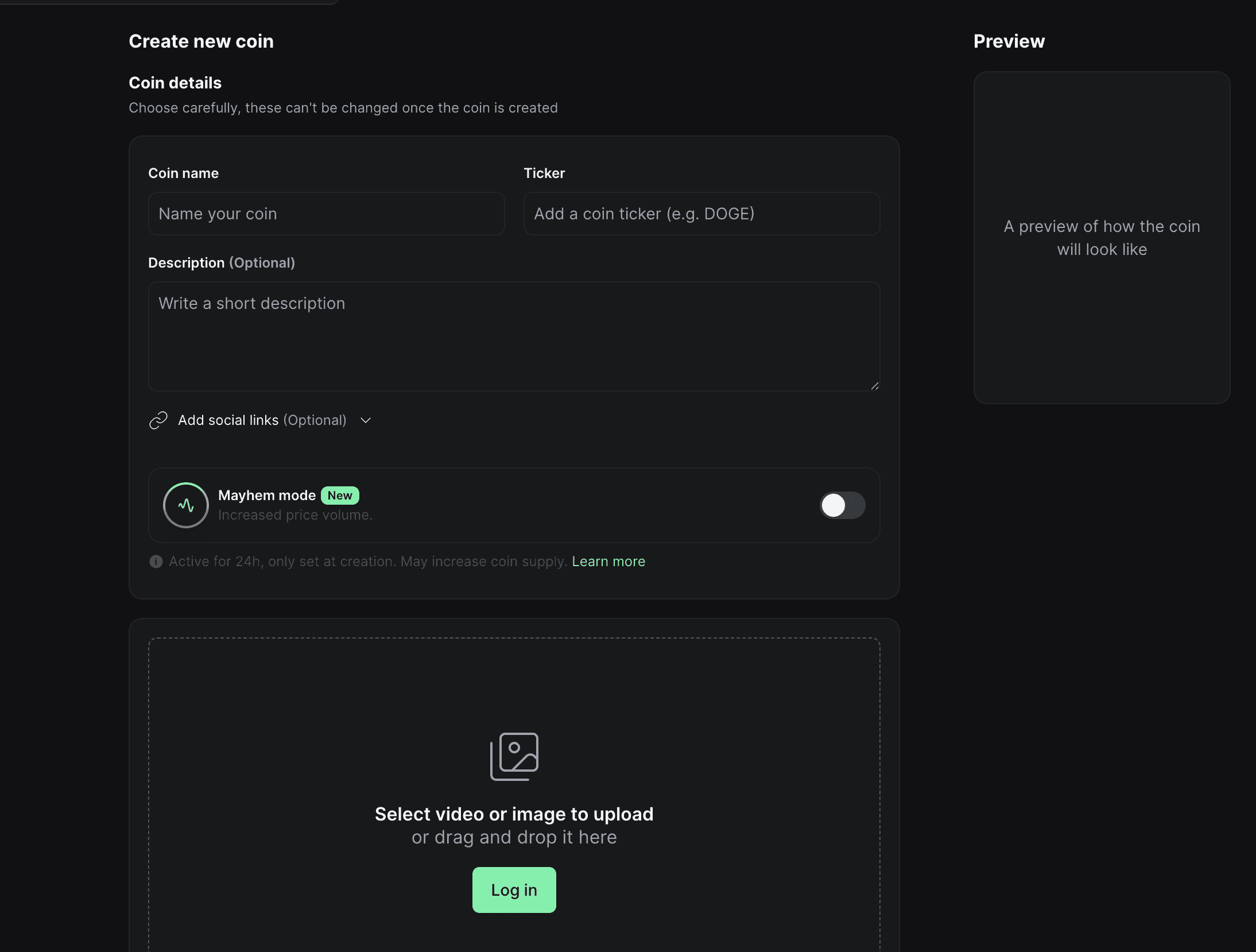
Pump.fun's pitch is basically “launch instantly tradable tokens without seeding liquidity.” A typical flow with Pump.fun looks like:
- Pick a name, a ticker, and an image for your token
- Pay the creation fee
- The token begins trading according to the platform’s mechanism
Raydium LaunchLab
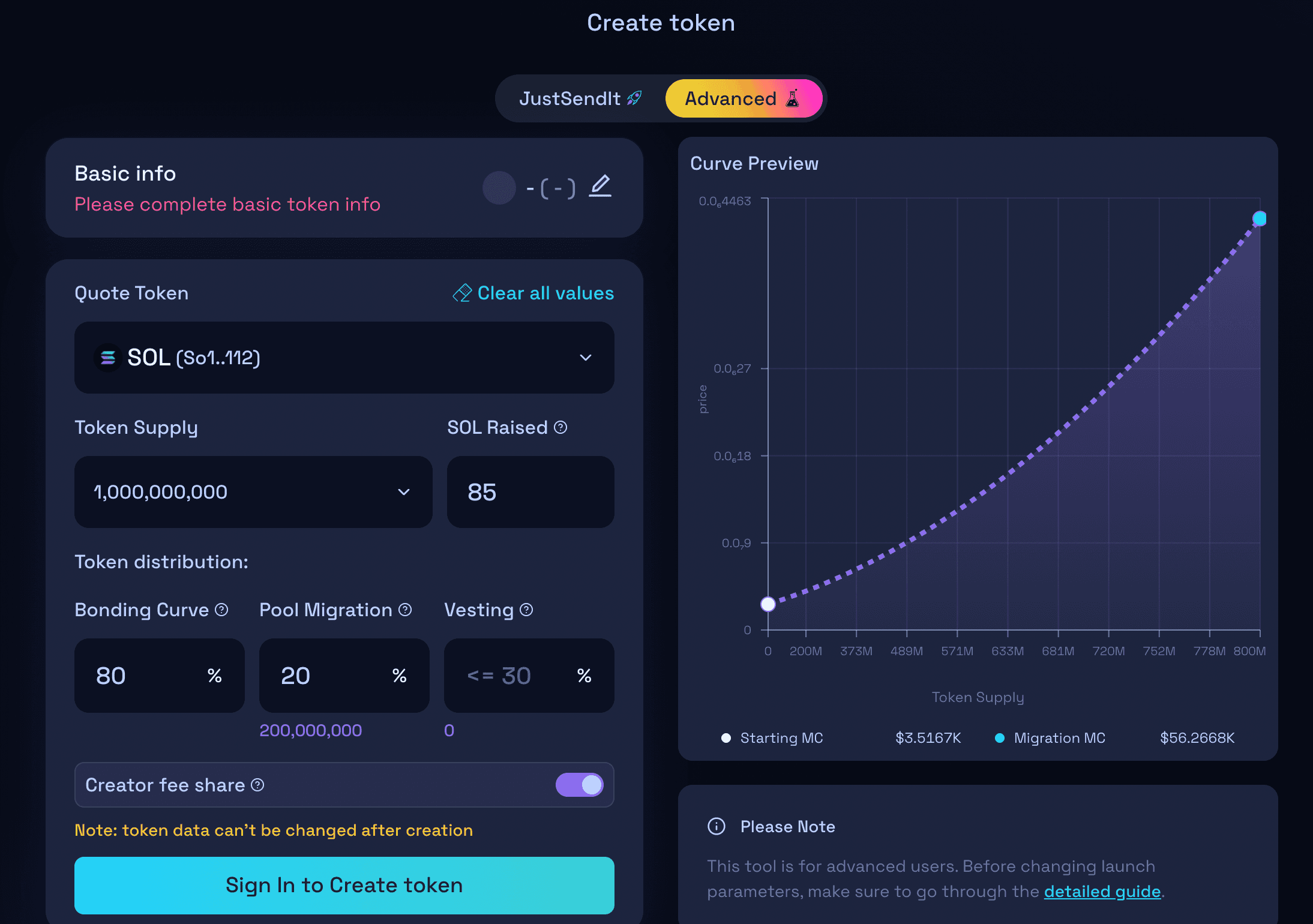
Raydium LaunchLab includes a similar create a token flow (you just need to add a name, ticker, image, and socials). They offer two distinct modes for creating and launching a new token: the simplified JustSendIt mode and the fully customizable Advanced Mode. Advanced Mode provides full control over the token's parameters and is better suited for projects requiring specific tokenomics or more complex configurations.
Bonk.fun
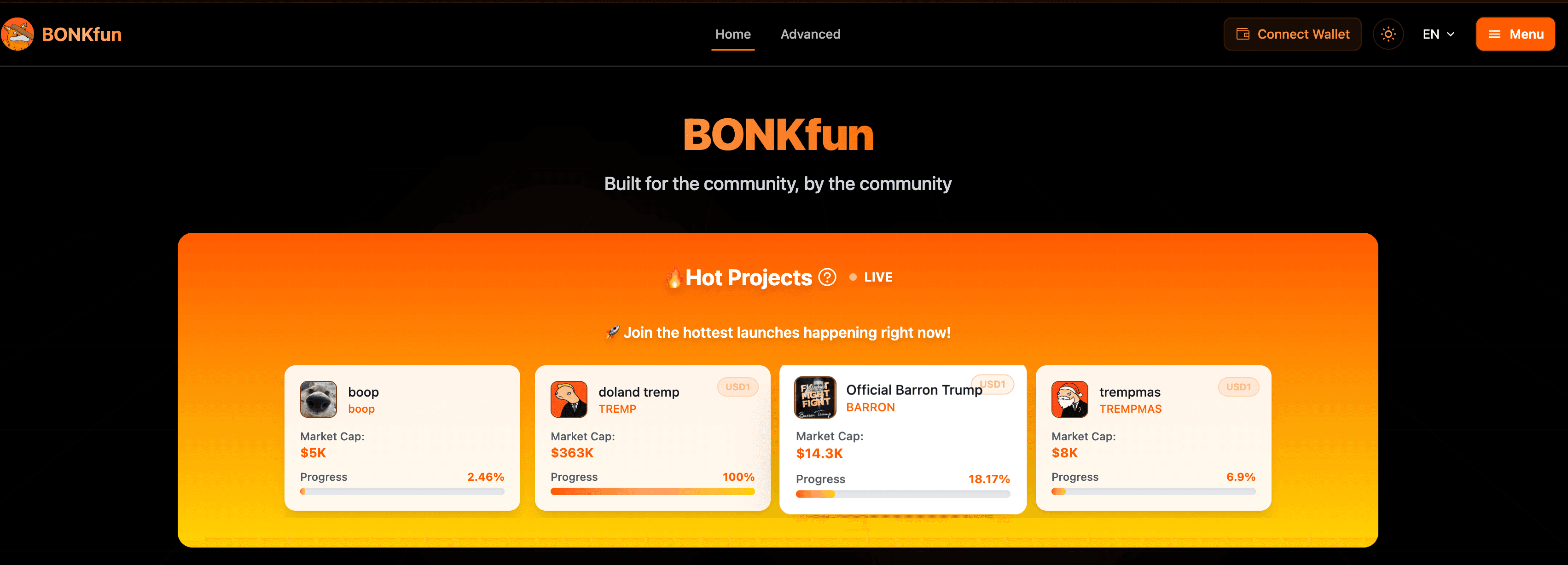
BONK.fun is another Solana memecoin launchpad that gained a lot of attention in 2025. The platform has gained significant market share by offering community-driven incentives and transparency.
Option b: create the token yourself with SPL tooling
If you want to bypass these launchpads, you can also create a memecoin entirely yourself. To do that, you would go through the following steps.
Creating a Solana SPL token
If you’ve ever minted an SPL token and then wondered why it shows up as “Unknown token” (or has no icon) in wallets, this is why: the SPL mint alone doesn’t carry rich metadata.
On Solana, fungible tokens are created with the SPL Token program, and the “pretty” fields (e.g. name, symbol, image, JSON URI) are commonly attached via the Metaplex Token Metadata program.
In this tutorial, you’ll mint a fungible SPL token using:
- Umi (Metaplex’s modern client framework) to build/sign/send transactions
- mpl-token-metadata helpers to create the mint + metadata in one flow
- Alchemy Solana RPC as your network connection
- Your existing Phantom wallet private key (no new keypair generation)
What you’re actually doing onchain
When you run the mint script, you’re not just “creating a token”—you’re creating a small set of onchain accounts that work together so wallets and explorers know how to interpret it.
-
Mint account (SPL Token mint): This is the core onchain account that defines your token. When people talk about a “token address” on Solana, they’re usually referring to this mint account. It’s the address you’ll paste into Solana Explorer. This account stores things like:
-
Decimals: how divisible the token is (for example, 8 decimals means 1.0 token = 100,000,000 base units).
-
Mint authority: the key that’s allowed to mint more supply.
-
Freeze authority (optional): a key that can freeze token accounts.
-
Metadata account (Metaplex Token Metadata PDA): The SPL Token program itself doesn’t store names, symbols, or images. That information lives in a separate metadata account created by the Metaplex Token Metadata program. This account is a Program Derived Address (PDA), deterministically derived from your mint address. That means wallets don’t need a registry or a database—they can derive the metadata address from the mint, check if it exists, and read it if it does. This is how wallets like Phantom automatically discover and display token metadata.
-
Offchain metadata (URI → JSON): The metadata account doesn’t store all the details directly. Instead, it stores a URI that points to a JSON file hosted offchain (commonly on IPFS). That JSON follows a standard schema (name, symbol, description, image), which explorers and wallets know how to fetch and render. This keeps onchain data small while still allowing rich token information.
With that context in place, the code below should make more sense: you’re creating the mint, attaching a metadata account to it, and pointing that metadata at a JSON file that wallets can read.
Now let’s build the memecoin.
Step 1: project setup (TypeScript + dependencies)
First, we’ll create a new project directory and initialize a Node.js project. This gives us a clean workspace and a package.json file to manage dependencies.
mkdir CATY
cd CATY

npm init -y
npm i -D typescript ts-node @types/node
npx tsc --init
npm init -ycreates a basic Node project using default settings.- typescript lets us write typed JavaScript, which is helpful when working with Solana and Metaplex SDKs.
ts-nodeallows us to run TypeScript files directly without a separate build step.npx tsc --initgenerates a tsconfig.json, which controls how TypeScript is compiled.
Next, update tsconfig.json to enable a couple of options we’ll rely on later:
{
"compilerOptions": {
  "esModuleInterop": true,
  "resolveJsonModule": true
}
}esModuleInteropallows us to use modern import syntax with common Node packages. -resolveJsonModulelets us import .json files directly, which is useful when working with configuration and metadata.
Now we’ll install the libraries needed to interact with Solana and Metaplex:
npm i @solana/web3.js@1 \\
@metaplex-foundation/umi \\
@metaplex-foundation/umi-bundle-defaults \\
@metaplex-foundation/mpl-token-metadata \\
bs58 dotenv
Here’s what each package is used for:
@solana/web3.jsis the core JavaScript SDK for interacting with the Solana network.umiis Metaplex’s client framework for building, signing, and sending transactions.umi-bundle-defaultsprovides common defaults (like RPC handling) so we don’t have to wire everything manually.mpl-token-metadatacontains helpers for creating and attaching token metadata.bs58is used to decode Phantom’s base58-encoded private key.dotenvlets us safely load secrets (RPC URLs, private keys) from a .env file.
Finally, we’ll create the files we’ll use throughout the tutorial:
touch mint.ts token.json .env .gitignoremint.tswill contain the script that creates and mints the token. -token.jsonwill hold the offchain metadata (name, symbol, image). -.envstores sensitive values like your RPC URL and private key. -.gitignoreensures secrets are never committed to version control.
Let's add the following to .gitignore:
node_modules
.env
This prevents your dependencies and private keys from being checked into Git by accident.
Step 2: add Alchemy RPC + Phantom private key in .env
Alchemy RPC
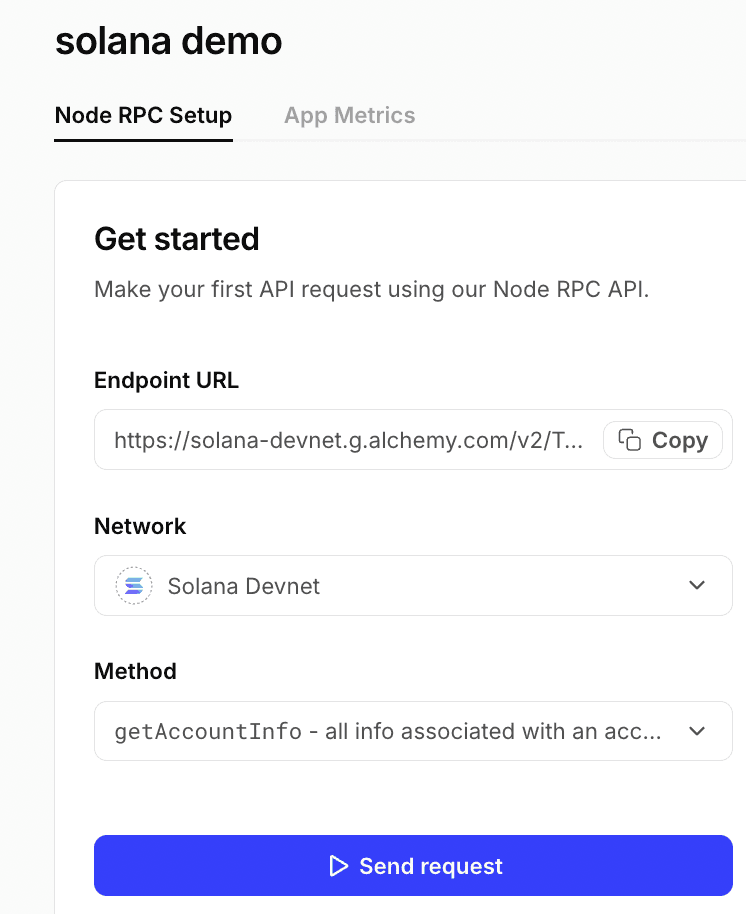
Alchemy provides fast & reliable Solana RPC endpoints for devnet and mainnet. Use devnet while you’re testing. To access our endpoints, you’ll need a (free!) API key. All you need to do is go to our dashboard and spin up a new Solana app in the dashboard. Make sure you turn on both the Node API and Webhooks services, and enable devnet. Fromr there, just copy/paste your API key or endpoint URL to your .env file.
Phantom private key export
Phantom’s official help docs shows the exact flow to view/copy a private key: At a high level, you just need to go to your Settings, then “Manage Accounts”, then “Show Private Key”, then “Choose network”, and click continue.
Once there, you can set your .env:
SOLANA_RPC_URL=https://solana-devnet.g.alchemy.com/v2/YOUR_ALCHEMY_KEY
PHANTOM_PRIVATE_KEY_BASE58=PASTE_FROM_PHANTOM
TOKEN_METADATA_URI=
A note on security: this is a “hot wallet in scripts” pattern. It’s fine for devnet experimentation, but for mainnet you should use a dedicated wallet and avoid pasting keys into random projects.
Step 3: upload image + metadata to IPFS (Pinata)
Simply having a token.json file on your computer isn’t enough. Solana programs can’t read files from your local filesystem, and storing large metadata directly onchain would be expensive. Instead, the Token Metadata program stores a URI that points to a publicly accessible JSON file hosted offchain (commonly on IPFS). Wallets and explorers fetch that JSON using the URI to display your token’s name, symbol, and image.
You can use any IPFS for this. In this tutorial I have used Pinata. As to how it works, your uploaded file gets a CID (content identifier), and you retrieve it through a gateway URL. Pinata docs cover gateways and retrieval.
As for doing the work, you’ll first create token.json:
{
"name": "Cat with Hat",
"symbol": "CATY",
"description": "My Cat with Hat",
"image": "https://YOUR_GATEWAY/ipfs/YOUR_IMAGE_CID"
}
The order of operations here looks like:
- Upload your image → copy the gateway URL.
- Paste that URL into token.json.image
- Upload the updated token.json → copy the gateway URL for the JSON.
- Put that JSON URL into .env:
TOKEN_METADATA_URI=https://gateway.pinata.cloud/ipfs/<YOUR_TOKEN_JSON_CID>You can use your own image or metadata, or use the example image below.

Step 4: fund your wallet with Devnet SOL
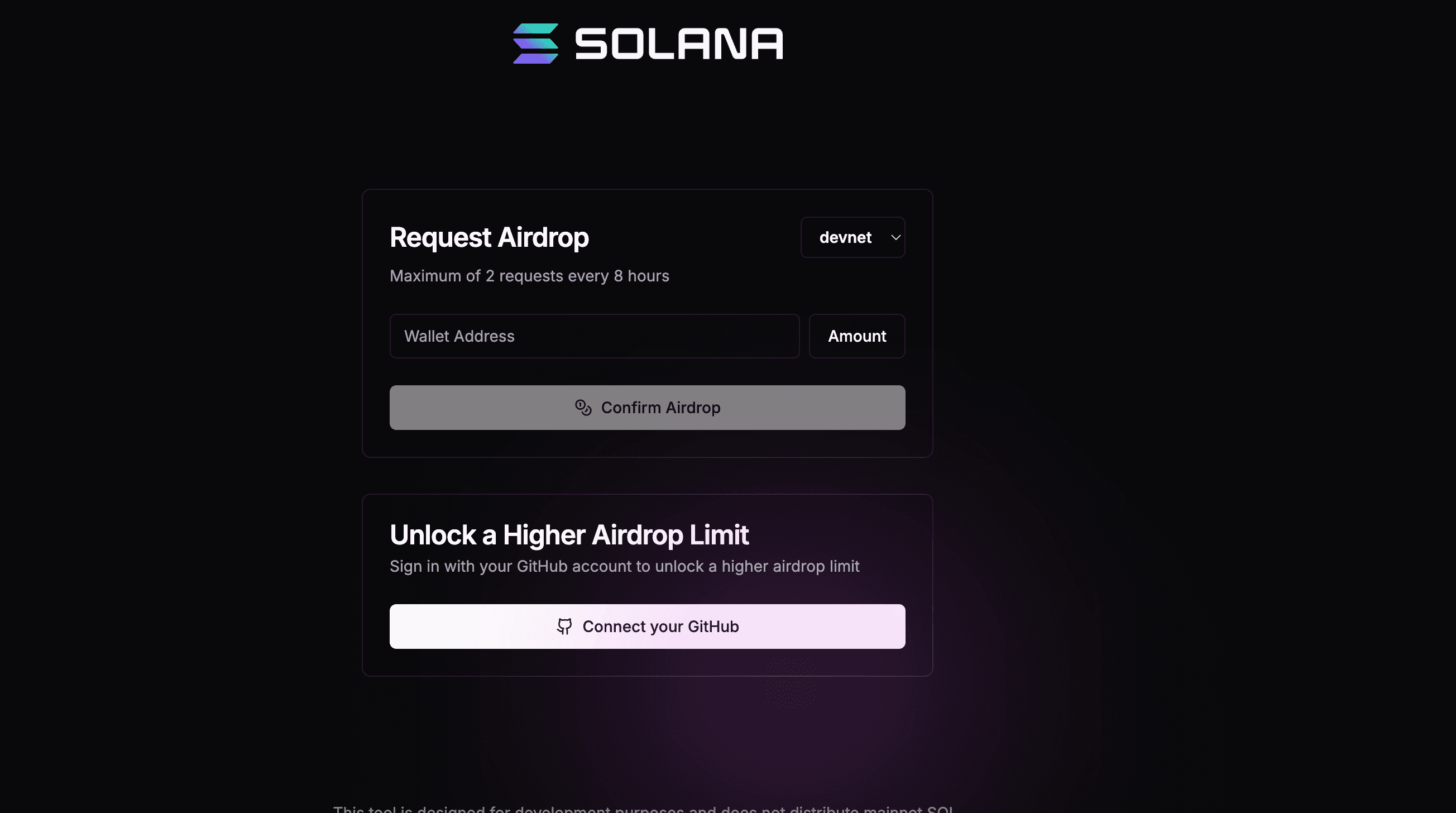
Minting and creating accounts costs SOL (even on devnet). The good news is that devnet SOL are free. To get some, you can use Solana’s official devnet faucet to get test SOL.
Step 5: mint the token (umi + token metadata) via Alchemy RPC
Here’s the full mint.ts script with a couple of important details baked in:
- It converts Phantom’s base58 private key into a Solana Keypair (Phantom exports can be 64 bytes; some formats are 32 bytes).
- It tells Umi to use your Alchemy RPC URL. Umi’s docs: the endpoint you pass to createUmi(...) is the endpoint used for RPC calls.
- It prints the transaction signature correctly (base58), so your explorer link works.
Copy & Paste this to your mint.ts:
import "dotenv/config";
import bs58 from "bs58";
import { Keypair } from "@solana/web3.js";

import {
mplTokenMetadata,
createAndMint,
TokenStandard,
} from "@metaplex-foundation/mpl-token-metadata";
import {
createSignerFromKeypair,
generateSigner,
percentAmount,
signerIdentity,
} from "@metaplex-foundation/umi";
import { createUmi } from "@metaplex-foundation/umi-bundle-defaults";

const rpcUrl = process.env.SOLANA_RPC_URL!;
const pk58 = process.env.PHANTOM_PRIVATE_KEY_BASE58!;

if (!rpcUrl) throw new Error("Missing SOLANA_RPC_URL");
if (!pk58) throw new Error("Missing PHANTOM_PRIVATE_KEY_BASE58");

// Umi uses this RPC endpoint for all subsequent RPC calls. [oai_citation:13‡developers.metaplex.com]

const umi = createUmi(rpcUrl);

// 1) Phantom base58 private key -> Solana Keypair.
// Phantom commonly exports a 64-byte secretKey; some tools export 32 bytes.
const raw = bs58.decode(pk58);
const solanaKeypair =
raw.length === 64 ? Keypair.fromSecretKey(raw)
: raw.length === 32 ? Keypair.fromSeed(raw)
: (() => { throw new Error(`Unexpected key length: ${raw.length}`); })();

// 2) Solana Keypair -> Umi signer + identity.
const umiKeypair = umi.eddsa.createKeypairFromSecretKey(solanaKeypair.secretKey);
const signer = createSignerFromKeypair(umi, umiKeypair);
umi.use(signerIdentity(signer));

// 3) Add Token Metadata program helpers.
// Token Metadata attaches data to fungible and non-fungible mints. [oai_citation:14‡GitHub]
umi.use(mplTokenMetadata());

// --- token config ---
const NAME = "Cat with Hat";
const SYMBOL = "CATY";
const METADATA_URI = process.env.TOKEN_METADATA_URI!;
const decimals = 8;
const supplyTokens = 1_000_000n;
const amountBaseUnits = supplyTokens * 10n ** BigInt(decimals);

if (!METADATA_URI) throw new Error("Missing TOKEN_METADATA_URI");

(async () => {
// generateSigner creates a new keypair for the mint account.
// Your Phantom wallet pays fees and becomes the authority by default.
const mint = generateSigner(umi);

const res = await createAndMint(umi, {
mint,
authority: umi.identity,
name: NAME,
symbol: SYMBOL,
uri: METADATA_URI,
sellerFeeBasisPoints: percentAmount(0),
decimals,
amount: amountBaseUnits,
tokenOwner: umi.identity.publicKey,
tokenStandard: TokenStandard.Fungible,
}).sendAndConfirm(umi);

// Umi returns signatures as bytes; Explorer expects base58.
const sigBase58 =
typeof res.signature === "string" ? res.signature : bs58.encode(res.signature);

console.log("Mint address:", mint.publicKey.toString());
console.log("Tx:", `https://explorer.solana.com/tx/${sigBase58}?cluster=devnet`);
})();
Let’s run the script - when the script completes successfully, the memecoin token will be minted. The output will include the mint address and a transaction link you can verify onchain.
npx ts-node mint.tsIf everything worked, boom — you just minted your memecoin token on Solana.

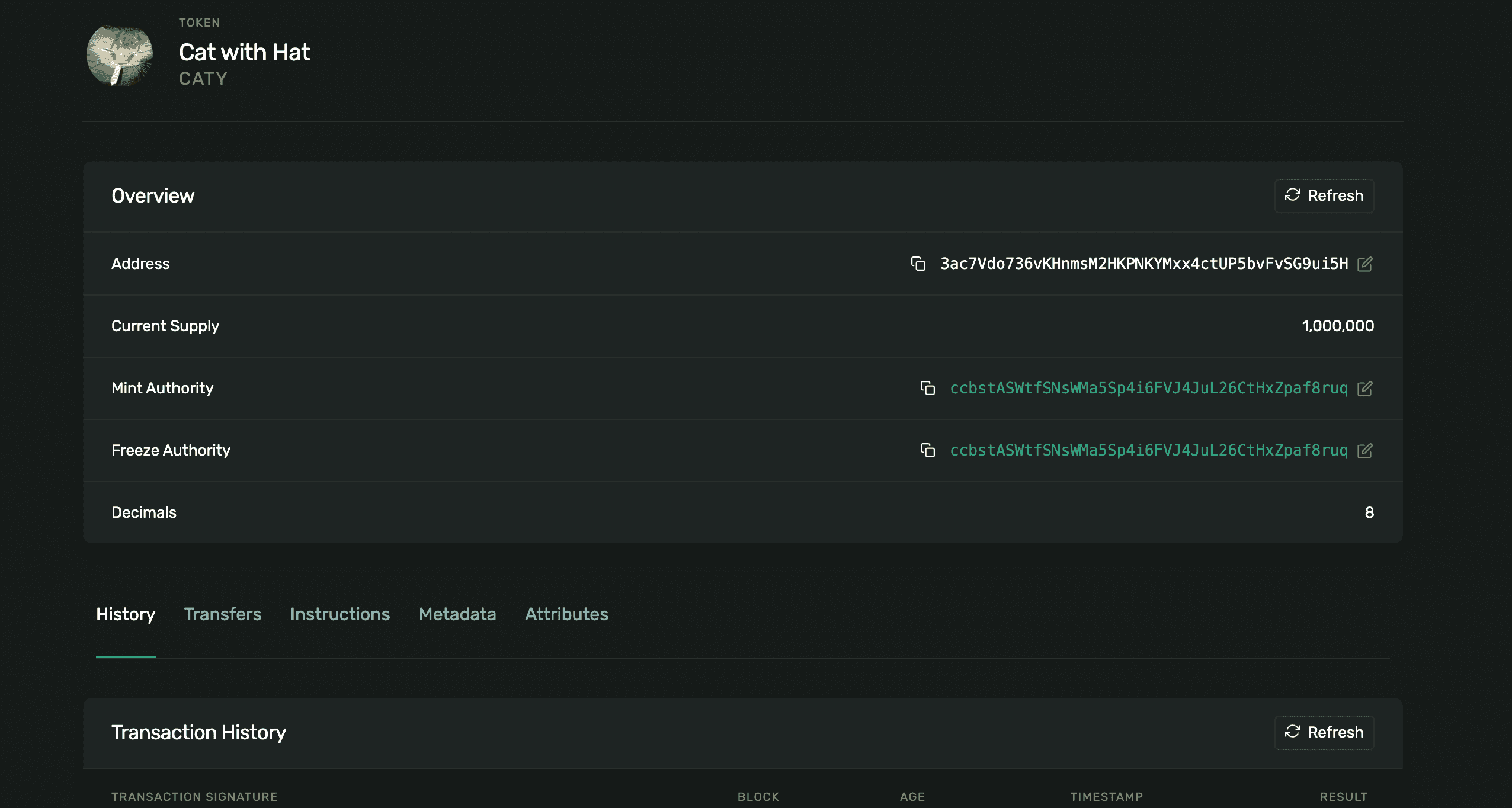
Step 6: verify the mint on a Solana explorer
Copy the Mint address printed by the script and paste it into a Solana Explorer. Make sure you’re on devnet.
🎉 Hurray - you’ve minted your own token (your “CATY”) with a fixed initial supply of 1,000,000 and metadata wired up.
Conclusion
That’s it - you’ve now seen both paths to launching a memecoin on Solana. If you want the fastest route, launchpads like pump.fun, Raydium LaunchLab, or BONK.fun handle most of the setup for you. If you want full control, minting your own SPL token gives you a deeper understanding of how Solana tokens actually work under the hood.
Either way, you’re now equipped to spin up as many memecoins as your heart desires. If you want to keep going, check out Alchemy’s Solana docs and developer guides for deeper dives into Solana RPCs, wallets, and production-ready tooling and explore tutorials on building Solana apps, working with SPL tokens, and handling real onchain traffic.
Frequently asked questions
What is a memecoin on Solana?
A memecoin on Solana is a standard SPL fungible token with a name, symbol, image, and launch plan. There's nothing technically special about it, the same SPL token mechanics are used by wallets, DeFi apps, and serious consumer projects.
What are the two main ways to create a memecoin on Solana?
You can use no-code launchpads like Pump.fun, Raydium LaunchLab, or BONK.fun for the fastest launch, or you can mint your own token using Solana's SPL tooling for full control over the process.
What wallet do I need to create a memecoin?
You need a Solana-compatible wallet like Phantom, Backpack, or Solflare funded with a small amount of SOL to cover transaction fees.
How much does it cost to create a memecoin on Solana?
Creating a token on Solana is extremely low-cost, with fees typically under $1 in SOL for basic token minting and account creation on devnet or mainnet.
What is the difference between SPL Token and Token-2022?
SPL Token is the legacy token program and the safest default for maximum wallet and exchange compatibility. Token-2022 (Token Extensions) offers built-in features like metadata extensions and transfer fees but may have less universal support.
Do I need to add metadata to my memecoin?
Yes, metadata (name, symbol, image, description) is stored via the Metaplex Token Metadata program and typically hosted offchain on IPFS. This allows wallets and explorers to display your token's information instead of showing it as "Unknown token."
What is Umi and why is it used for minting tokens?
Umi is Metaplex's modern client framework used to build, sign, and send transactions on Solana. It simplifies the process of creating tokens and attaching metadata in one flow.
What accounts are created when I mint a memecoin?
You create a mint account (the token's core identifier storing decimals and authorities), a metadata account (a PDA storing name, symbol, and URI), and offchain metadata (a JSON file on IPFS containing detailed token information).
Can I test token creation before launching on mainnet?
Yes, you can use Solana devnet for testing. You can get free devnet SOL from Solana's official devnet faucet to cover transaction costs while experimenting.
Alchemy Newsletter
Be the first to know about releases
Sign up for our newsletter
Get the latest product updates and resources from Alchemy
By entering your email address, you agree to receive our marketing communications and product updates. You acknowledge that Alchemy processes the information we receive in accordance with our Privacy Notice. You can unsubscribe anytime.

Related articles
The cost of latency in onchain trading
Latency costs show up as the gap between observed state and execution. Here's where delay appears, why p95 matters, and how to evaluate your RPC path.
Robinhood Chain RPC: low-latency, reliable access at launch
An engineering account of how Alchemy prepared production RPC and WebSocket infrastructure for Robinhood Chain's launch, and what builders should do to get the same reliability.
Best Base RPC provider for low latency: a Base, Arbitrum, and Optimism benchmark
In Alchemy's retained public benchmark window, Alchemy delivered the lowest average and p95 read latency on Base among four tested paid providers, with the fewest observed failures.