

Activity Log is only available on the Enterprise plan. Contact sales to upgrade and get access.
The Activity Log is an audit trail of important changes made across your Alchemy account. It records who did what, when, and from where, so you can answer questions like "who deleted this app?", "when was this access key created?", or "which member changed our billing plan?".
It lives in the Alchemy Dashboard.
- Security & audit: Maintain a record of security-relevant changes (logins, access key creation, allowlist edits, and role changes) for incident response and compliance reviews.
- Accountability: See which team member (or access key) made a change, and from which IP address.
- Troubleshooting: Correlate a configuration change with a change in your app's behavior.
- Open the Alchemy Dashboard.
- Navigate to Activity Log.
Viewing the Activity Log requires Admin access on the team. Members with a Developer or Viewer role won't see it.
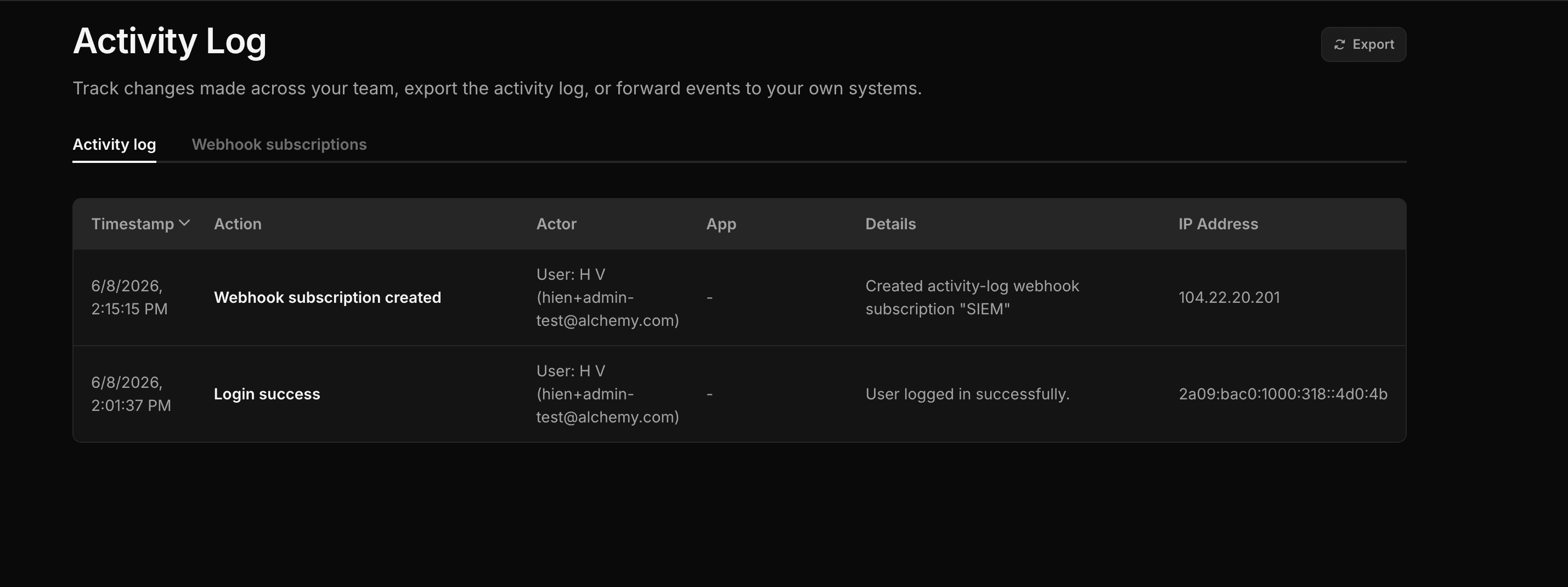
Each entry includes the following columns:
| Column | Description |
|---|---|
| Timestamp | When the action occurred (your local time). |
| Action | A human-readable description of what happened (e.g. App created, Login success). |
| Actor | The team member, access key, or system that performed the action. |
| App | The app the action relates to, if any. Links to the app when it still exists. |
| Details | Additional context about the change. |
| IP Address | The source IP address the action came from. |
The Activity Log captures account- and app-level changes across several categories, including:
- Apps: creating, deleting, renaming apps; rotating API keys; managing JWTs and allowlists; enabling/disabling networks.
- Team & access: inviting and removing members, role changes, access key creation/deletion, and IP allowlist changes.
- Authentication: login success/failure and password resets.
- Billing: plan changes, payment methods, usage limits, and usage caps.
- Alerts, gas policies, and wallet activity: creating and updating alerts, gas policies/programs, and smart-wallet sessions and signatures.
For the complete, authoritative list of every logged action, see the action reference in the OCSF Mapping table, which lists each action alongside its description.
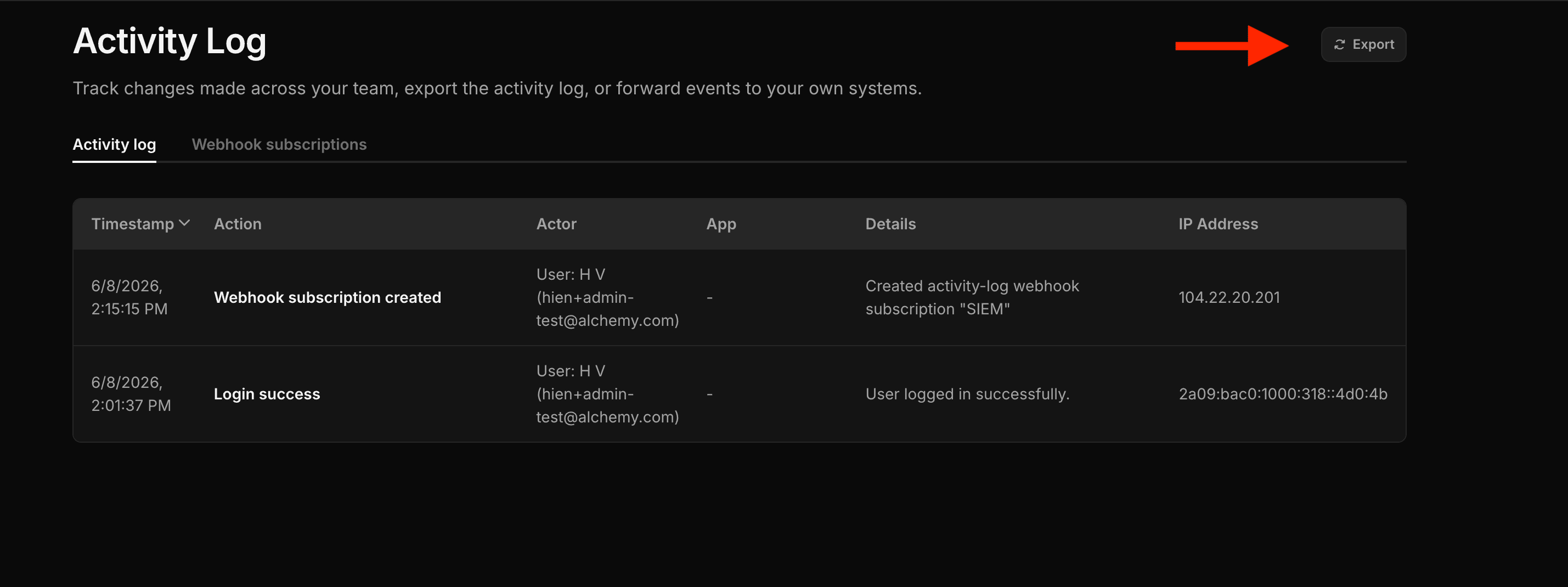
To pull the log into a spreadsheet or share it with your security team, click Export in the top-right of the page. Alchemy generates a CSV (activity-log.csv) containing the Timestamp, Action, User, App, Details, and IP Address for the entries in view.
Activity Log entries are retained for 30 days. Export regularly, or stream events to your own systems, if you need to keep a longer history.
Need activity events delivered to your SIEM or log pipeline in real time? See Webhook Subscriptions to stream events over HTTPS.