

Activity Log webhook subscriptions forward your team's Activity Log events to an endpoint you control, typically a SIEM (Splunk, Datadog, Panther, Microsoft Sentinel, etc.) or a log pipeline. Each time a matching event occurs, Alchemy sends an HTTPS POST with a JSON body to your endpoint, usually within a minute of the event.
- Activity events for your team are matched against your subscriptions' event-type filters.
- For each matching subscription, Alchemy sends an HTTPS
POSTwith a JSON payload (see Payload) to your configured Endpoint URL. - Alchemy authenticates to your endpoint using the credential you configure on the subscription (a Bearer token, Basic auth, or a custom header). See Authentication.
Managing webhook subscriptions requires Admin access on the team.
- Open the Alchemy Dashboard and go to Activity Log → Webhook subscriptions tab.
- Click New subscription.
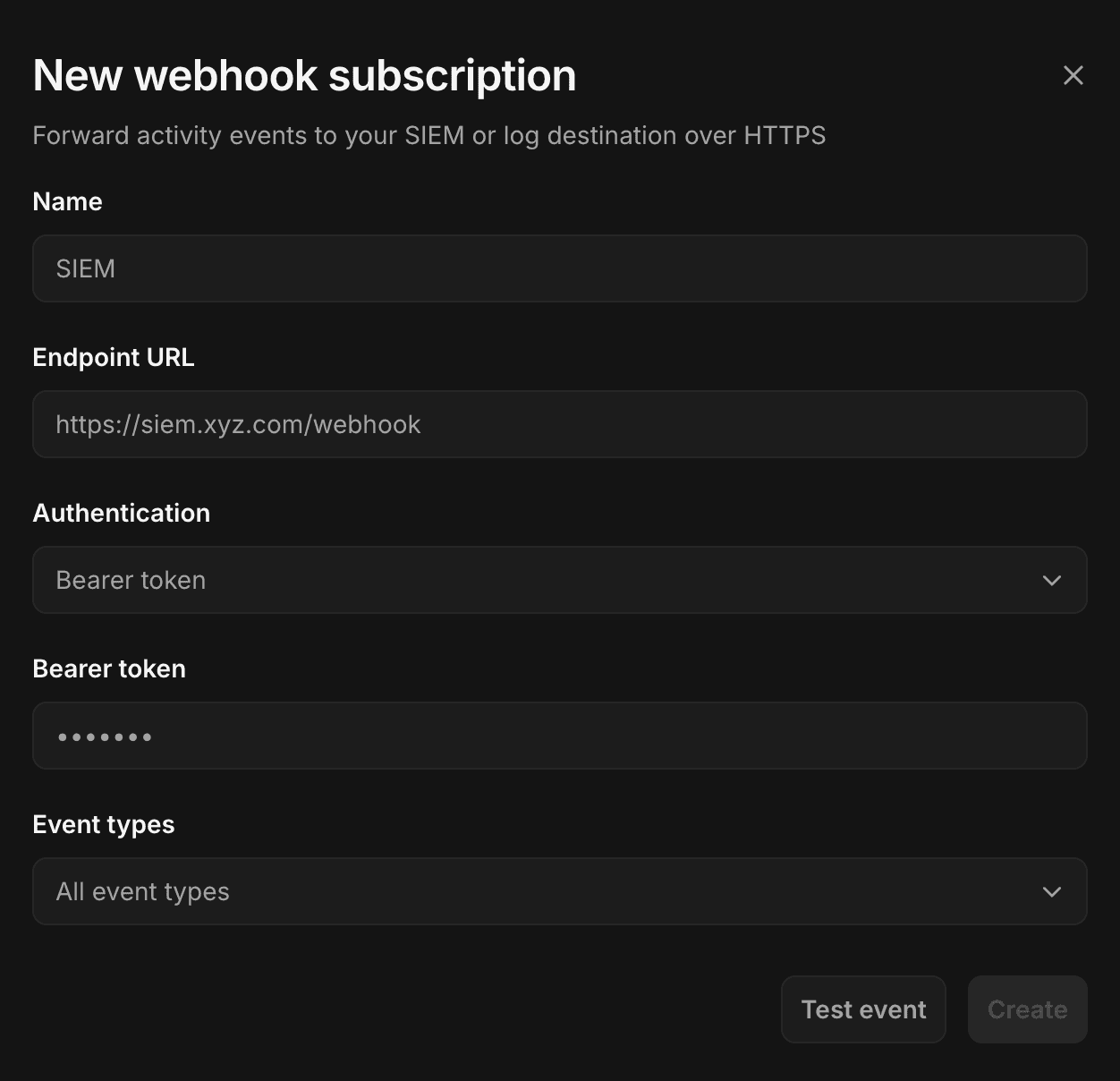
- Fill in the form:
- Name: a label to identify this subscription (up to 100 characters). You can create multiple subscriptions, e.g. one for security events and one for billing events.
- Endpoint URL: the HTTPS URL Alchemy will
POSTevents to. Must usehttps://. - Authentication: how Alchemy authenticates to your endpoint. See Authentication.
- Event types: which actions to forward. All event types are selected by default; narrow this to only the events you care about. At least one must be selected.
- Click Test event to send a synthetic event to your endpoint. You must receive a successful (
2xx) response before you can create the subscription. See Testing. - Click Create.
Alchemy attaches the credential you configure as a header on every request to your endpoint. Choose the method your destination expects:
| Method | Header Alchemy sends | Typical use |
|---|---|---|
| Bearer token | Authorization: Bearer <token> | Standard token-based authentication. |
| Basic | Authorization: Basic <base64(username:password)> | Authenticates with a username and password. |
| Custom header | <name>: <value> | Used when your endpoint requires a custom header name for authentication. |
Each delivery is a single JSON event sent with Content-Type: application/json.
{
  "id": "aa_log_d73851bd5c5f004bffc5",
  "timestamp": "2026-06-08T21:42:29.600Z",
  "action": "APP_APP_NAME_UPDATED",
  "action_display_name": "App name updated",
  "actor": {
    "id": "u_JDR4PP",
    "display_name": "Jane Doe",
    "type": "user"
  },
  "message": "App name set to \"Demo App\"",
  "source_ip": "203.0.113.42",
  "user_agent": "Mozilla/5.0 (Macintosh; Intel Mac OS X 10_15_7) AppleWebKit/537.36 (KHTML, like Gecko) Chrome/148.0.0.0 Safari/537.36 Edg/148.0.0.0",
  "request_id": "dd645159-3192-4f69-99e9-d9fc031d02ec",
  "target": {
    "kind": "app",
    "id": "ia2pyqvxzriqfebf",
    "name": "Demo App"
  }
}| Field | Type | Description |
|---|---|---|
id | string | Unique event ID. |
timestamp | string | ISO 8601 UTC timestamp of when the event occurred. |
action | string | The action type, e.g. APP_APP_CREATED. See the full list in OCSF Mapping. |
action_display_name | string | Human-readable label for the action, e.g. App created. |
actor | object | null | Who performed the action. May be absent for some system events. |
actor.id | string | The actor's external ID. |
actor.display_name | string | The actor's display name. |
actor.type | string | One of user, system, or access-key. |
message | string | Human-readable description of the event. |
source_ip | string | Source IP address the action came from. |
user_agent | string | User agent of the originating request. |
request_id | string | Correlation ID for the originating request. |
target | object | null | The entity the action acted on. May be absent. |
target.kind | string | The target entity type, e.g. app. |
target.id | string | The target's external ID. |
target.name | string | The target's display name. |
The payload shape is stable, so build your ingest pipeline against these field names. The fields won't change, but new action values may be added as new features ship, so handle unrecognized actions gracefully rather than dropping the event. Map the action value to your SIEM's schema using the OCSF Mapping reference.
Use the Event types selector to forward only the actions you need. For example, route authentication and access-key events to your security SIEM, and billing events to a separate destination. The event filter is set when you create the subscription; to change it, create a new subscription with the updated filter and delete the old one.
The Test event button sends a synthetic event to your endpoint using the same payload shape and the auth header you've configured.
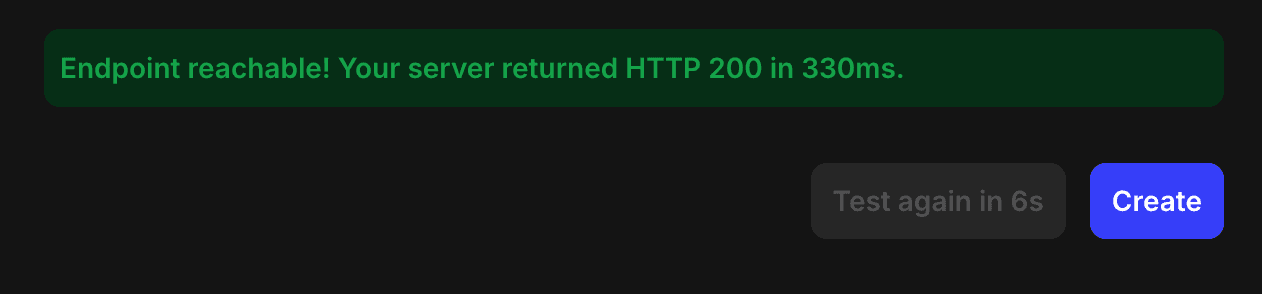
- You must receive a successful (
2xx) response before the Create button is enabled. Changing the URL or auth fields requires re-testing. - The Alchemy Dashboard reports the HTTP status your endpoint returned (e.g. "Endpoint reachable! Your server returned HTTP 200"), or a timeout/connection error.
- There is a short cooldown between tests, and test requests time out after a few seconds.
- Test events are not real activity and do not appear in your Activity Log.
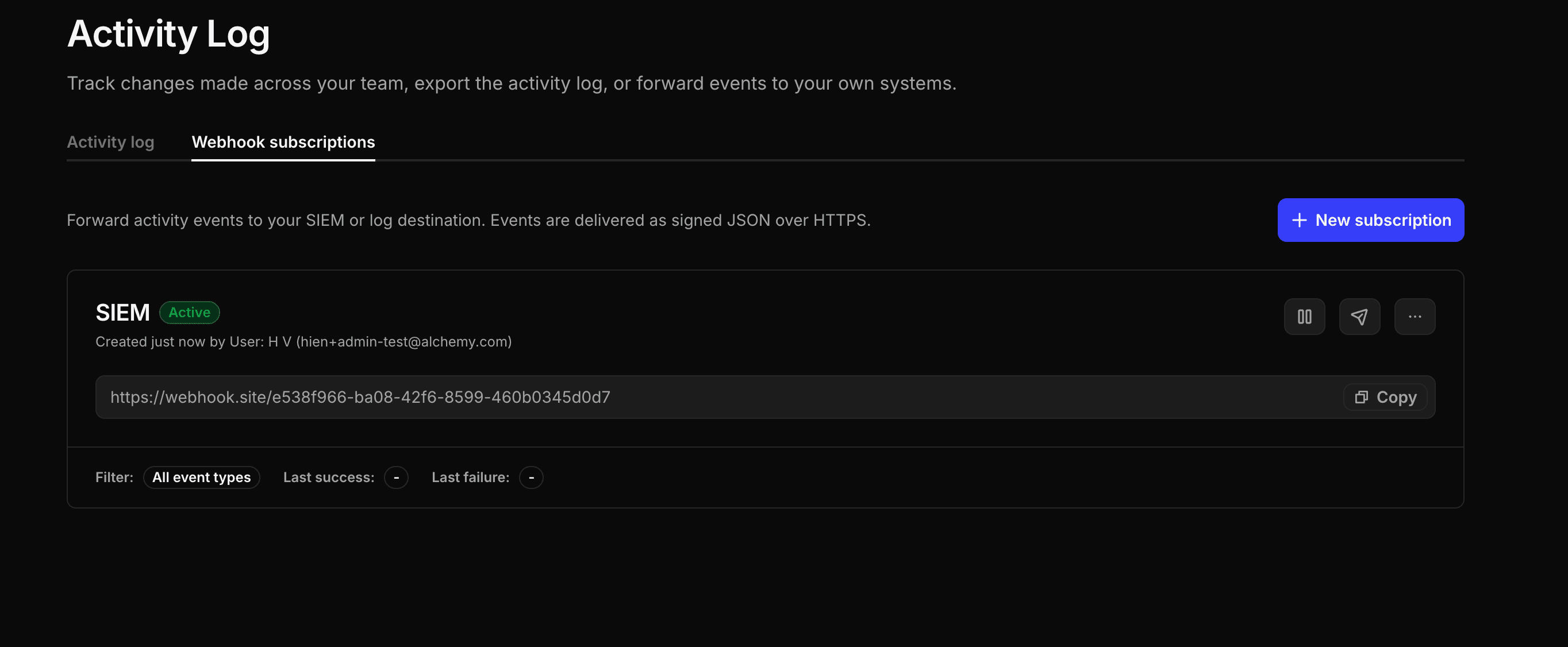
A subscription's settings (name, URL, authentication, and event filter) are fixed once it's created. From the Webhook subscriptions tab you can:
- Pause / resume delivery without deleting the subscription.
- Delete a subscription.
- Test the endpoint again at any time.
Each subscription card shows its recent delivery health, including the last successful and last failed delivery.
Subscriptions can't be edited after they're created. To change a subscription's name, URL, authentication, or event filter, create a new subscription with the updated settings and delete the old one.
- Deliveries are made per team and are isolated from other teams.
- Alchemy automatically retries failed deliveries with backoff, at least 3 times over the span of an hour. Transient errors on your endpoint generally recover without intervention.
- If all retry attempts are exhausted, the event is dropped and Alchemy sends an email notification to let you know about the failure.
- If an endpoint keeps failing, the subscription is flagged in the Alchemy Dashboard with a "failing delivery" warning and its last failure reason. Fix your endpoint to resume delivery; a persistently failing subscription may be paused.
- Because events stream in near real-time, your endpoint should respond quickly (return
2xxas soon as you've accepted the event) and do heavier processing asynchronously.
Activity Log entries are retained for 30 days regardless of webhook delivery, so you can still export missed events from the Activity Log within that window.
- OCSF Mapping: map the
actionfield to OCSF event classes for your SIEM, plus the full list of action values.