

In this guide, learn how to get started with @account-kit/infra and send a transaction. For smart contracts, the guide leverages @account-kit/smart-contracts to use ModularAccountV2,
but you're free to use any smart contract you'd like.
- API key from your dashboard
- minimum Typescript version of 5 and the packages below from aa-sdk
Installation
yarn add @account-kit/infra @account-kit/smart-contracts @aa-sdk/core viemIf you want to sponsor gas, then you'll also want to create a gas policy in the Gas Manager dashboard.
A gas manager policy is a set of rules that define which transactions are eligible for gas sponsorship. Control which transactions are eligible for sponsorship by defining rules:
- Spending rules: limit the amount of money or the number of transactions that this policy can sponsor
- Allowlist: restrict wallet addresses that are eligible for sponsorship. The policy only sponsors gas for transactions sent by addresses on this list.
- Blocklist: ban certain addresses from receiving sponsorship under this policy
- Policy duration: define the duration of your policy and the sponsorship expiry period. This is the period for which the gas sponsorship data remains valid once generated.
To learn more about policy configuration, refer to the guide on setting up a gas manager policy.
Once you have decided on policy rules for your app, create a policy in the Gas Manager dashboard.
You should now have a gas policy created with a policy ID you can use to sponsor gas.
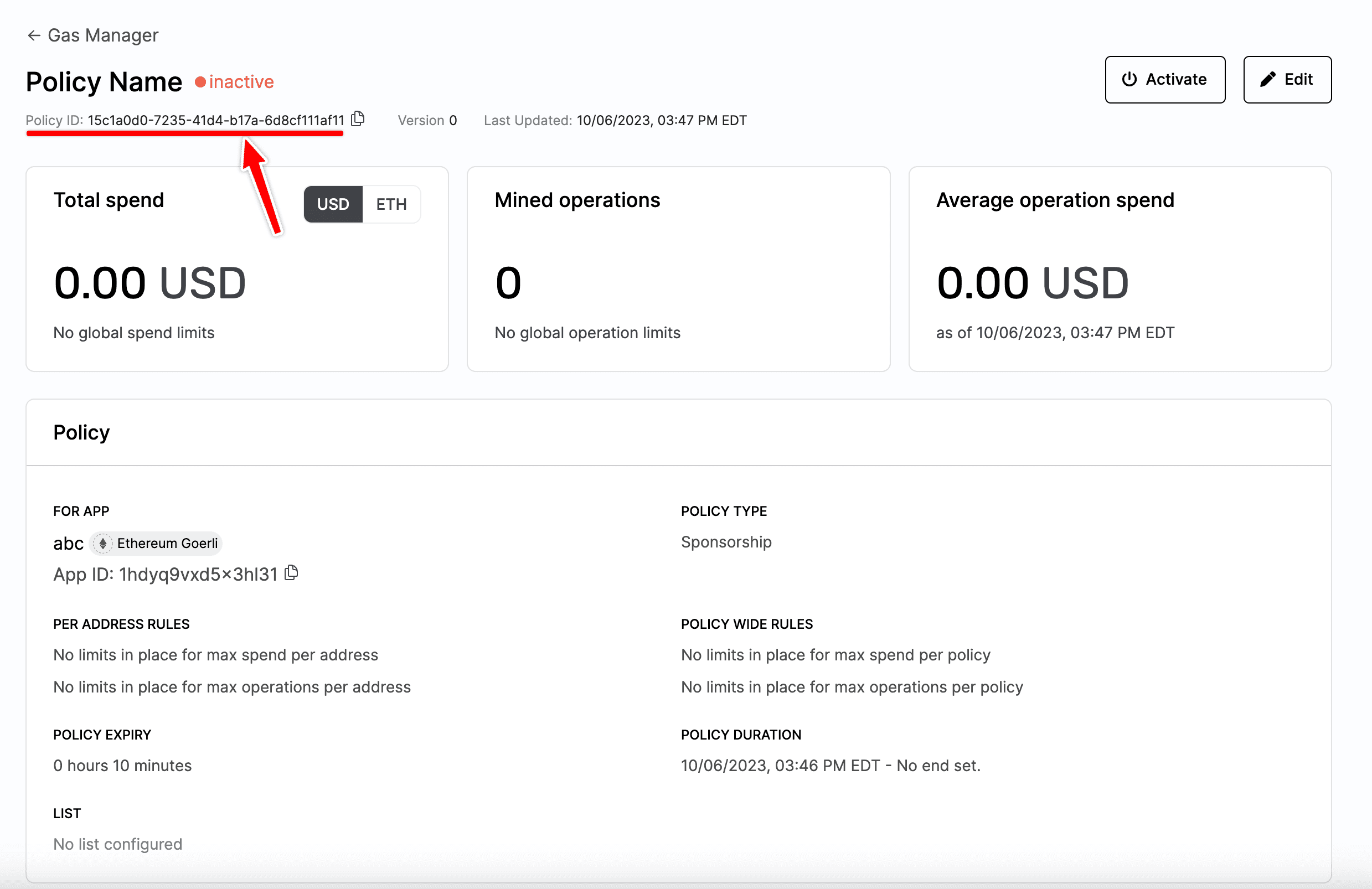
Now that you have an API key and a Policy ID, you can create a Smart Account Client to interact with the infrastructure.
Replace YOUR_API_KEY and POLICY_ID with the key and Policy ID created
above.
import { alchemy, sepolia } from "@account-kit/infra";

const YOUR_API_KEY = "<YOUR_API_KEY>";

export const chain = sepolia;

export const policyId = "<POLICY_ID>";

export const transport = alchemy({
  apiKey: YOUR_API_KEY,
});The last step is to send a transaction using the client you created.
import { getClient } from "./client";

const client = await getClient();

const { hash } = await client.sendUserOperation({
  uo: {
    target: "0xTARGET_ADDRESS",
    data: "0x",
    value: 0n,
  },
});