How to view your NFT in your mobile wallet
Author: Alchemy Team
This tutorial describes how to view an existing an NFT on your Mobile Metamask wallet.
Estimated time to complete this guide: ~3 minutes
Plus, be sure to check out the rest of our NFT tutorial series:
- 🌟 How to mint an NFT using Web3.js
- 🪄 How to mint an NFT with Ether.js
- 💸 How to set a price on an NFT
- 💻 NFT minter tutorial: How to create a full stack dApp
Congrats! You've made it to the shortest and simplest part of our NFT tutorial series: how to view your freshly minted NFT in your virtual wallet. We'll be using Metamask for this example since it is what we used in the previous two parts.
As a prerequisite, you should already have Metamask on mobile installed, and it should include the account to which you minted your NFT — you can get the app for free on iOS, or Android .
Step 1: set your network to Ropsten
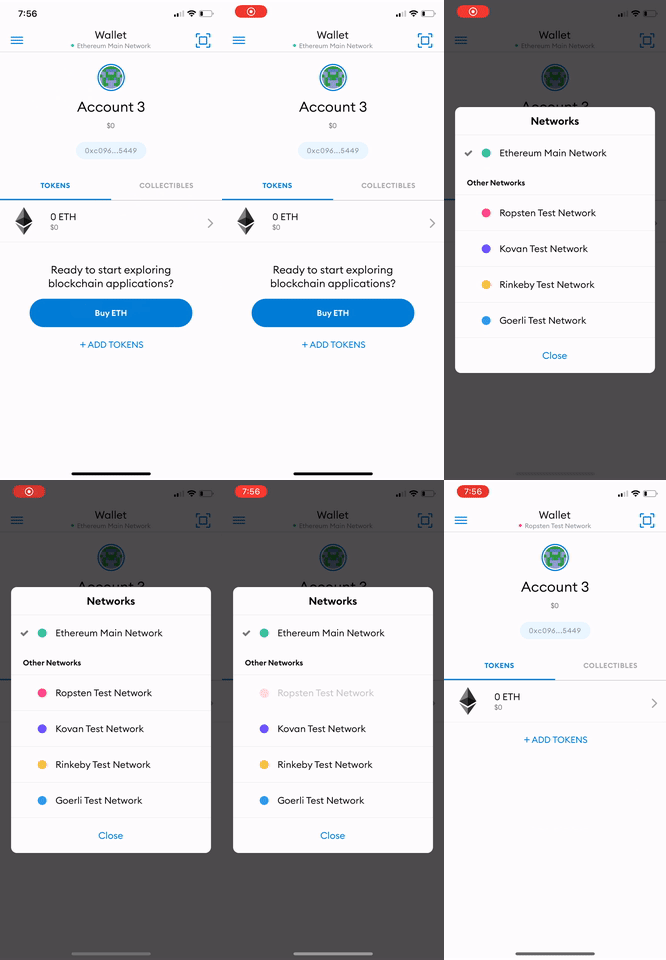
At the top of the app, press the "Wallet" button, after which you'll be prompted to select a network. As our NFT was minted on the Ropsten network, you'll want to select Ropsten as your network.
Step 2: add your collectable to MetaMask
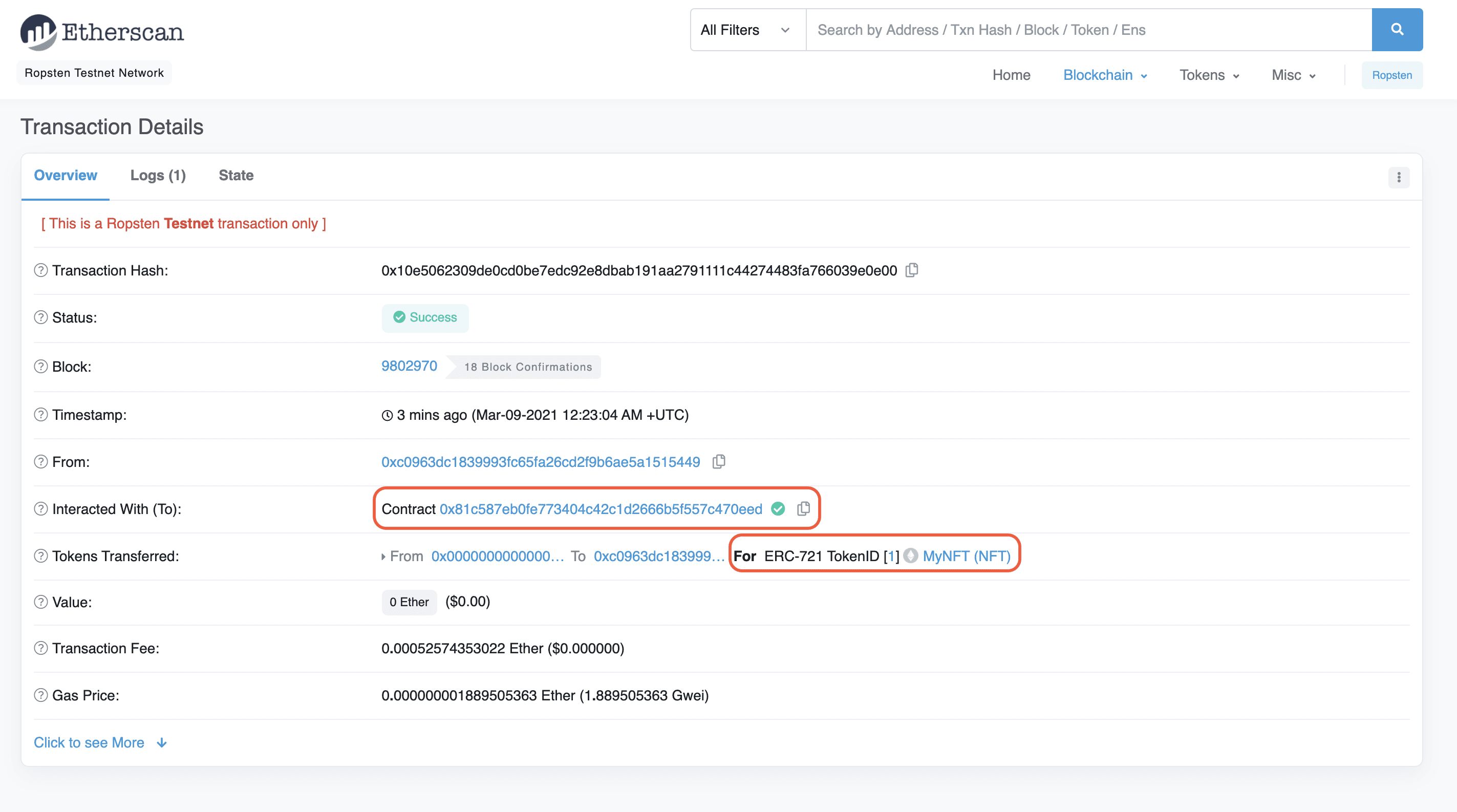
Once you're on the Ropsten network, select the "Collectibles" tab on the right and add the NFT smart contract address and the ID of your NFT— which you should be able to find on Etherscan based on the transaction hash from your NFT minted in Part II of our tutorial.
You may need to refresh a couple times to view your NFT —but it will be there! 😄
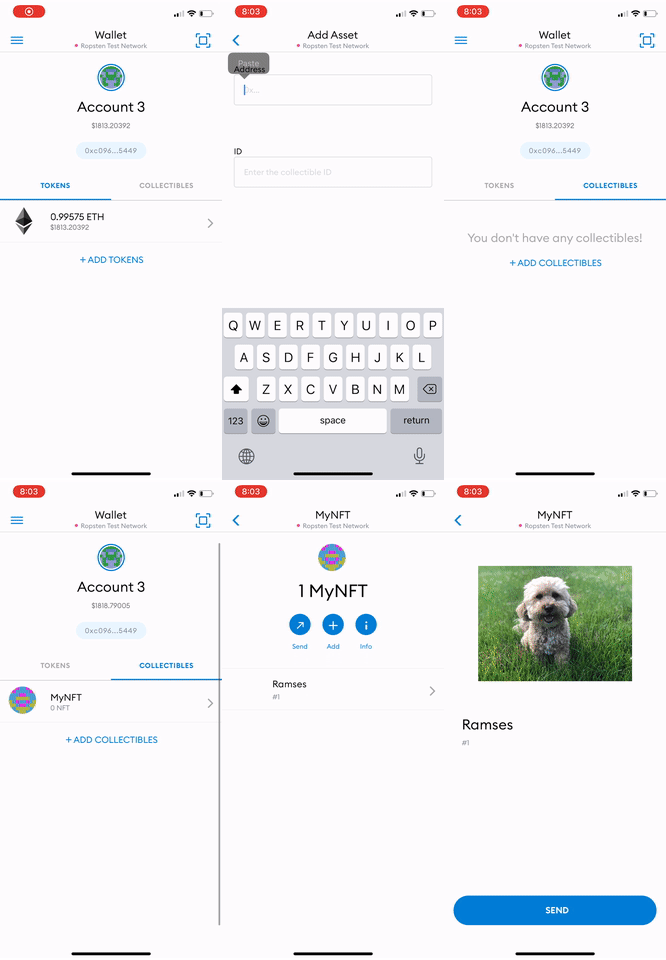
Congrats! You can now view your NFT in your wallet! We can't wait to see how you'll take the NFT world by storm! 🎨🪄🧙🤑🎊
Alchemy Newsletter
Be the first to know about releases
Sign up for our newsletter
Get the latest product updates and resources from Alchemy
By entering your email address, you agree to receive our marketing communications and product updates. You acknowledge that Alchemy processes the information we receive in accordance with our Privacy Notice. You can unsubscribe anytime.

Related articles
Turn Claude Code into an onchain research agent
Turn Claude Code into an onchain research agent with the Alchemy CLI. Trace token launches, deployer wallets, and admin keys by asking the right questions.
The Cortex router: how we pick the fastest healthy node for every request
Getting a request to a nearby region is table stakes. What happens next, choosing which node answers, is where Cortex does its work.
Best blockchain infrastructure for AI agents (2026)
Compare the best blockchain infrastructure for AI agents in 2026: agent frameworks, agent-ready RPC and data providers, and the standards that connect them.