

Manage gas sponsorship policies for your app from the Gas Sponsorship dashboard. A policy defines how gas is sponsored for your app: which chains it covers, and any spend, transaction, or access rules. Policies can also be created and managed with the Gas Manager API.
Select the app you want to sponsor gas for. Policies are app-scoped and can only be applied to a single app.
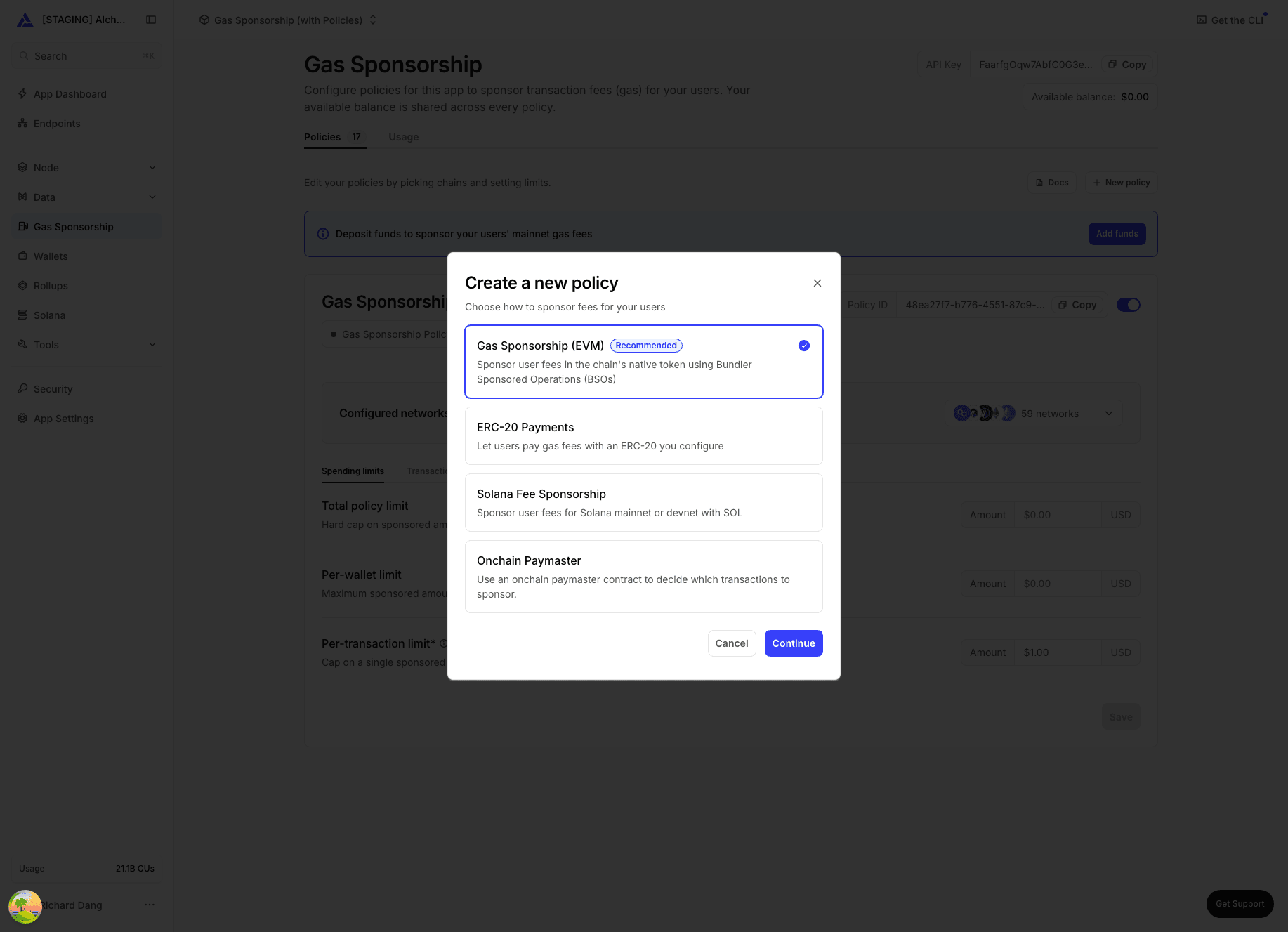
See Policy types below. Gas Sponsorship / BSO is recommended for most apps.
Enable the chains you want to sponsor gas on.
Chains must already be enabled on the app. Sponsoring gas on mainnet requires a PAYG or Enterprise plan; Solana sponsorship requires Enterprise. Testnets are available on every plan.
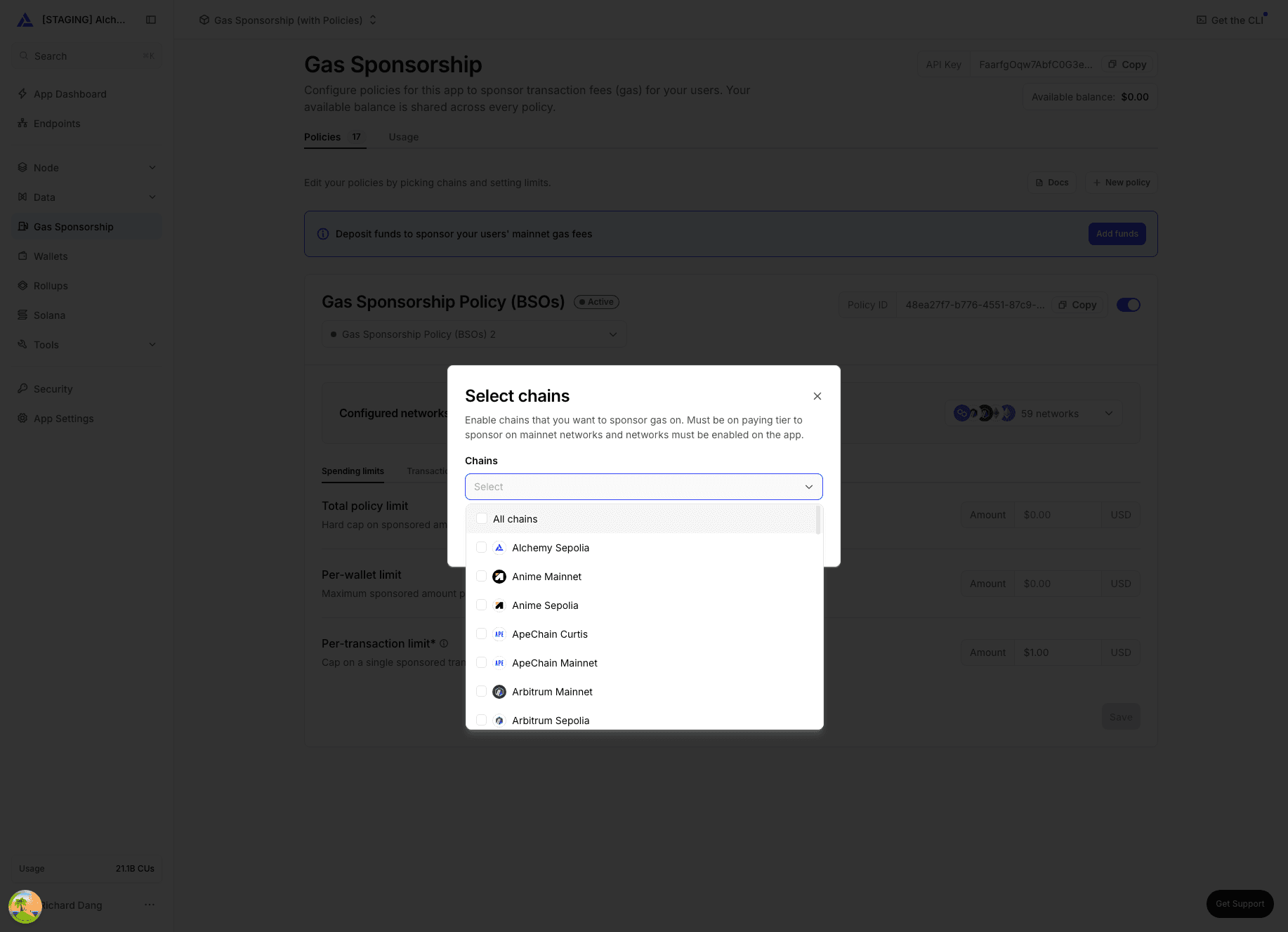
For ERC-20 policies, networks come from the tokens you enable instead — see pay gas with any token.
Copy your Policy ID and pass it to your SDK or API calls to start sending sponsored transactions.
| Policy type | Best for |
|---|---|
| Gas Sponsorship (recommended) | Sponsoring gas across EVM chains (ERC-4337 + ERC-7702 compatible). Powered by Bundler Sponsored Operations (BSO) for faster confirmations and automatic retries. |
| Onchain Paymaster | Sponsoring gas with an onchain paymaster contract on EVM chains (standard ERC-4337 paymaster). |
| Solana Fee Sponsorship | Sponsoring transaction fees for your users on Solana. Requires an Enterprise plan. |
| ERC-20 | Letting users pay gas with any ERC-20 token, such as USDC or USDT, instead of you sponsoring it. See pay gas with any token. |
Rules control who and what a policy sponsors: spend caps, transaction limits, allowlists, and webhook-based approval. See all supported rules here.
Edit rules from the policy dashboard or by using the Gas Manager API.
A policy only sponsors transactions while it's Active. Toggle status from the dashboard to activate, deactivate, or check whether it's expired.
- Sponsor gas — sponsor gas for smart wallet transactions
- Support sponsorship policy rules — webhooks and access controls
- Pay gas with any token — ERC-20 gas payments
- Solana sponsorship — sponsor fees on Solana
- Gas Manager API — manage policies programmatically