12 things you can do faster with the Alchemy CLI
Author: Uttam Singh
Every onchain project used to start the same way: open a dashboard, copy an API key, paste a private key into .env, npm install three SDKs, then finally write the line you came for. Your coding agent burned half a session figuring out which RPC method to call. The Alchemy CLI collapses that setup tax into commands you can pipe, script, or hand to a coding agent. Your terminal is the fastest path onchain.
This post walks through twelve things the CLI does in one command: signing in, spinning up an agent wallet, reading any chain, simulating writes, sending tokens, swapping, bridging, and wiring the same tool into Cursor, Claude Code, or Codex. Every command shown ships today.
What is the Alchemy CLI?
The Alchemy CLI is a single npm package, @alchemy/cli, that wraps every API surface we ship (Core RPC, the Data API, swap, bridge, simulate, webhook, admin, and wallet) behind a consistent set of subcommands. Install once with npm i -g @alchemy/cli@latest, run alchemy auth, and the same flag set works on every command. Pipe --json into jq, gate scripts with --no-interactive, and the same surface that runs at your terminal also runs inside an AI coding agent.
The whole point: the workflow your team already runs through the dashboard or an SDK now collapses into one command line that a developer can script and an agent can call.
Auth and identity in one terminal
1. Sign in once with alchemy auth
alchemy auth opens a browser, signs you into your account, and stores the session on disk. No more pasting API keys into every .env across every project. Switch teams with alchemy auth login --force, check state with alchemy auth status, clear with alchemy auth logout.
npm i -g @alchemy/cli@latest
alchemy auth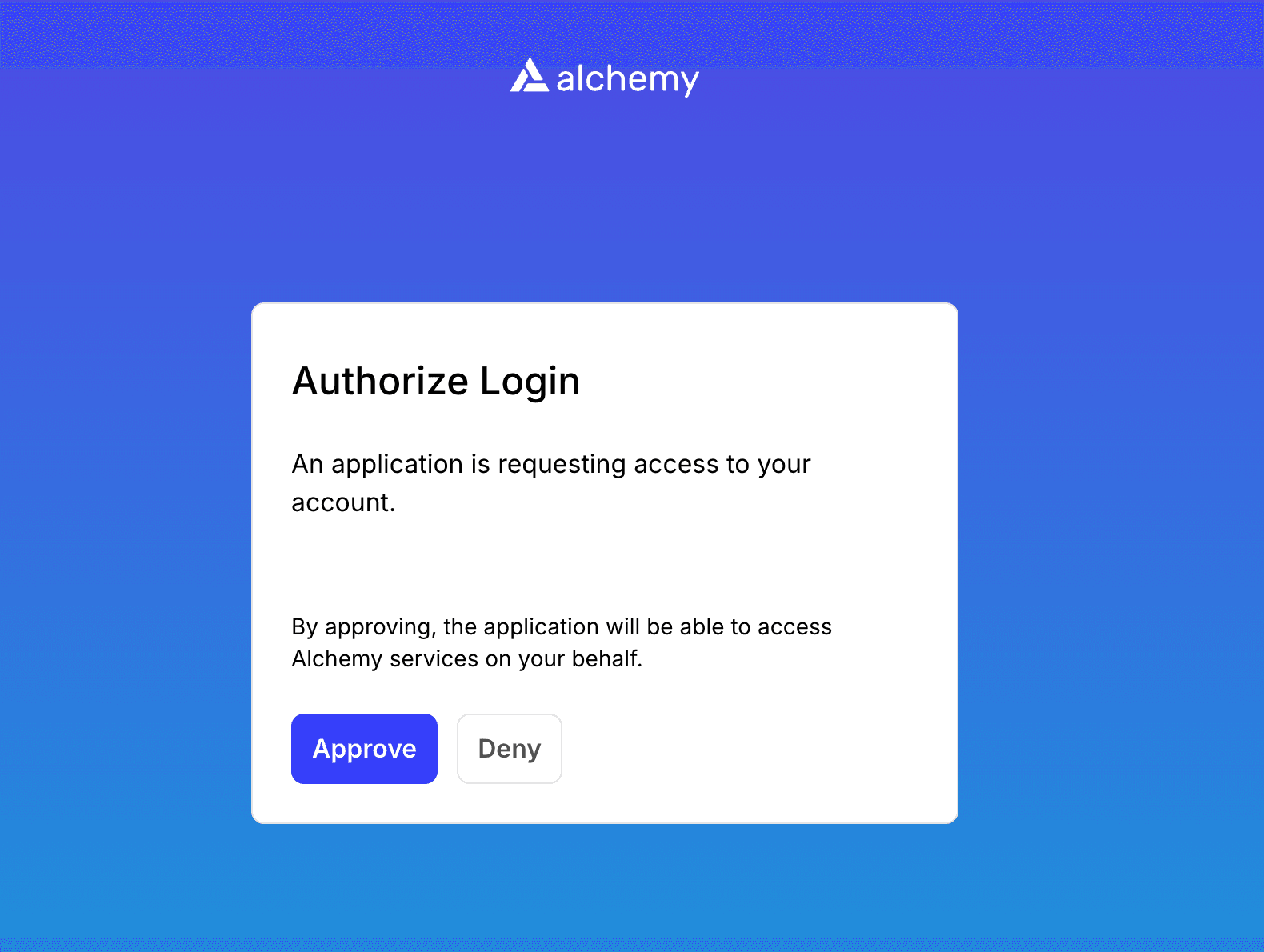
One command replaces the "copy key, paste key, gitignore key, rotate key" loop that every project repeats.
2. Spin up an agent wallet with alchemy wallet connect
The CLI ships agent wallets with Privy custody. Privy is the embedded-wallet provider that holds the wallet's private key on its side. alchemy wallet connect --mode session generates a fresh P-256 keypair locally, registers a time-bound session with the Privy backend, and signs in two steps: the CLI signs the session-key payload, Privy signs the wallet. The private key never leaves Privy and the session key never leaves your device.
alchemy wallet connect --mode sessionRevoke from the dashboard or with alchemy wallet disconnect, and the session stops working immediately. For a local-key workflow: alchemy wallet connect --mode local --chain evm --import ~/.wallet/key. Either way, the private key is never sitting in .env.
3. Pay as you go with --x402
Set --x402 on any command and the CLI authenticates against our APIs with the connected wallet instead of an API key. When a request hits a paid endpoint, the endpoint returns HTTP 402, the CLI signs the x402 payment payload, and the request completes. x402 is an open spec from Coinbase for HTTP-native payments; settlements run in USDC on Base. Agents can start with as little as $1 in compute credits, no dashboard signup required.
# Pay per call with the wallet you connected in step 2
alchemy evm rpc eth_blockNumber -n base-mainnet --x402

# Or make it the default so you can drop the flag:
alchemy config set x402 true
An agent (or a human dev who has never signed up) can now hit the same APIs your production workloads run on. No API key, no dashboard, no contract.
Read any chain without writing fetch boilerplate
4. Hit any JSON-RPC method on any chain
alchemy evm rpc passes any JSON-RPC method through to the network you select with -n. No hand-writing fetch envelopes, no SDK install dance for a five-line script.
alchemy evm rpc eth_blockNumber -n base-mainnet --json
alchemy evm rpc eth_getLogs '[{"fromBlock":"0x123","topics":["0x..."]}]' \
-n arb-mainnet --json
For Solana, use alchemy solana rpc for JSON-RPC and alchemy solana das for Digital Asset Standard methods. The shape stays the same across every chain we support.
5. Pull a multi-chain portfolio in one call
alchemy evm data portfolio tokens returns token balances across every chain a wallet has touched. No stitching seven RPC providers together, no chain-by-chain eth_call to each ERC-20 contract.
alchemy evm data portfolio tokens --json --body '{
"addresses":[{
  "address":"vitalik.eth",
  "networks":["eth-mainnet","base-mainnet","arb-mainnet"]
}]
}'
Pair it with portfolio nfts for the same trick on NFT collections. The same endpoints power our Data API indexers in production.
6. Query balances, transfers, and NFTs as one-liners
Balances, token metadata, transfer history, and NFTs each ship as a single subcommand on the Data API surface. Add --metadata and the call returns name, symbol, decimals, and logo URL inline.
alchemy evm data tokens balances 0xabc... --metadata -n base-mainnet --json
alchemy evm data history 0xabc... -n eth-mainnet --json
alchemy evm data nfts 0xabc... --limit 20 -n eth-mainnet --json
The reads that used to span four different SDK clients now ship as four flags on one CLI.
Write transactions from your shell
7. Simulate before you send
alchemy evm simulate asset-changes returns a human-readable diff of every token and ETH movement a transaction would cause. simulate execution returns the full trace. The reader sees exactly what the call does before it lands onchain.
alchemy evm simulate asset-changes --json --tx '{
"from":"vitalik.eth",
"to":"0x...",
"data":"0x..."
}'
Run this before any evm send or contract call that touches mainnet funds. It saves the "I just bricked my hot wallet" rerun.
8. Send to an ENS name in one line
alchemy evm send vitalik.eth 0.01 -n base-mainnet
alchemy evm send 0xabc... 100 --token 0xUsdcAddress -n base-mainnet
alchemy evm send resolves ENS, handles gas, and signs with whatever wallet is currently active (session, local, or Privy-custodied). Combine with --x402 and the same call routes through the wallet you connected at step 2.
9. Approve, swap, and bridge from the same shell
alchemy evm swap execute takes a same-chain swap from quote to execute. alchemy xchain bridge execute does the cross-chain version. alchemy evm approve handles the ERC-20 allowance every DEX swap needs first.
alchemy evm approve 0xPool --token-address 0xUsdc --amount 100 -n base-mainnet
alchemy evm swap execute --from 0xUsdc --to 0xEth --amount 100 -n base-mainnet
alchemy xchain bridge execute --from 0xUsdcBase --to 0xUsdcArb \
--amount 0.2 --to-network arb-mainnet -n base-mainnet
Same-chain swap is live across 11 EVM mainnets, including Ethereum, Base, Arbitrum, Optimism, Polygon, and BSC, per the Alchemy CLI docs. Cross-chain bridge ships in the CLI today too. The dashboard wizard collapses to three lines of shell.
Wire the CLI into your coding agent
10. Drop a full agent manifest with alchemy agent-prompt
alchemy agent-prompt emits a JSON document describing every command, flag, error code, and example. Pipe it into your agent's system prompt and the agent stops guessing flag names.
alchemy agent-prompt > .alchemy-prompt.jsonThe manifest includes an execution policy, preflight checks, the auth matrix, the command tree with options, an error catalog with retry semantics, and runnable examples. For Cursor, Claude Code, Codex, or any other coding agent, the file goes straight into the system prompt. Pattern in practice: How to build onchain agents.
11. Install Alchemy Skills
alchemy install skills installs the Alchemy Skills bundle into your agent client. Skills are machine-readable workflows that teach a coding agent how to use the CLI without reading docs at runtime.
alchemy install skillsThe bundle covers four surfaces: the CLI itself, app integration via API keys, MCP, and the wallet-based payment flow. One command swaps "the agent has to scan docs every session" for "the agent already knows the workflow."
12. Hook up MCP
alchemy install mcp wires the Alchemy MCP server into your agent client. MCP (Model Context Protocol) is an open spec that lets agents discover and call tools at runtime. The hosted server lives at https://mcp.alchemy.com/mcp and exposes more than 150 tools across 100+ chains: admin, every RPC method, and the Data API surface.
alchemy install mcpFor Claude Code specifically:
claude mcp add alchemy --transport http https://mcp.alchemy.com/mcpSkills, the agent-prompt manifest, and MCP together make the CLI a first-class capability inside an agent's tool inventory, not a side dependency.
The five-call agent demo: yield comparison, bridge, supply
The canonical demo that ships with the Alchemy Skills repo reads USDC supply APY on Polygon, Arbitrum, and Optimism, bridges 0.2 USDC from Base to the highest-yielding chain, and supplies to Aave V3. Five CLI calls, same surface that powers the rest of this post.
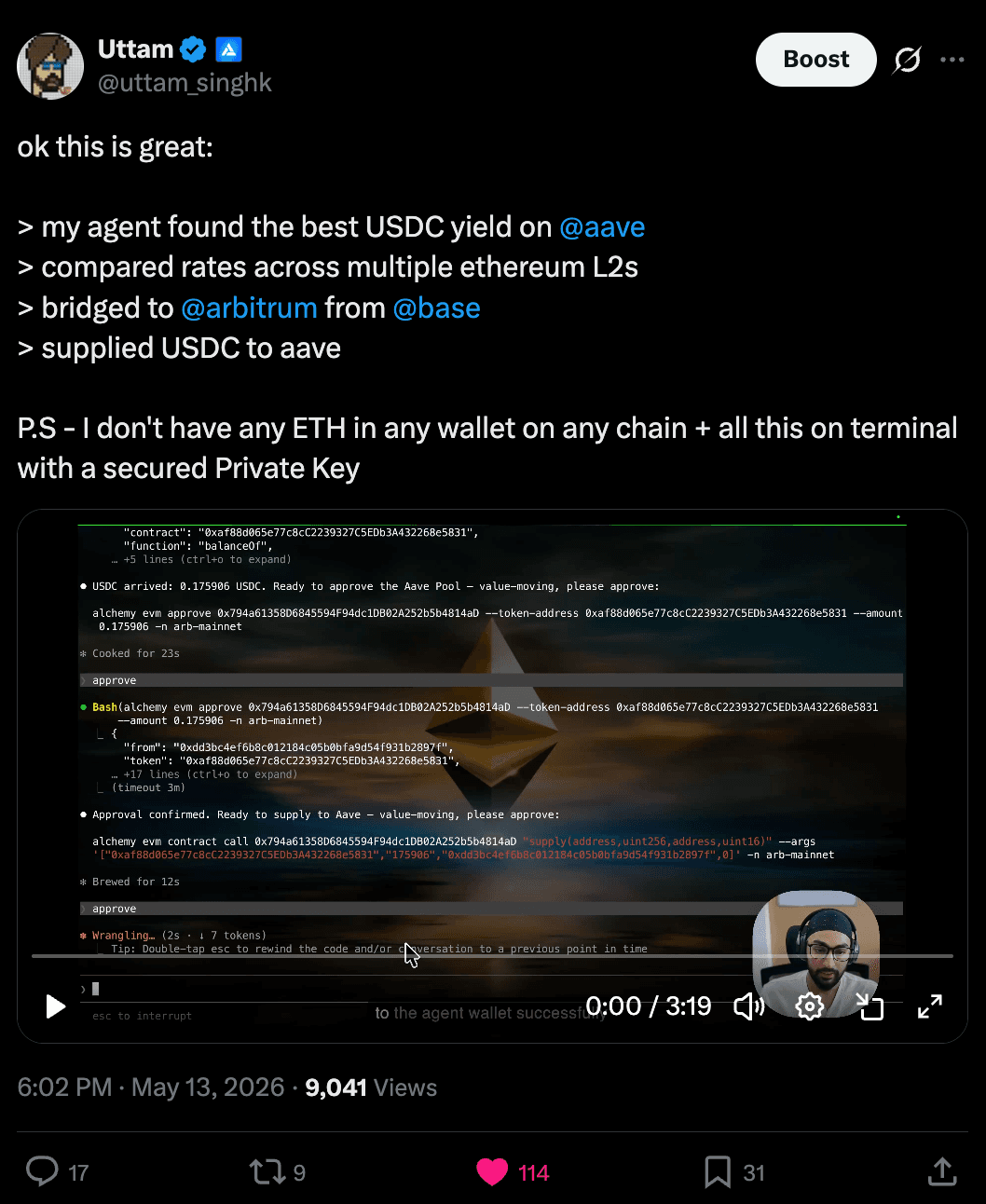
In the demo above, the agent finds the best Aave market for USDC, bridges funds to the right chain, and deposits into the pool. Until today, that workflow required either custom agent code holding a private key or a hand-built integration between a wallet SDK and a coding assistant. Now it is a few commands and a dashboard click.
Start your first command
You just saw twelve commands. Here's the two-minute on-ramp: install, sign in, connect a wallet, send.
npm i -g @alchemy/cli@latest
alchemy auth
alchemy wallet connect --mode session
alchemy evm send vitalik.eth 0.001 -n base-mainnet
No SDK sprawl, no private key in .env, no dashboard round-trip. Whatever your onchain workflow looks like, the CLI runs it from one prompt. Your terminal is the fastest path onchain.
Alchemy Newsletter
Be the first to know about releases
Sign up for our newsletter
Get the latest product updates and resources from Alchemy
By entering your email address, you agree to receive our marketing communications and product updates. You acknowledge that Alchemy processes the information we receive in accordance with our Privacy Notice. You can unsubscribe anytime.

Related articles
Introducing Activity Log for Enterprises
Activity Log is now available for enterprise teams. Review account changes in the dashboard, or send them to your SIEM.
What Solana builders ship on Alchemy
See how Solflare, Phantom, Collector Crypt, and other Solana teams build wallets, trading platforms, and real-world assets on Alchemy's Solana RPC and gRPC infrastructure.
Turn Claude Code into an onchain research agent
Turn Claude Code into an onchain research agent with the Alchemy CLI. Trace token launches, deployer wallets, and admin keys by asking the right questions.