Introducing Admin APIs
Author: Alchemy
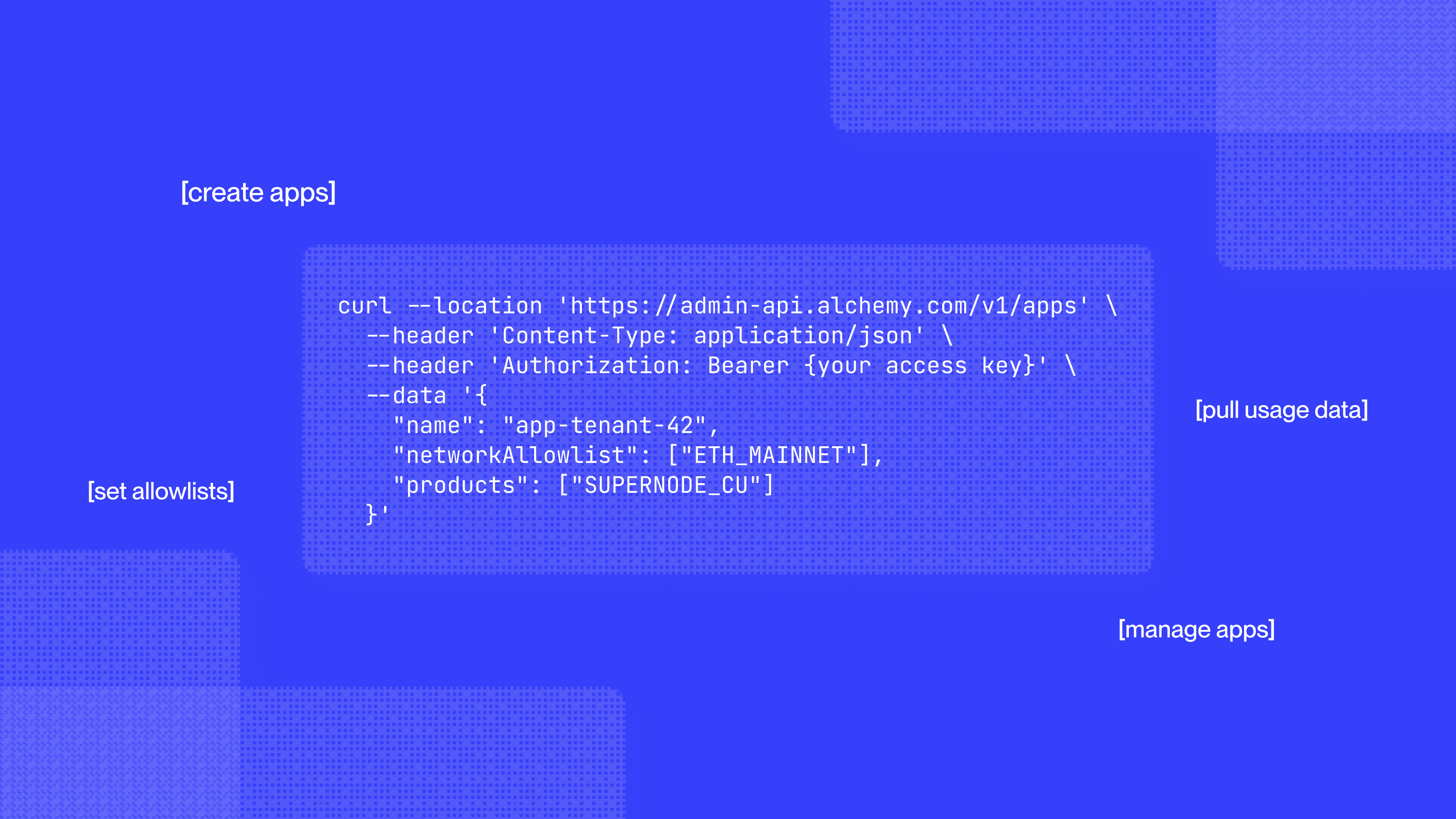
The dashboard works well for managing a single app. But teams running Alchemy at scale, a dedicated app per customer, per partner, or per environment, end up with repetitive tasks. They're clicking through the same create flow, allowlist update, and usage check.
That's why we're excited to be opening up two Admin APIs to make this easier and more seamless for builders:
- Apps Management API: create, configure, and delete apps, manage allowlists.
- Usage API: pull the same usage numbers as the dashboard's Usage tab.
Both APIs are accessible from one endpoint with one Access Key. Grab an Access Key from Settings → Security in the dashboard, scoped to App Management or Usage, and point it at https://admin-api.alchemy.com/v1.
Apps Management API
The Apps Management API handles the CRUD you'd otherwise do by hand in the dashboard: create an app, set its network allowlist, and manage its address, domain, and IP allowlists.
curl -X POST 'https://admin-api.alchemy.com/v1/apps' \
--header 'Content-Type: application/json' \
--header 'Authorization: Bearer {your access key}' \
--data '{
  "name": "app-tenant-42",
  "networkAllowlist": ["ETH_MAINNET"],
  "products": ["node-api"]
}'
This replaces manual work for a platform provisioning a dedicated app per customer, a team giving each partner or node operator its own app to isolate usage, or a pipeline that spins up a fresh app per environment. Access Keys carry their own scopes, expiry, and rotation, so app provisioning can live in CI/CD alongside everything else instead of being a dashboard-only step.
Usage API
The Usage API is a read-only endpoint for the numbers you'd otherwise pull from the dashboard's Usage tab: total CUs overall and by network, and month to date, plus, on paid plans, breakdowns by app, method, and network across HTTP, WebSocket, and webhook traffic, dollar-denominated usage, and request counts.
curl 'https://admin-api.alchemy.com/v1/usage/summary' \
--header 'Authorization: Bearer {your access key}'
History and detail scale with the plan you're on:
Authenticate with either credential as a bearer token: an Access Key scoped to read-only Usage for team-wide numbers, or an existing app-scoped API key, sent the same way, if you only need numbers for one app.
Get started
Create an Access Key from the Security tab, scope it to what you need, and call https://admin-api.alchemy.com/v1.
Dive into the docs, and reach out to our team for any questions or to discuss specialized solutions at scale.
FAQ
What is the difference between Apps Management and Usage?
Apps Management creates and configures apps: names, network allowlists, and address, domain, and IP allowlists. Usage is read-only. It returns compute-unit totals and, on paid plans, time-series breakdowns. Scope the Access Key to only the permission you need.
How do I authenticate to the Admin API?
Create an Access Key in the dashboard Security tab, enable App Management and/or Usage, and send it as Authorization: Bearer {your access key} to https://admin-api.alchemy.com/v1.
How much usage history do I get?
Time-series range is 1 day on Free, 7 days on PAYG, and 30 days on Enterprise. Free is a high-level CU summary; PAYG and Enterprise get the full breakdown.
Alchemy Newsletter
Be the first to know about releases
Sign up for our newsletter
Get the latest product updates and resources from Alchemy
By entering your email address, you agree to receive our marketing communications and product updates. You acknowledge that Alchemy processes the information we receive in accordance with our Privacy Notice. You can unsubscribe anytime.

Related articles

Glamsterdam: the complete guide for Ethereum developers
Glamsterdam is live on Sepolia. The complete guide to what it means for developers and how Alchemy has prepared for the network upgrade.

Why trading teams choose Alchemy for low-latency RPC
Trading teams choose Alchemy for low-latency reads and writes when the market moves, and a reliable record when money settles, even at peak volume.
Which RPC provider should you build on in Tokyo?
We benchmarked five of the RPC providers serving Tokyo across five chains. Here is how they compare, and where the differences matter for latency-sensitive teams.